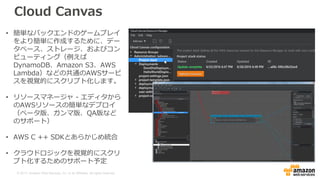
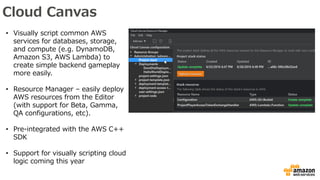
Cloud Canvas
• Visuallyscript common AWS
services for databases, storage,
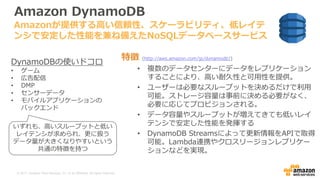
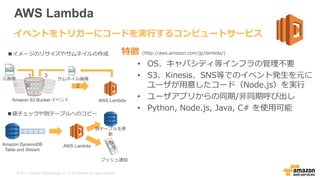
and compute (e.g. DynamoDB,
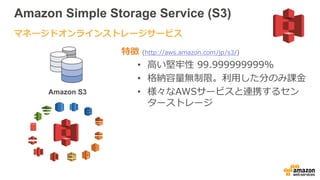
Amazon S3, AWS Lambda) to
create simple backend gameplay
more easily.
• Resource Manager – easily deploy
AWS resources from the Editor
(with support for Beta, Gamma,
QA configurations, etc).
• Pre-integrated with the AWS C++
SDK
• Support for visually scripting cloud
logic coming this year
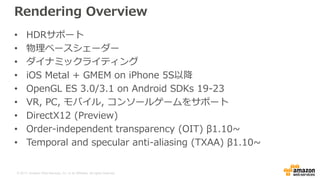
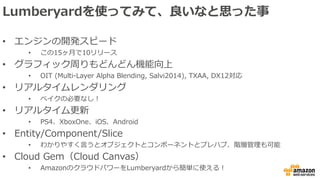
#14 OITを使用しない場合、透明なオブジェクトは、正しいブレンド順序を保証するために複数のパスでレンダリングされなければならず、結果は正しく表示されません。
Without OIT, transparent objects must be rendered in multiple passes to ensure correct blending order, and the result still doesn’t look correct.
#15 OITでは、別々のパスで透明なオブジェクトを特定の順序でレンダリングする必要がなくなり、レンダリングのパフォーマンスが向上します。
With OIT, there is no need to render transparent objects in specific order in separate passes, improving rendering performance.
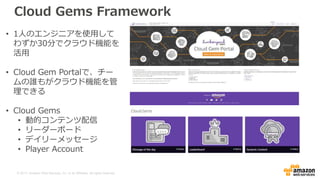
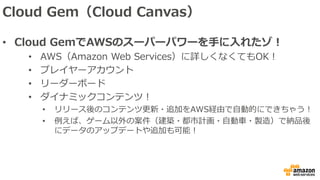
#26 Message of the Day – ゲームクライアントへのメッセージの配信 (たとえば、新製品のご案内や休日のお知らせ) をスケジュールします。
Leaderboard – プレイヤーのハイスコアを保存し、プレイヤーのランキングを示すリーダーボードを提供します。
動的コンテンツ – クラウドにアップロードした新しいゲームアセットと更新されたゲームアセットを自動的にダウンロードすることで、クライアントに最新のゲームコンテンツが維持されるようにします。
Player Account – ニーズに合わせてカスタマイズ可能な、ゲームのスタンドアロンプレイヤー認証および管理ソリューションを提供します。
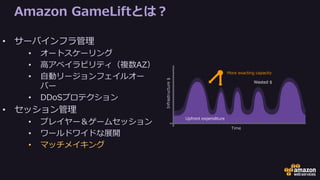
#34 GameLift is a Managed AWS Service designed to help developers scale their multiplayer games
Features fall into two broad responsibilities:
Infrastructure Management. The parts of GameLift that handles the cloud
Session Management: The parts of GameLift that handle making player sessions and game sessions, and all the record keeping that goes with it
In Infrastructure management
GameLift auto-scaling is based on rules that you create. Rules based on the number of game sessions running, the number of player slots available, or how long people are waiting to connect.
GameLift is high-availability. If one AZ in a region goes down, new servers will spin up in a different AZ automatically based on your scaling rules
GameLift also has automatic cross-region failover. You can place players in the best region based on latency, and if a region disappears then players in that region will automatically be routed to the region with the next best latency until the original region recovers
There’s not a lot of functional difference between an extremely popular game launch and a DDoS attack, so you might have expected that GameLift also allows you to weather DDoS attacks. AWS also employs techniques to detect and defeat DDoS attacks against its APIs and EC2 instances.
In Session Management
The Gamelift service keeps track of the status of all the player and game sessions in your back-end.
GameLift is available in most regions, and players can be routed to the region with best latency. Or all players can be served out of one region. Or anything in between.
And finally, GameLift provides a matchmaking service called FlexMatch. This feature was released in August. Before I dive into it, I’d like to quickly walk through a brief history…
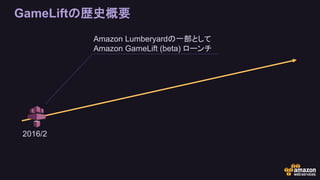
#35 GameLift has come a long way in a year and a half.
Many of these features are based on conversations that Yamamoto-san and I had with developers in Japan over the past year
GameLift launched in early 2016 as a beta service available to developers using Lumberyard, Amazon’s game engine
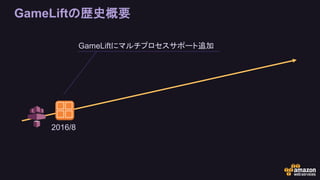
#36 In August 2016, we added support for multiple server processes on each EC2 instance
This helps developers optimize EC2 resource utilization
Maximizes player count while minimizing compute cost
This is one of many features we’ve added (and will continue to add) that reduce cost to developers
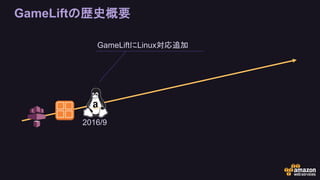
#37 By popular request, we added support for Linux servers in September 2016.
This was a large undertaking for us as much of GameLift (beta) was built on a Windows framework
We did this as another measure to help developers control costs
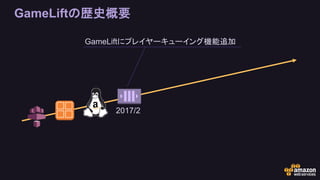
#38 Early this year we added support for player queues
These queues allow you to have players wait for a game session
For example if you put a maximum cap on the number of servers
A player queue can also route players to the best GameLift Fleet based on latency
This also provides automatic cross-region failover. If an AWS region goes down, queues will route users to the region with the next-best latency
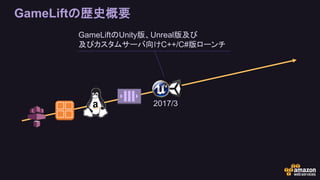
#39 At GDC in March we announced that GameLift would be available separate from Lumberyard
Along with this announcement we launched plugins for Unreal and Unity
GameLift Server SDKs in C++ and C# were also released for use in custom servers
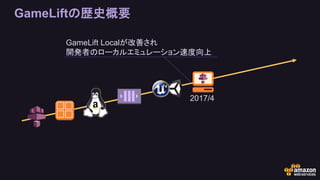
#40 One thing developers told us was that the iteration time with GameLift was slow
It takes time to bake an Amazon Machine Image for each new server version a developer uploads, before Fleets can scale
And so we released GameLift Local in April
GameLift Local lets developers test GameLift service interactions on their local machine
This eliminates the time to upload builds and bake machine images, creating a faster development loop
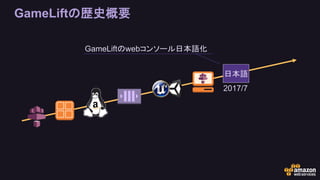
#41 In July, we localized the GameLift web console into Japanese.
This might seem like a minor thing, because developer documentation has been available in Japanese for a while
But we did this because of the high interest from the region.
To date, the only languages supported in the GameLift console are English and Japanese
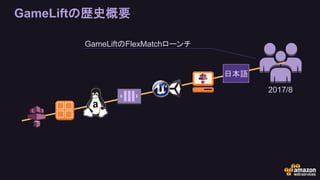
#42 In August we launched FlexMatch
A set of GameLift APIs that provide a complete Matchmaking Solution
Free for games running on GameLift
Now let’s dive a little deeper into FlexMatch
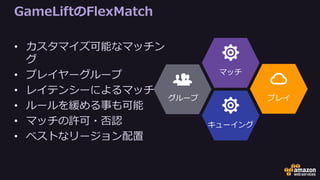
#43 What does FlexMatch do?
Matching is based on powerful rules that you define, which we’ll get into soon
There’s support for player groups or parties, so that multiple players can queue for matchmaking together
You can match players of similar latency together
It’s also easy to relax the rules if it’s taking a long time for players to find a match
We have an optional feature where you can require each player to agree to the match before the session begins
And we support placing the entire match into the best region considering the latency of all players
#44 Matchmaking has a direct impact on player experience
Can’t afford to make mistakes
Also sensitive to tuning, so you need real data to base your changes on
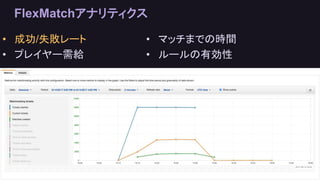
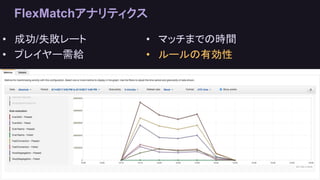
The FlexMatch dashboard lets you view historical metrics including
Success/failure rates of the matchmaker.
Player demand
How long it takes the matchmaker to find a valid match
And pass/fail rates for the rules you create.
This graph is showing some information about the number of matches created and pending
#45 This graph shows the pass/fail rate for the matchmaking rules we created.
So now we know what Flexmatch can do, but how do we integrate it?
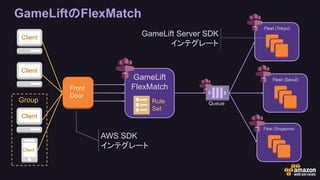
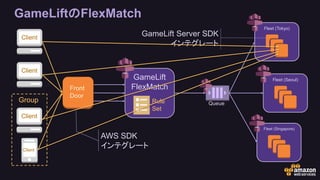
#46 This is a basic FlexMatch architecture. I’ll cover each part in detail, but first I want to explain how to read this diagram
In orange we have bits that are built and managed by the developer. From left to right:
The game clients
The Front Door server that talks to GameLift.
Matchmaking rule sets
And on the far right, the game servers themselves
In purple, we have the bits that are managed by Amazon. From left to right:
The AWS SDK that a developer must integrate into their Front Door server
The GameLift service itself, including FlexMatch
The GameLift player queues
On the far right, the GameLift fleet management in each region
And the GameLift Server SDK that a developer must integrate into their game servers that run on GameLift
That’s a lot to take in, so let’s break it down
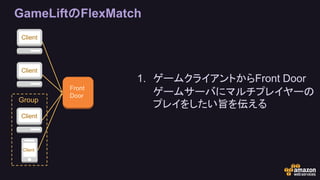
#47 The process begins with clients (users) who want to play the multiplayer mode for your game
They initiate this in your game client. They click “Quick Play” or “Ranked” or something similar in a menu
The game client then contacts your Front Door server through whatever mechanism you normally use. HTTP, TCP, UDP.
Your clients tell the Front Door server any relevant information such as desired game settings, party information, and so on
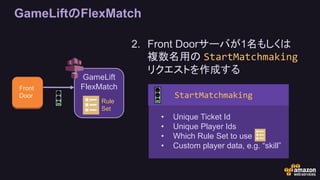
#48 Your front door server performs game-specific logic when clients want to play multiplayer
Is this player allowed to play this game mode? High enough level, enough currency, not banned, etc
Is this player in a group or party?
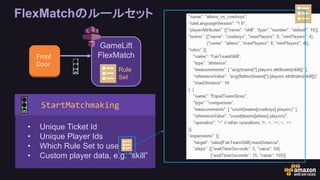
This information is then passed to GameLift in a Matchmaking Request. The request includes:
which matchmaker to use (because you might have multiples)
a unique matchmaking ticket ID
an array of player data (unique player IDs, custom player attributes that get fed to the rules, latency information, etc)
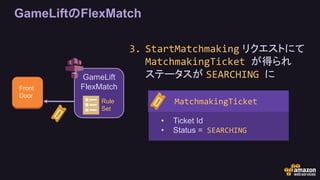
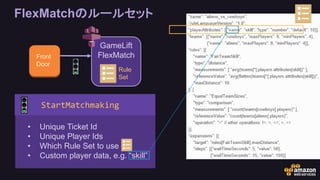
#49 In response to StartMatchmaking, a MatchmakingTicket is returned
This ticket includes the information that was part of the original request, including Ticket Id
Now we need to poll for MatchmakingTicket status changes
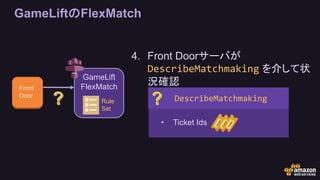
#50 Now that the Front Door has started the matchmaking process, it must periodically poll for the status of live MatchmakingTickets
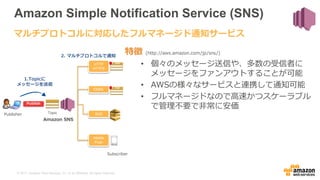
(It’s also possible to use the SNS to do an event-based architecture instead of polling, if that’s your preference)
We poll by calling DescribeMatchmaking, and pass along a list of all the matchmaking ticket IDs we want to get an update for
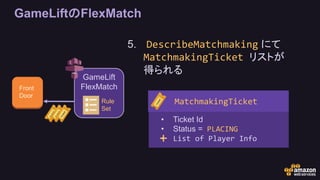
#51 Each time we poll with DescribeMatchmaking, we receive a list of MatchmakingTickets in response
The status of each ticket (SEARCHING, COMPLETED, TIMED_OUT, and so on) is how we know what to do for each player
At this time, the Matchmaking Tickets will also contain information about the players we have been matched with
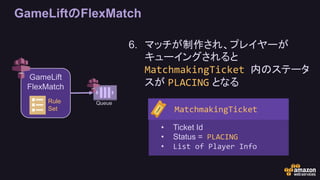
#52 The GameLift FlexMatch service automatically queues players for a GameLift server once a match is made.
Our FrontDoor knows about this status change by continuing to poll with DescribeMatchmaking
The status of the MatchmakingTicket at this point is PLACING
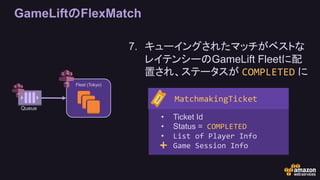
#53 Queued matches are processed into the best regions available based on latency
When a match has moved through the queue and has a server reserved for the players, MatchmakingTicket status changes to COMPLETED
Our Front Door server becomes aware of this status change by polling DescribeMatchmaking.
When polled in this status, the MatchmakingTicket we receive back will also contain all of the information our players need to connect to the server
#54 With the reserved server info in the MatchmakingTicket, your game clients make a direct connection to the game servers
No middlemen, no additional latency
Now we’ve got it all integrated, how do we actually create matchmaking rules?
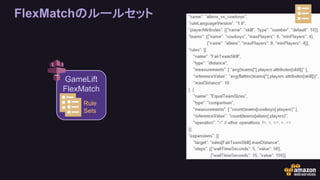
#55 You’ll recall from the architecture diagram that FlexMatch can be home to one ore more rule sets.
Those rule sets look like this
#56 And when we made our BeginMatchmaking request, we passed along which rule set we want to use
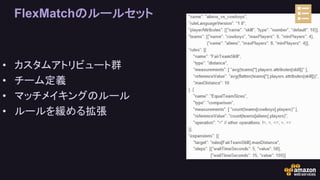
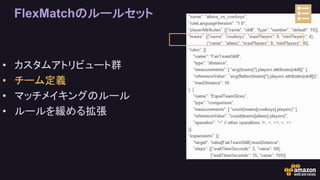
#57 The first thing you’ll have to consider when using FlexMatch is what your rules are going to be
FlexMatch supports multiple Rule Sets for different game modes. You can have different rules for Quick Match, Ranked, 1v1, 3v3…
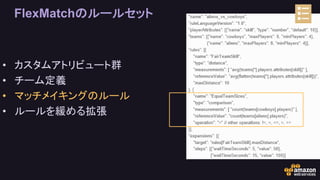
Rule sets contain attributes (which are like user-defined properties), team definitions, rules, and expansions
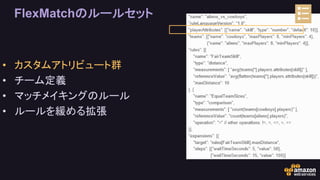
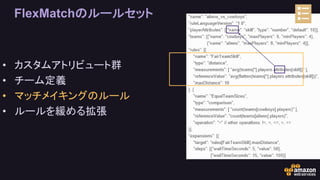
#58 playerAttributes are custom variables that you will pass to the matchmaker when queueing players
In this case we have a playerAttribute called “skill” that we’ll use below
#59 Remember when we made our BeginMatchmaking request, we passed in custom player data. That’s where this skill attribute comes from
#60 Teams are also defined in the rules
In this case, Cowboys vs Aliens
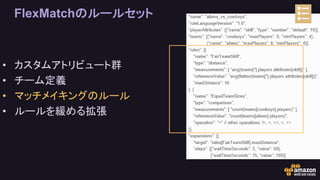
#61 Each rule set supports multiple rules
The FlexMatch rule set also has advanced features for even more granular control over player experience.
You can group together players who prefer certain game modes, like Capture the Flag, or certain groups of maps.
You might decide that a valid team requires at least one warrior, one rogue, and one mage before a game starts.
You can also allow asymmetric matches, like 1v5, in order to support new game modes.
In this case we have one rule for player skill, and one rule for team size
#62 In the FairTeamSkill rule, we measure the “skill” attribute we defined above
This rule makes sure that no player’s skill is more than 10 away from the average skill of both teams.
#63 In the EqualTeamSizes rule we state simply that a match can not be made unless the count of each team’s players is equal
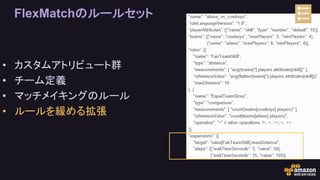
#64 Rule sets also support rule expansions. These relax the rules over time to make matches easier if players have been waiting too long
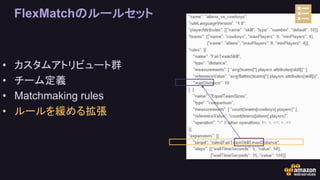
#65 Here we are altering the maxDistance property of the FairTeamSkill rule we defined above
It started out at 10…
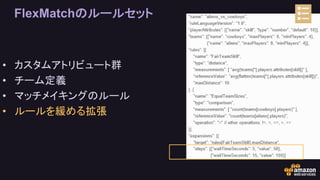
#66 After 5 seconds of waiting, we relax the value to 50 skill difference
After 15 seconds of waiting, we relax the value to 100 skill difference
That’s a basic rule set, but it doesn’t mean much without an integration. So let’s talk architecture.























![[20220126] JAWS-UG 2022初頭までに葬ったAWSアンチパターン大紹介](https://cdn.slidesharecdn.com/ss_thumbnails/20220126-anti-220126190603-thumbnail.jpg?width=640&height=640&fit=bounds)
