CASE STUDY - THE NEXTGEN POS
SYSTEM
Next Gen POS System
2
Object Oriented Analysis and Design © Vignesh Saravanan K,AP/CSE
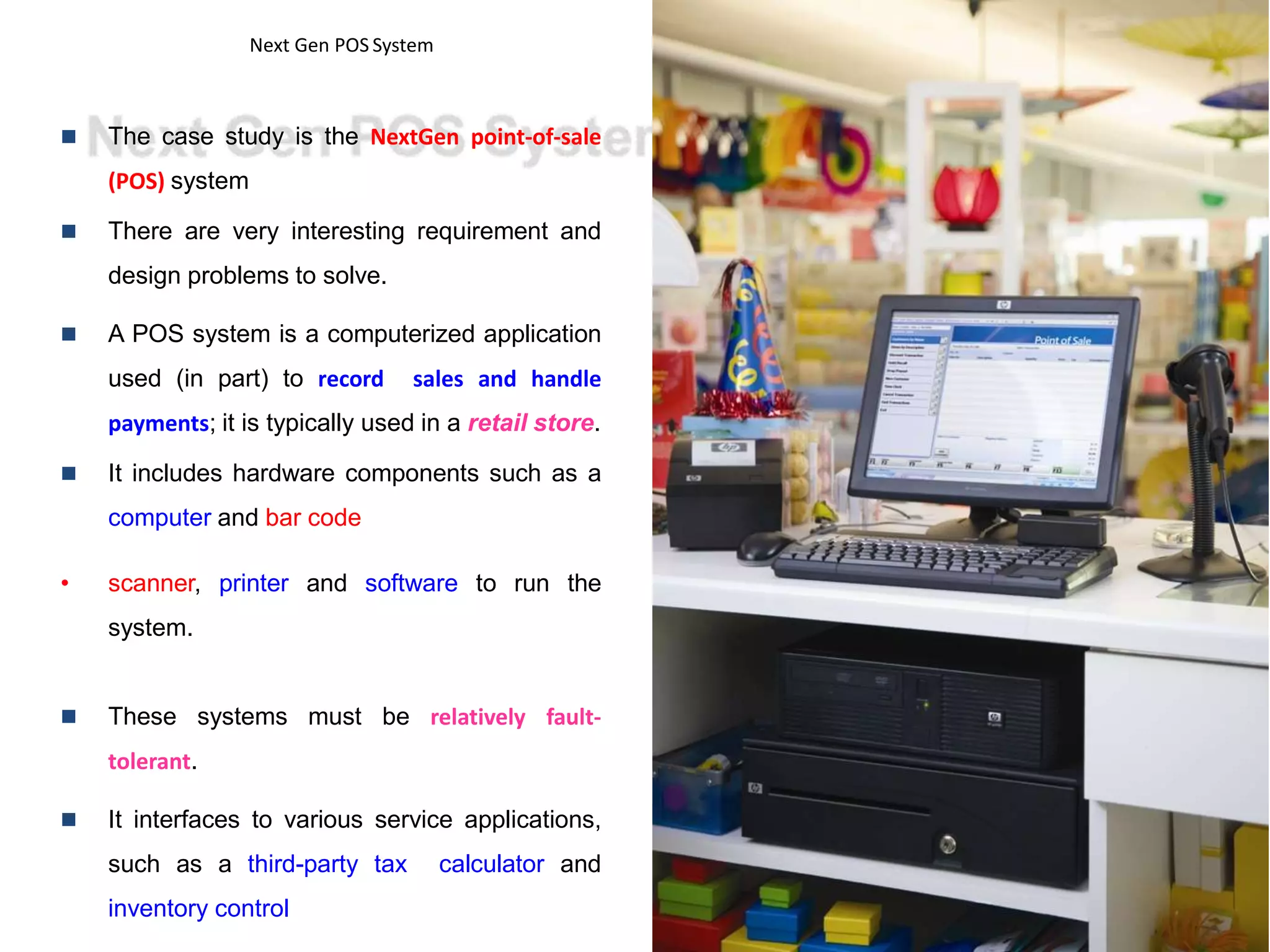
 The case study is the NextGen point-of-sale
(POS) system
 There are very interesting requirement and
design problems to solve.
 A POS system is a computerized application
used (in part) to record sales and handle
payments; it is typically used in a retail store.
 It includes hardware components such as a
computer and bar code
• scanner, printer and software to run the
system.
 These systems must be relatively fault-
tolerant.
 It interfaces to various service applications,
such as a third-party tax calculator and
inventory control
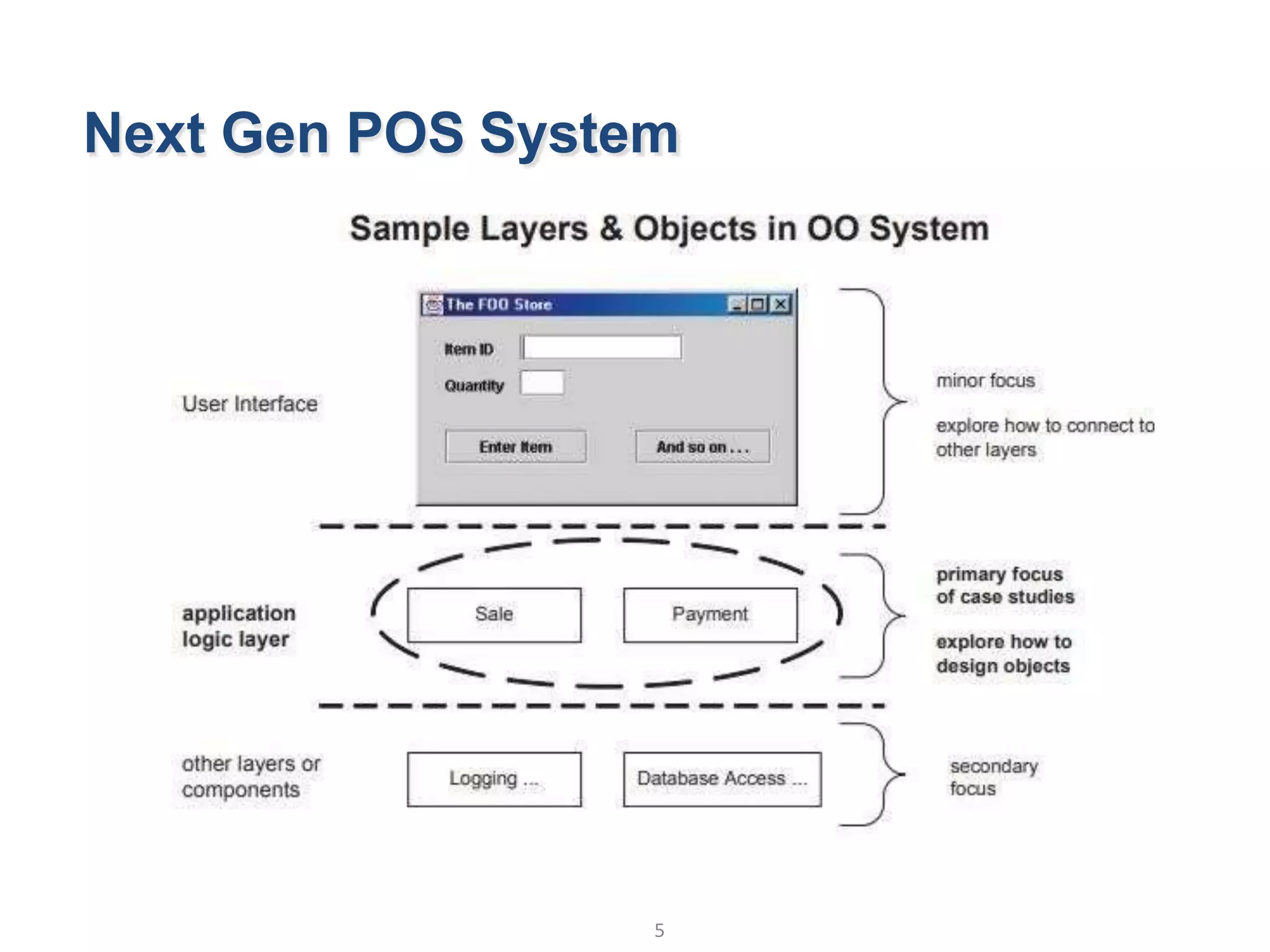
Next Gen POS System
3
Object Oriented Analysis and Design © Vignesh Saravanan K,AP/CSE
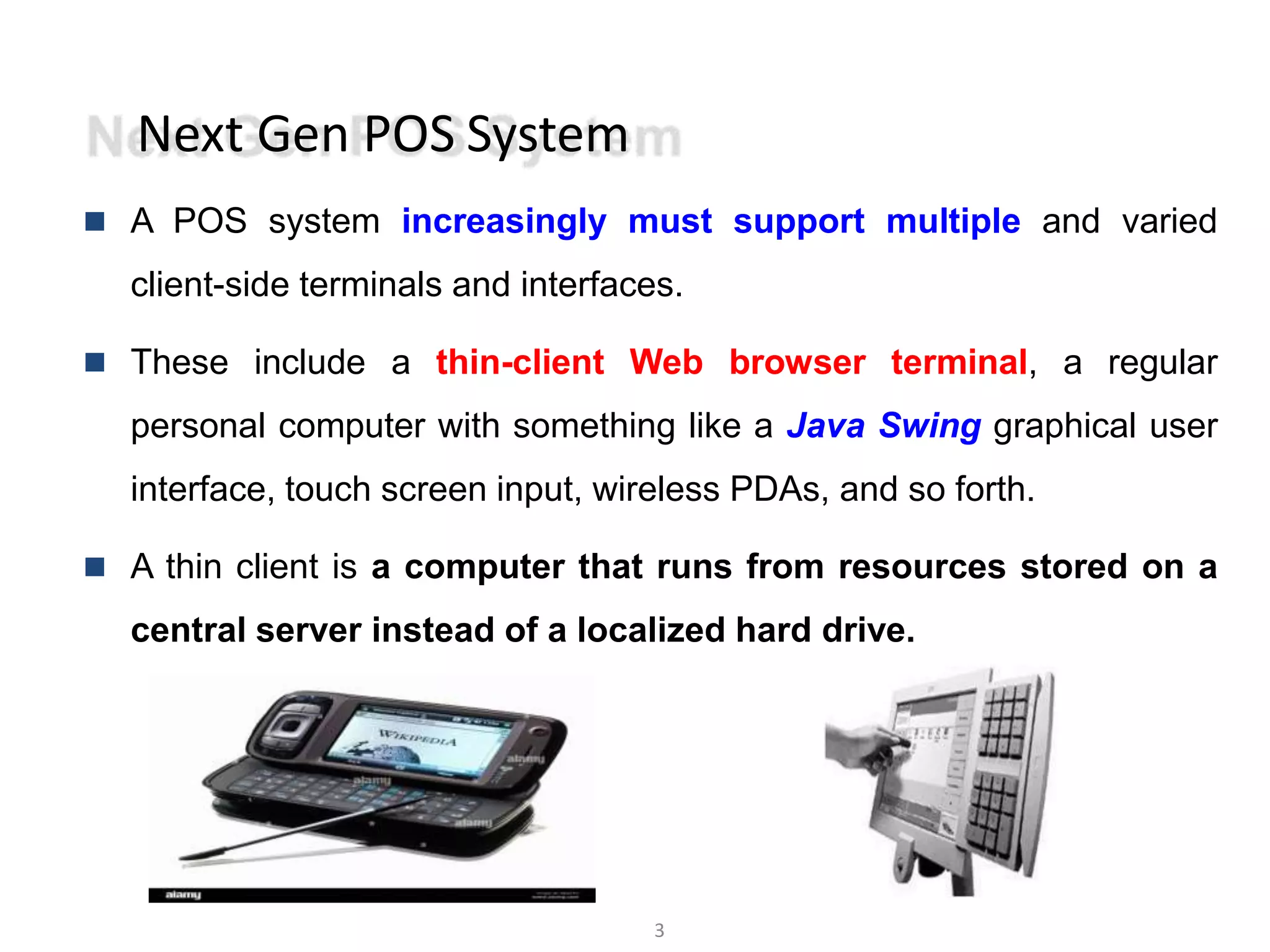
 A POS system increasingly must support multiple and varied
client-side terminals and interfaces.
 These include a thin-client Web browser terminal, a regular
personal computer with something like a Java Swing graphical user
interface, touch screen input, wireless PDAs, and so forth.
 A thin client is a computer that runs from resources stored on a
central server instead of a localized hard drive.
Next Gen POS System
 Each client will desire a unique set of logic to execute at different scenarios
such as :
 when a new sale is initiated
4
Object Oriented Analysis and Design © Vignesh Saravanan K,AP/CSE
 when a new line item is added
 Therefore, we will need a mechanism
Customization.
to provide this flexibility and
 So we need to go for the iterative development strategy
 Applications generally can be divided into 3 layers
 User interface
 Application logic
 Other components/layers
Next Gen POS System
5
Object Oriented Analysis and Design © Vignesh Saravanan K,AP/CSE
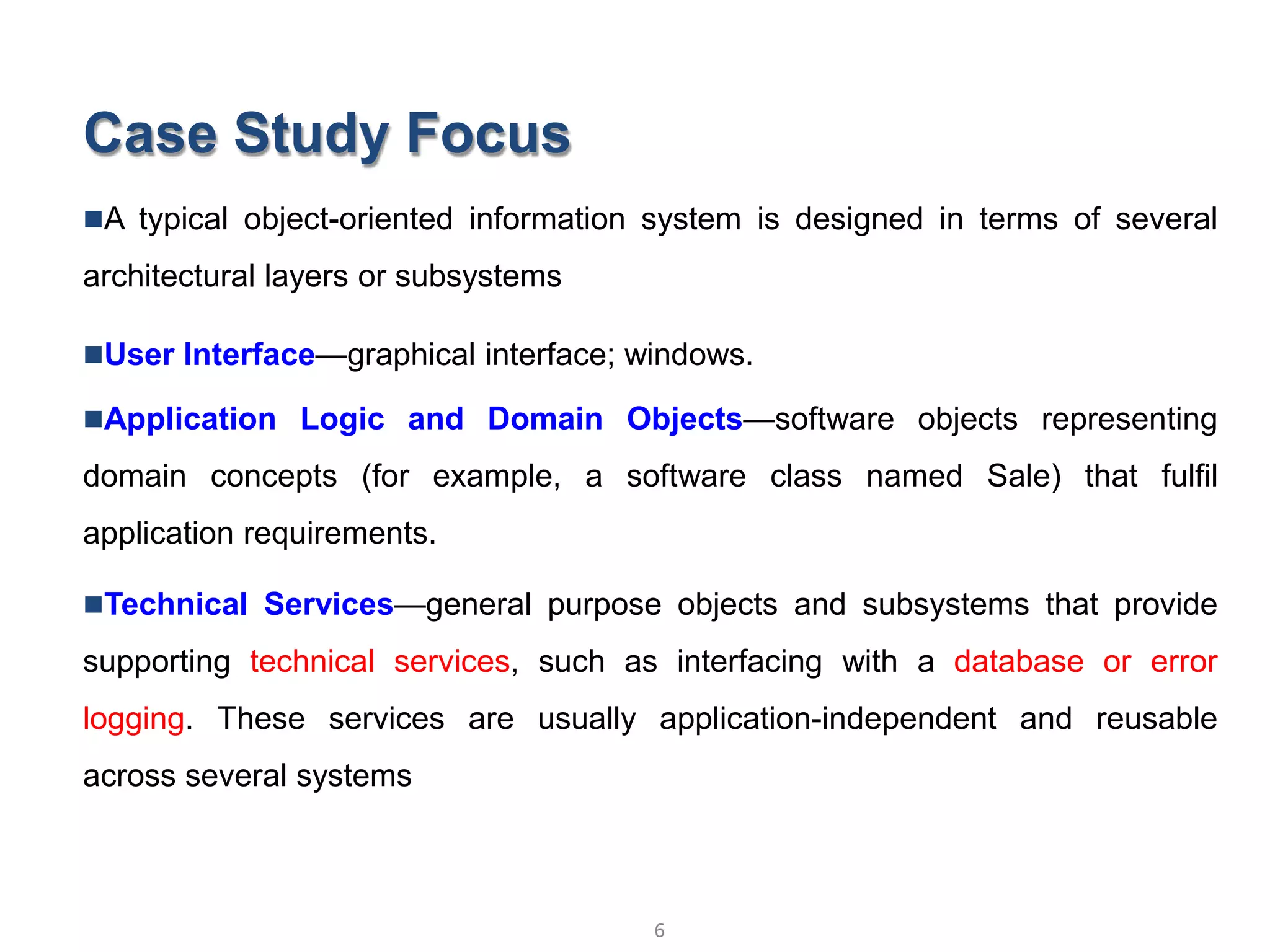
Case Study Focus
A typical object-oriented information system is designed in terms of several
architectural layers or subsystems
User Interface—graphical interface; windows.
Application Logic and Domain Objects—software objects representing
domain concepts (for example, a software class named Sale) that fulfil
application requirements.
Technical Services—general purpose objects and subsystems that provide
supporting technical services, such as interfacing with a database or error
logging. These services are usually application-independent and reusable
across several systems
6
Object Oriented Analysis and Design © Vignesh Saravanan K,AP/CSE
Development Strategy
7
Object Oriented Analysis and Design © Vignesh Saravanan K,AP/CSE
 Using an iterative development strategy, we are going to proceed
through
 requirements,
 object-oriented analysis,
 design,
 and implementation.
9
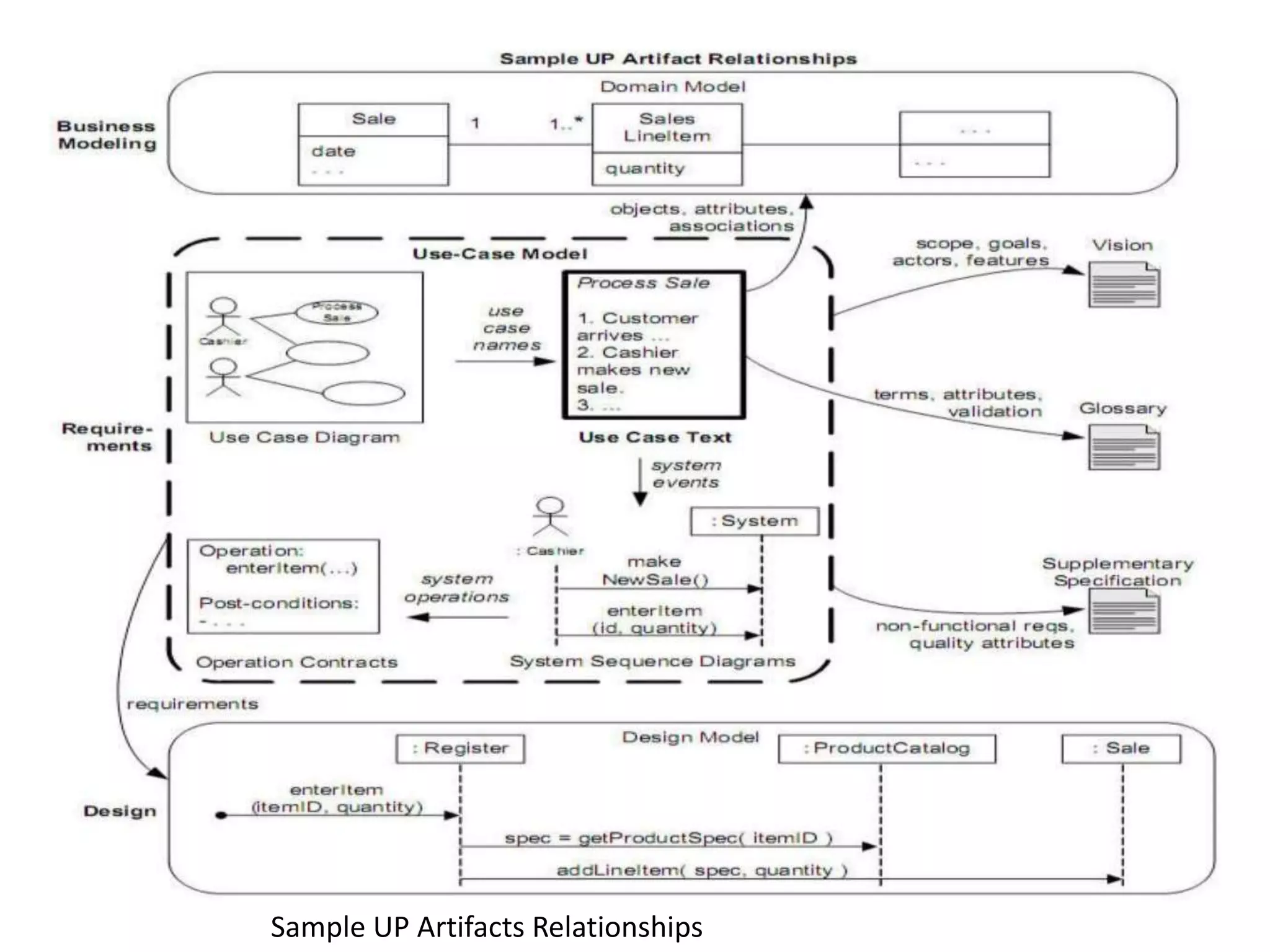
Sample UP Artifacts Relationships
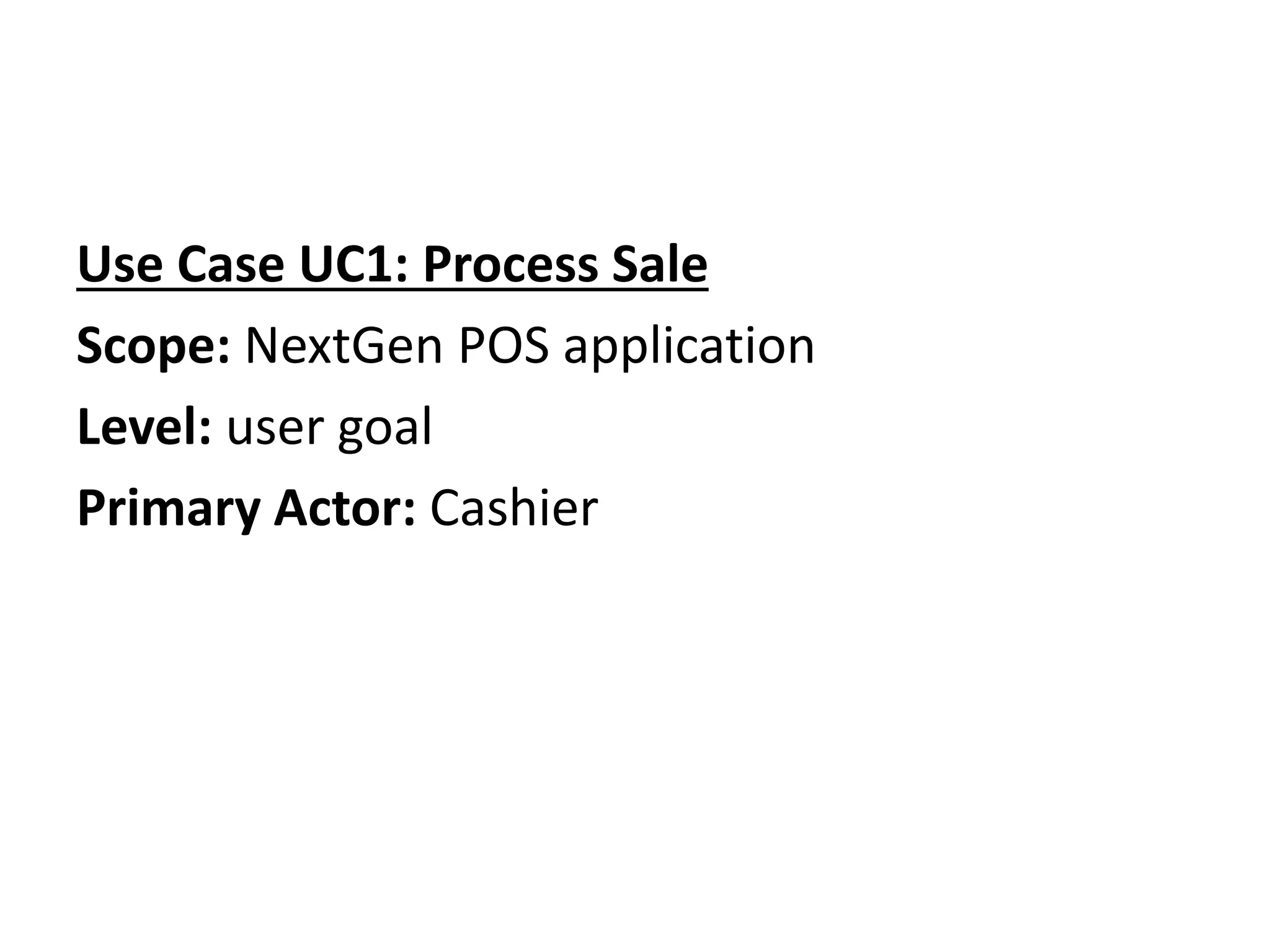
Use Case UC1: Process Sale
Scope: NextGen POS application
Level: user goal
Primary Actor: Cashier
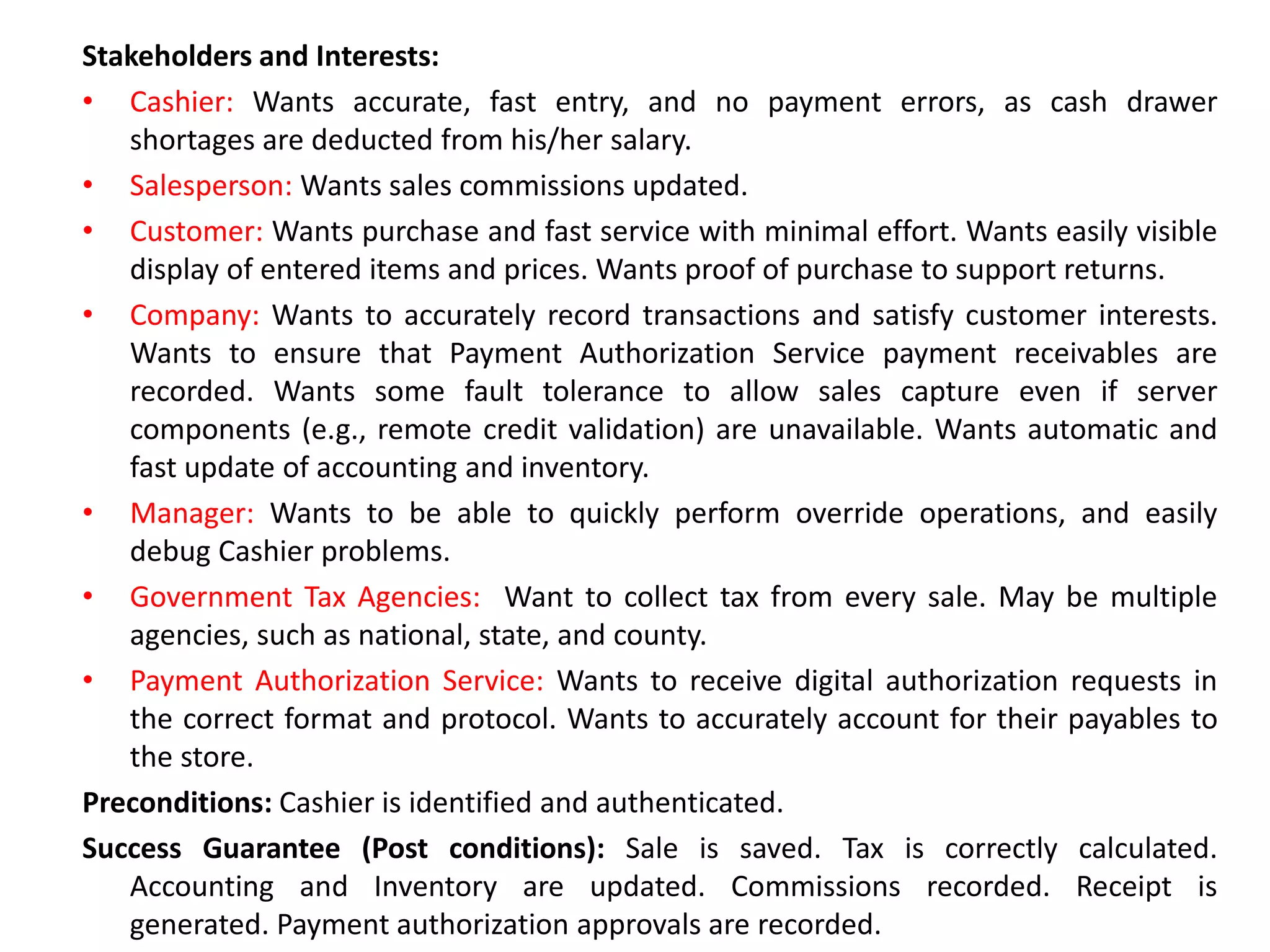
Stakeholders and Interests:
• Cashier: Wants accurate, fast entry, and no payment errors, as cash drawer
shortages are deducted from his/her salary.
• Salesperson: Wants sales commissions updated.
• Customer: Wants purchase and fast service with minimal effort. Wants easily visible
display of entered items and prices. Wants proof of purchase to support returns.
• Company: Wants to accurately record transactions and satisfy customer interests.
Wants to ensure that Payment Authorization Service payment receivables are
recorded. Wants some fault tolerance to allow sales capture even if server
components (e.g., remote credit validation) are unavailable. Wants automatic and
fast update of accounting and inventory.
• Manager: Wants to be able to quickly perform override operations, and easily
debug Cashier problems.
• Government Tax Agencies: Want to collect tax from every sale. May be multiple
agencies, such as national, state, and county.
• Payment Authorization Service: Wants to receive digital authorization requests in
the correct format and protocol. Wants to accurately account for their payables to
the store.
Preconditions: Cashier is identified and authenticated.
Success Guarantee (Post conditions): Sale is saved. Tax is correctly calculated.
Accounting and Inventory are updated. Commissions recorded. Receipt is
generated. Payment authorization approvals are recorded.
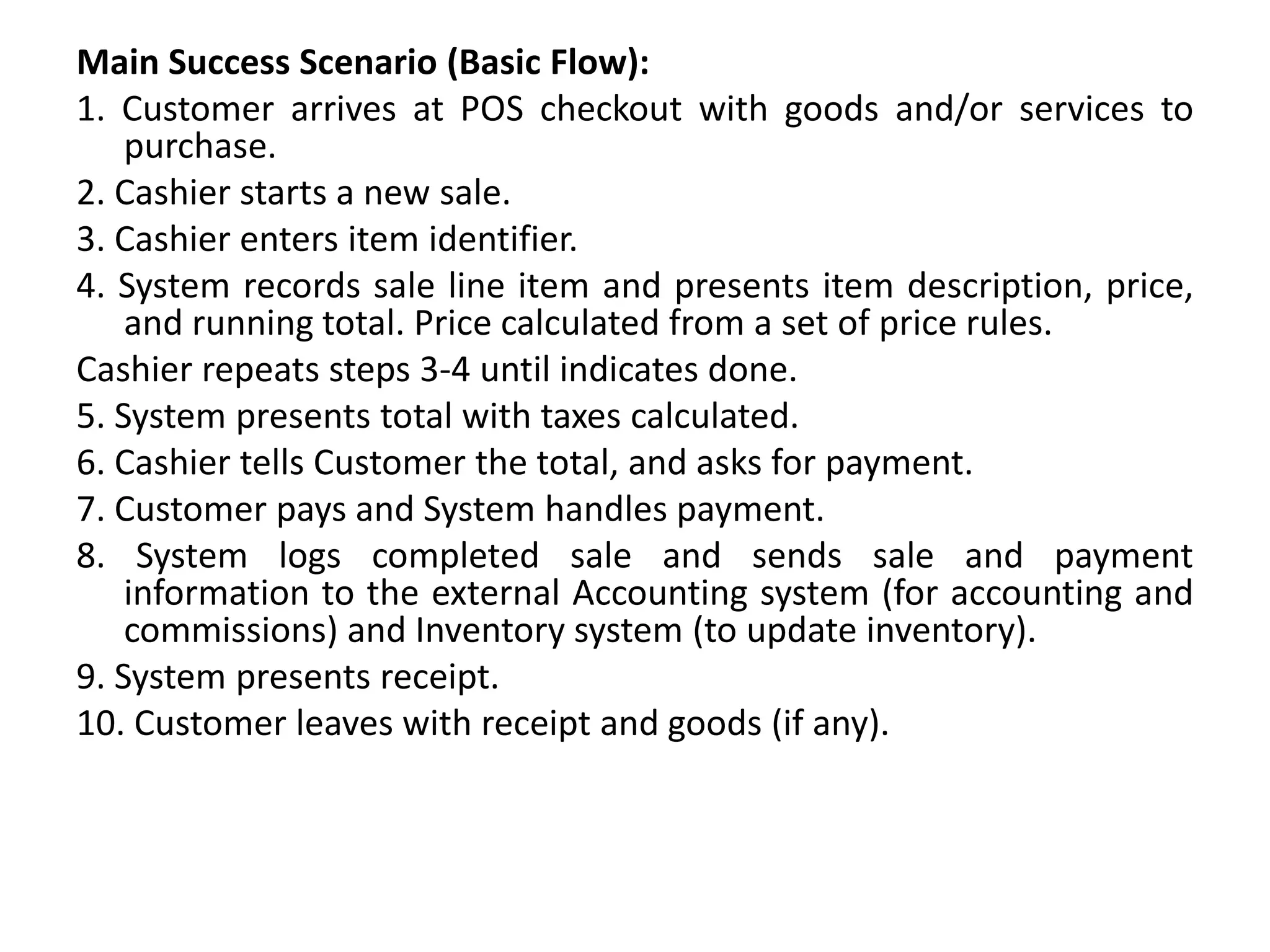
Main Success Scenario (Basic Flow):
1. Customer arrives at POS checkout with goods and/or services to
purchase.
2. Cashier starts a new sale.
3. Cashier enters item identifier.
4. System records sale line item and presents item description, price,
and running total. Price calculated from a set of price rules.
Cashier repeats steps 3-4 until indicates done.
5. System presents total with taxes calculated.
6. Cashier tells Customer the total, and asks for payment.
7. Customer pays and System handles payment.
8. System logs completed sale and sends sale and payment
information to the external Accounting system (for accounting and
commissions) and Inventory system (to update inventory).
9. System presents receipt.
10. Customer leaves with receipt and goods (if any).
Extensions (Alternative Flows):
*a. At any time, Manager requests an override
operation:
1. System enters Manager-authorized mode.
• Manager or Cashier performs one Manager-
mode operation. e.g., cash balance change,
resume a suspended sale on another register,
void a sale, etc.
• System reverts to Cashier-authorized mode.
*b. At any time, System fails:
To support recovery and correct accounting, ensure all
transaction sensitive state and events can be recovered from
any step of the scenario.
1. Cashier restarts System, logs in, and requests recovery of prior
state.
• System reconstructs prior state.
2a. System detects anomalies preventing recovery:
1. System signals error to the Cashier, records the error,
and enters a clean state.
• Cashier starts a new sale.
1a. Customer or Manager indicates to resume a suspended sale.
1. Cashier performs resume operation, and enters the ID to retrieve
the sale.
2. System displays the state of the resumed sale, with subtotal.
2a. Sale not found.
1. System signals error to the Cashier.
• Cashier probably starts new sale and re-enters all
items.
• Cashier continues with sale
(probably entering more items or
handling payment).
2-4a. Customer tells Cashier they have a tax-exempt status (e.g.,
seniors, native peoples)
1. Cashier verifies, and then enters tax-exempt status code.
• System records status (which it will use during tax
calculations)
3a. Invalid item ID (not found in system):
1. System signals error and rejects entry.
2. Cashier responds to the error:
2a. There is a human-readable item ID (e.g., a numeric UPC):
1. Cashier manually enters the item ID.
• System displays description and price.
2a. Invalid item ID: System signals error. Cashier tries alternate method.
2b. There is no item ID, but there is a price on the tag:
1. Cashier asks Manager to perform an override operation.
• Managers perform override.
• Cashier indicates manual price entry, enters price, and requests
standard taxation for this amount (because there is no product
information, the tax engine can't otherwise deduce how to tax it)
2c. Cashier performs Find Product Help to obtain true item ID and price.
2d. Otherwise, Cashier asks an employee for the true item ID or price, and
does either manual ID or manual price entry (see above).
3b. There are multiple of same item category
and tracking unique item identity not
important (e.g., 5 packages of veggie-burgers):
1. Cashier can enter item category
identifier and the quantity.
3c. Item requires manual category and price
entry (such as flowers or cards with a price on
them):
1. Cashier enters special manual category
code, plus the price.
3-6a: Customer asks Cashier to remove (i.e., void) an item from the purchase:
This is only legal if the item value is less than the void limit for Cashiers;
otherwise a Manager override is needed.
1. Cashier enters item identifier for removal from sale.
2. System removes item and displays updated running total.
2a. Item price exceeds void limit for Cashiers:
1. System signals error, and suggests Manager Override.
Cashier requests Manager Override, gets it, and repeats
operation.
3-6b. Customer tells Cashier to cancel sale:
1. Cashier cancels sale on System.
3-6c. Cashier suspends the sale:
1. System records sale so that it is available for retrieval on any POS
register.
2. System presents a "suspend receipt" that includes the line items, and a
sale ID used to retrieve and resume the sale.
4a. The system supplied item price is not wanted
(e.g., Customer complained about something
and is offered a lower price):
1. Cashier requests approval from Manager.
2. Manager performs override operation.
3. Cashier enters manual override price.
4. System presents new price.
5a. System detects failure to communicate with external tax calculation system
service:
1. System restarts the service on the POS node, and continues.
1a. System detects that the service does not restart.
1. System signals error.
Cashier may manually calculate and enter the tax, or cancel the
sale.
5b. Customer says they are eligible for a discount (e.g., employee, preferred
customer):
1. Cashier signals discount request.
2. Cashier enters Customer identification.
3. System presents discount total, based on discount rules.
5c. Customer says they have credit in their account, to apply to the sale:
1. Cashier signals credit request.
2. Cashier enters Customer identification.
3. Systems applies credit up to price=0, and reduces remaining credit.
6a. Customer says they intended to pay by cash but don't have
enough cash:
1. Cashier asks for alternate payment method.
1a. Customer tells Cashier to cancel sale. Cashier cancels
sale on System.
7a. Paying by cash:
1. Cashier enters the cash amount tendered.
2. System presents the balance due, and releases the cash
drawer.
3. Cashier deposits cash tendered and returns balance in cash
to Customer.
4. System records the cash payment.
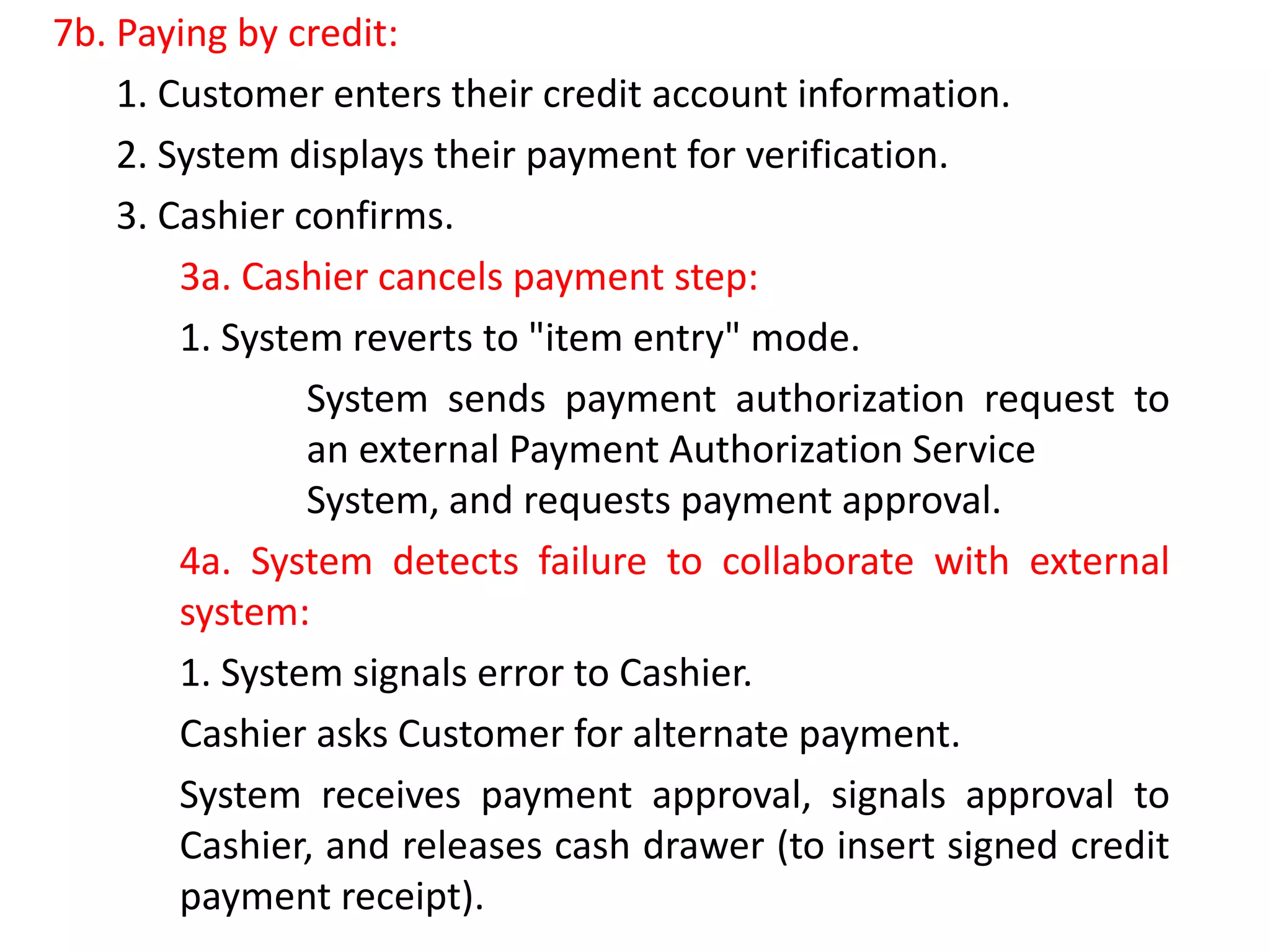
7b. Paying by credit:
1. Customer enters their credit account information.
2. System displays their payment for verification.
3. Cashier confirms.
3a. Cashier cancels payment step:
1. System reverts to "item entry" mode.
System sends payment authorization request to
an external Payment Authorization Service
System, and requests payment approval.
4a. System detects failure to collaborate with external
system:
1. System signals error to Cashier.
Cashier asks Customer for alternate payment.
System receives payment approval, signals approval to
Cashier, and releases cash drawer (to insert signed credit
payment receipt).
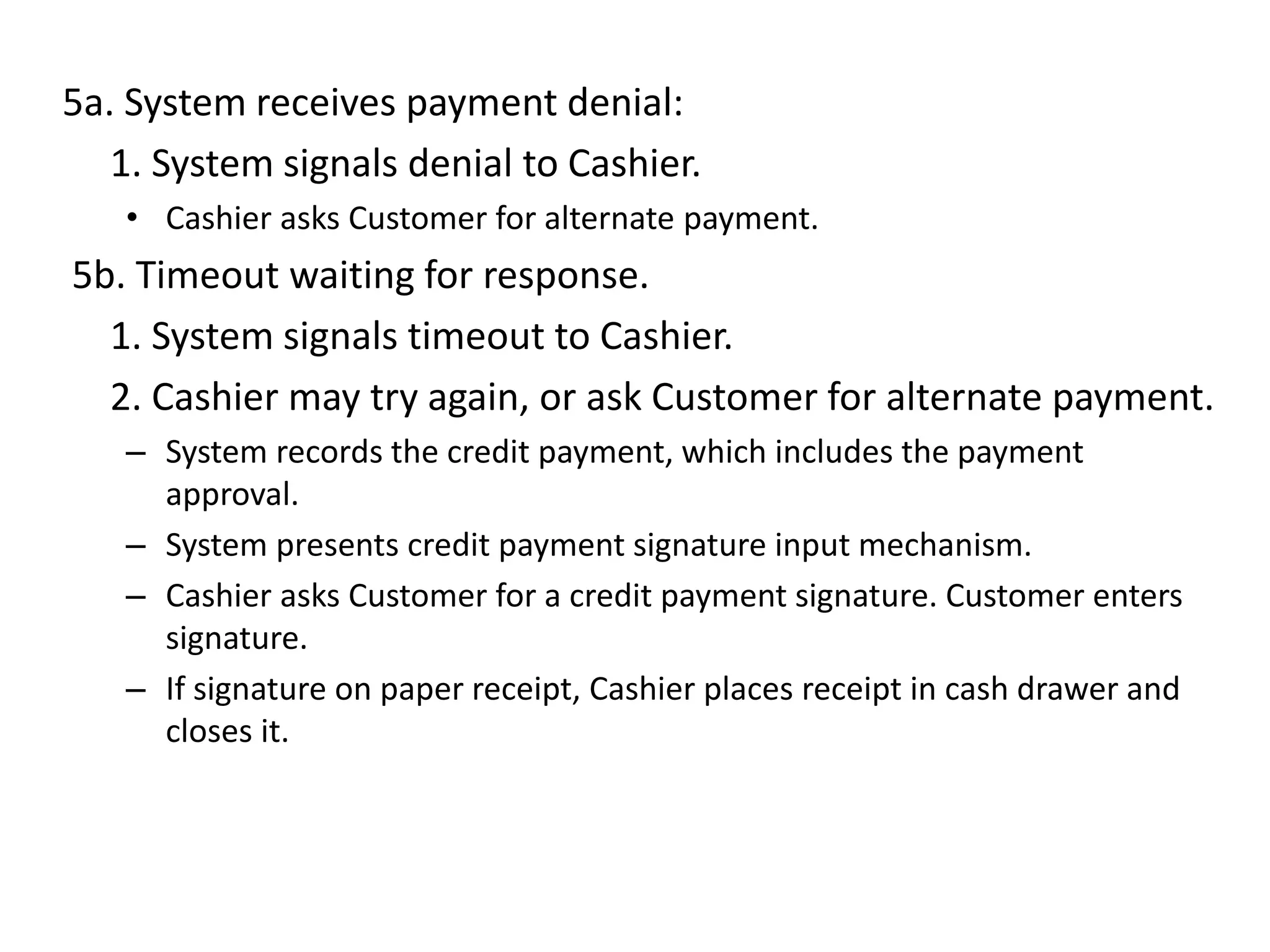
5a. System receives payment denial:
1. System signals denial to Cashier.
• Cashier asks Customer for alternate payment.
5b. Timeout waiting for response.
1. System signals timeout to Cashier.
2. Cashier may try again, or ask Customer for alternate payment.
– System records the credit payment, which includes the payment
approval.
– System presents credit payment signature input mechanism.
– Cashier asks Customer for a credit payment signature. Customer enters
signature.
– If signature on paper receipt, Cashier places receipt in cash drawer and
closes it.
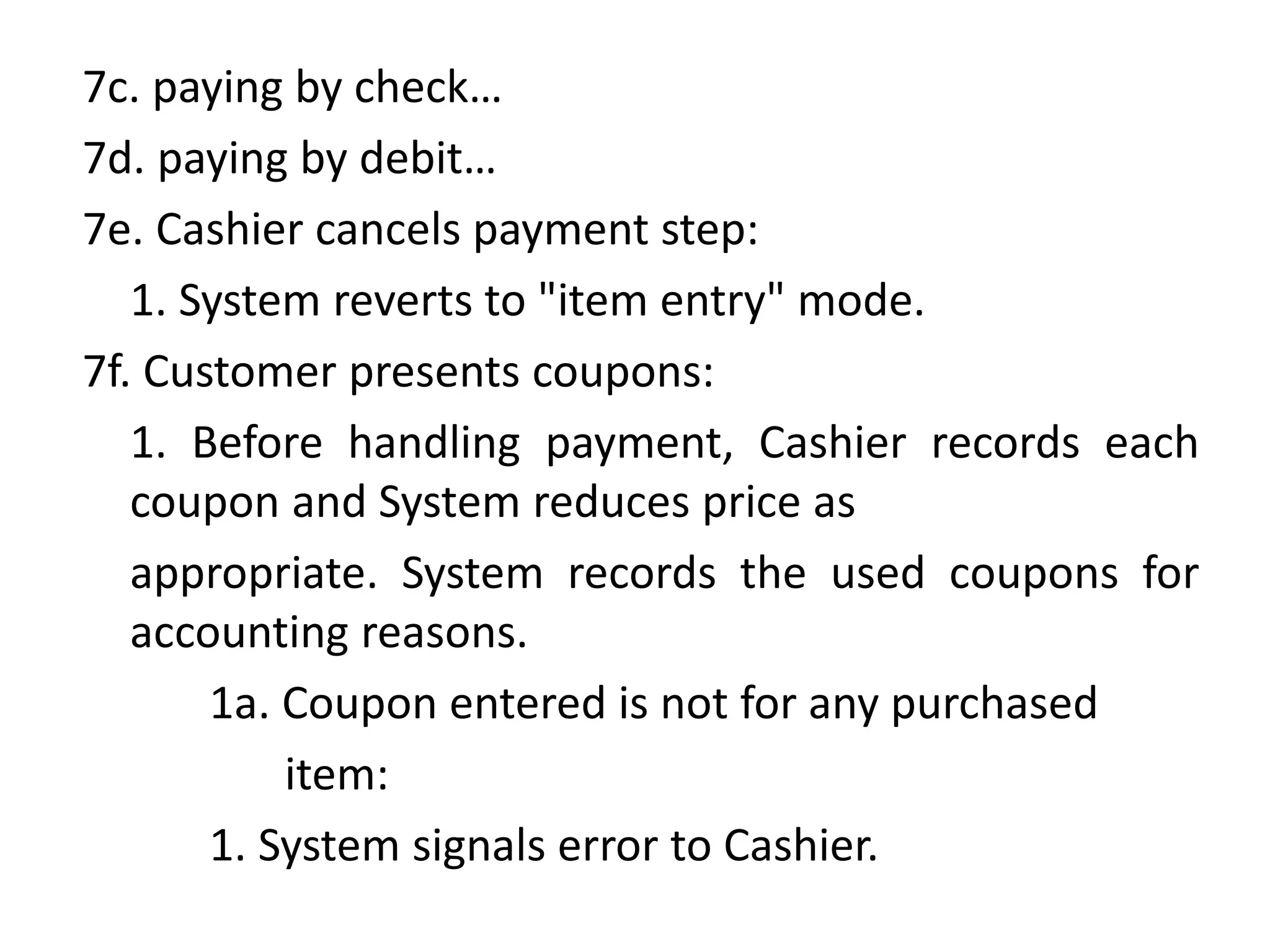
7c. paying by check…
7d. paying by debit…
7e. Cashier cancels payment step:
1. System reverts to "item entry" mode.
7f. Customer presents coupons:
1. Before handling payment, Cashier records each
coupon and System reduces price as
appropriate. System records the used coupons for
accounting reasons.
1a. Coupon entered is not for any purchased
item:
1. System signals error to Cashier.
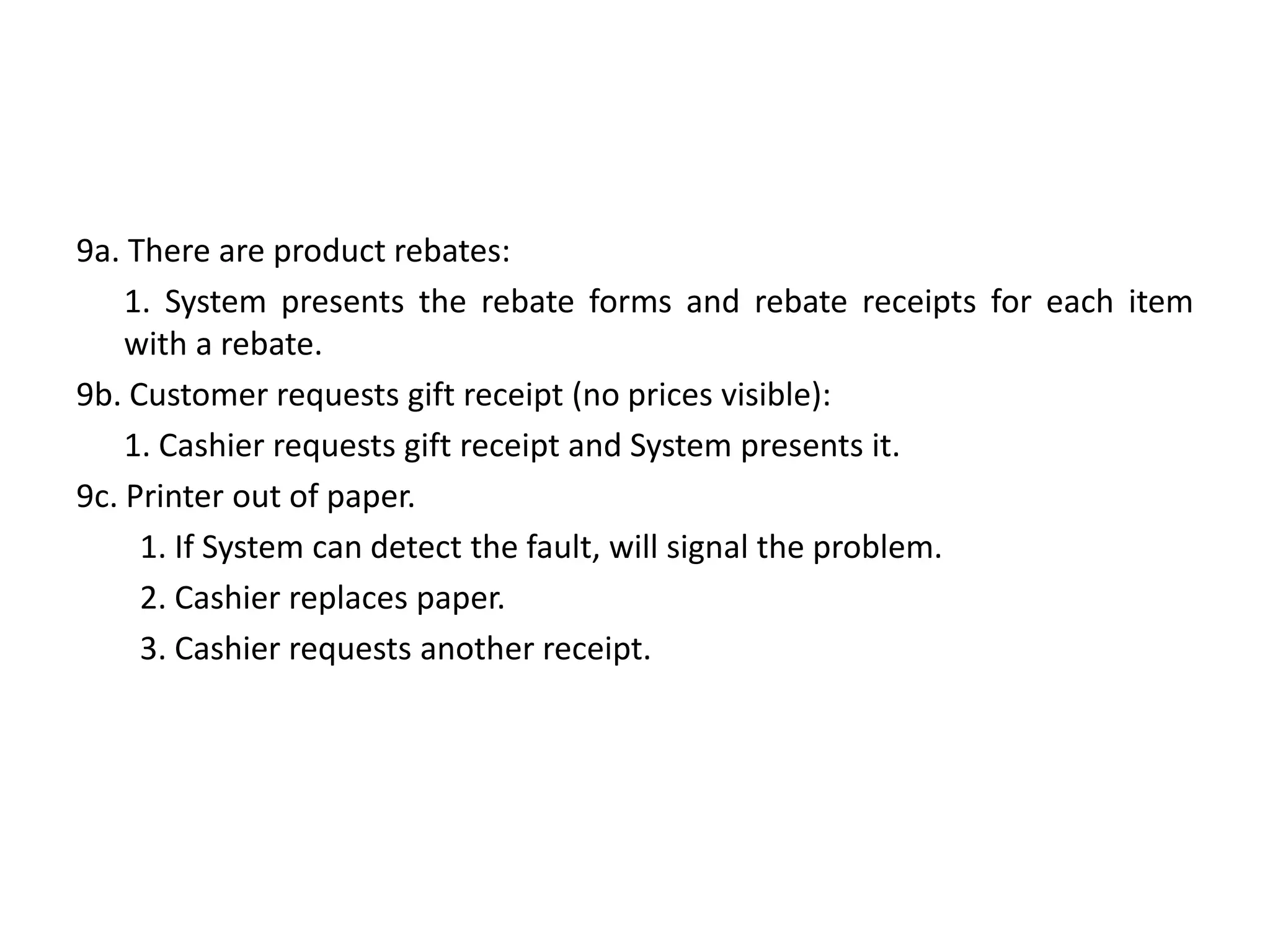
9a. There are product rebates:
1. System presents the rebate forms and rebate receipts for each item
with a rebate.
9b. Customer requests gift receipt (no prices visible):
1. Cashier requests gift receipt and System presents it.
9c. Printer out of paper.
1. If System can detect the fault, will signal the problem.
2. Cashier replaces paper.
3. Cashier requests another receipt.
Inception
Inception is NOT requirements
• Purpose is to decide whether to proceed with
development, not to define requirements.
• Only key requirements are investigated.
Questions during inception
• What is the vision for this project?
• What is the business case?
• Is the project feasible?
• Should we buy or build?
• Rough estimate of cost?
• At end of inception: Go or No Go?
Inception in one sentence
• Determine the product scope, vision, and
business case.
Problem statement
• Do the stakeholders have basic agreement on
the vision of the project, and is it worth
investing in serious investigation?
Inception Artifacts
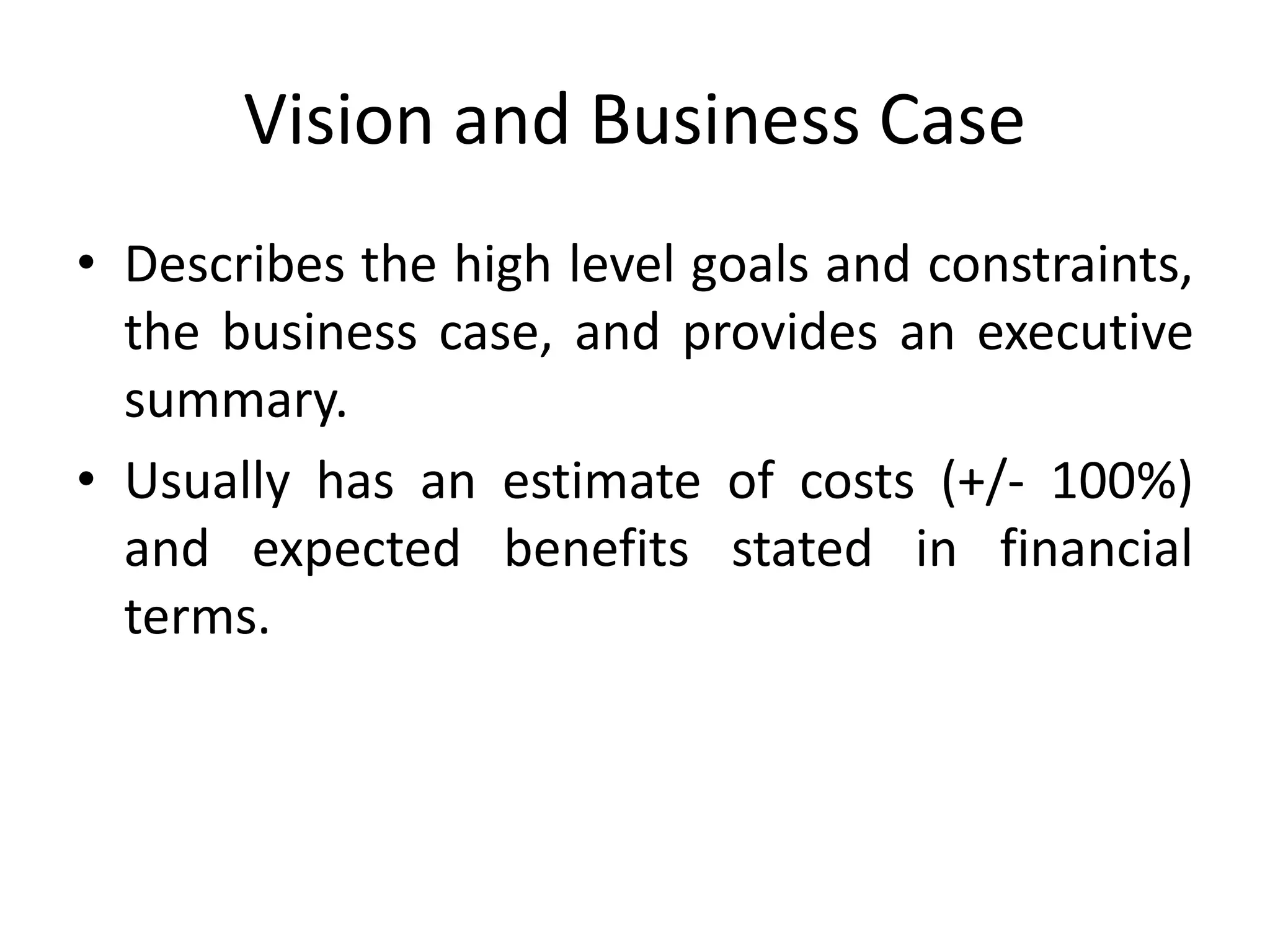
Vision and Business Case
• Describes the high level goals and constraints,
the business case, and provides an executive
summary.
• Usually has an estimate of costs (+/- 100%)
and expected benefits stated in financial
terms.
Use Case Model
• Describes the functional requirements and
related non-functional requirements.
• Preliminary only, usually the names of most of
the expected use cases and actors, but usually
only about 10% of the use cases are detailed.
• Do not confuse a use case diagram with a use
case. It is mostly text.
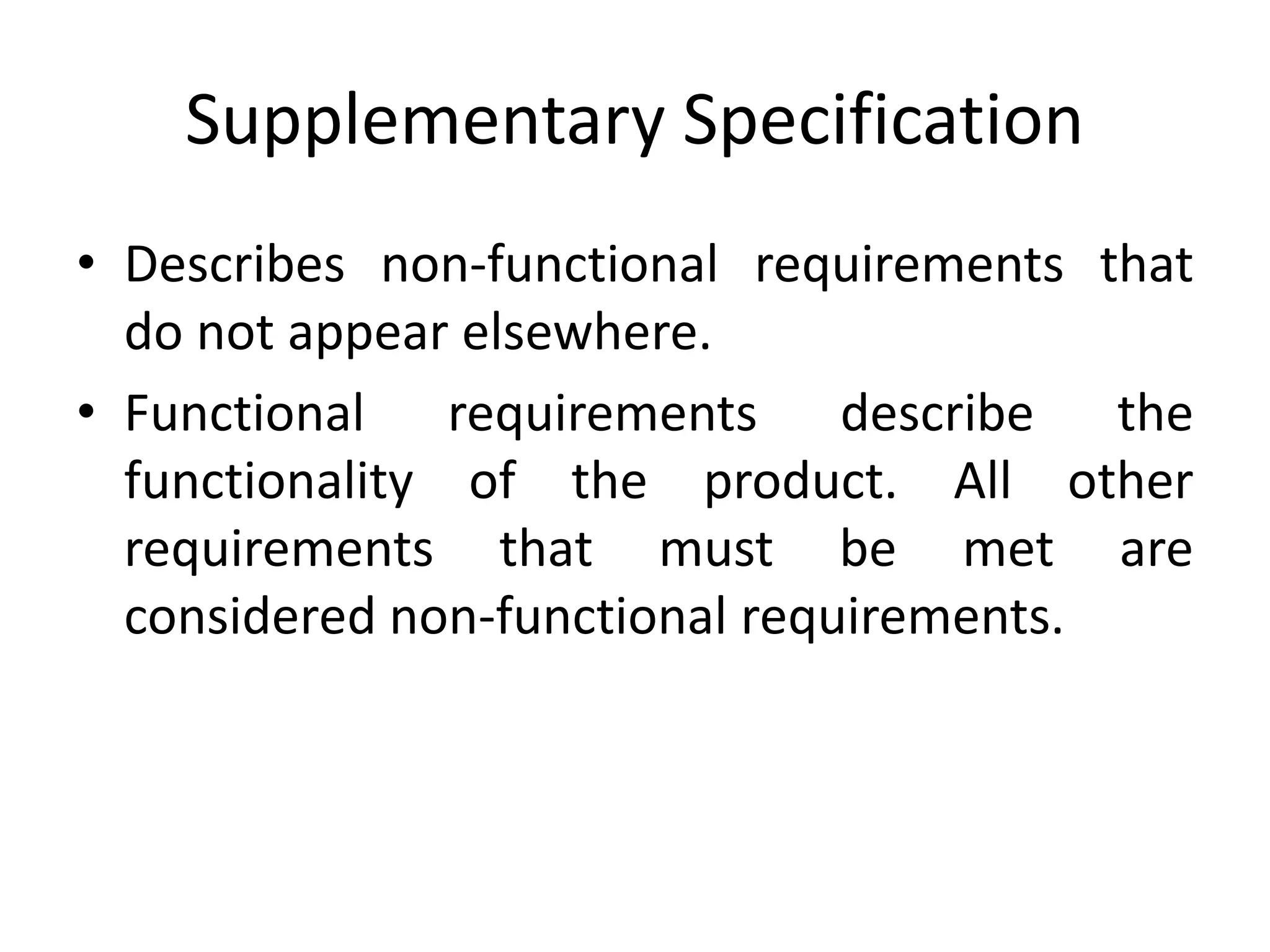
Supplementary Specification
• Describes non-functional requirements that
do not appear elsewhere.
• Functional requirements describe the
functionality of the product. All other
requirements that must be met are
considered non-functional requirements.
Glossary
• Describes the key terms in the business
domain.
Risk Plan
• Contains a list of known and expected risks.
• Includes business, technical, resource, and
schedule risks identified by probability and
severity.
• All significant risks should have a response or
mitigation plan.
Prototypes / Proof of concepts
• These may be developed to clarify the vision,
or to validate technical ideas.
• Inception phase prototypes are throw away
prototypes, not evolutionary prototype that
may be evolved into a product. They are often
done with a prototyping tool.
Iteration Plan
• Describes what to do in the first iteration of
the product.
• Usually implements the core functionality of
the product.
• Eliminate biggest risk first. The worst risk is
usually that the final product will not meet the
most important requirement.
Phase / Software Development
Plan
• A low precision guess for the duration and
effort of the elaboration. Includes tools,
people, training and other resources required.
• May also be called a Resource Plan.
Development Case
• A description of the Unified Process steps and
artifacts for the project. Note that the UP is
always customized for each project.
• All of these artifacts are partially completed in
this phase and wait for iterative refinement.
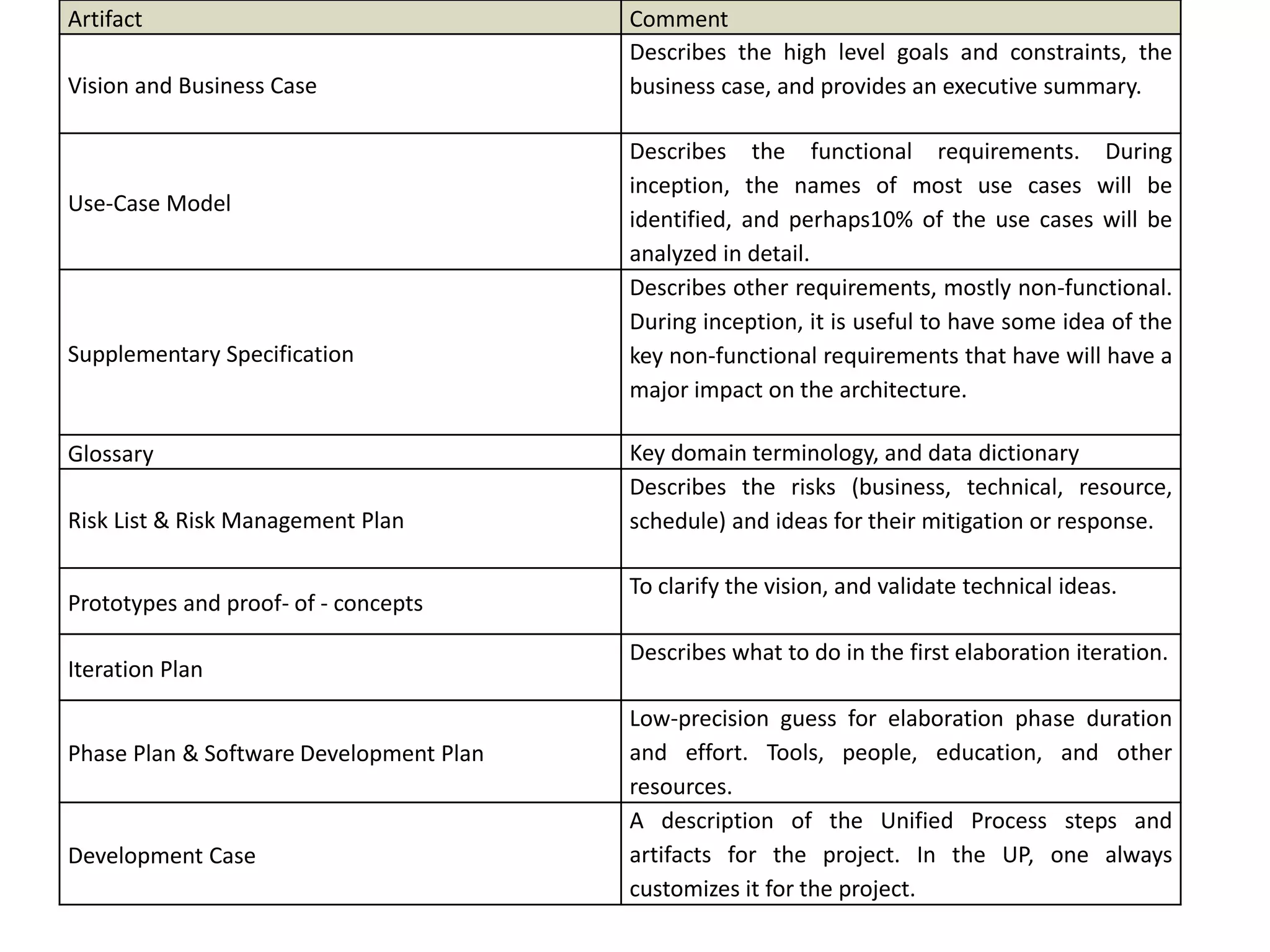
Artifact Comment
Vision and Business Case
Describes the high level goals and constraints, the
business case, and provides an executive summary.
Use-Case Model
Describes the functional requirements. During
inception, the names of most use cases will be
identified, and perhaps10% of the use cases will be
analyzed in detail.
Supplementary Specification
Describes other requirements, mostly non-functional.
During inception, it is useful to have some idea of the
key non-functional requirements that have will have a
major impact on the architecture.
Glossary Key domain terminology, and data dictionary
Risk List & Risk Management Plan
Describes the risks (business, technical, resource,
schedule) and ideas for their mitigation or response.
Prototypes and proof- of - concepts
To clarify the vision, and validate technical ideas.
Iteration Plan
Describes what to do in the first elaboration iteration.
Phase Plan & Software Development Plan
Low-precision guess for elaboration phase duration
and effort. Tools, people, education, and other
resources.
Development Case
A description of the Unified Process steps and
artifacts for the project. In the UP, one always
customizes it for the project.
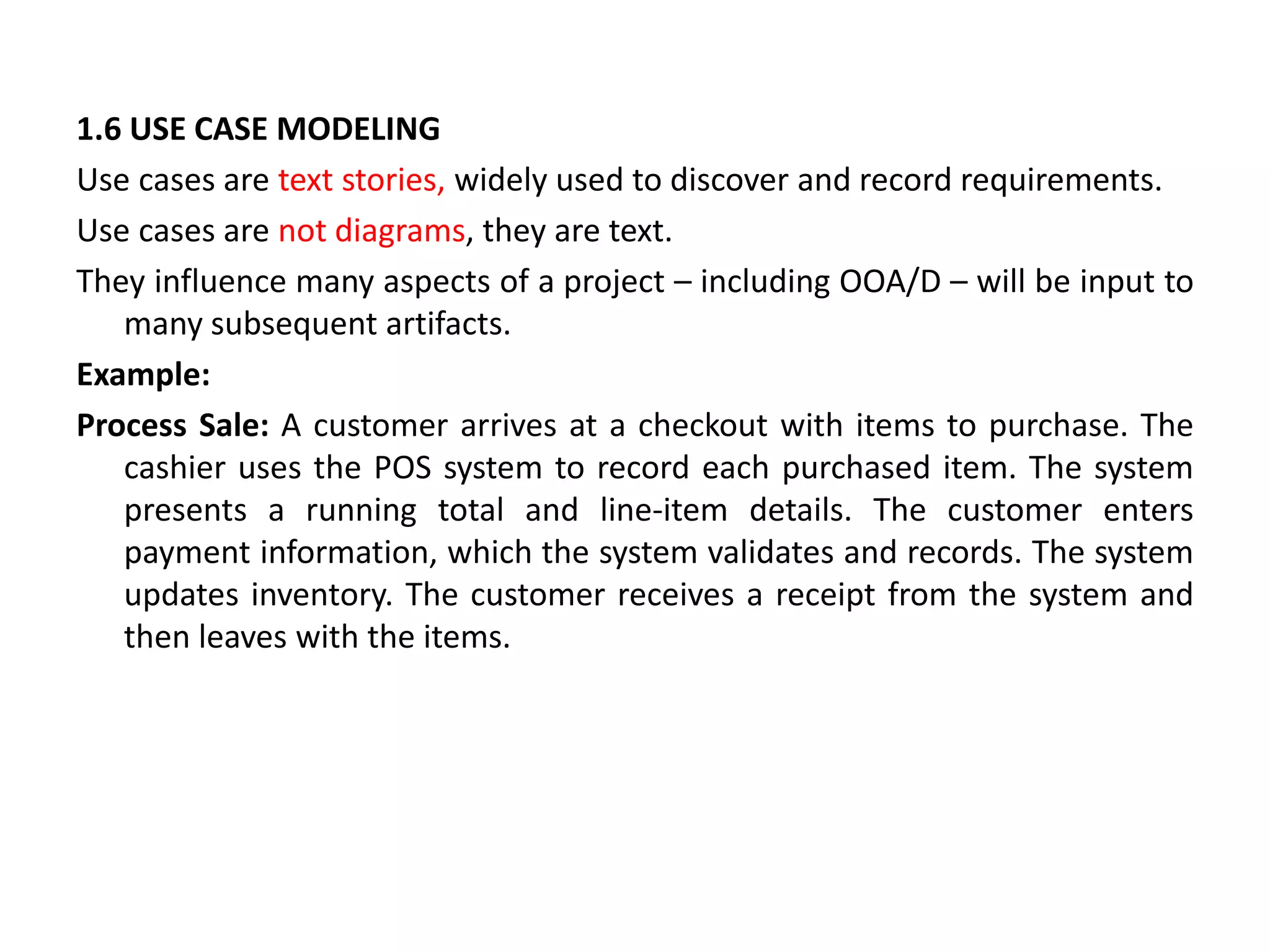
1.6 USE CASE MODELING
Use cases are text stories, widely used to discover and record requirements.
Use cases are not diagrams, they are text.
They influence many aspects of a project – including OOA/D – will be input to
many subsequent artifacts.
Example:
Process Sale: A customer arrives at a checkout with items to purchase. The
cashier uses the POS system to record each purchased item. The system
presents a running total and line-item details. The customer enters
payment information, which the system validates and records. The system
updates inventory. The customer receives a receipt from the system and
then leaves with the items.
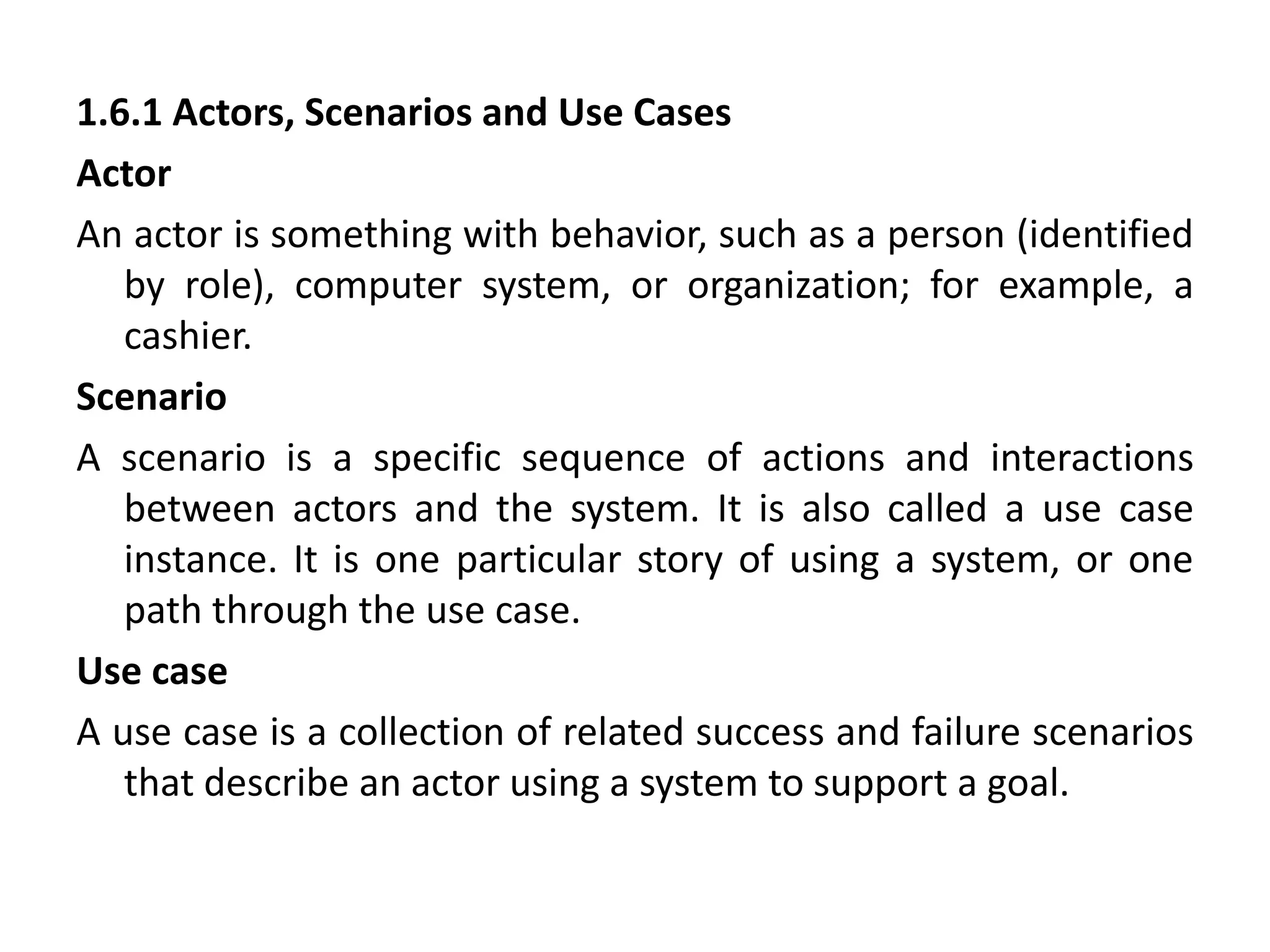
1.6.1 Actors, Scenarios and Use Cases
Actor
An actor is something with behavior, such as a person (identified
by role), computer system, or organization; for example, a
cashier.
Scenario
A scenario is a specific sequence of actions and interactions
between actors and the system. It is also called a use case
instance. It is one particular story of using a system, or one
path through the use case.
Use case
A use case is a collection of related success and failure scenarios
that describe an actor using a system to support a goal.
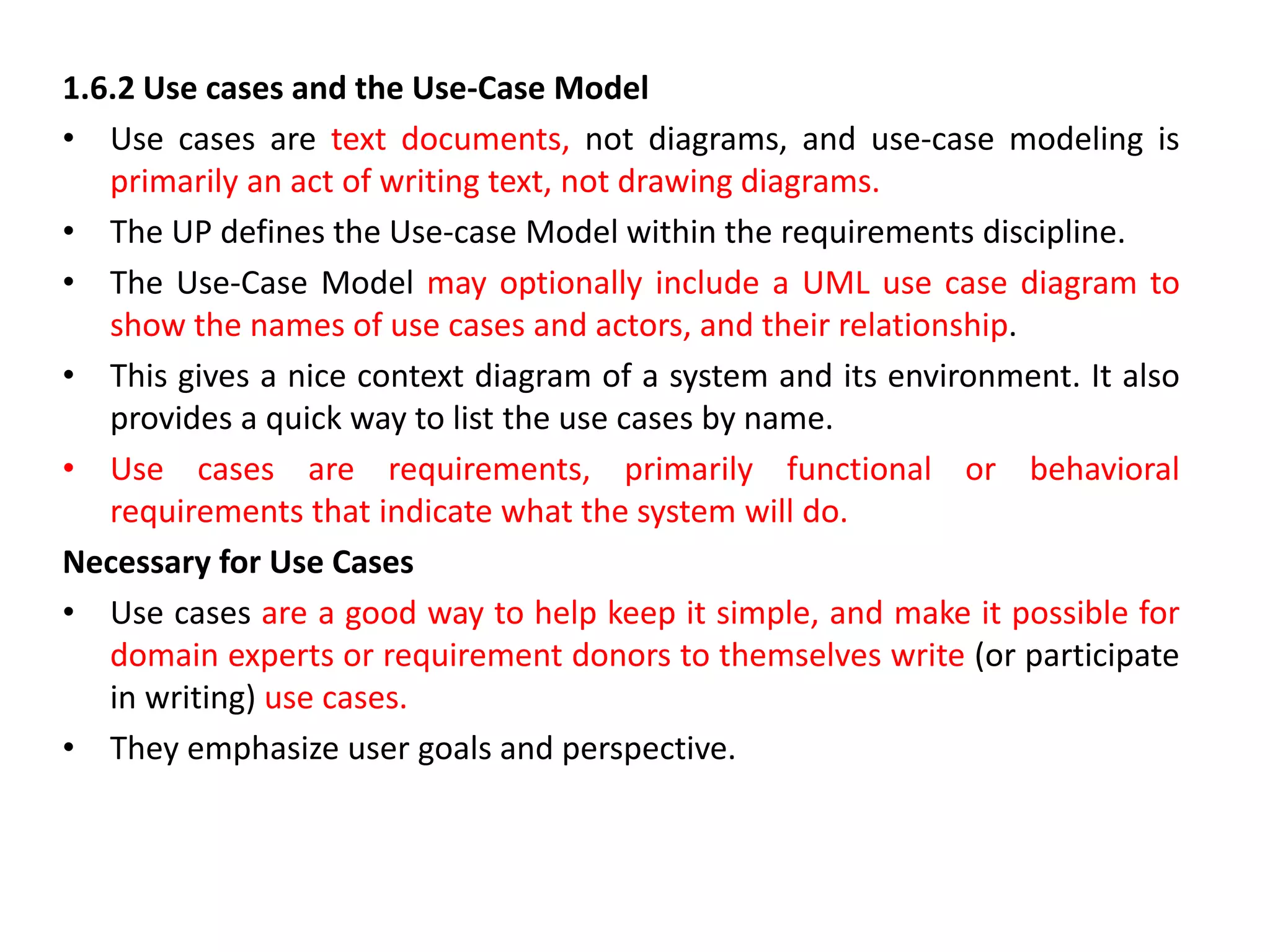
1.6.2 Use cases and the Use-Case Model
• Use cases are text documents, not diagrams, and use-case modeling is
primarily an act of writing text, not drawing diagrams.
• The UP defines the Use-case Model within the requirements discipline.
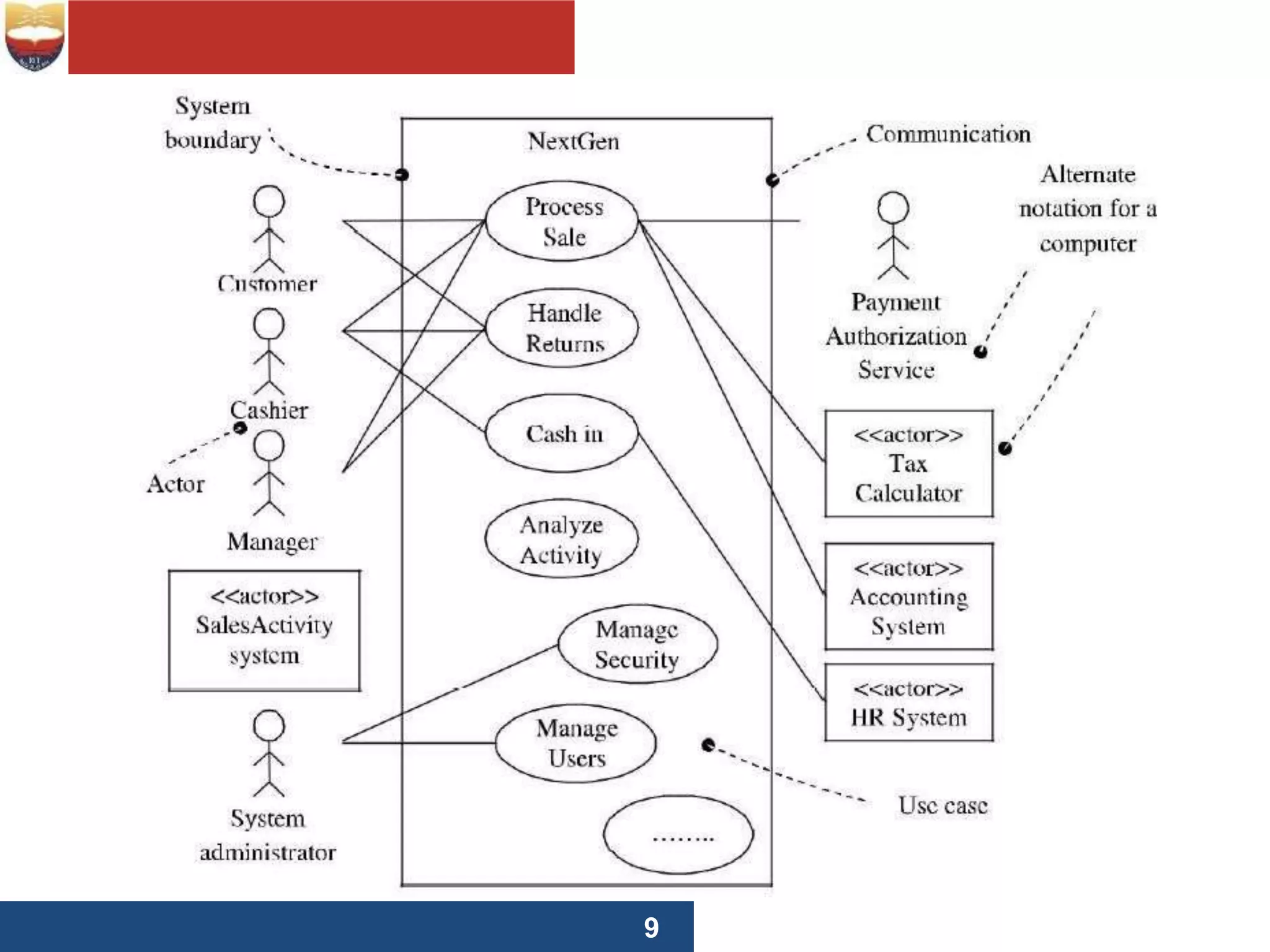
• The Use-Case Model may optionally include a UML use case diagram to
show the names of use cases and actors, and their relationship.
• This gives a nice context diagram of a system and its environment. It also
provides a quick way to list the use cases by name.
• Use cases are requirements, primarily functional or behavioral
requirements that indicate what the system will do.
Necessary for Use Cases
• Use cases are a good way to help keep it simple, and make it possible for
domain experts or requirement donors to themselves write (or participate
in writing) use cases.
• They emphasize user goals and perspective.
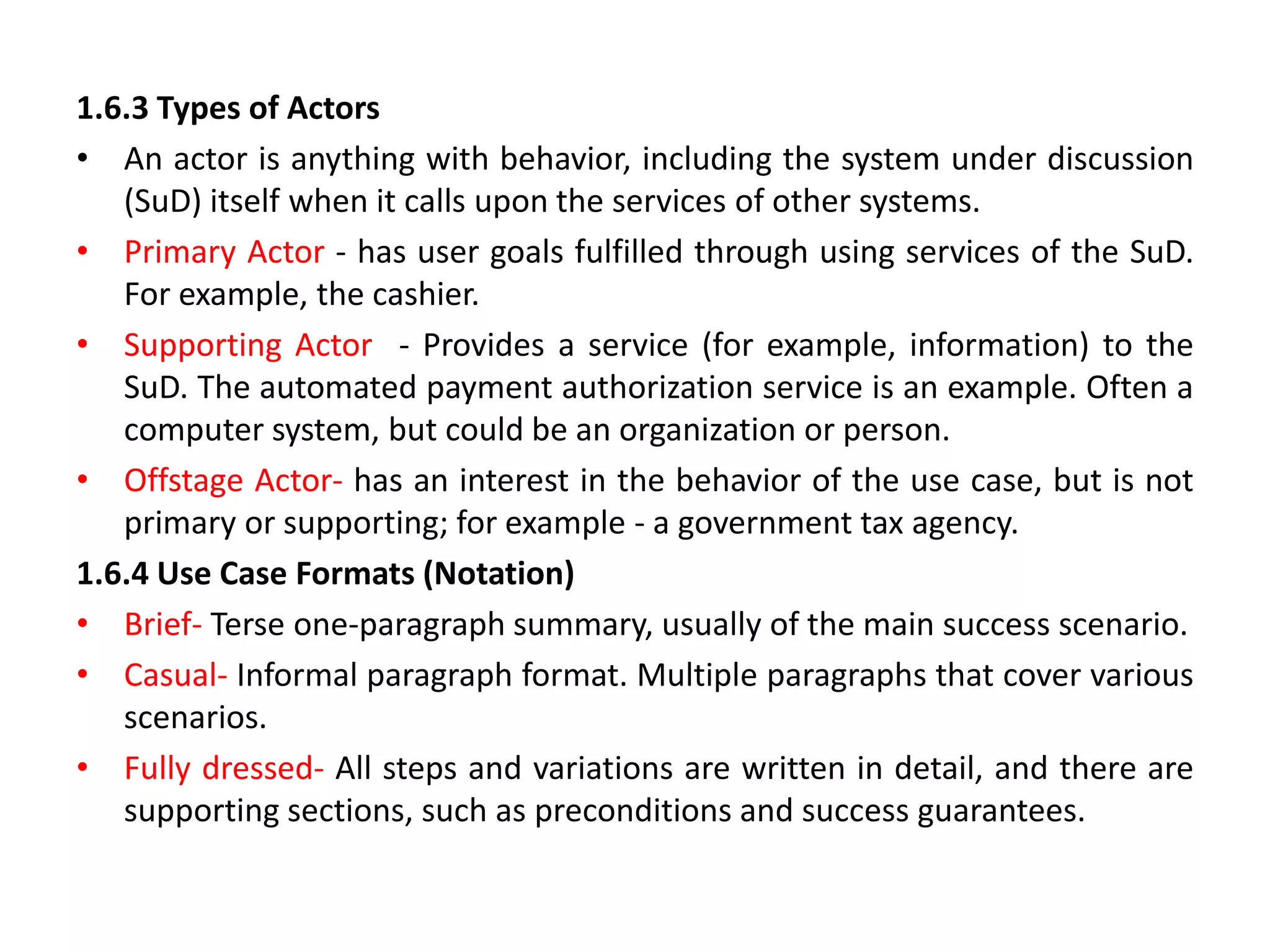
1.6.3 Types of Actors
• An actor is anything with behavior, including the system under discussion
(SuD) itself when it calls upon the services of other systems.
• Primary Actor - has user goals fulfilled through using services of the SuD.
For example, the cashier.
• Supporting Actor - Provides a service (for example, information) to the
SuD. The automated payment authorization service is an example. Often a
computer system, but could be an organization or person.
• Offstage Actor- has an interest in the behavior of the use case, but is not
primary or supporting; for example - a government tax agency.
1.6.4 Use Case Formats (Notation)
• Brief- Terse one-paragraph summary, usually of the main success scenario.
• Casual- Informal paragraph format. Multiple paragraphs that cover various
scenarios.
• Fully dressed- All steps and variations are written in detail, and there are
supporting sections, such as preconditions and success guarantees.
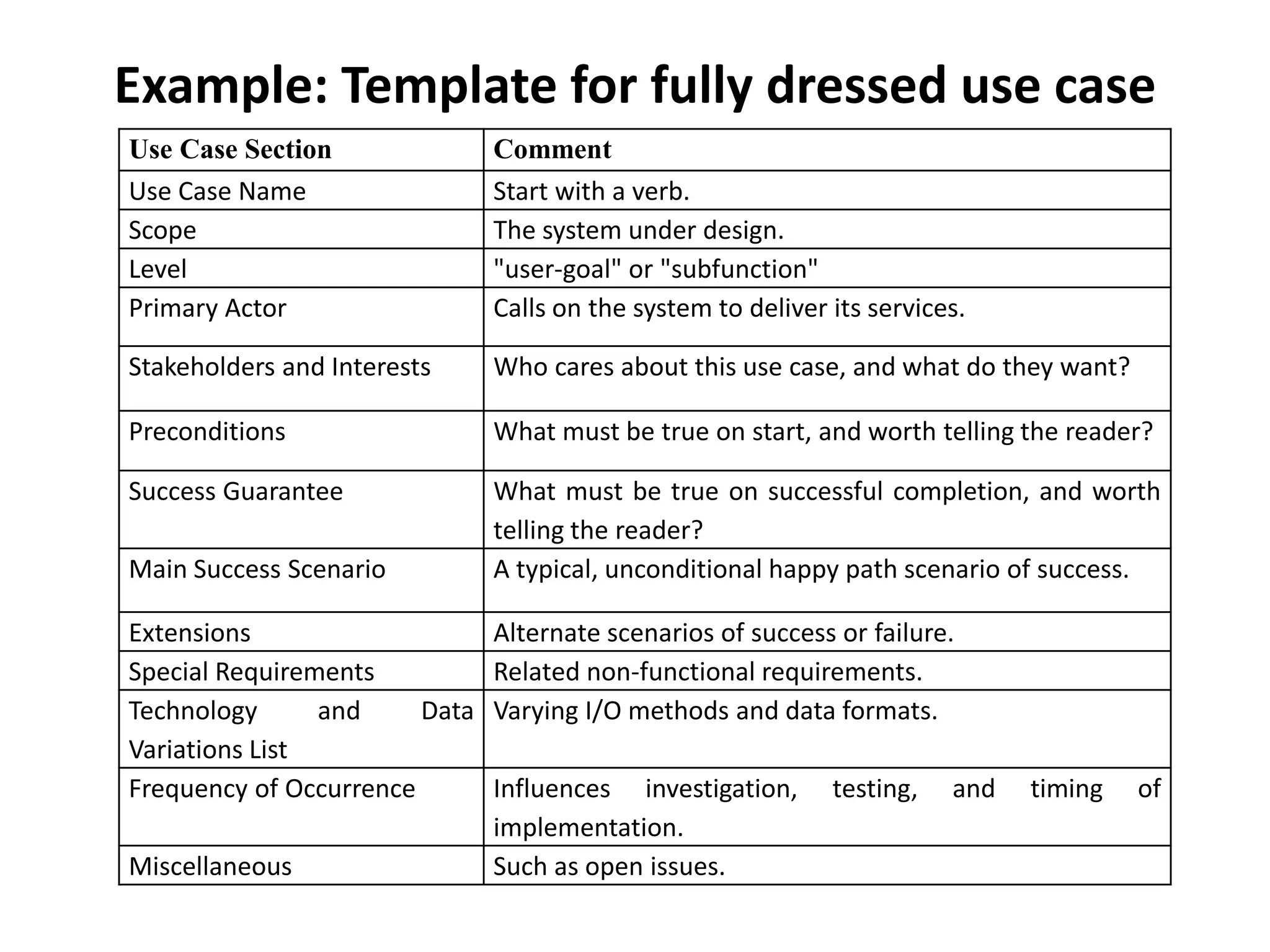
Example: Template for fully dressed use case
Use Case Section Comment
Use Case Name Start with a verb.
Scope The system under design.
Level "user-goal" or "subfunction"
Primary Actor Calls on the system to deliver its services.
Stakeholders and Interests Who cares about this use case, and what do they want?
Preconditions What must be true on start, and worth telling the reader?
Success Guarantee What must be true on successful completion, and worth
telling the reader?
Main Success Scenario A typical, unconditional happy path scenario of success.
Extensions Alternate scenarios of success or failure.
Special Requirements Related non-functional requirements.
Technology and Data
Variations List
Varying I/O methods and data formats.
Frequency of Occurrence Influences investigation, testing, and timing of
implementation.
Miscellaneous Such as open issues.
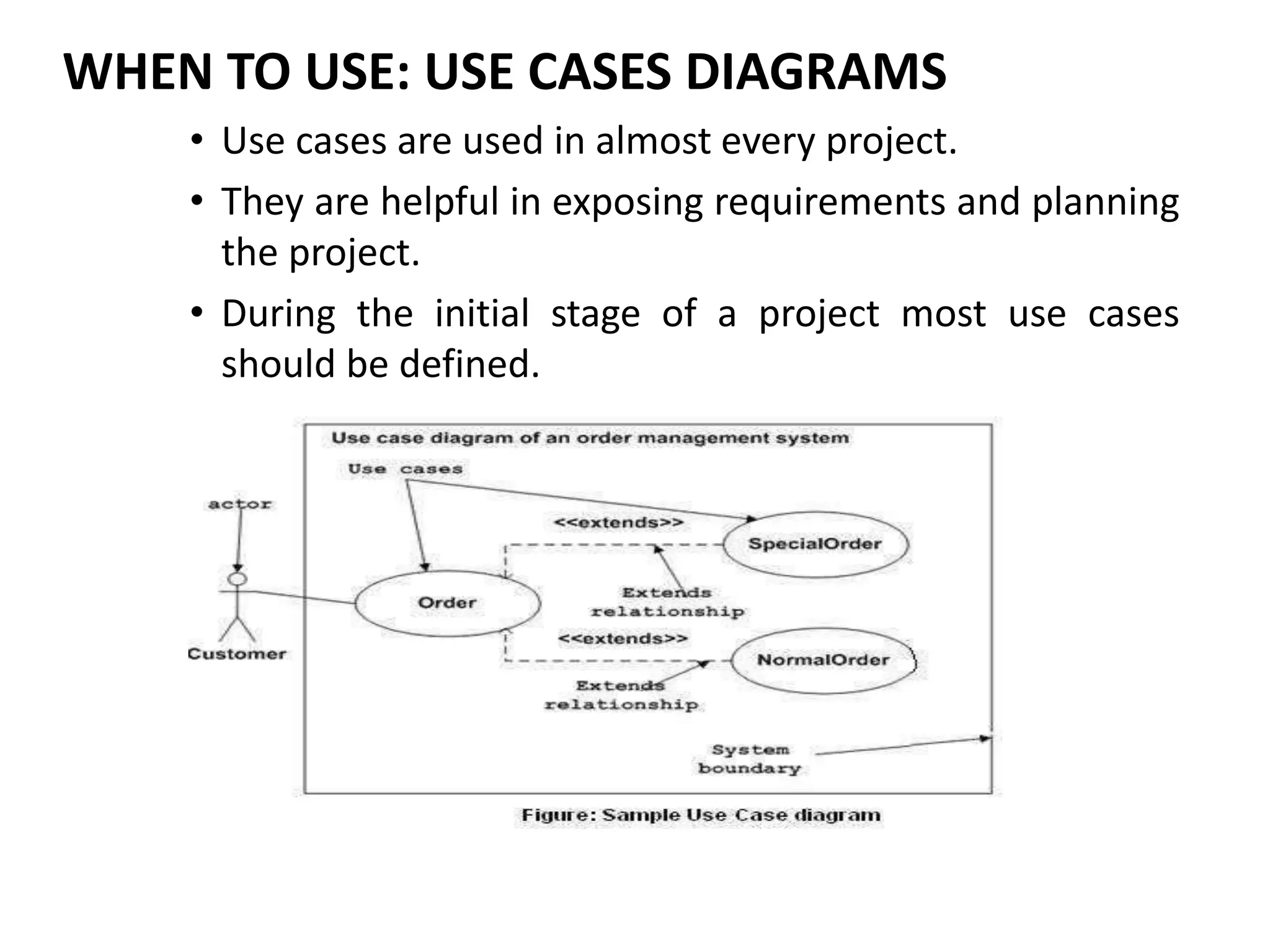
WHEN TO USE: USE CASES DIAGRAMS
• Use cases are used in almost every project.
• They are helpful in exposing requirements and planning
the project.
• During the initial stage of a project most use cases
should be defined.

CASE STUDY - THE NEXTGEN POS SYSTEM (2).ppt

  • 1.
    CASE STUDY -THE NEXTGEN POS SYSTEM
  • 2.
    Next Gen POSSystem 2 Object Oriented Analysis and Design © Vignesh Saravanan K,AP/CSE  The case study is the NextGen point-of-sale (POS) system  There are very interesting requirement and design problems to solve.  A POS system is a computerized application used (in part) to record sales and handle payments; it is typically used in a retail store.  It includes hardware components such as a computer and bar code • scanner, printer and software to run the system.  These systems must be relatively fault- tolerant.  It interfaces to various service applications, such as a third-party tax calculator and inventory control
  • 3.
    Next Gen POSSystem 3 Object Oriented Analysis and Design © Vignesh Saravanan K,AP/CSE  A POS system increasingly must support multiple and varied client-side terminals and interfaces.  These include a thin-client Web browser terminal, a regular personal computer with something like a Java Swing graphical user interface, touch screen input, wireless PDAs, and so forth.  A thin client is a computer that runs from resources stored on a central server instead of a localized hard drive.
  • 4.
    Next Gen POSSystem  Each client will desire a unique set of logic to execute at different scenarios such as :  when a new sale is initiated 4 Object Oriented Analysis and Design © Vignesh Saravanan K,AP/CSE  when a new line item is added  Therefore, we will need a mechanism Customization. to provide this flexibility and  So we need to go for the iterative development strategy  Applications generally can be divided into 3 layers  User interface  Application logic  Other components/layers
  • 5.
    Next Gen POSSystem 5 Object Oriented Analysis and Design © Vignesh Saravanan K,AP/CSE
  • 6.
    Case Study Focus Atypical object-oriented information system is designed in terms of several architectural layers or subsystems User Interface—graphical interface; windows. Application Logic and Domain Objects—software objects representing domain concepts (for example, a software class named Sale) that fulfil application requirements. Technical Services—general purpose objects and subsystems that provide supporting technical services, such as interfacing with a database or error logging. These services are usually application-independent and reusable across several systems 6 Object Oriented Analysis and Design © Vignesh Saravanan K,AP/CSE
  • 7.
    Development Strategy 7 Object OrientedAnalysis and Design © Vignesh Saravanan K,AP/CSE  Using an iterative development strategy, we are going to proceed through  requirements,  object-oriented analysis,  design,  and implementation.
  • 8.
  • 9.
    Sample UP ArtifactsRelationships
  • 10.
    Use Case UC1:Process Sale Scope: NextGen POS application Level: user goal Primary Actor: Cashier
  • 11.
    Stakeholders and Interests: •Cashier: Wants accurate, fast entry, and no payment errors, as cash drawer shortages are deducted from his/her salary. • Salesperson: Wants sales commissions updated. • Customer: Wants purchase and fast service with minimal effort. Wants easily visible display of entered items and prices. Wants proof of purchase to support returns. • Company: Wants to accurately record transactions and satisfy customer interests. Wants to ensure that Payment Authorization Service payment receivables are recorded. Wants some fault tolerance to allow sales capture even if server components (e.g., remote credit validation) are unavailable. Wants automatic and fast update of accounting and inventory. • Manager: Wants to be able to quickly perform override operations, and easily debug Cashier problems. • Government Tax Agencies: Want to collect tax from every sale. May be multiple agencies, such as national, state, and county. • Payment Authorization Service: Wants to receive digital authorization requests in the correct format and protocol. Wants to accurately account for their payables to the store. Preconditions: Cashier is identified and authenticated. Success Guarantee (Post conditions): Sale is saved. Tax is correctly calculated. Accounting and Inventory are updated. Commissions recorded. Receipt is generated. Payment authorization approvals are recorded.
  • 12.
    Main Success Scenario(Basic Flow): 1. Customer arrives at POS checkout with goods and/or services to purchase. 2. Cashier starts a new sale. 3. Cashier enters item identifier. 4. System records sale line item and presents item description, price, and running total. Price calculated from a set of price rules. Cashier repeats steps 3-4 until indicates done. 5. System presents total with taxes calculated. 6. Cashier tells Customer the total, and asks for payment. 7. Customer pays and System handles payment. 8. System logs completed sale and sends sale and payment information to the external Accounting system (for accounting and commissions) and Inventory system (to update inventory). 9. System presents receipt. 10. Customer leaves with receipt and goods (if any).
  • 13.
    Extensions (Alternative Flows): *a.At any time, Manager requests an override operation: 1. System enters Manager-authorized mode. • Manager or Cashier performs one Manager- mode operation. e.g., cash balance change, resume a suspended sale on another register, void a sale, etc. • System reverts to Cashier-authorized mode.
  • 14.
    *b. At anytime, System fails: To support recovery and correct accounting, ensure all transaction sensitive state and events can be recovered from any step of the scenario. 1. Cashier restarts System, logs in, and requests recovery of prior state. • System reconstructs prior state. 2a. System detects anomalies preventing recovery: 1. System signals error to the Cashier, records the error, and enters a clean state. • Cashier starts a new sale.
  • 15.
    1a. Customer orManager indicates to resume a suspended sale. 1. Cashier performs resume operation, and enters the ID to retrieve the sale. 2. System displays the state of the resumed sale, with subtotal. 2a. Sale not found. 1. System signals error to the Cashier. • Cashier probably starts new sale and re-enters all items. • Cashier continues with sale (probably entering more items or handling payment). 2-4a. Customer tells Cashier they have a tax-exempt status (e.g., seniors, native peoples) 1. Cashier verifies, and then enters tax-exempt status code. • System records status (which it will use during tax calculations)
  • 16.
    3a. Invalid itemID (not found in system): 1. System signals error and rejects entry. 2. Cashier responds to the error: 2a. There is a human-readable item ID (e.g., a numeric UPC): 1. Cashier manually enters the item ID. • System displays description and price. 2a. Invalid item ID: System signals error. Cashier tries alternate method. 2b. There is no item ID, but there is a price on the tag: 1. Cashier asks Manager to perform an override operation. • Managers perform override. • Cashier indicates manual price entry, enters price, and requests standard taxation for this amount (because there is no product information, the tax engine can't otherwise deduce how to tax it) 2c. Cashier performs Find Product Help to obtain true item ID and price. 2d. Otherwise, Cashier asks an employee for the true item ID or price, and does either manual ID or manual price entry (see above).
  • 17.
    3b. There aremultiple of same item category and tracking unique item identity not important (e.g., 5 packages of veggie-burgers): 1. Cashier can enter item category identifier and the quantity. 3c. Item requires manual category and price entry (such as flowers or cards with a price on them): 1. Cashier enters special manual category code, plus the price.
  • 18.
    3-6a: Customer asksCashier to remove (i.e., void) an item from the purchase: This is only legal if the item value is less than the void limit for Cashiers; otherwise a Manager override is needed. 1. Cashier enters item identifier for removal from sale. 2. System removes item and displays updated running total. 2a. Item price exceeds void limit for Cashiers: 1. System signals error, and suggests Manager Override. Cashier requests Manager Override, gets it, and repeats operation. 3-6b. Customer tells Cashier to cancel sale: 1. Cashier cancels sale on System. 3-6c. Cashier suspends the sale: 1. System records sale so that it is available for retrieval on any POS register. 2. System presents a "suspend receipt" that includes the line items, and a sale ID used to retrieve and resume the sale.
  • 19.
    4a. The systemsupplied item price is not wanted (e.g., Customer complained about something and is offered a lower price): 1. Cashier requests approval from Manager. 2. Manager performs override operation. 3. Cashier enters manual override price. 4. System presents new price.
  • 20.
    5a. System detectsfailure to communicate with external tax calculation system service: 1. System restarts the service on the POS node, and continues. 1a. System detects that the service does not restart. 1. System signals error. Cashier may manually calculate and enter the tax, or cancel the sale. 5b. Customer says they are eligible for a discount (e.g., employee, preferred customer): 1. Cashier signals discount request. 2. Cashier enters Customer identification. 3. System presents discount total, based on discount rules. 5c. Customer says they have credit in their account, to apply to the sale: 1. Cashier signals credit request. 2. Cashier enters Customer identification. 3. Systems applies credit up to price=0, and reduces remaining credit.
  • 21.
    6a. Customer saysthey intended to pay by cash but don't have enough cash: 1. Cashier asks for alternate payment method. 1a. Customer tells Cashier to cancel sale. Cashier cancels sale on System. 7a. Paying by cash: 1. Cashier enters the cash amount tendered. 2. System presents the balance due, and releases the cash drawer. 3. Cashier deposits cash tendered and returns balance in cash to Customer. 4. System records the cash payment.
  • 22.
    7b. Paying bycredit: 1. Customer enters their credit account information. 2. System displays their payment for verification. 3. Cashier confirms. 3a. Cashier cancels payment step: 1. System reverts to "item entry" mode. System sends payment authorization request to an external Payment Authorization Service System, and requests payment approval. 4a. System detects failure to collaborate with external system: 1. System signals error to Cashier. Cashier asks Customer for alternate payment. System receives payment approval, signals approval to Cashier, and releases cash drawer (to insert signed credit payment receipt).
  • 23.
    5a. System receivespayment denial: 1. System signals denial to Cashier. • Cashier asks Customer for alternate payment. 5b. Timeout waiting for response. 1. System signals timeout to Cashier. 2. Cashier may try again, or ask Customer for alternate payment. – System records the credit payment, which includes the payment approval. – System presents credit payment signature input mechanism. – Cashier asks Customer for a credit payment signature. Customer enters signature. – If signature on paper receipt, Cashier places receipt in cash drawer and closes it.
  • 24.
    7c. paying bycheck… 7d. paying by debit… 7e. Cashier cancels payment step: 1. System reverts to "item entry" mode. 7f. Customer presents coupons: 1. Before handling payment, Cashier records each coupon and System reduces price as appropriate. System records the used coupons for accounting reasons. 1a. Coupon entered is not for any purchased item: 1. System signals error to Cashier.
  • 25.
    9a. There areproduct rebates: 1. System presents the rebate forms and rebate receipts for each item with a rebate. 9b. Customer requests gift receipt (no prices visible): 1. Cashier requests gift receipt and System presents it. 9c. Printer out of paper. 1. If System can detect the fault, will signal the problem. 2. Cashier replaces paper. 3. Cashier requests another receipt.
  • 26.
  • 27.
    Inception is NOTrequirements • Purpose is to decide whether to proceed with development, not to define requirements. • Only key requirements are investigated.
  • 28.
    Questions during inception •What is the vision for this project? • What is the business case? • Is the project feasible? • Should we buy or build? • Rough estimate of cost? • At end of inception: Go or No Go?
  • 29.
    Inception in onesentence • Determine the product scope, vision, and business case.
  • 30.
    Problem statement • Dothe stakeholders have basic agreement on the vision of the project, and is it worth investing in serious investigation?
  • 31.
  • 32.
    Vision and BusinessCase • Describes the high level goals and constraints, the business case, and provides an executive summary. • Usually has an estimate of costs (+/- 100%) and expected benefits stated in financial terms.
  • 33.
    Use Case Model •Describes the functional requirements and related non-functional requirements. • Preliminary only, usually the names of most of the expected use cases and actors, but usually only about 10% of the use cases are detailed. • Do not confuse a use case diagram with a use case. It is mostly text.
  • 34.
    Supplementary Specification • Describesnon-functional requirements that do not appear elsewhere. • Functional requirements describe the functionality of the product. All other requirements that must be met are considered non-functional requirements.
  • 35.
    Glossary • Describes thekey terms in the business domain.
  • 36.
    Risk Plan • Containsa list of known and expected risks. • Includes business, technical, resource, and schedule risks identified by probability and severity. • All significant risks should have a response or mitigation plan.
  • 37.
    Prototypes / Proofof concepts • These may be developed to clarify the vision, or to validate technical ideas. • Inception phase prototypes are throw away prototypes, not evolutionary prototype that may be evolved into a product. They are often done with a prototyping tool.
  • 38.
    Iteration Plan • Describeswhat to do in the first iteration of the product. • Usually implements the core functionality of the product. • Eliminate biggest risk first. The worst risk is usually that the final product will not meet the most important requirement.
  • 39.
    Phase / SoftwareDevelopment Plan • A low precision guess for the duration and effort of the elaboration. Includes tools, people, training and other resources required. • May also be called a Resource Plan.
  • 40.
    Development Case • Adescription of the Unified Process steps and artifacts for the project. Note that the UP is always customized for each project. • All of these artifacts are partially completed in this phase and wait for iterative refinement.
  • 41.
    Artifact Comment Vision andBusiness Case Describes the high level goals and constraints, the business case, and provides an executive summary. Use-Case Model Describes the functional requirements. During inception, the names of most use cases will be identified, and perhaps10% of the use cases will be analyzed in detail. Supplementary Specification Describes other requirements, mostly non-functional. During inception, it is useful to have some idea of the key non-functional requirements that have will have a major impact on the architecture. Glossary Key domain terminology, and data dictionary Risk List & Risk Management Plan Describes the risks (business, technical, resource, schedule) and ideas for their mitigation or response. Prototypes and proof- of - concepts To clarify the vision, and validate technical ideas. Iteration Plan Describes what to do in the first elaboration iteration. Phase Plan & Software Development Plan Low-precision guess for elaboration phase duration and effort. Tools, people, education, and other resources. Development Case A description of the Unified Process steps and artifacts for the project. In the UP, one always customizes it for the project.
  • 42.
    1.6 USE CASEMODELING Use cases are text stories, widely used to discover and record requirements. Use cases are not diagrams, they are text. They influence many aspects of a project – including OOA/D – will be input to many subsequent artifacts. Example: Process Sale: A customer arrives at a checkout with items to purchase. The cashier uses the POS system to record each purchased item. The system presents a running total and line-item details. The customer enters payment information, which the system validates and records. The system updates inventory. The customer receives a receipt from the system and then leaves with the items.
  • 43.
    1.6.1 Actors, Scenariosand Use Cases Actor An actor is something with behavior, such as a person (identified by role), computer system, or organization; for example, a cashier. Scenario A scenario is a specific sequence of actions and interactions between actors and the system. It is also called a use case instance. It is one particular story of using a system, or one path through the use case. Use case A use case is a collection of related success and failure scenarios that describe an actor using a system to support a goal.
  • 44.
    1.6.2 Use casesand the Use-Case Model • Use cases are text documents, not diagrams, and use-case modeling is primarily an act of writing text, not drawing diagrams. • The UP defines the Use-case Model within the requirements discipline. • The Use-Case Model may optionally include a UML use case diagram to show the names of use cases and actors, and their relationship. • This gives a nice context diagram of a system and its environment. It also provides a quick way to list the use cases by name. • Use cases are requirements, primarily functional or behavioral requirements that indicate what the system will do. Necessary for Use Cases • Use cases are a good way to help keep it simple, and make it possible for domain experts or requirement donors to themselves write (or participate in writing) use cases. • They emphasize user goals and perspective.
  • 45.
    1.6.3 Types ofActors • An actor is anything with behavior, including the system under discussion (SuD) itself when it calls upon the services of other systems. • Primary Actor - has user goals fulfilled through using services of the SuD. For example, the cashier. • Supporting Actor - Provides a service (for example, information) to the SuD. The automated payment authorization service is an example. Often a computer system, but could be an organization or person. • Offstage Actor- has an interest in the behavior of the use case, but is not primary or supporting; for example - a government tax agency. 1.6.4 Use Case Formats (Notation) • Brief- Terse one-paragraph summary, usually of the main success scenario. • Casual- Informal paragraph format. Multiple paragraphs that cover various scenarios. • Fully dressed- All steps and variations are written in detail, and there are supporting sections, such as preconditions and success guarantees.
  • 46.
    Example: Template forfully dressed use case Use Case Section Comment Use Case Name Start with a verb. Scope The system under design. Level "user-goal" or "subfunction" Primary Actor Calls on the system to deliver its services. Stakeholders and Interests Who cares about this use case, and what do they want? Preconditions What must be true on start, and worth telling the reader? Success Guarantee What must be true on successful completion, and worth telling the reader? Main Success Scenario A typical, unconditional happy path scenario of success. Extensions Alternate scenarios of success or failure. Special Requirements Related non-functional requirements. Technology and Data Variations List Varying I/O methods and data formats. Frequency of Occurrence Influences investigation, testing, and timing of implementation. Miscellaneous Such as open issues.
  • 47.
    WHEN TO USE:USE CASES DIAGRAMS • Use cases are used in almost every project. • They are helpful in exposing requirements and planning the project. • During the initial stage of a project most use cases should be defined.