CarCare with
OBD II – ELM 327
Author: Flavio Massimo Falesiedi
GitHub: https://github.com/flaviomax94/CarCare
LinkedIn :https://www.linkedin.com/in/flavio-massimo-falesiedi-37b61b163/
CarCare
 The main idea of my project is the use of the vehicle
informations , obtained through the OBD II ELM-327 ,
in order to understand when a driver starts to have a
reckless drive, to improve the security in the
automobilistic world and to reduce the consuption of
the vehicle’s fuel.
 I’ve developed an Android Application that, through a
Bluetooth connection with the OBD II, starts to
exchange messages with the control unit, and with this
messages understands when the driving style is not
appropriated.
 Lets see the technologies used in this project.
The OBD II
 OBD stands for On-Board diagnostic, it
is a term of the automotive’s world
referring to a vehicle's self-diagnostic
and reporting capability.
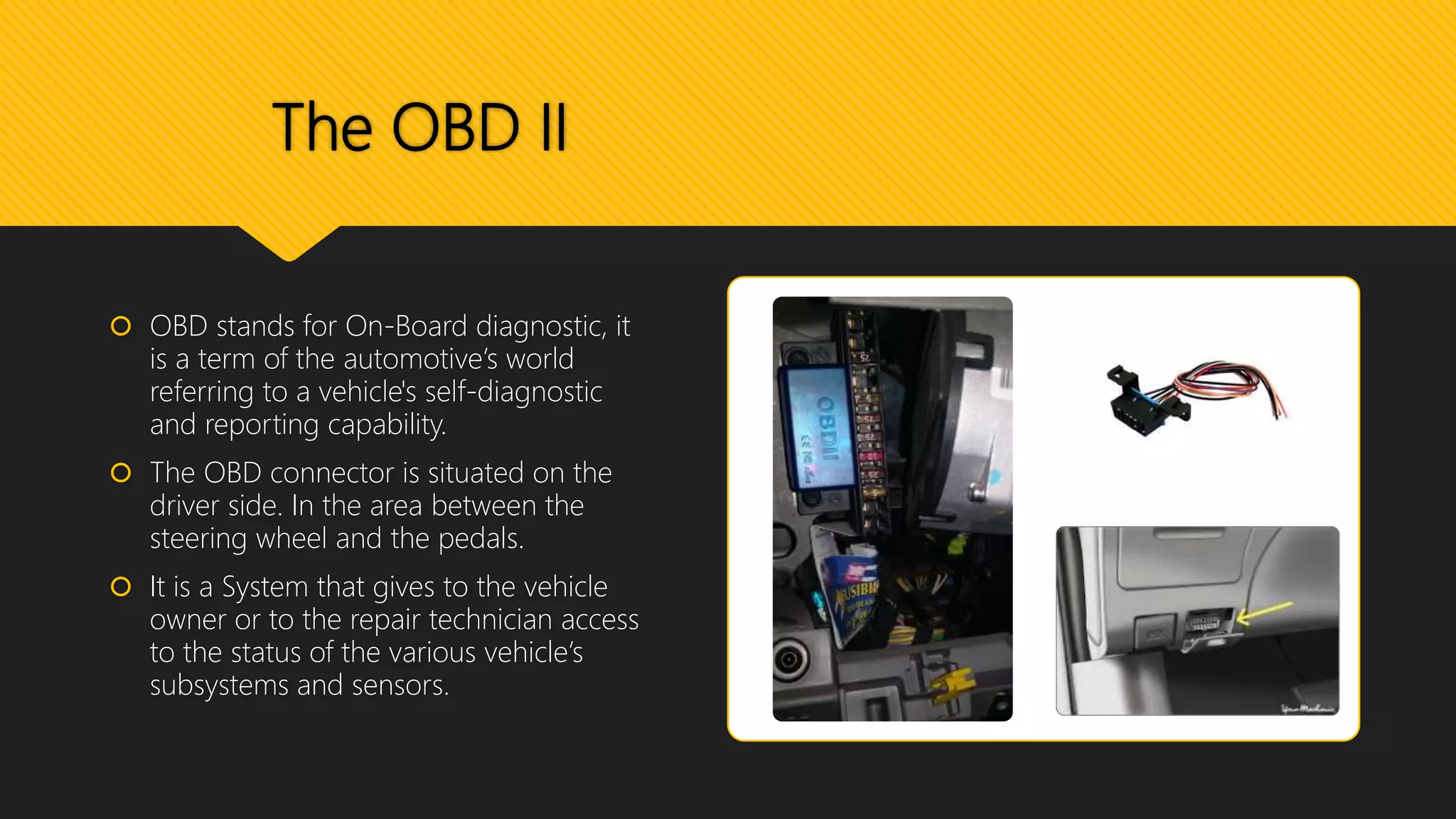
 The OBD connector is situated on the
driver side. In the area between the
steering wheel and the pedals.
 It is a System that gives to the vehicle
owner or to the repair technician access
to the status of the various vehicle’s
subsystems and sensors.
The OBD II
 The first communication approach with the results of the car’s
control unit was in the 1980, where the General Motors through
the ECU (Engine Control Unit), gives the possibility to analize the
values of the engine sensors .
 Obviously, during the time, the different typologies of
information (and also the amount of them) are increased
exponentially, thanks to the various sensors, communicating with
the control unit.
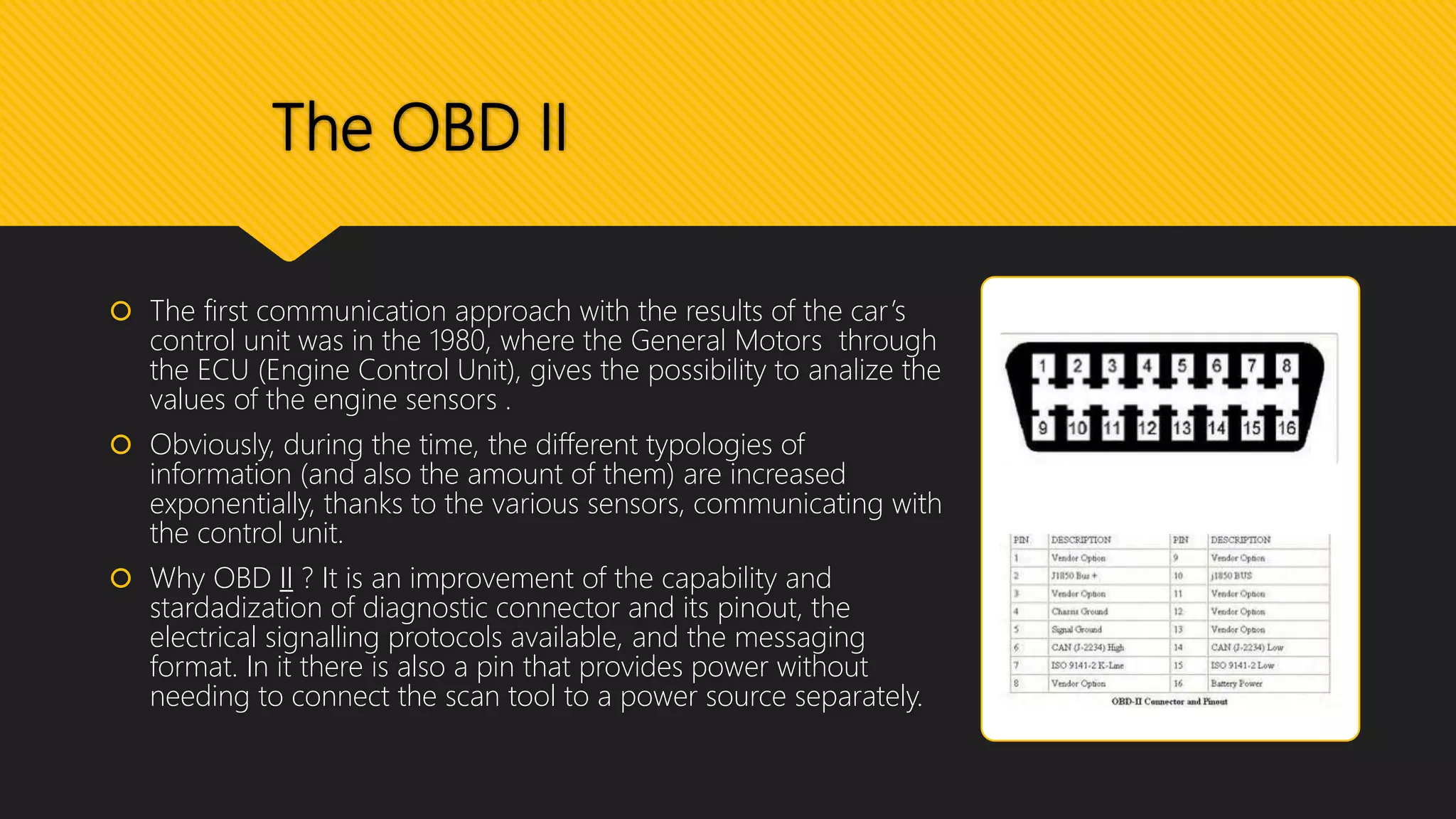
 Why OBD II ? It is an improvement of the capability and
stardadization of diagnostic connector and its pinout, the
electrical signalling protocols available, and the messaging
format. In it there is also a pin that provides power without
needing to connect the scan tool to a power source separately.
The ELM-327
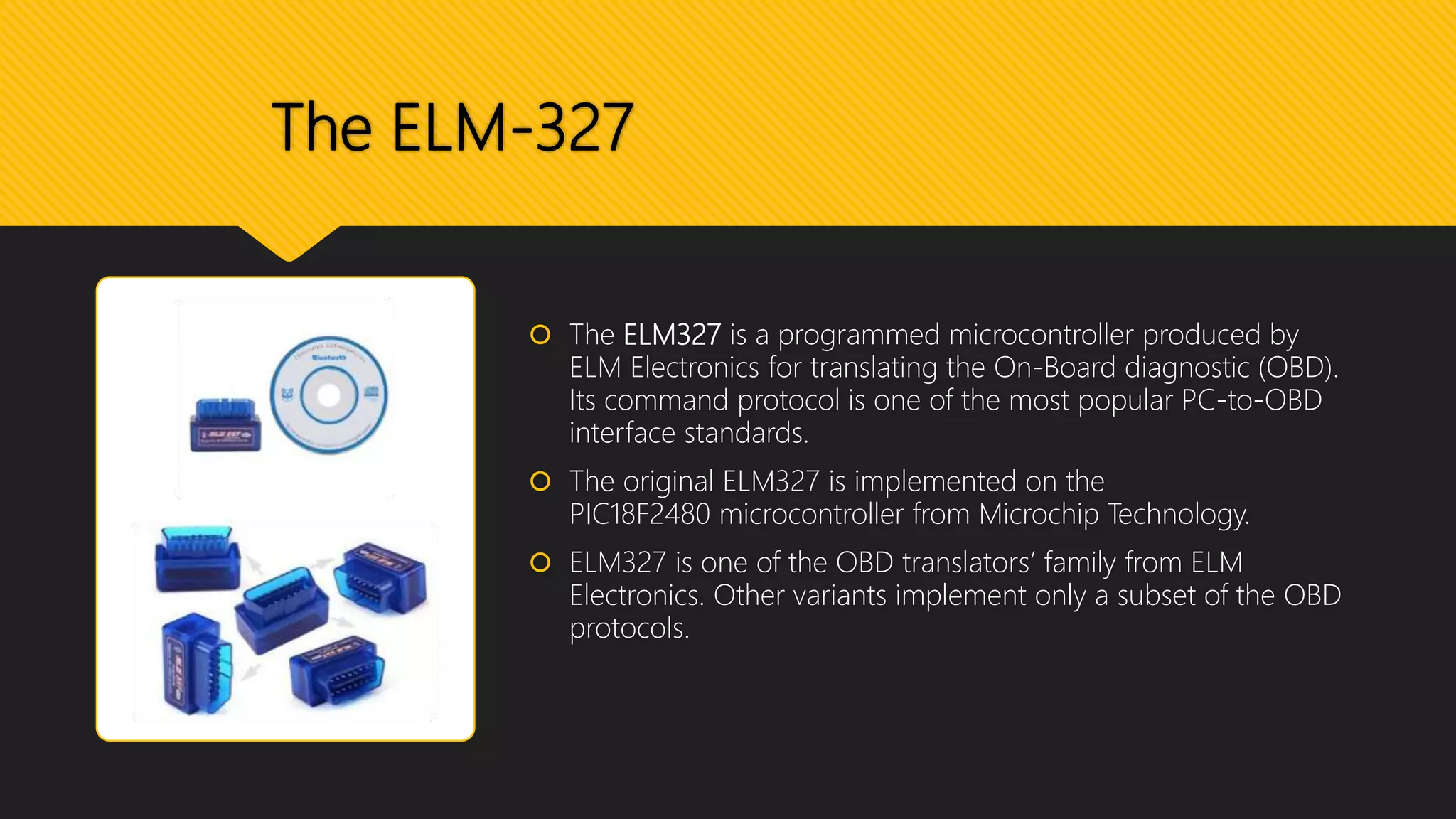
 The ELM327 is a programmed microcontroller produced by
ELM Electronics for translating the On-Board diagnostic (OBD).
Its command protocol is one of the most popular PC-to-OBD
interface standards.
 The original ELM327 is implemented on the
PIC18F2480 microcontroller from Microchip Technology.
 ELM327 is one of the OBD translators’ family from ELM
Electronics. Other variants implement only a subset of the OBD
protocols.
The ELM-327
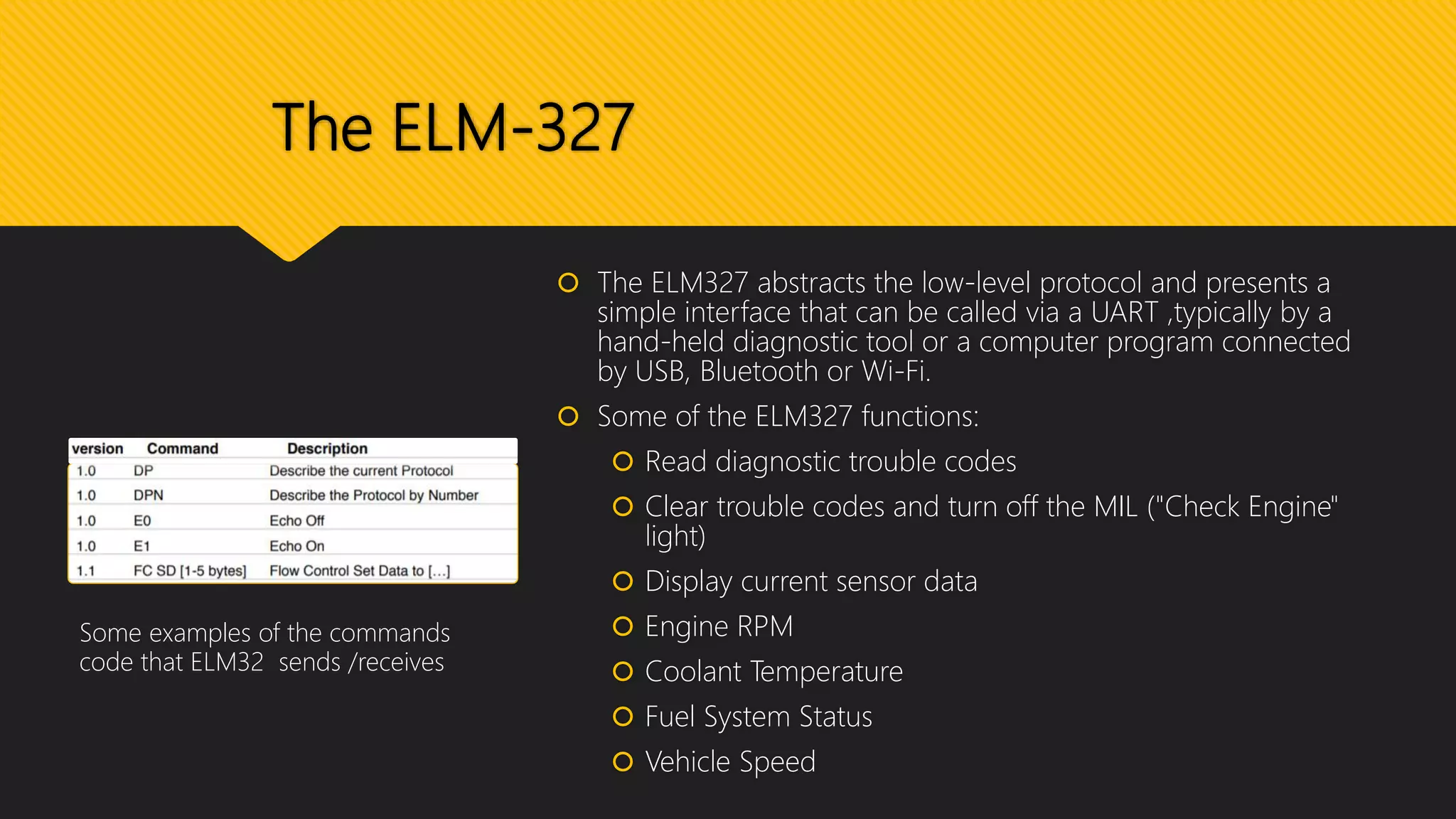
 The ELM327 abstracts the low-level protocol and presents a
simple interface that can be called via a UART ,typically by a
hand-held diagnostic tool or a computer program connected
by USB, Bluetooth or Wi-Fi.
 Some of the ELM327 functions:
 Read diagnostic trouble codes
 Clear trouble codes and turn off the MIL ("Check Engine"
light)
 Display current sensor data
 Engine RPM
 Coolant Temperature
 Fuel System Status
 Vehicle Speed
Some examples of the commands
code that ELM32 sends /receives
Android application and Screenshot
 Let’s now see more in detail the Android
Application:
 It has the possibility to connect with OBD through
Bluetooth
 After the connection the app starts to
communicate with the Elm327 receiving the
values of RPM and Speed of the control unit, 10
sample each second.
 Near to these values the app gives the possibility
to turn on the GPS position in order to correlate
the values sampled and the position where they
were taken.
Android application
and Screenshot
 The user can also differentiate the analysis of his
driving style through the insertion of the type of
fuel of his vehicle.
 During the travel the user can see his style-guide
with a linechart showing the trend of the RPM
values received until this moment.
 During the travel the user can also see, bypassing
the tachimeter, a more precise realtime values of
the RPM and Speed of the vehicle
OBD library
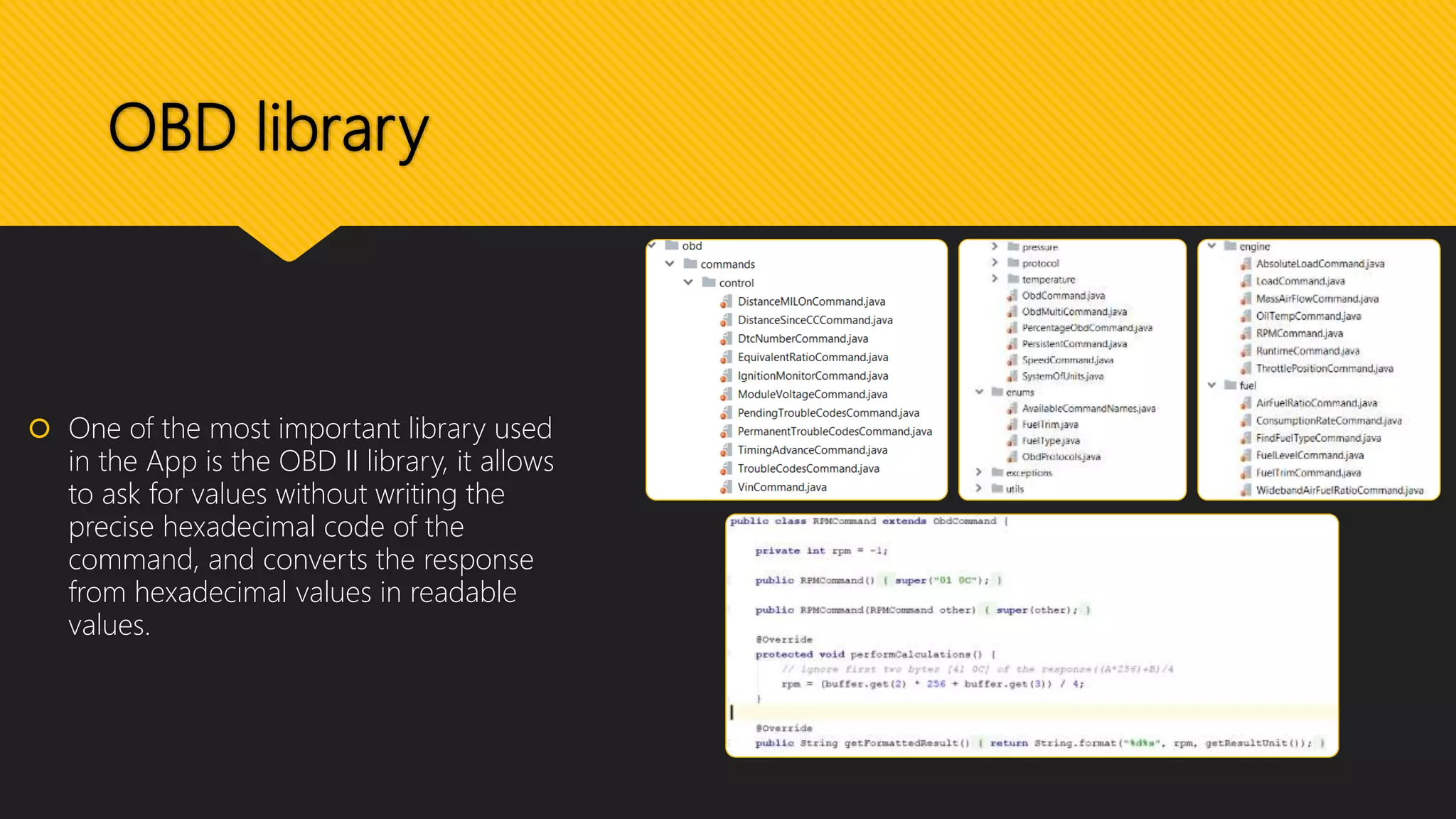
 One of the most important library used
in the App is the OBD II library, it allows
to ask for values without writing the
precise hexadecimal code of the
command, and converts the response
from hexadecimal values in readable
values.
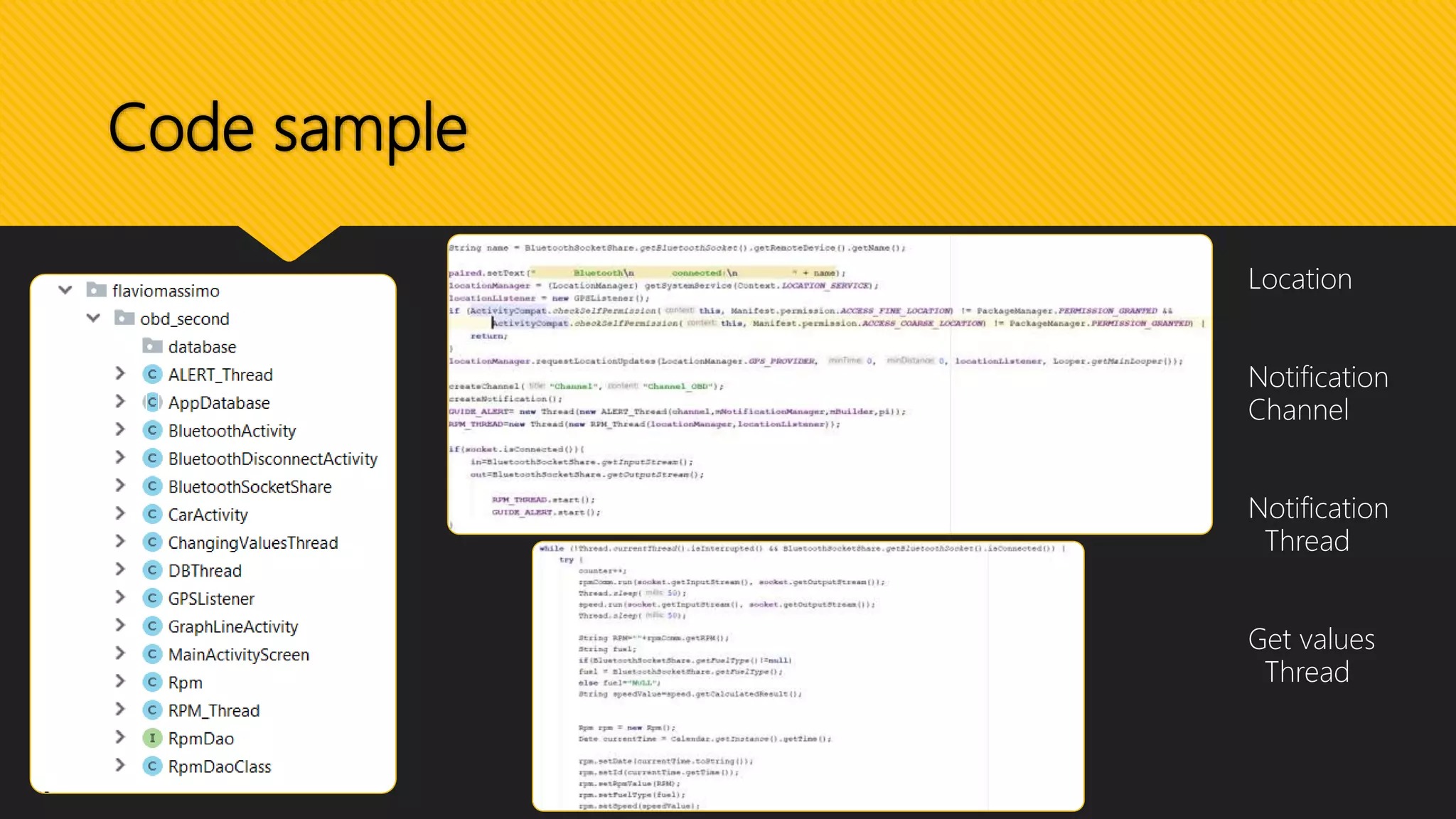
Code sample
Location
Notification
Channel
Notification
Thread
Get values
Thread
Data Analysis with Jupyter
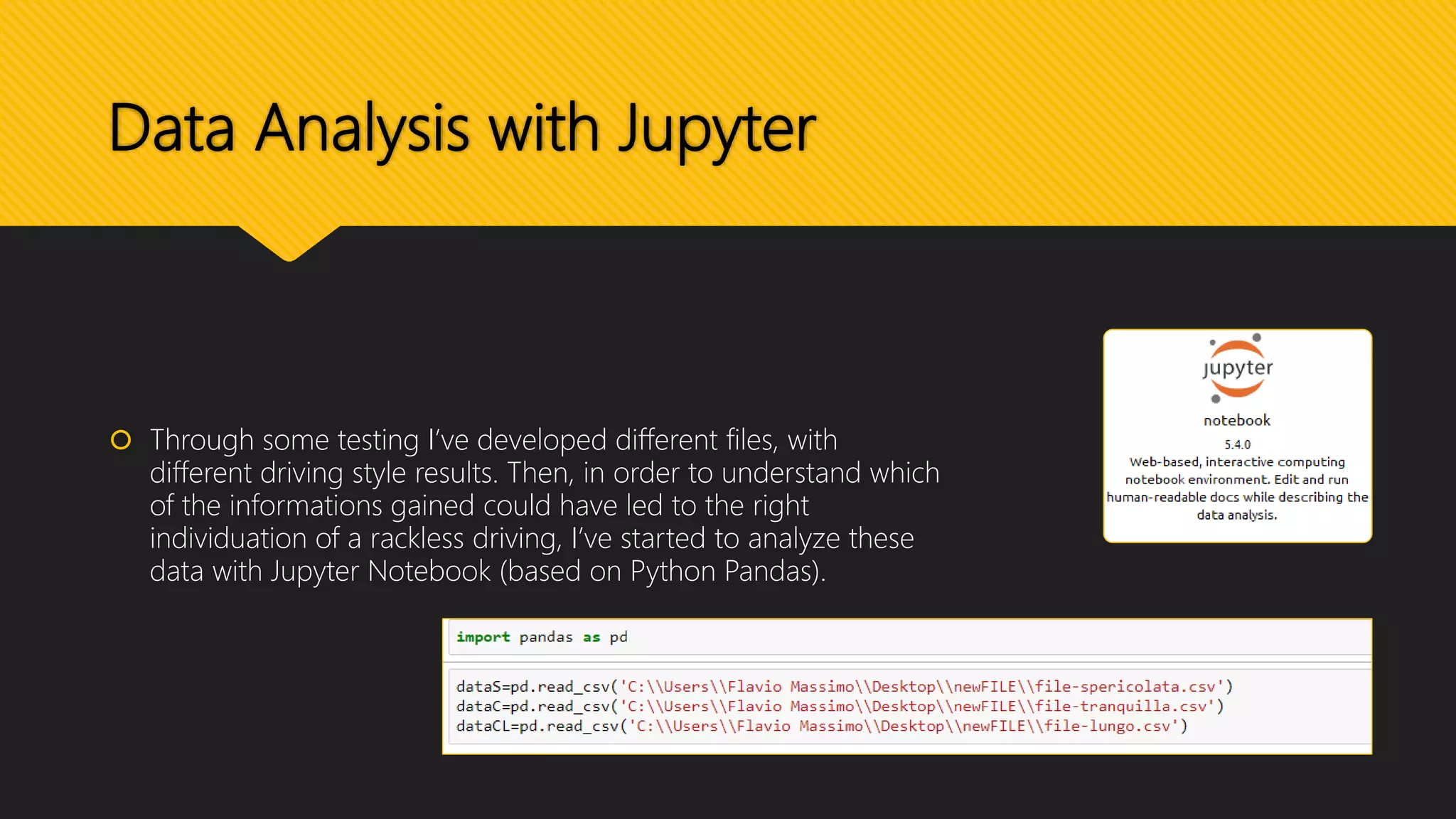
 Through some testing I’ve developed different files, with
different driving style results. Then, in order to understand which
of the informations gained could have led to the right
individuation of a rackless driving, I’ve started to analyze these
data with Jupyter Notebook (based on Python Pandas).
Graphics Analysis
 It turns out that was not
sufficient to analyze only
the RPM values (on the
left) but, was also
needed, the study of the
covariance applied to a
sliding window on them
(on the right).
 Through the covariance
of the values in fact, was
easier to find the
medium soil that
distinguish a good way
of driving from a reckless
one, and the estimation
number of bad values to
identify a bad driving
style.
Demo Video (connection)
Demo Video (dangerous driving style)
Demo Video (high speed)
Thanks for your
attention, and don’t go
too fast!

CarCare presentation

  • 1.
    CarCare with OBD II– ELM 327 Author: Flavio Massimo Falesiedi GitHub: https://github.com/flaviomax94/CarCare LinkedIn :https://www.linkedin.com/in/flavio-massimo-falesiedi-37b61b163/
  • 2.
    CarCare  The mainidea of my project is the use of the vehicle informations , obtained through the OBD II ELM-327 , in order to understand when a driver starts to have a reckless drive, to improve the security in the automobilistic world and to reduce the consuption of the vehicle’s fuel.  I’ve developed an Android Application that, through a Bluetooth connection with the OBD II, starts to exchange messages with the control unit, and with this messages understands when the driving style is not appropriated.  Lets see the technologies used in this project.
  • 3.
    The OBD II OBD stands for On-Board diagnostic, it is a term of the automotive’s world referring to a vehicle's self-diagnostic and reporting capability.  The OBD connector is situated on the driver side. In the area between the steering wheel and the pedals.  It is a System that gives to the vehicle owner or to the repair technician access to the status of the various vehicle’s subsystems and sensors.
  • 4.
    The OBD II The first communication approach with the results of the car’s control unit was in the 1980, where the General Motors through the ECU (Engine Control Unit), gives the possibility to analize the values of the engine sensors .  Obviously, during the time, the different typologies of information (and also the amount of them) are increased exponentially, thanks to the various sensors, communicating with the control unit.  Why OBD II ? It is an improvement of the capability and stardadization of diagnostic connector and its pinout, the electrical signalling protocols available, and the messaging format. In it there is also a pin that provides power without needing to connect the scan tool to a power source separately.
  • 5.
    The ELM-327  TheELM327 is a programmed microcontroller produced by ELM Electronics for translating the On-Board diagnostic (OBD). Its command protocol is one of the most popular PC-to-OBD interface standards.  The original ELM327 is implemented on the PIC18F2480 microcontroller from Microchip Technology.  ELM327 is one of the OBD translators’ family from ELM Electronics. Other variants implement only a subset of the OBD protocols.
  • 6.
    The ELM-327  TheELM327 abstracts the low-level protocol and presents a simple interface that can be called via a UART ,typically by a hand-held diagnostic tool or a computer program connected by USB, Bluetooth or Wi-Fi.  Some of the ELM327 functions:  Read diagnostic trouble codes  Clear trouble codes and turn off the MIL ("Check Engine" light)  Display current sensor data  Engine RPM  Coolant Temperature  Fuel System Status  Vehicle Speed Some examples of the commands code that ELM32 sends /receives
  • 7.
    Android application andScreenshot  Let’s now see more in detail the Android Application:  It has the possibility to connect with OBD through Bluetooth  After the connection the app starts to communicate with the Elm327 receiving the values of RPM and Speed of the control unit, 10 sample each second.  Near to these values the app gives the possibility to turn on the GPS position in order to correlate the values sampled and the position where they were taken.
  • 8.
    Android application and Screenshot The user can also differentiate the analysis of his driving style through the insertion of the type of fuel of his vehicle.  During the travel the user can see his style-guide with a linechart showing the trend of the RPM values received until this moment.  During the travel the user can also see, bypassing the tachimeter, a more precise realtime values of the RPM and Speed of the vehicle
  • 9.
    OBD library  Oneof the most important library used in the App is the OBD II library, it allows to ask for values without writing the precise hexadecimal code of the command, and converts the response from hexadecimal values in readable values.
  • 10.
  • 11.
    Data Analysis withJupyter  Through some testing I’ve developed different files, with different driving style results. Then, in order to understand which of the informations gained could have led to the right individuation of a rackless driving, I’ve started to analyze these data with Jupyter Notebook (based on Python Pandas).
  • 12.
    Graphics Analysis  Itturns out that was not sufficient to analyze only the RPM values (on the left) but, was also needed, the study of the covariance applied to a sliding window on them (on the right).  Through the covariance of the values in fact, was easier to find the medium soil that distinguish a good way of driving from a reckless one, and the estimation number of bad values to identify a bad driving style.
  • 13.
  • 14.
    Demo Video (dangerousdriving style)
  • 15.
  • 16.
    Thanks for your attention,and don’t go too fast!