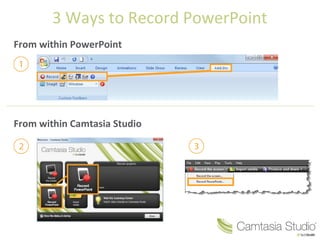
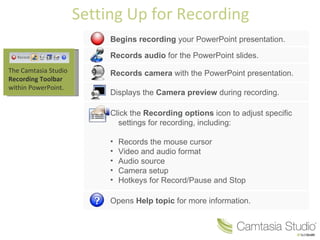
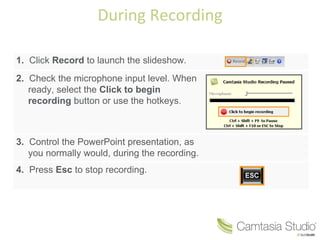
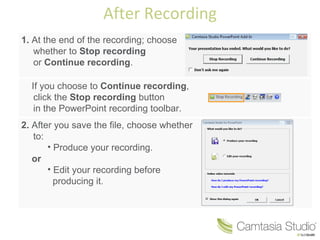
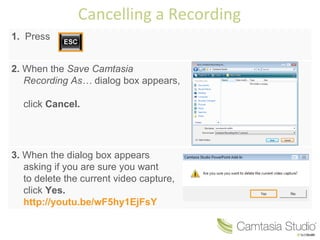
This document outlines 3 ways to record a PowerPoint presentation using Camtasia Studio directly within PowerPoint. It discusses setting up the recording by launching the Camtasia recording toolbar, adjusting recording options, and previewing the camera. It then covers the steps to start, control, and stop a recording during the presentation. Finally, it discusses the options to save, produce, or edit the recording after completion or to cancel a recording in progress.


![Camtasia getting started guide [salvo automaticamente]](https://cdn.slidesharecdn.com/ss_thumbnails/camtasiagettingstartedguidesalvoautomaticamente-110113172239-phpapp02-thumbnail.jpg?width=640&height=640&fit=bounds)


![[고시]건설공사 감리보고서 작성지침 개정 전문(최종)](https://cdn.slidesharecdn.com/ss_thumbnails/random-110324005945-phpapp02-thumbnail.jpg?width=640&height=640&fit=bounds)


![Memory lecture powerpoint[1]](https://cdn.slidesharecdn.com/ss_thumbnails/memorylecturepowerpoint1-110322161522-phpapp02-thumbnail.jpg?width=640&height=640&fit=bounds)


