Optimize Your Practice for Online Visibility
SAC-CAMFT
Dana Lookadoo . @YoYoSEO . YoYoSEO.com
November 19, 2010
Introduction
 Online visibility means people can find you online
when they search.
 People use various forms of “search” to look for marriage
& family therapy help.
 You’ll learn basics about optimizing your website and
social profiles to be “visible” and be found.
 Poll:
 Who has a website?
 Social profiles?
 Google Profile?
 LinkedIn?
 Twitter?
 Facebook?
Outcomes
 Understand people go to “search” to find information
that meets their needs and questions.
 Understand search as a business process that
may redefine your marketing efforts (and possibly
your “messaging”).
 Engage online, when possible, given confidentiality
and licensing requirements.
 Know the basics of website optimization.
 Know how and where to set up social profiles & list
your business in directory listings.
Agenda
 Defining Search
 How To Get Found In Search
 Social Media Overview
 Defining Online Visibility
 Social Profiles
 Marketing Channels
 Exercises
 Website Content Worksheet
 Online Visibility Worksheet
 Review: Social Profile Information
Defining Search
What is Search?
Local Results & Google Places
Google, Bing & Yahoo! Search Results
What is Search?
 Search Engines
 Google
 Yahoo!
 Bing
 Links
 Other Websites
 Directory Listings
 Social Profiles
 Word-of-Mouth Marketing
 In-person, Email, Phone Referrals
 Reviews, LinkedIn Recommendations, Facebook
“Likes”
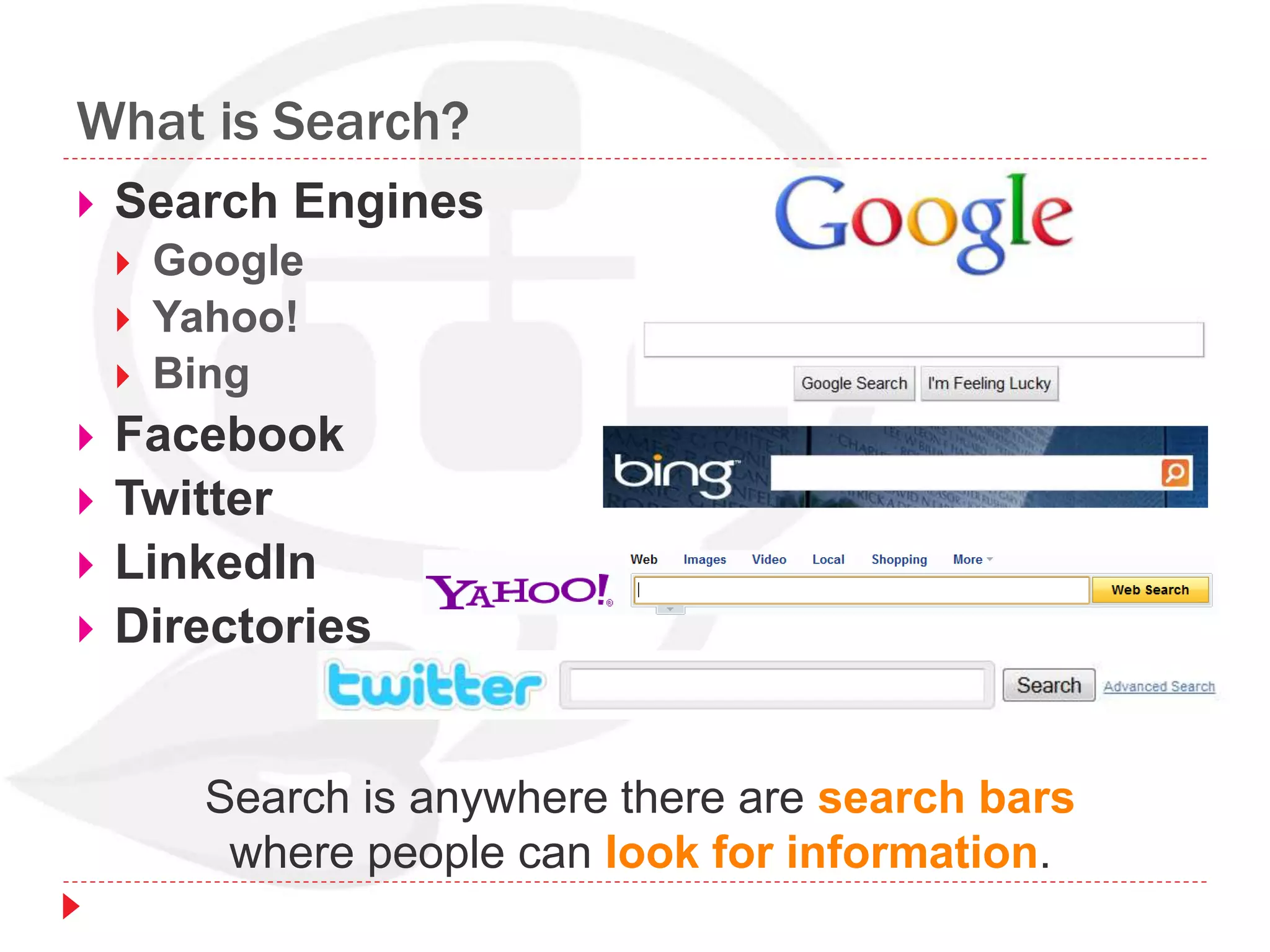
What is Search?
 Search Engines
 Google
 Yahoo!
 Bing
 Facebook
 Twitter
 LinkedIn
 Directories
Search is anywhere there are search bars
where people can look for information.
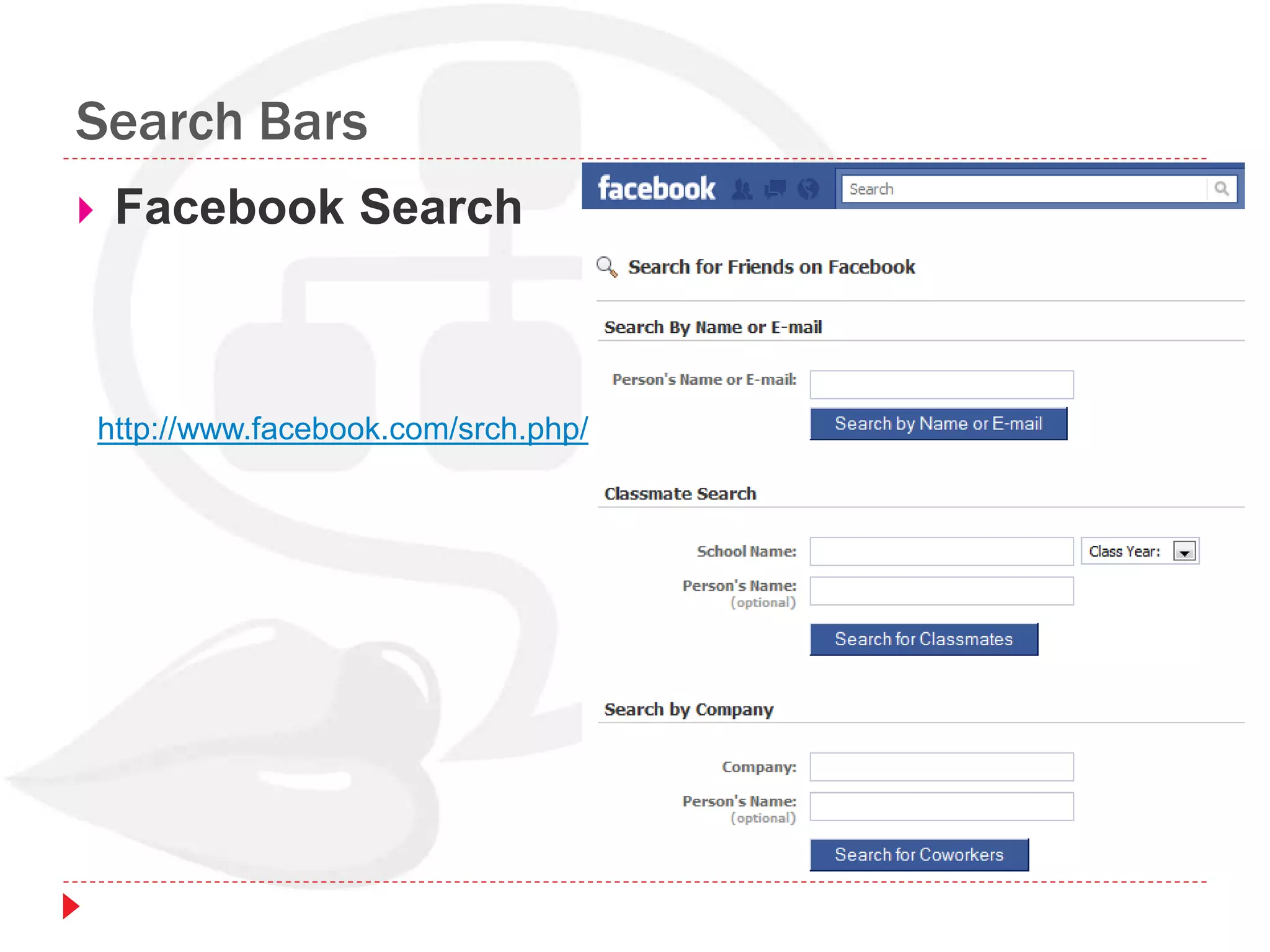
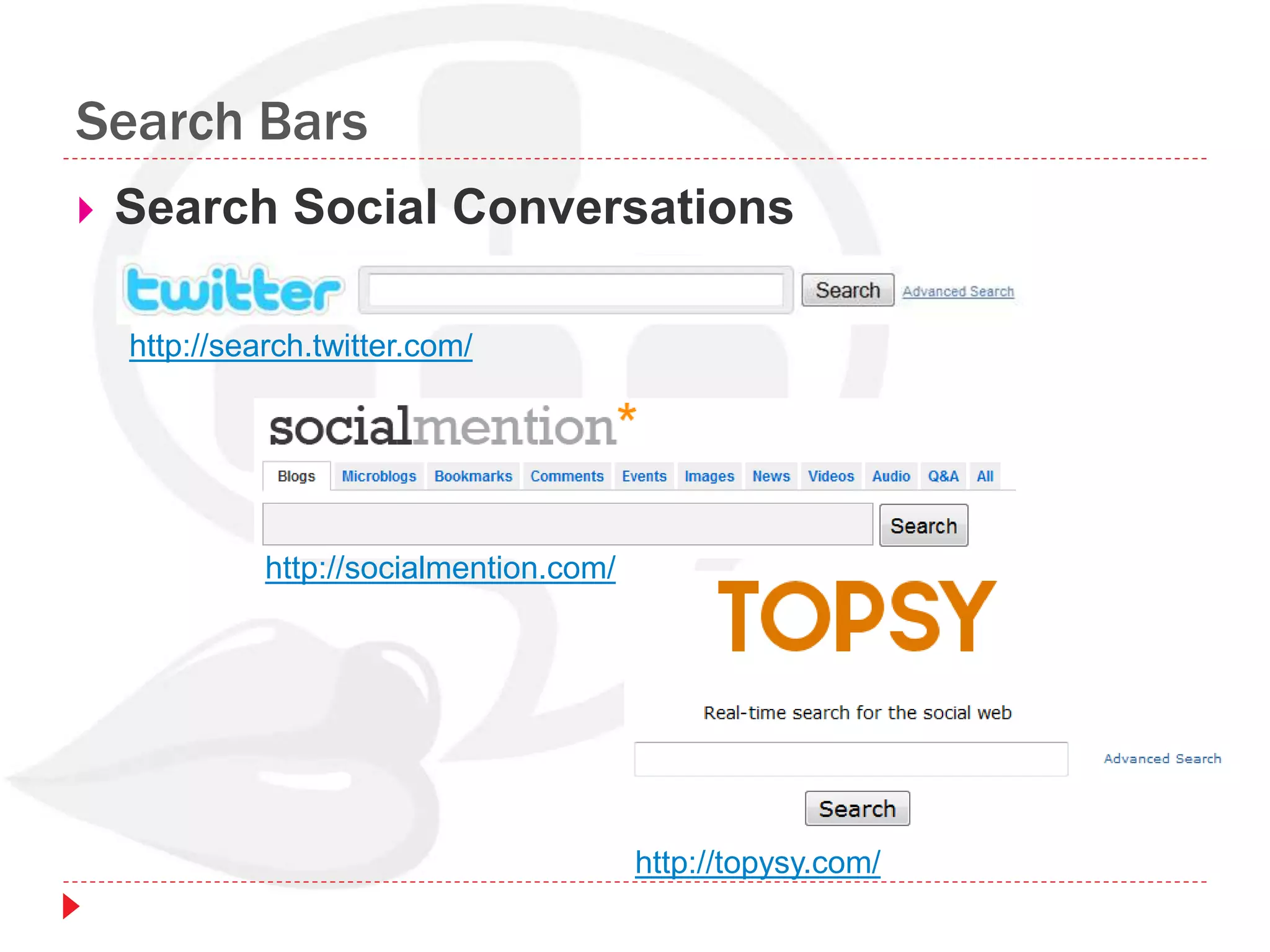
Search Bars
 Facebook Search
http://www.facebook.com/srch.php/
Search Bars
 Search Social Conversations
http://search.twitter.com/
http://socialmention.com/
http://topysy.com/
Search Bars
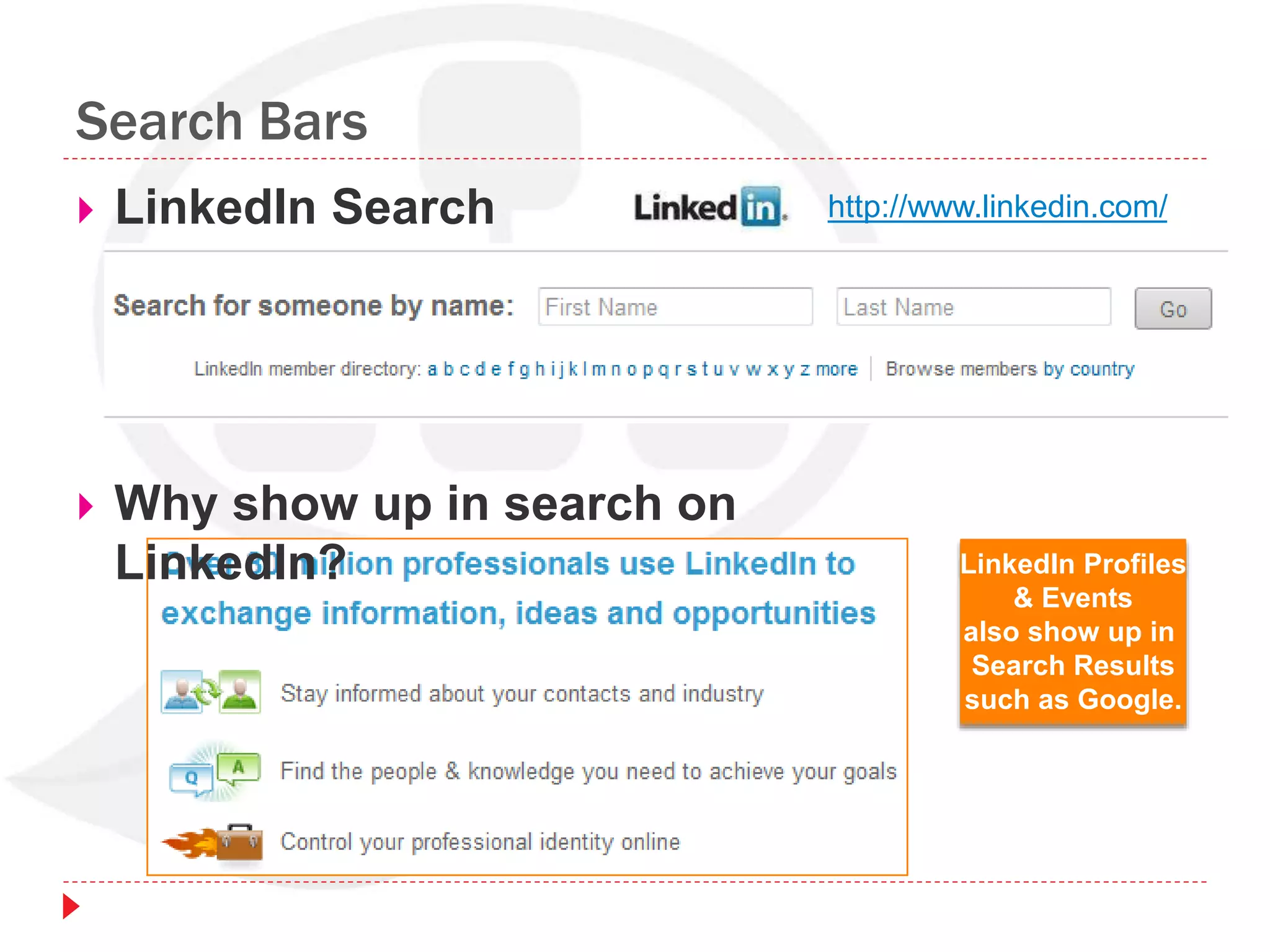
 LinkedIn Search http://www.linkedin.com/
 Why show up in search on
LinkedIn? LinkedIn Profiles
& Events
also show up in
Search Results
such as Google.
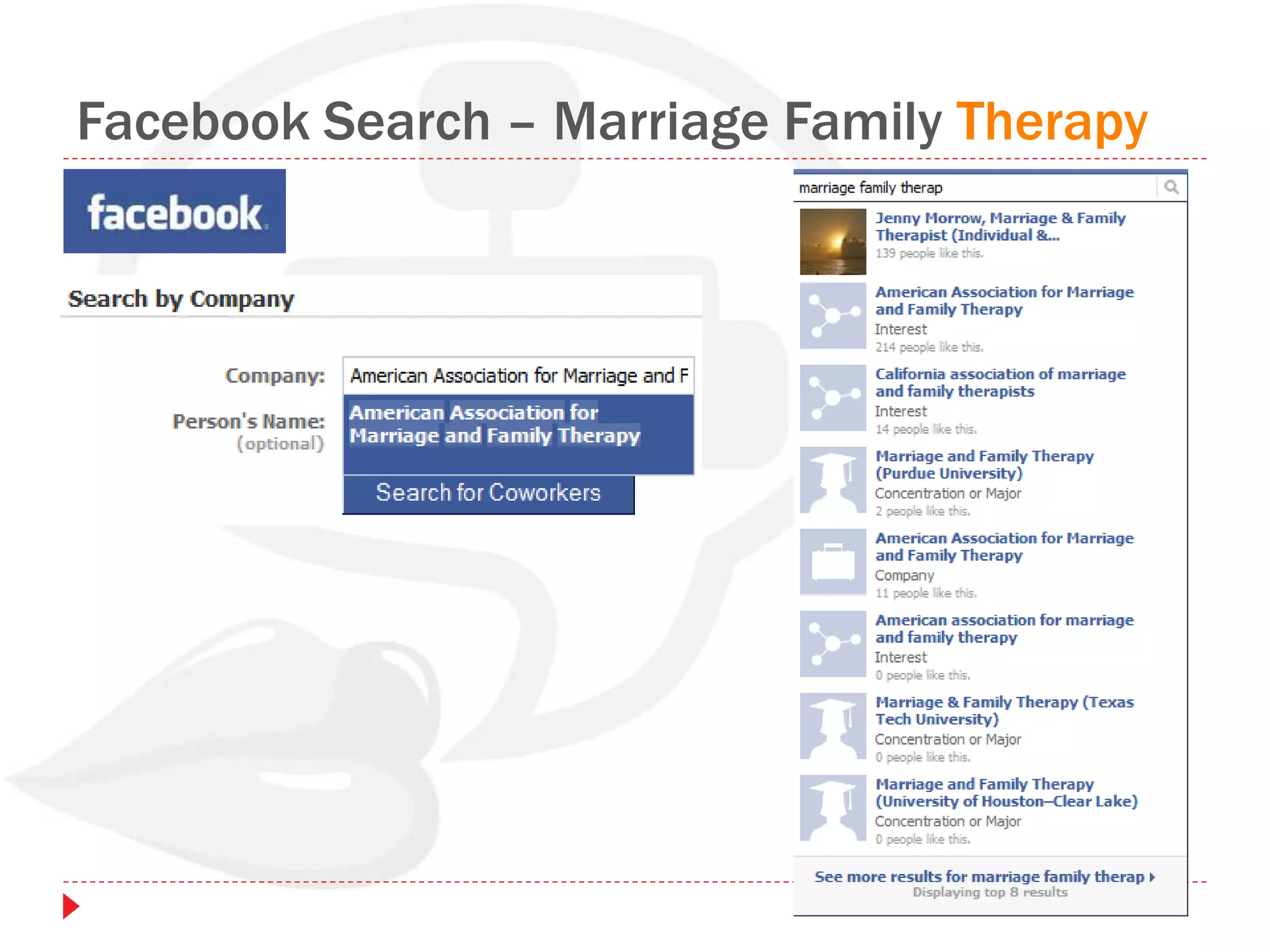
Facebook Search – Marriage Family Therapy
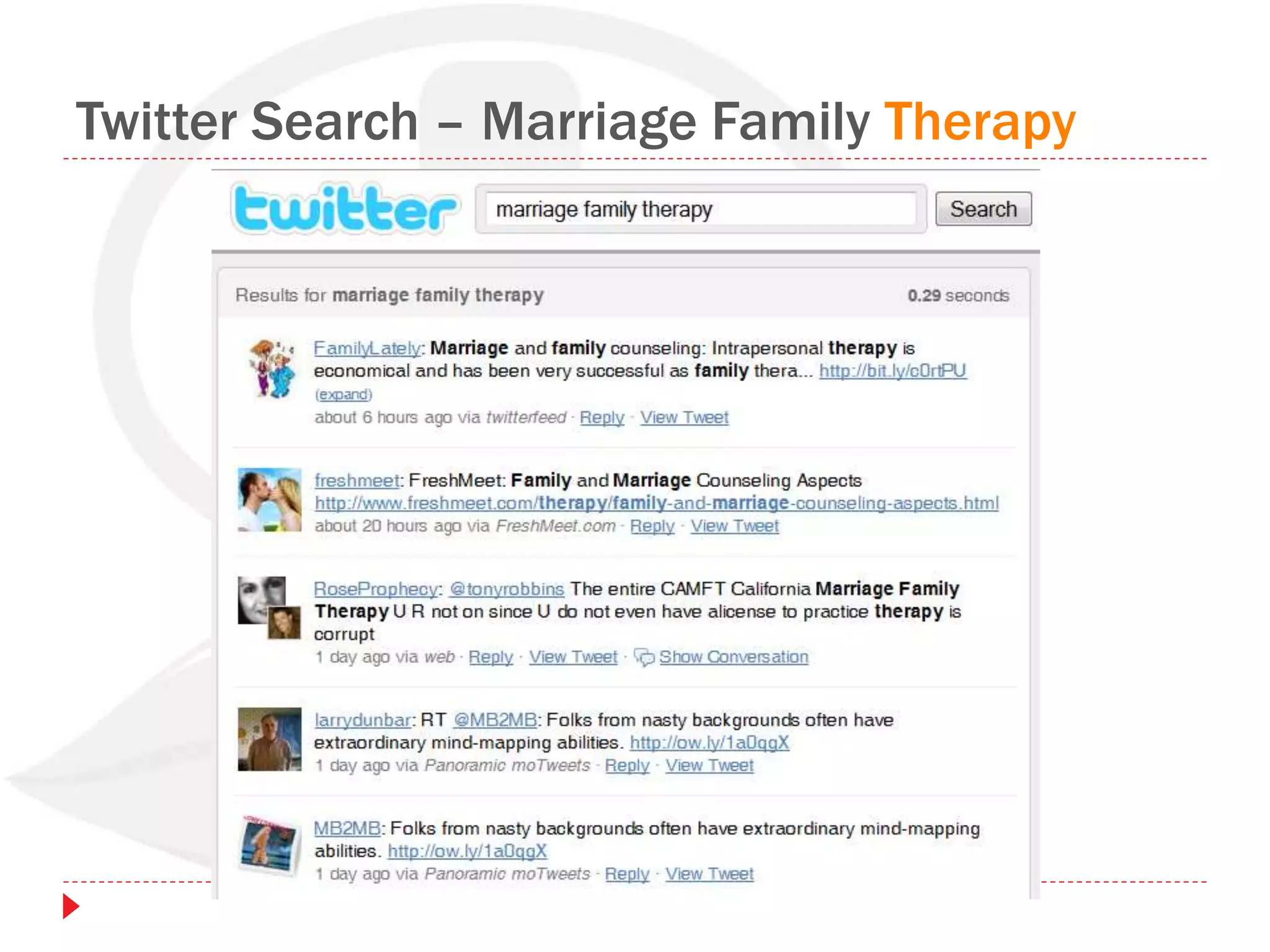
Twitter Search – Marriage Family Therapy
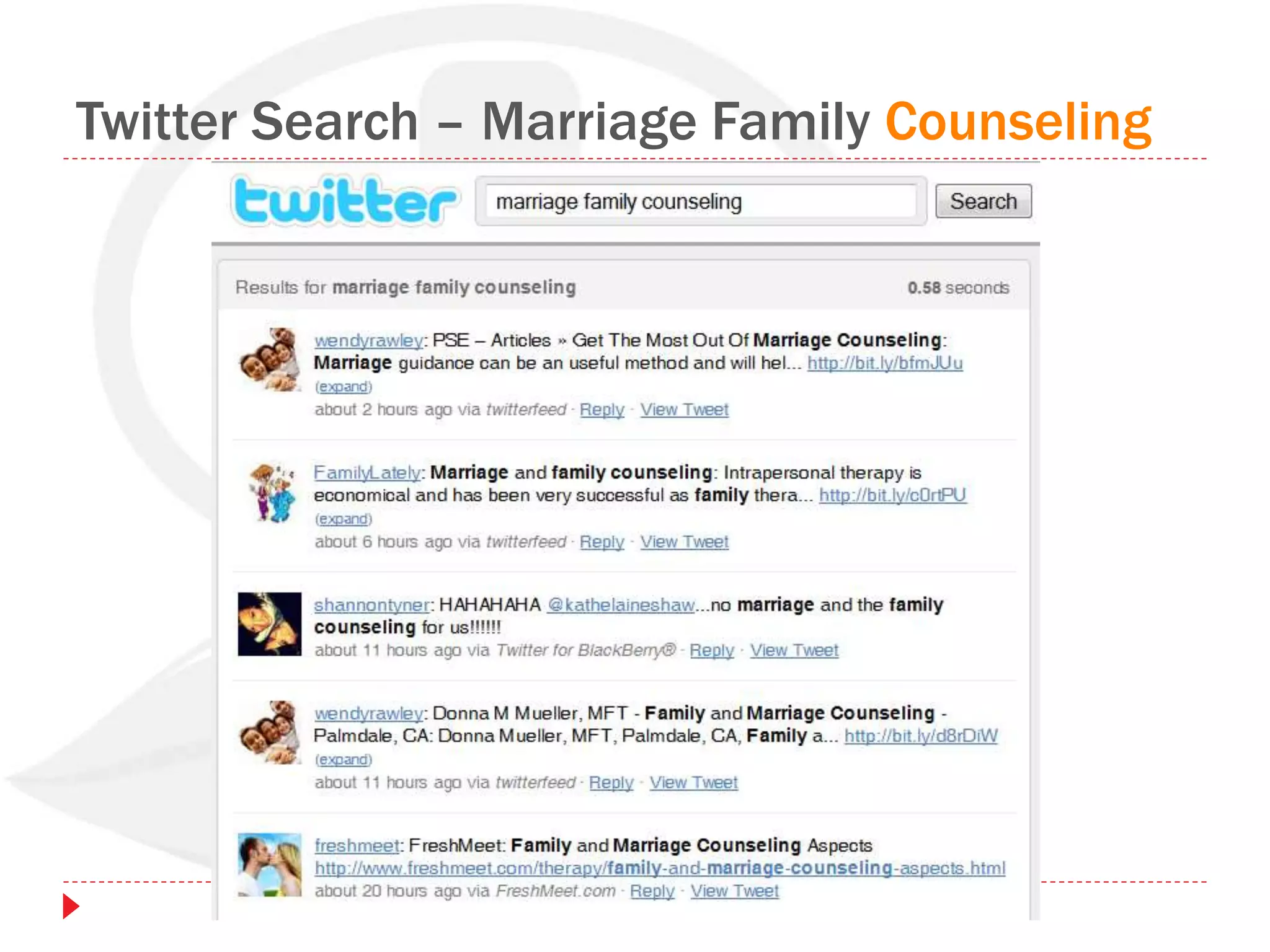
Twitter Search – Marriage Family Counseling
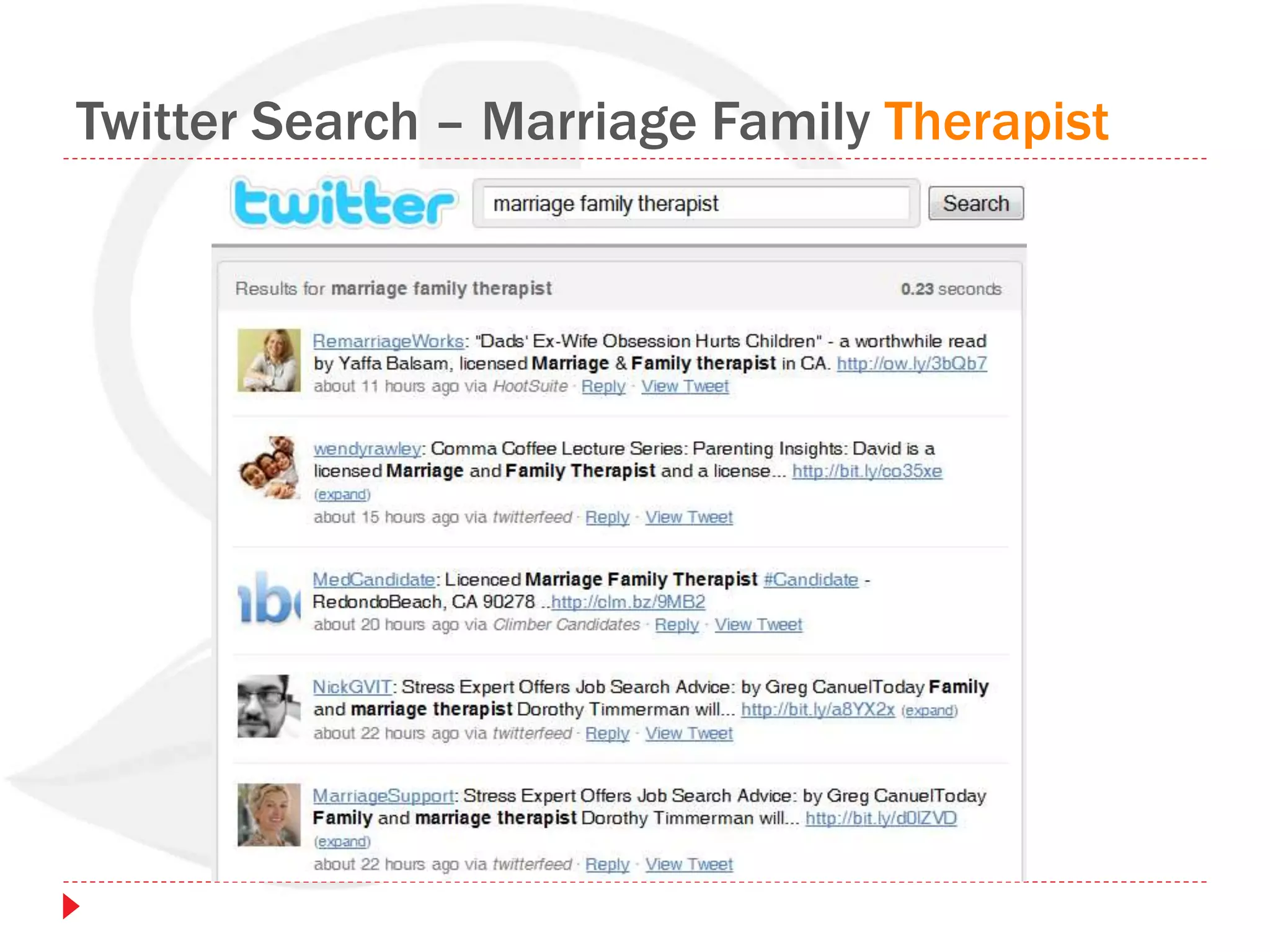
Twitter Search – Marriage Family Therapist
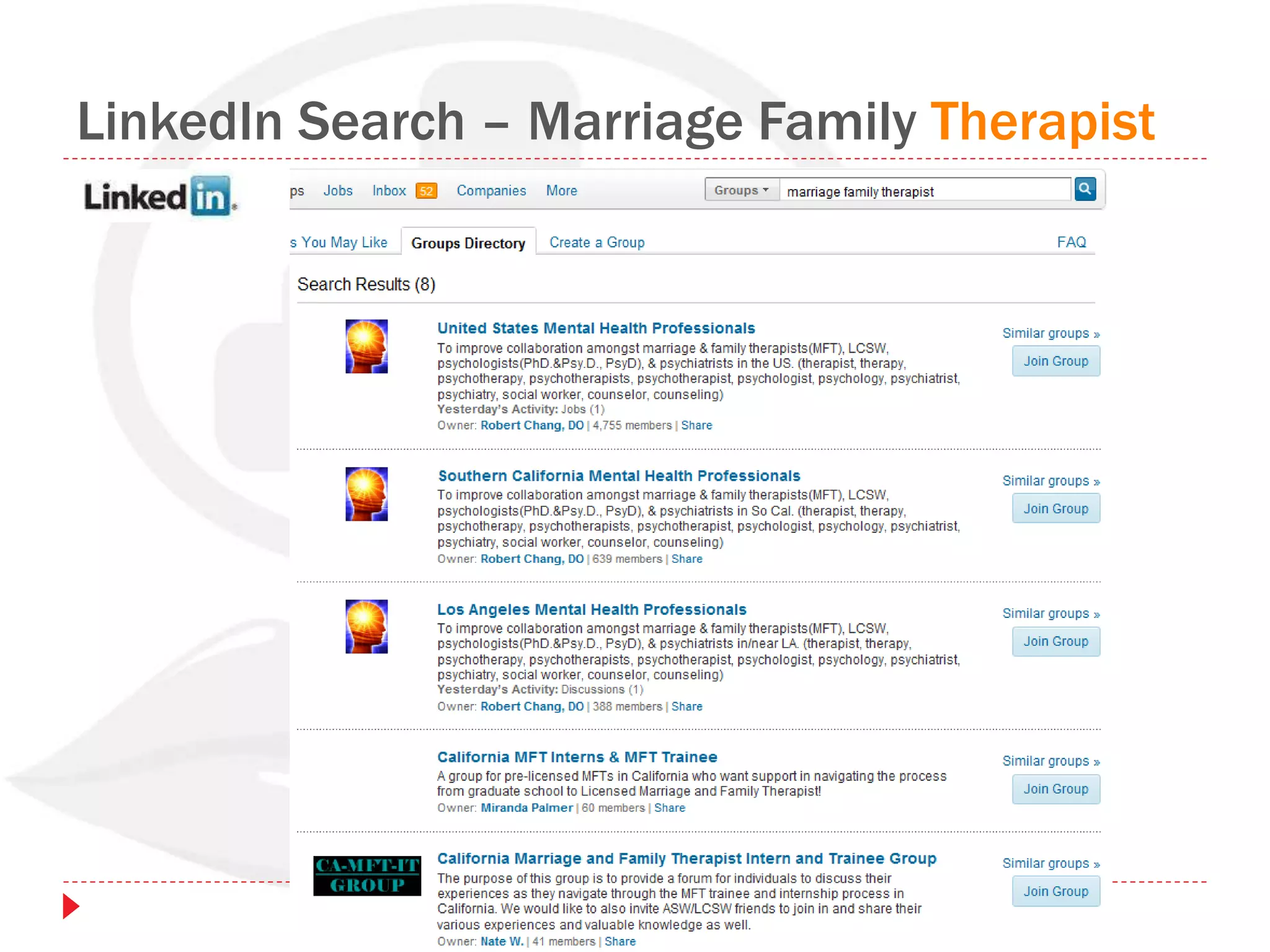
LinkedIn Search – Marriage Family Therapist
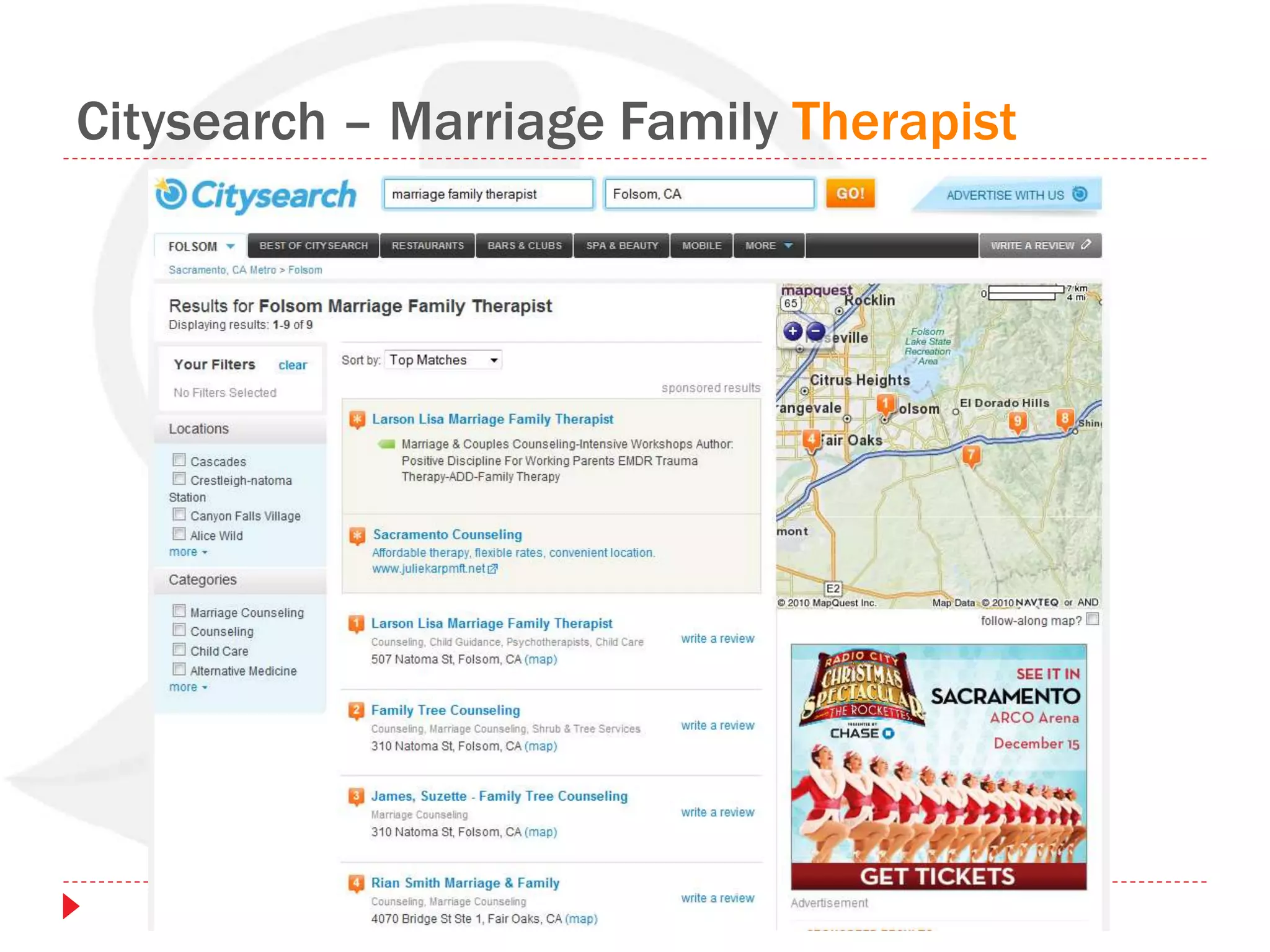
Citysearch – Marriage Family Therapist
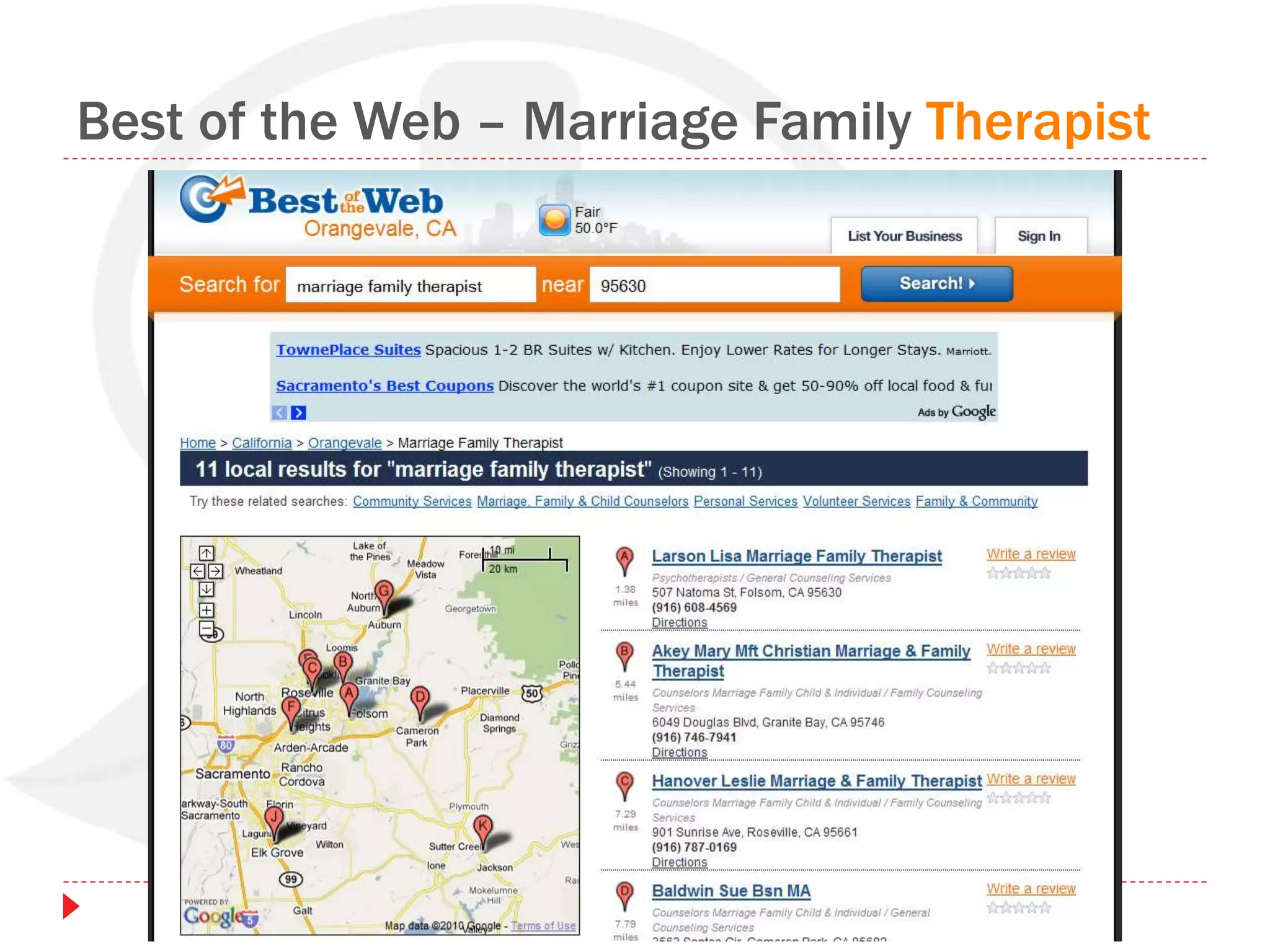
Best of the Web – Marriage Family Therapist
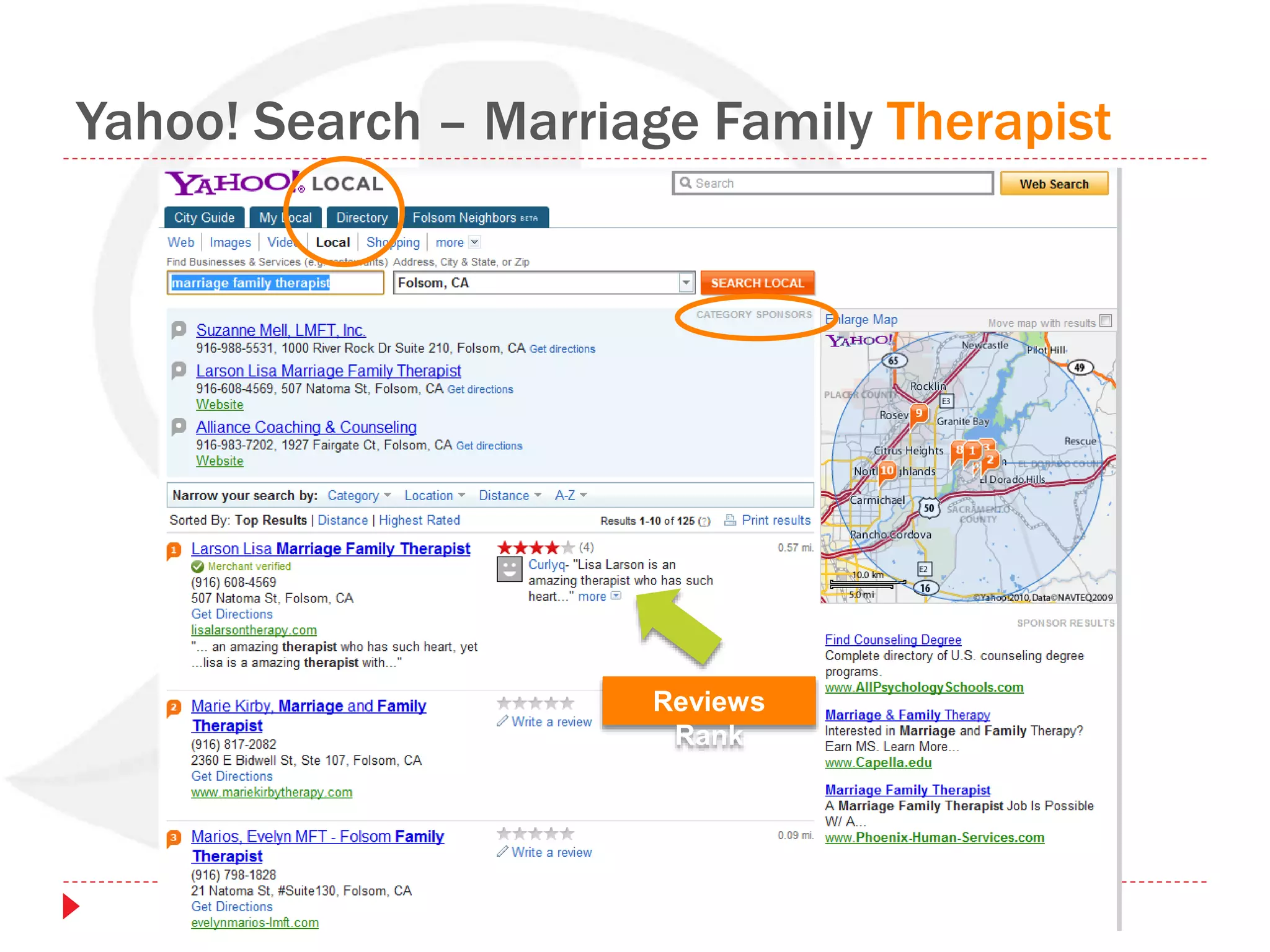
Yahoo! Search – Marriage Family Therapist
Reviews
Rank
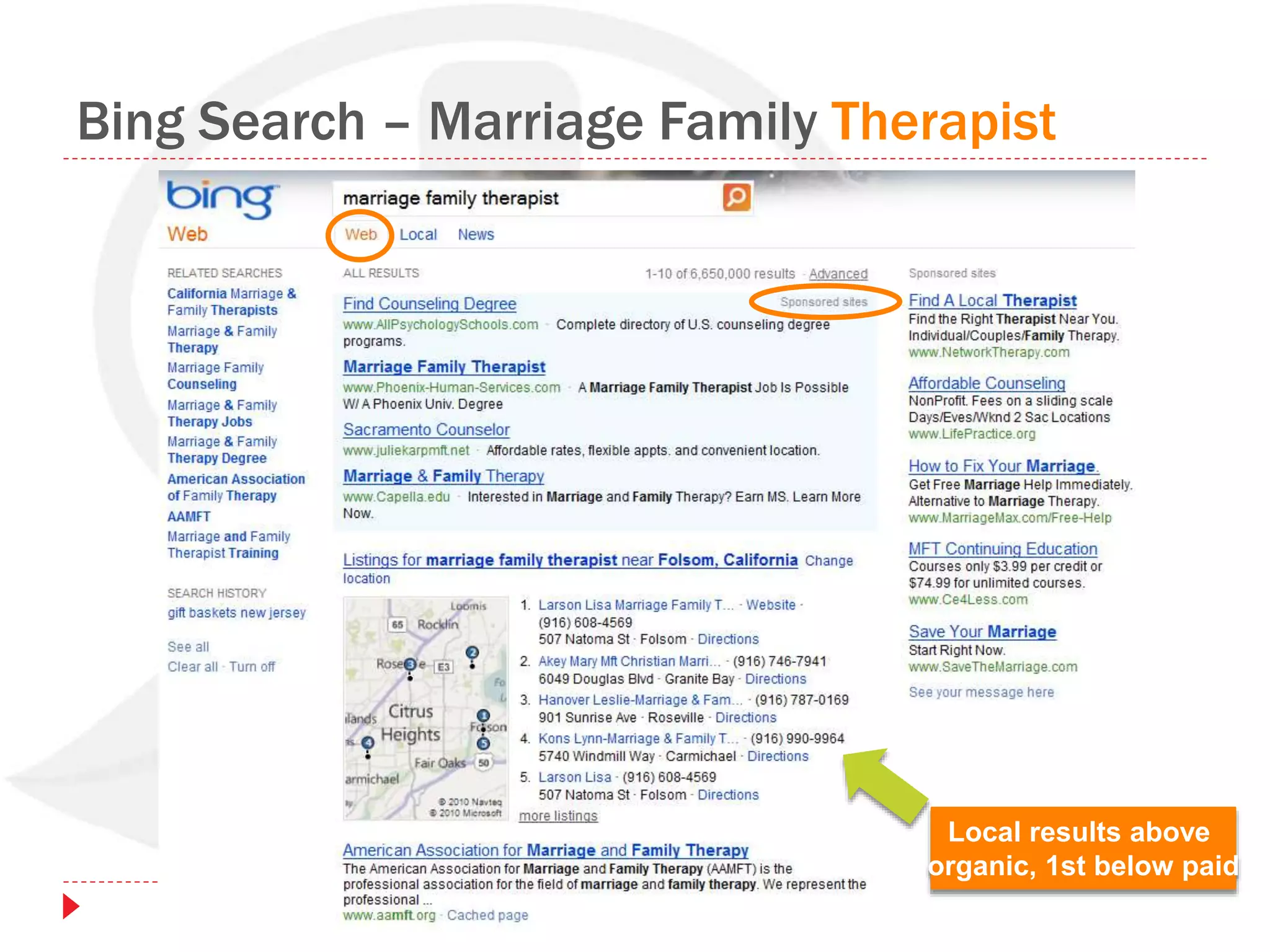
Bing Search – Marriage Family Therapist
Local results above
organic, 1st below paid
Search Results
Pages of “results” displayed by search engines,
when a person searches, are called…
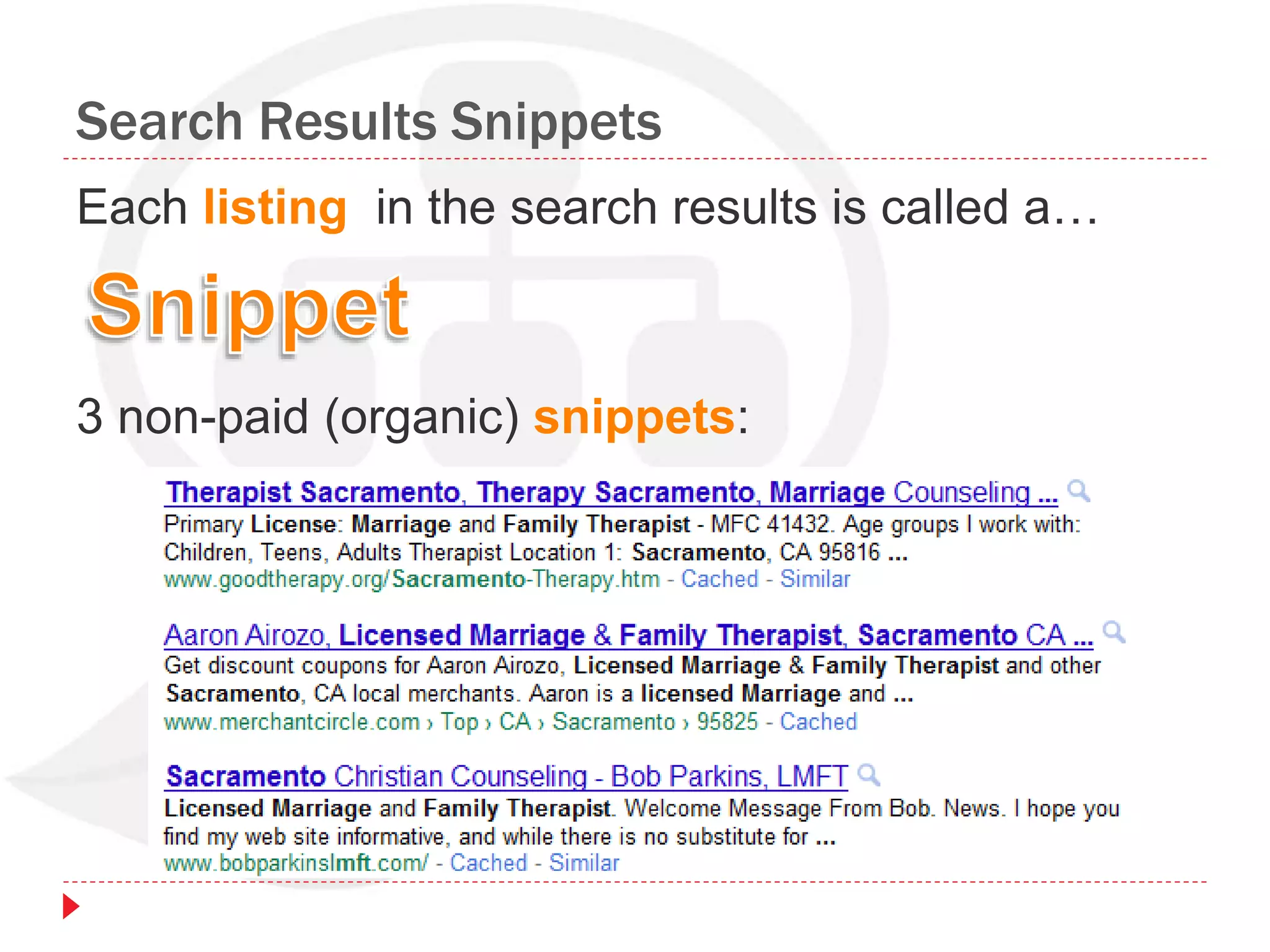
Search Results Snippets
Each listing in the search results is called a…
3 non-paid (organic) snippets:
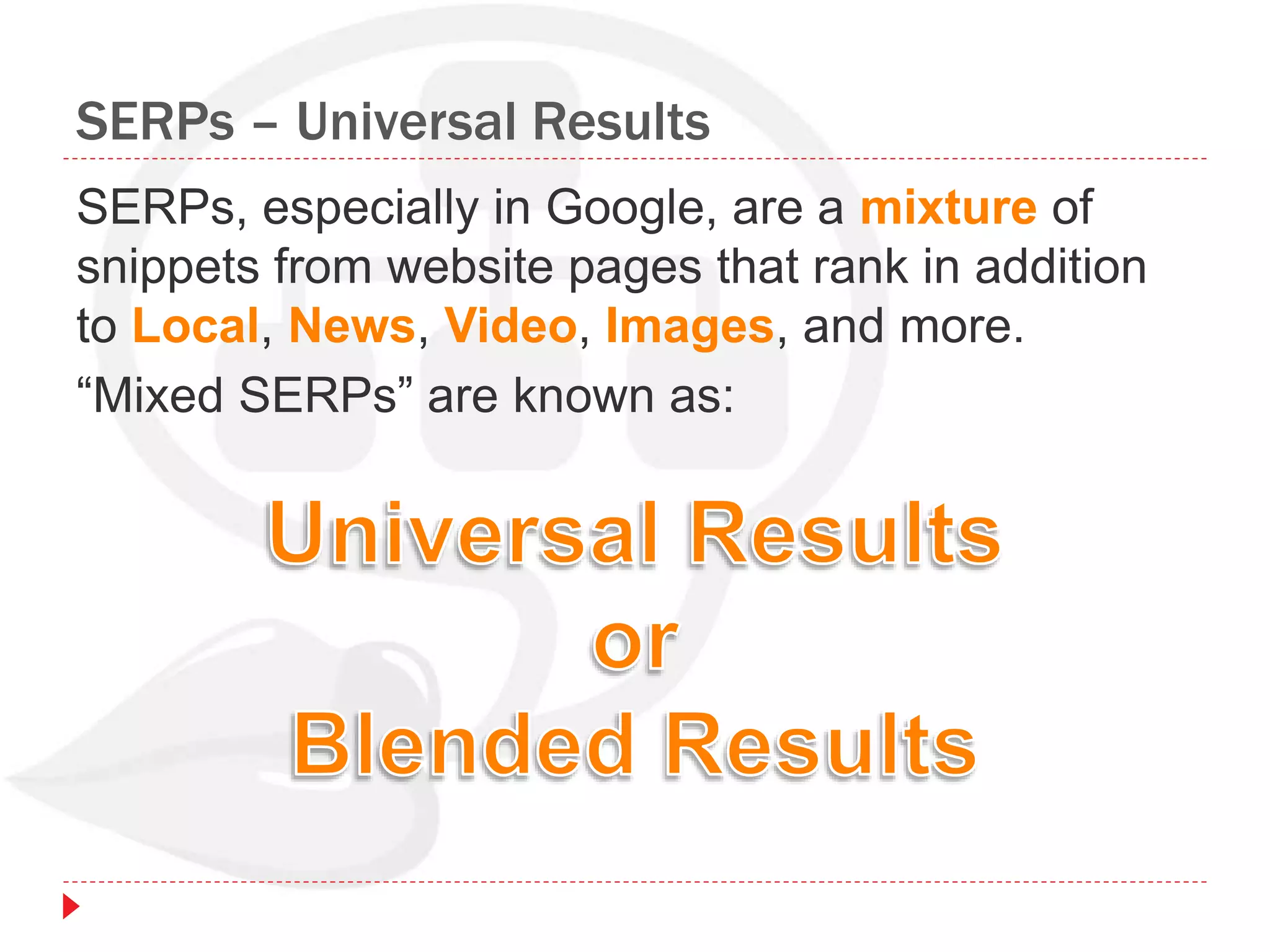
SERPs – Universal Results
SERPs, especially in Google, are a mixture of
snippets from website pages that rank in addition
to Local, News, Video, Images, and more.
“Mixed SERPs” are known as:
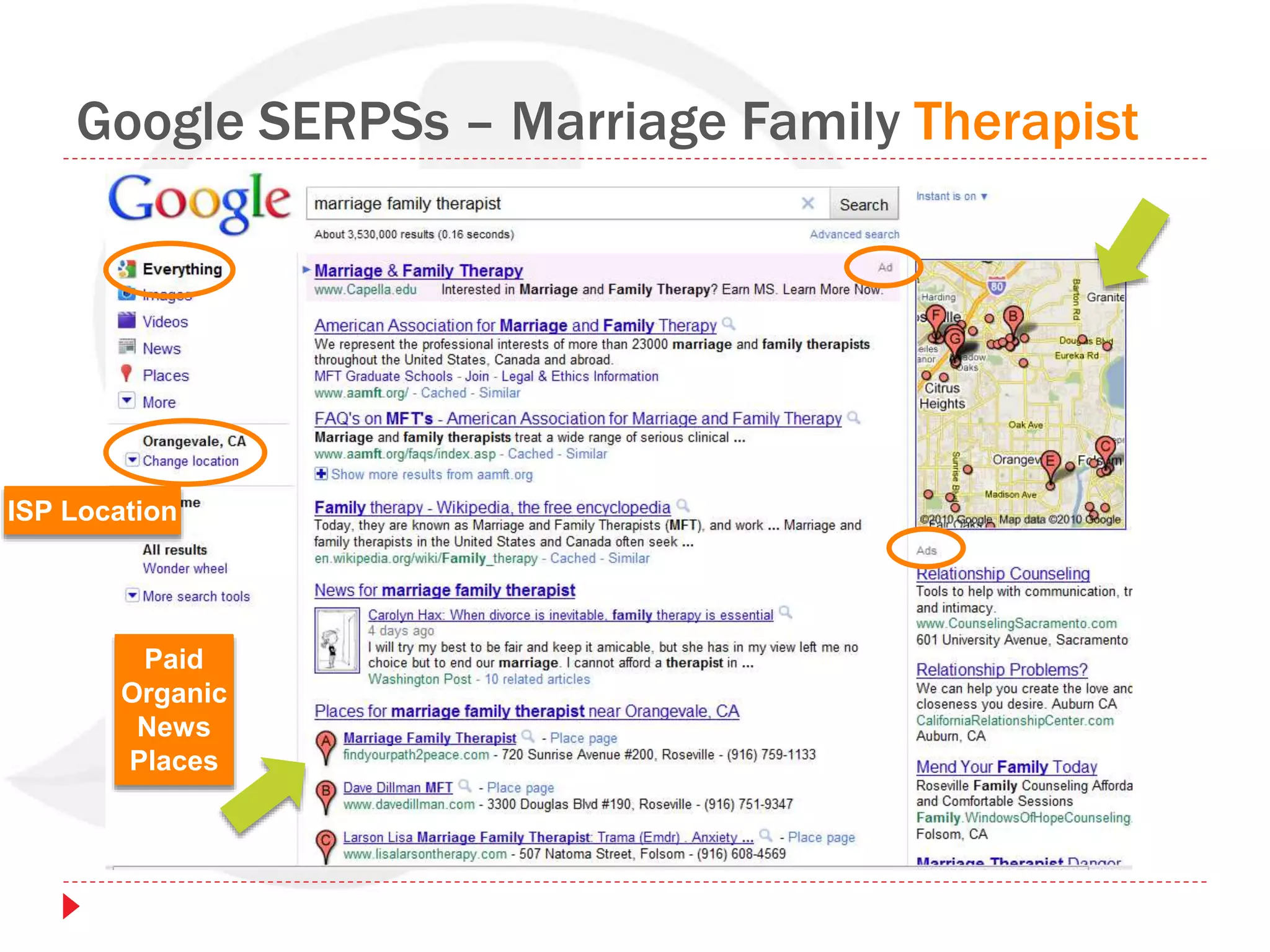
Google SERPSs – Marriage Family Therapist
Paid
Organic
News
Places
ISP Location
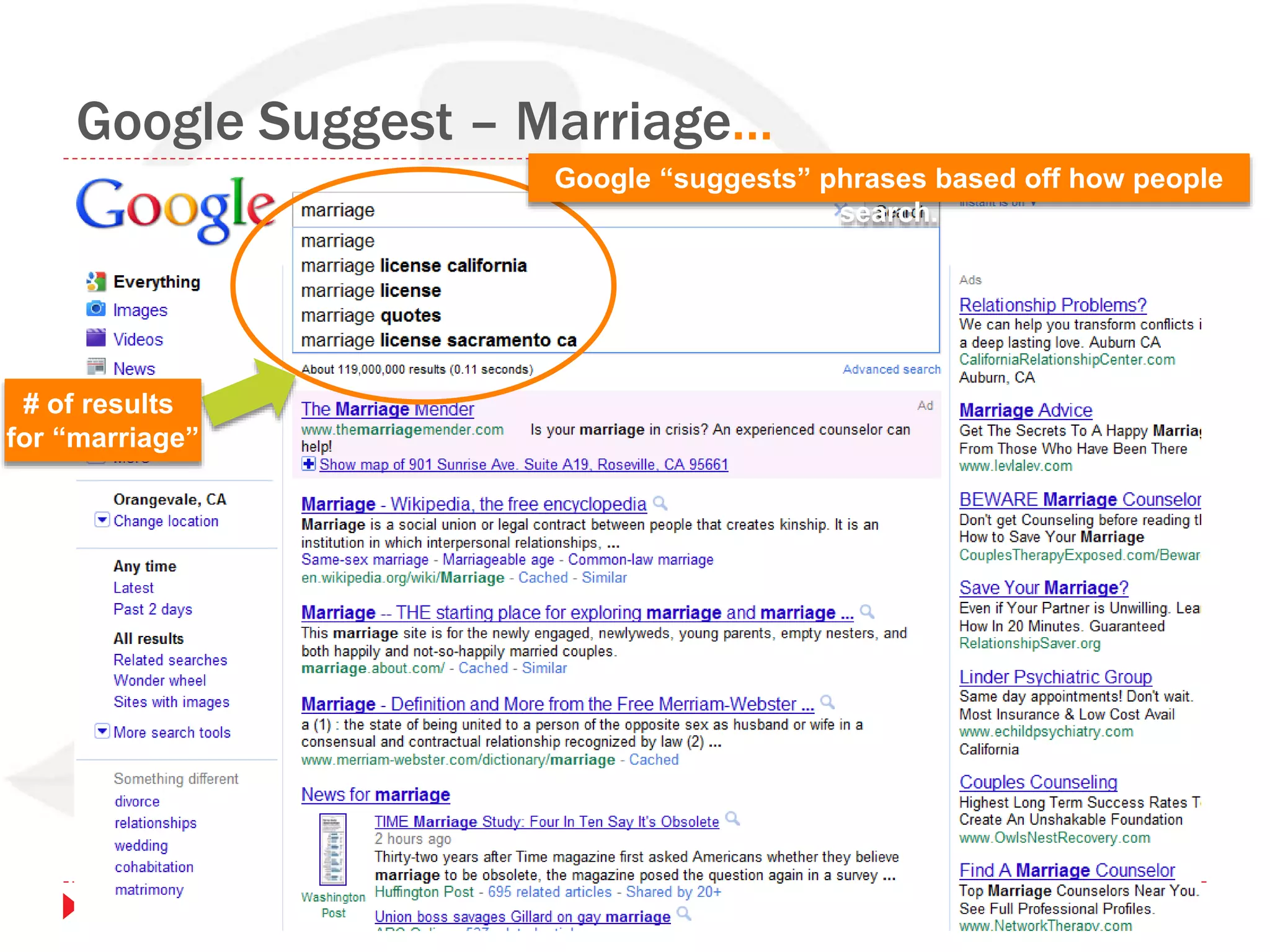
Google Suggest – Marriage…
# of results
for “marriage”
Google “suggests” phrases based off how people
search.
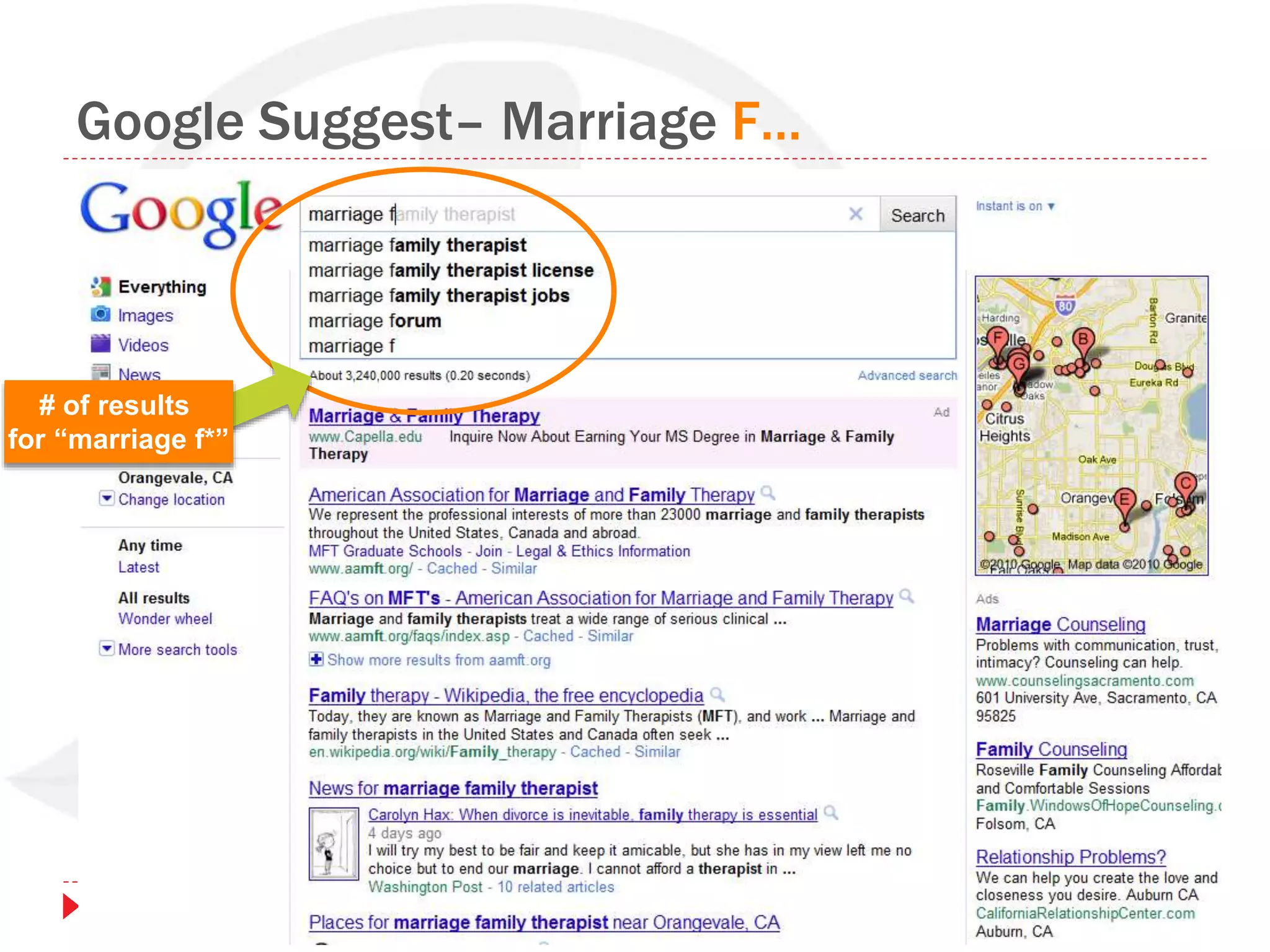
Google Suggest– Marriage F…
# of results
for “marriage f*”
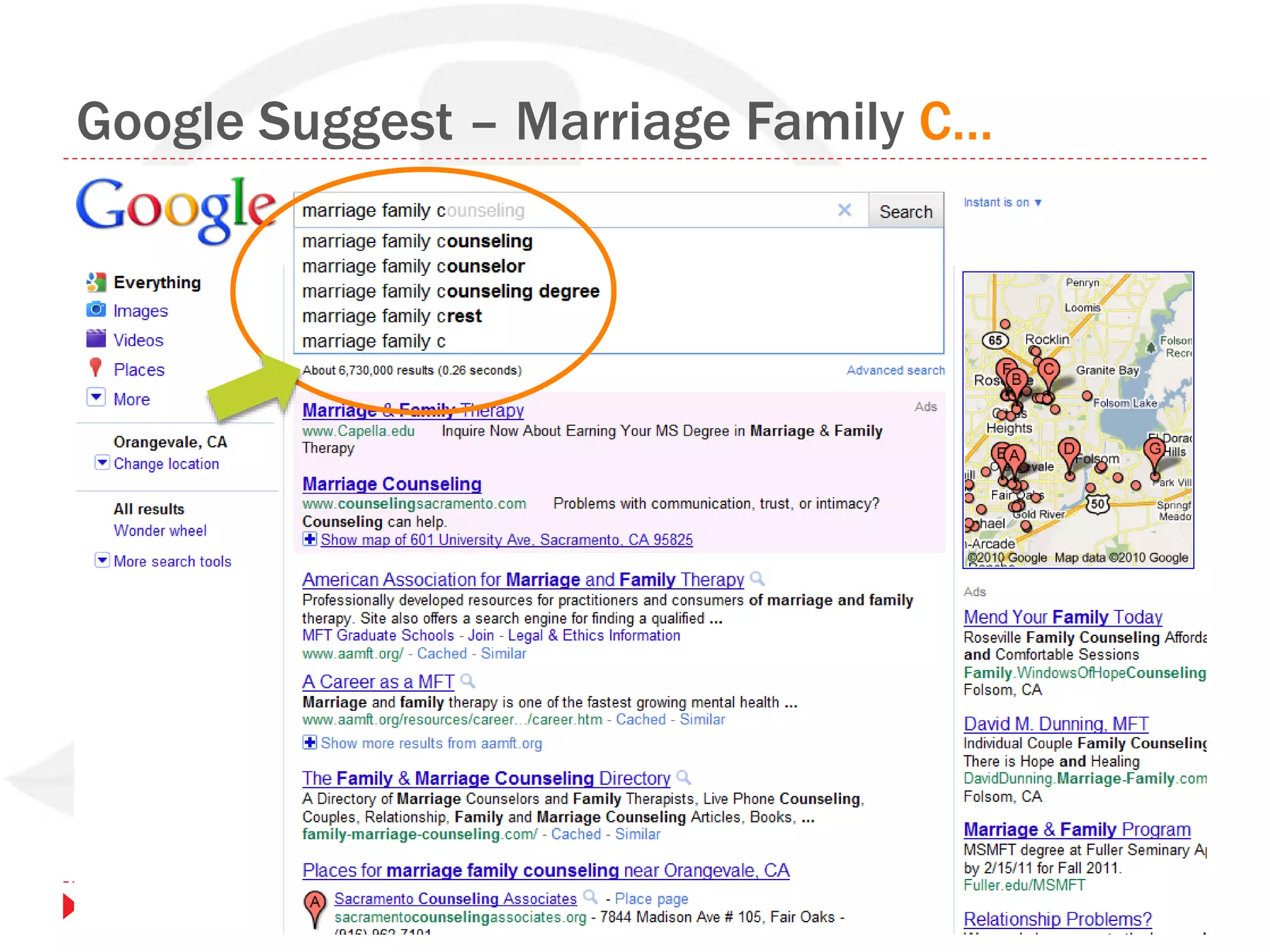
Google Suggest – Marriage Family C…
How To Get Found In Search
SEO, Search Snippets & Website Optimization
Defining Keywords to Get Found
Type & Number of Results
Local Directories
Keyword Research
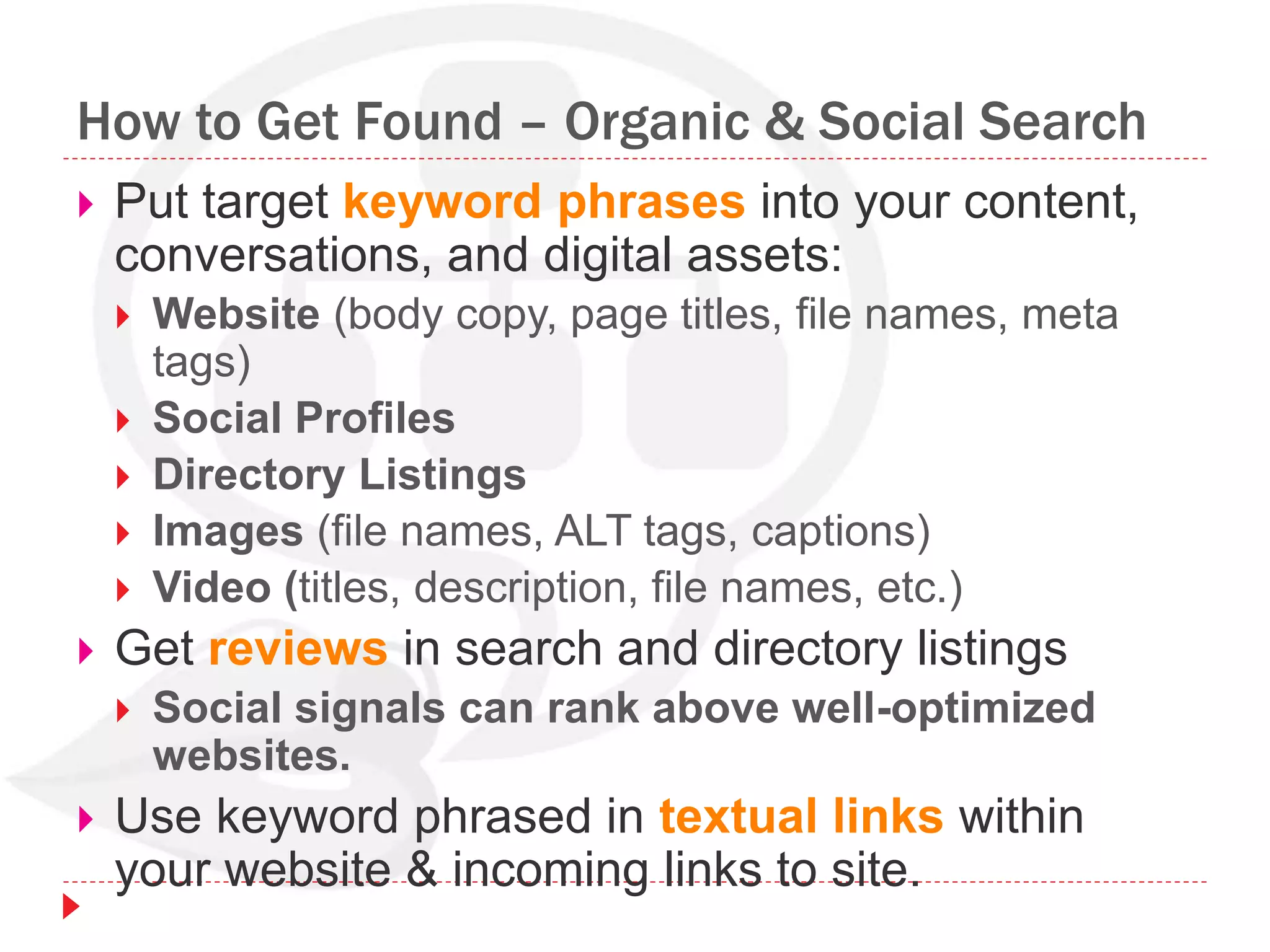
How to Get Found – Organic & Social Search
 Put target keyword phrases into your content,
conversations, and digital assets:
 Website (body copy, page titles, file names, meta
tags)
 Social Profiles
 Directory Listings
 Images (file names, ALT tags, captions)
 Video (titles, description, file names, etc.)
 Get reviews in search and directory listings
 Social signals can rank above well-optimized
websites.
 Use keyword phrased in textual links within
your website & incoming links to site.
SEO Defined
 SEO is an acronym for Search Engine
Optimization.
 The “art and science” of SEO involves:
 Understanding your target audience (searcher persona);
 Researching terms your audience “speak” - keywords
they search for and use in conversation;
 Researching your market and your competition;
 Knowing the search results space - number and type
(organic, local, news, video);
 Planning website structure, design, code, and copy
that’s “attractive” to people and “accessible” to search
spiders;
 Creating content that captures attention, meets audience
needs - content people want to talk about, share and
link to;
 Optimizing titles, tags, text and links.
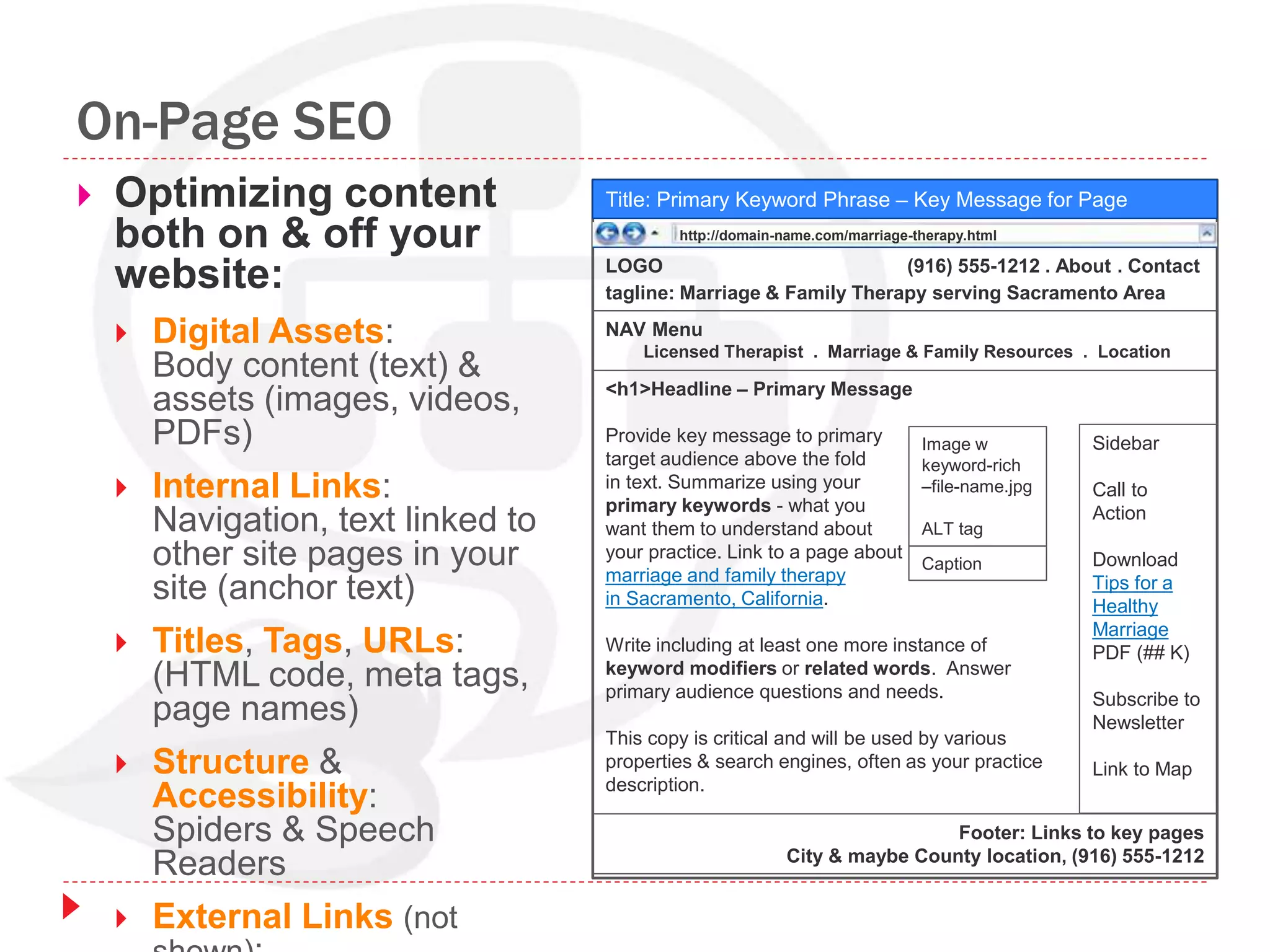
On-Page SEO
 Optimizing content
both on & off your
website:
 Digital Assets:
Body content (text) &
assets (images, videos,
PDFs)
 Internal Links:
Navigation, text linked to
other site pages in your
site (anchor text)
 Titles, Tags, URLs:
(HTML code, meta tags,
page names)
 Structure &
Accessibility:
Spiders & Speech
Readers
 External Links (not
Title: Primary Keyword Phrase – Key Message for Page
LOGO (916) 555-1212 . About . Contact
tagline: Marriage & Family Therapy serving Sacramento Area
Sidebar
Call to
Action
Download
Tips for a
Healthy
Marriage
PDF (## K)
Subscribe to
Newsletter
Link to Map
Footer: Links to key pages
City & maybe County location, (916) 555-1212
NAV Menu
Licensed Therapist . Marriage & Family Resources . Location
<h1>Headline – Primary Message
Provide key message to primary
target audience above the fold
in text. Summarize using your
primary keywords - what you
want them to understand about
your practice. Link to a page about
marriage and family therapy
in Sacramento, California.
Write including at least one more instance of
keyword modifiers or related words. Answer
primary audience questions and needs.
This copy is critical and will be used by various
properties & search engines, often as your practice
description.
Image w
keyword-rich
–file-name.jpg
ALT tag
Caption
http://domain-name.com/marriage-therapy.html
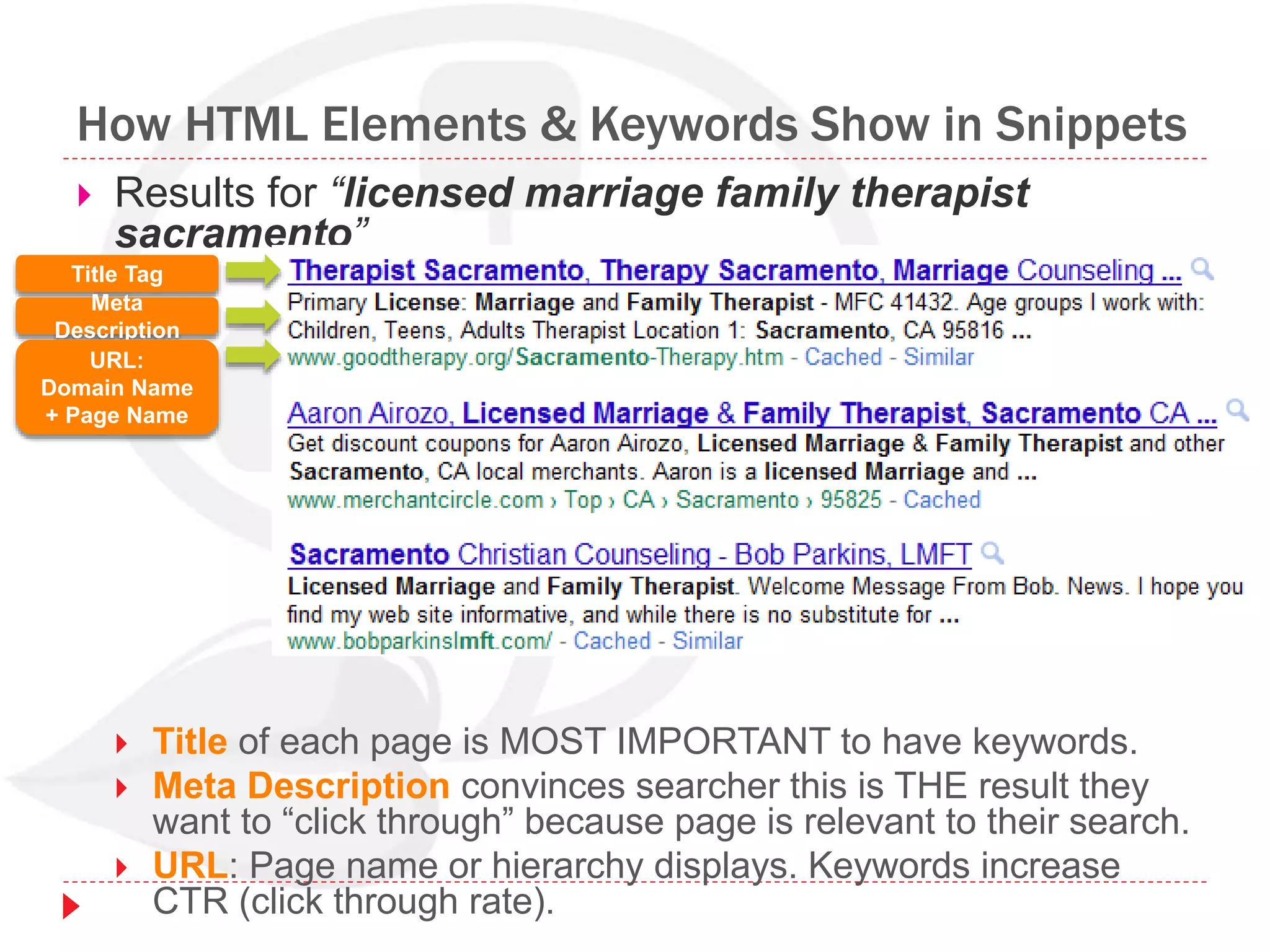
How HTML Elements & Keywords Show in Snippets
 Results for “licensed marriage family therapist
sacramento”
 Title of each page is MOST IMPORTANT to have keywords.
 Meta Description convinces searcher this is THE result they
want to “click through” because page is relevant to their search.
 URL: Page name or hierarchy displays. Keywords increase
CTR (click through rate).
Title Tag
Meta
Description
URL:
Domain Name
+ Page Name
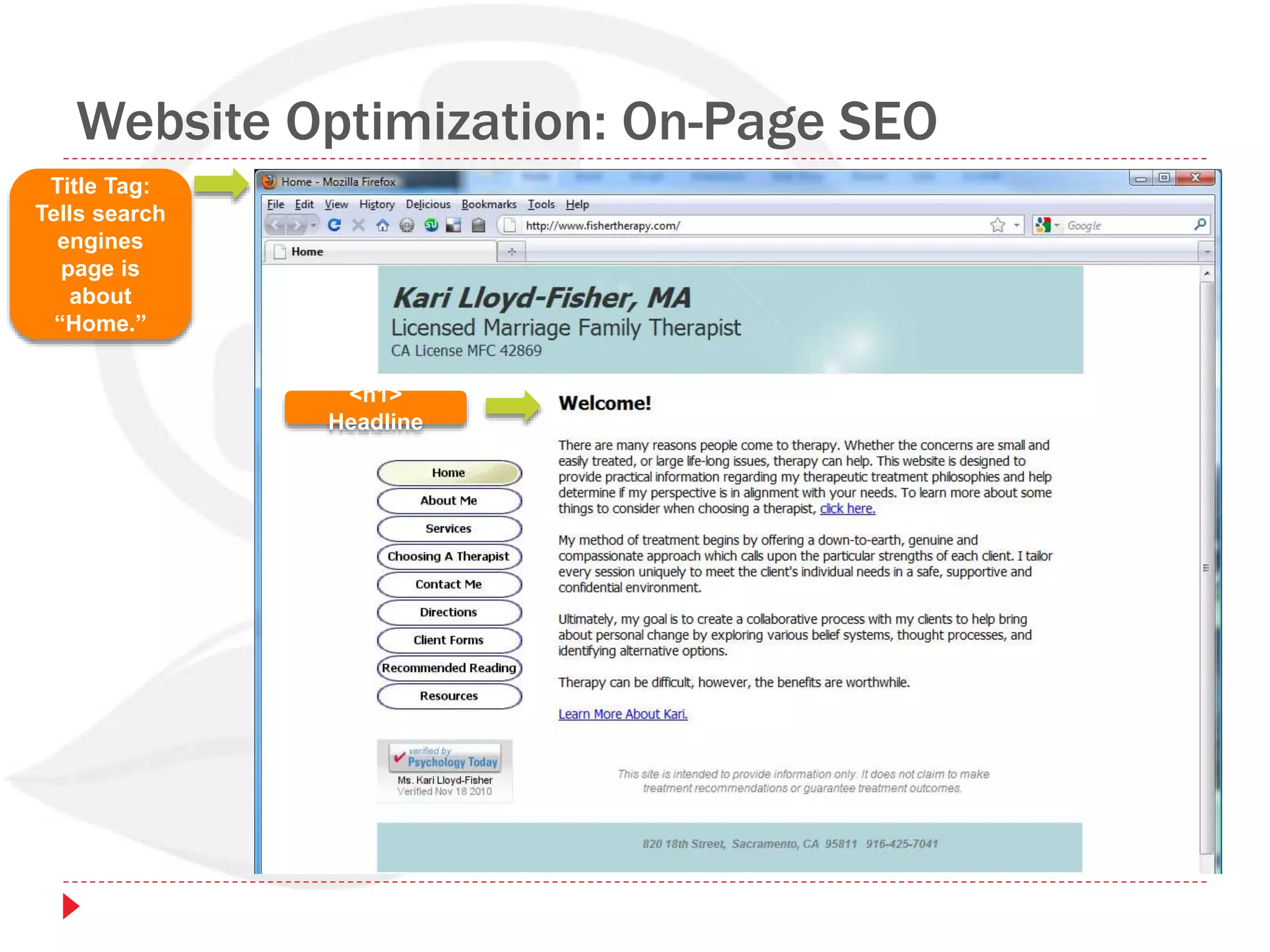
Website Optimization: On-Page SEO
Title Tag:
Tells search
engines
page is
about
“Home.”
<h1>
Headline
Website Optimization: On-Page SEO
Title Tag:
Tells search
engines
page is
about
“Serviced
Provided.”
URL
<h1>
Headline
Body copy:
1st paragraph
is most
important to
have targeted
keywords.
Bold &
italicize
words send
signals .
3 paragraphs start out with “I”
– doesn’t tell visitor what
they’ll get.
“I” is not their search term.
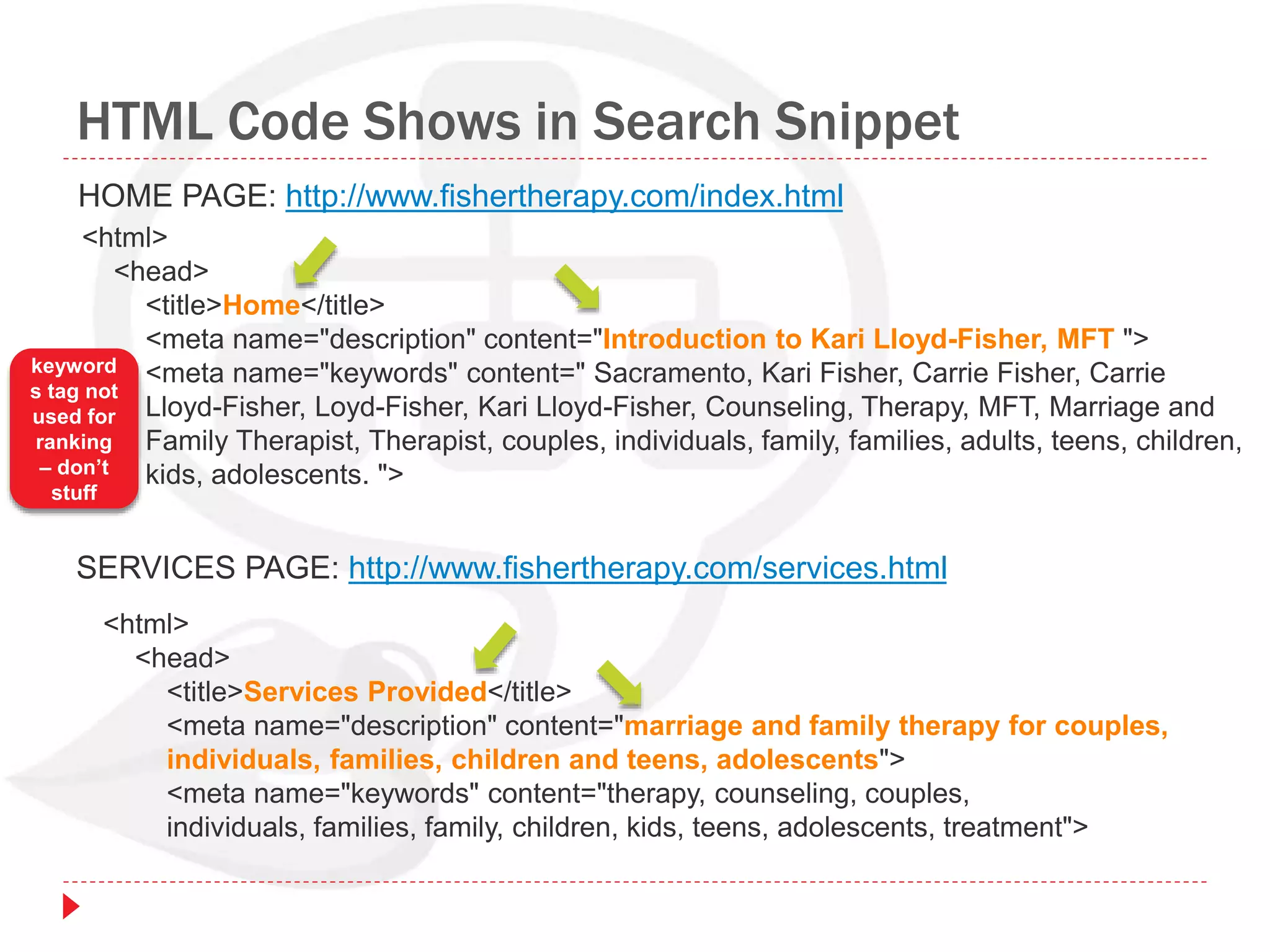
HTML Code Shows in Search Snippet
<html>
<head>
<title>Home</title>
<meta name="description" content="Introduction to Kari Lloyd-Fisher, MFT ">
<meta name="keywords" content=" Sacramento, Kari Fisher, Carrie Fisher, Carrie
Lloyd-Fisher, Loyd-Fisher, Kari Lloyd-Fisher, Counseling, Therapy, MFT, Marriage and
Family Therapist, Therapist, couples, individuals, family, families, adults, teens, children,
kids, adolescents. ">
HOME PAGE: http://www.fishertherapy.com/index.html
<html>
<head>
<title>Services Provided</title>
<meta name="description" content="marriage and family therapy for couples,
individuals, families, children and teens, adolescents">
<meta name="keywords" content="therapy, counseling, couples,
individuals, families, family, children, kids, teens, adolescents, treatment">
SERVICES PAGE: http://www.fishertherapy.com/services.html
keyword
s tag not
used for
ranking
– don’t
stuff
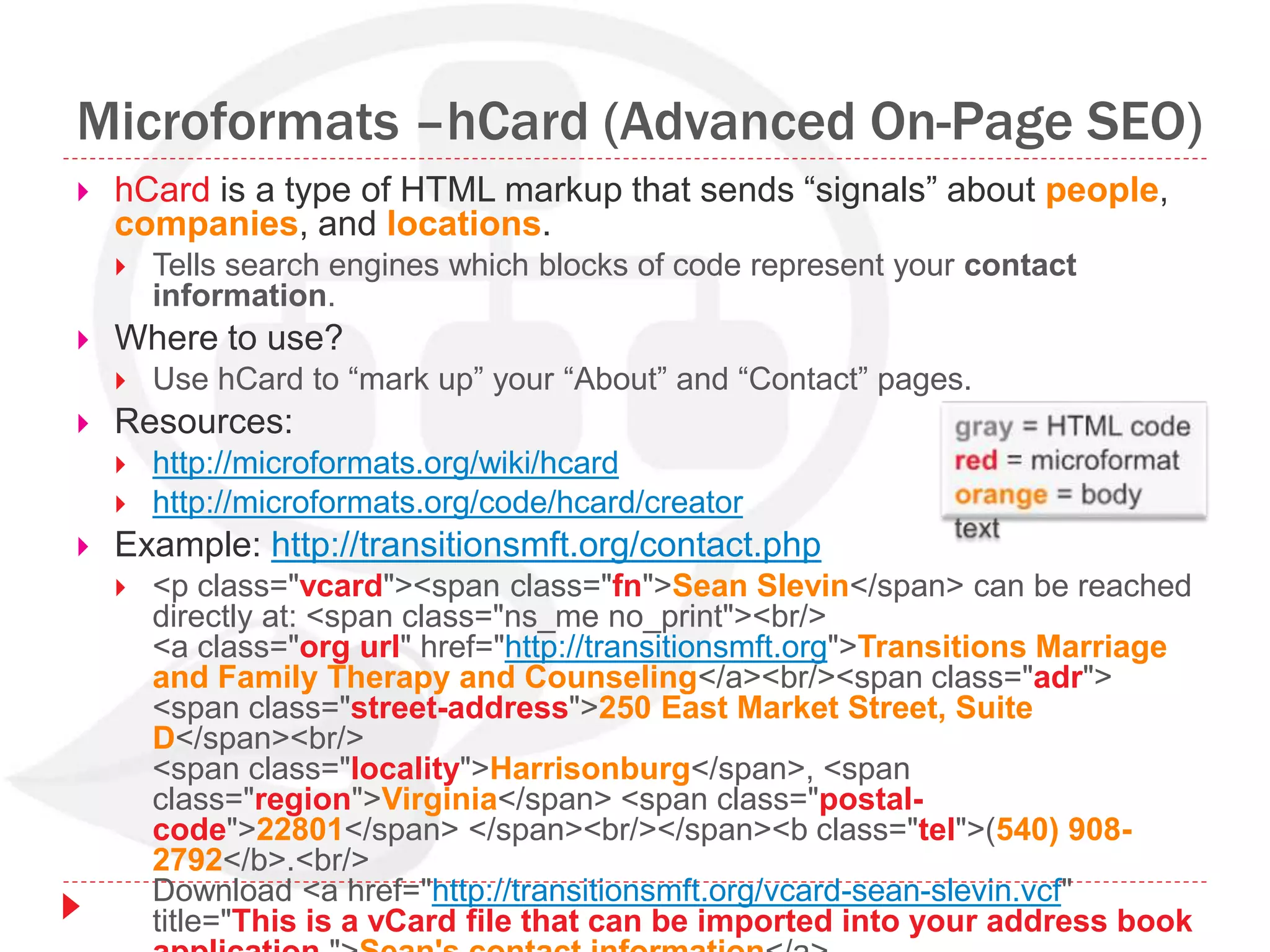
Microformats –hCard (Advanced On-Page SEO)
 hCard is a type of HTML markup that sends “signals” about people,
companies, and locations.
 Tells search engines which blocks of code represent your contact
information.
 Where to use?
 Use hCard to “mark up” your “About” and “Contact” pages.
 Resources:
 http://microformats.org/wiki/hcard
 http://microformats.org/code/hcard/creator
 Example: http://transitionsmft.org/contact.php
 <p class="vcard"><span class="fn">Sean Slevin</span> can be reached
directly at: <span class="ns_me no_print"><br/>
<a class="org url" href="http://transitionsmft.org">Transitions Marriage
and Family Therapy and Counseling</a><br/><span class="adr">
<span class="street-address">250 East Market Street, Suite
D</span><br/>
<span class="locality">Harrisonburg</span>, <span
class="region">Virginia</span> <span class="postal-
code">22801</span> </span><br/></span><b class="tel">(540) 908-
2792</b>.<br/>
Download <a href="http://transitionsmft.org/vcard-sean-slevin.vcf"
title="This is a vCard file that can be imported into your address book
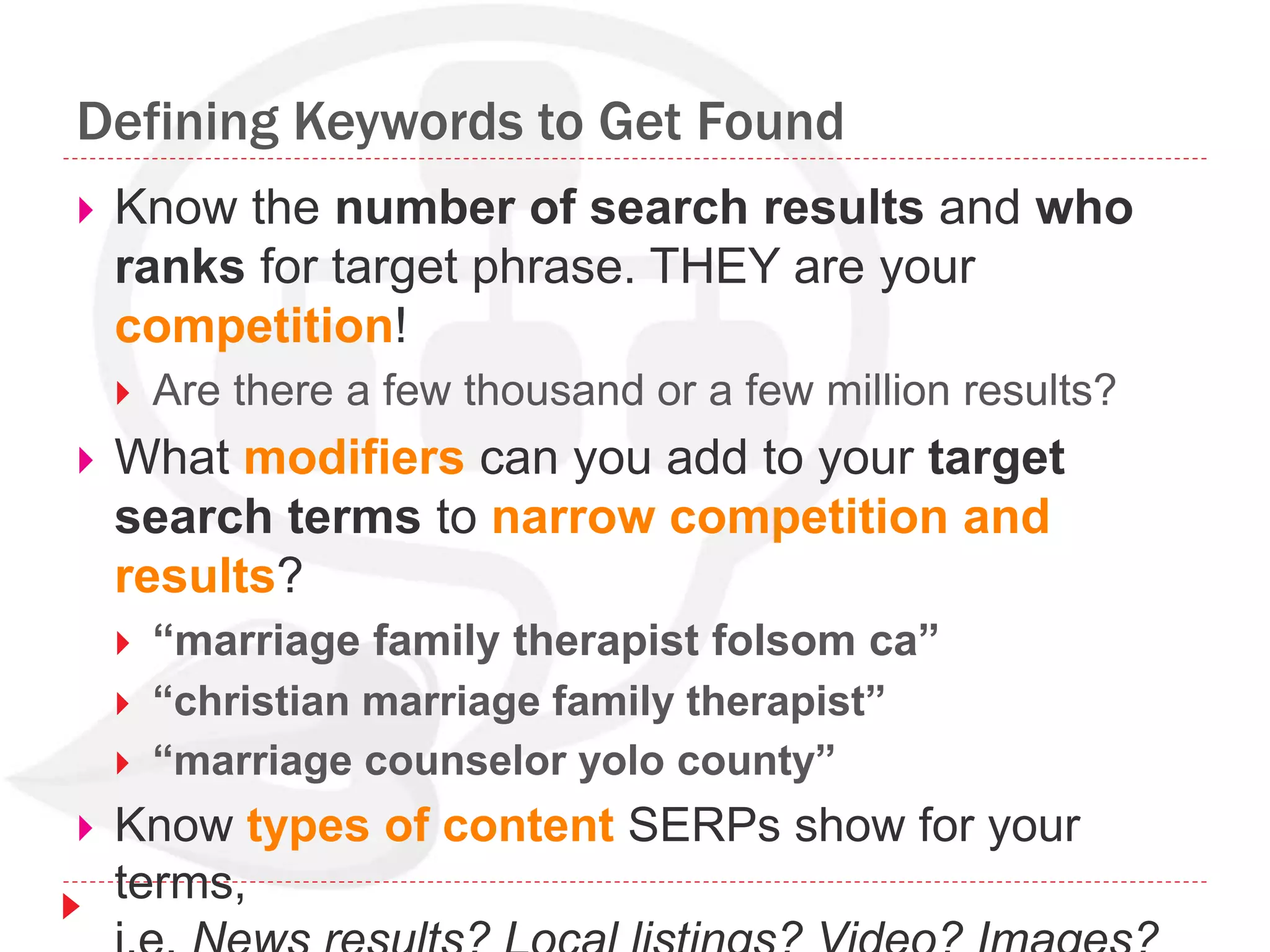
Defining Keywords to Get Found
 Know the number of search results and who
ranks for target phrase. THEY are your
competition!
 Are there a few thousand or a few million results?
 What modifiers can you add to your target
search terms to narrow competition and
results?
 “marriage family therapist folsom ca”
 “christian marriage family therapist”
 “marriage counselor yolo county”
 Know types of content SERPs show for your
terms,
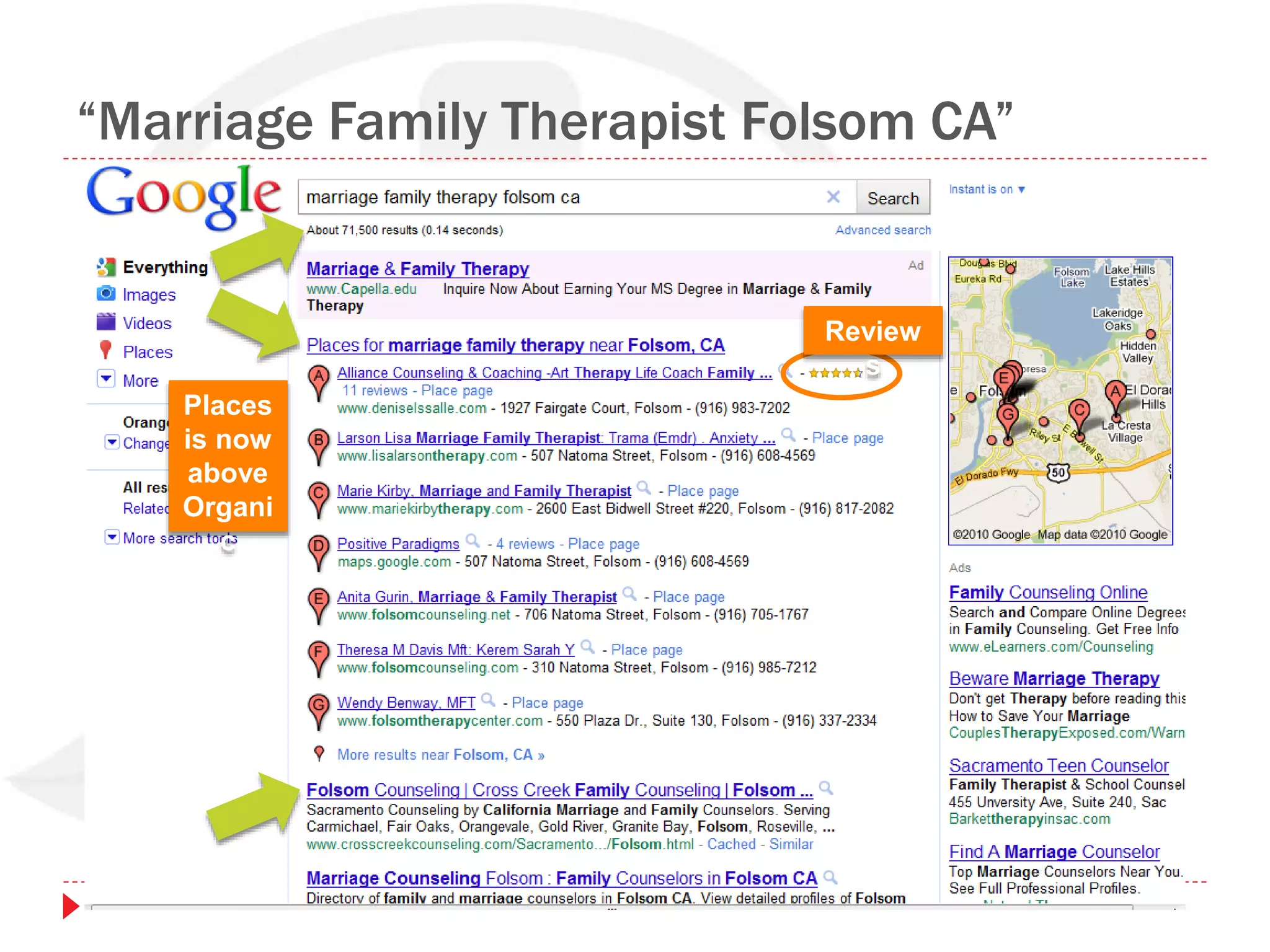
“Marriage Family Therapist Folsom CA”
Places
is now
above
Organi
c
Review
s
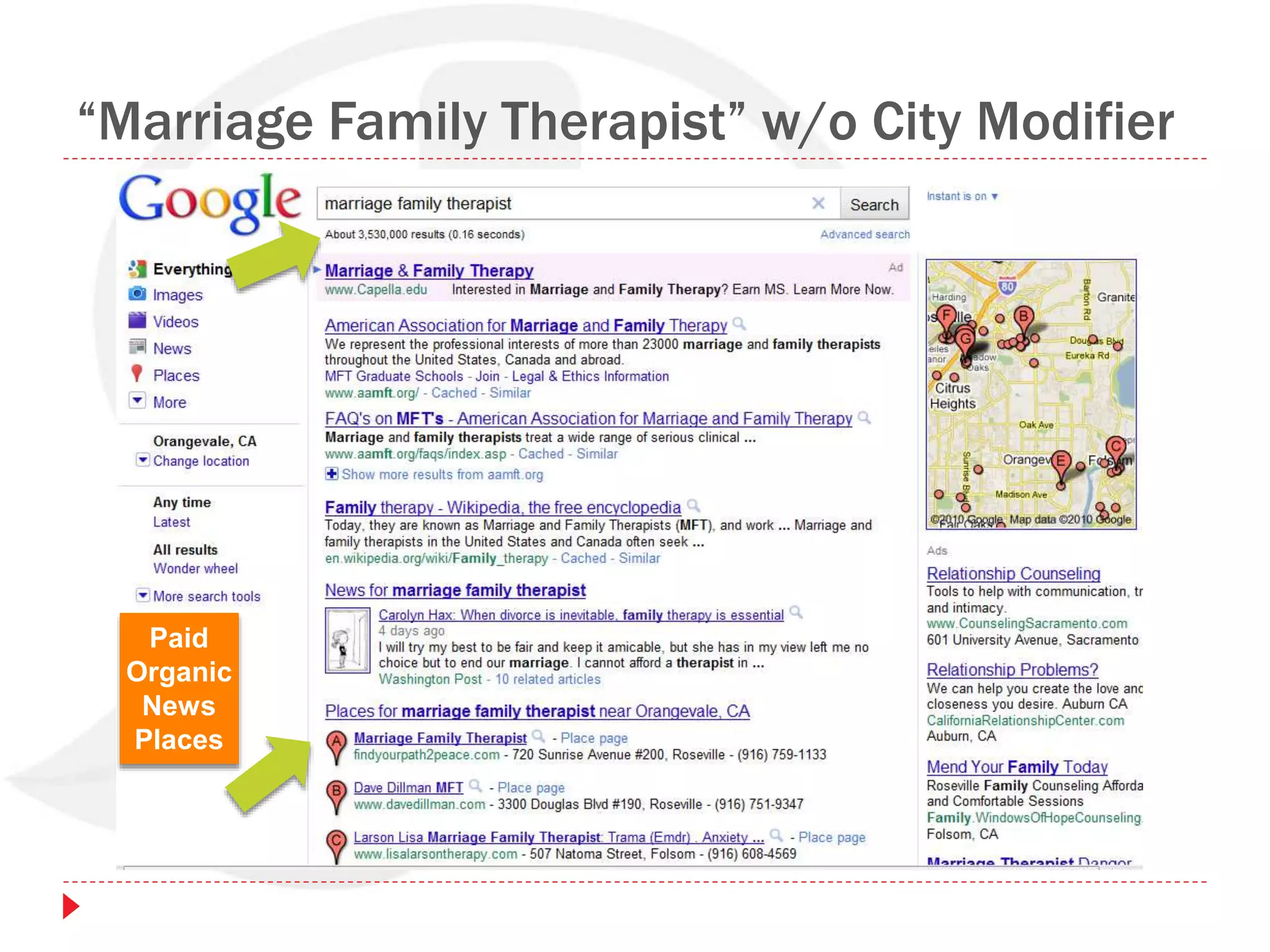
“Marriage Family Therapist” w/o City Modifier
Paid
Organic
News
Places
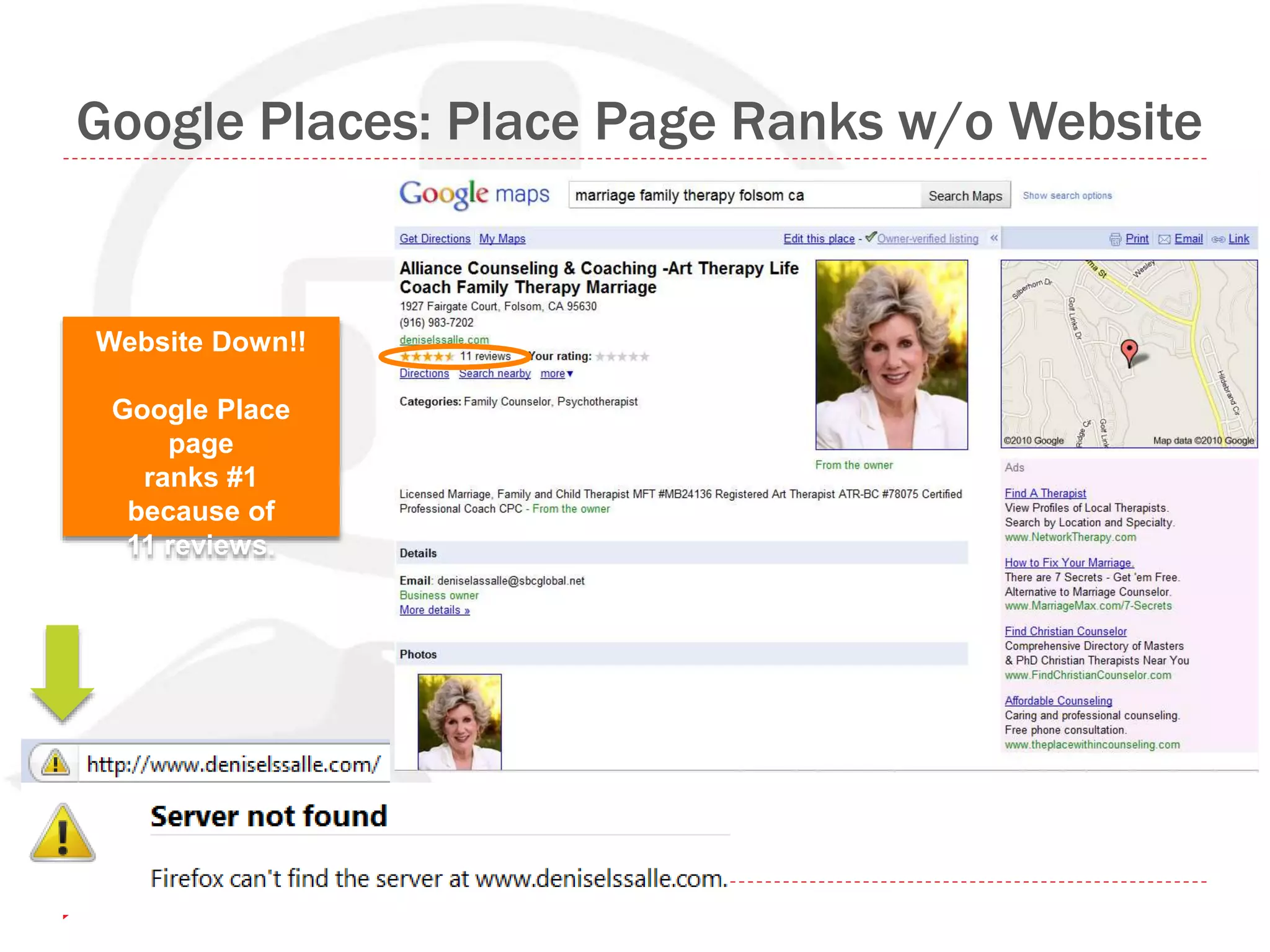
Google Places: Place Page Ranks w/o Website
Website Down!!
Google Place
page
ranks #1
because of
11 reviews.
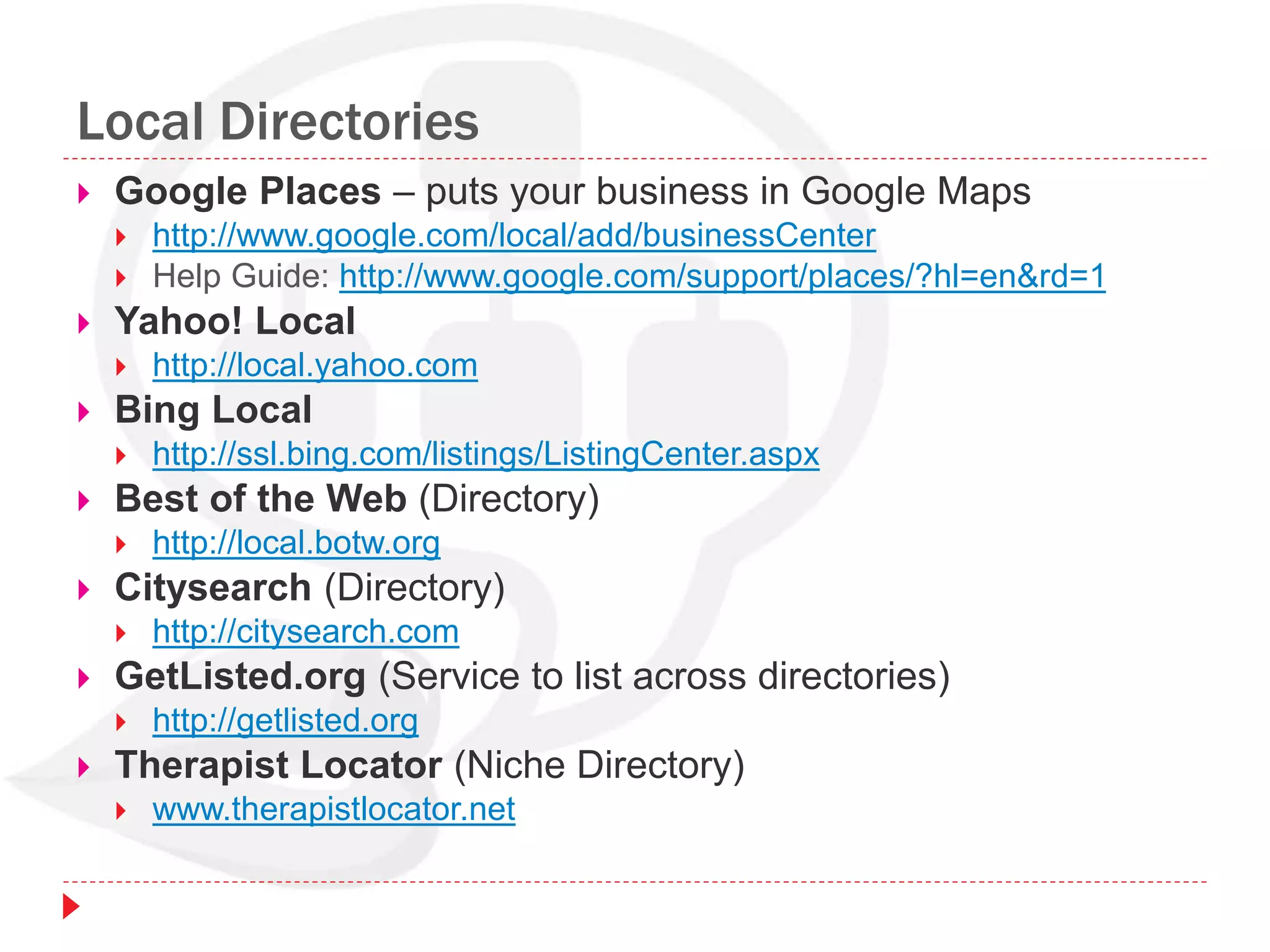
Local Directories
 Google Places – puts your business in Google Maps
 http://www.google.com/local/add/businessCenter
 Help Guide: http://www.google.com/support/places/?hl=en&rd=1
 Yahoo! Local
 http://local.yahoo.com
 Bing Local
 http://ssl.bing.com/listings/ListingCenter.aspx
 Best of the Web (Directory)
 http://local.botw.org
 Citysearch (Directory)
 http://citysearch.com
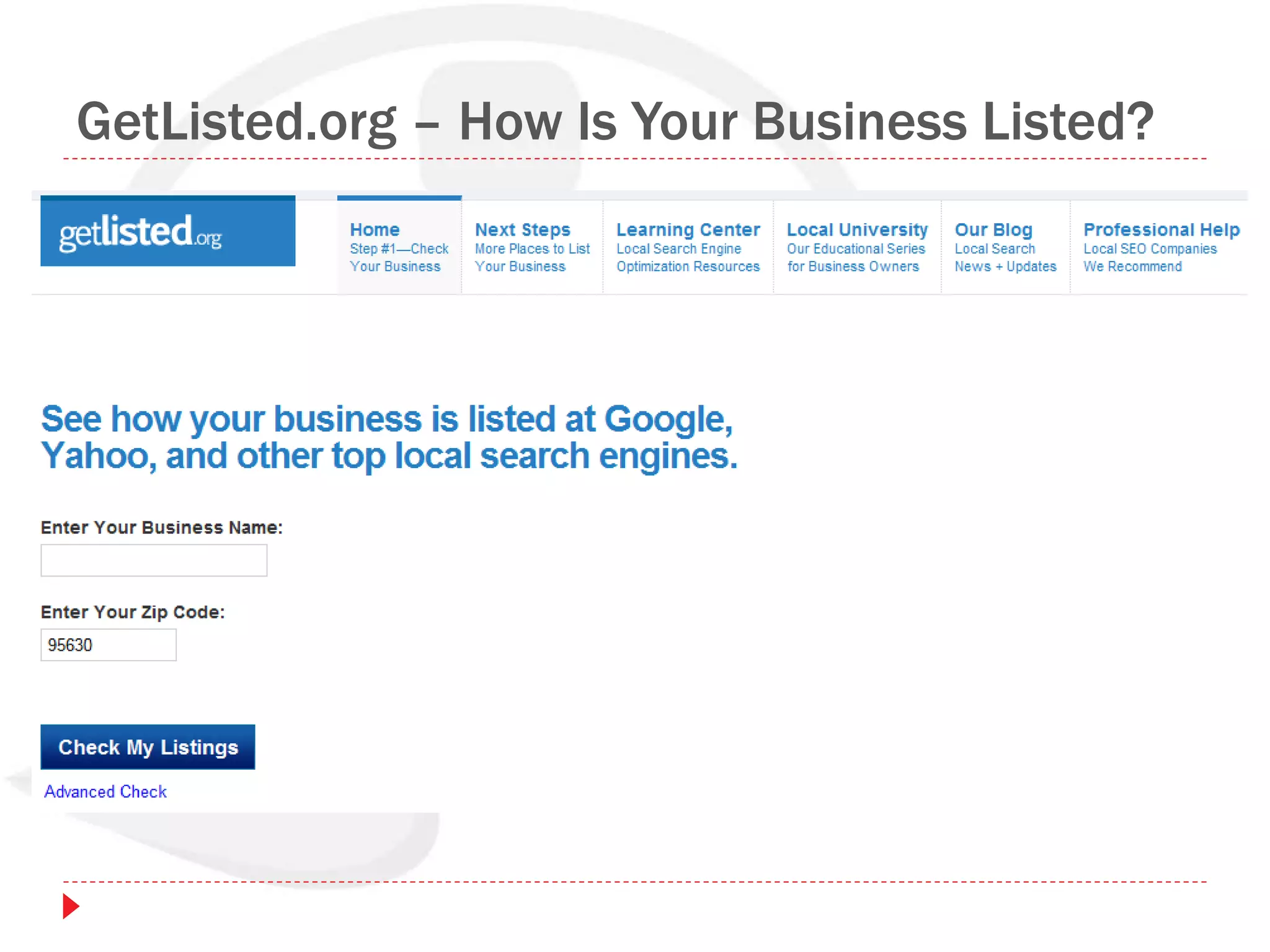
 GetListed.org (Service to list across directories)
 http://getlisted.org
 Therapist Locator (Niche Directory)
 www.therapistlocator.net
GetListed.org – How Is Your Business Listed?
Research Keywords People Search & Say
 Google Suggest results
 Phrases that appear as you search in
www.google.com
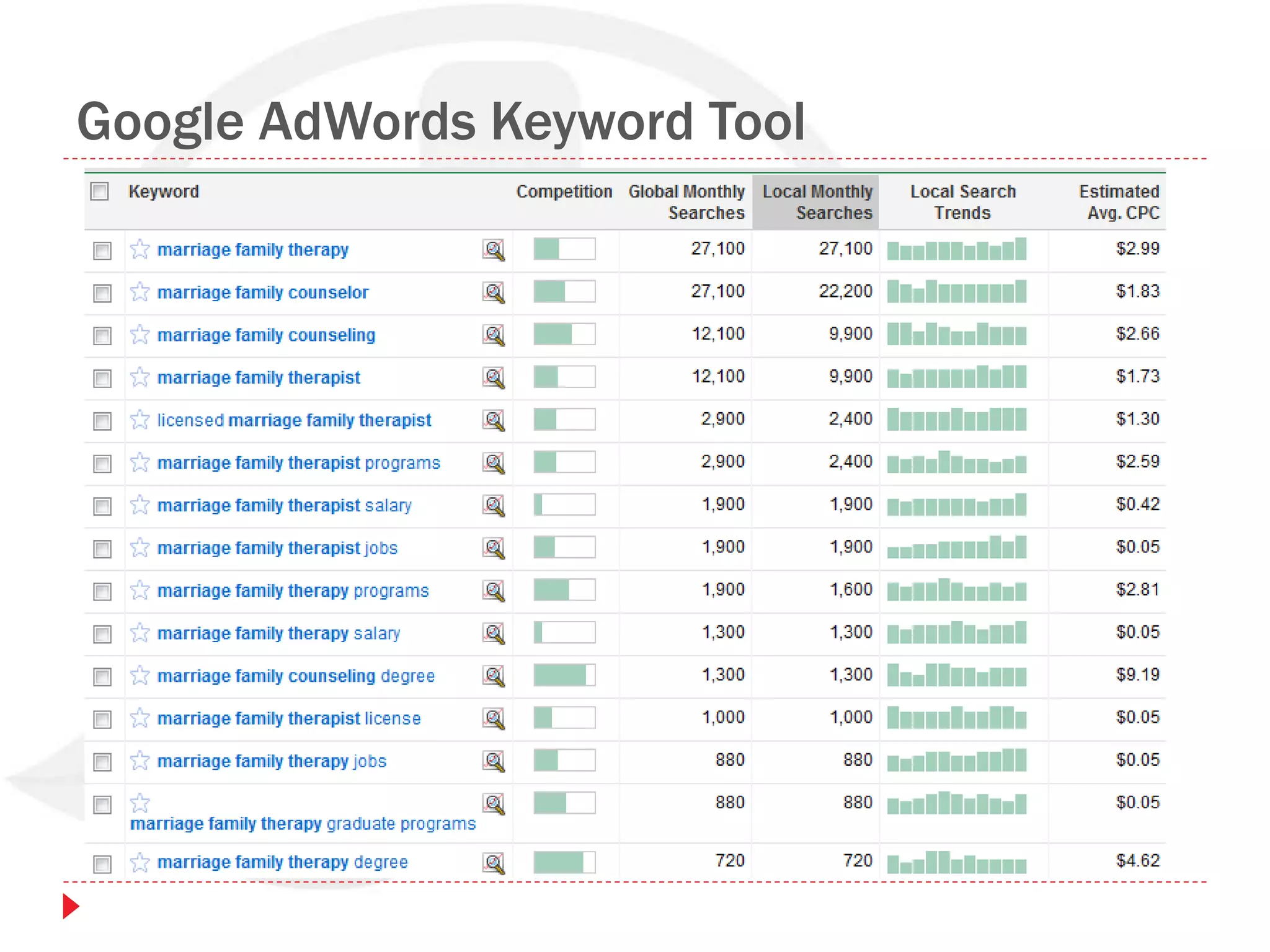
 Google AdWords Keyword Tool
 https://adwords.google.com/
 WordTracker Free Keyword Tool
 https://freekeywords.wordtracker.com/
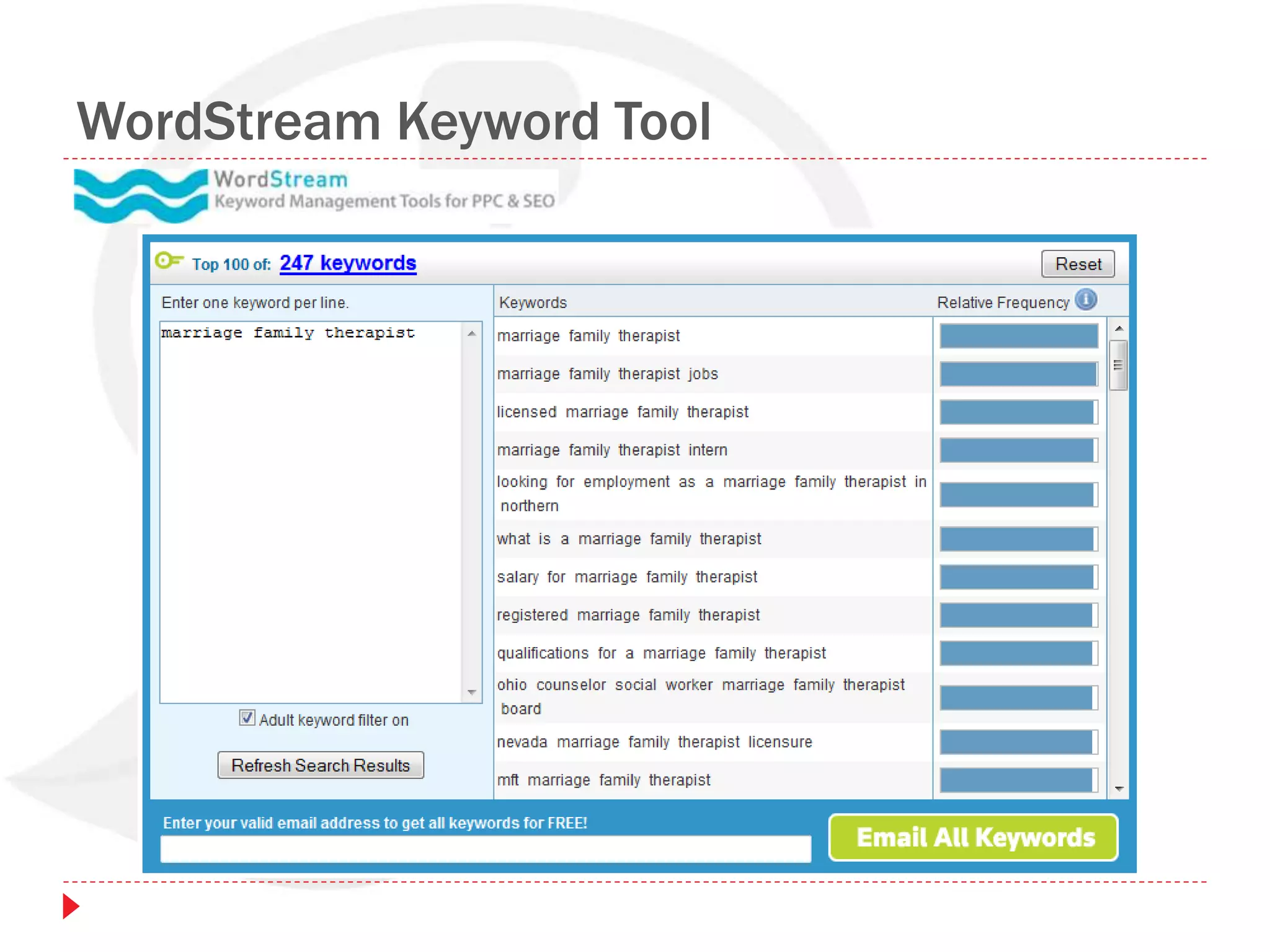
 WordStream Free Keyword Tool
 http://www.wordstream.com/keywords/
 Listen to clients, making notes of words they use!
Google AdWords Keyword Tool
WordStream Keyword Tool
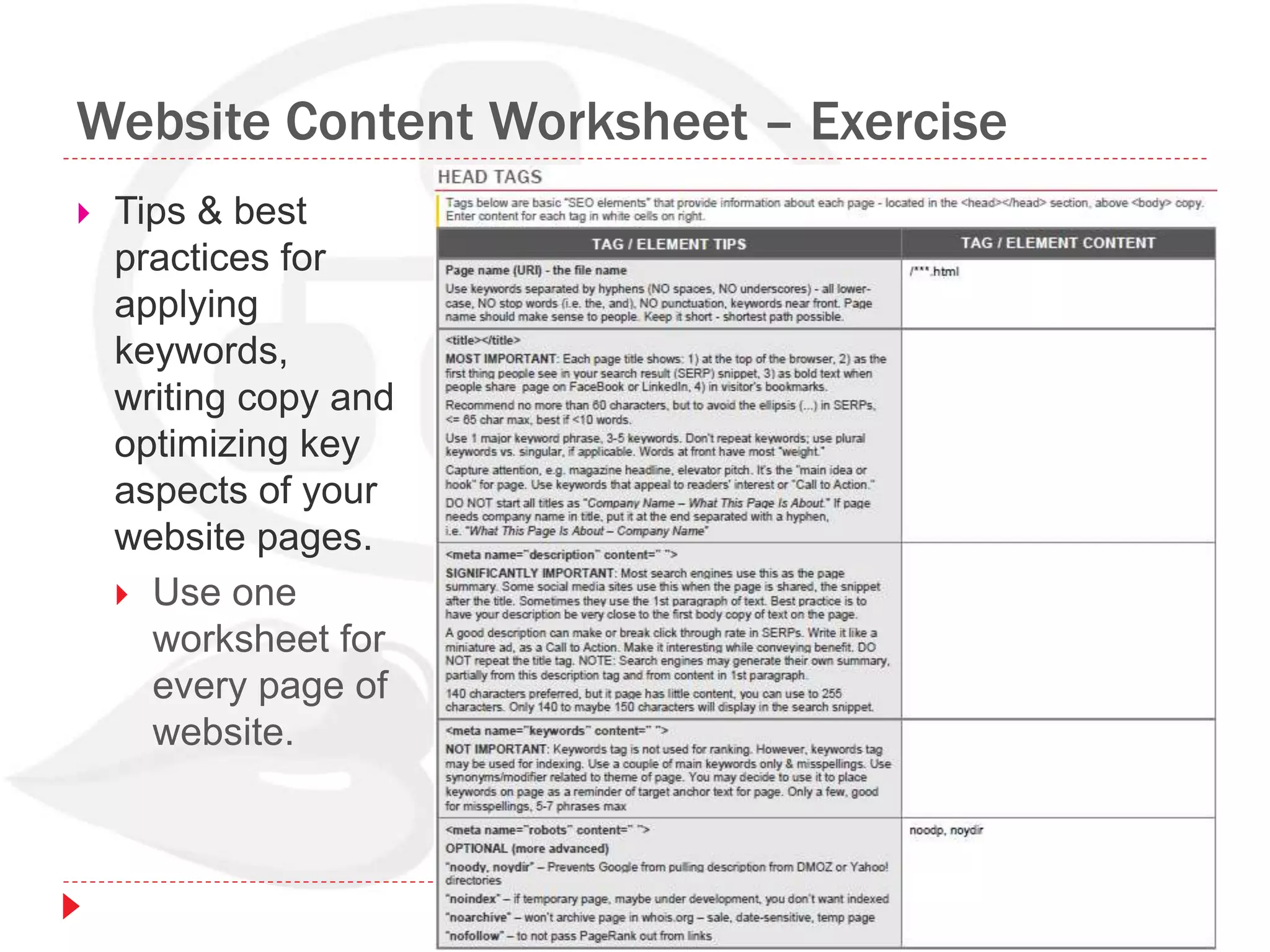
Website Content Worksheet – Exercise
 Tips & best
practices for
applying
keywords,
writing copy and
optimizing key
aspects of your
website pages.
 Use one
worksheet for
every page of
website.
Social Media Overview
Social Media Properties
Engagement Opportunities
Search & Social Web
Search & Social Footprint
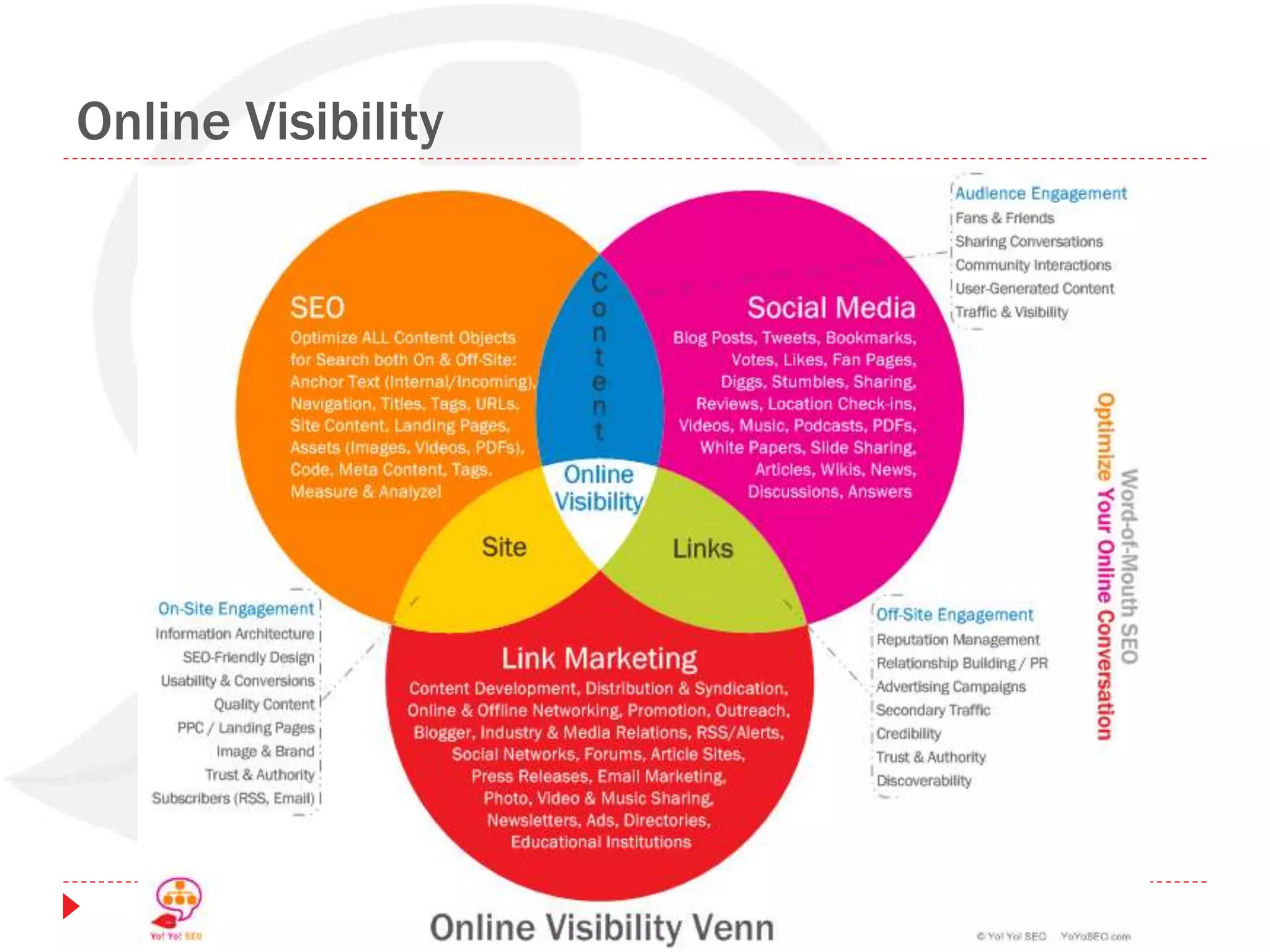
Online Visibility Venn Diagram
Social Media Properties
 Social Media is engaging on
sites that enable
discussions, sharing &
voting.
• Sharing (Facebook, Twitter)
• Networking (LinkedIn)
• Bookmarking (Delicious)
• Video (YouTube, Vimeo)
• Images (Flickr)
• Reviews (Yelp)
• Forums (Yahoo! Answers)
• Music (BLIP.fm)
• Blogging (WordPress,
Blogger)
• News (StumbleUpon, Digg)
Social Media Engagement Opportunities
 Blogging (Blogger,
WordPress)
 Personal Journal, Interests,
Hobbies
 Marketing & Promotion
 Thought Leadership
 Forums & Discussion
Boards
 Birds-of-a-Feather Sharing
 Meet others with same
interests
 Answer questions,
demonstrate expertise
 Branding
 MicroBlogging
 Connect with other
therapists
 Connect with local
businesses
 Offer promotions
 Share relationship tips
 Become a thought leader
 Share local news, becoming
part of community
 Provide feedback
 Establish your brand
 Visibility
 Friendships
The Search & Social Web
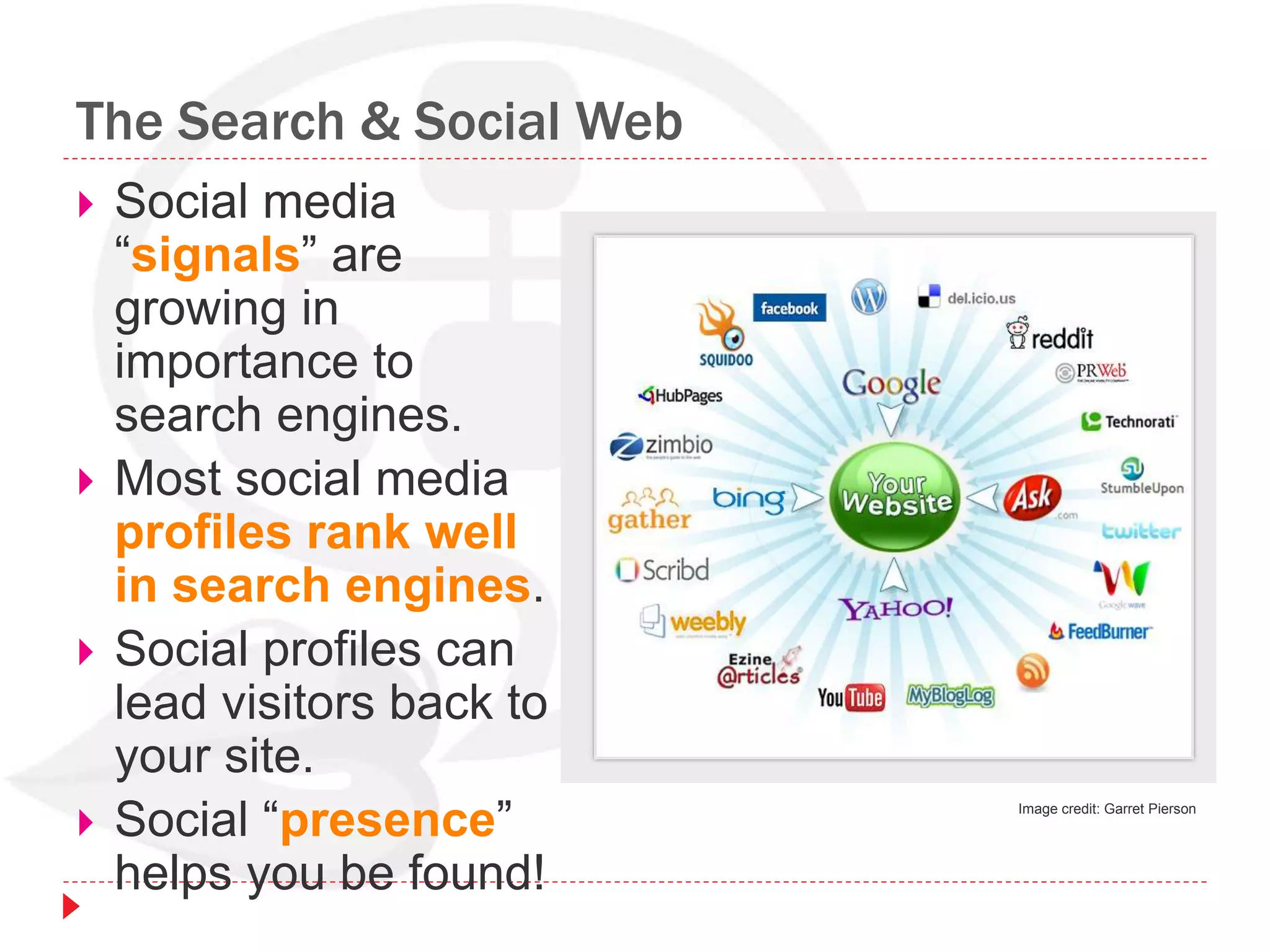
 Social media
“signals” are
growing in
importance to
search engines.
 Most social media
profiles rank well
in search engines.
 Social profiles can
lead visitors back to
your site.
 Social “presence”
helps you be found!
Image credit: Garret Pierson
Search & Social Footprint
 Search: Your website’s search footprint
increases by developing quality content and
getting incoming links to your pages.
 Social Media: Your social footprint increases
your exposure in the SERPs and other forms of
search.
 Friends on Twitter
 Fans on Facebook
 Connections in LinkedIn
 Reviews in directory listings
Search & Social Footprint
 People exposed to you, your practice and your
website content will, if they like it, share it on
Twitter, write a review on LinkedIn, bookmark it
on Delicious, vote on it (thumbs up) in
StumbleUpon.
 The key to building visibility through your search
and social footprint is to offer something of
value:
QUALITY CONTENT
 Combining “search & social” means more
results about you are indexed in search. You get
more incoming links, more traffic, and more
social media conversations & votes - resulting
in higher visibility.
Online Visibility
Social Profiles
Optimizing Your Profiles
Google Profile
Securing Profiles
Getting Started Checklist & Worksheet
Optimizing Your Profiles
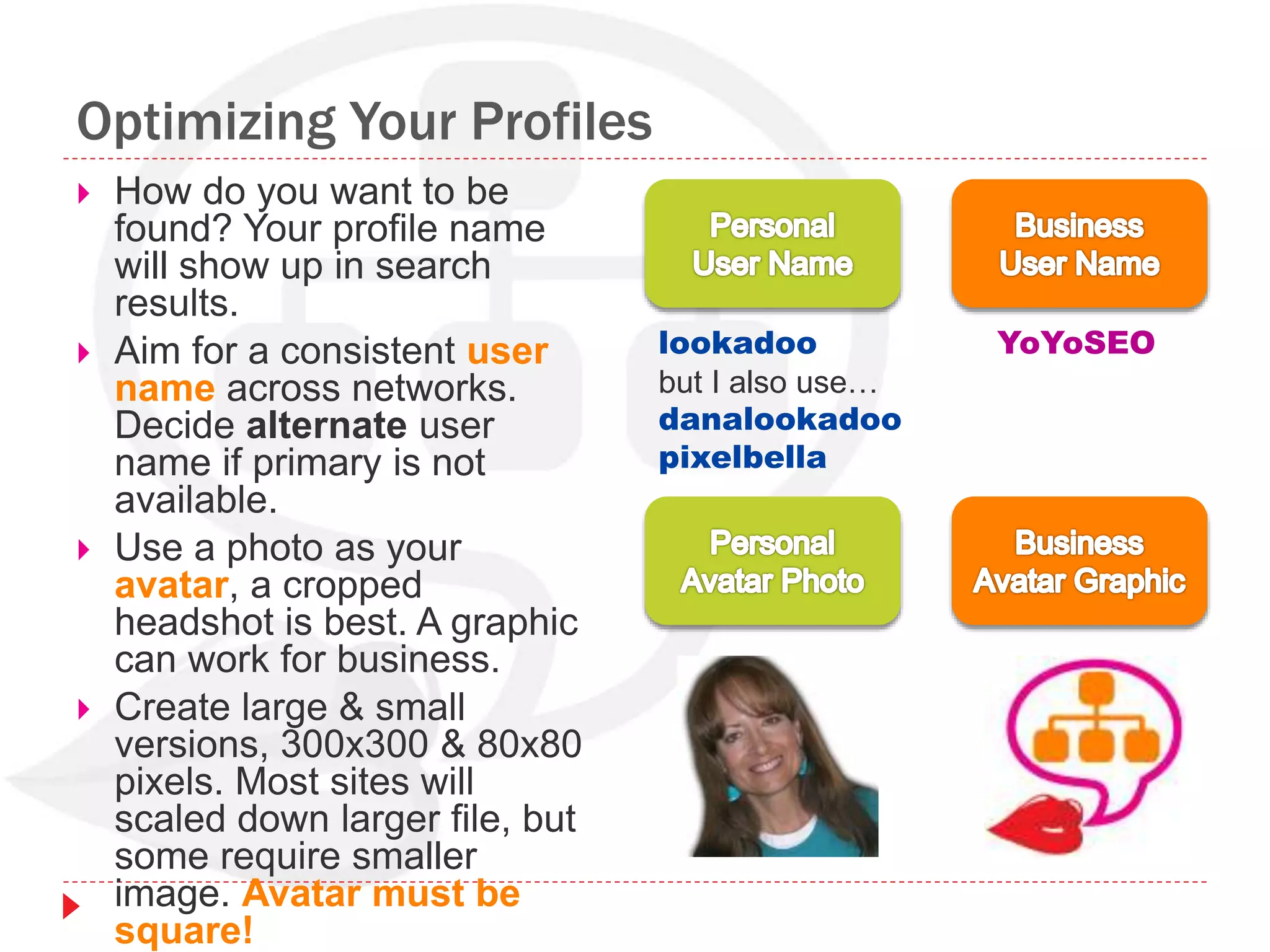
 How do you want to be
found? Your profile name
will show up in search
results.
 Aim for a consistent user
name across networks.
Decide alternate user
name if primary is not
available.
 Use a photo as your
avatar, a cropped
headshot is best. A graphic
can work for business.
 Create large & small
versions, 300x300 & 80x80
pixels. Most sites will
scaled down larger file, but
some require smaller
image. Avatar must be
square!
lookadoo
but I also use…
danalookadoo
pixelbella
YoYoSEO
Optimizing Your Profiles – Twitter
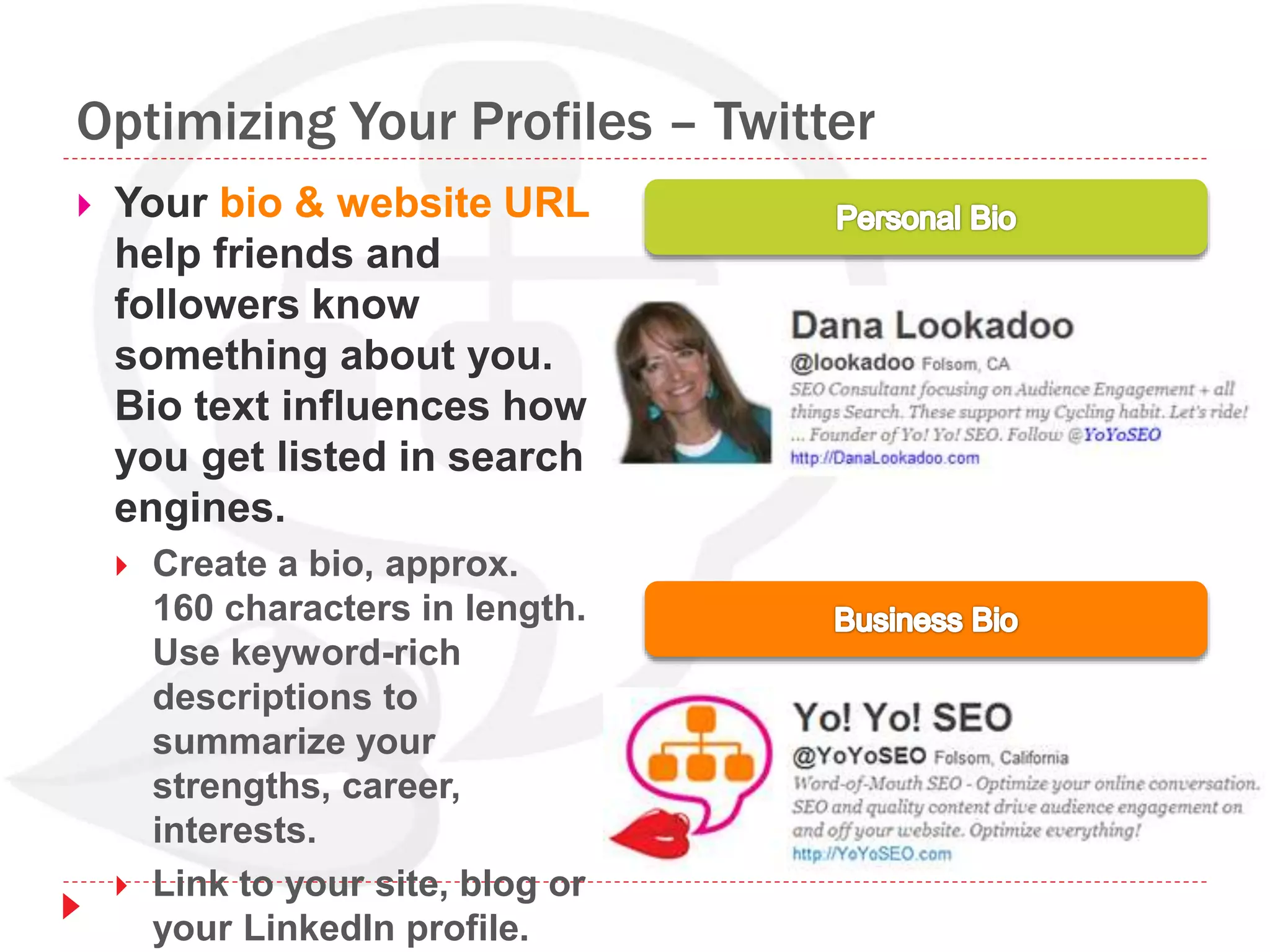
 Your bio & website URL
help friends and
followers know
something about you.
Bio text influences how
you get listed in search
engines.
 Create a bio, approx.
160 characters in length.
Use keyword-rich
descriptions to
summarize your
strengths, career,
interests.
 Link to your site, blog or
your LinkedIn profile.
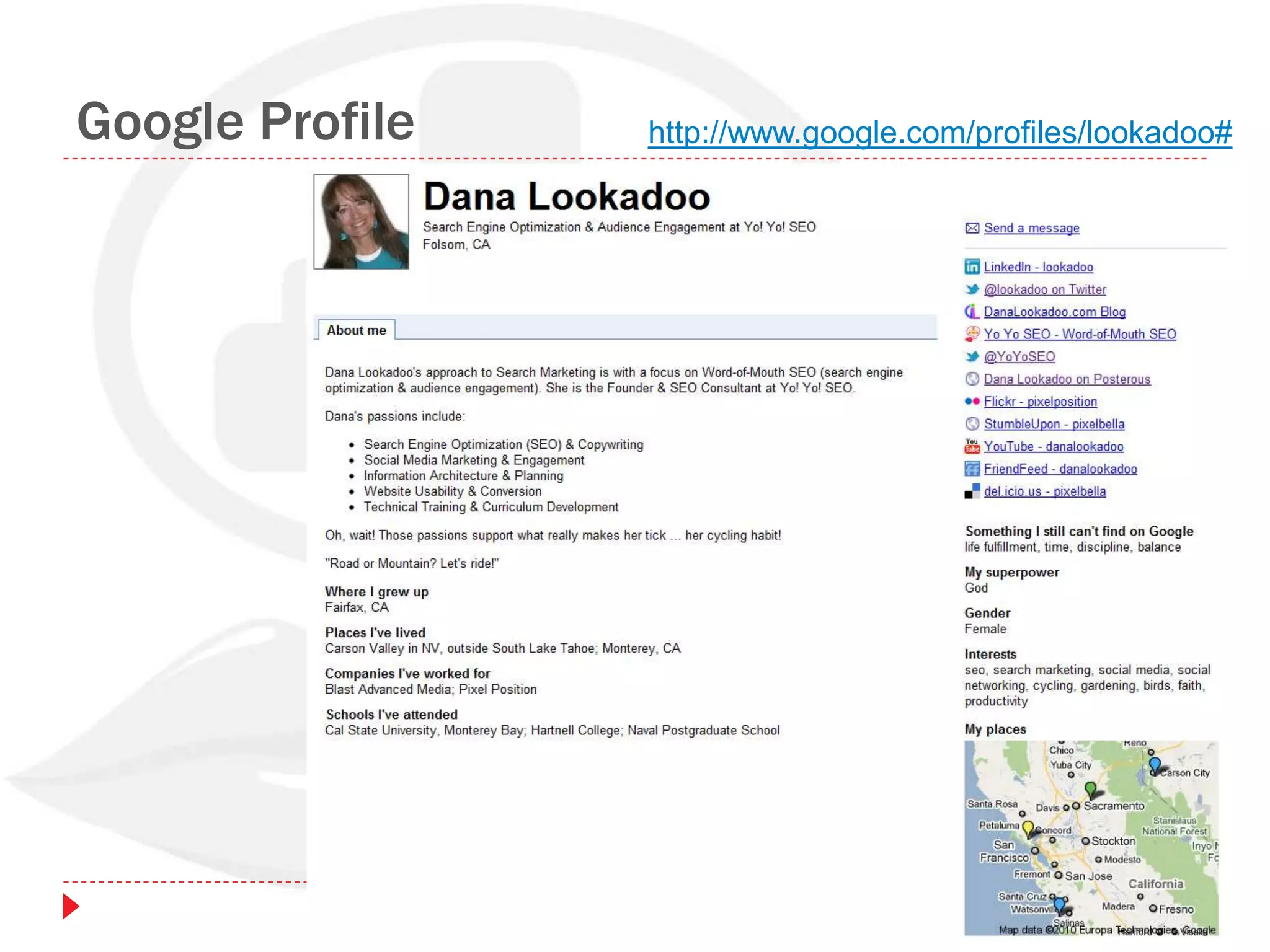
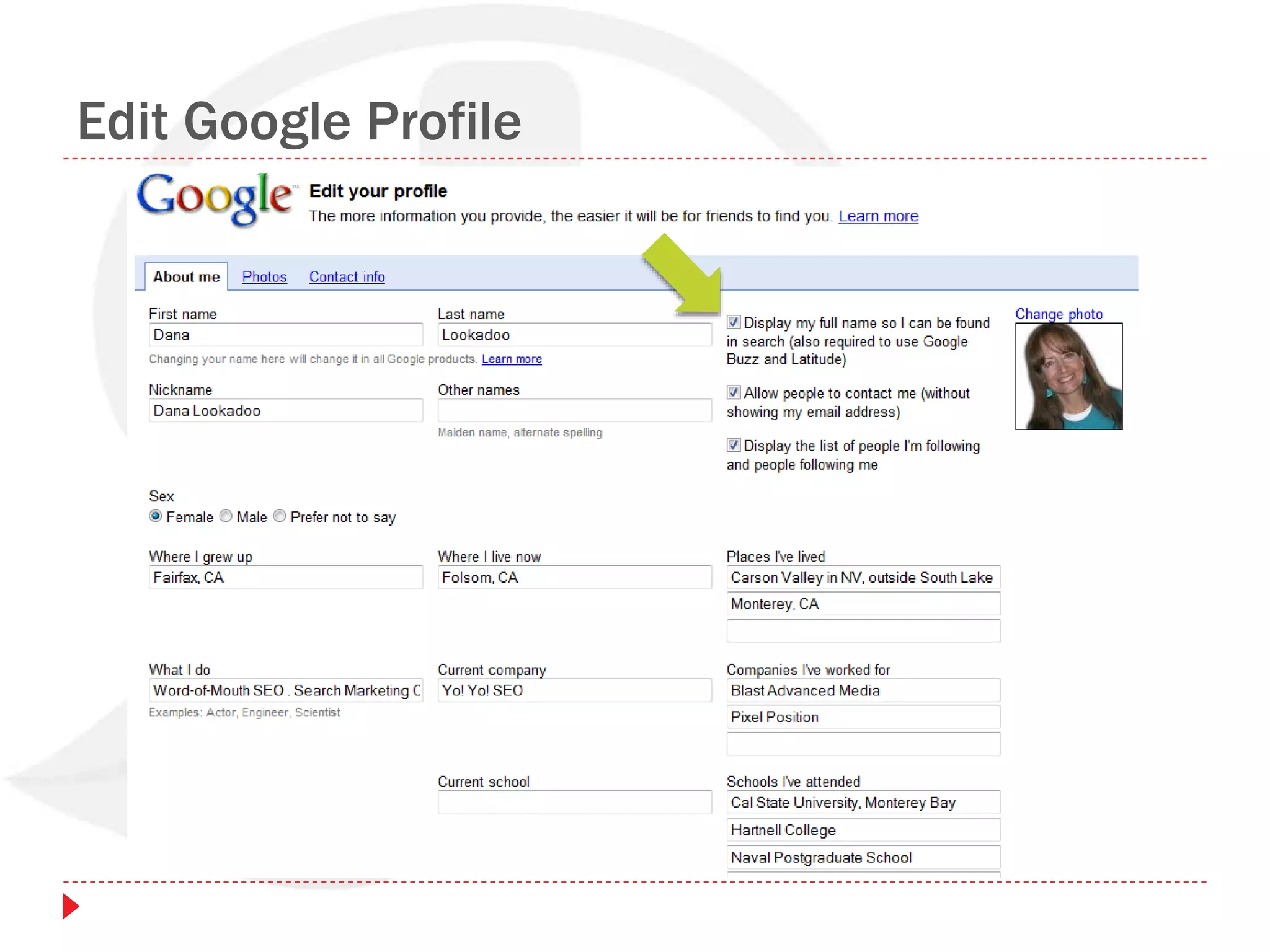
Google Profile http://www.google.com/profiles/lookadoo#
Google Profile
 Your Google profile allows you to be found on Google while
increasing visibility for your name & your practice.
 www.google.com/profiles
 Details you can add to your profile:
 A short bio
 Links to your practice website, LinkedIn profile, Twitter profile
 Places you've lived
 Where you've worked
 Where you grew up
 Schools you've attended
 Photos from Flickr & Picasa
 TIPS:
 The more information you add, the easier it will be for people to
find you. (And the more Google will know about you…)
 Set your full name to show publicly.
Edit Google Profile
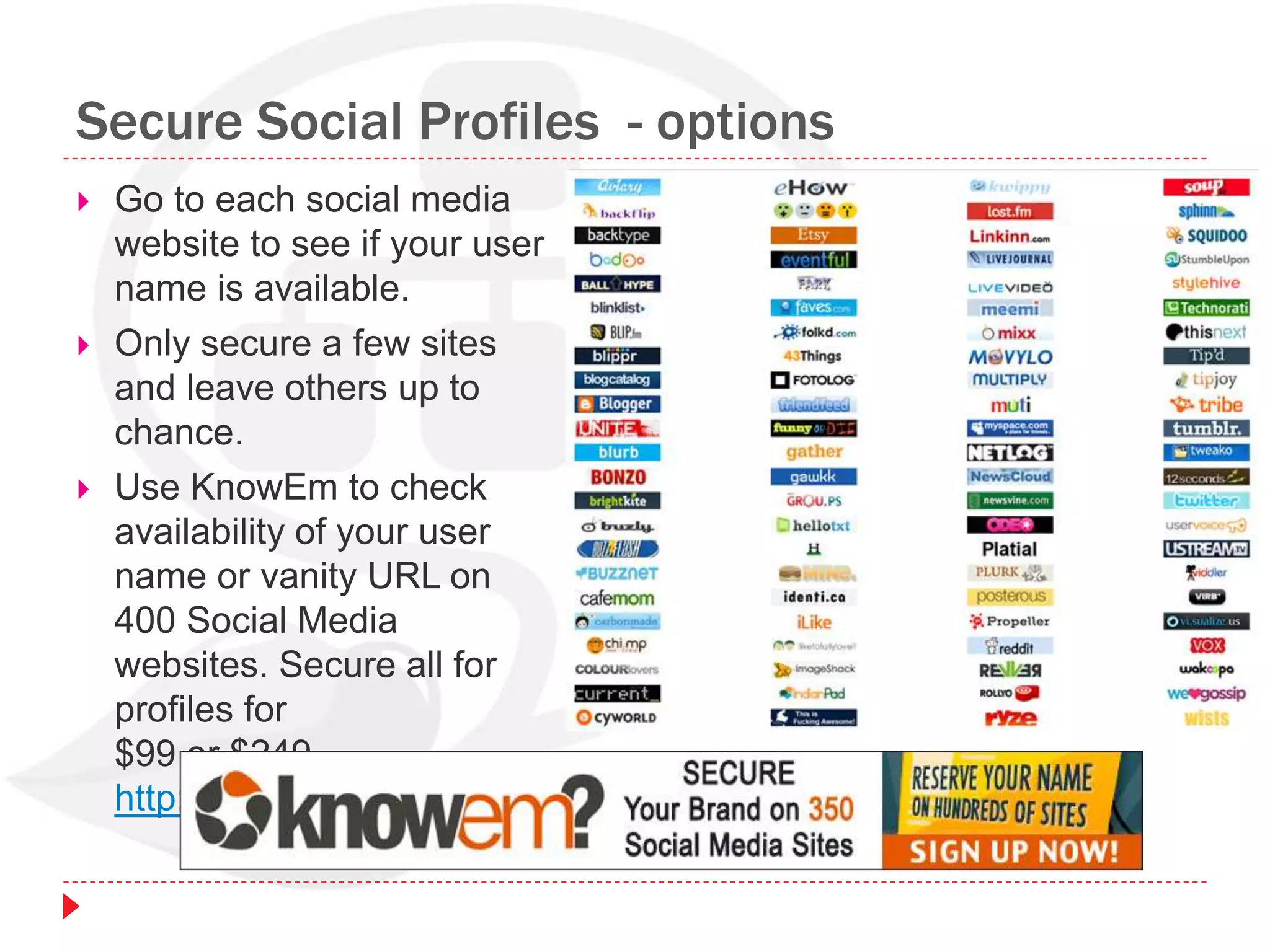
Secure Social Profiles - options
 Go to each social media
website to see if your user
name is available.
 Only secure a few sites
and leave others up to
chance.
 Use KnowEm to check
availability of your user
name or vanity URL on
400 Social Media
websites. Secure all for
profiles for
$99 or $249.
http://knowem.com
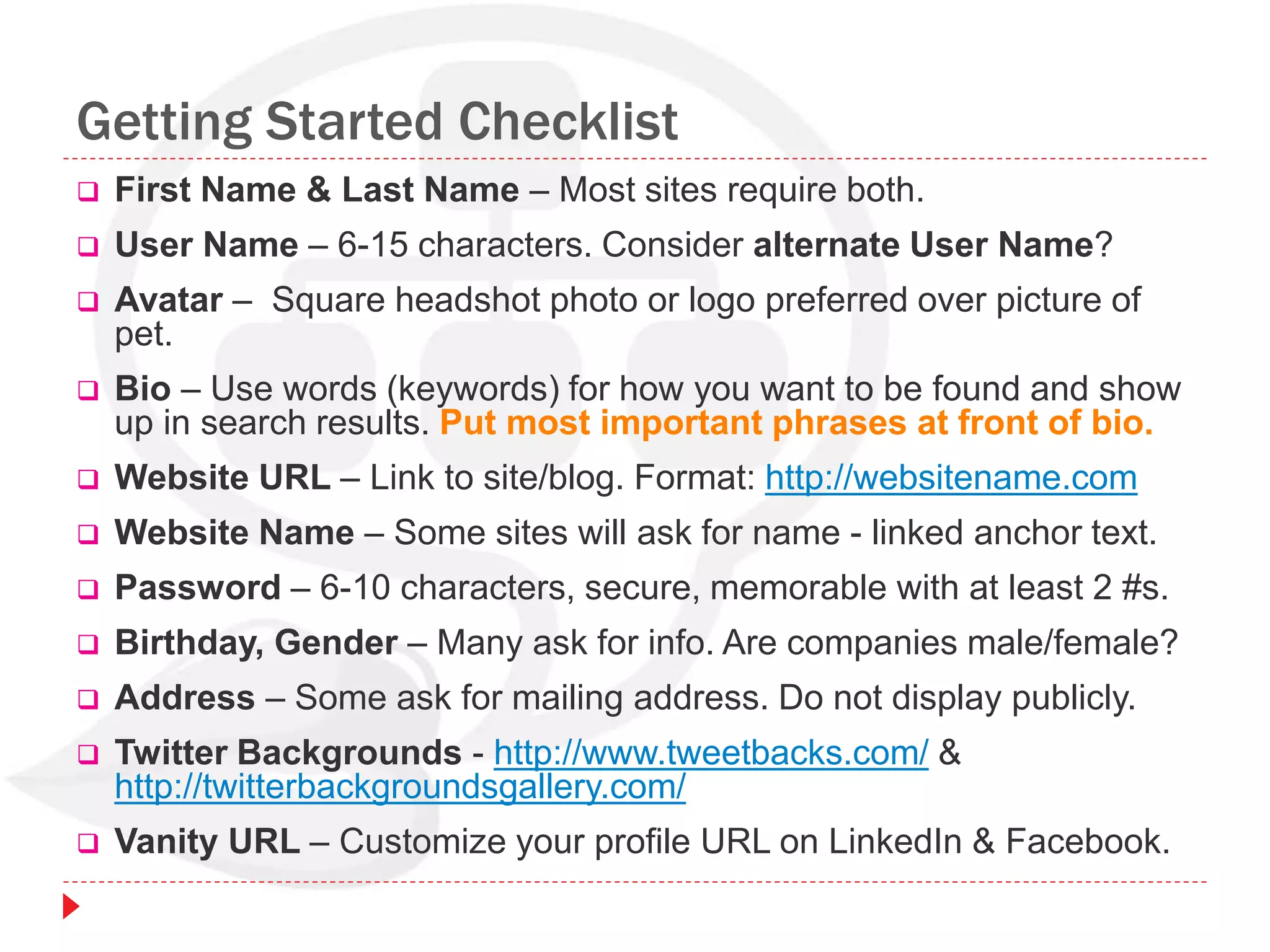
Getting Started Checklist
 First Name & Last Name – Most sites require both.
 User Name – 6-15 characters. Consider alternate User Name?
 Avatar – Square headshot photo or logo preferred over picture of
pet.
 Bio – Use words (keywords) for how you want to be found and show
up in search results. Put most important phrases at front of bio.
 Website URL – Link to site/blog. Format: http://websitename.com
 Website Name – Some sites will ask for name - linked anchor text.
 Password – 6-10 characters, secure, memorable with at least 2 #s.
 Birthday, Gender – Many ask for info. Are companies male/female?
 Address – Some ask for mailing address. Do not display publicly.
 Twitter Backgrounds - http://www.tweetbacks.com/ &
http://twitterbackgroundsgallery.com/
 Vanity URL – Customize your profile URL on LinkedIn & Facebook.
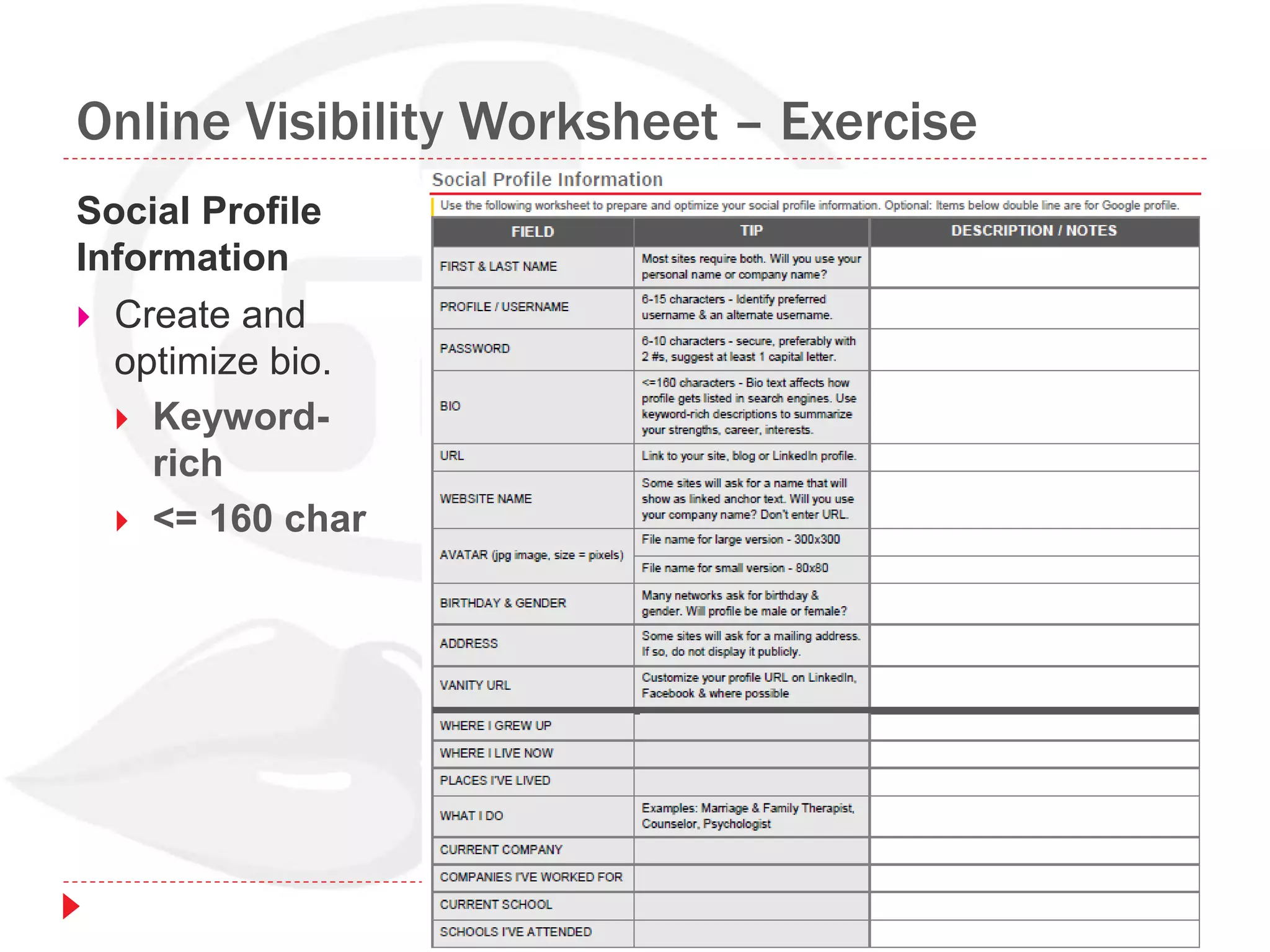
Online Visibility Worksheet – Exercise
Social Profile
Information
 Create and
optimize bio.
 Keyword-
rich
 <= 160 char
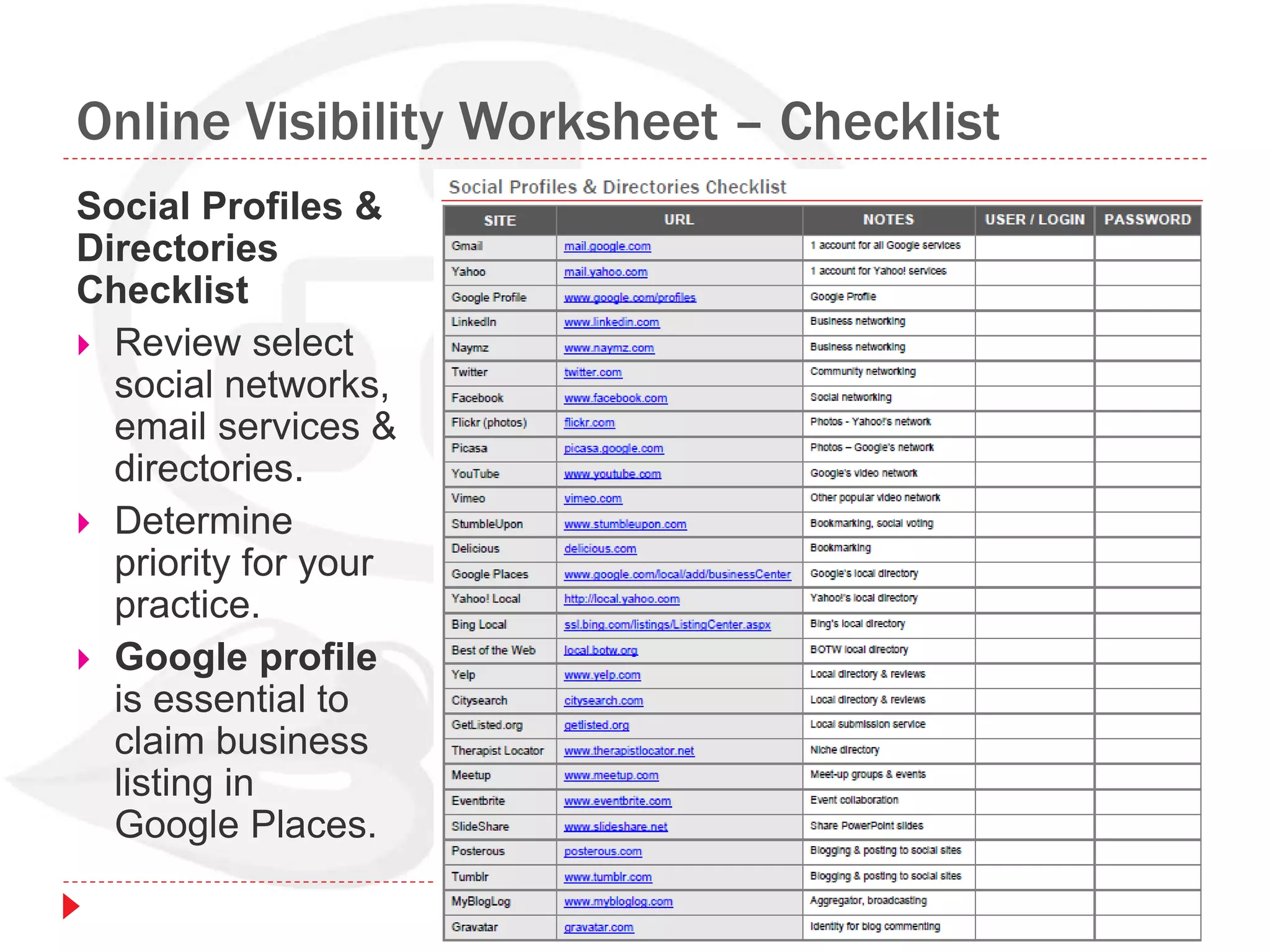
Online Visibility Worksheet – Checklist
Social Profiles &
Directories
Checklist
 Review select
social networks,
email services &
directories.
 Determine
priority for your
practice.
 Google profile
is essential to
claim business
listing in
Google Places.
Marketing Channels
Overview of Marketing Channels for Online Visibility
Integrated Marketing
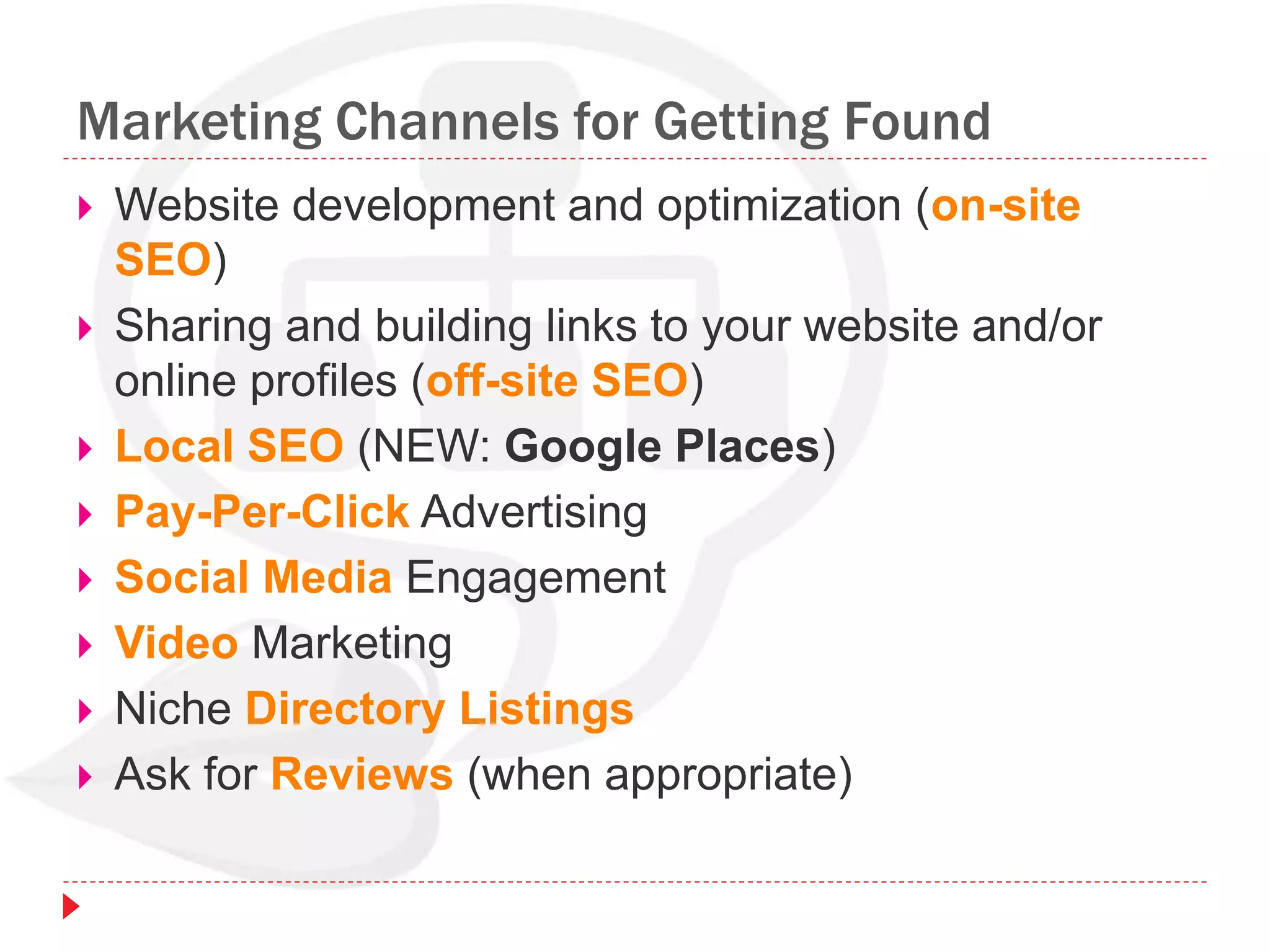
Marketing Channels for Getting Found
 Website development and optimization (on-site
SEO)
 Sharing and building links to your website and/or
online profiles (off-site SEO)
 Local SEO (NEW: Google Places)
 Pay-Per-Click Advertising
 Social Media Engagement
 Video Marketing
 Niche Directory Listings
 Ask for Reviews (when appropriate)
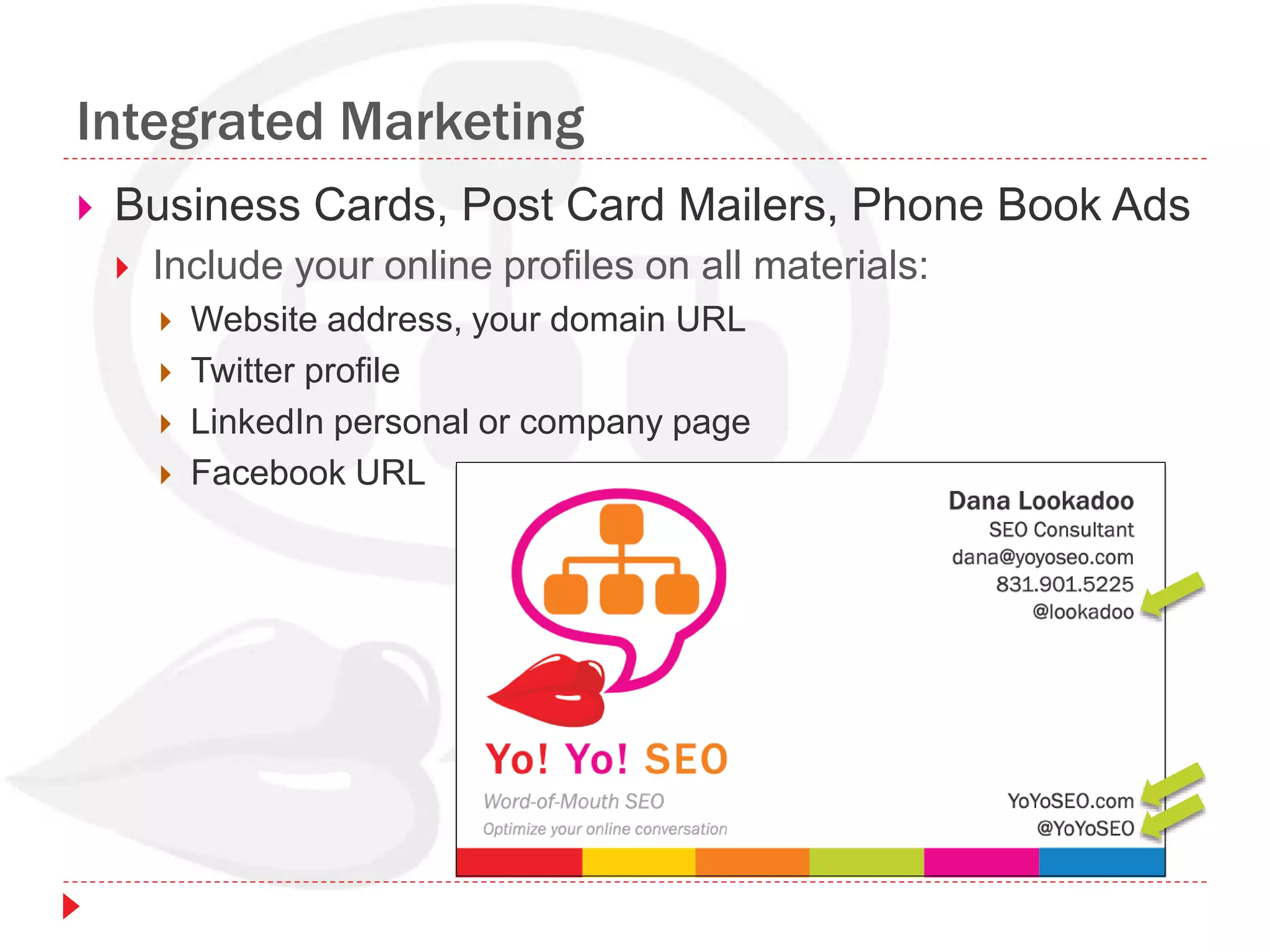
Integrated Marketing
 Business Cards, Post Card Mailers, Phone Book Ads
 Include your online profiles on all materials:
 Website address, your domain URL
 Twitter profile
 LinkedIn personal or company page
 Facebook URL
Summary
 Search is more than Google.
 Know your audience and your target search terms.
 Optimize your website code and content.
 Claim your business listing in Google Places.
 List your practice in local and niche directories.
 Social media signals are growing stronger.
 Increase your search & social footprint.
(Presence builds presence!)
 Optimize your website content.
 Optimize your social profiles.
 Get listed in directories.
 Engage in online conversations.
 It’s Word-of-Mouth SEO!
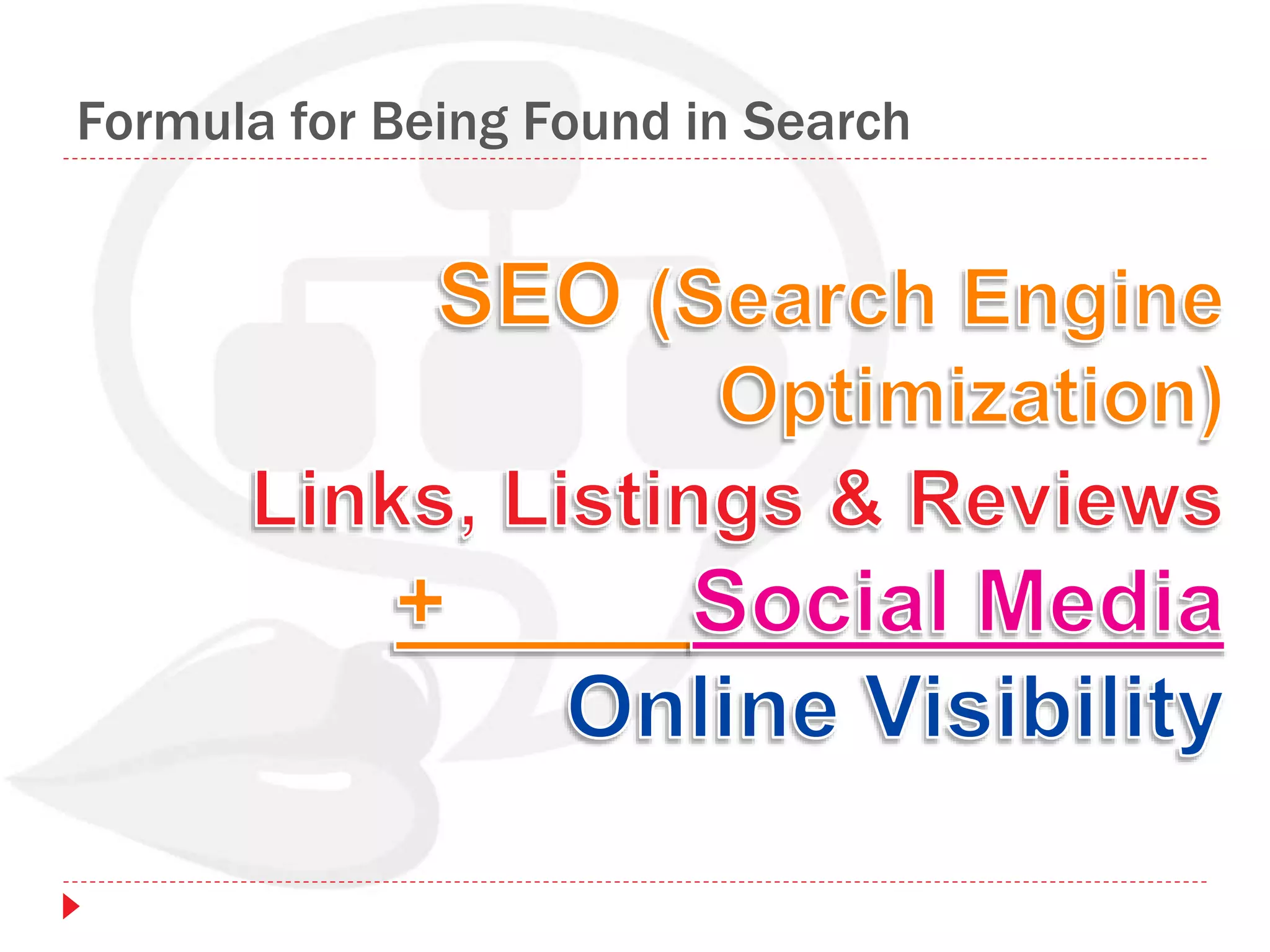
Formula for Being Found in Search
Dana Lookadoo
 Dana Lookadoo, SEO Consultant
Yo! Yo! SEO
Word-of-Mouth SEO . Optimize your online conversation
dana@yoyoseo.com . 831.901.5225
http://yoyoseo.com . http://twitter.com/YoYoSEO
 Personal Profiles & Blog
 http://twitter.com/lookadoo
 http://www.linkedin.com/in/lookadoo
 http://www.danalookadoo.com

Optimizing Your Practice for Online Visibility

  • 1.
    Optimize Your Practicefor Online Visibility SAC-CAMFT Dana Lookadoo . @YoYoSEO . YoYoSEO.com November 19, 2010
  • 2.
    Introduction  Online visibilitymeans people can find you online when they search.  People use various forms of “search” to look for marriage & family therapy help.  You’ll learn basics about optimizing your website and social profiles to be “visible” and be found.  Poll:  Who has a website?  Social profiles?  Google Profile?  LinkedIn?  Twitter?  Facebook?
  • 3.
    Outcomes  Understand peoplego to “search” to find information that meets their needs and questions.  Understand search as a business process that may redefine your marketing efforts (and possibly your “messaging”).  Engage online, when possible, given confidentiality and licensing requirements.  Know the basics of website optimization.  Know how and where to set up social profiles & list your business in directory listings.
  • 4.
    Agenda  Defining Search How To Get Found In Search  Social Media Overview  Defining Online Visibility  Social Profiles  Marketing Channels  Exercises  Website Content Worksheet  Online Visibility Worksheet  Review: Social Profile Information
  • 5.
    Defining Search What isSearch? Local Results & Google Places Google, Bing & Yahoo! Search Results
  • 6.
    What is Search? Search Engines  Google  Yahoo!  Bing  Links  Other Websites  Directory Listings  Social Profiles  Word-of-Mouth Marketing  In-person, Email, Phone Referrals  Reviews, LinkedIn Recommendations, Facebook “Likes”
  • 7.
    What is Search? Search Engines  Google  Yahoo!  Bing  Facebook  Twitter  LinkedIn  Directories Search is anywhere there are search bars where people can look for information.
  • 8.
    Search Bars  FacebookSearch http://www.facebook.com/srch.php/
  • 9.
    Search Bars  SearchSocial Conversations http://search.twitter.com/ http://socialmention.com/ http://topysy.com/
  • 10.
    Search Bars  LinkedInSearch http://www.linkedin.com/  Why show up in search on LinkedIn? LinkedIn Profiles & Events also show up in Search Results such as Google.
  • 11.
    Facebook Search –Marriage Family Therapy
  • 12.
    Twitter Search –Marriage Family Therapy
  • 13.
    Twitter Search –Marriage Family Counseling
  • 14.
    Twitter Search –Marriage Family Therapist
  • 15.
    LinkedIn Search –Marriage Family Therapist
  • 16.
    Citysearch – MarriageFamily Therapist
  • 17.
    Best of theWeb – Marriage Family Therapist
  • 18.
    Yahoo! Search –Marriage Family Therapist Reviews Rank
  • 19.
    Bing Search –Marriage Family Therapist Local results above organic, 1st below paid
  • 20.
    Search Results Pages of“results” displayed by search engines, when a person searches, are called…
  • 21.
    Search Results Snippets Eachlisting in the search results is called a… 3 non-paid (organic) snippets:
  • 22.
    SERPs – UniversalResults SERPs, especially in Google, are a mixture of snippets from website pages that rank in addition to Local, News, Video, Images, and more. “Mixed SERPs” are known as:
  • 23.
    Google SERPSs –Marriage Family Therapist Paid Organic News Places ISP Location
  • 24.
    Google Suggest –Marriage… # of results for “marriage” Google “suggests” phrases based off how people search.
  • 25.
    Google Suggest– MarriageF… # of results for “marriage f*”
  • 26.
    Google Suggest –Marriage Family C…
  • 27.
    How To GetFound In Search SEO, Search Snippets & Website Optimization Defining Keywords to Get Found Type & Number of Results Local Directories Keyword Research
  • 28.
    How to GetFound – Organic & Social Search  Put target keyword phrases into your content, conversations, and digital assets:  Website (body copy, page titles, file names, meta tags)  Social Profiles  Directory Listings  Images (file names, ALT tags, captions)  Video (titles, description, file names, etc.)  Get reviews in search and directory listings  Social signals can rank above well-optimized websites.  Use keyword phrased in textual links within your website & incoming links to site.
  • 29.
    SEO Defined  SEOis an acronym for Search Engine Optimization.  The “art and science” of SEO involves:  Understanding your target audience (searcher persona);  Researching terms your audience “speak” - keywords they search for and use in conversation;  Researching your market and your competition;  Knowing the search results space - number and type (organic, local, news, video);  Planning website structure, design, code, and copy that’s “attractive” to people and “accessible” to search spiders;  Creating content that captures attention, meets audience needs - content people want to talk about, share and link to;  Optimizing titles, tags, text and links.
  • 30.
    On-Page SEO  Optimizingcontent both on & off your website:  Digital Assets: Body content (text) & assets (images, videos, PDFs)  Internal Links: Navigation, text linked to other site pages in your site (anchor text)  Titles, Tags, URLs: (HTML code, meta tags, page names)  Structure & Accessibility: Spiders & Speech Readers  External Links (not Title: Primary Keyword Phrase – Key Message for Page LOGO (916) 555-1212 . About . Contact tagline: Marriage & Family Therapy serving Sacramento Area Sidebar Call to Action Download Tips for a Healthy Marriage PDF (## K) Subscribe to Newsletter Link to Map Footer: Links to key pages City & maybe County location, (916) 555-1212 NAV Menu Licensed Therapist . Marriage & Family Resources . Location <h1>Headline – Primary Message Provide key message to primary target audience above the fold in text. Summarize using your primary keywords - what you want them to understand about your practice. Link to a page about marriage and family therapy in Sacramento, California. Write including at least one more instance of keyword modifiers or related words. Answer primary audience questions and needs. This copy is critical and will be used by various properties & search engines, often as your practice description. Image w keyword-rich –file-name.jpg ALT tag Caption http://domain-name.com/marriage-therapy.html
  • 31.
    How HTML Elements& Keywords Show in Snippets  Results for “licensed marriage family therapist sacramento”  Title of each page is MOST IMPORTANT to have keywords.  Meta Description convinces searcher this is THE result they want to “click through” because page is relevant to their search.  URL: Page name or hierarchy displays. Keywords increase CTR (click through rate). Title Tag Meta Description URL: Domain Name + Page Name
  • 32.
    Website Optimization: On-PageSEO Title Tag: Tells search engines page is about “Home.” <h1> Headline
  • 33.
    Website Optimization: On-PageSEO Title Tag: Tells search engines page is about “Serviced Provided.” URL <h1> Headline Body copy: 1st paragraph is most important to have targeted keywords. Bold & italicize words send signals . 3 paragraphs start out with “I” – doesn’t tell visitor what they’ll get. “I” is not their search term.
  • 34.
    HTML Code Showsin Search Snippet <html> <head> <title>Home</title> <meta name="description" content="Introduction to Kari Lloyd-Fisher, MFT "> <meta name="keywords" content=" Sacramento, Kari Fisher, Carrie Fisher, Carrie Lloyd-Fisher, Loyd-Fisher, Kari Lloyd-Fisher, Counseling, Therapy, MFT, Marriage and Family Therapist, Therapist, couples, individuals, family, families, adults, teens, children, kids, adolescents. "> HOME PAGE: http://www.fishertherapy.com/index.html <html> <head> <title>Services Provided</title> <meta name="description" content="marriage and family therapy for couples, individuals, families, children and teens, adolescents"> <meta name="keywords" content="therapy, counseling, couples, individuals, families, family, children, kids, teens, adolescents, treatment"> SERVICES PAGE: http://www.fishertherapy.com/services.html keyword s tag not used for ranking – don’t stuff
  • 35.
    Microformats –hCard (AdvancedOn-Page SEO)  hCard is a type of HTML markup that sends “signals” about people, companies, and locations.  Tells search engines which blocks of code represent your contact information.  Where to use?  Use hCard to “mark up” your “About” and “Contact” pages.  Resources:  http://microformats.org/wiki/hcard  http://microformats.org/code/hcard/creator  Example: http://transitionsmft.org/contact.php  <p class="vcard"><span class="fn">Sean Slevin</span> can be reached directly at: <span class="ns_me no_print"><br/> <a class="org url" href="http://transitionsmft.org">Transitions Marriage and Family Therapy and Counseling</a><br/><span class="adr"> <span class="street-address">250 East Market Street, Suite D</span><br/> <span class="locality">Harrisonburg</span>, <span class="region">Virginia</span> <span class="postal- code">22801</span> </span><br/></span><b class="tel">(540) 908- 2792</b>.<br/> Download <a href="http://transitionsmft.org/vcard-sean-slevin.vcf" title="This is a vCard file that can be imported into your address book
  • 36.
    Defining Keywords toGet Found  Know the number of search results and who ranks for target phrase. THEY are your competition!  Are there a few thousand or a few million results?  What modifiers can you add to your target search terms to narrow competition and results?  “marriage family therapist folsom ca”  “christian marriage family therapist”  “marriage counselor yolo county”  Know types of content SERPs show for your terms,
  • 37.
    “Marriage Family TherapistFolsom CA” Places is now above Organi c Review s
  • 38.
    “Marriage Family Therapist”w/o City Modifier Paid Organic News Places
  • 39.
    Google Places: PlacePage Ranks w/o Website Website Down!! Google Place page ranks #1 because of 11 reviews.
  • 40.
    Local Directories  GooglePlaces – puts your business in Google Maps  http://www.google.com/local/add/businessCenter  Help Guide: http://www.google.com/support/places/?hl=en&rd=1  Yahoo! Local  http://local.yahoo.com  Bing Local  http://ssl.bing.com/listings/ListingCenter.aspx  Best of the Web (Directory)  http://local.botw.org  Citysearch (Directory)  http://citysearch.com  GetListed.org (Service to list across directories)  http://getlisted.org  Therapist Locator (Niche Directory)  www.therapistlocator.net
  • 41.
    GetListed.org – HowIs Your Business Listed?
  • 42.
    Research Keywords PeopleSearch & Say  Google Suggest results  Phrases that appear as you search in www.google.com  Google AdWords Keyword Tool  https://adwords.google.com/  WordTracker Free Keyword Tool  https://freekeywords.wordtracker.com/  WordStream Free Keyword Tool  http://www.wordstream.com/keywords/  Listen to clients, making notes of words they use!
  • 43.
  • 44.
  • 45.
    Website Content Worksheet– Exercise  Tips & best practices for applying keywords, writing copy and optimizing key aspects of your website pages.  Use one worksheet for every page of website.
  • 46.
    Social Media Overview SocialMedia Properties Engagement Opportunities Search & Social Web Search & Social Footprint Online Visibility Venn Diagram
  • 47.
    Social Media Properties Social Media is engaging on sites that enable discussions, sharing & voting. • Sharing (Facebook, Twitter) • Networking (LinkedIn) • Bookmarking (Delicious) • Video (YouTube, Vimeo) • Images (Flickr) • Reviews (Yelp) • Forums (Yahoo! Answers) • Music (BLIP.fm) • Blogging (WordPress, Blogger) • News (StumbleUpon, Digg)
  • 48.
    Social Media EngagementOpportunities  Blogging (Blogger, WordPress)  Personal Journal, Interests, Hobbies  Marketing & Promotion  Thought Leadership  Forums & Discussion Boards  Birds-of-a-Feather Sharing  Meet others with same interests  Answer questions, demonstrate expertise  Branding  MicroBlogging  Connect with other therapists  Connect with local businesses  Offer promotions  Share relationship tips  Become a thought leader  Share local news, becoming part of community  Provide feedback  Establish your brand  Visibility  Friendships
  • 49.
    The Search &Social Web  Social media “signals” are growing in importance to search engines.  Most social media profiles rank well in search engines.  Social profiles can lead visitors back to your site.  Social “presence” helps you be found! Image credit: Garret Pierson
  • 50.
    Search & SocialFootprint  Search: Your website’s search footprint increases by developing quality content and getting incoming links to your pages.  Social Media: Your social footprint increases your exposure in the SERPs and other forms of search.  Friends on Twitter  Fans on Facebook  Connections in LinkedIn  Reviews in directory listings
  • 51.
    Search & SocialFootprint  People exposed to you, your practice and your website content will, if they like it, share it on Twitter, write a review on LinkedIn, bookmark it on Delicious, vote on it (thumbs up) in StumbleUpon.  The key to building visibility through your search and social footprint is to offer something of value: QUALITY CONTENT  Combining “search & social” means more results about you are indexed in search. You get more incoming links, more traffic, and more social media conversations & votes - resulting in higher visibility.
  • 52.
  • 53.
    Social Profiles Optimizing YourProfiles Google Profile Securing Profiles Getting Started Checklist & Worksheet
  • 54.
    Optimizing Your Profiles How do you want to be found? Your profile name will show up in search results.  Aim for a consistent user name across networks. Decide alternate user name if primary is not available.  Use a photo as your avatar, a cropped headshot is best. A graphic can work for business.  Create large & small versions, 300x300 & 80x80 pixels. Most sites will scaled down larger file, but some require smaller image. Avatar must be square! lookadoo but I also use… danalookadoo pixelbella YoYoSEO
  • 55.
    Optimizing Your Profiles– Twitter  Your bio & website URL help friends and followers know something about you. Bio text influences how you get listed in search engines.  Create a bio, approx. 160 characters in length. Use keyword-rich descriptions to summarize your strengths, career, interests.  Link to your site, blog or your LinkedIn profile.
  • 56.
  • 57.
    Google Profile  YourGoogle profile allows you to be found on Google while increasing visibility for your name & your practice.  www.google.com/profiles  Details you can add to your profile:  A short bio  Links to your practice website, LinkedIn profile, Twitter profile  Places you've lived  Where you've worked  Where you grew up  Schools you've attended  Photos from Flickr & Picasa  TIPS:  The more information you add, the easier it will be for people to find you. (And the more Google will know about you…)  Set your full name to show publicly.
  • 58.
  • 59.
    Secure Social Profiles- options  Go to each social media website to see if your user name is available.  Only secure a few sites and leave others up to chance.  Use KnowEm to check availability of your user name or vanity URL on 400 Social Media websites. Secure all for profiles for $99 or $249. http://knowem.com
  • 60.
    Getting Started Checklist First Name & Last Name – Most sites require both.  User Name – 6-15 characters. Consider alternate User Name?  Avatar – Square headshot photo or logo preferred over picture of pet.  Bio – Use words (keywords) for how you want to be found and show up in search results. Put most important phrases at front of bio.  Website URL – Link to site/blog. Format: http://websitename.com  Website Name – Some sites will ask for name - linked anchor text.  Password – 6-10 characters, secure, memorable with at least 2 #s.  Birthday, Gender – Many ask for info. Are companies male/female?  Address – Some ask for mailing address. Do not display publicly.  Twitter Backgrounds - http://www.tweetbacks.com/ & http://twitterbackgroundsgallery.com/  Vanity URL – Customize your profile URL on LinkedIn & Facebook.
  • 61.
    Online Visibility Worksheet– Exercise Social Profile Information  Create and optimize bio.  Keyword- rich  <= 160 char
  • 62.
    Online Visibility Worksheet– Checklist Social Profiles & Directories Checklist  Review select social networks, email services & directories.  Determine priority for your practice.  Google profile is essential to claim business listing in Google Places.
  • 63.
    Marketing Channels Overview ofMarketing Channels for Online Visibility Integrated Marketing
  • 64.
    Marketing Channels forGetting Found  Website development and optimization (on-site SEO)  Sharing and building links to your website and/or online profiles (off-site SEO)  Local SEO (NEW: Google Places)  Pay-Per-Click Advertising  Social Media Engagement  Video Marketing  Niche Directory Listings  Ask for Reviews (when appropriate)
  • 65.
    Integrated Marketing  BusinessCards, Post Card Mailers, Phone Book Ads  Include your online profiles on all materials:  Website address, your domain URL  Twitter profile  LinkedIn personal or company page  Facebook URL
  • 66.
    Summary  Search ismore than Google.  Know your audience and your target search terms.  Optimize your website code and content.  Claim your business listing in Google Places.  List your practice in local and niche directories.  Social media signals are growing stronger.  Increase your search & social footprint. (Presence builds presence!)  Optimize your website content.  Optimize your social profiles.  Get listed in directories.  Engage in online conversations.  It’s Word-of-Mouth SEO!
  • 67.
    Formula for BeingFound in Search
  • 68.
    Dana Lookadoo  DanaLookadoo, SEO Consultant Yo! Yo! SEO Word-of-Mouth SEO . Optimize your online conversation dana@yoyoseo.com . 831.901.5225 http://yoyoseo.com . http://twitter.com/YoYoSEO  Personal Profiles & Blog  http://twitter.com/lookadoo  http://www.linkedin.com/in/lookadoo  http://www.danalookadoo.com