
Calculator Stories
  dhaval.dalal@software-artisan.com

          @softwareartisan
Story #1
  As an Accountant

  I want to add two numbers

  so that I can see what the total is


Acceptance Criteria
  Given I have two numbers 2 and 3

  When I add them

  Then I should see the sum as 5
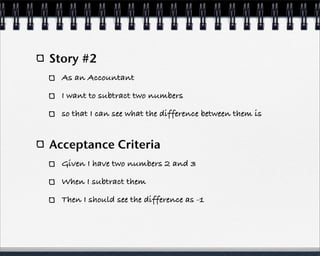
Story #2
  As an Accountant

  I want to subtract two numbers

  so that I can see what the difference between them is


Acceptance Criteria
  Given I have two numbers 2 and 3

  When I subtract them

  Then I should see the difference as -1
Story #3
  As an Accountant
  I want to divide two numbers
  so that I can know the quotient

Acceptance Criteria #1
  Given I have two numbers 2 and 3
  When I divide them
  Then I should see the quotient as 0.666666


Acceptance Criteria #2
  Given I have two numbers 2 and 0
  When I divide them
  Then I should see the quotient as ‘Infinity’
Story #4
  As an Accountant

  I want to multiply two numbers

  so that I can see what their product is


Acceptance Criteria
  Given I have two numbers 2 and 3

  When I multiply them

  Then I should see the product as 6
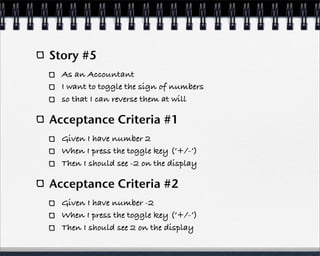
Story #5
  As an Accountant
  I want to toggle the sign of numbers
  so that I can reverse them at will

Acceptance Criteria #1
  Given I have number 2
  When I press the toggle key (‘+/-’)
  Then I should see -2 on the display

Acceptance Criteria #2
  Given I have number -2
  When I press the toggle key (‘+/-’)
  Then I should see 2 on the display
Story #6
  As an Accountant
  I want to delete a wrongly entered digit
  so that I can correct the number to input.

Acceptance Criteria #1
  Given I have pressed keys 2, 3, 4
  When I press the backspace key
  Then I should see 23 on the display

Acceptance Criteria #2
  Given I have pressed a key 2
  When I press the backspace key
  Then I should see ‘0’ on the display
Story #7
  As an Accountant

  I want to store number in memory

  so that I can use it later

Acceptance Criteria #1
  Given I press ‘2’ on the keypad

  When I press ‘M in’ key

  Then the number 2 should be stored in memory

  and the status bar on the display should show ‘M’

  and the display should show ‘0’ to indicate that the
  calculator is ready for next operation
Acceptance Criteria #2
  Given that the status bar on the display shows ‘M’

  When I recall the number by pressing the ‘R-CM’ key

  Then I should see the originally stored number on the
  display

  and be able to use that number for any operation.
Story #8
  As an Accountant

  I want to reset the calculator

  so that I can start afresh


Acceptance Criteria #1
  Given I am in middle of an operation

  When I press ‘CE’ (Clear Everything) key

  Then the operation should be cancelled

  and the display should show ‘0’ to indicate that the
  calculator is ready for next operation.
Acceptance Criteria #2
  Given that the display status bar on the display shows
  ‘M’

  When I press ‘CE’ (Clear Everything) key

  Then I memory should be cleared

  and the display status bar should not show ‘M’

  and the display should show ‘0’ to indicate that the
  calculator is ready for next operation
Story #9
  As an Accountant

  I want to store operations in memory

  so that I can recall them to see the steps that resulted in
  the final answer

Acceptance Criteria
  Given I have performed two operations
     2 * 3 = 6 and 6 + 3 = 9

  When I replay the operations by pressing the step key

  Then I should see the following on the display in order
     Upon pressing the ‘Step’ key once I should see 2 * 3 = 6

     Upon pressing the ‘Step’ key again, I should see 6 + 3 = 9

Calculator stories

  • 1.
    Calculator Stories dhaval.dalal@software-artisan.com @softwareartisan
  • 2.
    Story #1 As an Accountant I want to add two numbers so that I can see what the total is Acceptance Criteria Given I have two numbers 2 and 3 When I add them Then I should see the sum as 5
  • 3.
    Story #2 As an Accountant I want to subtract two numbers so that I can see what the difference between them is Acceptance Criteria Given I have two numbers 2 and 3 When I subtract them Then I should see the difference as -1
  • 4.
    Story #3 As an Accountant I want to divide two numbers so that I can know the quotient Acceptance Criteria #1 Given I have two numbers 2 and 3 When I divide them Then I should see the quotient as 0.666666 Acceptance Criteria #2 Given I have two numbers 2 and 0 When I divide them Then I should see the quotient as ‘Infinity’
  • 5.
    Story #4 As an Accountant I want to multiply two numbers so that I can see what their product is Acceptance Criteria Given I have two numbers 2 and 3 When I multiply them Then I should see the product as 6
  • 6.
    Story #5 As an Accountant I want to toggle the sign of numbers so that I can reverse them at will Acceptance Criteria #1 Given I have number 2 When I press the toggle key (‘+/-’) Then I should see -2 on the display Acceptance Criteria #2 Given I have number -2 When I press the toggle key (‘+/-’) Then I should see 2 on the display
  • 7.
    Story #6 As an Accountant I want to delete a wrongly entered digit so that I can correct the number to input. Acceptance Criteria #1 Given I have pressed keys 2, 3, 4 When I press the backspace key Then I should see 23 on the display Acceptance Criteria #2 Given I have pressed a key 2 When I press the backspace key Then I should see ‘0’ on the display
  • 8.
    Story #7 As an Accountant I want to store number in memory so that I can use it later Acceptance Criteria #1 Given I press ‘2’ on the keypad When I press ‘M in’ key Then the number 2 should be stored in memory and the status bar on the display should show ‘M’ and the display should show ‘0’ to indicate that the calculator is ready for next operation
  • 9.
    Acceptance Criteria #2 Given that the status bar on the display shows ‘M’ When I recall the number by pressing the ‘R-CM’ key Then I should see the originally stored number on the display and be able to use that number for any operation.
  • 10.
    Story #8 As an Accountant I want to reset the calculator so that I can start afresh Acceptance Criteria #1 Given I am in middle of an operation When I press ‘CE’ (Clear Everything) key Then the operation should be cancelled and the display should show ‘0’ to indicate that the calculator is ready for next operation.
  • 11.
    Acceptance Criteria #2 Given that the display status bar on the display shows ‘M’ When I press ‘CE’ (Clear Everything) key Then I memory should be cleared and the display status bar should not show ‘M’ and the display should show ‘0’ to indicate that the calculator is ready for next operation
  • 12.
    Story #9 As an Accountant I want to store operations in memory so that I can recall them to see the steps that resulted in the final answer Acceptance Criteria Given I have performed two operations 2 * 3 = 6 and 6 + 3 = 9 When I replay the operations by pressing the step key Then I should see the following on the display in order Upon pressing the ‘Step’ key once I should see 2 * 3 = 6 Upon pressing the ‘Step’ key again, I should see 6 + 3 = 9