






By
Dr. Charlotte
McCorquodale
Ministry
Training
Source
WORKING
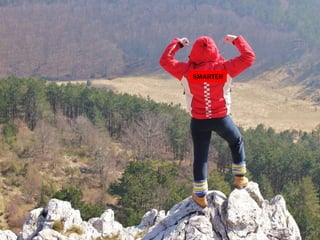
SMARTER,
NOT HARDER
http://goo.gl/h1o3h7
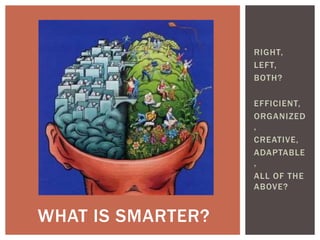
RIGHT,
LEFT,
BOTH?
EFFICIENT,
ORGANIZED
,
CREATIVE,
ADAPTABLE
,
ALL OF THE
ABOVE?
WHAT IS SMARTER?
HAVE YOU EVER FELT THIS WAY?
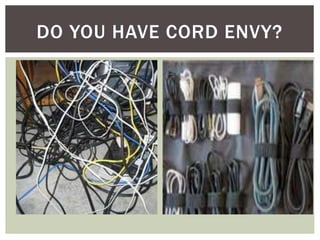
DO YOU HAVE CORD ENVY?
What is the
password?
DON’T MAKE ME CHANGE,
DON’T MAKE ME CHANGE….
What is my
password?
I love my
MAC!
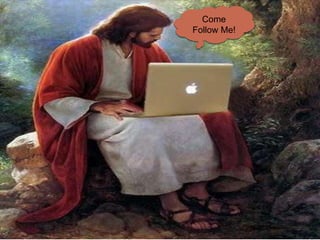
Come
Follow Me!
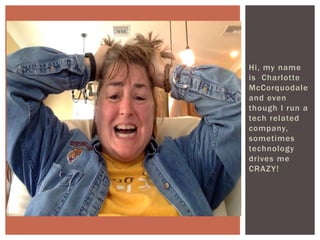
Hi, my name
is Charlotte
McCorquodale
and even
though I run a
tech related
company,
sometimes
technology
drives me
CRAZY!
CONFESSION TIME
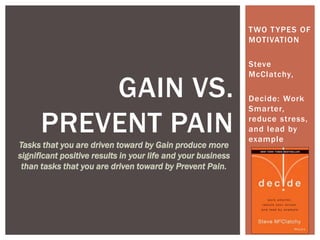
TWO TYPES OF
MOTIVATION
Steve
McClatchy,
Decide: Work
Smarter,
reduce stress,
and lead by
example
GAIN VS.
PREVENT PAIN
Tasks that you are driven toward by Gain produce more
significant positive results in your life and your business
than tasks that you are driven toward by Prevent Pain.
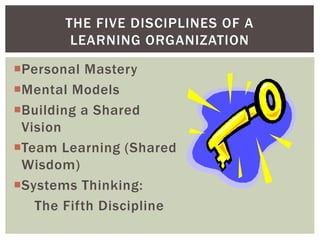
Personal Mastery
Mental Models
Building a Shared
Vision
Team Learning (Shared
Wisdom)
Systems Thinking:
The Fifth Discipline
THE FIVE DISCIPLINES OF A
LEARNING ORGANIZATION
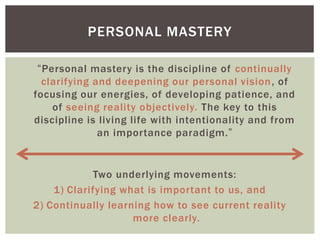
PERSONAL MASTERY
“Personal mastery is the discipline of continually
clarifying and deepening our personal vision, of
focusing our energies, of developing patience, and
of seeing reality objectively. The key to this
discipline is living life with intentionality and from
an importance paradigm.”
Two underlying movements:
1) Clarifying what is important to us, and
2) Continually learning how to see current reality
more clearly.
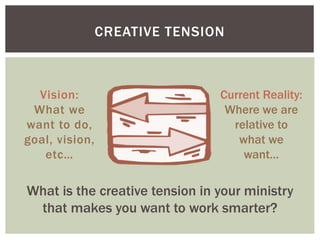
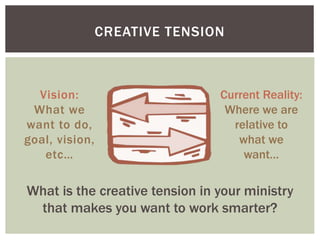
CREATIVE TENSION
Vision:
What we
want to do,
goal, vision,
etc…
What is the creative tension in your ministry
that makes you want to work smarter?
Current Reality:
Where we are
relative to
what we
want…
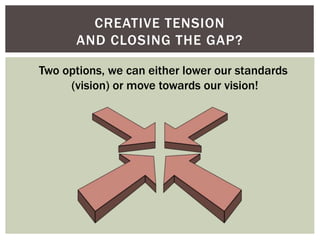
CREATIVE TENSION
AND CLOSING THE GAP?
Two options, we can either lower our standards
(vision) or move towards our vision!
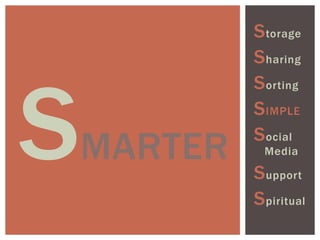
Storage
Sharing
Sorting
SIMPLE
Social
Media
Support
Spiritual
MARTER
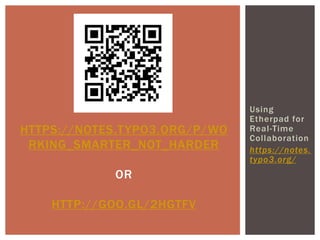
Using
Etherpad for
Real-Time
Collaboration
https://notes.
typo3.org/
HTTPS://NOTES.TYPO3.ORG/P/WO
RKING_SMARTER_NOT_HARDER
OR
HTTP://GOO.GL/2HGTFV
TORAGE
Storage
Sharing
Sorting
SIMPLE
Social
Media
Support
Spiritual
 CLOUD OPTIONS
ď‚§ Dropbox: https://www.dropbox.com/help
ď‚§ Google Drive: https://support.google.com/drive/?hl=en#topic=14940
ď‚§ 10 Best Cloud Storage System Reviews:
http://www.thetop10bestonlinebackup.com/cloud-storage
 NAMING FILES/VERSION CONTROL:
ď‚§ http://getmethod.com/blog/2012/6/30/the-best-way-to-name-your-
files.html
ď‚§ http://www.pcmag.com/article2/0,2817,2385613,00.asp
 1. Be descriptive (don’t use final)
ď‚§ 2. Be consistent (date, client, work product)
ď‚§ 3. Use dates in title (YYYY-MM-DD)
 PASSWORDS
ď‚§ http://www.pcmag.com/article2/0,2817,2407168,00.asp
 HARD DRIVE OPTIONS & BACKING UP FILES
STORAGE (SAVING)
HARING
Storage
Sharing
Sorting
SIMPLE
Social
Media
Support
Spiritual
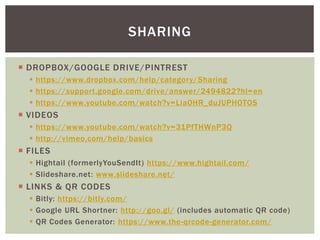
 DROPBOX/GOOGLE DRIVE/PINTREST
ď‚§ https://www.dropbox.com/help/category/Sharing
ď‚§ https://support.google.com/drive/answer/2494822?hl=en
ď‚§ https://www.youtube.com/watch?v=Lia0HR_duJUPHOTOS
 VIDEOS
ď‚§ https://www.youtube.com/watch?v=31PfTHWnP3Q
ď‚§ http://vimeo.com/help/basics
 FILES
ď‚§ Hightail (formerlyYouSendIt) https://www.hightail.com/
ď‚§ Slideshare.net: www.slideshare.net/
 LINKS & QR CODES
ď‚§ Bitly: https://bitly.com/
ď‚§ Google URL Shortner: http://goo.gl/ (includes automatic QR code)
ď‚§ QR Codes Generator: https://www.the-qrcode-generator.com/
SHARING
ORTING
Storage
Sharing
Sorting
SIMPLE
Social
Media
Support
Spiritual
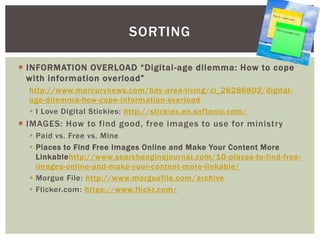
 INFORMATION OVERLOAD “Digital-age dilemma: How to cope
with information overload”
http://www.mercurynews.com/bay-area-living/ci_26286802/digital-
age-dilemma-how-cope-information-overload
ď‚§ I Love Digital Stickies: http://stickies.en.softonic.com/
 IMAGES: How to find good, free images to use for ministry
ď‚§ Paid vs. Free vs. Mine
ď‚§ Places to Find Free Images Online and Make Your Content More
Linkablehttp://www.searchenginejournal.com/10-places-to-find-free-
images-online-and-make-your-content-more-linkable/
ď‚§ Morgue File: http://www.morguefile.com/archive
ď‚§ Flicker.com: https://www.flickr.com/
SORTING
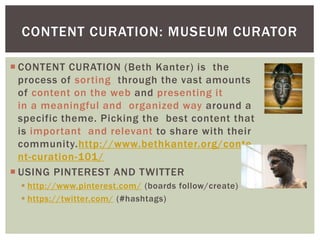
 CONTENT CURATION (Beth Kanter) is the
process of sorting through the vast amounts
of content on the web and presenting it
in a meaningful and organized way around a
specific theme. Picking the best content that
is important and relevant to share with their
community.http://www.bethkanter.org/conte
nt-curation-101/
 USING PINTEREST AND TWITTER
ď‚§ http://www.pinterest.com/ (boards follow/create)
ď‚§ https://twitter.com/ (#hashtags)
CONTENT CURATION: MUSEUM CURATOR
 DEVELOPING TRUSTED SOURCES (Organizations,
Blogs, Publishers, Experts, & Collaborations)
ď‚§ http://www.smp.org/resourcecenter/
ď‚§ http://www.usccb.org/
ď‚§ http://www.loyolapress.com/#
ď‚§ https://www.ted.com/talks/browse
ď‚§ http://www.vcat.org/creed.html
ď‚§ http://bustedhalo.com/
ď‚§ http://www.eformationvts.org/wp-
content/uploads/2014/05/Curating-Faith-Formation-
eFormation-2014.pdf
CONTENT CURATION SOURCES
OCIAL
MEDIA
Storage
Sharing
Sorting
SIMPLE
Social
Media
Support
Spiritual
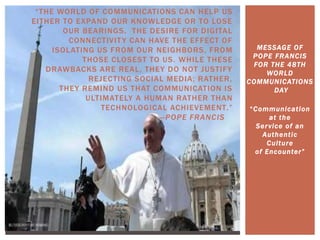
“THE WORLD OF COMMUNICATIONS CAN HELP US
EITHER TO EXPAND OUR KNOWLEDGE OR TO LOSE
OUR BEARINGS. THE DESIRE FOR DIGITAL
CONNECTIVITY CAN HAVE THE EFFECT OF
ISOLATING US FROM OUR NEIGHBORS, FROM
THOSE CLOSEST TO US. WHILE THESE
DRAWBACKS ARE REAL, THEY DO NOT JUSTIFY
REJECTING SOCIAL MEDIA; RATHER,
THEY REMIND US THAT COMMUNICATION IS
ULTIMATELY A HUMAN RATHER THAN
TECHNOLOGICAL ACHIEVEMENT.”
—POPE FRANCIS
MESSAGE OF
POPE FRANCIS
FOR THE 48TH
WORLD
COMMUNICATIONS
DAY
“Communication
at the
Service of an
Authentic
Culture
of Encounter”
MANAGING SOCIAL MEDIA
ď‚§HootSuite: http://blog.hootsuite.com/hootsuite-
rocks-news-roundup/
https://www.youtube.com/watch?v=I8aAYO-WZ4Q
ď‚§Share functions between the various social media
https://twitter.com/settings/profile
 Facebook (Two account craziness)
Using #Hashtags
Creating Mash-Ups
ď‚§Eztexting + Surveymonkey
SOCIAL MEDIA
SUPPORT
Storage
Sharing
Sorting
SIMPLE
Social
Media
Support
Spiritual
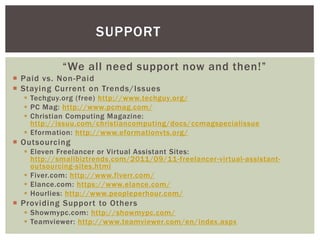
“We all need support now and then!”
 Paid vs. Non-Paid
 Staying Current on Trends/Issues
ď‚§ Techguy.org (free) http://www.techguy.org/
ď‚§ PC Mag: http://www.pcmag.com/
ď‚§ Christian Computing Magazine:
http://issuu.com/christiancomputing/docs/ccmagspecialissue
ď‚§ Eformation: http://www.eformationvts.org/
 Outsourcing
ď‚§ Eleven Freelancer or Virtual Assistant Sites:
http://smallbiztrends.com/2011/09/11-freelancer-virtual-assistant-
outsourcing-sites.html
ď‚§ Fiver.com: http://www.fiverr.com/
ď‚§ Elance.com: https://www.elance.com/
ď‚§ Hourlies: http://www.peopleperhour.com/
 Providing Support to Others
ď‚§ Showmypc.com: http://showmypc.com/
ď‚§ Teamviewer: http://www.teamviewer.com/en/index.aspx
SUPPORT
SPIRITUAL
Storage
Sharing
Sorting
SIMPLE
Social
Media
Support
Spiritual
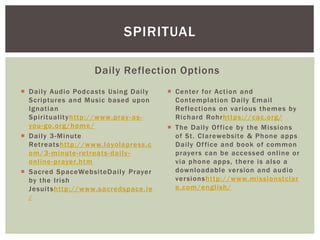
 Daily Audio Podcasts Using Daily
Scriptures and Music based upon
Ignatian
Spiritualityhttp://www.pray-as-
you-go.org/home/
 Daily 3-Minute
Retreatshttp://www.loyolapress.c
om/3-minute-retreats-daily-
online-prayer.htm
 Sacred SpaceWebsiteDaily Prayer
by the Irish
Jesuitshttp://www.sacredspace.ie
/
Daily Reflection Options
 Center for Action and
Contemplation Daily Email
Reflections on various themes by
Richard Rohrhttps://cac.org/
 The Daily Office by the Missions
of St. Clarewebsite & Phone apps
Daily Office and book of common
prayers can be accessed online or
via phone apps, there is also a
downloadable version and audio
versionshttp://www.missionstclar
e.com/english/
SPIRITUAL
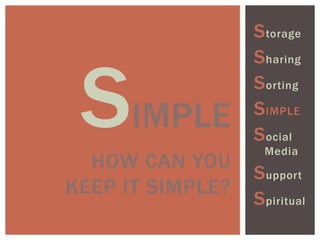
SIMPLE
HOW CAN YOU
KEEP IT SIMPLE?
Storage
Sharing
Sorting
SIMPLE
Social
Media
Support
Spiritual
TAKE TIME TO
EXPLORE
TAKE TIME
NOW TO
CHECK OUT
THE
VARIOUS
LINKS AND
WEBSITES.
THEN SHARE
WITH ONE
OTHER
PERSON
SOMETHING
YOUR FOUND
THAT WAS
INTERESTIN
G
CREATIVE TENSION
Vision:
What we
want to do,
goal, vision,
etc…
What is the creative tension in your ministry
that makes you want to work smarter?
Current Reality:
Where we are
relative to
what we
want…
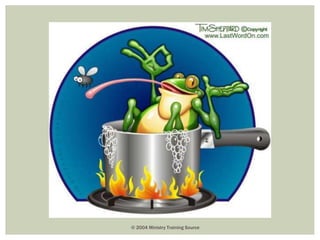
© 2004 Ministry Training Source
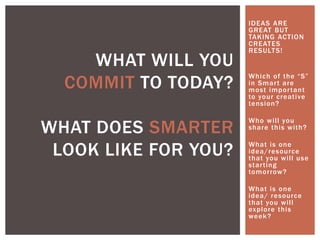
IDEAS ARE
GREAT BUT
TAKING ACTION
CREATES
RESULTS!
Which of the “S”
in Smart are
most important
to your creative
tension?
Who will you
share this with?
What is one
idea/resource
that you will use
starting
tomorrow?
What is one
idea/ resource
that you will
explore this
week?
WHAT WILL YOU
COMMIT TO TODAY?
WHAT DOES SMARTER
LOOK LIKE FOR YOU?
SMARTER

C3 Workshop on Working Smarter Not Harder

  • 1.
  • 2.
  • 3.
    HAVE YOU EVERFELT THIS WAY?
  • 4.
    DO YOU HAVECORD ENVY?
  • 5.
  • 6.
    DON’T MAKE MECHANGE, DON’T MAKE ME CHANGE, DON’T MAKE ME CHANGE….
  • 7.
    What is my password? Ilove my MAC! Come Follow Me!
  • 8.
    Hi, my name isCharlotte McCorquodale and even though I run a tech related company, sometimes technology drives me CRAZY! CONFESSION TIME
  • 9.
    TWO TYPES OF MOTIVATION Steve McClatchy, Decide:Work Smarter, reduce stress, and lead by example GAIN VS. PREVENT PAIN Tasks that you are driven toward by Gain produce more significant positive results in your life and your business than tasks that you are driven toward by Prevent Pain.
  • 10.
    Personal Mastery Mental Models Buildinga Shared Vision Team Learning (Shared Wisdom) Systems Thinking: The Fifth Discipline THE FIVE DISCIPLINES OF A LEARNING ORGANIZATION
  • 11.
    PERSONAL MASTERY “Personal masteryis the discipline of continually clarifying and deepening our personal vision, of focusing our energies, of developing patience, and of seeing reality objectively. The key to this discipline is living life with intentionality and from an importance paradigm.” Two underlying movements: 1) Clarifying what is important to us, and 2) Continually learning how to see current reality more clearly.
  • 12.
    CREATIVE TENSION Vision: What we wantto do, goal, vision, etc… What is the creative tension in your ministry that makes you want to work smarter? Current Reality: Where we are relative to what we want…
  • 13.
    CREATIVE TENSION AND CLOSINGTHE GAP? Two options, we can either lower our standards (vision) or move towards our vision!
  • 14.
  • 15.
  • 16.
  • 18.
     CLOUD OPTIONS Dropbox: https://www.dropbox.com/help  Google Drive: https://support.google.com/drive/?hl=en#topic=14940  10 Best Cloud Storage System Reviews: http://www.thetop10bestonlinebackup.com/cloud-storage  NAMING FILES/VERSION CONTROL:  http://getmethod.com/blog/2012/6/30/the-best-way-to-name-your- files.html  http://www.pcmag.com/article2/0,2817,2385613,00.asp  1. Be descriptive (don’t use final)  2. Be consistent (date, client, work product)  3. Use dates in title (YYYY-MM-DD)  PASSWORDS  http://www.pcmag.com/article2/0,2817,2407168,00.asp  HARD DRIVE OPTIONS & BACKING UP FILES STORAGE (SAVING)
  • 19.
  • 21.
     DROPBOX/GOOGLE DRIVE/PINTREST https://www.dropbox.com/help/category/Sharing  https://support.google.com/drive/answer/2494822?hl=en  https://www.youtube.com/watch?v=Lia0HR_duJUPHOTOS  VIDEOS  https://www.youtube.com/watch?v=31PfTHWnP3Q  http://vimeo.com/help/basics  FILES  Hightail (formerlyYouSendIt) https://www.hightail.com/  Slideshare.net: www.slideshare.net/  LINKS & QR CODES  Bitly: https://bitly.com/  Google URL Shortner: http://goo.gl/ (includes automatic QR code)  QR Codes Generator: https://www.the-qrcode-generator.com/ SHARING
  • 22.
  • 24.
     INFORMATION OVERLOAD“Digital-age dilemma: How to cope with information overload” http://www.mercurynews.com/bay-area-living/ci_26286802/digital- age-dilemma-how-cope-information-overload  I Love Digital Stickies: http://stickies.en.softonic.com/  IMAGES: How to find good, free images to use for ministry  Paid vs. Free vs. Mine  Places to Find Free Images Online and Make Your Content More Linkablehttp://www.searchenginejournal.com/10-places-to-find-free- images-online-and-make-your-content-more-linkable/  Morgue File: http://www.morguefile.com/archive  Flicker.com: https://www.flickr.com/ SORTING
  • 25.
     CONTENT CURATION(Beth Kanter) is the process of sorting through the vast amounts of content on the web and presenting it in a meaningful and organized way around a specific theme. Picking the best content that is important and relevant to share with their community.http://www.bethkanter.org/conte nt-curation-101/  USING PINTEREST AND TWITTER  http://www.pinterest.com/ (boards follow/create)  https://twitter.com/ (#hashtags) CONTENT CURATION: MUSEUM CURATOR
  • 26.
     DEVELOPING TRUSTEDSOURCES (Organizations, Blogs, Publishers, Experts, & Collaborations)  http://www.smp.org/resourcecenter/  http://www.usccb.org/  http://www.loyolapress.com/#  https://www.ted.com/talks/browse  http://www.vcat.org/creed.html  http://bustedhalo.com/  http://www.eformationvts.org/wp- content/uploads/2014/05/Curating-Faith-Formation- eFormation-2014.pdf CONTENT CURATION SOURCES
  • 27.
  • 28.
    “THE WORLD OFCOMMUNICATIONS CAN HELP US EITHER TO EXPAND OUR KNOWLEDGE OR TO LOSE OUR BEARINGS. THE DESIRE FOR DIGITAL CONNECTIVITY CAN HAVE THE EFFECT OF ISOLATING US FROM OUR NEIGHBORS, FROM THOSE CLOSEST TO US. WHILE THESE DRAWBACKS ARE REAL, THEY DO NOT JUSTIFY REJECTING SOCIAL MEDIA; RATHER, THEY REMIND US THAT COMMUNICATION IS ULTIMATELY A HUMAN RATHER THAN TECHNOLOGICAL ACHIEVEMENT.” —POPE FRANCIS MESSAGE OF POPE FRANCIS FOR THE 48TH WORLD COMMUNICATIONS DAY “Communication at the Service of an Authentic Culture of Encounter”
  • 29.
    MANAGING SOCIAL MEDIA HootSuite:http://blog.hootsuite.com/hootsuite- rocks-news-roundup/ https://www.youtube.com/watch?v=I8aAYO-WZ4Q Share functions between the various social media https://twitter.com/settings/profile  Facebook (Two account craziness) Using #Hashtags Creating Mash-Ups Eztexting + Surveymonkey SOCIAL MEDIA
  • 30.
  • 31.
    “We all needsupport now and then!”  Paid vs. Non-Paid  Staying Current on Trends/Issues  Techguy.org (free) http://www.techguy.org/  PC Mag: http://www.pcmag.com/  Christian Computing Magazine: http://issuu.com/christiancomputing/docs/ccmagspecialissue  Eformation: http://www.eformationvts.org/  Outsourcing  Eleven Freelancer or Virtual Assistant Sites: http://smallbiztrends.com/2011/09/11-freelancer-virtual-assistant- outsourcing-sites.html  Fiver.com: http://www.fiverr.com/  Elance.com: https://www.elance.com/  Hourlies: http://www.peopleperhour.com/  Providing Support to Others  Showmypc.com: http://showmypc.com/  Teamviewer: http://www.teamviewer.com/en/index.aspx SUPPORT
  • 32.
  • 33.
     Daily AudioPodcasts Using Daily Scriptures and Music based upon Ignatian Spiritualityhttp://www.pray-as- you-go.org/home/  Daily 3-Minute Retreatshttp://www.loyolapress.c om/3-minute-retreats-daily- online-prayer.htm  Sacred SpaceWebsiteDaily Prayer by the Irish Jesuitshttp://www.sacredspace.ie / Daily Reflection Options  Center for Action and Contemplation Daily Email Reflections on various themes by Richard Rohrhttps://cac.org/  The Daily Office by the Missions of St. Clarewebsite & Phone apps Daily Office and book of common prayers can be accessed online or via phone apps, there is also a downloadable version and audio versionshttp://www.missionstclar e.com/english/ SPIRITUAL
  • 34.
    SIMPLE HOW CAN YOU KEEPIT SIMPLE? Storage Sharing Sorting SIMPLE Social Media Support Spiritual
  • 35.
    TAKE TIME TO EXPLORE TAKETIME NOW TO CHECK OUT THE VARIOUS LINKS AND WEBSITES. THEN SHARE WITH ONE OTHER PERSON SOMETHING YOUR FOUND THAT WAS INTERESTIN G
  • 36.
    CREATIVE TENSION Vision: What we wantto do, goal, vision, etc… What is the creative tension in your ministry that makes you want to work smarter? Current Reality: Where we are relative to what we want…
  • 37.
    © 2004 MinistryTraining Source
  • 38.
    IDEAS ARE GREAT BUT TAKINGACTION CREATES RESULTS! Which of the “S” in Smart are most important to your creative tension? Who will you share this with? What is one idea/resource that you will use starting tomorrow? What is one idea/ resource that you will explore this week? WHAT WILL YOU COMMIT TO TODAY? WHAT DOES SMARTER LOOK LIKE FOR YOU?
  • 39.