RAHEL THOMAS
rahelthomas@sbcglobal.net


    © Rahel Thomas BI Portfolio   2011-Present   1
   Project Overview……………..…………………………………………. 3
   SSIS (Microsoft SQL Server 2008 Integration Services)…………. 4
   SSAS(Microsoft SQL Server 2008 Analysis Services)….…..….…. 10
   DMX Queries ………………………………….………………………… 20
   SSRS (Microsoft SQL Server 2008 Reporting Services)……..…… 25
   Report Samples ……………………………………………………….… 27
   Conclusion ……………………………………………………….………. 34


                                        © Rahel Thomas BI Portfolio   2011-Present   2
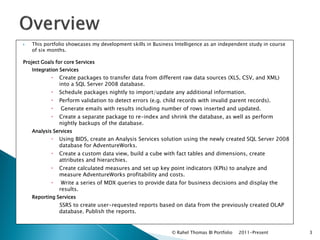
   This portfolio showcases my development skills in Business Intelligence as an independent study in course
    of six months.

Project Goals for core Services
    Integration Services
               Create packages to transfer data from different raw data sources (XLS, CSV, and XML)
                into a SQL Server 2008 database.
               Schedule packages nightly to import/update any additional information.
               Perform validation to detect errors (e.g. child records with invalid parent records).
                   Generate emails with results including number of rows inserted and updated.
               Create a separate package to re-index and shrink the database, as well as perform
                nightly backups of the database.
    Analysis Services
               Using BIDS, create an Analysis Services solution using the newly created SQL Server 2008
                database for AdventureWorks.
               Create a custom data view, build a cube with fact tables and dimensions, create
                attributes and hierarchies.
               Create calculated measures and set up key point indicators (KPIs) to analyze and
                measure AdventureWorks profitability and costs.
                Write a series of MDX queries to provide data for business decisions and display the
                results.
    Reporting Services
               SSRS to create user-requested reports based on data from the previously created OLAP
                U


                database. Publish the reports.


                                                             © Rahel Thomas BI Portfolio   2011-Present         3
Integration Services
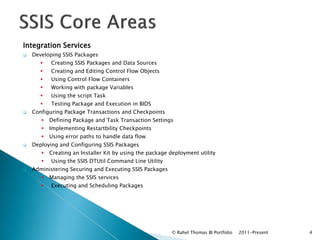
   Developing SSIS Packages
          Creating SSIS Packages and Data Sources
          Creating and Editing Control Flow Objects
          Using Control Flow Containers
          Working with package Variables
          Using the script Task
          Testing Package and Execution in BIDS
   Configuring Package Transactions and Checkpoints
          Defining Package and Task Transaction Settings
          Implementing Restartbility Checkpoints
          Using error paths to handle data flow
   Deploying and Configuring SSIS Packages
          Creating an Installer Kit by using the package deployment utility
          Using the SSIS DTUtil Command Line Utility
   Administering Securing and Executing SSIS Packages
          Managing the SSIS services
          Executing and Scheduling Packages


                                                          © Rahel Thomas BI Portfolio   2011-Present   4
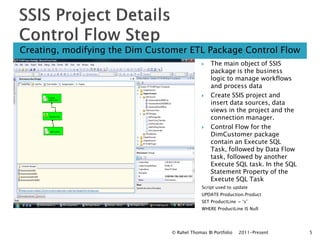
Creating, modifying the Dim Customer ETL Package Control Flow
                                                 The main object of SSIS
                                                  package is the business
                                                  logic to manage workflows
                                                  and process data
                                                 Create SSIS project and
                                                  insert data sources, data
                                                  views in the project and the
                                                  connection manager.
                                                 Control Flow for the
                                                  DimCustomer package
                                                  contain an Execute SQL
                                                  Task, followed by Data Flow
                                                  task, followed by another
                                                  Execute SQL task. In the SQL
                                                  Statement Property of the
                                                  Execute SQL Task
                                              Script used to update
                                              UPDATE Production.Product
                                              SET ProductLine = ‘s’
                                              WHERE ProductLine IS Null


                                 © Rahel Thomas BI Portfolio   2011-Present      5
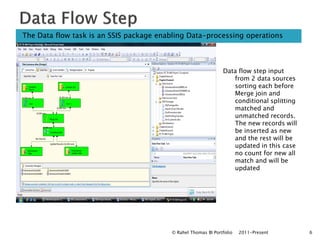
The Data flow task is an SSIS package enabling Data-processing operations


                                                               Data flow step input
                                                                  from 2 data sources
                                                                  sorting each before
                                                                  Merge join and
                                                                  conditional splitting
                                                                  matched and
                                                                  unmatched records.
                                                                  The new records will
                                                                  be inserted as new
                                                                  and the rest will be
                                                                  updated in this case
                                                                  no count for new all
                                                                  match and will be
                                                                  updated


                                         © Rahel Thomas BI Portfolio   2011-Present       6
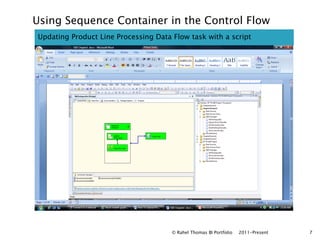
Using Sequence Container in the Control Flow
Updating Product Line Processing Data Flow task with a script


                                      © Rahel Thomas BI Portfolio   2011-Present   7
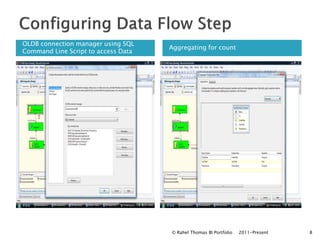
OLDB connection manager using SQL
                                     Aggregating for count
Command Line Script to access Data


                                     © Rahel Thomas BI Portfolio   2011-Present   8
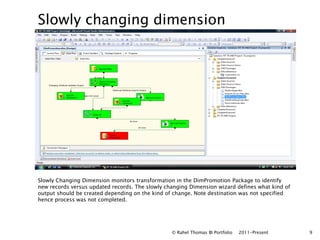
Slowly changing dimension


Slowly Changing Dimension monitors transformation in the DimPromotion Package to identify
new records versus updated records. The slowly changing Dimension wizard defines what kind of
output should be created depending on the kind of change. Note destination was not specified
hence process was not completed.


                                                 © Rahel Thomas BI Portfolio   2011-Present     9
Analysis Services
   Developing SSAS Cubes
          Creating Data Sources and Data Source views
          Creating DSV keys and Table Relationships
          Defining DSV Named Calculations and Named Queries
   Creating SSAS cubes using the Cube wizard and the Cube Designer
          Creating SSAS Dimensions
          Creating Measure Groups and Measures and configuring measures
   Extending SSAS Cubes
          Creating and modifying User Dimension Hierarchies
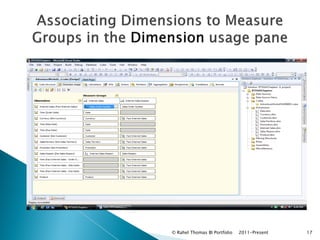
          Associating Dimensions to Measure Groups
          Creating KPIs,
          Localizing Cubes through Translations
          Creating Calculations and Queries by Using DMX
   Deploying SSAS projects with BIDS
          Using the Deployment Wizard
          Running XMLA scripts for Deployment
   Securing and Administering SSAS
          Creating Roles and Applying User Security to Cubes
          Backing up of SSAS Database in SSMS
          Scheduling SSAS Objects in SSMS
   Working with SSAS Data Mining
          Preparing and Creating Data Mining Structures
          Creating Data Mining Models
                                                           © Rahel Thomas BI Portfolio   2011-Present   10

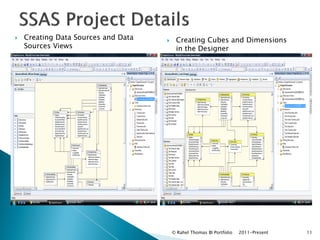
   Creating Data Sources and Data       Creating Cubes and Dimensions
    Sources Views                         in the Designer


                                         © Rahel Thomas BI Portfolio   2011-Present   11
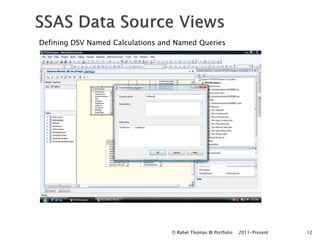
Defining DSV Named Calculations and Named Queries


                                  © Rahel Thomas BI Portfolio   2011-Present   12
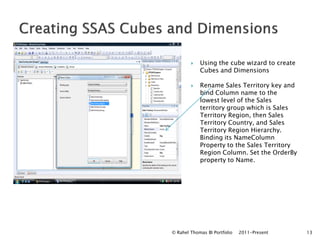
   Using the cube wizard to create
            Cubes and Dimensions

           Rename Sales Territory key and
            bind Column name to the
            lowest level of the Sales
            territory group which is Sales
            Territory Region, then Sales
            Territory Country, and Sales
            Territory Region Hierarchy.
            Binding its NameColumn
            Property to the Sales Territory
            Region Column. Set the OrderBy
            property to Name.


© Rahel Thomas BI Portfolio   2011-Present    13
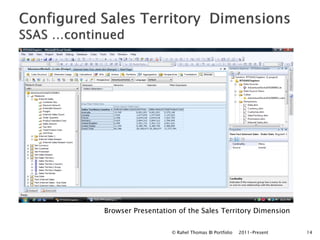
Browser Presentation of the Sales Territory Dimension

                   © Rahel Thomas BI Portfolio   2011-Present   14
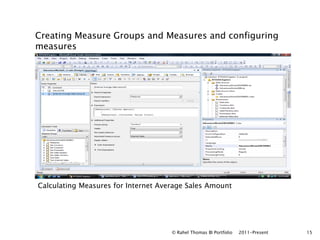
Creating Measure Groups and Measures and configuring
measures


Calculating Measures for Internet Average Sales Amount


                                     © Rahel Thomas BI Portfolio   2011-Present   15
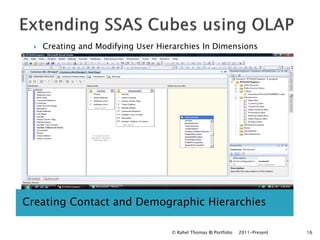
   Creating and Modifying User Hierarchies In Dimensions


Creating Contact and Demographic Hierarchies

                                     © Rahel Thomas BI Portfolio   2011-Present   16
© Rahel Thomas BI Portfolio   2011-Present   17
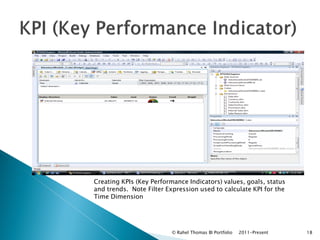
Creating KPIs (Key Performance Indicators) values, goals, status
and trends. Note Filter Expression used to calculate KPI for the
Time Dimension


                          © Rahel Thomas BI Portfolio   2011-Present   18
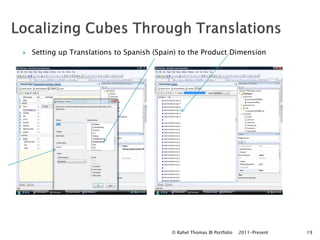
   Setting up Translations to Spanish (Spain) to the Product Dimension


                                            © Rahel Thomas BI Portfolio   2011-Present   19
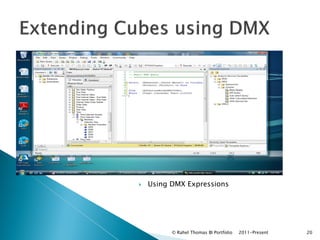
   Using DMX Expressions


          © Rahel Thomas BI Portfolio   2011-Present   20
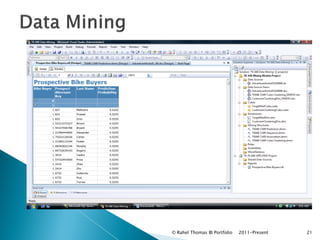
   Using DMX Expressions


          © Rahel Thomas BI Portfolio   2011-Present   21
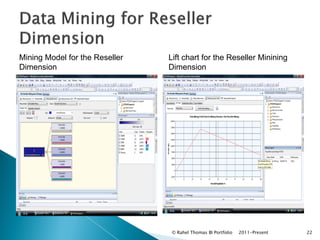
Mining Model for the Reseller   Lift chart for the Reseller Minining
Dimension                       Dimension


                                © Rahel Thomas BI Portfolio   2011-Present   22
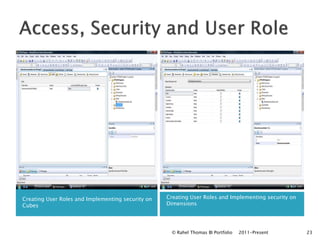
Creating User Roles and Implementing security on   Creating User Roles and Implementing security on
Cubes                                              Dimensions


                                                     © Rahel Thomas BI Portfolio   2011-Present       23
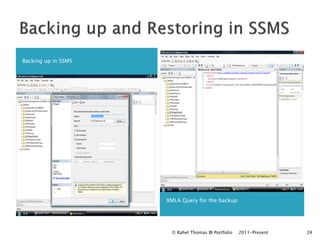
Backing up in SSMS


                     XMLA Query for the backup


                      © Rahel Thomas BI Portfolio   2011-Present   24
Reporting Services

   Creating SSRS Projects and Reports in BIDS
          Using the SSRS Report wizard and the report Designer
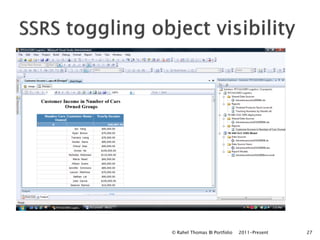
          Working with advanced Report Object properties such as toggling object visibility and Report
           actions


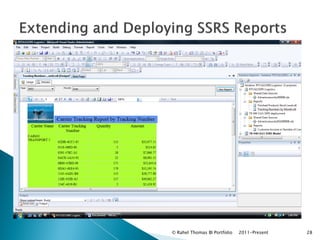
   Extending and Deploying SSRS Reports
          Assigning parameters within Reports
          Deploying Reports in BIDS
          Uploading a report file in Report Manager


                                                         © Rahel Thomas BI Portfolio   2011-Present       25
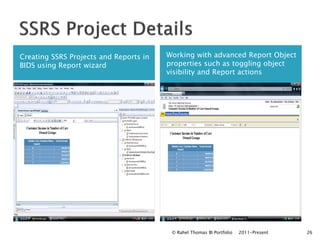
Creating SSRS Projects and Reports in   Working with advanced Report Object
BIDS using Report wizard                properties such as toggling object
                                        visibility and Report actions


                                         © Rahel Thomas BI Portfolio   2011-Present   26
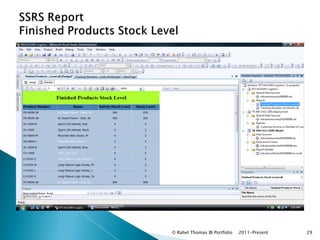
© Rahel Thomas BI Portfolio   2011-Present   27
© Rahel Thomas BI Portfolio   2011-Present   28
© Rahel Thomas BI Portfolio   2011-Present   29
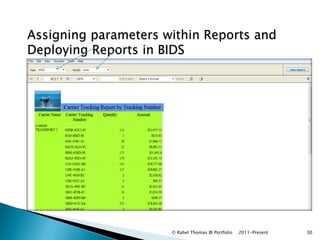
Assigning parameters within Reports and
Deploying Reports in BIDS


                      © Rahel Thomas BI Portfolio   2011-Present   30
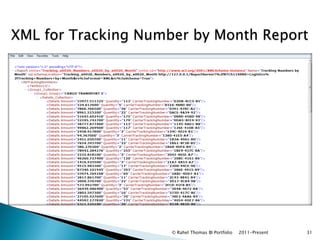
XML for Tracking Number by Month Report


                     © Rahel Thomas BI Portfolio   2011-Present   31
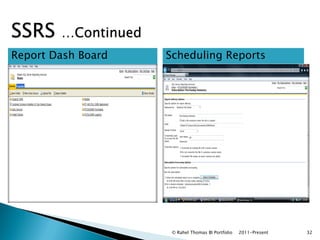
SSRS    …Continued
Report Dash Board    Scheduling Reports


                      © Rahel Thomas BI Portfolio   2011-Present   32
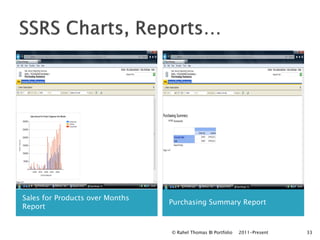
Sales for Products over Months
                                 Purchasing Summary Report
Report


                                 © Rahel Thomas BI Portfolio   2011-Present   33
RAHEL THOMAS
rahelthomas@sbcglobal.net


    © Rahel Thomas BI Portfolio   2011-Present   34

Business Intelligence Portfolio Rahel Thomas

  • 1.
    RAHEL THOMAS rahelthomas@sbcglobal.net © Rahel Thomas BI Portfolio 2011-Present 1
  • 2.
    Project Overview……………..…………………………………………. 3  SSIS (Microsoft SQL Server 2008 Integration Services)…………. 4  SSAS(Microsoft SQL Server 2008 Analysis Services)….…..….…. 10  DMX Queries ………………………………….………………………… 20  SSRS (Microsoft SQL Server 2008 Reporting Services)……..…… 25  Report Samples ……………………………………………………….… 27  Conclusion ……………………………………………………….………. 34 © Rahel Thomas BI Portfolio 2011-Present 2
  • 3.
    This portfolio showcases my development skills in Business Intelligence as an independent study in course of six months. Project Goals for core Services Integration Services  Create packages to transfer data from different raw data sources (XLS, CSV, and XML) into a SQL Server 2008 database.  Schedule packages nightly to import/update any additional information.  Perform validation to detect errors (e.g. child records with invalid parent records).  Generate emails with results including number of rows inserted and updated.  Create a separate package to re-index and shrink the database, as well as perform nightly backups of the database. Analysis Services  Using BIDS, create an Analysis Services solution using the newly created SQL Server 2008 database for AdventureWorks.  Create a custom data view, build a cube with fact tables and dimensions, create attributes and hierarchies.  Create calculated measures and set up key point indicators (KPIs) to analyze and measure AdventureWorks profitability and costs.  Write a series of MDX queries to provide data for business decisions and display the results. Reporting Services  SSRS to create user-requested reports based on data from the previously created OLAP U database. Publish the reports. © Rahel Thomas BI Portfolio 2011-Present 3
  • 4.
    Integration Services  Developing SSIS Packages  Creating SSIS Packages and Data Sources  Creating and Editing Control Flow Objects  Using Control Flow Containers  Working with package Variables  Using the script Task  Testing Package and Execution in BIDS  Configuring Package Transactions and Checkpoints  Defining Package and Task Transaction Settings  Implementing Restartbility Checkpoints  Using error paths to handle data flow  Deploying and Configuring SSIS Packages  Creating an Installer Kit by using the package deployment utility  Using the SSIS DTUtil Command Line Utility  Administering Securing and Executing SSIS Packages  Managing the SSIS services  Executing and Scheduling Packages © Rahel Thomas BI Portfolio 2011-Present 4
  • 5.
    Creating, modifying theDim Customer ETL Package Control Flow  The main object of SSIS package is the business logic to manage workflows and process data  Create SSIS project and insert data sources, data views in the project and the connection manager.  Control Flow for the DimCustomer package contain an Execute SQL Task, followed by Data Flow task, followed by another Execute SQL task. In the SQL Statement Property of the Execute SQL Task Script used to update UPDATE Production.Product SET ProductLine = ‘s’ WHERE ProductLine IS Null © Rahel Thomas BI Portfolio 2011-Present 5
  • 6.
    The Data flowtask is an SSIS package enabling Data-processing operations Data flow step input from 2 data sources sorting each before Merge join and conditional splitting matched and unmatched records. The new records will be inserted as new and the rest will be updated in this case no count for new all match and will be updated © Rahel Thomas BI Portfolio 2011-Present 6
  • 7.
    Using Sequence Containerin the Control Flow Updating Product Line Processing Data Flow task with a script © Rahel Thomas BI Portfolio 2011-Present 7
  • 8.
    OLDB connection managerusing SQL Aggregating for count Command Line Script to access Data © Rahel Thomas BI Portfolio 2011-Present 8
  • 9.
    Slowly changing dimension SlowlyChanging Dimension monitors transformation in the DimPromotion Package to identify new records versus updated records. The slowly changing Dimension wizard defines what kind of output should be created depending on the kind of change. Note destination was not specified hence process was not completed. © Rahel Thomas BI Portfolio 2011-Present 9
  • 10.
    Analysis Services  Developing SSAS Cubes  Creating Data Sources and Data Source views  Creating DSV keys and Table Relationships  Defining DSV Named Calculations and Named Queries  Creating SSAS cubes using the Cube wizard and the Cube Designer  Creating SSAS Dimensions  Creating Measure Groups and Measures and configuring measures  Extending SSAS Cubes  Creating and modifying User Dimension Hierarchies  Associating Dimensions to Measure Groups  Creating KPIs,  Localizing Cubes through Translations  Creating Calculations and Queries by Using DMX  Deploying SSAS projects with BIDS  Using the Deployment Wizard  Running XMLA scripts for Deployment  Securing and Administering SSAS  Creating Roles and Applying User Security to Cubes  Backing up of SSAS Database in SSMS  Scheduling SSAS Objects in SSMS  Working with SSAS Data Mining  Preparing and Creating Data Mining Structures  Creating Data Mining Models © Rahel Thomas BI Portfolio 2011-Present 10 
  • 11.
    Creating Data Sources and Data  Creating Cubes and Dimensions Sources Views in the Designer © Rahel Thomas BI Portfolio 2011-Present 11
  • 12.
    Defining DSV NamedCalculations and Named Queries © Rahel Thomas BI Portfolio 2011-Present 12
  • 13.
    Using the cube wizard to create Cubes and Dimensions  Rename Sales Territory key and bind Column name to the lowest level of the Sales territory group which is Sales Territory Region, then Sales Territory Country, and Sales Territory Region Hierarchy. Binding its NameColumn Property to the Sales Territory Region Column. Set the OrderBy property to Name. © Rahel Thomas BI Portfolio 2011-Present 13
  • 14.
    Browser Presentation ofthe Sales Territory Dimension © Rahel Thomas BI Portfolio 2011-Present 14
  • 15.
    Creating Measure Groupsand Measures and configuring measures Calculating Measures for Internet Average Sales Amount © Rahel Thomas BI Portfolio 2011-Present 15
  • 16.
    Creating and Modifying User Hierarchies In Dimensions Creating Contact and Demographic Hierarchies © Rahel Thomas BI Portfolio 2011-Present 16
  • 17.
    © Rahel ThomasBI Portfolio 2011-Present 17
  • 18.
    Creating KPIs (KeyPerformance Indicators) values, goals, status and trends. Note Filter Expression used to calculate KPI for the Time Dimension © Rahel Thomas BI Portfolio 2011-Present 18
  • 19.
    Setting up Translations to Spanish (Spain) to the Product Dimension © Rahel Thomas BI Portfolio 2011-Present 19
  • 20.
    Using DMX Expressions © Rahel Thomas BI Portfolio 2011-Present 20
  • 21.
    Using DMX Expressions © Rahel Thomas BI Portfolio 2011-Present 21
  • 22.
    Mining Model forthe Reseller Lift chart for the Reseller Minining Dimension Dimension © Rahel Thomas BI Portfolio 2011-Present 22
  • 23.
    Creating User Rolesand Implementing security on Creating User Roles and Implementing security on Cubes Dimensions © Rahel Thomas BI Portfolio 2011-Present 23
  • 24.
    Backing up inSSMS XMLA Query for the backup © Rahel Thomas BI Portfolio 2011-Present 24
  • 25.
    Reporting Services  Creating SSRS Projects and Reports in BIDS  Using the SSRS Report wizard and the report Designer  Working with advanced Report Object properties such as toggling object visibility and Report actions  Extending and Deploying SSRS Reports  Assigning parameters within Reports  Deploying Reports in BIDS  Uploading a report file in Report Manager © Rahel Thomas BI Portfolio 2011-Present 25
  • 26.
    Creating SSRS Projectsand Reports in Working with advanced Report Object BIDS using Report wizard properties such as toggling object visibility and Report actions © Rahel Thomas BI Portfolio 2011-Present 26
  • 27.
    © Rahel ThomasBI Portfolio 2011-Present 27
  • 28.
    © Rahel ThomasBI Portfolio 2011-Present 28
  • 29.
    © Rahel ThomasBI Portfolio 2011-Present 29
  • 30.
    Assigning parameters withinReports and Deploying Reports in BIDS © Rahel Thomas BI Portfolio 2011-Present 30
  • 31.
    XML for TrackingNumber by Month Report © Rahel Thomas BI Portfolio 2011-Present 31
  • 32.
    SSRS …Continued Report Dash Board Scheduling Reports © Rahel Thomas BI Portfolio 2011-Present 32
  • 33.
    Sales for Productsover Months Purchasing Summary Report Report © Rahel Thomas BI Portfolio 2011-Present 33
  • 34.
    RAHEL THOMAS rahelthomas@sbcglobal.net © Rahel Thomas BI Portfolio 2011-Present 34