www.Suhail.Cloud #SuhailCloud @SuhailCloud
Build SPFx Solutions for
SharePoint 2019
Suhail Jamaldeen
www.Suhail.Cloud #SuhailCloud @SuhailCloud
About Me
Suhail Jamaldeen
Microsoft MVP – Office Apps & Services
Blogger – www.Suhail.Cloud
#SuhailCloud
www.Suhail.Cloud #SuhailCloud @SuhailCloud
Agenda
SharePoint Framework (SPFx)
SPFx Solutions for SharePoint 2019
Development environment considerations
Not supported capabilities
Setup Development Environment
References
www.Suhail.Cloud #SuhailCloud @SuhailCloud
SharePoint Framework (SPFx)
• Modern Client Side Development
• Lightweight web and mobile
• Support Open Source tools and JavaScript Web Frameworks
www.Suhail.Cloud #SuhailCloud @SuhailCloud
SPFx Solutions for SharePoint 2019
• Supports SharePoint Framework client-side web parts in classic
and pages, and extensions in modern pages.
• SharePoint Server 2019 only supports the version that matches
the server-side dependencies of the deployed packages.
www.Suhail.Cloud #SuhailCloud @SuhailCloud
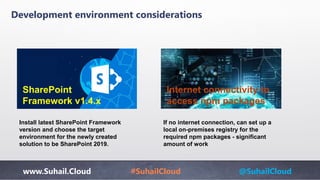
Development environment considerations
SharePoint
Framework v1.4.x
Internet connectivity to
access npm packages
Install latest SharePoint Framework
version and choose the target
environment for the newly created
solution to be SharePoint 2019.
If no internet connection, can set up a
local on-premises registry for the
required npm packages - significant
amount of work
www.Suhail.Cloud #SuhailCloud @SuhailCloud
Not supported capabilities
• Hub sites
• Site collection app catalog
www.Suhail.Cloud #SuhailCloud @SuhailCloud
Setup Development Environment
Install NodeJS
• Install version 8.x from https://nodejs.org
• If you already have NodeJS installed, check the version
Install Code Editor
Install any of below code editor
• Visual Studio Code (https://code.visualstudio.com)
• Atom (https://atom.io)
• Webstorm (https://www.jetbrains.com/webstorm)
www.Suhail.Cloud #SuhailCloud @SuhailCloud
Setup Development Environment
https://nodejs.org
Install Latest version ( +8.x )
Check the version node -v
www.Suhail.Cloud #SuhailCloud @SuhailCloud
Code Editors
Webstorm
https://www.jetbrains.com/webstorm
Atom
https://atom.io
Visual Studio Code
https://code.visualstudio.com
www.Suhail.Cloud #SuhailCloud @SuhailCloud
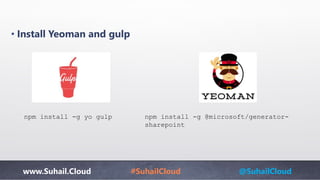
• Install Yeoman and gulp
npm install -g yo gulp npm install -g @microsoft/generator-
sharepoint
www.Suhail.Cloud #SuhailCloud @SuhailCloud
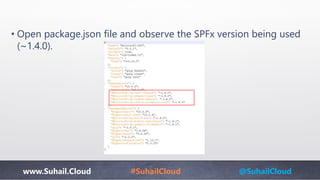
• Open package.json file and observe the SPFx version being used
(~1.4.0).
www.Suhail.Cloud #SuhailCloud @SuhailCloud
Prepare the Package
Bundle the solution
• In the command prompt, type the below command.
gulp bundle --ship
• This command will minify the required assets to “tempdeploy” folder.
Package the solution
• In the command prompt, type the below command.
gulp package-solution --ship
• This will create the solution package (sppkg) in sharepointsolution
folder.
www.Suhail.Cloud #SuhailCloud @SuhailCloud
Logging
• SPFx comes with out of the box logging support – Log Provider
import { Log } from '@microsoft/sp-core-library';
const LOG_SOURCE: string = 'SPFxLogger';
Log._initialize(new ConsoleLogHandler((window as
any).LOG_LEVEL || LogLevel.Error));
Log.info(LOG_SOURCE, 'Hello world from SPFx Logger');
www.Suhail.Cloud #SuhailCloud @SuhailCloud
References
• https://docs.microsoft.com/en-us/sharepoint/dev/general-
development/sharepoint-2019-development-platform
• https://docs.microsoft.com/en-
us/sharepoint/dev/spfx/sharepoint-2019-support
• https://blog.mastykarz.nl/logging-sharepoint-framework/
• https://www.c-sharpcorner.com/article/spfx-with-sharepoint-
2019/
•
www.Suhail.Cloud #SuhailCloud @SuhailCloud
Power Automate
www.Suhail.Cloud #SuhailCloud @SuhailCloud
Questions
&
Answers
www.Suhail.Cloud #SuhailCloud @SuhailCloud
Thank You
www.Suhail.Cloud
@SuhailCloud
#SuhailCloud

Build SPFx Solutions for SharePoint 2019