1
Slide
1
Developing with Groups, Teams and
planner
Albert-Jan Schot
2
Slide
2
Developing with Groups, Teams and Planner | Albert-Jan Schot | 20 June 10:15 – 11:30
Follow us:
#O365ENGAGE17
Albert-Jan Schot
Office Servers & Services MVP
https://sharepointappie.nl
@appieschot
https://mavention.nl
3
Slide
3
Developing with Groups, Teams and Planner | Albert-Jan Schot | 20 June 10:15 – 11:30
Follow us:
#O365ENGAGE17
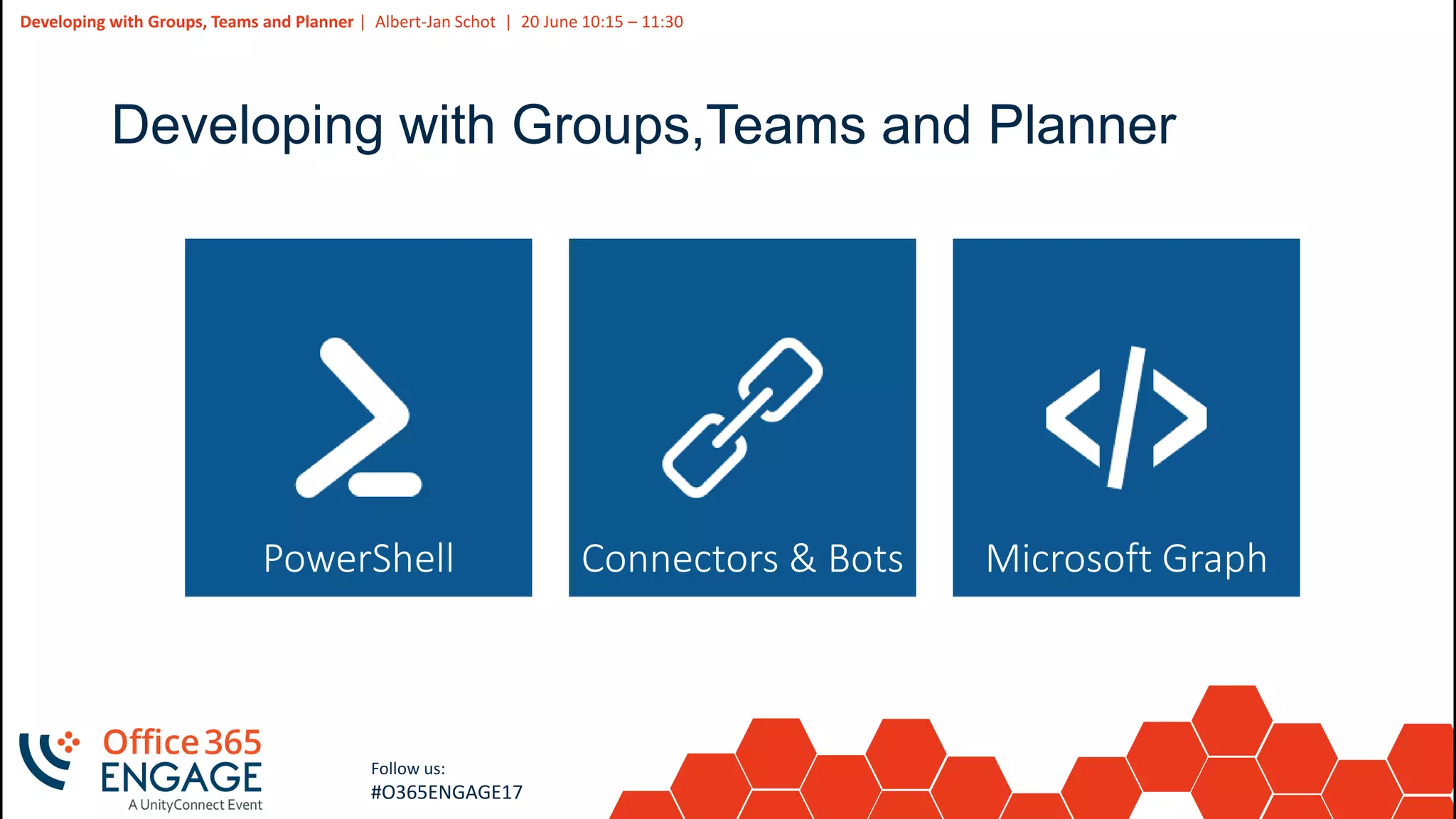
Developing with Groups,Teams and Planner
PowerShell Microsoft GraphConnectors & Bots
4
Slide
4
Developing with Groups, Teams and Planner | Albert-Jan Schot | 20 June 10:15 – 11:30
Follow us:
#O365ENGAGE17
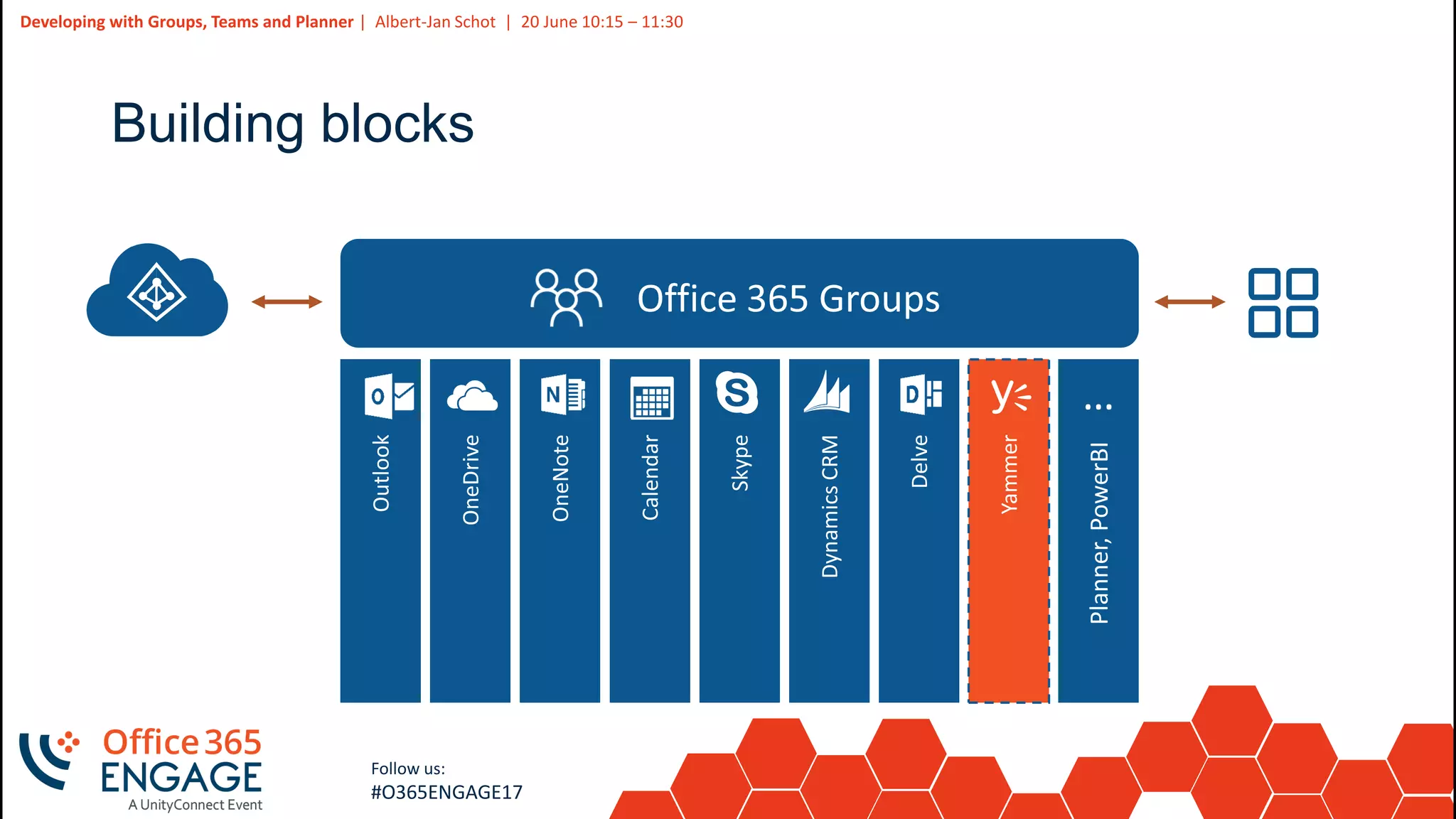
Building blocks
5
Slide
5
Developing with Groups, Teams and Planner | Albert-Jan Schot | 20 June 10:15 – 11:30
Follow us:
#O365ENGAGE17
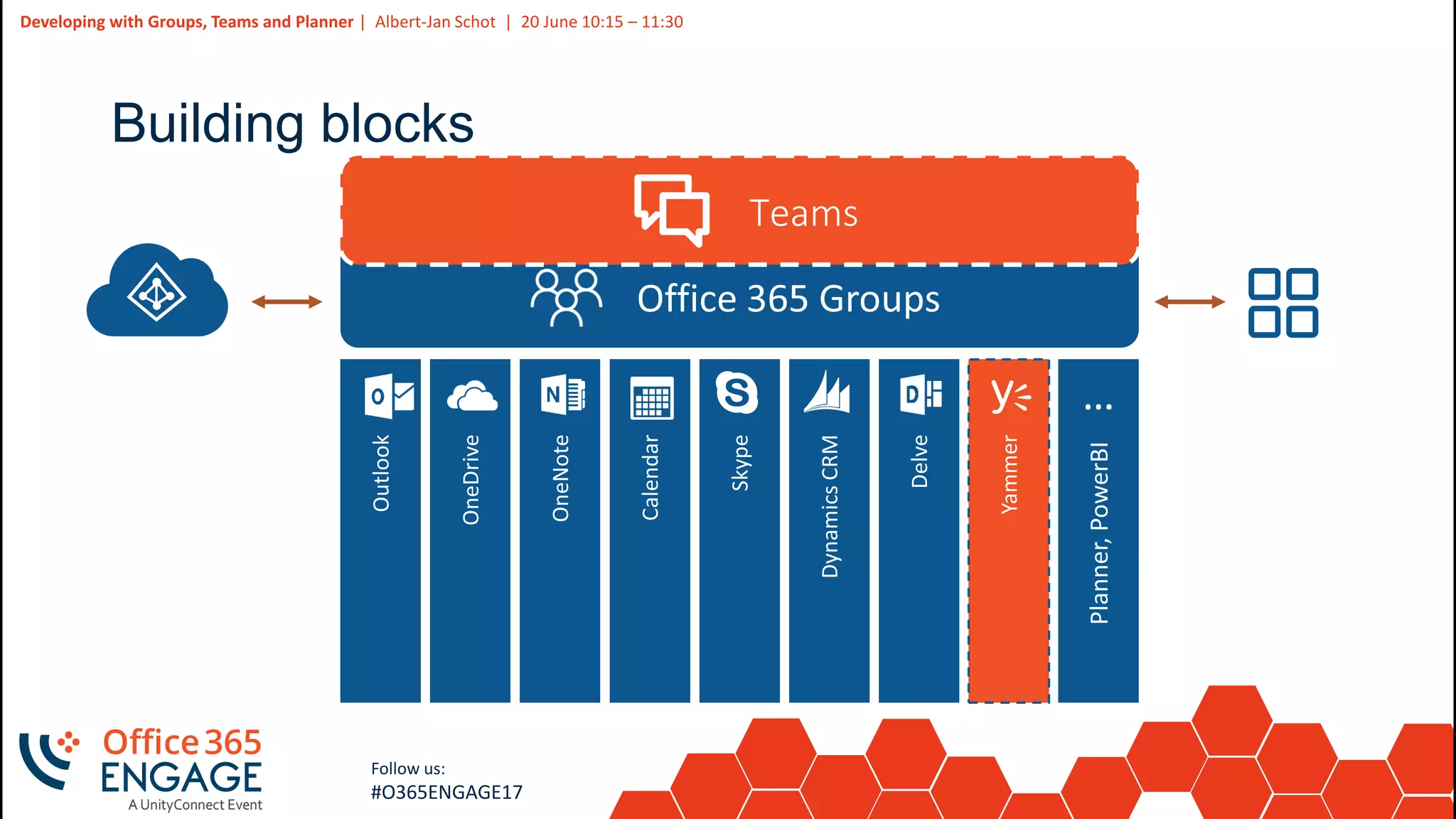
Building blocks
6
Slide
6
Developing with Groups, Teams and Planner | Albert-Jan Schot | 20 June 10:15 – 11:30
Follow us:
#O365ENGAGE17
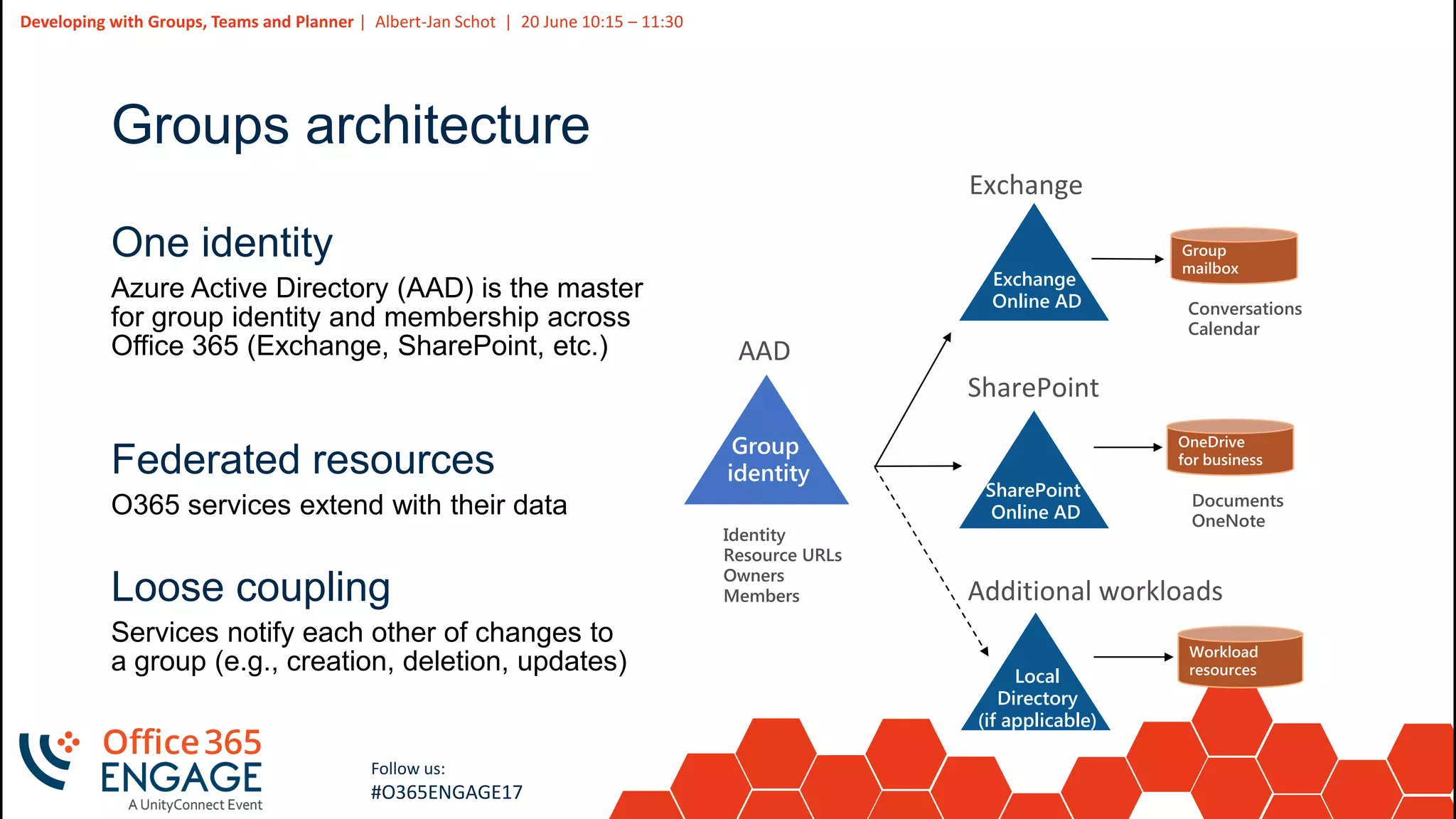
Groups architecture
One identity
Federated resources
Loose coupling
SharePoint
SharePoint
Online AD
Documents
OneNote
Additional workloads
Local
Directory
(if applicable)
Exchange
Conversations
Calendar
Exchange
Online AD
Identity
Resource URLs
Owners
Members
AAD
7
Slide
7
Developing with Groups, Teams and Planner | Albert-Jan Schot | 20 June 10:15 – 11:30
Follow us:
#O365ENGAGE17
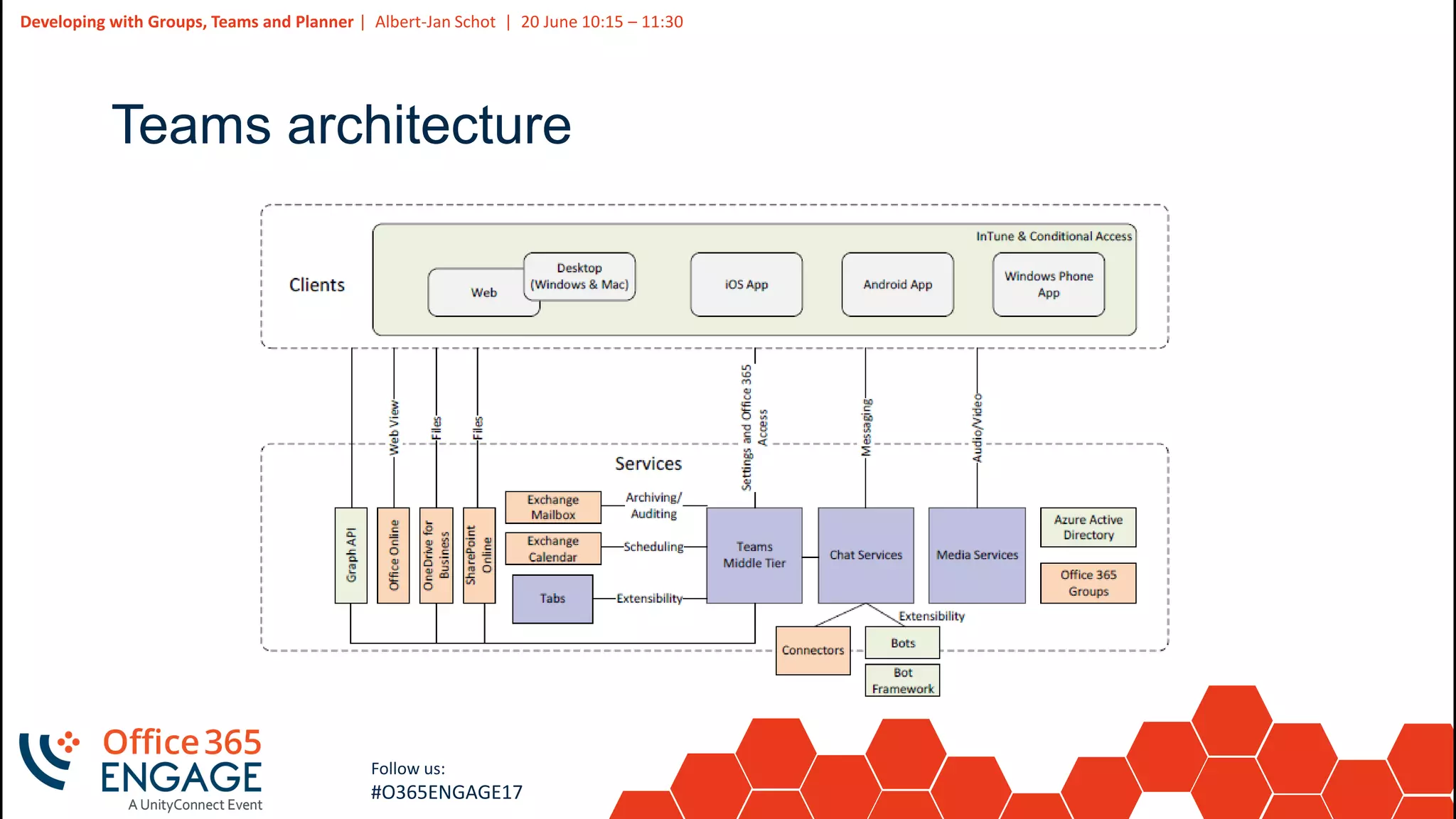
Teams architecture
8
Slide
8
Developing with Groups, Teams and Planner | Albert-Jan Schot | 20 June 10:15 – 11:30
Follow us:
#O365ENGAGE17
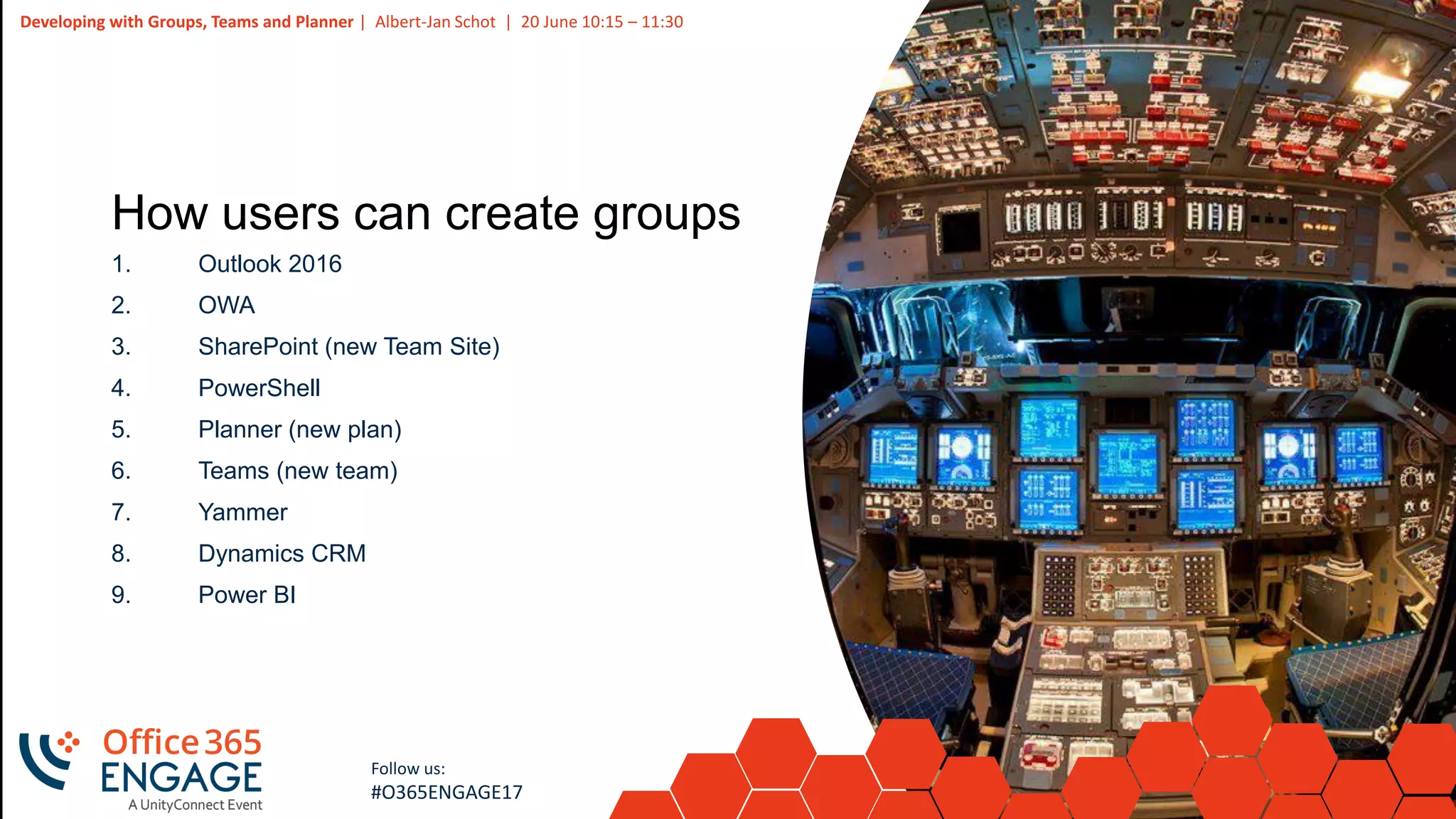
How users can create groups
1. Outlook 2016
2. OWA
3. SharePoint (new Team Site)
4. PowerShell
5. Planner (new plan)
6. Teams (new team)
7. Yammer
8. Dynamics CRM
9. Power BI
9
Slide
9
Developing with Groups, Teams and Planner | Albert-Jan Schot | 20 June 10:15 – 11:30
Follow us:
#O365ENGAGE17
PowerShell for the basics
10
Slide
10
Developing with Groups, Teams and Planner | Albert-Jan Schot | 20 June 10:15 – 11:30
Follow us:
#O365ENGAGE17
PowerShell for Administrators
$Policy = Get-MsolSettingTemplate
–TemplateId 62375ab9-6b52-47ed-826b-58e47e0e304b
$Setting = $Policy.CreateSettingsObject()
$Setting["EnableGroupCreation"] = "false"
$Setting["GroupCreationAllowedGroupId"] = "guid-admin-group"
New-MsolSettings –SettingsObject $Setting
11
Slide
11
Developing with Groups, Teams and Planner | Albert-Jan Schot | 20 June 10:15 – 11:30
Follow us:
#O365ENGAGE17
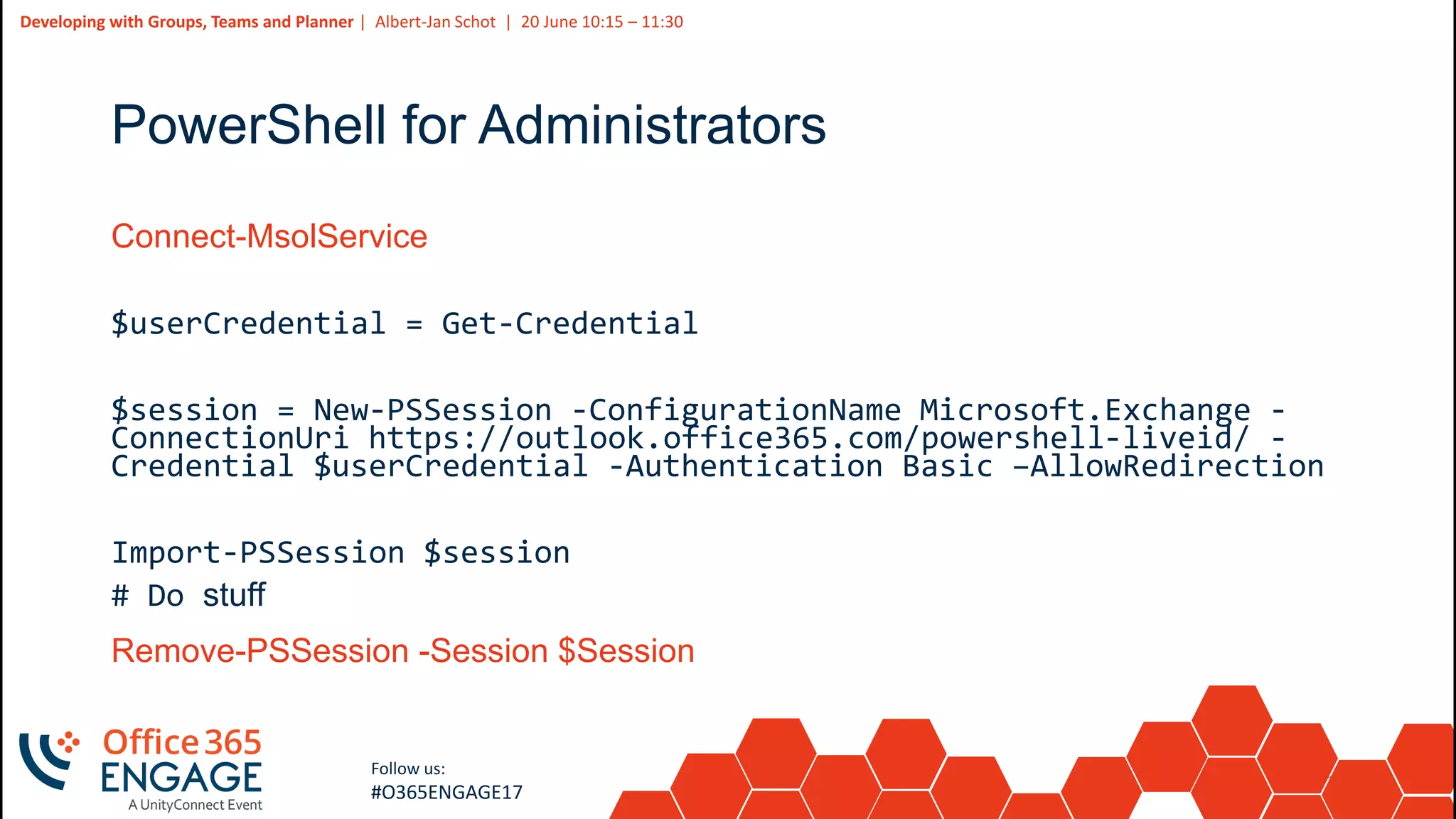
PowerShell for Administrators
Connect-MsolService
$userCredential = Get-Credential
$session = New-PSSession -ConfigurationName Microsoft.Exchange -
ConnectionUri https://outlook.office365.com/powershell-liveid/ -
Credential $userCredential -Authentication Basic –AllowRedirection
Import-PSSession $session
# Do stuff
Remove-PSSession -Session $Session
12
Slide
12
Developing with Groups, Teams and Planner | Albert-Jan Schot | 20 June 10:15 – 11:30
Follow us:
#O365ENGAGE17
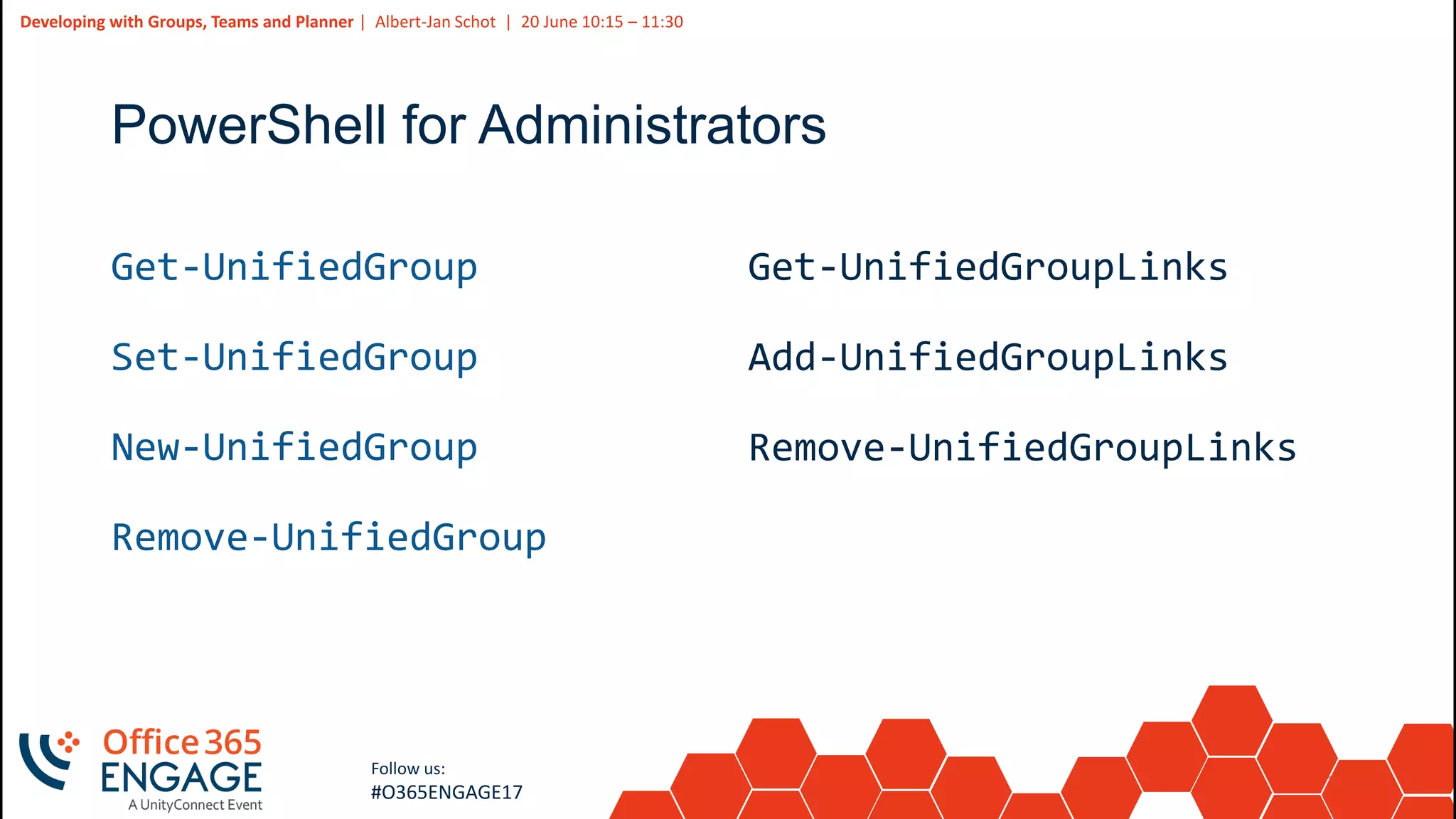
PowerShell for Administrators
Get-UnifiedGroup
Set-UnifiedGroup
New-UnifiedGroup
Remove-UnifiedGroup
Get-UnifiedGroupLinks
Add-UnifiedGroupLinks
Remove-UnifiedGroupLinks
13
Slide
13
Developing with Groups, Teams and Planner | Albert-Jan Schot | 20 June 10:15 – 11:30
Follow us:
#O365ENGAGE17
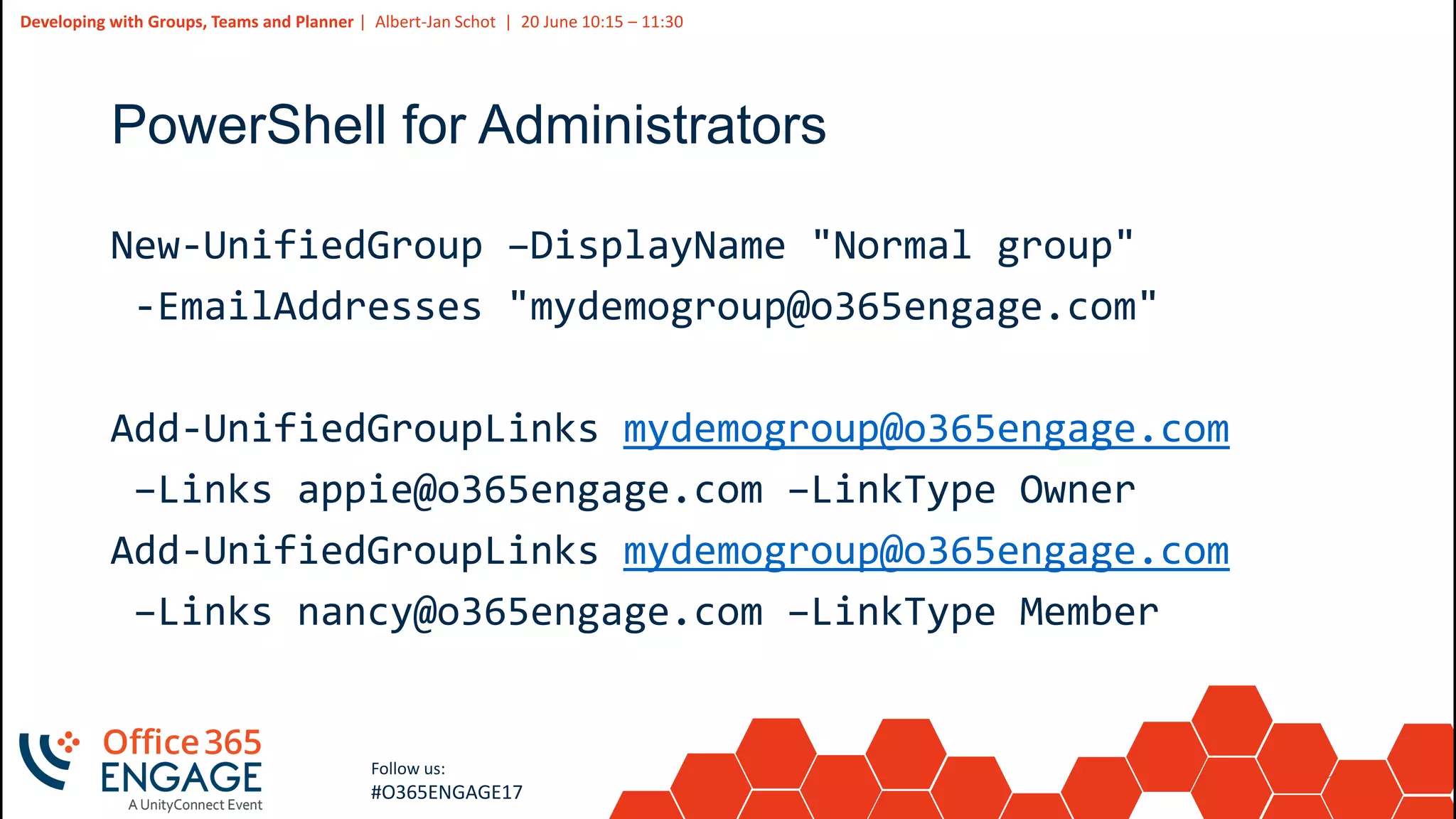
PowerShell for Administrators
New-UnifiedGroup –DisplayName "Normal group"
-EmailAddresses "mydemogroup@o365engage.com"
Add-UnifiedGroupLinks mydemogroup@o365engage.com
–Links appie@o365engage.com –LinkType Owner
Add-UnifiedGroupLinks mydemogroup@o365engage.com
–Links nancy@o365engage.com –LinkType Member
14
Slide
14
Developing with Groups, Teams and Planner | Albert-Jan Schot | 20 June 10:15 – 11:30
Follow us:
#O365ENGAGE17
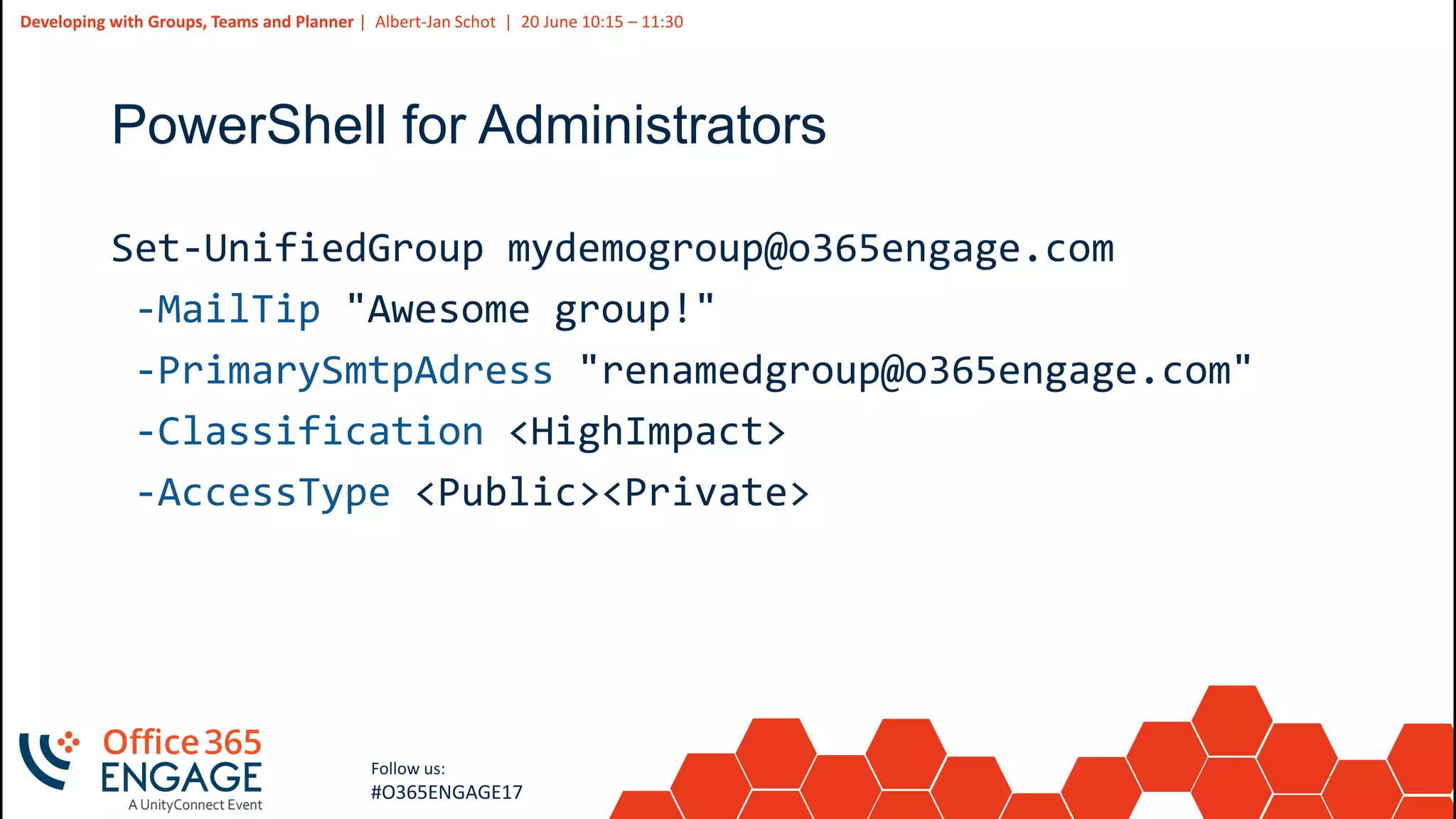
PowerShell for Administrators
Set-UnifiedGroup mydemogroup@o365engage.com
-MailTip "Awesome group!"
-PrimarySmtpAdress "renamedgroup@o365engage.com"
-Classification <HighImpact>
-AccessType <Public><Private>
15
Slide
15
Developing with Groups, Teams and Planner | Albert-Jan Schot | 20 June 10:15 – 11:30
Follow us:
#O365ENGAGE17
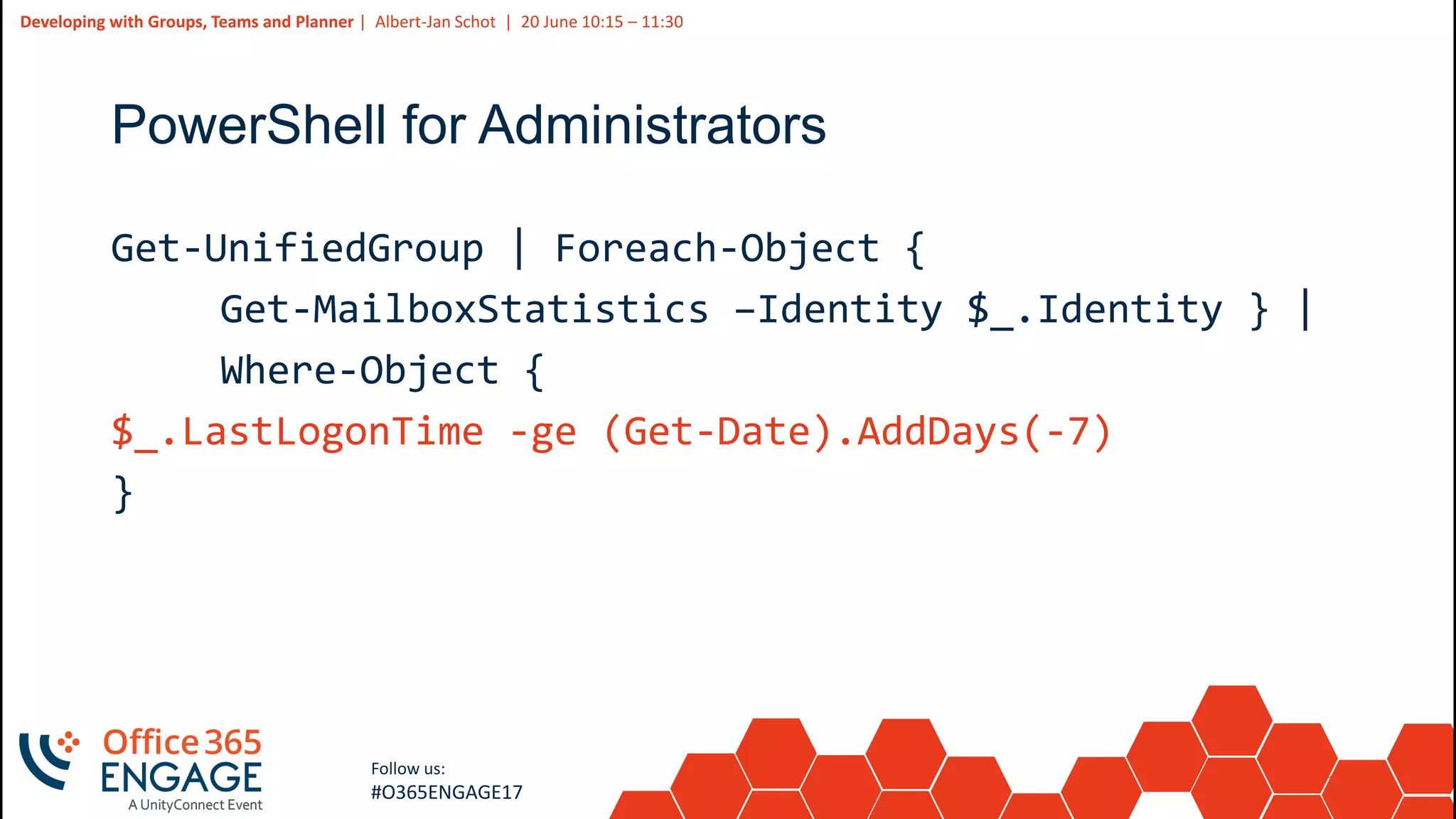
PowerShell for Administrators
Get-UnifiedGroup | Foreach-Object {
Get-MailboxStatistics –Identity $_.Identity } |
Where-Object {
$_.LastLogonTime -ge (Get-Date).AddDays(-7)
}
16
Slide
16
Developing with Groups, Teams and Planner | Albert-Jan Schot | 20 June 10:15 – 11:30
Follow us:
#O365ENGAGE17
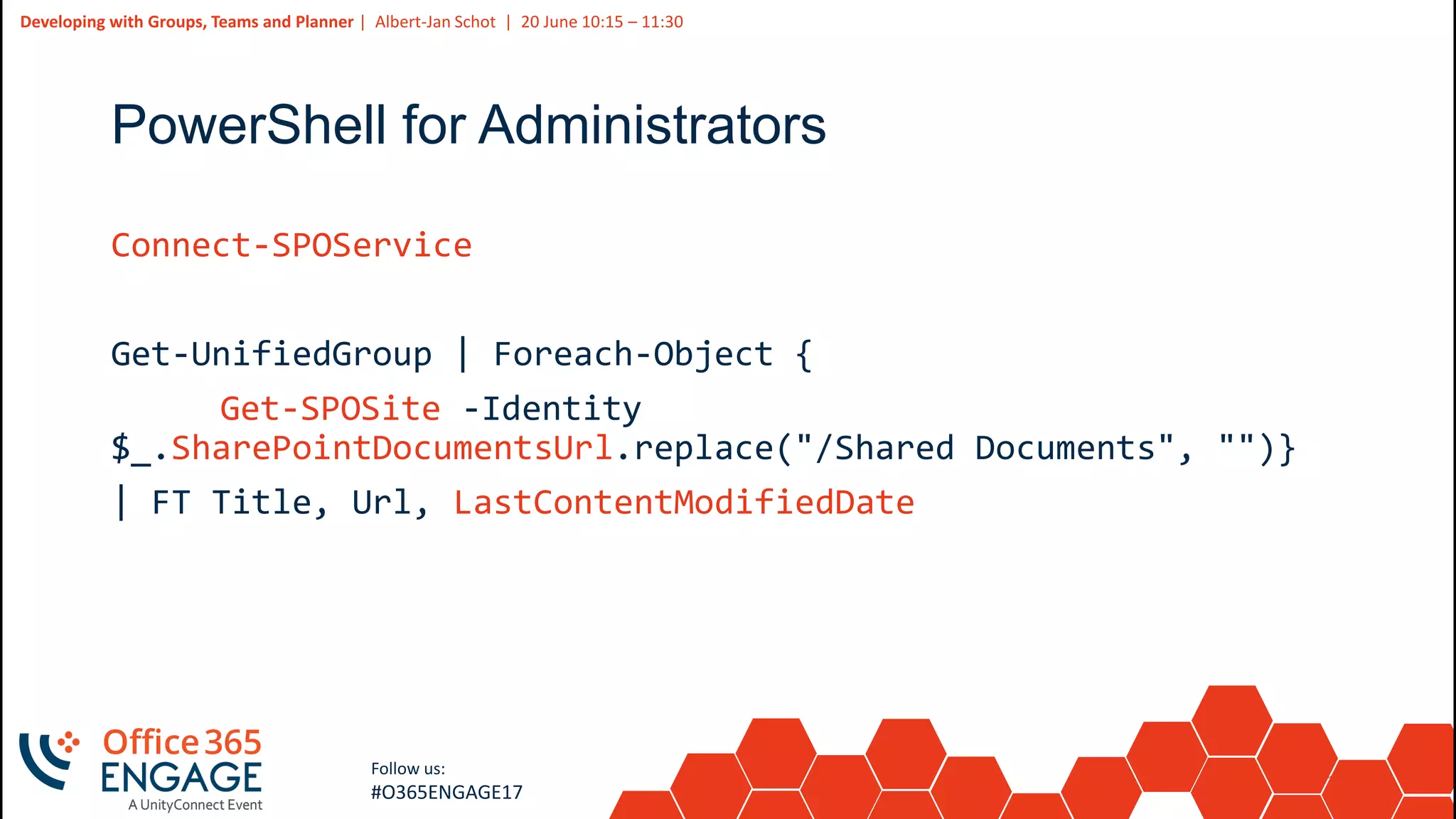
PowerShell for Administrators
Connect-SPOService
Get-UnifiedGroup | Foreach-Object {
Get-SPOSite -Identity
$_.SharePointDocumentsUrl.replace("/Shared Documents", "")}
| FT Title, Url, LastContentModifiedDate
17
Slide
17
Developing with Groups, Teams and Planner | Albert-Jan Schot | 20 June 10:15 – 11:30
Follow us:
#O365ENGAGE17
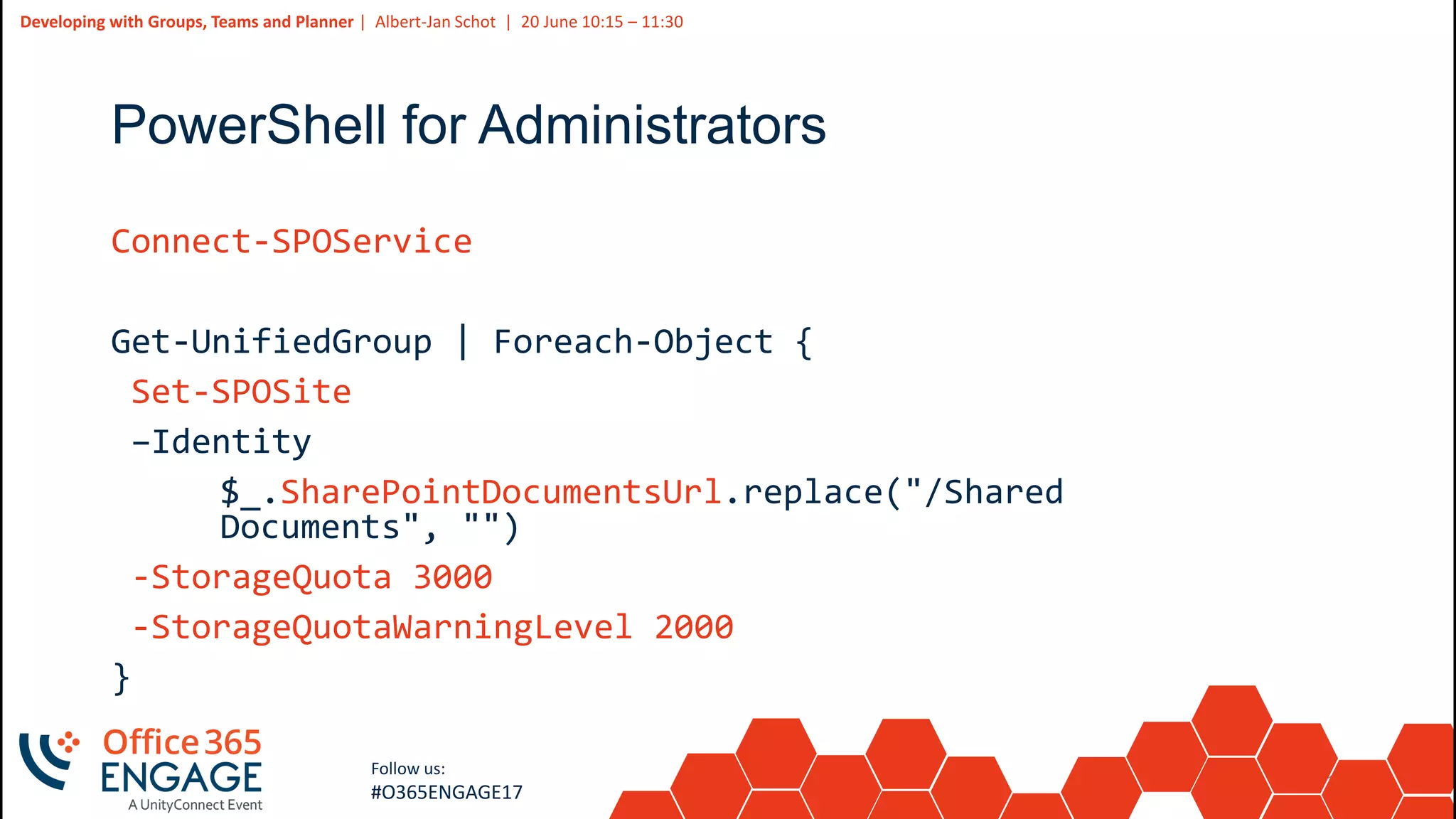
PowerShell for Administrators
Connect-SPOService
Get-UnifiedGroup | Foreach-Object {
Set-SPOSite
–Identity
$_.SharePointDocumentsUrl.replace("/Shared
Documents", "")
-StorageQuota 3000
-StorageQuotaWarningLevel 2000
}
18
Slide
18
Developing with Groups, Teams and Planner | Albert-Jan Schot | 20 June 10:15 – 11:30
Follow us:
#O365ENGAGE17
19
Slide
19
Developing with Groups, Teams and Planner | Albert-Jan Schot | 20 June 10:15 – 11:30
Follow us:
#O365ENGAGE17
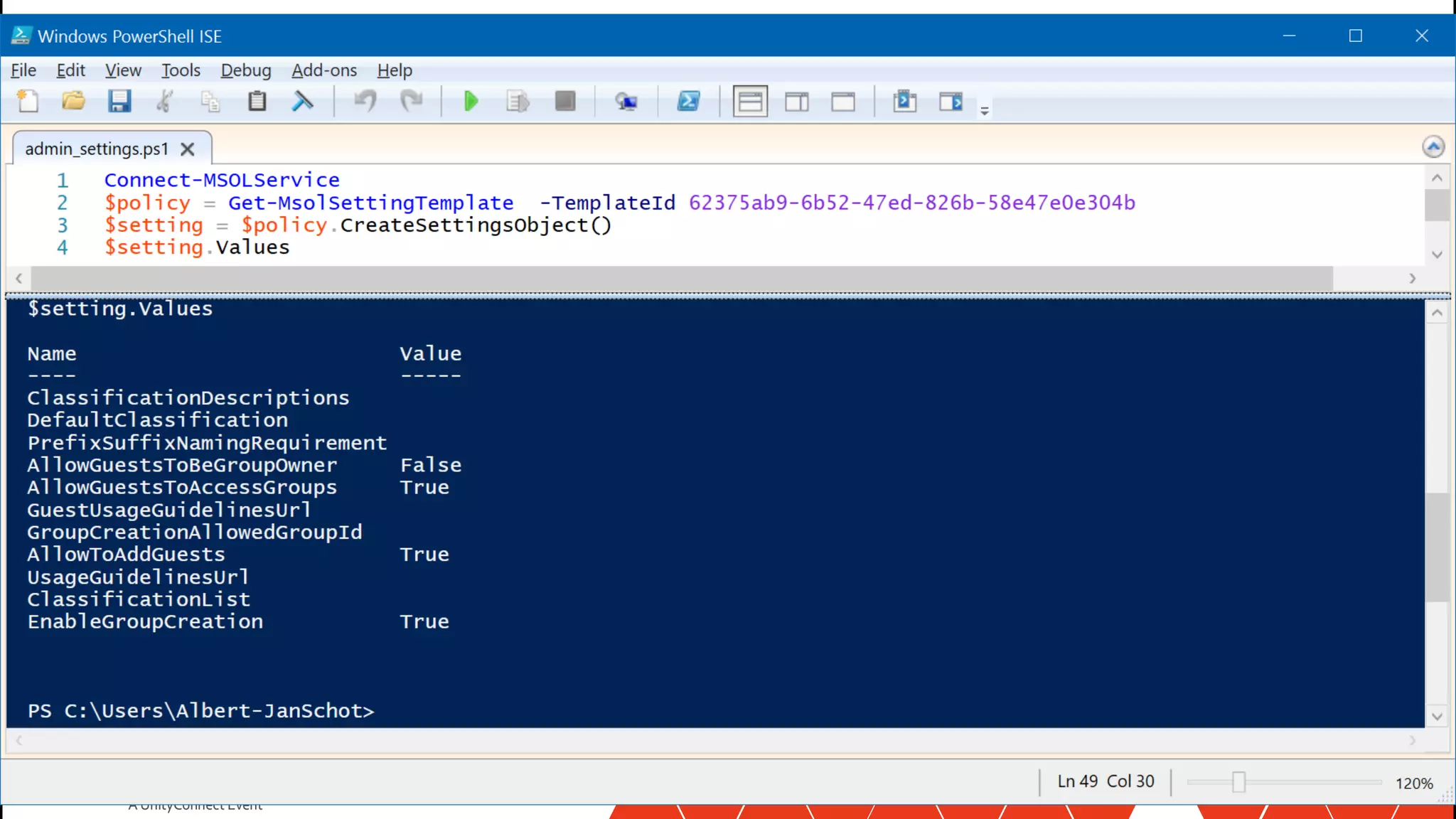
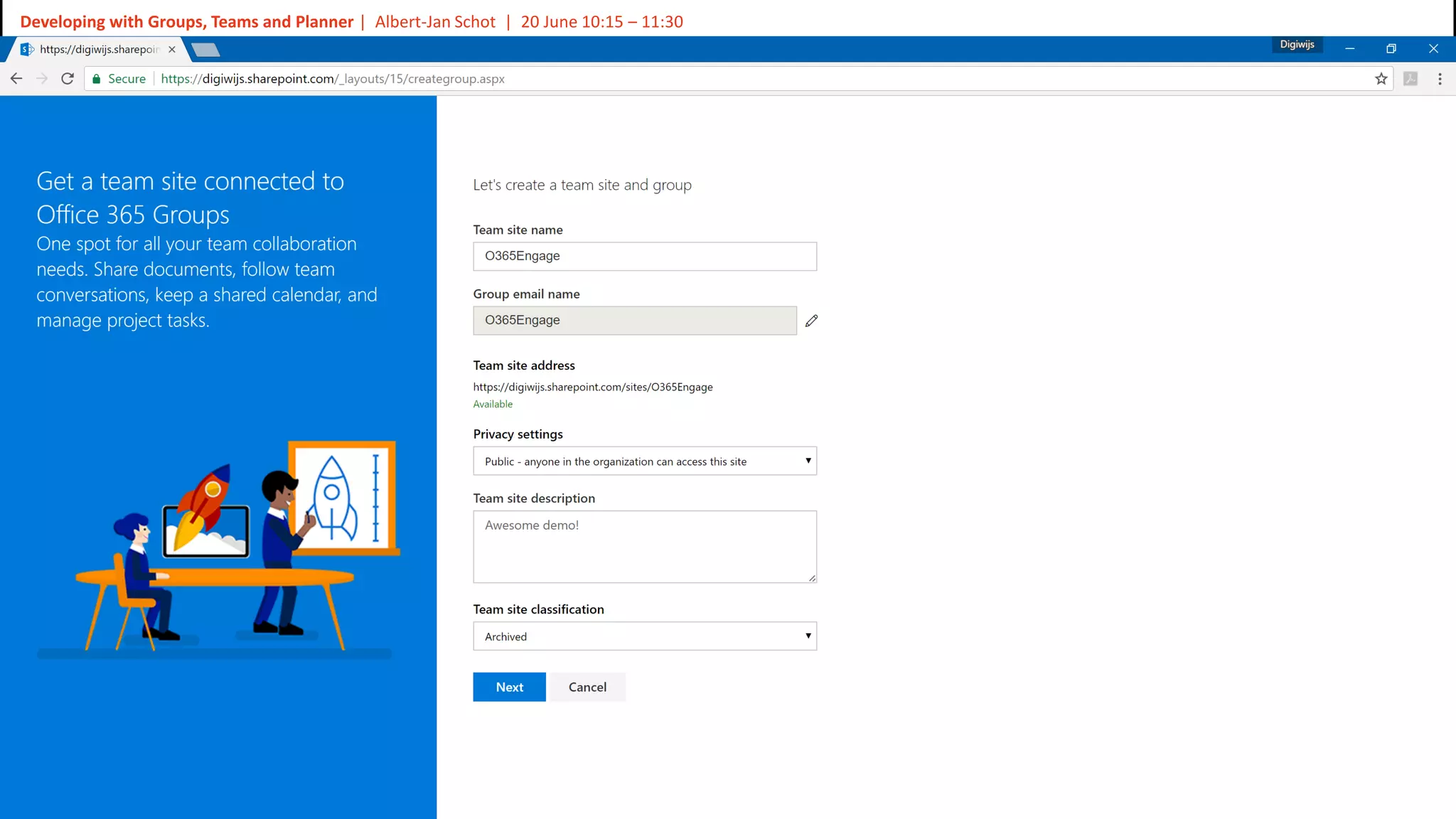
PowerShell for Administrators
$Policy = Get-MsolSettingTemplate
–TemplateId 62375ab9-6b52-47ed-826b-58e47e0e304b
$Setting = $Policy.CreateSettingsObject()
$Setting["EnableGroupCreation"] = "false"
$Setting["GroupCreationAllowedGroupId"] = "guid-admin-group"
$Setting["UsageGuidelinesUrl"] ="https://www.contoso.com"
$Setting["ClassificationList"] = "Archived,Low,Medium,High"
New-MsolSettings –SettingsObject $Setting
20
Slide
20
Developing with Groups, Teams and Planner | Albert-Jan Schot | 20 June 10:15 – 11:30
Follow us:
#O365ENGAGE17
21
Slide
21
Developing with Groups, Teams and Planner | Albert-Jan Schot | 20 June 10:15 – 11:30
Follow us:
#O365ENGAGE17
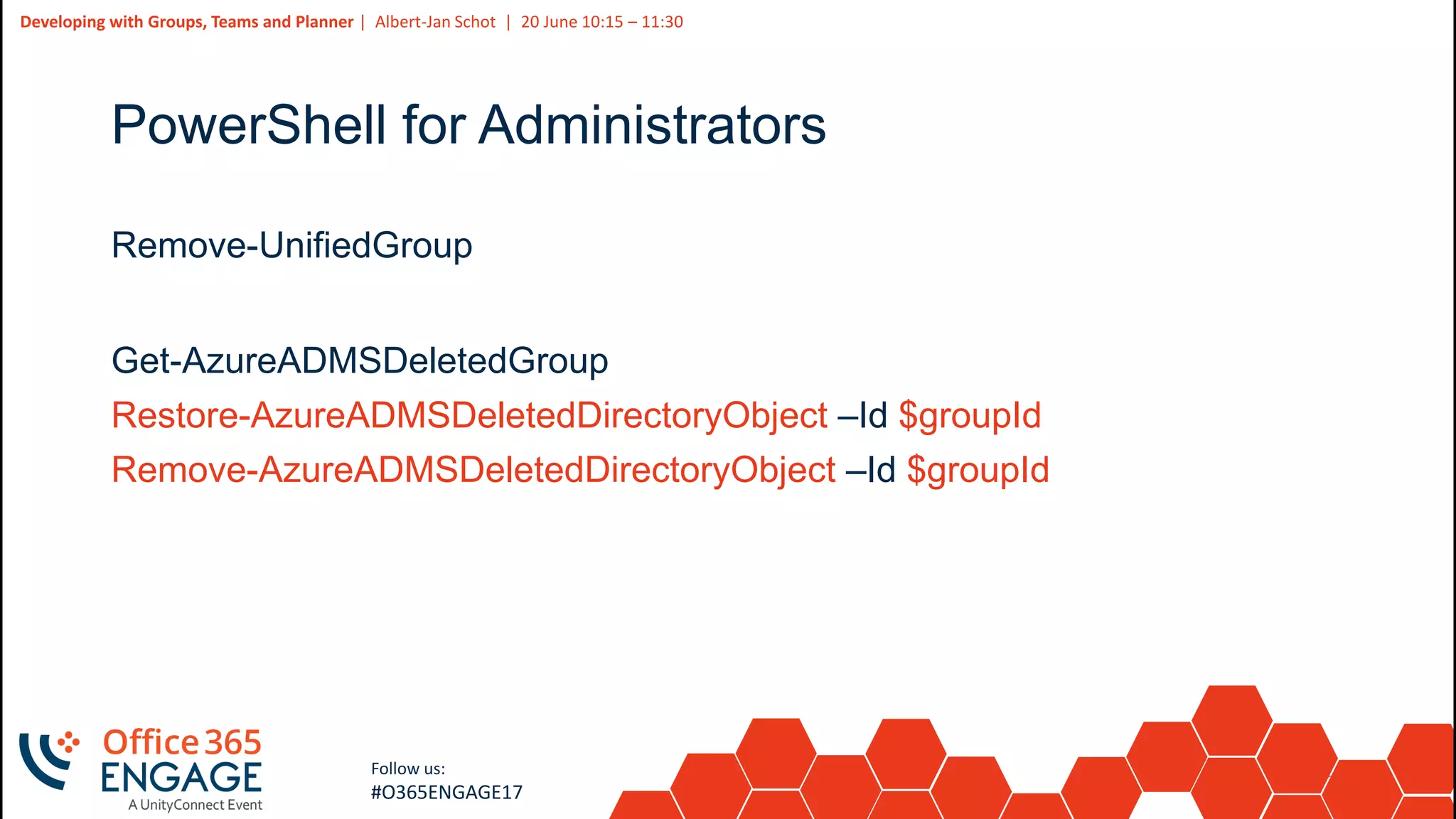
PowerShell for Administrators
Remove-UnifiedGroup
Get-AzureADMSDeletedGroup
Restore-AzureADMSDeletedDirectoryObject –Id $groupId
Remove-AzureADMSDeletedDirectoryObject –Id $groupId
22
Slide
22
Developing with Groups, Teams and Planner | Albert-Jan Schot | 20 June 10:15 – 11:30
Follow us:
#O365ENGAGE17
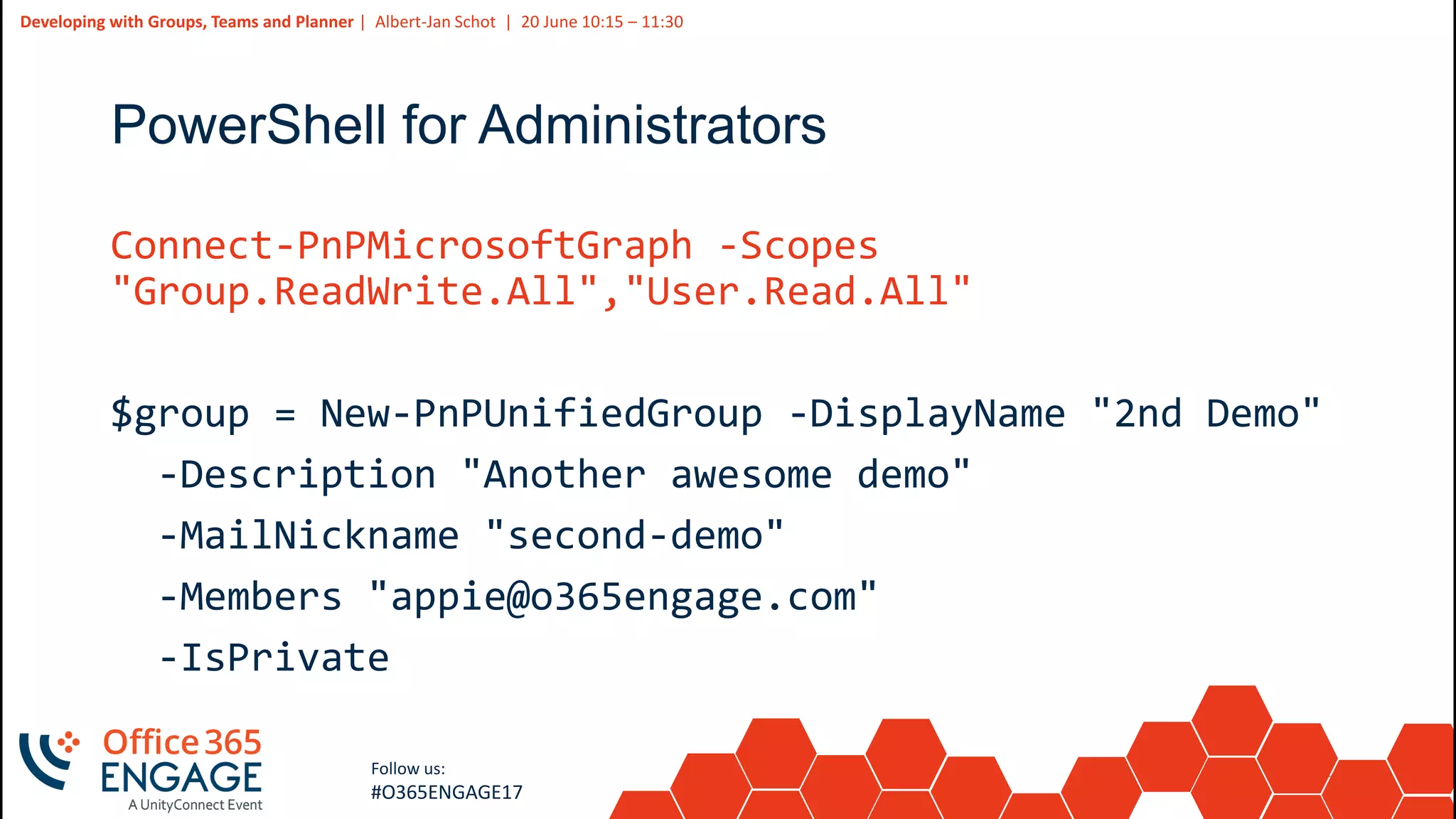
PowerShell for Administrators
Connect-PnPMicrosoftGraph -Scopes
"Group.ReadWrite.All","User.Read.All"
$group = New-PnPUnifiedGroup -DisplayName "2nd Demo"
-Description "Another awesome demo"
-MailNickname "second-demo"
-Members "appie@o365engage.com"
-IsPrivate
23
Slide
23
Developing with Groups, Teams and Planner | Albert-Jan Schot | 20 June 10:15 – 11:30
Follow us:
#O365ENGAGE17
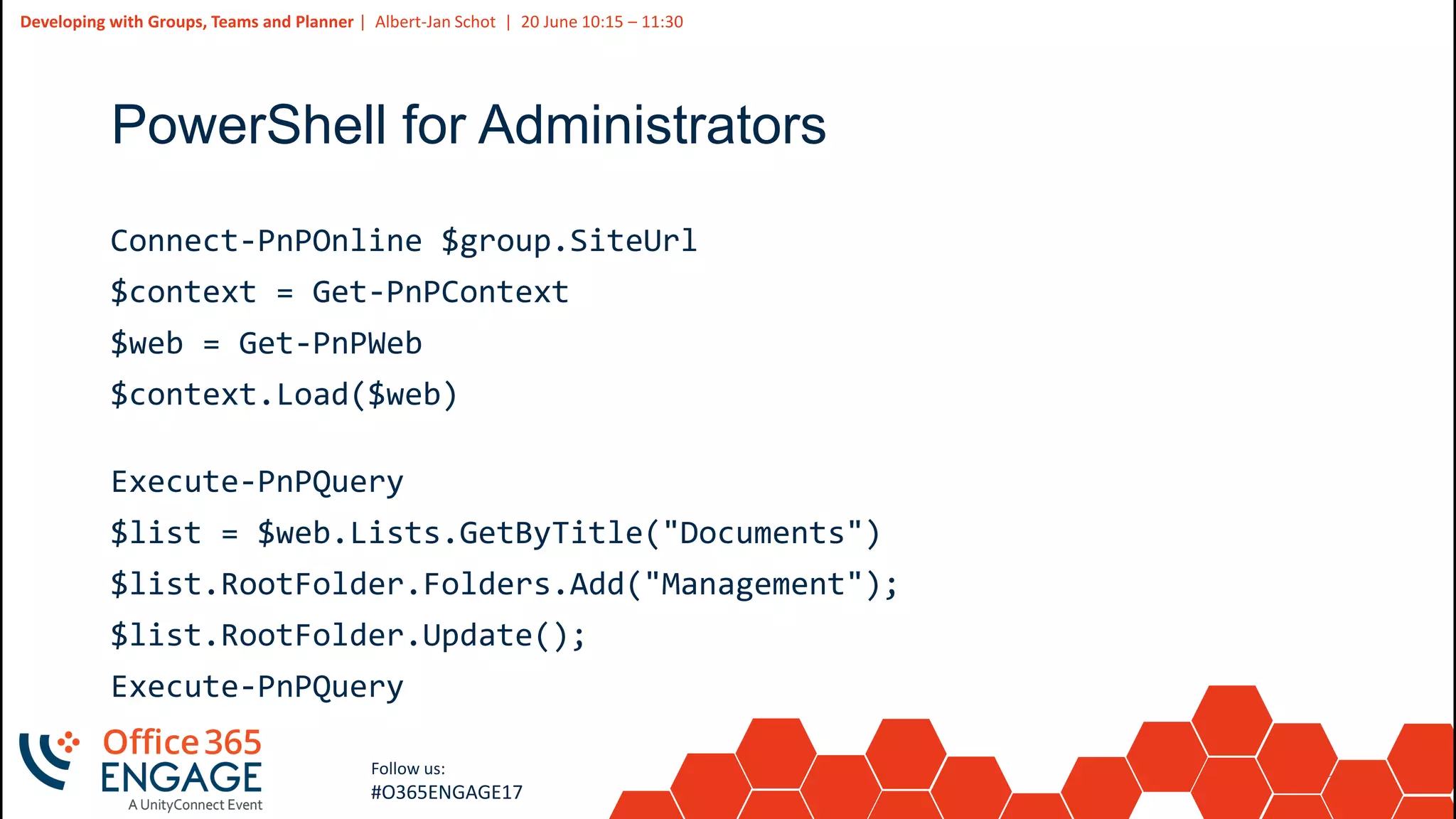
PowerShell for Administrators
Connect-PnPOnline $group.SiteUrl
$context = Get-PnPContext
$web = Get-PnPWeb
$context.Load($web)
Execute-PnPQuery
$list = $web.Lists.GetByTitle("Documents")
$list.RootFolder.Folders.Add("Management");
$list.RootFolder.Update();
Execute-PnPQuery
24
Slide
24
Developing with Groups, Teams and Planner | Albert-Jan Schot | 20 June 10:15 – 11:30
Follow us:
#O365ENGAGE17
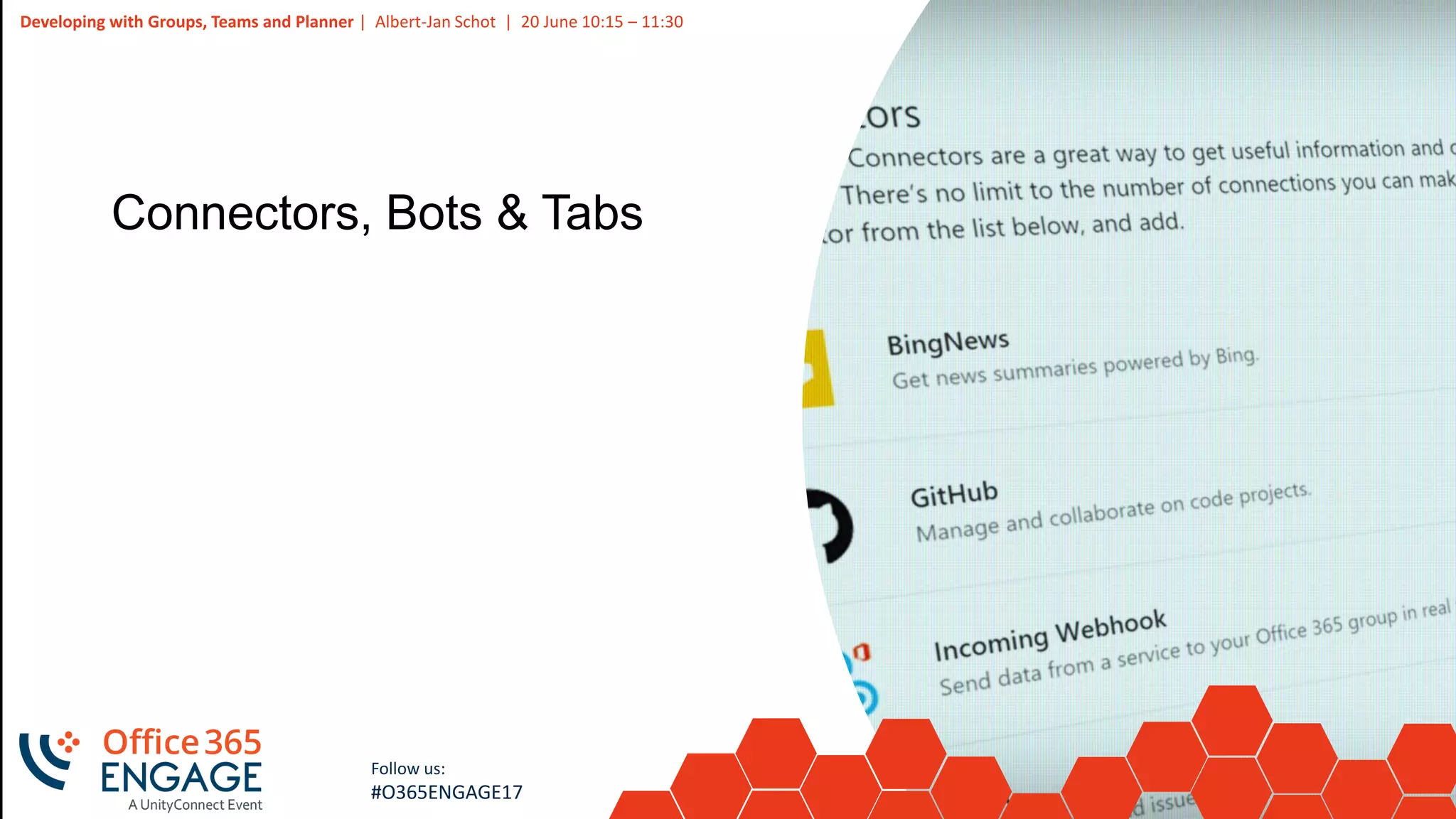
Connectors, Bots & Tabs
25
Slide
25
Developing with Groups, Teams and Planner | Albert-Jan Schot | 20 June 10:15 – 11:30
Follow us:
#O365ENGAGE17
Incoming webhook
{
"text": " Make sure to present!",
"title": "Awesome Demo!",
"themeColor": "5500B3",
"potentialAction": [
{
"@context": "http://schema.org",
"@type": "ViewAction",
"name": "View on Office 365 Engage",
"target": ["https://www.o365engage.com"]
...
26
Slide
26
Demo
Working with connectors
27
Slide
27
Developing with Groups, Teams and Planner | Albert-Jan Schot | 20 June 10:15 – 11:30
Follow us:
#O365ENGAGE17
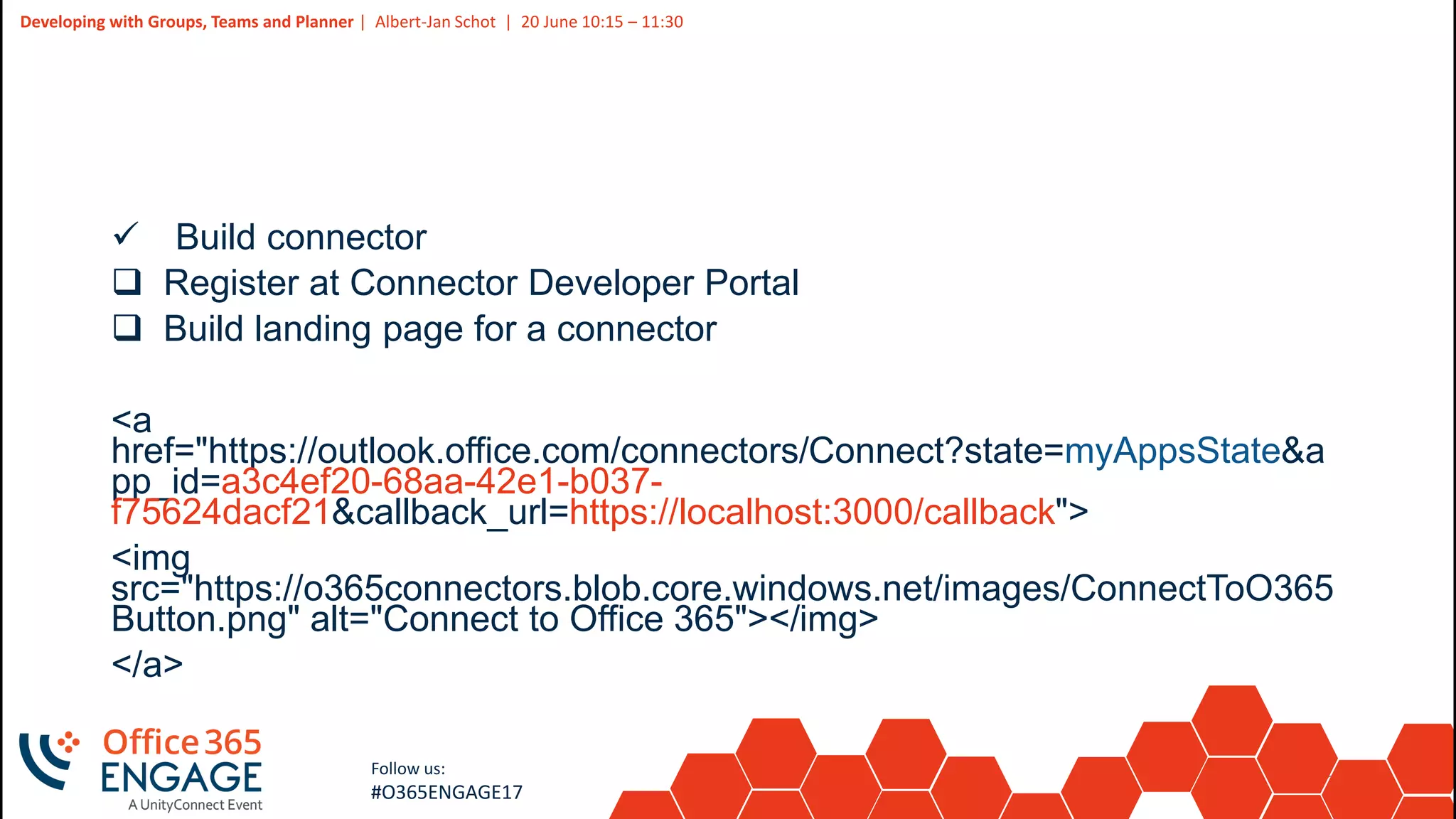
 Build connector
 Register at Connector Developer Portal
 Build landing page for a connector
<a
href="https://outlook.office.com/connectors/Connect?state=myAppsState&a
pp_id=a3c4ef20-68aa-42e1-b037-
f75624dacf21&callback_url=https://localhost:3000/callback">
<img
src="https://o365connectors.blob.core.windows.net/images/ConnectToO365
Button.png" alt="Connect to Office 365"></img>
</a>
28
Slide
28
Developing with Groups, Teams and Planner | Albert-Jan Schot | 20 June 10:15 – 11:30
Follow us:
#O365ENGAGE17
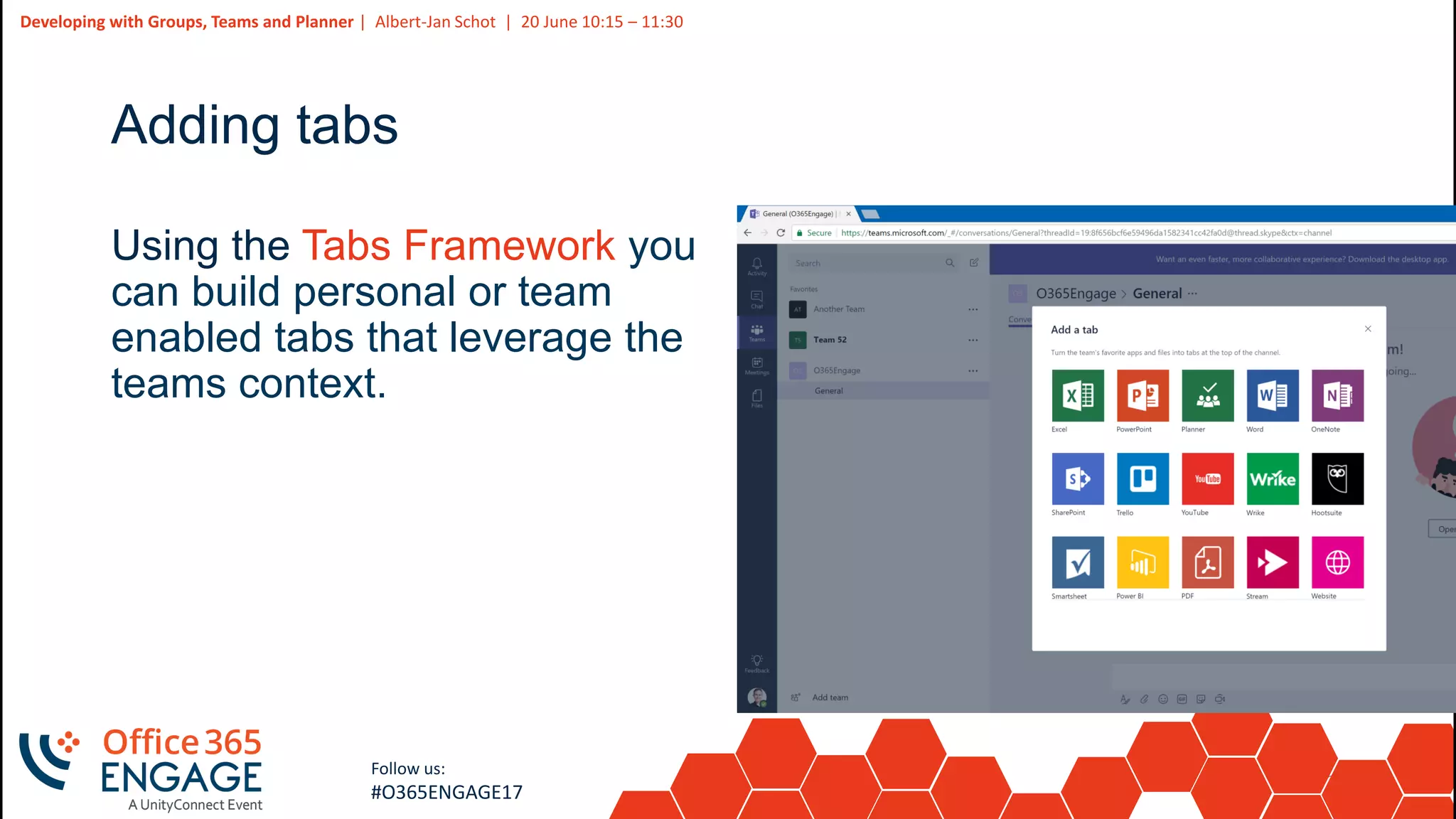
Adding tabs
Using the Tabs Framework you
can build personal or team
enabled tabs that leverage the
teams context.
29
Slide
29
Developing with Groups, Teams and Planner | Albert-Jan Schot | 20 June 10:15 – 11:30
Follow us:
#O365ENGAGE17
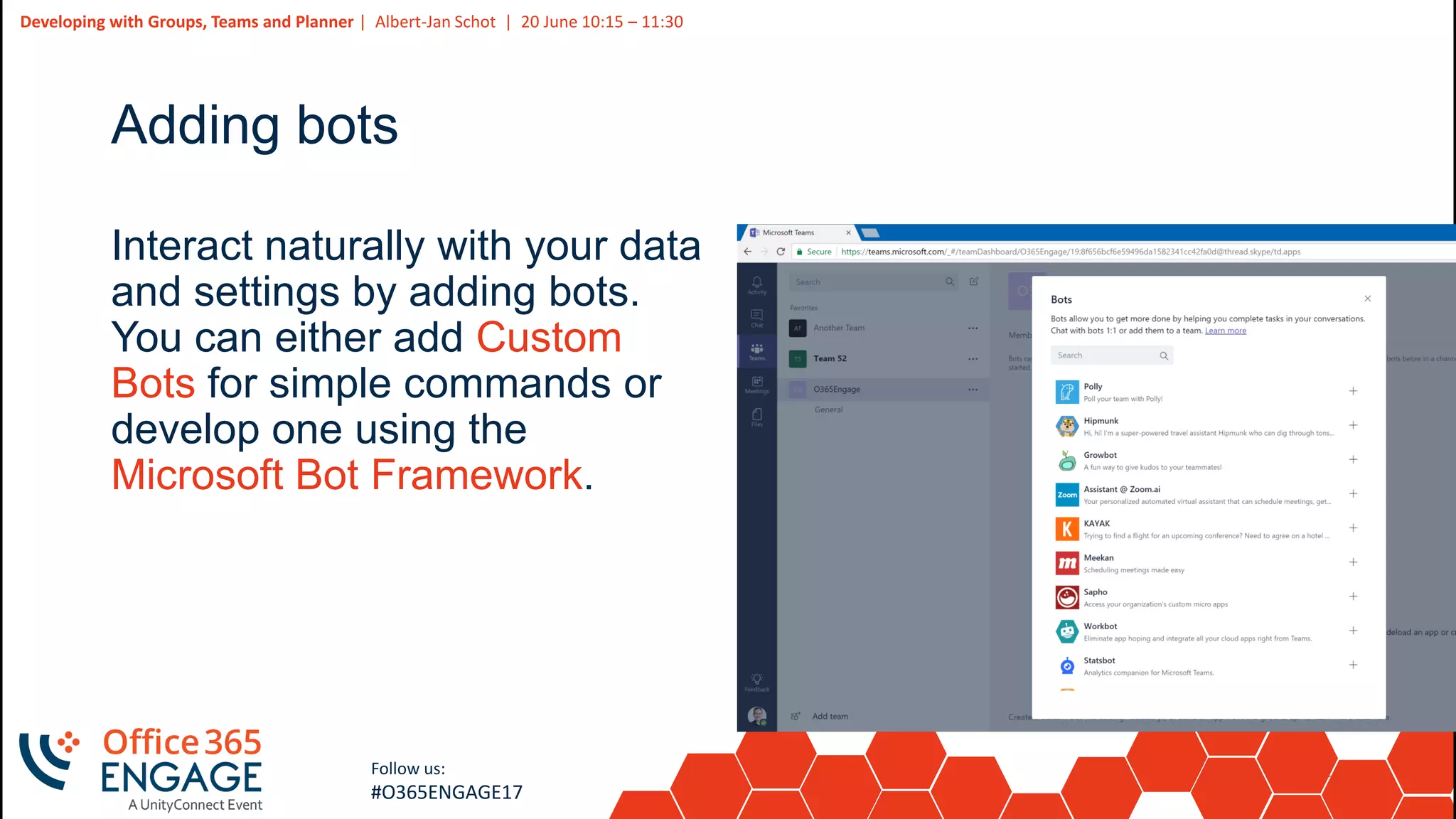
Adding bots
Interact naturally with your data
and settings by adding bots.
You can either add Custom
Bots for simple commands or
develop one using the
Microsoft Bot Framework.
30
Slide
30
Developing with Groups, Teams and Planner | Albert-Jan Schot | 20 June 10:15 – 11:30
Follow us:
#O365ENGAGE17
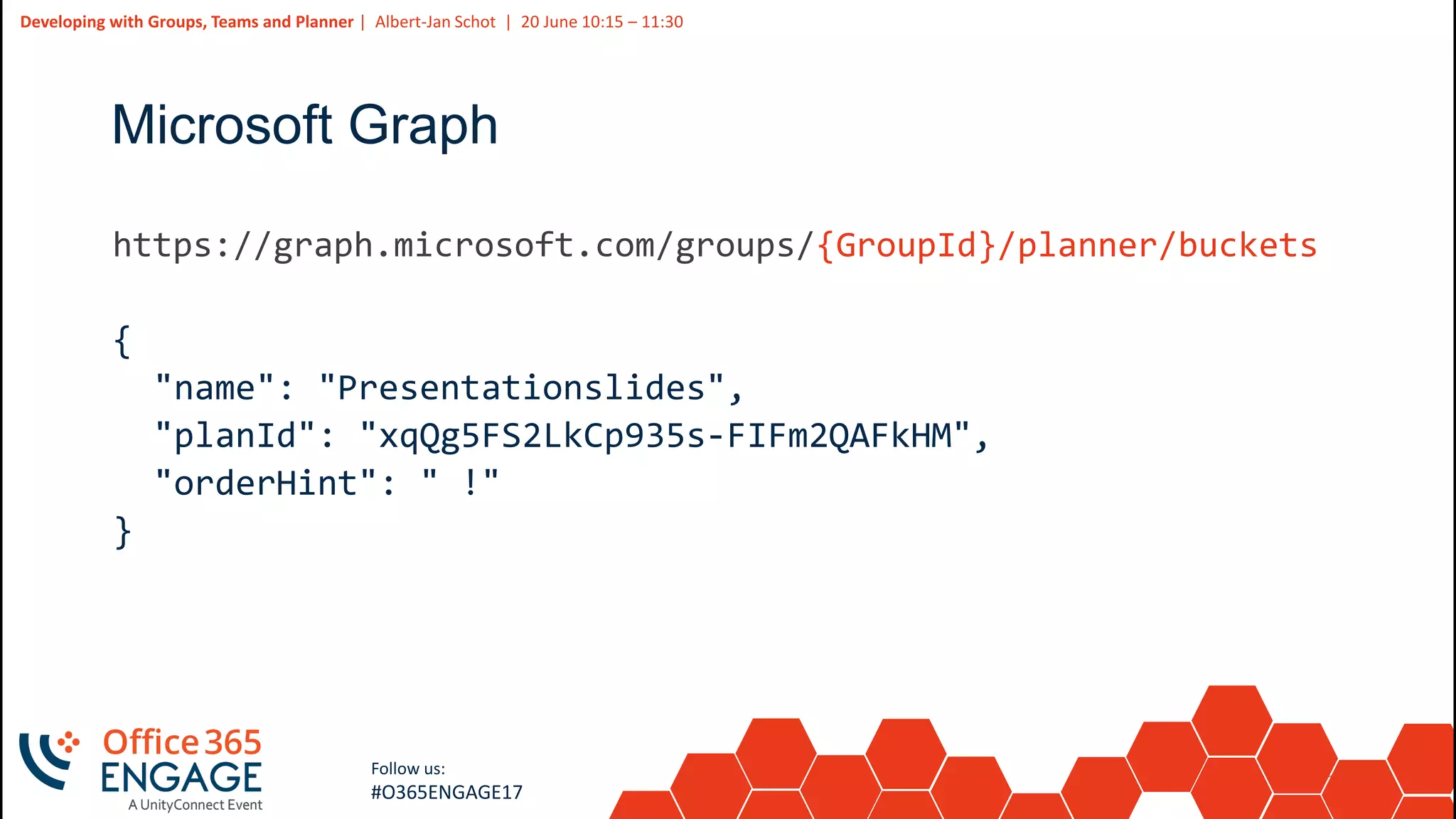
Microsoft Graph
31
Slide
31
Developing with Groups, Teams and Planner | Albert-Jan Schot | 20 June 10:15 – 11:30
Follow us:
#O365ENGAGE17
Microsoft Graph
groups
{
"description": "MSGraph Demo sample",
"displayName": "MSGraph Demo",
"groupTypes": [
"Unified"
],
"mailEnabled": true,
"mailNickname": "msgraph-demo",
"securityEnabled": false
}
32
Slide
32
Developing with Groups, Teams and Planner | Albert-Jan Schot | 20 June 10:15 – 11:30
Follow us:
#O365ENGAGE17
Microsoft Graph
{GroupId}/planner/buckets
{
"name": "Presentationslides",
"planId": "xqQg5FS2LkCp935s-FIFm2QAFkHM",
"orderHint": " !"
}
33
Slide
33
Demo
Working with the Microsoft Graph
34
Slide
34
Developing with Groups, Teams and Planner | Albert-Jan Schot | 20 June 10:15 – 11:30
Follow us:
#O365ENGAGE17
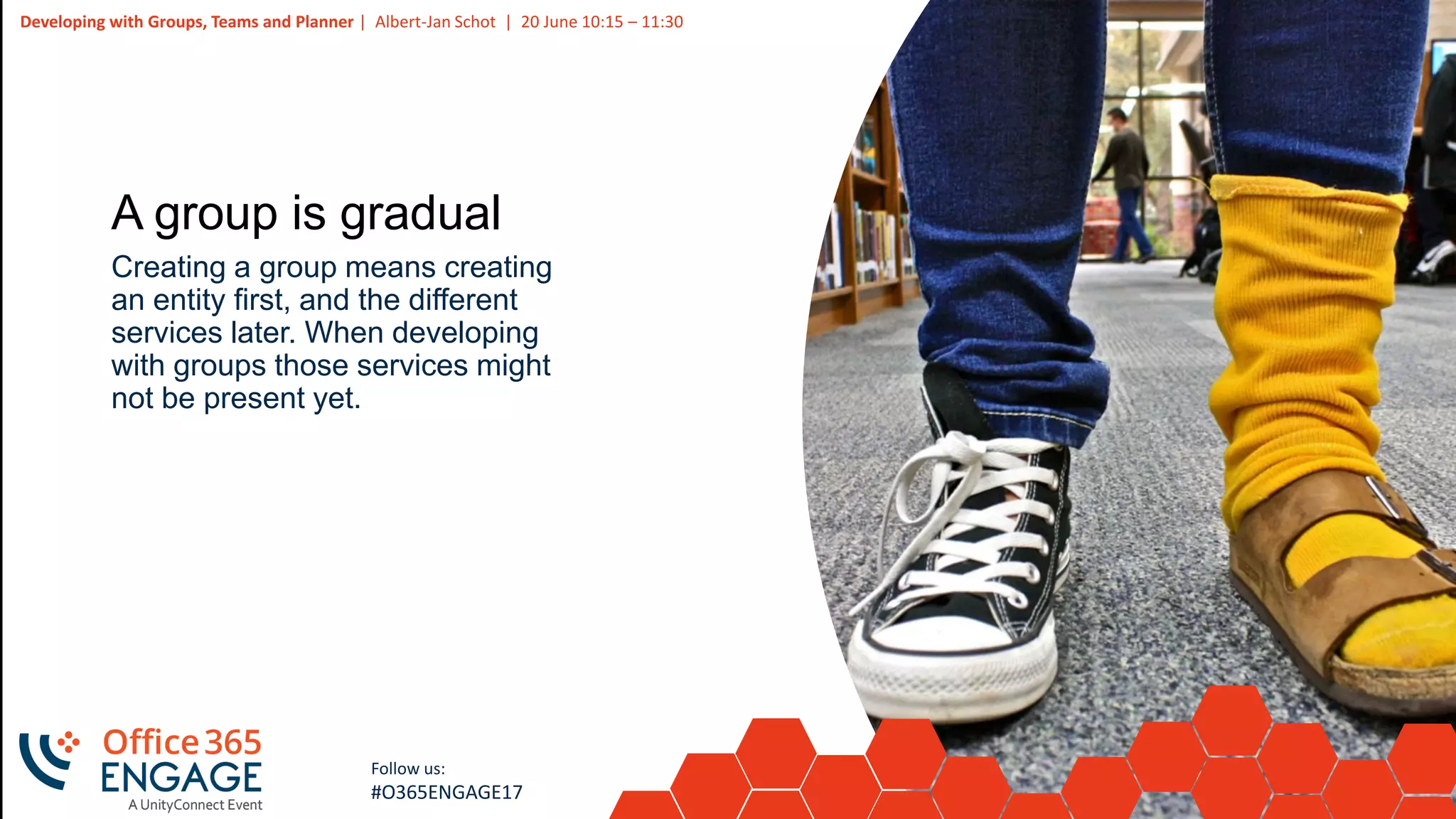
A group is gradual
Creating a group means creating
an entity first, and the different
services later. When developing
with groups those services might
not be present yet.
35
Slide
35
Developing with Groups, Teams and Planner | Albert-Jan Schot | 20 June 10:15 – 11:30
Follow us:
#O365ENGAGE17
Navigating can be challenging
The navigation experience is not
the same over the different
services and can be confusing.
36
Slide
36
Developing with Groups, Teams and Planner | Albert-Jan Schot | 20 June 10:15 – 11:30
Follow us:
#O365ENGAGE17
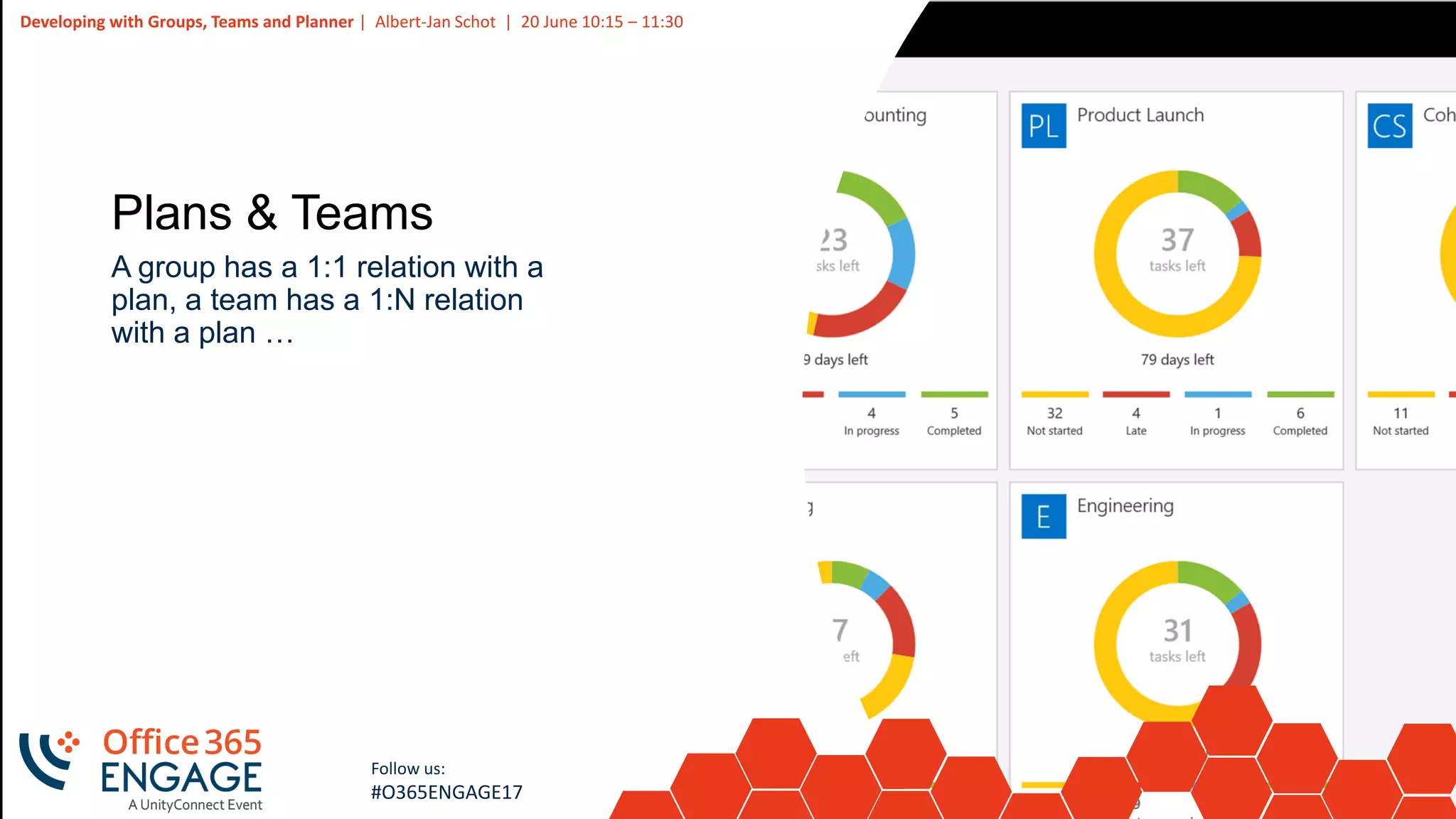
Plans & Teams
A group has a 1:1 relation with a
plan, a team has a 1:N relation
with a plan …
37
Slide
37
Developing with Groups, Teams and Planner | Albert-Jan Schot | 20 June 10:15 – 11:30
Follow us:
#O365ENGAGE17
Whats next
1. Developer opportunities http://dev.office.com/getting-started
& http://graph.microsoft.io
2. Sample code on https://github.com/appieschot/mavention-
o365-groups
3. Start coding
4. Provide feedback:
https://www.sharepointappie.nl/go/UserVoiceOfficeGraph/
5. By questions feel free to reach out @appieschot
38
Slide
38
Developing with Groups, Teams and Planner | Albert-Jan Schot | 20 June 10:15 – 11:30
Follow us:
#O365ENGAGE17
Questions? | Thank You
Albert-Jan Schot
appie@mavention.nl
We’d like to know what you think!
Please fill out the evaluation form you
received at the registration desk for this
session
Session recordings and materials:
Materials will be available on
Office365Engage.com soon

O365Engage17 - Developing with groups teams and planner

  • 1.
    1 Slide 1 Developing with Groups,Teams and planner Albert-Jan Schot
  • 2.
    2 Slide 2 Developing with Groups,Teams and Planner | Albert-Jan Schot | 20 June 10:15 – 11:30 Follow us: #O365ENGAGE17 Albert-Jan Schot Office Servers & Services MVP https://sharepointappie.nl @appieschot https://mavention.nl
  • 3.
    3 Slide 3 Developing with Groups,Teams and Planner | Albert-Jan Schot | 20 June 10:15 – 11:30 Follow us: #O365ENGAGE17 Developing with Groups,Teams and Planner PowerShell Microsoft GraphConnectors & Bots
  • 4.
    4 Slide 4 Developing with Groups,Teams and Planner | Albert-Jan Schot | 20 June 10:15 – 11:30 Follow us: #O365ENGAGE17 Building blocks
  • 5.
    5 Slide 5 Developing with Groups,Teams and Planner | Albert-Jan Schot | 20 June 10:15 – 11:30 Follow us: #O365ENGAGE17 Building blocks
  • 6.
    6 Slide 6 Developing with Groups,Teams and Planner | Albert-Jan Schot | 20 June 10:15 – 11:30 Follow us: #O365ENGAGE17 Groups architecture One identity Federated resources Loose coupling SharePoint SharePoint Online AD Documents OneNote Additional workloads Local Directory (if applicable) Exchange Conversations Calendar Exchange Online AD Identity Resource URLs Owners Members AAD
  • 7.
    7 Slide 7 Developing with Groups,Teams and Planner | Albert-Jan Schot | 20 June 10:15 – 11:30 Follow us: #O365ENGAGE17 Teams architecture
  • 8.
    8 Slide 8 Developing with Groups,Teams and Planner | Albert-Jan Schot | 20 June 10:15 – 11:30 Follow us: #O365ENGAGE17 How users can create groups 1. Outlook 2016 2. OWA 3. SharePoint (new Team Site) 4. PowerShell 5. Planner (new plan) 6. Teams (new team) 7. Yammer 8. Dynamics CRM 9. Power BI
  • 9.
    9 Slide 9 Developing with Groups,Teams and Planner | Albert-Jan Schot | 20 June 10:15 – 11:30 Follow us: #O365ENGAGE17 PowerShell for the basics
  • 10.
    10 Slide 10 Developing with Groups,Teams and Planner | Albert-Jan Schot | 20 June 10:15 – 11:30 Follow us: #O365ENGAGE17 PowerShell for Administrators $Policy = Get-MsolSettingTemplate –TemplateId 62375ab9-6b52-47ed-826b-58e47e0e304b $Setting = $Policy.CreateSettingsObject() $Setting["EnableGroupCreation"] = "false" $Setting["GroupCreationAllowedGroupId"] = "guid-admin-group" New-MsolSettings –SettingsObject $Setting
  • 11.
    11 Slide 11 Developing with Groups,Teams and Planner | Albert-Jan Schot | 20 June 10:15 – 11:30 Follow us: #O365ENGAGE17 PowerShell for Administrators Connect-MsolService $userCredential = Get-Credential $session = New-PSSession -ConfigurationName Microsoft.Exchange - ConnectionUri https://outlook.office365.com/powershell-liveid/ - Credential $userCredential -Authentication Basic –AllowRedirection Import-PSSession $session # Do stuff Remove-PSSession -Session $Session
  • 12.
    12 Slide 12 Developing with Groups,Teams and Planner | Albert-Jan Schot | 20 June 10:15 – 11:30 Follow us: #O365ENGAGE17 PowerShell for Administrators Get-UnifiedGroup Set-UnifiedGroup New-UnifiedGroup Remove-UnifiedGroup Get-UnifiedGroupLinks Add-UnifiedGroupLinks Remove-UnifiedGroupLinks
  • 13.
    13 Slide 13 Developing with Groups,Teams and Planner | Albert-Jan Schot | 20 June 10:15 – 11:30 Follow us: #O365ENGAGE17 PowerShell for Administrators New-UnifiedGroup –DisplayName "Normal group" -EmailAddresses "mydemogroup@o365engage.com" Add-UnifiedGroupLinks mydemogroup@o365engage.com –Links appie@o365engage.com –LinkType Owner Add-UnifiedGroupLinks mydemogroup@o365engage.com –Links nancy@o365engage.com –LinkType Member
  • 14.
    14 Slide 14 Developing with Groups,Teams and Planner | Albert-Jan Schot | 20 June 10:15 – 11:30 Follow us: #O365ENGAGE17 PowerShell for Administrators Set-UnifiedGroup mydemogroup@o365engage.com -MailTip "Awesome group!" -PrimarySmtpAdress "renamedgroup@o365engage.com" -Classification <HighImpact> -AccessType <Public><Private>
  • 15.
    15 Slide 15 Developing with Groups,Teams and Planner | Albert-Jan Schot | 20 June 10:15 – 11:30 Follow us: #O365ENGAGE17 PowerShell for Administrators Get-UnifiedGroup | Foreach-Object { Get-MailboxStatistics –Identity $_.Identity } | Where-Object { $_.LastLogonTime -ge (Get-Date).AddDays(-7) }
  • 16.
    16 Slide 16 Developing with Groups,Teams and Planner | Albert-Jan Schot | 20 June 10:15 – 11:30 Follow us: #O365ENGAGE17 PowerShell for Administrators Connect-SPOService Get-UnifiedGroup | Foreach-Object { Get-SPOSite -Identity $_.SharePointDocumentsUrl.replace("/Shared Documents", "")} | FT Title, Url, LastContentModifiedDate
  • 17.
    17 Slide 17 Developing with Groups,Teams and Planner | Albert-Jan Schot | 20 June 10:15 – 11:30 Follow us: #O365ENGAGE17 PowerShell for Administrators Connect-SPOService Get-UnifiedGroup | Foreach-Object { Set-SPOSite –Identity $_.SharePointDocumentsUrl.replace("/Shared Documents", "") -StorageQuota 3000 -StorageQuotaWarningLevel 2000 }
  • 18.
    18 Slide 18 Developing with Groups,Teams and Planner | Albert-Jan Schot | 20 June 10:15 – 11:30 Follow us: #O365ENGAGE17
  • 19.
    19 Slide 19 Developing with Groups,Teams and Planner | Albert-Jan Schot | 20 June 10:15 – 11:30 Follow us: #O365ENGAGE17 PowerShell for Administrators $Policy = Get-MsolSettingTemplate –TemplateId 62375ab9-6b52-47ed-826b-58e47e0e304b $Setting = $Policy.CreateSettingsObject() $Setting["EnableGroupCreation"] = "false" $Setting["GroupCreationAllowedGroupId"] = "guid-admin-group" $Setting["UsageGuidelinesUrl"] ="https://www.contoso.com" $Setting["ClassificationList"] = "Archived,Low,Medium,High" New-MsolSettings –SettingsObject $Setting
  • 20.
    20 Slide 20 Developing with Groups,Teams and Planner | Albert-Jan Schot | 20 June 10:15 – 11:30 Follow us: #O365ENGAGE17
  • 21.
    21 Slide 21 Developing with Groups,Teams and Planner | Albert-Jan Schot | 20 June 10:15 – 11:30 Follow us: #O365ENGAGE17 PowerShell for Administrators Remove-UnifiedGroup Get-AzureADMSDeletedGroup Restore-AzureADMSDeletedDirectoryObject –Id $groupId Remove-AzureADMSDeletedDirectoryObject –Id $groupId
  • 22.
    22 Slide 22 Developing with Groups,Teams and Planner | Albert-Jan Schot | 20 June 10:15 – 11:30 Follow us: #O365ENGAGE17 PowerShell for Administrators Connect-PnPMicrosoftGraph -Scopes "Group.ReadWrite.All","User.Read.All" $group = New-PnPUnifiedGroup -DisplayName "2nd Demo" -Description "Another awesome demo" -MailNickname "second-demo" -Members "appie@o365engage.com" -IsPrivate
  • 23.
    23 Slide 23 Developing with Groups,Teams and Planner | Albert-Jan Schot | 20 June 10:15 – 11:30 Follow us: #O365ENGAGE17 PowerShell for Administrators Connect-PnPOnline $group.SiteUrl $context = Get-PnPContext $web = Get-PnPWeb $context.Load($web) Execute-PnPQuery $list = $web.Lists.GetByTitle("Documents") $list.RootFolder.Folders.Add("Management"); $list.RootFolder.Update(); Execute-PnPQuery
  • 24.
    24 Slide 24 Developing with Groups,Teams and Planner | Albert-Jan Schot | 20 June 10:15 – 11:30 Follow us: #O365ENGAGE17 Connectors, Bots & Tabs
  • 25.
    25 Slide 25 Developing with Groups,Teams and Planner | Albert-Jan Schot | 20 June 10:15 – 11:30 Follow us: #O365ENGAGE17 Incoming webhook { "text": " Make sure to present!", "title": "Awesome Demo!", "themeColor": "5500B3", "potentialAction": [ { "@context": "http://schema.org", "@type": "ViewAction", "name": "View on Office 365 Engage", "target": ["https://www.o365engage.com"] ...
  • 26.
  • 27.
    27 Slide 27 Developing with Groups,Teams and Planner | Albert-Jan Schot | 20 June 10:15 – 11:30 Follow us: #O365ENGAGE17  Build connector  Register at Connector Developer Portal  Build landing page for a connector <a href="https://outlook.office.com/connectors/Connect?state=myAppsState&a pp_id=a3c4ef20-68aa-42e1-b037- f75624dacf21&callback_url=https://localhost:3000/callback"> <img src="https://o365connectors.blob.core.windows.net/images/ConnectToO365 Button.png" alt="Connect to Office 365"></img> </a>
  • 28.
    28 Slide 28 Developing with Groups,Teams and Planner | Albert-Jan Schot | 20 June 10:15 – 11:30 Follow us: #O365ENGAGE17 Adding tabs Using the Tabs Framework you can build personal or team enabled tabs that leverage the teams context.
  • 29.
    29 Slide 29 Developing with Groups,Teams and Planner | Albert-Jan Schot | 20 June 10:15 – 11:30 Follow us: #O365ENGAGE17 Adding bots Interact naturally with your data and settings by adding bots. You can either add Custom Bots for simple commands or develop one using the Microsoft Bot Framework.
  • 30.
    30 Slide 30 Developing with Groups,Teams and Planner | Albert-Jan Schot | 20 June 10:15 – 11:30 Follow us: #O365ENGAGE17 Microsoft Graph
  • 31.
    31 Slide 31 Developing with Groups,Teams and Planner | Albert-Jan Schot | 20 June 10:15 – 11:30 Follow us: #O365ENGAGE17 Microsoft Graph groups { "description": "MSGraph Demo sample", "displayName": "MSGraph Demo", "groupTypes": [ "Unified" ], "mailEnabled": true, "mailNickname": "msgraph-demo", "securityEnabled": false }
  • 32.
    32 Slide 32 Developing with Groups,Teams and Planner | Albert-Jan Schot | 20 June 10:15 – 11:30 Follow us: #O365ENGAGE17 Microsoft Graph {GroupId}/planner/buckets { "name": "Presentationslides", "planId": "xqQg5FS2LkCp935s-FIFm2QAFkHM", "orderHint": " !" }
  • 33.
  • 34.
    34 Slide 34 Developing with Groups,Teams and Planner | Albert-Jan Schot | 20 June 10:15 – 11:30 Follow us: #O365ENGAGE17 A group is gradual Creating a group means creating an entity first, and the different services later. When developing with groups those services might not be present yet.
  • 35.
    35 Slide 35 Developing with Groups,Teams and Planner | Albert-Jan Schot | 20 June 10:15 – 11:30 Follow us: #O365ENGAGE17 Navigating can be challenging The navigation experience is not the same over the different services and can be confusing.
  • 36.
    36 Slide 36 Developing with Groups,Teams and Planner | Albert-Jan Schot | 20 June 10:15 – 11:30 Follow us: #O365ENGAGE17 Plans & Teams A group has a 1:1 relation with a plan, a team has a 1:N relation with a plan …
  • 37.
    37 Slide 37 Developing with Groups,Teams and Planner | Albert-Jan Schot | 20 June 10:15 – 11:30 Follow us: #O365ENGAGE17 Whats next 1. Developer opportunities http://dev.office.com/getting-started & http://graph.microsoft.io 2. Sample code on https://github.com/appieschot/mavention- o365-groups 3. Start coding 4. Provide feedback: https://www.sharepointappie.nl/go/UserVoiceOfficeGraph/ 5. By questions feel free to reach out @appieschot
  • 38.
    38 Slide 38 Developing with Groups,Teams and Planner | Albert-Jan Schot | 20 June 10:15 – 11:30 Follow us: #O365ENGAGE17 Questions? | Thank You Albert-Jan Schot appie@mavention.nl We’d like to know what you think! Please fill out the evaluation form you received at the registration desk for this session Session recordings and materials: Materials will be available on Office365Engage.com soon