BLUE LIGHT & CVS
- - BY NEHA MAURYA &
PAYAL SANGANI
(3rd Yr. B.Optom)
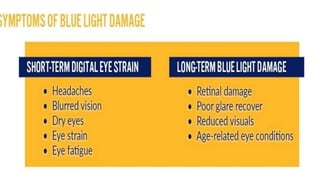
BLUE LIGHT
SOURCE :
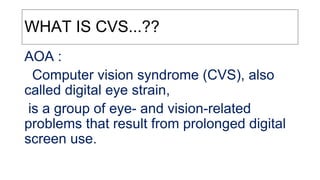
WHAT IS CVS...??
AOA :
Computer vision syndrome (CVS), also
called digital eye strain,
is a group of eye- and vision-related
problems that result from prolonged digital
screen use.
NIOSH :
●According to the National Institute of
Occupational Safety and Health,
CVS affects up to 90% of the people who spend 3
hours or more a day at a computer.
SYMPTOMS & CAUSE
WHY ?
BLURRED VISION
- dirty screen
- poor viewing angle
- reflected glare
- poor quality /
defective monitor
●Lag of accomodation
●Transient myopia (Squinting)
●Glare image
●squinting
EYE RELATED:
Headaches
Visual headaches
- Toward the front or sides of the head
- Occur on one side of the head
- Occur most often middle or end of
the day
- Time of onset
- Location of the pain
- Frquency, duration, severity
- Precipating factors & associated
sign&symptoms
Visual & Environmental
condition
Neck & Back pain
“the eyes lead the body”
Ex. Computer users, alternate their
viewing gaze between the keybord & the
screen
Dry & Irritated Eyes
●Decreased blink rate
●Air environment
Light Sensitivity
- Glare : discomfort & reflective
-higher luminance
- overhead flourescent fixture
-bright open windows
- dark background display screen
- other source : white paper on the desk
light coloured desk surface
desk lamps directed toward the eyes
DOUBLE VISION
- RPA &RPC
Eye Strain
After – image & color distortion
HOW TO DIAGNOSE ?
●Patient H/o
●VA measurements & Refraction
●Bincular vision testing
. how the eyes focus,move & work together
TO REDUCE HAZARD OF BLUE LIGHT
or
TO REDUCE SYMPTOMS OF CVS
REDUCE GLARE
●Direct the overhead lights away from computer screen
●Screen position : windows are to the side rather
than back or front
●Wall should be painted little darker in color
●Installn anti-glare coated glass on screen
●Use anti-glare glasses (ARC)
Computer display
●Increase font size
●Screen brigthness should adjusted
according background brightness
. (Auto-brightness mode)
●Clean your screen
●REFRENCE MATERIAL LOCATION
Close to the computer screen
●USE LUBRICATING EYEDROPS
●BLINK MORE OFTEN
. Blink everytime you hit the
. Enter KEY OR MOUSE CLICK
●COMPUTER LENS DESIGNS
. PALs
Sitting posture
●At comfortable viewin distance for you
. (no closer than reading distance to arm length)
Computer set up ergonomics
-.monitor hight : top of monitor – just beneath eye level with the bottom of
the monitor tilted in toward you
. - monitor distance – 2 feet away from you
. - keybord – should be angled to allow wrist straight with support
. - chair height – should allow your lower arm to extend at the elobow
straight ahead,so angle btwn upper & lower arm is 90°
●20-20-20 RULE
●LIMIT THE AMOUNT OF SCREEN TIME
●AVOID AIR DRAFTS
Avoid sitting in front of an AC facing
EXERCISE TO PREVENT CVS
●Exercise done when sitting In the computer chair
Summary
●Prolonged exposure to computers is not healthy for human optical
system
●If CVS symptoms are not treated, they can have a real effect on your
work performance
●Lowered productivity
●Increased error rate
●Reduced job satisfaction
●Steps should be taken to reduce ocular discomfort in the workplace
https://books.google.co.in/books?id=bxQeR8UTL-
kC&printsec=frontcover&dq=computer+vision+syndrome+ergono
mics&hl=en&sa=X&ved=0ahUKEwjxgYHNoejnAhXF7XMBHSGaC
oYQ6AEIKTAA#v=onepage&q&f=false
https://www.allaboutvision.com/en-in/digital-eye-strain/ergonomics/
https://www.aoa.org/patients-and-public/caring-
for-your-vision/protecting-your-vision/computer-
vision-syndrome
https://defocusmedia.com/optometry-podcast-
lets-get-real-about-blue-light/
https://webineyes.com/
https://www.listennotes.com/podcasts/the-naked-eye/021-computer-vision-and-6xdZ-_hOBqK/
Blue light and eye

Blue light and eye