Blogging
An informative presentation on the creation and maintance of a blog
                      through School Wires
What is a blog?


 Wikipedia Definition

 Blogging in Plain English
Important to Remember
How many students have the internet?

Do not publish full names of anyone in class

Absolutely must create guidelines.

Content! Don’t mistake activity for
achievement. Remain focused.

A blog is not a website it is an interactive
place to communicate information.

Must let me know so we can get user names
and passwords for the students
Creating your blog

Log into SchoolWires

Select eFaculty and your name

Select New Page

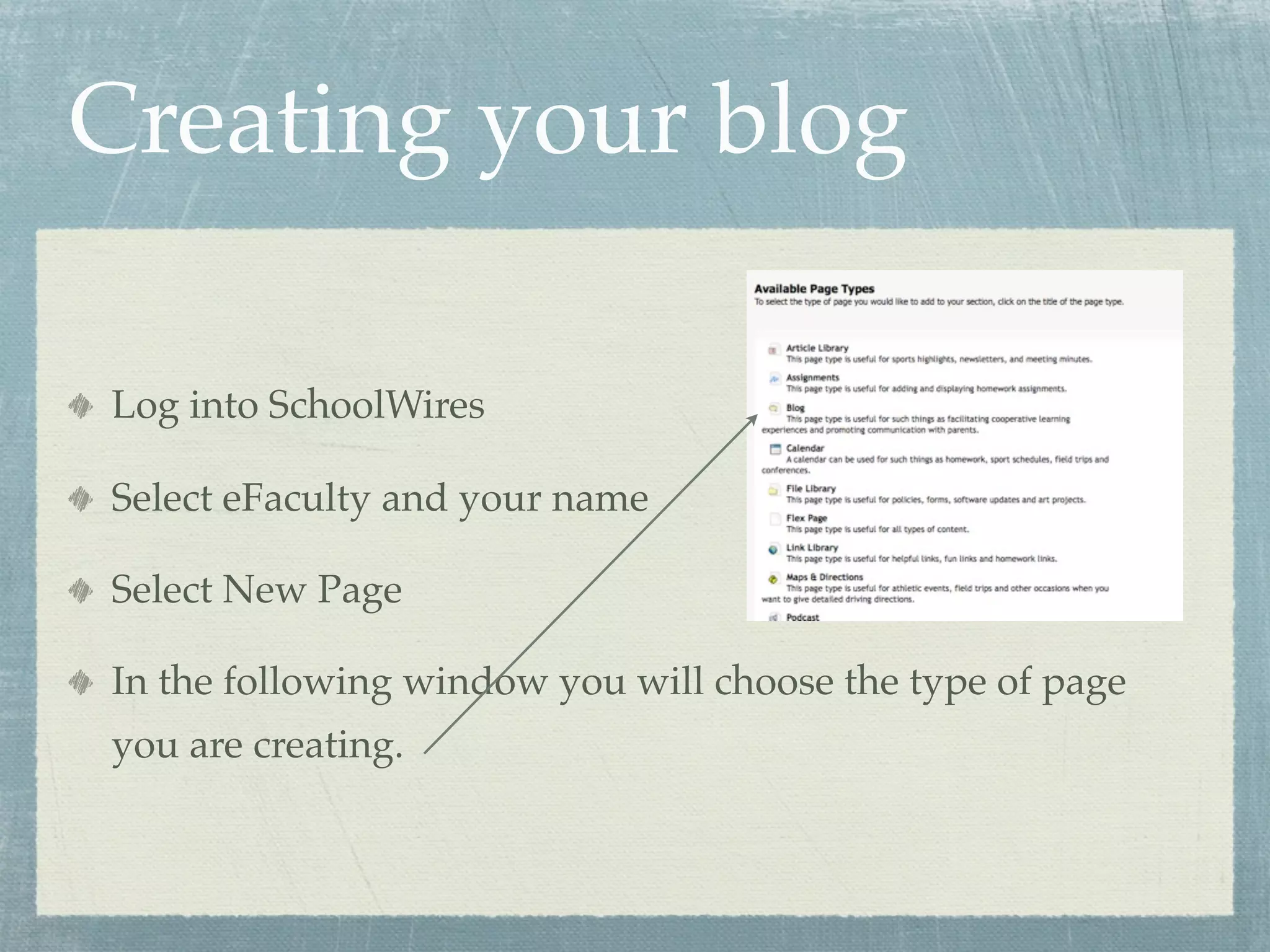
In the following window you will choose the type of page
you are creating.
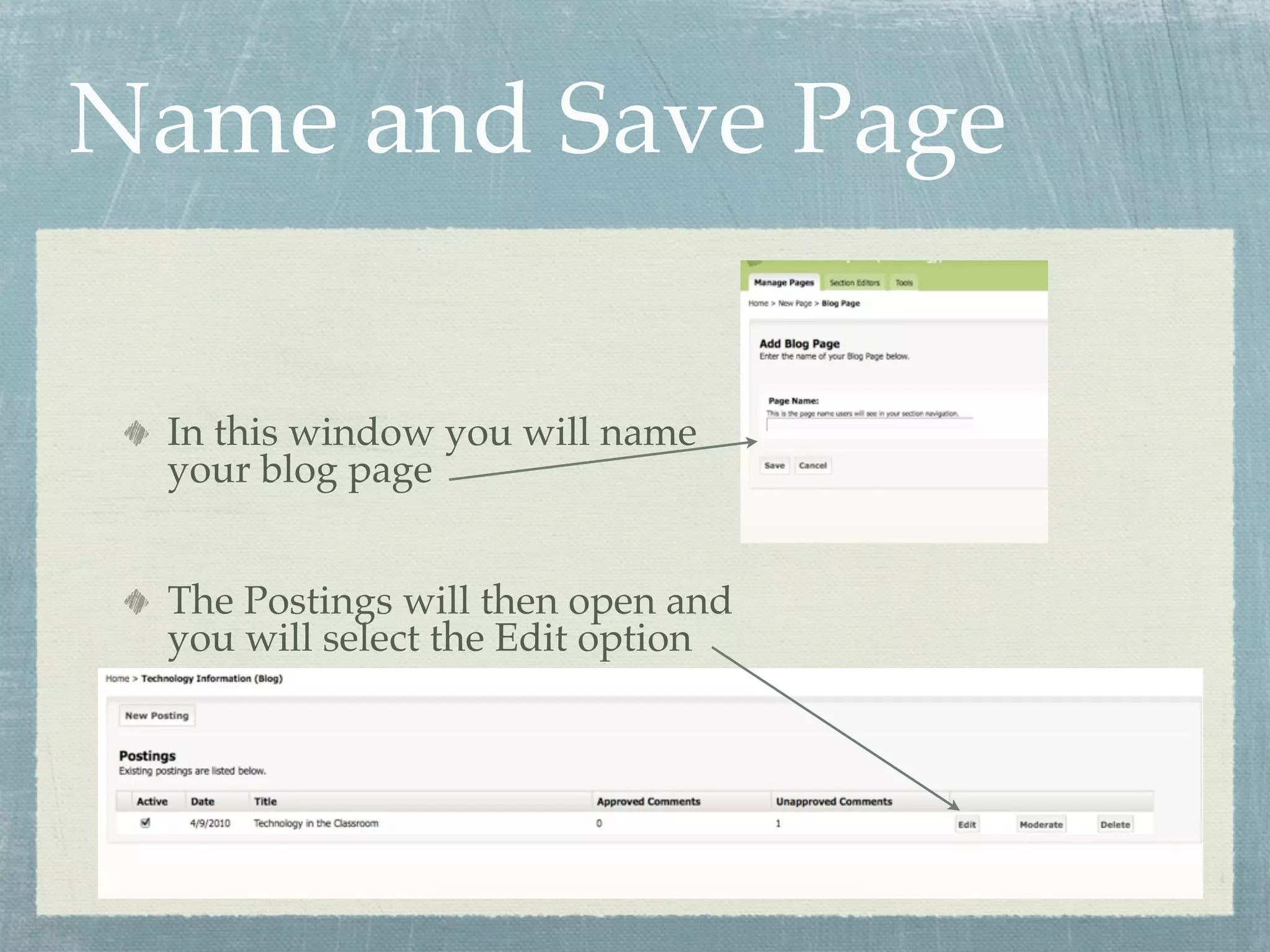
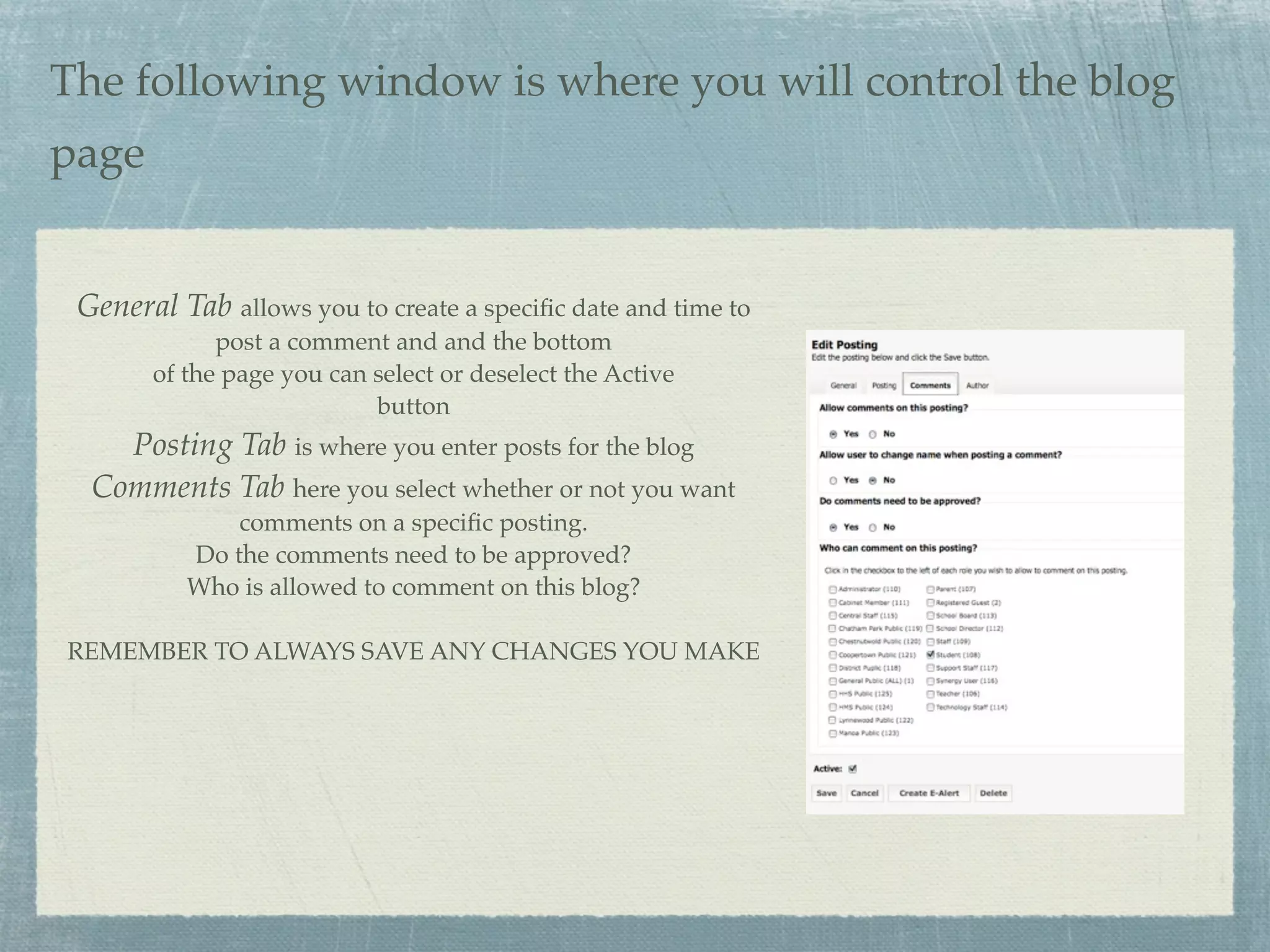
Name and Save Page

 In this window you will name
 your blog page


 The Postings will then open and
 you will select the Edit option
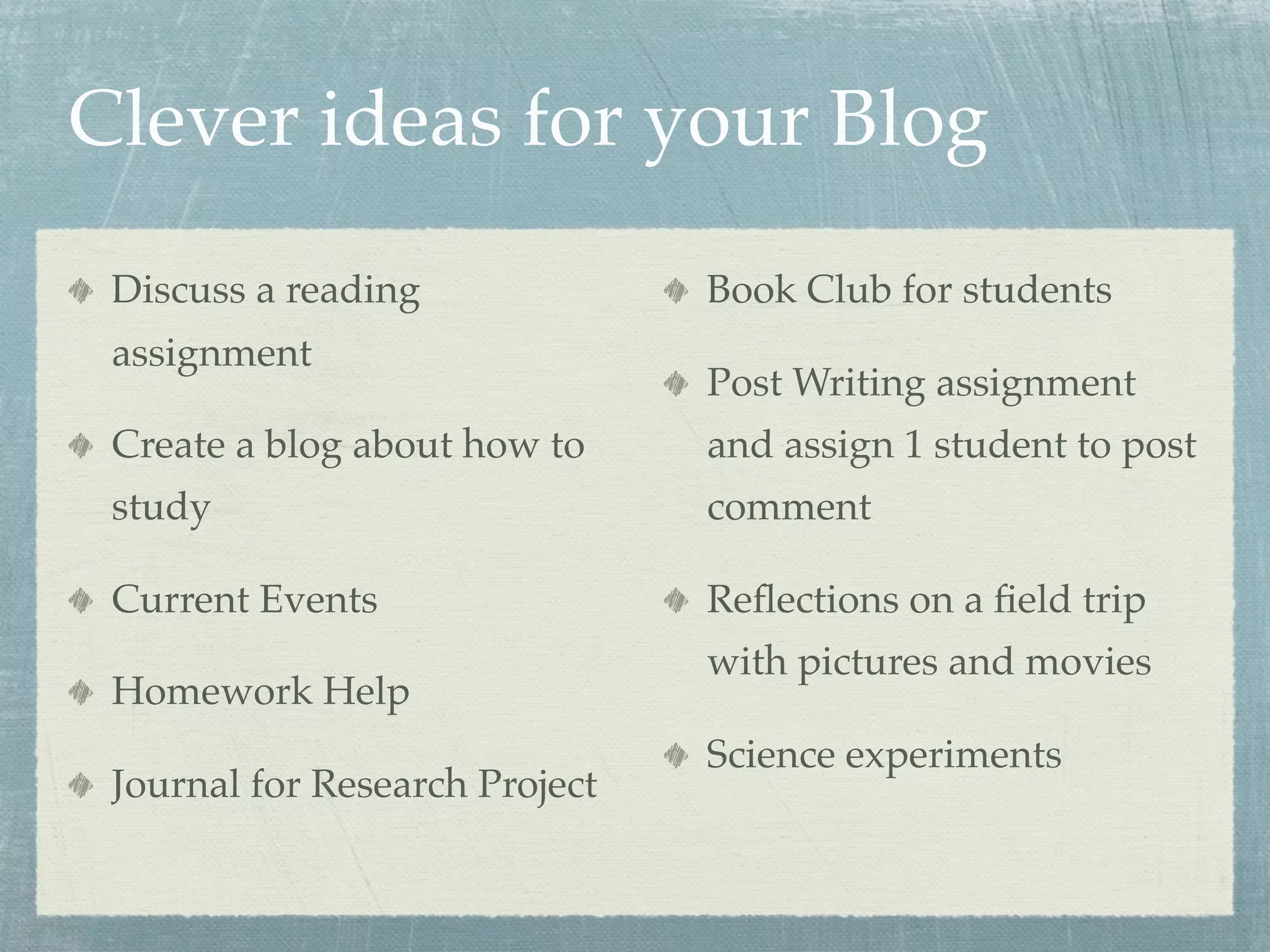
The following window is where you will control the blog
page


 General Tab allows you to create a specific date and time to
             post a comment and and the bottom
       of the page you can select or deselect the Active
                           button
    Posting Tab is where you enter posts for the blog
  Comments Tab here you select whether or not you want
              comments on a specific posting.
          Do the comments need to be approved?
          Who is allowed to comment on this blog?

REMEMBER TO ALWAYS SAVE ANY CHANGES YOU MAKE
Clever ideas for your Blog
 Discuss a reading              Book Club for students
 assignment
                                Post Writing assignment
 Create a blog about how to     and assign 1 student to post
 study                          comment

 Current Events                 Reflections on a field trip
                                with pictures and movies
 Homework Help
                                Science experiments
 Journal for Research Project
Some Examples of Blogs
Albert the Bear’s Blog       Chestnutwold
                             Ms.O’Connell
Mrs. Travis Classroom Blog
                             Civil War Sallie
MS Ms. Gilmore
                             13 Colonies
MS Mr. Mahar
                             Pie Day Blog
Chestnutwold - Jane
Daubman                      Election Day

                             Blog Awards 2009
RSS Feed
    What is it and why is
      it important?
                 RSS in Plain English

RSS stands for Really Simple Syndication.
RSS is the format for distributing news and other web content. When you put content into RSS and send that content to other
people or websites, it's called a feed.
Feeds are very powerful. They attract the interest of the search engines and they reach new audiences.
Every blog has a feed. Most of the new social media sites are using RSS Feeds to distribute their content. Twitter runs on RSS
feeds, Facebook and MySpace use feeds.
You can add feeds to your news and tap in to the power of the social web. A feed will increase the reach and visibility of your
news content.

Bloggin presentation

  • 1.
    Blogging An informative presentationon the creation and maintance of a blog through School Wires
  • 2.
    What is ablog? Wikipedia Definition Blogging in Plain English
  • 3.
    Important to Remember Howmany students have the internet? Do not publish full names of anyone in class Absolutely must create guidelines. Content! Don’t mistake activity for achievement. Remain focused. A blog is not a website it is an interactive place to communicate information. Must let me know so we can get user names and passwords for the students
  • 4.
    Creating your blog Loginto SchoolWires Select eFaculty and your name Select New Page In the following window you will choose the type of page you are creating.
  • 5.
    Name and SavePage In this window you will name your blog page The Postings will then open and you will select the Edit option
  • 6.
    The following windowis where you will control the blog page General Tab allows you to create a specific date and time to post a comment and and the bottom of the page you can select or deselect the Active button Posting Tab is where you enter posts for the blog Comments Tab here you select whether or not you want comments on a specific posting. Do the comments need to be approved? Who is allowed to comment on this blog? REMEMBER TO ALWAYS SAVE ANY CHANGES YOU MAKE
  • 7.
    Clever ideas foryour Blog Discuss a reading Book Club for students assignment Post Writing assignment Create a blog about how to and assign 1 student to post study comment Current Events Reflections on a field trip with pictures and movies Homework Help Science experiments Journal for Research Project
  • 8.
    Some Examples ofBlogs Albert the Bear’s Blog Chestnutwold Ms.O’Connell Mrs. Travis Classroom Blog Civil War Sallie MS Ms. Gilmore 13 Colonies MS Mr. Mahar Pie Day Blog Chestnutwold - Jane Daubman Election Day Blog Awards 2009
  • 9.
    RSS Feed What is it and why is it important? RSS in Plain English RSS stands for Really Simple Syndication. RSS is the format for distributing news and other web content. When you put content into RSS and send that content to other people or websites, it's called a feed. Feeds are very powerful. They attract the interest of the search engines and they reach new audiences. Every blog has a feed. Most of the new social media sites are using RSS Feeds to distribute their content. Twitter runs on RSS feeds, Facebook and MySpace use feeds. You can add feeds to your news and tap in to the power of the social web. A feed will increase the reach and visibility of your news content.