Student Digital Leaders
Glyn Barritt, SSAT
Student Digital Leaders
• Passion to help their school shape vision
and strategy around the use of technology
• Eagerness to promote their school and
their SDL activities – expanding network
• Eagerness to research
new technologies and
train their teachers
and peers
• SDL roles ensure
appropriate, engaging
technology use
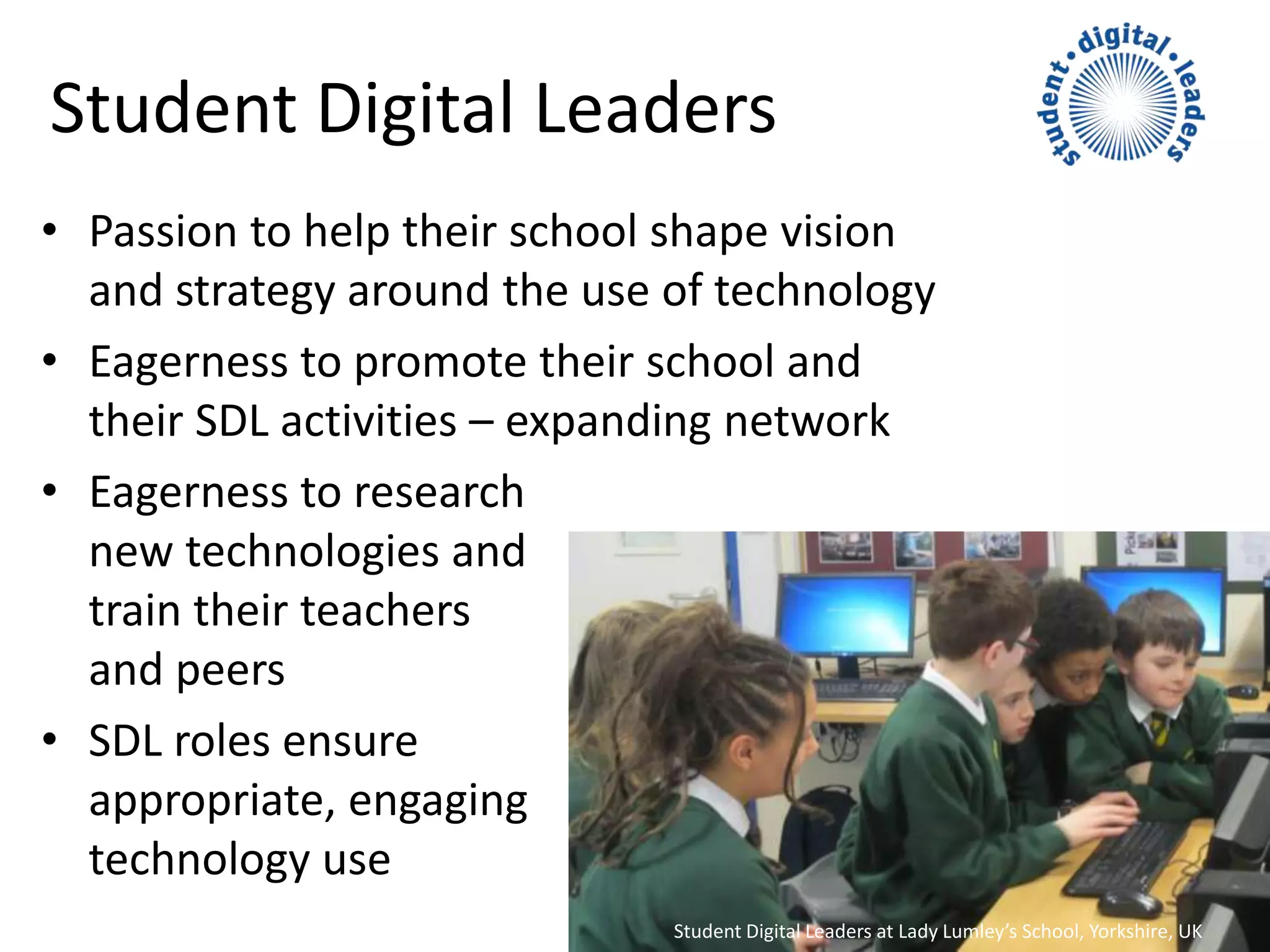
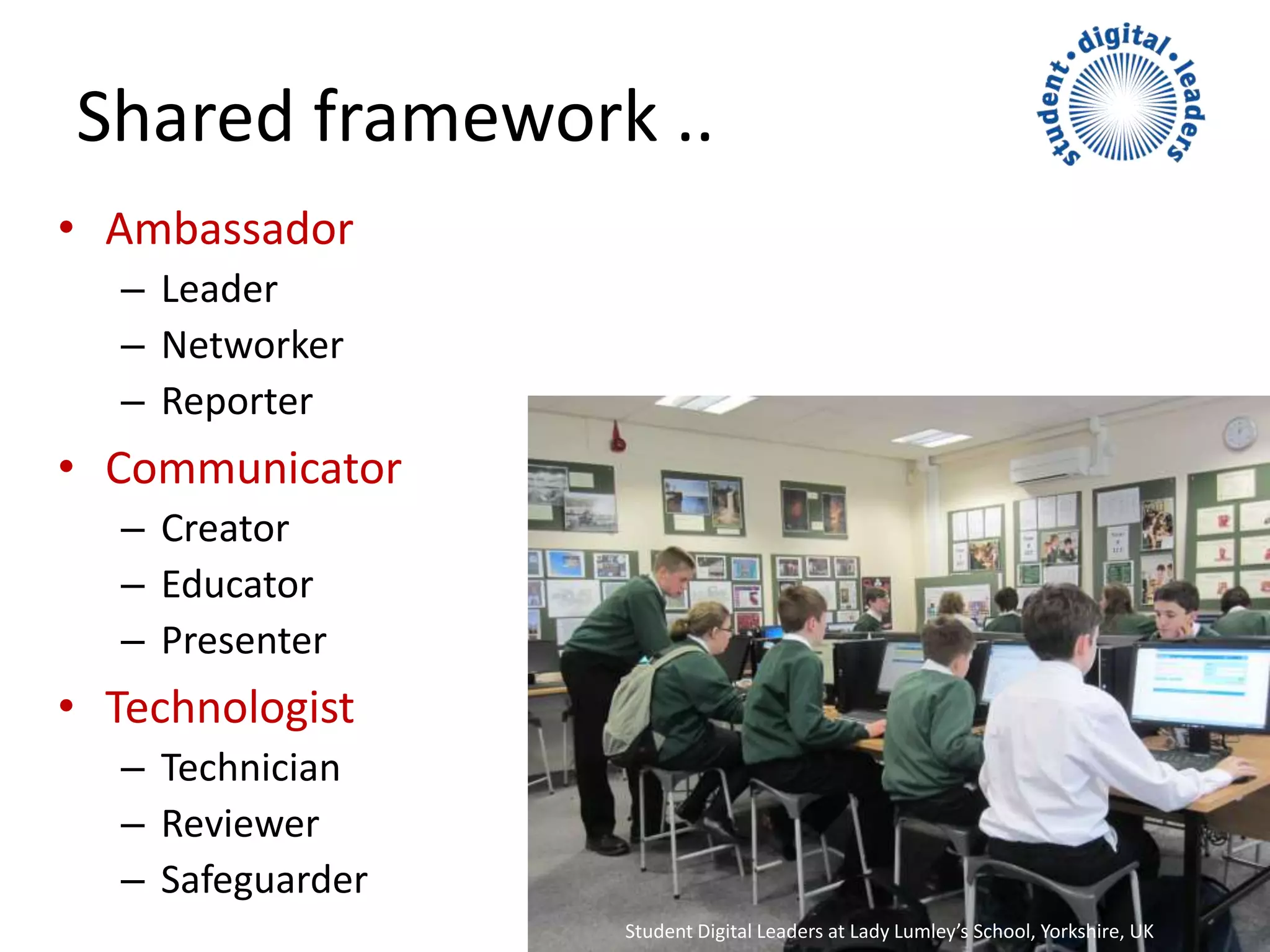
Student Digital Leaders at Lady Lumley’s School, Yorkshire, UK
Benefits
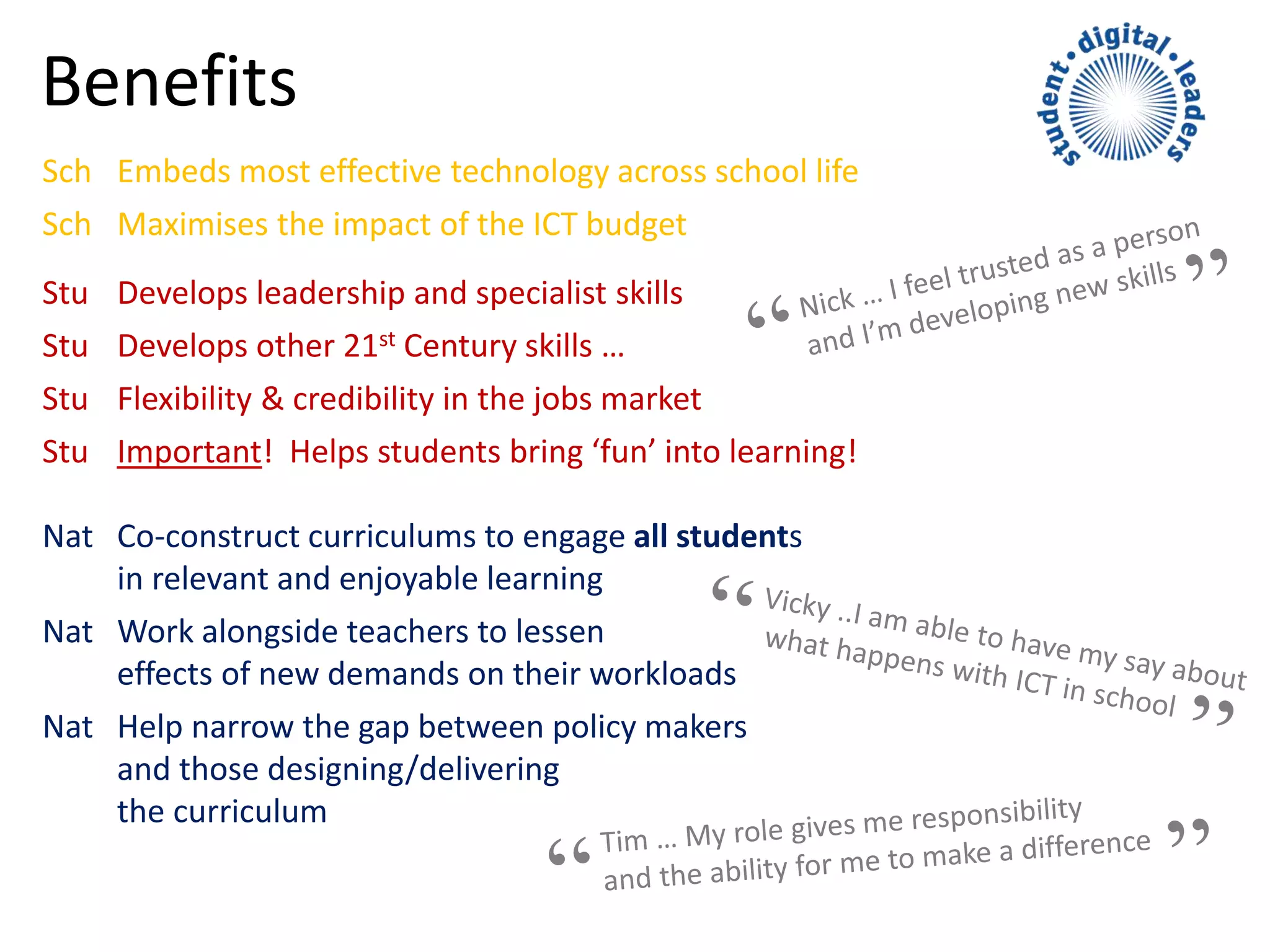
Sch Embeds most effective technology across school life
Sch Maximises the impact of the ICT budget
Stu Develops leadership and specialist skills
Stu Develops other 21st Century skills …
Stu Flexibility & credibility in the jobs market
Stu Important! Helps students bring ‘fun’ into learning!
Nat Co-construct curriculums to engage all students
in relevant and enjoyable learning
Nat Work alongside teachers to lessen
effects of new demands on their workloads
Nat Help narrow the gap between policy makers
and those designing/delivering
the curriculum
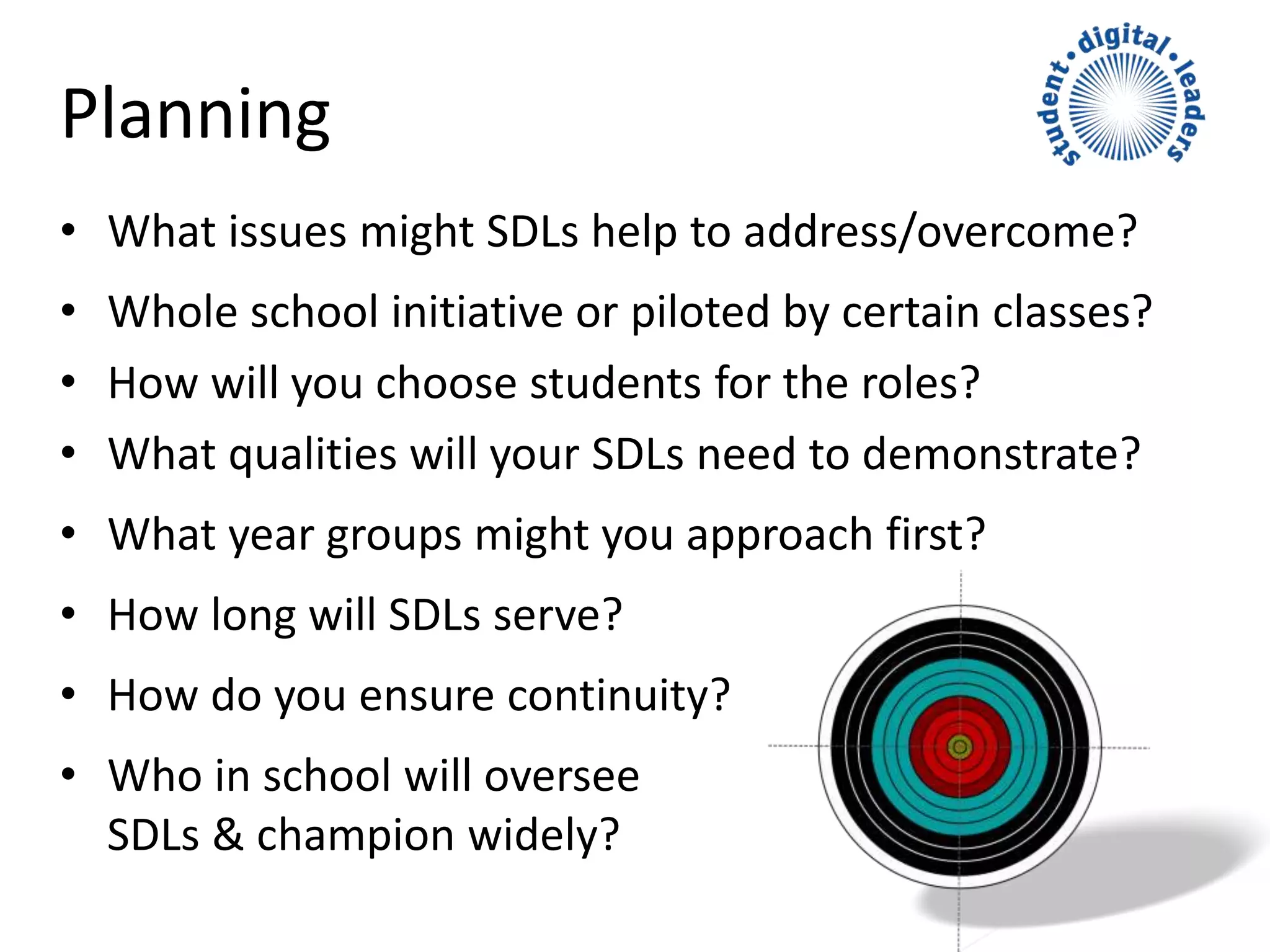
Planning
• What issues might SDLs help to address/overcome?
• Whole school initiative or piloted by certain classes?
• How will you choose students for the roles?
• What qualities will your SDLs need to demonstrate?
• What year groups might you approach first?
• How long will SDLs serve?
• How do you ensure continuity?
• Who in school will oversee
SDLs & champion widely?
Initial training & Group ID
• Listening and speaking
– Active and sympathetic
• Asking for help
– For themselves, others
• Communication skills
– Peers, teachers, community
• Sharing and showcasing
– SDLs continually moving foward
• Using and applying
– Getting the most from tech for learning
• Reviewing and feedback
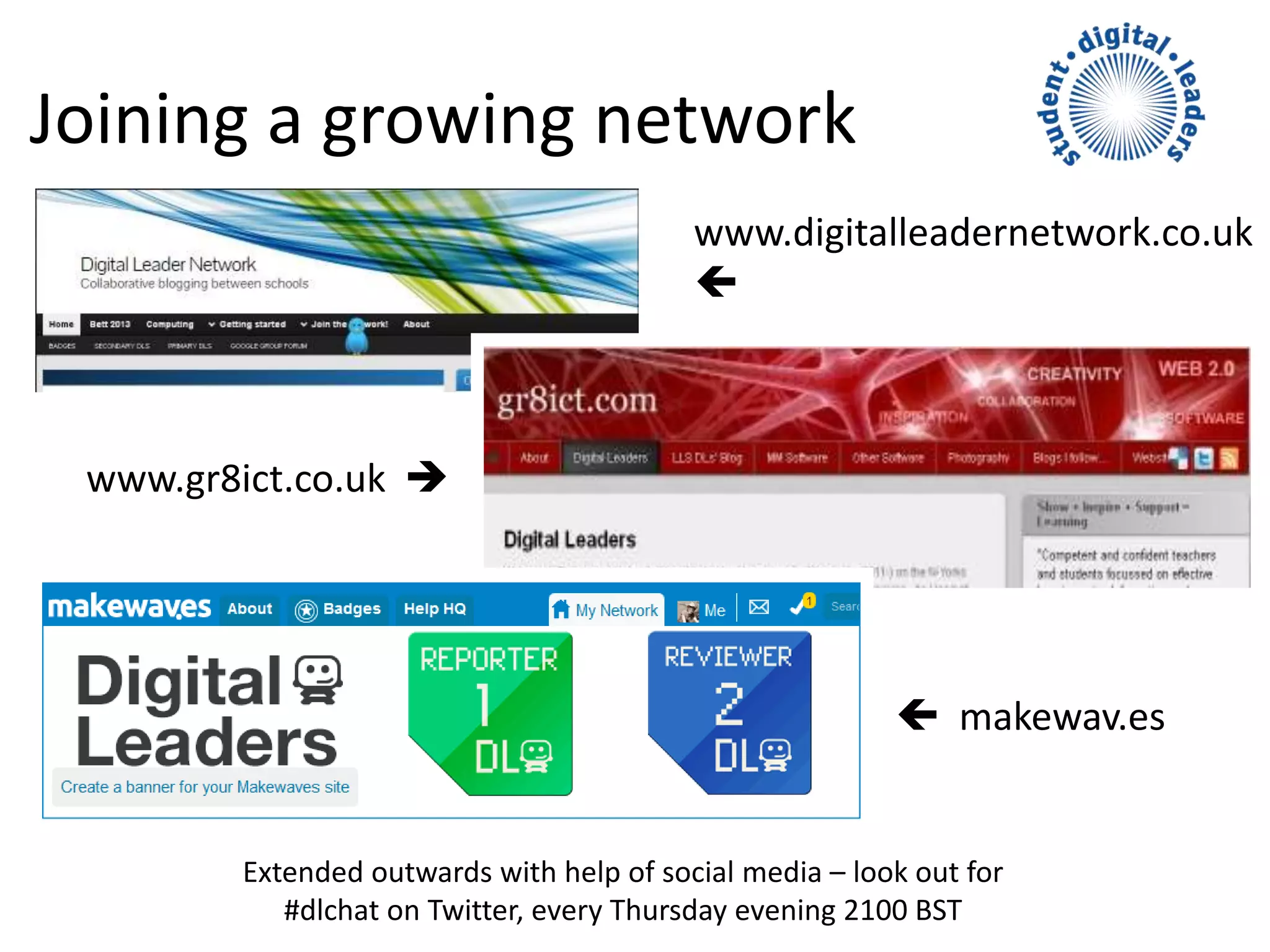
Joining a growing network
 makewav.es
www.gr8ict.co.uk 
Extended outwards with help of social media – look out for
#dlchat on Twitter, every Thursday evening 2100 BST
www.digitalleadernetwork.co.uk

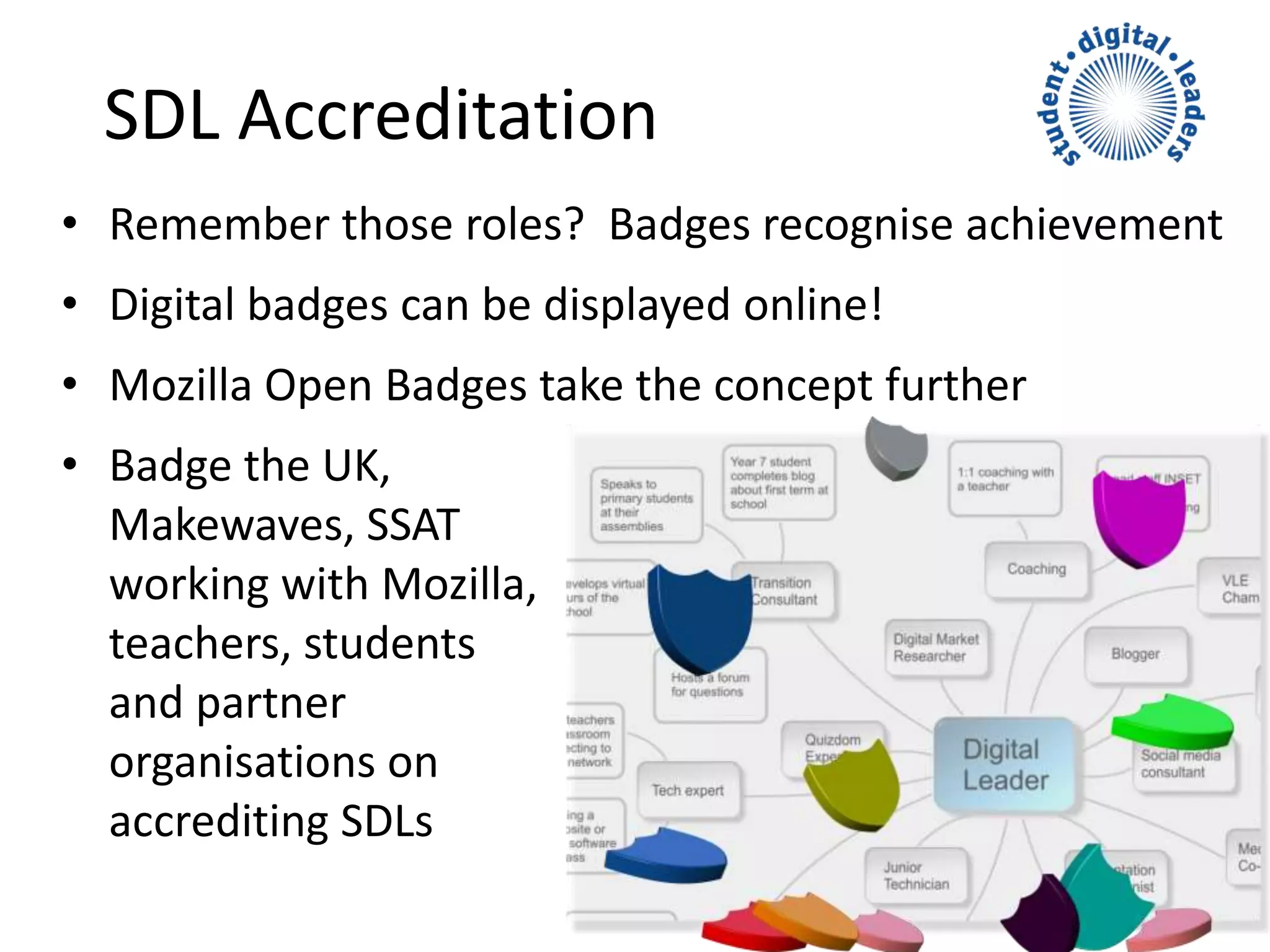
SDL Accreditation
• Remember those roles? Badges recognise achievement
• Digital badges can be displayed online!
• Mozilla Open Badges take the concept further
• Badge the UK,
Makewaves, SSAT
working with Mozilla,
teachers, students
and partner
organisations on
accrediting SDLs
Mozilla Open Badges
• Top global brands have come together
to support a new way to recognise
development of 21C skills
• Visual representations of learning,
achievements, skills, interests & competencies
• They can represent hard and soft skills,
peer assessment and stackable lifelong learning
“Over 70% of employers want employability skills to
become a top education priority.” The CBI
Mozilla Open Badges cont’d
• Free open global technical
standard for recognising
achievement
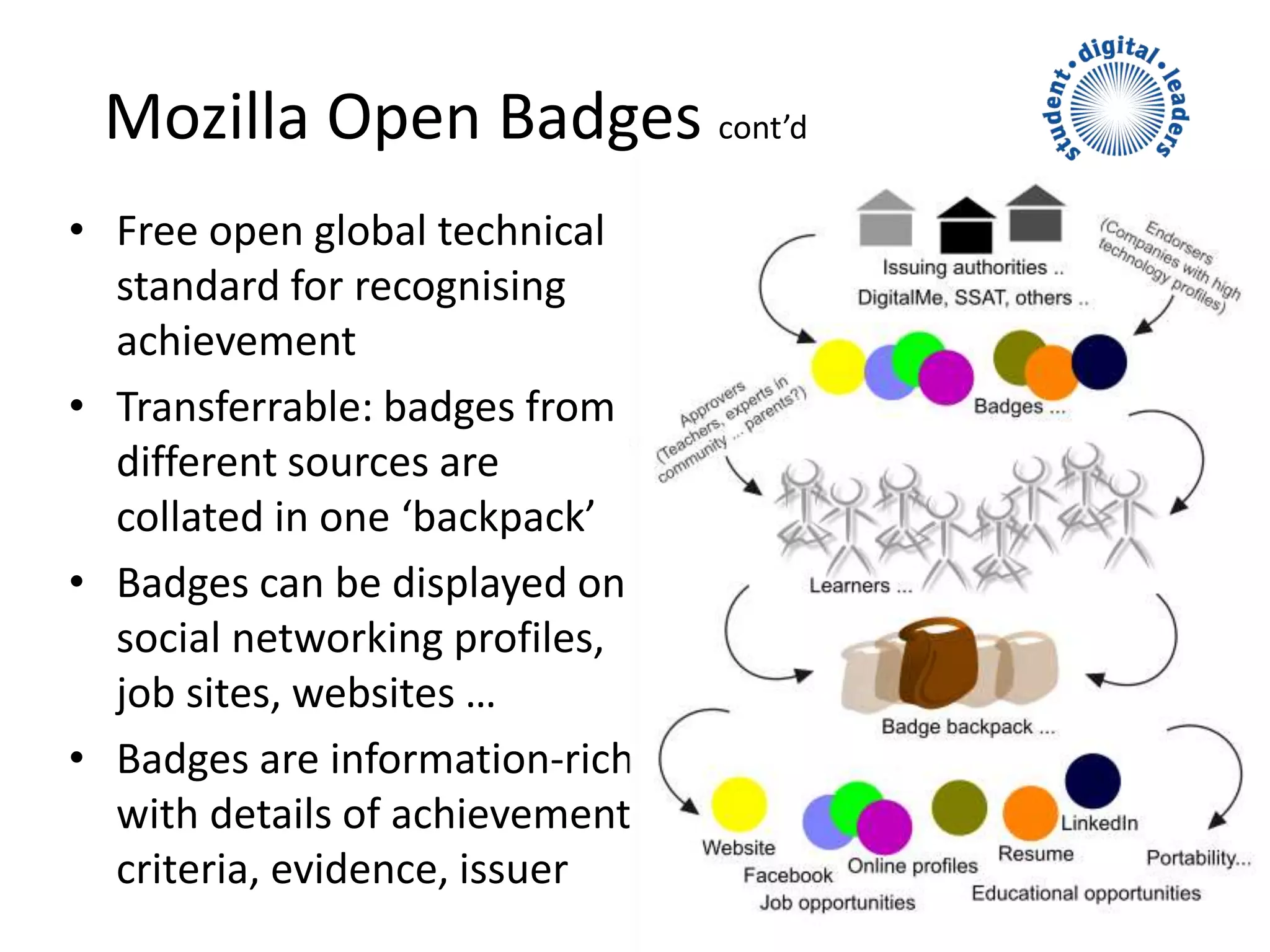
• Transferrable: badges from
different sources are
collated in one ‘backpack’
• Badges can be displayed on
social networking profiles,
job sites, websites …
• Badges are information-rich
with details of achievement,
criteria, evidence, issuer
Badges are info rich!
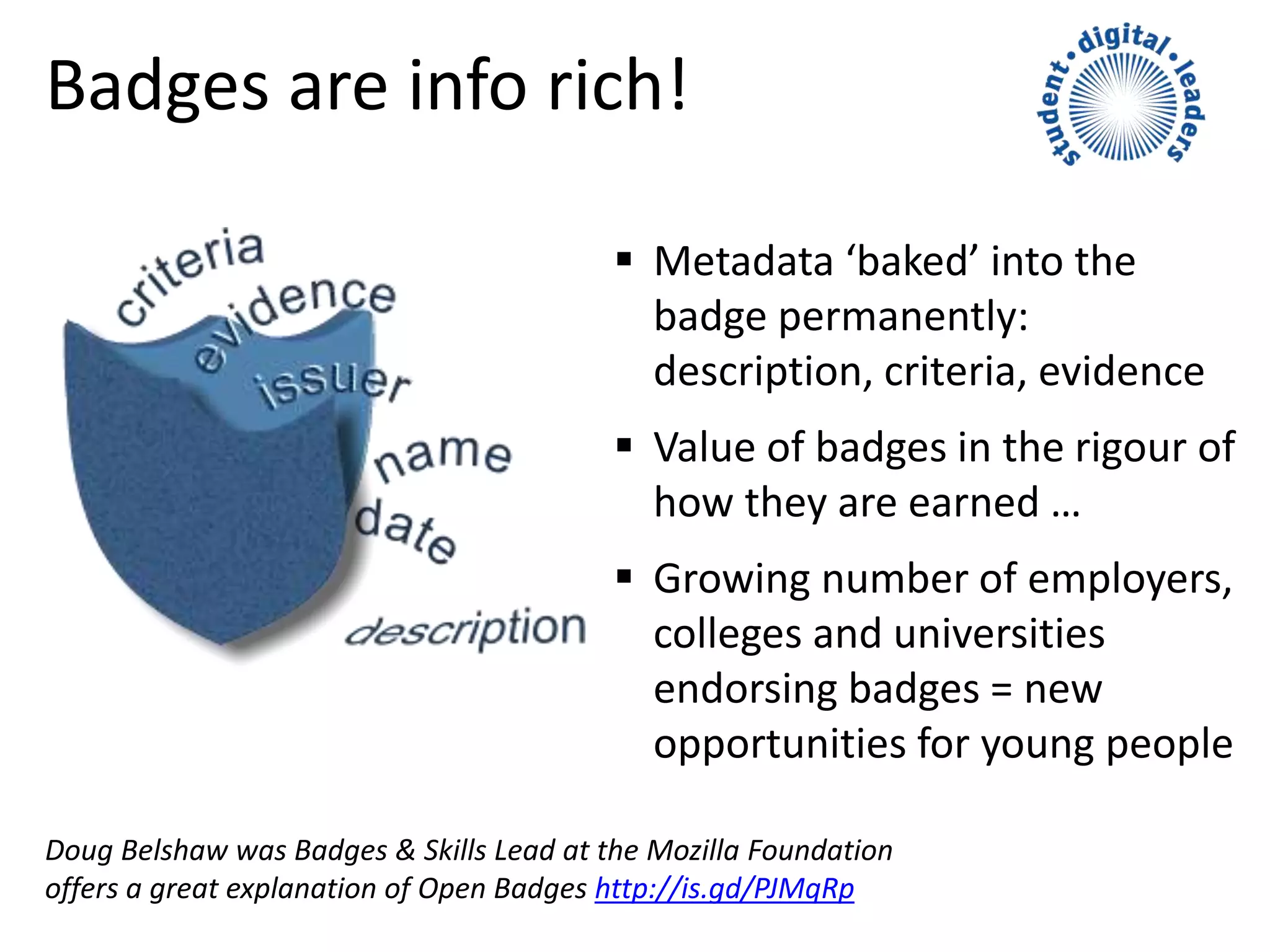
 Metadata ‘baked’ into the
badge permanently:
description, criteria, evidence
 Value of badges in the rigour of
how they are earned …
 Growing number of employers,
colleges and universities
endorsing badges = new
opportunities for young people
Doug Belshaw was Badges & Skills Lead at the Mozilla Foundation
offers a great explanation of Open Badges http://is.gd/PJMqRp
Video shown with the kind permission of DigitalMe
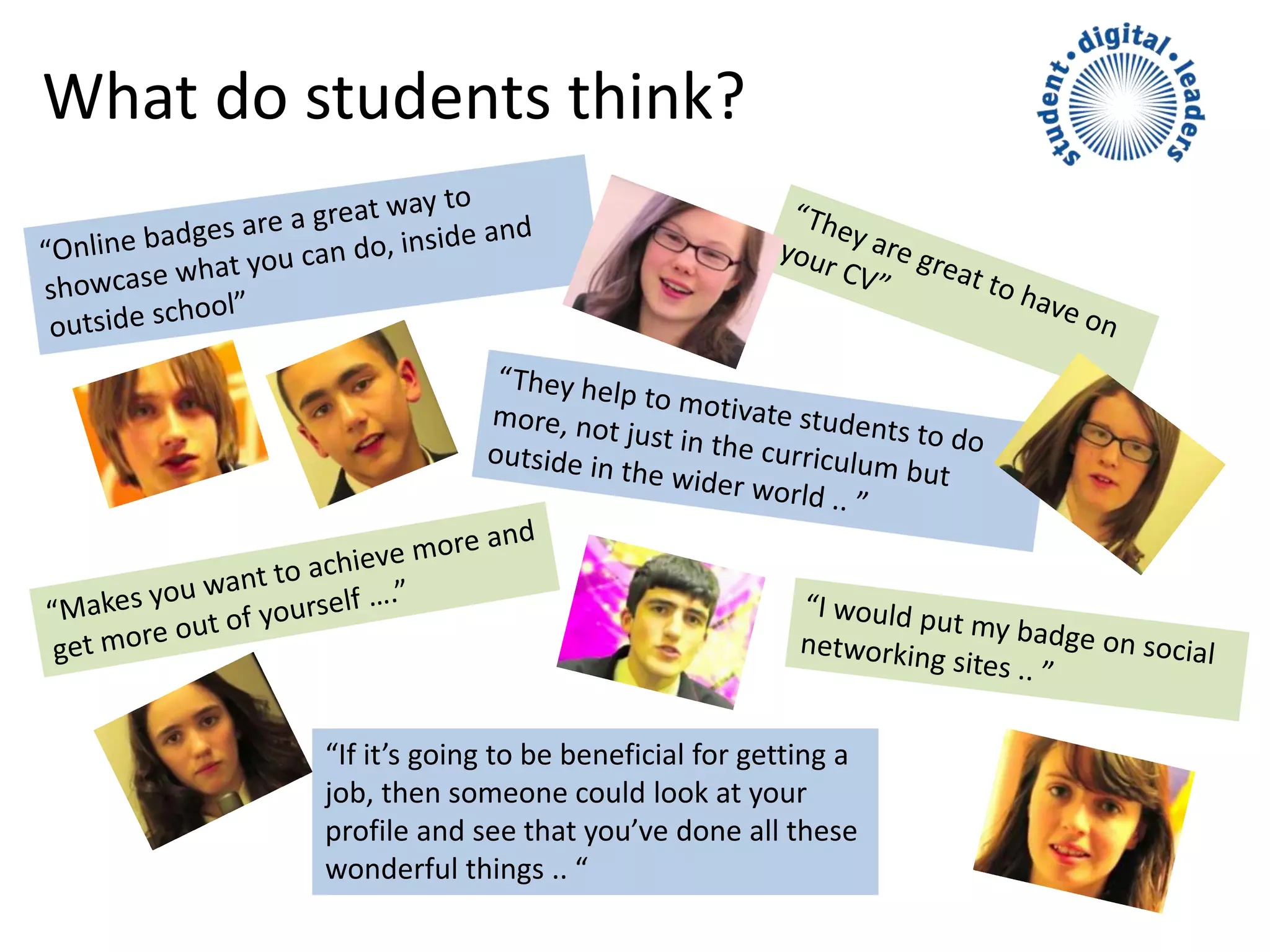
What do students think?
“If it’s going to be beneficial for getting a
job, then someone could look at your
profile and see that you’ve done all these
wonderful things .. “
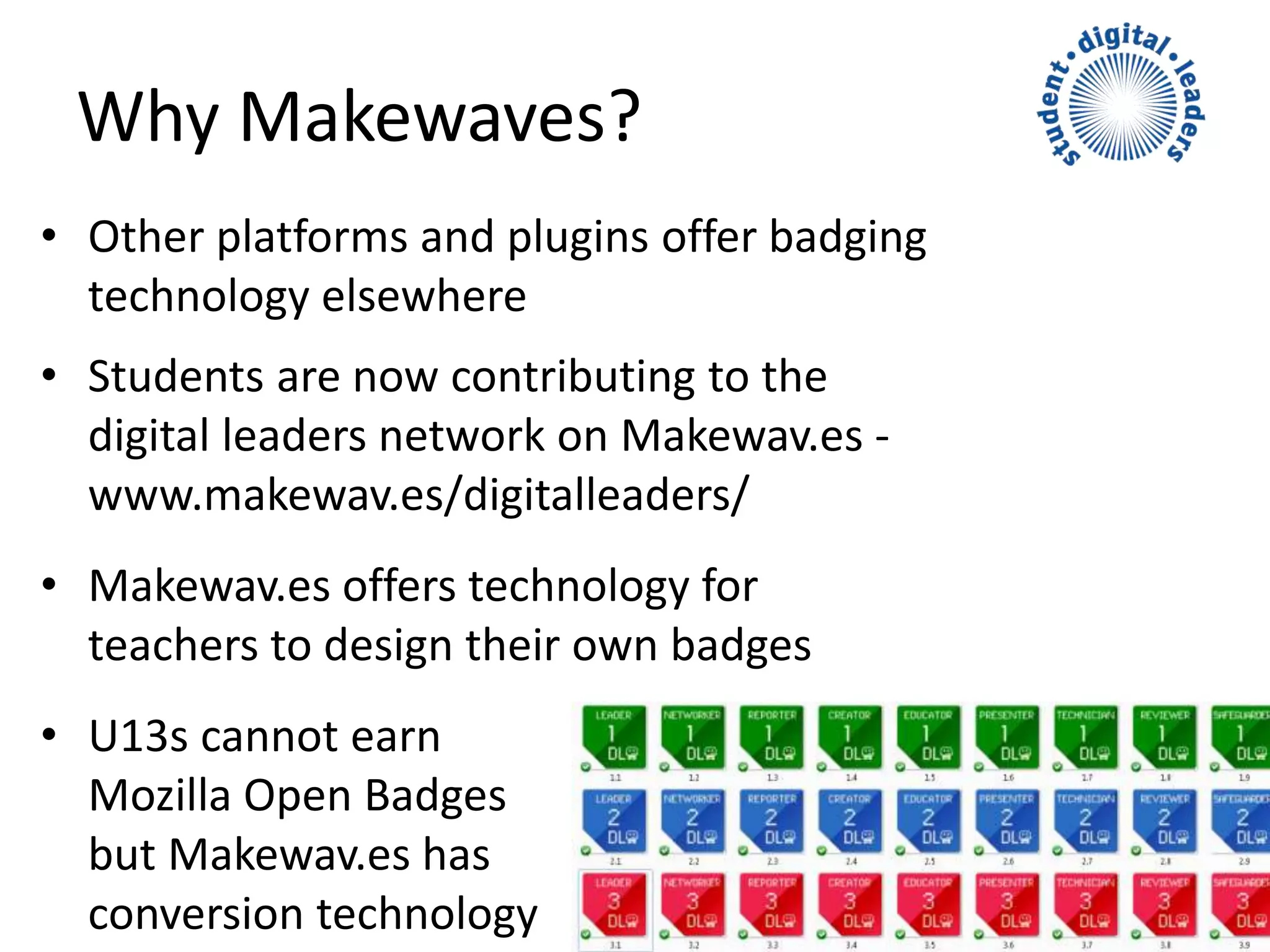
• Other platforms and plugins offer badging
technology elsewhere
• Students are now contributing to the
digital leaders network on Makewav.es -
www.makewav.es/digitalleaders/
• Makewav.es offers technology for
teachers to design their own badges
• U13s cannot earn
Mozilla Open Badges
but Makewav.es has
conversion technology
Why Makewaves?
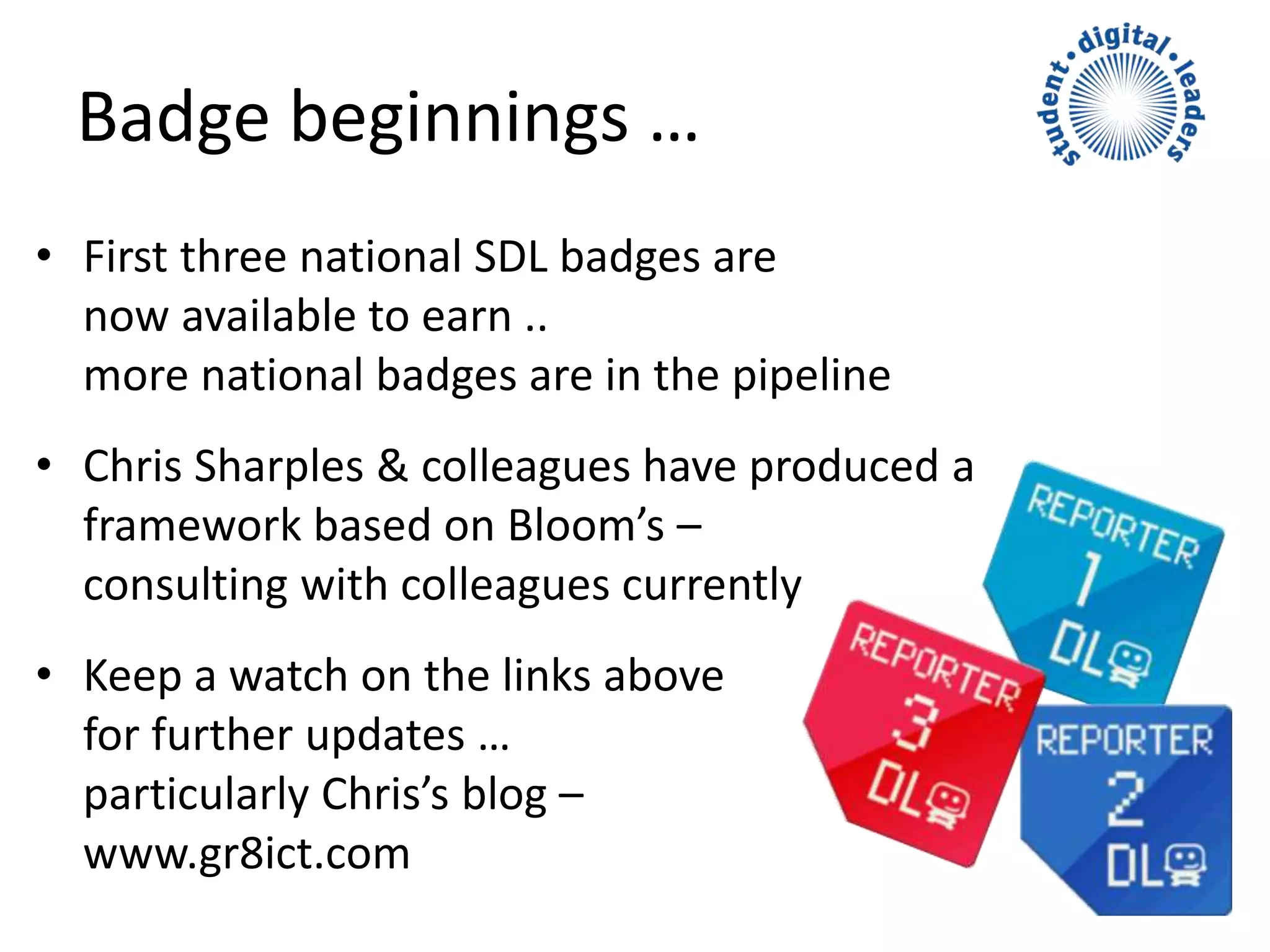
• First three national SDL badges are
now available to earn ..
more national badges are in the pipeline
• Chris Sharples & colleagues have produced a
framework based on Bloom’s –
consulting with colleagues currently
• Keep a watch on the links above
for further updates …
particularly Chris’s blog –
www.gr8ict.com
Badge beginnings …
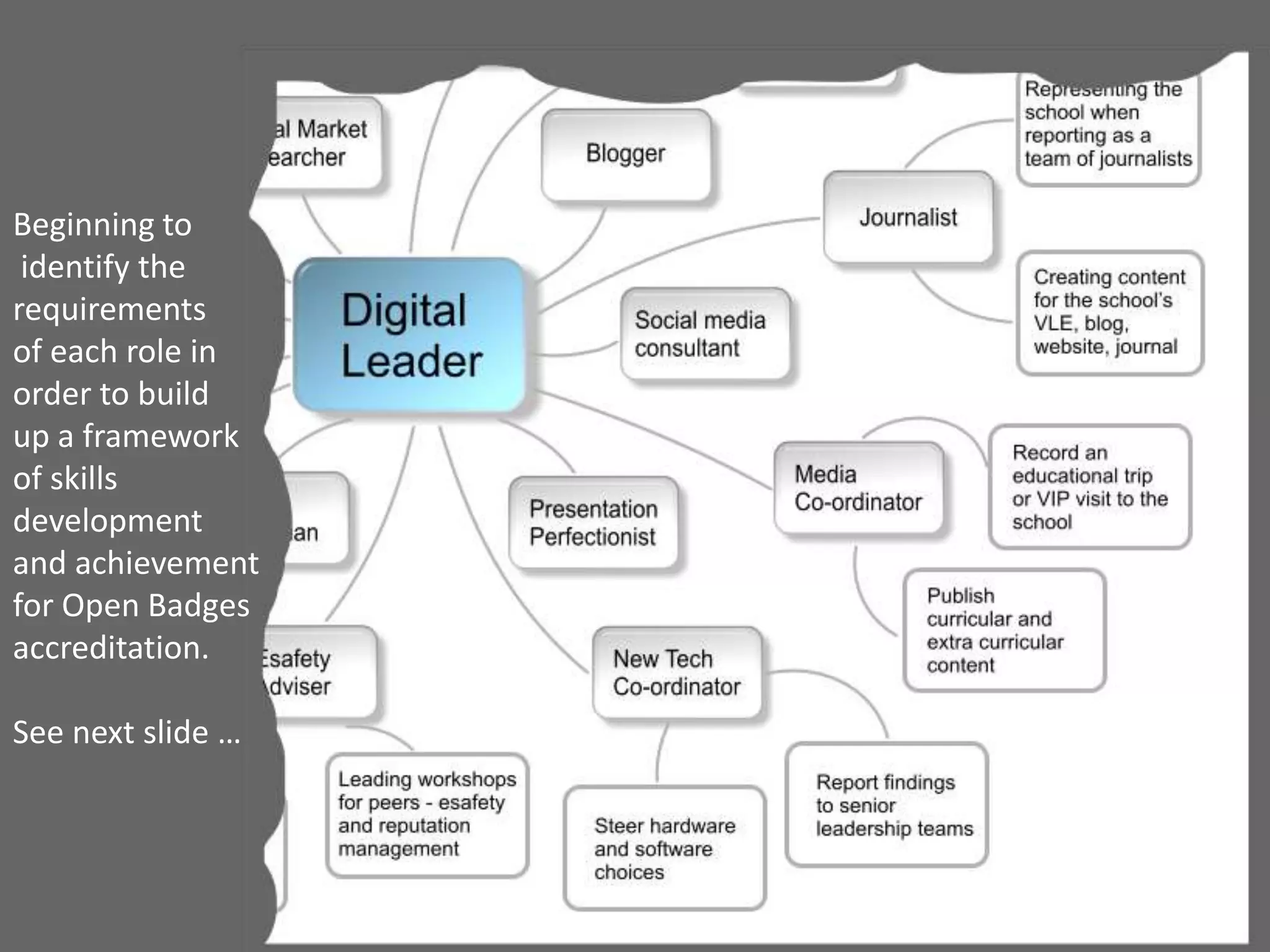
Beginning to
identify the
requirements
of each role in
order to build
up a framework
of skills
development
and achievement
for Open Badges
accreditation.
See next slide …
• Ambassador
– Leader
– Networker
– Reporter
• Communicator
– Creator
– Educator
– Presenter
• Technologist
– Technician
– Reviewer
– Safeguarder
Shared framework ..
Student Digital Leaders at Lady Lumley’s School, Yorkshire, UK
Shared framework ..
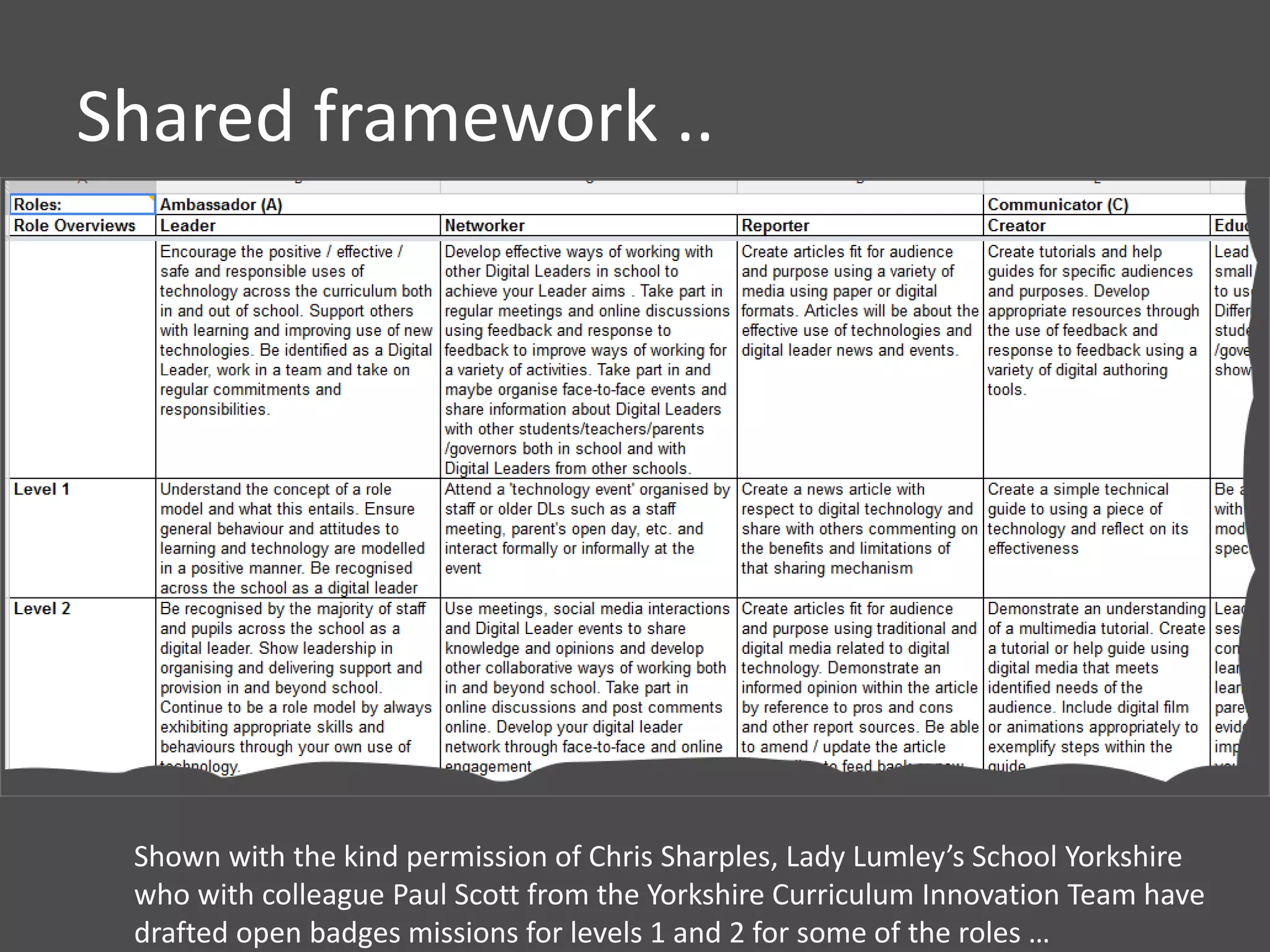
Shown with the kind permission of Chris Sharples, Lady Lumley’s School Yorkshire
who with colleague Paul Scott from the Yorkshire Curriculum Innovation Team have
drafted open badges missions for levels 1 and 2 for some of the roles …
• L1 Knowledge and Comprehension
– Being told how to do things and
doing them with friends and in own class
• L2 Comprehension and Application
– Taking what you have learned
and applying it to other
situations …
• L3 Application/higher Bloom’s
– Taking a brief and applying it
to different audiences
outside school
– Evaluating and improving
Levels based on Bloom’s
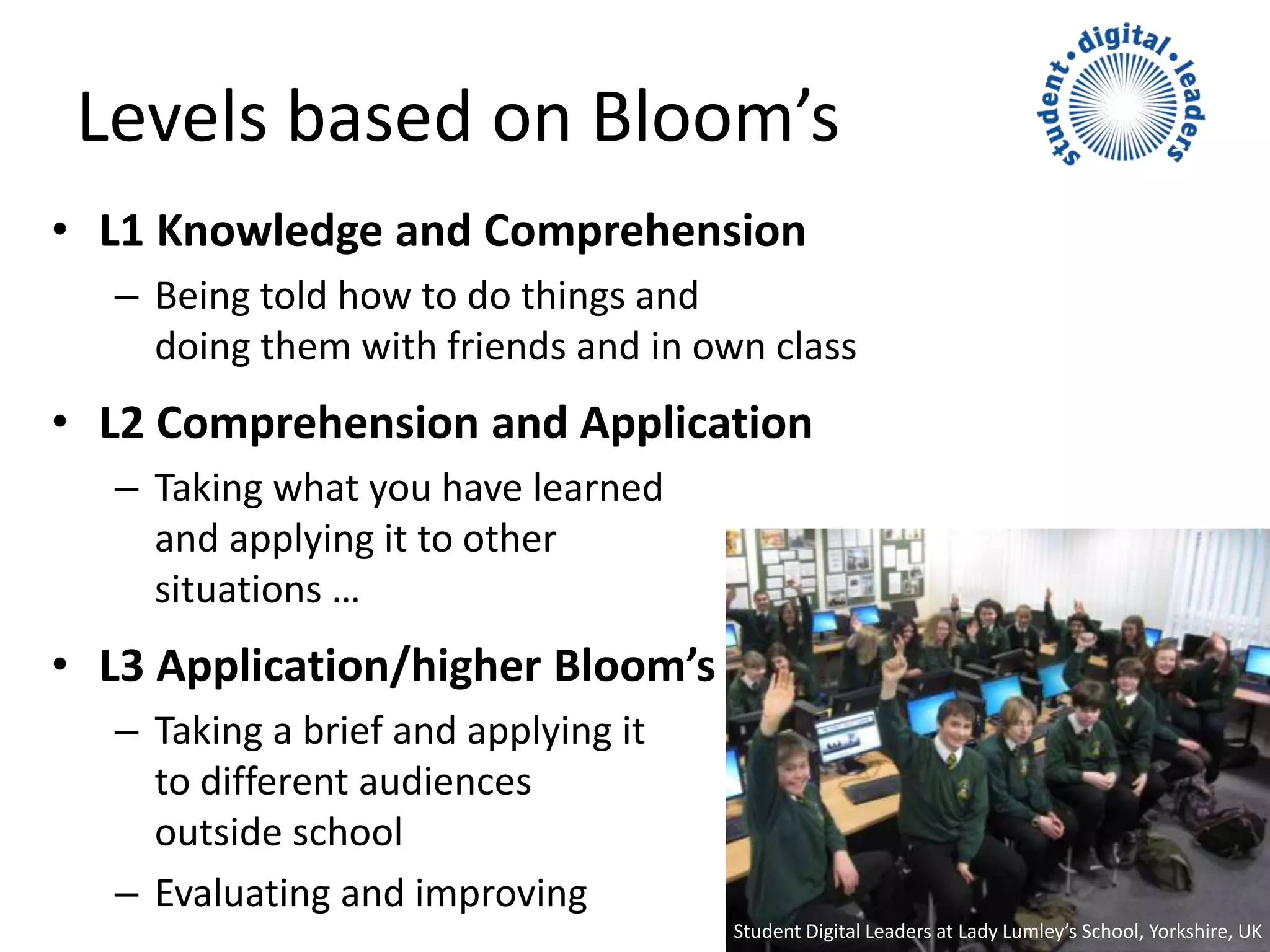
Student Digital Leaders at Lady Lumley’s School, Yorkshire, UK
• Badges have disruptive potential in the world of
accredition … not just for students but for teachers
undergoing professional development too!
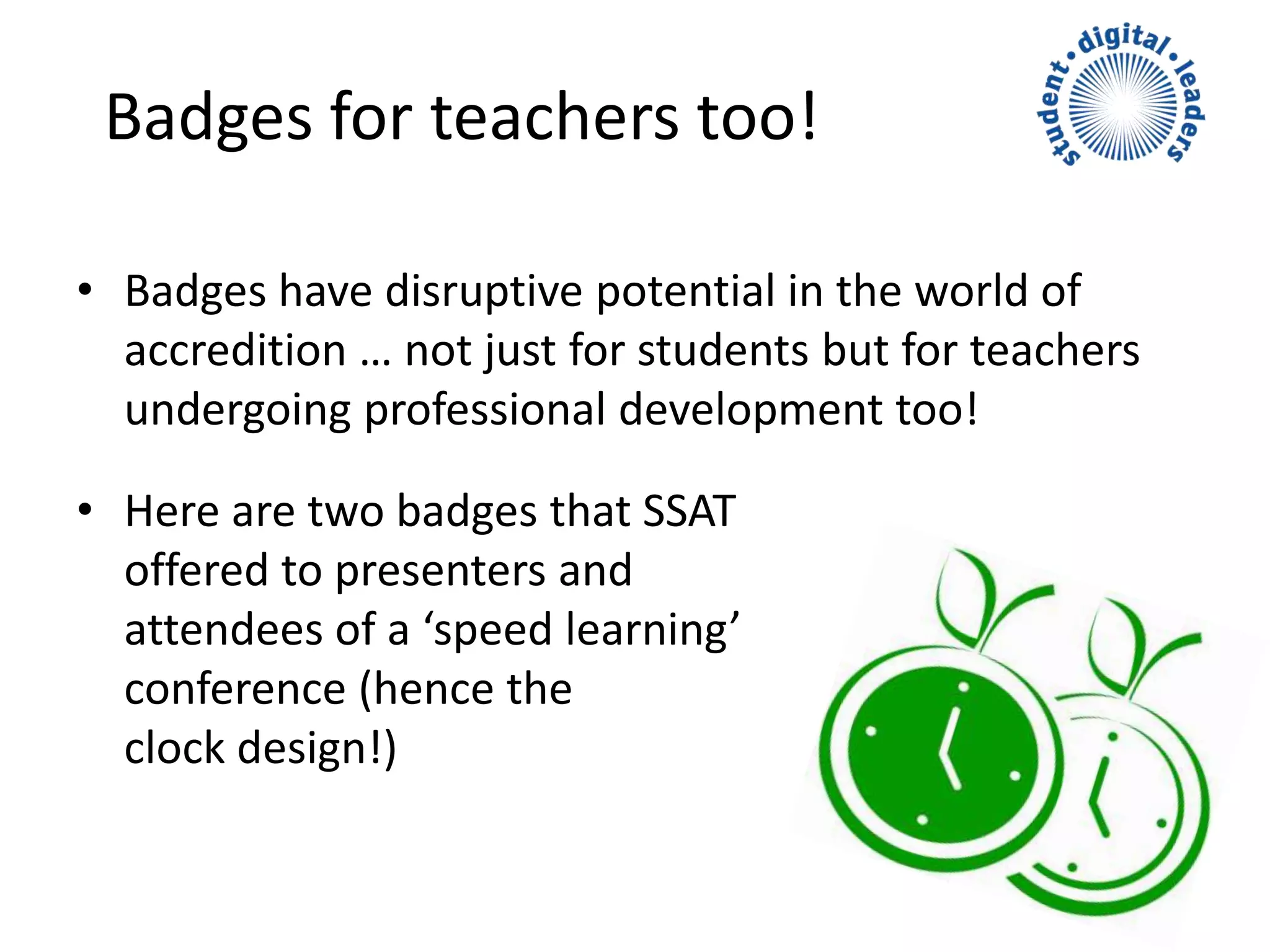
• Here are two badges that SSAT
offered to presenters and
attendees of a ‘speed learning’
conference (hence the
clock design!)
Badges for teachers too!
Glyn Barritt
glyn.barritt@ssatuk.co.uk
www.ssatuk.co.uk
@ssat @ictregister @sdigileaders @glynbarritt

BLC14-SDL CueTips Presentation

  • 1.
  • 2.
    Student Digital Leaders •Passion to help their school shape vision and strategy around the use of technology • Eagerness to promote their school and their SDL activities – expanding network • Eagerness to research new technologies and train their teachers and peers • SDL roles ensure appropriate, engaging technology use Student Digital Leaders at Lady Lumley’s School, Yorkshire, UK
  • 4.
    Benefits Sch Embeds mosteffective technology across school life Sch Maximises the impact of the ICT budget Stu Develops leadership and specialist skills Stu Develops other 21st Century skills … Stu Flexibility & credibility in the jobs market Stu Important! Helps students bring ‘fun’ into learning! Nat Co-construct curriculums to engage all students in relevant and enjoyable learning Nat Work alongside teachers to lessen effects of new demands on their workloads Nat Help narrow the gap between policy makers and those designing/delivering the curriculum
  • 5.
    Planning • What issuesmight SDLs help to address/overcome? • Whole school initiative or piloted by certain classes? • How will you choose students for the roles? • What qualities will your SDLs need to demonstrate? • What year groups might you approach first? • How long will SDLs serve? • How do you ensure continuity? • Who in school will oversee SDLs & champion widely?
  • 6.
    Initial training &Group ID • Listening and speaking – Active and sympathetic • Asking for help – For themselves, others • Communication skills – Peers, teachers, community • Sharing and showcasing – SDLs continually moving foward • Using and applying – Getting the most from tech for learning • Reviewing and feedback
  • 7.
    Joining a growingnetwork  makewav.es www.gr8ict.co.uk  Extended outwards with help of social media – look out for #dlchat on Twitter, every Thursday evening 2100 BST www.digitalleadernetwork.co.uk 
  • 8.
    SDL Accreditation • Rememberthose roles? Badges recognise achievement • Digital badges can be displayed online! • Mozilla Open Badges take the concept further • Badge the UK, Makewaves, SSAT working with Mozilla, teachers, students and partner organisations on accrediting SDLs
  • 9.
    Mozilla Open Badges •Top global brands have come together to support a new way to recognise development of 21C skills • Visual representations of learning, achievements, skills, interests & competencies • They can represent hard and soft skills, peer assessment and stackable lifelong learning “Over 70% of employers want employability skills to become a top education priority.” The CBI
  • 10.
    Mozilla Open Badgescont’d • Free open global technical standard for recognising achievement • Transferrable: badges from different sources are collated in one ‘backpack’ • Badges can be displayed on social networking profiles, job sites, websites … • Badges are information-rich with details of achievement, criteria, evidence, issuer
  • 11.
    Badges are inforich!  Metadata ‘baked’ into the badge permanently: description, criteria, evidence  Value of badges in the rigour of how they are earned …  Growing number of employers, colleges and universities endorsing badges = new opportunities for young people Doug Belshaw was Badges & Skills Lead at the Mozilla Foundation offers a great explanation of Open Badges http://is.gd/PJMqRp
  • 12.
    Video shown withthe kind permission of DigitalMe
  • 13.
    What do studentsthink? “If it’s going to be beneficial for getting a job, then someone could look at your profile and see that you’ve done all these wonderful things .. “
  • 14.
    • Other platformsand plugins offer badging technology elsewhere • Students are now contributing to the digital leaders network on Makewav.es - www.makewav.es/digitalleaders/ • Makewav.es offers technology for teachers to design their own badges • U13s cannot earn Mozilla Open Badges but Makewav.es has conversion technology Why Makewaves?
  • 15.
    • First threenational SDL badges are now available to earn .. more national badges are in the pipeline • Chris Sharples & colleagues have produced a framework based on Bloom’s – consulting with colleagues currently • Keep a watch on the links above for further updates … particularly Chris’s blog – www.gr8ict.com Badge beginnings …
  • 16.
    Beginning to identify the requirements ofeach role in order to build up a framework of skills development and achievement for Open Badges accreditation. See next slide …
  • 17.
    • Ambassador – Leader –Networker – Reporter • Communicator – Creator – Educator – Presenter • Technologist – Technician – Reviewer – Safeguarder Shared framework .. Student Digital Leaders at Lady Lumley’s School, Yorkshire, UK
  • 18.
    Shared framework .. Shownwith the kind permission of Chris Sharples, Lady Lumley’s School Yorkshire who with colleague Paul Scott from the Yorkshire Curriculum Innovation Team have drafted open badges missions for levels 1 and 2 for some of the roles …
  • 19.
    • L1 Knowledgeand Comprehension – Being told how to do things and doing them with friends and in own class • L2 Comprehension and Application – Taking what you have learned and applying it to other situations … • L3 Application/higher Bloom’s – Taking a brief and applying it to different audiences outside school – Evaluating and improving Levels based on Bloom’s Student Digital Leaders at Lady Lumley’s School, Yorkshire, UK
  • 20.
    • Badges havedisruptive potential in the world of accredition … not just for students but for teachers undergoing professional development too! • Here are two badges that SSAT offered to presenters and attendees of a ‘speed learning’ conference (hence the clock design!) Badges for teachers too!
  • 21.

Editor's Notes

  • #2 Good afternoon everyone – I’m Glyn Barritt and the Learning Technologies Manager at SSAT … Student leadership and student voice have been at the heart of SSAT’s work for many years. In the early 2000s, we began important work with Professor David Hargreaves on the nine gateways to personalising learning, the Deeps and the redesign of school systems and curriculums …and found that one of the most successful entry points into effecting change and transformation lay in the area of student voice, and the opportunities offered to students to share the leadership and redesign of learning with their teachers. And so Student Digital Leadership fits nicely into the SSAT’s suite of activities and programmes designed to keep student voice at the forefront of change. But what is it really?
  • #3 Students with a passion to help their school shape vision and strategy around the use of technology They take on or develop leadership roles which provide advice and guidance as to the effectiveness of technology. This entails a good deal of research, experimentation, evaluation and feedback. And they make sure that fellow students and their teachers have the skills to use those technologies effectively. They will represent the school whenever appropriate, giving presentations or perhaps using social media platforms like Makewaves, for promoting student-driven activities at their school – so uploading images, audio, video and writing blogs – to illustrate their achievements and to share them more widely.
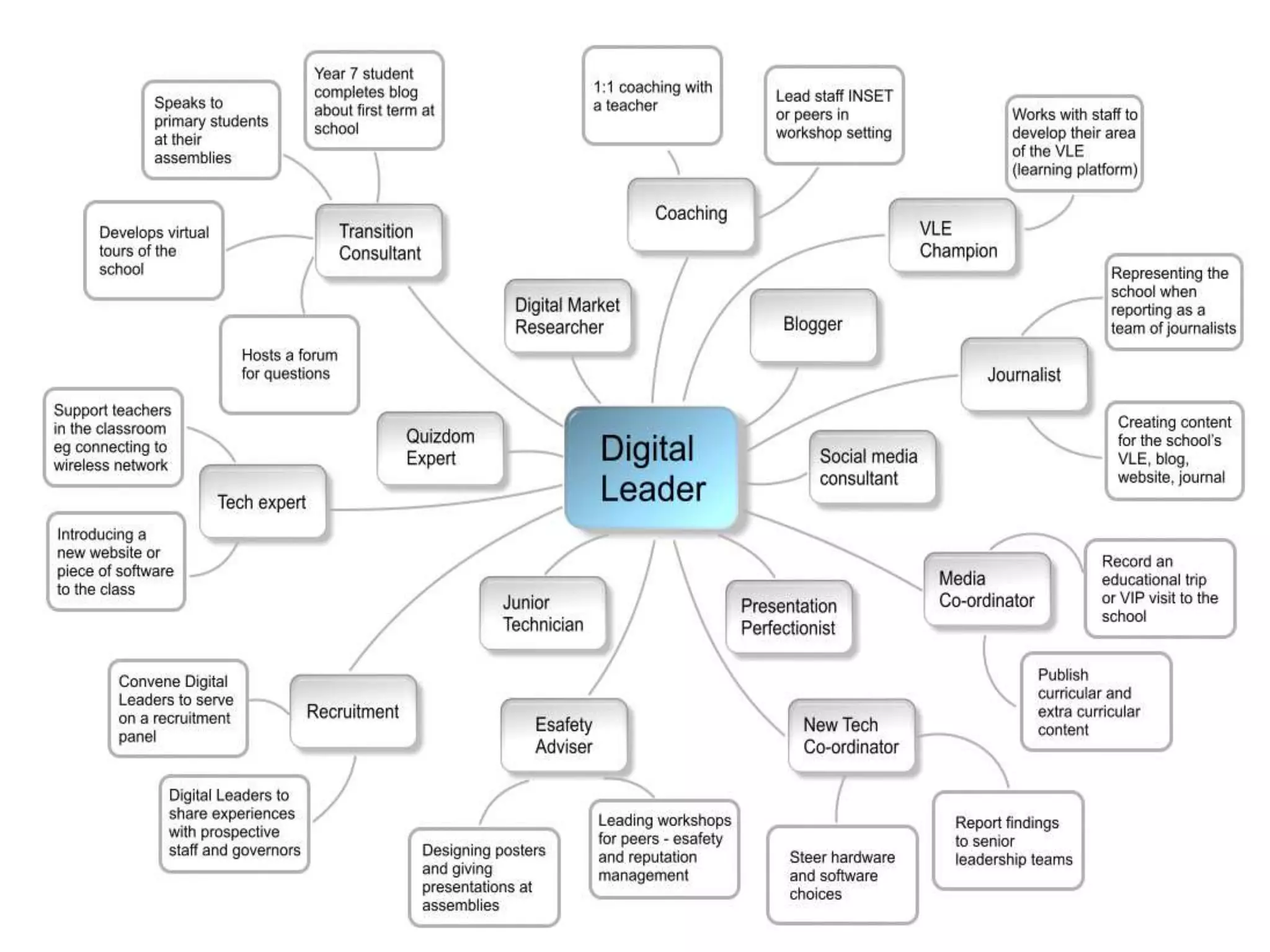
  • #4 SDL initiatives operate with very different models from school to school and obviously, SDL roles in a secondary school might differ widely from those in a primary school but these are just examples of the sorts of roles that students take on. Or they could take on much more general leadership of technology and share the responsibilities. There are no hard and fast rules!! It’s whatever is suitable for your school. You can start very small and expand the scheme to meet requirements. Roles can be multipurpose or have a specific focus But it is important to say that this initiative must have whole school buy-in and that the technical expertise, advice and training is respected and embraced by all .. teachers and fellow students! But expectations placed on students must be realistic, especially when they first take on the role!
  • #5 Benefits: School Using native skills, SDLs can ensure their peers and teachers can use technology effectively Saves the school money in terms of training staff to use specific applications when the students can probably master these in minutes! Saves the school money in terms of buying in or acquiring technical expertise. Saves the school money in terms of designing promotional materials, photographing and video-ing events and children etc So at the very least, there’s a maximising of the impact of the technology budget. Students Increases their self-esteem … more about the application process later Helps develop leadership and specialist skills in students – like being able to listen to colleagues, feedback and justify opinions diplomatically, identify skill sets in others or needs for professional development etc Develops life skills – skills that will enable students to deal with unexpected situations … and those that attract them to an employer in the global workspace Brings fun into learning! Nation We’ve heard many students in international debates call for more involvement in educational policy making to try and bridge the gap between politicians and teachers who are very often, having to deliver policies and curriculums that are deeply unpopular. Students wanted more of a voice in co-constructing their own learning … being trusted by teachers to give sound and informed opinions on curriculums to engage all learners, including those who previously, have been turned off learning.
  • #6 So to get started, you do need to plan, plan, plan … So firstly, why run an SDL initiative in your school? What issues will it help to overcome? What roles might your SDLs fill? Will you operate this across the whole school or will you pilot the initiative with certain classes? How will you choose students for the roles (in a secondary set up, it is perhaps more relevant to hold an application system and interview!) But will you choose the most able student … or those showing disengagement perhaps? But what personal qualities might your would-be SDLs need to demonstrate? How long will your SDLs serve? Will you give them longevity in the role or will you change around? Continuity: how will you ensure that younger students get to learn the roles? Peer mentoring scheme for example? What incentives might you offer? Who in school will champion the SDL activity and ensure that parents and the local community knows of their achievements?
  • #7 Certainly any initial training ought to ensure that the students know what .. How to be a good and sympathetic, active listener How to ask for help when they need it or help on another’s behalf How to communicate effectively with each other, their peers and teachers … then outward in the community How they share achievements with each other, so that that the group is continually learning and moving forward How to apply their knowledge and their learning .. How to review and feedback to interested parties SDLs need to identify as a group and agree targets & action plans SDLs should decide how they will communicate with each other & when to hold meetings Would be good to post SDL meetings/activities where everyone can read them
  • #8 It’s a good time to be joining the SDL network – if you email me (email address at the end) I’ll send you some free resources to get you started and links to see how the initiative is operating in other schools. My organisation provides opportunities for SDLs and their teachers to present at conferences and events, locally, nationally – this year’s SSAT National Conference will focus on The Learner! Digital Leaders Network is a wonderful collaborative blog started by a group of passionate teachers which gives start up guidance and support – www.digitalleadernetwork.co.uk Chris Sharples at Lady Lumley’s School, Yorkshire who writes as Gr8ICT runs his own journal of Student Digital Leader progress and has a lot of exciting information currently about his progress with Open Badges … come on to that a bit later .. he has also been driving the SDL network development on Makewaves … Makewaves is our platform of choice currently for Open Badges issue but it also hosts great examples of what students are doing in their schools – they can take ownership of their space on the platform by blogging and uploading photos, videos and audiocasts of their work in school. And do follow #dlchat on Twitter … you might be around at 9pm BST to join this teacher chat live … or you can always make a search of the hashtag.
  • #9 Remember those roles? Badges will recognise achievement – and we should never underestimate how people of all ages like badges! But here we are talking about digital badges which can be displayed online … and indeed, some teachers are already offering their students online badges to collect for local tasks in schools … badges that have been designed using favourite graphics packages What we’re talking about here is a lifelong online portfolio of badges which not only reflect students’ extra-curricular achievements, skills and interests, but which they can display in their web spaces to provide evidence of skills development for further education and employment. Mozilla Open Badges provides such a scheme and SSAT has been fortunate to work with Badge the UK, Mozilla and Makewaves … also teachers, their students and other partner organisations to offer this scheme to the SDL network.
  • #10 So Mozilla Open Badges offers a free, open and global standard to accredit student achievement and has the support of a large number of high profile companies and organisations all believing Open Badges provides a very appropriate way of recognising achievement, skills, interests and competencies – skills that contribute to lifelong learning and employment prospects. We’ve heard recently about global youth unemployment and the mismatch between the skills that students leave education with & employer need. The quote is from the British CBI – 70% employers want employability skills to become a top education priority.
  • #11 So how do they work? Right at the top of the chain are the issuers of badges – organisations like SSAT, universities and other organisations … they design the look of the badge and decide what it is for … in fact, all badges are made information rich in this way. They would then make them available on a platform equipped with the Mozilla open standard technology (like the Makewaves platform). Badges are collected by earners in a ‘backpack’ which can be displayed in their web spaces and shown at an appropriate interview. The backpack is a user management interface where the earner can import and delete badges, set privacy controls. Whether they’re issued by one organization or many, badges can build upon each other and be stacked to tell the full story of your skills and achievements.
  • #12 So if you could look inside the badge at the metadata baked into the badge permanently, you’d see the following … Name of the badge Issuer Date it was issued Description Criteria for earning Evidence required If you Google Doug Belshaw and Mozilla, you will arrive at a great explanation of Open Badges … far more information than I can offer here
  • #15 So why are we using the Makewaves platform … there are others out there including Credly and Wordpress plugins. A number of schools are now contributing to the Digital Leaders Network on Makewaves and the platform does offer the capability for teachers to design their own badges and badge missions so that other teachers can use them. Mozilla does not allow under-13s to gain Open Badges (US laws) but teachers of primary/elementary school children can design ‘digital badges’ which can be convered to Open Badges later on. It’s my understanding that the other platforms offering badging technology, are not necessarily offering the conversion technology.
  • #16 The first three national badges are on the platform ready to earn but more are in the pipeline. There are also a number of badge missions that other teachers have contributed. Chris Sharples and colleagues, including Paul Scott from the Bradford Curriculum Innovations Team have drafted a framework based on Bloom’s Taxonomy, to start designing badges for the various roles, but badges with levels of progression. This is how they started …
  • #17 So, if you remember those roles, and if we home in on a section of that diagram, you can see how they have started to map out the specifications of each role. If you start this initiative in your school, these roles may well be different .. there are no hard and fast rules!
  • #18 So, they looked at main areas in which Digital Leaders operate … Ambassador Communicator Technologist Then 3 roles within those areas …
  • #19 And then drafted a framework which they are currently sharing on Google Docs and to which other teachers have been invited to leave their comments. Chris and Paul will then collate all the feedback so that Level 1 and 2 badge missions will be available for use on the Makewaves platform from September 2014. Level 3s will be added soon after. To start with, there will be 9 different DL badges at 3 different levels.
  • #20 Levelling for the roles is based on Bloom’s Taxonomy L1 Knowledge and Comprehension L2 Comprehension and Application L3 Application/higher Bloom’s
  • #21 I’ll just take the opportunity to say that Open Badges can also be designed to reflect teacher professional development … at this year’s BETT, all attendees and presenters at SSAT’s Speed Learning can earn themselves an Open Badge from the Badge Station on the Stone Stand C102.
  • #22 Please do email me if you’d like more information about getting a SDL initiative started in your school … and do follow me on Twitter!