z
z
What is the main purpose
of binary?
z
The importance of binary
code
 The binary number system is the base of all
computing systems and operations. It enables
devices to store, access and manipulate all
types of information directed to and from the
CPU or memory.
z
Digital
Presentation
z
 Within a computer, information is represented
and stored in a digital binary. The term bit is
an abbreviation of binary digit and represents
the smallest piece of data.
z
 A bit can have only two possible values,
a one digit (1) or a zero digit (0). A bit
can be used to represent the state of
something that has two states.
z
 Computer use binary code to represent and
internet letters number and special
characters with bits. A commonly used code
is the American Standard Code for
Information Interchange (ASCII).
z
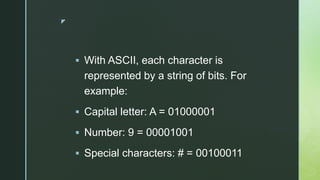
 With ASCII, each character is
represented by a string of bits. For
example:
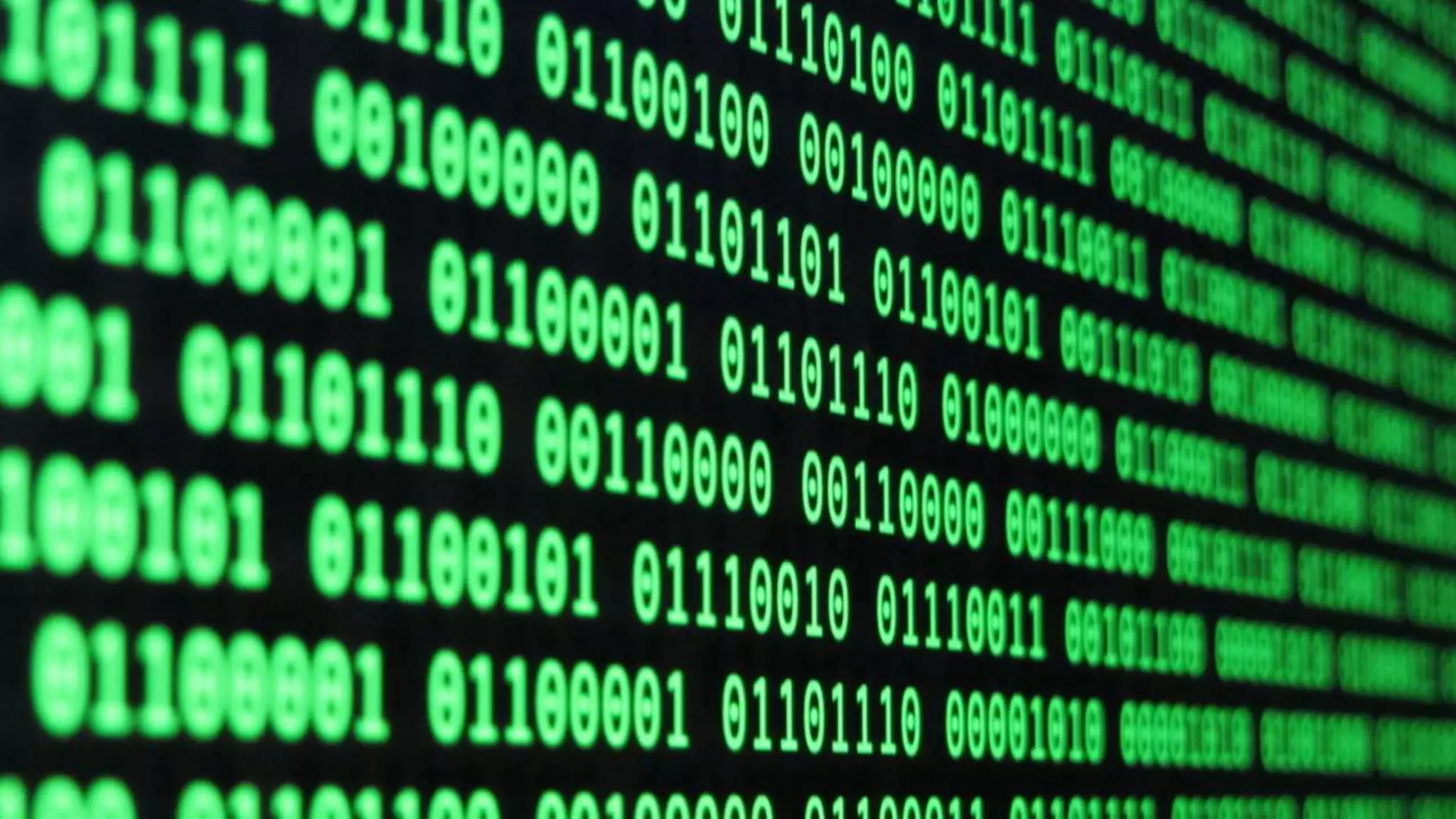
 Capital letter: A = 01000001
 Number: 9 = 00001001
 Special characters: # = 00100011
z
 Each group of eight bits, such as the
representation of letters and numbers, is
known as a byte. Codes can be used to
represent almost any type of information
digitally: computer data, graphics,
photos, voice, video, music.
z
Convert Decimal
Numbers to Binary
z
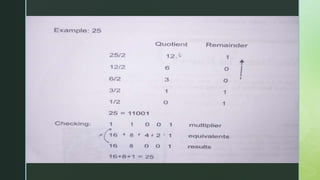
 To convert a decimal numbers to binary, all you
have to do is divide the number by 2. Get the
quotient and the remainder. Bring down the
quotient, divide it by 2, and get the quotient and
remainder again. Do it repeatedly until the
quotient results to 0. Copy the remainder from
bottom to top, and that is the binary equivalent.
z
z
Convert the decimal numbers
shown below to binary
 45
 19
z
Calculating Data
Storage
z
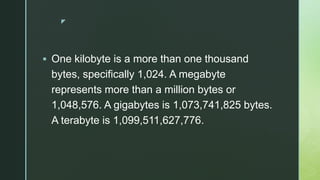
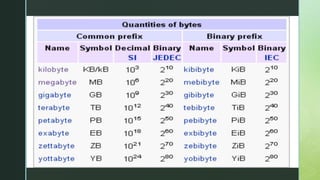
 One kilobyte is a more than one thousand
bytes, specifically 1,024. A megabyte
represents more than a million bytes or
1,048,576. A gigabytes is 1,073,741,825 bytes.
A terabyte is 1,099,511,627,776.
z
z
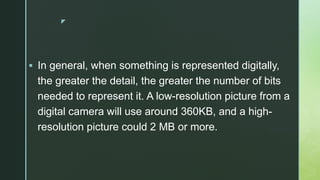
 In general, when something is represented digitally,
the greater the detail, the greater the number of bits
needed to represent it. A low-resolution picture from a
digital camera will use around 360KB, and a high-
resolution picture could 2 MB or more.
z
 Kilobyte, megabyte, gigabytes, and terabytes
are typically used to measure the size or
storage capacity of a device.
z
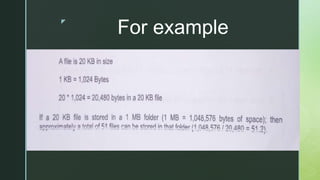
 Once we know the size of a file or folder, it is
possible to determine the number of bytes being
used.
z
For example
z
Solve the problems indicated
below
 How many 60KB jpg files can be stored on a 2 MB
folder in your hard drive?
z

Binary.pptx

  • 1.
  • 2.
    z What is themain purpose of binary?
  • 3.
    z The importance ofbinary code  The binary number system is the base of all computing systems and operations. It enables devices to store, access and manipulate all types of information directed to and from the CPU or memory.
  • 4.
  • 5.
    z  Within acomputer, information is represented and stored in a digital binary. The term bit is an abbreviation of binary digit and represents the smallest piece of data.
  • 6.
    z  A bitcan have only two possible values, a one digit (1) or a zero digit (0). A bit can be used to represent the state of something that has two states.
  • 7.
    z  Computer usebinary code to represent and internet letters number and special characters with bits. A commonly used code is the American Standard Code for Information Interchange (ASCII).
  • 8.
    z  With ASCII,each character is represented by a string of bits. For example:  Capital letter: A = 01000001  Number: 9 = 00001001  Special characters: # = 00100011
  • 9.
    z  Each groupof eight bits, such as the representation of letters and numbers, is known as a byte. Codes can be used to represent almost any type of information digitally: computer data, graphics, photos, voice, video, music.
  • 10.
  • 11.
    z  To converta decimal numbers to binary, all you have to do is divide the number by 2. Get the quotient and the remainder. Bring down the quotient, divide it by 2, and get the quotient and remainder again. Do it repeatedly until the quotient results to 0. Copy the remainder from bottom to top, and that is the binary equivalent.
  • 12.
  • 13.
    z Convert the decimalnumbers shown below to binary  45  19
  • 14.
  • 15.
    z  One kilobyteis a more than one thousand bytes, specifically 1,024. A megabyte represents more than a million bytes or 1,048,576. A gigabytes is 1,073,741,825 bytes. A terabyte is 1,099,511,627,776.
  • 16.
  • 17.
    z  In general,when something is represented digitally, the greater the detail, the greater the number of bits needed to represent it. A low-resolution picture from a digital camera will use around 360KB, and a high- resolution picture could 2 MB or more.
  • 18.
    z  Kilobyte, megabyte,gigabytes, and terabytes are typically used to measure the size or storage capacity of a device.
  • 19.
    z  Once weknow the size of a file or folder, it is possible to determine the number of bytes being used.
  • 20.
  • 21.
    z Solve the problemsindicated below  How many 60KB jpg files can be stored on a 2 MB folder in your hard drive?
  • 22.