Copyrights HospitalPortal.net 2016. All rights reserved.
Best Practices
Intranet Homepage Design
Presented by:
Jason Oshita; Manager of Client Affairs and Partnerships
AnneLa Francis; Director of Sales and Marketing
Copyrights HospitalPortal.net 2016. All rights reserved.
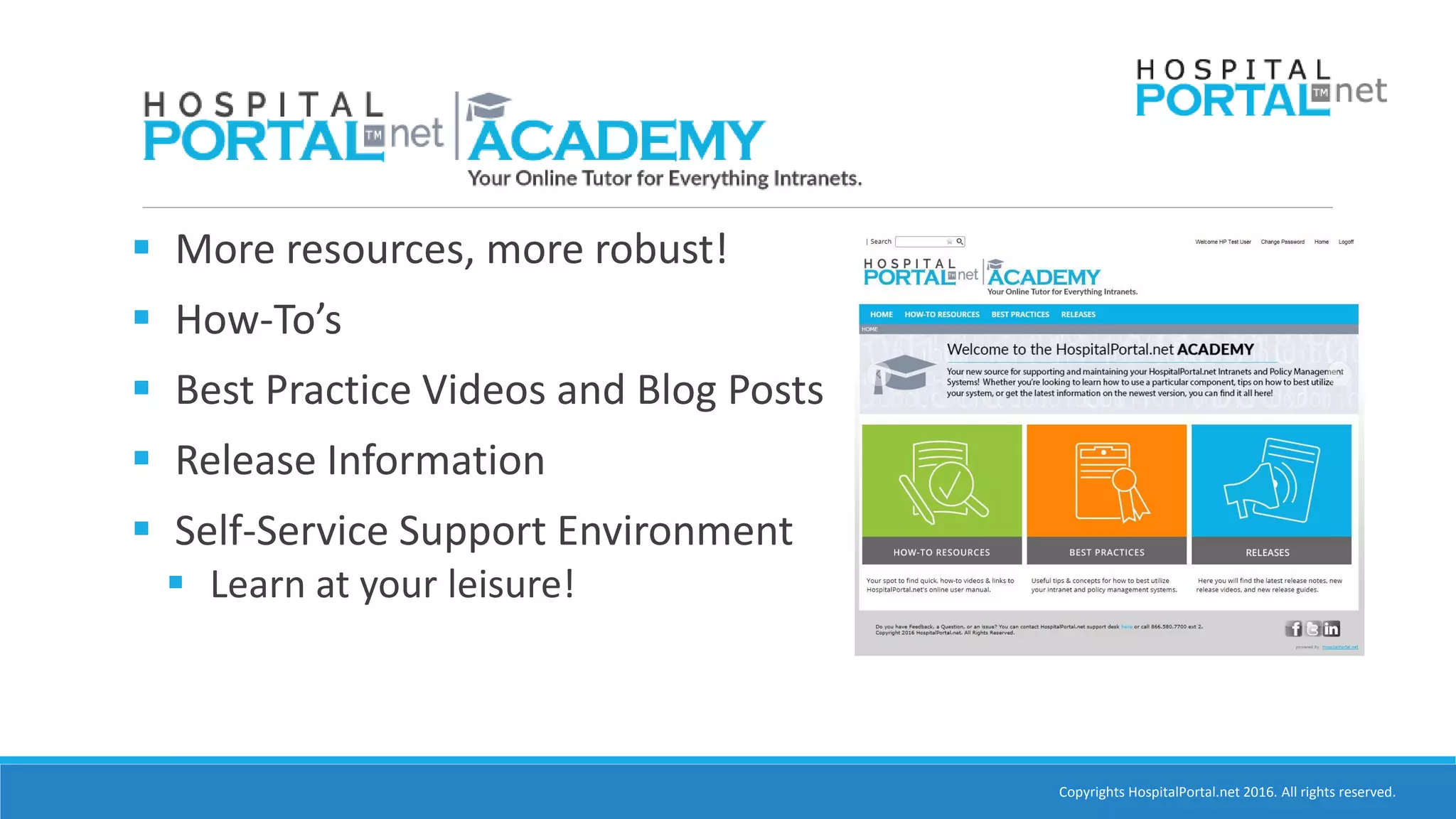
 More resources, more robust!
 How-To’s
 Best Practice Videos and Blog Posts
 Release Information
 Self-Service Support Environment
 Learn at your leisure!
Copyrights HospitalPortal.net 2016. All rights reserved.
Poll Question
What department are you in?
o Marketing
o IT
o HR
o Business Development
o Other
Copyrights HospitalPortal.net 2016. All rights reserved.
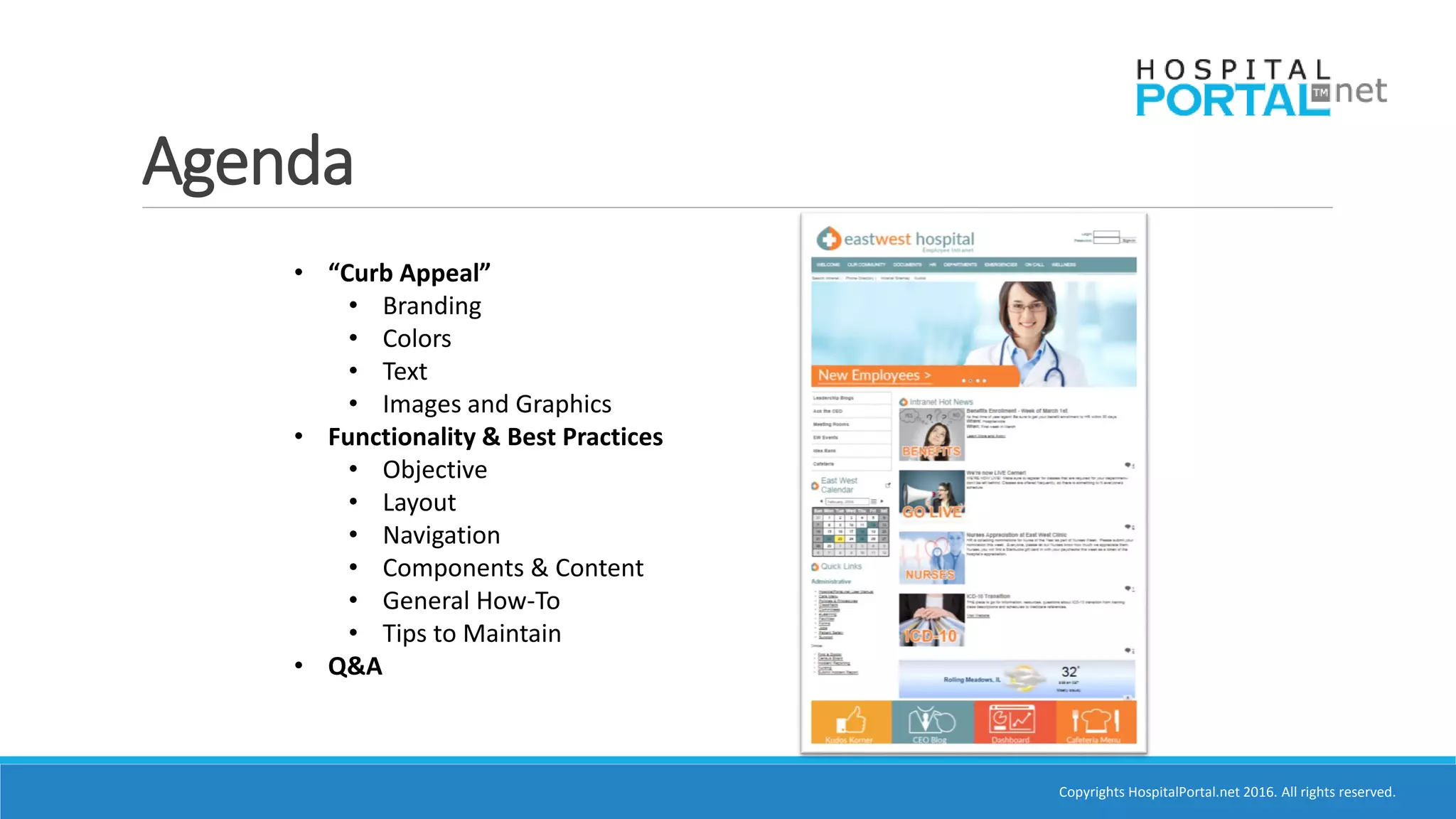
Agenda
• “Curb Appeal”
• Branding
• Colors
• Text
• Images and Graphics
• Functionality & Best Practices
• Objective
• Layout
• Navigation
• Components & Content
• General How-To
• Tips to Maintain
• Q&A
Copyrights HospitalPortal.net 2016. All rights reserved.
What is a Brand?
•Name
•Term
•Design
•Symbol
•Colors
Copyrights HospitalPortal.net 2016. All rights reserved.
Intranet Has Dual Role
•Tool for Complimenting Workflows and Business Operations
•Reflect Hospital’s Brand
•Helps end users identify and made aware of how they fit into the
organization
•Be consistent with client facing website
•Convey similar look and feel of other corporate marketing
materials
•Communicates brand to new hires
Copyrights HospitalPortal.net 2016. All rights reserved.
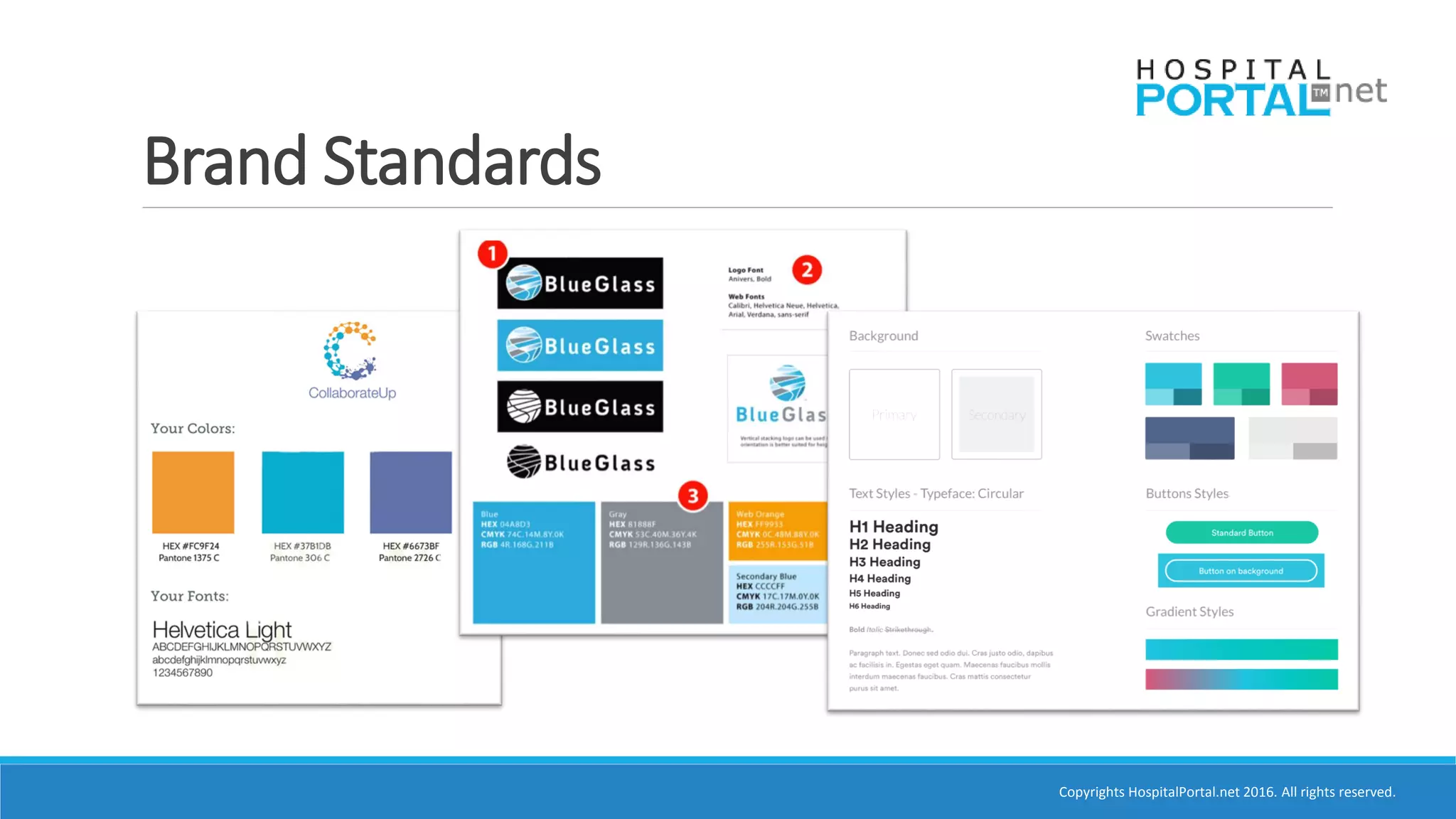
Brand Standards
Copyrights HospitalPortal.net 2016. All rights reserved.
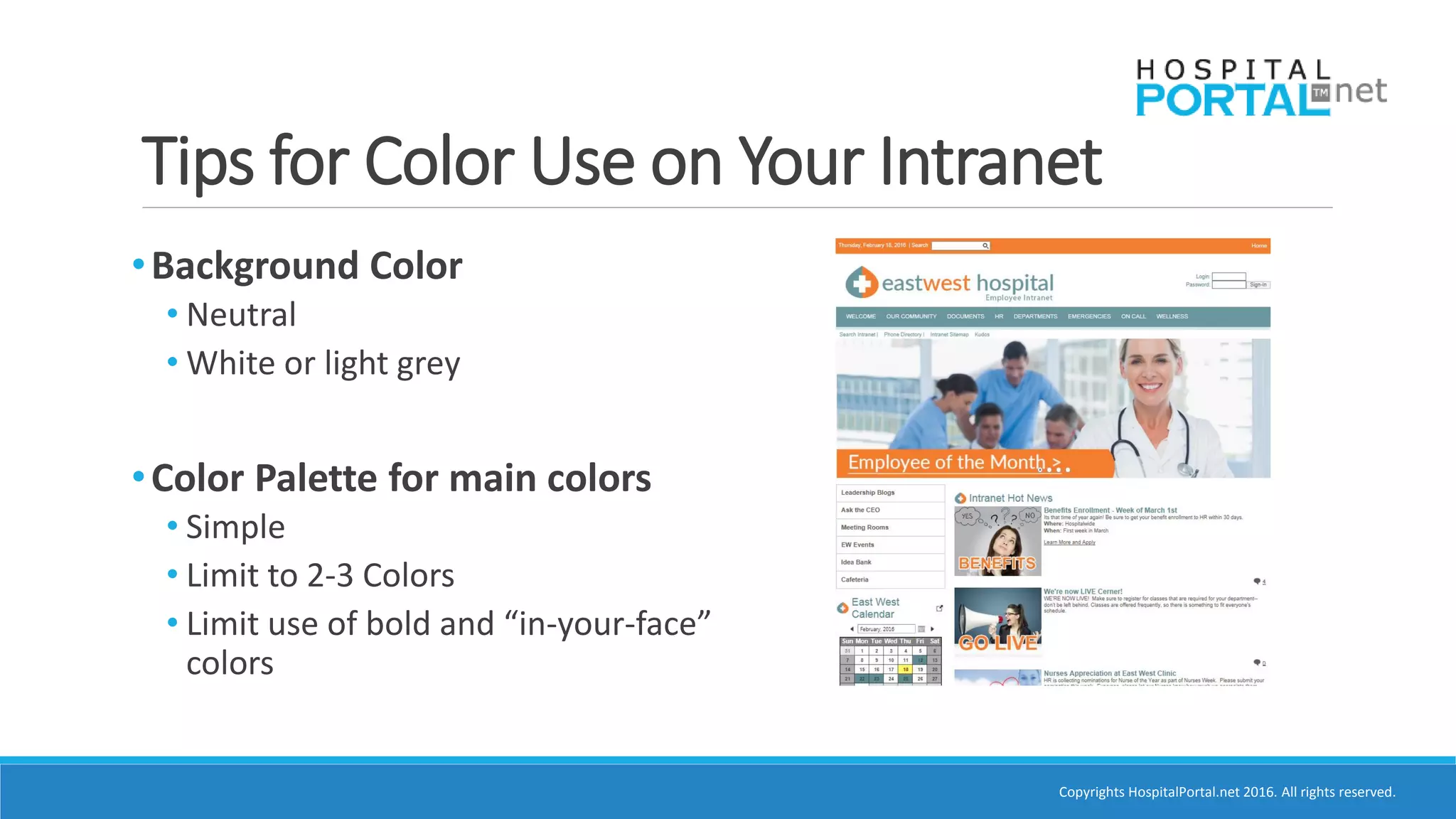
Tips for Color Use on Your Intranet
•Background Color
• Neutral
• White or light grey
•Color Palette for main colors
• Simple
• Limit to 2-3 Colors
• Limit use of bold and “in-your-face”
colors
Copyrights HospitalPortal.net 2016. All rights reserved.
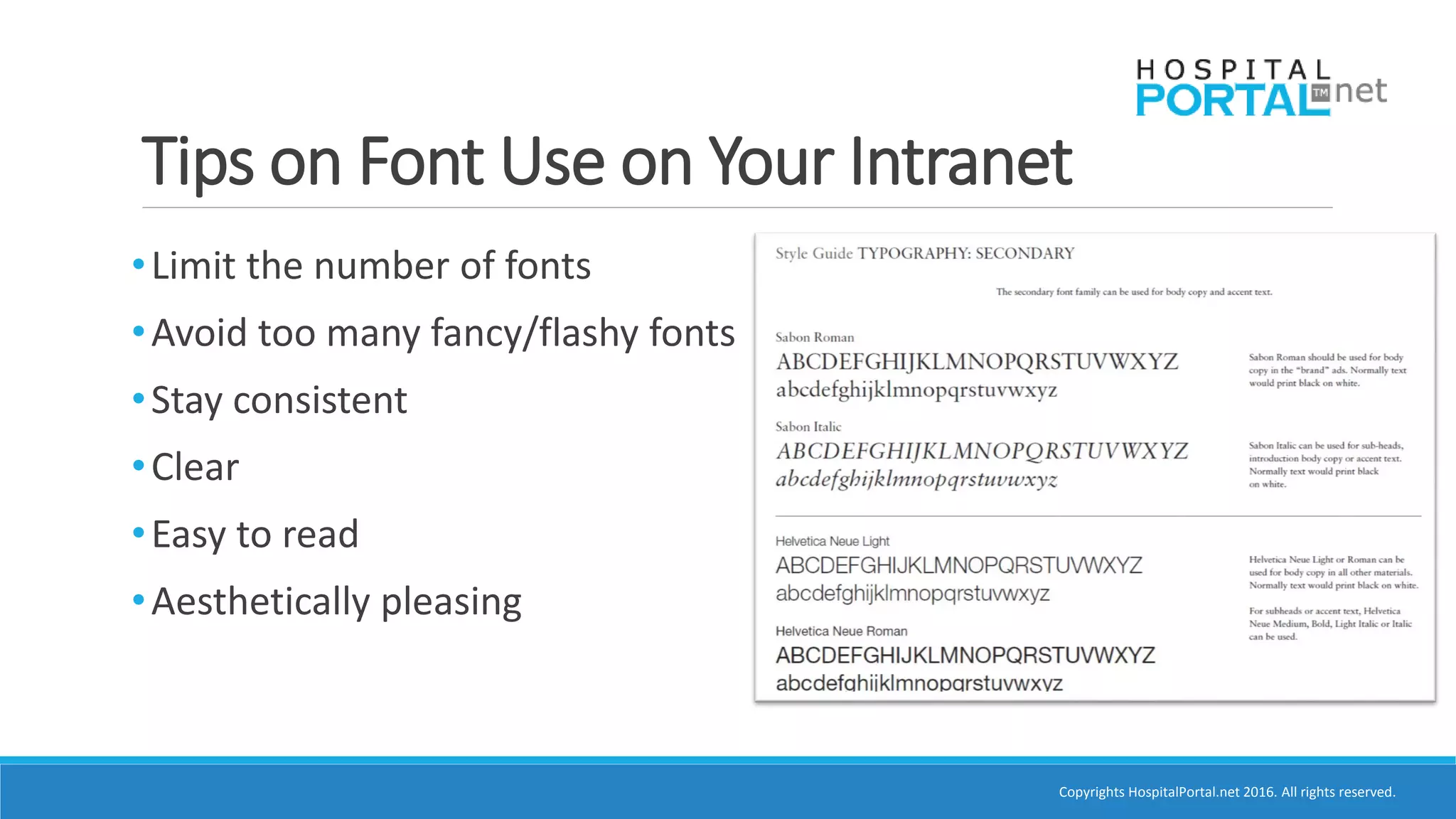
Tips on Font Use on Your Intranet
•Limit the number of fonts
•Avoid too many fancy/flashy fonts
•Stay consistent
•Clear
•Easy to read
•Aesthetically pleasing
Copyrights HospitalPortal.net 2016. All rights reserved.
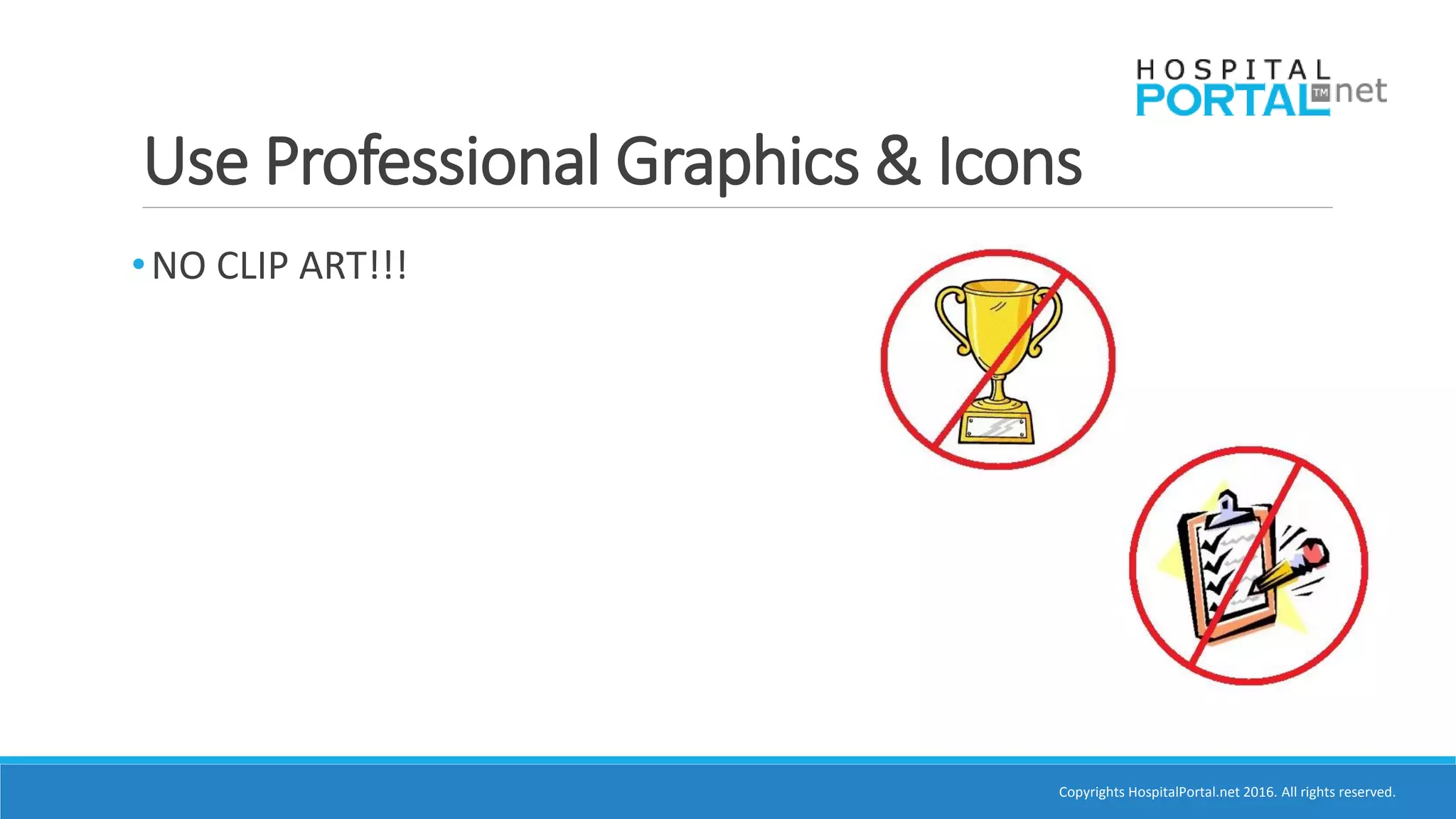
Use Professional Graphics & Icons
•NO CLIP ART!!!
Copyrights HospitalPortal.net 2016. All rights reserved.
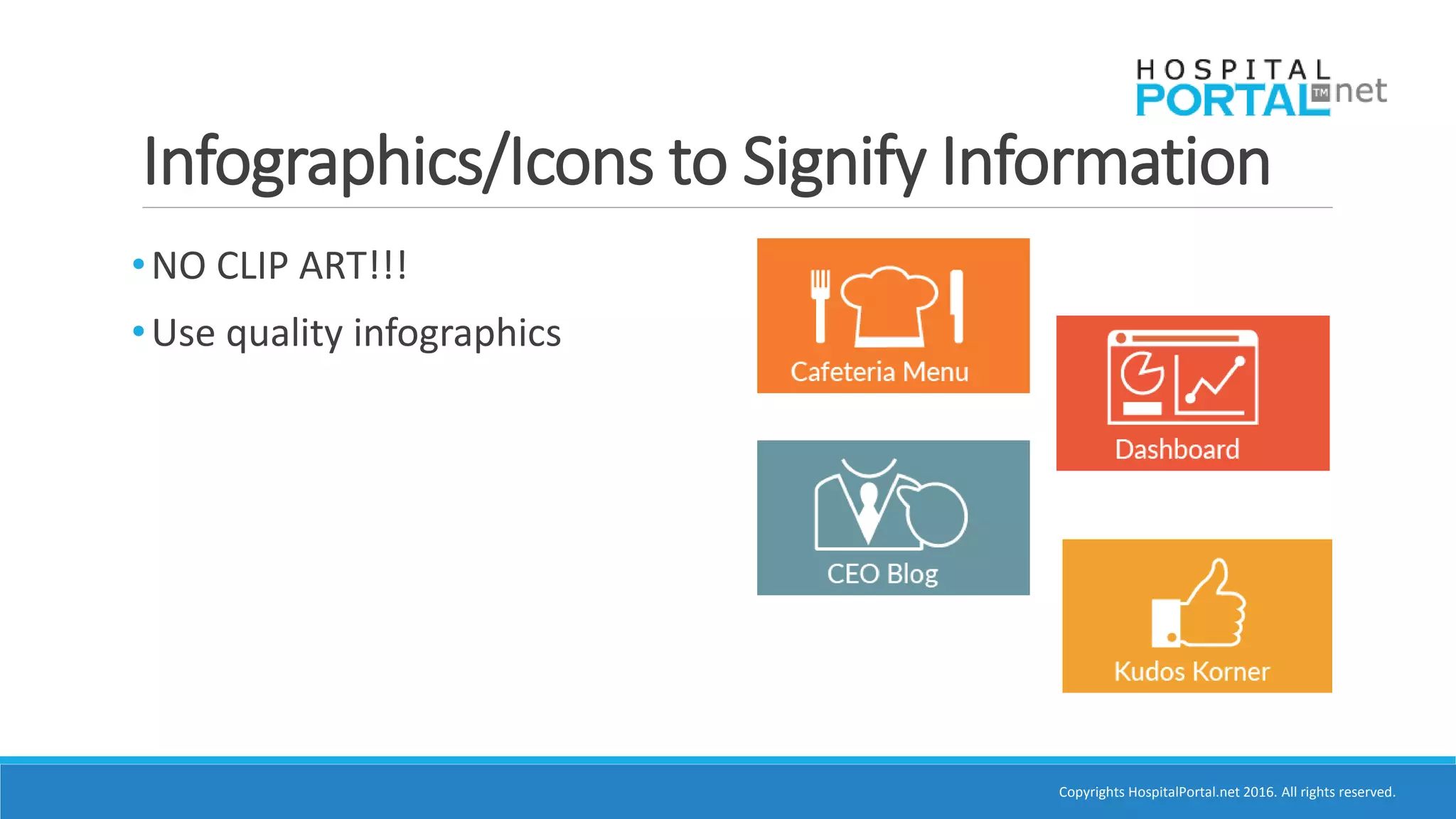
•NO CLIP ART!!!
•Use quality infographics
Infographics/Icons to Signify Information
Copyrights HospitalPortal.net 2016. All rights reserved.
•NO CLIP ART!!!
•Use quality graphics
•Third party image sites
• Dreamstime
• iStock
• Deposit Photos
Third Party Image Sites
Copyrights HospitalPortal.net 2016. All rights reserved.
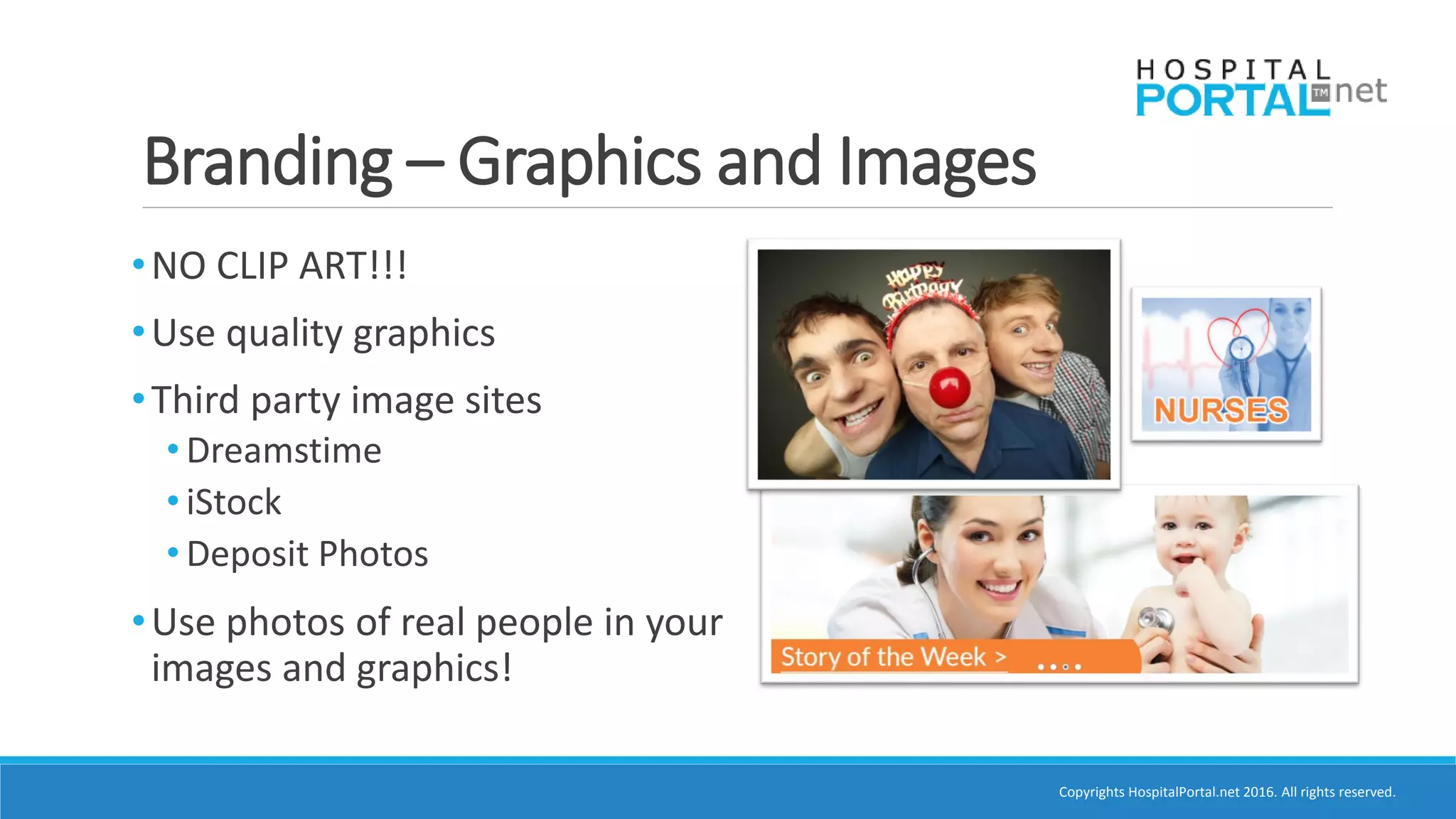
Branding – Graphics and Images
•NO CLIP ART!!!
•Use quality graphics
•Third party image sites
• Dreamstime
• iStock
• Deposit Photos
•Use photos of real people in your
images and graphics!
Copyrights HospitalPortal.net 2016. All rights reserved.
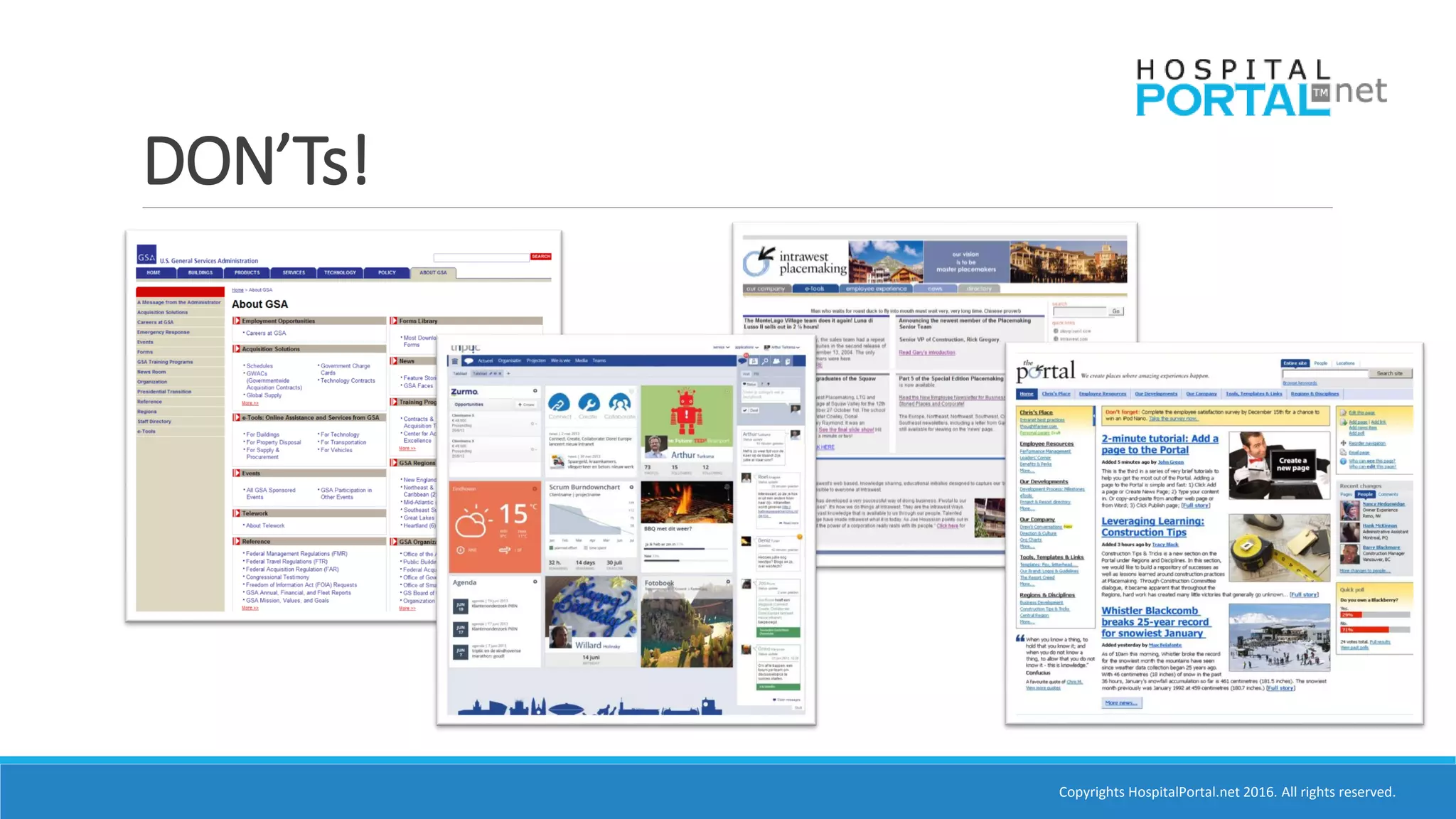
DON’Ts!
Copyrights HospitalPortal.net 2016. All rights reserved.
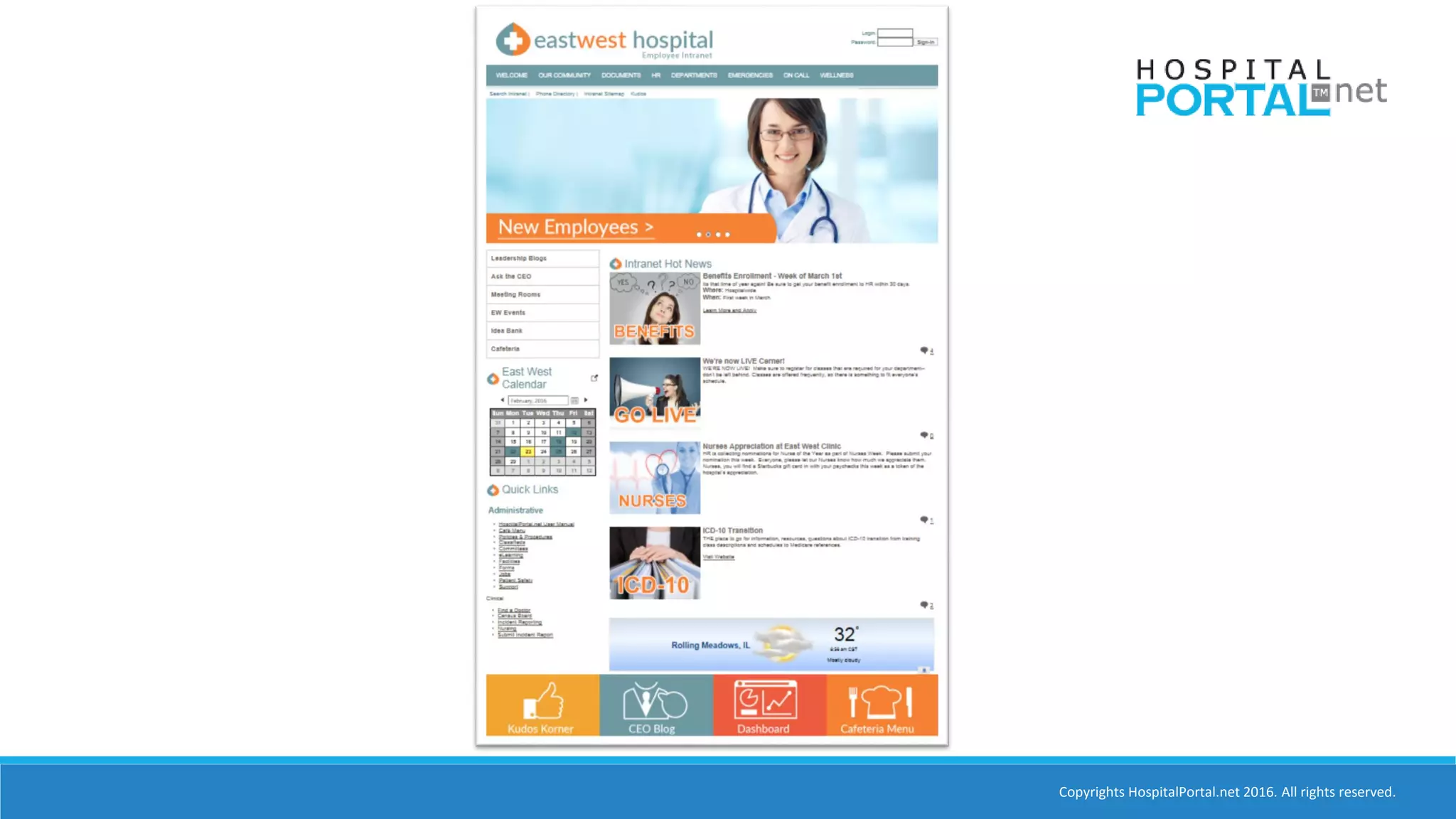
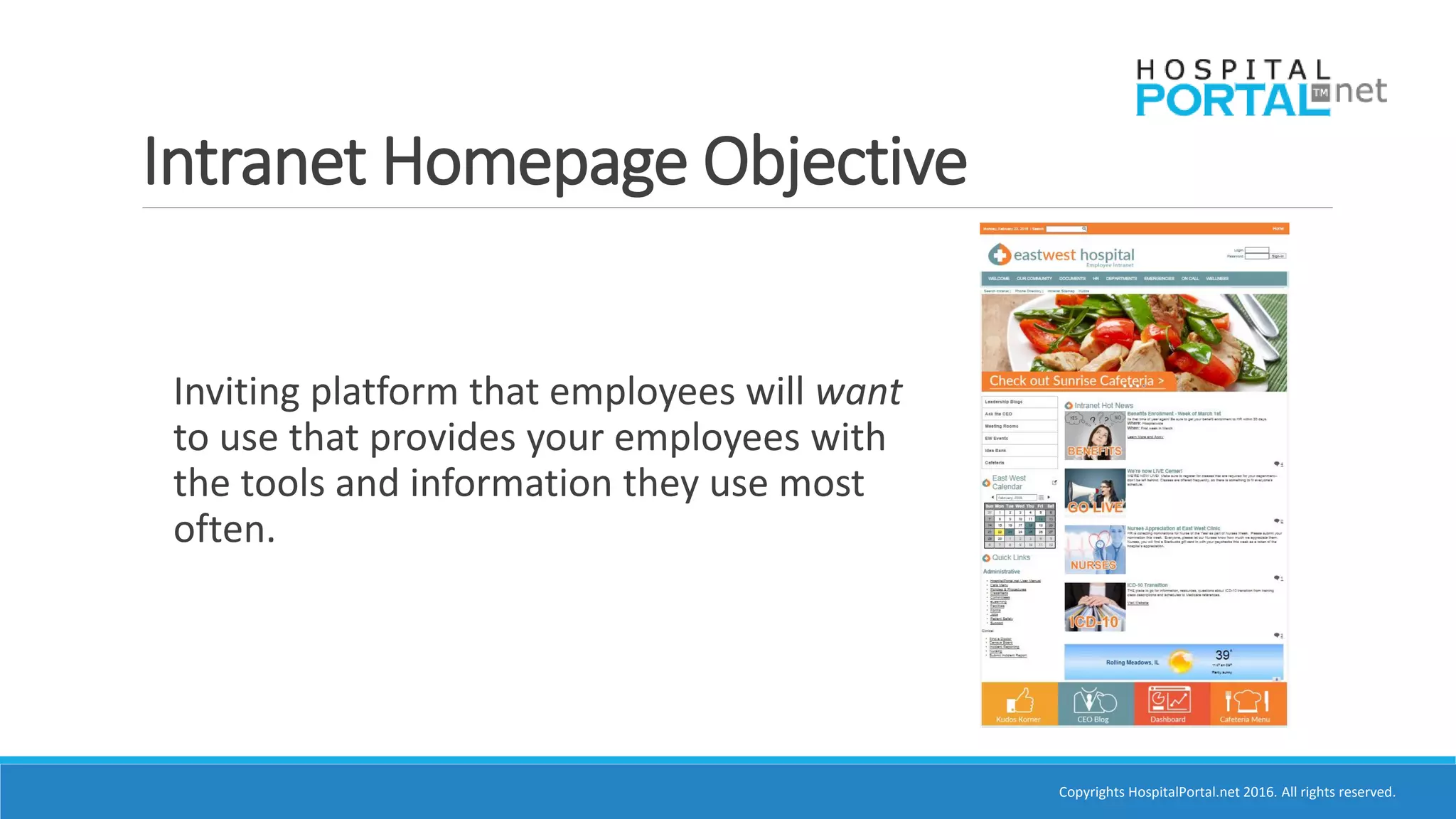
Intranet Homepage Objective
Inviting platform that employees will want
to use that provides your employees with
the tools and information they use most
often.
Copyrights HospitalPortal.net 2016. All rights reserved.
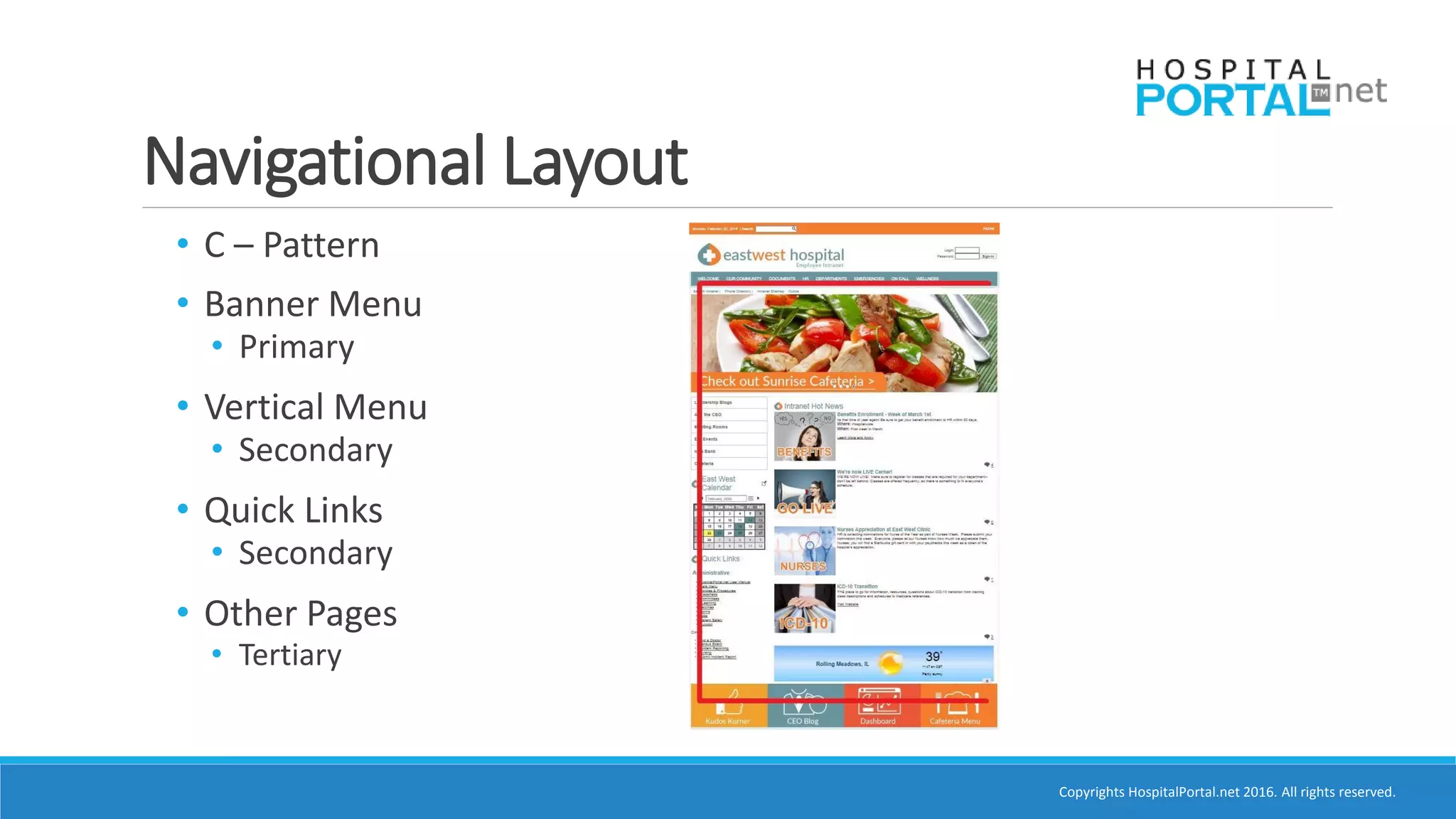
Navigational Layout
• C – Pattern
• Banner Menu
• Primary
• Vertical Menu
• Secondary
• Quick Links
• Secondary
• Other Pages
• Tertiary
Copyrights HospitalPortal.net 2016. All rights reserved.
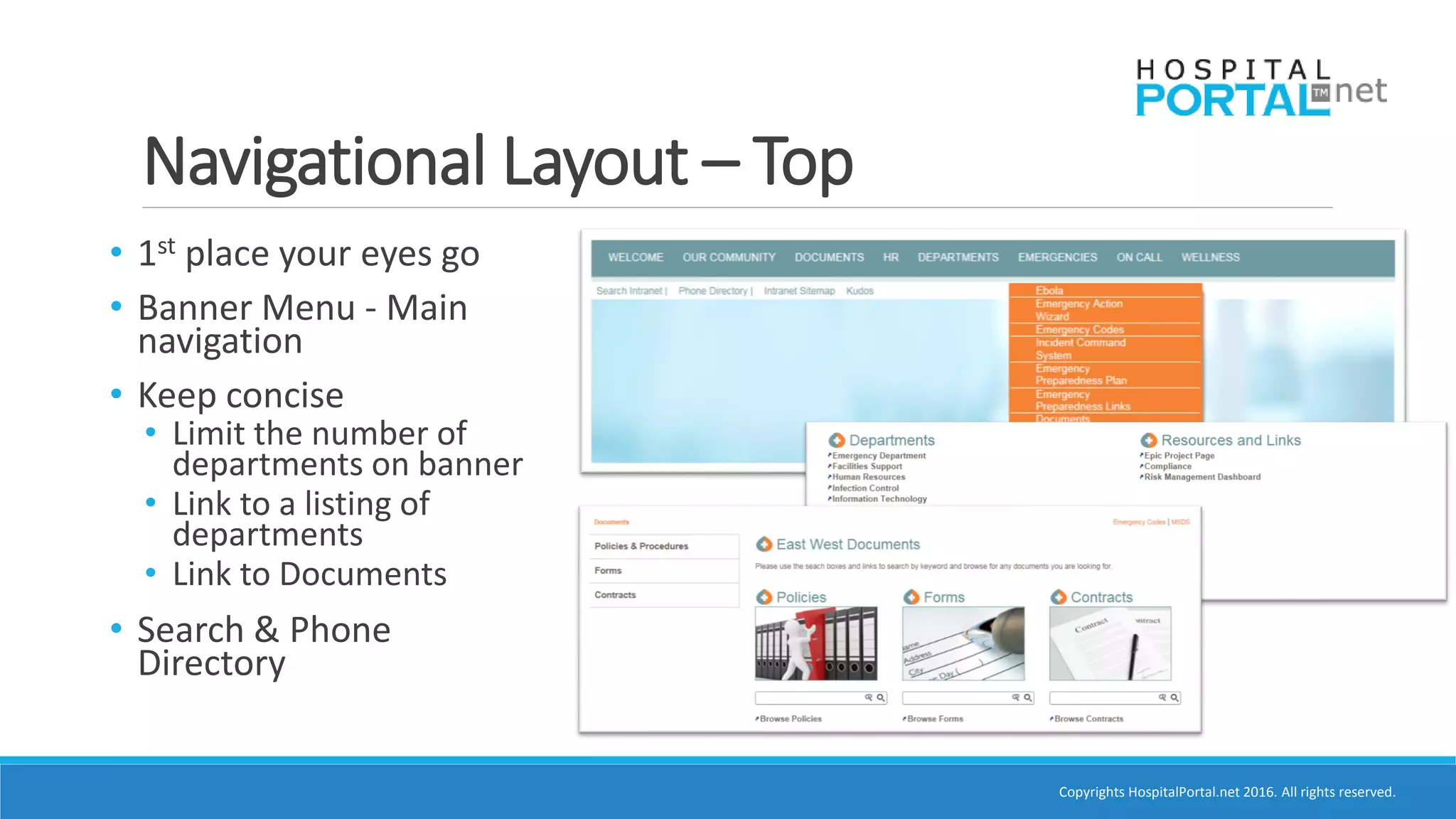
Navigational Layout – Top
• 1st place your eyes go
• Banner Menu - Main
navigation
• Keep concise
• Limit the number of
departments on banner
• Link to a listing of
departments
• Link to Documents
• Search & Phone
Directory
Copyrights HospitalPortal.net 2016. All rights reserved.
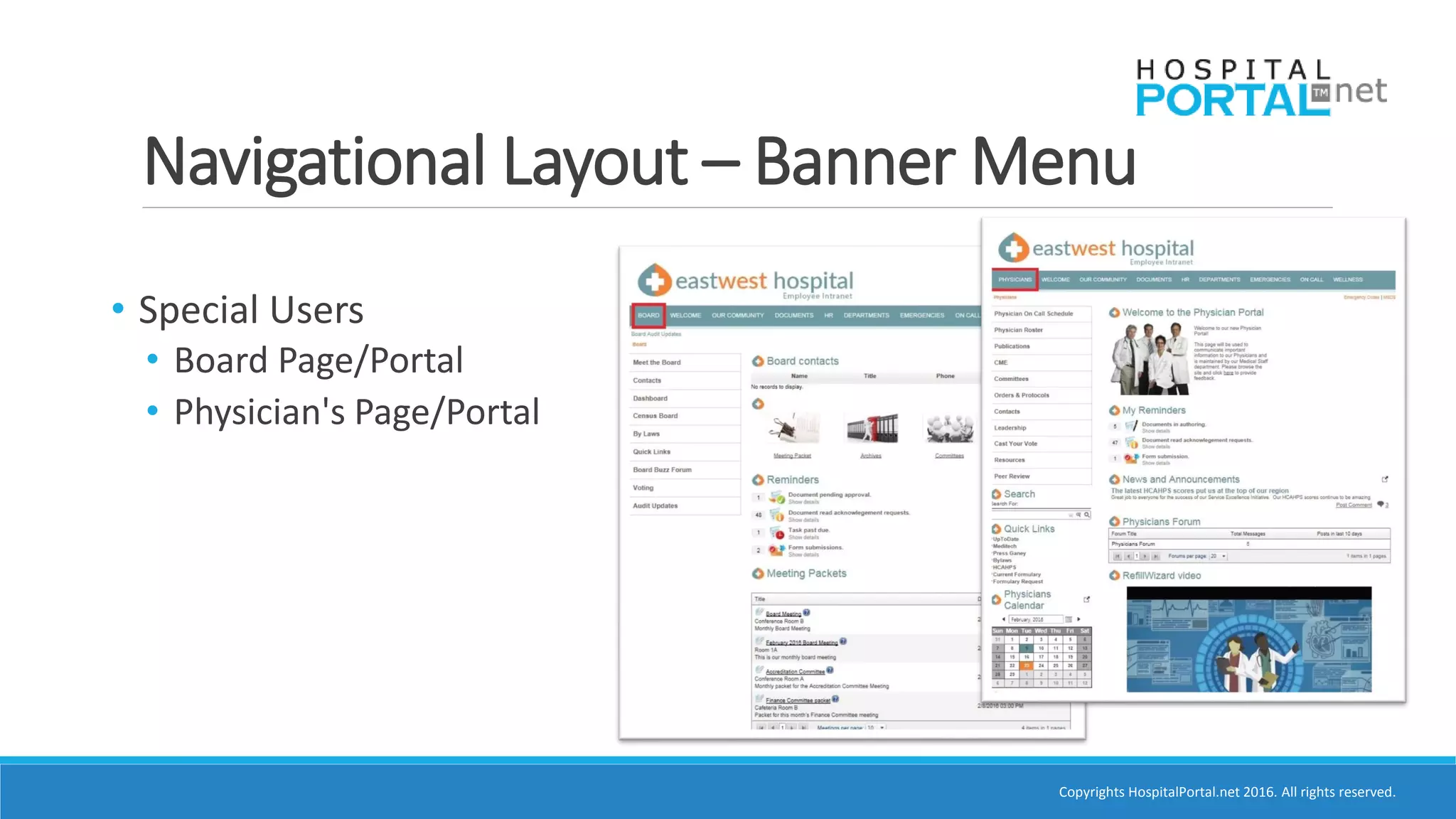
Navigational Layout – Banner Menu
• Special Users
• Board Page/Portal
• Physician's Page/Portal
Copyrights HospitalPortal.net 2016. All rights reserved.
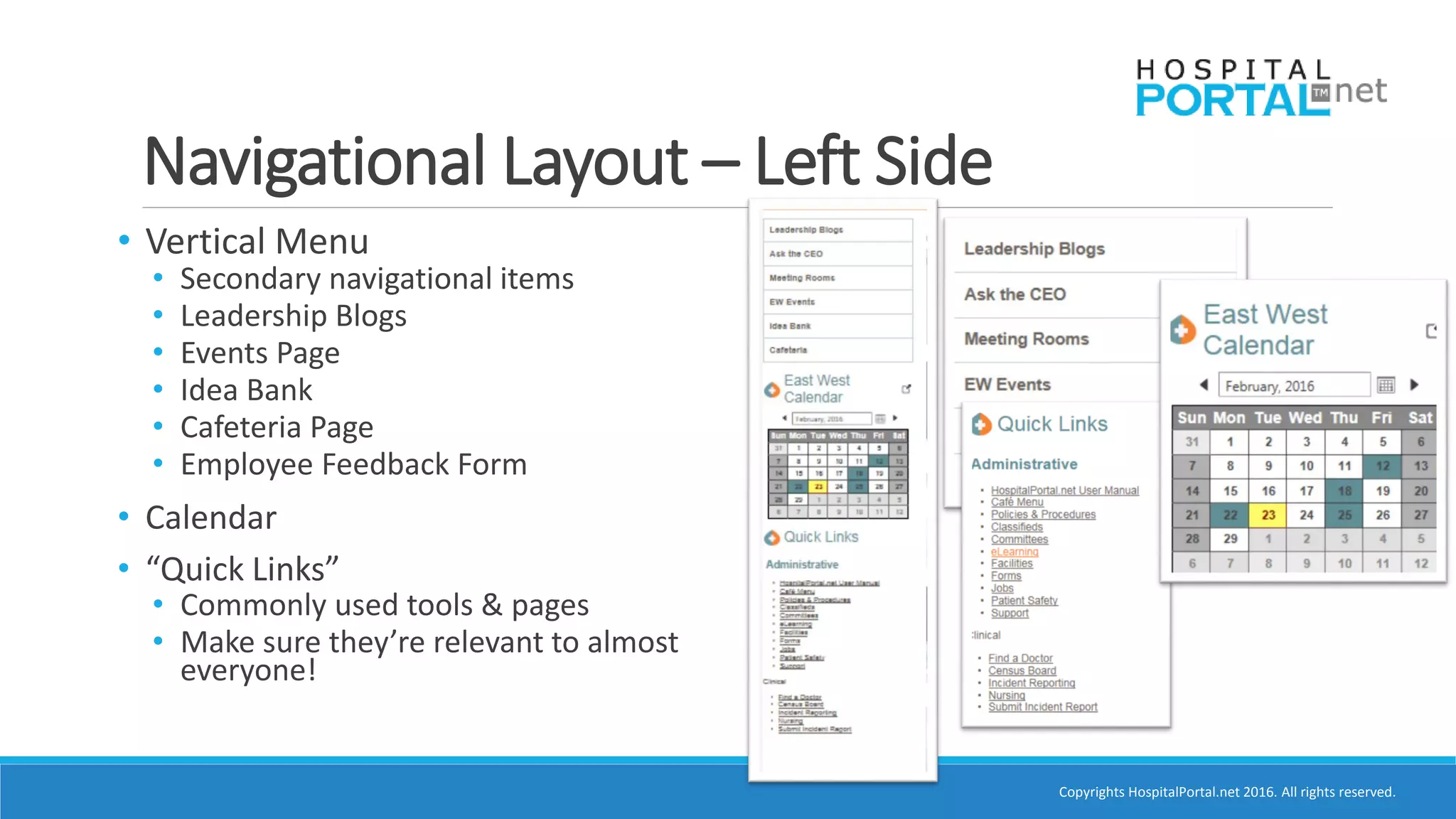
Navigational Layout – Left Side
• Vertical Menu
• Secondary navigational items
• Leadership Blogs
• Events Page
• Idea Bank
• Cafeteria Page
• Employee Feedback Form
• Calendar
• “Quick Links”
• Commonly used tools & pages
• Make sure they’re relevant to almost
everyone!
Copyrights HospitalPortal.net 2016. All rights reserved.
Navigational Layout – Bottom
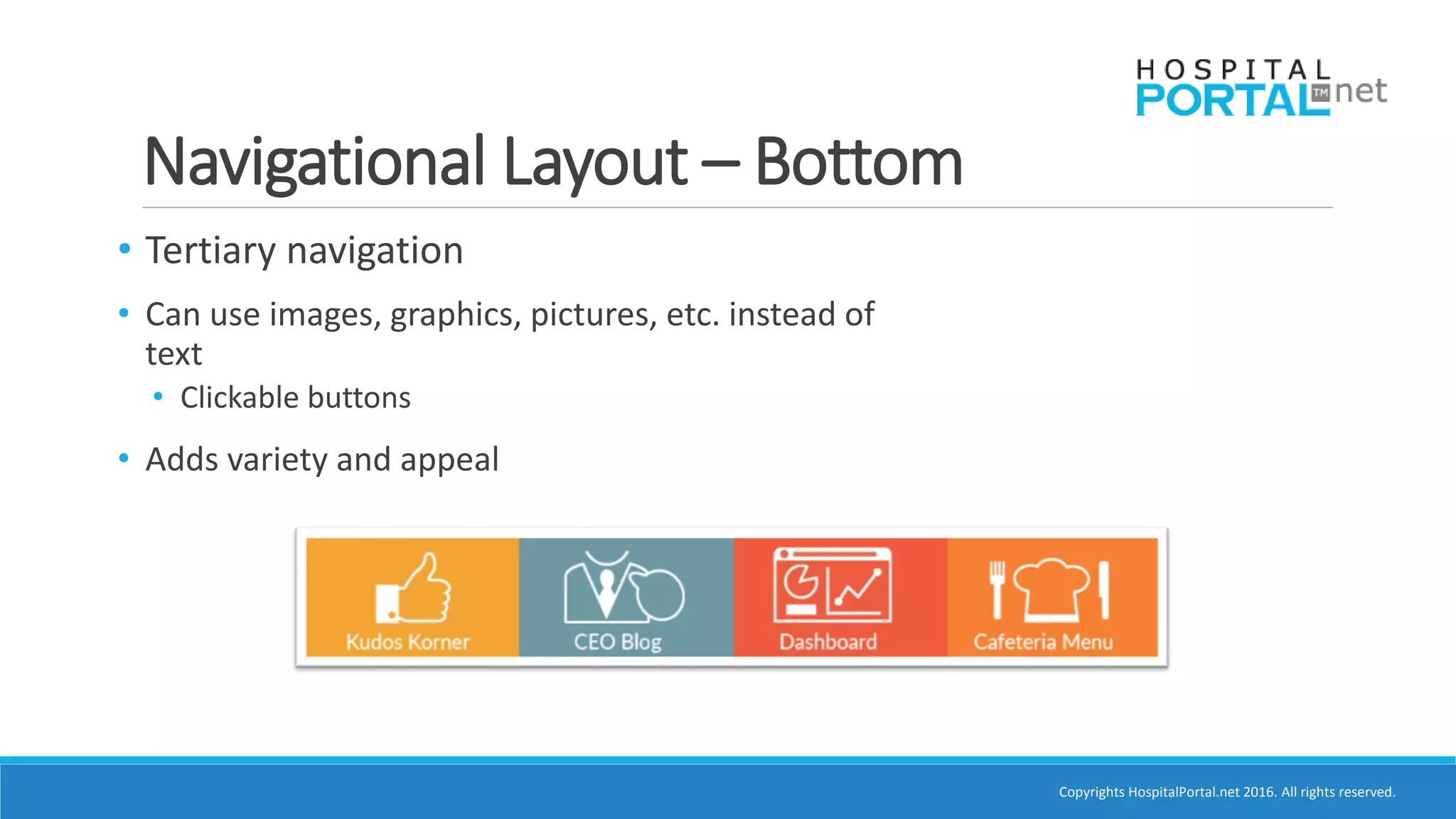
• Tertiary navigation
• Can use images, graphics, pictures, etc. instead of
text
• Clickable buttons
• Adds variety and appeal
Copyrights HospitalPortal.net 2016. All rights reserved.
Content Layout
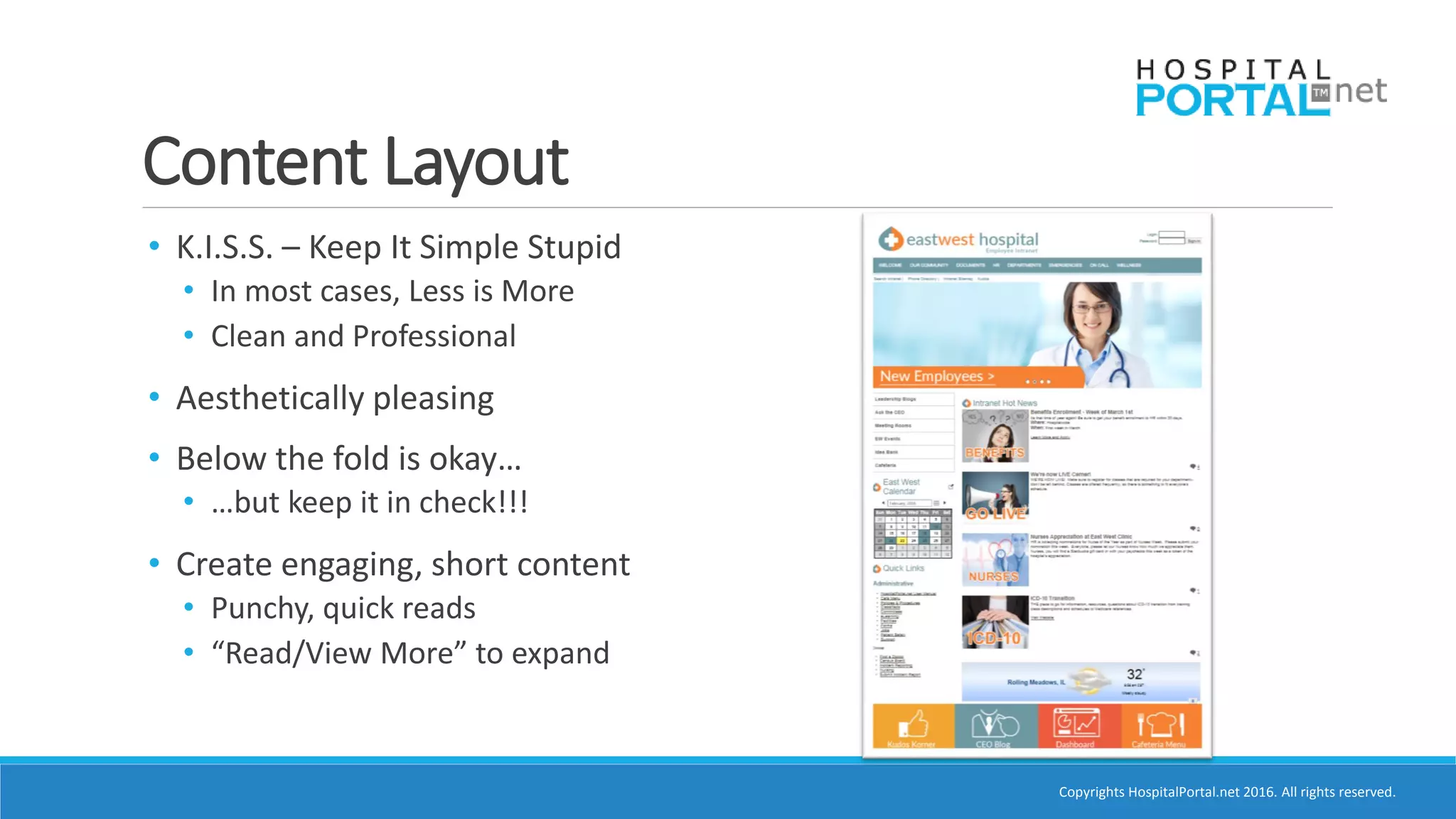
• K.I.S.S. – Keep It Simple Stupid
• In most cases, Less is More
• Clean and Professional
• Aesthetically pleasing
• Below the fold is okay…
• …but keep it in check!!!
• Create engaging, short content
• Punchy, quick reads
• “Read/View More” to expand
Copyrights HospitalPortal.net 2016. All rights reserved.
Content and Components
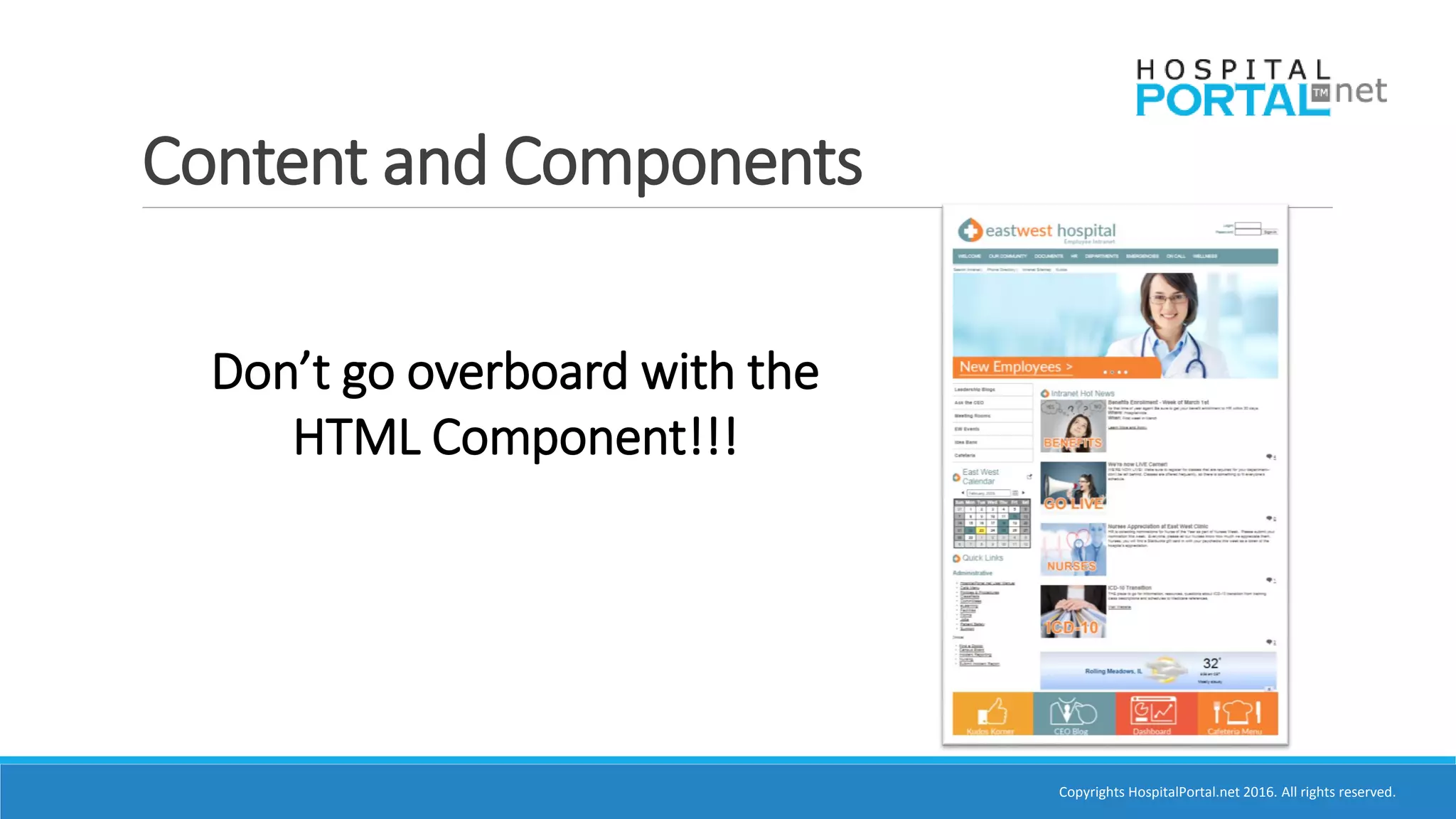
Don’t go overboard with the
HTML Component!!!
Copyrights HospitalPortal.net 2016. All rights reserved.
Content & Components – Image Gallery
Copyrights HospitalPortal.net 2016. All rights reserved.
Content & Components – Image Gallery
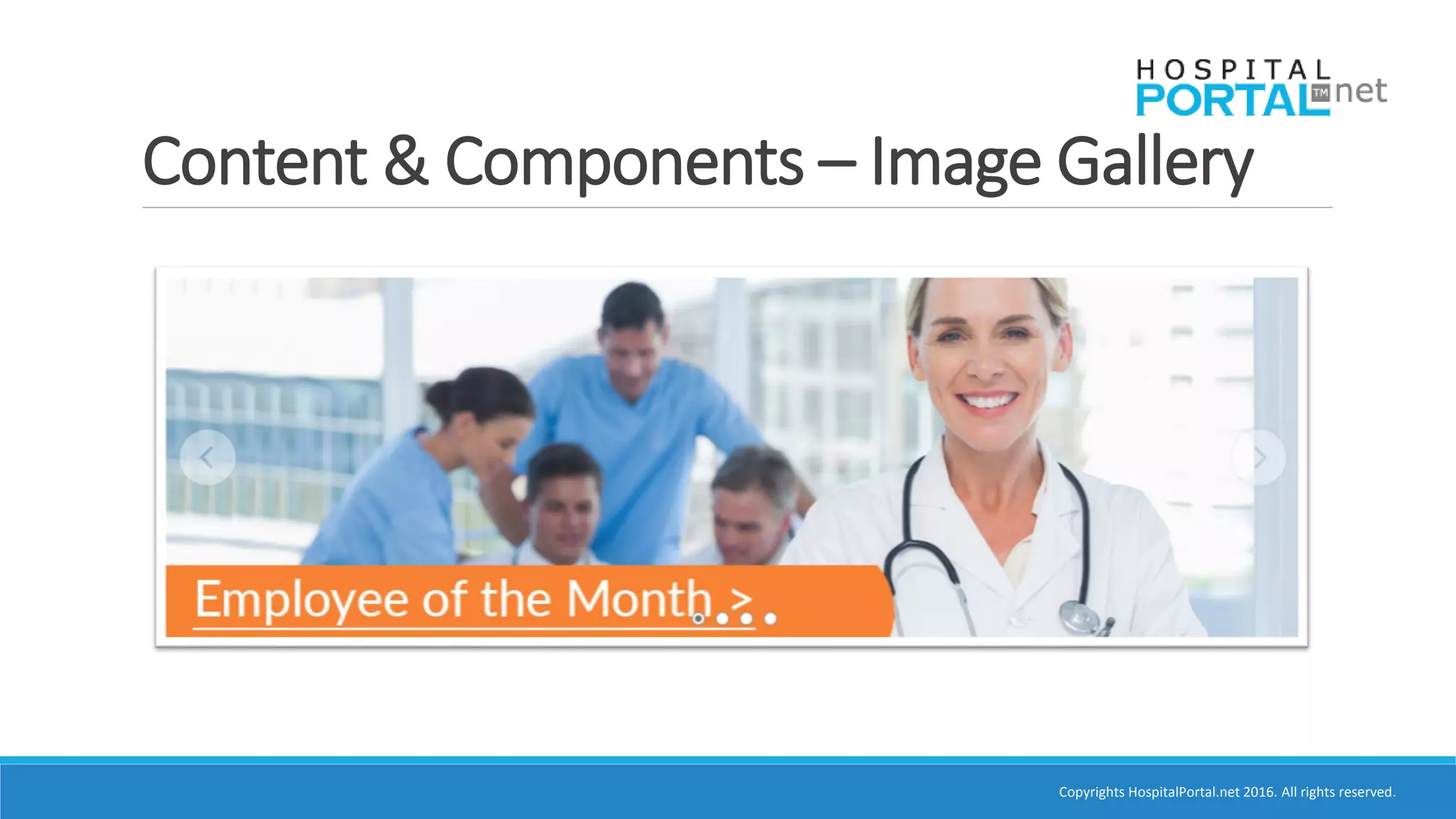
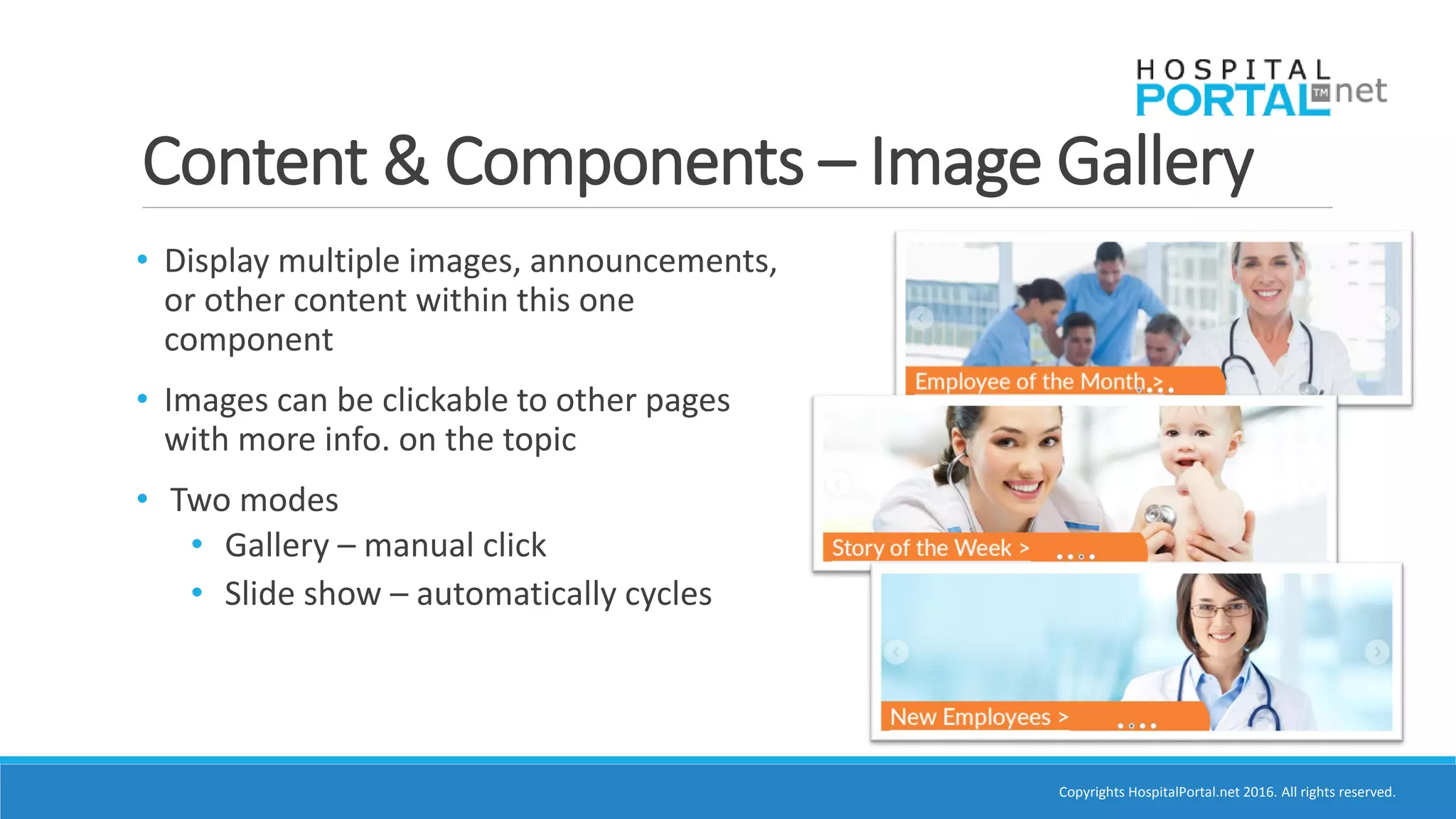
• Display multiple images, announcements,
or other content within this one
component
• Images can be clickable to other pages
with more info. on the topic
• Two modes
• Gallery – manual click
• Slide show – automatically cycles
Copyrights HospitalPortal.net 2016. All rights reserved.
Content & Components – Image Gallery
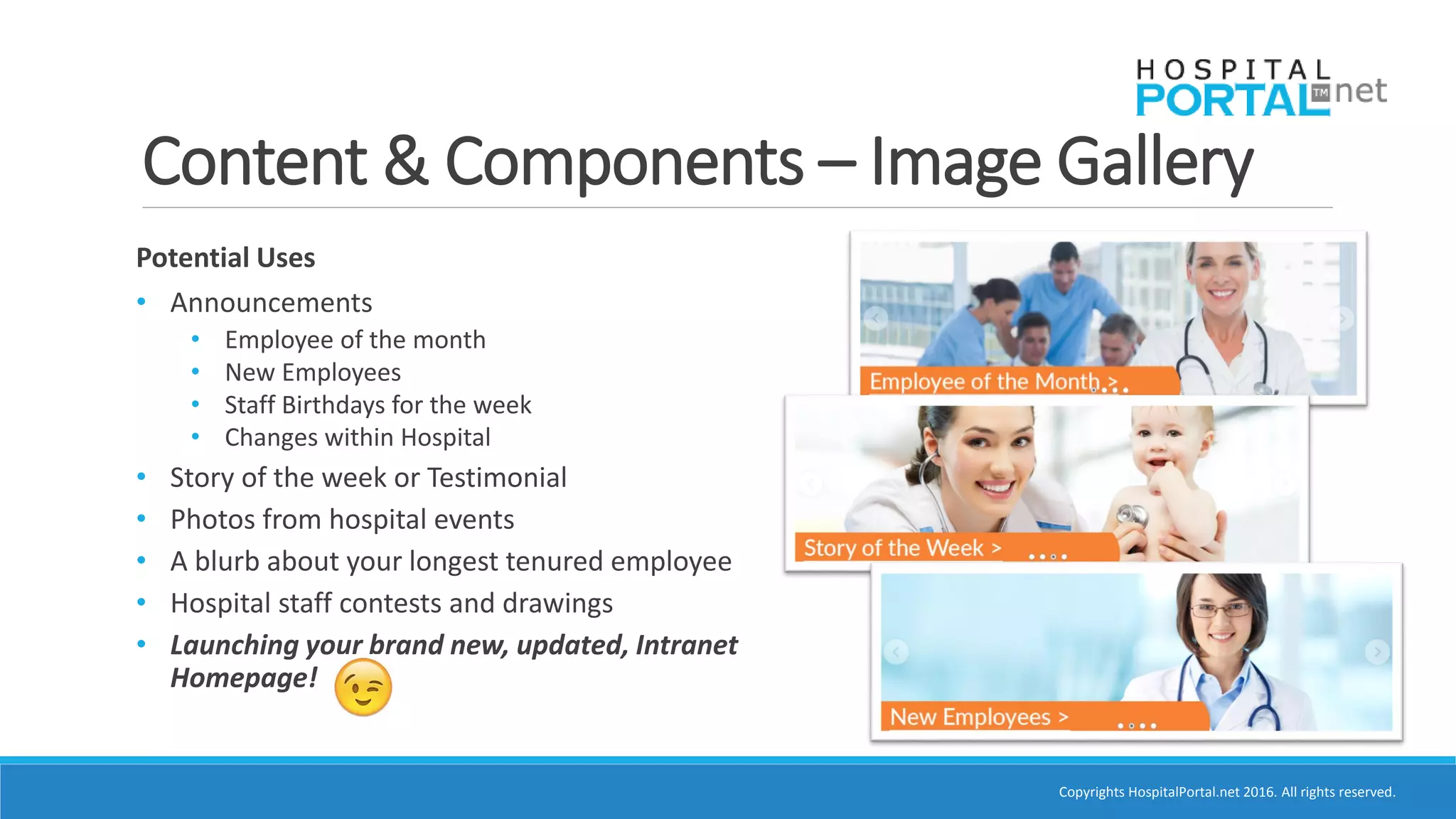
Potential Uses
• Announcements
• Employee of the month
• New Employees
• Staff Birthdays for the week
• Changes within Hospital
• Story of the week or Testimonial
• Photos from hospital events
• A blurb about your longest tenured employee
• Hospital staff contests and drawings
• Launching your brand new, updated, Intranet
Homepage!
Copyrights HospitalPortal.net 2016. All rights reserved.
Content & Components – Image Gallery
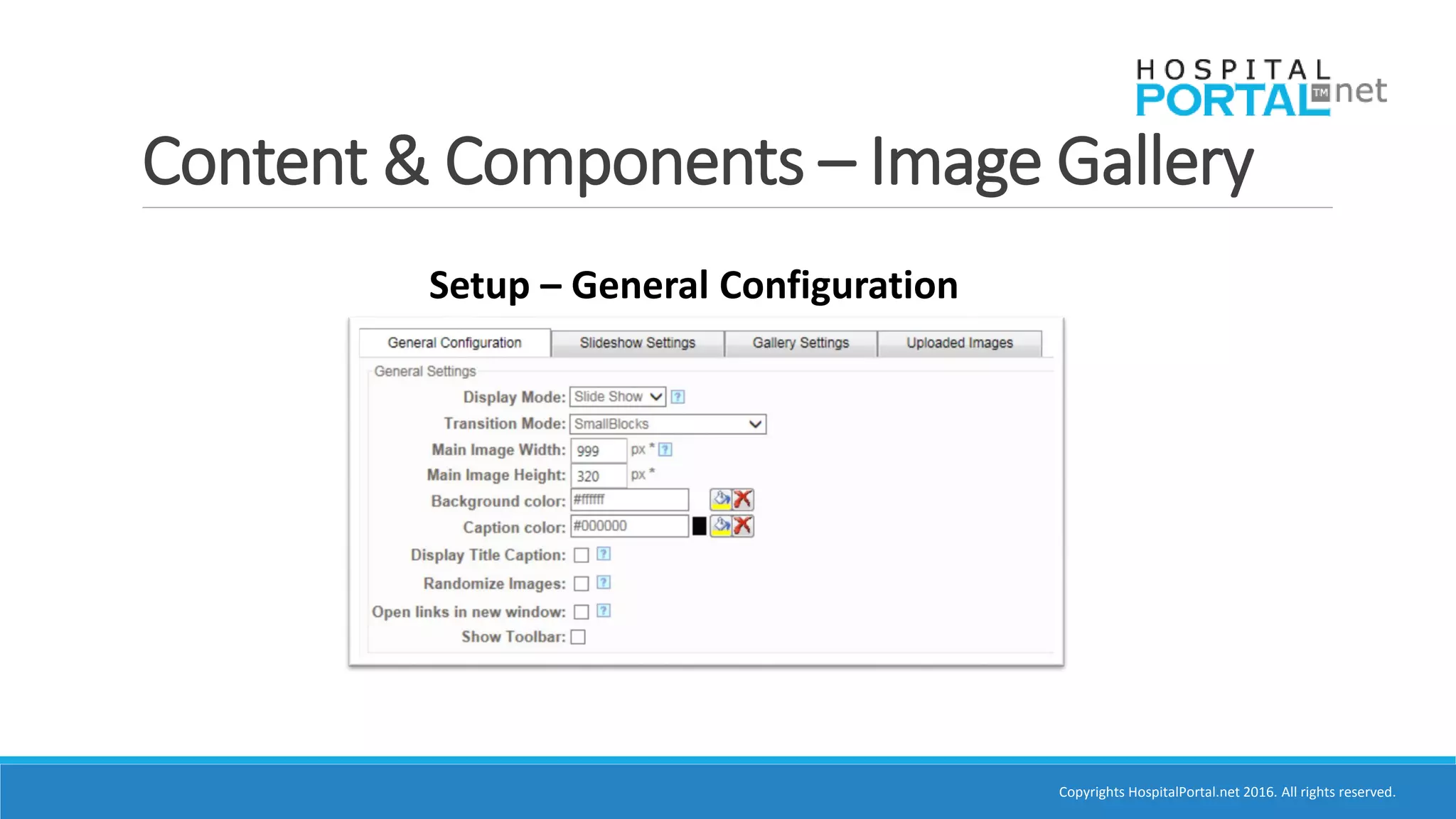
Setup – General Configuration
Copyrights HospitalPortal.net 2016. All rights reserved.
Content & Components – Image Gallery
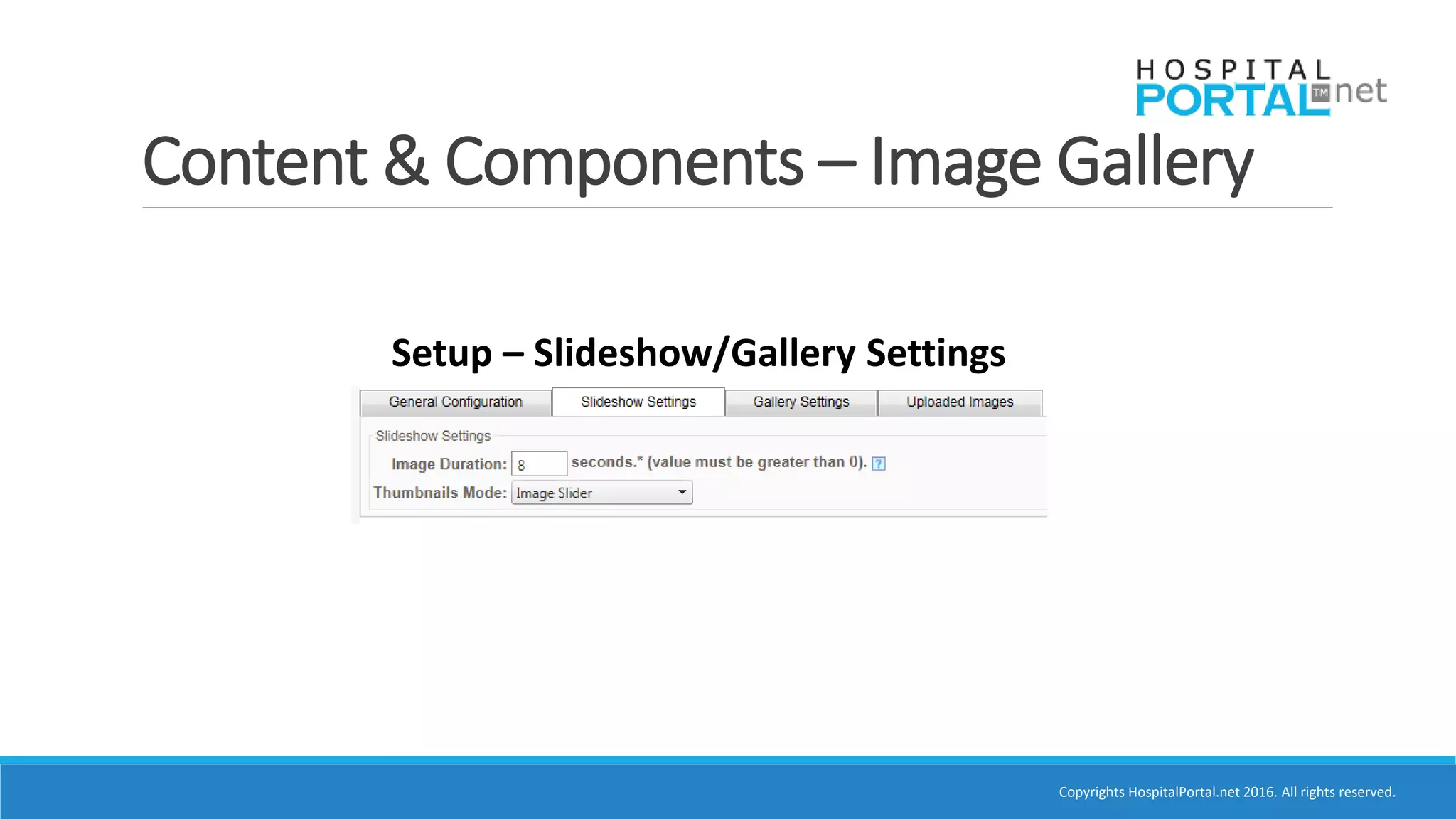
Setup – Slideshow/Gallery Settings
Copyrights HospitalPortal.net 2016. All rights reserved.
Content & Components – Image Gallery
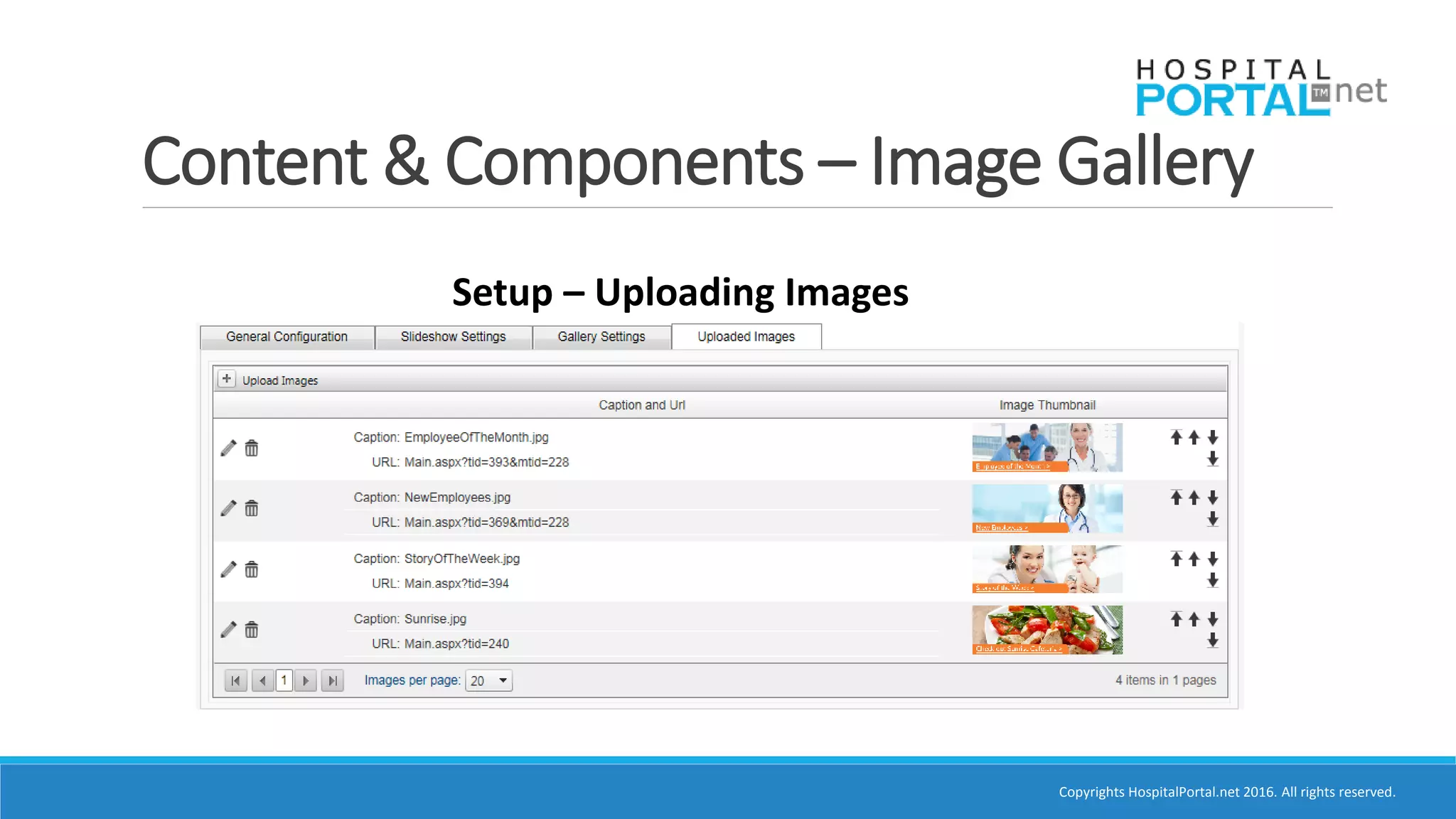
Setup – Uploading Images
Copyrights HospitalPortal.net 2016. All rights reserved.
Content & Components – Events
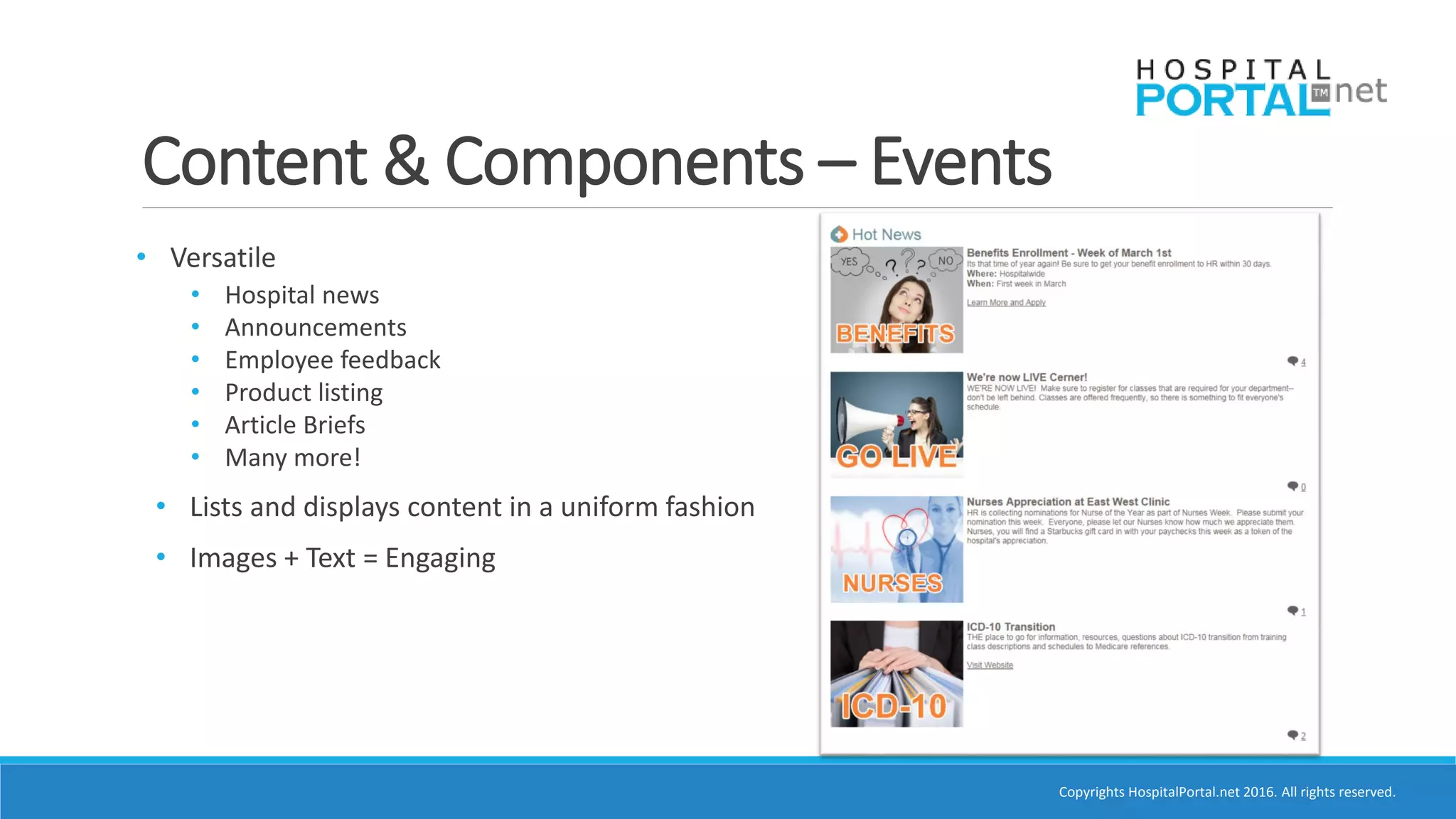
• Versatile
• Hospital news
• Announcements
• Employee feedback
• Product listing
• Article Briefs
• Many more!
• Lists and displays content in a uniform fashion
• Images + Text = Engaging
Copyrights HospitalPortal.net 2016. All rights reserved.
Content & Components – Events
Component Setup & Settings
(Shameless plug, I know )
Academy.HospitalPortal.net
Copyrights HospitalPortal.net 2016. All rights reserved.
Content & Components – Events
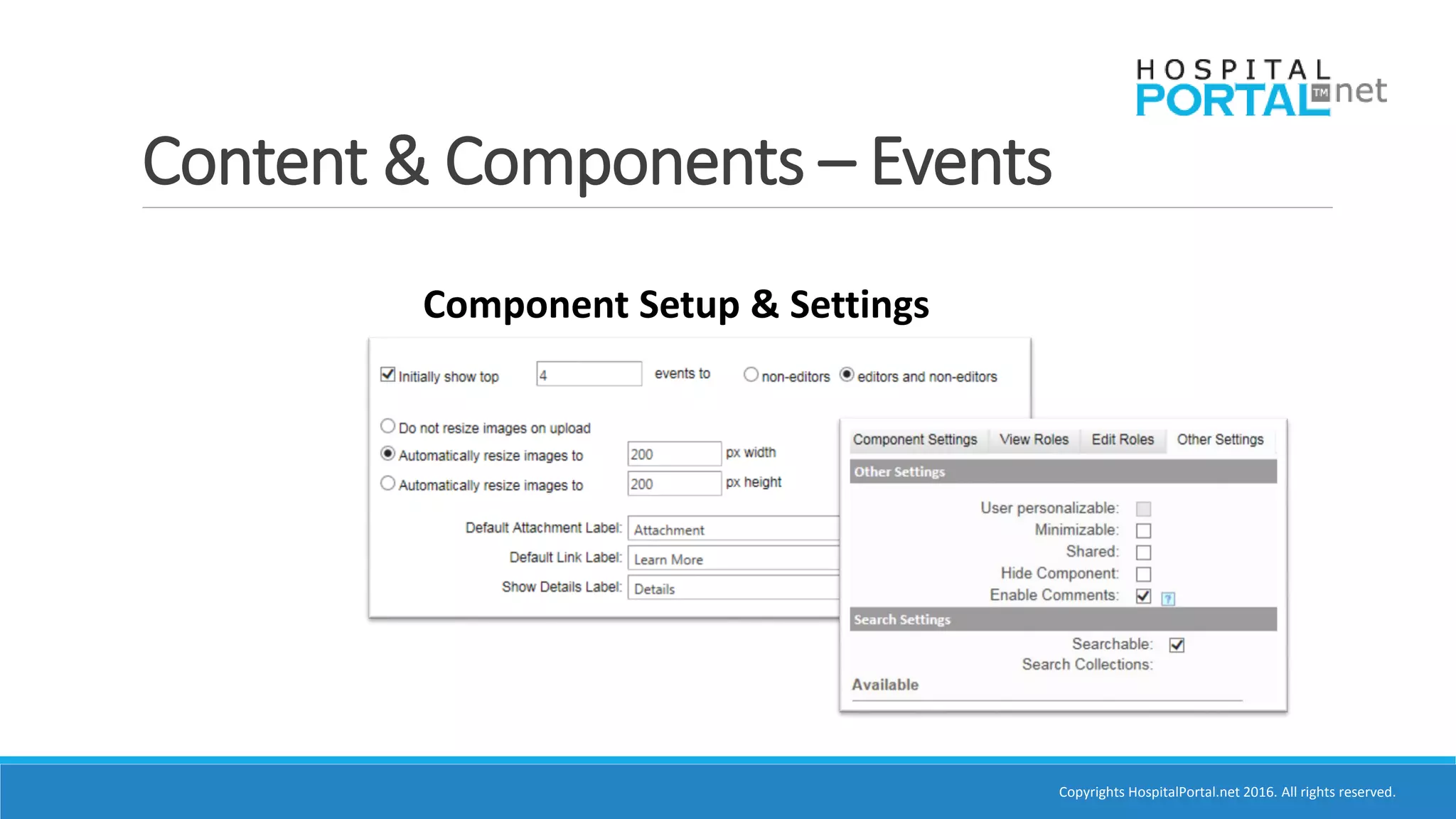
Component Setup & Settings
Copyrights HospitalPortal.net 2016. All rights reserved.
Content & Components – Events
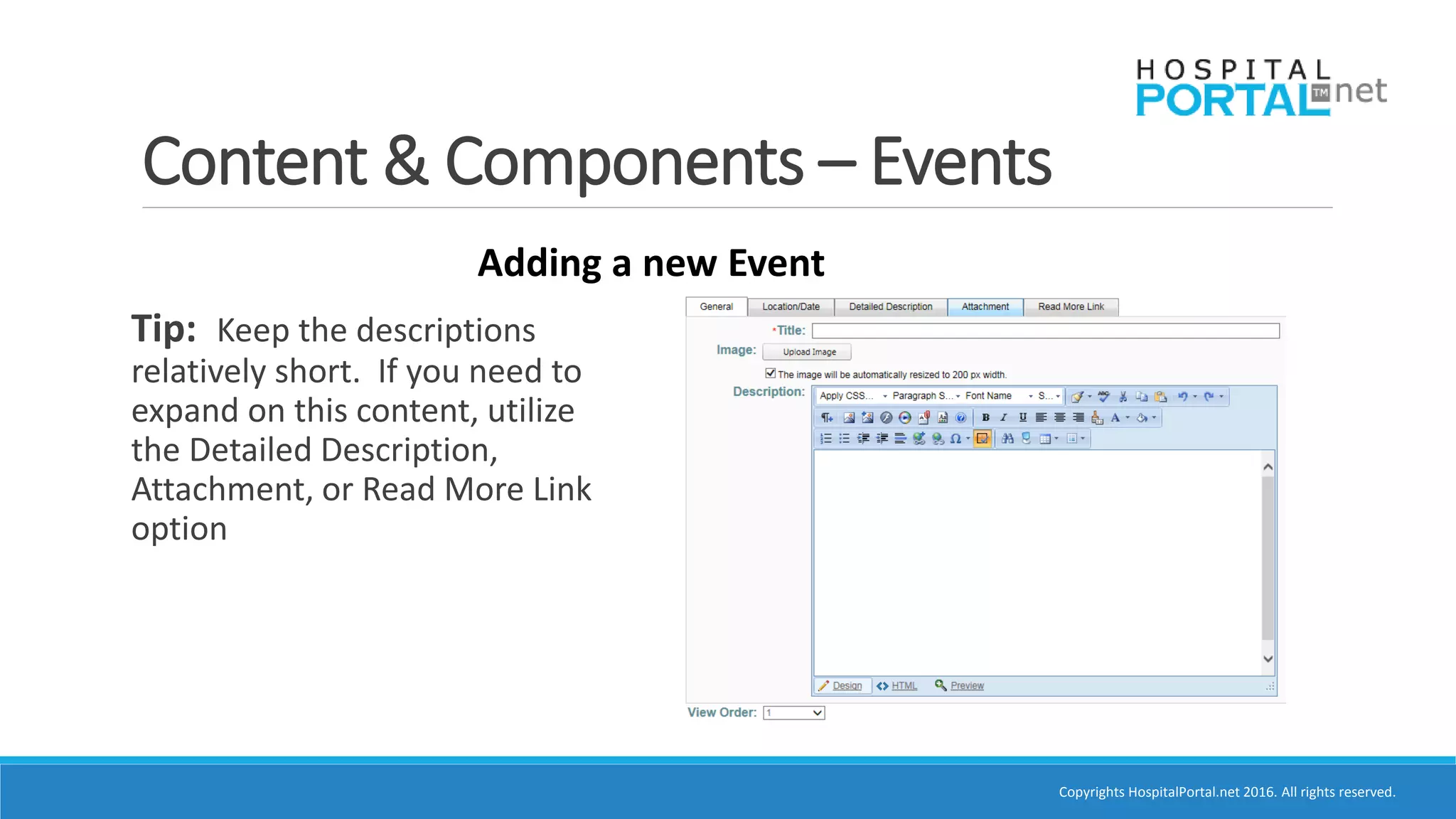
Adding a new Event
Tip: Keep the descriptions
relatively short. If you need to
expand on this content, utilize
the Detailed Description,
Attachment, or Read More Link
option
Copyrights HospitalPortal.net 2016. All rights reserved.
Content & Components – Events
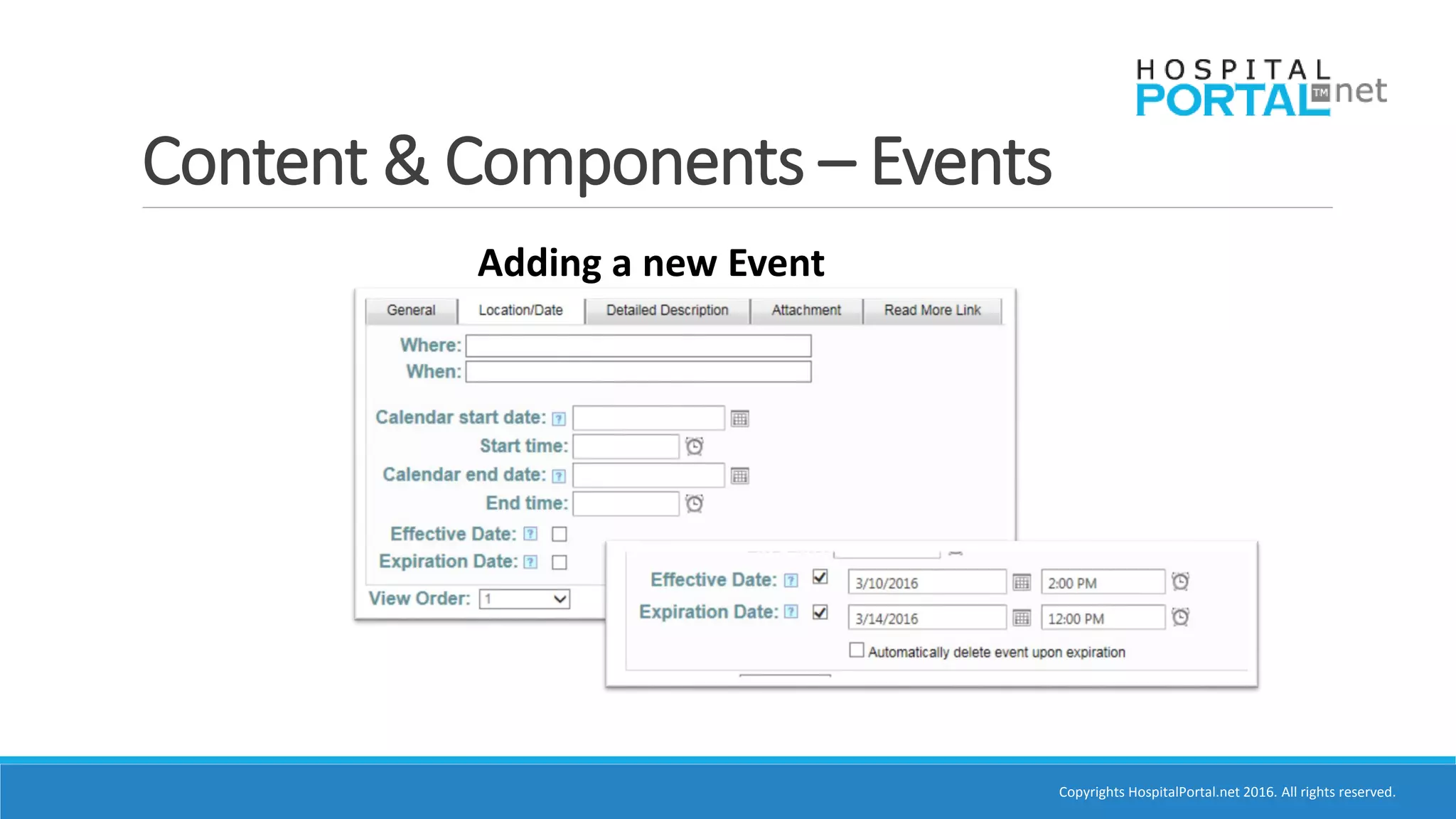
Adding a new Event
Copyrights HospitalPortal.net 2016. All rights reserved.
Content & Components – Calendar
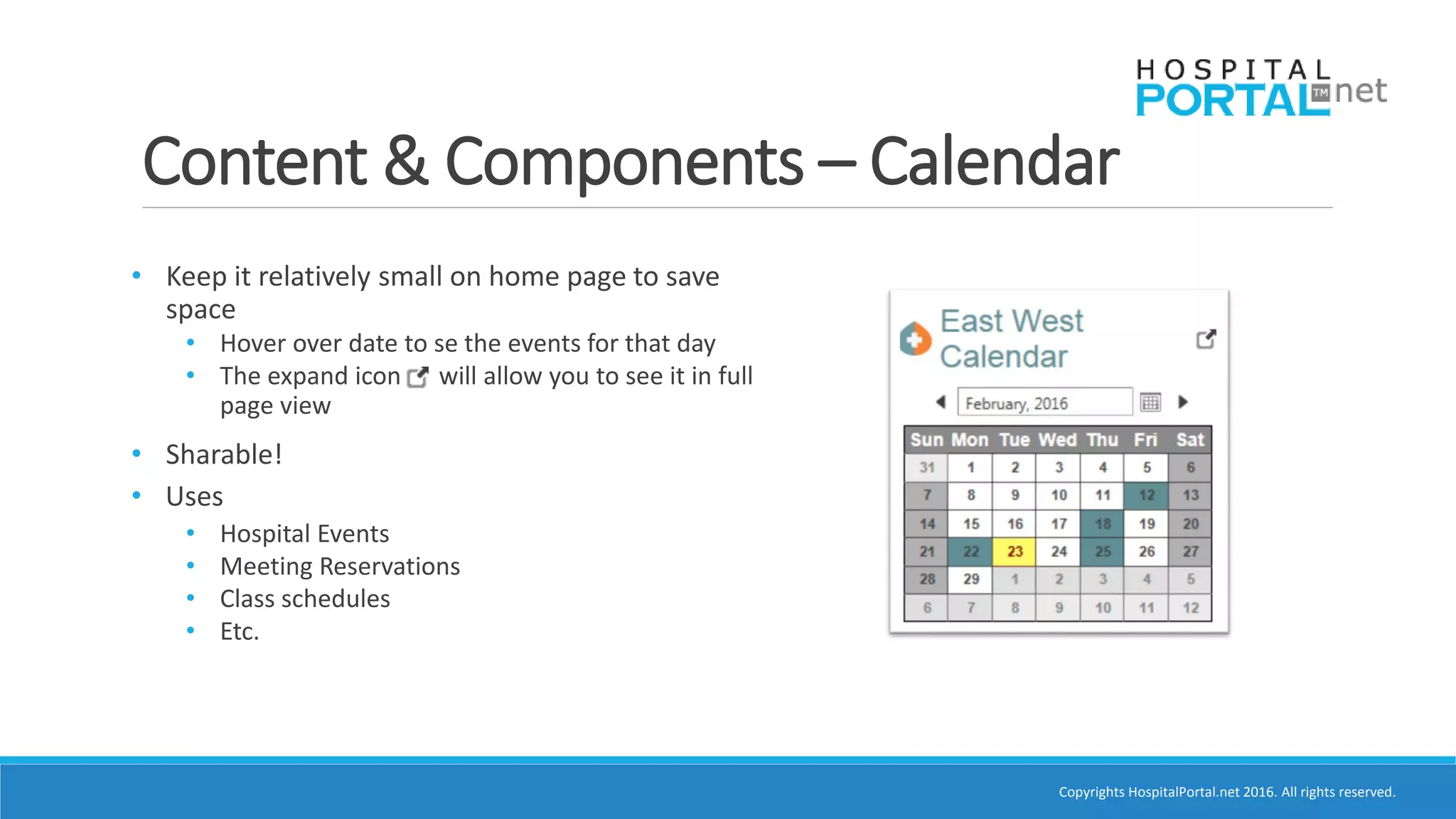
• Keep it relatively small on home page to save
space
• Hover over date to se the events for that day
• The expand icon will allow you to see it in full
page view
• Sharable!
• Uses
• Hospital Events
• Meeting Reservations
• Class schedules
• Etc.
Copyrights HospitalPortal.net 2016. All rights reserved.
Content & Components – Calendar
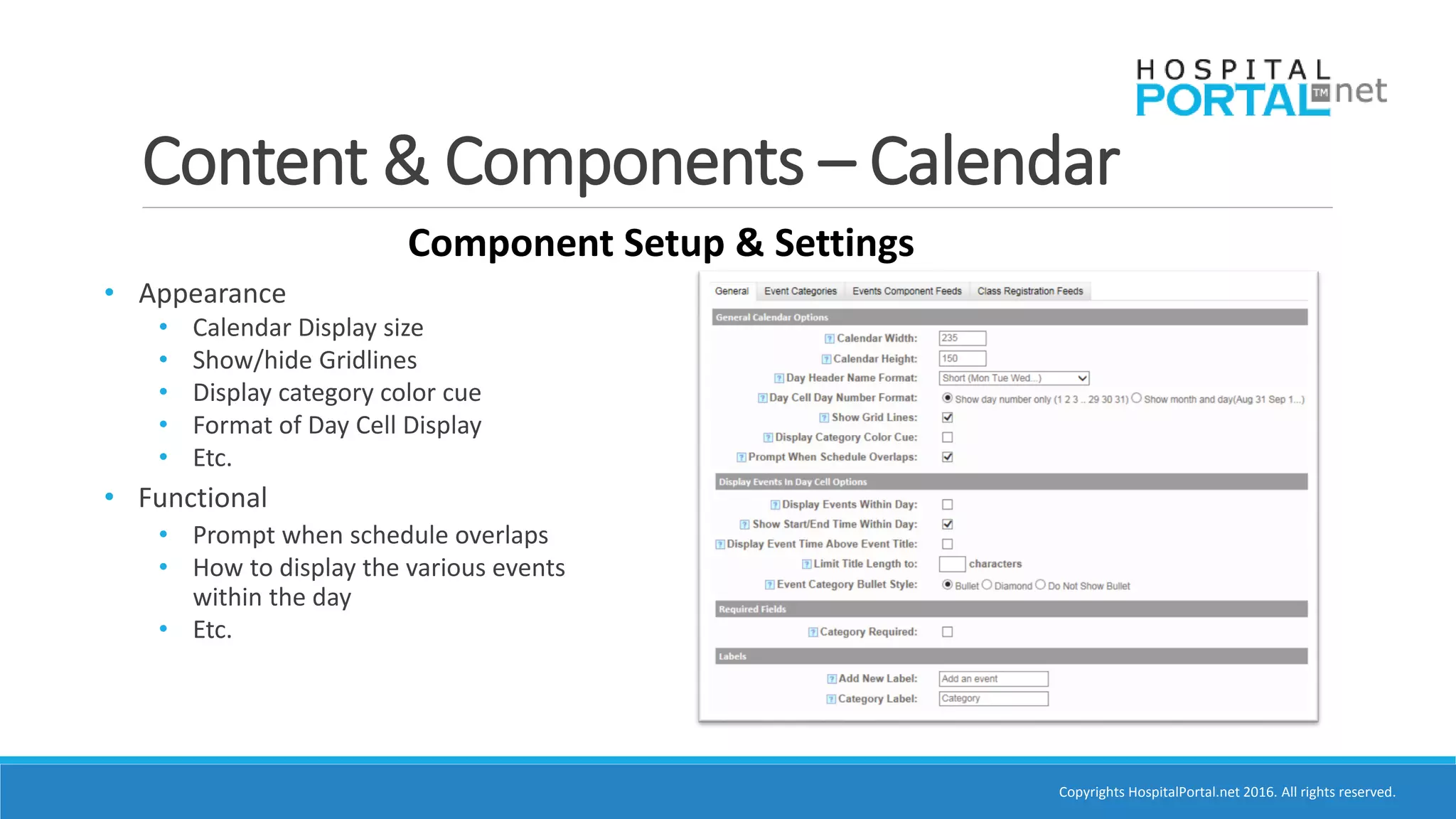
Component Setup & Settings
• Appearance
• Calendar Display size
• Show/hide Gridlines
• Display category color cue
• Format of Day Cell Display
• Etc.
• Functional
• Prompt when schedule overlaps
• How to display the various events
within the day
• Etc.
Copyrights HospitalPortal.net 2016. All rights reserved.
Content & Components – Calendar
Component Setup & Settings
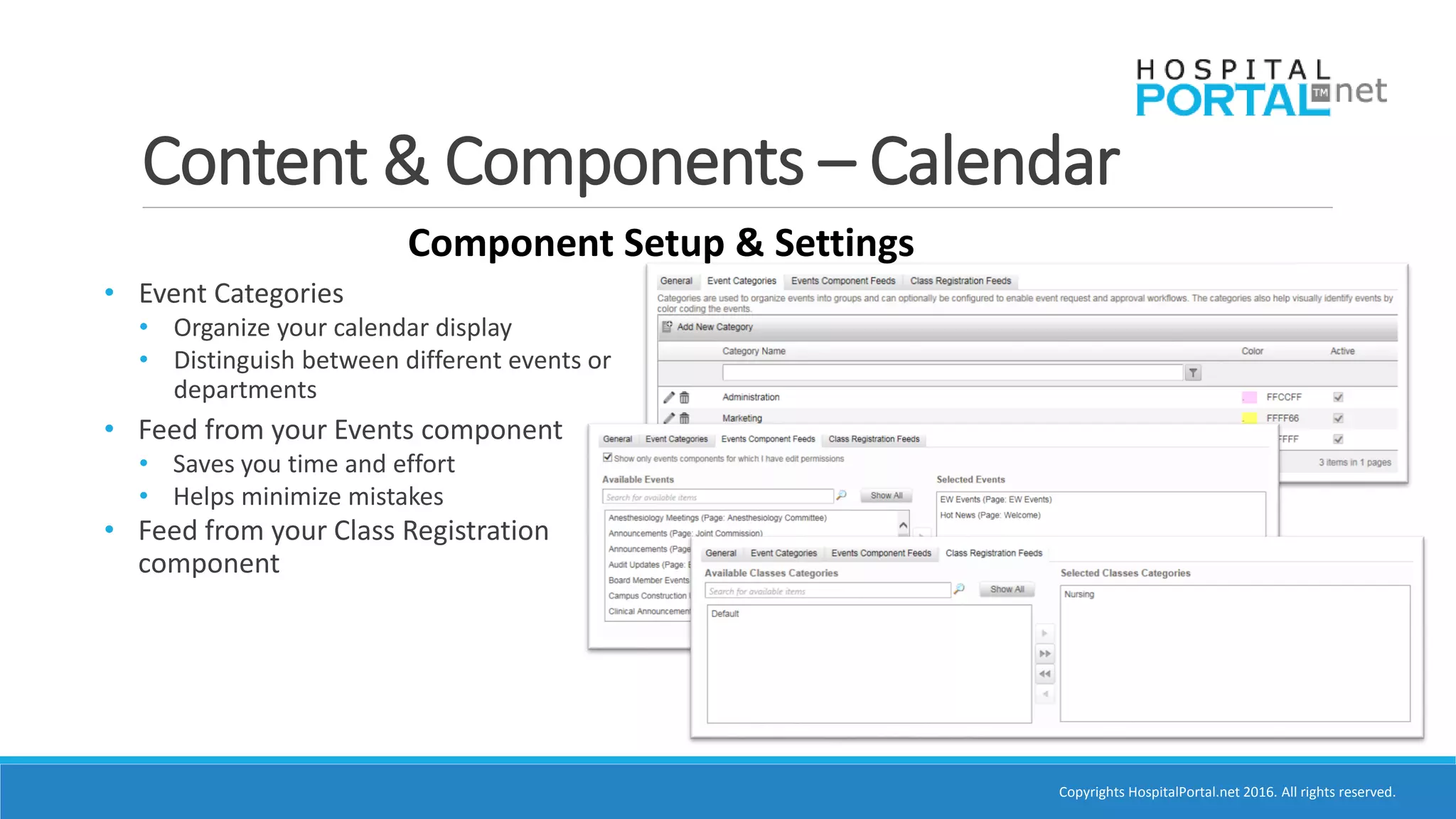
• Event Categories
• Organize your calendar display
• Distinguish between different events or
departments
• Feed from your Events component
• Saves you time and effort
• Helps minimize mistakes
• Feed from your Class Registration
component
Copyrights HospitalPortal.net 2016. All rights reserved.
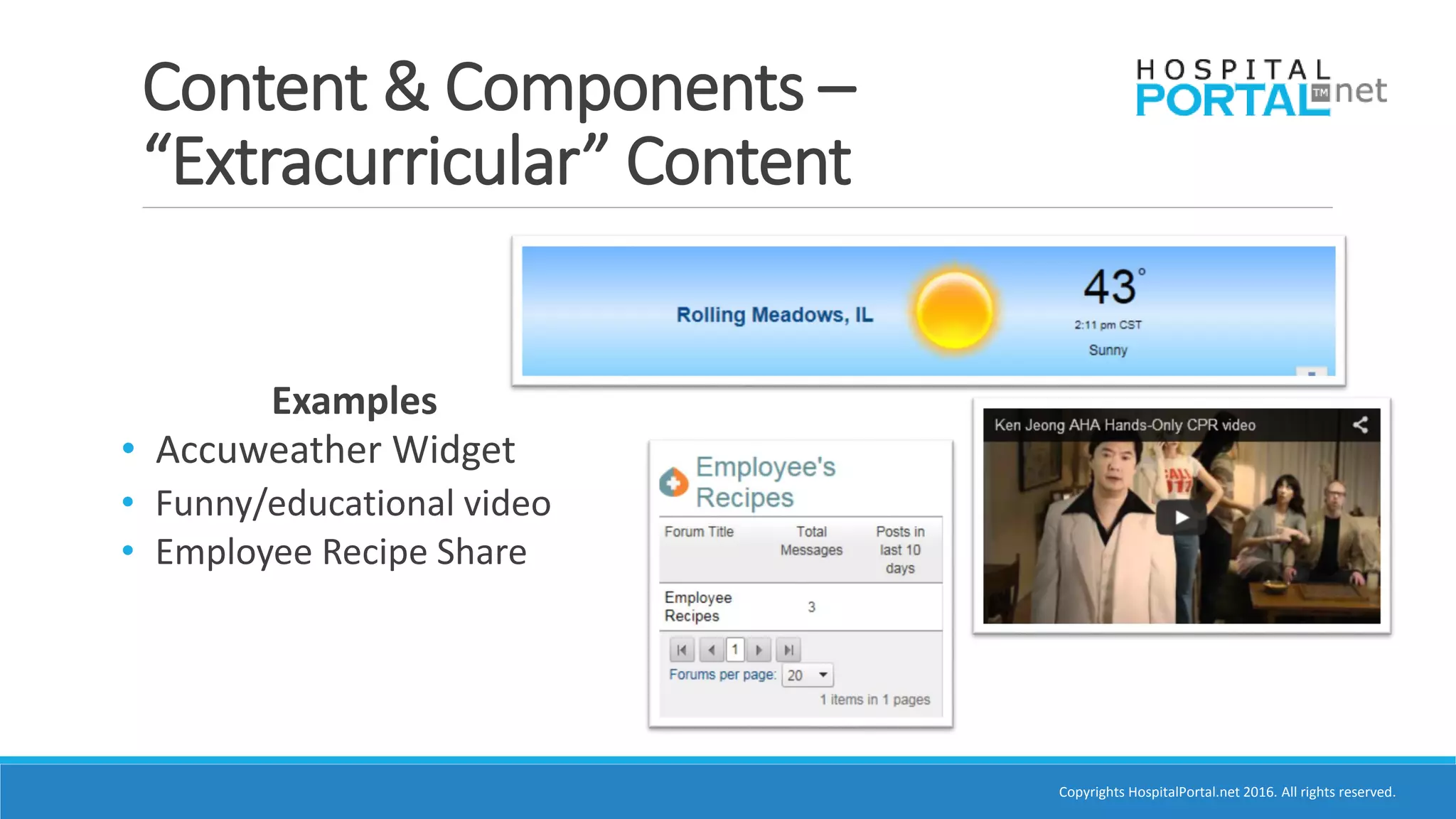
Content & Components –
“Extracurricular” Content
Examples
• Accuweather Widget
• Funny/educational video
• Employee Recipe Share
Copyrights HospitalPortal.net 2016. All rights reserved.
Tips for Monitoring – Governance
in Look and Content
•Maintain Control
•Create a process for review
• Checklist of things that should be reviewed weekly
or monthly
• Proofread
• Set expiration for old events/annoucements
• Test links, make sure there are no missing or
crossed-out [X] images
•Ask us!
Copyrights HospitalPortal.net 2016. All rights reserved.
Poll Question
How satisfied are you with the current layout of
your intranet homepage?
o We’re perfect!
o It’s not bad, but we’ll work on it
o PLEASE HELP!!!
Copyrights HospitalPortal.net 2016. All rights reserved.
Creative Design Refresh
Jason Oshita
Manager of Client Affairs and Partnerships
JKOshita@HospitalPortal.net
(847) 632-0434 x 245
Copyrights HospitalPortal.net 2016. All rights reserved.
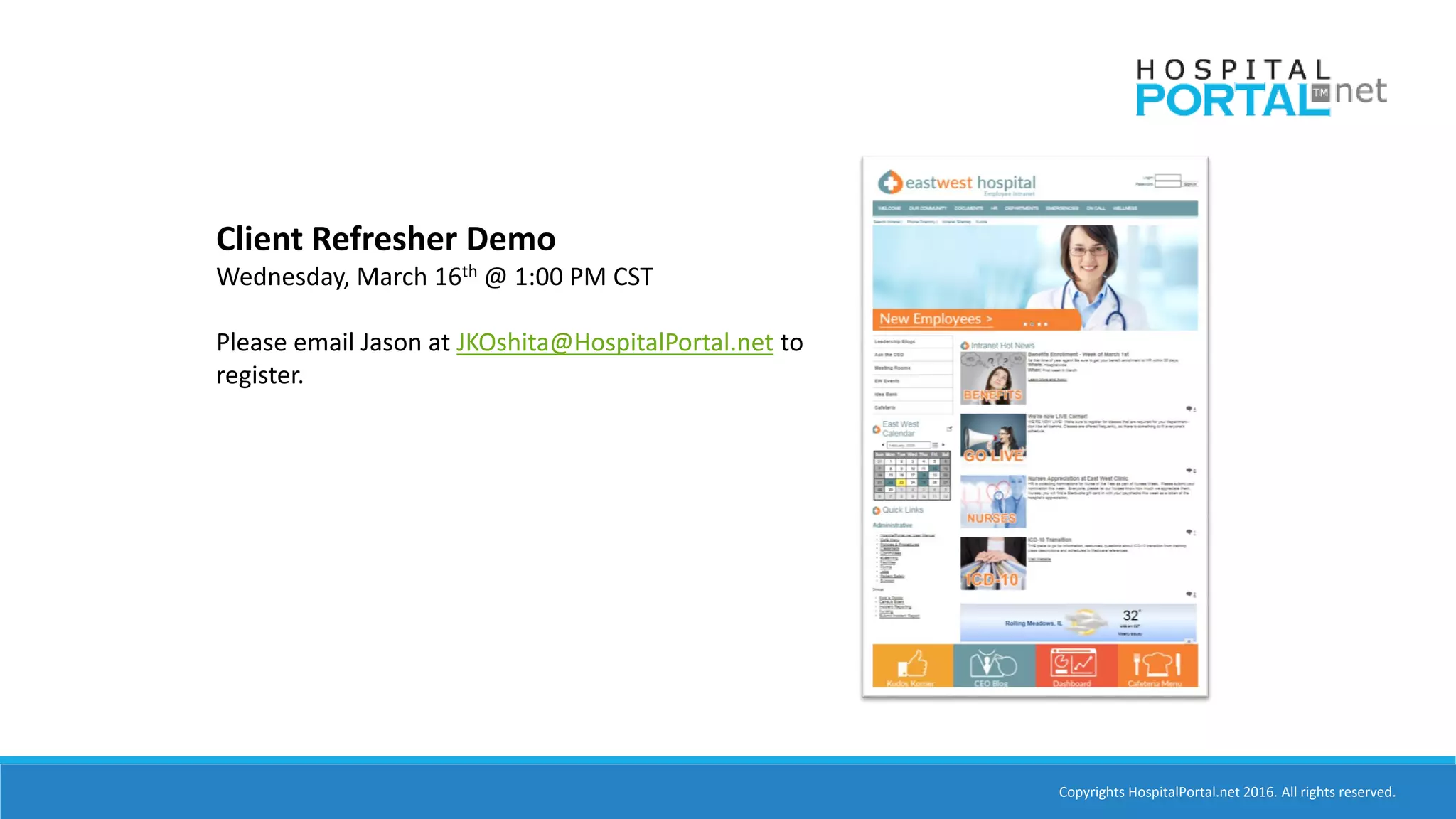
Client Refresher Demo
Wednesday, March 16th @ 1:00 PM CST
Please email Jason at JKOshita@HospitalPortal.net to
register.
Copyrights HospitalPortal.net 2016. All rights reserved.
Q & A
Copyrights HospitalPortal.net 2016. All rights reserved.
THANK YOU!
Academy.HospitalPortal.net
Support Line: (866) 580-7700 x2
Academy@HospitalPortal.net
Jason Oshita
Manager of Client Affairs and Partnerships
JKOshita@HospitalPortal.net
Anne La Francis
Director of Sales and Marketing
ALaFrancis@HospitalPortal.net

Best Practices: Intranet Homepage Design ppt

  • 1.
    Copyrights HospitalPortal.net 2016.All rights reserved. Best Practices Intranet Homepage Design Presented by: Jason Oshita; Manager of Client Affairs and Partnerships AnneLa Francis; Director of Sales and Marketing
  • 2.
    Copyrights HospitalPortal.net 2016.All rights reserved.  More resources, more robust!  How-To’s  Best Practice Videos and Blog Posts  Release Information  Self-Service Support Environment  Learn at your leisure!
  • 3.
    Copyrights HospitalPortal.net 2016.All rights reserved. Poll Question What department are you in? o Marketing o IT o HR o Business Development o Other
  • 4.
    Copyrights HospitalPortal.net 2016.All rights reserved. Agenda • “Curb Appeal” • Branding • Colors • Text • Images and Graphics • Functionality & Best Practices • Objective • Layout • Navigation • Components & Content • General How-To • Tips to Maintain • Q&A
  • 5.
    Copyrights HospitalPortal.net 2016.All rights reserved. What is a Brand? •Name •Term •Design •Symbol •Colors
  • 6.
    Copyrights HospitalPortal.net 2016.All rights reserved. Intranet Has Dual Role •Tool for Complimenting Workflows and Business Operations •Reflect Hospital’s Brand •Helps end users identify and made aware of how they fit into the organization •Be consistent with client facing website •Convey similar look and feel of other corporate marketing materials •Communicates brand to new hires
  • 7.
    Copyrights HospitalPortal.net 2016.All rights reserved. Brand Standards
  • 8.
    Copyrights HospitalPortal.net 2016.All rights reserved. Tips for Color Use on Your Intranet •Background Color • Neutral • White or light grey •Color Palette for main colors • Simple • Limit to 2-3 Colors • Limit use of bold and “in-your-face” colors
  • 9.
    Copyrights HospitalPortal.net 2016.All rights reserved. Tips on Font Use on Your Intranet •Limit the number of fonts •Avoid too many fancy/flashy fonts •Stay consistent •Clear •Easy to read •Aesthetically pleasing
  • 10.
    Copyrights HospitalPortal.net 2016.All rights reserved. Use Professional Graphics & Icons •NO CLIP ART!!!
  • 11.
    Copyrights HospitalPortal.net 2016.All rights reserved. •NO CLIP ART!!! •Use quality infographics Infographics/Icons to Signify Information
  • 12.
    Copyrights HospitalPortal.net 2016.All rights reserved. •NO CLIP ART!!! •Use quality graphics •Third party image sites • Dreamstime • iStock • Deposit Photos Third Party Image Sites
  • 13.
    Copyrights HospitalPortal.net 2016.All rights reserved. Branding – Graphics and Images •NO CLIP ART!!! •Use quality graphics •Third party image sites • Dreamstime • iStock • Deposit Photos •Use photos of real people in your images and graphics!
  • 14.
    Copyrights HospitalPortal.net 2016.All rights reserved. DON’Ts!
  • 15.
  • 16.
    Copyrights HospitalPortal.net 2016.All rights reserved. Intranet Homepage Objective Inviting platform that employees will want to use that provides your employees with the tools and information they use most often.
  • 17.
    Copyrights HospitalPortal.net 2016.All rights reserved. Navigational Layout • C – Pattern • Banner Menu • Primary • Vertical Menu • Secondary • Quick Links • Secondary • Other Pages • Tertiary
  • 18.
    Copyrights HospitalPortal.net 2016.All rights reserved. Navigational Layout – Top • 1st place your eyes go • Banner Menu - Main navigation • Keep concise • Limit the number of departments on banner • Link to a listing of departments • Link to Documents • Search & Phone Directory
  • 19.
    Copyrights HospitalPortal.net 2016.All rights reserved. Navigational Layout – Banner Menu • Special Users • Board Page/Portal • Physician's Page/Portal
  • 20.
    Copyrights HospitalPortal.net 2016.All rights reserved. Navigational Layout – Left Side • Vertical Menu • Secondary navigational items • Leadership Blogs • Events Page • Idea Bank • Cafeteria Page • Employee Feedback Form • Calendar • “Quick Links” • Commonly used tools & pages • Make sure they’re relevant to almost everyone!
  • 21.
    Copyrights HospitalPortal.net 2016.All rights reserved. Navigational Layout – Bottom • Tertiary navigation • Can use images, graphics, pictures, etc. instead of text • Clickable buttons • Adds variety and appeal
  • 22.
    Copyrights HospitalPortal.net 2016.All rights reserved. Content Layout • K.I.S.S. – Keep It Simple Stupid • In most cases, Less is More • Clean and Professional • Aesthetically pleasing • Below the fold is okay… • …but keep it in check!!! • Create engaging, short content • Punchy, quick reads • “Read/View More” to expand
  • 23.
    Copyrights HospitalPortal.net 2016.All rights reserved. Content and Components Don’t go overboard with the HTML Component!!!
  • 24.
    Copyrights HospitalPortal.net 2016.All rights reserved. Content & Components – Image Gallery
  • 25.
    Copyrights HospitalPortal.net 2016.All rights reserved. Content & Components – Image Gallery • Display multiple images, announcements, or other content within this one component • Images can be clickable to other pages with more info. on the topic • Two modes • Gallery – manual click • Slide show – automatically cycles
  • 26.
    Copyrights HospitalPortal.net 2016.All rights reserved. Content & Components – Image Gallery Potential Uses • Announcements • Employee of the month • New Employees • Staff Birthdays for the week • Changes within Hospital • Story of the week or Testimonial • Photos from hospital events • A blurb about your longest tenured employee • Hospital staff contests and drawings • Launching your brand new, updated, Intranet Homepage!
  • 27.
    Copyrights HospitalPortal.net 2016.All rights reserved. Content & Components – Image Gallery Setup – General Configuration
  • 28.
    Copyrights HospitalPortal.net 2016.All rights reserved. Content & Components – Image Gallery Setup – Slideshow/Gallery Settings
  • 29.
    Copyrights HospitalPortal.net 2016.All rights reserved. Content & Components – Image Gallery Setup – Uploading Images
  • 30.
    Copyrights HospitalPortal.net 2016.All rights reserved. Content & Components – Events • Versatile • Hospital news • Announcements • Employee feedback • Product listing • Article Briefs • Many more! • Lists and displays content in a uniform fashion • Images + Text = Engaging
  • 31.
    Copyrights HospitalPortal.net 2016.All rights reserved. Content & Components – Events Component Setup & Settings (Shameless plug, I know ) Academy.HospitalPortal.net
  • 32.
    Copyrights HospitalPortal.net 2016.All rights reserved. Content & Components – Events Component Setup & Settings
  • 33.
    Copyrights HospitalPortal.net 2016.All rights reserved. Content & Components – Events Adding a new Event Tip: Keep the descriptions relatively short. If you need to expand on this content, utilize the Detailed Description, Attachment, or Read More Link option
  • 34.
    Copyrights HospitalPortal.net 2016.All rights reserved. Content & Components – Events Adding a new Event
  • 35.
    Copyrights HospitalPortal.net 2016.All rights reserved. Content & Components – Calendar • Keep it relatively small on home page to save space • Hover over date to se the events for that day • The expand icon will allow you to see it in full page view • Sharable! • Uses • Hospital Events • Meeting Reservations • Class schedules • Etc.
  • 36.
    Copyrights HospitalPortal.net 2016.All rights reserved. Content & Components – Calendar Component Setup & Settings • Appearance • Calendar Display size • Show/hide Gridlines • Display category color cue • Format of Day Cell Display • Etc. • Functional • Prompt when schedule overlaps • How to display the various events within the day • Etc.
  • 37.
    Copyrights HospitalPortal.net 2016.All rights reserved. Content & Components – Calendar Component Setup & Settings • Event Categories • Organize your calendar display • Distinguish between different events or departments • Feed from your Events component • Saves you time and effort • Helps minimize mistakes • Feed from your Class Registration component
  • 38.
    Copyrights HospitalPortal.net 2016.All rights reserved. Content & Components – “Extracurricular” Content Examples • Accuweather Widget • Funny/educational video • Employee Recipe Share
  • 39.
    Copyrights HospitalPortal.net 2016.All rights reserved. Tips for Monitoring – Governance in Look and Content •Maintain Control •Create a process for review • Checklist of things that should be reviewed weekly or monthly • Proofread • Set expiration for old events/annoucements • Test links, make sure there are no missing or crossed-out [X] images •Ask us!
  • 40.
    Copyrights HospitalPortal.net 2016.All rights reserved. Poll Question How satisfied are you with the current layout of your intranet homepage? o We’re perfect! o It’s not bad, but we’ll work on it o PLEASE HELP!!!
  • 41.
    Copyrights HospitalPortal.net 2016.All rights reserved. Creative Design Refresh Jason Oshita Manager of Client Affairs and Partnerships JKOshita@HospitalPortal.net (847) 632-0434 x 245
  • 42.
    Copyrights HospitalPortal.net 2016.All rights reserved. Client Refresher Demo Wednesday, March 16th @ 1:00 PM CST Please email Jason at JKOshita@HospitalPortal.net to register.
  • 43.
    Copyrights HospitalPortal.net 2016.All rights reserved. Q & A
  • 44.
    Copyrights HospitalPortal.net 2016.All rights reserved. THANK YOU! Academy.HospitalPortal.net Support Line: (866) 580-7700 x2 Academy@HospitalPortal.net Jason Oshita Manager of Client Affairs and Partnerships JKOshita@HospitalPortal.net Anne La Francis Director of Sales and Marketing ALaFrancis@HospitalPortal.net