Creativity in the Classroom Putting it into Practice
 
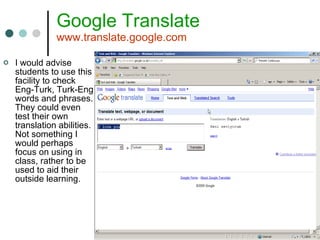
Google Translate www.translate.google.com I would advise students to use this facility to check Eng-Turk, Turk-Eng words and phrases. They could even test their own translation abilities. Not something I would perhaps focus on using in class, rather to be used to aid their outside learning.
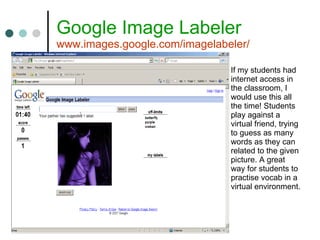
Google Image Labeler www.images.google.com/imagelabeler/   If my students had internet access in the classroom, I would use this all the time! Students play against a virtual friend, trying to guess as many words as they can related to the given picture. A great way for students to practise vocab in a virtual environment.
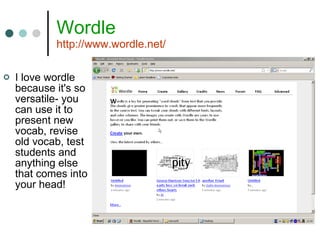
Wordle http://www.wordle.net/ I love wordle because it's so versatile- you can use it to present new vocab, revise old vocab, test students and anything else that comes into your head!
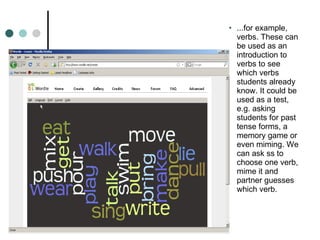
...for example, verbs. These can be used as an introduction to verbs to see which verbs students already know. It could be used as a test, e.g. asking students for past tense forms, a memory game or even miming. We can ask ss to choose one verb, mime it and partner guesses which verb.
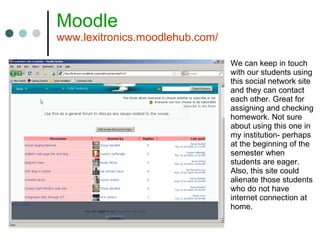
Moodle www.lexitronics.moodlehub.com/ We can keep in touch with our students using this social network site and they can contact each other. Great for assigning and checking homework. Not sure about using this one in my institution- perhaps at the beginning of the semester when students are eager. Also, this site could alienate those students who do not have internet connection at home.
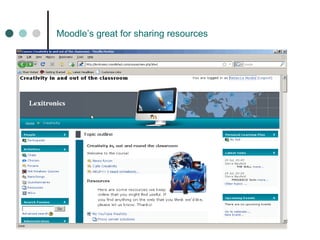
Moodle’s great for sharing resources
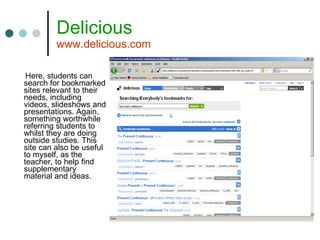
Delicious www.delicious.com Here, students can search for bookmarked sites relevant to their needs, including videos, slideshows and presentations. Again, something worthwhile referring students to whilst they are doing outside studies. This site can also be useful to myself, as the teacher, to help find supplementary material and ideas.
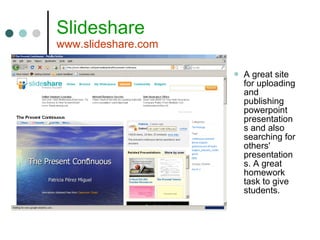
Slideshare www.slideshare.com A great site for uploading and publishing powerpoint presentations and also searching for others' presentations. A great homework task to give students.
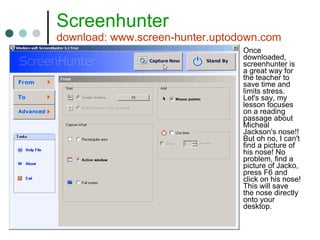
Screenhunter download: www.screen-hunter.uptodown.com Once downloaded, screenhunter is a great way for the teacher to save time and limits stress. Let's say, my lesson focuses on a reading passage about Micheal Jackson's nose!! But oh no, I can't find a picture of his nose! No problem, find a picture of Jacko, press F6 and click on his nose! This will save the nose directly onto your desktop.
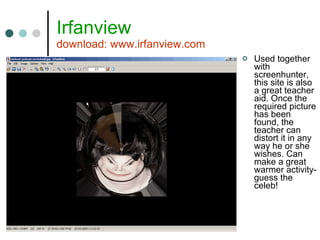
Irfanview download: www.irfanview.com Used together with screenhunter, this site is also a great teacher aid. Once the required picture has been found, the teacher can distort it in any way he or she wishes. Can make a great warmer activity- guess the celeb!
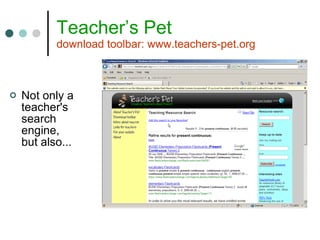
Teacher’s Pet download toolbar: www.teachers-pet.org Not only a teacher's search engine, but also...
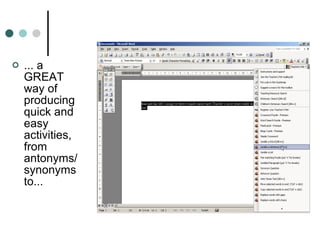
... a GREAT way of producing quick and easy activities, from antonyms/synonyms to...
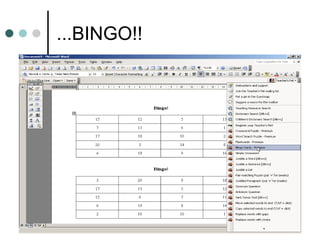
...BINGO!!
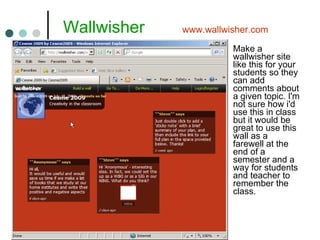
  Wallwisher  www.wallwisher.com Make a wallwisher site like this for your students so they can add comments about a given topic. I'm not sure how i'd use this in class but it would be great to use this wall as a farewell at the end of a semester and a way for students and teacher to remember the class.

Becky

  • 1.
    Creativity in theClassroom Putting it into Practice
  • 2.
  • 3.
    Google Translate www.translate.google.comI would advise students to use this facility to check Eng-Turk, Turk-Eng words and phrases. They could even test their own translation abilities. Not something I would perhaps focus on using in class, rather to be used to aid their outside learning.
  • 4.
    Google Image Labelerwww.images.google.com/imagelabeler/   If my students had internet access in the classroom, I would use this all the time! Students play against a virtual friend, trying to guess as many words as they can related to the given picture. A great way for students to practise vocab in a virtual environment.
  • 5.
    Wordle http://www.wordle.net/ Ilove wordle because it's so versatile- you can use it to present new vocab, revise old vocab, test students and anything else that comes into your head!
  • 6.
    ...for example, verbs.These can be used as an introduction to verbs to see which verbs students already know. It could be used as a test, e.g. asking students for past tense forms, a memory game or even miming. We can ask ss to choose one verb, mime it and partner guesses which verb.
  • 7.
    Moodle www.lexitronics.moodlehub.com/ Wecan keep in touch with our students using this social network site and they can contact each other. Great for assigning and checking homework. Not sure about using this one in my institution- perhaps at the beginning of the semester when students are eager. Also, this site could alienate those students who do not have internet connection at home.
  • 8.
    Moodle’s great forsharing resources
  • 9.
    Delicious www.delicious.com Here,students can search for bookmarked sites relevant to their needs, including videos, slideshows and presentations. Again, something worthwhile referring students to whilst they are doing outside studies. This site can also be useful to myself, as the teacher, to help find supplementary material and ideas.
  • 10.
    Slideshare www.slideshare.com Agreat site for uploading and publishing powerpoint presentations and also searching for others' presentations. A great homework task to give students.
  • 11.
    Screenhunter download: www.screen-hunter.uptodown.comOnce downloaded, screenhunter is a great way for the teacher to save time and limits stress. Let's say, my lesson focuses on a reading passage about Micheal Jackson's nose!! But oh no, I can't find a picture of his nose! No problem, find a picture of Jacko, press F6 and click on his nose! This will save the nose directly onto your desktop.
  • 12.
    Irfanview download: www.irfanview.comUsed together with screenhunter, this site is also a great teacher aid. Once the required picture has been found, the teacher can distort it in any way he or she wishes. Can make a great warmer activity- guess the celeb!
  • 13.
    Teacher’s Pet downloadtoolbar: www.teachers-pet.org Not only a teacher's search engine, but also...
  • 14.
    ... a GREATway of producing quick and easy activities, from antonyms/synonyms to...
  • 15.
  • 16.
    Wallwisher www.wallwisher.com Make a wallwisher site like this for your students so they can add comments about a given topic. I'm not sure how i'd use this in class but it would be great to use this wall as a farewell at the end of a semester and a way for students and teacher to remember the class.