Meet Mohammad
Razavi: Wireless
Security researcher
By day, I’m an instructor at ITEC shaping future cyber experts, and by
night, a security researcher hunting vulnerabilities to make the digital
world safer.
Specializes in wireless technologies and network security.
Holds CISSP, CCNP Security, CWNA, CWDP, CWAP, CWSP, and CWISA
certifications.
Passionate about teaching advanced cyber concepts.
The Wireless
World: Untethered
Communication
Wireless tech revolutionizes connectivity, freeing us from cables.
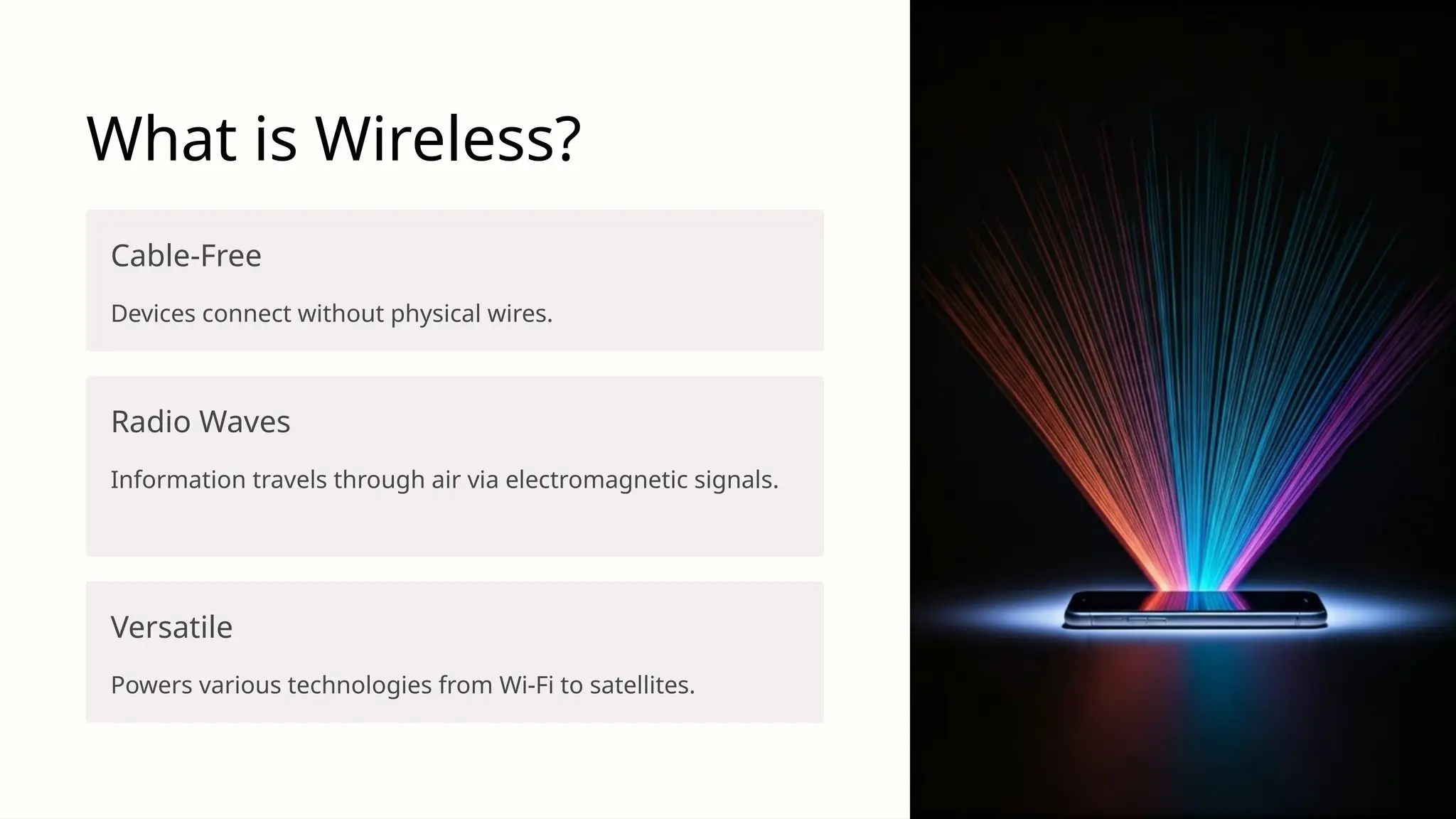
What is Wireless?
Cable-Free
Devices connect without physical wires.
Radio Waves
Information travels through air via electromagnetic signals.
Versatile
Powers various technologies from Wi-Fi to satellites.
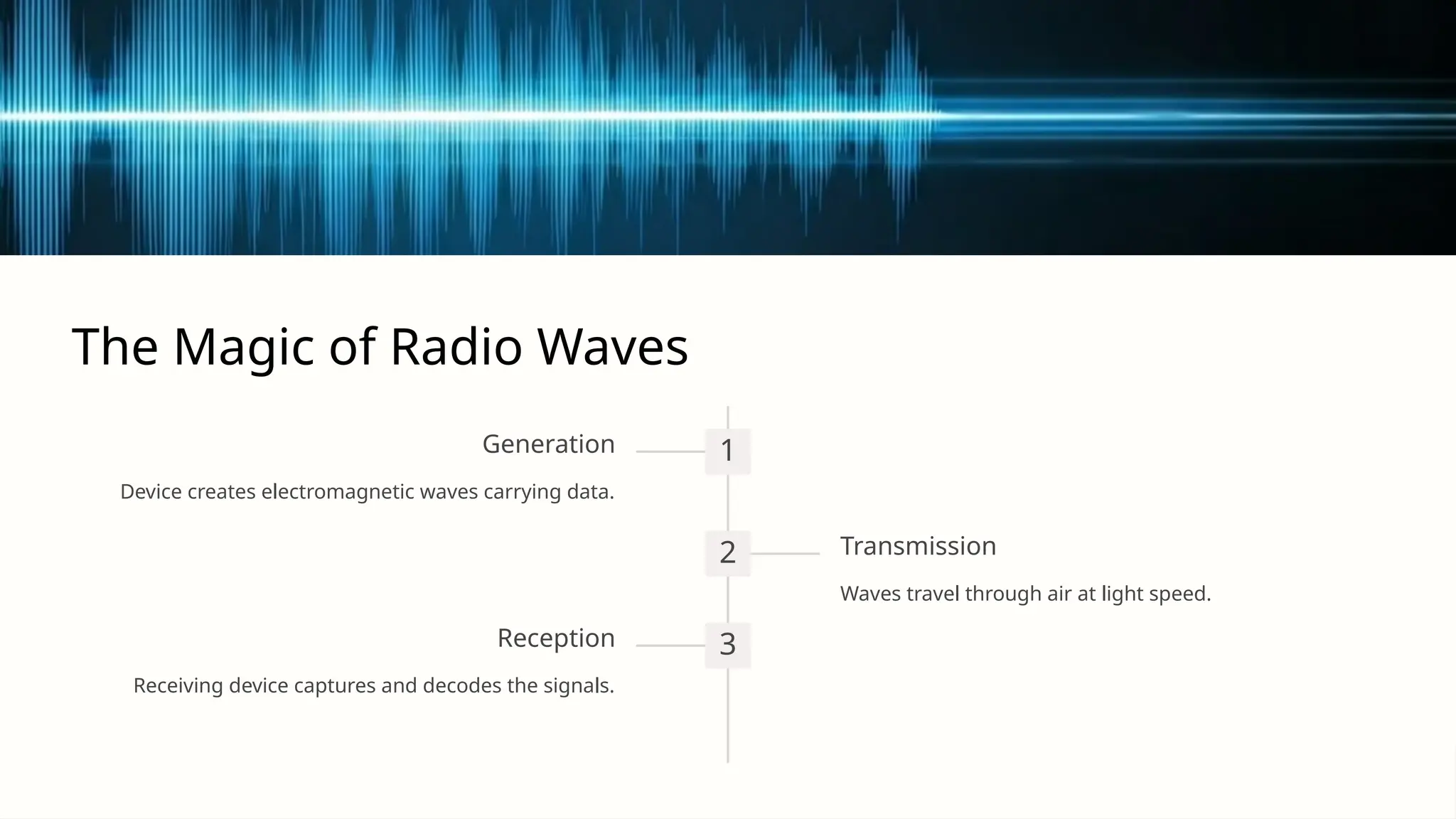
The Magic of Radio Waves
1
Generation
Device creates electromagnetic waves carrying data.
2 Transmission
Waves travel through air at light speed.
3
Reception
Receiving device captures and decodes the signals.
Wireless Technologies We Use Daily
Wi-Fi
Connect devices to
internet within local area.
Bluetooth
Short-range
communication between
nearby devices.
Cellular
Mobile communication
over long distances.
Satellite
Global coverage for
remote areas.
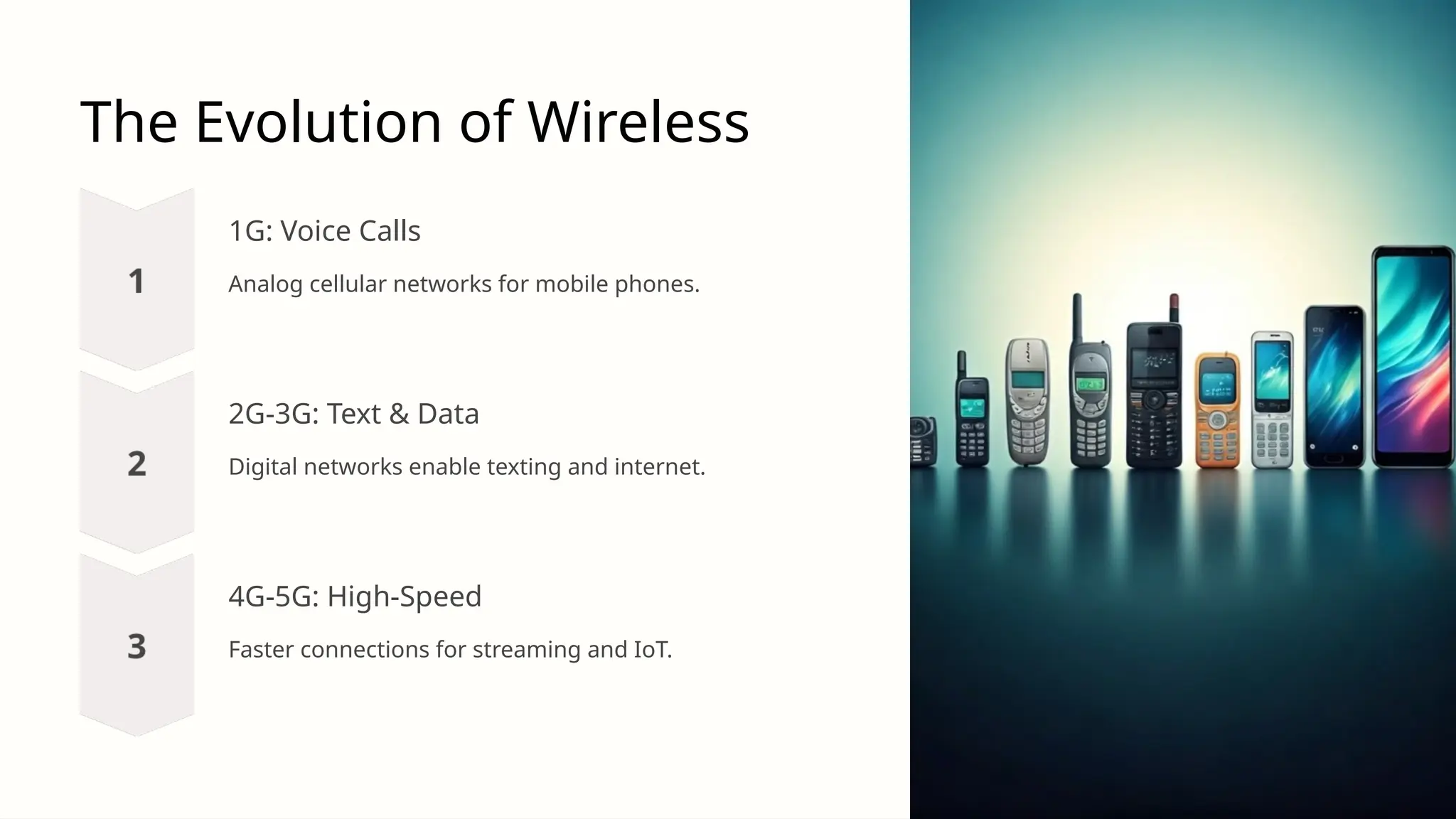
The Evolution of Wireless
1G: Voice Calls
Analog cellular networks for mobile phones.
2G-3G: Text & Data
Digital networks enable texting and internet.
4G-5G: High-Speed
Faster connections for streaming and IoT.
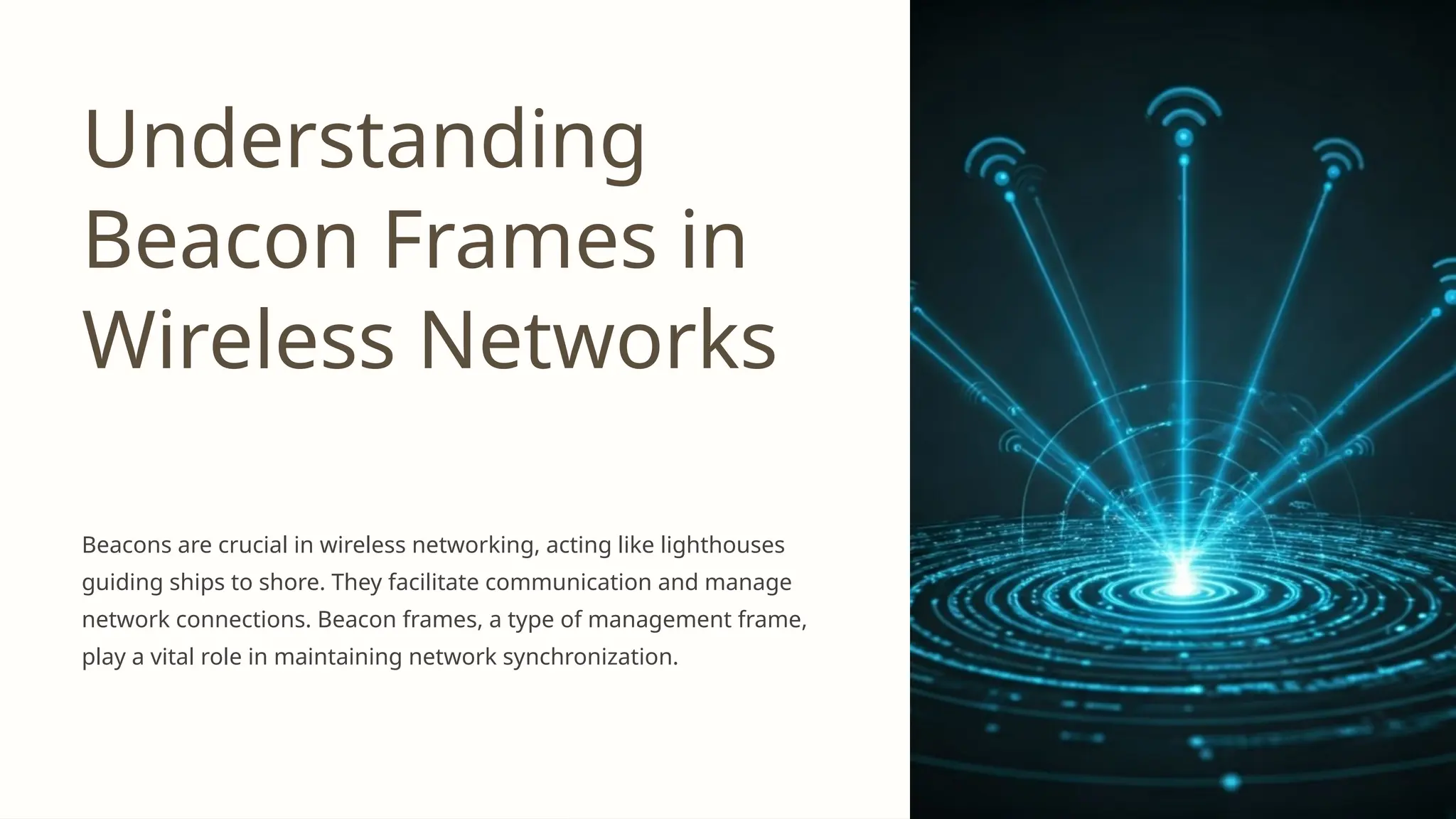
Understanding
Beacon Frames in
Wireless Networks
Beacons are crucial in wireless networking, acting like lighthouses
guiding ships to shore. They facilitate communication and manage
network connections. Beacon frames, a type of management frame,
play a vital role in maintaining network synchronization.
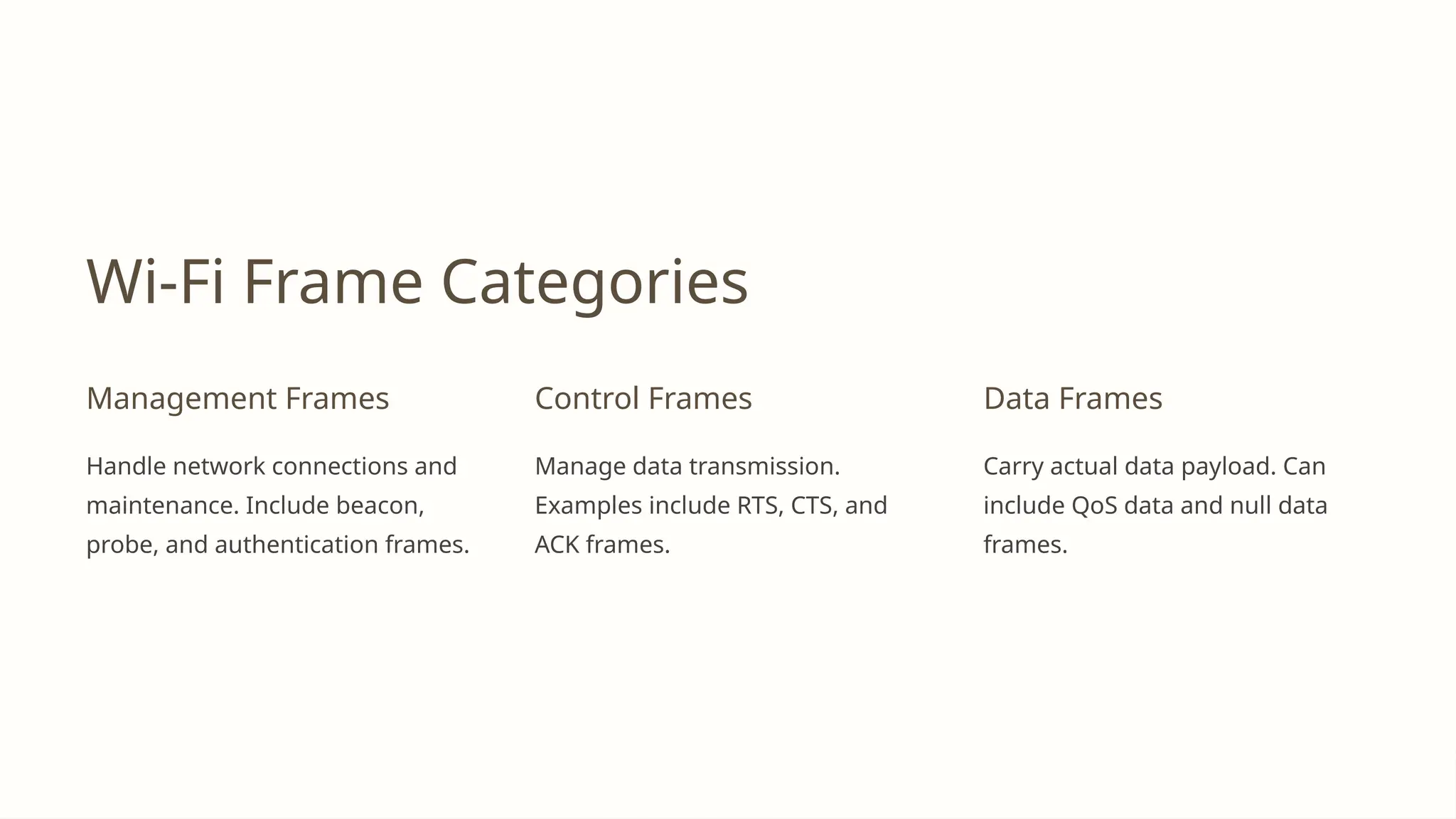
Wi-Fi Frame Categories
Management Frames
Handle network connections and
maintenance. Include beacon,
probe, and authentication frames.
Control Frames
Manage data transmission.
Examples include RTS, CTS, and
ACK frames.
Data Frames
Carry actual data payload. Can
include QoS data and null data
frames.
Understanding Wi-Fi Network
Communication Frames
Wi-Fi networks form the backbone of our modern wireless connectivity, enabling seamless communication between devices and
access points. At the heart of this communication lie frames - the fundamental units that facilitate data transfer, network
management, and control operations. This presentation delves into the intricate world of Wi-Fi frames, exploring their types,
subtypes, and crucial roles in maintaining robust and efficient wireless networks.
By understanding these frames, network administrators and IT professionals can gain valuable insights into network behavior,
troubleshoot issues more effectively, and optimize Wi-Fi performance. Whether you're a seasoned network expert or simply
curious about the inner workings of Wi-Fi, this exploration of frames will provide a comprehensive look at the building blocks of
wireless communication.
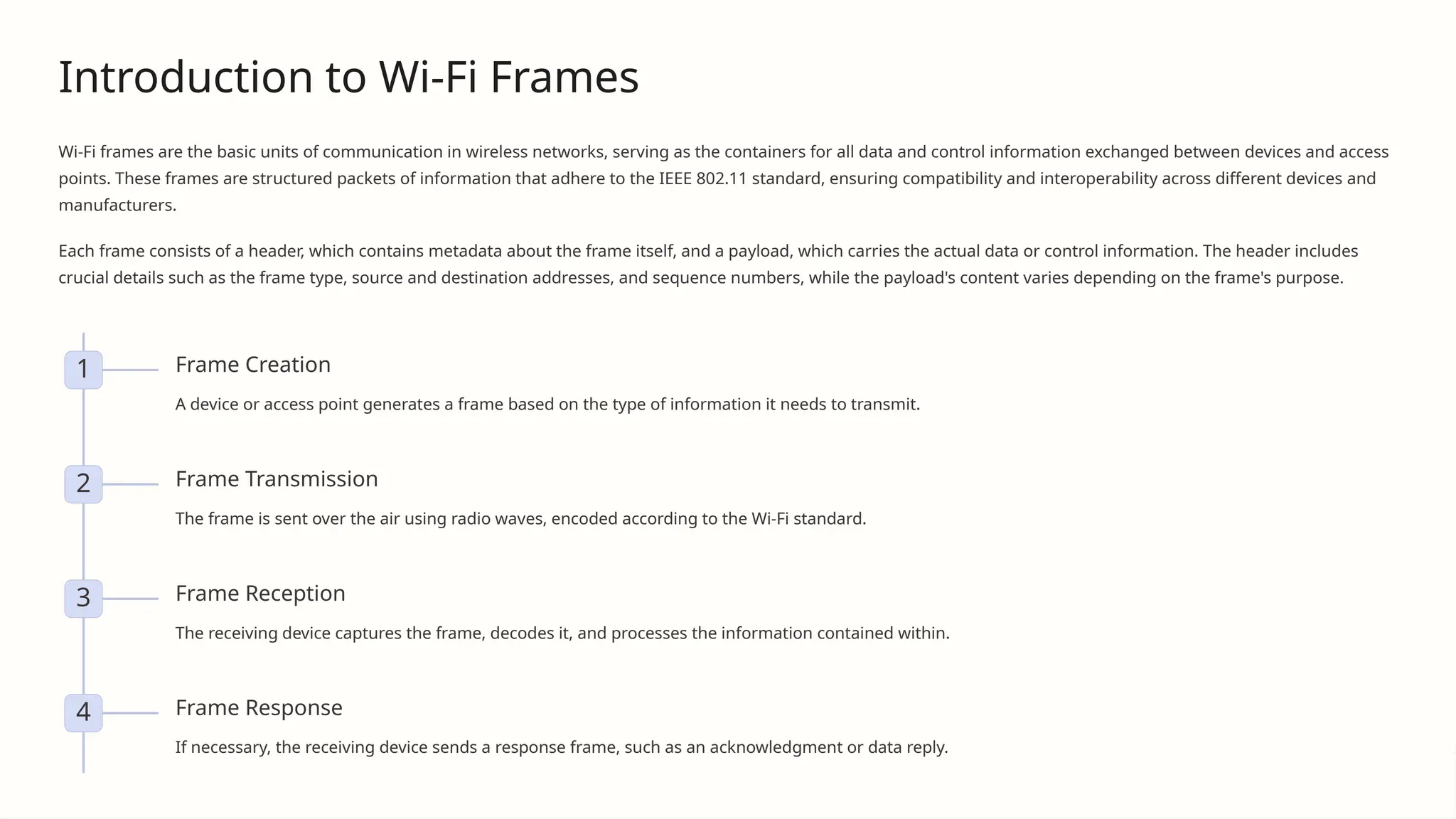
Introduction to Wi-Fi Frames
Wi-Fi frames are the basic units of communication in wireless networks, serving as the containers for all data and control information exchanged between devices and access
points. These frames are structured packets of information that adhere to the IEEE 802.11 standard, ensuring compatibility and interoperability across different devices and
manufacturers.
Each frame consists of a header, which contains metadata about the frame itself, and a payload, which carries the actual data or control information. The header includes
crucial details such as the frame type, source and destination addresses, and sequence numbers, while the payload's content varies depending on the frame's purpose.
1 Frame Creation
A device or access point generates a frame based on the type of information it needs to transmit.
2 Frame Transmission
The frame is sent over the air using radio waves, encoded according to the Wi-Fi standard.
3 Frame Reception
The receiving device captures the frame, decodes it, and processes the information contained within.
4 Frame Response
If necessary, the receiving device sends a response frame, such as an acknowledgment or data reply.
Management Frames: Establishing and Maintaining
Connections
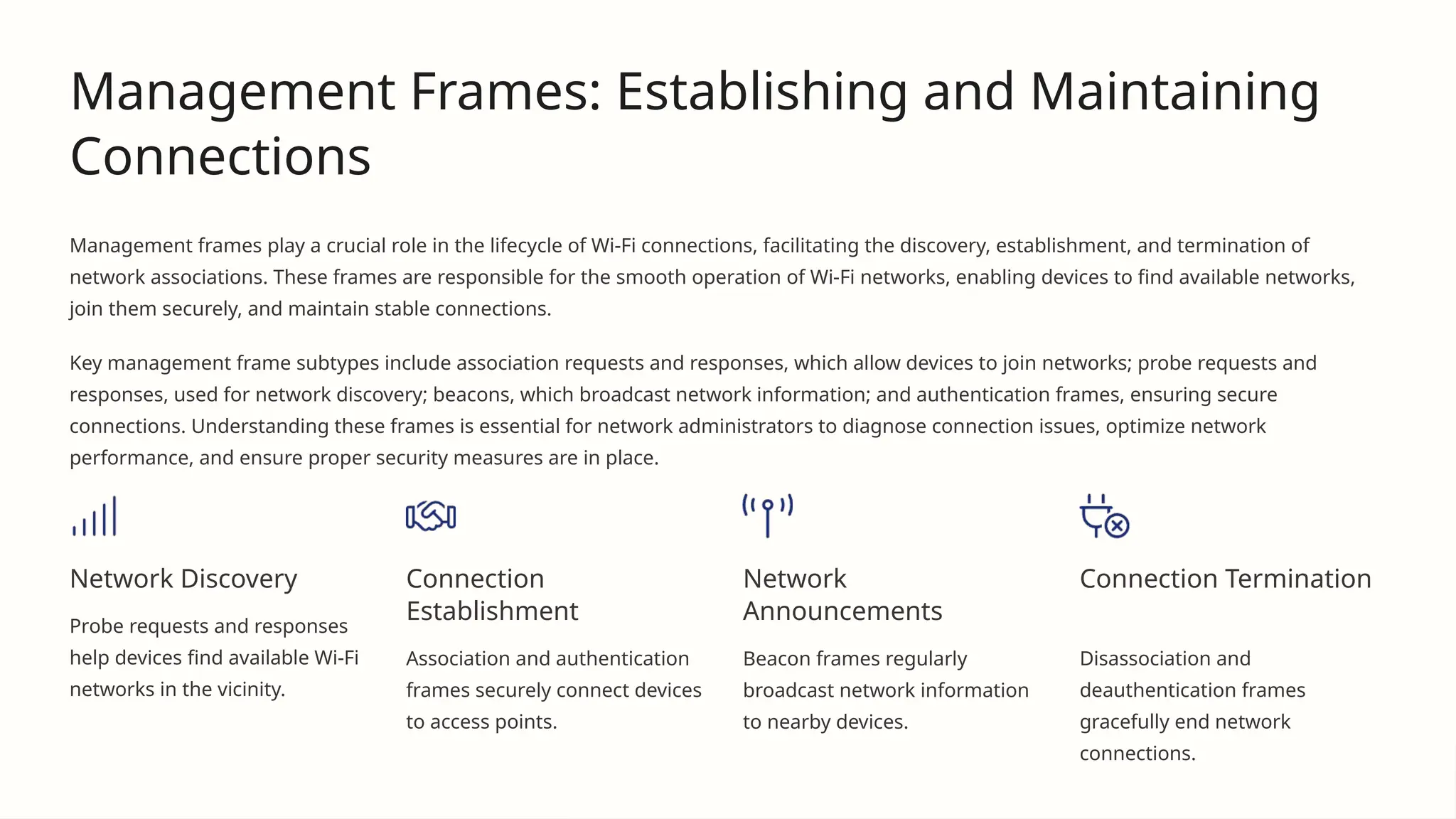
Management frames play a crucial role in the lifecycle of Wi-Fi connections, facilitating the discovery, establishment, and termination of
network associations. These frames are responsible for the smooth operation of Wi-Fi networks, enabling devices to find available networks,
join them securely, and maintain stable connections.
Key management frame subtypes include association requests and responses, which allow devices to join networks; probe requests and
responses, used for network discovery; beacons, which broadcast network information; and authentication frames, ensuring secure
connections. Understanding these frames is essential for network administrators to diagnose connection issues, optimize network
performance, and ensure proper security measures are in place.
Network Discovery
Probe requests and responses
help devices find available Wi-Fi
networks in the vicinity.
Connection
Establishment
Association and authentication
frames securely connect devices
to access points.
Network
Announcements
Beacon frames regularly
broadcast network information
to nearby devices.
Connection Termination
Disassociation and
deauthentication frames
gracefully end network
connections.
Control Frames: Managing Data Transfer
Control frames are essential for maintaining order and efficiency in Wi-Fi networks by managing access to the wireless medium and ensuring
reliable data transmission. These frames work behind the scenes to coordinate communication between devices and access points, preventing
data collisions and confirming successful transmissions.
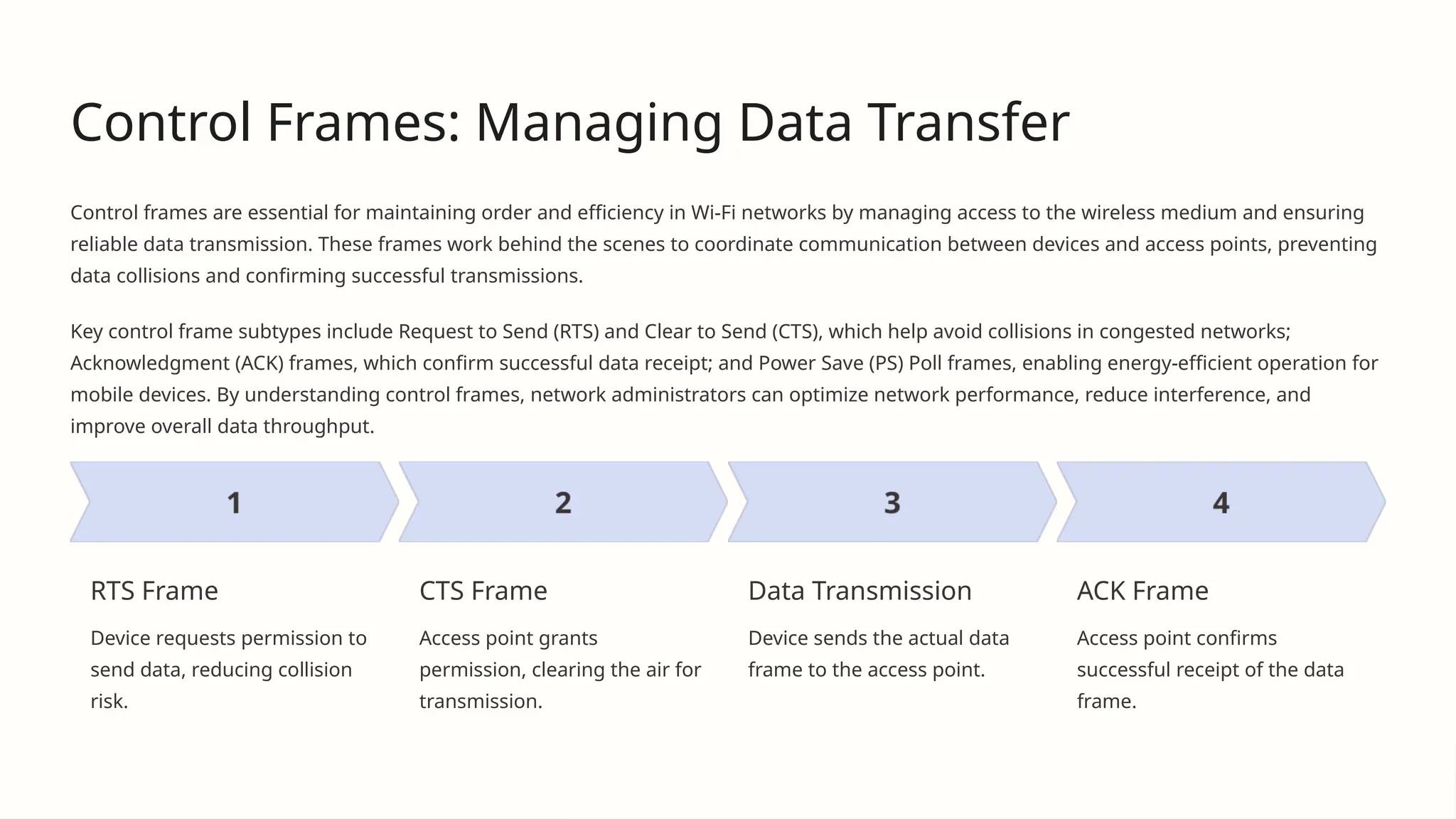
Key control frame subtypes include Request to Send (RTS) and Clear to Send (CTS), which help avoid collisions in congested networks;
Acknowledgment (ACK) frames, which confirm successful data receipt; and Power Save (PS) Poll frames, enabling energy-efficient operation for
mobile devices. By understanding control frames, network administrators can optimize network performance, reduce interference, and
improve overall data throughput.
RTS Frame
Device requests permission to
send data, reducing collision
risk.
CTS Frame
Access point grants
permission, clearing the air for
transmission.
Data Transmission
Device sends the actual data
frame to the access point.
ACK Frame
Access point confirms
successful receipt of the data
frame.
Data Frames: Carrying the Payload
Data frames are the workhorses of Wi-Fi communication, responsible for carrying the actual information being transmitted over the
network. These frames encapsulate user data, such as web traffic, emails, file transfers, and streaming media, ensuring that it
reaches its intended destination securely and efficiently.
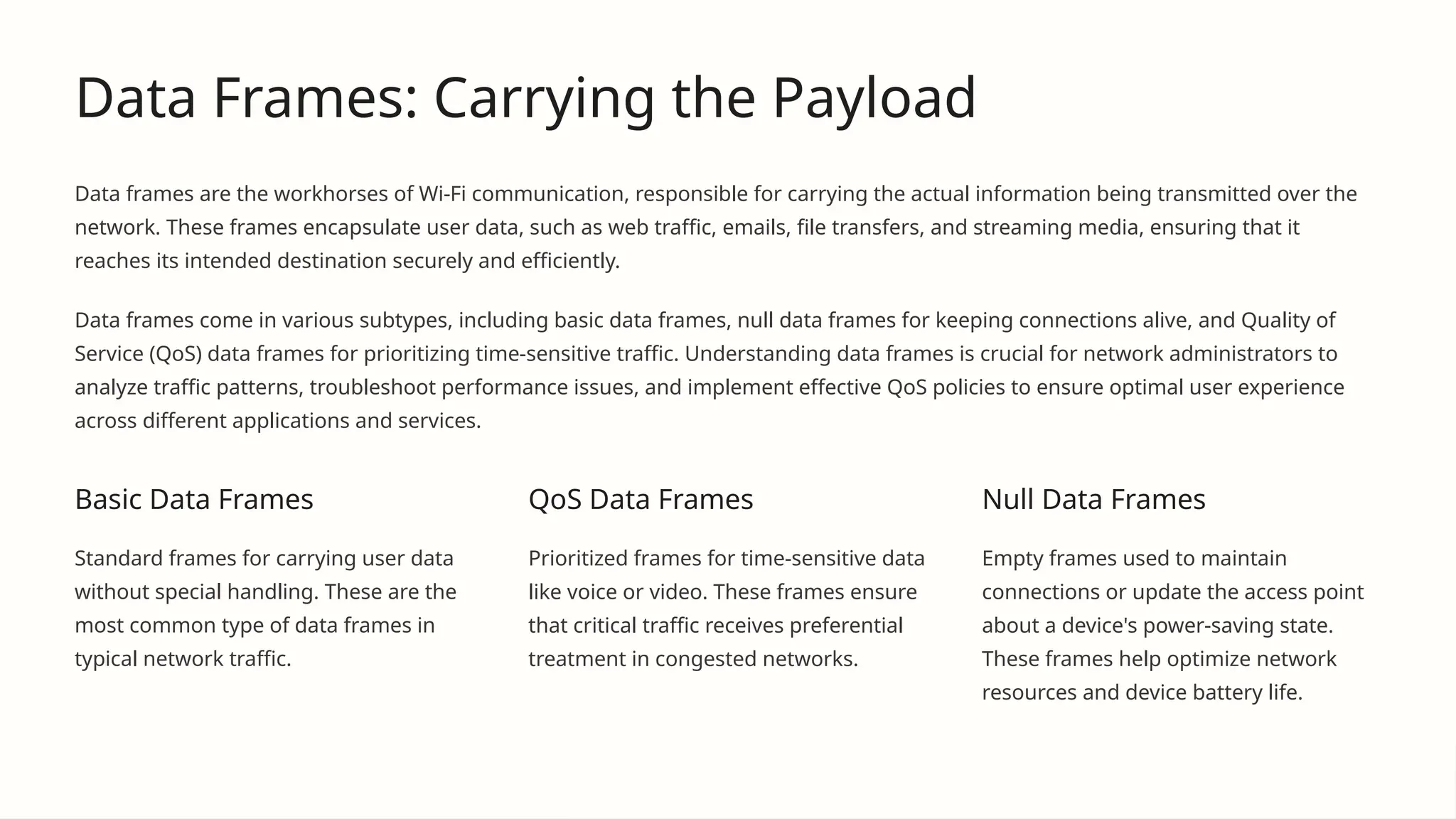
Data frames come in various subtypes, including basic data frames, null data frames for keeping connections alive, and Quality of
Service (QoS) data frames for prioritizing time-sensitive traffic. Understanding data frames is crucial for network administrators to
analyze traffic patterns, troubleshoot performance issues, and implement effective QoS policies to ensure optimal user experience
across different applications and services.
Basic Data Frames
Standard frames for carrying user data
without special handling. These are the
most common type of data frames in
typical network traffic.
QoS Data Frames
Prioritized frames for time-sensitive data
like voice or video. These frames ensure
that critical traffic receives preferential
treatment in congested networks.
Null Data Frames
Empty frames used to maintain
connections or update the access point
about a device's power-saving state.
These frames help optimize network
resources and device battery life.
Frame Subtypes: A Closer Look
Wi-Fi frames are further classified into subtypes within each main category, providing granular control and functionality for various network
operations. These subtypes allow for precise communication between devices and access points, enabling complex network behaviors and
optimizations.
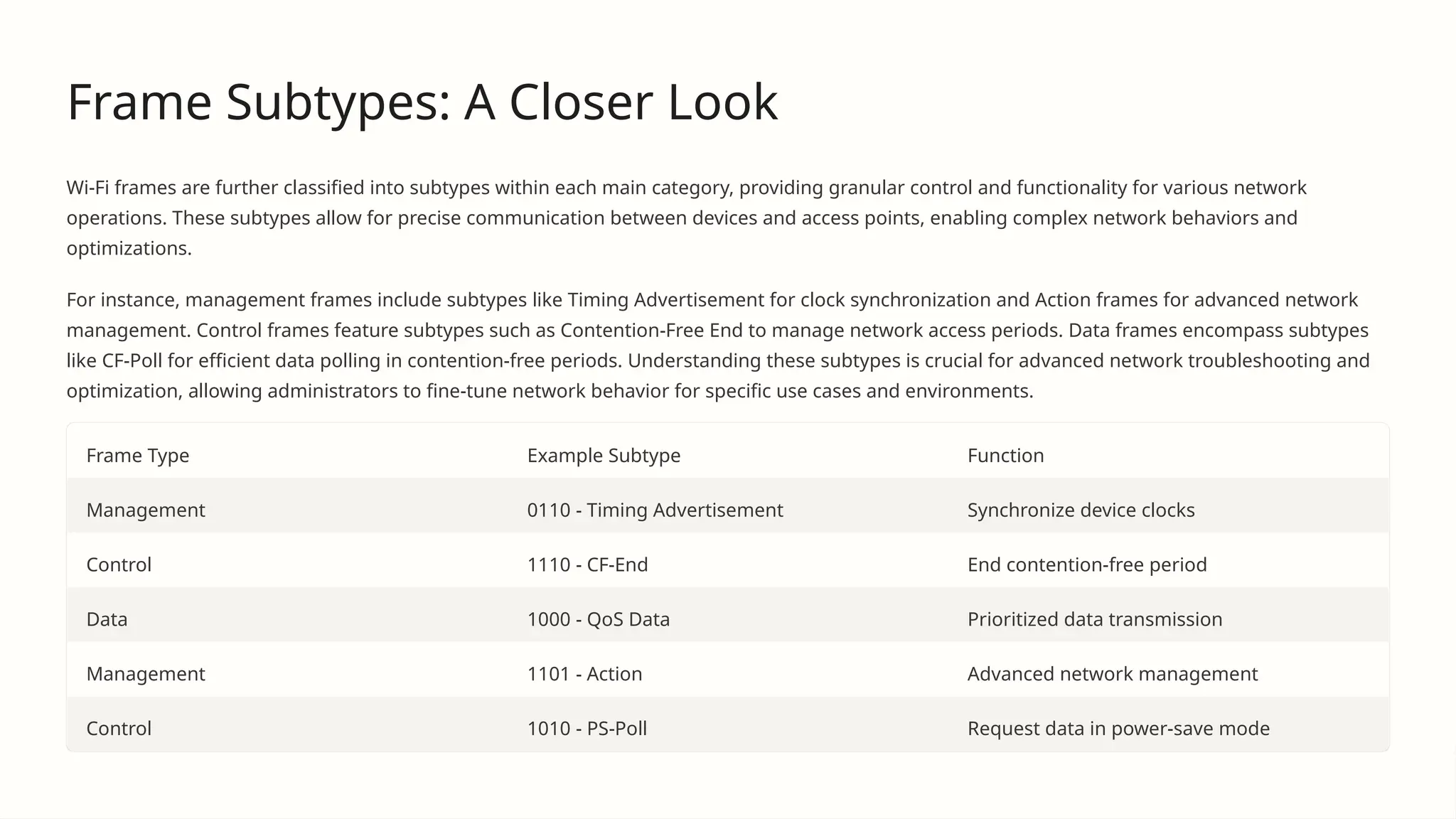
For instance, management frames include subtypes like Timing Advertisement for clock synchronization and Action frames for advanced network
management. Control frames feature subtypes such as Contention-Free End to manage network access periods. Data frames encompass subtypes
like CF-Poll for efficient data polling in contention-free periods. Understanding these subtypes is crucial for advanced network troubleshooting and
optimization, allowing administrators to fine-tune network behavior for specific use cases and environments.
Frame Type Example Subtype Function
Management 0110 - Timing Advertisement Synchronize device clocks
Control 1110 - CF-End End contention-free period
Data 1000 - QoS Data Prioritized data transmission
Management 1101 - Action Advanced network management
Control 1010 - PS-Poll Request data in power-save mode
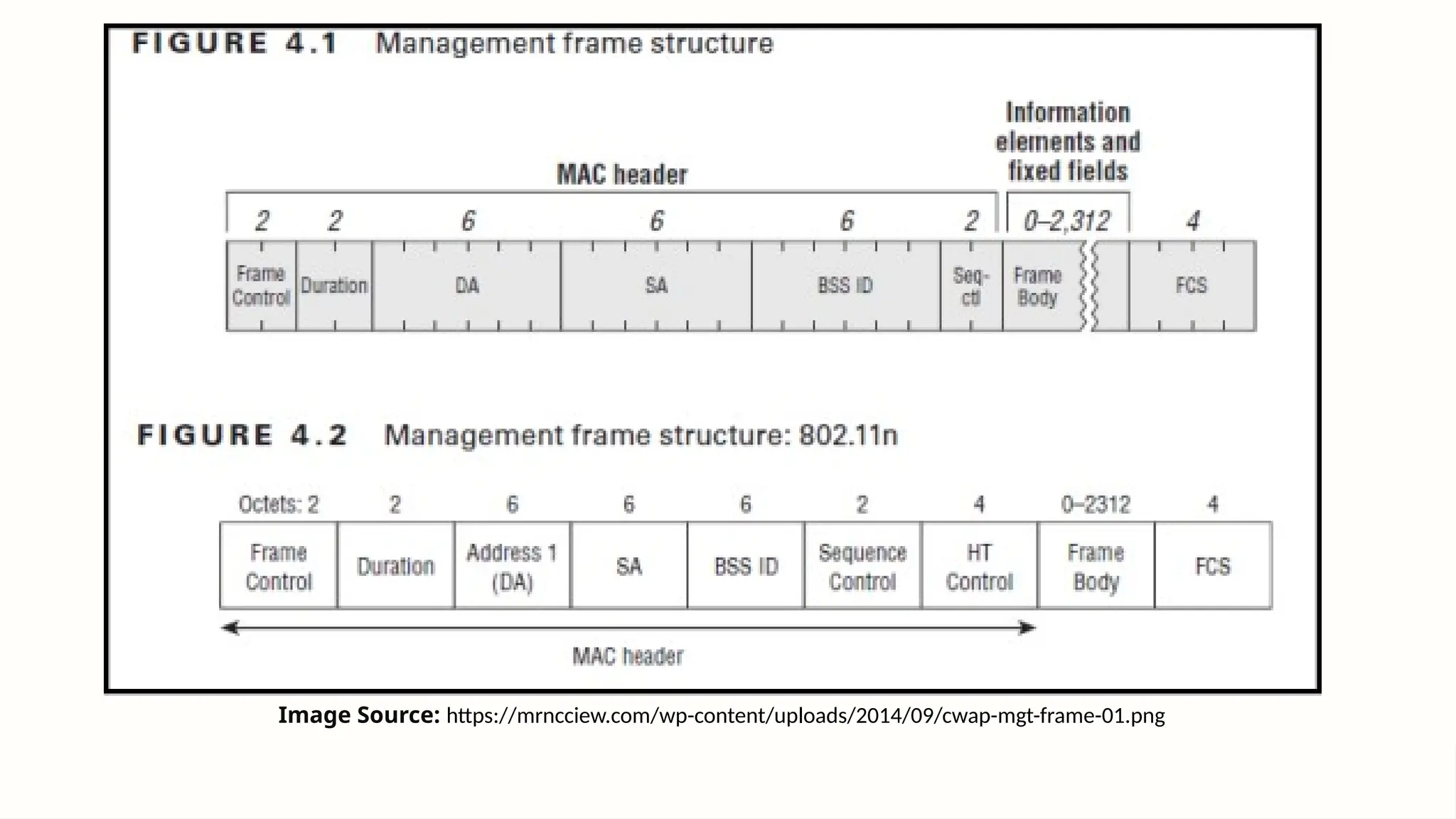
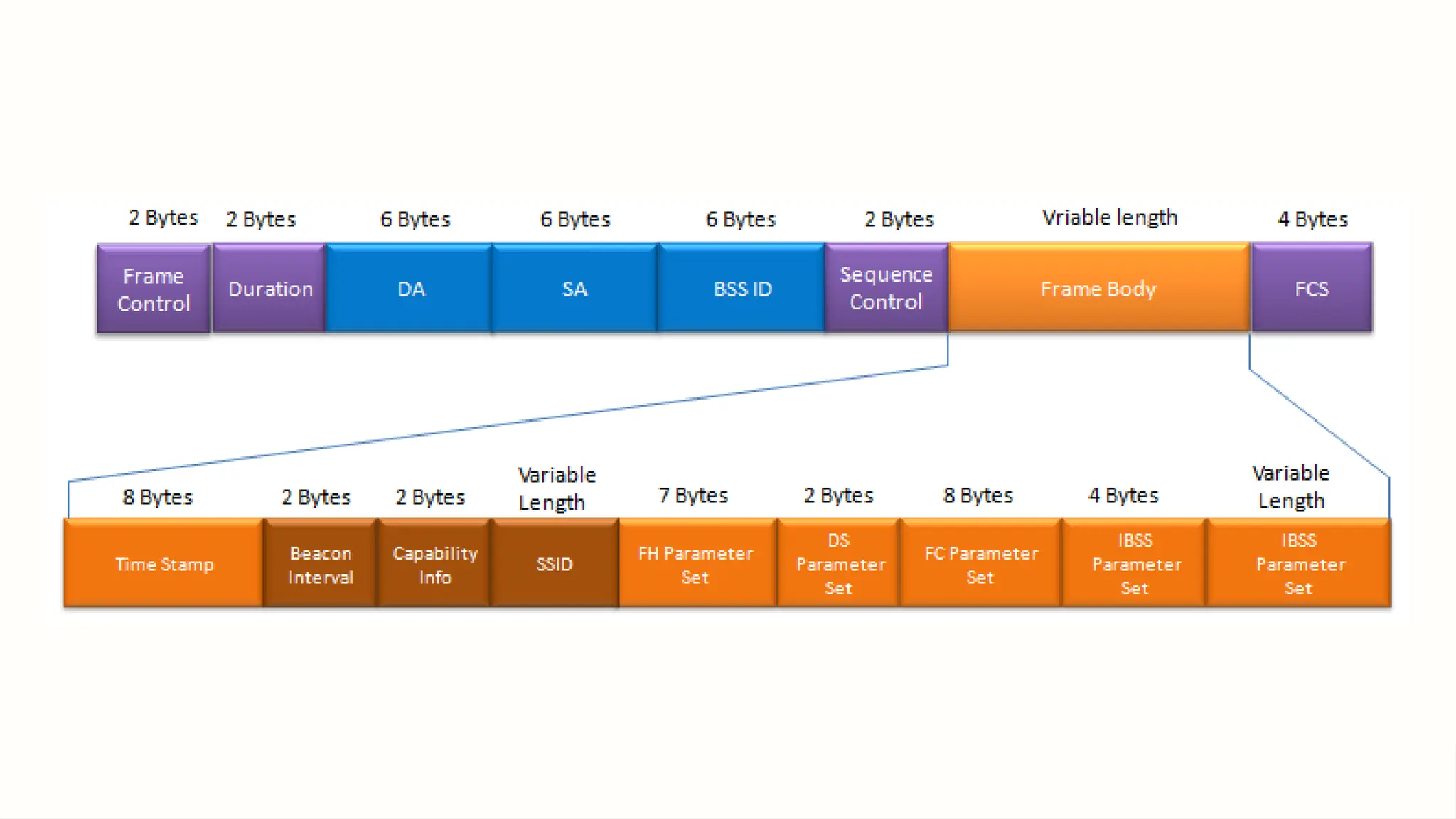
Image Source: https://mrncciew.com/wp-content/uploads/2014/09/cwap-mgt-frame-01.png
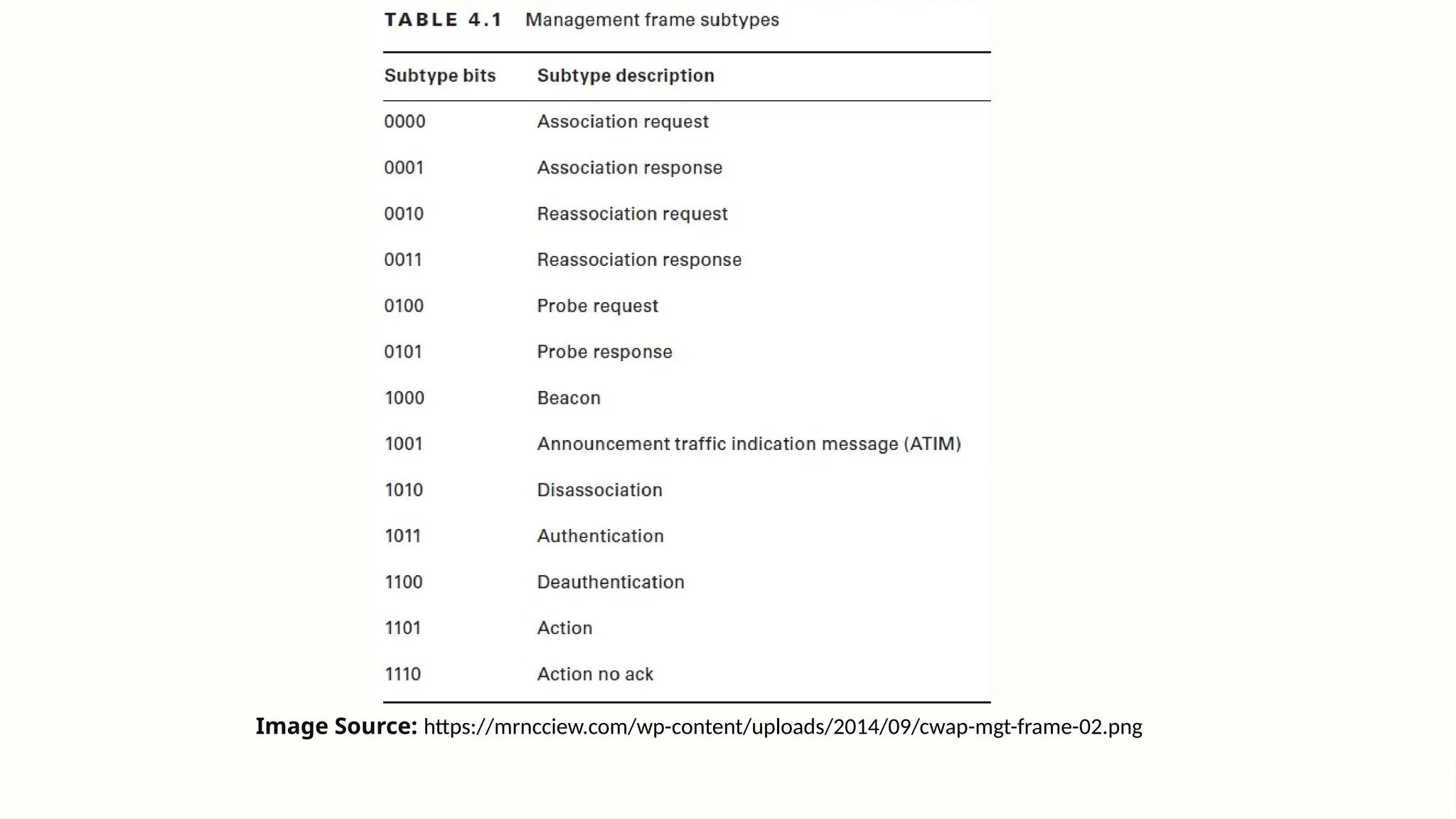
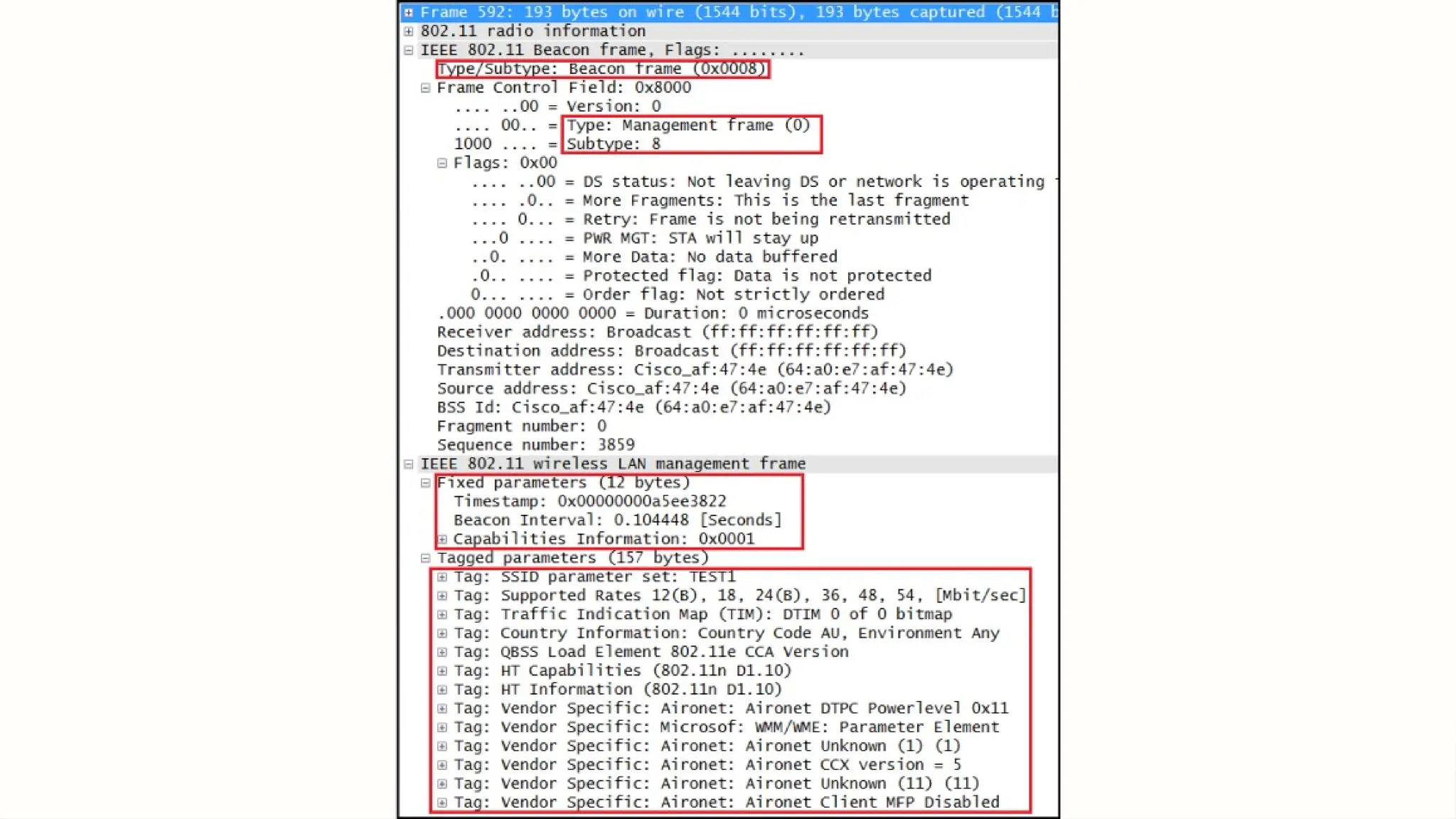
Image Source: https://mrncciew.com/wp-content/uploads/2014/09/cwap-mgt-frame-02.png
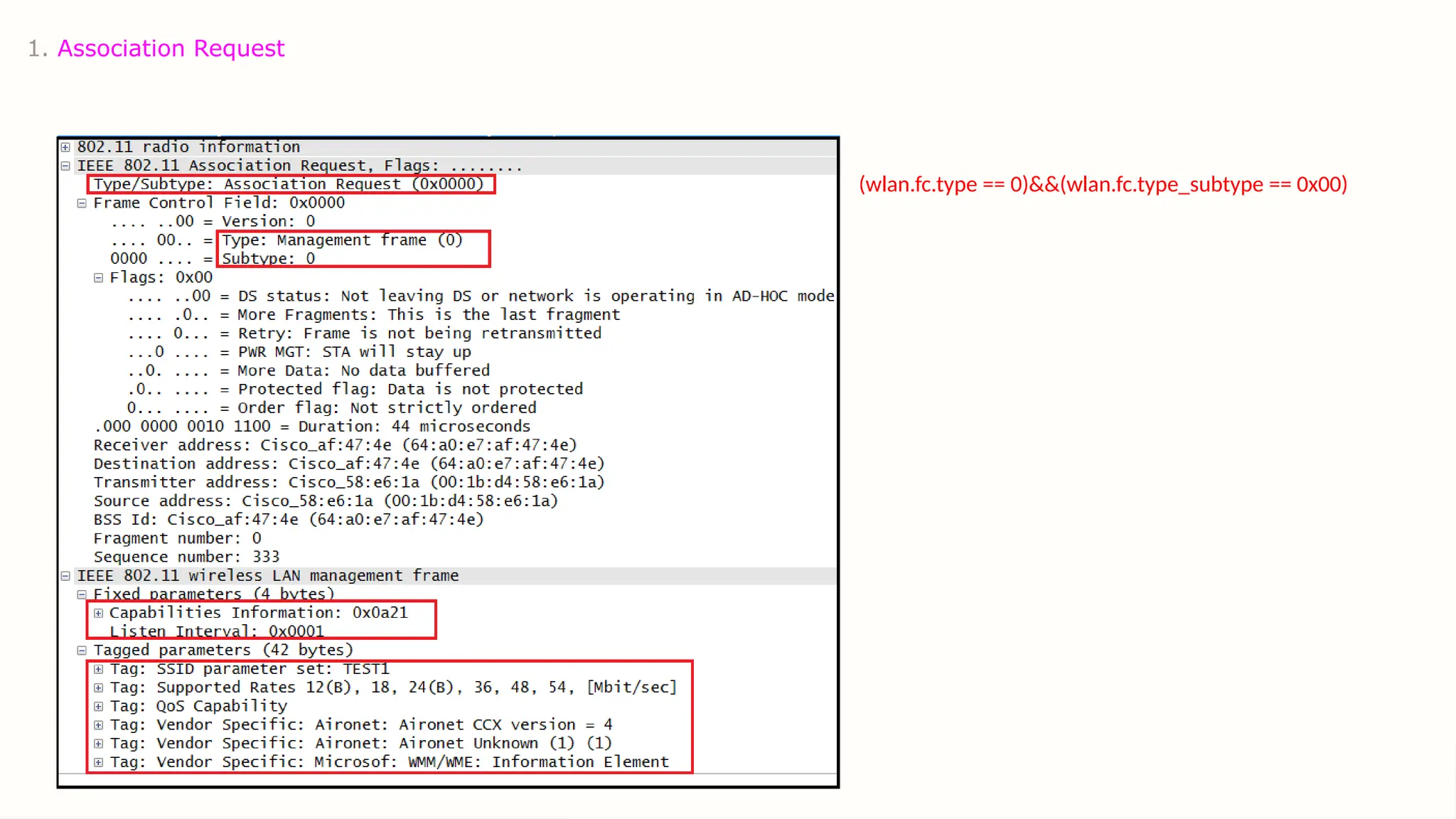
1. Association Request
(wlan.fc.type == 0)&&(wlan.fc.type_subtype == 0x00)
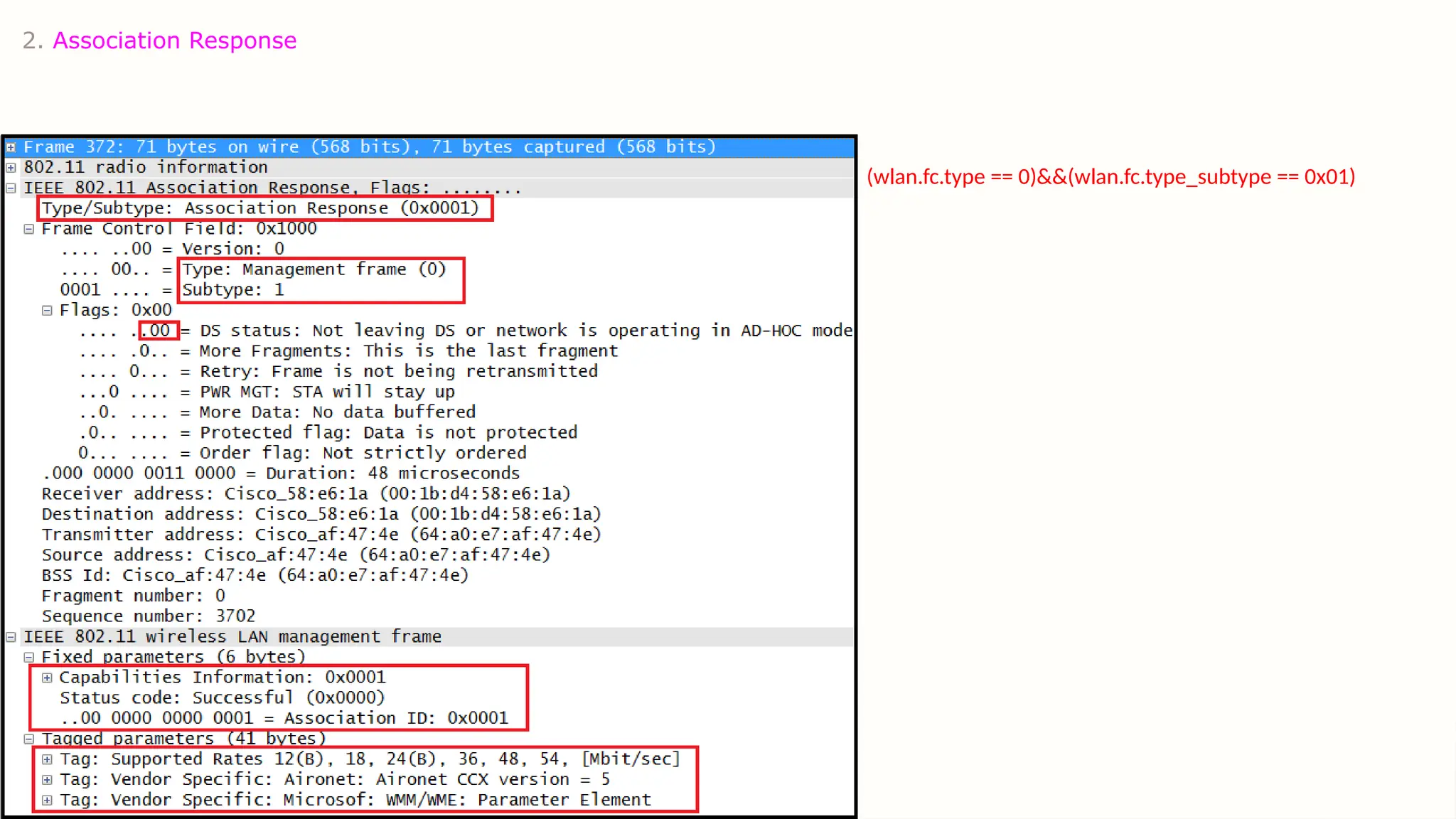
2. Association Response
(wlan.fc.type == 0)&&(wlan.fc.type_subtype == 0x01)
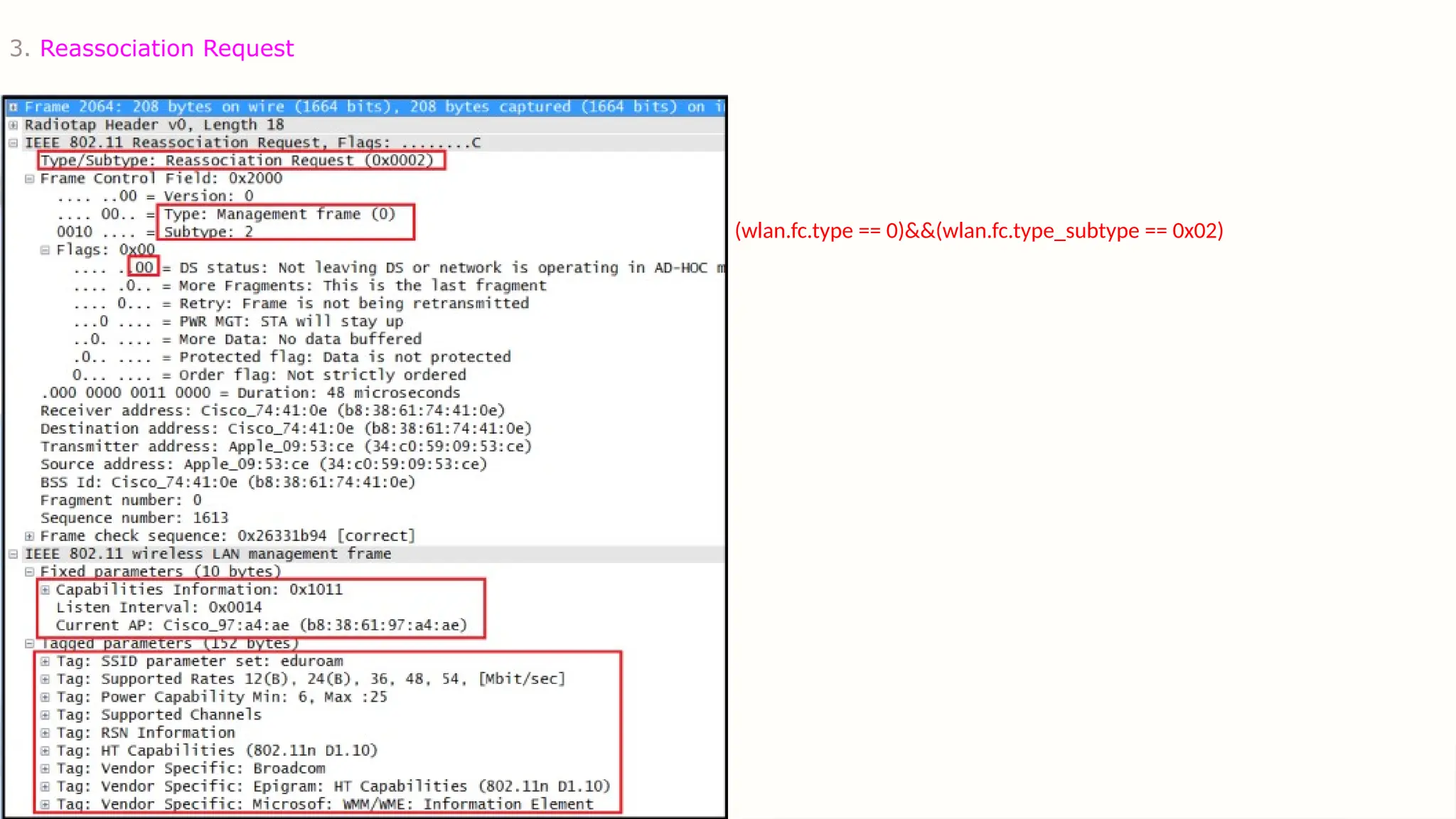
3. Reassociation Request
(wlan.fc.type == 0)&&(wlan.fc.type_subtype == 0x02)
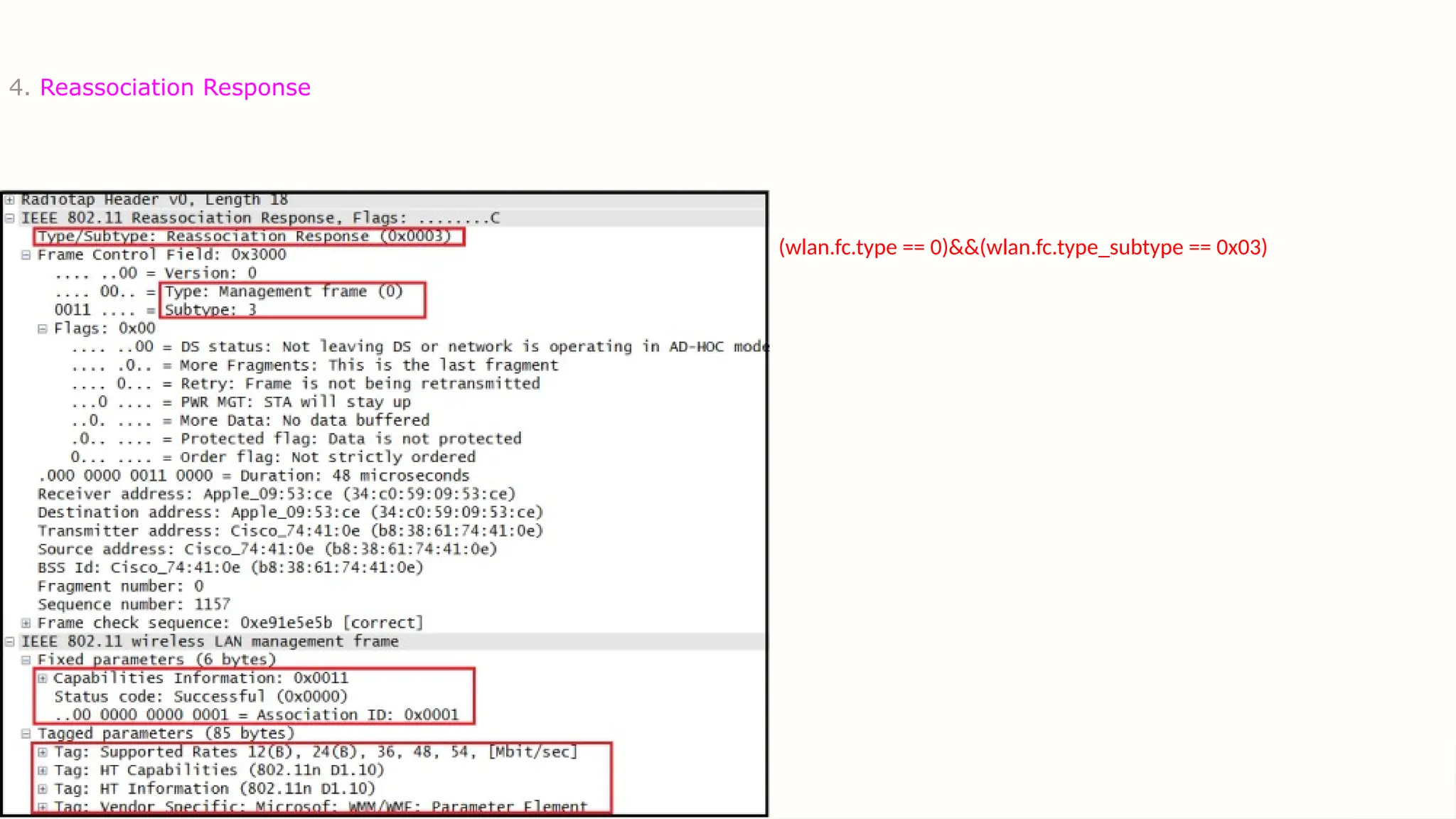
4. Reassociation Response
(wlan.fc.type == 0)&&(wlan.fc.type_subtype == 0x03)
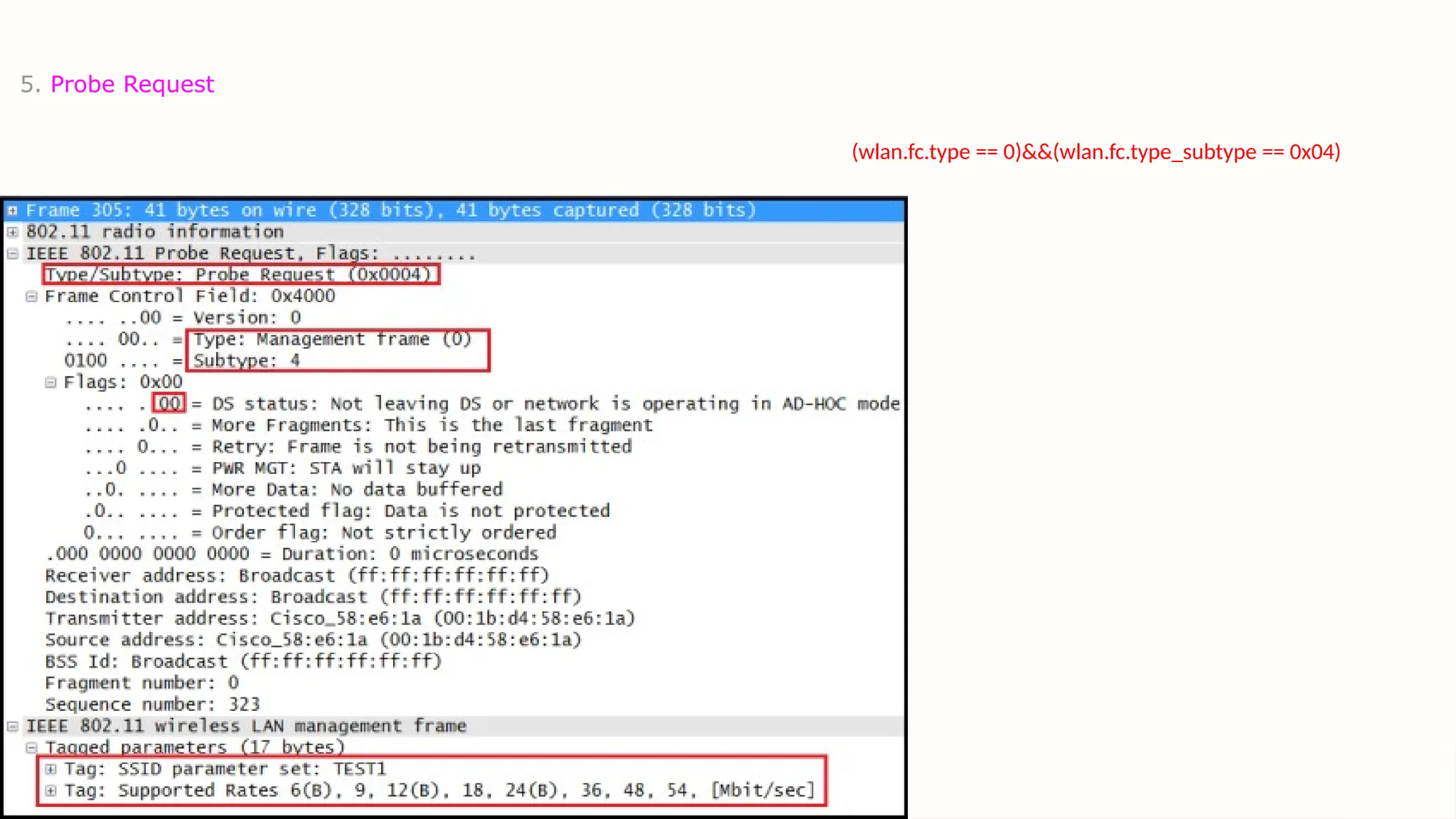
5. Probe Request
(wlan.fc.type == 0)&&(wlan.fc.type_subtype == 0x04)
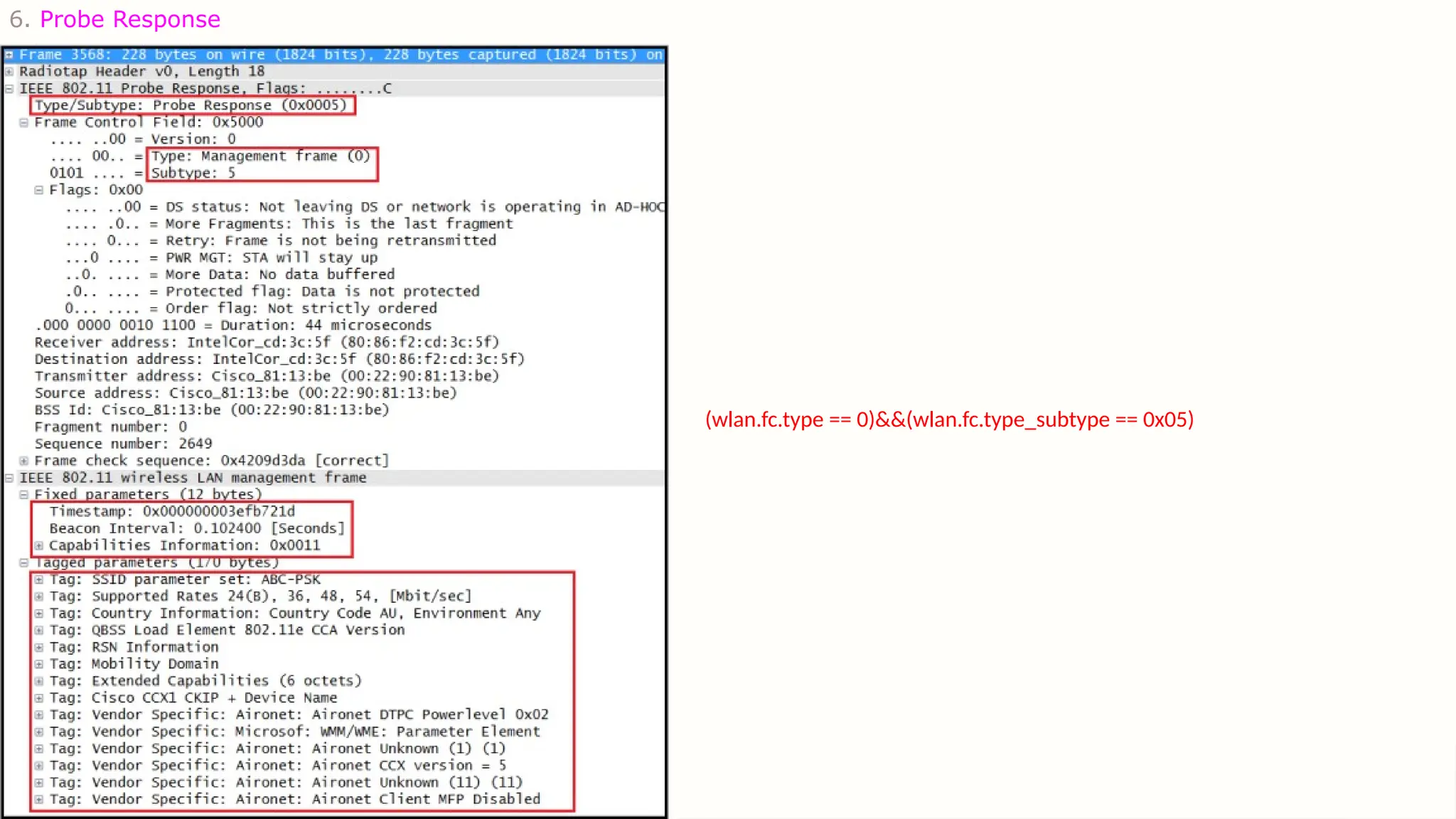
6. Probe Response
(wlan.fc.type == 0)&&(wlan.fc.type_subtype == 0x05)
Beacon
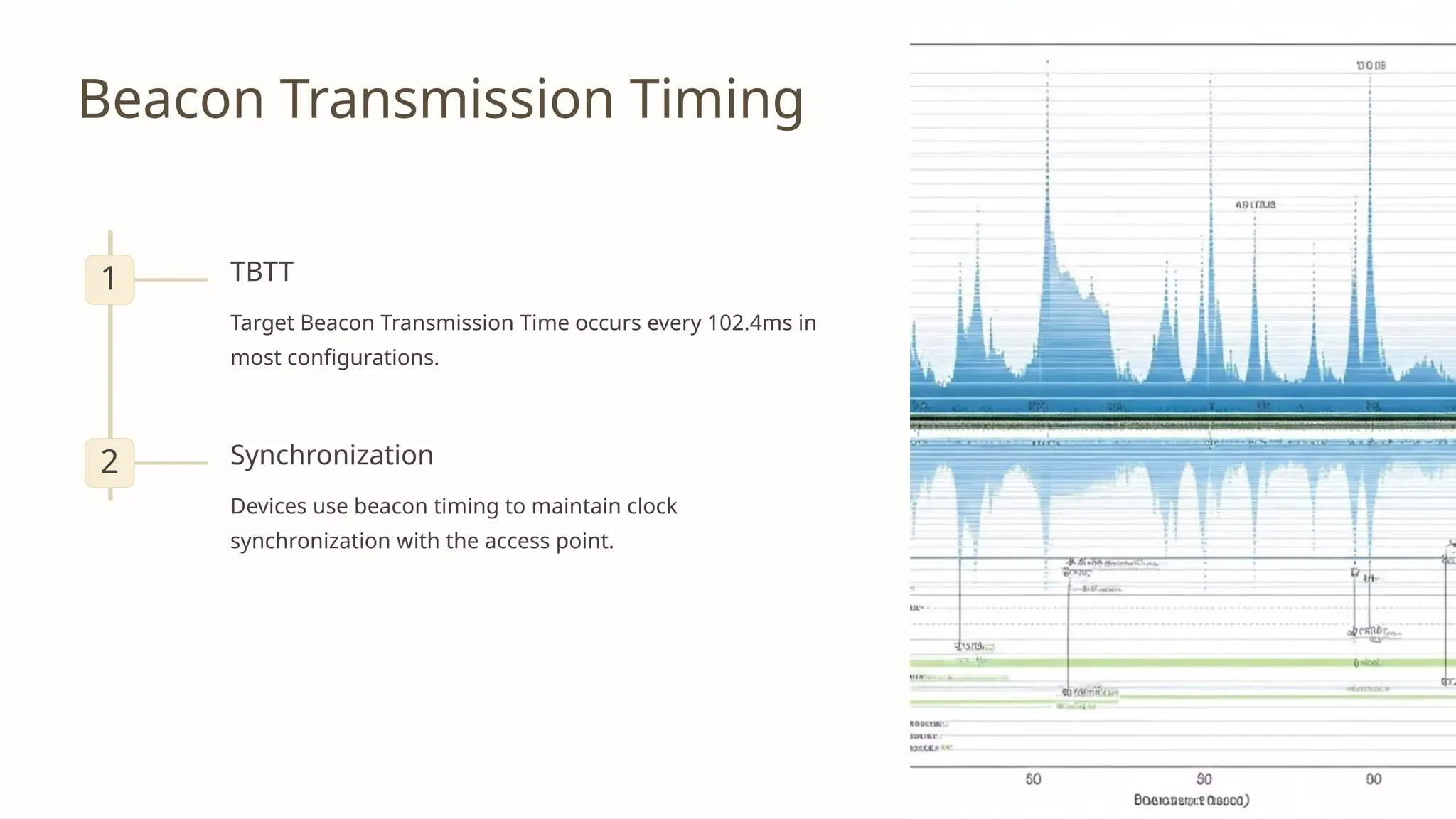
Beacon Transmission Timing
1 TBTT
Target Beacon Transmission Time occurs every 102.4ms in
most configurations.
2 Synchronization
Devices use beacon timing to maintain clock
synchronization with the access point.
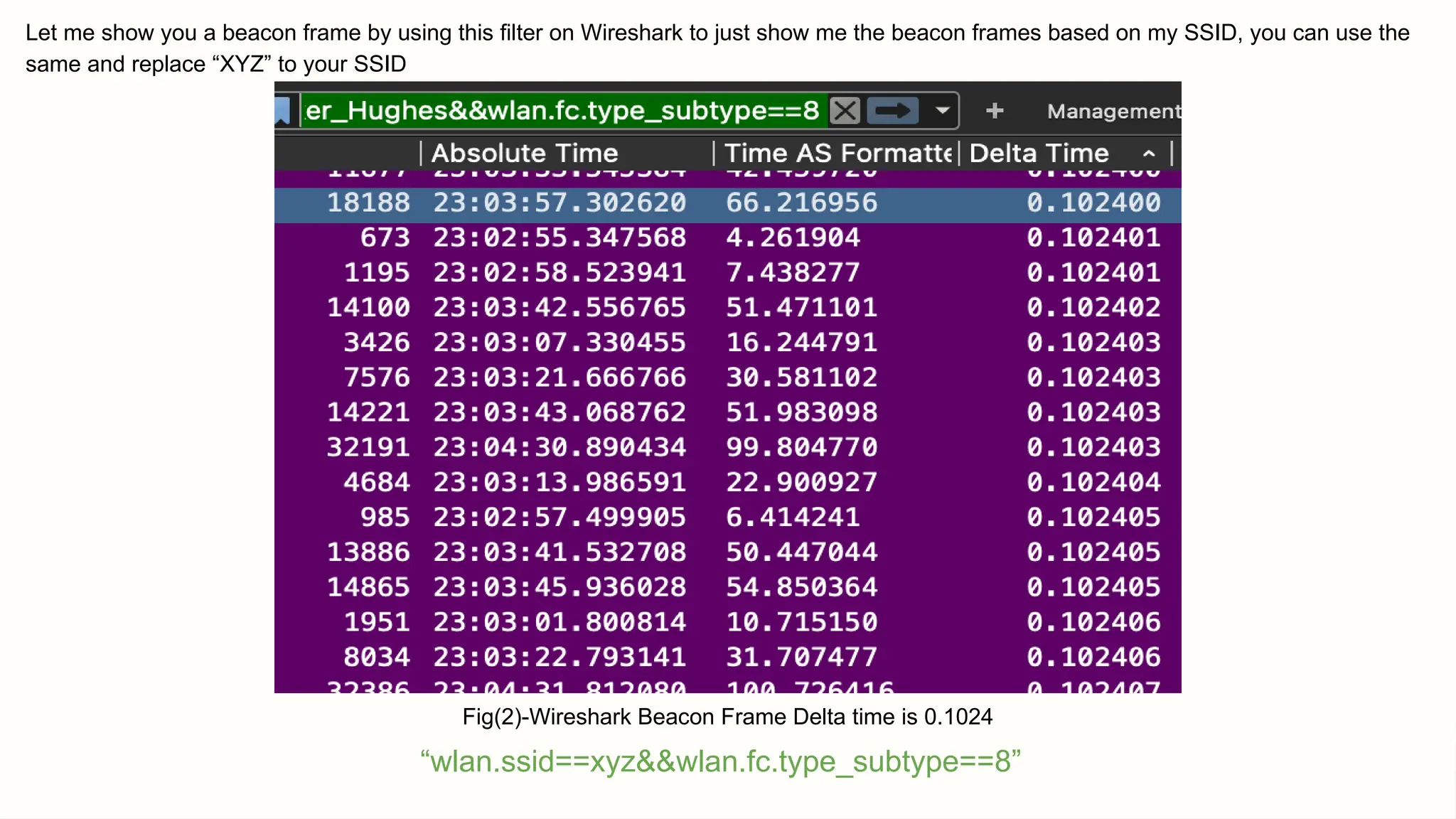
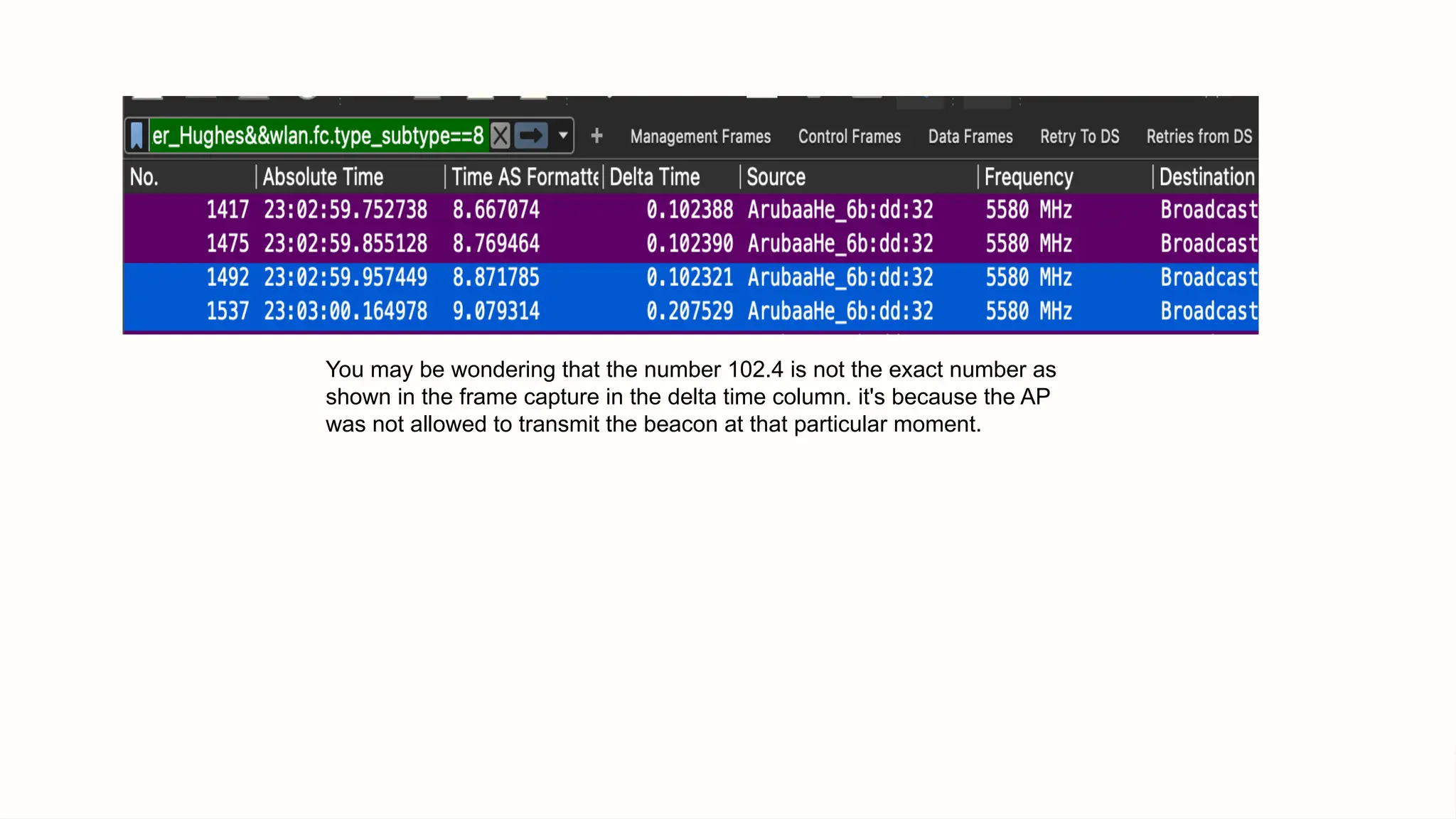
Let me show you a beacon frame by using this filter on Wireshark to just show me the beacon frames based on my SSID, you can use the
same and replace “XYZ” to your SSID
“wlan.ssid==xyz&&wlan.fc.type_subtype==8”
Fig(2)-Wireshark Beacon Frame Delta time is 0.1024
You may be wondering that the number 102.4 is not the exact number as
shown in the frame capture in the delta time column. it's because the AP
was not allowed to transmit the beacon at that particular moment.
The simple answer is:
Shared Medium
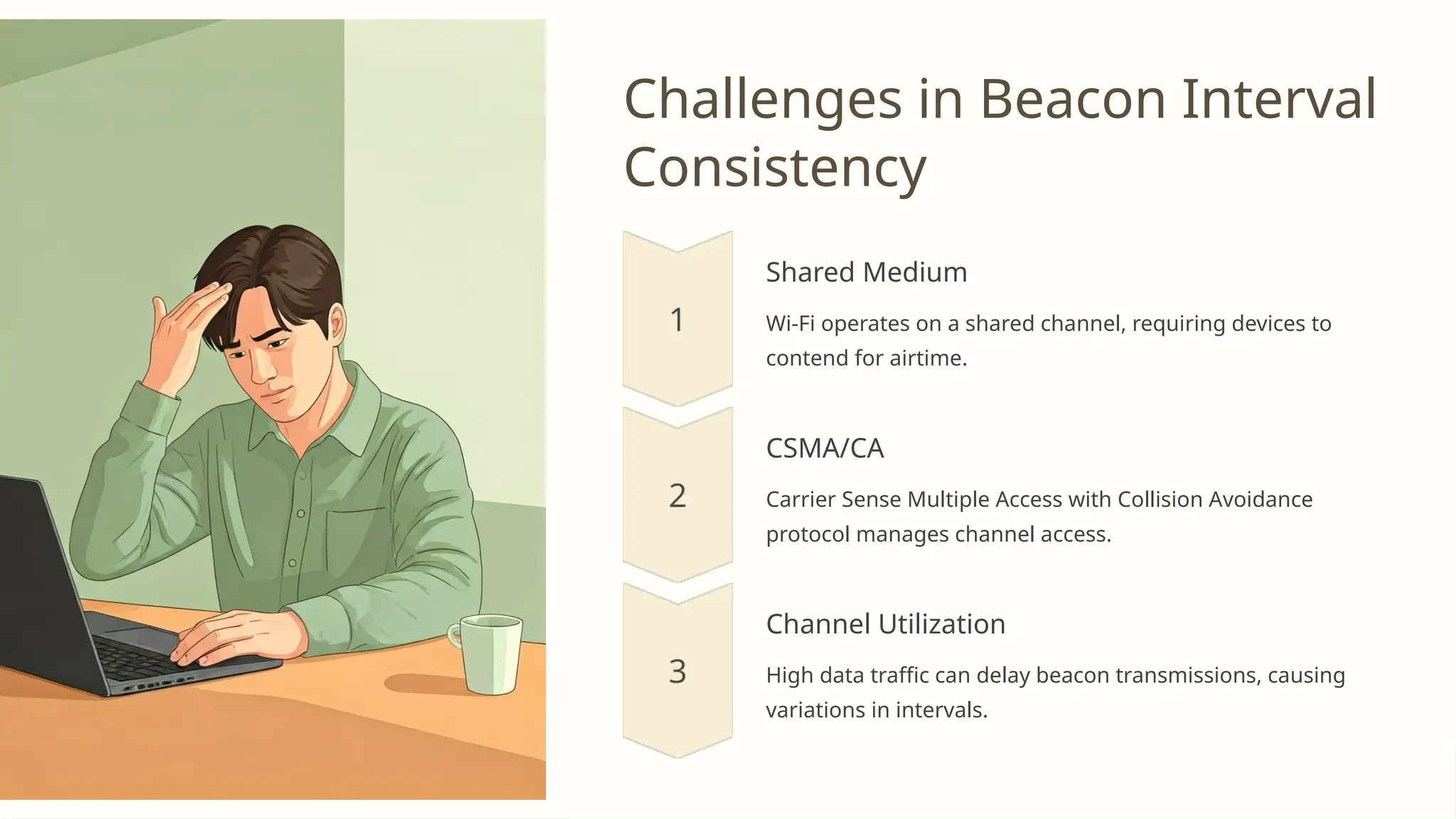
Challenges in Beacon Interval
Consistency
Shared Medium
Wi-Fi operates on a shared channel, requiring devices to
contend for airtime.
CSMA/CA
Carrier Sense Multiple Access with Collision Avoidance
protocol manages channel access.
Channel Utilization
High data traffic can delay beacon transmissions, causing
variations in intervals.
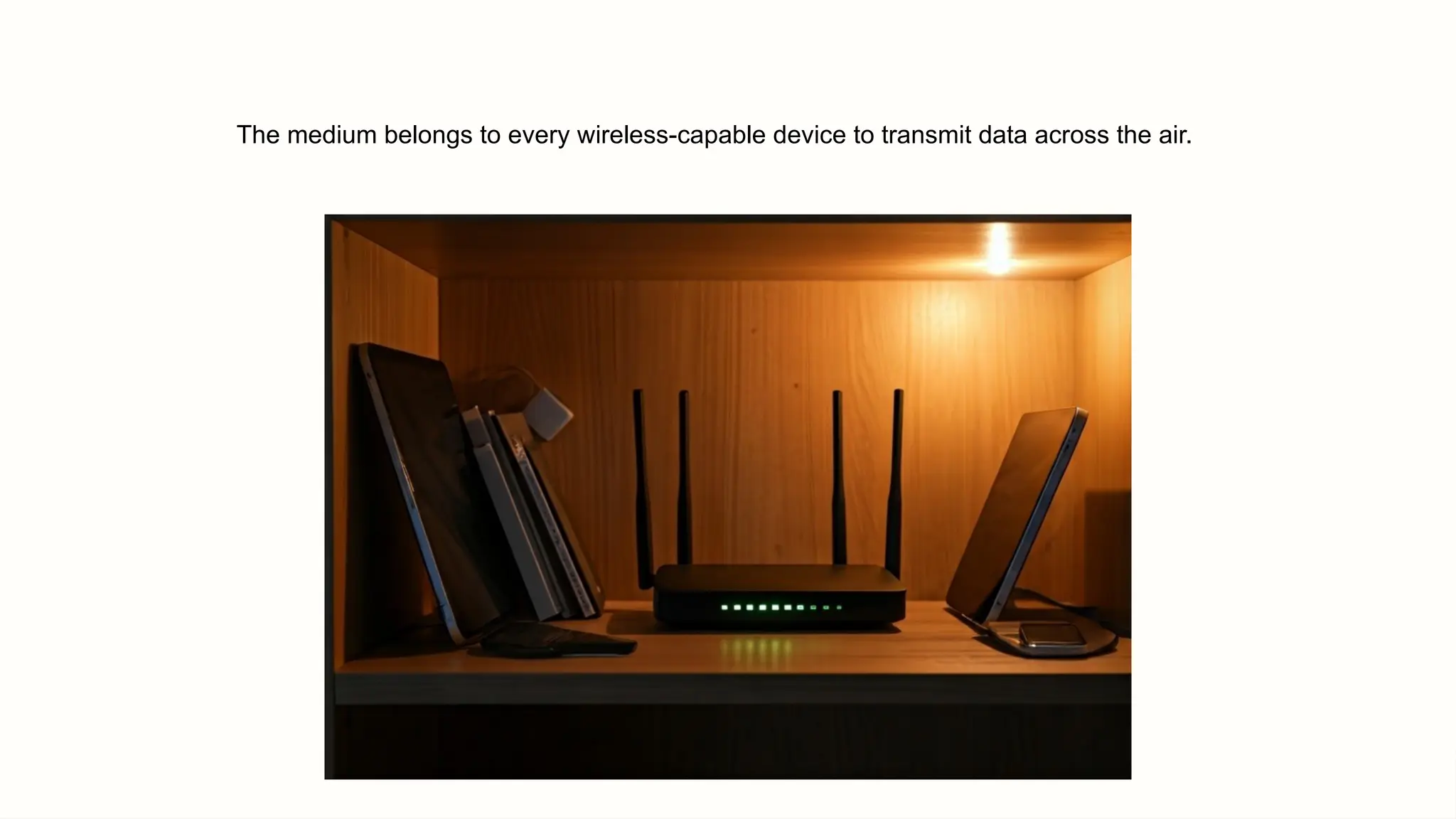
The medium belongs to every wireless-capable device to transmit data across the air.
(CSMA/CA)
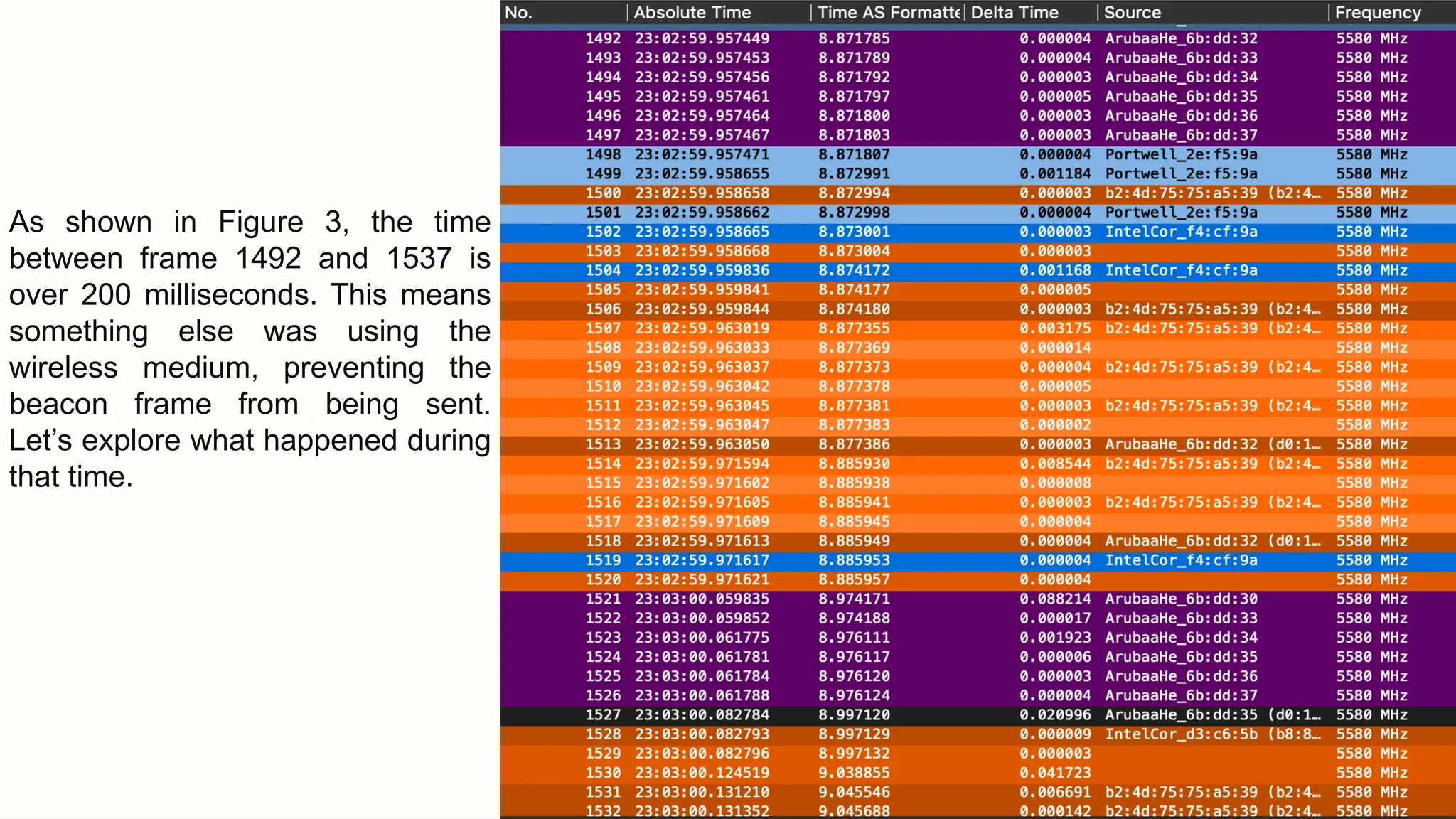
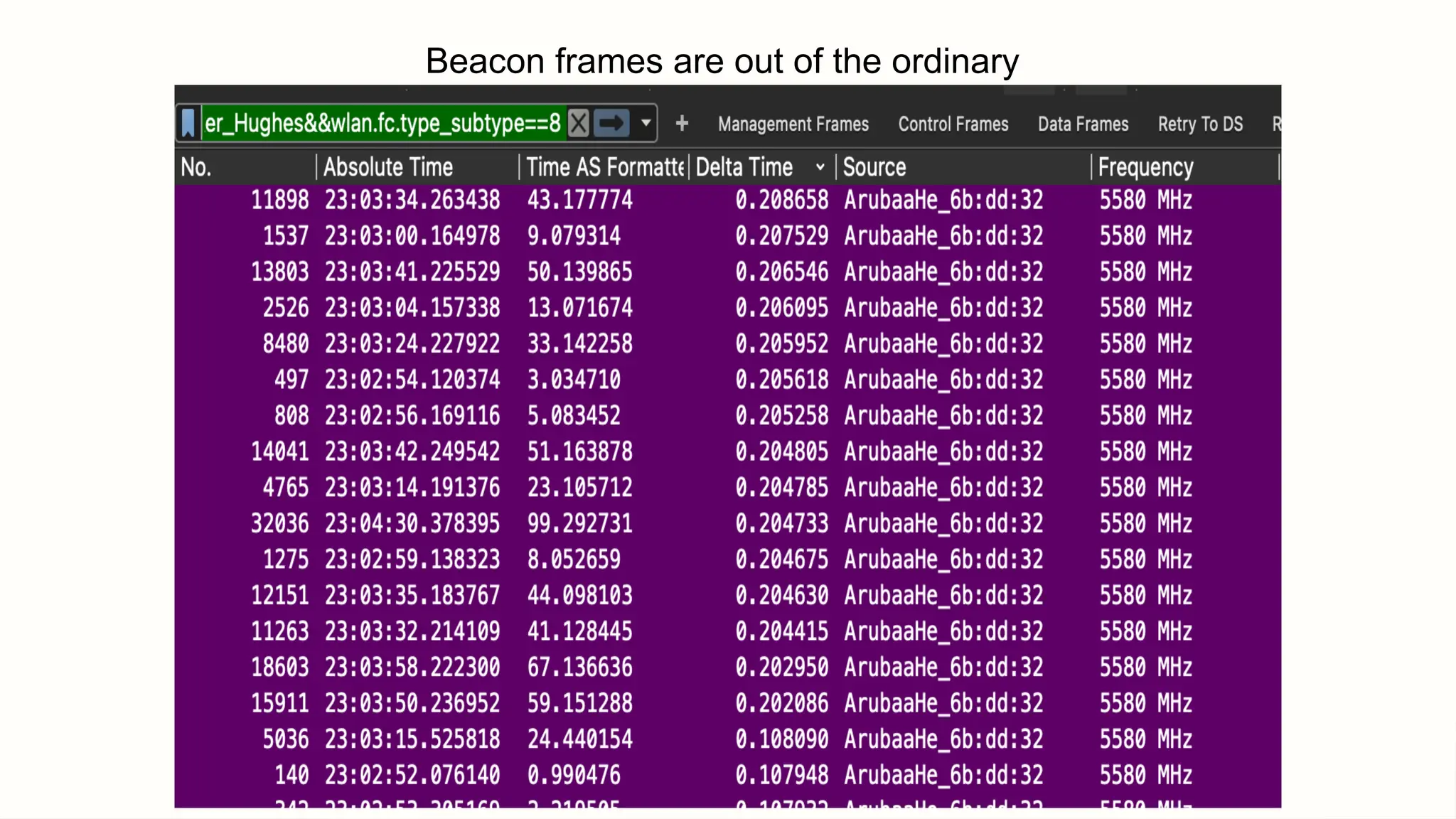
As shown in Figure 3, the time
between frame 1492 and 1537 is
over 200 milliseconds. This means
something else was using the
wireless medium, preventing the
beacon frame from being sent.
Let’s explore what happened during
that time.
The more data is on the air
the less likely transmitter
can broadcast the Beacon
frame.
Beacon frames are out of the ordinary
Optimizing Network Design for
Beacon Efficiency
Reduce SSIDs
Fewer SSIDs per AP decrease management overhead and improve overall network
performance.
Increase Bandwidth
Reducing management frames allows more bandwidth for data transmission.
Optimize Beacon Interval
Adjust beacon interval based on network requirements and client device capabilities.
Practical Considerations
for Network Engineers
Factor Impact Optimization
Strategy
SSID Count Increased
overhead
Consolidate SSIDs
Beacon Interval Battery life vs.
responsiveness
Balance based on
use case
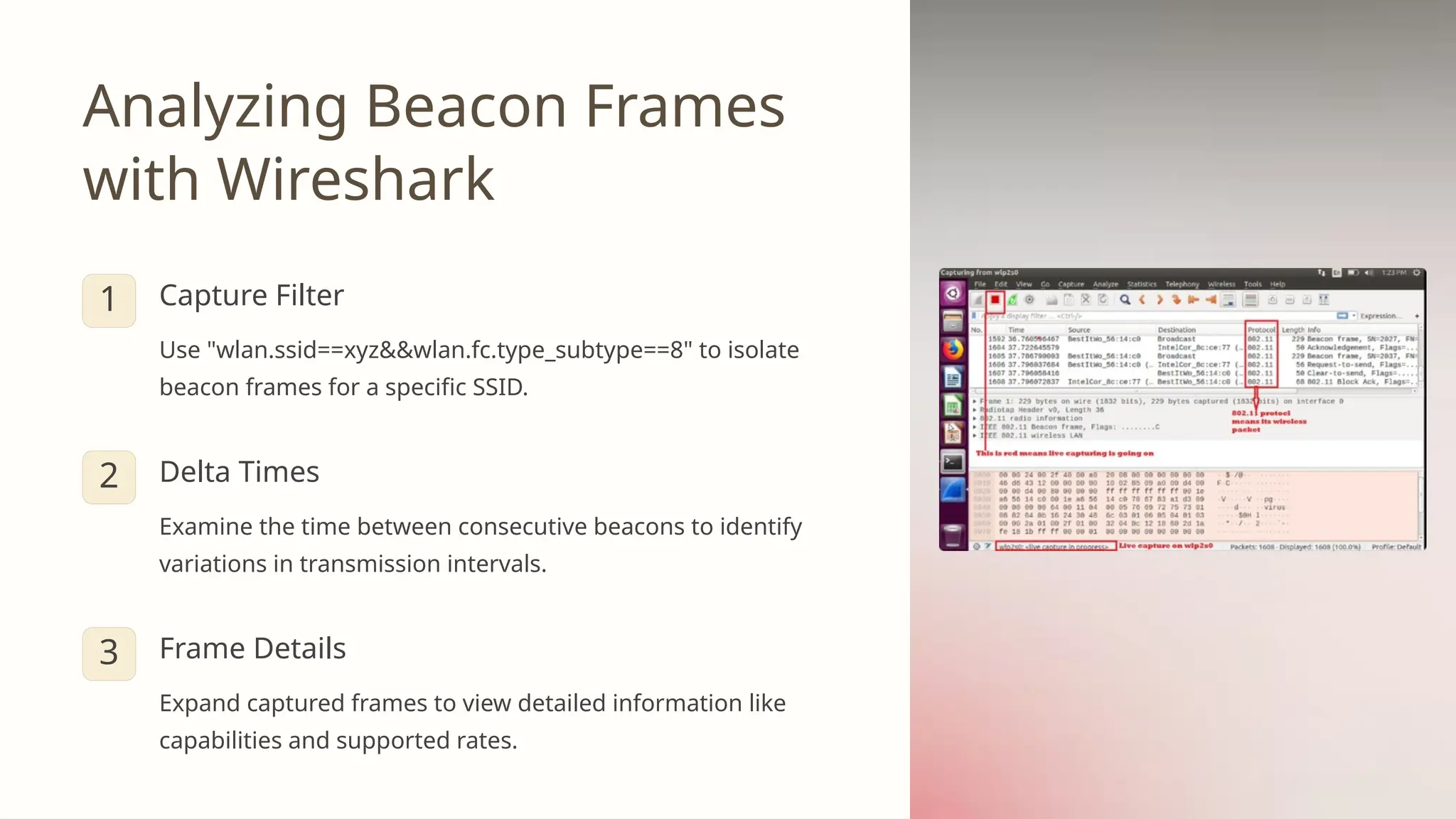
Analyzing Beacon Frames
with Wireshark
1 Capture Filter
Use "wlan.ssid==xyz&&wlan.fc.type_subtype==8" to isolate
beacon frames for a specific SSID.
2 Delta Times
Examine the time between consecutive beacons to identify
variations in transmission intervals.
3 Frame Details
Expand captured frames to view detailed information like
capabilities and supported rates.


Beacon frames for Wireless engineering.pptx

  • 1.
    Meet Mohammad Razavi: Wireless Securityresearcher By day, I’m an instructor at ITEC shaping future cyber experts, and by night, a security researcher hunting vulnerabilities to make the digital world safer. Specializes in wireless technologies and network security. Holds CISSP, CCNP Security, CWNA, CWDP, CWAP, CWSP, and CWISA certifications. Passionate about teaching advanced cyber concepts.
  • 2.
    The Wireless World: Untethered Communication Wirelesstech revolutionizes connectivity, freeing us from cables.
  • 3.
    What is Wireless? Cable-Free Devicesconnect without physical wires. Radio Waves Information travels through air via electromagnetic signals. Versatile Powers various technologies from Wi-Fi to satellites.
  • 4.
    The Magic ofRadio Waves 1 Generation Device creates electromagnetic waves carrying data. 2 Transmission Waves travel through air at light speed. 3 Reception Receiving device captures and decodes the signals.
  • 5.
    Wireless Technologies WeUse Daily Wi-Fi Connect devices to internet within local area. Bluetooth Short-range communication between nearby devices. Cellular Mobile communication over long distances. Satellite Global coverage for remote areas.
  • 6.
    The Evolution ofWireless 1G: Voice Calls Analog cellular networks for mobile phones. 2G-3G: Text & Data Digital networks enable texting and internet. 4G-5G: High-Speed Faster connections for streaming and IoT.
  • 7.
    Understanding Beacon Frames in WirelessNetworks Beacons are crucial in wireless networking, acting like lighthouses guiding ships to shore. They facilitate communication and manage network connections. Beacon frames, a type of management frame, play a vital role in maintaining network synchronization.
  • 8.
    Wi-Fi Frame Categories ManagementFrames Handle network connections and maintenance. Include beacon, probe, and authentication frames. Control Frames Manage data transmission. Examples include RTS, CTS, and ACK frames. Data Frames Carry actual data payload. Can include QoS data and null data frames.
  • 9.
    Understanding Wi-Fi Network CommunicationFrames Wi-Fi networks form the backbone of our modern wireless connectivity, enabling seamless communication between devices and access points. At the heart of this communication lie frames - the fundamental units that facilitate data transfer, network management, and control operations. This presentation delves into the intricate world of Wi-Fi frames, exploring their types, subtypes, and crucial roles in maintaining robust and efficient wireless networks. By understanding these frames, network administrators and IT professionals can gain valuable insights into network behavior, troubleshoot issues more effectively, and optimize Wi-Fi performance. Whether you're a seasoned network expert or simply curious about the inner workings of Wi-Fi, this exploration of frames will provide a comprehensive look at the building blocks of wireless communication.
  • 10.
    Introduction to Wi-FiFrames Wi-Fi frames are the basic units of communication in wireless networks, serving as the containers for all data and control information exchanged between devices and access points. These frames are structured packets of information that adhere to the IEEE 802.11 standard, ensuring compatibility and interoperability across different devices and manufacturers. Each frame consists of a header, which contains metadata about the frame itself, and a payload, which carries the actual data or control information. The header includes crucial details such as the frame type, source and destination addresses, and sequence numbers, while the payload's content varies depending on the frame's purpose. 1 Frame Creation A device or access point generates a frame based on the type of information it needs to transmit. 2 Frame Transmission The frame is sent over the air using radio waves, encoded according to the Wi-Fi standard. 3 Frame Reception The receiving device captures the frame, decodes it, and processes the information contained within. 4 Frame Response If necessary, the receiving device sends a response frame, such as an acknowledgment or data reply.
  • 11.
    Management Frames: Establishingand Maintaining Connections Management frames play a crucial role in the lifecycle of Wi-Fi connections, facilitating the discovery, establishment, and termination of network associations. These frames are responsible for the smooth operation of Wi-Fi networks, enabling devices to find available networks, join them securely, and maintain stable connections. Key management frame subtypes include association requests and responses, which allow devices to join networks; probe requests and responses, used for network discovery; beacons, which broadcast network information; and authentication frames, ensuring secure connections. Understanding these frames is essential for network administrators to diagnose connection issues, optimize network performance, and ensure proper security measures are in place. Network Discovery Probe requests and responses help devices find available Wi-Fi networks in the vicinity. Connection Establishment Association and authentication frames securely connect devices to access points. Network Announcements Beacon frames regularly broadcast network information to nearby devices. Connection Termination Disassociation and deauthentication frames gracefully end network connections.
  • 12.
    Control Frames: ManagingData Transfer Control frames are essential for maintaining order and efficiency in Wi-Fi networks by managing access to the wireless medium and ensuring reliable data transmission. These frames work behind the scenes to coordinate communication between devices and access points, preventing data collisions and confirming successful transmissions. Key control frame subtypes include Request to Send (RTS) and Clear to Send (CTS), which help avoid collisions in congested networks; Acknowledgment (ACK) frames, which confirm successful data receipt; and Power Save (PS) Poll frames, enabling energy-efficient operation for mobile devices. By understanding control frames, network administrators can optimize network performance, reduce interference, and improve overall data throughput. RTS Frame Device requests permission to send data, reducing collision risk. CTS Frame Access point grants permission, clearing the air for transmission. Data Transmission Device sends the actual data frame to the access point. ACK Frame Access point confirms successful receipt of the data frame.
  • 13.
    Data Frames: Carryingthe Payload Data frames are the workhorses of Wi-Fi communication, responsible for carrying the actual information being transmitted over the network. These frames encapsulate user data, such as web traffic, emails, file transfers, and streaming media, ensuring that it reaches its intended destination securely and efficiently. Data frames come in various subtypes, including basic data frames, null data frames for keeping connections alive, and Quality of Service (QoS) data frames for prioritizing time-sensitive traffic. Understanding data frames is crucial for network administrators to analyze traffic patterns, troubleshoot performance issues, and implement effective QoS policies to ensure optimal user experience across different applications and services. Basic Data Frames Standard frames for carrying user data without special handling. These are the most common type of data frames in typical network traffic. QoS Data Frames Prioritized frames for time-sensitive data like voice or video. These frames ensure that critical traffic receives preferential treatment in congested networks. Null Data Frames Empty frames used to maintain connections or update the access point about a device's power-saving state. These frames help optimize network resources and device battery life.
  • 14.
    Frame Subtypes: ACloser Look Wi-Fi frames are further classified into subtypes within each main category, providing granular control and functionality for various network operations. These subtypes allow for precise communication between devices and access points, enabling complex network behaviors and optimizations. For instance, management frames include subtypes like Timing Advertisement for clock synchronization and Action frames for advanced network management. Control frames feature subtypes such as Contention-Free End to manage network access periods. Data frames encompass subtypes like CF-Poll for efficient data polling in contention-free periods. Understanding these subtypes is crucial for advanced network troubleshooting and optimization, allowing administrators to fine-tune network behavior for specific use cases and environments. Frame Type Example Subtype Function Management 0110 - Timing Advertisement Synchronize device clocks Control 1110 - CF-End End contention-free period Data 1000 - QoS Data Prioritized data transmission Management 1101 - Action Advanced network management Control 1010 - PS-Poll Request data in power-save mode
  • 15.
  • 16.
  • 17.
    1. Association Request (wlan.fc.type== 0)&&(wlan.fc.type_subtype == 0x00)
  • 18.
    2. Association Response (wlan.fc.type== 0)&&(wlan.fc.type_subtype == 0x01)
  • 19.
    3. Reassociation Request (wlan.fc.type== 0)&&(wlan.fc.type_subtype == 0x02)
  • 20.
    4. Reassociation Response (wlan.fc.type== 0)&&(wlan.fc.type_subtype == 0x03)
  • 21.
    5. Probe Request (wlan.fc.type== 0)&&(wlan.fc.type_subtype == 0x04)
  • 22.
    6. Probe Response (wlan.fc.type== 0)&&(wlan.fc.type_subtype == 0x05)
  • 23.
  • 26.
    Beacon Transmission Timing 1TBTT Target Beacon Transmission Time occurs every 102.4ms in most configurations. 2 Synchronization Devices use beacon timing to maintain clock synchronization with the access point.
  • 27.
    Let me showyou a beacon frame by using this filter on Wireshark to just show me the beacon frames based on my SSID, you can use the same and replace “XYZ” to your SSID “wlan.ssid==xyz&&wlan.fc.type_subtype==8” Fig(2)-Wireshark Beacon Frame Delta time is 0.1024
  • 28.
    You may bewondering that the number 102.4 is not the exact number as shown in the frame capture in the delta time column. it's because the AP was not allowed to transmit the beacon at that particular moment.
  • 30.
    The simple answeris: Shared Medium
  • 31.
    Challenges in BeaconInterval Consistency Shared Medium Wi-Fi operates on a shared channel, requiring devices to contend for airtime. CSMA/CA Carrier Sense Multiple Access with Collision Avoidance protocol manages channel access. Channel Utilization High data traffic can delay beacon transmissions, causing variations in intervals.
  • 32.
    The medium belongsto every wireless-capable device to transmit data across the air.
  • 33.
  • 34.
    As shown inFigure 3, the time between frame 1492 and 1537 is over 200 milliseconds. This means something else was using the wireless medium, preventing the beacon frame from being sent. Let’s explore what happened during that time.
  • 35.
    The more datais on the air the less likely transmitter can broadcast the Beacon frame.
  • 36.
    Beacon frames areout of the ordinary
  • 37.
    Optimizing Network Designfor Beacon Efficiency Reduce SSIDs Fewer SSIDs per AP decrease management overhead and improve overall network performance. Increase Bandwidth Reducing management frames allows more bandwidth for data transmission. Optimize Beacon Interval Adjust beacon interval based on network requirements and client device capabilities.
  • 38.
    Practical Considerations for NetworkEngineers Factor Impact Optimization Strategy SSID Count Increased overhead Consolidate SSIDs Beacon Interval Battery life vs. responsiveness Balance based on use case
  • 39.
    Analyzing Beacon Frames withWireshark 1 Capture Filter Use "wlan.ssid==xyz&&wlan.fc.type_subtype==8" to isolate beacon frames for a specific SSID. 2 Delta Times Examine the time between consecutive beacons to identify variations in transmission intervals. 3 Frame Details Expand captured frames to view detailed information like capabilities and supported rates.