Presentation About Basics Of
Computer
By
Waqar Ali
Presented To
Aptech Computer Education
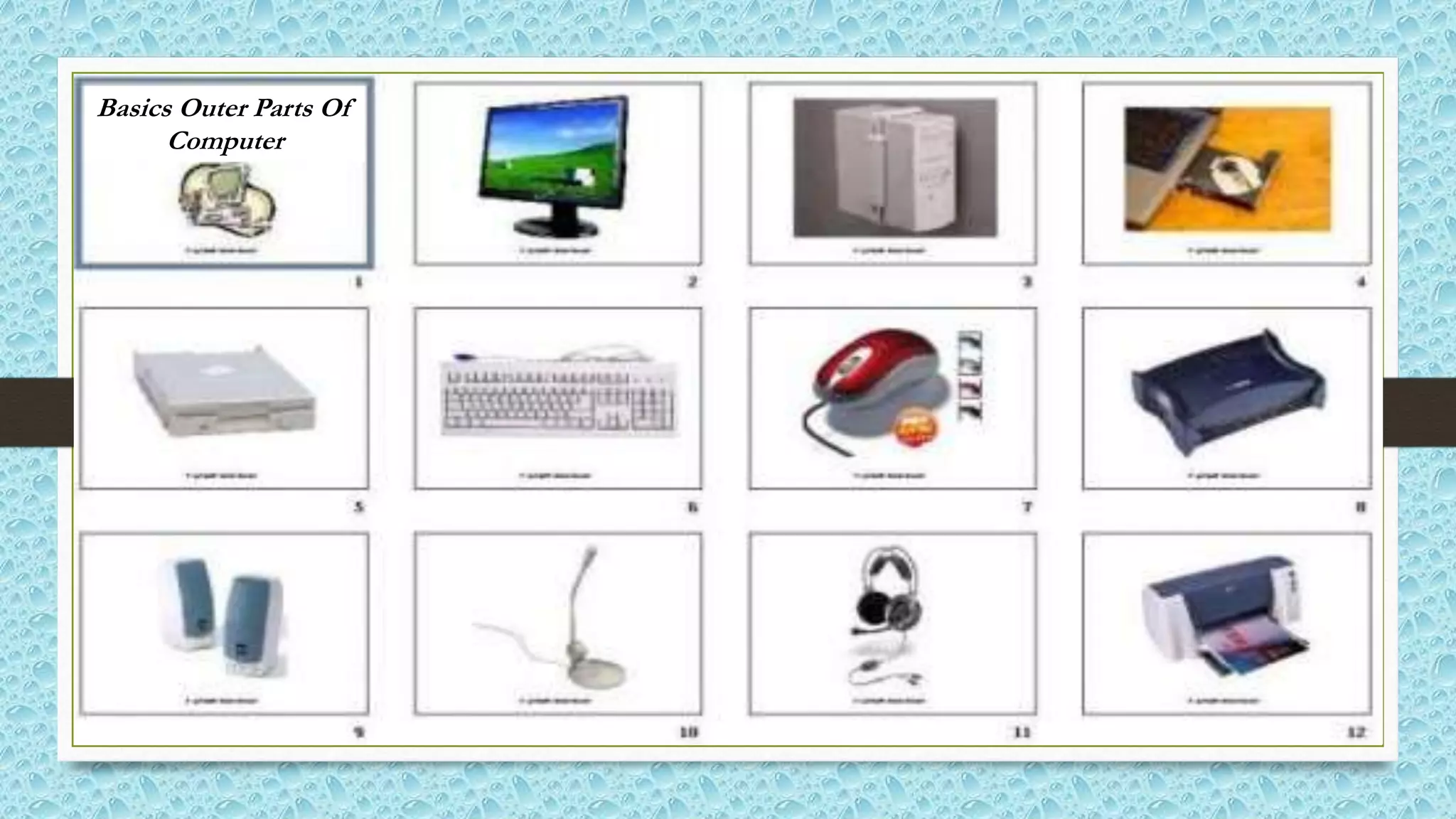
Basics Outer Parts Of
Computer
Introduction Of Computer
• A computer is an electronic machine which allows a user
to store information and also enables them to carry out
different operations to process that information.
Father Of Modern Computer
• Charles Babbage is a father of modern computer because
all the modern digital computer are based on the
principles of the Charles Babbage that why he is known
as father of the modern computers.
Types Of Computer
There are three types of computer, which are as follows:
• Digital Computer:-
 A computer that represents information and accepts in digits (binary) form.
• Analog Computer
 A computer that represents information and accepts in variable form.
• Hybrid Computer
 A computer combines the best features of the analog computer and digital
computer.
Types of Computer (According to the size)
• Computer come in many different sizes, range of power and its speed.
Today’s computer system are classified into four types:-
1. Super Computer:- largest, fastest, more expensive, use large organization.
2. Mainframe Computer:- largest, less processing power S.C, use large
organization like bank where many people work on same file in large network.
3. Miniframe Computer:- less processing power M.C, use in small company to
maintain there financial database.
4. Personal Computers:- small, less expensive, use in school and individual user.
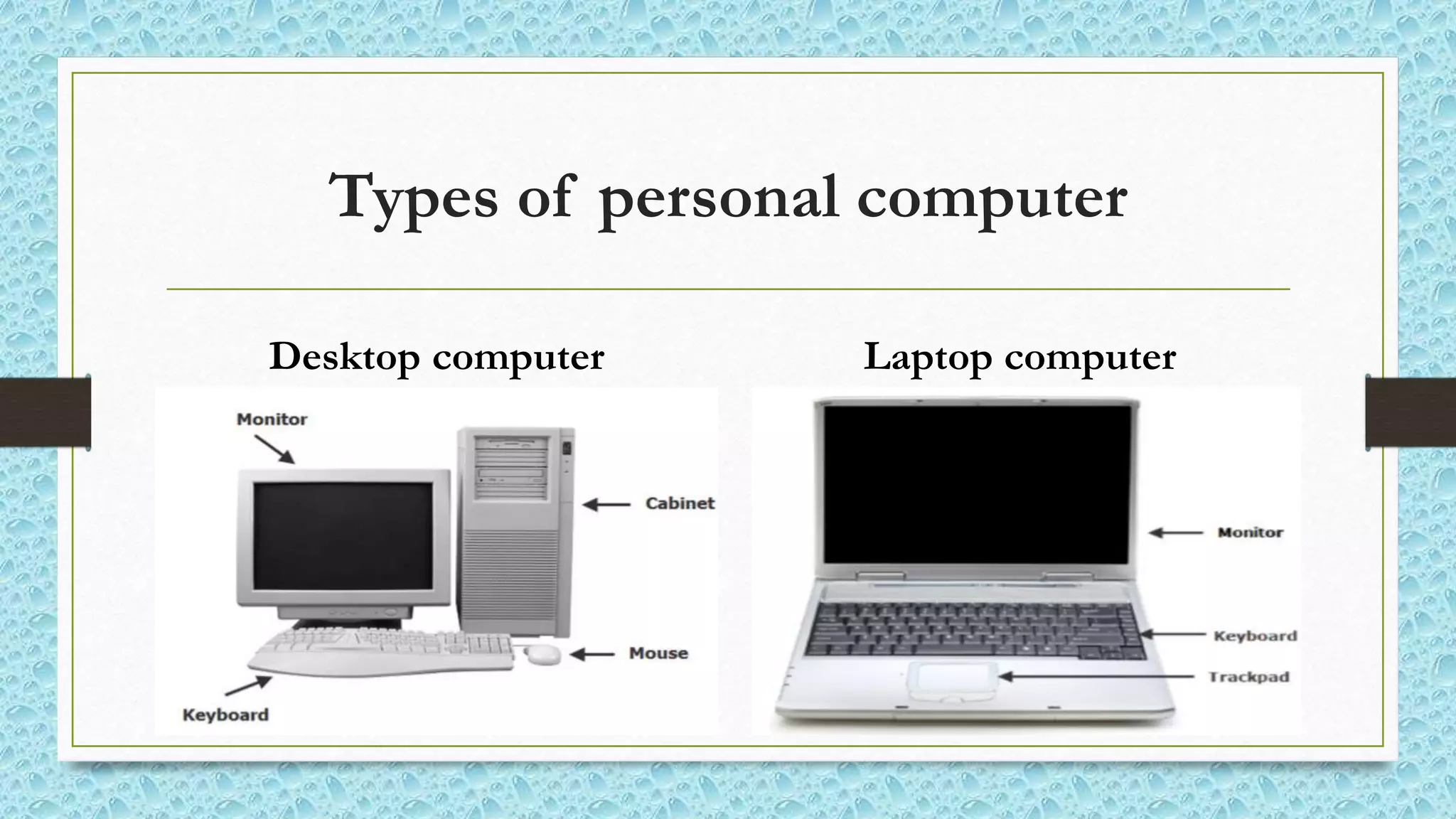
Types of personal computer
Desktop computer Laptop computer
Major Components Of Computer System
• There are two basic components of a computer system, which are
as follows:-
Computer Hardware
&
Computer software
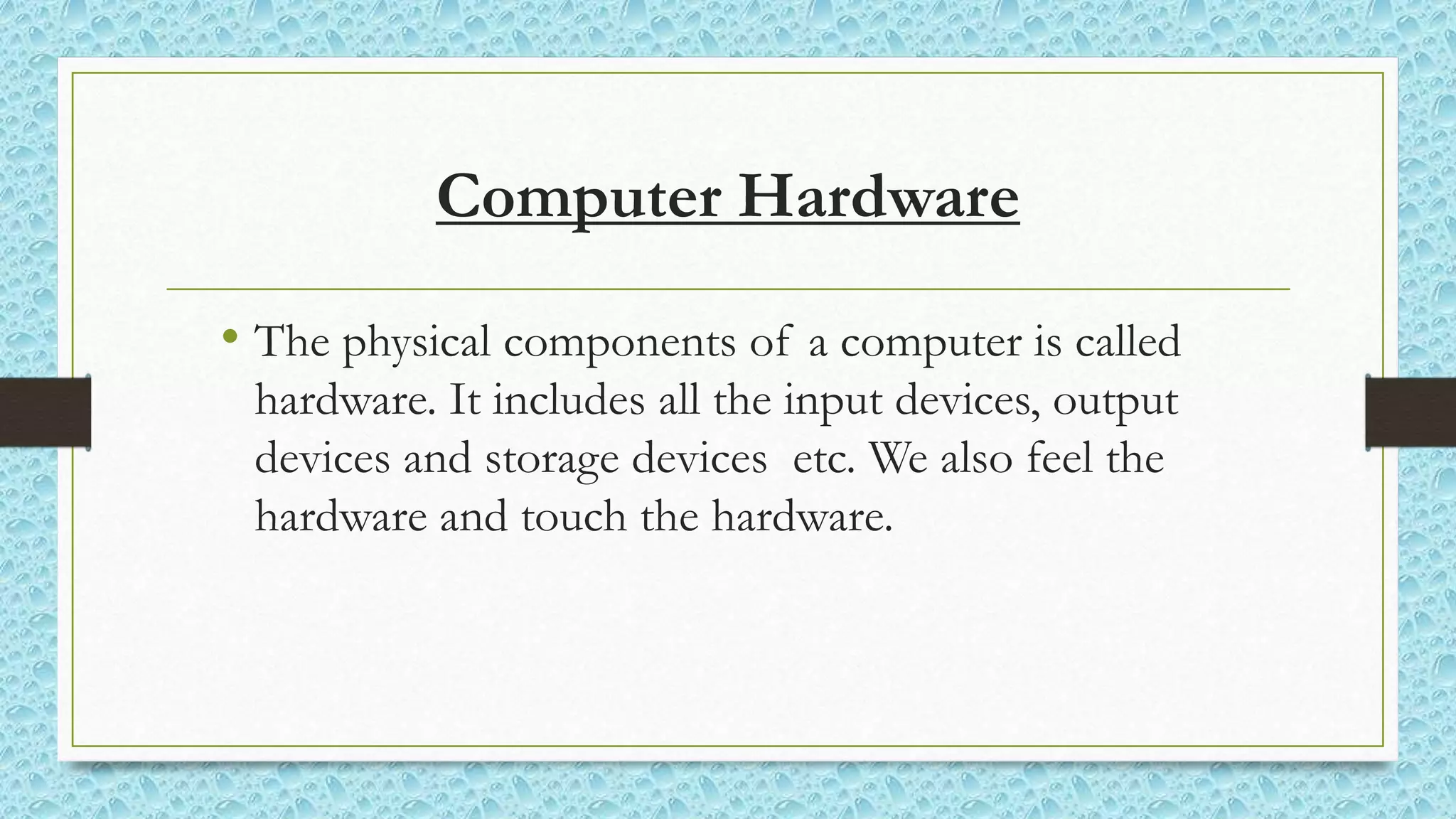
Computer Hardware
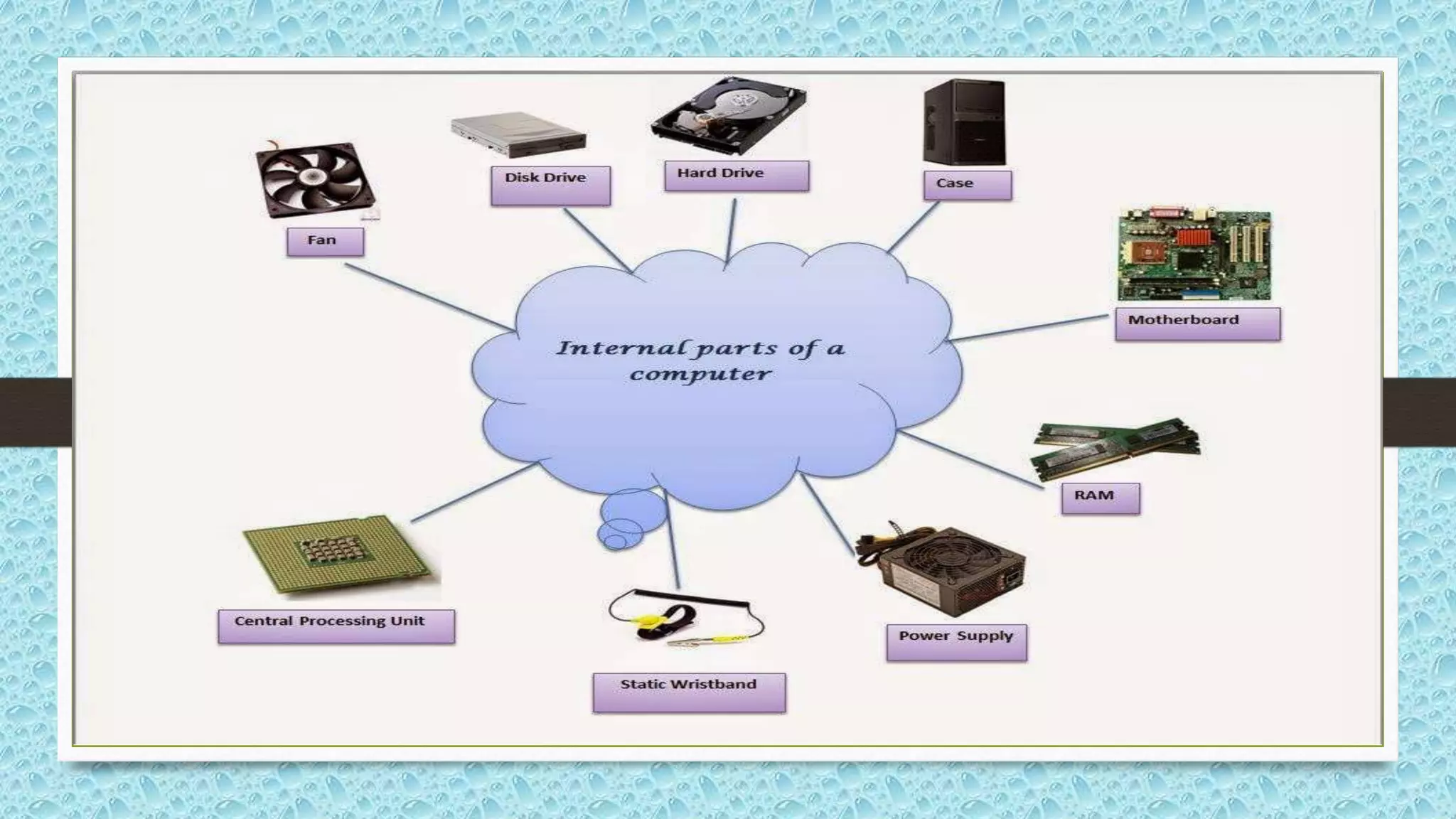
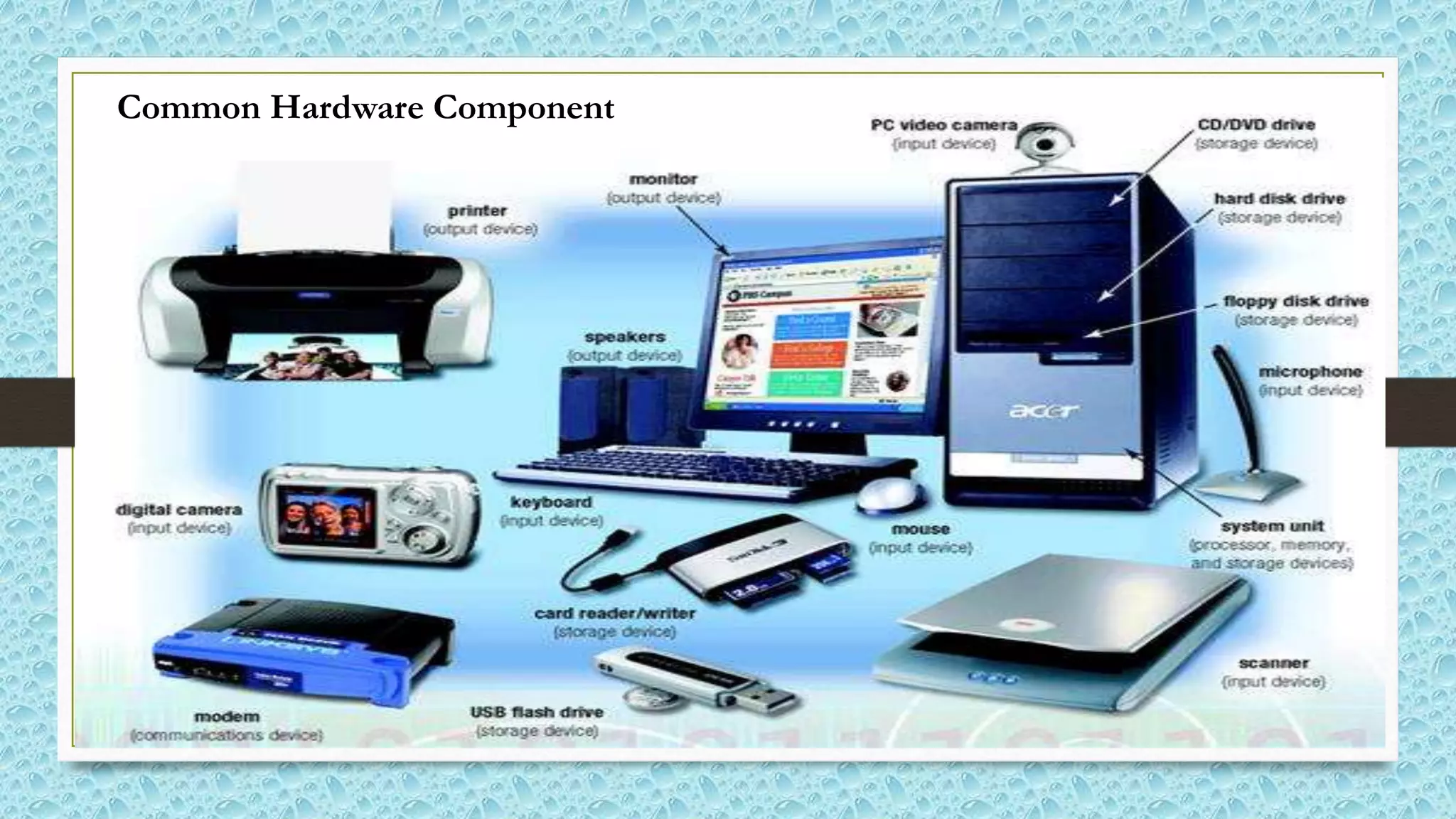
• The physical components of a computer is called
hardware. It includes all the input devices, output
devices and storage devices etc. We also feel the
hardware and touch the hardware.
Common Hardware Component
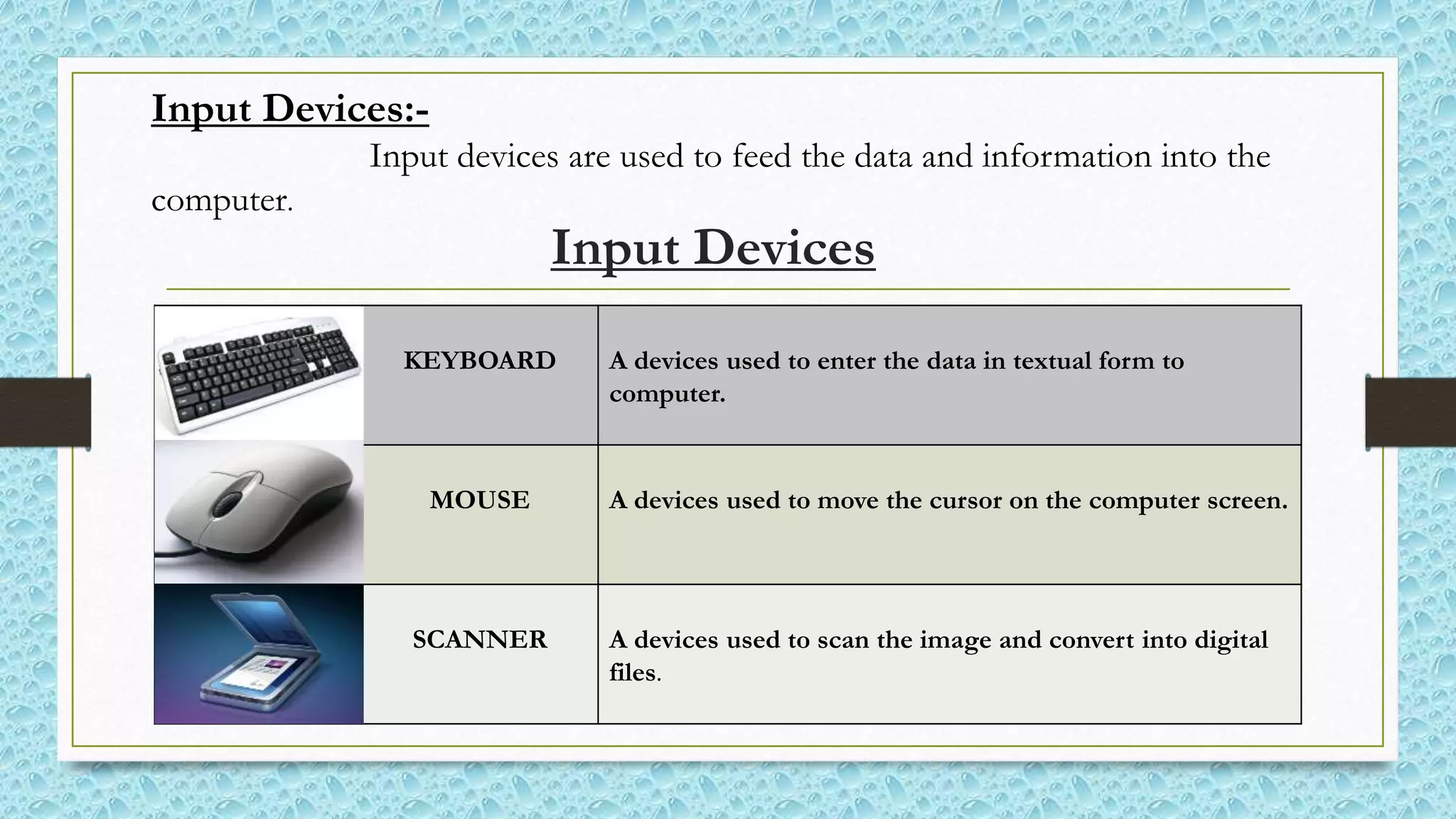
Input Devices
KEYBOARD A devices used to enter the data in textual form to
computer.
MOUSE A devices used to move the cursor on the computer screen.
SCANNER A devices used to scan the image and convert into digital
files.
Input Devices:-
Input devices are used to feed the data and information into the
computer.
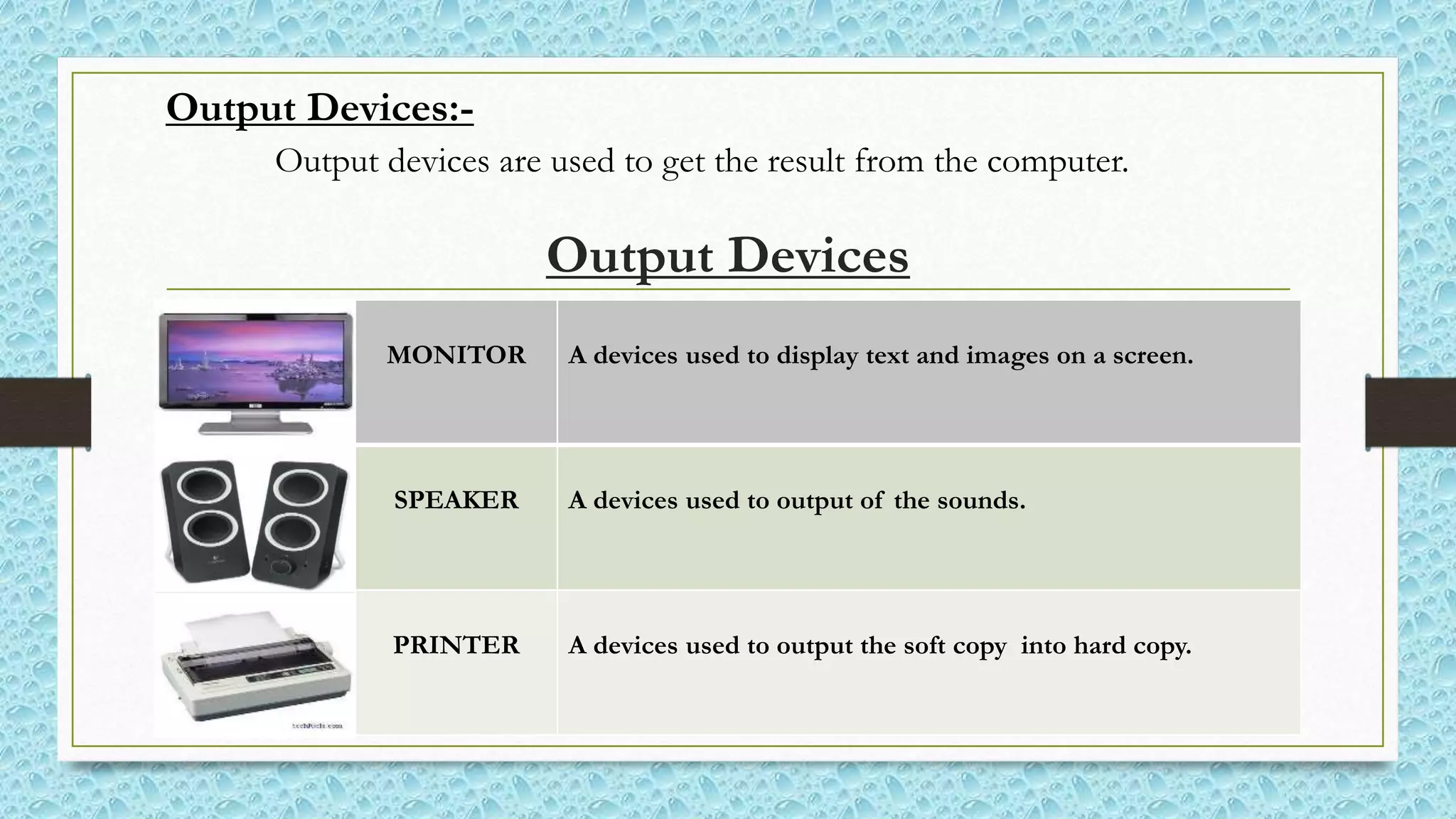
Output Devices
MONITOR A devices used to display text and images on a screen.
SPEAKER A devices used to output of the sounds.
PRINTER A devices used to output the soft copy into hard copy.
Output Devices:-
Output devices are used to get the result from the computer.
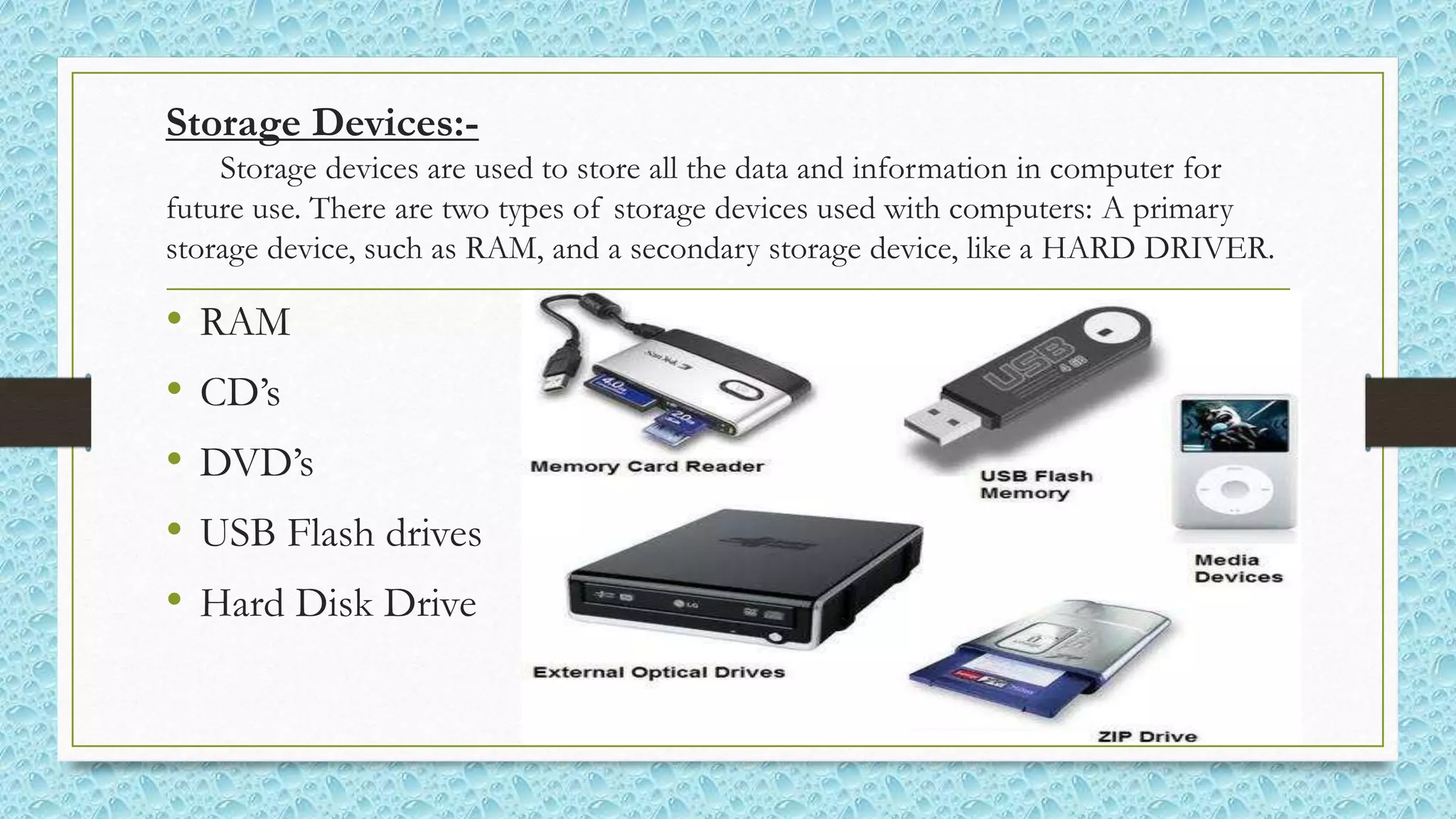
Storage Devices:-
Storage devices are used to store all the data and information in computer for
future use. There are two types of storage devices used with computers: A primary
storage device, such as RAM, and a secondary storage device, like a HARD DRIVER.
• RAM
• CD’s
• DVD’s
• USB Flash drives
• Hard Disk Drive
Computer Software
• Software is a set of program which tell the computer
what to do are called software. Computer software
control all the computer hardware. We can’t touch the
software. Such as Microsoft window and etc.
Categories Of Software
• There are two basic categories of a computer software, which are as follows:-
System Software
&
Application Software
System Software
• System software is a set of low-level program which are designed
to operate and control the computer hardware and to provide a
platform for running application software. Like (OS) operating
system and firmware is called system software.
Application Software
• Application software is a set of high-level program which are
designed to enable the users to perform a specific task on their
computer. like Word processing software, Database software,
Multimedia software and etc.
Basics of Computer

Basics of Computer

  • 2.
    Presentation About BasicsOf Computer By Waqar Ali Presented To Aptech Computer Education
  • 3.
    Basics Outer PartsOf Computer
  • 5.
    Introduction Of Computer •A computer is an electronic machine which allows a user to store information and also enables them to carry out different operations to process that information.
  • 6.
    Father Of ModernComputer • Charles Babbage is a father of modern computer because all the modern digital computer are based on the principles of the Charles Babbage that why he is known as father of the modern computers.
  • 13.
    Types Of Computer Thereare three types of computer, which are as follows: • Digital Computer:-  A computer that represents information and accepts in digits (binary) form. • Analog Computer  A computer that represents information and accepts in variable form. • Hybrid Computer  A computer combines the best features of the analog computer and digital computer.
  • 14.
    Types of Computer(According to the size) • Computer come in many different sizes, range of power and its speed. Today’s computer system are classified into four types:- 1. Super Computer:- largest, fastest, more expensive, use large organization. 2. Mainframe Computer:- largest, less processing power S.C, use large organization like bank where many people work on same file in large network. 3. Miniframe Computer:- less processing power M.C, use in small company to maintain there financial database. 4. Personal Computers:- small, less expensive, use in school and individual user.
  • 15.
    Types of personalcomputer Desktop computer Laptop computer
  • 16.
    Major Components OfComputer System • There are two basic components of a computer system, which are as follows:- Computer Hardware & Computer software
  • 17.
    Computer Hardware • Thephysical components of a computer is called hardware. It includes all the input devices, output devices and storage devices etc. We also feel the hardware and touch the hardware.
  • 18.
  • 19.
    Input Devices KEYBOARD Adevices used to enter the data in textual form to computer. MOUSE A devices used to move the cursor on the computer screen. SCANNER A devices used to scan the image and convert into digital files. Input Devices:- Input devices are used to feed the data and information into the computer.
  • 20.
    Output Devices MONITOR Adevices used to display text and images on a screen. SPEAKER A devices used to output of the sounds. PRINTER A devices used to output the soft copy into hard copy. Output Devices:- Output devices are used to get the result from the computer.
  • 21.
    Storage Devices:- Storage devicesare used to store all the data and information in computer for future use. There are two types of storage devices used with computers: A primary storage device, such as RAM, and a secondary storage device, like a HARD DRIVER. • RAM • CD’s • DVD’s • USB Flash drives • Hard Disk Drive
  • 22.
    Computer Software • Softwareis a set of program which tell the computer what to do are called software. Computer software control all the computer hardware. We can’t touch the software. Such as Microsoft window and etc.
  • 23.
    Categories Of Software •There are two basic categories of a computer software, which are as follows:- System Software & Application Software
  • 24.
    System Software • Systemsoftware is a set of low-level program which are designed to operate and control the computer hardware and to provide a platform for running application software. Like (OS) operating system and firmware is called system software.
  • 25.
    Application Software • Applicationsoftware is a set of high-level program which are designed to enable the users to perform a specific task on their computer. like Word processing software, Database software, Multimedia software and etc.