Git
A brief introduction
Index
1. Requirements
2. Installing, setting up
3. History and Caveats
4. Github
5. Hello World repository
6. Tags
7. Branch
8. Merging
9. Pull request
10.Practical uses
Requirements
● A GNU / Linux or Mac OS terminal
● Time
● An account in github.com
● A software manager (such as apt-get, or
yum)
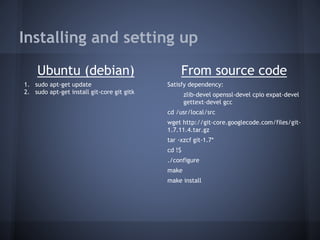
Installing and setting up
Ubuntu (debian)
1. sudo apt-get update
2. sudo apt-get install git-core git gitk
From source code
Satisfy dependency:
zlib-devel openssl-devel cpio expat-devel
gettext-devel gcc
cd /usr/local/src
wget http://git-core.googlecode.com/files/git-
1.7.11.4.tar.gz
tar -xzcf git-1.7*
cd !$
./configure
make
make install
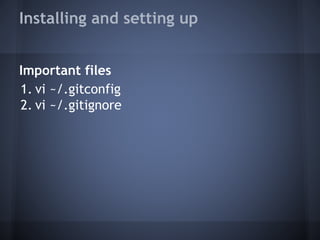
Installing and setting up
Important files
1. vi ~/.gitconfig
2. vi ~/.gitignore
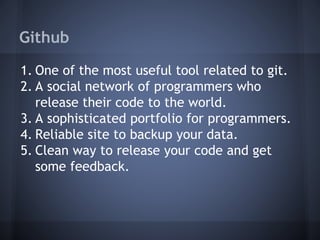
Github
1. One of the most useful tool related to git.
2. A social network of programmers who
release their code to the world.
3. A sophisticated portfolio for programmers.
4. Reliable site to backup your data.
5. Clean way to release your code and get
some feedback.
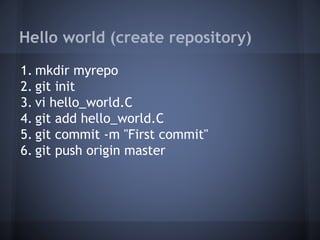
Hello world (create repository)
1. mkdir myrepo
2. git init
3. vi hello_world.C
4. git add hello_world.C
5. git commit -m "First commit"
6. git push origin master
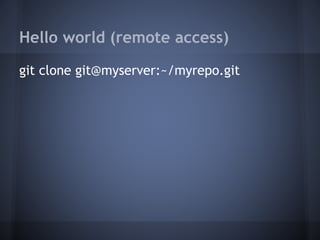
Hello world (remote access)
git clone git@myserver:~/myrepo.git

Basic Git Tutorial

  • 1.
  • 2.
    Index 1. Requirements 2. Installing,setting up 3. History and Caveats 4. Github 5. Hello World repository 6. Tags 7. Branch 8. Merging 9. Pull request 10.Practical uses
  • 3.
    Requirements ● A GNU/ Linux or Mac OS terminal ● Time ● An account in github.com ● A software manager (such as apt-get, or yum)
  • 4.
    Installing and settingup Ubuntu (debian) 1. sudo apt-get update 2. sudo apt-get install git-core git gitk From source code Satisfy dependency: zlib-devel openssl-devel cpio expat-devel gettext-devel gcc cd /usr/local/src wget http://git-core.googlecode.com/files/git- 1.7.11.4.tar.gz tar -xzcf git-1.7* cd !$ ./configure make make install
  • 5.
    Installing and settingup Important files 1. vi ~/.gitconfig 2. vi ~/.gitignore
  • 6.
    Github 1. One ofthe most useful tool related to git. 2. A social network of programmers who release their code to the world. 3. A sophisticated portfolio for programmers. 4. Reliable site to backup your data. 5. Clean way to release your code and get some feedback.
  • 7.
    Hello world (createrepository) 1. mkdir myrepo 2. git init 3. vi hello_world.C 4. git add hello_world.C 5. git commit -m "First commit" 6. git push origin master
  • 8.
    Hello world (remoteaccess) git clone git@myserver:~/myrepo.git