Git
What is Git?
Distributed version control system (DVCS)
SVN = Centralized version control system
Mercurial, Bazaar are other DVCS
Initially designed and developed by Linus
Torvalds to manage Linux kernel code base
when BitKeeper revoked free license.
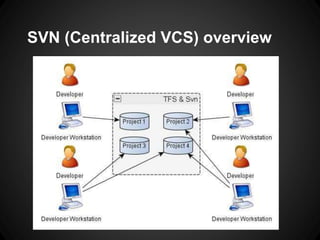
SVN (Centralized VCS) overview
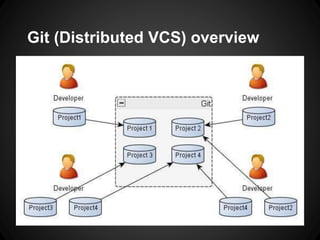
Git (Distributed VCS) overview
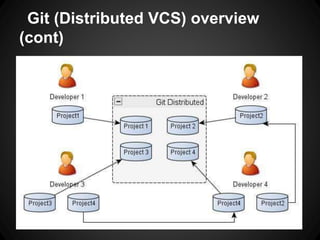
(cont)
Why Git?
Embraced by all major hosting sites:
Github, Google Code, CodePlex, BitBucket
Used by major projects
Linux kernel, Android, ASP.NET MVC,
Facebook, Eclipse, Twitter Boostrap, ...
• Able to work disconnected (ex. VPN / home)
o (Almost) everything is local, fast
o Log is always available
o Private workspace
 Able to commit whenever, create snapshots,
push when ready (off VPN, done hacking)
 Share when ready, ability to modify previous
commits before sharing
• Local branching, easily switch gears when
customer calls (isolate work units)
 features, bug fixes, proof of concepts, etc
Why Git? - Benefits
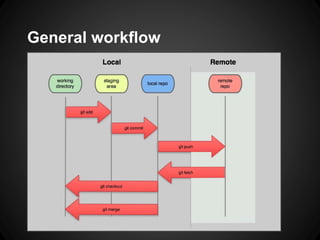
General workflow
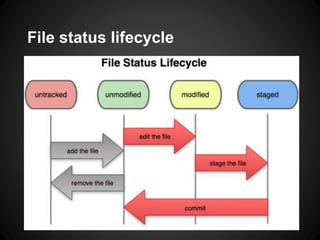
File status lifecycle
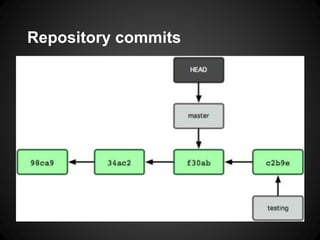
Repository commits
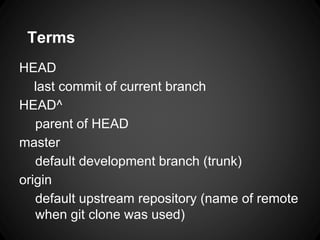
Terms
HEAD
last commit of current branch
HEAD^
parent of HEAD
master
default development branch (trunk)
origin
default upstream repository (name of remote
when git clone was used)
Terms (cont.)
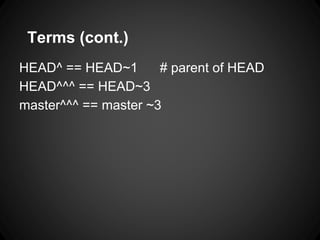
HEAD^ == HEAD~1 # parent of HEAD
HEAD^^^ == HEAD~3
master^^^ == master ~3
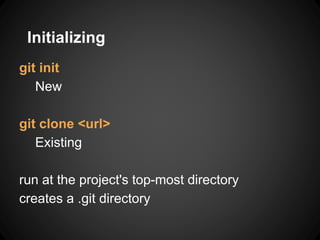
git init
New
git clone <url>
Existing
run at the project's top-most directory
creates a .git directory
Initializing
Review previous commit
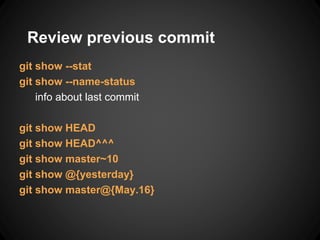
git show --stat
git show --name-status
info about last commit
git show HEAD
git show HEAD^^^
git show master~10
git show @{yesterday}
git show master@{May.16}
Log
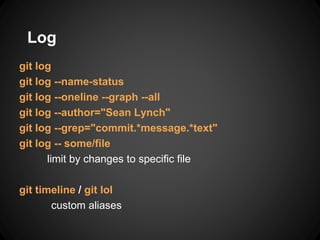
git log
git log --name-status
git log --oneline --graph --all
git log --author="Sean Lynch"
git log --grep="commit.*message.*text"
git log -- some/file
limit by changes to specific file
git timeline / git lol
custom aliases
Branching
git branch <branchname>
git checkout <branchname>
git checkout -b <branchname>
Create new branch and switch to
git branch [-a -l -r]
List branches (all, local, remote)
git merge <branchname>
Merge branch into current branch (ex. master)
Stashing
git stash
git stash [save message]
git stash list
git status apply
git stash clear
git stash branch <branchname>
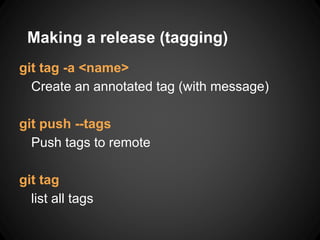
Making a release (tagging)
git tag -a <name>
Create an annotated tag (with message)
git push --tags
Push tags to remote
git tag
list all tags
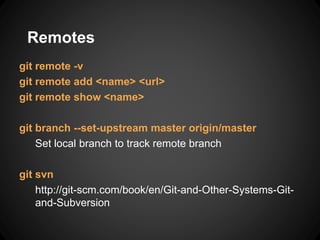
Remotes
git remote -v
git remote add <name> <url>
git remote show <name>
git branch --set-upstream master origin/master
Set local branch to track remote branch
git svn
http://git-scm.com/book/en/Git-and-Other-Systems-Git-
and-Subversion
Updating (Push/Pull)
git fetch / git merge
Fetch latest changes from origin, need to
use git merge to apply.
git pull
Pull latest changes from origin (fetch +
merge)
git push [remote_name] [branch_name]
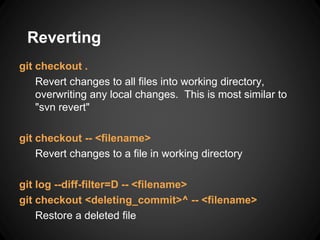
Reverting
git checkout .
Revert changes to all files into working directory,
overwriting any local changes. This is most similar to
"svn revert"
git checkout -- <filename>
Revert changes to a file in working directory
git log --diff-filter=D -- <filename>
git checkout <deleting_commit>^ -- <filename>
Restore a deleted file
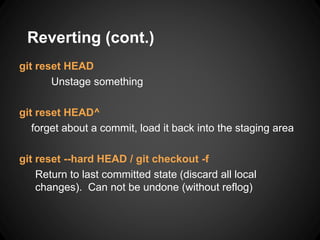
Reverting (cont.)
git reset HEAD
Unstage something
git reset HEAD^
forget about a commit, load it back into the staging area
git reset --hard HEAD / git checkout -f
Return to last committed state (discard all local
changes). Can not be undone (without reflog)
Reverting (cont. more)
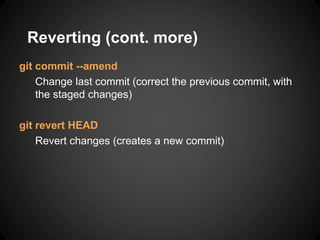
git commit --amend
Change last commit (correct the previous commit, with
the staged changes)
git revert HEAD
Revert changes (creates a new commit)
Getting Started
Install
Configuration
Ignores
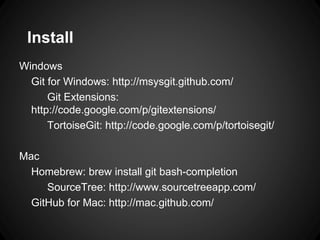
Install
Windows
Git for Windows: http://msysgit.github.com/
Git Extensions:
http://code.google.com/p/gitextensions/
TortoiseGit: http://code.google.com/p/tortoisegit/
Mac
Homebrew: brew install git bash-completion
SourceTree: http://www.sourcetreeapp.com/
GitHub for Mac: http://mac.github.com/
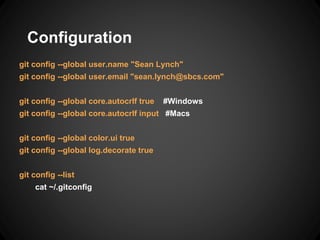
Configuration
git config --global user.name "Sean Lynch"
git config --global user.email "sean.lynch@sbcs.com"
git config --global core.autocrlf true #Windows
git config --global core.autocrlf input #Macs
git config --global color.ui true
git config --global log.decorate true
git config --list
cat ~/.gitconfig
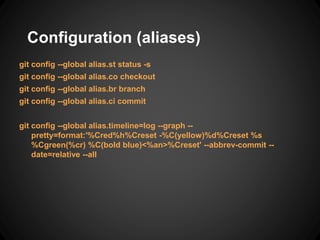
Configuration (aliases)
git config --global alias.st status -s
git config --global alias.co checkout
git config --global alias.br branch
git config --global alias.ci commit
git config --global alias.timeline=log --graph --
pretty=format:'%Cred%h%Creset -%C(yellow)%d%Creset %s
%Cgreen(%cr) %C(bold blue)<%an>%Creset' --abbrev-commit --
date=relative --all
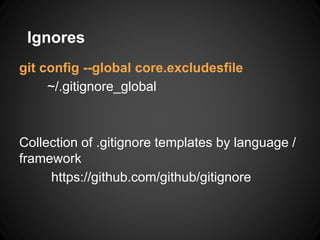
Ignores
git config --global core.excludesfile
~/.gitignore_global
Collection of .gitignore templates by language /
framework
https://github.com/github/gitignore
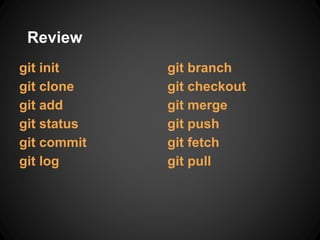
Review
git init
git clone
git add
git status
git commit
git log
git branch
git checkout
git merge
git push
git fetch
git pull
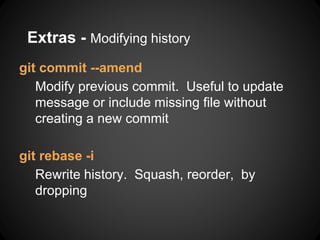
Extras - Modifying history
git commit --amend
Modify previous commit. Useful to update
message or include missing file without
creating a new commit
git rebase -i
Rewrite history. Squash, reorder, by
dropping
Extras
git submodule
git subtree
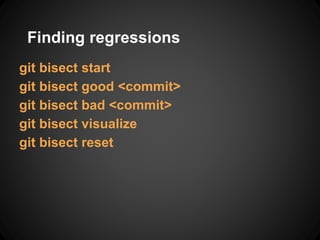
Finding regressions
git bisect start
git bisect good <commit>
git bisect bad <commit>
git bisect visualize
git bisect reset
Best practices
Don't develop off master, use
develop/feature/issue/etc branches
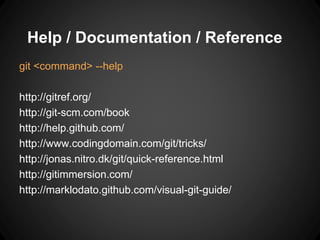
Help / Documentation / Reference
git <command> --help
http://gitref.org/
http://git-scm.com/book
http://help.github.com/
http://www.codingdomain.com/git/tricks/
http://jonas.nitro.dk/git/quick-reference.html
http://gitimmersion.com/
http://marklodato.github.com/visual-git-guide/

Git

  • 1.
  • 2.
    What is Git? Distributedversion control system (DVCS) SVN = Centralized version control system Mercurial, Bazaar are other DVCS Initially designed and developed by Linus Torvalds to manage Linux kernel code base when BitKeeper revoked free license.
  • 3.
  • 4.
  • 5.
    Git (Distributed VCS)overview (cont)
  • 6.
    Why Git? Embraced byall major hosting sites: Github, Google Code, CodePlex, BitBucket Used by major projects Linux kernel, Android, ASP.NET MVC, Facebook, Eclipse, Twitter Boostrap, ...
  • 7.
    • Able towork disconnected (ex. VPN / home) o (Almost) everything is local, fast o Log is always available o Private workspace  Able to commit whenever, create snapshots, push when ready (off VPN, done hacking)  Share when ready, ability to modify previous commits before sharing • Local branching, easily switch gears when customer calls (isolate work units)  features, bug fixes, proof of concepts, etc Why Git? - Benefits
  • 8.
  • 9.
  • 10.
  • 11.
    Terms HEAD last commit ofcurrent branch HEAD^ parent of HEAD master default development branch (trunk) origin default upstream repository (name of remote when git clone was used)
  • 12.
    Terms (cont.) HEAD^ ==HEAD~1 # parent of HEAD HEAD^^^ == HEAD~3 master^^^ == master ~3
  • 13.
    git init New git clone<url> Existing run at the project's top-most directory creates a .git directory Initializing
  • 14.
    Review previous commit gitshow --stat git show --name-status info about last commit git show HEAD git show HEAD^^^ git show master~10 git show @{yesterday} git show master@{May.16}
  • 15.
    Log git log git log--name-status git log --oneline --graph --all git log --author="Sean Lynch" git log --grep="commit.*message.*text" git log -- some/file limit by changes to specific file git timeline / git lol custom aliases
  • 16.
    Branching git branch <branchname> gitcheckout <branchname> git checkout -b <branchname> Create new branch and switch to git branch [-a -l -r] List branches (all, local, remote) git merge <branchname> Merge branch into current branch (ex. master)
  • 17.
    Stashing git stash git stash[save message] git stash list git status apply git stash clear git stash branch <branchname>
  • 18.
    Making a release(tagging) git tag -a <name> Create an annotated tag (with message) git push --tags Push tags to remote git tag list all tags
  • 19.
    Remotes git remote -v gitremote add <name> <url> git remote show <name> git branch --set-upstream master origin/master Set local branch to track remote branch git svn http://git-scm.com/book/en/Git-and-Other-Systems-Git- and-Subversion
  • 20.
    Updating (Push/Pull) git fetch/ git merge Fetch latest changes from origin, need to use git merge to apply. git pull Pull latest changes from origin (fetch + merge) git push [remote_name] [branch_name]
  • 21.
    Reverting git checkout . Revertchanges to all files into working directory, overwriting any local changes. This is most similar to "svn revert" git checkout -- <filename> Revert changes to a file in working directory git log --diff-filter=D -- <filename> git checkout <deleting_commit>^ -- <filename> Restore a deleted file
  • 22.
    Reverting (cont.) git resetHEAD Unstage something git reset HEAD^ forget about a commit, load it back into the staging area git reset --hard HEAD / git checkout -f Return to last committed state (discard all local changes). Can not be undone (without reflog)
  • 23.
    Reverting (cont. more) gitcommit --amend Change last commit (correct the previous commit, with the staged changes) git revert HEAD Revert changes (creates a new commit)
  • 24.
  • 25.
    Install Windows Git for Windows:http://msysgit.github.com/ Git Extensions: http://code.google.com/p/gitextensions/ TortoiseGit: http://code.google.com/p/tortoisegit/ Mac Homebrew: brew install git bash-completion SourceTree: http://www.sourcetreeapp.com/ GitHub for Mac: http://mac.github.com/
  • 26.
    Configuration git config --globaluser.name "Sean Lynch" git config --global user.email "sean.lynch@sbcs.com" git config --global core.autocrlf true #Windows git config --global core.autocrlf input #Macs git config --global color.ui true git config --global log.decorate true git config --list cat ~/.gitconfig
  • 27.
    Configuration (aliases) git config--global alias.st status -s git config --global alias.co checkout git config --global alias.br branch git config --global alias.ci commit git config --global alias.timeline=log --graph -- pretty=format:'%Cred%h%Creset -%C(yellow)%d%Creset %s %Cgreen(%cr) %C(bold blue)<%an>%Creset' --abbrev-commit -- date=relative --all
  • 28.
    Ignores git config --globalcore.excludesfile ~/.gitignore_global Collection of .gitignore templates by language / framework https://github.com/github/gitignore
  • 29.
    Review git init git clone gitadd git status git commit git log git branch git checkout git merge git push git fetch git pull
  • 30.
    Extras - Modifyinghistory git commit --amend Modify previous commit. Useful to update message or include missing file without creating a new commit git rebase -i Rewrite history. Squash, reorder, by dropping
  • 31.
  • 32.
    Finding regressions git bisectstart git bisect good <commit> git bisect bad <commit> git bisect visualize git bisect reset
  • 33.
    Best practices Don't developoff master, use develop/feature/issue/etc branches
  • 35.
    Help / Documentation/ Reference git <command> --help http://gitref.org/ http://git-scm.com/book http://help.github.com/ http://www.codingdomain.com/git/tricks/ http://jonas.nitro.dk/git/quick-reference.html http://gitimmersion.com/ http://marklodato.github.com/visual-git-guide/

Editor's Notes

  • #5 Uses hashes (SHA1) instead of incrementing version numbers due to no central authority
  • #8 Push full history to another server / remote ex. Start developing locally, then decide to push to server, Github, Google Code, etc. Later decide to change remote (switch from Google Code to Github, etc)
  • #9 staging area == index working directory == working tree local repo, HEAD remote repo, origin
  • #11 http://git-scm.com/book/en/Git-Branching-What-a-Branch-Is
  • #12 HEAD parent of next commit
  • #14 git init == svnadmin create <repo> git clone <url> == svn checkout <url> Later add remote if "git init" used git remote add origin git@github.com:username/Hello-World.git git pull -u origin master
  • #15 git show == git show HEAD git show --name-status ~= git diff HEAD^ --name-status
  • #16 git timeline is an alias for git log with flags git log == git log HEAD git log branchB..branchA git log branchA ^branchB show me commits reachable by branchA that are not reachable by branchB git log master..wiki git log wiki ^master git log master.. # HEAD of current branch show me the commits in my wiki branch not in master git log origin/master ^master git log ..@{u} get incoming (need to do a fetch first). What is on master branch on remote/server not in working context git log ^master origin/master git log @{u}.. get outgoing (all commits committed not yet pushed)
  • #17 One working directory for all branches, fast context switching (git checkout), not like SVN (one for trunk, one for each branch, etc) git branch <branchname> <start-point> git branch -t <branchname> <start-point> git reset --merge Cancel a conflicting merge (In git 1.7.0 or later) git merge --ff-only Fast forward merge only. Guarantees no conflicts. Means branch must have already merged up to HEAD of current branch git branch <branchname> <sha1> git checkout -b <branchname> <sha1> Create a branch from a commit (sha1). checkout will also automatically switch/checkout to new branch git branch <branchname> <sha1> git fetch git reset --HARD origin/master Create branch at current master/HEAD, and the move master/HEAD to origin/master. Helpful if master has diverged from origin/master, and you want to sync up with master and then merge in your changes slowly. == Branching and Merging == List: git branch Create: git branch testing Checkout: git checkout testing # work, make some commits Back: git checkout master Merge: git merge testing Create: git checkout -b new-branch Delete: git branch -d new-branch git merge origin/master Checkout remote branch (not already checked out) and track git checkout -t origin/develop http://gitready.com/intermediate/2009/01/09/checkout-remote-tracked-branch.html
  • #18 If need to change branches with outstanding changes
  • #19 http://www.codingdomain.com/git/tricks/
  • #20 remote = alias for url git branch --set-upstream master origin/master What git clone does by default for master git remote set-branches origin master my_other_branch Replace any branches currently being tracked and now track "master" and "my_other_branch" git remote set-branches origin --add my_new_branch Add "my_new_branch" as a tracking branch (doesn't remote existing) git branch foo origin/foo git push git push origin master git push origin [branchname] Can use Subversion as a remote
  • #21 git fetch is helpful to update local copy of logs, etc git pull == svn update
  • #22 replaces the changes in your working tree with the last content in HEAD. Changes already added to the index, as well as new files, will be kept http://gitready.com/beginner/2009/01/11/reverting-files.html http://www.cheatography.com/samcollett/cheat-sheets/git/ http://www.codingdomain.com/git/tricks/ http://cheat.errtheblog.com/s/git/ http://bryan-murdock.blogspot.com/2007/07/git-revert-is-not-equivalent-to-svn.html
  • #23 git reset HEAD == git reset --mixed HEAD http://git-scm.com/2011/07/11/reset.html http://stackoverflow.com/questions/927358/git-undo-last-commit
  • #26 More: http://git-scm.com/downloads/guis
  • #27 http://help.github.com/line-endings/ # http://stackoverflow.com/questions/231211/using-git-how-do-i-find-modified-files-between-local-and-remote git config --global alias.incoming '!git remote update -p; git log ..@{u}' git config --global alias.outgoing 'log @{u}..'
  • #29 http://help.github.com/ignore-files/
  • #30 http://gitref.org/
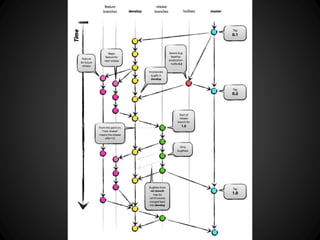
  • #34 Anything in the master branch should always be deployable http://nvie.com/posts/a-successful-git-branching-model/ http://justinhileman.info/article/changing-history/ git-flow
  • #36 Workflow http://nvie.com/posts/a-successful-git-branching-model/