SECURING YOUR
WOOCOMMERCE SITE
WORDCAMP DENVER 2018
Sitelock Community Evangelist
WP Developer & Designer
HI, I’M JAMIE SCHMID
@jamieschmid
@sitelock
IS YOUR SITE SECURE?
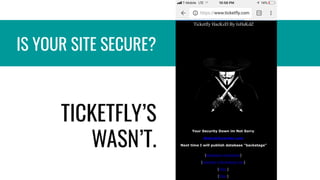
TICKETFLY’S
WASN’T.
• External factors influencing
your website decisions
• Overview of a typical customer
ecommerce journey
• Security vulnerabilities, risks
and solutions along the way
WHAT WE’LL COVER:
• Laws ’n rules
• Loading speed
• Ease of payment processing
• Need to save data for
returning customers
• Internal organization rules
EXTERNAL
FACTORS
INFLUENCING
YOUR WEBSITE
DECISIONS
OVERVIEW OF A
TYPICAL
CUSTOMER
ECOMMERCE
JOURNEY
SECURITY
VULNERABILITIES,
RISKS AND
SOLUTIONS
ALONG THE WAY
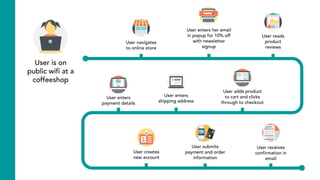
User is on
public wifi at a
coffeeshop
RISK
•Use a VPN.
•Force SSL. Browser
settings: Always use
HTTPS
•Security software on her
laptop
•Use a VPN.
•Force SSL. Browser
settings: Always use
HTTPS
•Security software on her
laptop
SOLUTIONSRISKS
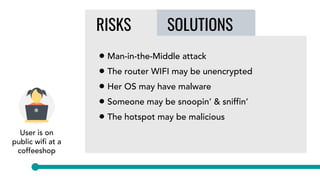
• Man-in-the-Middle attack
• The router WIFI may be unencrypted
• Her OS may have malware
• Someone may be snoopin’ & sniffin’
• The hotspot may be malicious
RISKS SOLUTIONS
User is on
public wifi at a
coffeeshop
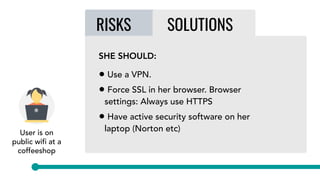
SHE SHOULD:
• Use a VPN.
• Force SSL in her browser. Browser
settings: Always use HTTPS
• Have active security software on her
laptop (Norton etc)
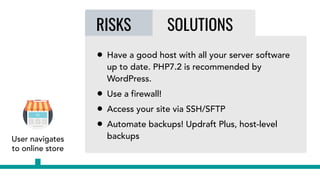
User navigates
to online store

SOLUTIONSRISKS
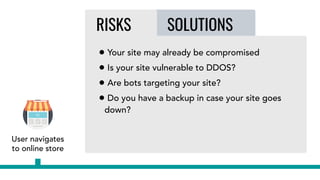
• Your site may already be compromised
• Is your site vulnerable to DDOS?
• Are bots targeting your site?
• Do you have a backup in case your site goes
down?
User navigates
to online store

RISKS SOLUTIONS
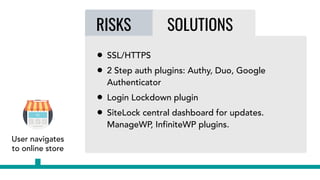
• SSL/HTTPS
• 2 Step auth plugins: Authy, Duo, Google
Authenticator
• Login Lockdown plugin
• SiteLock central dashboard for updates.
ManageWP, InfiniteWP plugins.
RISKS SOLUTIONS
• Have a good host with all your server software
up to date. PHP7.2 is recommended by
WordPress.
• Use a firewall!
• Access your site via SSH/SFTP
• Automate backups! Updraft Plus, host-level
backupsUser navigates
to online store
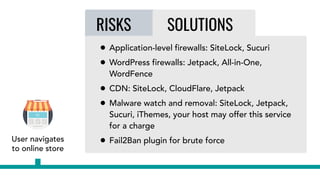
RISKS SOLUTIONS
• Application-level firewalls: SiteLock, Sucuri
• WordPress firewalls: Jetpack, All-in-One,
WordFence
• CDN: SiteLock, CloudFlare, Jetpack
• Malware watch and removal: SiteLock, Jetpack,
Sucuri, iThemes, your host may offer this service
for a charge
• Fail2Ban plugin for brute force
User lands on
your site via a
Facebook ad
User lands on
your site via a
Facebook ad
User navigates
to online store
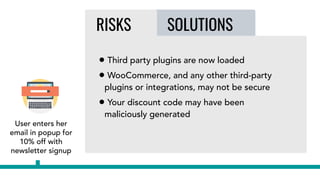
User enters her
email in popup for
10% off with
newsletter signup
SOLUTIONSRISKS
• Third party plugins are now loaded
• WooCommerce, and any other third-party
plugins or integrations, may not be secure
• Your discount code may have been
maliciously generated
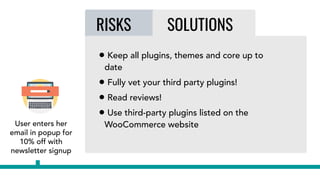
User enters her
email in popup for
10% off with
newsletter signup
RISKS SOLUTIONS
• Keep all plugins, themes and core up to
date
• Fully vet your third party plugins!
• Read reviews!
• Use third-party plugins listed on the
WooCommerce website
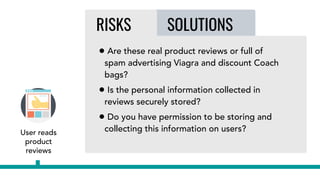
User reads
product
reviews
SOLUTIONSRISKS
• Are these real product reviews or full of
spam advertising Viagra and discount Coach
bags?
• Is the personal information collected in
reviews securely stored?
• Do you have permission to be storing and
collecting this information on users?
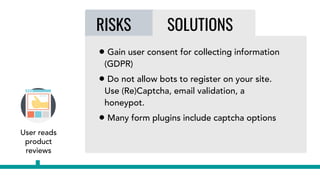
User reads
product
reviews
RISKS SOLUTIONS
• Gain user consent for collecting information
(GDPR)
• Do not allow bots to register on your site.
Use (Re)Captcha, email validation, a
honeypot.
• Many form plugins include captcha options
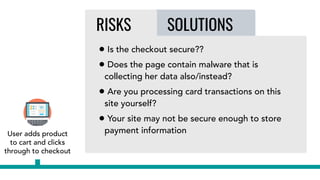
User adds product
to cart and clicks
through to checkout
SOLUTIONSRISKS
• Is the checkout secure??
• Does the page contain malware that is
collecting her data also/instead?
• Are you processing card transactions on this
site yourself?
• Your site may not be secure enough to store
payment information
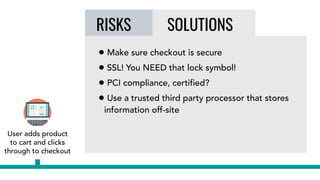
RISKS SOLUTIONS
• Make sure checkout is secure
• SSL! You NEED that lock symbol!
• PCI compliance, certified?
• Use a trusted third party processor that stores
information off-site
User adds product
to cart and clicks
through to checkout
User enters
shipping address
SOLUTIONSRISKS
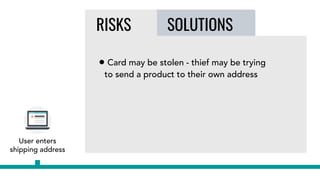
• Card may be stolen - thief may be trying
to send a product to their own address
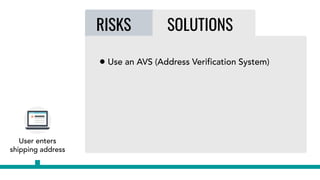
RISKS SOLUTIONS
• Use an AVS (Address Verification System)
User enters
shipping address
User creates
new account
SOLUTIONSRISKS
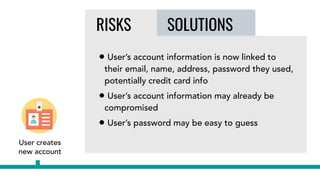
• User’s account information is now linked to
their email, name, address, password they used,
potentially credit card info
• User’s account information may already be
compromised
• User’s password may be easy to guess
RISKS SOLUTIONS
User creates
new account
RISKS SOLUTIONS
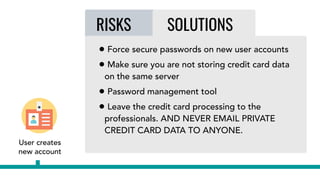
• Force secure passwords on new user accounts
• Make sure you are not storing credit card data
on the same server
• Password management tool
• Leave the credit card processing to the
professionals. AND NEVER EMAIL PRIVATE
CREDIT CARD DATA TO ANYONE.
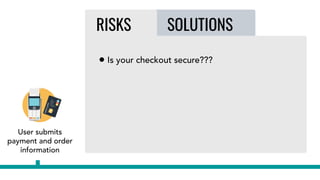
User submits
payment and order
information
SOLUTIONSRISKS
• Is your checkout secure???
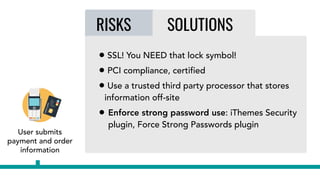
RISKS SOLUTIONS
User submits
payment and order
information
• SSL! You NEED that lock symbol!
• PCI compliance, certified
• Use a trusted third party processor that stores
information off-site
• Enforce strong password use: iThemes Security
plugin, Force Strong Passwords plugin
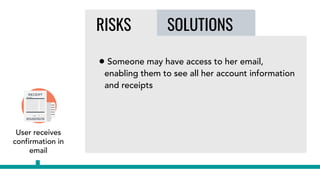
User receives
confirmation in
email
SOLUTIONSRISKS
• Someone may have access to her email,
enabling them to see all her account information
and receipts
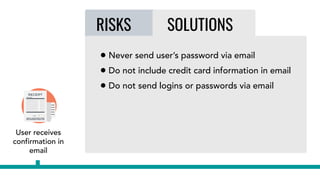
RISKS SOLUTIONS
User receives
confirmation in
email
• Never send user’s password via email
• Do not include credit card information in email
• Do not send logins or passwords via email
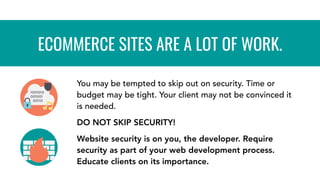
You may be tempted to skip out on security. Time or
budget may be tight. Your client may not be convinced it
is needed.
DO NOT SKIP SECURITY!
Website security is on you, the developer. Require
security as part of your web development process.
Educate clients on its importance.
ECOMMERCE SITES ARE A LOT OF WORK.
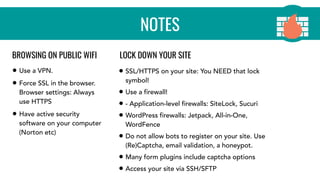
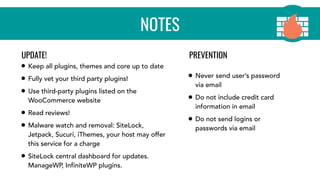
NOTES
• Use a VPN.
• Force SSL in the browser.
Browser settings: Always
use HTTPS
• Have active security
software on your computer
(Norton etc)
• SSL/HTTPS on your site: You NEED that lock
symbol!
• Use a firewall!
• - Application-level firewalls: SiteLock, Sucuri
• WordPress firewalls: Jetpack, All-in-One,
WordFence
• Do not allow bots to register on your site. Use
(Re)Captcha, email validation, a honeypot.
• Many form plugins include captcha options
• Access your site via SSH/SFTP
BROWSING ON PUBLIC WIFI LOCK DOWN YOUR SITE
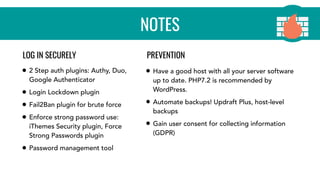
NOTES
• 2 Step auth plugins: Authy, Duo,
Google Authenticator
• Login Lockdown plugin
• Fail2Ban plugin for brute force
• Enforce strong password use:
iThemes Security plugin, Force
Strong Passwords plugin
• Password management tool
• Have a good host with all your server software
up to date. PHP7.2 is recommended by
WordPress.
• Automate backups! Updraft Plus, host-level
backups
• Gain user consent for collecting information
(GDPR)
LOG IN SECURELY PREVENTION
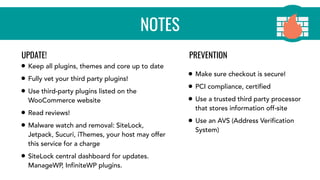
NOTES
• Keep all plugins, themes and core up to date
• Fully vet your third party plugins!
• Use third-party plugins listed on the
WooCommerce website
• Read reviews!
• Malware watch and removal: SiteLock,
Jetpack, Sucuri, iThemes, your host may offer
this service for a charge
• SiteLock central dashboard for updates.
ManageWP, InfiniteWP plugins.
• Make sure checkout is secure!
• PCI compliance, certified
• Use a trusted third party processor
that stores information off-site
• Use an AVS (Address Verification
System)
UPDATE! PREVENTION
NOTES
• Keep all plugins, themes and core up to date
• Fully vet your third party plugins!
• Use third-party plugins listed on the
WooCommerce website
• Read reviews!
• Malware watch and removal: SiteLock,
Jetpack, Sucuri, iThemes, your host may offer
this service for a charge
• SiteLock central dashboard for updates.
ManageWP, InfiniteWP plugins.
• Never send user’s password
via email
• Do not include credit card
information in email
• Do not send logins or
passwords via email
UPDATE! PREVENTION
TOGETHER WE CAN MAKE THE
INTERNET A SAFER PLACE FOR
EVERYBODY!
THANK YOU!
SECURING YOUR
WOOCOMMERCE SITE
@jamieschmid

Securing your WooCommerce Site

  • 1.
  • 2.
    Sitelock Community Evangelist WPDeveloper & Designer HI, I’M JAMIE SCHMID @jamieschmid @sitelock
  • 3.
    IS YOUR SITESECURE?
  • 4.
    IS YOUR SITESECURE? TICKETFLY’S WASN’T.
  • 5.
    • External factorsinfluencing your website decisions • Overview of a typical customer ecommerce journey • Security vulnerabilities, risks and solutions along the way WHAT WE’LL COVER:
  • 6.
    • Laws ’nrules • Loading speed • Ease of payment processing • Need to save data for returning customers • Internal organization rules EXTERNAL FACTORS INFLUENCING YOUR WEBSITE DECISIONS
  • 7.
  • 9.
  • 10.
    User is on publicwifi at a coffeeshop RISK •Use a VPN. •Force SSL. Browser settings: Always use HTTPS •Security software on her laptop •Use a VPN. •Force SSL. Browser settings: Always use HTTPS •Security software on her laptop SOLUTIONSRISKS • Man-in-the-Middle attack • The router WIFI may be unencrypted • Her OS may have malware • Someone may be snoopin’ & sniffin’ • The hotspot may be malicious
  • 11.
    RISKS SOLUTIONS User ison public wifi at a coffeeshop SHE SHOULD: • Use a VPN. • Force SSL in her browser. Browser settings: Always use HTTPS • Have active security software on her laptop (Norton etc)
  • 12.
    User navigates to onlinestore SOLUTIONSRISKS • Your site may already be compromised • Is your site vulnerable to DDOS? • Are bots targeting your site? • Do you have a backup in case your site goes down?
  • 13.
    User navigates to onlinestore RISKS SOLUTIONS • SSL/HTTPS • 2 Step auth plugins: Authy, Duo, Google Authenticator • Login Lockdown plugin • SiteLock central dashboard for updates. ManageWP, InfiniteWP plugins.
  • 14.
    RISKS SOLUTIONS • Havea good host with all your server software up to date. PHP7.2 is recommended by WordPress. • Use a firewall! • Access your site via SSH/SFTP • Automate backups! Updraft Plus, host-level backupsUser navigates to online store
  • 15.
    RISKS SOLUTIONS • Application-levelfirewalls: SiteLock, Sucuri • WordPress firewalls: Jetpack, All-in-One, WordFence • CDN: SiteLock, CloudFlare, Jetpack • Malware watch and removal: SiteLock, Jetpack, Sucuri, iThemes, your host may offer this service for a charge • Fail2Ban plugin for brute force User lands on your site via a Facebook ad User lands on your site via a Facebook ad User navigates to online store
  • 16.
    User enters her emailin popup for 10% off with newsletter signup SOLUTIONSRISKS • Third party plugins are now loaded • WooCommerce, and any other third-party plugins or integrations, may not be secure • Your discount code may have been maliciously generated
  • 17.
    User enters her emailin popup for 10% off with newsletter signup RISKS SOLUTIONS • Keep all plugins, themes and core up to date • Fully vet your third party plugins! • Read reviews! • Use third-party plugins listed on the WooCommerce website
  • 18.
    User reads product reviews SOLUTIONSRISKS • Arethese real product reviews or full of spam advertising Viagra and discount Coach bags? • Is the personal information collected in reviews securely stored? • Do you have permission to be storing and collecting this information on users?
  • 19.
    User reads product reviews RISKS SOLUTIONS •Gain user consent for collecting information (GDPR) • Do not allow bots to register on your site. Use (Re)Captcha, email validation, a honeypot. • Many form plugins include captcha options
  • 20.
    User adds product tocart and clicks through to checkout SOLUTIONSRISKS • Is the checkout secure?? • Does the page contain malware that is collecting her data also/instead? • Are you processing card transactions on this site yourself? • Your site may not be secure enough to store payment information
  • 21.
    RISKS SOLUTIONS • Makesure checkout is secure • SSL! You NEED that lock symbol! • PCI compliance, certified? • Use a trusted third party processor that stores information off-site User adds product to cart and clicks through to checkout
  • 22.
    User enters shipping address SOLUTIONSRISKS •Card may be stolen - thief may be trying to send a product to their own address
  • 23.
    RISKS SOLUTIONS • Usean AVS (Address Verification System) User enters shipping address
  • 24.
    User creates new account SOLUTIONSRISKS •User’s account information is now linked to their email, name, address, password they used, potentially credit card info • User’s account information may already be compromised • User’s password may be easy to guess
  • 25.
    RISKS SOLUTIONS User creates newaccount RISKS SOLUTIONS • Force secure passwords on new user accounts • Make sure you are not storing credit card data on the same server • Password management tool • Leave the credit card processing to the professionals. AND NEVER EMAIL PRIVATE CREDIT CARD DATA TO ANYONE.
  • 26.
    User submits payment andorder information SOLUTIONSRISKS • Is your checkout secure???
  • 27.
    RISKS SOLUTIONS User submits paymentand order information • SSL! You NEED that lock symbol! • PCI compliance, certified • Use a trusted third party processor that stores information off-site • Enforce strong password use: iThemes Security plugin, Force Strong Passwords plugin
  • 28.
    User receives confirmation in email SOLUTIONSRISKS •Someone may have access to her email, enabling them to see all her account information and receipts
  • 29.
    RISKS SOLUTIONS User receives confirmationin email • Never send user’s password via email • Do not include credit card information in email • Do not send logins or passwords via email
  • 30.
    You may betempted to skip out on security. Time or budget may be tight. Your client may not be convinced it is needed. DO NOT SKIP SECURITY! Website security is on you, the developer. Require security as part of your web development process. Educate clients on its importance. ECOMMERCE SITES ARE A LOT OF WORK.
  • 31.
    NOTES • Use aVPN. • Force SSL in the browser. Browser settings: Always use HTTPS • Have active security software on your computer (Norton etc) • SSL/HTTPS on your site: You NEED that lock symbol! • Use a firewall! • - Application-level firewalls: SiteLock, Sucuri • WordPress firewalls: Jetpack, All-in-One, WordFence • Do not allow bots to register on your site. Use (Re)Captcha, email validation, a honeypot. • Many form plugins include captcha options • Access your site via SSH/SFTP BROWSING ON PUBLIC WIFI LOCK DOWN YOUR SITE
  • 32.
    NOTES • 2 Stepauth plugins: Authy, Duo, Google Authenticator • Login Lockdown plugin • Fail2Ban plugin for brute force • Enforce strong password use: iThemes Security plugin, Force Strong Passwords plugin • Password management tool • Have a good host with all your server software up to date. PHP7.2 is recommended by WordPress. • Automate backups! Updraft Plus, host-level backups • Gain user consent for collecting information (GDPR) LOG IN SECURELY PREVENTION
  • 33.
    NOTES • Keep allplugins, themes and core up to date • Fully vet your third party plugins! • Use third-party plugins listed on the WooCommerce website • Read reviews! • Malware watch and removal: SiteLock, Jetpack, Sucuri, iThemes, your host may offer this service for a charge • SiteLock central dashboard for updates. ManageWP, InfiniteWP plugins. • Make sure checkout is secure! • PCI compliance, certified • Use a trusted third party processor that stores information off-site • Use an AVS (Address Verification System) UPDATE! PREVENTION
  • 34.
    NOTES • Keep allplugins, themes and core up to date • Fully vet your third party plugins! • Use third-party plugins listed on the WooCommerce website • Read reviews! • Malware watch and removal: SiteLock, Jetpack, Sucuri, iThemes, your host may offer this service for a charge • SiteLock central dashboard for updates. ManageWP, InfiniteWP plugins. • Never send user’s password via email • Do not include credit card information in email • Do not send logins or passwords via email UPDATE! PREVENTION
  • 35.
    TOGETHER WE CANMAKE THE INTERNET A SAFER PLACE FOR EVERYBODY!
  • 36.