Aamazon Web Service Cloud-Formation
By Kamal Maiti
Sr. Subject Matter Expert
Linux System Engineer
Amdocs Development Center, India
 Method to Create or Manage a Collection of AWS Resources.
 Often Described as “Infrastructure as Code”.
 Built with JSON Template Files.
Dated : 3rd July, 2015
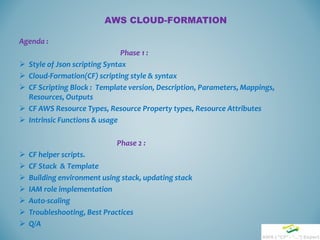
AWS CLOUD-FORMATION
Agenda :
Phase 1 :
 Style of Json scripting Syntax
 Cloud-Formation(CF) scripting style & syntax
 CF Scripting Block : Template version, Description, Parameters, Mappings,
Resources, Outputs
 CF AWS Resource Types, Resource Property types, Resource Attributes
 Intrinsic Functions & usage
Phase 2 :
 CF helper scripts.
 CF Stack & Template
 Building environment using stack, updating stack
 IAM role implementation
 Auto-scaling
 Troubleshooting, Best Practices
 Q/A
STYLE OF JSON SYNTAX
JSON syntax is a subset of the JavaScript object notation syntax:
 Data is in Key/value pairs : “Key” : “Value”
 Data is separated by commas : “data1”, “data2”
 Curly braces hold objects : { … }
 Square brackets hold arrays : [ … ]
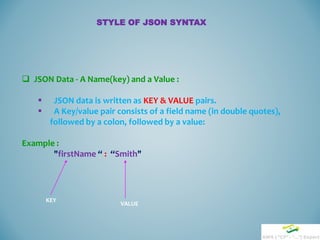
 JSON Data - A Name(key) and a Value :
 JSON data is written as KEY & VALUE pairs.
 A Key/value pair consists of a field name (in double quotes),
followed by a colon, followed by a value:
Example :
"firstName “ : “Smith"
STYLE OF JSON SYNTAX
KEY
VALUE
 JSON Values :
 A number (integer or floating point)
 A string (in double quotes)
 A Boolean (true or false)
 An array (in square brackets)
 An object (in curly braces)
 null
STYLE OF JSON SYNTAX
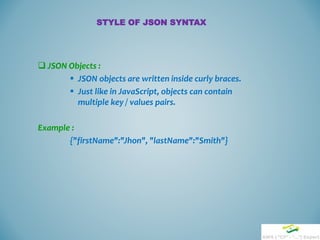
 JSON Objects :
 JSON objects are written inside curly braces.
 Just like in JavaScript, objects can contain
multiple key / values pairs.
Example :
{"firstName":"Jhon", "lastName":"Smith"}
STYLE OF JSON SYNTAX
 JSON Arrays
 JSON arrays are written inside square brackets.
 Just like in JavaScript, an array can contain multiple objects.
Example:
"employees":[
{"firstName":"John", "lastName":"Doe"},
{"firstName":"Anna", "lastName":"Smith"},
{"firstName":"Peter", "lastName":"Jones"}
]
STYLE OF JSON SYNTAX
{
"Title" : "The Daughter Of Time",
"Author" : "Josephine Tey",
"Genre" : " Crime, Thrillers & Mystery ",
"Detail" : {
"Publisher" : " Simon & Schuster ",
"Publication_Year" : 2009 ,
"ISBN" : “0-684-80386-0",
“Language" : "English",
"Pages" : 999
},
"Price" : [
{
"type" :"Hardcover",
"price" : "17.99"
},
{
"type" : "Kindle Edition",
"price" : "5.22"
}
]
}
Json Script Example
Main Object Starts
Nested Object Starts
First Sub Object Starts
First Sub Object Ends
Main Object Ends
Nested Object Ends
Nested Object Ends
Array Starts (second object as array)
Array Ends
Value: String
Value : Number
No comma (, ) after last value
 Cloud Formation uses Json scripting style & syntax.
 Objects are wrapped within '{' and '}‘.
 Arrays are enclosed by '[' and ']'.
 Objects are list of key & Value pairs.
 Arrays are list of values.
 Both objects and arrays can be nested.
 strings, numbers, booleans (i.e true and false) and null
can be used as values.
CLOUD-FORMATION SYNTAX
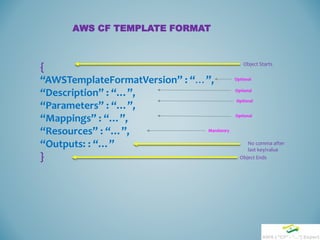
AWS CF TEMPLATE FORMAT
{
“AWSTemplateFormatVersion” : “…”,
“Description” : “…”,
“Parameters” : “…”,
“Mappings” : “…”,
“Resources” : “…”,
“Outputs: : “…”
}
Object Starts
Object Ends
No comma after
last key/value
Optional
Mandatory
Optional
Optional
Optional
Editor for Developing CF script
 oXygen XML Editor - Available in our Software Catalog. Live json
syntax checker.
 Online Editor :
“jsoneditoronline.org” - I prefer to use. Live json syntax
checker.
“codebeautify.org/online-json-editor” – have not used
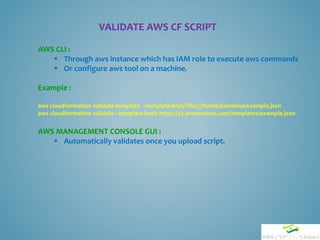
VALIDATE AWS CF SCRIPT
AWS CLI :
 Through aws instance which has IAM role to execute aws commands
 Or configure aws tool on a machine.
Example :
aws cloudformation validate-template –template-body file:////home/kamalma/example.json
aws cloudformation validate –template-body https://s3.amazonaws.com/templates/example.json
AWS MANAGEMENT CONSOLE GUI :
 Automatically validates once you upload script.
EXAMPLE OF CLOUD-FORMATION BLOCK
{
“AWSTemplateFormatVersion” : “2010-09-09”,
“Description” : ”This is a test template”
“Parameters” : {
“Customer” : {
“Description” : “Name of the customer”,
“Type” : “String”,
“Default” : “claro”,
“AllowedValues” : [“claro”,”tyco”, “qpass”]
}
}
}
Static/fixed
Name
Variable/Cus
tomizable
Name
Optional
Optional
Optional
EXAMPLE OF CLOUD-FORMATION BLOCK
{
"Mappings" : {
“MyRegionMap" : {
"us-east-1" : {
"AMI" : "ami-76f0061f“ },
"us-west-1" : {
"AMI" : "ami-655a0a20“ },
"eu-west-1" : {
"AMI" : "ami-7fd4e10b“ },
}
}
},
"Resources" : {
"Ec2Instance" : {
"Type" : "AWS::EC2::Instance",
"Properties" : {
"KeyName" : "MyKey",
"ImageId" : { "Fn::FindInMap" : [ “MyRegionMap", { "Ref" :
"AWS::Region" }, "AMI" ]}
}
}
},
“Outputs” : { }
}
Static Name
Static Name
Static Name
First Key
Second Name
User Defined Name
User Defined Name
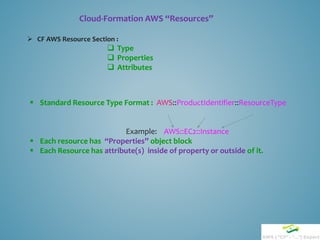
 CF AWS Resource Section :
 Type
 Properties
 Attributes
Cloud-Formation AWS “Resources”
 Standard Resource Type Format : AWS::ProductIdentifier::ResourceType
Example: AWS::EC2::Instance
 Each resource has “Properties” object block
 Each Resource has attribute(s) inside of property or outside of it.
{
"AWSTemplateFormatVersion" : "2010-09-09",
"Description" : "Ec2 block device mapping",
"Resources" : {
"MyEC2Instance" : {
"Type" : "AWS::EC2::Instance",
"Properties" : {
"ImageId" : "ami-79fd7eee",
"KeyName" : "testkey",
"BlockDeviceMappings" : [
{
"DeviceName" : "/dev/sdm",
"Ebs" : {
"VolumeType" : “gp2",
"Iops" : "200",
"DeleteOnTermination" : "false",
"VolumeSize" : "20“ }
}
]
}
}
}
}
Resource
Type
Resource
Property Block
Resource
Attributes
How Do I know all AWS Resource names, Resource Types,
Resource Attributes ?
 Amazon online link :
http://docs.aws.amazon.com/AWSCloudFormation/latest/UserGuide/Welcome.html
And Go to “Template Reference” section.
 Refer cloud-formation user guide pdf [cfn-ug.pdf]
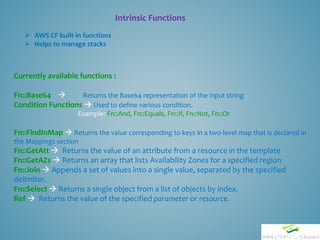
Intrinsic Functions
 AWS CF built-in functions
 Helps to manage stacks
Currently available functions :
Fn::Base64  Returns the Base64 representation of the input string
Condition Functions  Used to define various condition.
Example: Fn::And, Fn::Equals, Fn::If, Fn::Not, Fn::Or
Fn::FindInMap  Returns the value corresponding to keys in a two-level map that is declared in
the Mappings section
Fn::GetAtt  Returns the value of an attribute from a resource in the template
Fn::GetAZs  Returns an array that lists Availability Zones for a specified region
Fn::Join  Appends a set of values into a single value, separated by the specified
delimiter.
Fn::Select  Returns a single object from a list of objects by index.
Ref  Returns the value of the specified parameter or resource.
Intrinsic Function Usage
Fn::Base64
Usage : Usually used in Userdata section
Declaration : { "Fn::Base64" : valueToEncode }
Example :
{
"MyInstance": {
"Type": "AWS::EC2::Instance",
"Metadata": {
:
},
"Properties": {
"ImageId" : "ami-12345678",
"UserData" : {
"Fn::Base64" : {
"Fn::Join" : ["", [
"#!/bin/bashn",
"/opt/aws/bin/cfn-init -s ", { "Ref" : "AWS::StackName" },
" -r MyInstance ",
" --region ", { "Ref" : "AWS::Region" }, "n",
"/opt/aws/bin/cfn-signal -e 0 --stack ", { "Ref" : "AWS::StackName" },
" --resource MyInstance n"
] ]
}
}
}
}
}
Intrinsic Function Usage
Condition Functions
Fn::And
Declaration : "Fn::And": [{condition}, {...}]
Parameters :
condition : A condition that evaluates to true or false.
Example : The following MyAndCondition evaluates to true if the referenced security group name
is equal to sg-mysggroup and if SomeOtherCondition evaluates to true:
"MyAndCondition": {
"Fn::And": [
{"Fn::Equals": ["sg-mysggroup", {"Ref": "ASecurityGroup"}]},
{"Condition": "SomeOtherCondition"}
]
}
Intrinsic Function Usage
Fn::FindInMap
Declaration : "Fn::FindInMap" : [ "MapName", "TopLevelKey", "SecondLevelKey"]
Parameters :
MapName : The logical name of a mapping declared in the Mappings section that contains the keys and values.
TopLevelKey: The top-level key name. Its value is a list of key-value pairs.
SecondLevelKey: The second-level key name, which is set to one of the keys from the list assigned to TopLevelKey.
Return Value: The value that is assigned to SecondLevelKey.
{
...
"Mappings" : {
"RegionMap" : {
"us-east-1" : { "32" : "ami-6411e20d", "64" : "ami-7a11e213" },
"us-west-1" : { "32" : "ami-c9c7978c", "64" : "ami-cfc7978a" },
"eu-west-1" : { "32" : "ami-37c2f643", "64" : "ami-31c2f645" },
"ap-southeast-1" : { "32" : "ami-66f28c34", "64" : "ami-60f28c32" },
"ap-northeast-1" : { "32" : "ami-9c03a89d", "64" : "ami-a003a8a1" }
}
},
"Resources" : {
"myEC2Instance" : {
"Type" : "AWS::EC2::Instance",
"Properties" : {
"ImageId" : { "Fn::FindInMap" : [ "RegionMap", { "Ref" : "AWS::Region" },
"32"]},
"InstanceType" : "m1.small"
}
}
}
}
NB : In above example, if you are build stack in us-west-1 region, for 64 bit instance, it’ll use “ami-cfc7978a”
Intrinsic Function Usage
Fn::GetAtt
Declaration : "Fn::GetAtt" : [ "logicalNameOfResource", "attributeName" ]
Parameters :
logicalNameOfResource: The logical name of the resource that contains the attribute
you want.
attributeName: The name of the resource-specific attribute whose value you want.
Example :
“Outputs” : {
"PrivateIP" : {
"Description" : "Private IP of newly created EC2 instance",
"Value" : { "Fn::GetAtt" : ["EC2Instance", "PrivateIp"] }
}
}
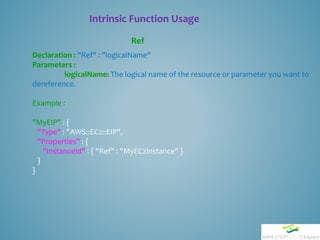
Intrinsic Function Usage
Ref
Declaration : "Ref" : "logicalName"
Parameters :
logicalName: The logical name of the resource or parameter you want to
dereference.
Example :
"MyEIP" : {
"Type" : "AWS::EC2::EIP",
"Properties" : {
"InstanceId" : { "Ref" : "MyEC2Instance" }
}
}
Intrinsic Function Usage
Fn::Join
Declaration : "Fn::Join" : [ "delimiter", [ comma-delimited list of values ] ]
Return Value : The combined string.
Example :
"Fn::Join" : [ ":", [ "a", "b", "c" ] ]
This example returns: "a:b:c".
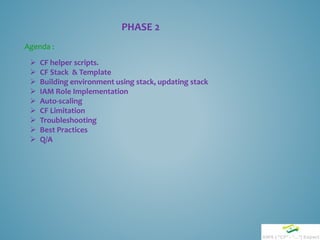
PHASE 2
 CF helper scripts.
 CF Stack & Template
 Building environment using stack, updating stack
 IAM Role Implementation
 Auto-scaling
 CF Limitation
 Troubleshooting
 Best Practices
 Q/A
Agenda :
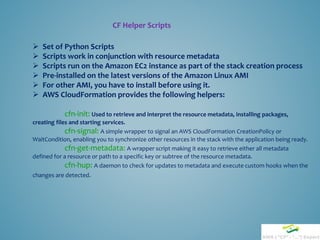
CF Helper Scripts
 Set of Python Scripts
 Scripts work in conjunction with resource metadata
 Scripts run on the Amazon EC2 instance as part of the stack creation process
 Pre-installed on the latest versions of the Amazon Linux AMI
 For other AMI, you have to install before using it.
 AWS CloudFormation provides the following helpers:
cfn-init: Used to retrieve and interpret the resource metadata, installing packages,
creating files and starting services.
cfn-signal: A simple wrapper to signal an AWS CloudFormation CreationPolicy or
WaitCondition, enabling you to synchronize other resources in the stack with the application being ready.
cfn-get-metadata: A wrapper script making it easy to retrieve either all metadata
defined for a resource or path to a specific key or subtree of the resource metadata.
cfn-hup: A daemon to check for updates to metadata and execute custom hooks when the
changes are detected.
CF Helper Scripts Usage
"UserData":{
"Fn::Base64":{ "Fn::Join":[ "", [
"#!/bin/bash -xen",
"# Install the files and packages from the metadatan",
"/opt/aws/bin/cfn-init -v ",
" --stack ", { "Ref" : "AWS::StackName" },
" --resource EC2Instance",
" --configsets InstallSoftware",
" --region ", { "Ref" : "Region" }, "n",
"# Start up the cfn-hup daemon to listen for changes to the metadatan",
"/opt/aws/bin/cfn-hup || error_exit 'Failed to start cfn-hup'n",
"# Signal the status from cfn-initn",
"/opt/aws/bin/cfn-signal -e $? ",
" --stack ", { "Ref" : "AWS::StackName" },
" --resource EC2Instance",
" --region ", { "Ref" : "Region" }, "n"
]]
}
}
User data section of EC2
resource
Called cfn-init script
Run cfn-hup deamon
Checks return status
of cfn-init
"Metadata" : {
"AWS::CloudFormation::Init" : {
"configSets" : {
"InstallSoftware" : ["Install"]
},
"Install" : {
"files" : {
"/etc/cfn/cfn-hup.conf" : {
"content" : { "Fn::Join" : ["", [
"[main]n",
"stack=", { "Ref" : "AWS::StackId" }, "n",
"region=", { "Ref" : "Region" }, "n"
]]},
"mode" : "000400", "owner" : "root", "group" : "root“ },
"/etc/cfn/hooks.d/cfn-auto-reloader.conf" : {
"content": { "Fn::Join" : ["", [
"[cfn-auto-reloader-hook]n",
"triggers=post.updaten",
"path=Resources.WebServerInstance.Metadata.AWS::CloudFormation::Initn",
"action=/opt/aws/bin/cfn-init -v ",
" --stack ", { "Ref" : "AWS::StackName" },
" --resource EC2Instance ",
" --configsets InstallSoftware ",
" --region ", { "Ref" : "Region" }, "n",
"runas=rootn"
]]}
}
},
"commands" : {
"configure node" : {
"command" : { "Fn::Join" : ["", [
"logger 'finised commandlines' n"
]]
}
}
},
"services" : {
"sysvinit" : {
"cfn-hup" : { "enabled" : "true", "ensureRunning" : "true",
"files" : ["/etc/cfn/cfn-hup.conf", "/etc/cfn/hooks.d/cfn-auto-
reloader.conf"]}
}
}}
}
}
EC2 Metadata section
EC2 standard cfn-init section
Cfn-hup config file
Cfn-hup autoloader config file
Auto-loader will be used for post update only
Starts cfn-hup as daemon
CF Stack & Template
 Nested Template can be called to reuse same template
 Resource "Type" : "AWS::CloudFormation::Stack“ must be used.
 "TemplateURL" needs to be used in Property section.
 "Parameters" can be passed from master to nested template
Example :
"Resources" : {
"FrontNodeStack" : {
"Type" : "AWS::CloudFormation::Stack",
"Properties" : {
"TemplateURL" : "https://s3-sa-east-1.amazonaws.com/claro-templates-static-sa-
east-1/tyco-front-back-nested-ec2-gru1.json",
"Parameters" : {
"Customer" : { "Ref" : "Customer“ },
[…]
"PuppetMaster" : {"Ref" : "PuppetMaster"}
}
}
}
}
Stack resource Type
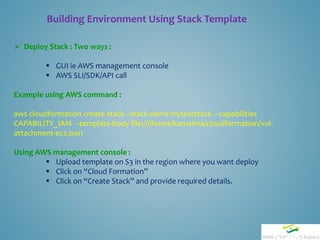
Building Environment Using Stack Template
 Deploy Stack : Two ways :
 GUI ie AWS management console
 AWS SLI/SDK/API call
Example using AWS command :
aws cloudformation create-stack --stack-name myteststack --capabilities
CAPABILITY_IAM --template-body file:////home/kamalma/cloudformation/vol-
attachment-ec2.json
Using AWS management console :
 Upload template on S3 in the region where you want deploy
 Click on “Cloud Formation”
 Click on “Create Stack” and provide required details.
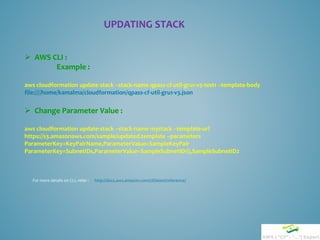
UPDATING STACK
 AWS CLI :
Example :
aws cloudformation update-stack --stack-name qpass-cf-util-gru1-v3-test1 --template-body
file:////home/kamalma/cloudformation/qpass-cf-util-gru1-v3.json
 Change Parameter Value :
aws cloudformation update-stack --stack-name mystack --template-url
https://s3.amazonaws.com/sample/updated.template --parameters
ParameterKey=KeyPairName,ParameterValue=SampleKeyPair
ParameterKey=SubnetIDs,ParameterValue=SampleSubnetID1,SampleSubnetID2
For more details on CLI, refer : http://docs.aws.amazon.com/cli/latest/reference/
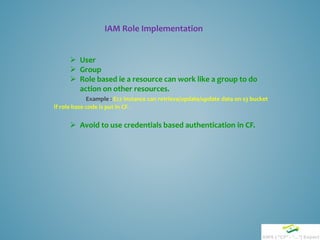
IAM Role Implementation
 User
 Group
 Role based ie a resource can work like a group to do
action on other resources.
Example : Ec2 instance can retrieve/update/update data on s3 bucket
if role base code is put in CF.
 Avoid to use credentials based authentication in CF.
Auto-Scaling
“MyInstance" : {
"Type" : "AWS::AutoScaling::LaunchConfiguration",
"Properties" : {
"SecurityGroups" : [“XXXX"],
[…]
}
}
“AppAutoScalingGroup" : {
"Type" : "AWS::AutoScaling::AutoScalingGroup",
"Properties" : {
"AvailabilityZones" : { "Fn::GetAZs" : "" },
"LaunchConfigurationName" : { "Ref" : “MyInstance" },
"MinSize" : "1",
"MaxSize" : "2",
"Cooldown" : "600",
"TerminationPolicies" : [ "NewestInstance" ],
"VPCZoneIdentifier" : [ "subnet-XXX" ],
"NotificationConfiguration" : {
"TopicARN" : { "Ref" : "SNSTopic" },
"NotificationTypes" : [
"autoscaling:EC2_INSTANCE_LAUNCH",
"autoscaling:EC2_INSTANCE_LAUNCH_ERROR",
"autoscaling:EC2_INSTANCE_TERMINATE",
"autoscaling:EC2_INSTANCE_TERMINATE_ERROR"
]
}
}
},
"AppServerScaleUpPolicy" : {
"Type" : "AWS::AutoScaling::ScalingPolicy",
"AutoScalingGroupName" : { "Ref" :
"AppAutoScalingGroup" },
[..]
"ScalingAdjustment" : "1"
"AppServerScaleDownPolicy" : {
"Type" : "AWS::AutoScaling::ScalingPolicy",
"AutoScalingGroupName" : { "Ref" :
"AppAutoScalingGroup" },
[..]
"ScalingAdjustment" : "-1"
“AppCPUAlarmHigh": {
"Type": "AWS::CloudWatch::Alarm",
"Properties": {
"AlarmDescription": "Scale-up if CPU > 7% for 1 minute",
"MetricName": "CPUUtilization",
"Namespace": "AWS/EC2",
"Statistic": "Average",
"Period": "60",
"EvaluationPeriods": "1",
"Threshold": "7",
"AlarmActions": [ { "Ref": "AppServerScaleUpPolicy" } ],
[…]
"ComparisonOperator": "GreaterThanThreshold"
“AppCPUAlarmLow": {
"Type": "AWS::CloudWatch::Alarm",
"Properties": {
"AlarmDescription": "Scale-down if CPU < 5% for 2 minutes",
"MetricName": "CPUUtilization",
"Namespace": "AWS/EC2",
"Statistic": "Average",
"Period": "120",
"EvaluationPeriods": "1",
"Threshold": "5",
"AlarmActions": [ { "Ref": "AppServerScaleDownPolicy" } ],
[…]
"ComparisonOperator": "LessThanThreshold"
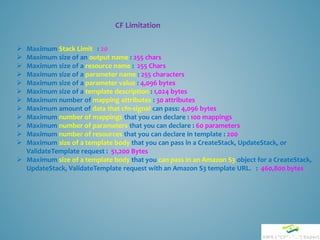
CF Limitation
 Maximum Stack Limit : 20
 Maximum size of an output name : 255 chars
 Maximum size of a resource name : 255 Chars
 Maximum size of a parameter name : 255 characters
 Maximum size of a parameter value : 4,096 bytes
 Maximum size of a template description : 1,024 bytes
 Maximum number of mapping attributes : 30 attributes
 Maximum amount of data that cfn-signal can pass: 4,096 bytes
 Maximum number of mappings that you can declare : 100 mappings
 Maximum number of parameters that you can declare : 60 parameters
 Maximum number of resources that you can declare in template : 200
 Maximum size of a template body that you can pass in a CreateStack, UpdateStack, or
ValidateTemplate request : 51,200 Bytes
 Maximum size of a template body that you can pass in an Amazon S3 object for a CreateStack,
UpdateStack, ValidateTemplate request with an Amazon S3 template URL. : 460,800 bytes
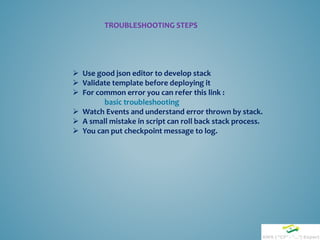
TROUBLESHOOTING STEPS
 Use good json editor to develop stack
 Validate template before deploying it
 For common error you can refer this link :
basic troubleshooting
 Watch Events and understand error thrown by stack.
 A small mistake in script can roll back stack process.
 You can put checkpoint message to log.
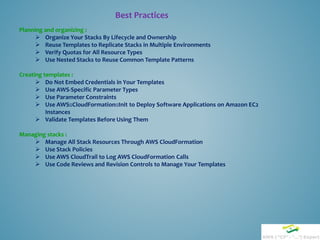
Best Practices
Planning and organizing :
 Organize Your Stacks By Lifecycle and Ownership
 Reuse Templates to Replicate Stacks in Multiple Environments
 Verify Quotas for All Resource Types
 Use Nested Stacks to Reuse Common Template Patterns
Creating templates :
 Do Not Embed Credentials in Your Templates
 Use AWS-Specific Parameter Types
 Use Parameter Constraints
 Use AWS::CloudFormation::Init to Deploy Software Applications on Amazon EC2
Instances
 Validate Templates Before Using Them
Managing stacks :
 Manage All Stack Resources Through AWS CloudFormation
 Use Stack Policies
 Use AWS CloudTrail to Log AWS CloudFormation Calls
 Use Code Reviews and Revision Controls to Manage Your Templates
Q/A

AWS CloudFormation Session

  • 1.
    Aamazon Web ServiceCloud-Formation By Kamal Maiti Sr. Subject Matter Expert Linux System Engineer Amdocs Development Center, India  Method to Create or Manage a Collection of AWS Resources.  Often Described as “Infrastructure as Code”.  Built with JSON Template Files. Dated : 3rd July, 2015
  • 2.
    AWS CLOUD-FORMATION Agenda : Phase1 :  Style of Json scripting Syntax  Cloud-Formation(CF) scripting style & syntax  CF Scripting Block : Template version, Description, Parameters, Mappings, Resources, Outputs  CF AWS Resource Types, Resource Property types, Resource Attributes  Intrinsic Functions & usage Phase 2 :  CF helper scripts.  CF Stack & Template  Building environment using stack, updating stack  IAM role implementation  Auto-scaling  Troubleshooting, Best Practices  Q/A
  • 3.
    STYLE OF JSONSYNTAX JSON syntax is a subset of the JavaScript object notation syntax:  Data is in Key/value pairs : “Key” : “Value”  Data is separated by commas : “data1”, “data2”  Curly braces hold objects : { … }  Square brackets hold arrays : [ … ]
  • 4.
     JSON Data- A Name(key) and a Value :  JSON data is written as KEY & VALUE pairs.  A Key/value pair consists of a field name (in double quotes), followed by a colon, followed by a value: Example : "firstName “ : “Smith" STYLE OF JSON SYNTAX KEY VALUE
  • 5.
     JSON Values:  A number (integer or floating point)  A string (in double quotes)  A Boolean (true or false)  An array (in square brackets)  An object (in curly braces)  null STYLE OF JSON SYNTAX
  • 6.
     JSON Objects:  JSON objects are written inside curly braces.  Just like in JavaScript, objects can contain multiple key / values pairs. Example : {"firstName":"Jhon", "lastName":"Smith"} STYLE OF JSON SYNTAX
  • 7.
     JSON Arrays JSON arrays are written inside square brackets.  Just like in JavaScript, an array can contain multiple objects. Example: "employees":[ {"firstName":"John", "lastName":"Doe"}, {"firstName":"Anna", "lastName":"Smith"}, {"firstName":"Peter", "lastName":"Jones"} ] STYLE OF JSON SYNTAX
  • 8.
    { "Title" : "TheDaughter Of Time", "Author" : "Josephine Tey", "Genre" : " Crime, Thrillers & Mystery ", "Detail" : { "Publisher" : " Simon & Schuster ", "Publication_Year" : 2009 , "ISBN" : “0-684-80386-0", “Language" : "English", "Pages" : 999 }, "Price" : [ { "type" :"Hardcover", "price" : "17.99" }, { "type" : "Kindle Edition", "price" : "5.22" } ] } Json Script Example Main Object Starts Nested Object Starts Nested Object Starts First Sub Object Starts First Sub Object Ends Main Object Ends Nested Object Ends Nested Object Ends Array Starts (second object as array) Array Ends Value: String Value : Number No comma (, ) after last value
  • 9.
     Cloud Formationuses Json scripting style & syntax.  Objects are wrapped within '{' and '}‘.  Arrays are enclosed by '[' and ']'.  Objects are list of key & Value pairs.  Arrays are list of values.  Both objects and arrays can be nested.  strings, numbers, booleans (i.e true and false) and null can be used as values. CLOUD-FORMATION SYNTAX
  • 10.
    AWS CF TEMPLATEFORMAT { “AWSTemplateFormatVersion” : “…”, “Description” : “…”, “Parameters” : “…”, “Mappings” : “…”, “Resources” : “…”, “Outputs: : “…” } Object Starts Object Ends No comma after last key/value Optional Mandatory Optional Optional Optional
  • 11.
    Editor for DevelopingCF script  oXygen XML Editor - Available in our Software Catalog. Live json syntax checker.  Online Editor : “jsoneditoronline.org” - I prefer to use. Live json syntax checker. “codebeautify.org/online-json-editor” – have not used
  • 12.
    VALIDATE AWS CFSCRIPT AWS CLI :  Through aws instance which has IAM role to execute aws commands  Or configure aws tool on a machine. Example : aws cloudformation validate-template –template-body file:////home/kamalma/example.json aws cloudformation validate –template-body https://s3.amazonaws.com/templates/example.json AWS MANAGEMENT CONSOLE GUI :  Automatically validates once you upload script.
  • 13.
    EXAMPLE OF CLOUD-FORMATIONBLOCK { “AWSTemplateFormatVersion” : “2010-09-09”, “Description” : ”This is a test template” “Parameters” : { “Customer” : { “Description” : “Name of the customer”, “Type” : “String”, “Default” : “claro”, “AllowedValues” : [“claro”,”tyco”, “qpass”] } } } Static/fixed Name Variable/Cus tomizable Name Optional Optional Optional
  • 14.
    EXAMPLE OF CLOUD-FORMATIONBLOCK { "Mappings" : { “MyRegionMap" : { "us-east-1" : { "AMI" : "ami-76f0061f“ }, "us-west-1" : { "AMI" : "ami-655a0a20“ }, "eu-west-1" : { "AMI" : "ami-7fd4e10b“ }, } } }, "Resources" : { "Ec2Instance" : { "Type" : "AWS::EC2::Instance", "Properties" : { "KeyName" : "MyKey", "ImageId" : { "Fn::FindInMap" : [ “MyRegionMap", { "Ref" : "AWS::Region" }, "AMI" ]} } } }, “Outputs” : { } } Static Name Static Name Static Name First Key Second Name User Defined Name User Defined Name
  • 15.
     CF AWSResource Section :  Type  Properties  Attributes Cloud-Formation AWS “Resources”  Standard Resource Type Format : AWS::ProductIdentifier::ResourceType Example: AWS::EC2::Instance  Each resource has “Properties” object block  Each Resource has attribute(s) inside of property or outside of it.
  • 16.
    { "AWSTemplateFormatVersion" : "2010-09-09", "Description": "Ec2 block device mapping", "Resources" : { "MyEC2Instance" : { "Type" : "AWS::EC2::Instance", "Properties" : { "ImageId" : "ami-79fd7eee", "KeyName" : "testkey", "BlockDeviceMappings" : [ { "DeviceName" : "/dev/sdm", "Ebs" : { "VolumeType" : “gp2", "Iops" : "200", "DeleteOnTermination" : "false", "VolumeSize" : "20“ } } ] } } } } Resource Type Resource Property Block Resource Attributes
  • 17.
    How Do Iknow all AWS Resource names, Resource Types, Resource Attributes ?  Amazon online link : http://docs.aws.amazon.com/AWSCloudFormation/latest/UserGuide/Welcome.html And Go to “Template Reference” section.  Refer cloud-formation user guide pdf [cfn-ug.pdf]
  • 18.
    Intrinsic Functions  AWSCF built-in functions  Helps to manage stacks Currently available functions : Fn::Base64  Returns the Base64 representation of the input string Condition Functions  Used to define various condition. Example: Fn::And, Fn::Equals, Fn::If, Fn::Not, Fn::Or Fn::FindInMap  Returns the value corresponding to keys in a two-level map that is declared in the Mappings section Fn::GetAtt  Returns the value of an attribute from a resource in the template Fn::GetAZs  Returns an array that lists Availability Zones for a specified region Fn::Join  Appends a set of values into a single value, separated by the specified delimiter. Fn::Select  Returns a single object from a list of objects by index. Ref  Returns the value of the specified parameter or resource.
  • 19.
    Intrinsic Function Usage Fn::Base64 Usage: Usually used in Userdata section Declaration : { "Fn::Base64" : valueToEncode } Example : { "MyInstance": { "Type": "AWS::EC2::Instance", "Metadata": { : }, "Properties": { "ImageId" : "ami-12345678", "UserData" : { "Fn::Base64" : { "Fn::Join" : ["", [ "#!/bin/bashn", "/opt/aws/bin/cfn-init -s ", { "Ref" : "AWS::StackName" }, " -r MyInstance ", " --region ", { "Ref" : "AWS::Region" }, "n", "/opt/aws/bin/cfn-signal -e 0 --stack ", { "Ref" : "AWS::StackName" }, " --resource MyInstance n" ] ] } } } } }
  • 20.
    Intrinsic Function Usage ConditionFunctions Fn::And Declaration : "Fn::And": [{condition}, {...}] Parameters : condition : A condition that evaluates to true or false. Example : The following MyAndCondition evaluates to true if the referenced security group name is equal to sg-mysggroup and if SomeOtherCondition evaluates to true: "MyAndCondition": { "Fn::And": [ {"Fn::Equals": ["sg-mysggroup", {"Ref": "ASecurityGroup"}]}, {"Condition": "SomeOtherCondition"} ] }
  • 21.
    Intrinsic Function Usage Fn::FindInMap Declaration: "Fn::FindInMap" : [ "MapName", "TopLevelKey", "SecondLevelKey"] Parameters : MapName : The logical name of a mapping declared in the Mappings section that contains the keys and values. TopLevelKey: The top-level key name. Its value is a list of key-value pairs. SecondLevelKey: The second-level key name, which is set to one of the keys from the list assigned to TopLevelKey. Return Value: The value that is assigned to SecondLevelKey. { ... "Mappings" : { "RegionMap" : { "us-east-1" : { "32" : "ami-6411e20d", "64" : "ami-7a11e213" }, "us-west-1" : { "32" : "ami-c9c7978c", "64" : "ami-cfc7978a" }, "eu-west-1" : { "32" : "ami-37c2f643", "64" : "ami-31c2f645" }, "ap-southeast-1" : { "32" : "ami-66f28c34", "64" : "ami-60f28c32" }, "ap-northeast-1" : { "32" : "ami-9c03a89d", "64" : "ami-a003a8a1" } } }, "Resources" : { "myEC2Instance" : { "Type" : "AWS::EC2::Instance", "Properties" : { "ImageId" : { "Fn::FindInMap" : [ "RegionMap", { "Ref" : "AWS::Region" }, "32"]}, "InstanceType" : "m1.small" } } } } NB : In above example, if you are build stack in us-west-1 region, for 64 bit instance, it’ll use “ami-cfc7978a”
  • 22.
    Intrinsic Function Usage Fn::GetAtt Declaration: "Fn::GetAtt" : [ "logicalNameOfResource", "attributeName" ] Parameters : logicalNameOfResource: The logical name of the resource that contains the attribute you want. attributeName: The name of the resource-specific attribute whose value you want. Example : “Outputs” : { "PrivateIP" : { "Description" : "Private IP of newly created EC2 instance", "Value" : { "Fn::GetAtt" : ["EC2Instance", "PrivateIp"] } } }
  • 23.
    Intrinsic Function Usage Ref Declaration: "Ref" : "logicalName" Parameters : logicalName: The logical name of the resource or parameter you want to dereference. Example : "MyEIP" : { "Type" : "AWS::EC2::EIP", "Properties" : { "InstanceId" : { "Ref" : "MyEC2Instance" } } }
  • 24.
    Intrinsic Function Usage Fn::Join Declaration: "Fn::Join" : [ "delimiter", [ comma-delimited list of values ] ] Return Value : The combined string. Example : "Fn::Join" : [ ":", [ "a", "b", "c" ] ] This example returns: "a:b:c".
  • 25.
    PHASE 2  CFhelper scripts.  CF Stack & Template  Building environment using stack, updating stack  IAM Role Implementation  Auto-scaling  CF Limitation  Troubleshooting  Best Practices  Q/A Agenda :
  • 26.
    CF Helper Scripts Set of Python Scripts  Scripts work in conjunction with resource metadata  Scripts run on the Amazon EC2 instance as part of the stack creation process  Pre-installed on the latest versions of the Amazon Linux AMI  For other AMI, you have to install before using it.  AWS CloudFormation provides the following helpers: cfn-init: Used to retrieve and interpret the resource metadata, installing packages, creating files and starting services. cfn-signal: A simple wrapper to signal an AWS CloudFormation CreationPolicy or WaitCondition, enabling you to synchronize other resources in the stack with the application being ready. cfn-get-metadata: A wrapper script making it easy to retrieve either all metadata defined for a resource or path to a specific key or subtree of the resource metadata. cfn-hup: A daemon to check for updates to metadata and execute custom hooks when the changes are detected.
  • 27.
    CF Helper ScriptsUsage "UserData":{ "Fn::Base64":{ "Fn::Join":[ "", [ "#!/bin/bash -xen", "# Install the files and packages from the metadatan", "/opt/aws/bin/cfn-init -v ", " --stack ", { "Ref" : "AWS::StackName" }, " --resource EC2Instance", " --configsets InstallSoftware", " --region ", { "Ref" : "Region" }, "n", "# Start up the cfn-hup daemon to listen for changes to the metadatan", "/opt/aws/bin/cfn-hup || error_exit 'Failed to start cfn-hup'n", "# Signal the status from cfn-initn", "/opt/aws/bin/cfn-signal -e $? ", " --stack ", { "Ref" : "AWS::StackName" }, " --resource EC2Instance", " --region ", { "Ref" : "Region" }, "n" ]] } } User data section of EC2 resource Called cfn-init script Run cfn-hup deamon Checks return status of cfn-init
  • 28.
    "Metadata" : { "AWS::CloudFormation::Init": { "configSets" : { "InstallSoftware" : ["Install"] }, "Install" : { "files" : { "/etc/cfn/cfn-hup.conf" : { "content" : { "Fn::Join" : ["", [ "[main]n", "stack=", { "Ref" : "AWS::StackId" }, "n", "region=", { "Ref" : "Region" }, "n" ]]}, "mode" : "000400", "owner" : "root", "group" : "root“ }, "/etc/cfn/hooks.d/cfn-auto-reloader.conf" : { "content": { "Fn::Join" : ["", [ "[cfn-auto-reloader-hook]n", "triggers=post.updaten", "path=Resources.WebServerInstance.Metadata.AWS::CloudFormation::Initn", "action=/opt/aws/bin/cfn-init -v ", " --stack ", { "Ref" : "AWS::StackName" }, " --resource EC2Instance ", " --configsets InstallSoftware ", " --region ", { "Ref" : "Region" }, "n", "runas=rootn" ]]} } }, "commands" : { "configure node" : { "command" : { "Fn::Join" : ["", [ "logger 'finised commandlines' n" ]] } } }, "services" : { "sysvinit" : { "cfn-hup" : { "enabled" : "true", "ensureRunning" : "true", "files" : ["/etc/cfn/cfn-hup.conf", "/etc/cfn/hooks.d/cfn-auto- reloader.conf"]} } }} } } EC2 Metadata section EC2 standard cfn-init section Cfn-hup config file Cfn-hup autoloader config file Auto-loader will be used for post update only Starts cfn-hup as daemon
  • 29.
    CF Stack &Template  Nested Template can be called to reuse same template  Resource "Type" : "AWS::CloudFormation::Stack“ must be used.  "TemplateURL" needs to be used in Property section.  "Parameters" can be passed from master to nested template Example : "Resources" : { "FrontNodeStack" : { "Type" : "AWS::CloudFormation::Stack", "Properties" : { "TemplateURL" : "https://s3-sa-east-1.amazonaws.com/claro-templates-static-sa- east-1/tyco-front-back-nested-ec2-gru1.json", "Parameters" : { "Customer" : { "Ref" : "Customer“ }, […] "PuppetMaster" : {"Ref" : "PuppetMaster"} } } } } Stack resource Type
  • 30.
    Building Environment UsingStack Template  Deploy Stack : Two ways :  GUI ie AWS management console  AWS SLI/SDK/API call Example using AWS command : aws cloudformation create-stack --stack-name myteststack --capabilities CAPABILITY_IAM --template-body file:////home/kamalma/cloudformation/vol- attachment-ec2.json Using AWS management console :  Upload template on S3 in the region where you want deploy  Click on “Cloud Formation”  Click on “Create Stack” and provide required details.
  • 31.
    UPDATING STACK  AWSCLI : Example : aws cloudformation update-stack --stack-name qpass-cf-util-gru1-v3-test1 --template-body file:////home/kamalma/cloudformation/qpass-cf-util-gru1-v3.json  Change Parameter Value : aws cloudformation update-stack --stack-name mystack --template-url https://s3.amazonaws.com/sample/updated.template --parameters ParameterKey=KeyPairName,ParameterValue=SampleKeyPair ParameterKey=SubnetIDs,ParameterValue=SampleSubnetID1,SampleSubnetID2 For more details on CLI, refer : http://docs.aws.amazon.com/cli/latest/reference/
  • 32.
    IAM Role Implementation User  Group  Role based ie a resource can work like a group to do action on other resources. Example : Ec2 instance can retrieve/update/update data on s3 bucket if role base code is put in CF.  Avoid to use credentials based authentication in CF.
  • 33.
    Auto-Scaling “MyInstance" : { "Type": "AWS::AutoScaling::LaunchConfiguration", "Properties" : { "SecurityGroups" : [“XXXX"], […] } } “AppAutoScalingGroup" : { "Type" : "AWS::AutoScaling::AutoScalingGroup", "Properties" : { "AvailabilityZones" : { "Fn::GetAZs" : "" }, "LaunchConfigurationName" : { "Ref" : “MyInstance" }, "MinSize" : "1", "MaxSize" : "2", "Cooldown" : "600", "TerminationPolicies" : [ "NewestInstance" ], "VPCZoneIdentifier" : [ "subnet-XXX" ], "NotificationConfiguration" : { "TopicARN" : { "Ref" : "SNSTopic" }, "NotificationTypes" : [ "autoscaling:EC2_INSTANCE_LAUNCH", "autoscaling:EC2_INSTANCE_LAUNCH_ERROR", "autoscaling:EC2_INSTANCE_TERMINATE", "autoscaling:EC2_INSTANCE_TERMINATE_ERROR" ] } } }, "AppServerScaleUpPolicy" : { "Type" : "AWS::AutoScaling::ScalingPolicy", "AutoScalingGroupName" : { "Ref" : "AppAutoScalingGroup" }, [..] "ScalingAdjustment" : "1" "AppServerScaleDownPolicy" : { "Type" : "AWS::AutoScaling::ScalingPolicy", "AutoScalingGroupName" : { "Ref" : "AppAutoScalingGroup" }, [..] "ScalingAdjustment" : "-1" “AppCPUAlarmHigh": { "Type": "AWS::CloudWatch::Alarm", "Properties": { "AlarmDescription": "Scale-up if CPU > 7% for 1 minute", "MetricName": "CPUUtilization", "Namespace": "AWS/EC2", "Statistic": "Average", "Period": "60", "EvaluationPeriods": "1", "Threshold": "7", "AlarmActions": [ { "Ref": "AppServerScaleUpPolicy" } ], […] "ComparisonOperator": "GreaterThanThreshold" “AppCPUAlarmLow": { "Type": "AWS::CloudWatch::Alarm", "Properties": { "AlarmDescription": "Scale-down if CPU < 5% for 2 minutes", "MetricName": "CPUUtilization", "Namespace": "AWS/EC2", "Statistic": "Average", "Period": "120", "EvaluationPeriods": "1", "Threshold": "5", "AlarmActions": [ { "Ref": "AppServerScaleDownPolicy" } ], […] "ComparisonOperator": "LessThanThreshold"
  • 34.
    CF Limitation  MaximumStack Limit : 20  Maximum size of an output name : 255 chars  Maximum size of a resource name : 255 Chars  Maximum size of a parameter name : 255 characters  Maximum size of a parameter value : 4,096 bytes  Maximum size of a template description : 1,024 bytes  Maximum number of mapping attributes : 30 attributes  Maximum amount of data that cfn-signal can pass: 4,096 bytes  Maximum number of mappings that you can declare : 100 mappings  Maximum number of parameters that you can declare : 60 parameters  Maximum number of resources that you can declare in template : 200  Maximum size of a template body that you can pass in a CreateStack, UpdateStack, or ValidateTemplate request : 51,200 Bytes  Maximum size of a template body that you can pass in an Amazon S3 object for a CreateStack, UpdateStack, ValidateTemplate request with an Amazon S3 template URL. : 460,800 bytes
  • 35.
    TROUBLESHOOTING STEPS  Usegood json editor to develop stack  Validate template before deploying it  For common error you can refer this link : basic troubleshooting  Watch Events and understand error thrown by stack.  A small mistake in script can roll back stack process.  You can put checkpoint message to log.
  • 36.
    Best Practices Planning andorganizing :  Organize Your Stacks By Lifecycle and Ownership  Reuse Templates to Replicate Stacks in Multiple Environments  Verify Quotas for All Resource Types  Use Nested Stacks to Reuse Common Template Patterns Creating templates :  Do Not Embed Credentials in Your Templates  Use AWS-Specific Parameter Types  Use Parameter Constraints  Use AWS::CloudFormation::Init to Deploy Software Applications on Amazon EC2 Instances  Validate Templates Before Using Them Managing stacks :  Manage All Stack Resources Through AWS CloudFormation  Use Stack Policies  Use AWS CloudTrail to Log AWS CloudFormation Calls  Use Code Reviews and Revision Controls to Manage Your Templates
  • 37.