This document discusses Terraform, an open-source infrastructure as code tool. It begins by explaining how infrastructure can be defined and managed as code through services that have APIs. It then provides an overview of Terraform, including its core concepts of providers, resources, and data sources. The document demonstrates Terraform's declarative configuration syntax and process of planning and applying changes. It also covers features like modules, state management, data sources, and developing custom plugins.
Introduction to Terraform and the concept of Infrastructure as Code, discussing how services interact through APIs and emphasizing a source-code based approach for infrastructure.
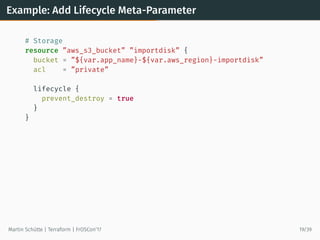
Analysis of core ideas and concepts in Terraform, including resource management, lifecycle states, and the importance of declarative configuration.
Key design considerations in Terraform such as order of resources, execution plans, and state management.
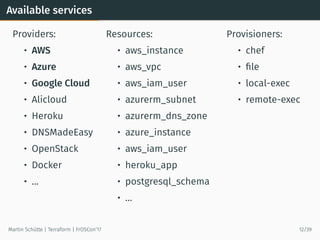
List of available service providers and resources supported by Terraform, showcasing its extensibility across various platforms.
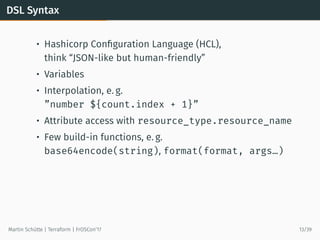
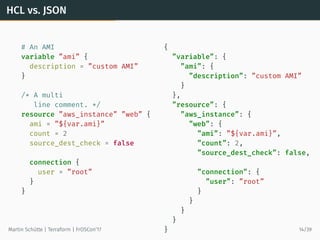
Introduction to HCL, comparing its syntax to JSON, and highlighting its features like variables and data interpolation.
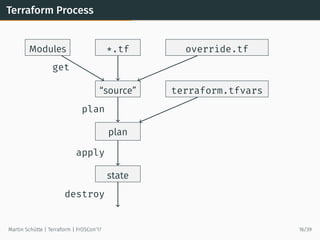
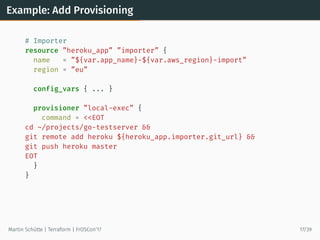
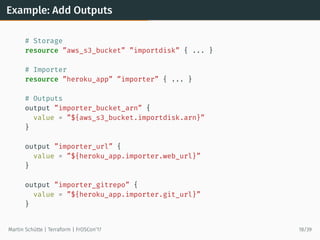
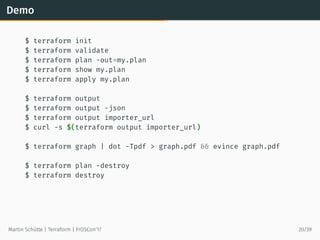
Overview of the Terraform execution process with examples including initialization, validation, planning, applying changes and outputs.
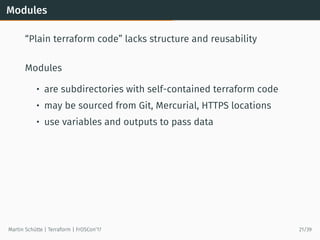
Features of Terraform, focusing on the importance of modules for code reusability and structure.
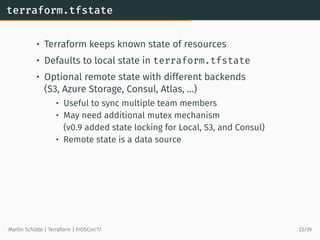
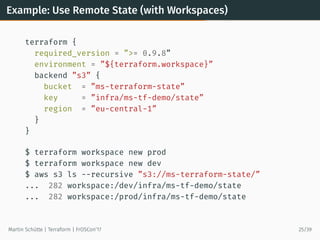
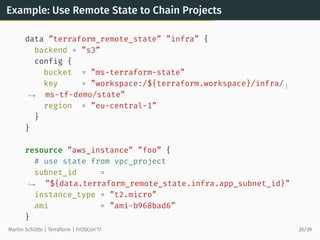
Discussion on Terraform's state management, including local and remote state functionalities as well as workspace usage.
Explanation of how to use data sources and external data in Terraform methods to enhance resource management.
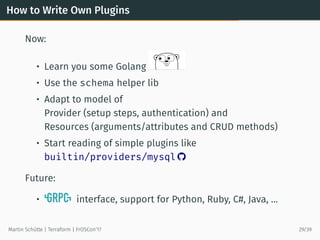
Guidelines for developing custom Terraform plugins, emphasizing knowledge in Golang and the future of plugin support.
Common challenges users may face when using Terraform, including testing difficulties and provider support variations.
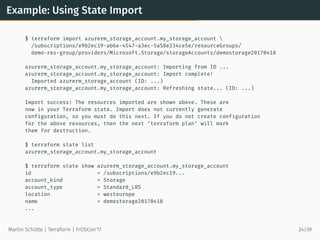
Introduction to recent updates in Terraform (versions 0.7-0.10) including state import and data sources.
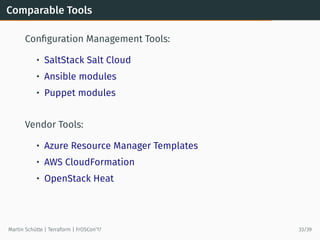
Comparison of Terraform with other configuration management and vendor tools like Azure Resource Manager and AWS CloudFormation.
Best practices for using Terraform securely, including credential management, workflow strategies, and the use of version control.
Closing remarks with links and resources for further learning about Terraform, and an invitation for questions.
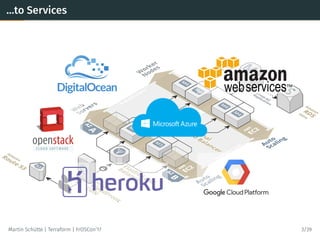
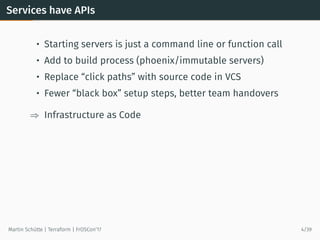
Services have APIs
•Starting servers is just a command line or function call
• Add to build process (phoenix/immutable servers)
• Replace “click paths” with source code in VCS
• Fewer “black box” setup steps, better team handovers
⇒ Infrastructure as Code
Martin Schütte | Terraform | FrOSCon’17 4/39
6.
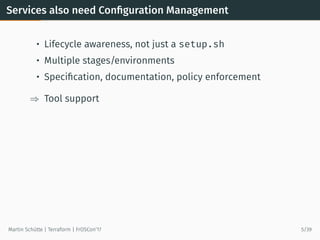
Services also needConfiguration Management
• Lifecycle awareness, not just a setup.sh
• Multiple stages/environments
• Specification, documentation, policy enforcement
⇒ Tool support
Martin Schütte | Terraform | FrOSCon’17 5/39
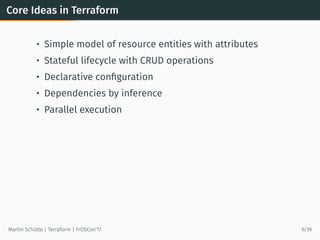
Core Ideas inTerraform
• Simple model of resource entities with attributes
• Stateful lifecycle with CRUD operations
• Declarative configuration
• Dependencies by inference
• Parallel execution
Martin Schütte | Terraform | FrOSCon’17 9/39
11.
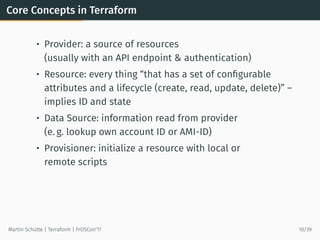
Core Concepts inTerraform
• Provider: a source of resources
(usually with an API endpoint & authentication)
• Resource: every thing “that has a set of configurable
attributes and a lifecycle (create, read, update, delete)” –
implies ID and state
• Data Source: information read from provider
(e. g. lookup own account ID or AMI-ID)
• Provisioner: initialize a resource with local or
remote scripts
Martin Schütte | Terraform | FrOSCon’17 10/39
12.
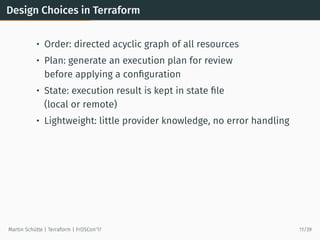
Design Choices inTerraform
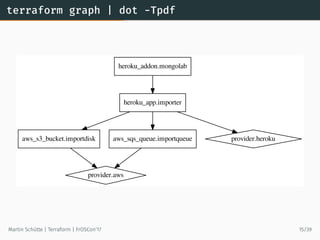
• Order: directed acyclic graph of all resources
• Plan: generate an execution plan for review
before applying a configuration
• State: execution result is kept in state file
(local or remote)
• Lightweight: little provider knowledge, no error handling
Martin Schütte | Terraform | FrOSCon’17 11/39
DSL Syntax
• HashicorpConfiguration Language (HCL),
think “JSON-like but human-friendly”
• Variables
• Interpolation, e. g.
”number ${count.index + 1}”
• Attribute access with resource_type.resource_name
• Few build-in functions, e. g.
base64encode(string), format(format, args…)
Martin Schütte | Terraform | FrOSCon’17 13/39
Modules
“Plain terraform code”lacks structure and reusability
Modules
• are subdirectories with self-contained terraform code
• may be sourced from Git, Mercurial, HTTPS locations
• use variables and outputs to pass data
Martin Schütte | Terraform | FrOSCon’17 21/39
terraform.tfstate
• Terraform keepsknown state of resources
• Defaults to local state in terraform.tfstate
• Optional remote state with different backends
(S3, Azure Storage, Consul, Atlas, …)
• Useful to sync multiple team members
• May need additional mutex mechanism
(v0.9 added state locking for Local, S3, and Consul)
• Remote state is a data source
Martin Schütte | Terraform | FrOSCon’17 23/39
26.
Example: Using StateImport
$ terraform import azurerm_storage_account.my_storage_account
/subscriptions/e9b2ec19-ab6e-4547-a3ec-5a58e234ce5e/resourceGroups/
demo-res-group/providers/Microsoft.Storage/storageAccounts/demostorage20170418
azurerm_storage_account.my_storage_account: Importing from ID ...
azurerm_storage_account.my_storage_account: Import complete!
Imported azurerm_storage_account (ID: ...)
azurerm_storage_account.my_storage_account: Refreshing state... (ID: ...)
Import success! The resources imported are shown above. These are
now in your Terraform state. Import does not currently generate
configuration, so you must do this next. If you do not create configuration
for the above resources, then the next ‘terraform plan‘ will mark
them for destruction.
$ terraform state list
azurerm_storage_account.my_storage_account
$ terraform state show azurerm_storage_account.my_storage_account
id = /subscriptions/e9b2ec19...
account_kind = Storage
account_type = Standard_LRS
location = westeurope
name = demostorage20170418
...
Martin Schütte | Terraform | FrOSCon’17 24/39
27.
Example: Use RemoteState (with Workspaces)
terraform {
required_version = ”>= 0.9.8”
environment = ”${terraform.workspace}”
backend ”s3” {
bucket = ”ms-terraform-state”
key = ”infra/ms-tf-demo/state”
region = ”eu-central-1”
}
}
$ terraform workspace new prod
$ terraform workspace new dev
$ aws s3 ls --recursive ”s3://ms-terraform-state/”
... 282 workspace:/dev/infra/ms-tf-demo/state
... 282 workspace:/prod/infra/ms-tf-demo/state
Martin Schütte | Terraform | FrOSCon’17 25/39
28.
Example: Use RemoteState to Chain Projects
data ”terraform_remote_state” ”infra” {
backend = ”s3”
config {
bucket = ”ms-terraform-state”
key = ”workspace:/${terraform.workspace}/infra/ ⌋
ms-tf-demo/state”→
region = ”eu-central-1”
}
}
resource ”aws_instance” ”foo” {
# use state from vpc_project
subnet_id =
”${data.terraform_remote_state.infra.app_subnet_id}”→
instance_type = ”t2.micro”
ami = ”ami-b968bad6”
}
Martin Schütte | Terraform | FrOSCon’17 26/39
29.
Example: Using DataSource to Lookup Data
# searches for most recent tagged AMI in own account
data ”aws_ami” ”webami” {
most_recent = true
owners = [”self”]
filter {
name = ”tag:my_key”
values = [”my_value”]
}
}
# use AMI
resource ”aws_instance” ”web” {
instance_type = ”t2.micro”
ami = ”${data.aws_ami.webami.id}”
}
Martin Schütte | Terraform | FrOSCon’17 27/39
30.
Example: “External” DataSource
data ”external” ”dyndns” {
program = [”bash”, ”${path.module}/variomedia_dyndns.sh”]
query = {
hostname = ”aws-demo.martin-schuette.de”
ipaddress = ”${aws_eip.foo.public_ip}”
}
}
Martin Schütte | Terraform | FrOSCon’17 28/39
31.
How to WriteOwn Plugins
Now:
• Learn you some Golang
• Use the schema helper lib
• Adapt to model of
Provider (setup steps, authentication) and
Resources (arguments/attributes and CRUD methods)
• Start reading of simple plugins like
builtin/providers/mysql
Future:
• interface, support for Python, Ruby, C#, Java, …
Martin Schütte | Terraform | FrOSCon’17 29/39
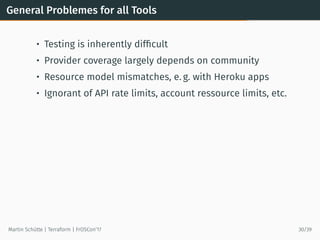
General Problemes forall Tools
• Testing is inherently difficult
• Provider coverage largely depends on community
• Resource model mismatches, e. g. with Heroku apps
• Ignorant of API rate limits, account ressource limits, etc.
Martin Schütte | Terraform | FrOSCon’17 30/39
34.
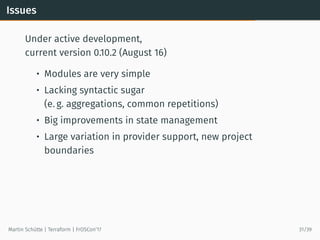
Issues
Under active development,
currentversion 0.10.2 (August 16)
• Modules are very simple
• Lacking syntactic sugar
(e. g. aggregations, common repetitions)
• Big improvements in state management
• Large variation in provider support, new project
boundaries
Martin Schütte | Terraform | FrOSCon’17 31/39
35.
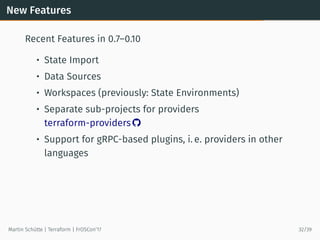
New Features
Recent Featuresin 0.7–0.10
• State Import
• Data Sources
• Workspaces (previously: State Environments)
• Separate sub-projects for providers
terraform-providers
• Support for gRPC-based plugins, i. e. providers in other
languages
Martin Schütte | Terraform | FrOSCon’17 32/39
Workflow
• Avoid usercredentials in Terraform code,
use e. g. profiles and assume-role wrapper scripts
• At least use separate user credentials,
know how to revoke them
• To hold credentials in VCS use PGP encryption,
e. g. with Blackbox
Martin Schütte | Terraform | FrOSCon’17 34/39
38.
Workflow (contd.)
• Usea VCS, i. e. git
• Namespaces! – Always add some
”${var.shortname}-${var.env}”
• per project
• per region
• per account
• per provider
• Use remote state and consider access locking,
e. g. with a single build server
• Take a look at Hashicorp Atlas and its workflow
Martin Schütte | Terraform | FrOSCon’17 35/39
Links and Resources
•Terraform.io and hashicorp/terraform
• terraform-providers
• terraform-community-modules
• newcontext/kitchen-terraform
• Terraforming – Export existing AWS resources
• Terraform: Beyond the Basics with AWS
• A Comprehensive Guide to Terraform
• Terraform, VPC, and why you want a tfstate file per env
Martin Schütte | Terraform | FrOSCon’17 37/39
41.
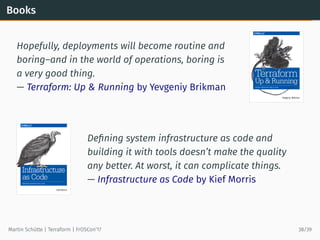
Books
Hopefully, deployments willbecome routine and
boring–and in the world of operations, boring is
a very good thing.
— Terraform: Up & Running by Yevgeniy Brikman
Defining system infrastructure as code and
building it with tools doesn’t make the quality
any better. At worst, it can complicate things.
— Infrastructure as Code by Kief Morris
Martin Schütte | Terraform | FrOSCon’17 38/39
42.
The End
Thank You!— Questions?
Workshop
Terraform und AWS
at 14:00 h in C 120
Martin Schütte
@m_schuett
info@martin-schuette.de
slideshare.net/mschuett/
tinyurl.com/froscon17-tf
Martin Schütte | Terraform | FrOSCon’17 39/39