Introduction to
Amazon Web Services
James Armes, Cloud Software Engineer, Acquia
Cloud Computing
– The cloud is the Internet.
– Rather than a local or collocated
server, your servers are located
“somewhere” on the Internet.
– Pay for only the resources you use.
– Elastic capacity.
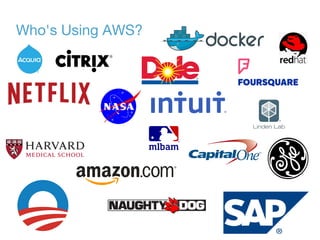
Who's Using AWS?
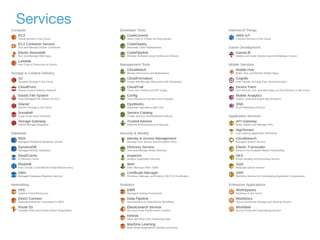
Services
EC2
– Instance = Virtual Machine
– Supports multiple operating
systems:
– Windows, Linux, FreeBSD, etc.
– Launch new instances from an AMI.
– EBS for persistent storage.
– CloudWatch for monitoring.
– Auto Scaling Groups and ELBs.
S3
– Object store.
– Organized in to buckets.
– Multiple levels of redundancy.
– Objects can be up to 5TB.
– Server-side encryption available.
– Object level permissions.
VPC
– Isolated network within AWS.
– Create multiple subnets.
– Define custom security groups and
route tables.
– Peering allows communication with
other subnets.
– ClassicLink allows communication
with classic EC2 instances.
– New regions are VPC only.
RDS
– Automates administrative tasks of
cloud based relational databases.
– Several database engines:
– MySQL, Postgres, Maria, Oracle,
Microsoft SQL Server
– Amazon Aurora
IAM
– Create multiple users under the
same account.
– Create roles and groups to configure
permissions.
– Require TFA for users.
Security
– Security groups allow/deny access
to instances.
– VPC insulates resources from the
public Internet.
– IAM permissions restrict access to
only necessary resources.
– IAM roles can provide permissions
to instances.
– Certifications:
– ISO 27001, PCI DSS, Fisma Low,
Sas 70 Type II
Demo
Questions?

Introduction to Amazon Web Services

  • 1.
    Introduction to Amazon WebServices James Armes, Cloud Software Engineer, Acquia
  • 2.
    Cloud Computing – Thecloud is the Internet. – Rather than a local or collocated server, your servers are located “somewhere” on the Internet. – Pay for only the resources you use. – Elastic capacity.
  • 3.
  • 4.
  • 5.
    EC2 – Instance =Virtual Machine – Supports multiple operating systems: – Windows, Linux, FreeBSD, etc. – Launch new instances from an AMI. – EBS for persistent storage. – CloudWatch for monitoring. – Auto Scaling Groups and ELBs.
  • 6.
    S3 – Object store. –Organized in to buckets. – Multiple levels of redundancy. – Objects can be up to 5TB. – Server-side encryption available. – Object level permissions.
  • 7.
    VPC – Isolated networkwithin AWS. – Create multiple subnets. – Define custom security groups and route tables. – Peering allows communication with other subnets. – ClassicLink allows communication with classic EC2 instances. – New regions are VPC only.
  • 8.
    RDS – Automates administrativetasks of cloud based relational databases. – Several database engines: – MySQL, Postgres, Maria, Oracle, Microsoft SQL Server – Amazon Aurora
  • 9.
    IAM – Create multipleusers under the same account. – Create roles and groups to configure permissions. – Require TFA for users.
  • 10.
    Security – Security groupsallow/deny access to instances. – VPC insulates resources from the public Internet. – IAM permissions restrict access to only necessary resources. – IAM roles can provide permissions to instances. – Certifications: – ISO 27001, PCI DSS, Fisma Low, Sas 70 Type II
  • 11.
  • 12.

Editor's Notes

  • #2 The cloud is the Internet. Rather than a local or collocated server, your servers are located “somewhere” on the Internet. You can specify a “region” for your servers. The exact location of the hardware is unknown to you. Pay for only the resources you use. On-demand capacity. Prepay reservations available. Elastic capacity. Scale your resources up and down based on usage requirements.
  • #5 Highlight the following: EC2 ECS (Docker in the cloud) S3 CloudFront RDS DynamoDB VPC Route 53 CodeDeploy CloudFormation Identity & Access Management (IAM) SWF
  • #6 Elastic Compute Cloud: AMI: > 64,000 public images. Create your own public/private images. Auto Scaling Groups: EC2 or ELB health checks. Min/Max/Desired capacity settings.
  • #7 Simple Storage Solution Druability: Standard: 99.999999999% Reduced Redundancy: 99.99% Replicated one to one less location. Max PUT size is 5GB. Larger objects must use multpart upload.
  • #8 Virtual Private Cloud Internet gateway required to connect to the public Internet.
  • #9 Relational Database Service Aurora MySQL compatible High-performance Highly-scalable
  • #10 Identity and Access Management
  • #11 Can also achieve HIPAA and Fedramp certifications.