IAM Best Practices to Live By
Huy Huynh
AWS Solution Architect
What to Expect from the Session
We will look at:
• What is IAM
• Best practices – to help you get started
• Common use cases – cover the building blocks
AWS Identity and Access Management (IAM)
Enables you to control who can do what in your AWS account
Users, groups, roles, and permissions
Control
– Centralized
– Fine-grained - APIs, resources, and AWS Management Console
Security
– Secure (deny) by default
– Multiple users, individual security credentials and permissions
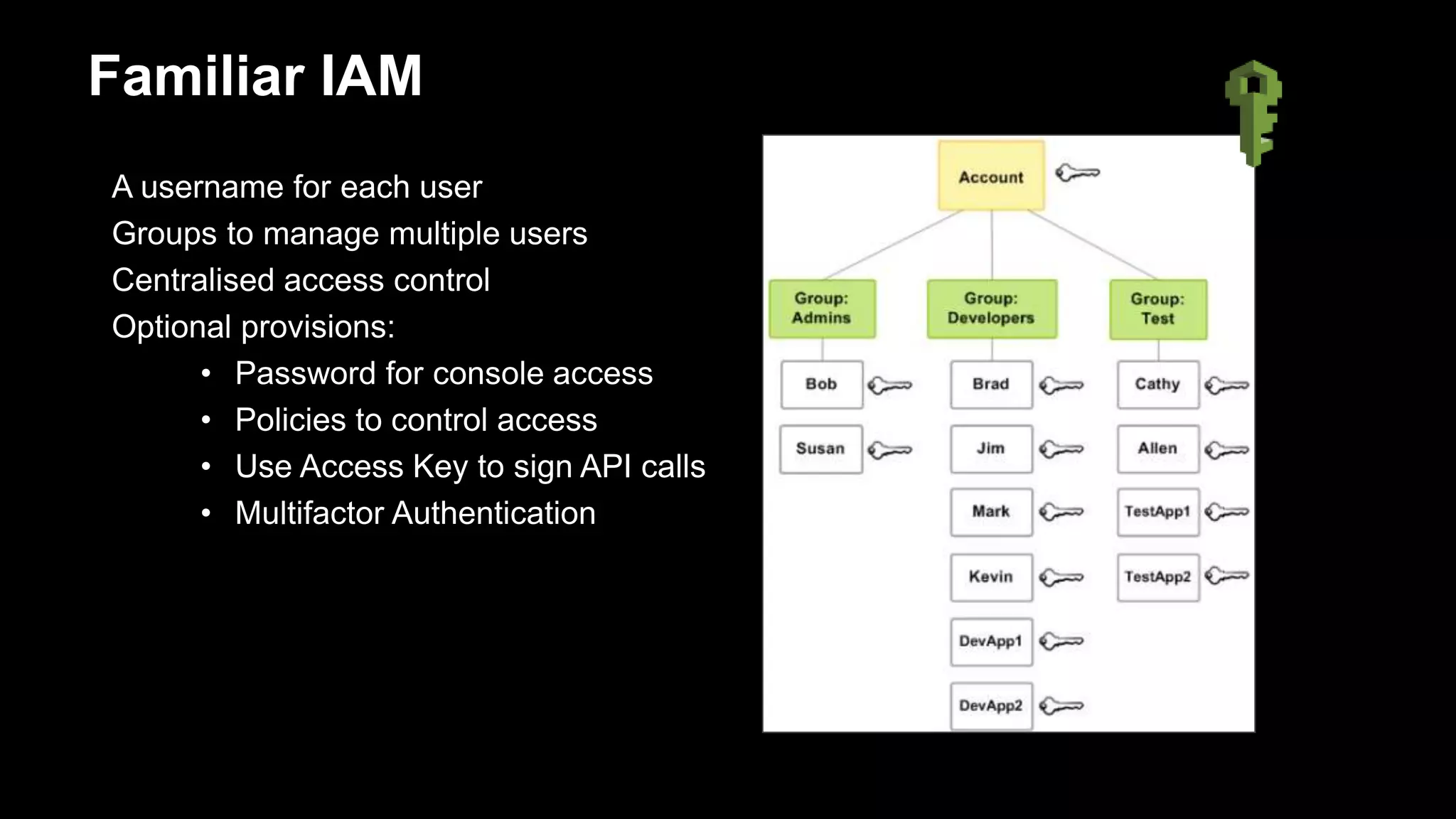
A username for each user
Groups to manage multiple users
Centralised access control
Optional provisions:
• Password for console access
• Policies to control access
• Use Access Key to sign API calls
• Multifactor Authentication
Familiar IAM
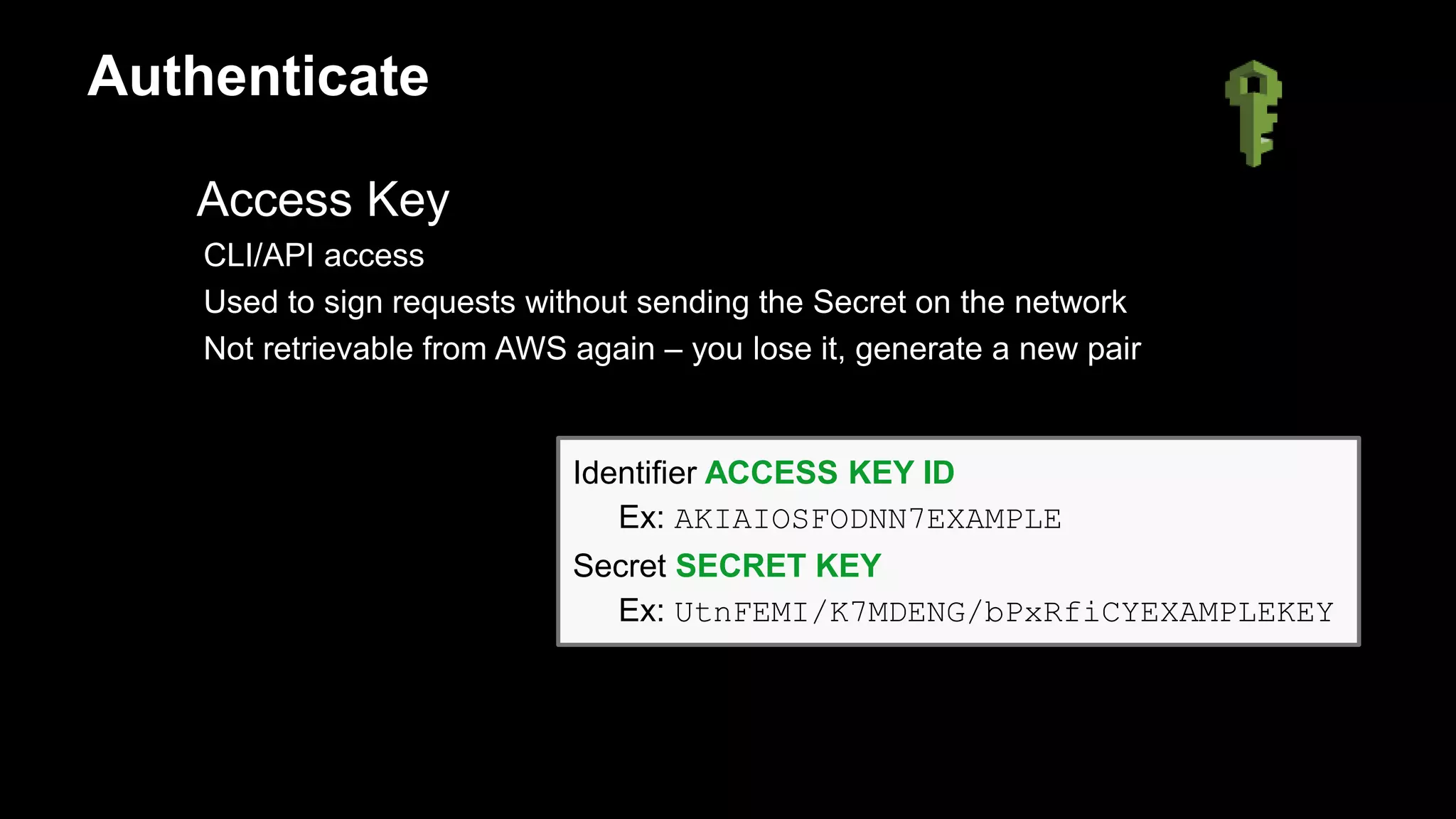
Access Key
CLI/API access
Used to sign requests without sending the Secret on the network
Not retrievable from AWS again – you lose it, generate a new pair
Identifier ACCESS KEY ID
Ex: AKIAIOSFODNN7EXAMPLE
Secret SECRET KEY
Ex: UtnFEMI/K7MDENG/bPxRfiCYEXAMPLEKEY
Authenticate
Multifactor Authentication (MFA)
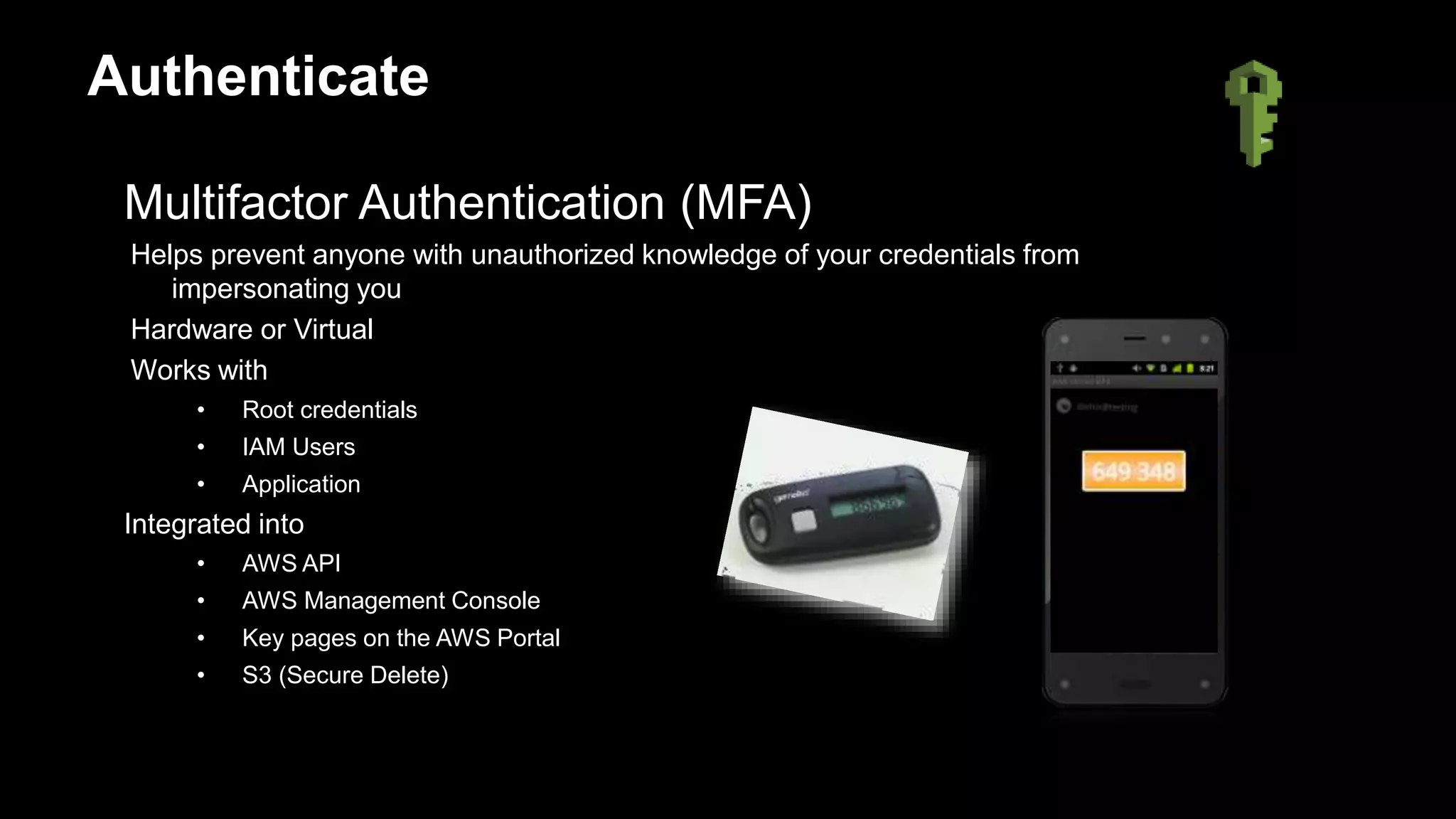
Helps prevent anyone with unauthorized knowledge of your credentials from
impersonating you
Hardware or Virtual
Works with
• Root credentials
• IAM Users
• Application
Integrated into
• AWS API
• AWS Management Console
• Key pages on the AWS Portal
• S3 (Secure Delete)
Authenticate
Permissions are to specify
Who can access to AWS resources
What action can be performed on those AWS resources
How is it done?
• Organized in Policies (JSON)
Authorize
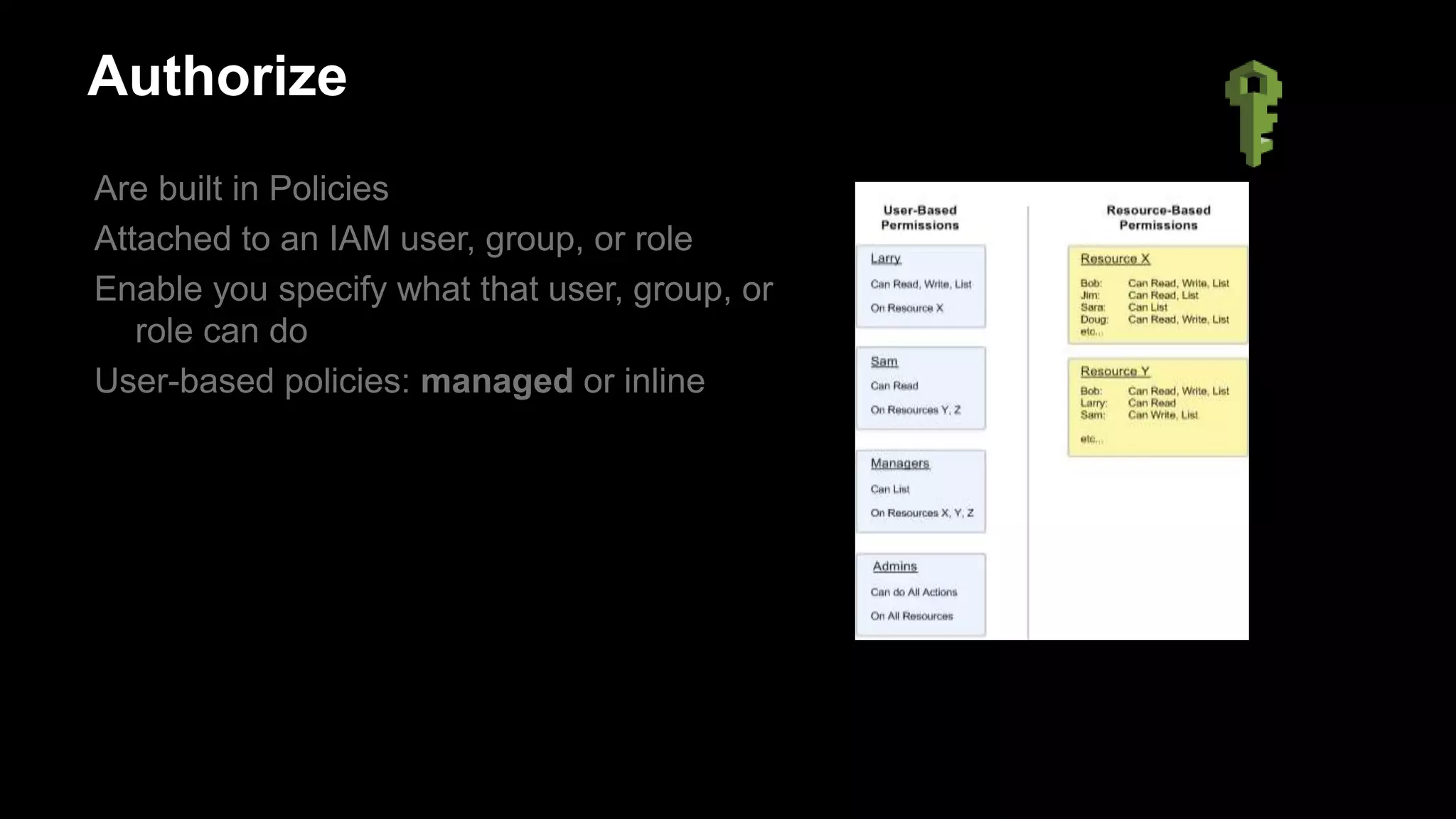
Are built in Policies
Attached to an IAM user, group, or role
Enable you specify what that user, group, or
role can do
User-based policies: managed or inline
Authorize
AWS Resources
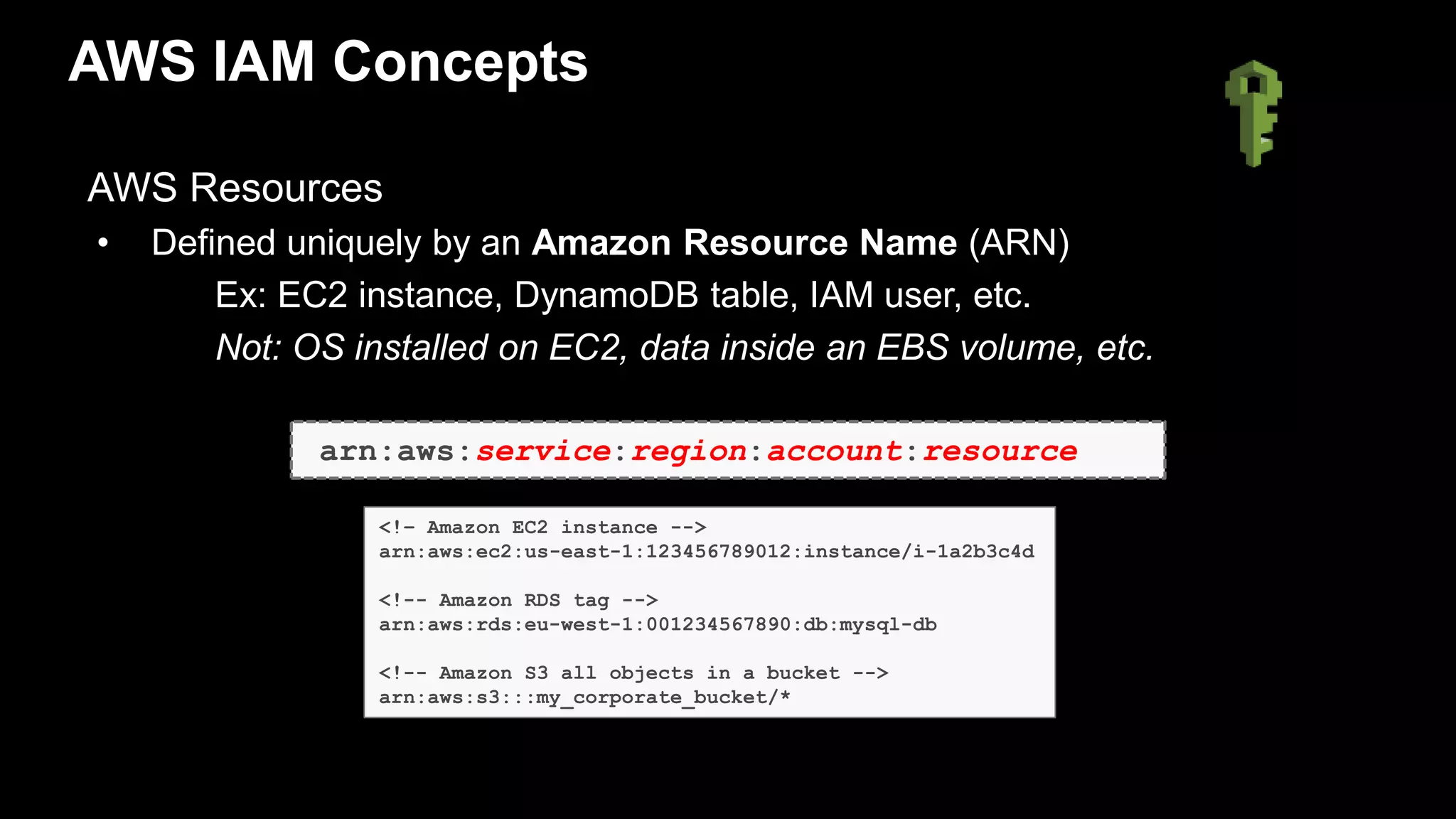
• Defined uniquely by an Amazon Resource Name (ARN)
Ex: EC2 instance, DynamoDB table, IAM user, etc.
Not: OS installed on EC2, data inside an EBS volume, etc.
AWS IAM Concepts
arn:aws:service:region:account:resource
<!– Amazon EC2 instance -->
arn:aws:ec2:us-east-1:123456789012:instance/i-1a2b3c4d
<!-- Amazon RDS tag -->
arn:aws:rds:eu-west-1:001234567890:db:mysql-db
<!-- Amazon S3 all objects in a bucket -->
arn:aws:s3:::my_corporate_bucket/*
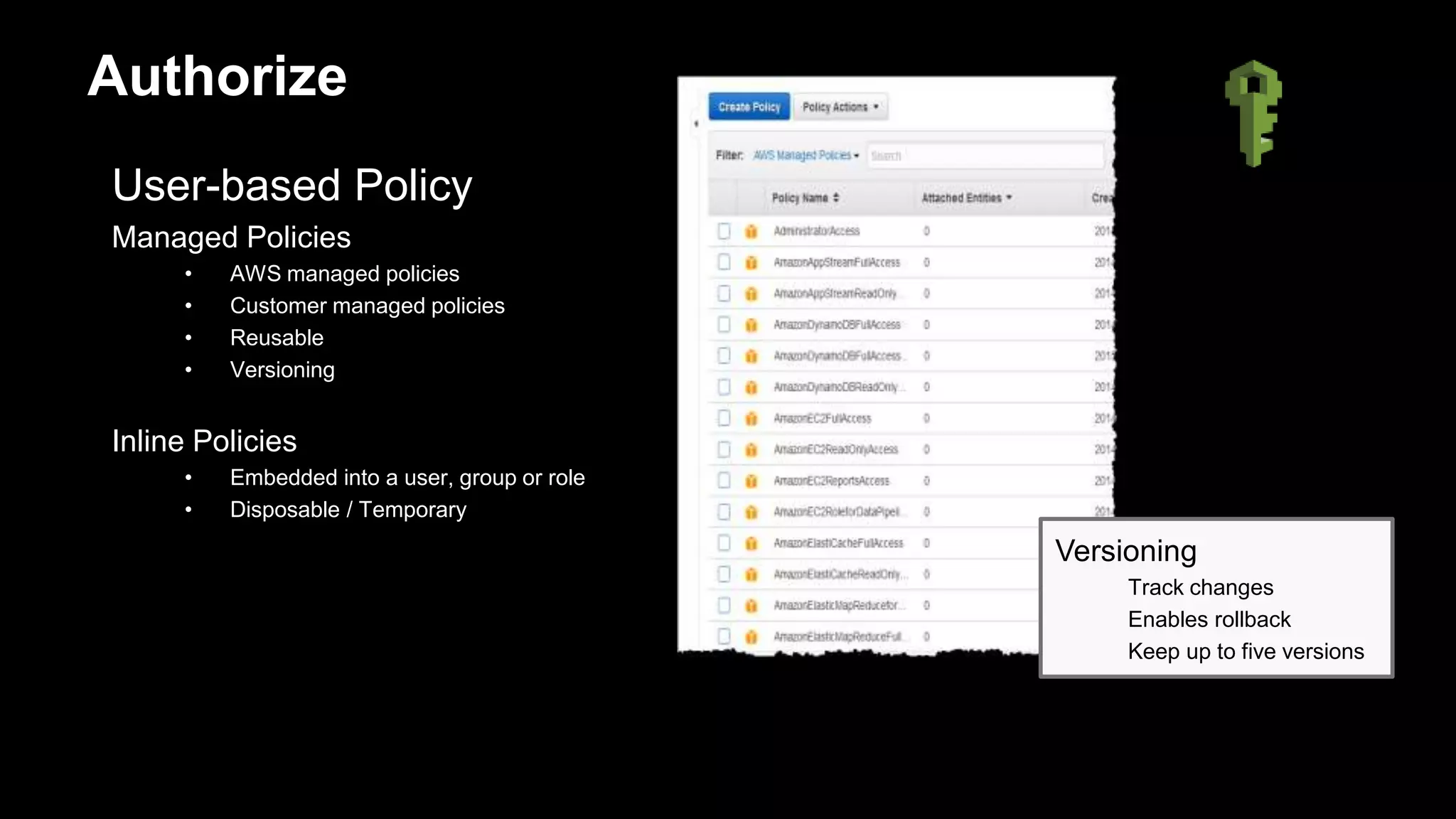
User-based Policy
Managed Policies
• AWS managed policies
• Customer managed policies
• Reusable
• Versioning
Inline Policies
• Embedded into a user, group or role
• Disposable / Temporary
Authorize
Versioning
Track changes
Enables rollback
Keep up to five versions
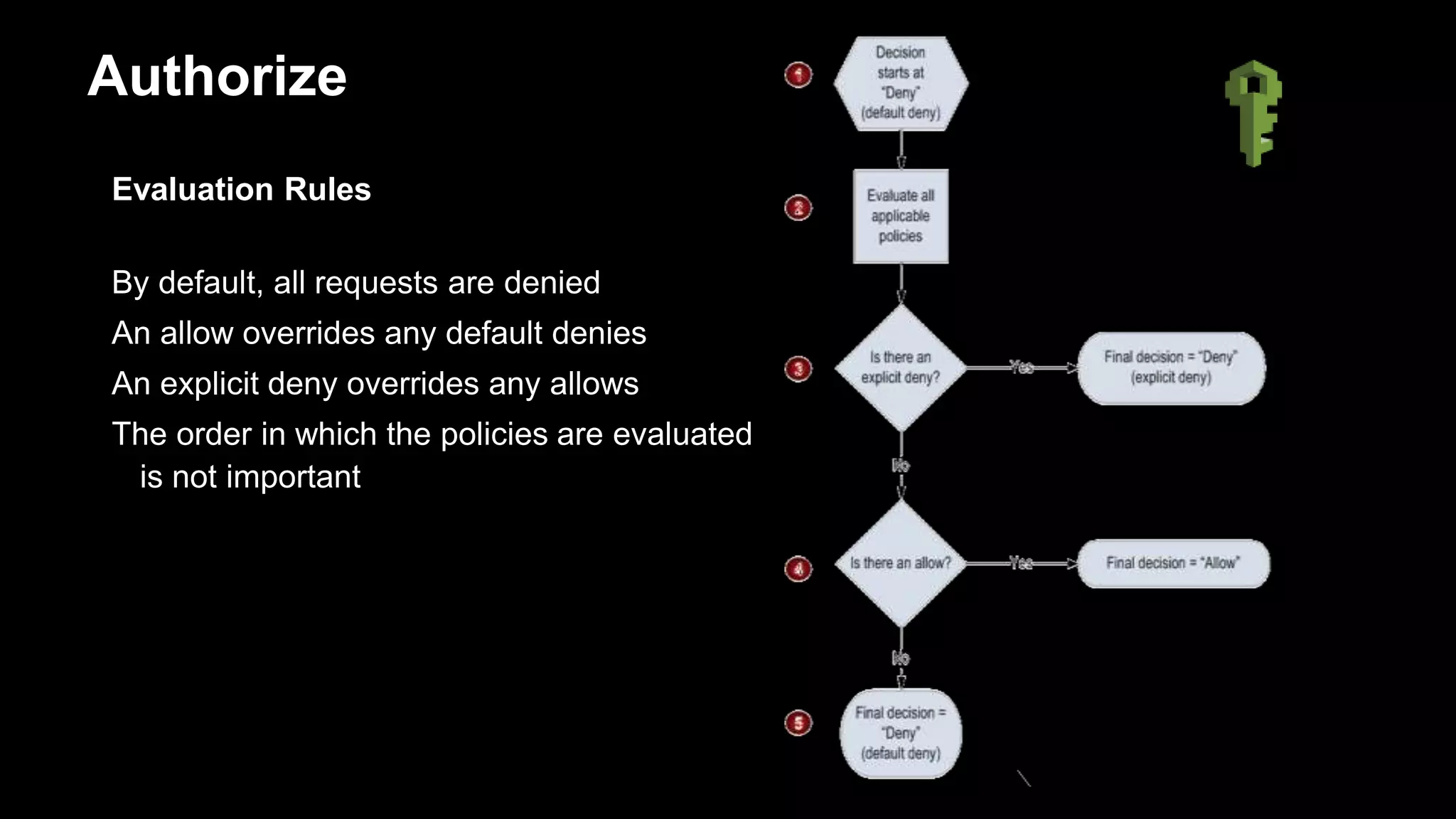
Evaluation Rules
By default, all requests are denied
An allow overrides any default denies
An explicit deny overrides any allows
The order in which the policies are evaluated
is not important
Authorize
{
"Statement":
{
"Effect": "Allow",
"Action": "ec2:TerminateInstances",
"Resource": "arn:aws:ec2:ap-southeast-1:444455556666:instance/*",
"Condition" : {
“Bool": {"aws:MultiFactorAuthPresent": "true"},
"NumericLessThan":{"aws:MultiFactorAuthAge":"300"},
"IpAddress" : {"aws:SourceIp" : ["10.0.2.0/28", “203.0.113.0/29"]}
}
}
Authorize
Overview of AWS IAM
OR
AND
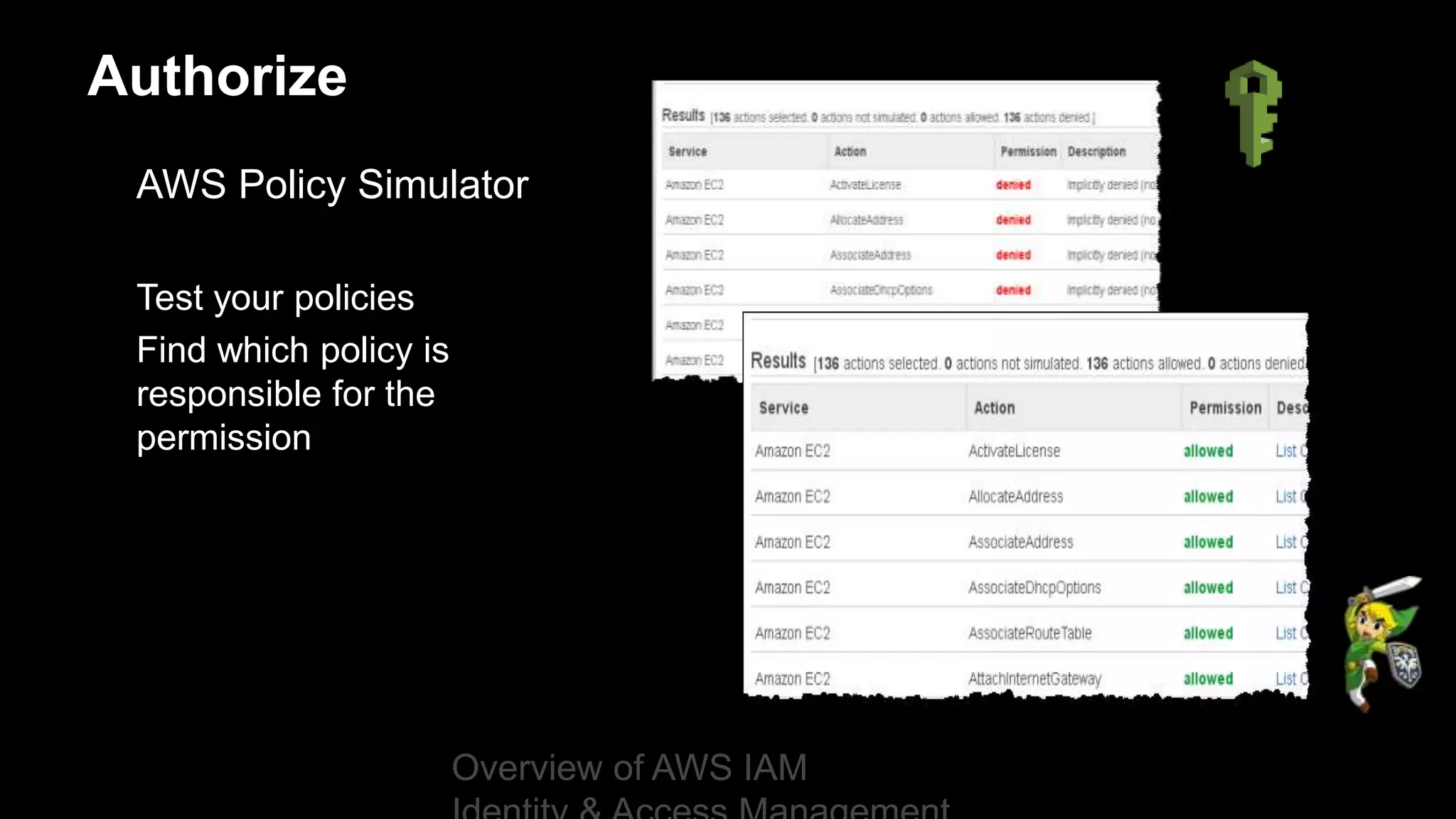
AWS Policy Simulator
Test your policies
Find which policy is
responsible for the
permission
Authorize
Overview of AWS IAM
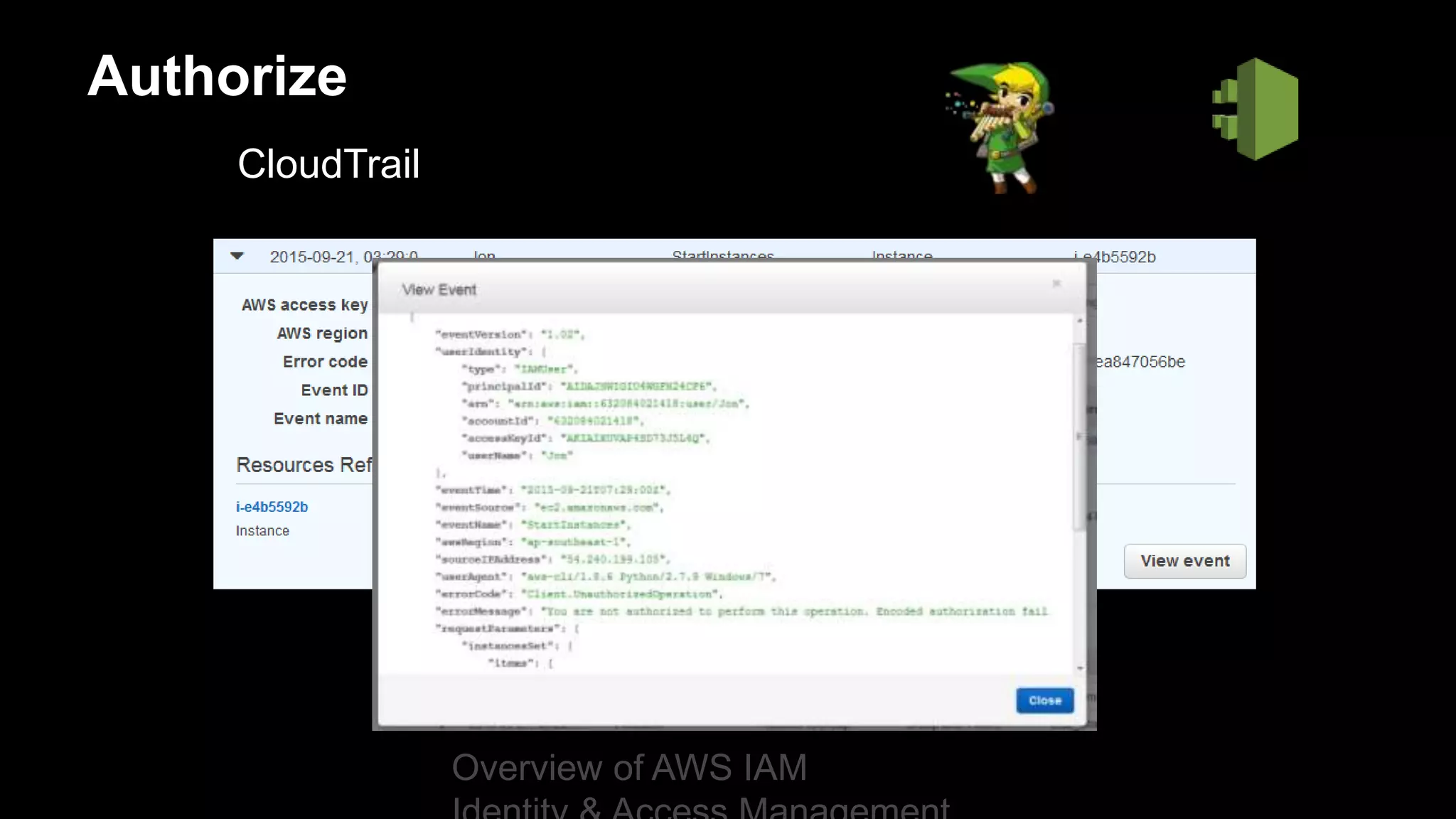
CloudTrail
Authorize
Overview of AWS IAM
IAM Best Practices
• Identity and Credential Management
• Access Permission Management
• Delegation and Audit
Identity & Credential Management
1. Create Individual users
Benefits
• Unique set of credentials
• Individual permissions
• Granular control
• Easy to revoke access
Do
• Create IAM user for yourself
• Create individual users for other
Don’t
• Distribute your AWS root
credentials
• Use your root account user
2. Configure a strong password policy
Benefits
• Ensures your users and data are
protected
• Easy way to enforce password
complexity requirements
• Increase account resilience against
brute force login attempts
Do
• Require password expiration of 90 days
• Require passwords with:
 minimum password length of 14
 at least one uppercase letter
 at least one lowercase letter
 at least one symbol
 at least one number
3. Rotate security credentials regularly
Benefits
• Reduces the window of potential
unauthorized access
• Ensures that data cannot be
accessed with old keys which might
have been lost or stolen
Do
• Use Access Key Last Used to identify
and deactivate credentials that have
been unused in 90 or greater days
• Enable credential rotation for IAM
users
• Use Credential Report to audit
credential rotation.
Enabling credential rotation for IAM users
(Enable access key rotation sample policy)
Access keys Steps to rotate access keys
1. Create a new set of credentials.
2. Update all applications to use the new
credentials.
3. Deactivate the first set of credentials.
4. Confirm that your applications are
working well.
5. Delete the first set of credentials.
{
"Version":"2012-10-17",
“Statement": [{
"Effect": "Allow",
"Action": [
"iam:CreateAccessKey",
"iam:DeleteAccessKey",
"iam:ListAccessKeys",
"iam:UpdateAccessKey"],
"Resource":
"arn:aws:iam::123456789012:
user/${aws:username}"
}]}
4. Enable MFA for Privileged users
Benefits
• Provides an extra layer of protection
• Increase security for console and
programmatic access
Do
• Enable MFA for your root account
• Protect sensitive actions with MFA
Access Permission Management
5. Manage permissions with groups
Benefits
• Reduces the complexity of access
management as number of users
grow
• Reduces the opportunity for a user
to accidently get excessive access
• Easy way to reassign permissions
based on change in responsibility
• Easy way to update permissions for
multiple users
Do
• Create groups that relate to job
functions
• Attach policies to groups
• Use managed policies to logically
manage permissions
• Manage group membership to assign
permissions
6. Grant least privilege
Benefits
• Minimize chances of accidently
performing privileged actions
• Easier to relax than tighten up
• More granular control
Do
• Start with a minimum set of
permissions and grant additional
permissions as necessary
• Restrict privileged access further with
conditions
• Regularly check Access Advisor to
restrict access
• Control access to specific resources
using resource-based policy
Show and tell
1. Create a group and attach a
policy
2. Manage user’s permission
using group membership
3. Use Access Advisor to
identify overly permissive
policies
Delegation & Audit
7. Use IAM roles to share access
Benefits
• No need to share security
credentials
• No need to store long-term
credentials
• Control who has access
Do
• Use roles to delegate cross-account
access
• Use roles to delegate access within an
account
• Use roles to provide access for
federated users
prod@example.com
Acct ID: 111122223333
ddb-role
{ "Statement": [
{ "Action":
[
"dynamodb:GetItem",
"dynamodb:BatchGetItem",
"dynamodb:DescribeTable",
"dynamodb:ListTables"
],
"Effect": "Allow",
"Resource": "*“
}]}
dev@example.com
Acct ID: 123456789012
Authenticate with
Rob’s access keys
Get temporary
security credentials
for ddb-role
Call AWS APIs
using temporary
security credentials
of ddb-role
{ "Statement": [
{
"Effect": "Allow",
"Action": "sts:AssumeRole",
"Resource":
"arn:aws:iam::111122223333:role/ddb-role"
}]}
{ "Statement": [
{
"Effect":"Allow",
"Principal":{"AWS":"123456789012"},
"Action":"sts:AssumeRole"
}]}
ddb-role trusts IAM users from the AWS account
dev@example.com (123456789012)
Permissions assigned
to Rob granting him
permission to assume
ddb-role in account B
IAM user: Rob
Permissions assigned to ddb-role
STS
How does federated access work?
8. Use IAM roles for Amazon EC2 instances
Benefits
• Easy to manage access keys on
EC2 instances
• Automatic key rotation
• AWS SDKs fully integrated
• AWS CLI fully integrated
Do
• Use roles instead of long term
credentials
• Assign least privilege to the
application
9. Enable AWS CloudTrail to get logs of API calls
Benefits
• Enables API activity monitoring in
your account
• Enables security analysis, resource
tracking, and compliance auditing
Do
• Ensure AWS CloudTrail is enabled in
all regions
• Ensure AWS CloudTrail log file
validation is enabled
• Ensure the Amazon S3 bucket of
CloudTrail logs is not publicly
accessible
10. Reduce or remove use of root
Benefits
• Reduces the risk of accidental
changes and unintended disclosure
of highly privileged credentials
Do
• Enable MFA for root account user
• If possible, remove root access keys
• Use a strong password for your
account
• Use individual users
Top 10 IAM best practices
1. Users – Create individual users
2. Password – Configure a strong password policy
3. Rotate – Rotate security credentials regularly
4. MFA – Enable MFA for privileged users
5. Groups – Manage permissions with groups
6. Permissions – Grant least privilege
7. Sharing – Use IAM roles to share access
8. Roles – Use IAM roles for Amazon EC2 instances
9. Auditing – Enable AWS CloudTrail to get logs of API calls
10. Root – Reduce or remove use of root
Common use cases
• Tag-based access control
• Accounts management
Control access using AWS resource tag
• Use tag-based access control when you need to:
• Treat resources as a unit, such as a project
• Automatically enforce permissions when new resources are created
NOTE: The following services currently support tag-based access control:
Amazon EC2, Amazon VPC, Amazon EBS, Amazon Glacier, Amazon RDS, Amazon
Simple Workflow Service, and AWS Data Pipeline
How does tag-based access control work?
{
"Version": "2012-10-17",
"Statement": [
{
"Effect": "Allow",
"Action": "ec2:*",
"Resource": "*",
"Condition": {
"StringEquals": {
"ec2:ResourceTag/Project" : "Blue"
}
}
}
]
}
Permissions assigned to Rob granting him permission to
perform any EC2 action on resources tagged with
Project=Blue
IAM user: Rob
i-a1234b12
Project=Blue
i-a4321b12
Project=Blue
i-a4321b12
Project=Green
Show and tell
1. Control an EC2 instance
tagged with Project=Blue
Accounts management
Accounts management
Use a single AWS account when you:
• Want simpler control of who does what in your AWS environment
• Have no need to isolate projects/products/teams
• Have no need for breaking up the cost
Use multiple AWS accounts when you:
• Need full isolation between projects/teams/environments
• Want to isolate recovery data and/or auditing data (e.g., writing your
CloudTrail logs to a different account)
• Need a single bill, but want to break out the cost and usage
What did we cover?
1. The 10 IAM best practices
2. Tag-based access control
3. Accounts management
Thank you
Remember to complete
your evaluations!

Aws iam best practices to live by

  • 1.
    IAM Best Practicesto Live By Huy Huynh AWS Solution Architect
  • 2.
    What to Expectfrom the Session We will look at: • What is IAM • Best practices – to help you get started • Common use cases – cover the building blocks
  • 3.
    AWS Identity andAccess Management (IAM) Enables you to control who can do what in your AWS account Users, groups, roles, and permissions Control – Centralized – Fine-grained - APIs, resources, and AWS Management Console Security – Secure (deny) by default – Multiple users, individual security credentials and permissions
  • 4.
    A username foreach user Groups to manage multiple users Centralised access control Optional provisions: • Password for console access • Policies to control access • Use Access Key to sign API calls • Multifactor Authentication Familiar IAM
  • 5.
    Access Key CLI/API access Usedto sign requests without sending the Secret on the network Not retrievable from AWS again – you lose it, generate a new pair Identifier ACCESS KEY ID Ex: AKIAIOSFODNN7EXAMPLE Secret SECRET KEY Ex: UtnFEMI/K7MDENG/bPxRfiCYEXAMPLEKEY Authenticate
  • 6.
    Multifactor Authentication (MFA) Helpsprevent anyone with unauthorized knowledge of your credentials from impersonating you Hardware or Virtual Works with • Root credentials • IAM Users • Application Integrated into • AWS API • AWS Management Console • Key pages on the AWS Portal • S3 (Secure Delete) Authenticate
  • 7.
    Permissions are tospecify Who can access to AWS resources What action can be performed on those AWS resources How is it done? • Organized in Policies (JSON) Authorize
  • 8.
    Are built inPolicies Attached to an IAM user, group, or role Enable you specify what that user, group, or role can do User-based policies: managed or inline Authorize
  • 9.
    AWS Resources • Defineduniquely by an Amazon Resource Name (ARN) Ex: EC2 instance, DynamoDB table, IAM user, etc. Not: OS installed on EC2, data inside an EBS volume, etc. AWS IAM Concepts arn:aws:service:region:account:resource <!– Amazon EC2 instance --> arn:aws:ec2:us-east-1:123456789012:instance/i-1a2b3c4d <!-- Amazon RDS tag --> arn:aws:rds:eu-west-1:001234567890:db:mysql-db <!-- Amazon S3 all objects in a bucket --> arn:aws:s3:::my_corporate_bucket/*
  • 10.
    User-based Policy Managed Policies •AWS managed policies • Customer managed policies • Reusable • Versioning Inline Policies • Embedded into a user, group or role • Disposable / Temporary Authorize Versioning Track changes Enables rollback Keep up to five versions
  • 11.
    Evaluation Rules By default,all requests are denied An allow overrides any default denies An explicit deny overrides any allows The order in which the policies are evaluated is not important Authorize
  • 12.
    { "Statement": { "Effect": "Allow", "Action": "ec2:TerminateInstances", "Resource":"arn:aws:ec2:ap-southeast-1:444455556666:instance/*", "Condition" : { “Bool": {"aws:MultiFactorAuthPresent": "true"}, "NumericLessThan":{"aws:MultiFactorAuthAge":"300"}, "IpAddress" : {"aws:SourceIp" : ["10.0.2.0/28", “203.0.113.0/29"]} } } Authorize Overview of AWS IAM OR AND
  • 13.
    AWS Policy Simulator Testyour policies Find which policy is responsible for the permission Authorize Overview of AWS IAM
  • 14.
  • 15.
    IAM Best Practices •Identity and Credential Management • Access Permission Management • Delegation and Audit
  • 16.
  • 17.
    1. Create Individualusers Benefits • Unique set of credentials • Individual permissions • Granular control • Easy to revoke access Do • Create IAM user for yourself • Create individual users for other Don’t • Distribute your AWS root credentials • Use your root account user
  • 18.
    2. Configure astrong password policy Benefits • Ensures your users and data are protected • Easy way to enforce password complexity requirements • Increase account resilience against brute force login attempts Do • Require password expiration of 90 days • Require passwords with:  minimum password length of 14  at least one uppercase letter  at least one lowercase letter  at least one symbol  at least one number
  • 19.
    3. Rotate securitycredentials regularly Benefits • Reduces the window of potential unauthorized access • Ensures that data cannot be accessed with old keys which might have been lost or stolen Do • Use Access Key Last Used to identify and deactivate credentials that have been unused in 90 or greater days • Enable credential rotation for IAM users • Use Credential Report to audit credential rotation.
  • 20.
    Enabling credential rotationfor IAM users (Enable access key rotation sample policy) Access keys Steps to rotate access keys 1. Create a new set of credentials. 2. Update all applications to use the new credentials. 3. Deactivate the first set of credentials. 4. Confirm that your applications are working well. 5. Delete the first set of credentials. { "Version":"2012-10-17", “Statement": [{ "Effect": "Allow", "Action": [ "iam:CreateAccessKey", "iam:DeleteAccessKey", "iam:ListAccessKeys", "iam:UpdateAccessKey"], "Resource": "arn:aws:iam::123456789012: user/${aws:username}" }]}
  • 21.
    4. Enable MFAfor Privileged users Benefits • Provides an extra layer of protection • Increase security for console and programmatic access Do • Enable MFA for your root account • Protect sensitive actions with MFA
  • 22.
  • 23.
    5. Manage permissionswith groups Benefits • Reduces the complexity of access management as number of users grow • Reduces the opportunity for a user to accidently get excessive access • Easy way to reassign permissions based on change in responsibility • Easy way to update permissions for multiple users Do • Create groups that relate to job functions • Attach policies to groups • Use managed policies to logically manage permissions • Manage group membership to assign permissions
  • 24.
    6. Grant leastprivilege Benefits • Minimize chances of accidently performing privileged actions • Easier to relax than tighten up • More granular control Do • Start with a minimum set of permissions and grant additional permissions as necessary • Restrict privileged access further with conditions • Regularly check Access Advisor to restrict access • Control access to specific resources using resource-based policy
  • 25.
    Show and tell 1.Create a group and attach a policy 2. Manage user’s permission using group membership 3. Use Access Advisor to identify overly permissive policies
  • 26.
  • 27.
    7. Use IAMroles to share access Benefits • No need to share security credentials • No need to store long-term credentials • Control who has access Do • Use roles to delegate cross-account access • Use roles to delegate access within an account • Use roles to provide access for federated users
  • 28.
    prod@example.com Acct ID: 111122223333 ddb-role {"Statement": [ { "Action": [ "dynamodb:GetItem", "dynamodb:BatchGetItem", "dynamodb:DescribeTable", "dynamodb:ListTables" ], "Effect": "Allow", "Resource": "*“ }]} dev@example.com Acct ID: 123456789012 Authenticate with Rob’s access keys Get temporary security credentials for ddb-role Call AWS APIs using temporary security credentials of ddb-role { "Statement": [ { "Effect": "Allow", "Action": "sts:AssumeRole", "Resource": "arn:aws:iam::111122223333:role/ddb-role" }]} { "Statement": [ { "Effect":"Allow", "Principal":{"AWS":"123456789012"}, "Action":"sts:AssumeRole" }]} ddb-role trusts IAM users from the AWS account dev@example.com (123456789012) Permissions assigned to Rob granting him permission to assume ddb-role in account B IAM user: Rob Permissions assigned to ddb-role STS How does federated access work?
  • 29.
    8. Use IAMroles for Amazon EC2 instances Benefits • Easy to manage access keys on EC2 instances • Automatic key rotation • AWS SDKs fully integrated • AWS CLI fully integrated Do • Use roles instead of long term credentials • Assign least privilege to the application
  • 30.
    9. Enable AWSCloudTrail to get logs of API calls Benefits • Enables API activity monitoring in your account • Enables security analysis, resource tracking, and compliance auditing Do • Ensure AWS CloudTrail is enabled in all regions • Ensure AWS CloudTrail log file validation is enabled • Ensure the Amazon S3 bucket of CloudTrail logs is not publicly accessible
  • 31.
    10. Reduce orremove use of root Benefits • Reduces the risk of accidental changes and unintended disclosure of highly privileged credentials Do • Enable MFA for root account user • If possible, remove root access keys • Use a strong password for your account • Use individual users
  • 32.
    Top 10 IAMbest practices 1. Users – Create individual users 2. Password – Configure a strong password policy 3. Rotate – Rotate security credentials regularly 4. MFA – Enable MFA for privileged users 5. Groups – Manage permissions with groups 6. Permissions – Grant least privilege 7. Sharing – Use IAM roles to share access 8. Roles – Use IAM roles for Amazon EC2 instances 9. Auditing – Enable AWS CloudTrail to get logs of API calls 10. Root – Reduce or remove use of root
  • 33.
    Common use cases •Tag-based access control • Accounts management
  • 34.
    Control access usingAWS resource tag • Use tag-based access control when you need to: • Treat resources as a unit, such as a project • Automatically enforce permissions when new resources are created NOTE: The following services currently support tag-based access control: Amazon EC2, Amazon VPC, Amazon EBS, Amazon Glacier, Amazon RDS, Amazon Simple Workflow Service, and AWS Data Pipeline
  • 35.
    How does tag-basedaccess control work? { "Version": "2012-10-17", "Statement": [ { "Effect": "Allow", "Action": "ec2:*", "Resource": "*", "Condition": { "StringEquals": { "ec2:ResourceTag/Project" : "Blue" } } } ] } Permissions assigned to Rob granting him permission to perform any EC2 action on resources tagged with Project=Blue IAM user: Rob i-a1234b12 Project=Blue i-a4321b12 Project=Blue i-a4321b12 Project=Green
  • 36.
    Show and tell 1.Control an EC2 instance tagged with Project=Blue
  • 37.
  • 38.
    Accounts management Use asingle AWS account when you: • Want simpler control of who does what in your AWS environment • Have no need to isolate projects/products/teams • Have no need for breaking up the cost Use multiple AWS accounts when you: • Need full isolation between projects/teams/environments • Want to isolate recovery data and/or auditing data (e.g., writing your CloudTrail logs to a different account) • Need a single bill, but want to break out the cost and usage
  • 39.
    What did wecover? 1. The 10 IAM best practices 2. Tag-based access control 3. Accounts management
  • 40.
  • 41.

Editor's Notes

  • #5 Speaker Notes: Using IAM you can create and manage AWS users and groups and use permissions to allow and deny their permissions to AWS resources. Add IAM users to your AWS account, then create groups to easily manage permissions for multiple IAM users under your AWS account. Note: Within your account, a friendly name for a user or group must be unique. In the example shown here, users and applications (service accounts provided to resources) have been grouped together by logical function.
  • #6 Now for those of you that have ventured into using our APIs directly, then you’ll be familiar with these two components of your credentials. The ACCESS key ID , and the SECRET key. For each user in your account you can have up to two active per identity at any time. Why two? (ask to attendees) This is primarily to assist in credential rotation – you can issue out new keys while the old is still active. Now here’s the neat part. That SECRET key – once we give it to you, we don’t keep a copy, and your code should never transmit it back to us – encrypted or not. That’s because for each and every API request you send, your ACCESS key and a computed Signature that uses the SECRET key is generated. So a Signed request is delivered back to the AWS APIs, and we validate that. So your SECRET key itself should not be transmitted to AWS again.
  • #7 Probably everybody is familiar with strong authentication process. A quick summary: Authentication is possible out of three types of things: something you know (password, etc.), something you have (token, certificate, etc.), something you are (fingerprint). The idea of Strong Authentication is to combine two or more of those ways. AWS MFA add one layer of security to the password or Access key we just saw. It generate an One-Time Password or OTP. For example: An attacker will not be able to connect even if he knows your access key. There are two form: Physical token or Virtual on the phone (with AWS app, or Google authenticator as well) AWS MFA is well integrated with AWS environment, it is free (expect for the purchase cost of the physical token). So please use it!
  • #8 Permissions are rights that you grant to a user, group, or role that define what tasks users are allowed to perform in your AWS account. To define permissions, you use policies, which are documents in JSON format.
  • #9 At first no permission is attached to IAM User for security reason Example: you can assign permissions to the IAM user named Bob, stating that he has permission to use the Amazon Elastic Compute Cloud (Amazon EC2) RunInstances action, and get items from an Amazon DynamoDB table named MyCompany The user Bob might also be granted access to manage his own IAM security credentials.
  • #10 So what is an AWS resource? The strict definition is when it has an ARN. Ask : What do not include in AWS resources But what does it mean: basically, it is something designed by AWS that you can create or act upon Transition : Where are those resources? In your AWS account(s)
  • #12 The decision starts with a default deny. The enforcement code then evaluates that are applicable to the request (based on the resource, principal, action, and conditions). The order in which the enforcement code evaluates the policies is not important. In all those policies, the enforcement code looks for an explicit deny instruction that would apply to the request. If it finds even one, the enforcement code returns a decision of "deny" and the process is finished (this is an explicit deny; for more information, see Explicit Deny). If no explicit deny is found, the enforcement code looks for any "allow" instructions that would apply to the request. If it finds even one, the enforcement code returns a decision of "allow" and the process is done (the service continues to process the request). If no allow is found, then the final decision is "deny" (because there was no explicit deny or allow, this is considered a default deny (for more information, see Default Deny).
  • #14 In October 2014 we released a Policy Simulator, which lets you test the logic behind your policies to see if they do what you think they should. Its free, its done online or by CLI and gives you clear feedback of what actions a user falling under a given policy can do. Careful: need to refresh the page on the console when you change a policy https://policysim.aws.amazon.com http://docs.aws.amazon.com/IAM/latest/UserGuide/access_policies_testing-policies.html
  • #15 CloudTrail usually delivers log within 15 minutes