Automating Workload AE and DE; 
Agent Deployment and Configuration 
Dan Herrington 
MFX12S #CAWorld 
Robert Mark Technologies 
Chief Operating Officer
2 
© 2014 CA. ALL RIGHTS RESERVED. 
Abstract 
The new Workload Agent added features to platforms like Workload Automation AE and expanded functionality on Workload Automation DE. It also introduced a new problem however, management of configuration files across 100’s, 1000’s, and sometimes tens of thousands of Servers. We will step through a solution to this operational problem. 
Daniel Herrington 
Robert Mark Technologies 
Chief Operating Officer
3 
© 2014 CA. ALL RIGHTS RESERVED. 
Agenda 
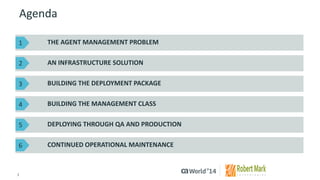
THE AGENT MANAGEMENT PROBLEM 
AN INFRASTRUCTURE SOLUTION 
CONTINUED OPERATIONAL MAINTENANCE 
BUILDING THE DEPLOYMENT PACKAGE 
BUILDING THE MANAGEMENT CLASS 
DEPLOYING THROUGH QAAND PRODUCTION 
1 
2 
3 
4 
5 
6
4 
© 2014 CA. ALL RIGHTS RESERVED. 
The Agent Management Problem 
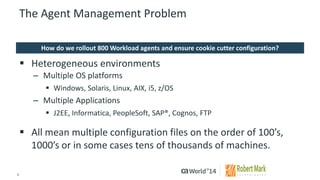
Heterogeneous environments 
–Multiple OS platforms 
Windows, Solaris, Linux, AIX, i5, z/OS 
–Multiple Applications 
J2EE, Informatica, PeopleSoft, SAP®, Cognos, FTP 
All mean multiple configuration files on the order of 100’s, 1000’s or in some cases tens of thousands of machines. 
How do we rollout 800 Workload agents and ensure cookie cutter configuration?
5 
© 2014 CA. ALL RIGHTS RESERVED. 
An Infrastructure Solution 
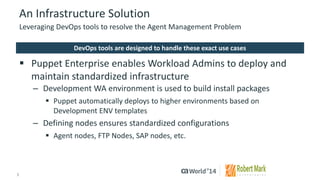
Puppet Enterprise enables Workload Admins to deploy and maintain standardized infrastructure 
–Development WA environment is used to build install packages 
Puppet automatically deploys to higher environments based on Development ENV templates 
–Defining nodes ensures standardized configurations 
Agent nodes, FTP Nodes, SAP nodes, etc. 
Leveraging DevOpstools to resolve the Agent Management Problem 
DevOpstools are designed to handle these exact use cases
6 
© 2014 CA. ALL RIGHTS RESERVED. 
An Infrastructure Solution 
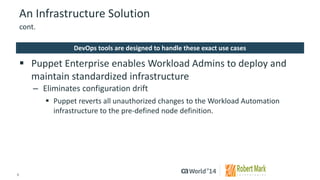
Puppet Enterprise enables Workload Admins to deploy and maintain standardized infrastructure 
–Eliminates configuration drift 
Puppet reverts all unauthorized changes to the Workload Automation infrastructure to the pre-defined node definition. 
cont. 
DevOpstools are designed to handle these exact use cases
7 
© 2014 CA. ALL RIGHTS RESERVED. 
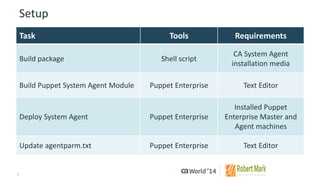
Setup 
Task 
Tools 
Requirements 
Build package 
Shell script 
CA System Agent installation media 
Build Puppet SystemAgent Module 
Puppet Enterprise 
TextEditor 
Deploy System Agent 
Puppet Enterprise 
InstalledPuppet Enterprise Master and Agent machines 
Updateagentparm.txt 
Puppet Enterprise 
TextEditor
8 
© 2014 CA. ALL RIGHTS RESERVED. 
RPM 
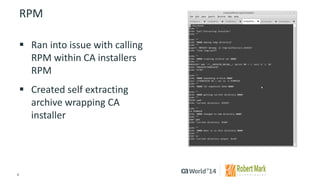
Ran into issue with calling RPM within CA installers RPM 
Created self extracting archive wrapping CA installer
9 
© 2014 CA. ALL RIGHTS RESERVED. 
Puppet Module 
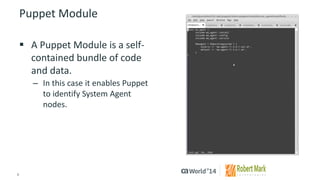
A Puppet Module is a self- contained bundle of code and data. 
–In this case it enables Puppet to identify System Agent nodes.
10 
© 2014 CA. ALL RIGHTS RESERVED. 
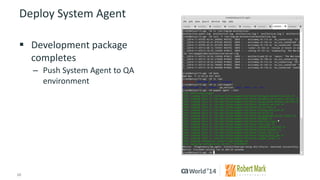
Deploy System Agent 
Development package completes 
–Push System Agent to QA environment
11 
© 2014 CA. ALL RIGHTS RESERVED. 
Summary 
The capabilities of the System Agent mean different configuration files across different types of servers (Linux, Solaris, AIX, Windows, z/OS, i5, etc.). 
Solution 
By leveraging an infrastructure management tool like Puppet Enterprise, one can manage the deployment of the System Agent to ensure a standardized Workload Automation environment. Administrators can then use Puppet to simplify patching and management of the multiple agentparm.txt files that are deployed.
12 
© 2014 CA. ALL RIGHTS RESERVED. 
For More Information 
To learn more about Mainframe, please visit: 
http://bit.ly/1wbiPkl 
Insert appropriate screenshot and textoverlayfrom following“More Info Graphics” slide here; ensure it links to correct page 
Mainframe
13 
© 2014 CA. ALL RIGHTS RESERVED. 
For Informational Purposes Only 
© 2014CA. All rights reserved. All trademarks referenced herein belong to their respective companies. 
This presentation provided at CA World 2014 is intended for information purposes only and does not form any type of warranty.Content provided in this presentation has not been reviewed for accuracy and is based on information provided by CA Partners and Customers. 
Terms of this Presentation

Automating Workload AE and DE; Agent Deployment and Configuration

  • 1.
    Automating Workload AEand DE; Agent Deployment and Configuration Dan Herrington MFX12S #CAWorld Robert Mark Technologies Chief Operating Officer
  • 2.
    2 © 2014CA. ALL RIGHTS RESERVED. Abstract The new Workload Agent added features to platforms like Workload Automation AE and expanded functionality on Workload Automation DE. It also introduced a new problem however, management of configuration files across 100’s, 1000’s, and sometimes tens of thousands of Servers. We will step through a solution to this operational problem. Daniel Herrington Robert Mark Technologies Chief Operating Officer
  • 3.
    3 © 2014CA. ALL RIGHTS RESERVED. Agenda THE AGENT MANAGEMENT PROBLEM AN INFRASTRUCTURE SOLUTION CONTINUED OPERATIONAL MAINTENANCE BUILDING THE DEPLOYMENT PACKAGE BUILDING THE MANAGEMENT CLASS DEPLOYING THROUGH QAAND PRODUCTION 1 2 3 4 5 6
  • 4.
    4 © 2014CA. ALL RIGHTS RESERVED. The Agent Management Problem Heterogeneous environments –Multiple OS platforms Windows, Solaris, Linux, AIX, i5, z/OS –Multiple Applications J2EE, Informatica, PeopleSoft, SAP®, Cognos, FTP All mean multiple configuration files on the order of 100’s, 1000’s or in some cases tens of thousands of machines. How do we rollout 800 Workload agents and ensure cookie cutter configuration?
  • 5.
    5 © 2014CA. ALL RIGHTS RESERVED. An Infrastructure Solution Puppet Enterprise enables Workload Admins to deploy and maintain standardized infrastructure –Development WA environment is used to build install packages Puppet automatically deploys to higher environments based on Development ENV templates –Defining nodes ensures standardized configurations Agent nodes, FTP Nodes, SAP nodes, etc. Leveraging DevOpstools to resolve the Agent Management Problem DevOpstools are designed to handle these exact use cases
  • 6.
    6 © 2014CA. ALL RIGHTS RESERVED. An Infrastructure Solution Puppet Enterprise enables Workload Admins to deploy and maintain standardized infrastructure –Eliminates configuration drift Puppet reverts all unauthorized changes to the Workload Automation infrastructure to the pre-defined node definition. cont. DevOpstools are designed to handle these exact use cases
  • 7.
    7 © 2014CA. ALL RIGHTS RESERVED. Setup Task Tools Requirements Build package Shell script CA System Agent installation media Build Puppet SystemAgent Module Puppet Enterprise TextEditor Deploy System Agent Puppet Enterprise InstalledPuppet Enterprise Master and Agent machines Updateagentparm.txt Puppet Enterprise TextEditor
  • 8.
    8 © 2014CA. ALL RIGHTS RESERVED. RPM Ran into issue with calling RPM within CA installers RPM Created self extracting archive wrapping CA installer
  • 9.
    9 © 2014CA. ALL RIGHTS RESERVED. Puppet Module A Puppet Module is a self- contained bundle of code and data. –In this case it enables Puppet to identify System Agent nodes.
  • 10.
    10 © 2014CA. ALL RIGHTS RESERVED. Deploy System Agent Development package completes –Push System Agent to QA environment
  • 11.
    11 © 2014CA. ALL RIGHTS RESERVED. Summary The capabilities of the System Agent mean different configuration files across different types of servers (Linux, Solaris, AIX, Windows, z/OS, i5, etc.). Solution By leveraging an infrastructure management tool like Puppet Enterprise, one can manage the deployment of the System Agent to ensure a standardized Workload Automation environment. Administrators can then use Puppet to simplify patching and management of the multiple agentparm.txt files that are deployed.
  • 12.
    12 © 2014CA. ALL RIGHTS RESERVED. For More Information To learn more about Mainframe, please visit: http://bit.ly/1wbiPkl Insert appropriate screenshot and textoverlayfrom following“More Info Graphics” slide here; ensure it links to correct page Mainframe
  • 13.
    13 © 2014CA. ALL RIGHTS RESERVED. For Informational Purposes Only © 2014CA. All rights reserved. All trademarks referenced herein belong to their respective companies. This presentation provided at CA World 2014 is intended for information purposes only and does not form any type of warranty.Content provided in this presentation has not been reviewed for accuracy and is based on information provided by CA Partners and Customers. Terms of this Presentation