

ca Intellicenter 
Mobility, Self-Service and Knowledge Management: 
A Modern Approach to End-User Productivity 
Dale Clark 
ICX18S #CAWorld 
CA Technologies 
VP, Product Management
2 
© 2014 CA. ALL RIGHTS RESERVED. 
Abstract 
Mobility, Self-Service and Knowledge Management can increase productivity and satisfaction across Service Management business and power users, as well as decision makers. The reality is that they are not nearly adopted as much as they should be to achieve the expected business value inherent in their use. In this session, see what is possible today, how to reap the benefits and value and see them in action. 
Dale Clark 
CA Technologies 
VP, Product Management
3 
© 2014 CA. ALL RIGHTS RESERVED. 
Agenda 
IT SERVICE MANAGEMENT AND SELF-SERVICE 
BARRIERS TO CREATION AND ADOPTION 
OVERCOMING THE BARRIERS 
UNIFIED SELF-SERVICE 
SEEING AND MEASURING THE VALUE 
1 
2 
3 
4 
5
4 
© 2014 CA. ALL RIGHTS RESERVED. 
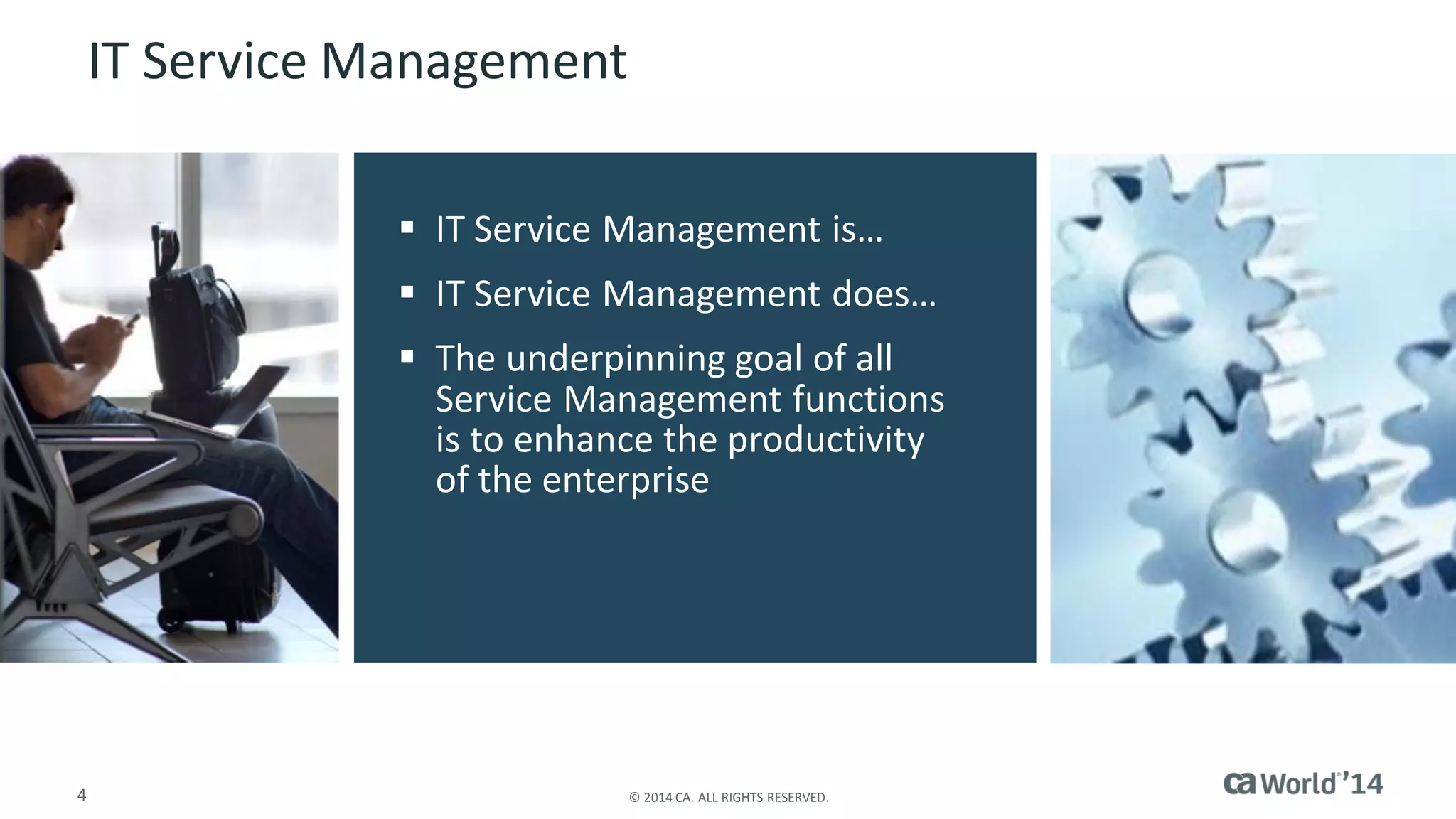
IT Service Management 
IT Service Management is… 
IT Service Management does… 
The underpinning goal of all Service Management functions is to enhance the productivity of the enterprise
5 
© 2014 CA. ALL RIGHTS RESERVED. 
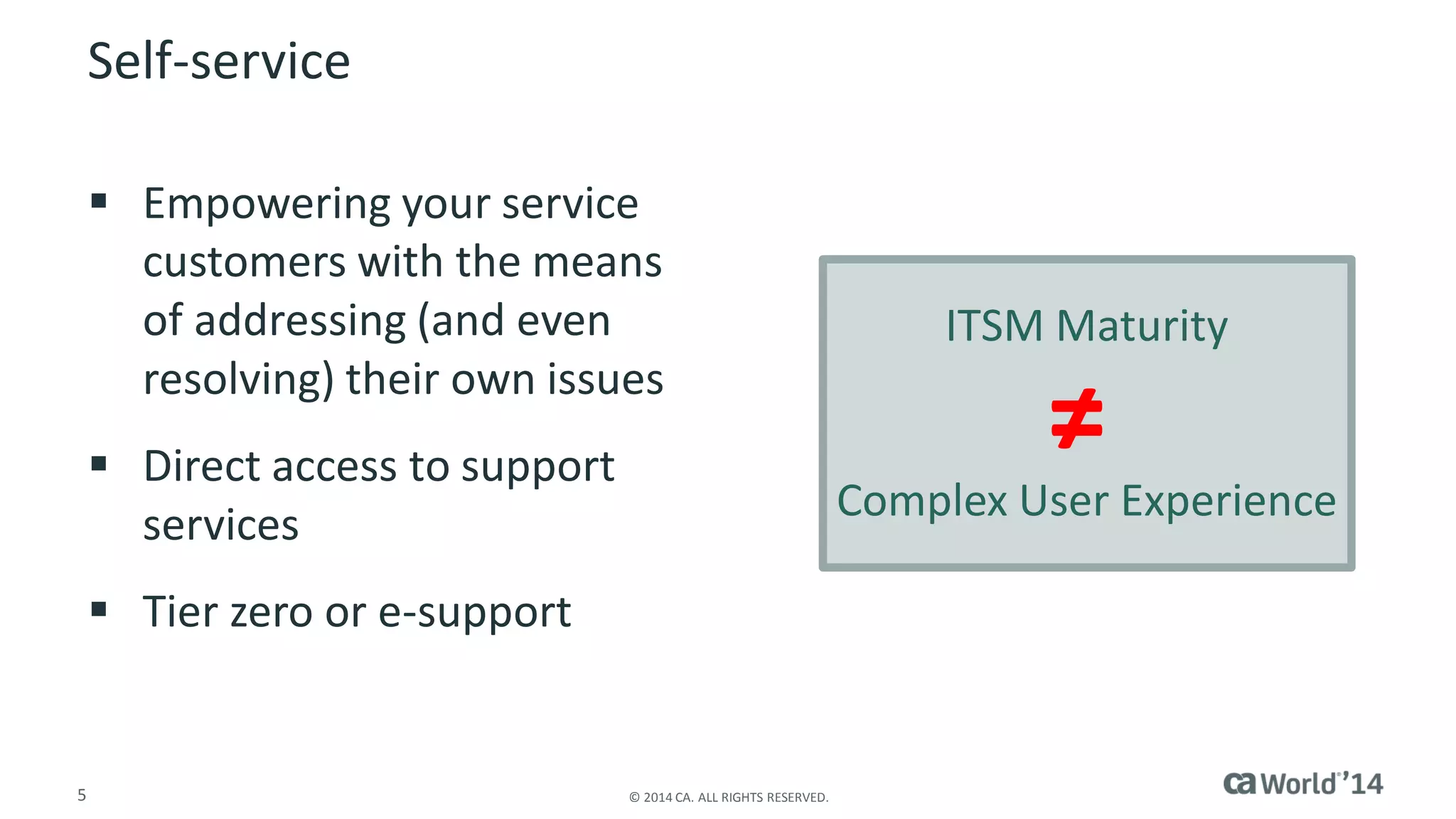
Self-service 
Empowering your service customers with the means of addressing (and even resolving) their own issues 
Direct access to support services 
Tier zero or e-support 
ITSM Maturity 
Complex User Experience 
≠
6 
© 2014 CA. ALL RIGHTS RESERVED. 
Elements of Self-service 
Information/knowledge 
Service requests 
Escalation capabilities 
Status information 
Availability
7 
© 2014 CA. ALL RIGHTS RESERVED. 
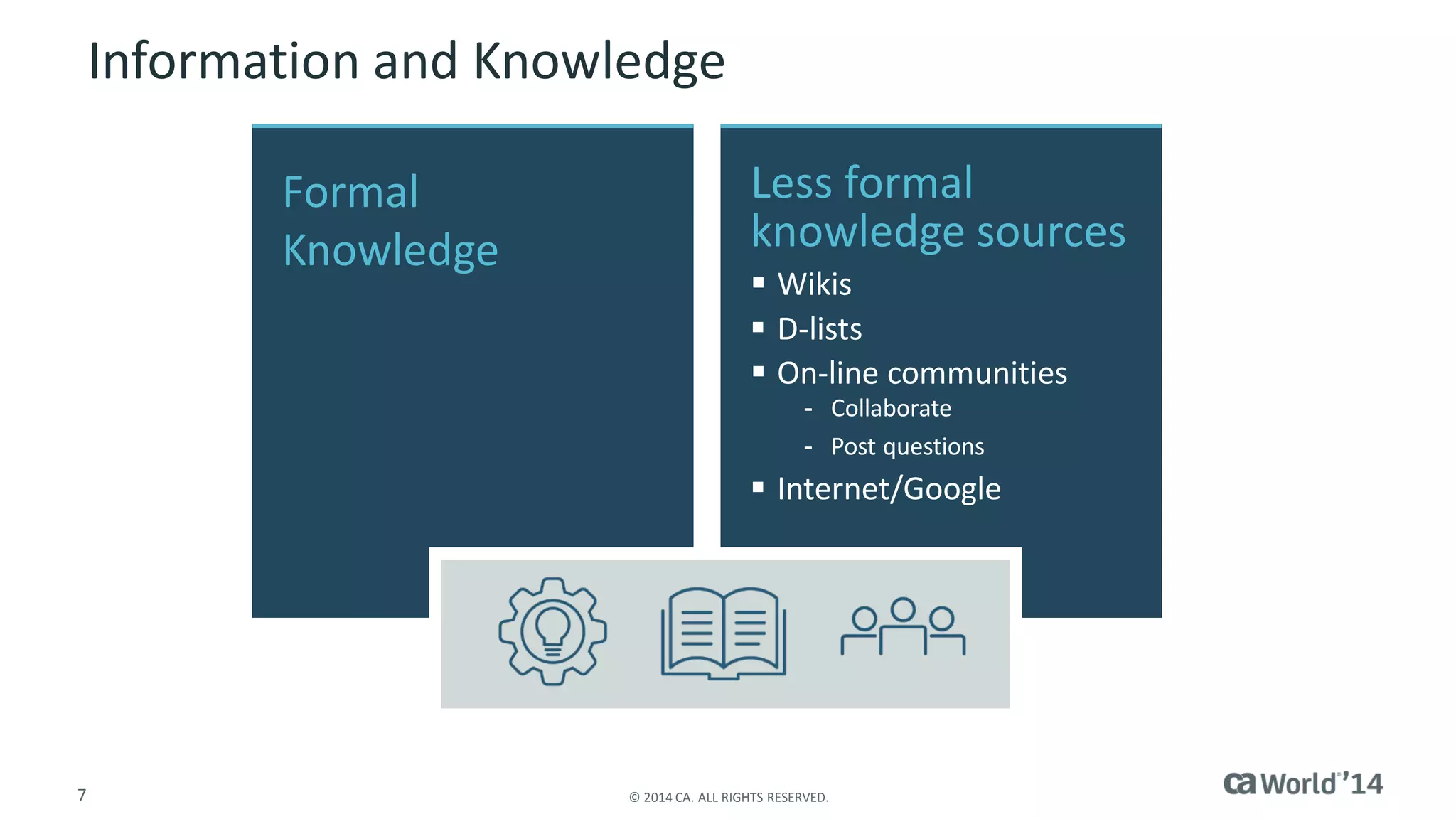
Information and Knowledge 
FormalKnowledge 
Less formal knowledge sources 
Wikis 
D-lists 
On-line communities 
-Collaborate 
-Post questions 
Internet/Google
8 
© 2014 CA. ALL RIGHTS RESERVED. 
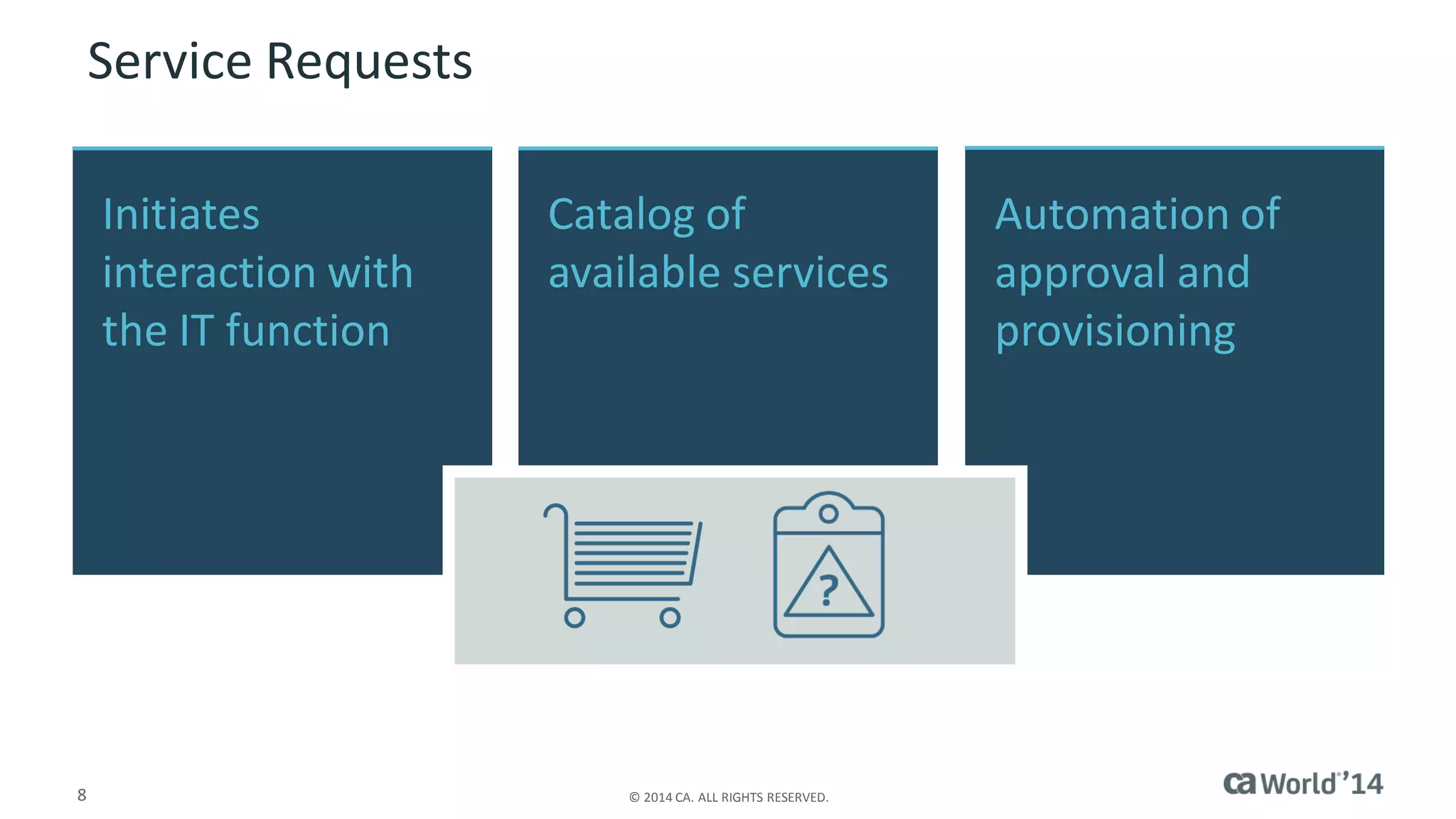
Initiates interaction with the IT function 
Catalog of available services 
Automation of approval and provisioning 
Service Requests
9 
© 2014 CA. ALL RIGHTS RESERVED. 
Escalation Capabilities 
Provisions for accelerating direct assistance 
“Call Me” 
Analyst Chat
10 
© 2014 CA. ALL RIGHTS RESERVED. 
Status Information 
Overall/ preemptive notifications 
System/service outages 
Planned maintenance 
Individual status 
Approval process for opened requests 
Entitlement/usage of assigned resources (including IT assets)
11 
© 2014 CA. ALL RIGHTS RESERVED. 
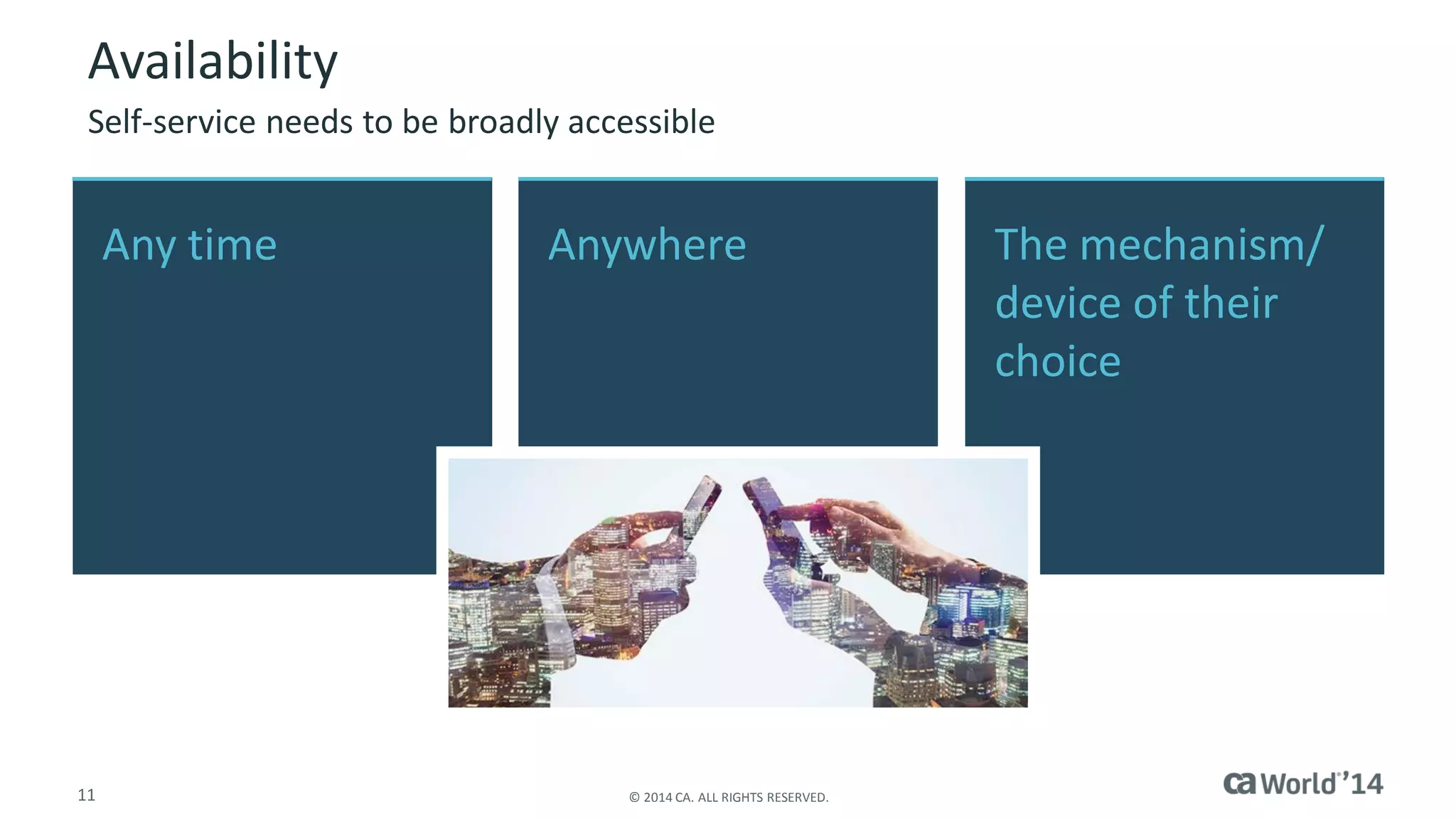
Availability 
Self-service needs to be broadly accessible 
Any time 
Anywhere 
The mechanism/ device of their choice
12 
© 2014 CA. ALL RIGHTS RESERVED. 
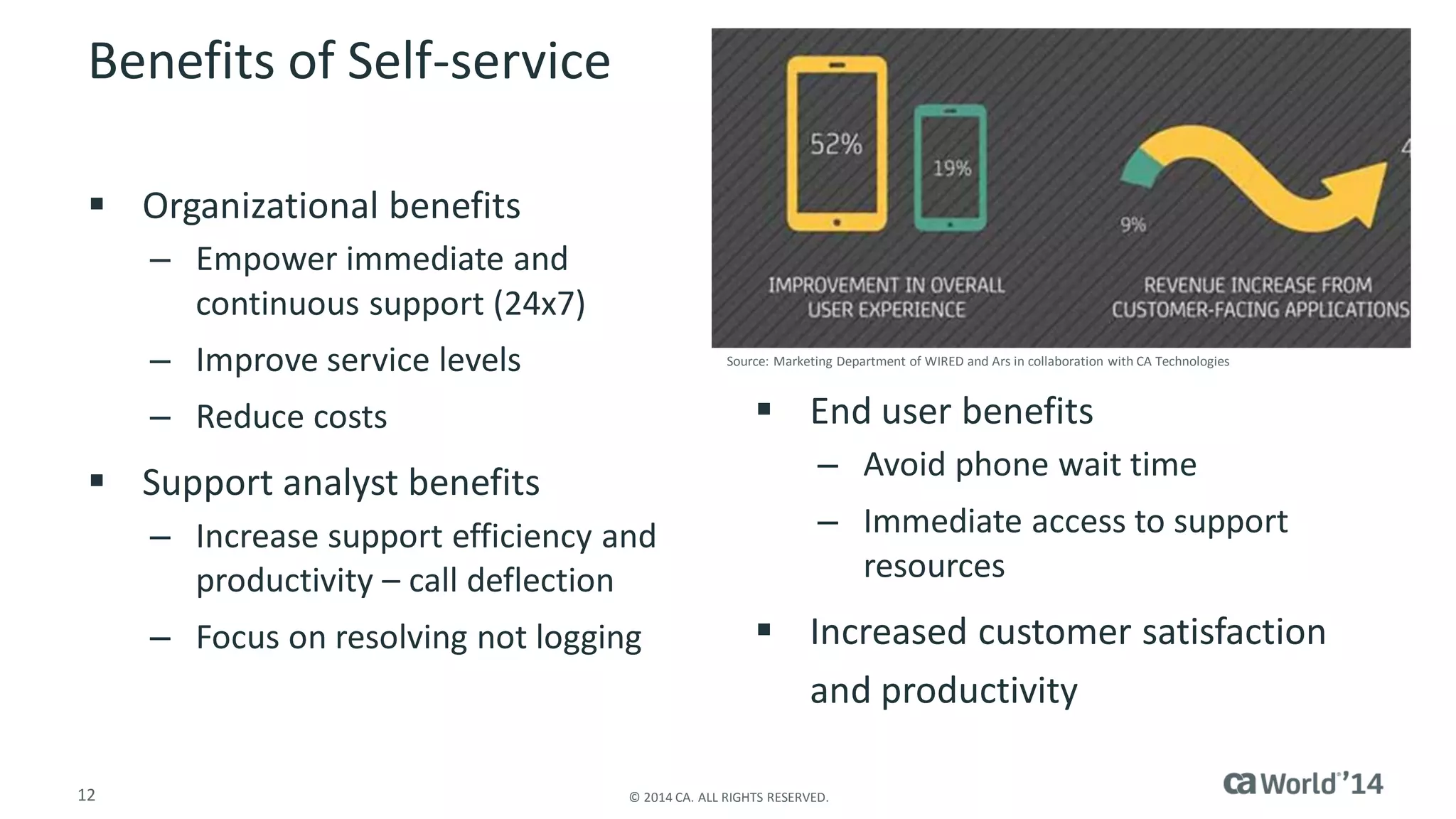
Benefits of Self-service 
Organizational benefits 
–Empower immediate and continuous support (24x7) 
–Improve service levels 
–Reduce costs 
Support analyst benefits 
–Increase support efficiency and productivity –call deflection 
–Focus on resolving not logging 
End user benefits 
–Avoid phone wait time 
–Immediate access to support resources 
Increased customer satisfaction and productivity 
Source: Marketing Department of WIRED and Ars in collaboration with CA Technologies
Barriers
14 
© 2014 CA. ALL RIGHTS RESERVED. 
Barriers to Creating a Self-service Function 
Common misperceptions abound 
–Employees or end users are not technical enough 
–Self-service = poor customer service 
–Too expensive to implement –staff is already stretched thin 
–“Competes” with other corporate/enterprise information sites 
Self-service requires IT attention and activity 
–Knowledge creation and management 
–Catalog of available services 
Not starting is the #1 barrier to getting value
15 
© 2014 CA. ALL RIGHTS RESERVED. 
Overcoming the Barriers of Creation 
Deal with misconceptions directly 
–Educate where necessary 
Back to projects 101: 
–Identify the outcome you want to derive 
–Establish success metrics 
–Ensure ownership and accountability 
–Measure baseline metrics before implementing 
–Phase itProve it Improve it
16 
© 2014 CA. ALL RIGHTS RESERVED. 
Barriers to Adoption 
How do I find it? 
Was it easy for me to find and get what I wanted? 
Did my first experience with it make me more productive? 
Do I have a safety net? 
Just having a self-service function is not enough
17 
© 2014 CA. ALL RIGHTS RESERVED. 
Overcoming the Barriers to Adoption 
Internal marketing and placement 
–Make self-service easy to know about and find 
–Focus on the language of value, immediacy and self-empowerment 
–Expose services into context appropriate sites 
Keep it simple 
–Start small (small groups, specific topics, high-value services) 
Make it personal 
Keep it fresh
Unified Self-Service
19 
© 2014 CA. ALL RIGHTS RESERVED. 
Unified Self-Service 
Unified Self-Service is the combination of a variety of Service Management processes with social and mobile technologies to create a simple, single business consumer interaction with IT that: 
–Empowers the business consumer to drive their own productivity 
–Dovetails into existing IT processes and systems of record 
–Reduces repetitive and redundant activities through automation and knowledge captured through normal service support operations
20 
© 2014 CA. ALL RIGHTS RESERVED. 
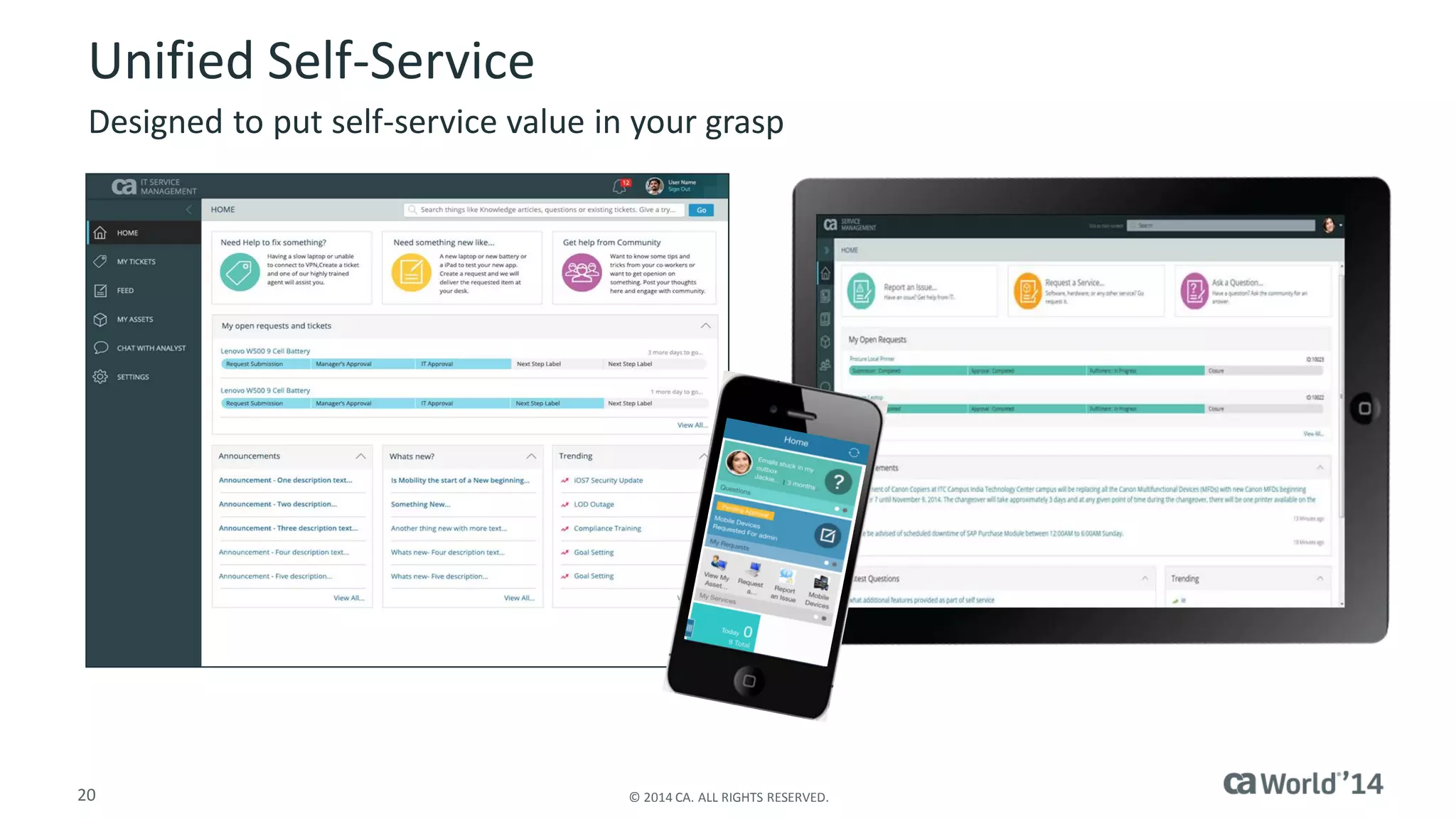
Unified Self-Service 
Designed to put self-service value in your grasp
21 
© 2014 CA. ALL RIGHTS RESERVED. 
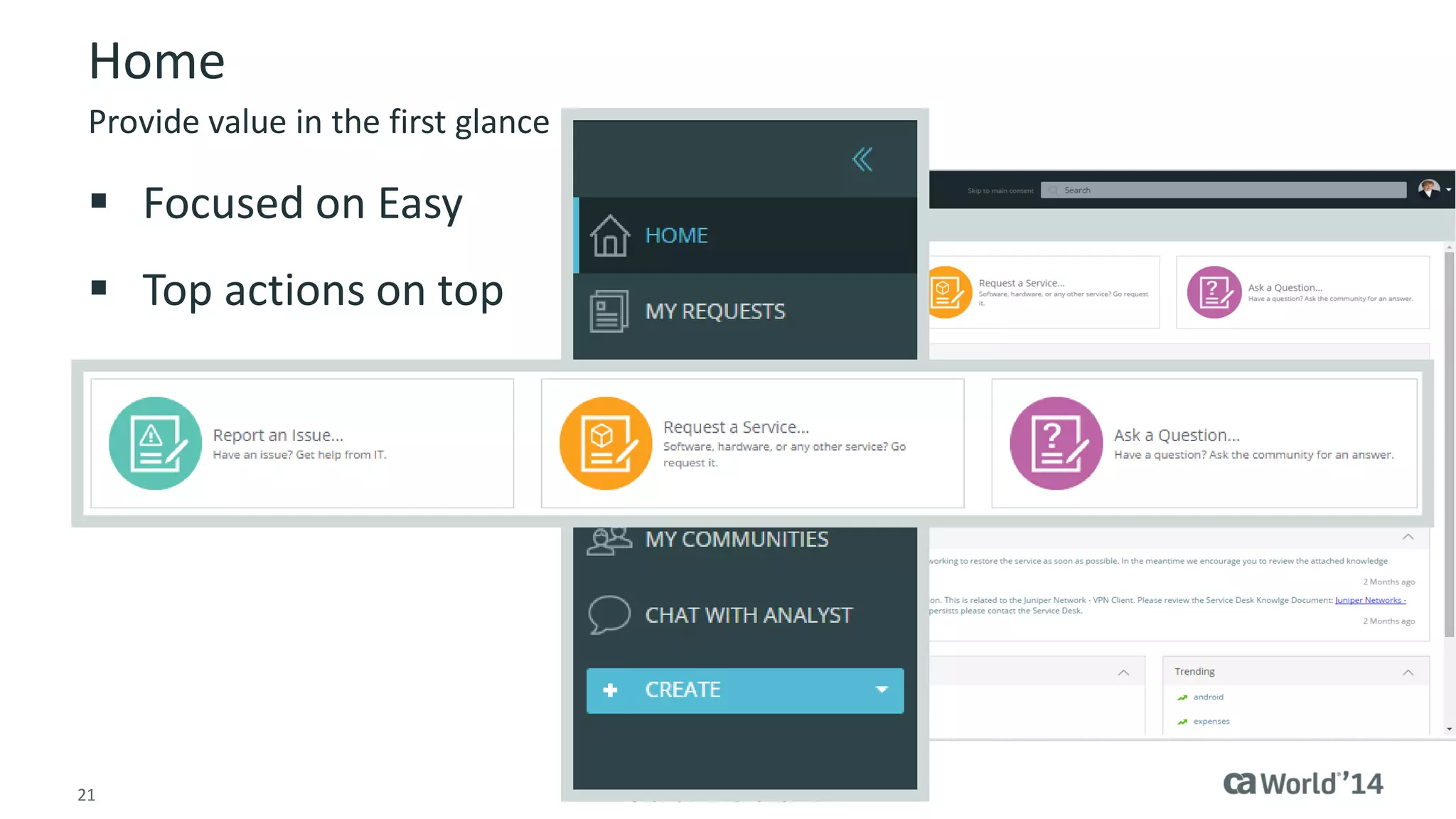
Home 
Focused on Easy 
Top actions on top 
Provide value in the first glance
22 
© 2014 CA. ALL RIGHTS RESERVED. 
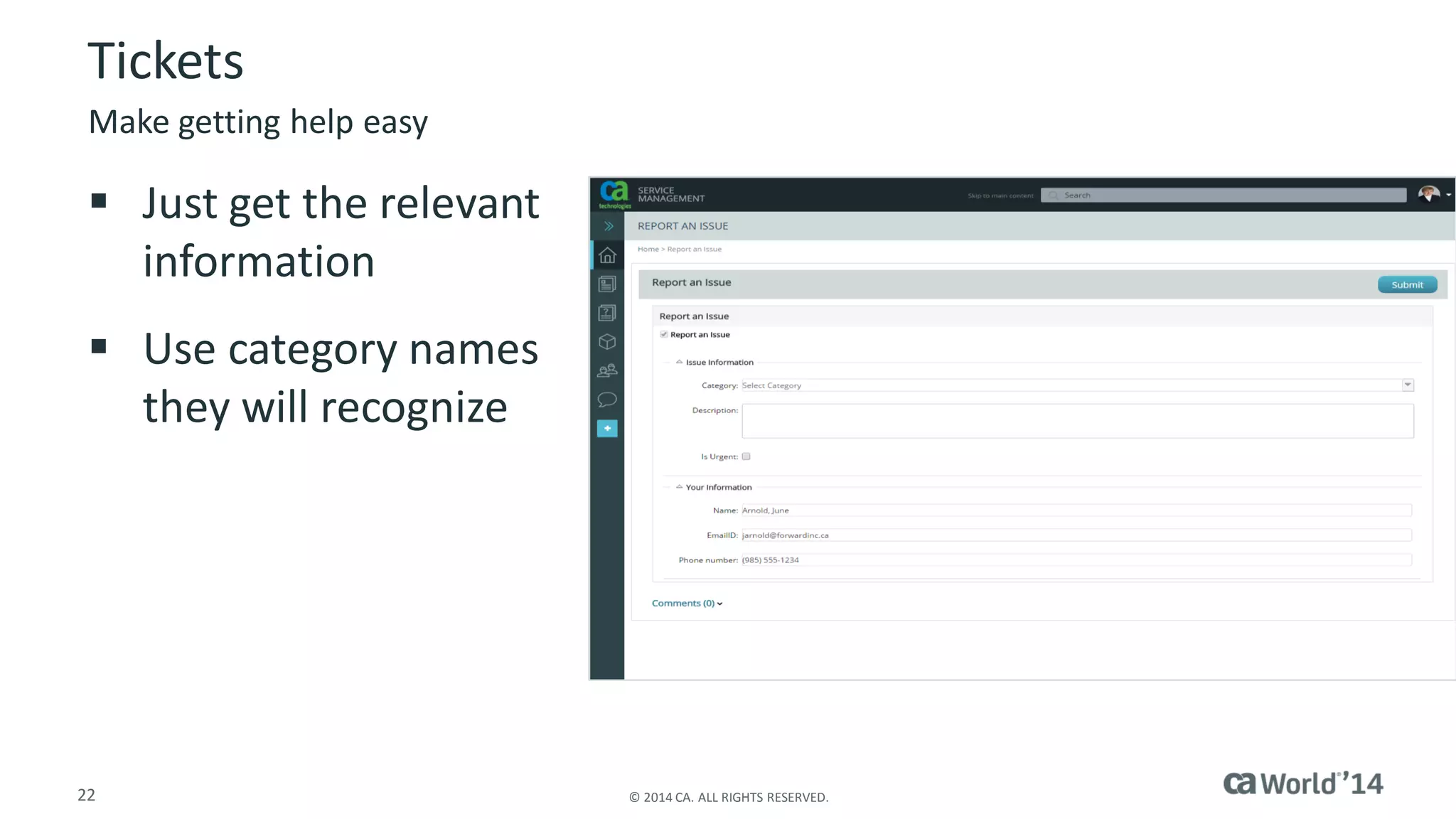
Tickets 
Just get the relevant information 
Use category names they will recognize 
Make getting help easy
23 
© 2014 CA. ALL RIGHTS RESERVED. 
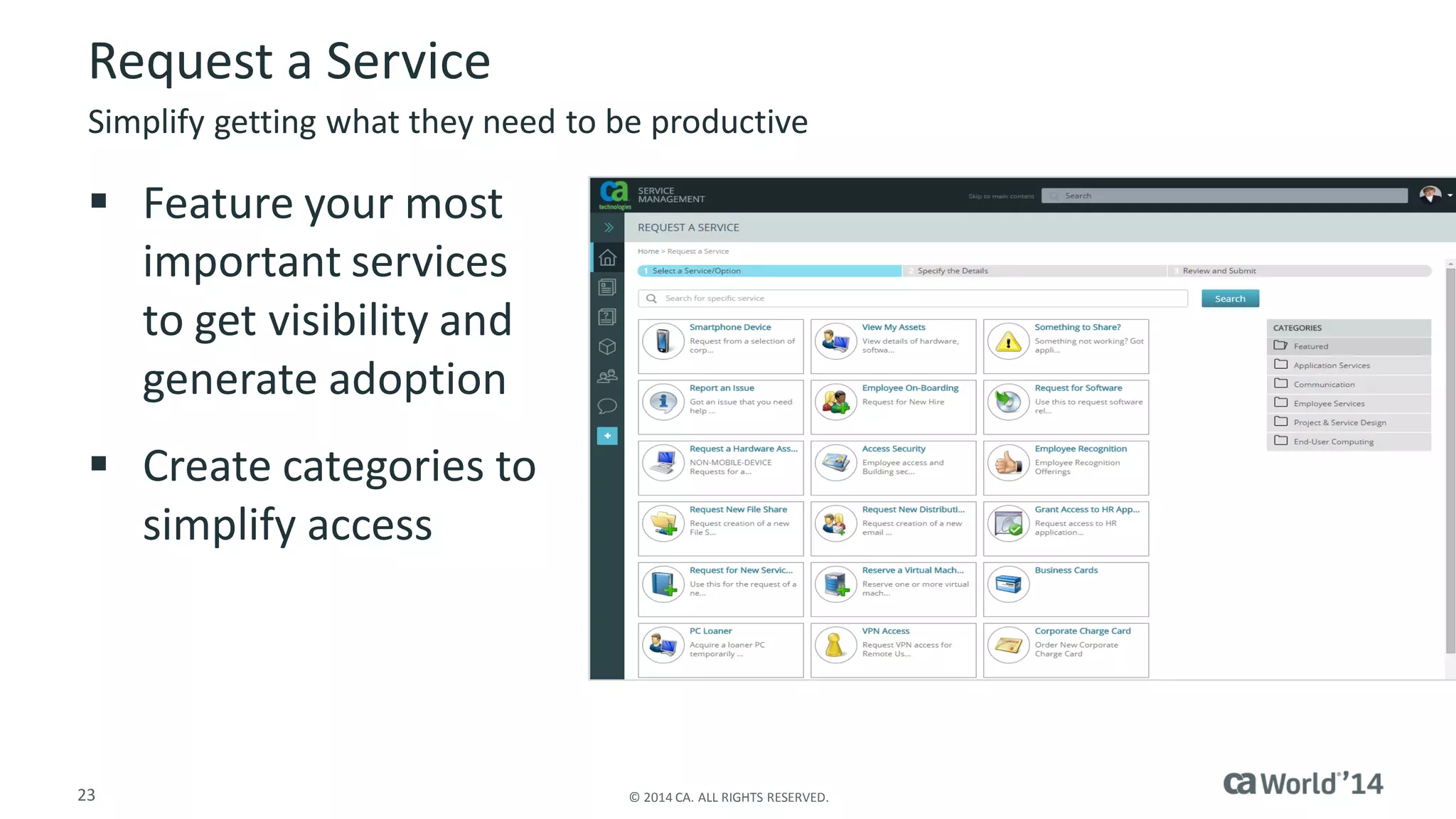
Request a Service 
Feature your most important services to get visibility and generate adoption 
Create categories to simplify access 
Simplify getting what they need to be productive
24 
© 2014 CA. ALL RIGHTS RESERVED. 
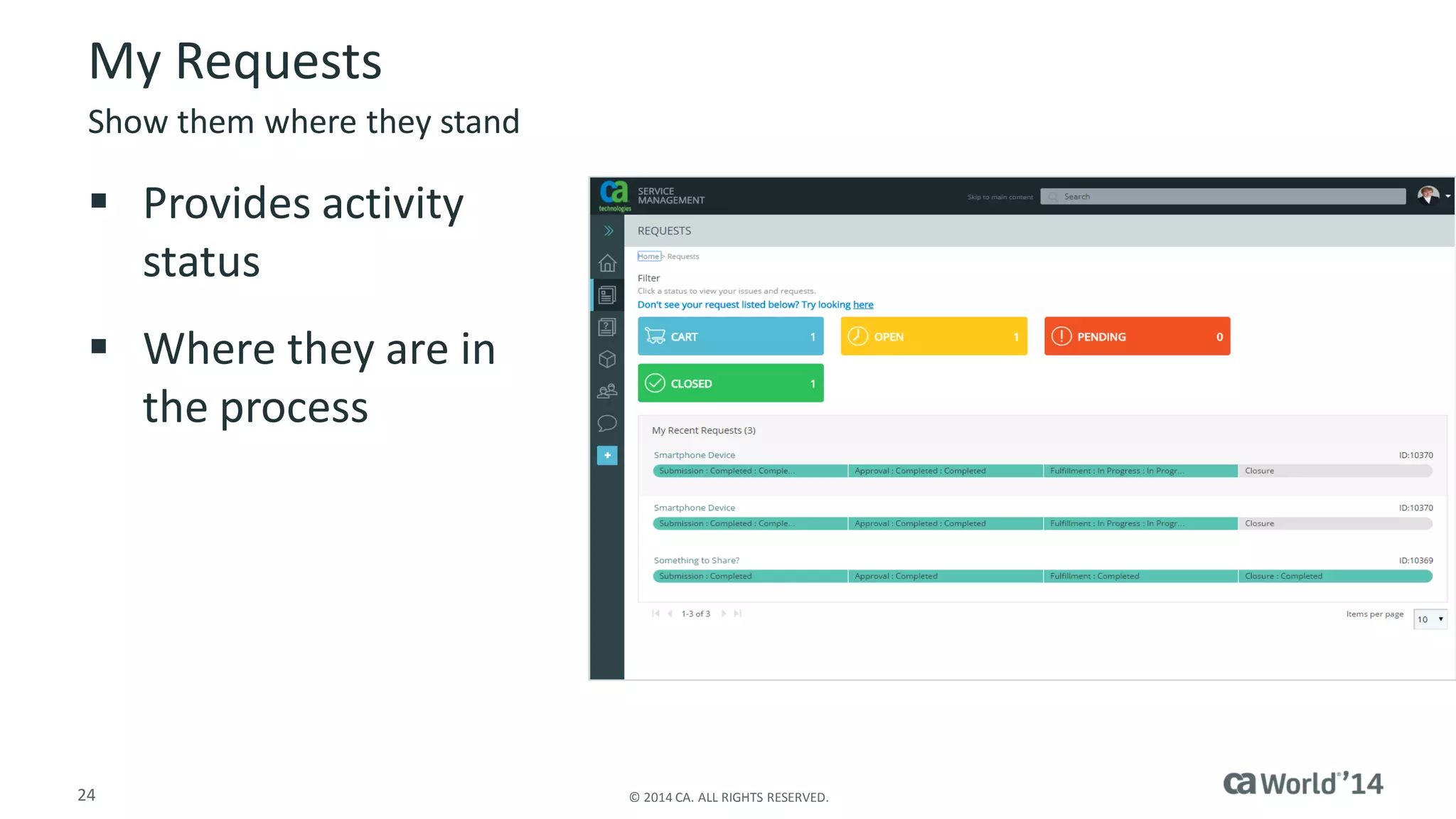
My Requests 
Provides activity status 
Where they are in the process 
Show them where they stand
25 
© 2014 CA. ALL RIGHTS RESERVED. 
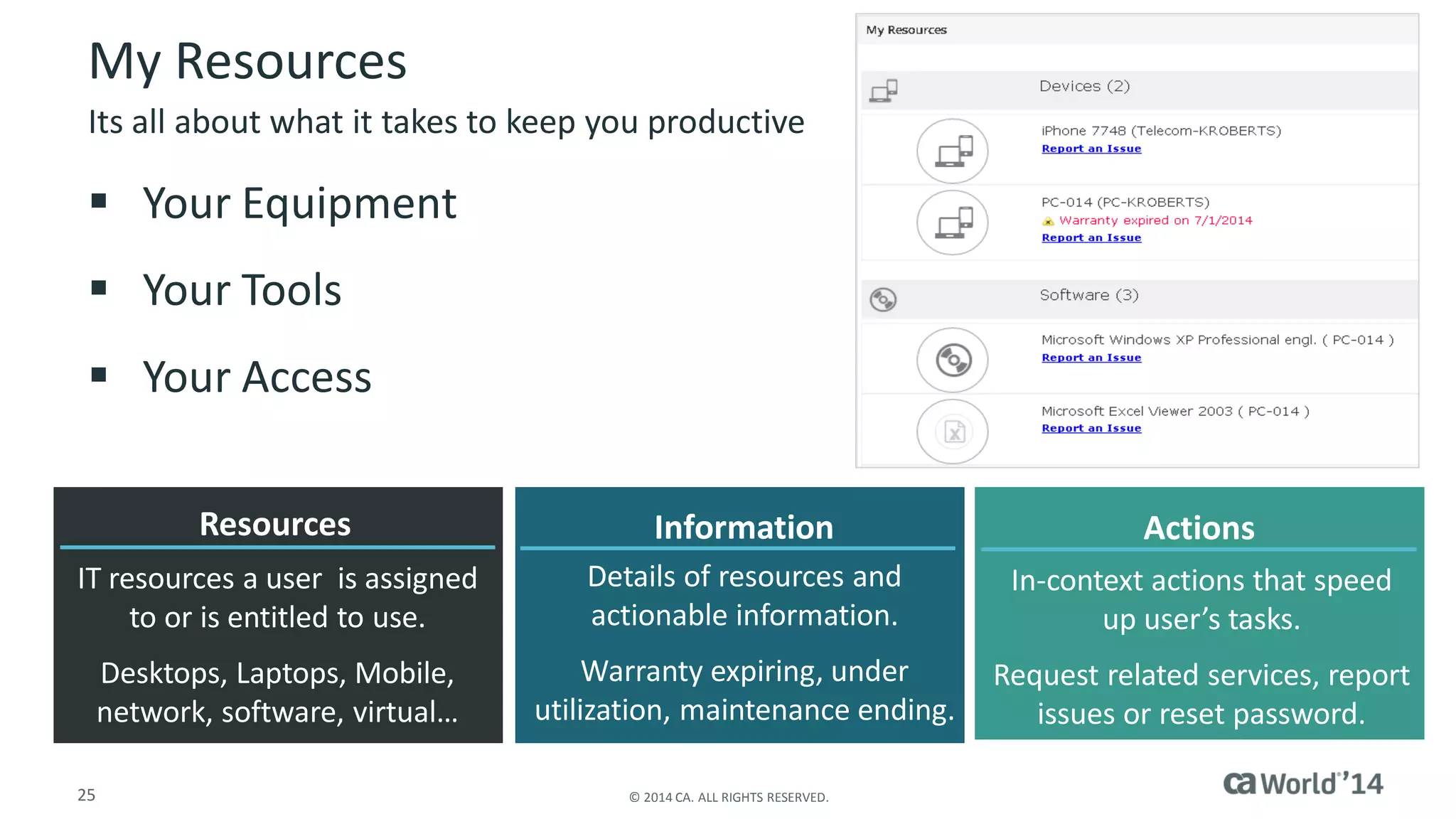
My Resources 
Your Equipment 
Your Tools 
Your Access 
Its all about what it takes to keep you productive 
Resources 
IT resources a user is assigned to or is entitled to use. 
Desktops, Laptops, Mobile, network, software, virtual… 
Actions 
In-context actions that speed up user’s tasks. 
Request related services, report issues or reset password. 
Information 
Details of resources and actionable information. 
Warranty expiring, under utilization, maintenance ending.
26 
© 2014 CA. ALL RIGHTS RESERVED. 
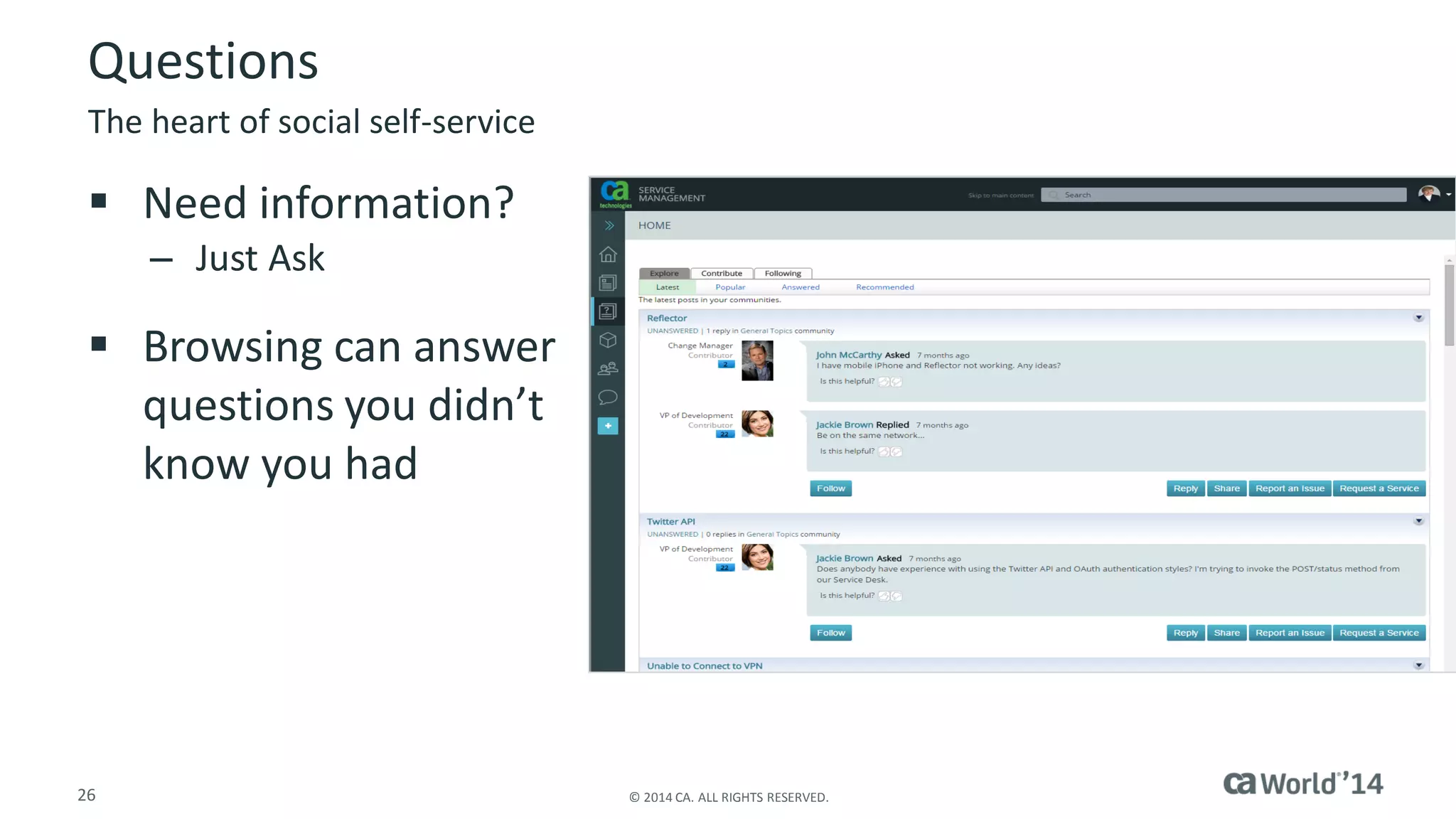
Questions 
Need information? 
–Just Ask 
Browsing can answer questions you didn’t know you had 
The heart of social self-service
27 
© 2014 CA. ALL RIGHTS RESERVED. 
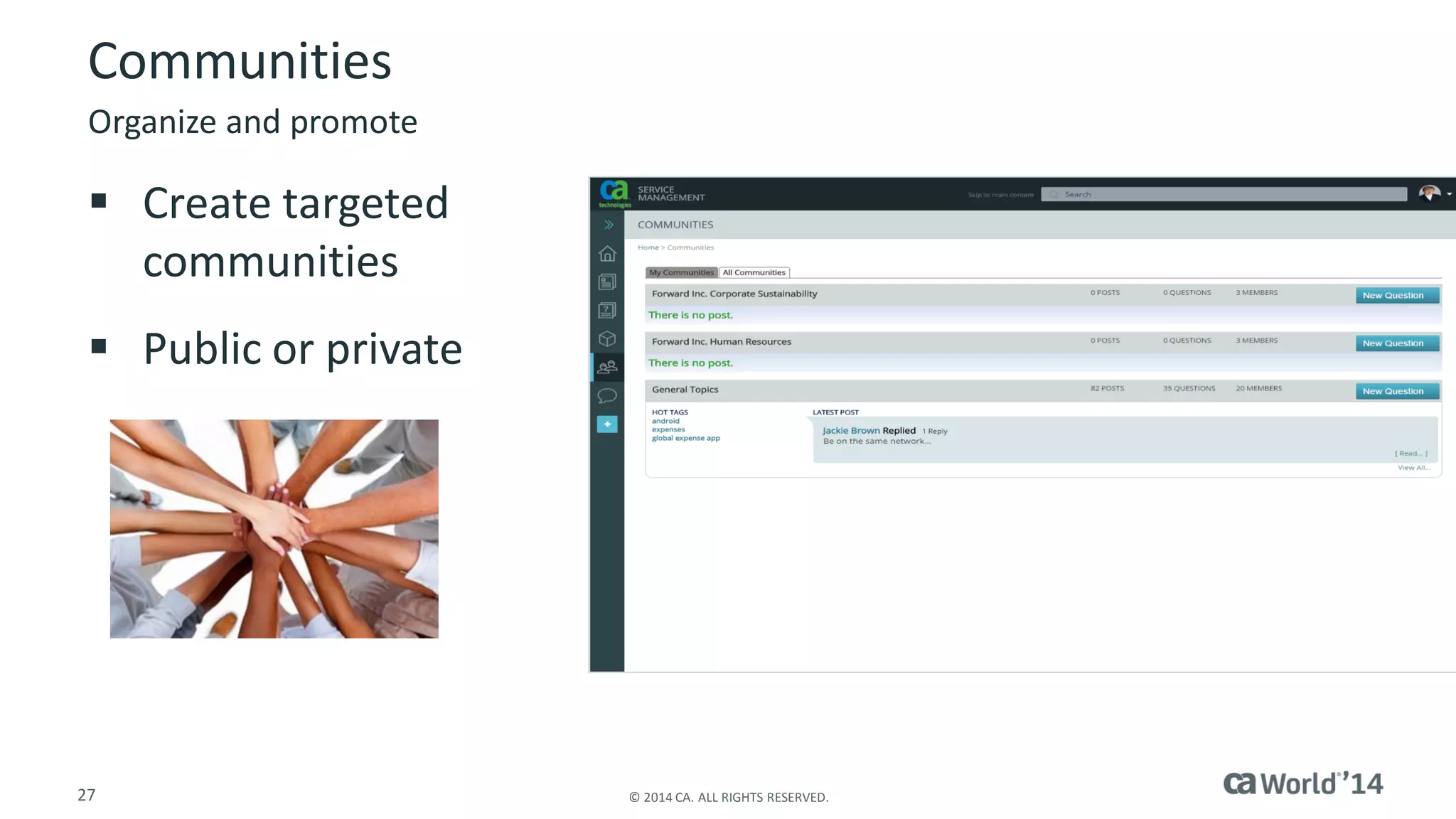
Communities 
Create targeted communities 
Public or private 
Organize and promote
28 
© 2014 CA. ALL RIGHTS RESERVED. 
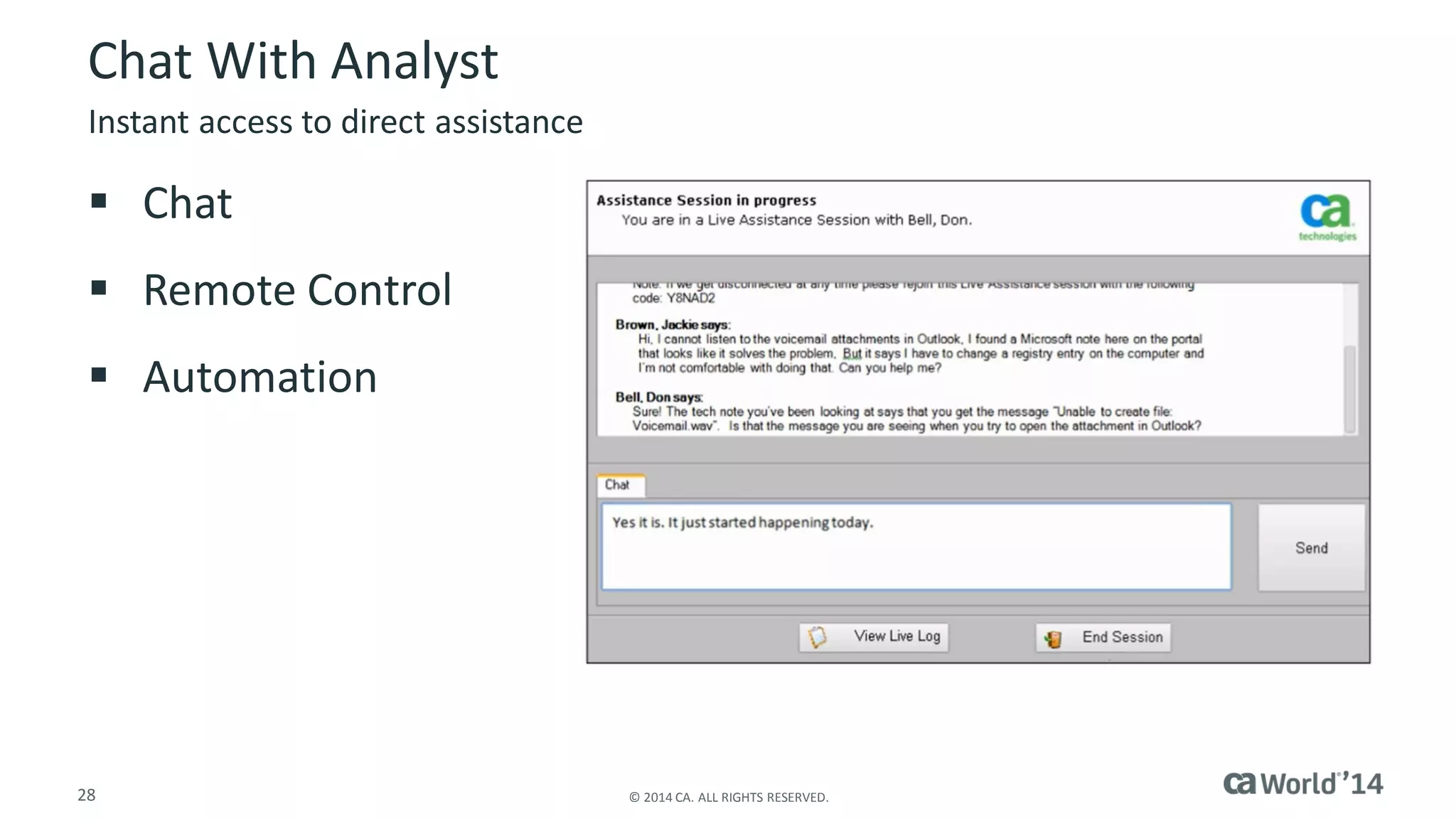
Chat With Analyst 
Chat 
Remote Control 
Automation 
Instant access to direct assistance
29 
© 2014 CA. ALL RIGHTS RESERVED. 
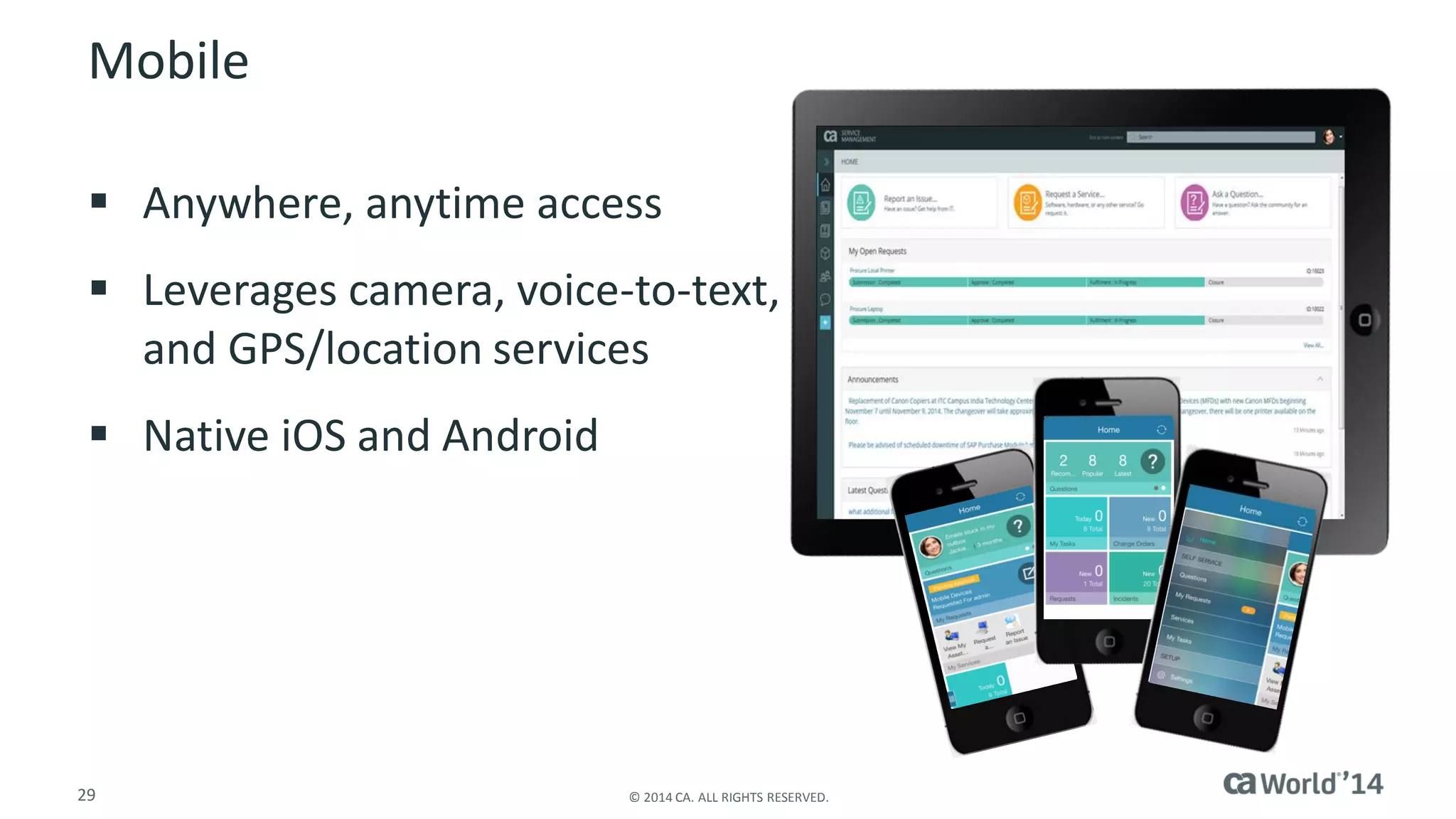
Mobile 
Anywhere, anytime access 
Leverages camera, voice-to-text, and GPS/location services 
Native iOS and Android
30 
© 2014 CA. ALL RIGHTS RESERVED. 
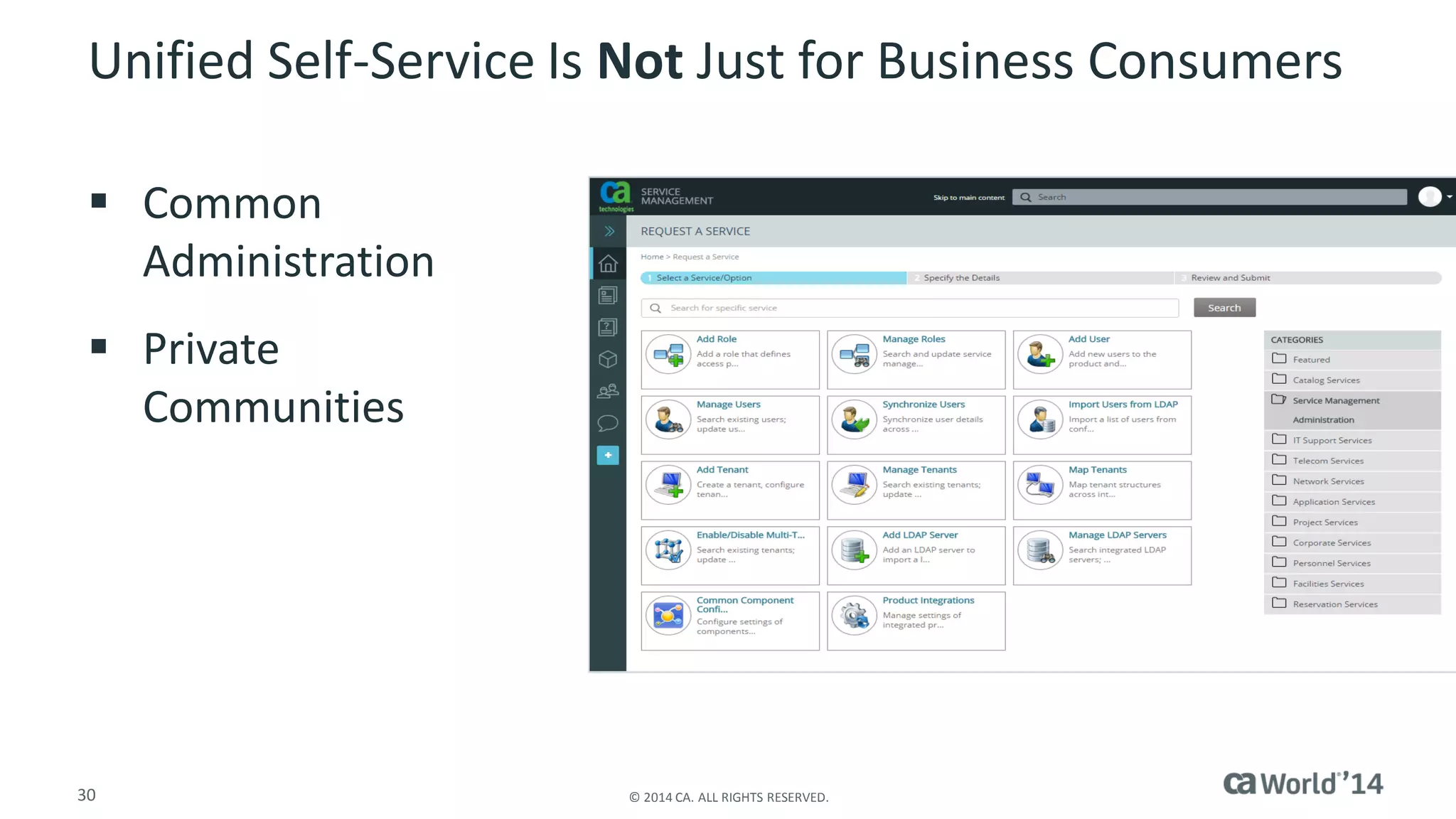
Unified Self-Service Is NotJust for Business Consumers 
Common Administration 
Private Communities
31 
© 2014 CA. ALL RIGHTS RESERVED. 
Seeing and Measuring the Value 
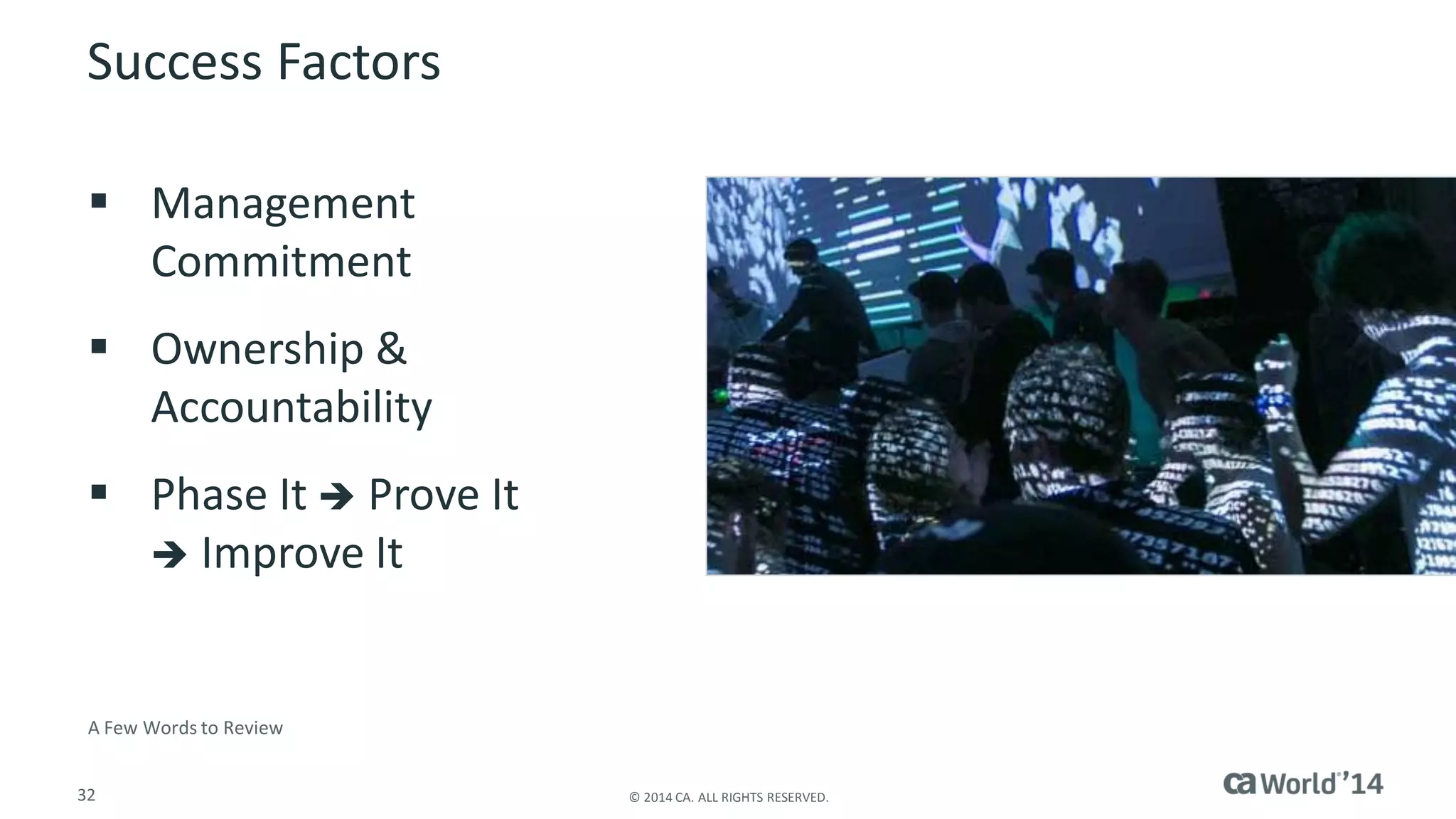
Measurements and Metrics 
–Baseline 
–Use key service desk / support metrics 
–Measure self-service activity 
–Conduct customer surveys
32 
© 2014 CA. ALL RIGHTS RESERVED. 
Success Factors 
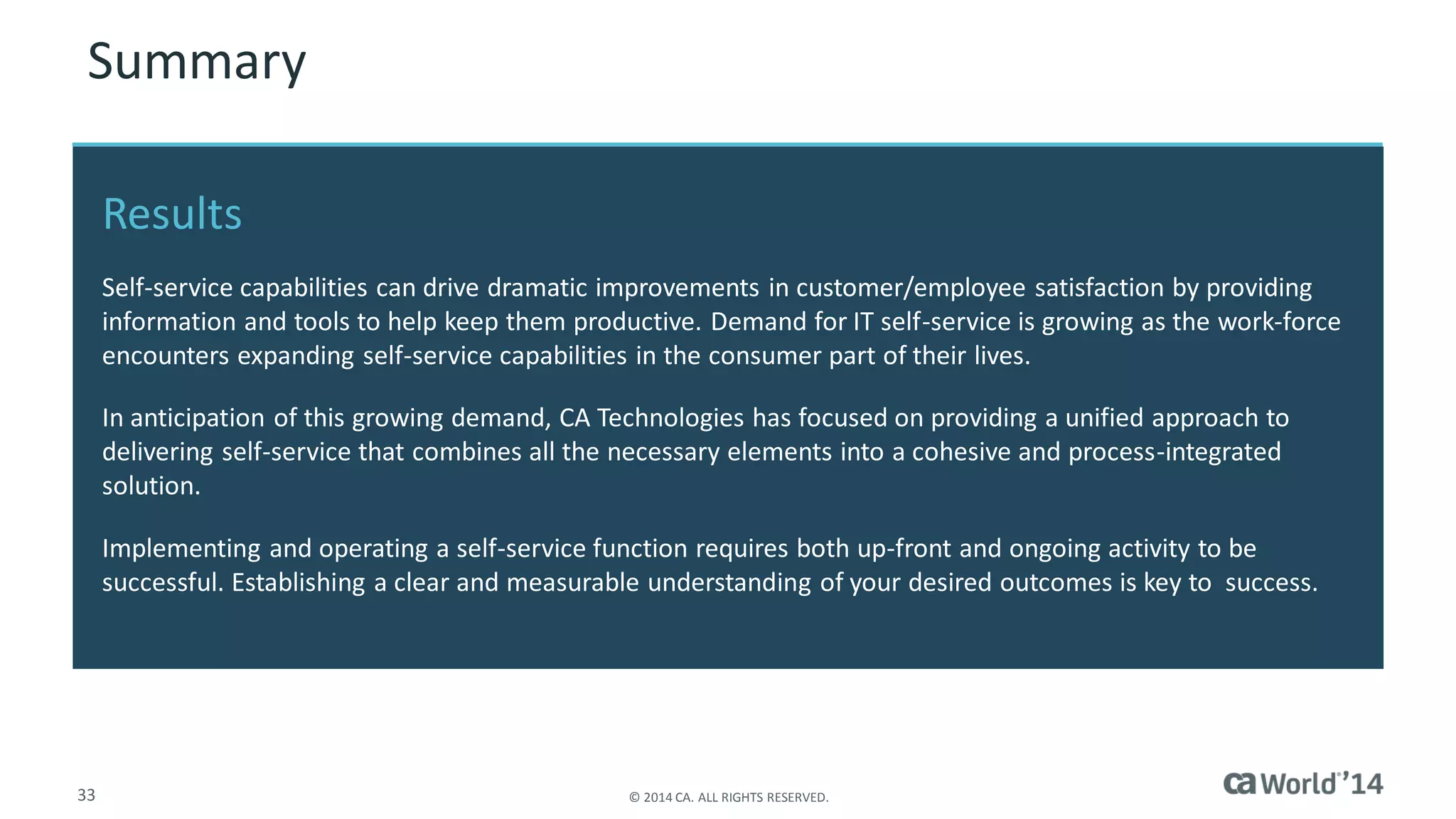
Management Commitment 
Ownership & Accountability 
Phase It Prove It Improve It 
A Few Words to Review
33 
© 2014 CA. ALL RIGHTS RESERVED. 
Summary 
Results 
Self-service capabilities can drive dramatic improvements in customer/employee satisfaction by providing information and tools to help keep them productive. Demand for IT self-service is growing as the work-force encounters expanding self-service capabilities in the consumer part of their lives. 
In anticipation of this growing demand, CA Technologies has focused on providing a unified approach to delivering self-service that combines all the necessary elements into a cohesive and process-integrated solution. 
Implementing and operating a self-service function requires both up-front and ongoing activity to be successful. Establishing a clear and measurable understanding of your desired outcomes is key to success.
34 
© 2014 CA. ALL RIGHTS RESERVED. 
CA Service Catalog 
CA Technologies 
Related Technologies 
CA Service Desk Manager 
CA Technologies 
CA IT Asset Manager 
CA Technologies
35 
© 2014 CA. ALL RIGHTS RESERVED. 
For More Information 
To learn more about Management Cloud, please visit: 
http://bit.ly/1wEnPhz 
Insert appropriate screenshot and text overlay from following “More Info Graphics” slide here; ensure it links to correct page 
Management Cloud
36 
© 2014 CA. ALL RIGHTS RESERVED. 
For Informational Purposes Only 
© 2014CA. All rights reserved. All trademarks referenced herein belong to their respective companies. 
This presentation provided at CA World 2014 is intended for information purposes only and does not form any type of warranty. Some of the specific slides with customer references relate to customer's specific use and experience of CA products and solutions so actual results may vary. 
Terms of this Presentation

Mobility, Self Service and Knowledge Management: A Modern Approach to End-User Productivity

  • 1.
    ca Intellicenter Mobility,Self-Service and Knowledge Management: A Modern Approach to End-User Productivity Dale Clark ICX18S #CAWorld CA Technologies VP, Product Management
  • 2.
    2 © 2014CA. ALL RIGHTS RESERVED. Abstract Mobility, Self-Service and Knowledge Management can increase productivity and satisfaction across Service Management business and power users, as well as decision makers. The reality is that they are not nearly adopted as much as they should be to achieve the expected business value inherent in their use. In this session, see what is possible today, how to reap the benefits and value and see them in action. Dale Clark CA Technologies VP, Product Management
  • 3.
    3 © 2014CA. ALL RIGHTS RESERVED. Agenda IT SERVICE MANAGEMENT AND SELF-SERVICE BARRIERS TO CREATION AND ADOPTION OVERCOMING THE BARRIERS UNIFIED SELF-SERVICE SEEING AND MEASURING THE VALUE 1 2 3 4 5
  • 4.
    4 © 2014CA. ALL RIGHTS RESERVED. IT Service Management IT Service Management is… IT Service Management does… The underpinning goal of all Service Management functions is to enhance the productivity of the enterprise
  • 5.
    5 © 2014CA. ALL RIGHTS RESERVED. Self-service Empowering your service customers with the means of addressing (and even resolving) their own issues Direct access to support services Tier zero or e-support ITSM Maturity Complex User Experience ≠
  • 6.
    6 © 2014CA. ALL RIGHTS RESERVED. Elements of Self-service Information/knowledge Service requests Escalation capabilities Status information Availability
  • 7.
    7 © 2014CA. ALL RIGHTS RESERVED. Information and Knowledge FormalKnowledge Less formal knowledge sources Wikis D-lists On-line communities -Collaborate -Post questions Internet/Google
  • 8.
    8 © 2014CA. ALL RIGHTS RESERVED. Initiates interaction with the IT function Catalog of available services Automation of approval and provisioning Service Requests
  • 9.
    9 © 2014CA. ALL RIGHTS RESERVED. Escalation Capabilities Provisions for accelerating direct assistance “Call Me” Analyst Chat
  • 10.
    10 © 2014CA. ALL RIGHTS RESERVED. Status Information Overall/ preemptive notifications System/service outages Planned maintenance Individual status Approval process for opened requests Entitlement/usage of assigned resources (including IT assets)
  • 11.
    11 © 2014CA. ALL RIGHTS RESERVED. Availability Self-service needs to be broadly accessible Any time Anywhere The mechanism/ device of their choice
  • 12.
    12 © 2014CA. ALL RIGHTS RESERVED. Benefits of Self-service Organizational benefits –Empower immediate and continuous support (24x7) –Improve service levels –Reduce costs Support analyst benefits –Increase support efficiency and productivity –call deflection –Focus on resolving not logging End user benefits –Avoid phone wait time –Immediate access to support resources Increased customer satisfaction and productivity Source: Marketing Department of WIRED and Ars in collaboration with CA Technologies
  • 13.
  • 14.
    14 © 2014CA. ALL RIGHTS RESERVED. Barriers to Creating a Self-service Function Common misperceptions abound –Employees or end users are not technical enough –Self-service = poor customer service –Too expensive to implement –staff is already stretched thin –“Competes” with other corporate/enterprise information sites Self-service requires IT attention and activity –Knowledge creation and management –Catalog of available services Not starting is the #1 barrier to getting value
  • 15.
    15 © 2014CA. ALL RIGHTS RESERVED. Overcoming the Barriers of Creation Deal with misconceptions directly –Educate where necessary Back to projects 101: –Identify the outcome you want to derive –Establish success metrics –Ensure ownership and accountability –Measure baseline metrics before implementing –Phase itProve it Improve it
  • 16.
    16 © 2014CA. ALL RIGHTS RESERVED. Barriers to Adoption How do I find it? Was it easy for me to find and get what I wanted? Did my first experience with it make me more productive? Do I have a safety net? Just having a self-service function is not enough
  • 17.
    17 © 2014CA. ALL RIGHTS RESERVED. Overcoming the Barriers to Adoption Internal marketing and placement –Make self-service easy to know about and find –Focus on the language of value, immediacy and self-empowerment –Expose services into context appropriate sites Keep it simple –Start small (small groups, specific topics, high-value services) Make it personal Keep it fresh
  • 18.
  • 19.
    19 © 2014CA. ALL RIGHTS RESERVED. Unified Self-Service Unified Self-Service is the combination of a variety of Service Management processes with social and mobile technologies to create a simple, single business consumer interaction with IT that: –Empowers the business consumer to drive their own productivity –Dovetails into existing IT processes and systems of record –Reduces repetitive and redundant activities through automation and knowledge captured through normal service support operations
  • 20.
    20 © 2014CA. ALL RIGHTS RESERVED. Unified Self-Service Designed to put self-service value in your grasp
  • 21.
    21 © 2014CA. ALL RIGHTS RESERVED. Home Focused on Easy Top actions on top Provide value in the first glance
  • 22.
    22 © 2014CA. ALL RIGHTS RESERVED. Tickets Just get the relevant information Use category names they will recognize Make getting help easy
  • 23.
    23 © 2014CA. ALL RIGHTS RESERVED. Request a Service Feature your most important services to get visibility and generate adoption Create categories to simplify access Simplify getting what they need to be productive
  • 24.
    24 © 2014CA. ALL RIGHTS RESERVED. My Requests Provides activity status Where they are in the process Show them where they stand
  • 25.
    25 © 2014CA. ALL RIGHTS RESERVED. My Resources Your Equipment Your Tools Your Access Its all about what it takes to keep you productive Resources IT resources a user is assigned to or is entitled to use. Desktops, Laptops, Mobile, network, software, virtual… Actions In-context actions that speed up user’s tasks. Request related services, report issues or reset password. Information Details of resources and actionable information. Warranty expiring, under utilization, maintenance ending.
  • 26.
    26 © 2014CA. ALL RIGHTS RESERVED. Questions Need information? –Just Ask Browsing can answer questions you didn’t know you had The heart of social self-service
  • 27.
    27 © 2014CA. ALL RIGHTS RESERVED. Communities Create targeted communities Public or private Organize and promote
  • 28.
    28 © 2014CA. ALL RIGHTS RESERVED. Chat With Analyst Chat Remote Control Automation Instant access to direct assistance
  • 29.
    29 © 2014CA. ALL RIGHTS RESERVED. Mobile Anywhere, anytime access Leverages camera, voice-to-text, and GPS/location services Native iOS and Android
  • 30.
    30 © 2014CA. ALL RIGHTS RESERVED. Unified Self-Service Is NotJust for Business Consumers Common Administration Private Communities
  • 31.
    31 © 2014CA. ALL RIGHTS RESERVED. Seeing and Measuring the Value Measurements and Metrics –Baseline –Use key service desk / support metrics –Measure self-service activity –Conduct customer surveys
  • 32.
    32 © 2014CA. ALL RIGHTS RESERVED. Success Factors Management Commitment Ownership & Accountability Phase It Prove It Improve It A Few Words to Review
  • 33.
    33 © 2014CA. ALL RIGHTS RESERVED. Summary Results Self-service capabilities can drive dramatic improvements in customer/employee satisfaction by providing information and tools to help keep them productive. Demand for IT self-service is growing as the work-force encounters expanding self-service capabilities in the consumer part of their lives. In anticipation of this growing demand, CA Technologies has focused on providing a unified approach to delivering self-service that combines all the necessary elements into a cohesive and process-integrated solution. Implementing and operating a self-service function requires both up-front and ongoing activity to be successful. Establishing a clear and measurable understanding of your desired outcomes is key to success.
  • 34.
    34 © 2014CA. ALL RIGHTS RESERVED. CA Service Catalog CA Technologies Related Technologies CA Service Desk Manager CA Technologies CA IT Asset Manager CA Technologies
  • 35.
    35 © 2014CA. ALL RIGHTS RESERVED. For More Information To learn more about Management Cloud, please visit: http://bit.ly/1wEnPhz Insert appropriate screenshot and text overlay from following “More Info Graphics” slide here; ensure it links to correct page Management Cloud
  • 36.
    36 © 2014CA. ALL RIGHTS RESERVED. For Informational Purposes Only © 2014CA. All rights reserved. All trademarks referenced herein belong to their respective companies. This presentation provided at CA World 2014 is intended for information purposes only and does not form any type of warranty. Some of the specific slides with customer references relate to customer's specific use and experience of CA products and solutions so actual results may vary. Terms of this Presentation