Automan.
Point of Sale
1
AUTOMAN POS
(Web based Point Of Sale)
For Retailer & Supermarket
Automan.
Point of Sale
2
Welcome
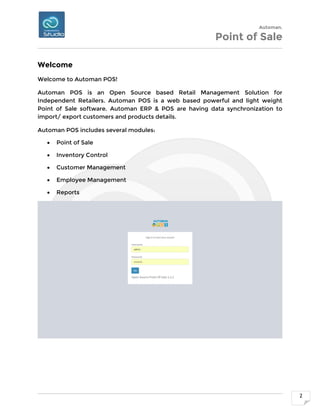
Welcome to Automan POS!
Automan POS is an Open Source based Retail Management Solution for
Independent Retailers. Automan POS is a web based powerful and light weight
Point of Sale software. Automan ERP & POS are having data synchronization to
import/ export customers and products details.
Automan POS includes several modules:
 Point of Sale
 Inventory Control
 Customer Management
 Employee Management
 Reports
Automan.
Point of Sale
3
1 | POINT OF SALE
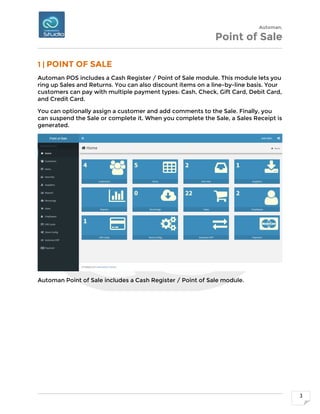
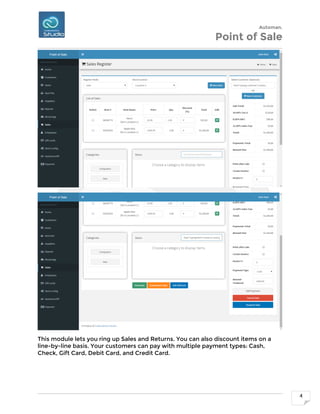
Automan POS includes a Cash Register / Point of Sale module. This module lets you
ring up Sales and Returns. You can also discount items on a line-by-line basis. Your
customers can pay with multiple payment types: Cash, Check, Gift Card, Debit Card,
and Credit Card.
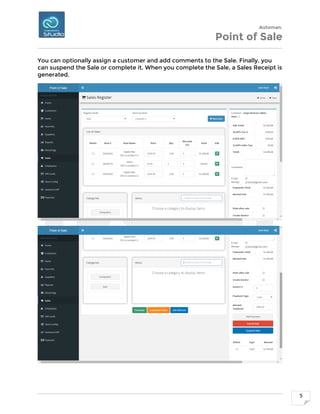
You can optionally assign a customer and add comments to the Sale. Finally, you
can suspend the Sale or complete it. When you complete the Sale, a Sales Receipt is
generated.
Automan Point of Sale includes a Cash Register / Point of Sale module.
Automan.
Point of Sale
4
This module lets you ring up Sales and Returns. You can also discount items on a
line-by-line basis. Your customers can pay with multiple payment types: Cash,
Check, Gift Card, Debit Card, and Credit Card.
Automan.
Point of Sale
5
You can optionally assign a customer and add comments to the Sale. Finally, you
can suspend the Sale or complete it. When you complete the Sale, a Sales Receipt is
generated.
Automan.
Point of Sale
6
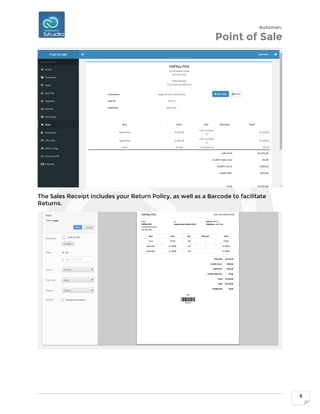
The Sales Receipt includes your Return Policy, as well as a Barcode to facilitate
Returns.
Automan.
Point of Sale
7
2 | INVENTORY CONTROL
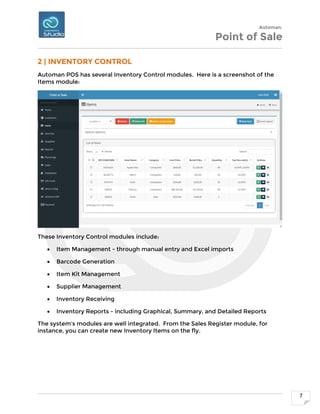
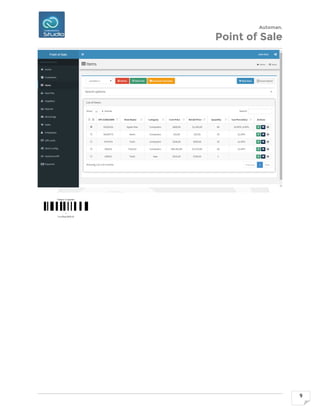
Automan POS has several Inventory Control modules. Here is a screenshot of the
Items module:
These Inventory Control modules include:
 Item Management - through manual entry and Excel imports
 Barcode Generation
 Item Kit Management
 Supplier Management
 Inventory Receiving
 Inventory Reports - including Graphical, Summary, and Detailed Reports
The system's modules are well integrated. From the Sales Register module, for
instance, you can create new Inventory Items on the fly.
Automan.
Point of Sale
8
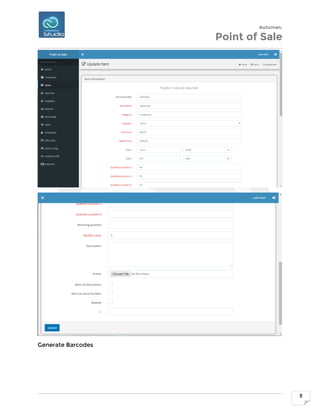
Generate Barcodes
Automan.
Point of Sale
9
Automan.
Point of Sale
10
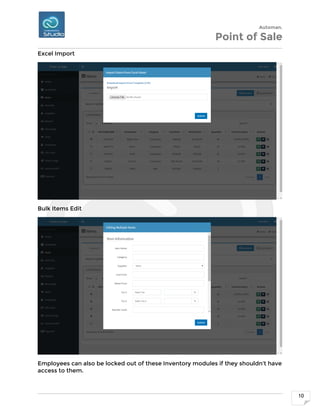
Excel Import
Bulk Items Edit
Employees can also be locked out of these Inventory modules if they shouldn't have
access to them.
Automan.
Point of Sale
11
3 | CUSTOMER MANAGEMENT
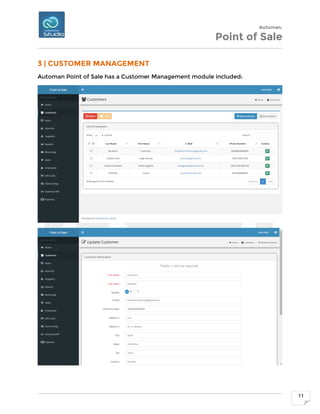
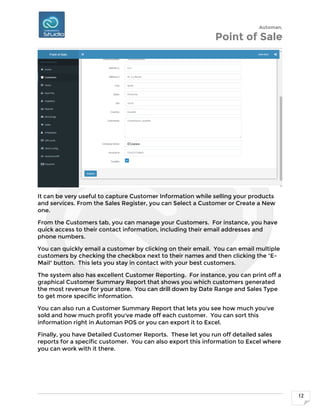
Automan Point of Sale has a Customer Management module included:
Automan.
Point of Sale
12
It can be very useful to capture Customer Information while selling your products
and services. From the Sales Register, you can Select a Customer or Create a New
one.
From the Customers tab, you can manage your Customers. For instance, you have
quick access to their contact information, including their email addresses and
phone numbers.
You can quickly email a customer by clicking on their email. You can email multiple
customers by checking the checkbox next to their names and then clicking the "E-
Mail" button. This lets you stay in contact with your best customers.
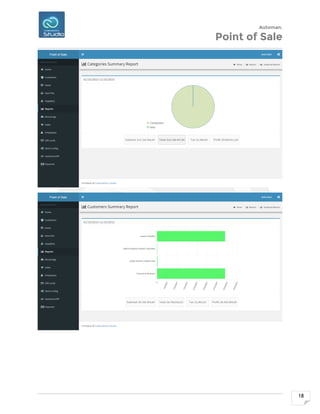
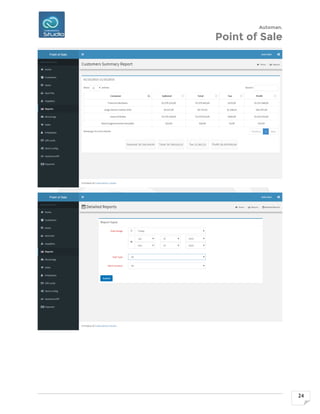
The system also has excellent Customer Reporting. For instance, you can print off a
graphical Customer Summary Report that shows you which customers generated
the most revenue for your store. You can drill down by Date Range and Sales Type
to get more specific information.
You can also run a Customer Summary Report that lets you see how much you've
sold and how much profit you've made off each customer. You can sort this
information right in Automan POS or you can export it to Excel.
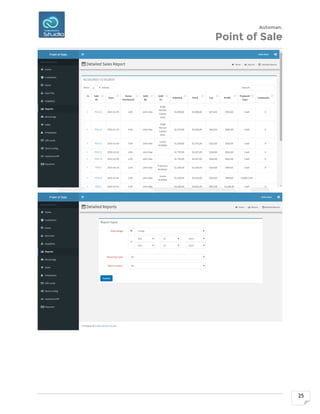
Finally, you have Detailed Customer Reports. These let you run off detailed sales
reports for a specific customer. You can also export this information to Excel where
you can work with it there.
Automan.
Point of Sale
13
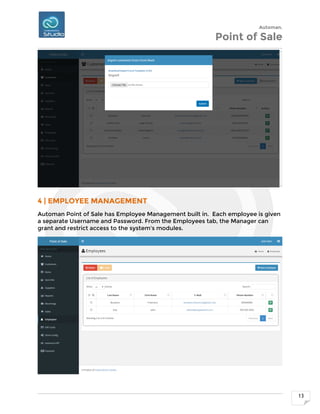
4 | EMPLOYEE MANAGEMENT
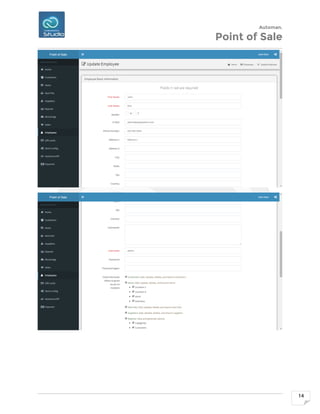
Automan Point of Sale has Employee Management built in. Each employee is given
a separate Username and Password. From the Employees tab, the Manager can
grant and restrict access to the system's modules.
Automan.
Point of Sale
14
Automan.
Point of Sale
15
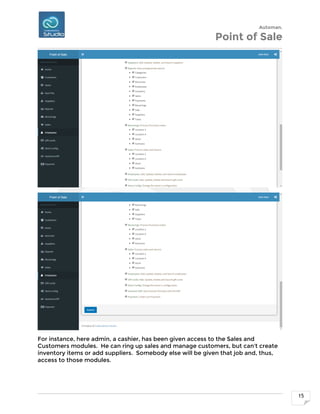
For instance, here admin, a cashier, has been given access to the Sales and
Customers modules. He can ring up sales and manage customers, but can't create
inventory items or add suppliers. Somebody else will be given that job and, thus,
access to those modules.
Automan.
Point of Sale
16
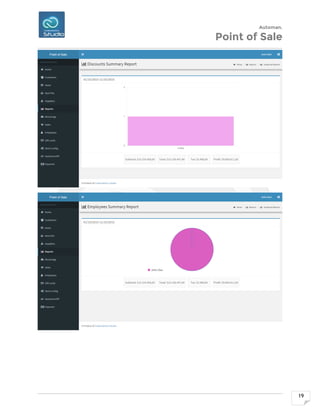
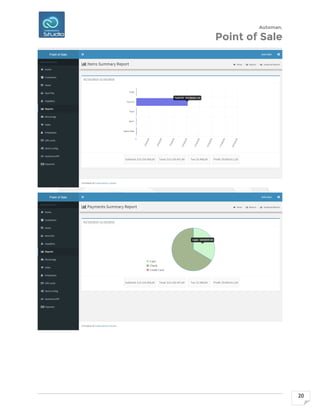
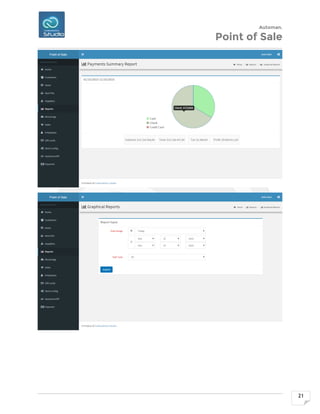
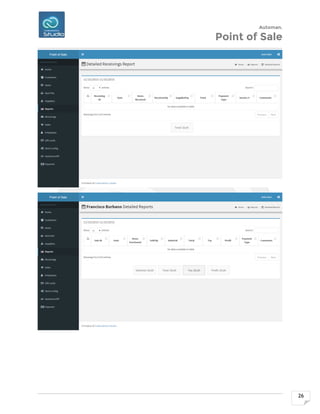
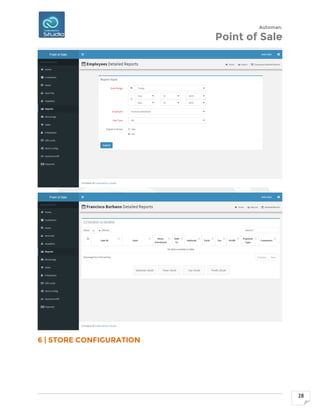
The system also has Employee Reports built in. You can print off Graphical and
Summary Reports of your Employees that tell you which employees sold the most
and were the most profitable. You can even export this information to Excel.
There is also a detailed Employee Report that shows you information about a
specific employee for each of their sales. This includes Sales ID, Date, Items
Purchased, Customer Name, Totals and Profit, Payment Type, and Sale Comments.
There is even a link to the actual receipt, in case you want to dig further into a
particular sale. You can also export this information to Excel as well.
5 | REPORTS
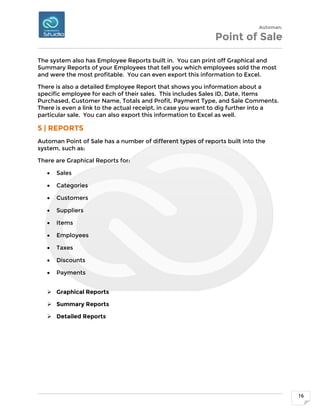
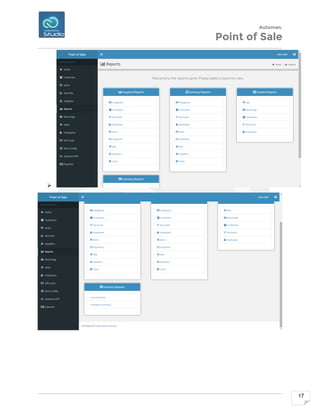
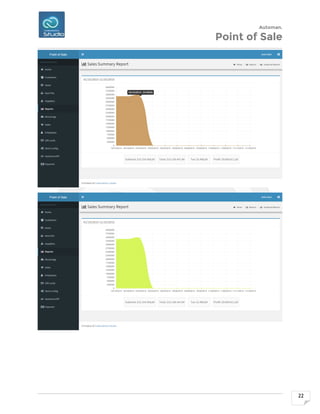
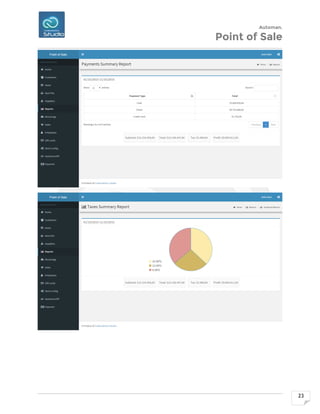
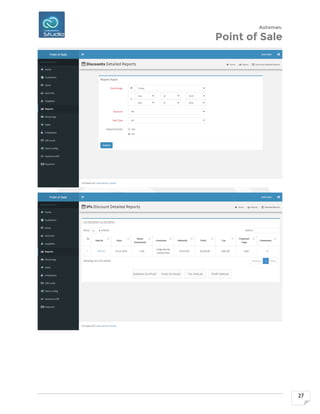
Automan Point of Sale has a number of different types of reports built into the
system, such as:
There are Graphical Reports for:
 Sales
 Categories
 Customers
 Suppliers
 Items
 Employees
 Taxes
 Discounts
 Payments
 Graphical Reports
 Summary Reports
 Detailed Reports
Automan.
Point of Sale
17

Automan.
Point of Sale
18
Automan.
Point of Sale
19
Automan.
Point of Sale
20
Automan.
Point of Sale
21
Automan.
Point of Sale
22
Automan.
Point of Sale
23
Automan.
Point of Sale
24
Automan.
Point of Sale
25
Automan.
Point of Sale
26
Automan.
Point of Sale
27
Automan.
Point of Sale
28
6 | STORE CONFIGURATION
Automan.
Point of Sale
29
Automan.
Point of Sale
30
7 | GIFT CARDS
Automan.
Point of Sale
31
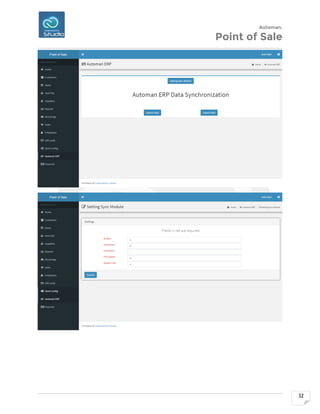
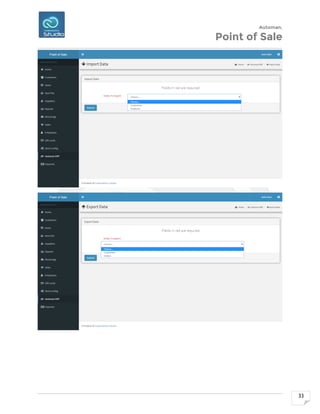
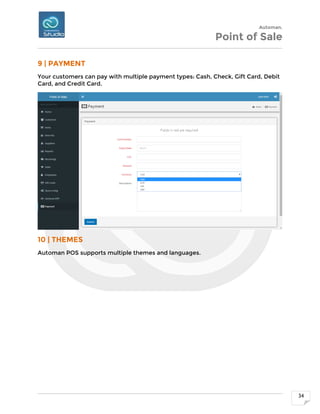
8 | DATA SYNC BETWEEN AUTOMAN ERP AND POS
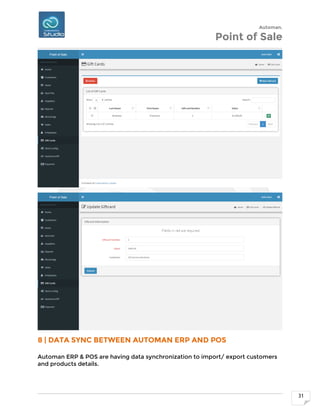
Automan ERP & POS are having data synchronization to import/ export customers
and products details.
Automan.
Point of Sale
32
Automan.
Point of Sale
33
Automan.
Point of Sale
34
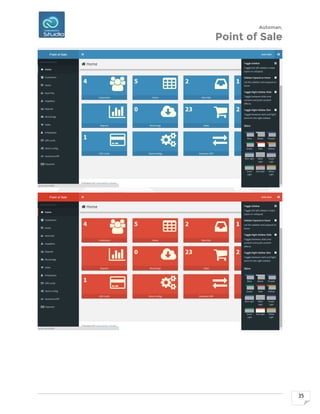
9 | PAYMENT
Your customers can pay with multiple payment types: Cash, Check, Gift Card, Debit
Card, and Credit Card.
10 | THEMES
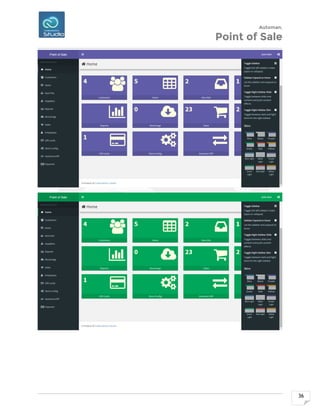
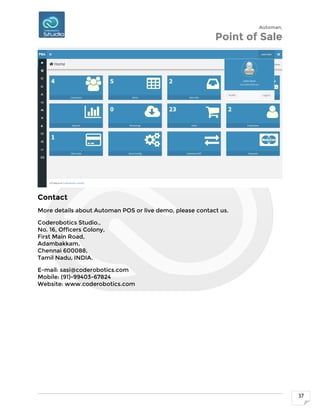
Automan POS supports multiple themes and languages.
Automan.
Point of Sale
35
Automan.
Point of Sale
36
Automan.
Point of Sale
37
Contact
More details about Automan POS or live demo, please contact us.
Coderobotics Studio.,
No. 16, Officers Colony,
First Main Road,
Adambakkam,
Chennai 600088,
Tamil Nadu, INDIA.
E-mail: sasi@coderobotics.com
Mobile: (91)-99403-67824
Website: www.coderobotics.com

Automan POS

  • 1.
    Automan. Point of Sale 1 AUTOMANPOS (Web based Point Of Sale) For Retailer & Supermarket
  • 2.
    Automan. Point of Sale 2 Welcome Welcometo Automan POS! Automan POS is an Open Source based Retail Management Solution for Independent Retailers. Automan POS is a web based powerful and light weight Point of Sale software. Automan ERP & POS are having data synchronization to import/ export customers and products details. Automan POS includes several modules:  Point of Sale  Inventory Control  Customer Management  Employee Management  Reports
  • 3.
    Automan. Point of Sale 3 1| POINT OF SALE Automan POS includes a Cash Register / Point of Sale module. This module lets you ring up Sales and Returns. You can also discount items on a line-by-line basis. Your customers can pay with multiple payment types: Cash, Check, Gift Card, Debit Card, and Credit Card. You can optionally assign a customer and add comments to the Sale. Finally, you can suspend the Sale or complete it. When you complete the Sale, a Sales Receipt is generated. Automan Point of Sale includes a Cash Register / Point of Sale module.
  • 4.
    Automan. Point of Sale 4 Thismodule lets you ring up Sales and Returns. You can also discount items on a line-by-line basis. Your customers can pay with multiple payment types: Cash, Check, Gift Card, Debit Card, and Credit Card.
  • 5.
    Automan. Point of Sale 5 Youcan optionally assign a customer and add comments to the Sale. Finally, you can suspend the Sale or complete it. When you complete the Sale, a Sales Receipt is generated.
  • 6.
    Automan. Point of Sale 6 TheSales Receipt includes your Return Policy, as well as a Barcode to facilitate Returns.
  • 7.
    Automan. Point of Sale 7 2| INVENTORY CONTROL Automan POS has several Inventory Control modules. Here is a screenshot of the Items module: These Inventory Control modules include:  Item Management - through manual entry and Excel imports  Barcode Generation  Item Kit Management  Supplier Management  Inventory Receiving  Inventory Reports - including Graphical, Summary, and Detailed Reports The system's modules are well integrated. From the Sales Register module, for instance, you can create new Inventory Items on the fly.
  • 8.
  • 9.
  • 10.
    Automan. Point of Sale 10 ExcelImport Bulk Items Edit Employees can also be locked out of these Inventory modules if they shouldn't have access to them.
  • 11.
    Automan. Point of Sale 11 3| CUSTOMER MANAGEMENT Automan Point of Sale has a Customer Management module included:
  • 12.
    Automan. Point of Sale 12 Itcan be very useful to capture Customer Information while selling your products and services. From the Sales Register, you can Select a Customer or Create a New one. From the Customers tab, you can manage your Customers. For instance, you have quick access to their contact information, including their email addresses and phone numbers. You can quickly email a customer by clicking on their email. You can email multiple customers by checking the checkbox next to their names and then clicking the "E- Mail" button. This lets you stay in contact with your best customers. The system also has excellent Customer Reporting. For instance, you can print off a graphical Customer Summary Report that shows you which customers generated the most revenue for your store. You can drill down by Date Range and Sales Type to get more specific information. You can also run a Customer Summary Report that lets you see how much you've sold and how much profit you've made off each customer. You can sort this information right in Automan POS or you can export it to Excel. Finally, you have Detailed Customer Reports. These let you run off detailed sales reports for a specific customer. You can also export this information to Excel where you can work with it there.
  • 13.
    Automan. Point of Sale 13 4| EMPLOYEE MANAGEMENT Automan Point of Sale has Employee Management built in. Each employee is given a separate Username and Password. From the Employees tab, the Manager can grant and restrict access to the system's modules.
  • 14.
  • 15.
    Automan. Point of Sale 15 Forinstance, here admin, a cashier, has been given access to the Sales and Customers modules. He can ring up sales and manage customers, but can't create inventory items or add suppliers. Somebody else will be given that job and, thus, access to those modules.
  • 16.
    Automan. Point of Sale 16 Thesystem also has Employee Reports built in. You can print off Graphical and Summary Reports of your Employees that tell you which employees sold the most and were the most profitable. You can even export this information to Excel. There is also a detailed Employee Report that shows you information about a specific employee for each of their sales. This includes Sales ID, Date, Items Purchased, Customer Name, Totals and Profit, Payment Type, and Sale Comments. There is even a link to the actual receipt, in case you want to dig further into a particular sale. You can also export this information to Excel as well. 5 | REPORTS Automan Point of Sale has a number of different types of reports built into the system, such as: There are Graphical Reports for:  Sales  Categories  Customers  Suppliers  Items  Employees  Taxes  Discounts  Payments  Graphical Reports  Summary Reports  Detailed Reports
  • 17.
  • 18.
  • 19.
  • 20.
  • 21.
  • 22.
  • 23.
  • 24.
  • 25.
  • 26.
  • 27.
  • 28.
    Automan. Point of Sale 28 6| STORE CONFIGURATION
  • 29.
  • 30.
  • 31.
    Automan. Point of Sale 31 8| DATA SYNC BETWEEN AUTOMAN ERP AND POS Automan ERP & POS are having data synchronization to import/ export customers and products details.
  • 32.
  • 33.
  • 34.
    Automan. Point of Sale 34 9| PAYMENT Your customers can pay with multiple payment types: Cash, Check, Gift Card, Debit Card, and Credit Card. 10 | THEMES Automan POS supports multiple themes and languages.
  • 35.
  • 36.
  • 37.
    Automan. Point of Sale 37 Contact Moredetails about Automan POS or live demo, please contact us. Coderobotics Studio., No. 16, Officers Colony, First Main Road, Adambakkam, Chennai 600088, Tamil Nadu, INDIA. E-mail: sasi@coderobotics.com Mobile: (91)-99403-67824 Website: www.coderobotics.com