Autoexec.bat

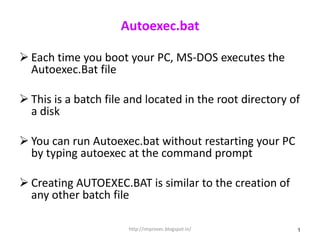
 Each time you boot your PC, MS-DOS executes the
  Autoexec.Bat file

 This is a batch file and located in the root directory of
  a disk

 You can run Autoexec.bat without restarting your PC
  by typing autoexec at the command prompt

 Creating AUTOEXEC.BAT is similar to the creation of
  any other batch file

                       http://improvec.blogspot.in/       1
Autoexec.bat


Example
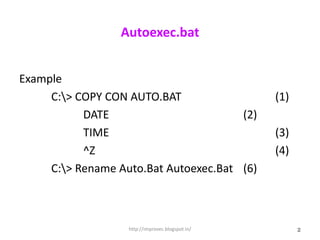
     C:> COPY CON AUTO.BAT                       (1)
           DATE                        (2)
           TIME                                   (3)
           ^Z                                     (4)
     C:> Rename Auto.Bat Autoexec.Bat (6)


                   http://improvec.blogspot.in/         2
Autoexec.bat (cont):

Example

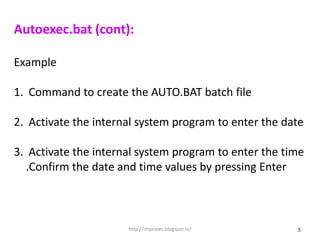
1. Command to create the AUTO.BAT batch file

2. Activate the internal system program to enter the date

3. Activate the internal system program to enter the time
  .Confirm the date and time values by pressing Enter


                      http://improvec.blogspot.in/     3
Autoexec.bat (cont):

Example (cont.)

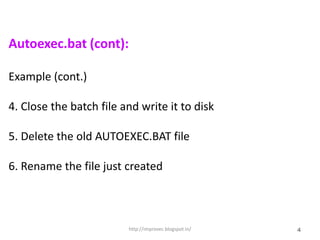
4. Close the batch file and write it to disk

5. Delete the old AUTOEXEC.BAT file

6. Rename the file just created


                         http://improvec.blogspot.in/   4

Autoexec32(2)

  • 1.
    Autoexec.bat  Each timeyou boot your PC, MS-DOS executes the Autoexec.Bat file  This is a batch file and located in the root directory of a disk  You can run Autoexec.bat without restarting your PC by typing autoexec at the command prompt  Creating AUTOEXEC.BAT is similar to the creation of any other batch file http://improvec.blogspot.in/ 1
  • 2.
    Autoexec.bat Example C:> COPY CON AUTO.BAT (1) DATE (2) TIME (3) ^Z (4) C:> Rename Auto.Bat Autoexec.Bat (6) http://improvec.blogspot.in/ 2
  • 3.
    Autoexec.bat (cont): Example 1. Commandto create the AUTO.BAT batch file 2. Activate the internal system program to enter the date 3. Activate the internal system program to enter the time .Confirm the date and time values by pressing Enter http://improvec.blogspot.in/ 3
  • 4.
    Autoexec.bat (cont): Example (cont.) 4.Close the batch file and write it to disk 5. Delete the old AUTOEXEC.BAT file 6. Rename the file just created http://improvec.blogspot.in/ 4