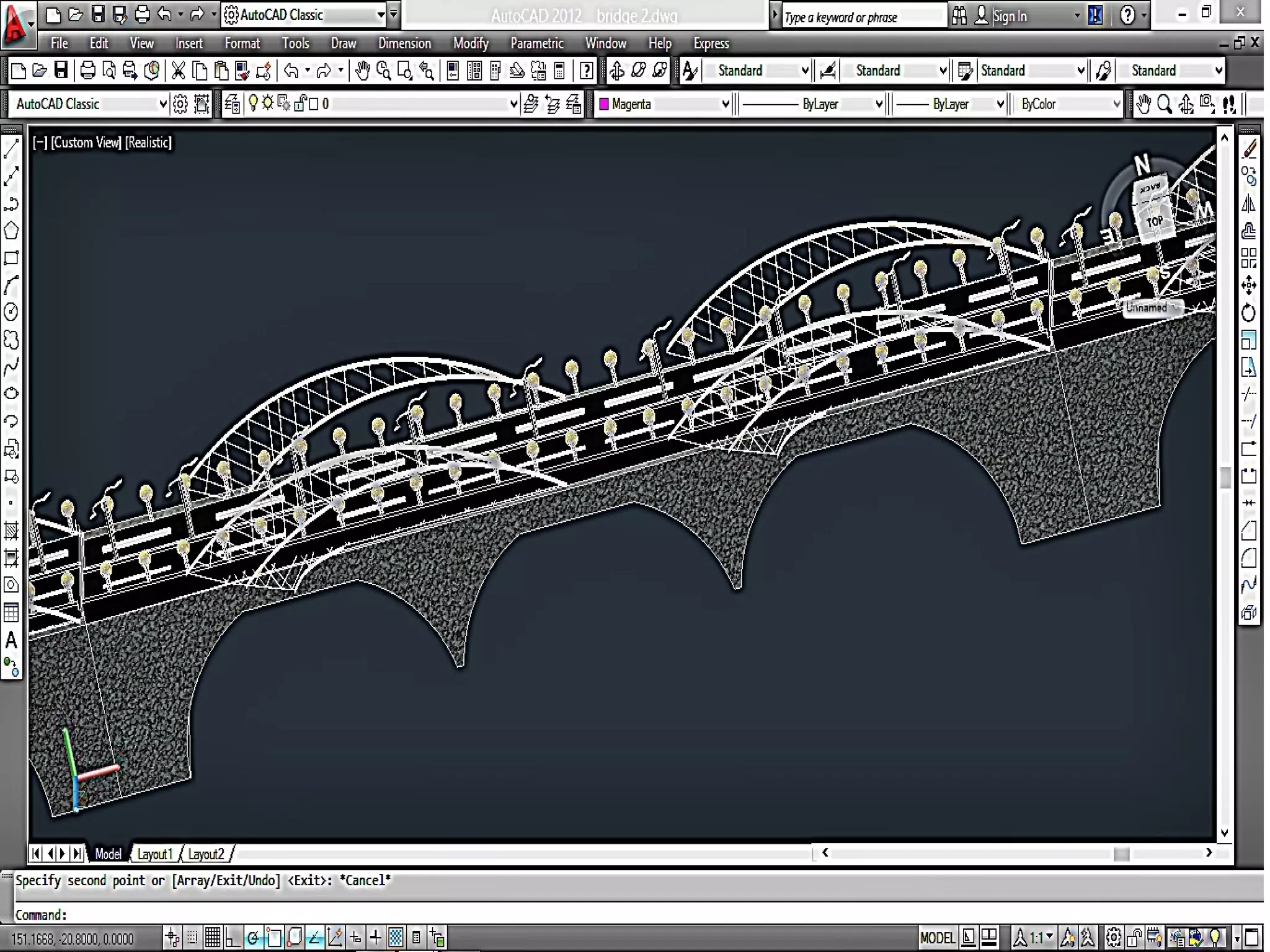
๏ƒ˜AutoCAD is a CAD (Computer Aided Design or Computer Aided
Drafting) software application for 2D and 3D design and drafting.
๏ƒ˜Software application forSoftware application for CComputeromputer AAidedided DDesign &esign & DDraftingrafting
[[ CADDCADD .].]
๏ƒ˜Developed & Sold byDeveloped & Sold by AUTODESK INCAUTODESK INC. ,. , USAUSA ..
๏ƒ˜First released inFirst released in DecemberDecember 19821982 byby AUTODESKAUTODESK ..
๏ƒ˜SupportsSupports 2D2D && 3D3D Co-ordinate System .Co-ordinate System .
๏ƒ˜Latest version isLatest version is AutoCAD 2018.AutoCAD 2018.
INTRODUCTION
Version of AutoCAD
โ€ข AutoCAD software was firstly launched by Autodesk company in
Dec. 1982.
โ€ข It comes in India in 1988.
โ€ข The first version of AutoCAD was R1 after that R2,R3,R4โ€ฆโ€ฆโ€ฆโ€ฆโ€ฆ
and so on.
โ€ข In 2000,Autodesk launched a version of AutoCAD 2000 after that
2001,2002โ€ฆโ€ฆ so on.
โ€ข This time, we have the latest version of AutoCAD is 2018.
โ€ข Latest version is easy to use and over come the difficulties of old
version.
DRAWINGS WE CAN DEAL IN AUTOCAD
TYPES OF DRAWINGS:
๏ƒ˜2 Dimensional Drawings
โ€ขOrthogonal Drawings
โ€ขIsometric Drawings
โ€ขLayouts
๏ƒ˜3 Dimensional Drawings
โ€ขSolid Modeling
โ€ขMesh Modeling
โ€ขSurface Modeling
2D
3D
ISOMETRIC
Way to Provide command
1.BY COMMAND PROMPT
2.BY TOOLBAR
3.BY PULLDOWN MENUS
HOW AutoCAD WORKS ?
๏ถ AutoCAD works on co-ordinate system.
๏ถ Every thing that we draw in AutoCAD is exact.
๏ถ All object drawn on screen is based on simple X-Y co-
ordinate system.
๏ถ In AutoCAD it is known as world co-ordinate system (WCS).
๏ถ There is so many commands like copy, move ,rotate ,mirror in 2D,
path array , rectangular array, polar array & more.
๏ถ Using line , arc , circle , rectangle , ellipse & polygon , so many
drawing of different type can be made.
โ€ข Absolute Coordinate System = exact x,y position on the screen.
โ€ข Relative Coordinate System = movinng from a known position @x,y to
the new position.
โ€ข Polar Coordinate system = moving from a known position @distance <
theta (ฮธ) to new position.
โ€ข References= Using ortho, polar, osnap, otrak, grid, snap, infer etc
INPUT METHODS
The UCS and WCS
โ€ข The AutoCAD world is 3 dimensional. However, if we want to draw a 2d object, such as a
plan or a section, we will use only 2 dimensions (x and y).
โ€ข WCS (world coordinate system) is the imaginary plane that is parallel to the ground. It is
the default coordinate system.
โ€ข Modifications made to the World Coordinate System (WCS) result in a User Coordinate
System (UCS). It is the plane that you work on. It enables the user to draw 3 dimensional
objects.
โ€ข To create a new UCS, type ucs on the command window, then say New and specify 3
points on your new UCS plane.
Some 2D Commands
๏‚—Chamfer 2. Fillet
๏‚—Copy 4. Mirror
2D Commands
๏‚—Scale 2. Array
๏‚—Extend 4.Join
Hatching
โ€ข Hatching is used to add shaded patterns to objects and shapes within an
Autocad drawing. Hatch patterns can be used to indicate a material to be
used, such as a concrete hatch.
โ€ข You will pick:
โ€“ Pattern
โ€“ Scale
โ€“ Angle
โ€“ points
3D Modeling
Some 3D Object
3D Commands
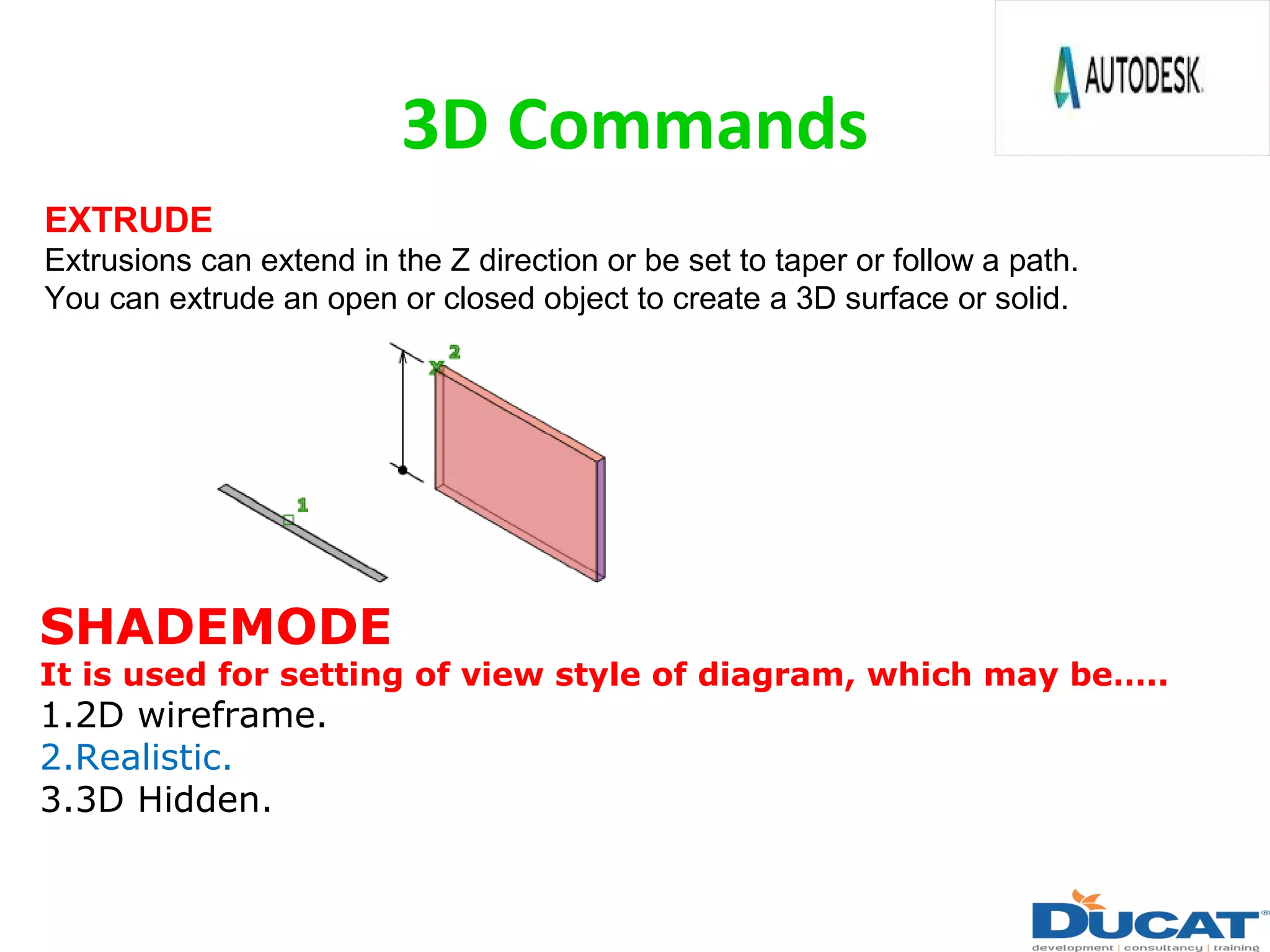
EXTRUDE
Extrusions can extend in the Z direction or be set to taper or follow a path.
You can extrude an open or closed object to create a 3D surface or solid.
SHADEMODE
It is used for setting of view style of diagram, which may beโ€ฆ..
1.2D wireframe.
2.Realistic.
3.3D Hidden.
3D Commands
๏‚—REVOLVE
๏‚—Creates a 3D solid or surface by REVOLVE an object around an axis.
SWEEP
Creates A solid or surface by sweeping an open or closed, planar or
non-planar curve (profile) along an open or closed path. Open curves create
surfaces and closed curves create solids or surfaces.
Use of Extrude Command
โ€ข If you โ€œExtrudeโ€ a surface into the third dimension, you simply add a
thickness in section. This basically is same as creating a โ€œsolidโ€ object .
Extrude 5
units 5 units
Extrude -4
units
4 units
Targeted learning goal in software
โ€ข Standard Syllabus
1. User interface
2. Input methods
3. Draw
4. Modify
5. Layer
6. Block
7. Annotation
8. 3D Solid modeling
9. 3D Solid editing
โ€ข Advance Syllabus
1. Parameters
2. Dynamic block
3. Xref
4. Design centre
5. Layout
6. Tool pallet
7. Macro
8. Action recorder
9. Lisp
10. Rendering 3D model
11. 3D Mesh modeling
12. 3D Surface modeling
13. 3D model editing
14. 3D view creation
Benefits of AutoCAD
๏‚—Quickly create designs.
๏‚—Improved quality over hand drafting.
๏‚—Modification becomes easy.
๏‚—More Accuracy.
๏‚—Easy to transfer.
๏‚—Long time save.
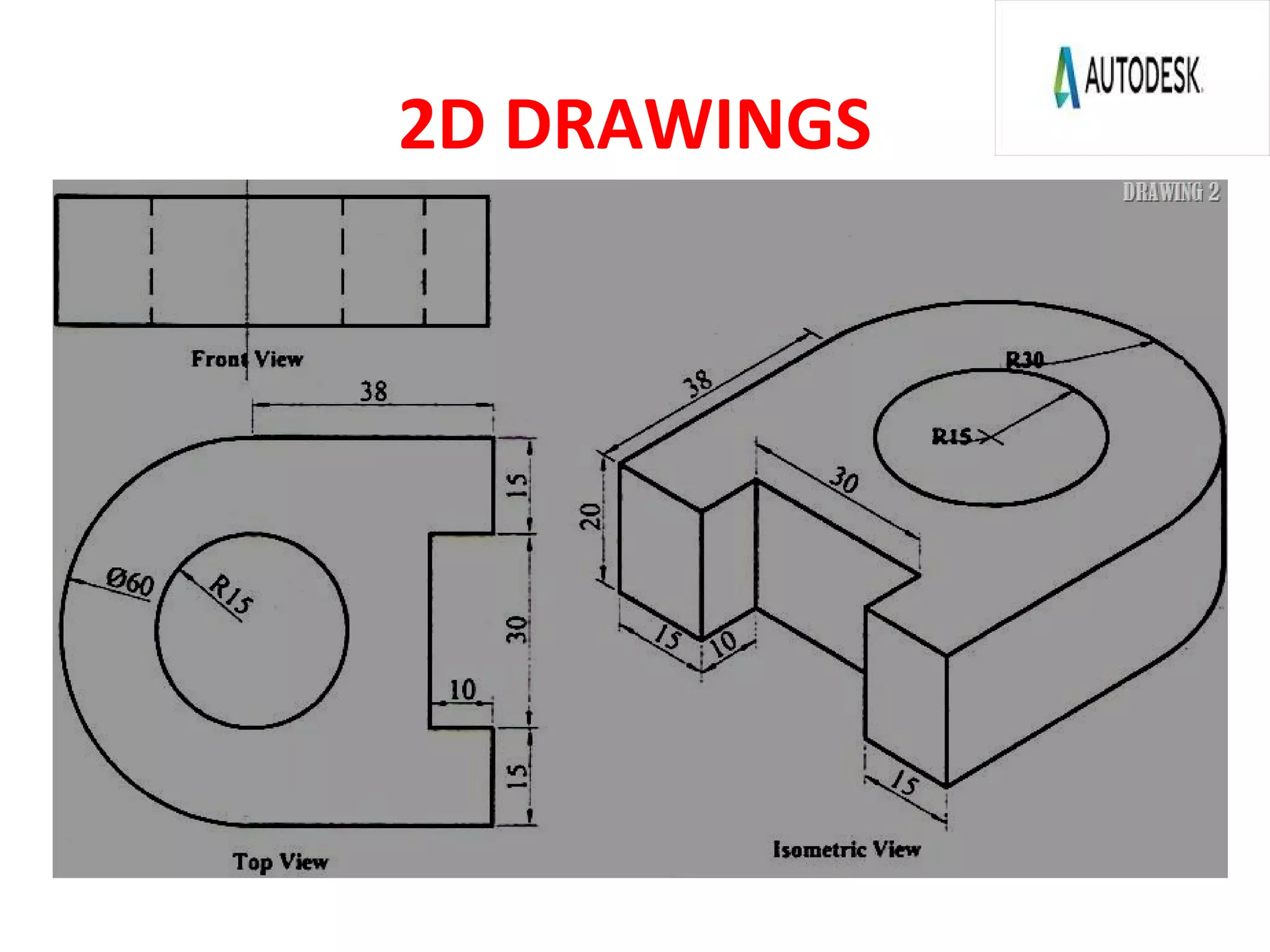
2D DRAWINGS
2D DRAWING
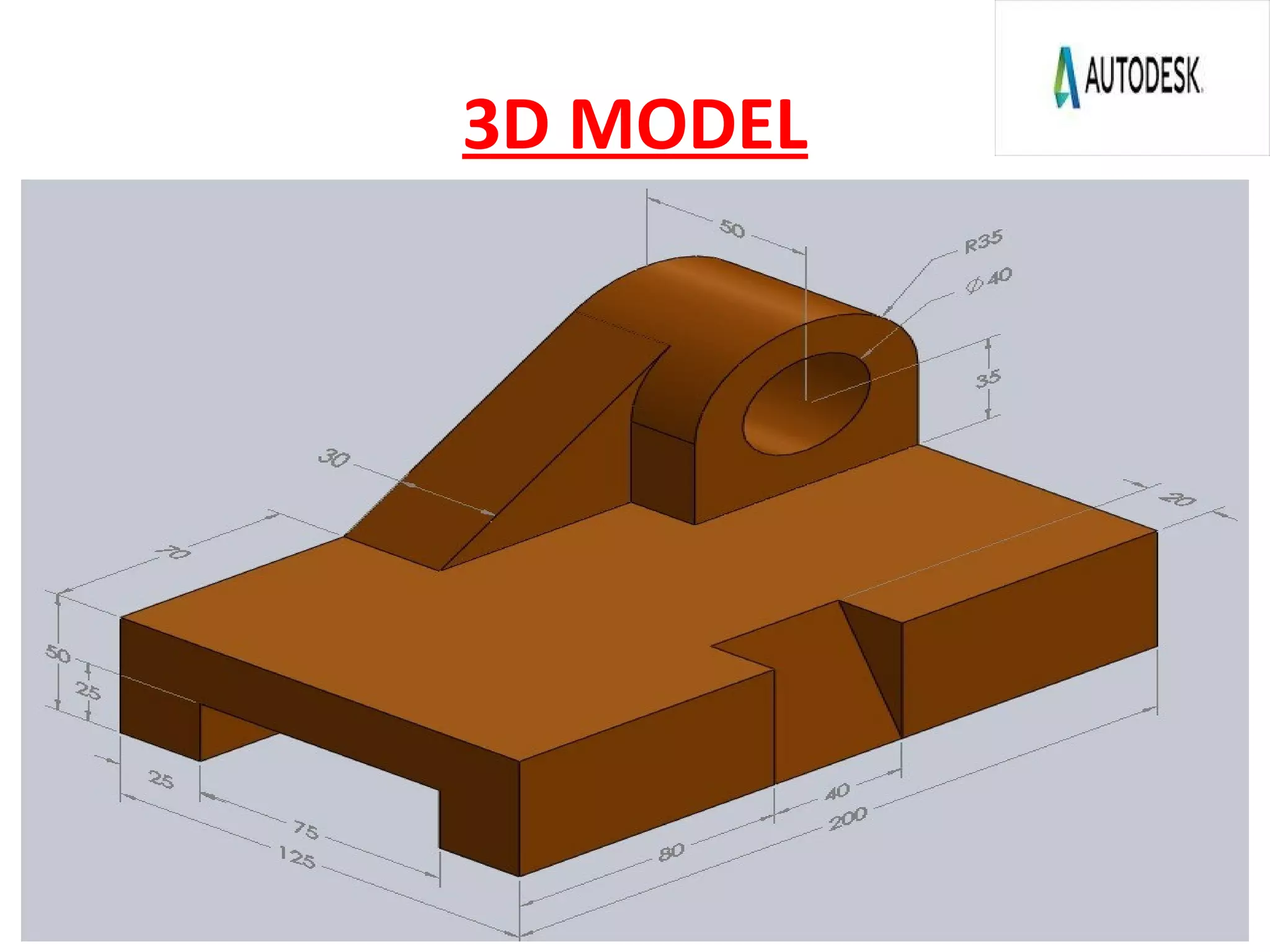
3D MODEL
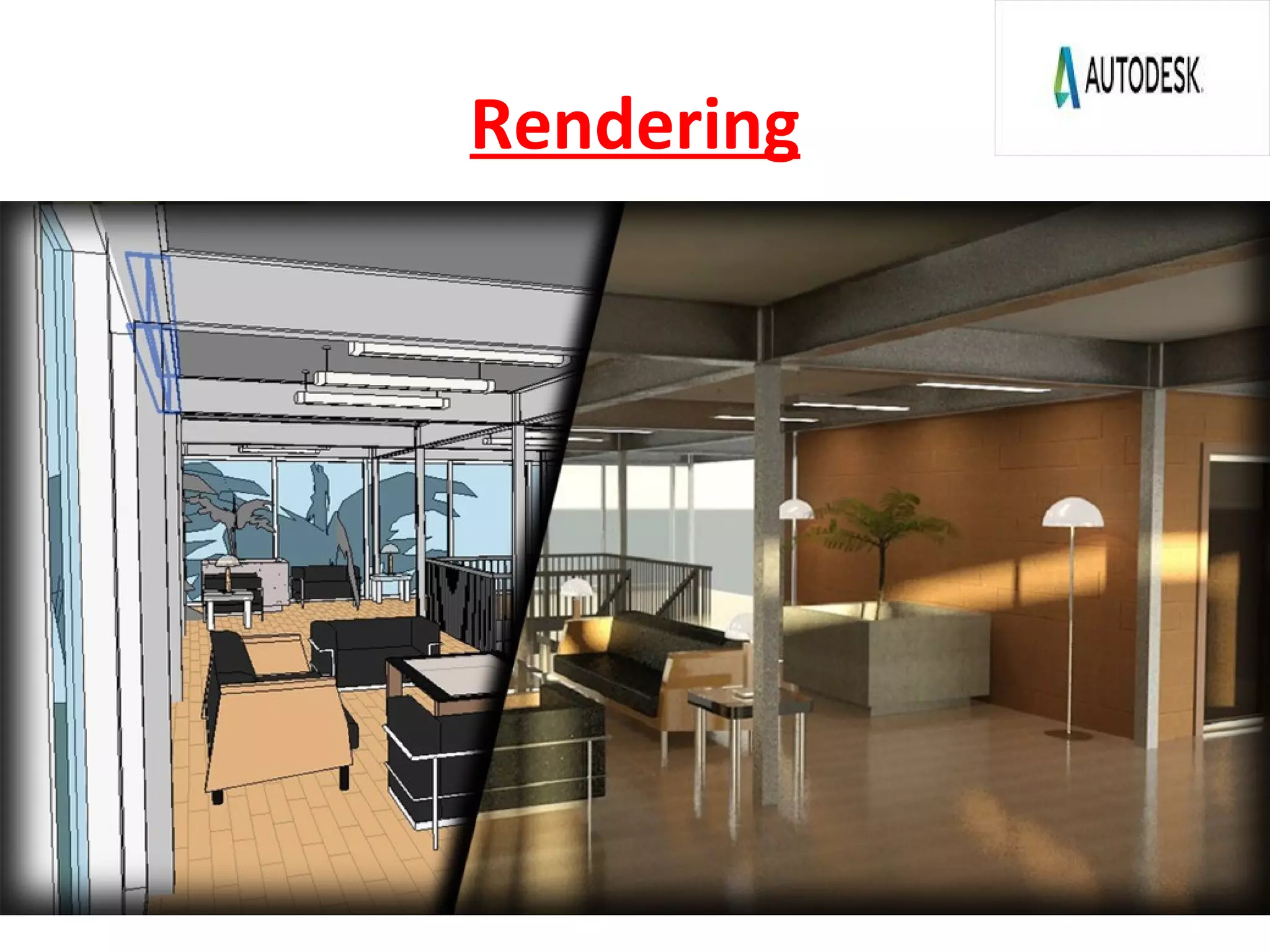
Rendering
Rendering
Rendering
Rendering
THANK YOU
AutoCad Feedback
Contact:
Simranjit Singh
Ph:9650399230
Email- Samseehra@gmail.com

Autocad Prsentation

  • 3.
    ๏ƒ˜AutoCAD is aCAD (Computer Aided Design or Computer Aided Drafting) software application for 2D and 3D design and drafting. ๏ƒ˜Software application forSoftware application for CComputeromputer AAidedided DDesign &esign & DDraftingrafting [[ CADDCADD .].] ๏ƒ˜Developed & Sold byDeveloped & Sold by AUTODESK INCAUTODESK INC. ,. , USAUSA .. ๏ƒ˜First released inFirst released in DecemberDecember 19821982 byby AUTODESKAUTODESK .. ๏ƒ˜SupportsSupports 2D2D && 3D3D Co-ordinate System .Co-ordinate System . ๏ƒ˜Latest version isLatest version is AutoCAD 2018.AutoCAD 2018. INTRODUCTION
  • 4.
    Version of AutoCAD โ€ขAutoCAD software was firstly launched by Autodesk company in Dec. 1982. โ€ข It comes in India in 1988. โ€ข The first version of AutoCAD was R1 after that R2,R3,R4โ€ฆโ€ฆโ€ฆโ€ฆโ€ฆ and so on. โ€ข In 2000,Autodesk launched a version of AutoCAD 2000 after that 2001,2002โ€ฆโ€ฆ so on. โ€ข This time, we have the latest version of AutoCAD is 2018. โ€ข Latest version is easy to use and over come the difficulties of old version.
  • 5.
    DRAWINGS WE CANDEAL IN AUTOCAD TYPES OF DRAWINGS: ๏ƒ˜2 Dimensional Drawings โ€ขOrthogonal Drawings โ€ขIsometric Drawings โ€ขLayouts ๏ƒ˜3 Dimensional Drawings โ€ขSolid Modeling โ€ขMesh Modeling โ€ขSurface Modeling 2D 3D ISOMETRIC
  • 6.
    Way to Providecommand 1.BY COMMAND PROMPT 2.BY TOOLBAR 3.BY PULLDOWN MENUS
  • 7.
    HOW AutoCAD WORKS? ๏ถ AutoCAD works on co-ordinate system. ๏ถ Every thing that we draw in AutoCAD is exact. ๏ถ All object drawn on screen is based on simple X-Y co- ordinate system. ๏ถ In AutoCAD it is known as world co-ordinate system (WCS). ๏ถ There is so many commands like copy, move ,rotate ,mirror in 2D, path array , rectangular array, polar array & more. ๏ถ Using line , arc , circle , rectangle , ellipse & polygon , so many drawing of different type can be made.
  • 8.
    โ€ข Absolute CoordinateSystem = exact x,y position on the screen. โ€ข Relative Coordinate System = movinng from a known position @x,y to the new position. โ€ข Polar Coordinate system = moving from a known position @distance < theta (ฮธ) to new position. โ€ข References= Using ortho, polar, osnap, otrak, grid, snap, infer etc INPUT METHODS
  • 9.
    The UCS andWCS โ€ข The AutoCAD world is 3 dimensional. However, if we want to draw a 2d object, such as a plan or a section, we will use only 2 dimensions (x and y). โ€ข WCS (world coordinate system) is the imaginary plane that is parallel to the ground. It is the default coordinate system. โ€ข Modifications made to the World Coordinate System (WCS) result in a User Coordinate System (UCS). It is the plane that you work on. It enables the user to draw 3 dimensional objects. โ€ข To create a new UCS, type ucs on the command window, then say New and specify 3 points on your new UCS plane.
  • 10.
    Some 2D Commands ๏‚—Chamfer2. Fillet ๏‚—Copy 4. Mirror
  • 11.
    2D Commands ๏‚—Scale 2.Array ๏‚—Extend 4.Join
  • 12.
    Hatching โ€ข Hatching isused to add shaded patterns to objects and shapes within an Autocad drawing. Hatch patterns can be used to indicate a material to be used, such as a concrete hatch. โ€ข You will pick: โ€“ Pattern โ€“ Scale โ€“ Angle โ€“ points
  • 13.
  • 14.
  • 15.
    3D Commands EXTRUDE Extrusions canextend in the Z direction or be set to taper or follow a path. You can extrude an open or closed object to create a 3D surface or solid. SHADEMODE It is used for setting of view style of diagram, which may beโ€ฆ.. 1.2D wireframe. 2.Realistic. 3.3D Hidden.
  • 16.
    3D Commands ๏‚—REVOLVE ๏‚—Creates a3D solid or surface by REVOLVE an object around an axis. SWEEP Creates A solid or surface by sweeping an open or closed, planar or non-planar curve (profile) along an open or closed path. Open curves create surfaces and closed curves create solids or surfaces.
  • 17.
    Use of ExtrudeCommand โ€ข If you โ€œExtrudeโ€ a surface into the third dimension, you simply add a thickness in section. This basically is same as creating a โ€œsolidโ€ object . Extrude 5 units 5 units Extrude -4 units 4 units
  • 18.
    Targeted learning goalin software โ€ข Standard Syllabus 1. User interface 2. Input methods 3. Draw 4. Modify 5. Layer 6. Block 7. Annotation 8. 3D Solid modeling 9. 3D Solid editing โ€ข Advance Syllabus 1. Parameters 2. Dynamic block 3. Xref 4. Design centre 5. Layout 6. Tool pallet 7. Macro 8. Action recorder 9. Lisp 10. Rendering 3D model 11. 3D Mesh modeling 12. 3D Surface modeling 13. 3D model editing 14. 3D view creation
  • 19.
    Benefits of AutoCAD ๏‚—Quicklycreate designs. ๏‚—Improved quality over hand drafting. ๏‚—Modification becomes easy. ๏‚—More Accuracy. ๏‚—Easy to transfer. ๏‚—Long time save.
  • 20.
  • 21.
  • 23.
  • 24.
  • 25.
  • 26.
  • 27.
  • 28.
  • 30.