www.cameronvetter.com 1
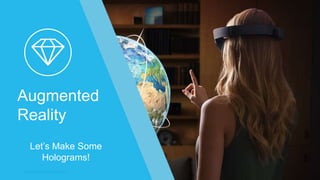
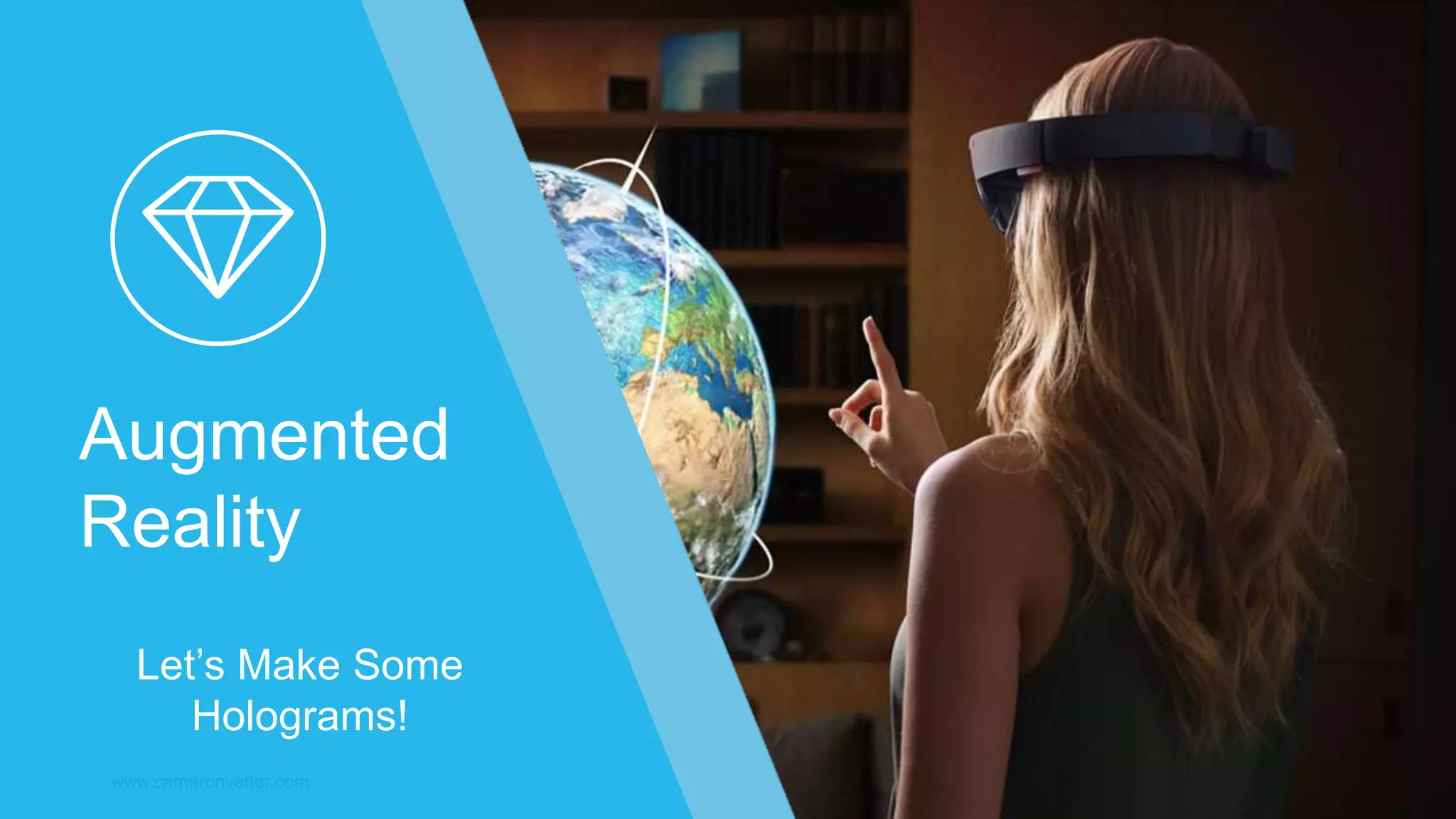
Augmented
Reality
Let’s Make Some
Holograms!
Goal of this Presentation
www.cameronvetter.com 2
Learn AR Terminology
Build an Application
Highlight UXD Challenges
See Lots of Examples
www.cameronvetter.com
About Me Senior Software Architect
www.cameronvetter.com
@PoshPorcupine
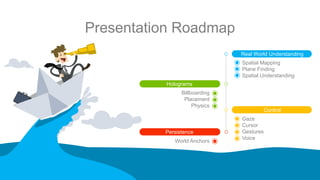
Presentation Roadmap
www.cameronvetter.com 4
Holograms
Persistence
Control
Real World Understanding
Spatial Mapping
Plane Finding
Spatial Understanding
Gaze
Cursor
Gestures
Voice
Billboarding
Placement
Physics
World Anchors
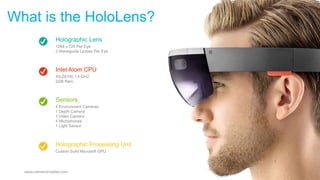
Holographic Lens
1268 x 720 Per Eye
3 Waveguide Lenses Per Eye
Intel Atom CPU
X5-Z8100 1.4 GHZ
2GB Ram
Holographic Processing Unit
Custom build Microsoft GPU
Sensors
4 Environment Cameras
1 Depth Camera
1 Video Camera
4 Microphones
1 Light Sensor
What is the HoloLens?
www.cameronvetter.com 05
Development Tools
www.cameronvetter.com 6
Visual Studio 2015 Update 3
Windows 10 SDK
Unity 3d HoloLens Technical Preview
HoloLens Emulator
HoloToolkit / HoloToolkit-Unity
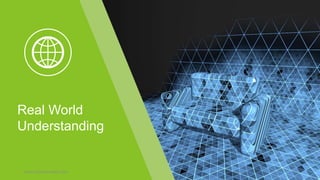
Real World
Understanding
www.cameronvetter.com 7
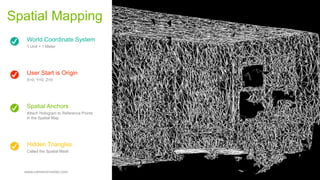
World Coordinate System
1 Unit = 1 Meter
User Start is Origin
X=0, Y=0, Z=0
Hidden Triangles
Called the Spatial Mesh
Spatial Anchors
Attach Hologram to Reference Points
in the Spatial Map
Spatial Mapping
www.cameronvetter.com 08
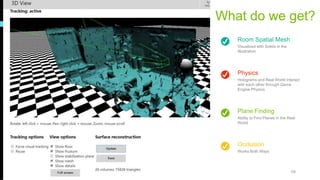
Room Spatial Mesh
Visualized with Solids in the
Illustration
Physics
Holograms and Real World interact
with each other through Game
Engine Physics
Occlusion
Works Both Ways
Plane Finding
Ability to Find Planes in the Real
World
What do we get?
www.cameronvetter.com 09
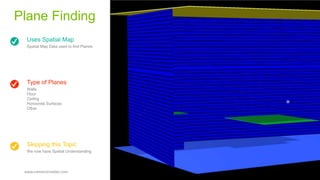
Uses Spatial Map
Spatial Map Data used to find Planes
Type of Planes
Walls
Floor
Ceiling
Horizontal Surfaces
Other
Skipping this Topic
We now have Spatial Understanding
Plane Finding
www.cameronvetter.com 010
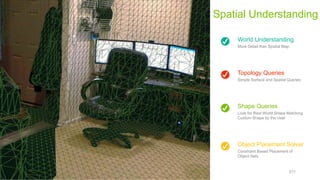
World Understanding
More Detail than Spatial Map
Topology Queries
Simple Surface and Spatial Queries
Object Placement Solver
Constraint Based Placement of
Object Sets
Shape Queries
Look for Real World Shape Matching
Custom Shape by the User
Spatial Understanding
www.cameronvetter.com 011
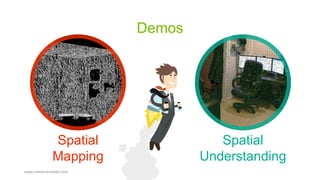
Demos
www.cameronvetter.com
Spatial
Mapping
Spatial
Understanding
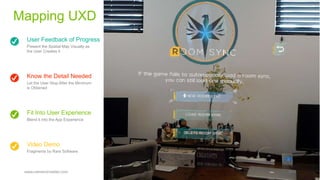
User Feedback of Progress
Present the Spatial Map Visually as
the User Creates it
Know the Detail Needed
Let the User Stop After the Minimum
is Obtained
Video Demo
Fragments by Rare Software
Fit Into User Experience
Blend it into the App Experience
Mapping UXD
www.cameronvetter.com 013
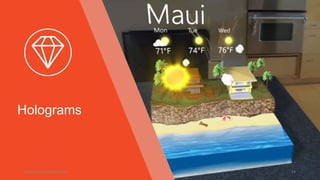
Holograms
www.cameronvetter.com 14
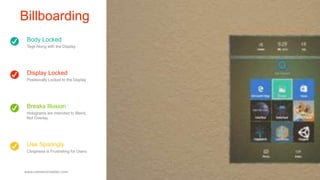
Body Locked
Tags Along with the Display
Display Locked
Positionally Locked to the Display
Use Sparingly
Clinginess is Frustrating for Users
Breaks Illusion
Holograms are Intended to Blend,
Not Overlay
Billboarding
www.cameronvetter.com 015
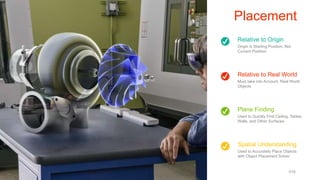
Relative to Origin
Origin is Starting Position, Not
Current Position
Relative to Real World
Must take into Account, Real World
Objects
Spatial Understanding
Used to Accurately Place Objects
with Object Placement Solver
Plane Finding
Used to Quickly Find Ceiling, Tables,
Walls, and Other Surfaces
Placement
www.cameronvetter.com 016
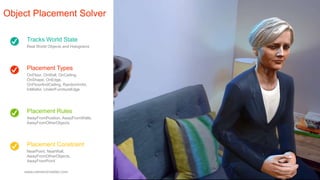
Tracks World State
Real World Objects and Holograms
Placement Types
OnFloor, OnWall, OnCeiling,
OnShape, OnEdge,
OnFloorAndCeiling, RandomInAir,
InMidAir, UnderFurnitureEdge
Placement Constraint
NearPoint, NearWall,
AwayFromOtherObjects,
AwayFromPoint
Placement Rules
AwayFromPosition, AwayFromWalls,
AwayFromOtherObjects
Object Placement Solver
www.cameronvetter.com 017
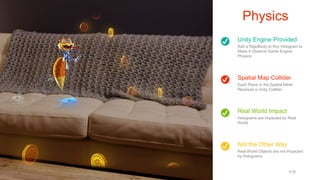
Unity Engine Provided
Add a RigidBody to Any Hologram to
Make it Observe Game Engine
Physics
Spatial Map Collider
Each Plane in the Spatial Mesh
Receives a Unity Collider
Not the Other Way
Real World Objects are not Impacted
by Holograms
Real World Impact
Holograms are Impacted by Real
World
Physics
www.cameronvetter.com 018
Demos
www.cameronvetter.com
Placement
Solver
Physics
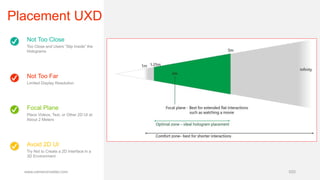
Not Too Close
Too Close and Users “Slip Inside” the
Holograms
Not Too Far
Limited Display Resolution
Avoid 2D UI
Try Not to Create a 2D Interface in a
3D Environment
Focal Plane
Place Videos, Text, or Other 2D UI at
About 2 Meters
Placement UXD
www.cameronvetter.com 020
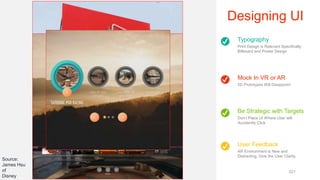
Typography
Print Design is Relevant Specifically
Billboard and Poster Design
Mock In VR or AR
2D Prototypes Will Disappoint
User Feedback
AR Environment is New and
Distracting, Give the User Clarity
Be Strategic with Targets
Don’t Place UI Where User will
Accidently Click
Designing UI
www.cameronvetter.com 021
Source:
James Hsu
of
Disney
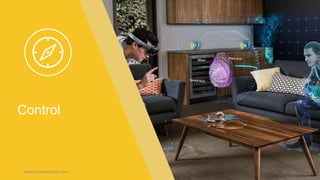
Control
www.cameronvetter.com 22
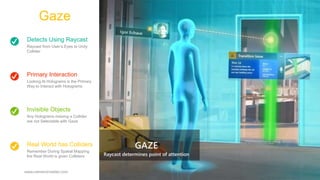
Detects Using Raycast
Raycast from User’s Eyes to Unity
Collider
Primary Interaction
Looking At Holograms is the Primary
Way to Interact with Holograms
Real World has Colliders
Remember During Spatial Mapping
the Real World is given Colliders
Invisible Objects
Any Holograms missing a Collider
are not Selectable with Gaze
Gaze
www.cameronvetter.com 023
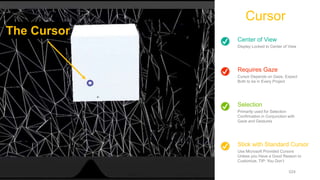
Center of View
Display Locked to Center of View
Requires Gaze
Cursor Depends on Gaze, Expect
Both to be in Every Project
Stick with Standard Cursor
Use Microsoft Provided Cursors
Unless you Have a Good Reason to
Customize, TIP: You Don’t
Selection
Primarily used for Selection
Confirmation in Conjunction with
Gaze and Gestures
Cursor
www.cameronvetter.com 024
The Cursor
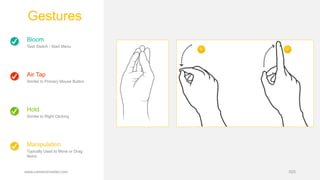
Bloom
Task Switch / Start Menu
Air Tap
Similar to Primary Mouse Button
Manipulation
Typically Used to Move or Drag
Items
Hold
Similar to Right Clicking
Gestures
www.cameronvetter.com 025
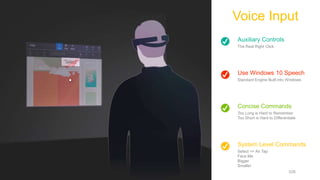
Auxiliary Controls
The Real Right Click
Use Windows 10 Speech
Standard Engine Built into Windows
System Level Commands
Select == Air Tap
Face Me
Bigger
Smaller
Concise Commands
Too Long is Hard to Remember
Too Short is Hard to Differentiate
Voice Input
www.cameronvetter.com 026
Demos
www.cameronvetter.com
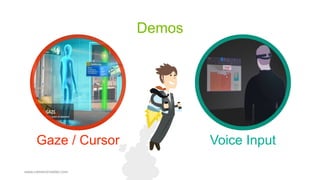
Gaze / Cursor Voice Input
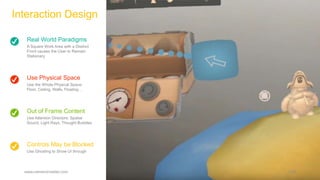
Real World Paradigms
A Square Work Area with a Distinct
Front causes the User to Remain
Stationary
Use Physical Space
Use the Whole Physical Space:
Floor, Ceiling, Walls, Floating…
Controls May be Blocked
Use Ghosting to Show UI through
Out of Frame Content
Use Attention Directors: Spatial
Sound, Light Rays, Thought Bubbles
Interaction Design
www.cameronvetter.com 028
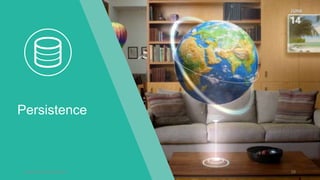
Persistence
www.cameronvetter.com 29
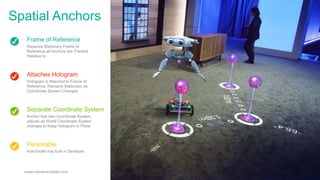
Frame of Reference
Requires Stationary Frame of
Reference all Anchors are Tracked
Relative to
Attaches Hologram
Hologram is Attached to Frame of
Reference, Remains Stationary as
Coordinate System Changes
Persistable
HoloToolkit has built in Serializer
Separate Coordinate System
Anchor has own Coordinate System,
adjusts as World Coordinate System
changes to Keep Hologram in Place
Spatial Anchors
www.cameronvetter.com 030
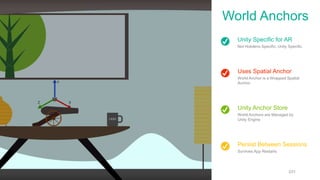
Unity Specific for AR
Not Hololens Specific, Unity Specific
Uses Spatial Anchor
World Anchor is a Wrapped Spatial
Anchor
Persist Between Sessions
Survives App Restarts
Unity Anchor Store
World Anchors are Managed by
Unity Engine
World Anchors
www.cameronvetter.com 031
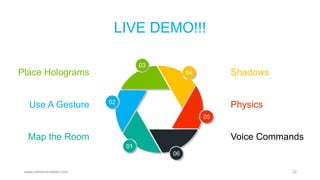
LIVE DEMO!!!
www.cameronvetter.com 32
01
02
03
04
05
06
Place Holograms
Map the Room
Use A Gesture
Shadows
Voice Commands
Physics
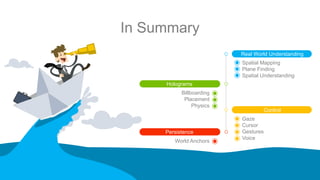
In Summary
www.cameronvetter.com 33
Holograms
Persistence
Control
Real World Understanding
Spatial Mapping
Plane Finding
Spatial Understanding
Gaze
Cursor
Gestures
Voice
Billboarding
Placement
Physics
World Anchors
www.cameronvetter.com 34
www.cameronvetter.com
cameron@cameronvetter.com
@poshporcupine
Any Questions?

Augmented Reality - Let’s Make Some Holograms! (UXD Version)

  • 1.
  • 2.
    Goal of thisPresentation www.cameronvetter.com 2 Learn AR Terminology Build an Application Highlight UXD Challenges See Lots of Examples
  • 3.
    www.cameronvetter.com About Me SeniorSoftware Architect www.cameronvetter.com @PoshPorcupine
  • 4.
    Presentation Roadmap www.cameronvetter.com 4 Holograms Persistence Control RealWorld Understanding Spatial Mapping Plane Finding Spatial Understanding Gaze Cursor Gestures Voice Billboarding Placement Physics World Anchors
  • 5.
    Holographic Lens 1268 x720 Per Eye 3 Waveguide Lenses Per Eye Intel Atom CPU X5-Z8100 1.4 GHZ 2GB Ram Holographic Processing Unit Custom build Microsoft GPU Sensors 4 Environment Cameras 1 Depth Camera 1 Video Camera 4 Microphones 1 Light Sensor What is the HoloLens? www.cameronvetter.com 05
  • 6.
    Development Tools www.cameronvetter.com 6 VisualStudio 2015 Update 3 Windows 10 SDK Unity 3d HoloLens Technical Preview HoloLens Emulator HoloToolkit / HoloToolkit-Unity
  • 7.
  • 8.
    World Coordinate System 1Unit = 1 Meter User Start is Origin X=0, Y=0, Z=0 Hidden Triangles Called the Spatial Mesh Spatial Anchors Attach Hologram to Reference Points in the Spatial Map Spatial Mapping www.cameronvetter.com 08
  • 9.
    Room Spatial Mesh Visualizedwith Solids in the Illustration Physics Holograms and Real World interact with each other through Game Engine Physics Occlusion Works Both Ways Plane Finding Ability to Find Planes in the Real World What do we get? www.cameronvetter.com 09
  • 10.
    Uses Spatial Map SpatialMap Data used to find Planes Type of Planes Walls Floor Ceiling Horizontal Surfaces Other Skipping this Topic We now have Spatial Understanding Plane Finding www.cameronvetter.com 010
  • 11.
    World Understanding More Detailthan Spatial Map Topology Queries Simple Surface and Spatial Queries Object Placement Solver Constraint Based Placement of Object Sets Shape Queries Look for Real World Shape Matching Custom Shape by the User Spatial Understanding www.cameronvetter.com 011
  • 12.
  • 13.
    User Feedback ofProgress Present the Spatial Map Visually as the User Creates it Know the Detail Needed Let the User Stop After the Minimum is Obtained Video Demo Fragments by Rare Software Fit Into User Experience Blend it into the App Experience Mapping UXD www.cameronvetter.com 013
  • 14.
  • 15.
    Body Locked Tags Alongwith the Display Display Locked Positionally Locked to the Display Use Sparingly Clinginess is Frustrating for Users Breaks Illusion Holograms are Intended to Blend, Not Overlay Billboarding www.cameronvetter.com 015
  • 16.
    Relative to Origin Originis Starting Position, Not Current Position Relative to Real World Must take into Account, Real World Objects Spatial Understanding Used to Accurately Place Objects with Object Placement Solver Plane Finding Used to Quickly Find Ceiling, Tables, Walls, and Other Surfaces Placement www.cameronvetter.com 016
  • 17.
    Tracks World State RealWorld Objects and Holograms Placement Types OnFloor, OnWall, OnCeiling, OnShape, OnEdge, OnFloorAndCeiling, RandomInAir, InMidAir, UnderFurnitureEdge Placement Constraint NearPoint, NearWall, AwayFromOtherObjects, AwayFromPoint Placement Rules AwayFromPosition, AwayFromWalls, AwayFromOtherObjects Object Placement Solver www.cameronvetter.com 017
  • 18.
    Unity Engine Provided Adda RigidBody to Any Hologram to Make it Observe Game Engine Physics Spatial Map Collider Each Plane in the Spatial Mesh Receives a Unity Collider Not the Other Way Real World Objects are not Impacted by Holograms Real World Impact Holograms are Impacted by Real World Physics www.cameronvetter.com 018
  • 19.
  • 20.
    Not Too Close TooClose and Users “Slip Inside” the Holograms Not Too Far Limited Display Resolution Avoid 2D UI Try Not to Create a 2D Interface in a 3D Environment Focal Plane Place Videos, Text, or Other 2D UI at About 2 Meters Placement UXD www.cameronvetter.com 020
  • 21.
    Typography Print Design isRelevant Specifically Billboard and Poster Design Mock In VR or AR 2D Prototypes Will Disappoint User Feedback AR Environment is New and Distracting, Give the User Clarity Be Strategic with Targets Don’t Place UI Where User will Accidently Click Designing UI www.cameronvetter.com 021 Source: James Hsu of Disney
  • 22.
  • 23.
    Detects Using Raycast Raycastfrom User’s Eyes to Unity Collider Primary Interaction Looking At Holograms is the Primary Way to Interact with Holograms Real World has Colliders Remember During Spatial Mapping the Real World is given Colliders Invisible Objects Any Holograms missing a Collider are not Selectable with Gaze Gaze www.cameronvetter.com 023
  • 24.
    Center of View DisplayLocked to Center of View Requires Gaze Cursor Depends on Gaze, Expect Both to be in Every Project Stick with Standard Cursor Use Microsoft Provided Cursors Unless you Have a Good Reason to Customize, TIP: You Don’t Selection Primarily used for Selection Confirmation in Conjunction with Gaze and Gestures Cursor www.cameronvetter.com 024 The Cursor
  • 25.
    Bloom Task Switch /Start Menu Air Tap Similar to Primary Mouse Button Manipulation Typically Used to Move or Drag Items Hold Similar to Right Clicking Gestures www.cameronvetter.com 025
  • 26.
    Auxiliary Controls The RealRight Click Use Windows 10 Speech Standard Engine Built into Windows System Level Commands Select == Air Tap Face Me Bigger Smaller Concise Commands Too Long is Hard to Remember Too Short is Hard to Differentiate Voice Input www.cameronvetter.com 026
  • 27.
  • 28.
    Real World Paradigms ASquare Work Area with a Distinct Front causes the User to Remain Stationary Use Physical Space Use the Whole Physical Space: Floor, Ceiling, Walls, Floating… Controls May be Blocked Use Ghosting to Show UI through Out of Frame Content Use Attention Directors: Spatial Sound, Light Rays, Thought Bubbles Interaction Design www.cameronvetter.com 028
  • 29.
  • 30.
    Frame of Reference RequiresStationary Frame of Reference all Anchors are Tracked Relative to Attaches Hologram Hologram is Attached to Frame of Reference, Remains Stationary as Coordinate System Changes Persistable HoloToolkit has built in Serializer Separate Coordinate System Anchor has own Coordinate System, adjusts as World Coordinate System changes to Keep Hologram in Place Spatial Anchors www.cameronvetter.com 030
  • 31.
    Unity Specific forAR Not Hololens Specific, Unity Specific Uses Spatial Anchor World Anchor is a Wrapped Spatial Anchor Persist Between Sessions Survives App Restarts Unity Anchor Store World Anchors are Managed by Unity Engine World Anchors www.cameronvetter.com 031
  • 32.
    LIVE DEMO!!! www.cameronvetter.com 32 01 02 03 04 05 06 PlaceHolograms Map the Room Use A Gesture Shadows Voice Commands Physics
  • 33.
    In Summary www.cameronvetter.com 33 Holograms Persistence Control RealWorld Understanding Spatial Mapping Plane Finding Spatial Understanding Gaze Cursor Gestures Voice Billboarding Placement Physics World Anchors
  • 34.