 HTML elements can have attributes
 Attributes provide additional
  information about an element
 Attributes are always specified in the
  start tag
 Attributes come in name/value pairs
  like: name="value"
   Attributes are used to amplify tags. What
    we mean by amplify is that when a web
    browser interprets a tag, it will also
    search for set attributes and then display
    the element (tags+attributes) in its
    entirety. At some point you may want to
    give your body element a background
    color or perhaps change the width of a
    table. All of these things and more can
    be achieved using Attributes.
 Id Attribute
 Class Attribute
 Style Attribute
 Title Attribute
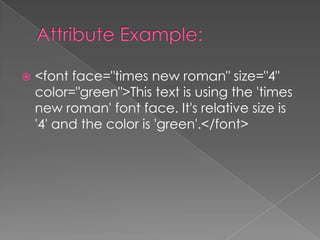
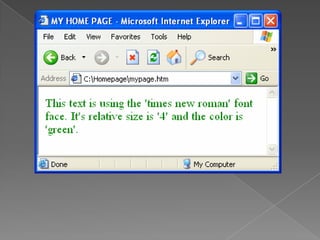
   <font face="times new roman" size="4"
    color="green">This text is using the 'times
    new roman' font face. It's relative size is
    '4' and the color is 'green'.</font>
Attributes

Attributes

  • 2.
     HTML elementscan have attributes  Attributes provide additional information about an element  Attributes are always specified in the start tag  Attributes come in name/value pairs like: name="value"
  • 3.
    Attributes are used to amplify tags. What we mean by amplify is that when a web browser interprets a tag, it will also search for set attributes and then display the element (tags+attributes) in its entirety. At some point you may want to give your body element a background color or perhaps change the width of a table. All of these things and more can be achieved using Attributes.
  • 4.
     Id Attribute Class Attribute  Style Attribute  Title Attribute
  • 5.
    <font face="times new roman" size="4" color="green">This text is using the 'times new roman' font face. It's relative size is '4' and the color is 'green'.</font>