Sales
Dashboard’ for Regional
Sales Manager
Assignment
Johnson Minz
16 July 2018
Problem statement
You have to design a ‘Sales Dashboard’ for Regional Sales Manager of Electronics Company for them to view, analyse and manage their Sales data.
The goal of this dashboard is to allow the user (Regional Sales Manager) to quickly access the available information, derive insights from sales data,
identify problems, make decisions and determine where corrective actions needs to be taken.

There are thousands of stores all over the world (across various countries) with various sales data, so preventing users from having to scroll through
long lists of store related data is very essential.
Some of the key piece of data associated with the sales (Monthly, Quarterly and Yearly) is -
· Number of units produced for devices of different models
· Sales volume (Total and Country wise)
· Sales revenue (Total and Country wise)
· Sales Expense (Store expenses, Marketing Expense, etc.)
· Net revenue (Total and Country wise)
You can add more data points which could be important for the Regional Manager to achieve his/her goal.
Some of the sample User Scenarios are as follows
- User wants to know how many devices are sold of each model in each store
- User must be able to know the trend of the top selling models in different countries
- Which are the best performing stores and which are the stores with poor sales?
- What is the net expense and net profit? What is the store-wise expenses and Profit?
- User must be able to filter and analyse the profit and loss for each store
Assumption: You can add more user scenarios as per Business Understanding and Business Needs. You can assume relevant and
realistic data.
User expects simplistic, intuitive and rich-visual interaction.
• 1. Requirement Document – User Needs, Use cases, User Scenarios/Stories, Business Understanding and Business Needs
2. Information Architecture & Task Flows
3. Concept Wireframes (UI Flow)
Solution
https://youtu.be/ECAXG6umRWo
See the customer journey of the solution
User Ecosystem
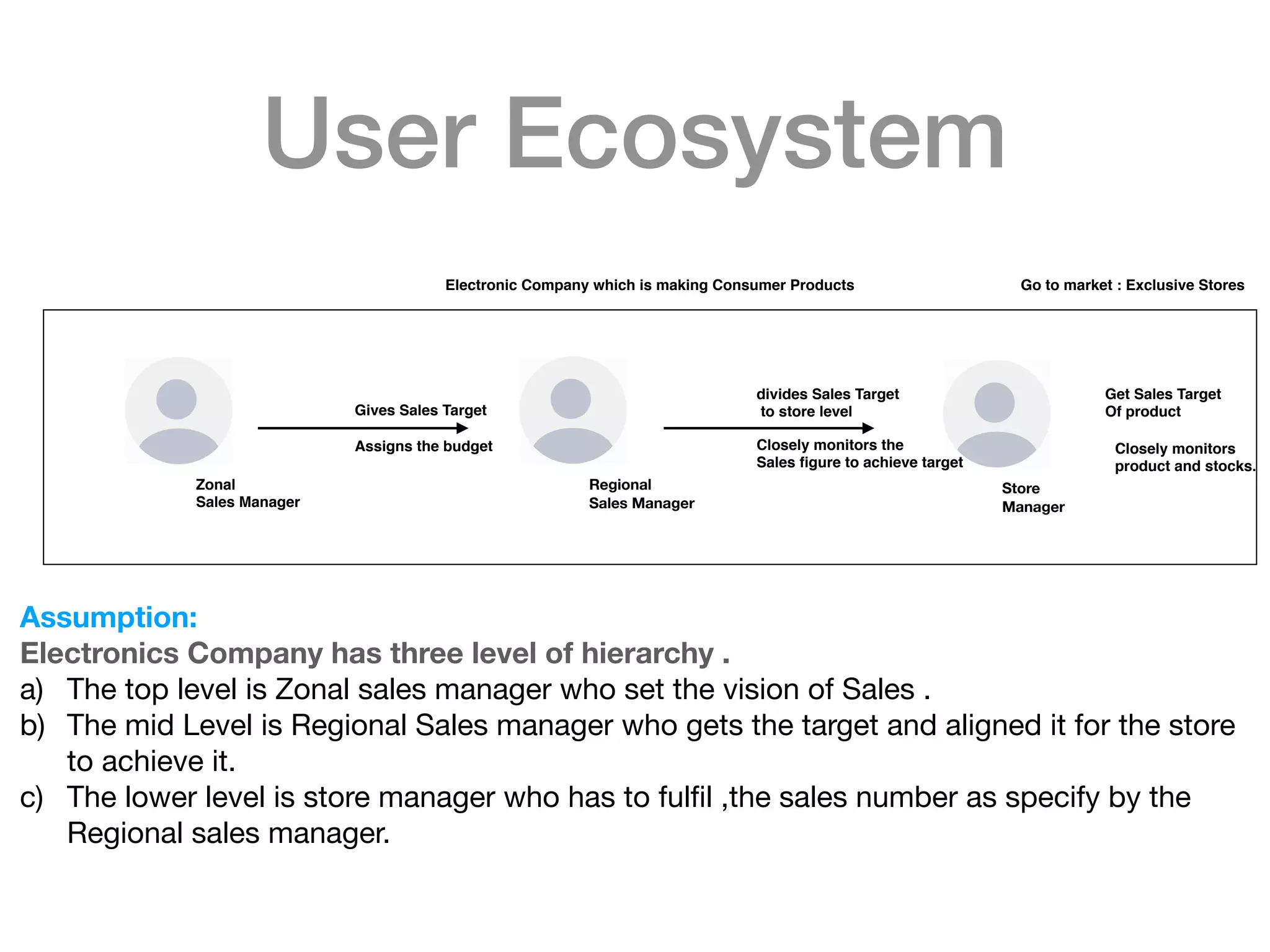
Zonal
Sales Manager
Regional
Sales Manager
Store
Manager
Gives Sales Target
Assigns the budget
divides Sales Target
to store level
Closely monitors the
Sales figure to achieve target
Get Sales Target
Of product
Closely monitors
product and stocks.
Assumption:
Electronics Company has three level of hierarchy .
a) The top level is Zonal sales manager who set the vision of Sales . 

b) The mid Level is Regional Sales manager who gets the target and aligned it for the store
to achieve it.

c) The lower level is store manager who has to fulfil ,the sales number as specify by the
Regional sales manager.
Electronic Company which is making Consumer Products Go to market : Exclusive Stores
Personas
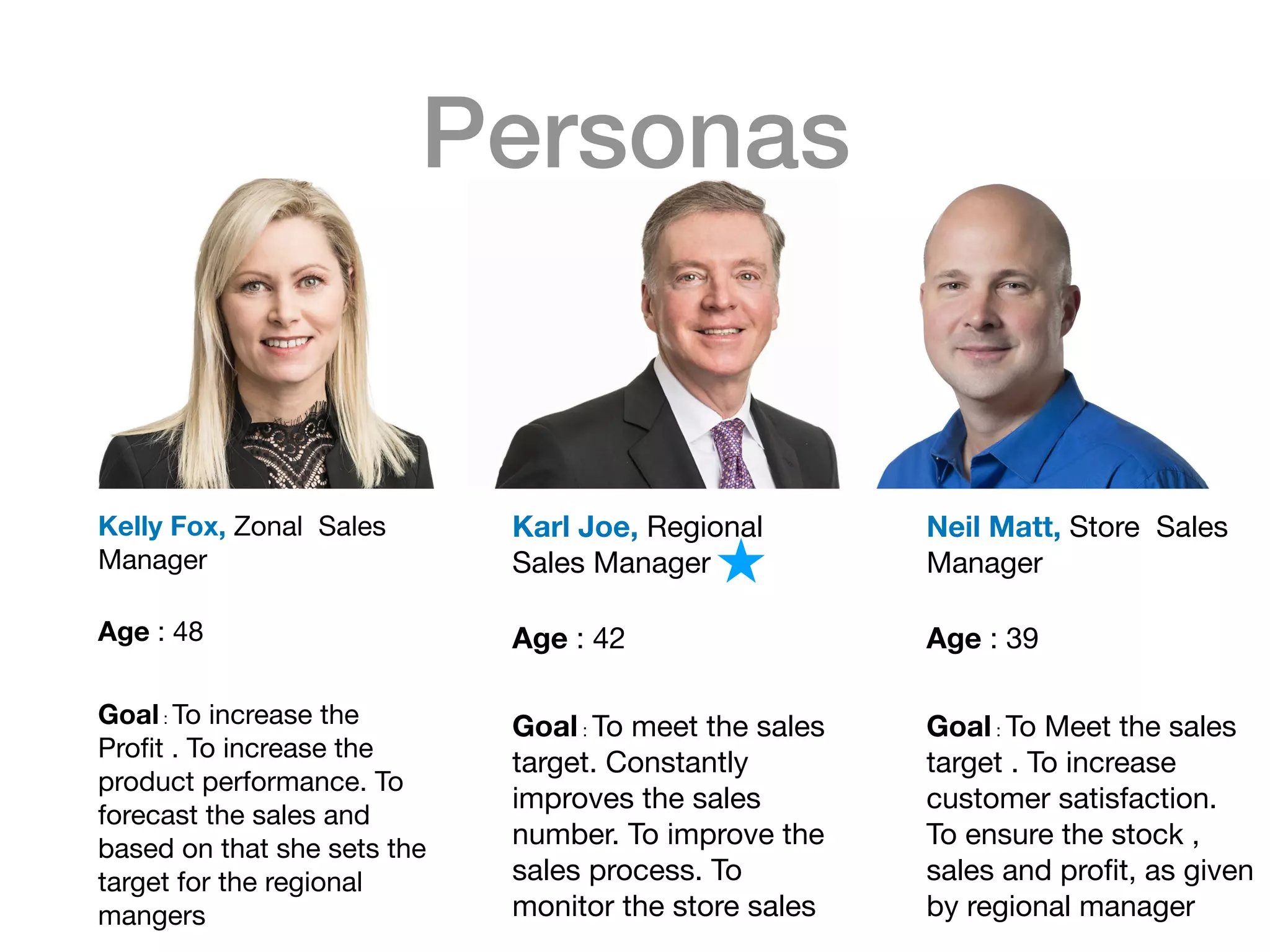
Kelly Fox, Zonal Sales
Manager 

Age : 48

Goal : To increase the
Profit . To increase the
product performance. To
forecast the sales and
based on that she sets the
target for the regional
mangers

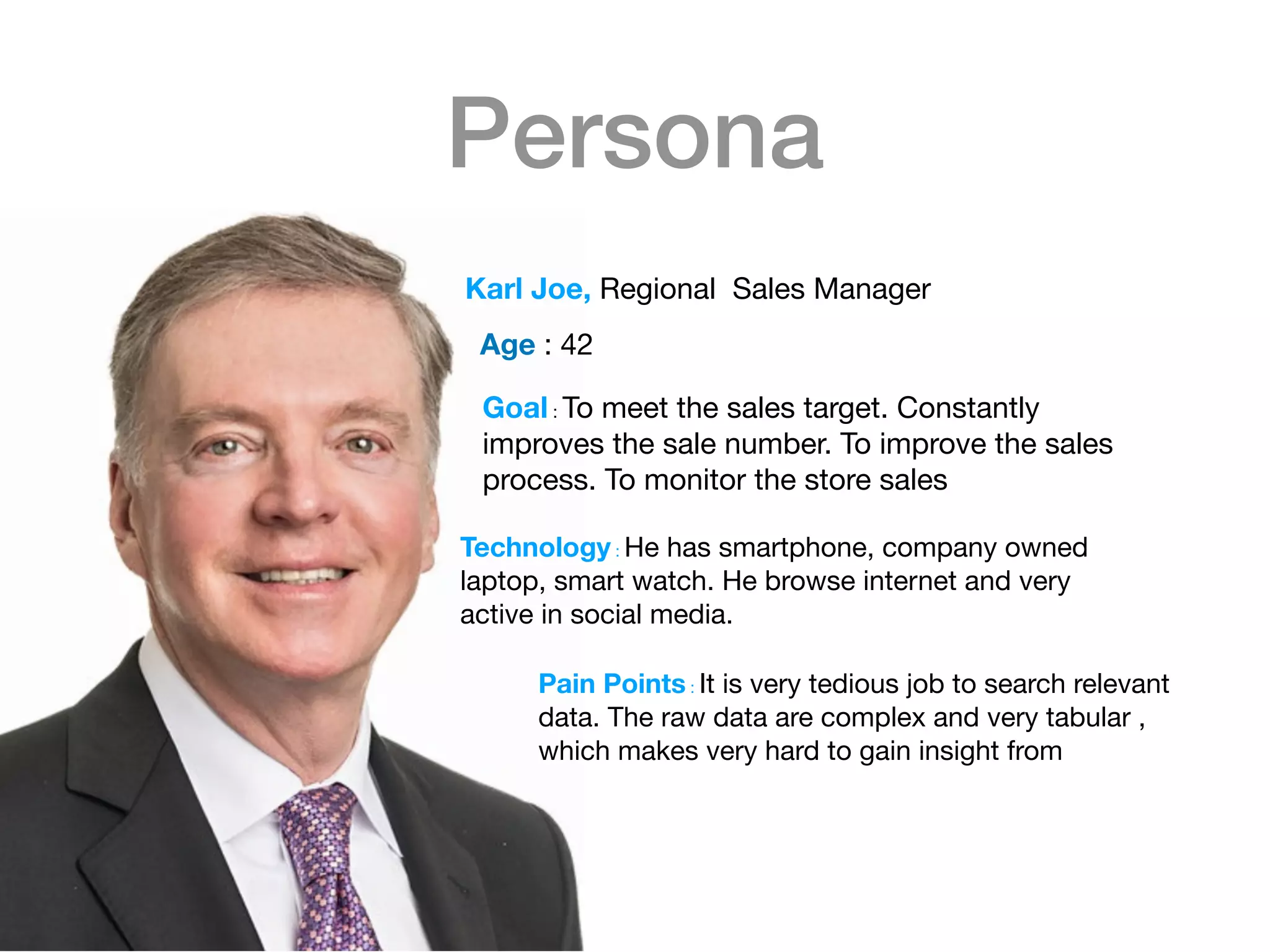
Karl Joe, Regional
Sales Manager 

Age : 42

Goal : To meet the sales
target. Constantly
improves the sales
number. To improve the
sales process. To
monitor the store sales

Neil Matt, Store Sales
Manager 

Age : 39

Goal : To Meet the sales
target . To increase
customer satisfaction.
To ensure the stock ,
sales and profit, as given
by regional manager
Persona
Goal : To meet the sales target. Constantly
improves the sale number. To improve the sales
process. To monitor the store sales

Karl Joe, Regional Sales Manager
Age : 42

Technology : He has smartphone, company owned
laptop, smart watch. He browse internet and very
active in social media.

Pain Points : It is very tedious job to search relevant
data. The raw data are complex and very tabular ,
which makes very hard to gain insight from
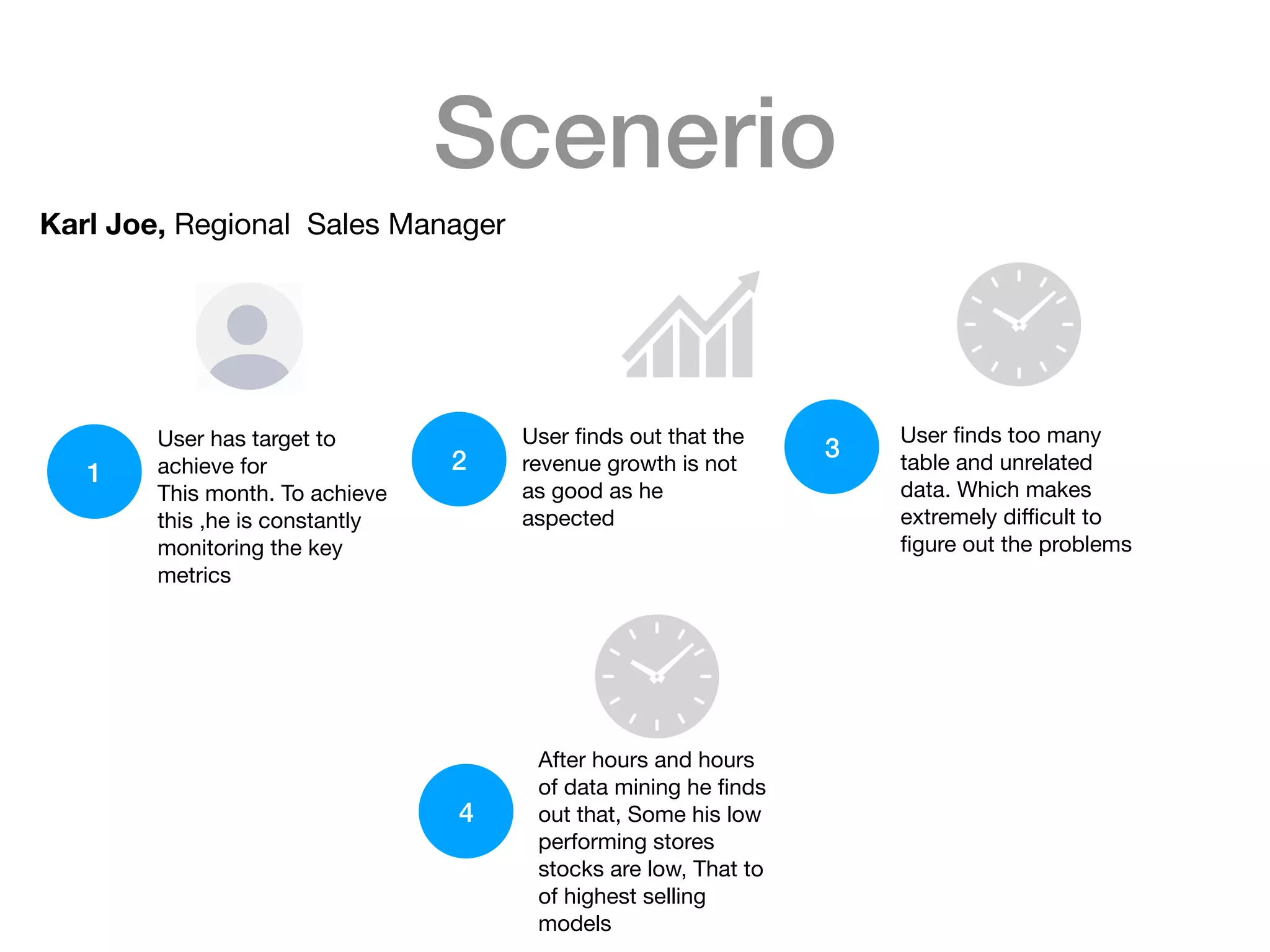
Scenerio
Karl Joe, Regional Sales Manager
User has target to
achieve for 

This month. To achieve
this ,he is constantly
monitoring the key
metrics
1 2
User finds out that the
revenue growth is not
as good as he
aspected
3
User finds too many
table and unrelated
data. Which makes
extremely difficult to
figure out the problems
4
After hours and hours
of data mining he finds
out that, Some his low
performing stores
stocks are low, That to
of highest selling
models
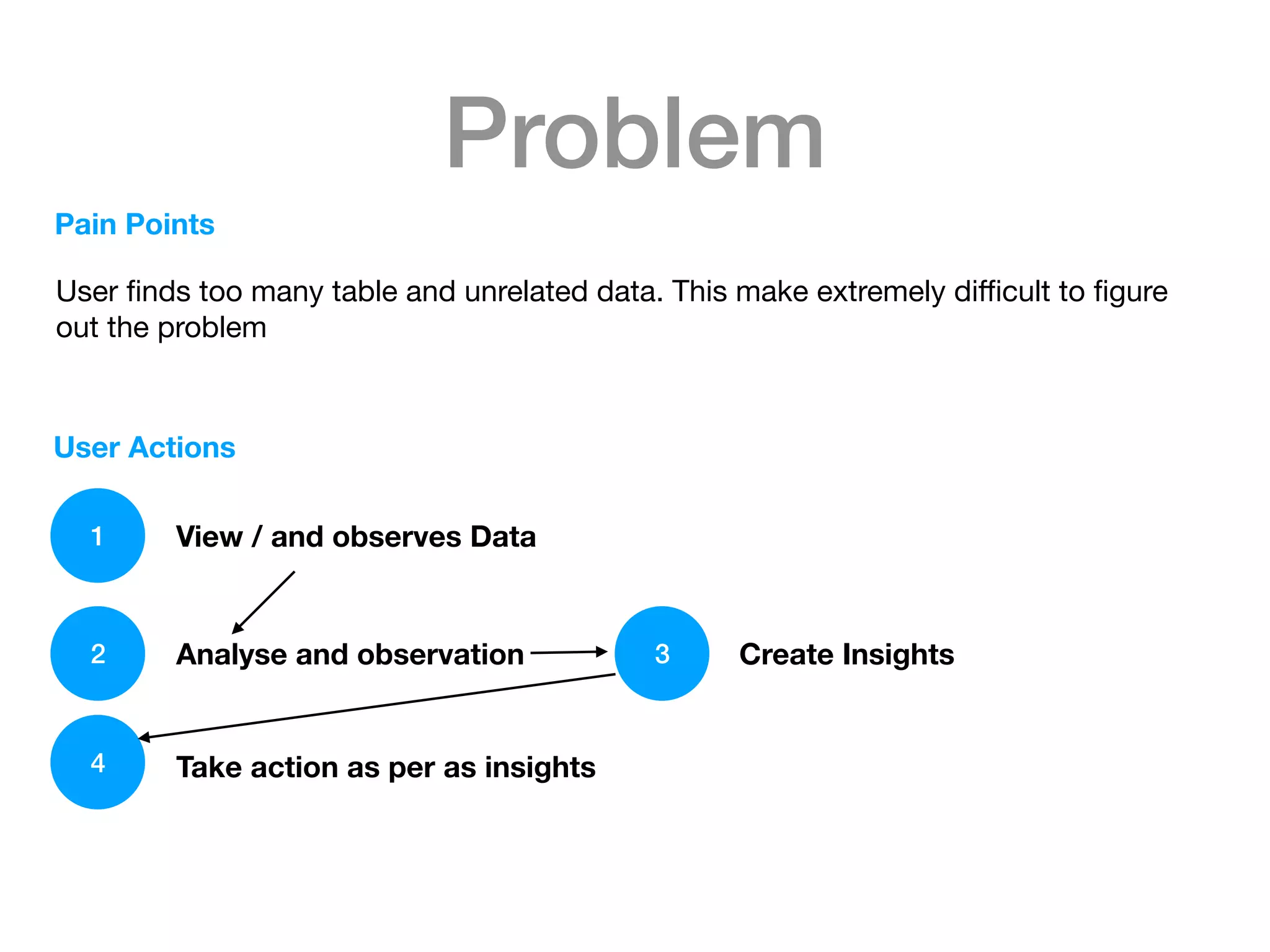
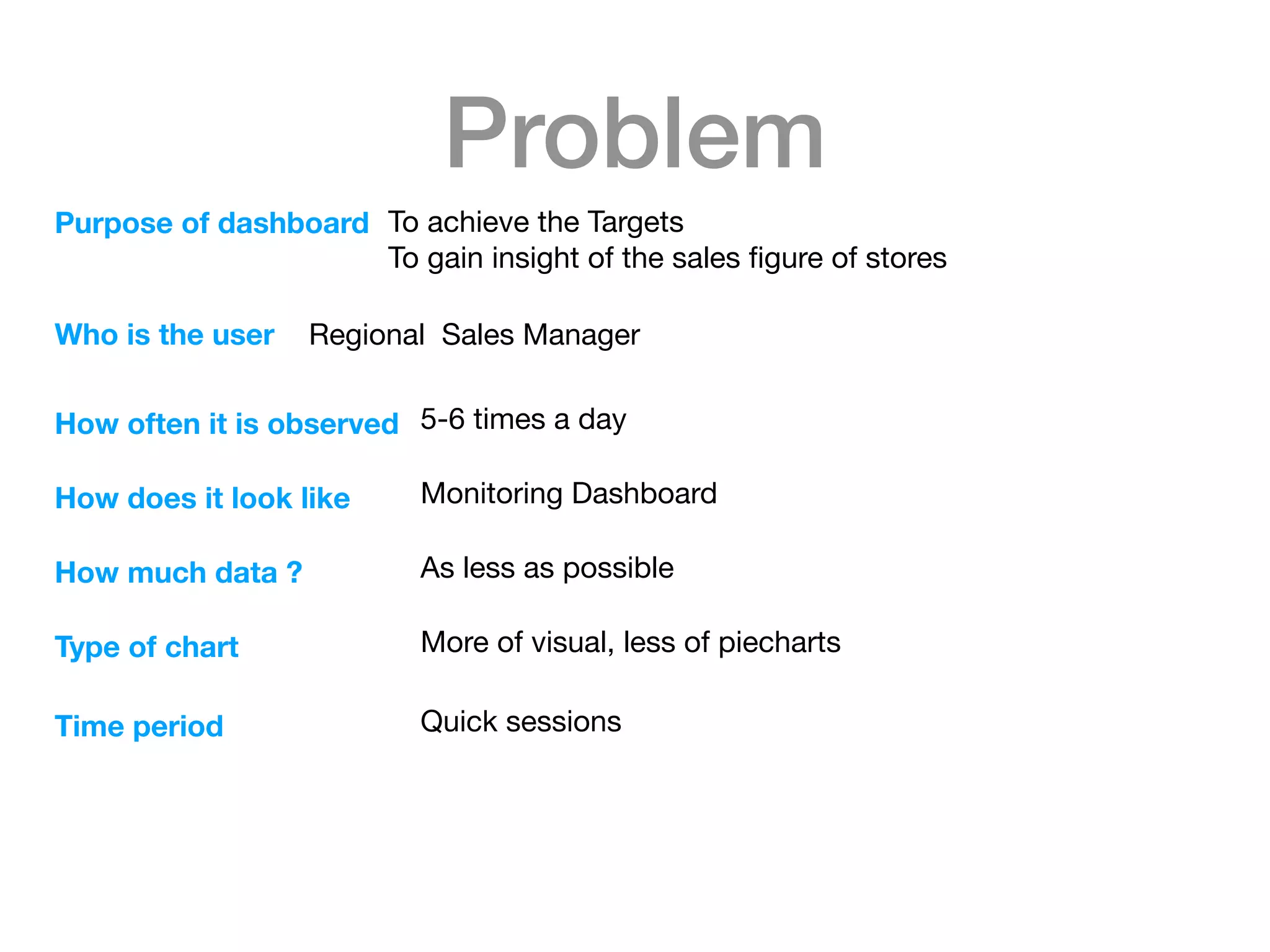
Problem
Pain Points
1
User finds too many table and unrelated data. This make extremely difficult to figure
out the problem
User Actions
View / and observes Data
Analyse and observation Create Insights
Take action as per as insights
2 3
4
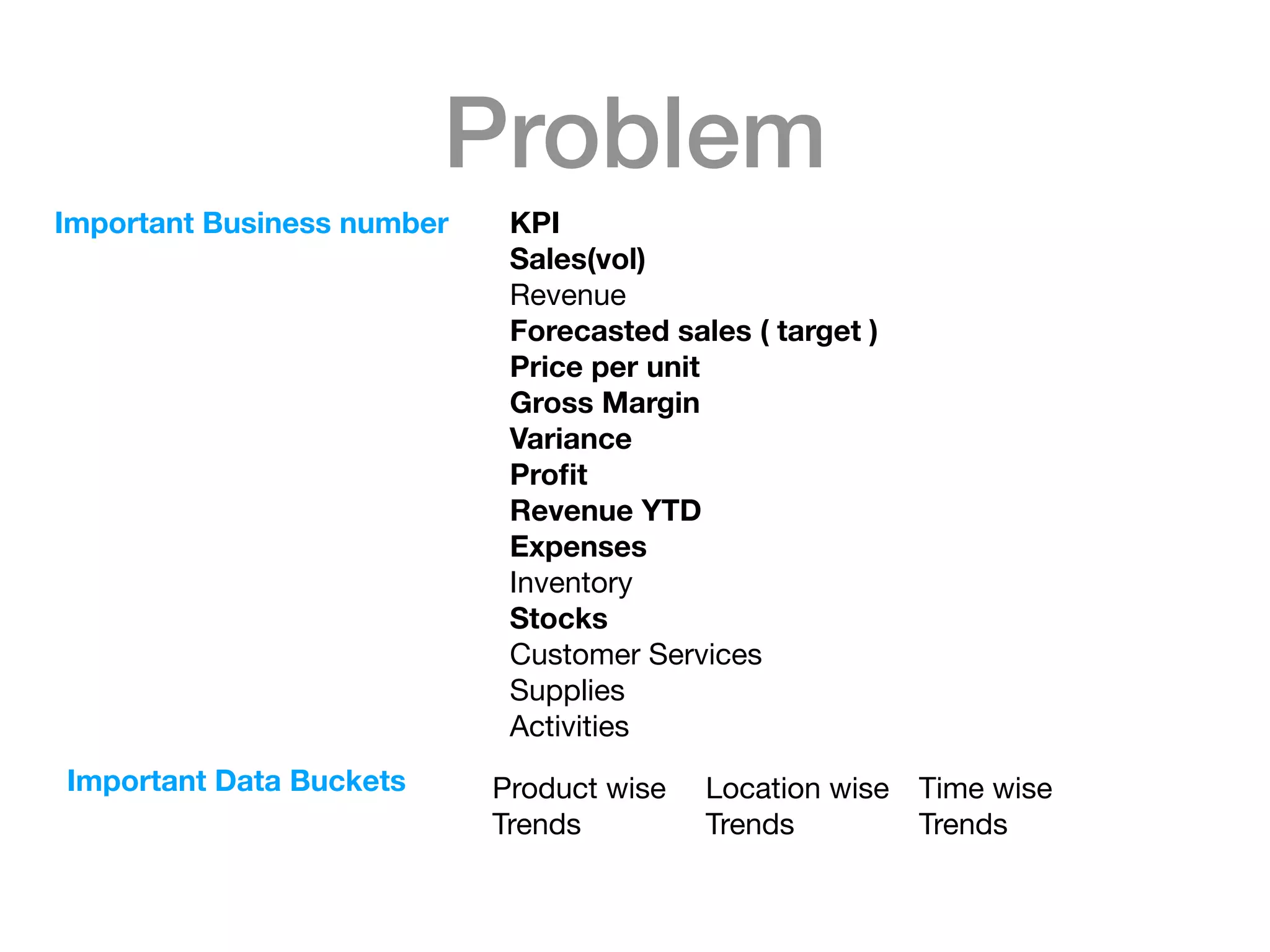
Problem
Important Business number KPI
Sales(vol)
Revenue

Forecasted sales ( target )
Price per unit
Gross Margin
Variance
Profit
Revenue YTD
Expenses
Inventory

Stocks
Customer Services

Supplies

Activities

Important Data Buckets Product wise

Trends

Location wise

Trends

Time wise

Trends
Problem
Purpose of dashboard To achieve the Targets

To gain insight of the sales figure of stores 

Who is the user Regional Sales Manager 

How often it is observed 5-6 times a day

How does it look like Monitoring Dashboard

How much data ? As less as possible

Type of chart More of visual, less of piecharts

Time period Quick sessions
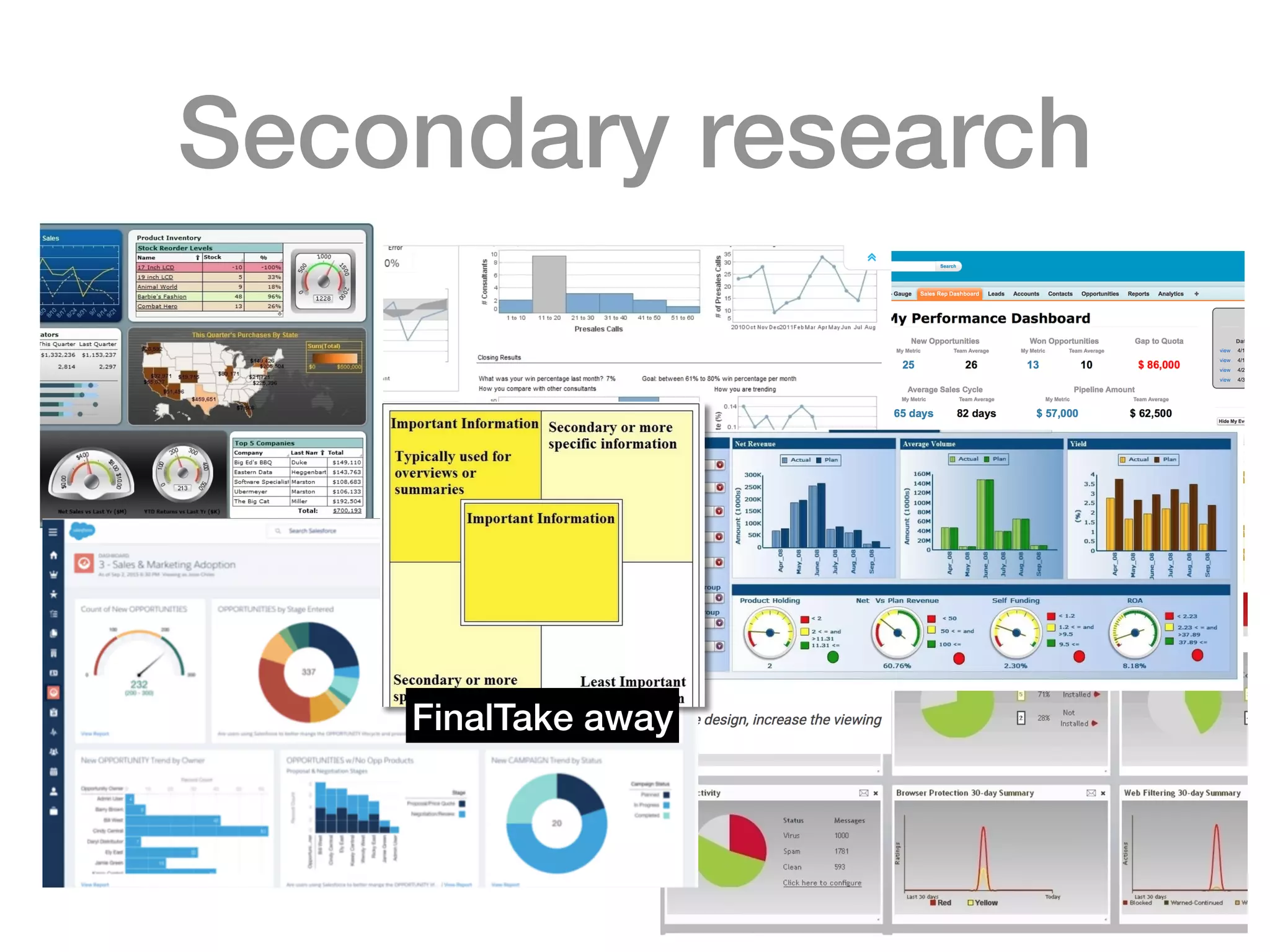
Secondary research
FinalTake away
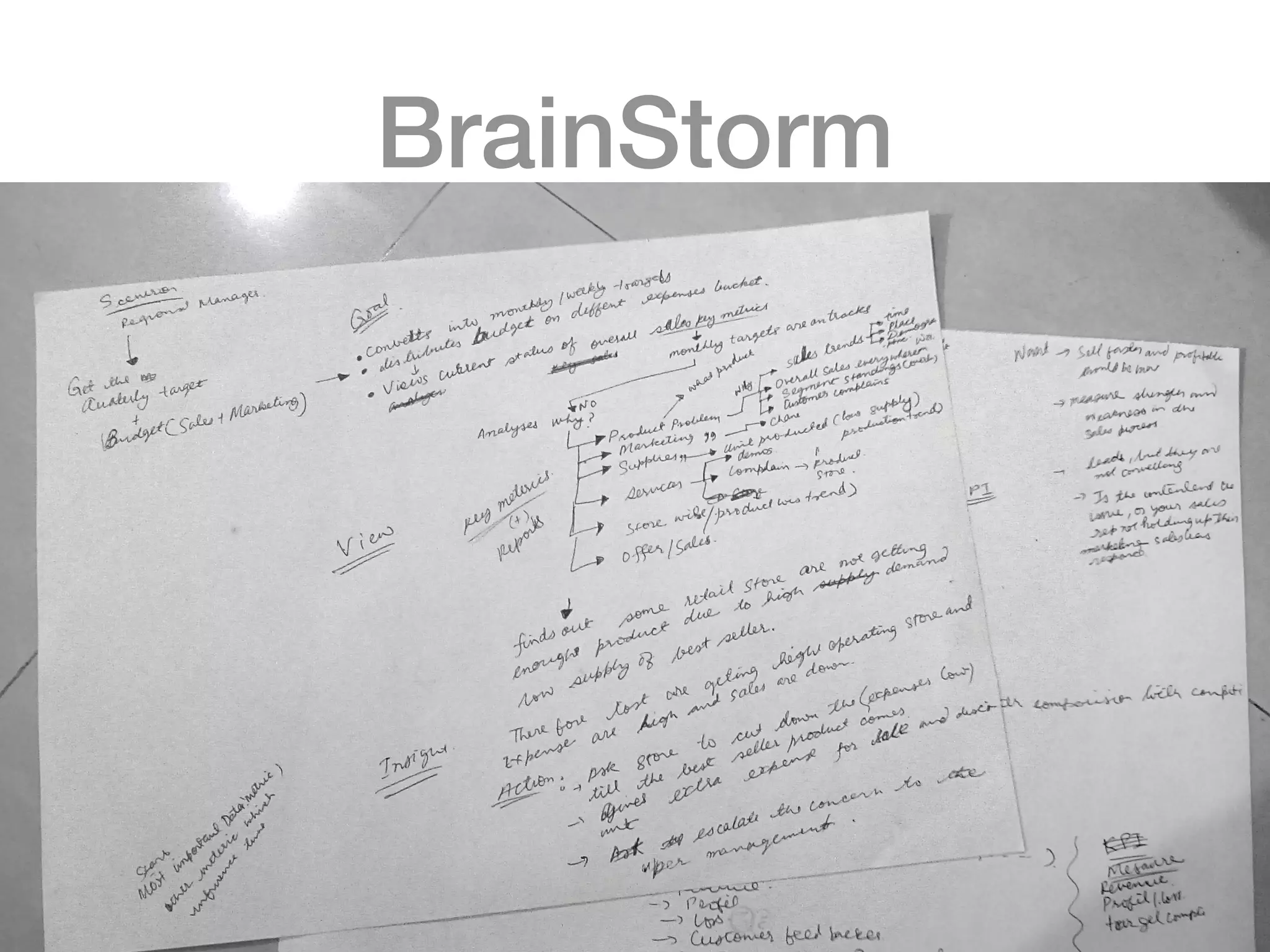
BrainStorm
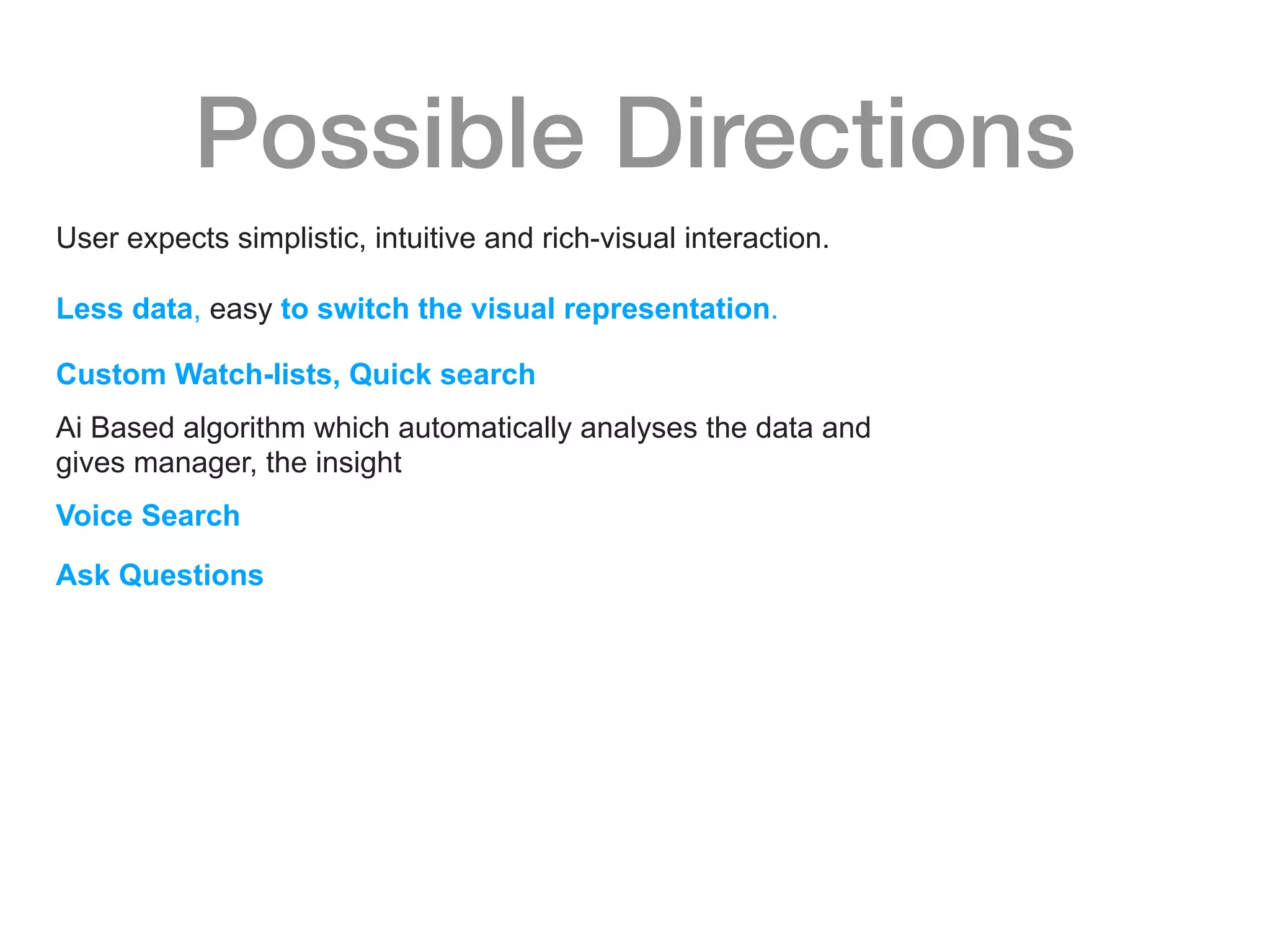
Possible Directions
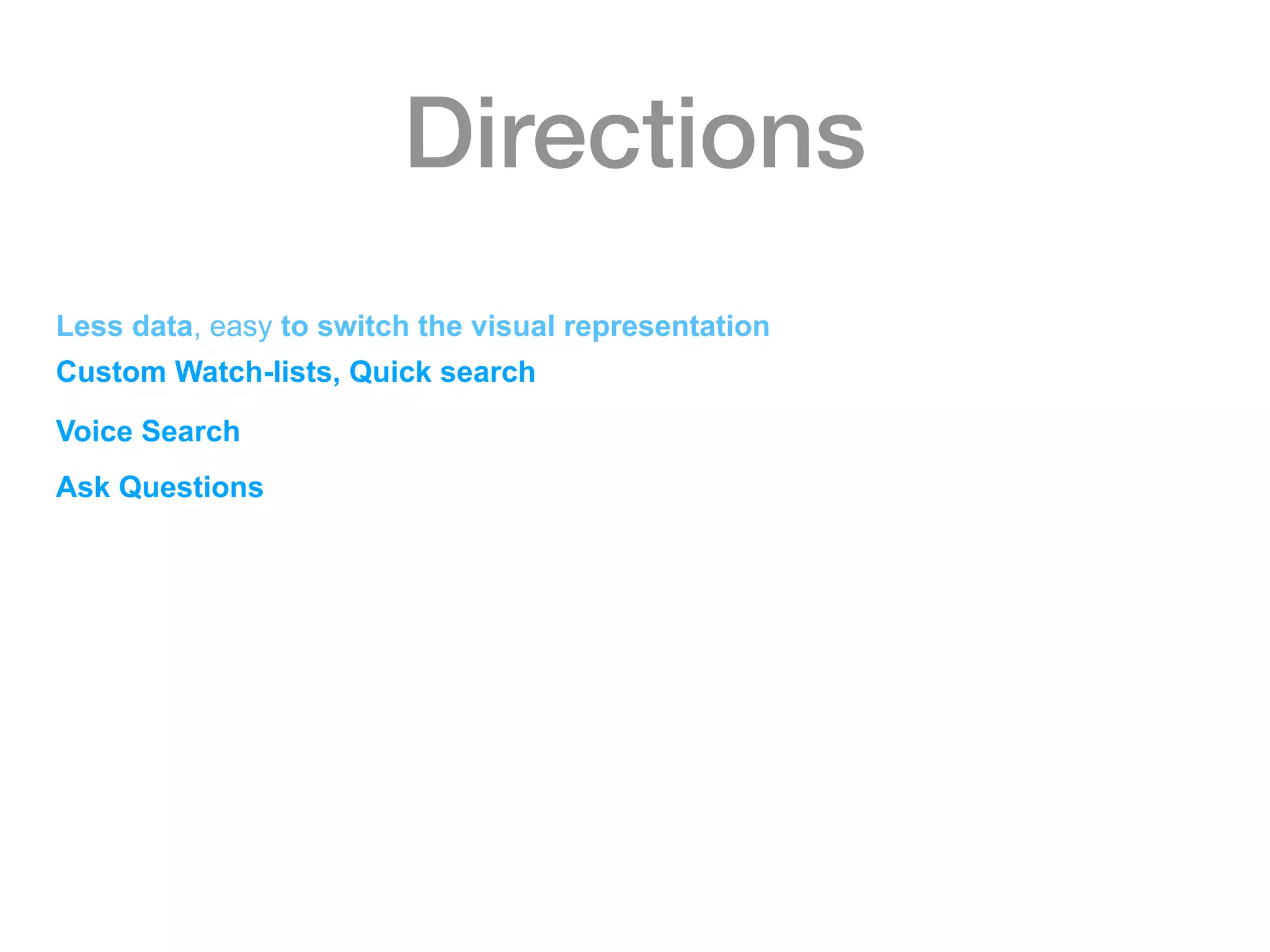
User expects simplistic, intuitive and rich-visual interaction.
Less data, easy to switch the visual representation.
Custom Watch-lists, Quick search
Ai Based algorithm which automatically analyses the data and
gives manager, the insight
Voice Search
Ask Questions
Directions
Less data, easy to switch the visual representation
Custom Watch-lists, Quick search
Voice Search
Ask Questions
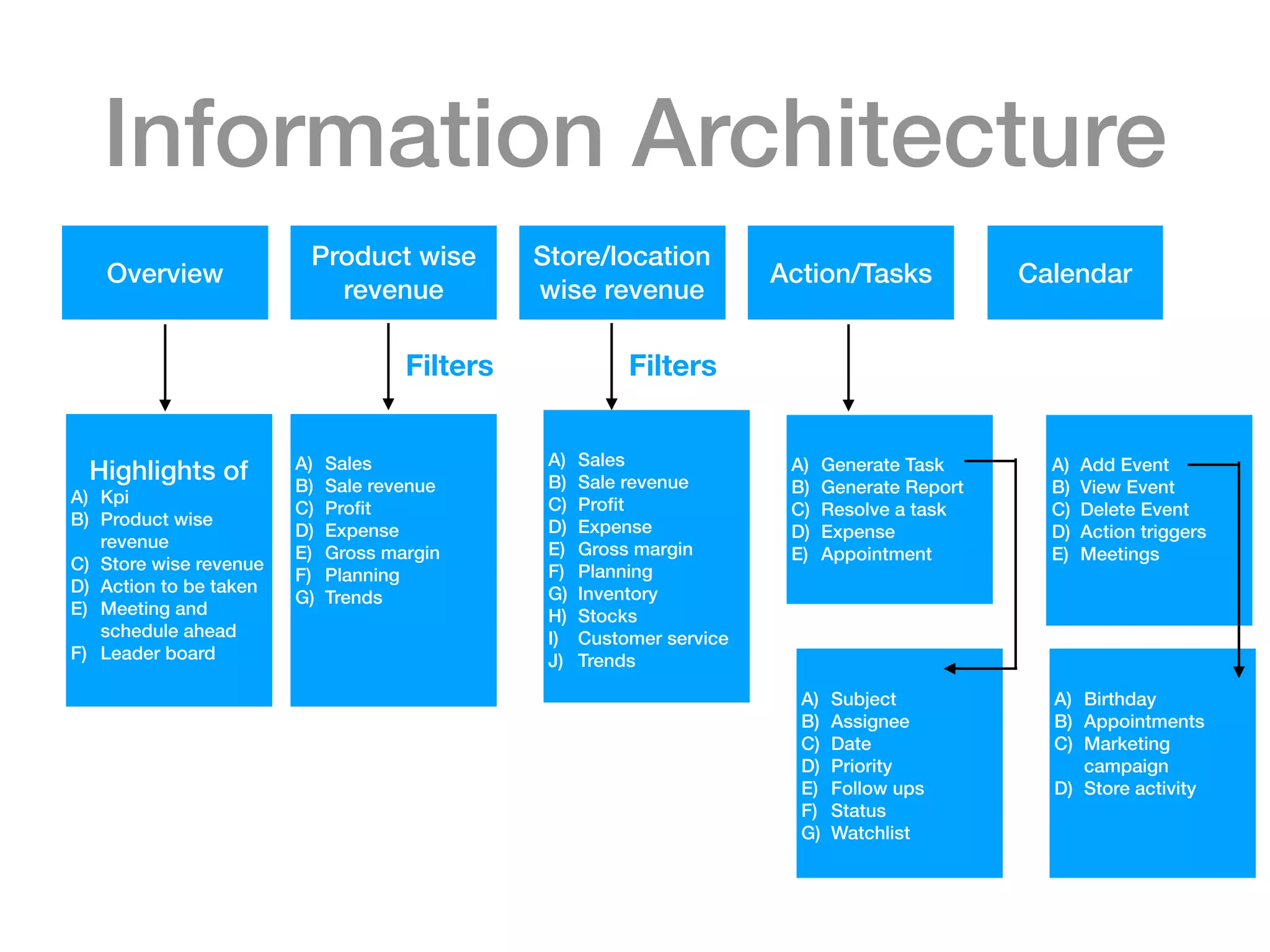
Information Architecture
Overview
Product wise
revenue
Store/location
wise revenue
Action/Tasks Calendar
Highlights of
A) Kpi
B) Product wise
revenue
C) Store wise revenue
D) Action to be taken
E) Meeting and
schedule ahead
F) Leader board
A) Sales
B) Sale revenue
C) Profit
D) Expense
E) Gross margin
F) Planning
G) Trends
Filters
A) Sales
B) Sale revenue
C) Profit
D) Expense
E) Gross margin
F) Planning
G) Inventory
H) Stocks
I) Customer service
J) Trends
Filters
A) Generate Task
B) Generate Report
C) Resolve a task
D) Expense
E) Appointment
A) Subject
B) Assignee
C) Date
D) Priority
E) Follow ups
F) Status
G) Watchlist
A) Add Event
B) View Event
C) Delete Event
D) Action triggers
E) Meetings
A) Birthday
B) Appointments
C) Marketing
campaign
D) Store activity
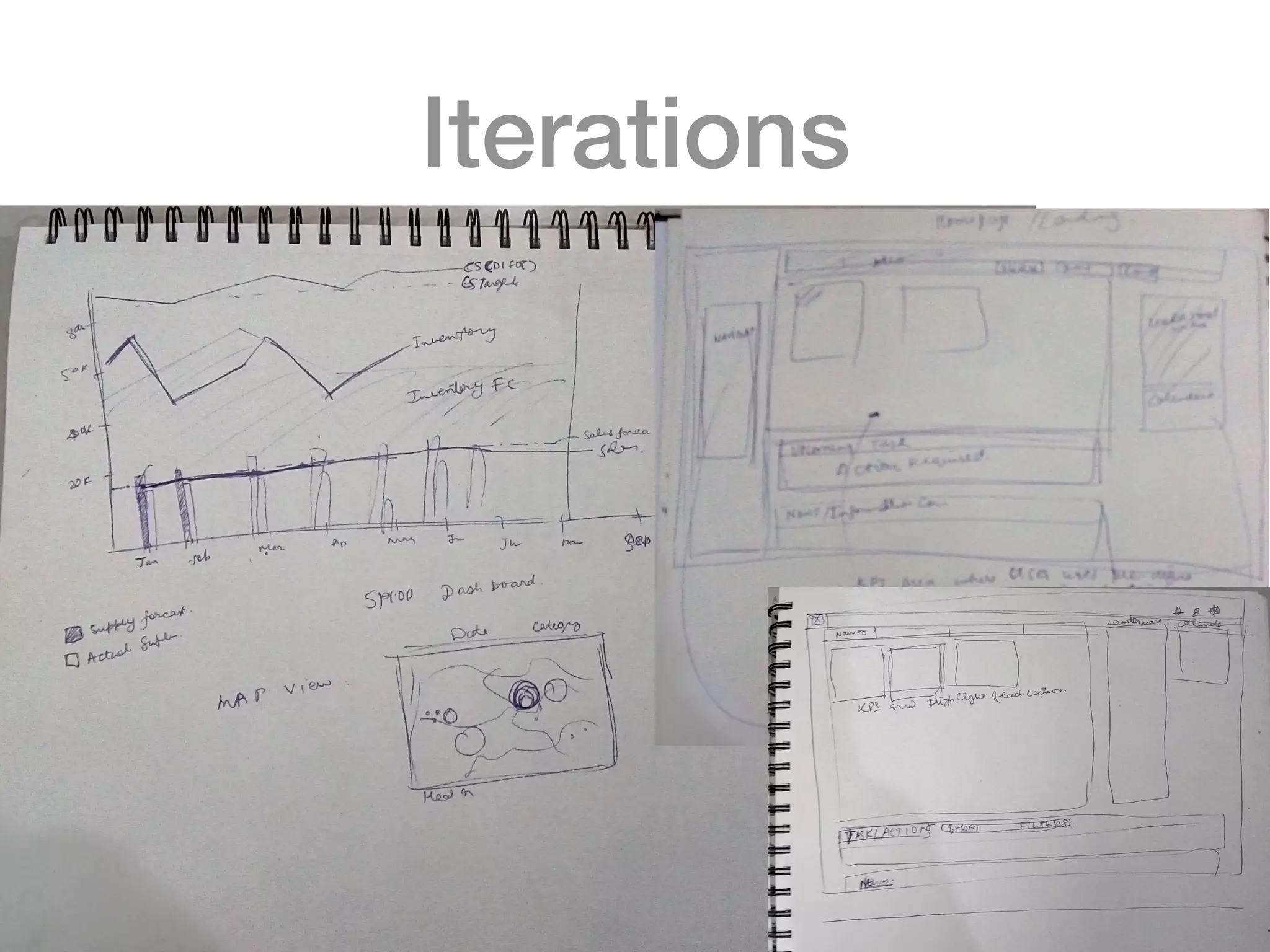
Iterations
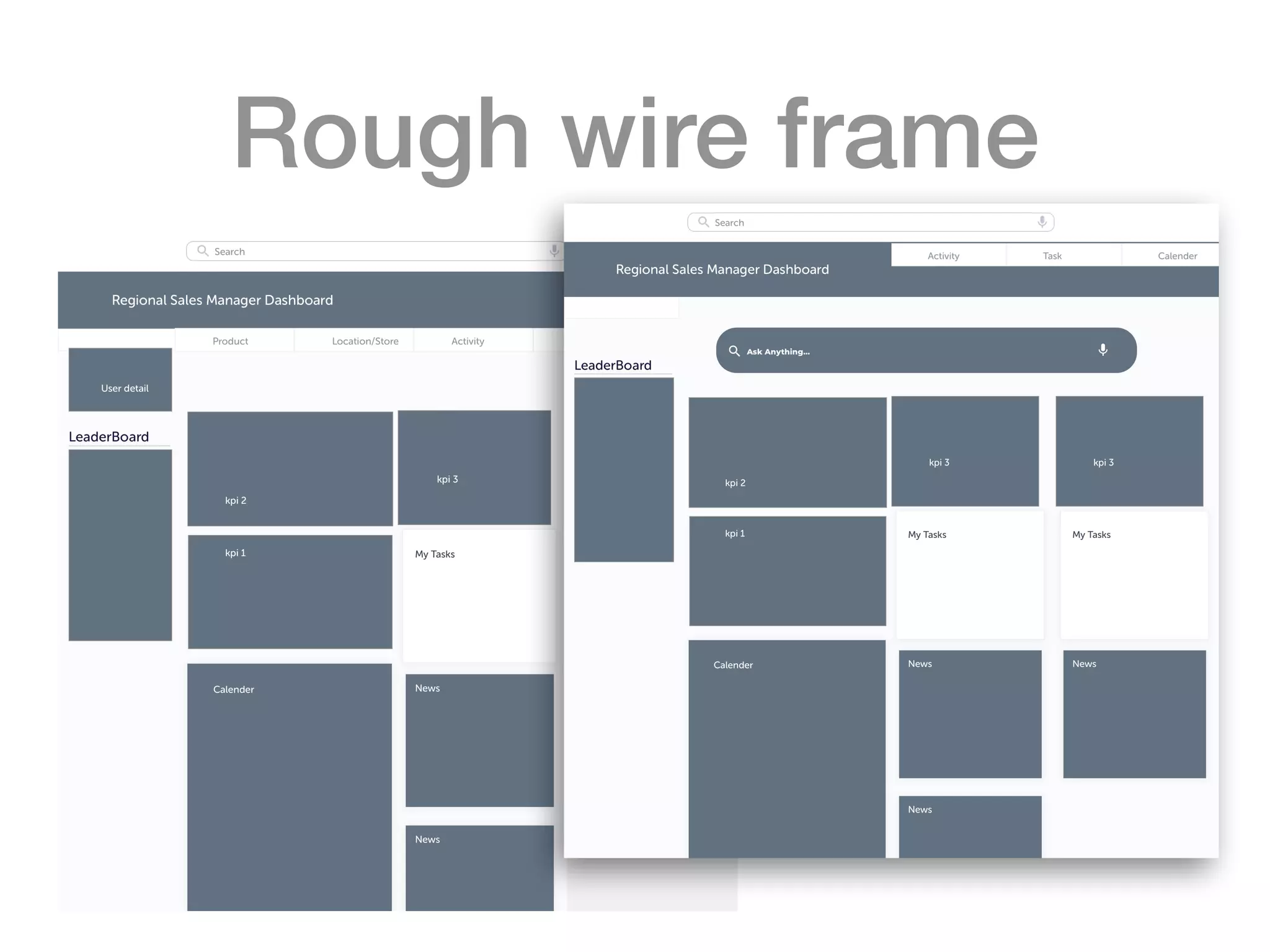
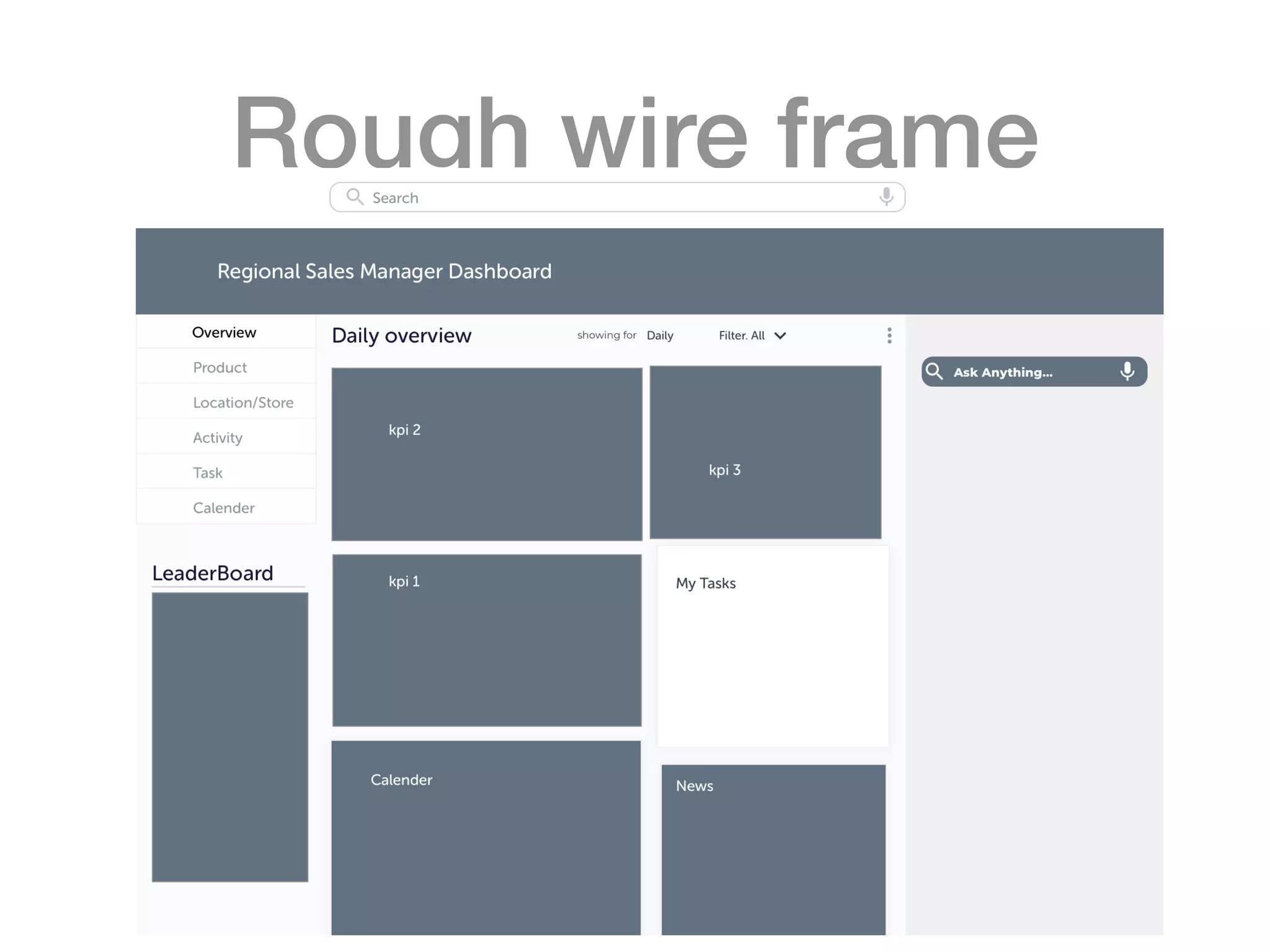
Rough wire frame
Rough wire frame
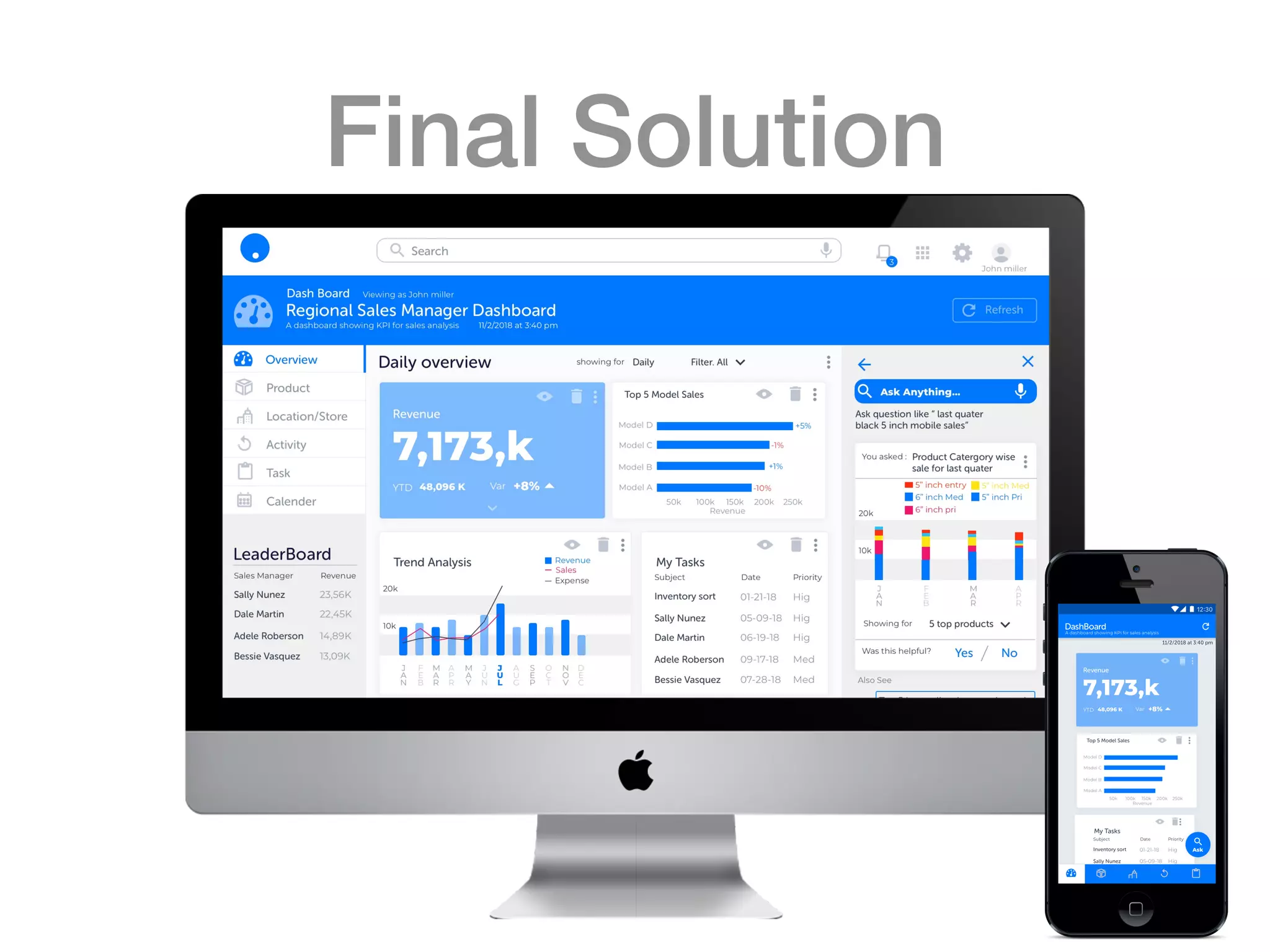
Final Solution
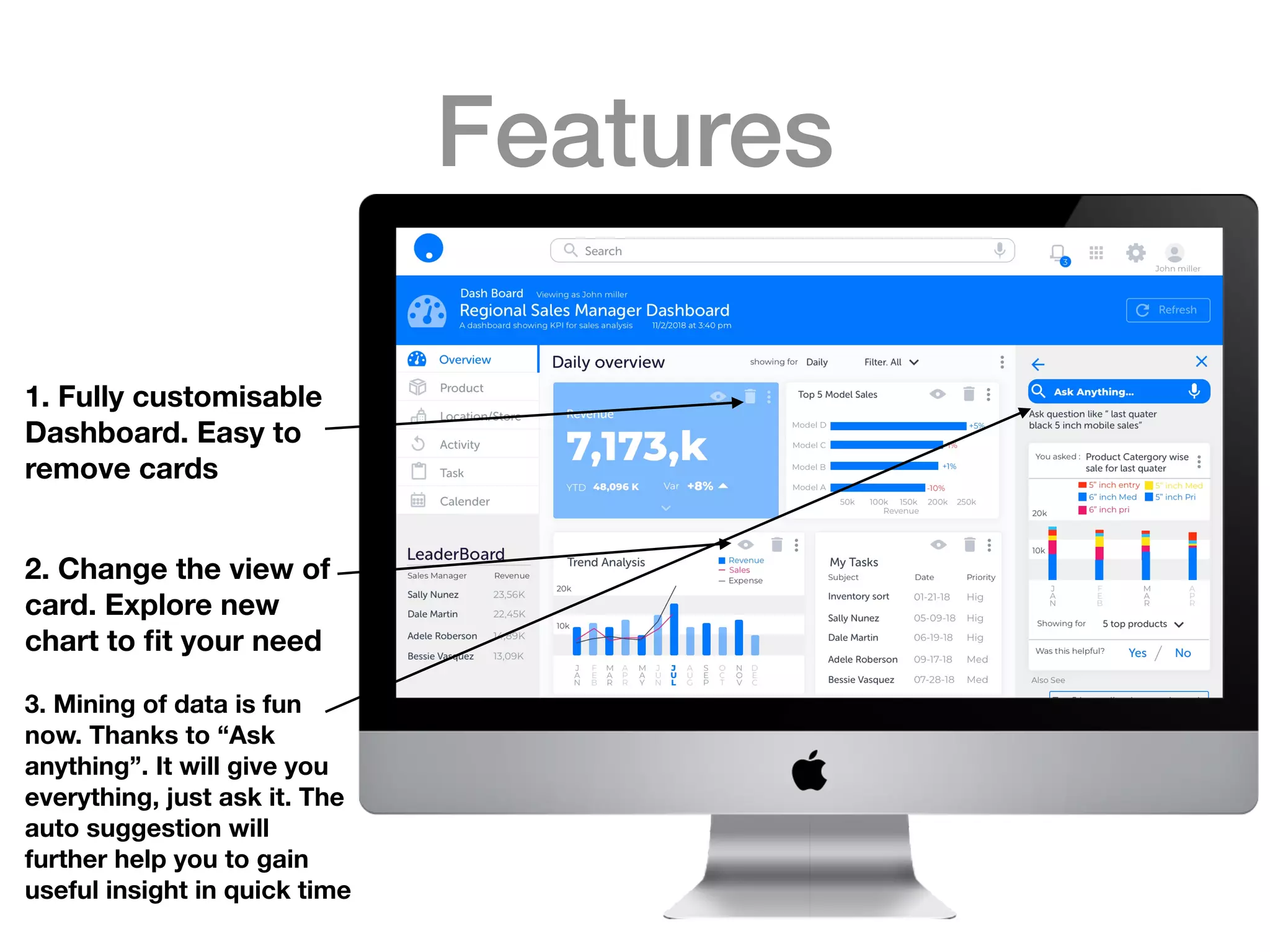
Features
1. Fully customisable
Dashboard. Easy to
remove cards
2. Change the view of
card. Explore new
chart to fit your need
3. Mining of data is fun
now. Thanks to “Ask
anything”. It will give you
everything, just ask it. The
auto suggestion will
further help you to gain
useful insight in quick time
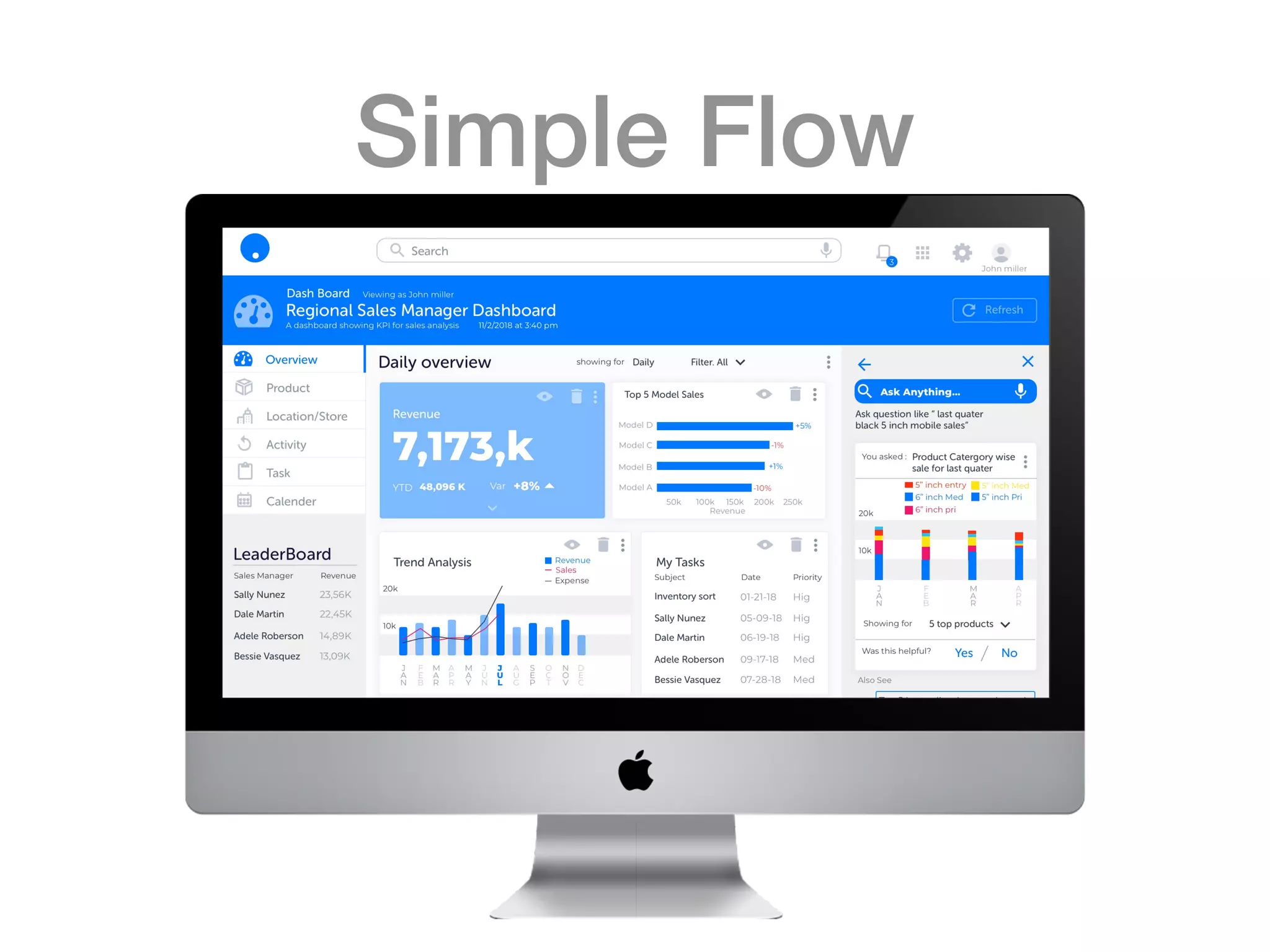
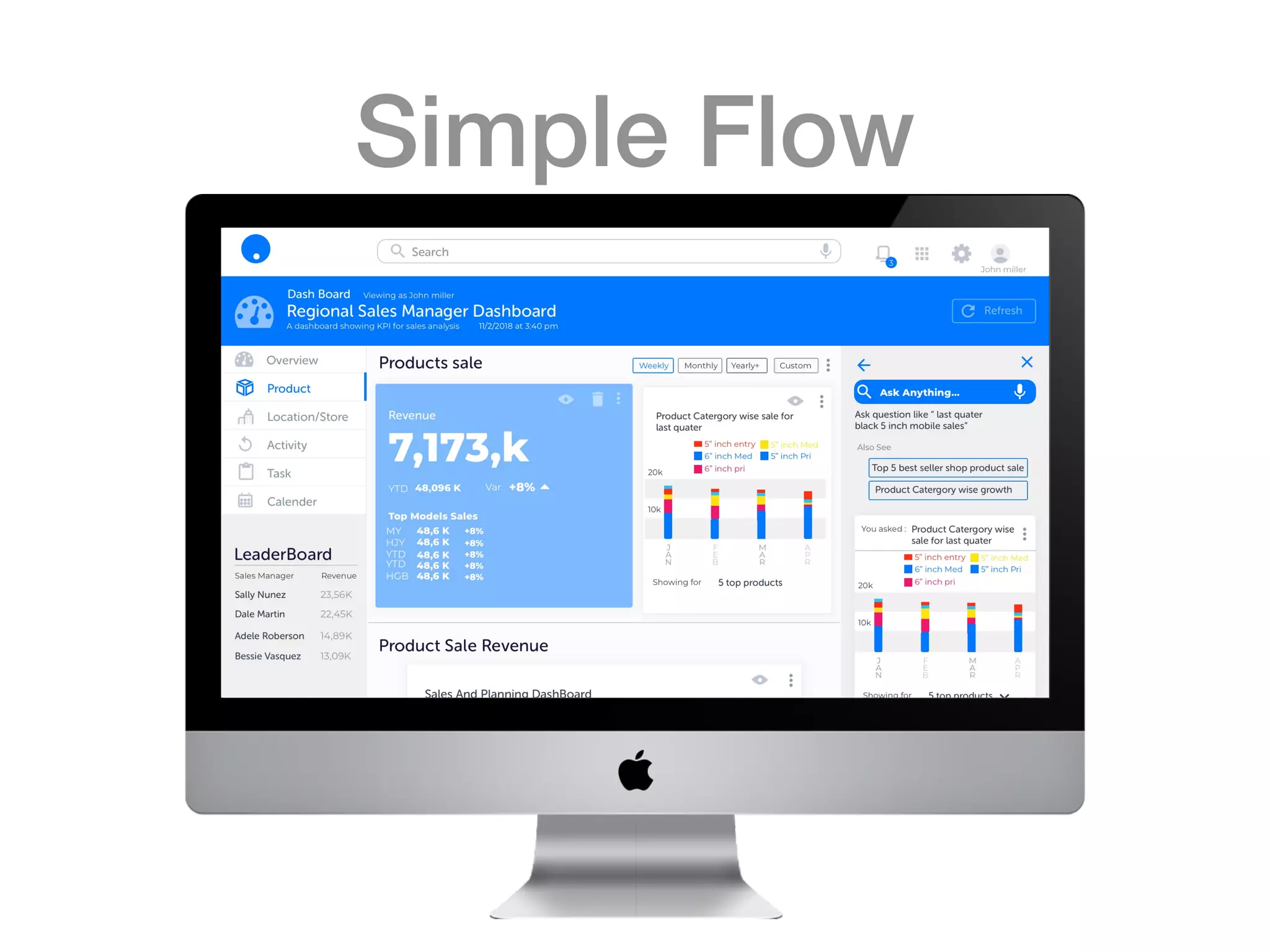
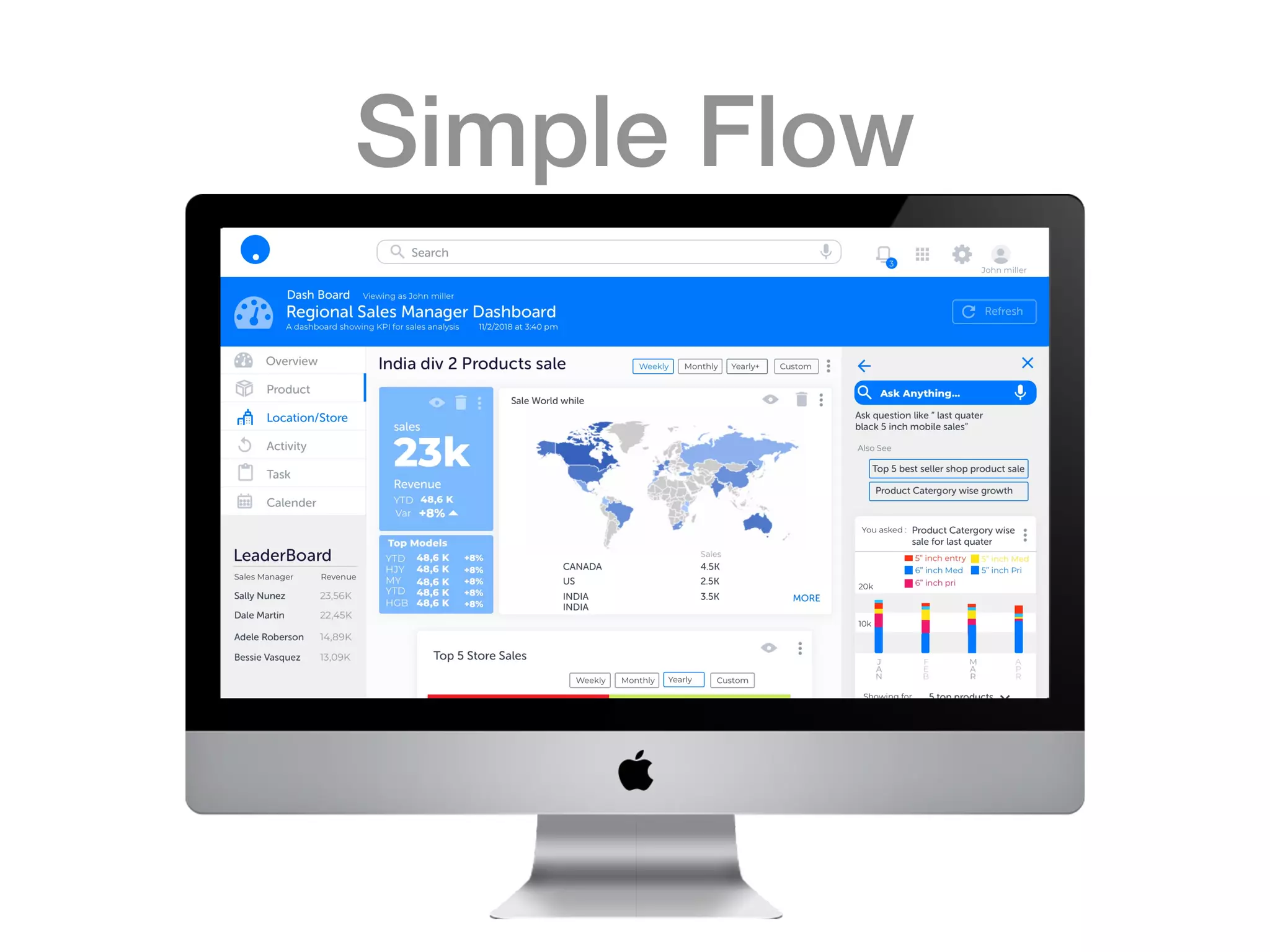
Simple Flow
Simple Flow
Simple Flow
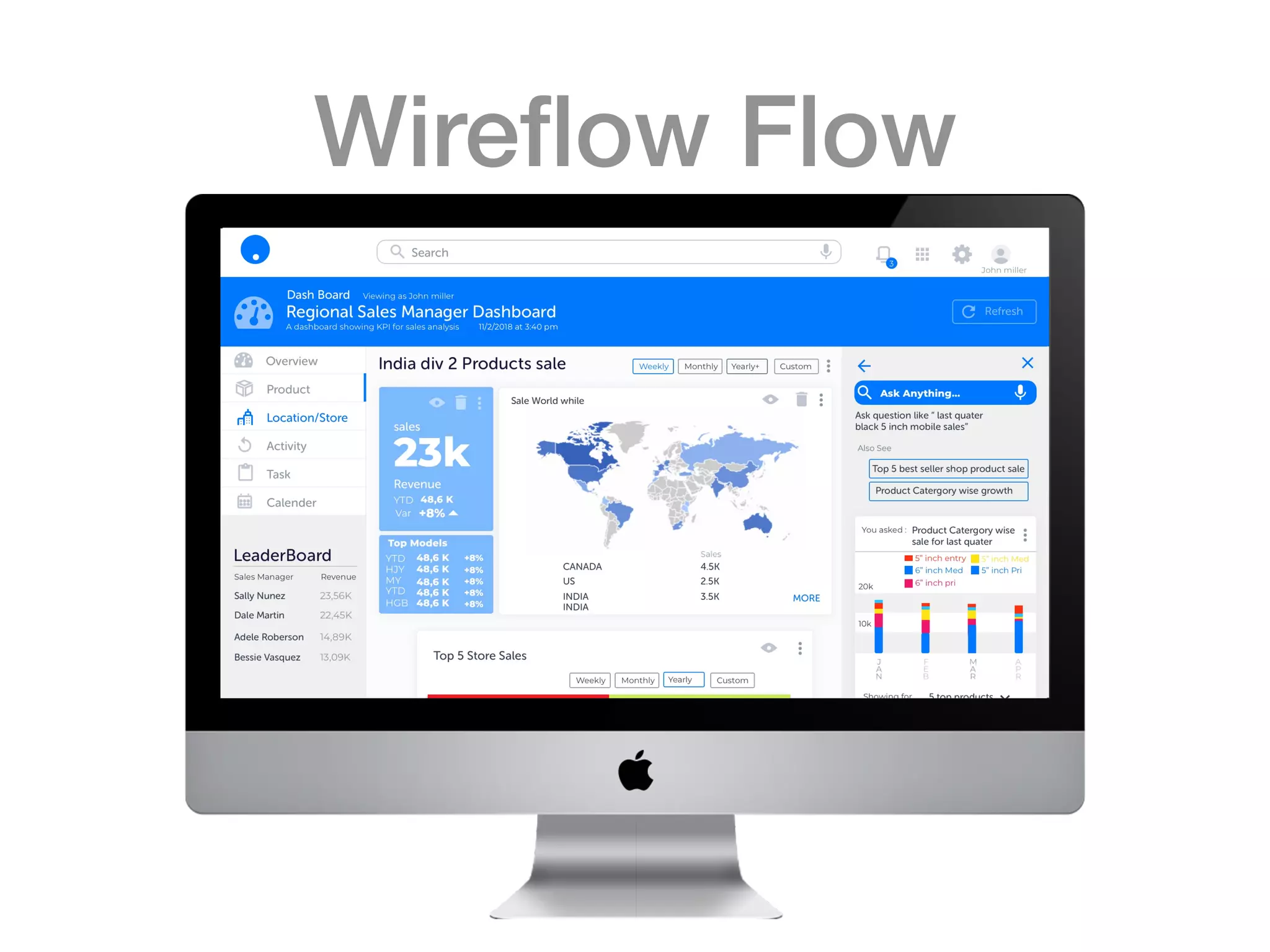
Wireflow Flow
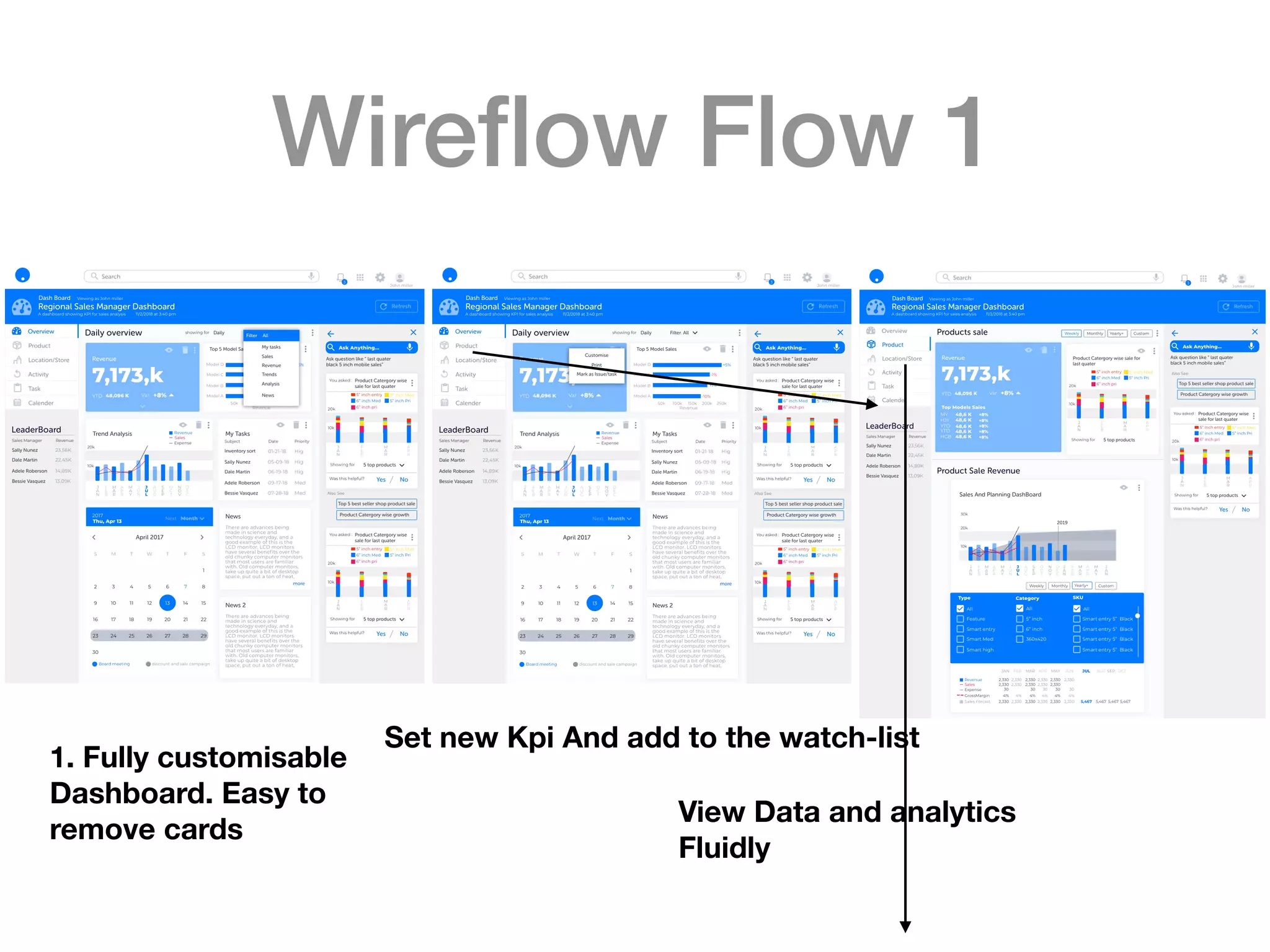
Wireflow Flow 1
View Data and analytics
Fluidly
1. Fully customisable
Dashboard. Easy to
remove cards
Set new Kpi And add to the watch-list
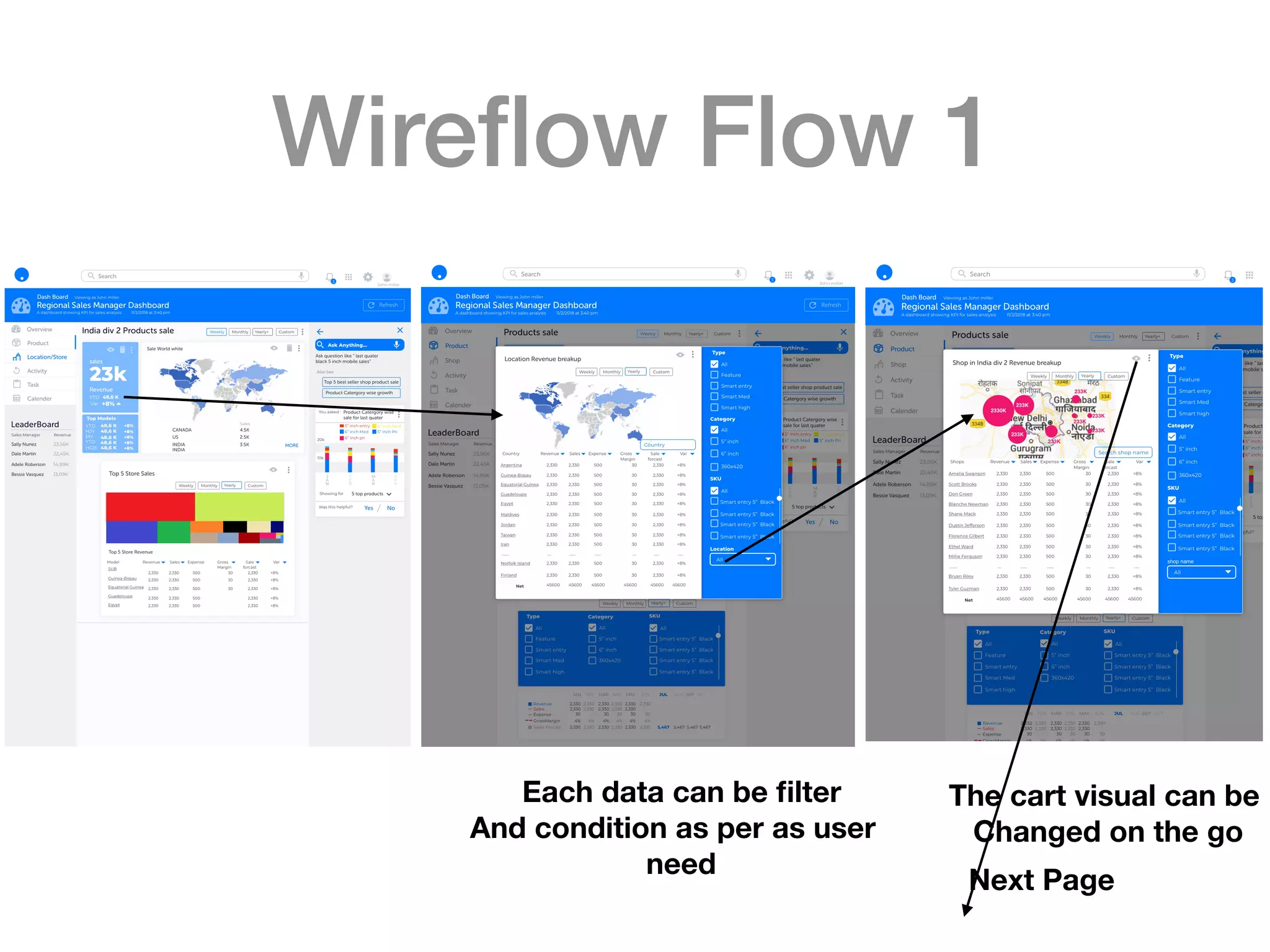
Wireflow Flow 1
Next Page
Each data can be filter
And condition as per as user
need
The cart visual can be
Changed on the go
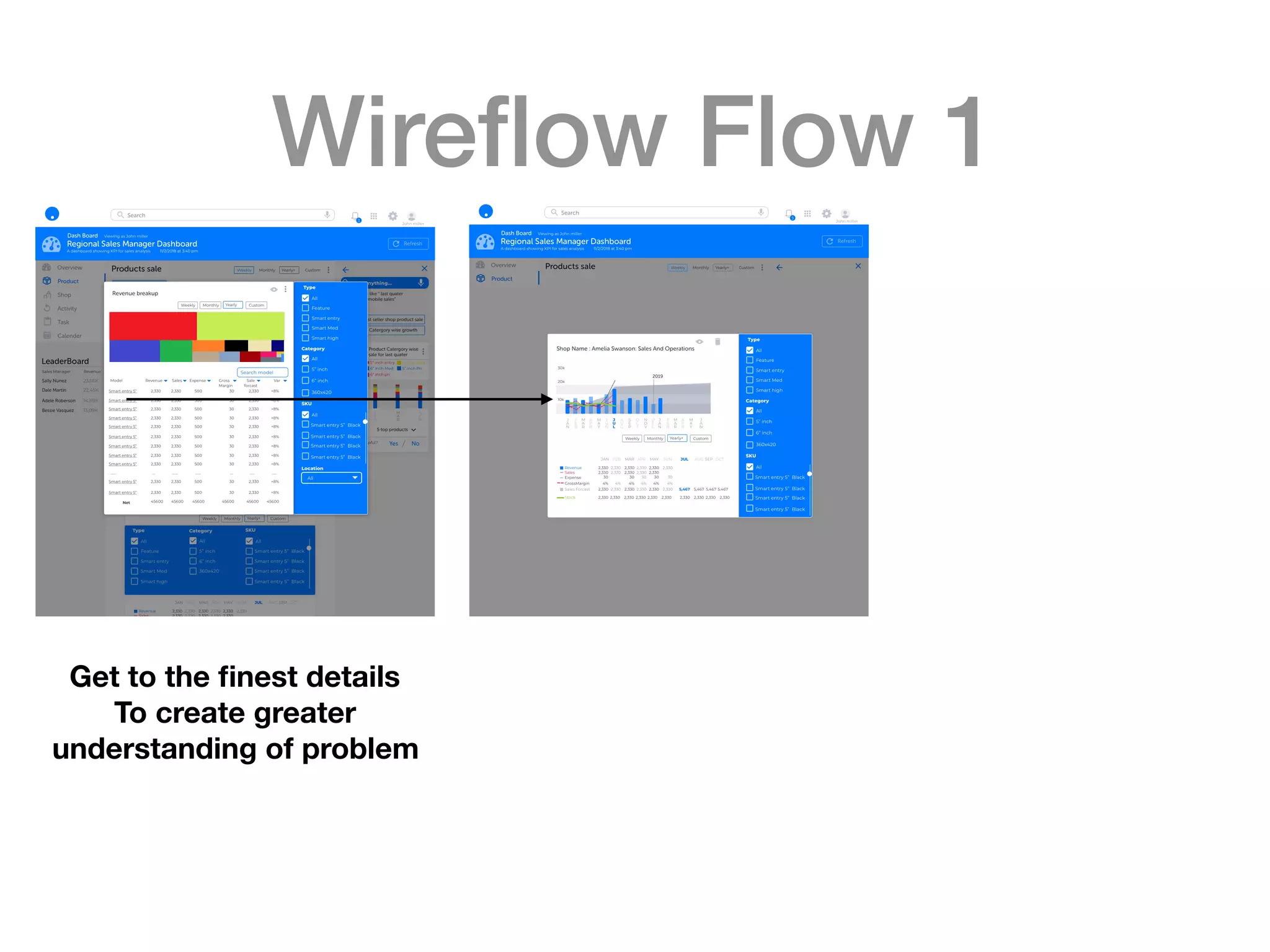
Wireflow Flow 1
Get to the finest details
To create greater
understanding of problem
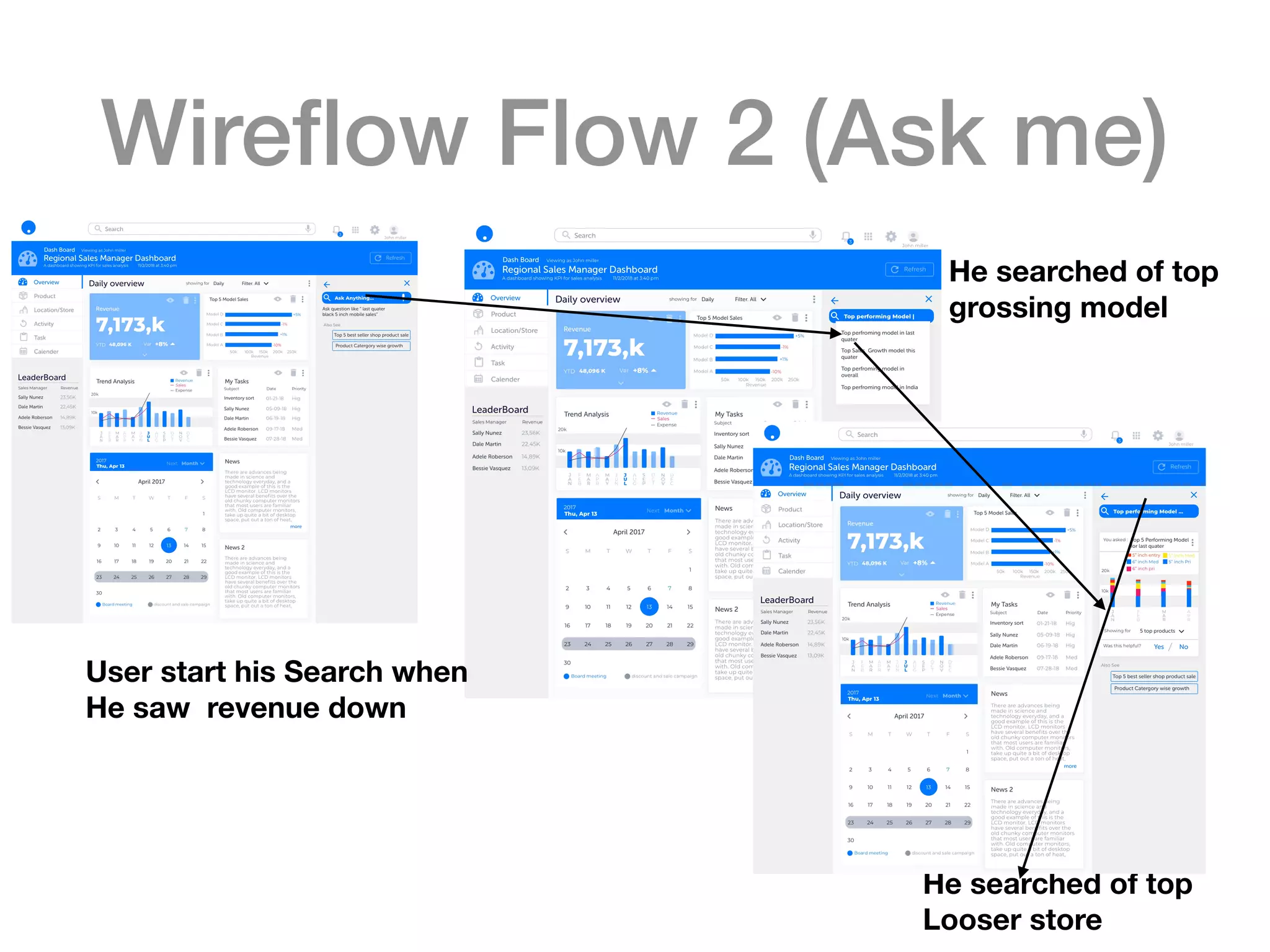
Wireflow Flow 2 (Ask me)
He searched of top
Looser store
User start his Search when
He saw revenue down
He searched of top
grossing model
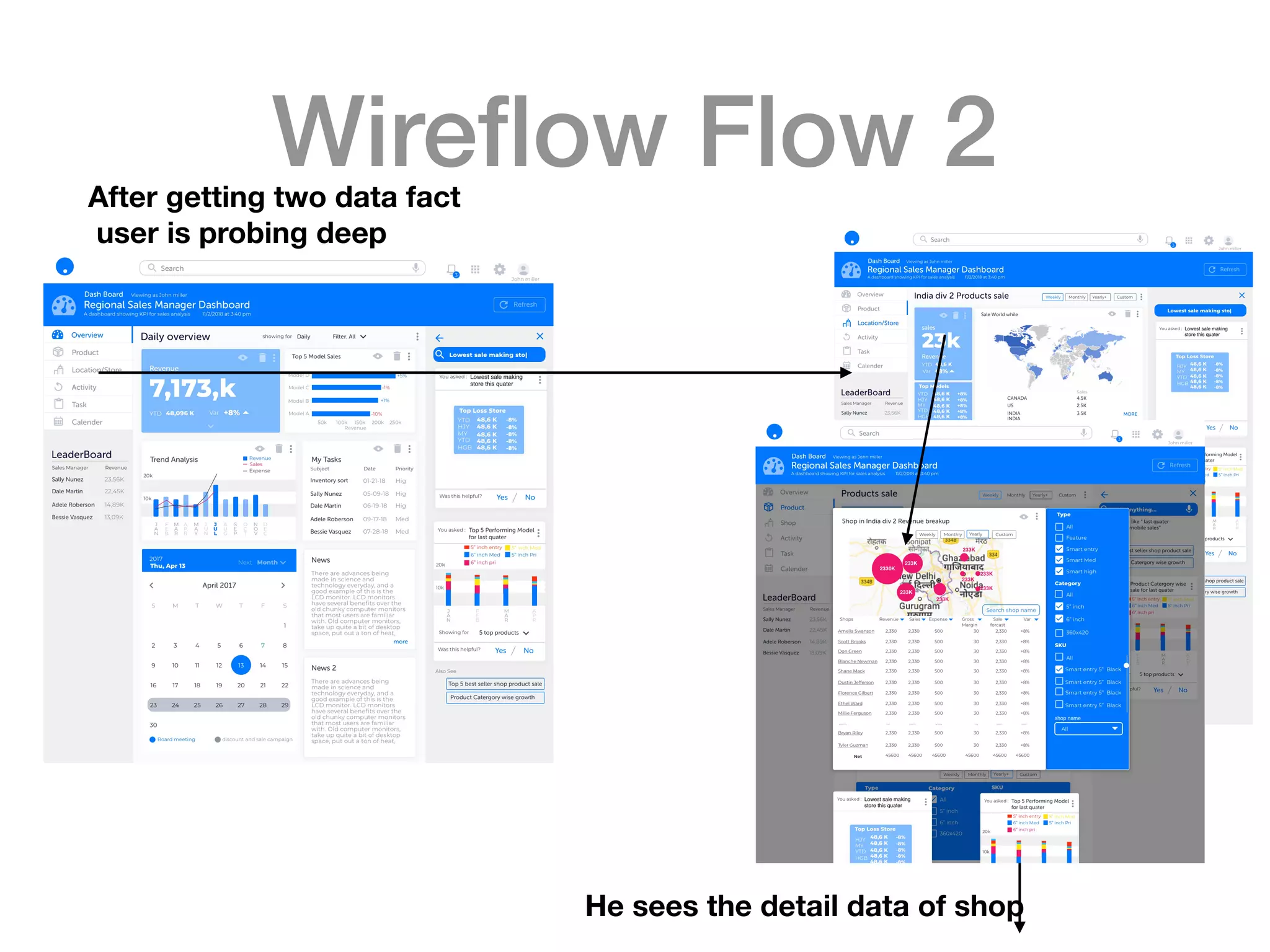
Wireflow Flow 2After getting two data fact
user is probing deep
He sees the detail data of shop
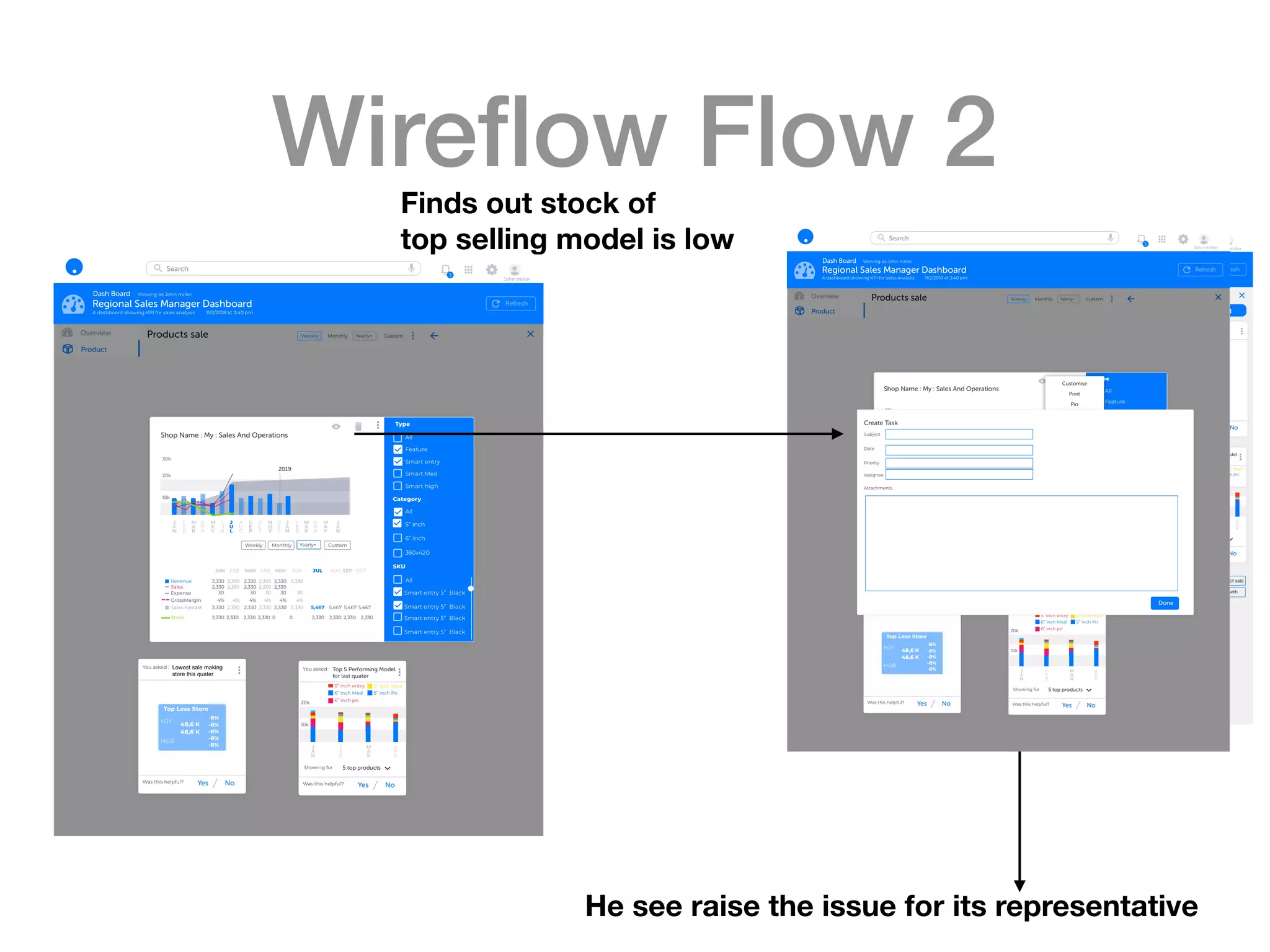
Wireflow Flow 2Finds out stock of
top selling model is low
He see raise the issue for its representative
Watch the journey
https://youtu.be/ECAXG6umRWo
See the customer journey of the solution
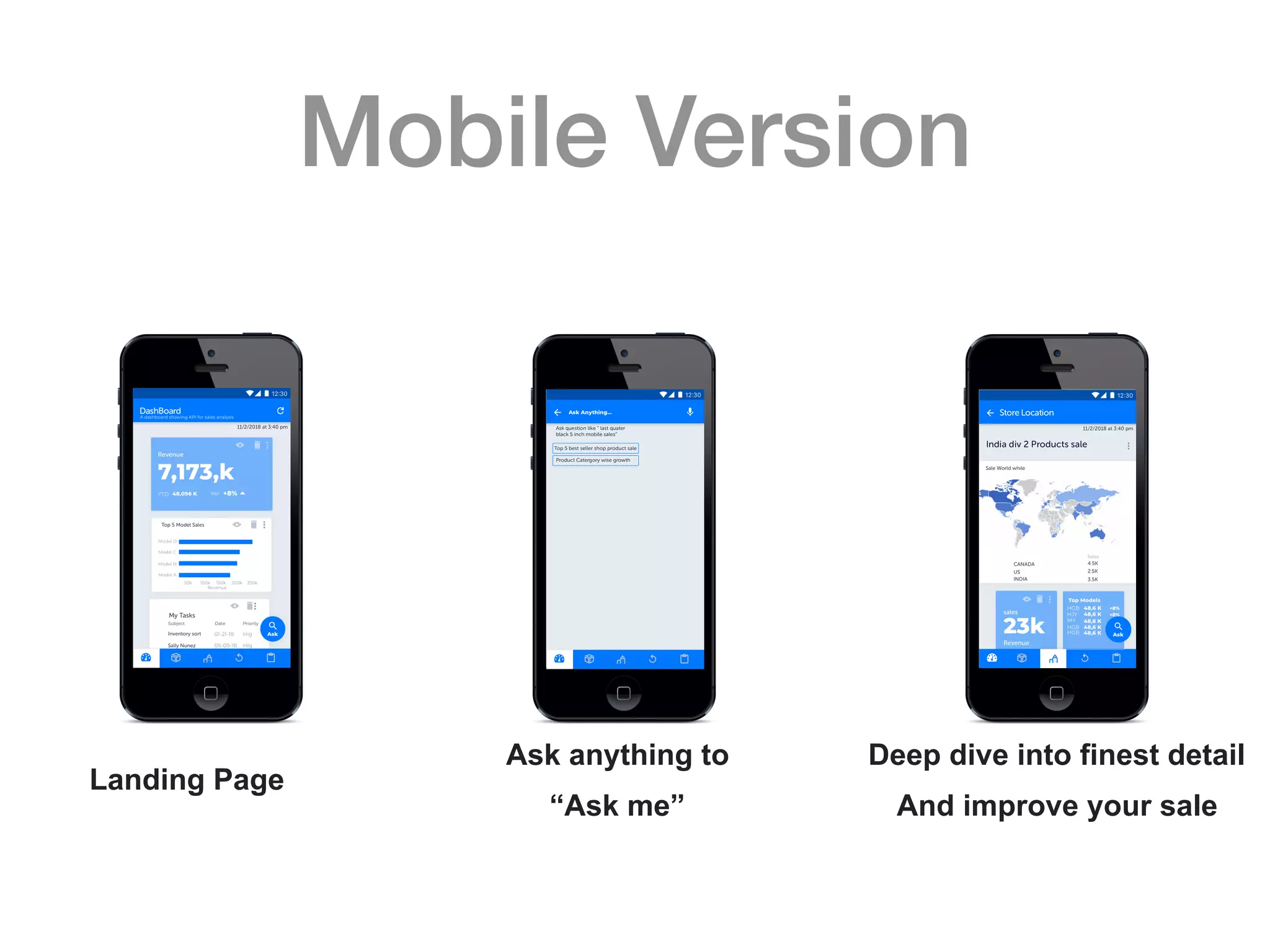
Mobile Version
Landing Page
Ask anything to
“Ask me”
Deep dive into finest detail
And improve your sale
Future scope of work
Heuristic Evaluation
Usability testings
Ui styling
Iterations and more
Thank you

Assignment johnson

  • 1.
  • 2.
    Problem statement You haveto design a ‘Sales Dashboard’ for Regional Sales Manager of Electronics Company for them to view, analyse and manage their Sales data. The goal of this dashboard is to allow the user (Regional Sales Manager) to quickly access the available information, derive insights from sales data, identify problems, make decisions and determine where corrective actions needs to be taken.
 There are thousands of stores all over the world (across various countries) with various sales data, so preventing users from having to scroll through long lists of store related data is very essential. Some of the key piece of data associated with the sales (Monthly, Quarterly and Yearly) is - · Number of units produced for devices of different models · Sales volume (Total and Country wise) · Sales revenue (Total and Country wise) · Sales Expense (Store expenses, Marketing Expense, etc.) · Net revenue (Total and Country wise) You can add more data points which could be important for the Regional Manager to achieve his/her goal. Some of the sample User Scenarios are as follows - User wants to know how many devices are sold of each model in each store - User must be able to know the trend of the top selling models in different countries - Which are the best performing stores and which are the stores with poor sales? - What is the net expense and net profit? What is the store-wise expenses and Profit? - User must be able to filter and analyse the profit and loss for each store Assumption: You can add more user scenarios as per Business Understanding and Business Needs. You can assume relevant and realistic data. User expects simplistic, intuitive and rich-visual interaction. • 1. Requirement Document – User Needs, Use cases, User Scenarios/Stories, Business Understanding and Business Needs 2. Information Architecture & Task Flows 3. Concept Wireframes (UI Flow)
  • 3.
  • 4.
    User Ecosystem Zonal Sales Manager Regional SalesManager Store Manager Gives Sales Target Assigns the budget divides Sales Target to store level Closely monitors the Sales figure to achieve target Get Sales Target Of product Closely monitors product and stocks. Assumption: Electronics Company has three level of hierarchy . a) The top level is Zonal sales manager who set the vision of Sales . b) The mid Level is Regional Sales manager who gets the target and aligned it for the store to achieve it. c) The lower level is store manager who has to fulfil ,the sales number as specify by the Regional sales manager. Electronic Company which is making Consumer Products Go to market : Exclusive Stores
  • 5.
    Personas Kelly Fox, ZonalSales Manager Age : 48 Goal : To increase the Profit . To increase the product performance. To forecast the sales and based on that she sets the target for the regional mangers Karl Joe, Regional Sales Manager Age : 42 Goal : To meet the sales target. Constantly improves the sales number. To improve the sales process. To monitor the store sales Neil Matt, Store Sales Manager Age : 39 Goal : To Meet the sales target . To increase customer satisfaction. To ensure the stock , sales and profit, as given by regional manager
  • 6.
    Persona Goal : Tomeet the sales target. Constantly improves the sale number. To improve the sales process. To monitor the store sales Karl Joe, Regional Sales Manager Age : 42 Technology : He has smartphone, company owned laptop, smart watch. He browse internet and very active in social media. Pain Points : It is very tedious job to search relevant data. The raw data are complex and very tabular , which makes very hard to gain insight from
  • 7.
    Scenerio Karl Joe, RegionalSales Manager User has target to achieve for This month. To achieve this ,he is constantly monitoring the key metrics 1 2 User finds out that the revenue growth is not as good as he aspected 3 User finds too many table and unrelated data. Which makes extremely difficult to figure out the problems 4 After hours and hours of data mining he finds out that, Some his low performing stores stocks are low, That to of highest selling models
  • 8.
    Problem Pain Points 1 User findstoo many table and unrelated data. This make extremely difficult to figure out the problem User Actions View / and observes Data Analyse and observation Create Insights Take action as per as insights 2 3 4
  • 9.
    Problem Important Business numberKPI Sales(vol) Revenue Forecasted sales ( target ) Price per unit Gross Margin Variance Profit Revenue YTD Expenses Inventory Stocks Customer Services Supplies Activities Important Data Buckets Product wise Trends Location wise Trends Time wise Trends
  • 10.
    Problem Purpose of dashboardTo achieve the Targets To gain insight of the sales figure of stores Who is the user Regional Sales Manager How often it is observed 5-6 times a day How does it look like Monitoring Dashboard How much data ? As less as possible Type of chart More of visual, less of piecharts Time period Quick sessions
  • 11.
  • 12.
  • 13.
    Possible Directions User expectssimplistic, intuitive and rich-visual interaction. Less data, easy to switch the visual representation. Custom Watch-lists, Quick search Ai Based algorithm which automatically analyses the data and gives manager, the insight Voice Search Ask Questions
  • 14.
    Directions Less data, easyto switch the visual representation Custom Watch-lists, Quick search Voice Search Ask Questions
  • 15.
    Information Architecture Overview Product wise revenue Store/location wiserevenue Action/Tasks Calendar Highlights of A) Kpi B) Product wise revenue C) Store wise revenue D) Action to be taken E) Meeting and schedule ahead F) Leader board A) Sales B) Sale revenue C) Profit D) Expense E) Gross margin F) Planning G) Trends Filters A) Sales B) Sale revenue C) Profit D) Expense E) Gross margin F) Planning G) Inventory H) Stocks I) Customer service J) Trends Filters A) Generate Task B) Generate Report C) Resolve a task D) Expense E) Appointment A) Subject B) Assignee C) Date D) Priority E) Follow ups F) Status G) Watchlist A) Add Event B) View Event C) Delete Event D) Action triggers E) Meetings A) Birthday B) Appointments C) Marketing campaign D) Store activity
  • 16.
  • 17.
  • 18.
  • 19.
  • 20.
    Features 1. Fully customisable Dashboard.Easy to remove cards 2. Change the view of card. Explore new chart to fit your need 3. Mining of data is fun now. Thanks to “Ask anything”. It will give you everything, just ask it. The auto suggestion will further help you to gain useful insight in quick time
  • 21.
  • 22.
  • 23.
  • 24.
  • 25.
    Wireflow Flow 1 ViewData and analytics Fluidly 1. Fully customisable Dashboard. Easy to remove cards Set new Kpi And add to the watch-list
  • 26.
    Wireflow Flow 1 NextPage Each data can be filter And condition as per as user need The cart visual can be Changed on the go
  • 27.
    Wireflow Flow 1 Getto the finest details To create greater understanding of problem
  • 28.
    Wireflow Flow 2(Ask me) He searched of top Looser store User start his Search when He saw revenue down He searched of top grossing model
  • 29.
    Wireflow Flow 2Aftergetting two data fact user is probing deep He sees the detail data of shop
  • 30.
    Wireflow Flow 2Findsout stock of top selling model is low He see raise the issue for its representative
  • 31.
    Watch the journey https://youtu.be/ECAXG6umRWo Seethe customer journey of the solution
  • 32.
    Mobile Version Landing Page Askanything to “Ask me” Deep dive into finest detail And improve your sale
  • 33.
    Future scope ofwork Heuristic Evaluation Usability testings Ui styling Iterations and more
  • 34.