Grade :9
Lesson :1
 It is an acronym for the American Standard Code for Information Interchange.
 It is a standard seven-bit code that was first proposed by the American National
Standards Institute or ANSI in 1963, and finalized in 1968 as ANSI Standard
X3.4.
 The purpose of ASCII was to provide a standard to code various symbols ( visible
and invisible symbols)
 In the ASCII character set, each binary value between 0 and 127 represents a
specific character.
 Most computers extend the ASCII character set to use the full range of 256
characters available in a byte. The upper 128 characters handle special things like
accented characters from common foreign languages.
 In general, ASCII works by assigning standard numeric values to letters,
numbers, punctuation marks and other characters such as control codes.
 An uppercase "A," for example, is represented by the decimal number 65."
 Bytes can represent any collection of items using a “look-up table” approach
 ASCII is used to represent characters
 ASCII American Standard Code for Information Interchange
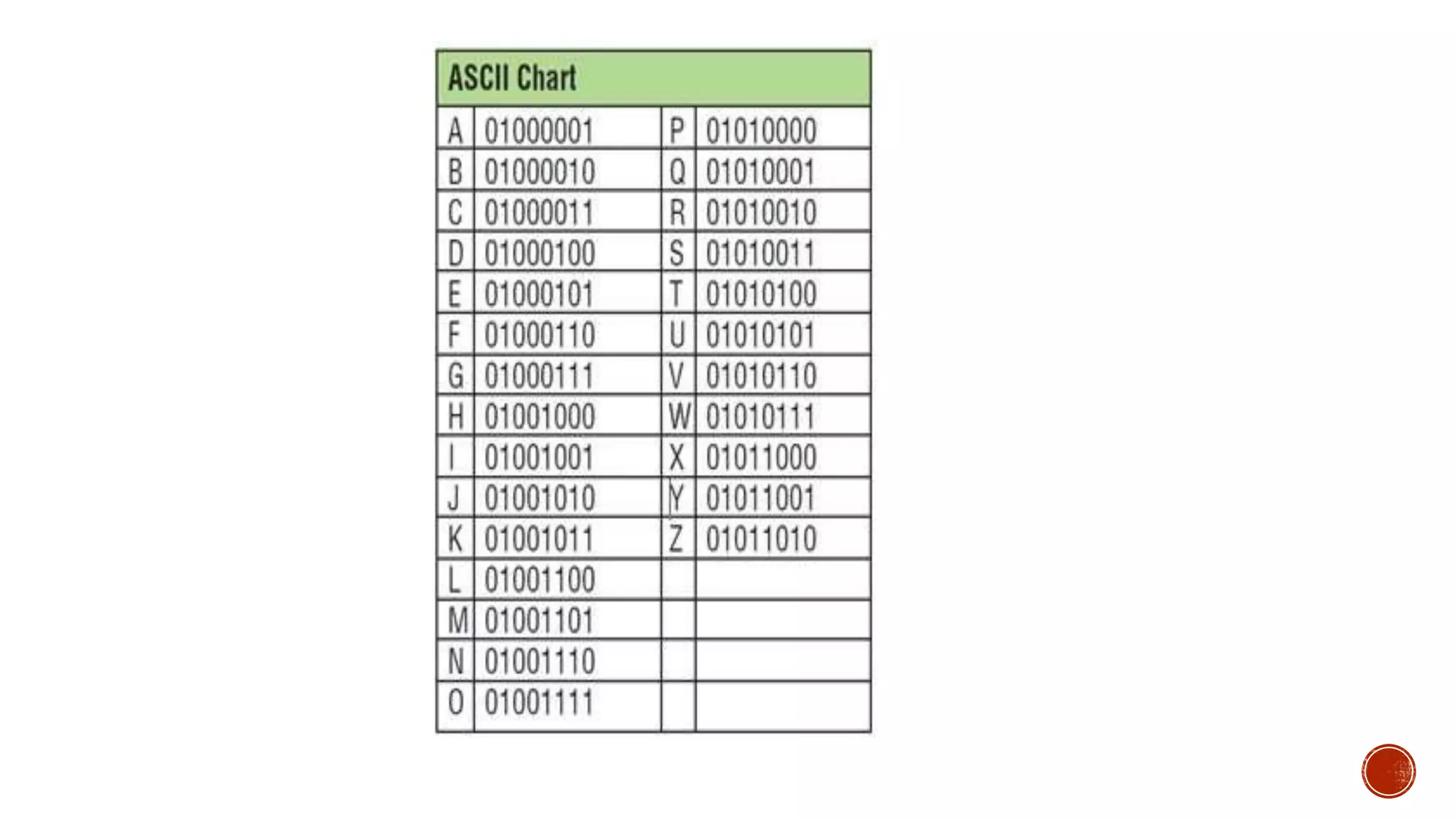
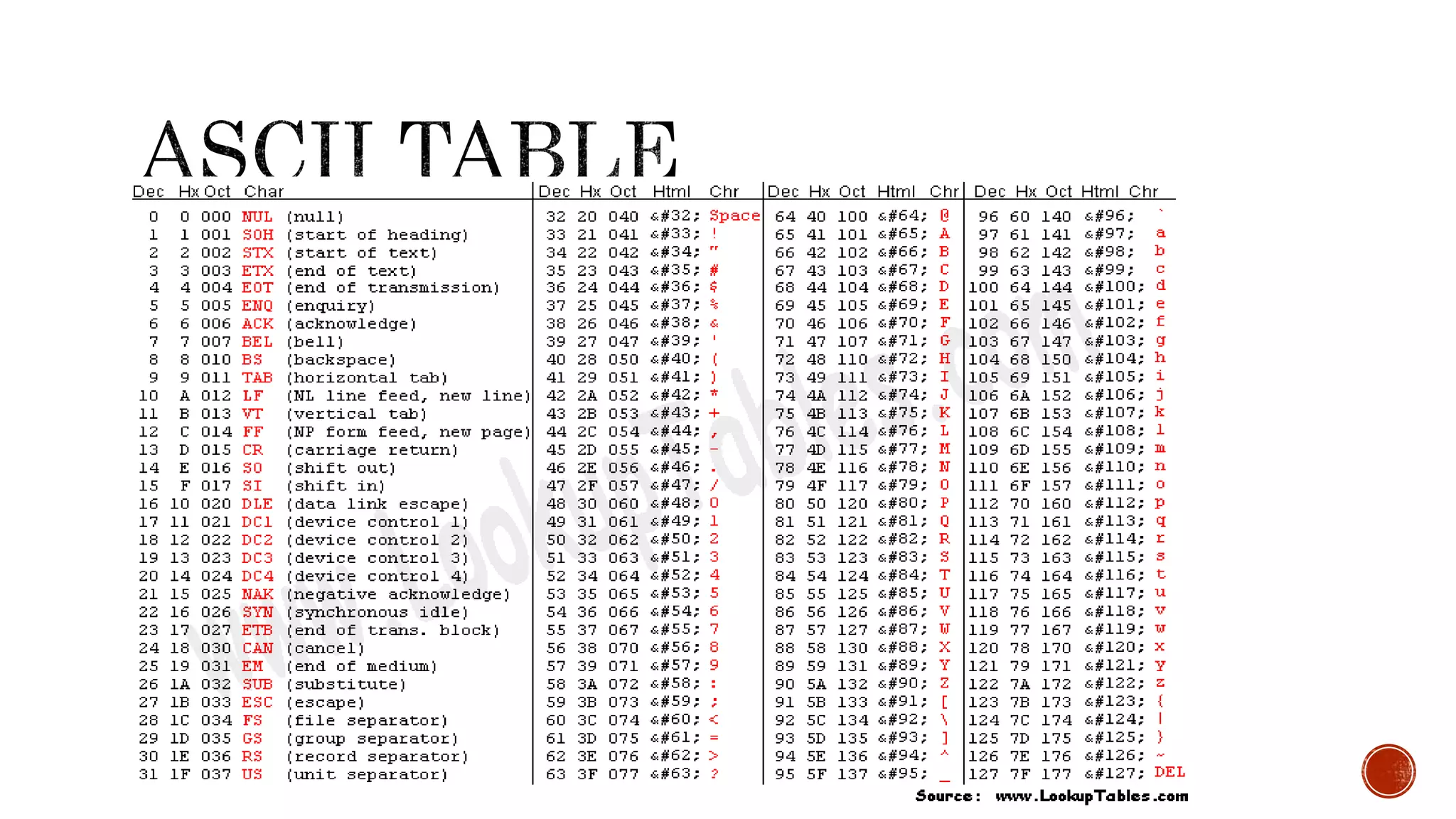
 By looking at the ASCII table, you can clearly see a one-to-one correspondence
between each character and the ASCII code used.
 For example, 32 is the ASCII code for a space.
 We could expand these decimal numbers out to binary numbers (so 32 = ), if we
wanted to be technically correct -- that is how the computer really deals with
things.
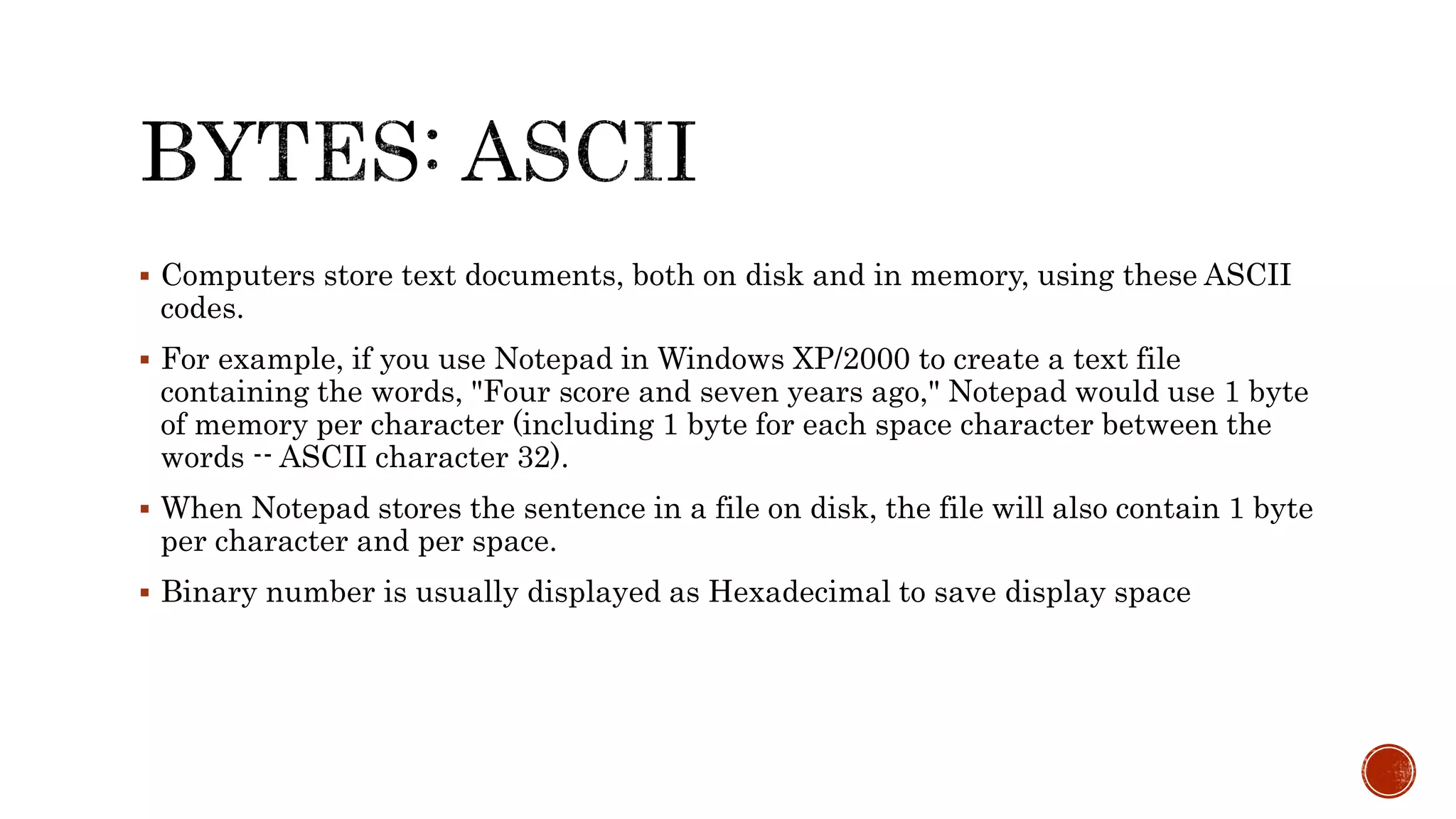
 Computers store text documents, both on disk and in memory, using these ASCII
codes.
 For example, if you use Notepad in Windows XP/2000 to create a text file
containing the words, "Four score and seven years ago," Notepad would use 1 byte
of memory per character (including 1 byte for each space character between the
words -- ASCII character 32).
 When Notepad stores the sentence in a file on disk, the file will also contain 1 byte
per character and per space.
 Binary number is usually displayed as Hexadecimal to save display space
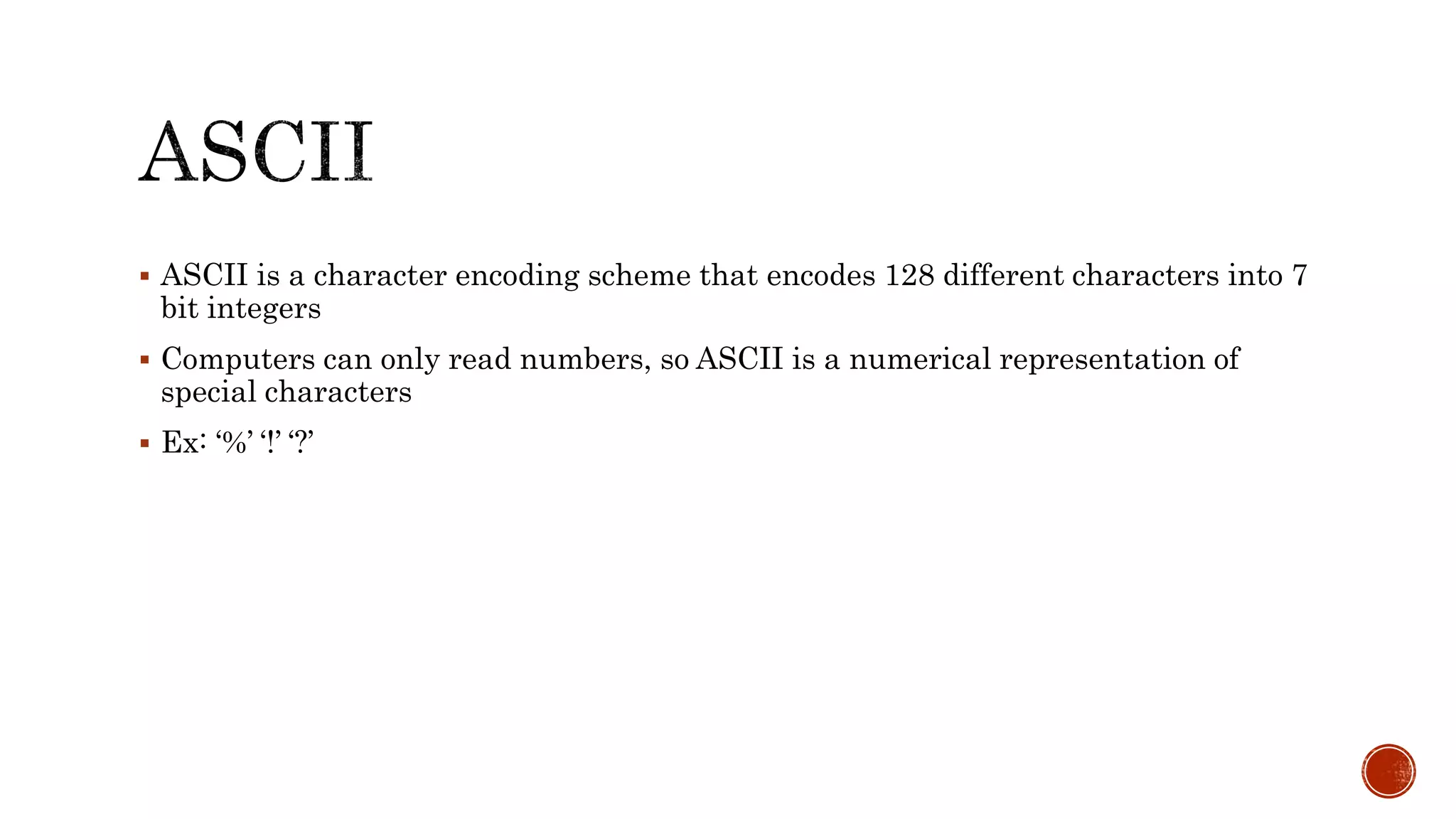
 ASCII is a character encoding scheme that encodes 128 different characters into 7
bit integers
 Computers can only read numbers, so ASCII is a numerical representation of
special characters
 Ex: ‘%’ ‘!’ ‘?’
 Each letter is assigned a number from 0-127
 Ex: An uppercase ‘m’ has the ASCII code of 77
 By 2007, ASCII was the most commonly used character encoding program on the
internet
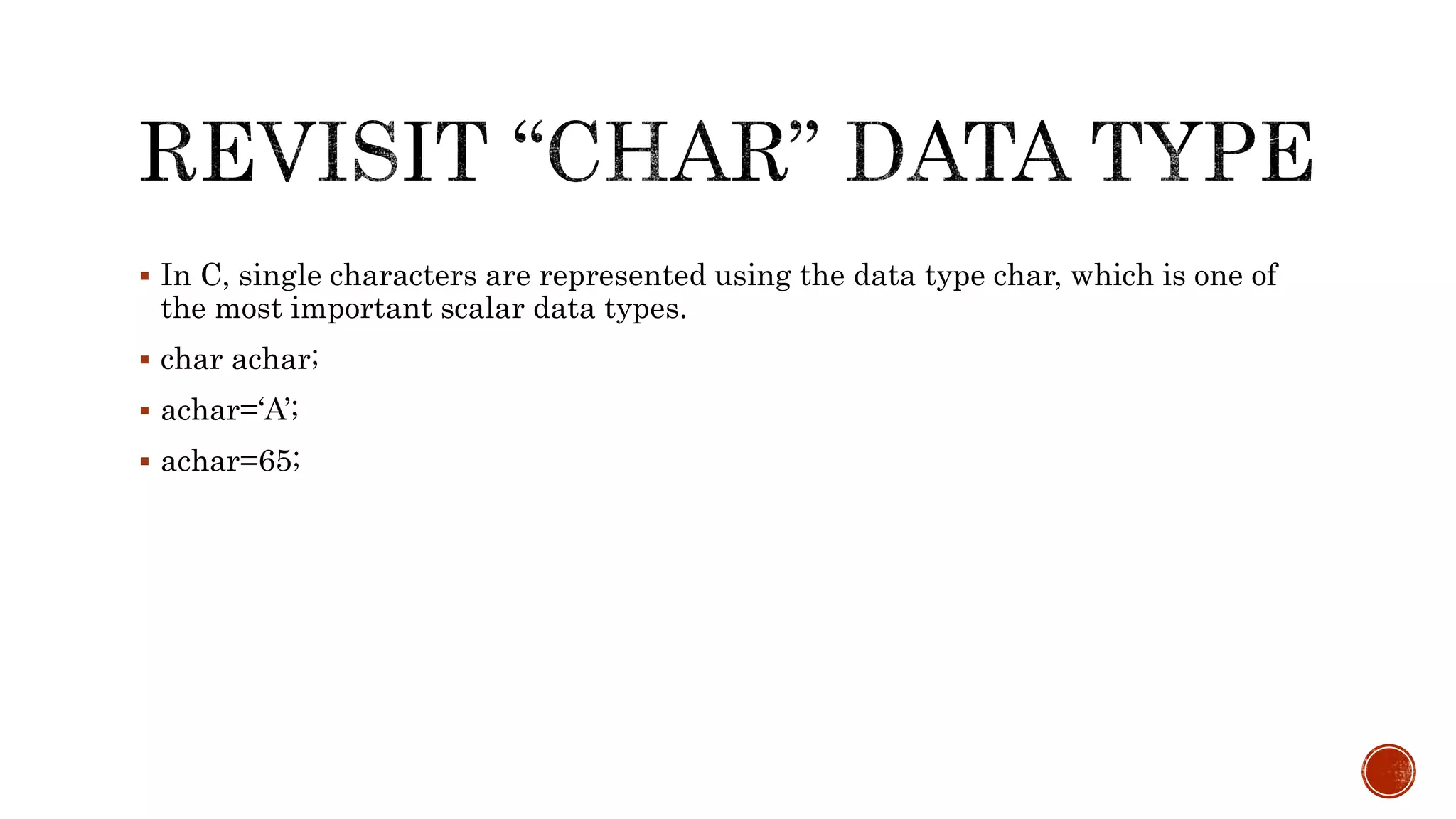
 In C, single characters are represented using the data type char, which is one of
the most important scalar data types.
 char achar;
 achar=‘A’;
 achar=65;
 A character and an integer (actually a small integer spanning only 8 bits) are
actually indistinguishable on their own. If you want to use it as a char, it will be a
char, if you want to use it as an integer, it will be an integer, as long as you know
how to use proper C++ statements to express your intentions.
 ts main objective is to enable a single, unique character set that is capable of
supporting all characters from all scripts, as well as symbols, that are commonly
utilized for computer processing throughout the globe
 Fun fact: Unicode is capable of encoding about at least 1,110,000 characters!
 Encode text for creation of passwords
 Encode characters used in settings
 Modify characters used in documents
 Encodes characters to display in all webpages

ASCII and Unicode.pptx

  • 1.
  • 2.
     It isan acronym for the American Standard Code for Information Interchange.  It is a standard seven-bit code that was first proposed by the American National Standards Institute or ANSI in 1963, and finalized in 1968 as ANSI Standard X3.4.  The purpose of ASCII was to provide a standard to code various symbols ( visible and invisible symbols)
  • 3.
     In theASCII character set, each binary value between 0 and 127 represents a specific character.  Most computers extend the ASCII character set to use the full range of 256 characters available in a byte. The upper 128 characters handle special things like accented characters from common foreign languages.  In general, ASCII works by assigning standard numeric values to letters, numbers, punctuation marks and other characters such as control codes.  An uppercase "A," for example, is represented by the decimal number 65."
  • 4.
     Bytes canrepresent any collection of items using a “look-up table” approach  ASCII is used to represent characters  ASCII American Standard Code for Information Interchange
  • 6.
     By lookingat the ASCII table, you can clearly see a one-to-one correspondence between each character and the ASCII code used.  For example, 32 is the ASCII code for a space.  We could expand these decimal numbers out to binary numbers (so 32 = ), if we wanted to be technically correct -- that is how the computer really deals with things.
  • 7.
     Computers storetext documents, both on disk and in memory, using these ASCII codes.  For example, if you use Notepad in Windows XP/2000 to create a text file containing the words, "Four score and seven years ago," Notepad would use 1 byte of memory per character (including 1 byte for each space character between the words -- ASCII character 32).  When Notepad stores the sentence in a file on disk, the file will also contain 1 byte per character and per space.  Binary number is usually displayed as Hexadecimal to save display space
  • 9.
     ASCII isa character encoding scheme that encodes 128 different characters into 7 bit integers  Computers can only read numbers, so ASCII is a numerical representation of special characters  Ex: ‘%’ ‘!’ ‘?’
  • 10.
     Each letteris assigned a number from 0-127  Ex: An uppercase ‘m’ has the ASCII code of 77  By 2007, ASCII was the most commonly used character encoding program on the internet
  • 11.
     In C,single characters are represented using the data type char, which is one of the most important scalar data types.  char achar;  achar=‘A’;  achar=65;
  • 12.
     A characterand an integer (actually a small integer spanning only 8 bits) are actually indistinguishable on their own. If you want to use it as a char, it will be a char, if you want to use it as an integer, it will be an integer, as long as you know how to use proper C++ statements to express your intentions.
  • 13.
     ts mainobjective is to enable a single, unique character set that is capable of supporting all characters from all scripts, as well as symbols, that are commonly utilized for computer processing throughout the globe  Fun fact: Unicode is capable of encoding about at least 1,110,000 characters!
  • 14.
     Encode textfor creation of passwords  Encode characters used in settings  Modify characters used in documents  Encodes characters to display in all webpages