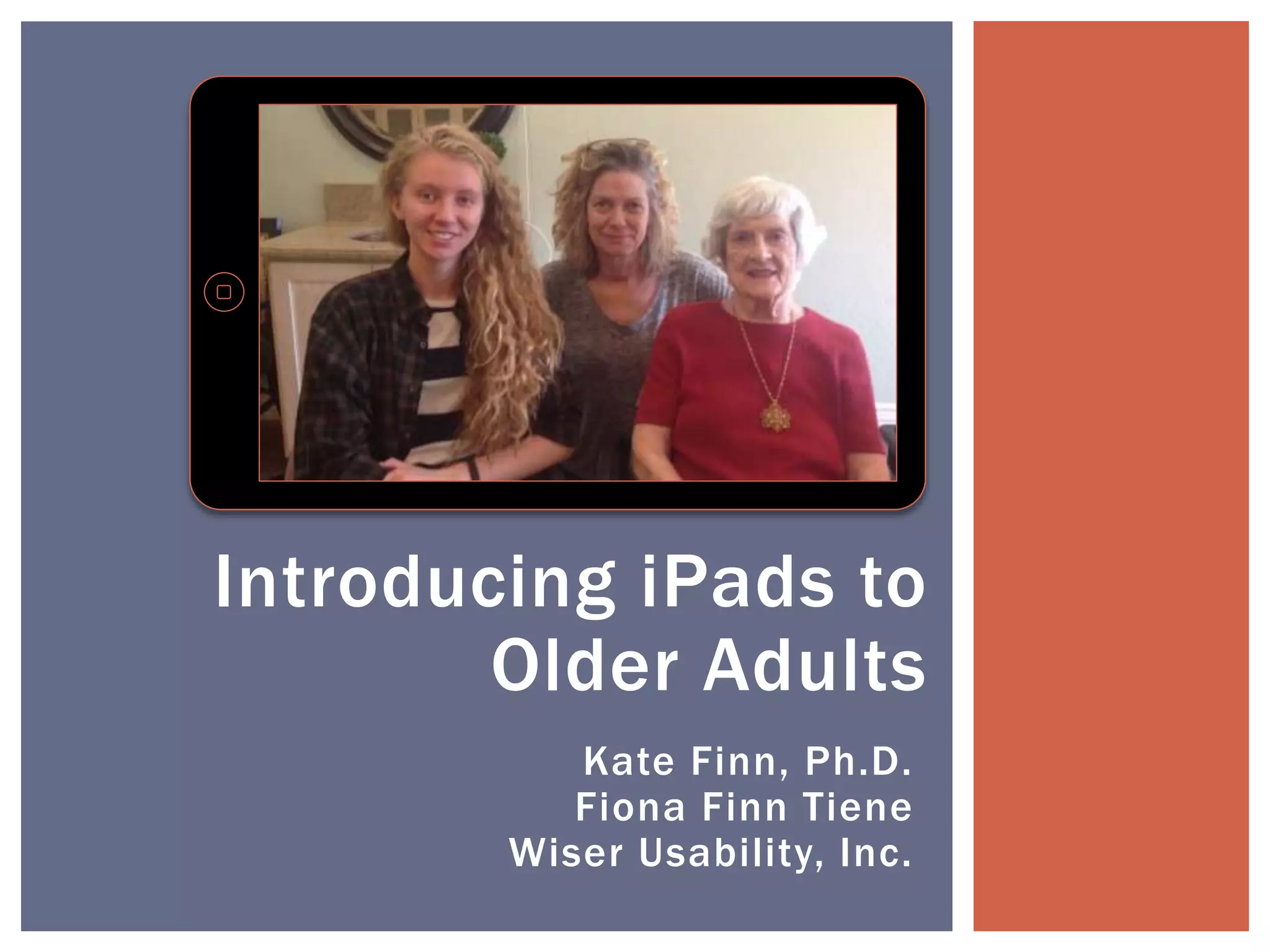
Kate Finn, Ph.D.
Fiona Finn Tiene
Wiser Usability, Inc.
Introducing iPads to
Older Adults
"I don't have any formal studies, but I see
residents who don't like large groups now
have something to keep them stimulated,
and I see their smiles and satisfaction
that they can accomplish the task.”
[Director of a Memory Care Assisted Living Residence]
Why an iPad? Why Now?
ASA 2014 2Introducing iPads to Older Adults
“The dominant response in residents’
satisfaction surveys was the desire for
more technology and education.”
[Director of Bus Dev at Senior Living Community]
Why an iPad? Why Now?
ASA 2014 3Introducing iPads to Older Adults
“The residents were clearly engaged for a
lengthy amount of time and proud of
themselves once they completed a game.”
[Director of Assisted Living Community]
Why an iPad? Why Now?
ASA 2014 4Introducing iPads to Older Adults
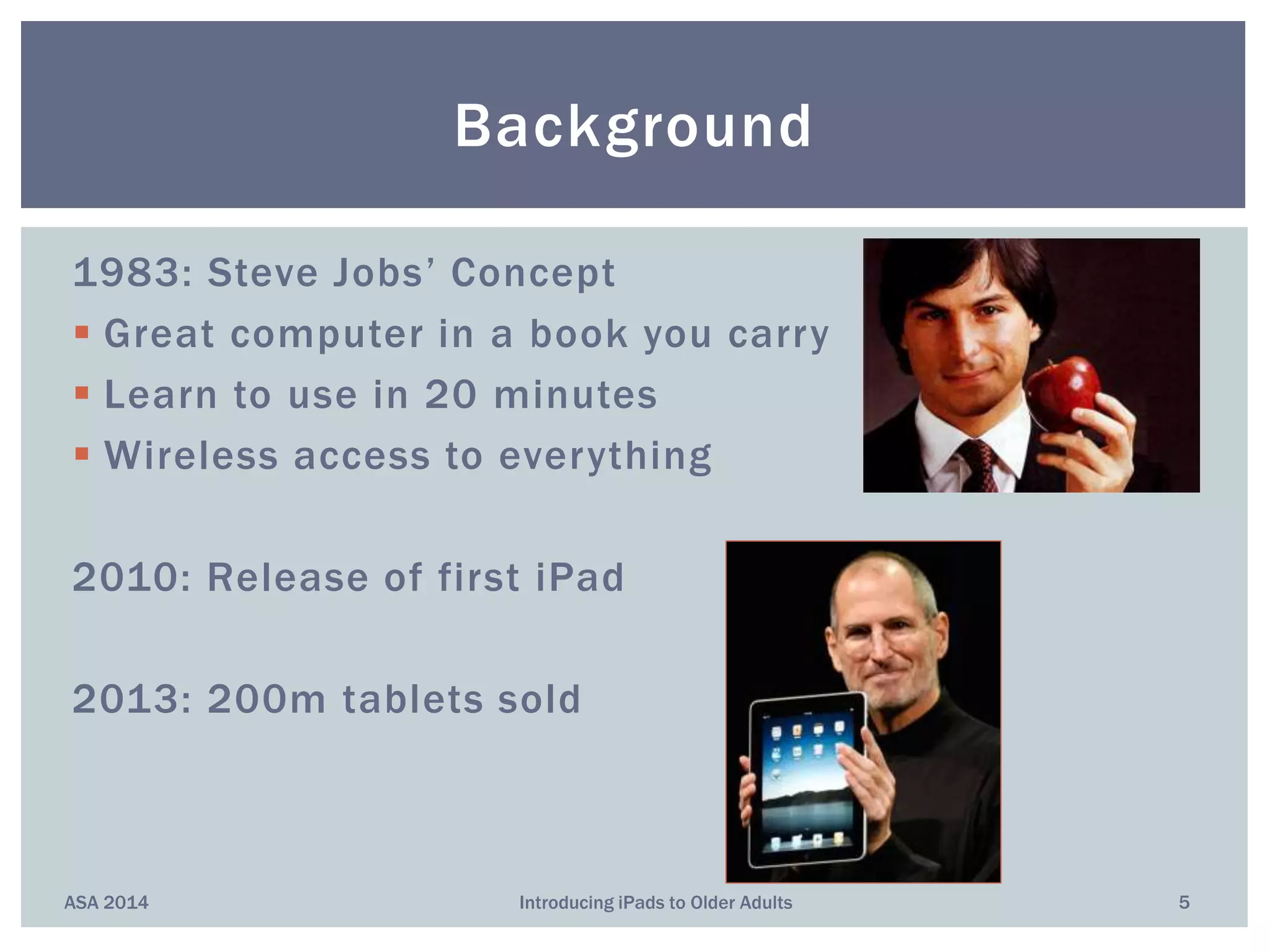
1983: Steve Jobs’ Concept
 Great computer in a book you carry
 Learn to use in 20 minutes
 Wireless access to everything
2010: Release of first iPad
2013: 200m tablets sold
Background
ASA 2014 5Introducing iPads to Older Adults
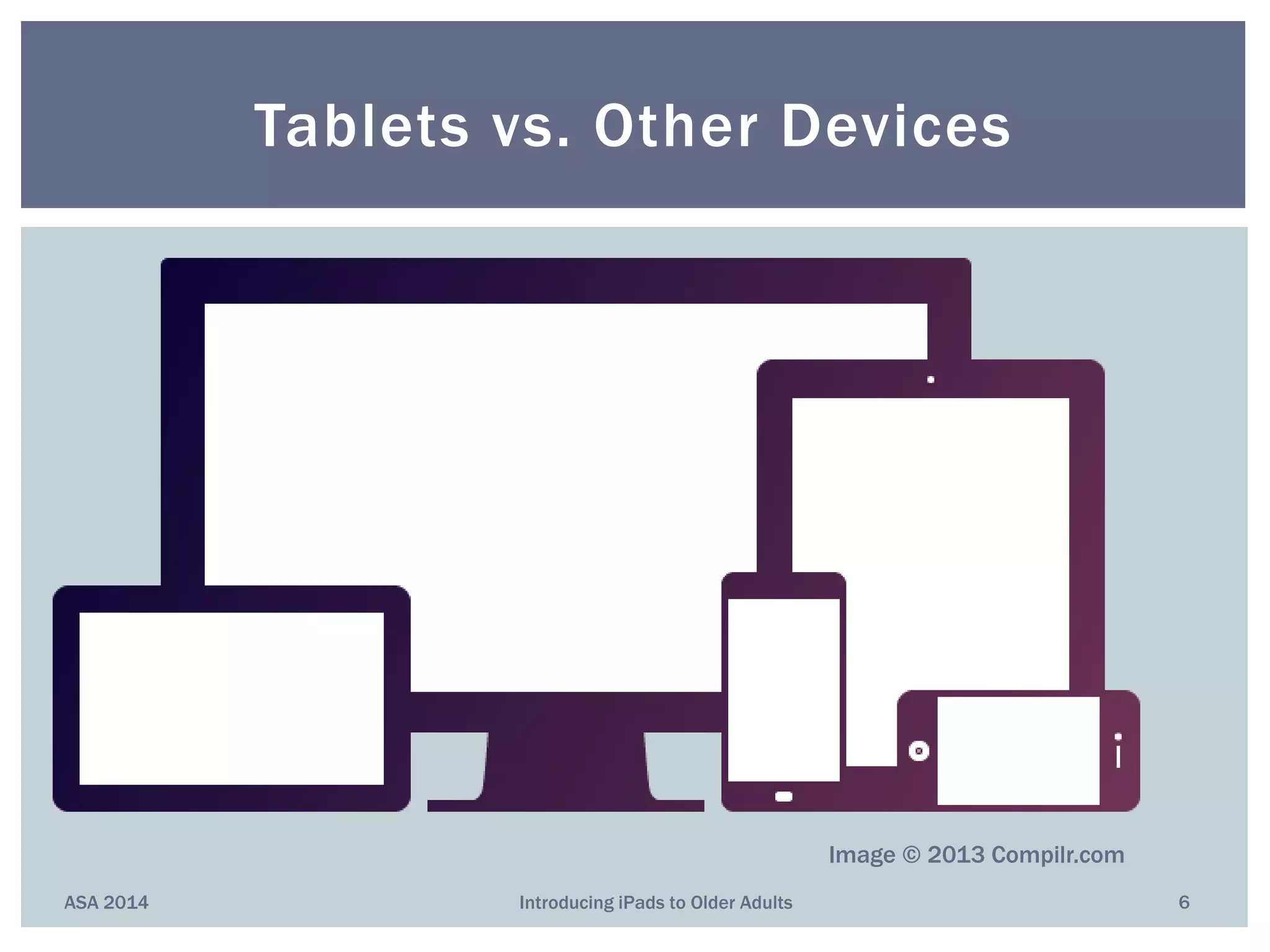
Tablets vs. Other Devices
ASA 2014 6Introducing iPads to Older Adults
Image © 2013 Compilr.com
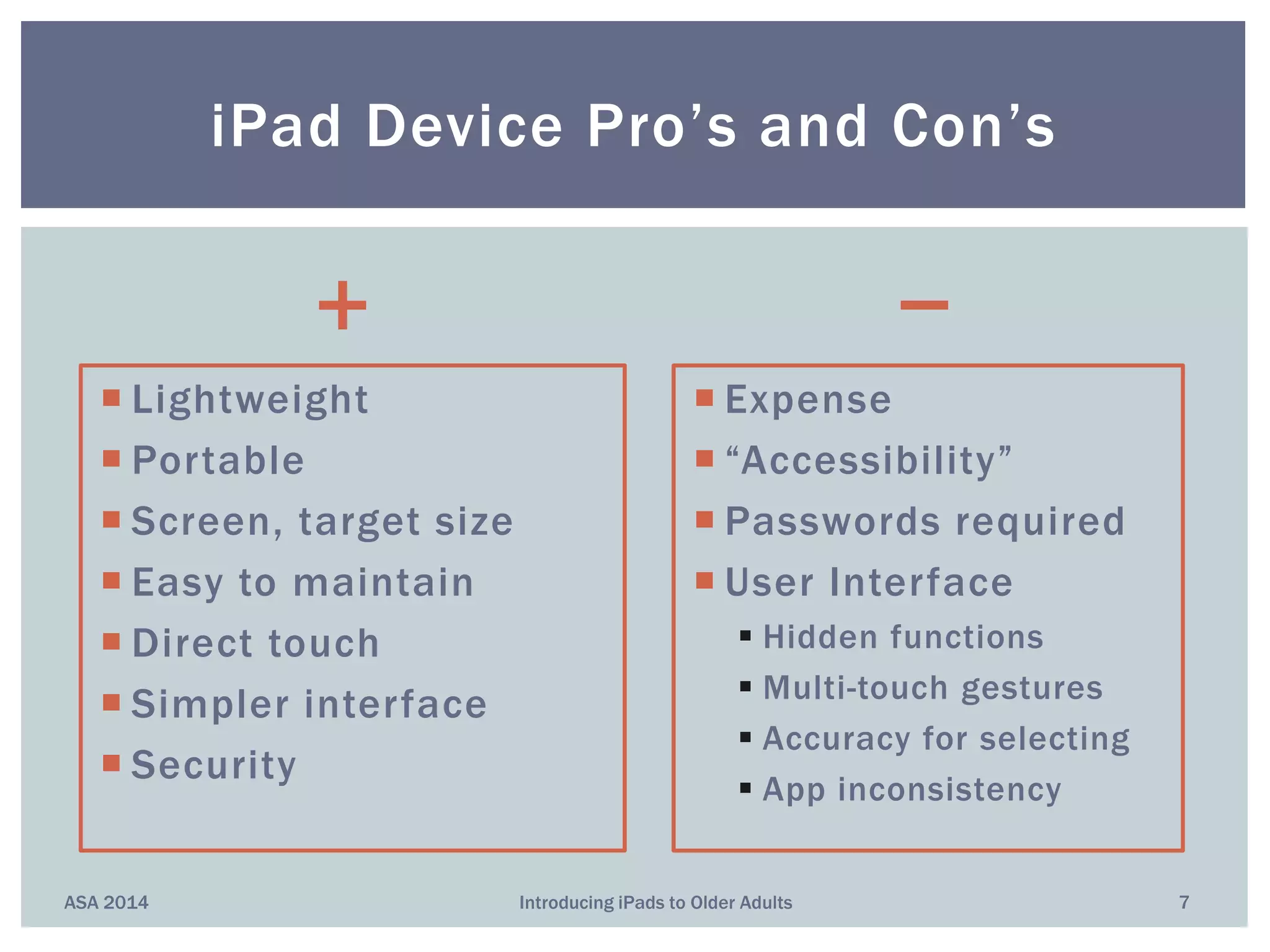
+
 Lightweight
 Portable
 Screen, target size
 Easy to maintain
 Direct touch
 Simpler interface
 Security
−
 Expense
 “Accessibility”
 Passwords required
 User Interface
 Hidden functions
 Multi-touch gestures
 Accuracy for selecting
 App inconsistency
ASA 2014 Introducing iPads to Older Adults 7
iPad Device Pro’s and Con’s
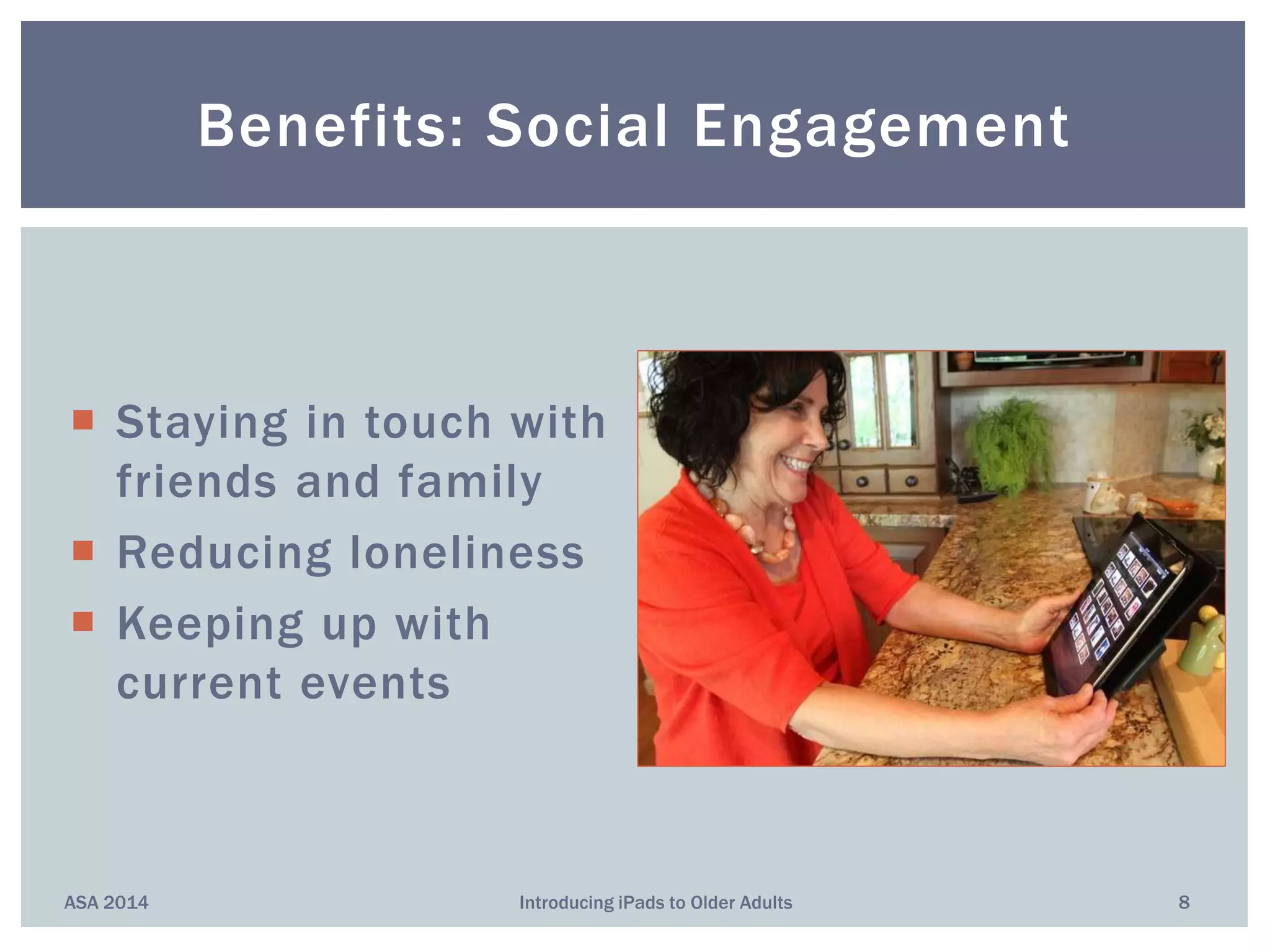
 Staying in touch with
friends and family
 Reducing loneliness
 Keeping up with
current events
Benefits: Social Engagement
ASA 2014 8Introducing iPads to Older Adults
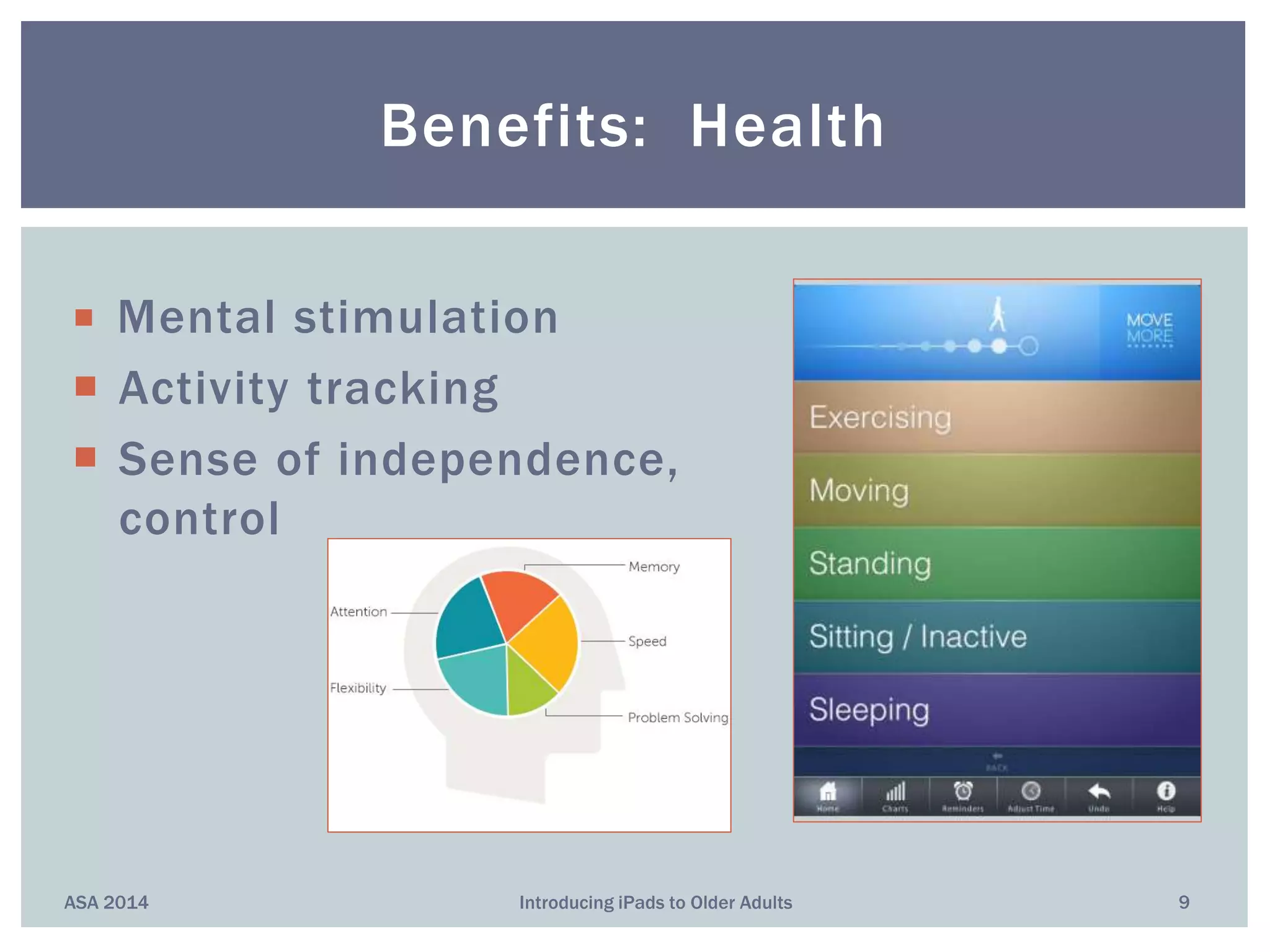
 Mental stimulation
 Activity tracking
 Sense of independence,
control
Benefits: Health
ASA 2014 9Introducing iPads to Older Adults
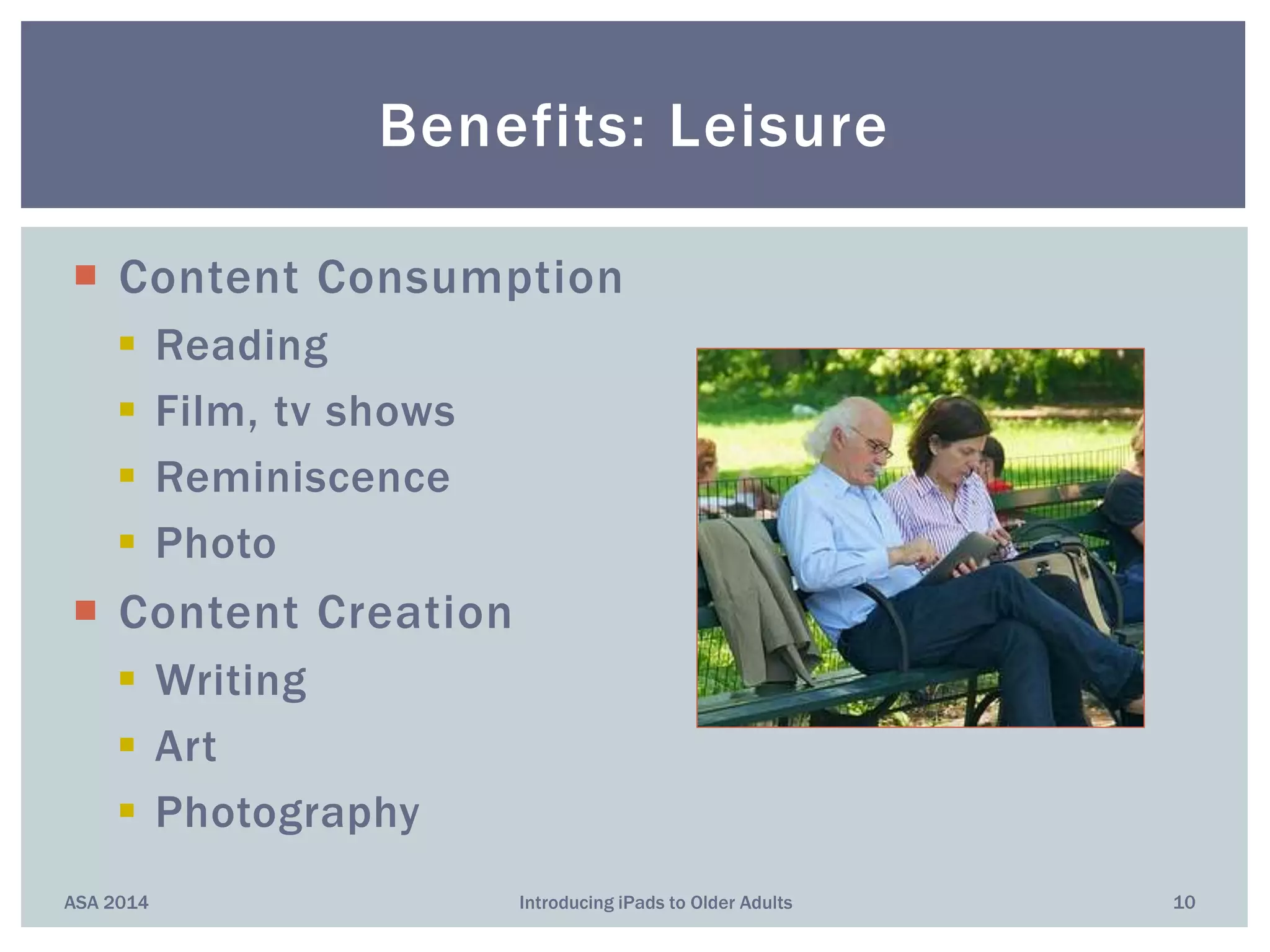
 Content Consumption
 Reading
 Film, tv shows
 Reminiscence
 Photo
 Content Creation
 Writing
 Art
 Photography
Benefits: Leisure
ASA 2014 10Introducing iPads to Older Adults
“Reasons why iPads are good for memory care
residents” [from aPlaceForMom.com]
 Encourage socialization; some encourage mobility
 Open up ways of communication (music, art)
 Something new, fun, “easy”
Benefits: People with
Memory Impairments
ASA 2014 11Introducing iPads to Older Adults
Older Adults’ Main Uses for iPads?
Mostly the Same as Everyone Else’s!
ASA 2014 12Introducing iPads to Older Adults
 Keeping in touch with friends/family
 Reading
 Brain training and other games
 Health research
 Financial transactions
 Shopping
 Taking, organizing photos
 Reminiscing, autobiography
 Listening to music
ASA 2014 Introducing iPads to Older Adults 13
 Good question!
 Strong push for “helpful” apps for the 50+
Most Popular Mobile Applications?
“Savvy Seniors”
• Skype
• Story Before Bed
• Find My Phone
• Over 40 Magnifier
• Pillboxie
• VizWiz
• Dragon Dictation
• iDiabetes
• BP Monitor
“Devices & Apps for the Elderly”
• MedWatcher
• Diabetes
• Prime Alert
• MediSave Virtual Pillbox
“Top Apps for Post50s”
• It’s Done
• Eye Reader
• Pandora
• Park’n Find
• iTriage
• Mint.com
• Ambiance
• GasBuddy
• Fandango
• AroundMe
ASA 2014 Introducing iPads to Older Adults 14
Example Programs
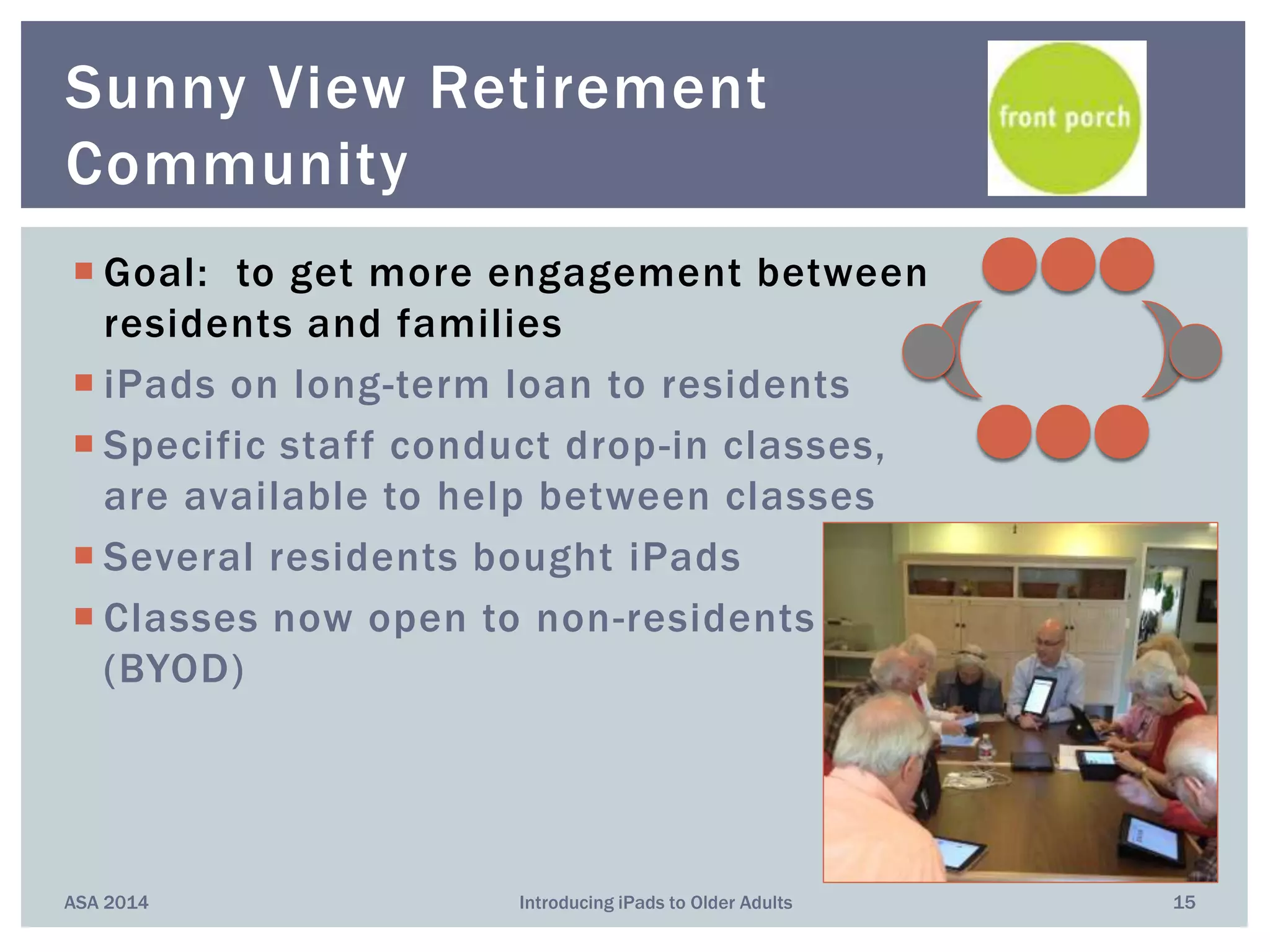
 Goal: to get more engagement between
residents and families
 iPads on long-term loan to residents
 Specific staff conduct drop-in classes,
are available to help between classes
 Several residents bought iPads
 Classes now open to non-residents
(BYOD)
ASA 2014 Introducing iPads to Older Adults 15
Sunny View Retirement
Community
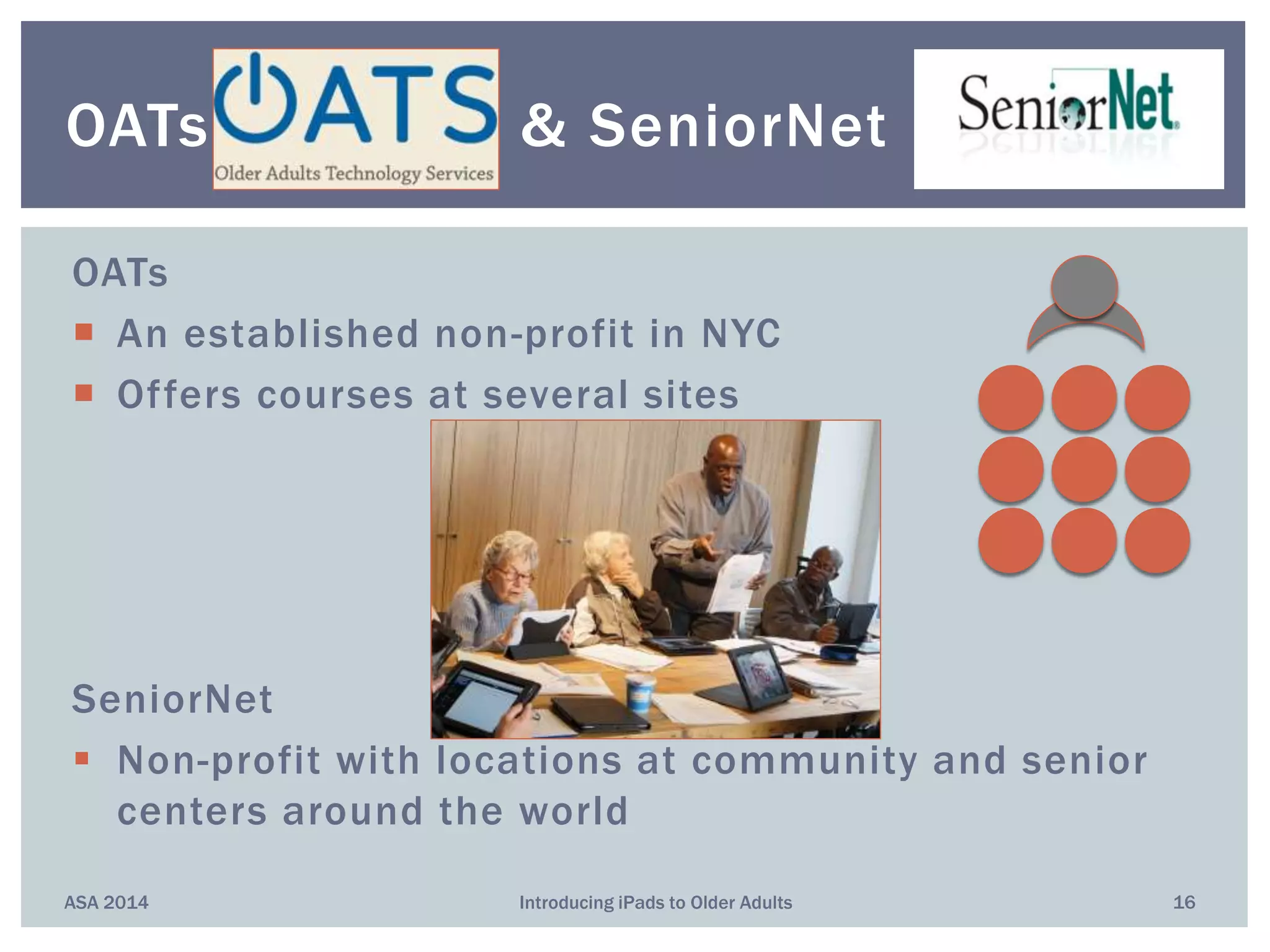
OATs
 An established non-profit in NYC
 Offers courses at several sites
SeniorNet
 Non-profit with locations at community and senior
centers around the world
ASA 2014 Introducing iPads to Older Adults 16
OATs & SeniorNet
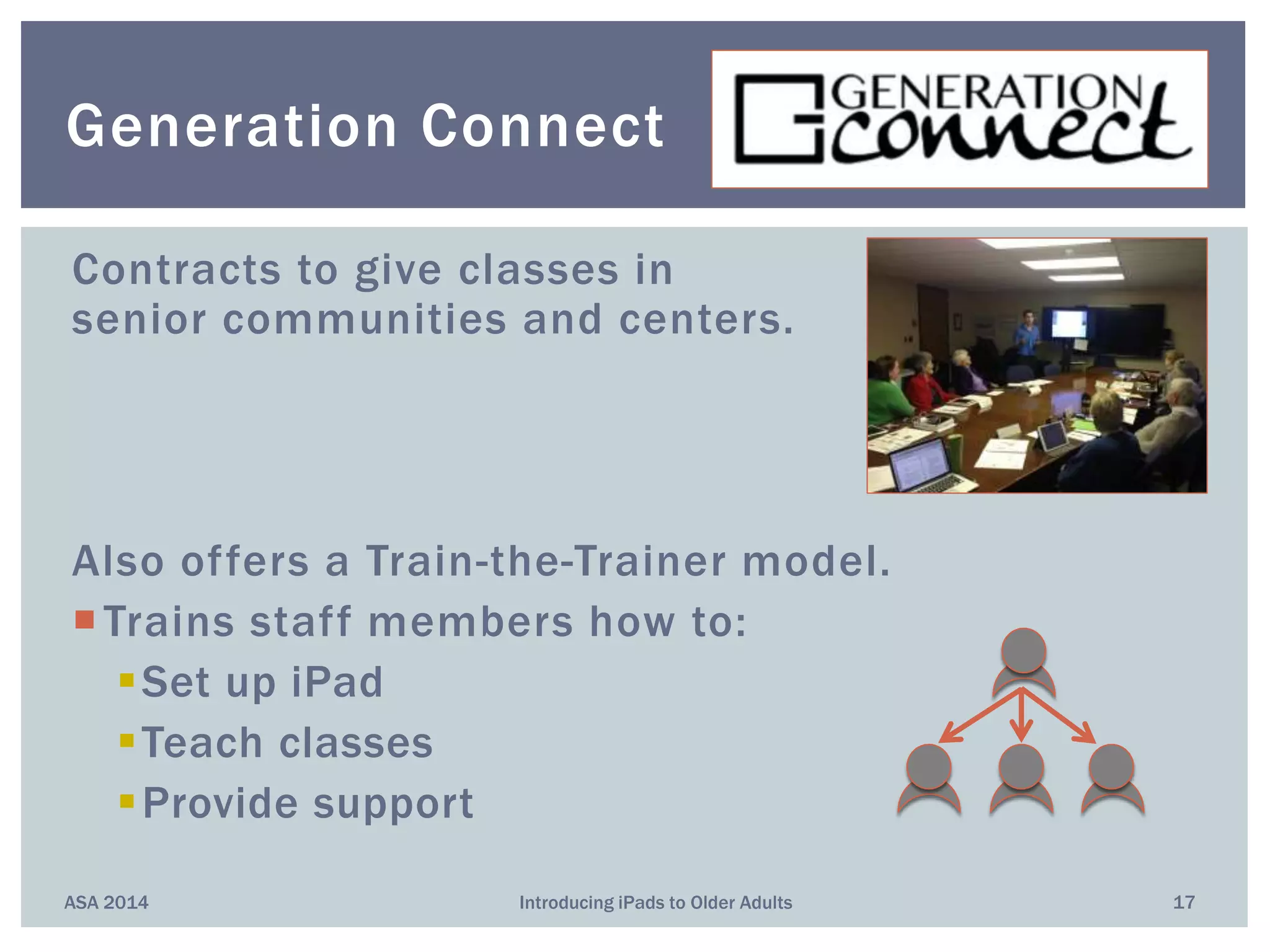
Contracts to give classes in
senior communities and centers.
Also offers a Train-the-Trainer model.
Trains staff members how to:
Set up iPad
Teach classes
Provide support
ASA 2014 Introducing iPads to Older Adults 17
Generation Connect
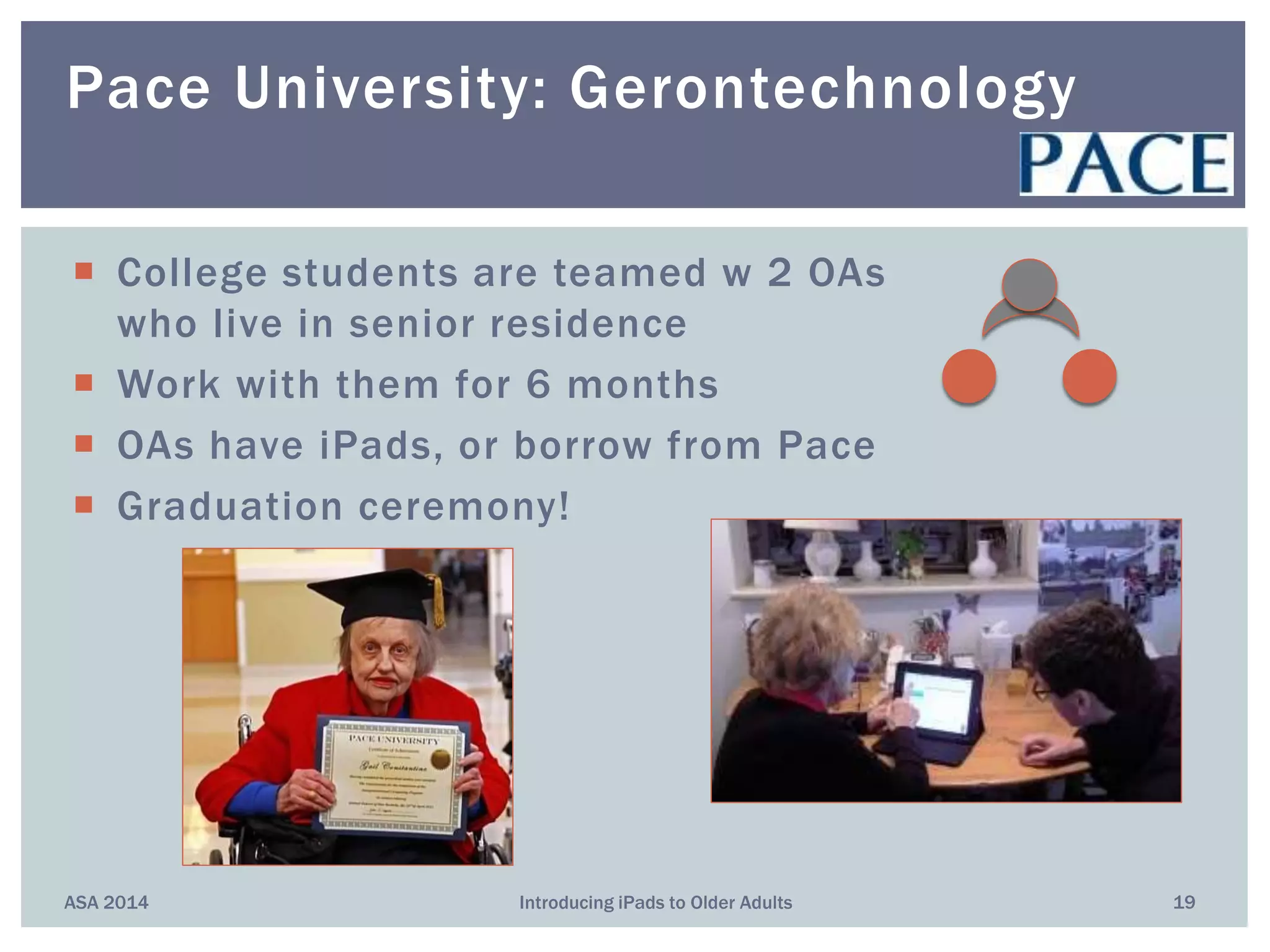
 25 teen volunteers partnered with 35 OAs
 Over 5-mos, held 28 learning events (450)
 “Improved seniors’ technology knowledge and
enriched the lives of both generations”
 One-to-one tutoring available by appt
 BYOD
ASA 2014 Introducing iPads to Older Adults 18
City of Palo Alto Library
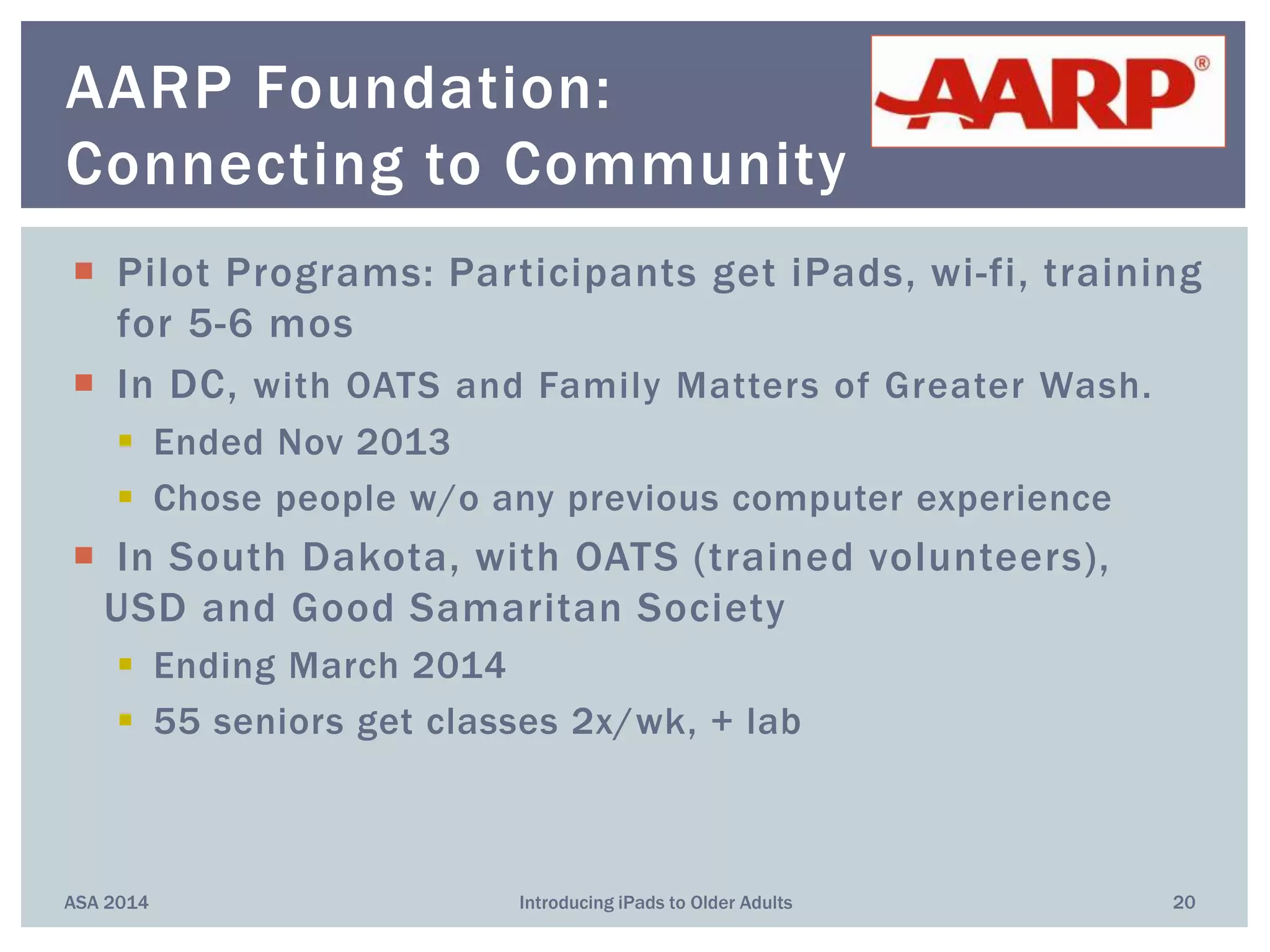
 College students are teamed w 2 OAs
who live in senior residence
 Work with them for 6 months
 OAs have iPads, or borrow from Pace
 Graduation ceremony!
ASA 2014 Introducing iPads to Older Adults 19
Pace University: Gerontechnology
 Pilot Programs: Participants get iPads, wi-fi, training
for 5-6 mos
 In DC, with OATS and Family Matters of Greater Wash.
 Ended Nov 2013
 Chose people w/o any previous computer experience
 In South Dakota, with OATS (trained volunteers),
USD and Good Samaritan Society
 Ending March 2014
 55 seniors get classes 2x/wk, + lab
ASA 2014 Introducing iPads to Older Adults 20
AARP Foundation:
Connecting to Community
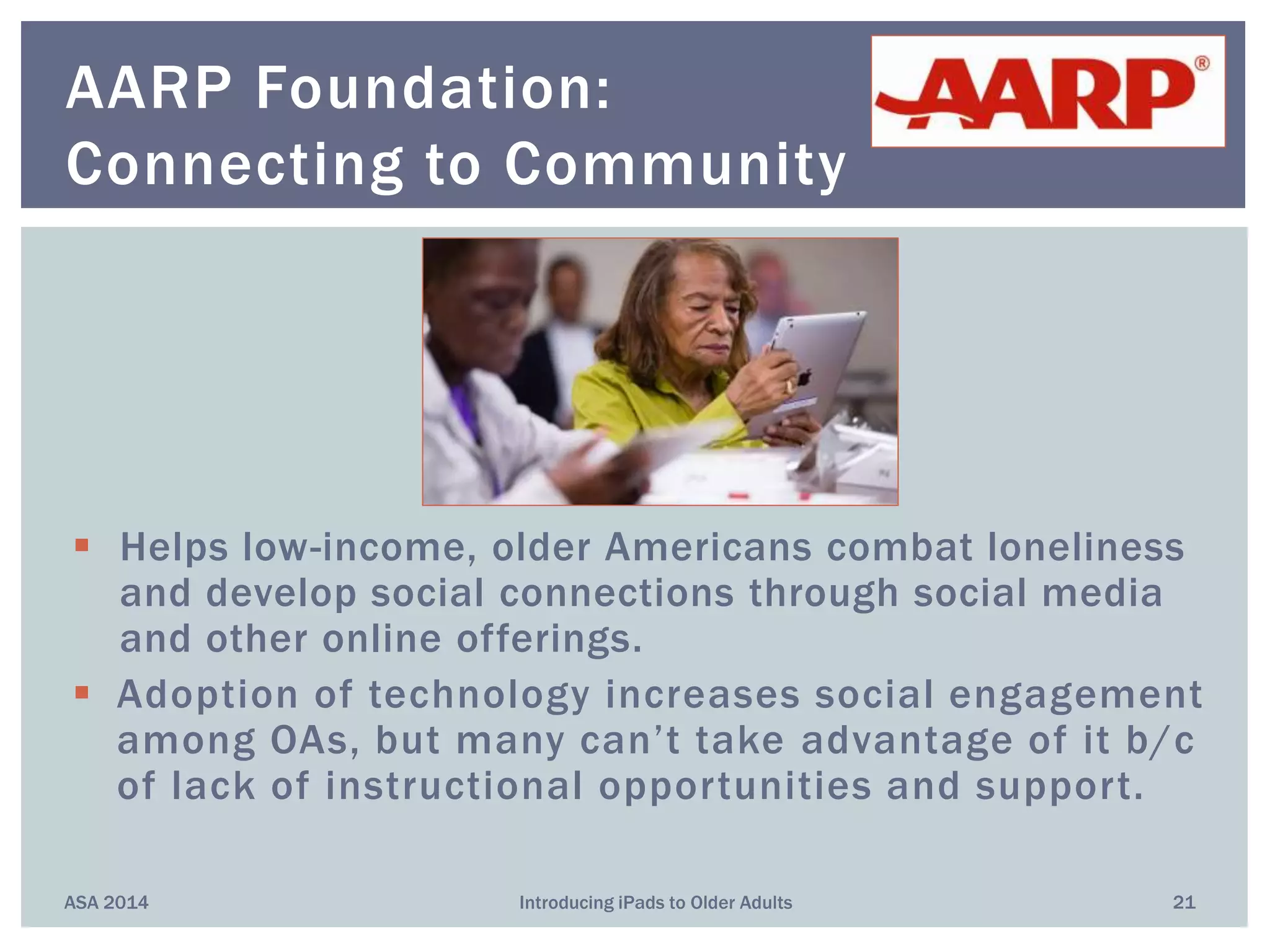
 Helps low-income, older Americans combat loneliness
and develop social connections through social media
and other online offerings.
 Adoption of technology increases social engagement
among OAs, but many can’t take advantage of it b/c
of lack of instructional opportunities and support.
ASA 2014 Introducing iPads to Older Adults 21
AARP Foundation:
Connecting to Community
ASA 2014 Introducing iPads to Older Adults 22
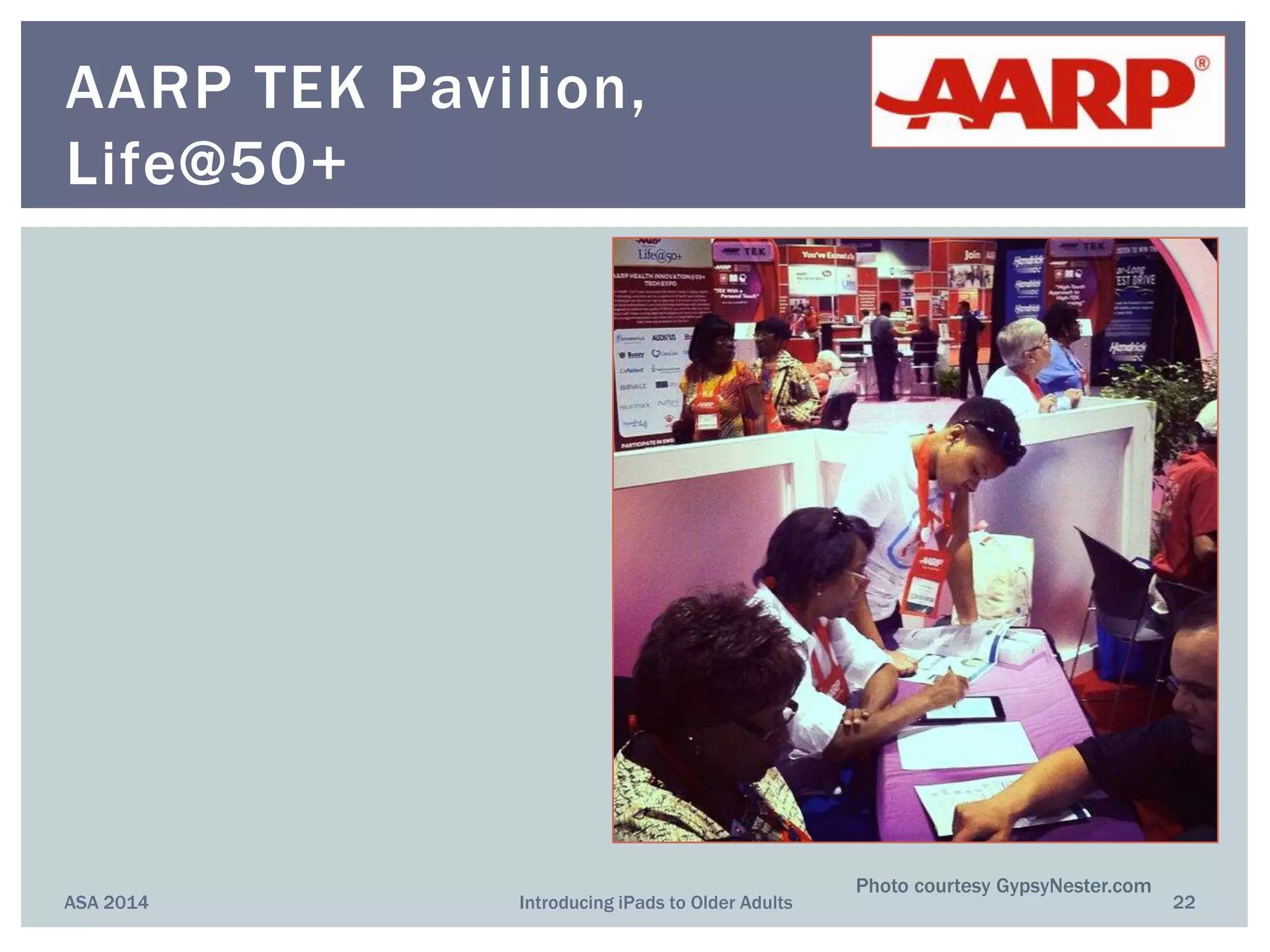
AARP TEK Pavilion,
Life@50+
Photo courtesy GypsyNester.com
ASA 2014 Introducing iPads to Older Adults 23
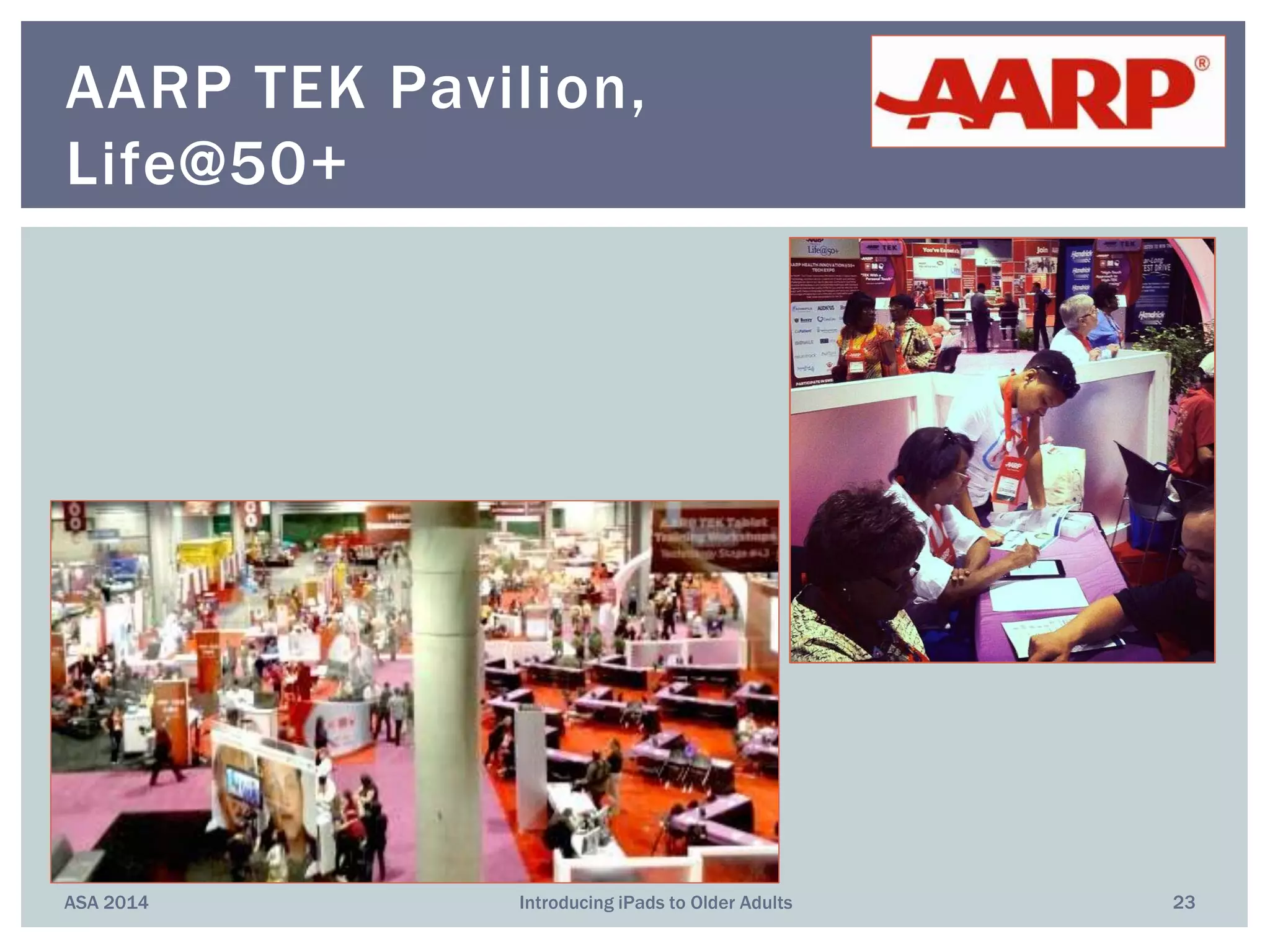
AARP TEK Pavilion,
Life@50+
ASA 2014 Introducing iPads to Older Adults 24
AARP TEK Pavilion,
Life@50+
 Purpose
 Settings
 Population (skill level)
 Device Ownership
 Support
 Configuration
 Instructors (age, ratio)
 Duration, Frequency!!!
Differences among Programs
ASA 2014 25Introducing iPads to Older Adults
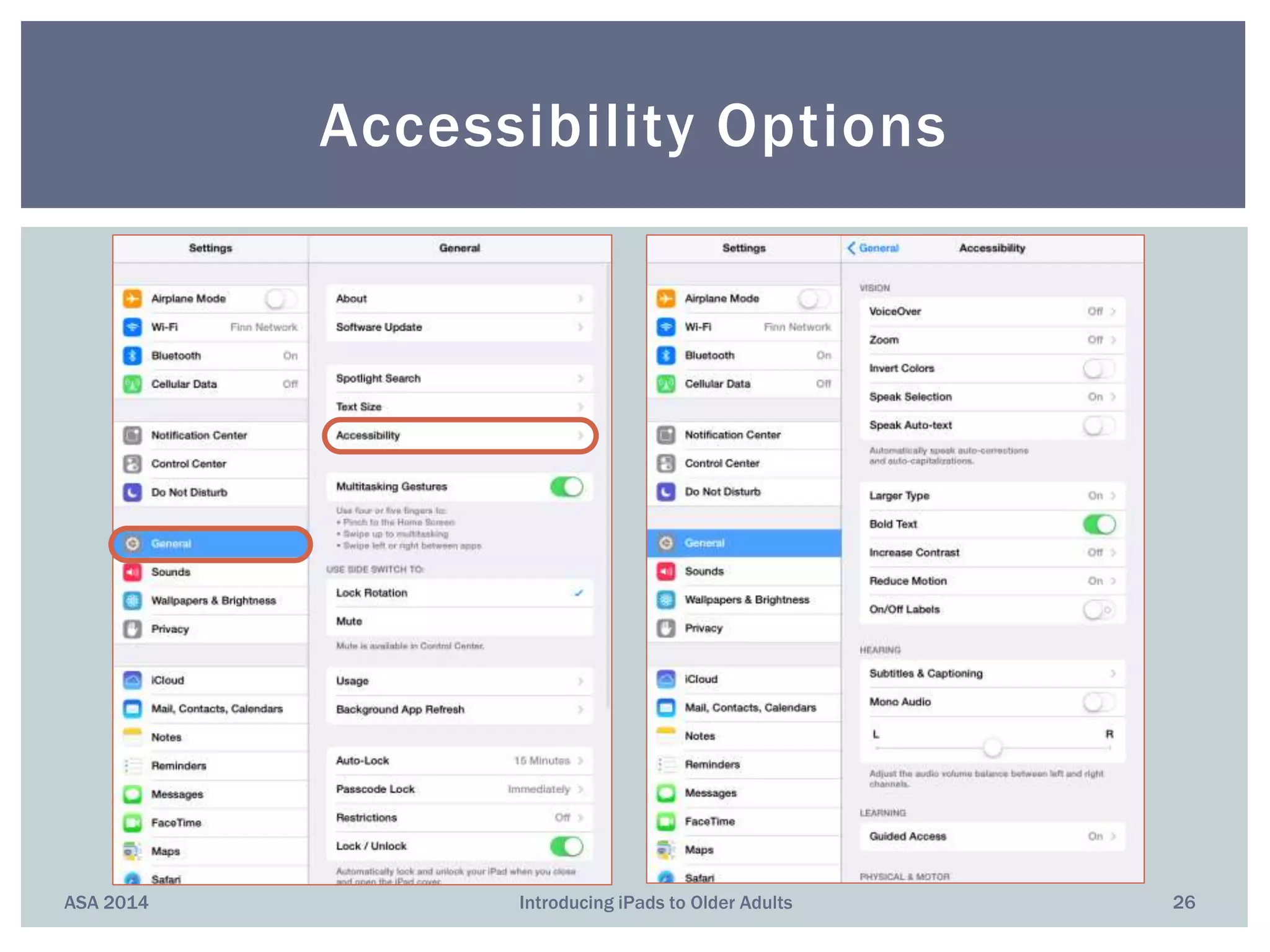
ASA 2014 Introducing iPads to Older Adults 26
Accessibility Options
Vision
 Voiceover
 Speak Selection
 Siri
 Dictation
 Zoom
 Font Adjustment
 Invert Colors
Hearing
 Facetime
 Closed Captions
 Messages with iMessage
 Mono Audio
 Visible and Vibrating
Alerts
 Made-for-iProduct Hearing
Aids
ASA 2014 Introducing iPads to Older Adults 27
Accessibility Options
Physical and Motor Skills
 AssistiveTouch
 Siri
 Switch Control
 Dictation
 Keyboard Shortcuts
Learning and Literacy
 Guided Access
 Speak Selection
 Dictionary
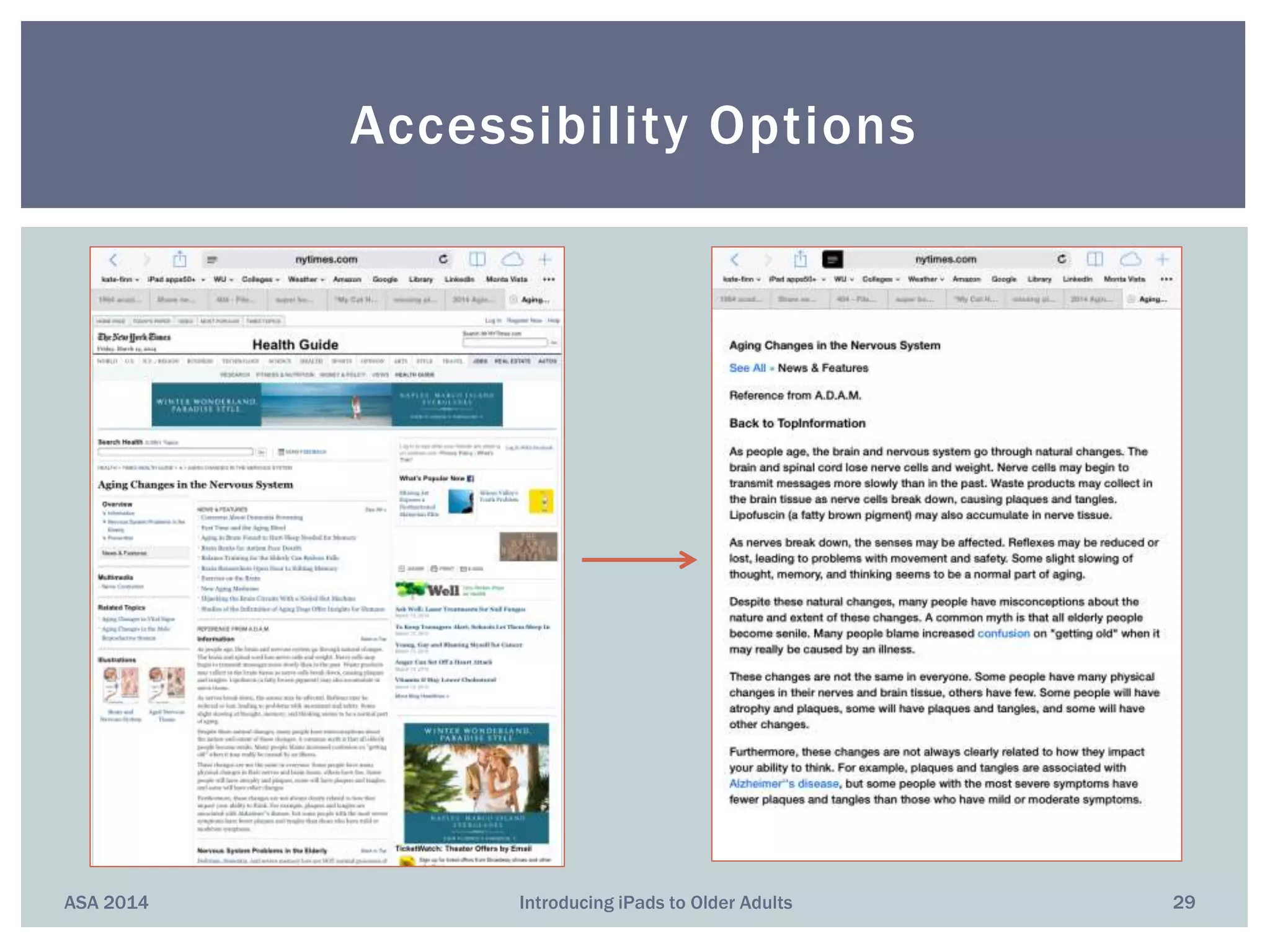
 Safari Reader
ASA 2014 Introducing iPads to Older Adults 28
Accessibility Options
ASA 2014 Introducing iPads to Older Adults 29
Accessibility Options
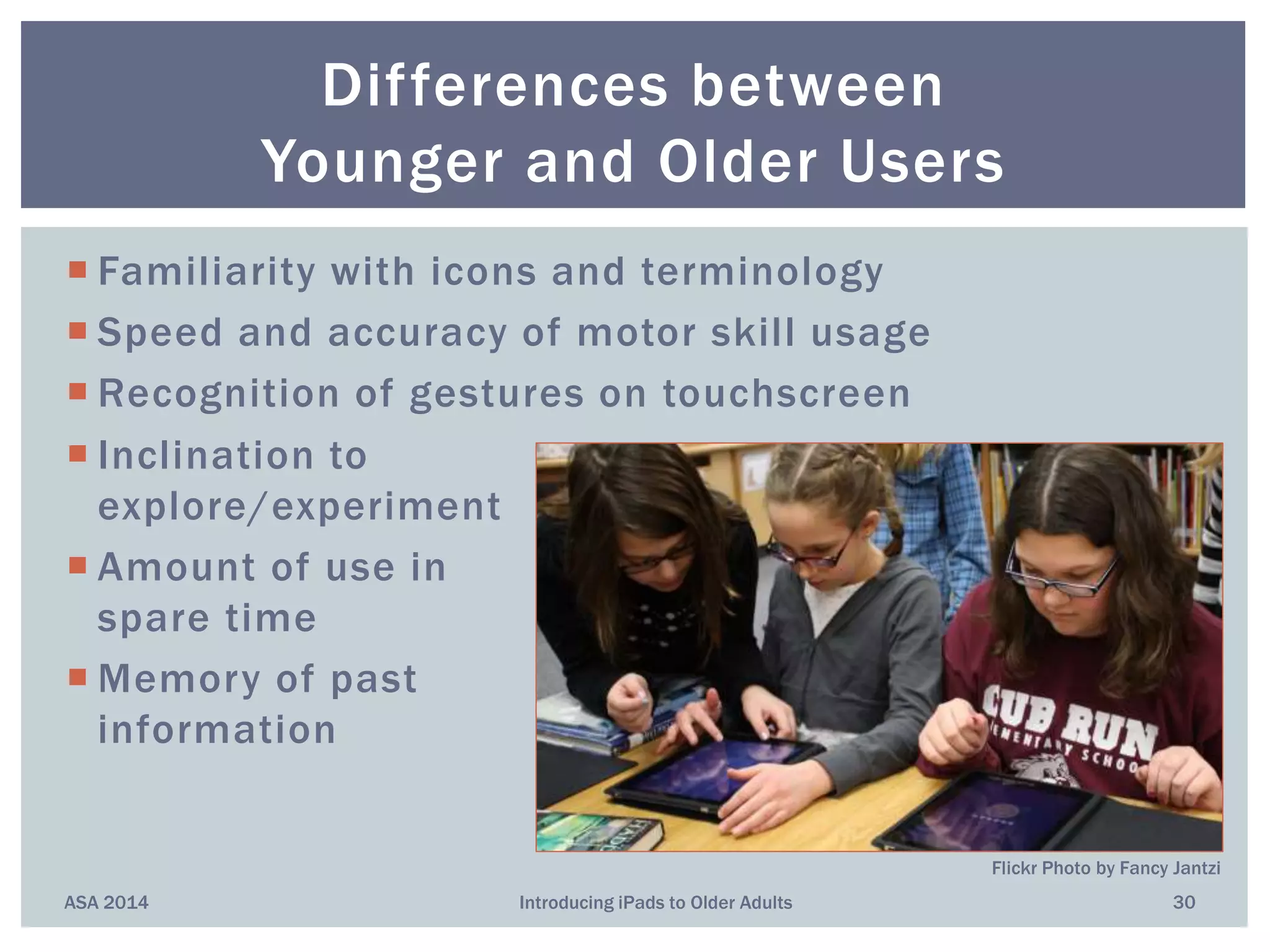
 Familiarity with icons and terminology
 Speed and accuracy of motor skill usage
 Recognition of gestures on touchscreen
 Inclination to
explore/experiment
 Amount of use in
spare time
 Memory of past
information
ASA 2014 Introducing iPads to Older Adults 30
Differences between
Younger and Older Users
Flickr Photo by Fancy Jantzi
 Show students what’s possible, but find out what they're
actually interested in doing/learning
 Provide quiet environment
 Simplify passwords, network access
 Help them set up their accessibility options
 Provide handouts or notebook
 Review at start of each lesson
 Assign homework
 Encourage student sharing
 Encourage student exploration
 Online, face-to-face contact w students between classes
ASA 2014 Introducing iPads to Older Adults 31
Recommendations
ASA 2014 Introducing iPads to Older Adults 32
Some Online Learning Resources
kfinn@wiserusability.com
408.806.8451
ASA 2014 33Introducing iPads to Older Adults
Questions?
Anything to share?
Kate Finn, Ph.D.
Fiona Tiene
Wiser Usability, Inc.
Usability Testing/
Reviews
Focus Groups
Interaction Design
Workshops/
Tutorials

Introducing iPads to Older Adults (ASA/AIA 2014)

  • 1.
    Kate Finn, Ph.D. FionaFinn Tiene Wiser Usability, Inc. Introducing iPads to Older Adults
  • 2.
    "I don't haveany formal studies, but I see residents who don't like large groups now have something to keep them stimulated, and I see their smiles and satisfaction that they can accomplish the task.” [Director of a Memory Care Assisted Living Residence] Why an iPad? Why Now? ASA 2014 2Introducing iPads to Older Adults
  • 3.
    “The dominant responsein residents’ satisfaction surveys was the desire for more technology and education.” [Director of Bus Dev at Senior Living Community] Why an iPad? Why Now? ASA 2014 3Introducing iPads to Older Adults
  • 4.
    “The residents wereclearly engaged for a lengthy amount of time and proud of themselves once they completed a game.” [Director of Assisted Living Community] Why an iPad? Why Now? ASA 2014 4Introducing iPads to Older Adults
  • 5.
    1983: Steve Jobs’Concept  Great computer in a book you carry  Learn to use in 20 minutes  Wireless access to everything 2010: Release of first iPad 2013: 200m tablets sold Background ASA 2014 5Introducing iPads to Older Adults
  • 6.
    Tablets vs. OtherDevices ASA 2014 6Introducing iPads to Older Adults Image © 2013 Compilr.com
  • 7.
    +  Lightweight  Portable Screen, target size  Easy to maintain  Direct touch  Simpler interface  Security −  Expense  “Accessibility”  Passwords required  User Interface  Hidden functions  Multi-touch gestures  Accuracy for selecting  App inconsistency ASA 2014 Introducing iPads to Older Adults 7 iPad Device Pro’s and Con’s
  • 8.
     Staying intouch with friends and family  Reducing loneliness  Keeping up with current events Benefits: Social Engagement ASA 2014 8Introducing iPads to Older Adults
  • 9.
     Mental stimulation Activity tracking  Sense of independence, control Benefits: Health ASA 2014 9Introducing iPads to Older Adults
  • 10.
     Content Consumption Reading  Film, tv shows  Reminiscence  Photo  Content Creation  Writing  Art  Photography Benefits: Leisure ASA 2014 10Introducing iPads to Older Adults
  • 11.
    “Reasons why iPadsare good for memory care residents” [from aPlaceForMom.com]  Encourage socialization; some encourage mobility  Open up ways of communication (music, art)  Something new, fun, “easy” Benefits: People with Memory Impairments ASA 2014 11Introducing iPads to Older Adults
  • 12.
    Older Adults’ MainUses for iPads? Mostly the Same as Everyone Else’s! ASA 2014 12Introducing iPads to Older Adults  Keeping in touch with friends/family  Reading  Brain training and other games  Health research  Financial transactions  Shopping  Taking, organizing photos  Reminiscing, autobiography  Listening to music
  • 13.
    ASA 2014 IntroducingiPads to Older Adults 13  Good question!  Strong push for “helpful” apps for the 50+ Most Popular Mobile Applications? “Savvy Seniors” • Skype • Story Before Bed • Find My Phone • Over 40 Magnifier • Pillboxie • VizWiz • Dragon Dictation • iDiabetes • BP Monitor “Devices & Apps for the Elderly” • MedWatcher • Diabetes • Prime Alert • MediSave Virtual Pillbox “Top Apps for Post50s” • It’s Done • Eye Reader • Pandora • Park’n Find • iTriage • Mint.com • Ambiance • GasBuddy • Fandango • AroundMe
  • 14.
    ASA 2014 IntroducingiPads to Older Adults 14 Example Programs
  • 15.
     Goal: toget more engagement between residents and families  iPads on long-term loan to residents  Specific staff conduct drop-in classes, are available to help between classes  Several residents bought iPads  Classes now open to non-residents (BYOD) ASA 2014 Introducing iPads to Older Adults 15 Sunny View Retirement Community
  • 16.
    OATs  An establishednon-profit in NYC  Offers courses at several sites SeniorNet  Non-profit with locations at community and senior centers around the world ASA 2014 Introducing iPads to Older Adults 16 OATs & SeniorNet
  • 17.
    Contracts to giveclasses in senior communities and centers. Also offers a Train-the-Trainer model. Trains staff members how to: Set up iPad Teach classes Provide support ASA 2014 Introducing iPads to Older Adults 17 Generation Connect
  • 18.
     25 teenvolunteers partnered with 35 OAs  Over 5-mos, held 28 learning events (450)  “Improved seniors’ technology knowledge and enriched the lives of both generations”  One-to-one tutoring available by appt  BYOD ASA 2014 Introducing iPads to Older Adults 18 City of Palo Alto Library
  • 19.
     College studentsare teamed w 2 OAs who live in senior residence  Work with them for 6 months  OAs have iPads, or borrow from Pace  Graduation ceremony! ASA 2014 Introducing iPads to Older Adults 19 Pace University: Gerontechnology
  • 20.
     Pilot Programs:Participants get iPads, wi-fi, training for 5-6 mos  In DC, with OATS and Family Matters of Greater Wash.  Ended Nov 2013  Chose people w/o any previous computer experience  In South Dakota, with OATS (trained volunteers), USD and Good Samaritan Society  Ending March 2014  55 seniors get classes 2x/wk, + lab ASA 2014 Introducing iPads to Older Adults 20 AARP Foundation: Connecting to Community
  • 21.
     Helps low-income,older Americans combat loneliness and develop social connections through social media and other online offerings.  Adoption of technology increases social engagement among OAs, but many can’t take advantage of it b/c of lack of instructional opportunities and support. ASA 2014 Introducing iPads to Older Adults 21 AARP Foundation: Connecting to Community
  • 22.
    ASA 2014 IntroducingiPads to Older Adults 22 AARP TEK Pavilion, Life@50+ Photo courtesy GypsyNester.com
  • 23.
    ASA 2014 IntroducingiPads to Older Adults 23 AARP TEK Pavilion, Life@50+
  • 24.
    ASA 2014 IntroducingiPads to Older Adults 24 AARP TEK Pavilion, Life@50+
  • 25.
     Purpose  Settings Population (skill level)  Device Ownership  Support  Configuration  Instructors (age, ratio)  Duration, Frequency!!! Differences among Programs ASA 2014 25Introducing iPads to Older Adults
  • 26.
    ASA 2014 IntroducingiPads to Older Adults 26 Accessibility Options
  • 27.
    Vision  Voiceover  SpeakSelection  Siri  Dictation  Zoom  Font Adjustment  Invert Colors Hearing  Facetime  Closed Captions  Messages with iMessage  Mono Audio  Visible and Vibrating Alerts  Made-for-iProduct Hearing Aids ASA 2014 Introducing iPads to Older Adults 27 Accessibility Options
  • 28.
    Physical and MotorSkills  AssistiveTouch  Siri  Switch Control  Dictation  Keyboard Shortcuts Learning and Literacy  Guided Access  Speak Selection  Dictionary  Safari Reader ASA 2014 Introducing iPads to Older Adults 28 Accessibility Options
  • 29.
    ASA 2014 IntroducingiPads to Older Adults 29 Accessibility Options
  • 30.
     Familiarity withicons and terminology  Speed and accuracy of motor skill usage  Recognition of gestures on touchscreen  Inclination to explore/experiment  Amount of use in spare time  Memory of past information ASA 2014 Introducing iPads to Older Adults 30 Differences between Younger and Older Users Flickr Photo by Fancy Jantzi
  • 31.
     Show studentswhat’s possible, but find out what they're actually interested in doing/learning  Provide quiet environment  Simplify passwords, network access  Help them set up their accessibility options  Provide handouts or notebook  Review at start of each lesson  Assign homework  Encourage student sharing  Encourage student exploration  Online, face-to-face contact w students between classes ASA 2014 Introducing iPads to Older Adults 31 Recommendations
  • 32.
    ASA 2014 IntroducingiPads to Older Adults 32 Some Online Learning Resources
  • 33.
    kfinn@wiserusability.com 408.806.8451 ASA 2014 33IntroducingiPads to Older Adults Questions? Anything to share? Kate Finn, Ph.D. Fiona Tiene Wiser Usability, Inc. Usability Testing/ Reviews Focus Groups Interaction Design Workshops/ Tutorials