


Faculty of Health
and Life Sciences
Supporting technologies for HLS
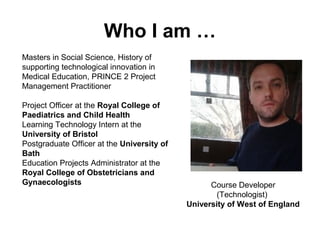
Who I am …
Masters in Social Science, History of
supporting technological innovation in
Medical Education, PRINCE 2 Project
Management Practitioner
Project Officer at the Royal College of
Paediatrics and Child Health
Learning Technology Intern at the
University of Bristol
Postgraduate Officer at the University of
Bath
Education Projects Administrator at the
Royal College of Obstetricians and
Gynaecologists Course Developer
(Technologist)
University of West of England
TEL – What is it?
For the purpose of this policy,
TEL is defined as any Information
and Communication Technology
(ICT) that directly supports
learning and teaching.
This is seen as a more inclusive
term than those of e-learning or
blended learning which often lack
clarity of definition
January 2012 August 2012 January
Oliver Haslam Oliver Haslam Michael Harris
Lisa Thrower Michael Harris Tom Buckley
Susan ? Tom Buckley
John Doherty
Name Role
Kath Ross Associate Dean for Student Experience
Simon Messer Technology Enhanced Learning Lead
Matthew Cownie Learning Educational Technologies Manager
??? Course Developers
TEL - Who we are
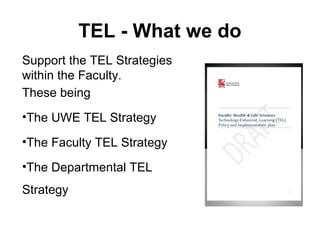
TEL - What we do
Support the TEL Strategies
within the Faculty.
These being
•The UWE TEL Strategy
•The Faculty TEL Strategy
•The Departmental TEL
Strategy
Background and context
The UWE TEL survey (Falconer 2011) reveals a
range of other technologies in use, both from
internal provision and external provision, examples
of which include an extensive range of websites,
web 2.0 tools, and social networking sites.
The embedding of practice within Faculties and
departments is a challenge however (Falconer
2011) and the ELDU are developing an
infrastructure which strongly aligns the ELDU with
identified staff within each Faculty
Faculty TEL strategy : Aims I
The overall aims will be:
•to ensure that the Faculty takes full advantage of
the affordances of TEL for meaningful
enhancement of existing and future provision of
our portfolio
•to ensure meaningful enhancement of the quality
of our teaching and student
experience through the use of TEL.
Faculty TEL strategy : Aims II
3 key TEL activities will be enabled to have
multiple uses:
•Realign support infrastructure for effective
development and online-learning delivery of
credit- and non-credit bearing content
•Enhanced role of TEL in modules /
programmes / courses
•Staff and student development in TEL
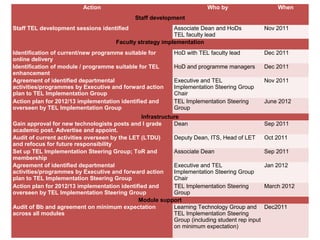
Action Who by When
Staff development
Staff TEL development sessions identified Associate Dean and HoDs
TEL faculty lead
Nov 2011
Faculty strategy implementation
Identification of current/new programme suitable for
online delivery
HoD with TEL faculty lead Dec 2011
Identification of module / programme suitable for TEL
enhancement
HoD and programme managers Dec 2011
Agreement of identified departmental
activities/programmes by Executive and forward action
plan to TEL Implementation Group
Executive and TEL
Implementation Steering Group
Chair
Nov 2011
Action plan for 2012/13 implementation identified and
overseen by TEL Implementation Group
TEL Implementation Steering
Group
June 2012
Infrastructure
Gain approval for new technologists posts and I grade
academic post. Advertise and appoint.
Dean Sep 2011
Audit of current activities overseen by the LET (LTDU)
and refocus for future responsibility
Deputy Dean, ITS, Head of LET Oct 2011
Set up TEL Implementation Steering Group; ToR and
membership
Associate Dean Sep 2011
Agreement of identified departmental
activities/programmes by Executive and forward action
plan to TEL Implementation Steering Group
Executive and TEL
Implementation Steering Group
Chair
Jan 2012
Action plan for 2012/13 implementation identified and
overseen by TEL Implementation Steering Group
TEL Implementation Steering
Group
March 2012
Module support
Audit of Bb and agreement on minimum expectation
across all modules
Learning Technology Group and
TEL Implementation Steering
Group (including student rep input
on minimum expectation)
Dec2011
Faculty TEL strategy : Outcomes
• Audit of Blackboard Usage and Blackboard
Minimum Standards
• Departmentally agreed strategies for
implementation
• Staff Development sessions identified
• Identification of 1 suitable programme
for delivery ‘online’
Re-alignment of support
infrastructure
• LET and TEL (It gets complicated!)
• Learning Educational Technologies (LET) and
Technology Enhanced Learning (TEL)
• New TEL unit established with an I-grade
academic and 3 new E-grade technologist posts
Course Developer
TEL - What we actually do …
• Set minimum standards for information on the
VLE
• Run workshops and taster showcases
• Help with the instructional design of learning
objects
• Help plan and deliver online learning
environments
• Desk side / Just in time support
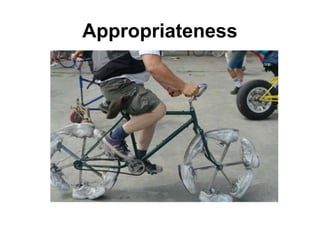
Appropriateness
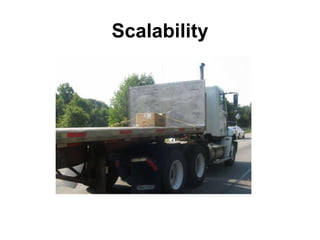
Scalability
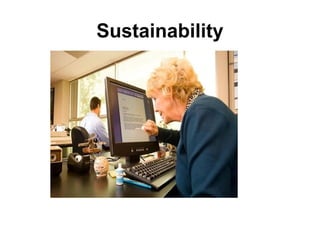
Sustainability
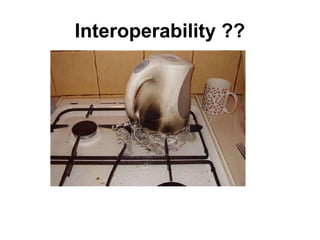
Interoperability ??
TEL - Why we do it …
• Enhance ‘Student Experience’
• Modernisation of teaching
• Increased competitiveness nationally
• Increased competitiveness globally
Transformative
• Learners that feel more supported in practice
• Deliver our excellent teaching further
• An up-skilled academic work force
• Support teaching that encourages an
‘active’ learner
Problems I
• Cross campus
• Organically created support structure can
become complex to negotiate
• Lack of clarity of whom supports what
• Communication
• Politics
Problems II
• Outsourcing of use of technology to younger
members of the family
• Confidence and exposure
• Not understanding the basics
• The over fetishisation of acronyms
• Lack of literacy over what they are doing already
Change management approaches
• Hopeful approach
• Tool based approach
• Continuum based framework
Hopeful Approach
Tools based approach
• Staff supporting a range of supported tools
chosen by the Faculty
• Showcase Events to enlighten academics on
tools and approaches
• Training Events to help with the design
and implementation on specific tools
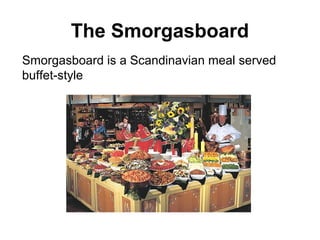
The Smorgasboard
Smorgasboard is a Scandinavian meal served
buffet-style
Why this approach?
• Creativity of academic not stymied
• Tools used appropriately
• Tools used where appropriate
• Help traverse steep learning curves
• Encourage self sufficiency
• Consistency in delivery
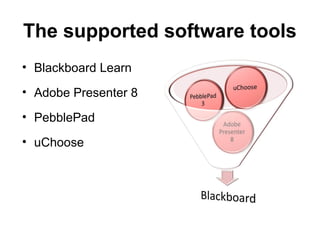
The supported software tools
• Blackboard Learn
• Adobe Presenter 8
• PebblePad
• uChoose
Project Specific tools
• WordPress (Public Health Pilot)
• Thinking Worlds (Nursing Simulation Pilot)
• Turning Point (Nursing Examination Pilot)
• iSpring (FdSc Health Sciences)
• MediaSite (FdSc Health Sciences)
• Xerte (Capita Project)
• Blackboard App (Learning Disabilities)
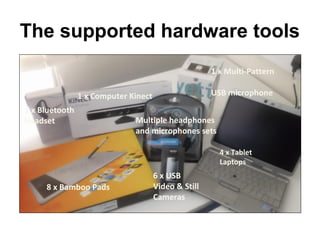
The supported hardware tools
1 x Computer Kinect
Multiple headphones
and microphones sets
8 x Bamboo Pads
1 x Bluetooth
Headset
1 x Multi-Pattern
USB microphone
6 x USB
Video & Still
Cameras
4 x Tablet
Laptops
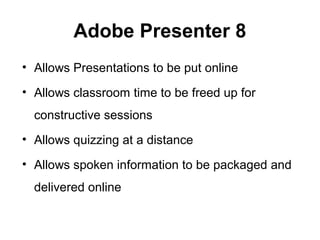
Adobe Presenter 8
• Allows Presentations to be put online
• Allows classroom time to be freed up for
constructive sessions
• Allows quizzing at a distance
• Allows spoken information to be packaged and
delivered online
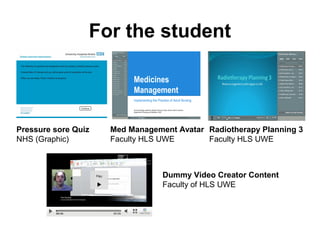
For the student
Pressure sore Quiz
NHS (Graphic)
Med Management Avatar
Faculty HLS UWE
Radiotherapy Planning 3
Faculty HLS UWE
Dummy Video Creator Content
Faculty of HLS UWE
For the academic
• Adds on to PowerPoint, no PowerPoint training
given here
• Training material curated with a prerequisite to
engage with before event
• Training “flipped”
• Must attend training to access
software
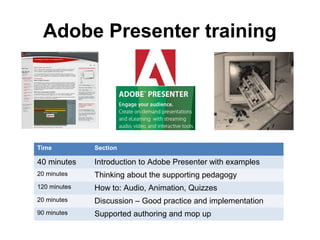
Adobe Presenter training
Time Section
40 minutes Introduction to Adobe Presenter with examples
20 minutes Thinking about the supporting pedagogy
120 minutes How to: Audio, Animation, Quizzes
20 minutes Discussion – Good practice and implementation
90 minutes Supported authoring and mop up
uChoose
• Branching stories simulation (Aldrich, 2005)
• Making case based learning more interactive by
using ‘Virtual Patients’
• Contextualises theory in practice
• A safe way to learn from mistakes If the
persons dies they can do it again)
• Re-plays offers different learning opportunities
• Student centred exploration of cases based on
their decisions
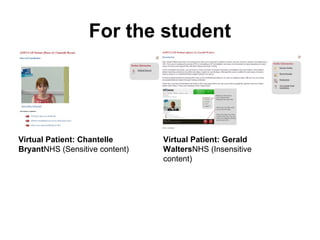
For the student
Virtual Patient: Chantelle
BryantNHS (Sensitive content)
Virtual Patient: Gerald
WaltersNHS (Insensitive
content)
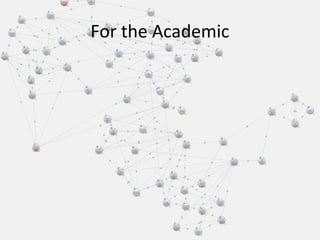
For the Academic
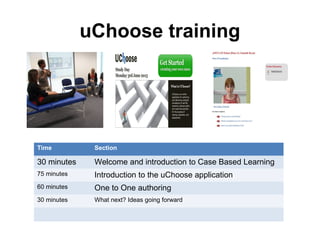
uChoose training
Time Section
30 minutes Welcome and introduction to Case Based Learning
75 minutes Introduction to the uChoose application
60 minutes One to One authoring
30 minutes What next? Ideas going forward
Opening lines
“Two camps with technology those who love it and
embrace it and find it exciting but there are those who feel
that you lose a lot of the natural interactions that you may
get in a clinical situation by using a virtual patient. How do
we prepare people in a simulation environment for real
world interactions as a physio or a nurse?
The reality is there are positive and negative elements
associated with the use of virtual patients and actually it
can be quite challenging to develop such activities so we
must be mindful of these aspects from the start.”
Lucy Watkins, uChoose Lead
Events where we introduce different tools based
around Technology Enhanced Learning (TEL)
under two themes:
•Methods of delivering content
(Embedded Learning objects)
•Methods of facilitating learning
(Blogs, Wiki’s, e-Tivities, Virtual Classrooms)
TEL Showcasing Events
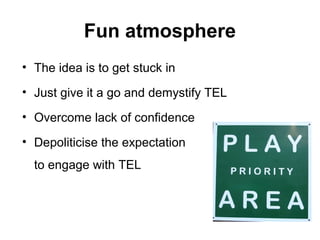
Fun atmosphere
• The idea is to get stuck in
• Just give it a go and demystify TEL
• Overcome lack of confidence
• Depoliticise the expectation
to engage with TEL
Outcomes of events
By the end of the 2 hour session academics would
have:
•Use a Bamboo Pad with unfamiliar equipment
Created a video on a ‘flip’ cam
•Uploaded video to Kaltura
•Create a page and updated a Wiki on Blackboard
•Use an embed code on within your pages .HTML
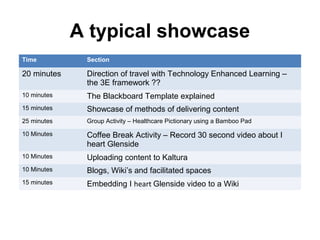
A typical showcase
Time Section
20 minutes Direction of travel with Technology Enhanced Learning –
the 3E framework ??
10 minutes The Blackboard Template explained
15 minutes Showcase of methods of delivering content
25 minutes Group Activity – Healthcare Pictionary using a Bamboo Pad
10 Minutes Coffee Break Activity – Record 30 second video about I
heart Glenside
10 Minutes Uploading content to Kaltura
10 Minutes Blogs, Wiki’s and facilitated spaces
15 minutes Embedding I heart Glenside video to a Wiki
Support structure
• Teach a man to fish …
• Frontloaded support
Revisiting the Smorgasboard
• A tools based approach is a less didactic way to
introduce TEL techniques
• Visibility
• It empowers the academic to think amd be
informed about how and where they would apply
a technique
• Relies on Academic identified learning needs
and drive
• The desire to drive has to be in place for this to
be effective
Benchmark framework
3E Framework
A different change management strategy?
Summary
• Here to support academics achieve TEL strategy
goals
• Currently holding two types of events
• Training on single tools
• Showcasing multiple approaches
• Aim to be appropriate in the usage and adoption
of tools to support a bespoke range of outcomes
• Events that allow large parts of hands on activity

Aremenia georgiapresentation draft (1)

  • 1.
    Faculty of Health andLife Sciences Supporting technologies for HLS
  • 3.
    Who I am… Masters in Social Science, History of supporting technological innovation in Medical Education, PRINCE 2 Project Management Practitioner Project Officer at the Royal College of Paediatrics and Child Health Learning Technology Intern at the University of Bristol Postgraduate Officer at the University of Bath Education Projects Administrator at the Royal College of Obstetricians and Gynaecologists Course Developer (Technologist) University of West of England
  • 4.
    TEL – Whatis it? For the purpose of this policy, TEL is defined as any Information and Communication Technology (ICT) that directly supports learning and teaching. This is seen as a more inclusive term than those of e-learning or blended learning which often lack clarity of definition
  • 5.
    January 2012 August2012 January Oliver Haslam Oliver Haslam Michael Harris Lisa Thrower Michael Harris Tom Buckley Susan ? Tom Buckley John Doherty Name Role Kath Ross Associate Dean for Student Experience Simon Messer Technology Enhanced Learning Lead Matthew Cownie Learning Educational Technologies Manager ??? Course Developers TEL - Who we are
  • 6.
    TEL - Whatwe do Support the TEL Strategies within the Faculty. These being •The UWE TEL Strategy •The Faculty TEL Strategy •The Departmental TEL Strategy
  • 7.
    Background and context TheUWE TEL survey (Falconer 2011) reveals a range of other technologies in use, both from internal provision and external provision, examples of which include an extensive range of websites, web 2.0 tools, and social networking sites. The embedding of practice within Faculties and departments is a challenge however (Falconer 2011) and the ELDU are developing an infrastructure which strongly aligns the ELDU with identified staff within each Faculty
  • 8.
    Faculty TEL strategy: Aims I The overall aims will be: •to ensure that the Faculty takes full advantage of the affordances of TEL for meaningful enhancement of existing and future provision of our portfolio •to ensure meaningful enhancement of the quality of our teaching and student experience through the use of TEL.
  • 9.
    Faculty TEL strategy: Aims II 3 key TEL activities will be enabled to have multiple uses: •Realign support infrastructure for effective development and online-learning delivery of credit- and non-credit bearing content •Enhanced role of TEL in modules / programmes / courses •Staff and student development in TEL
  • 10.
    Action Who byWhen Staff development Staff TEL development sessions identified Associate Dean and HoDs TEL faculty lead Nov 2011 Faculty strategy implementation Identification of current/new programme suitable for online delivery HoD with TEL faculty lead Dec 2011 Identification of module / programme suitable for TEL enhancement HoD and programme managers Dec 2011 Agreement of identified departmental activities/programmes by Executive and forward action plan to TEL Implementation Group Executive and TEL Implementation Steering Group Chair Nov 2011 Action plan for 2012/13 implementation identified and overseen by TEL Implementation Group TEL Implementation Steering Group June 2012 Infrastructure Gain approval for new technologists posts and I grade academic post. Advertise and appoint. Dean Sep 2011 Audit of current activities overseen by the LET (LTDU) and refocus for future responsibility Deputy Dean, ITS, Head of LET Oct 2011 Set up TEL Implementation Steering Group; ToR and membership Associate Dean Sep 2011 Agreement of identified departmental activities/programmes by Executive and forward action plan to TEL Implementation Steering Group Executive and TEL Implementation Steering Group Chair Jan 2012 Action plan for 2012/13 implementation identified and overseen by TEL Implementation Steering Group TEL Implementation Steering Group March 2012 Module support Audit of Bb and agreement on minimum expectation across all modules Learning Technology Group and TEL Implementation Steering Group (including student rep input on minimum expectation) Dec2011
  • 11.
    Faculty TEL strategy: Outcomes • Audit of Blackboard Usage and Blackboard Minimum Standards • Departmentally agreed strategies for implementation • Staff Development sessions identified • Identification of 1 suitable programme for delivery ‘online’
  • 12.
    Re-alignment of support infrastructure •LET and TEL (It gets complicated!) • Learning Educational Technologies (LET) and Technology Enhanced Learning (TEL) • New TEL unit established with an I-grade academic and 3 new E-grade technologist posts
  • 13.
  • 14.
    TEL - Whatwe actually do … • Set minimum standards for information on the VLE • Run workshops and taster showcases • Help with the instructional design of learning objects • Help plan and deliver online learning environments • Desk side / Just in time support
  • 15.
  • 16.
  • 17.
  • 18.
  • 19.
    TEL - Whywe do it … • Enhance ‘Student Experience’ • Modernisation of teaching • Increased competitiveness nationally • Increased competitiveness globally
  • 20.
    Transformative • Learners thatfeel more supported in practice • Deliver our excellent teaching further • An up-skilled academic work force • Support teaching that encourages an ‘active’ learner
  • 21.
    Problems I • Crosscampus • Organically created support structure can become complex to negotiate • Lack of clarity of whom supports what • Communication • Politics
  • 22.
    Problems II • Outsourcingof use of technology to younger members of the family • Confidence and exposure • Not understanding the basics • The over fetishisation of acronyms • Lack of literacy over what they are doing already
  • 23.
    Change management approaches •Hopeful approach • Tool based approach • Continuum based framework
  • 24.
  • 25.
    Tools based approach •Staff supporting a range of supported tools chosen by the Faculty • Showcase Events to enlighten academics on tools and approaches • Training Events to help with the design and implementation on specific tools
  • 26.
    The Smorgasboard Smorgasboard isa Scandinavian meal served buffet-style
  • 27.
    Why this approach? •Creativity of academic not stymied • Tools used appropriately • Tools used where appropriate • Help traverse steep learning curves • Encourage self sufficiency • Consistency in delivery
  • 28.
    The supported softwaretools • Blackboard Learn • Adobe Presenter 8 • PebblePad • uChoose
  • 29.
    Project Specific tools •WordPress (Public Health Pilot) • Thinking Worlds (Nursing Simulation Pilot) • Turning Point (Nursing Examination Pilot) • iSpring (FdSc Health Sciences) • MediaSite (FdSc Health Sciences) • Xerte (Capita Project) • Blackboard App (Learning Disabilities)
  • 30.
    The supported hardwaretools 1 x Computer Kinect Multiple headphones and microphones sets 8 x Bamboo Pads 1 x Bluetooth Headset 1 x Multi-Pattern USB microphone 6 x USB Video & Still Cameras 4 x Tablet Laptops
  • 31.
    Adobe Presenter 8 •Allows Presentations to be put online • Allows classroom time to be freed up for constructive sessions • Allows quizzing at a distance • Allows spoken information to be packaged and delivered online
  • 32.
    For the student Pressuresore Quiz NHS (Graphic) Med Management Avatar Faculty HLS UWE Radiotherapy Planning 3 Faculty HLS UWE Dummy Video Creator Content Faculty of HLS UWE
  • 33.
    For the academic •Adds on to PowerPoint, no PowerPoint training given here • Training material curated with a prerequisite to engage with before event • Training “flipped” • Must attend training to access software
  • 34.
    Adobe Presenter training TimeSection 40 minutes Introduction to Adobe Presenter with examples 20 minutes Thinking about the supporting pedagogy 120 minutes How to: Audio, Animation, Quizzes 20 minutes Discussion – Good practice and implementation 90 minutes Supported authoring and mop up
  • 35.
    uChoose • Branching storiessimulation (Aldrich, 2005) • Making case based learning more interactive by using ‘Virtual Patients’ • Contextualises theory in practice • A safe way to learn from mistakes If the persons dies they can do it again) • Re-plays offers different learning opportunities • Student centred exploration of cases based on their decisions
  • 36.
    For the student VirtualPatient: Chantelle BryantNHS (Sensitive content) Virtual Patient: Gerald WaltersNHS (Insensitive content)
  • 37.
  • 38.
    uChoose training Time Section 30minutes Welcome and introduction to Case Based Learning 75 minutes Introduction to the uChoose application 60 minutes One to One authoring 30 minutes What next? Ideas going forward
  • 39.
    Opening lines “Two campswith technology those who love it and embrace it and find it exciting but there are those who feel that you lose a lot of the natural interactions that you may get in a clinical situation by using a virtual patient. How do we prepare people in a simulation environment for real world interactions as a physio or a nurse? The reality is there are positive and negative elements associated with the use of virtual patients and actually it can be quite challenging to develop such activities so we must be mindful of these aspects from the start.” Lucy Watkins, uChoose Lead
  • 40.
    Events where weintroduce different tools based around Technology Enhanced Learning (TEL) under two themes: •Methods of delivering content (Embedded Learning objects) •Methods of facilitating learning (Blogs, Wiki’s, e-Tivities, Virtual Classrooms) TEL Showcasing Events
  • 41.
    Fun atmosphere • Theidea is to get stuck in • Just give it a go and demystify TEL • Overcome lack of confidence • Depoliticise the expectation to engage with TEL
  • 42.
    Outcomes of events Bythe end of the 2 hour session academics would have: •Use a Bamboo Pad with unfamiliar equipment Created a video on a ‘flip’ cam •Uploaded video to Kaltura •Create a page and updated a Wiki on Blackboard •Use an embed code on within your pages .HTML
  • 43.
    A typical showcase TimeSection 20 minutes Direction of travel with Technology Enhanced Learning – the 3E framework ?? 10 minutes The Blackboard Template explained 15 minutes Showcase of methods of delivering content 25 minutes Group Activity – Healthcare Pictionary using a Bamboo Pad 10 Minutes Coffee Break Activity – Record 30 second video about I heart Glenside 10 Minutes Uploading content to Kaltura 10 Minutes Blogs, Wiki’s and facilitated spaces 15 minutes Embedding I heart Glenside video to a Wiki
  • 44.
    Support structure • Teacha man to fish … • Frontloaded support
  • 45.
    Revisiting the Smorgasboard •A tools based approach is a less didactic way to introduce TEL techniques • Visibility • It empowers the academic to think amd be informed about how and where they would apply a technique • Relies on Academic identified learning needs and drive • The desire to drive has to be in place for this to be effective
  • 46.
    Benchmark framework 3E Framework Adifferent change management strategy?
  • 47.
    Summary • Here tosupport academics achieve TEL strategy goals • Currently holding two types of events • Training on single tools • Showcasing multiple approaches • Aim to be appropriate in the usage and adoption of tools to support a bespoke range of outcomes • Events that allow large parts of hands on activity