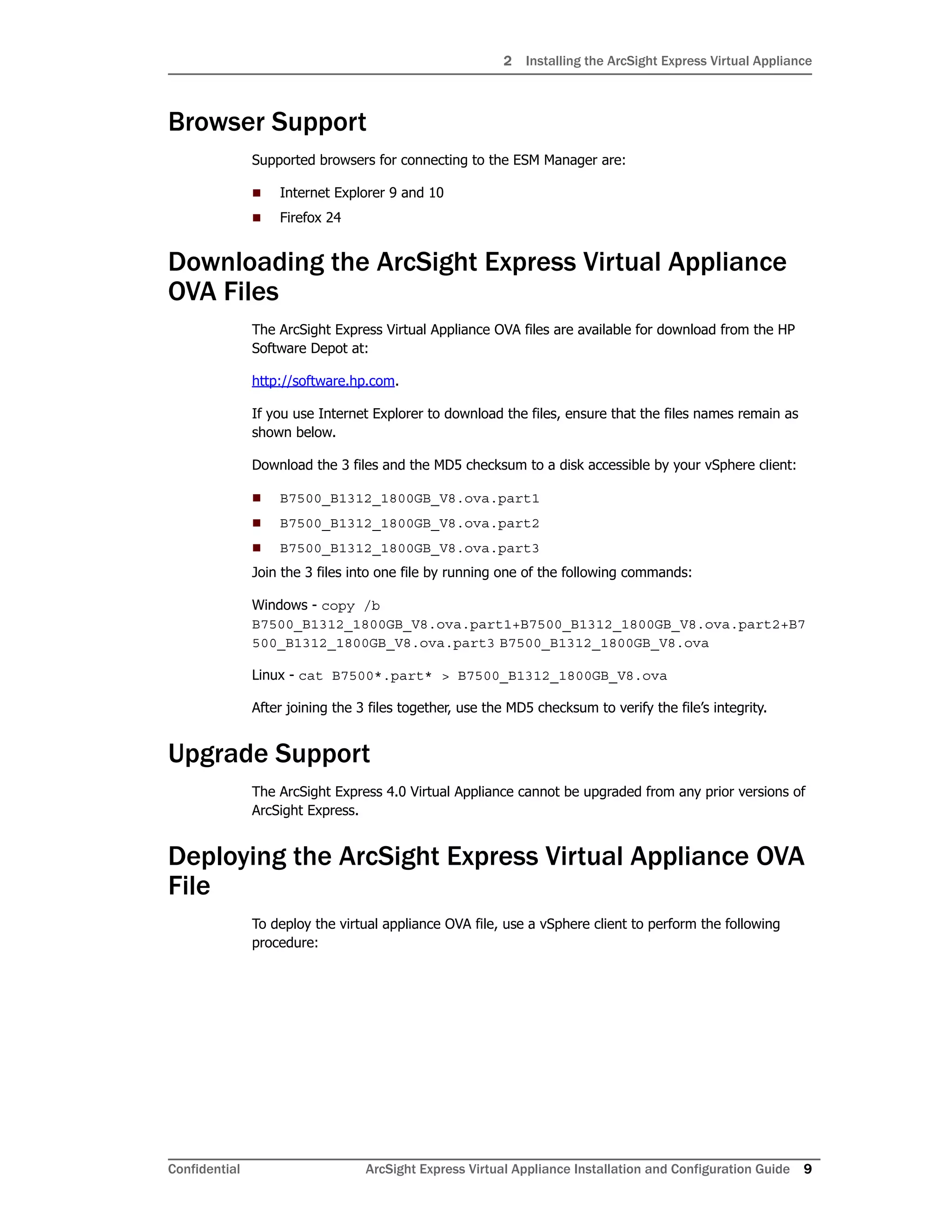
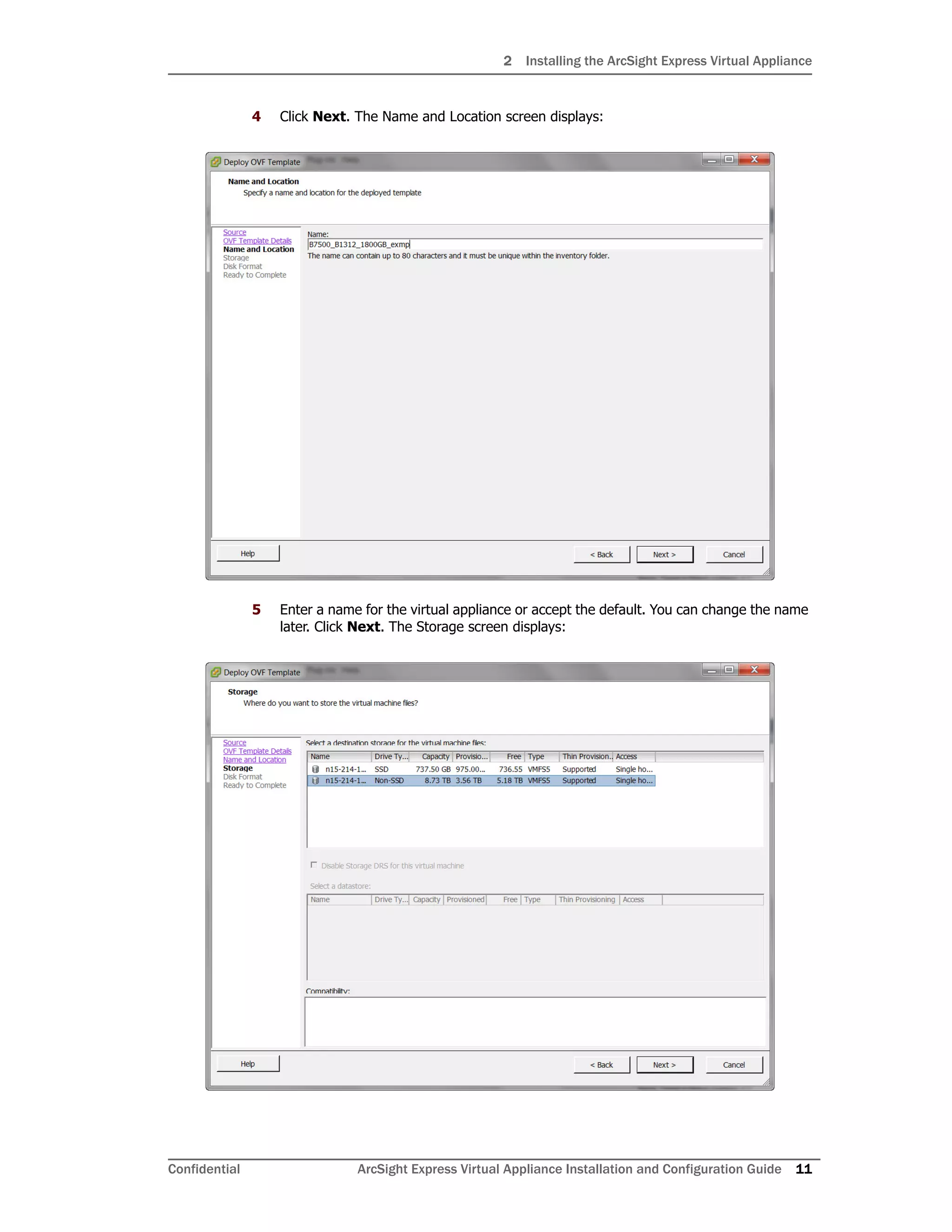
The document provides instructions for installing the ArcSight Express 4.0 virtual appliance, which includes downloading the OVA file, deploying it in VMware ESXi, and installing a license file. It is supported on VMware ESXi 5.5 and requires 12 CPU cores, 36GB of RAM, and 1.8TB of available disk space. The operating system is CentOS 6.2 with various security patches applied. Supported browsers for connecting to the appliance are Internet Explorer 9-10 and Firefox 24.