







AppStudio for ArcGIS: The Basics
Jo Fraley
jfraley@esri.com
February 24–25, 2016 | Washington, DC
FedGIS Conference
Jon Nordling
jnordling@blueraster.com
The App Revolution
Is Making Web GIS Available Everywhere
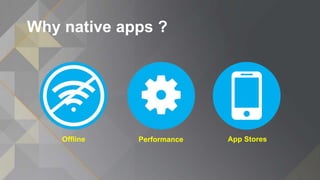
Why native apps ?
Offline Performance App Stores
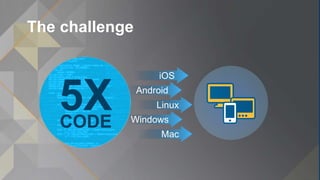
The challenge
App development is….
Complicated
Expensive
Time Consuming
The challenge
iOS
Android
Linux
Windows
Mac
5XCODE
The Solution:
A tool to build cross-platform apps that can be published in an
app store or deployed across an enterprise.
AppStudio
for ArcGIS
AppStudio: Product Overview
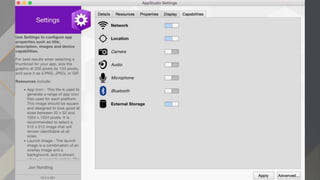
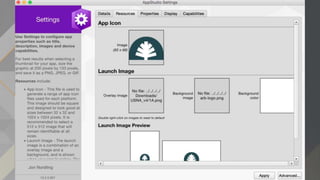
• Easily create and publish apps to the App Stores
- Configure templates with your maps and branding
- No development skills required
• A platform to build cross-platform apps
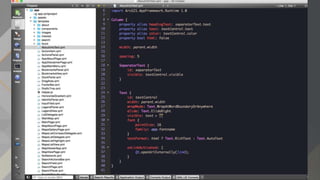
• Developer Friendly Tools
- Extend template or write from scratch
• Share with the public or the enterprise
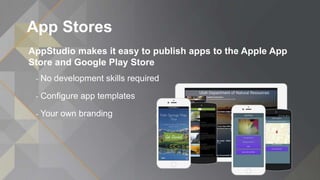
App Stores
AppStudio makes it easy to publish apps to the Apple App
Store and Google Play Store
- No development skills required
- Configure app templates
- Your own branding
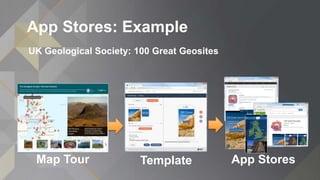
App Stores: Example
UK Geological Society: 100 Great Geosites
Map Tour Template App Stores
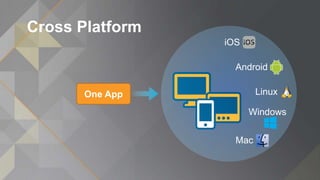
Cross Platform
iOS
Android
Linux
Windows
Mac
One App
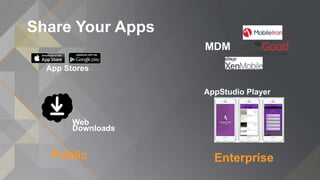
Share Your Apps
EnterprisePublic
App Stores
Web
Downloads
MDM
AppStudio Player
http://appstudio.arcgis.com
AppStudio
for ArcGIS
Demo
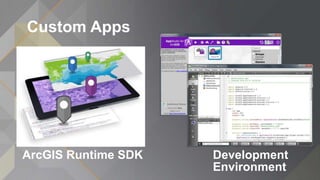
Custom Apps
Development
Environment
ArcGIS Runtime SDK
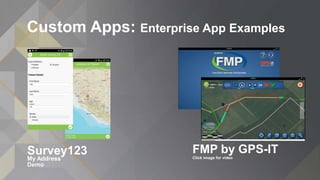
Custom Apps: Enterprise App Examples
FMP by GPS-IT
Click image for video
Survey123
My Address
Demo
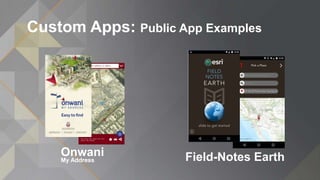
Custom Apps: Public App Examples
Field-Notes EarthOnwani
My Address
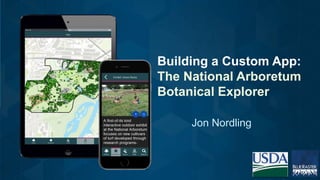
Jon Nordling
Building a Custom App:
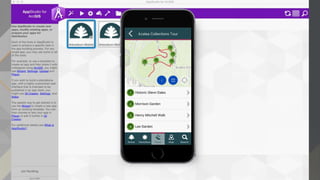
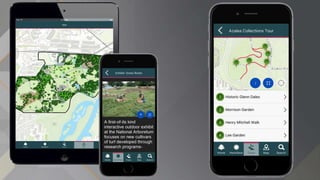
The National Arboretum
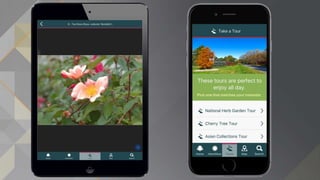
Botanical Explorer
National Arboretum Tools
Data availability for the public and scientific
community
-Visualize & Interact with data
-Browse or perform advanced searching
-Explore gardens, tours and images etc.
-Learn general information about grounds
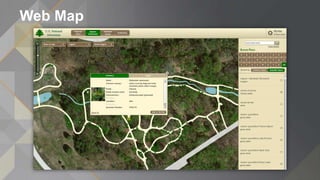
Web Map
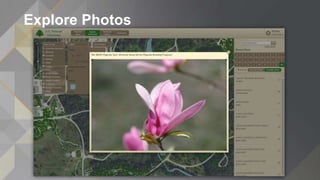
Explore Photos
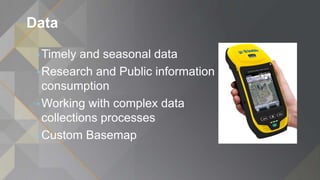
Data
•Timely and seasonal data
•Research and Public information
consumption
•Working with complex data
collections processes
•Custom Basemap
Web & Mobile
Mobile Development Goal
•Enhance visitor experience
• Tours
• Points of Interest
• Seasonal specialties
•Grounds information
• Parking
• Entrances
• Facilities, etc.
•Provide plant inventory and searching
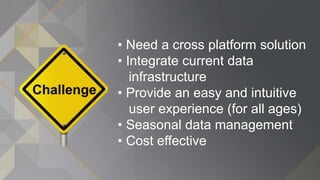
• Need a cross platform solution
• Integrate current data
infrastructure
• Provide an easy and intuitive
user experience (for all ages)
• Seasonal data management
• Cost effective
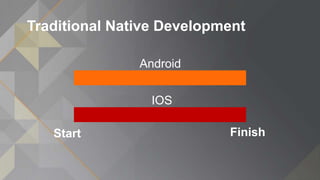
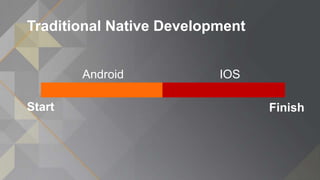
Traditional Native Development
FinishStart
IOS
Android
Traditional Native Development
FinishStart
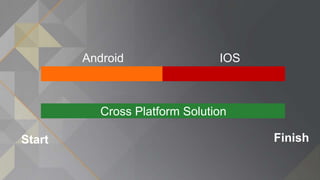
IOSAndroid
FinishStart
IOSAndroid
Cross Platform Solution
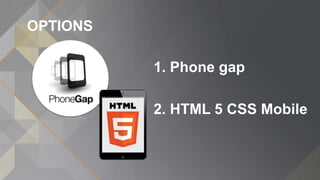
OPTIONS
1. Phone gap
2. HTML 5 CSS Mobile
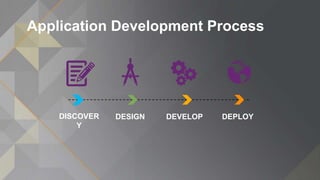
Application Development Process
DISCOVER
Y
DESIGN DEVELOP DEPLOY
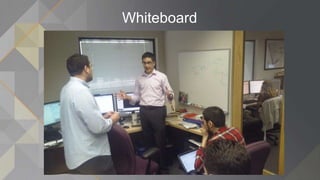
Whiteboard
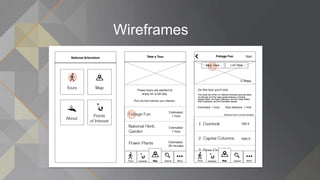
Wireframes
Why AppStudio?
Single Programming Language
(QT/QML)
Feels like JavaScript
Works great with ArcGIS Online
No hassle compile builds
(Cloud Make)
It’s native
(no browser views)
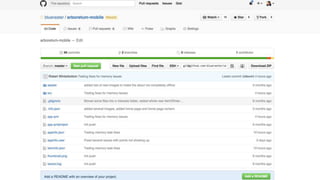
***GIT SLIDE***
A Quick Look
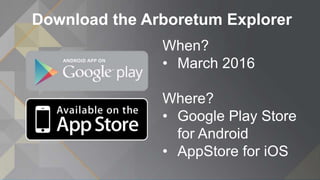
Download the Arboretum Explorer
When?
• March 2016
Where?
• Google Play Store
for Android
• AppStore for iOS
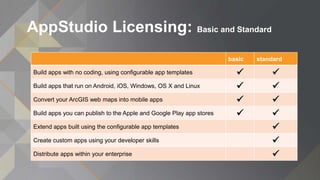
AppStudio Licensing: Basic and Standard
basic standard
Build apps with no coding, using configurable app templates  
Build apps that run on Android, iOS, Windows, OS X and Linux  
Convert your ArcGIS web maps into mobile apps  
Build apps you can publish to the Apple and Google Play app stores  
Extend apps built using the configurable app templates 
Create custom apps using your developer skills 
Distribute apps within your enterprise 
Lean More…
• Website: http://appstudio.arcgis.com
• FAQ http://appstudio.arcgis.com/FAQ.html
• Try it today by visiting http://appstudio.arcgis.com
• Follow us on Twitter @AppStudioArcGIS
• Visit us on GeoNet: https://geonet.esri.com/groups/appstudio
Questions, Comments, and success stories email appstudio@esri.com
Blue Raster Thanks – Contact Us
Jon Nordling, Solutions Architect
jnordling@blueraster.com
@blueraster
facebook.com/blueraster
View our Portfolio at: www.blueraster.com/blog

AppStudio for ArcGIS: The Basics - Esri FedGIS 2016

Editor's Notes

  • #3 Talking points: For the past 7+ we have been experiencing a app or mobile revolution I suspect that everyone listening to this presentation has a smartphone, maybe a tablet or other devices Last couple years…mobile apps have overtaken desktops in internet use (http://money.cnn.com/2014/02/28/technology/mobile/mobile-apps-internet) People expect to have access to information…be it maps of data…anytime anywhere, on any device
  • #4 Why? Why do we prefer native apps and why should you consider building a native app 1) Working offline Some app can be used without an internet connection, this often referred to as offline. This is particularly important when performing data collection in areas with limited or no internet connectivity 2) Better performance and device capabilities Native app take advantage of the hardware and processing power The UI is tailored for the device screen….just feels natural Native apps offer take advantage of the operating system features and sensors Such as the camera, location, contacts and sharing capabilities 3) Native apps can be published in the App Store For many organizations most important reason to create a Native app is that they can be published to the App Stores such as the Apple app store and Google Play store. The app store significant? Well 15 to 20 years ago every organization had to create a website….that’s how people found you Today…people prefer to use apps and the way they find and download an app is from app stores.
  • #5 But there are many challenges with creating native apps. App development is…. Complicated…you need to be a developer…write code Expensive…if you outsource be prepared to spend 10s of thousands of dollars…for a simple app Time consuming…don’t underestimate the time it can take to create an App
  • #6 If you have the developer and resources available figured out to build an app…But for which Platform? iOS and Android? What about Windows, Mac, and Linux? Building native Apps for multiple platforms traditionally requires writing and testing your app once for every platform. Large Organizations with lots of resources…maybe Small shop or one person…almost impossible.
  • #7 AppStudio helps you to bring an idea to any device. You focus on your business language only and there’s no need to worry about installers, different code for different OS, hardware developer tools. You can start immediately with the supplied templates, add your branding and existing Esri data and deploy to a store or within your enterprise.
  • #8 AppStudio helps you to bring an idea to any device. You focus on your business language only and there’s no need to worry about installers, different code for different OS, hardware developer tools. You can start immediately with the supplied templates, add your branding and existing Esri data and deploy to a store or within your enterprise.
  • #9 And organizations have realized that to reach a wider audience they must publish apps into to the app stores. With AppStudio for ArcGIS and the app templates provided you can configure a beautiful app and publish it to the App Stores
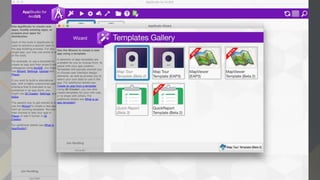
  • #10 NOTE: it is best to download and demo this app: http://www.geolsoc.org.uk/Education-and-Careers/100-Great-Geosites/Interactive-Map https://itunes.apple.com/us/app/100-great-geosites/id1024817322?mt=8 https://play.google.com/store/apps/details?id=com.esri.greatgeosites Example, this past year the UK Geological society created a Story Map of “100 Great Geosites” as voted on by the public. Wanting to turn this into an iOS and Android app they turned to AppStudio for ArcGIS and the Map Tour template.  Without writing any code this Story Map was turned into a beautiful app available on the Apple App Store and Google Play Store.  Today we have 3 templates available to anyone with an ArcGIS Account as part of AppStudio for ArcGIS Basic (Map Tour, Map Viewer, and Quick Report). NOTE:
  • #11 The challenge for many organizations is that they don’t have the time and resources to develop for more than one platform (iOS, Android, Windows, etc). AppStudio solves this challenge because the apps it builds run on iOS, Android, and even Windows, Mac, and Linux.  This is possible because AppStudio apps are built with  Qt/QML, this code is cross platform and can be compiled for all these platforms.  What does that mean…it means that you can write the code for your app once and it can easily be compiled to run on iOS, Android…and even windows, mac, and linux And these compiled apps can be published in the Apple and Google apps stores.
  • #12 When you build apps with AppStudio you have several deployment options to fit your needs. For the Public (and sometimes enterprise) App Stores: The Apple App Store and Google Play Store are the most common ways to make your smartphone and tablet apps accessible to a wide audience. The AppStudio cloud build environment provides tools to prepare (sign with certificates) your apps to be published. Provide the installation files directly: The installation files created with AppStudio can also be provided to users via web links, USB drives, or even good old CDs.  Note: iOS install files (IPA files) must be signed for public or enterprise use and deployed via Apple For Enterprise Mobile Device Management (MDM) system: Many organizations have chosen to use an MDM to manage and deploy apps throughout their enterprise. The apps built with AppStudio can be incorporated into MDMs such an Ironmobile, XenMobile, or Good Technology. AppStudio Player: For delivering apps into an enterprise organization AppStudio offers a unique solution with the AppStudio Player. The AppStudio Player is a free app for testing and/or deploying your apps. Here’s how works. -Create your app with AppStudio and save the app configuration (app code, and images) in you ArcGIS account. -Share the app configurations with others in your ArcGIS organization -Download the AppStudio Player for iOS, Android, or the other supported platforms. -Login to AppStudio Player to download and run the apps natively on your device.
  • #13 Whether you want to create an app to promote your beautiful maps, gather information from the public, or deliver a focused solution for your organization… AppStudio is up to the task. Try it today by visiting http://appstudio.arcgis.com Follow us on Twitter @AppStudioArcGIS Visit us on GeoNet: https://geonet.esri.com/groups/appstudio
  • #14 If you are a developer you can use AppStudio for ArcGIS Standard to write code to customize the templates or create a new app from scratch. AppStudio apps are built using the ArcGIS Runtime SDK for Qt.  This means that AppStudio has the same core Runtime components that power many of Esri’s apps like Collector for ArcGIS, Operations Dashboard for ArcGIS, and ArcGIS Earth. AppStudio’s Desktop Edition includes Qt Creator, a full-featured cross-platform development environment, and code samples to get you underway. 
  • #15 Links: Survey123 for ArcGIS http://survey123.esri.com/ https://itunes.apple.com/us/app/survey-123-for-arcgis/id993015031?mt=8 https://play.google.com/store/apps/details?id=com.esri.survey123 View and download a great video of the GPSit App https://esri.box.com/GPSitAppStudio
  • #16 Note: recommended that you demo these apps if you have time Onwani – My Address https://itunes.apple.com/us/app/id1032172912?mt=8 https://play.google.com/store/apps/details?id=com.dma.onwani Field Notes-Earth https://itunes.apple.com/us/app/field-notes-earth/id1014160540?mt=8 https://play.google.com/store/apps/details?id=com.esri.fieldnotesearth&hl=en
  • #18 Note: recommended that you demo these apps if you have time Onwani – My Address https://itunes.apple.com/us/app/id1032172912?mt=8 https://play.google.com/store/apps/details?id=com.dma.onwani Field Notes-Earth https://itunes.apple.com/us/app/field-notes-earth/id1014160540?mt=8 https://play.google.com/store/apps/details?id=com.esri.fieldnotesearth&hl=en
  • #19 Note: recommended that you demo these apps if you have time Onwani – My Address https://itunes.apple.com/us/app/id1032172912?mt=8 https://play.google.com/store/apps/details?id=com.dma.onwani Field Notes-Earth https://itunes.apple.com/us/app/field-notes-earth/id1014160540?mt=8 https://play.google.com/store/apps/details?id=com.esri.fieldnotesearth&hl=en
  • #20 Note: recommended that you demo these apps if you have time Onwani – My Address https://itunes.apple.com/us/app/id1032172912?mt=8 https://play.google.com/store/apps/details?id=com.dma.onwani Field Notes-Earth https://itunes.apple.com/us/app/field-notes-earth/id1014160540?mt=8 https://play.google.com/store/apps/details?id=com.esri.fieldnotesearth&hl=en
  • #21 Note: recommended that you demo these apps if you have time Onwani – My Address https://itunes.apple.com/us/app/id1032172912?mt=8 https://play.google.com/store/apps/details?id=com.dma.onwani Field Notes-Earth https://itunes.apple.com/us/app/field-notes-earth/id1014160540?mt=8 https://play.google.com/store/apps/details?id=com.esri.fieldnotesearth&hl=en
  • #22 Note: recommended that you demo these apps if you have time Onwani – My Address https://itunes.apple.com/us/app/id1032172912?mt=8 https://play.google.com/store/apps/details?id=com.dma.onwani Field Notes-Earth https://itunes.apple.com/us/app/field-notes-earth/id1014160540?mt=8 https://play.google.com/store/apps/details?id=com.esri.fieldnotesearth&hl=en
  • #23 Note: recommended that you demo these apps if you have time Onwani – My Address https://itunes.apple.com/us/app/id1032172912?mt=8 https://play.google.com/store/apps/details?id=com.dma.onwani Field Notes-Earth https://itunes.apple.com/us/app/field-notes-earth/id1014160540?mt=8 https://play.google.com/store/apps/details?id=com.esri.fieldnotesearth&hl=en
  • #24 Note: recommended that you demo these apps if you have time Onwani – My Address https://itunes.apple.com/us/app/id1032172912?mt=8 https://play.google.com/store/apps/details?id=com.dma.onwani Field Notes-Earth https://itunes.apple.com/us/app/field-notes-earth/id1014160540?mt=8 https://play.google.com/store/apps/details?id=com.esri.fieldnotesearth&hl=en
  • #25 Note: recommended that you demo these apps if you have time Onwani – My Address https://itunes.apple.com/us/app/id1032172912?mt=8 https://play.google.com/store/apps/details?id=com.dma.onwani Field Notes-Earth https://itunes.apple.com/us/app/field-notes-earth/id1014160540?mt=8 https://play.google.com/store/apps/details?id=com.esri.fieldnotesearth&hl=en
  • #26 Note: recommended that you demo these apps if you have time Onwani – My Address https://itunes.apple.com/us/app/id1032172912?mt=8 https://play.google.com/store/apps/details?id=com.dma.onwani Field Notes-Earth https://itunes.apple.com/us/app/field-notes-earth/id1014160540?mt=8 https://play.google.com/store/apps/details?id=com.esri.fieldnotesearth&hl=en
  • #27 Note: recommended that you demo these apps if you have time Onwani – My Address https://itunes.apple.com/us/app/id1032172912?mt=8 https://play.google.com/store/apps/details?id=com.dma.onwani Field Notes-Earth https://itunes.apple.com/us/app/field-notes-earth/id1014160540?mt=8 https://play.google.com/store/apps/details?id=com.esri.fieldnotesearth&hl=en
  • #28 Note: recommended that you demo these apps if you have time Onwani – My Address https://itunes.apple.com/us/app/id1032172912?mt=8 https://play.google.com/store/apps/details?id=com.dma.onwani Field Notes-Earth https://itunes.apple.com/us/app/field-notes-earth/id1014160540?mt=8 https://play.google.com/store/apps/details?id=com.esri.fieldnotesearth&hl=en
  • #29 Note: recommended that you demo these apps if you have time Onwani – My Address https://itunes.apple.com/us/app/id1032172912?mt=8 https://play.google.com/store/apps/details?id=com.dma.onwani Field Notes-Earth https://itunes.apple.com/us/app/field-notes-earth/id1014160540?mt=8 https://play.google.com/store/apps/details?id=com.esri.fieldnotesearth&hl=en
  • #30 Note: recommended that you demo these apps if you have time Onwani – My Address https://itunes.apple.com/us/app/id1032172912?mt=8 https://play.google.com/store/apps/details?id=com.dma.onwani Field Notes-Earth https://itunes.apple.com/us/app/field-notes-earth/id1014160540?mt=8 https://play.google.com/store/apps/details?id=com.esri.fieldnotesearth&hl=en
  • #31 Note: recommended that you demo these apps if you have time Onwani – My Address https://itunes.apple.com/us/app/id1032172912?mt=8 https://play.google.com/store/apps/details?id=com.dma.onwani Field Notes-Earth https://itunes.apple.com/us/app/field-notes-earth/id1014160540?mt=8 https://play.google.com/store/apps/details?id=com.esri.fieldnotesearth&hl=en
  • #32 Note: recommended that you demo these apps if you have time Onwani – My Address https://itunes.apple.com/us/app/id1032172912?mt=8 https://play.google.com/store/apps/details?id=com.dma.onwani Field Notes-Earth https://itunes.apple.com/us/app/field-notes-earth/id1014160540?mt=8 https://play.google.com/store/apps/details?id=com.esri.fieldnotesearth&hl=en
  • #33 Note: recommended that you demo these apps if you have time Onwani – My Address https://itunes.apple.com/us/app/id1032172912?mt=8 https://play.google.com/store/apps/details?id=com.dma.onwani Field Notes-Earth https://itunes.apple.com/us/app/field-notes-earth/id1014160540?mt=8 https://play.google.com/store/apps/details?id=com.esri.fieldnotesearth&hl=en
  • #34 Note: recommended that you demo these apps if you have time Onwani – My Address https://itunes.apple.com/us/app/id1032172912?mt=8 https://play.google.com/store/apps/details?id=com.dma.onwani Field Notes-Earth https://itunes.apple.com/us/app/field-notes-earth/id1014160540?mt=8 https://play.google.com/store/apps/details?id=com.esri.fieldnotesearth&hl=en
  • #35 Note: recommended that you demo these apps if you have time Onwani – My Address https://itunes.apple.com/us/app/id1032172912?mt=8 https://play.google.com/store/apps/details?id=com.dma.onwani Field Notes-Earth https://itunes.apple.com/us/app/field-notes-earth/id1014160540?mt=8 https://play.google.com/store/apps/details?id=com.esri.fieldnotesearth&hl=en
  • #36 Note: recommended that you demo these apps if you have time Onwani – My Address https://itunes.apple.com/us/app/id1032172912?mt=8 https://play.google.com/store/apps/details?id=com.dma.onwani Field Notes-Earth https://itunes.apple.com/us/app/field-notes-earth/id1014160540?mt=8 https://play.google.com/store/apps/details?id=com.esri.fieldnotesearth&hl=en
  • #37 Note: recommended that you demo these apps if you have time Onwani – My Address https://itunes.apple.com/us/app/id1032172912?mt=8 https://play.google.com/store/apps/details?id=com.dma.onwani Field Notes-Earth https://itunes.apple.com/us/app/field-notes-earth/id1014160540?mt=8 https://play.google.com/store/apps/details?id=com.esri.fieldnotesearth&hl=en
  • #38 Note: recommended that you demo these apps if you have time Onwani – My Address https://itunes.apple.com/us/app/id1032172912?mt=8 https://play.google.com/store/apps/details?id=com.dma.onwani Field Notes-Earth https://itunes.apple.com/us/app/field-notes-earth/id1014160540?mt=8 https://play.google.com/store/apps/details?id=com.esri.fieldnotesearth&hl=en
  • #39 Note: recommended that you demo these apps if you have time Onwani – My Address https://itunes.apple.com/us/app/id1032172912?mt=8 https://play.google.com/store/apps/details?id=com.dma.onwani Field Notes-Earth https://itunes.apple.com/us/app/field-notes-earth/id1014160540?mt=8 https://play.google.com/store/apps/details?id=com.esri.fieldnotesearth&hl=en
  • #40 Note: recommended that you demo these apps if you have time Onwani – My Address https://itunes.apple.com/us/app/id1032172912?mt=8 https://play.google.com/store/apps/details?id=com.dma.onwani Field Notes-Earth https://itunes.apple.com/us/app/field-notes-earth/id1014160540?mt=8 https://play.google.com/store/apps/details?id=com.esri.fieldnotesearth&hl=en
  • #41 Note: recommended that you demo these apps if you have time Onwani – My Address https://itunes.apple.com/us/app/id1032172912?mt=8 https://play.google.com/store/apps/details?id=com.dma.onwani Field Notes-Earth https://itunes.apple.com/us/app/field-notes-earth/id1014160540?mt=8 https://play.google.com/store/apps/details?id=com.esri.fieldnotesearth&hl=en
  • #42 Note: recommended that you demo these apps if you have time Onwani – My Address https://itunes.apple.com/us/app/id1032172912?mt=8 https://play.google.com/store/apps/details?id=com.dma.onwani Field Notes-Earth https://itunes.apple.com/us/app/field-notes-earth/id1014160540?mt=8 https://play.google.com/store/apps/details?id=com.esri.fieldnotesearth&hl=en
  • #43 Note: recommended that you demo these apps if you have time Onwani – My Address https://itunes.apple.com/us/app/id1032172912?mt=8 https://play.google.com/store/apps/details?id=com.dma.onwani Field Notes-Earth https://itunes.apple.com/us/app/field-notes-earth/id1014160540?mt=8 https://play.google.com/store/apps/details?id=com.esri.fieldnotesearth&hl=en
  • #44 Note: recommended that you demo these apps if you have time Onwani – My Address https://itunes.apple.com/us/app/id1032172912?mt=8 https://play.google.com/store/apps/details?id=com.dma.onwani Field Notes-Earth https://itunes.apple.com/us/app/field-notes-earth/id1014160540?mt=8 https://play.google.com/store/apps/details?id=com.esri.fieldnotesearth&hl=en
  • #45 Note: recommended that you demo these apps if you have time Onwani – My Address https://itunes.apple.com/us/app/id1032172912?mt=8 https://play.google.com/store/apps/details?id=com.dma.onwani Field Notes-Earth https://itunes.apple.com/us/app/field-notes-earth/id1014160540?mt=8 https://play.google.com/store/apps/details?id=com.esri.fieldnotesearth&hl=en
  • #46 Note: recommended that you demo these apps if you have time Onwani – My Address https://itunes.apple.com/us/app/id1032172912?mt=8 https://play.google.com/store/apps/details?id=com.dma.onwani Field Notes-Earth https://itunes.apple.com/us/app/field-notes-earth/id1014160540?mt=8 https://play.google.com/store/apps/details?id=com.esri.fieldnotesearth&hl=en
  • #47 Note: recommended that you demo these apps if you have time Onwani – My Address https://itunes.apple.com/us/app/id1032172912?mt=8 https://play.google.com/store/apps/details?id=com.dma.onwani Field Notes-Earth https://itunes.apple.com/us/app/field-notes-earth/id1014160540?mt=8 https://play.google.com/store/apps/details?id=com.esri.fieldnotesearth&hl=en
  • #48 Note: recommended that you demo these apps if you have time Onwani – My Address https://itunes.apple.com/us/app/id1032172912?mt=8 https://play.google.com/store/apps/details?id=com.dma.onwani Field Notes-Earth https://itunes.apple.com/us/app/field-notes-earth/id1014160540?mt=8 https://play.google.com/store/apps/details?id=com.esri.fieldnotesearth&hl=en
  • #49 Note: recommended that you demo these apps if you have time Onwani – My Address https://itunes.apple.com/us/app/id1032172912?mt=8 https://play.google.com/store/apps/details?id=com.dma.onwani Field Notes-Earth https://itunes.apple.com/us/app/field-notes-earth/id1014160540?mt=8 https://play.google.com/store/apps/details?id=com.esri.fieldnotesearth&hl=en
  • #50 There are two licensing options with AppStudio; Basic and Standard. AppStudio Basic is perfect for the non-developer who wants to turn their ArcGIS maps into apps and make them available to the public. AppStudio Basic is included with every ArcGIS Organization account.  With AppStudio Standard you can write custom QML code and distribute AppStudio apps within an enterprise. See this table for a comparison of AppStudio Basic and Standard licenses.
  • #51 Whether you want to create an app to promote your beautiful maps, gather information from the public, or deliver a focused solution for your organization… AppStudio is up to the task. Website: http://appstudio.arcgis.com FAQ http://appstudio.arcgis.com/FAQ.html Try it today by visiting http://appstudio.arcgis.com Follow us on Twitter @AppStudioArcGIS Visit us on GeoNet: https://geonet.esri.com/groups/appstudio Questions, Comments, and success stories email appstudio@esri.com
  • #52 Note: recommended that you demo these apps if you have time Onwani – My Address https://itunes.apple.com/us/app/id1032172912?mt=8 https://play.google.com/store/apps/details?id=com.dma.onwani Field Notes-Earth https://itunes.apple.com/us/app/field-notes-earth/id1014160540?mt=8 https://play.google.com/store/apps/details?id=com.esri.fieldnotesearth&hl=en