Ms.Pooja Painter
Applets
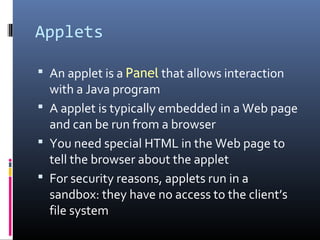
 An applet is a Panel that allows interaction
with a Java program
 A applet is typically embedded in a Web page
and can be run from a browser
 You need special HTML in the Web page to
tell the browser about the applet
 For security reasons, applets run in a
sandbox: they have no access to the client’s
file system
Applet Support
 Most modern browsers support Java 1.4 if
they have the appropriate plugin
 In the PC labs, Internet Explorer 5.5 has been
updated, but Netscape has not
 The best support isn't a browser, but the
standalone program appletviewer
 In general you should try to write applets that
can be run with any browser
What an applet is
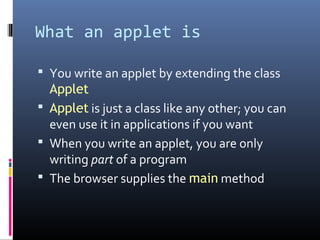
 You write an applet by extending the class
Applet
 Applet is just a class like any other; you can
even use it in applications if you want
 When you write an applet, you are only
writing part of a program
 The browser supplies the main method
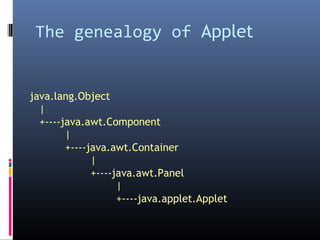
The genealogy of Applet
java.lang.Object
|
+----java.awt.Component
|
+----java.awt.Container
|
+----java.awt.Panel
|
+----java.applet.Applet
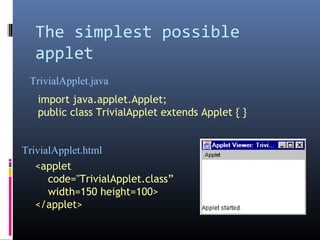
The simplest possible
applet
import java.applet.Applet;
public class TrivialApplet extends Applet { }
<applet
code="TrivialApplet.class”
width=150 height=100>
</applet>
TrivialApplet.java
TrivialApplet.html
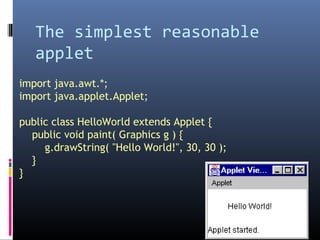
The simplest reasonable
applet
import java.awt.*;
import java.applet.Applet;
public class HelloWorld extends Applet {
public void paint( Graphics g ) {
g.drawString( "Hello World!", 30, 30 );
}
}
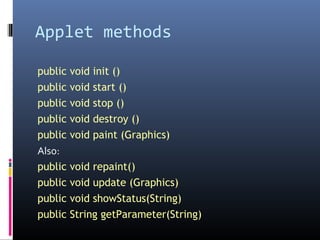
Applet methods
public void init ()
public void start ()
public void stop ()
public void destroy ()
public void paint (Graphics)
Also:
public void repaint()
public void update (Graphics)
public void showStatus(String)
public String getParameter(String)
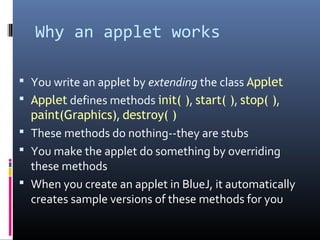
Why an applet works
 You write an applet by extending the class Applet
 Applet defines methods init( ), start( ), stop( ),
paint(Graphics), destroy( )
 These methods do nothing--they are stubs
 You make the applet do something by overriding
these methods
 When you create an applet in BlueJ, it automatically
creates sample versions of these methods for you
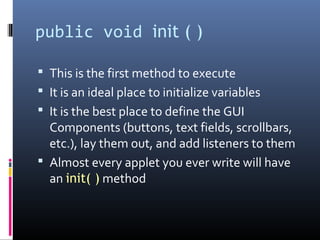
public void init ( )
 This is the first method to execute
 It is an ideal place to initialize variables
 It is the best place to define the GUI
Components (buttons, text fields, scrollbars,
etc.), lay them out, and add listeners to them
 Almost every applet you ever write will have
an init( ) method
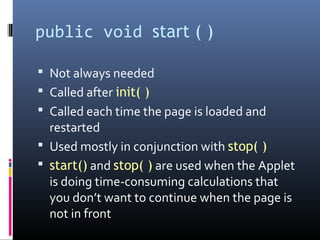
public void start ( )
 Not always needed
 Called after init( )
 Called each time the page is loaded and
restarted
 Used mostly in conjunction with stop( )
 start() and stop( ) are used when the Applet
is doing time-consuming calculations that
you don’t want to continue when the page is
not in front
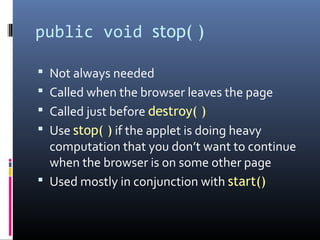
public void stop( )
 Not always needed
 Called when the browser leaves the page
 Called just before destroy( )
 Use stop( ) if the applet is doing heavy
computation that you don’t want to continue
when the browser is on some other page
 Used mostly in conjunction with start()
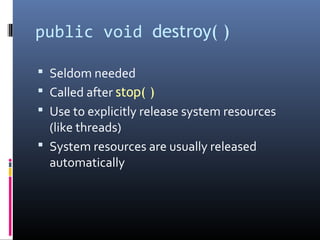
public void destroy( )
 Seldom needed
 Called after stop( )
 Use to explicitly release system resources
(like threads)
 System resources are usually released
automatically
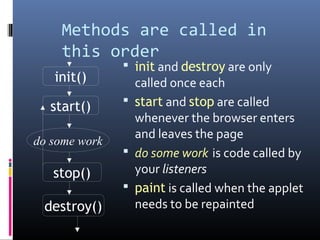
Methods are called in
this order
 init and destroy are only
called once each
 start and stop are called
whenever the browser enters
and leaves the page
 do some work is code called by
your listeners
 paint is called when the applet
needs to be repainted
init()
start()
stop()
destroy()
do some work
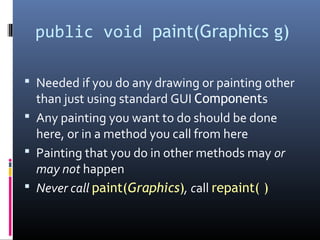
public void paint(Graphics g)
 Needed if you do any drawing or painting other
than just using standard GUI Components
 Any painting you want to do should be done
here, or in a method you call from here
 Painting that you do in other methods may or
may not happen
 Never call paint(Graphics), call repaint( )
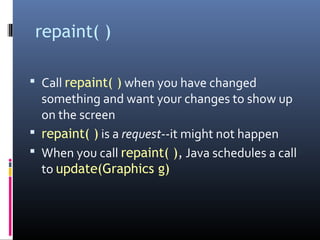
repaint( )
 Call repaint( ) when you have changed
something and want your changes to show up
on the screen
 repaint( ) is a request--it might not happen
 When you call repaint( ), Java schedules a call
to update(Graphics g)
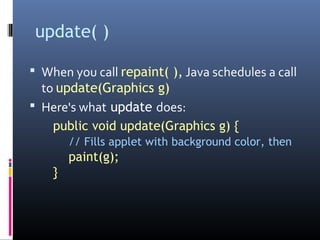
update( )
 When you call repaint( ), Java schedules a call
to update(Graphics g)
 Here's what update does:
public void update(Graphics g) {
// Fills applet with background color, then
paint(g);
}
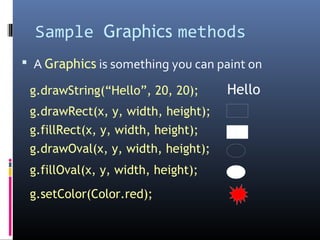
Sample Graphics methods
 A Graphics is something you can paint on
g.drawRect(x, y, width, height);
g.fillRect(x, y, width, height);
g.drawOval(x, y, width, height);
g.fillOval(x, y, width, height);
g.setColor(Color.red);
g.drawString(“Hello”, 20, 20); Hello
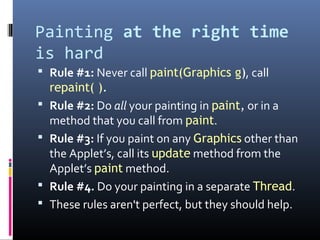
Painting at the right time
is hard
 Rule #1: Never call paint(Graphics g), call
repaint( ).
 Rule #2: Do all your painting in paint, or in a
method that you call from paint.
 Rule #3: If you paint on any Graphics other than
the Applet’s, call its update method from the
Applet’s paint method.
 Rule #4. Do your painting in a separate Thread.
 These rules aren't perfect, but they should help.
Other useful Applet methods
 System.out.println(String s)
 Works from appletviewer, not from browsers
 Automatically opens an output window.
 showStatus(String) displays the String in the
applet’s status line.
 Each call overwrites the previous call.
 You have to allow time to read the line!
Applets are not magic!
 Anything you can do in an applet, you can do
in an application.
 You can do some things in an application that
you can’t do in an applet.
 If you want to access files from an applet, it
must be a “trusted” applet.
 Trusted applets are beyond the scope of this
course.
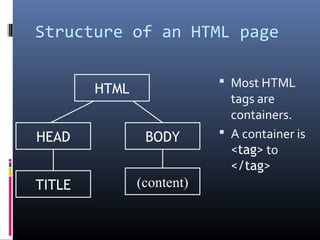
Structure of an HTML page
 Most HTML
tags are
containers.
 A container is
<tag> to
</tag>
HTML
TITLE
BODYHEAD
(content)
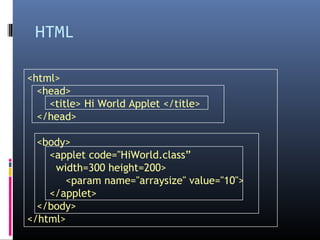
HTML
<html>
<head>
<title> Hi World Applet </title>
</head>
<body>
<applet code="HiWorld.class”
width=300 height=200>
<param name="arraysize" value="10">
</applet>
</body>
</html>
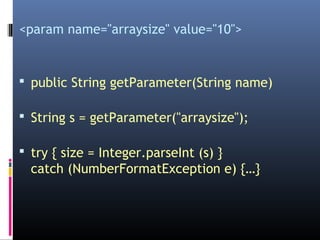
<param name="arraysize" value="10">
 public String getParameter(String name)
 String s = getParameter("arraysize");
 try { size = Integer.parseInt (s) }
catch (NumberFormatException e) {…}
My blog: poojapainter11.wordpress.com
email: ppainter11@gmail.com

Applets

  • 1.
  • 2.
    Applets  An appletis a Panel that allows interaction with a Java program  A applet is typically embedded in a Web page and can be run from a browser  You need special HTML in the Web page to tell the browser about the applet  For security reasons, applets run in a sandbox: they have no access to the client’s file system
  • 3.
    Applet Support  Mostmodern browsers support Java 1.4 if they have the appropriate plugin  In the PC labs, Internet Explorer 5.5 has been updated, but Netscape has not  The best support isn't a browser, but the standalone program appletviewer  In general you should try to write applets that can be run with any browser
  • 4.
    What an appletis  You write an applet by extending the class Applet  Applet is just a class like any other; you can even use it in applications if you want  When you write an applet, you are only writing part of a program  The browser supplies the main method
  • 5.
    The genealogy ofApplet java.lang.Object | +----java.awt.Component | +----java.awt.Container | +----java.awt.Panel | +----java.applet.Applet
  • 6.
    The simplest possible applet importjava.applet.Applet; public class TrivialApplet extends Applet { } <applet code="TrivialApplet.class” width=150 height=100> </applet> TrivialApplet.java TrivialApplet.html
  • 7.
    The simplest reasonable applet importjava.awt.*; import java.applet.Applet; public class HelloWorld extends Applet { public void paint( Graphics g ) { g.drawString( "Hello World!", 30, 30 ); } }
  • 8.
    Applet methods public voidinit () public void start () public void stop () public void destroy () public void paint (Graphics) Also: public void repaint() public void update (Graphics) public void showStatus(String) public String getParameter(String)
  • 9.
    Why an appletworks  You write an applet by extending the class Applet  Applet defines methods init( ), start( ), stop( ), paint(Graphics), destroy( )  These methods do nothing--they are stubs  You make the applet do something by overriding these methods  When you create an applet in BlueJ, it automatically creates sample versions of these methods for you
  • 10.
    public void init( )  This is the first method to execute  It is an ideal place to initialize variables  It is the best place to define the GUI Components (buttons, text fields, scrollbars, etc.), lay them out, and add listeners to them  Almost every applet you ever write will have an init( ) method
  • 11.
    public void start( )  Not always needed  Called after init( )  Called each time the page is loaded and restarted  Used mostly in conjunction with stop( )  start() and stop( ) are used when the Applet is doing time-consuming calculations that you don’t want to continue when the page is not in front
  • 12.
    public void stop()  Not always needed  Called when the browser leaves the page  Called just before destroy( )  Use stop( ) if the applet is doing heavy computation that you don’t want to continue when the browser is on some other page  Used mostly in conjunction with start()
  • 13.
    public void destroy()  Seldom needed  Called after stop( )  Use to explicitly release system resources (like threads)  System resources are usually released automatically
  • 14.
    Methods are calledin this order  init and destroy are only called once each  start and stop are called whenever the browser enters and leaves the page  do some work is code called by your listeners  paint is called when the applet needs to be repainted init() start() stop() destroy() do some work
  • 15.
    public void paint(Graphicsg)  Needed if you do any drawing or painting other than just using standard GUI Components  Any painting you want to do should be done here, or in a method you call from here  Painting that you do in other methods may or may not happen  Never call paint(Graphics), call repaint( )
  • 16.
    repaint( )  Callrepaint( ) when you have changed something and want your changes to show up on the screen  repaint( ) is a request--it might not happen  When you call repaint( ), Java schedules a call to update(Graphics g)
  • 17.
    update( )  Whenyou call repaint( ), Java schedules a call to update(Graphics g)  Here's what update does: public void update(Graphics g) { // Fills applet with background color, then paint(g); }
  • 18.
    Sample Graphics methods A Graphics is something you can paint on g.drawRect(x, y, width, height); g.fillRect(x, y, width, height); g.drawOval(x, y, width, height); g.fillOval(x, y, width, height); g.setColor(Color.red); g.drawString(“Hello”, 20, 20); Hello
  • 19.
    Painting at theright time is hard  Rule #1: Never call paint(Graphics g), call repaint( ).  Rule #2: Do all your painting in paint, or in a method that you call from paint.  Rule #3: If you paint on any Graphics other than the Applet’s, call its update method from the Applet’s paint method.  Rule #4. Do your painting in a separate Thread.  These rules aren't perfect, but they should help.
  • 20.
    Other useful Appletmethods  System.out.println(String s)  Works from appletviewer, not from browsers  Automatically opens an output window.  showStatus(String) displays the String in the applet’s status line.  Each call overwrites the previous call.  You have to allow time to read the line!
  • 21.
    Applets are notmagic!  Anything you can do in an applet, you can do in an application.  You can do some things in an application that you can’t do in an applet.  If you want to access files from an applet, it must be a “trusted” applet.  Trusted applets are beyond the scope of this course.
  • 22.
    Structure of anHTML page  Most HTML tags are containers.  A container is <tag> to </tag> HTML TITLE BODYHEAD (content)
  • 23.
    HTML <html> <head> <title> Hi WorldApplet </title> </head> <body> <applet code="HiWorld.class” width=300 height=200> <param name="arraysize" value="10"> </applet> </body> </html>
  • 24.
    <param name="arraysize" value="10"> public String getParameter(String name)  String s = getParameter("arraysize");  try { size = Integer.parseInt (s) } catch (NumberFormatException e) {…}
  • 25.