Apache Cassandra
Overview
NoSQL
Performance
Scalability
Replication
Main features
History
Apache Cassandra was developed at Facebook
It was released as an open source project on Google code in 2008
In March 2009, it became an Apache project.
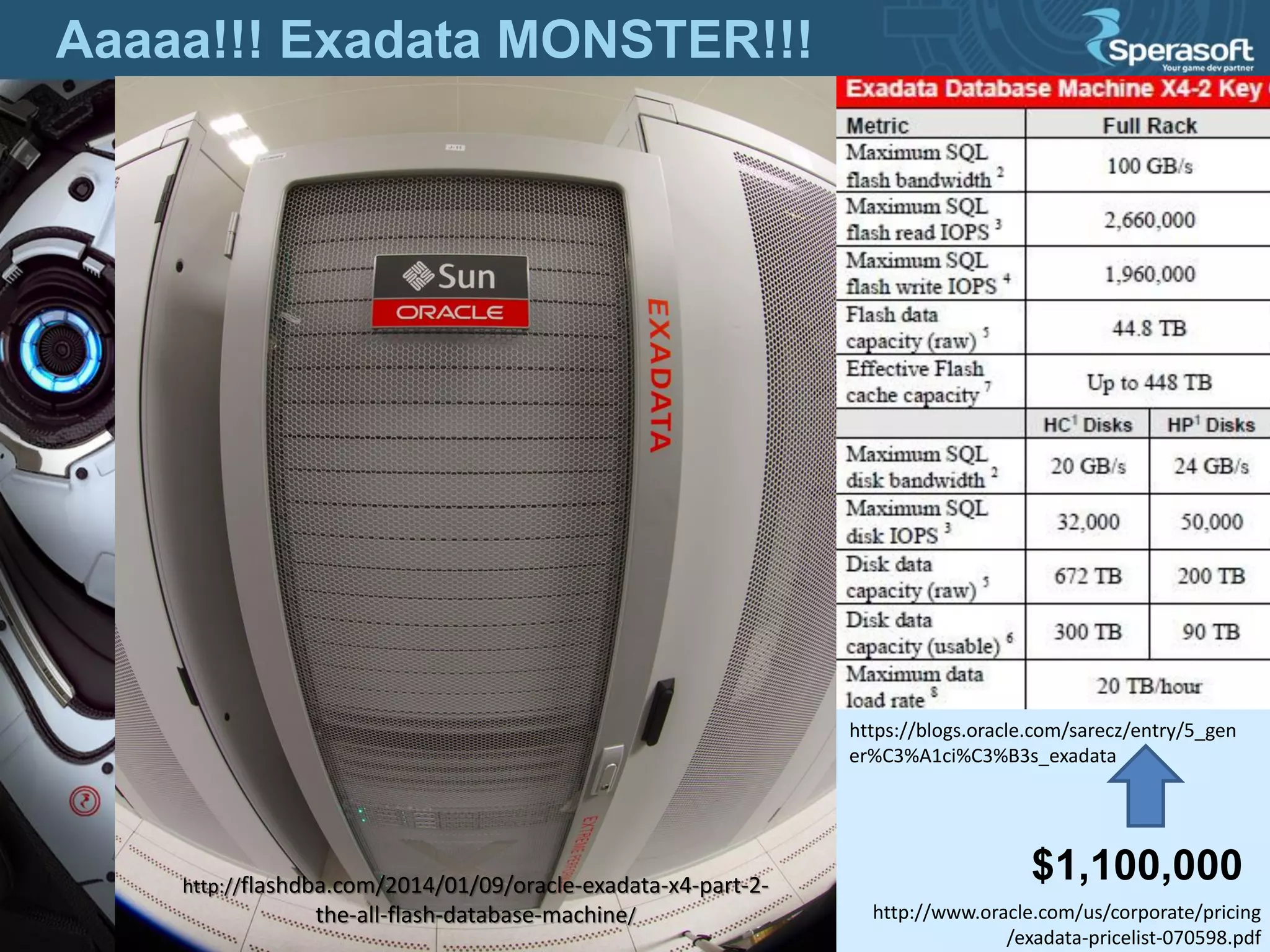
Aaaaa!!! Exadata MONSTER!!!
$1,100,000http://flashdba.com/2014/01/09/oracle-exadata-x4-part-2-
the-all-flash-database-machine/
https://blogs.oracle.com/sarecz/entry/5_gen
er%C3%A1ci%C3%B3s_exadata
http://www.oracle.com/us/corporate/pricing
/exadata-pricelist-070598.pdf
Meh…  Theory 
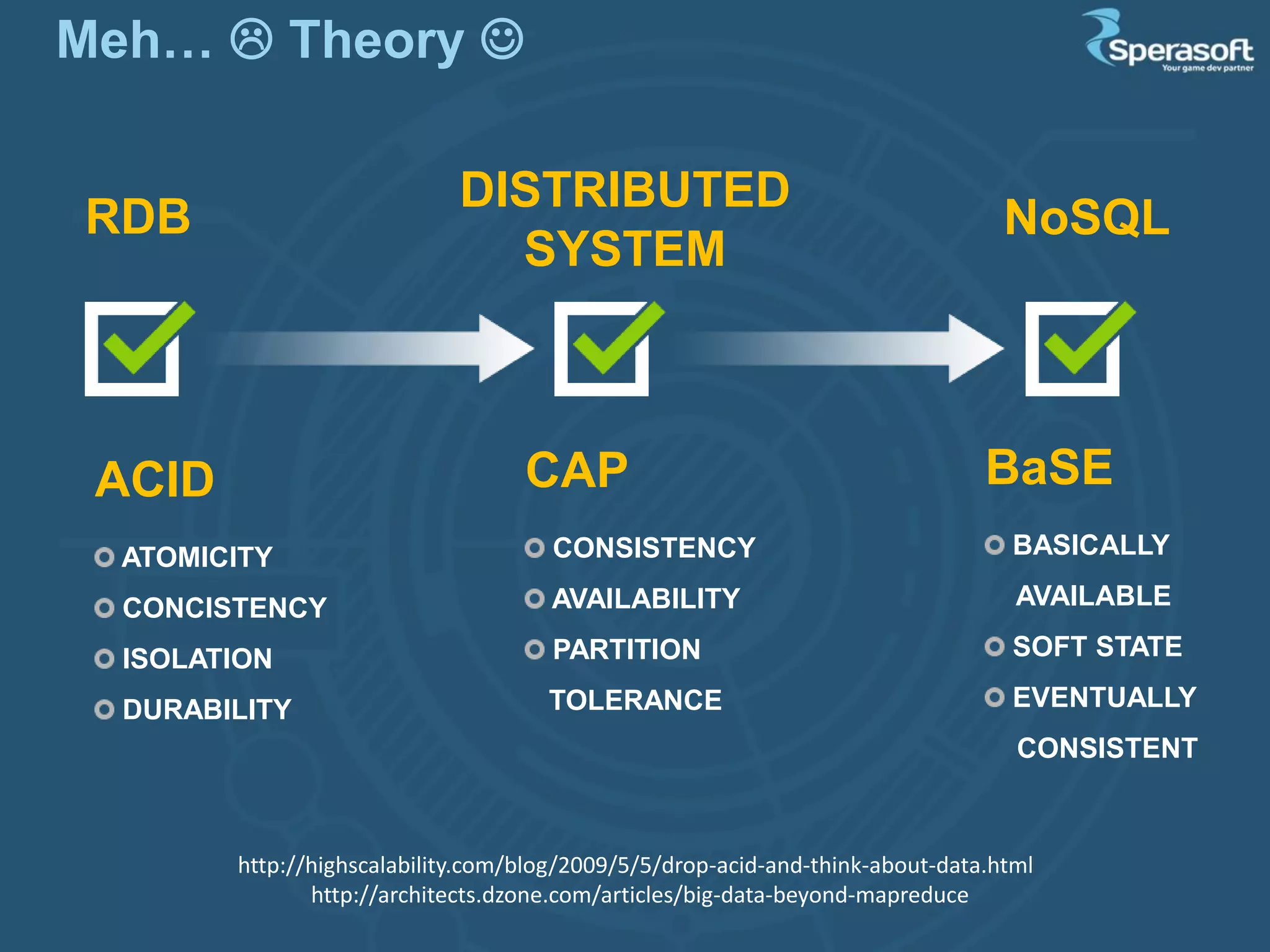
ACID
ATOMICITY
CONCISTENCY
ISOLATION
DURABILITY
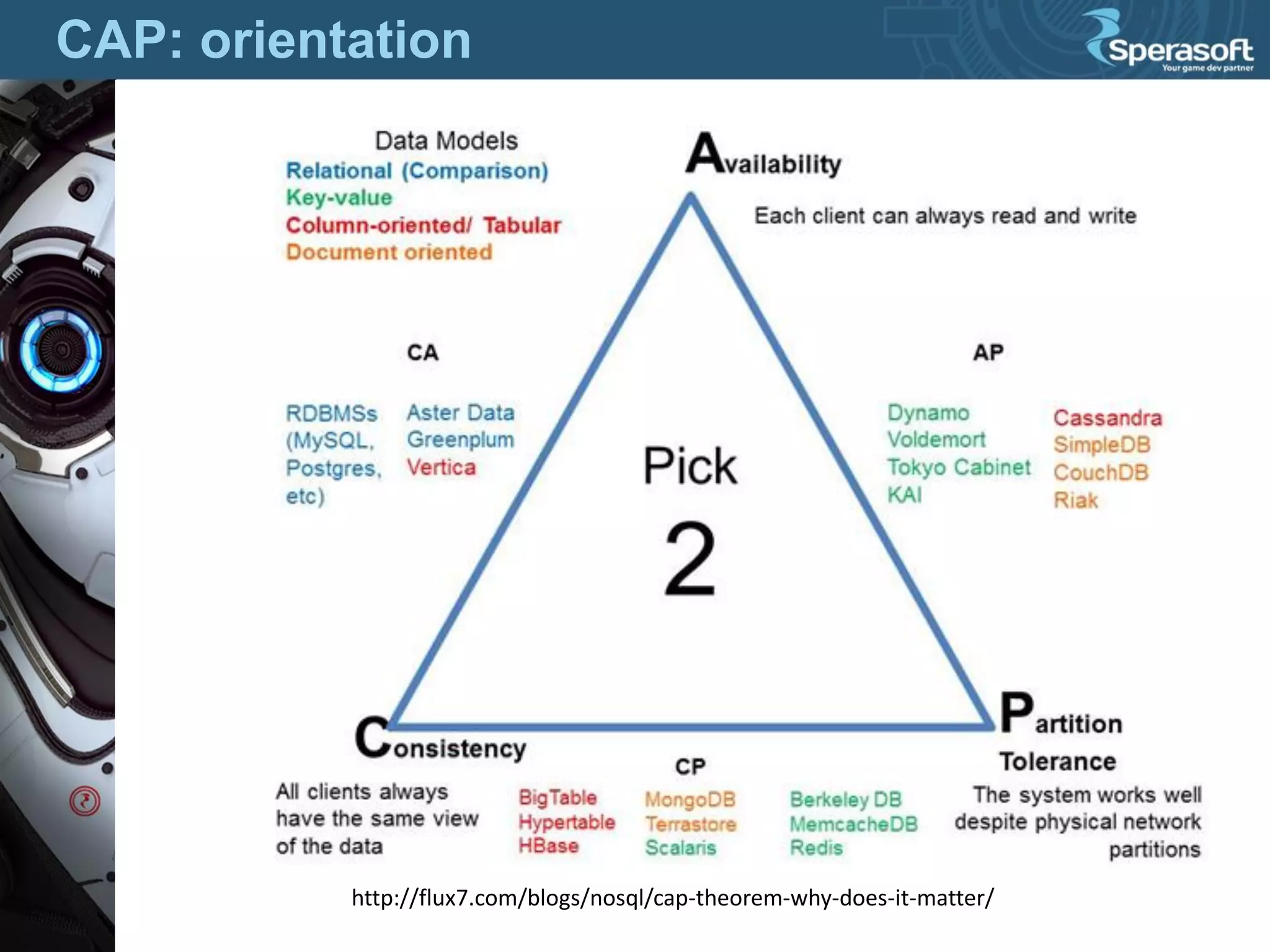
CAP
CONSISTENCY
AVAILABILITY
PARTITION
TOLERANCE
BaSE
BASICALLY
AVAILABLE
SOFT STATE
EVENTUALLY
CONSISTENT
RDB
DISTRIBUTED
SYSTEM
NoSQL
http://highscalability.com/blog/2009/5/5/drop-acid-and-think-about-data.html
http://architects.dzone.com/articles/big-data-beyond-mapreduce
CAP: orientation
http://flux7.com/blogs/nosql/cap-theorem-why-does-it-matter/
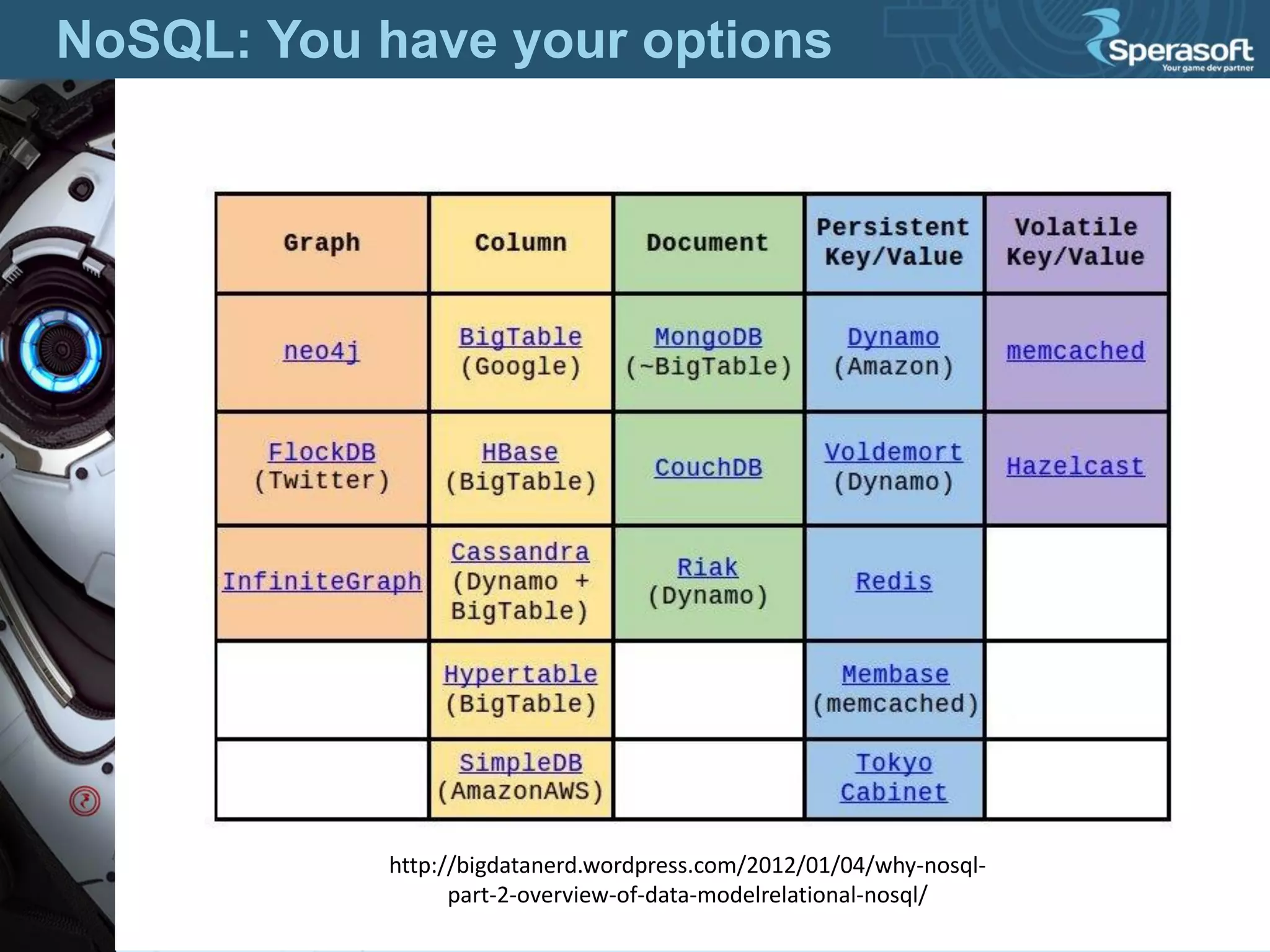
NoSQL: You have your options
http://bigdatanerd.wordpress.com/2012/01/04/why-nosql-
part-2-overview-of-data-modelrelational-nosql/
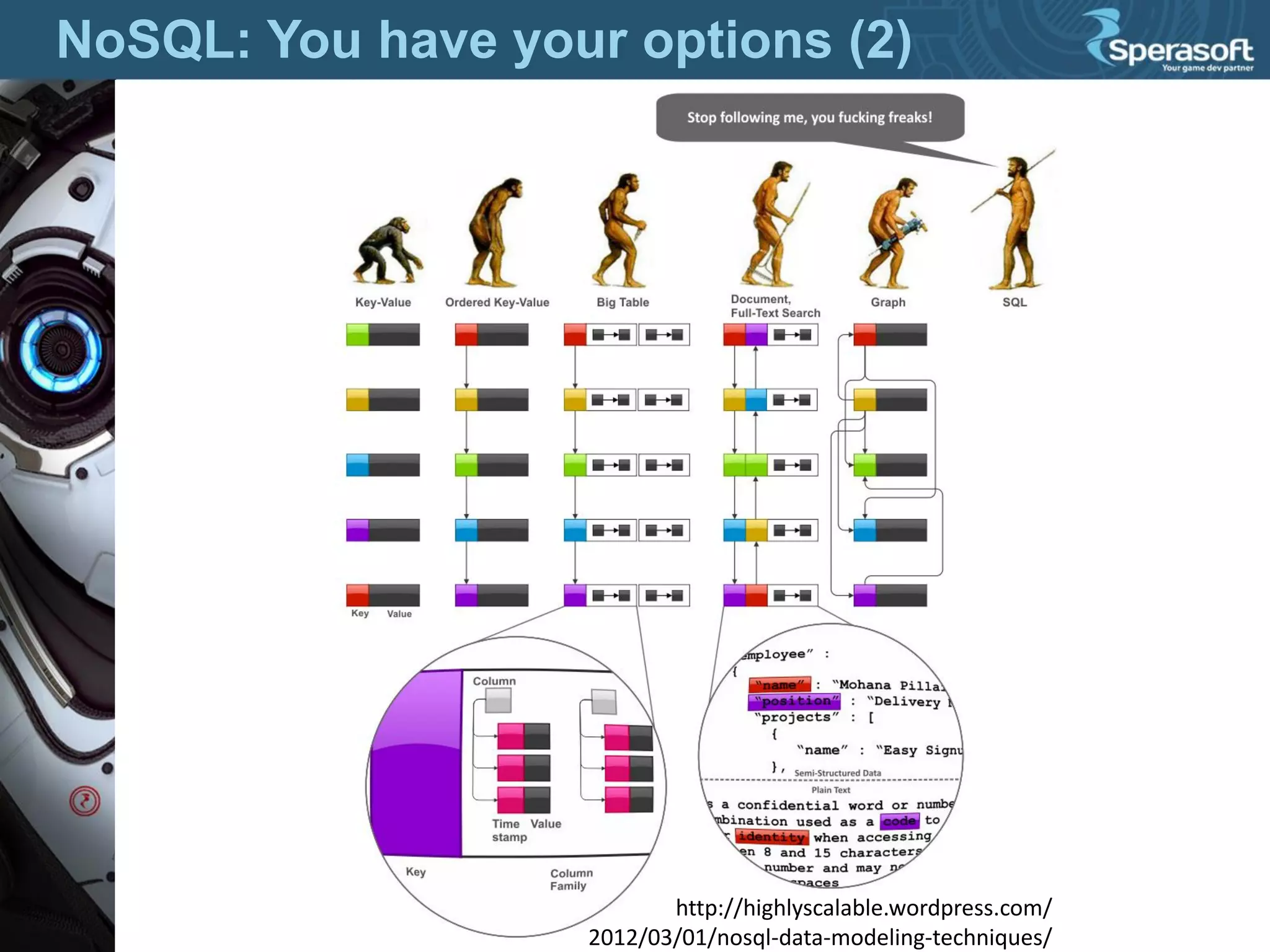
NoSQL: You have your options (2)
http://highlyscalable.wordpress.com/
2012/03/01/nosql-data-modeling-techniques/
Configuration and Deployment
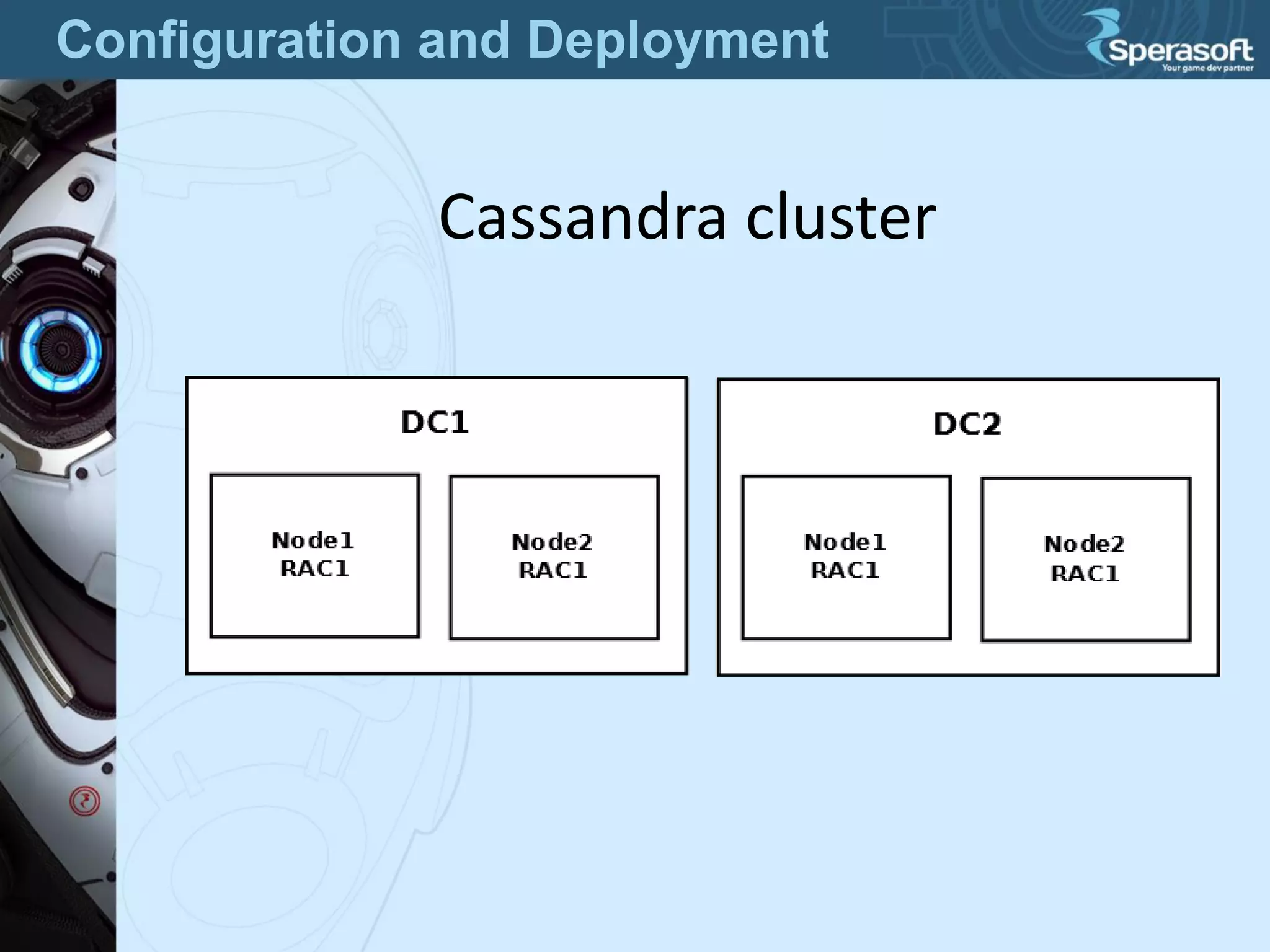
Cassandra cluster
Configuration and Deployment
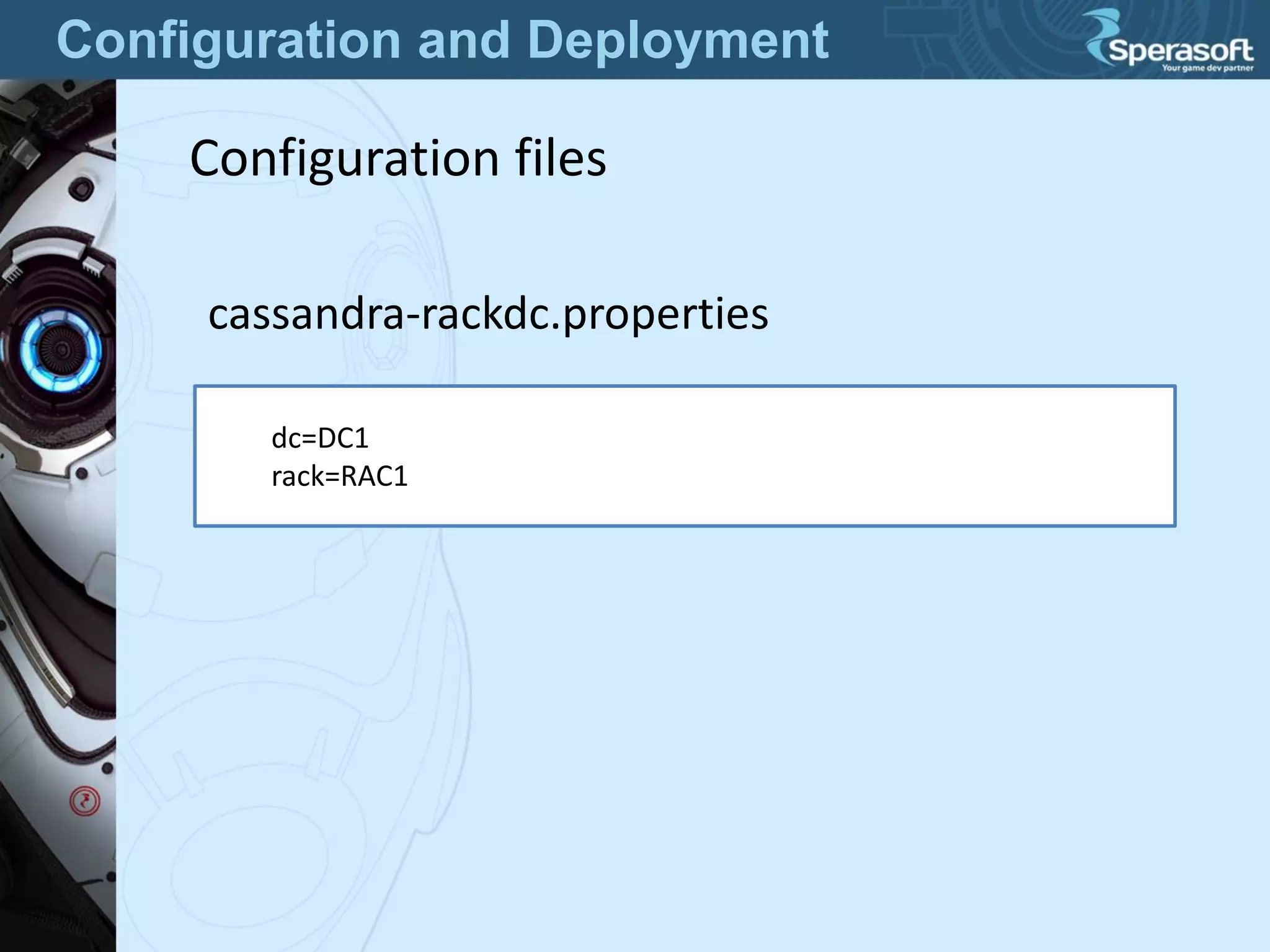
Configuration files
cassandra-rackdc.properties
dc=DC1
rack=RAC1
Configuration and Deployment
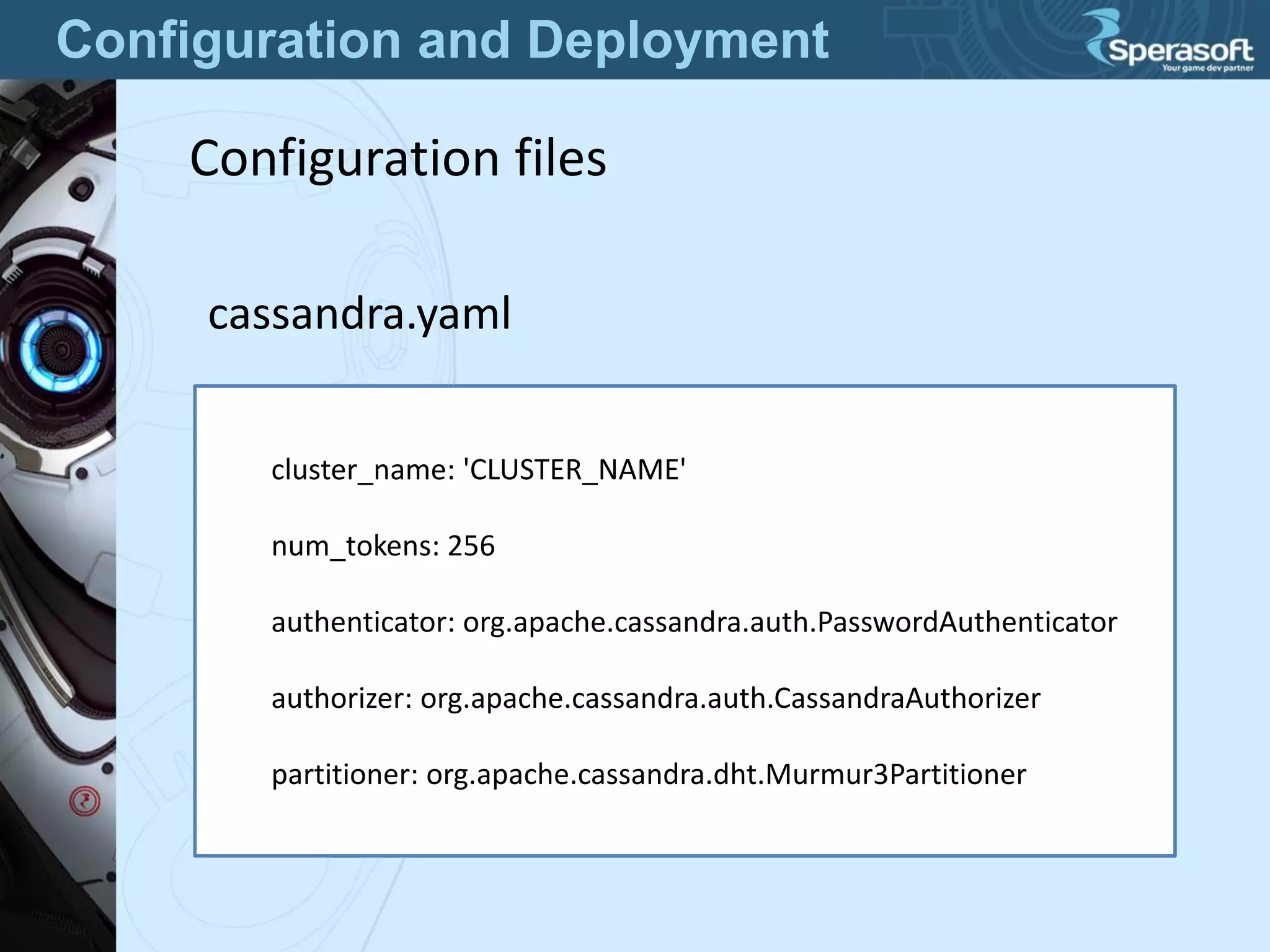
Configuration files
cassandra.yaml
cluster_name: 'CLUSTER_NAME'
num_tokens: 256
authenticator: org.apache.cassandra.auth.PasswordAuthenticator
authorizer: org.apache.cassandra.auth.CassandraAuthorizer
partitioner: org.apache.cassandra.dht.Murmur3Partitioner
Configuration and Deployment
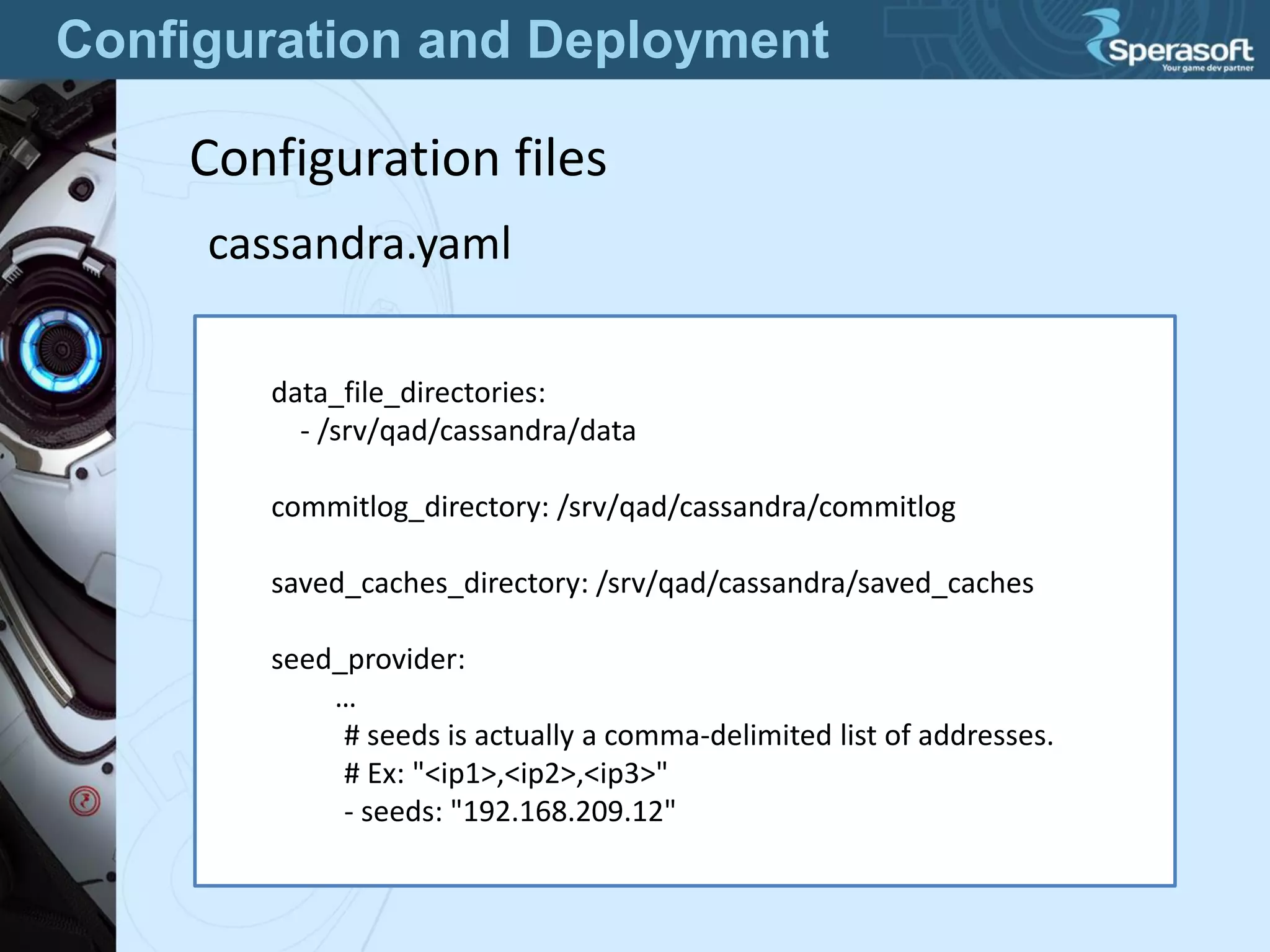
Configuration files
cassandra.yaml
data_file_directories:
- /srv/qad/cassandra/data
commitlog_directory: /srv/qad/cassandra/commitlog
saved_caches_directory: /srv/qad/cassandra/saved_caches
seed_provider:
…
# seeds is actually a comma-delimited list of addresses.
# Ex: "<ip1>,<ip2>,<ip3>"
- seeds: "192.168.209.12"
Configuration and Deployment
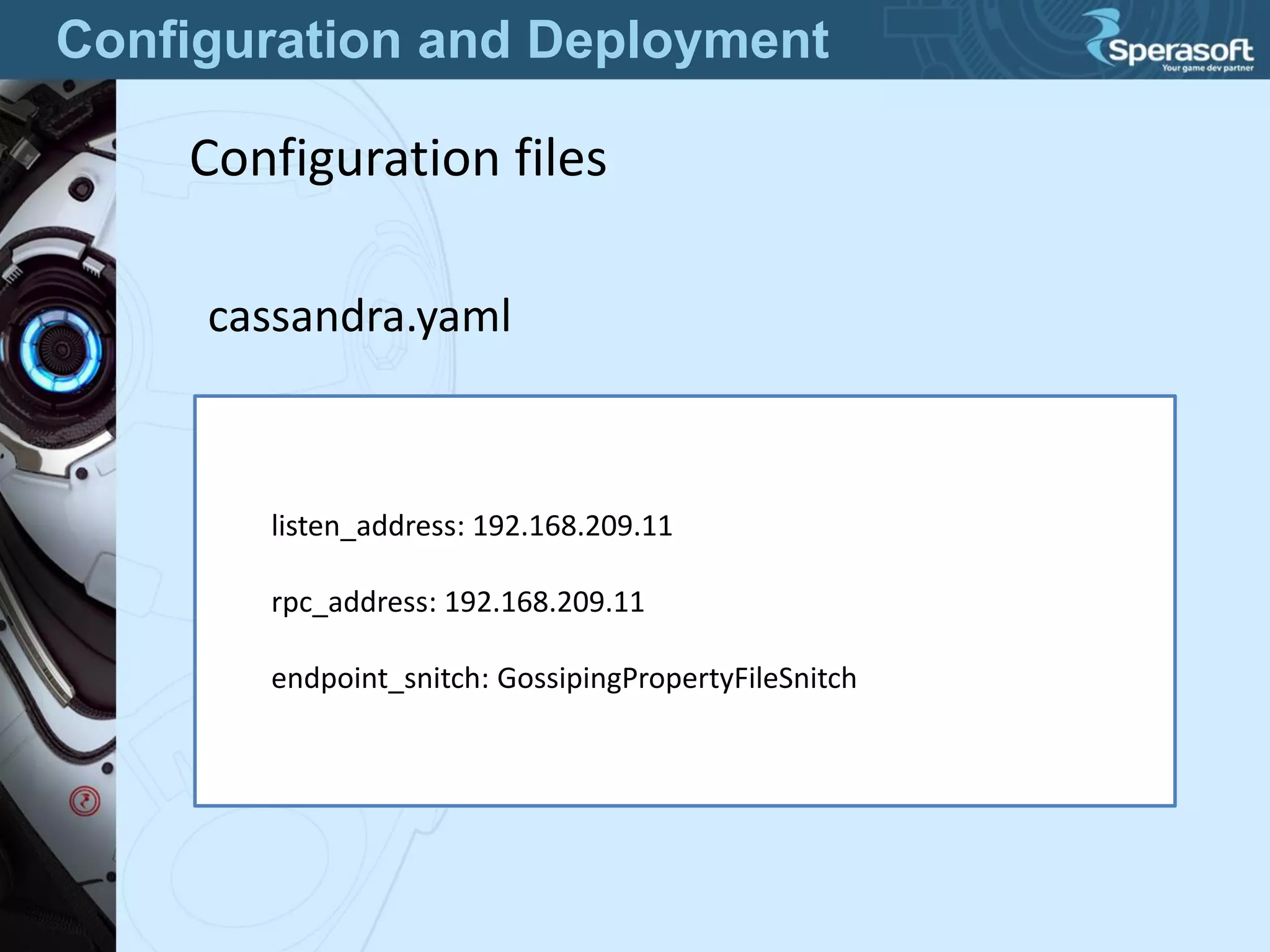
Configuration files
cassandra.yaml
listen_address: 192.168.209.11
rpc_address: 192.168.209.11
endpoint_snitch: GossipingPropertyFileSnitch
Configuration and Deployment
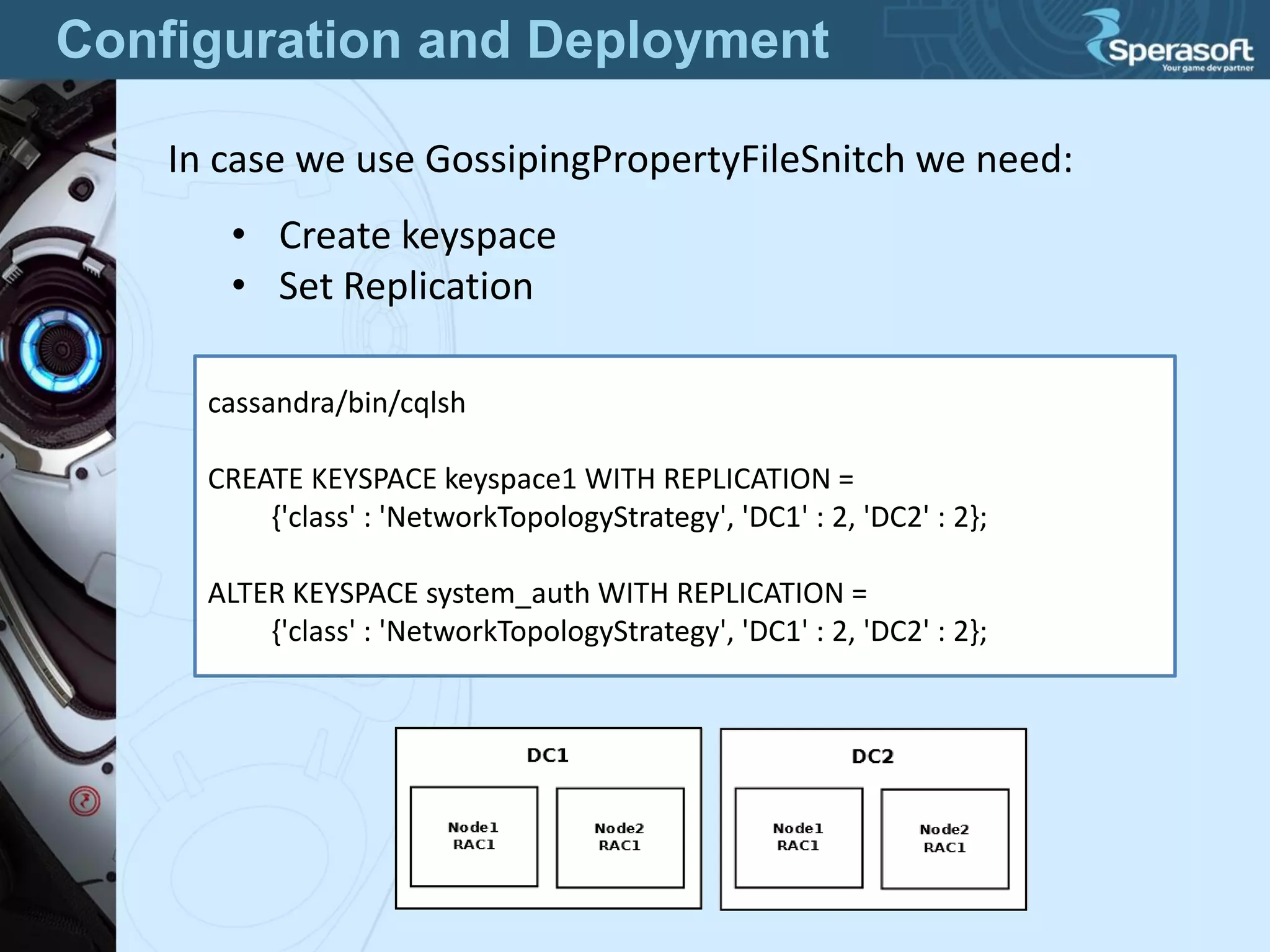
In case we use GossipingPropertyFileSnitch we need:
• Create keyspace
• Set Replication
cassandra/bin/cqlsh
CREATE KEYSPACE keyspace1 WITH REPLICATION =
{'class' : 'NetworkTopologyStrategy', 'DC1' : 2, 'DC2' : 2};
ALTER KEYSPACE system_auth WITH REPLICATION =
{'class' : 'NetworkTopologyStrategy', 'DC1' : 2, 'DC2' : 2};
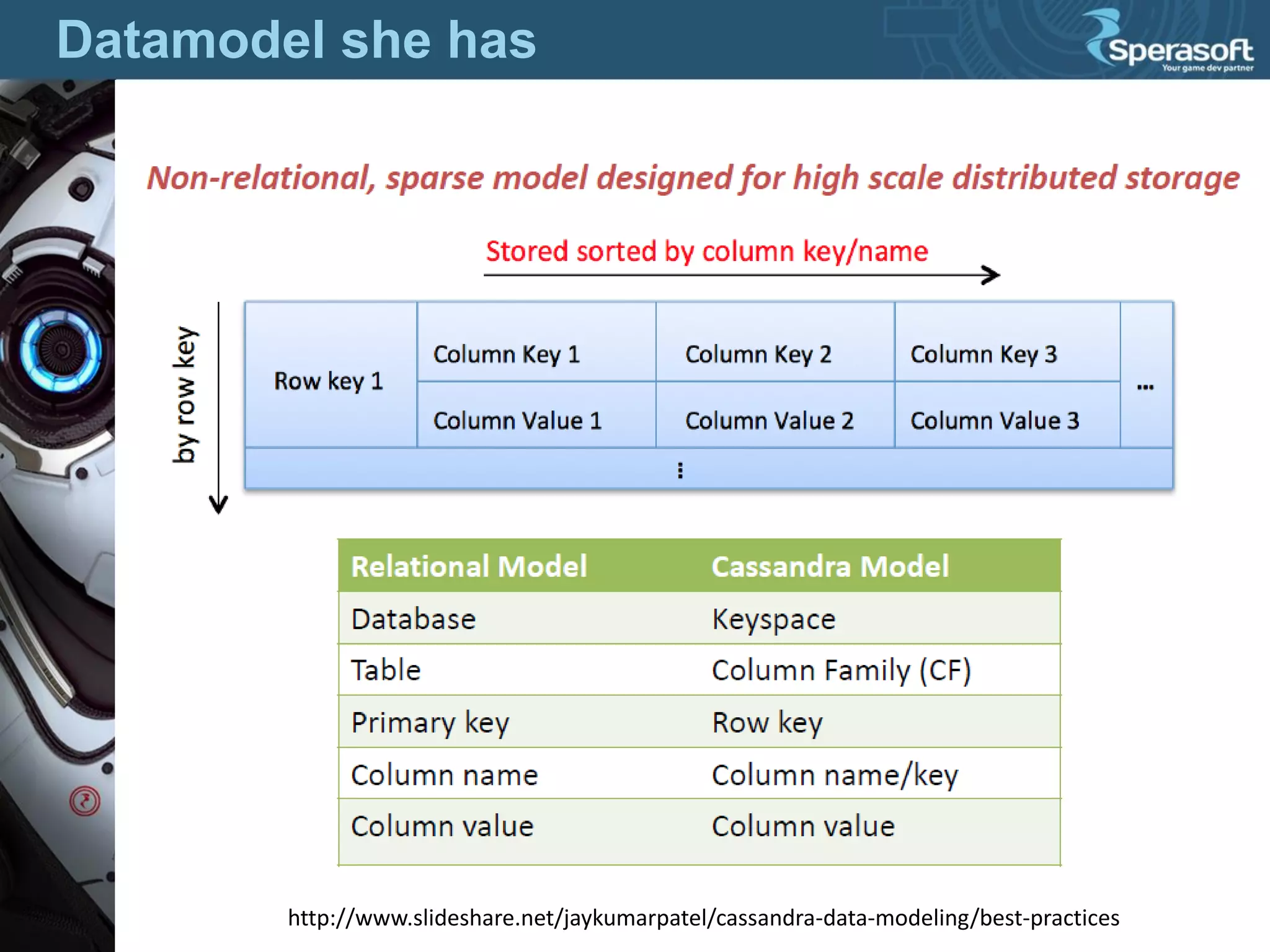
Datamodel she has
http://www.slideshare.net/jaykumarpatel/cassandra-data-modeling/best-practices
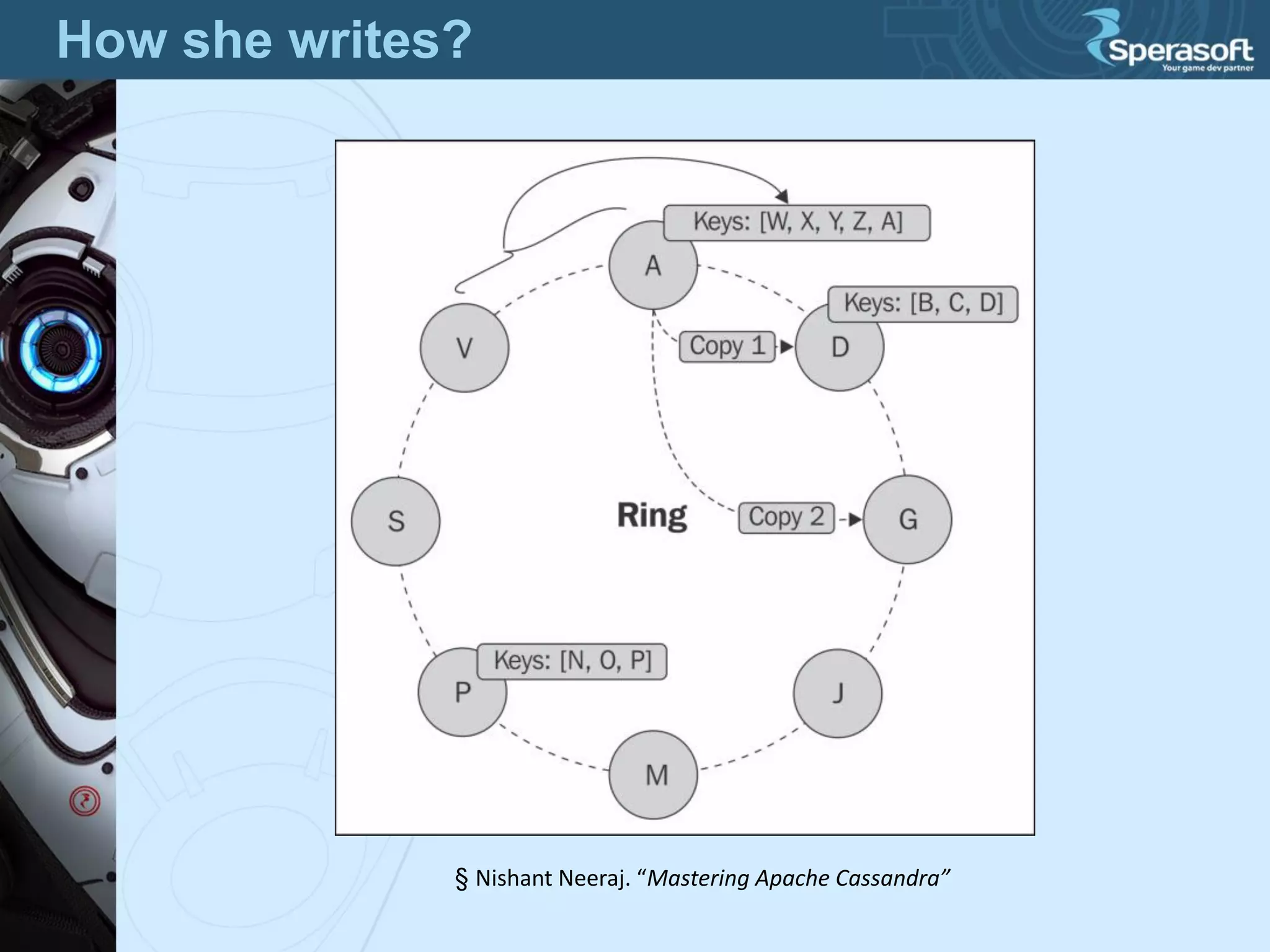
How she writes?
§ Nishant Neeraj. “Mastering Apache Cassandra”
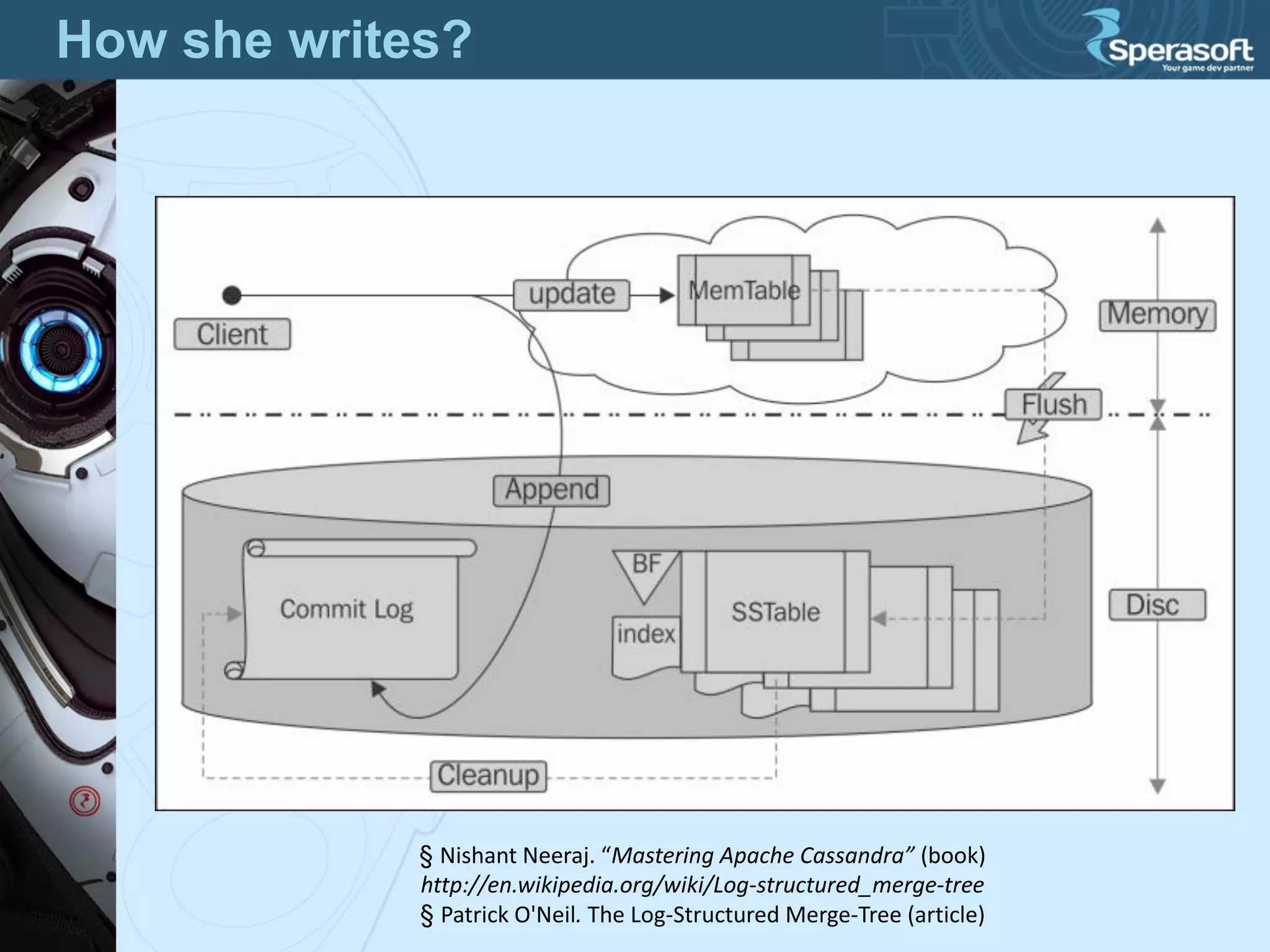
How she writes?
§ Nishant Neeraj. “Mastering Apache Cassandra” (book)
http://en.wikipedia.org/wiki/Log-structured_merge-tree
§ Patrick O'Neil. The Log-Structured Merge-Tree (article)
Console game
http://sci-fi-ditties.blogspot.ru/2012/08/sci-fi-guilty-pleasures-yars-revenge.html
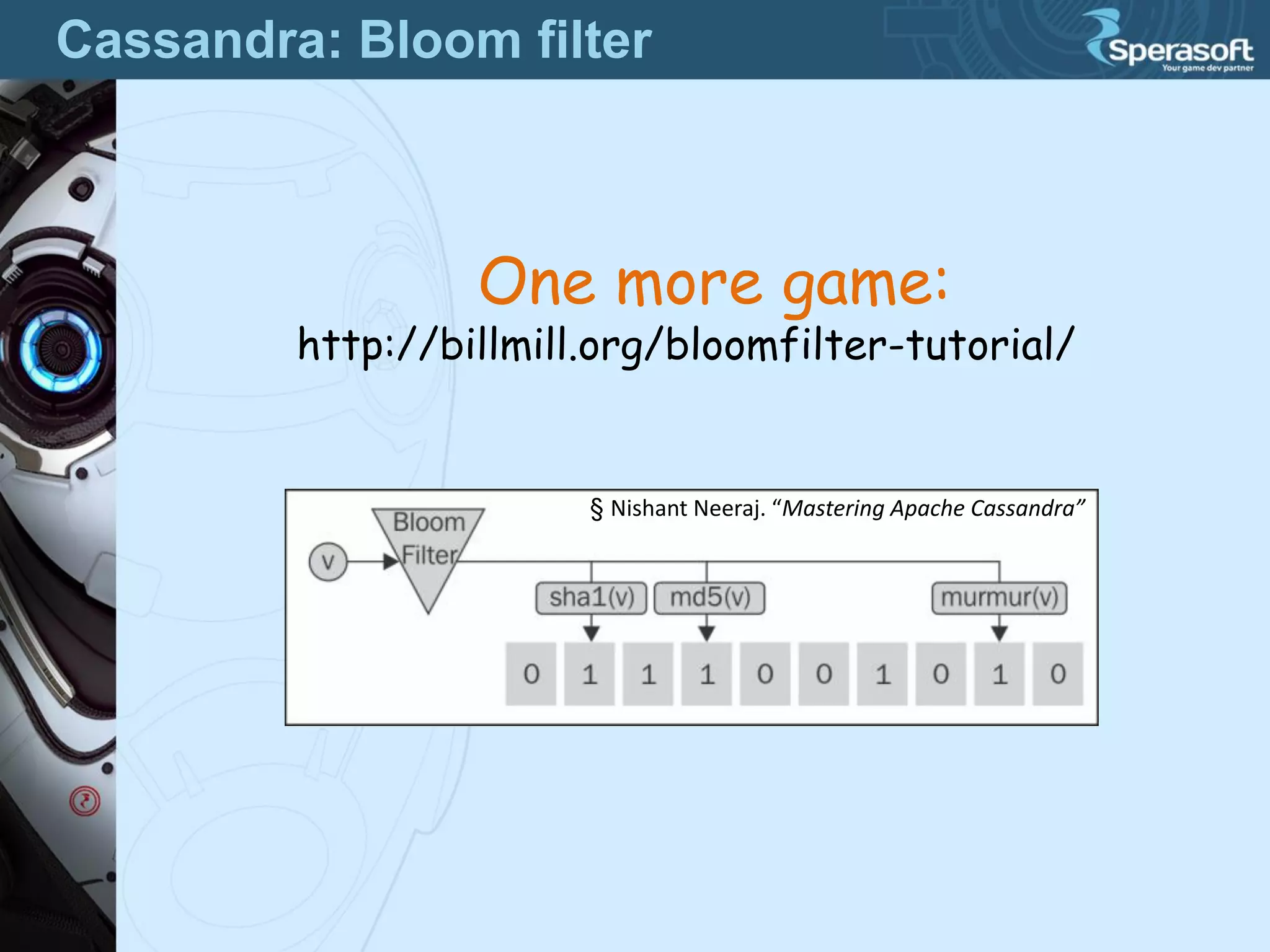
Cassandra: Bloom filter
One more game:
http://billmill.org/bloomfilter-tutorial/
§ Nishant Neeraj. “Mastering Apache Cassandra”
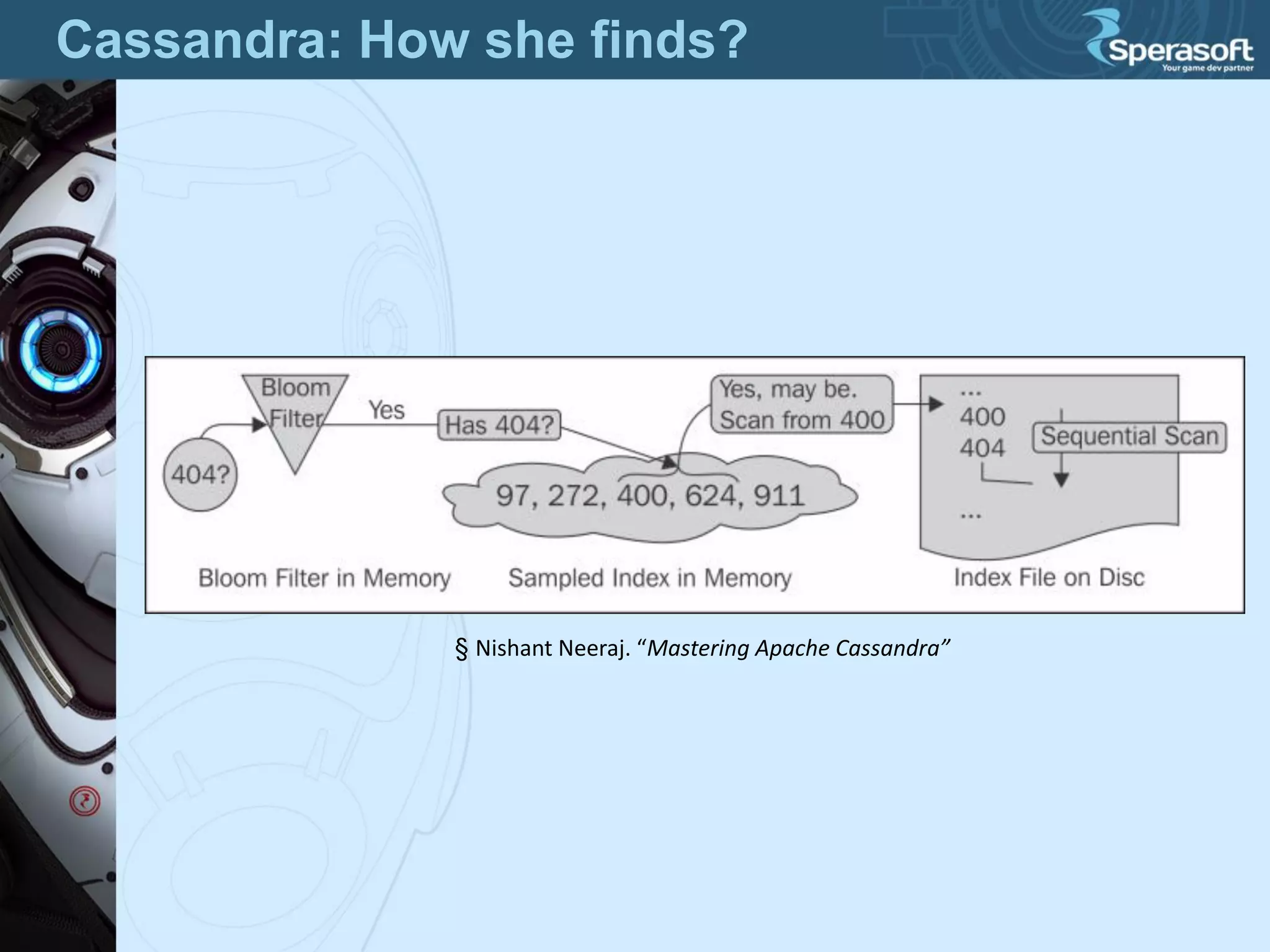
Cassandra: How she finds?
§ Nishant Neeraj. “Mastering Apache Cassandra”
Is it clear?
http://www.slideshare.net/jaykumarpatel/cassandra-data-modeling/best-practices
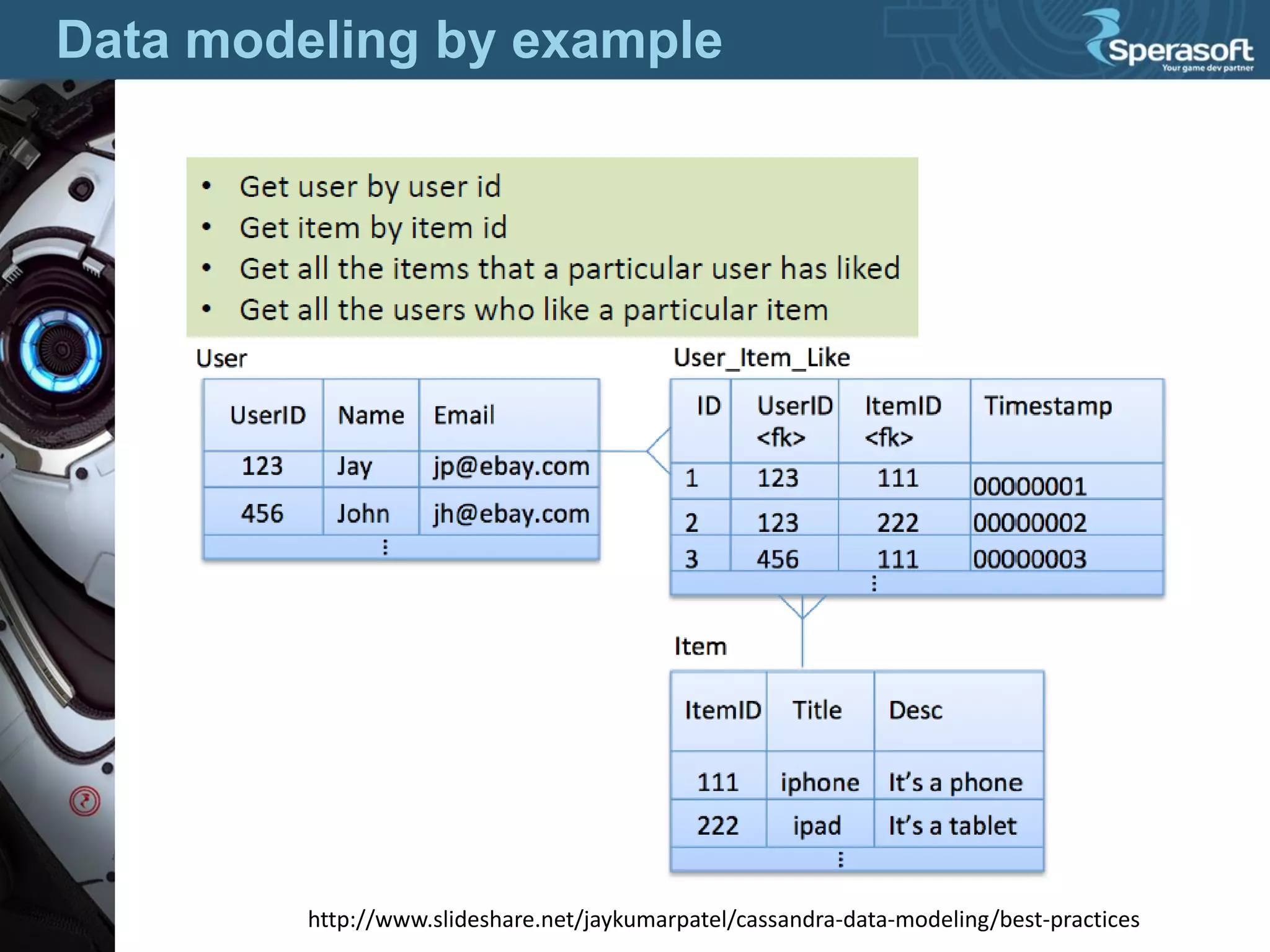
Data modeling by example
http://www.slideshare.net/jaykumarpatel/cassandra-data-modeling/best-practices
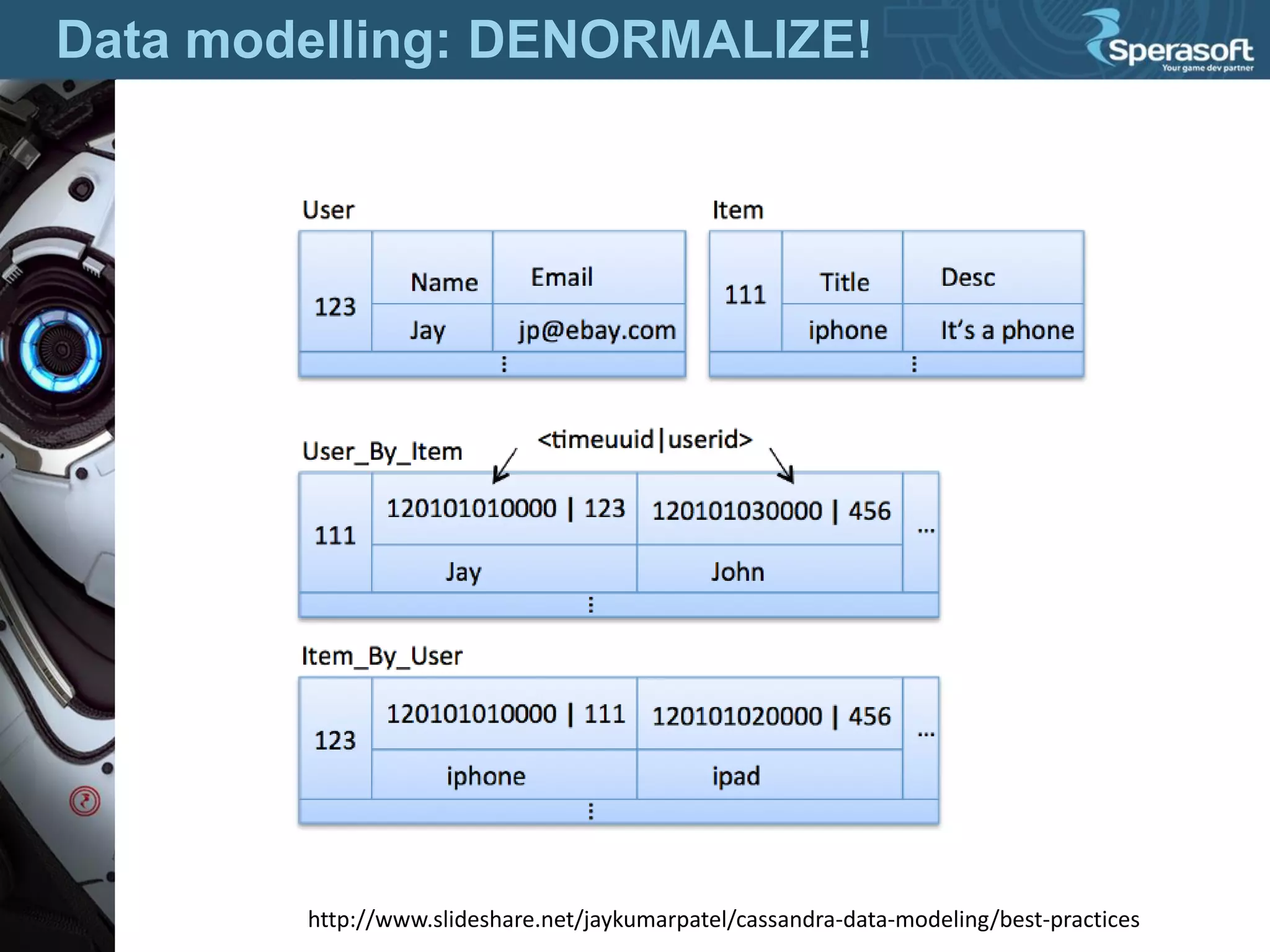
Data modelling: DENORMALIZE!
http://www.slideshare.net/jaykumarpatel/cassandra-data-modeling/best-practices
Java-driver
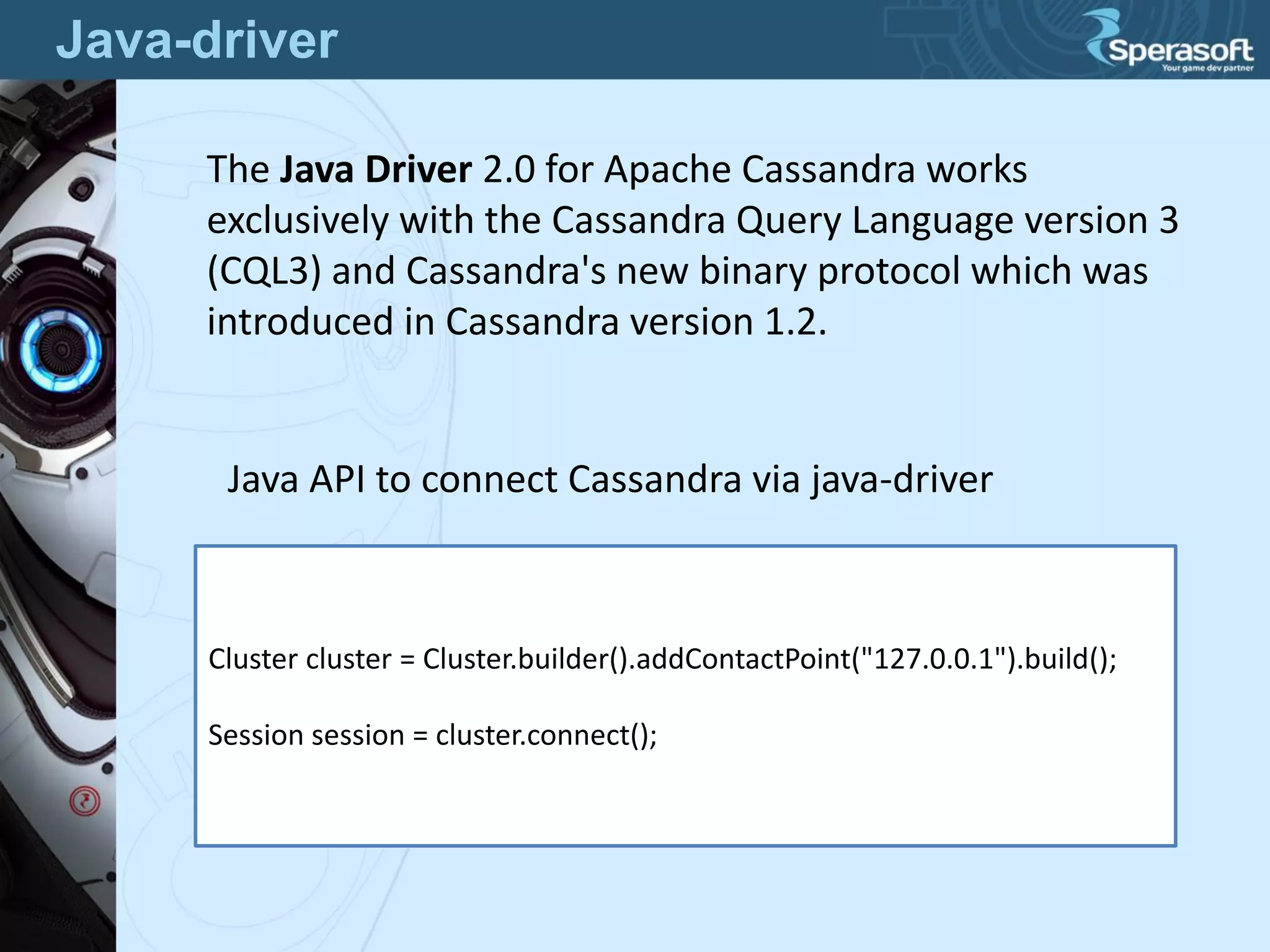
The Java Driver 2.0 for Apache Cassandra works
exclusively with the Cassandra Query Language version 3
(CQL3) and Cassandra's new binary protocol which was
introduced in Cassandra version 1.2.
Cluster cluster = Cluster.builder().addContactPoint("127.0.0.1").build();
Session session = cluster.connect();
Java API to connect Cassandra via java-driver
Java-driver
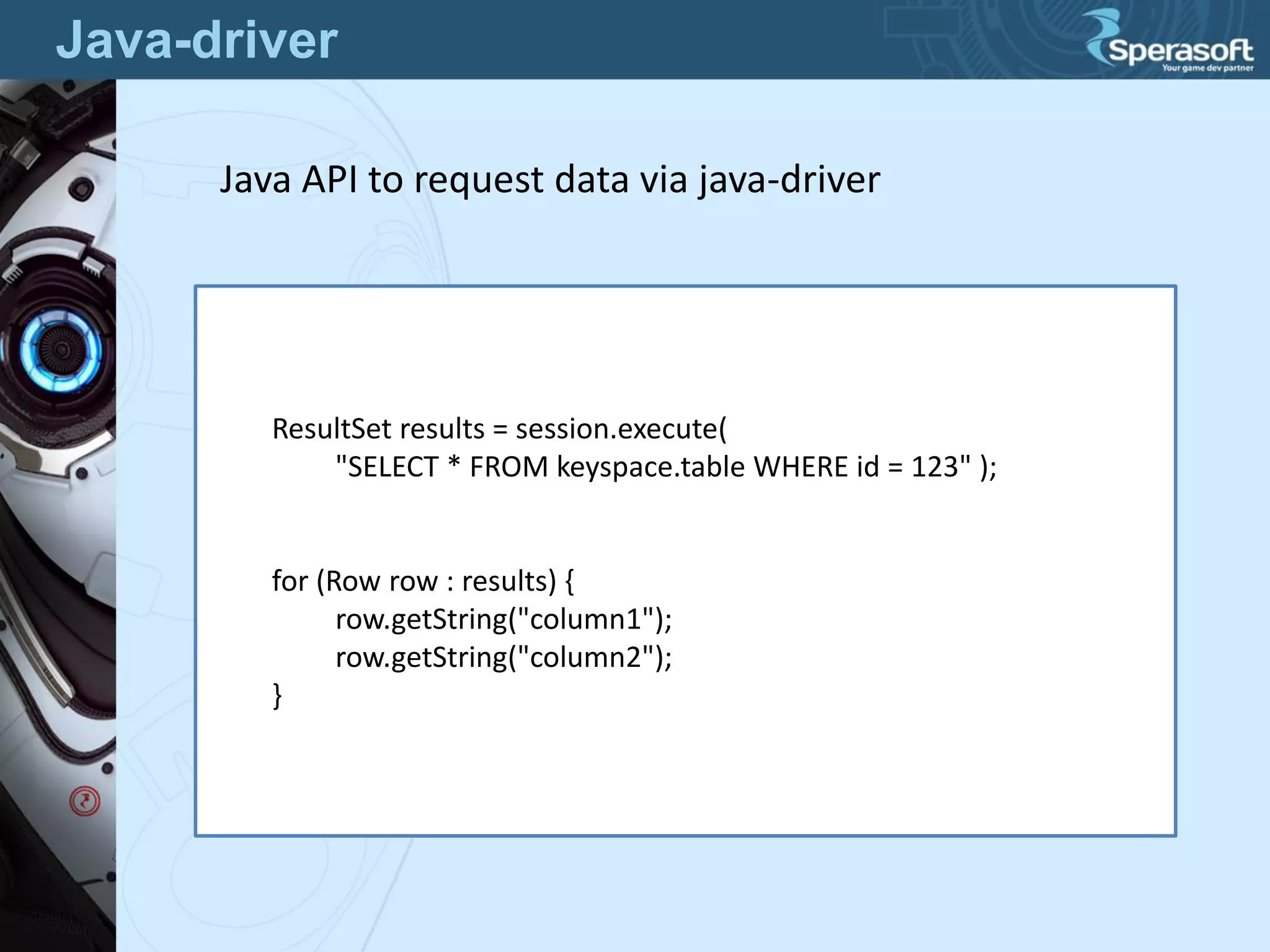
ResultSet results = session.execute(
"SELECT * FROM keyspace.table WHERE id = 123" );
for (Row row : results) {
row.getString("column1");
row.getString("column2");
}
Java API to request data via java-driver
Questions?

Apache Cassandra