ANIMATION  CREATIONS
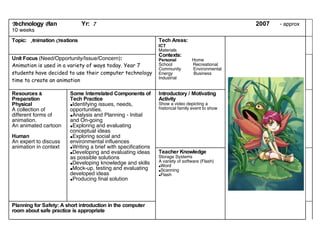
Planning for Safety: A short introduction in the computer room about safe practice is appropriate Teacher Knowledge Storage Systems A variety of software (Flash) Word Scanning Flash Introductory / Motivating Activity Show a video depicting a historical family event to show Some Interrelated Components of Tech Practice Identifying issues, needs, opportunities. Analysis and Planning - Initial and On-going  Exploring and evaluating conceptual ideas  Exploring social and environmental influences Writing a brief with specifications  Developing and evaluating ideas as possible solutions  Developing knowledge and skills Mock-up, testing and evaluating developed ideas  Producing final solution Resources  &  Preparation Physical A collection of different forms of animation. An animated cartoon Human An expert to discuss animation in context Unit Focus  (Need/Opportunity/Issue/Concern) : Animation is used in a variety of ways today. Year 7 students have decided to use their computer technology time to create an animation   Tech Areas: ICT Materials Contexts: Personal   Home School  Recreational Community  Environmental Energy  Business Industrial Topic:  A nimation  C reations   T echnology  P lan  Yr:  7   2007  - approx 10 weeks
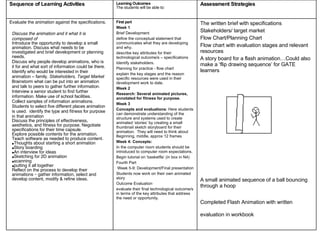
Discuss the animation and it what it is composed of Introduce the opportunity to develop a small animation. Discuss what needs to be investigated and brief development or planning needs. Discuss why people develop animations, who is it for and what sort of information could be there. Identify who would be interested in their animation – family.  Stakeholders, Target   Market Brainstorm what can be put into an animation and talk to peers to gather further information. Interview a senior student to find further information. Make use of school facilities.  Collect samples of information animations.  Students to select five different places animation is used.  identify the type and fitness for purpose in that animation Discuss the principles of effectiveness, aesthetics, and fitness for purpose. Negotiate specifications for their time capsule. Explore possible contents for the animation.  Teach software as needed to produce content. Thoughts about starting a short animation Story boarding An interview for ideas Sketching for 2D animation scanning putting it all together Reflect on the process to develop their animations – gather information, select and develop content, modify & refine ideas. The written brief with specifications Stakeholders/ target market Flow Chart/Planning Chart Flow chart with evaluation stages and relevant resources A story board for a flash animation…Could also make a ‘flip drawing sequence’ for GATE learners A small animated sequence of a ball bouncing through a hoop Completed Flash Animation with written evaluation in workbook   First part Week 1 Brief Development define the conceptual statement that communicates what they are developing and why.  describe key attributes for their technological outcome/s – specifications Identify stakeholders. Planning for practice - flow chart explain the key stages and the reason specific resources were used in their development work to date.  Week 2 Research: Several animated pictures, annotated for fitness for purpose . Week 3 Concepts and evaluations : Here students can demonstrate understanding of the structure and systems used to create animated ‘stories’ by creating a small thumbnail sketch storyboard for their animation.  They will need to think about Beginning, middle, approx 12 frames Week 4: Concepts: In the computer room students should be introduced to computer room expectations.  Begin tutorial on ‘basketfla’ (in box in N4)  Fourth Part Week 5-9: Development/Final presentation Students now work on their own animated story Outcome Evaluation evaluate their final technological outcome/s in terms of the key attributes that address the need or opportunity. Evaluate the animation against the specifications. Assessment Strategies Learning Outcomes  The students will be able to: Sequence of Learning Activities
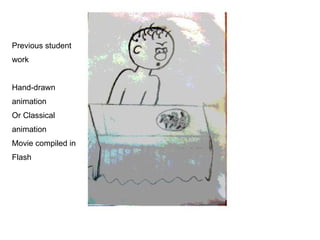
Previous student  work Hand-drawn  animation Or Classical  animation Movie compiled in  Flash
Introduce the opportunity to develop an animation. Discuss what needs to be investigated and brief development or planning needs.
Discuss an animation for year 7 students What materials will need to be used. Who is the target audience What steps will we take How should we make our animation What will we design Where we will create the animation What software we will use
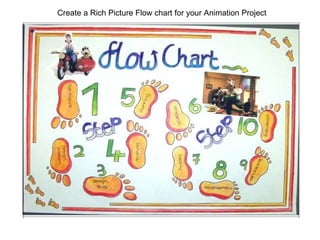
Create a Rich Picture Flow chart for your Animation Project
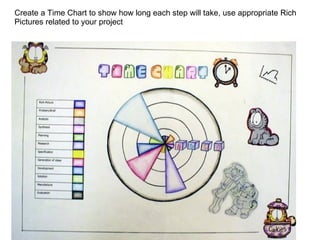
Create a Time Chart to show how long each step will take, use appropriate Rich Pictures related to your project
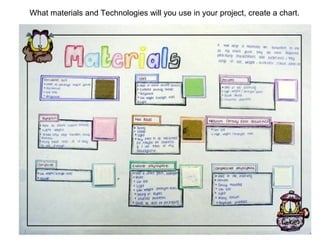
What materials and Technologies will you use in your project, create a chart.
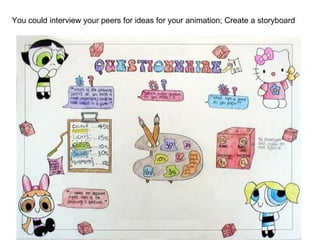
You could interview your peers for ideas for your animation; Create a storyboard
Don’t forget the steps: RESEARCH existing movies
RESEARCH Make notes about user friendliness and fitness for purpose
CONCEPTS: Explore Possibilities Create a  Storyboard Make notes where necessary
DEVELOP Your best idea Keep it simple stupid (Kiss) EVALUATE FINAL WORK
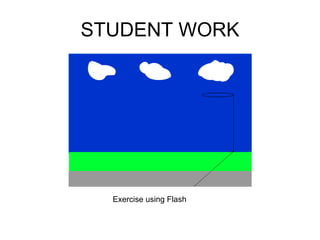
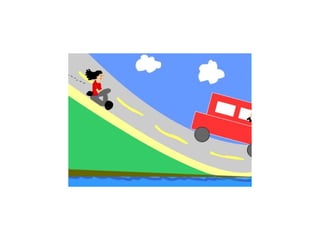
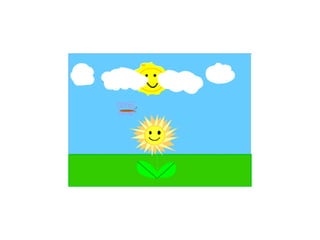
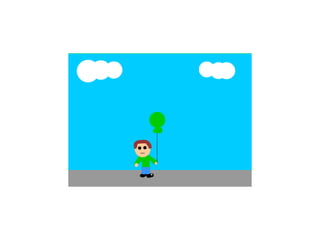
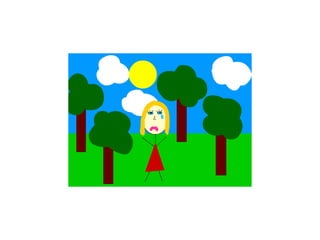
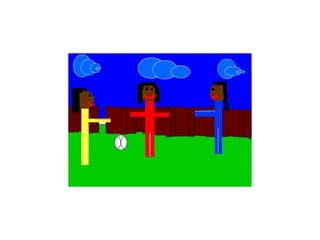
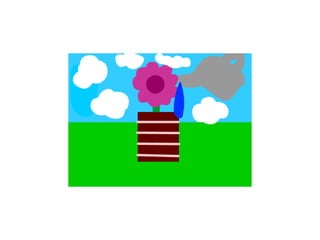
STUDENT WORK Exercise using Flash


B Towns Technology,  St Dominics College, 2007

Animation Creations

  • 1.
  • 2.
    Planning for Safety:A short introduction in the computer room about safe practice is appropriate Teacher Knowledge Storage Systems A variety of software (Flash) Word Scanning Flash Introductory / Motivating Activity Show a video depicting a historical family event to show Some Interrelated Components of Tech Practice Identifying issues, needs, opportunities. Analysis and Planning - Initial and On-going Exploring and evaluating conceptual ideas Exploring social and environmental influences Writing a brief with specifications Developing and evaluating ideas as possible solutions Developing knowledge and skills Mock-up, testing and evaluating developed ideas Producing final solution Resources & Preparation Physical A collection of different forms of animation. An animated cartoon Human An expert to discuss animation in context Unit Focus (Need/Opportunity/Issue/Concern) : Animation is used in a variety of ways today. Year 7 students have decided to use their computer technology time to create an animation   Tech Areas: ICT Materials Contexts: Personal Home School Recreational Community Environmental Energy Business Industrial Topic: A nimation C reations   T echnology P lan Yr: 7 2007 - approx 10 weeks
  • 3.
    Discuss the animationand it what it is composed of Introduce the opportunity to develop a small animation. Discuss what needs to be investigated and brief development or planning needs. Discuss why people develop animations, who is it for and what sort of information could be there. Identify who would be interested in their animation – family. Stakeholders, Target Market Brainstorm what can be put into an animation and talk to peers to gather further information. Interview a senior student to find further information. Make use of school facilities. Collect samples of information animations. Students to select five different places animation is used. identify the type and fitness for purpose in that animation Discuss the principles of effectiveness, aesthetics, and fitness for purpose. Negotiate specifications for their time capsule. Explore possible contents for the animation. Teach software as needed to produce content. Thoughts about starting a short animation Story boarding An interview for ideas Sketching for 2D animation scanning putting it all together Reflect on the process to develop their animations – gather information, select and develop content, modify & refine ideas. The written brief with specifications Stakeholders/ target market Flow Chart/Planning Chart Flow chart with evaluation stages and relevant resources A story board for a flash animation…Could also make a ‘flip drawing sequence’ for GATE learners A small animated sequence of a ball bouncing through a hoop Completed Flash Animation with written evaluation in workbook First part Week 1 Brief Development define the conceptual statement that communicates what they are developing and why. describe key attributes for their technological outcome/s – specifications Identify stakeholders. Planning for practice - flow chart explain the key stages and the reason specific resources were used in their development work to date. Week 2 Research: Several animated pictures, annotated for fitness for purpose . Week 3 Concepts and evaluations : Here students can demonstrate understanding of the structure and systems used to create animated ‘stories’ by creating a small thumbnail sketch storyboard for their animation. They will need to think about Beginning, middle, approx 12 frames Week 4: Concepts: In the computer room students should be introduced to computer room expectations. Begin tutorial on ‘basketfla’ (in box in N4) Fourth Part Week 5-9: Development/Final presentation Students now work on their own animated story Outcome Evaluation evaluate their final technological outcome/s in terms of the key attributes that address the need or opportunity. Evaluate the animation against the specifications. Assessment Strategies Learning Outcomes The students will be able to: Sequence of Learning Activities
  • 4.
    Previous student work Hand-drawn animation Or Classical animation Movie compiled in Flash
  • 5.
    Introduce the opportunityto develop an animation. Discuss what needs to be investigated and brief development or planning needs.
  • 6.
    Discuss an animationfor year 7 students What materials will need to be used. Who is the target audience What steps will we take How should we make our animation What will we design Where we will create the animation What software we will use
  • 7.
    Create a RichPicture Flow chart for your Animation Project
  • 8.
    Create a TimeChart to show how long each step will take, use appropriate Rich Pictures related to your project
  • 9.
    What materials andTechnologies will you use in your project, create a chart.
  • 10.
    You could interviewyour peers for ideas for your animation; Create a storyboard
  • 11.
    Don’t forget thesteps: RESEARCH existing movies
  • 12.
    RESEARCH Make notesabout user friendliness and fitness for purpose
  • 13.
    CONCEPTS: Explore PossibilitiesCreate a Storyboard Make notes where necessary
  • 14.
    DEVELOP Your bestidea Keep it simple stupid (Kiss) EVALUATE FINAL WORK
  • 15.
  • 16.
  • 17.
  • 18.
  • 19.
  • 20.
  • 21.
  • 22.
    B Towns Technology, St Dominics College, 2007