Android application development
WebAPI course
Training Objectives
• Android WebAPI is required for application development

Acquire knowledge:
•
How to access WebAPI
- Asynchronous Graphical
- Reason to consider garbage collection
•
To analyze
- XML
- use the service
• Exercises, ask why you need to experience these issues.

This material is licensed under the Creative
Commons License BY-NC-SA 4.0.

2
Training Schedule
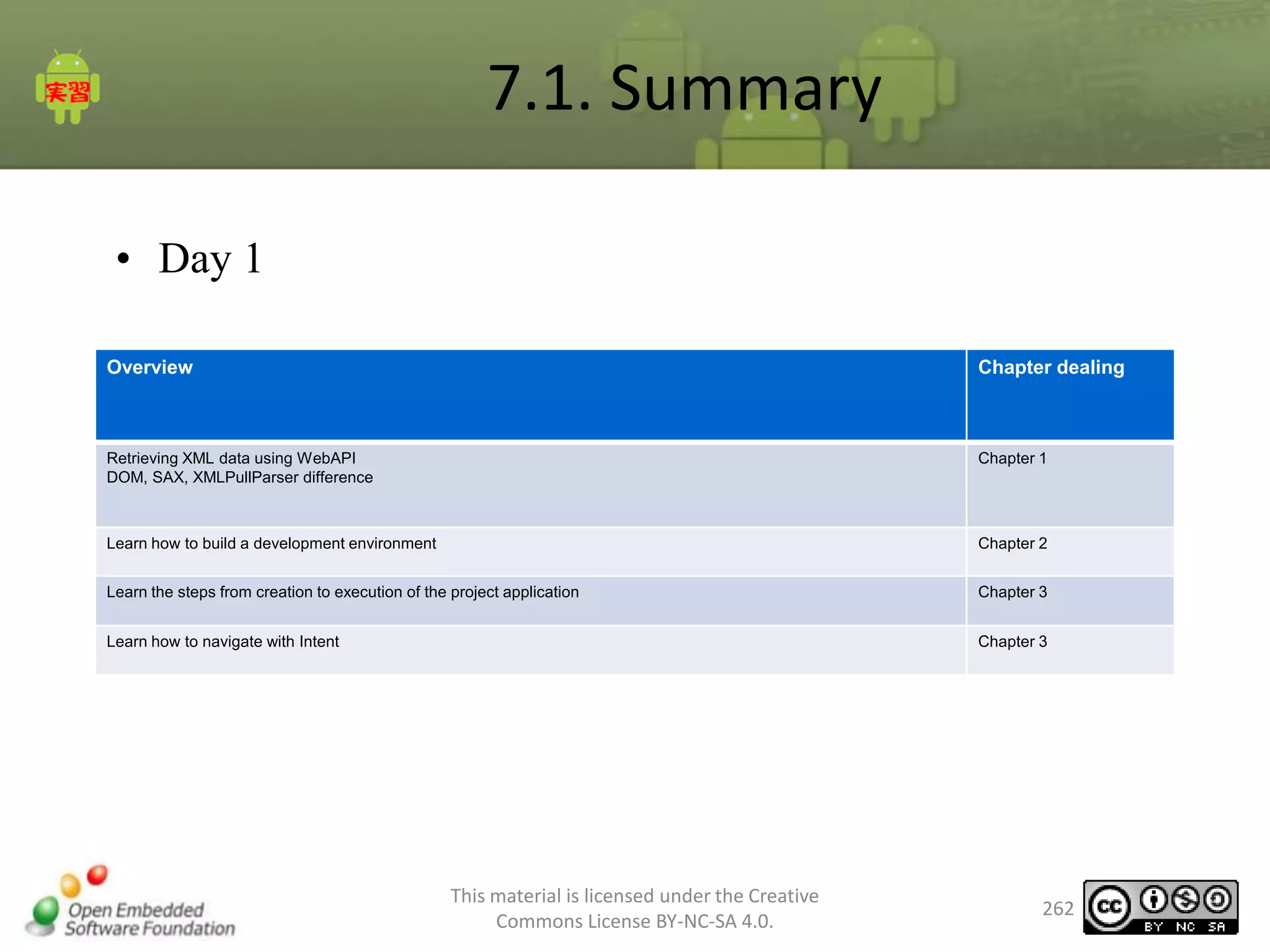
• Day 1
- Chapter 1 Introduction
- Chapter 2 WebAPI development knowledge
- Chapter 3 Preparing the Development Environment
- Chapter 4 Tutorial

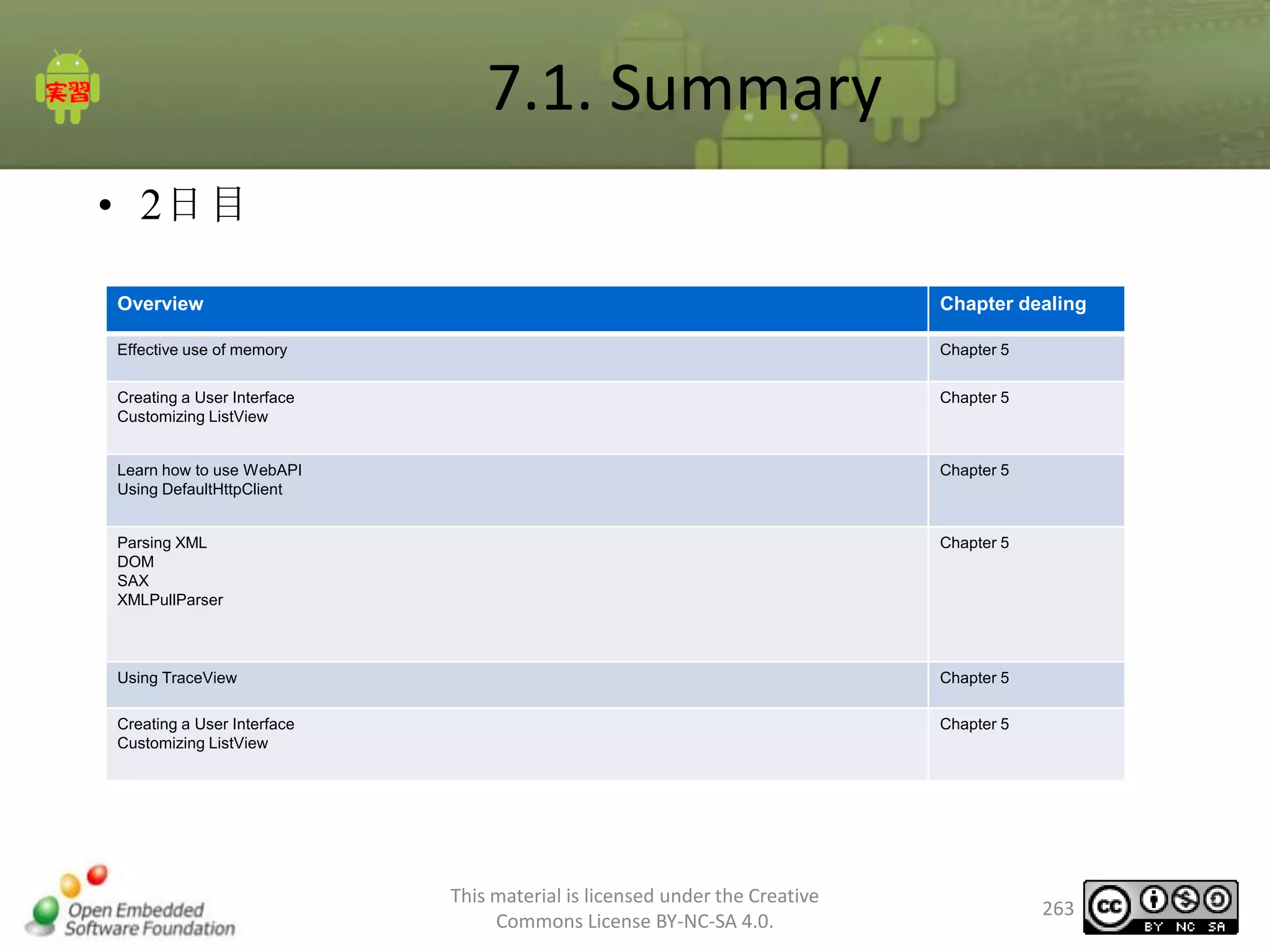
• Day 2
- Chapter 5 use ListView
- Chapter 6 Exercises
- Chapter 7 Conclusion
This material is licensed under the Creative
Commons License BY-NC-SA 4.0.

3
Getting the necessary skills
Niatari attend a seminar, and found that minimum skills are required.
• Experience in Java language
• The exercises are actually programming in Java.
• The basic problem is understand Java language specification.

•

Experience in using Eclipse
- A drill in Eclipse where it is used to implement the program.
- Basic understanding of Eclipse (the problem of how to use Eclipse).

•

OESF official Android is already skilled or equivalent introductory course
application development.
• Android applications have basic skills
• Can easily create a multiple-screen applications

This material is licensed under the Creative
Commons License BY-NC-SA 4.0.

4
1. Introduction
Chapter 1 Introduction
Chapter summary
•
•
•

Exercise the Development environment.
Practice Applications used.
About Exercise

This material is licensed under the Creative
Commons License BY-NC-SA 4.0.

6
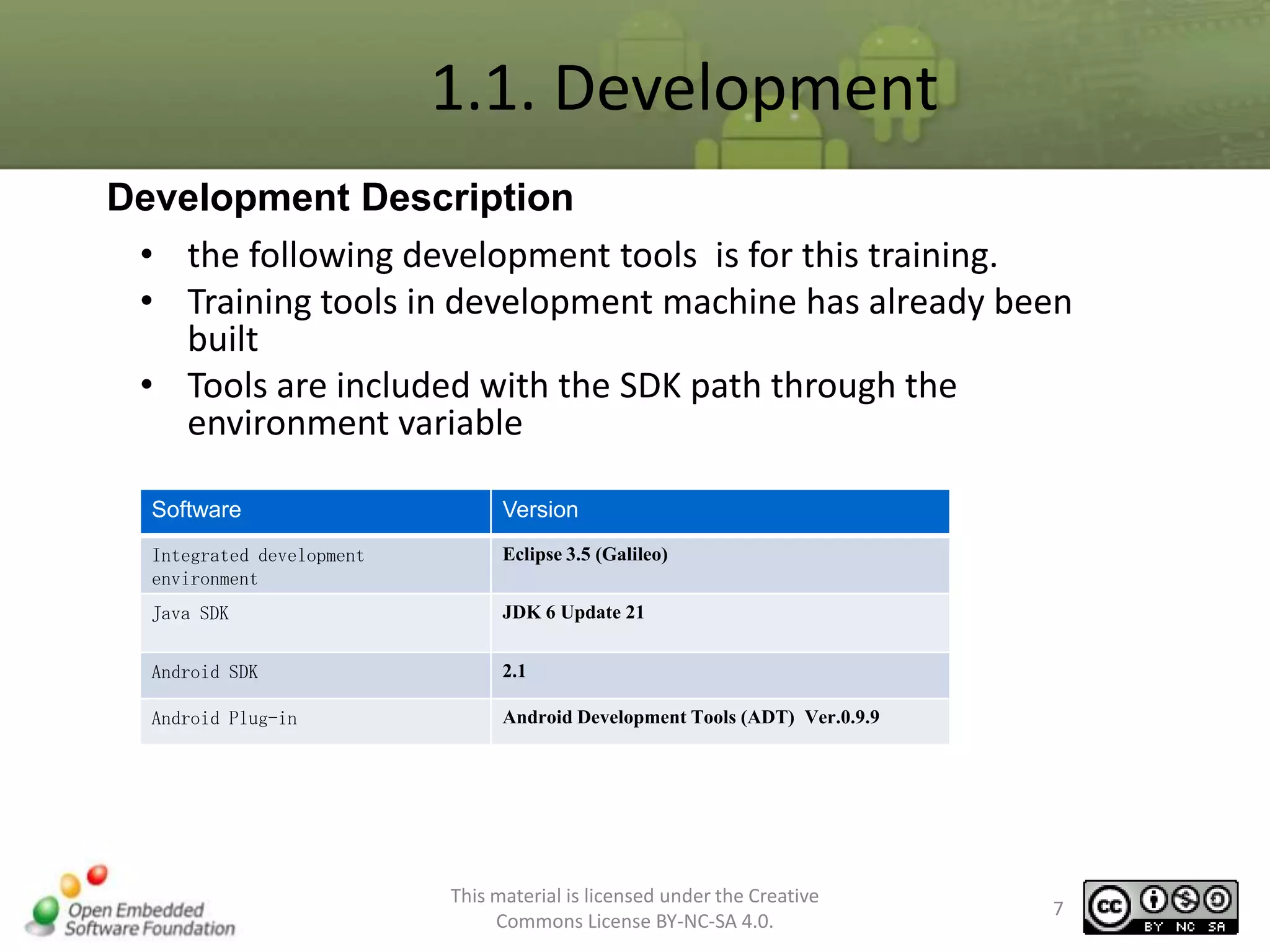
1.1. Development
Development Description
• the following development tools is for this training.
• Training tools in development machine has already been
built
• Tools are included with the SDK path through the
environment variable
Software

Version

Integrated development
environment

Eclipse 3.5 (Galileo)

Java SDK

JDK 6 Update 21

Android SDK

2.1

Android Plug-in

Android Development Tools (ADT) Ver.0.9.9

This material is licensed under the Creative
Commons License BY-NC-SA 4.0.

7
1.2. About Exercise
Overview

• Eclipse Workspace: specified by
C:android_trainingdevtoolseclipseworkspace
• Emulator: emulator used in practice, unless
otherwise specified in particular, is WVGA-normalhdpi
• SDK path: has become
C:android_trainingtoolsandroid-sdk-windows

This material is licensed under the Creative
Commons License BY-NC-SA 4.0.

8
1.3. The application for exercise
•
•
•
•
•
•

Exercise, create a video download application.
Features Video Downloader
HTTP communication with WebAPI
Treatment works in the background
ListView applied technology
Parsing XML

This material is licensed under the Creative
Commons License BY-NC-SA 4.0.

9
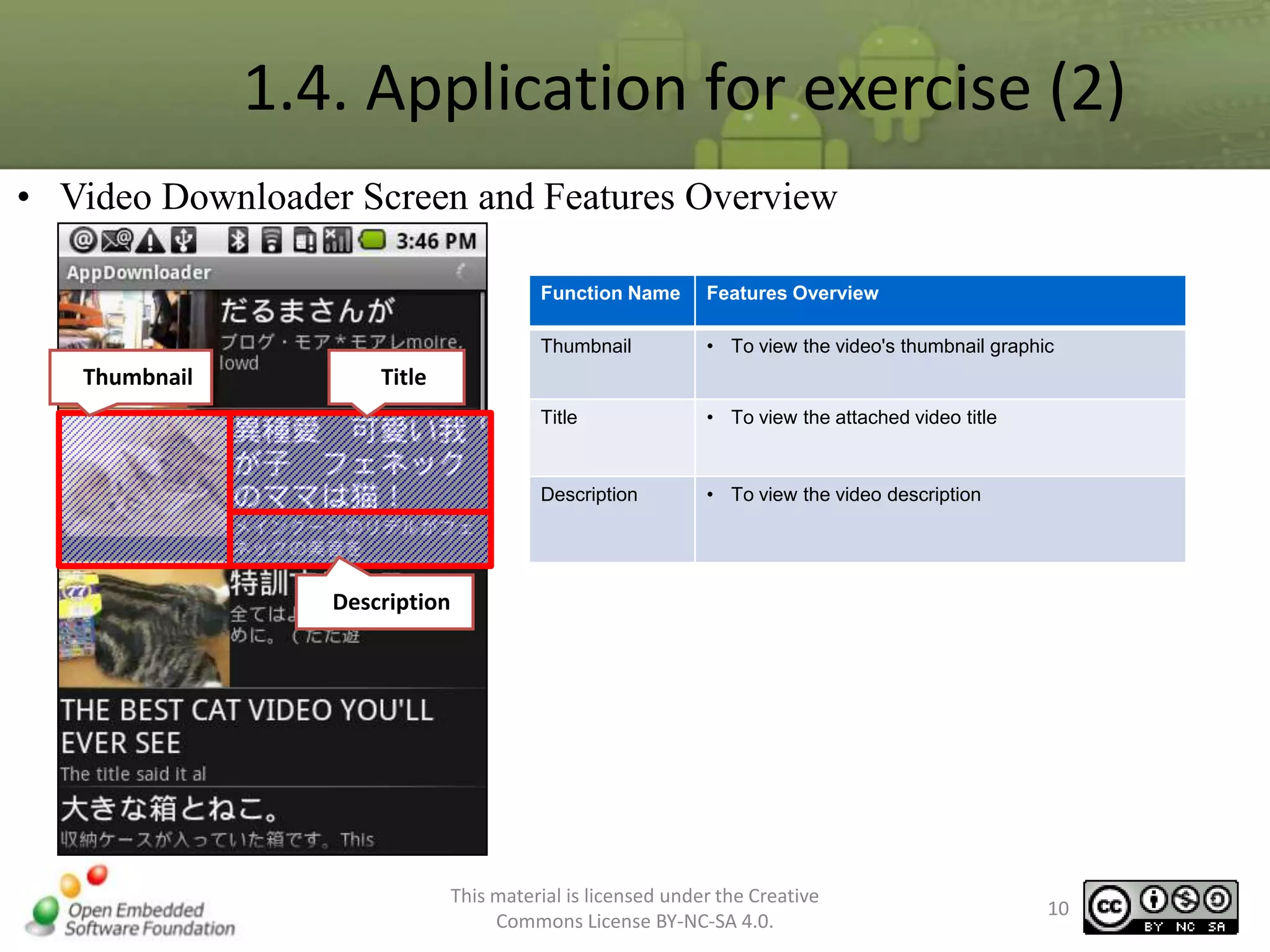
1.4. Application for exercise (2)
• Video Downloader Screen and Features Overview
Function Name
Thumbnail

Thumbnail

Features Overview
• To view the video's thumbnail graphic

Title

• To view the attached video title

Description

• To view the video description

Title

Description

This material is licensed under the Creative
Commons License BY-NC-SA 4.0.

10
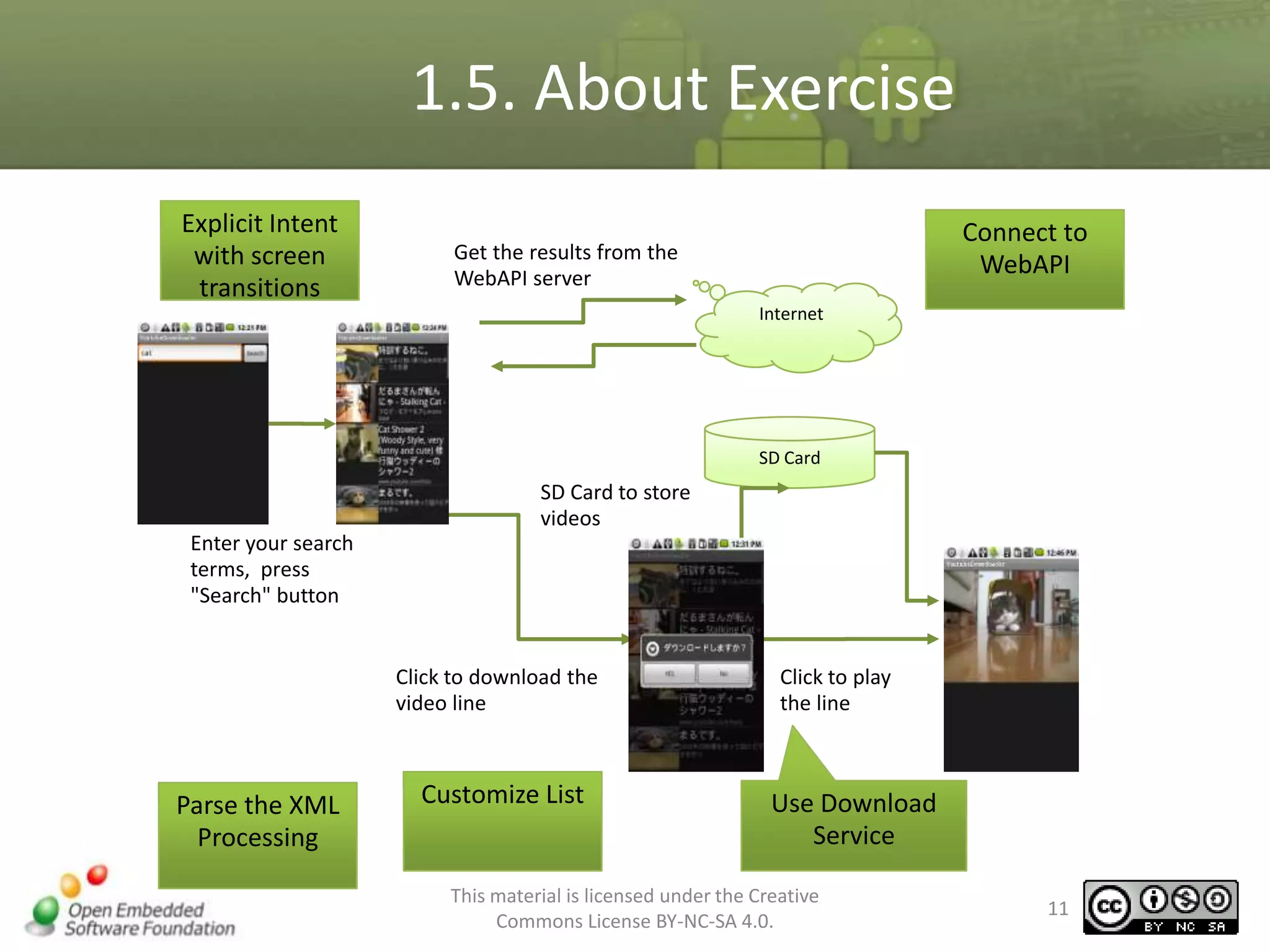
1.5. About Exercise
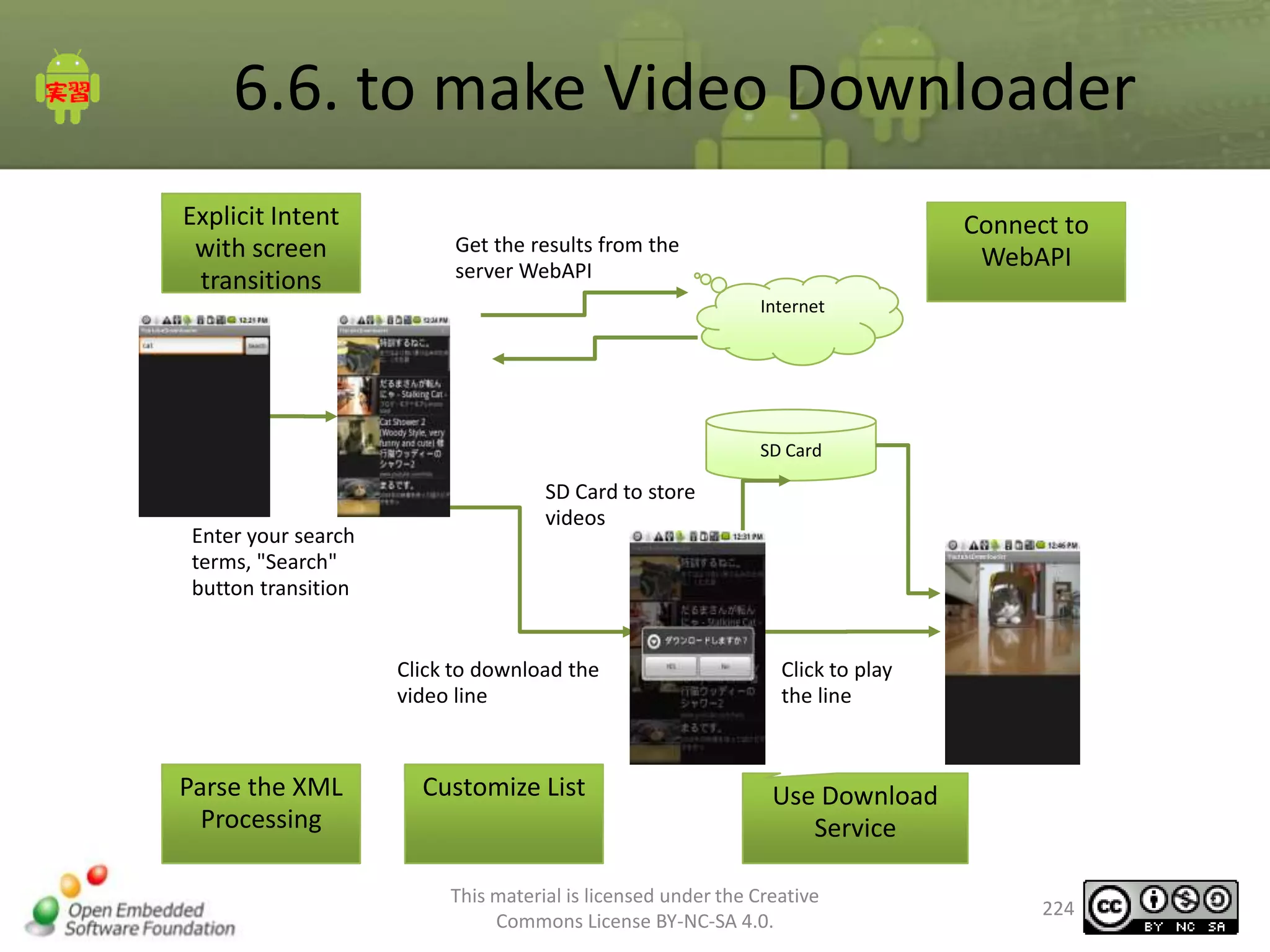
Explicit Intent
with screen
transitions

Connect to
WebAPI

Get the results from the
WebAPI server
Internet

SD Card

SD Card to store
videos
Enter your search
terms, press
"Search" button

Click to download the
video line

Parse the XML
Processing

Customize List

Click to play
the line

Use Download
Service

This material is licensed under the Creative
Commons License BY-NC-SA 4.0.

11
2. WebAPI development
knowledge
Chapter 2 - Overview
– What is WebAPI?
– The need for asynchronous display
– Reason to consider a garbage collection
– DOM, SAX, XMLPullParser

– Use of services
This material is licensed under the Creative
Commons License BY-NC-SA 4.0.

13
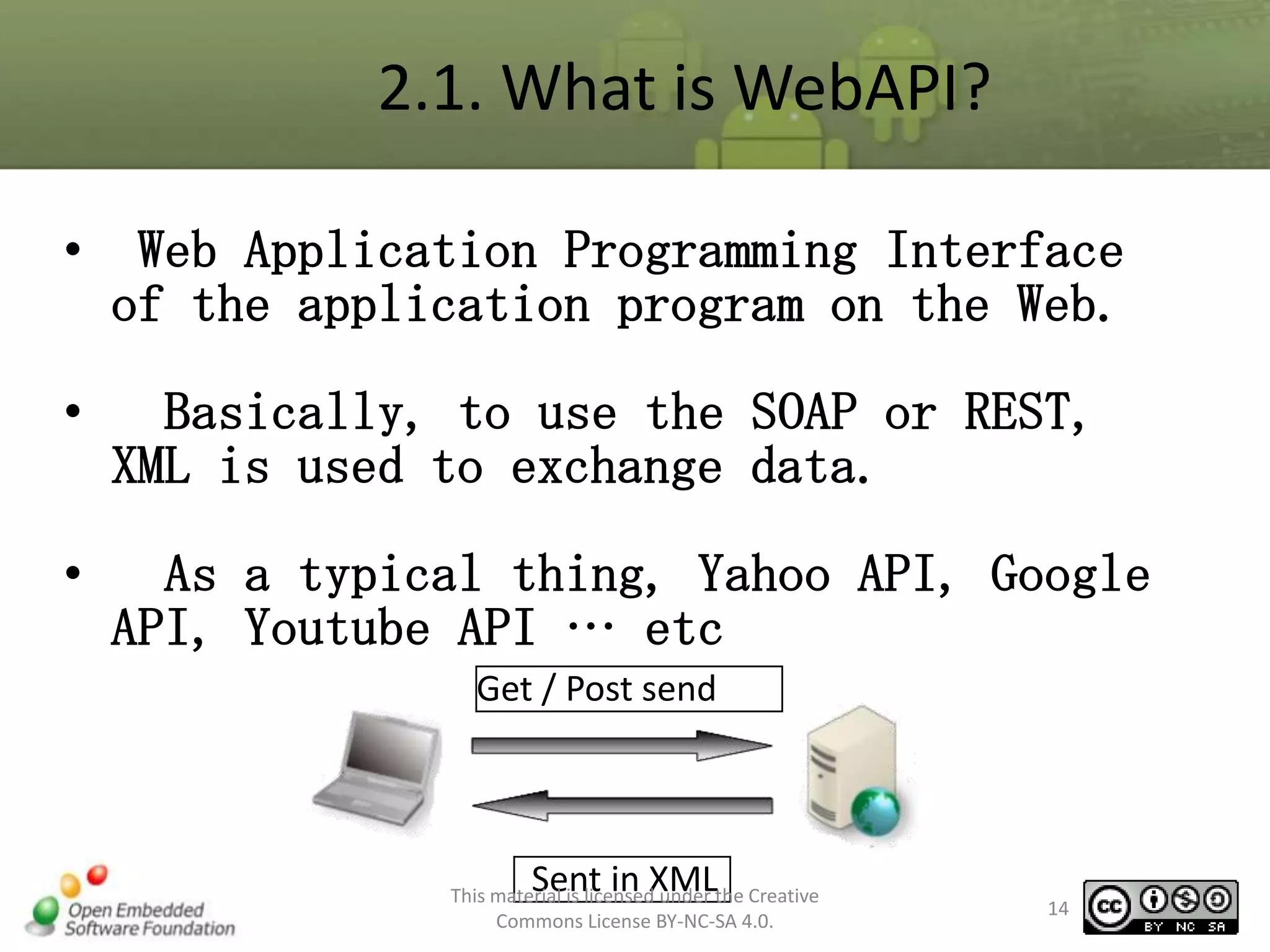
2.1. What is WebAPI?
•

Web Application Programming Interface
of the application program on the Web.

•

Basically, to use the SOAP or REST,
XML is used to exchange data.

•

As a typical thing, Yahoo API, Google
API, Youtube API … etc
Get / Post send

Sent in XML

This material is licensed under the Creative
Commons License BY-NC-SA 4.0.

14
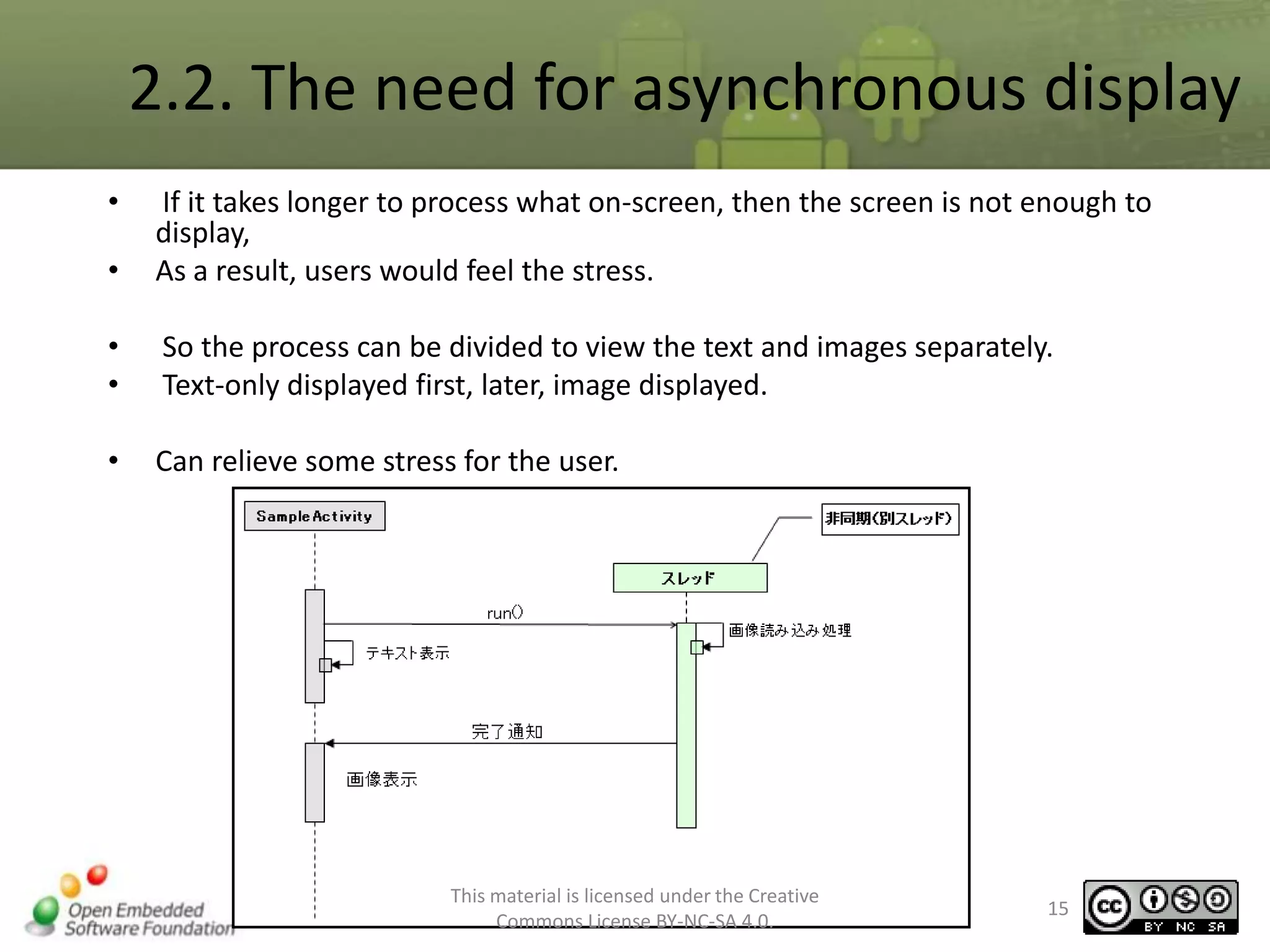
2.2. The need for asynchronous display
•

•

If it takes longer to process what on-screen, then the screen is not enough to
display,
As a result, users would feel the stress.

•
•

So the process can be divided to view the text and images separately.
Text-only displayed first, later, image displayed.

•

Can relieve some stress for the user.

This material is licensed under the Creative
Commons License BY-NC-SA 4.0.

15
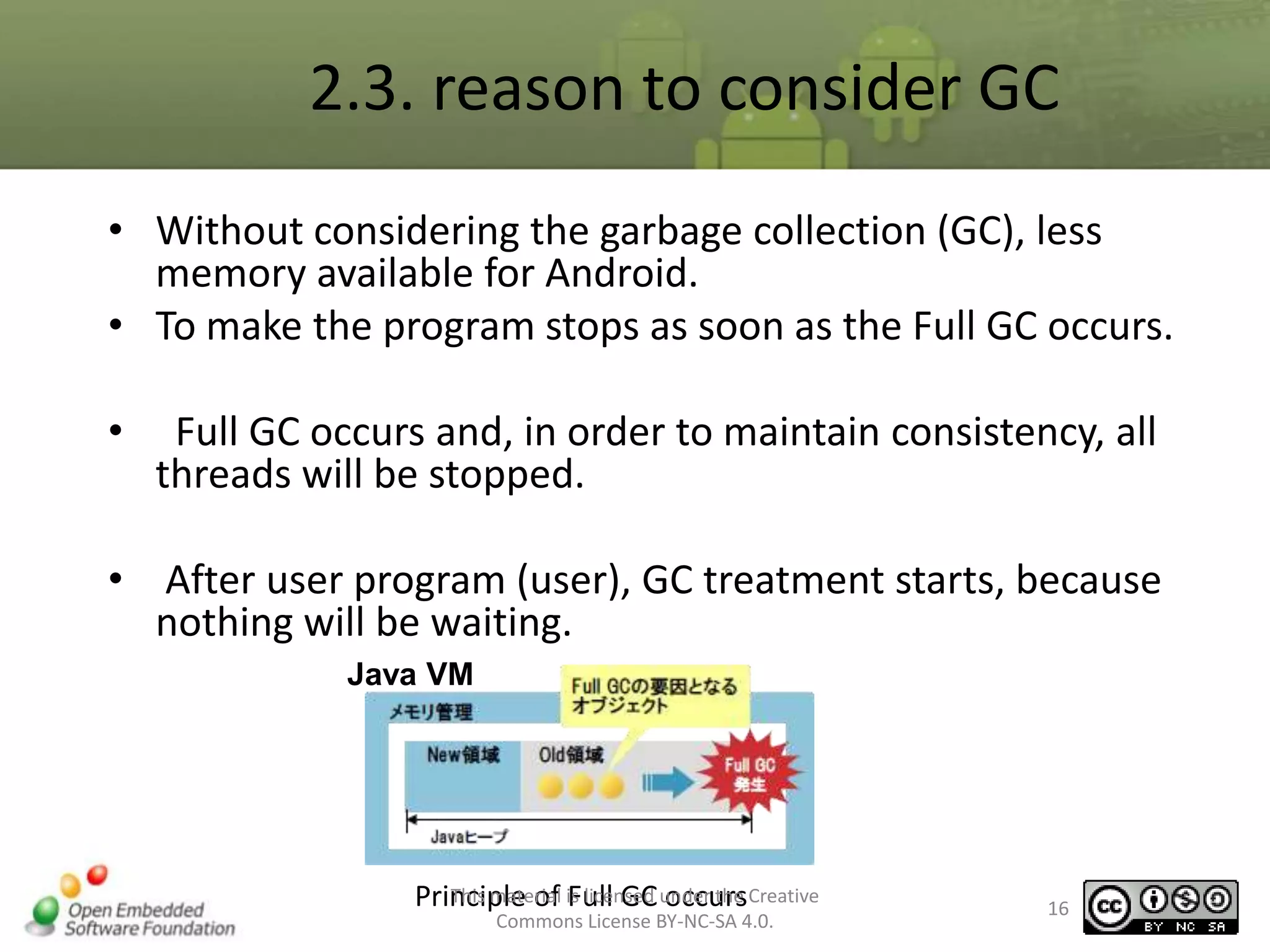
2.3. reason to consider GC
• Without considering the garbage collection (GC), less
memory available for Android.
• To make the program stops as soon as the Full GC occurs.
•

Full GC occurs and, in order to maintain consistency, all
threads will be stopped.

• After user program (user), GC treatment starts, because
nothing will be waiting.
Java VM

This material Full GC occurs
Principle of is licensed under the Creative
Commons License BY-NC-SA 4.0.

16
2.4. DOM, SAX, and XMLPullParser (1)
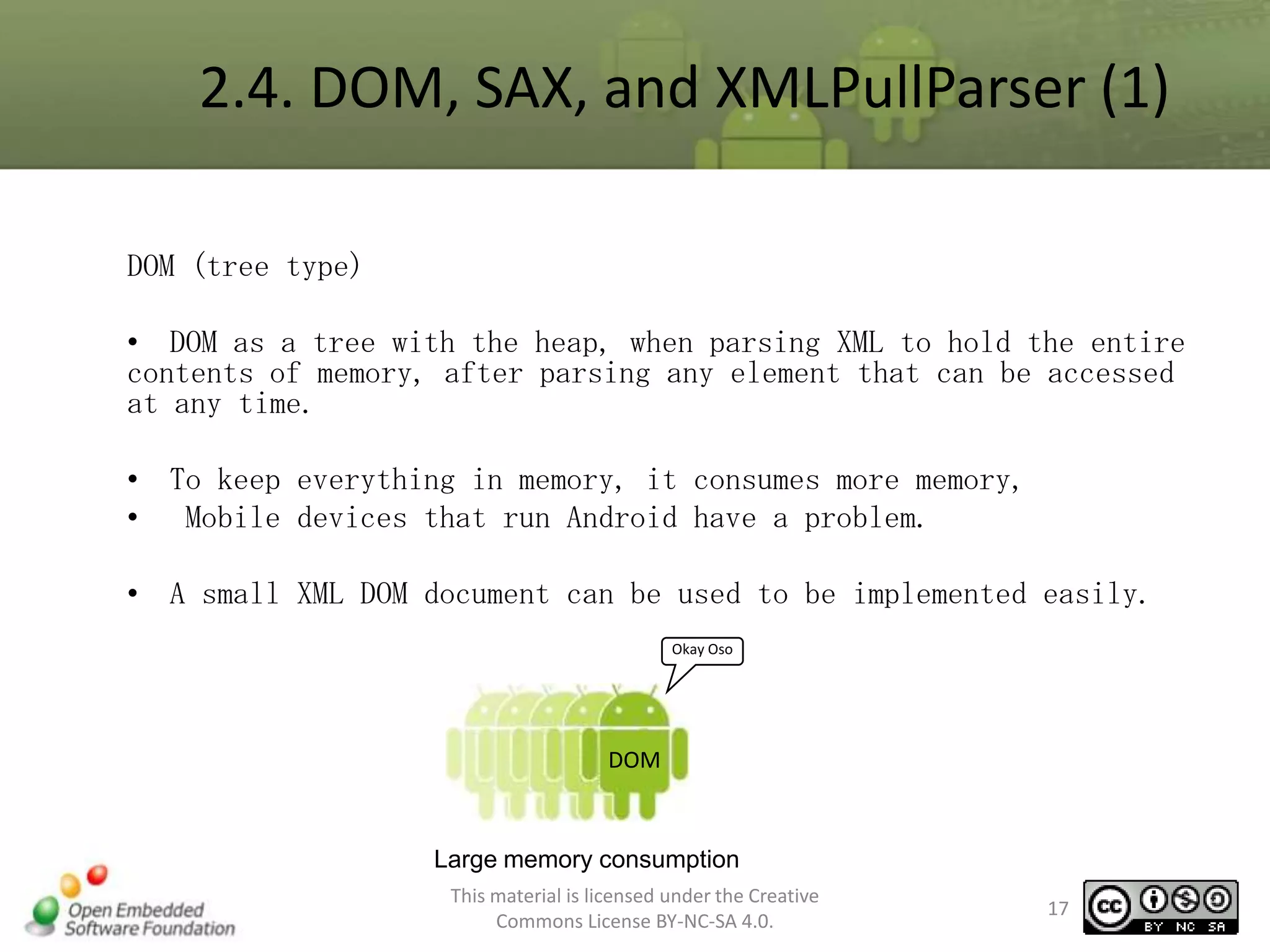
DOM (tree type)
• DOM as a tree with the heap, when parsing XML to hold the entire
contents of memory, after parsing any element that can be accessed
at any time.
• To keep everything in memory, it consumes more memory,
• Mobile devices that run Android have a problem.
• A small XML DOM document can be used to be implemented easily.
Okay Oso

DOM

Large memory consumption
This material is licensed under the Creative
Commons License BY-NC-SA 4.0.

17
2.4. DOM, SAX, and XMLPullParser (2)
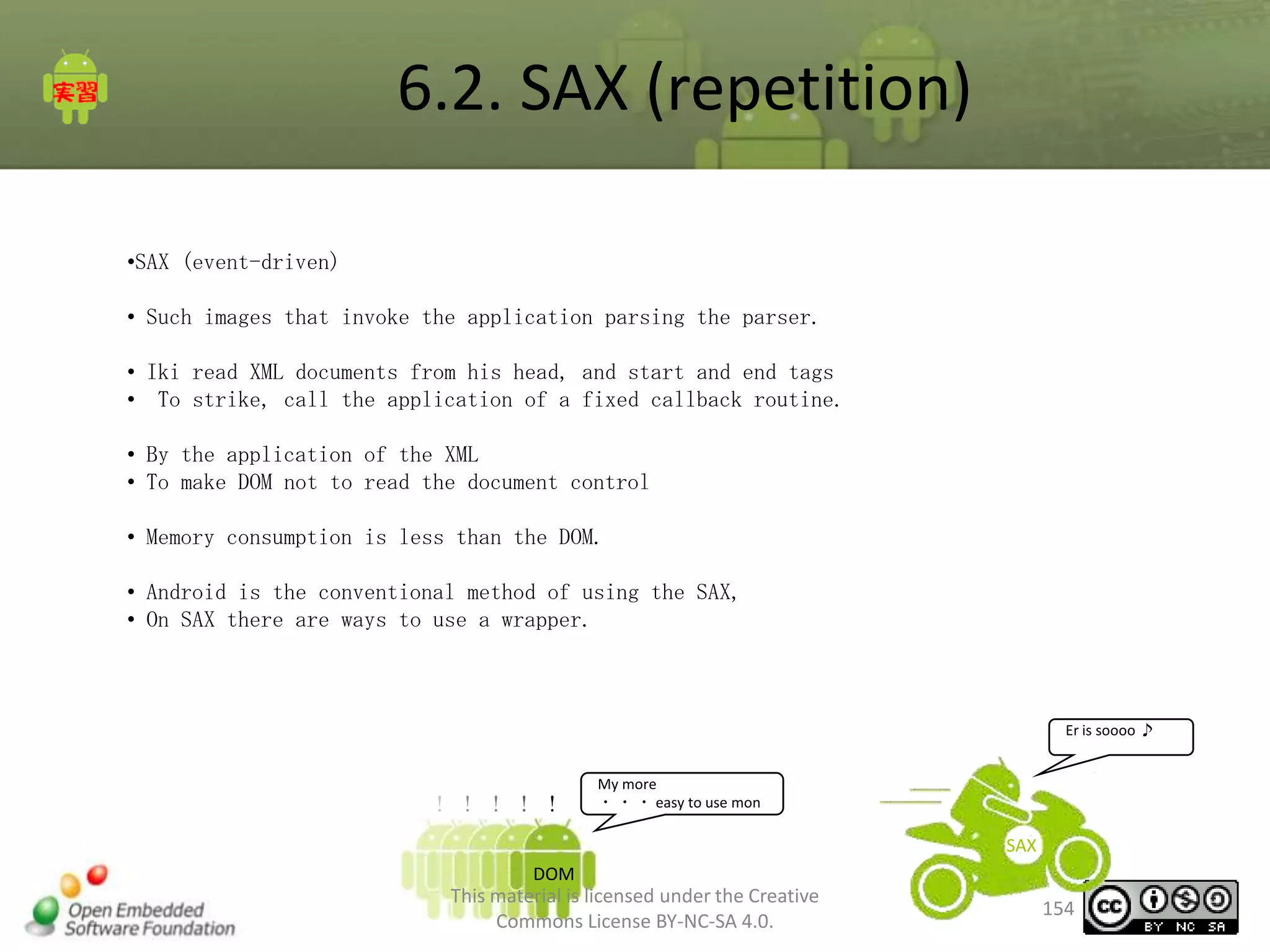
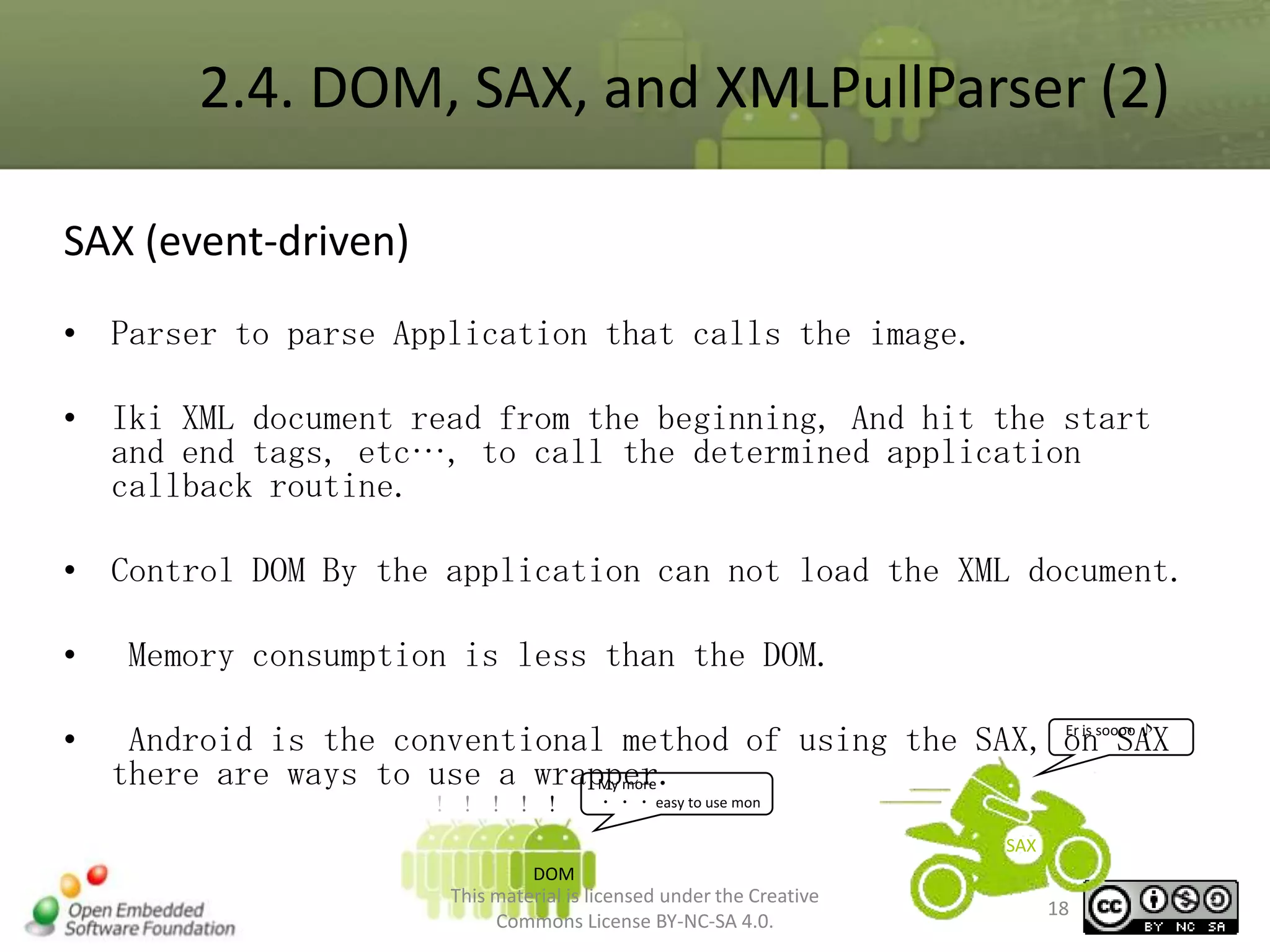
SAX (event-driven)
• Parser to parse Application that calls the image.
• Iki XML document read from the beginning, And hit the start
and end tags, etc…, to call the determined application
callback routine.
• Control DOM By the application can not load the XML document.
•
•

Memory consumption is less than the DOM.
Er is
Android is the conventional method of using the SAX, onsoooo ♪
SAX
there are ways to use a wrapper.
My more

!!!!!

・ ・ ・ easy to use mon

SAX
DOM

This material is licensed under the Creative
Commons License BY-NC-SA 4.0.

18
2.4. DOM, SAX, and XMLPullParser (3)
XMLPullParser( Pull Type )
•

StAX JAVA by what shall have the same functionality. Android will
have the same function that StAX does not support.

• XMLPullParser are provided.
• StAX as an XML document read from the head of the load
• Performed by the application control information from the parser
as needed
• Can be obtained.
•

To make an application from the control, early in the parsing It can
be stopped, it takes a lot of time parsing
• Can be reduced.
This material is licensed under the Creative
Commons License BY-NC-SA 4.0.

19
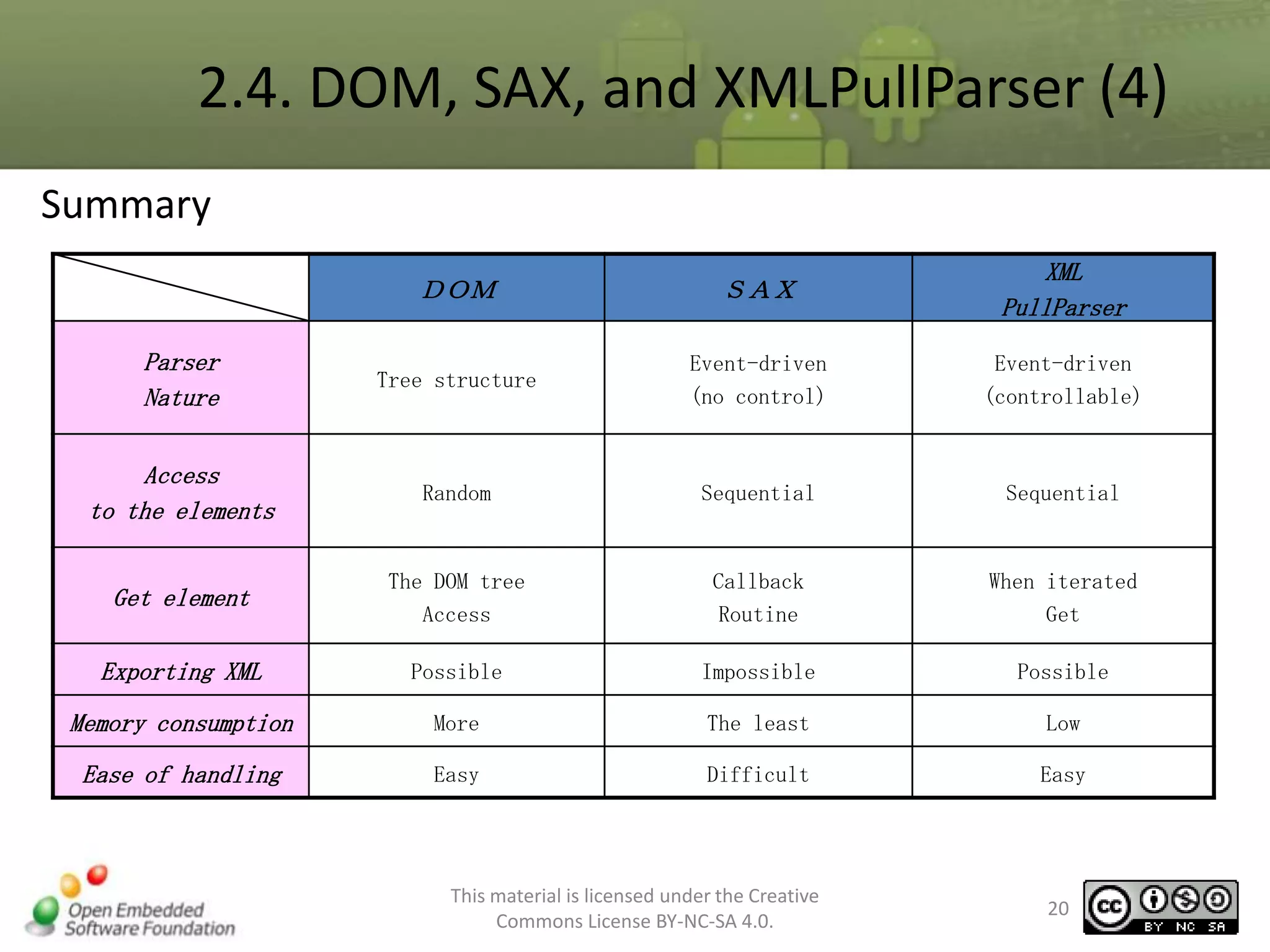
2.4. DOM, SAX, and XMLPullParser (4)
Summary
DOM

SAX

XML
PullParser

Parser
Nature

Tree structure

Event-driven
(no control)

Event-driven
(controllable)

Access
to the elements

Random

Sequential

Sequential

Get element

The DOM tree
Access

Callback
Routine

When iterated
Get

Exporting XML

Possible

Impossible

Possible

Memory consumption

More

The least

Low

Ease of handling

Easy

Difficult

Easy

This material is licensed under the Creative
Commons License BY-NC-SA 4.0.

20
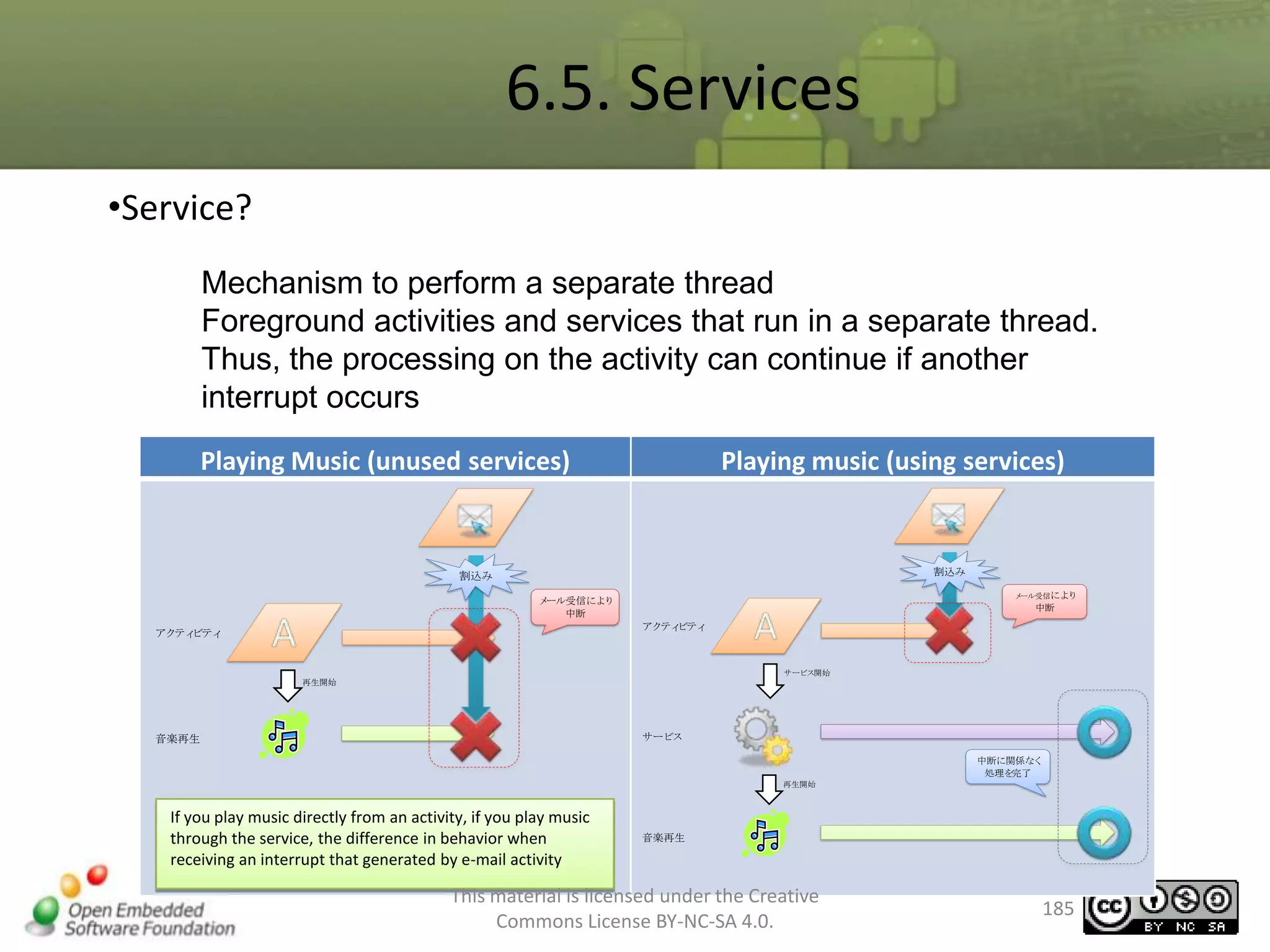
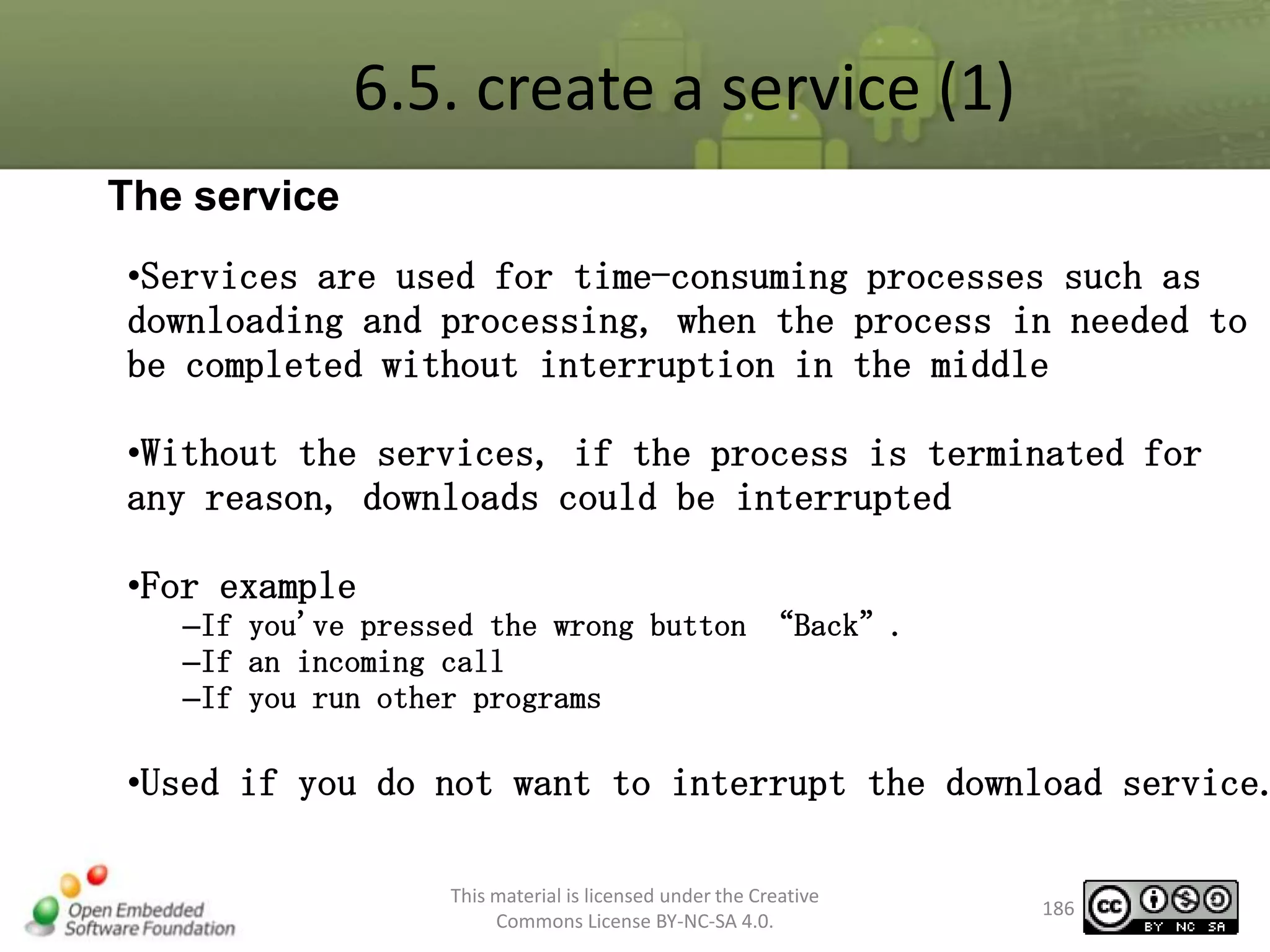
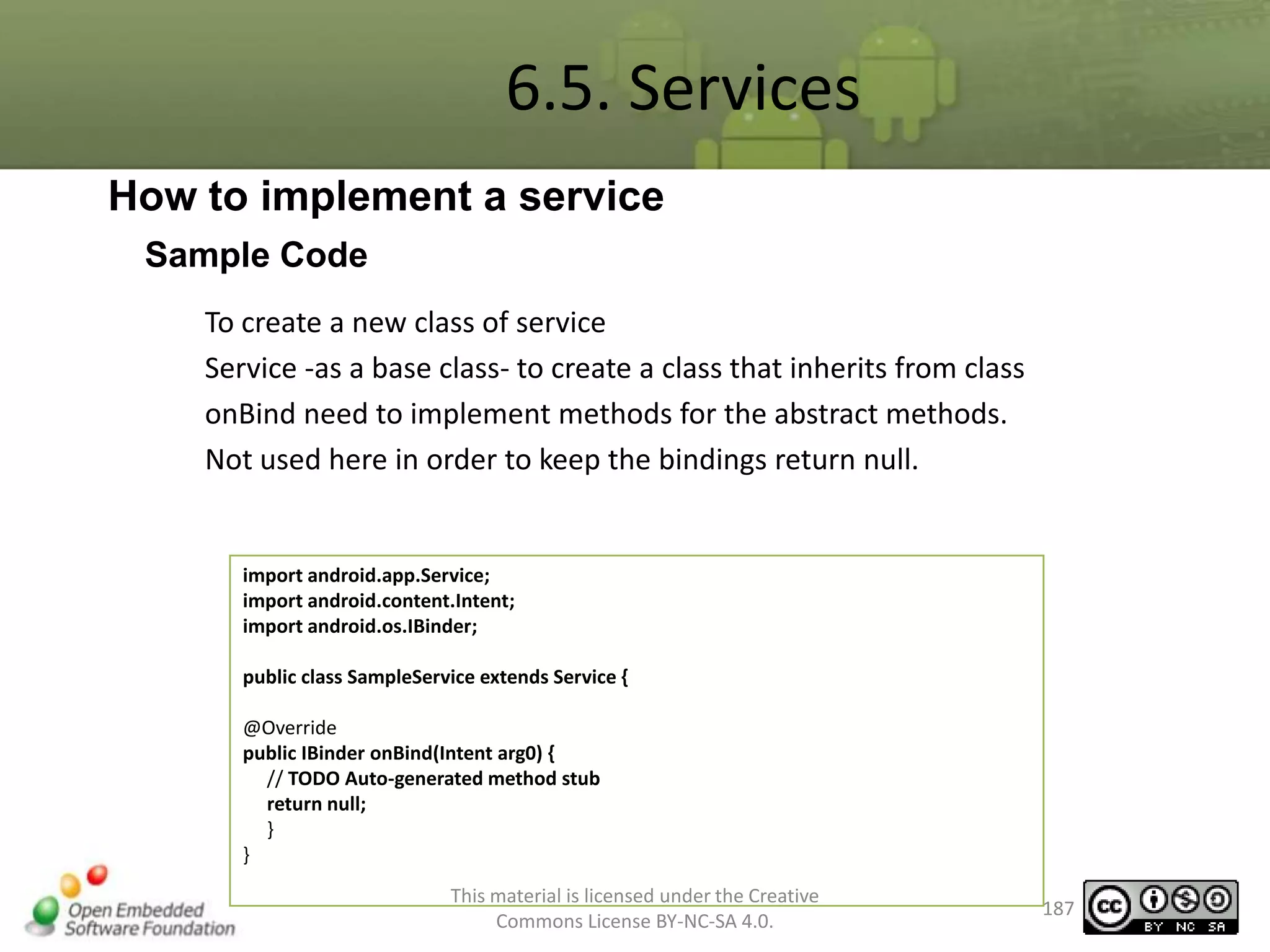
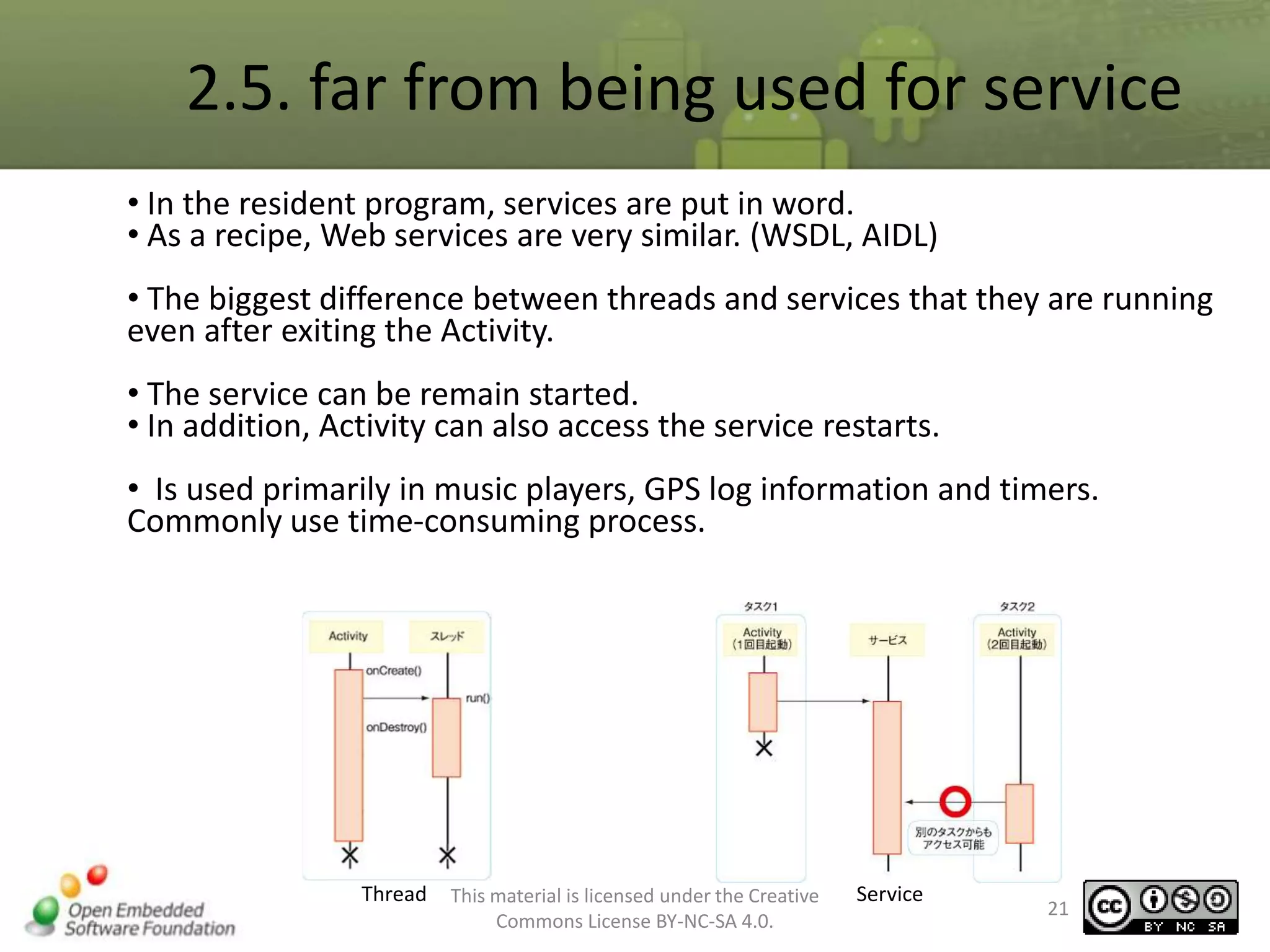
2.5. far from being used for service
• In the resident program, services are put in word.
• As a recipe, Web services are very similar. (WSDL, AIDL)
• The biggest difference between threads and services that they are running
even after exiting the Activity.
• The service can be remain started.
• In addition, Activity can also access the service restarts.
• Is used primarily in music players, GPS log information and timers.
Commonly use time-consuming process.

Thread

This material is licensed under the Creative
Commons License BY-NC-SA 4.0.

Service

21
3. Preparing the Development
Environment
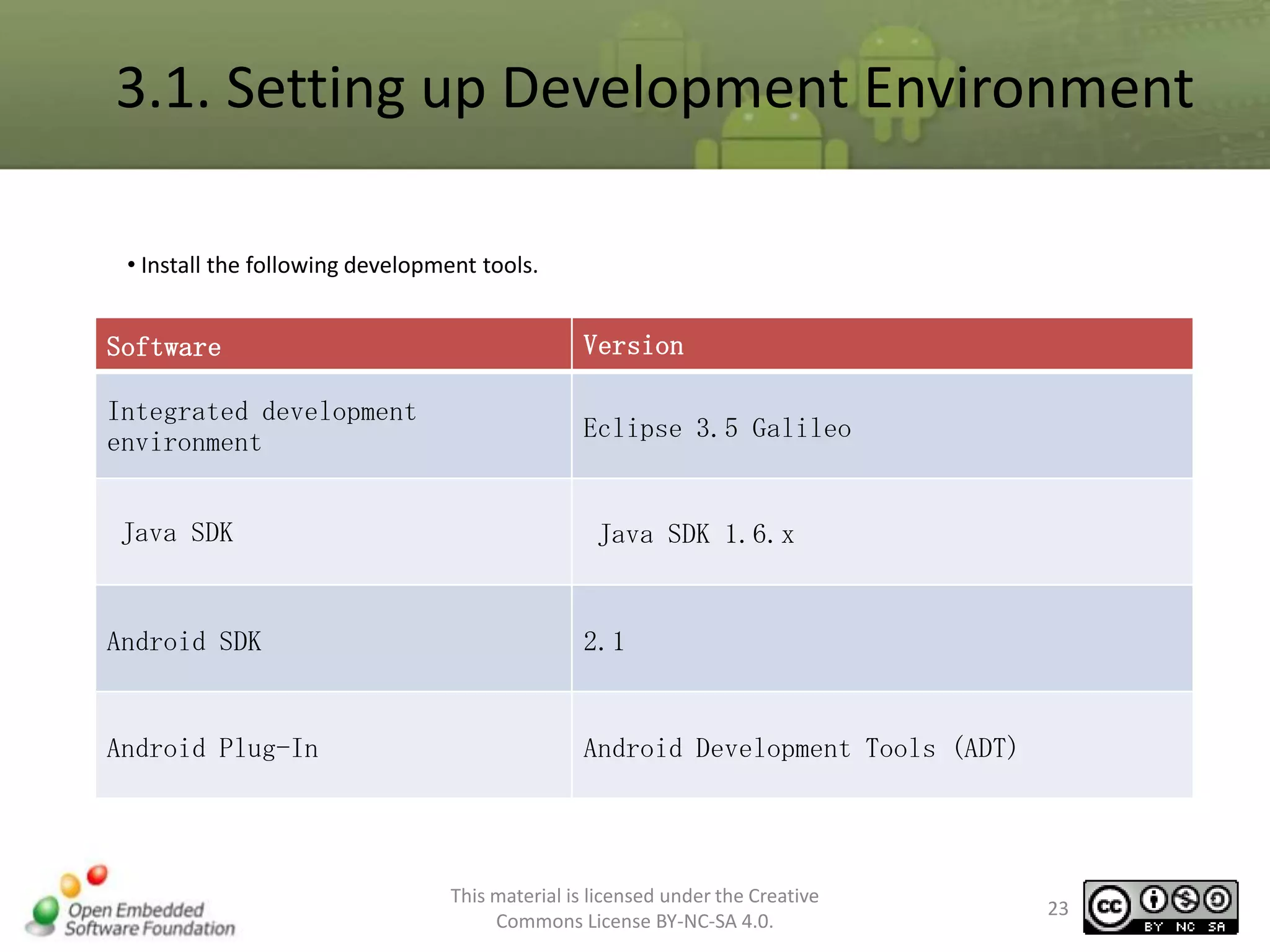
3.1. Setting up Development Environment
• Install the following development tools.

Software

Version

Integrated development
environment

Eclipse 3.5 Galileo

Java SDK

Java SDK 1.6.x

Android SDK

2.1

Android Plug-In

Android Development Tools (ADT)

This material is licensed under the Creative
Commons License BY-NC-SA 4.0.

23
3.1. Setting up Development Environment (1)
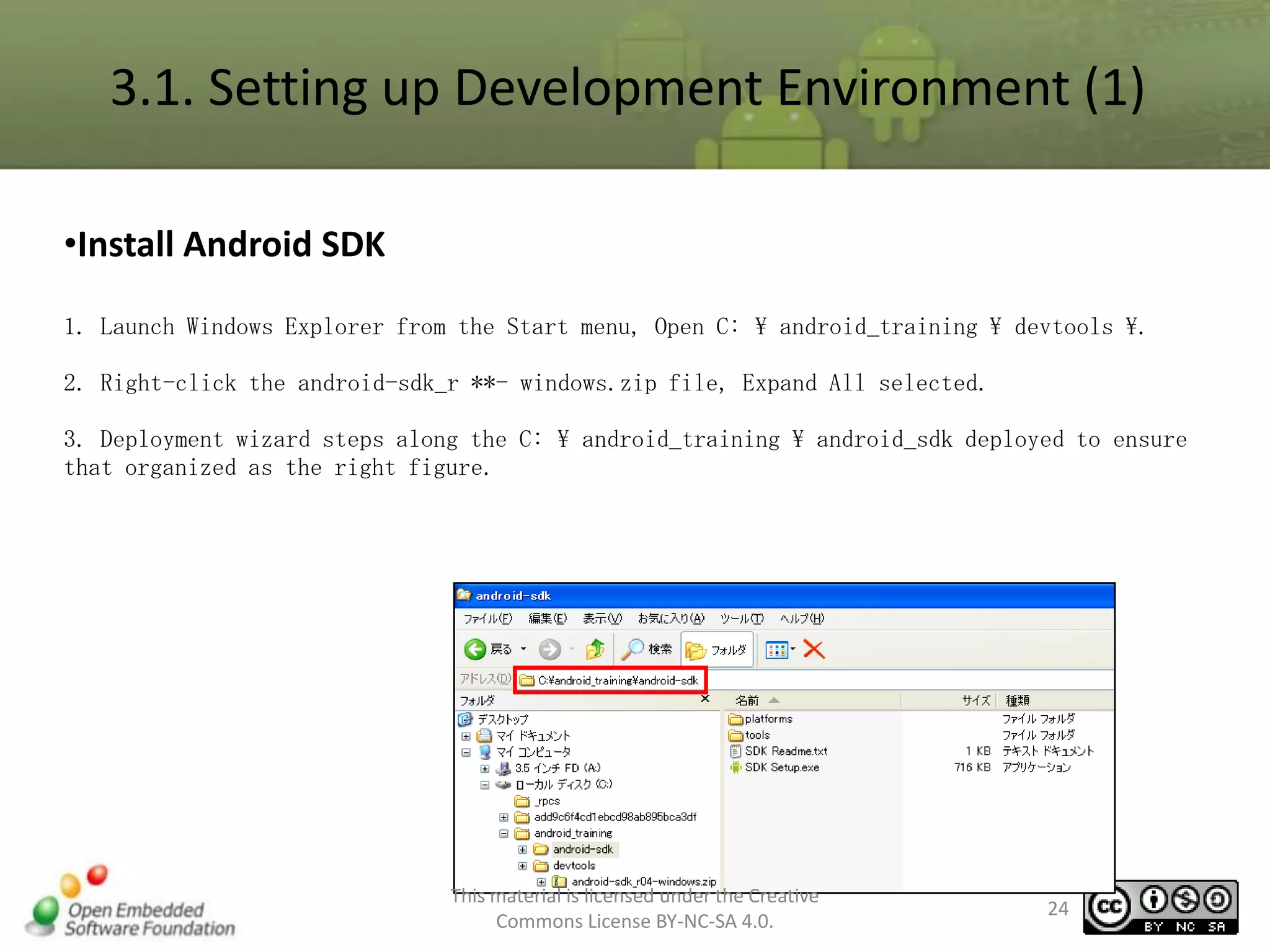
•Install Android SDK
1. Launch Windows Explorer from the Start menu, Open C:  android_training  devtools .
2. Right-click the android-sdk_r **- windows.zip file, Expand All selected.
3. Deployment wizard steps along the C:  android_training  android_sdk deployed to ensure
that organized as the right figure.

This material is licensed under the Creative
Commons License BY-NC-SA 4.0.

24
3.1. Setting up Development Environment (2)
•Set Environment Variables
1. Select Control Panel from Start menu ,Double click[System].
2. Click the Advanced tab in The System Properties, Click Environment Variables button.

This material is licensed under the Creative
Commons License BY-NC-SA 4.0.

25
3.1. Setting up Development Environment (3)
3. At Environment Variables window, click [Path], from Environment Variables System and then
Edit button.

4. Add c: android_trainingtoolsandroid_sdktools. at the beginning of the Edit System
Variable window Variable value

This material is licensed under the Creative
Commons License BY-NC-SA 4.0.

26
3.1. Setting up Development Environment (4)
•5. In Edit System Variable window, click [OK] button.
•6. In Environment Variables window, click [OK] button.
•7. To ensure that the environment changes is reflected.
7-1. Start Menu->All Programs -> Accessories ->command Prompt, and then start a command prompt.

This material is licensed under the Creative
Commons License BY-NC-SA 4.0.

27
3.1. Setting up Development Environment (5)
•7-2. Run the following command from the command prompt: set [<sp>] | <sp>
find <sp> "android“
•To ensure that you receive the Path settings.
•※ <sp> · · · meaning of space

This material is licensed under the Creative
Commons License BY-NC-SA 4.0.

28
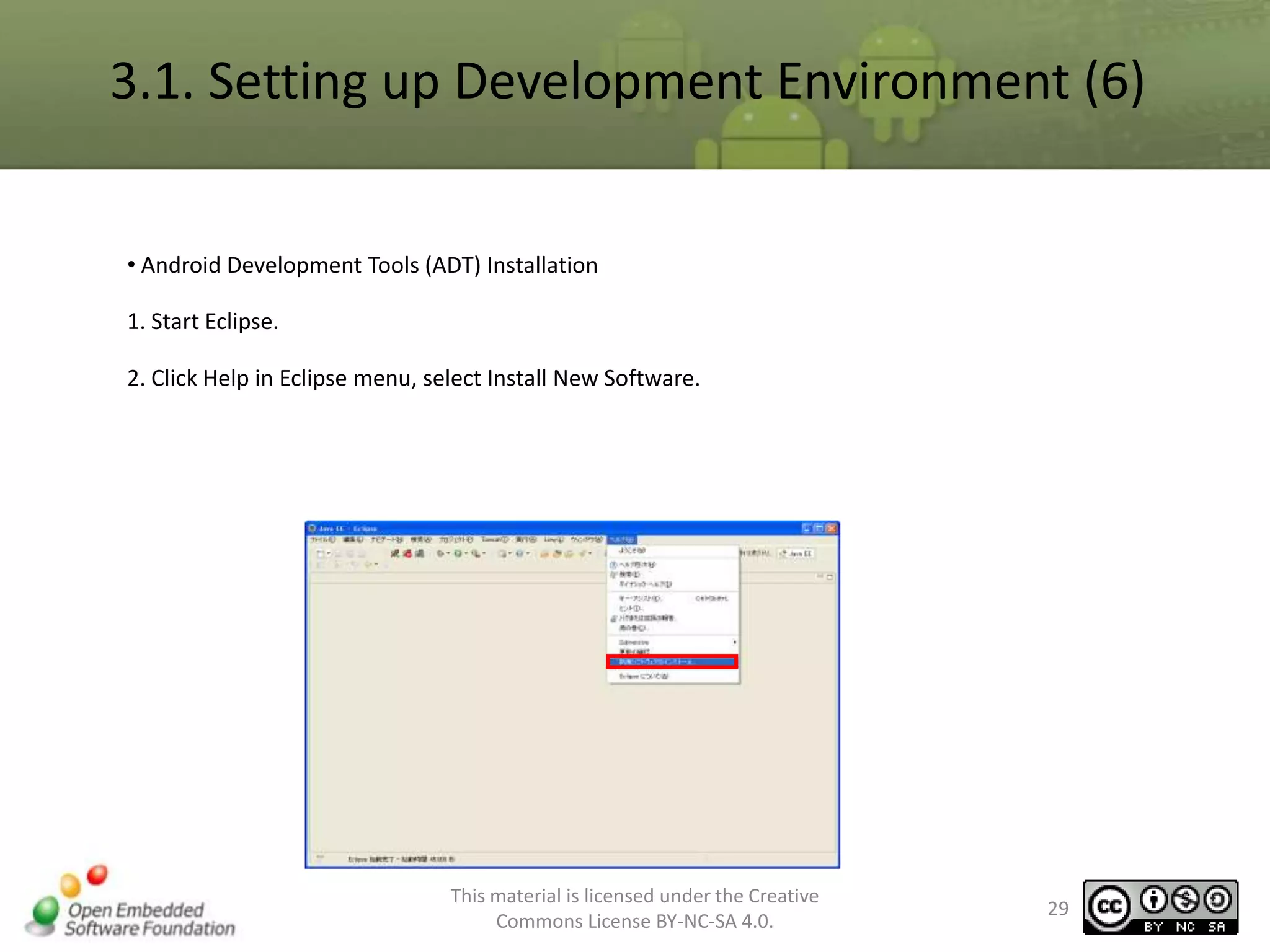
3.1. Setting up Development Environment (6)
• Android Development Tools (ADT) Installation
1. Start Eclipse.
2. Click Help in Eclipse menu, select Install New Software.

This material is licensed under the Creative
Commons License BY-NC-SA 4.0.

29
3.1. Setting up Development Environment (7)
•3. In the Install window, click Add,
•4. Adding a site to the location of the window
–http://dl-ssl.google.com/android/eclipse/
–Enter [OK] button.
※ The name of any location.

This material is licensed under the Creative
Commons License BY-NC-SA 4.0.

30
3.1. Setting up Development Environment (8)
5. In Installation Details window, check Developer Tools, Press [Install] button.
6. Then click Next button in the install window.

This material is licensed under the Creative
Commons License BY-NC-SA 4.0.

31
3.1. Setting up Development Environment (9)
7. In Install window, check [I accept the terms of use], click
[Finish] button to start the installation.
•If the warning dialog for unsigned software installation appears,
continue clicking [OK].
8. Installation is complete, click [Yes] when you see the
Software Updates message, restart Eclipse
Progress is being installed

Software Installation warning dialog
This material is licensed under the Creative
32
unsigned
Commons License BY-NC-SA 4.0.
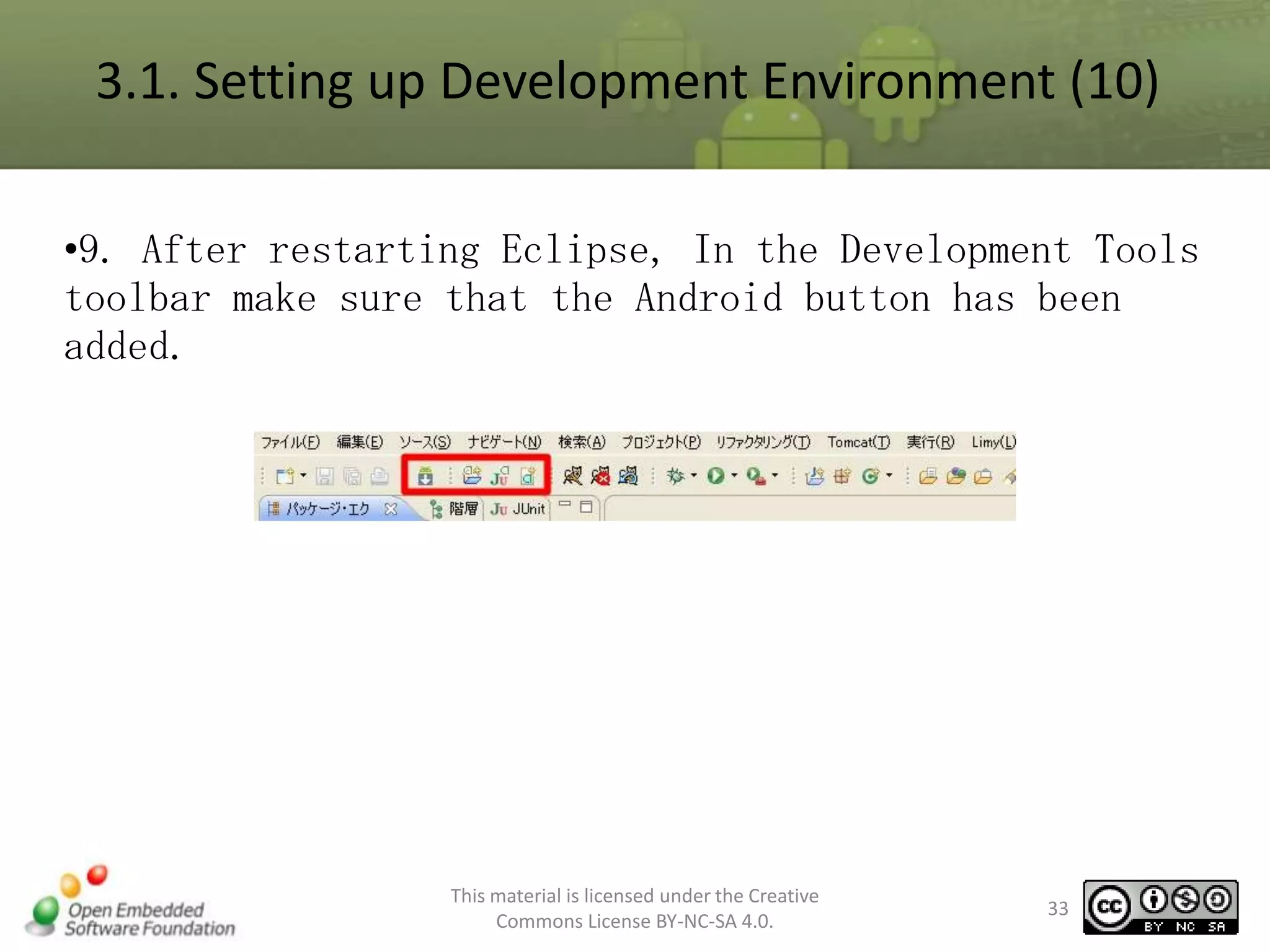
3.1. Setting up Development Environment (10)
•9. After restarting Eclipse, In the Development Tools
toolbar make sure that the Android button has been
added.

This material is licensed under the Creative
Commons License BY-NC-SA 4.0.

33
3.1. Setting up Development Environment (11)
• Installing the Android Platform

1. Eclipse menu: from [Window] select [Android SDK and AVD Manager].

This material is licensed under the Creative
Commons License BY-NC-SA 4.0.

34
3.1. Setting up Development Environment (12)

2.

from a tree on the left select [Available Packages], Tick [SDK
Platform Android 2.1, API 7 revision 2], click [Install Selected].

This material is licensed under the Creative
Commons License BY-NC-SA 4.0.

35
3.1. Setting up Development Environment (13)

3. Tick [Accept All], and then click Install.

If you see a dialog box that mean " Do you want to Update?" click
"yes"
4.

This material is licensed under the Creative
Commons License BY-NC-SA 4.0.

36
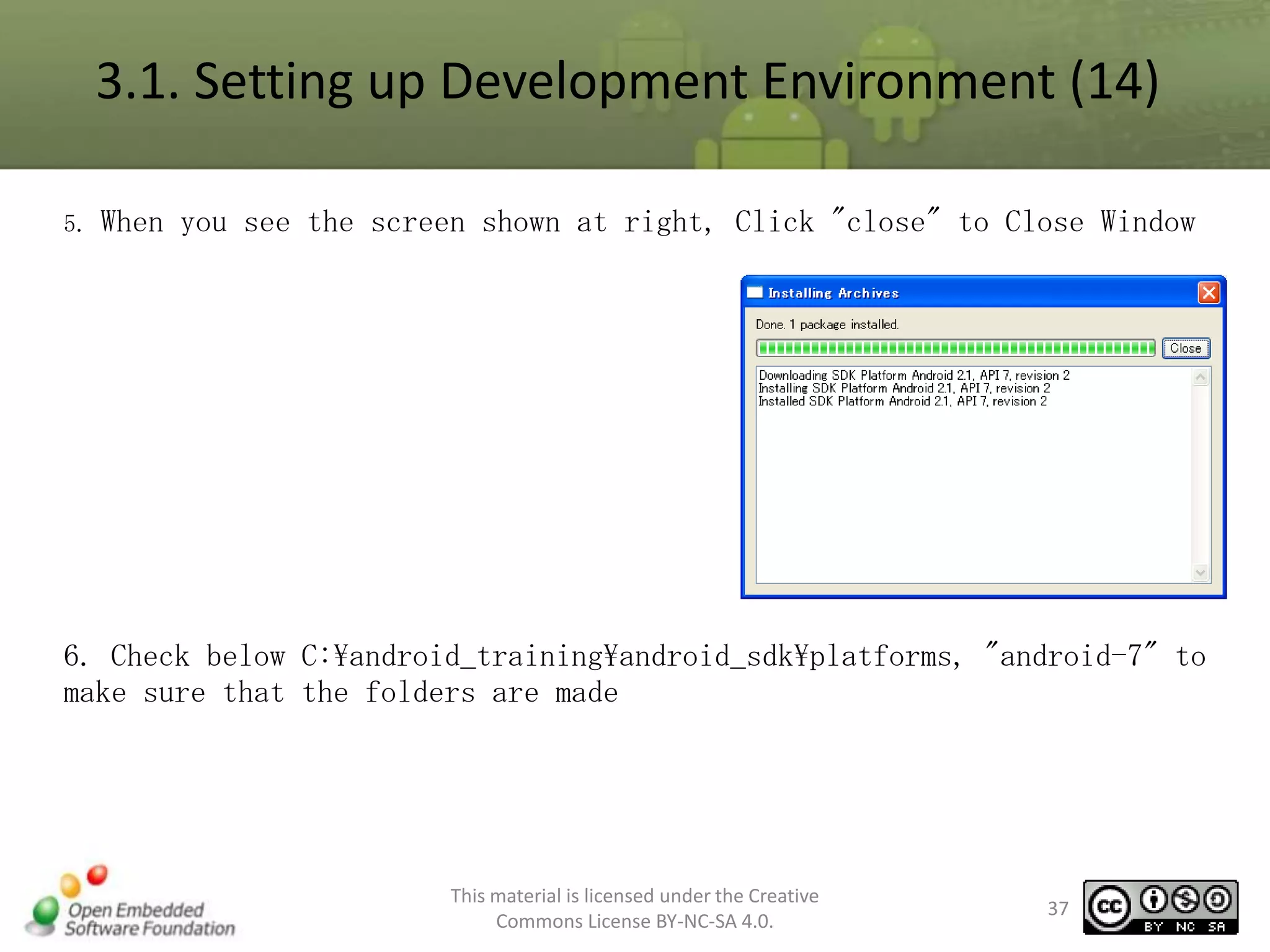
3.1. Setting up Development Environment (14)
5.

When you see the screen shown at right, Click "close" to Close Window

6. Check below C:android_trainingandroid_sdkplatforms, "android-7" to
make sure that the folders are made

This material is licensed under the Creative
Commons License BY-NC-SA 4.0.

37
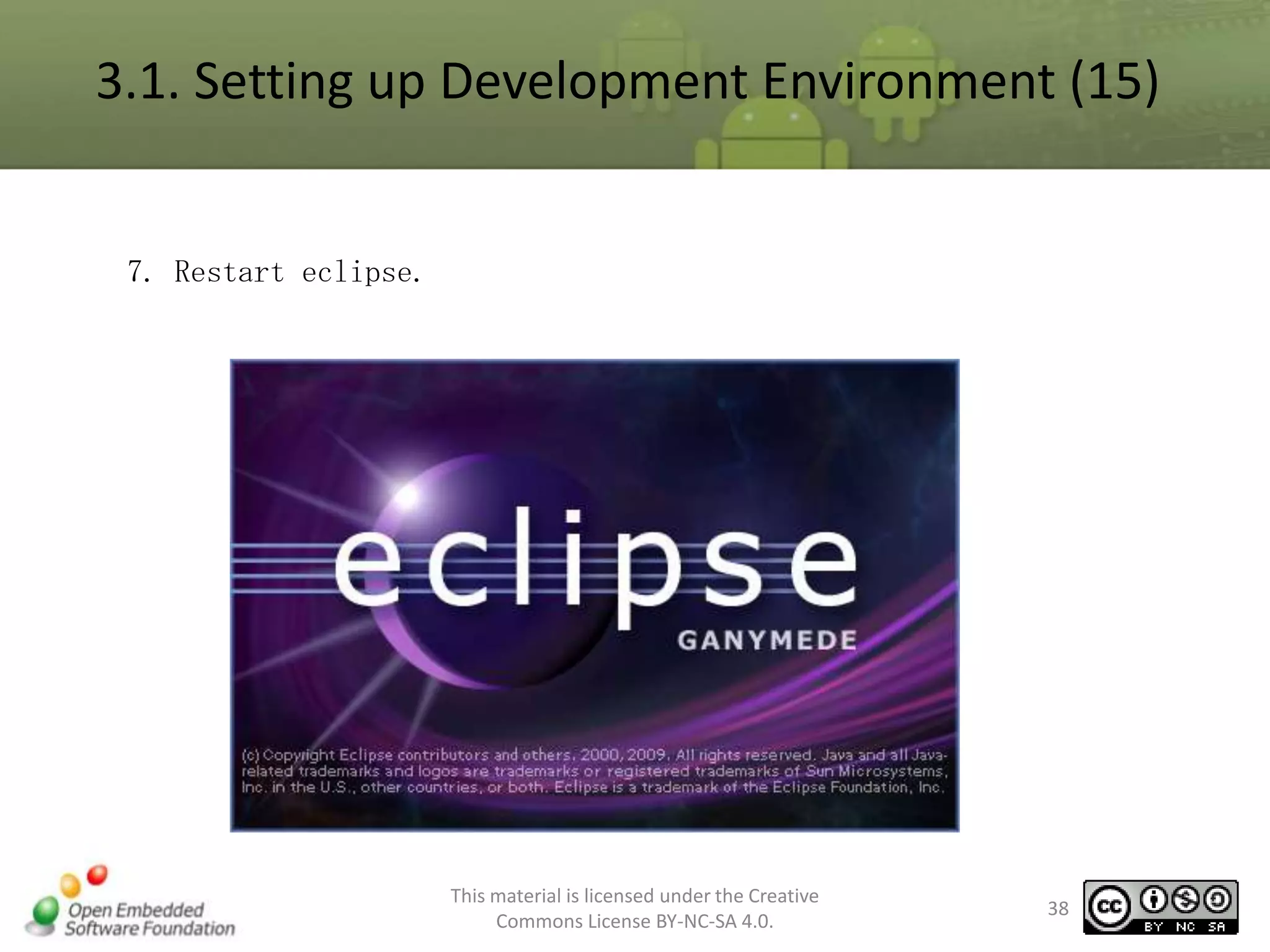
3.1. Setting up Development Environment (15)

7. Restart eclipse.

This material is licensed under the Creative
Commons License BY-NC-SA 4.0.

38
3.1. Setting up Development Environment (16)
• Set the Eclipse-ADT to recognize the Android SDK.
1. From Eclipse [Window] menu, select [Preferences].

This material is licensed under the Creative
Commons License BY-NC-SA 4.0.

39
3.1. Setting up Development Environment (17)
•2. In Preferences window select
[Android].
•An error message appears, close the
message window:
–Set error message at the top of the
window
–Make sure to disappear, click [OK] button.

•

Select SDK location C:devlopandroidsdk-windows and press enter, then click
[OK].

This material is licensed under the Creative
Commons License BY-NC-SA 4.0.

40
3.1. Setting up Development Environment (18)
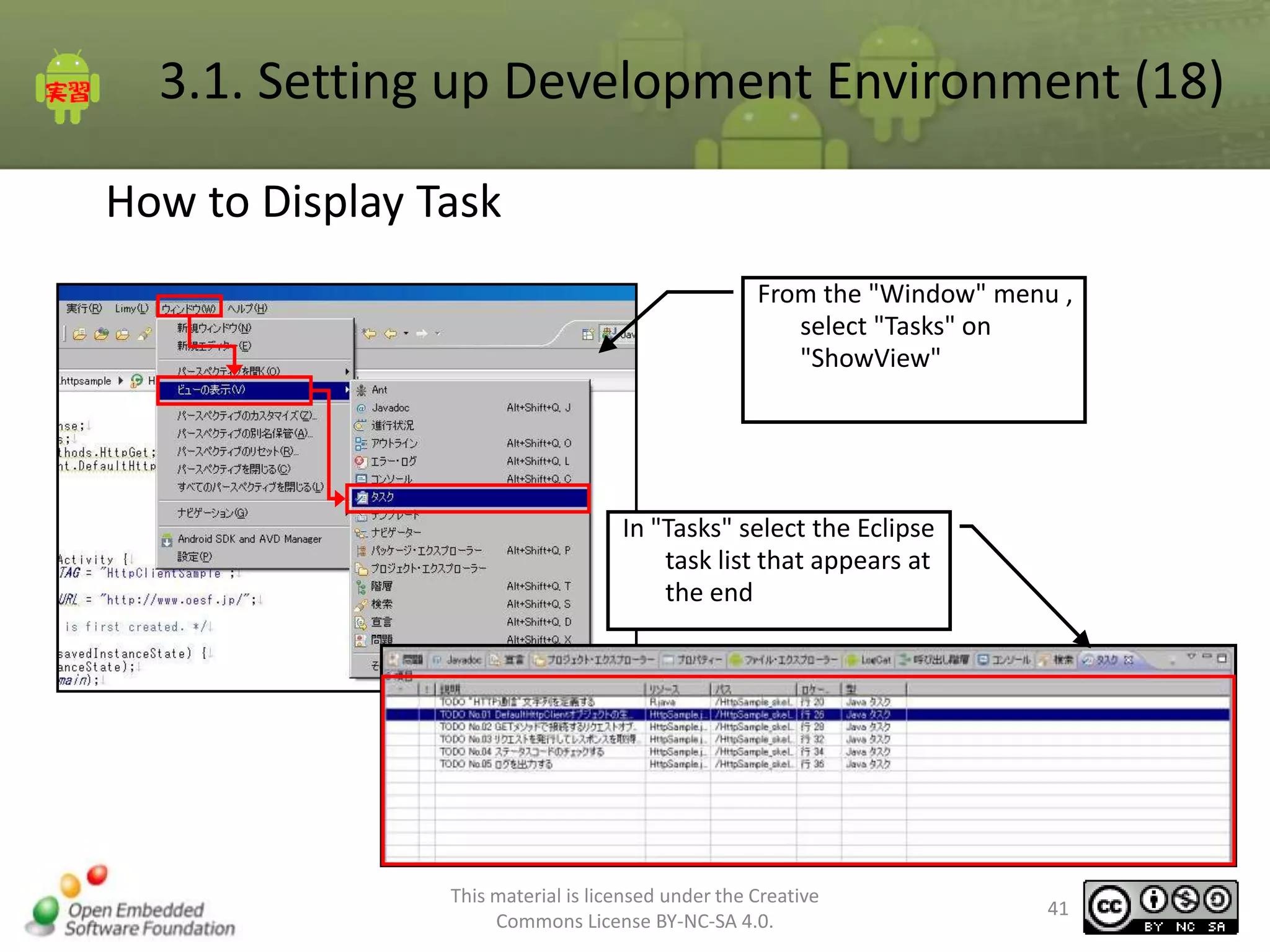
How to Display Task
From the "Window" menu ,
select "Tasks" on
"ShowView"

In "Tasks" select the Eclipse
task list that appears at
the end

This material is licensed under the Creative
Commons License BY-NC-SA 4.0.

41
3.1. Setting up Development Environment (19)
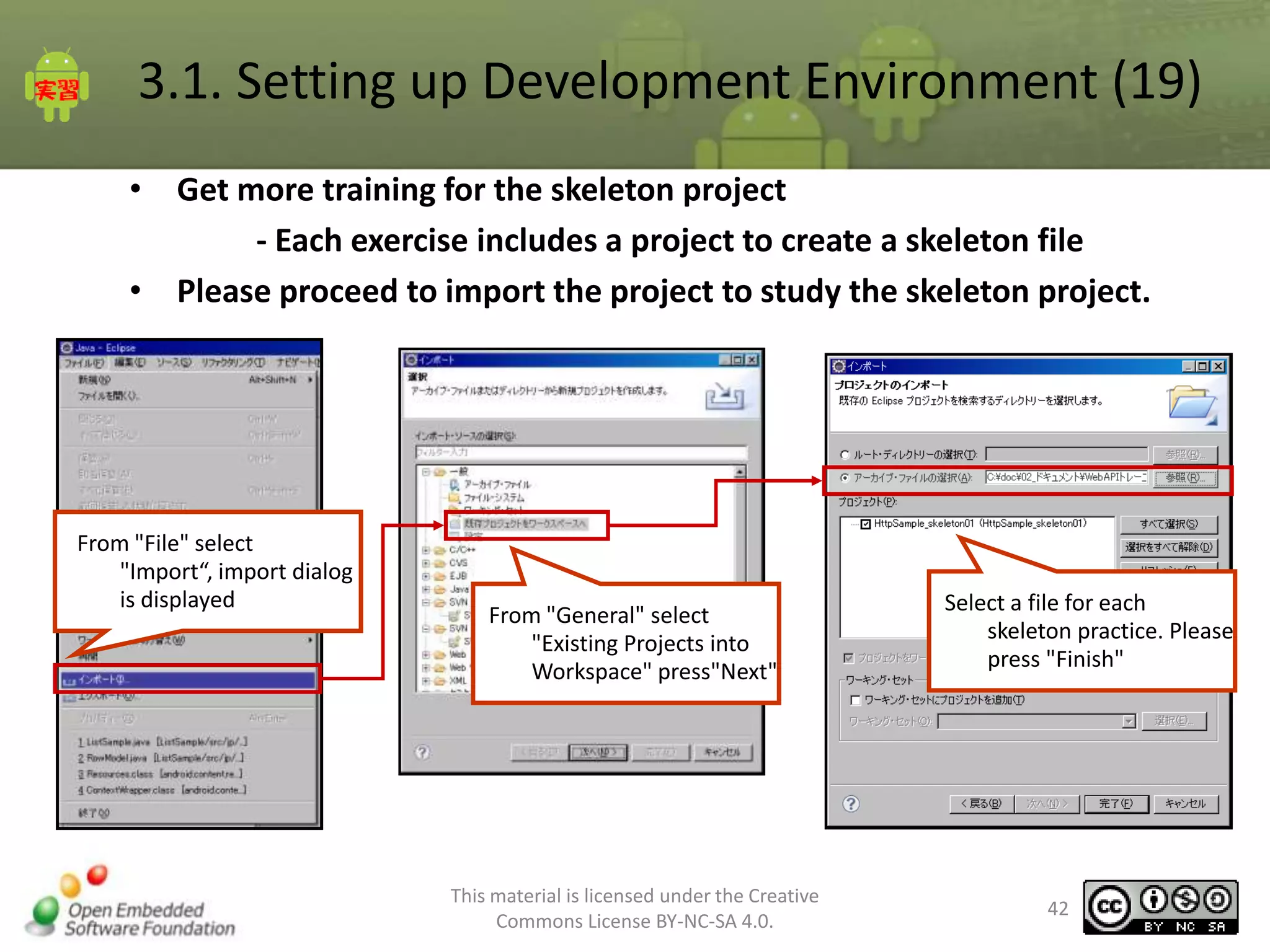
• Get more training for the skeleton project
- Each exercise includes a project to create a skeleton file
• Please proceed to import the project to study the skeleton project.

From "File" select
"Import“, import dialog
is displayed

From "General" select
"Existing Projects into
Workspace" press"Next"

This material is licensed under the Creative
Commons License BY-NC-SA 4.0.

Select a file for each
skeleton practice. Please
press "Finish"

42
4. Tutorials
4.1. Creating a Simple Application
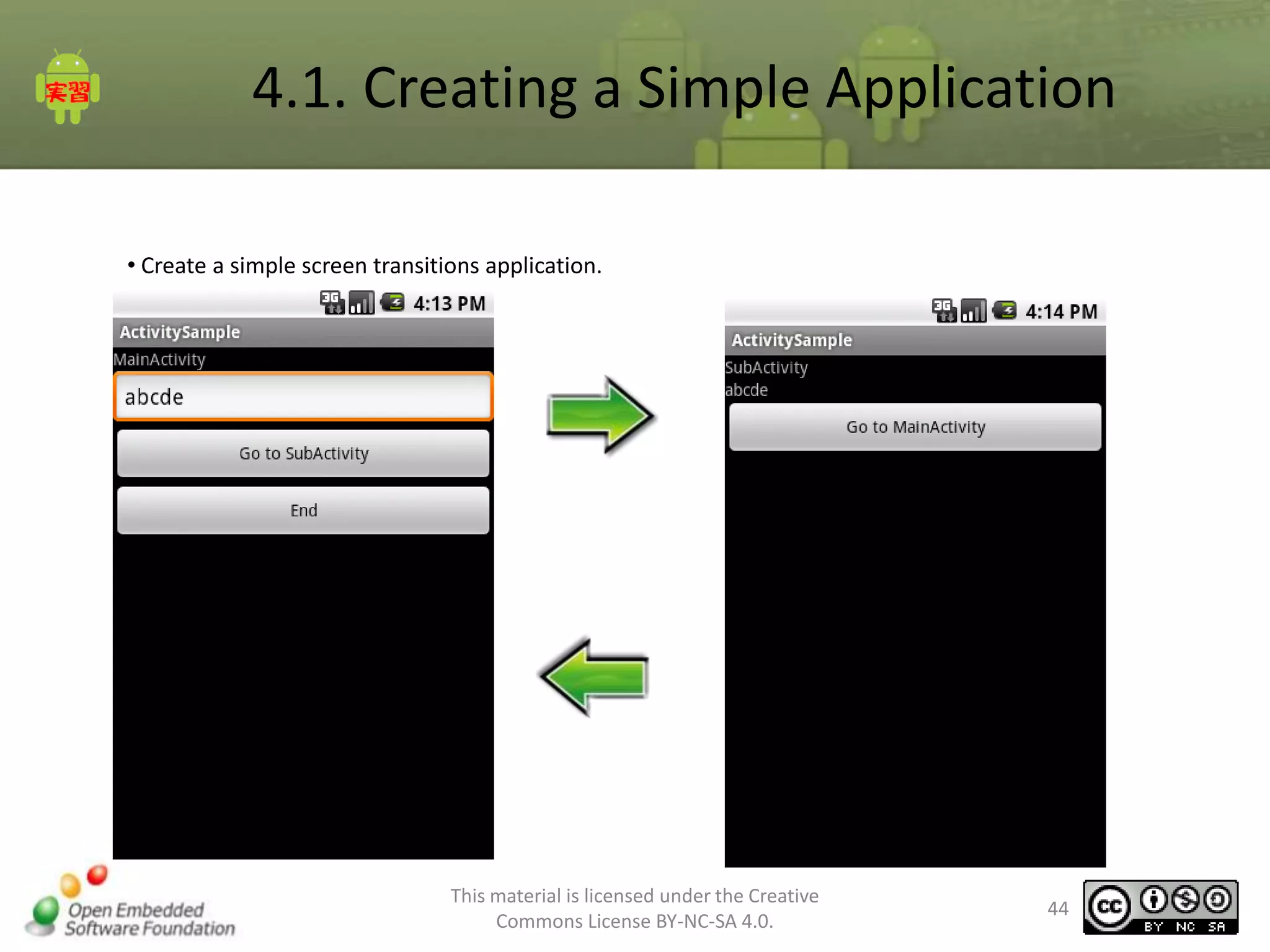
• Create a simple screen transitions application.

This material is licensed under the Creative
Commons License BY-NC-SA 4.0.

44
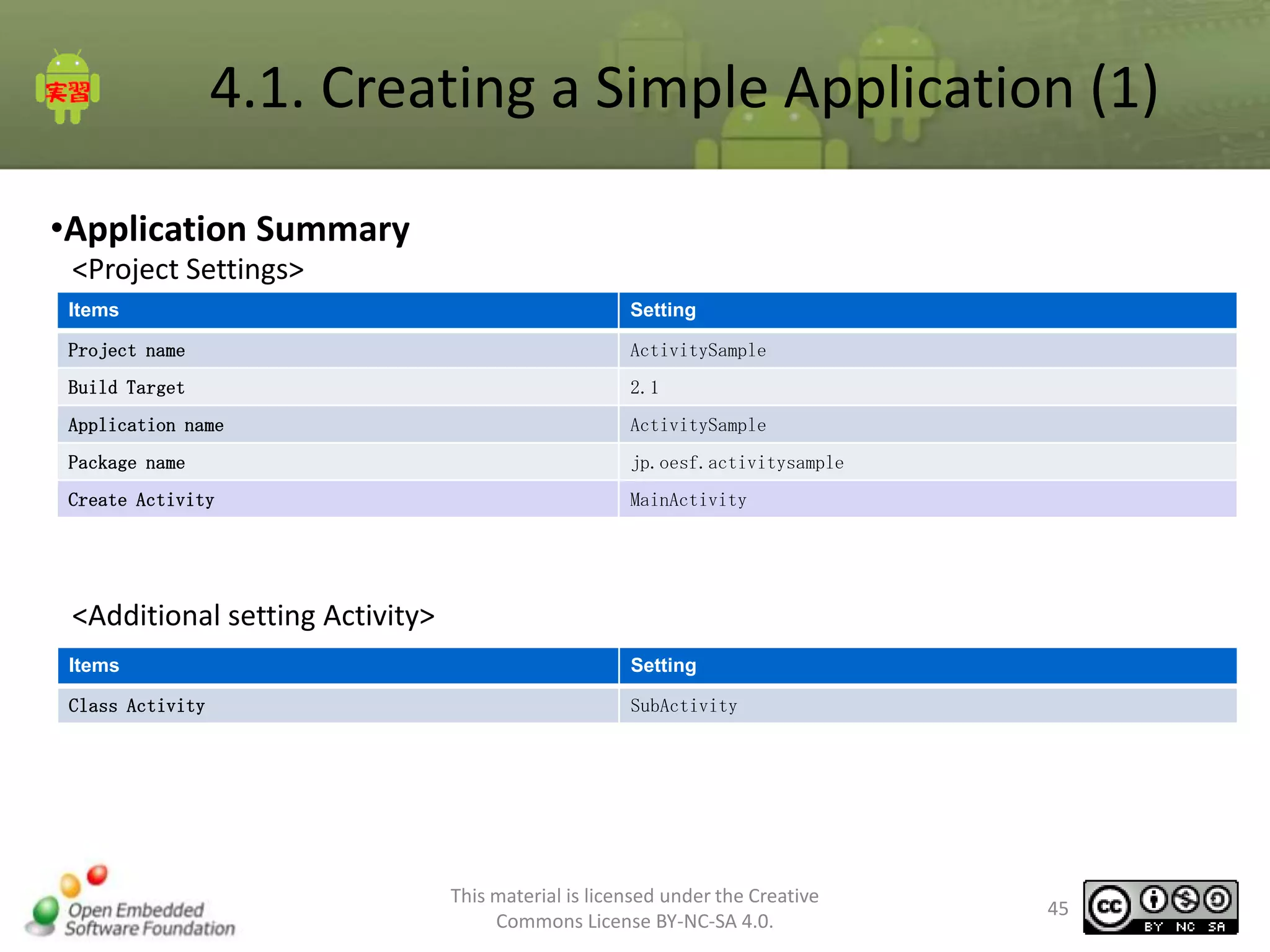
4.1. Creating a Simple Application (1)
•Application Summary
<Project Settings>
Items

Setting

Project name

ActivitySample

Build Target

2.1

Application name

ActivitySample

Package name

jp.oesf.activitysample

Create Activity

MainActivity

<Additional setting Activity>
Items

Setting

Class Activity

SubActivity

This material is licensed under the Creative
Commons License BY-NC-SA 4.0.

45
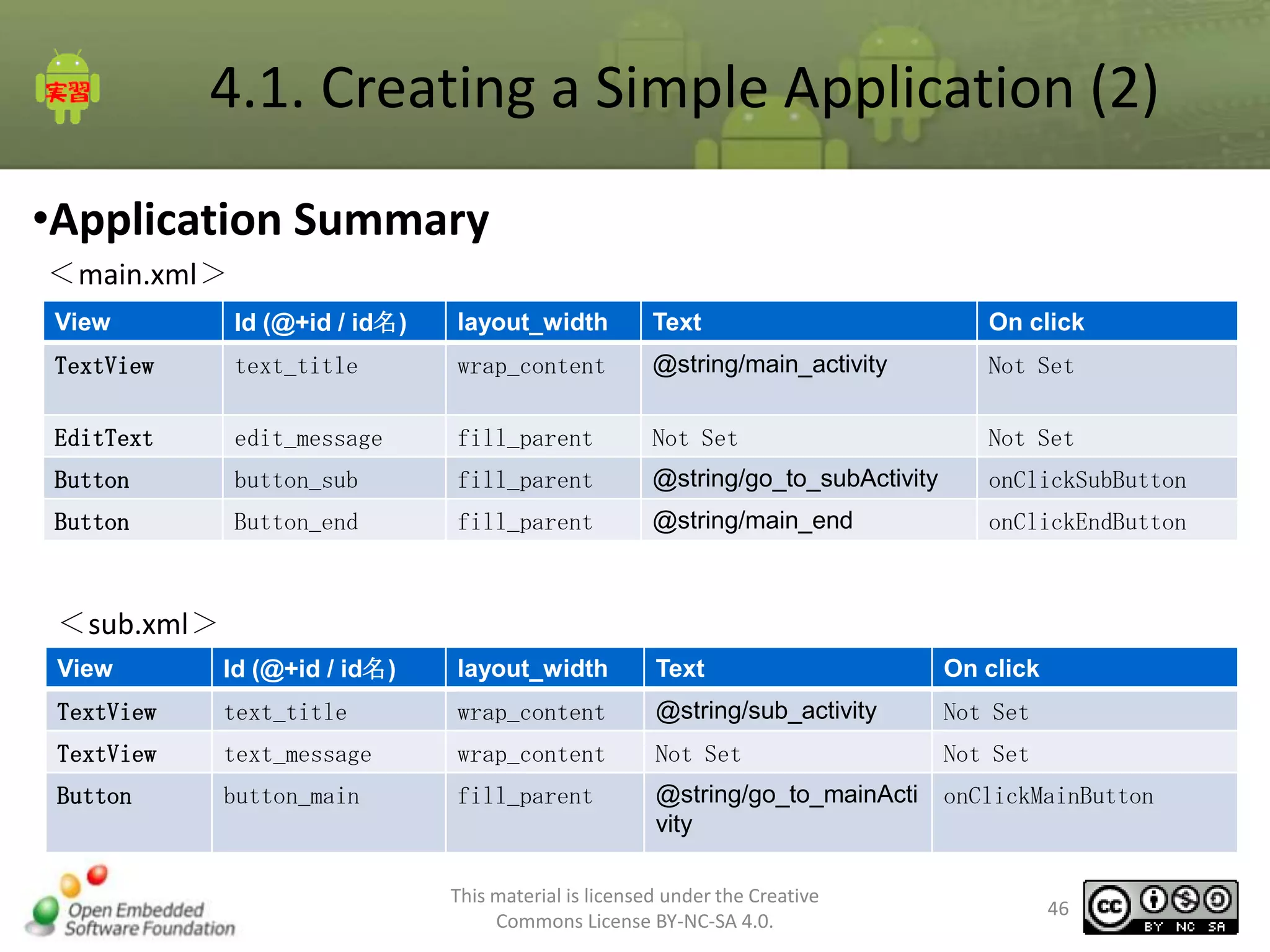
4.1. Creating a Simple Application (2)
•Application Summary
<main.xml>
View

Id (@+id / id名)

layout_width

Text

On click

TextView

text_title

wrap_content

@string/main_activity

Not Set

EditText

edit_message

fill_parent

Not Set

Not Set

Button

button_sub

fill_parent

@string/go_to_subActivity

onClickSubButton

Button

Button_end

fill_parent

@string/main_end

onClickEndButton

<sub.xml>
View

Id (@+id / id名)

layout_width

Text

On click

TextView

text_title

wrap_content

@string/sub_activity

Not Set

TextView

text_message

wrap_content

Not Set

Not Set

Button

button_main

fill_parent

@string/go_to_mainActi
vity

onClickMainButton

This material is licensed under the Creative
Commons License BY-NC-SA 4.0.

46
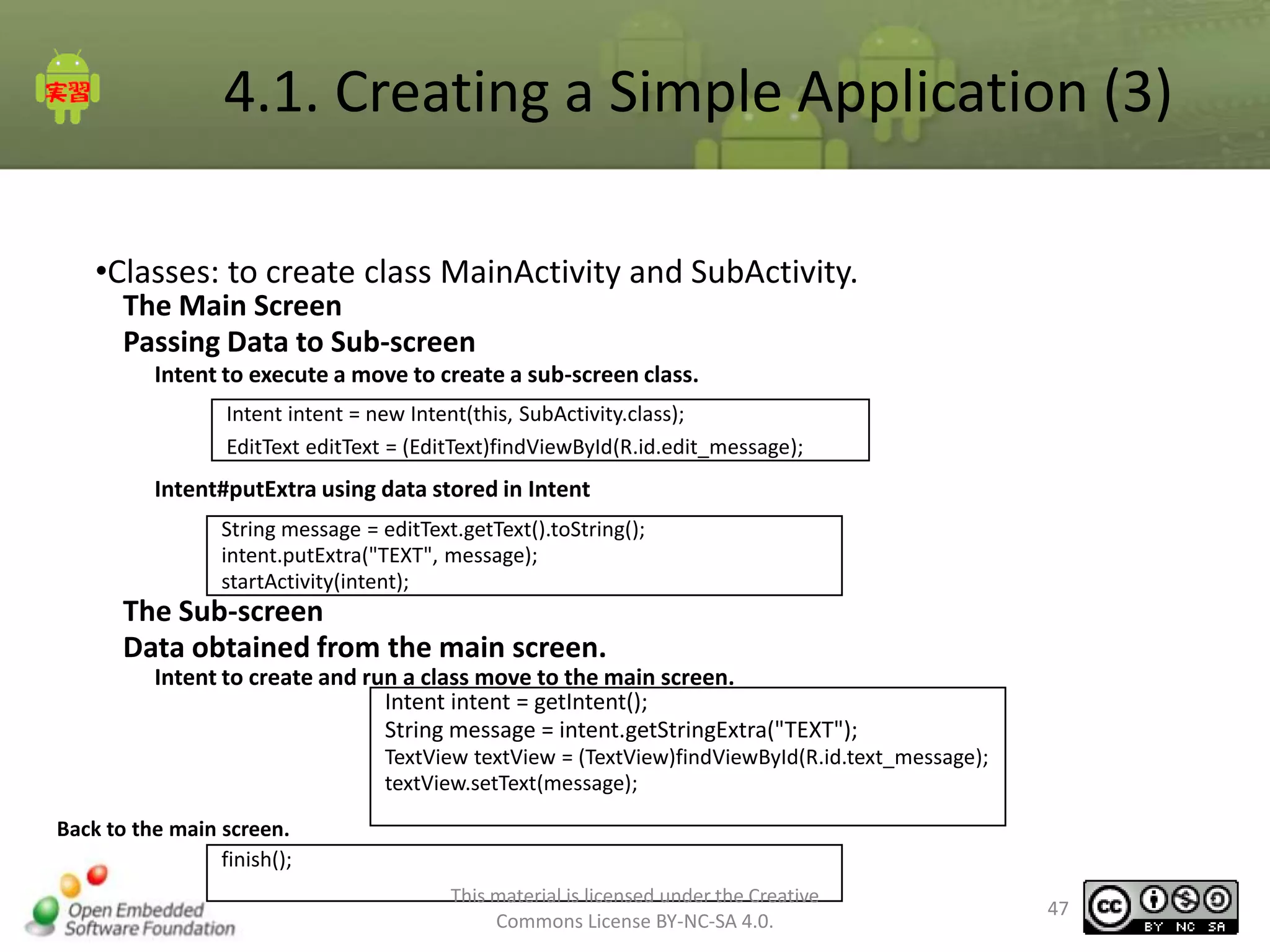
4.1. Creating a Simple Application (3)
•Classes: to create class MainActivity and SubActivity.
The Main Screen
Passing Data to Sub-screen
Intent to execute a move to create a sub-screen class.
Intent intent = new Intent(this, SubActivity.class);
EditText editText = (EditText)findViewById(R.id.edit_message);

Intent#putExtra using data stored in Intent
String message = editText.getText().toString();
intent.putExtra("TEXT", message);
startActivity(intent);

The Sub-screen
Data obtained from the main screen.
Intent to create and run a class move to the main screen.
Intent intent = getIntent();
String message = intent.getStringExtra("TEXT");
TextView textView = (TextView)findViewById(R.id.text_message);
textView.setText(message);
Back to the main screen.
finish();
This material is licensed under the Creative
Commons License BY-NC-SA 4.0.

47
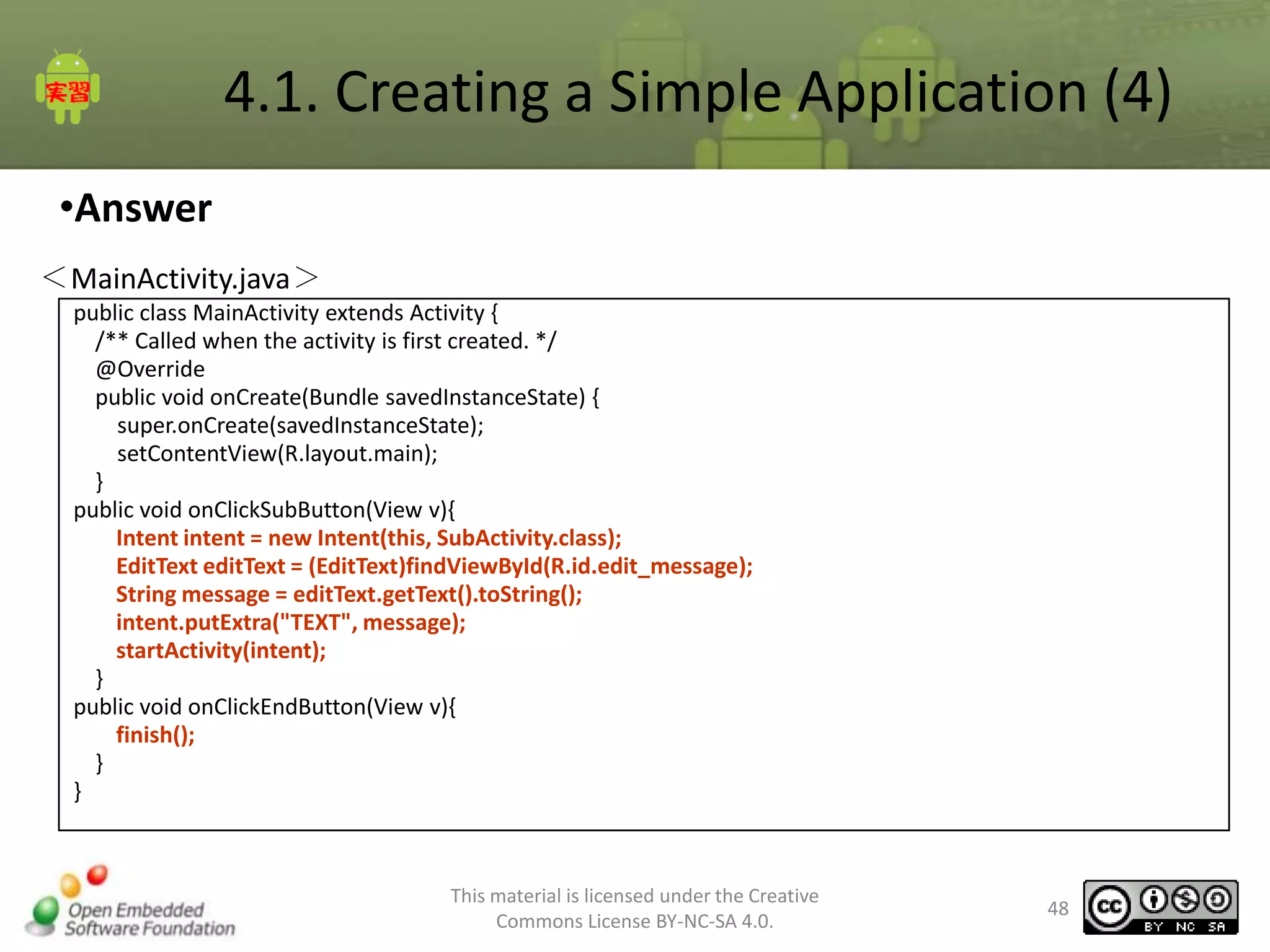
4.1. Creating a Simple Application (4)
•Answer
<MainActivity.java>
public class MainActivity extends Activity {
/** Called when the activity is first created. */
@Override
public void onCreate(Bundle savedInstanceState) {
super.onCreate(savedInstanceState);
setContentView(R.layout.main);
}
public void onClickSubButton(View v){
Intent intent = new Intent(this, SubActivity.class);
EditText editText = (EditText)findViewById(R.id.edit_message);
String message = editText.getText().toString();
intent.putExtra("TEXT", message);
startActivity(intent);
}
public void onClickEndButton(View v){
finish();
}
}

This material is licensed under the Creative
Commons License BY-NC-SA 4.0.

48
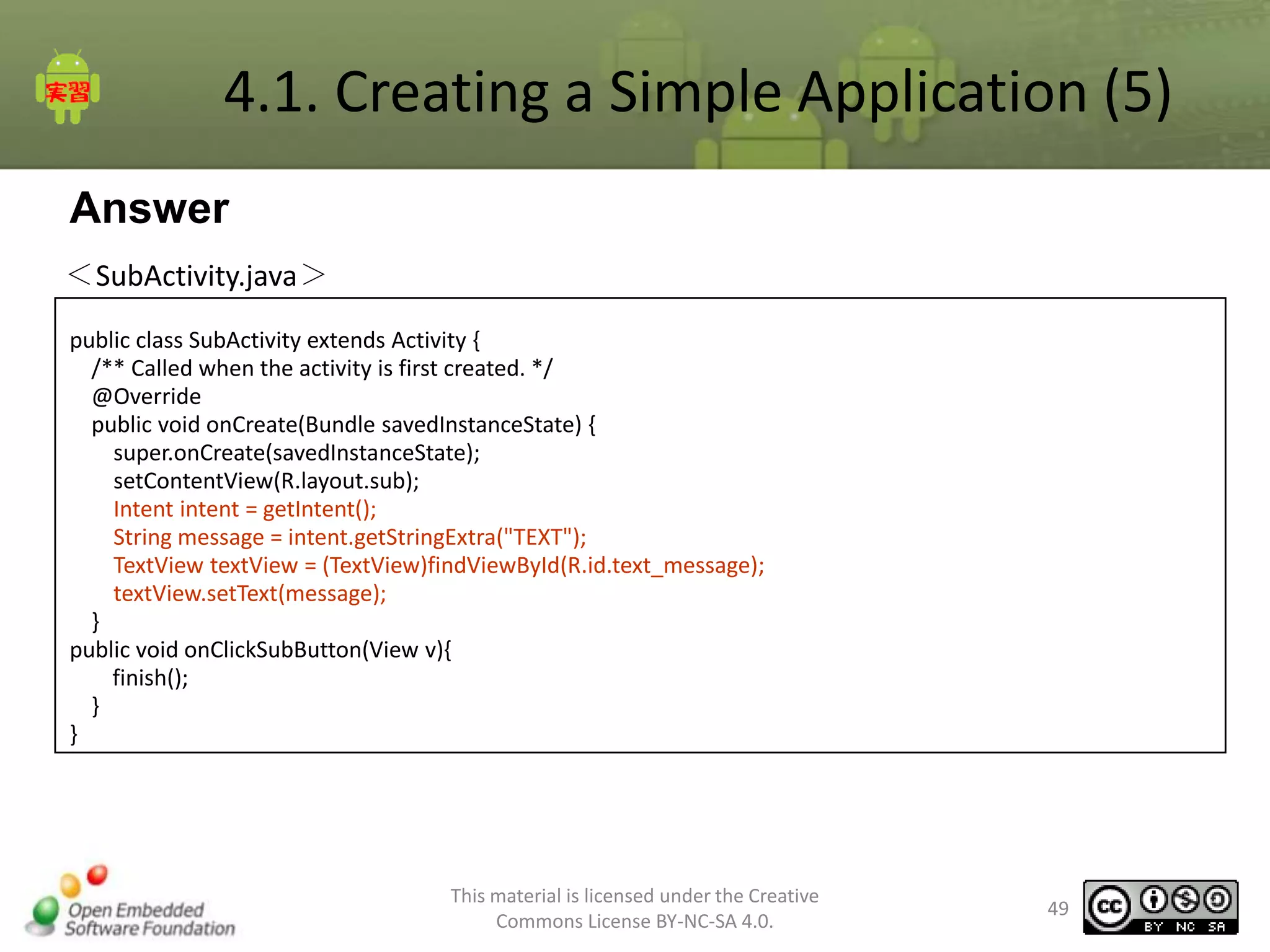
4.1. Creating a Simple Application (5)
Answer
<SubActivity.java>
public class SubActivity extends Activity {
/** Called when the activity is first created. */
@Override
public void onCreate(Bundle savedInstanceState) {
super.onCreate(savedInstanceState);
setContentView(R.layout.sub);
Intent intent = getIntent();
String message = intent.getStringExtra("TEXT");
TextView textView = (TextView)findViewById(R.id.text_message);
textView.setText(message);
}
public void onClickSubButton(View v){
finish();
}
}

This material is licensed under the Creative
Commons License BY-NC-SA 4.0.

49
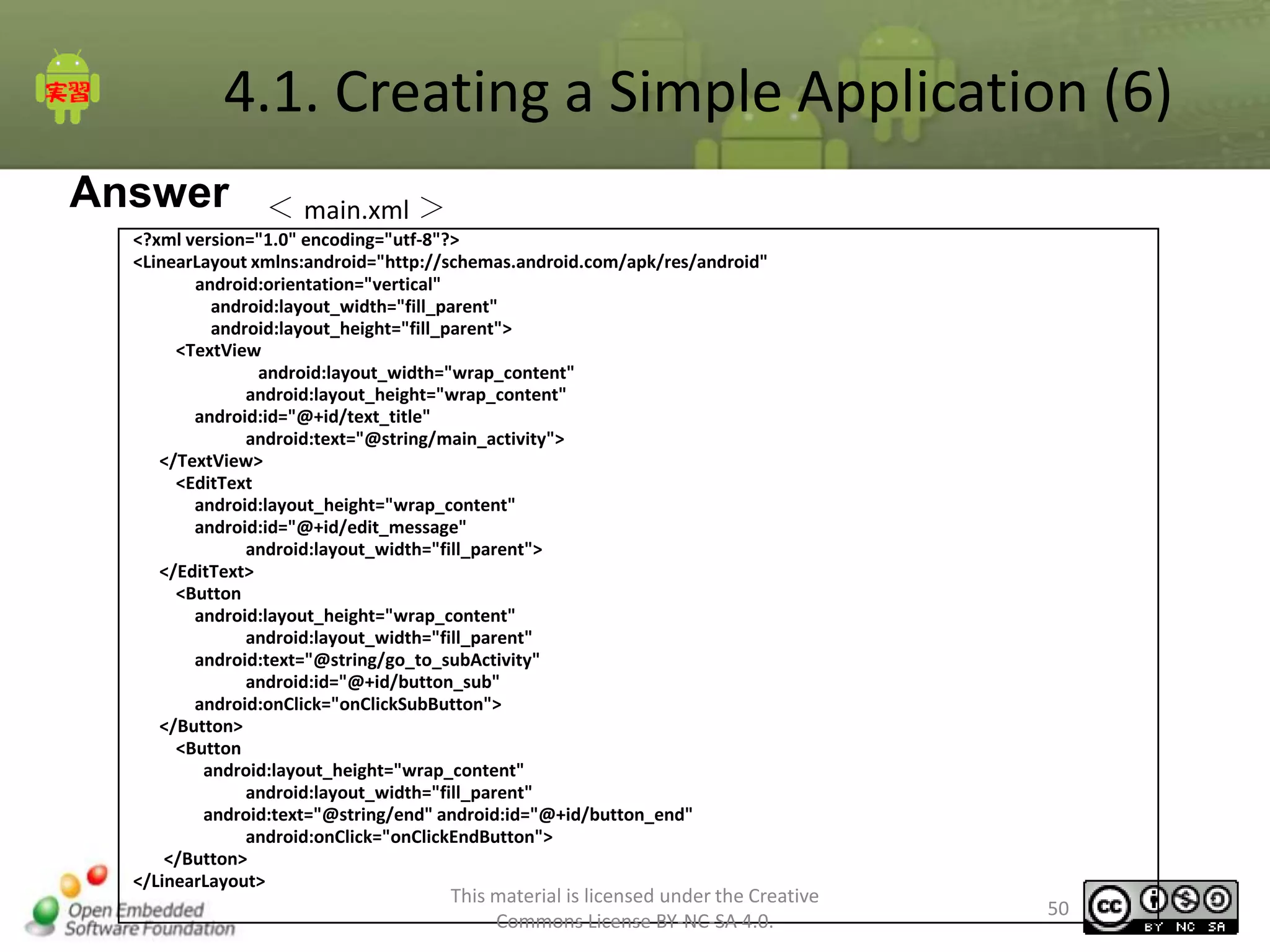
4.1. Creating a Simple Application (6)
Answer

< main.xml >

<?xml version="1.0" encoding="utf-8"?>
<LinearLayout xmlns:android="http://schemas.android.com/apk/res/android"
android:orientation="vertical"
android:layout_width="fill_parent"
android:layout_height="fill_parent">
<TextView
android:layout_width="wrap_content"
android:layout_height="wrap_content"
android:id="@+id/text_title"
android:text="@string/main_activity">
</TextView>
<EditText
android:layout_height="wrap_content"
android:id="@+id/edit_message"
android:layout_width="fill_parent">
</EditText>
<Button
android:layout_height="wrap_content"
android:layout_width="fill_parent"
android:text="@string/go_to_subActivity"
android:id="@+id/button_sub"
android:onClick="onClickSubButton">
</Button>
<Button
android:layout_height="wrap_content"
android:layout_width="fill_parent"
android:text="@string/end" android:id="@+id/button_end"
android:onClick="onClickEndButton">
</Button>
</LinearLayout>

This material is licensed under the Creative
Commons License BY-NC-SA 4.0.

50
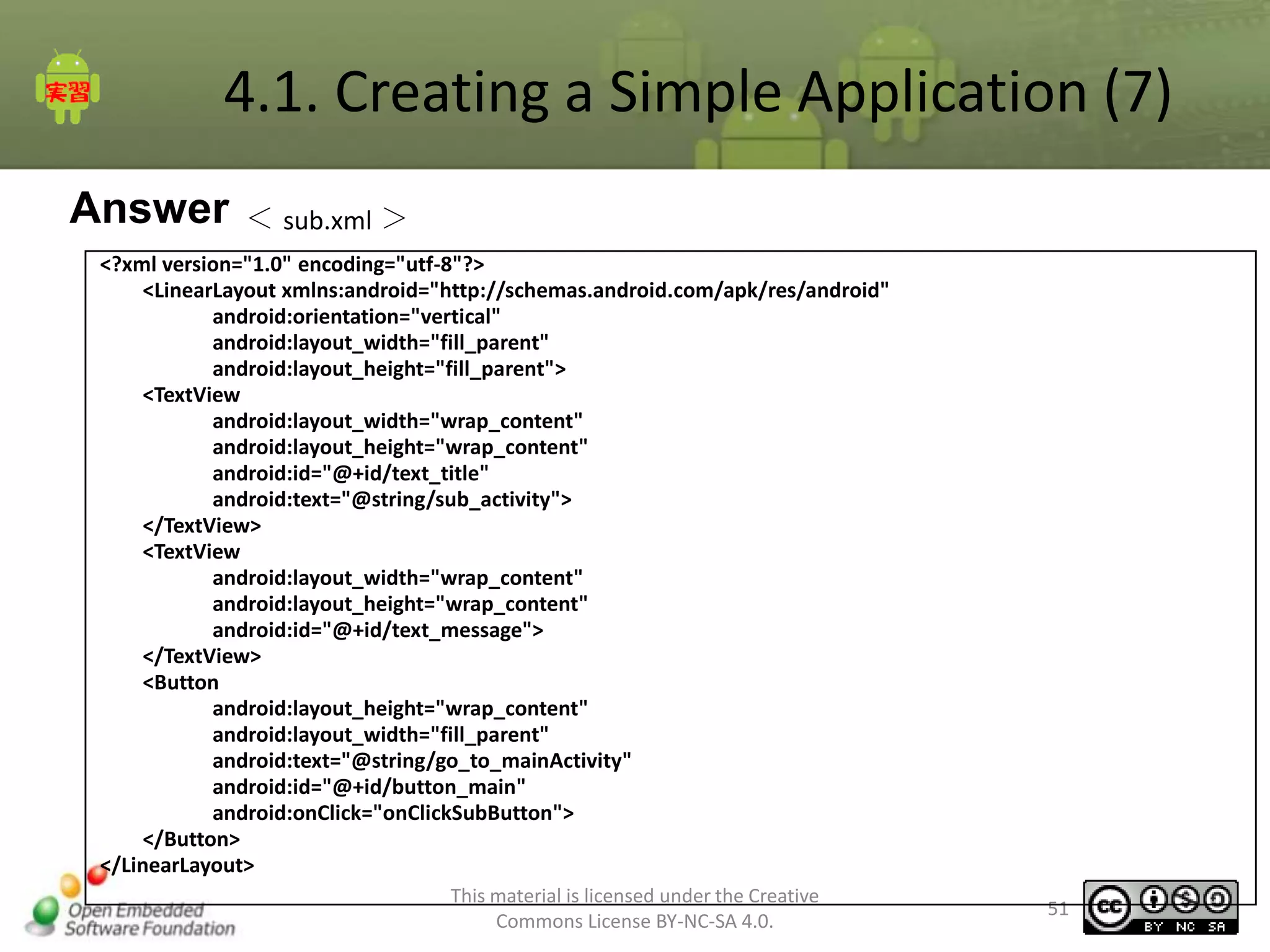
4.1. Creating a Simple Application (7)
Answer

< sub.xml >

<?xml version="1.0" encoding="utf-8"?>
<LinearLayout xmlns:android="http://schemas.android.com/apk/res/android"
android:orientation="vertical"
android:layout_width="fill_parent"
android:layout_height="fill_parent">
<TextView
android:layout_width="wrap_content"
android:layout_height="wrap_content"
android:id="@+id/text_title"
android:text="@string/sub_activity">
</TextView>
<TextView
android:layout_width="wrap_content"
android:layout_height="wrap_content"
android:id="@+id/text_message">
</TextView>
<Button
android:layout_height="wrap_content"
android:layout_width="fill_parent"
android:text="@string/go_to_mainActivity"
android:id="@+id/button_main"
android:onClick="onClickSubButton">
</Button>
</LinearLayout>
This material is licensed under the Creative
Commons License BY-NC-SA 4.0.

51
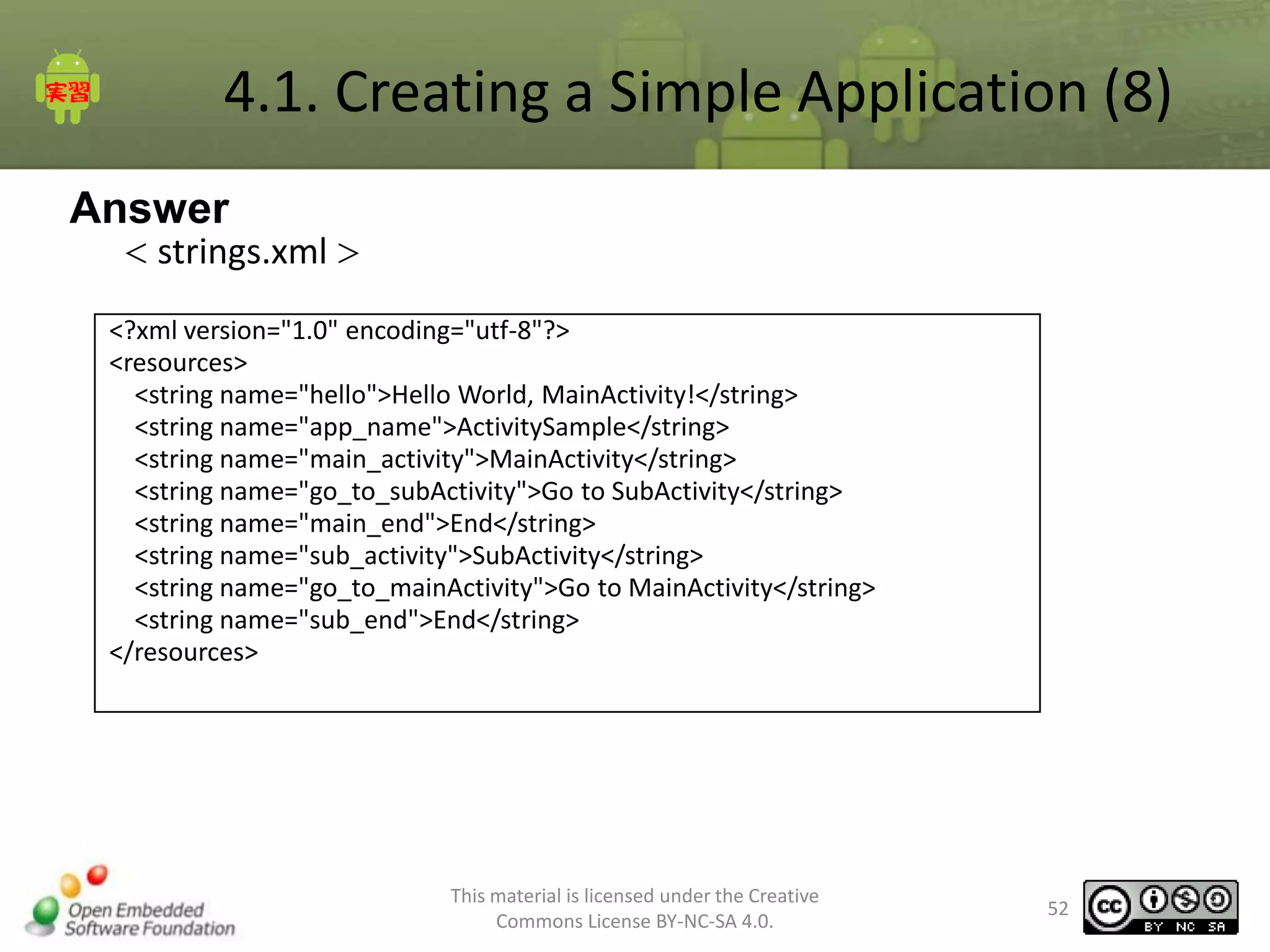
4.1. Creating a Simple Application (8)
Answer
< strings.xml >

<?xml version="1.0" encoding="utf-8"?>
<resources>
<string name="hello">Hello World, MainActivity!</string>
<string name="app_name">ActivitySample</string>
<string name="main_activity">MainActivity</string>
<string name="go_to_subActivity">Go to SubActivity</string>
<string name="main_end">End</string>
<string name="sub_activity">SubActivity</string>
<string name="go_to_mainActivity">Go to MainActivity</string>
<string name="sub_end">End</string>
</resources>

This material is licensed under the Creative
Commons License BY-NC-SA 4.0.

52
4.1. Creating a Simple Application (9)
Answer
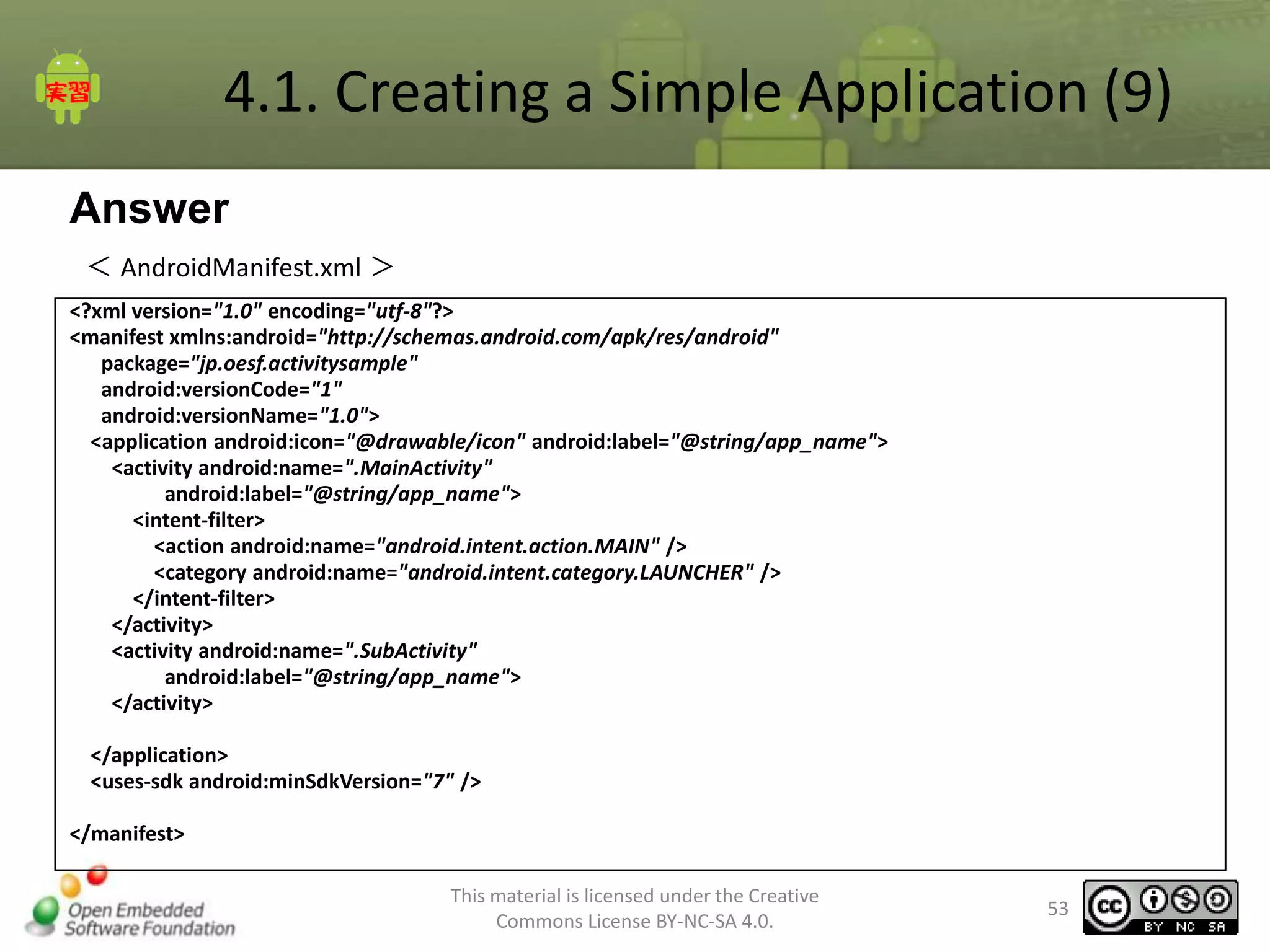
< AndroidManifest.xml >
<?xml version="1.0" encoding="utf-8"?>
<manifest xmlns:android="http://schemas.android.com/apk/res/android"
package="jp.oesf.activitysample"
android:versionCode="1"
android:versionName="1.0">
<application android:icon="@drawable/icon" android:label="@string/app_name">
<activity android:name=".MainActivity"
android:label="@string/app_name">
<intent-filter>
<action android:name="android.intent.action.MAIN" />
<category android:name="android.intent.category.LAUNCHER" />
</intent-filter>
</activity>
<activity android:name=".SubActivity"
android:label="@string/app_name">
</activity>
</application>
<uses-sdk android:minSdkVersion="7" />

</manifest>
This material is licensed under the Creative
Commons License BY-NC-SA 4.0.

53
5. Using ListView
5 Chapter Summary
•
•
•

Using ListView
Sample application using ListView
Create a customized list view

This material is licensed under the Creative
Commons License BY-NC-SA 4.0.

55
5 Chapter Summary
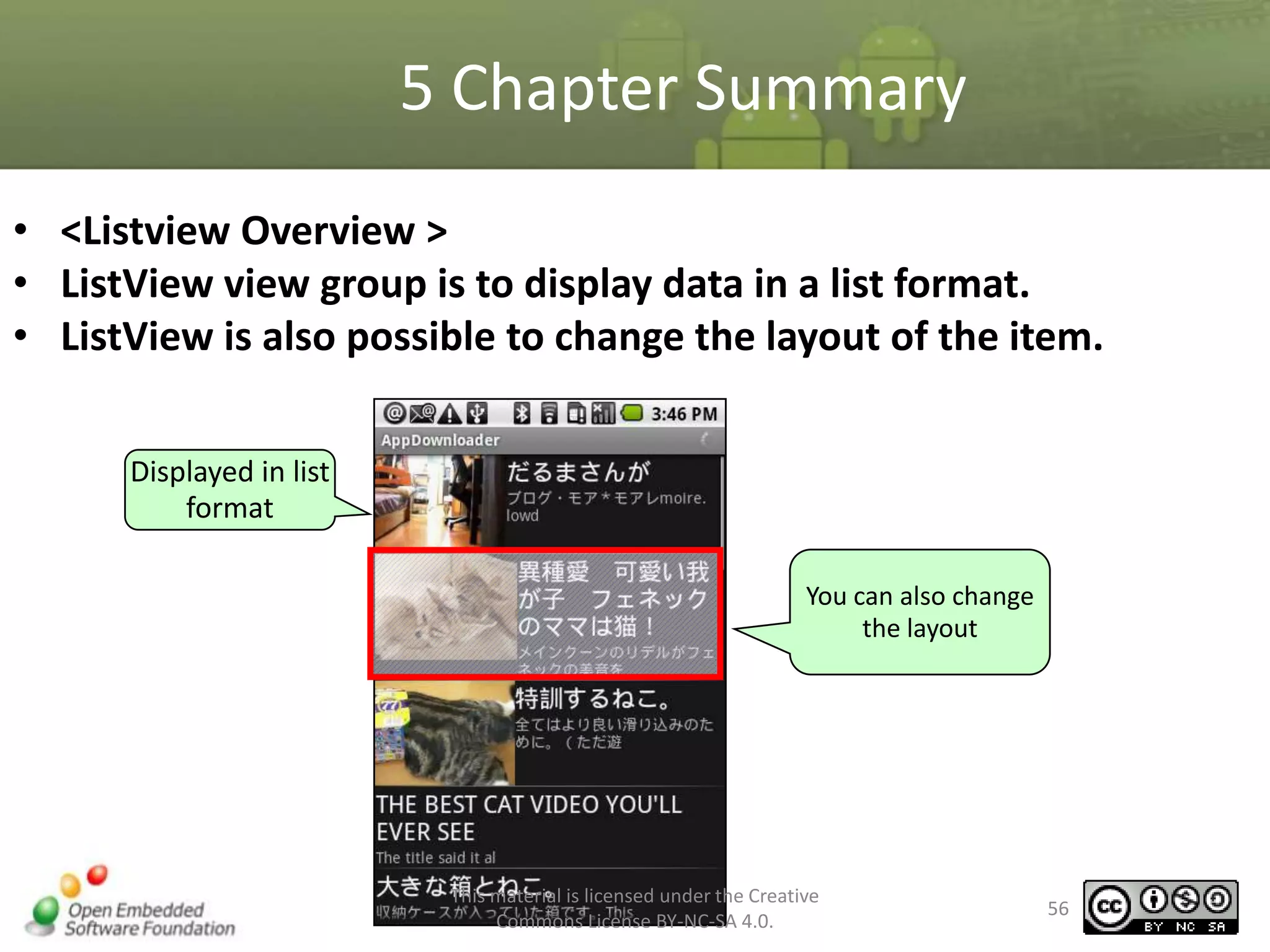
• <Listview Overview >
• ListView view group is to display data in a list format.
• ListView is also possible to change the layout of the item.
Displayed in list
format
You can also change
the layout

This material is licensed under the Creative
Commons License BY-NC-SA 4.0.

56
5 Chapter Summary
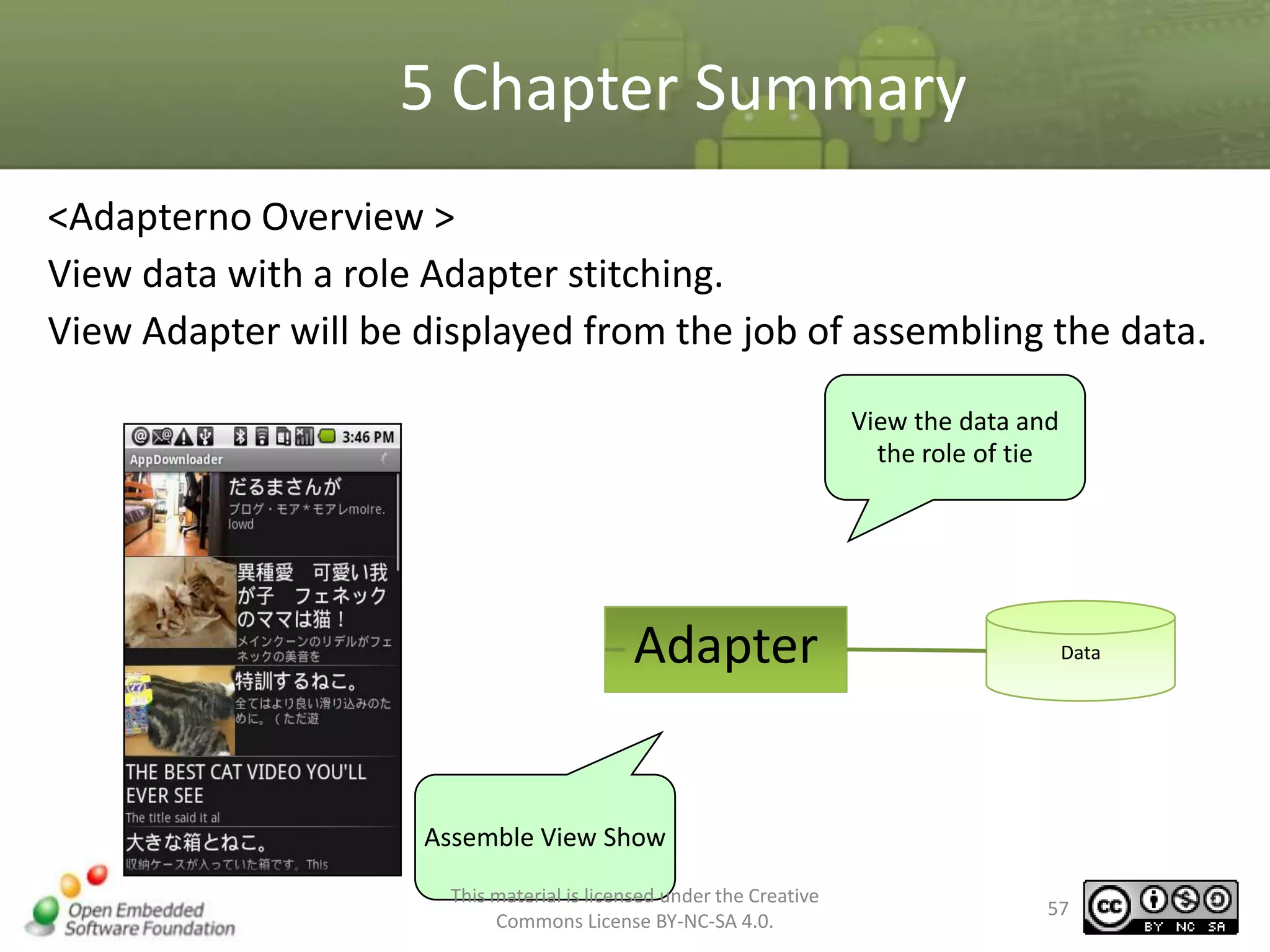
<Adapterno Overview >
View data with a role Adapter stitching.
View Adapter will be displayed from the job of assembling the data.
View the data and
the role of tie

Adapter

Data

Assemble View Show
This material is licensed under the Creative
Commons License BY-NC-SA 4.0.

57
5 Chapter Summary
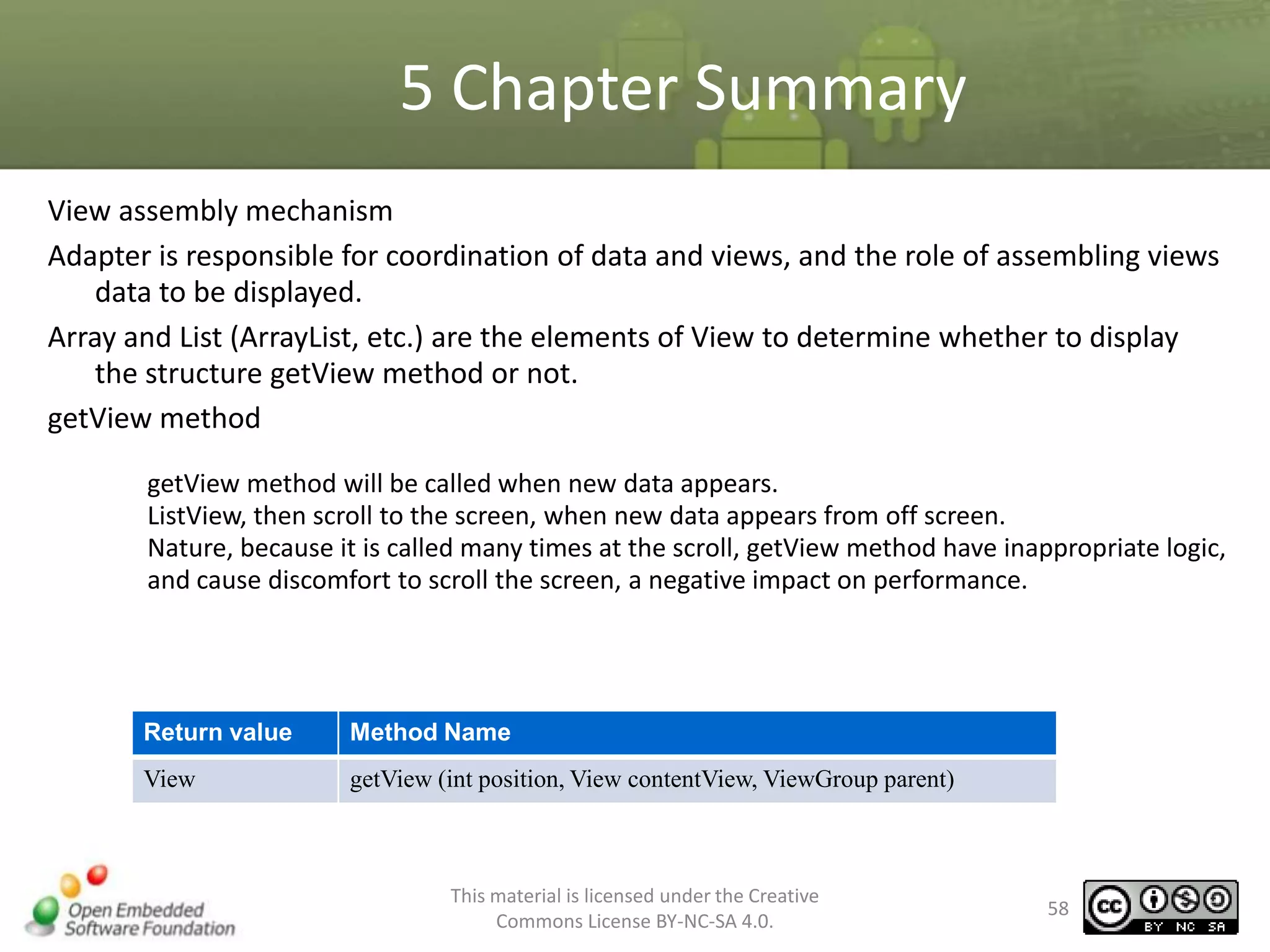
View assembly mechanism
Adapter is responsible for coordination of data and views, and the role of assembling views
data to be displayed.
Array and List (ArrayList, etc.) are the elements of View to determine whether to display
the structure getView method or not.
getView method
getView method will be called when new data appears.
ListView, then scroll to the screen, when new data appears from off screen.
Nature, because it is called many times at the scroll, getView method have inappropriate logic,
and cause discomfort to scroll the screen, a negative impact on performance.

Return value

Method Name

View

getView (int position, View contentView, ViewGroup parent)

This material is licensed under the Creative
Commons License BY-NC-SA 4.0.

58
5.2. Creating a Sample Application
•

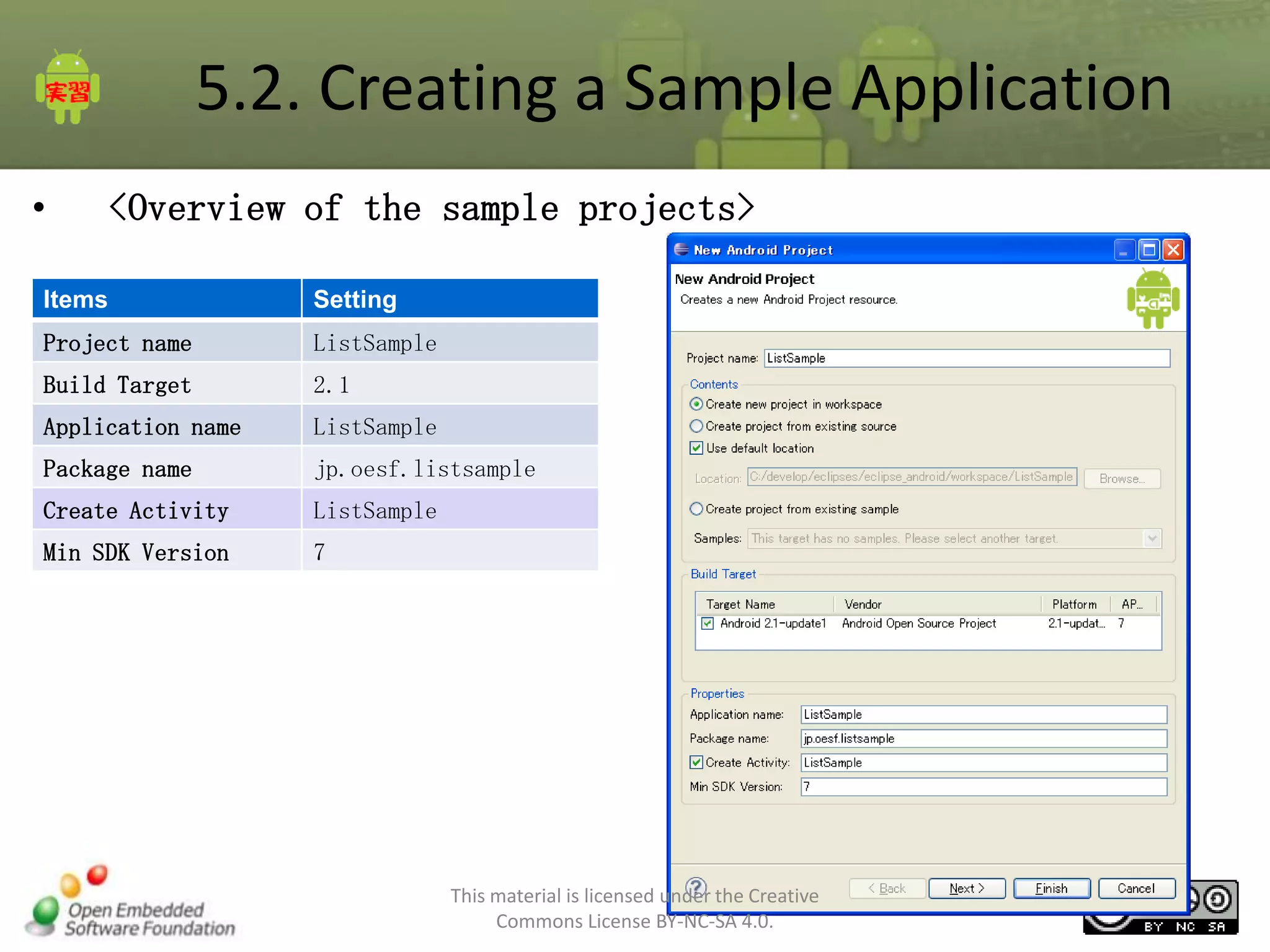
<Overview of the sample projects>

Items

Setting

Project name

ListSample

Build Target

2.1

Application name

ListSample

Package name

jp.oesf.listsample

Create Activity

ListSample

Min SDK Version

7

This material is licensed under the Creative
Commons License BY-NC-SA 4.0.

59
5.2. Creating a Sample Application
•

1. Define the layout
1-1in eclipse, Create res/layout/list.xml in
res/layout.
–

right-click [More] –New, in the [Android]
select [Android XML File] and click [Next]

This material is licensed under the Creative
Commons License BY-NC-SA 4.0.

60
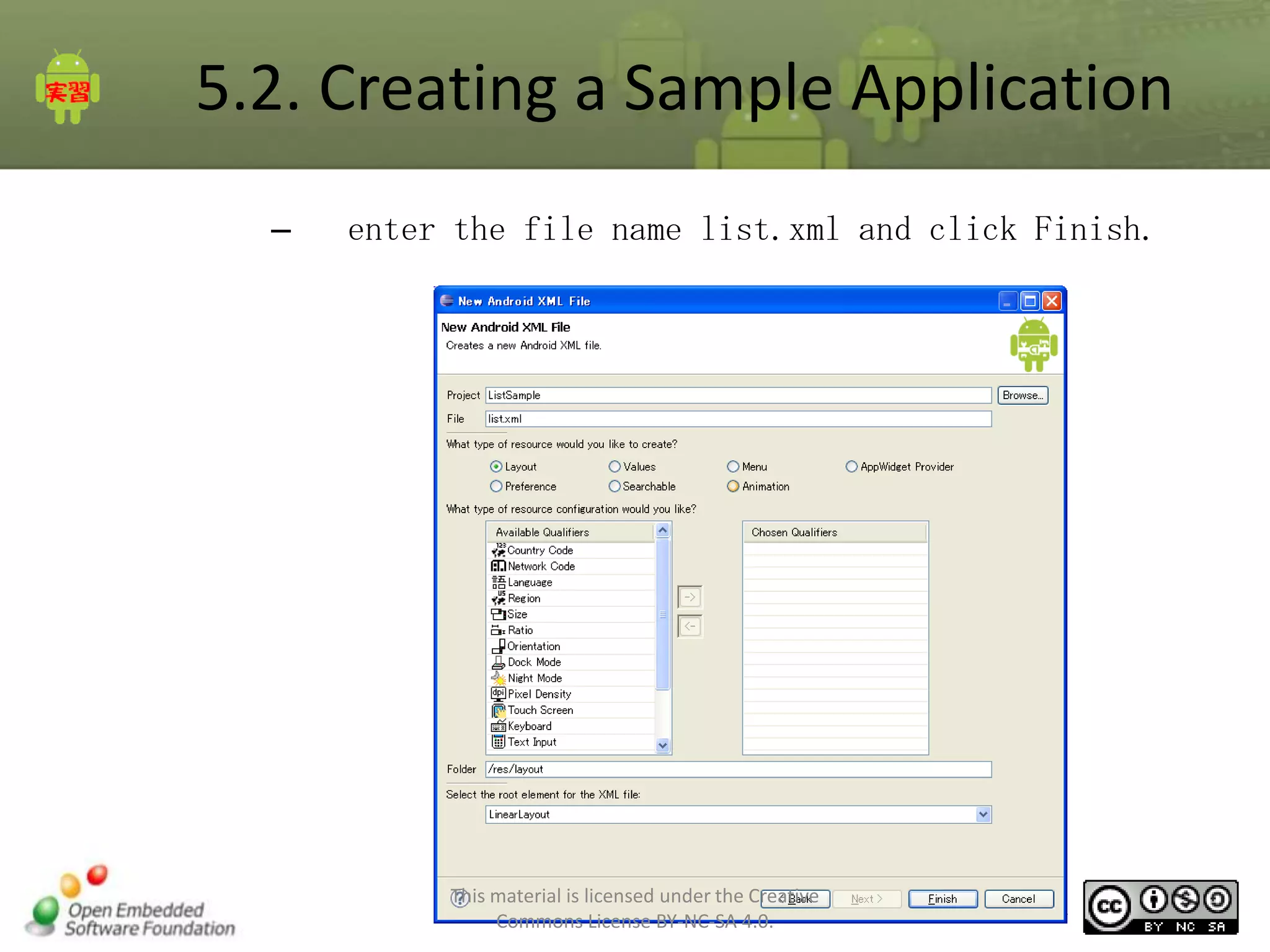
5.2. Creating a Sample Application
–

enter the file name list.xml and click Finish.

This material is licensed under the Creative
Commons License BY-NC-SA 4.0.

61
5.2. Creating a Sample Application
•

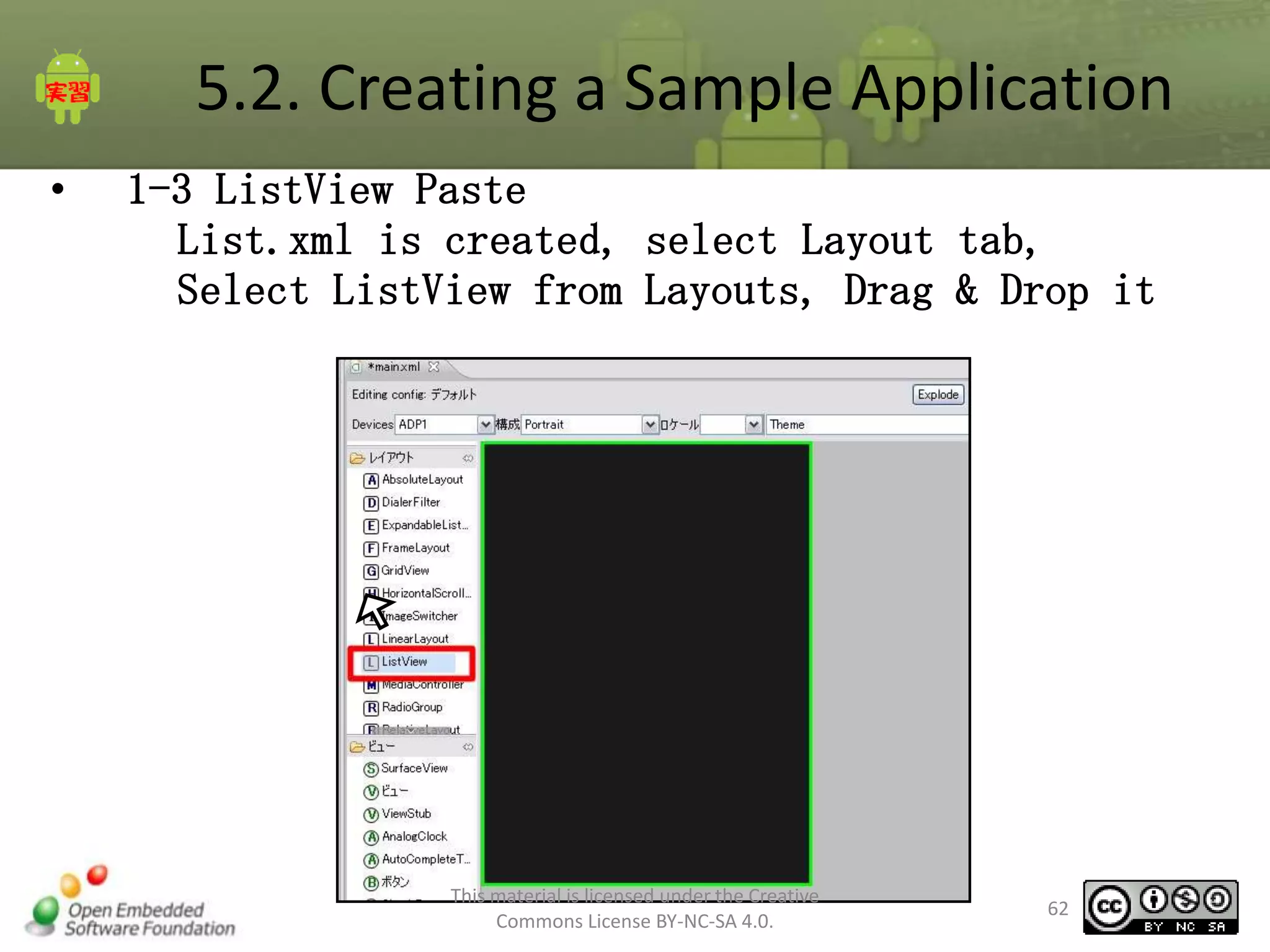
1-3 ListView Paste
List.xml is created, select Layout tab,
Select ListView from Layouts, Drag & Drop it

This material is licensed under the Creative
Commons License BY-NC-SA 4.0.

62
5.2. Creating a Sample Application
•

(2) The Outline is added to ListView01

•

(3) Change the properties of the id field.
If you are using ListActivity, make sure you have
this id [@ android:id/list]

This material is licensed under the Creative
Commons License BY-NC-SA 4.0.

63
5.2. Creating a Sample Application
•
•
•
•

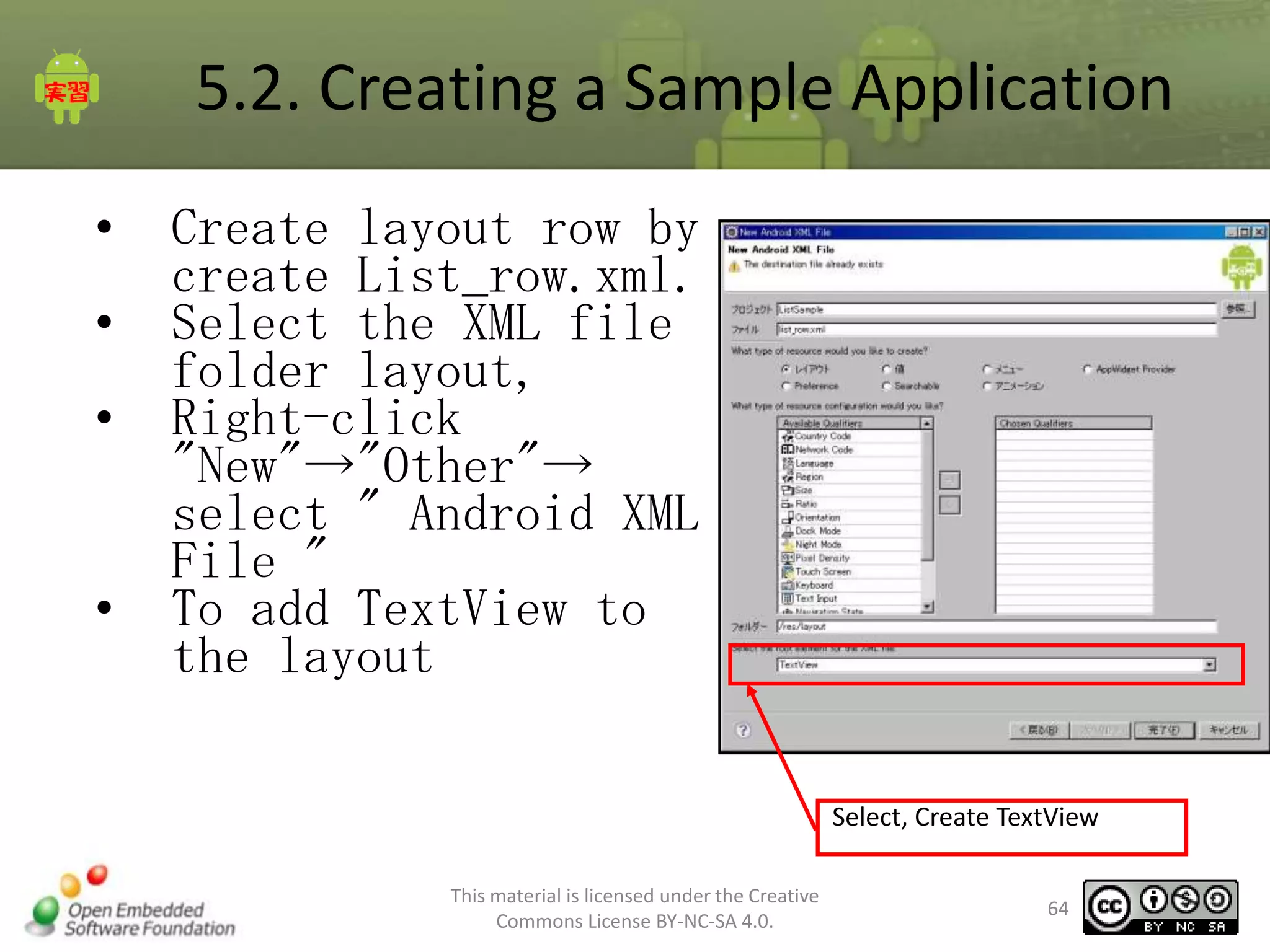
Create layout row by
create List_row.xml.
Select the XML file
folder layout,
Right-click
"New"→"Other"→
select " Android XML
File "
To add TextView to
the layout
Select, Create TextView
This material is licensed under the Creative
Commons License BY-NC-SA 4.0.

64
5.2. Creating a Sample Application
1-4 creating row layout by List_row.xml
•

In the Properties window, change the Id of the TextView
to “text_title”

•

Change [Layout width] to the “fill_parent”

•

in [Text appearance] Property Type:
“? android: attr / textAppearanceLarge”

Property changes

Changed value

id

@+id/title_text

Layout width

@+id/fill_parent

Text appearance

?android:attr/textAppearanceLarge
This material is licensed under the Creative
Commons License BY-NC-SA 4.0.

65
5.2. Creating a Sample Application
•

2. Use of ListActivity
–
–
–

2-1 ListSample class that inherits from the ListActivity
2-2 setContentView arguments to change R.layout.list
2-3 Set ArrayAdapter
The layout of the row by TextView
Resource Id

<Arrayadapternokonsutorakuta>
ArrayAdapter<T>( Context context, int
textViewResourceId, T[] objects)

Wish list
Array of items

Name

Type

Mean

The first argument(context)

Context

Specifies the object class.

Second
argument(textViewResourceId)

int

TextView resource ID is specified.

The third argument(objects)

T[]

Specify the data array of objects show

This material is licensed under the Creative
Commons License BY-NC-SA 4.0.

66
5.2. Creating a Sample Application
• < ListSample.java>
public class ListSample extends ListActivity{
static public final String mItems [] = {"Shiba", "dog"Hokkaido, "Kai Dog", "Kishu dog, "
"tosa”"Dog Shikoku", "Akita", "dog"Jomon, "Ryukyu dog", "dog Kawakami, " "Dog Satsuma",
"Mino Shiba”"Sanin Shiba", "bush beans"};
/** Called when the activity is first created. */
@Override
public void onCreate(Bundle savedInstanceState) {
super.onCreate(savedInstanceState);
setContentView(R.layout.list);
ArrayAdapter<String> adapter = new ArrayAdapter<String>(this,
R.layout.list_item, mItems);
setListAdapter(adapter);
}

}

This material is licensed under the Creative
Commons License BY-NC-SA 4.0.

67
5.2. Creating a Sample Application
•

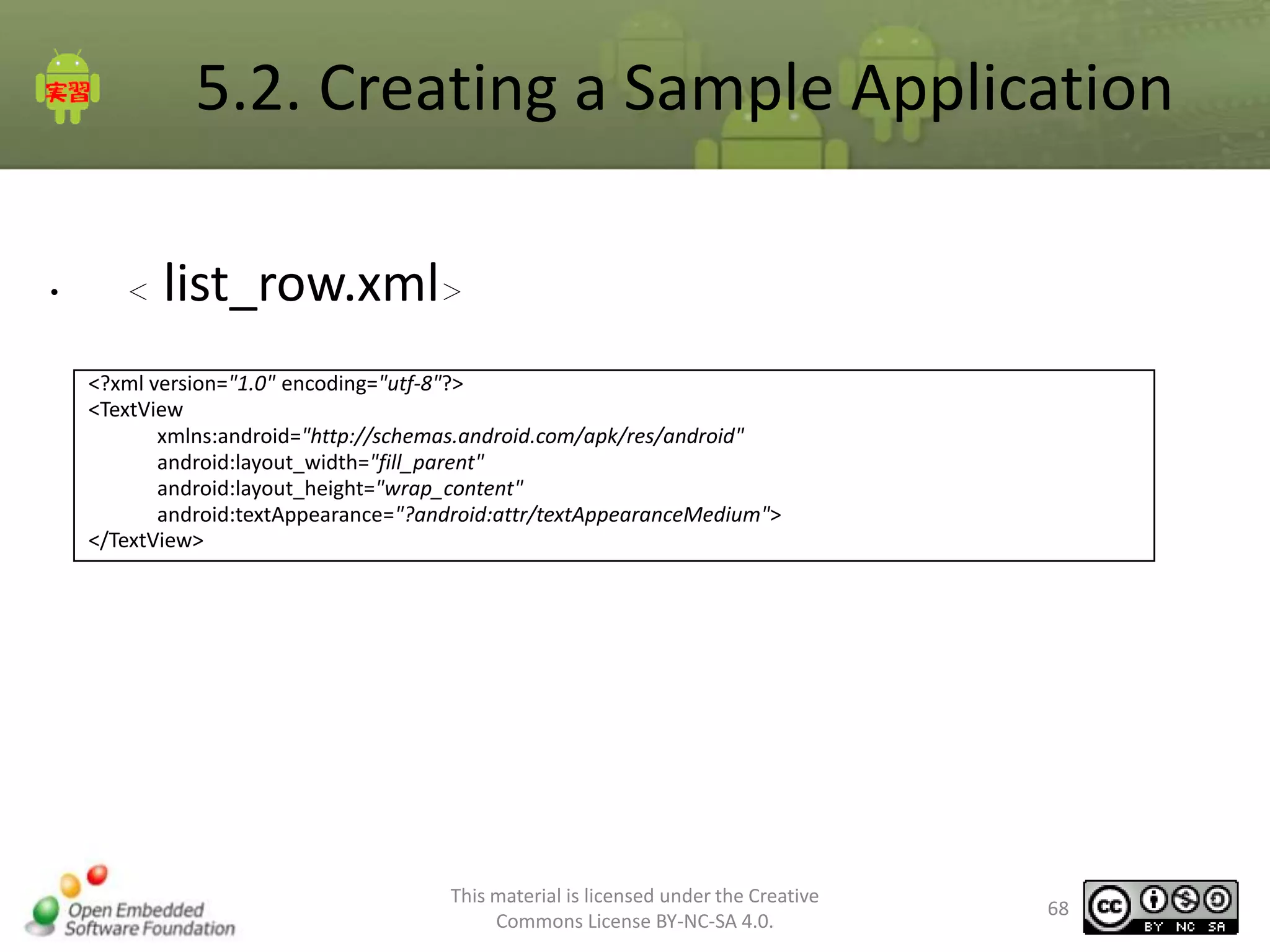
<

list_row.xml>

<?xml version="1.0" encoding="utf-8"?>
<TextView
xmlns:android="http://schemas.android.com/apk/res/android"
android:layout_width="fill_parent"
android:layout_height="wrap_content"
android:textAppearance="?android:attr/textAppearanceMedium">
</TextView>

This material is licensed under the Creative
Commons License BY-NC-SA 4.0.

68
5.2. Creating a Sample Application
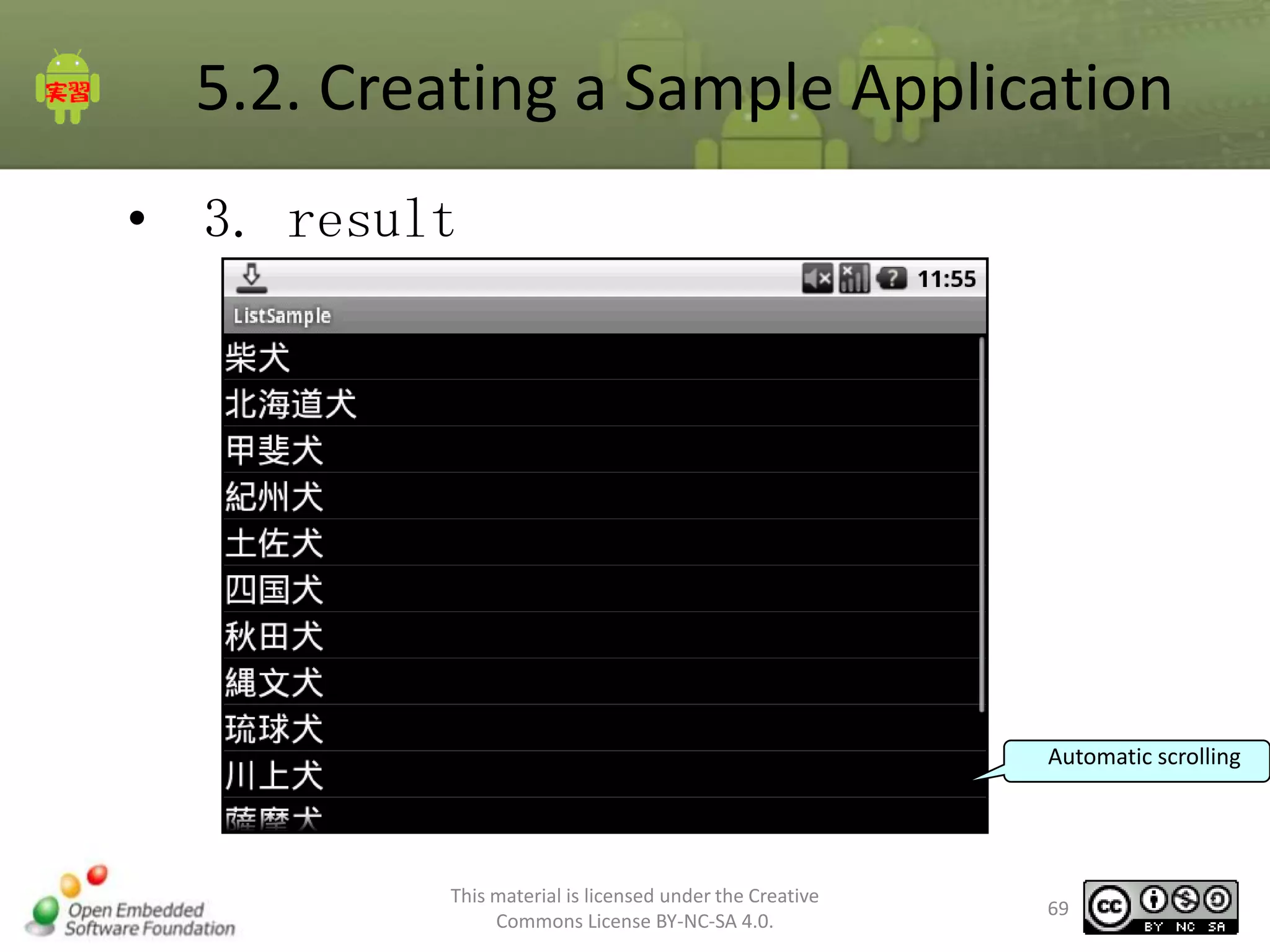
• 3. result

Automatic scrolling

This material is licensed under the Creative
Commons License BY-NC-SA 4.0.

69
5.3. Customizing the list view
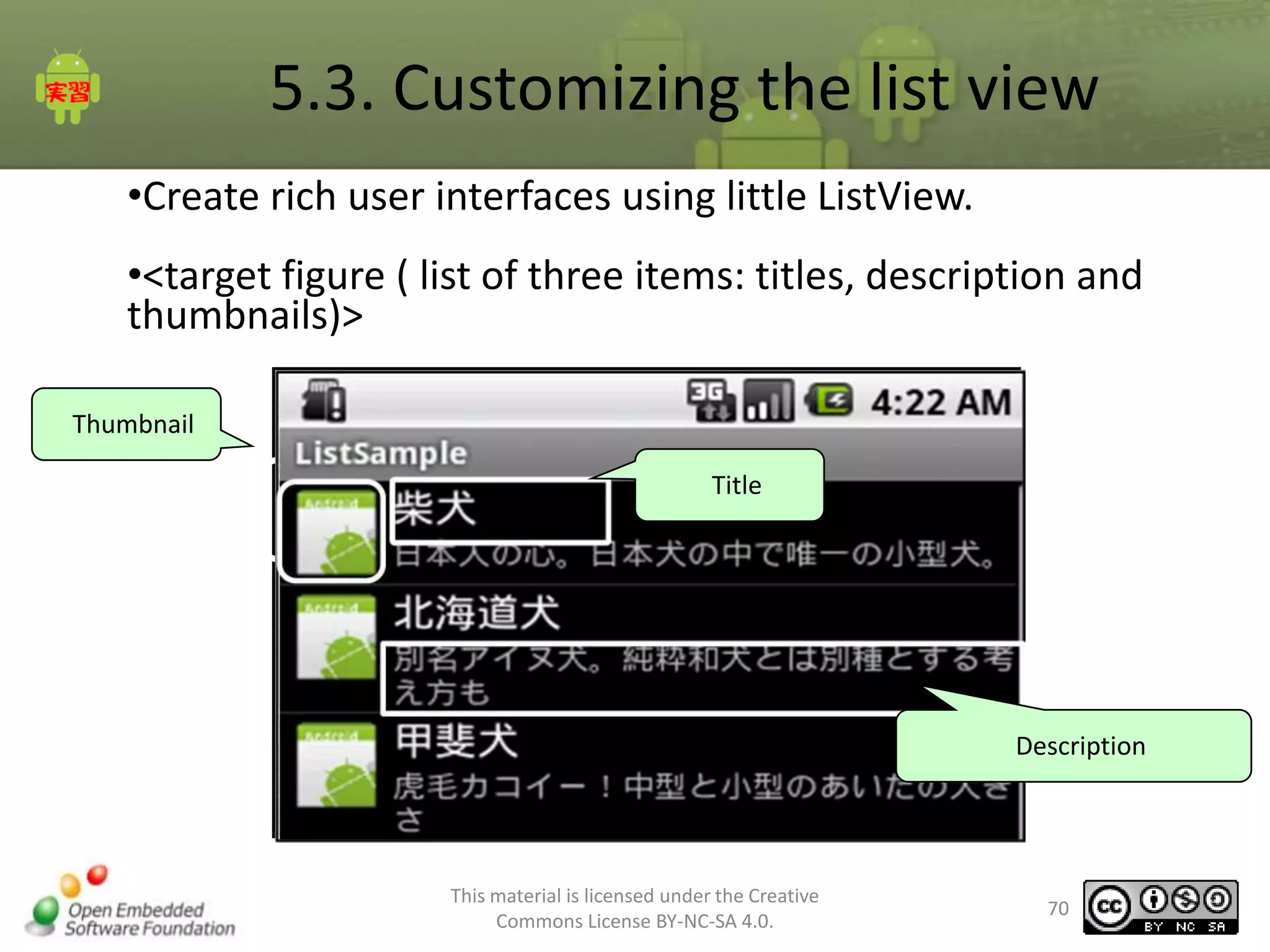
•Create rich user interfaces using little ListView.
•<target figure ( list of three items: titles, description and
thumbnails)>
Thumbnail
Title

Description

This material is licensed under the Creative
Commons License BY-NC-SA 4.0.

70
5.3. Customizing the list view
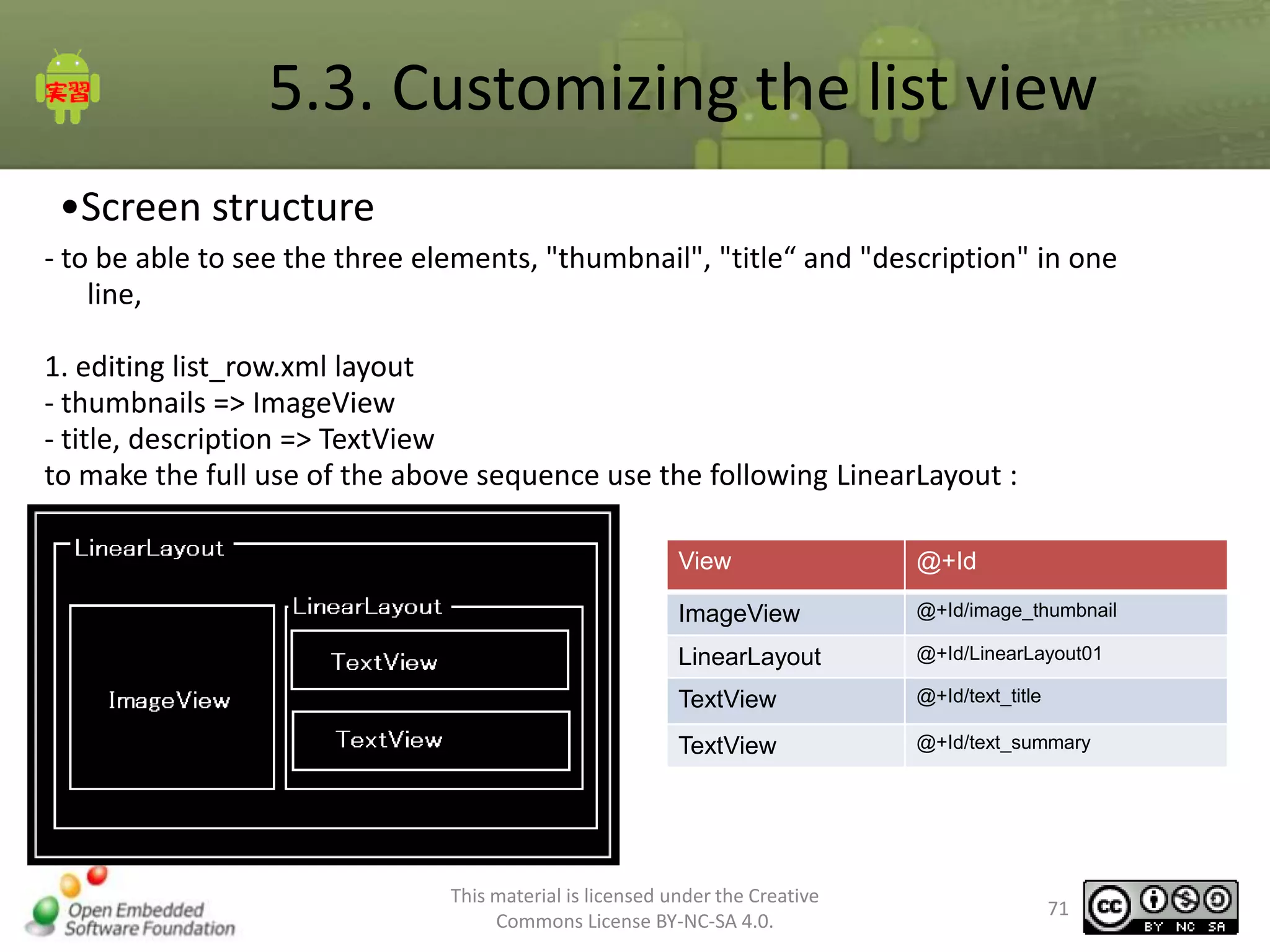
•Screen structure
- to be able to see the three elements, "thumbnail", "title“ and "description" in one
line,
1. editing list_row.xml layout
- thumbnails => ImageView
- title, description => TextView
to make the full use of the above sequence use the following LinearLayout :
View

@+Id

ImageView

@+Id/image_thumbnail

LinearLayout

@+Id/LinearLayout01

TextView

@+Id/text_title

TextView

@+Id/text_summary

This material is licensed under the Creative
Commons License BY-NC-SA 4.0.

71
5.3. Customizing the list view
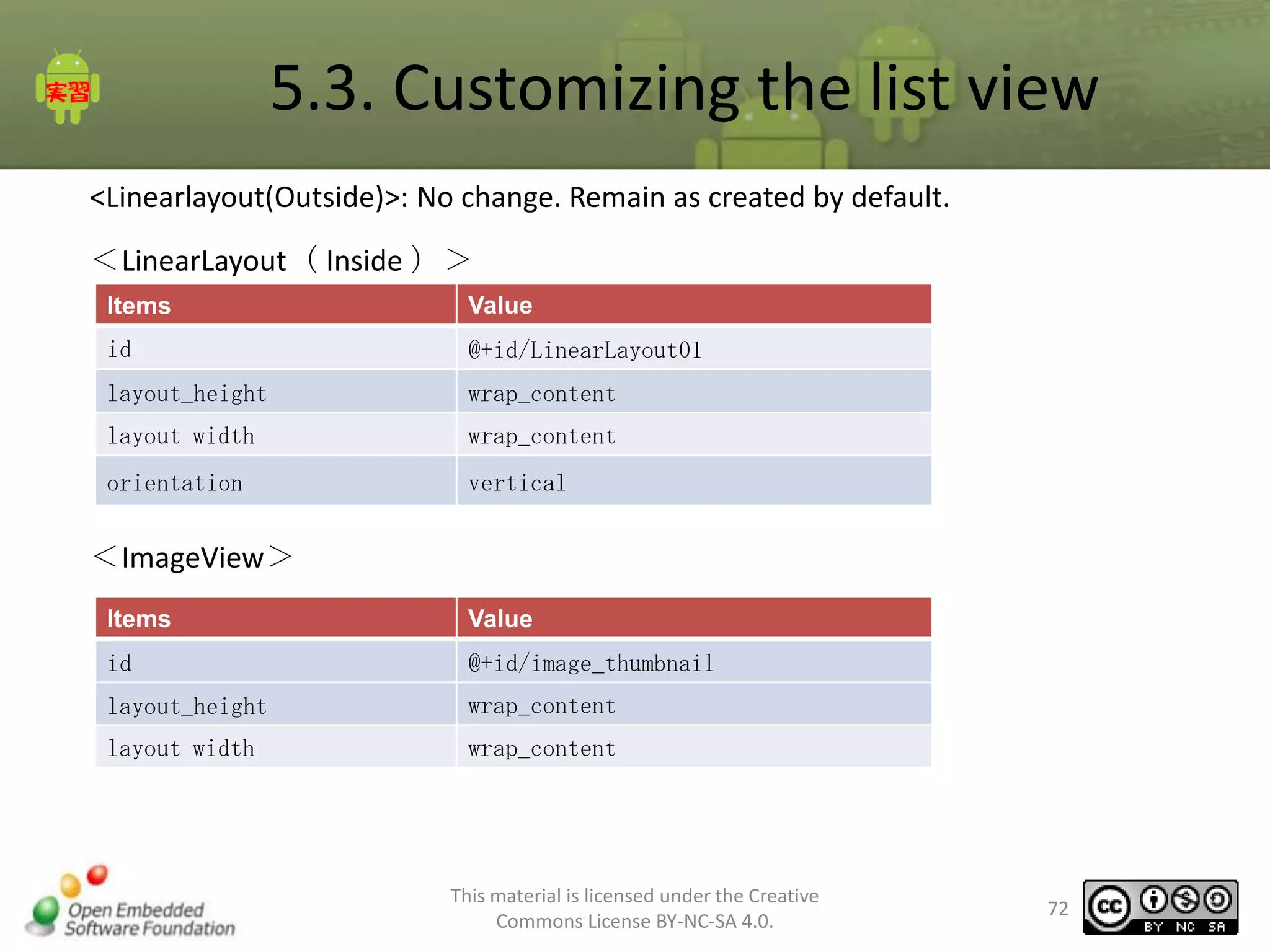
<Linearlayout(Outside)>: No change. Remain as created by default.
<LinearLayout( Inside )>
Items

Value

id

@+id/LinearLayout01

layout_height

wrap_content

layout width

wrap_content

orientation

vertical

<ImageView>
Items

Value

id

@+id/image_thumbnail

layout_height

wrap_content

layout width

wrap_content

This material is licensed under the Creative
Commons License BY-NC-SA 4.0.

72
5.3. Customizing the list view
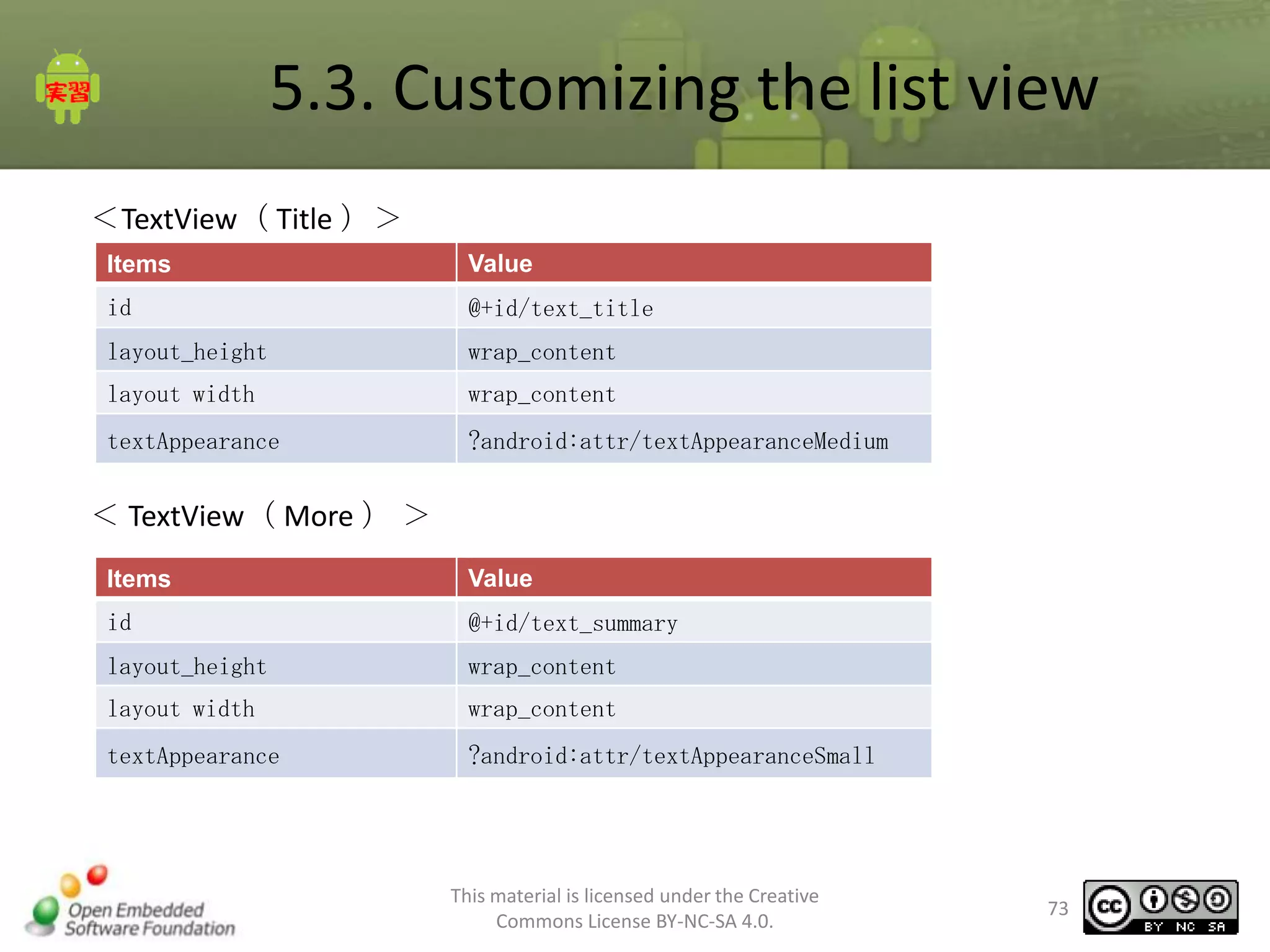
<TextView( Title )>
Items

Value

id

@+id/text_title

layout_height

wrap_content

layout width

wrap_content

textAppearance

?android:attr/textAppearanceMedium

< TextView( More ) >
Items

Value

id

@+id/text_summary

layout_height

wrap_content

layout width

wrap_content

textAppearance

?android:attr/textAppearanceSmall

This material is licensed under the Creative
Commons License BY-NC-SA 4.0.

73
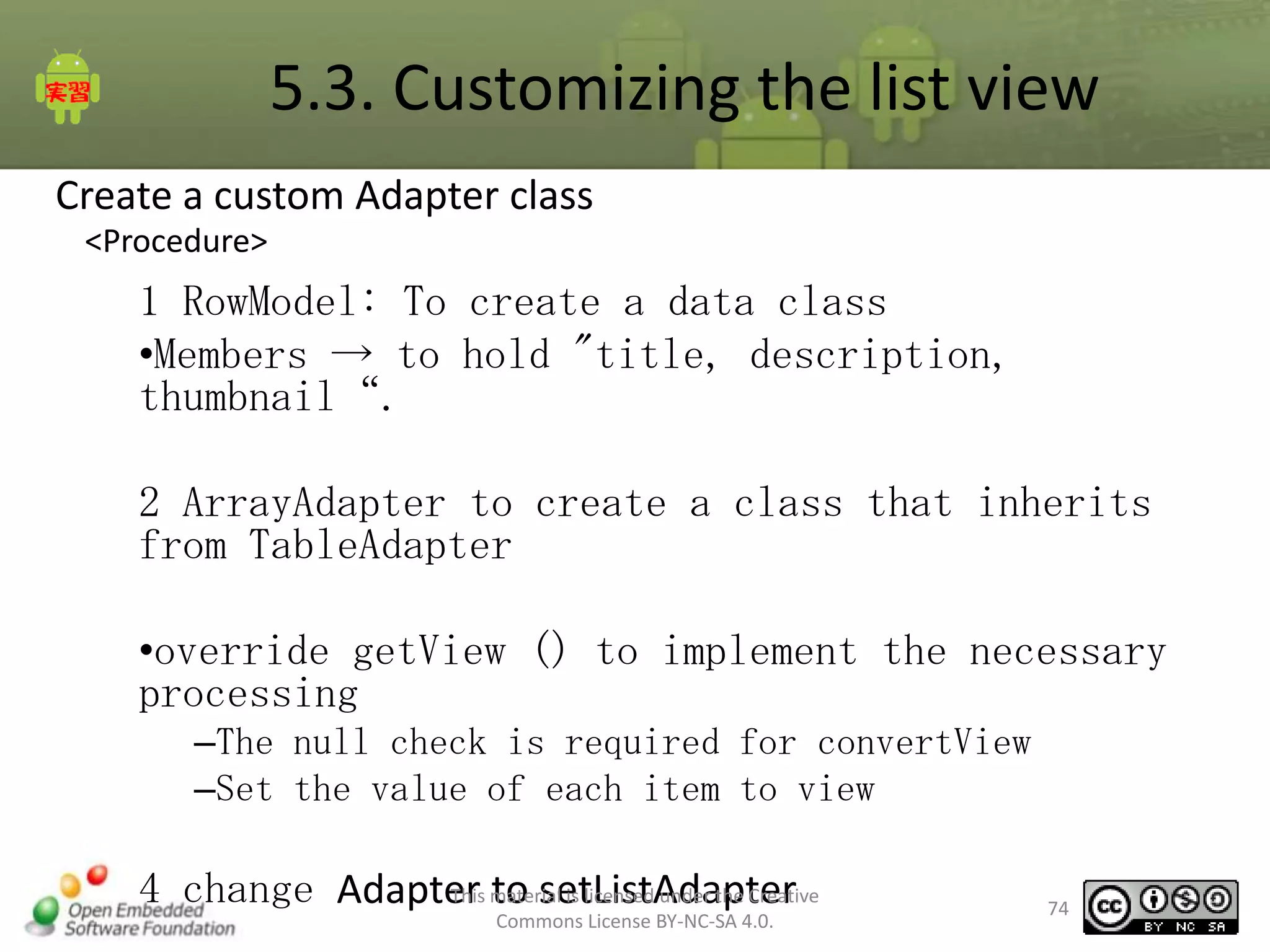
5.3. Customizing the list view
Create a custom Adapter class
<Procedure>

1 RowModel: To create a data class
•Members → to hold "title, description,
thumbnail“.
2 ArrayAdapter to create a class that inherits
from TableAdapter
•override getView () to implement the necessary
processing
–The null check is required for convertView
–Set the value of each item to view
This to setListAdapter
4 change Adapter material is licensed under the Creative
Commons License BY-NC-SA 4.0.

74
5.3. Customizing the list view
•Create a custom Adapter class (1)
1. Create RowModel
1. Create "Src" folder under the package [jp.oesf.listsample.model]
2. Create a RowModel class.
3. define a member variable to hold "title, description, thumbnail“ .

4. Define Getter and Setter for each variable.
public class RowModel {
private String title;
private Drawable thumbnailImage;
private String summary;
"getter setter for each variable listed"

}

This material is licensed under the Creative
Commons License BY-NC-SA 4.0.

75
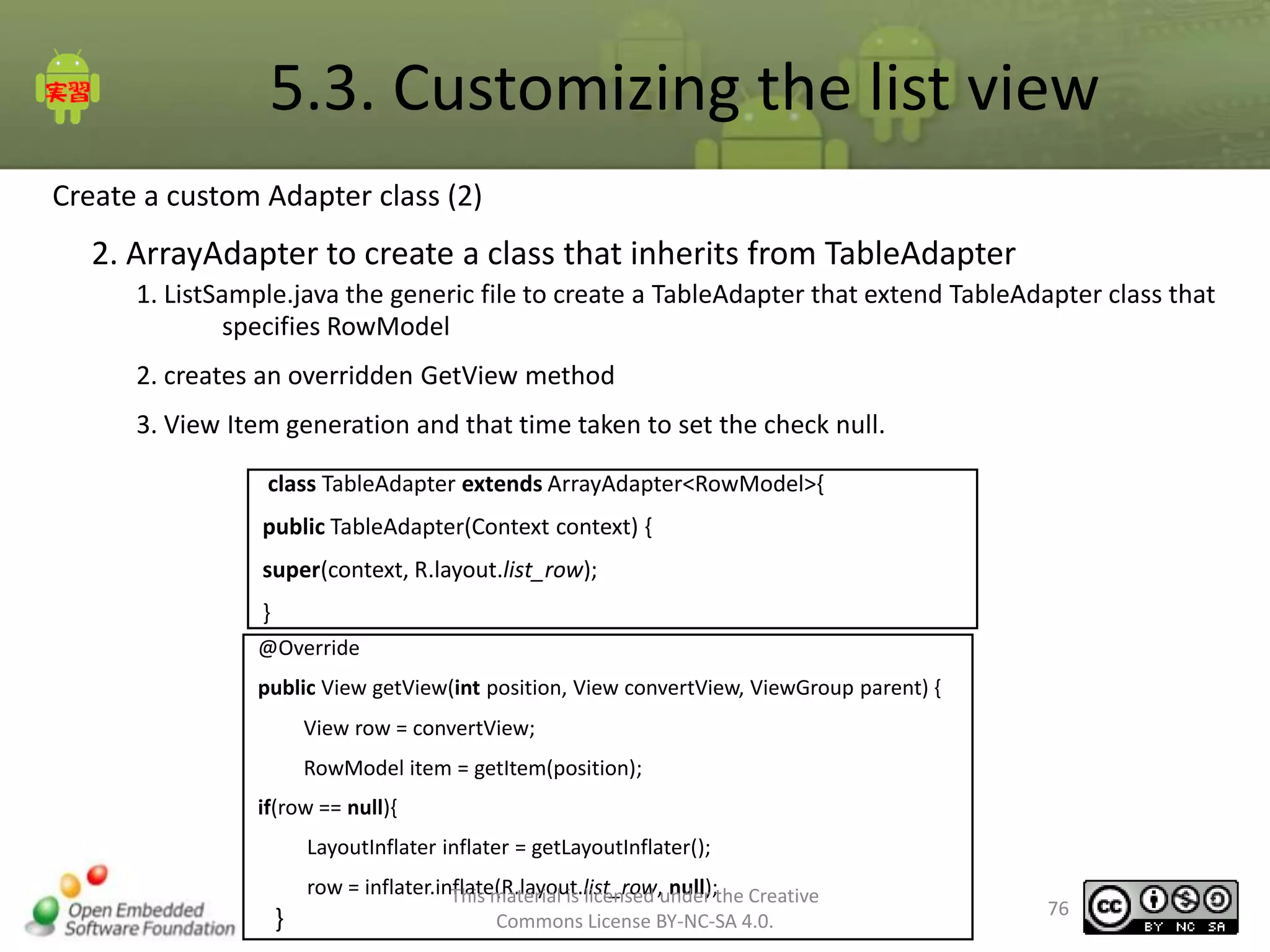
5.3. Customizing the list view
Create a custom Adapter class (2)

2. ArrayAdapter to create a class that inherits from TableAdapter
1. ListSample.java the generic file to create a TableAdapter that extend TableAdapter class that
specifies RowModel

2. creates an overridden GetView method
3. View Item generation and that time taken to set the check null.
class TableAdapter extends ArrayAdapter<RowModel>{
public TableAdapter(Context context) {
super(context, R.layout.list_row);
}
@Override
public View getView(int position, View convertView, ViewGroup parent) {
View row = convertView;

RowModel item = getItem(position);
if(row == null){
LayoutInflater inflater = getLayoutInflater();

}

row = inflater.inflate(R.layout.list_row,under the Creative
This material is licensed null);
Commons License BY-NC-SA 4.0.

76
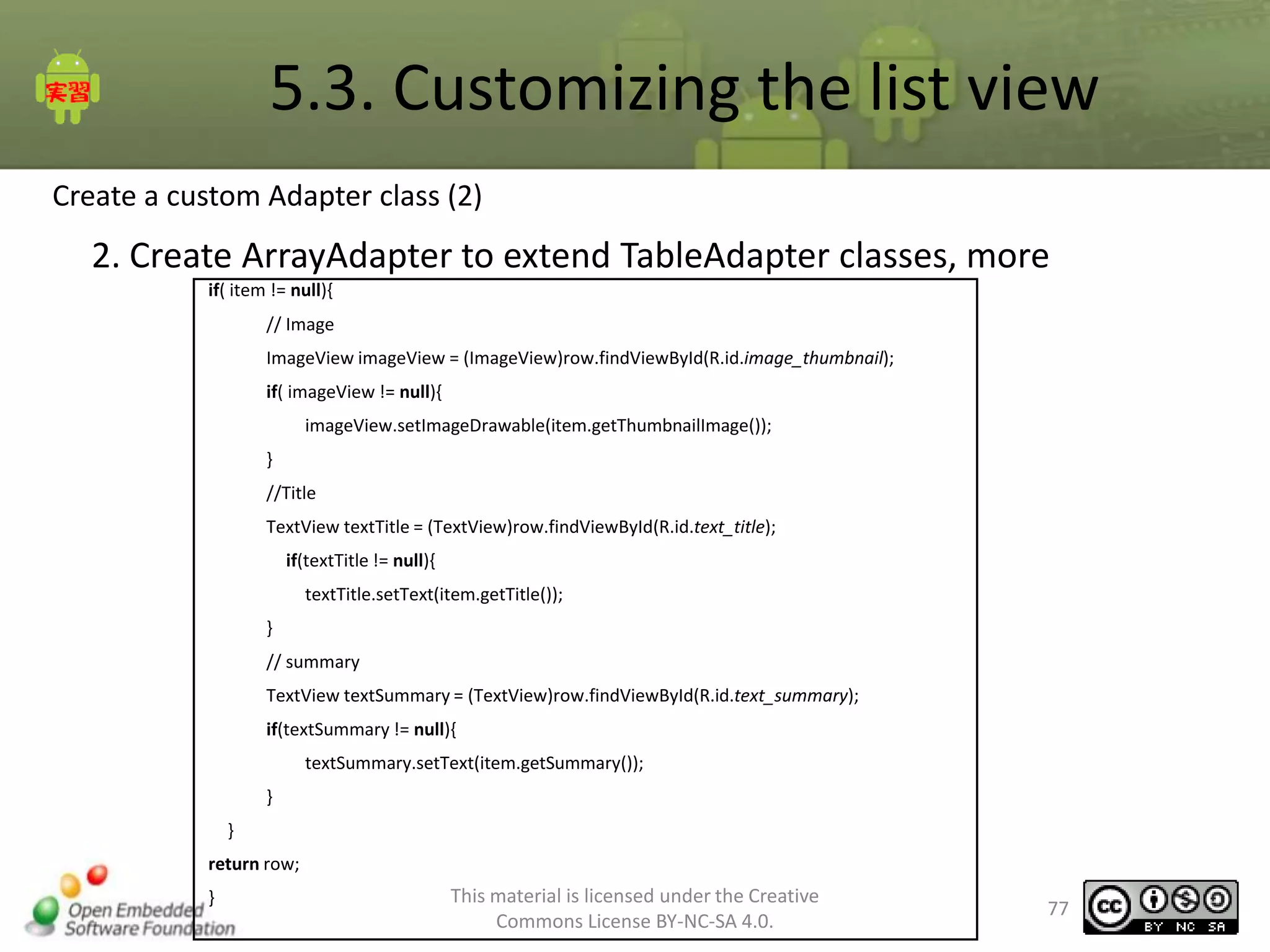
5.3. Customizing the list view
Create a custom Adapter class (2)

2. Create ArrayAdapter to extend TableAdapter classes, more
if( item != null){
// Image
ImageView imageView = (ImageView)row.findViewById(R.id.image_thumbnail);
if( imageView != null){
imageView.setImageDrawable(item.getThumbnailImage());
}
//Title
TextView textTitle = (TextView)row.findViewById(R.id.text_title);
if(textTitle != null){
textTitle.setText(item.getTitle());
}
// summary

TextView textSummary = (TextView)row.findViewById(R.id.text_summary);
if(textSummary != null){
textSummary.setText(item.getSummary());
}
}
return row;
}

This material is licensed under the Creative
Commons License BY-NC-SA 4.0.

77
5.3. Customizing the list view
create a custom Adapter class (3)

3. Adapter with a set of values

1. set SetListAdapter methods in the TableAdapter in onCreate ListSample
2. get the text array from the resource
public void onCreate(Bundle savedInstanceState) {
super.onCreate(savedInstanceState);
setContentView(R.layout.list);
TableAdapter adpter = new TableAdapter(this);
setListAdapter(adpter);
/ / RowModel Create
String titles[] = getResources().getStringArray(R.array.titles);
String summaries[] =
getResources().getStringArray(R.array.summaries);
Drawable image = getResources().getDrawable(R.drawable.icon);
int num = titles.length;

This material is licensed under the Creative
Commons License BY-NC-SA 4.0.

78
5.3. Customizing the list view
Adapter to create a custom class (3)

3. Adapter at a set of values

3. RowModel: set the acquired the sequence value
4. RowModel: set to the Adapter
for(int i = 0; i < num; i++){
RowModel row = new RowModel();
row.setTitle(titles[i]);
row.setSummary(summaries[i]);
row.setThumbnailImage(image);
adpter.add(row);
}
}

This material is licensed under the Creative
Commons License BY-NC-SA 4.0.

79
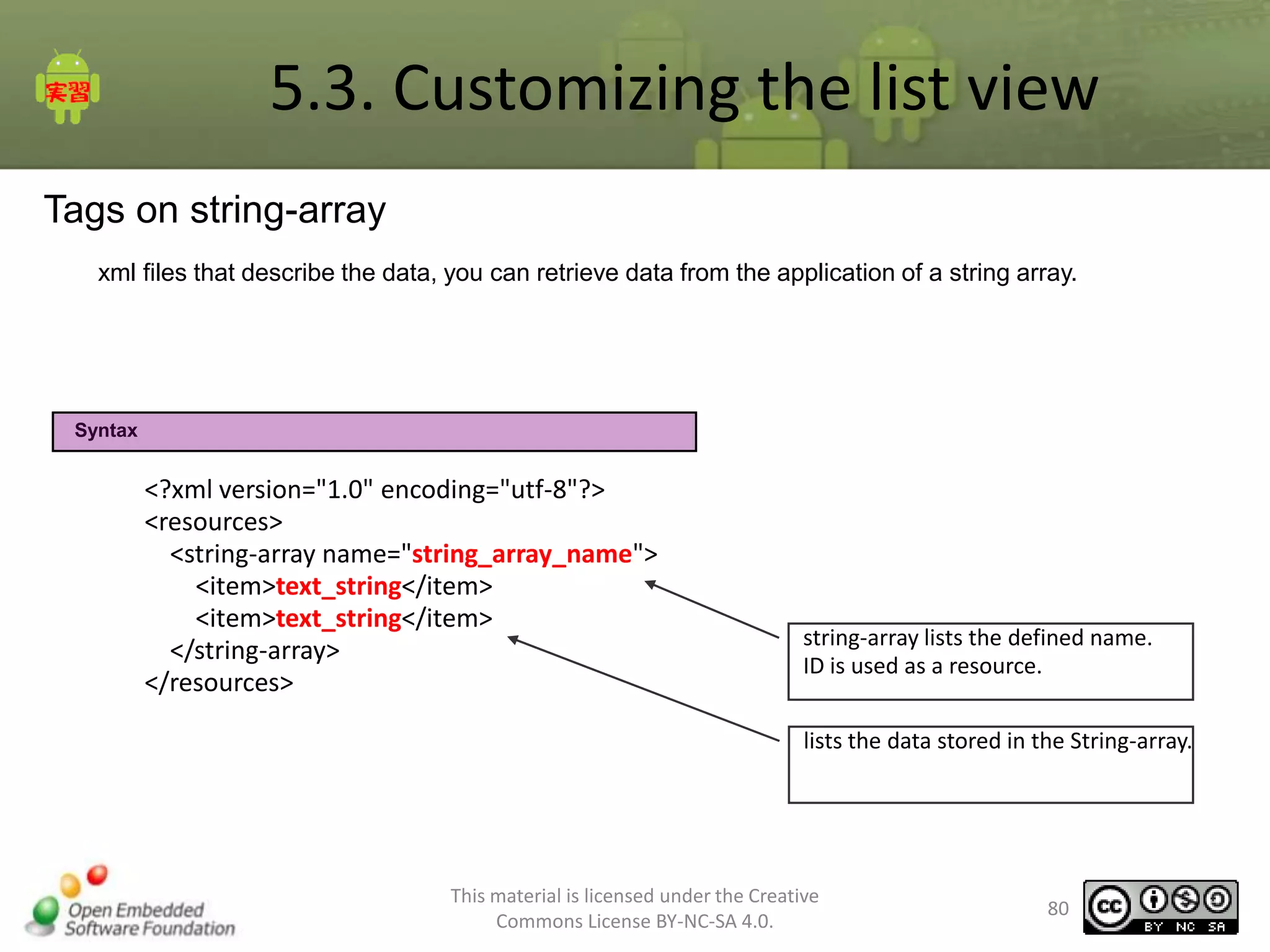
5.3. Customizing the list view
Tags on string-array
xml files that describe the data, you can retrieve data from the application of a string array.

Syntax

<?xml version="1.0" encoding="utf-8"?>
<resources>
<string-array name="string_array_name">
<item>text_string</item>
</string-array>
</resources>

string-array lists the defined name.
ID is used as a resource.
lists the data stored in the String-array.

This material is licensed under the Creative
Commons License BY-NC-SA 4.0.

80
5.3. Customizing the list view
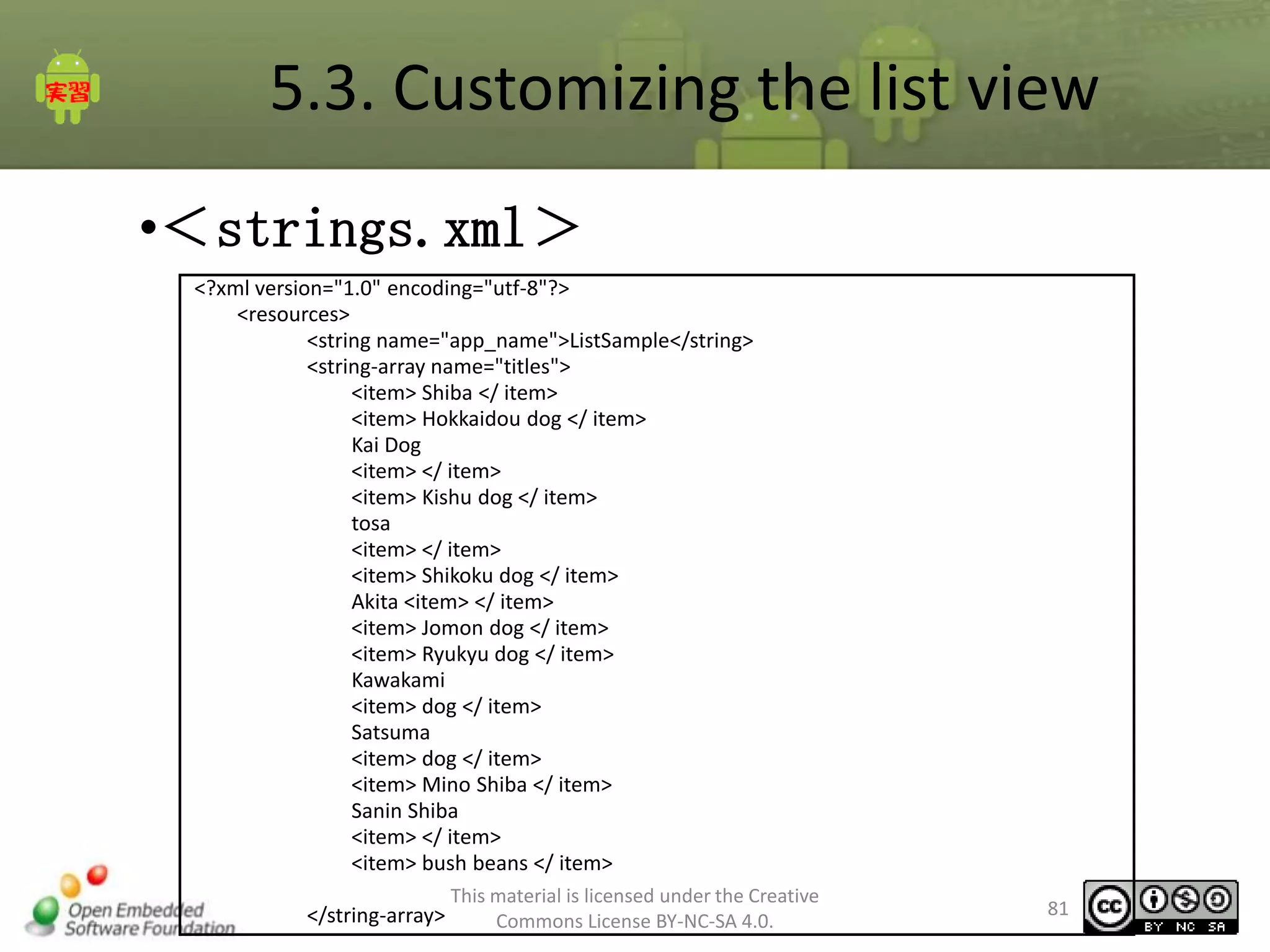
•<strings.xml>
<?xml version="1.0" encoding="utf-8"?>
<resources>
<string name="app_name">ListSample</string>
<string-array name="titles">
<item> Shiba </ item>
<item> Hokkaidou dog </ item>
Kai Dog
<item> </ item>
<item> Kishu dog </ item>
tosa
<item> </ item>
<item> Shikoku dog </ item>
Akita <item> </ item>
<item> Jomon dog </ item>
<item> Ryukyu dog </ item>
Kawakami
<item> dog </ item>
Satsuma
<item> dog </ item>
<item> Mino Shiba </ item>
Sanin Shiba
<item> </ item>
<item> bush beans </ item>
</string-array>

This material is licensed under the Creative
Commons License BY-NC-SA 4.0.

81
5.3. Customizing the list view
•<String.xml(Continued)>
<string-array name="summaries">
<item> Japanese mind. Small dogs only dog in Japan. </ Item>
Ainu Dog <item> alias. Dogs and the sum of thinking and pure species and </ item>
Kakoi <item> 虎毛! Between medium and small size </ item>
Many white <item>. Feed the tail end of a book more often </ item>
闘犬 <item> Tosa. Bulldog and Mastiff dogs Great Dane was created and arranged </
item>
Canis lupus hodophilax <item> can be mistaken! </ Item>
<item> only large Japanese dog dog. "Matagi Akita" Matagi dog. Hachi! </ Item>
<item> indigenous Japanese dog </ item>
<item> to leave the old dog traits since the Jomon Period </ item>
Nagano <item> protected species </ item>
Takamori Saigo <item> dog </ item>
Dog <item> Mino, Hida both bush </ item>
Inaba base <item> dog. Feed the tail, forming the evening. Change shape as you keep
SHEPHERD E?! </ Item>
Shiba Inu Small <item> nickname. Preservation Society and the Japanese dog JKC in the
"bush beans" pedigree that does not exist </ item></string-array>
</resources>

•As a resource to get the code
// getting resource array data
String titles[] = getResources().getStringArray(R.array.titles);
String summaries[] = getResources().getStringArray(R.array.summaries);

This material is licensed under the Creative
Commons License BY-NC-SA 4.0.

82
5.3. Customizing the list view
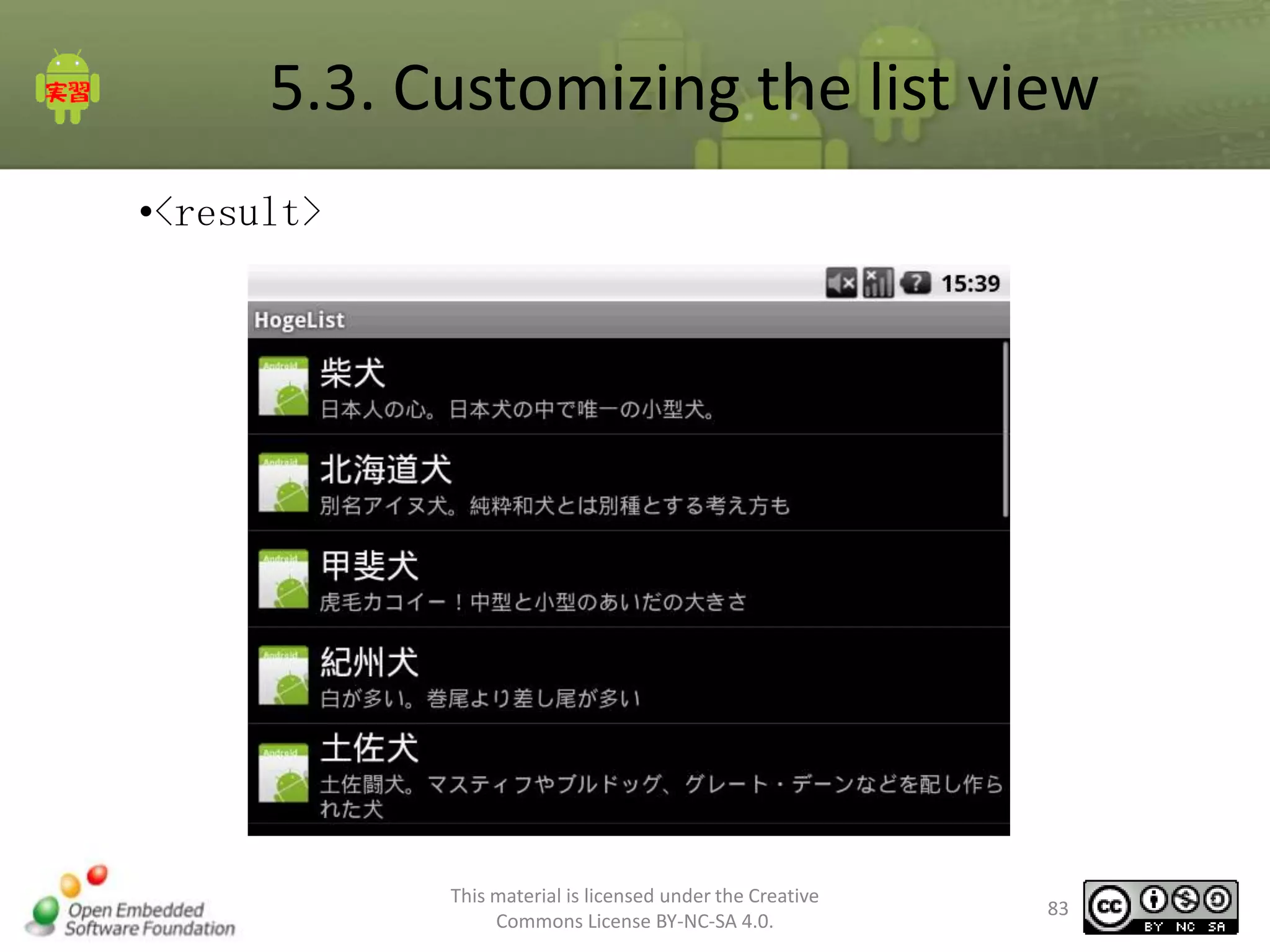
•<result>

This material is licensed under the Creative
Commons License BY-NC-SA 4.0.

83
5.3. Customizing the list view
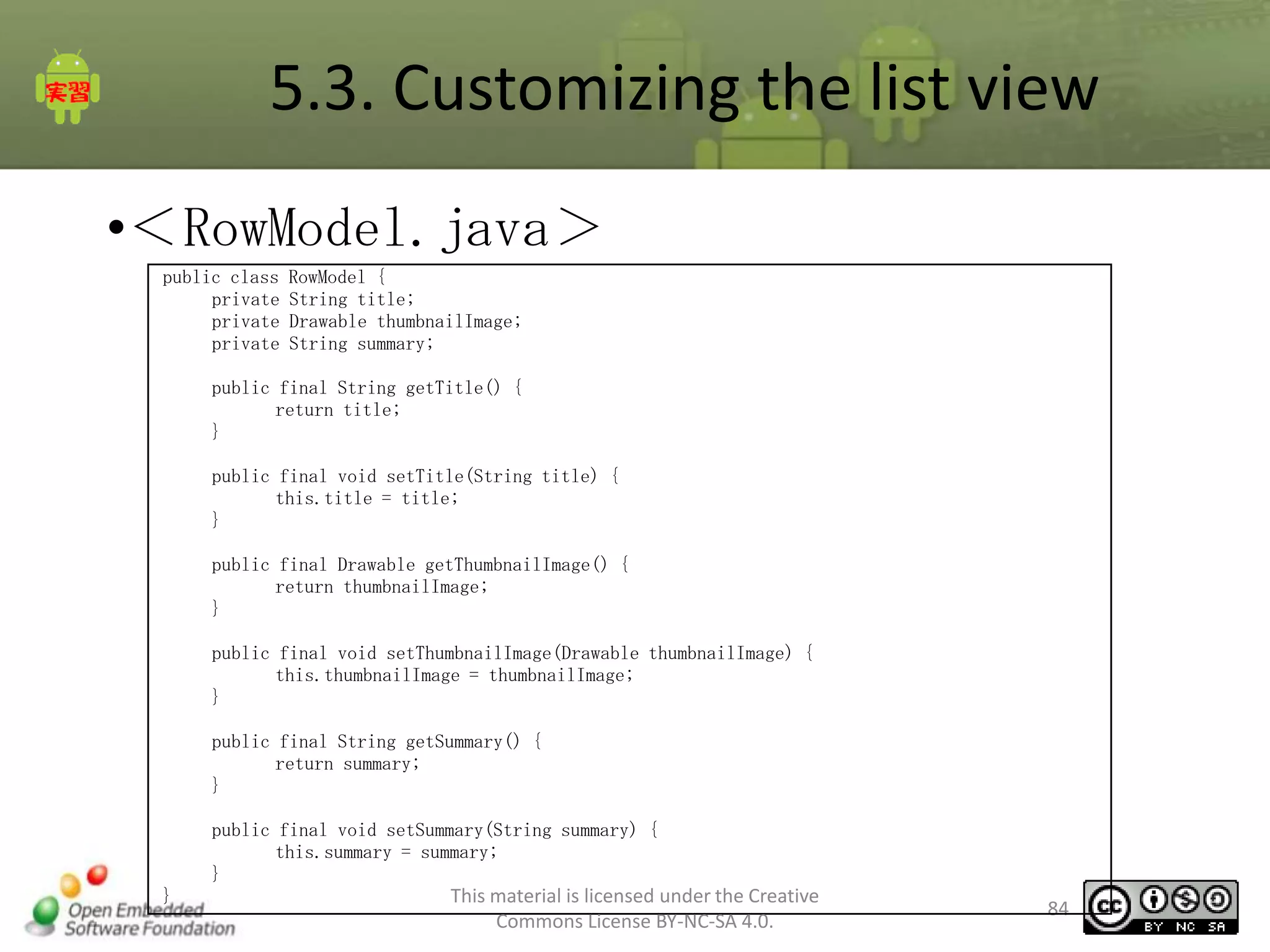
•<RowModel.java>
public class
private
private
private

RowModel {
String title;
Drawable thumbnailImage;
String summary;

public final String getTitle() {
return title;
}
public final void setTitle(String title) {
this.title = title;
}
public final Drawable getThumbnailImage() {
return thumbnailImage;
}
public final void setThumbnailImage(Drawable thumbnailImage) {
this.thumbnailImage = thumbnailImage;
}
public final String getSummary() {
return summary;
}
public final void setSummary(String summary) {
this.summary = summary;
}
}

This material is licensed under the Creative
Commons License BY-NC-SA 4.0.

84
5.3. Customizing the list view
•< ListSample.java>
public class ListSample extends ListActivity {
/** Called when the activity is first created. */
@Override
public void onCreate(Bundle savedInstanceState) {
super.onCreate(savedInstanceState);
setContentView(R.layout.list);
TableAdapter adapter = new TableAdapter(this);
setListAdapter(adapter);
// add data
String titles[] = getResources().getStringArray(R.array.titles);
String summaries[] = getResources().getStringArray(R.array.summaries);
Drawable image = getResources().getDrawable(R.drawable.icon);
adapter.clear();
int num = titles.length;
for(int i=0; i<num; i++){
RowModel row = new RowModel();
row.setTitle(titles[i]);
row.setSummary(summaries[i]);
row.setThumbnailImage(image);
adapter.add(row);
}
}
private class TableAdapter extends ArrayAdapter<RowModel> {
Activity context;
TableAdapter(final Activity context) {
super(context, R.layout.list_row); the Creative
This material is licensed under
this.context = context;
Commons License BY-NC-SA 4.0.
}

85
5.3. Customizing the list view
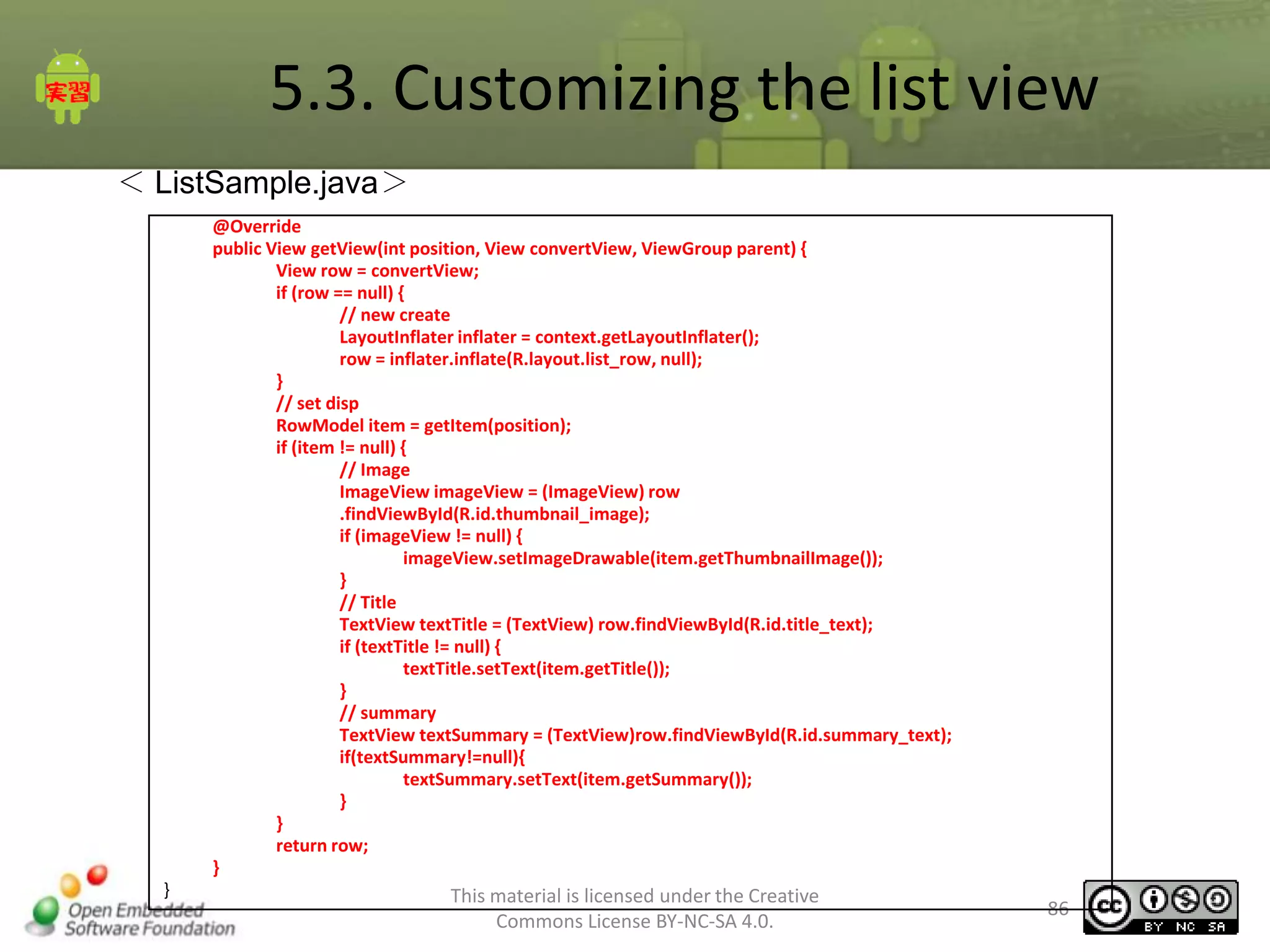
< ListSample.java>
@Override
public View getView(int position, View convertView, ViewGroup parent) {
View row = convertView;
if (row == null) {
// new create
LayoutInflater inflater = context.getLayoutInflater();
row = inflater.inflate(R.layout.list_row, null);
}
// set disp
RowModel item = getItem(position);
if (item != null) {
// Image
ImageView imageView = (ImageView) row
.findViewById(R.id.thumbnail_image);
if (imageView != null) {
imageView.setImageDrawable(item.getThumbnailImage());
}
// Title
TextView textTitle = (TextView) row.findViewById(R.id.title_text);
if (textTitle != null) {
textTitle.setText(item.getTitle());
}
// summary
TextView textSummary = (TextView)row.findViewById(R.id.summary_text);
if(textSummary!=null){
textSummary.setText(item.getSummary());
}
}
return row;
}
}

This material is licensed under the Creative
Commons License BY-NC-SA 4.0.

86
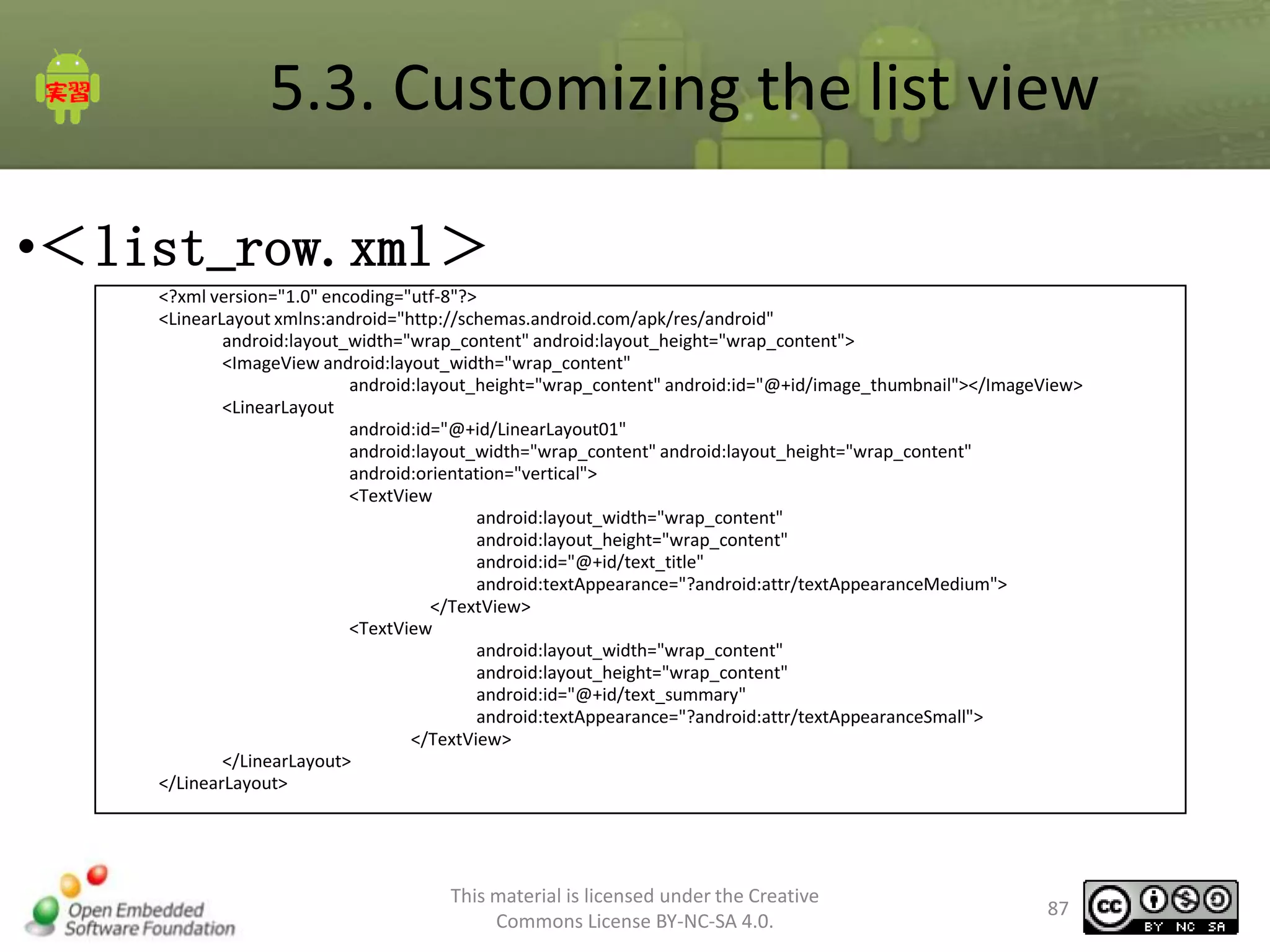
5.3. Customizing the list view
•<list_row.xml>
<?xml version="1.0" encoding="utf-8"?>
<LinearLayout xmlns:android="http://schemas.android.com/apk/res/android"
android:layout_width="wrap_content" android:layout_height="wrap_content">
<ImageView android:layout_width="wrap_content"
android:layout_height="wrap_content" android:id="@+id/image_thumbnail"></ImageView>
<LinearLayout
android:id="@+id/LinearLayout01"
android:layout_width="wrap_content" android:layout_height="wrap_content"
android:orientation="vertical">
<TextView
android:layout_width="wrap_content"
android:layout_height="wrap_content"
android:id="@+id/text_title"
android:textAppearance="?android:attr/textAppearanceMedium">
</TextView>
<TextView
android:layout_width="wrap_content"
android:layout_height="wrap_content"
android:id="@+id/text_summary"
android:textAppearance="?android:attr/textAppearanceSmall">
</TextView>
</LinearLayout>
</LinearLayout>

This material is licensed under the Creative
Commons License BY-NC-SA 4.0.

87
6. Exercises
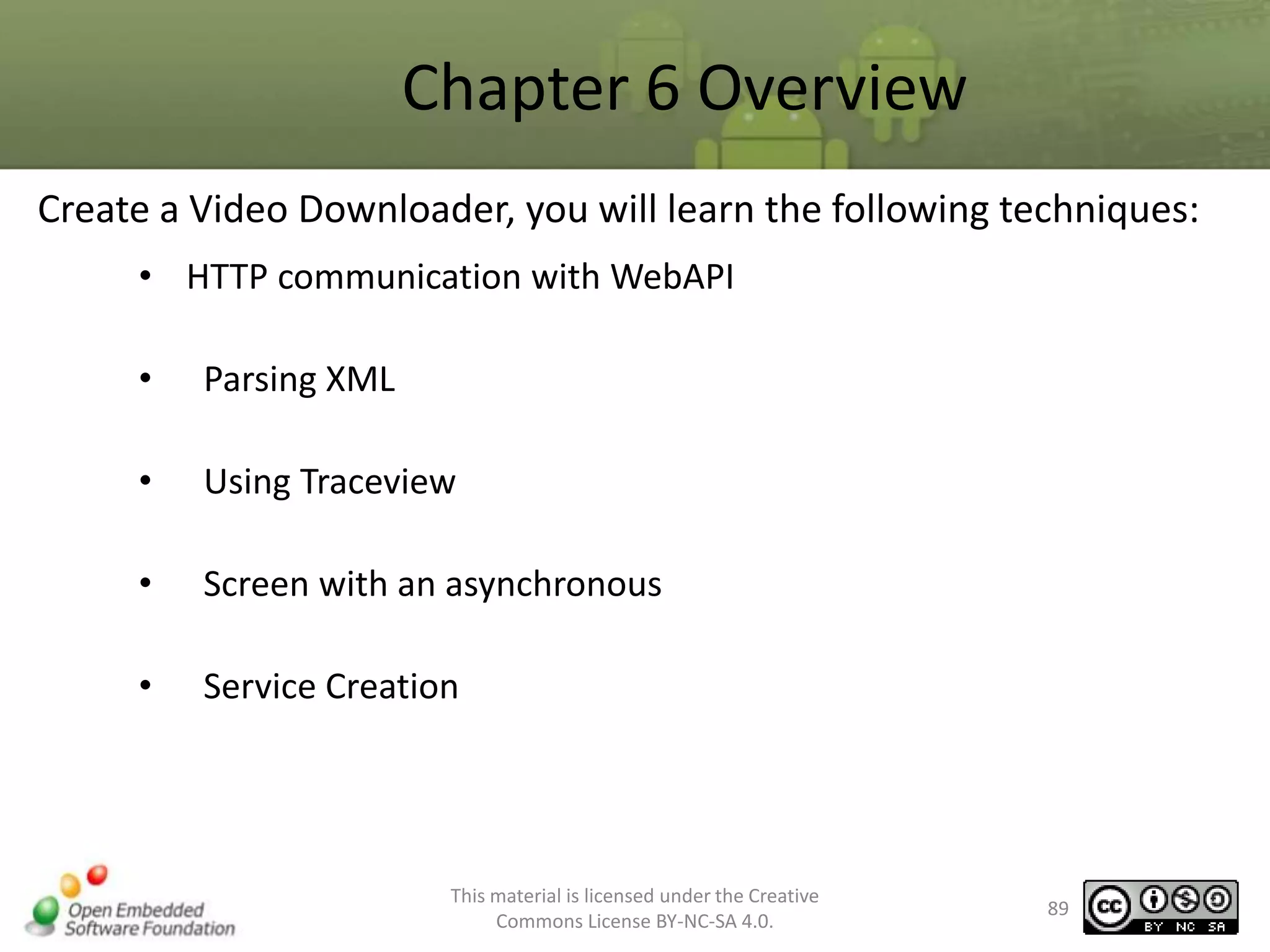
Chapter 6 Overview
Create a Video Downloader, you will learn the following techniques:
• HTTP communication with WebAPI
•

Parsing XML

•

Using Traceview

•

Screen with an asynchronous

•

Service Creation

This material is licensed under the Creative
Commons License BY-NC-SA 4.0.

89
6.1. display of asynchronous (preparation)
•
•
•
•

Eclipse project to incorporate training for skeleton
Locations
Answer folder android_training_webapi skeleton_project
In this case, capture "MediaDownloaderSkeleton01"

•
•
•

How to Get?
Start the Eclipse "File" menu, select "Import", "Import" dialog is shown
"Import" dialog, from "General” select "Existing Projects into Workspace“, press "Next" button to capture
the root directory of the project skeleton
check "Copy projects into workspace".

•

This material is licensed under the Creative
Commons License BY-NC-SA 4.0.

90
6.1. display of asynchronous (1)
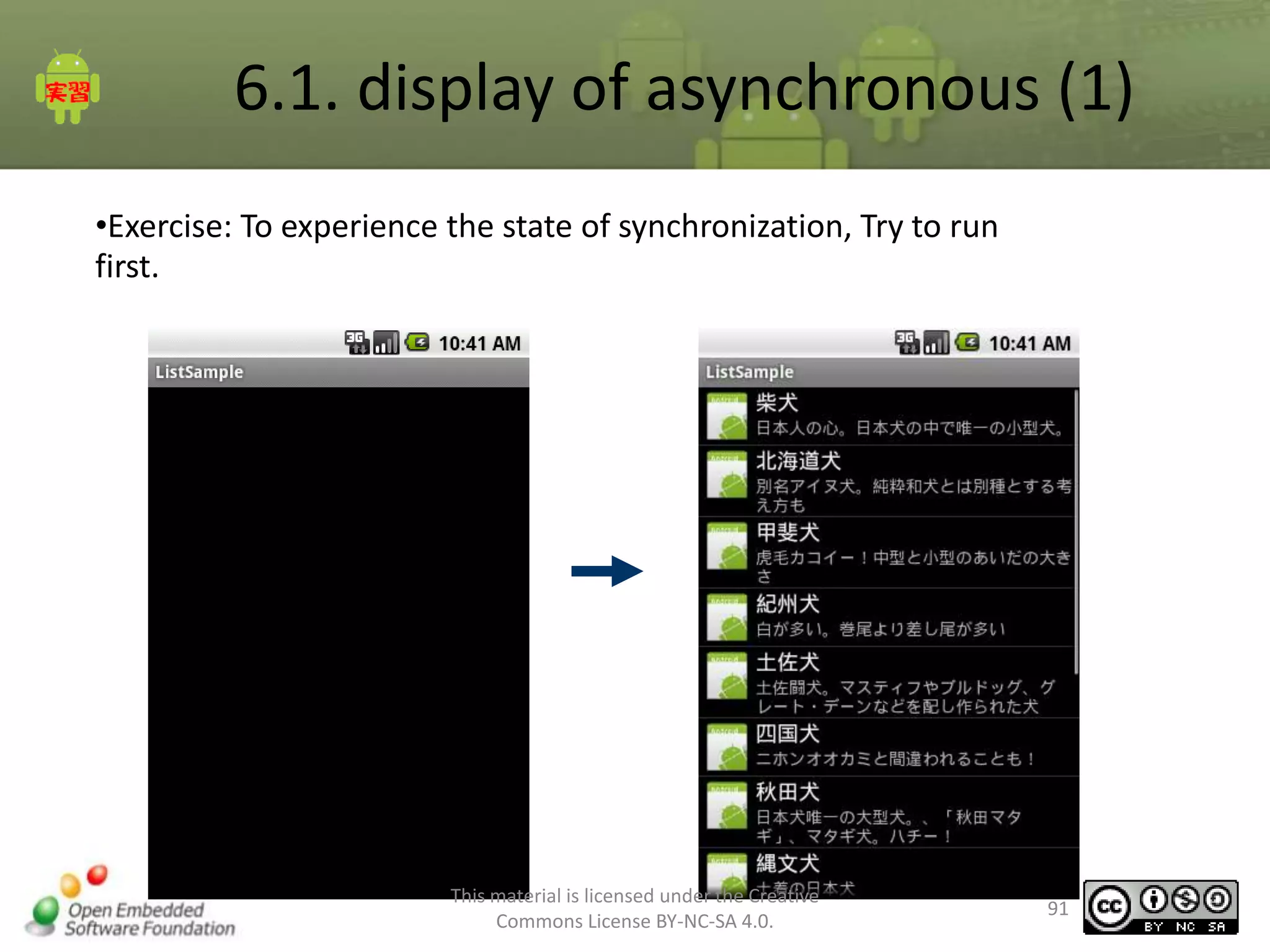
•Exercise: To experience the state of synchronization, Try to run
first.

This material is licensed under the Creative
Commons License BY-NC-SA 4.0.

91
6.1. display of asynchronous (2)
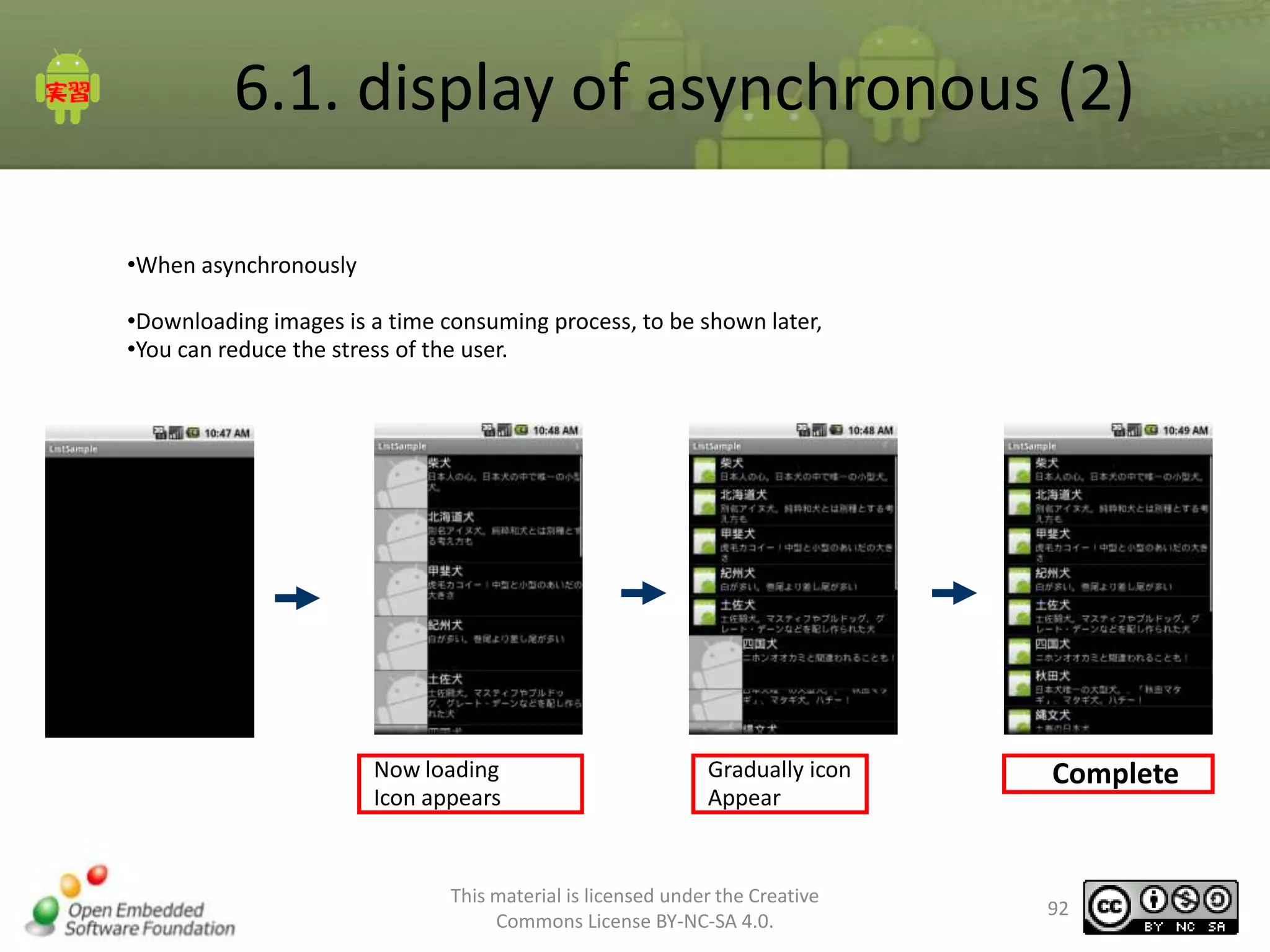
•When asynchronously
•Downloading images is a time consuming process, to be shown later,
•You can reduce the stress of the user.

Now loading
Icon appears

Gradually icon
Appear

This material is licensed under the Creative
Commons License BY-NC-SA 4.0.

Complete

92
6.1. display of asynchronous (3)
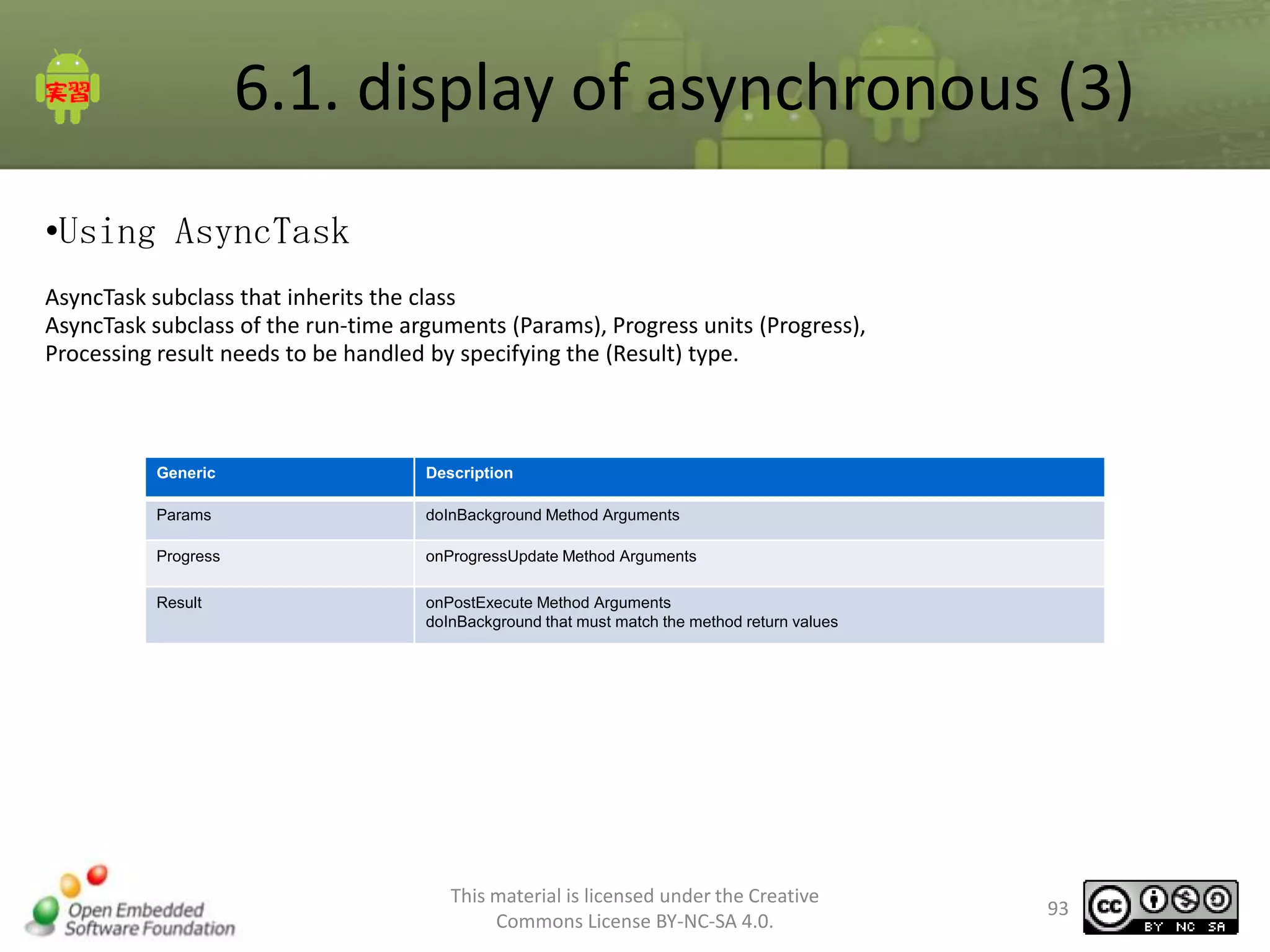
•Using AsyncTask
AsyncTask subclass that inherits the class
AsyncTask subclass of the run-time arguments (Params), Progress units (Progress),
Processing result needs to be handled by specifying the (Result) type.

Generic

Description

Params

doInBackground Method Arguments

Progress

onProgressUpdate Method Arguments

Result

onPostExecute Method Arguments
doInBackground that must match the method return values

This material is licensed under the Creative
Commons License BY-NC-SA 4.0.

93
6.1. display of asynchronous (4)
• Define AsyncTask

Specify the type corresponding to
the arguments of each method

class MyAsyncTask extends AsyncTask<Params, Progress, Result>{
@Override
protected Result doInBackground(Params... params) {
return null;
}

The doInBackground
Override Required

}

Return value

Method Name

Description

abstract Result

doInBackground(Params... params)

Background execution

void

onPostExecute(Result result)

Upon completion of the process run in the background

void

onPreExecute()

Previous operation to run in the background

void

onProgressUpdate(Progress... values)

Progress Update for Background Processing

void

onCancelled()

Cancel Background Processing

※ doInBackground onProgressUpdate for varargs and, even when passing non array in param [0] should be referenced
This material is licensed under the Creative
Commons License BY-NC-SA 4.0.

94
6.1. display of asynchronous (5)
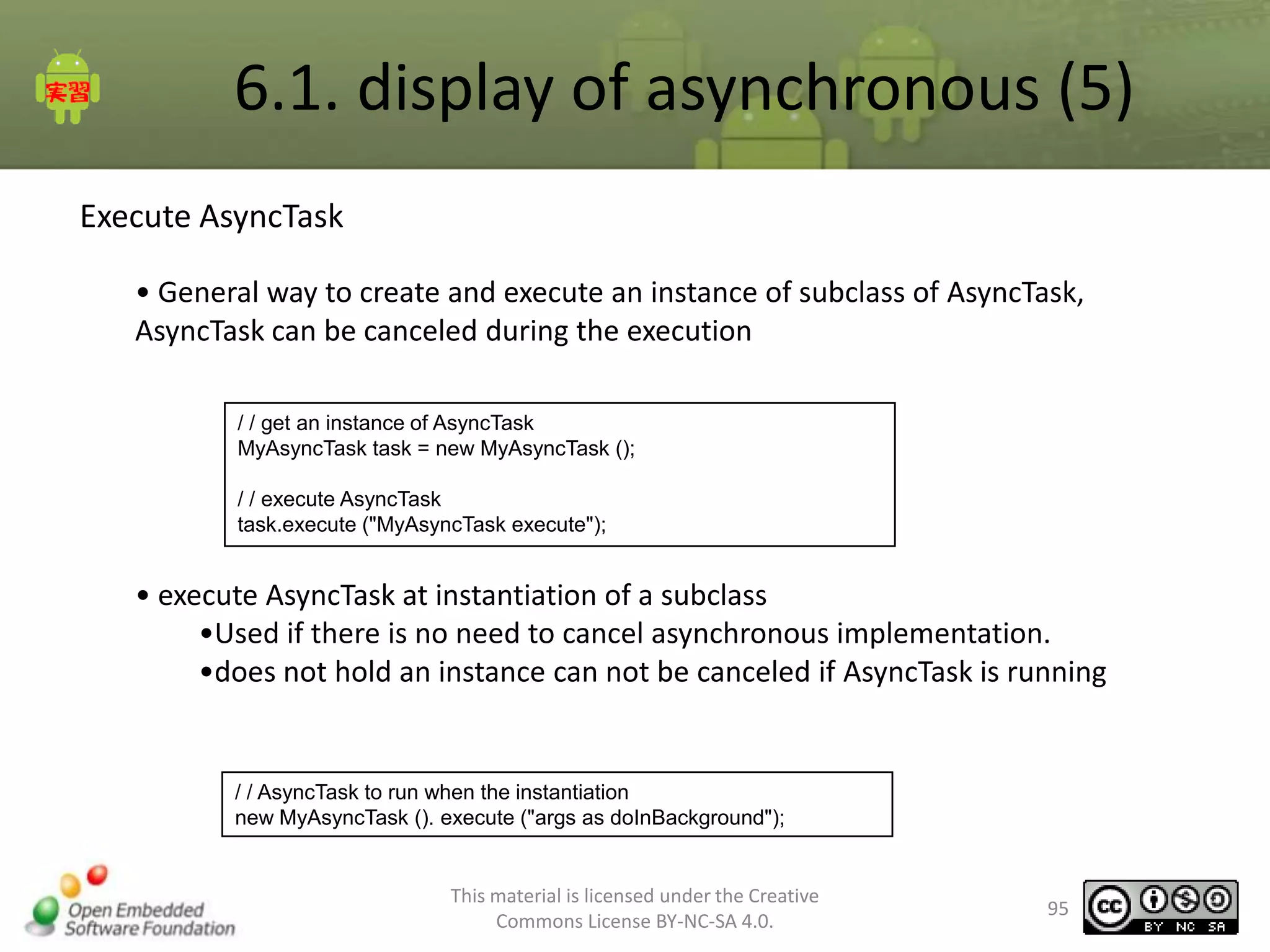
Execute AsyncTask
• General way to create and execute an instance of subclass of AsyncTask,
AsyncTask can be canceled during the execution
/ / get an instance of AsyncTask
MyAsyncTask task = new MyAsyncTask ();
/ / execute AsyncTask
task.execute ("MyAsyncTask execute");

• execute AsyncTask at instantiation of a subclass
•Used if there is no need to cancel asynchronous implementation.
•does not hold an instance can not be canceled if AsyncTask is running

/ / AsyncTask to run when the instantiation
new MyAsyncTask (). execute ("args as doInBackground");

This material is licensed under the Creative
Commons License BY-NC-SA 4.0.

95
6.1. display of asynchronous (6)
Example
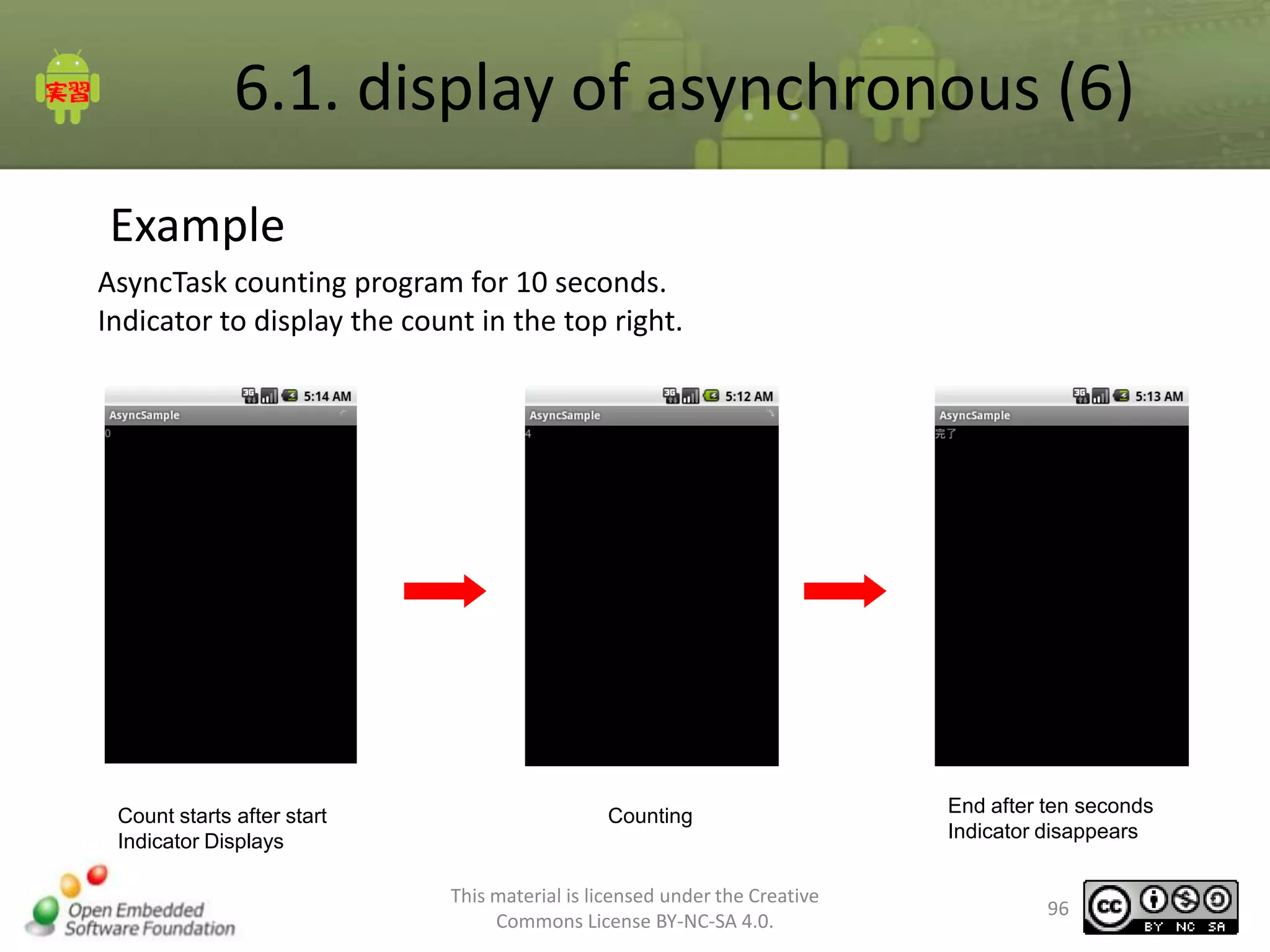
AsyncTask counting program for 10 seconds.
Indicator to display the count in the top right.

Count starts after start
Indicator Displays

Counting

This material is licensed under the Creative
Commons License BY-NC-SA 4.0.

End after ten seconds
Indicator disappears

96
6.1. display of asynchronous (7)
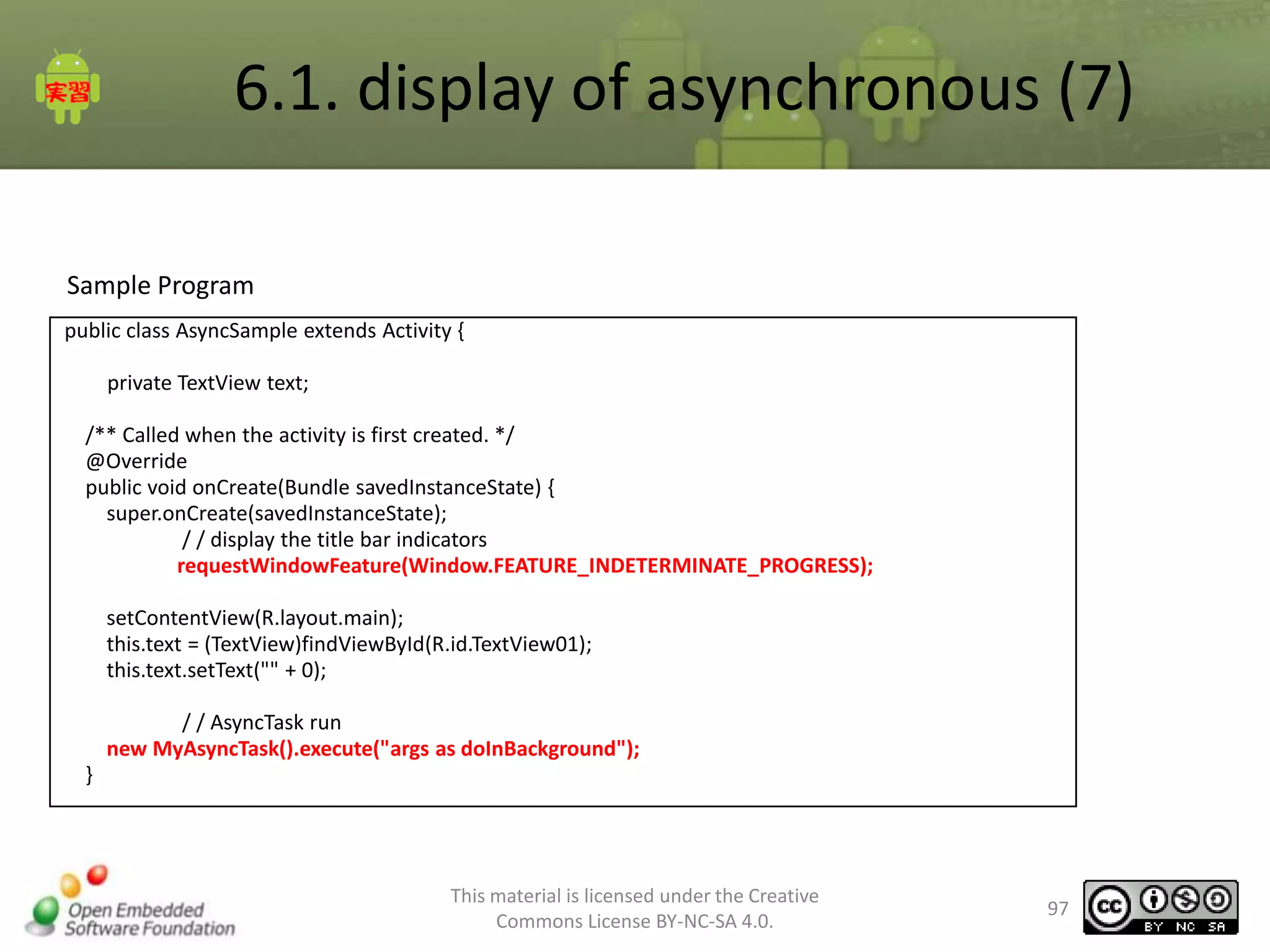
Sample Program
public class AsyncSample extends Activity {
private TextView text;
/** Called when the activity is first created. */
@Override
public void onCreate(Bundle savedInstanceState) {
super.onCreate(savedInstanceState);
/ / display the title bar indicators
requestWindowFeature(Window.FEATURE_INDETERMINATE_PROGRESS);
setContentView(R.layout.main);
this.text = (TextView)findViewById(R.id.TextView01);
this.text.setText("" + 0);
/ / AsyncTask run
new MyAsyncTask().execute("args as doInBackground");
}

This material is licensed under the Creative
Commons License BY-NC-SA 4.0.

97
6.1. display of asynchronous (8)
Sample Program
class MyAsyncTask extends AsyncTask<String, Integer, Boolean>{
@Override
protected void onPreExecute() {
/ / onPreExecute Handler uses the UI can be changed without
/ / Display indicators
setProgressBarIndeterminateVisibility(true);
}
@Override
protected Boolean doInBackground(String... params) {
Log.v("MyAsyncTask", "param:" + params[0]);
for( int i = 0; i <= 10; i++){
try {
/ / progress update notification
publishProgress(i);
Thread.sleep(1000);
} catch (InterruptedException e) {
e.printStackTrace();
return false;
}
}
return true;
}
This material is licensed under the Creative
Commons License BY-NC-SA 4.0.

98
6.1. display of asynchronous (9)
Sample Program

@Override
protected void onPostExecute(Boolean result) {
/ / onPostExecute Handler uses the UI can be changed without
if( result ){
text.setText(" Complete ");
}else{
text.setText(" Failure ");
}
// To hide the indicator
setProgressBarIndeterminateVisibility(false);
}
@Override
protected void onProgressUpdate(Integer... values) {
// In onProgressUpdate UI Handler can be modified without
text.setText("" + values[0]);
}
}
}

This material is licensed under the Creative
Commons License BY-NC-SA 4.0.

99
6.1. display of asynchronous (10)
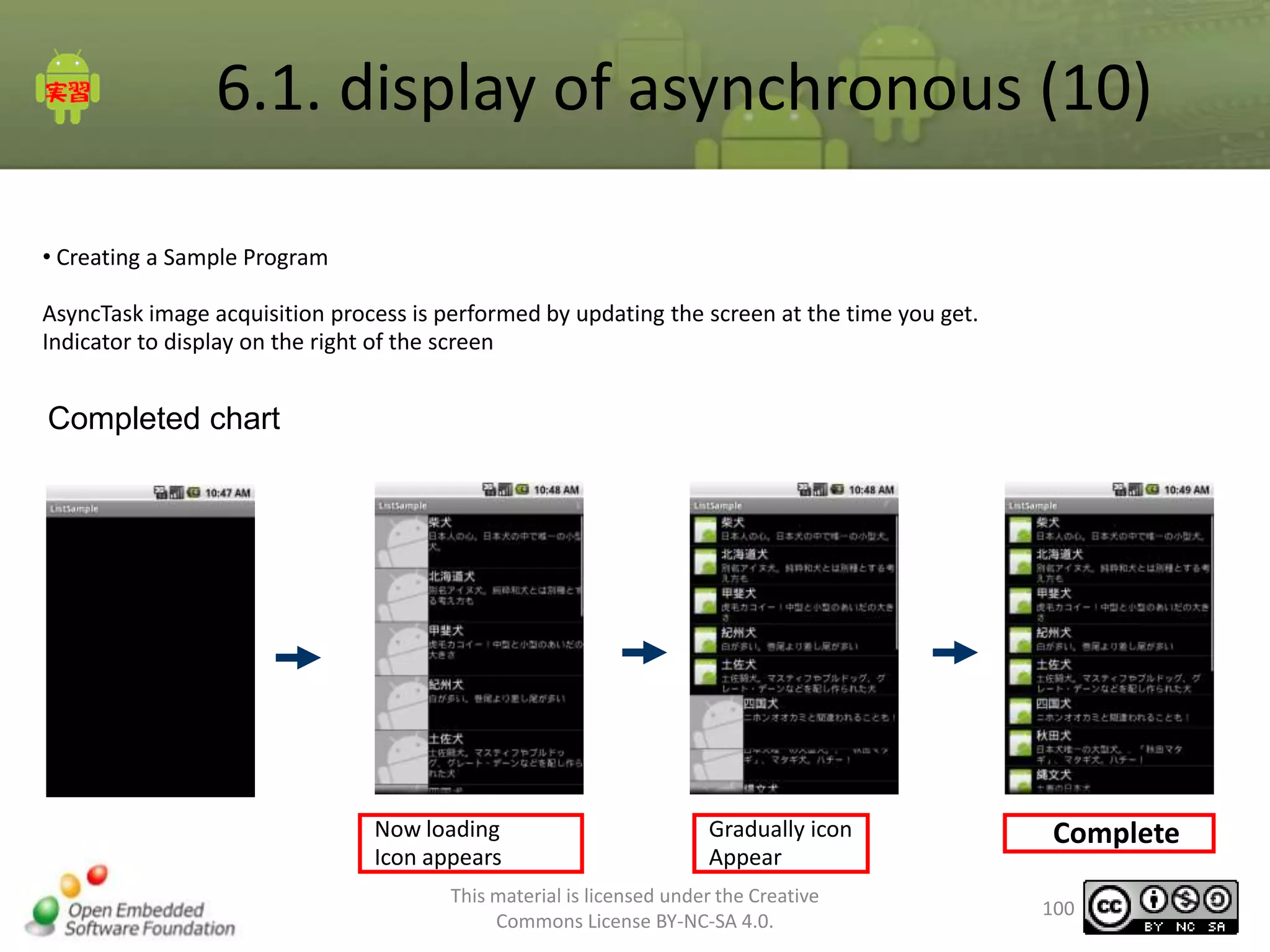
• Creating a Sample Program
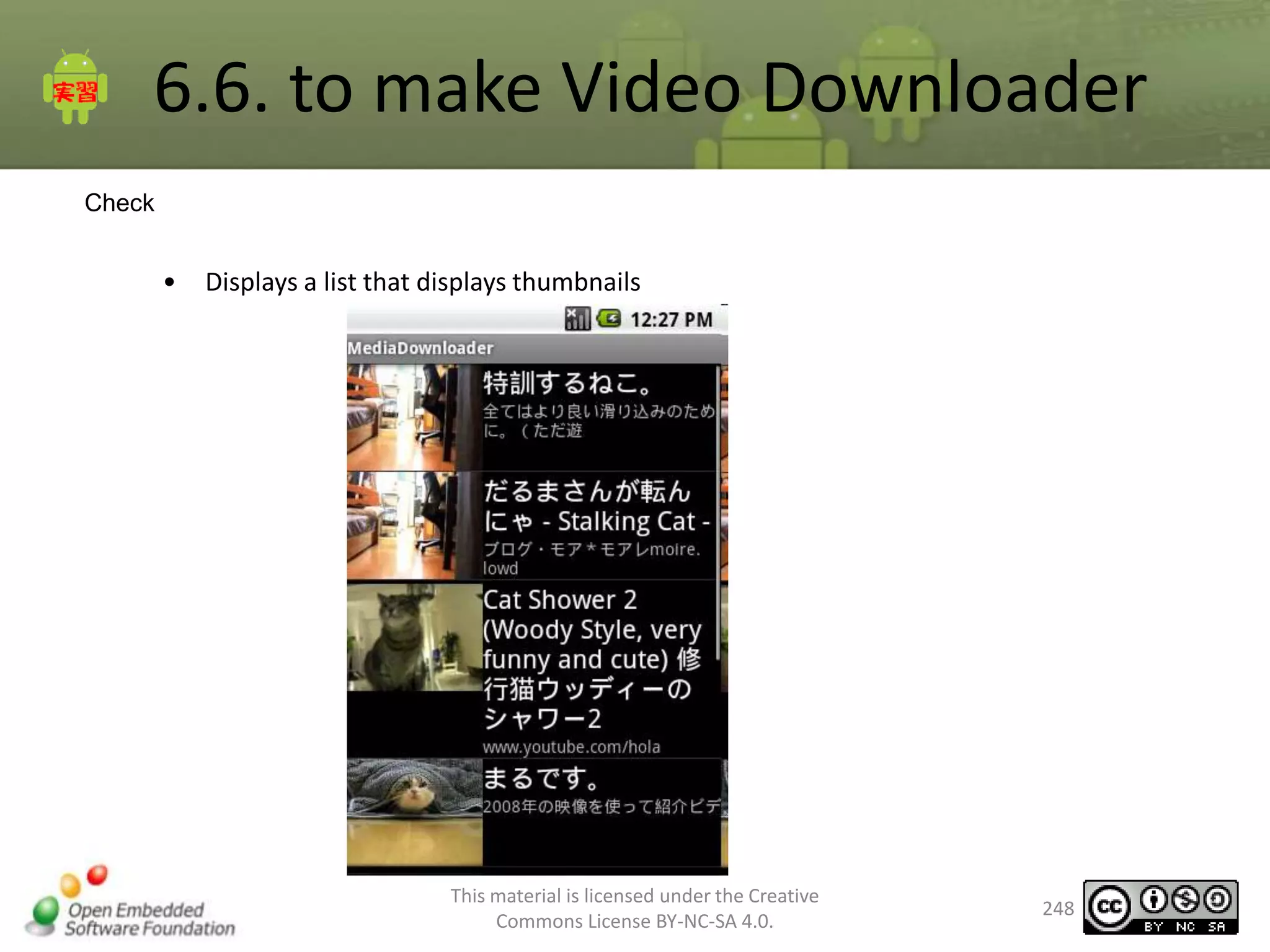
AsyncTask image acquisition process is performed by updating the screen at the time you get.
Indicator to display on the right of the screen

Completed chart

Now loading
Icon appears

Gradually icon
Appear

This material is licensed under the Creative
Commons License BY-NC-SA 4.0.

Complete
100
6.1. display of asynchronous (11)
Sample Program Description
SampleList.java

public void onCreate(Bundle savedInstanceState) {
super.onCreate(savedInstanceState);
// TODO No.01 in the title bar to display the indicator
setContentView(R.layout.list);
adpter = new TableAdapter(this);
setListAdapter(adpter);
// Creating RowModel
// Get a text array from the resource
String titles[] = getResources().getStringArray(R.array.titles);
String summaries[] = getResources().getStringArray(R.array.summaries);
Drawable loadingImage = getResources().getDrawable(R.drawable.ic_contact_picture);
int num = titles.length;
RowModel[] models = new RowModel[num];
// RowModel created for each single line
// Into array
for(int i = 0; i < num; i++){
RowModel row = new RowModel();
row.setTitle(titles[i]);
row.setSummary(summaries[i]);
row.setThumbnailImage(loadingImage);
adpter.add(row);
models[i] = row;
}
// TODO No.08 asynchronous call
}
This material is licensed under the Creative
Commons License BY-NC-SA 4.0.

101
6.1. display of asynchronous (12)
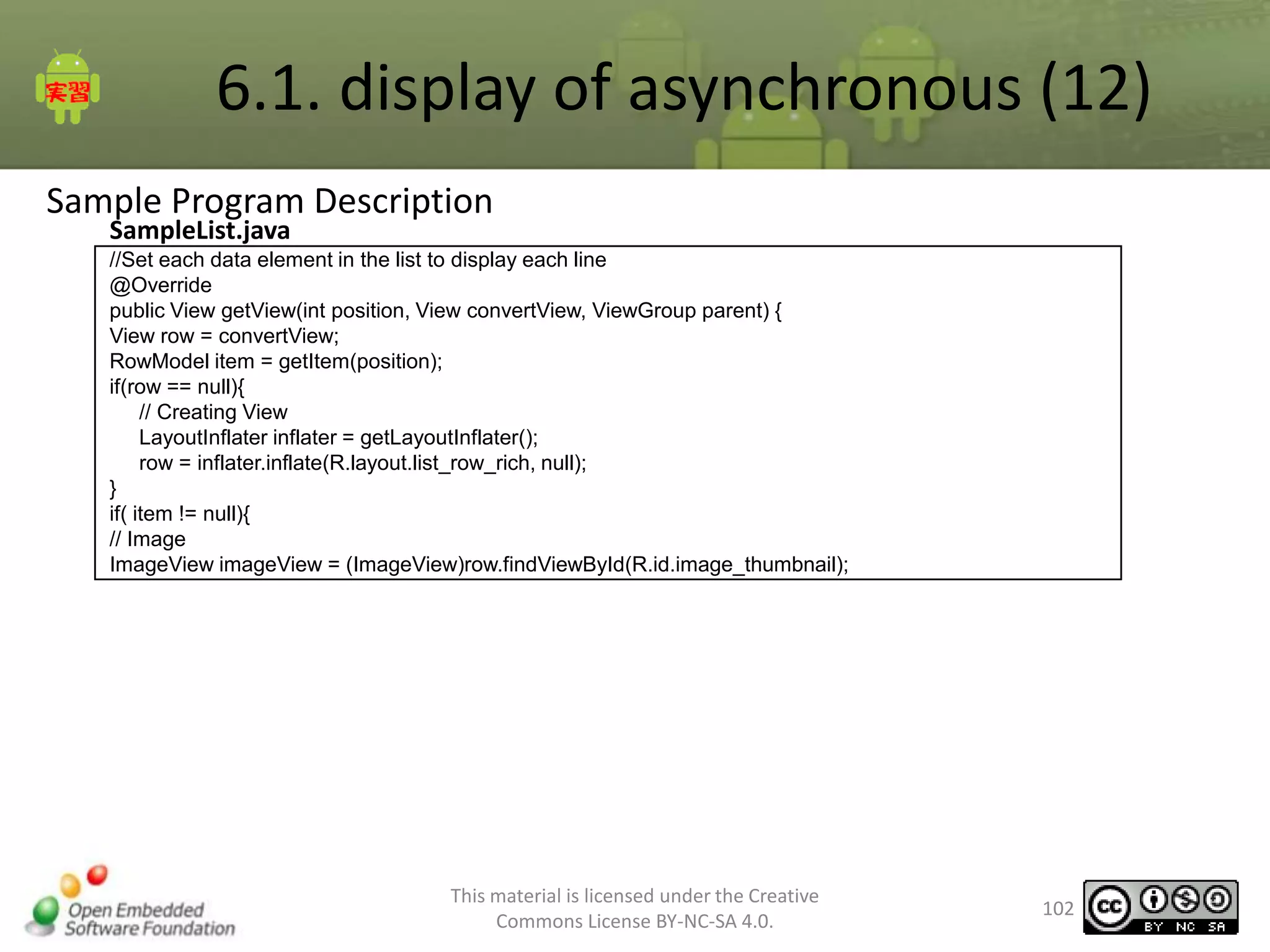
Sample Program Description
SampleList.java

//Set each data element in the list to display each line
@Override
public View getView(int position, View convertView, ViewGroup parent) {
View row = convertView;
RowModel item = getItem(position);
if(row == null){
// Creating View
LayoutInflater inflater = getLayoutInflater();
row = inflater.inflate(R.layout.list_row_rich, null);
}
if( item != null){
// Image
ImageView imageView = (ImageView)row.findViewById(R.id.image_thumbnail);

This material is licensed under the Creative
Commons License BY-NC-SA 4.0.

102
6.1. display of asynchronous (13)
Sample Program Description
SampleList.java

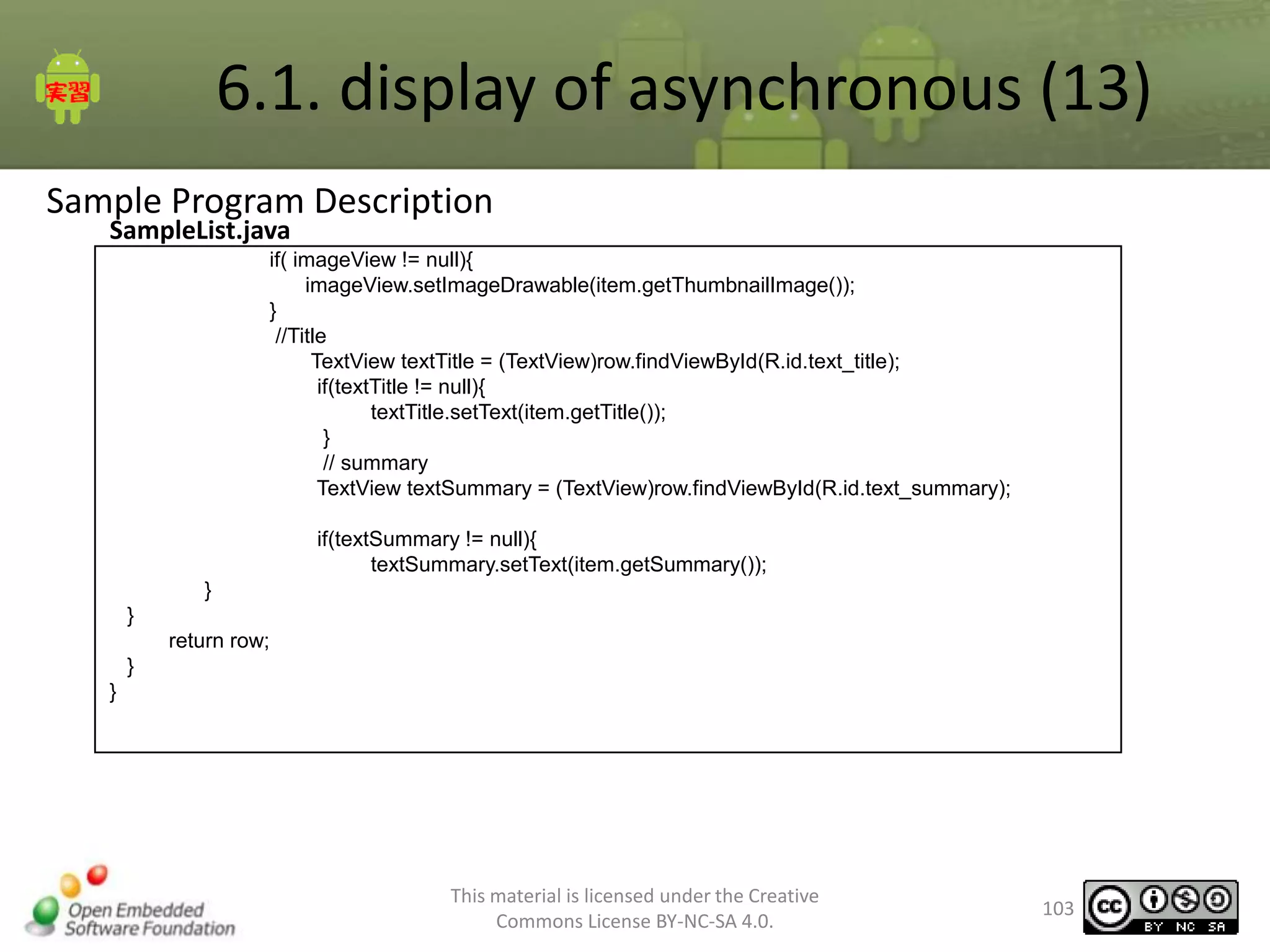
if( imageView != null){
imageView.setImageDrawable(item.getThumbnailImage());
}
//Title
TextView textTitle = (TextView)row.findViewById(R.id.text_title);
if(textTitle != null){
textTitle.setText(item.getTitle());
}
// summary
TextView textSummary = (TextView)row.findViewById(R.id.text_summary);
if(textSummary != null){
textSummary.setText(item.getSummary());
}
}
return row;
}
}

This material is licensed under the Creative
Commons License BY-NC-SA 4.0.

103
6.1. display of asynchronous ()
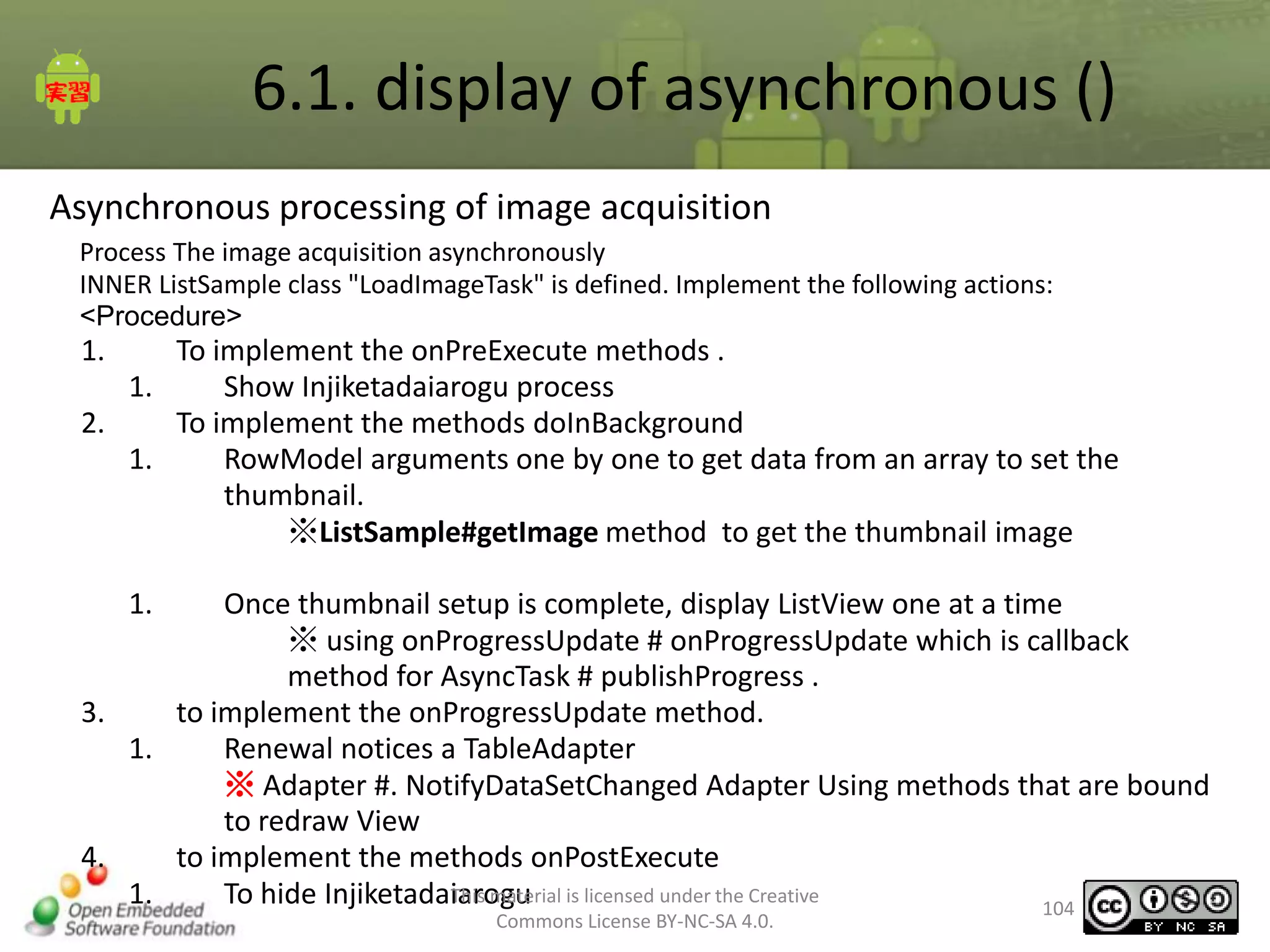
Asynchronous processing of image acquisition
Process The image acquisition asynchronously
INNER ListSample class "LoadImageTask" is defined. Implement the following actions:
<Procedure>

1.

To implement the onPreExecute methods .
1.
Show Injiketadaiarogu process
2.
To implement the methods doInBackground
1.
RowModel arguments one by one to get data from an array to set the
thumbnail.
※ListSample#getImage method to get the thumbnail image
1.

Once thumbnail setup is complete, display ListView one at a time
※ using onProgressUpdate # onProgressUpdate which is callback
method for AsyncTask # publishProgress .
3.
to implement the onProgressUpdate method.
1.
Renewal notices a TableAdapter
※ Adapter #. NotifyDataSetChanged Adapter Using methods that are bound
to redraw View
4.
to implement the methods onPostExecute
This material
1.
To hide Injiketadaiarogu is licensed under the Creative
104
Commons License BY-NC-SA 4.0.
6.1. display of asynchronous ()
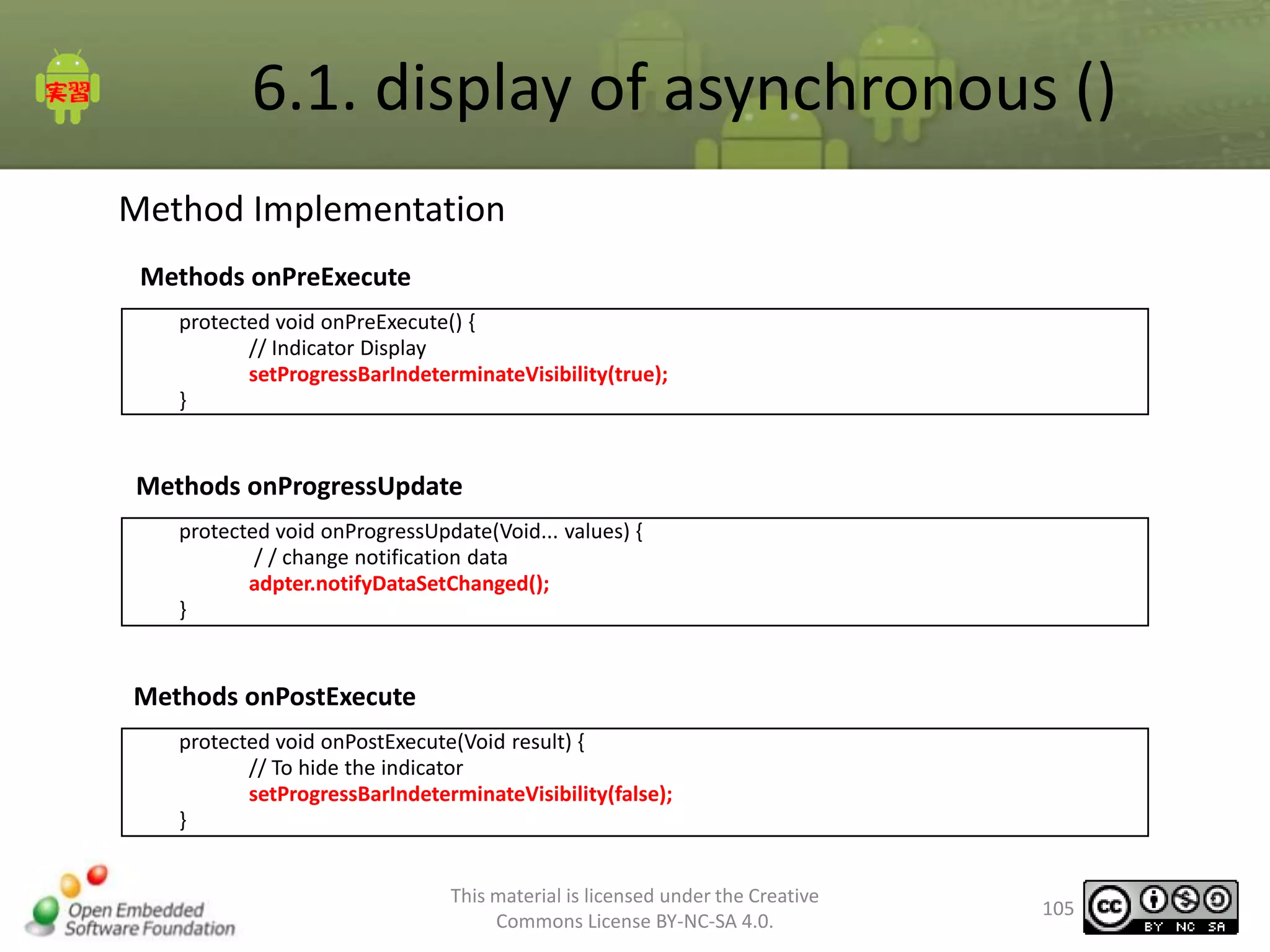
Method Implementation
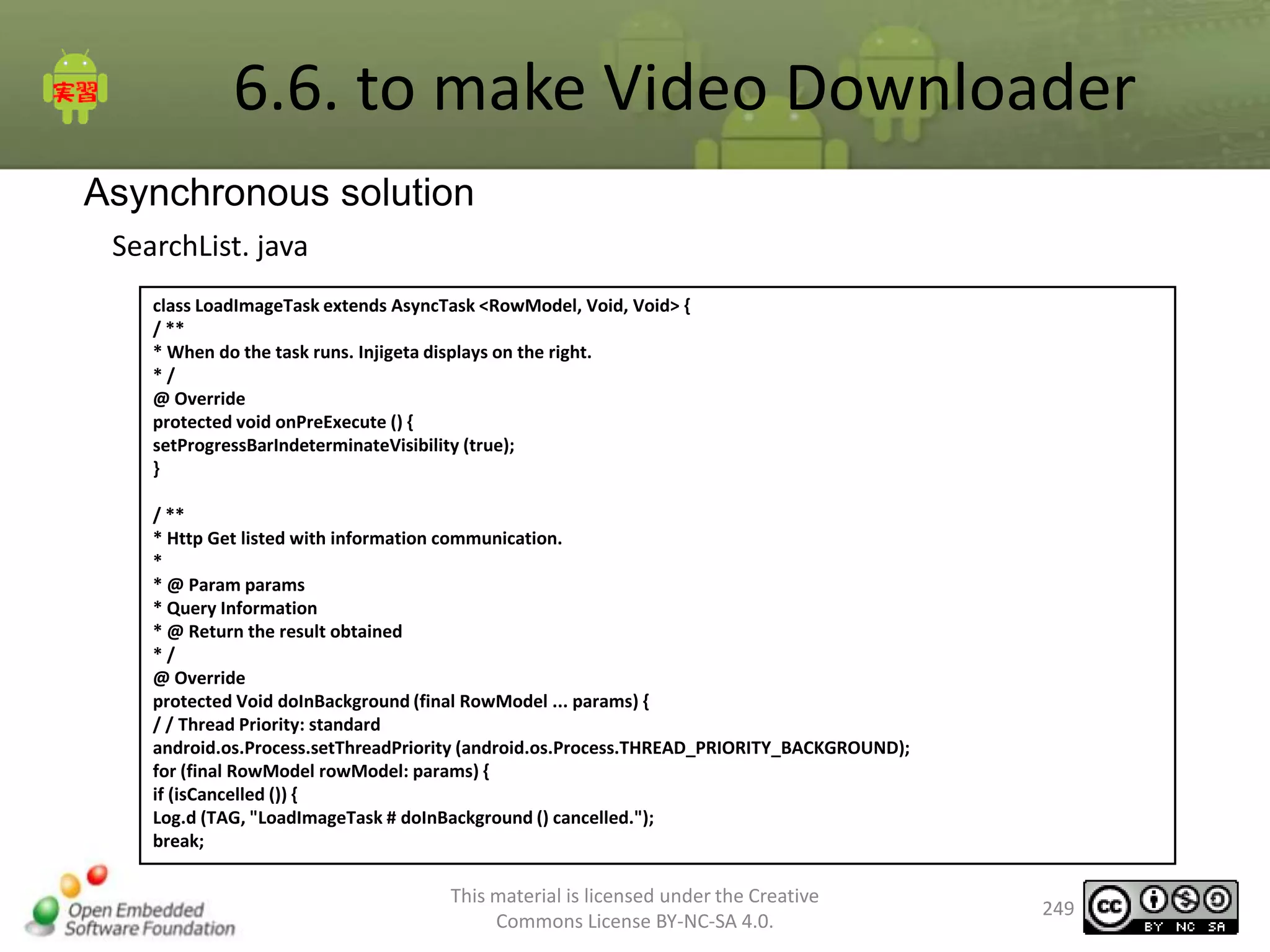
Methods onPreExecute
protected void onPreExecute() {
// Indicator Display
setProgressBarIndeterminateVisibility(true);
}

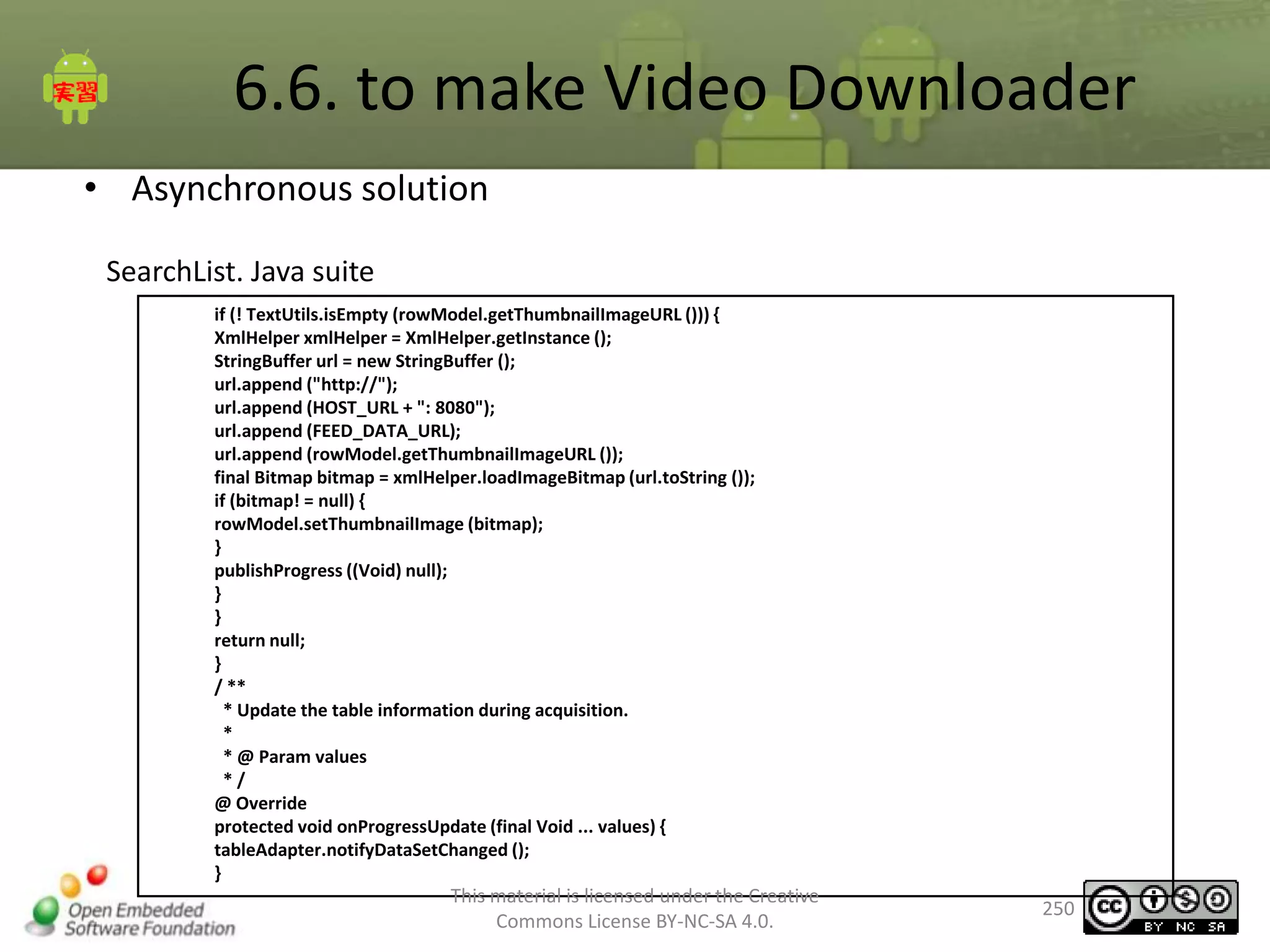
Methods onProgressUpdate
protected void onProgressUpdate(Void... values) {
/ / change notification data
adpter.notifyDataSetChanged();
}

Methods onPostExecute
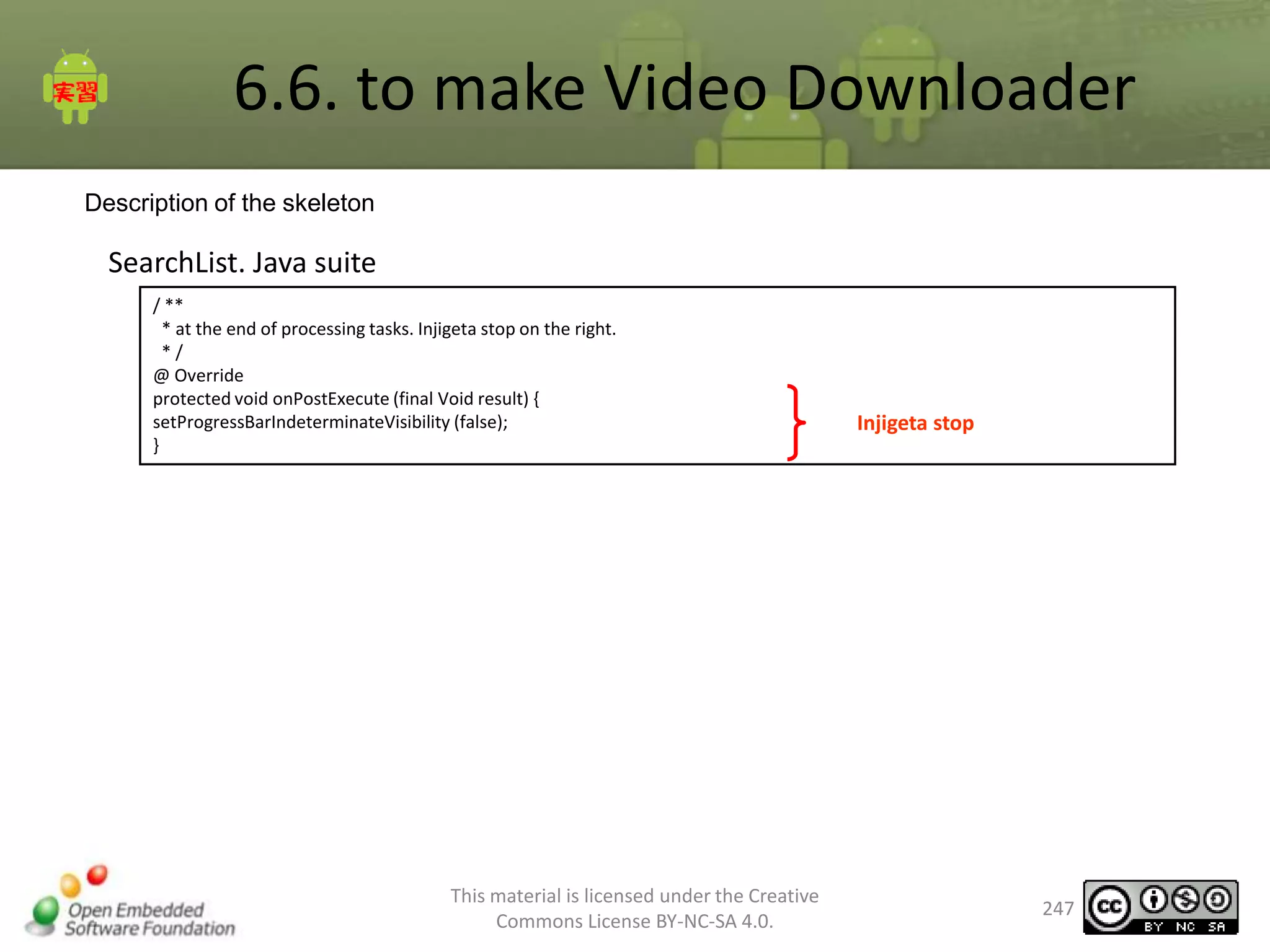
protected void onPostExecute(Void result) {
// To hide the indicator
setProgressBarIndeterminateVisibility(false);
}
This material is licensed under the Creative
Commons License BY-NC-SA 4.0.

105
6.1. display of asynchronous ()
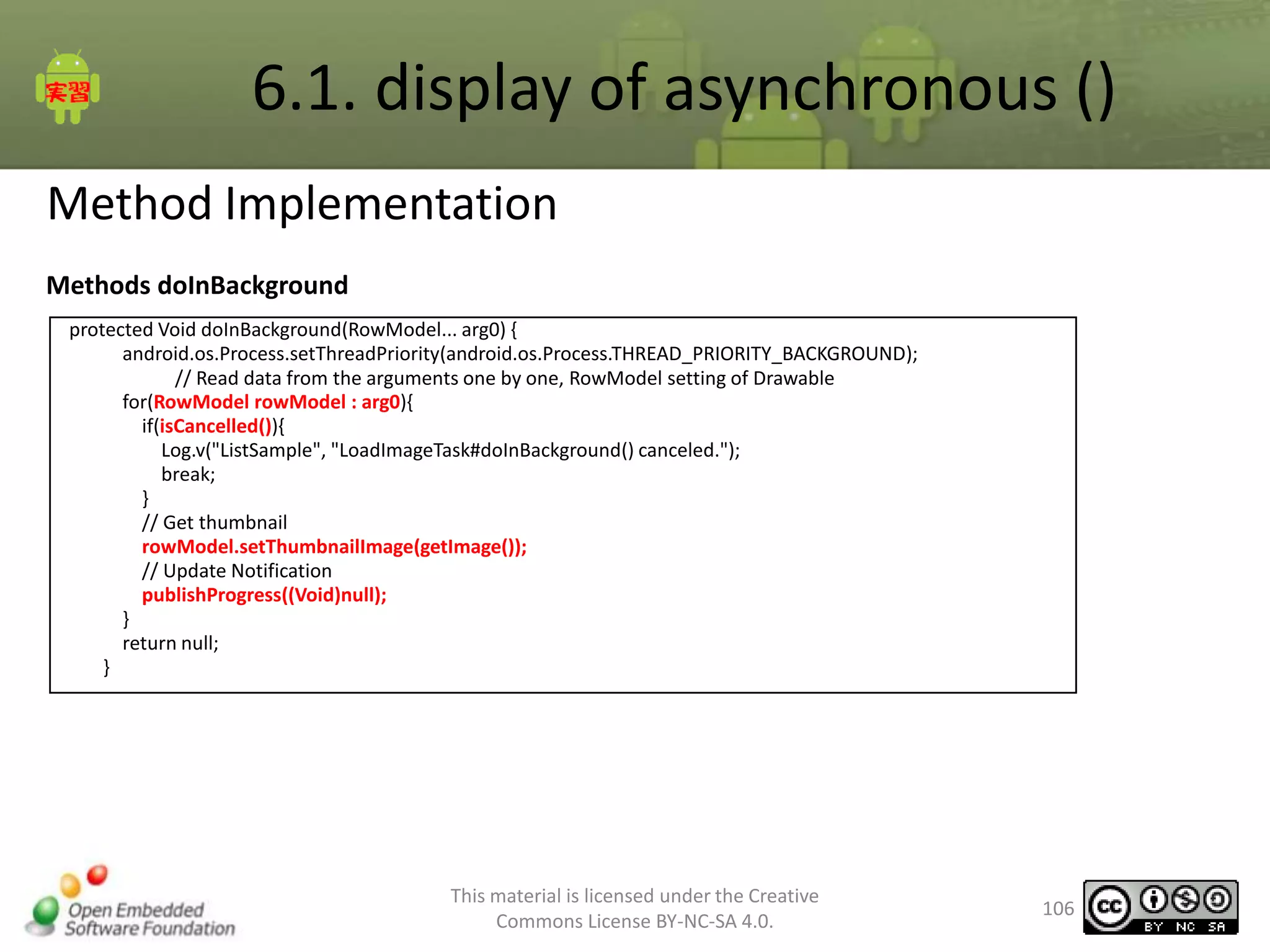
Method Implementation
Methods doInBackground
protected Void doInBackground(RowModel... arg0) {
android.os.Process.setThreadPriority(android.os.Process.THREAD_PRIORITY_BACKGROUND);
// Read data from the arguments one by one, RowModel setting of Drawable
for(RowModel rowModel : arg0){
if(isCancelled()){
Log.v("ListSample", "LoadImageTask#doInBackground() canceled.");
break;
}
// Get thumbnail
rowModel.setThumbnailImage(getImage());
// Update Notification
publishProgress((Void)null);
}
return null;
}

This material is licensed under the Creative
Commons License BY-NC-SA 4.0.

106
6.1. display of asynchronous ()
Method Implementation
ListSample.java
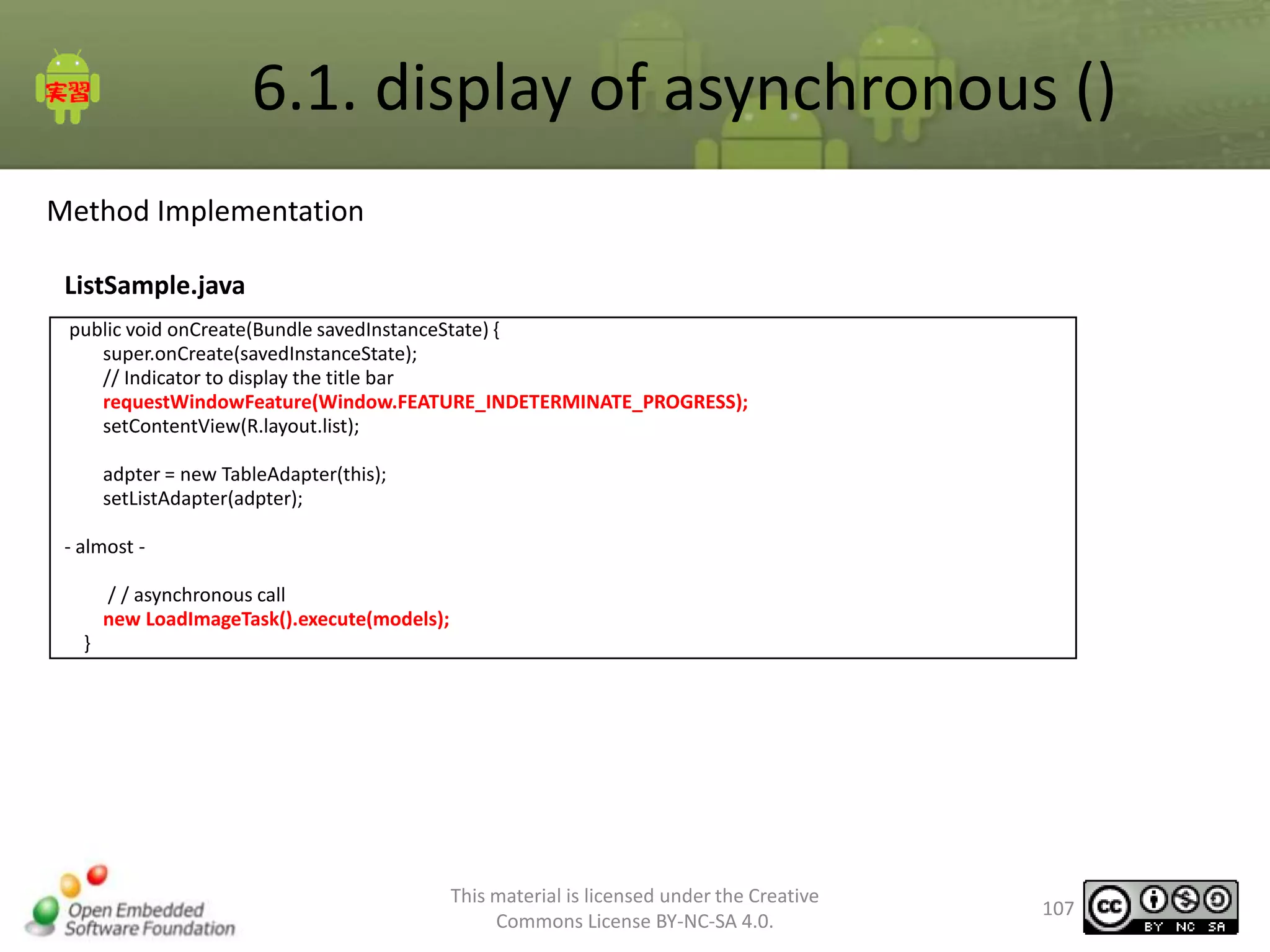
public void onCreate(Bundle savedInstanceState) {
super.onCreate(savedInstanceState);
// Indicator to display the title bar
requestWindowFeature(Window.FEATURE_INDETERMINATE_PROGRESS);
setContentView(R.layout.list);
adpter = new TableAdapter(this);
setListAdapter(adpter);
- almost / / asynchronous call
new LoadImageTask().execute(models);
}

This material is licensed under the Creative
Commons License BY-NC-SA 4.0.

107
6.1. Web services to connect
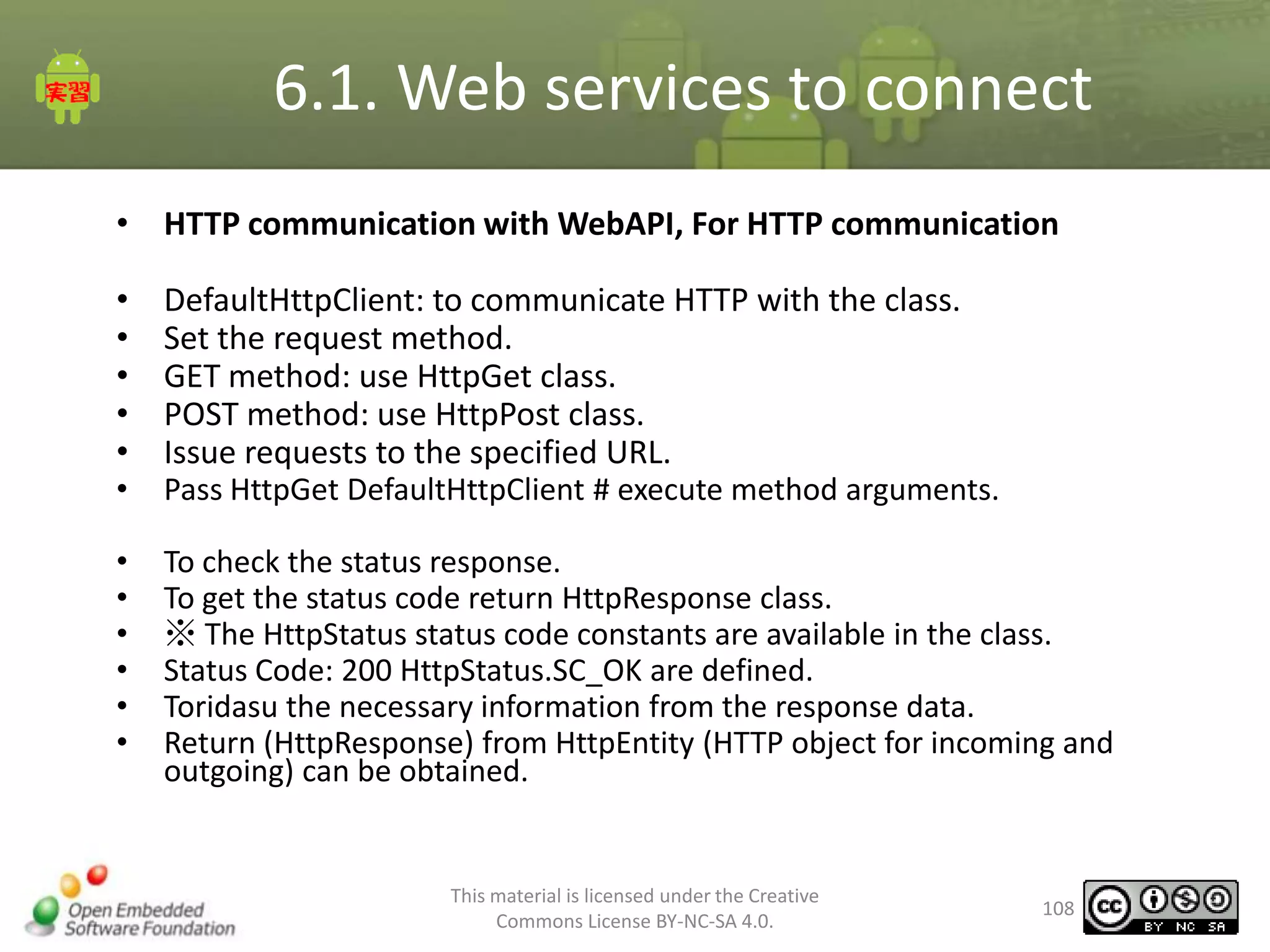
• HTTP communication with WebAPI, For HTTP communication
•
•
•
•
•
•
•
•
•
•
•
•

DefaultHttpClient: to communicate HTTP with the class.
Set the request method.
GET method: use HttpGet class.
POST method: use HttpPost class.
Issue requests to the specified URL.
Pass HttpGet DefaultHttpClient # execute method arguments.
To check the status response.
To get the status code return HttpResponse class.
※ The HttpStatus status code constants are available in the class.
Status Code: 200 HttpStatus.SC_OK are defined.
Toridasu the necessary information from the response data.
Return (HttpResponse) from HttpEntity (HTTP object for incoming and
outgoing) can be obtained.

This material is licensed under the Creative
Commons License BY-NC-SA 4.0.

108
6.1. Web services to connect
• Sample Code
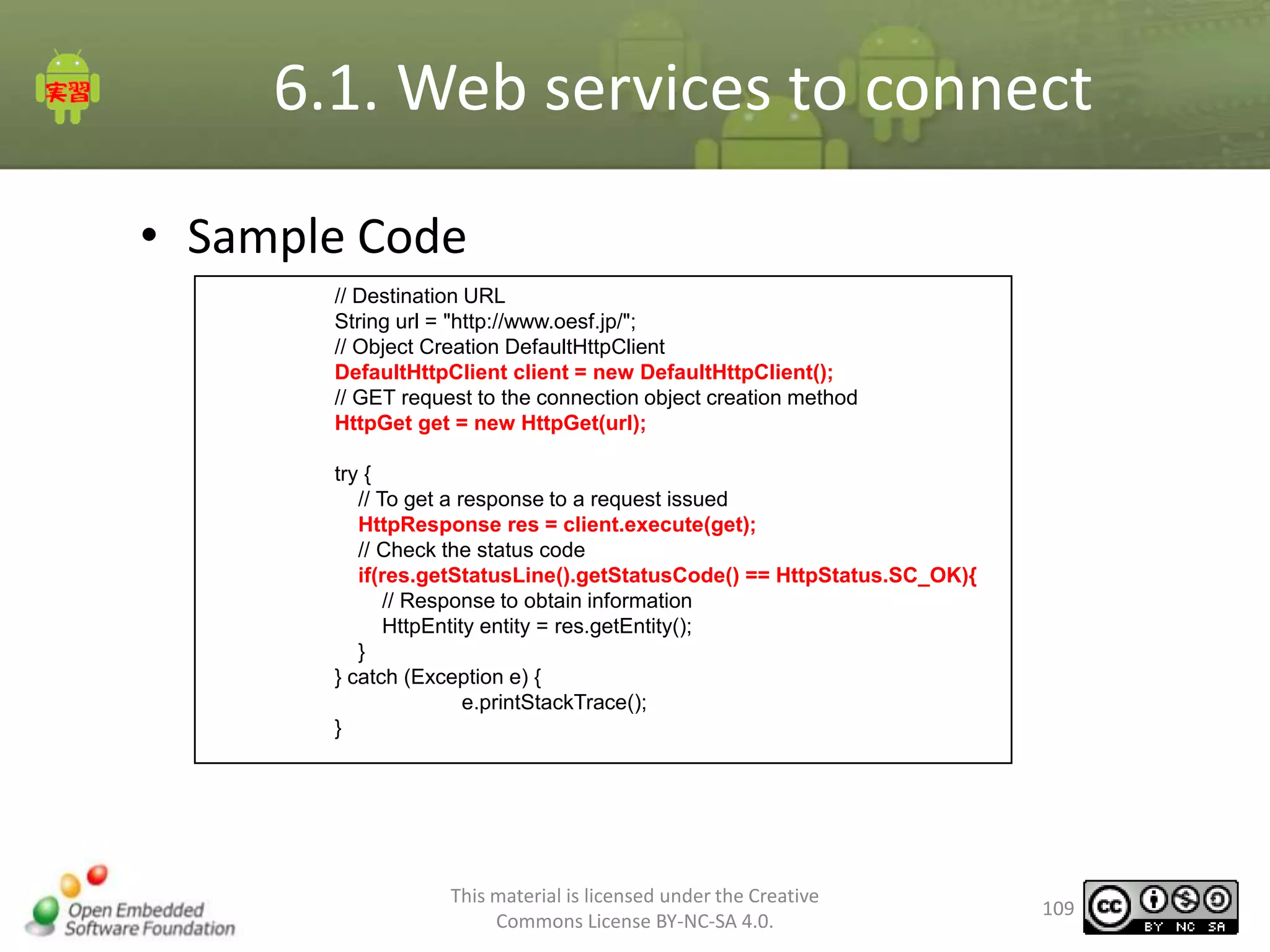
// Destination URL
String url = "http://www.oesf.jp/";
// Object Creation DefaultHttpClient
DefaultHttpClient client = new DefaultHttpClient();
// GET request to the connection object creation method
HttpGet get = new HttpGet(url);
try {
// To get a response to a request issued
HttpResponse res = client.execute(get);
// Check the status code
if(res.getStatusLine().getStatusCode() == HttpStatus.SC_OK){
// Response to obtain information
HttpEntity entity = res.getEntity();
}
} catch (Exception e) {
e.printStackTrace();
}

This material is licensed under the Creative
Commons License BY-NC-SA 4.0.

109
6.1. Web services to connect
• Creating a Sample Program
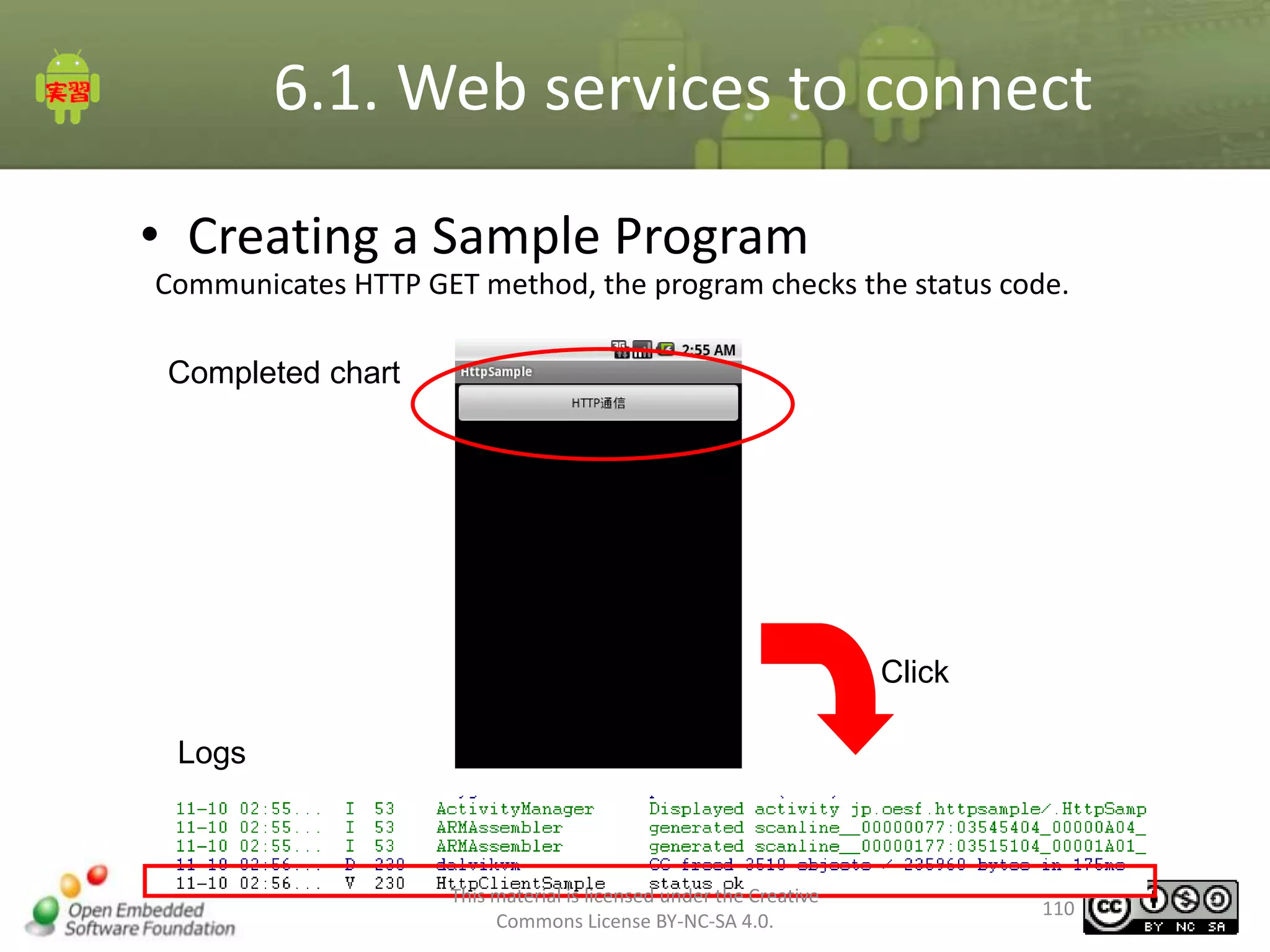
Communicates HTTP GET method, the program checks the status code.
Completed chart

Click
Logs

This material is licensed under the Creative
Commons License BY-NC-SA 4.0.

110
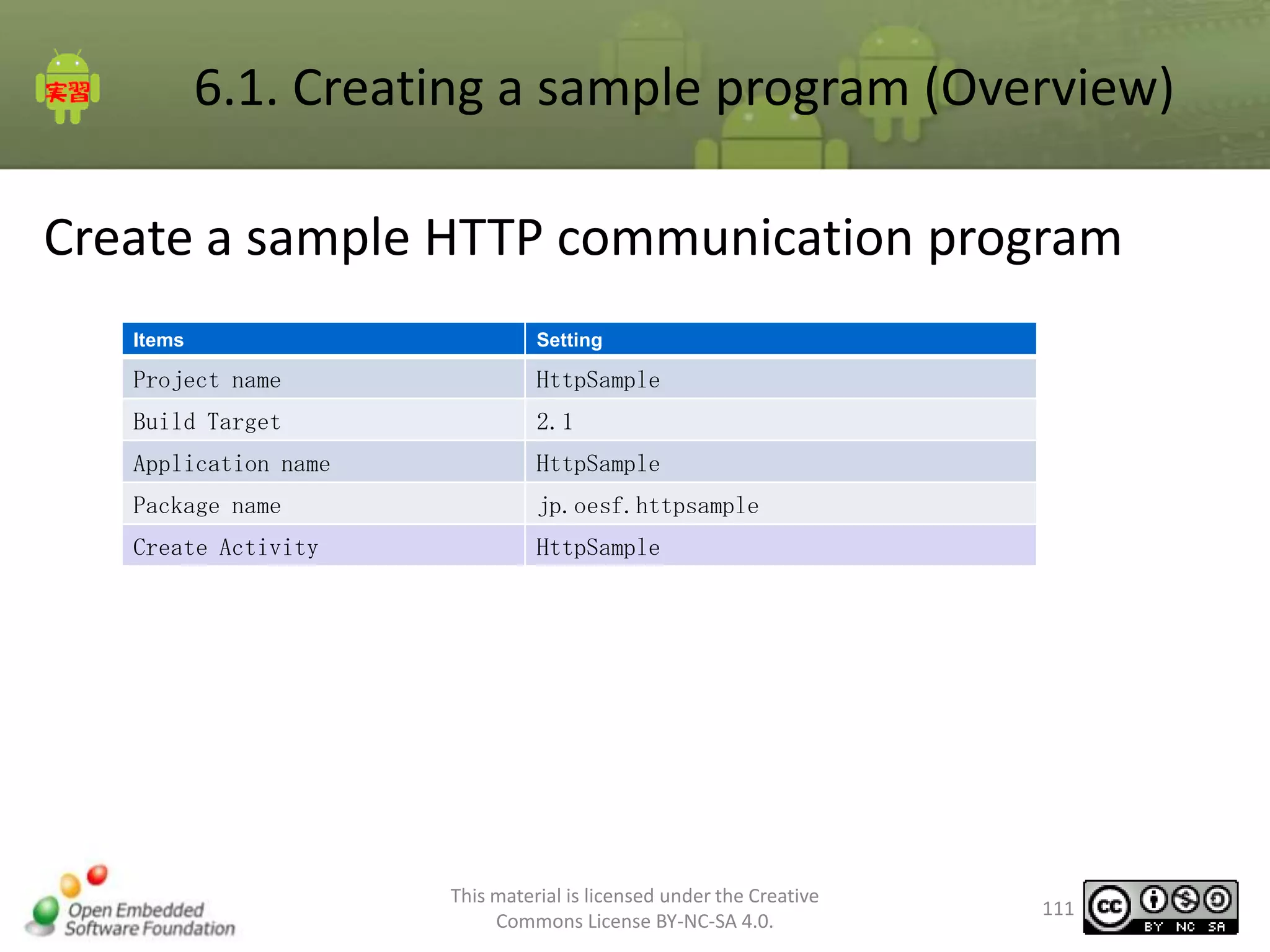
6.1. Creating a sample program (Overview)
Create a sample HTTP communication program
Items

Setting

Project name

HttpSample

Build Target

2.1

Application name

HttpSample

Package name

jp.oesf.httpsample

Create Activity

HttpSample

This material is licensed under the Creative
Commons License BY-NC-SA 4.0.

111
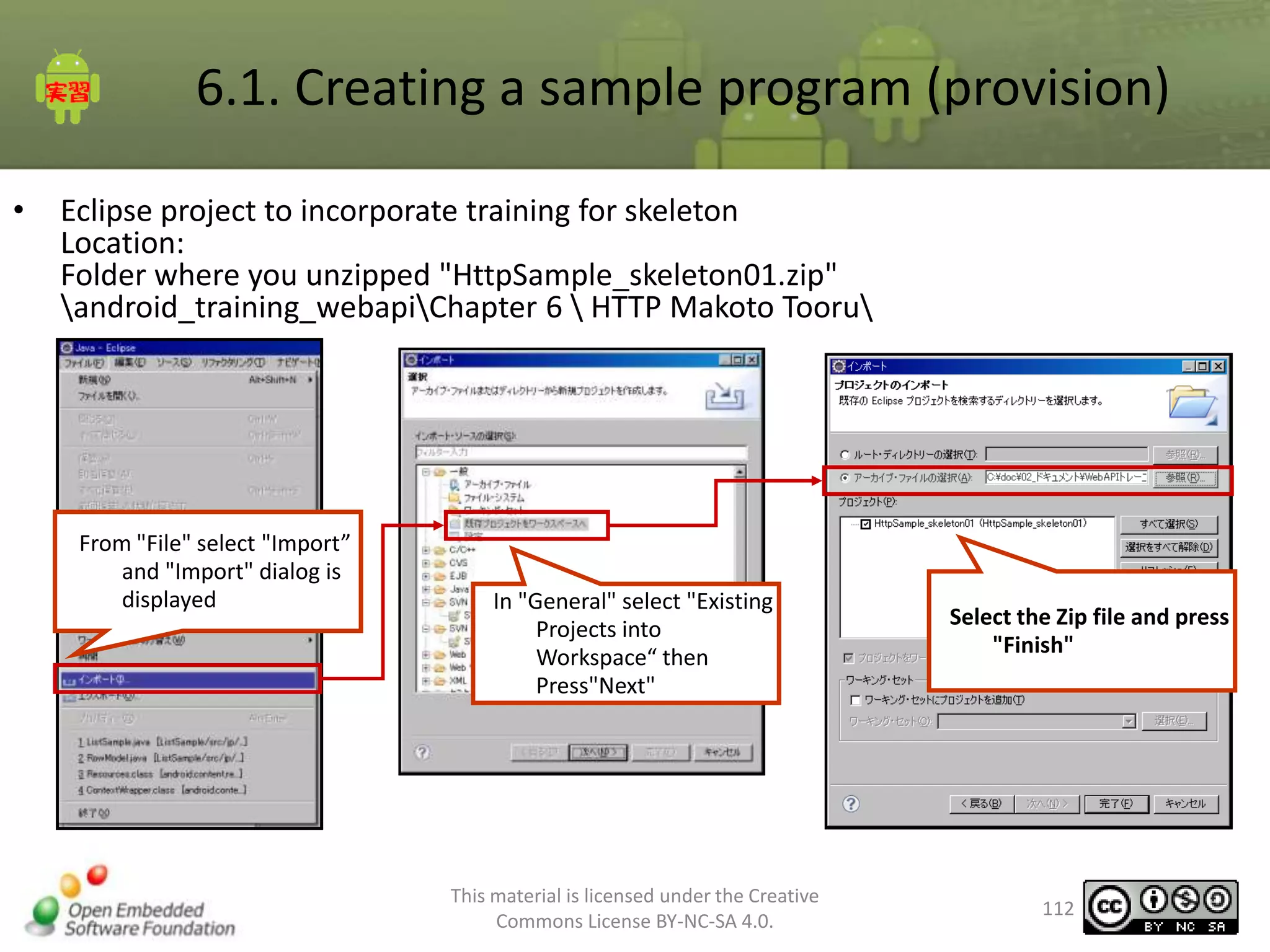
6.1. Creating a sample program (provision)
•

Eclipse project to incorporate training for skeleton
Location:
Folder where you unzipped "HttpSample_skeleton01.zip"
android_training_webapiChapter 6  HTTP Makoto Tooru

From "File" select "Import”
and "Import" dialog is
displayed

In "General" select "Existing
Projects into
Workspace“ then
Press"Next"

This material is licensed under the Creative
Commons License BY-NC-SA 4.0.

Select the Zip file and press
"Finish"

112
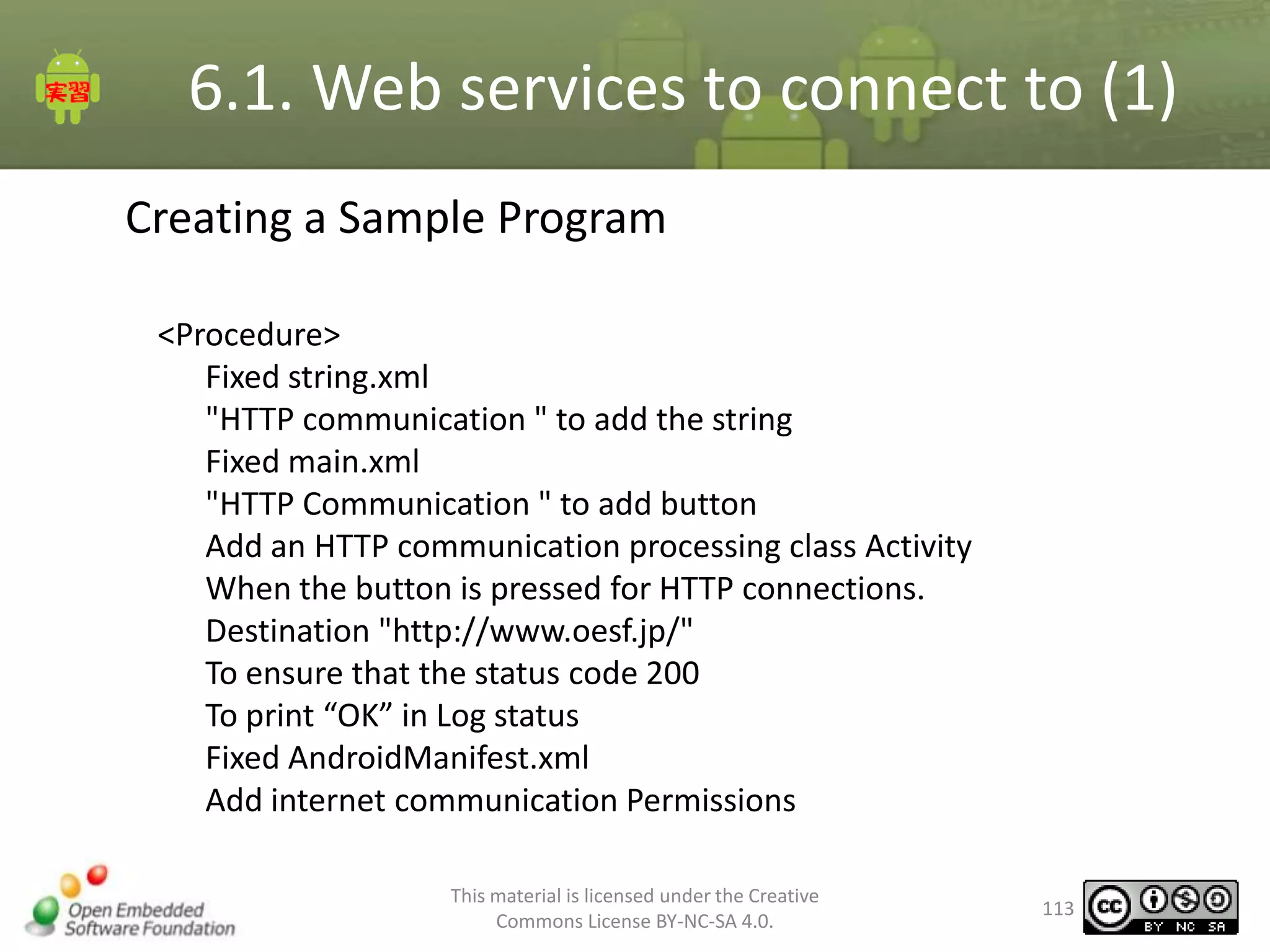
6.1. Web services to connect to (1)
Creating a Sample Program
<Procedure>
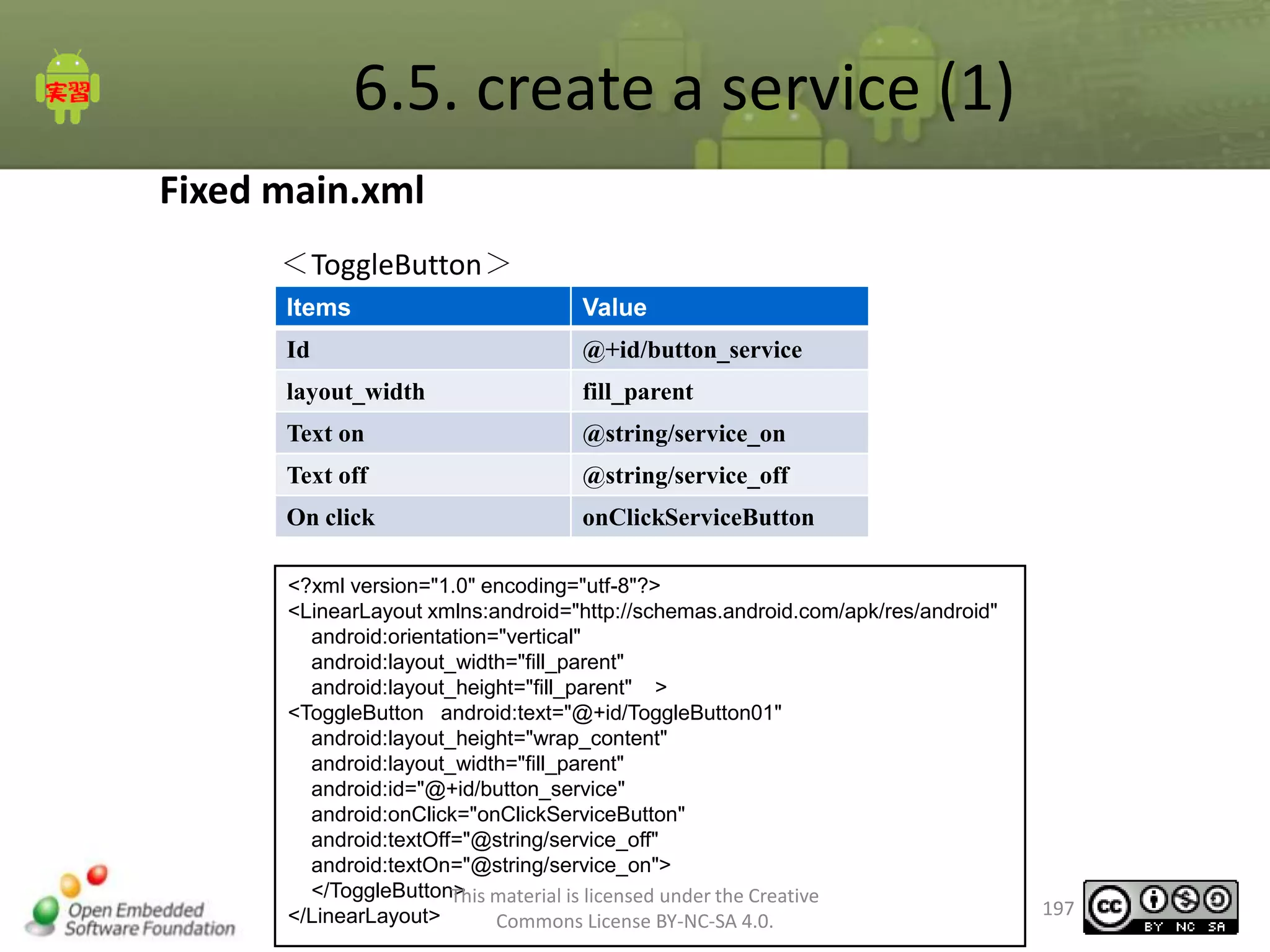
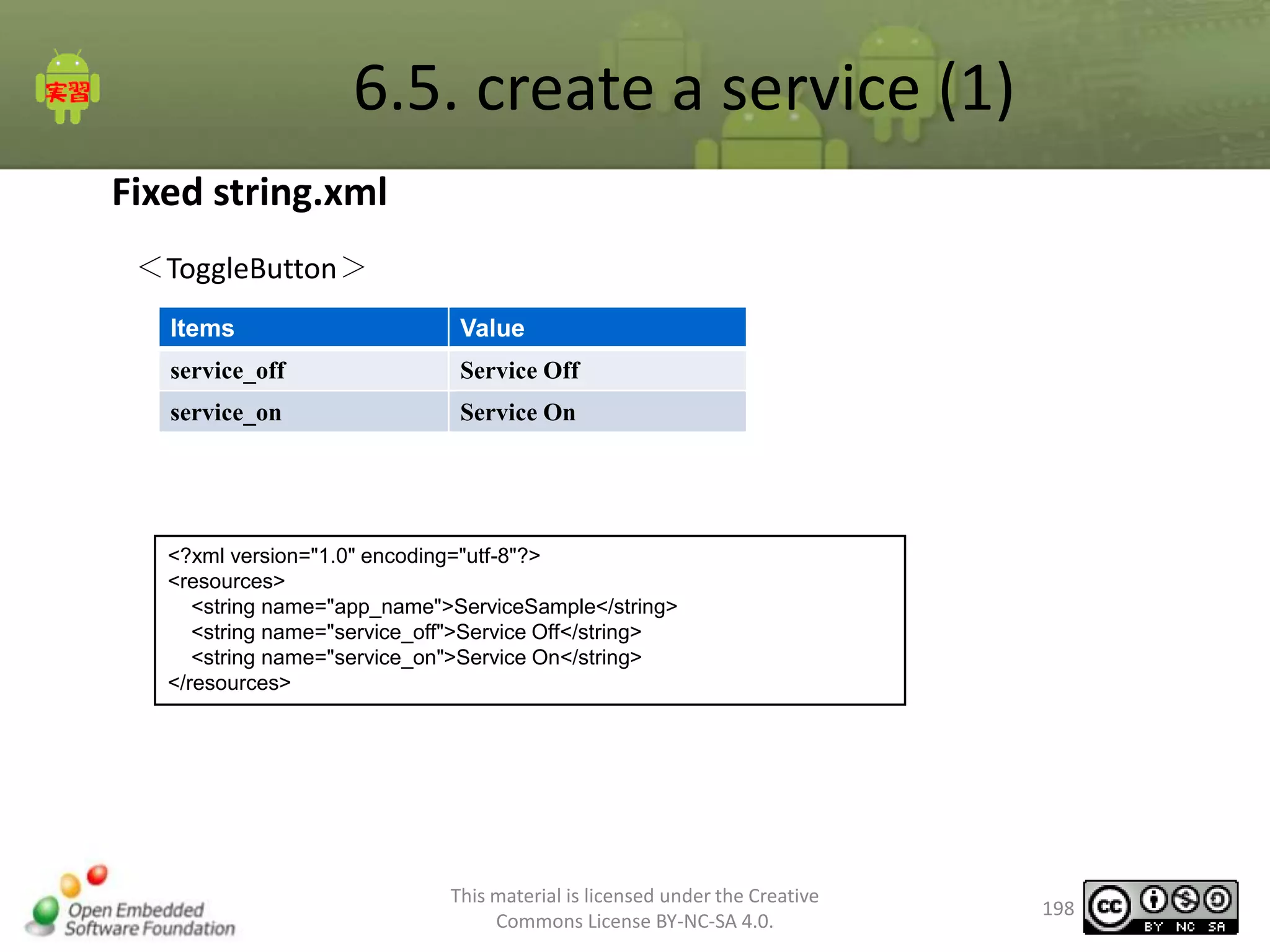
Fixed string.xml
"HTTP communication " to add the string
Fixed main.xml
"HTTP Communication " to add button
Add an HTTP communication processing class Activity
When the button is pressed for HTTP connections.
Destination "http://www.oesf.jp/"
To ensure that the status code 200
To print “OK” in Log status
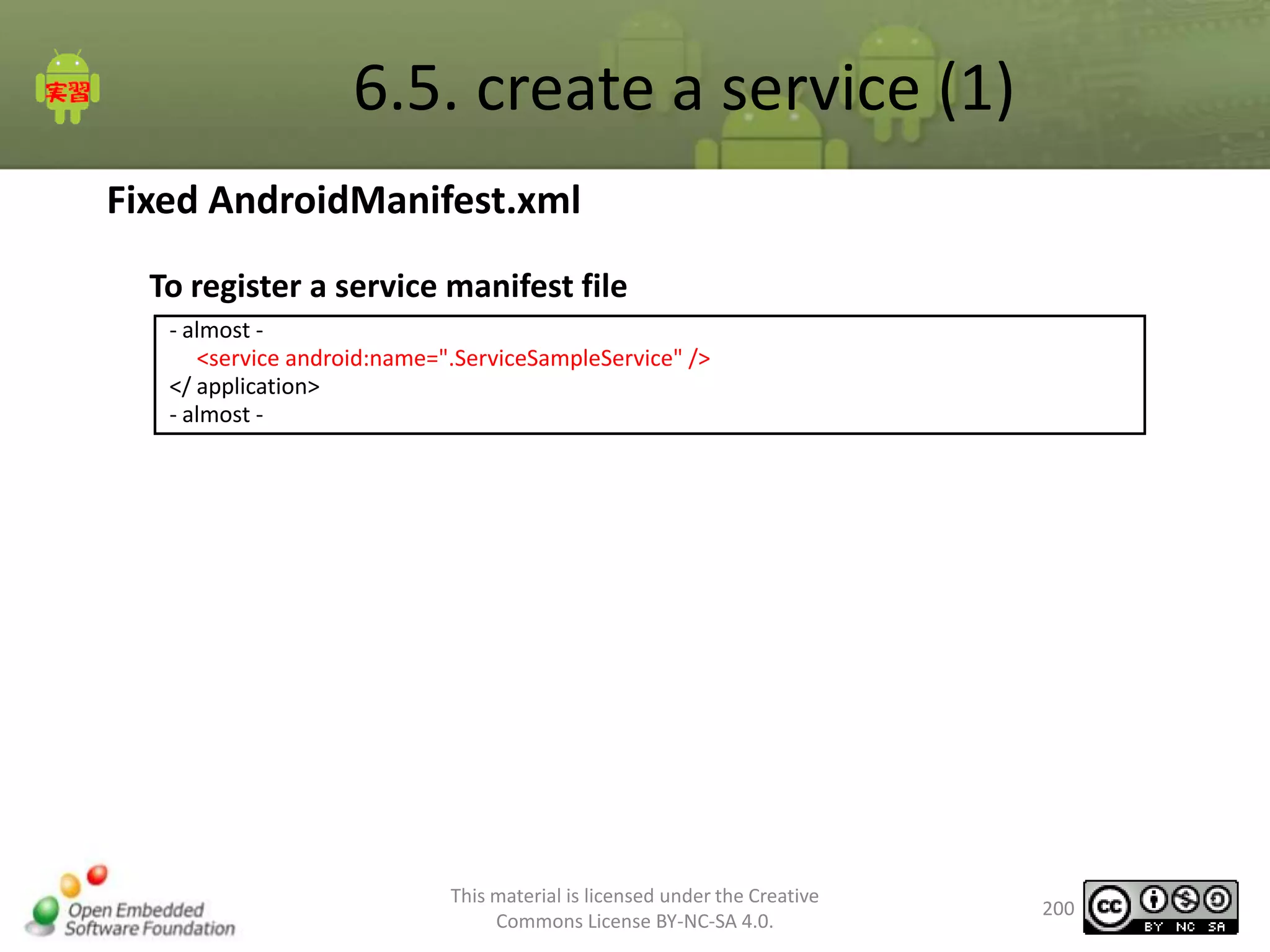
Fixed AndroidManifest.xml
Add internet communication Permissions
This material is licensed under the Creative
Commons License BY-NC-SA 4.0.

113
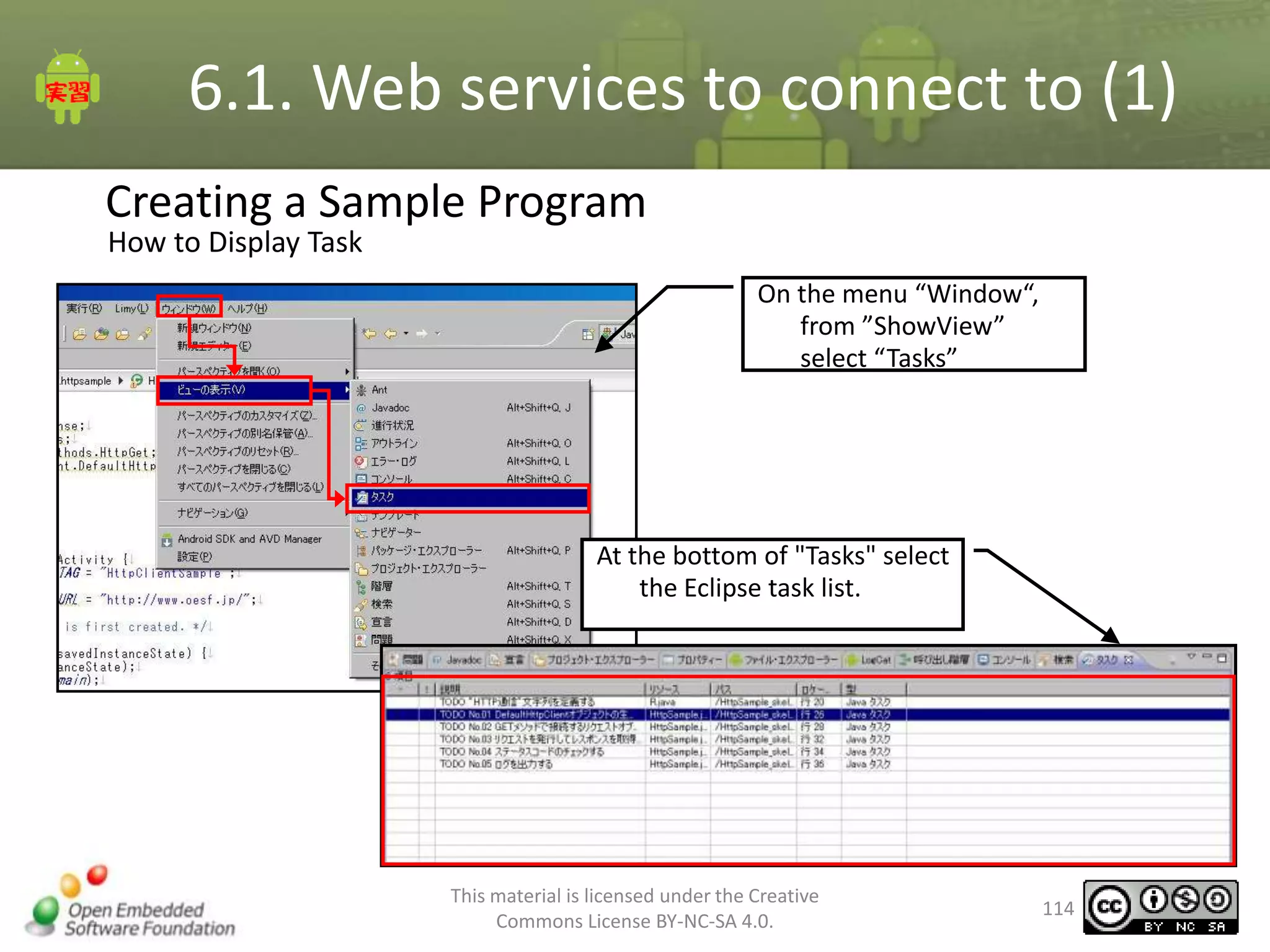
6.1. Web services to connect to (1)
Creating a Sample Program
How to Display Task

On the menu “Window“,
from ”ShowView”
select “Tasks”

At the bottom of "Tasks" select
the Eclipse task list.

This material is licensed under the Creative
Commons License BY-NC-SA 4.0.

114
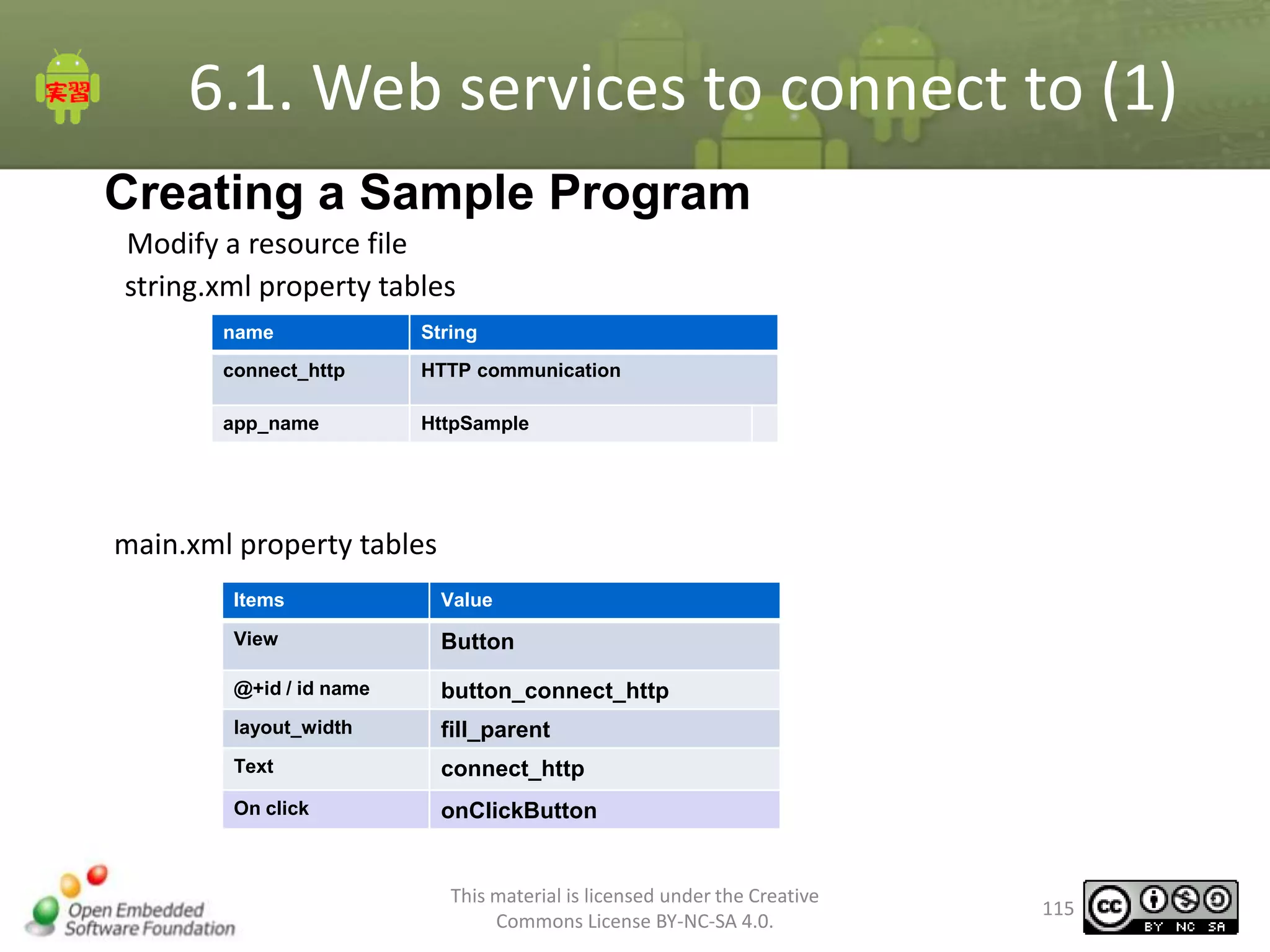
6.1. Web services to connect to (1)
Creating a Sample Program
Modify a resource file
string.xml property tables
name

String

connect_http

HTTP communication

app_name

HttpSample

main.xml property tables
Items

Value

View

Button

@+id / id name

button_connect_http

layout_width

fill_parent

Text

connect_http

On click

onClickButton

This material is licensed under the Creative
Commons License BY-NC-SA 4.0.

115
6.1. Web services to connect to (1)
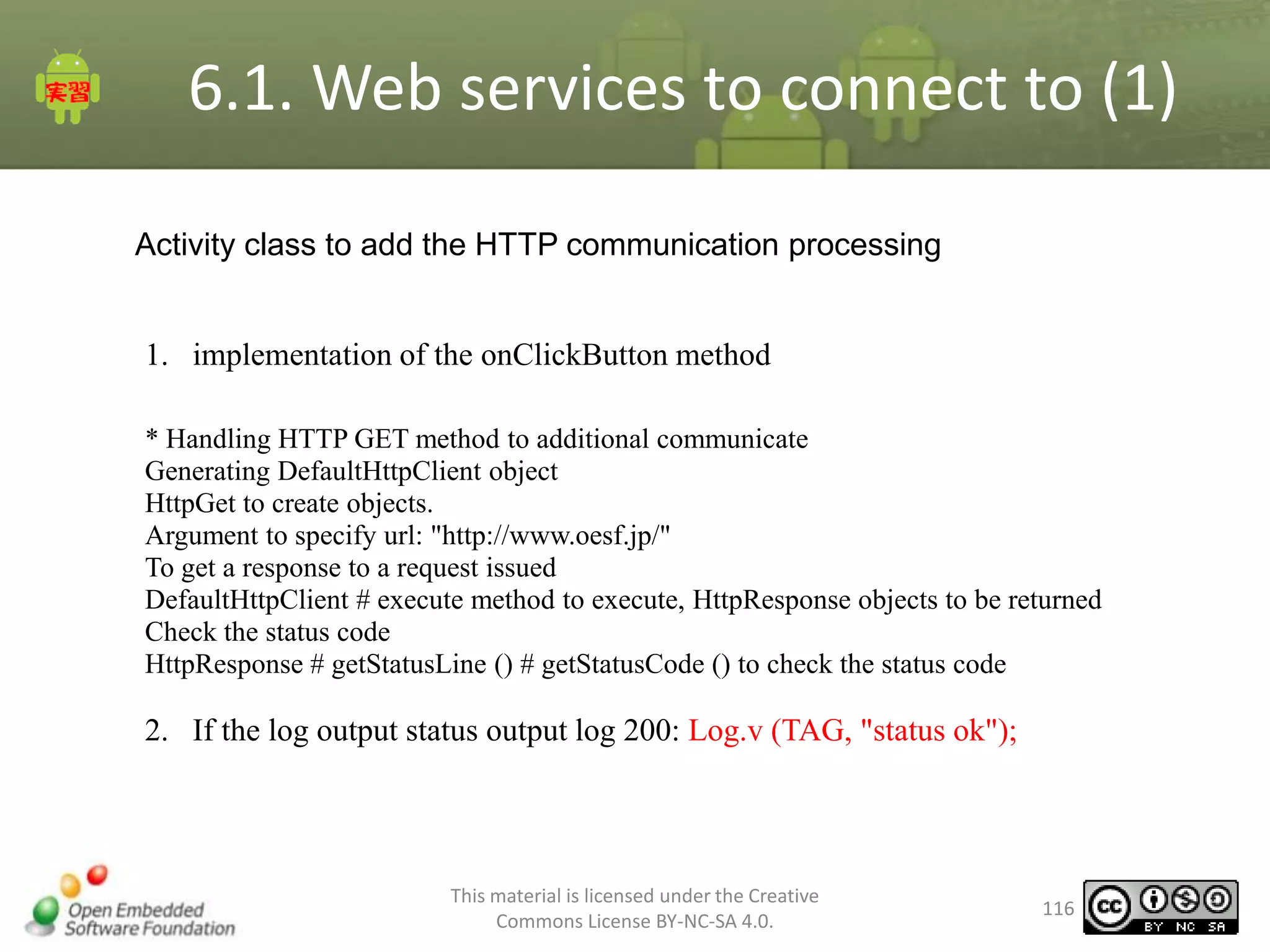
Activity class to add the HTTP communication processing

1. implementation of the onClickButton method
* Handling HTTP GET method to additional communicate
Generating DefaultHttpClient object
HttpGet to create objects.
Argument to specify url: "http://www.oesf.jp/"
To get a response to a request issued
DefaultHttpClient # execute method to execute, HttpResponse objects to be returned
Check the status code
HttpResponse # getStatusLine () # getStatusCode () to check the status code

2. If the log output status output log 200: Log.v (TAG, "status ok");

This material is licensed under the Creative
Commons License BY-NC-SA 4.0.

116
6.1. Web services to connect to (1)
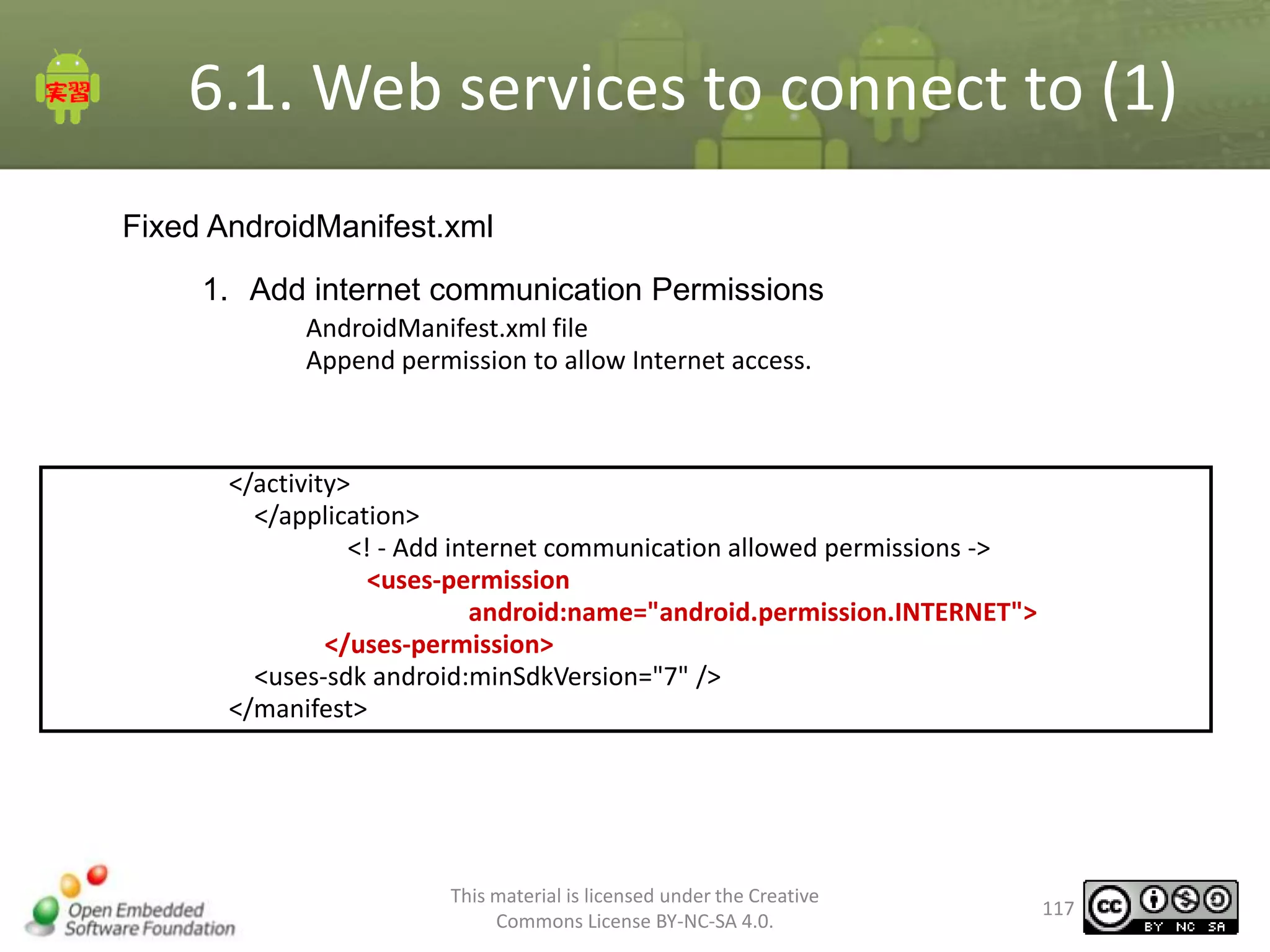
Fixed AndroidManifest.xml
1. Add internet communication Permissions
AndroidManifest.xml file
Append permission to allow Internet access.

</activity>
</application>
<! - Add internet communication allowed permissions ->
<uses-permission
android:name="android.permission.INTERNET">
</uses-permission>
<uses-sdk android:minSdkVersion="7" />
</manifest>

This material is licensed under the Creative
Commons License BY-NC-SA 4.0.

117
6.1. Web services to connect to (1)
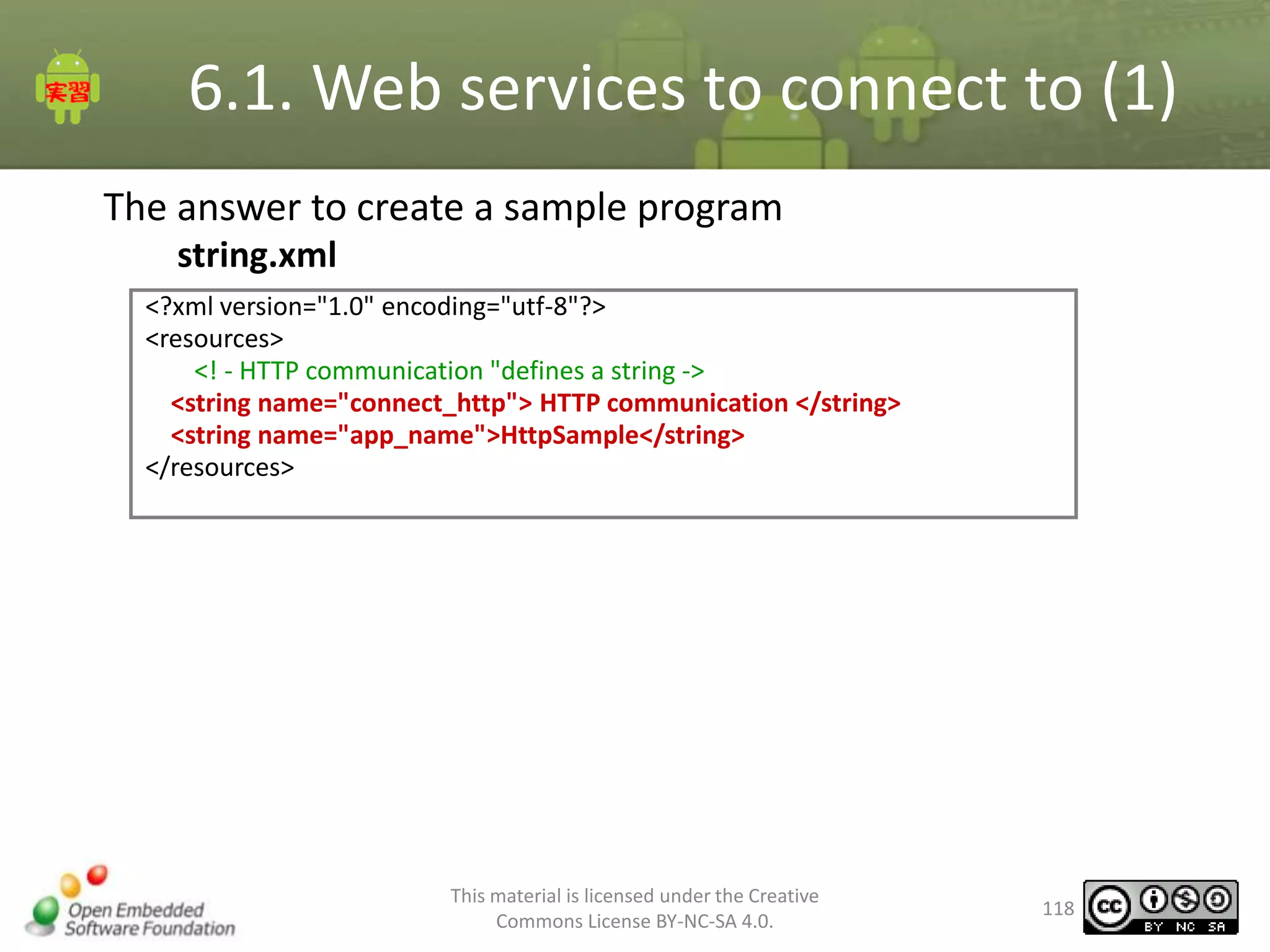
The answer to create a sample program
string.xml
<?xml version="1.0" encoding="utf-8"?>
<resources>
<! - HTTP communication "defines a string ->
<string name="connect_http"> HTTP communication </string>
<string name="app_name">HttpSample</string>
</resources>

This material is licensed under the Creative
Commons License BY-NC-SA 4.0.

118
6.1. Web services to connect to (1)
The answer to create a sample program
main.xml

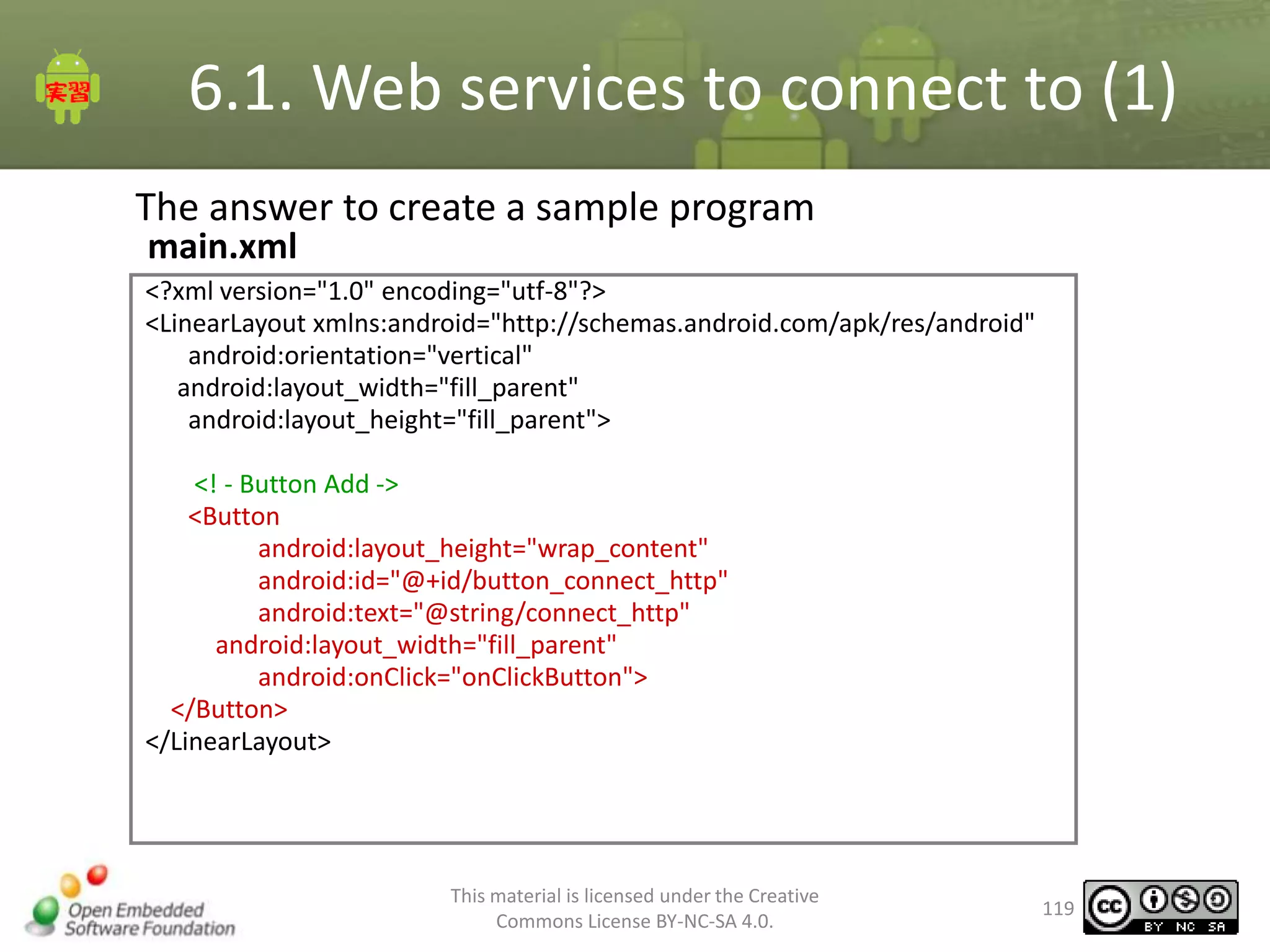
<?xml version="1.0" encoding="utf-8"?>
<LinearLayout xmlns:android="http://schemas.android.com/apk/res/android"
android:orientation="vertical"
android:layout_width="fill_parent"
android:layout_height="fill_parent">
<! - Button Add ->
<Button
android:layout_height="wrap_content"
android:id="@+id/button_connect_http"
android:text="@string/connect_http"
android:layout_width="fill_parent"
android:onClick="onClickButton">
</Button>
</LinearLayout>

This material is licensed under the Creative
Commons License BY-NC-SA 4.0.

119
6.1. Web services to connect to (1)
The answer to create a sample program
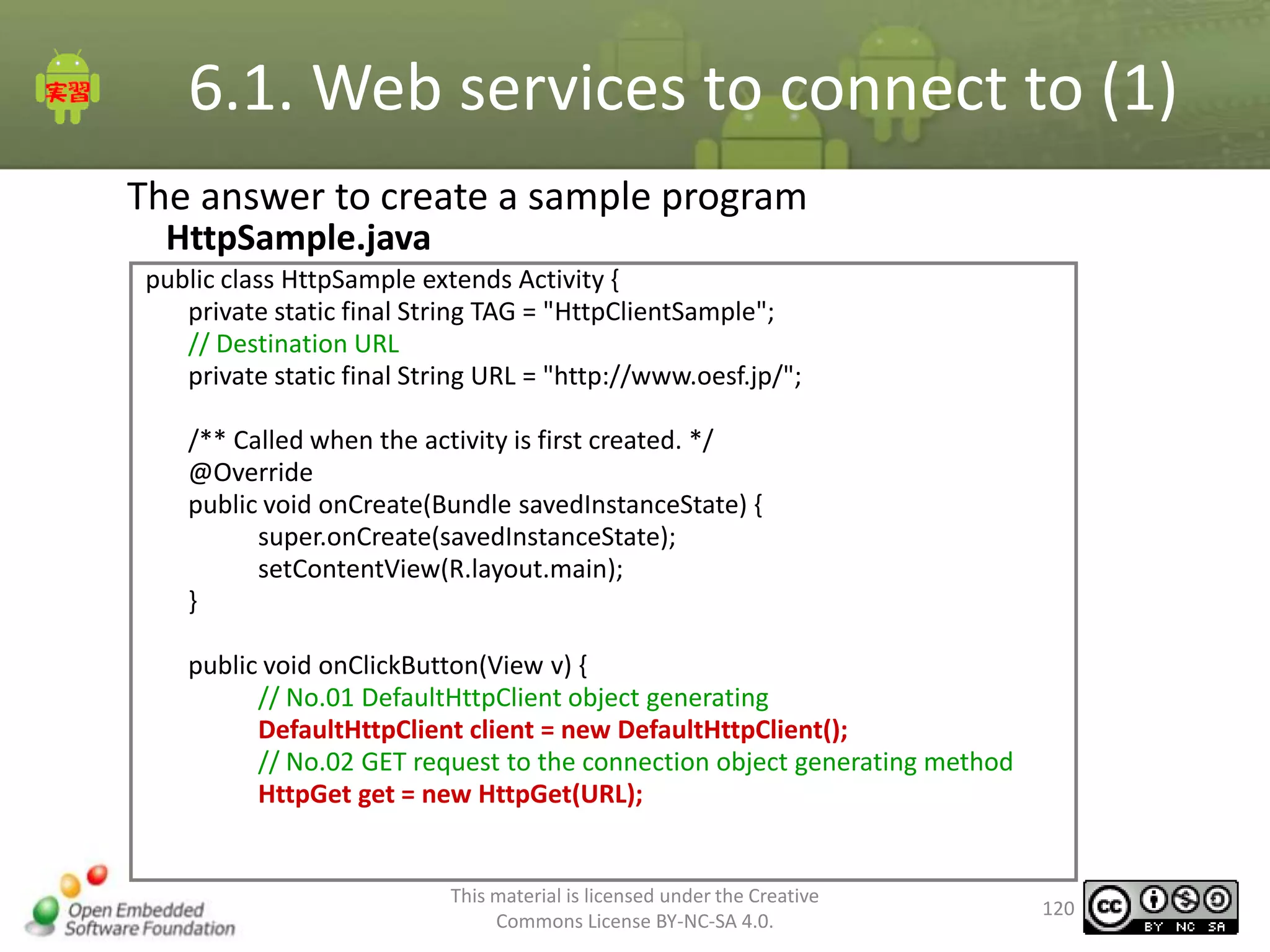
HttpSample.java
public class HttpSample extends Activity {
private static final String TAG = "HttpClientSample";
// Destination URL
private static final String URL = "http://www.oesf.jp/";
/** Called when the activity is first created. */
@Override
public void onCreate(Bundle savedInstanceState) {
super.onCreate(savedInstanceState);
setContentView(R.layout.main);
}
public void onClickButton(View v) {
// No.01 DefaultHttpClient object generating
DefaultHttpClient client = new DefaultHttpClient();
// No.02 GET request to the connection object generating method
HttpGet get = new HttpGet(URL);

This material is licensed under the Creative
Commons License BY-NC-SA 4.0.

120
6.1. Web services to connect to (1)
The answer to create a sample program
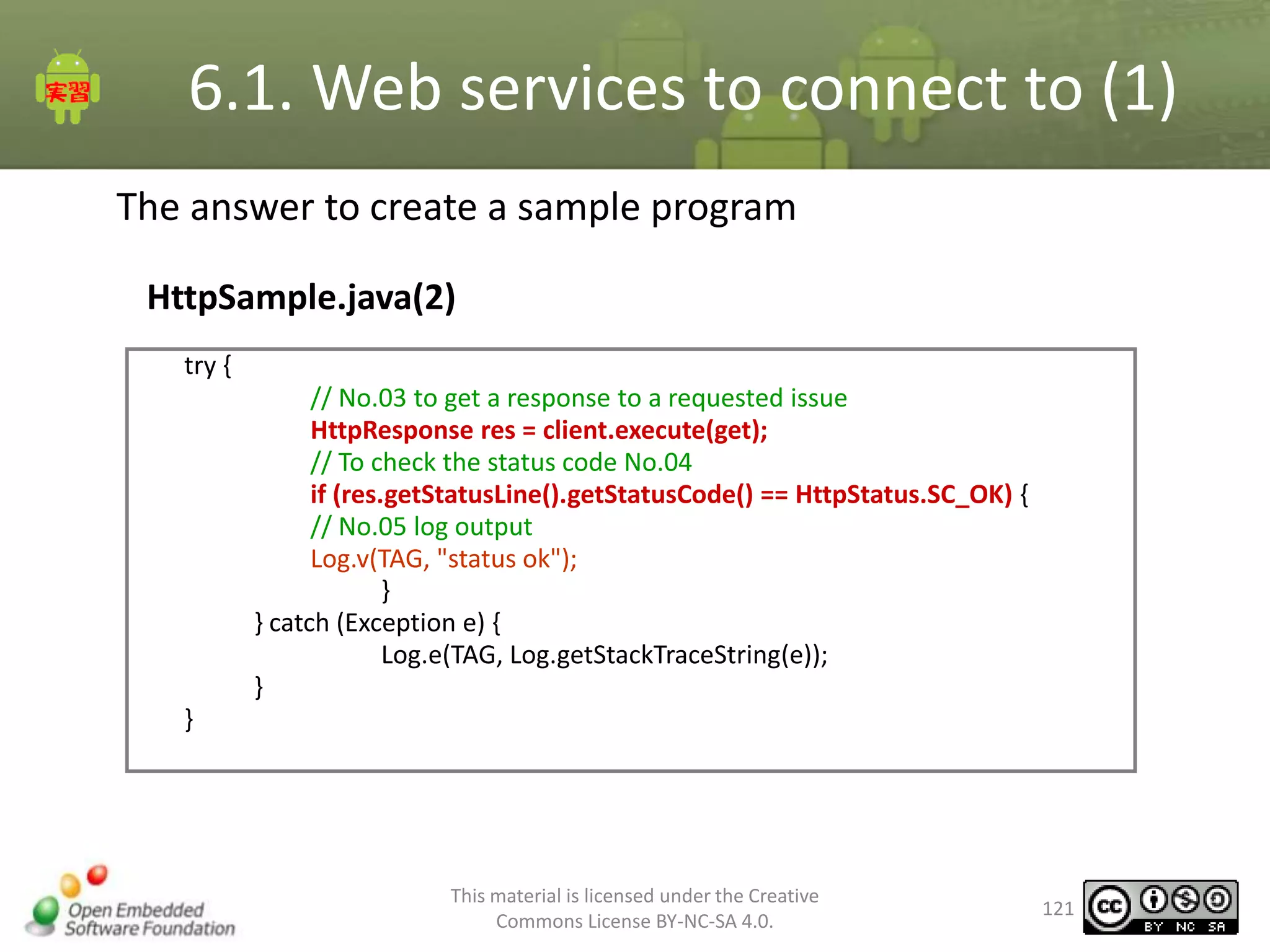
HttpSample.java(2)
try {
// No.03 to get a response to a requested issue
HttpResponse res = client.execute(get);
// To check the status code No.04
if (res.getStatusLine().getStatusCode() == HttpStatus.SC_OK) {
// No.05 log output
Log.v(TAG, "status ok");
}
} catch (Exception e) {
Log.e(TAG, Log.getStackTraceString(e));
}
}

This material is licensed under the Creative
Commons License BY-NC-SA 4.0.

121
6.1. Web services to connect to (1)
The answer to create a sample program
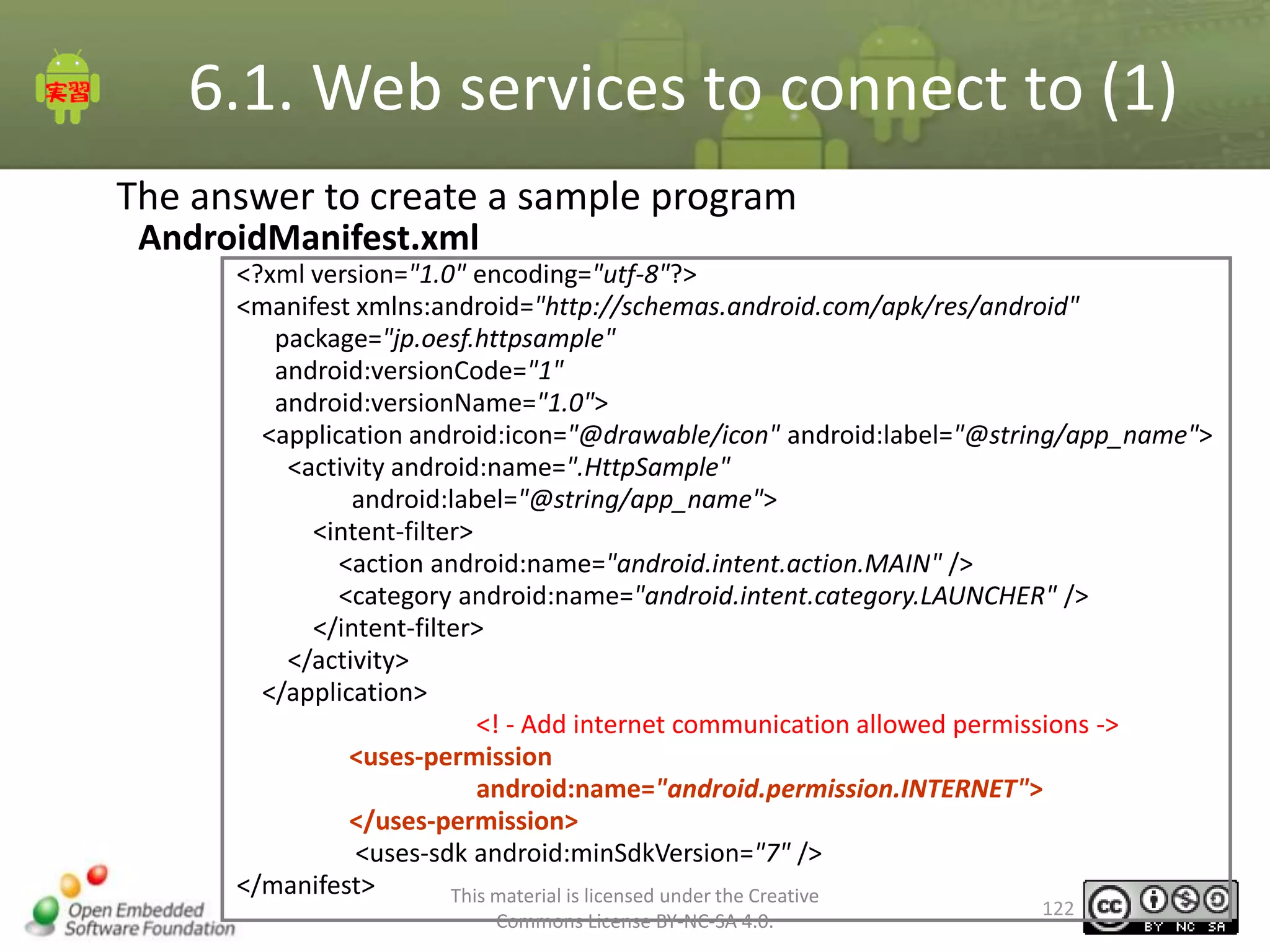
AndroidManifest.xml
<?xml version="1.0" encoding="utf-8"?>
<manifest xmlns:android="http://schemas.android.com/apk/res/android"
package="jp.oesf.httpsample"
android:versionCode="1"
android:versionName="1.0">
<application android:icon="@drawable/icon" android:label="@string/app_name">
<activity android:name=".HttpSample"
android:label="@string/app_name">
<intent-filter>
<action android:name="android.intent.action.MAIN" />
<category android:name="android.intent.category.LAUNCHER" />
</intent-filter>
</activity>
</application>
<! - Add internet communication allowed permissions ->
<uses-permission
android:name="android.permission.INTERNET">
</uses-permission>
<uses-sdk android:minSdkVersion="7" />
</manifest>
This material is licensed under the Creative
Commons License BY-NC-SA 4.0.

122
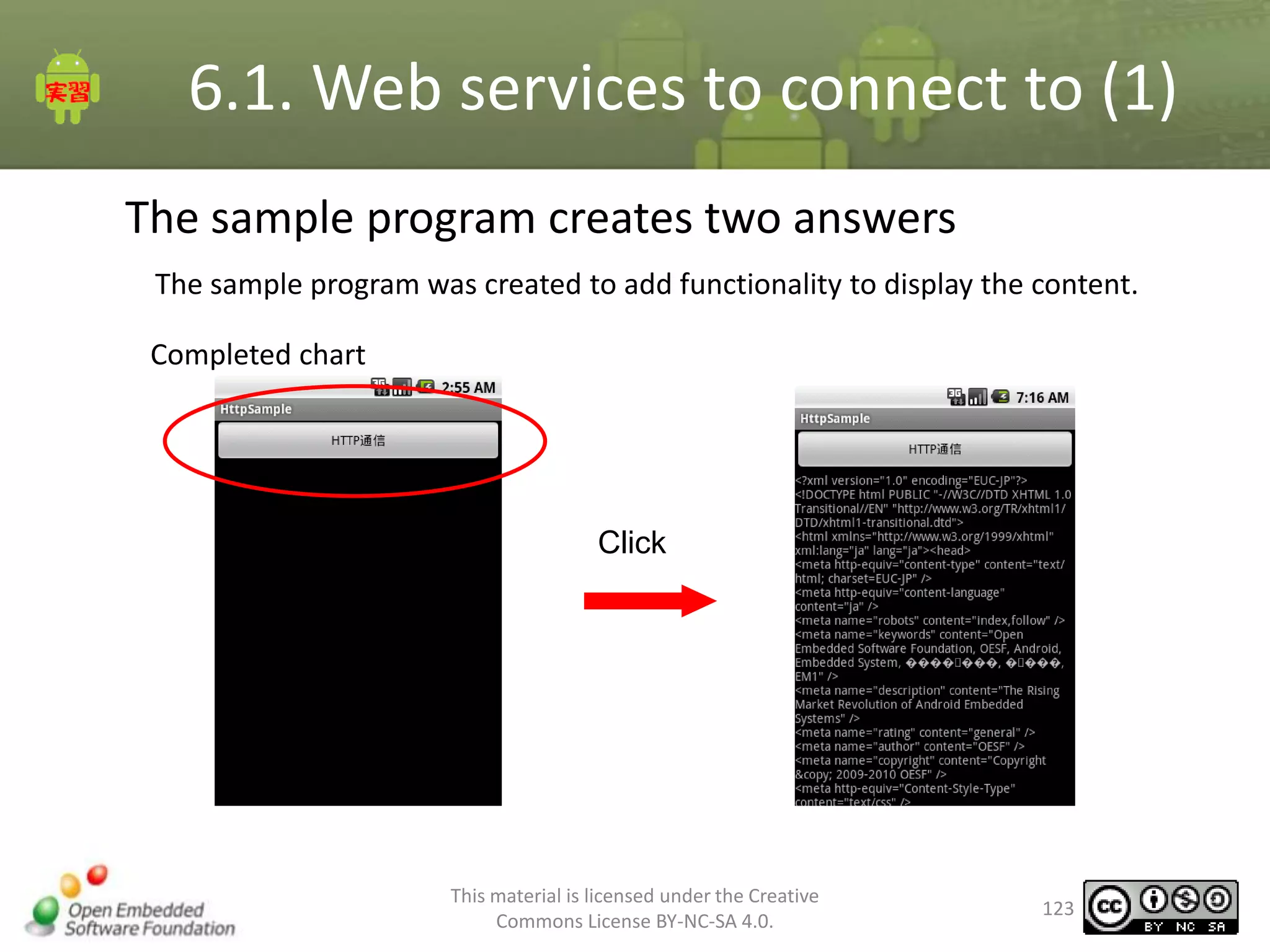
6.1. Web services to connect to (1)
The sample program creates two answers
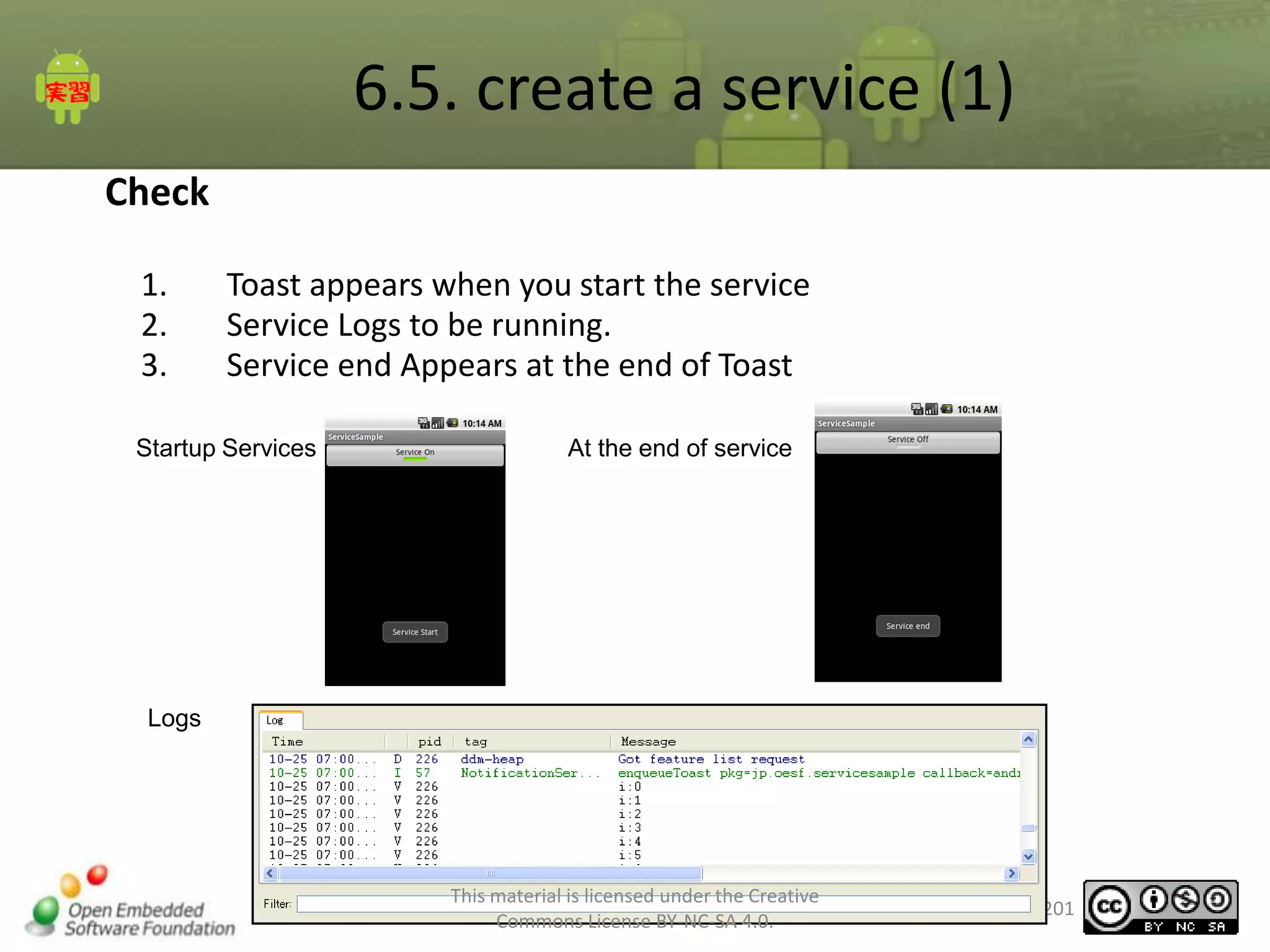
The sample program was created to add functionality to display the content.
Completed chart

Click

This material is licensed under the Creative
Commons License BY-NC-SA 4.0.

123
6.1. Web services to connect to (1)
Get response data
1.

Gets the HttpResponse HttpEntity.
Get the content from the InputStream HttpEntity use.
HttpEntity # getContent method can get the InputStream.
OutputStream using the read data from InputStream.
To convert imported data to a string.
Stream Close
InputStream in = null;
ByteArrayOutputStream out = null;
try {
// InputStream retrieve content by using the
in = res.getEntity().getContent();
out = new ByteArrayOutputStream();
// HTTP response data is read
byte[] line = new byte[1024];
int size = 0;
while (true) {
size = in.read(line);
if (size <= 0) {
break;
}
out.write(line, 0, size);
}
// To convert the data into a string
String http = new
String(out.toByteArray());
} catch licensed under
This material is (Exception e) { the Creative
Commons License BY-NC-SA 4.0.

124
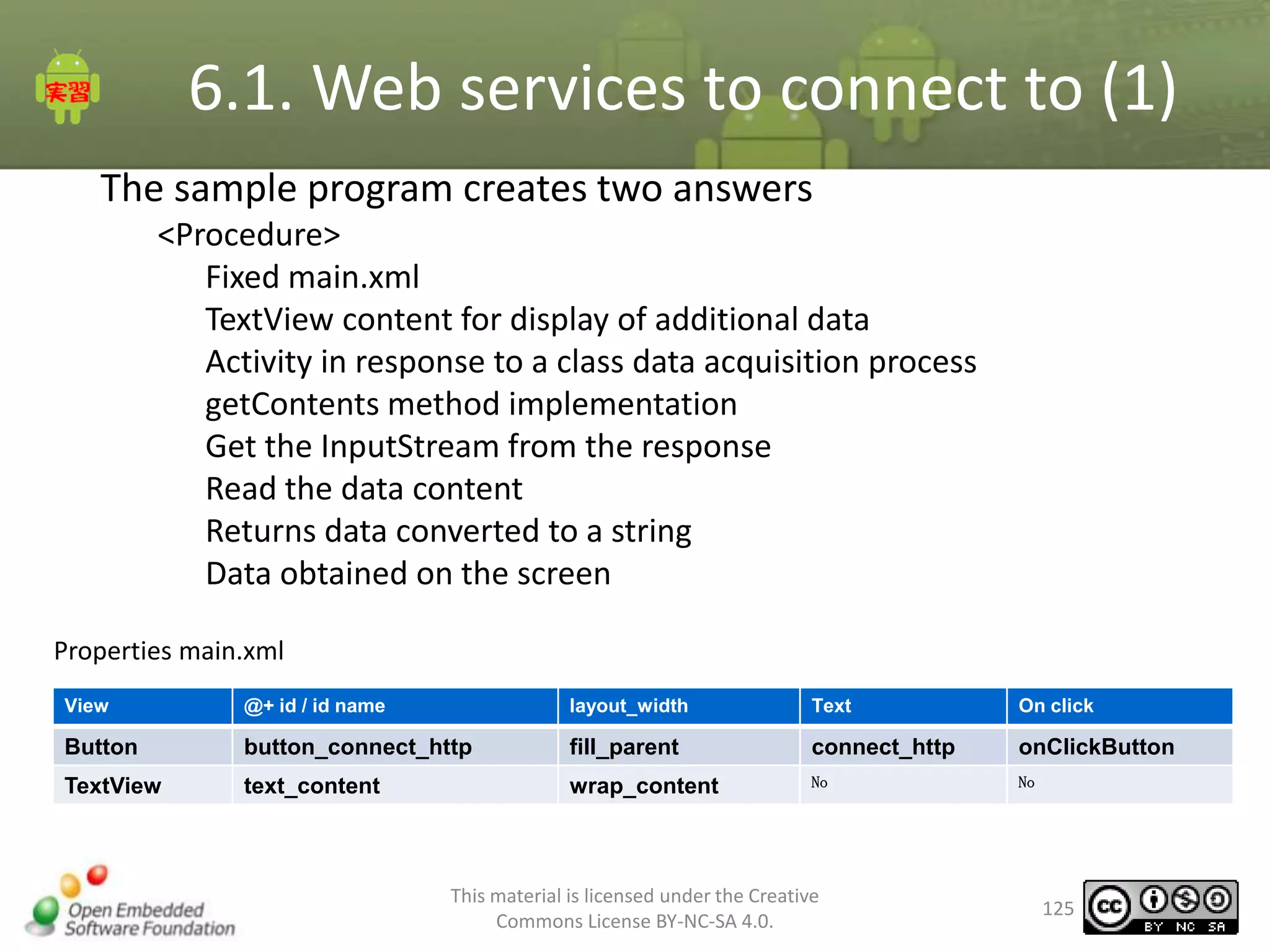
6.1. Web services to connect to (1)
The sample program creates two answers
<Procedure>
Fixed main.xml
TextView content for display of additional data
Activity in response to a class data acquisition process
getContents method implementation
Get the InputStream from the response
Read the data content
Returns data converted to a string
Data obtained on the screen
Properties main.xml
View

@+ id / id name

layout_width

Text

On click

Button

button_connect_http

fill_parent

connect_http

onClickButton

TextView

text_content

wrap_content

No

No

This material is licensed under the Creative
Commons License BY-NC-SA 4.0.

125
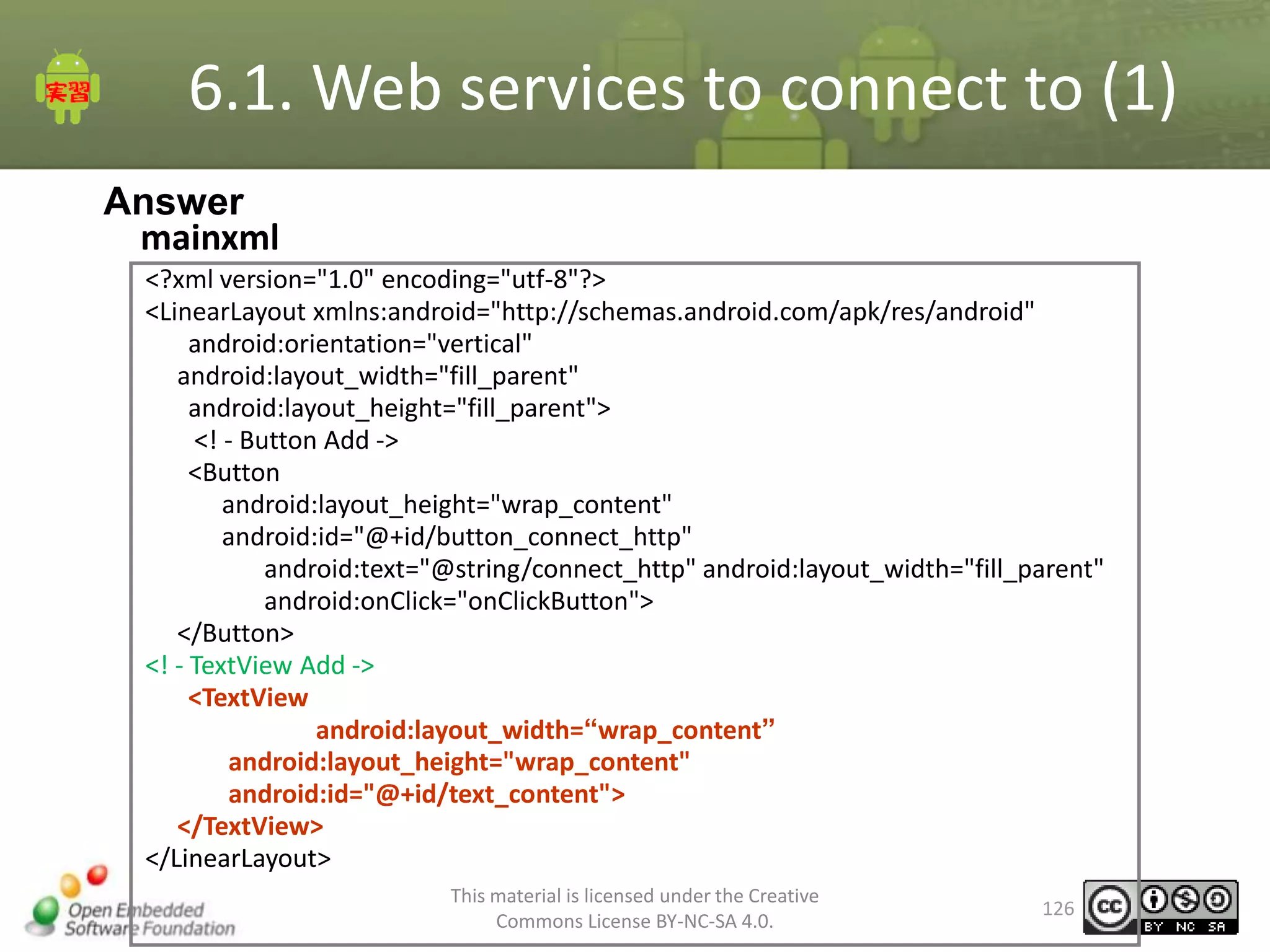
6.1. Web services to connect to (1)
Answer
mainxml
<?xml version="1.0" encoding="utf-8"?>
<LinearLayout xmlns:android="http://schemas.android.com/apk/res/android"
android:orientation="vertical"
android:layout_width="fill_parent"
android:layout_height="fill_parent">
<! - Button Add ->
<Button
android:layout_height="wrap_content"
android:id="@+id/button_connect_http"
android:text="@string/connect_http" android:layout_width="fill_parent"
android:onClick="onClickButton">
</Button>
<! - TextView Add ->
<TextView
android:layout_width=“wrap_content”
android:layout_height="wrap_content"
android:id="@+id/text_content">
</TextView>
</LinearLayout>
This material is licensed under the Creative
Commons License BY-NC-SA 4.0.

126
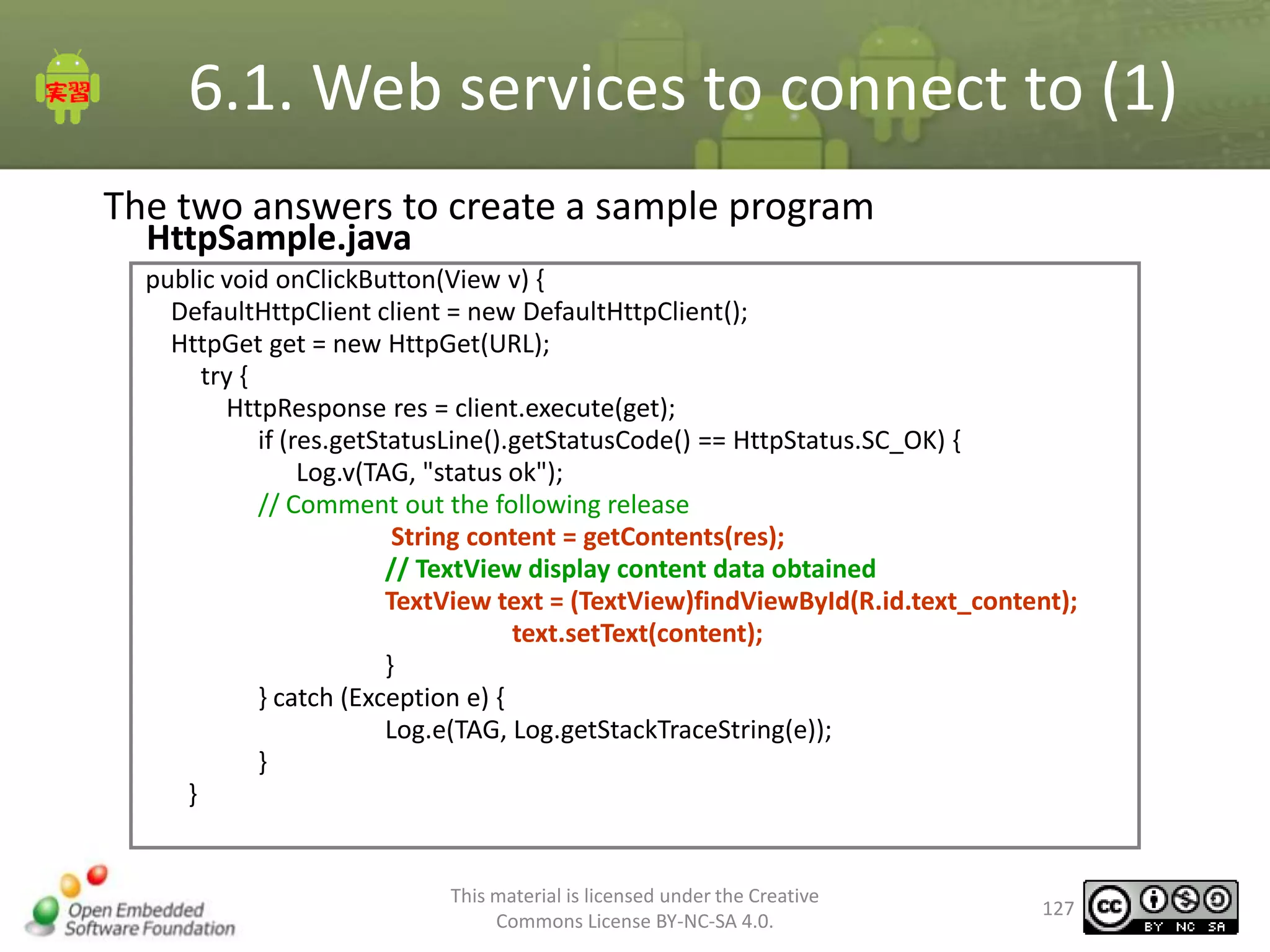
6.1. Web services to connect to (1)
The two answers to create a sample program
HttpSample.java

public void onClickButton(View v) {
DefaultHttpClient client = new DefaultHttpClient();
HttpGet get = new HttpGet(URL);
try {
HttpResponse res = client.execute(get);
if (res.getStatusLine().getStatusCode() == HttpStatus.SC_OK) {
Log.v(TAG, "status ok");
// Comment out the following release
String content = getContents(res);
// TextView display content data obtained
TextView text = (TextView)findViewById(R.id.text_content);
text.setText(content);
}
} catch (Exception e) {
Log.e(TAG, Log.getStackTraceString(e));
}
}

This material is licensed under the Creative
Commons License BY-NC-SA 4.0.

127
6.1. Web services to connect to (1)
The two answers to create a sample program
HttpSample.java(2)

private String getContents(HttpResponse res) {
InputStream in = null;
ByteArrayOutputStream out = null;
byte[] line = new byte[1024];
String data = null;
int size = 0;

try {
// Get the InputStream from the response
in = res.getEntity().getContent();
out = new ByteArrayOutputStream();
// HTTP response data is read
while (true) {
size = in.read(line);
if (size <= 0) {
break;
}
out.write(line, 0, size);
}
// Convert byte array to a string
data = new String(out.toByteArray());

This material is licensed under the Creative
Commons License BY-NC-SA 4.0.

128
6.1. Web services to connect to (1)
The two answers to create a sample program
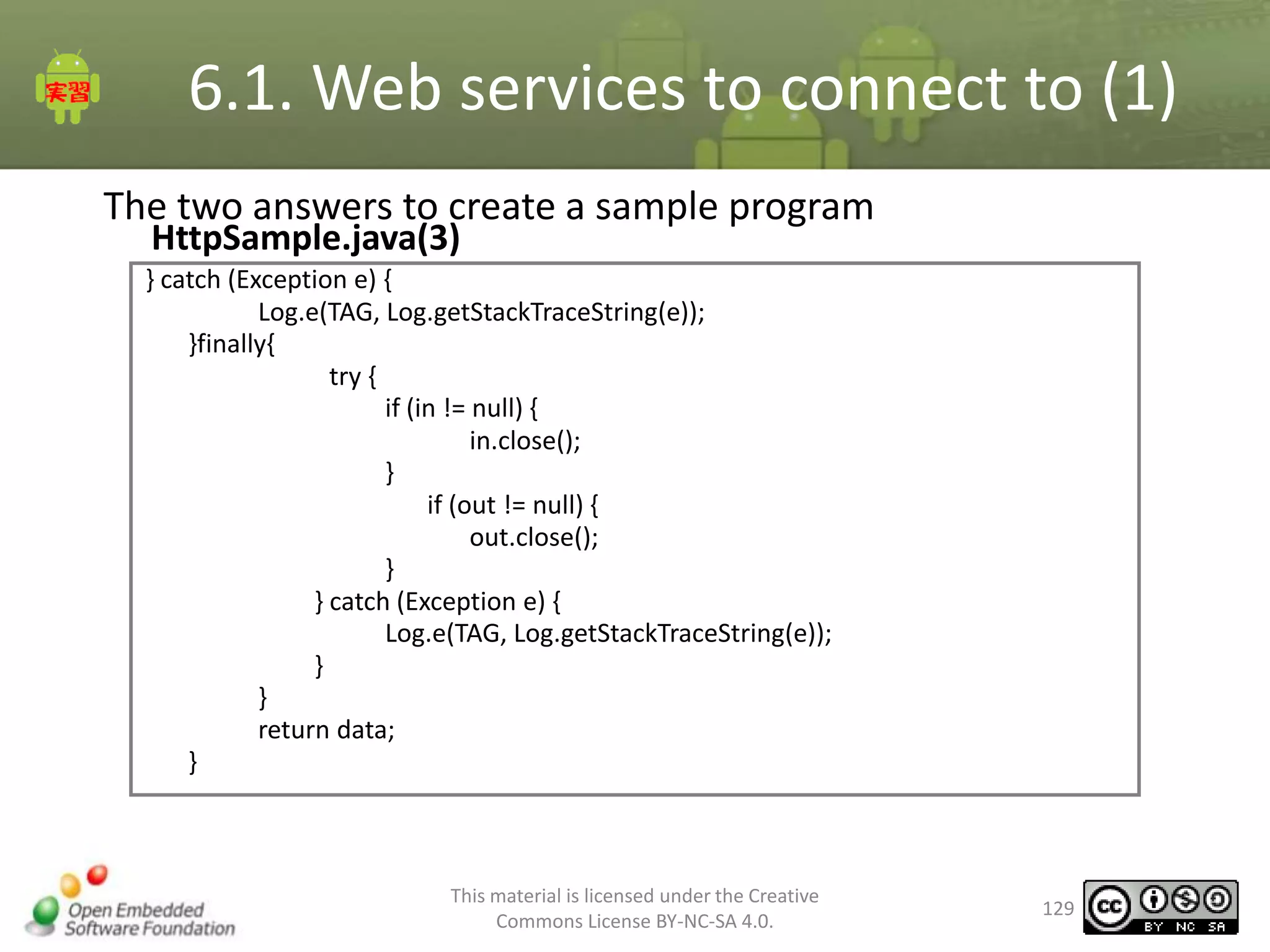
HttpSample.java(3)

} catch (Exception e) {
Log.e(TAG, Log.getStackTraceString(e));
}finally{
try {
if (in != null) {
in.close();
}
if (out != null) {
out.close();
}
} catch (Exception e) {
Log.e(TAG, Log.getStackTraceString(e));
}
}
return data;
}

This material is licensed under the Creative
Commons License BY-NC-SA 4.0.

129
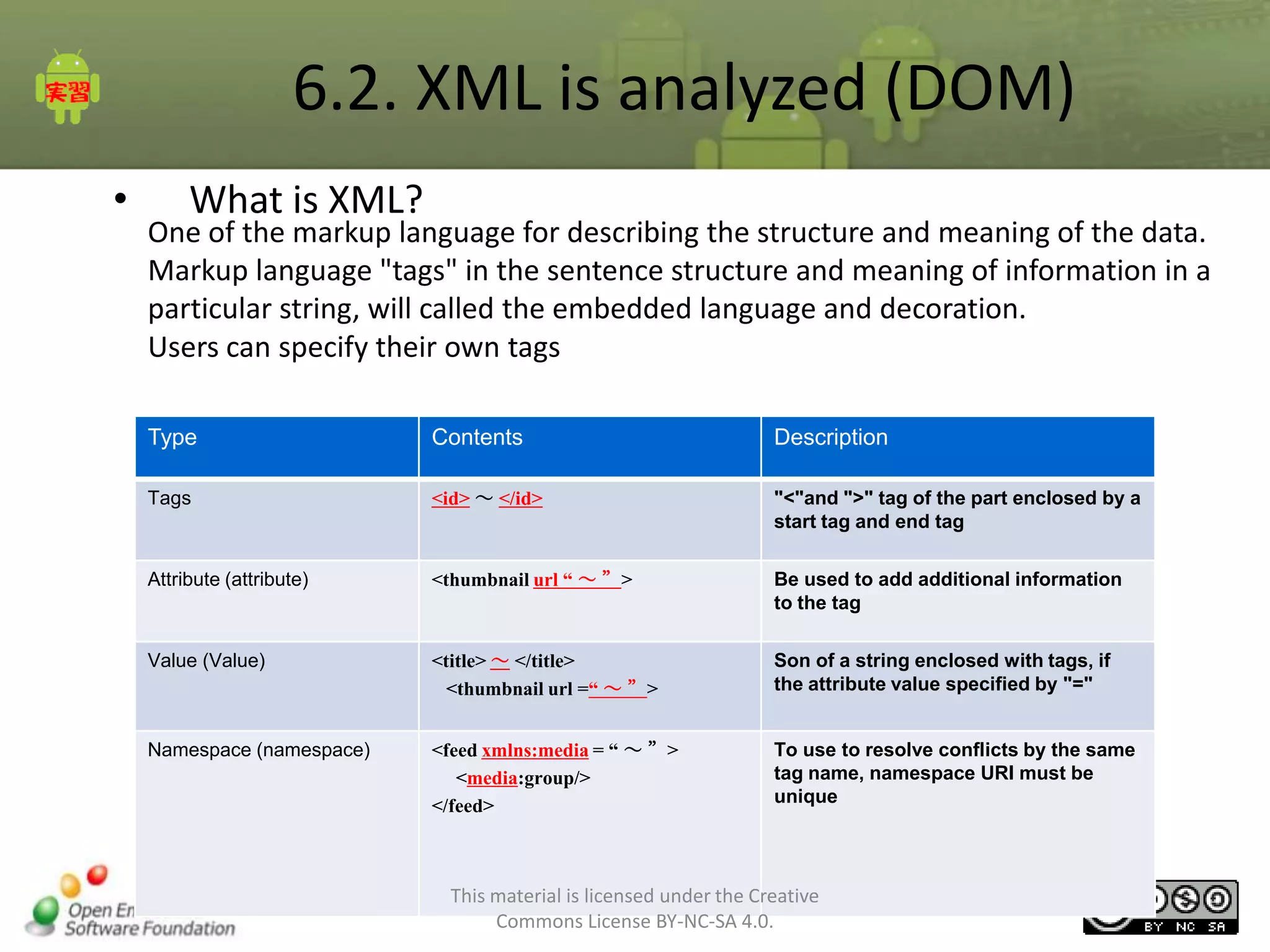
6.2. XML is analyzed (DOM)
•

What is XML?

One of the markup language for describing the structure and meaning of the data.
Markup language "tags" in the sentence structure and meaning of information in a
particular string, will called the embedded language and decoration.
Users can specify their own tags
Type

Contents

Description

Tags

<id> ~ </id>

"<"and ">" tag of the part enclosed by a
start tag and end tag

Attribute (attribute)

<thumbnail url “ ~ ”>

Be used to add additional information
to the tag

Value (Value)

<title> ~ </title>
<thumbnail url =“ ~ ”>

Son of a string enclosed with tags, if
the attribute value specified by "="

Namespace (namespace)

<feed xmlns:media = “ ~ ”>
<media:group/>
</feed>

To use to resolve conflicts by the same
tag name, namespace URI must be
unique

This material is licensed under the Creative
Commons License BY-NC-SA 4.0.

130
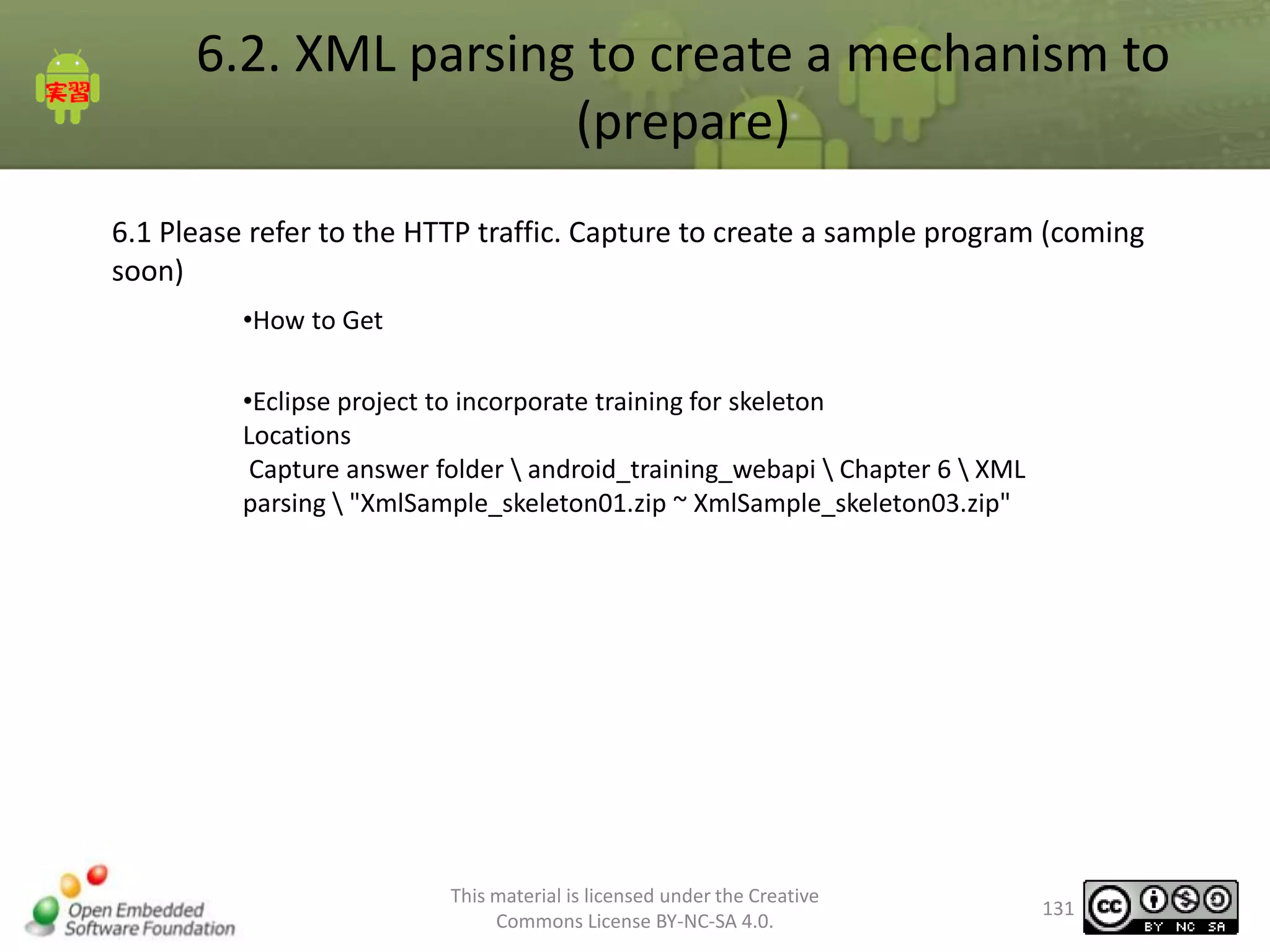
6.2. XML parsing to create a mechanism to
(prepare)
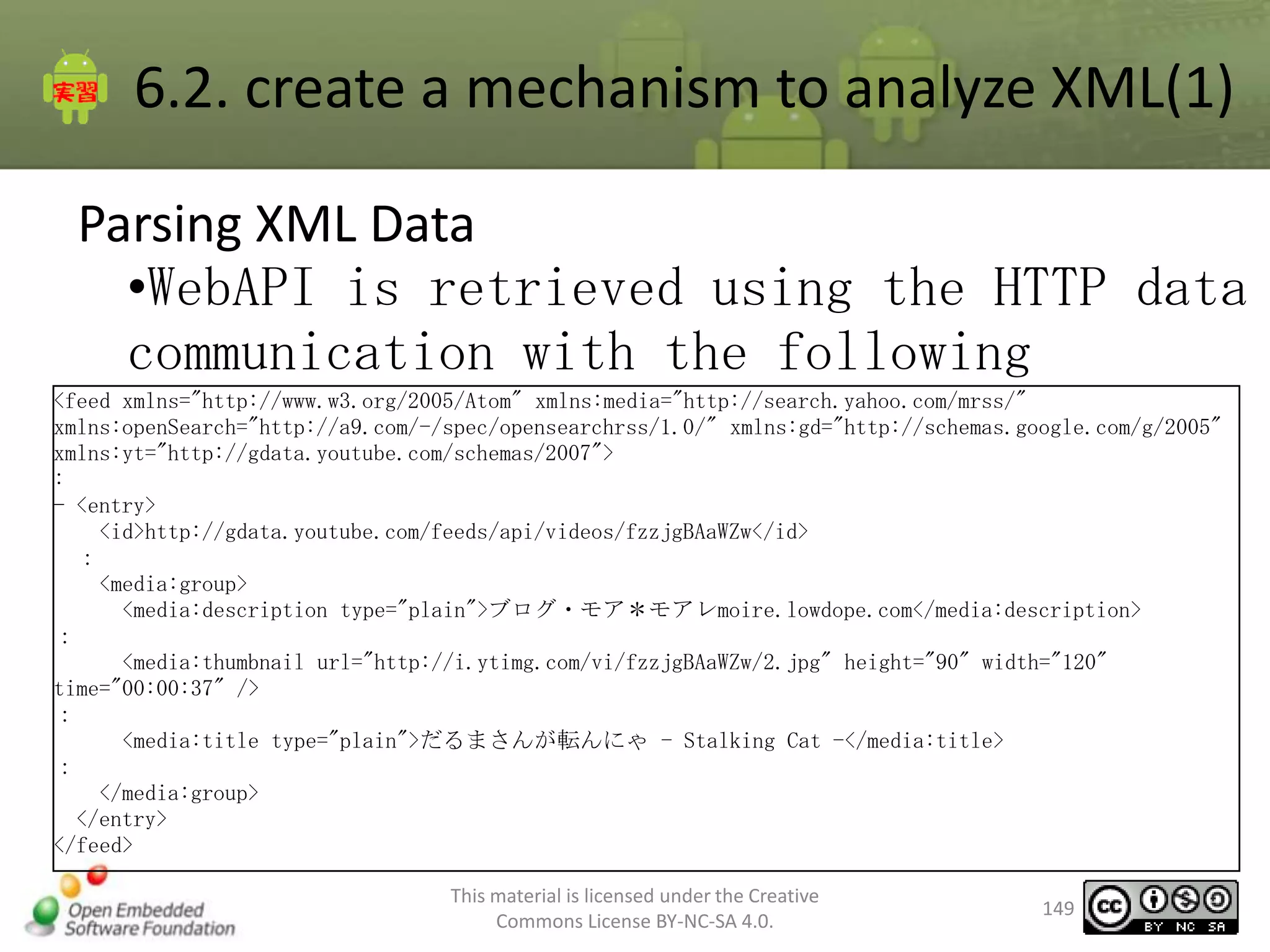
6.1 Please refer to the HTTP traffic. Capture to create a sample program (coming
soon)
•How to Get
•Eclipse project to incorporate training for skeleton
Locations
Capture answer folder  android_training_webapi  Chapter 6  XML
parsing  "XmlSample_skeleton01.zip ~ XmlSample_skeleton03.zip"

This material is licensed under the Creative
Commons License BY-NC-SA 4.0.

131
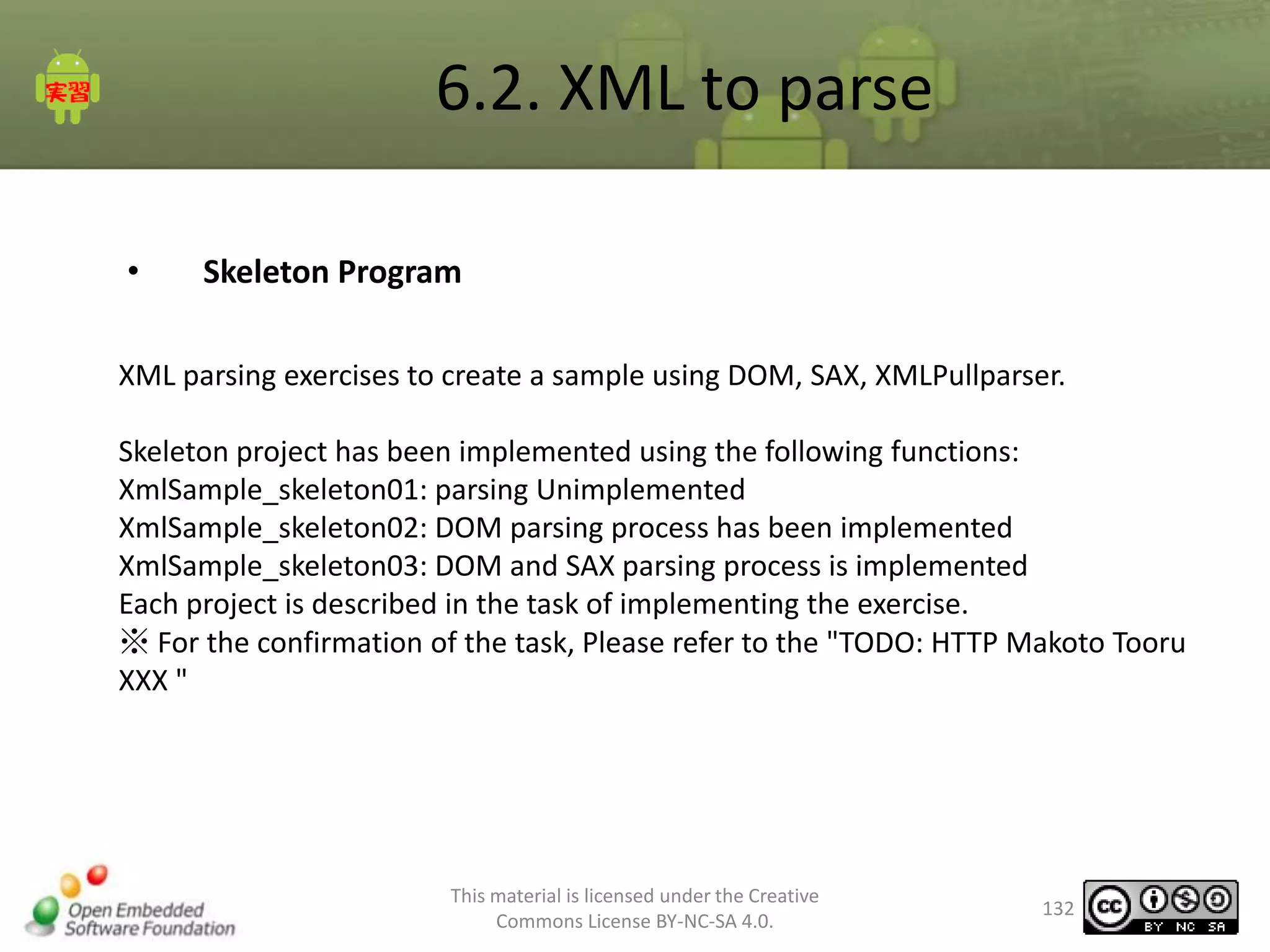
6.2. XML to parse
•

Skeleton Program

XML parsing exercises to create a sample using DOM, SAX, XMLPullparser.
Skeleton project has been implemented using the following functions:
XmlSample_skeleton01: parsing Unimplemented
XmlSample_skeleton02: DOM parsing process has been implemented
XmlSample_skeleton03: DOM and SAX parsing process is implemented
Each project is described in the task of implementing the exercise.
※ For the confirmation of the task, Please refer to the "TODO: HTTP Makoto Tooru
XXX "

This material is licensed under the Creative
Commons License BY-NC-SA 4.0.

132
6.2. XML to parse
•

Skeleton Program
Resource definition information
XmlSample_skeleton01 to XmlSample_skeleton03
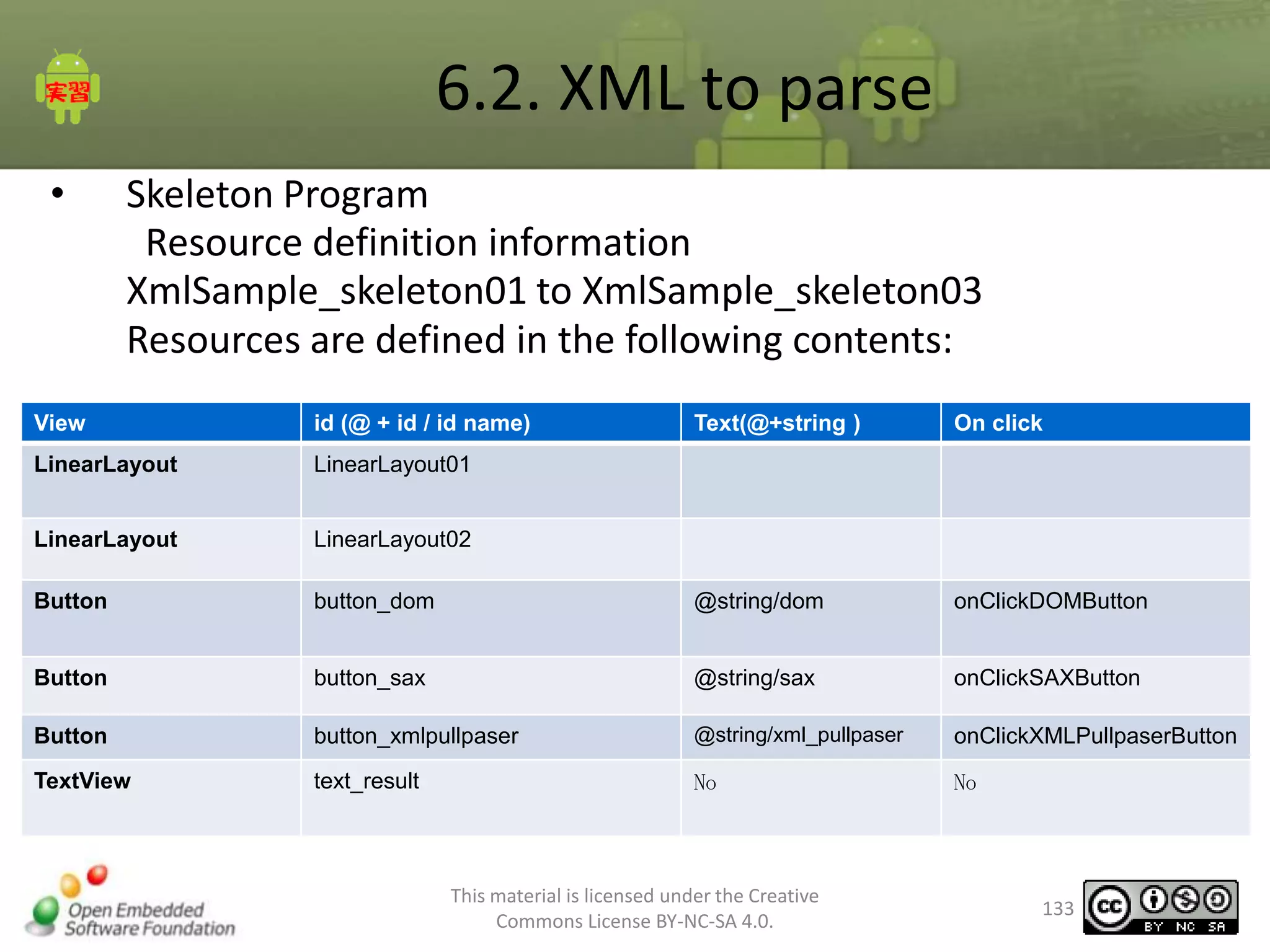
Resources are defined in the following contents:

View

id (@ + id / id name)

Text(@+string )

On click

LinearLayout

LinearLayout01

LinearLayout

LinearLayout02

Button

button_dom

@string/dom

onClickDOMButton

Button

button_sax

@string/sax

onClickSAXButton

Button

button_xmlpullpaser

@string/xml_pullpaser

onClickXMLPullpaserButton

TextView

text_result

No

No

This material is licensed under the Creative
Commons License BY-NC-SA 4.0.

133
6.2. XML to parse
•

Parsing XML

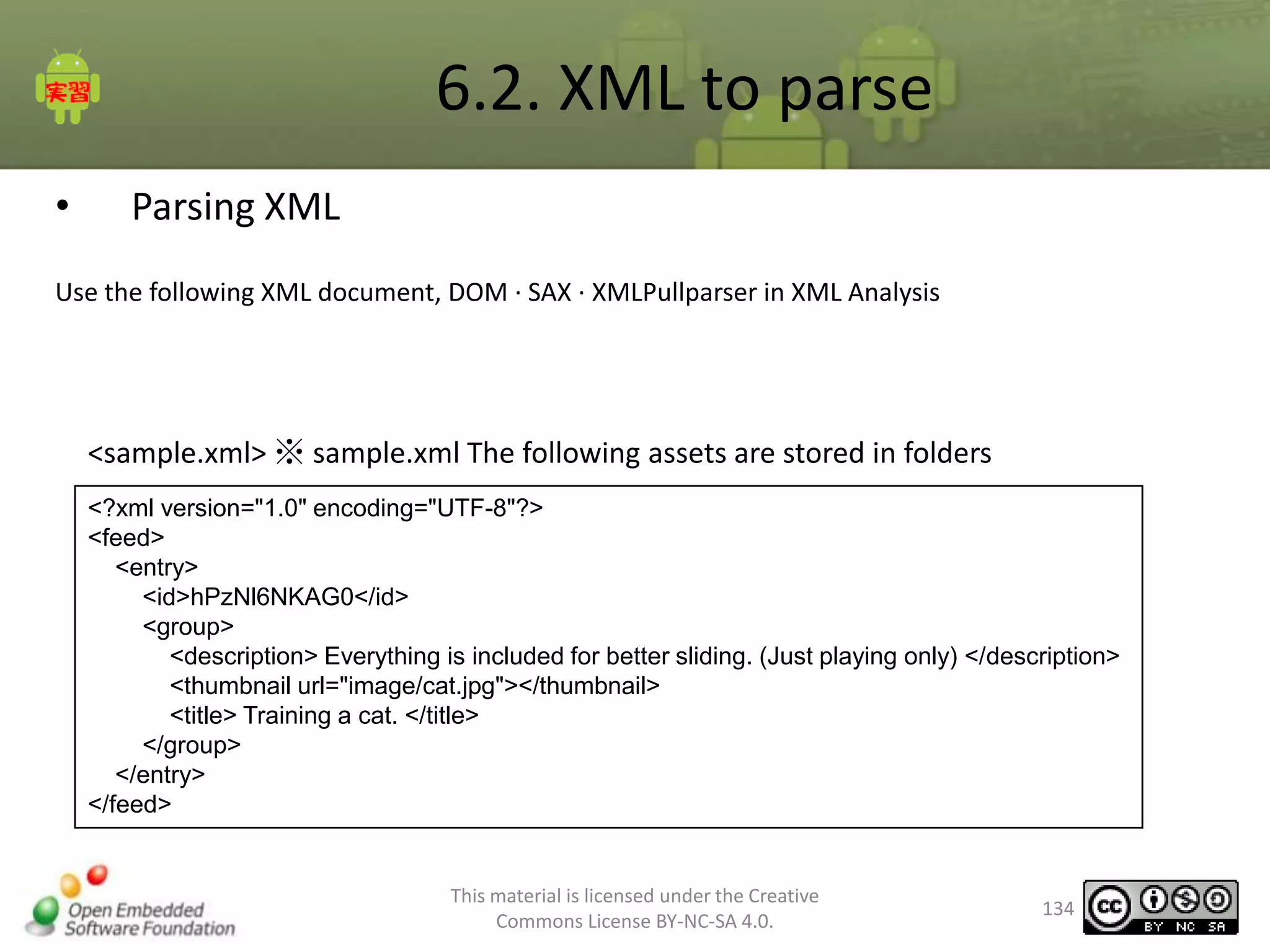
Use the following XML document, DOM · SAX · XMLPullparser in XML Analysis

<sample.xml> ※ sample.xml The following assets are stored in folders
<?xml version="1.0" encoding="UTF-8"?>
<feed>
<entry>
<id>hPzNl6NKAG0</id>
<group>
<description> Everything is included for better sliding. (Just playing only) </description>
<thumbnail url="image/cat.jpg"></thumbnail>
<title> Training a cat. </title>
</group>
</entry>
</feed>

This material is licensed under the Creative
Commons License BY-NC-SA 4.0.

134
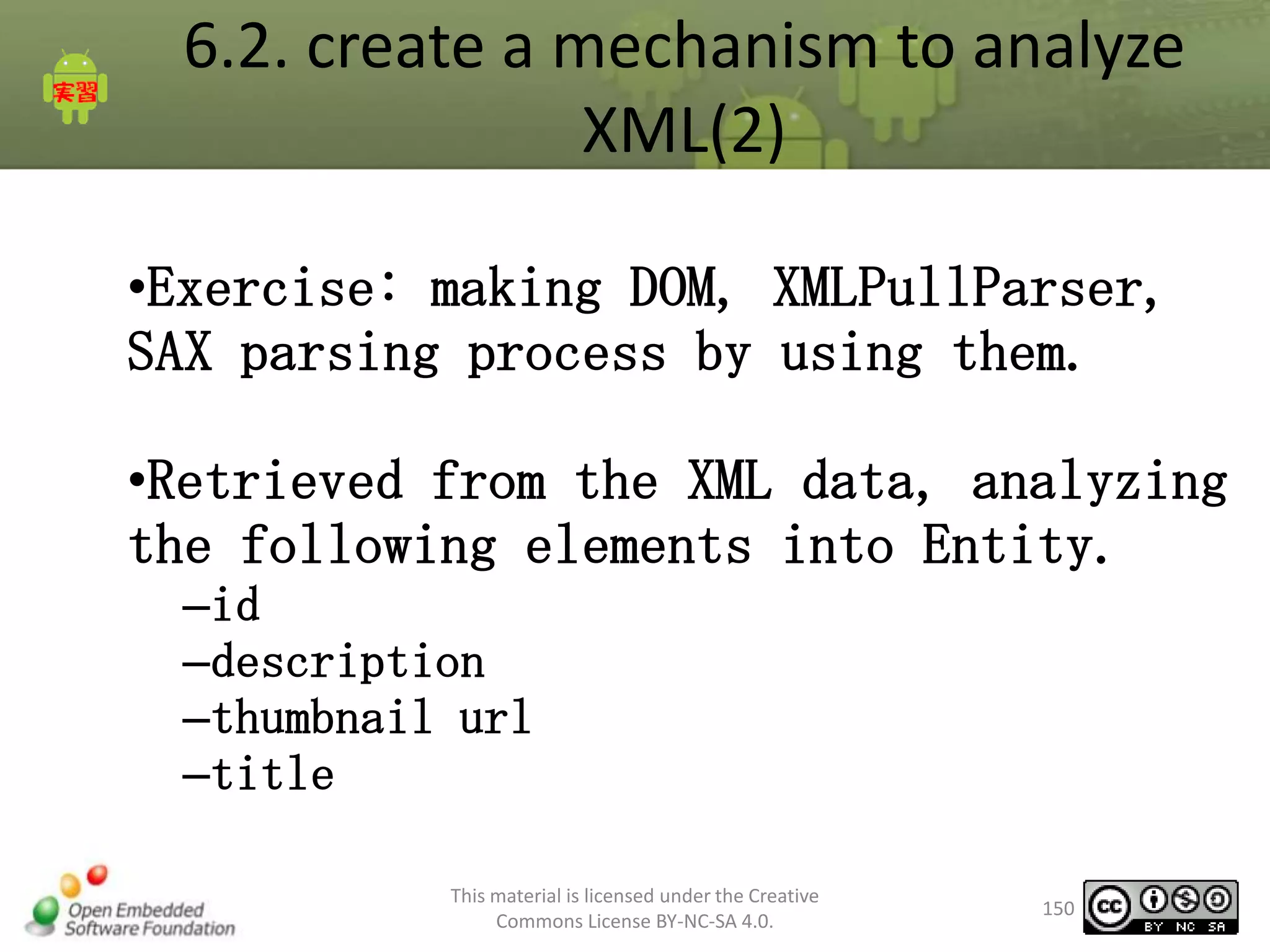
6.2. XML to create a mechanism to analyze (2)
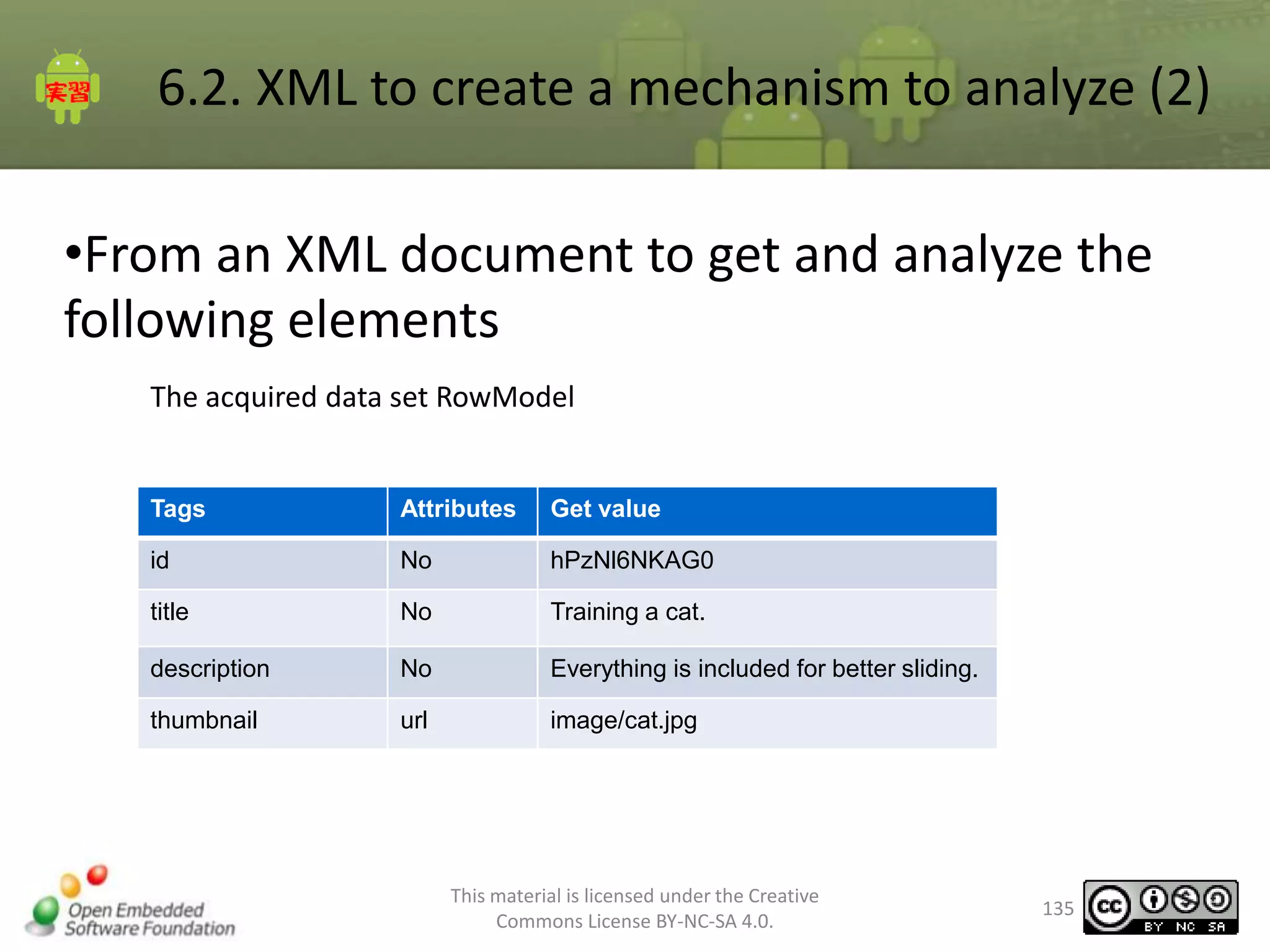
•From an XML document to get and analyze the
following elements
The acquired data set RowModel

Tags

Attributes

Get value

id

No

hPzNl6NKAG0

title

No

Training a cat.

description

No

Everything is included for better sliding.

thumbnail

url

image/cat.jpg

This material is licensed under the Creative
Commons License BY-NC-SA 4.0.

135
6.2. Parse XML
•

About RowModel

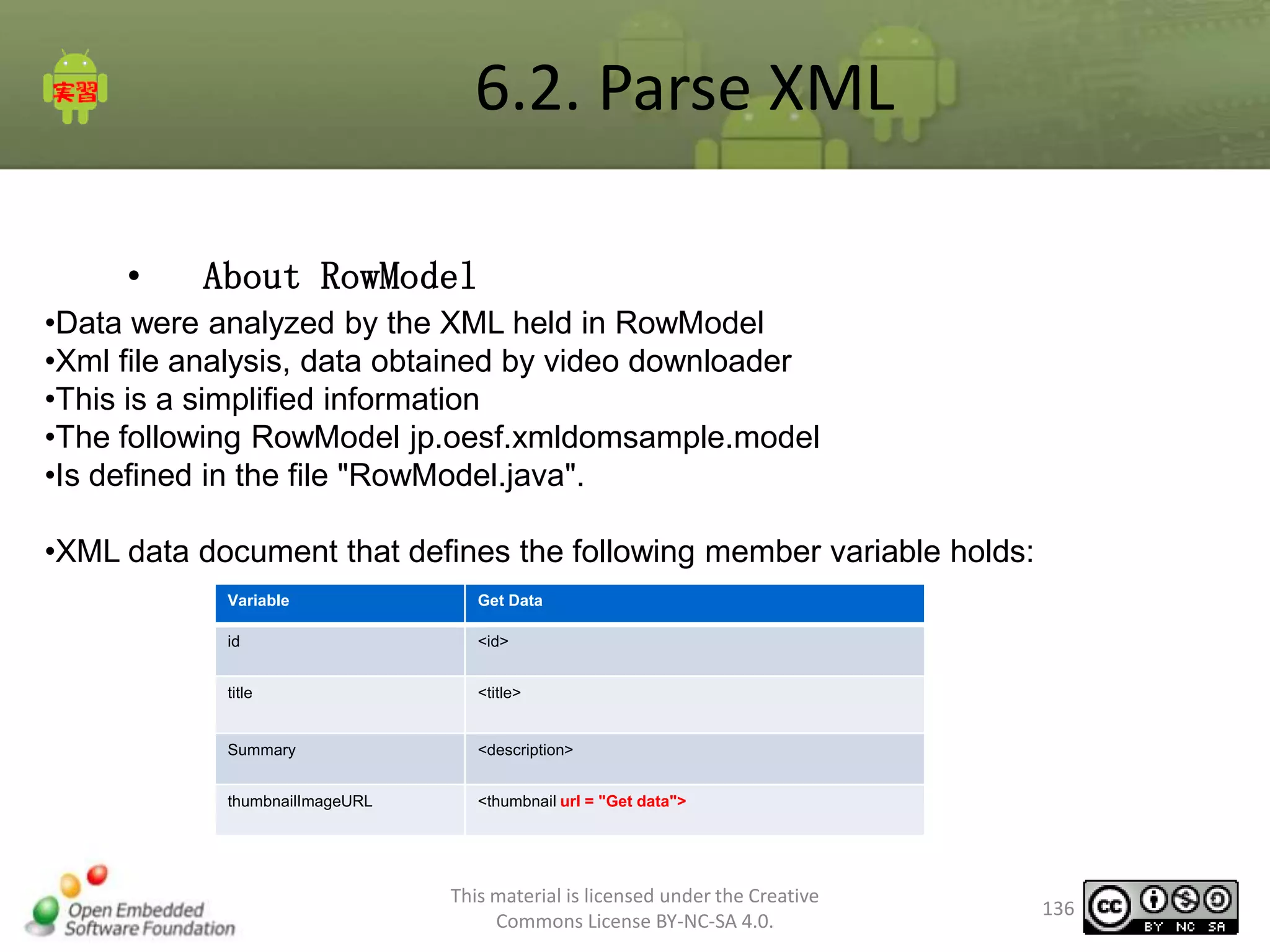
•Data were analyzed by the XML held in RowModel
•Xml file analysis, data obtained by video downloader
•This is a simplified information
•The following RowModel jp.oesf.xmldomsample.model
•Is defined in the file "RowModel.java".
•XML data document that defines the following member variable holds:
Variable

Get Data

id

<id>

title

<title>

Summary

<description>

thumbnailImageURL

<thumbnail url = "Get data">

This material is licensed under the Creative
Commons License BY-NC-SA 4.0.

136
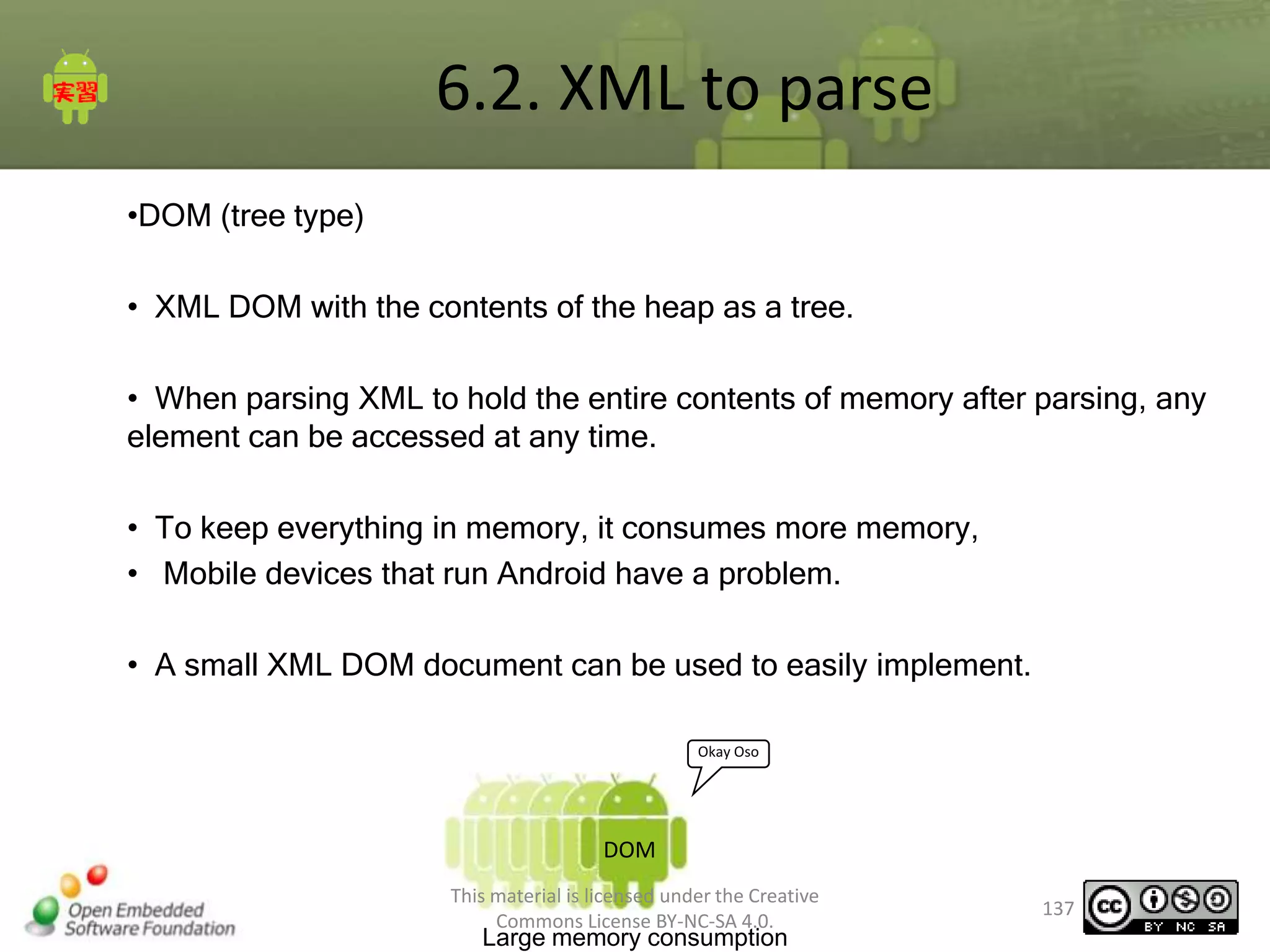
6.2. XML to parse
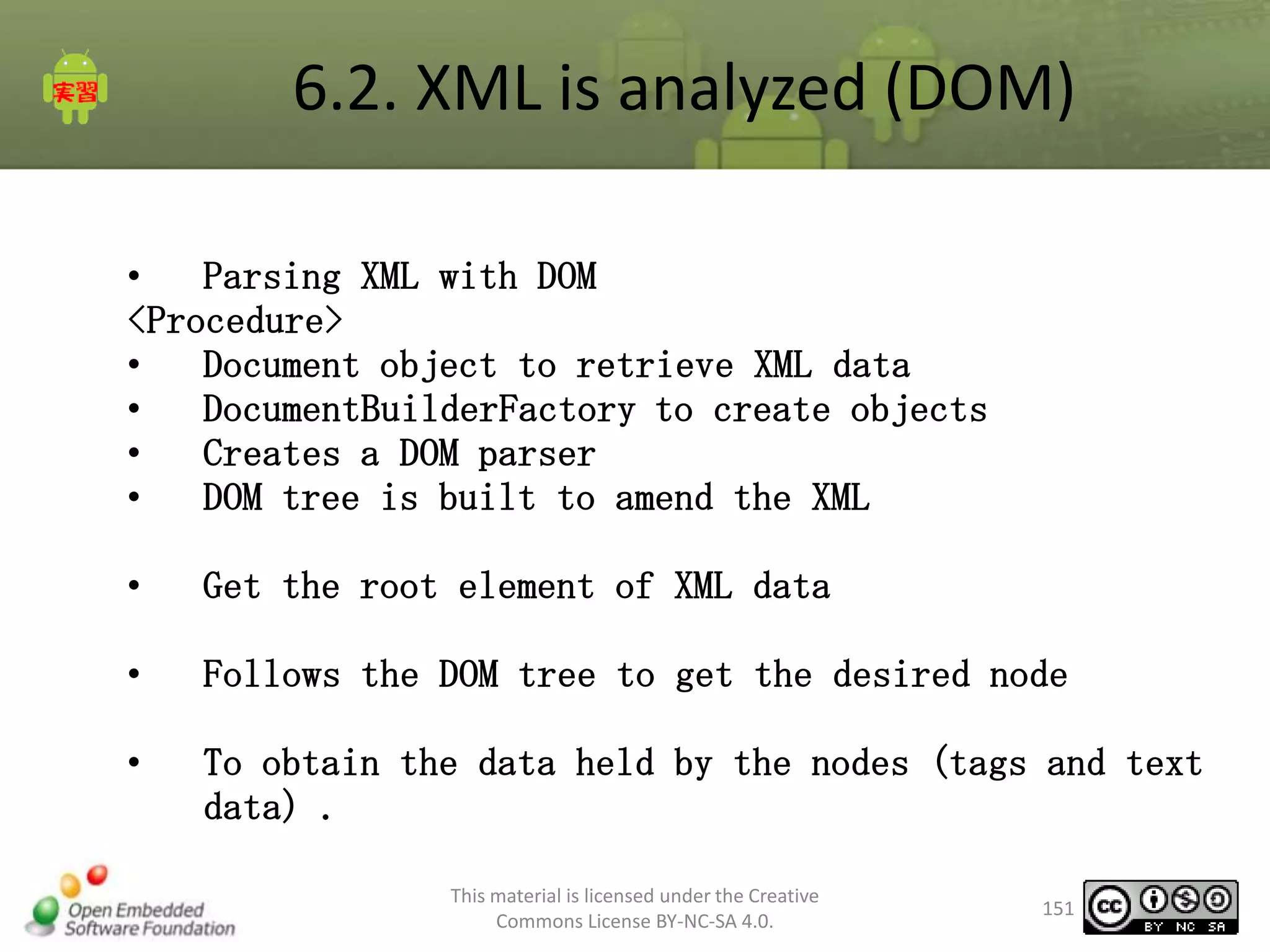
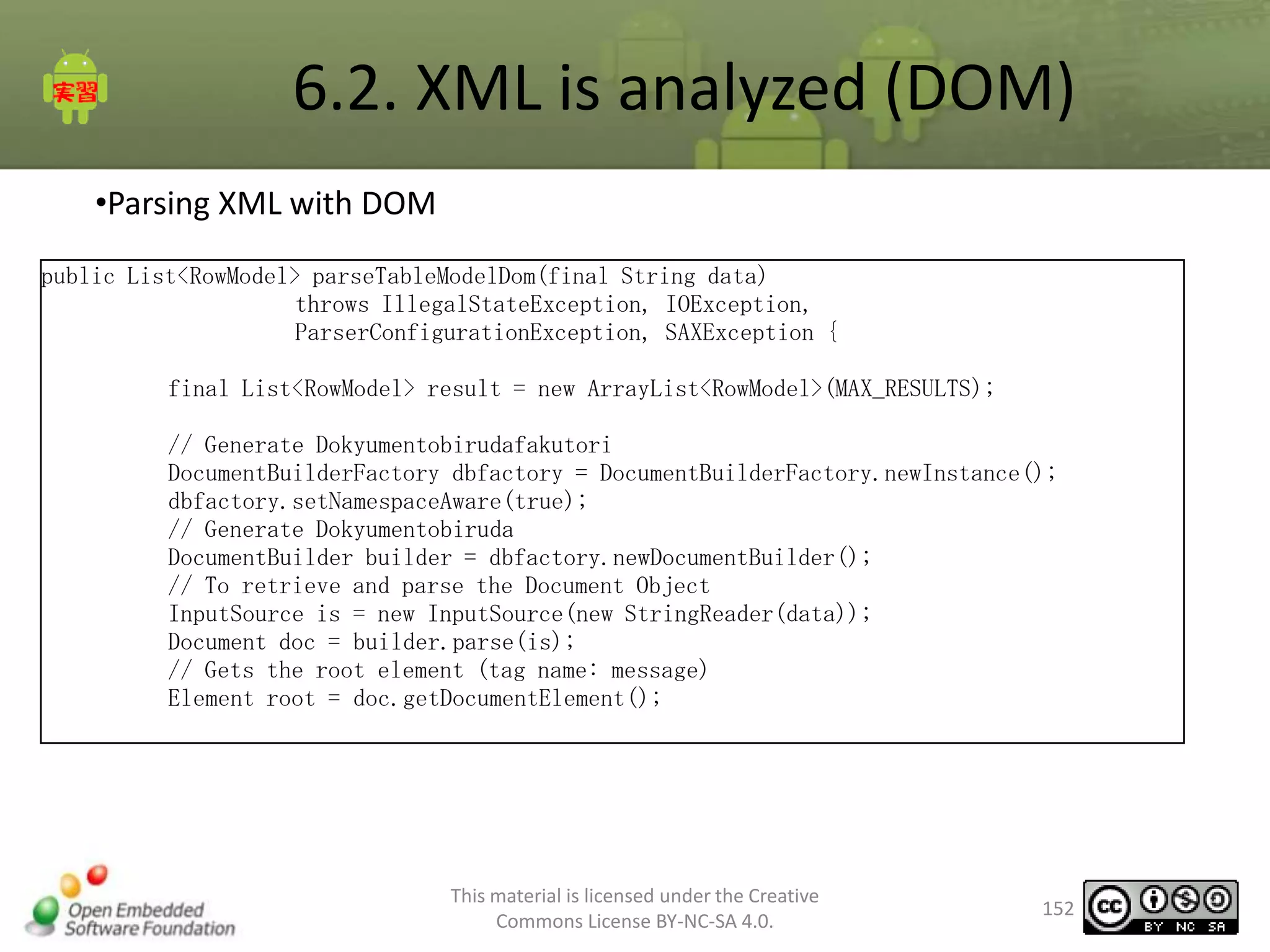
•DOM (tree type)
• XML DOM with the contents of the heap as a tree.
• When parsing XML to hold the entire contents of memory after parsing, any
element can be accessed at any time.
• To keep everything in memory, it consumes more memory,
• Mobile devices that run Android have a problem.
• A small XML DOM document can be used to easily implement.
Okay Oso

DOM
This material is licensed under the Creative
Commons License BY-NC-SA 4.0.

Large memory consumption

137
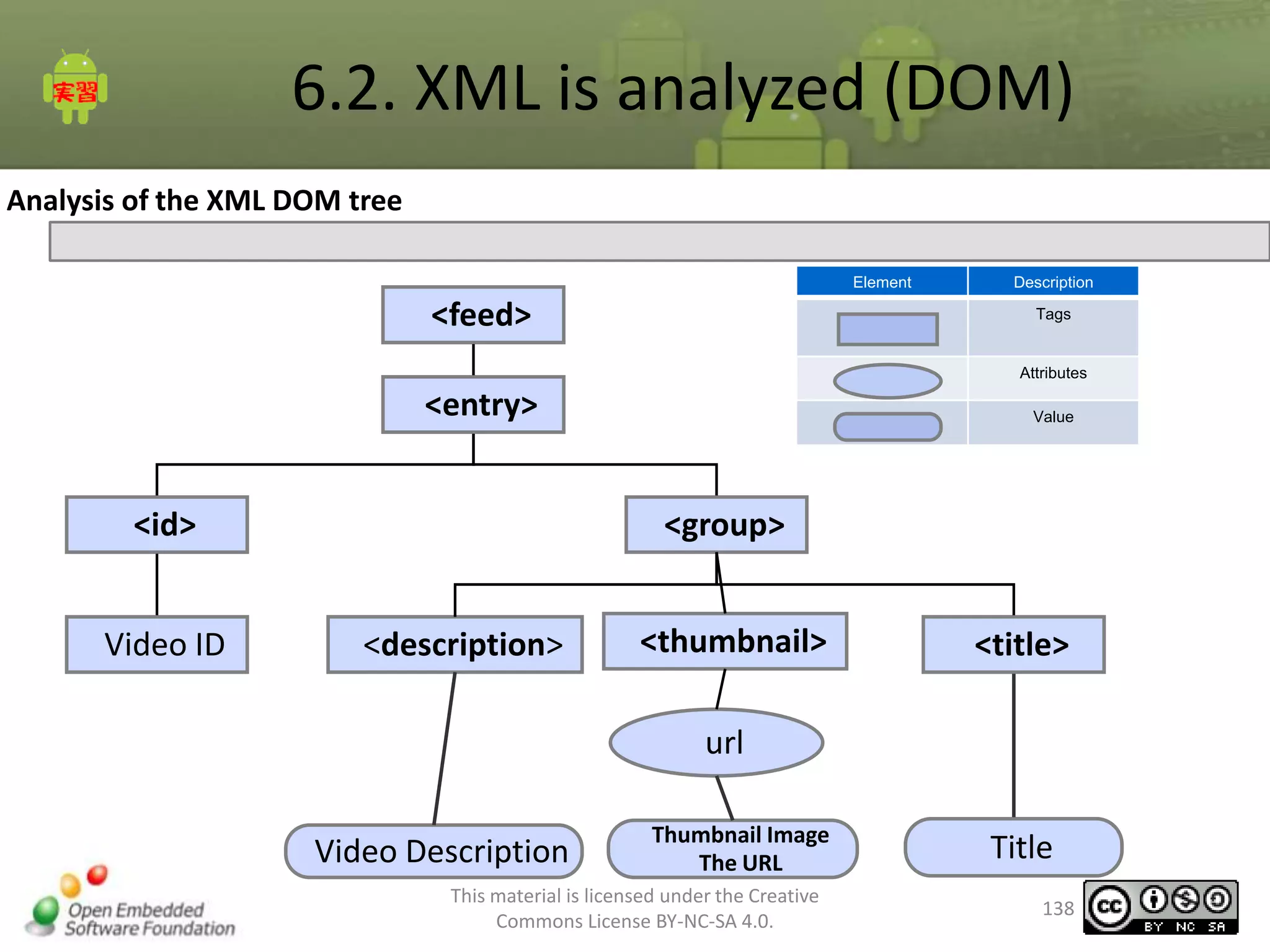
6.2. XML is analyzed (DOM)
Analysis of the XML DOM tree
Element

<feed>

Description
Tags

Attributes

<entry>
<id>
Video ID

Value

<group>
<description>

<thumbnail>

<title>

url
Video Description

Thumbnail Image
The URL

This material is licensed under the Creative
Commons License BY-NC-SA 4.0.

Title
138
6.2. XML is analyzed (DOM)
•
Parsing XML with DOM
<Procedure>
•
Document object to retrieve XML data
•
DocumentBuilderFactory to create objects
•
Creates a DOM parser
•
Building parse XML into DOM tree
•

Get the root element of XML data

•

Follows the DOM tree to get the desired node

•

To obtain the data held by the nodes (tags and text
data)
This material is licensed under the Creative
Commons License BY-NC-SA 4.0.

139
6.2. XML is analyzed (DOM)
The following sample XML document parsing
<?xml version="1.0" encoding="UTF-8"?>
<root>
<node1>Node Value</node1>
</root>

※ The new line is not actually

This material is licensed under the Creative
Commons License BY-NC-SA 4.0.

140
6.2. XML is analyzed (DOM)
Sample Code
InputStream in = null;
try {
//Generate Dokyumentobirudafakutori
DocumentBuilderFactory dbfactory = DocumentBuilderFactory
.newInstance();
// Generate Dokyumentobiruda
DocumentBuilder builder = dbfactory.newDocumentBuilder();
// get a stream of xml file
in = getAssets().open("samplea.xml");
// To retrieve and parse the Document Object
Document doc = builder.parse(in);
// Gets the root element (tag name: root)
Element root = doc.getDocumentElement();
// Get <node1>
NodeList entryList = root.getElementsByTagName("node1");
// First get <node1>
Element node1Element = (Element) entryList.item(0);
// Get the value of <node1>
String nodevalue = node1Element.getFirstChild().getNodeValue();
// Display values
Log.v(TAG, nodevalue);
} catch (Exception e) {

This material is licensed under the Creative
Commons License BY-NC-SA 4.0.

141
6.2. XML is analyzed (DOM)
•

Creating a Sample Program

Completed chart

Click

This material is licensed under the Creative
Commons License BY-NC-SA 4.0.

142
6.2. XML is analyzed (DOM)
Creating a Sample Program
<Procedure>
1. XmlHelper parseDom class that implements the following processing
methods
1. Document object to retrieve XML data
2. Creates a DOM parser
3. Building parse XML into DOM tree
4. <id> <entry> to get the value in the tag, set the value to
RowModel
5. The id RowModel is set to the value obtained
6. <thumbnail> set the Rowmodel value to the value retrievd from
the “url” attribute.

1. Implementing Activity onClickDOMButton class
1. XmlHelper # parseDom shaping method to the data to obtain
RowModel ※ instance member variable "xmlHelper" is defined
in XmlHelper
This material is licensed under the Creative
143
2. TextView to display Commons License BY-NC-SA 4.0.
the analysis results
6.2. XML is analyzed (DOM)
The answer to create a sample program
XmlHelper.java
public RowModel parseDom(Context context, String xml) {
// RowModel row = new RowModel();
RowModel rowModel = new RowModel();
InputStream in = null;
try {
// Generate Dokyumentobirudafakutori
DocumentBuilderFactory dbfactory = DocumentBuilderFactory
.newInstance();
dbfactory.setNamespaceAware(true);
// Generate Dokyumentobiruda
DocumentBuilder builder = dbfactory.newDocumentBuilder();
// get a stream of xml file
in = context.getAssets().open("sample.xml");
// To retrieve and parse the Document Object
Document doc = builder.parse(in);
// Gets the root element (tag name: feed)
Element root = doc.getDocumentElement();
// Get <entry>
NodeList entryList = root.getElementsByTagName("entry");
// First get <entry>
Element entryElement = (Element) entryList.item(0);
This material is licensed under the Creative
Commons License BY-NC-SA 4.0.

144
6.2. XML is analyzed (DOM)
The answer to create a sample program
Continued XmlHelper.java
/* <id> processing * /
/ / Get <id> obtained from <entry>
Element idElement = (Element) entryElement.getFirstChild();
/ / get the Text data obtained from <id>
String id = idElement.getFirstChild().getNodeValue();
// RowModel value set
rowModel.setId(id);
/* <description> processing * /
// Get <description> <entry> obtained from
NodeList desriptionList = entryElement.getElementsByTagName("description");
// Node information from text.
String summary = desriptionList.item(0).getFirstChild().getNodeValue();
// Cut off after 20 characters.
if (summary != null && 0 < summary.length()) {
if (20 < summary.length()) {
summary = summary.substring(0, 20);
}
}

This material is licensed under the Creative
Commons License BY-NC-SA 4.0.

145
6.2. XML is analyzed (DOM)
The answer to create a sample program
Continued XmlHelper.java
// Node information from text.
String summary = desriptionList.item(0).getFirstChild().getNodeValue();
// Cut off after 20 characters.
if (summary != null && 0 < summary.length()) {
if (20 < summary.length()) {
summary = summary.substring(0, 20);
}
}
// RowModel value set
rowModel.setSummary(summary);
/* <thumbnail> Processing * /
// <thumbnail> Get
NodeList thumbnailList = entryElement.getElementsByTagName("thumbnail");

This material is licensed under the Creative
Commons License BY-NC-SA 4.0.

146
6.2. XML is analyzed (DOM)
The answer to create a sample program
Continued XmlHelper.java
// First get <thumbnail>
Element thumbnailElement = (Element) thumbnailList.item(0);
// <thumbnail> the "url" attribute gets the value of
String thumbnail = thumbnailElement.getAttribute("url");
// RowModel value set
rowModel.setThumbnailImageURL(thumbnail);
/* <title> processing * /
// <title> Get
NodeList titleList = entryElement.getElementsByTagName("title");
// Node information from text
String title = titleList.item(0).getFirstChild().getNodeValue();
// RowModel value set
rowModel.setTitle(title);

This material is licensed under the Creative
Commons License BY-NC-SA 4.0.

147
6.2. XML is analyzed (DOM)
The answer to create a sample program
XmlHelper.java
public void onClickDOMButton(View v) {
RowModel rowModel = null;
// RowModel XmlHelper # parseDom get a call
rowModel = this.xmlHelper.parseDom(this, this.xml);
if (rowModel == null) {
this.textResult.setText ("Failed to retrieve data. ")
} else {
// TextView to display the contents of rowModel
this.textResult.setText(rowModel.toString());
}
}

This material is licensed under the Creative
Commons License BY-NC-SA 4.0.

148
6.2. create a mechanism to analyze XML(1)
Parsing XML Data
•WebAPI is retrieved using the HTTP data
communication with the following
<feed xmlns="http://www.w3.org/2005/Atom" xmlns:media="http://search.yahoo.com/mrss/"
xmlns:openSearch="http://a9.com/-/spec/opensearchrss/1.0/" xmlns:gd="http://schemas.google.com/g/2005"
xmlns:yt="http://gdata.youtube.com/schemas/2007">
:
- <entry>
<id>http://gdata.youtube.com/feeds/api/videos/fzzjgBAaWZw</id>
:
<media:group>
<media:description type="plain">ブログ・モア*モアレmoire.lowdope.com</media:description>
:
<media:thumbnail url="http://i.ytimg.com/vi/fzzjgBAaWZw/2.jpg" height="90" width="120"
time="00:00:37" />
:
<media:title type="plain">だるまさんが転んにゃ - Stalking Cat -</media:title>
:
</media:group>
</entry>
</feed>
This material is licensed under the Creative
Commons License BY-NC-SA 4.0.

149
6.2. create a mechanism to analyze
XML(2)
•Exercise: making DOM, XMLPullParser,
SAX parsing process by using them.

•Retrieved from the XML data, analyzing
the following elements into Entity.
–id
–description
–thumbnail url
–title
This material is licensed under the Creative
Commons License BY-NC-SA 4.0.

150
6.2. XML is analyzed (DOM)
•
Parsing XML with DOM
<Procedure>
•
Document object to retrieve XML data
•
DocumentBuilderFactory to create objects
•
Creates a DOM parser
•
DOM tree is built to amend the XML
•

Get the root element of XML data

•

Follows the DOM tree to get the desired node

•

To obtain the data held by the nodes (tags and text
data) .
This material is licensed under the Creative
Commons License BY-NC-SA 4.0.

151
6.2. XML is analyzed (DOM)
•Parsing XML with DOM
public List<RowModel> parseTableModelDom(final String data)
throws IllegalStateException, IOException,
ParserConfigurationException, SAXException {
final List<RowModel> result = new ArrayList<RowModel>(MAX_RESULTS);
// Generate Dokyumentobirudafakutori
DocumentBuilderFactory dbfactory = DocumentBuilderFactory.newInstance();
dbfactory.setNamespaceAware(true);
// Generate Dokyumentobiruda
DocumentBuilder builder = dbfactory.newDocumentBuilder();
// To retrieve and parse the Document Object
InputSource is = new InputSource(new StringReader(data));
Document doc = builder.parse(is);
// Gets the root element (tag name: message)
Element root = doc.getDocumentElement();

This material is licensed under the Creative
Commons License BY-NC-SA 4.0.

152
6.2. XML is analyzed (DOM)
•Parsing XML with DOM (cont'd)
NodeList entryList = root.getElementsByTagName("entry");
for (int i = 0; i < entryList.getLength(); i++) {
RowModel rowModel = new RowModel();
Element entryElement = (Element) entryList.item(i);
Element idElement = (Element) entryElement.getFirstChild();
String url = idElement.getFirstChild().getNodeValue();
rowModel.setUrl(url);
NodeList desriptionList = entryElement.getElementsByTagNameNS(
"http://search.yahoo.com/mrss/", "description");
String summary = desriptionList.item(0).getFirstChild()
.getNodeValue();
if (summary != null && 0 < summary.length()) {
if (20 < summary.length()) {
summary = summary.substring(0, 20);
}
}
rowModel.setSummary(summary);
NodeList thumbnailList = entryElement.getElementsByTagNameNS(
"http://search.yahoo.com/mrss/", "thumbnail");
Element thumbnailElement = (Element) thumbnailList.item(0);
String thumbnail = thumbnailElement.getAttribute("url");
rowModel.setThumbnailImageURL(thumbnail);
NodeList titleList = entryElement.getElementsByTagNameNS(
"http://search.yahoo.com/mrss/", "title");
String title = titleList.item(0).getFirstChild().getNodeValue();
rowModel.setTitle(title);
result.add(rowModel);
}
return result;
}

This material is licensed under the Creative
Commons License BY-NC-SA 4.0.

153
6.2. SAX (repetition)
•SAX (event-driven)
• Such images that invoke the application parsing the parser.
• Iki read XML documents from his head, and start and end tags
• To strike, call the application of a fixed callback routine.
• By the application of the XML
• To make DOM not to read the document control
• Memory consumption is less than the DOM.
• Android is the conventional method of using the SAX,
• On SAX there are ways to use a wrapper.

Er is soooo ♪

!!!!!

My more
・ ・ ・ easy to use mon

SAX
DOM

This material is licensed under the Creative
Commons License BY-NC-SA 4.0.

154
6.2. XML is analyzed (SAX)
Parsing XML with SAX
<Procedure>
•

Creating a SAX event handler class to receive callbacks from the parser

•

To get SAX parser, create Pasafakutori SAX,

•

Set the SAX event handler class created by a parser

•

Start parsing an XML to be called back by an event handler created when the event occurred

This material is licensed under the Creative
Commons License BY-NC-SA 4.0.

155
6.2. XML is analyzed (SAX)
•
•

DefaultHandler to create a subclass that inherits the class
Implement a process corresponding to each event

– Creating a SAX event handler class
to receive callbacks from the
parser at the start of implementation of the event
1.
Tag
2.
3.

Implementation of events at the end tag
Implementation of events in a text element

This material is licensed under the Creative
Commons License BY-NC-SA 4.0.

156
6.2. XML is analyzed (SAX)
<method to override>
Return
value

Method Name

Description

void

startElement(String uri,
String localName,
String qName,
Attributes attributes)

Receive notification of the start of an element
Parameters
uri - namespace URI
localName - The local name prefix qualifier
qName - qualified name with a prefix
attributes - attributes that were added to the element

void

endElement(String uri,
String localName,
String qName)

Receive notification of the end of an element
Parameters
uri - namespace URI
localName - The local name prefix qualifier
qName - qualified name with a prefix

void

void characters(char[] ch,
int start,
int length)

Receives notification of character data inside an element
Parameters
ch - the character
start - starting position in the character array
length - number of characters from a character array to be used

This material is licensed under the Creative
Commons License BY-NC-SA 4.0.

157
6.2. XML is analyzed (SAX)
•

Sample Code

The following sample XML document parsing
<?xml version="1.0" encoding="UTF-8"?>
<root>
<node1>Node Value</node1>
</root>
※ The actual document does not break space

This material is licensed under the Creative
Commons License BY-NC-SA 4.0.

158
6.2. XML is analyzed (SAX)
Sample Code
/ / get the stream to be parsed
InputSource is = new InputSource (new StringReader (xml));
/ / Create a parser Factory
SAXParserFactory saxParaser = SAXParserFactory.newInstance ();
try {
/ * Get the parser * /
SAXParser sp = saxParaser.newSAXParser ();
/ * Create an event handler * /
SaxHandler sh = new SaxHandler ();
/ * pass input data and event handlers to the event handler * /
sp.parse (is, sh);
} Catch (Exception e) {
e.printStackTrace ();
}

This material is licensed under the Creative
Commons License BY-NC-SA 4.0.

Create SAX parser

Parsing XML

159
6.2. XML is analyzed (SAX)
Sample Code
class SaxHandler extends DefaultHandler {
/ / Tag start flag
boolean isNode1;
@ Override
public void startElement (String uri, String localName, String qName,
Attributes attributes) throws SAXException {
if ("node1". equals (localName)) {
/ / Node1 start tag
isNode1 = true;
}
}

Tag at the start of treatment

@ Override
public void endElement (String uri, String localName, String qName)
throws SAXException {
if ("node1". equals (localName)) {
/ / Node1 start tag
isNode1 = false;
}
}

@ Override
public void characters (char [] ch, int start, int length)
throws SAXException {
/ / Node1 tag if it is started, log text
if (isNode1) {
String nodevalue = new String (ch, start, length);
Log.v (TAG, nodevalue);
}
}
}

Tag at the end of treatment

Text Event Processing

This material is licensed under the Creative
Commons License BY-NC-SA 4.0.

160
6.2. XML is analyzed (SAX)
•

Creating a Sample Program

Completed chart

Click

This material is licensed under the Creative
Commons License BY-NC-SA 4.0.

161
6.2. XML is analyzed (SAX)
Creating a Sample Program
<Procedure>
XmlHelper DefaultHandler class to create a class that inherits the subclass
startElement, characters, endElement methods are implemented

XmlHelper parseSax class that implements the following processing
methods
Create a SAX parser object
XML parsing Hazime Hiraku
Implementing Activity onClickSAXButton class
XmlHelper # parseSax shaping method to the data to obtain RowModel
※ XmlHelper instance member variable "xmlHelper" is defined in
TextView to display the analysis results

This material is licensed under the Creative
Commons License BY-NC-SA 4.0.

162
6.2. XML is analyzed (SAX)
<XmlHelper.java>

•

Answer
public RowModel parseSax (Context context, String xml) {
/ / get the stream to be parsed
InputSource is = new InputSource (new StringReader (xml));
/ / Create a parser Factory
SAXParserFactory saxParaser = SAXParserFactory.newInstance ();
try {
/ / Get the parser
SAXParser sp = saxParaser.newSAXParser ();
/ / Create an event handler
SaxHandler sh = new SaxHandler ();
/ / pass the input data and an event handler to the event handler
sp.parse (is, sh);
return sh.rowModel;
} Catch (Exception e) {
e.printStackTrace ();
}
return null;
}
This material is licensed under the Creative
Commons License BY-NC-SA 4.0.

163
6.2. XML is analyzed (SAX)
•

Answer

<XmlHelper.java( More )>

class SaxHandler extends DefaultHandler {
RowModel rowModel = new RowModel ();
/ / Tag start flag
boolean isEntry;
boolean isId = false;
boolean isSummary = false;
boolean isTitle = false;
boolean isThumbnail = false;
String id = null;
String summary = null;
String thumbnail = null;
String title = null;

This material is licensed under the Creative
Commons License BY-NC-SA 4.0.

164
6.2. XML is analyzed (SAX)
<XmlHelper.java(More)>

•

Answer

@ Override
public void startElement (String uri, String localName, String qName,
Attributes attributes) throws SAXException {
/ / Entry to true if the tag is isEntry
if ("description". equals (localName)) {
/ / Entry tag begins
isEntry = true;
}
/ / Entry in the tag determines if
if (isEntry) {
if ("id". equals (localName)) {
isId = true;
}
if ("description". equals (localName)) {
isSummary = true;
}
if (! isThumbnail & & "thumbnail". equals (localName)) {
/ / Thumnail to get the url attribute of the tag
thumbnail = attributes.getValue ("url");
isThumbnail = true;

}
if ("title". equals (localName)) {
isTitle = true;
}
}
}

This material is licensed under the Creative
Commons License BY-NC-SA 4.0.

165
6.2. XML is analyzed (SAX)
•

Answer

<XmlHelper.java( More )>

@ Override
public void endElement (String uri, String localName, String qName)
throws SAXException {
if ("entry". equals (localName)) {
/ / RowModel to set the value to
rowModel.setId (id);
rowModel.setSummary (summary);
rowModel.setThumbnailImageURL (thumbnail);
rowModel.setTitle (title);
/ / clear values
id = null;
summary = null;
thumbnail = null;
title = null;
isThumbnail = false;
isEntry = false;
}
}

This material is licensed under the Creative
Commons License BY-NC-SA 4.0.

166
6.2. XML is analyzed (SAX)
•

Answer

<XmlHelper.java( More )>

@ Override
public void characters (char [] ch, int start, int length)
throws SAXException {
if (isEntry) {
if (isId) {
/ / Id to get
id = new String (ch, start, length);
isId = false;
}
if (isSummary) {
/ / Description to obtain
summary = new String (ch, start, length);
if (summary! = null & & 0 <summary.length ()) {
if (20 <length) {
summary = summary.substring (0, 20);
}
}
isSummary = false;
}
if (isTitle) {
/ / Title to get
title = new String (ch, start, length);
isTitle = false;
}
}
}

This material is licensed under the Creative
Commons License BY-NC-SA 4.0.

167
6.2. XML is analyzed (SAX)
•

Answer

<XmlSample.java>

public void onClickSAXButton (View v) {
RowModel rowModel = null;
/ / XmlHelper # parseSax RowModel get a call
rowModel = this.xmlHelper.parseDom (this, this.xml);
if (rowModel == null) {
this.textResult.setText ("Failed to retrieve data. ")
} else {
/ / TextView to display the contents of rowModel
this.textResult.setText (rowModel.toString ());
}
}

This material is licensed under the Creative
Commons License BY-NC-SA 4.0.

168
6.2. XMLPullParser (repetition)
•

XMLPullParser (Pull Type)

•

SAX JAVA by what shall have the same functionality, so Android will not
support the same functionality that is available to XMLPullParser.

•

SAX as an XML document read from the head, performed by the application
of the load control, and can retrieve information from the parser, if necessary.

•

To make an application from the control, it is possible to stop the parsing
early that can significantly reduce the time required to parse.

This material is licensed under the Creative
Commons License BY-NC-SA 4.0.

169
6.2. XML is analyzed (XMLPullpaser)
•

Parsing XML with XMLPullpaser

<Procedure>
•
Create an XmlPullParser object
•

Passing a string parser to parse

•

XML to retrieve one event analysis

This material is licensed under the Creative
Commons License BY-NC-SA 4.0.

170
6.2. XML is analyzed (XMLPullpaser)
•

Sample Code

The following sample XML document parsing
<?xml version="1.0" encoding="UTF-8"?>
<root>
<node1>Node Value</node1>
</root>
※ The actual document does not break space

This material is licensed under the Creative
Commons License BY-NC-SA 4.0.

171
6.2. XML is analyzed (XMLPullpaser)
Sample Code
InputStream in = null;
try {
/ / get the stream to be parsed
is = getAssets (). open ("samplea.xml");
/ / XmlPullParser XmlPullParser define
final XmlPullParser parser = Xml.newPullParser ();
/ / XmlPullParser pass a stream to parse the string
parser.setInput (new InputStreamReader (is));
parser.next (); / / root tag
parser.next (); / / node1 tags
/ / XmlPullParser to obtain the name of the tag
String tag = parser.getName ();
/ / XmlPullParser tag name is "node1", then
if ("node1". equals (tag)) {
parser.next ();
String nodevalue = parser.getText ();
Log.v (TAG, nodevalue);
}
} Catch (Exception e) {

Create parser XMLPullParser
Passing a string parser to parse

XML parsing events to get one at a time

This material is licensed under the Creative
Commons License BY-NC-SA 4.0.

172
6.2. XML is analyzed (XMLPullpaser)
•

Creating a Sample Program

Completed chart

Click

This material is licensed under the Creative
Commons License BY-NC-SA 4.0.

173
6.2. XML is analyzed (XMLPullpaser)
Creating a Sample Program
<Procedure>
XmlHelper parseXmlPullparser class method to implement the following
actions:
Define XmlPullParser
Passing a stream of string to parse
While processing one by one statement.
<id> <entry> to get the value in the tag, set the value to RowModel
<thumbnail> set the value to RowModel that retrived from the “url”
attribute.
Implementing Activity onClickXMLPullparserButton class
XmlHelper # parseXmlPullparser shaping method to the data to obtain
RowModel
※ XmlHelper instance member variable "xmlHelper" is defined in
TextView to display the analysis results
This material is licensed under the Creative
Commons License BY-NC-SA 4.0.

174
6.2. XML is analyzed (XMLPullpaser)
•

Answer

<XmlHelper.java>
public RowModel parseXmlPullparser (context, String xml) {
RowModel rowModel = null;
InputStream is = null;
try {
/ / Get the stream to be parsed
is = context.getAssets (). open ("sample.xml");
/ / XmlPullParser define
final XmlPullParser parser = Xml.newPullParser ();
/ / Pass the string to parse a stream of
parser.setInput (new InputStreamReader (is));
int eventType;
/ / XmlPullParser get the parsed hierarchy
final int depth = parser.getDepth ();
/ / XmlPullParser Perth exit conditions
/ / While processing the statements one at a time
while (((eventType = parser.next ())! = XmlPullParser.END_DOCUMENT | | parser.getDepth ()> depth)) {
/ / XmlPullParser eventType determine if a start tag
if (eventType == XmlPullParser.START_TAG) {
/ / XmlPullParser to obtain the name of the tag
String tag = parser.getName ();
/ / XmlPullParser tag name is "entry" if, parseToRowModel call
if ("entry". equals (tag)) {
rowModel = parseToRowModel (parser);
break;
}
}
}

This material is licensed under the Creative
Commons License BY-NC-SA 4.0.

175
6.2. XML is analyzed (XMLPullpaser)
•

Answer

<XmlHelper.java> ( More )
} catch (Exception e) {
e.printStackTrace();
} finally {
if (is != null) {
try {
is.close();
} catch (IOException e) {
e.printStackTrace();
}
}
}
return rowModel;
}

This material is licensed under the Creative
Commons License BY-NC-SA 4.0.

176
6.2. XML is analyzed (XMLPullpaser)
•

Answer
<XmlHelper.java> (More)
private RowModel parseToRowModel (XmlPullParser parser) throws XmlPullParserException, IOException {
RowModel rowModel = new RowModel ();
int eventType;
String tag = null;
/ / Get the hierarchy to Perth
final int depth = parser.getDepth ();
/ / End condition Perth
while (((eventType = parser.next ())! = XmlPullParser.END_DOCUMENT | | parser.getDepth ()> depth)) {
/ / EventType determine if a start tag
if (eventType == XmlPullParser.START_TAG) {
tag = parser.getName ();
/ / <entry> <id> To get the value in the tag, RowModel set the value to
if ("id". equals (tag)) {
/ / Move next.
parser.next ();
/ / Parser to get information from the text, rowModel set to the URL.
rowModel.setId (parser.getText ());
} Else if ("description". Equals (tag)) {
/ / Move next.
parser.next ();
/ / Parser to get information from the text.
String summary = parser.getText ();
/ / 20 characters, so cut fit.
if (summary! = null & & 0 <summary.length ()) {
if (20 <summary.length ()) {
summary = summary.substring (0, 20);
}
}

This material is licensed under the Creative
Commons License BY-NC-SA 4.0.

177
6.2. XML is analyzed (XMLPullpaser)
•

Answer

<XmlHelper.java> (More)
/ / RowModel set to the SUMMARY.
rowModel.setSummary (summary);
} Else if ("thumbnail". Equals (tag)) {
/ / <thumbnail> The "url" attribute value to retrieve, RowModel Sururu set the value
if (rowModel.getThumbnailImageURL () == null) {
rowModel.setThumbnailImageURL (parser.getAttributeValue (null, "url"));
}
} Else if ("title". Equals (tag)) {
/ / Move next.
parser.next ();
/ / Parser to get information from the text, rowModel set to the Title.
rowModel.setTitle (parser.getText ());
}
/ / EventType determine if the end tag
} Else if (eventType == XmlPullParser.END_TAG) {
/ / Get the name of the tag
tag = parser.getName ();
/ / Tag name is "entry" if you break
if ("entry". equals (tag)) {
break;
}
}
}
return rowModel;
}

This material is licensed under the Creative
Commons License BY-NC-SA 4.0.

178
6.2. XML is analyzed (XMLPullpaser)
•

Answer

<XmlSample.java>
public void onClickSAXButton (View v) {
RowModel rowModel = null;
/ / XmlHelper # parseSax RowModel get a call
rowModel = this.xmlHelper.parseDom (this, this.xml);
if (rowModel == null) {
this.textResult.setText ("Failed to retrieve data. ")
} else {
/ / TextView to display the contents of rowModel
this.textResult.setText (rowModel.toString ());
}
}

This material is licensed under the Creative
Commons License BY-NC-SA 4.0.

179
6.3. Traceview using profiling
•Traceview tool for measuring the execution time of the operation.
•Specifically, we coded as follows.
•xmlHelper.parseTableModel (entity) In this case to measure the
execution time.
•trace file is / sdcard / xml.trace outputs.
•"/ sdcard / xml.trace“/ / to Start tracing
•Debug.startMethodTracing ("xml"); / / start of the measurement points
•tableData = xmlHelper.parseTableModel (entity); / / measurement
locations
•Debug.stopMethodTracing (); / / end point measurements
This material is licensed under the Creative
Commons License BY-NC-SA 4.0.

180
6.3. Traceview using profiling
•Trace output log files stored on a PC using DDMS.
• From the command run traceview [filename].
•(File name: you must specify the full path. In this case C:  work  measuring time
 xml.trace.)

This material is licensed under the Creative
Commons License BY-NC-SA 4.0.

181
6.3. Traceview using profiling
•To start viewing measurement results.
Incl%
Inclusive Time
From the total time
Percentage

Inclusive Its methods
Method called
Method execution
time

Exclusive
Its methods
Execution time

Excl%
Exclusive Time
From the total time
Percentage

This material is licensed under the Creative
Commons License BY-NC-SA 4.0.

Time / Call
Method execution time
(Msec)

Cals + RecurCalls / Total
This method was called many times
/ many times was called recursion

182
6.3. Traceview using profiling
•Once completed, run each TraceView, to see by yourself whether there is a speed
difference or not and how much is it.
•The following example, the time of parsing / sdcard / xml.trace to trace output log.

XmlHelper xmlHelper = XmlHelper.getInstance();
// start tracing to "/sdcard/xml.trace"
Debug.startMethodTracing("xml");
// XMLPullParser For
// tableData = xmlHelper.parseTableModel(entity);
Debug.stopMethodTracing();
// stop tracing

AndroidManifest write permissions to the file you want to add SD cards
<uses-permission android:name="android.permission.WRITE_EXTERNAL_STORAGE" />

This material is licensed under the Creative
Commons License BY-NC-SA 4.0.

183
6.3. Traceview using profiling
•- measurements

0

250

500

750

1000 ms

– XMLPullParser 1134.704 ms
– SAX 388.794 ms
– DOM Unmeasurable

This material is licensed under the Creative
Commons License BY-NC-SA 4.0.

184
6.5. Services
•Service?
Mechanism to perform a separate thread
Foreground activities and services that run in a separate thread.
Thus, the processing on the activity can continue if another
interrupt occurs
Playing Music (unused services)

Playing music (using services)

割込み

割込み

メ
ール受信により

メ
ール受信により
中断

中断

アクティ
ビティ

アクティ
ビティ

サービス開始

再生開始

サービス

音楽再生

中断に関係なく
処理を
完了
再生開始

If you play music directly from an activity, if you play music
through the service, the difference in behavior when
receiving an interrupt that generated by e-mail activity

音楽再生

This material is licensed under the Creative
Commons License BY-NC-SA 4.0.

185
6.5. create a service (1)
The service
•Services are used for time-consuming processes such as
downloading and processing, when the process in needed to
be completed without interruption in the middle

•Without the services, if the process is terminated for
any reason, downloads could be interrupted
•For example
–If you've pressed the wrong button “Back”.
–If an incoming call
–If you run other programs

•Used if you do not want to interrupt the download service.
This material is licensed under the Creative
Commons License BY-NC-SA 4.0.

186
6.5. Services
How to implement a service
Sample Code
To create a new class of service
Service -as a base class- to create a class that inherits from class
onBind need to implement methods for the abstract methods.
Not used here in order to keep the bindings return null.

import android.app.Service;
import android.content.Intent;
import android.os.IBinder;
public class SampleService extends Service {
@Override
public IBinder onBind(Intent arg0) {
// TODO Auto-generated method stub
return null;
}
}
This material is licensed under the Creative
Commons License BY-NC-SA 4.0.

187
6.5. Services
Implementing a callback method, if necessary
•
•
•
•
•

There are three methods of callback,onCreate, onStart, onDestroy
Aware of the life cycle, and proper implementation
onStart is called whenever it is started
onCreate called inobject creation
OnDestroy called only once during the destruction

Service起動

onCreate()

onStart()

実行中

・
処理完了
・
停止命令

onDestroy()

状態遷移方向

状態

Service破棄

This material is licensed under the Creative
Commons License BY-NC-SA 4.0.

Activityのイベント

188
6.5. Services
•

Sample Code
@Override
public IBinder onBind(Intent intent) {
return null;
}
@Override
public void onStart(Intent intent, int startId) {
Toast.makeText(this, "Service Start", Toast.LENGTH_SHORT).show();
new Thread(new Runnable() {
@Override
public void run() {
for (int i = 0; i < 5; i++) {
Log.v(getClass().getSimpleName(), "i:" + i);
try {
Thread.sleep(1000);
} catch (InterruptedException e) {
e.printStackTrace();
}
}
}
}).start();
}
@Override
public void onDestroy() {
Toast.makeText(this, "Service end", Toast.LENGTH_SHORT).show();
}
This material is licensed under the Creative
Commons License BY-NC-SA 4.0.

189
6.5. create a service (1)
Creating a Sample Program

Logs

This material is licensed under the Creative
Commons License BY-NC-SA 4.0.

190
6.5. create a service (1)
Skeleton project import
<Procedure>
•
File name: "ServiceSample_skeleton.zip"
•
Creating a Service Class
•
Inherits Service class
•
Toast to start the service at the end and start
•
Log output while starting every second service
•
•
•
•
•
•
•
•
•

Fixed main.xml
Additional ToggleButton
Fixed string.xml
Add text
Activity end processing service start adding classes
Define a class that you created above Servie
Add handling ToggleButton is pressed
AndroidManifest file modification
Add a service tag that specifies the service to use
This material is licensed under the Creative
Commons License BY-NC-SA 4.0.

191
6.5. create a service (1)
•Application Summary
<Project Settings>
Items

Setting

Project name

ServiceSample

Build Target

2.1

Application name

ServiceSample

Package name

jp.oesf.servicesample

Create Activity

ServiceSampleActivity

<Additional Service Class>
Superclass

Class Name

ServiceClass

ServiceSampleService

This material is licensed under the Creative
Commons License BY-NC-SA 4.0.

192
6.5. create a service (1)
Skeleton description of the program
<ServiceSampleActivity.java>
public class ServiceSampleActivity extends Activity {
/** Called when the activity is first created. */
@Override
public void onCreate(Bundle savedInstanceState) {
super.onCreate(savedInstanceState);
setContentView(R.layout.main);
}
public void onClickServiceButton(View v){
ToggleButton tb = (ToggleButton)v;
if( tb.isChecked()){
// To start the service TODO No.01
}else{
// Service to terminate TODO No.02
}
}

When you press the toggle handle

}

This material is licensed under the Creative
Commons License BY-NC-SA 4.0.

193
6.5. create a service (1)
Skeleton description of the program
<ServiceSampleService.java>
public class ServiceSampleService extends Service {

AtomicBoolean running = new AtomicBoolean (false);
LogThread thread = new LogThread ();

Sureddoranningufuragu

@ Override
public IBinder onBind (Intent intent) {
return null;
}
@ Override
public void onStart (Intent intent, int startId) {
/ / TODO No.03 Toast Show
/ / TODO No.04 runnig flags to be changed

At the start of services treatment

/ / TODO No.05 Thread Start
}
@ Override
public void onDestroy () {
/ / TODO No.05 runnig flags to be changed

At the end of services treatment

/ / TODO No.06 Toast Show
}
}

This material is licensed under the Creative
Commons License BY-NC-SA 4.0.

194
6.5. create a service (1)
Skeleton description of the program
<ServiceSampleService.java (More) >
/ **
Log output per second * 1 Thread
*
*/
class LogThread extends Thread {
@ Override
public void run () {
for (int i = 0; running.get (); i + +) {
/ / TODO No.07 Log Output
try {
Thread.sleep (1000);
} Catch (InterruptedException e) {
e.printStackTrace ();
}

Logging to a second sheet 1 Thread

}
}
}
}

This material is licensed under the Creative
Commons License BY-NC-SA 4.0.

195
6.5. create a service (1)
Service Class
Methods

Treatment

onStart

1. Toast Show
Running message: "Service Start“
2. LogThread
Changing the flag running
Thread # start start

onDestroy

1. End LogThread
Changing the flag running
2. Toast Show
Message: "Service Stop"

LogThread#run

1.

Output Log

This material is licensed under the Creative
Commons License BY-NC-SA 4.0.

196
6.5. create a service (1)
Fixed main.xml
<ToggleButton>
Items

Value

Id

@+id/button_service

layout_width

fill_parent

Text on

@string/service_on

Text off

@string/service_off

On click

onClickServiceButton

<?xml version="1.0" encoding="utf-8"?>
<LinearLayout xmlns:android="http://schemas.android.com/apk/res/android"
android:orientation="vertical"
android:layout_width="fill_parent"
android:layout_height="fill_parent" >
<ToggleButton android:text="@+id/ToggleButton01"
android:layout_height="wrap_content"
android:layout_width="fill_parent"
android:id="@+id/button_service"
android:onClick="onClickServiceButton"
android:textOff="@string/service_off"
android:textOn="@string/service_on">
</ToggleButton> material is licensed under the Creative
This
</LinearLayout>
Commons License BY-NC-SA 4.0.

197
6.5. create a service (1)
Fixed string.xml
<ToggleButton>
Items

Value

service_off

Service Off

service_on

Service On

<?xml version="1.0" encoding="utf-8"?>
<resources>
<string name="app_name">ServiceSample</string>
<string name="service_off">Service Off</string>
<string name="service_on">Service On</string>
</resources>

This material is licensed under the Creative
Commons License BY-NC-SA 4.0.

198
6.5. create a service (1)
Activity end processing service start adding classes
1. ToggleButton to get the status of Method ToggleButton # isChecked, can
obtain ON / OFF
public void onClickServiceButton(View v){
ToggleButton tb = (ToggleButton)v;
if( tb.isChecked()){
/ / ToggleButton processing time is ON
}

2. Starting and Stopping Services
Activity class that defines the method of starting and stopping services
Intent to launch the service
// To start the service
Intent intent = new Intent(this, ServiceSampleService.class);
startService(intent);
/ / end the service
Intent intent = new Intent(this, ServiceSampleService.class);
stopService(intent);

This material is licensed under the Creative
Commons License BY-NC-SA 4.0.

199
6.5. create a service (1)
Fixed AndroidManifest.xml
To register a service manifest file
- almost <service android:name=".ServiceSampleService" />
</ application>
- almost -

This material is licensed under the Creative
Commons License BY-NC-SA 4.0.

200
6.5. create a service (1)
Check
1.
2.
3.

Toast appears when you start the service
Service Logs to be running.
Service end Appears at the end of Toast

Startup Services

At the end of service

Logs

This material is licensed under the Creative
Commons License BY-NC-SA 4.0.

201
6.5. create a service (1)
Answer
<AndroidManifest.xml>
- almost <service android:name=".ServiceSampleService" />
</ application>
- almost -

<ServiceSampleActivity.java>
public void onClickServiceButton (View v) {
ToggleButton tb = (ToggleButton) v;
if (tb.isChecked ()) {
/ / Start the service
Intent intent = new Intent (this, ServiceSampleService.class);
startService (intent);
} else {
/ / end the service
Intent intent = new Intent (this, ServiceSampleService.class);
stopService (intent);
}
}
This material is licensed under the Creative
Commons License BY-NC-SA 4.0.

202
6.5. create a service (1)
Answer (continued)
<ServiceSampleService.java>
@Override
public void onStart(Intent intent, int startId) {
Toast.makeText(this, "Service Start", Toast.LENGTH_SHORT).show();
running.set(true);
thread.start();
}
@Override
public void onDestroy() {
running.set(false);
Toast.makeText(this, "Service end", Toast.LENGTH_SHORT).show();
}
- almost class LogThread extends Thread {
@ Override
public void run () {
for (int i = 0; running.get (); i + +) {
/ / logging
Log.v (getClass (). GetSimpleName (), "i:" + i);
try {
Thread.sleep (1000);
} Catch (InterruptedException e) {
e.printStackTrace ();
}
This material is licensed under the Creative
Commons License BY-NC-SA 4.0.

203
6.5. create a service (2)
Connect to the service
•Binding Service
•To call the service functions provided by the application
•Connect to the service.
•You can retrieve data from the service.
•ServiceConnection interface can be set to achieve data.
•Definition and compilation AIDL
•The ability to provide services that can be run in a separate process,
•AIDL to define the process in a form that can be called from another language.
•AIDL Extension, if you save the same directory as the source code, Eclipse will
automatically start compiling,
•Java interfaces are generated as a result.
•Among these, they are generated abstract class called Stub.
•Possible to call methods across process by using it.
•Primitive method arguments, String, Parcelale type
•AIDL interface type, List, Map, is available only to those types of sequences.

This material is licensed under the Creative
Commons License BY-NC-SA 4.0.

204
6.5. create a service (2)
Creating a Sample Program
①

④

②

Click Toast buttons

③
On the service side
Toast Show

This material is licensed under the Creative
Commons License BY-NC-SA 4.0.

205
6.5. create a service (2)
AIDL files
•Interface file that defines the methods to implement services
•The file extension aidl
•aidl service call by using the Activity file, which can be implemented in
the public service method call
•aidl will be able to file by using inter-process communication

This material is licensed under the Creative
Commons License BY-NC-SA 4.0.

206
6.5. create a service (2)
Create an aidl file
Menu [File] → [New] → [File] from "[service name]. aidl " Create a named file.

This material is licensed under the Creative
Commons License BY-NC-SA 4.0.

207
6.5. create a service (2)
Define a method
Defines methods to create aidl
package jp.oesf.servicesample;
interface IMyService{
void showToast();
}

When you save the aidl file, automatically gen/service_name. java files are created

This material is licensed under the Creative
Commons License BY-NC-SA 4.0.

208
6.5. create a service (2)
Open the file automatically created java
Java file created by [service name]. Stub interface is created, which define the method,
package jp.oesf.servicesample;

public interface IMyService extends android.os.IInterface {
/** Local-side IPC implementation stub class. */
public static abstract class Stub extends android.os.Binder implements
jp.oesf.servicesample.IMyService {
private static final java.lang.String DESCRIPTOR = "jp.oesf.servicesample.IMyService";
/** Construct the stub at attach it to the interface. */
public Stub() {
this.attachInterface(this, DESCRIPTOR);
}
-almost –
public void showToast() throws android.os.RemoteException;
}
※ The actual file is not indented
This material is licensed under the Creative
Commons License BY-NC-SA 4.0.

209
6.5. create a service (2)
Method calls from the Service Activity
Fixed Service Class
Activity to allow calls from defined Stub to create a member variable
that implements the interface.
onBind that defines the method return value to Stub Interface
public class ServiceSampleService extends Service {
// Stub service to define
private IMyService.Stub binder = new IMyService.Stub() {
@Override
public void showToast() throws RemoteException {
Toast.makeText(getApplicationContext(), "Service Running", Toast.LENGTH_SHORT).show();
}
};
@Override
public IBinder onBind(Intent intent) {
return binder;
}

This material is licensed under the Creative
Commons License BY-NC-SA 4.0.

210
6.5. create a service (2)
Method calls from the Service Activity
* Activity corrections classes
To call a method from the Service Activity, use ServiceConnection
interface.
*Be connected to the ServiceConnection interface using Service Connect.
* Service is called Bind.
* ServiceConnection # onServiceConnected Stub method gets the return
value interface.
* Stub Service Interface obtained by the actual income from the Service
object, you can call the defined methods.

This material is licensed under the Creative
Commons License BY-NC-SA 4.0.

211
6.5. create a service (2)
ServiceConnection interface
Which is defined when callback the service connection and disconnection.
When service connection
Activity # bindService is bound to use the service callback, ServiceConnection
# onServiceConnected.
Disconnect Service
Activity # unbindService and unbound from the service using a call-back
ServiceConnection # onServiceDisconnected.

This material is licensed under the Creative
Commons License BY-NC-SA 4.0.

212
6.5. create a service (2)
Method calls from the Service Activity
<Sample>
public class ServiceSampleActivity extends Activity {
private IMyService service;
private ServiceConnection connection = new ServiceConnection() {
@Override
public void onServiceDisconnected(ComponentName name) {
service = null;
}
@Override
public void onServiceConnected(ComponentName name, IBinder ibinder) {
service = IMyService.Stub.asInterface(ibinder);
}
};
- almost public void onClickToastButton(View v) {
try {
service.showToast();
} catch (RemoteException e) {
e.printStackTrace();
}
}
This material is licensed under the Creative
Commons License BY-NC-SA 4.0.

213
6.5. create a service (2)
Service Creation
<Procedure>
•
capture "ServiceSample_bind_skeleton.zip"
–
Create a aidl file
–
File name: IServiceSampleService.aidl
–
Define methods to display Toast
–
Method: void showToast ()
–
Stub gen folder make sure the following are automatically created
•

Fixed Service Class
–
Stub automatically creates subclass of the class
–
Implementation of the method are defined in the interface
–
implementation of the method showToast
–
Fixed onBind method return
–
Subclasses defined above

•

Fixed main.xml
–
Add Toast Button

<Toastbotan>
Items

Setting

Id

@+id/button_toast

Text

@string/Toast

On click

onClickToastButton

Layout width
This material is licensed under the Creative
Commons License BY-NC-SA 4.0.

fill_parent

214
6.5. create a service (2)
Activity corrections classes
•
•
•
•
•
•

Class ServiceConnection Definition
Service connection when button is pressed, the process of
disconnecting
Toast button is enabled or disabled
setEnabled (boolean)
After pressing the button add handling Toast
aidl call methods defined in the file

This material is licensed under the Creative
Commons License BY-NC-SA 4.0.

215
6.5. create a service (2)
Skeleton description of the program
<ServiceSampleActivity.java>
public class ServiceSampleActivity extends Activity {
private IServiceSampleService service;
Defines a Toast
/ / TODO No.03 Toast button definition display (main.xml that you add a Button). button
ServuceConnection
/ / TODO No.04 ServiceConnection definition and method overriding
Class Definition
/ ** Called when the activity is first created. * /
@ Override
public void onCreate (Bundle savedInstanceState) {
super.onCreate (savedInstanceState);
setContentView (R.layout.main);
/ / TODO No.05 Toast button instantiation
/ / TODO No.06 Toast button to disable
}

This material is licensed under the Creative
Commons License BY-NC-SA 4.0.

216
6.5. create a service (2)
Skeleton description of the program
<ServiceSampleActivity.java(Continued)>
public void onClickServiceButton (View v) {
ToggleButton tb = (ToggleButton) v;
if (tb.isChecked ()) {
/ / Start the service
Intent intent = new Intent (this, ServiceSampleService.class);
startService (intent);

To start the service
/ / TODO No.07 connects to services

/ / TODO No.08 Toast button to enable the
} Else {
/ / TODO No.09 Disconnecting Services
/ / end the service
stopService (new Intent (this, ServiceSampleService.class));

To terminate the service
/ / TODO No.10 Toast button to disable
}
}
public void onClickToastButton (View v) {
/ / TODO No.11 Toast Show
}

Toast buttons
Action when pressed

}

This material is licensed under the Creative
Commons License BY-NC-SA 4.0.

217
6.5. create a service (2)
Skeleton description of the program
< ServiceSampleService.java>
public class ServiceSampleService extends Service {
AtomicBoolean running = new AtomicBoolean (true);

Sureddoranningufuragu

/ / TODO No.01 IServiceSampleService.Stub showToast and subclass of the overridden method
@ Override
public IBinder onBind (Intent intent) {
IServiceSampleService.Stub
/ / TODO No.02 No.01 return the class defined by the Stub
Subclass of
return null;
}
@ Override
public void onStart (Intent intent, int startId) {
Toast.makeText (this, "Service Start", Toast.LENGTH_SHORT). Show ();
running.set (true);
new Thread (new Runnable () {
@ Override
public void run () {
for (int i = 0; running.get (); i + +) {
Log.v (getClass (). GetSimpleName (), "i:" + i);
try {
Thread.sleep (1000);
} Catch (InterruptedException e) {
e.printStackTrace ();
}
}
}
}). Start ();
}

This material is licensed under the Creative
Commons License BY-NC-SA 4.0.

218
6.5. create a service (2)
Skeleton description of the program
<ServiceSampleActivity.java>
public class ServiceSampleService extends Service {
Sureddoranningufuragu
AtomicBoolean running = new AtomicBoolean (true);
/ / TODO No.01 IServiceSampleService.Stub showToast and subclass of the overridden method

IServiceSampleService.Stub

@ Override
Subclass of
public IBinder onBind (Intent intent) {
/ / TODO No.02 No.01 return the class defined by the Stub
return null;
}
@ Override
public void onStart (Intent intent, int startId) {
Toast.makeText (this, "Service Start", Toast.LENGTH_SHORT). Show ();
running.set (true);
new Thread (new Runnable () {
@ Override
public void run () {
for (int i = 0; running.get (); i + +) {
Log.v (getClass (). GetSimpleName (), "i:" + i);
try {
Thread.sleep (1000);
} Catch (InterruptedException e) {
e.printStackTrace ();
}
}
}
}). Start ();
}

This material is licensed under the Creative
Commons License BY-NC-SA 4.0.

219
6.5. create a service (2)
Skeleton description of the program
<ServiceSampleActivity.java>
@Override
public void onDestroy() {
Log.v(getClass().getSimpleName(), "onDestroy");
running.set(false);
Toast.makeText(this, "Service end", Toast.LENGTH_SHORT).show();
}
}

This material is licensed under the Creative
Commons License BY-NC-SA 4.0.

At the end of treatment services

220
6.5. create a service (2)
Answer
<IServiceSampleService.aidl>
package jp.oesf.servicesample;
interface IServiceSampleService{
void showToast();
}

<ServiceSampleService.java>
private IServiceSampleService.Stub binder = new IServiceSampleService.Stub() {
@Override
public void showToast() throws RemoteException {
Toast.makeText(getApplicationContext(), "Service Running", Toast.LENGTH_SHORT).show();
}
};

@Override
public IBinder onBind(Intent intent) {
return binder;
}

This material is licensed under the Creative
Commons License BY-NC-SA 4.0.

221
6.5. create a service (2)
Answer

<ServiceSampleActivity.java>
public class ServiceSampleActivity extends Activity {
private IServiceSampleService service;
private Button buttonToast;
private ServiceConnection connection = new ServiceConnection() {
@Override
public void onServiceDisconnected(ComponentName name) {
service = null;
}
@Override
public void onServiceConnected(ComponentName name, IBinder ibinder) {
service = IServiceSampleService.Stub.asInterface(ibinder);
}
};
/** Called when the activity is first created. */
@Override
public void onCreate(Bundle savedInstanceState) {
super.onCreate(savedInstanceState);
setContentView(R.layout.main);
this.buttonToast = (Button) findViewById(R.id.button_toast);
this.buttonToast.setEnabled(false);
}

This material is licensed under the Creative
Commons License BY-NC-SA 4.0.

222
6.5. create a service (4)
Answer
<ServiceSampleActivity.java> More
public void onClickServiceButton(View v) {
ToggleButton tb = (ToggleButton) v;
if (tb.isChecked()) {
/ / Start the service
Intent intent = new Intent(this, ServiceSampleService.class);
startService(intent);
/ / Connect to the service
bindService(intent, connection, BIND_AUTO_CREATE);
this.buttonToast.setEnabled(true);
} else {
/ / Disconnect Service
unbindService(connection);
/ / end the service
stopService(new Intent(this, ServiceSampleService.class));
/ / Toast button to disable
this.buttonToast.setEnabled(false);
}
}
public void onClickToastButton(View v) {
try {
service.showToast();
} catch (RemoteException e) {
e.printStackTrace();
}
}
}

This material is licensed under the Creative
Commons License BY-NC-SA 4.0.

223
6.6. to make Video Downloader
Explicit Intent
with screen
transitions

Connect to
WebAPI

Get the results from the
server WebAPI
Internet

SD Card

Enter your search
terms, "Search"
button transition

SD Card to store
videos

Click to download the
video line

Parse the XML
Processing

Customize List

Click to play
the line

Use Download
Service

This material is licensed under the Creative
Commons License BY-NC-SA 4.0.

224
6.6. to make Video Downloader
Eclipse project to incorporate training for skeleton
Locations
Answer folder webapi_traning_dataChapter 6MediaDownloader
In this case, capture "MediaDownloaderSkeleton01.zip"

How to Get
Start the Eclipse, from "File" menu, select "Import“, "Import" dialog is shown
At "Import" dialog, from the "General” select "Existing Projects into Workspace” and press "Next" button
to capture the root directory of the project skeleton
check "Copy projects into workspace"

This material is licensed under the Creative
Commons License BY-NC-SA 4.0.

225
6.6. to make Video Downloader
Skeleton description of the project
Skeleton Project
MediaDownloaderSkeleton01.zip ~ MediaDownloaderSkeleton04.zip
Four projects are available.
Each project has the following differences
MediaDownloaderSkeleton01.zip: Unimplemented
MediaDownloaderSkeleton02.zip: HTTP communication is already mounted
MediaDownloaderSkeleton03.zip: HTTP communication and XML parsing is already mounted
MediaDownloaderSkeleton04.zip: HTTP communication and XML parsing and asynchronous
processes already implemented

This material is licensed under the Creative
Commons License BY-NC-SA 4.0.

226
6.6. to make Video Downloader
6.1 to 6.5 needed to implement the functionality needed to create a
sample program
<Procedure>
•
Implementing HTTP communication
•
DefaultHttpClient to create a subclass that inherits from the class.
•
WebAPI parameter generation
•
•
•

Implementing XML parsing
Good performance of XML parsing using SAX parser most measurements
DOM, XMLPullparse analysis is implemented

•
•

Asynchronous processing
Image loading process list when using desynchronize AsncTask.

•
•

Of Service
The process of downloading video data services.

This material is licensed under the Creative
Commons License BY-NC-SA 4.0.

227
6.6. to make Video Downloader
1.

Implementing HTTP communication

<Procedure>
•
DefaultHttpClient to create a subclass that inherits from class
Class Name

Parent class

HttpHelper

DefaultHttpClient

2.

HttpHelper class that implements the communication process

Return value

Method Name

Description

HttpEntity

getResponseContent(HttpHost httpHost, HttpGet
httpGet)

HTTP response that communicates information

HttpEntity

statusCheck(HttpResponse response)

Check the status code, HttpEntity create a class

This material is licensed under the Creative
Commons License BY-NC-SA 4.0.

228
6.6. to make Video Downloader
1. WebAPI parameters generation
Fixed SearchList.SearchTask class
Constant "HOST_URL" value (value is specified on the day of seminar)
WebAPI parameters generation
Adding to the methods SearchList.SearchTask # doInBackground
Use android.net.Uri.Builder class, URL parameters to add information

Parameters
key

value

PARAM_QUERY

Arguments doInBackground param [0]

PARAM_ORDERBY

relevance_lang_ja

PARAM_MAX_RESULTS

Predefined Constants MAX_RESULTS

This material is licensed under the Creative
Commons License BY-NC-SA 4.0.

229
6.6. to make Video Downloader
• Description of the skeleton

HttpHelper.java

public HttpEntity getResponseContent (HttpHost httpHost, HttpGet httpGet) throws
HttpHelperException {
HttpResponse response = null;
try {
/ / TODO Http implement communication (execute return run response)
} Catch (Exception exception) {
throw new HttpHelperException (exception);
}
return statusCheck (response);
}

Generate the HttpGet url

private HttpEntity statusCheck (HttpResponse response) throws HttpHelperException {
int statusCode = 0;
/ / TODO response from StatusLine get from there to get more StatusCode.
/ / 200 OK and 201 CREATED
if (HttpStatus.SC_OK == statusCode | | HttpStatus.SC_CREATED == statusCode) {
try {
The determination of the
Log.v ("HttpHelper", "Suceeded in retriving the InputStream");
error status code.
return response.getEntity ();
} Catch (IllegalStateException e) {
throw new HttpHelperException (e);
}
} Else {
Log. E ("HttpHelper", "Connection Failed");
Log.e ("HttpHelper", "Status code =" + statusCode);
throw new HttpHelperException ("Connection Failed");
}
}
This material is licensed under the Creative

Commons License BY-NC-SA 4.0.

230
6.6. to make Video Downloader
Check
•

That the log output HttpHelper#statusCheck logging operations to be performed
around the 85 line method
try {
Log.v("HttpHelper", "Suceeded in retriving the InputStream");
return response.getEntity();
} catch (IllegalStateException e) {

This material is licensed under the Creative
Commons License BY-NC-SA 4.0.

231
6.6. to make Video Downloader
• Makoto Tooru answer HTTP
HttpHelper.java

public HttpEntity getResponseContent(HttpHost httpHost, HttpGet httpGet)throws HttpHelperException {
HttpResponse response;
try {
HttpGet httpGet = new HttpGet(url);
response = execute(httpGet);
} catch (Exception exception) {
throw new HttpHelperException(exception);
}
return statusCheck(response);
}
private HttpEntity statusCheck(HttpResponse response)
throws HttpHelperException {
int statusCode = response.getStatusLine().getStatusCode();
if (HttpStatus.SC_OK == statusCode || HttpStatus.SC_CREATED == statusCode) {
try {
Log.v("HttpHelper", "Suceeded in retriving the InputStream");
return response.getEntity();
} catch (IllegalStateException e) {
throw new HttpHelperException(e);
}
} else {
Log.e("HttpHelper", "Connection Failed");
Log.e("HttpHelper", "Status code = " + statusCode);
throw new HttpHelperException("Connection Failed");
}
}
This material is licensed under the Creative

Commons License BY-NC-SA 4.0.

232
6.6. to make Video Downloader
2. Implementing XML parsing
<Procedure>
Fixed XmlHelper class
parseTableModelSax method to add XML parsing.

Return value

Method Name

Description

List<RowModel>

parseTableModelSax(HttpEntit
y entity)

Parser to create and execute the event
handler passes.

This material is licensed under the Creative
Commons License BY-NC-SA 4.0.

233
6.6. to make Video Downloader
<Procedure>
2. Fixed SaxHandler class
DefaultHandler to create a subclass that inherits the class
startElement, characters, endElement methods are implemented

Return
value

Method Name

Description

void

startElement(String uri, String localName,
String qName, Attributes attributes)

When reading an element
start tag

void

characters(char[] ch, int offset, int length)

When reading text data

void

endElement(String uri, String localName,
String qName)

When reading the closing
tag of the element

This material is licensed under the Creative
Commons License BY-NC-SA 4.0.

234
6.6. to make Video Downloader
Description of the skeleton

XMLHelper.java
public List <RowModel> parseTableModelSax (final HttpEntity entity)
throws IllegalStateException, IOException,
ParserConfigurationException, SAXException {
List <RowModel> result = new ArrayList <RowModel> (MAX_RESULTS);
InputStream inputStream = entity.getContent ();
/ / Sax Parser Factory Create
SAXParserFactory saxParaser = SAXParserFactory.newInstance ();
/ * Get the parser * /
SAXParser sp = saxParaser.newSAXParser ();
/ * Create an event handler * /
SaxHandler sh = null;

SAX parser writers

/ / TODO create an event handler
/ / TODO pass the event handler to the parser and the input data
result = sh.getResult ();

Receiving the result from the event
handler created

closeStream (inputStream);
return result;
}

This material is licensed under the Creative
Commons License BY-NC-SA 4.0.

235
6.6. to make Video Downloader
•

Description of the skeleton

Continued XMLHelper.java
private class SaxHandler extends DefaultHandler {
Define Variable
final List <RowModel> result = new ArrayList <RowModel> (MAX_RESULTS);
@ Override
public void startElement (String uri, String localName, String qName, Attributes attributes) {
if ("entry". equals (localName)) {
/ / Entry start tag
isEntry = true;
}
if (isEntry) {
ID of the flag
if ("id". equals (localName)) {
isId = true;
}
if ("description". equals (localName) & & "http://search.yahoo.com/mrss/". equals (uri)) {
Flag Summary
isSummary = true;
}
if (! isThumbnail & & "thumbnail". equals (localName) & & "http://search.yahoo.com/mrss/". equals (uri)) {
Thumbnails to be retrieved.
thumbnail = attributes.getValue ("url");
isThumbnail = true;
}
if ("title". equals (localName) & & "http://search.yahoo.com/mrss/". equals (uri)) {
Flag titles
isTitle = true;
}
}
}

This material is licensed under the Creative
Commons License BY-NC-SA 4.0.

236
6.6. to make Video Downloader
•

Description of the skeleton

Continued XMLHelper.java
@ Override
public void characters (char [] ch, int offset, int length) {
/ / TODO try to flag flags if true put a value to each variable

From flags, then put a value to the
corresponding flag to be changed
to False

}
@ Override
public void endElement (String uri, String localName, String qName) {
if ("entry". equals (localName)) {
/ / Entry end tag
RowModel rowModel = new RowModel ();
rowModel.setUrl (url);
rowModel.setSummary (summary);
rowModel.setThumbnailImageURL (thumbnail);
rowModel.setTitle (title);

Each data set

result.add (rowModel);
url = null;
summary = null;
thumbnail = null;
title = null;
isThumbnail = false;
}
}

Clear all flags

This material is licensed under the Creative
Commons License BY-NC-SA 4.0.

237
6.6. to make Video Downloader
Check
•

That list

This material is licensed under the Creative
Commons License BY-NC-SA 4.0.

238
6.6. to make Video Downloader
• XML parsing solution
XMLHelper.java
public List <RowModel> parseTableModelSax (final HttpEntity entity)
throws IllegalStateException, IOException,
ParserConfigurationException, SAXException {
List <RowModel> result = new ArrayList <RowModel> (MAX_RESULTS);
InputStream inputStream = entity.getContent ();
/ / Sax Parser Factory Create
SAXParserFactory saxParaser = SAXParserFactory.newInstance ();
/ * Get the parser * /
SAXParser sp = saxParaser.newSAXParser ();
/ * Create an event handler * /
SaxHandler sh = new SaxHandler ();
/ * pass input data and event handlers to the event handler * /
sp.parse (inputStream, sh);
result = sh.getResult ();
closeStream (inputStream);
return result;
}

This material is licensed under the Creative
Commons License BY-NC-SA 4.0.

239
6.6. to make Video Downloader
• Answer
Continued XMLHelper.java
private class SaxHandler extends DefaultHandler {
Define Variable
final List <RowModel> result = new ArrayList <RowModel> (MAX_RESULTS);
@ Override
public void startElement (String uri, String localName, String qName, Attributes attributes) {
if ("entry". equals (localName)) {
/ / Entry start tag
isEntry = true;
}
if (isEntry) {
if ("id". equals (localName)) {
isId = true;
}
if ("description". equals (localName) & & "http://search.yahoo.com/mrss/". equals (uri)) {
isSummary = true;
}
if (! isThumbnail & & "thumbnail". equals (localName) & & "http://search.yahoo.com/mrss/". equals (uri)) {
thumbnail = attributes.getValue ("url");
isThumbnail = true;
}
if ("title". equals (localName) & & "http://search.yahoo.com/mrss/". equals (uri)) {
isTitle = true;
}
}
}

This material is licensed under the Creative
Commons License BY-NC-SA 4.0.

240
6.6. to make Video Downloader
* Answer
Continued XMLHelper.java
@Override
public void characters(char[] ch, int offset, int length) {
if (isEntry) {
if (isId) {
url = new String(ch, offset, length);
isId = false;
}
if (isSummary) {
summary = new String(ch, offset, length);
if (summary != null && 0 < summary.length()) {
if (20 < length) {
summary = summary.substring(0, 20);
}
}
isSummary = false;
}
if (isTitle) {
title = new String(ch, offset, length);
isTitle = false;
}
}
}

This material is licensed under the Creative
Commons License BY-NC-SA 4.0.

241
6.6. to make Video Downloader
• Answer
Continued XMLHelper.java
@ Override
public void endElement (String uri, String localName, String qName) {
if ("entry". equals (localName)) {
/ / Entry end tag
RowModel rowModel = new RowModel ();
rowModel.setUrl (url);
rowModel.setSummary (summary);
rowModel.setThumbnailImageURL (thumbnail);
rowModel.setTitle (title);
result.add (rowModel);
url = null;
summary = null;
thumbnail = null;
title = null;
isThumbnail = false;
}
}

This material is licensed under the Creative
Commons License BY-NC-SA 4.0.

242
6.6. to make Video Downloader
• Answer

Continued XMLHelper.java
public List<RowModel> getResult() {
return result;
}
}
public Bitmap loadImageBitmap(final String url) {
Bitmap bitmap = null;
InputStream in = null;
try {
in = new BufferedInputStream(new URL(url).openStream(),IO_BUFFER_SIZE);
bitmap = BitmapFactory.decodeStream(in);
} catch (final IOException e) {
Log.e(TAG, "Could not load photo: " + this, e);
} finally {
closeStream(in);
}
return bitmap;
}
private void closeStream(final Closeable stream) {
if (stream != null) {
try {
stream.close();
} catch (final IOException e) {
Log.e(TAG, "Could not close stream", e);
}
}
}

This material is licensed under the Creative
Commons License BY-NC-SA 4.0.

243
6.6. to make Video Downloader
3. Asynchronous processing
<Procedure>
AsncTask desynchronize load images using the processing
Create class SearchList. LoadImageTask
Add the following method of handling

Methods

Treatment

onPreExecute

Show Progressbar

doInBackground

Loading Image Processing

onProgressUpdate

Redrawing ListView

onPostExecute

Hide Progressbar

This material is licensed under the Creative
Commons License BY-NC-SA 4.0.

244
6.6. to make Video Downloader
Description of the skeleton

SearchList. java
class LoadImageTask extends AsyncTask <RowModel, Void, Void> {
/ **
* When do the task runs. Injigeta displays on the right.
*/
@ Override
protected void onPreExecute () {
Indicator Display
/ / TODO display on the right Injigeta
}
/ **
* Http Get listed with information communication.
*
* @ Param params
* Query Information
* @ Return the result obtained
*/
@ Override
protected Void doInBackground (final RowModel ... params) {
/ / Thread Priority: standard
android.os.Process.setThreadPriority (android.os.Process.THREAD_PRIORITY_BACKGROUND);
for (final RowModel rowModel: params) {
if (isCancelled ()) {
If the cancellation is
Log.d (TAG, "LoadImageTask # doInBackground () cancelled.");
completed
break;
}

This material is licensed under the Creative
Commons License BY-NC-SA 4.0.

245
6.6. to make Video Downloader
Description of the skeleton

SearchList. Java suite
if (! TextUtils.isEmpty (rowModel.getThumbnailImageURL ())) {
XmlHelper xmlHelper = XmlHelper.getInstance ();
StringBuffer url = new StringBuffer ();
url.append ("http://");
url.append (HOST_URL + ": 8080");
url.append (FEED_DATA_URL);
url.append (rowModel.getThumbnailImageURL ());
final Bitmap bitmap = xmlHelper.loadImageBitmap (url.toString ());
if (bitmap! = null) {
rowModel.setThumbnailImage (bitmap);
}
publishProgress ((Void) null);
}
}
return null;
}
/ **
* Update the table information during acquisition.
*
* @ Param values
*/
@ Override
protected void onProgressUpdate (final Void ... values) {
tableAdapter.notifyDataSetChanged ();
}

This material is licensed under the Creative
Commons License BY-NC-SA 4.0.

Generate URL Thumbnail

Bitmap to obtain
information

Update table

246
6.6. to make Video Downloader
Description of the skeleton

SearchList. Java suite
/ **
* at the end of processing tasks. Injigeta stop on the right.
*/
@ Override
protected void onPostExecute (final Void result) {
setProgressBarIndeterminateVisibility (false);
}

This material is licensed under the Creative
Commons License BY-NC-SA 4.0.

Injigeta stop

247
6.6. to make Video Downloader
Check

•

Displays a list that displays thumbnails

This material is licensed under the Creative
Commons License BY-NC-SA 4.0.

248
6.6. to make Video Downloader
Asynchronous solution
SearchList. java
class LoadImageTask extends AsyncTask <RowModel, Void, Void> {
/ **
* When do the task runs. Injigeta displays on the right.
*/
@ Override
protected void onPreExecute () {
setProgressBarIndeterminateVisibility (true);
}
/ **
* Http Get listed with information communication.
*
* @ Param params
* Query Information
* @ Return the result obtained
*/
@ Override
protected Void doInBackground (final RowModel ... params) {
/ / Thread Priority: standard
android.os.Process.setThreadPriority (android.os.Process.THREAD_PRIORITY_BACKGROUND);
for (final RowModel rowModel: params) {
if (isCancelled ()) {
Log.d (TAG, "LoadImageTask # doInBackground () cancelled.");
break;

This material is licensed under the Creative
Commons License BY-NC-SA 4.0.

249
6.6. to make Video Downloader
• Asynchronous solution
SearchList. Java suite
if (! TextUtils.isEmpty (rowModel.getThumbnailImageURL ())) {
XmlHelper xmlHelper = XmlHelper.getInstance ();
StringBuffer url = new StringBuffer ();
url.append ("http://");
url.append (HOST_URL + ": 8080");
url.append (FEED_DATA_URL);
url.append (rowModel.getThumbnailImageURL ());
final Bitmap bitmap = xmlHelper.loadImageBitmap (url.toString ());
if (bitmap! = null) {
rowModel.setThumbnailImage (bitmap);
}
publishProgress ((Void) null);
}
}
return null;
}
/ **
* Update the table information during acquisition.
*
* @ Param values
*/
@ Override
protected void onProgressUpdate (final Void ... values) {
tableAdapter.notifyDataSetChanged ();
}

This material is licensed under the Creative
Commons License BY-NC-SA 4.0.

250
6.6. to make Video Downloader
• Answer
SearchList. Java suite
/ **
* at the end of processing tasks. Injigeta stop on the right.
*/
@ Override
protected void onPostExecute (final Void result) {
setProgressBarIndeterminateVisibility (false);
}
}

This material is licensed under the Creative
Commons License BY-NC-SA 4.0.

251
6.6. to make Video Downloader
4. Of Service

<Procedure>
Create an aidl file
File name: IDownloadService.aidl
download Defining Methods
Method: String downloadFile ()
Stub Gen ensure that the following folders are created automatically
Fixed Service Class
Stub automatically create subclass of the class
Variable Name: downloadServiceIf
Implementation of the method are defined in the interface
implementation of the method
downloadFile Fixed onBind method return
Returns: downloadServiceIf
Activity corrections classes
Define the implementation class ServiceConnection
Variable Name: downloadServiceConn
Overriding Methods
onServiceConnected
onServiceDisconnected
Added connection handling services
Add to the end of the method SearchList # onCreate
Adding start downloading video data
This material is licensed under the Creative processing
Commons License BY-NC-SA 4.0.

252
6.6. to make Video Downloader
Description of the skeleton

IDownloadService.aidl
package biz.oesf.app.mediadownloader.service;
/ **
* service interface.
*/
interface IDownloadService {
/ **
* Download Service
*/
String downloadFile (String url);
}

This material is licensed under the Creative
Commons License BY-NC-SA 4.0.

Add Method DownloadFile

253
6.6. to make Video Downloader
Description of the skeleton

DownloadService.java
private final IDownloadService.Stub downloadServiceIf = new IDownloadService.Stub() {

@Override
public String downloadFile(String url) throws RemoteException {
Notification notification = new Notification();
notification.icon = android.R.drawable.btn_default;
notification.tickerText = "Download start...";
notification.when = System.currentTimeMillis();
notification.setLatestEventInfo(getApplicationContext(),
"AppDownloader", "Download start...", dammyIntent());
int notificationId = createNotificationId();
notificationManager.notify(notificationId, notification);
String filename = download(url);
notification.tickerText = "Download end.";
notification.setLatestEventInfo(getApplicationContext(),
"AppDownloader", "Download end.", pendingIntent(mFileName));
notificationManager.notify(notificationId, notification);

notification settings
Message Settings in the
Download
Download Now
Change the message after the
download

return filename;
}
};
@Override
public IBinder onBind(Intent intent) {
// IDownloadService
return downloadServiceIf;
}

Bind will return downloadIf
This material is licensed under the Creative
Commons License BY-NC-SA 4.0.

254
6.6. to make Video Downloader
Description of the skeleton

SearchList.java
private final ServiceConnection downloadServiceConn = new ServiceConnection () {
@ Override
public void onServiceConnected (ComponentName name, IBinder service) {
/ / TODO IDownloadService.Stub.asInterface downloadServiceIf Create method
}
public void onServiceDisconnected (ComponentName name) {
/ / TODO downloadServiceIf disconnect the connection to put a null
}
};

This material is licensed under the Creative
Commons License BY-NC-SA 4.0.

Establish a connection service

Remove services

255
6.6. to make Video Downloader
Description of the skeleton

SearchList.java
protected void onCreate(Bundle savedInstanceState) {
super.onCreate(savedInstanceState);
requestWindowFeature(Window.FEATURE_INDETERMINATE_PROGRESS);
setContentView(R.layout.list);
String query = this.getIntent().getStringExtra("key1");
if (query == null) {
finish();
}
tableAdapter = new TableAdapter(this);
getListView().setAdapter(tableAdapter);
tableAdapter.clear();
Log.d(TAG, "search task start. query=" + query);
task = new SearchTask().execute(new Object[] { query });
// Intent intent = new Intent(IDownloadService.class.getName());
Intent intent = new Intent(this, DownloadService.class);
/ / TODO [service] No.3 bindService the intent, downloadServiceConn,
/ / BIND_AUTO_CREATE pass the connection process to add
}

This material is licensed under the Creative
Commons License BY-NC-SA 4.0.

Connect Service

256
6.6. to make Video Downloader
Check
•

Downloads can be executed

This material is licensed under the Creative
Commons License BY-NC-SA 4.0.

257
6.6. to make Video Downloader
Of Service (answer)
IDownloadService.aidl
package biz.oesf.app.mediadownloader.service;
/ **
* service interface.
*/
interface IDownloadService {
/ **
* Download Service
*/
String downloadFile (String url);
}

This material is licensed under the Creative
Commons License BY-NC-SA 4.0.

258
6.6. to make Video Downloader
• Answer
DownloadService.java
private final IDownloadService.Stub downloadServiceIf = new IDownloadService.Stub() {

@Override
public String downloadFile(String url) throws RemoteException {
Notification notification = new Notification();
notification.icon = android.R.drawable.btn_default;
notification.tickerText = "Download start...";
notification.when = System.currentTimeMillis();
notification.setLatestEventInfo(getApplicationContext(),
"AppDownloader", "Download start...", dammyIntent());
int notificationId = createNotificationId();
notificationManager.notify(notificationId, notification);
String filename = download(url);
notification.tickerText = "Download end.";
notification.setLatestEventInfo(getApplicationContext(),
"AppDownloader", "Download end.", pendingIntent(mFileName));
notificationManager.notify(notificationId, notification);
return filename;
}
};
@Override
public IBinder onBind(Intent intent) {
// IDownloadService
return downloadServiceIf;
}

This material is licensed under the Creative
Commons License BY-NC-SA 4.0.

259
6.6. to make Video Downloader
• Answer
Continuation of SearchList.java
@Override
protected void onCreate(Bundle savedInstanceState) {
super.onCreate(savedInstanceState);
requestWindowFeature(Window.FEATURE_INDETERMINATE_PROGRESS);
setContentView(R.layout.list);
String query = this.getIntent().getStringExtra("key1");
if (query == null) {
finish();
}
tableAdapter = new TableAdapter(this);
getListView().setAdapter(tableAdapter);
tableAdapter.clear();
Log.d(TAG, "search task start. query=" + query);
task = new SearchTask().execute(new Object[] { query });

// Intent intent = new Intent(IDownloadService.class.getName());
Intent intent = new Intent(this, DownloadService.class);
bindService(intent, downloadServiceConn, BIND_AUTO_CREATE);
}

This material is licensed under the Creative
Commons License BY-NC-SA 4.0.

260
7. Summary
7.1. Summary
• Day 1
Overview

Chapter dealing

Retrieving XML data using WebAPI
DOM, SAX, XMLPullParser difference

Chapter 1

Learn how to build a development environment

Chapter 2

Learn the steps from creation to execution of the project application

Chapter 3

Learn how to navigate with Intent

Chapter 3

This material is licensed under the Creative
Commons License BY-NC-SA 4.0.

262
7.1. Summary
• 2日目
Overview

Chapter dealing

Effective use of memory

Chapter 5

Creating a User Interface
Customizing ListView

Chapter 5

Learn how to use WebAPI
Using DefaultHttpClient

Chapter 5

Parsing XML
DOM
SAX
XMLPullParser

Chapter 5

Using TraceView

Chapter 5

Creating a User Interface
Customizing ListView

Chapter 5

This material is licensed under the Creative
Commons License BY-NC-SA 4.0.

263
7.1. Summary
Overview

Chapter dealing

Asynchronous communication
Using AsyncTask

Chapter 5

Service
Inter-process communication using AIDL

Chapter 6

This material is licensed under the Creative
Commons License BY-NC-SA 4.0.

264
7.2. Android supplier information
• Internet
• wiki
• Summary of information about Google Android wiki
http://www29.atwiki.jp/android/
• Android Wiki
http://wikiwiki.jp/android/
• Sample
• android developers exposed to the sample
http://developer.android.com/intl/ja/guide/samples/index.html
• apps-for-android
http://code.google.com/p/apps-for-android/

This material is licensed under the Creative
Commons License BY-NC-SA 4.0.

265
7.2. Android supplier information
• Books
Title

Author

Publisher

Issue date

Introduction to Google Android

Shi-one Shima

技術評論社

2008/5/25

Android First

Ed Burnette
(Ed Burnette)

O'Reilly

2009/5/15

Google Android
Introduction to Application Development

Kinami Hideo

Nikkei BP

2009/6/8

Google Android
Introduction to Programming

豆蔵 Inc.
Other Egawa Takashi ...

ASCII
Media

2009/7/2

Puroguramingubaibu Android2.1

布留 Itikawa Hide

Soshimu

2010/5/18

This material is licensed under the Creative
Commons License BY-NC-SA 4.0.

266
7.3. Tips
Adapter # getView mechanism
ListView is displayed in a specific location where you can create a View or XMLLayout
where you can create your own coding.
Timing is called
List Called when a new row is displayed on the screen and scrolling.
Adapter # getView resource reuse
View # getTag Adapter # getView and reuse information can be drawn using lines.
View a new show every performance will improve because there is no need to do.

This material is licensed under the Creative
Commons License BY-NC-SA 4.0.

267
7.3. Tips
<Sample Code page1>
import
import
import
import
import
import
import

java.util.ArrayList;
android.content.Context;
android.view.LayoutInflater;
android.view.View;
android.view.ViewGroup;
android.widget.BaseAdapter;
android.widget.TextView;

public class MyAdapter extends BaseAdapter {
/ / display data
ArrayList <String> arStr = new ArrayList <String> ();
private String [] data = {
"Abbaye de Belloc", "Abbaye du Mont des Cats", "Abertam", "Abondance", "Ackawi",
"Acorn", "Adelost", "Affidelice au Chablis", "Afuega'l Pitu", "Airag", "Airedale",
"Aisy Cendre", "Allgauer Emmentaler", "Alverca", "Ambert", "American Cheese",
"Ami du Chambertin", "Anejo Enchilado", "Anneau du Vic-Bilh", "Anthoriro", "Appenzell",
"Aragon", "Ardi Gasna", "Ardrahan", "Armenian String", "Aromes au Gene de Marc",
"Asadero", "Asiago"};
private LayoutInflater inflater;
/ / Show line 1 View Class Information
static class ViewHolder {
TextView textName;
}

This material is licensed under the Creative
Commons License BY-NC-SA 4.0.

268
7.3. Tips
<Sample Code page 2>
public MyAdapter(Context context) {
super();
for(String s : data){
arStr.add(s);
}
this.inflater = LayoutInflater.from(context);
}

@Override
public int getCount() {
return arStr.size();
}
@Override
public Object getItem(int position) {
return this.arStr.get(position);
}

@Override
public long getItemId(int position) {
return position;
}

This material is licensed under the Creative
Commons License BY-NC-SA 4.0.

269
7.3. Tips
<Sample Code page 3>
@ Override
public View getView (int position, View convertView, ViewGroup parent) {
View row = convertView;
ViewHolder viewHolder;
/ / Row data generation
if (row == null) {
/ / Row data does not exist to create
row = this.inflater.inflate (R.layout.list_row, null);
viewHolder = new ViewHolder ();
viewHolder.textName = (TextView) row.findViewById (R.id.TextViewName);
/ / Tag information created to set the Row
row.setTag (viewHolder);
} Else {
/ / Row if the information is reused
viewHolder = (ViewHolder) row.getTag ();
}
/ / Update display data
viewHolder.textName.setText (data [position]);
return row;
}
}

This material is licensed under the Creative
Commons License BY-NC-SA 4.0.

270
Contribution

This document has been created by the Corporation's leading edge.
http://www.leadinge.co.jp/

This material is licensed under the Creative
Commons License BY-NC-SA 4.0.

271

Android Application WebAPI Development Training

  • 1.
  • 2.
    Training Objectives • AndroidWebAPI is required for application development Acquire knowledge: • How to access WebAPI - Asynchronous Graphical - Reason to consider garbage collection • To analyze - XML - use the service • Exercises, ask why you need to experience these issues. This material is licensed under the Creative Commons License BY-NC-SA 4.0. 2
  • 3.
    Training Schedule • Day1 - Chapter 1 Introduction - Chapter 2 WebAPI development knowledge - Chapter 3 Preparing the Development Environment - Chapter 4 Tutorial • Day 2 - Chapter 5 use ListView - Chapter 6 Exercises - Chapter 7 Conclusion This material is licensed under the Creative Commons License BY-NC-SA 4.0. 3
  • 4.
    Getting the necessaryskills Niatari attend a seminar, and found that minimum skills are required. • Experience in Java language • The exercises are actually programming in Java. • The basic problem is understand Java language specification. • Experience in using Eclipse - A drill in Eclipse where it is used to implement the program. - Basic understanding of Eclipse (the problem of how to use Eclipse). • OESF official Android is already skilled or equivalent introductory course application development. • Android applications have basic skills • Can easily create a multiple-screen applications This material is licensed under the Creative Commons License BY-NC-SA 4.0. 4
  • 5.
  • 6.
    Chapter 1 Introduction Chaptersummary • • • Exercise the Development environment. Practice Applications used. About Exercise This material is licensed under the Creative Commons License BY-NC-SA 4.0. 6
  • 7.
    1.1. Development Development Description •the following development tools is for this training. • Training tools in development machine has already been built • Tools are included with the SDK path through the environment variable Software Version Integrated development environment Eclipse 3.5 (Galileo) Java SDK JDK 6 Update 21 Android SDK 2.1 Android Plug-in Android Development Tools (ADT) Ver.0.9.9 This material is licensed under the Creative Commons License BY-NC-SA 4.0. 7
  • 8.
    1.2. About Exercise Overview •Eclipse Workspace: specified by C:android_trainingdevtoolseclipseworkspace • Emulator: emulator used in practice, unless otherwise specified in particular, is WVGA-normalhdpi • SDK path: has become C:android_trainingtoolsandroid-sdk-windows This material is licensed under the Creative Commons License BY-NC-SA 4.0. 8
  • 9.
    1.3. The applicationfor exercise • • • • • • Exercise, create a video download application. Features Video Downloader HTTP communication with WebAPI Treatment works in the background ListView applied technology Parsing XML This material is licensed under the Creative Commons License BY-NC-SA 4.0. 9
  • 10.
    1.4. Application forexercise (2) • Video Downloader Screen and Features Overview Function Name Thumbnail Thumbnail Features Overview • To view the video's thumbnail graphic Title • To view the attached video title Description • To view the video description Title Description This material is licensed under the Creative Commons License BY-NC-SA 4.0. 10
  • 11.
    1.5. About Exercise ExplicitIntent with screen transitions Connect to WebAPI Get the results from the WebAPI server Internet SD Card SD Card to store videos Enter your search terms, press "Search" button Click to download the video line Parse the XML Processing Customize List Click to play the line Use Download Service This material is licensed under the Creative Commons License BY-NC-SA 4.0. 11
  • 12.
  • 13.
    Chapter 2 -Overview – What is WebAPI? – The need for asynchronous display – Reason to consider a garbage collection – DOM, SAX, XMLPullParser – Use of services This material is licensed under the Creative Commons License BY-NC-SA 4.0. 13
  • 14.
    2.1. What isWebAPI? • Web Application Programming Interface of the application program on the Web. • Basically, to use the SOAP or REST, XML is used to exchange data. • As a typical thing, Yahoo API, Google API, Youtube API … etc Get / Post send Sent in XML This material is licensed under the Creative Commons License BY-NC-SA 4.0. 14
  • 15.
    2.2. The needfor asynchronous display • • If it takes longer to process what on-screen, then the screen is not enough to display, As a result, users would feel the stress. • • So the process can be divided to view the text and images separately. Text-only displayed first, later, image displayed. • Can relieve some stress for the user. This material is licensed under the Creative Commons License BY-NC-SA 4.0. 15
  • 16.
    2.3. reason toconsider GC • Without considering the garbage collection (GC), less memory available for Android. • To make the program stops as soon as the Full GC occurs. • Full GC occurs and, in order to maintain consistency, all threads will be stopped. • After user program (user), GC treatment starts, because nothing will be waiting. Java VM This material Full GC occurs Principle of is licensed under the Creative Commons License BY-NC-SA 4.0. 16
  • 17.
    2.4. DOM, SAX,and XMLPullParser (1) DOM (tree type) • DOM as a tree with the heap, when parsing XML to hold the entire contents of memory, after parsing any element that can be accessed at any time. • To keep everything in memory, it consumes more memory, • Mobile devices that run Android have a problem. • A small XML DOM document can be used to be implemented easily. Okay Oso DOM Large memory consumption This material is licensed under the Creative Commons License BY-NC-SA 4.0. 17
  • 18.
    2.4. DOM, SAX,and XMLPullParser (2) SAX (event-driven) • Parser to parse Application that calls the image. • Iki XML document read from the beginning, And hit the start and end tags, etc…, to call the determined application callback routine. • Control DOM By the application can not load the XML document. • • Memory consumption is less than the DOM. Er is Android is the conventional method of using the SAX, onsoooo ♪ SAX there are ways to use a wrapper. My more !!!!! ・ ・ ・ easy to use mon SAX DOM This material is licensed under the Creative Commons License BY-NC-SA 4.0. 18
  • 19.
    2.4. DOM, SAX,and XMLPullParser (3) XMLPullParser( Pull Type ) • StAX JAVA by what shall have the same functionality. Android will have the same function that StAX does not support. • XMLPullParser are provided. • StAX as an XML document read from the head of the load • Performed by the application control information from the parser as needed • Can be obtained. • To make an application from the control, early in the parsing It can be stopped, it takes a lot of time parsing • Can be reduced. This material is licensed under the Creative Commons License BY-NC-SA 4.0. 19
  • 20.
    2.4. DOM, SAX,and XMLPullParser (4) Summary DOM SAX XML PullParser Parser Nature Tree structure Event-driven (no control) Event-driven (controllable) Access to the elements Random Sequential Sequential Get element The DOM tree Access Callback Routine When iterated Get Exporting XML Possible Impossible Possible Memory consumption More The least Low Ease of handling Easy Difficult Easy This material is licensed under the Creative Commons License BY-NC-SA 4.0. 20
  • 21.
    2.5. far frombeing used for service • In the resident program, services are put in word. • As a recipe, Web services are very similar. (WSDL, AIDL) • The biggest difference between threads and services that they are running even after exiting the Activity. • The service can be remain started. • In addition, Activity can also access the service restarts. • Is used primarily in music players, GPS log information and timers. Commonly use time-consuming process. Thread This material is licensed under the Creative Commons License BY-NC-SA 4.0. Service 21
  • 22.
    3. Preparing theDevelopment Environment
  • 23.
    3.1. Setting upDevelopment Environment • Install the following development tools. Software Version Integrated development environment Eclipse 3.5 Galileo Java SDK Java SDK 1.6.x Android SDK 2.1 Android Plug-In Android Development Tools (ADT) This material is licensed under the Creative Commons License BY-NC-SA 4.0. 23
  • 24.
    3.1. Setting upDevelopment Environment (1) •Install Android SDK 1. Launch Windows Explorer from the Start menu, Open C: android_training devtools . 2. Right-click the android-sdk_r **- windows.zip file, Expand All selected. 3. Deployment wizard steps along the C: android_training android_sdk deployed to ensure that organized as the right figure. This material is licensed under the Creative Commons License BY-NC-SA 4.0. 24
  • 25.
    3.1. Setting upDevelopment Environment (2) •Set Environment Variables 1. Select Control Panel from Start menu ,Double click[System]. 2. Click the Advanced tab in The System Properties, Click Environment Variables button. This material is licensed under the Creative Commons License BY-NC-SA 4.0. 25
  • 26.
    3.1. Setting upDevelopment Environment (3) 3. At Environment Variables window, click [Path], from Environment Variables System and then Edit button. 4. Add c: android_trainingtoolsandroid_sdktools. at the beginning of the Edit System Variable window Variable value This material is licensed under the Creative Commons License BY-NC-SA 4.0. 26
  • 27.
    3.1. Setting upDevelopment Environment (4) •5. In Edit System Variable window, click [OK] button. •6. In Environment Variables window, click [OK] button. •7. To ensure that the environment changes is reflected. 7-1. Start Menu->All Programs -> Accessories ->command Prompt, and then start a command prompt. This material is licensed under the Creative Commons License BY-NC-SA 4.0. 27
  • 28.
    3.1. Setting upDevelopment Environment (5) •7-2. Run the following command from the command prompt: set [<sp>] | <sp> find <sp> "android“ •To ensure that you receive the Path settings. •※ <sp> · · · meaning of space This material is licensed under the Creative Commons License BY-NC-SA 4.0. 28
  • 29.
    3.1. Setting upDevelopment Environment (6) • Android Development Tools (ADT) Installation 1. Start Eclipse. 2. Click Help in Eclipse menu, select Install New Software. This material is licensed under the Creative Commons License BY-NC-SA 4.0. 29
  • 30.
    3.1. Setting upDevelopment Environment (7) •3. In the Install window, click Add, •4. Adding a site to the location of the window –http://dl-ssl.google.com/android/eclipse/ –Enter [OK] button. ※ The name of any location. This material is licensed under the Creative Commons License BY-NC-SA 4.0. 30
  • 31.
    3.1. Setting upDevelopment Environment (8) 5. In Installation Details window, check Developer Tools, Press [Install] button. 6. Then click Next button in the install window. This material is licensed under the Creative Commons License BY-NC-SA 4.0. 31
  • 32.
    3.1. Setting upDevelopment Environment (9) 7. In Install window, check [I accept the terms of use], click [Finish] button to start the installation. •If the warning dialog for unsigned software installation appears, continue clicking [OK]. 8. Installation is complete, click [Yes] when you see the Software Updates message, restart Eclipse Progress is being installed Software Installation warning dialog This material is licensed under the Creative 32 unsigned Commons License BY-NC-SA 4.0.
  • 33.
    3.1. Setting upDevelopment Environment (10) •9. After restarting Eclipse, In the Development Tools toolbar make sure that the Android button has been added. This material is licensed under the Creative Commons License BY-NC-SA 4.0. 33
  • 34.
    3.1. Setting upDevelopment Environment (11) • Installing the Android Platform 1. Eclipse menu: from [Window] select [Android SDK and AVD Manager]. This material is licensed under the Creative Commons License BY-NC-SA 4.0. 34
  • 35.
    3.1. Setting upDevelopment Environment (12) 2. from a tree on the left select [Available Packages], Tick [SDK Platform Android 2.1, API 7 revision 2], click [Install Selected]. This material is licensed under the Creative Commons License BY-NC-SA 4.0. 35
  • 36.
    3.1. Setting upDevelopment Environment (13) 3. Tick [Accept All], and then click Install. If you see a dialog box that mean " Do you want to Update?" click "yes" 4. This material is licensed under the Creative Commons License BY-NC-SA 4.0. 36
  • 37.
    3.1. Setting upDevelopment Environment (14) 5. When you see the screen shown at right, Click "close" to Close Window 6. Check below C:android_trainingandroid_sdkplatforms, "android-7" to make sure that the folders are made This material is licensed under the Creative Commons License BY-NC-SA 4.0. 37
  • 38.
    3.1. Setting upDevelopment Environment (15) 7. Restart eclipse. This material is licensed under the Creative Commons License BY-NC-SA 4.0. 38
  • 39.
    3.1. Setting upDevelopment Environment (16) • Set the Eclipse-ADT to recognize the Android SDK. 1. From Eclipse [Window] menu, select [Preferences]. This material is licensed under the Creative Commons License BY-NC-SA 4.0. 39
  • 40.
    3.1. Setting upDevelopment Environment (17) •2. In Preferences window select [Android]. •An error message appears, close the message window: –Set error message at the top of the window –Make sure to disappear, click [OK] button. • Select SDK location C:devlopandroidsdk-windows and press enter, then click [OK]. This material is licensed under the Creative Commons License BY-NC-SA 4.0. 40
  • 41.
    3.1. Setting upDevelopment Environment (18) How to Display Task From the "Window" menu , select "Tasks" on "ShowView" In "Tasks" select the Eclipse task list that appears at the end This material is licensed under the Creative Commons License BY-NC-SA 4.0. 41
  • 42.
    3.1. Setting upDevelopment Environment (19) • Get more training for the skeleton project - Each exercise includes a project to create a skeleton file • Please proceed to import the project to study the skeleton project. From "File" select "Import“, import dialog is displayed From "General" select "Existing Projects into Workspace" press"Next" This material is licensed under the Creative Commons License BY-NC-SA 4.0. Select a file for each skeleton practice. Please press "Finish" 42
  • 43.
  • 44.
    4.1. Creating aSimple Application • Create a simple screen transitions application. This material is licensed under the Creative Commons License BY-NC-SA 4.0. 44
  • 45.
    4.1. Creating aSimple Application (1) •Application Summary <Project Settings> Items Setting Project name ActivitySample Build Target 2.1 Application name ActivitySample Package name jp.oesf.activitysample Create Activity MainActivity <Additional setting Activity> Items Setting Class Activity SubActivity This material is licensed under the Creative Commons License BY-NC-SA 4.0. 45
  • 46.
    4.1. Creating aSimple Application (2) •Application Summary <main.xml> View Id (@+id / id名) layout_width Text On click TextView text_title wrap_content @string/main_activity Not Set EditText edit_message fill_parent Not Set Not Set Button button_sub fill_parent @string/go_to_subActivity onClickSubButton Button Button_end fill_parent @string/main_end onClickEndButton <sub.xml> View Id (@+id / id名) layout_width Text On click TextView text_title wrap_content @string/sub_activity Not Set TextView text_message wrap_content Not Set Not Set Button button_main fill_parent @string/go_to_mainActi vity onClickMainButton This material is licensed under the Creative Commons License BY-NC-SA 4.0. 46
  • 47.
    4.1. Creating aSimple Application (3) •Classes: to create class MainActivity and SubActivity. The Main Screen Passing Data to Sub-screen Intent to execute a move to create a sub-screen class. Intent intent = new Intent(this, SubActivity.class); EditText editText = (EditText)findViewById(R.id.edit_message); Intent#putExtra using data stored in Intent String message = editText.getText().toString(); intent.putExtra("TEXT", message); startActivity(intent); The Sub-screen Data obtained from the main screen. Intent to create and run a class move to the main screen. Intent intent = getIntent(); String message = intent.getStringExtra("TEXT"); TextView textView = (TextView)findViewById(R.id.text_message); textView.setText(message); Back to the main screen. finish(); This material is licensed under the Creative Commons License BY-NC-SA 4.0. 47
  • 48.
    4.1. Creating aSimple Application (4) •Answer <MainActivity.java> public class MainActivity extends Activity { /** Called when the activity is first created. */ @Override public void onCreate(Bundle savedInstanceState) { super.onCreate(savedInstanceState); setContentView(R.layout.main); } public void onClickSubButton(View v){ Intent intent = new Intent(this, SubActivity.class); EditText editText = (EditText)findViewById(R.id.edit_message); String message = editText.getText().toString(); intent.putExtra("TEXT", message); startActivity(intent); } public void onClickEndButton(View v){ finish(); } } This material is licensed under the Creative Commons License BY-NC-SA 4.0. 48
  • 49.
    4.1. Creating aSimple Application (5) Answer <SubActivity.java> public class SubActivity extends Activity { /** Called when the activity is first created. */ @Override public void onCreate(Bundle savedInstanceState) { super.onCreate(savedInstanceState); setContentView(R.layout.sub); Intent intent = getIntent(); String message = intent.getStringExtra("TEXT"); TextView textView = (TextView)findViewById(R.id.text_message); textView.setText(message); } public void onClickSubButton(View v){ finish(); } } This material is licensed under the Creative Commons License BY-NC-SA 4.0. 49
  • 50.
    4.1. Creating aSimple Application (6) Answer < main.xml > <?xml version="1.0" encoding="utf-8"?> <LinearLayout xmlns:android="http://schemas.android.com/apk/res/android" android:orientation="vertical" android:layout_width="fill_parent" android:layout_height="fill_parent"> <TextView android:layout_width="wrap_content" android:layout_height="wrap_content" android:id="@+id/text_title" android:text="@string/main_activity"> </TextView> <EditText android:layout_height="wrap_content" android:id="@+id/edit_message" android:layout_width="fill_parent"> </EditText> <Button android:layout_height="wrap_content" android:layout_width="fill_parent" android:text="@string/go_to_subActivity" android:id="@+id/button_sub" android:onClick="onClickSubButton"> </Button> <Button android:layout_height="wrap_content" android:layout_width="fill_parent" android:text="@string/end" android:id="@+id/button_end" android:onClick="onClickEndButton"> </Button> </LinearLayout> This material is licensed under the Creative Commons License BY-NC-SA 4.0. 50
  • 51.
    4.1. Creating aSimple Application (7) Answer < sub.xml > <?xml version="1.0" encoding="utf-8"?> <LinearLayout xmlns:android="http://schemas.android.com/apk/res/android" android:orientation="vertical" android:layout_width="fill_parent" android:layout_height="fill_parent"> <TextView android:layout_width="wrap_content" android:layout_height="wrap_content" android:id="@+id/text_title" android:text="@string/sub_activity"> </TextView> <TextView android:layout_width="wrap_content" android:layout_height="wrap_content" android:id="@+id/text_message"> </TextView> <Button android:layout_height="wrap_content" android:layout_width="fill_parent" android:text="@string/go_to_mainActivity" android:id="@+id/button_main" android:onClick="onClickSubButton"> </Button> </LinearLayout> This material is licensed under the Creative Commons License BY-NC-SA 4.0. 51
  • 52.
    4.1. Creating aSimple Application (8) Answer < strings.xml > <?xml version="1.0" encoding="utf-8"?> <resources> <string name="hello">Hello World, MainActivity!</string> <string name="app_name">ActivitySample</string> <string name="main_activity">MainActivity</string> <string name="go_to_subActivity">Go to SubActivity</string> <string name="main_end">End</string> <string name="sub_activity">SubActivity</string> <string name="go_to_mainActivity">Go to MainActivity</string> <string name="sub_end">End</string> </resources> This material is licensed under the Creative Commons License BY-NC-SA 4.0. 52
  • 53.
    4.1. Creating aSimple Application (9) Answer < AndroidManifest.xml > <?xml version="1.0" encoding="utf-8"?> <manifest xmlns:android="http://schemas.android.com/apk/res/android" package="jp.oesf.activitysample" android:versionCode="1" android:versionName="1.0"> <application android:icon="@drawable/icon" android:label="@string/app_name"> <activity android:name=".MainActivity" android:label="@string/app_name"> <intent-filter> <action android:name="android.intent.action.MAIN" /> <category android:name="android.intent.category.LAUNCHER" /> </intent-filter> </activity> <activity android:name=".SubActivity" android:label="@string/app_name"> </activity> </application> <uses-sdk android:minSdkVersion="7" /> </manifest> This material is licensed under the Creative Commons License BY-NC-SA 4.0. 53
  • 54.
  • 55.
    5 Chapter Summary • • • UsingListView Sample application using ListView Create a customized list view This material is licensed under the Creative Commons License BY-NC-SA 4.0. 55
  • 56.
    5 Chapter Summary •<Listview Overview > • ListView view group is to display data in a list format. • ListView is also possible to change the layout of the item. Displayed in list format You can also change the layout This material is licensed under the Creative Commons License BY-NC-SA 4.0. 56
  • 57.
    5 Chapter Summary <AdapternoOverview > View data with a role Adapter stitching. View Adapter will be displayed from the job of assembling the data. View the data and the role of tie Adapter Data Assemble View Show This material is licensed under the Creative Commons License BY-NC-SA 4.0. 57
  • 58.
    5 Chapter Summary Viewassembly mechanism Adapter is responsible for coordination of data and views, and the role of assembling views data to be displayed. Array and List (ArrayList, etc.) are the elements of View to determine whether to display the structure getView method or not. getView method getView method will be called when new data appears. ListView, then scroll to the screen, when new data appears from off screen. Nature, because it is called many times at the scroll, getView method have inappropriate logic, and cause discomfort to scroll the screen, a negative impact on performance. Return value Method Name View getView (int position, View contentView, ViewGroup parent) This material is licensed under the Creative Commons License BY-NC-SA 4.0. 58
  • 59.
    5.2. Creating aSample Application • <Overview of the sample projects> Items Setting Project name ListSample Build Target 2.1 Application name ListSample Package name jp.oesf.listsample Create Activity ListSample Min SDK Version 7 This material is licensed under the Creative Commons License BY-NC-SA 4.0. 59
  • 60.
    5.2. Creating aSample Application • 1. Define the layout 1-1in eclipse, Create res/layout/list.xml in res/layout. – right-click [More] –New, in the [Android] select [Android XML File] and click [Next] This material is licensed under the Creative Commons License BY-NC-SA 4.0. 60
  • 61.
    5.2. Creating aSample Application – enter the file name list.xml and click Finish. This material is licensed under the Creative Commons License BY-NC-SA 4.0. 61
  • 62.
    5.2. Creating aSample Application • 1-3 ListView Paste List.xml is created, select Layout tab, Select ListView from Layouts, Drag & Drop it This material is licensed under the Creative Commons License BY-NC-SA 4.0. 62
  • 63.
    5.2. Creating aSample Application • (2) The Outline is added to ListView01 • (3) Change the properties of the id field. If you are using ListActivity, make sure you have this id [@ android:id/list] This material is licensed under the Creative Commons License BY-NC-SA 4.0. 63
  • 64.
    5.2. Creating aSample Application • • • • Create layout row by create List_row.xml. Select the XML file folder layout, Right-click "New"→"Other"→ select " Android XML File " To add TextView to the layout Select, Create TextView This material is licensed under the Creative Commons License BY-NC-SA 4.0. 64
  • 65.
    5.2. Creating aSample Application 1-4 creating row layout by List_row.xml • In the Properties window, change the Id of the TextView to “text_title” • Change [Layout width] to the “fill_parent” • in [Text appearance] Property Type: “? android: attr / textAppearanceLarge” Property changes Changed value id @+id/title_text Layout width @+id/fill_parent Text appearance ?android:attr/textAppearanceLarge This material is licensed under the Creative Commons License BY-NC-SA 4.0. 65
  • 66.
    5.2. Creating aSample Application • 2. Use of ListActivity – – – 2-1 ListSample class that inherits from the ListActivity 2-2 setContentView arguments to change R.layout.list 2-3 Set ArrayAdapter The layout of the row by TextView Resource Id <Arrayadapternokonsutorakuta> ArrayAdapter<T>( Context context, int textViewResourceId, T[] objects) Wish list Array of items Name Type Mean The first argument(context) Context Specifies the object class. Second argument(textViewResourceId) int TextView resource ID is specified. The third argument(objects) T[] Specify the data array of objects show This material is licensed under the Creative Commons License BY-NC-SA 4.0. 66
  • 67.
    5.2. Creating aSample Application • < ListSample.java> public class ListSample extends ListActivity{ static public final String mItems [] = {"Shiba", "dog"Hokkaido, "Kai Dog", "Kishu dog, " "tosa”"Dog Shikoku", "Akita", "dog"Jomon, "Ryukyu dog", "dog Kawakami, " "Dog Satsuma", "Mino Shiba”"Sanin Shiba", "bush beans"}; /** Called when the activity is first created. */ @Override public void onCreate(Bundle savedInstanceState) { super.onCreate(savedInstanceState); setContentView(R.layout.list); ArrayAdapter<String> adapter = new ArrayAdapter<String>(this, R.layout.list_item, mItems); setListAdapter(adapter); } } This material is licensed under the Creative Commons License BY-NC-SA 4.0. 67
  • 68.
    5.2. Creating aSample Application • < list_row.xml> <?xml version="1.0" encoding="utf-8"?> <TextView xmlns:android="http://schemas.android.com/apk/res/android" android:layout_width="fill_parent" android:layout_height="wrap_content" android:textAppearance="?android:attr/textAppearanceMedium"> </TextView> This material is licensed under the Creative Commons License BY-NC-SA 4.0. 68
  • 69.
    5.2. Creating aSample Application • 3. result Automatic scrolling This material is licensed under the Creative Commons License BY-NC-SA 4.0. 69
  • 70.
    5.3. Customizing thelist view •Create rich user interfaces using little ListView. •<target figure ( list of three items: titles, description and thumbnails)> Thumbnail Title Description This material is licensed under the Creative Commons License BY-NC-SA 4.0. 70
  • 71.
    5.3. Customizing thelist view •Screen structure - to be able to see the three elements, "thumbnail", "title“ and "description" in one line, 1. editing list_row.xml layout - thumbnails => ImageView - title, description => TextView to make the full use of the above sequence use the following LinearLayout : View @+Id ImageView @+Id/image_thumbnail LinearLayout @+Id/LinearLayout01 TextView @+Id/text_title TextView @+Id/text_summary This material is licensed under the Creative Commons License BY-NC-SA 4.0. 71
  • 72.
    5.3. Customizing thelist view <Linearlayout(Outside)>: No change. Remain as created by default. <LinearLayout( Inside )> Items Value id @+id/LinearLayout01 layout_height wrap_content layout width wrap_content orientation vertical <ImageView> Items Value id @+id/image_thumbnail layout_height wrap_content layout width wrap_content This material is licensed under the Creative Commons License BY-NC-SA 4.0. 72
  • 73.
    5.3. Customizing thelist view <TextView( Title )> Items Value id @+id/text_title layout_height wrap_content layout width wrap_content textAppearance ?android:attr/textAppearanceMedium < TextView( More ) > Items Value id @+id/text_summary layout_height wrap_content layout width wrap_content textAppearance ?android:attr/textAppearanceSmall This material is licensed under the Creative Commons License BY-NC-SA 4.0. 73
  • 74.
    5.3. Customizing thelist view Create a custom Adapter class <Procedure> 1 RowModel: To create a data class •Members → to hold "title, description, thumbnail“. 2 ArrayAdapter to create a class that inherits from TableAdapter •override getView () to implement the necessary processing –The null check is required for convertView –Set the value of each item to view This to setListAdapter 4 change Adapter material is licensed under the Creative Commons License BY-NC-SA 4.0. 74
  • 75.
    5.3. Customizing thelist view •Create a custom Adapter class (1) 1. Create RowModel 1. Create "Src" folder under the package [jp.oesf.listsample.model] 2. Create a RowModel class. 3. define a member variable to hold "title, description, thumbnail“ . 4. Define Getter and Setter for each variable. public class RowModel { private String title; private Drawable thumbnailImage; private String summary; "getter setter for each variable listed" } This material is licensed under the Creative Commons License BY-NC-SA 4.0. 75
  • 76.
    5.3. Customizing thelist view Create a custom Adapter class (2) 2. ArrayAdapter to create a class that inherits from TableAdapter 1. ListSample.java the generic file to create a TableAdapter that extend TableAdapter class that specifies RowModel 2. creates an overridden GetView method 3. View Item generation and that time taken to set the check null. class TableAdapter extends ArrayAdapter<RowModel>{ public TableAdapter(Context context) { super(context, R.layout.list_row); } @Override public View getView(int position, View convertView, ViewGroup parent) { View row = convertView; RowModel item = getItem(position); if(row == null){ LayoutInflater inflater = getLayoutInflater(); } row = inflater.inflate(R.layout.list_row,under the Creative This material is licensed null); Commons License BY-NC-SA 4.0. 76
  • 77.
    5.3. Customizing thelist view Create a custom Adapter class (2) 2. Create ArrayAdapter to extend TableAdapter classes, more if( item != null){ // Image ImageView imageView = (ImageView)row.findViewById(R.id.image_thumbnail); if( imageView != null){ imageView.setImageDrawable(item.getThumbnailImage()); } //Title TextView textTitle = (TextView)row.findViewById(R.id.text_title); if(textTitle != null){ textTitle.setText(item.getTitle()); } // summary TextView textSummary = (TextView)row.findViewById(R.id.text_summary); if(textSummary != null){ textSummary.setText(item.getSummary()); } } return row; } This material is licensed under the Creative Commons License BY-NC-SA 4.0. 77
  • 78.
    5.3. Customizing thelist view create a custom Adapter class (3) 3. Adapter with a set of values 1. set SetListAdapter methods in the TableAdapter in onCreate ListSample 2. get the text array from the resource public void onCreate(Bundle savedInstanceState) { super.onCreate(savedInstanceState); setContentView(R.layout.list); TableAdapter adpter = new TableAdapter(this); setListAdapter(adpter); / / RowModel Create String titles[] = getResources().getStringArray(R.array.titles); String summaries[] = getResources().getStringArray(R.array.summaries); Drawable image = getResources().getDrawable(R.drawable.icon); int num = titles.length; This material is licensed under the Creative Commons License BY-NC-SA 4.0. 78
  • 79.
    5.3. Customizing thelist view Adapter to create a custom class (3) 3. Adapter at a set of values 3. RowModel: set the acquired the sequence value 4. RowModel: set to the Adapter for(int i = 0; i < num; i++){ RowModel row = new RowModel(); row.setTitle(titles[i]); row.setSummary(summaries[i]); row.setThumbnailImage(image); adpter.add(row); } } This material is licensed under the Creative Commons License BY-NC-SA 4.0. 79
  • 80.
    5.3. Customizing thelist view Tags on string-array xml files that describe the data, you can retrieve data from the application of a string array. Syntax <?xml version="1.0" encoding="utf-8"?> <resources> <string-array name="string_array_name"> <item>text_string</item> <item>text_string</item> </string-array> </resources> string-array lists the defined name. ID is used as a resource. lists the data stored in the String-array. This material is licensed under the Creative Commons License BY-NC-SA 4.0. 80
  • 81.
    5.3. Customizing thelist view •<strings.xml> <?xml version="1.0" encoding="utf-8"?> <resources> <string name="app_name">ListSample</string> <string-array name="titles"> <item> Shiba </ item> <item> Hokkaidou dog </ item> Kai Dog <item> </ item> <item> Kishu dog </ item> tosa <item> </ item> <item> Shikoku dog </ item> Akita <item> </ item> <item> Jomon dog </ item> <item> Ryukyu dog </ item> Kawakami <item> dog </ item> Satsuma <item> dog </ item> <item> Mino Shiba </ item> Sanin Shiba <item> </ item> <item> bush beans </ item> </string-array> This material is licensed under the Creative Commons License BY-NC-SA 4.0. 81
  • 82.
    5.3. Customizing thelist view •<String.xml(Continued)> <string-array name="summaries"> <item> Japanese mind. Small dogs only dog in Japan. </ Item> Ainu Dog <item> alias. Dogs and the sum of thinking and pure species and </ item> Kakoi <item> 虎毛! Between medium and small size </ item> Many white <item>. Feed the tail end of a book more often </ item> 闘犬 <item> Tosa. Bulldog and Mastiff dogs Great Dane was created and arranged </ item> Canis lupus hodophilax <item> can be mistaken! </ Item> <item> only large Japanese dog dog. "Matagi Akita" Matagi dog. Hachi! </ Item> <item> indigenous Japanese dog </ item> <item> to leave the old dog traits since the Jomon Period </ item> Nagano <item> protected species </ item> Takamori Saigo <item> dog </ item> Dog <item> Mino, Hida both bush </ item> Inaba base <item> dog. Feed the tail, forming the evening. Change shape as you keep SHEPHERD E?! </ Item> Shiba Inu Small <item> nickname. Preservation Society and the Japanese dog JKC in the "bush beans" pedigree that does not exist </ item></string-array> </resources> •As a resource to get the code // getting resource array data String titles[] = getResources().getStringArray(R.array.titles); String summaries[] = getResources().getStringArray(R.array.summaries); This material is licensed under the Creative Commons License BY-NC-SA 4.0. 82
  • 83.
    5.3. Customizing thelist view •<result> This material is licensed under the Creative Commons License BY-NC-SA 4.0. 83
  • 84.
    5.3. Customizing thelist view •<RowModel.java> public class private private private RowModel { String title; Drawable thumbnailImage; String summary; public final String getTitle() { return title; } public final void setTitle(String title) { this.title = title; } public final Drawable getThumbnailImage() { return thumbnailImage; } public final void setThumbnailImage(Drawable thumbnailImage) { this.thumbnailImage = thumbnailImage; } public final String getSummary() { return summary; } public final void setSummary(String summary) { this.summary = summary; } } This material is licensed under the Creative Commons License BY-NC-SA 4.0. 84
  • 85.
    5.3. Customizing thelist view •< ListSample.java> public class ListSample extends ListActivity { /** Called when the activity is first created. */ @Override public void onCreate(Bundle savedInstanceState) { super.onCreate(savedInstanceState); setContentView(R.layout.list); TableAdapter adapter = new TableAdapter(this); setListAdapter(adapter); // add data String titles[] = getResources().getStringArray(R.array.titles); String summaries[] = getResources().getStringArray(R.array.summaries); Drawable image = getResources().getDrawable(R.drawable.icon); adapter.clear(); int num = titles.length; for(int i=0; i<num; i++){ RowModel row = new RowModel(); row.setTitle(titles[i]); row.setSummary(summaries[i]); row.setThumbnailImage(image); adapter.add(row); } } private class TableAdapter extends ArrayAdapter<RowModel> { Activity context; TableAdapter(final Activity context) { super(context, R.layout.list_row); the Creative This material is licensed under this.context = context; Commons License BY-NC-SA 4.0. } 85
  • 86.
    5.3. Customizing thelist view < ListSample.java> @Override public View getView(int position, View convertView, ViewGroup parent) { View row = convertView; if (row == null) { // new create LayoutInflater inflater = context.getLayoutInflater(); row = inflater.inflate(R.layout.list_row, null); } // set disp RowModel item = getItem(position); if (item != null) { // Image ImageView imageView = (ImageView) row .findViewById(R.id.thumbnail_image); if (imageView != null) { imageView.setImageDrawable(item.getThumbnailImage()); } // Title TextView textTitle = (TextView) row.findViewById(R.id.title_text); if (textTitle != null) { textTitle.setText(item.getTitle()); } // summary TextView textSummary = (TextView)row.findViewById(R.id.summary_text); if(textSummary!=null){ textSummary.setText(item.getSummary()); } } return row; } } This material is licensed under the Creative Commons License BY-NC-SA 4.0. 86
  • 87.
    5.3. Customizing thelist view •<list_row.xml> <?xml version="1.0" encoding="utf-8"?> <LinearLayout xmlns:android="http://schemas.android.com/apk/res/android" android:layout_width="wrap_content" android:layout_height="wrap_content"> <ImageView android:layout_width="wrap_content" android:layout_height="wrap_content" android:id="@+id/image_thumbnail"></ImageView> <LinearLayout android:id="@+id/LinearLayout01" android:layout_width="wrap_content" android:layout_height="wrap_content" android:orientation="vertical"> <TextView android:layout_width="wrap_content" android:layout_height="wrap_content" android:id="@+id/text_title" android:textAppearance="?android:attr/textAppearanceMedium"> </TextView> <TextView android:layout_width="wrap_content" android:layout_height="wrap_content" android:id="@+id/text_summary" android:textAppearance="?android:attr/textAppearanceSmall"> </TextView> </LinearLayout> </LinearLayout> This material is licensed under the Creative Commons License BY-NC-SA 4.0. 87
  • 88.
  • 89.
    Chapter 6 Overview Createa Video Downloader, you will learn the following techniques: • HTTP communication with WebAPI • Parsing XML • Using Traceview • Screen with an asynchronous • Service Creation This material is licensed under the Creative Commons License BY-NC-SA 4.0. 89
  • 90.
    6.1. display ofasynchronous (preparation) • • • • Eclipse project to incorporate training for skeleton Locations Answer folder android_training_webapi skeleton_project In this case, capture "MediaDownloaderSkeleton01" • • • How to Get? Start the Eclipse "File" menu, select "Import", "Import" dialog is shown "Import" dialog, from "General” select "Existing Projects into Workspace“, press "Next" button to capture the root directory of the project skeleton check "Copy projects into workspace". • This material is licensed under the Creative Commons License BY-NC-SA 4.0. 90
  • 91.
    6.1. display ofasynchronous (1) •Exercise: To experience the state of synchronization, Try to run first. This material is licensed under the Creative Commons License BY-NC-SA 4.0. 91
  • 92.
    6.1. display ofasynchronous (2) •When asynchronously •Downloading images is a time consuming process, to be shown later, •You can reduce the stress of the user. Now loading Icon appears Gradually icon Appear This material is licensed under the Creative Commons License BY-NC-SA 4.0. Complete 92
  • 93.
    6.1. display ofasynchronous (3) •Using AsyncTask AsyncTask subclass that inherits the class AsyncTask subclass of the run-time arguments (Params), Progress units (Progress), Processing result needs to be handled by specifying the (Result) type. Generic Description Params doInBackground Method Arguments Progress onProgressUpdate Method Arguments Result onPostExecute Method Arguments doInBackground that must match the method return values This material is licensed under the Creative Commons License BY-NC-SA 4.0. 93
  • 94.
    6.1. display ofasynchronous (4) • Define AsyncTask Specify the type corresponding to the arguments of each method class MyAsyncTask extends AsyncTask<Params, Progress, Result>{ @Override protected Result doInBackground(Params... params) { return null; } The doInBackground Override Required } Return value Method Name Description abstract Result doInBackground(Params... params) Background execution void onPostExecute(Result result) Upon completion of the process run in the background void onPreExecute() Previous operation to run in the background void onProgressUpdate(Progress... values) Progress Update for Background Processing void onCancelled() Cancel Background Processing ※ doInBackground onProgressUpdate for varargs and, even when passing non array in param [0] should be referenced This material is licensed under the Creative Commons License BY-NC-SA 4.0. 94
  • 95.
    6.1. display ofasynchronous (5) Execute AsyncTask • General way to create and execute an instance of subclass of AsyncTask, AsyncTask can be canceled during the execution / / get an instance of AsyncTask MyAsyncTask task = new MyAsyncTask (); / / execute AsyncTask task.execute ("MyAsyncTask execute"); • execute AsyncTask at instantiation of a subclass •Used if there is no need to cancel asynchronous implementation. •does not hold an instance can not be canceled if AsyncTask is running / / AsyncTask to run when the instantiation new MyAsyncTask (). execute ("args as doInBackground"); This material is licensed under the Creative Commons License BY-NC-SA 4.0. 95
  • 96.
    6.1. display ofasynchronous (6) Example AsyncTask counting program for 10 seconds. Indicator to display the count in the top right. Count starts after start Indicator Displays Counting This material is licensed under the Creative Commons License BY-NC-SA 4.0. End after ten seconds Indicator disappears 96
  • 97.
    6.1. display ofasynchronous (7) Sample Program public class AsyncSample extends Activity { private TextView text; /** Called when the activity is first created. */ @Override public void onCreate(Bundle savedInstanceState) { super.onCreate(savedInstanceState); / / display the title bar indicators requestWindowFeature(Window.FEATURE_INDETERMINATE_PROGRESS); setContentView(R.layout.main); this.text = (TextView)findViewById(R.id.TextView01); this.text.setText("" + 0); / / AsyncTask run new MyAsyncTask().execute("args as doInBackground"); } This material is licensed under the Creative Commons License BY-NC-SA 4.0. 97
  • 98.
    6.1. display ofasynchronous (8) Sample Program class MyAsyncTask extends AsyncTask<String, Integer, Boolean>{ @Override protected void onPreExecute() { / / onPreExecute Handler uses the UI can be changed without / / Display indicators setProgressBarIndeterminateVisibility(true); } @Override protected Boolean doInBackground(String... params) { Log.v("MyAsyncTask", "param:" + params[0]); for( int i = 0; i <= 10; i++){ try { / / progress update notification publishProgress(i); Thread.sleep(1000); } catch (InterruptedException e) { e.printStackTrace(); return false; } } return true; } This material is licensed under the Creative Commons License BY-NC-SA 4.0. 98
  • 99.
    6.1. display ofasynchronous (9) Sample Program @Override protected void onPostExecute(Boolean result) { / / onPostExecute Handler uses the UI can be changed without if( result ){ text.setText(" Complete "); }else{ text.setText(" Failure "); } // To hide the indicator setProgressBarIndeterminateVisibility(false); } @Override protected void onProgressUpdate(Integer... values) { // In onProgressUpdate UI Handler can be modified without text.setText("" + values[0]); } } } This material is licensed under the Creative Commons License BY-NC-SA 4.0. 99
  • 100.
    6.1. display ofasynchronous (10) • Creating a Sample Program AsyncTask image acquisition process is performed by updating the screen at the time you get. Indicator to display on the right of the screen Completed chart Now loading Icon appears Gradually icon Appear This material is licensed under the Creative Commons License BY-NC-SA 4.0. Complete 100
  • 101.
    6.1. display ofasynchronous (11) Sample Program Description SampleList.java public void onCreate(Bundle savedInstanceState) { super.onCreate(savedInstanceState); // TODO No.01 in the title bar to display the indicator setContentView(R.layout.list); adpter = new TableAdapter(this); setListAdapter(adpter); // Creating RowModel // Get a text array from the resource String titles[] = getResources().getStringArray(R.array.titles); String summaries[] = getResources().getStringArray(R.array.summaries); Drawable loadingImage = getResources().getDrawable(R.drawable.ic_contact_picture); int num = titles.length; RowModel[] models = new RowModel[num]; // RowModel created for each single line // Into array for(int i = 0; i < num; i++){ RowModel row = new RowModel(); row.setTitle(titles[i]); row.setSummary(summaries[i]); row.setThumbnailImage(loadingImage); adpter.add(row); models[i] = row; } // TODO No.08 asynchronous call } This material is licensed under the Creative Commons License BY-NC-SA 4.0. 101
  • 102.
    6.1. display ofasynchronous (12) Sample Program Description SampleList.java //Set each data element in the list to display each line @Override public View getView(int position, View convertView, ViewGroup parent) { View row = convertView; RowModel item = getItem(position); if(row == null){ // Creating View LayoutInflater inflater = getLayoutInflater(); row = inflater.inflate(R.layout.list_row_rich, null); } if( item != null){ // Image ImageView imageView = (ImageView)row.findViewById(R.id.image_thumbnail); This material is licensed under the Creative Commons License BY-NC-SA 4.0. 102
  • 103.
    6.1. display ofasynchronous (13) Sample Program Description SampleList.java if( imageView != null){ imageView.setImageDrawable(item.getThumbnailImage()); } //Title TextView textTitle = (TextView)row.findViewById(R.id.text_title); if(textTitle != null){ textTitle.setText(item.getTitle()); } // summary TextView textSummary = (TextView)row.findViewById(R.id.text_summary); if(textSummary != null){ textSummary.setText(item.getSummary()); } } return row; } } This material is licensed under the Creative Commons License BY-NC-SA 4.0. 103
  • 104.
    6.1. display ofasynchronous () Asynchronous processing of image acquisition Process The image acquisition asynchronously INNER ListSample class "LoadImageTask" is defined. Implement the following actions: <Procedure> 1. To implement the onPreExecute methods . 1. Show Injiketadaiarogu process 2. To implement the methods doInBackground 1. RowModel arguments one by one to get data from an array to set the thumbnail. ※ListSample#getImage method to get the thumbnail image 1. Once thumbnail setup is complete, display ListView one at a time ※ using onProgressUpdate # onProgressUpdate which is callback method for AsyncTask # publishProgress . 3. to implement the onProgressUpdate method. 1. Renewal notices a TableAdapter ※ Adapter #. NotifyDataSetChanged Adapter Using methods that are bound to redraw View 4. to implement the methods onPostExecute This material 1. To hide Injiketadaiarogu is licensed under the Creative 104 Commons License BY-NC-SA 4.0.
  • 105.
    6.1. display ofasynchronous () Method Implementation Methods onPreExecute protected void onPreExecute() { // Indicator Display setProgressBarIndeterminateVisibility(true); } Methods onProgressUpdate protected void onProgressUpdate(Void... values) { / / change notification data adpter.notifyDataSetChanged(); } Methods onPostExecute protected void onPostExecute(Void result) { // To hide the indicator setProgressBarIndeterminateVisibility(false); } This material is licensed under the Creative Commons License BY-NC-SA 4.0. 105
  • 106.
    6.1. display ofasynchronous () Method Implementation Methods doInBackground protected Void doInBackground(RowModel... arg0) { android.os.Process.setThreadPriority(android.os.Process.THREAD_PRIORITY_BACKGROUND); // Read data from the arguments one by one, RowModel setting of Drawable for(RowModel rowModel : arg0){ if(isCancelled()){ Log.v("ListSample", "LoadImageTask#doInBackground() canceled."); break; } // Get thumbnail rowModel.setThumbnailImage(getImage()); // Update Notification publishProgress((Void)null); } return null; } This material is licensed under the Creative Commons License BY-NC-SA 4.0. 106
  • 107.
    6.1. display ofasynchronous () Method Implementation ListSample.java public void onCreate(Bundle savedInstanceState) { super.onCreate(savedInstanceState); // Indicator to display the title bar requestWindowFeature(Window.FEATURE_INDETERMINATE_PROGRESS); setContentView(R.layout.list); adpter = new TableAdapter(this); setListAdapter(adpter); - almost / / asynchronous call new LoadImageTask().execute(models); } This material is licensed under the Creative Commons License BY-NC-SA 4.0. 107
  • 108.
    6.1. Web servicesto connect • HTTP communication with WebAPI, For HTTP communication • • • • • • • • • • • • DefaultHttpClient: to communicate HTTP with the class. Set the request method. GET method: use HttpGet class. POST method: use HttpPost class. Issue requests to the specified URL. Pass HttpGet DefaultHttpClient # execute method arguments. To check the status response. To get the status code return HttpResponse class. ※ The HttpStatus status code constants are available in the class. Status Code: 200 HttpStatus.SC_OK are defined. Toridasu the necessary information from the response data. Return (HttpResponse) from HttpEntity (HTTP object for incoming and outgoing) can be obtained. This material is licensed under the Creative Commons License BY-NC-SA 4.0. 108
  • 109.
    6.1. Web servicesto connect • Sample Code // Destination URL String url = "http://www.oesf.jp/"; // Object Creation DefaultHttpClient DefaultHttpClient client = new DefaultHttpClient(); // GET request to the connection object creation method HttpGet get = new HttpGet(url); try { // To get a response to a request issued HttpResponse res = client.execute(get); // Check the status code if(res.getStatusLine().getStatusCode() == HttpStatus.SC_OK){ // Response to obtain information HttpEntity entity = res.getEntity(); } } catch (Exception e) { e.printStackTrace(); } This material is licensed under the Creative Commons License BY-NC-SA 4.0. 109
  • 110.
    6.1. Web servicesto connect • Creating a Sample Program Communicates HTTP GET method, the program checks the status code. Completed chart Click Logs This material is licensed under the Creative Commons License BY-NC-SA 4.0. 110
  • 111.
    6.1. Creating asample program (Overview) Create a sample HTTP communication program Items Setting Project name HttpSample Build Target 2.1 Application name HttpSample Package name jp.oesf.httpsample Create Activity HttpSample This material is licensed under the Creative Commons License BY-NC-SA 4.0. 111
  • 112.
    6.1. Creating asample program (provision) • Eclipse project to incorporate training for skeleton Location: Folder where you unzipped "HttpSample_skeleton01.zip" android_training_webapiChapter 6 HTTP Makoto Tooru From "File" select "Import” and "Import" dialog is displayed In "General" select "Existing Projects into Workspace“ then Press"Next" This material is licensed under the Creative Commons License BY-NC-SA 4.0. Select the Zip file and press "Finish" 112
  • 113.
    6.1. Web servicesto connect to (1) Creating a Sample Program <Procedure> Fixed string.xml "HTTP communication " to add the string Fixed main.xml "HTTP Communication " to add button Add an HTTP communication processing class Activity When the button is pressed for HTTP connections. Destination "http://www.oesf.jp/" To ensure that the status code 200 To print “OK” in Log status Fixed AndroidManifest.xml Add internet communication Permissions This material is licensed under the Creative Commons License BY-NC-SA 4.0. 113
  • 114.
    6.1. Web servicesto connect to (1) Creating a Sample Program How to Display Task On the menu “Window“, from ”ShowView” select “Tasks” At the bottom of "Tasks" select the Eclipse task list. This material is licensed under the Creative Commons License BY-NC-SA 4.0. 114
  • 115.
    6.1. Web servicesto connect to (1) Creating a Sample Program Modify a resource file string.xml property tables name String connect_http HTTP communication app_name HttpSample main.xml property tables Items Value View Button @+id / id name button_connect_http layout_width fill_parent Text connect_http On click onClickButton This material is licensed under the Creative Commons License BY-NC-SA 4.0. 115
  • 116.
    6.1. Web servicesto connect to (1) Activity class to add the HTTP communication processing 1. implementation of the onClickButton method * Handling HTTP GET method to additional communicate Generating DefaultHttpClient object HttpGet to create objects. Argument to specify url: "http://www.oesf.jp/" To get a response to a request issued DefaultHttpClient # execute method to execute, HttpResponse objects to be returned Check the status code HttpResponse # getStatusLine () # getStatusCode () to check the status code 2. If the log output status output log 200: Log.v (TAG, "status ok"); This material is licensed under the Creative Commons License BY-NC-SA 4.0. 116
  • 117.
    6.1. Web servicesto connect to (1) Fixed AndroidManifest.xml 1. Add internet communication Permissions AndroidManifest.xml file Append permission to allow Internet access. </activity> </application> <! - Add internet communication allowed permissions -> <uses-permission android:name="android.permission.INTERNET"> </uses-permission> <uses-sdk android:minSdkVersion="7" /> </manifest> This material is licensed under the Creative Commons License BY-NC-SA 4.0. 117
  • 118.
    6.1. Web servicesto connect to (1) The answer to create a sample program string.xml <?xml version="1.0" encoding="utf-8"?> <resources> <! - HTTP communication "defines a string -> <string name="connect_http"> HTTP communication </string> <string name="app_name">HttpSample</string> </resources> This material is licensed under the Creative Commons License BY-NC-SA 4.0. 118
  • 119.
    6.1. Web servicesto connect to (1) The answer to create a sample program main.xml <?xml version="1.0" encoding="utf-8"?> <LinearLayout xmlns:android="http://schemas.android.com/apk/res/android" android:orientation="vertical" android:layout_width="fill_parent" android:layout_height="fill_parent"> <! - Button Add -> <Button android:layout_height="wrap_content" android:id="@+id/button_connect_http" android:text="@string/connect_http" android:layout_width="fill_parent" android:onClick="onClickButton"> </Button> </LinearLayout> This material is licensed under the Creative Commons License BY-NC-SA 4.0. 119
  • 120.
    6.1. Web servicesto connect to (1) The answer to create a sample program HttpSample.java public class HttpSample extends Activity { private static final String TAG = "HttpClientSample"; // Destination URL private static final String URL = "http://www.oesf.jp/"; /** Called when the activity is first created. */ @Override public void onCreate(Bundle savedInstanceState) { super.onCreate(savedInstanceState); setContentView(R.layout.main); } public void onClickButton(View v) { // No.01 DefaultHttpClient object generating DefaultHttpClient client = new DefaultHttpClient(); // No.02 GET request to the connection object generating method HttpGet get = new HttpGet(URL); This material is licensed under the Creative Commons License BY-NC-SA 4.0. 120
  • 121.
    6.1. Web servicesto connect to (1) The answer to create a sample program HttpSample.java(2) try { // No.03 to get a response to a requested issue HttpResponse res = client.execute(get); // To check the status code No.04 if (res.getStatusLine().getStatusCode() == HttpStatus.SC_OK) { // No.05 log output Log.v(TAG, "status ok"); } } catch (Exception e) { Log.e(TAG, Log.getStackTraceString(e)); } } This material is licensed under the Creative Commons License BY-NC-SA 4.0. 121
  • 122.
    6.1. Web servicesto connect to (1) The answer to create a sample program AndroidManifest.xml <?xml version="1.0" encoding="utf-8"?> <manifest xmlns:android="http://schemas.android.com/apk/res/android" package="jp.oesf.httpsample" android:versionCode="1" android:versionName="1.0"> <application android:icon="@drawable/icon" android:label="@string/app_name"> <activity android:name=".HttpSample" android:label="@string/app_name"> <intent-filter> <action android:name="android.intent.action.MAIN" /> <category android:name="android.intent.category.LAUNCHER" /> </intent-filter> </activity> </application> <! - Add internet communication allowed permissions -> <uses-permission android:name="android.permission.INTERNET"> </uses-permission> <uses-sdk android:minSdkVersion="7" /> </manifest> This material is licensed under the Creative Commons License BY-NC-SA 4.0. 122
  • 123.
    6.1. Web servicesto connect to (1) The sample program creates two answers The sample program was created to add functionality to display the content. Completed chart Click This material is licensed under the Creative Commons License BY-NC-SA 4.0. 123
  • 124.
    6.1. Web servicesto connect to (1) Get response data 1. Gets the HttpResponse HttpEntity. Get the content from the InputStream HttpEntity use. HttpEntity # getContent method can get the InputStream. OutputStream using the read data from InputStream. To convert imported data to a string. Stream Close InputStream in = null; ByteArrayOutputStream out = null; try { // InputStream retrieve content by using the in = res.getEntity().getContent(); out = new ByteArrayOutputStream(); // HTTP response data is read byte[] line = new byte[1024]; int size = 0; while (true) { size = in.read(line); if (size <= 0) { break; } out.write(line, 0, size); } // To convert the data into a string String http = new String(out.toByteArray()); } catch licensed under This material is (Exception e) { the Creative Commons License BY-NC-SA 4.0. 124
  • 125.
    6.1. Web servicesto connect to (1) The sample program creates two answers <Procedure> Fixed main.xml TextView content for display of additional data Activity in response to a class data acquisition process getContents method implementation Get the InputStream from the response Read the data content Returns data converted to a string Data obtained on the screen Properties main.xml View @+ id / id name layout_width Text On click Button button_connect_http fill_parent connect_http onClickButton TextView text_content wrap_content No No This material is licensed under the Creative Commons License BY-NC-SA 4.0. 125
  • 126.
    6.1. Web servicesto connect to (1) Answer mainxml <?xml version="1.0" encoding="utf-8"?> <LinearLayout xmlns:android="http://schemas.android.com/apk/res/android" android:orientation="vertical" android:layout_width="fill_parent" android:layout_height="fill_parent"> <! - Button Add -> <Button android:layout_height="wrap_content" android:id="@+id/button_connect_http" android:text="@string/connect_http" android:layout_width="fill_parent" android:onClick="onClickButton"> </Button> <! - TextView Add -> <TextView android:layout_width=“wrap_content” android:layout_height="wrap_content" android:id="@+id/text_content"> </TextView> </LinearLayout> This material is licensed under the Creative Commons License BY-NC-SA 4.0. 126
  • 127.
    6.1. Web servicesto connect to (1) The two answers to create a sample program HttpSample.java public void onClickButton(View v) { DefaultHttpClient client = new DefaultHttpClient(); HttpGet get = new HttpGet(URL); try { HttpResponse res = client.execute(get); if (res.getStatusLine().getStatusCode() == HttpStatus.SC_OK) { Log.v(TAG, "status ok"); // Comment out the following release String content = getContents(res); // TextView display content data obtained TextView text = (TextView)findViewById(R.id.text_content); text.setText(content); } } catch (Exception e) { Log.e(TAG, Log.getStackTraceString(e)); } } This material is licensed under the Creative Commons License BY-NC-SA 4.0. 127
  • 128.
    6.1. Web servicesto connect to (1) The two answers to create a sample program HttpSample.java(2) private String getContents(HttpResponse res) { InputStream in = null; ByteArrayOutputStream out = null; byte[] line = new byte[1024]; String data = null; int size = 0; try { // Get the InputStream from the response in = res.getEntity().getContent(); out = new ByteArrayOutputStream(); // HTTP response data is read while (true) { size = in.read(line); if (size <= 0) { break; } out.write(line, 0, size); } // Convert byte array to a string data = new String(out.toByteArray()); This material is licensed under the Creative Commons License BY-NC-SA 4.0. 128
  • 129.
    6.1. Web servicesto connect to (1) The two answers to create a sample program HttpSample.java(3) } catch (Exception e) { Log.e(TAG, Log.getStackTraceString(e)); }finally{ try { if (in != null) { in.close(); } if (out != null) { out.close(); } } catch (Exception e) { Log.e(TAG, Log.getStackTraceString(e)); } } return data; } This material is licensed under the Creative Commons License BY-NC-SA 4.0. 129
  • 130.
    6.2. XML isanalyzed (DOM) • What is XML? One of the markup language for describing the structure and meaning of the data. Markup language "tags" in the sentence structure and meaning of information in a particular string, will called the embedded language and decoration. Users can specify their own tags Type Contents Description Tags <id> ~ </id> "<"and ">" tag of the part enclosed by a start tag and end tag Attribute (attribute) <thumbnail url “ ~ ”> Be used to add additional information to the tag Value (Value) <title> ~ </title> <thumbnail url =“ ~ ”> Son of a string enclosed with tags, if the attribute value specified by "=" Namespace (namespace) <feed xmlns:media = “ ~ ”> <media:group/> </feed> To use to resolve conflicts by the same tag name, namespace URI must be unique This material is licensed under the Creative Commons License BY-NC-SA 4.0. 130
  • 131.
    6.2. XML parsingto create a mechanism to (prepare) 6.1 Please refer to the HTTP traffic. Capture to create a sample program (coming soon) •How to Get •Eclipse project to incorporate training for skeleton Locations Capture answer folder android_training_webapi Chapter 6 XML parsing "XmlSample_skeleton01.zip ~ XmlSample_skeleton03.zip" This material is licensed under the Creative Commons License BY-NC-SA 4.0. 131
  • 132.
    6.2. XML toparse • Skeleton Program XML parsing exercises to create a sample using DOM, SAX, XMLPullparser. Skeleton project has been implemented using the following functions: XmlSample_skeleton01: parsing Unimplemented XmlSample_skeleton02: DOM parsing process has been implemented XmlSample_skeleton03: DOM and SAX parsing process is implemented Each project is described in the task of implementing the exercise. ※ For the confirmation of the task, Please refer to the "TODO: HTTP Makoto Tooru XXX " This material is licensed under the Creative Commons License BY-NC-SA 4.0. 132
  • 133.
    6.2. XML toparse • Skeleton Program Resource definition information XmlSample_skeleton01 to XmlSample_skeleton03 Resources are defined in the following contents: View id (@ + id / id name) Text(@+string ) On click LinearLayout LinearLayout01 LinearLayout LinearLayout02 Button button_dom @string/dom onClickDOMButton Button button_sax @string/sax onClickSAXButton Button button_xmlpullpaser @string/xml_pullpaser onClickXMLPullpaserButton TextView text_result No No This material is licensed under the Creative Commons License BY-NC-SA 4.0. 133
  • 134.
    6.2. XML toparse • Parsing XML Use the following XML document, DOM · SAX · XMLPullparser in XML Analysis <sample.xml> ※ sample.xml The following assets are stored in folders <?xml version="1.0" encoding="UTF-8"?> <feed> <entry> <id>hPzNl6NKAG0</id> <group> <description> Everything is included for better sliding. (Just playing only) </description> <thumbnail url="image/cat.jpg"></thumbnail> <title> Training a cat. </title> </group> </entry> </feed> This material is licensed under the Creative Commons License BY-NC-SA 4.0. 134
  • 135.
    6.2. XML tocreate a mechanism to analyze (2) •From an XML document to get and analyze the following elements The acquired data set RowModel Tags Attributes Get value id No hPzNl6NKAG0 title No Training a cat. description No Everything is included for better sliding. thumbnail url image/cat.jpg This material is licensed under the Creative Commons License BY-NC-SA 4.0. 135
  • 136.
    6.2. Parse XML • AboutRowModel •Data were analyzed by the XML held in RowModel •Xml file analysis, data obtained by video downloader •This is a simplified information •The following RowModel jp.oesf.xmldomsample.model •Is defined in the file "RowModel.java". •XML data document that defines the following member variable holds: Variable Get Data id <id> title <title> Summary <description> thumbnailImageURL <thumbnail url = "Get data"> This material is licensed under the Creative Commons License BY-NC-SA 4.0. 136
  • 137.
    6.2. XML toparse •DOM (tree type) • XML DOM with the contents of the heap as a tree. • When parsing XML to hold the entire contents of memory after parsing, any element can be accessed at any time. • To keep everything in memory, it consumes more memory, • Mobile devices that run Android have a problem. • A small XML DOM document can be used to easily implement. Okay Oso DOM This material is licensed under the Creative Commons License BY-NC-SA 4.0. Large memory consumption 137
  • 138.
    6.2. XML isanalyzed (DOM) Analysis of the XML DOM tree Element <feed> Description Tags Attributes <entry> <id> Video ID Value <group> <description> <thumbnail> <title> url Video Description Thumbnail Image The URL This material is licensed under the Creative Commons License BY-NC-SA 4.0. Title 138
  • 139.
    6.2. XML isanalyzed (DOM) • Parsing XML with DOM <Procedure> • Document object to retrieve XML data • DocumentBuilderFactory to create objects • Creates a DOM parser • Building parse XML into DOM tree • Get the root element of XML data • Follows the DOM tree to get the desired node • To obtain the data held by the nodes (tags and text data) This material is licensed under the Creative Commons License BY-NC-SA 4.0. 139
  • 140.
    6.2. XML isanalyzed (DOM) The following sample XML document parsing <?xml version="1.0" encoding="UTF-8"?> <root> <node1>Node Value</node1> </root> ※ The new line is not actually This material is licensed under the Creative Commons License BY-NC-SA 4.0. 140
  • 141.
    6.2. XML isanalyzed (DOM) Sample Code InputStream in = null; try { //Generate Dokyumentobirudafakutori DocumentBuilderFactory dbfactory = DocumentBuilderFactory .newInstance(); // Generate Dokyumentobiruda DocumentBuilder builder = dbfactory.newDocumentBuilder(); // get a stream of xml file in = getAssets().open("samplea.xml"); // To retrieve and parse the Document Object Document doc = builder.parse(in); // Gets the root element (tag name: root) Element root = doc.getDocumentElement(); // Get <node1> NodeList entryList = root.getElementsByTagName("node1"); // First get <node1> Element node1Element = (Element) entryList.item(0); // Get the value of <node1> String nodevalue = node1Element.getFirstChild().getNodeValue(); // Display values Log.v(TAG, nodevalue); } catch (Exception e) { This material is licensed under the Creative Commons License BY-NC-SA 4.0. 141
  • 142.
    6.2. XML isanalyzed (DOM) • Creating a Sample Program Completed chart Click This material is licensed under the Creative Commons License BY-NC-SA 4.0. 142
  • 143.
    6.2. XML isanalyzed (DOM) Creating a Sample Program <Procedure> 1. XmlHelper parseDom class that implements the following processing methods 1. Document object to retrieve XML data 2. Creates a DOM parser 3. Building parse XML into DOM tree 4. <id> <entry> to get the value in the tag, set the value to RowModel 5. The id RowModel is set to the value obtained 6. <thumbnail> set the Rowmodel value to the value retrievd from the “url” attribute. 1. Implementing Activity onClickDOMButton class 1. XmlHelper # parseDom shaping method to the data to obtain RowModel ※ instance member variable "xmlHelper" is defined in XmlHelper This material is licensed under the Creative 143 2. TextView to display Commons License BY-NC-SA 4.0. the analysis results
  • 144.
    6.2. XML isanalyzed (DOM) The answer to create a sample program XmlHelper.java public RowModel parseDom(Context context, String xml) { // RowModel row = new RowModel(); RowModel rowModel = new RowModel(); InputStream in = null; try { // Generate Dokyumentobirudafakutori DocumentBuilderFactory dbfactory = DocumentBuilderFactory .newInstance(); dbfactory.setNamespaceAware(true); // Generate Dokyumentobiruda DocumentBuilder builder = dbfactory.newDocumentBuilder(); // get a stream of xml file in = context.getAssets().open("sample.xml"); // To retrieve and parse the Document Object Document doc = builder.parse(in); // Gets the root element (tag name: feed) Element root = doc.getDocumentElement(); // Get <entry> NodeList entryList = root.getElementsByTagName("entry"); // First get <entry> Element entryElement = (Element) entryList.item(0); This material is licensed under the Creative Commons License BY-NC-SA 4.0. 144
  • 145.
    6.2. XML isanalyzed (DOM) The answer to create a sample program Continued XmlHelper.java /* <id> processing * / / / Get <id> obtained from <entry> Element idElement = (Element) entryElement.getFirstChild(); / / get the Text data obtained from <id> String id = idElement.getFirstChild().getNodeValue(); // RowModel value set rowModel.setId(id); /* <description> processing * / // Get <description> <entry> obtained from NodeList desriptionList = entryElement.getElementsByTagName("description"); // Node information from text. String summary = desriptionList.item(0).getFirstChild().getNodeValue(); // Cut off after 20 characters. if (summary != null && 0 < summary.length()) { if (20 < summary.length()) { summary = summary.substring(0, 20); } } This material is licensed under the Creative Commons License BY-NC-SA 4.0. 145
  • 146.
    6.2. XML isanalyzed (DOM) The answer to create a sample program Continued XmlHelper.java // Node information from text. String summary = desriptionList.item(0).getFirstChild().getNodeValue(); // Cut off after 20 characters. if (summary != null && 0 < summary.length()) { if (20 < summary.length()) { summary = summary.substring(0, 20); } } // RowModel value set rowModel.setSummary(summary); /* <thumbnail> Processing * / // <thumbnail> Get NodeList thumbnailList = entryElement.getElementsByTagName("thumbnail"); This material is licensed under the Creative Commons License BY-NC-SA 4.0. 146
  • 147.
    6.2. XML isanalyzed (DOM) The answer to create a sample program Continued XmlHelper.java // First get <thumbnail> Element thumbnailElement = (Element) thumbnailList.item(0); // <thumbnail> the "url" attribute gets the value of String thumbnail = thumbnailElement.getAttribute("url"); // RowModel value set rowModel.setThumbnailImageURL(thumbnail); /* <title> processing * / // <title> Get NodeList titleList = entryElement.getElementsByTagName("title"); // Node information from text String title = titleList.item(0).getFirstChild().getNodeValue(); // RowModel value set rowModel.setTitle(title); This material is licensed under the Creative Commons License BY-NC-SA 4.0. 147
  • 148.
    6.2. XML isanalyzed (DOM) The answer to create a sample program XmlHelper.java public void onClickDOMButton(View v) { RowModel rowModel = null; // RowModel XmlHelper # parseDom get a call rowModel = this.xmlHelper.parseDom(this, this.xml); if (rowModel == null) { this.textResult.setText ("Failed to retrieve data. ") } else { // TextView to display the contents of rowModel this.textResult.setText(rowModel.toString()); } } This material is licensed under the Creative Commons License BY-NC-SA 4.0. 148
  • 149.
    6.2. create amechanism to analyze XML(1) Parsing XML Data •WebAPI is retrieved using the HTTP data communication with the following <feed xmlns="http://www.w3.org/2005/Atom" xmlns:media="http://search.yahoo.com/mrss/" xmlns:openSearch="http://a9.com/-/spec/opensearchrss/1.0/" xmlns:gd="http://schemas.google.com/g/2005" xmlns:yt="http://gdata.youtube.com/schemas/2007"> : - <entry> <id>http://gdata.youtube.com/feeds/api/videos/fzzjgBAaWZw</id> : <media:group> <media:description type="plain">ブログ・モア*モアレmoire.lowdope.com</media:description> : <media:thumbnail url="http://i.ytimg.com/vi/fzzjgBAaWZw/2.jpg" height="90" width="120" time="00:00:37" /> : <media:title type="plain">だるまさんが転んにゃ - Stalking Cat -</media:title> : </media:group> </entry> </feed> This material is licensed under the Creative Commons License BY-NC-SA 4.0. 149
  • 150.
    6.2. create amechanism to analyze XML(2) •Exercise: making DOM, XMLPullParser, SAX parsing process by using them. •Retrieved from the XML data, analyzing the following elements into Entity. –id –description –thumbnail url –title This material is licensed under the Creative Commons License BY-NC-SA 4.0. 150
  • 151.
    6.2. XML isanalyzed (DOM) • Parsing XML with DOM <Procedure> • Document object to retrieve XML data • DocumentBuilderFactory to create objects • Creates a DOM parser • DOM tree is built to amend the XML • Get the root element of XML data • Follows the DOM tree to get the desired node • To obtain the data held by the nodes (tags and text data) . This material is licensed under the Creative Commons License BY-NC-SA 4.0. 151
  • 152.
    6.2. XML isanalyzed (DOM) •Parsing XML with DOM public List<RowModel> parseTableModelDom(final String data) throws IllegalStateException, IOException, ParserConfigurationException, SAXException { final List<RowModel> result = new ArrayList<RowModel>(MAX_RESULTS); // Generate Dokyumentobirudafakutori DocumentBuilderFactory dbfactory = DocumentBuilderFactory.newInstance(); dbfactory.setNamespaceAware(true); // Generate Dokyumentobiruda DocumentBuilder builder = dbfactory.newDocumentBuilder(); // To retrieve and parse the Document Object InputSource is = new InputSource(new StringReader(data)); Document doc = builder.parse(is); // Gets the root element (tag name: message) Element root = doc.getDocumentElement(); This material is licensed under the Creative Commons License BY-NC-SA 4.0. 152
  • 153.
    6.2. XML isanalyzed (DOM) •Parsing XML with DOM (cont'd) NodeList entryList = root.getElementsByTagName("entry"); for (int i = 0; i < entryList.getLength(); i++) { RowModel rowModel = new RowModel(); Element entryElement = (Element) entryList.item(i); Element idElement = (Element) entryElement.getFirstChild(); String url = idElement.getFirstChild().getNodeValue(); rowModel.setUrl(url); NodeList desriptionList = entryElement.getElementsByTagNameNS( "http://search.yahoo.com/mrss/", "description"); String summary = desriptionList.item(0).getFirstChild() .getNodeValue(); if (summary != null && 0 < summary.length()) { if (20 < summary.length()) { summary = summary.substring(0, 20); } } rowModel.setSummary(summary); NodeList thumbnailList = entryElement.getElementsByTagNameNS( "http://search.yahoo.com/mrss/", "thumbnail"); Element thumbnailElement = (Element) thumbnailList.item(0); String thumbnail = thumbnailElement.getAttribute("url"); rowModel.setThumbnailImageURL(thumbnail); NodeList titleList = entryElement.getElementsByTagNameNS( "http://search.yahoo.com/mrss/", "title"); String title = titleList.item(0).getFirstChild().getNodeValue(); rowModel.setTitle(title); result.add(rowModel); } return result; } This material is licensed under the Creative Commons License BY-NC-SA 4.0. 153
  • 154.
    6.2. SAX (repetition) •SAX(event-driven) • Such images that invoke the application parsing the parser. • Iki read XML documents from his head, and start and end tags • To strike, call the application of a fixed callback routine. • By the application of the XML • To make DOM not to read the document control • Memory consumption is less than the DOM. • Android is the conventional method of using the SAX, • On SAX there are ways to use a wrapper. Er is soooo ♪ !!!!! My more ・ ・ ・ easy to use mon SAX DOM This material is licensed under the Creative Commons License BY-NC-SA 4.0. 154
  • 155.
    6.2. XML isanalyzed (SAX) Parsing XML with SAX <Procedure> • Creating a SAX event handler class to receive callbacks from the parser • To get SAX parser, create Pasafakutori SAX, • Set the SAX event handler class created by a parser • Start parsing an XML to be called back by an event handler created when the event occurred This material is licensed under the Creative Commons License BY-NC-SA 4.0. 155
  • 156.
    6.2. XML isanalyzed (SAX) • • DefaultHandler to create a subclass that inherits the class Implement a process corresponding to each event – Creating a SAX event handler class to receive callbacks from the parser at the start of implementation of the event 1. Tag 2. 3. Implementation of events at the end tag Implementation of events in a text element This material is licensed under the Creative Commons License BY-NC-SA 4.0. 156
  • 157.
    6.2. XML isanalyzed (SAX) <method to override> Return value Method Name Description void startElement(String uri, String localName, String qName, Attributes attributes) Receive notification of the start of an element Parameters uri - namespace URI localName - The local name prefix qualifier qName - qualified name with a prefix attributes - attributes that were added to the element void endElement(String uri, String localName, String qName) Receive notification of the end of an element Parameters uri - namespace URI localName - The local name prefix qualifier qName - qualified name with a prefix void void characters(char[] ch, int start, int length) Receives notification of character data inside an element Parameters ch - the character start - starting position in the character array length - number of characters from a character array to be used This material is licensed under the Creative Commons License BY-NC-SA 4.0. 157
  • 158.
    6.2. XML isanalyzed (SAX) • Sample Code The following sample XML document parsing <?xml version="1.0" encoding="UTF-8"?> <root> <node1>Node Value</node1> </root> ※ The actual document does not break space This material is licensed under the Creative Commons License BY-NC-SA 4.0. 158
  • 159.
    6.2. XML isanalyzed (SAX) Sample Code / / get the stream to be parsed InputSource is = new InputSource (new StringReader (xml)); / / Create a parser Factory SAXParserFactory saxParaser = SAXParserFactory.newInstance (); try { / * Get the parser * / SAXParser sp = saxParaser.newSAXParser (); / * Create an event handler * / SaxHandler sh = new SaxHandler (); / * pass input data and event handlers to the event handler * / sp.parse (is, sh); } Catch (Exception e) { e.printStackTrace (); } This material is licensed under the Creative Commons License BY-NC-SA 4.0. Create SAX parser Parsing XML 159
  • 160.
    6.2. XML isanalyzed (SAX) Sample Code class SaxHandler extends DefaultHandler { / / Tag start flag boolean isNode1; @ Override public void startElement (String uri, String localName, String qName, Attributes attributes) throws SAXException { if ("node1". equals (localName)) { / / Node1 start tag isNode1 = true; } } Tag at the start of treatment @ Override public void endElement (String uri, String localName, String qName) throws SAXException { if ("node1". equals (localName)) { / / Node1 start tag isNode1 = false; } } @ Override public void characters (char [] ch, int start, int length) throws SAXException { / / Node1 tag if it is started, log text if (isNode1) { String nodevalue = new String (ch, start, length); Log.v (TAG, nodevalue); } } } Tag at the end of treatment Text Event Processing This material is licensed under the Creative Commons License BY-NC-SA 4.0. 160
  • 161.
    6.2. XML isanalyzed (SAX) • Creating a Sample Program Completed chart Click This material is licensed under the Creative Commons License BY-NC-SA 4.0. 161
  • 162.
    6.2. XML isanalyzed (SAX) Creating a Sample Program <Procedure> XmlHelper DefaultHandler class to create a class that inherits the subclass startElement, characters, endElement methods are implemented XmlHelper parseSax class that implements the following processing methods Create a SAX parser object XML parsing Hazime Hiraku Implementing Activity onClickSAXButton class XmlHelper # parseSax shaping method to the data to obtain RowModel ※ XmlHelper instance member variable "xmlHelper" is defined in TextView to display the analysis results This material is licensed under the Creative Commons License BY-NC-SA 4.0. 162
  • 163.
    6.2. XML isanalyzed (SAX) <XmlHelper.java> • Answer public RowModel parseSax (Context context, String xml) { / / get the stream to be parsed InputSource is = new InputSource (new StringReader (xml)); / / Create a parser Factory SAXParserFactory saxParaser = SAXParserFactory.newInstance (); try { / / Get the parser SAXParser sp = saxParaser.newSAXParser (); / / Create an event handler SaxHandler sh = new SaxHandler (); / / pass the input data and an event handler to the event handler sp.parse (is, sh); return sh.rowModel; } Catch (Exception e) { e.printStackTrace (); } return null; } This material is licensed under the Creative Commons License BY-NC-SA 4.0. 163
  • 164.
    6.2. XML isanalyzed (SAX) • Answer <XmlHelper.java( More )> class SaxHandler extends DefaultHandler { RowModel rowModel = new RowModel (); / / Tag start flag boolean isEntry; boolean isId = false; boolean isSummary = false; boolean isTitle = false; boolean isThumbnail = false; String id = null; String summary = null; String thumbnail = null; String title = null; This material is licensed under the Creative Commons License BY-NC-SA 4.0. 164
  • 165.
    6.2. XML isanalyzed (SAX) <XmlHelper.java(More)> • Answer @ Override public void startElement (String uri, String localName, String qName, Attributes attributes) throws SAXException { / / Entry to true if the tag is isEntry if ("description". equals (localName)) { / / Entry tag begins isEntry = true; } / / Entry in the tag determines if if (isEntry) { if ("id". equals (localName)) { isId = true; } if ("description". equals (localName)) { isSummary = true; } if (! isThumbnail & & "thumbnail". equals (localName)) { / / Thumnail to get the url attribute of the tag thumbnail = attributes.getValue ("url"); isThumbnail = true; } if ("title". equals (localName)) { isTitle = true; } } } This material is licensed under the Creative Commons License BY-NC-SA 4.0. 165
  • 166.
    6.2. XML isanalyzed (SAX) • Answer <XmlHelper.java( More )> @ Override public void endElement (String uri, String localName, String qName) throws SAXException { if ("entry". equals (localName)) { / / RowModel to set the value to rowModel.setId (id); rowModel.setSummary (summary); rowModel.setThumbnailImageURL (thumbnail); rowModel.setTitle (title); / / clear values id = null; summary = null; thumbnail = null; title = null; isThumbnail = false; isEntry = false; } } This material is licensed under the Creative Commons License BY-NC-SA 4.0. 166
  • 167.
    6.2. XML isanalyzed (SAX) • Answer <XmlHelper.java( More )> @ Override public void characters (char [] ch, int start, int length) throws SAXException { if (isEntry) { if (isId) { / / Id to get id = new String (ch, start, length); isId = false; } if (isSummary) { / / Description to obtain summary = new String (ch, start, length); if (summary! = null & & 0 <summary.length ()) { if (20 <length) { summary = summary.substring (0, 20); } } isSummary = false; } if (isTitle) { / / Title to get title = new String (ch, start, length); isTitle = false; } } } This material is licensed under the Creative Commons License BY-NC-SA 4.0. 167
  • 168.
    6.2. XML isanalyzed (SAX) • Answer <XmlSample.java> public void onClickSAXButton (View v) { RowModel rowModel = null; / / XmlHelper # parseSax RowModel get a call rowModel = this.xmlHelper.parseDom (this, this.xml); if (rowModel == null) { this.textResult.setText ("Failed to retrieve data. ") } else { / / TextView to display the contents of rowModel this.textResult.setText (rowModel.toString ()); } } This material is licensed under the Creative Commons License BY-NC-SA 4.0. 168
  • 169.
    6.2. XMLPullParser (repetition) • XMLPullParser(Pull Type) • SAX JAVA by what shall have the same functionality, so Android will not support the same functionality that is available to XMLPullParser. • SAX as an XML document read from the head, performed by the application of the load control, and can retrieve information from the parser, if necessary. • To make an application from the control, it is possible to stop the parsing early that can significantly reduce the time required to parse. This material is licensed under the Creative Commons License BY-NC-SA 4.0. 169
  • 170.
    6.2. XML isanalyzed (XMLPullpaser) • Parsing XML with XMLPullpaser <Procedure> • Create an XmlPullParser object • Passing a string parser to parse • XML to retrieve one event analysis This material is licensed under the Creative Commons License BY-NC-SA 4.0. 170
  • 171.
    6.2. XML isanalyzed (XMLPullpaser) • Sample Code The following sample XML document parsing <?xml version="1.0" encoding="UTF-8"?> <root> <node1>Node Value</node1> </root> ※ The actual document does not break space This material is licensed under the Creative Commons License BY-NC-SA 4.0. 171
  • 172.
    6.2. XML isanalyzed (XMLPullpaser) Sample Code InputStream in = null; try { / / get the stream to be parsed is = getAssets (). open ("samplea.xml"); / / XmlPullParser XmlPullParser define final XmlPullParser parser = Xml.newPullParser (); / / XmlPullParser pass a stream to parse the string parser.setInput (new InputStreamReader (is)); parser.next (); / / root tag parser.next (); / / node1 tags / / XmlPullParser to obtain the name of the tag String tag = parser.getName (); / / XmlPullParser tag name is "node1", then if ("node1". equals (tag)) { parser.next (); String nodevalue = parser.getText (); Log.v (TAG, nodevalue); } } Catch (Exception e) { Create parser XMLPullParser Passing a string parser to parse XML parsing events to get one at a time This material is licensed under the Creative Commons License BY-NC-SA 4.0. 172
  • 173.
    6.2. XML isanalyzed (XMLPullpaser) • Creating a Sample Program Completed chart Click This material is licensed under the Creative Commons License BY-NC-SA 4.0. 173
  • 174.
    6.2. XML isanalyzed (XMLPullpaser) Creating a Sample Program <Procedure> XmlHelper parseXmlPullparser class method to implement the following actions: Define XmlPullParser Passing a stream of string to parse While processing one by one statement. <id> <entry> to get the value in the tag, set the value to RowModel <thumbnail> set the value to RowModel that retrived from the “url” attribute. Implementing Activity onClickXMLPullparserButton class XmlHelper # parseXmlPullparser shaping method to the data to obtain RowModel ※ XmlHelper instance member variable "xmlHelper" is defined in TextView to display the analysis results This material is licensed under the Creative Commons License BY-NC-SA 4.0. 174
  • 175.
    6.2. XML isanalyzed (XMLPullpaser) • Answer <XmlHelper.java> public RowModel parseXmlPullparser (context, String xml) { RowModel rowModel = null; InputStream is = null; try { / / Get the stream to be parsed is = context.getAssets (). open ("sample.xml"); / / XmlPullParser define final XmlPullParser parser = Xml.newPullParser (); / / Pass the string to parse a stream of parser.setInput (new InputStreamReader (is)); int eventType; / / XmlPullParser get the parsed hierarchy final int depth = parser.getDepth (); / / XmlPullParser Perth exit conditions / / While processing the statements one at a time while (((eventType = parser.next ())! = XmlPullParser.END_DOCUMENT | | parser.getDepth ()> depth)) { / / XmlPullParser eventType determine if a start tag if (eventType == XmlPullParser.START_TAG) { / / XmlPullParser to obtain the name of the tag String tag = parser.getName (); / / XmlPullParser tag name is "entry" if, parseToRowModel call if ("entry". equals (tag)) { rowModel = parseToRowModel (parser); break; } } } This material is licensed under the Creative Commons License BY-NC-SA 4.0. 175
  • 176.
    6.2. XML isanalyzed (XMLPullpaser) • Answer <XmlHelper.java> ( More ) } catch (Exception e) { e.printStackTrace(); } finally { if (is != null) { try { is.close(); } catch (IOException e) { e.printStackTrace(); } } } return rowModel; } This material is licensed under the Creative Commons License BY-NC-SA 4.0. 176
  • 177.
    6.2. XML isanalyzed (XMLPullpaser) • Answer <XmlHelper.java> (More) private RowModel parseToRowModel (XmlPullParser parser) throws XmlPullParserException, IOException { RowModel rowModel = new RowModel (); int eventType; String tag = null; / / Get the hierarchy to Perth final int depth = parser.getDepth (); / / End condition Perth while (((eventType = parser.next ())! = XmlPullParser.END_DOCUMENT | | parser.getDepth ()> depth)) { / / EventType determine if a start tag if (eventType == XmlPullParser.START_TAG) { tag = parser.getName (); / / <entry> <id> To get the value in the tag, RowModel set the value to if ("id". equals (tag)) { / / Move next. parser.next (); / / Parser to get information from the text, rowModel set to the URL. rowModel.setId (parser.getText ()); } Else if ("description". Equals (tag)) { / / Move next. parser.next (); / / Parser to get information from the text. String summary = parser.getText (); / / 20 characters, so cut fit. if (summary! = null & & 0 <summary.length ()) { if (20 <summary.length ()) { summary = summary.substring (0, 20); } } This material is licensed under the Creative Commons License BY-NC-SA 4.0. 177
  • 178.
    6.2. XML isanalyzed (XMLPullpaser) • Answer <XmlHelper.java> (More) / / RowModel set to the SUMMARY. rowModel.setSummary (summary); } Else if ("thumbnail". Equals (tag)) { / / <thumbnail> The "url" attribute value to retrieve, RowModel Sururu set the value if (rowModel.getThumbnailImageURL () == null) { rowModel.setThumbnailImageURL (parser.getAttributeValue (null, "url")); } } Else if ("title". Equals (tag)) { / / Move next. parser.next (); / / Parser to get information from the text, rowModel set to the Title. rowModel.setTitle (parser.getText ()); } / / EventType determine if the end tag } Else if (eventType == XmlPullParser.END_TAG) { / / Get the name of the tag tag = parser.getName (); / / Tag name is "entry" if you break if ("entry". equals (tag)) { break; } } } return rowModel; } This material is licensed under the Creative Commons License BY-NC-SA 4.0. 178
  • 179.
    6.2. XML isanalyzed (XMLPullpaser) • Answer <XmlSample.java> public void onClickSAXButton (View v) { RowModel rowModel = null; / / XmlHelper # parseSax RowModel get a call rowModel = this.xmlHelper.parseDom (this, this.xml); if (rowModel == null) { this.textResult.setText ("Failed to retrieve data. ") } else { / / TextView to display the contents of rowModel this.textResult.setText (rowModel.toString ()); } } This material is licensed under the Creative Commons License BY-NC-SA 4.0. 179
  • 180.
    6.3. Traceview usingprofiling •Traceview tool for measuring the execution time of the operation. •Specifically, we coded as follows. •xmlHelper.parseTableModel (entity) In this case to measure the execution time. •trace file is / sdcard / xml.trace outputs. •"/ sdcard / xml.trace“/ / to Start tracing •Debug.startMethodTracing ("xml"); / / start of the measurement points •tableData = xmlHelper.parseTableModel (entity); / / measurement locations •Debug.stopMethodTracing (); / / end point measurements This material is licensed under the Creative Commons License BY-NC-SA 4.0. 180
  • 181.
    6.3. Traceview usingprofiling •Trace output log files stored on a PC using DDMS. • From the command run traceview [filename]. •(File name: you must specify the full path. In this case C: work measuring time xml.trace.) This material is licensed under the Creative Commons License BY-NC-SA 4.0. 181
  • 182.
    6.3. Traceview usingprofiling •To start viewing measurement results. Incl% Inclusive Time From the total time Percentage Inclusive Its methods Method called Method execution time Exclusive Its methods Execution time Excl% Exclusive Time From the total time Percentage This material is licensed under the Creative Commons License BY-NC-SA 4.0. Time / Call Method execution time (Msec) Cals + RecurCalls / Total This method was called many times / many times was called recursion 182
  • 183.
    6.3. Traceview usingprofiling •Once completed, run each TraceView, to see by yourself whether there is a speed difference or not and how much is it. •The following example, the time of parsing / sdcard / xml.trace to trace output log. XmlHelper xmlHelper = XmlHelper.getInstance(); // start tracing to "/sdcard/xml.trace" Debug.startMethodTracing("xml"); // XMLPullParser For // tableData = xmlHelper.parseTableModel(entity); Debug.stopMethodTracing(); // stop tracing AndroidManifest write permissions to the file you want to add SD cards <uses-permission android:name="android.permission.WRITE_EXTERNAL_STORAGE" /> This material is licensed under the Creative Commons License BY-NC-SA 4.0. 183
  • 184.
    6.3. Traceview usingprofiling •- measurements 0 250 500 750 1000 ms – XMLPullParser 1134.704 ms – SAX 388.794 ms – DOM Unmeasurable This material is licensed under the Creative Commons License BY-NC-SA 4.0. 184
  • 185.
    6.5. Services •Service? Mechanism toperform a separate thread Foreground activities and services that run in a separate thread. Thus, the processing on the activity can continue if another interrupt occurs Playing Music (unused services) Playing music (using services) 割込み 割込み メ ール受信により メ ール受信により 中断 中断 アクティ ビティ アクティ ビティ サービス開始 再生開始 サービス 音楽再生 中断に関係なく 処理を 完了 再生開始 If you play music directly from an activity, if you play music through the service, the difference in behavior when receiving an interrupt that generated by e-mail activity 音楽再生 This material is licensed under the Creative Commons License BY-NC-SA 4.0. 185
  • 186.
    6.5. create aservice (1) The service •Services are used for time-consuming processes such as downloading and processing, when the process in needed to be completed without interruption in the middle •Without the services, if the process is terminated for any reason, downloads could be interrupted •For example –If you've pressed the wrong button “Back”. –If an incoming call –If you run other programs •Used if you do not want to interrupt the download service. This material is licensed under the Creative Commons License BY-NC-SA 4.0. 186
  • 187.
    6.5. Services How toimplement a service Sample Code To create a new class of service Service -as a base class- to create a class that inherits from class onBind need to implement methods for the abstract methods. Not used here in order to keep the bindings return null. import android.app.Service; import android.content.Intent; import android.os.IBinder; public class SampleService extends Service { @Override public IBinder onBind(Intent arg0) { // TODO Auto-generated method stub return null; } } This material is licensed under the Creative Commons License BY-NC-SA 4.0. 187
  • 188.
    6.5. Services Implementing acallback method, if necessary • • • • • There are three methods of callback,onCreate, onStart, onDestroy Aware of the life cycle, and proper implementation onStart is called whenever it is started onCreate called inobject creation OnDestroy called only once during the destruction Service起動 onCreate() onStart() 実行中 ・ 処理完了 ・ 停止命令 onDestroy() 状態遷移方向 状態 Service破棄 This material is licensed under the Creative Commons License BY-NC-SA 4.0. Activityのイベント 188
  • 189.
    6.5. Services • Sample Code @Override publicIBinder onBind(Intent intent) { return null; } @Override public void onStart(Intent intent, int startId) { Toast.makeText(this, "Service Start", Toast.LENGTH_SHORT).show(); new Thread(new Runnable() { @Override public void run() { for (int i = 0; i < 5; i++) { Log.v(getClass().getSimpleName(), "i:" + i); try { Thread.sleep(1000); } catch (InterruptedException e) { e.printStackTrace(); } } } }).start(); } @Override public void onDestroy() { Toast.makeText(this, "Service end", Toast.LENGTH_SHORT).show(); } This material is licensed under the Creative Commons License BY-NC-SA 4.0. 189
  • 190.
    6.5. create aservice (1) Creating a Sample Program Logs This material is licensed under the Creative Commons License BY-NC-SA 4.0. 190
  • 191.
    6.5. create aservice (1) Skeleton project import <Procedure> • File name: "ServiceSample_skeleton.zip" • Creating a Service Class • Inherits Service class • Toast to start the service at the end and start • Log output while starting every second service • • • • • • • • • Fixed main.xml Additional ToggleButton Fixed string.xml Add text Activity end processing service start adding classes Define a class that you created above Servie Add handling ToggleButton is pressed AndroidManifest file modification Add a service tag that specifies the service to use This material is licensed under the Creative Commons License BY-NC-SA 4.0. 191
  • 192.
    6.5. create aservice (1) •Application Summary <Project Settings> Items Setting Project name ServiceSample Build Target 2.1 Application name ServiceSample Package name jp.oesf.servicesample Create Activity ServiceSampleActivity <Additional Service Class> Superclass Class Name ServiceClass ServiceSampleService This material is licensed under the Creative Commons License BY-NC-SA 4.0. 192
  • 193.
    6.5. create aservice (1) Skeleton description of the program <ServiceSampleActivity.java> public class ServiceSampleActivity extends Activity { /** Called when the activity is first created. */ @Override public void onCreate(Bundle savedInstanceState) { super.onCreate(savedInstanceState); setContentView(R.layout.main); } public void onClickServiceButton(View v){ ToggleButton tb = (ToggleButton)v; if( tb.isChecked()){ // To start the service TODO No.01 }else{ // Service to terminate TODO No.02 } } When you press the toggle handle } This material is licensed under the Creative Commons License BY-NC-SA 4.0. 193
  • 194.
    6.5. create aservice (1) Skeleton description of the program <ServiceSampleService.java> public class ServiceSampleService extends Service { AtomicBoolean running = new AtomicBoolean (false); LogThread thread = new LogThread (); Sureddoranningufuragu @ Override public IBinder onBind (Intent intent) { return null; } @ Override public void onStart (Intent intent, int startId) { / / TODO No.03 Toast Show / / TODO No.04 runnig flags to be changed At the start of services treatment / / TODO No.05 Thread Start } @ Override public void onDestroy () { / / TODO No.05 runnig flags to be changed At the end of services treatment / / TODO No.06 Toast Show } } This material is licensed under the Creative Commons License BY-NC-SA 4.0. 194
  • 195.
    6.5. create aservice (1) Skeleton description of the program <ServiceSampleService.java (More) > / ** Log output per second * 1 Thread * */ class LogThread extends Thread { @ Override public void run () { for (int i = 0; running.get (); i + +) { / / TODO No.07 Log Output try { Thread.sleep (1000); } Catch (InterruptedException e) { e.printStackTrace (); } Logging to a second sheet 1 Thread } } } } This material is licensed under the Creative Commons License BY-NC-SA 4.0. 195
  • 196.
    6.5. create aservice (1) Service Class Methods Treatment onStart 1. Toast Show Running message: "Service Start“ 2. LogThread Changing the flag running Thread # start start onDestroy 1. End LogThread Changing the flag running 2. Toast Show Message: "Service Stop" LogThread#run 1. Output Log This material is licensed under the Creative Commons License BY-NC-SA 4.0. 196
  • 197.
    6.5. create aservice (1) Fixed main.xml <ToggleButton> Items Value Id @+id/button_service layout_width fill_parent Text on @string/service_on Text off @string/service_off On click onClickServiceButton <?xml version="1.0" encoding="utf-8"?> <LinearLayout xmlns:android="http://schemas.android.com/apk/res/android" android:orientation="vertical" android:layout_width="fill_parent" android:layout_height="fill_parent" > <ToggleButton android:text="@+id/ToggleButton01" android:layout_height="wrap_content" android:layout_width="fill_parent" android:id="@+id/button_service" android:onClick="onClickServiceButton" android:textOff="@string/service_off" android:textOn="@string/service_on"> </ToggleButton> material is licensed under the Creative This </LinearLayout> Commons License BY-NC-SA 4.0. 197
  • 198.
    6.5. create aservice (1) Fixed string.xml <ToggleButton> Items Value service_off Service Off service_on Service On <?xml version="1.0" encoding="utf-8"?> <resources> <string name="app_name">ServiceSample</string> <string name="service_off">Service Off</string> <string name="service_on">Service On</string> </resources> This material is licensed under the Creative Commons License BY-NC-SA 4.0. 198
  • 199.
    6.5. create aservice (1) Activity end processing service start adding classes 1. ToggleButton to get the status of Method ToggleButton # isChecked, can obtain ON / OFF public void onClickServiceButton(View v){ ToggleButton tb = (ToggleButton)v; if( tb.isChecked()){ / / ToggleButton processing time is ON } 2. Starting and Stopping Services Activity class that defines the method of starting and stopping services Intent to launch the service // To start the service Intent intent = new Intent(this, ServiceSampleService.class); startService(intent); / / end the service Intent intent = new Intent(this, ServiceSampleService.class); stopService(intent); This material is licensed under the Creative Commons License BY-NC-SA 4.0. 199
  • 200.
    6.5. create aservice (1) Fixed AndroidManifest.xml To register a service manifest file - almost <service android:name=".ServiceSampleService" /> </ application> - almost - This material is licensed under the Creative Commons License BY-NC-SA 4.0. 200
  • 201.
    6.5. create aservice (1) Check 1. 2. 3. Toast appears when you start the service Service Logs to be running. Service end Appears at the end of Toast Startup Services At the end of service Logs This material is licensed under the Creative Commons License BY-NC-SA 4.0. 201
  • 202.
    6.5. create aservice (1) Answer <AndroidManifest.xml> - almost <service android:name=".ServiceSampleService" /> </ application> - almost - <ServiceSampleActivity.java> public void onClickServiceButton (View v) { ToggleButton tb = (ToggleButton) v; if (tb.isChecked ()) { / / Start the service Intent intent = new Intent (this, ServiceSampleService.class); startService (intent); } else { / / end the service Intent intent = new Intent (this, ServiceSampleService.class); stopService (intent); } } This material is licensed under the Creative Commons License BY-NC-SA 4.0. 202
  • 203.
    6.5. create aservice (1) Answer (continued) <ServiceSampleService.java> @Override public void onStart(Intent intent, int startId) { Toast.makeText(this, "Service Start", Toast.LENGTH_SHORT).show(); running.set(true); thread.start(); } @Override public void onDestroy() { running.set(false); Toast.makeText(this, "Service end", Toast.LENGTH_SHORT).show(); } - almost class LogThread extends Thread { @ Override public void run () { for (int i = 0; running.get (); i + +) { / / logging Log.v (getClass (). GetSimpleName (), "i:" + i); try { Thread.sleep (1000); } Catch (InterruptedException e) { e.printStackTrace (); } This material is licensed under the Creative Commons License BY-NC-SA 4.0. 203
  • 204.
    6.5. create aservice (2) Connect to the service •Binding Service •To call the service functions provided by the application •Connect to the service. •You can retrieve data from the service. •ServiceConnection interface can be set to achieve data. •Definition and compilation AIDL •The ability to provide services that can be run in a separate process, •AIDL to define the process in a form that can be called from another language. •AIDL Extension, if you save the same directory as the source code, Eclipse will automatically start compiling, •Java interfaces are generated as a result. •Among these, they are generated abstract class called Stub. •Possible to call methods across process by using it. •Primitive method arguments, String, Parcelale type •AIDL interface type, List, Map, is available only to those types of sequences. This material is licensed under the Creative Commons License BY-NC-SA 4.0. 204
  • 205.
    6.5. create aservice (2) Creating a Sample Program ① ④ ② Click Toast buttons ③ On the service side Toast Show This material is licensed under the Creative Commons License BY-NC-SA 4.0. 205
  • 206.
    6.5. create aservice (2) AIDL files •Interface file that defines the methods to implement services •The file extension aidl •aidl service call by using the Activity file, which can be implemented in the public service method call •aidl will be able to file by using inter-process communication This material is licensed under the Creative Commons License BY-NC-SA 4.0. 206
  • 207.
    6.5. create aservice (2) Create an aidl file Menu [File] → [New] → [File] from "[service name]. aidl " Create a named file. This material is licensed under the Creative Commons License BY-NC-SA 4.0. 207
  • 208.
    6.5. create aservice (2) Define a method Defines methods to create aidl package jp.oesf.servicesample; interface IMyService{ void showToast(); } When you save the aidl file, automatically gen/service_name. java files are created This material is licensed under the Creative Commons License BY-NC-SA 4.0. 208
  • 209.
    6.5. create aservice (2) Open the file automatically created java Java file created by [service name]. Stub interface is created, which define the method, package jp.oesf.servicesample; public interface IMyService extends android.os.IInterface { /** Local-side IPC implementation stub class. */ public static abstract class Stub extends android.os.Binder implements jp.oesf.servicesample.IMyService { private static final java.lang.String DESCRIPTOR = "jp.oesf.servicesample.IMyService"; /** Construct the stub at attach it to the interface. */ public Stub() { this.attachInterface(this, DESCRIPTOR); } -almost – public void showToast() throws android.os.RemoteException; } ※ The actual file is not indented This material is licensed under the Creative Commons License BY-NC-SA 4.0. 209
  • 210.
    6.5. create aservice (2) Method calls from the Service Activity Fixed Service Class Activity to allow calls from defined Stub to create a member variable that implements the interface. onBind that defines the method return value to Stub Interface public class ServiceSampleService extends Service { // Stub service to define private IMyService.Stub binder = new IMyService.Stub() { @Override public void showToast() throws RemoteException { Toast.makeText(getApplicationContext(), "Service Running", Toast.LENGTH_SHORT).show(); } }; @Override public IBinder onBind(Intent intent) { return binder; } This material is licensed under the Creative Commons License BY-NC-SA 4.0. 210
  • 211.
    6.5. create aservice (2) Method calls from the Service Activity * Activity corrections classes To call a method from the Service Activity, use ServiceConnection interface. *Be connected to the ServiceConnection interface using Service Connect. * Service is called Bind. * ServiceConnection # onServiceConnected Stub method gets the return value interface. * Stub Service Interface obtained by the actual income from the Service object, you can call the defined methods. This material is licensed under the Creative Commons License BY-NC-SA 4.0. 211
  • 212.
    6.5. create aservice (2) ServiceConnection interface Which is defined when callback the service connection and disconnection. When service connection Activity # bindService is bound to use the service callback, ServiceConnection # onServiceConnected. Disconnect Service Activity # unbindService and unbound from the service using a call-back ServiceConnection # onServiceDisconnected. This material is licensed under the Creative Commons License BY-NC-SA 4.0. 212
  • 213.
    6.5. create aservice (2) Method calls from the Service Activity <Sample> public class ServiceSampleActivity extends Activity { private IMyService service; private ServiceConnection connection = new ServiceConnection() { @Override public void onServiceDisconnected(ComponentName name) { service = null; } @Override public void onServiceConnected(ComponentName name, IBinder ibinder) { service = IMyService.Stub.asInterface(ibinder); } }; - almost public void onClickToastButton(View v) { try { service.showToast(); } catch (RemoteException e) { e.printStackTrace(); } } This material is licensed under the Creative Commons License BY-NC-SA 4.0. 213
  • 214.
    6.5. create aservice (2) Service Creation <Procedure> • capture "ServiceSample_bind_skeleton.zip" – Create a aidl file – File name: IServiceSampleService.aidl – Define methods to display Toast – Method: void showToast () – Stub gen folder make sure the following are automatically created • Fixed Service Class – Stub automatically creates subclass of the class – Implementation of the method are defined in the interface – implementation of the method showToast – Fixed onBind method return – Subclasses defined above • Fixed main.xml – Add Toast Button <Toastbotan> Items Setting Id @+id/button_toast Text @string/Toast On click onClickToastButton Layout width This material is licensed under the Creative Commons License BY-NC-SA 4.0. fill_parent 214
  • 215.
    6.5. create aservice (2) Activity corrections classes • • • • • • Class ServiceConnection Definition Service connection when button is pressed, the process of disconnecting Toast button is enabled or disabled setEnabled (boolean) After pressing the button add handling Toast aidl call methods defined in the file This material is licensed under the Creative Commons License BY-NC-SA 4.0. 215
  • 216.
    6.5. create aservice (2) Skeleton description of the program <ServiceSampleActivity.java> public class ServiceSampleActivity extends Activity { private IServiceSampleService service; Defines a Toast / / TODO No.03 Toast button definition display (main.xml that you add a Button). button ServuceConnection / / TODO No.04 ServiceConnection definition and method overriding Class Definition / ** Called when the activity is first created. * / @ Override public void onCreate (Bundle savedInstanceState) { super.onCreate (savedInstanceState); setContentView (R.layout.main); / / TODO No.05 Toast button instantiation / / TODO No.06 Toast button to disable } This material is licensed under the Creative Commons License BY-NC-SA 4.0. 216
  • 217.
    6.5. create aservice (2) Skeleton description of the program <ServiceSampleActivity.java(Continued)> public void onClickServiceButton (View v) { ToggleButton tb = (ToggleButton) v; if (tb.isChecked ()) { / / Start the service Intent intent = new Intent (this, ServiceSampleService.class); startService (intent); To start the service / / TODO No.07 connects to services / / TODO No.08 Toast button to enable the } Else { / / TODO No.09 Disconnecting Services / / end the service stopService (new Intent (this, ServiceSampleService.class)); To terminate the service / / TODO No.10 Toast button to disable } } public void onClickToastButton (View v) { / / TODO No.11 Toast Show } Toast buttons Action when pressed } This material is licensed under the Creative Commons License BY-NC-SA 4.0. 217
  • 218.
    6.5. create aservice (2) Skeleton description of the program < ServiceSampleService.java> public class ServiceSampleService extends Service { AtomicBoolean running = new AtomicBoolean (true); Sureddoranningufuragu / / TODO No.01 IServiceSampleService.Stub showToast and subclass of the overridden method @ Override public IBinder onBind (Intent intent) { IServiceSampleService.Stub / / TODO No.02 No.01 return the class defined by the Stub Subclass of return null; } @ Override public void onStart (Intent intent, int startId) { Toast.makeText (this, "Service Start", Toast.LENGTH_SHORT). Show (); running.set (true); new Thread (new Runnable () { @ Override public void run () { for (int i = 0; running.get (); i + +) { Log.v (getClass (). GetSimpleName (), "i:" + i); try { Thread.sleep (1000); } Catch (InterruptedException e) { e.printStackTrace (); } } } }). Start (); } This material is licensed under the Creative Commons License BY-NC-SA 4.0. 218
  • 219.
    6.5. create aservice (2) Skeleton description of the program <ServiceSampleActivity.java> public class ServiceSampleService extends Service { Sureddoranningufuragu AtomicBoolean running = new AtomicBoolean (true); / / TODO No.01 IServiceSampleService.Stub showToast and subclass of the overridden method IServiceSampleService.Stub @ Override Subclass of public IBinder onBind (Intent intent) { / / TODO No.02 No.01 return the class defined by the Stub return null; } @ Override public void onStart (Intent intent, int startId) { Toast.makeText (this, "Service Start", Toast.LENGTH_SHORT). Show (); running.set (true); new Thread (new Runnable () { @ Override public void run () { for (int i = 0; running.get (); i + +) { Log.v (getClass (). GetSimpleName (), "i:" + i); try { Thread.sleep (1000); } Catch (InterruptedException e) { e.printStackTrace (); } } } }). Start (); } This material is licensed under the Creative Commons License BY-NC-SA 4.0. 219
  • 220.
    6.5. create aservice (2) Skeleton description of the program <ServiceSampleActivity.java> @Override public void onDestroy() { Log.v(getClass().getSimpleName(), "onDestroy"); running.set(false); Toast.makeText(this, "Service end", Toast.LENGTH_SHORT).show(); } } This material is licensed under the Creative Commons License BY-NC-SA 4.0. At the end of treatment services 220
  • 221.
    6.5. create aservice (2) Answer <IServiceSampleService.aidl> package jp.oesf.servicesample; interface IServiceSampleService{ void showToast(); } <ServiceSampleService.java> private IServiceSampleService.Stub binder = new IServiceSampleService.Stub() { @Override public void showToast() throws RemoteException { Toast.makeText(getApplicationContext(), "Service Running", Toast.LENGTH_SHORT).show(); } }; @Override public IBinder onBind(Intent intent) { return binder; } This material is licensed under the Creative Commons License BY-NC-SA 4.0. 221
  • 222.
    6.5. create aservice (2) Answer <ServiceSampleActivity.java> public class ServiceSampleActivity extends Activity { private IServiceSampleService service; private Button buttonToast; private ServiceConnection connection = new ServiceConnection() { @Override public void onServiceDisconnected(ComponentName name) { service = null; } @Override public void onServiceConnected(ComponentName name, IBinder ibinder) { service = IServiceSampleService.Stub.asInterface(ibinder); } }; /** Called when the activity is first created. */ @Override public void onCreate(Bundle savedInstanceState) { super.onCreate(savedInstanceState); setContentView(R.layout.main); this.buttonToast = (Button) findViewById(R.id.button_toast); this.buttonToast.setEnabled(false); } This material is licensed under the Creative Commons License BY-NC-SA 4.0. 222
  • 223.
    6.5. create aservice (4) Answer <ServiceSampleActivity.java> More public void onClickServiceButton(View v) { ToggleButton tb = (ToggleButton) v; if (tb.isChecked()) { / / Start the service Intent intent = new Intent(this, ServiceSampleService.class); startService(intent); / / Connect to the service bindService(intent, connection, BIND_AUTO_CREATE); this.buttonToast.setEnabled(true); } else { / / Disconnect Service unbindService(connection); / / end the service stopService(new Intent(this, ServiceSampleService.class)); / / Toast button to disable this.buttonToast.setEnabled(false); } } public void onClickToastButton(View v) { try { service.showToast(); } catch (RemoteException e) { e.printStackTrace(); } } } This material is licensed under the Creative Commons License BY-NC-SA 4.0. 223
  • 224.
    6.6. to makeVideo Downloader Explicit Intent with screen transitions Connect to WebAPI Get the results from the server WebAPI Internet SD Card Enter your search terms, "Search" button transition SD Card to store videos Click to download the video line Parse the XML Processing Customize List Click to play the line Use Download Service This material is licensed under the Creative Commons License BY-NC-SA 4.0. 224
  • 225.
    6.6. to makeVideo Downloader Eclipse project to incorporate training for skeleton Locations Answer folder webapi_traning_dataChapter 6MediaDownloader In this case, capture "MediaDownloaderSkeleton01.zip" How to Get Start the Eclipse, from "File" menu, select "Import“, "Import" dialog is shown At "Import" dialog, from the "General” select "Existing Projects into Workspace” and press "Next" button to capture the root directory of the project skeleton check "Copy projects into workspace" This material is licensed under the Creative Commons License BY-NC-SA 4.0. 225
  • 226.
    6.6. to makeVideo Downloader Skeleton description of the project Skeleton Project MediaDownloaderSkeleton01.zip ~ MediaDownloaderSkeleton04.zip Four projects are available. Each project has the following differences MediaDownloaderSkeleton01.zip: Unimplemented MediaDownloaderSkeleton02.zip: HTTP communication is already mounted MediaDownloaderSkeleton03.zip: HTTP communication and XML parsing is already mounted MediaDownloaderSkeleton04.zip: HTTP communication and XML parsing and asynchronous processes already implemented This material is licensed under the Creative Commons License BY-NC-SA 4.0. 226
  • 227.
    6.6. to makeVideo Downloader 6.1 to 6.5 needed to implement the functionality needed to create a sample program <Procedure> • Implementing HTTP communication • DefaultHttpClient to create a subclass that inherits from the class. • WebAPI parameter generation • • • Implementing XML parsing Good performance of XML parsing using SAX parser most measurements DOM, XMLPullparse analysis is implemented • • Asynchronous processing Image loading process list when using desynchronize AsncTask. • • Of Service The process of downloading video data services. This material is licensed under the Creative Commons License BY-NC-SA 4.0. 227
  • 228.
    6.6. to makeVideo Downloader 1. Implementing HTTP communication <Procedure> • DefaultHttpClient to create a subclass that inherits from class Class Name Parent class HttpHelper DefaultHttpClient 2. HttpHelper class that implements the communication process Return value Method Name Description HttpEntity getResponseContent(HttpHost httpHost, HttpGet httpGet) HTTP response that communicates information HttpEntity statusCheck(HttpResponse response) Check the status code, HttpEntity create a class This material is licensed under the Creative Commons License BY-NC-SA 4.0. 228
  • 229.
    6.6. to makeVideo Downloader 1. WebAPI parameters generation Fixed SearchList.SearchTask class Constant "HOST_URL" value (value is specified on the day of seminar) WebAPI parameters generation Adding to the methods SearchList.SearchTask # doInBackground Use android.net.Uri.Builder class, URL parameters to add information Parameters key value PARAM_QUERY Arguments doInBackground param [0] PARAM_ORDERBY relevance_lang_ja PARAM_MAX_RESULTS Predefined Constants MAX_RESULTS This material is licensed under the Creative Commons License BY-NC-SA 4.0. 229
  • 230.
    6.6. to makeVideo Downloader • Description of the skeleton HttpHelper.java public HttpEntity getResponseContent (HttpHost httpHost, HttpGet httpGet) throws HttpHelperException { HttpResponse response = null; try { / / TODO Http implement communication (execute return run response) } Catch (Exception exception) { throw new HttpHelperException (exception); } return statusCheck (response); } Generate the HttpGet url private HttpEntity statusCheck (HttpResponse response) throws HttpHelperException { int statusCode = 0; / / TODO response from StatusLine get from there to get more StatusCode. / / 200 OK and 201 CREATED if (HttpStatus.SC_OK == statusCode | | HttpStatus.SC_CREATED == statusCode) { try { The determination of the Log.v ("HttpHelper", "Suceeded in retriving the InputStream"); error status code. return response.getEntity (); } Catch (IllegalStateException e) { throw new HttpHelperException (e); } } Else { Log. E ("HttpHelper", "Connection Failed"); Log.e ("HttpHelper", "Status code =" + statusCode); throw new HttpHelperException ("Connection Failed"); } } This material is licensed under the Creative Commons License BY-NC-SA 4.0. 230
  • 231.
    6.6. to makeVideo Downloader Check • That the log output HttpHelper#statusCheck logging operations to be performed around the 85 line method try { Log.v("HttpHelper", "Suceeded in retriving the InputStream"); return response.getEntity(); } catch (IllegalStateException e) { This material is licensed under the Creative Commons License BY-NC-SA 4.0. 231
  • 232.
    6.6. to makeVideo Downloader • Makoto Tooru answer HTTP HttpHelper.java public HttpEntity getResponseContent(HttpHost httpHost, HttpGet httpGet)throws HttpHelperException { HttpResponse response; try { HttpGet httpGet = new HttpGet(url); response = execute(httpGet); } catch (Exception exception) { throw new HttpHelperException(exception); } return statusCheck(response); } private HttpEntity statusCheck(HttpResponse response) throws HttpHelperException { int statusCode = response.getStatusLine().getStatusCode(); if (HttpStatus.SC_OK == statusCode || HttpStatus.SC_CREATED == statusCode) { try { Log.v("HttpHelper", "Suceeded in retriving the InputStream"); return response.getEntity(); } catch (IllegalStateException e) { throw new HttpHelperException(e); } } else { Log.e("HttpHelper", "Connection Failed"); Log.e("HttpHelper", "Status code = " + statusCode); throw new HttpHelperException("Connection Failed"); } } This material is licensed under the Creative Commons License BY-NC-SA 4.0. 232
  • 233.
    6.6. to makeVideo Downloader 2. Implementing XML parsing <Procedure> Fixed XmlHelper class parseTableModelSax method to add XML parsing. Return value Method Name Description List<RowModel> parseTableModelSax(HttpEntit y entity) Parser to create and execute the event handler passes. This material is licensed under the Creative Commons License BY-NC-SA 4.0. 233
  • 234.
    6.6. to makeVideo Downloader <Procedure> 2. Fixed SaxHandler class DefaultHandler to create a subclass that inherits the class startElement, characters, endElement methods are implemented Return value Method Name Description void startElement(String uri, String localName, String qName, Attributes attributes) When reading an element start tag void characters(char[] ch, int offset, int length) When reading text data void endElement(String uri, String localName, String qName) When reading the closing tag of the element This material is licensed under the Creative Commons License BY-NC-SA 4.0. 234
  • 235.
    6.6. to makeVideo Downloader Description of the skeleton XMLHelper.java public List <RowModel> parseTableModelSax (final HttpEntity entity) throws IllegalStateException, IOException, ParserConfigurationException, SAXException { List <RowModel> result = new ArrayList <RowModel> (MAX_RESULTS); InputStream inputStream = entity.getContent (); / / Sax Parser Factory Create SAXParserFactory saxParaser = SAXParserFactory.newInstance (); / * Get the parser * / SAXParser sp = saxParaser.newSAXParser (); / * Create an event handler * / SaxHandler sh = null; SAX parser writers / / TODO create an event handler / / TODO pass the event handler to the parser and the input data result = sh.getResult (); Receiving the result from the event handler created closeStream (inputStream); return result; } This material is licensed under the Creative Commons License BY-NC-SA 4.0. 235
  • 236.
    6.6. to makeVideo Downloader • Description of the skeleton Continued XMLHelper.java private class SaxHandler extends DefaultHandler { Define Variable final List <RowModel> result = new ArrayList <RowModel> (MAX_RESULTS); @ Override public void startElement (String uri, String localName, String qName, Attributes attributes) { if ("entry". equals (localName)) { / / Entry start tag isEntry = true; } if (isEntry) { ID of the flag if ("id". equals (localName)) { isId = true; } if ("description". equals (localName) & & "http://search.yahoo.com/mrss/". equals (uri)) { Flag Summary isSummary = true; } if (! isThumbnail & & "thumbnail". equals (localName) & & "http://search.yahoo.com/mrss/". equals (uri)) { Thumbnails to be retrieved. thumbnail = attributes.getValue ("url"); isThumbnail = true; } if ("title". equals (localName) & & "http://search.yahoo.com/mrss/". equals (uri)) { Flag titles isTitle = true; } } } This material is licensed under the Creative Commons License BY-NC-SA 4.0. 236
  • 237.
    6.6. to makeVideo Downloader • Description of the skeleton Continued XMLHelper.java @ Override public void characters (char [] ch, int offset, int length) { / / TODO try to flag flags if true put a value to each variable From flags, then put a value to the corresponding flag to be changed to False } @ Override public void endElement (String uri, String localName, String qName) { if ("entry". equals (localName)) { / / Entry end tag RowModel rowModel = new RowModel (); rowModel.setUrl (url); rowModel.setSummary (summary); rowModel.setThumbnailImageURL (thumbnail); rowModel.setTitle (title); Each data set result.add (rowModel); url = null; summary = null; thumbnail = null; title = null; isThumbnail = false; } } Clear all flags This material is licensed under the Creative Commons License BY-NC-SA 4.0. 237
  • 238.
    6.6. to makeVideo Downloader Check • That list This material is licensed under the Creative Commons License BY-NC-SA 4.0. 238
  • 239.
    6.6. to makeVideo Downloader • XML parsing solution XMLHelper.java public List <RowModel> parseTableModelSax (final HttpEntity entity) throws IllegalStateException, IOException, ParserConfigurationException, SAXException { List <RowModel> result = new ArrayList <RowModel> (MAX_RESULTS); InputStream inputStream = entity.getContent (); / / Sax Parser Factory Create SAXParserFactory saxParaser = SAXParserFactory.newInstance (); / * Get the parser * / SAXParser sp = saxParaser.newSAXParser (); / * Create an event handler * / SaxHandler sh = new SaxHandler (); / * pass input data and event handlers to the event handler * / sp.parse (inputStream, sh); result = sh.getResult (); closeStream (inputStream); return result; } This material is licensed under the Creative Commons License BY-NC-SA 4.0. 239
  • 240.
    6.6. to makeVideo Downloader • Answer Continued XMLHelper.java private class SaxHandler extends DefaultHandler { Define Variable final List <RowModel> result = new ArrayList <RowModel> (MAX_RESULTS); @ Override public void startElement (String uri, String localName, String qName, Attributes attributes) { if ("entry". equals (localName)) { / / Entry start tag isEntry = true; } if (isEntry) { if ("id". equals (localName)) { isId = true; } if ("description". equals (localName) & & "http://search.yahoo.com/mrss/". equals (uri)) { isSummary = true; } if (! isThumbnail & & "thumbnail". equals (localName) & & "http://search.yahoo.com/mrss/". equals (uri)) { thumbnail = attributes.getValue ("url"); isThumbnail = true; } if ("title". equals (localName) & & "http://search.yahoo.com/mrss/". equals (uri)) { isTitle = true; } } } This material is licensed under the Creative Commons License BY-NC-SA 4.0. 240
  • 241.
    6.6. to makeVideo Downloader * Answer Continued XMLHelper.java @Override public void characters(char[] ch, int offset, int length) { if (isEntry) { if (isId) { url = new String(ch, offset, length); isId = false; } if (isSummary) { summary = new String(ch, offset, length); if (summary != null && 0 < summary.length()) { if (20 < length) { summary = summary.substring(0, 20); } } isSummary = false; } if (isTitle) { title = new String(ch, offset, length); isTitle = false; } } } This material is licensed under the Creative Commons License BY-NC-SA 4.0. 241
  • 242.
    6.6. to makeVideo Downloader • Answer Continued XMLHelper.java @ Override public void endElement (String uri, String localName, String qName) { if ("entry". equals (localName)) { / / Entry end tag RowModel rowModel = new RowModel (); rowModel.setUrl (url); rowModel.setSummary (summary); rowModel.setThumbnailImageURL (thumbnail); rowModel.setTitle (title); result.add (rowModel); url = null; summary = null; thumbnail = null; title = null; isThumbnail = false; } } This material is licensed under the Creative Commons License BY-NC-SA 4.0. 242
  • 243.
    6.6. to makeVideo Downloader • Answer Continued XMLHelper.java public List<RowModel> getResult() { return result; } } public Bitmap loadImageBitmap(final String url) { Bitmap bitmap = null; InputStream in = null; try { in = new BufferedInputStream(new URL(url).openStream(),IO_BUFFER_SIZE); bitmap = BitmapFactory.decodeStream(in); } catch (final IOException e) { Log.e(TAG, "Could not load photo: " + this, e); } finally { closeStream(in); } return bitmap; } private void closeStream(final Closeable stream) { if (stream != null) { try { stream.close(); } catch (final IOException e) { Log.e(TAG, "Could not close stream", e); } } } This material is licensed under the Creative Commons License BY-NC-SA 4.0. 243
  • 244.
    6.6. to makeVideo Downloader 3. Asynchronous processing <Procedure> AsncTask desynchronize load images using the processing Create class SearchList. LoadImageTask Add the following method of handling Methods Treatment onPreExecute Show Progressbar doInBackground Loading Image Processing onProgressUpdate Redrawing ListView onPostExecute Hide Progressbar This material is licensed under the Creative Commons License BY-NC-SA 4.0. 244
  • 245.
    6.6. to makeVideo Downloader Description of the skeleton SearchList. java class LoadImageTask extends AsyncTask <RowModel, Void, Void> { / ** * When do the task runs. Injigeta displays on the right. */ @ Override protected void onPreExecute () { Indicator Display / / TODO display on the right Injigeta } / ** * Http Get listed with information communication. * * @ Param params * Query Information * @ Return the result obtained */ @ Override protected Void doInBackground (final RowModel ... params) { / / Thread Priority: standard android.os.Process.setThreadPriority (android.os.Process.THREAD_PRIORITY_BACKGROUND); for (final RowModel rowModel: params) { if (isCancelled ()) { If the cancellation is Log.d (TAG, "LoadImageTask # doInBackground () cancelled."); completed break; } This material is licensed under the Creative Commons License BY-NC-SA 4.0. 245
  • 246.
    6.6. to makeVideo Downloader Description of the skeleton SearchList. Java suite if (! TextUtils.isEmpty (rowModel.getThumbnailImageURL ())) { XmlHelper xmlHelper = XmlHelper.getInstance (); StringBuffer url = new StringBuffer (); url.append ("http://"); url.append (HOST_URL + ": 8080"); url.append (FEED_DATA_URL); url.append (rowModel.getThumbnailImageURL ()); final Bitmap bitmap = xmlHelper.loadImageBitmap (url.toString ()); if (bitmap! = null) { rowModel.setThumbnailImage (bitmap); } publishProgress ((Void) null); } } return null; } / ** * Update the table information during acquisition. * * @ Param values */ @ Override protected void onProgressUpdate (final Void ... values) { tableAdapter.notifyDataSetChanged (); } This material is licensed under the Creative Commons License BY-NC-SA 4.0. Generate URL Thumbnail Bitmap to obtain information Update table 246
  • 247.
    6.6. to makeVideo Downloader Description of the skeleton SearchList. Java suite / ** * at the end of processing tasks. Injigeta stop on the right. */ @ Override protected void onPostExecute (final Void result) { setProgressBarIndeterminateVisibility (false); } This material is licensed under the Creative Commons License BY-NC-SA 4.0. Injigeta stop 247
  • 248.
    6.6. to makeVideo Downloader Check • Displays a list that displays thumbnails This material is licensed under the Creative Commons License BY-NC-SA 4.0. 248
  • 249.
    6.6. to makeVideo Downloader Asynchronous solution SearchList. java class LoadImageTask extends AsyncTask <RowModel, Void, Void> { / ** * When do the task runs. Injigeta displays on the right. */ @ Override protected void onPreExecute () { setProgressBarIndeterminateVisibility (true); } / ** * Http Get listed with information communication. * * @ Param params * Query Information * @ Return the result obtained */ @ Override protected Void doInBackground (final RowModel ... params) { / / Thread Priority: standard android.os.Process.setThreadPriority (android.os.Process.THREAD_PRIORITY_BACKGROUND); for (final RowModel rowModel: params) { if (isCancelled ()) { Log.d (TAG, "LoadImageTask # doInBackground () cancelled."); break; This material is licensed under the Creative Commons License BY-NC-SA 4.0. 249
  • 250.
    6.6. to makeVideo Downloader • Asynchronous solution SearchList. Java suite if (! TextUtils.isEmpty (rowModel.getThumbnailImageURL ())) { XmlHelper xmlHelper = XmlHelper.getInstance (); StringBuffer url = new StringBuffer (); url.append ("http://"); url.append (HOST_URL + ": 8080"); url.append (FEED_DATA_URL); url.append (rowModel.getThumbnailImageURL ()); final Bitmap bitmap = xmlHelper.loadImageBitmap (url.toString ()); if (bitmap! = null) { rowModel.setThumbnailImage (bitmap); } publishProgress ((Void) null); } } return null; } / ** * Update the table information during acquisition. * * @ Param values */ @ Override protected void onProgressUpdate (final Void ... values) { tableAdapter.notifyDataSetChanged (); } This material is licensed under the Creative Commons License BY-NC-SA 4.0. 250
  • 251.
    6.6. to makeVideo Downloader • Answer SearchList. Java suite / ** * at the end of processing tasks. Injigeta stop on the right. */ @ Override protected void onPostExecute (final Void result) { setProgressBarIndeterminateVisibility (false); } } This material is licensed under the Creative Commons License BY-NC-SA 4.0. 251
  • 252.
    6.6. to makeVideo Downloader 4. Of Service <Procedure> Create an aidl file File name: IDownloadService.aidl download Defining Methods Method: String downloadFile () Stub Gen ensure that the following folders are created automatically Fixed Service Class Stub automatically create subclass of the class Variable Name: downloadServiceIf Implementation of the method are defined in the interface implementation of the method downloadFile Fixed onBind method return Returns: downloadServiceIf Activity corrections classes Define the implementation class ServiceConnection Variable Name: downloadServiceConn Overriding Methods onServiceConnected onServiceDisconnected Added connection handling services Add to the end of the method SearchList # onCreate Adding start downloading video data This material is licensed under the Creative processing Commons License BY-NC-SA 4.0. 252
  • 253.
    6.6. to makeVideo Downloader Description of the skeleton IDownloadService.aidl package biz.oesf.app.mediadownloader.service; / ** * service interface. */ interface IDownloadService { / ** * Download Service */ String downloadFile (String url); } This material is licensed under the Creative Commons License BY-NC-SA 4.0. Add Method DownloadFile 253
  • 254.
    6.6. to makeVideo Downloader Description of the skeleton DownloadService.java private final IDownloadService.Stub downloadServiceIf = new IDownloadService.Stub() { @Override public String downloadFile(String url) throws RemoteException { Notification notification = new Notification(); notification.icon = android.R.drawable.btn_default; notification.tickerText = "Download start..."; notification.when = System.currentTimeMillis(); notification.setLatestEventInfo(getApplicationContext(), "AppDownloader", "Download start...", dammyIntent()); int notificationId = createNotificationId(); notificationManager.notify(notificationId, notification); String filename = download(url); notification.tickerText = "Download end."; notification.setLatestEventInfo(getApplicationContext(), "AppDownloader", "Download end.", pendingIntent(mFileName)); notificationManager.notify(notificationId, notification); notification settings Message Settings in the Download Download Now Change the message after the download return filename; } }; @Override public IBinder onBind(Intent intent) { // IDownloadService return downloadServiceIf; } Bind will return downloadIf This material is licensed under the Creative Commons License BY-NC-SA 4.0. 254
  • 255.
    6.6. to makeVideo Downloader Description of the skeleton SearchList.java private final ServiceConnection downloadServiceConn = new ServiceConnection () { @ Override public void onServiceConnected (ComponentName name, IBinder service) { / / TODO IDownloadService.Stub.asInterface downloadServiceIf Create method } public void onServiceDisconnected (ComponentName name) { / / TODO downloadServiceIf disconnect the connection to put a null } }; This material is licensed under the Creative Commons License BY-NC-SA 4.0. Establish a connection service Remove services 255
  • 256.
    6.6. to makeVideo Downloader Description of the skeleton SearchList.java protected void onCreate(Bundle savedInstanceState) { super.onCreate(savedInstanceState); requestWindowFeature(Window.FEATURE_INDETERMINATE_PROGRESS); setContentView(R.layout.list); String query = this.getIntent().getStringExtra("key1"); if (query == null) { finish(); } tableAdapter = new TableAdapter(this); getListView().setAdapter(tableAdapter); tableAdapter.clear(); Log.d(TAG, "search task start. query=" + query); task = new SearchTask().execute(new Object[] { query }); // Intent intent = new Intent(IDownloadService.class.getName()); Intent intent = new Intent(this, DownloadService.class); / / TODO [service] No.3 bindService the intent, downloadServiceConn, / / BIND_AUTO_CREATE pass the connection process to add } This material is licensed under the Creative Commons License BY-NC-SA 4.0. Connect Service 256
  • 257.
    6.6. to makeVideo Downloader Check • Downloads can be executed This material is licensed under the Creative Commons License BY-NC-SA 4.0. 257
  • 258.
    6.6. to makeVideo Downloader Of Service (answer) IDownloadService.aidl package biz.oesf.app.mediadownloader.service; / ** * service interface. */ interface IDownloadService { / ** * Download Service */ String downloadFile (String url); } This material is licensed under the Creative Commons License BY-NC-SA 4.0. 258
  • 259.
    6.6. to makeVideo Downloader • Answer DownloadService.java private final IDownloadService.Stub downloadServiceIf = new IDownloadService.Stub() { @Override public String downloadFile(String url) throws RemoteException { Notification notification = new Notification(); notification.icon = android.R.drawable.btn_default; notification.tickerText = "Download start..."; notification.when = System.currentTimeMillis(); notification.setLatestEventInfo(getApplicationContext(), "AppDownloader", "Download start...", dammyIntent()); int notificationId = createNotificationId(); notificationManager.notify(notificationId, notification); String filename = download(url); notification.tickerText = "Download end."; notification.setLatestEventInfo(getApplicationContext(), "AppDownloader", "Download end.", pendingIntent(mFileName)); notificationManager.notify(notificationId, notification); return filename; } }; @Override public IBinder onBind(Intent intent) { // IDownloadService return downloadServiceIf; } This material is licensed under the Creative Commons License BY-NC-SA 4.0. 259
  • 260.
    6.6. to makeVideo Downloader • Answer Continuation of SearchList.java @Override protected void onCreate(Bundle savedInstanceState) { super.onCreate(savedInstanceState); requestWindowFeature(Window.FEATURE_INDETERMINATE_PROGRESS); setContentView(R.layout.list); String query = this.getIntent().getStringExtra("key1"); if (query == null) { finish(); } tableAdapter = new TableAdapter(this); getListView().setAdapter(tableAdapter); tableAdapter.clear(); Log.d(TAG, "search task start. query=" + query); task = new SearchTask().execute(new Object[] { query }); // Intent intent = new Intent(IDownloadService.class.getName()); Intent intent = new Intent(this, DownloadService.class); bindService(intent, downloadServiceConn, BIND_AUTO_CREATE); } This material is licensed under the Creative Commons License BY-NC-SA 4.0. 260
  • 261.
  • 262.
    7.1. Summary • Day1 Overview Chapter dealing Retrieving XML data using WebAPI DOM, SAX, XMLPullParser difference Chapter 1 Learn how to build a development environment Chapter 2 Learn the steps from creation to execution of the project application Chapter 3 Learn how to navigate with Intent Chapter 3 This material is licensed under the Creative Commons License BY-NC-SA 4.0. 262
  • 263.
    7.1. Summary • 2日目 Overview Chapterdealing Effective use of memory Chapter 5 Creating a User Interface Customizing ListView Chapter 5 Learn how to use WebAPI Using DefaultHttpClient Chapter 5 Parsing XML DOM SAX XMLPullParser Chapter 5 Using TraceView Chapter 5 Creating a User Interface Customizing ListView Chapter 5 This material is licensed under the Creative Commons License BY-NC-SA 4.0. 263
  • 264.
    7.1. Summary Overview Chapter dealing Asynchronouscommunication Using AsyncTask Chapter 5 Service Inter-process communication using AIDL Chapter 6 This material is licensed under the Creative Commons License BY-NC-SA 4.0. 264
  • 265.
    7.2. Android supplierinformation • Internet • wiki • Summary of information about Google Android wiki http://www29.atwiki.jp/android/ • Android Wiki http://wikiwiki.jp/android/ • Sample • android developers exposed to the sample http://developer.android.com/intl/ja/guide/samples/index.html • apps-for-android http://code.google.com/p/apps-for-android/ This material is licensed under the Creative Commons License BY-NC-SA 4.0. 265
  • 266.
    7.2. Android supplierinformation • Books Title Author Publisher Issue date Introduction to Google Android Shi-one Shima 技術評論社 2008/5/25 Android First Ed Burnette (Ed Burnette) O'Reilly 2009/5/15 Google Android Introduction to Application Development Kinami Hideo Nikkei BP 2009/6/8 Google Android Introduction to Programming 豆蔵 Inc. Other Egawa Takashi ... ASCII Media 2009/7/2 Puroguramingubaibu Android2.1 布留 Itikawa Hide Soshimu 2010/5/18 This material is licensed under the Creative Commons License BY-NC-SA 4.0. 266
  • 267.
    7.3. Tips Adapter #getView mechanism ListView is displayed in a specific location where you can create a View or XMLLayout where you can create your own coding. Timing is called List Called when a new row is displayed on the screen and scrolling. Adapter # getView resource reuse View # getTag Adapter # getView and reuse information can be drawn using lines. View a new show every performance will improve because there is no need to do. This material is licensed under the Creative Commons License BY-NC-SA 4.0. 267
  • 268.
    7.3. Tips <Sample Codepage1> import import import import import import import java.util.ArrayList; android.content.Context; android.view.LayoutInflater; android.view.View; android.view.ViewGroup; android.widget.BaseAdapter; android.widget.TextView; public class MyAdapter extends BaseAdapter { / / display data ArrayList <String> arStr = new ArrayList <String> (); private String [] data = { "Abbaye de Belloc", "Abbaye du Mont des Cats", "Abertam", "Abondance", "Ackawi", "Acorn", "Adelost", "Affidelice au Chablis", "Afuega'l Pitu", "Airag", "Airedale", "Aisy Cendre", "Allgauer Emmentaler", "Alverca", "Ambert", "American Cheese", "Ami du Chambertin", "Anejo Enchilado", "Anneau du Vic-Bilh", "Anthoriro", "Appenzell", "Aragon", "Ardi Gasna", "Ardrahan", "Armenian String", "Aromes au Gene de Marc", "Asadero", "Asiago"}; private LayoutInflater inflater; / / Show line 1 View Class Information static class ViewHolder { TextView textName; } This material is licensed under the Creative Commons License BY-NC-SA 4.0. 268
  • 269.
    7.3. Tips <Sample Codepage 2> public MyAdapter(Context context) { super(); for(String s : data){ arStr.add(s); } this.inflater = LayoutInflater.from(context); } @Override public int getCount() { return arStr.size(); } @Override public Object getItem(int position) { return this.arStr.get(position); } @Override public long getItemId(int position) { return position; } This material is licensed under the Creative Commons License BY-NC-SA 4.0. 269
  • 270.
    7.3. Tips <Sample Codepage 3> @ Override public View getView (int position, View convertView, ViewGroup parent) { View row = convertView; ViewHolder viewHolder; / / Row data generation if (row == null) { / / Row data does not exist to create row = this.inflater.inflate (R.layout.list_row, null); viewHolder = new ViewHolder (); viewHolder.textName = (TextView) row.findViewById (R.id.TextViewName); / / Tag information created to set the Row row.setTag (viewHolder); } Else { / / Row if the information is reused viewHolder = (ViewHolder) row.getTag (); } / / Update display data viewHolder.textName.setText (data [position]); return row; } } This material is licensed under the Creative Commons License BY-NC-SA 4.0. 270
  • 271.
    Contribution This document hasbeen created by the Corporation's leading edge. http://www.leadinge.co.jp/ This material is licensed under the Creative Commons License BY-NC-SA 4.0. 271