Ⅶ - 8
概要
!アプリケーション開発手順
! 画面デザインの作成
! View
! Viewプロパティについて
! 代表的なプロパティ
! ImageView
! ImageViewのプロパティ
! ViewGroup
! ViewGroupの代表的なプロパティ
! 実習
This material is licensed under the Creative Commons License BY-NC-SA 4.0.
9.
Ⅶ - 9
アプリケーション開発の手順
!開発手順
! Eclipseでプロジェクト作成
! 画面デザインの作成
• Button、CheckBoxなどのパーツの配置
! ソースコードを書く
• 例)ボタンクリック時の処理など
! ビルド
! Androidアプリが出来上がる(apk)
! エミュレータ、実機に転送
! アプリケーションの起動
This material is licensed under the Creative Commons License BY-NC-SA 4.0.
10.
Ⅶ - 10
プロジェクト構成
!画面デザインの作成
! Androidはソースコードとリソースファイルを管理するディレクトリが別れており
、それぞれ独立して作業を行うことができる
! 画面デザインの作成は専用のエディタを使いドラッグ&ドロップなどで直感
的な画面作成ができる
This material is licensed under the Creative Commons License BY-NC-SA 4.0.
UIパーツ一覧
画面プレビュー
11.
Ⅶ - 11
View
!Viewとは
! ボタン、チェックボックス等などの画面を構成する部品の基底クラスです
! 複数のViewをまとめる機能を持つViewをViewGroupといいます
This material is licensed under the Creative Commons License BY-NC-SA 4.0.
View
ImageButton
ImageView
TextView
Button
ViewGroup
FrameLayout
12.
Ⅶ - 12
Viewの描画領域(1)
!Viewの描画領域
! コンテンツエリア
! Viewは自分が画面上で占める領域を持っていて, 複数のViewを持つViewGroup
はそれらの領域をすべて含んだ領域を持っています
! 一つのViewGroupの子である複数のViewは同じ領域を重複して含んでいてかま
いません
This material is licensed under the Creative Commons License BY-NC-SA 4.0.
ViewGroup
ImageView
子Viewは重なっていても良い
TextView
Button
Button
Buttonの場合は
テキストの表示部
分がコンテツエリ
アになる
ViewGroup
ViewGroupのコンテツ
エリアは子Viewの領域
TextView
Button
13.
Ⅶ - 13
Viewの描画領域(2)
!Viewの描画領域
! バックグラウンドエリア
! 背景として利用する描画領域の設定をします。
! 描画領域を利用するリソース(画像、XML等)を指定するか、色を指定します
This material is licensed under the Creative Commons License BY-NC-SA 4.0.
Button
Buttonの場合は
テキスト以外が
バックグラウンド
エリアになる
ViewGroup
ViewGroupでは子View
の領域意外がバックグ
ラウンドエリアになる
TextView
Button
14.
Ⅶ - 14
Viewプロパティ
!Viewのプロパティ
! Viewをどのように表示するかを決定する
! コンテンツエリア、バックグラウンドエリアに設定する領域のサイズ、表示する画
像や色、余白をどのくらい使うかなどの情報をプロパティとして設定する
! どんなプロパティが使えるかはViewによって様々だが、共通するプロパティも存
在する
! プロパティはレイアウトリソースのxmlの属性で指定する
This material is licensed under the Creative Commons License BY-NC-SA 4.0.
Ⅶ - 16
layout_width、layout_height
! layout_widthとlayout_height
! Viewの幅、高さを設定する
This material is licensed under the Creative Commons License BY-NC-SA 4.0.
layout_width:wrap_content
layout_height:wrap_content
layout_width:wrap_content
layout_height:match_parent
layout_width:match_parent
layout_height:wrap_content
Ⅶ - 28
scaleType
!scaleType
! 画像がImageViewのサイズに応じてどのようにリサイズされるかを指定
This material is licensed under the Creative Commons License BY-NC-SA 4.0.
<?xml
version="1.0"
encoding="utf-‐8"?>
<LinearLayout
xmlns:android="http://schemas.android.com/apk/res/android"
android:orientation="vertical"
android:layout_width="match_parent"
android:layout_height="match_parent">
<TextView
android:text="TextView"
android:id="@+id/textView1"
android:layout_width="wrap_content"
android:layout_height="wrap_content"></TextView>
<ImageView
android:adjustViewBounds="true"
android:scaleType="matrix"
android:background="#aaaaaa"
android:id="@+id/imageView1"
android:layout_width="wrap_content"
android:src="@drawable/big_droid"
android:layout_height="wrap_content"></ImageView>
<TextView
android:text=""
android:background="#0000ff"
android:layout_width="match_parent"
android:layout_height="wrap_content"></TextView>
</LinearLayout>
このプロパティの値を変更する
ImageViewの背景色を#aaaaaaに設定している
(縮小などがわかりやすくするため)
29.
Ⅶ - 29
scaleType
!scaleType
! 設定例(adjustViewBounds=false)
This material is licensed under the Creative Commons License BY-NC-SA 4.0.
scaleType=“matrix”
scaleType=“fitCenter”
scaleType=“cetner”
scaleType=“fitXY”
ImageViewの領域は、画像の幅/高さと画面サイ
ズのうちそれぞれ小さい方が使用される
画像のサイズはそのまま
で表示されるが、画面幅
より画像が大きいので右
側が見切れている
高さ・幅が画面内に収まるよ
うそれぞれ別の比率で縮小
される(今回高さは縮小され
ていない)
画像サイズはそのままで、
画像の中心がImageView
の中心に合うよう配置さ
れる。
画像の幅が画面幅に合うよう、
高さも同率で縮小され、
ImageView領域の中心に配置
されるため、ImageViewの背景
色が見えている
30.
Ⅶ - 30
scaleType
!scaleType
! 設定例(adjustViewBounds=true)
This material is licensed under the Creative Commons License BY-NC-SA 4.0.
scaleType=“matrix”
scaleType=“fitCenter”
scaleType=“cetner”
scaleType=“fitXY”
ImageViewの領域は、false時と同じように求めた
後、画像のアスペクト比(縦横比)に調整される
=ImageViewの領域は画像より大きくならない
画像のサイズはそのまま
だが、画面幅に応じたア
スペクト比で高さが制限さ
れる
高さ・幅がどちらも画面内に
収まるよう、元のアスペクト
比を維持したまま縮小され
る
画像サイズはそのままで、
画像の中心がImageView
の中心に合うよう配置さ
れる
画像の幅が画面幅に合うよう
縮小され、高さはその幅に対し
てアスペクト比を維持したまま
縮小される
31.
Ⅶ - 31
ViewGroup
!ViewGroupとは
! 複数のビューをまとめる機能を持つビューである
! ビューグループを使用する事により、複雑なレイアウトを作成することが可
能になる
! ViewGroupの例:LinearLayout
! Viewを縦方向または横方向に配置します
This material is licensed under the Creative Commons License BY-NC-SA 4.0.
32.
Ⅶ - 32
ViewGroupの種類
!代表的なビューグループ
This material is licensed under the Creative Commons License BY-NC-SA 4.0.
名前
説明
RelativeLayout
View(親)の位置を決め、その位置を元に
View(子)の位置を相対的(Relative)に指定する
LinearLayout
Viewを垂直または水平に配置
FrameLayout
FrameLayoutは一つのViewを配置することを目的
としたViewGroup
複数配置した場合は重って表示される
ListView
縦方向に行を並べたリストを表示
GridLayout
グリッド表示に特化したレイアウト。セルの列方向、
または行方向への結合ができる(GridViewでは出
来ない)。
※Android4.0以降で利用可能
33.
Ⅶ - 33
RelativeLayout
!RelativeLayout
! View(親)の位置を決め、その位置を元にView(子)の位置を相対的に指定
する構成
This material is licensed under the Creative Commons License BY-NC-SA 4.0.
テキスト
プロパティ
説明
中
android:layout_centerInParent="true"
指定したViewを画面の中心に
配置する
上
android:layout_above="@+id/center"
基準となるViewの上に表示します
android:layout_alignLeft="@+id/center"
指定したViewの左側の境界に合わせ
て整列します
下
android:layout_below="@+id/center"
基準となるViewの下に表示します
android:layout_alignRight="@+id/center"
指定したViewの右側の境界に合わせ
て整列します
左
android:layout_toLeftOf="@+id/center"
基準となるViewの左側に表示します
android:layout_alignBottom="@+id/center"
指定したViewの下側の境界に合わせ
て整列します
右
android:layout_toRightOf="@+id/center"
基準となるViewの右側に表示します
android:layout_alignTop="@+id/center"
指定したViewの上側の境界に合わせ
て整列します
34.
Ⅶ - 34
RelativeLayout
!RelativeLayout
This material is licensed under the Creative Commons License BY-NC-SA 4.0.
<?xml
version="1.0"
encoding="utf-‐8"?>
<RelativeLayout
xmlns:android="http://schemas.android.com/apk/res/android"
android:layout_width="match_parent"
android:layout_height="match_parent"
>
<Button
android:id="@+id/center"
android:layout_width="100dp"
android:layout_height="100dp"
android:layout_centerHorizontal="true"
android:layout_centerVertical="true"
android:padding="20dp"
android:text="中"
/>
<Button
android:id="@+id/right"
android:layout_width="50dp"
android:layout_height="50dp"
android:layout_alignTop="@+id/center"
android:layout_toRightOf="@+id/center"
android:text="右"/>
35.
Ⅶ - 35
RelativeLayout
!RelativeLayout
This material is licensed under the Creative Commons License BY-NC-SA 4.0.
<Button
android:id="@+id/below"
android:layout_width="50dp"
android:layout_height="50dp"
android:layout_alignRight="@+id/center"
android:layout_below="@+id/center"
android:text="下"
/>
<Button
android:id="@+id/above"
android:layout_width="50dp"
android:layout_height="50dp"
android:layout_above="@+id/center"
android:layout_alignLeft="@+id/center"
android:text="上"
/>
<Button
android:id="@+id/left"
android:layout_width="50dp"
android:layout_height="50dp"
android:layout_alignBottom="@+id/center"
android:layout_toLeftOf="@+id/center"
android:text="左"
/>
</RelativeLayout>
36.
Ⅶ - 36
LinearLayout
!LinearLayout
! Viewを垂直または水平に配置する
This material is licensed under the Creative Commons License BY-NC-SA 4.0.
<LinearLayout xmlns:android="http://schemas.android.com/apk/res/
android"
xmlns:tools="http://schemas.android.com/tools"
android:id="@+id/LinearLayout1"
android:layout_width="match_parent"
android:layout_height="match_parent"
android:orientation="horizontal" >
<TextView
android:layout_width="wrap_content"
android:layout_height="wrap_content"
android:padding="@dimen/padding_medium"
android:text="@string/hello_world"
tools:context=".MainActivity" />
<TextView
android:id="@+id/textView1"
android:layout_width="wrap_content"
android:layout_height="wrap_content"
android:text="@string/hello_android" />
</LinearLayout>
horizontalまたは
verticalを指定する
37.
Ⅶ - 37
ViewGroupの種類
!配置方向の設定
! orientationでLinearLayoutの内部のViewを配置する方向を決定する
! vertical:垂直方向に配置
! horizontal:水平方向に配置
This material is licensed under the Creative Commons License BY-NC-SA 4.0.
verticalの場合
「垂直方向」
horizontalの場合
「水平方向」
38.
Ⅶ - 38
FrameLayout
!FrameLayout
! FrameLayoutは一つのViewを配置することを目的としたViewGroup
! 複数配置した場合は重って表示される
This material is licensed under the Creative Commons License BY-NC-SA 4.0.
<FrameLayout xmlns:android="http://schemas.android.com/apk/
res/android"
xmlns:tools="http://schemas.android.com/tools"
android:layout_width="match_parent"
android:layout_height="match_parent" >
<ImageView
android:id="@+id/imageView1"
android:layout_width="wrap_content"
android:layout_height="wrap_content"
android:src="@drawable/ic_launcher" />
<TextView
android:id="@+id/textView1"
android:layout_width="wrap_content"
android:layout_height="wrap_content"
android:padding="@dimen/padding_medium"
android:text="@string/hello_world"
android:textColor="#FF0000"
tools:context=".MainActivity" />
</FrameLayout>
ImageViewとTextViewが
重なっている
39.
Ⅶ - 39
ListView
!ListView
! 縦方向に行を並べたリストを表示する
This material is licensed under the Creative Commons License BY-NC-SA 4.0.
※行要素は、別途行用のレイアウトリソースを用意し、プログラムで設定することもできる
<?xml
version="1.0"
encoding="utf-‐8"?>
<FrameLayout
xmlns:android="http://schemas.android.com/apk/res/android"
android:layout_width="match_parent"
android:layout_height="match_parent"
>
<ListView
android:id="@+id/listView1"
android:layout_width="match_parent"
android:layout_height="wrap_content"
android:entries="@array/list_datas"
>
</ListView>
</FrameLayout>
40.
Ⅶ - 40
ListView
!ListView
This material is licensed under the Creative Commons License BY-NC-SA 4.0.
<?xml
version="1.0"
encoding="utf-‐8"?>
<FrameLayout
xmlns:android="http://schemas.android.com/apk/res/android"
android:layout_width="match_parent"
android:layout_height="match_parent"
>
<ListView
android:id="@+id/listView1"
android:layout_width="match_parent"
android:layout_height="wrap_content"
android:entries="@array/list_datas"
>
</ListView>
</FrameLayout>
strings.xml
Ⅶ - 42
GridLayout
!GridLayout(つづき 1)
This material is licensed under the Creative Commons License BY-NC-SA 4.0.
<TextView
android:layout_width="92dp"
android:layout_height="92dp“
android:layout_gravity="center"
android:layout_column="2"
android:layout_row="0"
android:background="#eee"
android:text="Item
3"
android:textAppearance="?android:attr/textAppearanceLarge"
/>
<TextView
android:layout_width="92dp"
android:layout_height="92dp“
android:layout_gravity="center"
android:layout_column="0"
android:layout_row="1"
android:layout_rowSpan="2"
android:background="#ddd"
android:text="Item
4"
android:textAppearance="?android:attr/textAppearanceLarge"
/>
<TextView
android:layout_width="92dp"
android:layout_height="92dp"
android:layout_gravity="center“
android:layout_column="1“
android:layout_row="1“
android:layout_columnSpan="2“
43.
Ⅶ - 43
GridLayout
!GridLayout(つづき 2)
This material is licensed under the Creative Commons License BY-NC-SA 4.0.
android:background="#eee"
android:text="Item
5"
android:textAppearance="?android:attr/textAppearanceLarge"
/>
<TextView
android:layout_width="92dp"
android:layout_height="92dp"
android:layout_gravity="center“
android:layout_column="1"
android:layout_row="2"
android:background="#ccc"
android:text="Item
6"
android:textAppearance="?android:attr/textAppearanceLarge"
/>
<TextView
android:layout_width="92dp"
android:layout_height="92dp“
android:layout_gravity="center"
android:layout_column="2"
android:layout_row="2"
android:background="#ddd"
android:text="Item
7"
android:textAppearance="?android:attr/textAppearanceLarge"
/>
</GridLayout>
44.
Ⅶ - 44
レイアウトの作成
!実習 1
! View、ViewGroup、ImageViewを組み合わせて以下のように表示されるレイ
アウトを作成する
This material is licensed under the Creative Commons License BY-NC-SA 4.0.
周囲の余白『10dp』
を設定
45.
Ⅶ - 45
レイアウトの作成
!プロジェクト概要
This material is licensed under the Creative Commons License BY-NC-SA 4.0.
項目
設定値
Project name
UISample
Build Target
※ トレーニングで指定したバージョン
Application name
UISample
Package name
jp.oesf.uisample
Create Activity
MainActivity
46.
Ⅶ - 46
レイアウトの作成
!手順
! res/drawble-hdpi/に「android.png」の画像を追加する
! 画像は解答ドキュメントより取得する
! 必要なViewGroupと以下のViewを配置しそれぞれ必要なプロパティを設定し
レイアウトを完成させる
! 実習で使用するViewGroupとプロパティは各自で考えること
! 検索ボタンのリソースは、@android:drawable/ic_menu_searchを使用する。
This material is licensed under the Creative Commons License BY-NC-SA 4.0.
View
EditText
ImageButton
ImageView
Button
Button
47.
Ⅶ - 47
レイアウトの作成
!確認
! エミュレーターの解像度を変更し、レイアウトが崩れないことを確認する
This material is licensed under the Creative Commons License BY-NC-SA 4.0.
nexus one
nexus7
48.
Ⅶ - 48
レイアウトの作成-解答-
! 解答例
This material is licensed under the Creative Commons License BY-NC-SA 4.0.
<LinearLayout xmlns:android="http://schemas.android.com/apk/res/android"
xmlns:tools="http://schemas.android.com/tools"
android:layout_width="match_parent"
android:layout_height="match_parent"
android:orientation="vertical"
android:padding="10dp" >
<LinearLayout
android:layout_width="match_parent"
android:layout_height="wrap_content"
android:gravity="bottom"
android:orientation="horizontal" >
<EditText
android:id="@+id/editText1"
android:layout_width="0dp"
android:layout_height="wrap_content"
android:layout_weight="1" >
</EditText>
<ImageButton
android:id="@+id/imageButton1"
android:layout_width="wrap_content"
android:layout_height="wrap_content"
android:src="@android:drawable/ic_menu_search" />
</LinearLayout>
49.
Ⅶ - 49
レイアウトの作成-解答-
! 解答例(続き)
This material is licensed under the Creative Commons License BY-NC-SA 4.0.
<ImageView
android:layout_width="match_parent"
android:layout_height="0dp"
android:layout_weight="1"
android:scaleType="fitCenter"
android:src="@drawable/android" />
<LinearLayout
android:layout_width="match_parent"
android:layout_height="wrap_content"
android:gravity="bottom"
android:orientation="horizontal" >
<Button
android:layout_width="0dp"
android:layout_height="wrap_content"
android:layout_weight="1"
android:text="Button" />
<Button
android:layout_width="0dp"
android:layout_height="wrap_content"
android:layout_weight="1"
android:text="Button" />
</LinearLayout>
</LinearLayout>
50.
Ⅶ - 50
レイアウトの作成[補足実習]
! 実習[補足]
! 別のViewGroupやプロパティを組み合わせて外見が同じレイアウトを作成する
! レイアウトの作成パターンは1つではない、使い方によって複数の実装方法が存
在する。他にどんな実装方法があるかを考え組み立てる
This material is licensed under the Creative Commons License BY-NC-SA 4.0.
Ⅶ - 52
概要
!アプリケーション開発手順
! 画面デザインの作成
! View
! Viewプロパティについて
! 代表的なプロパティ
! ImageView
! ImageViewのプロパティ
! ViewGroup
! ViewGroupの代表的なプロパティ
! 実習
This material is licensed under the Creative Commons License BY-NC-SA 4.0.
53.
Ⅶ - 53
アプリケーション開発の手順
!開発手順
! Eclipseでプロジェクト作成
! 画面デザインの作成
• Button、CheckBoxなどのパーツの配置
! ソースコードを書く
• 例)ボタンクリック時の処理など
! ビルド
! Androidアプリが出来上がる(apk)
! エミュレータ、実機に転送
! アプリケーションの起動
This material is licensed under the Creative Commons License BY-NC-SA 4.0.
54.
Ⅶ - 54
プロジェクト構成
!画面デザインの作成
! Androidはソースコードとリソースファイルを管理するディレクトリが別れており
、それぞれ独立して作業を行うことができる
! 画面デザインの作成は専用のエディタを使いドラッグ&ドロップなどで直感
的な画面作成ができる
This material is licensed under the Creative Commons License BY-NC-SA 4.0.
UIパーツ一覧
画面プレビュー
55.
Ⅶ - 55
View
!Viewとは
! ボタン、チェックボックス等などの画面を構成する部品の基底クラスです
! 複数のViewをまとめる機能を持つViewをViewGroupといいます
This material is licensed under the Creative Commons License BY-NC-SA 4.0.
View
ImageButton
ImageView
TextView
Button
ViewGroup
FrameLayout
56.
Ⅶ - 56
Viewの描画領域(1)
!Viewの描画領域
! コンテンツエリア
! Viewは自分が画面上で占める領域を持っていて, 複数のViewを持つViewGroup
はそれらの領域をすべて含んだ領域を持っています
! 一つのViewGroupの子である複数のViewは同じ領域を重複して含んでいてかま
いません
This material is licensed under the Creative Commons License BY-NC-SA 4.0.
ViewGroup
ImageView
子Viewは重なっていても良い
TextView
Button
Button
Buttonの場合は
テキストの表示部
分がコンテツエリ
アになる
ViewGroup
ViewGroupのコンテツ
エリアは子Viewの領域
TextView
Button
57.
Ⅶ - 57
Viewの描画領域(2)
!Viewの描画領域
! バックグラウンドエリア
! 背景として利用する描画領域の設定をします。
! 描画領域を利用するリソース(画像、XML等)を指定するか、色を指定します
This material is licensed under the Creative Commons License BY-NC-SA 4.0.
Button
Buttonの場合は
テキスト以外が
バックグラウンド
エリアになる
ViewGroup
ViewGroupでは子View
の領域意外がバックグ
ラウンドエリアになる
TextView
Button
58.
Ⅶ - 58
Viewプロパティ
!Viewのプロパティ
! Viewをどのように表示するかを決定する
! コンテンツエリア、バックグラウンドエリアに設定する領域のサイズ、表示する画
像や色、余白をどのくらい使うかなどの情報をプロパティとして設定する
! どんなプロパティが使えるかはViewによって様々だが、共通するプロパティも存
在する
! プロパティはレイアウトリソースのxmlの属性で指定する
This material is licensed under the Creative Commons License BY-NC-SA 4.0.
Ⅶ - 60
layout_width、layout_height
! layout_widthとlayout_height
! Viewの幅、高さを設定する
This material is licensed under the Creative Commons License BY-NC-SA 4.0.
layout_width:wrap_content
layout_height:wrap_content
layout_width:wrap_content
layout_height:match_parent
layout_width:match_parent
layout_height:wrap_content
Ⅶ - 72
scaleType
!scaleType
! 画像がImageViewのサイズに応じてどのようにリサイズされるかを指定
This material is licensed under the Creative Commons License BY-NC-SA 4.0.
<?xml
version="1.0"
encoding="utf-‐8"?>
<LinearLayout
xmlns:android="http://schemas.android.com/apk/res/android"
android:orientation="vertical"
android:layout_width="match_parent"
android:layout_height="match_parent">
<TextView
android:text="TextView"
android:id="@+id/textView1"
android:layout_width="wrap_content"
android:layout_height="wrap_content"></TextView>
<ImageView
android:adjustViewBounds="true"
android:scaleType="matrix"
android:background="#aaaaaa"
android:id="@+id/imageView1"
android:layout_width="wrap_content"
android:src="@drawable/big_droid"
android:layout_height="wrap_content"></ImageView>
<TextView
android:text=""
android:background="#0000ff"
android:layout_width="match_parent"
android:layout_height="wrap_content"></TextView>
</LinearLayout>
このプロパティの値を変更する
ImageViewの背景色を#aaaaaaに設定している
(縮小などがわかりやすくするため)
73.
Ⅶ - 73
scaleType
!scaleType
! 設定例(adjustViewBounds=false)
This material is licensed under the Creative Commons License BY-NC-SA 4.0.
scaleType=“matrix”
scaleType=“fitCenter”
scaleType=“cetner”
scaleType=“fitXY”
ImageViewの領域は、画像の幅/高さと画面サイ
ズのうちそれぞれ小さい方が使用される
画像のサイズはそのまま
で表示されるが、画面幅
より画像が大きいので右
側が見切れている
高さ・幅が画面内に収まるよ
うそれぞれ別の比率で縮小
される(今回高さは縮小され
ていない)
画像サイズはそのままで、
画像の中心がImageView
の中心に合うよう配置さ
れる。
画像の幅が画面幅に合うよう、
高さも同率で縮小され、
ImageView領域の中心に配置
されるため、ImageViewの背景
色が見えている
74.
Ⅶ - 74
scaleType
!scaleType
! 設定例(adjustViewBounds=true)
This material is licensed under the Creative Commons License BY-NC-SA 4.0.
scaleType=“matrix”
scaleType=“fitCenter”
scaleType=“cetner”
scaleType=“fitXY”
ImageViewの領域は、false時と同じように求めた
後、画像のアスペクト比(縦横比)に調整される
=ImageViewの領域は画像より大きくならない
画像のサイズはそのまま
だが、画面幅に応じたア
スペクト比で高さが制限さ
れる
高さ・幅がどちらも画面内に
収まるよう、元のアスペクト
比を維持したまま縮小され
る
画像サイズはそのままで、
画像の中心がImageView
の中心に合うよう配置さ
れる
画像の幅が画面幅に合うよう
縮小され、高さはその幅に対し
てアスペクト比を維持したまま
縮小される
75.
Ⅶ - 75
ViewGroup
!ViewGroupとは
! 複数のビューをまとめる機能を持つビューである
! ビューグループを使用する事により、複雑なレイアウトを作成することが可
能になる
! ViewGroupの例:LinearLayout
! Viewを縦方向または横方向に配置します
This material is licensed under the Creative Commons License BY-NC-SA 4.0.
76.
Ⅶ - 76
ViewGroupの種類
!代表的なビューグループ
This material is licensed under the Creative Commons License BY-NC-SA 4.0.
名前
説明
RelativeLayout
View(親)の位置を決め、その位置を元に
View(子)の位置を相対的(Relative)に指定する
LinearLayout
Viewを垂直または水平に配置
FrameLayout
FrameLayoutは一つのViewを配置することを目的
としたViewGroup
複数配置した場合は重って表示される
ListView
縦方向に行を並べたリストを表示
GridLayout
グリッド表示に特化したレイアウト。セルの列方向、
または行方向への結合ができる(GridViewでは出
来ない)。
※Android4.0以降で利用可能
77.
Ⅶ - 77
RelativeLayout
!RelativeLayout
! View(親)の位置を決め、その位置を元にView(子)の位置を相対的に指定
する構成
This material is licensed under the Creative Commons License BY-NC-SA 4.0.
テキスト
プロパティ
説明
中
android:layout_centerInParent="true"
指定したViewを画面の中心に
配置する
上
android:layout_above="@+id/center"
基準となるViewの上に表示します
android:layout_alignLeft="@+id/center"
指定したViewの左側の境界に合わせ
て整列します
下
android:layout_below="@+id/center"
基準となるViewの下に表示します
android:layout_alignRight="@+id/center"
指定したViewの右側の境界に合わせ
て整列します
左
android:layout_toLeftOf="@+id/center"
基準となるViewの左側に表示します
android:layout_alignBottom="@+id/center"
指定したViewの下側の境界に合わせ
て整列します
右
android:layout_toRightOf="@+id/center"
基準となるViewの右側に表示します
android:layout_alignTop="@+id/center"
指定したViewの上側の境界に合わせ
て整列します
78.
Ⅶ - 78
RelativeLayout
!RelativeLayout
This material is licensed under the Creative Commons License BY-NC-SA 4.0.
<?xml
version="1.0"
encoding="utf-‐8"?>
<RelativeLayout
xmlns:android="http://schemas.android.com/apk/res/android"
android:layout_width="match_parent"
android:layout_height="match_parent"
>
<Button
android:id="@+id/center"
android:layout_width="100dp"
android:layout_height="100dp"
android:layout_centerHorizontal="true"
android:layout_centerVertical="true"
android:padding="20dp"
android:text="中"
/>
<Button
android:id="@+id/right"
android:layout_width="50dp"
android:layout_height="50dp"
android:layout_alignTop="@+id/center"
android:layout_toRightOf="@+id/center"
android:text="右"/>
79.
Ⅶ - 79
RelativeLayout
!RelativeLayout
This material is licensed under the Creative Commons License BY-NC-SA 4.0.
<Button
android:id="@+id/below"
android:layout_width="50dp"
android:layout_height="50dp"
android:layout_alignRight="@+id/center"
android:layout_below="@+id/center"
android:text="下"
/>
<Button
android:id="@+id/above"
android:layout_width="50dp"
android:layout_height="50dp"
android:layout_above="@+id/center"
android:layout_alignLeft="@+id/center"
android:text="上"
/>
<Button
android:id="@+id/left"
android:layout_width="50dp"
android:layout_height="50dp"
android:layout_alignBottom="@+id/center"
android:layout_toLeftOf="@+id/center"
android:text="左"
/>
</RelativeLayout>
80.
Ⅶ - 80
LinearLayout
!LinearLayout
! Viewを垂直または水平に配置する
This material is licensed under the Creative Commons License BY-NC-SA 4.0.
<LinearLayout xmlns:android="http://schemas.android.com/apk/res/
android"
xmlns:tools="http://schemas.android.com/tools"
android:id="@+id/LinearLayout1"
android:layout_width="match_parent"
android:layout_height="match_parent"
android:orientation="horizontal" >
<TextView
android:layout_width="wrap_content"
android:layout_height="wrap_content"
android:padding="@dimen/padding_medium"
android:text="@string/hello_world"
tools:context=".MainActivity" />
<TextView
android:id="@+id/textView1"
android:layout_width="wrap_content"
android:layout_height="wrap_content"
android:text="@string/hello_android" />
</LinearLayout>
horizontalまたは
verticalを指定する
81.
Ⅶ - 81
ViewGroupの種類
!配置方向の設定
! orientationでLinearLayoutの内部のViewを配置する方向を決定する
! vertical:垂直方向に配置
! horizontal:水平方向に配置
This material is licensed under the Creative Commons License BY-NC-SA 4.0.
verticalの場合
「垂直方向」
horizontalの場合
「水平方向」
82.
Ⅶ - 82
FrameLayout
!FrameLayout
! FrameLayoutは一つのViewを配置することを目的としたViewGroup
! 複数配置した場合は重って表示される
This material is licensed under the Creative Commons License BY-NC-SA 4.0.
<FrameLayout xmlns:android="http://schemas.android.com/apk/
res/android"
xmlns:tools="http://schemas.android.com/tools"
android:layout_width="match_parent"
android:layout_height="match_parent" >
<ImageView
android:id="@+id/imageView1"
android:layout_width="wrap_content"
android:layout_height="wrap_content"
android:src="@drawable/ic_launcher" />
<TextView
android:id="@+id/textView1"
android:layout_width="wrap_content"
android:layout_height="wrap_content"
android:padding="@dimen/padding_medium"
android:text="@string/hello_world"
android:textColor="#FF0000"
tools:context=".MainActivity" />
</FrameLayout>
ImageViewとTextViewが
重なっている
83.
Ⅶ - 83
ListView
!ListView
! 縦方向に行を並べたリストを表示する
This material is licensed under the Creative Commons License BY-NC-SA 4.0.
※行要素は、別途行用のレイアウトリソースを用意し、プログラムで設定することもできる
<?xml
version="1.0"
encoding="utf-‐8"?>
<FrameLayout
xmlns:android="http://schemas.android.com/apk/res/android"
android:layout_width="match_parent"
android:layout_height="match_parent"
>
<ListView
android:id="@+id/listView1"
android:layout_width="match_parent"
android:layout_height="wrap_content"
android:entries="@array/list_datas"
>
</ListView>
</FrameLayout>
84.
Ⅶ - 84
ListView
!ListView
This material is licensed under the Creative Commons License BY-NC-SA 4.0.
<?xml
version="1.0"
encoding="utf-‐8"?>
<FrameLayout
xmlns:android="http://schemas.android.com/apk/res/android"
android:layout_width="match_parent"
android:layout_height="match_parent"
>
<ListView
android:id="@+id/listView1"
android:layout_width="match_parent"
android:layout_height="wrap_content"
android:entries="@array/list_datas"
>
</ListView>
</FrameLayout>
strings.xml
Ⅶ - 86
GridLayout
!GridLayout(つづき 1)
This material is licensed under the Creative Commons License BY-NC-SA 4.0.
<TextView
android:layout_width="92dp"
android:layout_height="92dp“
android:layout_gravity="center"
android:layout_column="2"
android:layout_row="0"
android:background="#eee"
android:text="Item
3"
android:textAppearance="?android:attr/textAppearanceLarge"
/>
<TextView
android:layout_width="92dp"
android:layout_height="92dp“
android:layout_gravity="center"
android:layout_column="0"
android:layout_row="1"
android:layout_rowSpan="2"
android:background="#ddd"
android:text="Item
4"
android:textAppearance="?android:attr/textAppearanceLarge"
/>
<TextView
android:layout_width="92dp"
android:layout_height="92dp"
android:layout_gravity="center“
android:layout_column="1“
android:layout_row="1“
android:layout_columnSpan="2“
87.
Ⅶ - 87
GridLayout
!GridLayout(つづき 2)
This material is licensed under the Creative Commons License BY-NC-SA 4.0.
android:background="#eee"
android:text="Item
5"
android:textAppearance="?android:attr/textAppearanceLarge"
/>
<TextView
android:layout_width="92dp"
android:layout_height="92dp"
android:layout_gravity="center“
android:layout_column="1"
android:layout_row="2"
android:background="#ccc"
android:text="Item
6"
android:textAppearance="?android:attr/textAppearanceLarge"
/>
<TextView
android:layout_width="92dp"
android:layout_height="92dp“
android:layout_gravity="center"
android:layout_column="2"
android:layout_row="2"
android:background="#ddd"
android:text="Item
7"
android:textAppearance="?android:attr/textAppearanceLarge"
/>
</GridLayout>
88.
Ⅶ - 88
レイアウトの作成
!実習 1
! View、ViewGroup、ImageViewを組み合わせて以下のように表示されるレイ
アウトを作成する
This material is licensed under the Creative Commons License BY-NC-SA 4.0.
周囲の余白『10dp』
を設定
89.
Ⅶ - 89
レイアウトの作成
!プロジェクト概要
This material is licensed under the Creative Commons License BY-NC-SA 4.0.
項目
設定値
Project name
UISample
Build Target
※ トレーニングで指定したバージョン
Application name
UISample
Package name
jp.oesf.uisample
Create Activity
MainActivity
90.
Ⅶ - 90
レイアウトの作成
!手順
! res/drawble-hdpi/に「android.png」の画像を追加する
! 画像は解答ドキュメントより取得する
! 必要なViewGroupと以下のViewを配置しそれぞれ必要なプロパティを設定し
レイアウトを完成させる
! 実習で使用するViewGroupとプロパティは各自で考えること
! 検索ボタンのリソースは、@android:drawable/ic_menu_searchを使用する。
This material is licensed under the Creative Commons License BY-NC-SA 4.0.
View
EditText
ImageButton
ImageView
Button
Button
91.
Ⅶ - 91
レイアウトの作成
!確認
! エミュレーターの解像度を変更し、レイアウトが崩れないことを確認する
This material is licensed under the Creative Commons License BY-NC-SA 4.0.
nexus one
nexus7
92.
Ⅶ - 92
レイアウトの作成-解答-
! 解答例
This material is licensed under the Creative Commons License BY-NC-SA 4.0.
<LinearLayout xmlns:android="http://schemas.android.com/apk/res/android"
xmlns:tools="http://schemas.android.com/tools"
android:layout_width="match_parent"
android:layout_height="match_parent"
android:orientation="vertical"
android:padding="10dp" >
<LinearLayout
android:layout_width="match_parent"
android:layout_height="wrap_content"
android:gravity="bottom"
android:orientation="horizontal" >
<EditText
android:id="@+id/editText1"
android:layout_width="0dp"
android:layout_height="wrap_content"
android:layout_weight="1" >
</EditText>
<ImageButton
android:id="@+id/imageButton1"
android:layout_width="wrap_content"
android:layout_height="wrap_content"
android:src="@android:drawable/ic_menu_search" />
</LinearLayout>
93.
Ⅶ - 93
レイアウトの作成-解答-
! 解答例(続き)
This material is licensed under the Creative Commons License BY-NC-SA 4.0.
<ImageView
android:layout_width="match_parent"
android:layout_height="0dp"
android:layout_weight="1"
android:scaleType="fitCenter"
android:src="@drawable/android" />
<LinearLayout
android:layout_width="match_parent"
android:layout_height="wrap_content"
android:gravity="bottom"
android:orientation="horizontal" >
<Button
android:layout_width="0dp"
android:layout_height="wrap_content"
android:layout_weight="1"
android:text="Button" />
<Button
android:layout_width="0dp"
android:layout_height="wrap_content"
android:layout_weight="1"
android:text="Button" />
</LinearLayout>
</LinearLayout>
94.
Ⅶ - 94
レイアウトの作成[補足実習]
! 実習[補足]
! 別のViewGroupやプロパティを組み合わせて外見が同じレイアウトを作成する
! レイアウトの作成パターンは1つではない、使い方によって複数の実装方法が存
在する。他にどんな実装方法があるかを考え組み立てる
This material is licensed under the Creative Commons License BY-NC-SA 4.0.
Ⅶ - 96
StyleとTheme
!StyleとTheme
! アプリケーションをデザインする場合に、 UIを統一感をもたせるときにstyleと
Themeを使用します
! StyleとはUIのプロパティを複数持ったリソースです
! Styleは個々のビュー に設定でき、ThemeはActivityやアプリケーション全体
に設定できます。
This material is licensed under the Creative Commons License BY-NC-SA 4.0.
97.
Ⅶ - 97
Styleの作成
!Styleの作成方法
! res/values以下にstyles.xmlを作成する
! styles.xmlにUIのプロパティを定義する
! プロパティはViewで定義されているプロパティが設定できる
! android:textSize 、android:textColor など
! Viewのandroid:styleプロパティに作成したStyleを指定する
This material is licensed under the Creative Commons License BY-NC-SA 4.0.
98.
Ⅶ - 98
Styleの作成(書式)
! Styleリソースの書式
! ルートノードに<resources>を指定する
! 子ノードに<style>を指定する
! styleのプロパティに、Style名、親Style名(Styleを継承する場合)を指定する
! ※親StyleはAndroid標準のUIスタイルを指定すると良い
! <style>の子ノードに<item>を指定する
! itemのプロパティにViewで設定したいプロパティを設定する
<?xml version="1.0" encoding="utf-8"?>
<resources>
<style name="MyButton" parent="android:Widget.Button">
<item name="android:textSize">18sp</item>
<item name="android:textColor">#ddaa00</item>
<item name="android:background">@drawable/my_selector</item>
</style>
</resources>
styles.xml
※最初の親StyleはAndroid標準のUIスタイルを指定すると良い。
クリック時の状態対応やテキストの位置などの設定が不要になる
This material is licensed under the Creative Commons License BY-NC-SA 4.0.
99.
Ⅶ - 99
Styleの作成(設定例)
! Styleを使用したサンプル
! Styleに文字サイズと、文字カラーを設定し、背景以外も統一したボタンを作
成する
! Sylteの名前を設定する
• styleタグのnameプロパティで設定する
• name=“Styleの名前”
! Viewのプロパティを設定する
• itemタグのname属性でViewのプロパティを指定する
• 文字サイズ:name=“android:textSize”
• 文字カラー:name=“android:textColor”
<?xml version="1.0" encoding="utf-8"?>
<resources>
<style name="MyButton" parent="android:Widget.Button">
<item name="android:textSize">18sp</item>
<item name="android:textColor">#ddaa00</item>
<item name="android:background">@drawable/my_selector</item>
</style>
</resources>
styles.xml
This material is licensed under the Creative Commons License BY-NC-SA 4.0.
100.
Ⅶ - 100
Styleの作成(適用)
! ViewにStyleを適用する
! 作成したStyleをViewのstyleプロパティに指定する
<Button
style="@style/MyButton"
android:layout_width="wrap_content"
android:layout_height="wrap_content"
android:text="Button01" >
</Button>
<Button
style="@style/MyButton"
android:layout_width="wrap_content"
android:layout_height="wrap_content"
android:text="Button02" >
</Button>
<ToggleButton
style="@style/MyButton"
android:layout_width="wrap_content"
android:layout_height="wrap_content"
android:text="ToggleButton" >
</ToggleButton>
<EditText
style="@style/MyButton"
android:layout_width="match_parent"
android:layout_height="wrap_content"
android:text="EditText" >
</EditText>
This material is licensed under the Creative Commons License BY-NC-SA 4.0.
101.
Ⅶ - 101
Styleの作成(実行結果)
! 実行結果
! Viewの文字サイズが18spで統一
! Viewの文字カラーが#ddaa00で統一
! 背景画像がmy_selectorで統一
※Button以外のViewも同じデザインになっているため
それぞれのViewに特化したStyleを用意するのが一般的
This material is licensed under the Creative Commons License BY-NC-SA 4.0.
102.
Ⅶ - 102
Styleの作成(1)
!実習1
! サンプルで解説したStyleを作成する
! 前回の実習で作成したselectorを使ってStyleを作成する
! 実行結果
This material is licensed under the Creative Commons License BY-NC-SA 4.0.
103.
Ⅶ - 103
Styleの作成(2)
!プロジェクト概要
項目
設定値
Project name
MyStyelSample
Build Target
※トレーニングで指定したバージョン
Application name
MyStyleSample
Package name
com.example.mystylesample
Create Activity
MainActivity
※前章で作成した「MySelectorSample」を修正して作業しても良い
This material is licensed under the Creative Commons License BY-NC-SA 4.0.
104.
Ⅶ - 104
Styleの作成(3)
!手順
! リソースファイルの準備
! Styleリソースを作成する
! 画面デザインを変更しViewにStyleを設定する
This material is licensed under the Creative Commons License BY-NC-SA 4.0.
105.
Ⅶ - 105
Styleの作成(4)
!リソースファイルの準備
! 前回作成したリソースファイルを追加する
3.2 実習 Themeを作成する
This material is licensed under the Creative Commons License BY-NC-SA 4.0.
106.
Ⅶ - 106
Styleの作成(5)
!Styleリソースを作成する
! res/values以下のstyles.xmlファイルを修正する
! styles.xmlに以下の設定をする
! style名:MyButton
! parent:Widget.Button
! android:textSize:18sp
! android:textColor:#ddaa00
! android:background:@drawable/my_selector
<?xml version="1.0" encoding="utf-8"?>
<resources>
...略...
<style name="MyButton" parent="android:Widget.Button">
<item name="android:textSize">18sp</item>
<item name="android:textColor">#ddaa00</item>
<item name="android:background">@drawable/my_selector</item>
</style>
</resources>
This material is licensed under the Creative Commons License BY-NC-SA 4.0.
107.
Ⅶ - 107
Styleの作成(6)
!画面デザインを変更する
! レイアウトリソースの内容を以下のように変更する
! 各ViewのstyleにMyButtonを指定する
View
Properties
Button
style="@style/MyButton"
android:text="Button01"
android:layout_width="wrap_content"
android:layout_height="wrap_content"
Button
style="@style/MyButton"
android:text="Button02"
android:layout_width="wrap_content"
android:layout_height="wrap_content"
ToggleButton
style="@style/MyButton"
android:text="ToggleButton"
android:layout_width="wrap_content"
android:layout_height="wrap_content"
EditText
style="@style/MyButton"
android:text="EditText"
android:layout_height="wrap_content"
android:layout_width="match_parent"
アウトライン
This material is licensed under the Creative Commons License BY-NC-SA 4.0.
108.
Ⅶ - 108
Styleの作成(7)
!確認
! Viewの文字サイズが統一されていることを確認する
! Viewの文字カラーが統一されていることを確認する
! Viewの背景が統一されていることを確認する
This material is licensed under the Creative Commons License BY-NC-SA 4.0.
109.
Ⅶ - 109
Theme
!Themeとは
! UIのプロパティを複数持ったリソース
! Styleは個々のビュー に設定するが、ThemeはActivityやDialogやアプリケー
ション全体に設定する
! リソースの書式はStyleと同じ
This material is licensed under the Creative Commons License BY-NC-SA 4.0.
110.
Ⅶ - 110
Themeの作成方法
!Themeの作成方法
! res/values以下にthemes.xmlを作成する(styles.xmlに追加しても良い)
! themes.xmlにUIのプロパティを定義する
! ActivityまたはApplicationのandroid:theme プロパティに作成したThemeを指定する
! 独自のThemeを最初から作成することはできるが、Androidはデフォルトで複数のThemeが用
意されているので、既存のThemeを継承して必要な部分のデザインを変更する
• ※最新のADTでは標準テーマを継承したAppThemeが定義されている
Theme.Light
Theme.Translucent
Theme.Black
This material is licensed under the Creative Commons License BY-NC-SA 4.0.
111.
Ⅶ - 111
Themeの作成方法(書式)
!Themeリソースの書式
! ルートノードに<resources>を指定する
! 子ノードに<style>を指定する
! styleのプロパティに、Style名、親Style名(Styleを継承する場合)を指定する
! <style>の子ノードに<item>を指定する
! itemのプロパティにViewで設定したいプロパティを設定する
<?xml version="1.0" encoding="utf-8"?>
<resources>
<style name="CustomTheme" parent="android:Theme.Light">
<item name="android:windowBackground">@drawable/panel_picture_frame_bg_pressed_blue</item>
</style>
</resources>
themes.xml
This material is licensed under the Creative Commons License BY-NC-SA 4.0.
112.
Ⅶ - 112
Themeの作成方法(定義)
!Themeを使用したサンプル
! Android標準で用意されているTheme.Lightを継承した独自のCustomTheme
を定義
! android:windowBackground
• 背景画像を「activity_background.png」に設定
! android:buttonStyle
• デフォルトのButtonのStyleを「MyButton」に設定
<?xml version="1.0" encoding="utf-8"?>
<resources>
<style name="CustomTheme" parent="AppTheme">
<item name="android:windowBackground">@drawable/activity_background</item>
<item name="android:buttonStyle">@style/MyButton</item>
</style>
</resources>
themes.xml
This material is licensed under the Creative Commons License BY-NC-SA 4.0.
113.
Ⅶ - 113
Themeの作成方法(適用)
!ActivityにThemeを設定する
! AndroidManifestファイルのactivityタグのthemeプロパティに適用させたい
Themeを指定する
<activity android:name=".MyStyleSample" android:theme="@style/CustomTheme"
android:label="@string/app_name">
<intent-filter>
<action android:name="android.intent.action.MAIN" />
<category android:name="android.intent.category.LAUNCHER" />
</intent-filter>
</activity>
This material is licensed under the Creative Commons License BY-NC-SA 4.0.
114.
Ⅶ - 114
Themeの作成方法(実行結果)
!実行結果
This material is licensed under the Creative Commons License BY-NC-SA 4.0.
115.
Ⅶ - 115
Themeを作成する(1)
!実習2
! 前回作成したプロジェクトにThemeを追加する
※解答ドキュメントでは「MyThemeSample」で提供
This material is licensed under the Creative Commons License BY-NC-SA 4.0.
116.
Ⅶ - 116
Themeを作成する(2)
!手順
1. リソースファイルの準備
2. Themeリソースを作成する
3. activity_main.xmlで設定したstyleプロパティを削除する
4. ActivityにThemeを設定する
This material is licensed under the Creative Commons License BY-NC-SA 4.0.
117.
Ⅶ - 117
Themeを作成する(3)
1. リソースファイルの準備
! 新規に使用するリソースファイルを追加する
• activity_background.png
This material is licensed under the Creative Commons License BY-NC-SA 4.0.
118.
Ⅶ - 118
Themeを作成する(4)
2. Themeリソースを作成する
! /res/values以下に「themes.xml」ファイルを作成する
! themes.xmlに以下の設定をする
• Theme名:CustomTheme
• 親Theme:AppTheme
• item
– android:windowBackground:@drawable/activity_background
– android:buttonStyle:@style/MyButton
<?xml version="1.0" encoding="utf-8"?>
<resources>
<style name="CustomTheme" parent="AppTheme">
<item name="android:windowBackground">@drawable/activity_background</item>
<item name="android:buttonStyle">@style/MyButton</item>
</style>
</resources>
This material is licensed under the Creative Commons License BY-NC-SA 4.0.
119.
Ⅶ - 119
Themeを作成する(5)
3. activity_main.xmlの修正
! 前回の実習で各Viewに設定したstyleプロパティを削除する
<Button
android:id="@+id/button1"
style="@style/MyButton" ※削除する
android:layout_width="wrap_content"
android:layout_height="wrap_content"
android:text="Button01" >
</Button>
<Button
android:id="@+id/button2"
style="@style/MyButton" ※削除する
android:layout_width="wrap_content"
...略...
This material is licensed under the Creative Commons License BY-NC-SA 4.0.
120.
Ⅶ - 120
Themeを作成する(6)
4. ActivityにThemeを設定する
! AndroidManifestファイルのactivityタグにthemeプロパティを追加し、作成した
「 CustomTheme 」を指定する
<activity android:name=".MainActivity" android:theme="@style/CustomTheme"
android:label="@string/app_name">
<intent-filter>
<action android:name="android.intent.action.MAIN" />
<category android:name="android.intent.category.LAUNCHER" />
</intent-filter>
</activity>
This material is licensed under the Creative Commons License BY-NC-SA 4.0.
121.
Ⅶ - 121
Themeを作成する(7)
!確認
! 実行結果が以下のようになっていることを確認する
This material is licensed under the Creative Commons License BY-NC-SA 4.0.
Ⅶ - 123
ダイアログの使い方
!Dialogの使い方
! Androidでは標準で複数のDialogを用意しています
! Dialog
! AlartDialog
! ProgressDialog
! DatePickerDialog
! TimePickerDialog
ProgressDialog
TimePickerDialog
DatePickerDialog
This material is licensed under the Creative Commons License BY-NC-SA 4.0.
124.
Ⅶ - 124
Dialogのカスタマイズ
!Dialogのカスタマイズ
! Dialogのデザインをカスタマイズすることができる
1. Dialogクラスのサブクラスを作成する
2. Dialogのレイアウトを作成する
public class MyDialog extends Dialog {
public MyDialog(Context context) {
super(context);
setContentView(R.layout.dialog);
}
}
This material is licensed under the Creative Commons License BY-NC-SA 4.0.
125.
Ⅶ - 125
Dialogのカスタマイズ(1)
!実習 1
! カスタムダイアログの作成
This material is licensed under the Creative Commons License BY-NC-SA 4.0.
126.
Ⅶ - 126
Dialogのカスタマイズ(2)
!プロジェクト概要
! スケルトンプロジェクトのインポート
! CustomDialogSample_skeleton01をインポートする
This material is licensed under the Creative Commons License BY-NC-SA 4.0.
項目
設定値
Project Name
CustomDialogSample
Build Target
※トレーニングで指定したバージョン
Application name
CustomDialogSample
Package name
com.example.customdialogsample
Create Activity
MainActivity
127.
Ⅶ - 127
Dialogのカスタマイズ(3)
!手順
1. Dialogクラスを継承したクラスを作成する<実装済>
2. 画面レイアウトの作成<実装済>
3. Dialogレイアウトの作成
4. Dialogクラスにレイアウトを設定する
This material is licensed under the Creative Commons License BY-NC-SA 4.0.
128.
Ⅶ - 128
Dialogのカスタマイズ(4)
1. Dialogクラスを継承したクラスを作成する<実装済>
! 基底クラスとなるDialogクラスを継承したサブクラスを作成する
! 引数付のコンストラクタを作成する
! MyDialog.java
public class MyDialog extends Dialog {
public MyDialog(Context context) {
super(context);
}
}
This material is licensed under the Creative Commons License BY-NC-SA 4.0.
129.
Ⅶ - 129
Dialogのカスタマイズ(5)
2. 画面レイアウトの作成 <実装済>
! ダイアログ呼び出しActivityのデザインを作成する
! activity_main.xmlの修正
項目
設定値
Button
android:onClick="onClickButton"
android:layout_width="match_parent"
android:layout_height="wrap_content"
android:text="Button"
アウトライン
This material is licensed under the Creative Commons License BY-NC-SA 4.0.
130.
Ⅶ - 130
Dialogのカスタマイズ(6)
3. Dialogレイアウトの作成
タイトル部
メッセージ部
ボタン部
This material is licensed under the Creative Commons License BY-NC-SA 4.0.
131.
Ⅶ - 131
Dialogのカスタマイズ(7)
3. Dialogレイアウトの作成 (続き)
! 設定情報(タイトル部)
<TextView
android:id="@+id/textView1"
android:layout_width="wrap_content"
android:layout_height="wrap_content"
android:layout_marginRight="16dp"
android:drawableLeft="@drawable/ic_dialog"
android:drawablePadding="16dp"
android:ems="8"
android:text="Title"
android:textAppearance="?android:attr/textAppearanceLarge" >
</TextView>
<ImageView
android:layout_width="match_parent"
android:layout_height="wrap_content"
android:layout_marginBottom="8dp"
android:layout_marginLeft="8dp"
android:layout_marginRight="8dp"
android:layout_marginTop="8dp"
android:background="@drawable/dialog_divider_background" />
タイトル部
メッセージ部
ボタン部
This material is licensed under the Creative Commons License BY-NC-SA 4.0.
132.
Ⅶ - 132
Dialogのカスタマイズ(8)
3. Dialogレイアウトの作成 (続き)
! 設定情報(メッセージ部)
<FrameLayout
android:layout_width="match_parent"
android:layout_height="wrap_content"
android:layout_marginBottom="8dp" >
<ImageView
android:id="@+id/imageView1"
android:layout_width="wrap_content"
android:layout_height="wrap_content"
android:layout_gravity="center"
android:src="@drawable/dialog_clear_cat" />
<TextView
android:layout_width="wrap_content"
android:layout_height="wrap_content"
android:layout_gravity="center"
android:text="My Dialog!!!"
android:textAppearance="?android:attr/textAppearanceMedium" />
</FrameLayout>
メッセージ部
タイトル部
ボタン部
This material is licensed under the Creative Commons License BY-NC-SA 4.0.
133.
Ⅶ - 133
Dialogのカスタマイズ(9)
3. Dialogレイアウトの作成 (続き)
! 設定情報(ボタン部)
タイトル部
メッセージ部
ボタン部
<LinearLayout
android:layout_width="match_parent"
android:layout_height="wrap_content" >
<Button
android:id="@+id/button_ok"
android:layout_width="0dp"
android:layout_height="wrap_content"
android:layout_marginRight="4dp"
android:layout_weight="1"
android:text="@android:string/ok" />
<Button
android:id="@+id/button_cancel"
android:layout_width="0dp"
android:layout_height="wrap_content"
android:layout_marginLeft="4dp"
android:layout_weight="1"
android:text="@android:string/cancel" />
</LinearLayout>
This material is licensed under the Creative Commons License BY-NC-SA 4.0.
134.
Ⅶ - 134
Dialogのカスタマイズ(10)
4. Dialogクラスにレイアウトを設定する
1. タイトルを表示しない
2. Dialogの画面レイアウトをdialog.xmlに設定する
MyDialog.java
public class MyDialog extends Dialog {
public MyDialog(Context context) {
super(context);
requestWindowFeature(Window.FEATURE_NO_TITLE);
setContentView(R.layout.dialog);
}
}
・・・①
・・・②
This material is licensed under the Creative Commons License BY-NC-SA 4.0.
135.
Ⅶ - 135
Dialogのカスタマイズ(11)
!確認
! 以下のように表示されることを確認する
This material is licensed under the Creative Commons License BY-NC-SA 4.0.
136.
Ⅶ - 136
Dialogのカスタマイズ(12)
!解答
! 解答ドキュメント参照
This material is licensed under the Creative Commons License BY-NC-SA 4.0.
137.
Ⅶ - 137
Dialogのテーマ設定
!Dialogのデザインを変更する
! DialogにもThemeを設定することができる
! Themeの設定はプログラムから行う
! コンストラクタの引数にリソースIDを指定する
public class MyDialog extends Dialog {
public MyDialog(Context context) {
super(context, R.style.MyDialogTheme);
requestWindowFeature(Window.FEATURE_NO_TITLE);
setContentView(R.layout.dialog);
}
}
This material is licensed under the Creative Commons License BY-NC-SA 4.0.
138.
Ⅶ - 138
Dialogのテーマ設定(1)
!実習 2
! 前回の実習で作成したサンプルプログラムにStyle,Themeを設定する
This material is licensed under the Creative Commons License BY-NC-SA 4.0.
139.
Ⅶ - 139
Dialogのテーマ設定(2)
!手順
1. Style, Themeの作成
2. ActivityとDialogにテーマを設定する
This material is licensed under the Creative Commons License BY-NC-SA 4.0.
140.
Ⅶ - 140
Dialogのテーマ設定(3)
1. Style, Themeの作成
! Styleを変更する
! TextView用のStyleを作成
• 名前:MyText
! Themeを作成する
! Dialog用のThemeを作成する
<style name="MyText" parent="android:Widget.TextView">
<item name="android:textSize">24sp</item>
<item name="android:textColor">#ddaa00</item>
</style>
styles.xml
<style name="MyDialogTheme" parent="android:Theme.Dialog">
<item name="android:windowBackground">
@drawable/icon_highlight_square</item>
<item name="android:textViewStyle">@style/MyText</item>
<item name="android:buttonStyle">@style/MyButton</item>
</style>
themes.xml
This material is licensed under the Creative Commons License BY-NC-SA 4.0.
141.
Ⅶ - 141
Dialogのテーマ設定(4)
2. ActivityとDialogにテーマを設定する
! ActivityにThemeを設定する
! DialogにThemeを設定する
<application
android:allowBackup="true"
android:icon="@drawable/ic_launcher"
android:label="@string/app_name"
android:theme="@style/CustomTheme" >
public MyDialog(Context context) {
super(context, R.style.MyDialogTheme);
requestWindowFeature(Window.FEATURE_NO_TITLE);
setContentView(R.layout.dialog);
}
This material is licensed under the Creative Commons License BY-NC-SA 4.0.
142.
Ⅶ - 142
Dialogのテーマ設定(5)
!確認
! 以下のように表示されることを確認する
This material is licensed under the Creative Commons License BY-NC-SA 4.0.
143.
Ⅶ - 143
Dialogのテーマ設定(7)
!解答
! 解答ドキュメント参照
This material is licensed under the Creative Commons License BY-NC-SA 4.0.
Ⅶ - 145
概要
!アニメーションについて
! Tweenアニメーション
! Frameアニメーション
This material is licensed under the Creative Commons License BY-NC-SA 4.0.
146.
Ⅶ - 146
アニメーション
!アニメーション
! AndroidにはUIにアニメーション効果を実現するための機能が提供されている
! アニメーション用に提供された、2つのアニメーションフレームワーク
! View Animation
! Property Animation(APILevel 11以降)
! ※本トレーニングではView Animationフレームワークを用いた実装について解説す
る
! アニメーションの種類
! 移動アニメーション
! 回転アニメーション
! アルファアニメーション(透明)
! スケールアニメーション(拡大、縮小)
! 上記を合成したアニメーション
! コマ送りのようなアニメーション
This material is licensed under the Creative Commons License BY-NC-SA 4.0.
147.
Ⅶ - 147
ViewAnimation
!View Animation
! 実装ステップが少ない
! リソースファイルでイメージの変化を定義し、
! 見た目上のアニメーションを実現するが、Viewオブジェクトそのものは変化し
ていない
! 例えばボタン移動のアニメーションの場合、ボタン自体は移動しないので、表示
位置が変わってもボタンをタッチできない
! セットアップにかかる時間は短く、書き込みを行うコードが少なくて済む
! 特定のプロパティのみをアニメーションすることはできない
Button
Button
Button
移動アニメーション
実体は元の位置
押せない
見かけ上のアニメーション
Button
This material is licensed under the Creative Commons License BY-NC-SA 4.0.
148.
Ⅶ - 148
PropertyAnimation
!Property Animation
! Android 3.0で導入された
! View Animationよりも柔軟性が高い
! 任意のオブジェクトの任意のプロパティを時間経過と共に変化させる
! 見かけ上のアニメーションだけでなく、オブジェクトそのものがアニメする
! View Animationよりもセットアップに時間がかかりコードが複雑になる
Button
Button
移動アニメーション
実体も移動する
押せる
オブジェクトレベルのアニメーション
Button
This material is licensed under the Creative Commons License BY-NC-SA 4.0.
149.
Ⅶ - 149
アニメーションリソース
!Androidが提供するアニメーションリソース
! Viewアニメーションには一つのイメージを変化させるタイプと、コマ送りのよう
に複数のイメージを連続して表示するタイプがあり、リソースファイルで使い
分ける
! Tweenアニメーション
• 一つのイメージを連続的に変化させるタイプ
• イメージ自体は変化せず形状が変化する
– 移動アニメーション
– 回転アニメーション
– アルファアニメーション(透明)
– スケールアニメーション(拡大、縮小)
! Frameアニメーション
• コマ送りのように複数のイメージを連続して表示するタイプ
• イメージそのものを入れ替えパラパラ漫画のように順番に表示する
This material is licensed under the Creative Commons License BY-NC-SA 4.0.
150.
Ⅶ - 150
アニメーションリソース
!Viewアニメーションリソース
! TweenアニメーションとFrameアニメーションはリソースファイルで使い分ける
! Tweenアニメーション
! Frameアニメーション
複数のイメージを連続して表示
移動アニメーション
This material is licensed under the Creative Commons License BY-NC-SA 4.0.
151.
Ⅶ - 151
Viewアニメーションの作成方法
!Viewアニメーションの使い方
! 手順
! アニメーションリソースを作成する
! プログラムにアニメーション処理を実装する
• ソースコードを修正しアニメーションに必要な処理を実装する
– アニメーションリソースの取得
– アニメーションリスナの設定
– アニメーションの開始
This material is licensed under the Creative Commons License BY-NC-SA 4.0.
152.
Ⅶ - 152
アニメーションリソースの作
成(1)
!アニメーションリソースを作成する
! res/以下にanimディレクトリを作成する
! res/anim/以下にアニメーションリソースを定義したxmlファイルを作成する
This material is licensed under the Creative Commons License BY-NC-SA 4.0.
153.
Ⅶ - 153
アニメーションリソースの作
成(2)
!アニメーションリソースの書式
! ルート要素に<set>を指定する
! 子要素に必要なアニメーション定義タグを記述する
! アニメーションの種類や、アニメーションの一連の処理などをタグで指定し、具体
的なアニメーションの効果を属性で設定する
<?xml version="1.0" encoding="utf-8"?>
<set xmlns:android="http://schemas.android.com/apk/res/android" >
<alpha
android:duration="3000"
android:fromAlpha="1.0"
android:toAlpha="0.0" />
</set>
例) アルファアニメーション
This material is licensed under the Creative Commons License BY-NC-SA 4.0.
154.
Ⅶ - 154
アニメーションタグ
!アニメーションリソースで使用可能なタグ
タグ
アニメーションの種類
説明
<set>
アニメーションコンテナ
アニメーションの要素(<alpha>、<scale>、
<translate>、<rotate>)または他の<set>
の要素を保持するコンテナ
<alpha>
アルファアニメーション
フェードイン、フェードアウト
<scale>
スケールアニメーション
拡大、縮小
<translate>
移動アニメーション
垂直方向、平行方向に移動
<rotate>
回転アニメーション
x,y,z軸を指定して回転
This material is licensed under the Creative Commons License BY-NC-SA 4.0.
155.
Ⅶ - 155
アニメーションタグ
!アニメーションタグの共通属性
! アニメーションタグに属性を追加し、アニメーションの効果を設定する
! 属性にはアニメーション種類に応じた属性と共通属性がある
属性値
説明
duration
アニメーション時間をミリ秒で設定
startOffset
アニメーション開始時間をミリ秒で設定
fillBefore
アニメーション終了時に開始状態に戻す
fillAfter
アニメーション終了時の状態を保つ
fillEnabled
fillAfterを有効にする
repeatCount
繰り返し回数を設定
repeatMode
繰り返し時に逆動作するかどうか
zAdjustment
Z軸調節による重ね順
interpolator
※interpolatorについては後述
<共通属性>
This material is licensed under the Creative Commons License BY-NC-SA 4.0.
156.
Ⅶ - 156
移動アニメーション
!移動アニメーション
! タグ:<translate>
! 属性
! 使用例
属性値
説明
fromXDelta
開始のXオフセット値(値またはパーセンテージの相対値で指定)
※パーセンテージ指定の単位: % or %p
• %:Viewからみた相対位置
• %p:親のViewからみた相対位置
toXDelta
終了のXオフセット値(値またはパーセンテージの相対値で指定)
fromYDelta
開始のYオフセット値(値またはパーセンテージの相対値で指定)
toYDelta
終了のYオフセット値(値またはパーセンテージの相対値で指定)
<?xml version="1.0" encoding="utf-8"?>
<translate xmlns:android="http://schemas.android.com/apk/res/android"
android:duration="1000"
android:fromXDelta="-150%"
android:fromYDelta="0%"
android:toXDelta="50%"
android:toYDelta="0%" />
This material is licensed under the Creative Commons License BY-NC-SA 4.0.
157.
Ⅶ - 157
回転アニメーション
!回転アニメーション
! タグ:<rotate>
! 属性
! 使用例
属性値
説明
fromDegrees
開始角度を指定
toDegrees
終了角度を指定
pivotX
回転軸Xを指定
pivotY
回転軸Yを指定
<?xml version="1.0" encoding="utf-8"?>
<rotate xmlns:android="http://schemas.android.com/apk/res/android"
android:duration="400"
android:fromDegrees="0"
android:pivotX="50%"
android:pivotY="50%"
android:toDegrees="360" />
※pivotX,Yを50%に指定すると中心を軸にして回転する
This material is licensed under the Creative Commons License BY-NC-SA 4.0.
158.
Ⅶ - 158
アルファアニメーション
!アルファアニメーション
! タグ:<alpha>
! 属性
! 使用例
• フェードアウトするアニメーション
属性値
説明
fromAlpha
開始時の透明度を指定 (範囲 0.0 - 1.0)
toAlpha
終了時の透明度を指定 (範囲 0.0 - 1.0)
<?xml version="1.0" encoding="utf-8"?>
<alpha xmlns:android="http://schemas.android.com/apk/res/android"
android:duration="3000"
android:fromAlpha="1.0"
android:toAlpha="0.0" />
※透明度 0.0で完全に見えなくなる
This material is licensed under the Creative Commons License BY-NC-SA 4.0.
159.
Ⅶ - 159
スケールアニメーション
!スケールアニメーション
! タグ:<scale>
! 属性
! 使用例
属性値
説明
fromXScale
開始時にXサイズを指定
toXScale
終了時にXサイズを指定
fromYScale
開始時にYサイズを指定
toYScale
終了時にYサイズを指定
pivotX
原点Xを指定
pivotY
原点Yを指定
<?xml version="1.0" encoding="utf-8"?>
<scale xmlns:android="http://schemas.android.com/apk/res/android"
android:duration="1000"
android:fromXScale="1.0"
android:fromYScale="1.0"
android:pivotX="0"
android:pivotY="0"
android:toXScale="0.0"
android:toYScale="0.0" />
This material is licensed under the Creative Commons License BY-NC-SA 4.0.
Ⅶ - 161
アニメーション補間(Interpolator)
!Interpolatorの使用例
! スケールアニメーションにOvershootInterpolatorを設定する
! スケールアニメーションにOvershootInterpolatorを設定すると、android:toXScale、
android:toYScaleで設定した値を超えてアニメーションを終了するため飛び出すよ
うなアニメーション効果を加えることができる
<?xml version="1.0" encoding="utf-8"?>
<scale xmlns:android="http://schemas.android.com/apk/res/android"
android:duration="350"
android:fromXScale="0.0"
android:fromYScale="0.0"
android:interpolator="@android:anim/overshoot_interpolator"
android:pivotX="50%"
android:pivotY="50%"
android:toXScale="1.0"
android:toYScale="1.0" />
飛び出る
This material is licensed under the Creative Commons License BY-NC-SA 4.0.
162.
Ⅶ - 162
合成アニメーション
!合成アニメーション
! タグ:<set>
! <set>タグを使って複数のアニメーションを同時実行したり、順番に実行する
ことができる
! <set>タグを入れ子にすることも可能
<set xmlns:android="http://schemas.android.com/apk/res/android" >
<!-- 移動 -->
<translate
...
/>
<!-- 回転 -->
<rotate
...
/>
/set>
使用例
This material is licensed under the Creative Commons License BY-NC-SA 4.0.
163.
Ⅶ - 163
合成アニメーション
!プログラムにアニメーション処理を実装する
! Animationオブジェクトを作成する
! AnimationUtils#loadAnimationメソッドを使用して取得する
! Animationを実行する
! View#startAnimationメソッドでアニメーションを開始する
! サンプル
メソッド
説明
loadAnimation (Context context, int id)
アニメーションリソースを読み込む
引数 Content context:コンテキスト
int id:リソースID
メソッド
説明
startAnimation(Animation animation)
アニメーションを開始する
引数 Animation animation:アニメーションオブジェクト
Animation anime = AnimationUtils.loadAnimation(this, R.anim.alpha);
image.startAnimation(anime);
This material is licensed under the Creative Commons License BY-NC-SA 4.0.
164.
Ⅶ - 164
Viewアニメーションの作
成(1)
!実習
! Viewアニメーションを使ったサンプルプログラムの作成
! 以下のアニメーション(サンプルで説明したものと同じ)を実装したプログラム
を作成する
! 移動アニメーション
! 回転アニメーション
! アルファアニメーション
! スケールアニメーション
! Interpolaterを使ったスケールアニメーション
! 上記全てを含めた合成アニメーション
This material is licensed under the Creative Commons License BY-NC-SA 4.0.
165.
Ⅶ - 165
Viewアニメーションの作
成(2)
!プロジェクト概要
! スケルトンプロジェクトのインポート
項目
設定値
Project name
ViewAnimationSample
Build Target
※トレーニングで指定したバージョン
Application name
ViewAnimationSample
Package name
com.example.viewanimationsample
Create Activity
MainActivity
This material is licensed under the Creative Commons License BY-NC-SA 4.0.
166.
Ⅶ - 166
Viewアニメーションの作
成(3)
!手順
! 画面デザインの作成 (実装済)
! 文字列リソースの作成
! 各アニメーションボタンの追加
! アニメーションリソースの作成
! 各アニメーションリソースの作成
! Activityの修正
! ボタン押下時の処理を追加
This material is licensed under the Creative Commons License BY-NC-SA 4.0.
167.
Ⅶ - 167
Viewアニメーションの作
成(4)
1. 画面デザインの作成 (実装済)
! 文字列リソースの作成
• 各Buttonに表示するための文字列リソースを作成する
<resources>
<string name="app_name">ViewAnimationSample</string>
<string name="menu_settings">Settings</string>
<string name="title_activity_main">MainActivity</string>
<string name="all">all</string>
<string name="trance">trance</string>
<string name="rotate">rotate</string>
<string name="alpha">alpha</string>
<string name="scale">scale</string>
<string name="enter">enter</string>
</resources>
strings.xml
This material is licensed under the Creative Commons License BY-NC-SA 4.0.
168.
Ⅶ - 168
Viewアニメーションの作
成(5)
1. 画面デザインの作成 (実装済)
! 各アニメーションボタンの追加
! 以下の画面構成を参考にしレイアウトを作成する
RelativeLayout
ImageView
Button
Button
Button
Button
Button
Button
LinearLayout
余白15dp
This material is licensed under the Creative Commons License BY-NC-SA 4.0.
169.
Ⅶ - 169
Viewアニメーションの作
成(6)
1. 画面デザインの作成 (実装済)
! 各アニメーションボタンの追加(続き)
! 画面構成の注意点
• ImageViewは画面枠に対して15dpの余白をもつ
• ImageViewの画像は縦横比を維持してリサイズされて表示される
• Allを除く各アニメーションボタンの幅は均等になっている
• Allは画面いっぱいの幅を持っている
! idとonClickプロパティにメソッド名を指定する
• 設定値
項目
id
onClick
transボタン
button_trans
onTransButton
rotateボタン
button_rot
onRotateButton
alphaボタン
button_alpha
onAlphaButton
scaleボタン
button_scale
onScaleButton
enterボタン
button_enter
onEnterButton
allボタン
button_all
onAllButton
This material is licensed under the Creative Commons License BY-NC-SA 4.0.
170.
Ⅶ - 170
Viewアニメーションの作
成(7)
2. アニメーションリソースの作成
! 各アニメーションリソースを作成する
1. 移動アニメーション
2. 回転アニメーション
3. アルファアニメーション
4. スケールアニメーション
5. Interpolaterを使ったスケールアニメーション
6. 上記全てを含めた合成アニメーション
ファイル名
アニメーション
trance.xml
移動アニメーション
rotate.xml
回転アニメーション
alpha.xml
アルファアニメーション
scale.xml
スケールアニメーション
enter.xml
Interpolaterを使ったスケールアニメーション
all.xml
上記全てを含めた合成アニメーション
ファイル名一覧
This material is licensed under the Creative Commons License BY-NC-SA 4.0.
171.
Ⅶ - 171
Viewアニメーションの作
成(8)
2. アニメーションリソースの作成
! animディレクトリの作成
• res/animディレクトリを作成する
This material is licensed under the Creative Commons License BY-NC-SA 4.0.
172.
Ⅶ - 172
Viewアニメーションの作
成(9)
2. アニメーションリソースの作成
1. 移動アニメーション
• ファイル名: trans.xml
• 設定値
<?xml version="1.0" encoding="utf-8"?>
<translate xmlns:android="http://schemas.android.com/apk/res/android"
android:duration="1000"
android:fromXDelta="-220"
android:fromYDelta="0"
android:toXDelta="100"
android:toYDelta="0" />
項目
設定値
アニメーション時間
1秒
開始座標(x, y)
-220, 0
終了座標(x, y)
100, 0
This material is licensed under the Creative Commons License BY-NC-SA 4.0.
173.
Ⅶ - 173
Viewアニメーションの作成
(10)
2. アニメーションリソースの作成
2. 回転アニメーション
• ファイル名: rotate.xml
• 設定値
<?xml version="1.0" encoding="utf-8"?>
<rotate xmlns:android="http://schemas.android.com/apk/res/android"
android:duration="400"
android:fromDegrees="0"
android:pivotX="50%"
android:pivotY="50%"
android:toDegrees="360" />
項目
値
アニメーション時間
400ミリ秒
回転軸(x,y)
中心
開始角度
0度
終了角度
360度
This material is licensed under the Creative Commons License BY-NC-SA 4.0.
174.
Ⅶ - 174
Viewアニメーションの作成
(11)
2. アニメーションリソースの作成
3. アルファアニメーション
• ファイル名: alpha.xml
• 設定値
<?xml
version="1.0"
encoding="utf-‐8"?>
<alpha
xmlns:android="http://schemas.android.com/apk/res/android"
android:duration="800"
android:fromAlpha="1"
android:toAlpha="0"/>
項目
値
アニメーション時間
800ミリ秒
開始アルファ
1
終了アルファ
0
This material is licensed under the Creative Commons License BY-NC-SA 4.0.
175.
Ⅶ - 175
Viewアニメーションの作成
(12)
2. アニメーションリソースの作成
4. スケールアニメーション
• ファイル名: scale.xml
• 設定値
<?xml
version="1.0"
encoding="utf-‐8"?>
<scale
xmlns:android="http://schemas.android.com/apk/res/android"
android:duration="600"
android:fromXScale="0"
android:fromYScale="0"
android:pivotX="50%"
android:pivotY="50%"
android:toXScale="1"
android:toYScale="1"
/>
項目
値
アニメーション時間
600ミリ秒
基点(x,y)
中心
開始スケールX,Y
0
終了スケールX,Y
1
This material is licensed under the Creative Commons License BY-NC-SA 4.0.
Ⅶ - 177
Viewアニメーションの作成
(14)
2. アニメーションリソースの作成
6. 合成アニメーション
• ファイル名: all.xml
• 設定値
– trans.xml, rotate.xml, alpha.xml, scale.xmlの内容を全て合成する
<?xml
version="1.0"
encoding="utf-‐8"?>
<set
xmlns:android="http://schemas.android.com/apk/res/android">
<!-‐-‐
移動 -‐-‐>
<translate
android:duration="1000"
android:fromXDelta="-‐220"
android:fromYDelta="0"
android:toXDelta="100"
android:toYDelta="0"
/>
<!-‐-‐
回転 -‐-‐>
...略...
</set>
This material is licensed under the Creative Commons License BY-NC-SA 4.0.
178.
Ⅶ - 178
Viewアニメーションの作成
(15)
3. Activityの修正
! ボタン押下時の処理を追加
• 各ボタンのonClickプロパティに設定したメソッドを実装する
public
void
onTransButton(View
v){
//
TODO
transボタンが押されたときのアニメーション開始処理
}
public
void
onRotateButton(View
v){
//
TODO
rotateボタンが押されたときのアニメーション開始処理
}
public
void
onAlphaButton(View
v){
//
TODO
alphaボタンが押されたときのアニメーション開始処理
}
public
void
onScaleButton(View
v){
//
TODO
scaleボタンが押されたときのアニメーション開始処理
}
public
void
onEnterButton(View
v){
//
TODO
enterボタンが押されたときのアニメーション開始処理
}
public
void
onAllButton(View
v){
//
TODO
allボタンが押されたときのアニメーション開始処理
}
This material is licensed under the Creative Commons License BY-NC-SA 4.0.
179.
Ⅶ - 179
Viewアニメーションの作成
(16)
3. Activityの修正
! ボタン押下時の処理を追加(続き)
• アニメーションを適用するImageViewは、onCreateメソッド内でメンバーに保
持しておく
ImageView
imageView
=
null;
@Override
public
void
onCreate(Bundle
savedInstanceState)
{
super.onCreate(savedInstanceState);
setContentView(R.layout.activity_main);
imageView
=
(ImageView)findViewById(R.id.imageView);
}
This material is licensed under the Creative Commons License BY-NC-SA 4.0.
180.
Ⅶ - 180
Viewアニメーションの作成
(17)
!確認
! クリックしたボタンに応じてアニメーションが再生されること
! リソースファイル内のパラメータをいろいろ変えてみましょう
This material is licensed under the Creative Commons License BY-NC-SA 4.0.
181.
Ⅶ - 181
Viewアニメーションの作成(
解答)
!解答
! 解答ドキュメント参照
This material is licensed under the Creative Commons License BY-NC-SA 4.0.
Ⅶ - 183
概要
!UIDesigneMiniGameの作成
! 簡単なゲームにリッチなUIを実装させます
! 初期状態ではAndroid標準のUIを使用しており、前章までで習得した技術を使っ
てアプリケーションを完成させます
! アプリケーションに必要なロジックはすべて完成されており、UIの変更といくつかの
Animation設定でリッチなUIを実現させる
※まとめ実習ではデザイン手法を主眼にしたトレーニングのため、
ソースコードの解説は省略します
This material is licensed under the Creative Commons License BY-NC-SA 4.0.
184.
Ⅶ - 184
完成図
!初期状態 → 完成
This material is licensed under the Creative Commons License BY-NC-SA 4.0.
185.
Ⅶ - 185
実習の進め方
!3つのStepで使ってアプリケーションを完成させます
! Step 1 Title画面の修正
! ボタンデザインの作成
! 各UIのアニメーション対応
! ActivityのTheme対応
! Step 2 Game画面の修正
! ActivityのTheme対応
! Viewプロパティを駆使してデザインを整える
! Step 3 Dialogの設定
! Style, Theme対応
! 表示アニメーション
※実習では各Stepに合わせたスケルトンプロジェクトを提供しています
This material is licensed under the Creative Commons License BY-NC-SA 4.0.
186.
Ⅶ - 186
アプリケーションの説明
!UIDesignMiniGameの遊び方
! 画面上に表示されたイメージボタンを正しい順序で消していきます
! 全て消すと隠れていた画像が表示され、壁紙に設定することができます
This material is licensed under the Creative Commons License BY-NC-SA 4.0.
イメージをクリック!
正しいイメージをクリックすると
消えます
イメージを全部消すとクリア!
187.
Ⅶ - 187
ゲームの進め方(1)
!ゲームの進め方
! タイトル画面でレベル(初級〜上級)を選択する
! ゲーム画面で[Start]ボタンを押下しゲーム開始
! 画面上部のオーダービューの順番通りに画面中央の9つのイメージを押下す
る
! 正しいイメージを選択するとイメージが消える
! ゲームクリア条件
! 時間内にすべてのイメージを消す
! ゲームオーバー条件
! 時間内にすべてのボイメージを消せなかった
! LIFEが0の状態で間違えた
This material is licensed under the Creative Commons License BY-NC-SA 4.0.
188.
Ⅶ - 188
ゲームの進め方(2)
!ゲームの進め方
! タイトル画面でレベル(初級〜上級)を選択する
This material is licensed under the Creative Commons License BY-NC-SA 4.0.
◆レベルボタン(初級〜上級)
ゲームの難易度を選択する
(※難易度については後述)
タイトル画面
ゲーム画面
189.
Ⅶ - 189
ゲームの進め方(3)
!ゲームの進め方
! ゲーム画面で[Start]ボタンを押下しゲーム開始
! 開始ボタンを押すと画面中央にボタンが9つ表示される
This material is licensed under the Creative Commons License BY-NC-SA 4.0.
ゲーム画面(開始)
◆オーダビュー
ボタンを押す順番を表示
スタートボタン
ゲームを開始する
ゲーム画面(実行中)
◆ボタン
オーダビューの順番に押す
190.
Ⅶ - 190
ゲームの進め方(4)
!ゲームの進め方
! 画面上部のオーダービューの順番通りに制限時間内に9つのイメージを押
下する
! 正しいイメージを選択するとイメージが消える
! 間違ったイメージを選択するとライフが減る
! ゲーム中はタイムゲージが増加する
• ゲージがMaxに達するとゲームオーバー
This material is licensed under the Creative Commons License BY-NC-SA 4.0.
◆タイムゲージ
レベルに合わせた制限時
間が設定されている。
経過時間ごとにゲージが
増えていく
※上級ではさらに5秒後に
オーダービューが見えなく
なる
◆制限時間
• 初級:30秒
• 中級:20秒
• 上級:10秒
◆ライフ
残機を表示(3回まで失敗
できる)
191.
Ⅶ - 191
ゲームの進め方(5)
!ゲームの進め方
! ゲームクリア条件
! 時間内にすべてのボタンを押下する
! クリアするとクリア画面に遷移する
! ゲームオーバー条件
! タイムゲージがMaxに達した
! ライフが0の状態で間違えた
This material is licensed under the Creative Commons License BY-NC-SA 4.0.
ゲームオーバー
ゲームクリア
192.
Ⅶ - 192
ゲームの進め方(6)
!ゲームの進め方
! ゲームをクリアするとクリア画面に遷移する
! クリア画面では難易度に合わせたイメージが用意されており、壁紙に設定す
ることができる
This material is licensed under the Creative Commons License BY-NC-SA 4.0.
ホーム画面
壁紙に設定されている
クリア画面(壁紙設定確認ダイアログ)
OKを押すと壁紙に設定される
クリア画面
ダイアログが消えた状態
ホーム画面を起動する
193.
Ⅶ - 193
アプリケーション概要
!アプリケーション概要
! 画面構成
! 実習で作成する「UIDesigneMiniGame」は3画面で構成されている
This material is licensed under the Creative Commons License BY-NC-SA 4.0.
タイトル画面
ゲーム画面
クリアー画面
194.
Ⅶ - 194
画面遷移パターン
!クリアケース
! ゲームオーバーケース
This material is licensed under the Creative Commons License BY-NC-SA 4.0.
195.
Ⅶ - 195
アプリケーションの構成
!構成情報
! アプリケーションは以下のクラスで構成されている
This material is licensed under the Creative Commons License BY-NC-SA 4.0.
クラス
概要
MainActivity
タイトル画面
ゲームの難易度を選択してゲーム画面に遷移する
GameActivity
ゲーム画面
難易度に合わせてゲームを実行する。ゲームオーバーならタイトル
画面に戻り、クリアした場合はクリア画面に遷移
ImageActivity
クリア画面
クリア画像を表示し壁紙に設定することも可
Constants
定数クラス
GameoverDialog
ゲームオーバー時に表示するDialog
ClearDialog
壁紙設定ダイアログ
OrderView
ゲーム画面上部のボタン順序を表示するためのView
196.
Ⅶ - 196
MainActivity
!MainActivity
! ゲームタイトル画面
! レベルボタンをクリックしゲーム画面に遷移する
! レイアウトリソース
! activity_main.xml
This material is licensed under the Creative Commons License BY-NC-SA 4.0.
レベルボタン
• 画面右側からスライド
しながら表示される
ゲームタイトル
• 画面右側からスライドし
ながら表示される
メイン画像
• 飛び出すようなアニメー
ション効果による表示
197.
Ⅶ - 197
GameActivity(1)
!GameActivity
! ゲーム画面
! Startボタンをクリックしてゲームを開始する
! ゲーム開始前と開始後で表示内容が変わる
This material is licensed under the Creative Commons License BY-NC-SA 4.0.
198.
Ⅶ - 198
GameActivity(2)
!GameActivity
! レイアウトリソース
! activity_game.xml + include layout
activity_game.xmlは以下の3つのレイアウトリソースを組み合わせて構成
・ order.xml
・ buttons.xml
・ life.xml
This material is licensed under the Creative Commons License BY-NC-SA 4.0.
OrderView(order.xml)
ボタンを押す順序
buttons.xml
各ボタンはクリックのタイ
ミングでアニメーションを
実行する
・正解アニメーション
・不正解アニメーション
life.xml
ボタンを押す順序
199.
Ⅶ - 199
ImageActivity
!ImageActivity
! クリア画面
! ゲームクリア後に起動する
! イメージを表示し、壁紙に設定可
! レイアウトリソース
! activity_image.xml
This material is licensed under the Creative Commons License BY-NC-SA 4.0.
200.
Ⅶ - 200
GameoverDialog
!GameoverDialog
! ゲームオーバーの時に表示
! 表示、非表示のタイミングでアニメーション効果
! レイアウトリソース
This material is licensed under the Creative Commons License BY-NC-SA 4.0.
201.
Ⅶ - 201
ClearDialog
!ClearDialog
! ゲームクリアの時に表示
! 表示、非表示のタイミングでアニメーション効果
! レイアウトリソース
This material is licensed under the Creative Commons License BY-NC-SA 4.0.
202.
Ⅶ - 202
OrderView
!OrderView
! ゲーム画面上部のクリック順序を表示
! ゲーム実行中は現在クリックするイメージを強調表示する
! レイアウト
! order.xml
! ゲーム開始前
! ゲーム実行中
This material is licensed under the Creative Commons License BY-NC-SA 4.0.
203.
Ⅶ - 203
ゲーム初期状態
!プロジェクト概要
! スケルトプロジェクトのインポート
! UIDesigneMiniGame_skeleton01
項目
設定値
Project name
UIDesigneMiniGame
Build Target
※トレーニングで指定したバージョン
Application name
UIDesigneMiniGame
Package name
com.example.uidesigneminigame
Create Activity
MainActivity
This material is licensed under the Creative Commons License BY-NC-SA 4.0.
204.
Ⅶ - 204
ゲーム初期状態:実行
!スケルトンプロジェクトの実行
! UIDesigneMiniGame_skeleton01を実行すると以下のように表示される
This material is licensed under the Creative Commons License BY-NC-SA 4.0.
Ⅶ - 210
Step1-1 Selector対応(2)
! Step 1-1 実習
! LevelButton用のselectorを作成する
This material is licensed under the Creative Commons License BY-NC-SA 4.0.
修正前
修正後
211.
Ⅶ - 211
Step1-1 Selector対応(3)
! 手順
! selectorリソースの作成
! 標準時、クリック時の状態を持つselectorリソースを作成する
! activity_main.xmlの修正
! 「初級」ボタンにselectorを適用する
This material is licensed under the Creative Commons License BY-NC-SA 4.0.
212.
Ⅶ - 212
Step1-1 Selector対応(4)
! selectorリソースの作成
! 標準時、クリック時の状態を持つselectorリソースを作成する
! ファイル名:btn_level_background.xml
! 背景に指定する画像
This material is licensed under the Creative Commons License BY-NC-SA 4.0.
btn_level_normal.png(標準時)
btn_level_plessed.png(クリック時)
<?xml version="1.0" encoding="utf-8"?>
<selector xmlns:android="http://schemas.android.com/apk/res/android">
<!-- pressed -->
<item android:drawable="@drawable/btn_level_plessed"
android:state_pressed="true"/>
<!-- default -->
<item android:drawable="@drawable/btn_level_normal"/>
</selector>
213.
Ⅶ - 213
Step1-1 Selector対応(5)
2. activity_main.xmlの修正
! 「初級」ボタンにselectorを適用する
This material is licensed under the Creative Commons License BY-NC-SA 4.0.
<Button
android:id="@+id/button_level1"
android:background="@drawable/btn_level_background"
android:layout_width="wrap_content"
android:layout_height="wrap_content"
android:layout_marginRight="30dp"
android:onClick="startGameLevel1"
android:text="@string/level_1" />
214.
Ⅶ - 214
Step1-1 Selector対応(確認)
! 確認
! LevelButton「初級」のデザインを確認する
! 標準時の背景が「btn_level_normal.png」になっている
! クリック時に背景が「btn_level_plessed.png」になっている
This material is licensed under the Creative Commons License BY-NC-SA 4.0.
クリック!
色が変わる
Ⅶ - 216
Step1-2 Animation対応(2)
! Step 1-2 実習
! LevelButton、タイトル、BackgrountImageにアニメーション効果を追加する
This material is licensed under the Creative Commons License BY-NC-SA 4.0.
完成図
LevelButton、Title
画面右から移動アニ
メーション効果による表
示
BackgroundImage
飛び出すようなアニメー
ション効果による表示
217.
Ⅶ - 217
Step1-2 Animation対応(3)
! 手順
! animationリソースの修正
! LevelButton、タイトル用アニメーション
! BackgraundImage用アニメーション
This material is licensed under the Creative Commons License BY-NC-SA 4.0.
218.
Ⅶ - 218
Step1-2 Animation対応(4)
! animationリソースの作成
! LevelButton、タイトル用アニメーション
• slide_in_right.xmlに画面右からスライドインするアニメーション効果を作成する
This material is licensed under the Creative Commons License BY-NC-SA 4.0.
<?xml version="1.0" encoding="utf-8"?>
<set xmlns:android="http://schemas.android.com/apk/res/android"
android:interpolator="@android:anim/accelerate_interpolator" >
<translate
android:duration="@android:integer/config_shortAnimTime"
android:fromXDelta="100%p"
android:toXDelta="0" />
</set>
219.
Ⅶ - 219
Step1-2 Animation対応(5)
! animationリソースの作成
! BackgraundImage用アニメーション
• enter.xmlに飛び出すようなアニメーション効果を作成する
This material is licensed under the Creative Commons License BY-NC-SA 4.0.
<?xml version="1.0" encoding="utf-8"?>
<set
xmlns:android="http://schemas.android.com/apk/res/android"
android:interpolator="@anim/overshoot">
<scale
android:fromXScale="0.0"
android:toXScale="1.0"
android:fromYScale="0.0"
android:toYScale="1.0"
android:pivotX="50%"
android:pivotY="50%"
android:duration="350" />
</set>
220.
Ⅶ - 220
Step1-2 Animation対応(確認)
! 確認
! LevelButton、タイトル、BackgrountImageのアニメーション効果の確認
This material is licensed under the Creative Commons License BY-NC-SA 4.0.
LevelButton、Title
画面右から移動アニ
メーション効果による表
示
BackgroundImage
飛び出すようなアニメー
ション効果による表示
Ⅶ - 229
Step1-4 Theme対応(2)
! Step 1-4 実習
! ActivityのThemeを作成する
This material is licensed under the Creative Commons License BY-NC-SA 4.0.
完成図
230.
Ⅶ - 230
Step1-4 Theme対応(3)
! 手順
! TitleThemeの作成
! themes.xmlの修正
! MainActivityにthemeの適用
! AndroidManifest.xmlの修正
This material is licensed under the Creative Commons License BY-NC-SA 4.0.
231.
Ⅶ - 231
Step1-4 Theme対応(4)
! TitleThemeの作成
! ファイル名:themes.xmlの修正
• TitleThemeの作成
• デフォルトのButtonスタイルをLevelButtonに設定する
This material is licensed under the Creative Commons License BY-NC-SA 4.0.
<?xml version="1.0" encoding="utf-8"?>
<resources>
<style name="TitleTheme" parent="AppTheme">
<item name="android:buttonStyle">@style/LevelButton</item>
</style>
themes.xml
232.
Ⅶ - 232
Step1-4 Theme対応(5)
2. MainActivityにthemeの適用
! AndroidManifest.xmlの修正
! activity_main.xmlの修正
• styleの設定を削除する
This material is licensed under the Creative Commons License BY-NC-SA 4.0.
<activity
android:theme="@style/TitleTheme"
android:clearTaskOnLaunch="true"
android:name="com.example.uidesignminigame.MainActivity"
android:configChanges="orientation|keyboardHidden"
android:label="@string/app_name"
android:screenOrientation="landscape" >
<Button
android:id="@+id/button_level1"
android:background="@drawable/btn_level_background"
style="@style/LevelButton" ※削除する
AndroidManifest.xml
activity_main.xml
233.
Ⅶ - 233
Step1-4 Theme対応(6)
! 確認
! ActivityのThemeが適用されていることを確認
! すべてのレベルボタンにLevelButtonスタイルが適用されている
This material is licensed under the Creative Commons License BY-NC-SA 4.0.
完成図
Ⅶ - 235
Step2 カスタマイズ概要
! ゲーム画面のカスタマイズ概要
Step 2ではさらに2つのStepでタイトル画面を完成させる
! Step 2-1
! Theme対応
• ゲームActivityにThemeを適用する
! Step 2-2
! Viewプロパティ対応
• Viewプロパティを駆使してデザインを整える
This material is licensed under the Creative Commons License BY-NC-SA 4.0.
236.
Ⅶ - 236
Step2 ゲーム画面のカスタマ
イズ
! ゲーム画面のカスタマイズ
This material is licensed under the Creative Commons License BY-NC-SA 4.0.
修正前
修正後
237.
Ⅶ - 237
Step2-1 Theme対応(1)
! Step 2
! Step 2-1
! Theme対応
• ゲームActivityにThemeを適用する
! Step 2-2
! Viewプロパティ対応
• Viewプロパティを駆使してデザインを整える
This material is licensed under the Creative Commons License BY-NC-SA 4.0.
238.
Ⅶ - 238
Step2-1 Theme対応(2)
! Step 2-1 実習
! GameActivityのTheme対応
This material is licensed under the Creative Commons License BY-NC-SA 4.0.
完成図
239.
Ⅶ - 239
Step2-1 Theme対応(3)
! 手順
! レイアウトリソースの修正
! activity_game.xml
! GameActivityにthemeの適用
! AndroidManifest.xmlの修正
This material is licensed under the Creative Commons License BY-NC-SA 4.0.
240.
Ⅶ - 240
Step2-1 Theme対応(4)
! レイアウトリソースの修正
! ファイル名:activity_game.xml
• ProgressBarのstyleを削除する
This material is licensed under the Creative Commons License BY-NC-SA 4.0.
<ProgressBar
style="?android:attr/progressBarStyleHorizontal" ※削除する
android:id="@+id/progressBar1"
android:layout_width="match_parent"
android:layout_height="wrap_content" >
</ProgressBar>
activity_game.xml
241.
Ⅶ - 241
Step2-1 Theme対応(5)
2. MainActivityにthemeの適用
! AndroidManifest.xmlの修正
• themeに「GameTheme」を設定する
※GameThemeはスケルトンプロジェクトで提供済
This material is licensed under the Creative Commons License BY-NC-SA 4.0.
<activity
android:theme="@style/GameTheme"
android:name="com.example.uidesignminigame.GameActivity"
android:configChanges="orientation|keyboardHidden"
android:noHistory="true"
android:screenOrientation="landscape" >
</activity>
AndroidManifest.xml
242.
Ⅶ - 242
Step2-1 Theme対応(確認)
! 確認
! ActivityのThemeが適用されていることを確認
! ImageButtonボタンにNumberButtonスタイルが適用されている
! ProgressBarにTimeProgressBarスタイルが適用されている
This material is licensed under the Creative Commons License BY-NC-SA 4.0.
完成図
243.
Ⅶ - 243
Step2-2 Viewプロパティ対
応(1)
! Step 2
! Step 2-1
! Theme対応
• ゲームActivityにThemeを適用する
! Step 2-2
! Viewプロパティ対応
• Viewプロパティを駆使してデザインを整える
This material is licensed under the Creative Commons License BY-NC-SA 4.0.
244.
Ⅶ - 244
Step2-2 Viewプロパティ対
応(2)
! Step 2-2 実習
! Viewプロパティを駆使してデザインを整える
This material is licensed under the Creative Commons License BY-NC-SA 4.0.
完成図
245.
Ⅶ - 245
Step2-2 Viewプロパティ対
応(3)
! 手順
! order.xml
! buttons.xmlの修正
! life.xmlの修正
! activity_gameの修正
This material is licensed under the Creative Commons License BY-NC-SA 4.0.
246.
Ⅶ - 246
Step2-2 Viewプロパティ対
応(確認)
! 確認
! 以下の様な画面になっていることを確認
This material is licensed under the Creative Commons License BY-NC-SA 4.0.
完成図
Ⅶ - 248
Step3 カスタマイズ概要
! ダイアログのカスタマイズ概要
Step 3ではさらに2つのStepでタイトル画面を完成させる
! Step 3-1
! Style対応
• Dialog用のボタンのスタイルを作成する
! Step 3-2
! Theme対応
• Dialog用のアニメーションのスタイルを作成する
• MiniGame用のDialogテーマを作成する
This material is licensed under the Creative Commons License BY-NC-SA 4.0.
249.
Ⅶ - 249
Ste3 ダイアログのカスタマイズ
ダイアログのカスタマイズ
This material is licensed under the Creative Commons License BY-NC-SA 4.0.
修正前
修正後
250.
Ⅶ - 250
Step3-1 Style対応(1)
! Step 3
! Step 3-1
! Style対応
• Dialog用のボタンのスタイルを作成する
! Step 3-2
! Theme対応
• Dialog用のアニメーションのスタイルを作成する
• MiniGame用のDialogテーマを作成する
This material is licensed under the Creative Commons License BY-NC-SA 4.0.
251.
Ⅶ - 251
Step3-1 Style対応(2)
! Step 3-1 実習
! Dialog用のボタン、アニメーションのStyleを作成する
This material is licensed under the Creative Commons License BY-NC-SA 4.0.
完成図
252.
Ⅶ - 252
Step3-1 Style対応(3)
! 手順
! Button用のStyleの作成
! ButtonにStyleを適用させる
This material is licensed under the Creative Commons License BY-NC-SA 4.0.
253.
Ⅶ - 253
Step3-1 Style対応(4)
! Button用のスタイルの作成
! styles.xmlの修正
! スタイル名:DialogButton
This material is licensed under the Creative Commons License BY-NC-SA 4.0.
<style name="DialogButton" parent="android:Widget.Button">
<item name="android:textColor">@android:color/white</item>
<item name="android:background">@drawable/dialog_button_selector</item>
</style>
項目
設定値
スタイル名
DialogButton
親
android:Widget.Button
テキストの色
@android:color/white
背景
@drawable/dialog_button_selector
254.
Ⅶ - 254
Step3-1 Style対応(5)
2. dialog_gameover.xmlの修正
! 「OK」ボタンにstyleを適用する
This material is licensed under the Creative Commons License BY-NC-SA 4.0.
<Button
style="@style/DialogButton"
android:id="@+id/button_ok"
android:layout_width="match_parent"
android:layout_height="wrap_content"
android:text="@android:string/ok" />
255.
Ⅶ - 255
Step3-1 Style対応(確認)
! 確認
! 以下のように表示されるのを確認する
This material is licensed under the Creative Commons License BY-NC-SA 4.0.
完成図
256.
Ⅶ - 256
Step3-2 Theme対応(1)
! Step 3
! Step 3-1
! Style対応
• Dialog用のボタンのスタイルを作成する
! Step 3-2
! Theme対応
• Dialog用のアニメーションのスタイルを作成する
• MiniGame用のDialogテーマを作成する
This material is licensed under the Creative Commons License BY-NC-SA 4.0.
257.
Ⅶ - 257
Step3-2 Theme対応(2)
! Step 3-2 実習
! Dialog用のThemeを作成する
This material is licensed under the Creative Commons License BY-NC-SA 4.0.
完成図
258.
Ⅶ - 258
Step3-2 Theme対応(3)
! 手順
! DialogのアニメーションのStyelの作成
! DialogのThemeを作成する
! DialogにThemeを適用させる
This material is licensed under the Creative Commons License BY-NC-SA 4.0.
259.
Ⅶ - 259
Step3-2 Theme対応(4)
! DialogのアニメーションのStyelの作成
! styles.xmlの修正
! スタイル名:Animation.MiniGameDialog
This material is licensed under the Creative Commons License BY-NC-SA 4.0.
<style name="Animation.MiniGameDialog" parent="android:Animation.Dialog">
<item name="android:windowEnterAnimation">@anim/enter</item>
<item name="android:windowExitAnimation">@anim/exit</item>
</style>
項目
設定値
スタイル名
Animation.MiniGameDialog
親
android:Animation.Dialog
表示アニメーション
@anim/enter
終了アニメーション
@anim/exit
260.
Ⅶ - 260
Step3-2 Theme対応(5)
2. DialogのThemeの作成
! themes.xmlの修正
! スタイル名:Theme.MiniGameDialog
This material is licensed under the Creative Commons License BY-NC-SA 4.0.
<style name="Theme.MiniGameDialog" parent="android:style/Theme.Dialog">
<item name="android:windowAnimationStyle">
@style/Animation.MiniGameDialog</item>
<item name="android:windowBackground">
@drawable/main_frame_base_green</item>
<item name="android:buttonStyle">@style/DialogButton</item>
</style>
項目
設定値
スタイル名
Theme.MiniGameDialog
親
android:style/Theme.Dialog
表示、終了のアニメーション効果
@style/Animation.MiniGameDialog
ボタンのスタイル
@style/DialogButton
261.
Ⅶ - 261
Step3-2 Theme対応(6)
3. DialogにThemeを適用させる
! dialog_gameover.xmlの修正
• Buttonのstyleの削除
This material is licensed under the Creative Commons License BY-NC-SA 4.0.
<Button
style="@style/DialogButton" ※削除
android:id="@+id/button_ok"
android:layout_width="match_parent"
android:layout_height="wrap_content"
android:text="@android:string/ok" />
262.
Ⅶ - 262
Step3-2 Theme対応(7)
3. DialogにThemeを適用させる (続き)
! DialogにThemeを適用させる
• GameoverDialog、ClearDialogのコンストラクタでThemeを指定する
This material is licensed under the Creative Commons License BY-NC-SA 4.0.
public GameoverDialog(Context context, GameoverDialogListener listener) {
super(context, R.style.Theme_MiniGameDialog);
myDialogListener = listener;
requestWindowFeature(Window.FEATURE_NO_TITLE);
setContentView(R.layout.dialog_gameover);
GameoverDialog.java
public ClearDialog(Context context, ClearDialogListener listener) {
super(context, R.style.Theme_MiniGameDialog);
myDialogListener = listener;
requestWindowFeature(Window.FEATURE_NO_TITLE);
setContentView(R.layout.dialog_wallpaper);
ClearDialog.java
263.
Ⅶ - 263
Step3-2 Theme対応(確認)
! 確認
! DialogにThemeが適用されているのを確認する
! デザインが以下のようになっている
! 表示、非表示のタイミングで設定したアニメーション効果が反映されている
This material is licensed under the Creative Commons License BY-NC-SA 4.0.
完成図
Ⅶ - 265
概要
!UIDesigneMiniGameの作成
! 簡単なゲームにリッチなUIを実装させます
! 初期状態ではAndroid標準のUIを使用しており、前章までで習得した技術を使っ
てアプリケーションを完成させます
! アプリケーションに必要なロジックはすべて完成されており、UIの変更といくつかの
Animation設定でリッチなUIを実現させる
※まとめ実習ではデザイン手法を主眼にしたトレーニングのため、
ソースコードの解説は省略します
This material is licensed under the Creative Commons License BY-NC-SA 4.0.
266.
Ⅶ - 266
完成図
!初期状態 → 完成
This material is licensed under the Creative Commons License BY-NC-SA 4.0.
267.
Ⅶ - 267
実習の進め方
!3つのStepで使ってアプリケーションを完成させます
! Step 1 Title画面の修正
! ボタンデザインの作成
! 各UIのアニメーション対応
! ActivityのTheme対応
! Step 2 Game画面の修正
! ActivityのTheme対応
! Viewプロパティを駆使してデザインを整える
! Step 3 Dialogの設定
! Style, Theme対応
! 表示アニメーション
※実習では各Stepに合わせたスケルトンプロジェクトを提供しています
This material is licensed under the Creative Commons License BY-NC-SA 4.0.
268.
Ⅶ - 268
アプリケーションの説明
!UIDesignMiniGameの遊び方
! 画面上に表示されたイメージボタンを正しい順序で消していきます
! 全て消すと隠れていた画像が表示され、壁紙に設定することができます
This material is licensed under the Creative Commons License BY-NC-SA 4.0.
イメージをクリック!
正しいイメージをクリックすると
消えます
イメージを全部消すとクリア!
269.
Ⅶ - 269
ゲームの進め方(1)
!ゲームの進め方
! タイトル画面でレベル(初級〜上級)を選択する
! ゲーム画面で[Start]ボタンを押下しゲーム開始
! 画面上部のオーダービューの順番通りに画面中央の9つのイメージを押下す
る
! 正しいイメージを選択するとイメージが消える
! ゲームクリア条件
! 時間内にすべてのイメージを消す
! ゲームオーバー条件
! 時間内にすべてのボイメージを消せなかった
! LIFEが0の状態で間違えた
This material is licensed under the Creative Commons License BY-NC-SA 4.0.
270.
Ⅶ - 270
ゲームの進め方(2)
!ゲームの進め方
! タイトル画面でレベル(初級〜上級)を選択する
This material is licensed under the Creative Commons License BY-NC-SA 4.0.
◆レベルボタン(初級〜上級)
ゲームの難易度を選択する
(※難易度については後述)
タイトル画面
ゲーム画面
271.
Ⅶ - 271
ゲームの進め方(3)
!ゲームの進め方
! ゲーム画面で[Start]ボタンを押下しゲーム開始
! 開始ボタンを押すと画面中央にボタンが9つ表示される
This material is licensed under the Creative Commons License BY-NC-SA 4.0.
ゲーム画面(開始)
◆オーダビュー
ボタンを押す順番を表示
スタートボタン
ゲームを開始する
ゲーム画面(実行中)
◆ボタン
オーダビューの順番に押す
272.
Ⅶ - 272
ゲームの進め方(4)
!ゲームの進め方
! 画面上部のオーダービューの順番通りに制限時間内に9つのイメージを押
下する
! 正しいイメージを選択するとイメージが消える
! 間違ったイメージを選択するとライフが減る
! ゲーム中はタイムゲージが増加する
• ゲージがMaxに達するとゲームオーバー
This material is licensed under the Creative Commons License BY-NC-SA 4.0.
◆タイムゲージ
レベルに合わせた制限時
間が設定されている。
経過時間ごとにゲージが
増えていく
※上級ではさらに5秒後に
オーダービューが見えなく
なる
◆制限時間
• 初級:30秒
• 中級:20秒
• 上級:10秒
◆ライフ
残機を表示(3回まで失敗
できる)
273.
Ⅶ - 273
ゲームの進め方(5)
!ゲームの進め方
! ゲームクリア条件
! 時間内にすべてのボタンを押下する
! クリアするとクリア画面に遷移する
! ゲームオーバー条件
! タイムゲージがMaxに達した
! ライフが0の状態で間違えた
This material is licensed under the Creative Commons License BY-NC-SA 4.0.
ゲームオーバー
ゲームクリア
274.
Ⅶ - 274
ゲームの進め方(6)
!ゲームの進め方
! ゲームをクリアするとクリア画面に遷移する
! クリア画面では難易度に合わせたイメージが用意されており、壁紙に設定す
ることができる
This material is licensed under the Creative Commons License BY-NC-SA 4.0.
ホーム画面
壁紙に設定されている
クリア画面(壁紙設定確認ダイアログ)
OKを押すと壁紙に設定される
クリア画面
ダイアログが消えた状態
ホーム画面を起動する
275.
Ⅶ - 275
アプリケーション概要
!アプリケーション概要
! 画面構成
! 実習で作成する「UIDesigneMiniGame」は3画面で構成されている
This material is licensed under the Creative Commons License BY-NC-SA 4.0.
タイトル画面
ゲーム画面
クリアー画面
276.
Ⅶ - 276
画面遷移パターン
!クリアケース
! ゲームオーバーケース
This material is licensed under the Creative Commons License BY-NC-SA 4.0.
277.
Ⅶ - 277
アプリケーションの構成
!構成情報
! アプリケーションは以下のクラスで構成されている
This material is licensed under the Creative Commons License BY-NC-SA 4.0.
クラス
概要
MainActivity
タイトル画面
ゲームの難易度を選択してゲーム画面に遷移する
GameActivity
ゲーム画面
難易度に合わせてゲームを実行する。ゲームオーバーならタイトル
画面に戻り、クリアした場合はクリア画面に遷移
ImageActivity
クリア画面
クリア画像を表示し壁紙に設定することも可
Constants
定数クラス
GameoverDialog
ゲームオーバー時に表示するDialog
ClearDialog
壁紙設定ダイアログ
OrderView
ゲーム画面上部のボタン順序を表示するためのView
278.
Ⅶ - 278
MainActivity
!MainActivity
! ゲームタイトル画面
! レベルボタンをクリックしゲーム画面に遷移する
! レイアウトリソース
! activity_main.xml
This material is licensed under the Creative Commons License BY-NC-SA 4.0.
レベルボタン
• 画面右側からスライド
しながら表示される
ゲームタイトル
• 画面右側からスライドし
ながら表示される
メイン画像
• 飛び出すようなアニメー
ション効果による表示
279.
Ⅶ - 279
GameActivity(1)
!GameActivity
! ゲーム画面
! Startボタンをクリックしてゲームを開始する
! ゲーム開始前と開始後で表示内容が変わる
This material is licensed under the Creative Commons License BY-NC-SA 4.0.
280.
Ⅶ - 280
GameActivity(2)
!GameActivity
! レイアウトリソース
! activity_game.xml + include layout
activity_game.xmlは以下の3つのレイアウトリソースを組み合わせて構成
・ order.xml
・ buttons.xml
・ life.xml
This material is licensed under the Creative Commons License BY-NC-SA 4.0.
OrderView(order.xml)
ボタンを押す順序
buttons.xml
各ボタンはクリックのタイ
ミングでアニメーションを
実行する
・正解アニメーション
・不正解アニメーション
life.xml
ボタンを押す順序
281.
Ⅶ - 281
ImageActivity
!ImageActivity
! クリア画面
! ゲームクリア後に起動する
! イメージを表示し、壁紙に設定可
! レイアウトリソース
! activity_image.xml
This material is licensed under the Creative Commons License BY-NC-SA 4.0.
282.
Ⅶ - 282
GameoverDialog
!GameoverDialog
! ゲームオーバーの時に表示
! 表示、非表示のタイミングでアニメーション効果
! レイアウトリソース
This material is licensed under the Creative Commons License BY-NC-SA 4.0.
283.
Ⅶ - 283
ClearDialog
!ClearDialog
! ゲームクリアの時に表示
! 表示、非表示のタイミングでアニメーション効果
! レイアウトリソース
This material is licensed under the Creative Commons License BY-NC-SA 4.0.
284.
Ⅶ - 284
OrderView
!OrderView
! ゲーム画面上部のクリック順序を表示
! ゲーム実行中は現在クリックするイメージを強調表示する
! レイアウト
! order.xml
! ゲーム開始前
! ゲーム実行中
This material is licensed under the Creative Commons License BY-NC-SA 4.0.
285.
Ⅶ - 285
ゲーム初期状態
!プロジェクト概要
! スケルトプロジェクトのインポート
! UIDesigneMiniGame_skeleton01
項目
設定値
Project name
UIDesigneMiniGame
Build Target
※トレーニングで指定したバージョン
Application name
UIDesigneMiniGame
Package name
com.example.uidesigneminigame
Create Activity
MainActivity
This material is licensed under the Creative Commons License BY-NC-SA 4.0.
286.
Ⅶ - 286
ゲーム初期状態:実行
!スケルトンプロジェクトの実行
! UIDesigneMiniGame_skeleton01を実行すると以下のように表示される
This material is licensed under the Creative Commons License BY-NC-SA 4.0.
Ⅶ - 292
Step1-1 Selector対応(2)
! Step 1-1 実習
! LevelButton用のselectorを作成する
This material is licensed under the Creative Commons License BY-NC-SA 4.0.
修正前
修正後
293.
Ⅶ - 293
Step1-1 Selector対応(3)
! 手順
! selectorリソースの作成
! 標準時、クリック時の状態を持つselectorリソースを作成する
! activity_main.xmlの修正
! 「初級」ボタンにselectorを適用する
This material is licensed under the Creative Commons License BY-NC-SA 4.0.
294.
Ⅶ - 294
Step1-1 Selector対応(4)
! selectorリソースの作成
! 標準時、クリック時の状態を持つselectorリソースを作成する
! ファイル名:btn_level_background.xml
! 背景に指定する画像
This material is licensed under the Creative Commons License BY-NC-SA 4.0.
btn_level_normal.png(標準時)
btn_level_plessed.png(クリック時)
<?xml version="1.0" encoding="utf-8"?>
<selector xmlns:android="http://schemas.android.com/apk/res/android">
<!-- pressed -->
<item android:drawable="@drawable/btn_level_plessed"
android:state_pressed="true"/>
<!-- default -->
<item android:drawable="@drawable/btn_level_normal"/>
</selector>
295.
Ⅶ - 295
Step1-1 Selector対応(5)
2. activity_main.xmlの修正
! 「初級」ボタンにselectorを適用する
This material is licensed under the Creative Commons License BY-NC-SA 4.0.
<Button
android:id="@+id/button_level1"
android:background="@drawable/btn_level_background"
android:layout_width="wrap_content"
android:layout_height="wrap_content"
android:layout_marginRight="30dp"
android:onClick="startGameLevel1"
android:text="@string/level_1" />
296.
Ⅶ - 296
Step1-1 Selector対応(確認)
! 確認
! LevelButton「初級」のデザインを確認する
! 標準時の背景が「btn_level_normal.png」になっている
! クリック時に背景が「btn_level_plessed.png」になっている
This material is licensed under the Creative Commons License BY-NC-SA 4.0.
クリック!
色が変わる
Ⅶ - 298
Step1-2 Animation対応(2)
! Step 1-2 実習
! LevelButton、タイトル、BackgrountImageにアニメーション効果を追加する
This material is licensed under the Creative Commons License BY-NC-SA 4.0.
完成図
LevelButton、Title
画面右から移動アニ
メーション効果による表
示
BackgroundImage
飛び出すようなアニメー
ション効果による表示
299.
Ⅶ - 299
Step1-2 Animation対応(3)
! 手順
! animationリソースの修正
! LevelButton、タイトル用アニメーション
! BackgraundImage用アニメーション
This material is licensed under the Creative Commons License BY-NC-SA 4.0.
300.
Ⅶ - 300
Step1-2 Animation対応(4)
! animationリソースの作成
! LevelButton、タイトル用アニメーション
• slide_in_right.xmlに画面右からスライドインするアニメーション効果を作成する
This material is licensed under the Creative Commons License BY-NC-SA 4.0.
<?xml version="1.0" encoding="utf-8"?>
<set xmlns:android="http://schemas.android.com/apk/res/android"
android:interpolator="@android:anim/accelerate_interpolator" >
<translate
android:duration="@android:integer/config_shortAnimTime"
android:fromXDelta="100%p"
android:toXDelta="0" />
</set>
301.
Ⅶ - 301
Step1-2 Animation対応(5)
! animationリソースの作成
! BackgraundImage用アニメーション
• enter.xmlに飛び出すようなアニメーション効果を作成する
This material is licensed under the Creative Commons License BY-NC-SA 4.0.
<?xml version="1.0" encoding="utf-8"?>
<set
xmlns:android="http://schemas.android.com/apk/res/android"
android:interpolator="@anim/overshoot">
<scale
android:fromXScale="0.0"
android:toXScale="1.0"
android:fromYScale="0.0"
android:toYScale="1.0"
android:pivotX="50%"
android:pivotY="50%"
android:duration="350" />
</set>
302.
Ⅶ - 302
Step1-2 Animation対応(確認)
! 確認
! LevelButton、タイトル、BackgrountImageのアニメーション効果の確認
This material is licensed under the Creative Commons License BY-NC-SA 4.0.
LevelButton、Title
画面右から移動アニ
メーション効果による表
示
BackgroundImage
飛び出すようなアニメー
ション効果による表示
Ⅶ - 312
Step1-4 Theme対応(2)
! Step 1-4 実習
! ActivityのThemeを作成する
This material is licensed under the Creative Commons License BY-NC-SA 4.0.
完成図
313.
Ⅶ - 313
Step1-4 Theme対応(3)
! 手順
1. TitleThemeの作成
! styles.xmlの修正
! themes.xmlの修正
2. MainActivityにthemeの適用
! AndroidManifest.xmlの修正
This material is licensed under the Creative Commons License BY-NC-SA 4.0.
314.
Ⅶ - 314
Step1-4 Theme対応(4)
1. TitleThemeの作成
! styles.xmlの修正
• デフォルトテーマ「AppTheme」の修正
• 画面の背景を「application_background.png」に設定する
This material is licensed under the Creative Commons License BY-NC-SA 4.0.
<style name="AppTheme" parent="AppBaseTheme">
<item name="android:windowBackground">@drawable/application_background</item>
</style>
styles.xml
315.
Ⅶ - 315
Step1-4 Theme対応(4)
1. TitleThemeの作成(続き)
! themes.xmlの修正
• TitleThemeの作成
• デフォルトのButtonスタイルをLevelButtonに設定する
This material is licensed under the Creative Commons License BY-NC-SA 4.0.
<?xml version="1.0" encoding="utf-8"?>
<resources>
<style name="TitleTheme" parent="AppTheme">
<item name="android:buttonStyle">@style/LevelButton</item>
</style>
themes.xml
316.
Ⅶ - 316
Step1-4 Theme対応(5)
2. MainActivityにthemeの適用
! AndroidManifest.xmlの修正
This material is licensed under the Creative Commons License BY-NC-SA 4.0.
<activity
android:theme="@style/TitleTheme"
android:clearTaskOnLaunch="true"
android:name="com.example.uidesignminigame.MainActivity"
android:configChanges="orientation|keyboardHidden"
android:label="@string/app_name"
android:screenOrientation="landscape" >
AndroidManifest.xml
317.
Ⅶ - 317
Step1-4 Theme対応(6)
! 確認
! ActivityのThemeが適用されていることを確認
! すべてのレベルボタンにLevelButtonスタイルが適用されている
This material is licensed under the Creative Commons License BY-NC-SA 4.0.
完成図
Ⅶ - 319
Step2 カスタマイズ概要
! ゲーム画面のカスタマイズ概要
Step 2ではさらに2つのStepでタイトル画面を完成させる
! Step 2-1
! Theme対応
• ゲームActivityにThemeを適用する
! Step 2-2
! Viewプロパティ対応
• Viewプロパティを駆使してデザインを整える
This material is licensed under the Creative Commons License BY-NC-SA 4.0.
320.
Ⅶ - 320
Step2 ゲーム画面のカスタマ
イズ
! ゲーム画面のカスタマイズ
This material is licensed under the Creative Commons License BY-NC-SA 4.0.
修正前
修正後
321.
Ⅶ - 321
Step2-1 Theme対応(1)
! Step 2
! Step 2-1
! Theme対応
• ゲームActivityにThemeを適用する
! Step 2-2
! Viewプロパティ対応
• Viewプロパティを駆使してデザインを整える
This material is licensed under the Creative Commons License BY-NC-SA 4.0.
322.
Ⅶ - 322
Step2-1 Theme対応(2)
! Step 2-1 実習
! GameActivityのTheme対応
This material is licensed under the Creative Commons License BY-NC-SA 4.0.
完成図
323.
Ⅶ - 323
Step2-1 Theme対応(3)
! 手順
! レイアウトリソースの修正
! game_header.xml
! GameActivityにthemeの適用
! AndroidManifest.xmlの修正
This material is licensed under the Creative Commons License BY-NC-SA 4.0.
324.
Ⅶ - 324
Step2-1 Theme対応(4)
! レイアウトリソースの修正
! ファイル名:game_header.xml
• ProgressBarのstyleを削除する
This material is licensed under the Creative Commons License BY-NC-SA 4.0.
<ProgressBar
style="?android:attr/progressBarStyleHorizontal" ※削除する
android:id="@+id/progressBar1"
android:layout_width="match_parent"
android:layout_height="wrap_content" >
</ProgressBar>
game_header.xml
325.
Ⅶ - 325
Step2-1 Theme対応(5)
2. MainActivityにthemeの適用
! AndroidManifest.xmlの修正
• themeに「GameTheme」を設定する
※GameThemeはスケルトンプロジェクトで提供済
This material is licensed under the Creative Commons License BY-NC-SA 4.0.
<activity
android:theme="@style/GameTheme"
android:name="com.example.uidesignminigame.GameActivity"
android:configChanges="orientation|keyboardHidden"
android:noHistory="true"
android:screenOrientation="landscape" >
</activity>
AndroidManifest.xml
326.
Ⅶ - 326
Step2-1 Theme対応(確認)
! 確認
! ActivityのThemeが適用されていることを確認
! ImageButtonボタンにNumberButtonスタイルが適用されている
! ProgressBarにTimeProgressBarスタイルが適用されている
This material is licensed under the Creative Commons License BY-NC-SA 4.0.
完成図
327.
Ⅶ - 327
Step2-2 Viewプロパティ対
応(1)
! Step 2
! Step 2-1
! Theme対応
• ゲームActivityにThemeを適用する
! Step 2-2
! Viewプロパティ対応
• Viewプロパティを駆使してデザインを整える
This material is licensed under the Creative Commons License BY-NC-SA 4.0.
328.
Ⅶ - 328
Step2-2 Viewプロパティ対
応(2)
! Step 2-2 実習
! Viewプロパティを駆使してデザインを整える
This material is licensed under the Creative Commons License BY-NC-SA 4.0.
完成図
329.
Ⅶ - 329
Step2-2 Viewプロパティ対
応(3)
! 手順
! レイアウトファイルの修正
This material is licensed under the Creative Commons License BY-NC-SA 4.0.
330.
Ⅶ - 330
Step2-2 Viewプロパティ対
応(3)
! レイアウトファイルの修正
! 修正対象のレイアウトファイルを探し出し、プロパティを変更する
This material is licensed under the Creative Commons License BY-NC-SA 4.0.
xmlファイル
説明
activity_game
画面全体のレイアウト。game_header.xmlとgame_content.xml
をincludeしている
game_header
画面上部の順番とプログレスバーを含んだレイアウト
order
画面上部のクリックの順番を表示するレイアウト。OrderView
のレイアウトリソース
game_conten
ライフ、ボタン、スタートボタンを含んだレイアウト
lifes
ライフを表示するレイアウト
buttons
ボタンを表示するレイアウト
GameActivityで使用するレイアウトリソース一覧
331.
Ⅶ - 331
Step2-2 Viewプロパティ対
応(確認)
! 確認
! 以下の様な画面になっていることを確認
This material is licensed under the Creative Commons License BY-NC-SA 4.0.
完成図
Ⅶ - 333
Step3 カスタマイズ概要
! ダイアログのカスタマイズ概要
Step 3ではさらに2つのStepでタイトル画面を完成させる
! Step 3-1
! Style対応
• Dialog用のボタンのスタイルを作成する
! Step 3-2
! Theme対応
• Dialog用のアニメーションのスタイルを作成する
• MiniGame用のDialogテーマを作成する
This material is licensed under the Creative Commons License BY-NC-SA 4.0.
334.
Ⅶ - 334
Ste3 ダイアログのカスタマイズ
ダイアログのカスタマイズ
This material is licensed under the Creative Commons License BY-NC-SA 4.0.
修正前
修正後
※activity_main.xmlの「button_gameover」「button_clear」がデバッグ
用に用意されているのでvisibilityをvisibleにすると表示される
335.
Ⅶ - 335
Step3-1 Style対応(1)
! Step 3
! Step 3-1
! Style対応
• Dialog用のボタンのスタイルを作成する
! Step 3-2
! Theme対応
• Dialog用のアニメーションのスタイルを作成する
• MiniGame用のDialogテーマを作成する
This material is licensed under the Creative Commons License BY-NC-SA 4.0.
336.
Ⅶ - 336
Step3-1 Style対応(2)
! Step 3-1 実習
! Dialog用のボタン、アニメーションのStyleを作成する
This material is licensed under the Creative Commons License BY-NC-SA 4.0.
完成図
337.
Ⅶ - 337
Step3-1 Style対応(3)
! 手順
1. Button用のスタイルの作成
2. Buttonにスタイルを適用させる
This material is licensed under the Creative Commons License BY-NC-SA 4.0.
338.
Ⅶ - 338
Step3-1 Style対応(4)
1. Button用のスタイルの作成
! styles.xmlの修正
! スタイル名:DialogButton
This material is licensed under the Creative Commons License BY-NC-SA 4.0.
<style name="DialogButton" parent="android:Widget.Button">
<item name="android:textColor">@android:color/white</item>
<item name="android:background">@drawable/dialog_button_selector</item>
</style>
項目
設定値
スタイル名
DialogButton
親
android:Widget.Button
テキストの色
@android:color/white
背景
@drawable/dialog_button_selector
339.
Ⅶ - 339
Step3-1 Style対応(5)
2. Buttonにスタイルを適用させる
! dialog_gameover.xmlの修正
• 「OK」ボタンにstyleを適用する
This material is licensed under the Creative Commons License BY-NC-SA 4.0.
<Button
style="@style/DialogButton.GameOver"
android:id="@+id/button_ok"
android:layout_width="0dp"
android:layout_height="wrap_content"
android:layout_marginRight="@dimen/dialog_button_margin"
android:layout_weight="1"
android:text="@android:string/ok" />
340.
Ⅶ - 340
Step3-1 Style対応(確認)
! 確認
! 以下のように表示されるのを確認する
This material is licensed under the Creative Commons License BY-NC-SA 4.0.
完成図
341.
Ⅶ - 341
Step3-2 Theme対応(1)
! Step 3
! Step 3-1
! Style対応
• Dialog用のボタンのスタイルを作成する
! Step 3-2
! Theme対応
• Dialog用のアニメーションのスタイルを作成する
• MiniGame用のDialogテーマを作成する
This material is licensed under the Creative Commons License BY-NC-SA 4.0.
342.
Ⅶ - 342
Step3-2 Theme対応(2)
! Step 3-2 実習
! Dialog用のThemeを作成する
This material is licensed under the Creative Commons License BY-NC-SA 4.0.
完成図
343.
Ⅶ - 343
Step3-2 Theme対応(3)
! 手順
! DialogのアニメーションのStyelの作成
! DialogのThemeを作成する
! DialogにThemeを適用させる
This material is licensed under the Creative Commons License BY-NC-SA 4.0.
344.
Ⅶ - 344
Step3-2 Theme対応(4)
! DialogのアニメーションのStyelの作成
! styles.xmlの修正
! スタイル名:Animation.MiniGameDialog
This material is licensed under the Creative Commons License BY-NC-SA 4.0.
<style name="Animation.MiniGameDialog" parent="android:Animation.Dialog">
<item name="android:windowEnterAnimation">@anim/enter</item>
<item name="android:windowExitAnimation">@anim/exit</item>
</style>
項目
設定値
スタイル名
Animation.MiniGameDialog
親
android:Animation.Dialog
表示アニメーション
@anim/enter
終了アニメーション
@anim/exit
345.
Ⅶ - 345
Step3-2 Theme対応(5)
2. DialogのThemeの作成
! 親Themeの設定情報
This material is licensed under the Creative Commons License BY-NC-SA 4.0.
<style name="Theme.MiniGameDialog" parent="android:style/Theme.Dialog">
<item name="android:windowAnimationStyle">@style/Animation.MiniGameDialog</item>
<item name="android:buttonStyle">@style/DialogButton</item>
</style>
項目
設定値
スタイル名
Theme.MiniGameDialog.GameOver
親
android:style/Theme.Dialog
表示、終了のアニメーション効果
@style/Animation.MiniGameDialog
ボタンのスタイル
@style/DialogButton
346.
Ⅶ - 346
Step3-2 Theme対応(5)
2. DialogのThemeの作成
! themes.xmlの修正
! スタイル名:Theme.MiniGameDialog.GameOver
This material is licensed under the Creative Commons License BY-NC-SA 4.0.
<style name="Theme.MiniGameDialog.GameOver">
<item name="android:buttonStyle">@style/DialogButton.GameOver</item>
<item name="android:windowBackground">@drawable/dialog_gameover_background</item>
</style>
項目
設定値
スタイル名
Theme.MiniGameDialog.GameOver
表示、終了のアニメーション効果
@style/Animation.MiniGameDialog
ボタンのスタイル
@style/DialogButton.GameOver
347.
Ⅶ - 347
Step3-2 Theme対応(6)
3. DialogにThemeを適用させる
! dialog_gameover.xmlの修正
• Buttonのstyleの削除
This material is licensed under the Creative Commons License BY-NC-SA 4.0.
<Button
style="@style/DialogButton.GameOver" ※削除
android:id="@+id/button_ok"
android:layout_width="0dp"
android:layout_height="wrap_content"
android:layout_marginRight="@dimen/dialog_button_margin"
android:layout_weight="1"
android:text="@android:string/ok" />
348.
Ⅶ - 348
Step3-2 Theme対応(7)
3. DialogにThemeを適用させる (続き)
! DialogにThemeを適用させる
• GameoverDialog、ClearDialogのコンストラクタでThemeを指定する
This material is licensed under the Creative Commons License BY-NC-SA 4.0.
public class GameoverDialog extends GameDialog{
public GameoverDialog(Context context, DialogListener listener) {
super(context, listener, R.style.Theme_MiniGameDialog_GameOver);
}
GameoverDialog.java
public class ClearDialog extends GameDialog {
public ClearDialog(Context context, DialogListener listener) {
super(context, listener, R.style.Theme_MiniGameDialog_Clear);
}
ClearDialog.java
349.
Ⅶ - 349
Step3-2 Theme対応(確認)
! 確認
! DialogにThemeが適用されているのを確認する
! デザインが以下のようになっている
! 表示、非表示のタイミングで設定したアニメーション効果が反映されている
This material is licensed under the Creative Commons License BY-NC-SA 4.0.
完成図
Ⅶ - 351
トレーニングの振り返り
!内容
章
内容
第1章 ViewProperties
Viewプロパティの紹介
ViewGroupの紹介と独自プロパティ
ImageViewの独自プロパティ
第2章 カスタムUI
Buttonの仕組み
9pachとは
selectorとは
カスタムButton作成方法
第3章 StyelとTheme
Styleの作成方法
Themeの作成方法
第4章 Dialogのカスタマイズ
Dialogのレイアウトのカスタマイズ
Dialogのデザインのカスタマイズ
第5章 Animation
Animationの紹介と実装方法
第6章 まとめ実習
第1章〜第5章の技術を組み合わせたアプ
リケーション作成
This material is licensed under the Creative Commons License BY-NC-SA 4.0.
352.
Ⅶ - 352
Androidに関する情報提供元
!書籍
タイトル
著者
出版社
図解 Androidプラットフォーム開発入門
橋爪香織
小林明大 ...他
技術評論社
Android Hacks
株式会社ブリリアン ト
サービス
オライリー
Android UI Cookbook for 4.0 ICS
あんざい ゆき
インプレスジャ
パン
入門 Android 2 プログラミング
Mark Murphy
翔泳社
Android Layout Cookbook
あんざい ゆき
インプレスジャ
パン
This material is licensed under the Creative Commons License BY-NC-SA 4.0.
353.
Ⅶ - 353
Androidに関する情報提供元
!インターネット
! 技術資料・ツール・ソース
! Android
Developers
• http://developer.android.com/index.html
! Open Handset Alliance
• http://www.openhandsetalliance.com/
! コミュニティ
! Android‐SDK‐Japan
• https://groups.google.com/group/android-sdk-japan
! Android Developers
• http://groups.google.com/group/android-developers
This material is licensed under the Creative Commons License BY-NC-SA 4.0.
354.
Ⅶ - 354
OESF公認Androidトレーニング
!アプリケーション開発
! Anroidプログラミング入門(難易度:★☆☆☆☆)
! Anroidアプリケーション開発入門(★★☆☆☆)
! Anroidアプリケーション開発応用(★★★★☆)
! Android応用 WebAPI開発(★★★★★)
! Android応用 タブレットアプリケーション開発入門(★★★★☆)
! AnroidUIデザイン入門(★☆☆☆☆)
! 品質向上! Androidアプリケーションテスト(★★★☆☆)
! 組み込み
! Android組み込み開発 基礎コース - Armadillo-440 編 –
This material is licensed under the Creative Commons License BY-NC-SA 4.0.
355.
Ⅶ - 355
Anroidプログラミング入門
!基本的なアプリケーション開発に必要なプログラミング技術を習得する
! ユーザインタフェースの使い方や画面遷移の仕方
This material is licensed under the Creative Commons License BY-NC-SA 4.0.
From
Result
Request
RequestCode:
123
RequestCode:456
ResultCode
RESULT_OK
or
RESULT_CANCEL
ダイアログ表示
RESULT_OK
or
RESULT_CANCEL
MainActivity
NextActivity
NextActivity2
ResultCode:RESULT_OK
356.
Ⅶ - 356
Anroidアプリケーション開発入門
!Androidの基本的な知識から本格的なアプリケーション開発
インターネット
データベース
インターネットからRSS
フィードを取得する
データベースに
RSSフィードを登録
データベースからRSS
フィードを検索
一覧画面
詳細画面
一覧表示ボタンをクリッ
クする
一覧データを
選択する
メニュー
画面
データベースへ登録
が完了した後、ダイア
ログを表示する
This material is licensed under the Creative Commons License BY-NC-SA 4.0.
357.
Ⅶ - 357
Anroidアプリケーション開発応用
!入門編で作成したアプリケーションに手を加え、より快適なものに仕上げる
! Activityのタスク管理やプロファイリングなど開発における高度なサイド技術
の習得
This material is licensed under the Creative Commons License BY-NC-SA 4.0.
358.
Ⅶ - 358
Android応用WebAPI開発
! 非同期処理、プロセス間通信など開発において重要で難易度の高い技術
の習得
! GAEサーバを使用した動画ダウンロードアプリケーションの開発
This material is licensed under the Creative Commons License BY-NC-SA 4.0.
359.
Ⅶ - 359
Androidタブレット開発コース
!タブレット基本的な知識、新機能、開発手法のベストプラクティスの習得
! ActionBar、Fragmentなどを駆使して画像ビューアを作成する
This material is licensed under the Creative Commons License BY-NC-SA 4.0.
360.
Ⅶ - 360
AndroidUIデザイン入門
!Androidで独自UIを実現させるためのカスタマイズ手法を習得する
! UI単体のカスタマイズからアプリケーション全体で統一されたデザインの実現
! ソースコードの修正は殆ど無いため、デザイナも受講生対象
! 実習用アプリケーションをGooglePlayで配布中
This material is licensed under the Creative Commons License BY-NC-SA 4.0.
統一されたアプリケーションデザイン
Buttonカスタマイズ&
アニメーション
Android標準UI
Dialogカスタマイズ
361.
Ⅶ - 361
品質向上!Androidアプリケーシ
ョンテスト
! Androidで動作するアプリケーション開発に必要なテスティング技法を習得する
! JUnitベースのテストや、Android特有のテスティングフレームワークAPIと、
各種テスト(ストレステスト、シナリオテスト、カバレッジテスト、など)の効率
的な使い方を習得する
This material is licensed under the Creative Commons License BY-NC-SA 4.0.
362.
Ⅶ - 362
Android組み込み開発基礎コース
- Armadillo-440 編 ‒
! Armdillo-440を使ったシリアルデバイスアプリケーション作成
This material is licensed under the Creative Commons License BY-NC-SA 4.0.
メニューの写真に
グリッドマークを
埋め込んだメニュー
①メニューをタッチ!
Grid OnputⓇ
G2スキャナ
USB-RS232C
変換ケーブル
給電用USB
RS232C
USB
Armadillo-440
( Android 2.2)
読み取ったコードは3番です
②Toast表示
③
LANケーブル
開発用PC
ACアダプタ
シリアル
クロスケーブル
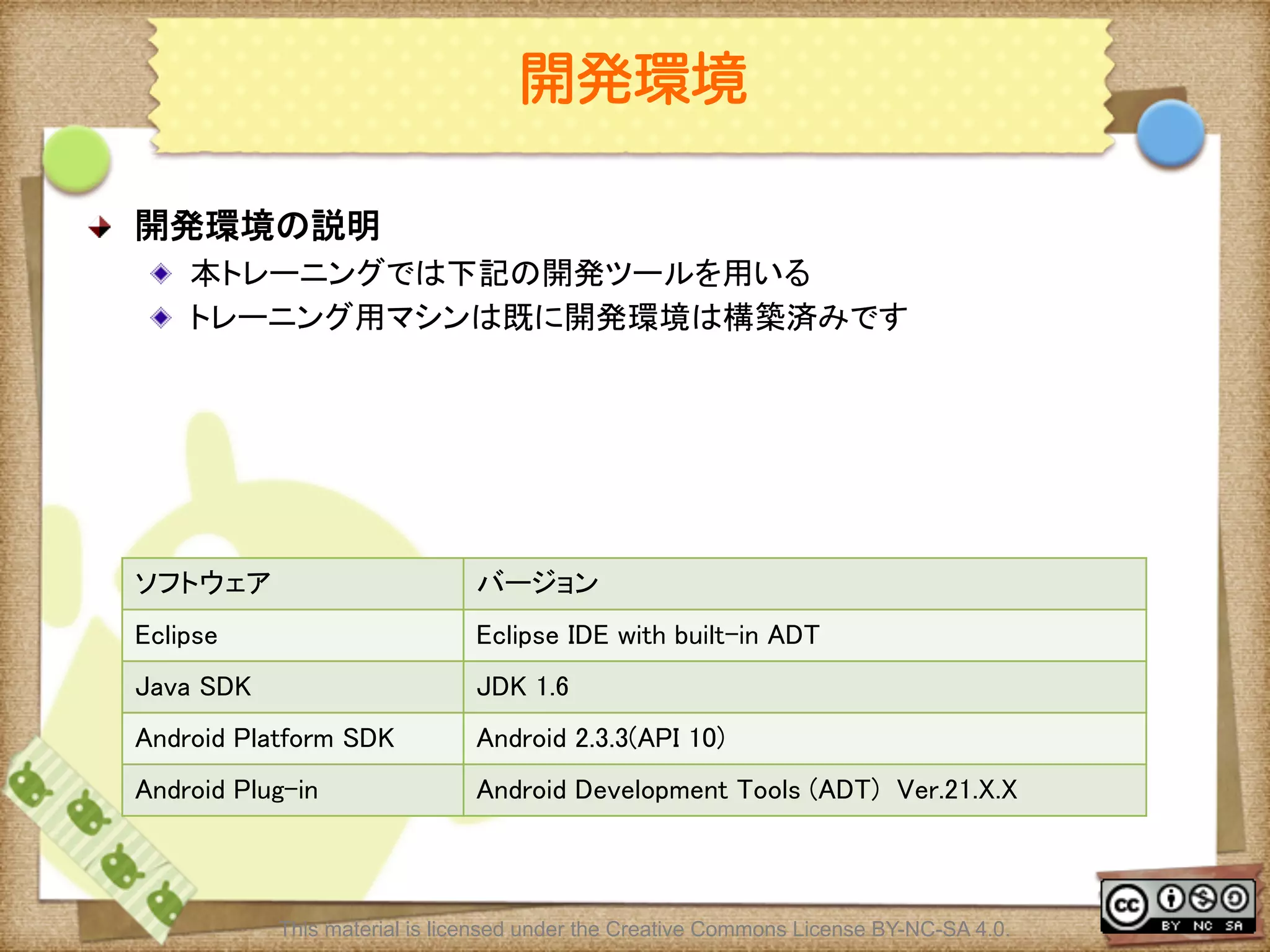
![Ⅶ - 6
開発環境
! 開発環境の説明
! ディレクトリ構成
! トレーニングに必要なファイルは全てandroid_traing_uiに用意してあります。
! 以下はandroid_traing_uiのディレクトリ構成になります
パス(c:¥android_trainig_ui以下)
内容
adt-bundle-windows-x86-[日付]¥sdk
AndroidSDK
adt-bundle-windows-x86-[日付]¥eclipse
eclipse
workspace
eclipseのworkspace
answer_docs/html
実習の解答ドキュメント
This material is licensed under the Creative Commons License BY-NC-SA 4.0.](https://image.slidesharecdn.com/androidui-140313021742-phpapp02/75/Android-UI-6-2048.jpg)
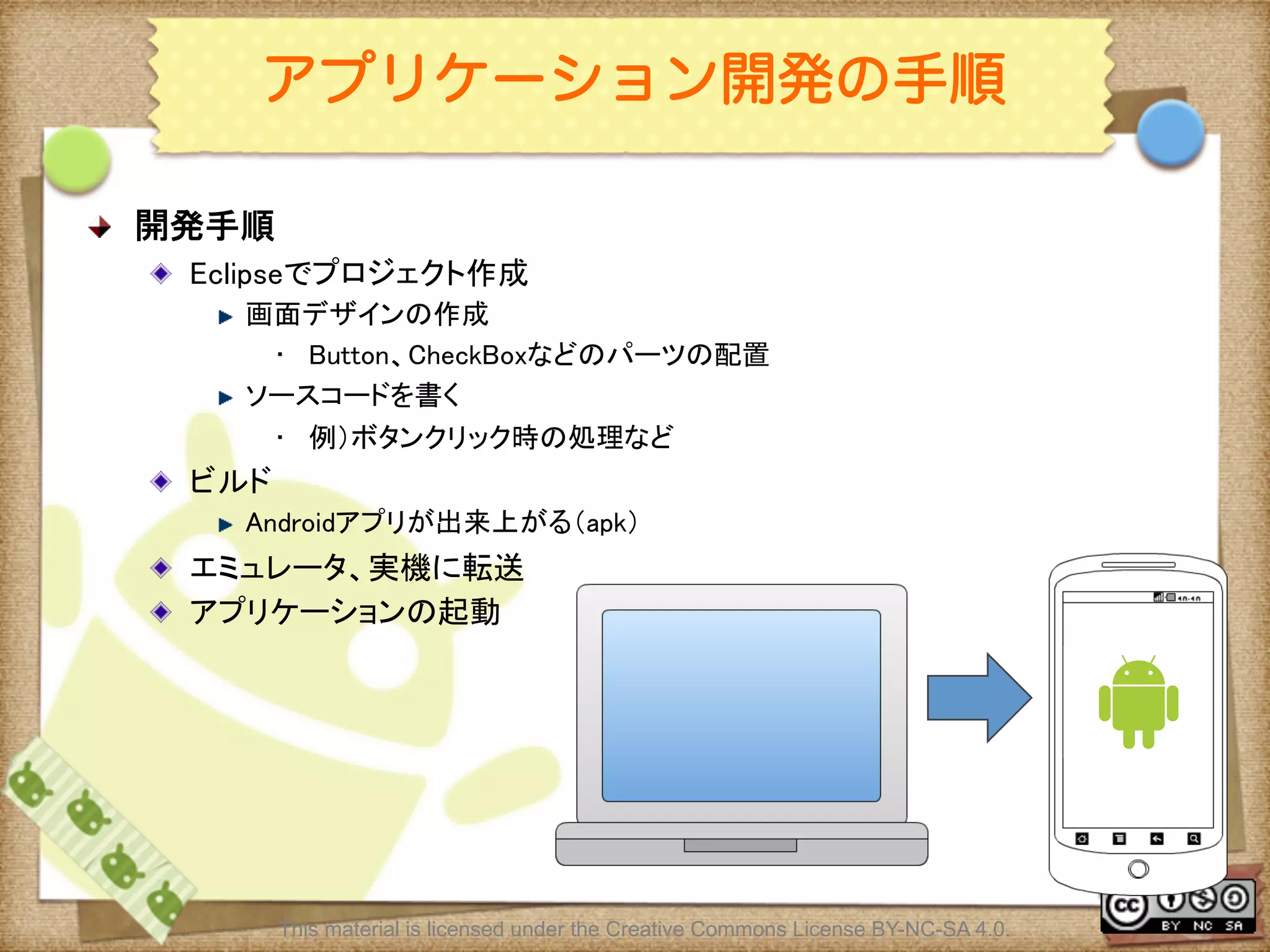
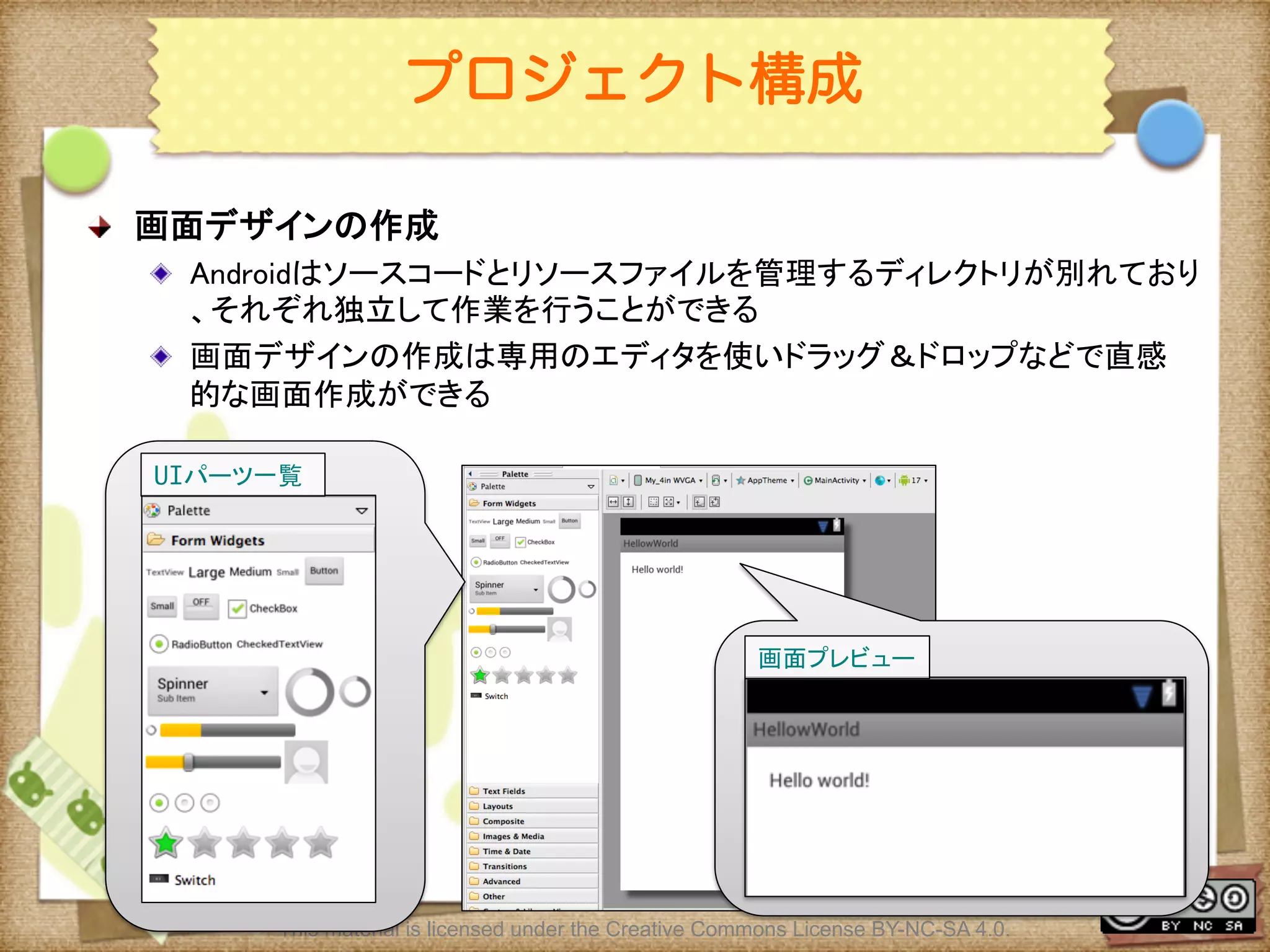
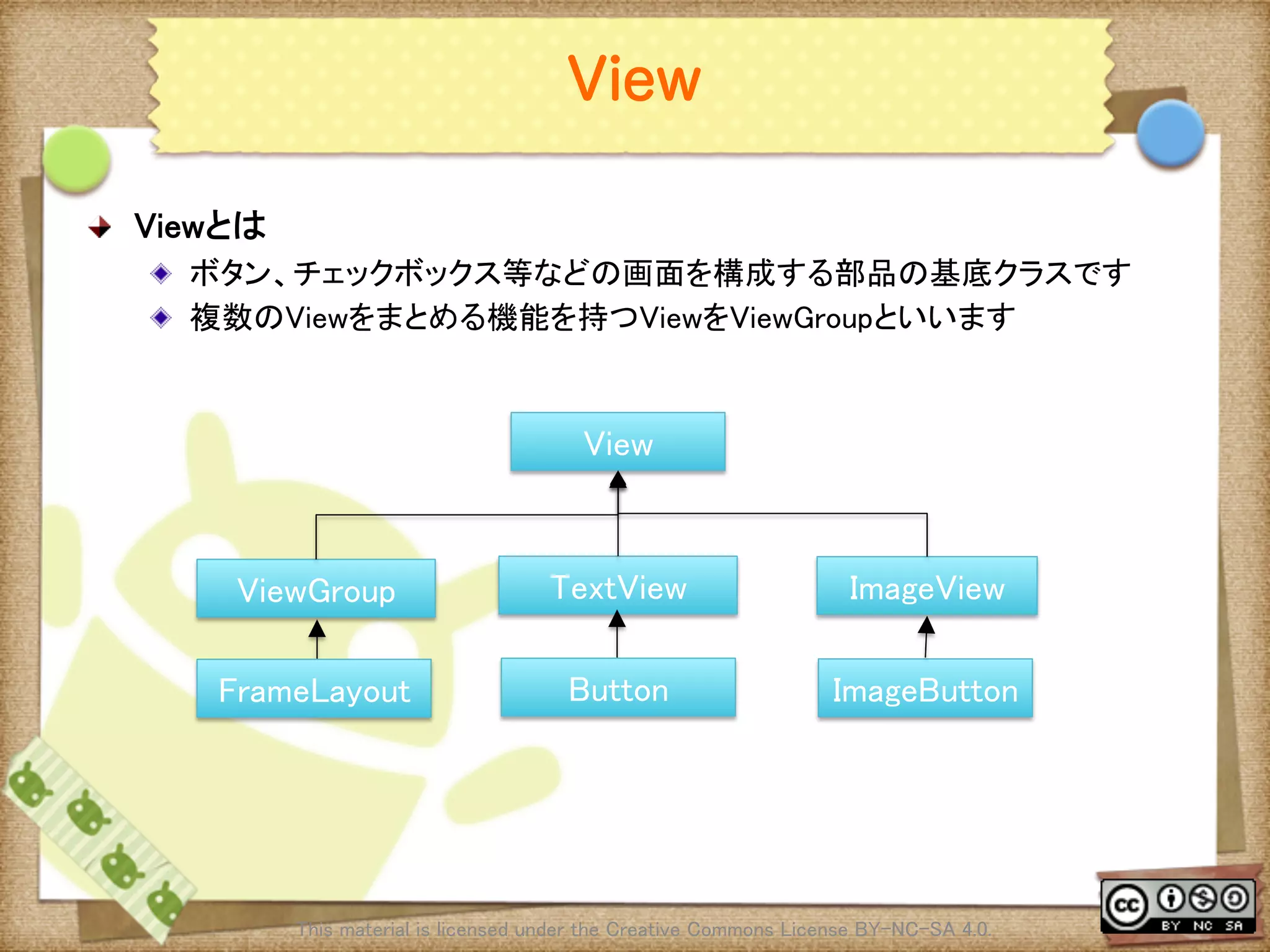
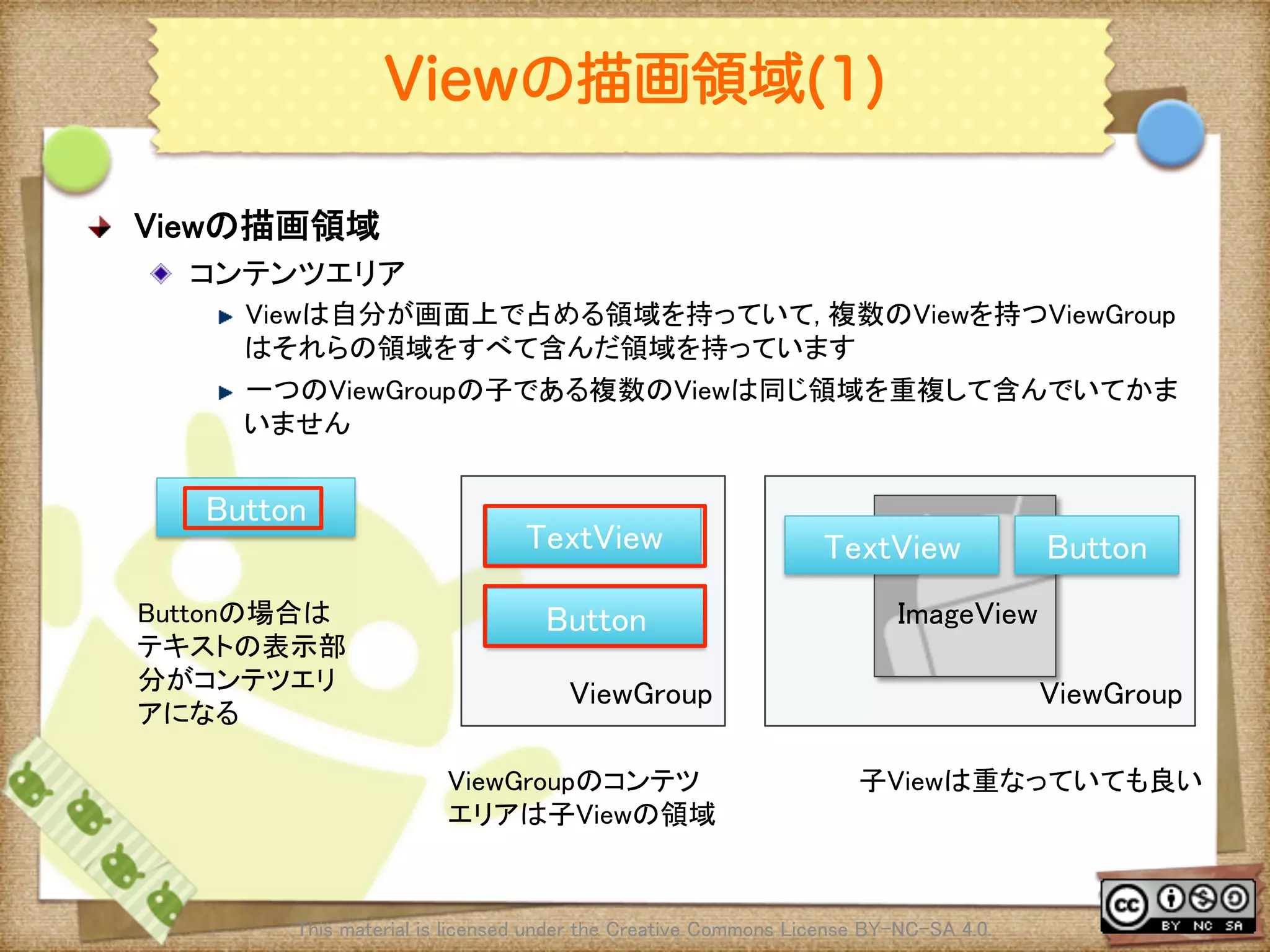
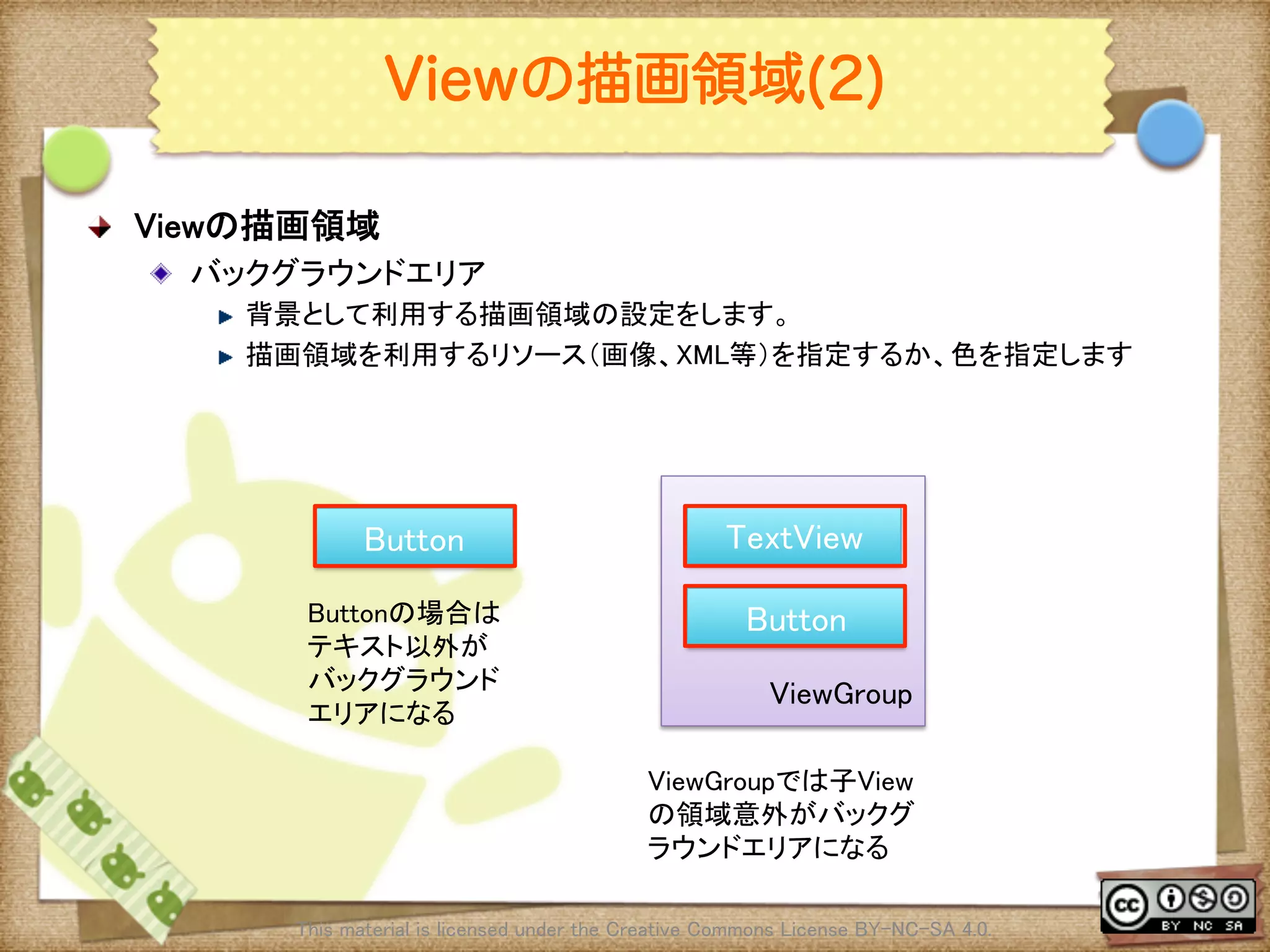
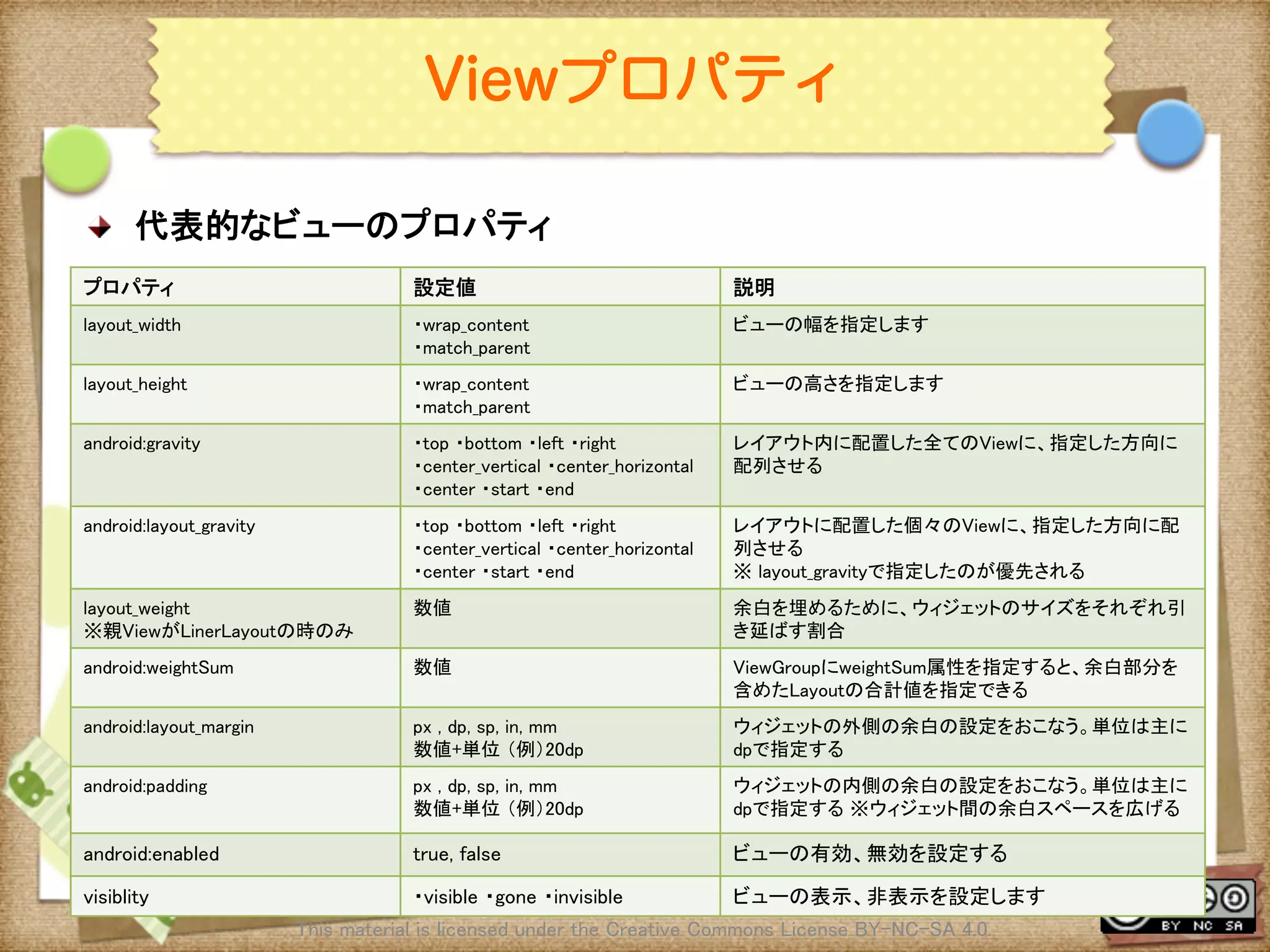
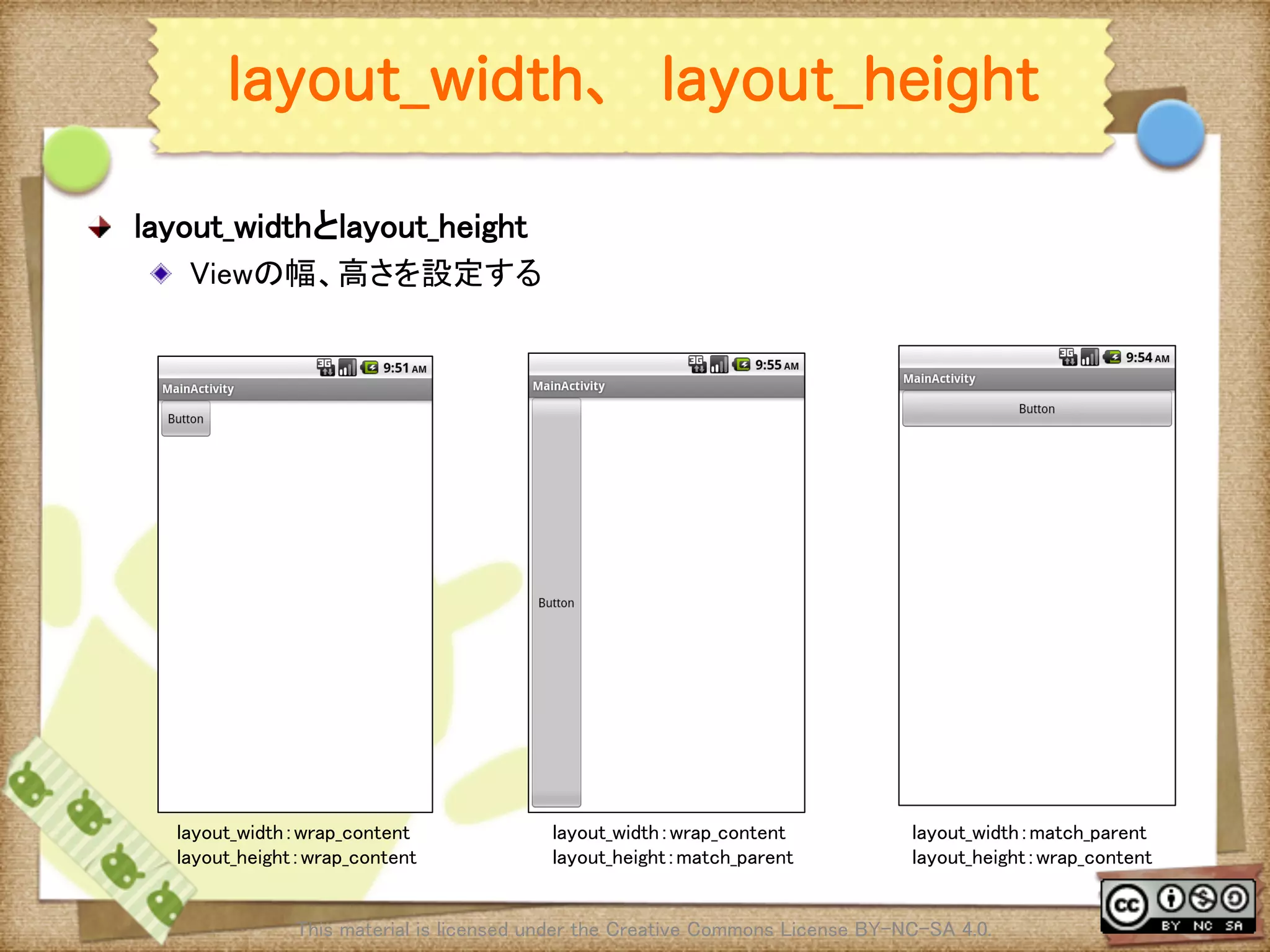
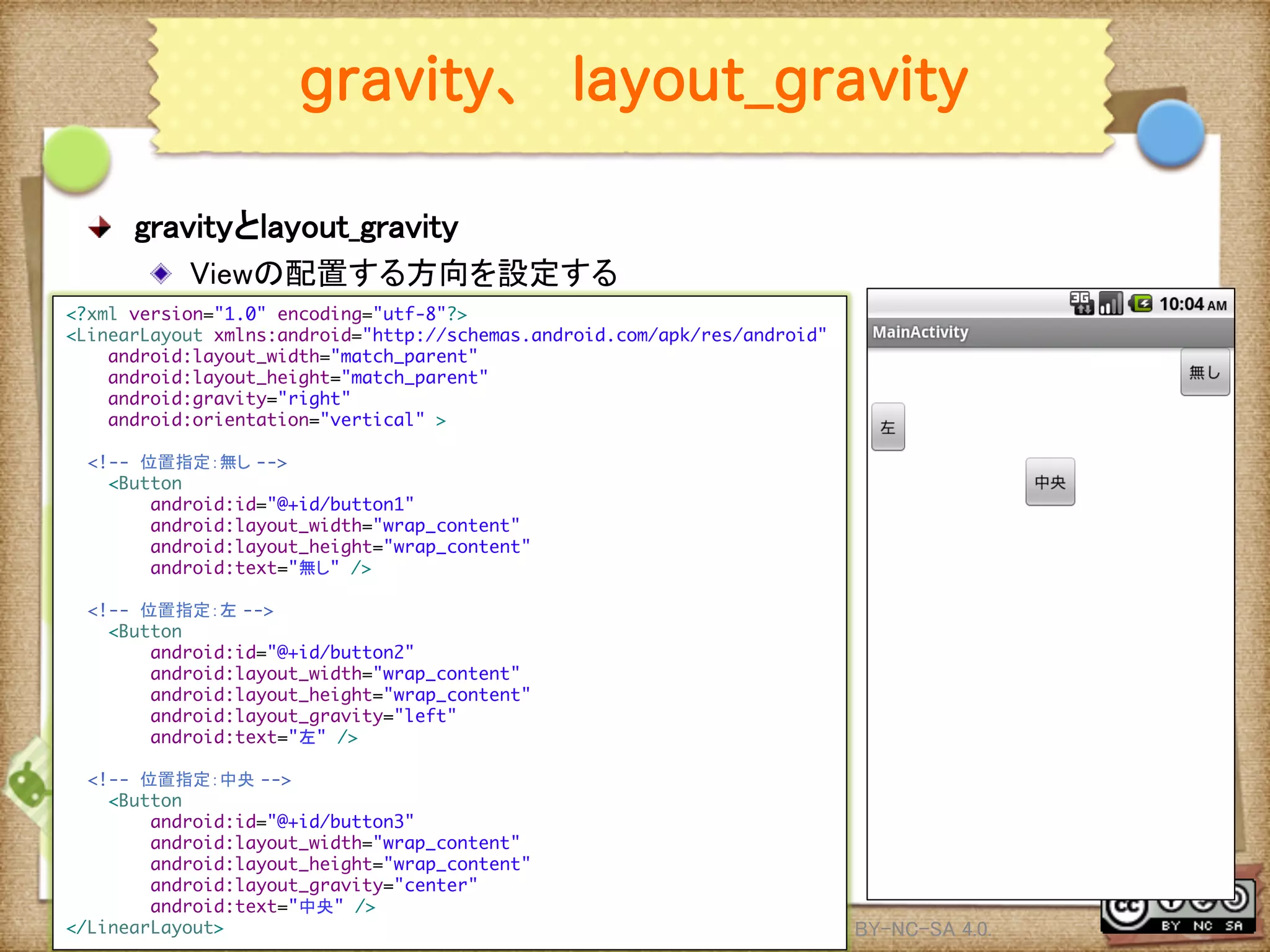
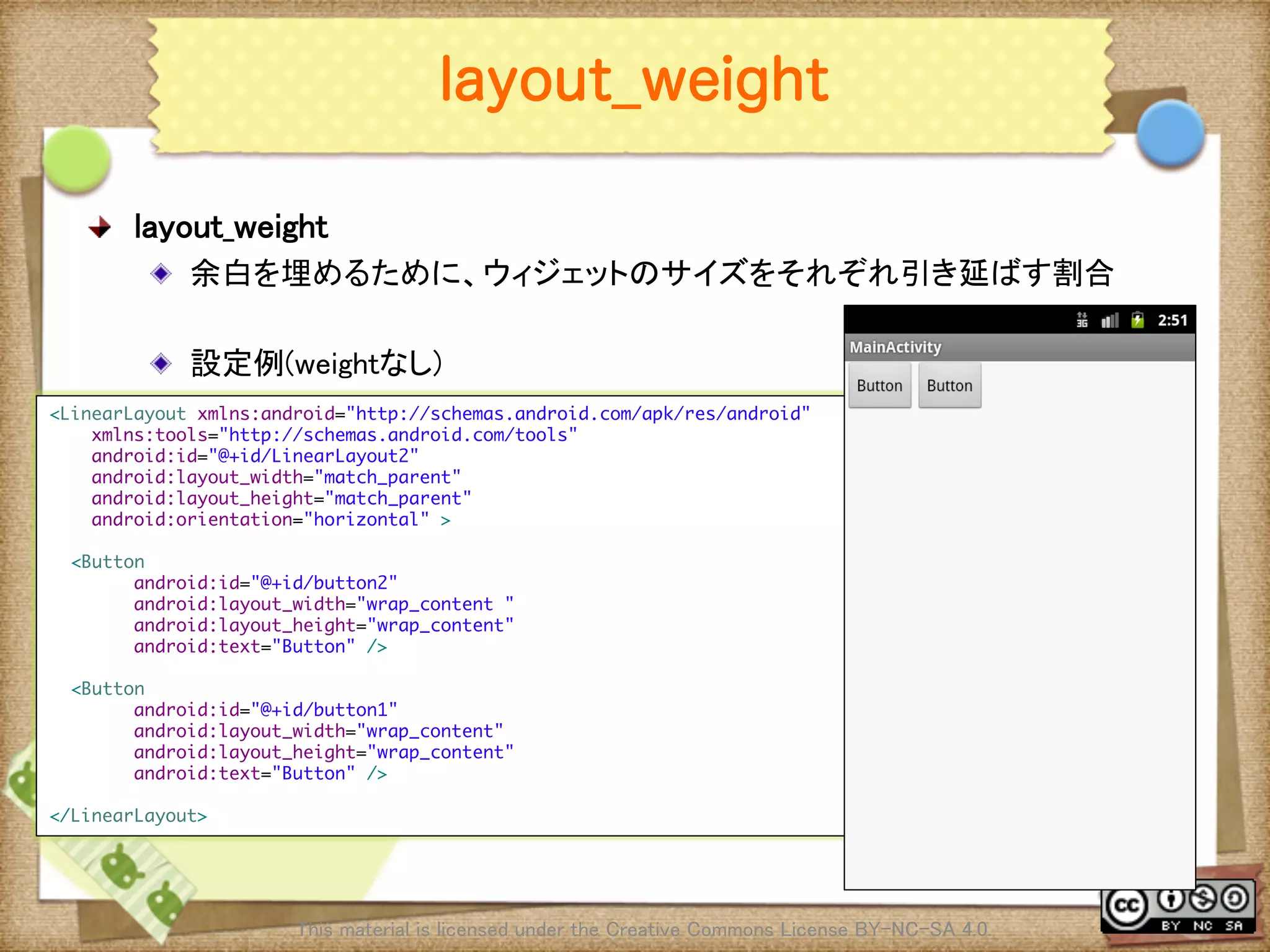
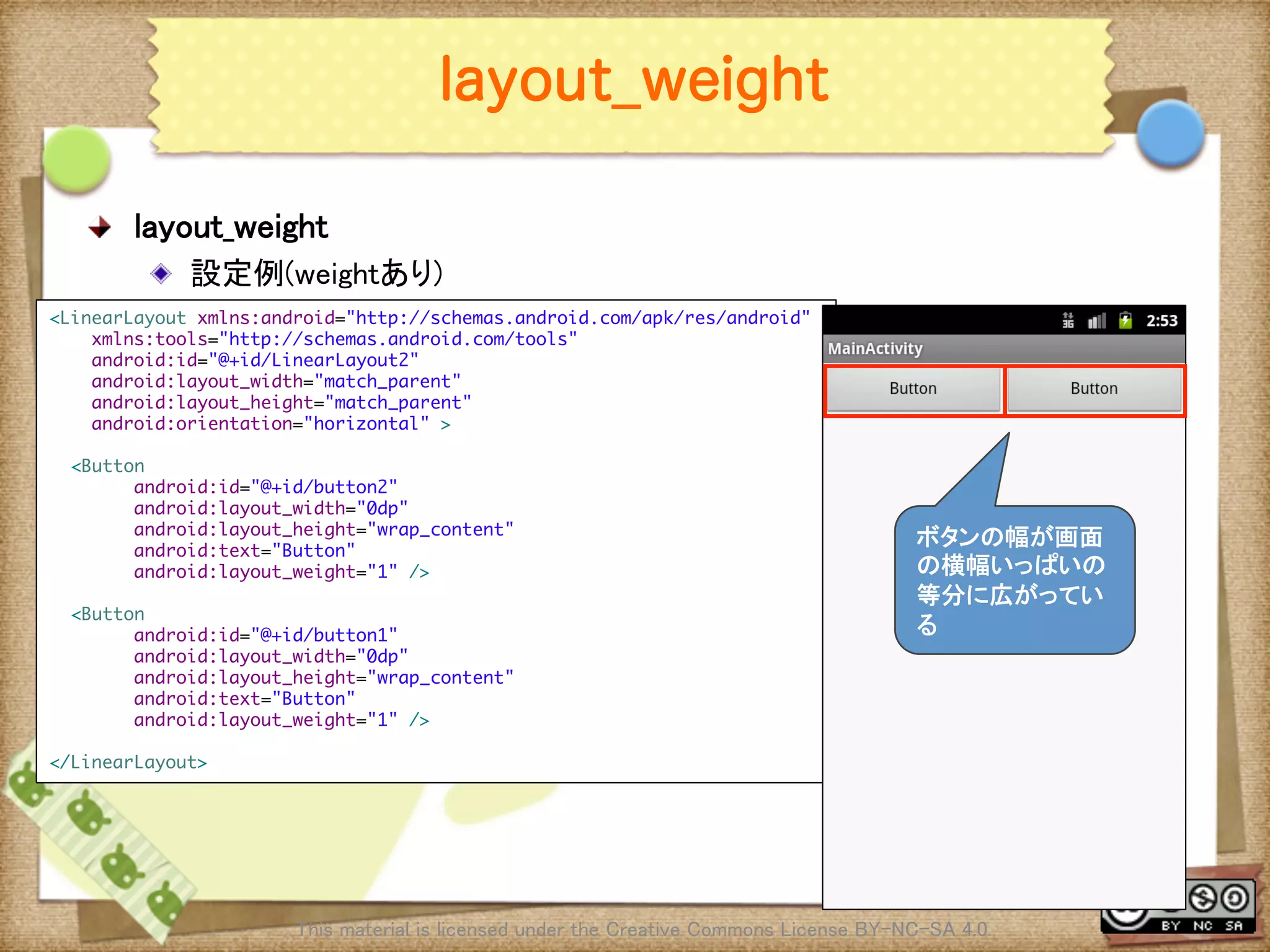
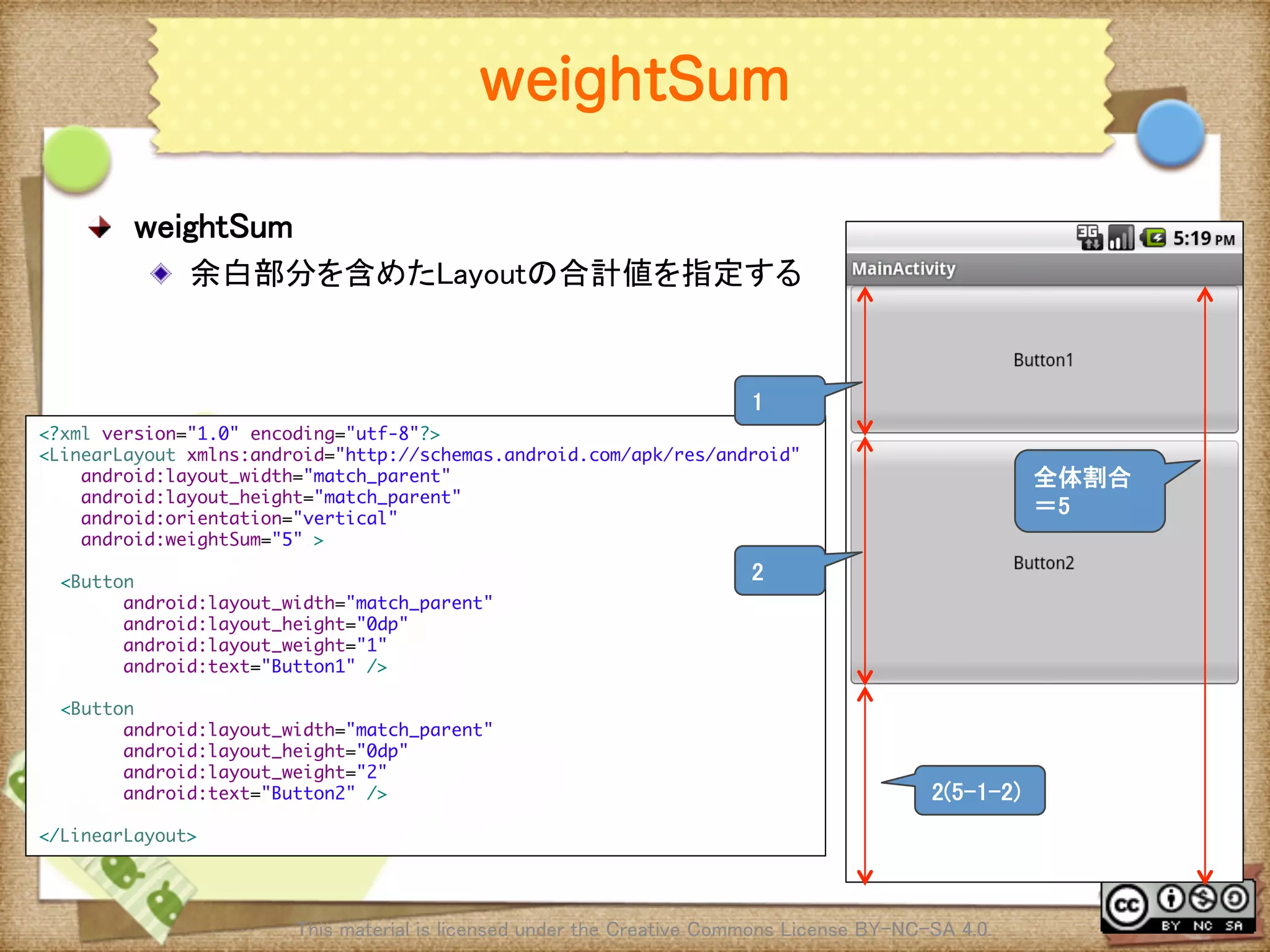
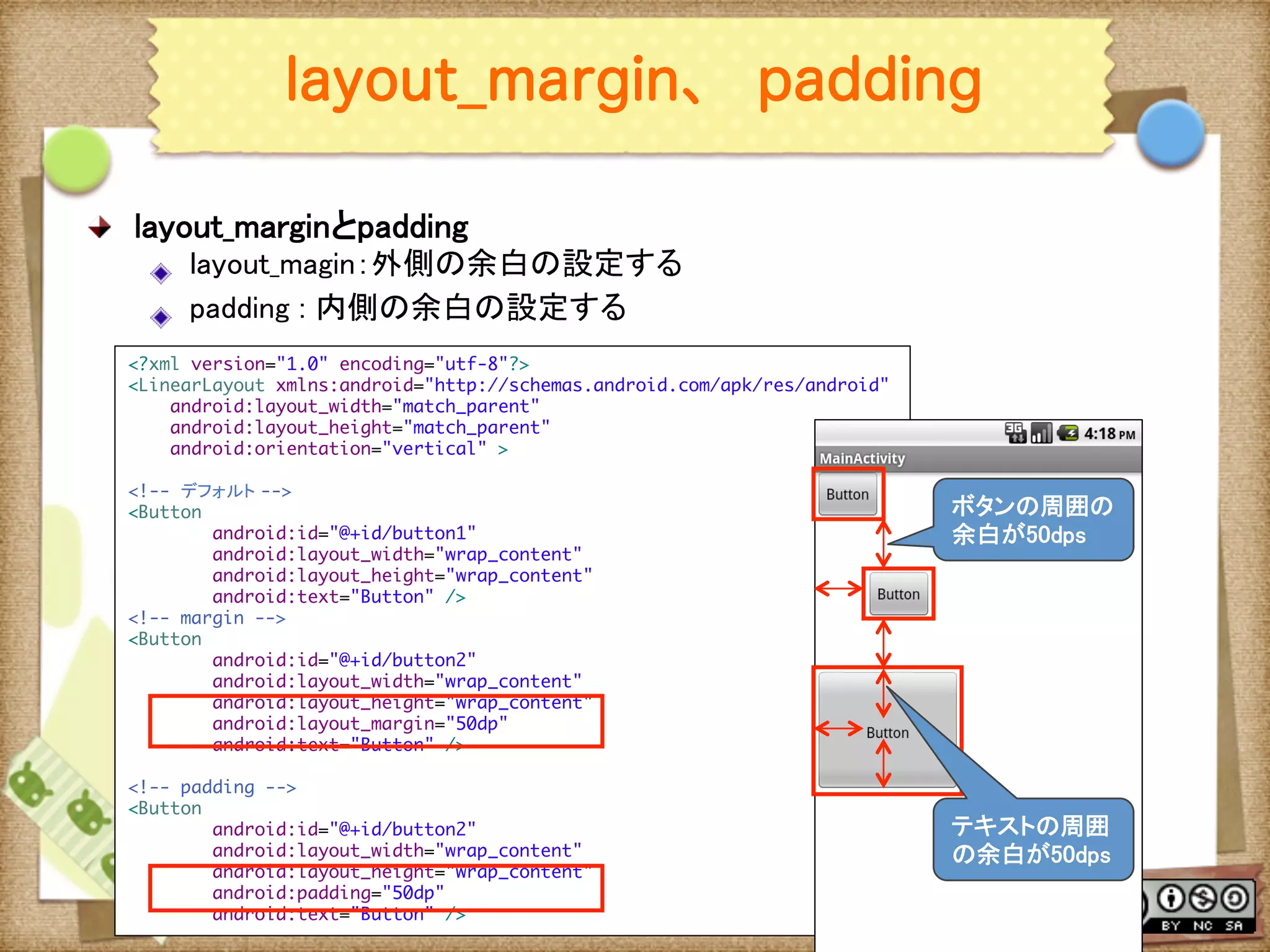
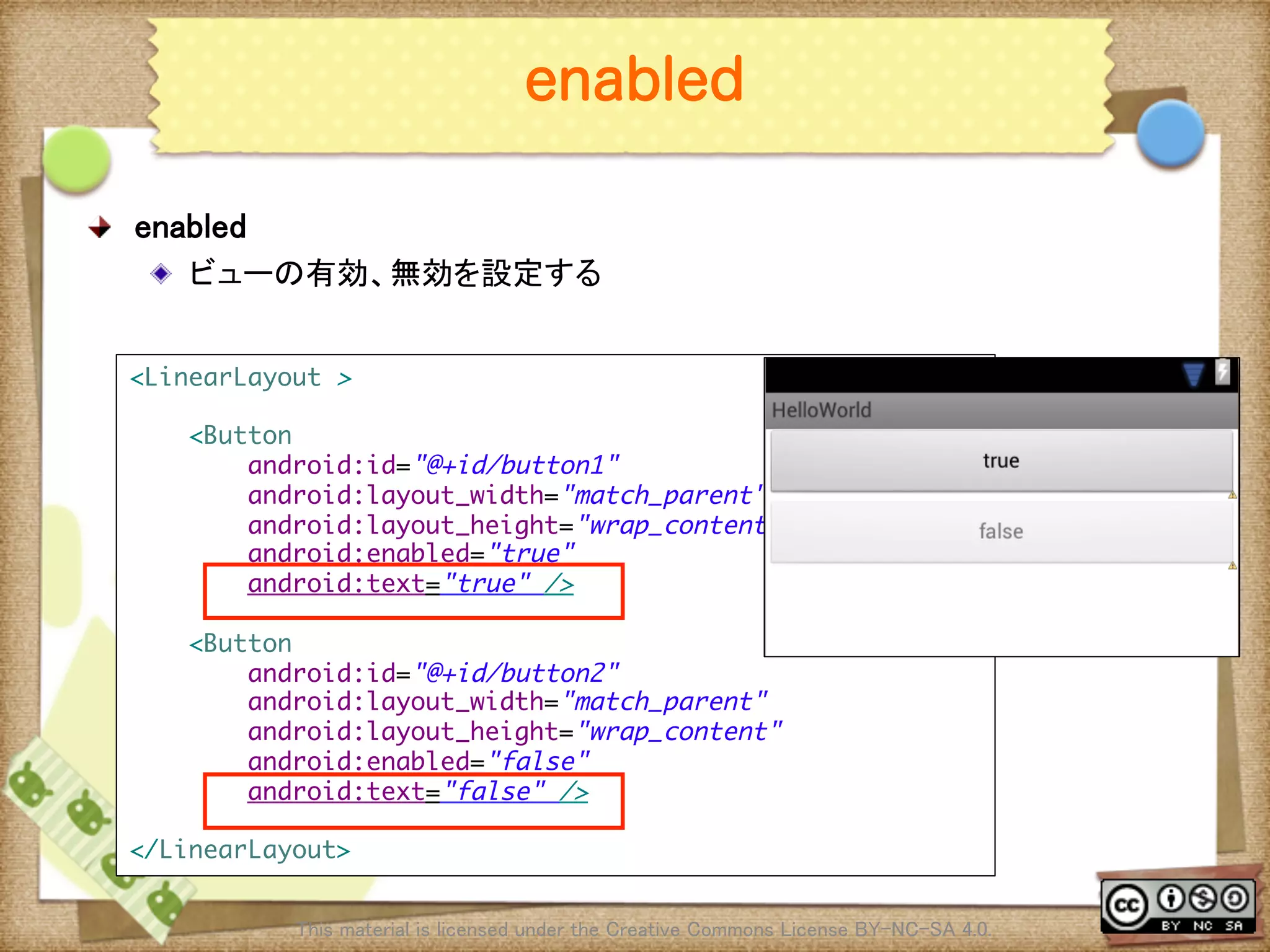
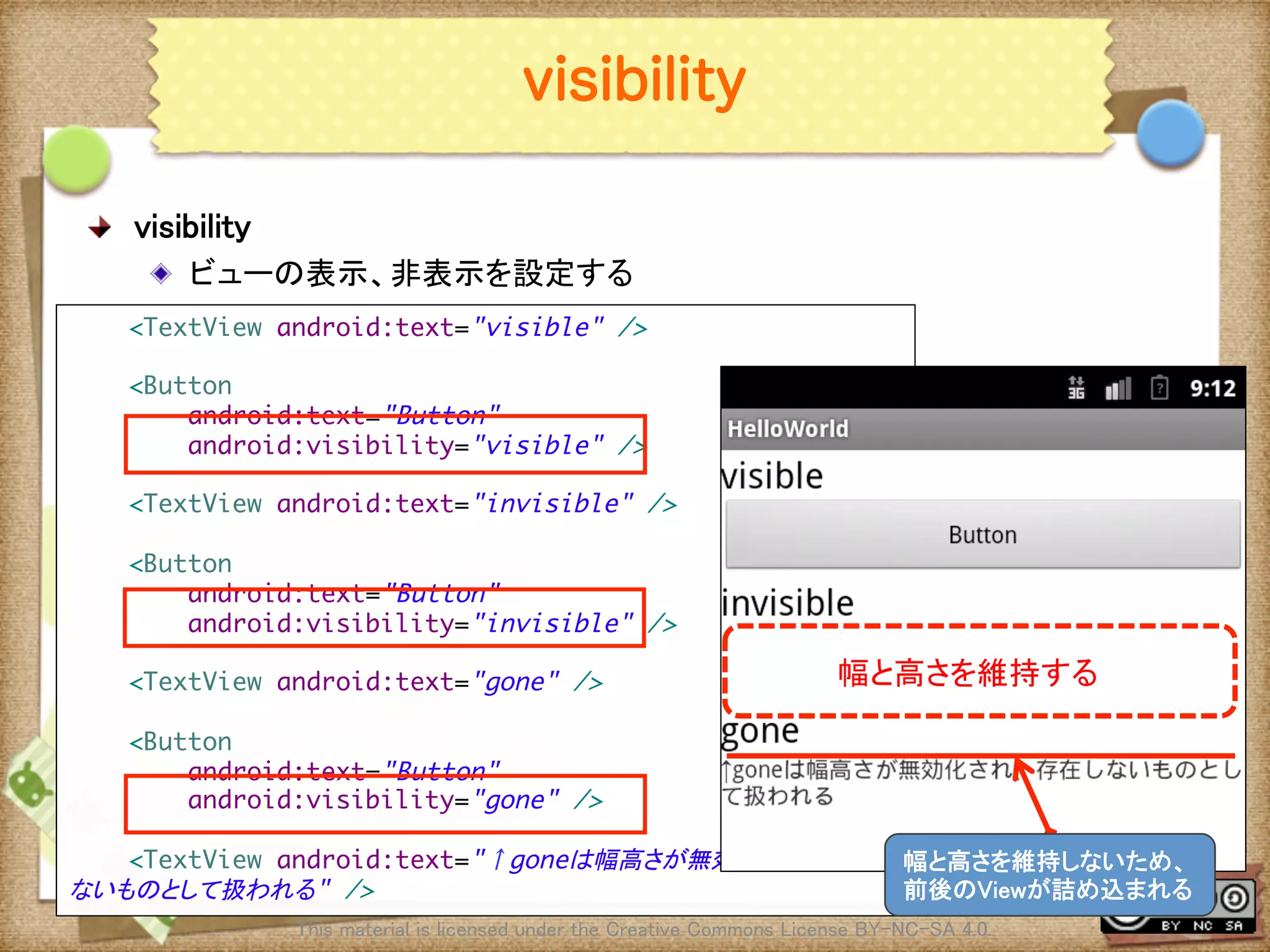
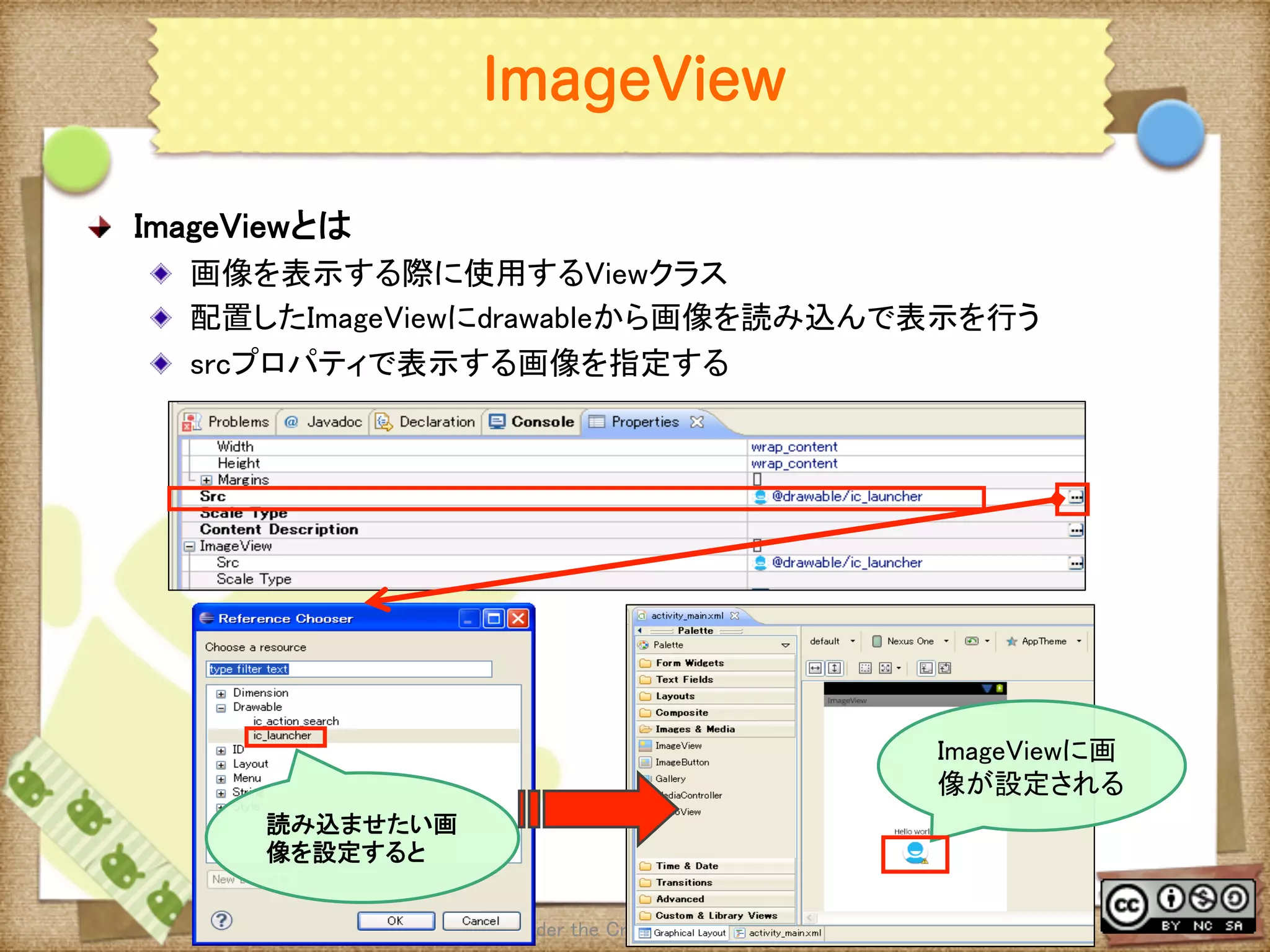
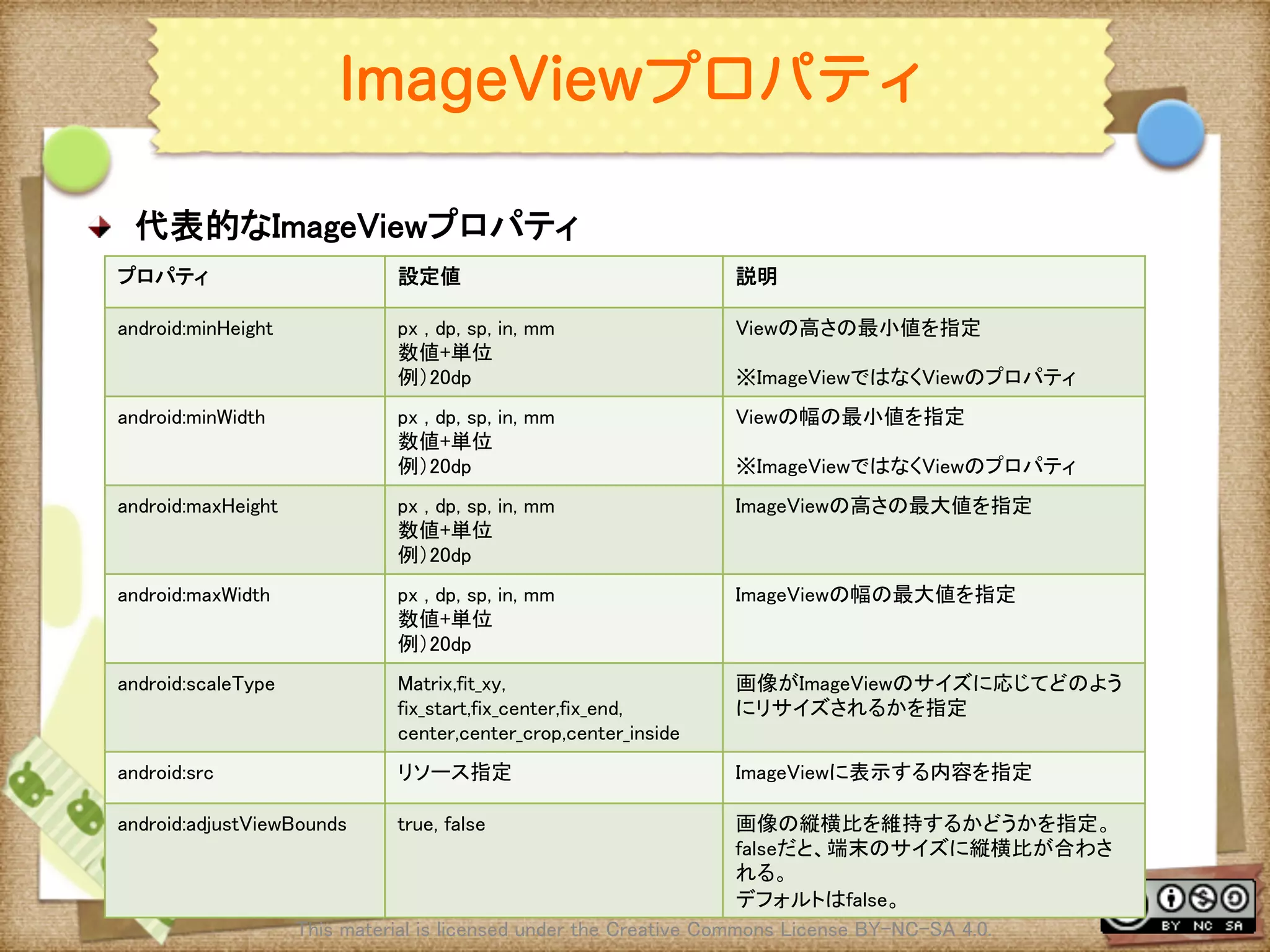
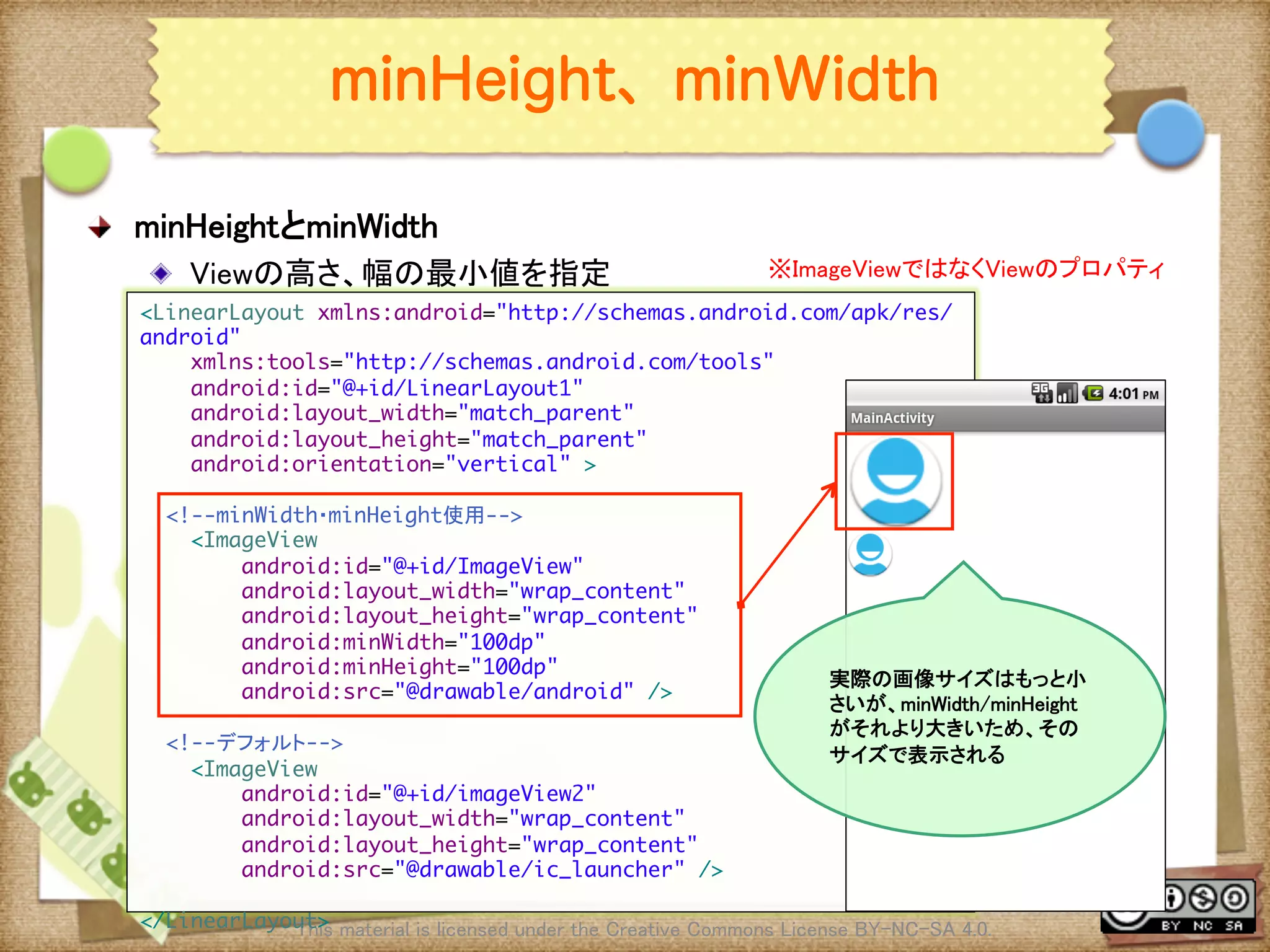
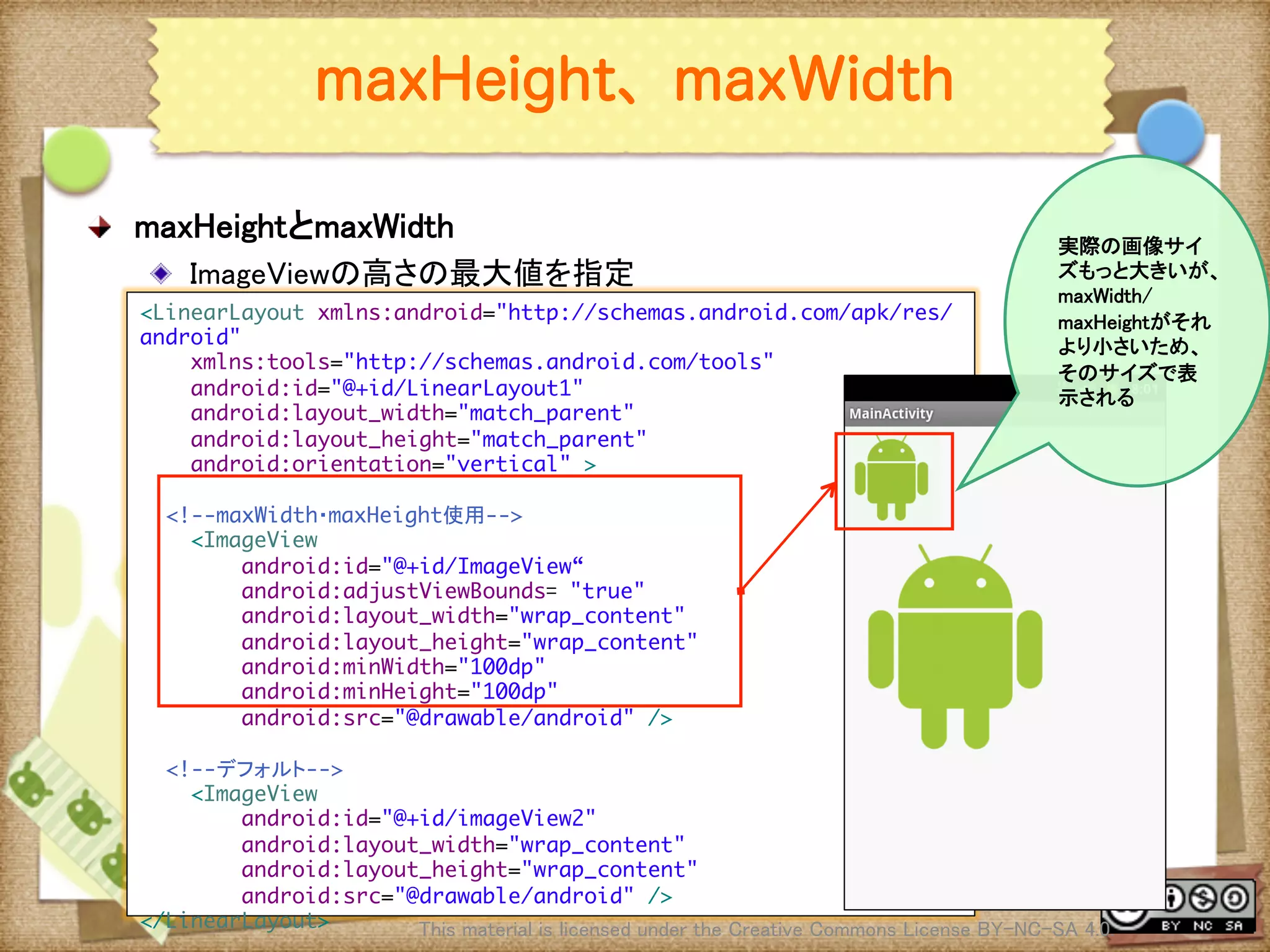
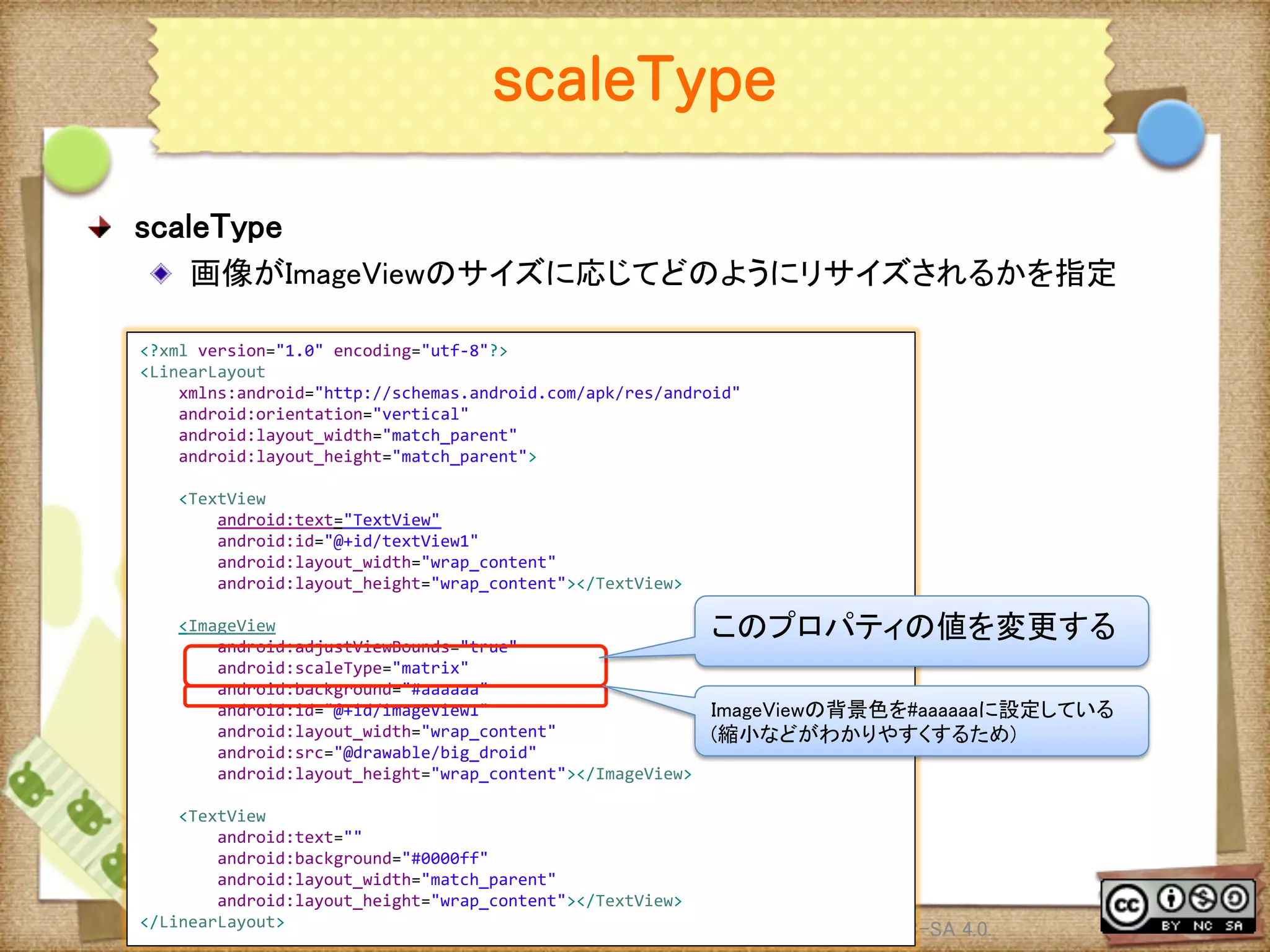
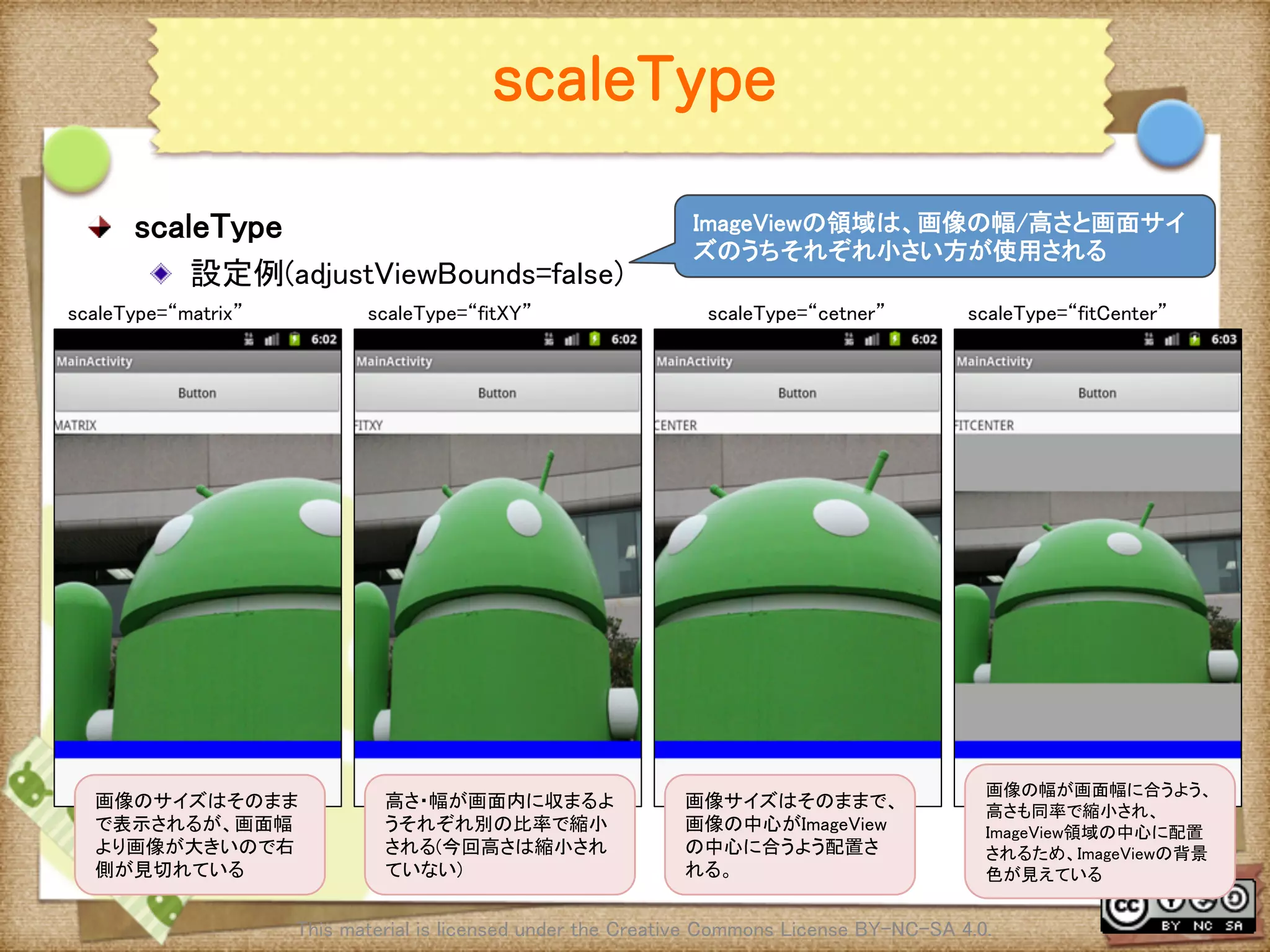
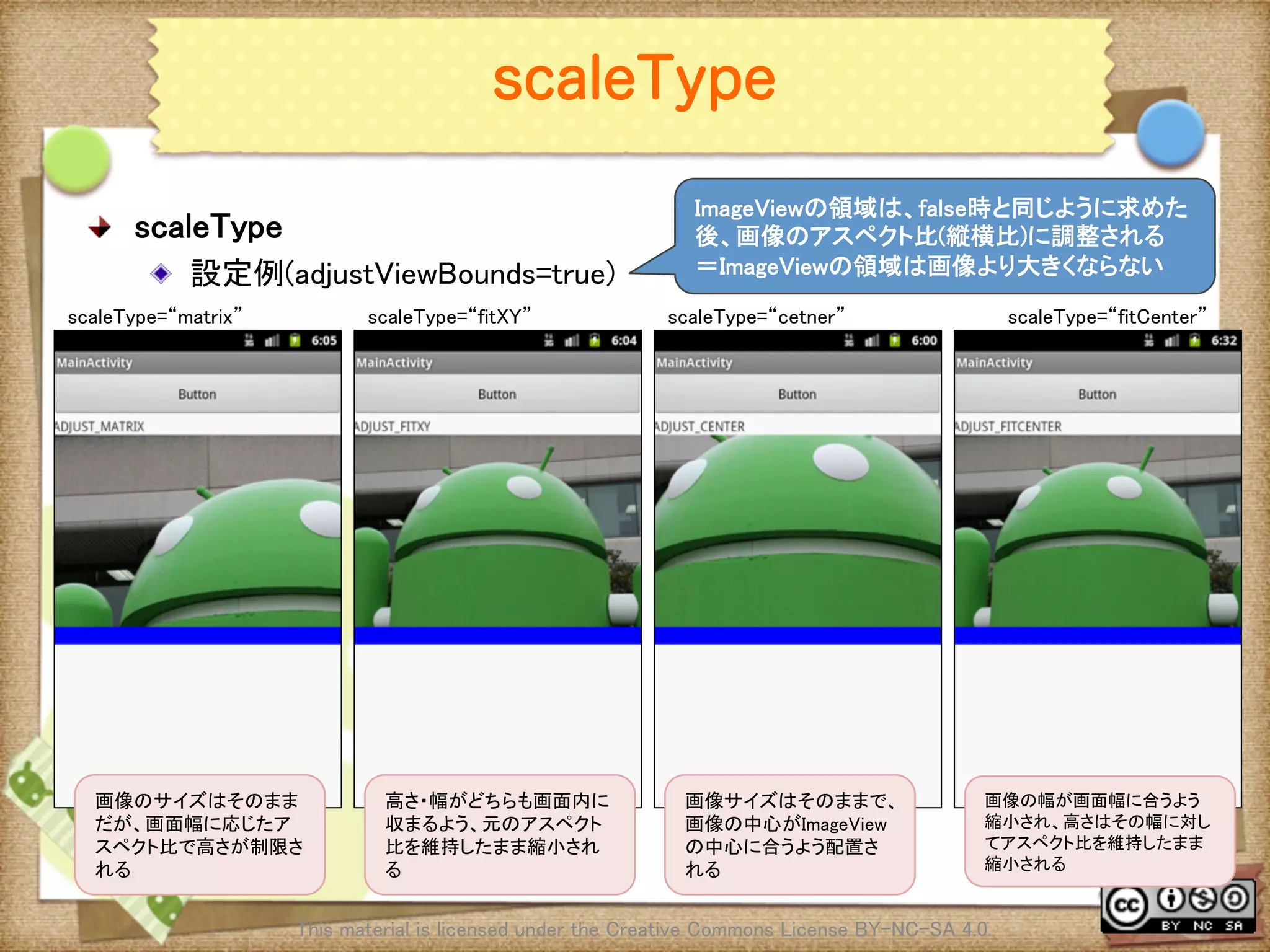
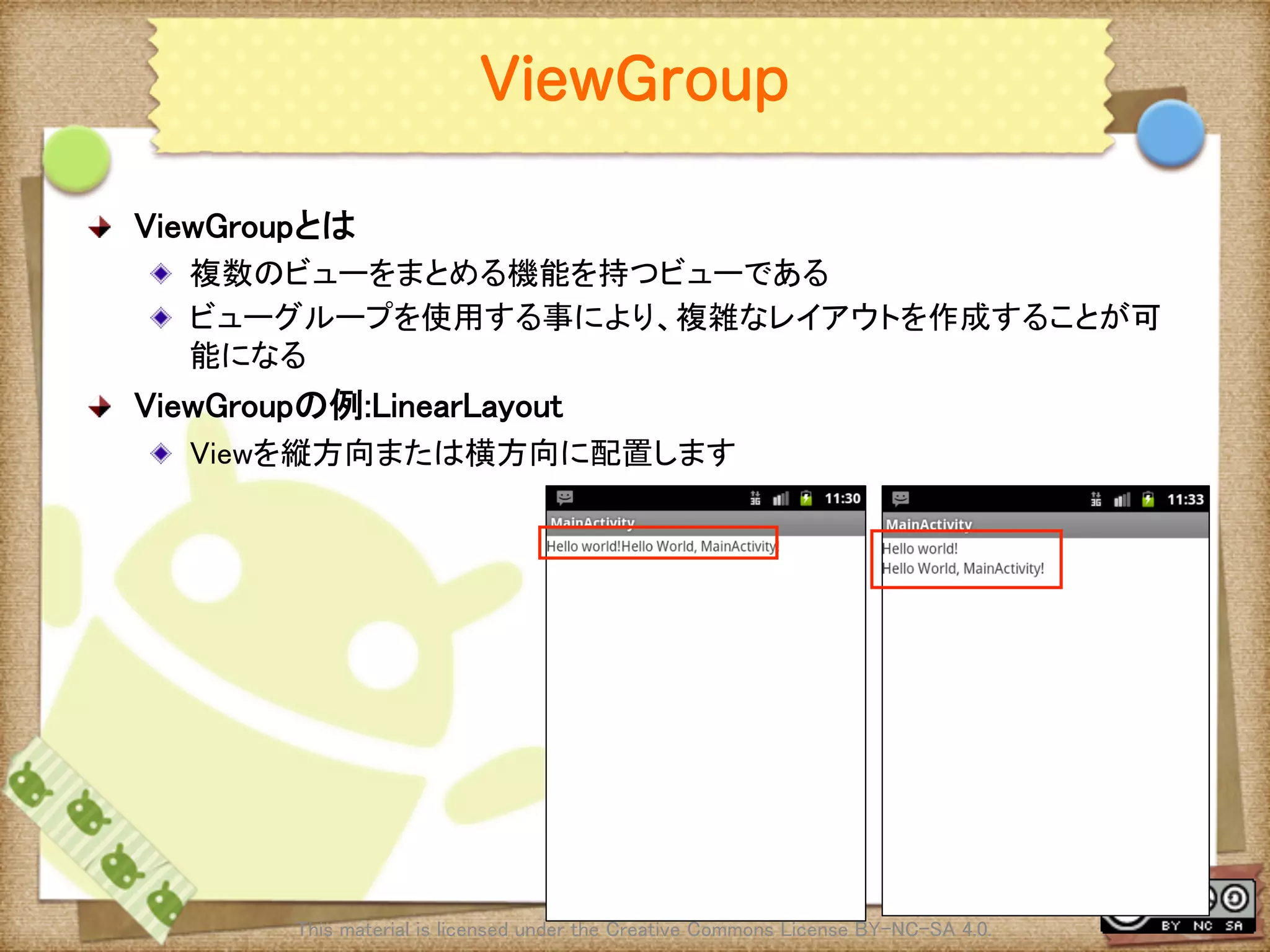
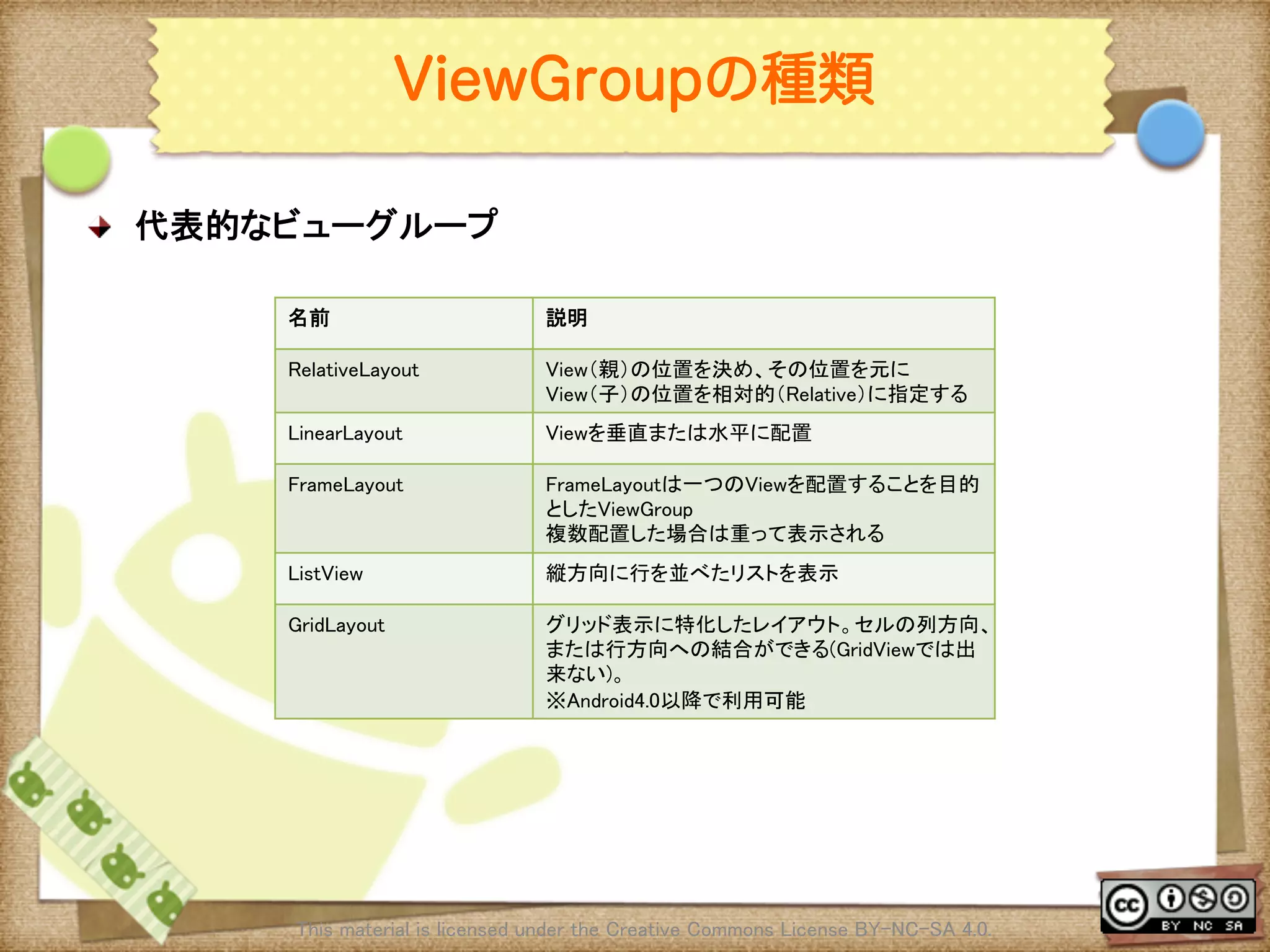
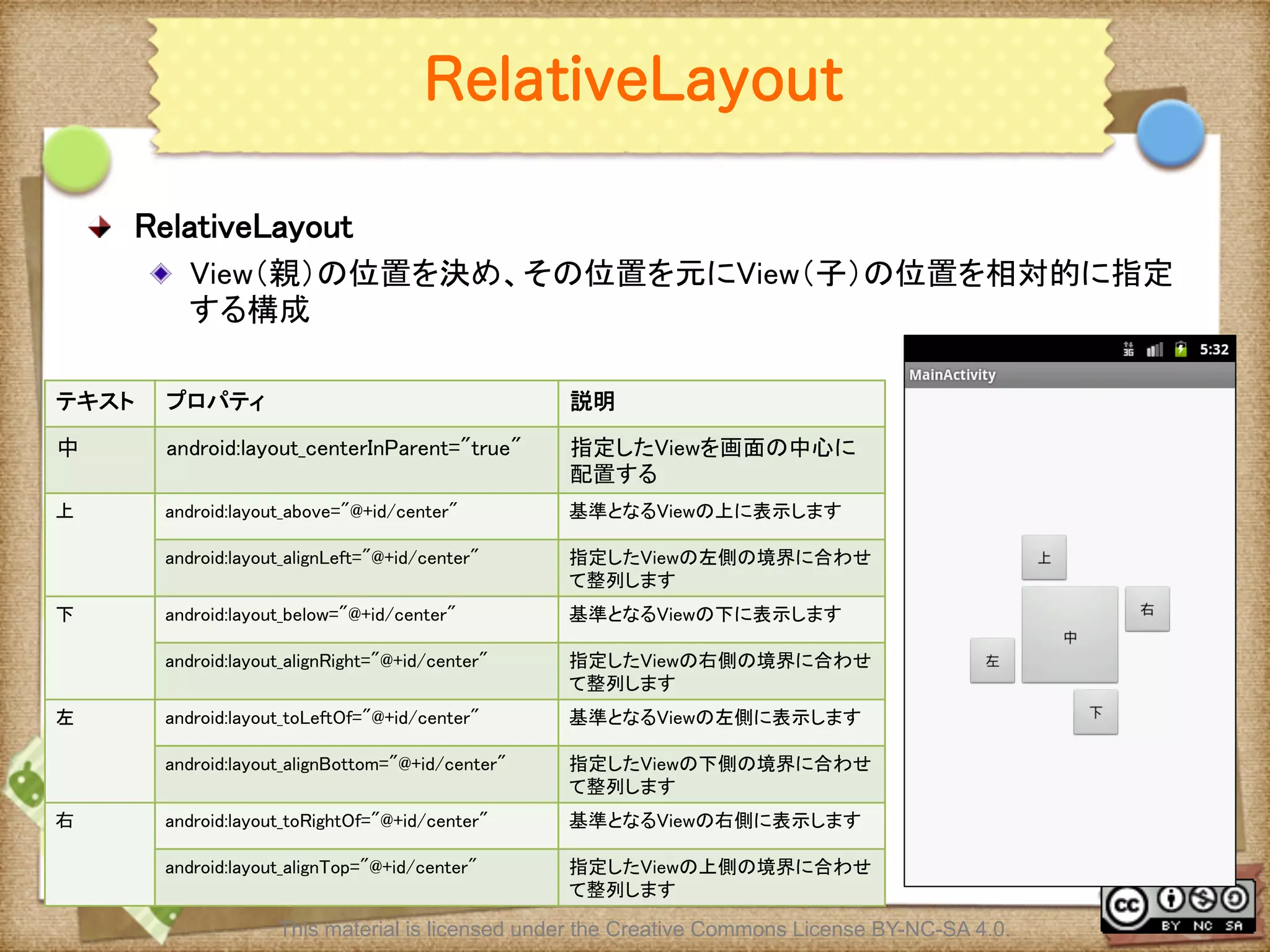
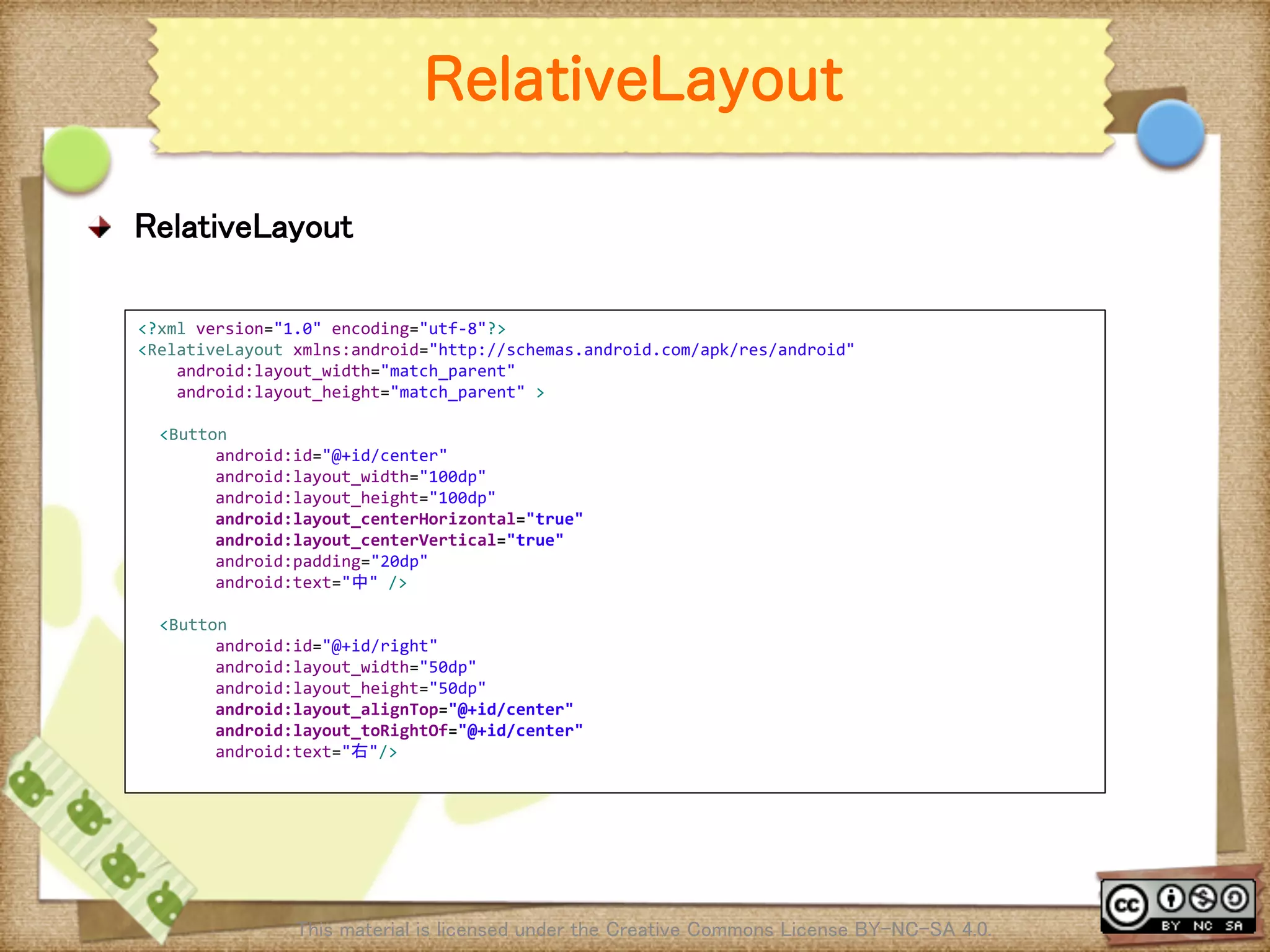

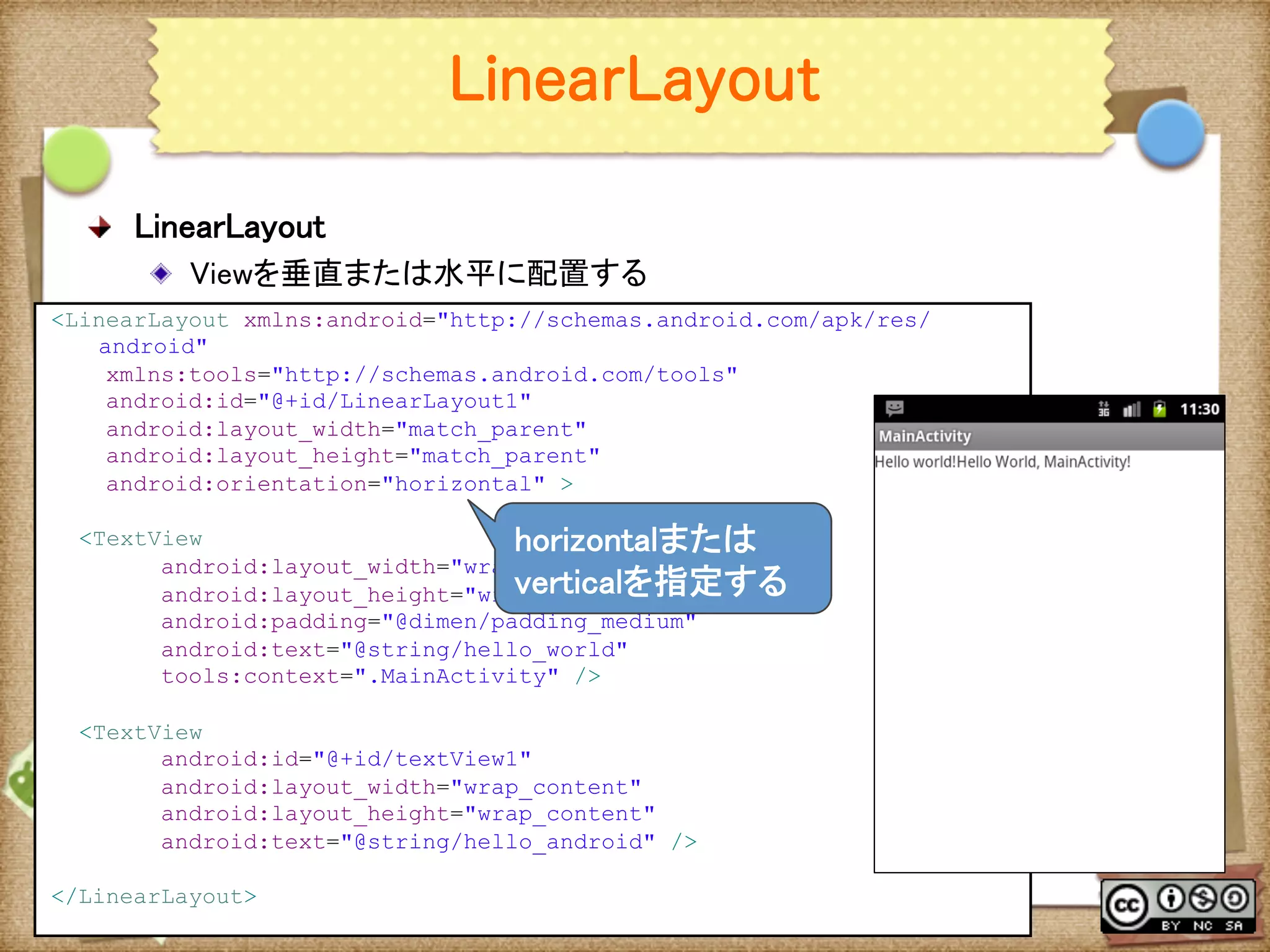
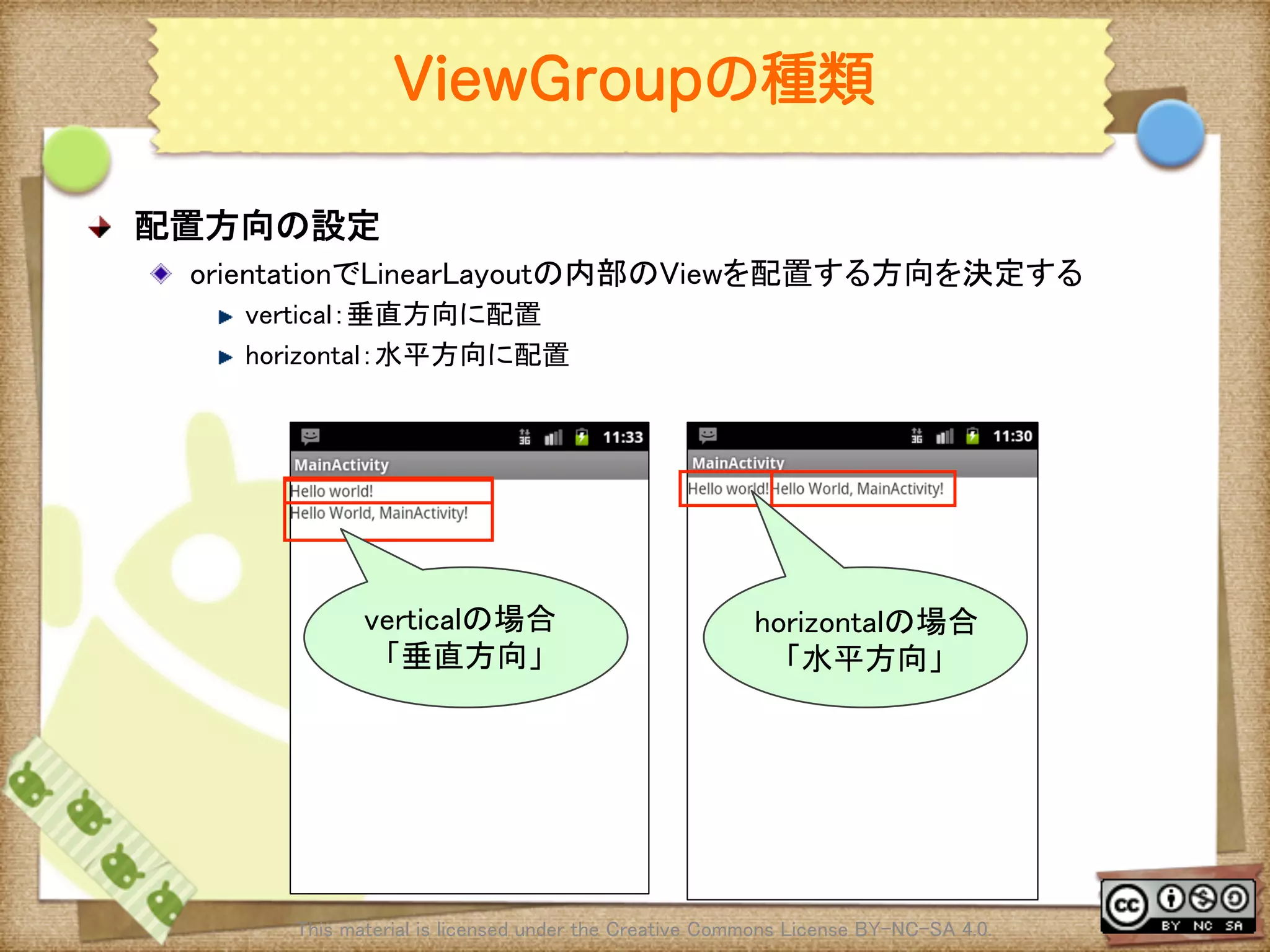
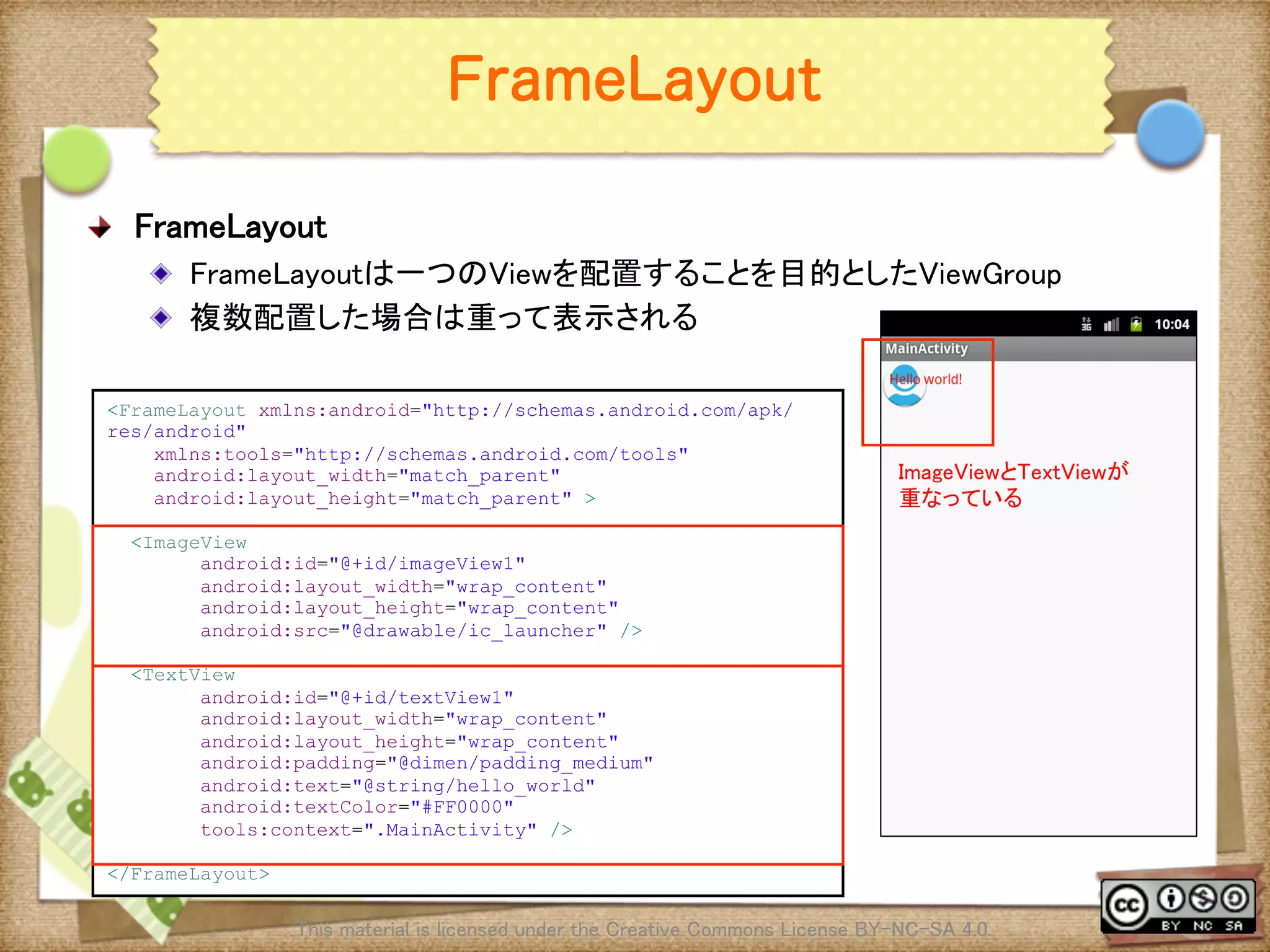
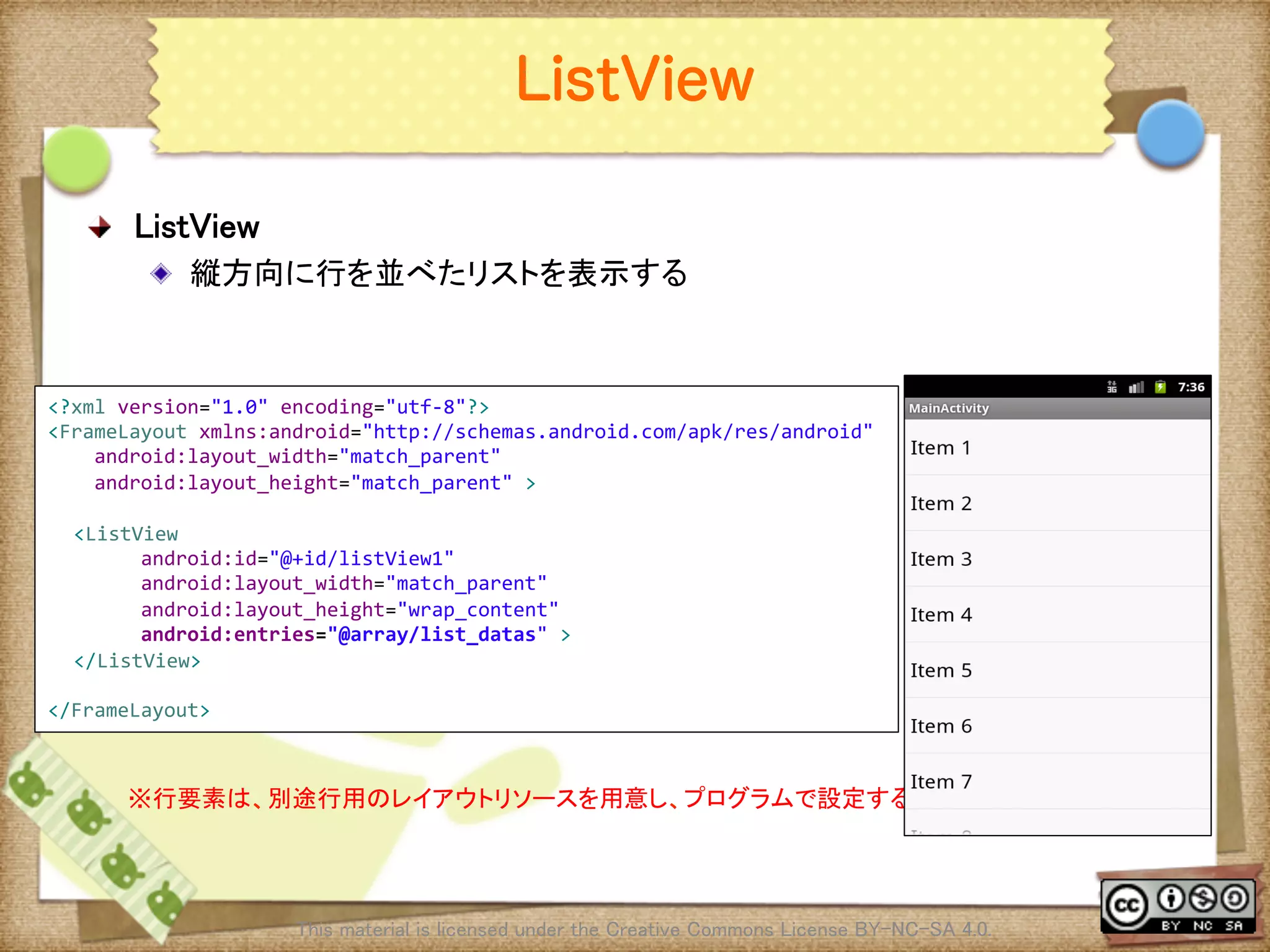
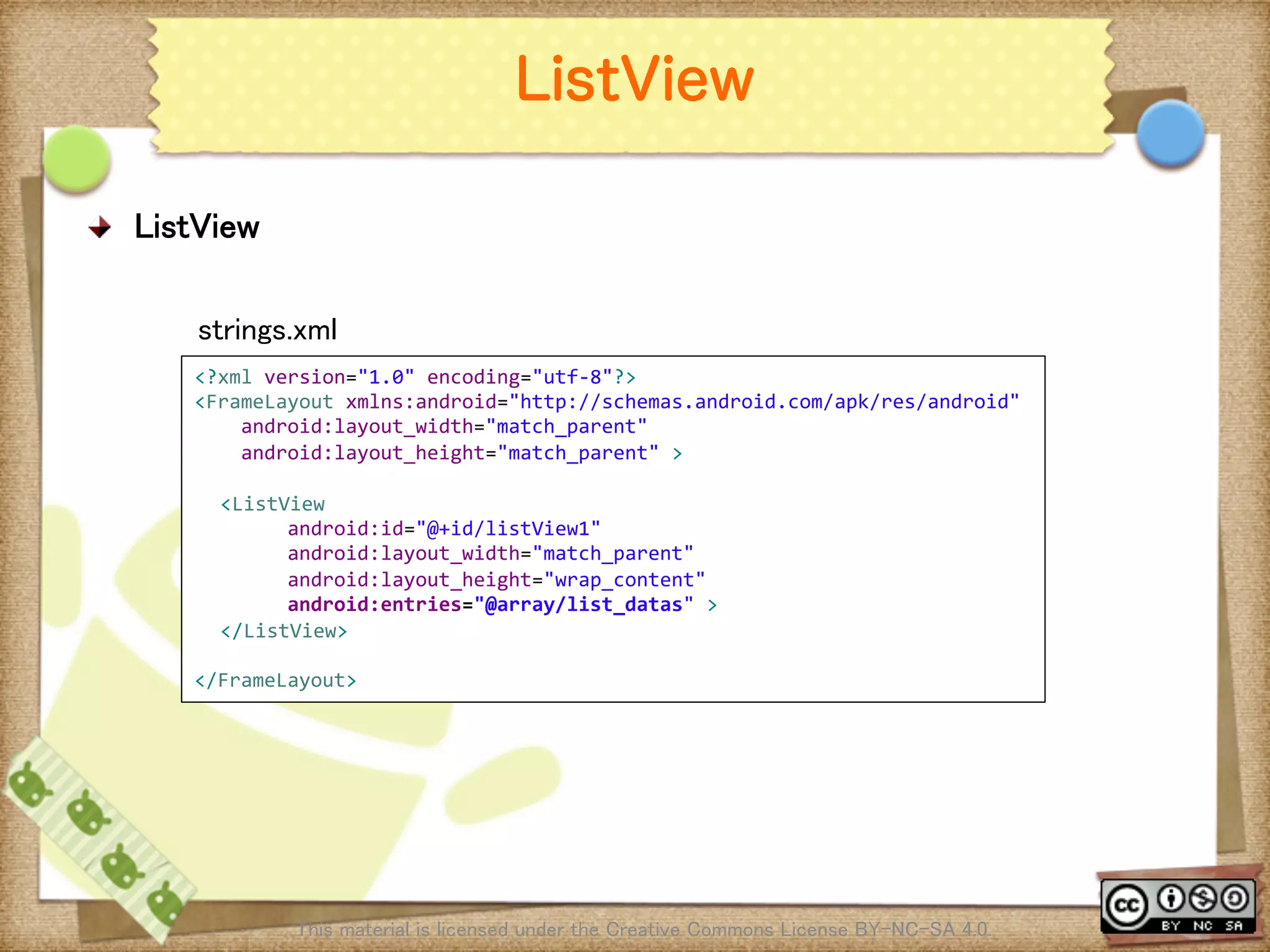
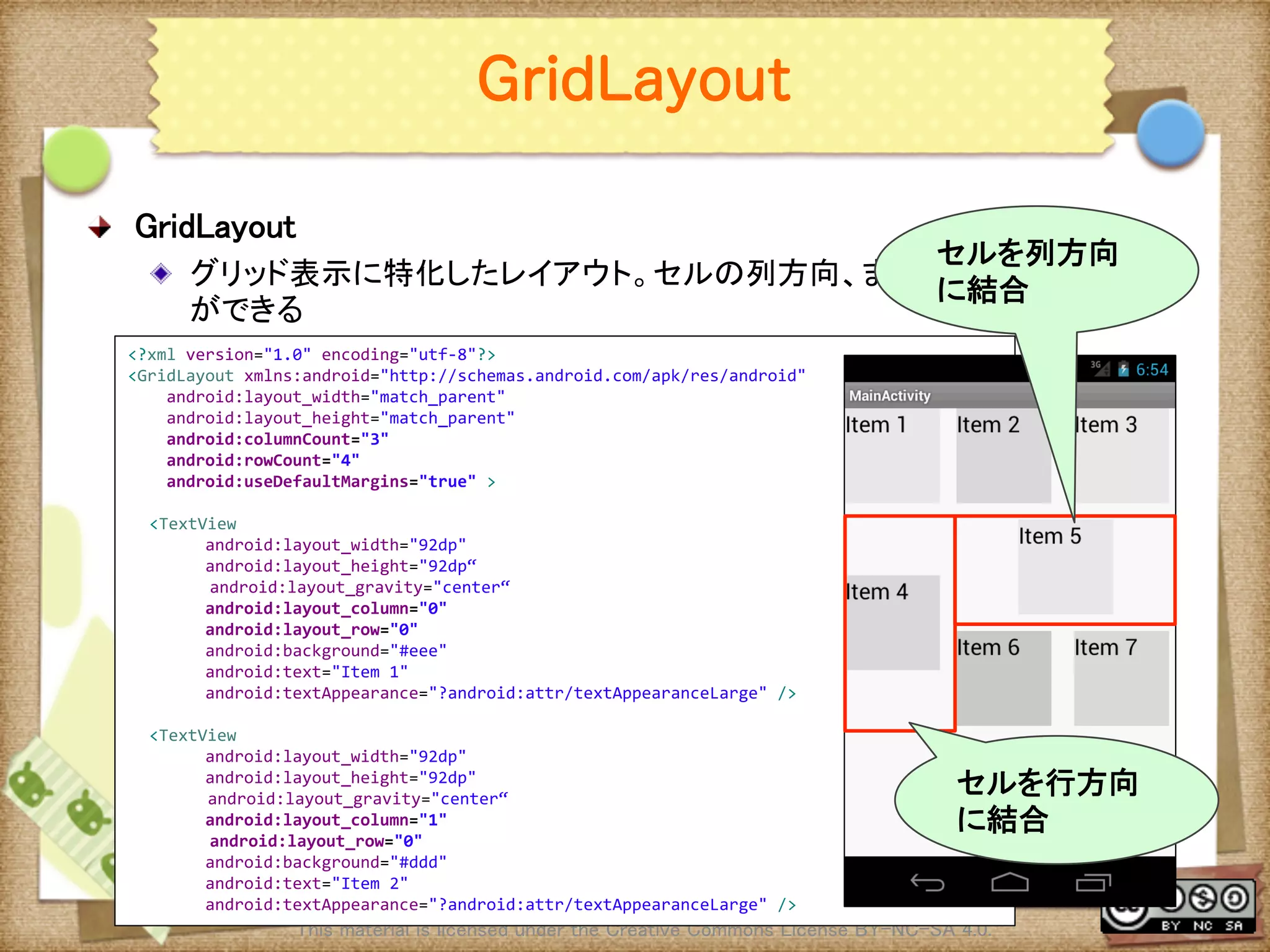
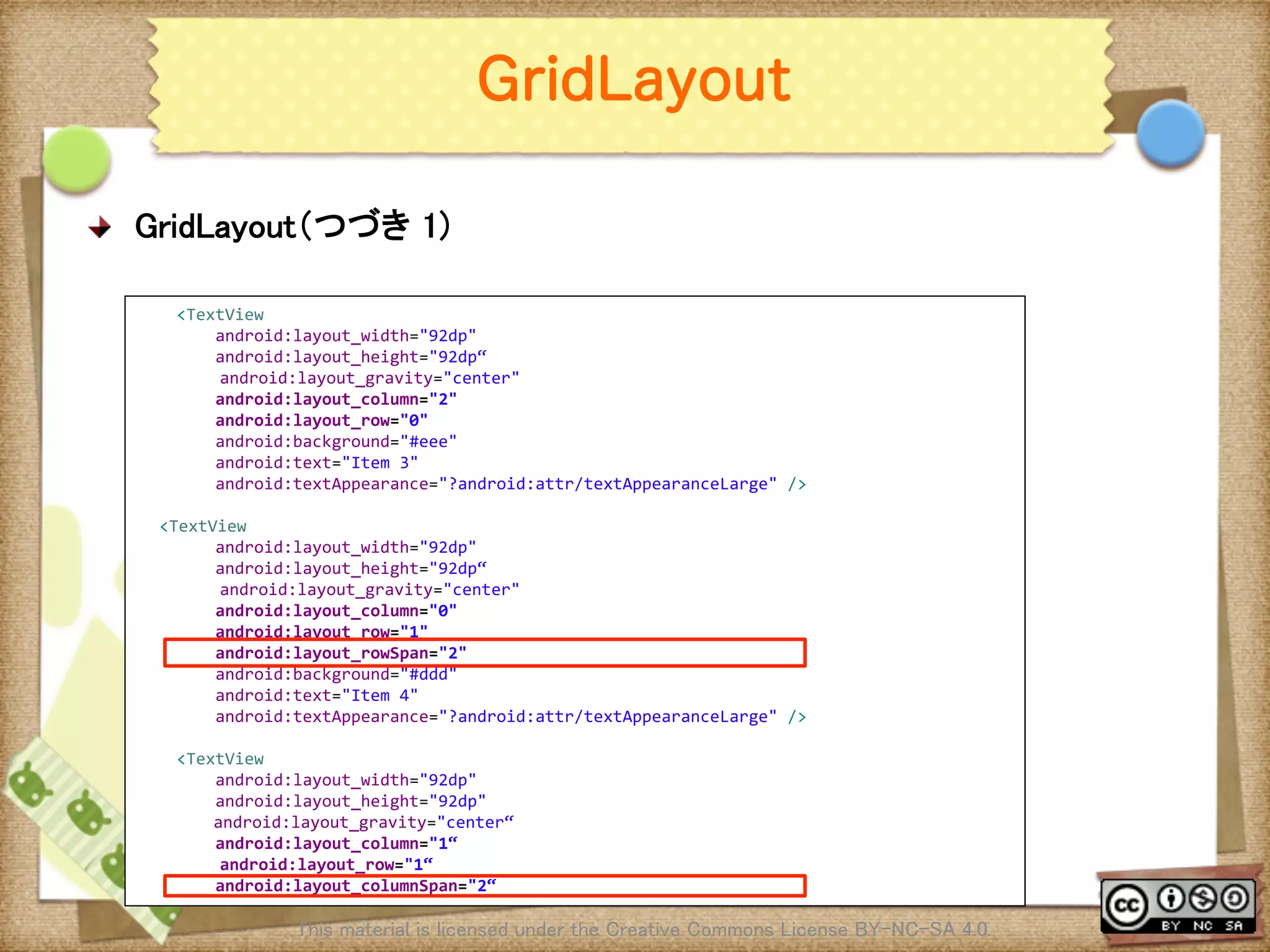
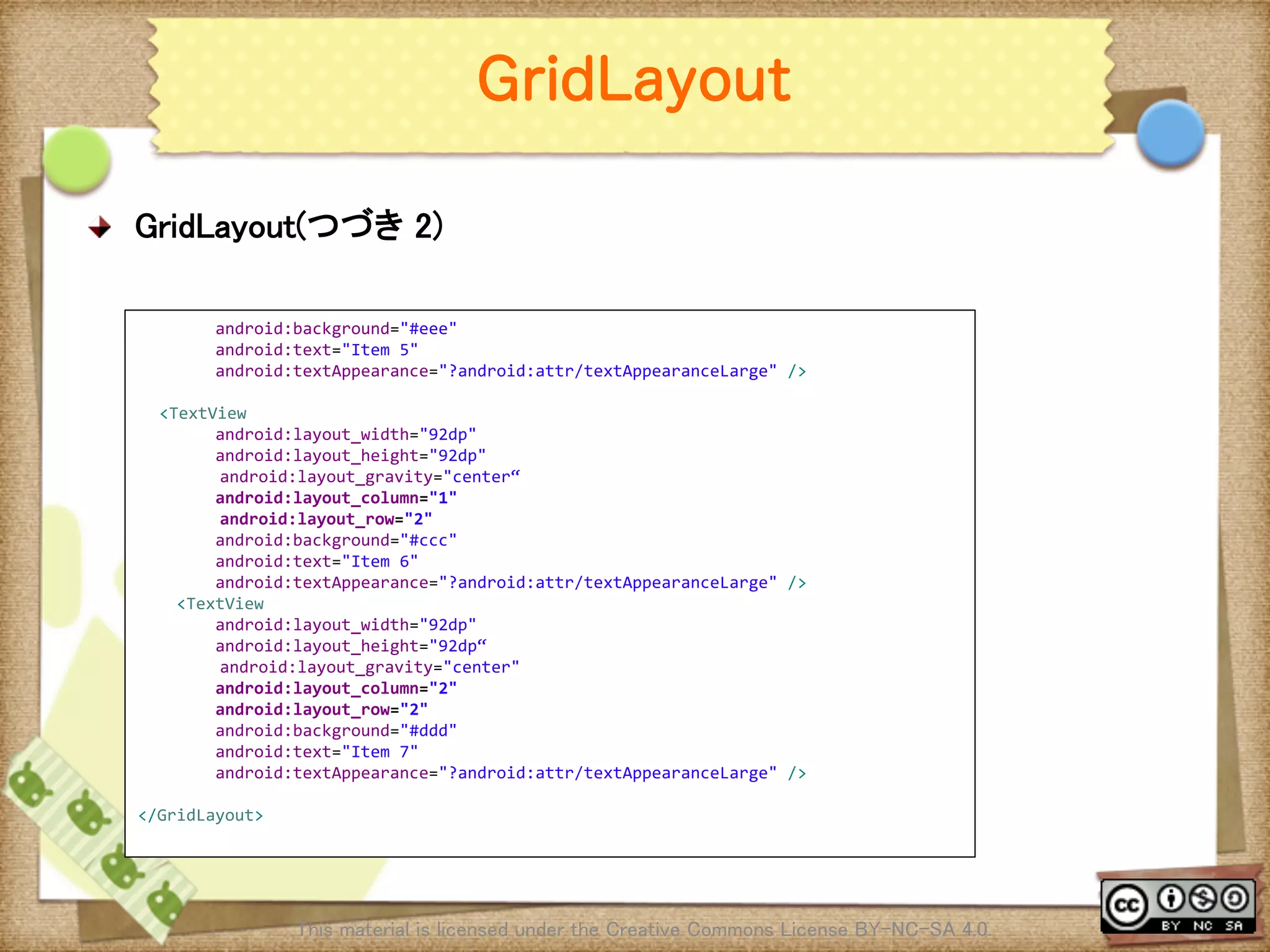
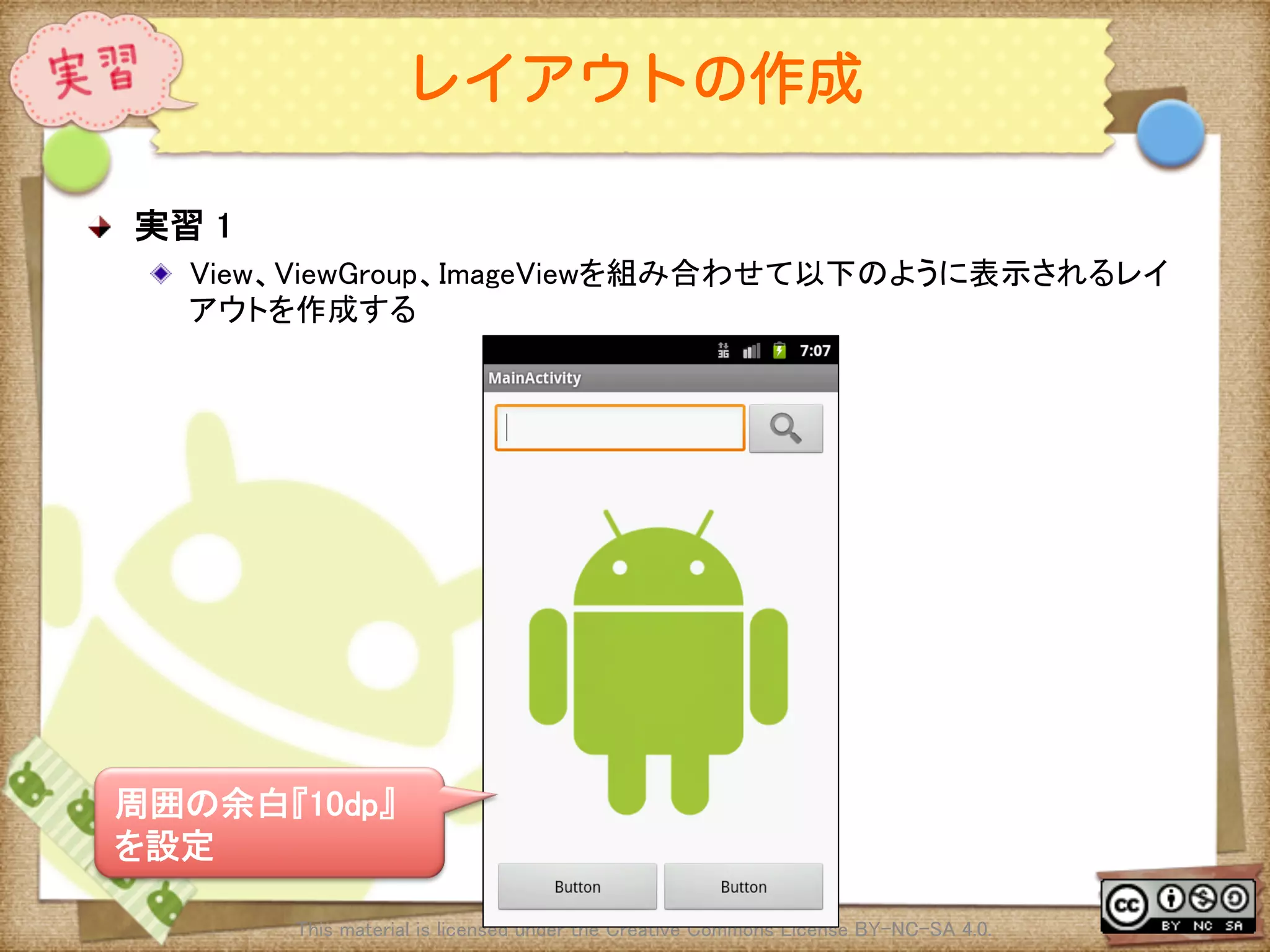
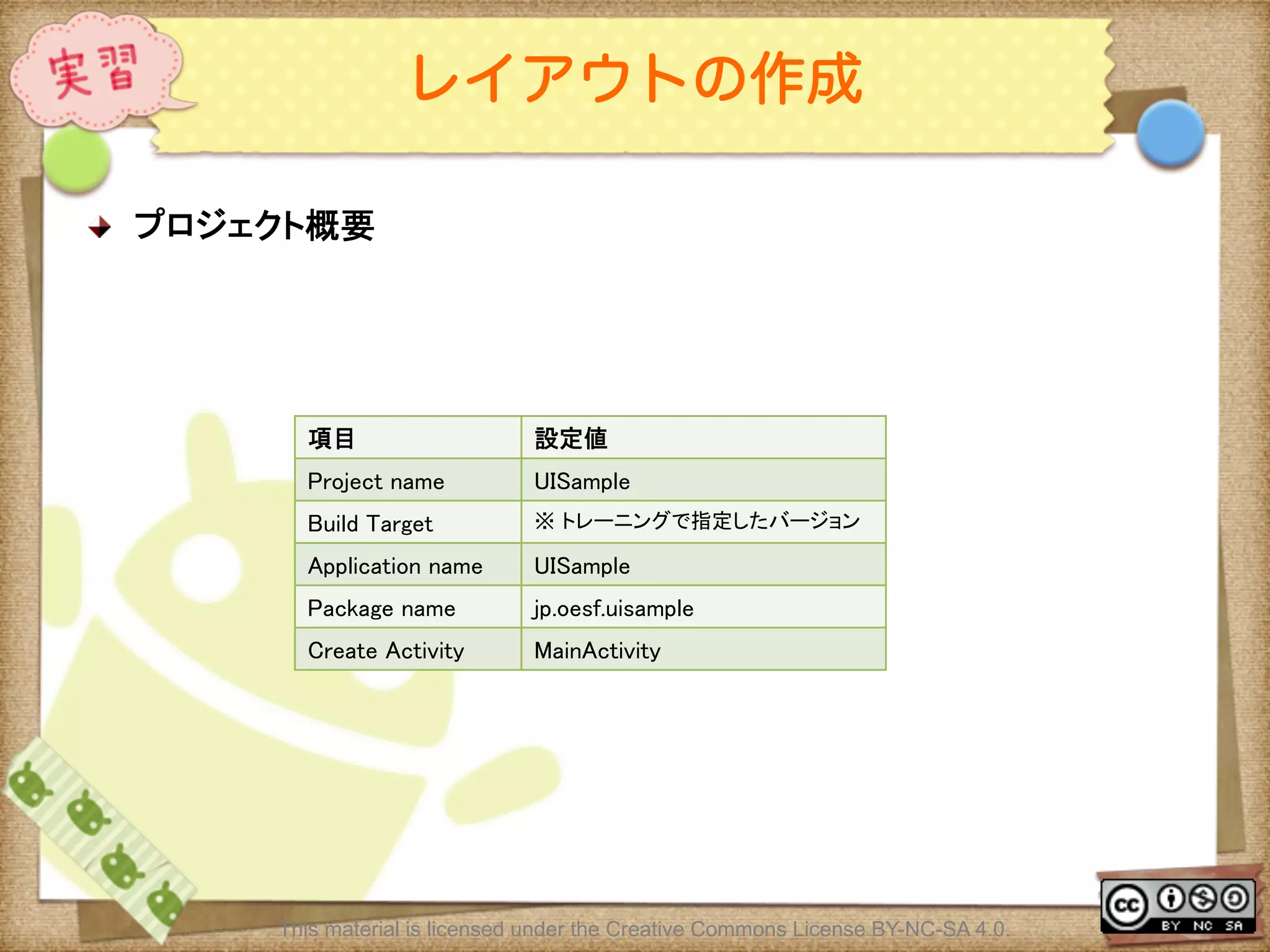
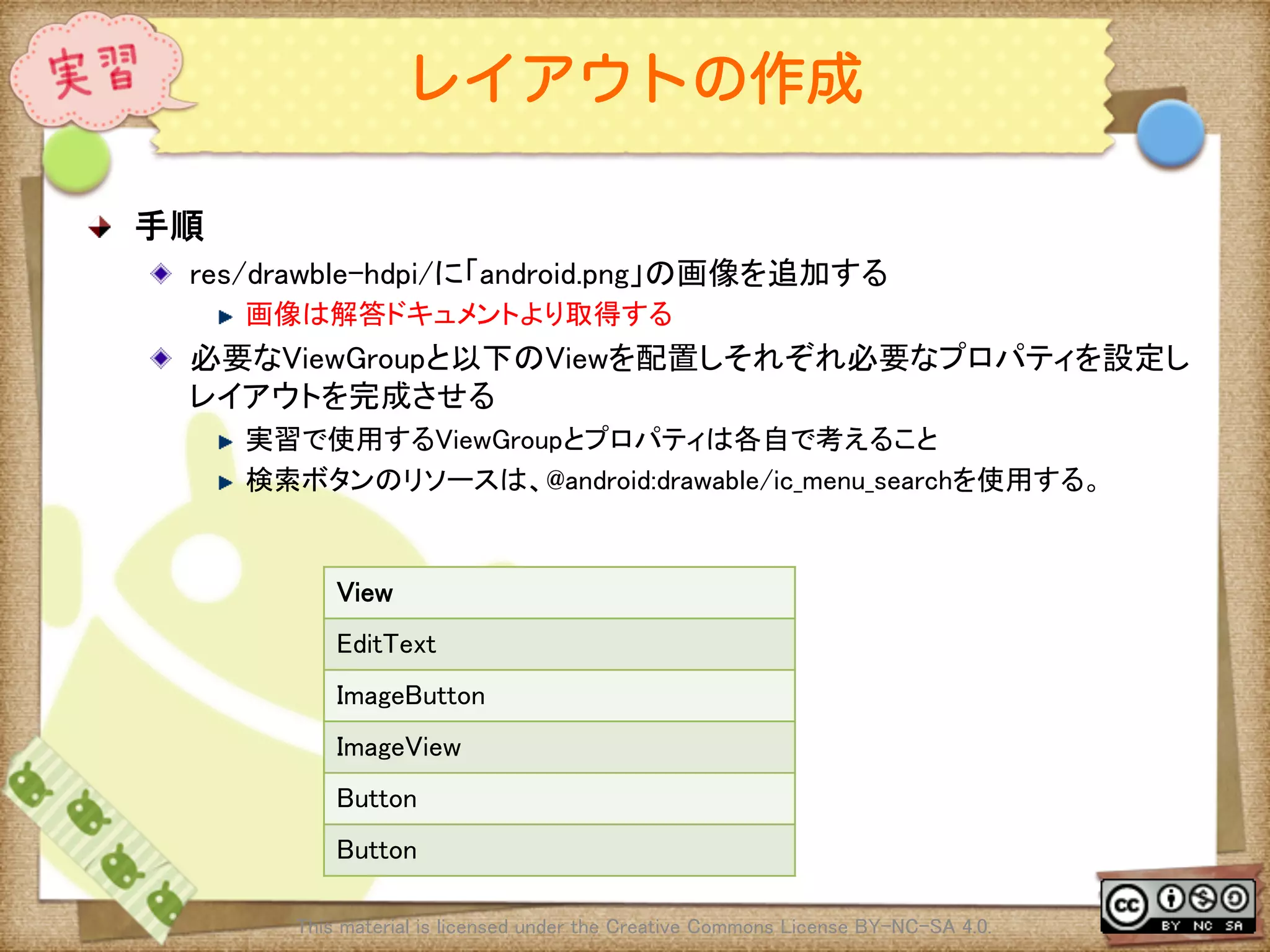
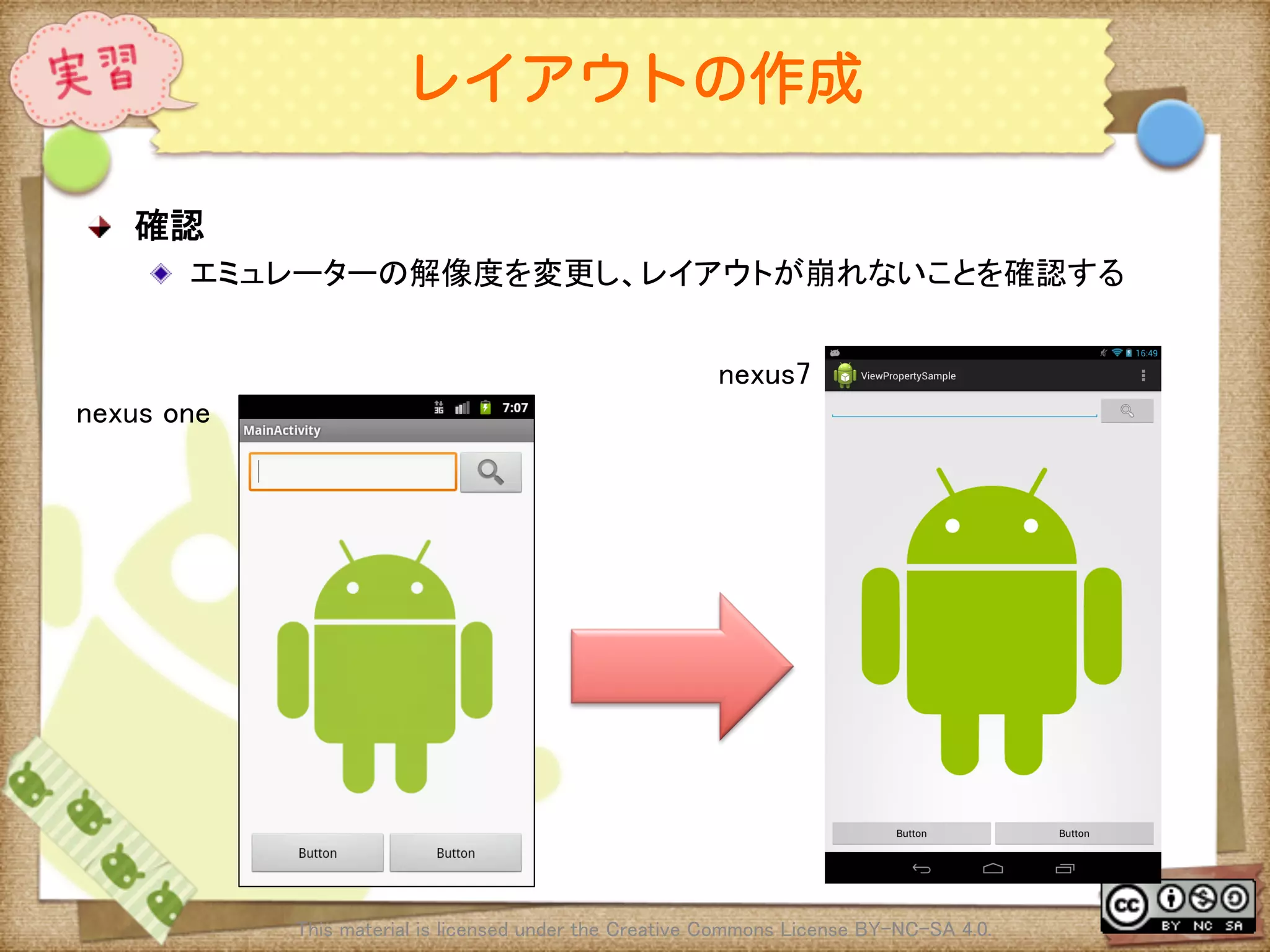
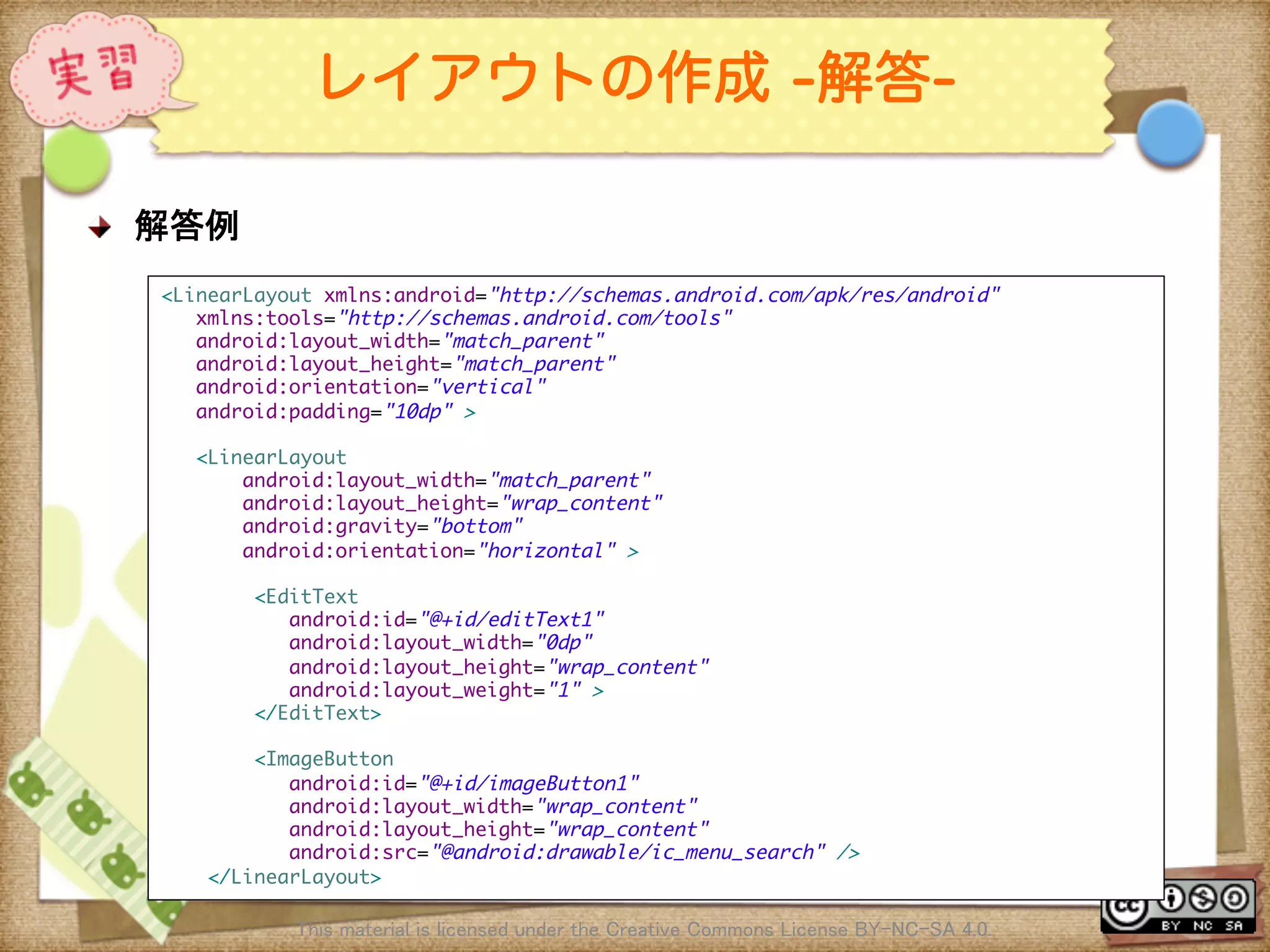
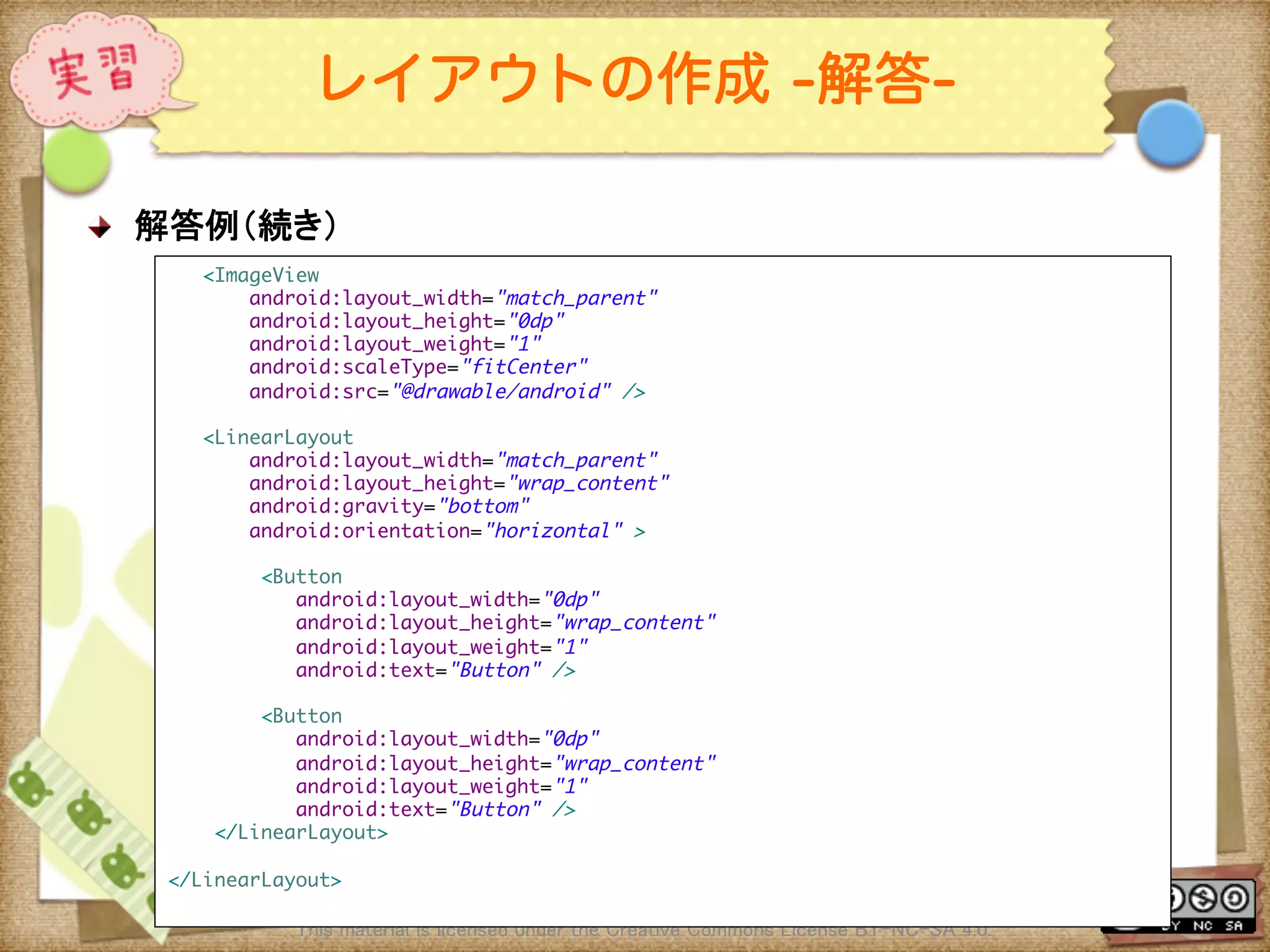
![Ⅶ - 50
レイアウトの作成 [補足実習]
! 実習[補足]
! 別のViewGroupやプロパティを組み合わせて外見が同じレイアウトを作成する
! レイアウトの作成パターンは1つではない、使い方によって複数の実装方法が存
在する。他にどんな実装方法があるかを考え組み立てる
This material is licensed under the Creative Commons License BY-NC-SA 4.0.](https://image.slidesharecdn.com/androidui-140313021742-phpapp02/75/Android-UI-50-2048.jpg)
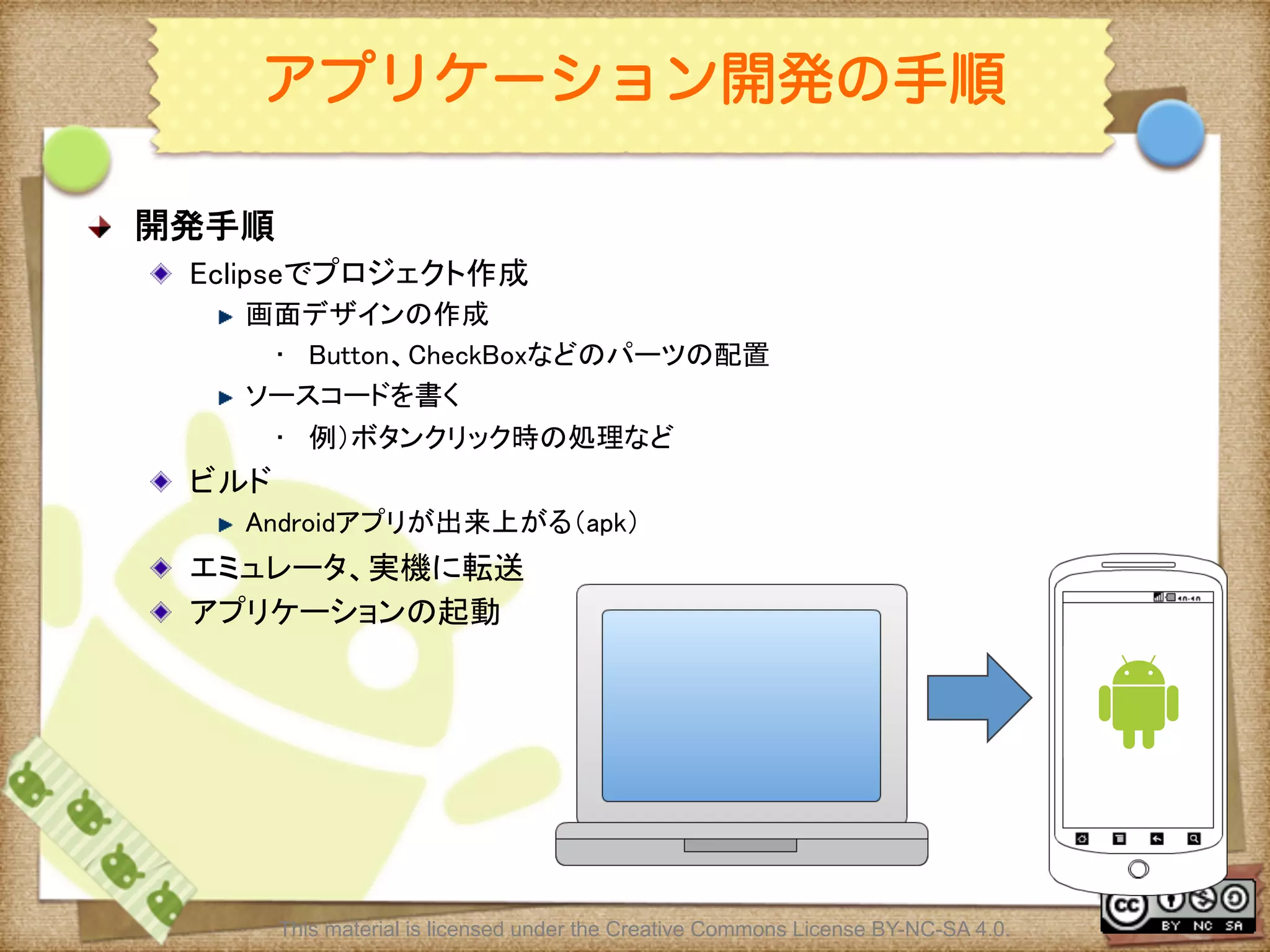
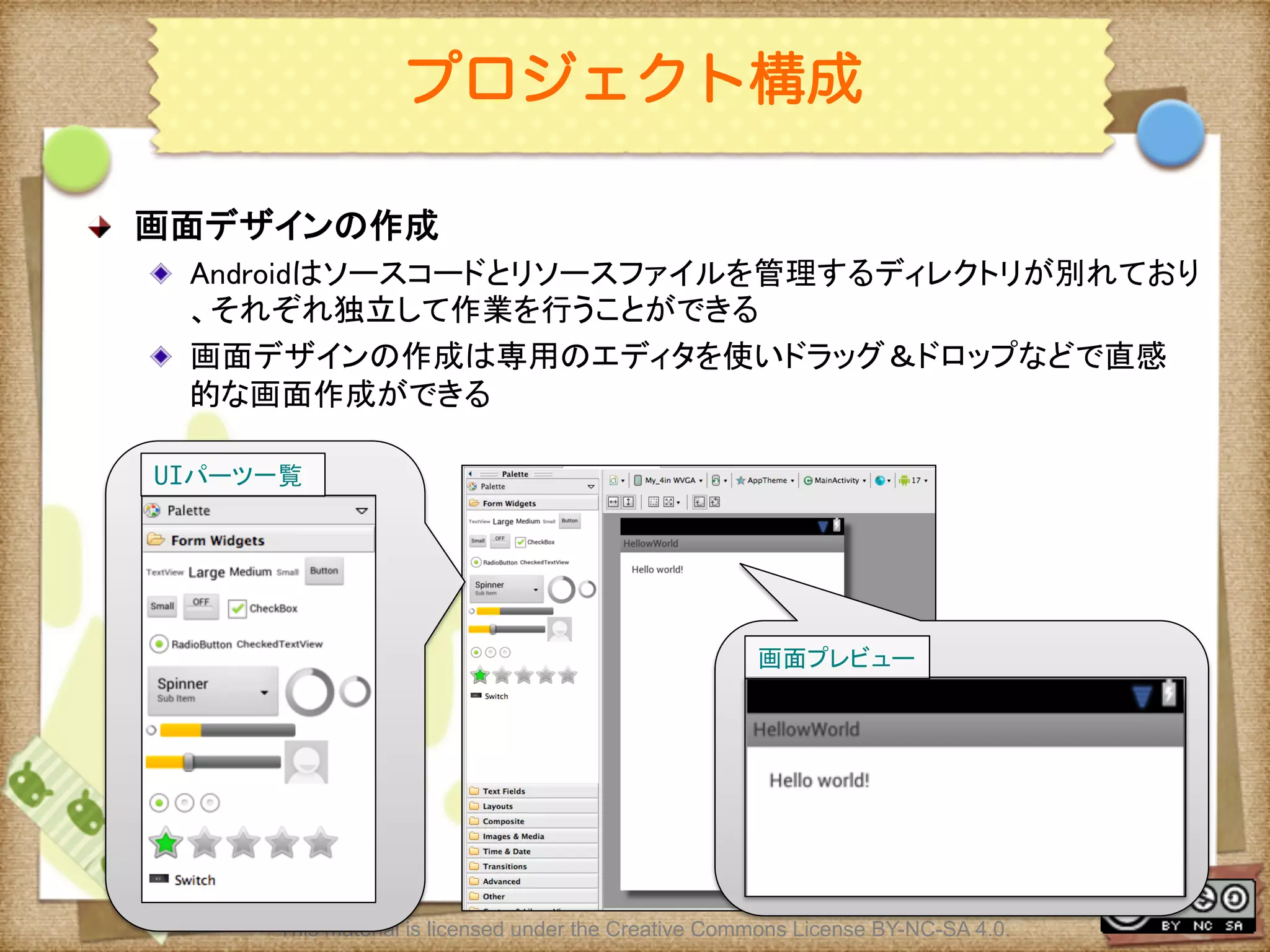
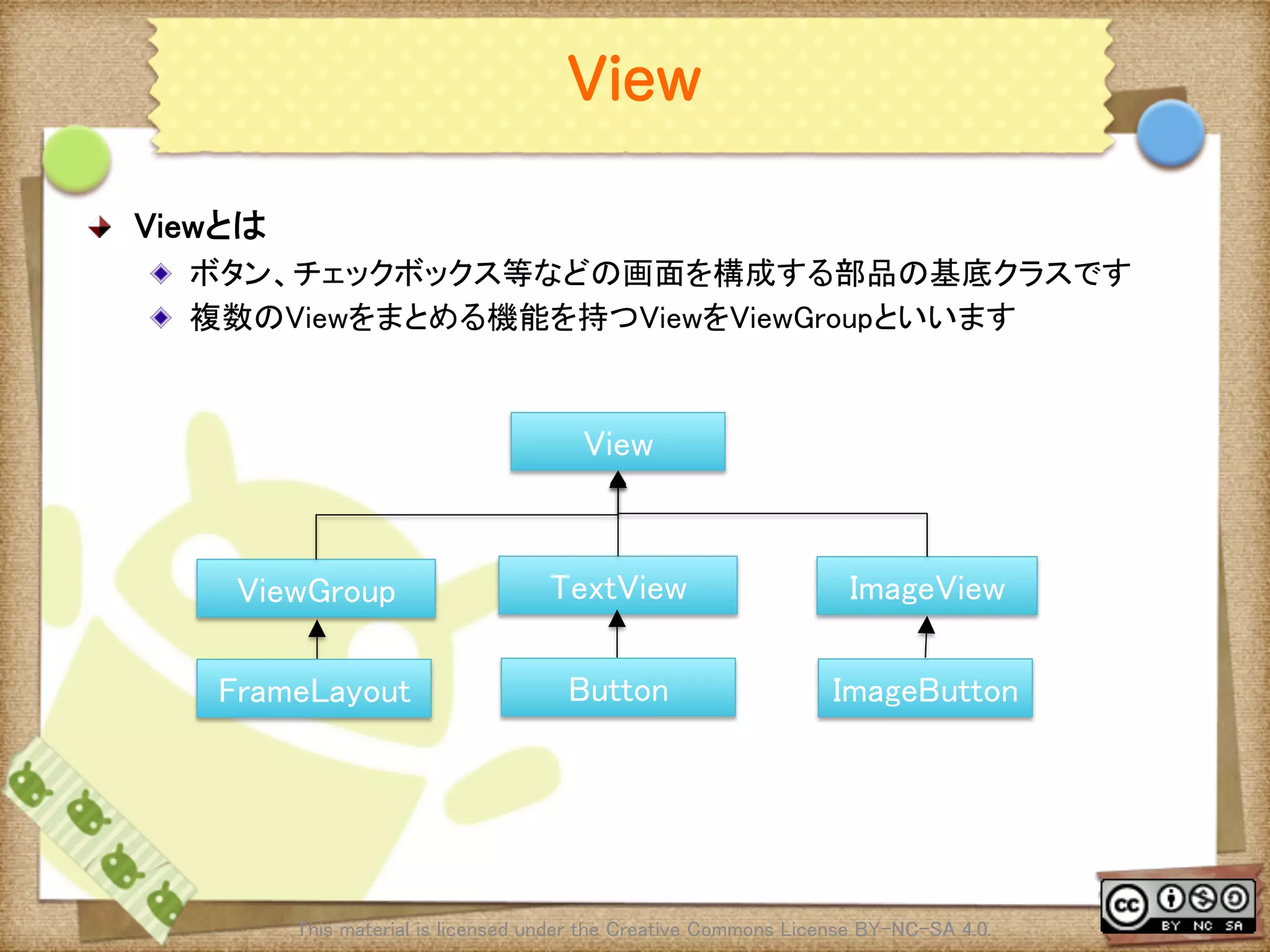
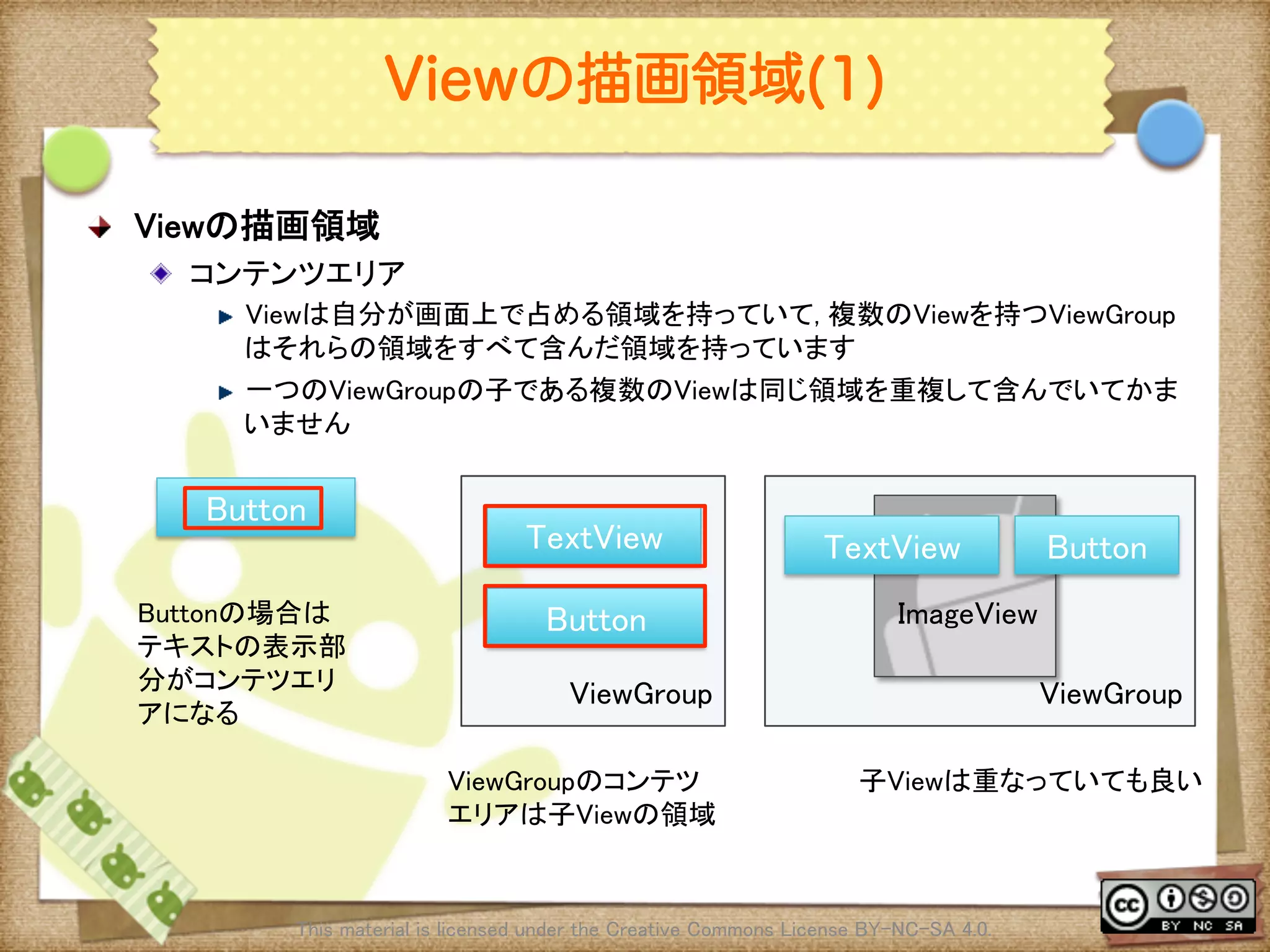
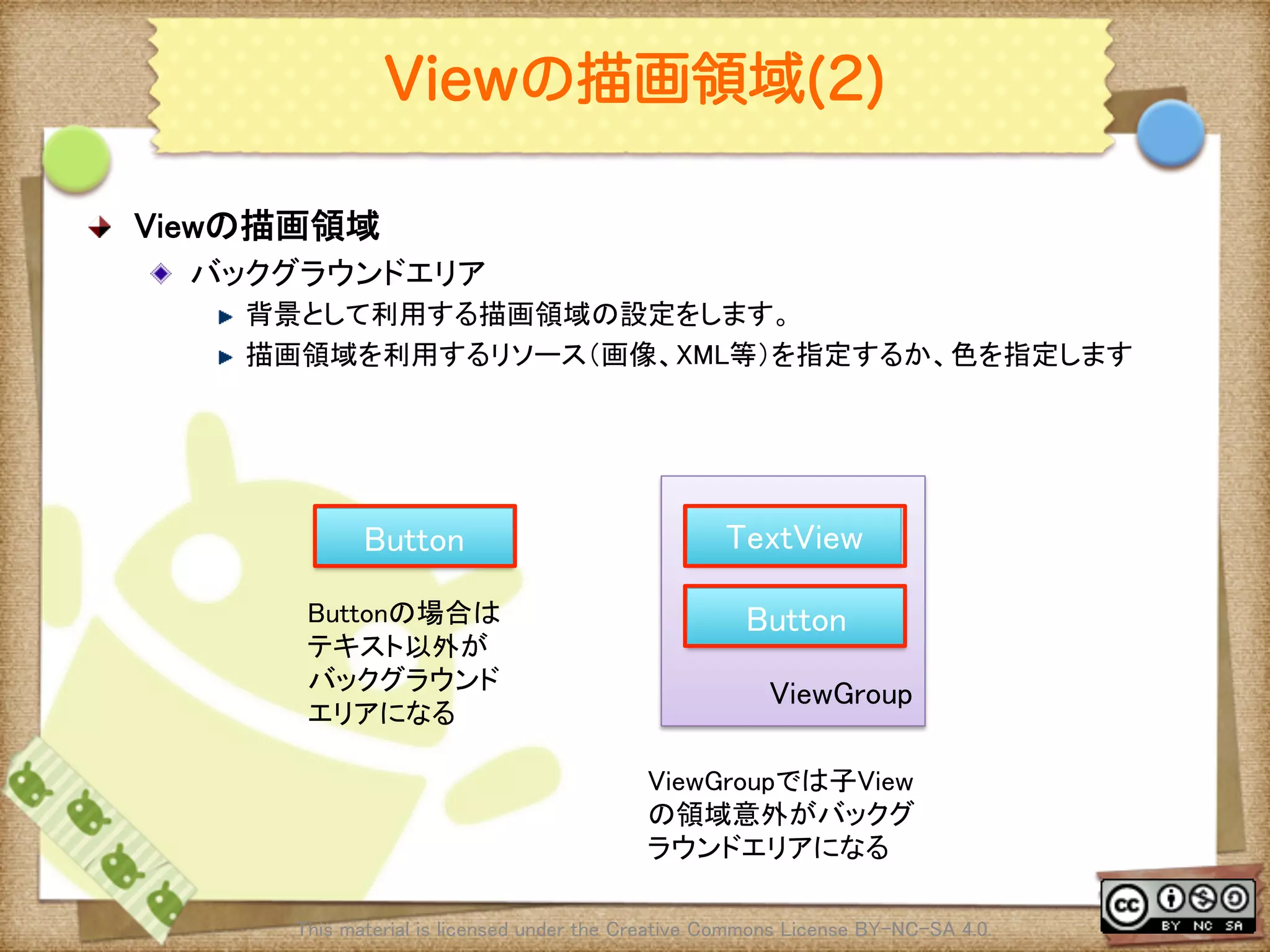
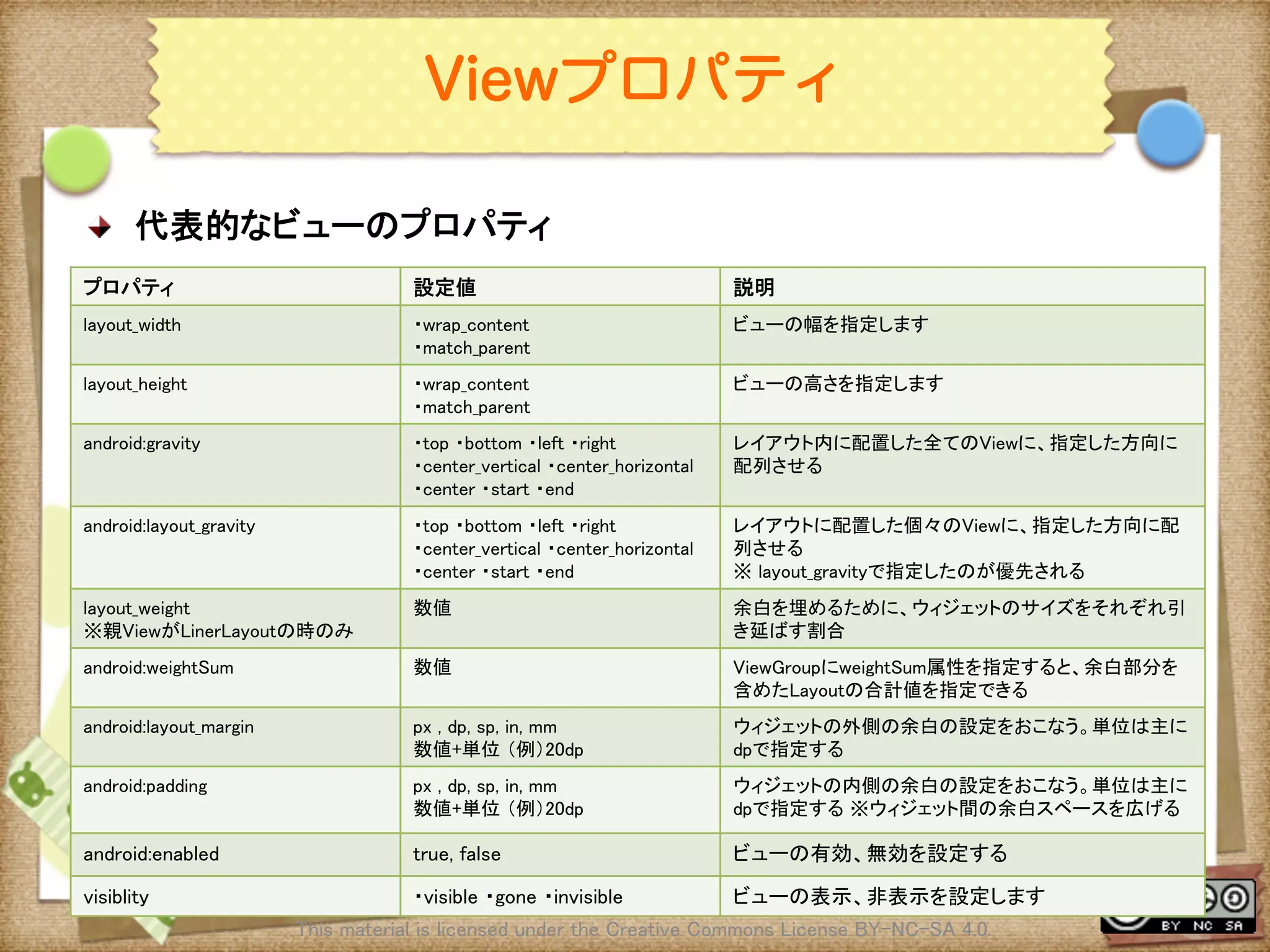
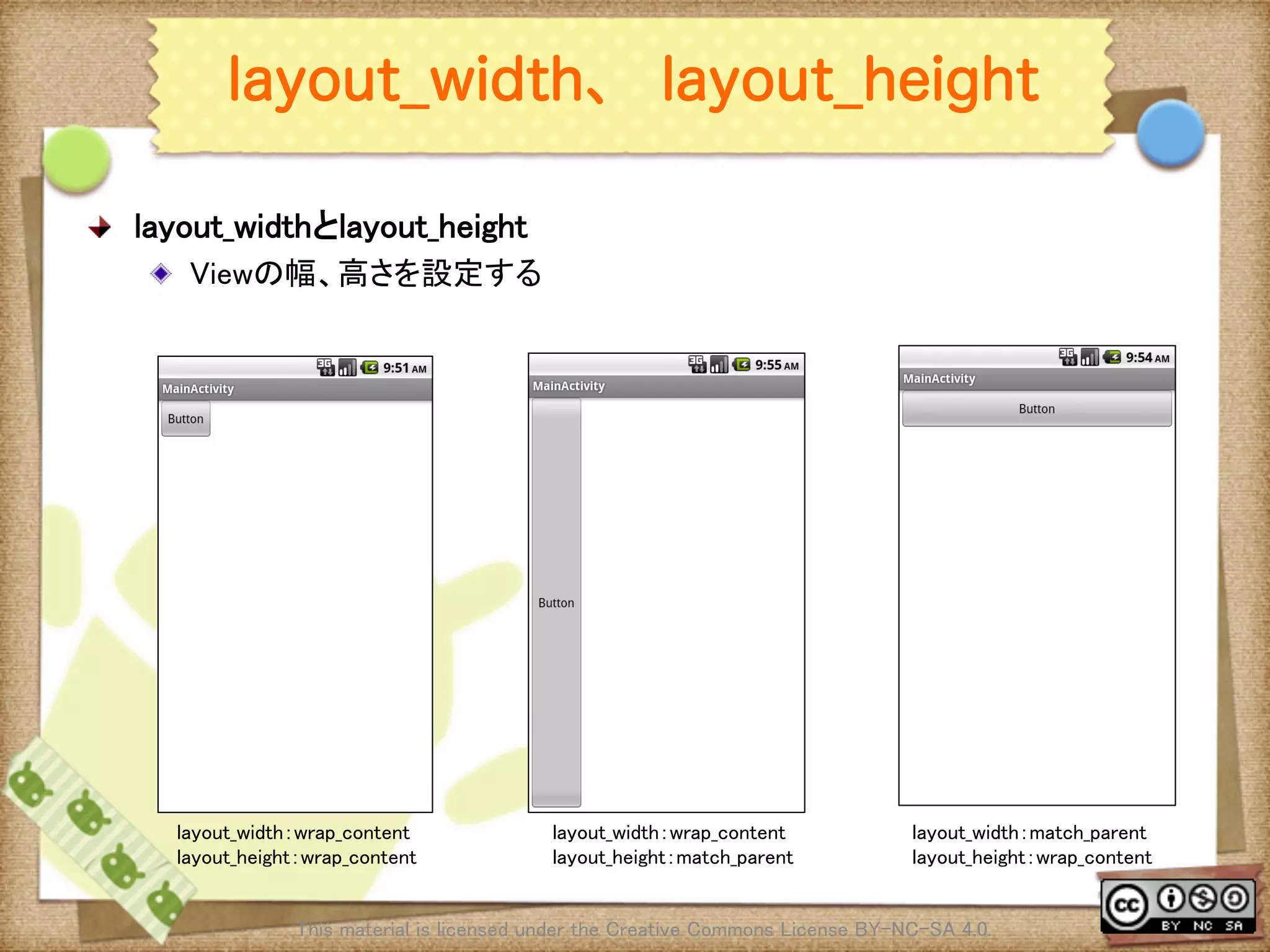
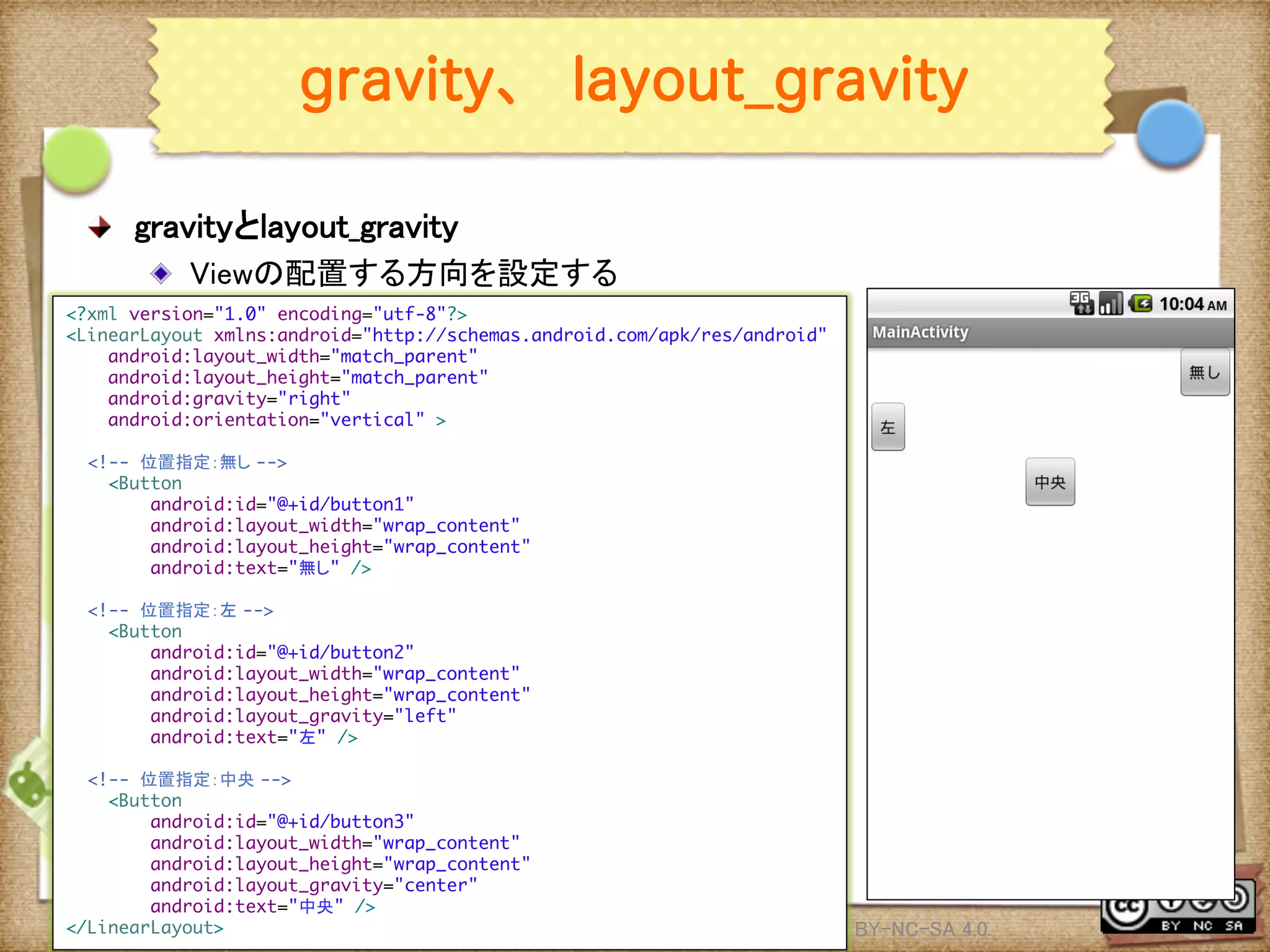
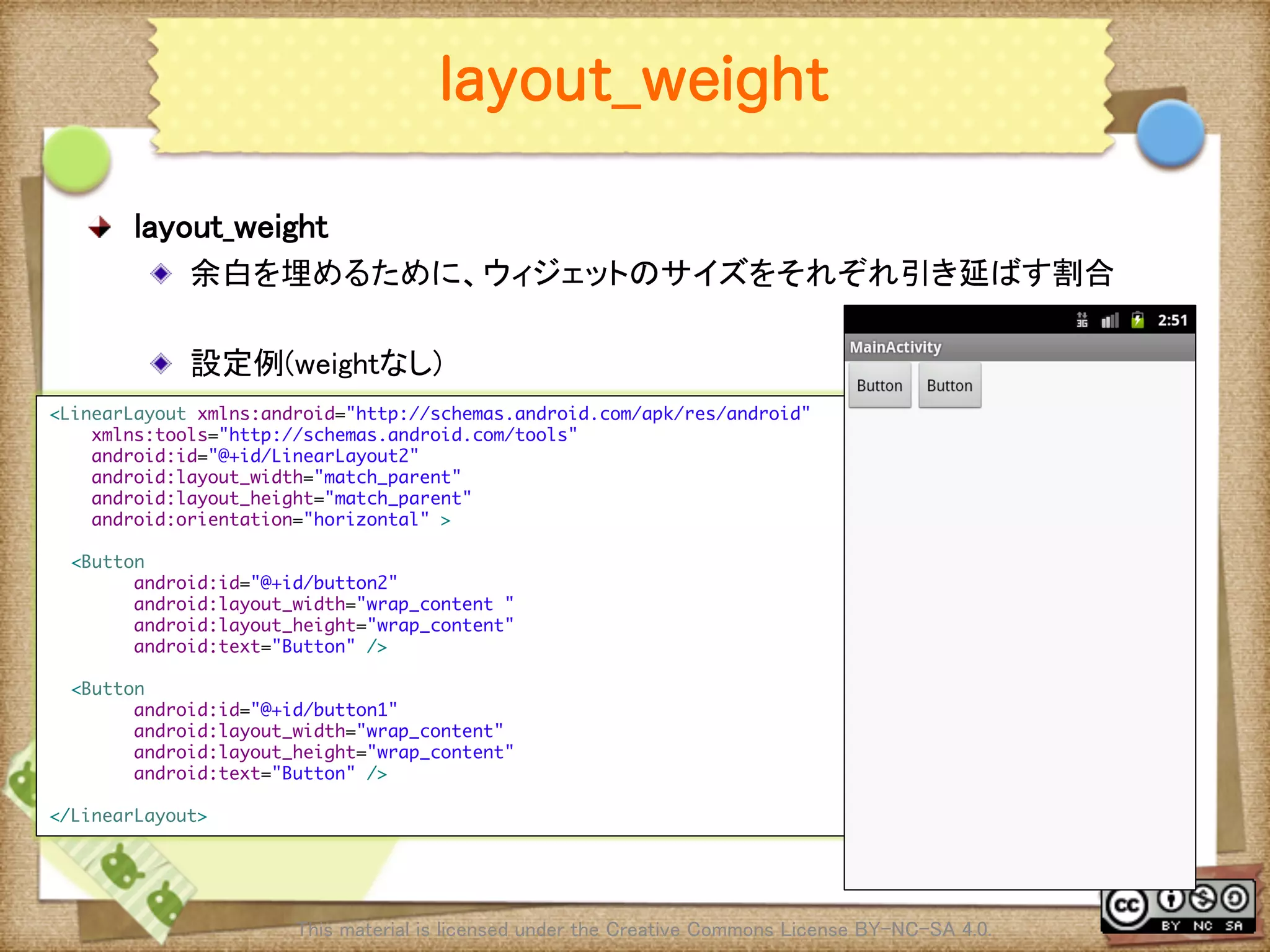
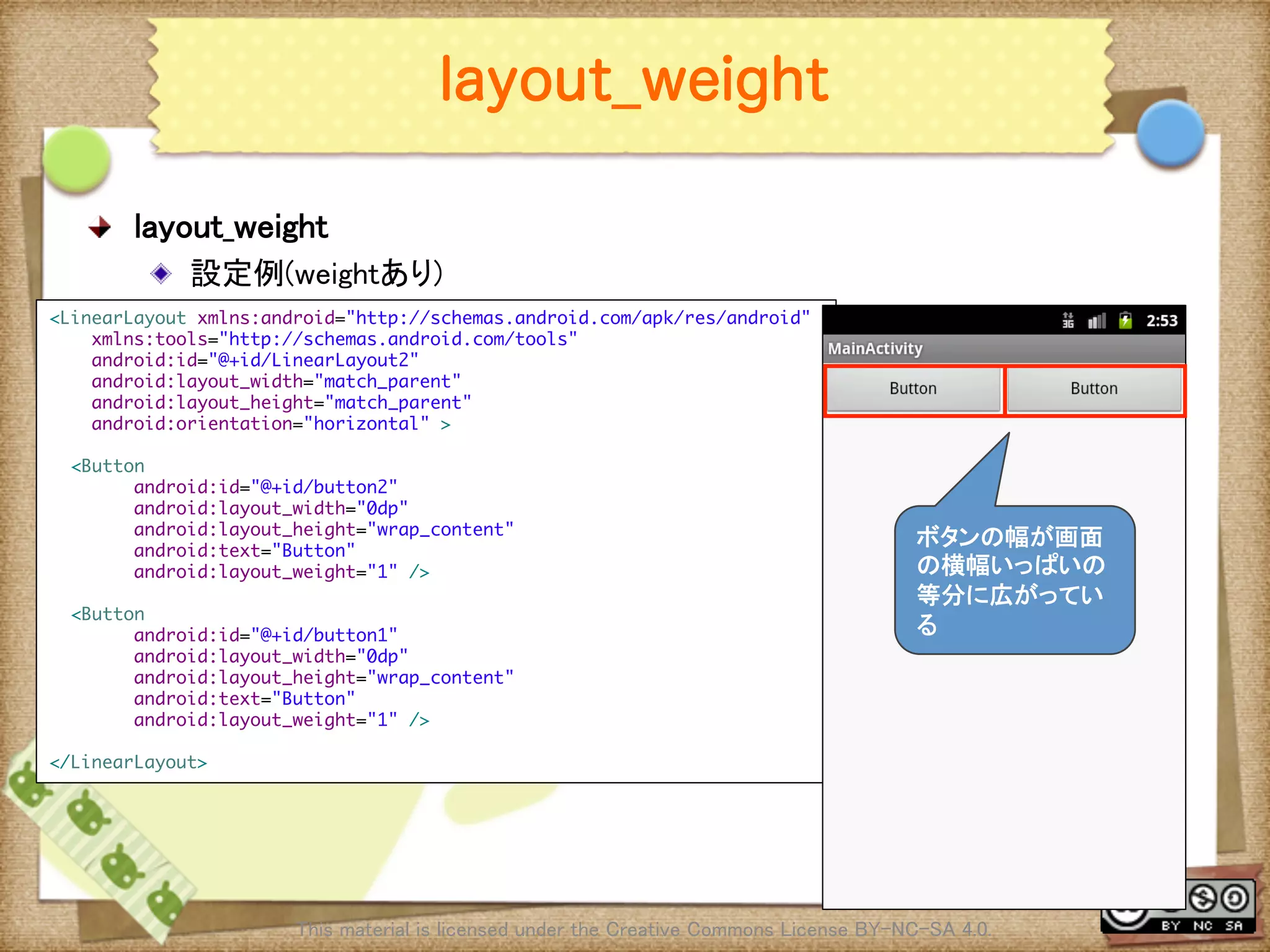
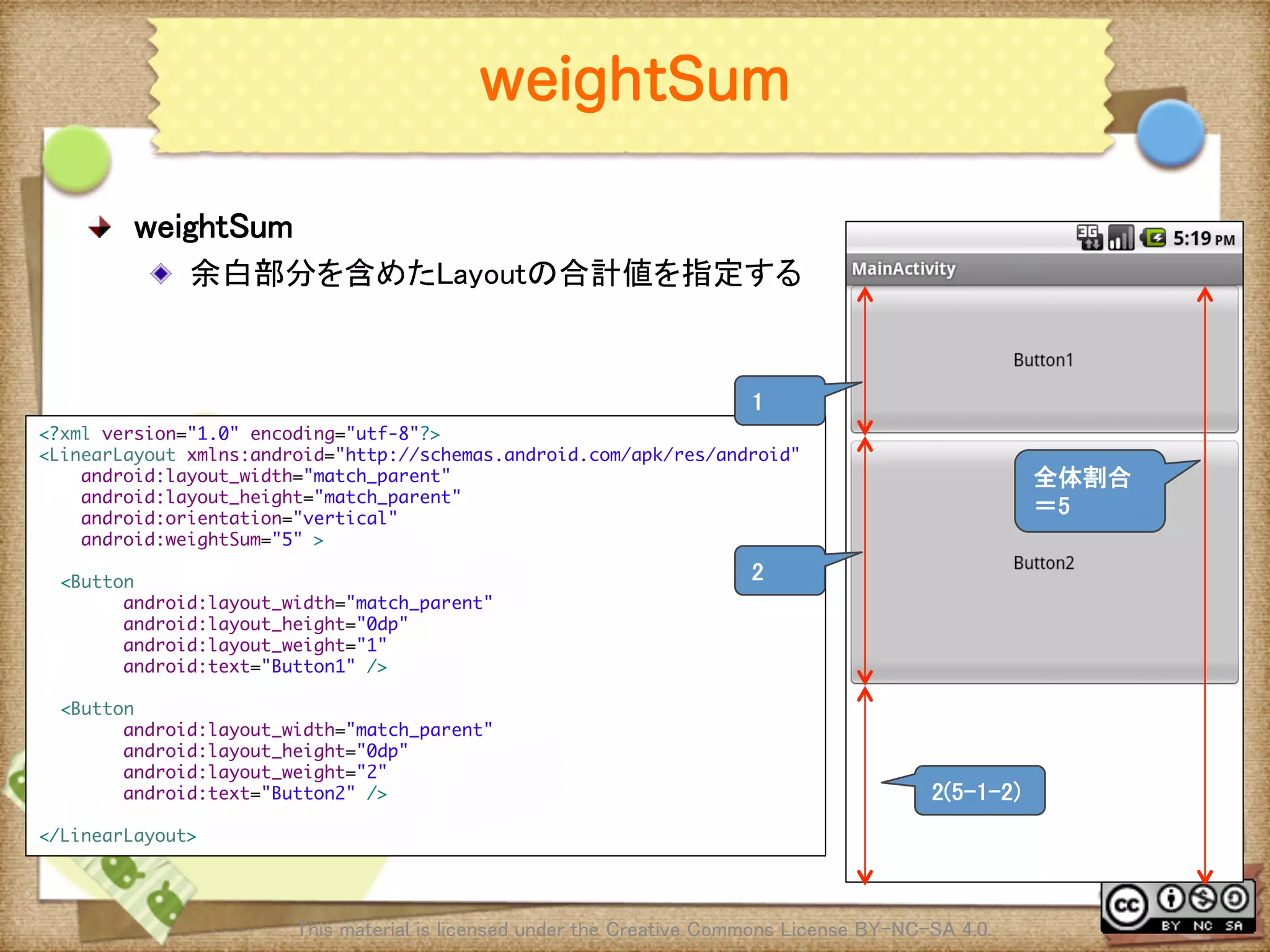
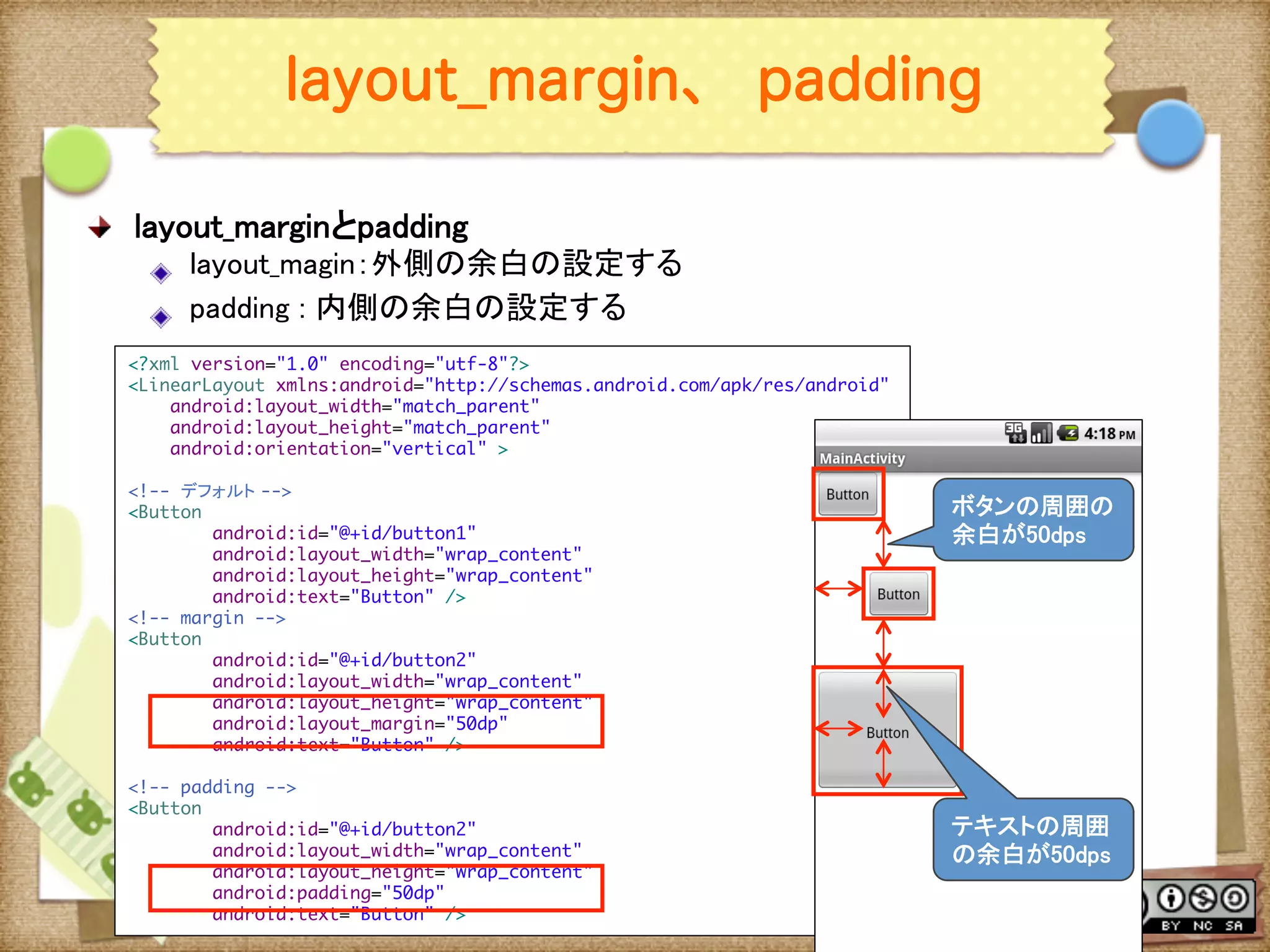
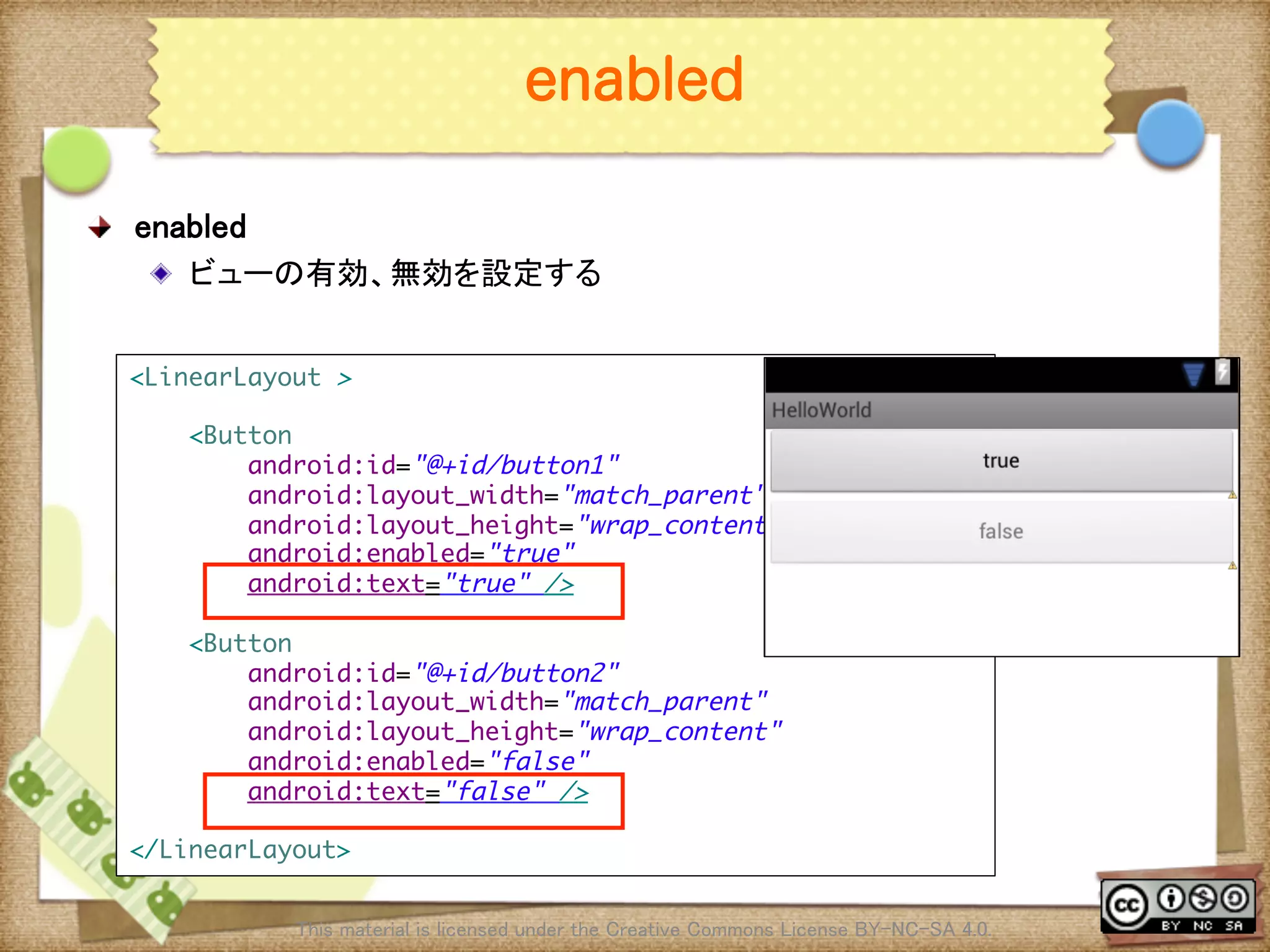
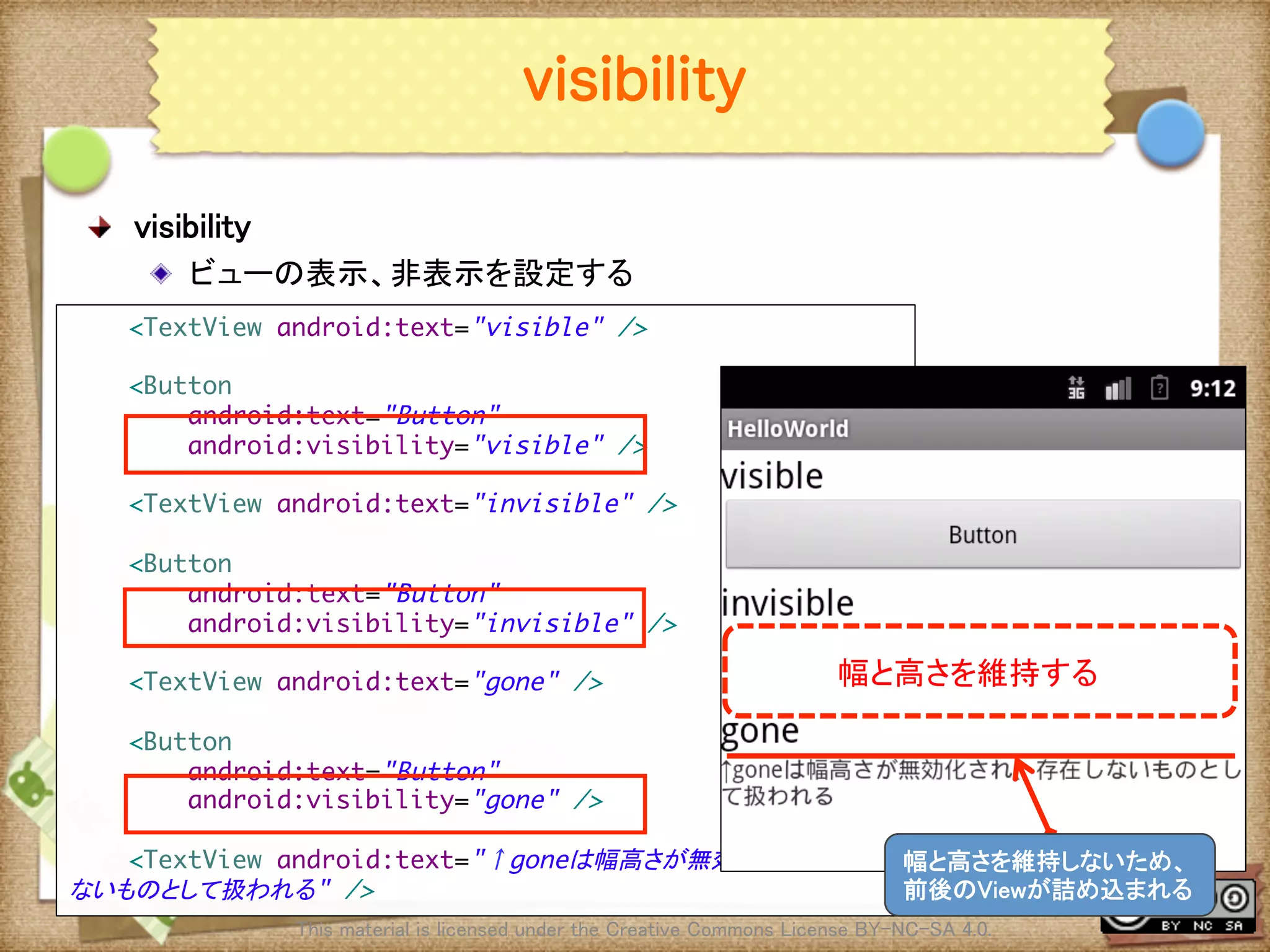
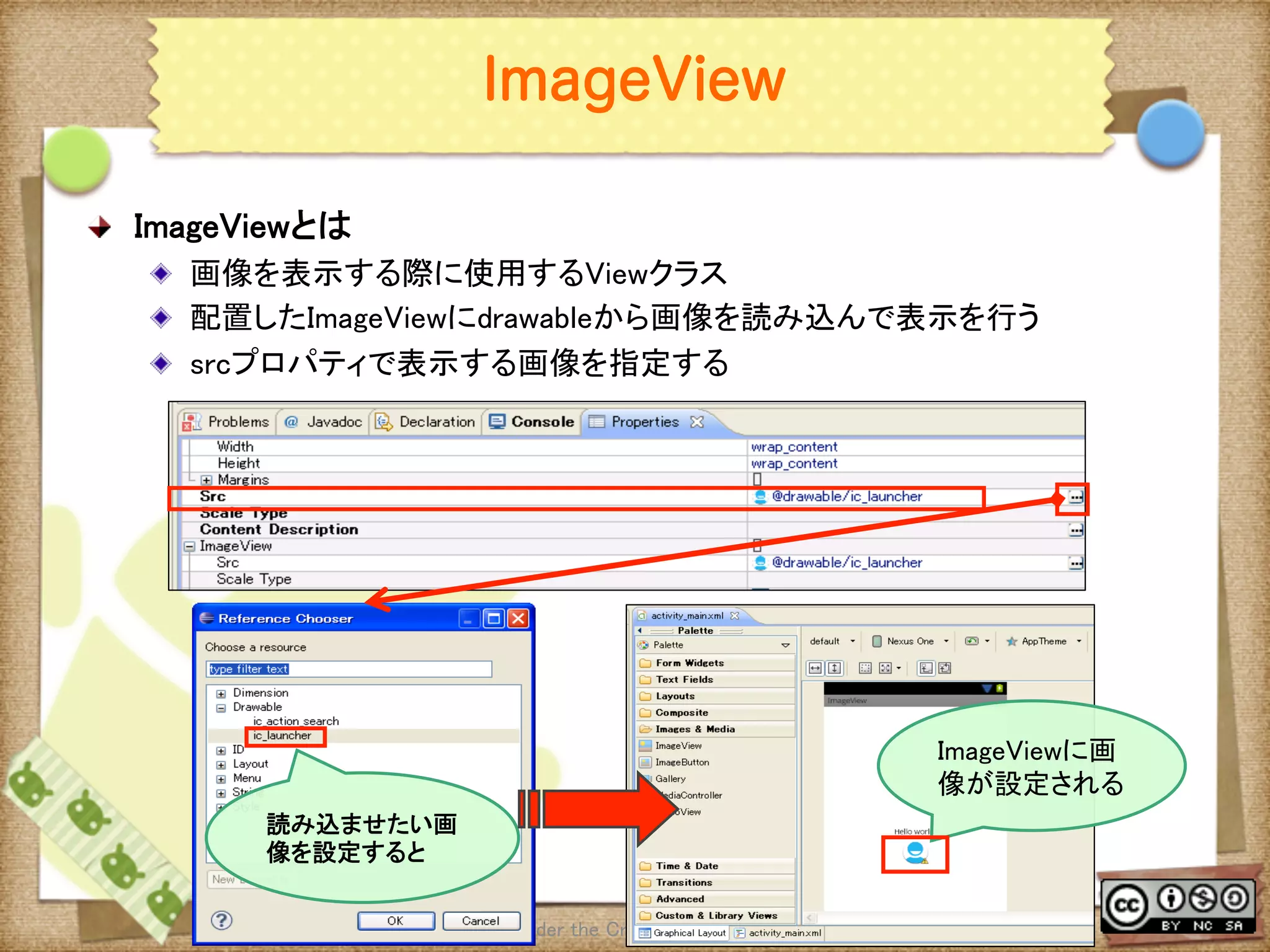
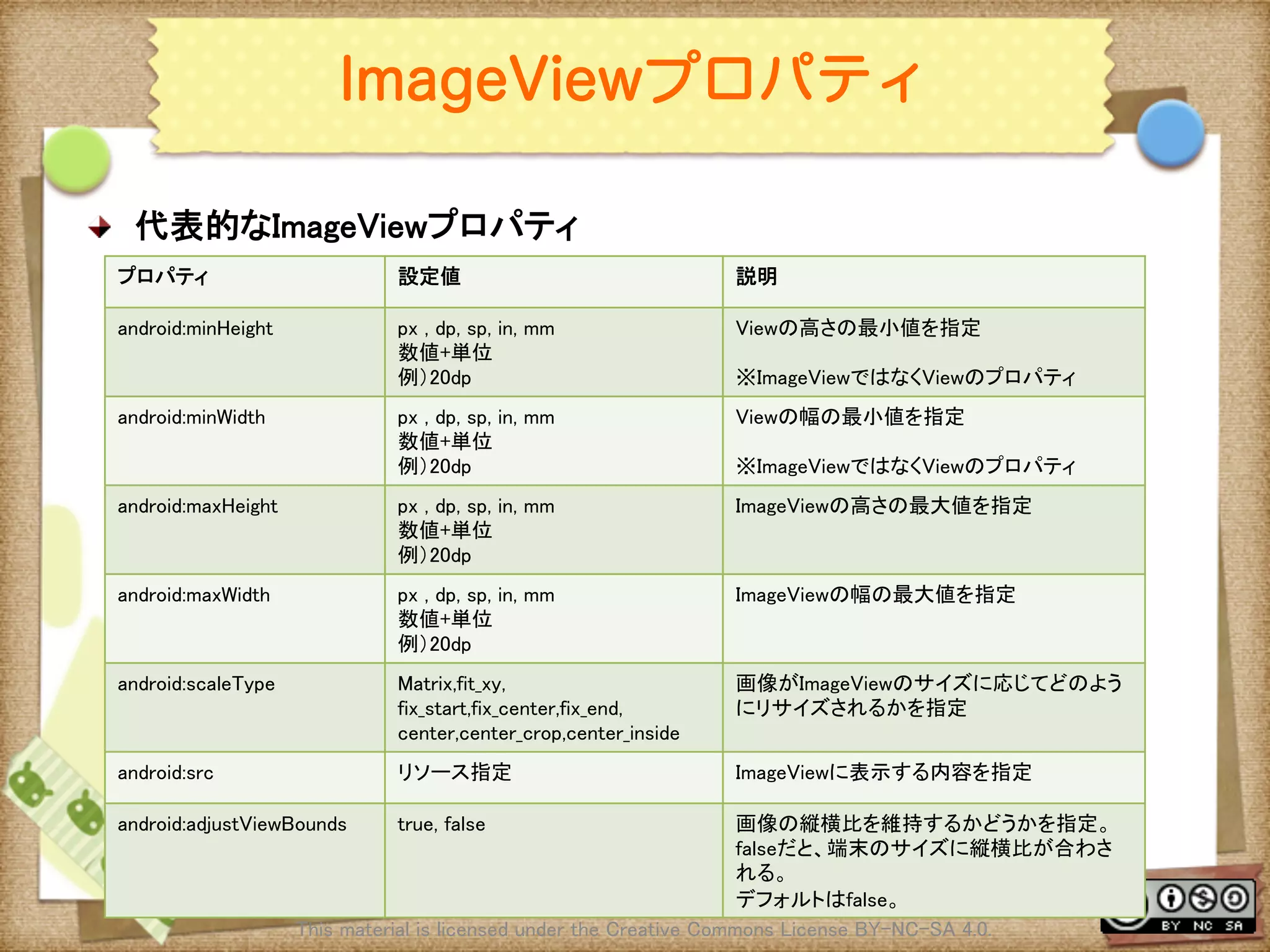
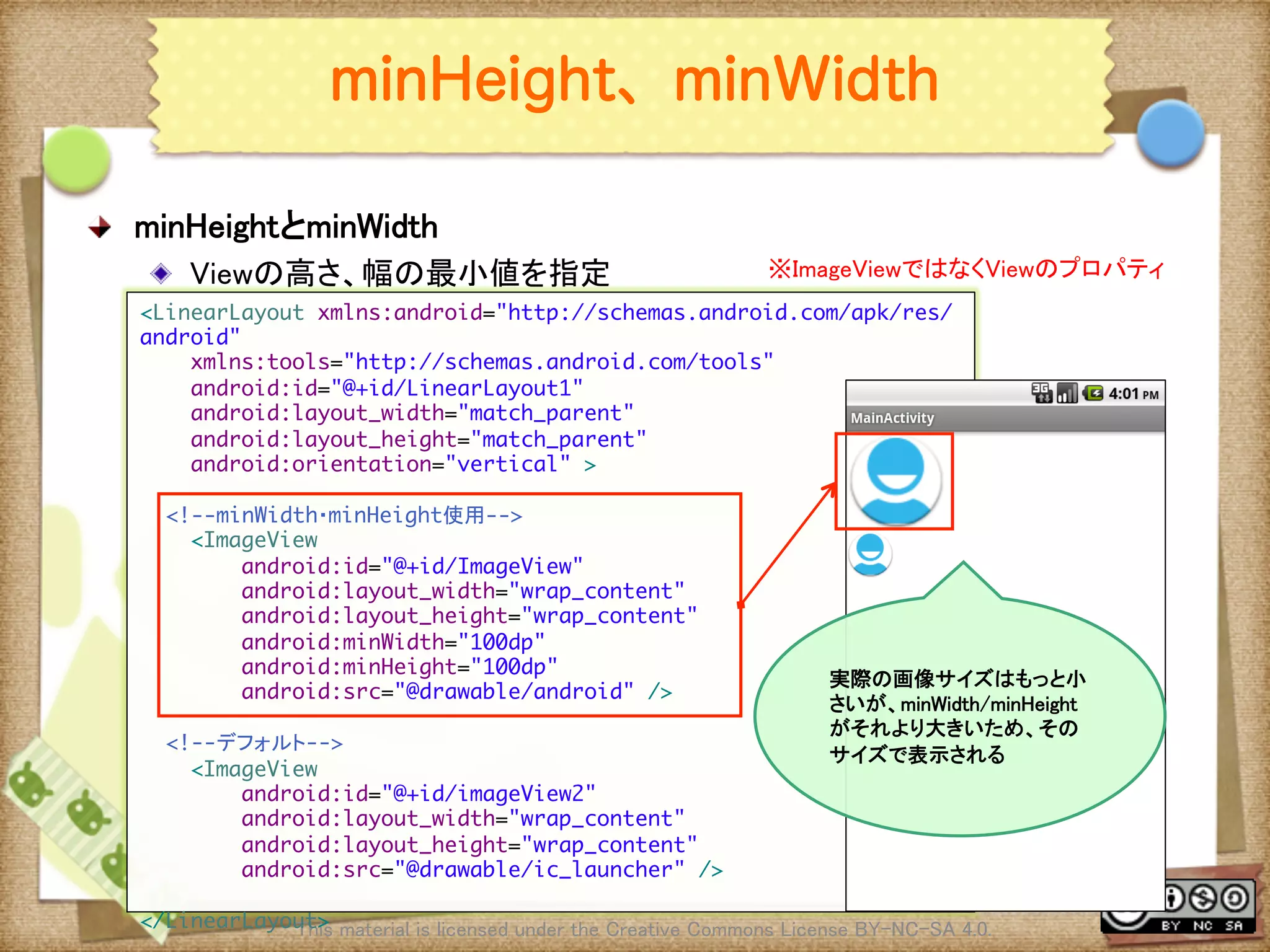
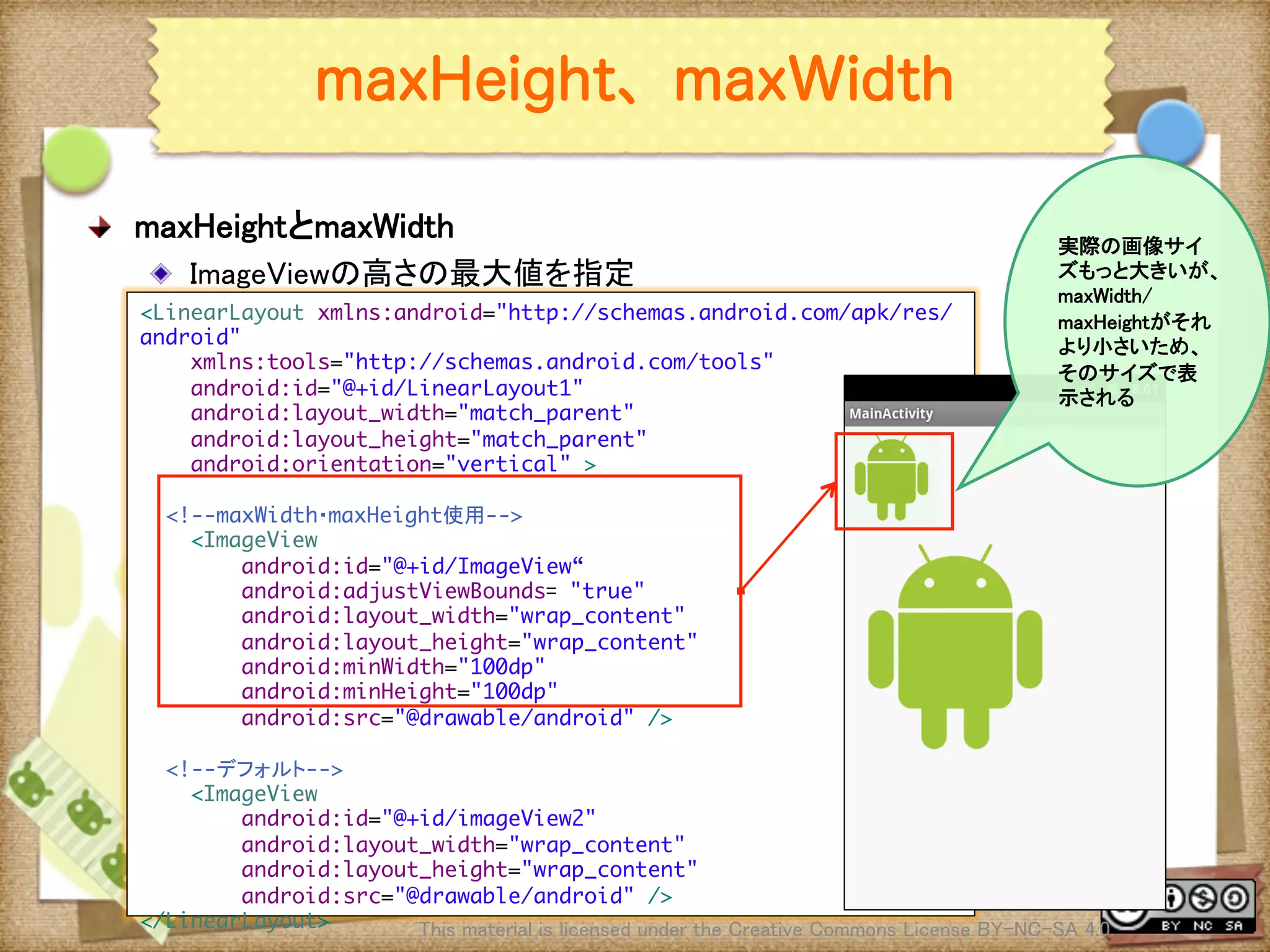
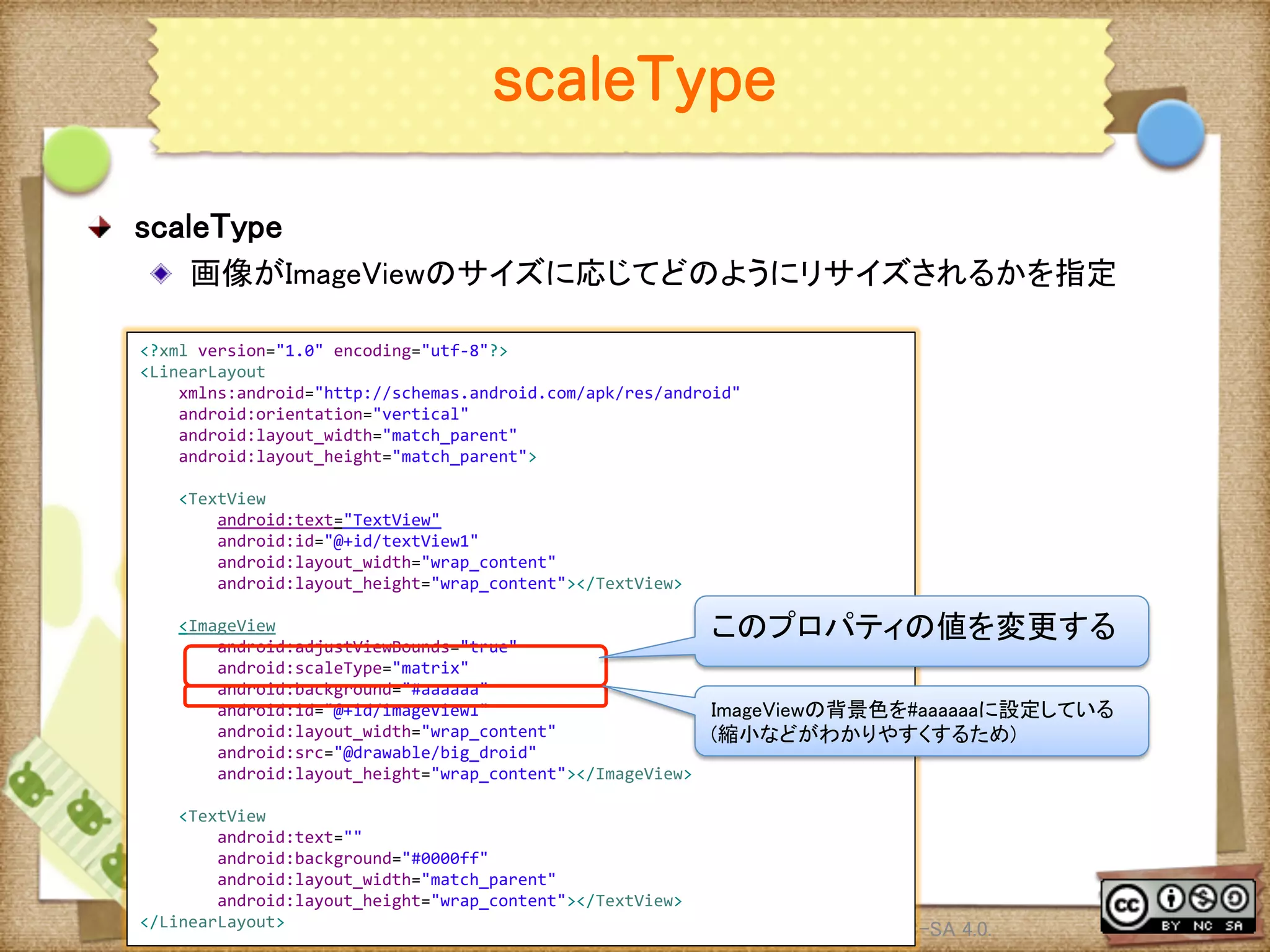
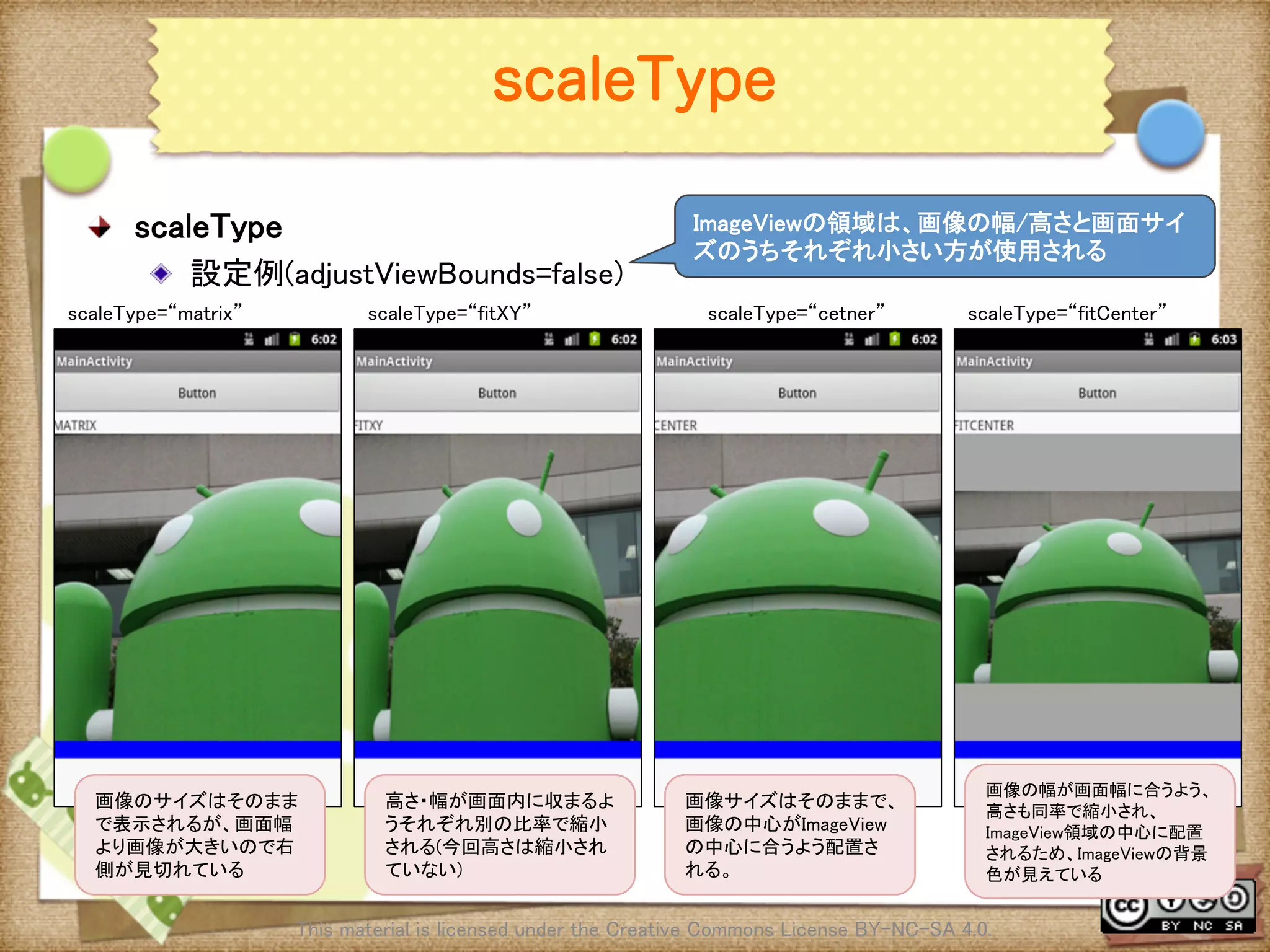
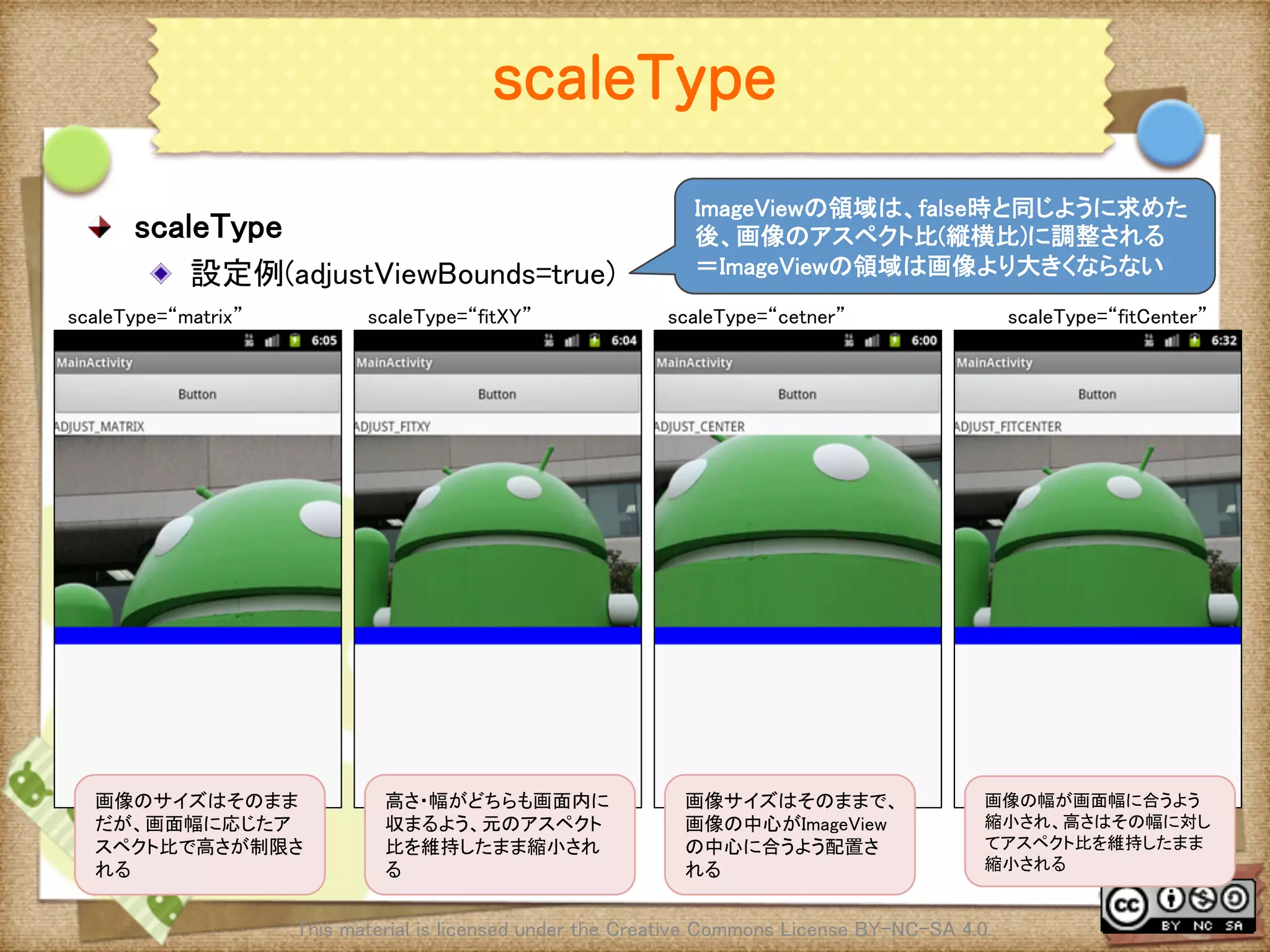
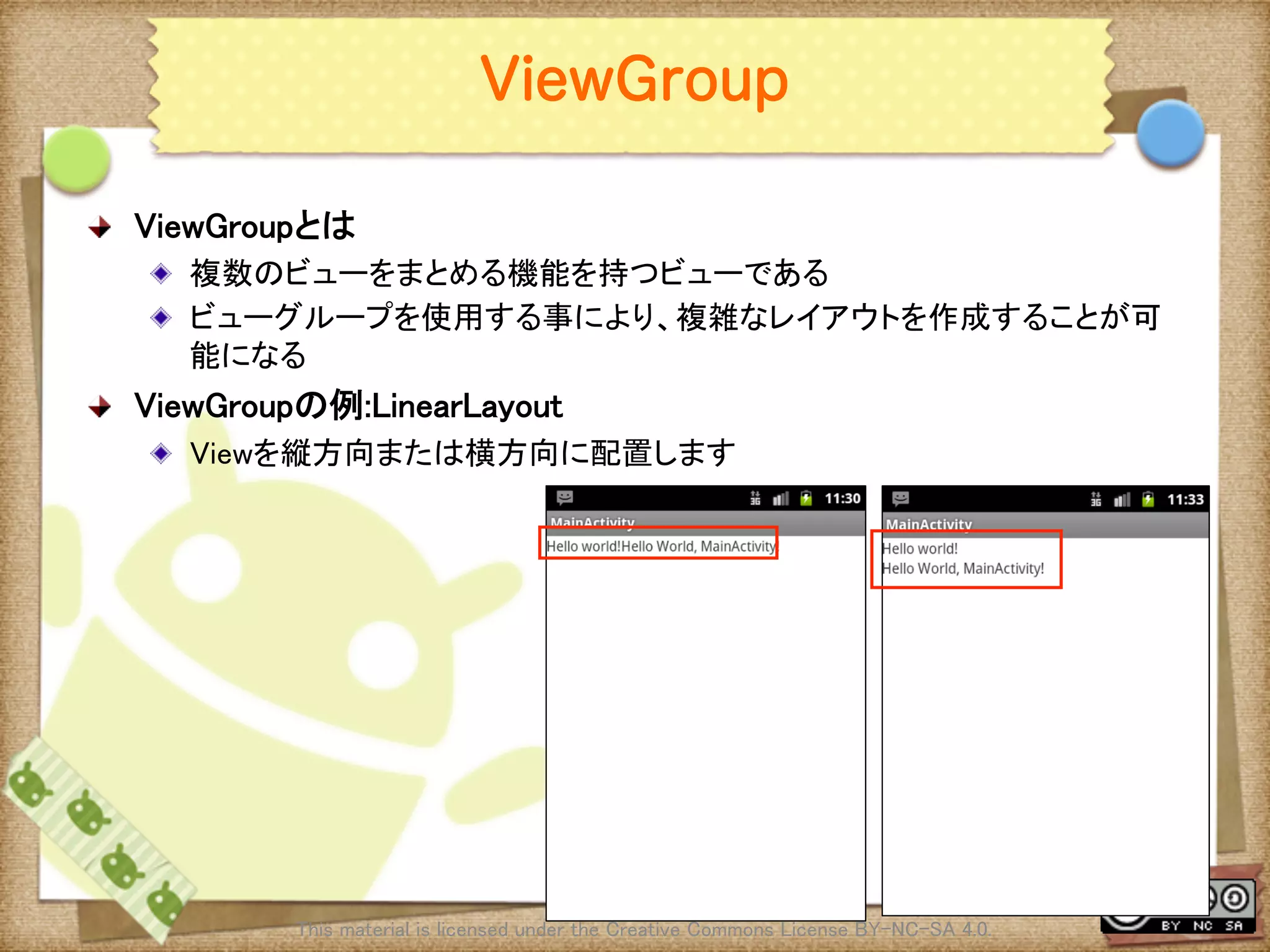
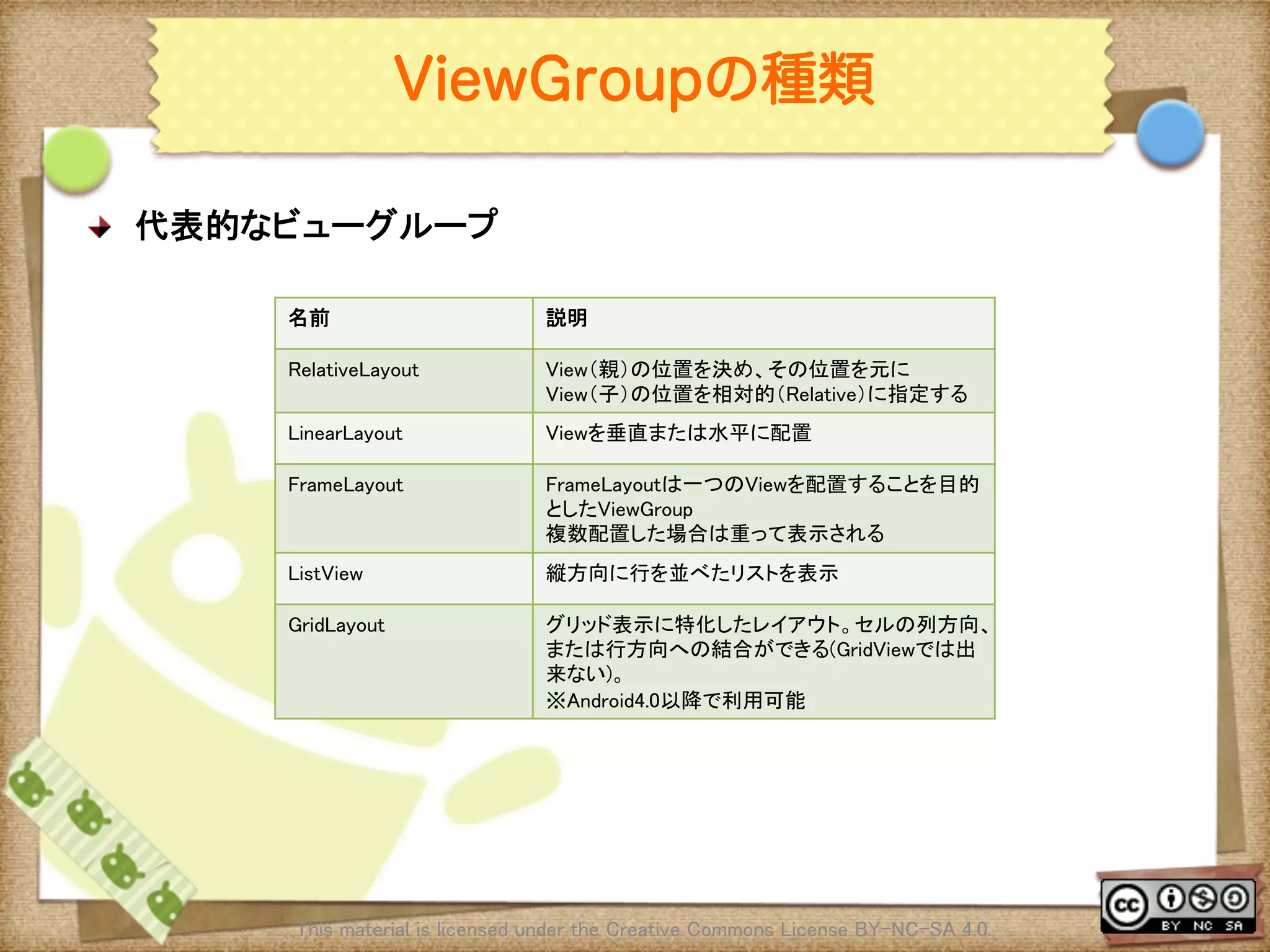
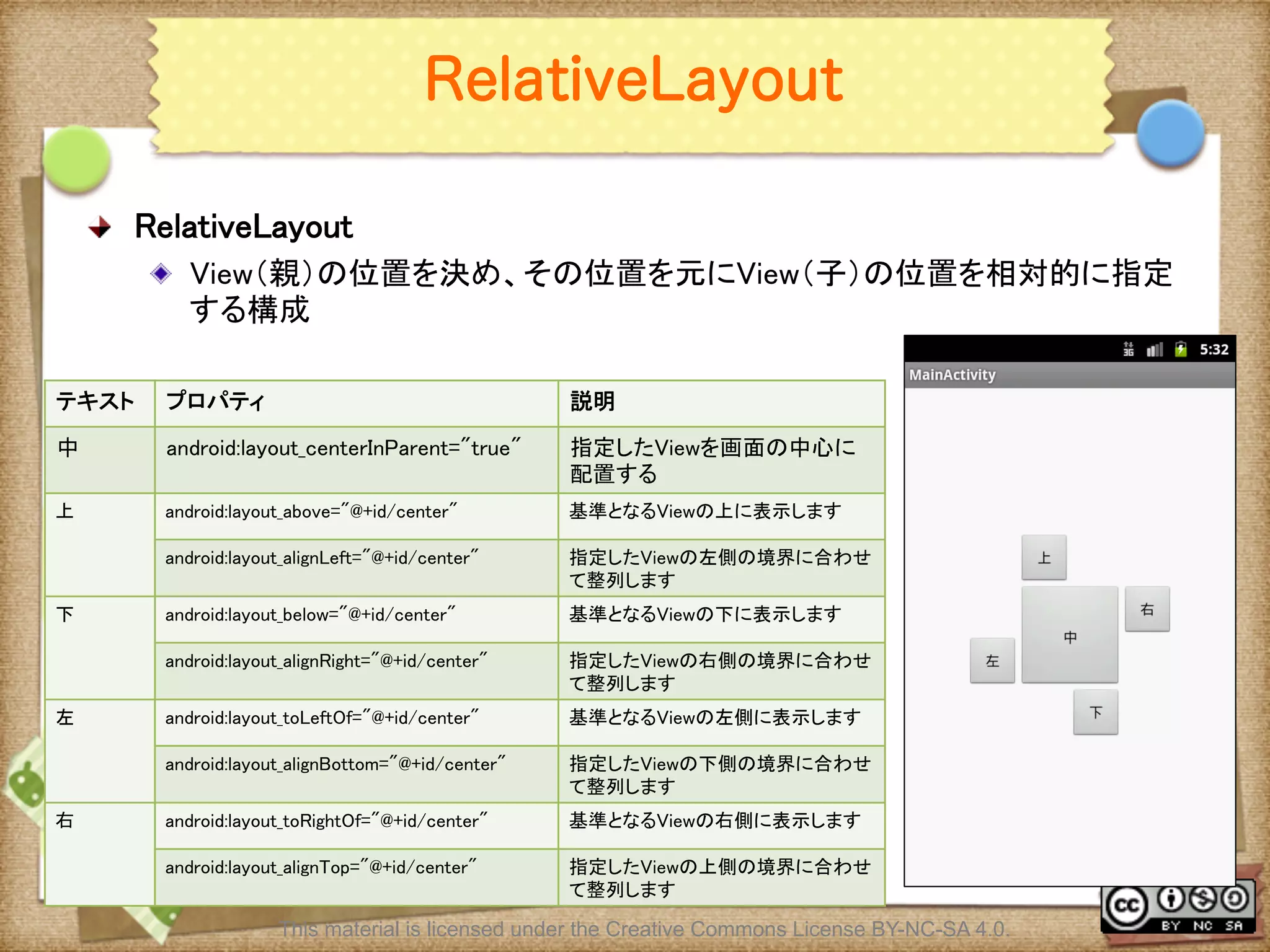
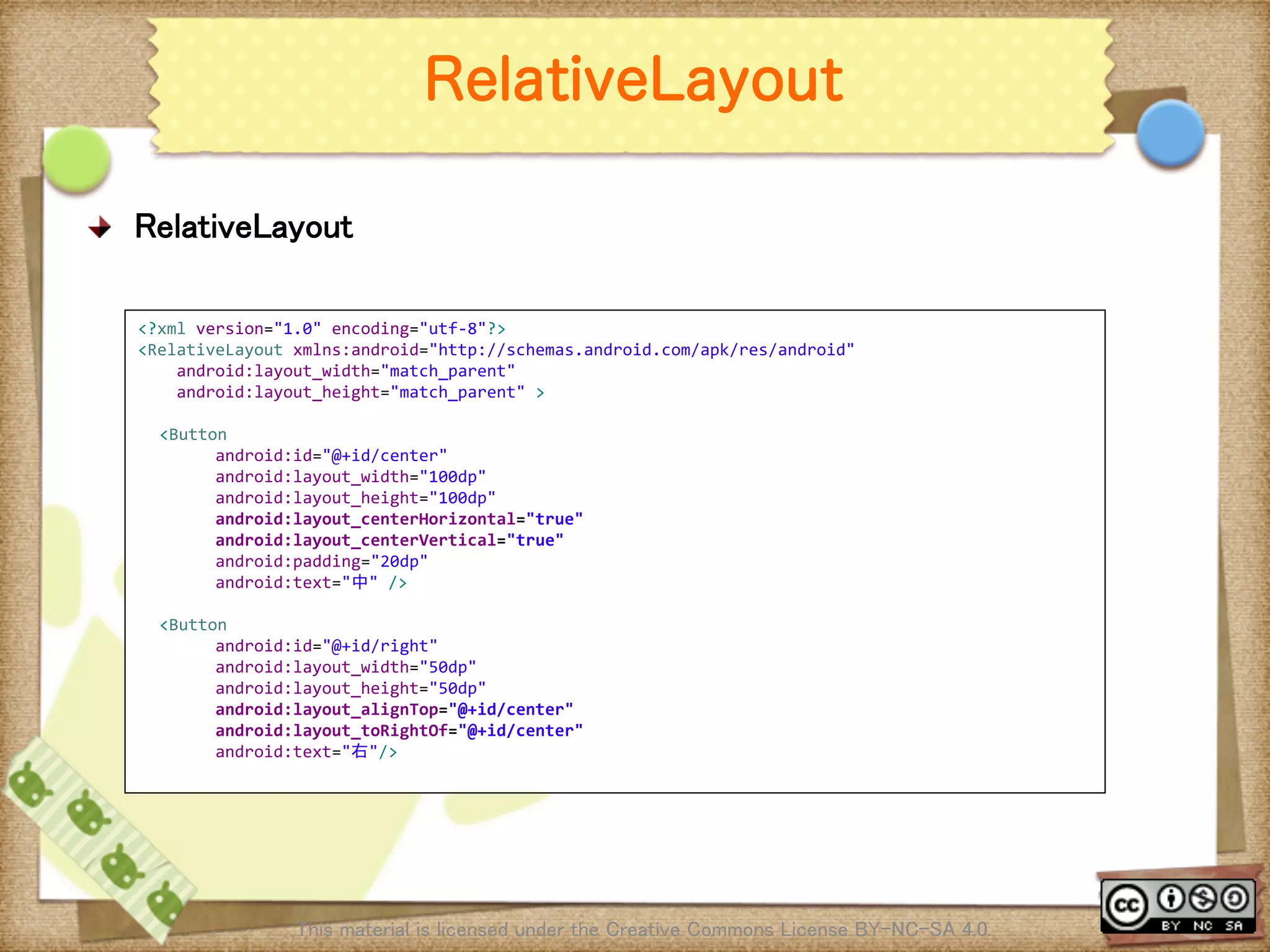
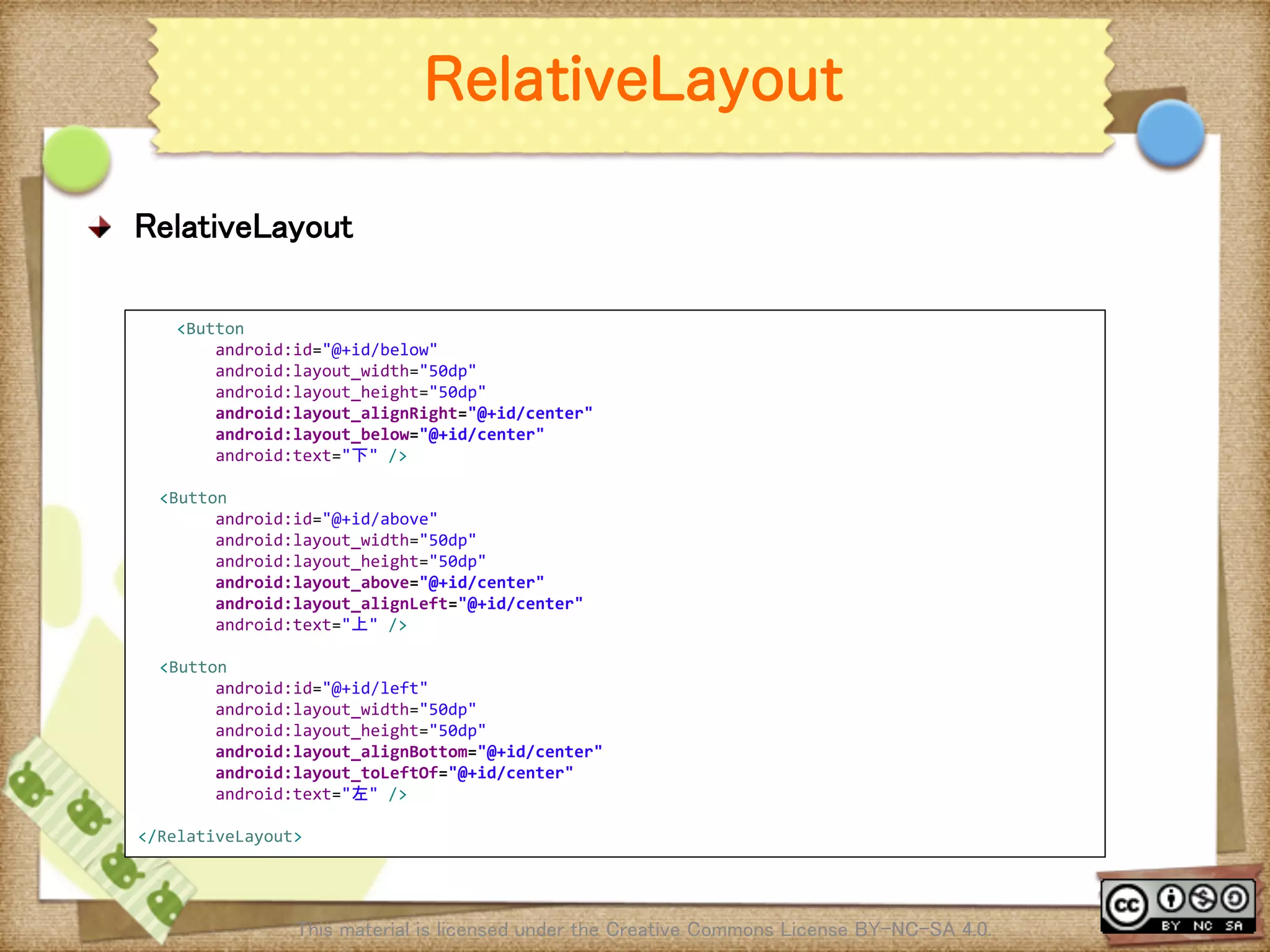
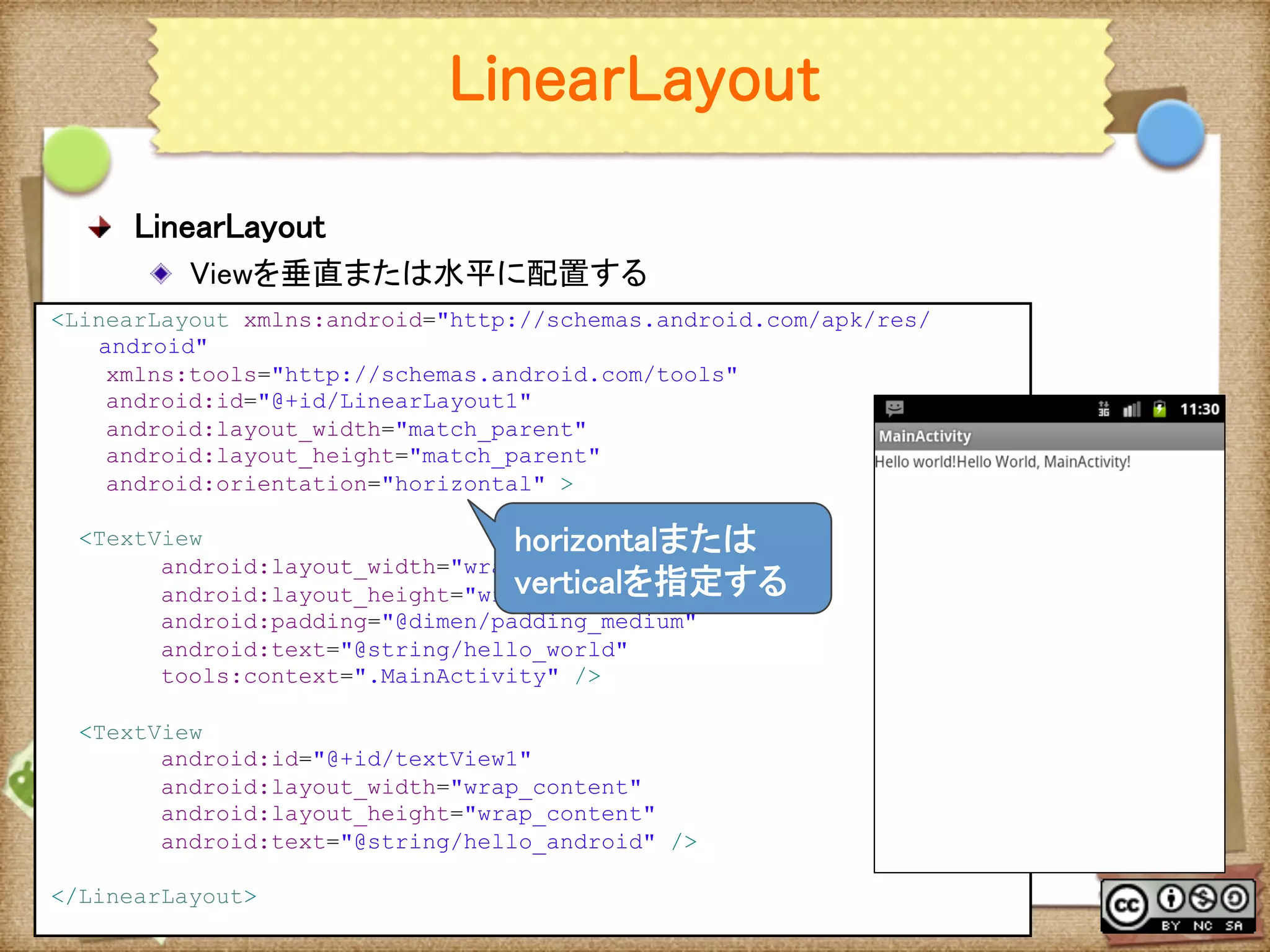
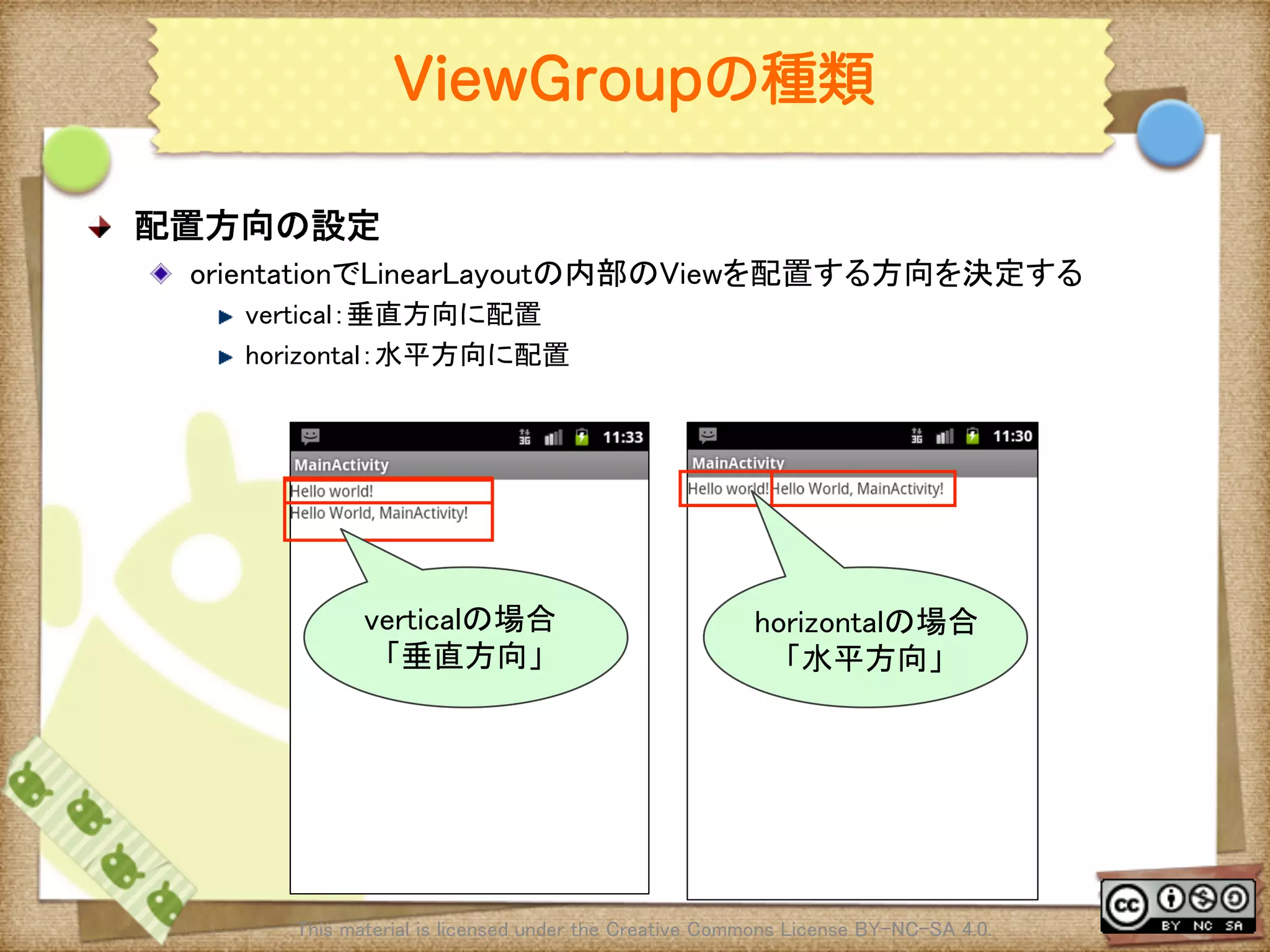
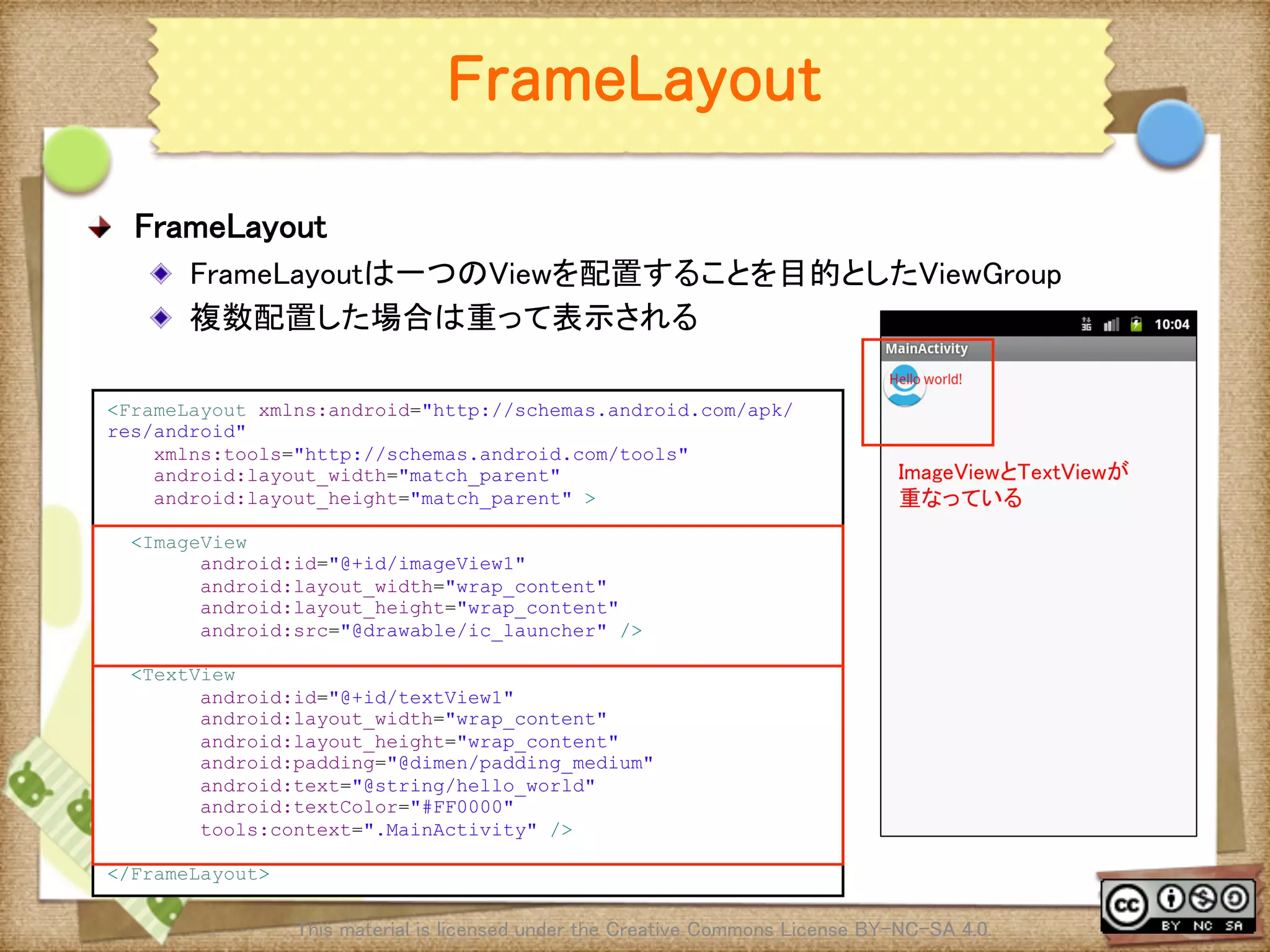
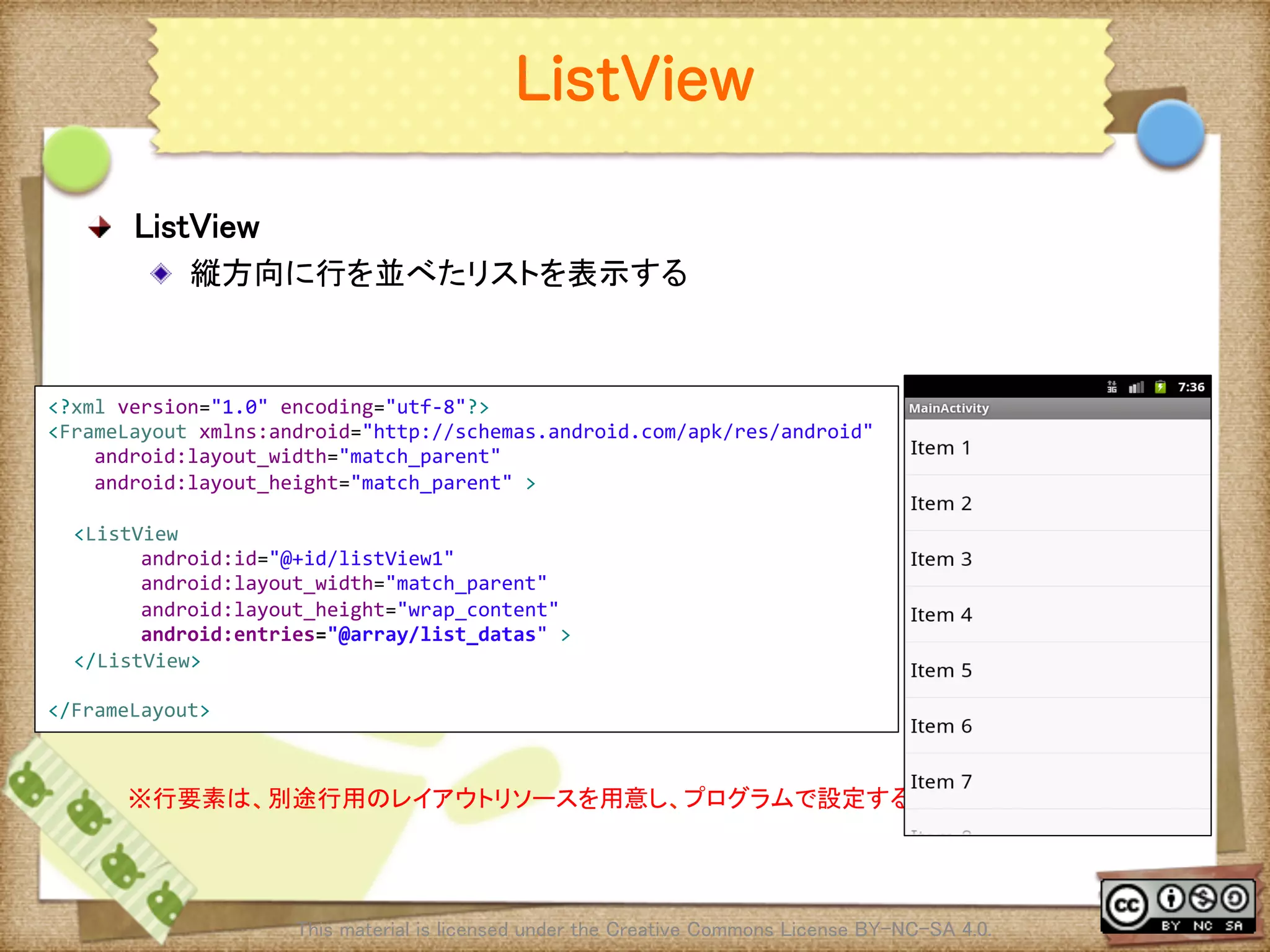
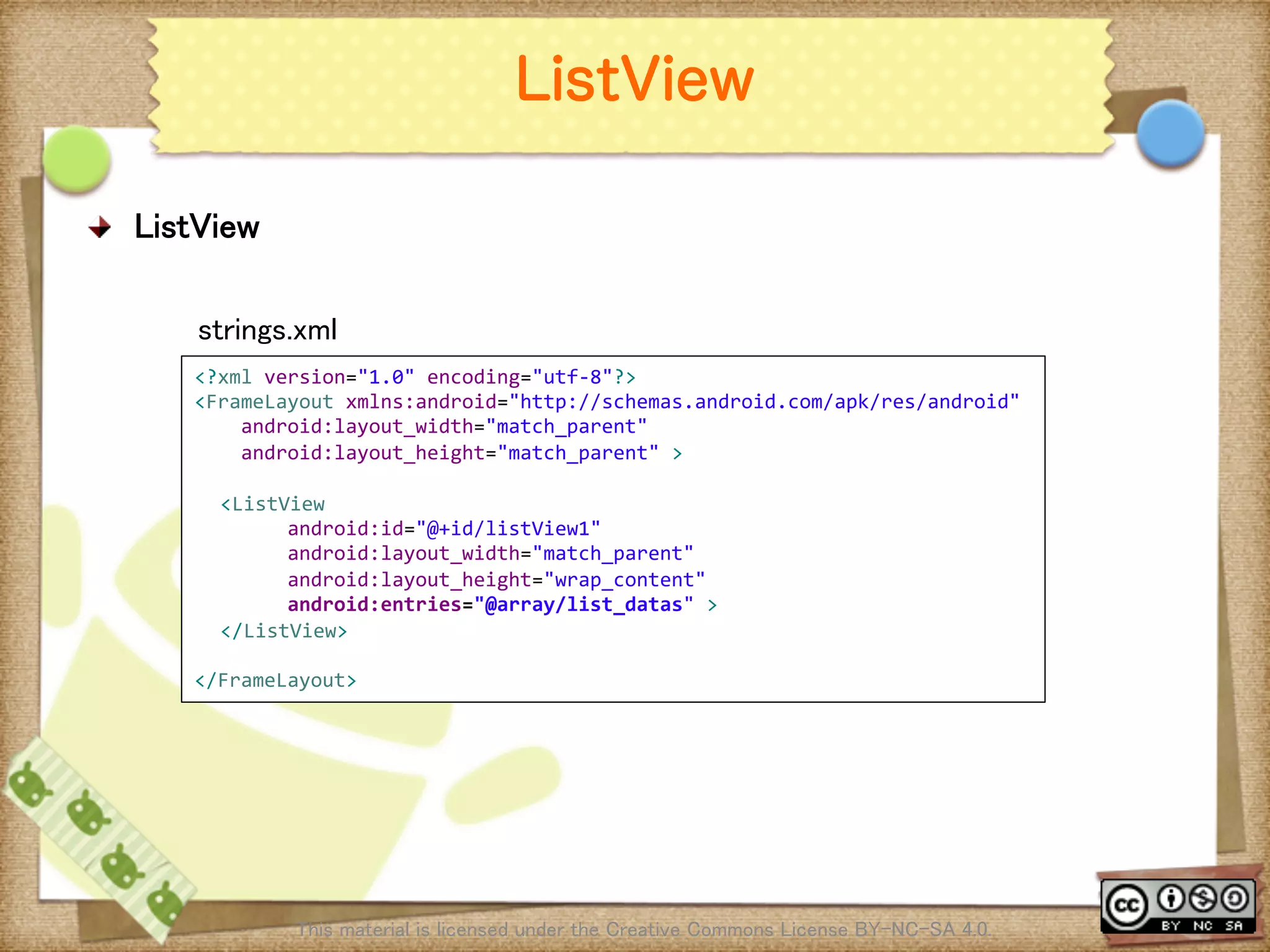
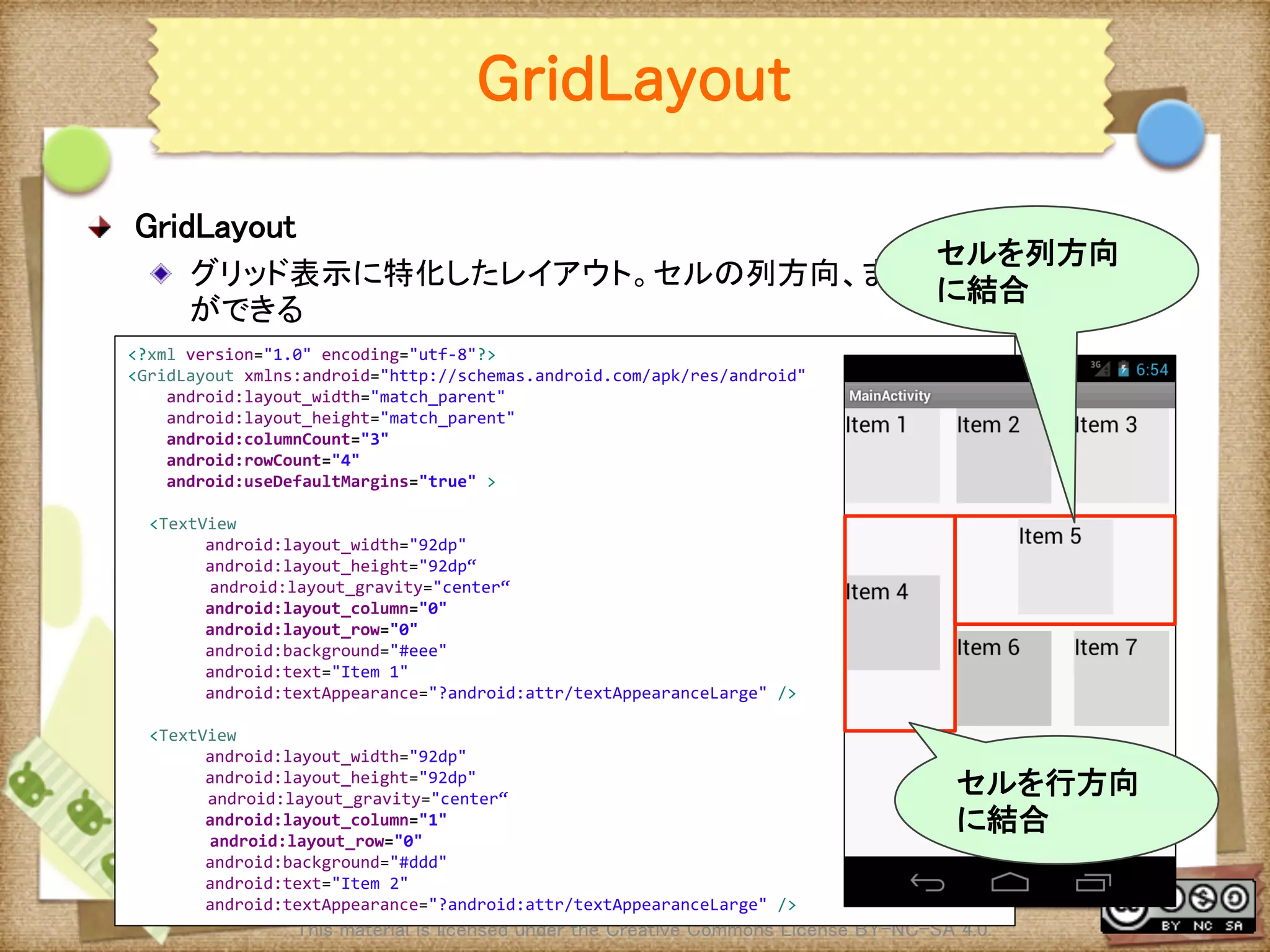
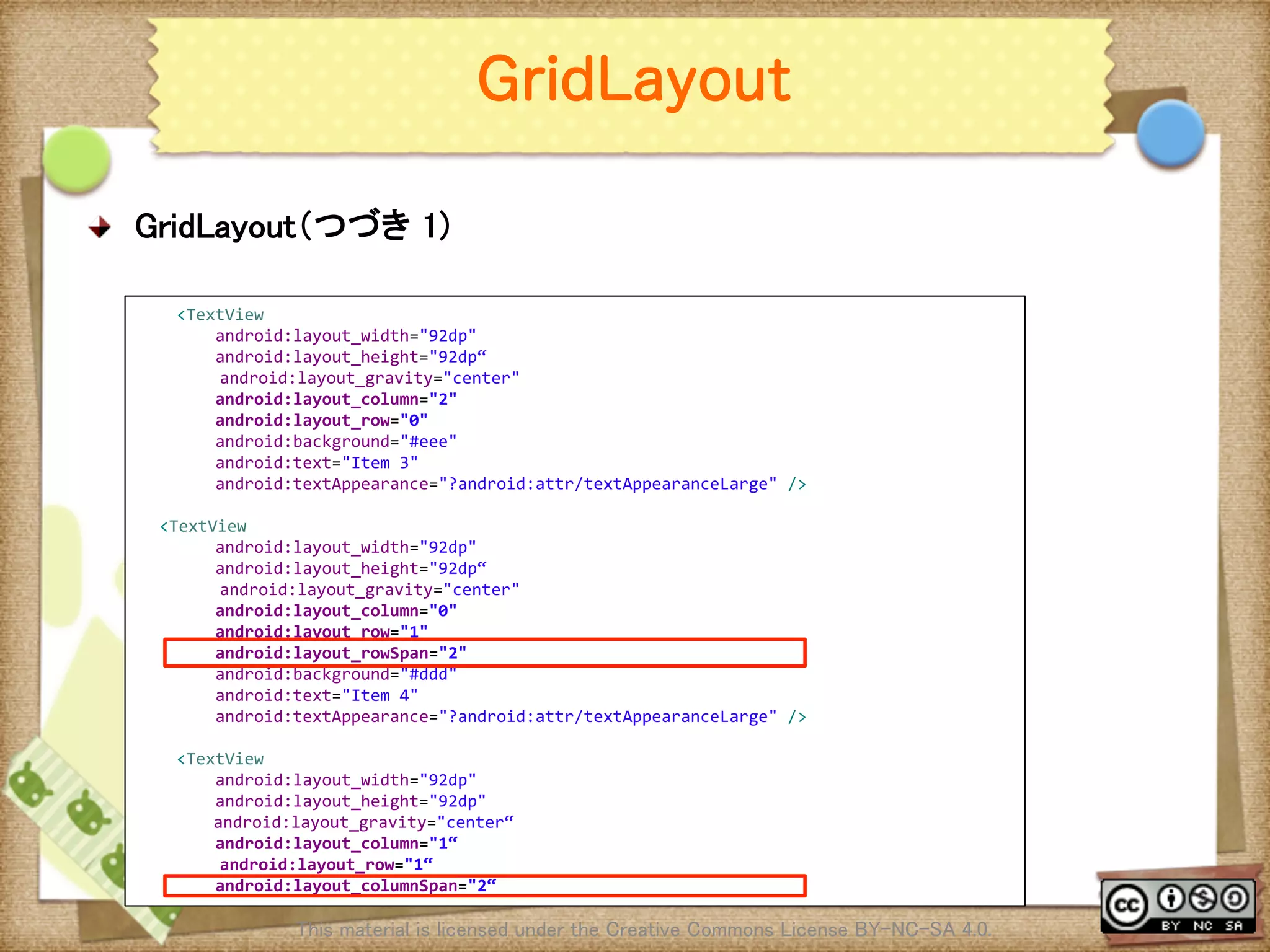
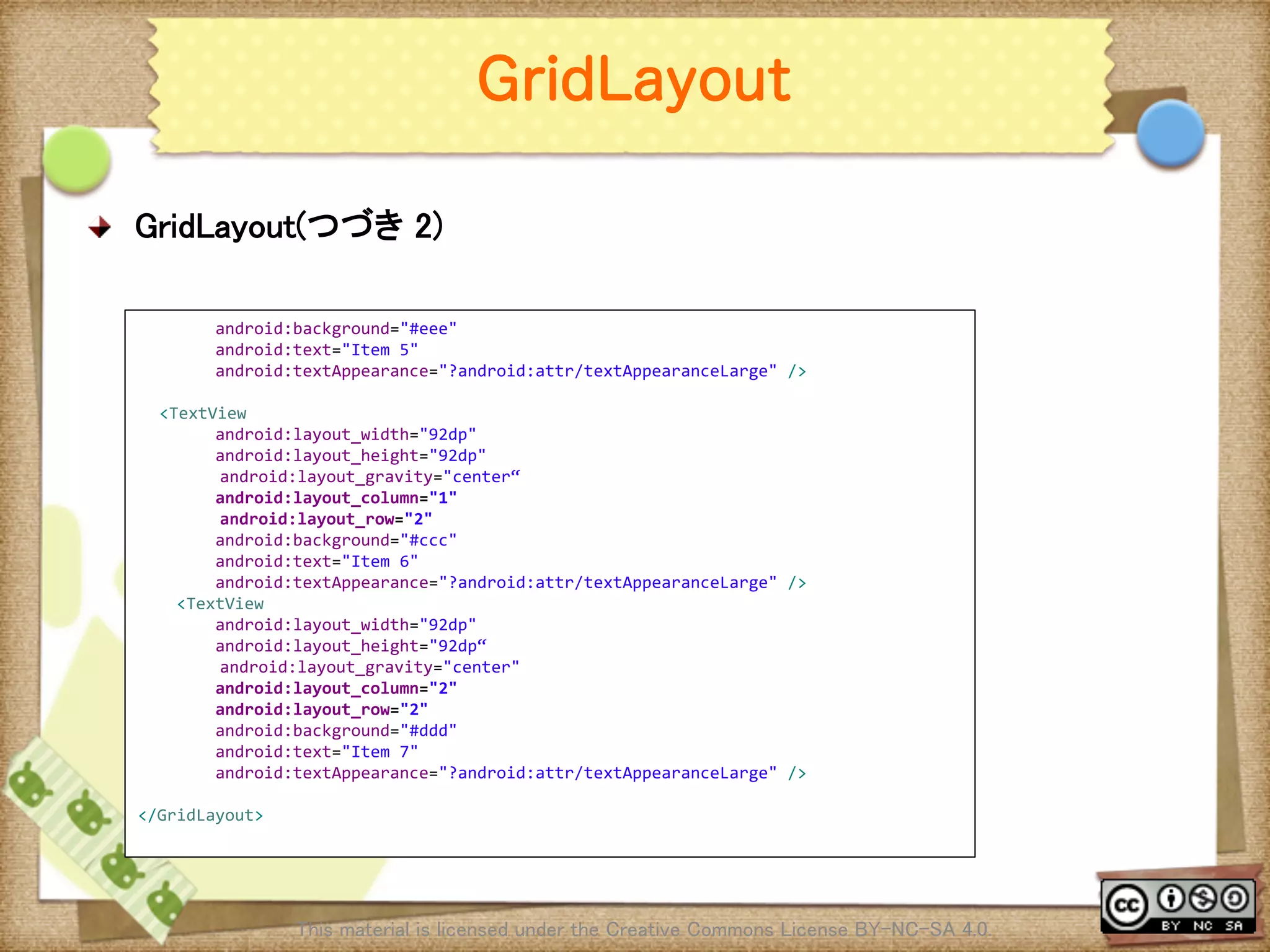
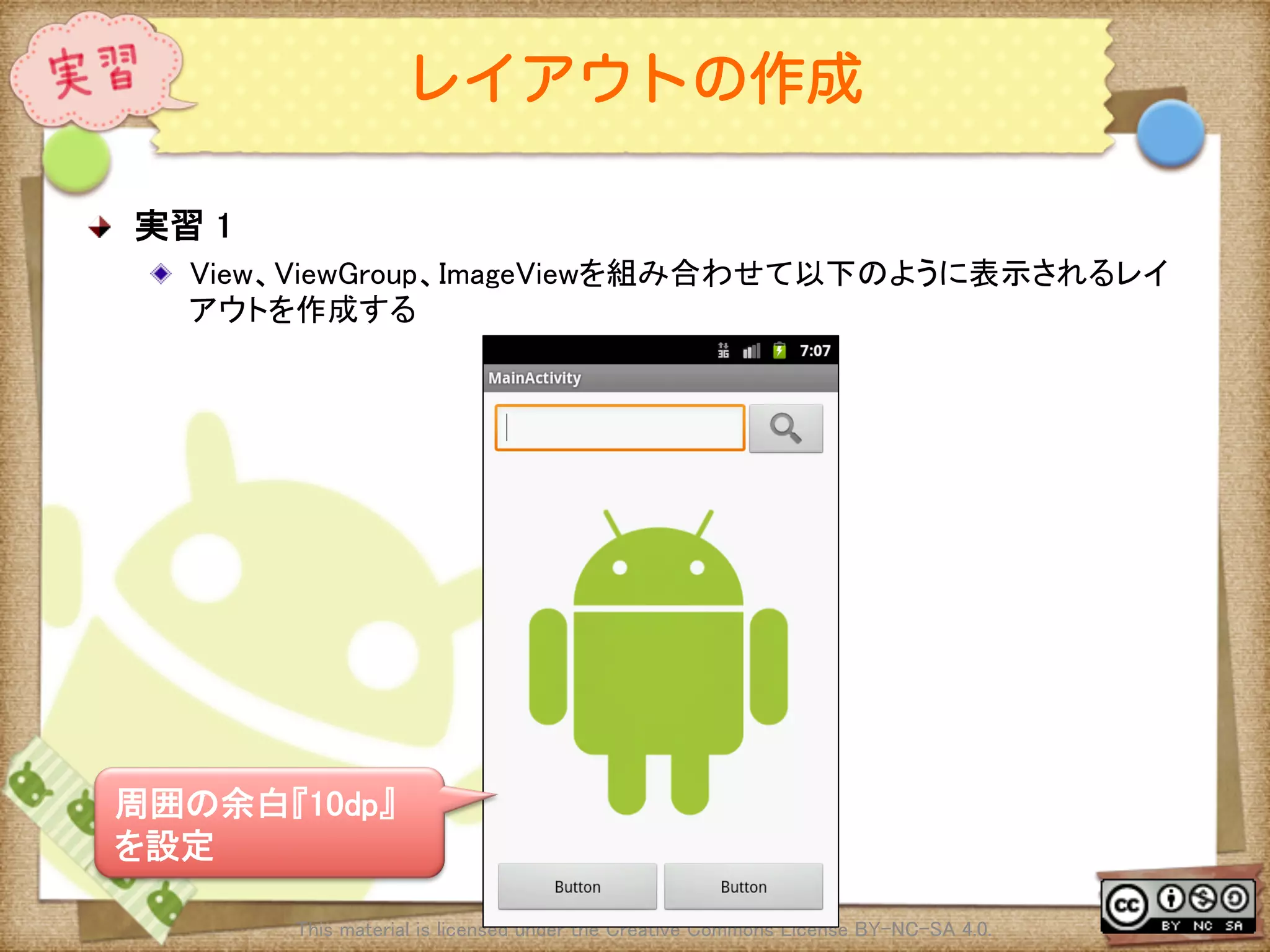
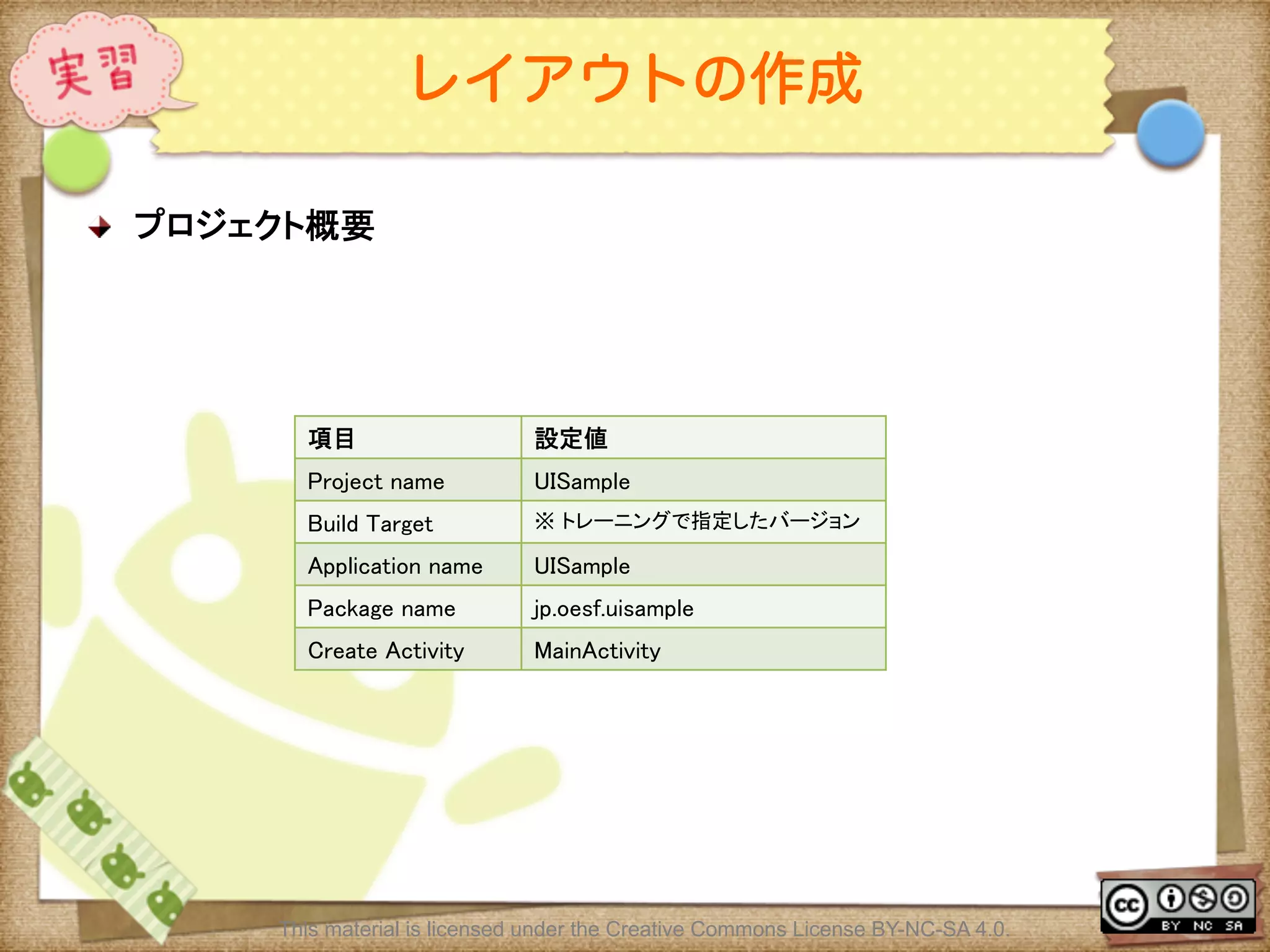
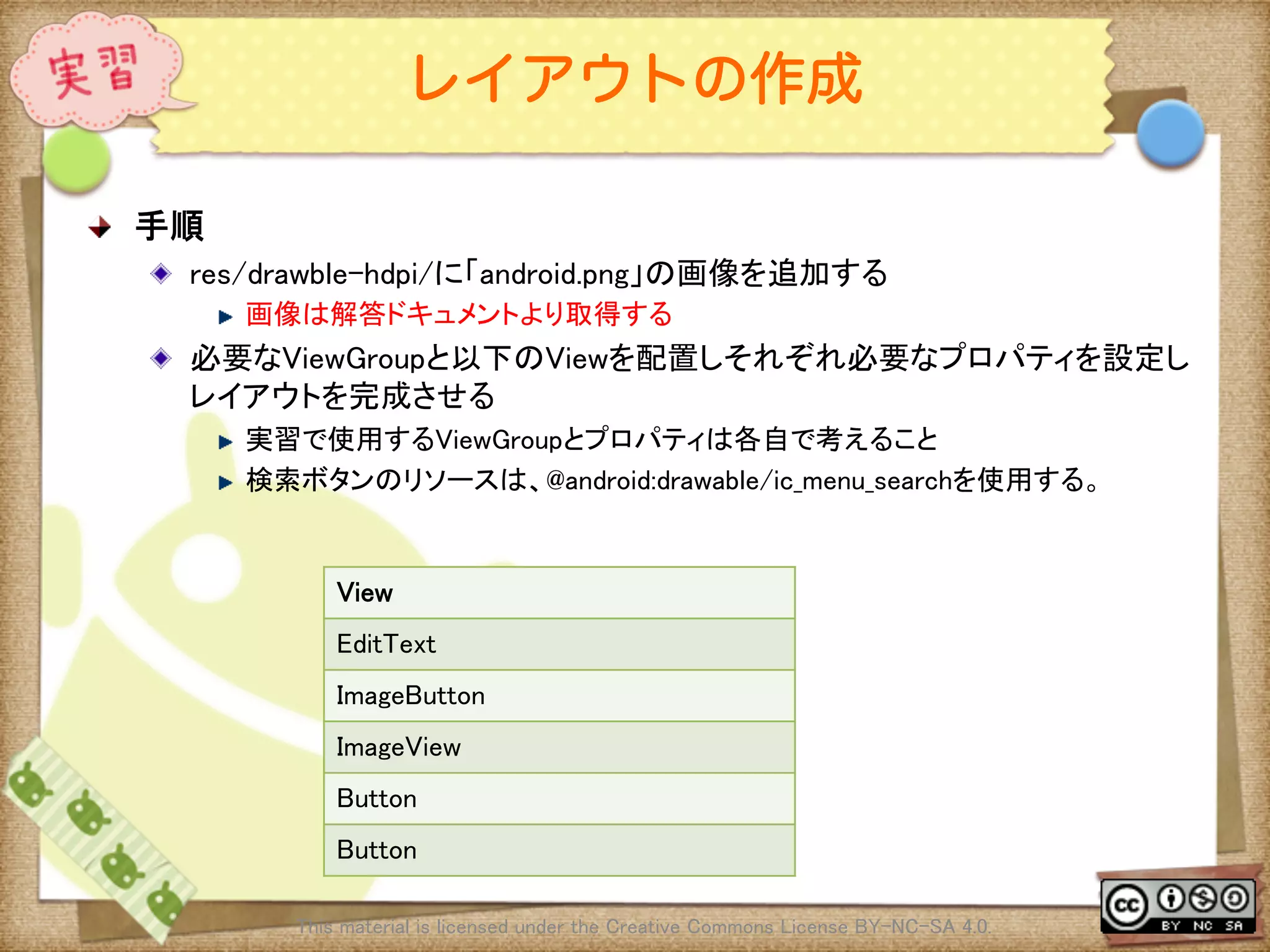
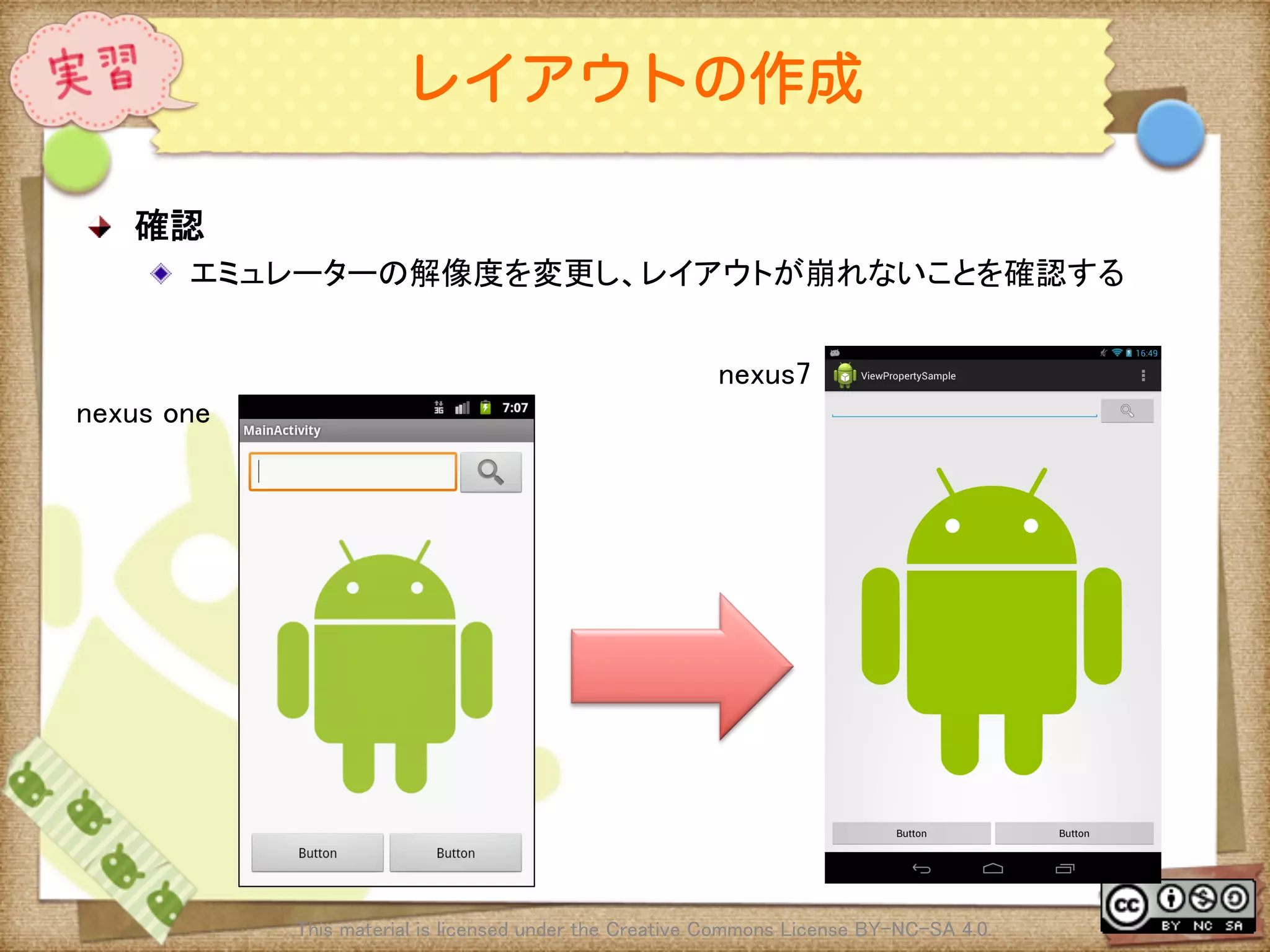
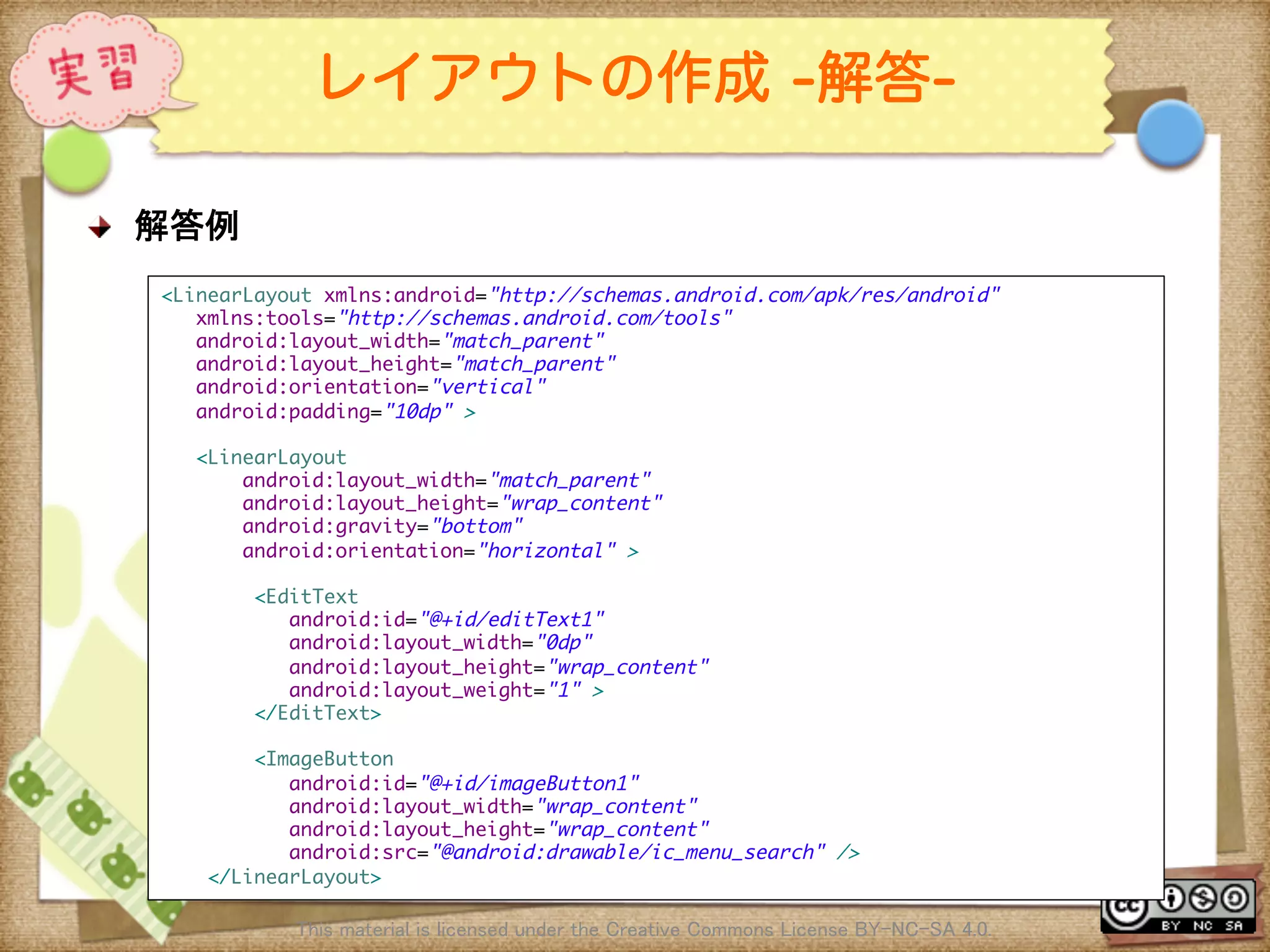
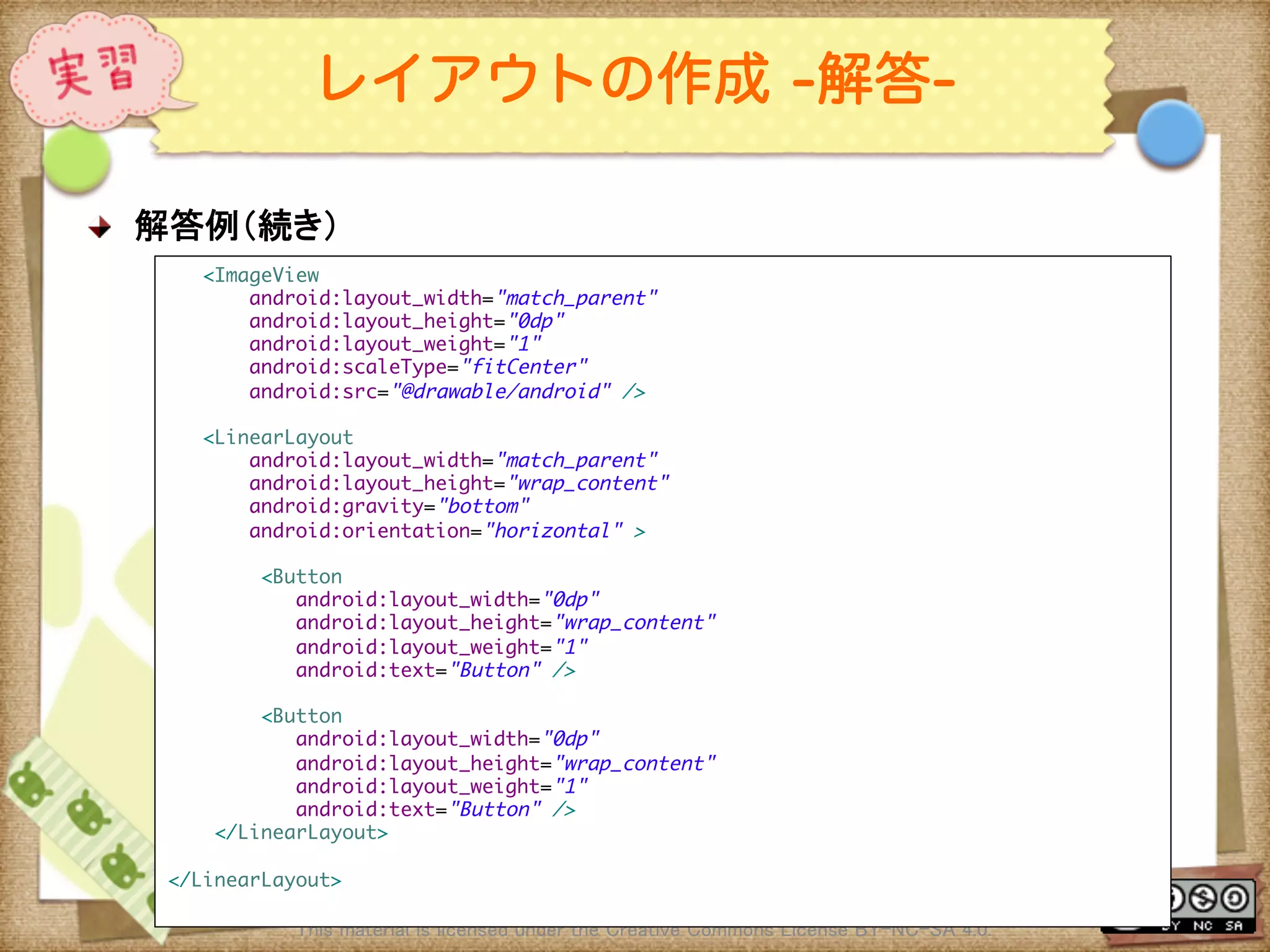
![Ⅶ - 94
レイアウトの作成 [補足実習]
! 実習[補足]
! 別のViewGroupやプロパティを組み合わせて外見が同じレイアウトを作成する
! レイアウトの作成パターンは1つではない、使い方によって複数の実装方法が存
在する。他にどんな実装方法があるかを考え組み立てる
This material is licensed under the Creative Commons License BY-NC-SA 4.0.](https://image.slidesharecdn.com/androidui-140313021742-phpapp02/75/Android-UI-94-2048.jpg)
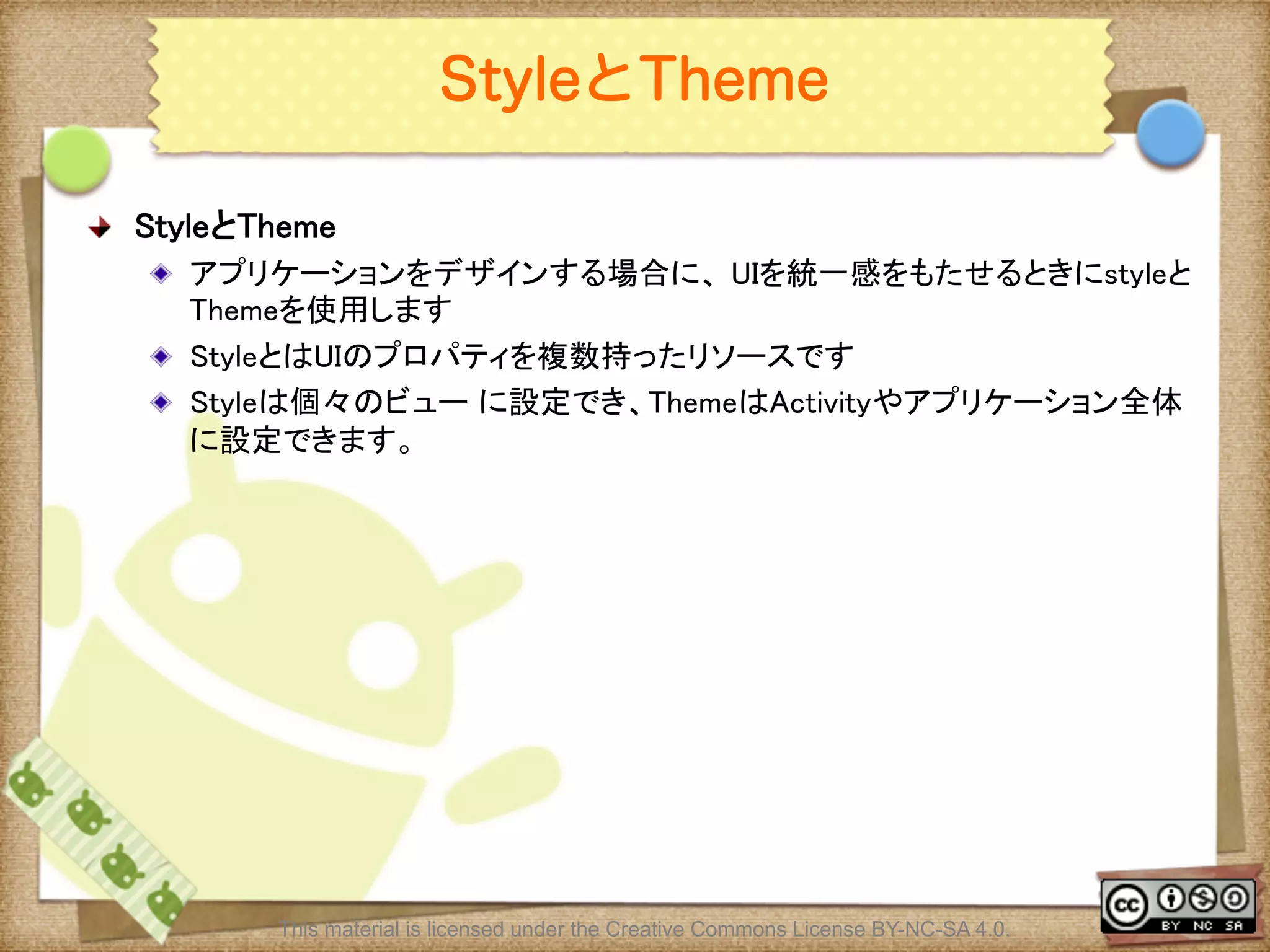
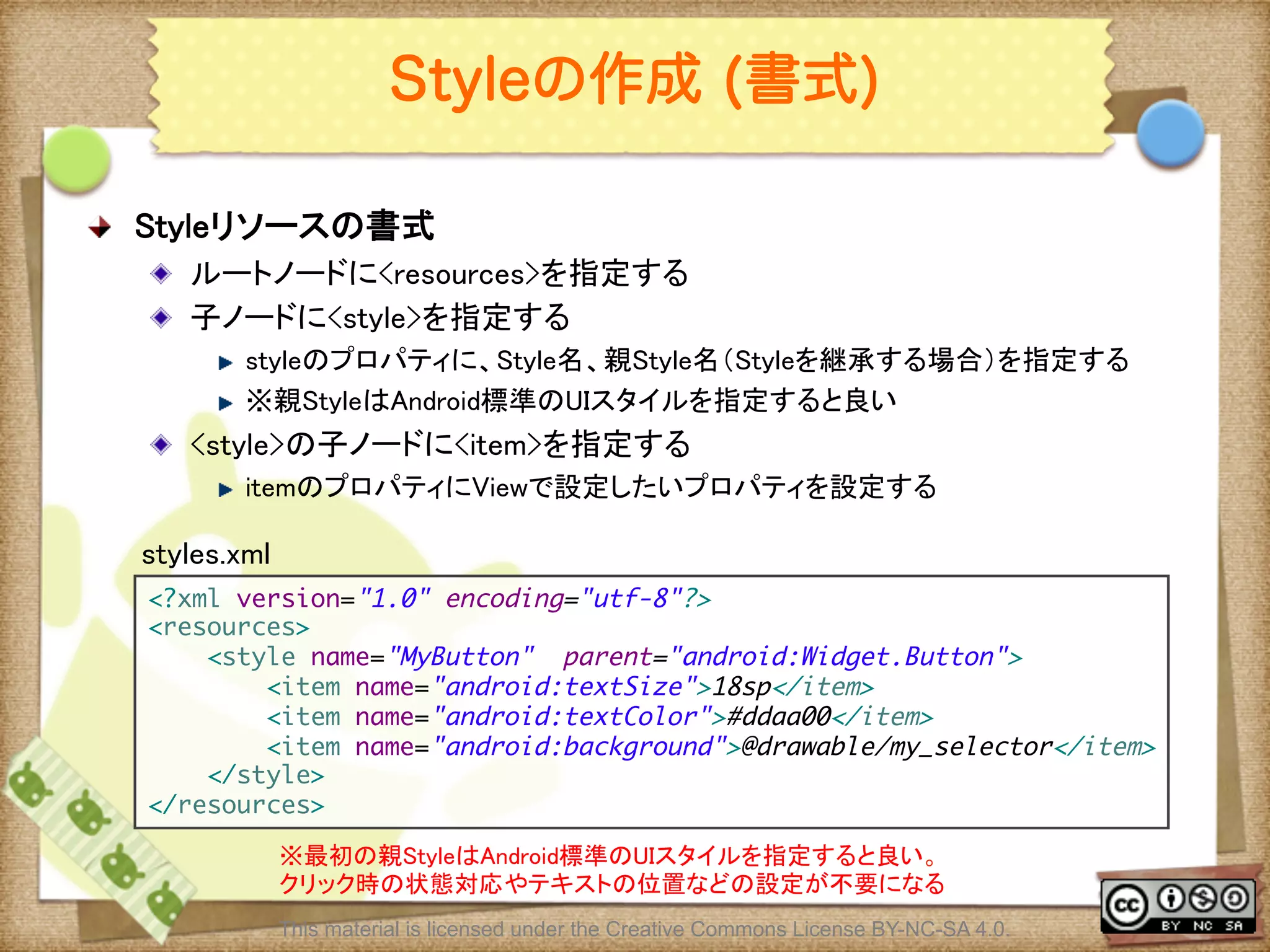
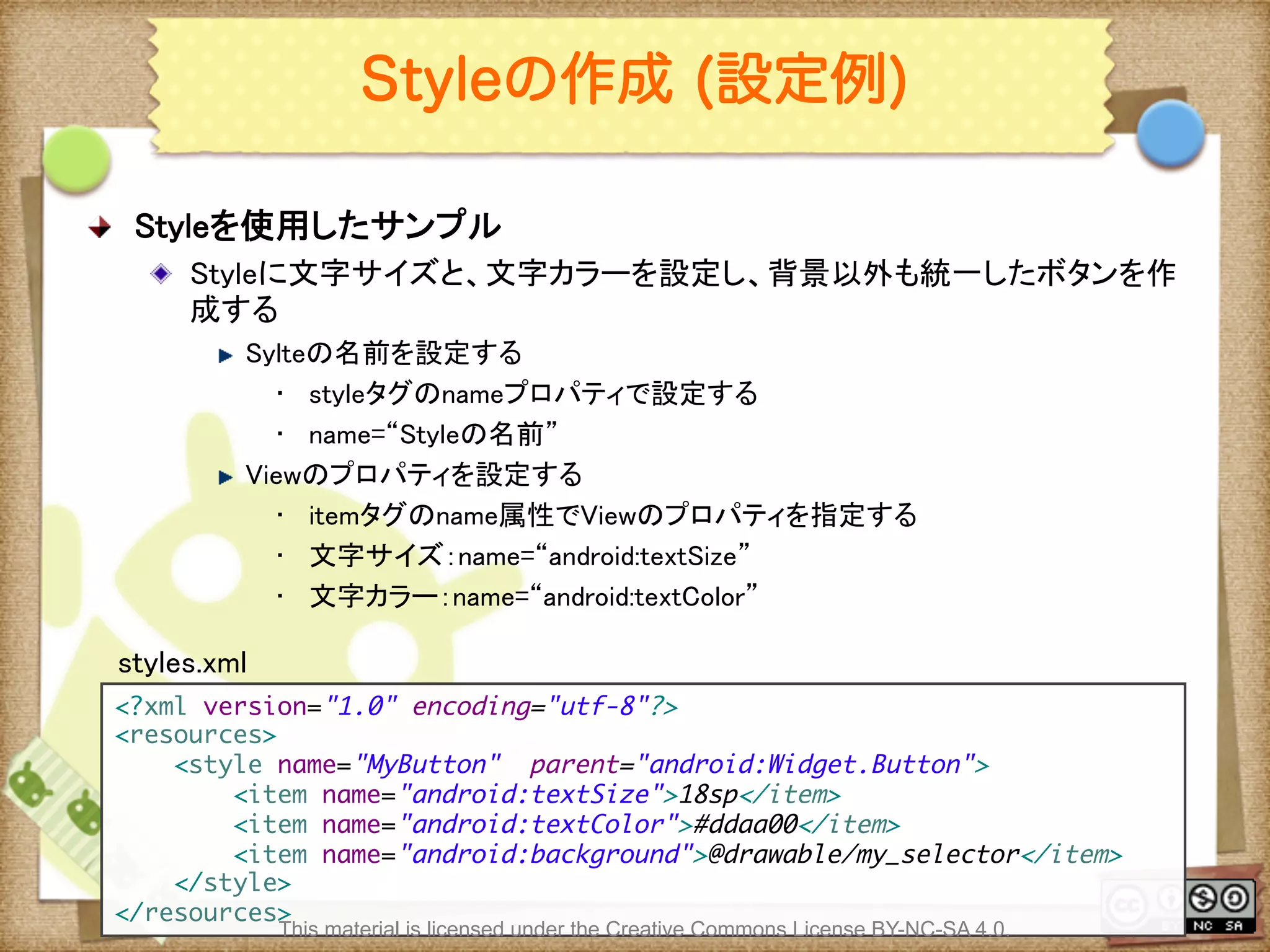
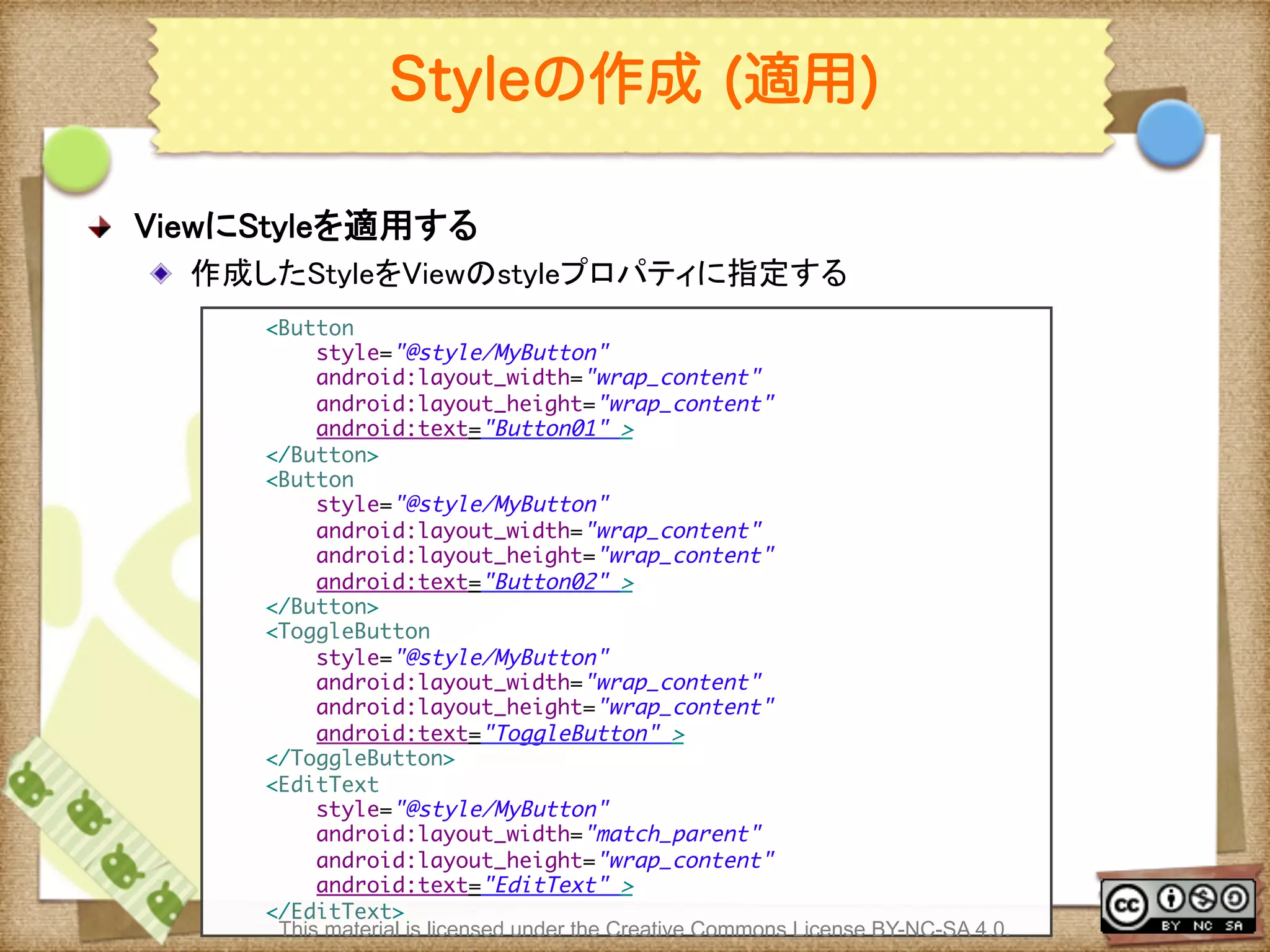
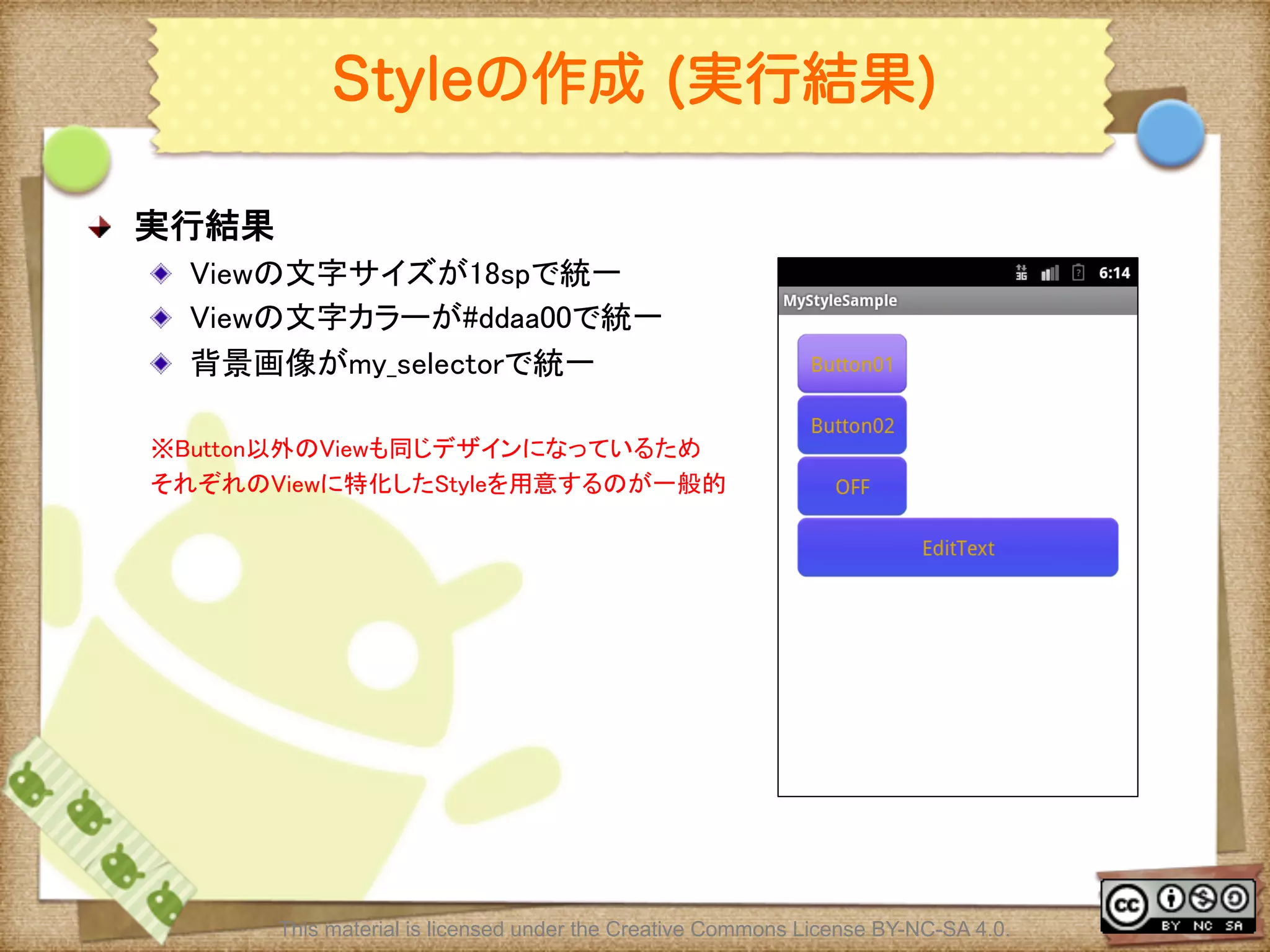
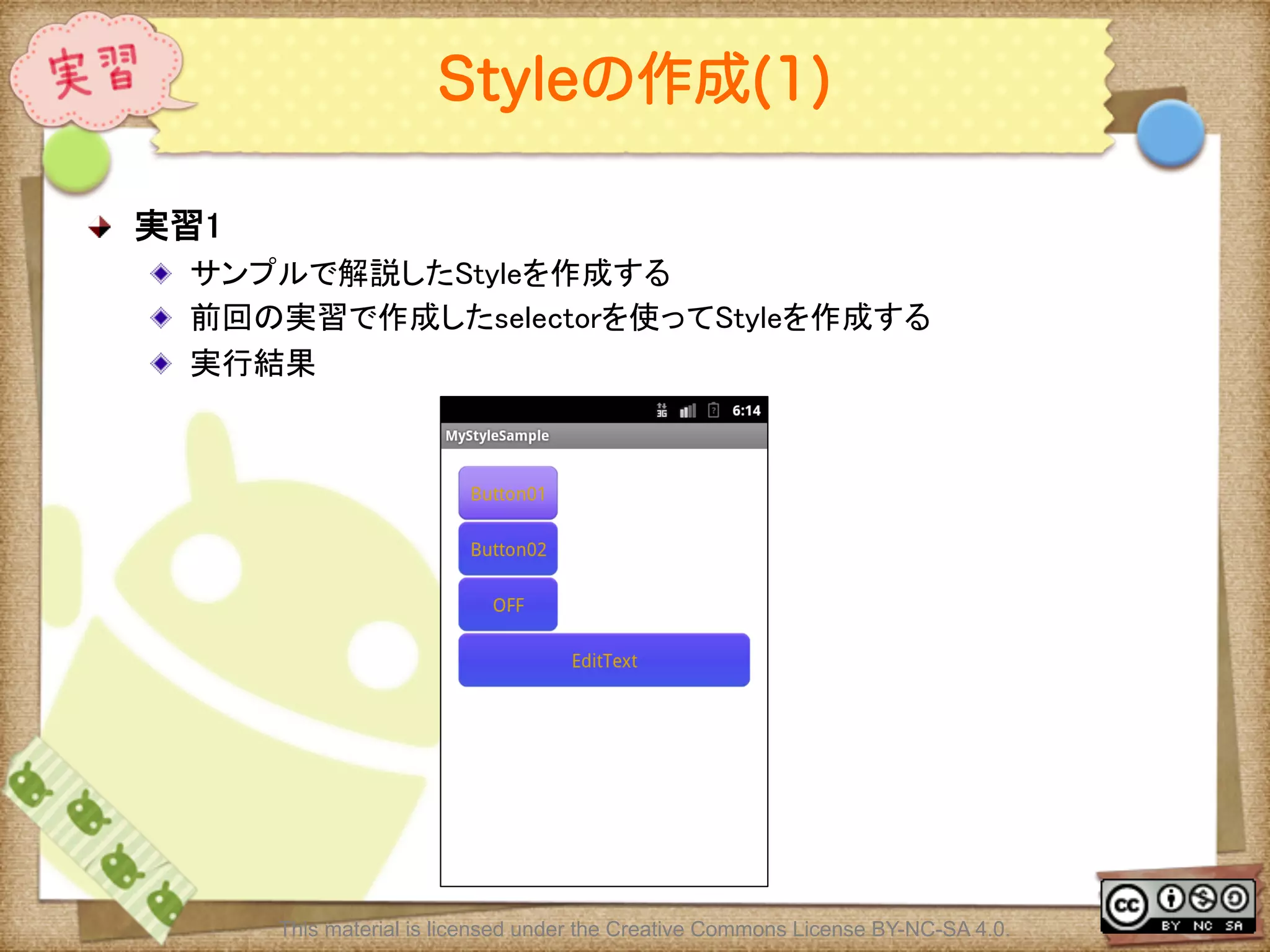
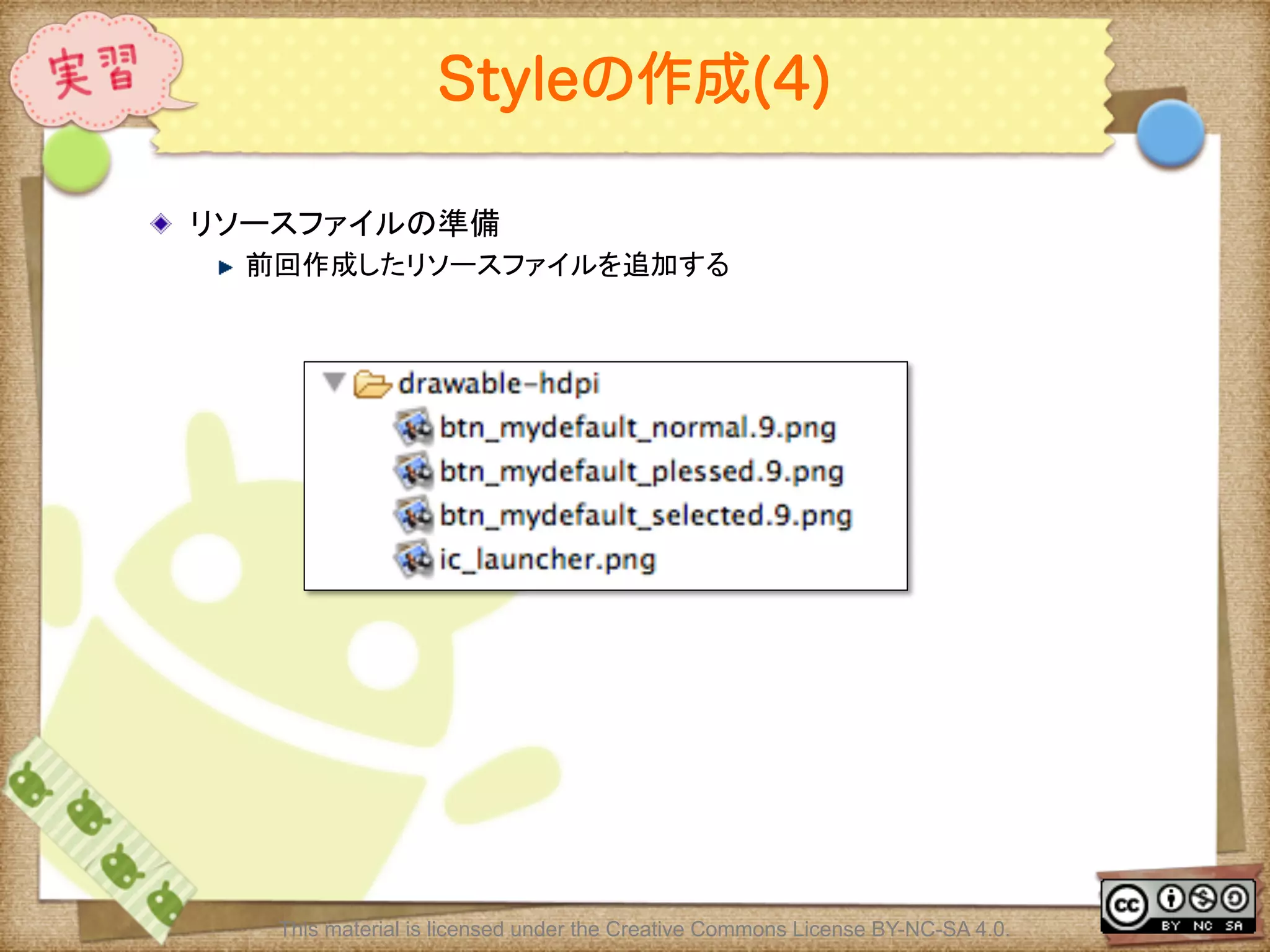
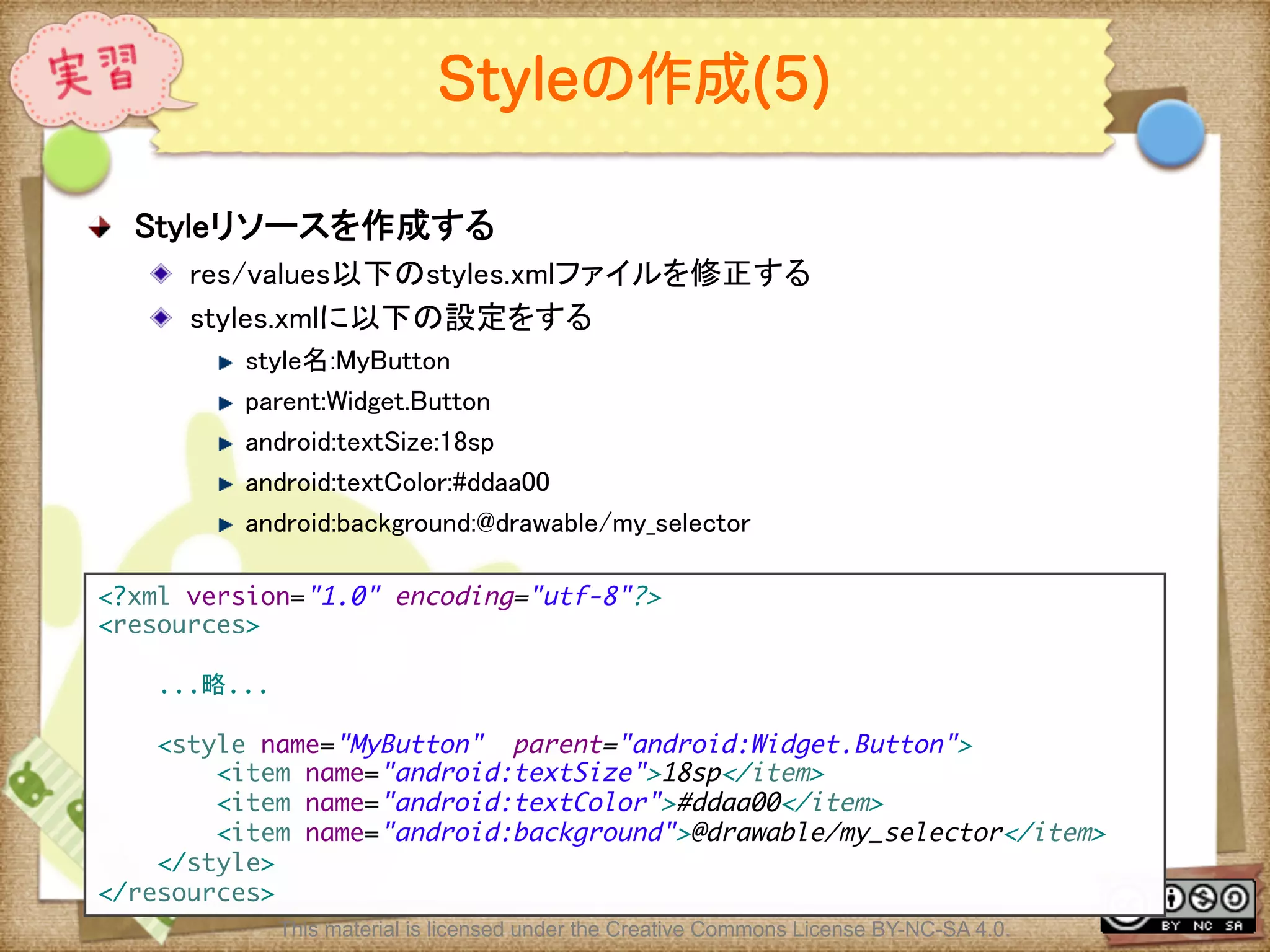
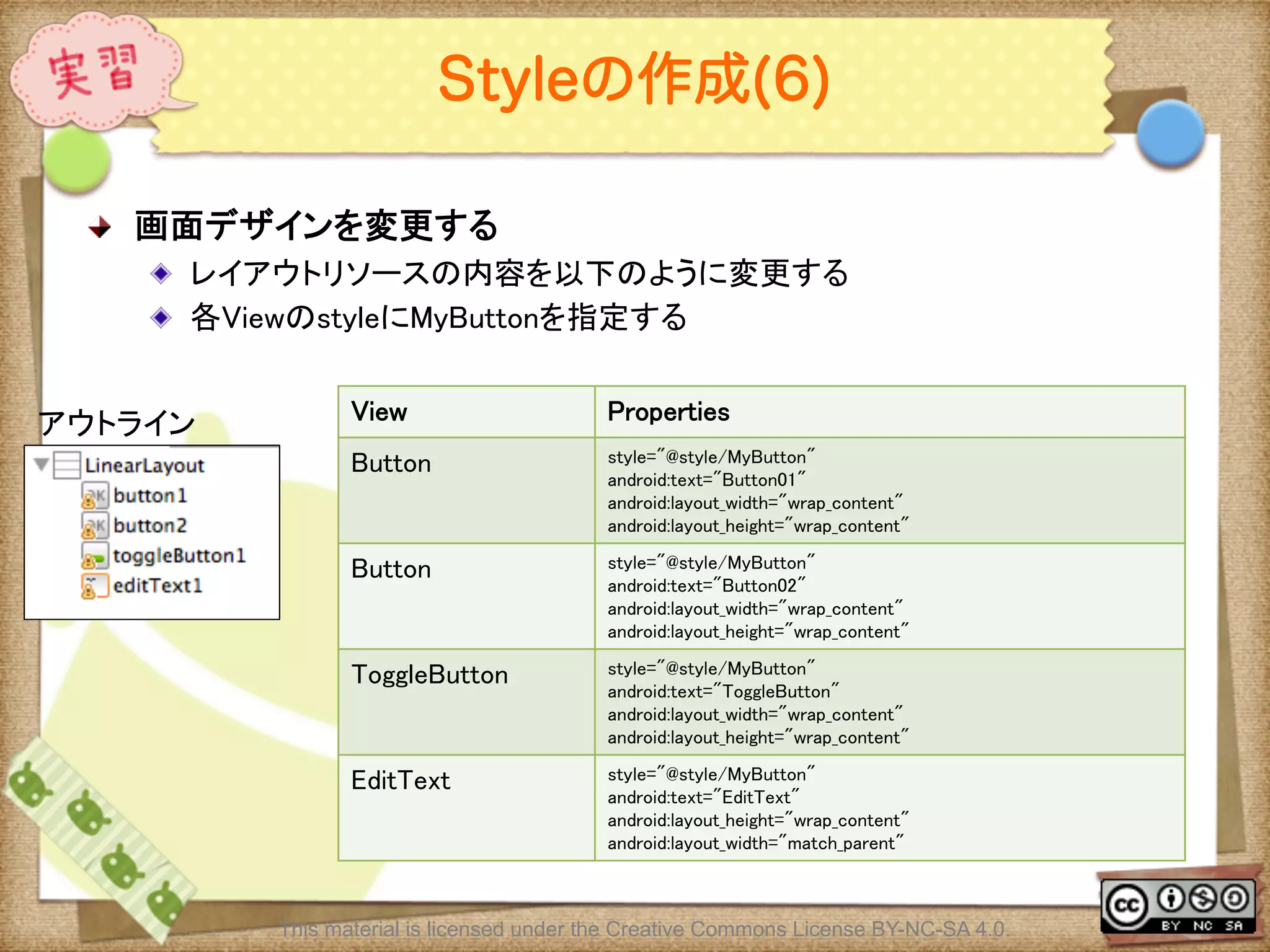
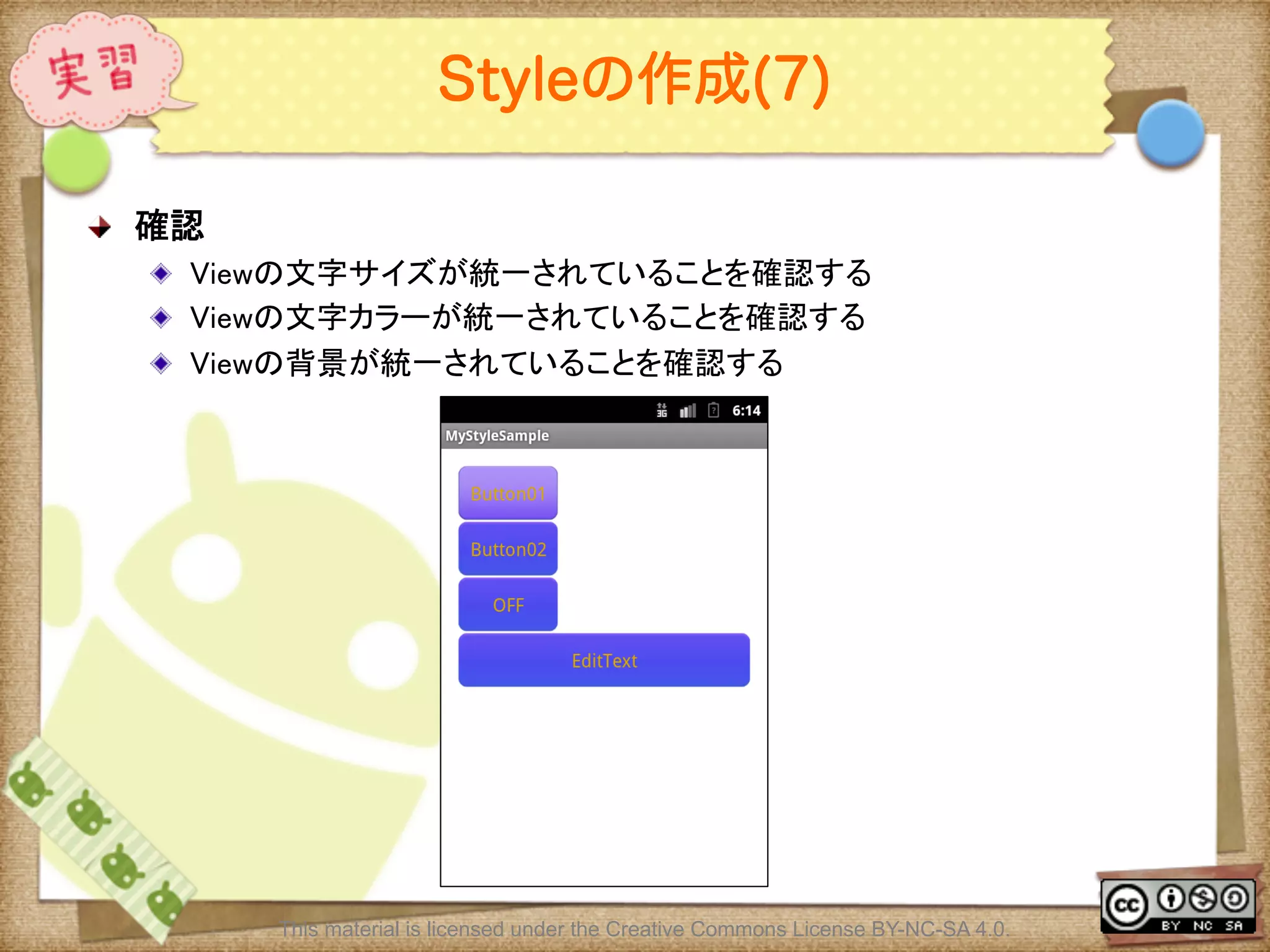
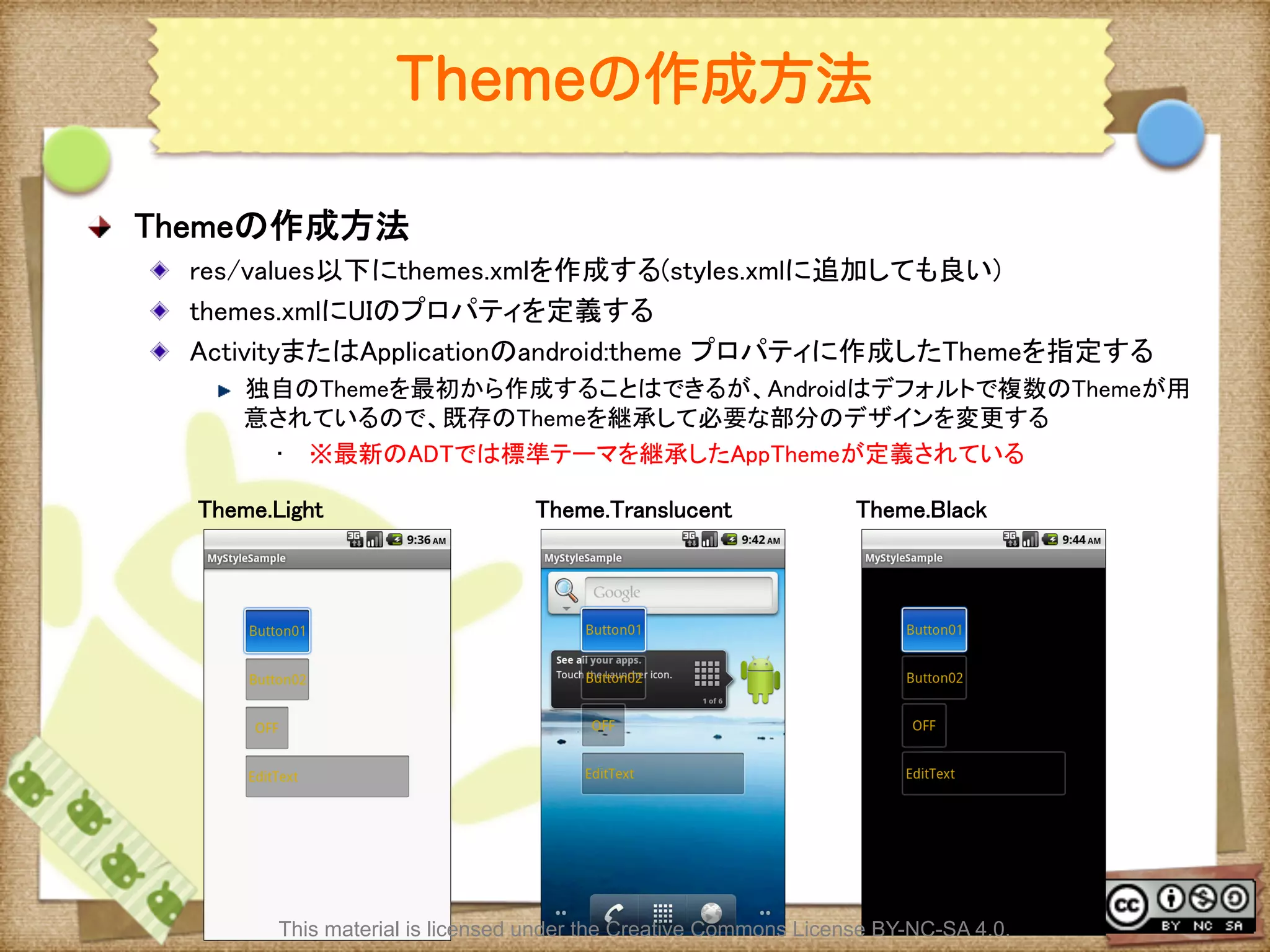
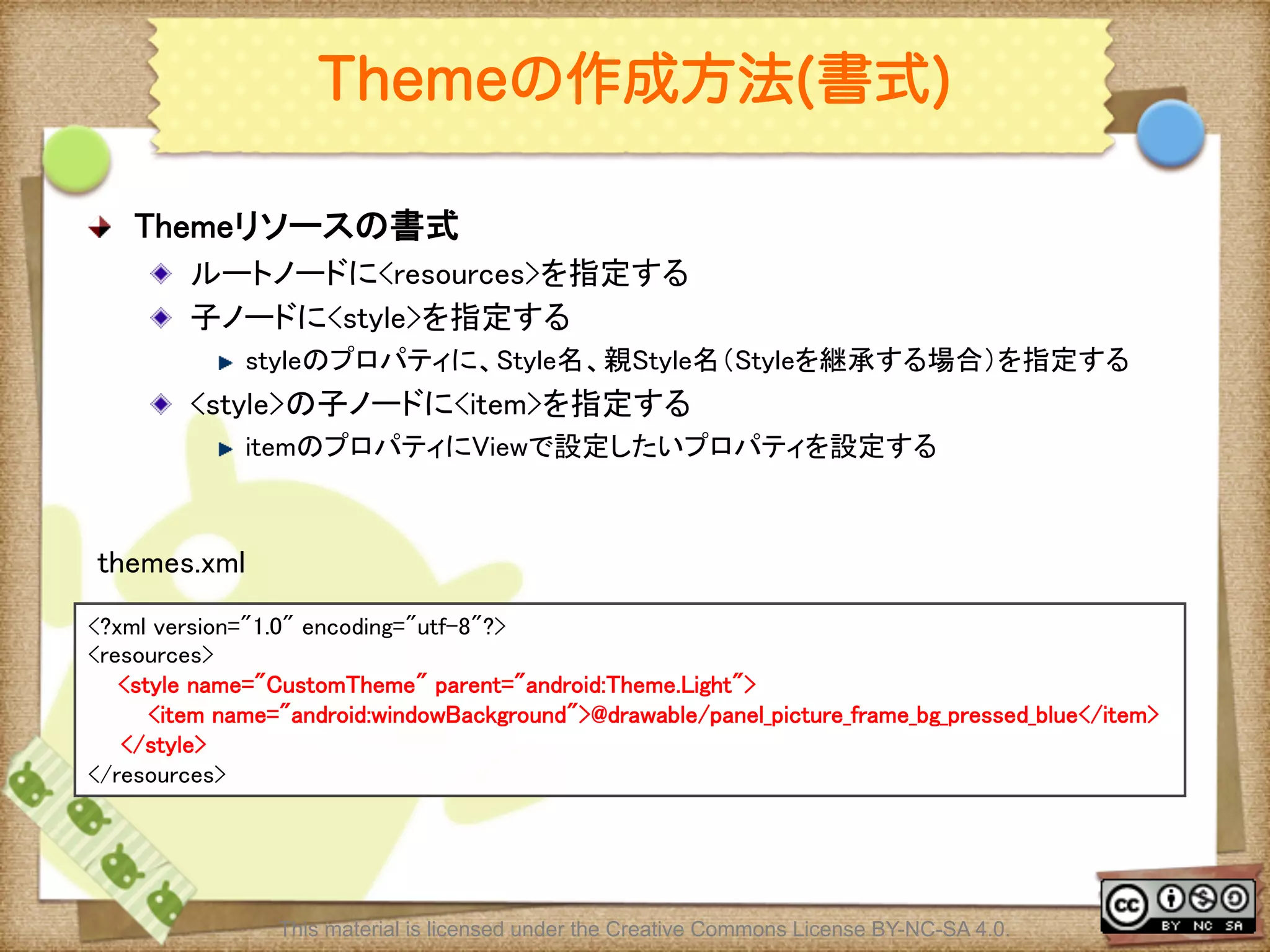
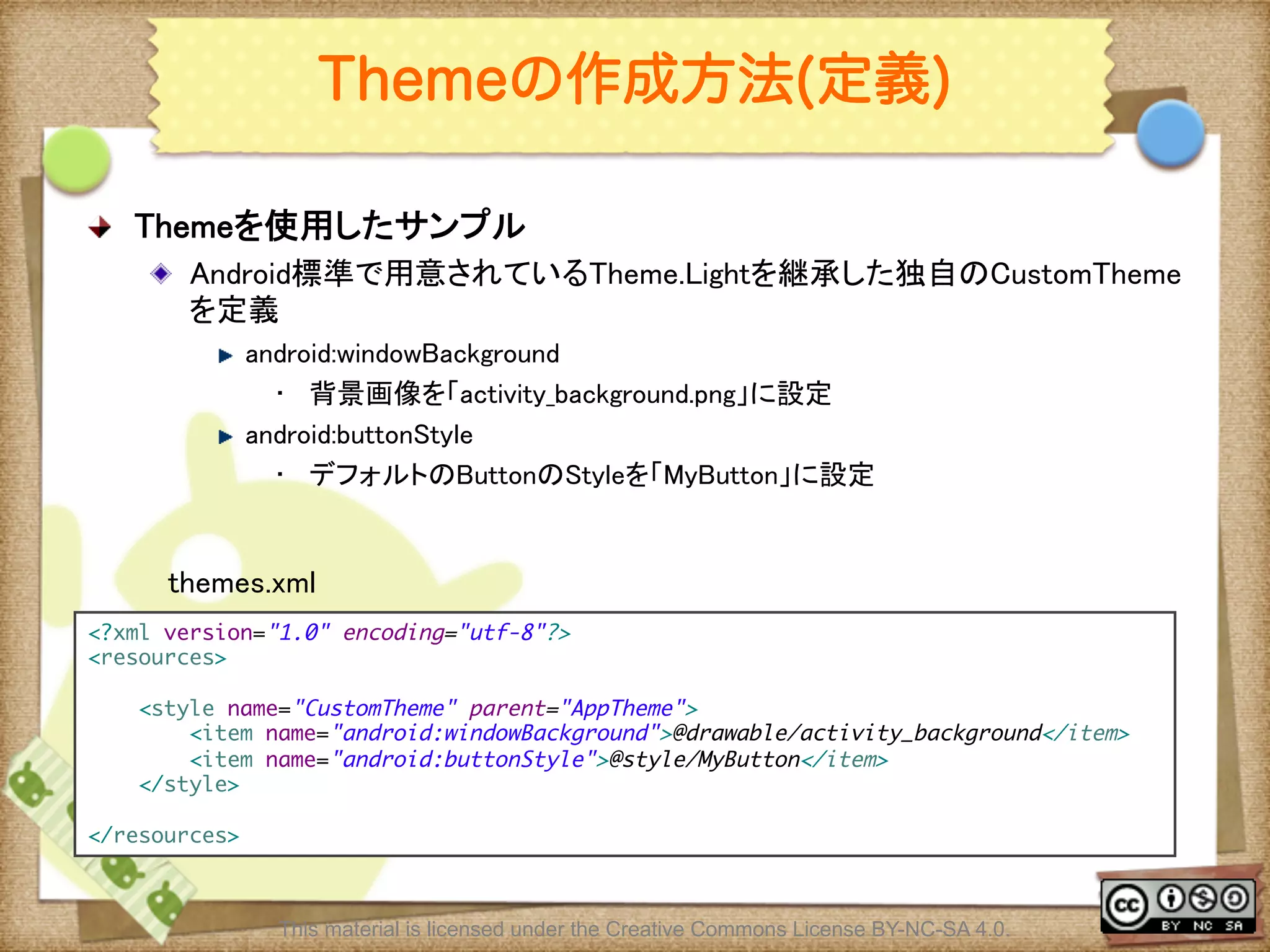
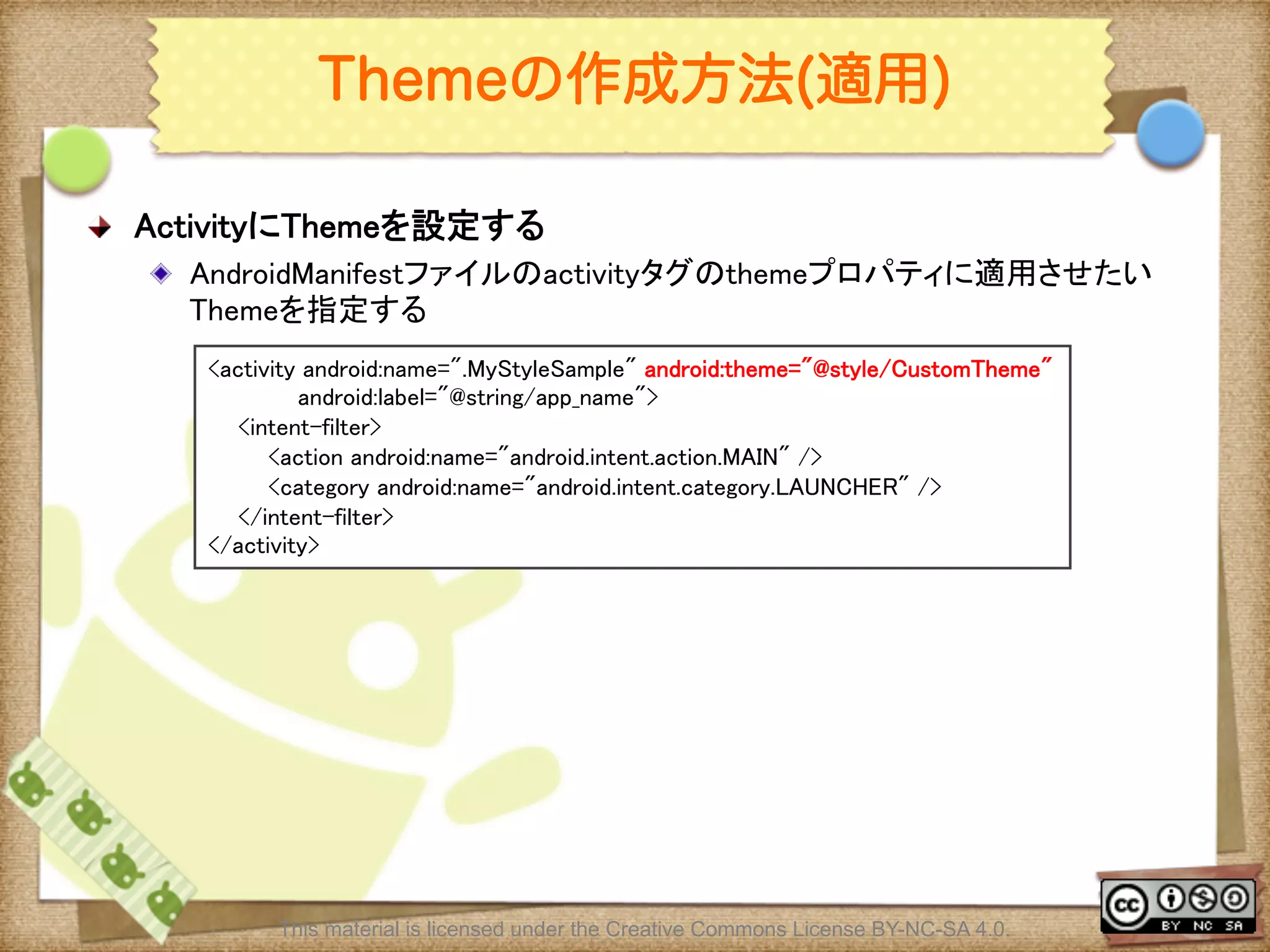
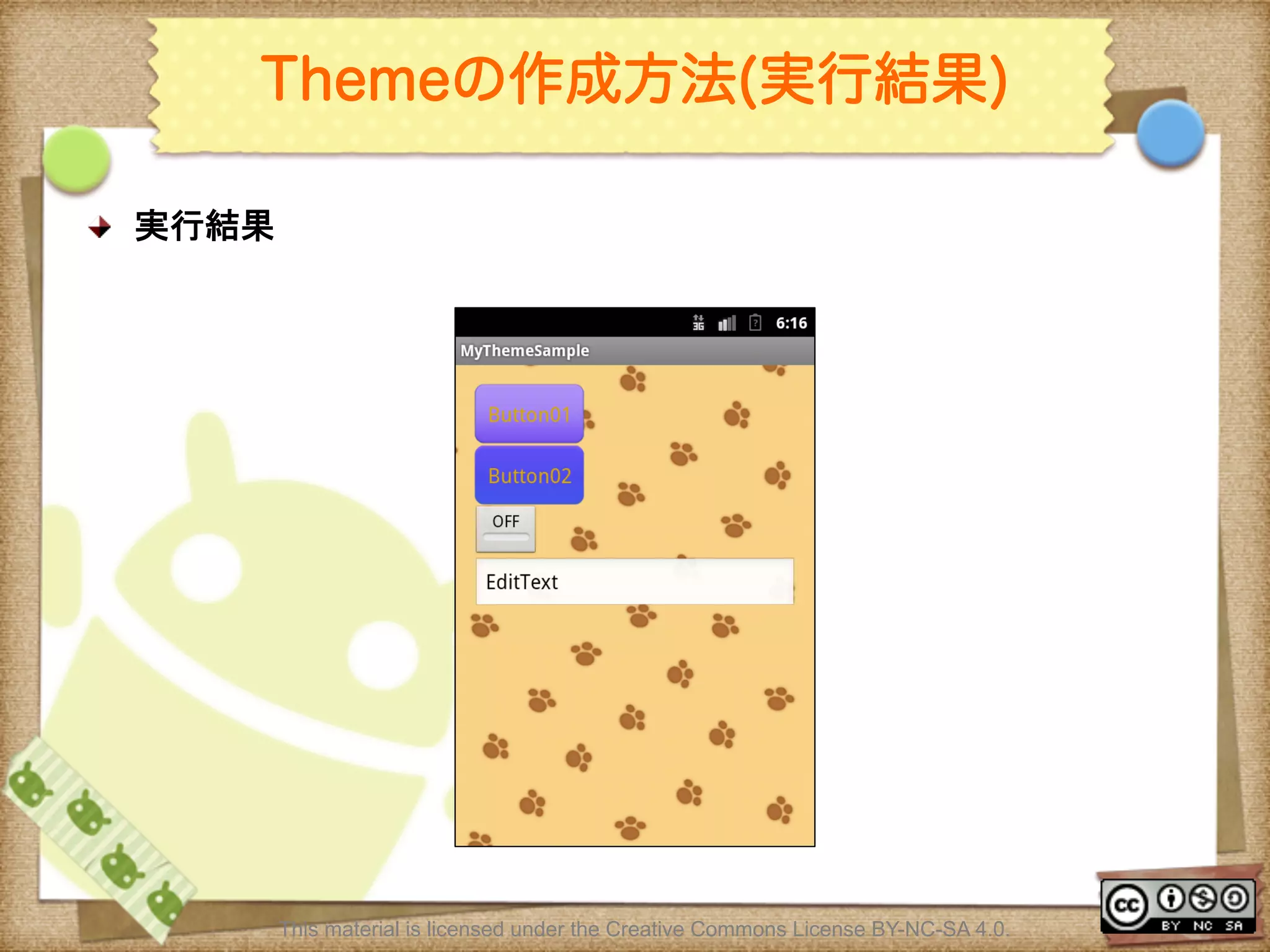
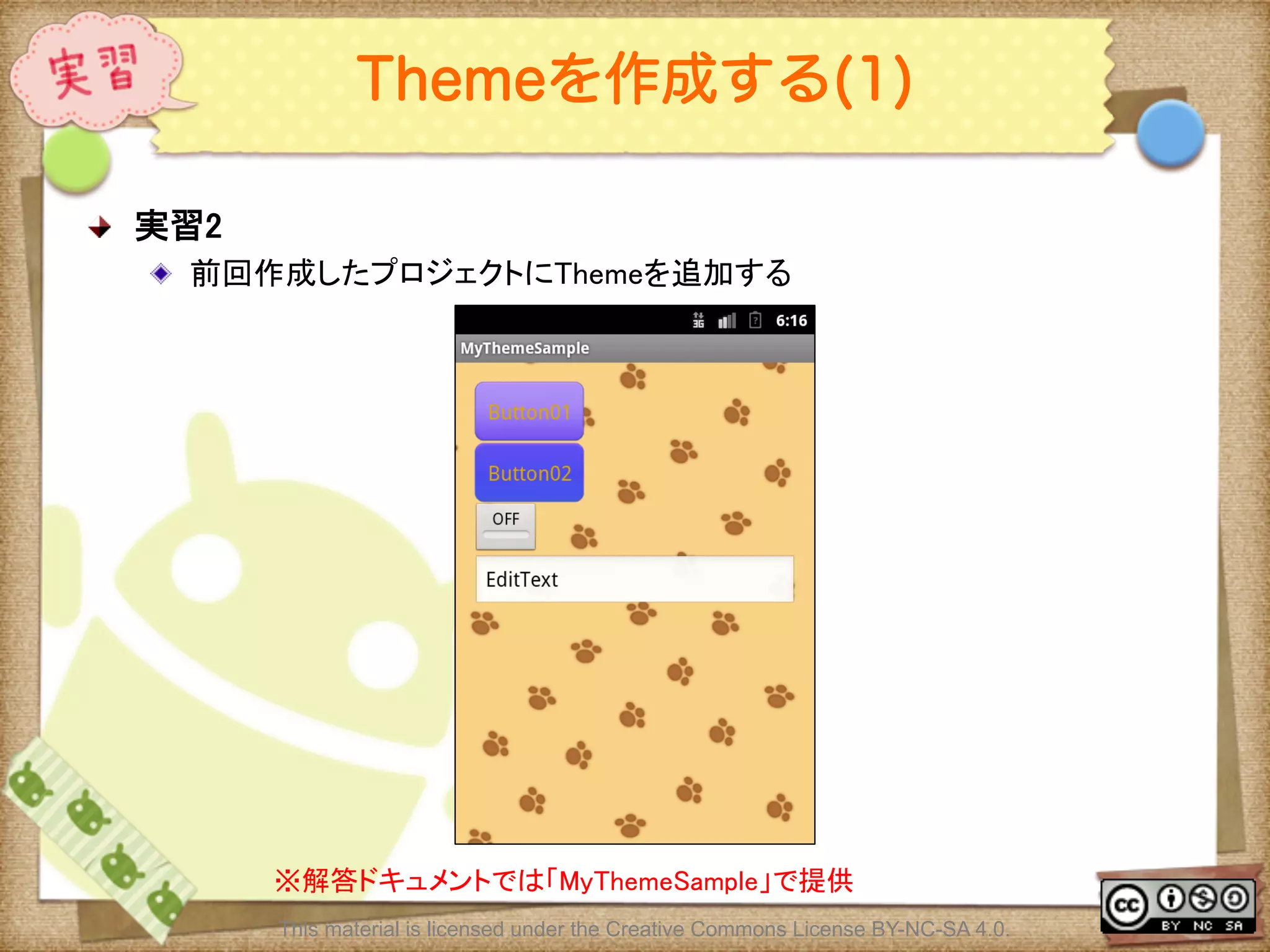
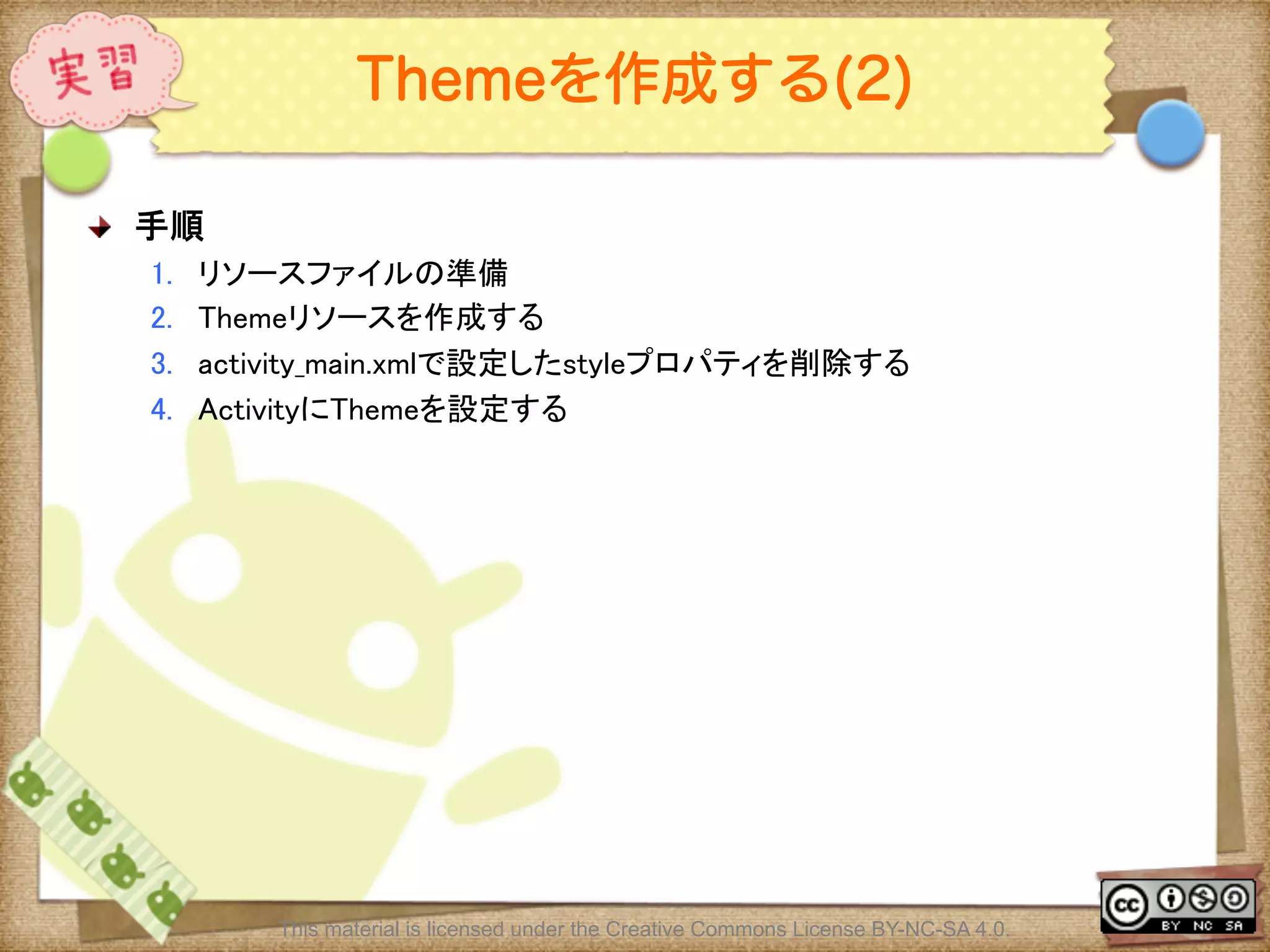
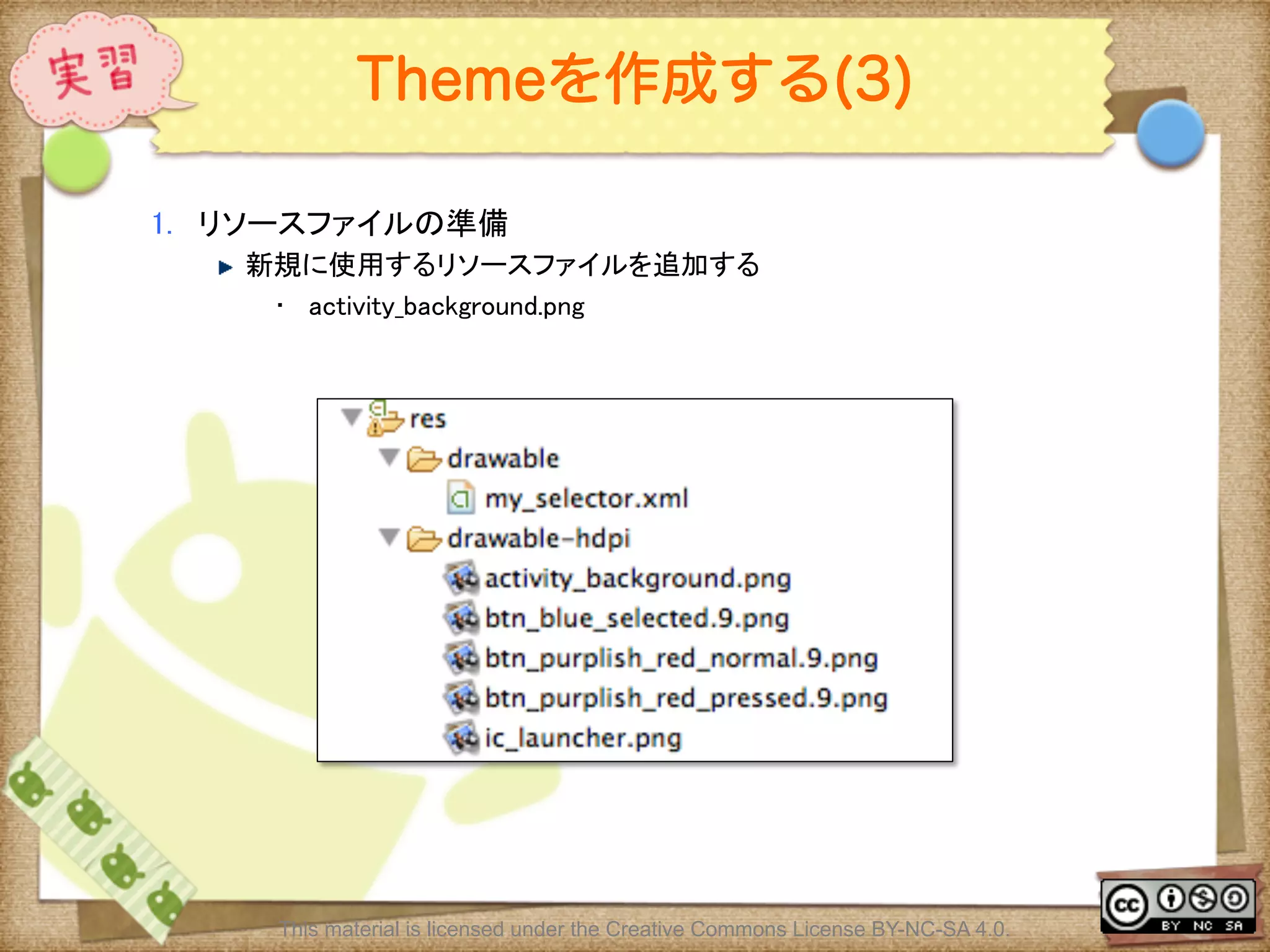
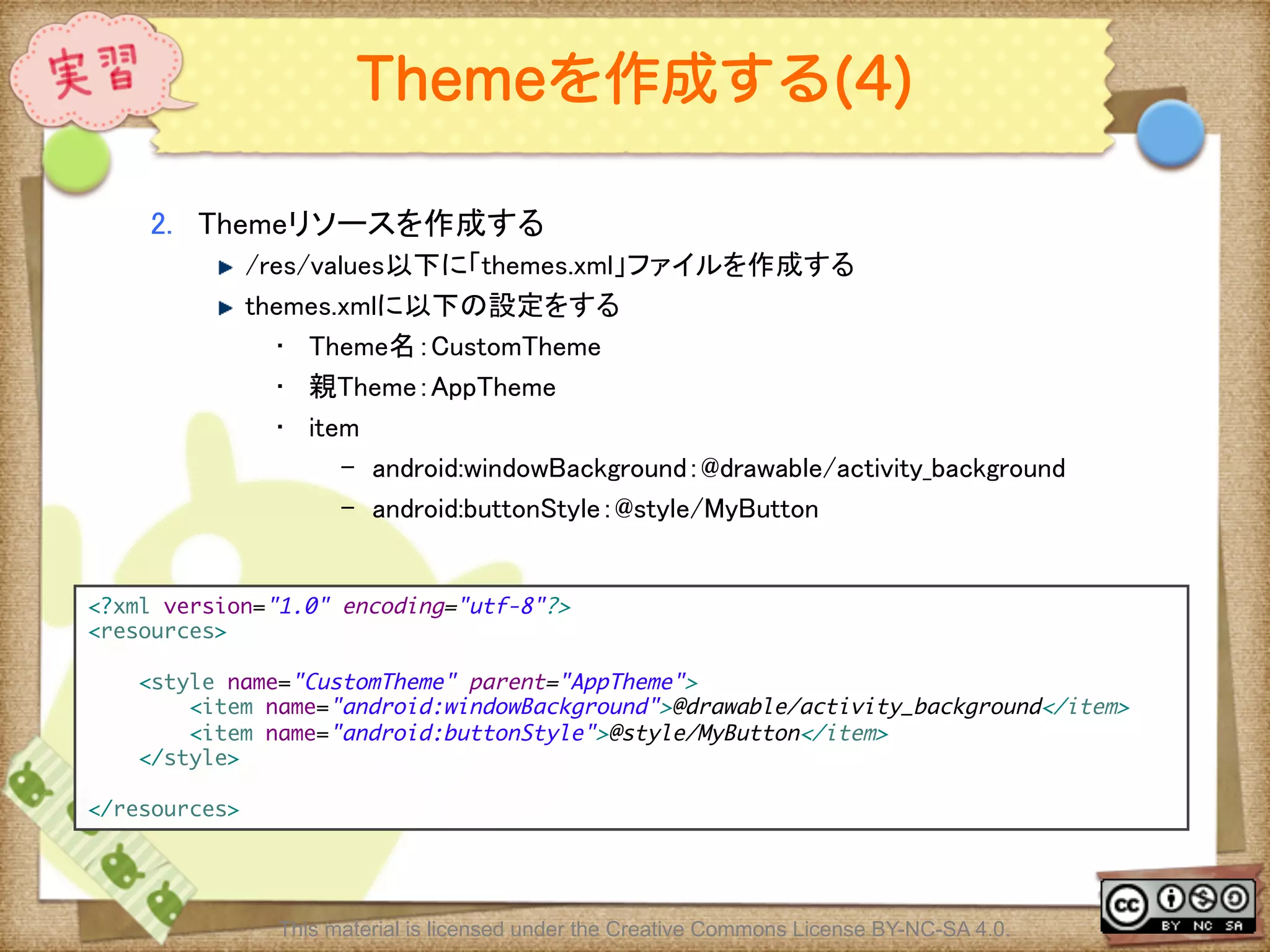
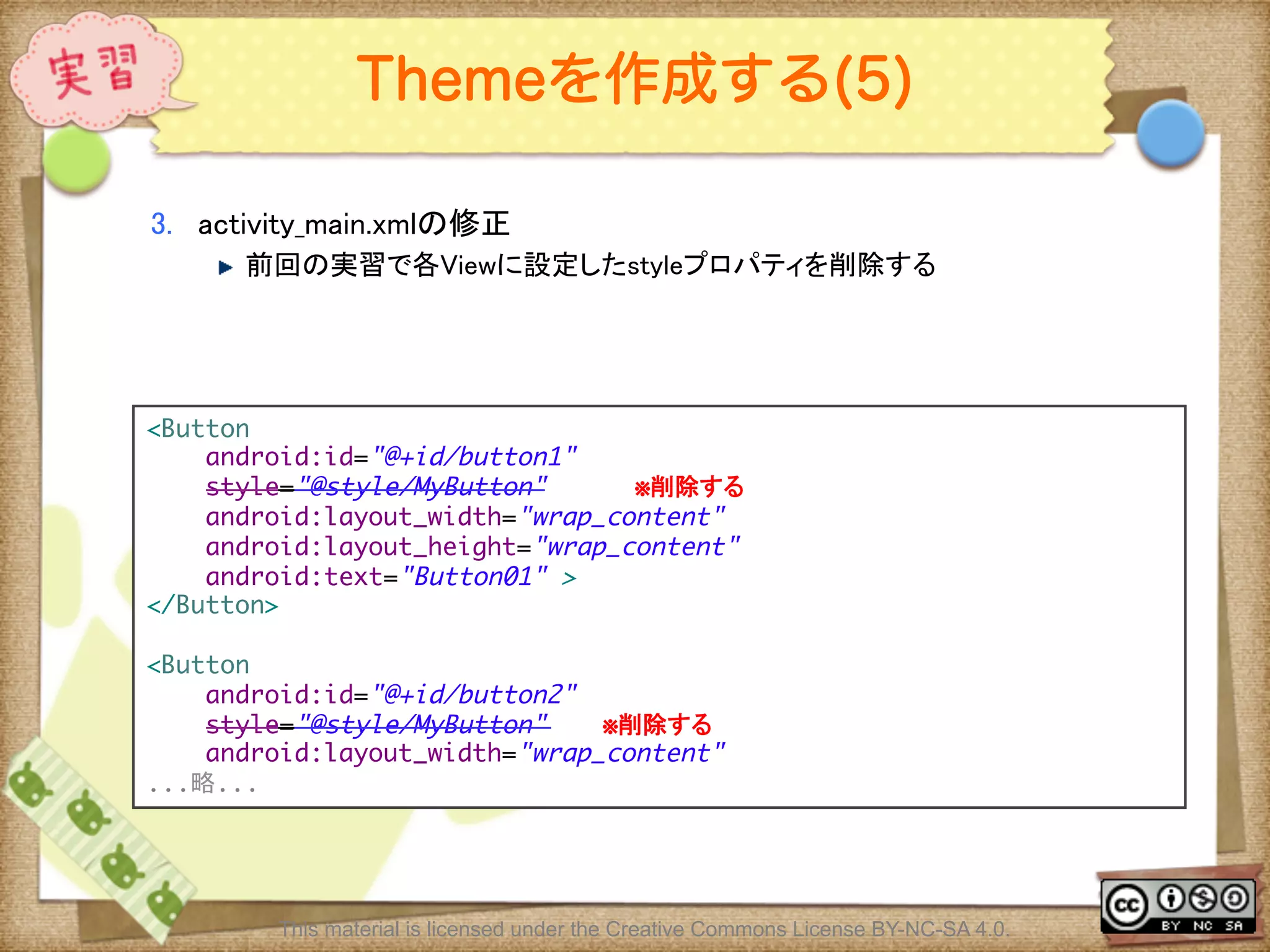
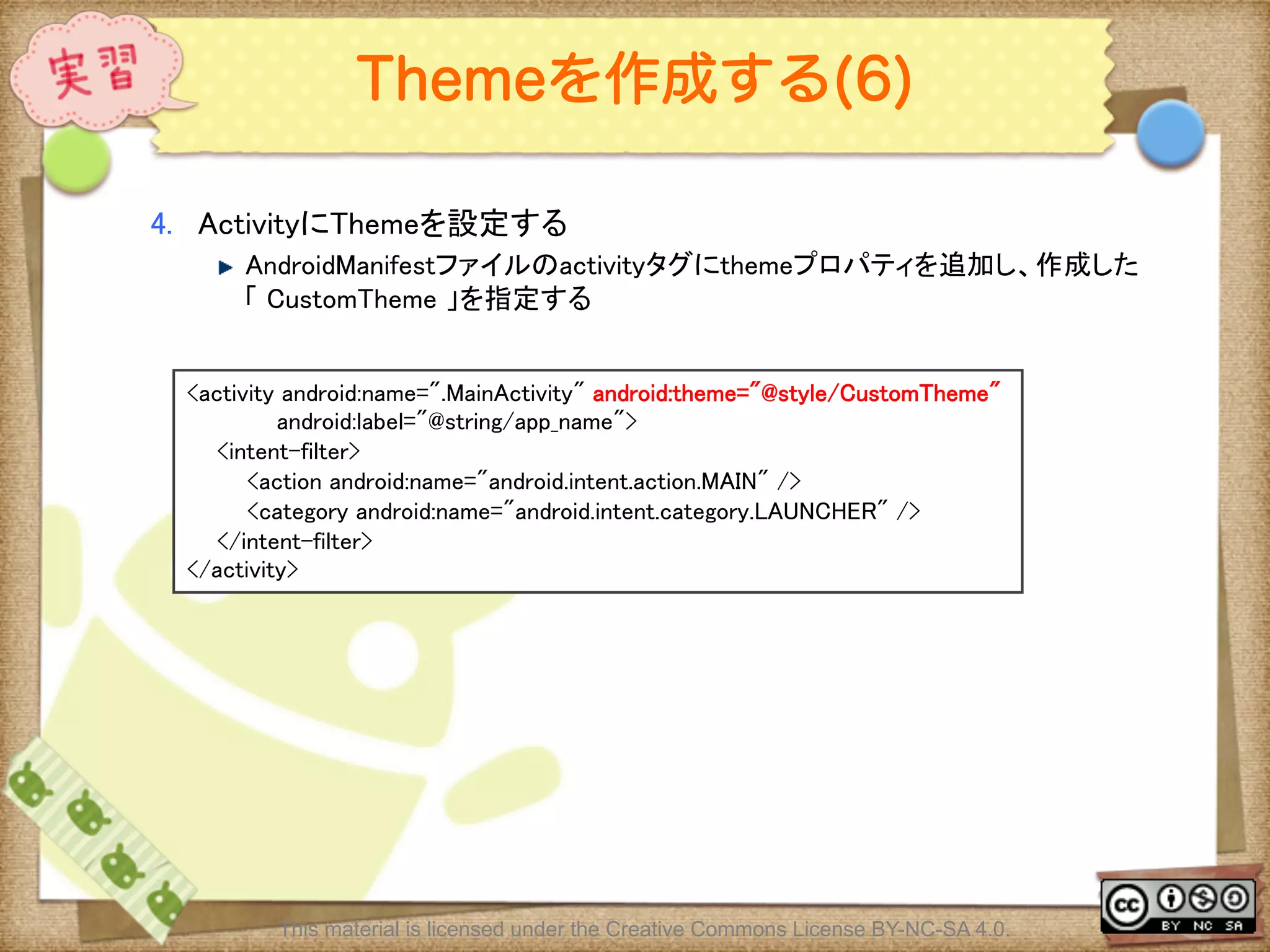
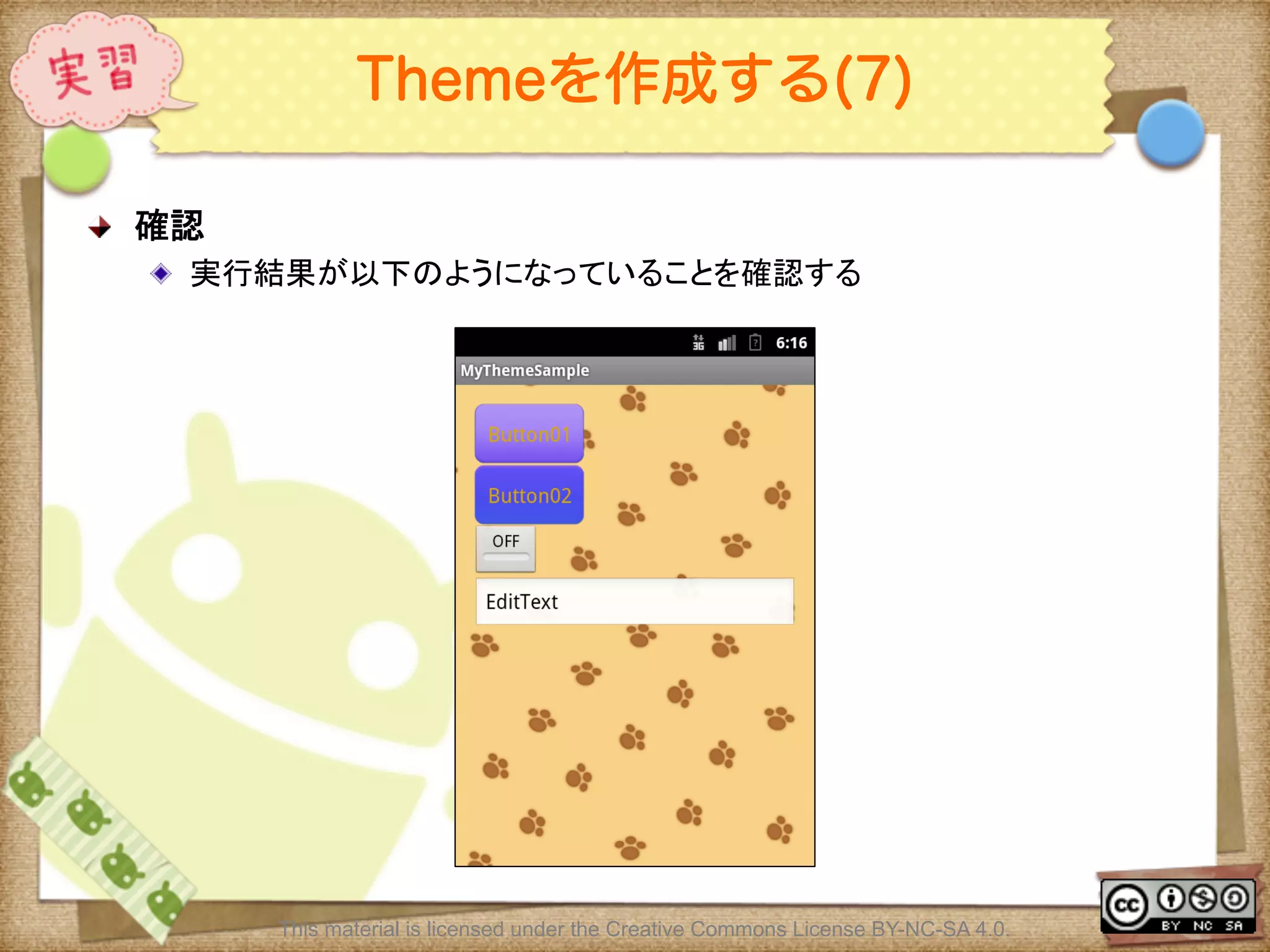
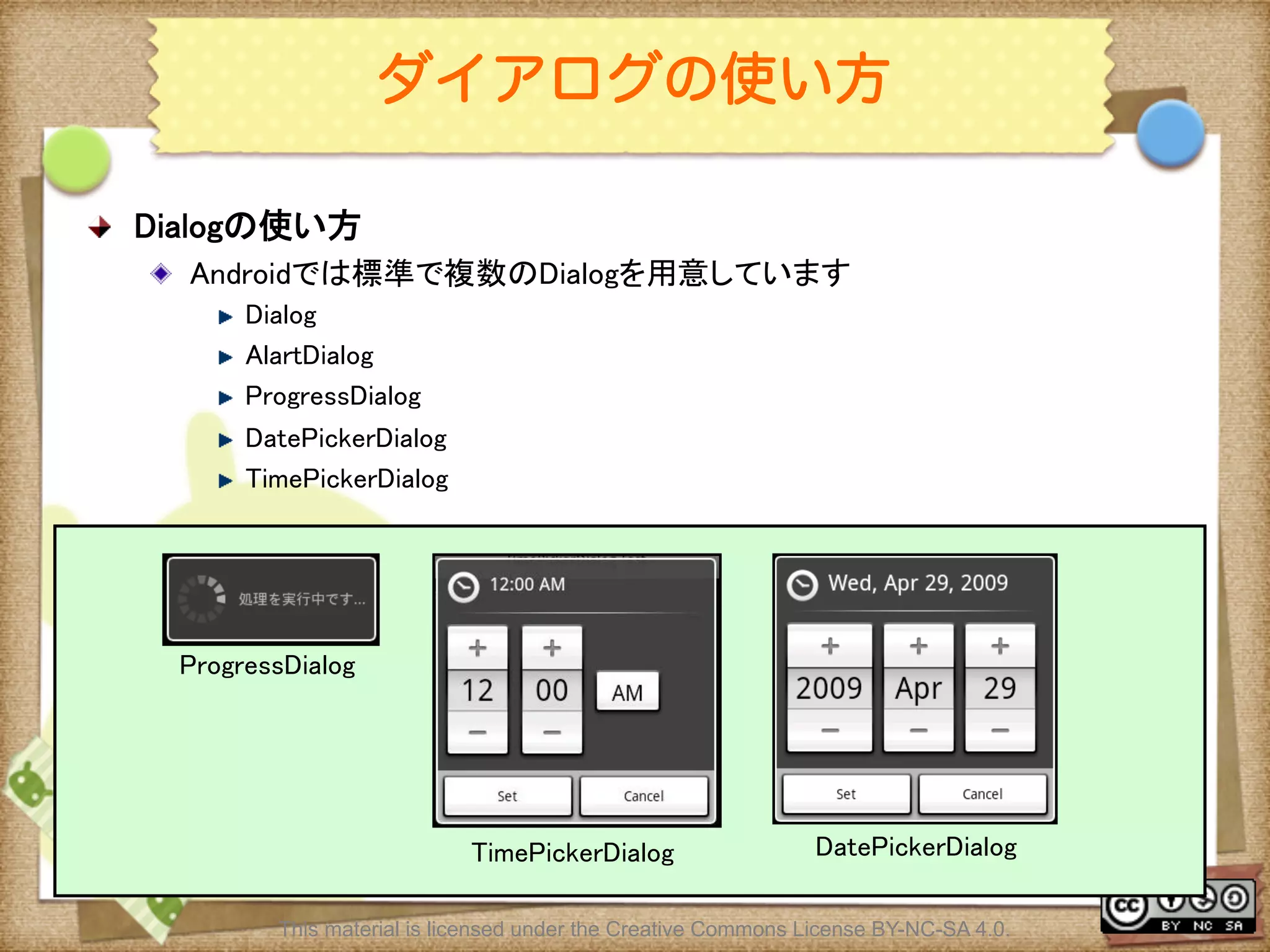
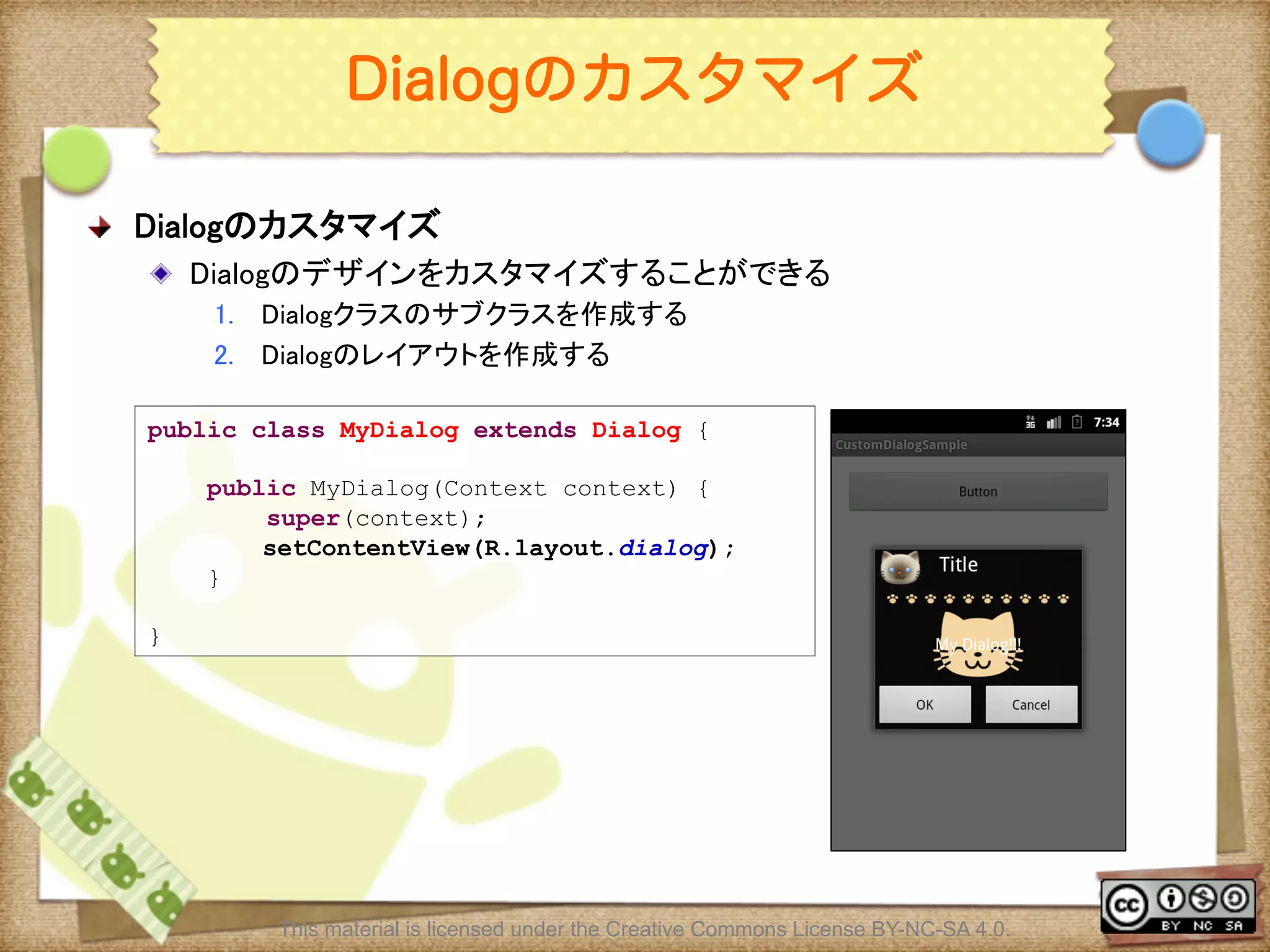
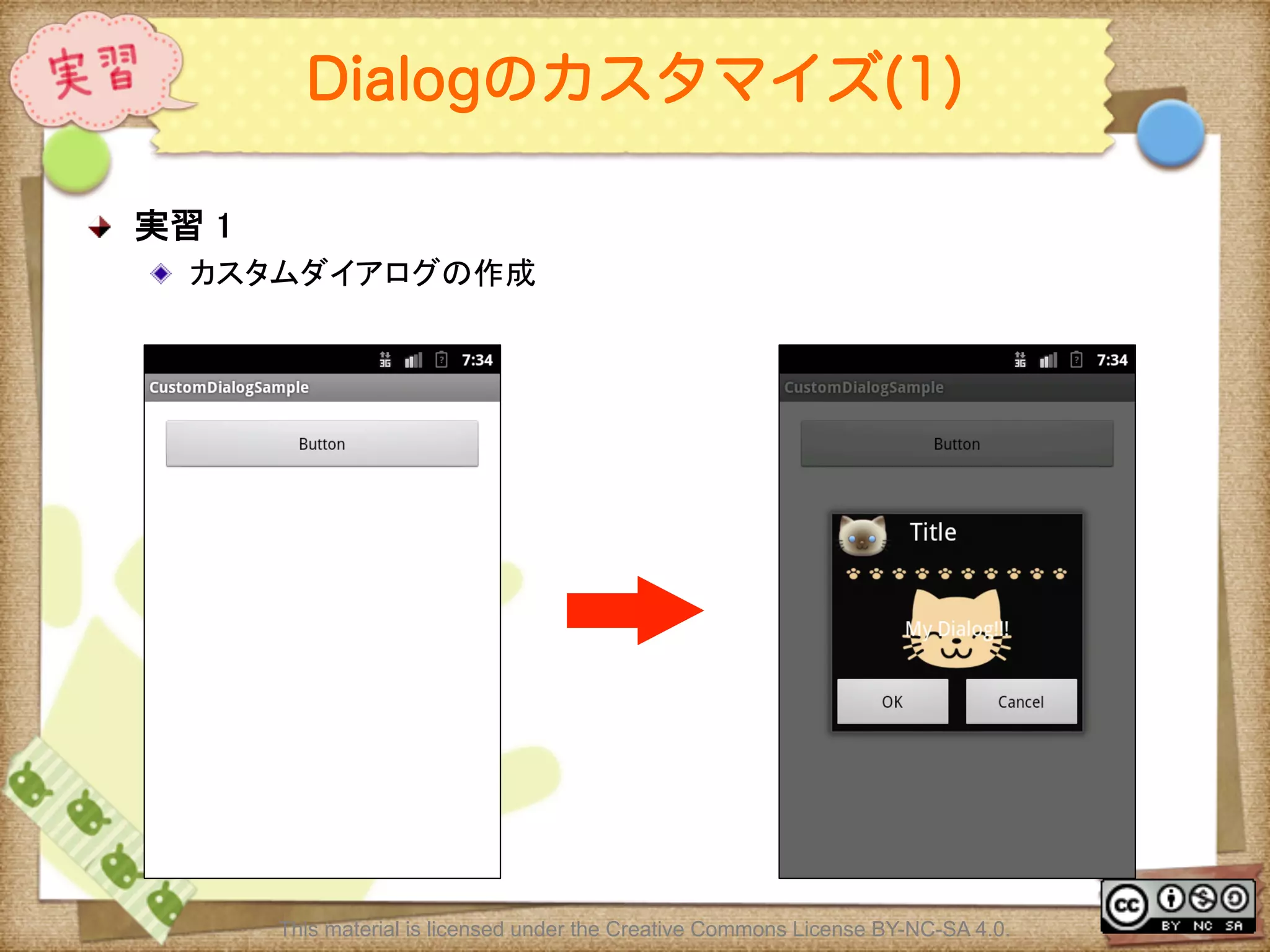
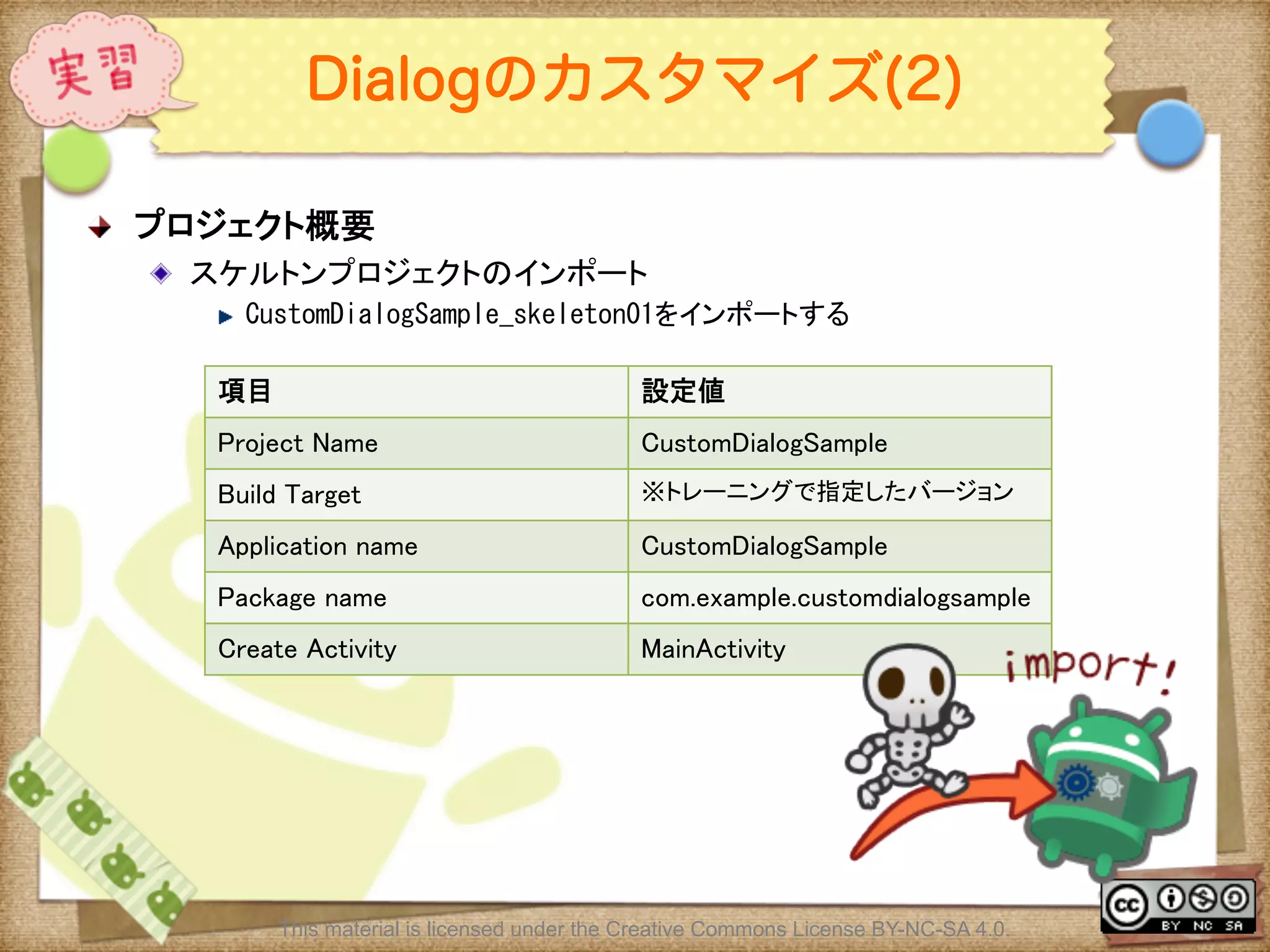
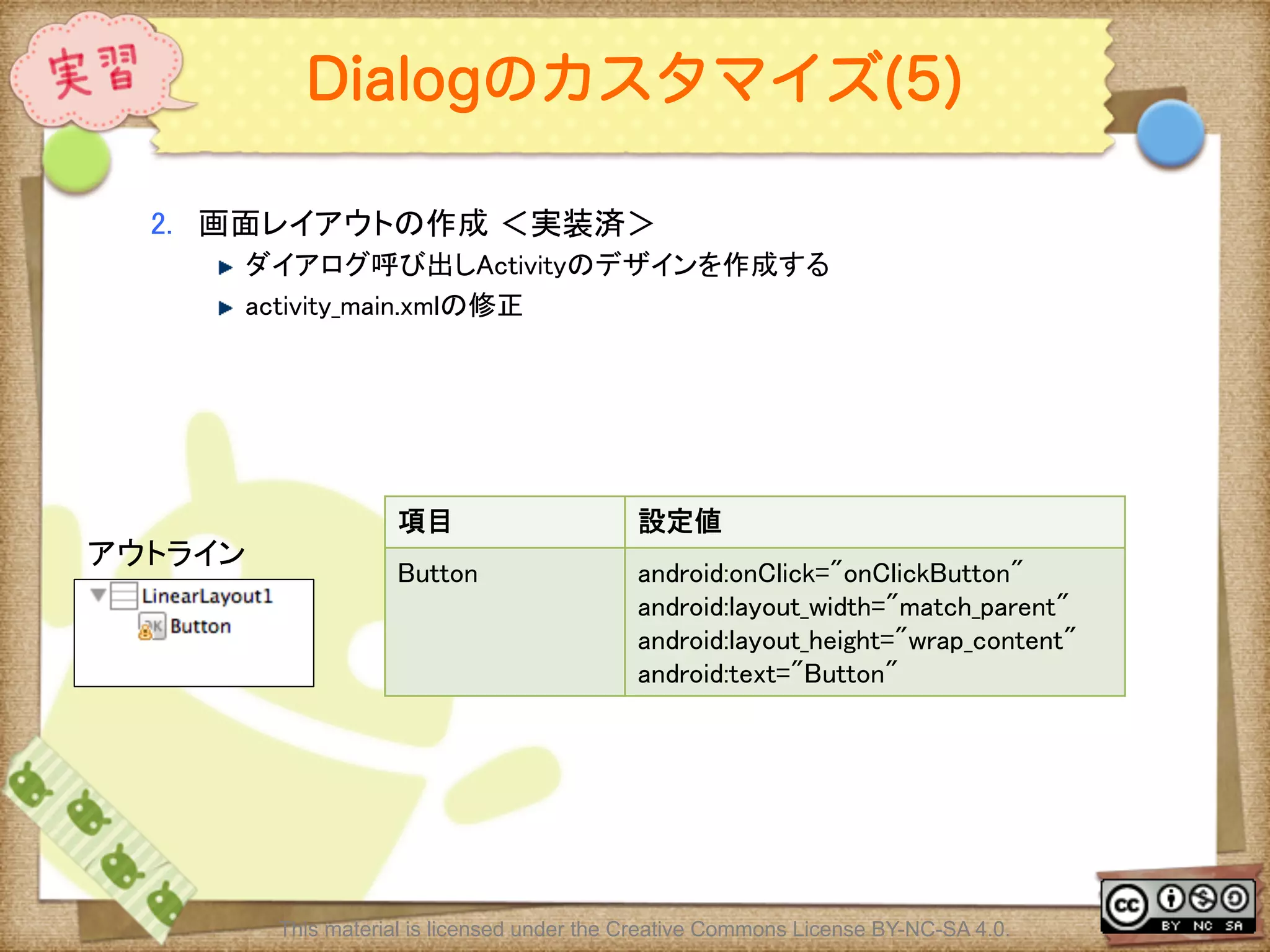
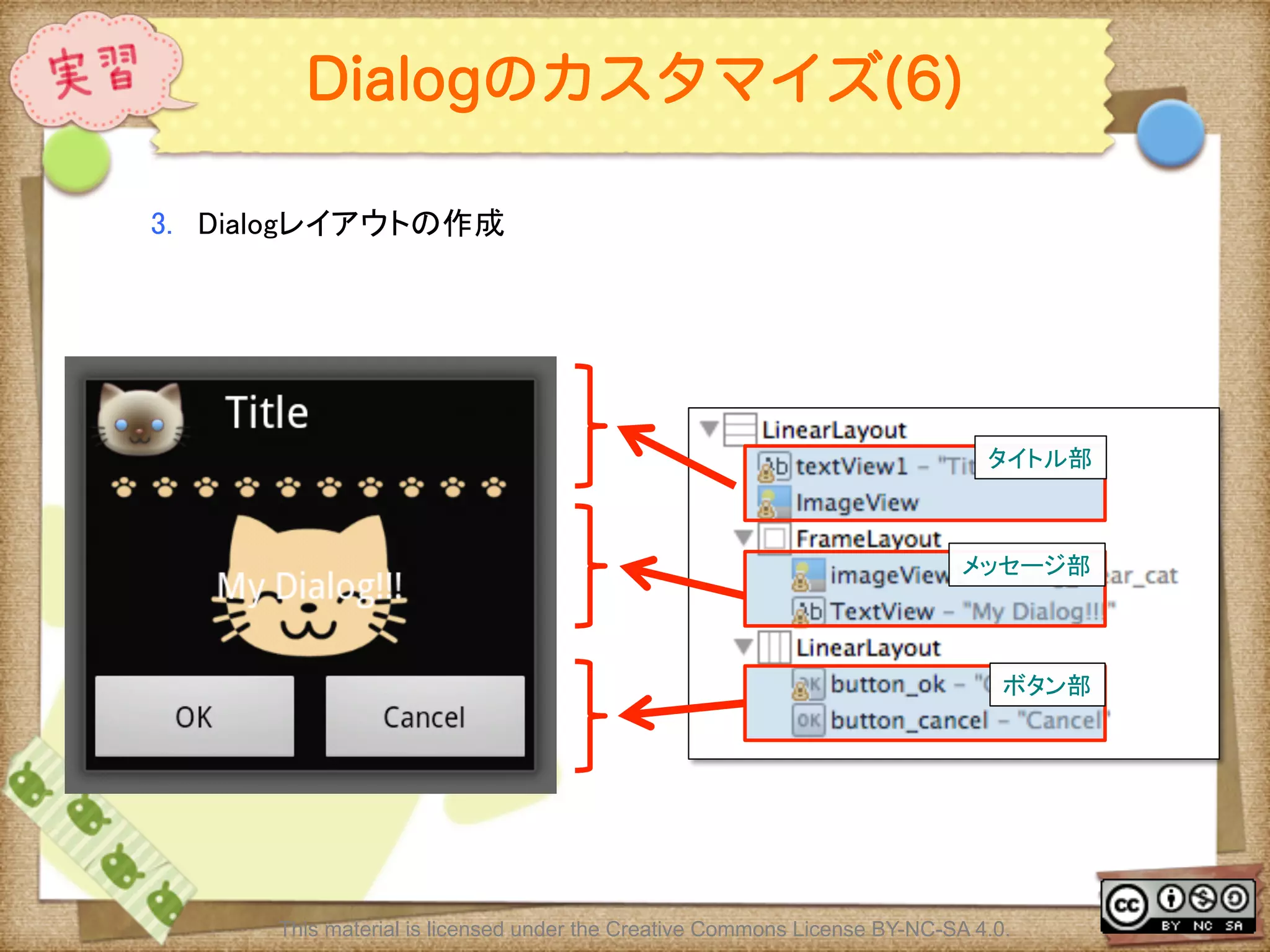
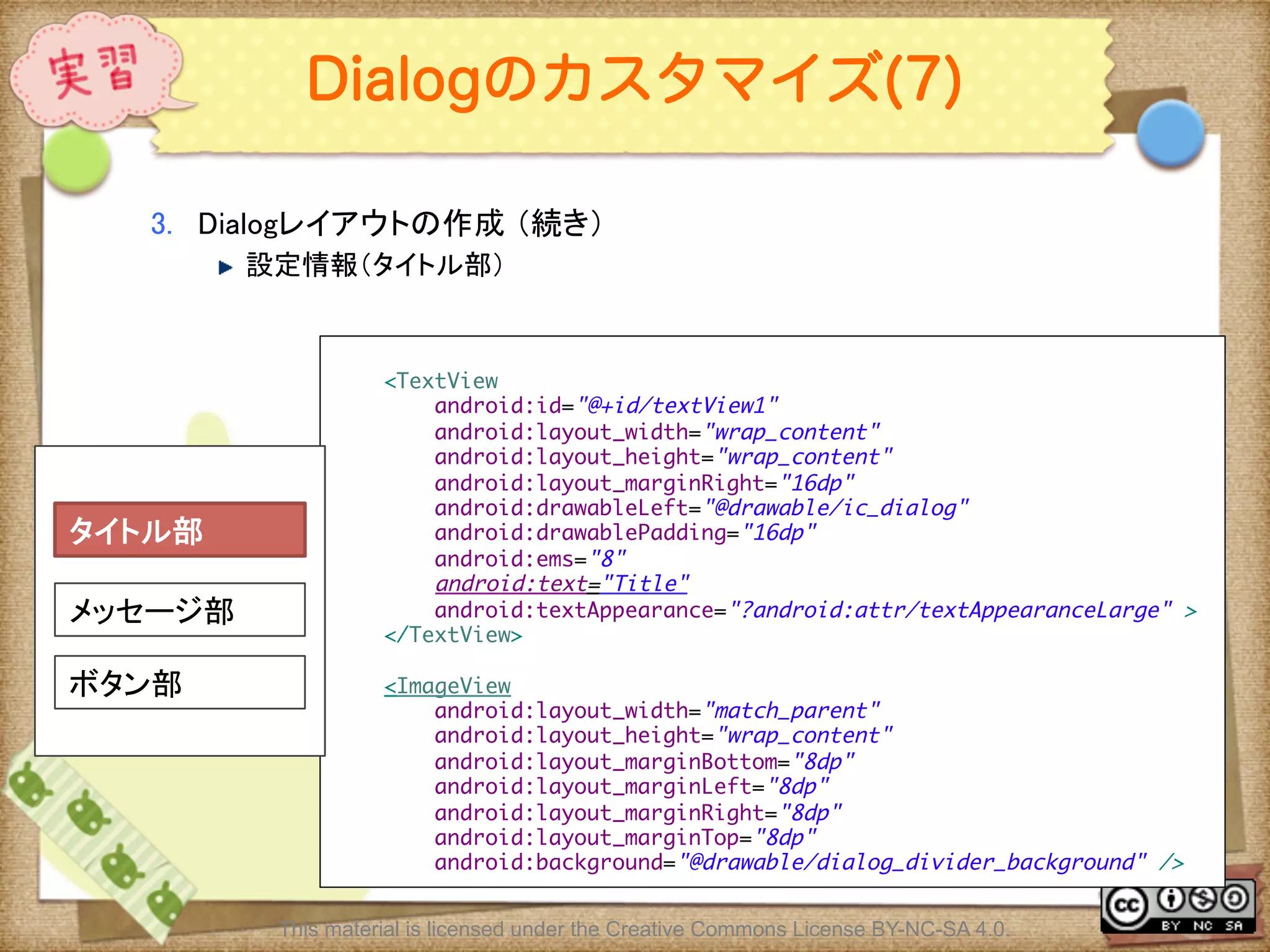
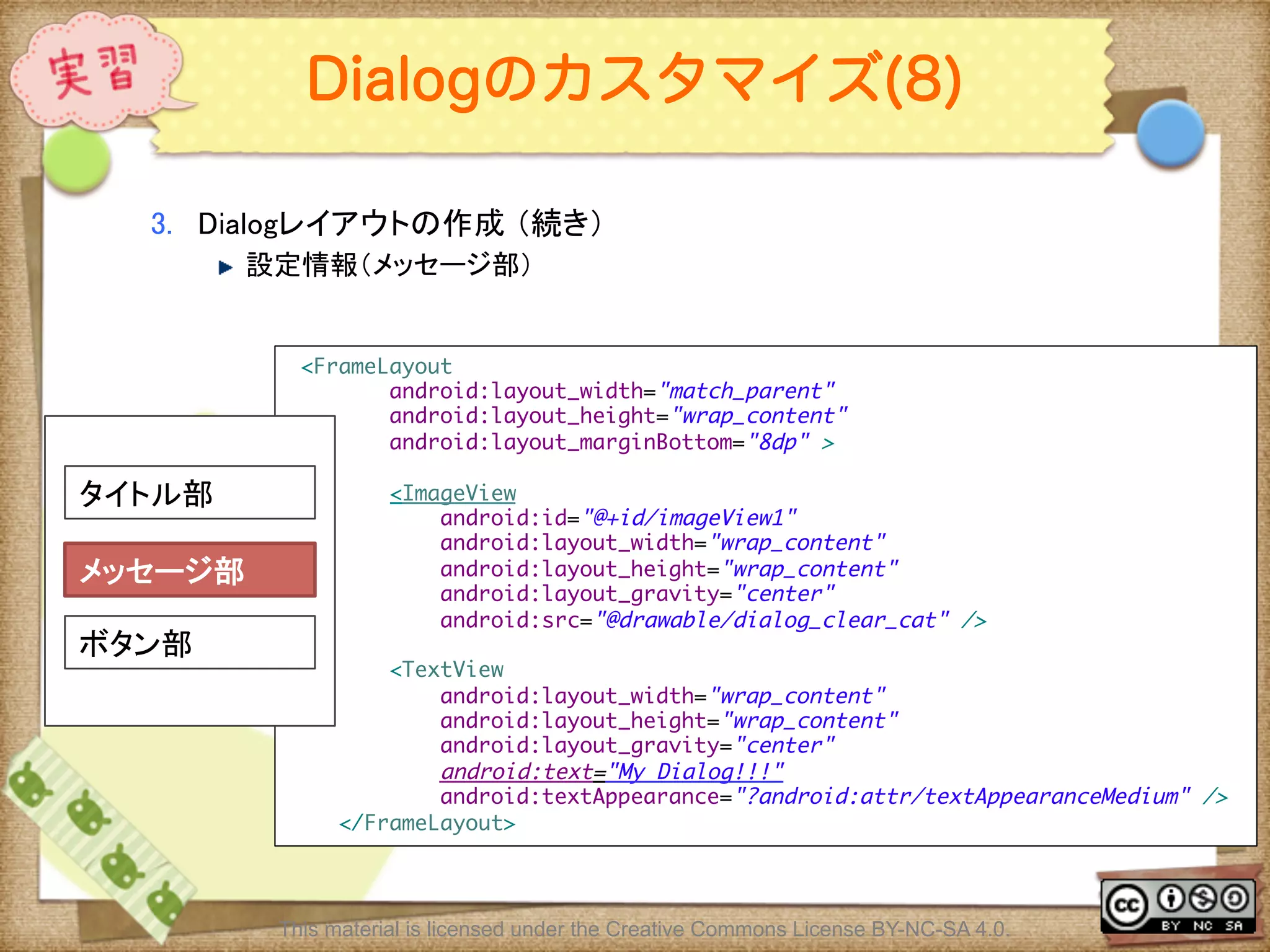
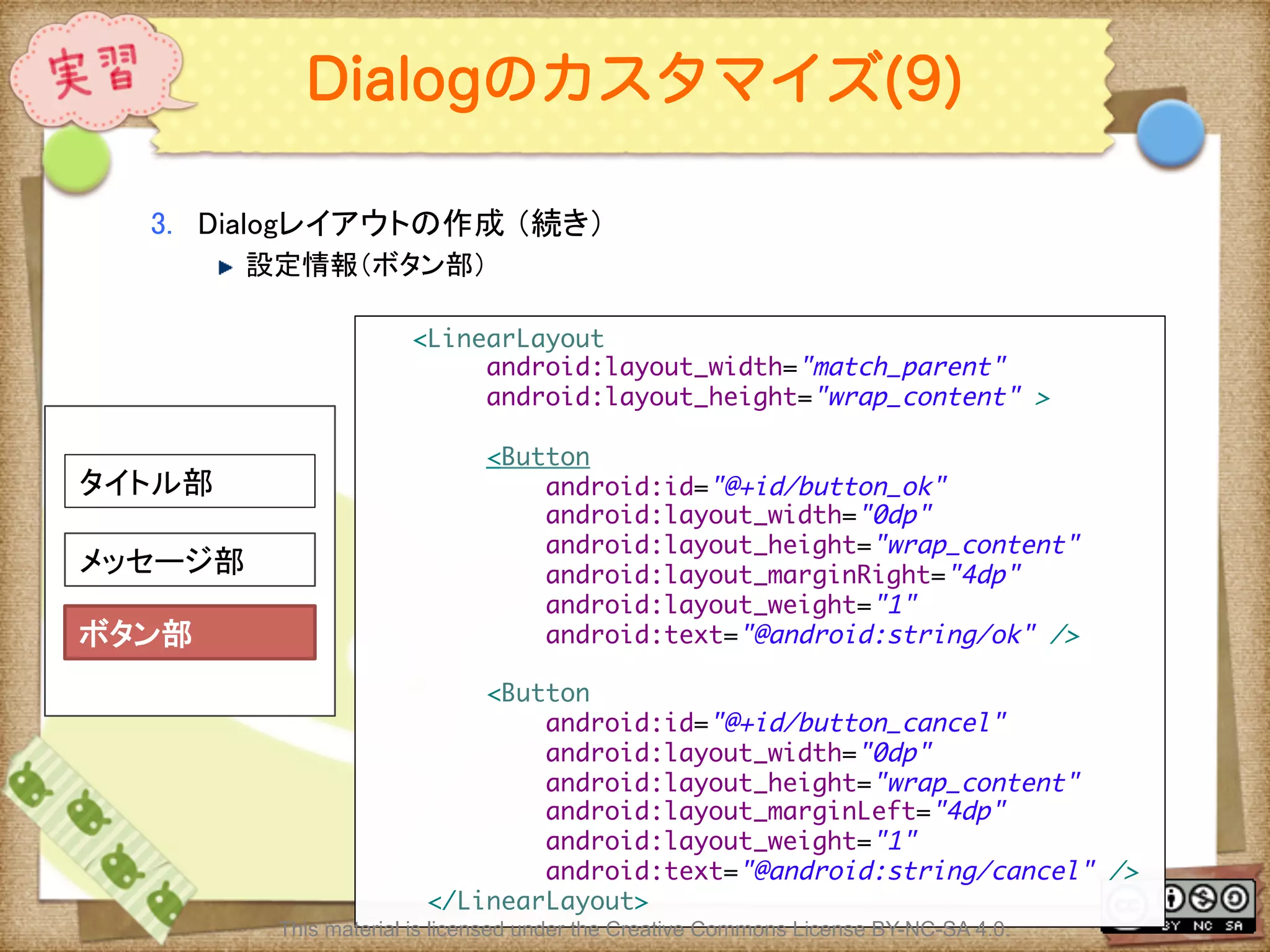
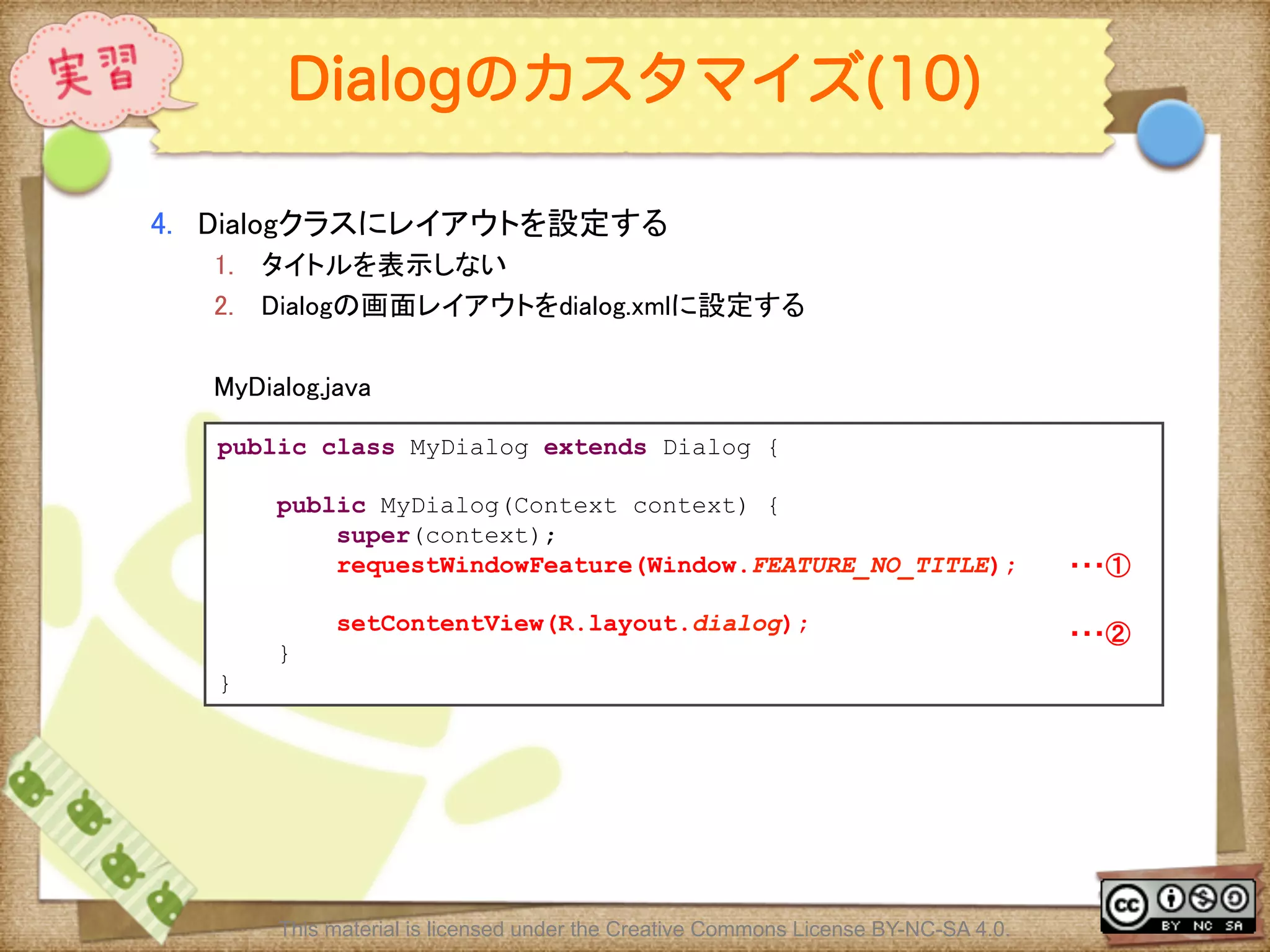
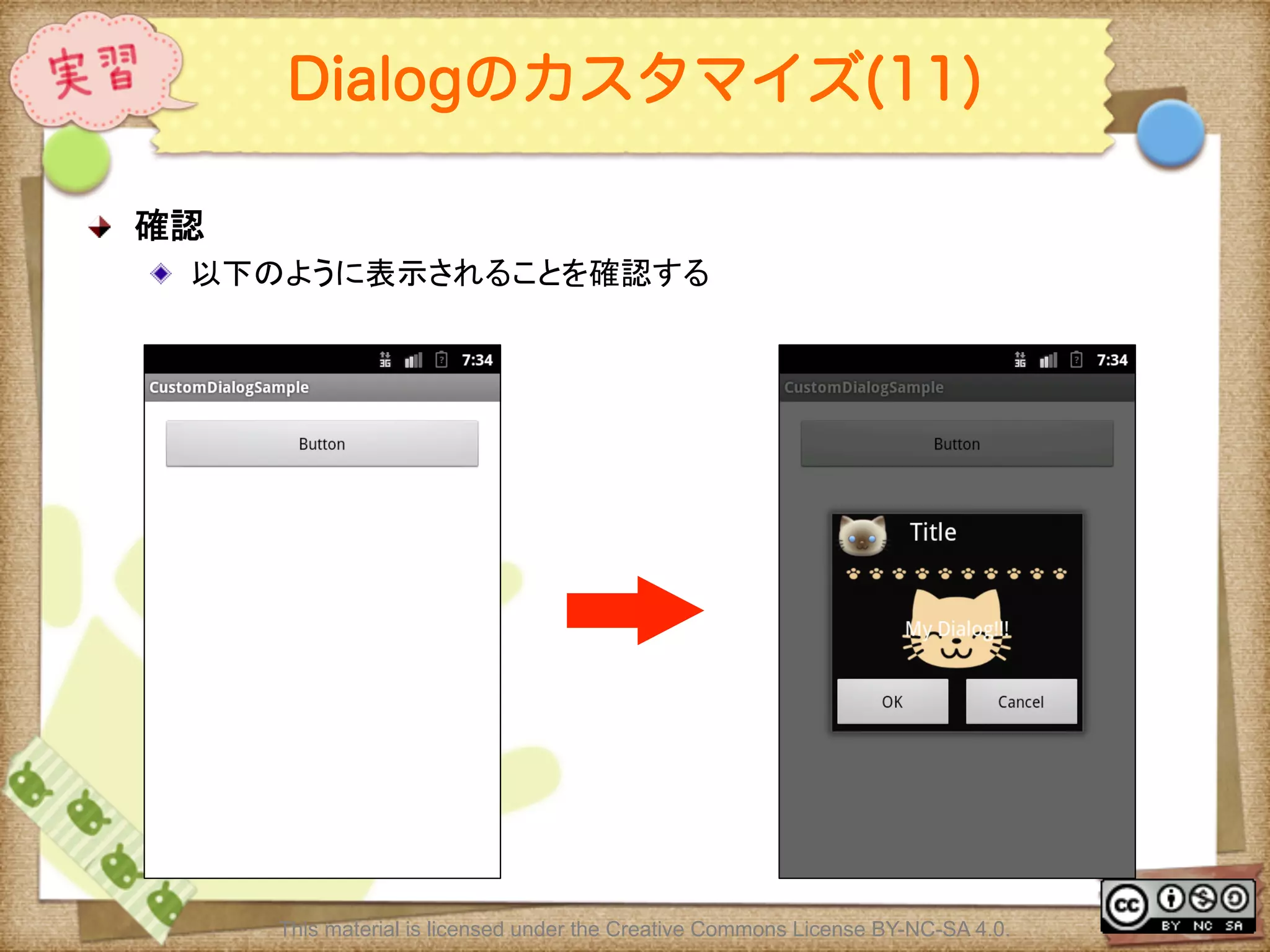
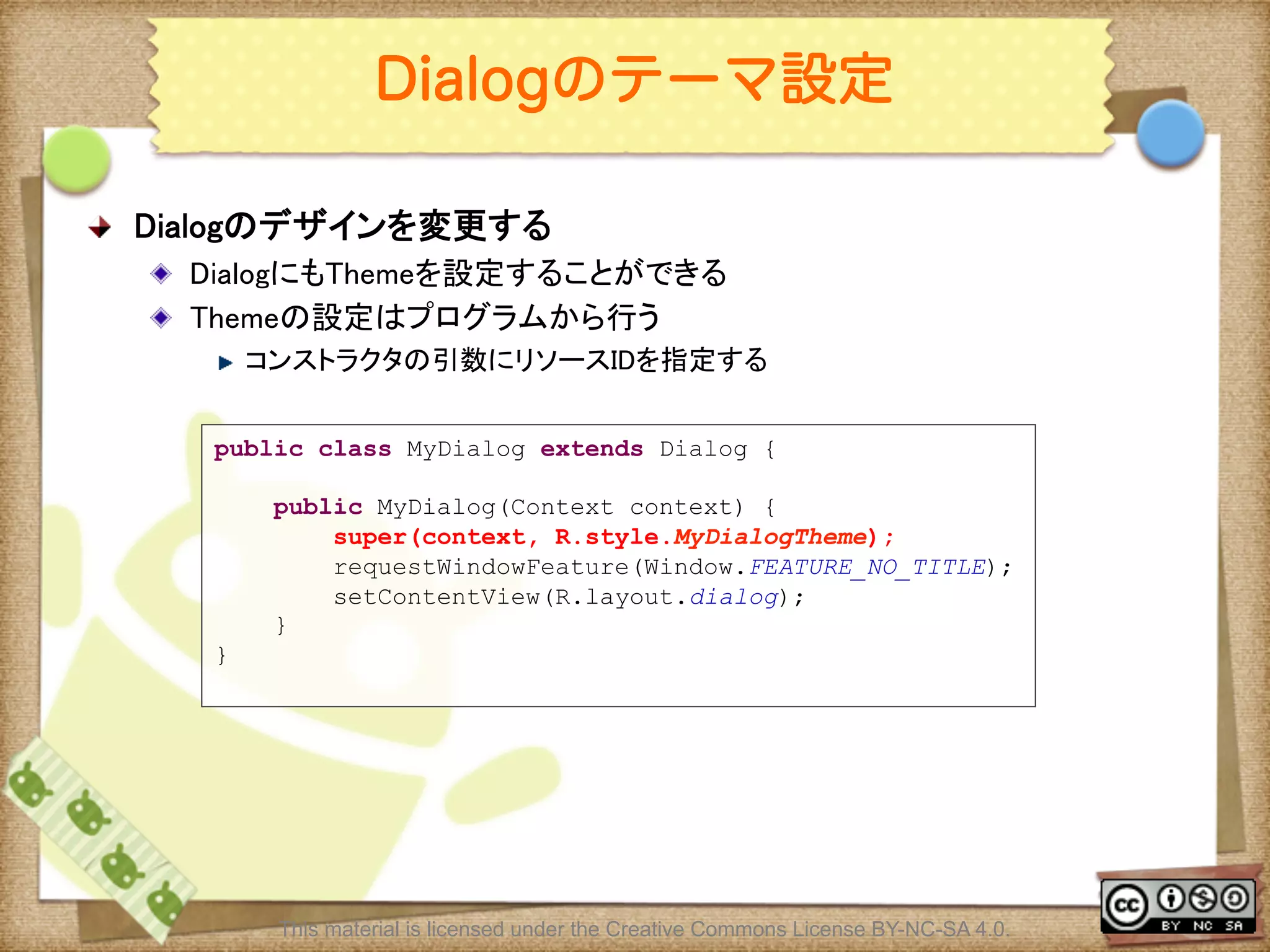
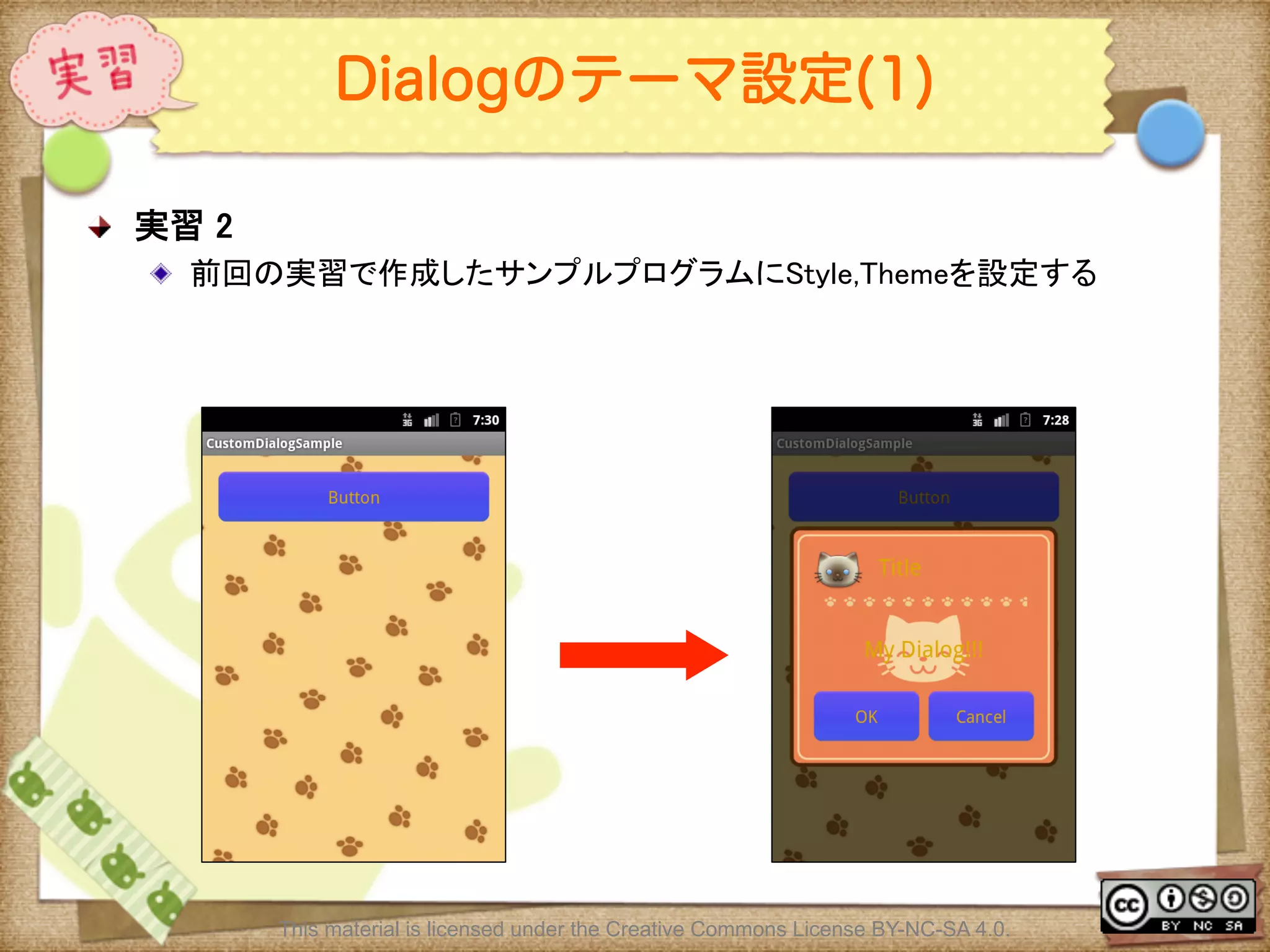
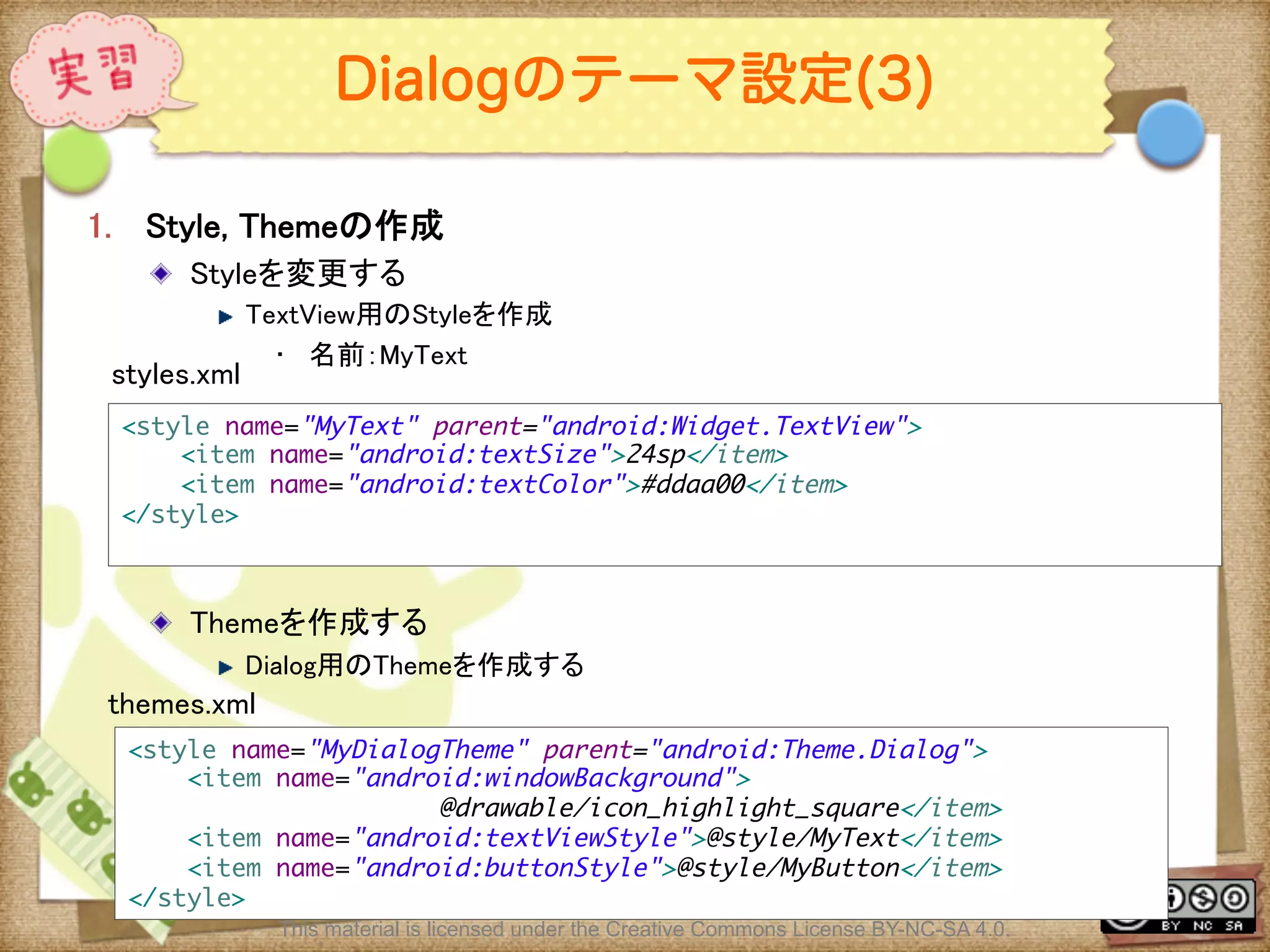
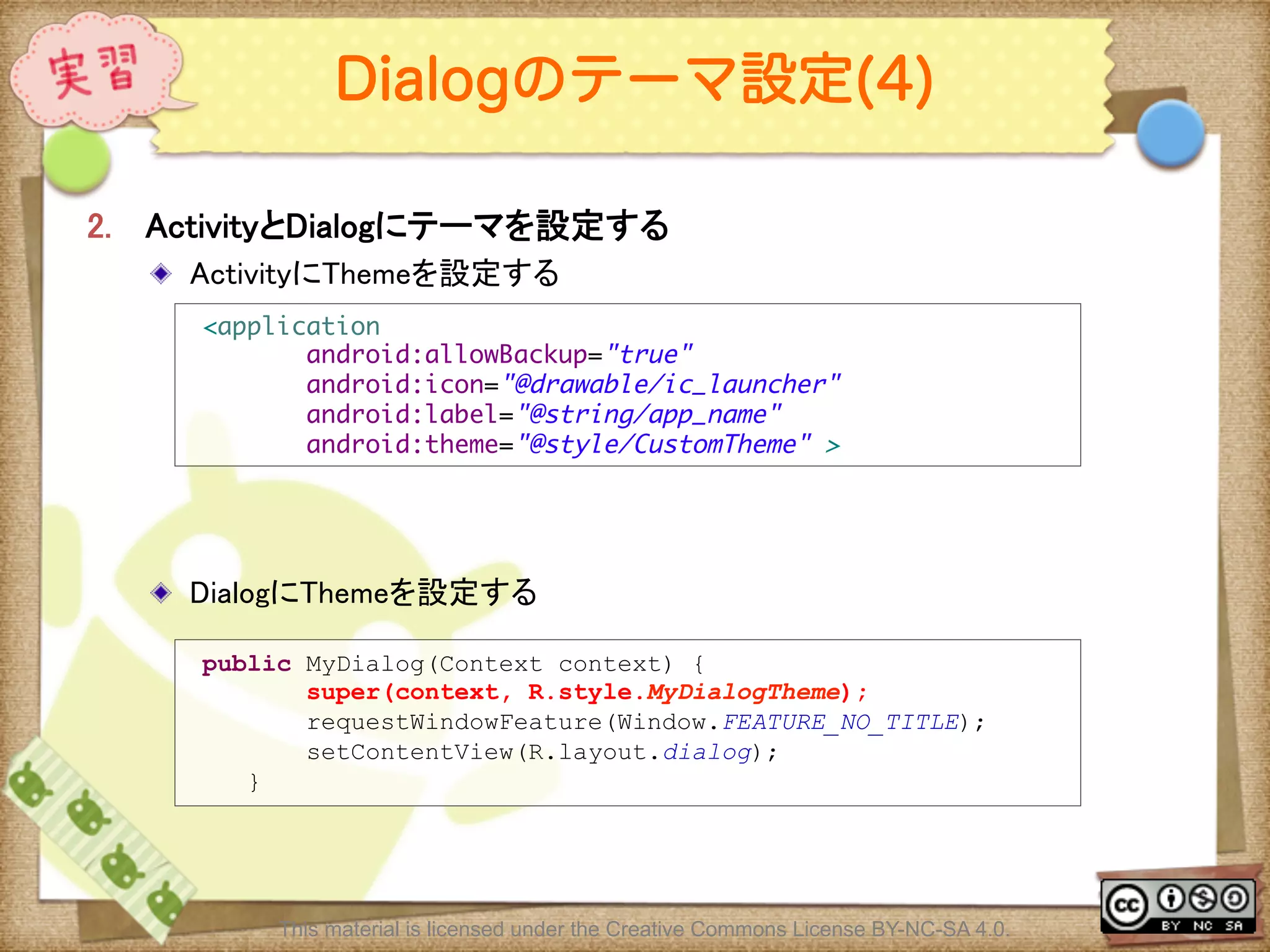
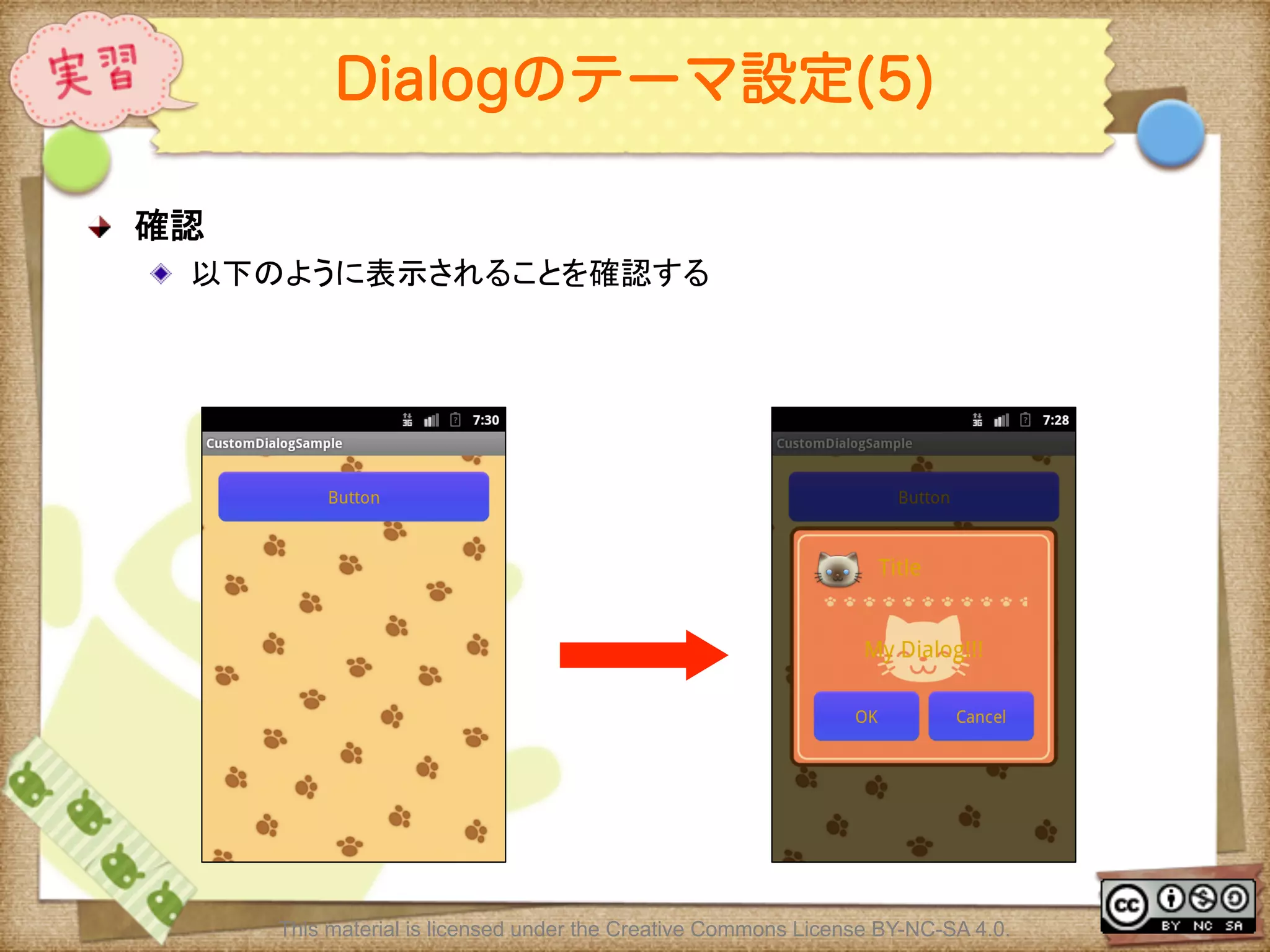
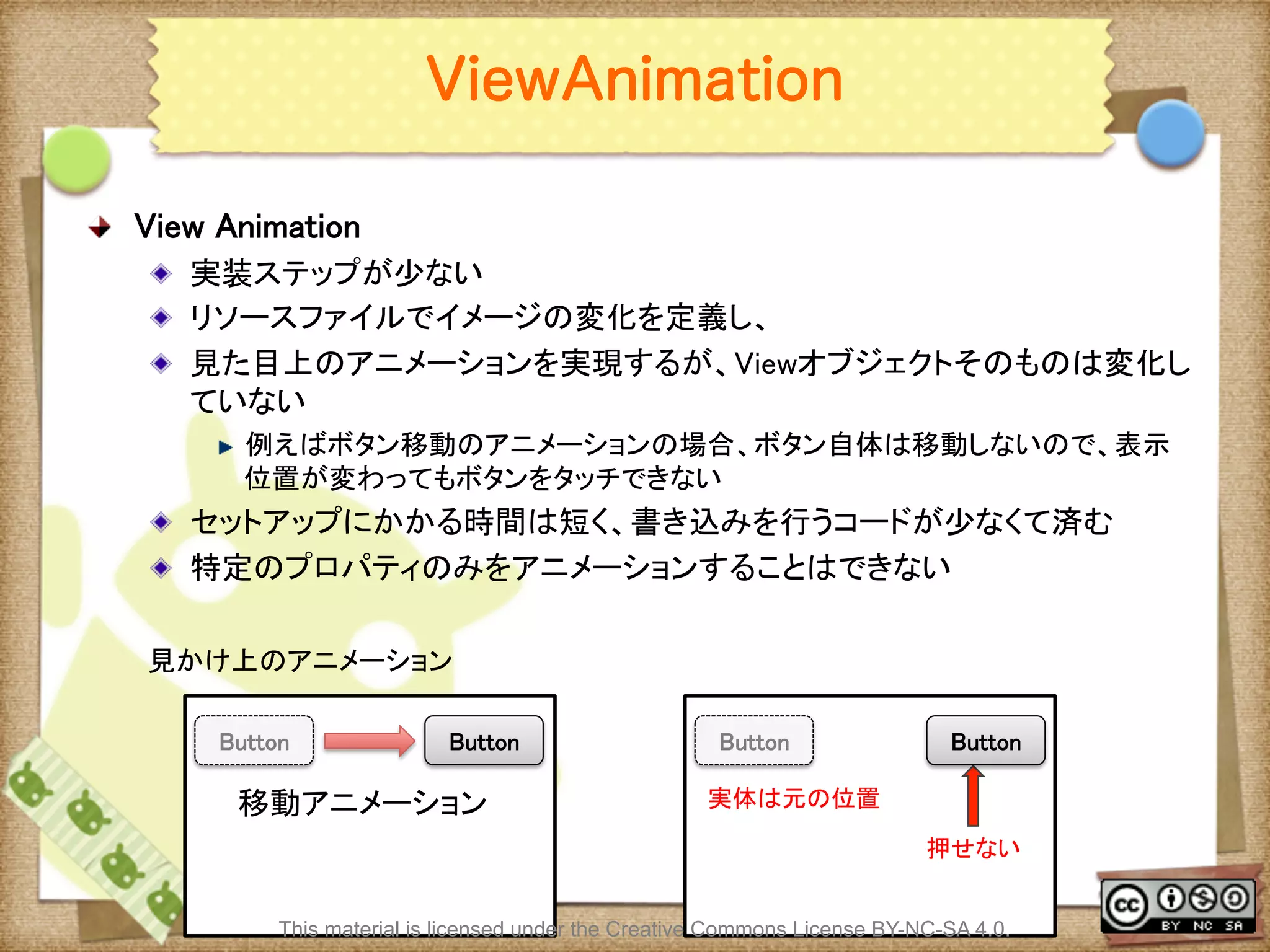
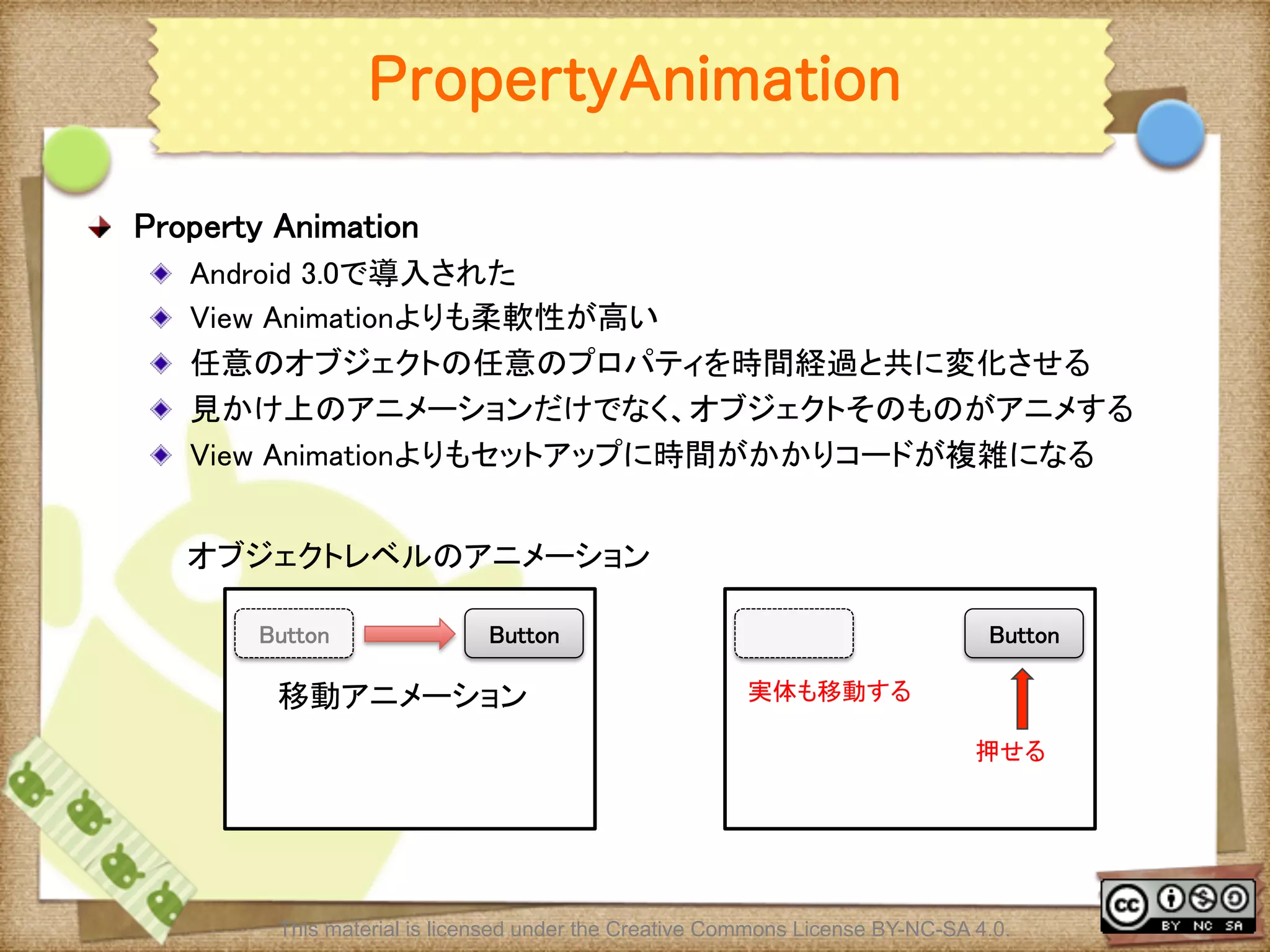
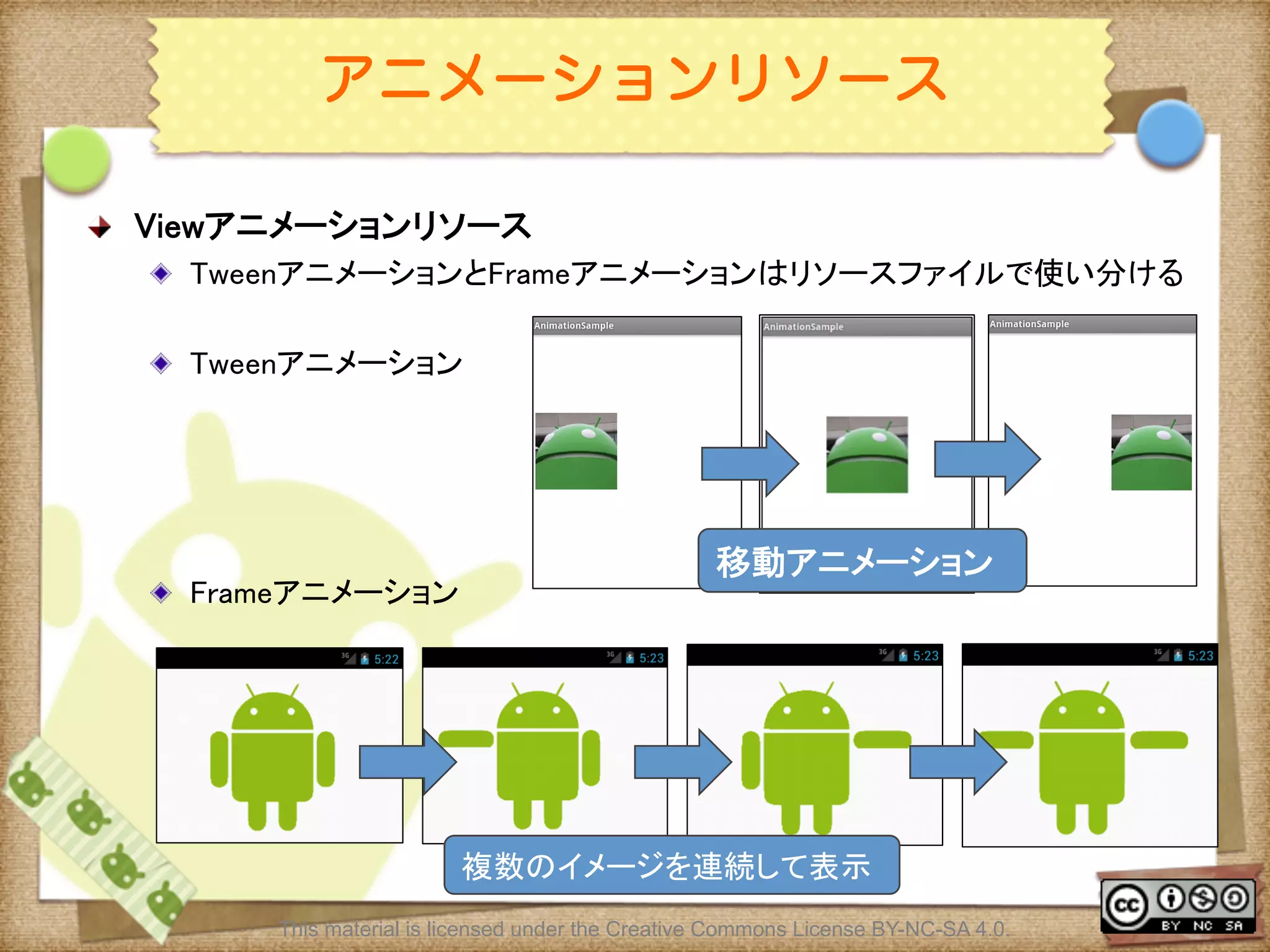
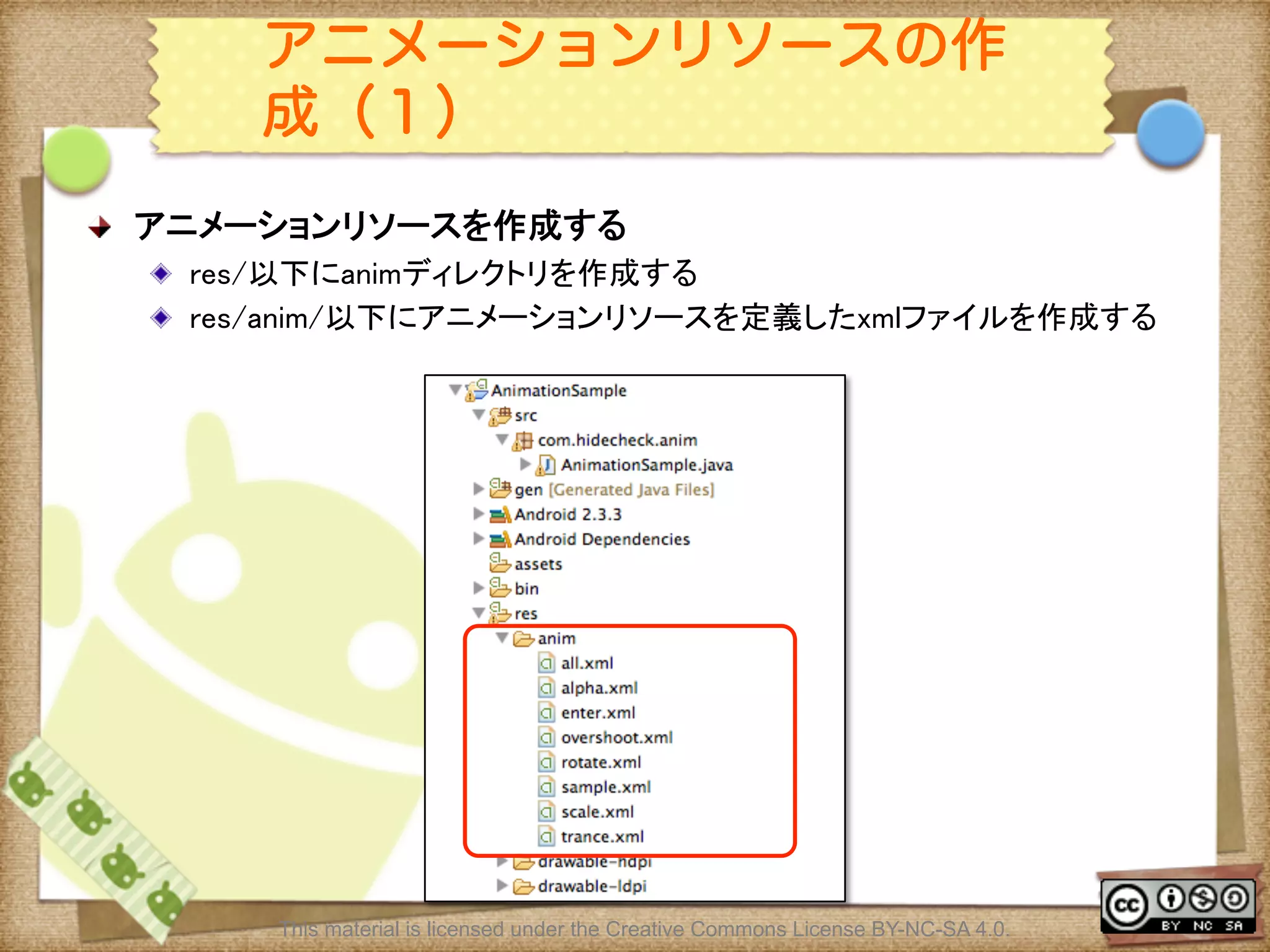
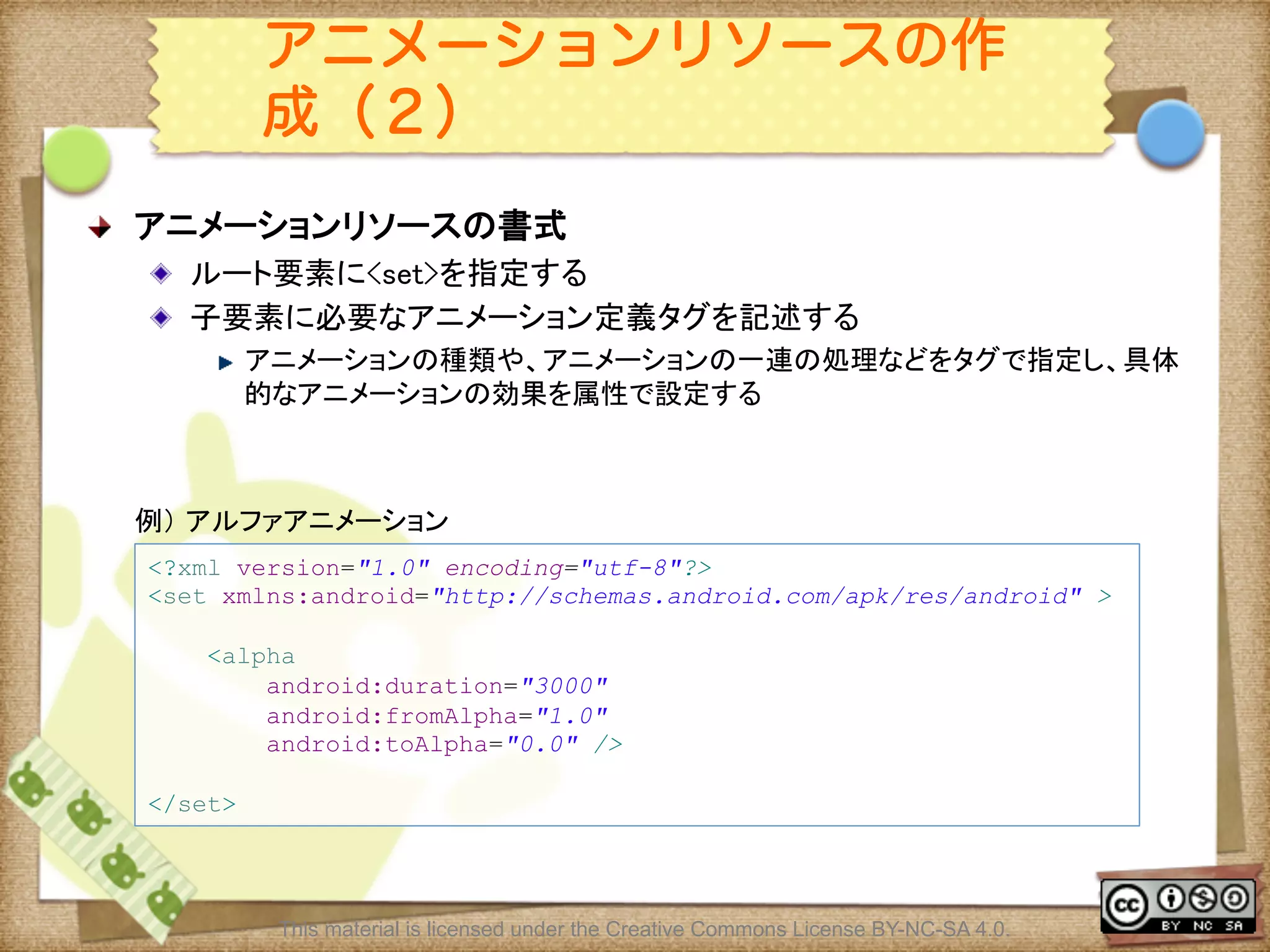
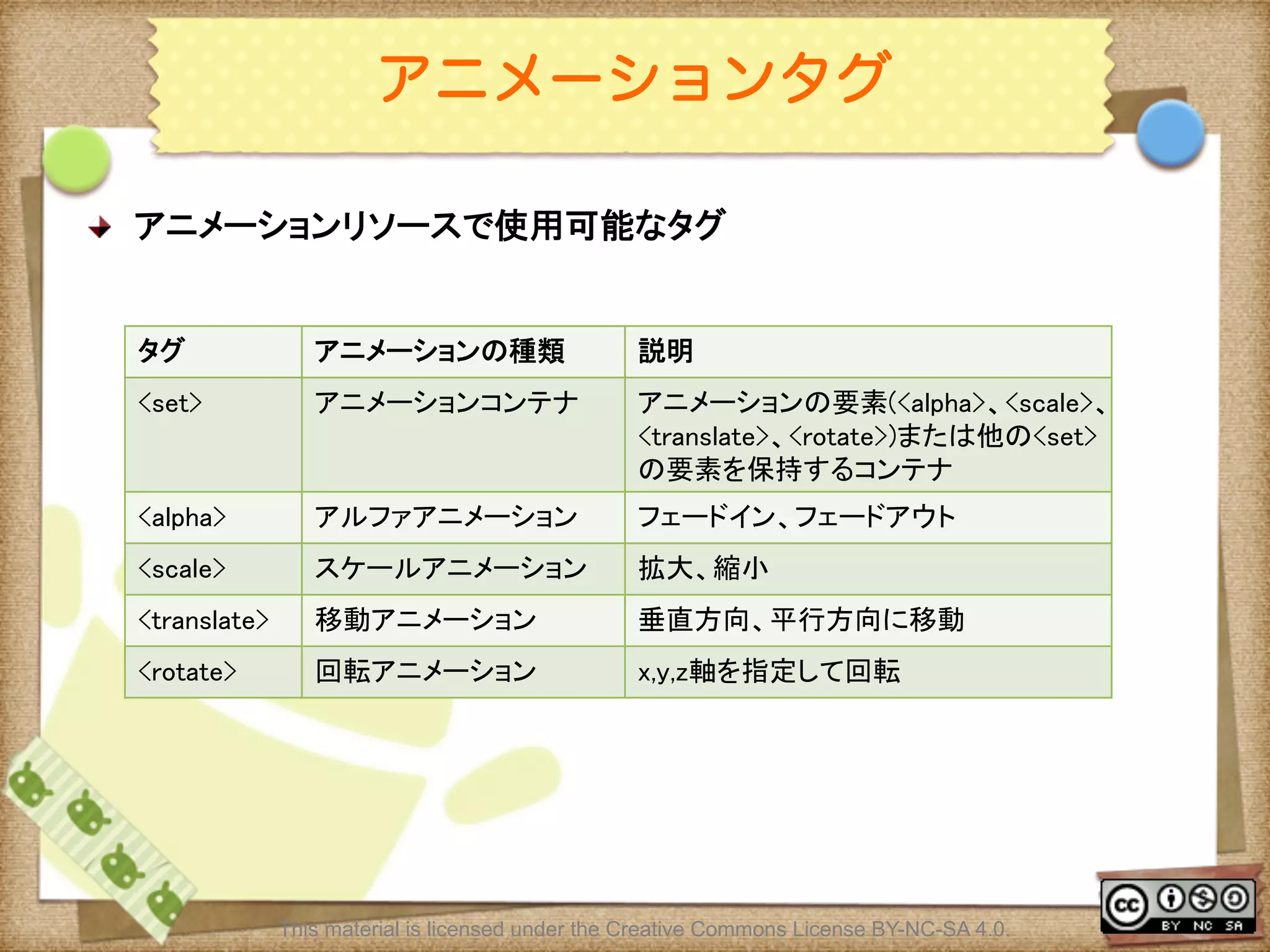
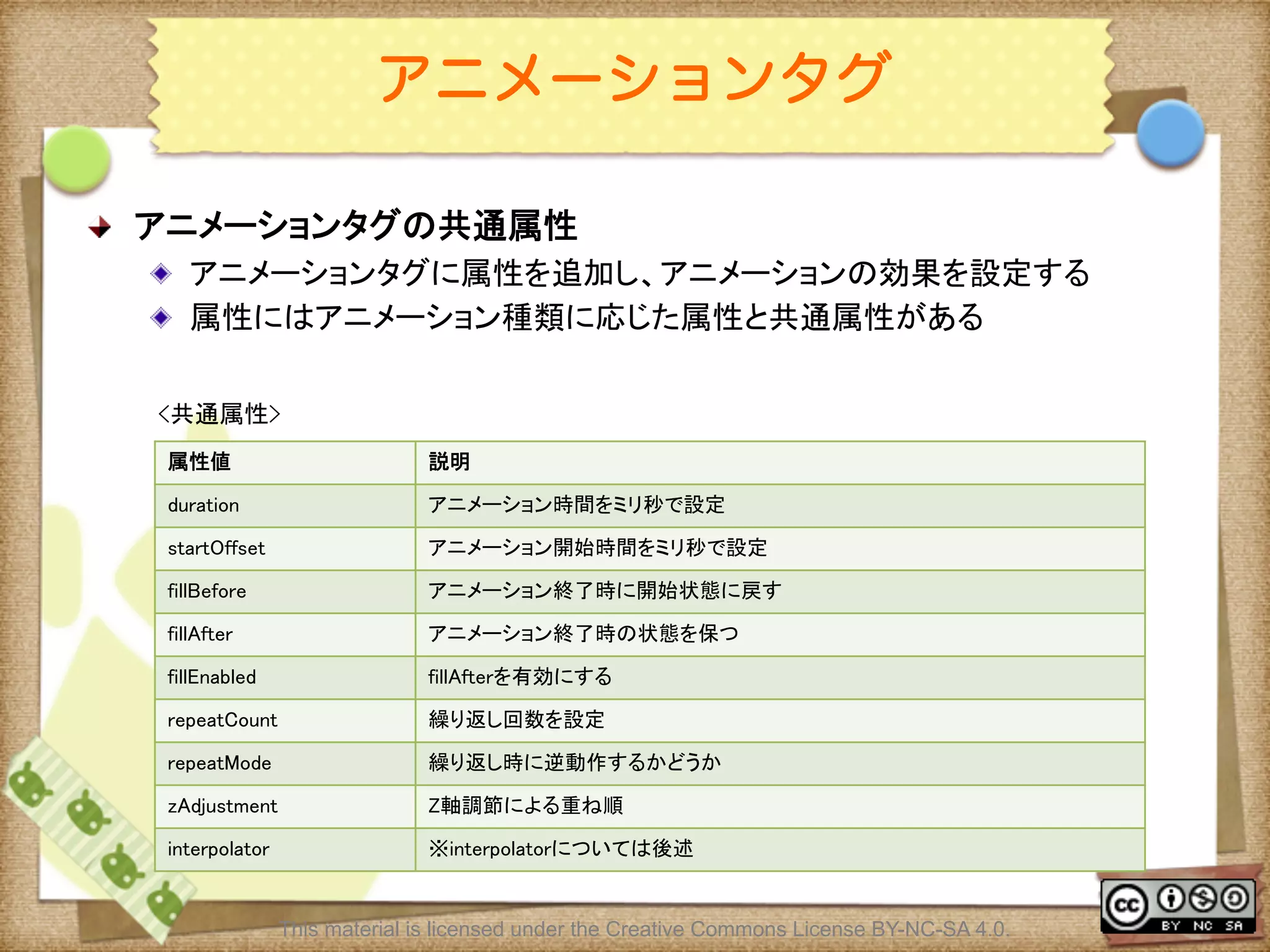
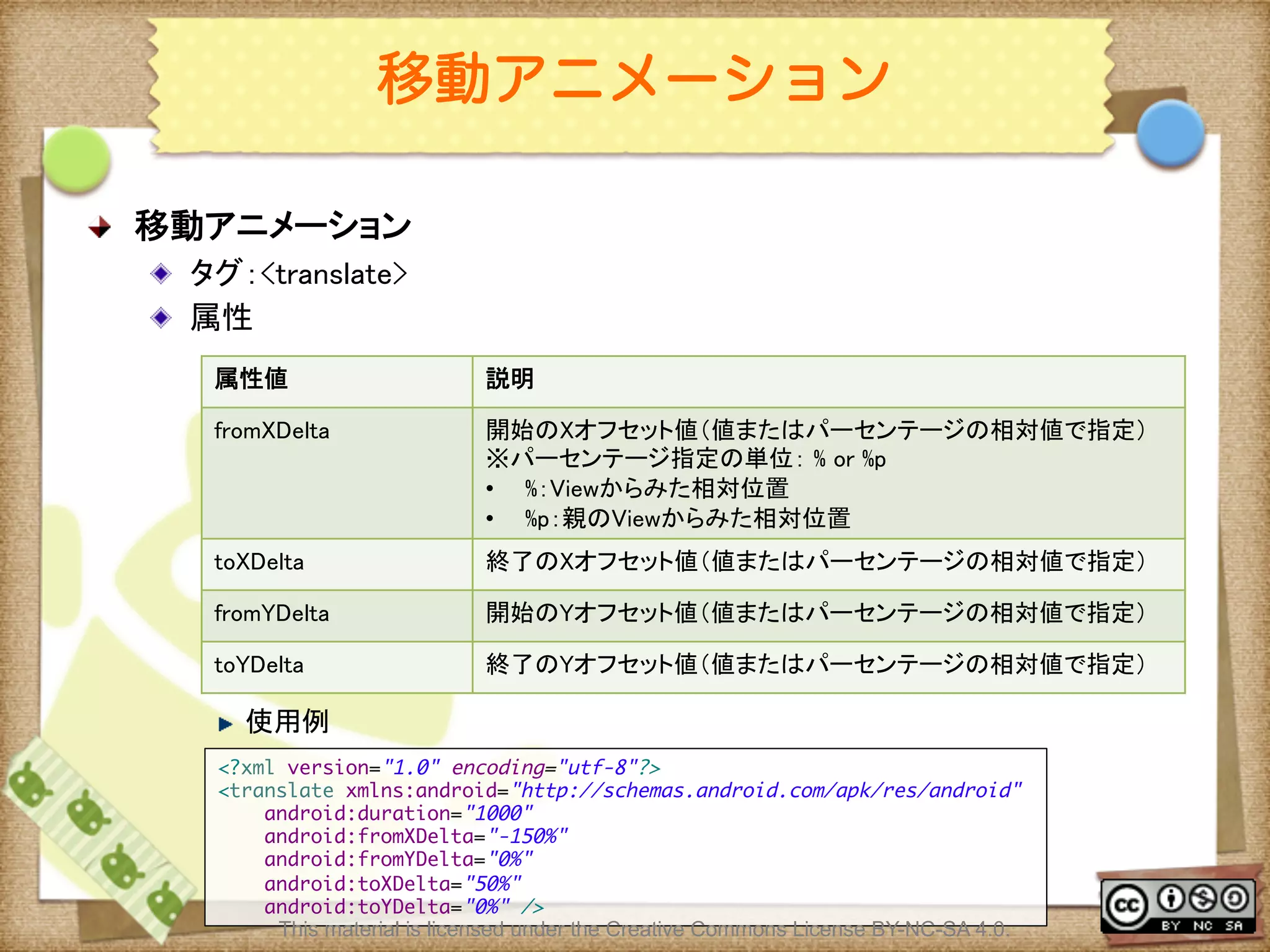
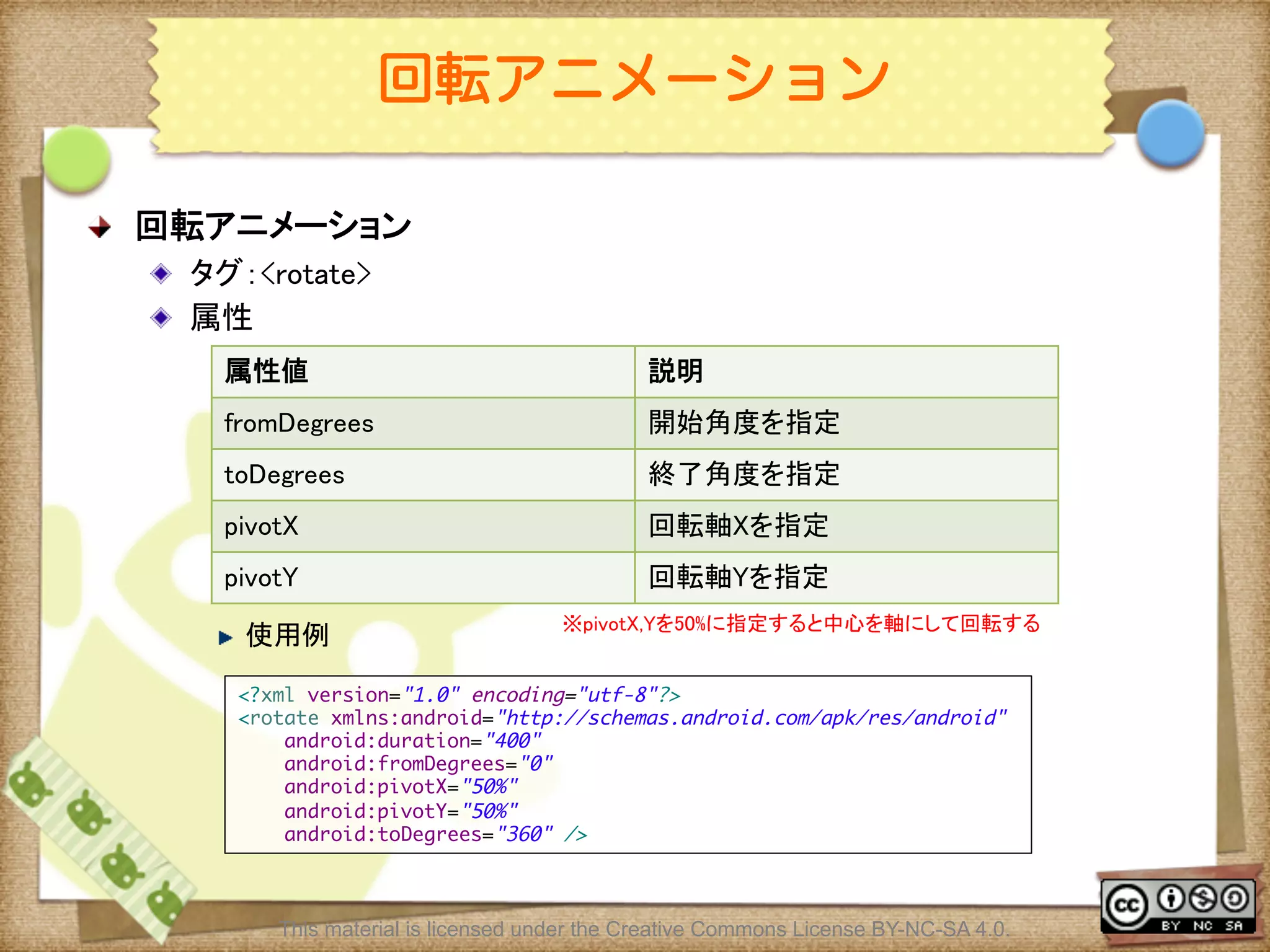
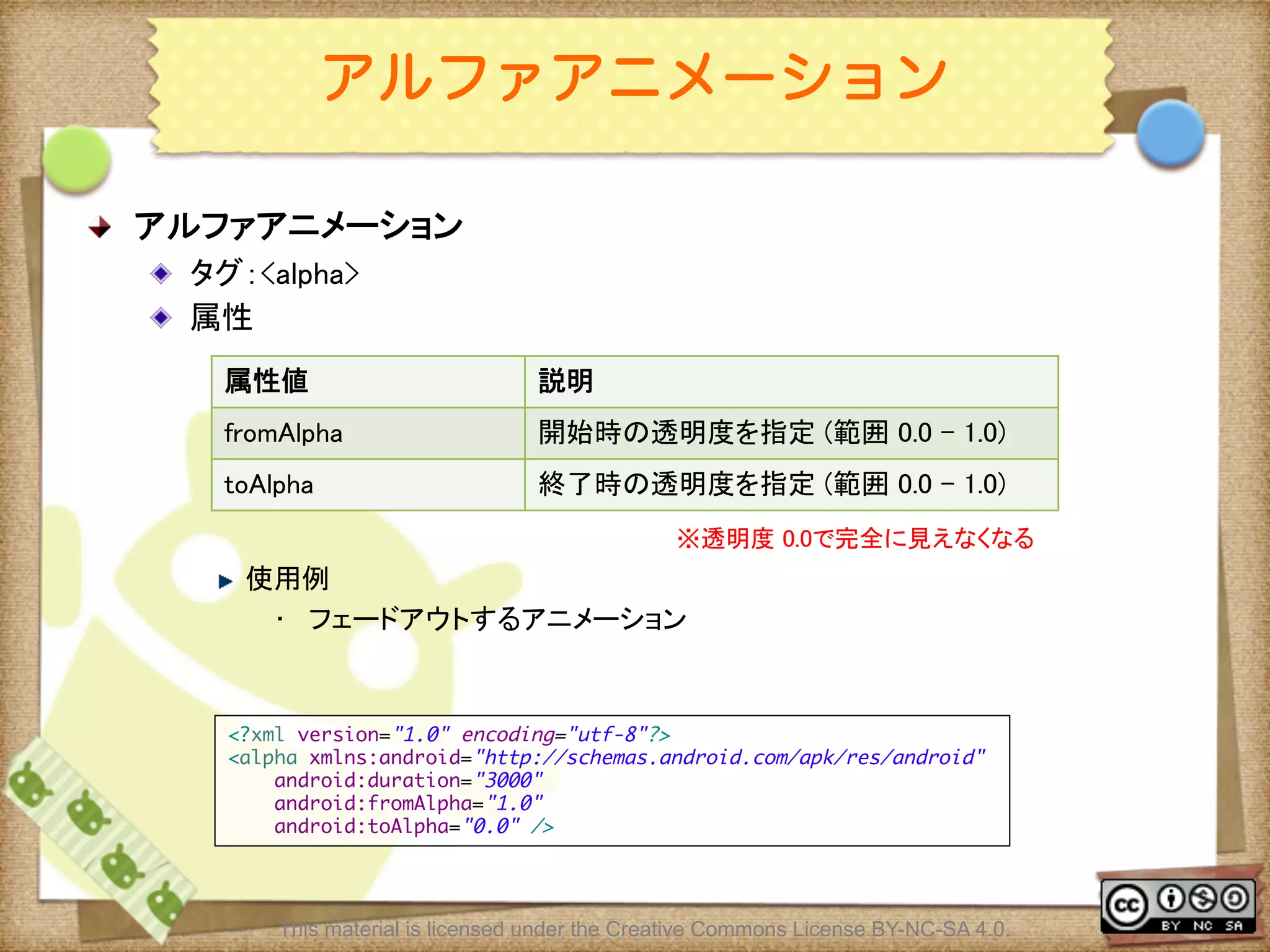
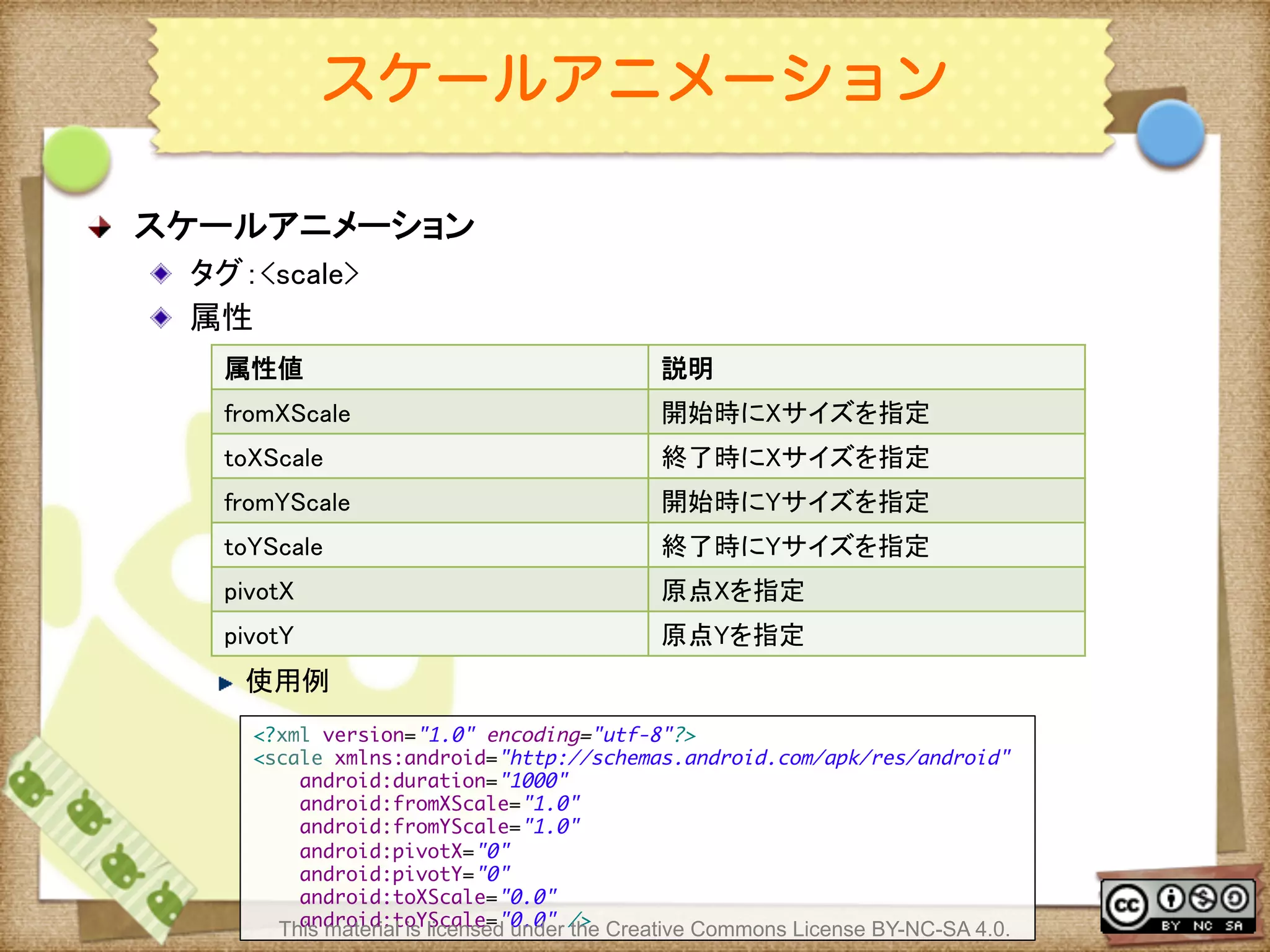
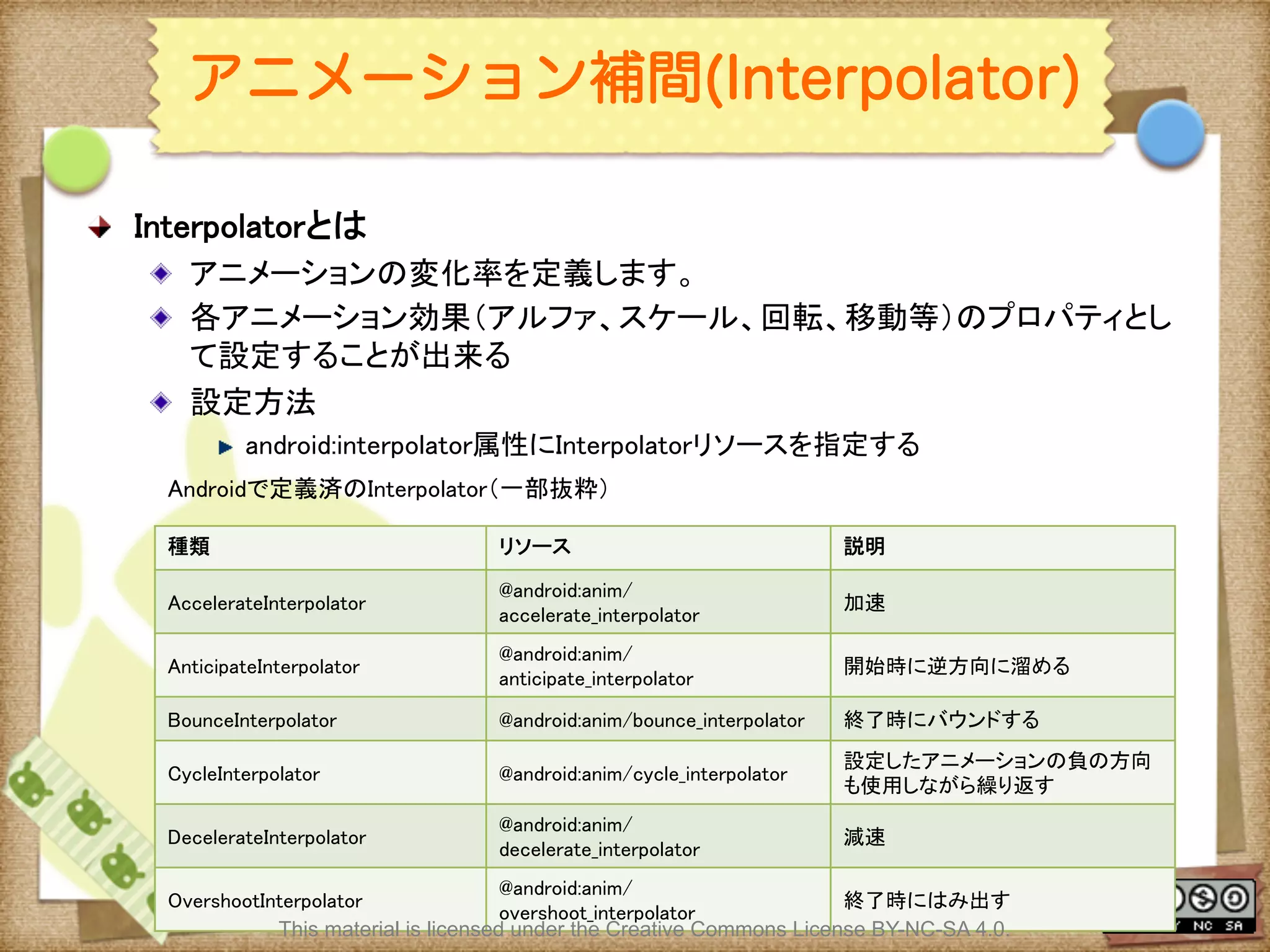
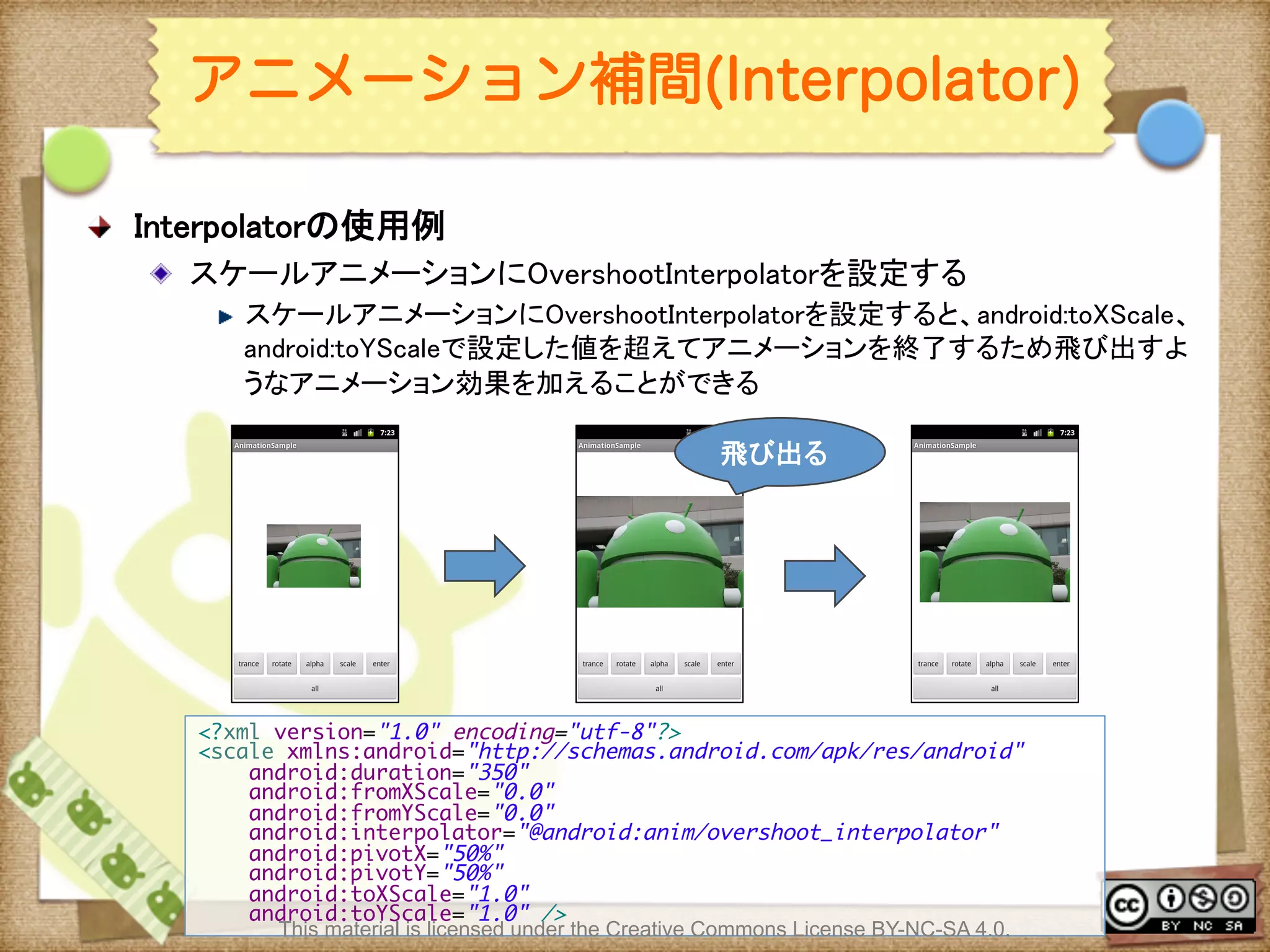
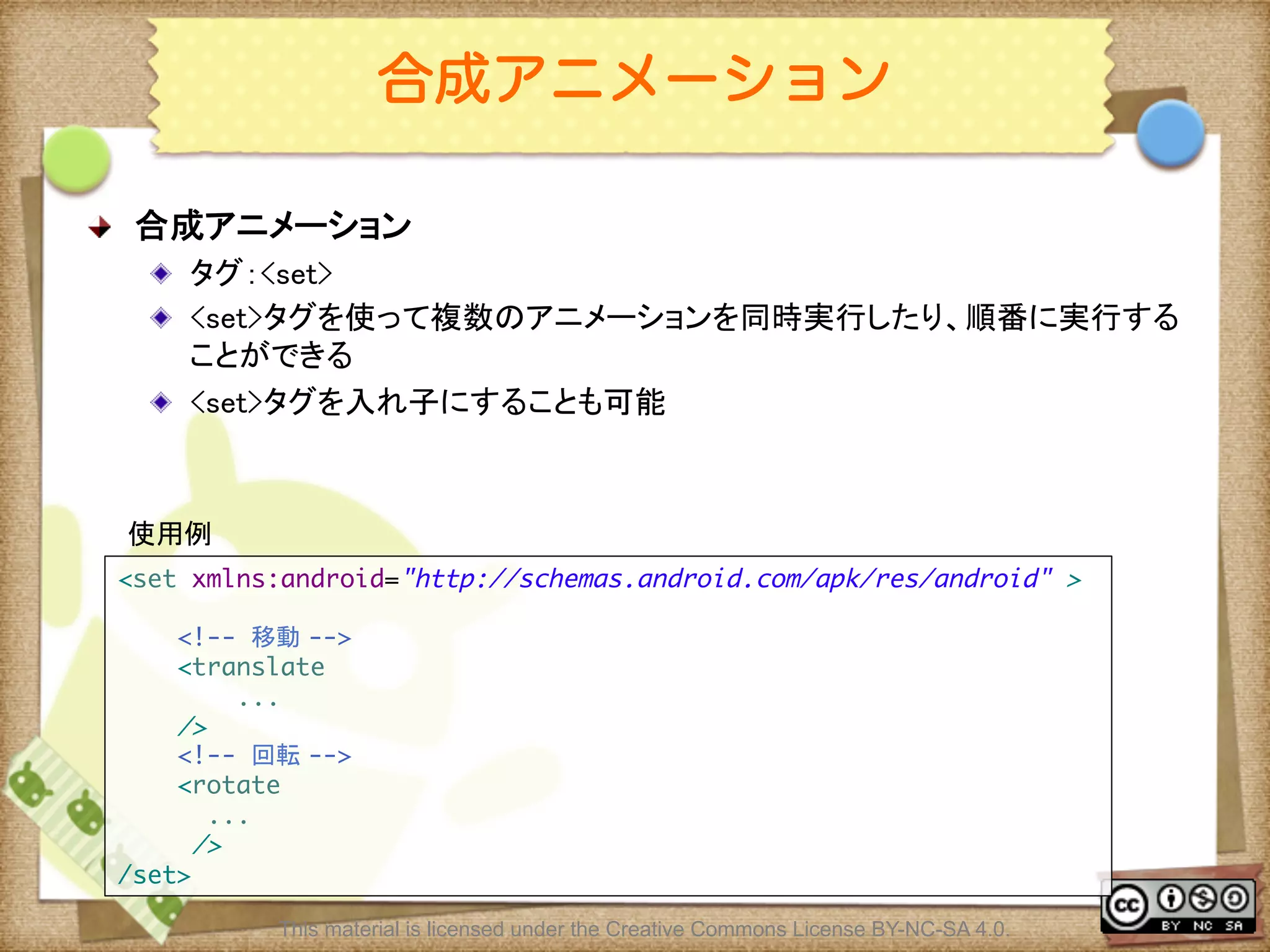
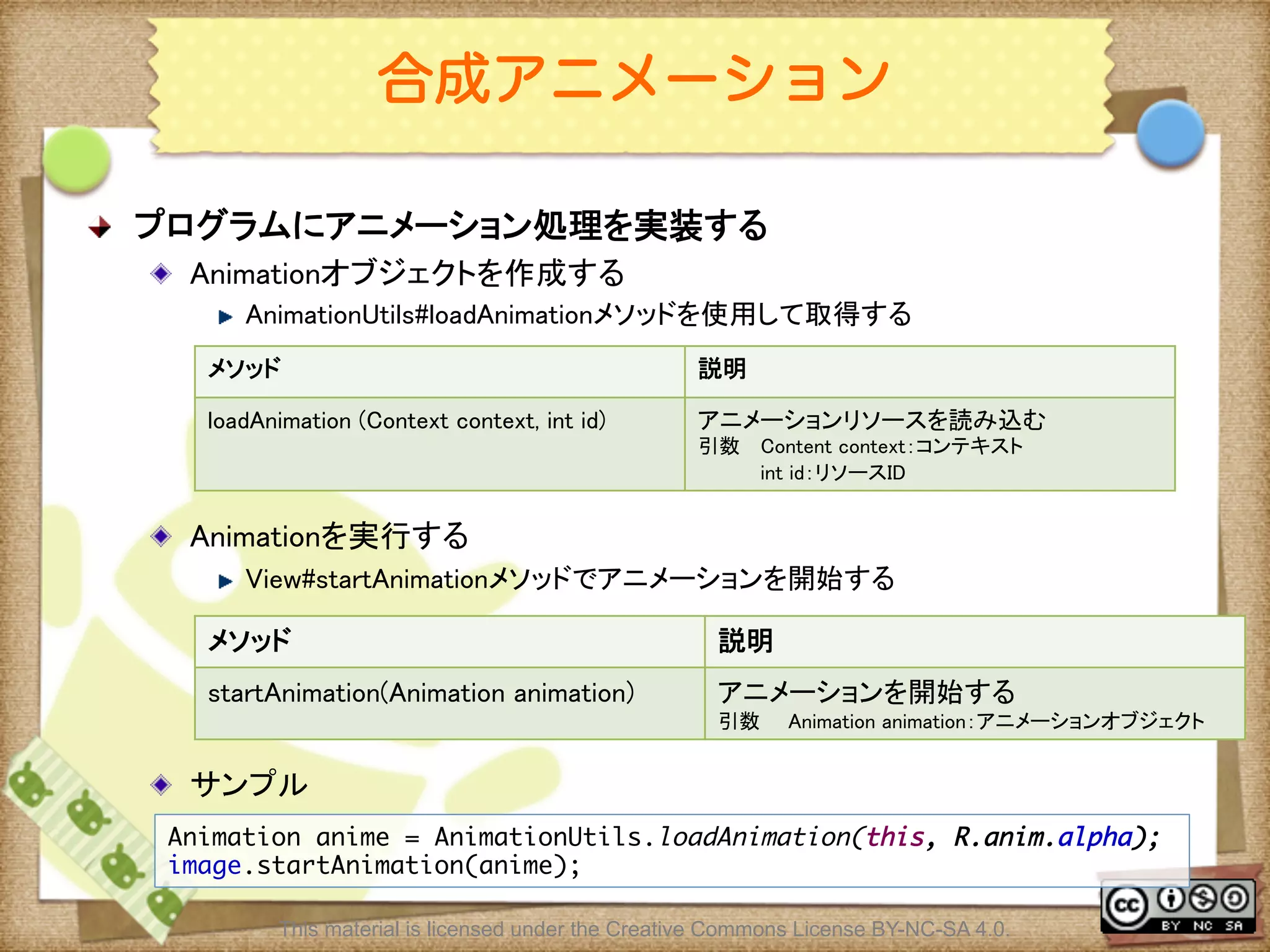
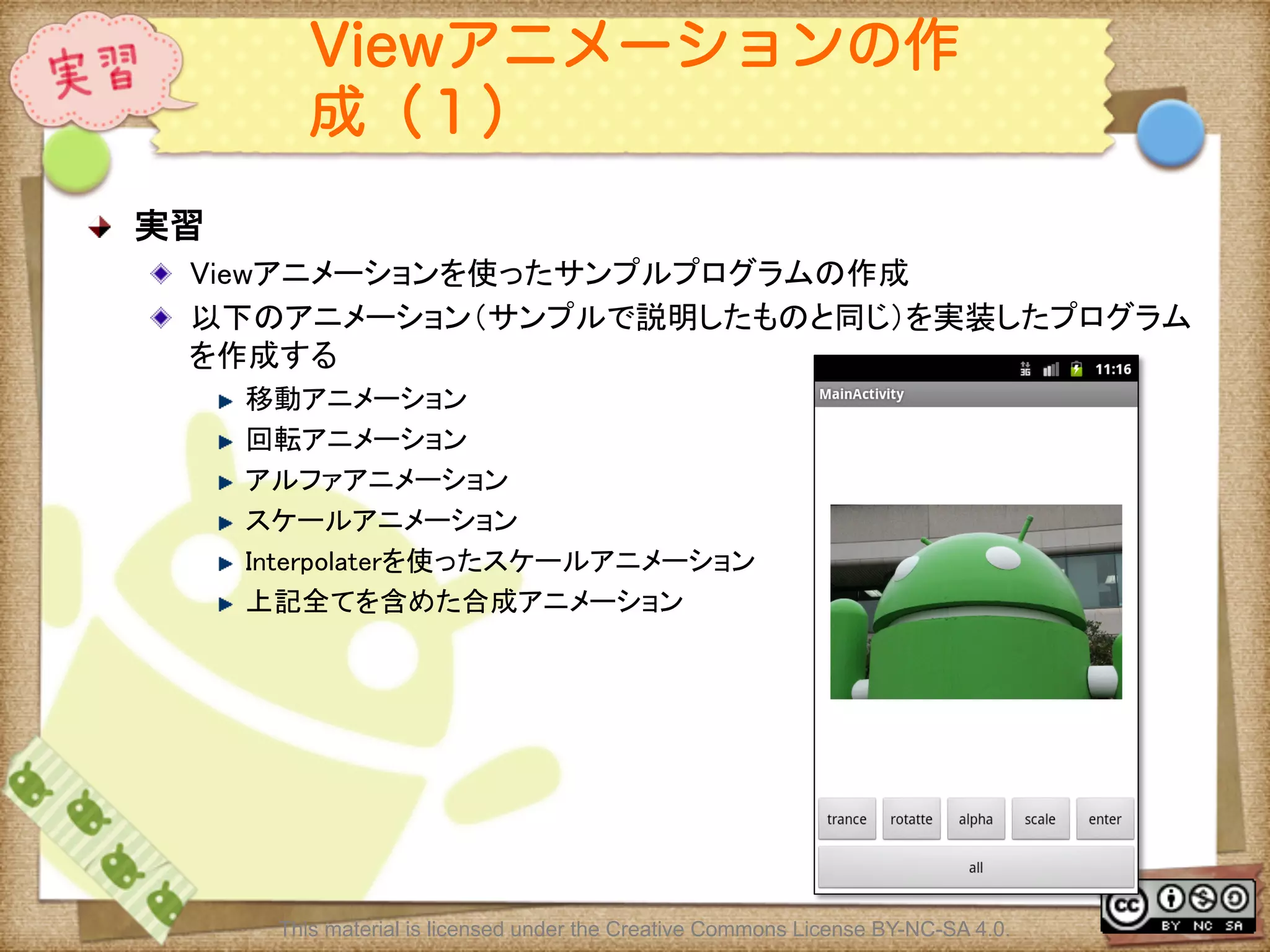
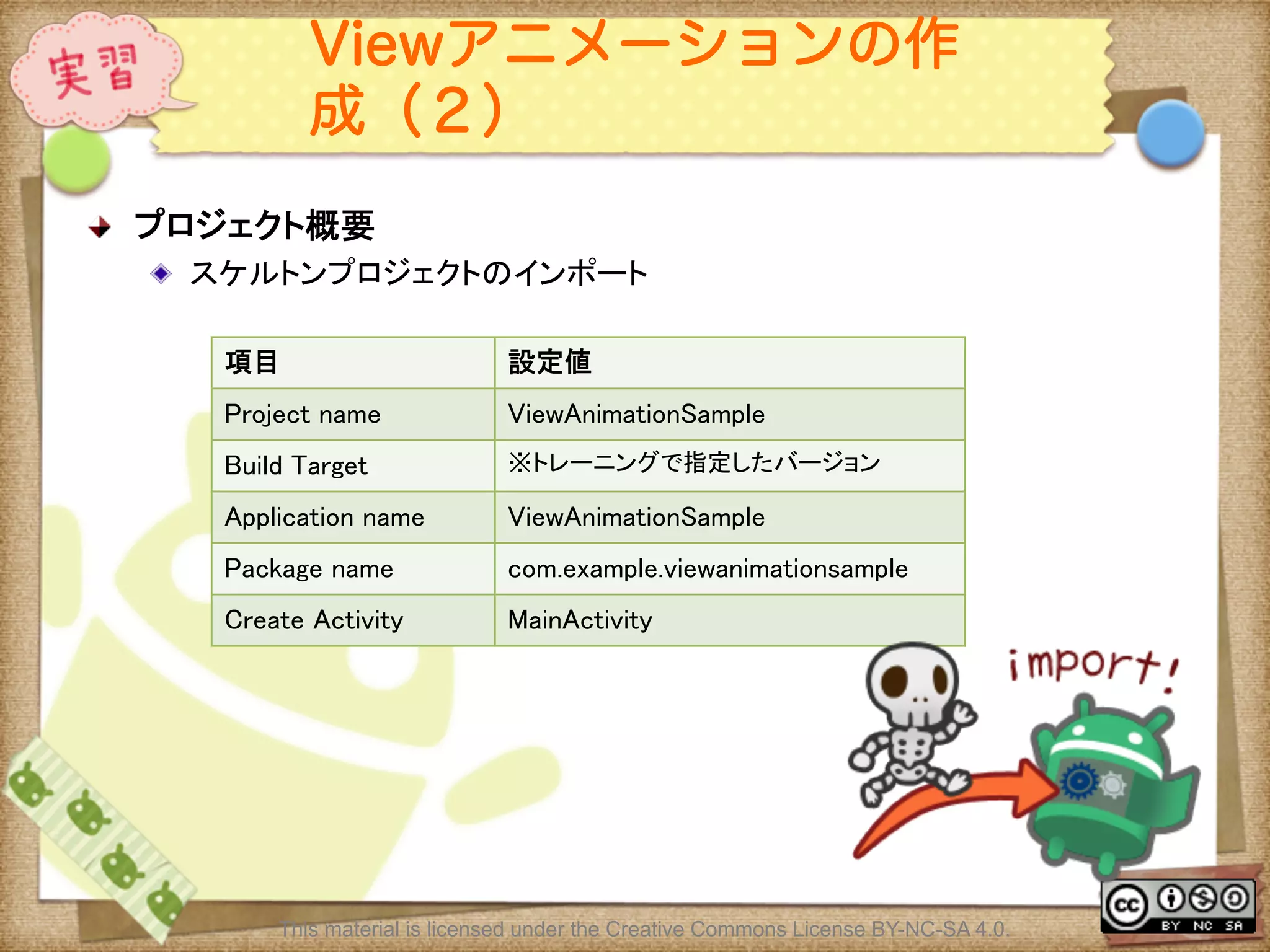
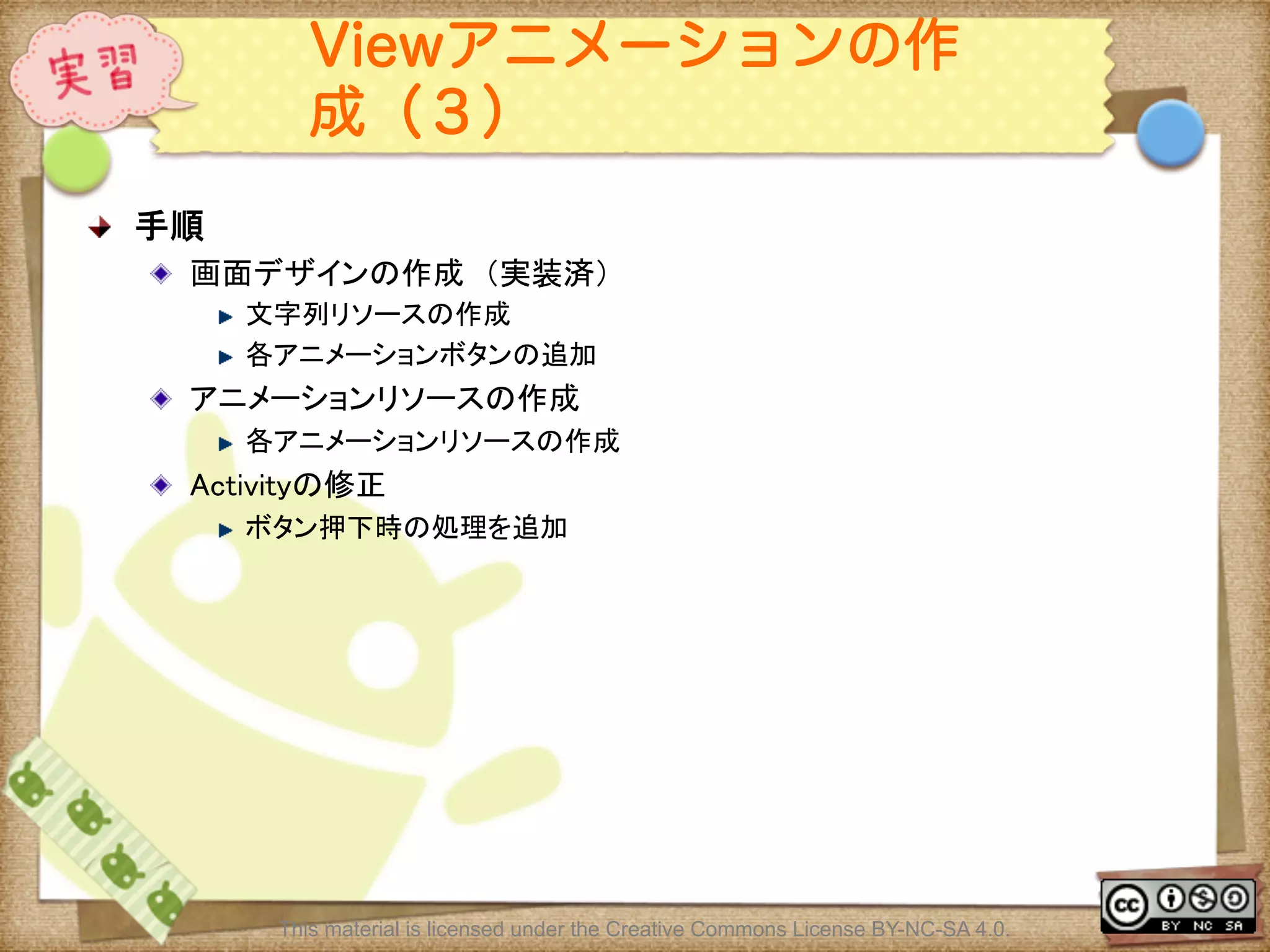
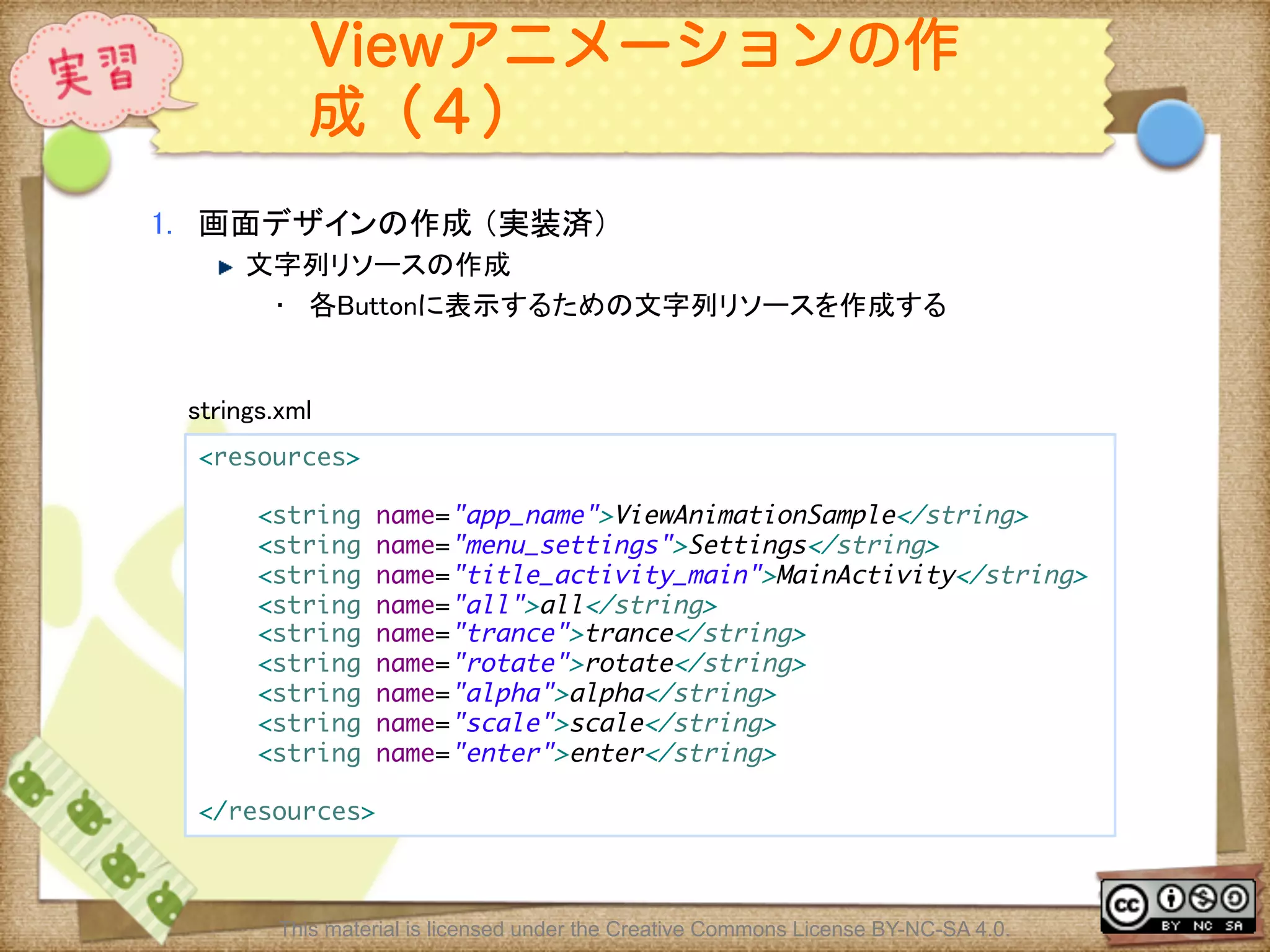
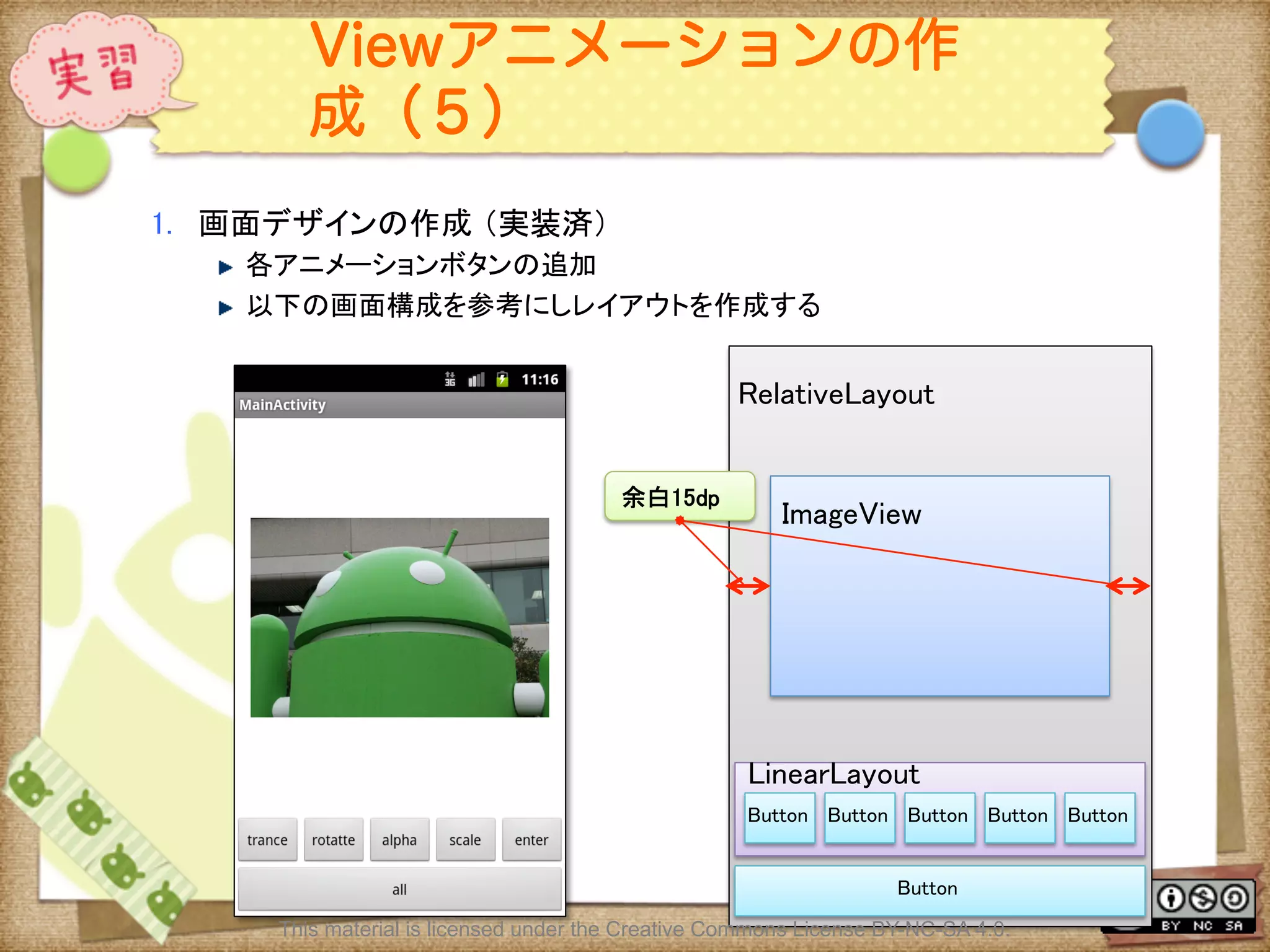
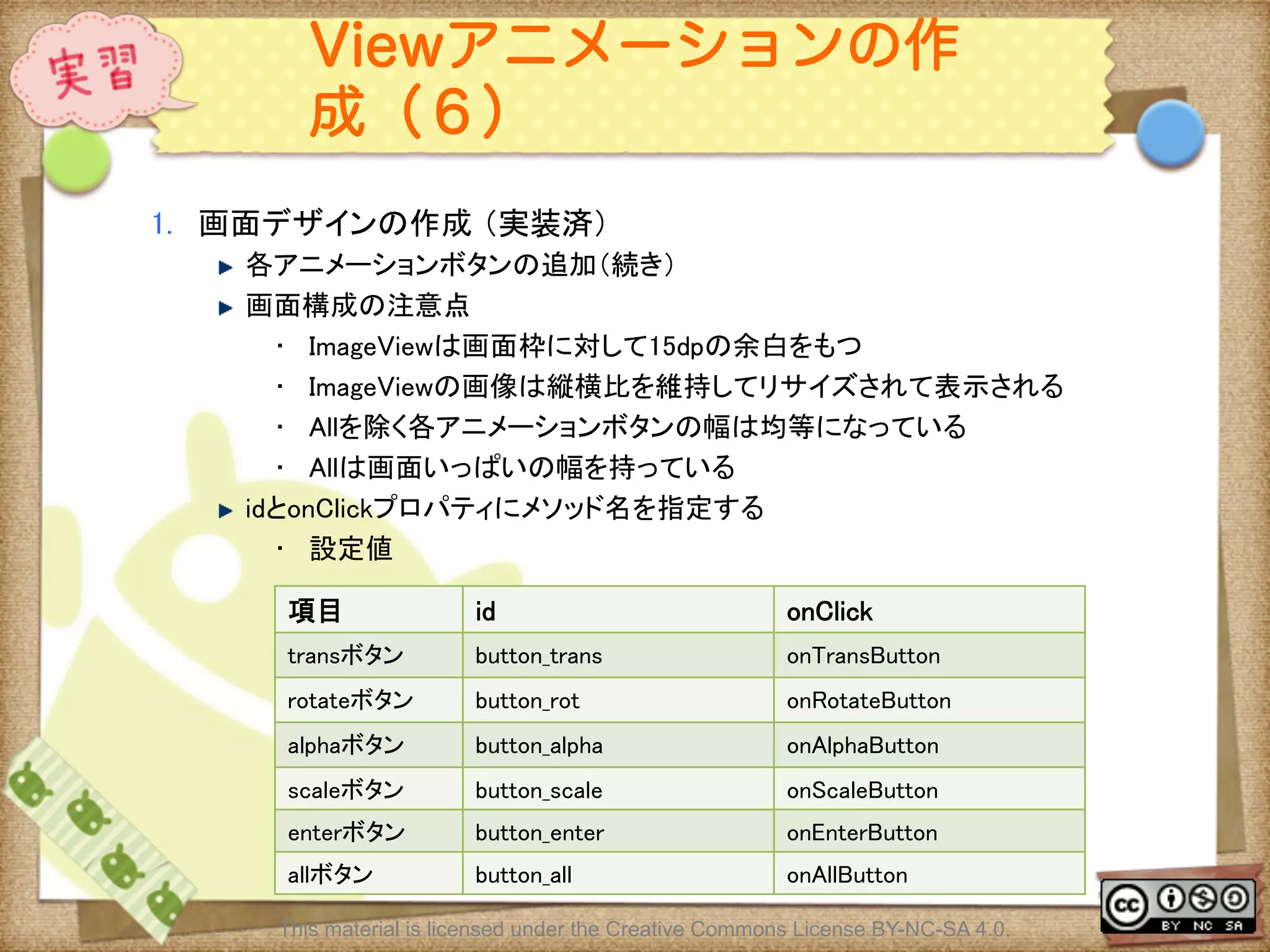
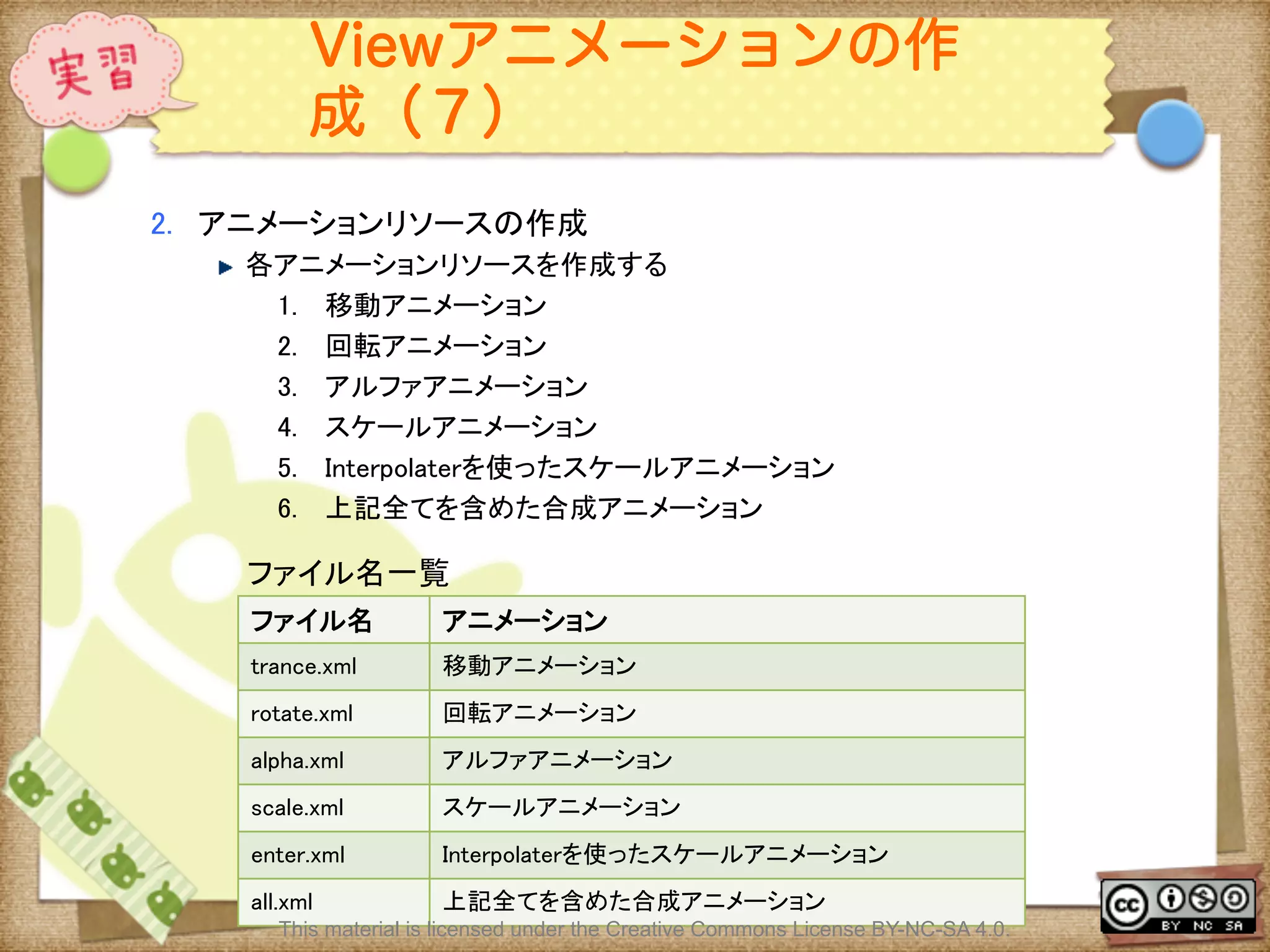
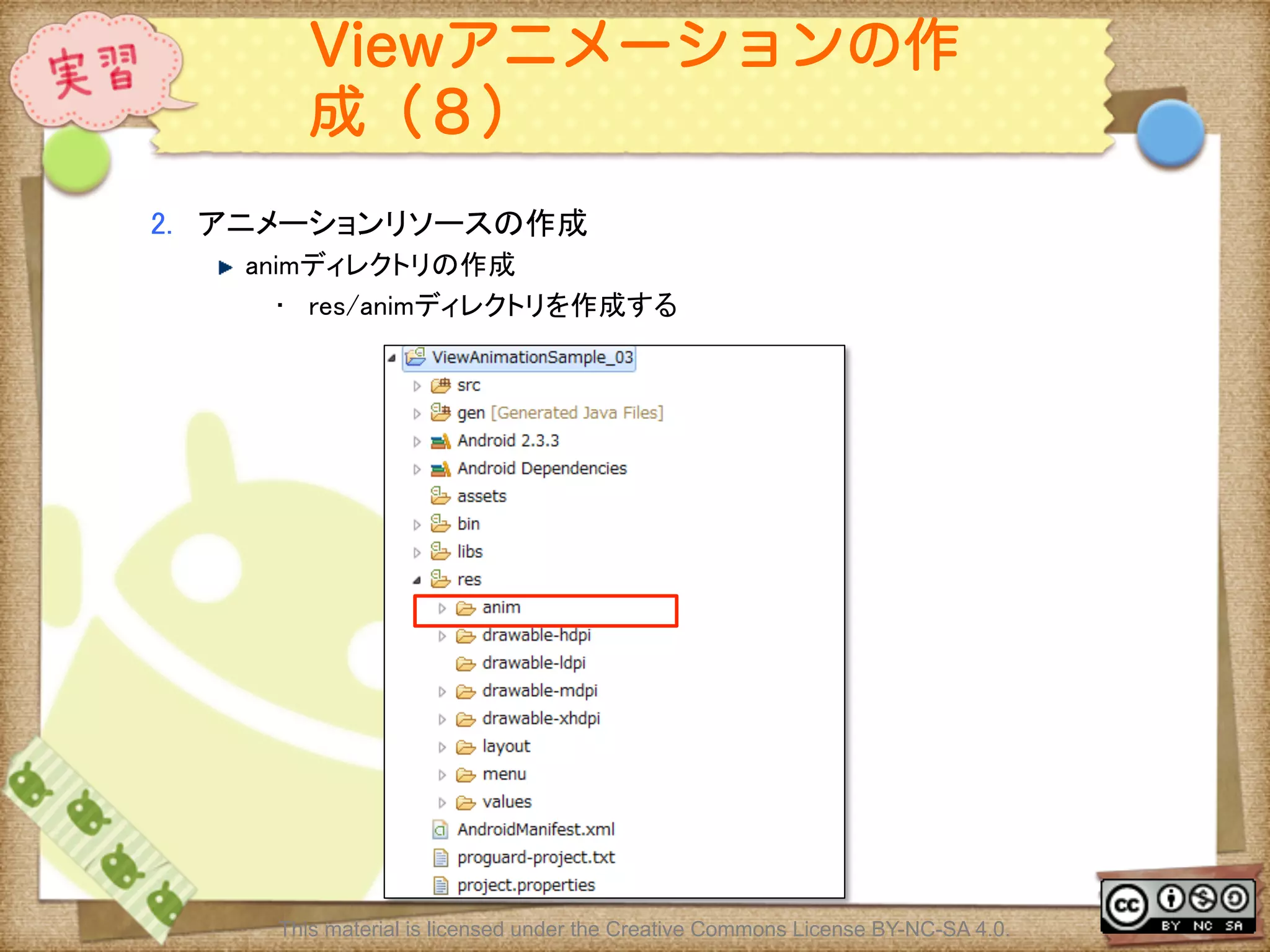
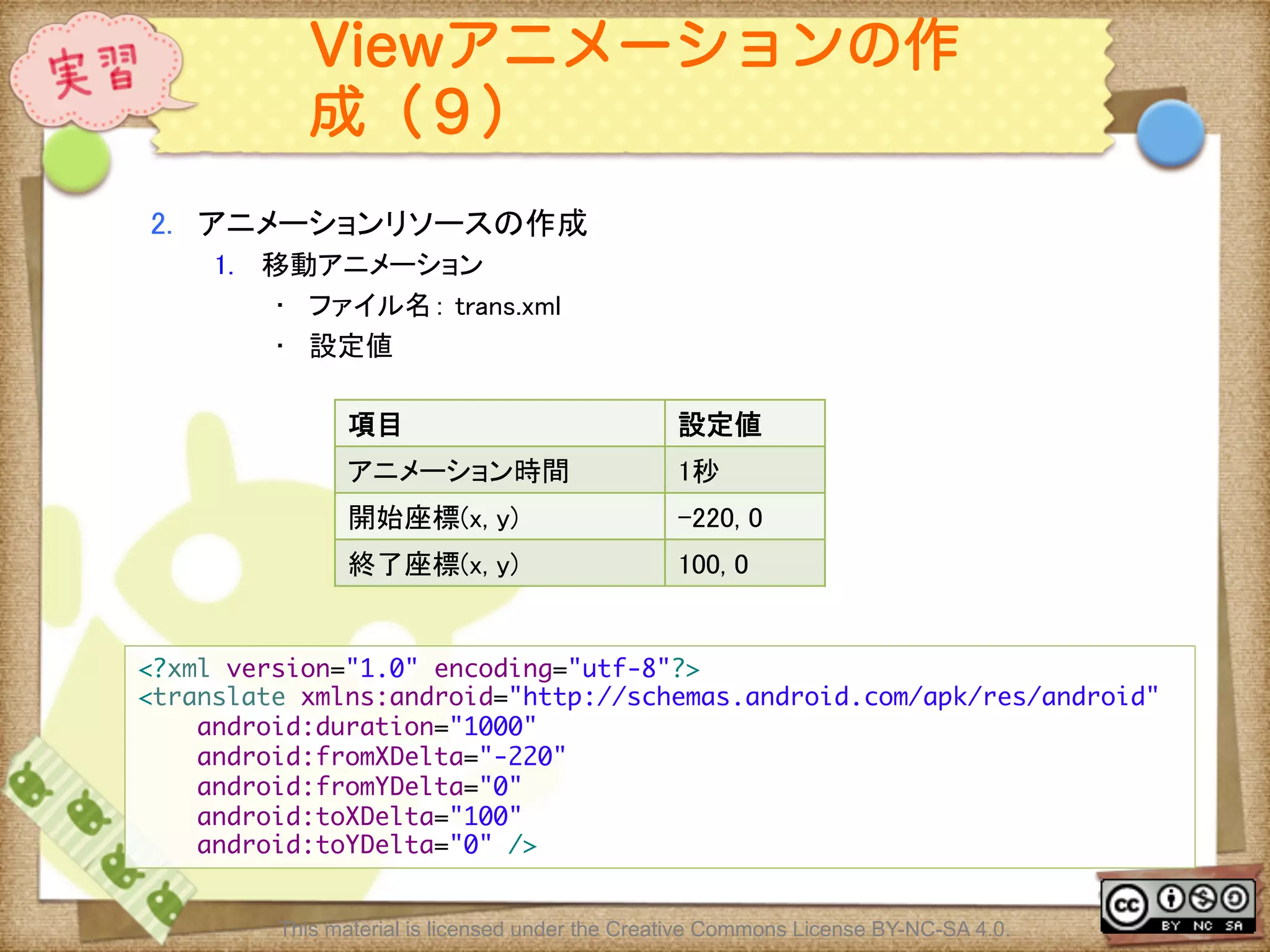
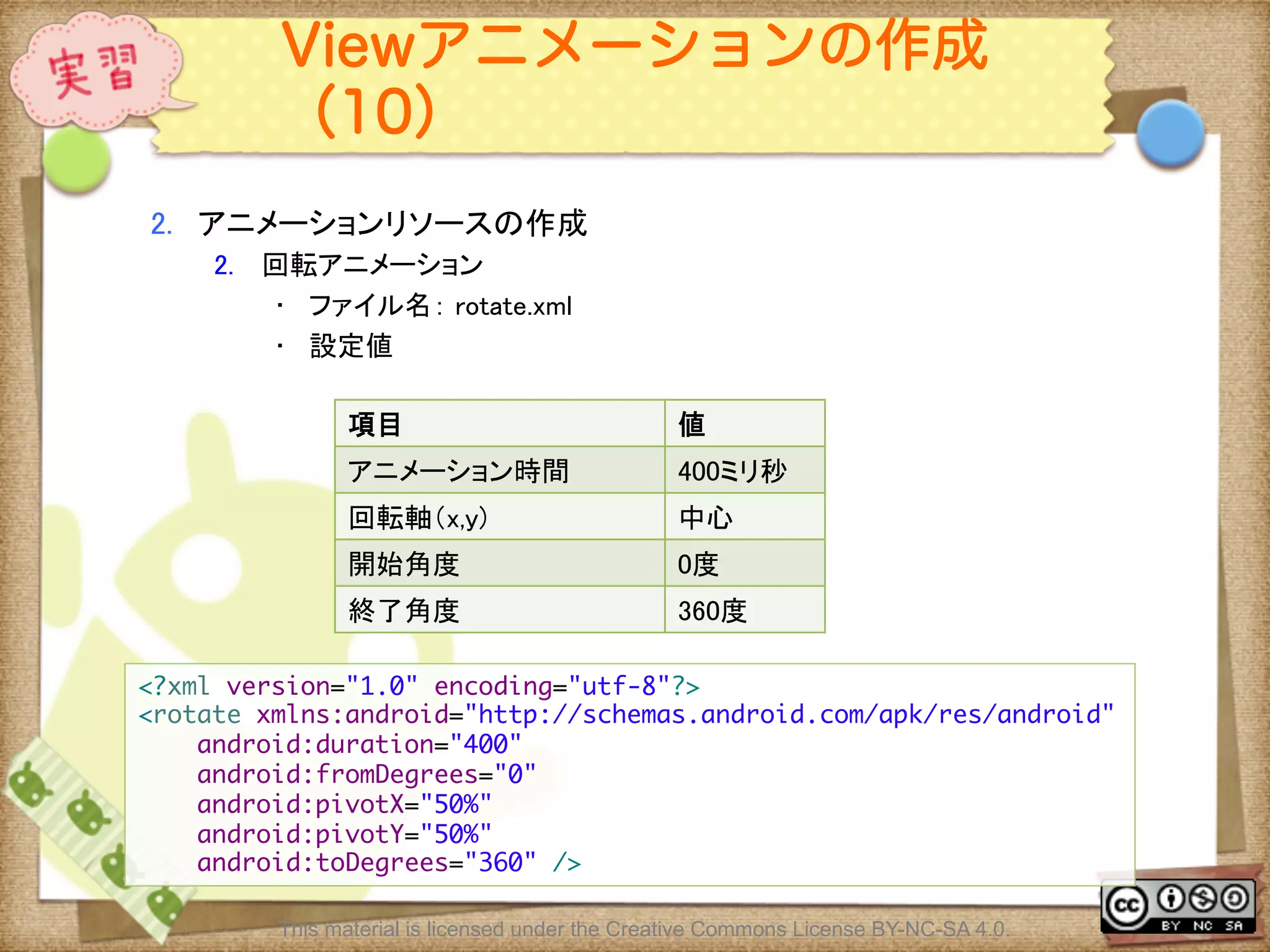
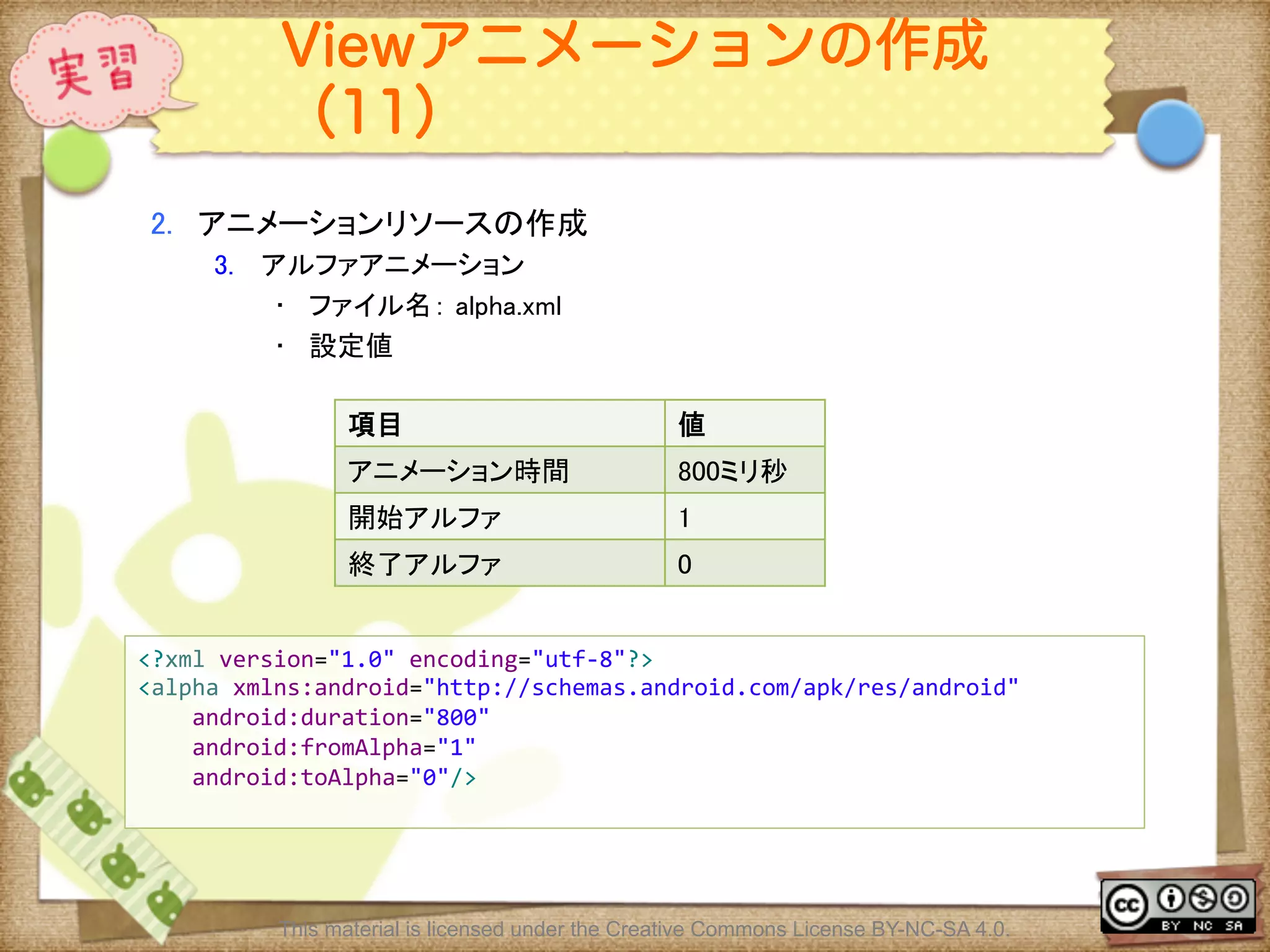
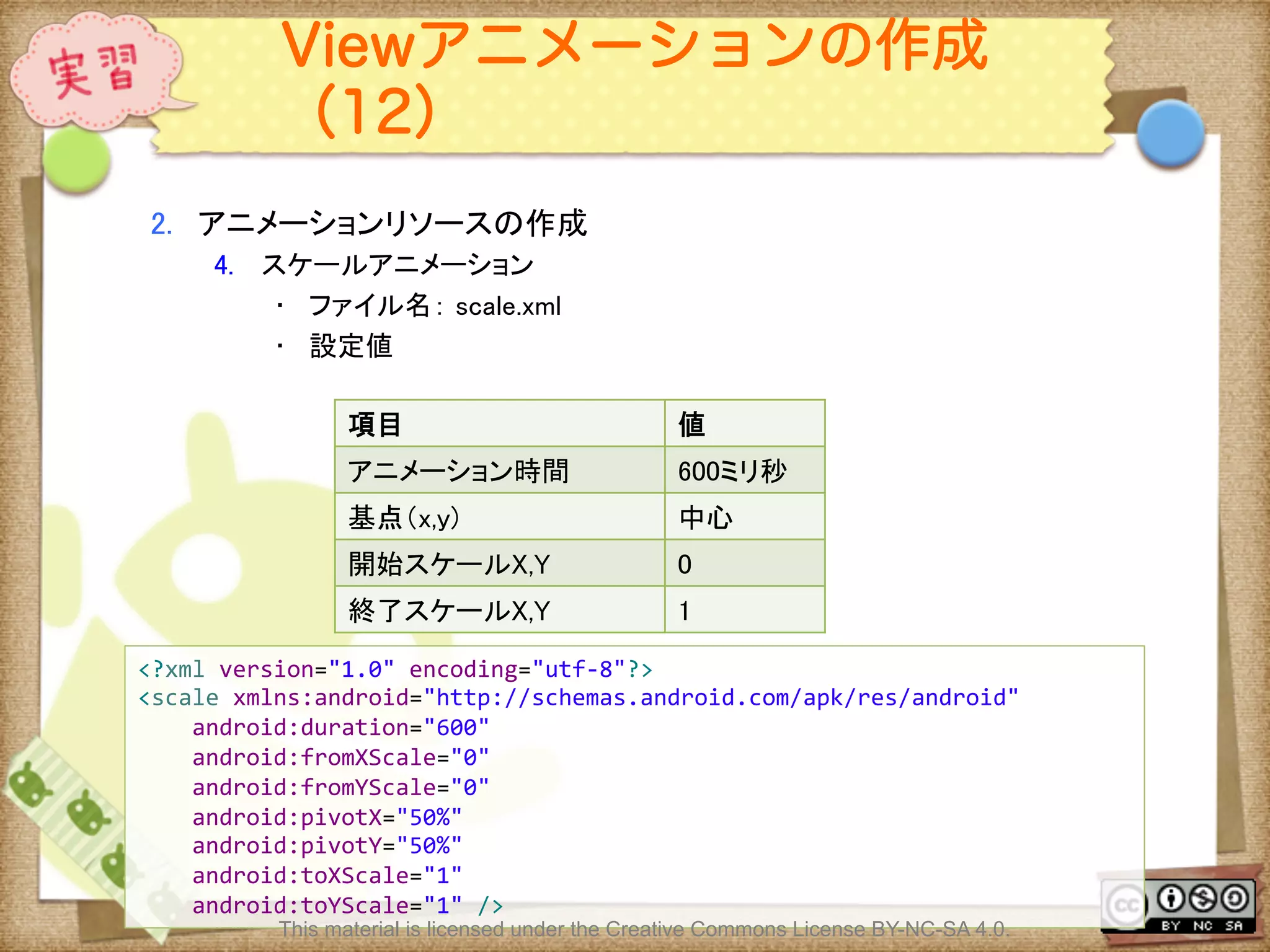
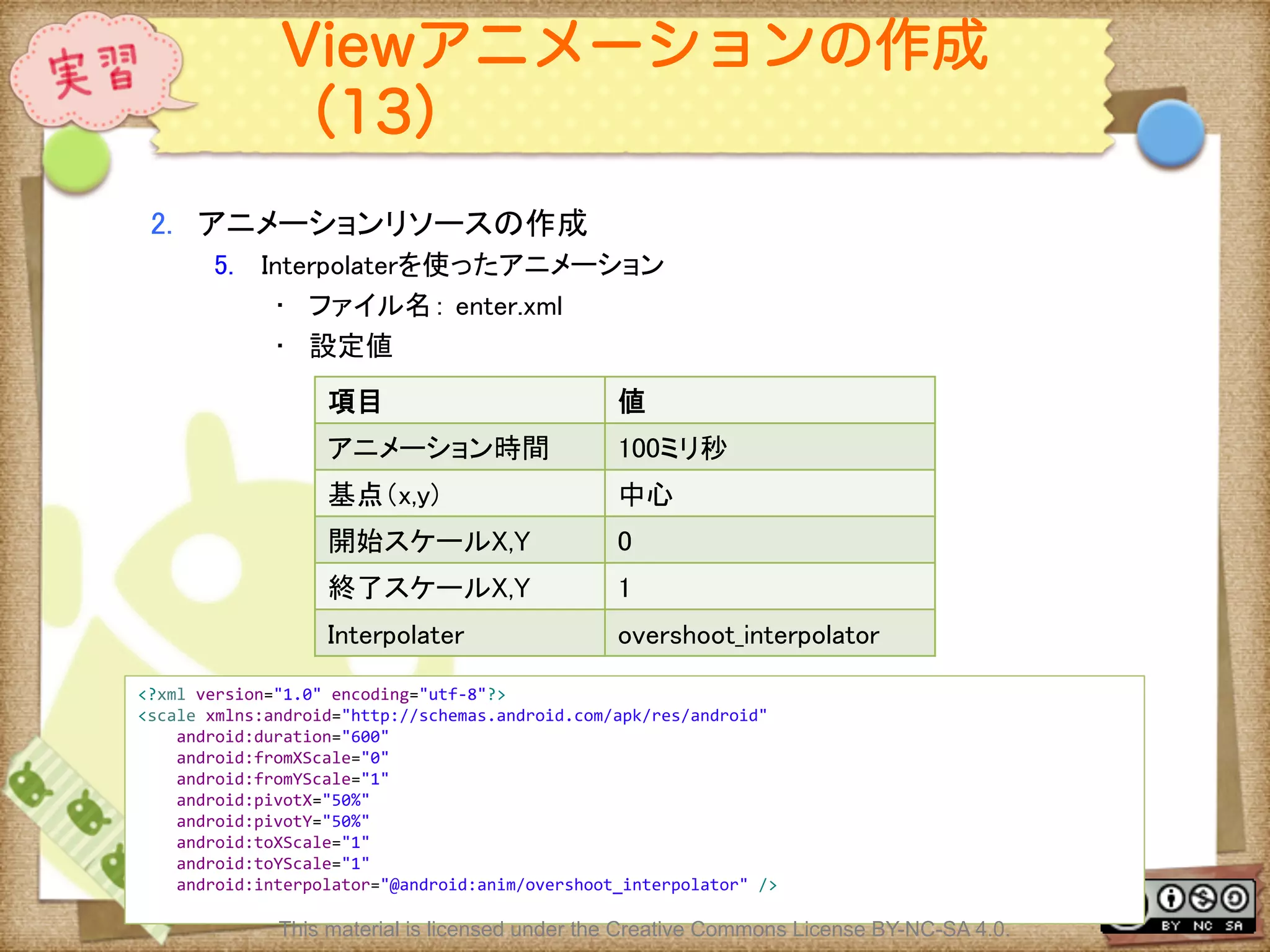
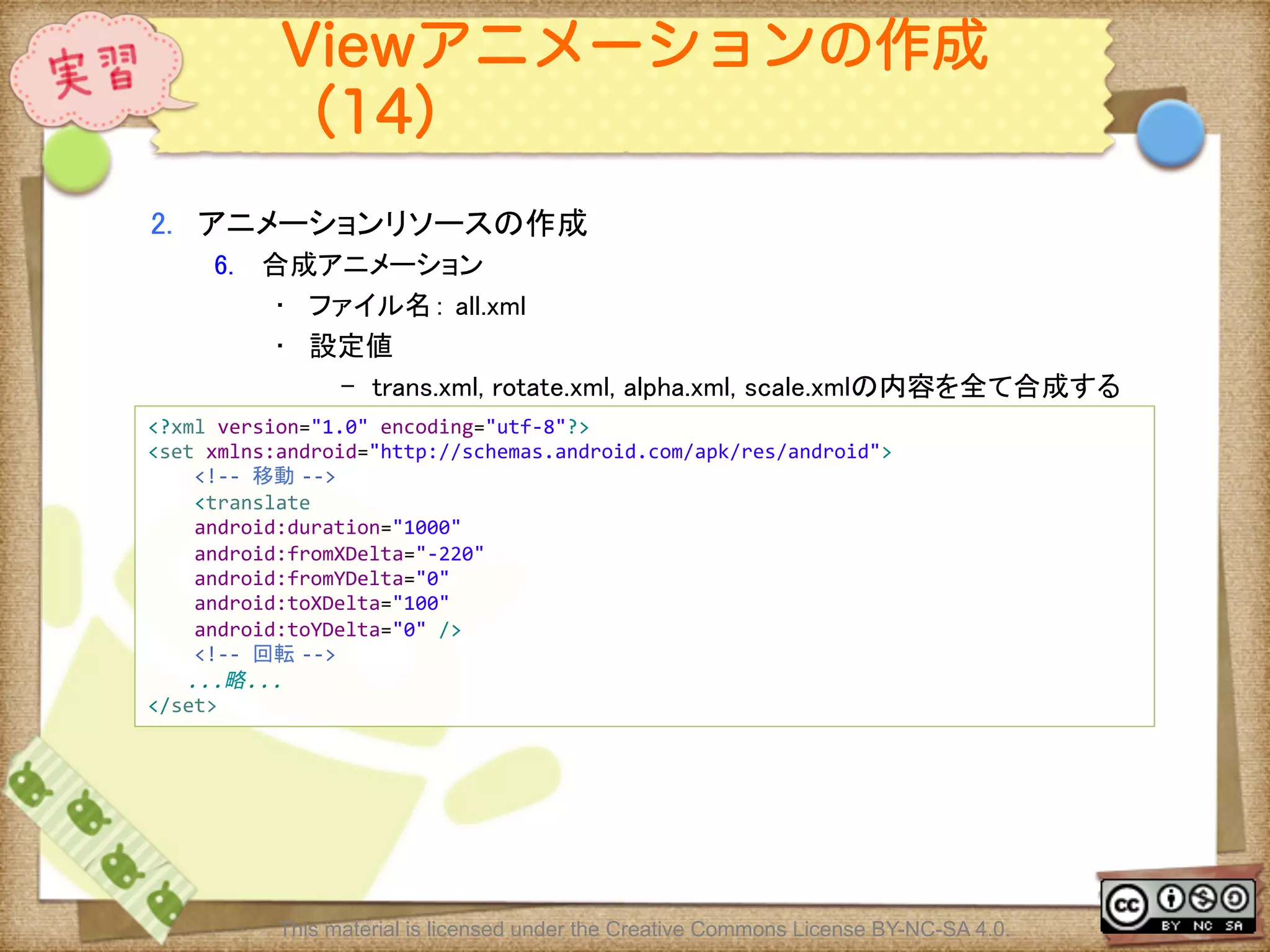
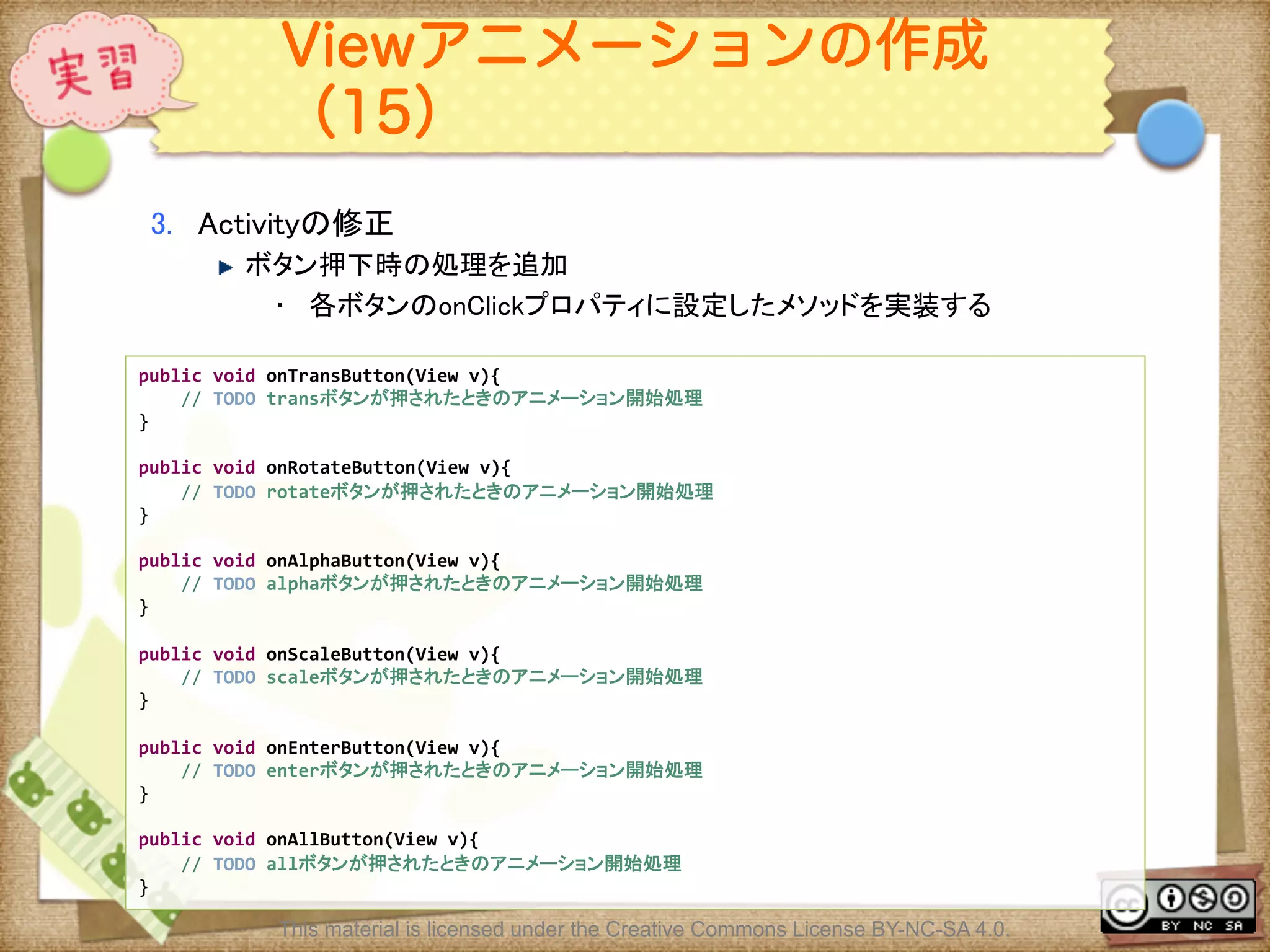
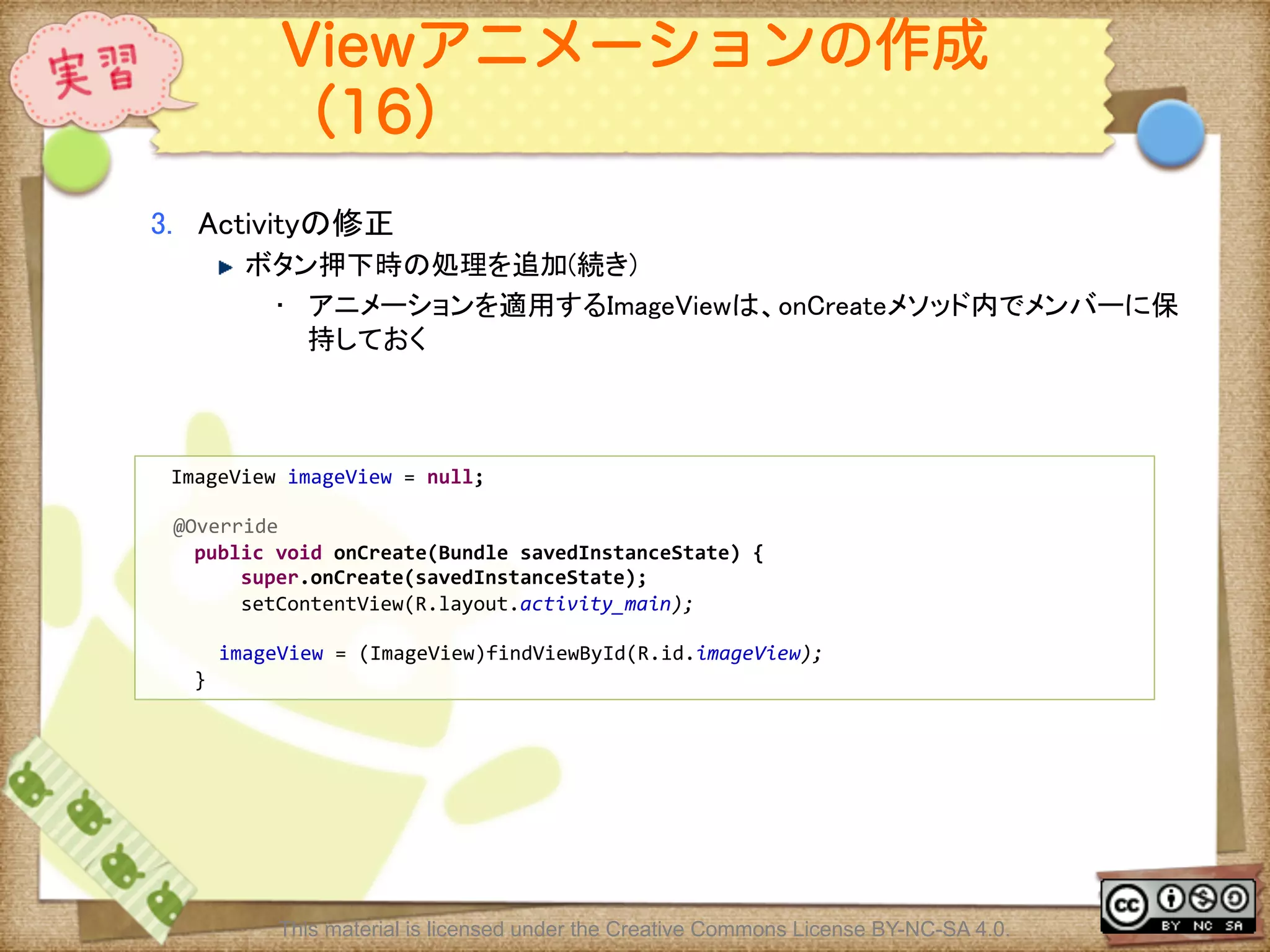
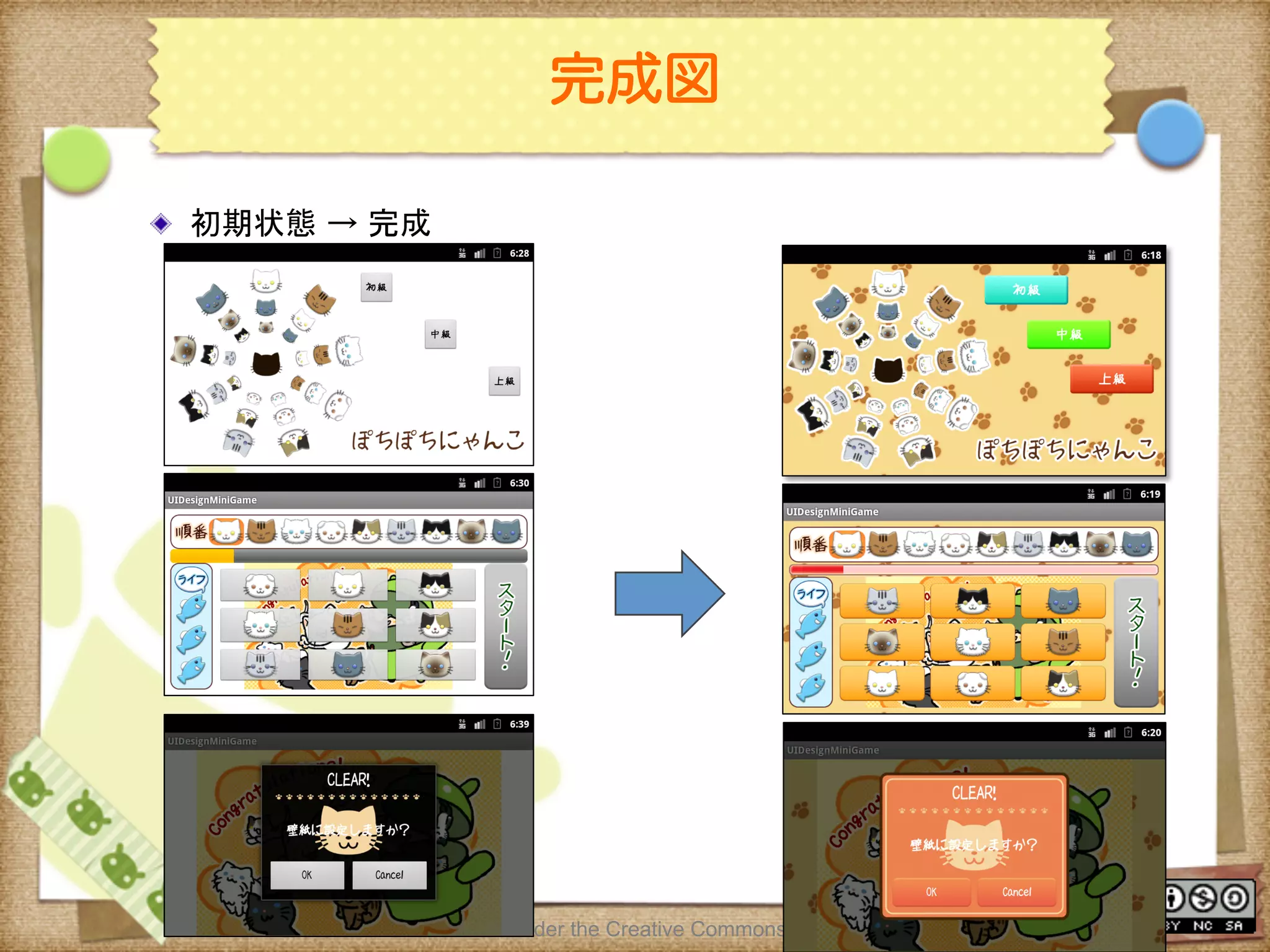
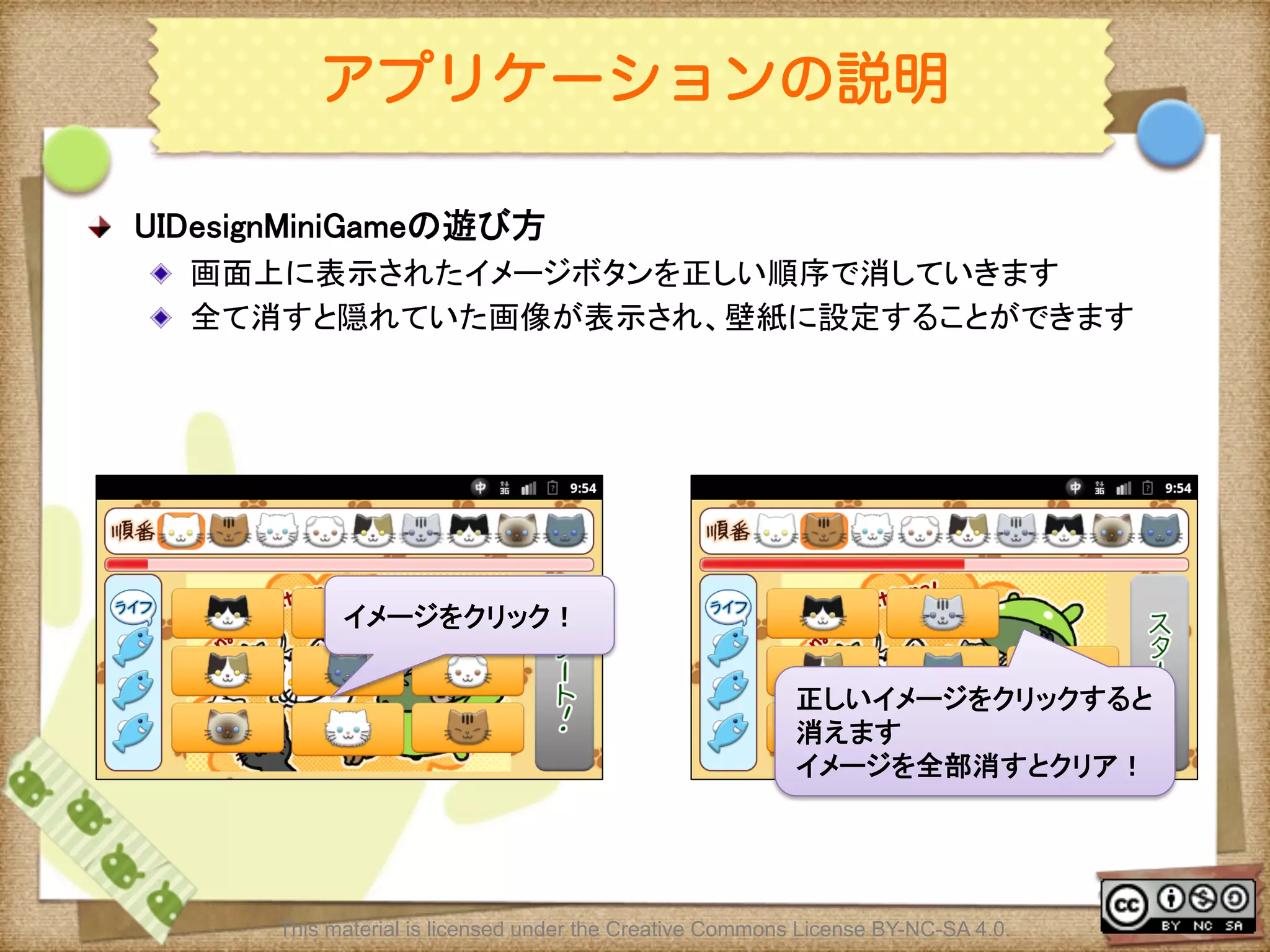
![Ⅶ - 187
ゲームの進め方(1)
! ゲームの進め方
! タイトル画面でレベル(初級〜上級)を選択する
! ゲーム画面で[Start]ボタンを押下しゲーム開始
! 画面上部のオーダービューの順番通りに画面中央の9つのイメージを押下す
る
! 正しいイメージを選択するとイメージが消える
! ゲームクリア条件
! 時間内にすべてのイメージを消す
! ゲームオーバー条件
! 時間内にすべてのボイメージを消せなかった
! LIFEが0の状態で間違えた
This material is licensed under the Creative Commons License BY-NC-SA 4.0.](https://image.slidesharecdn.com/androidui-140313021742-phpapp02/75/Android-UI-187-2048.jpg)
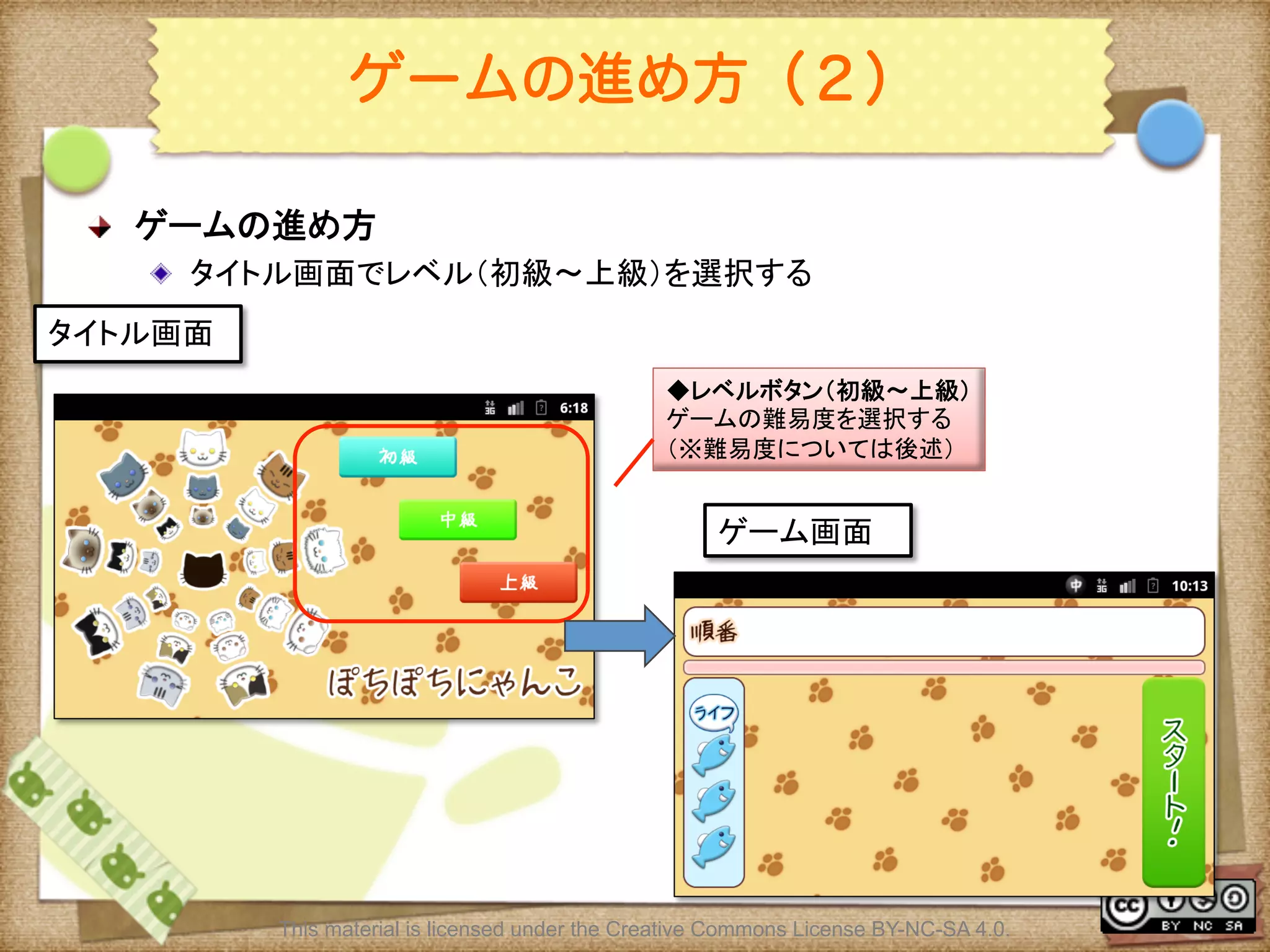
![Ⅶ - 189
ゲームの進め方(3)
! ゲームの進め方
! ゲーム画面で[Start]ボタンを押下しゲーム開始
! 開始ボタンを押すと画面中央にボタンが9つ表示される
This material is licensed under the Creative Commons License BY-NC-SA 4.0.
ゲーム画面(開始)
◆オーダビュー
ボタンを押す順番を表示
スタートボタン
ゲームを開始する
ゲーム画面(実行中)
◆ボタン
オーダビューの順番に押す](https://image.slidesharecdn.com/androidui-140313021742-phpapp02/75/Android-UI-189-2048.jpg)
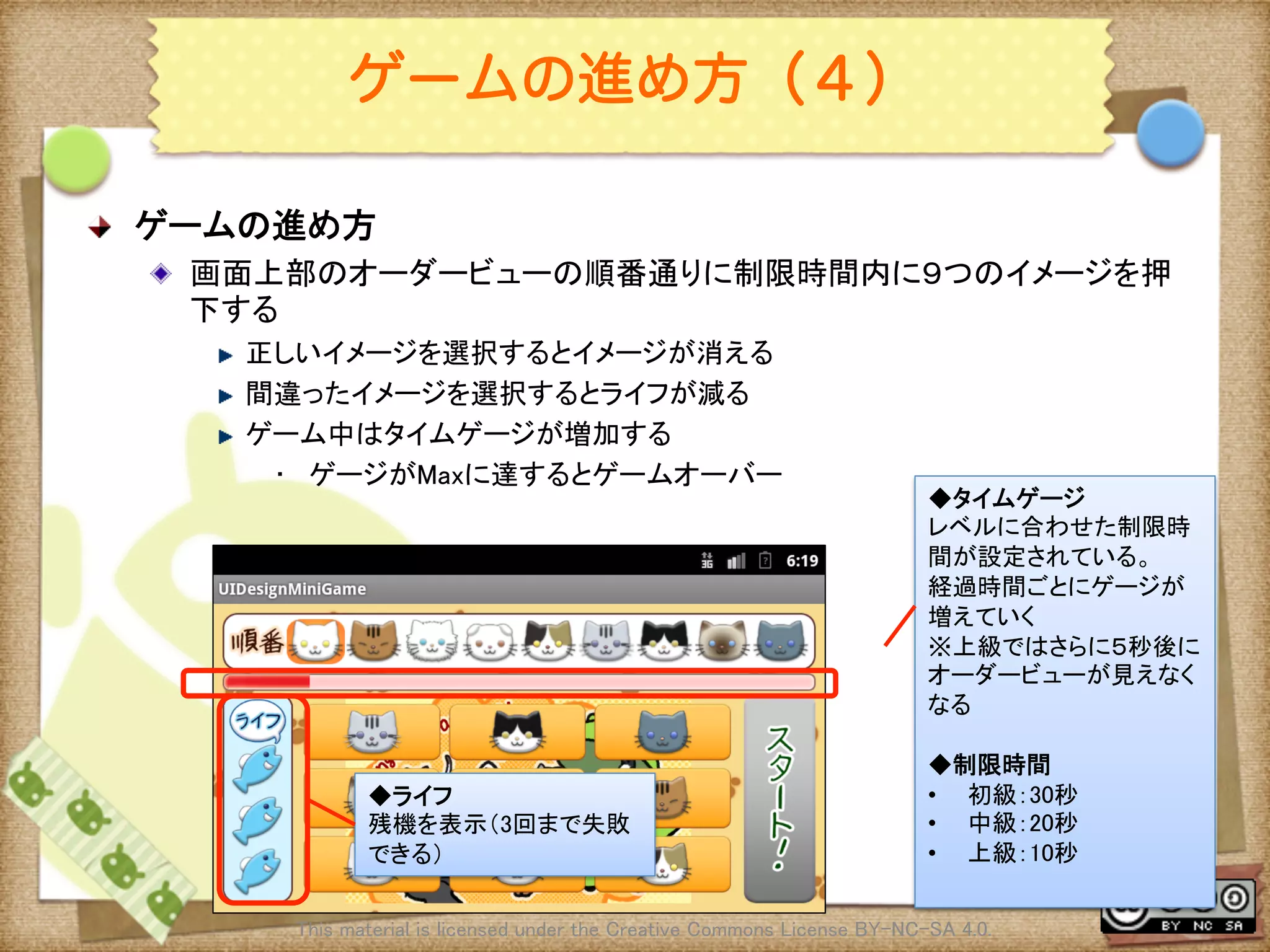
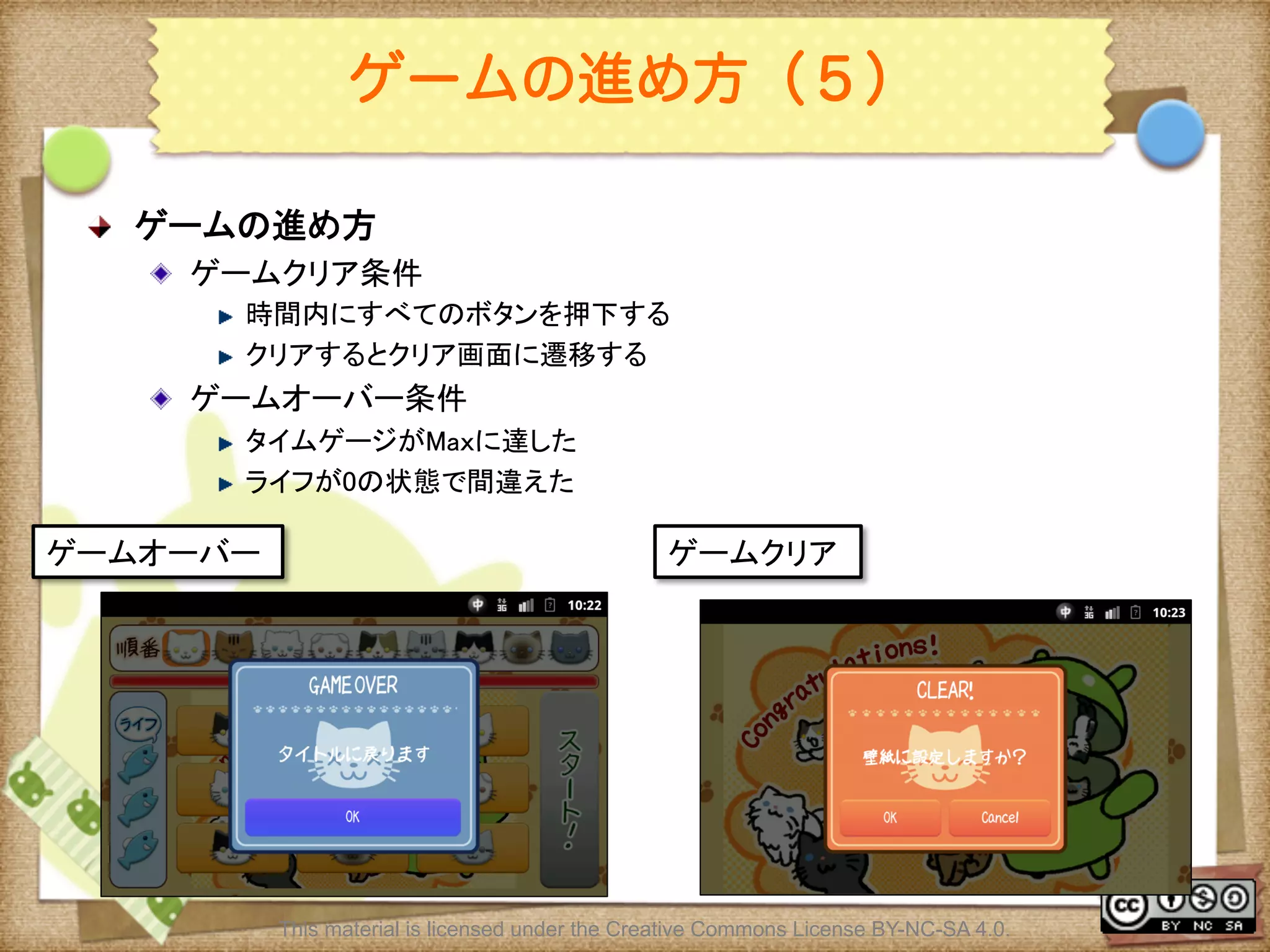
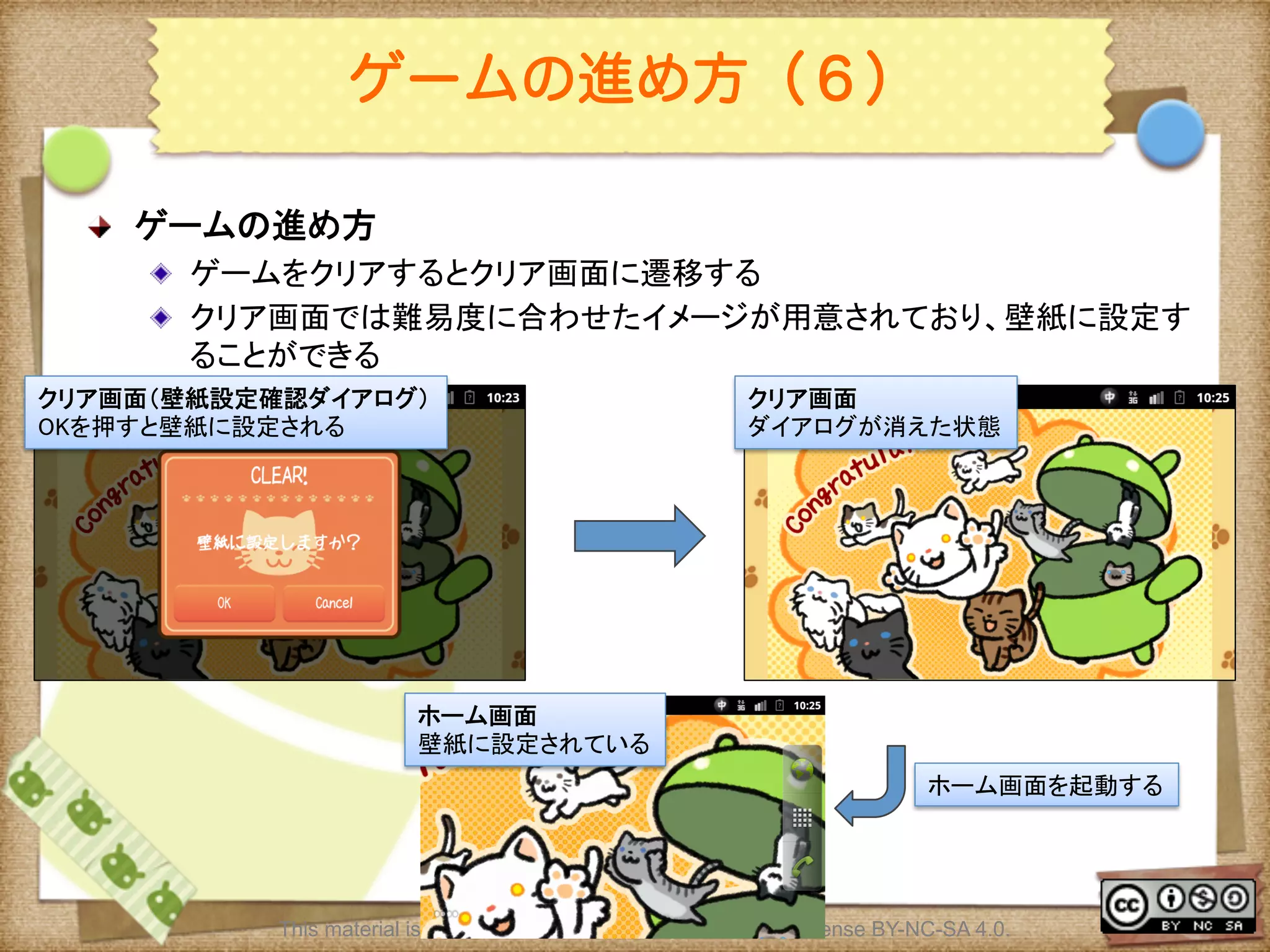
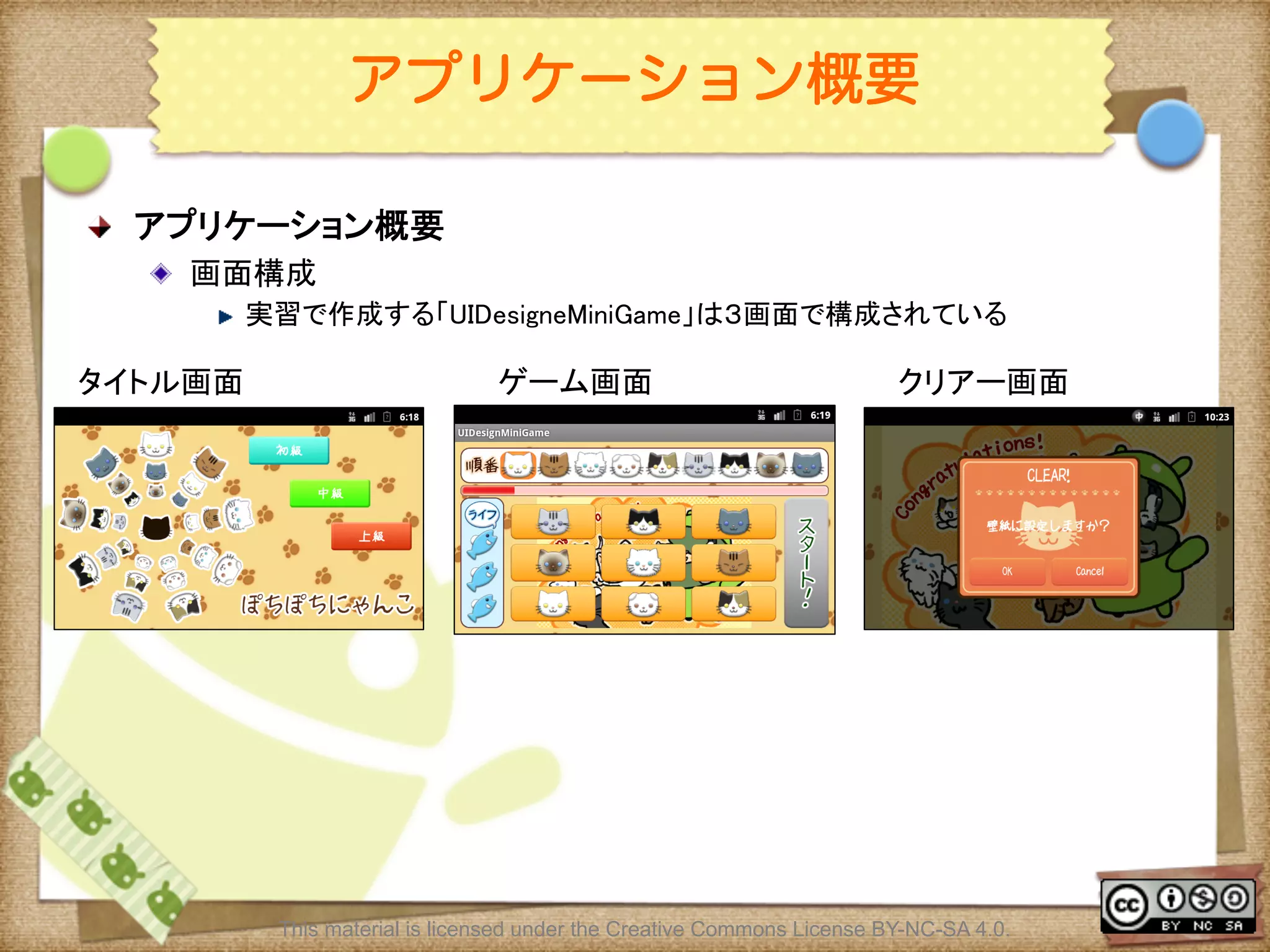
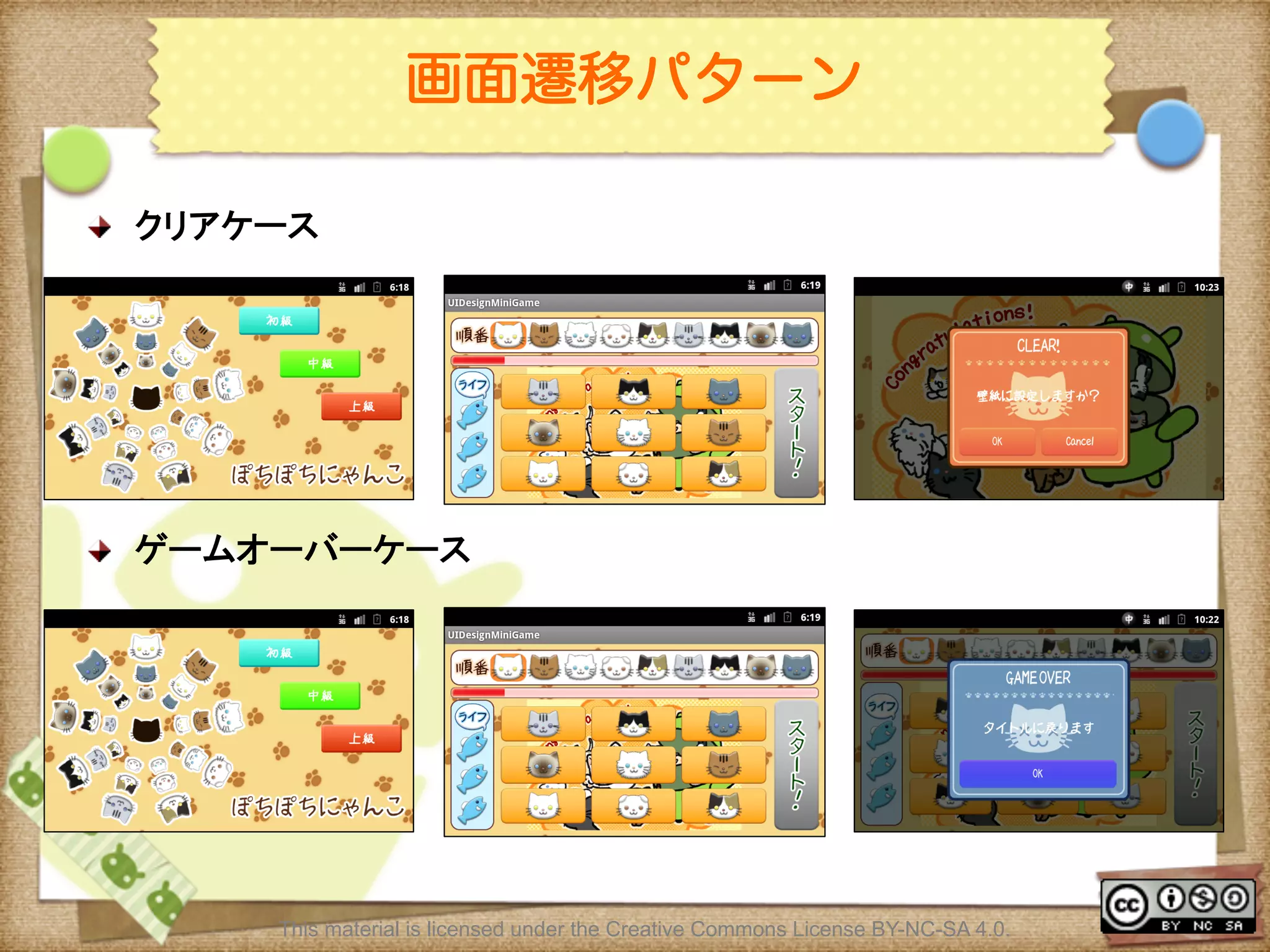
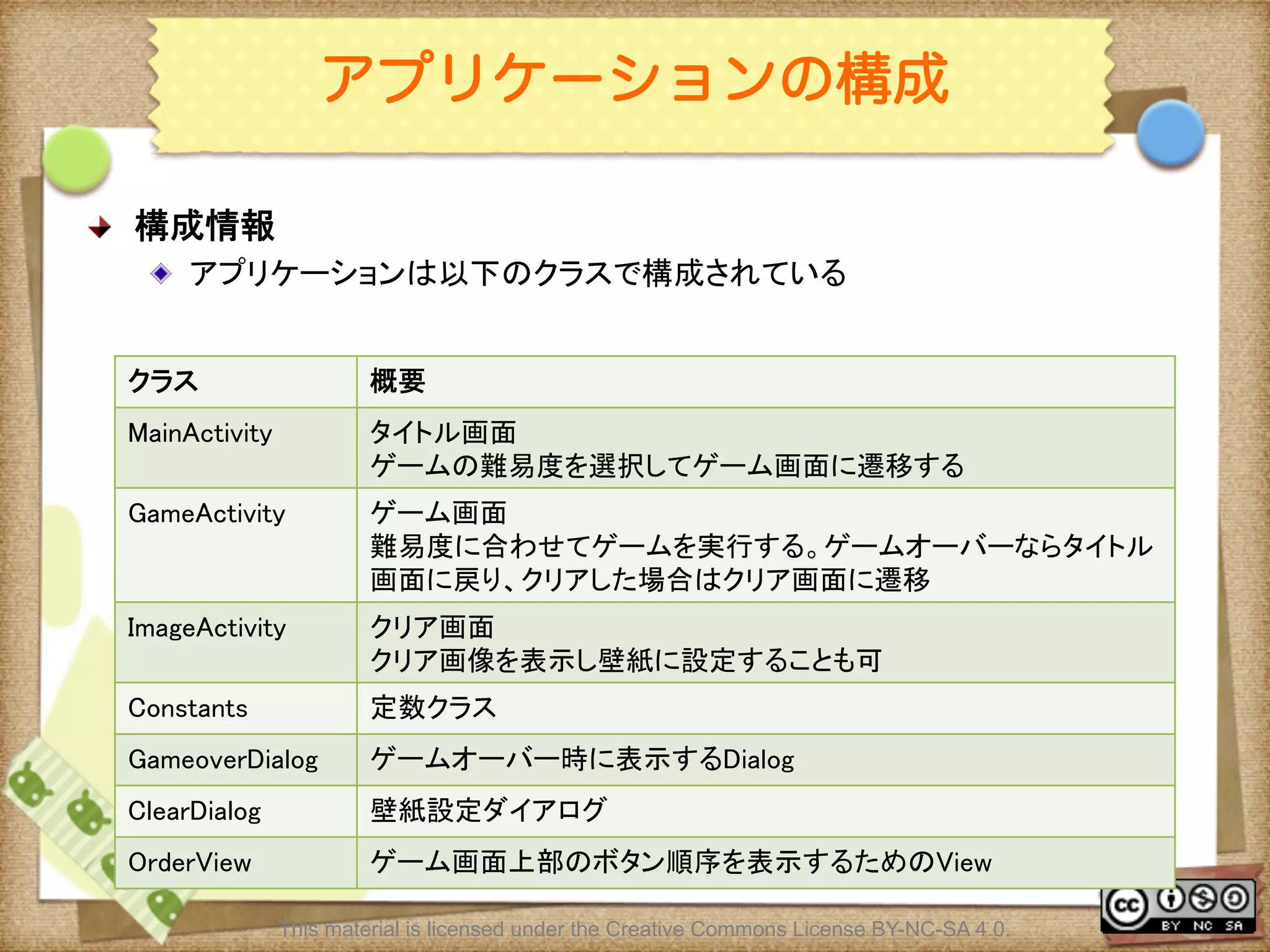
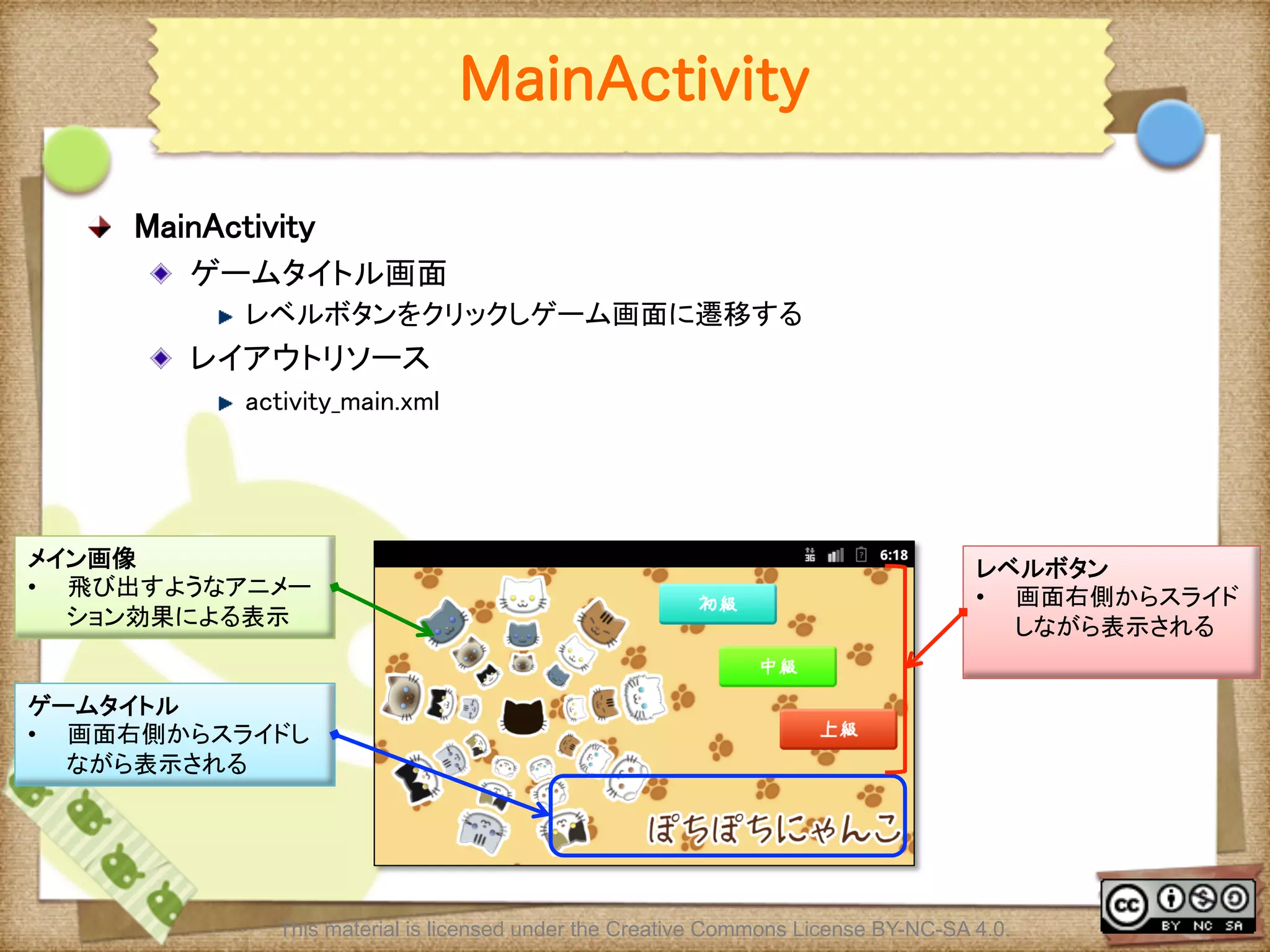
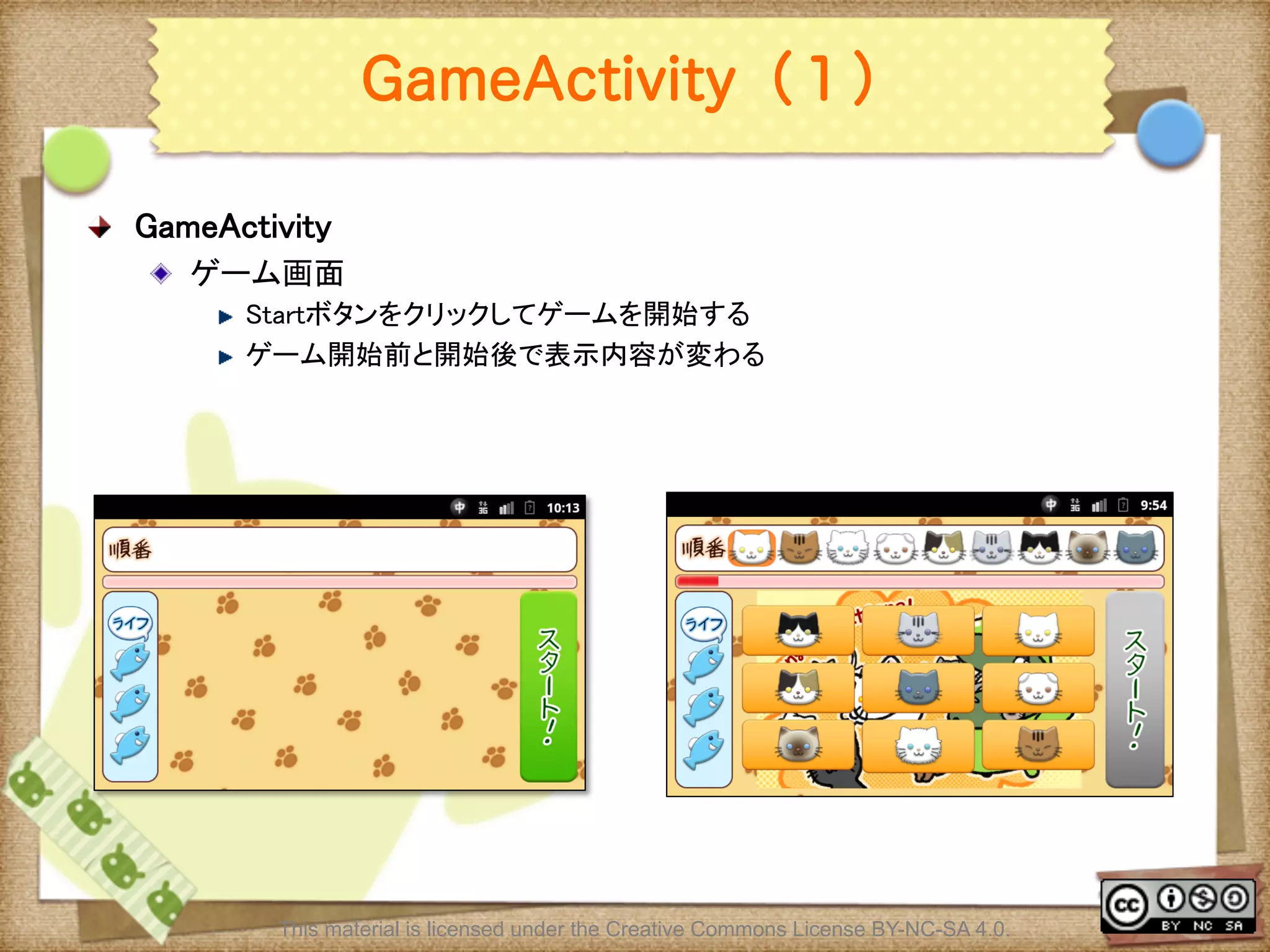
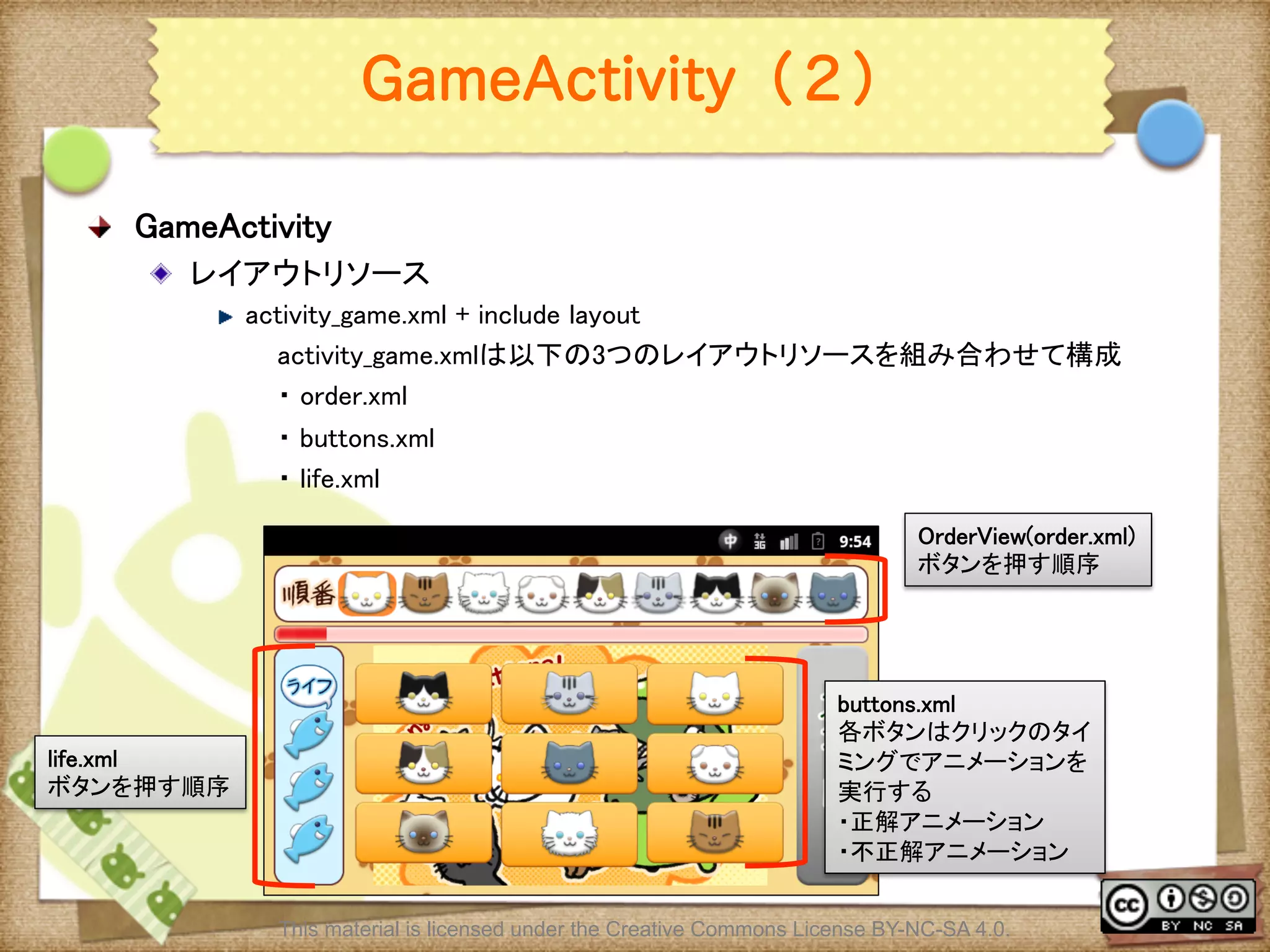
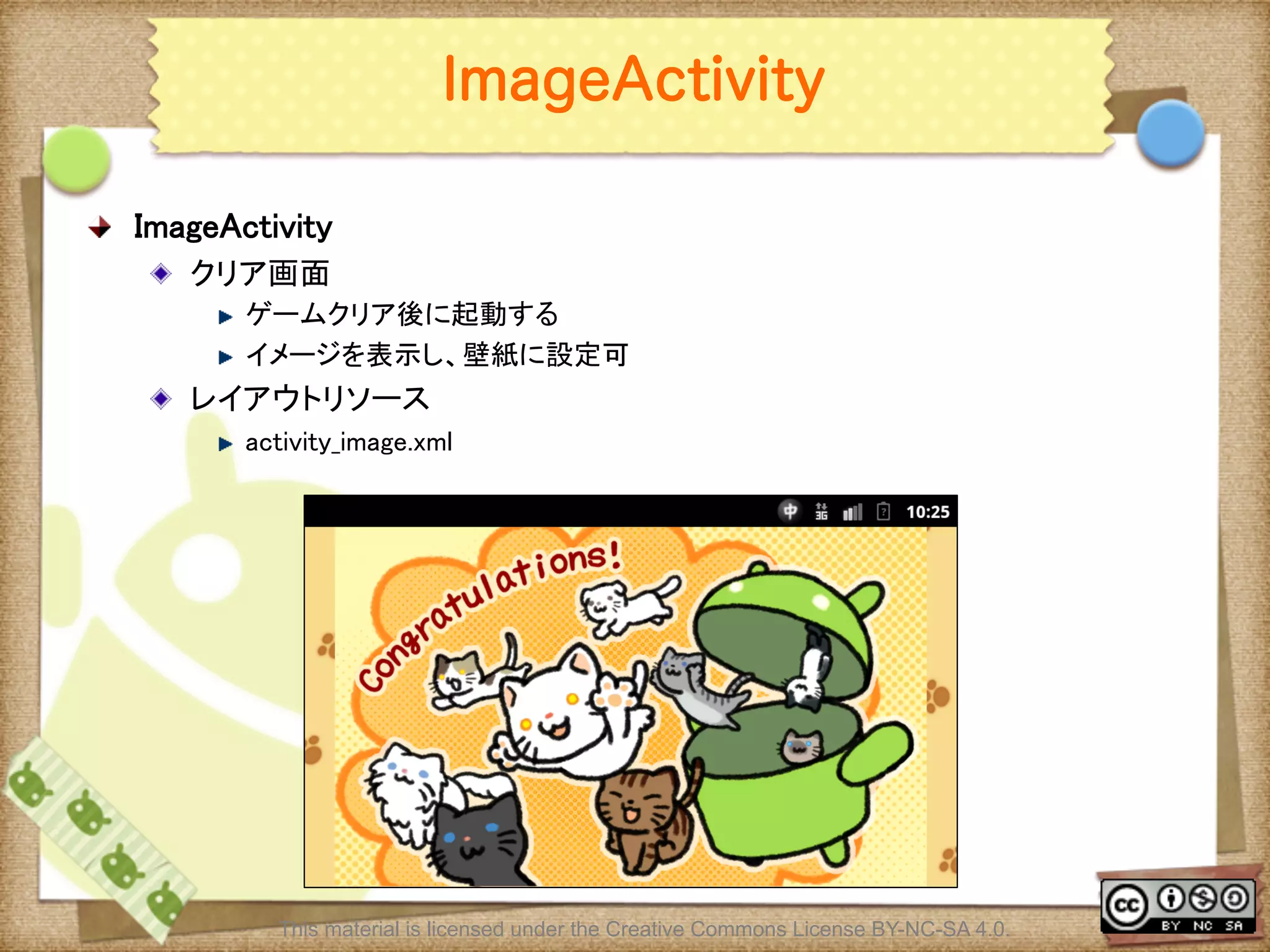
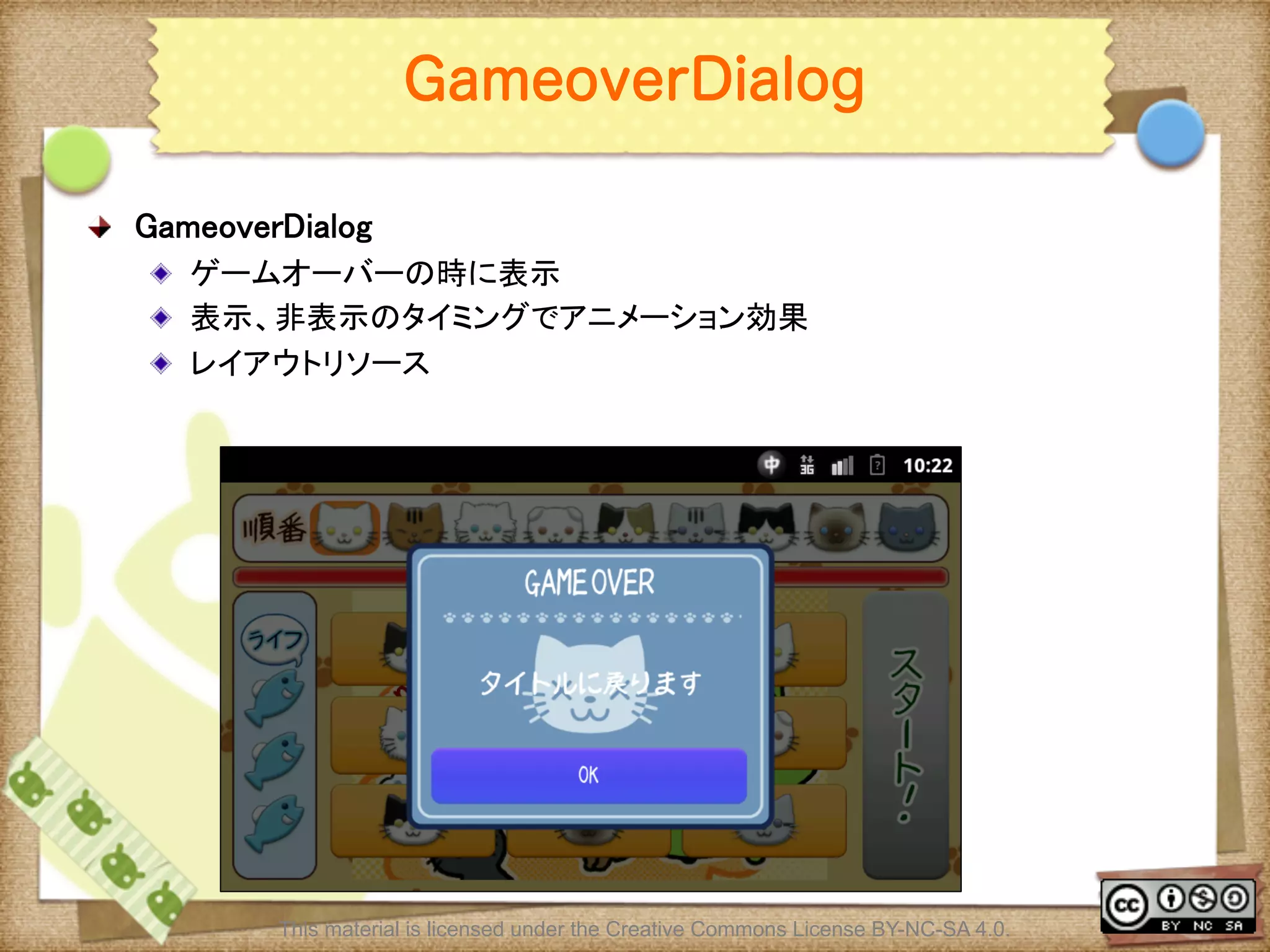
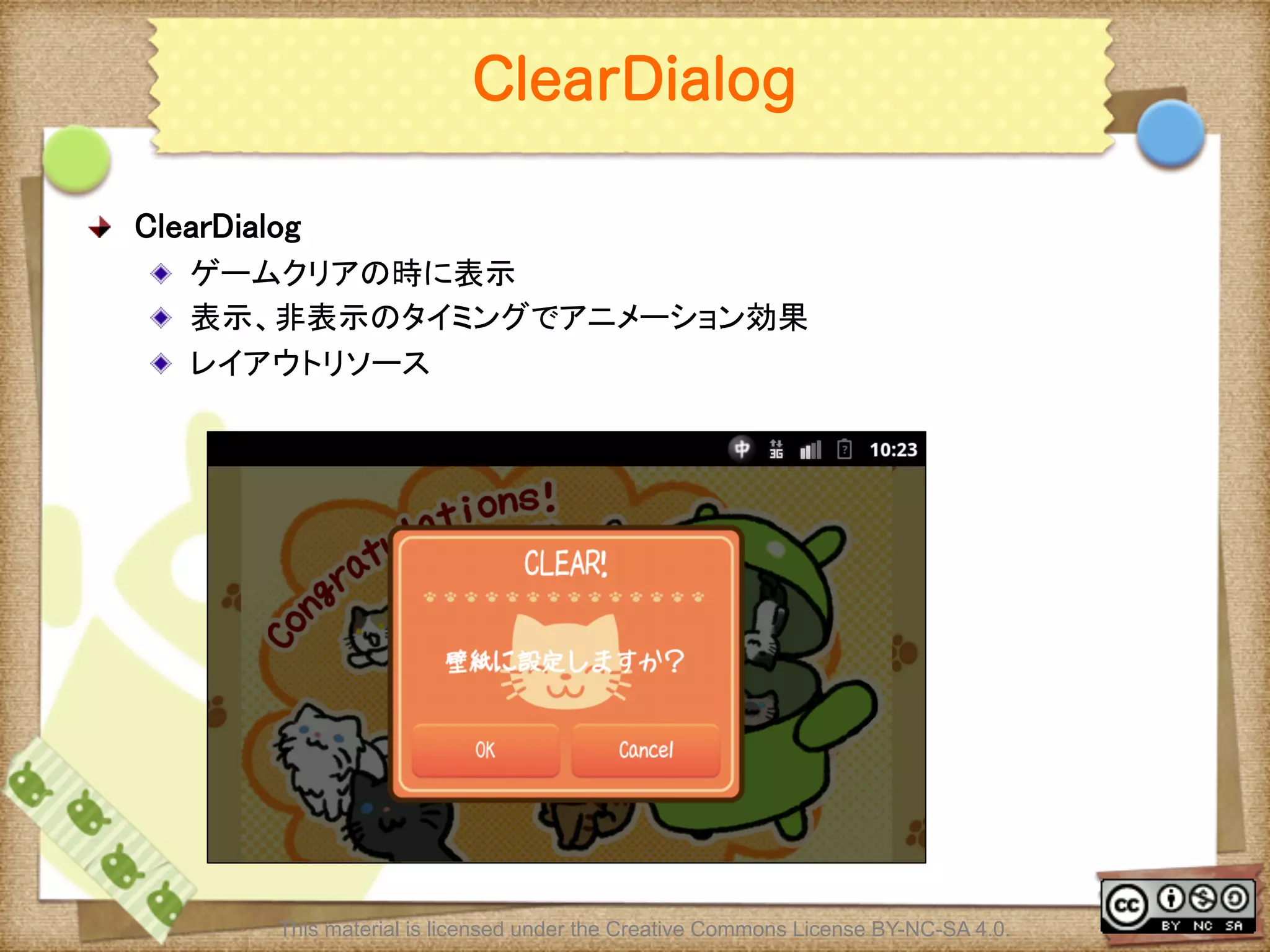
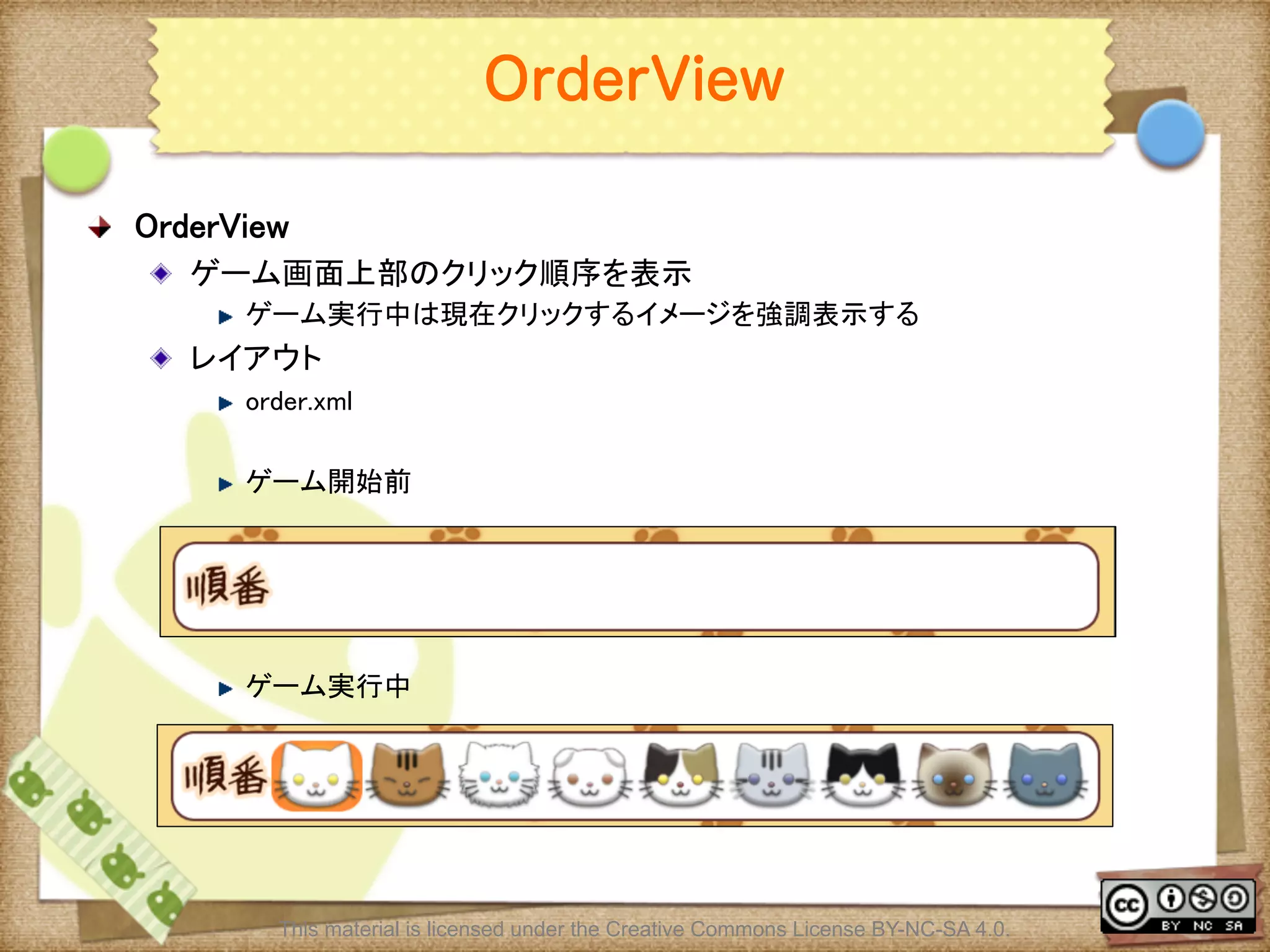
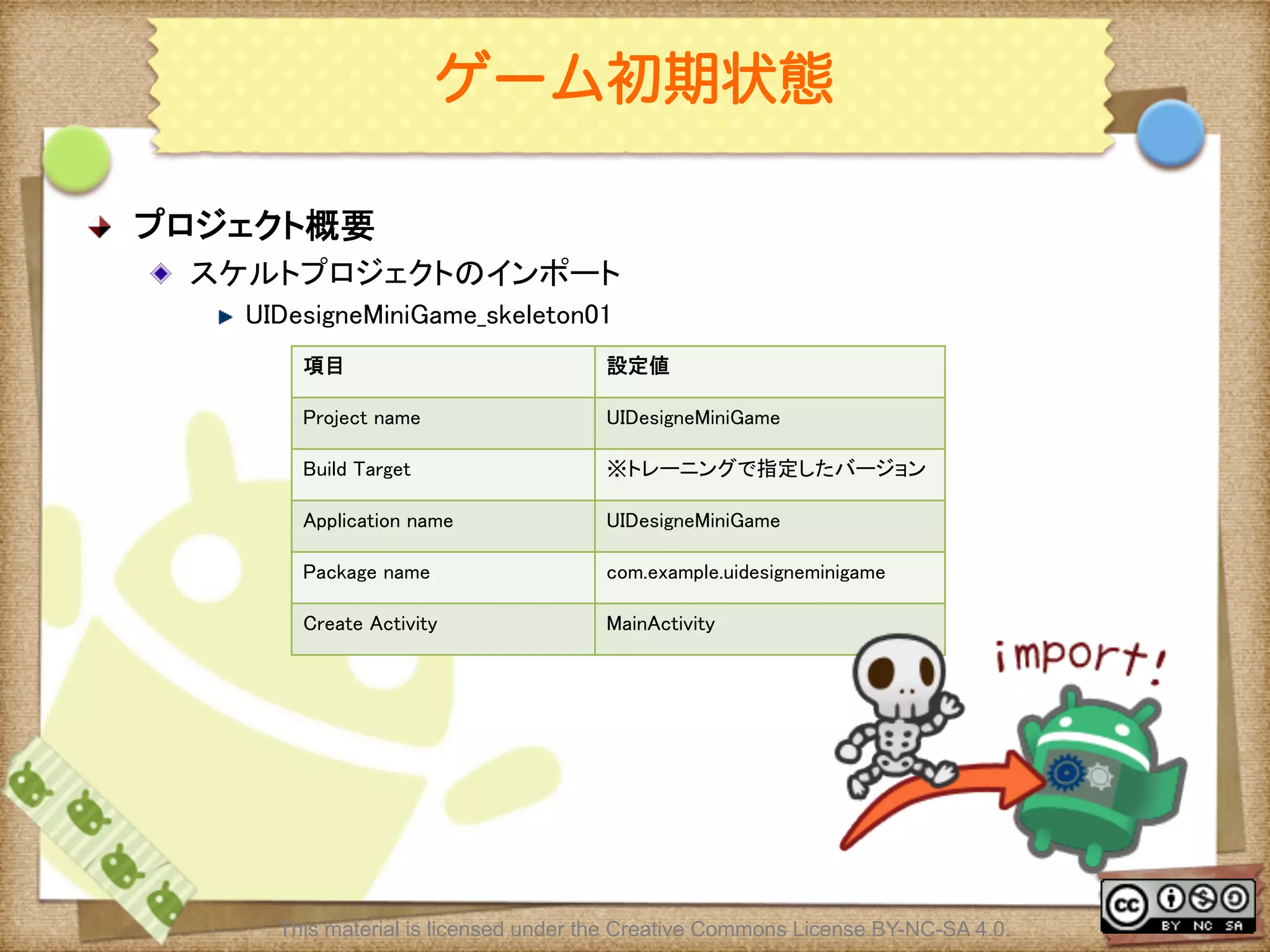
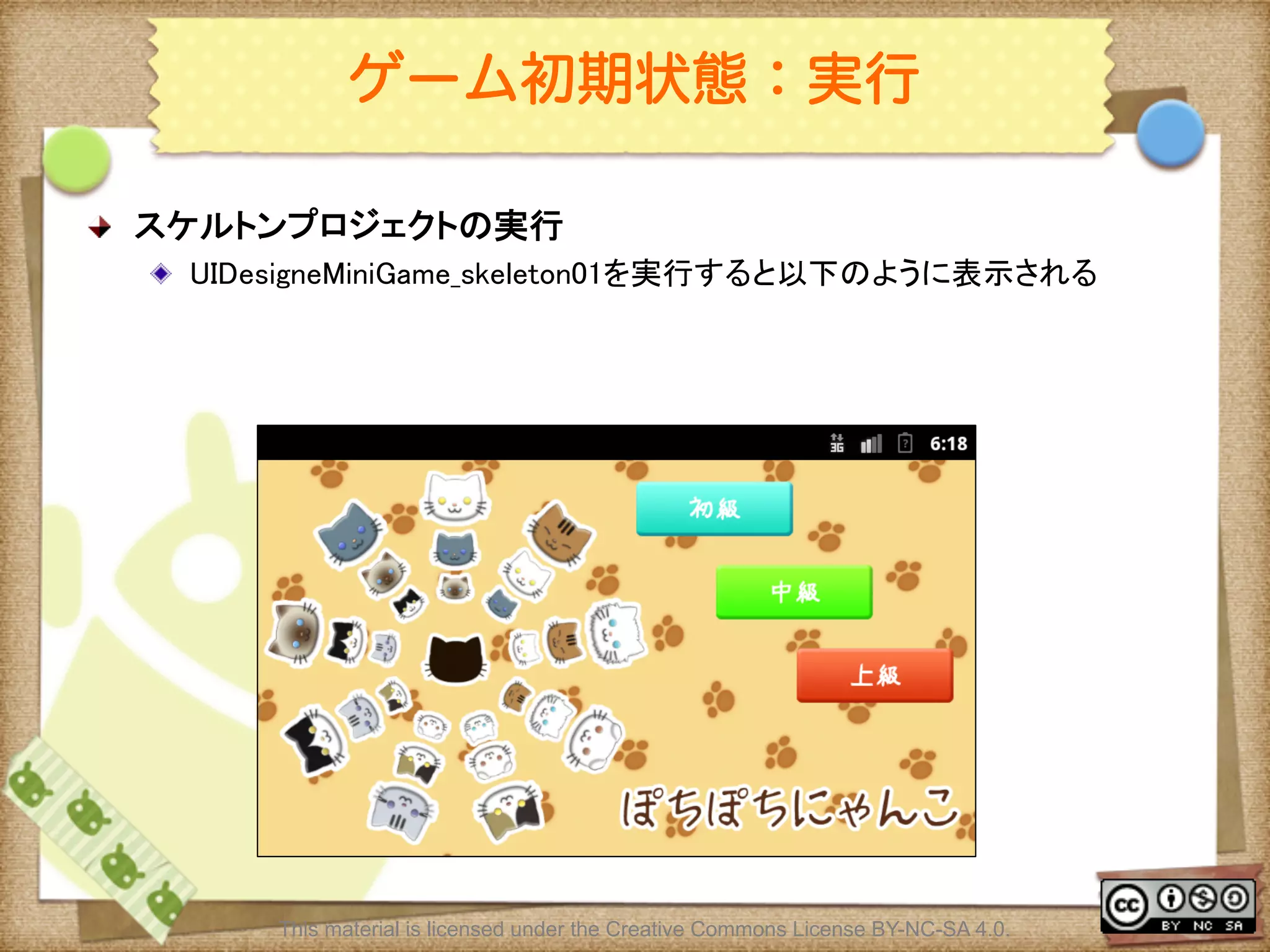
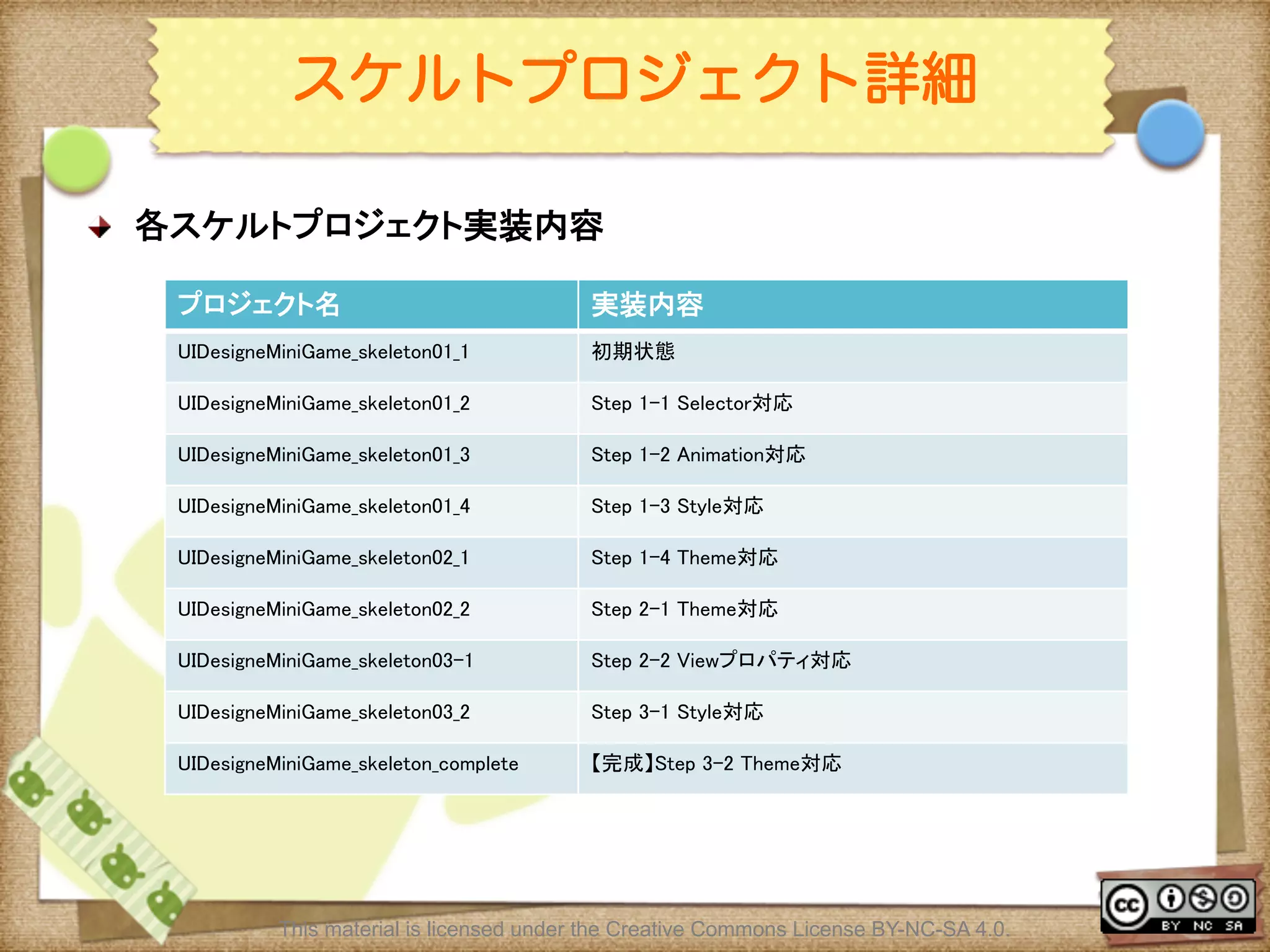
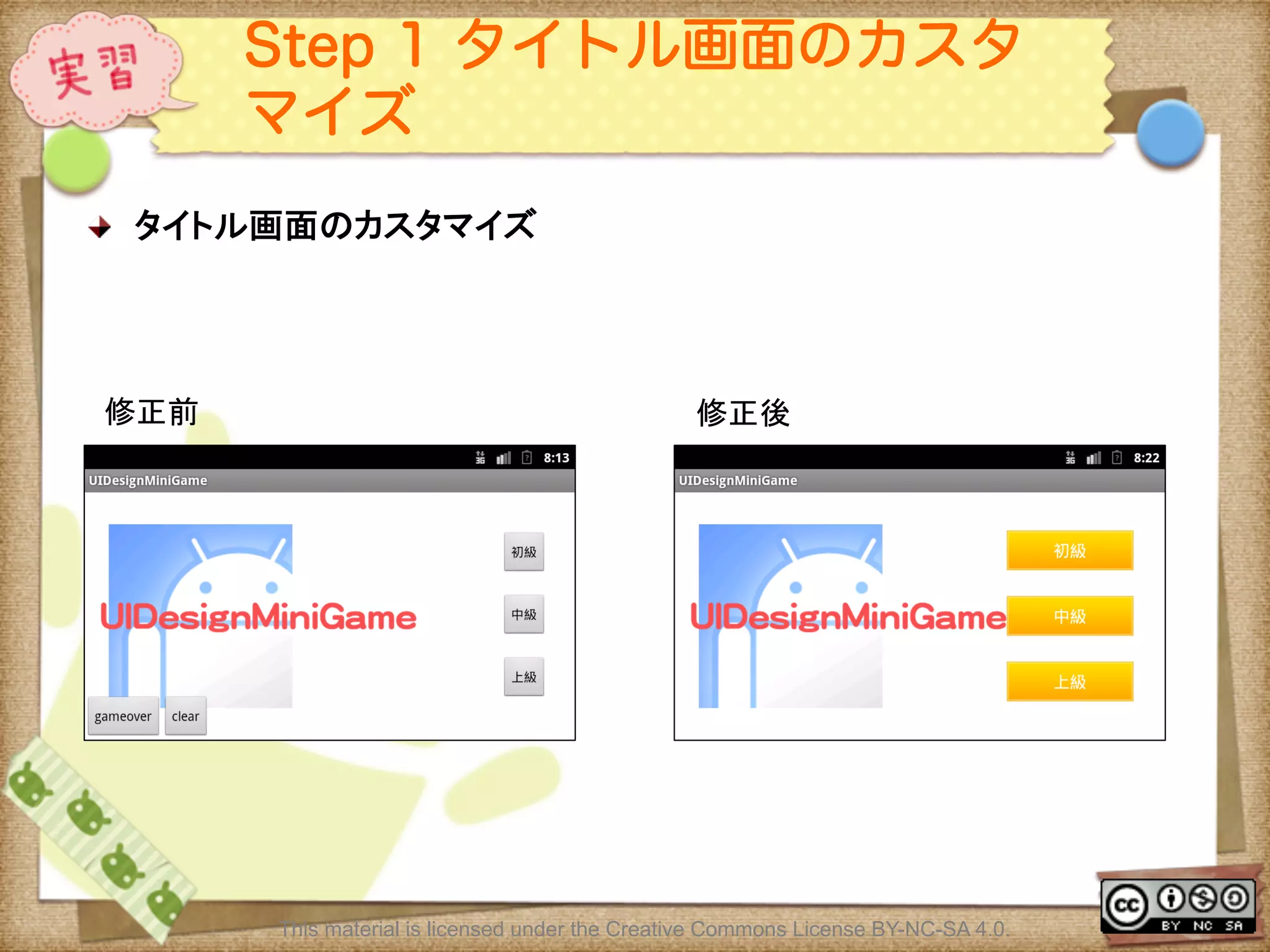
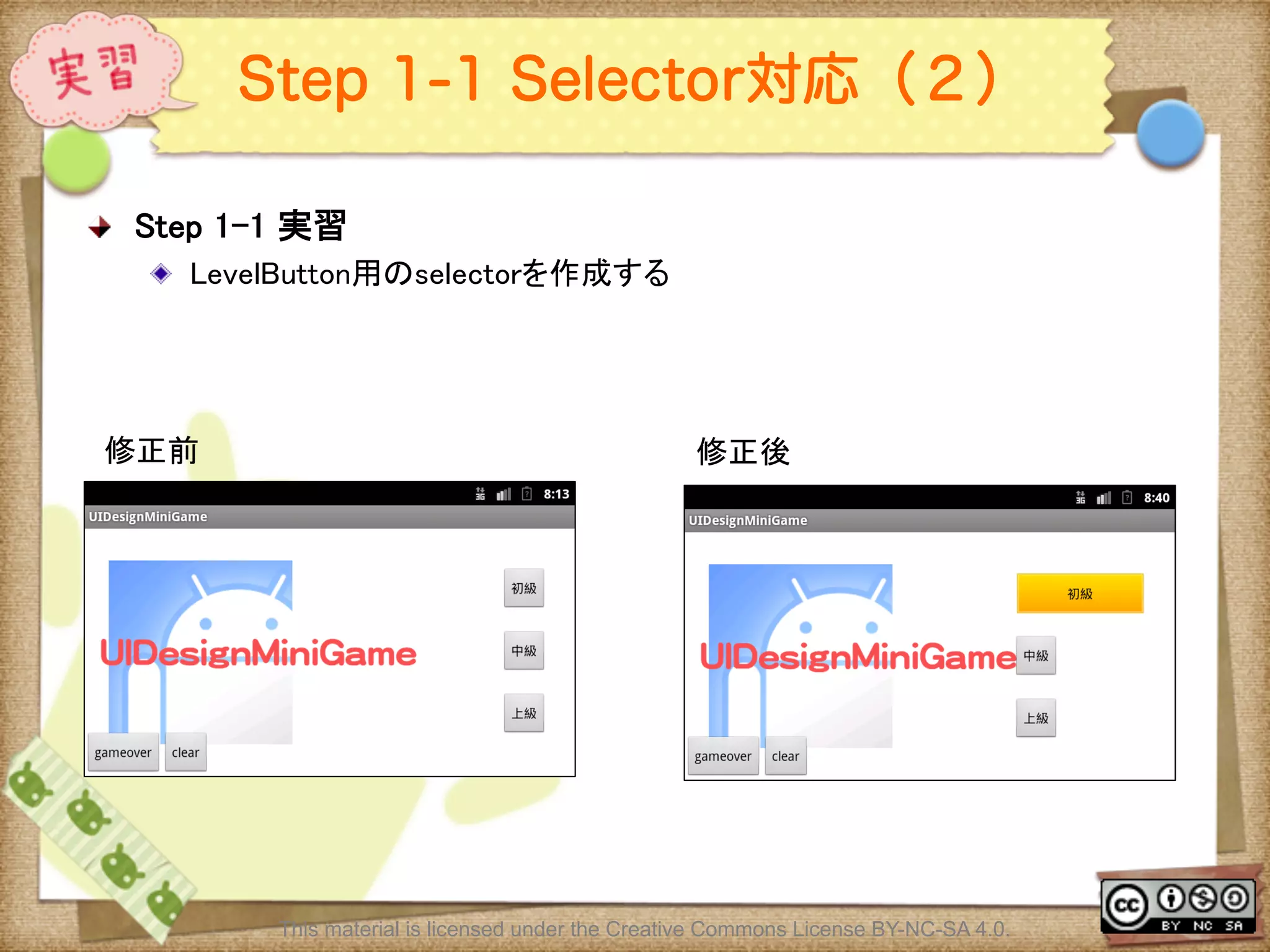
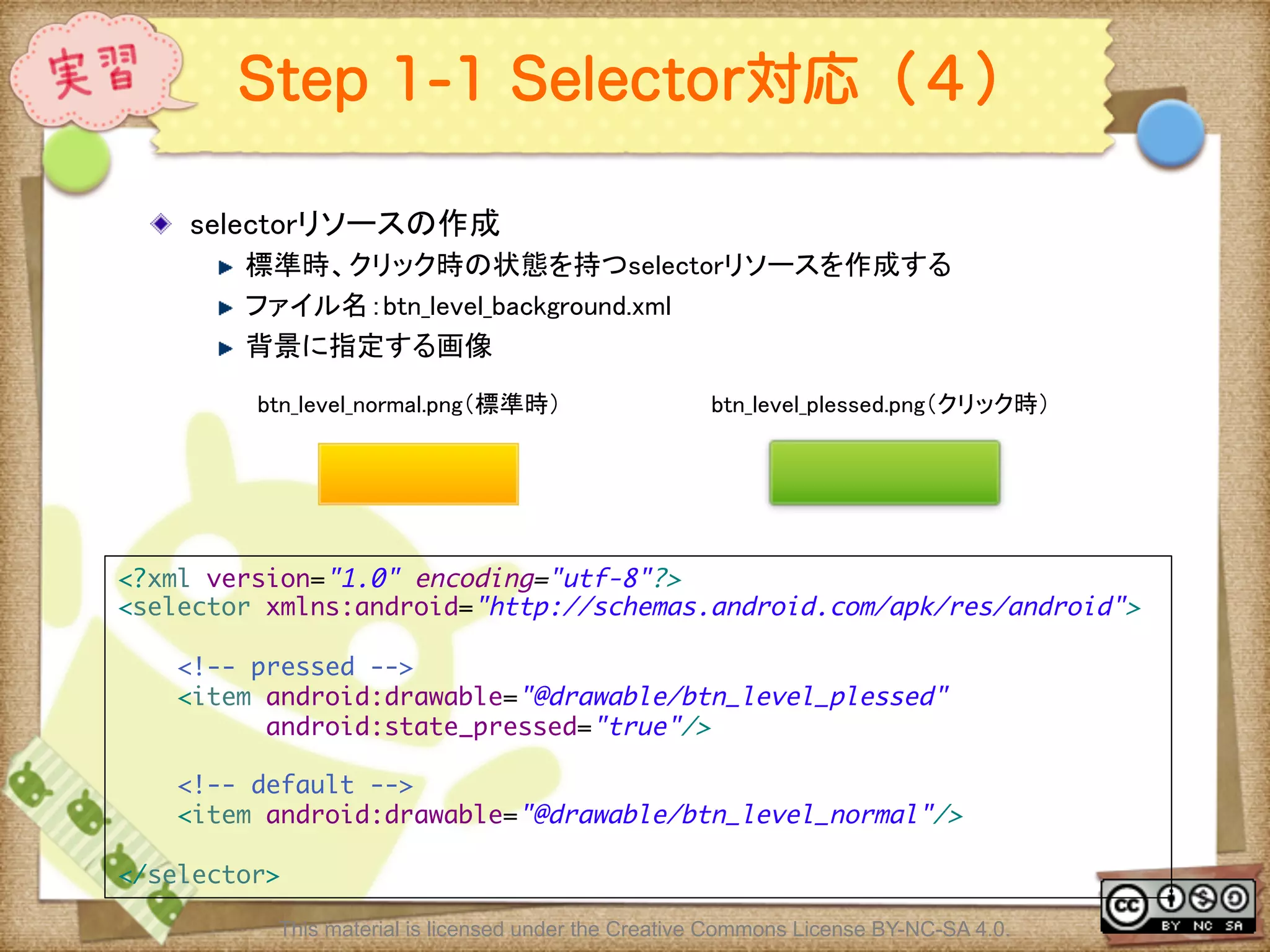
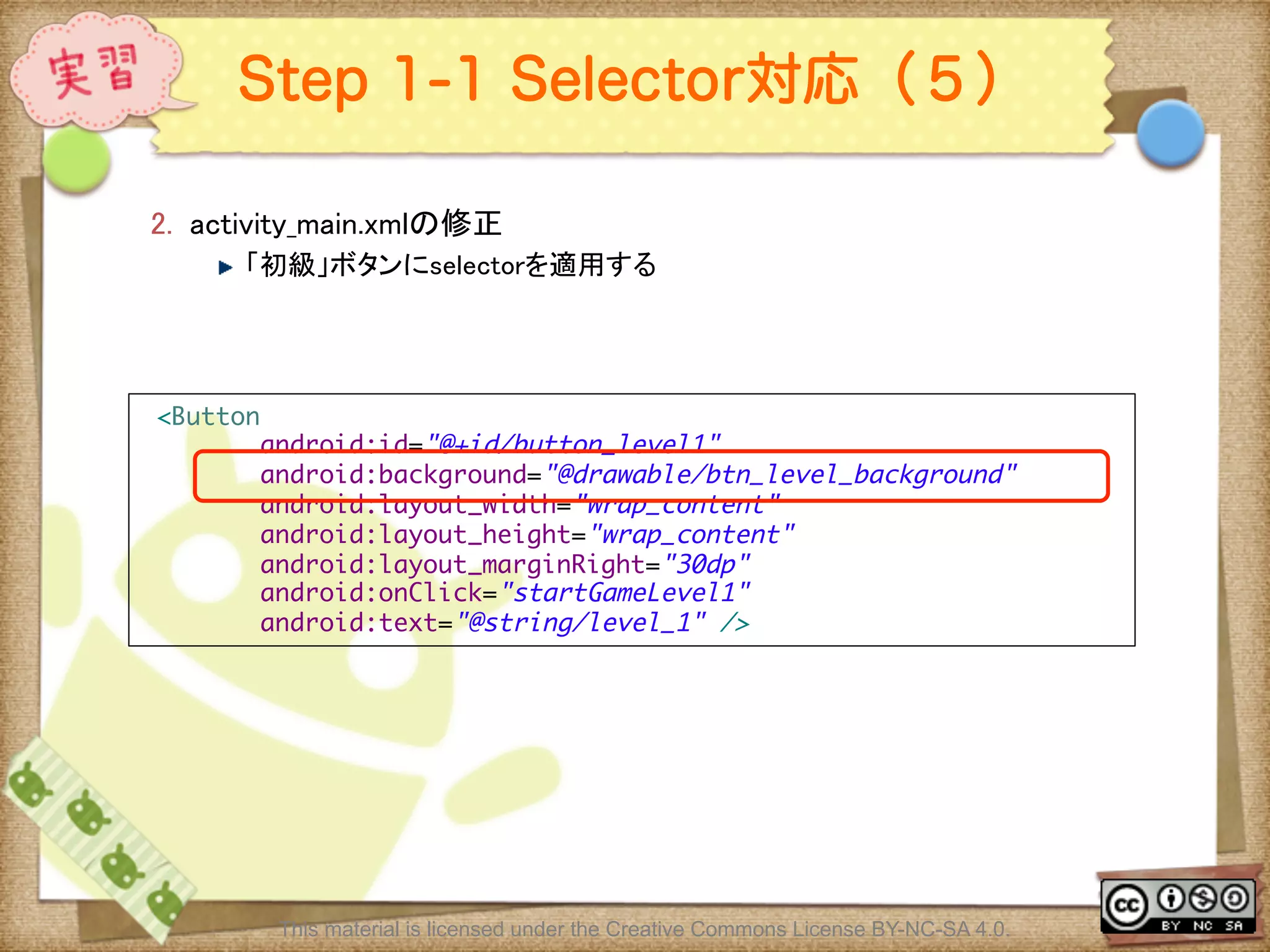
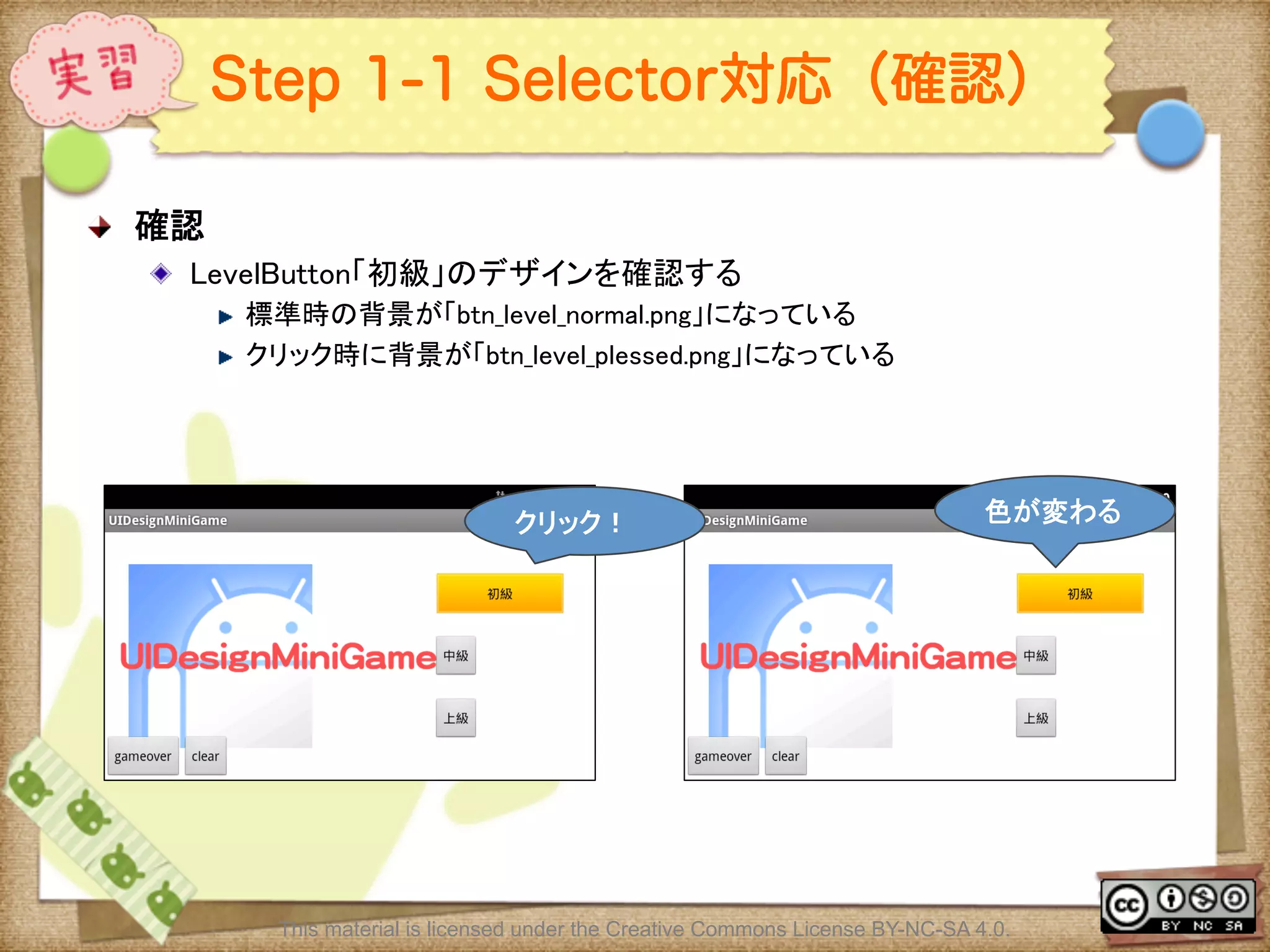

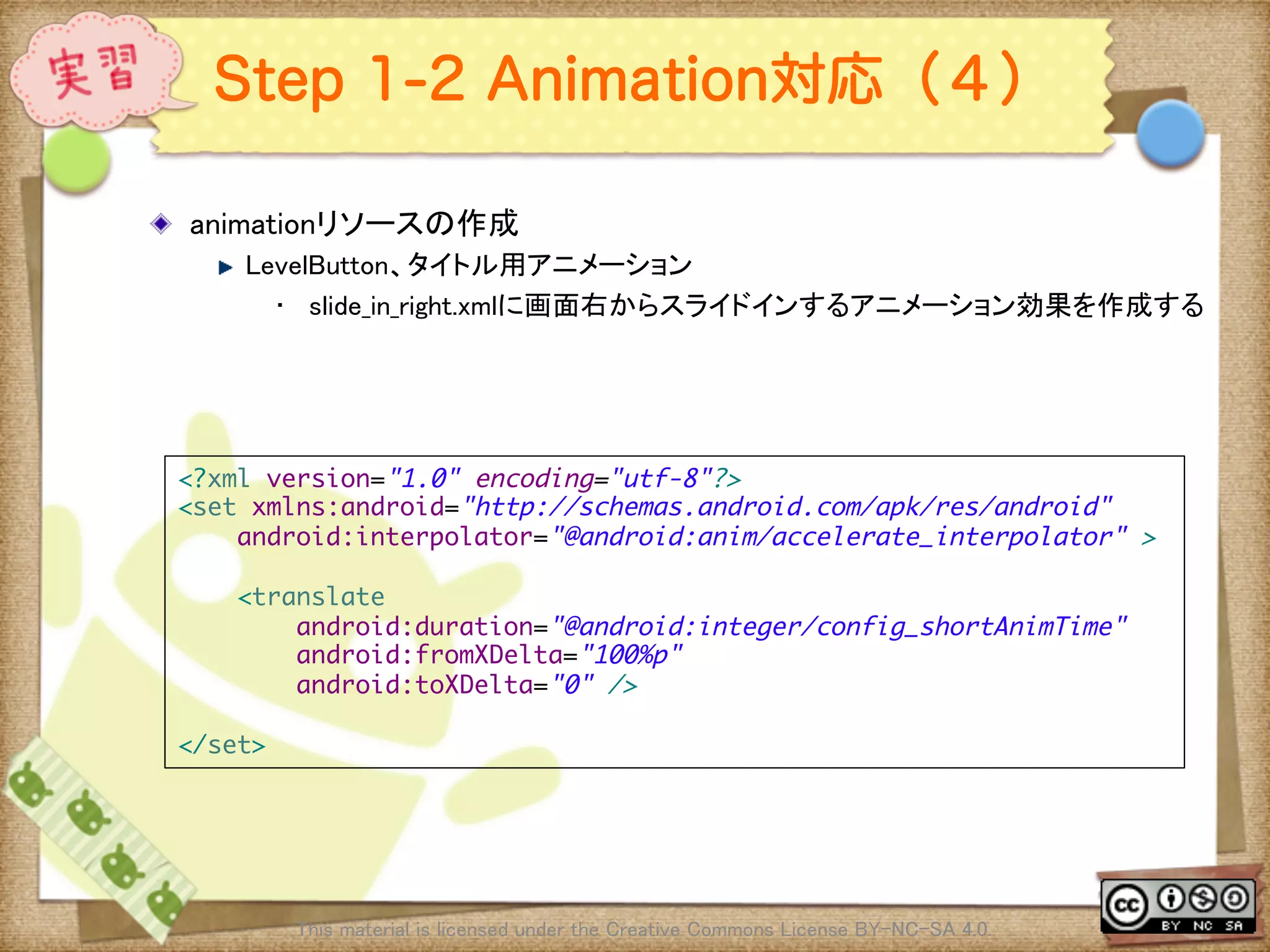
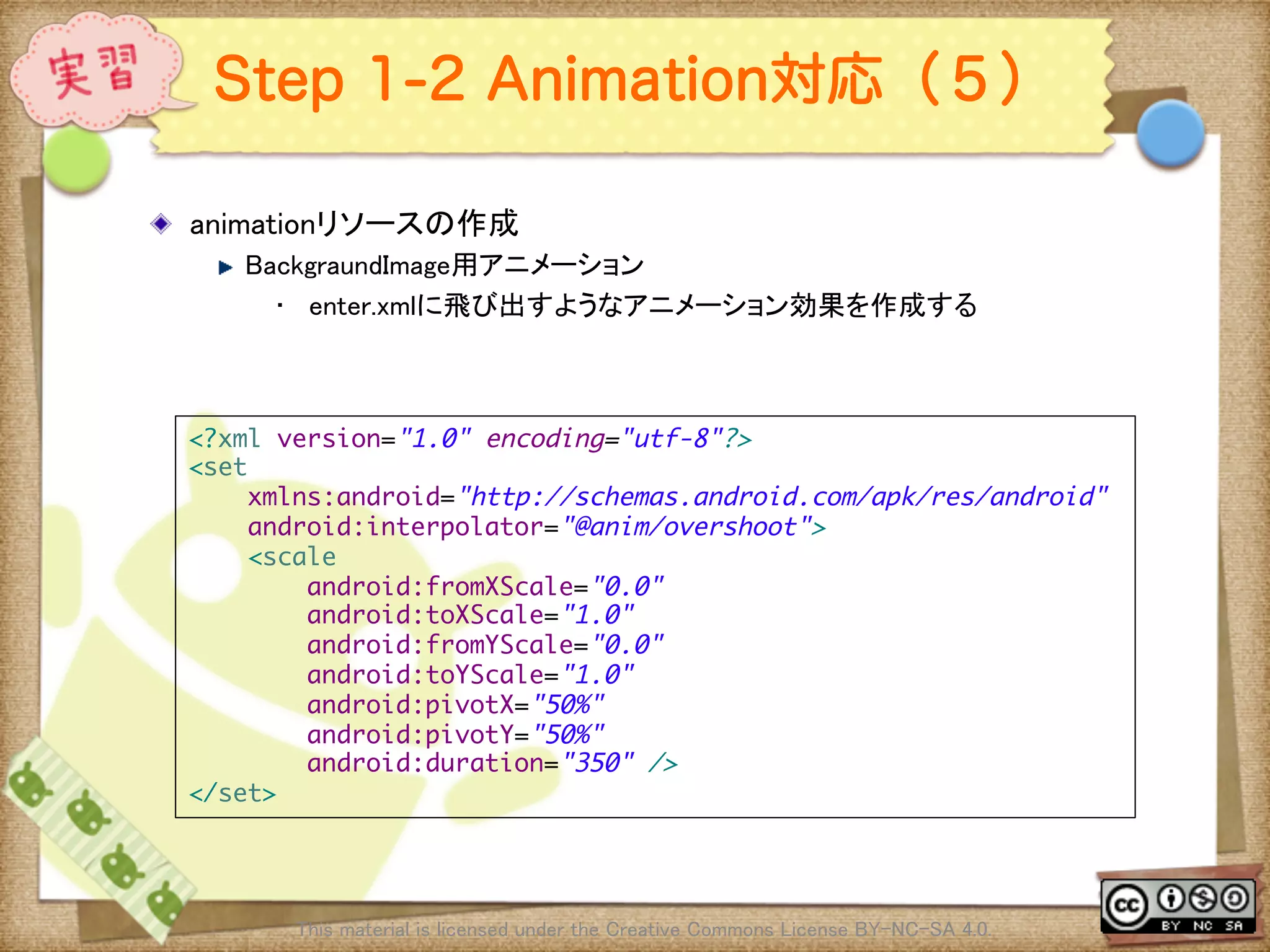
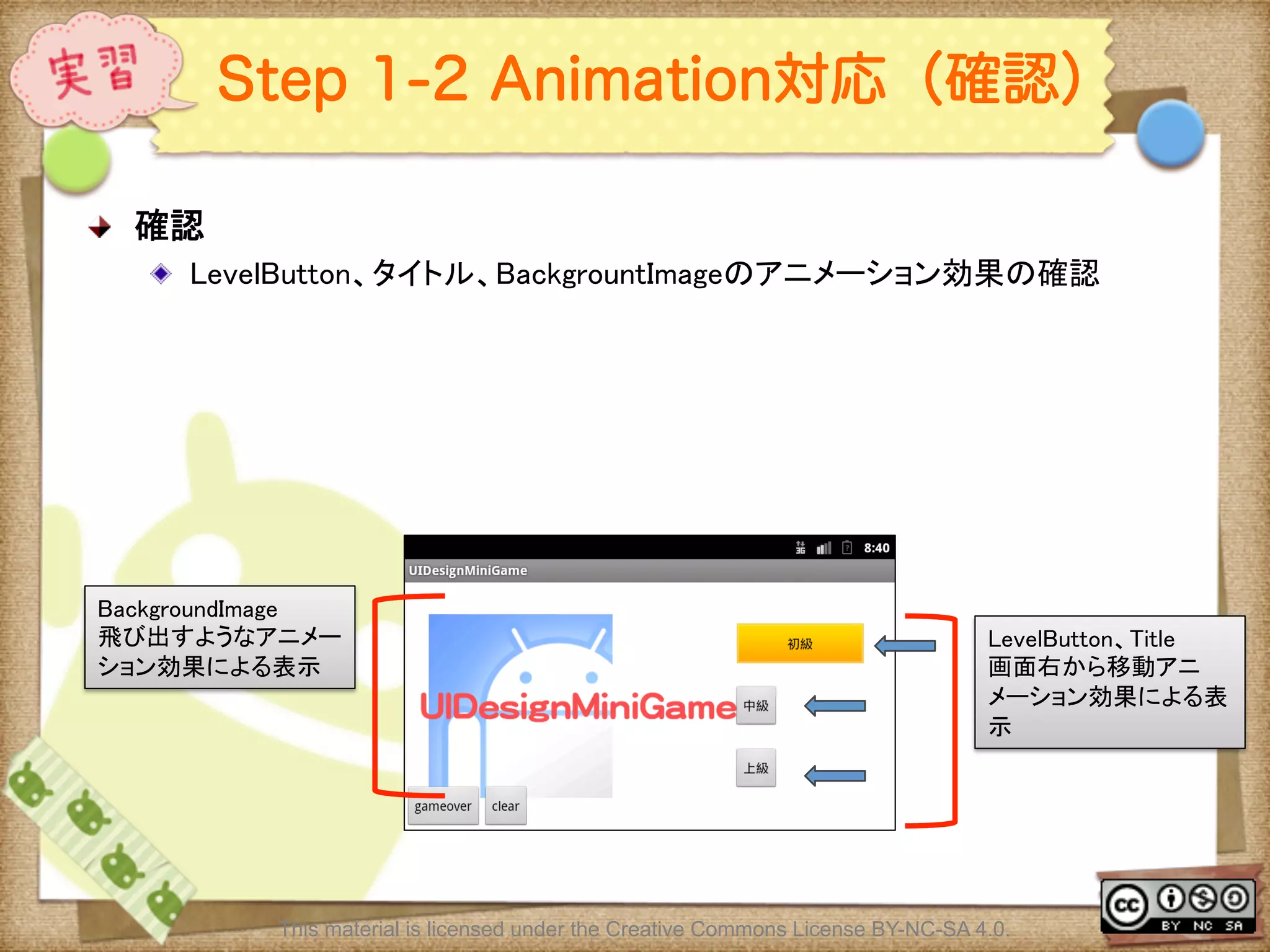
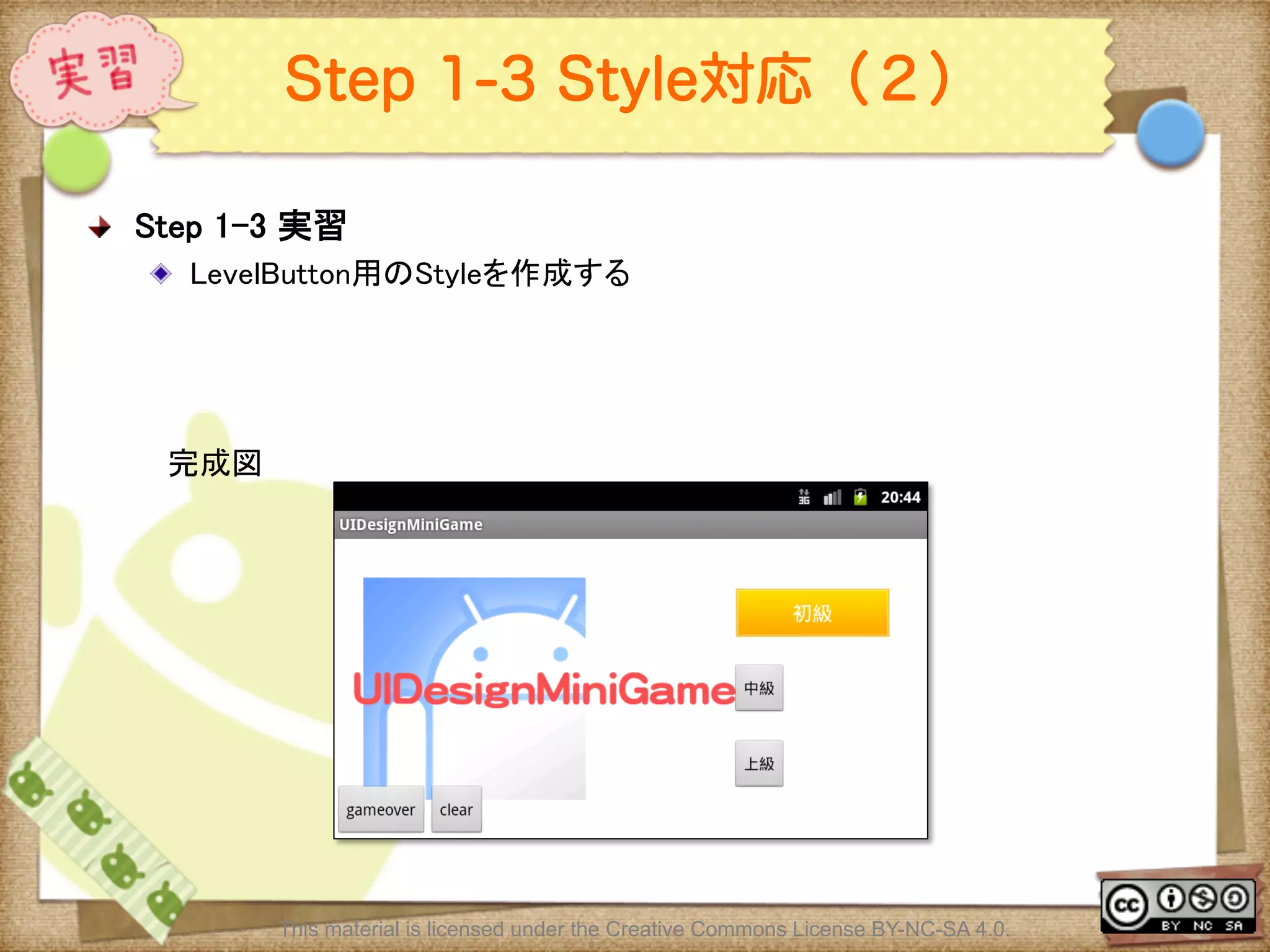
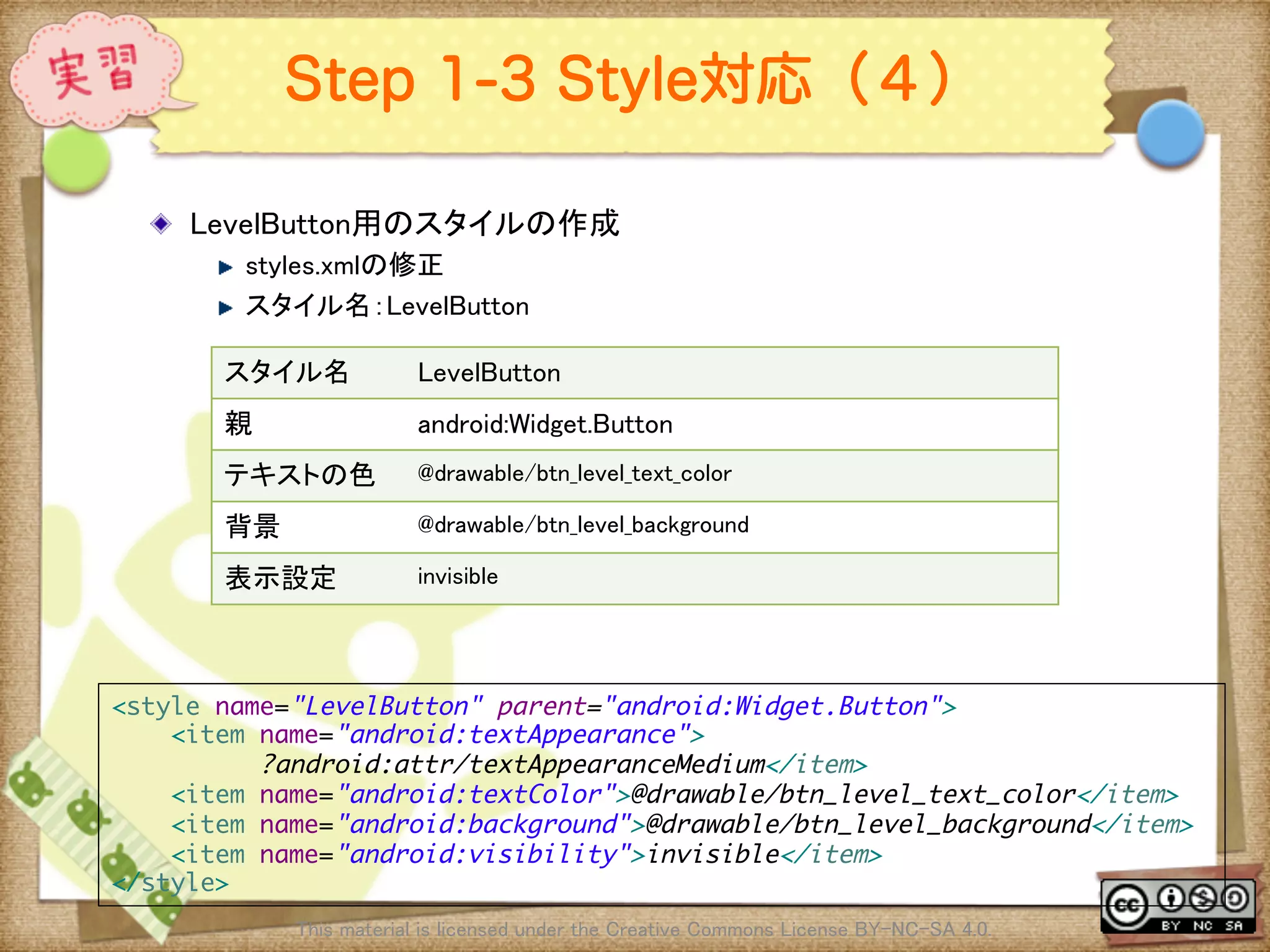
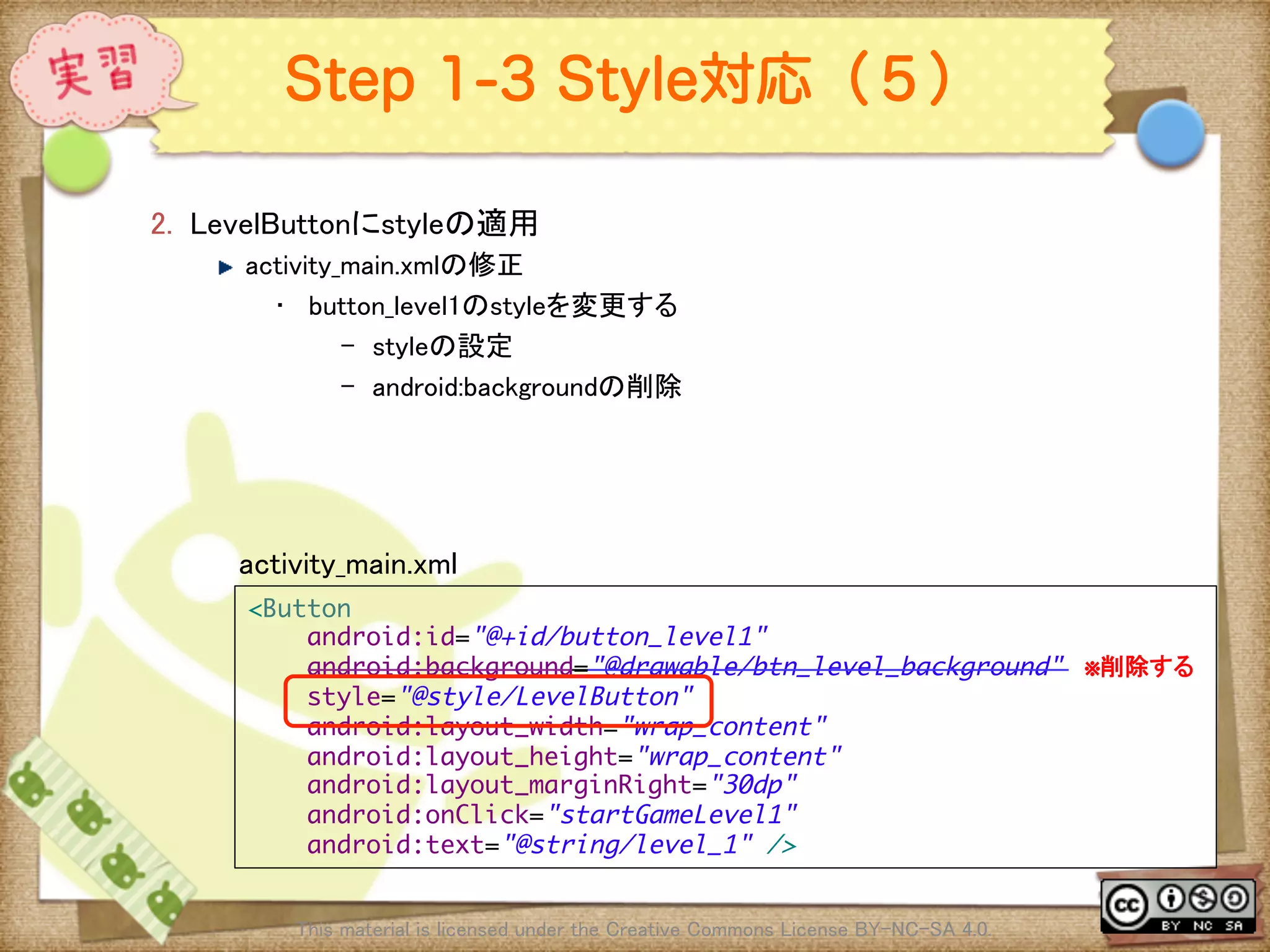
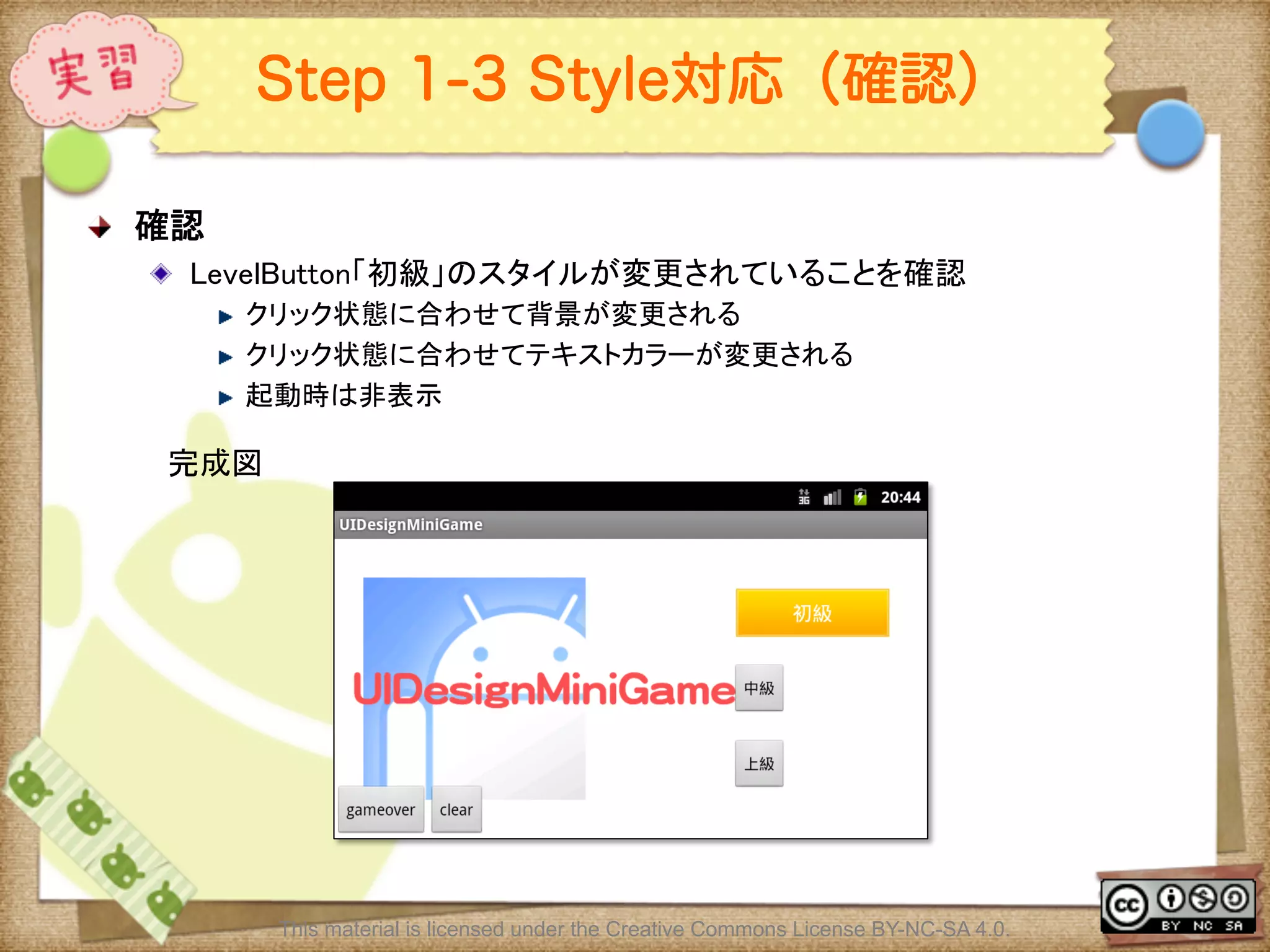
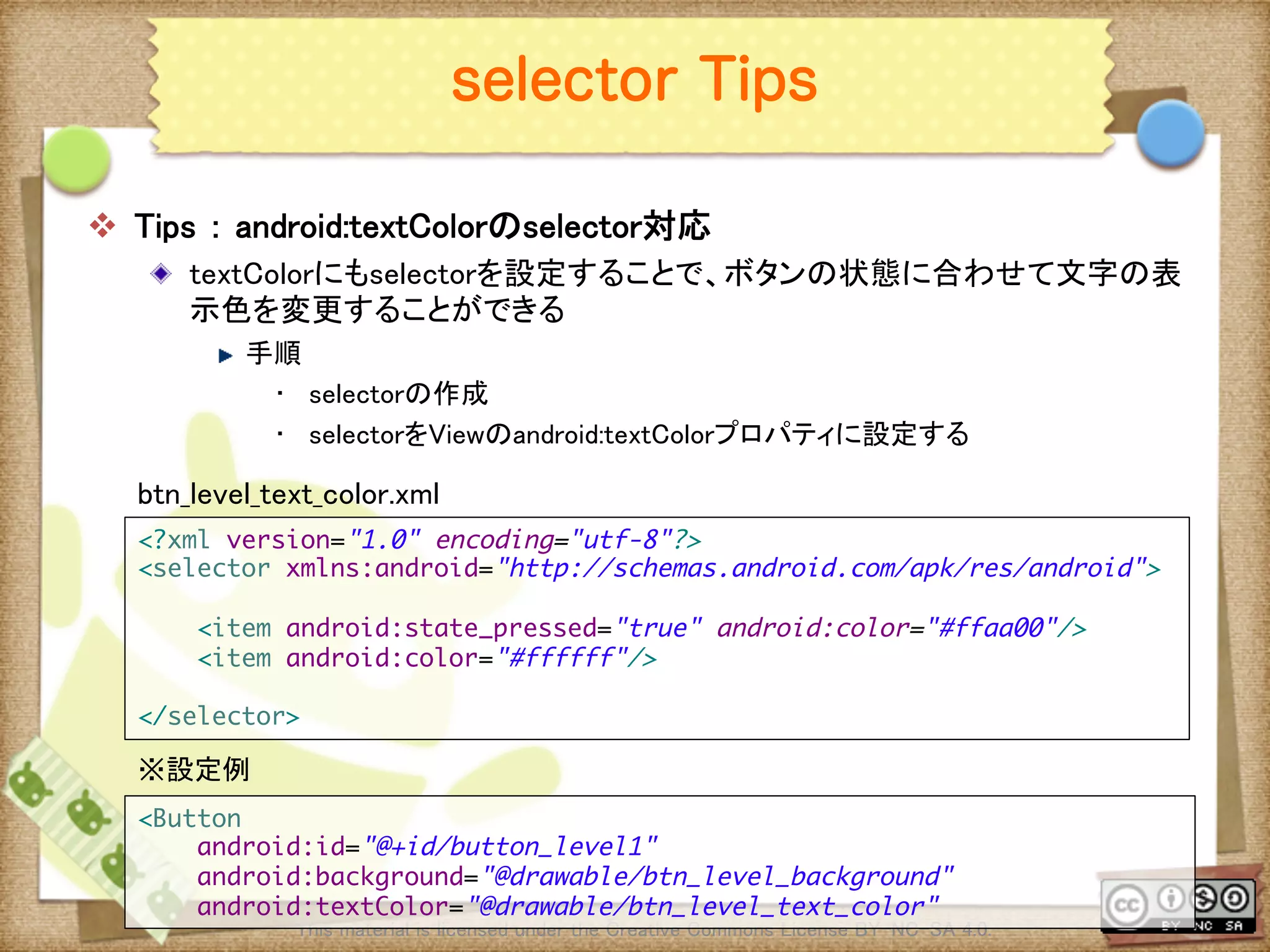
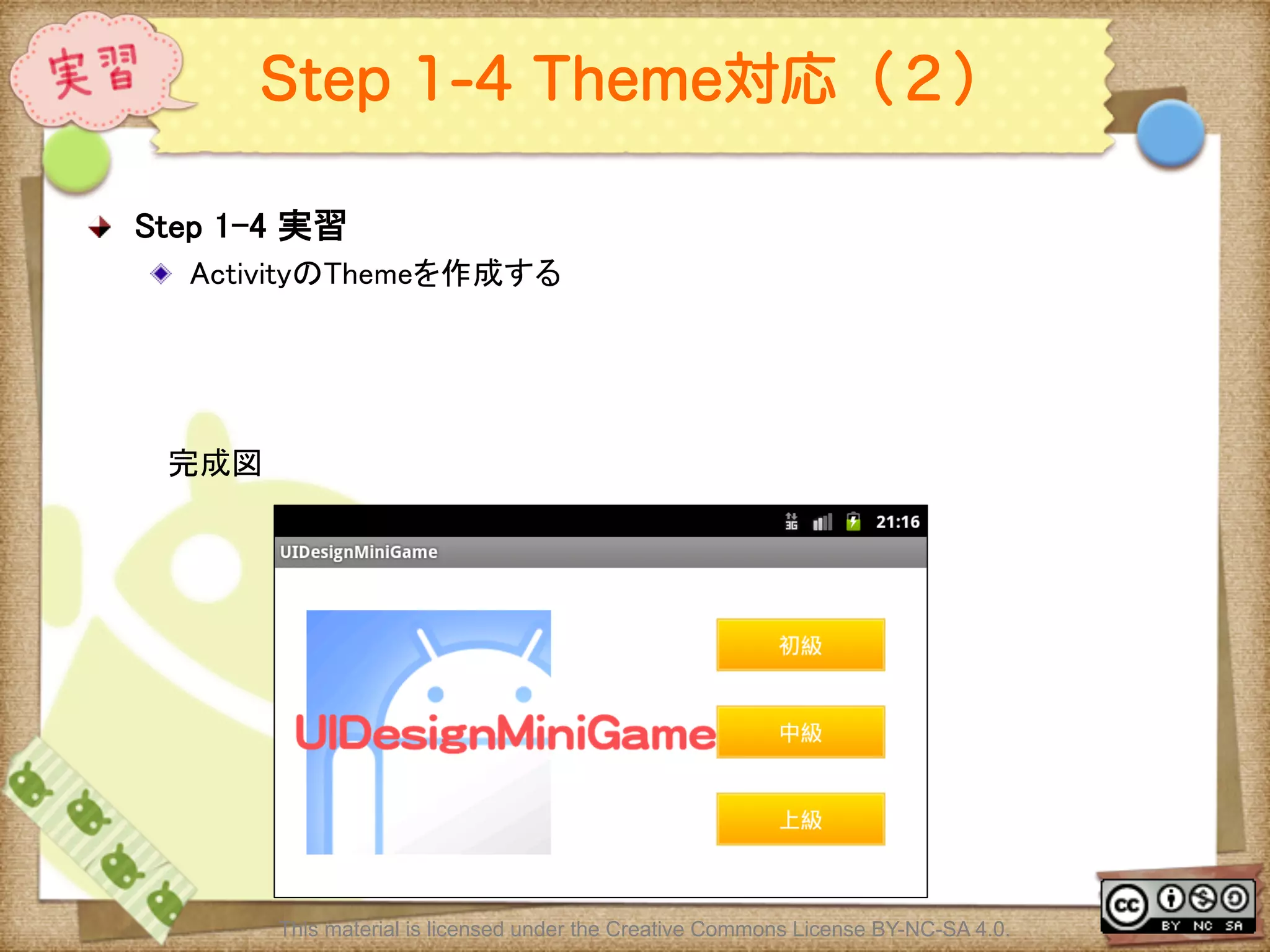
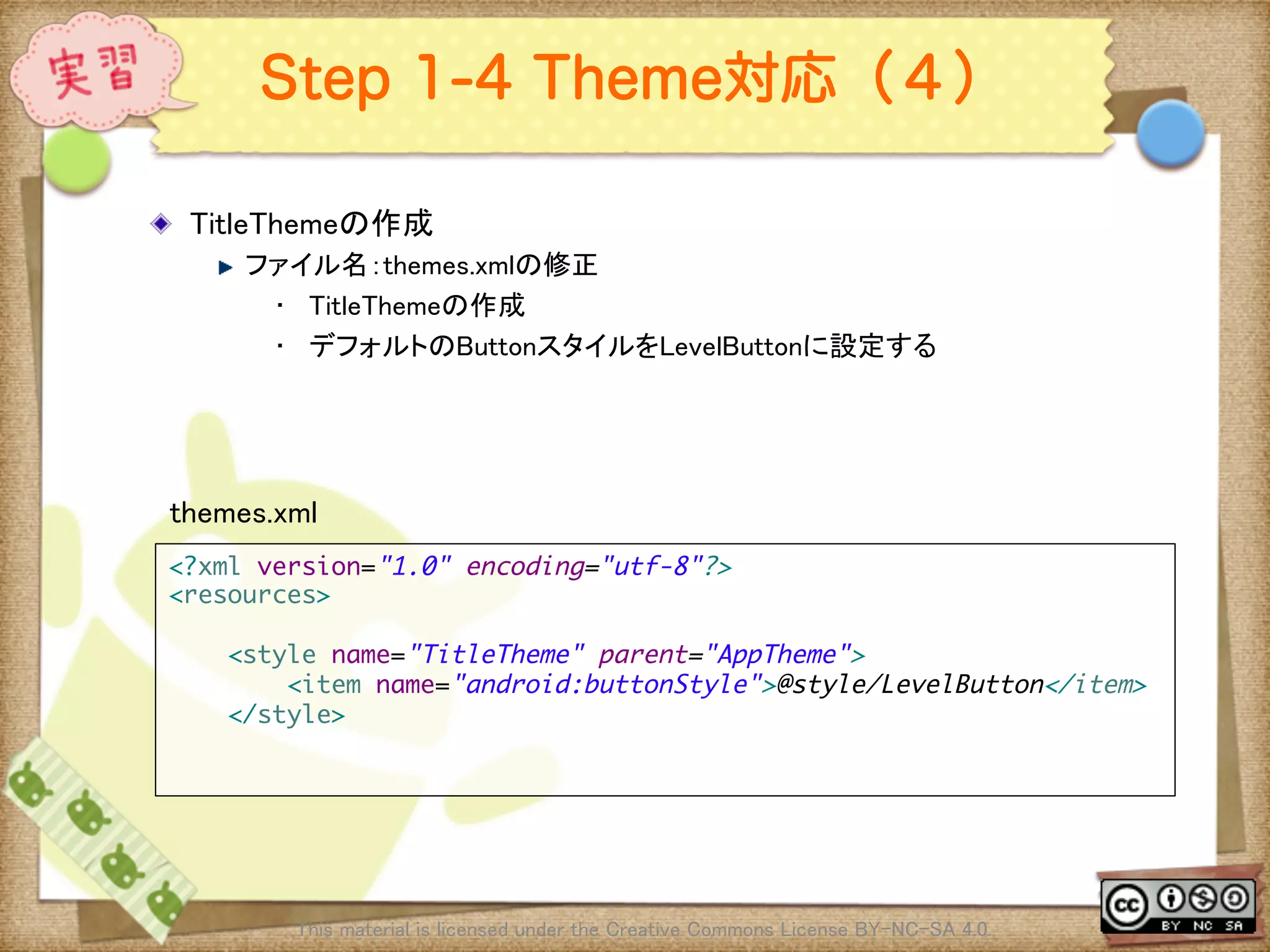
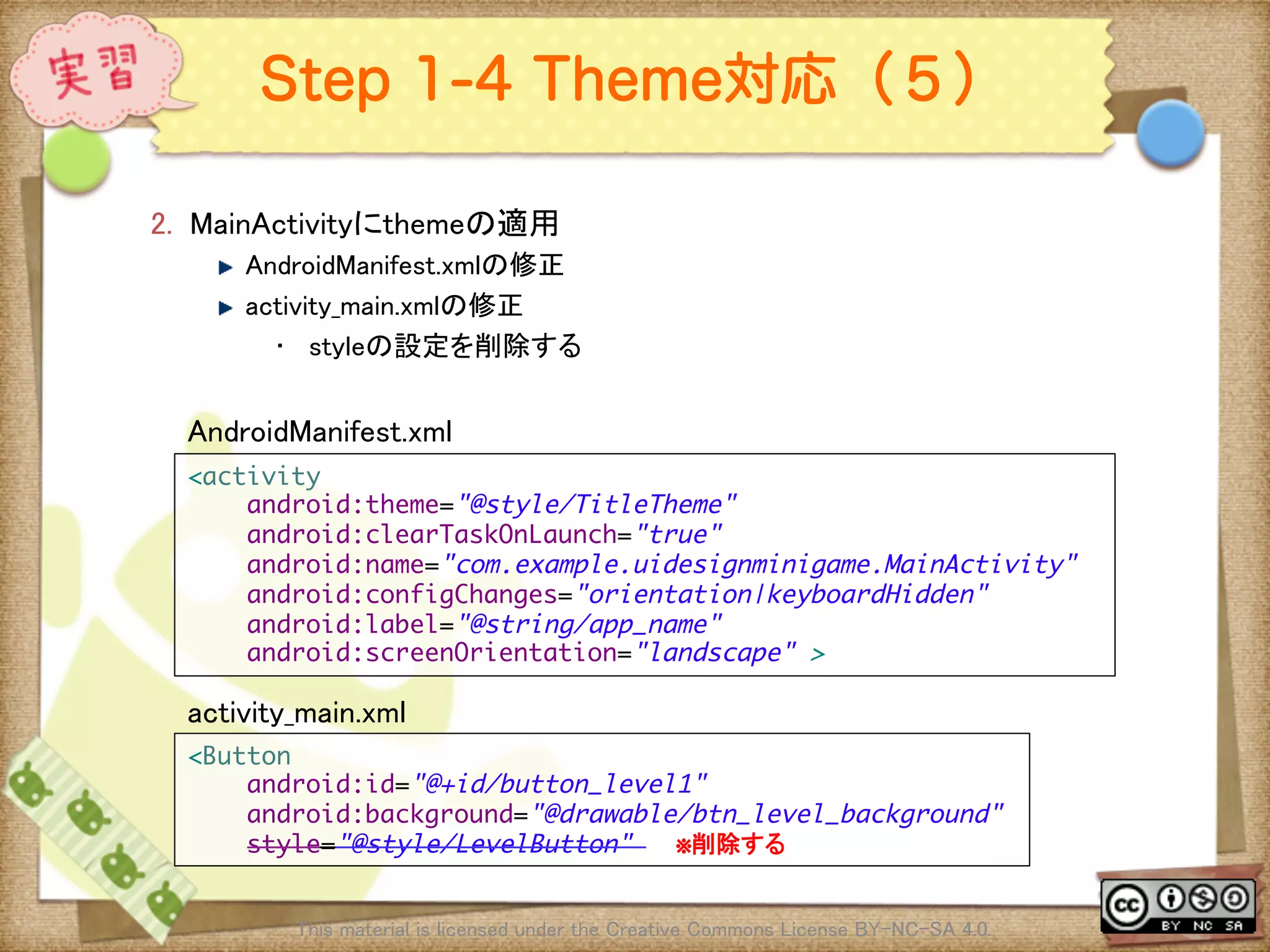
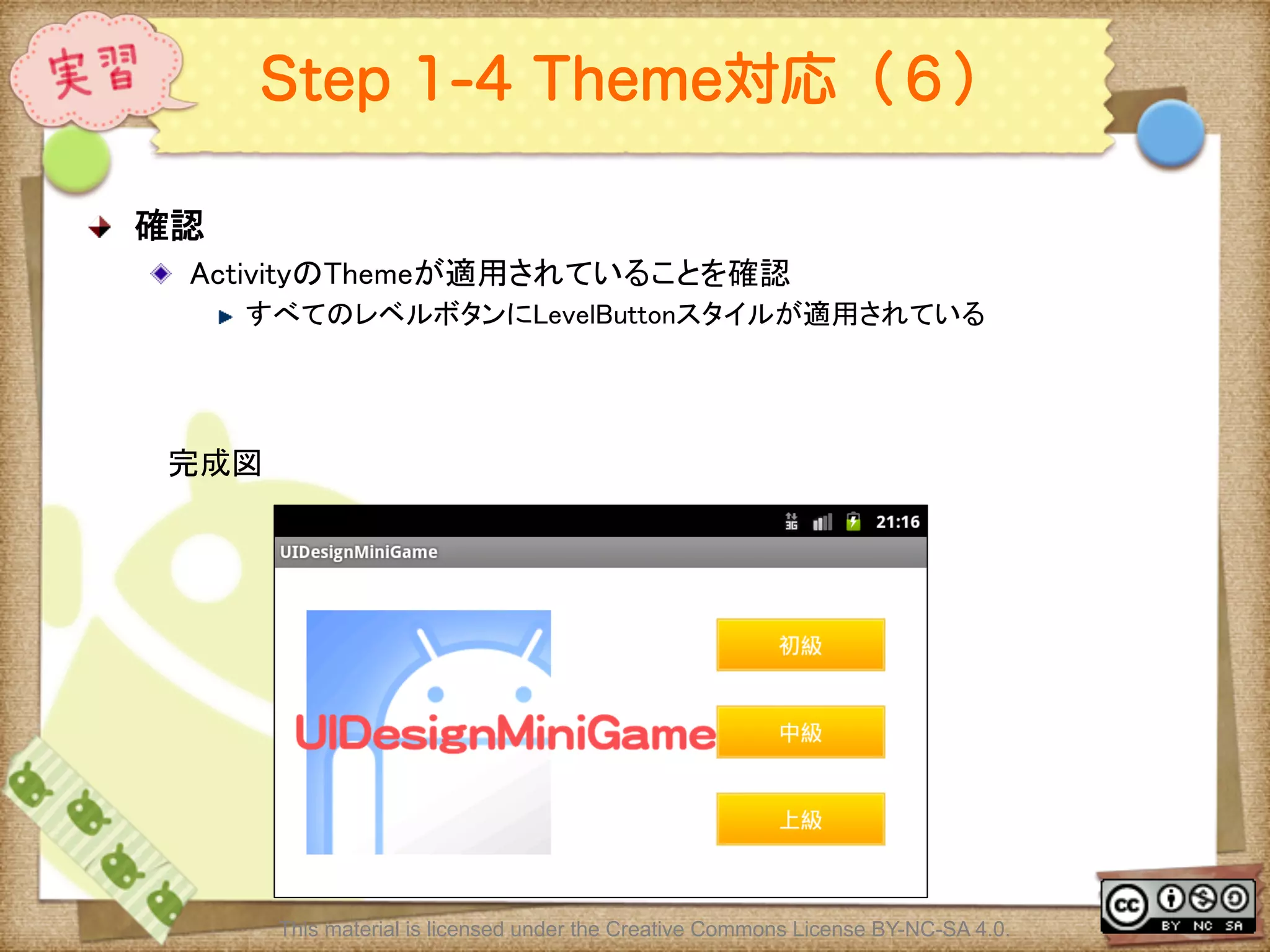
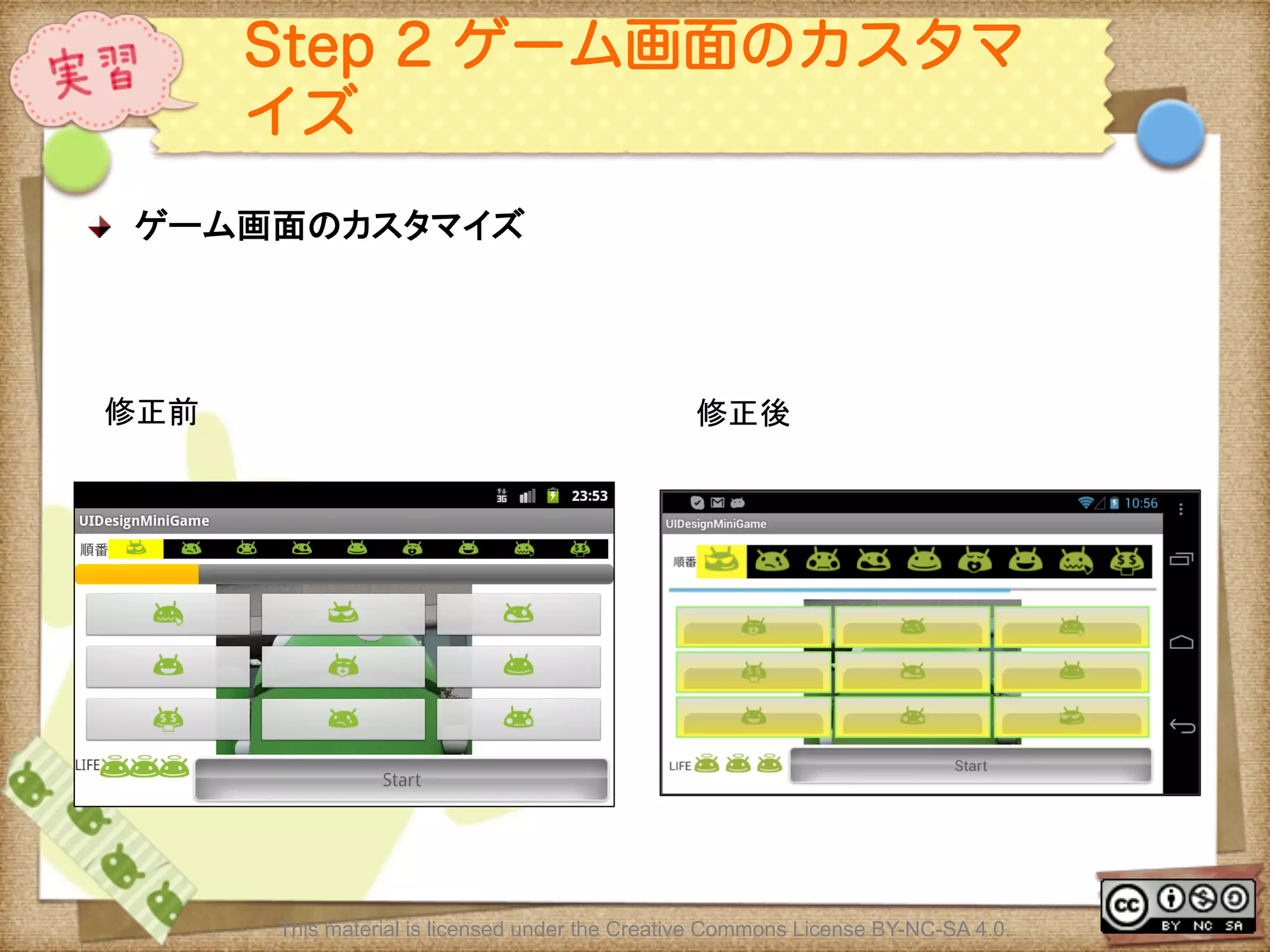
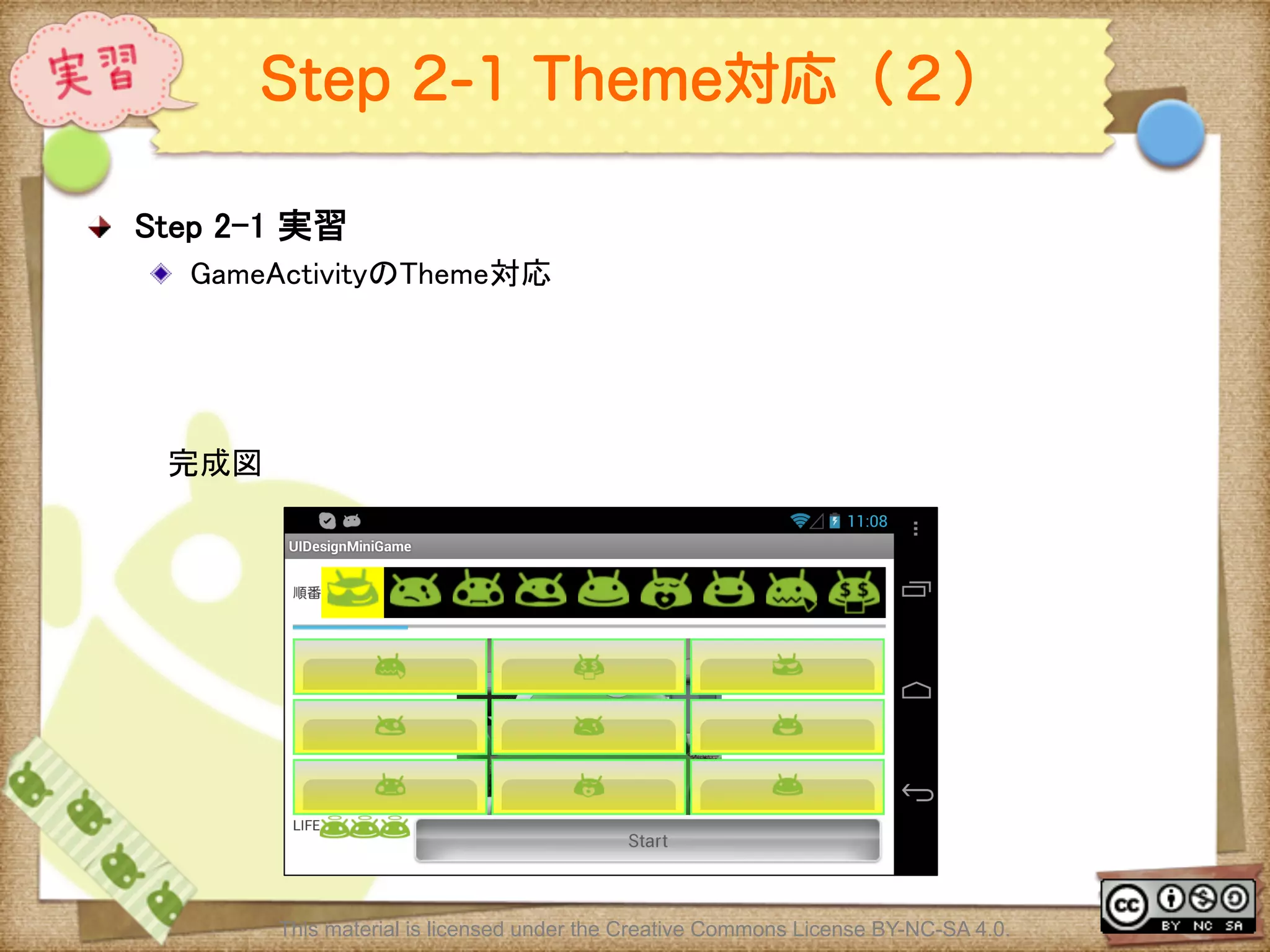
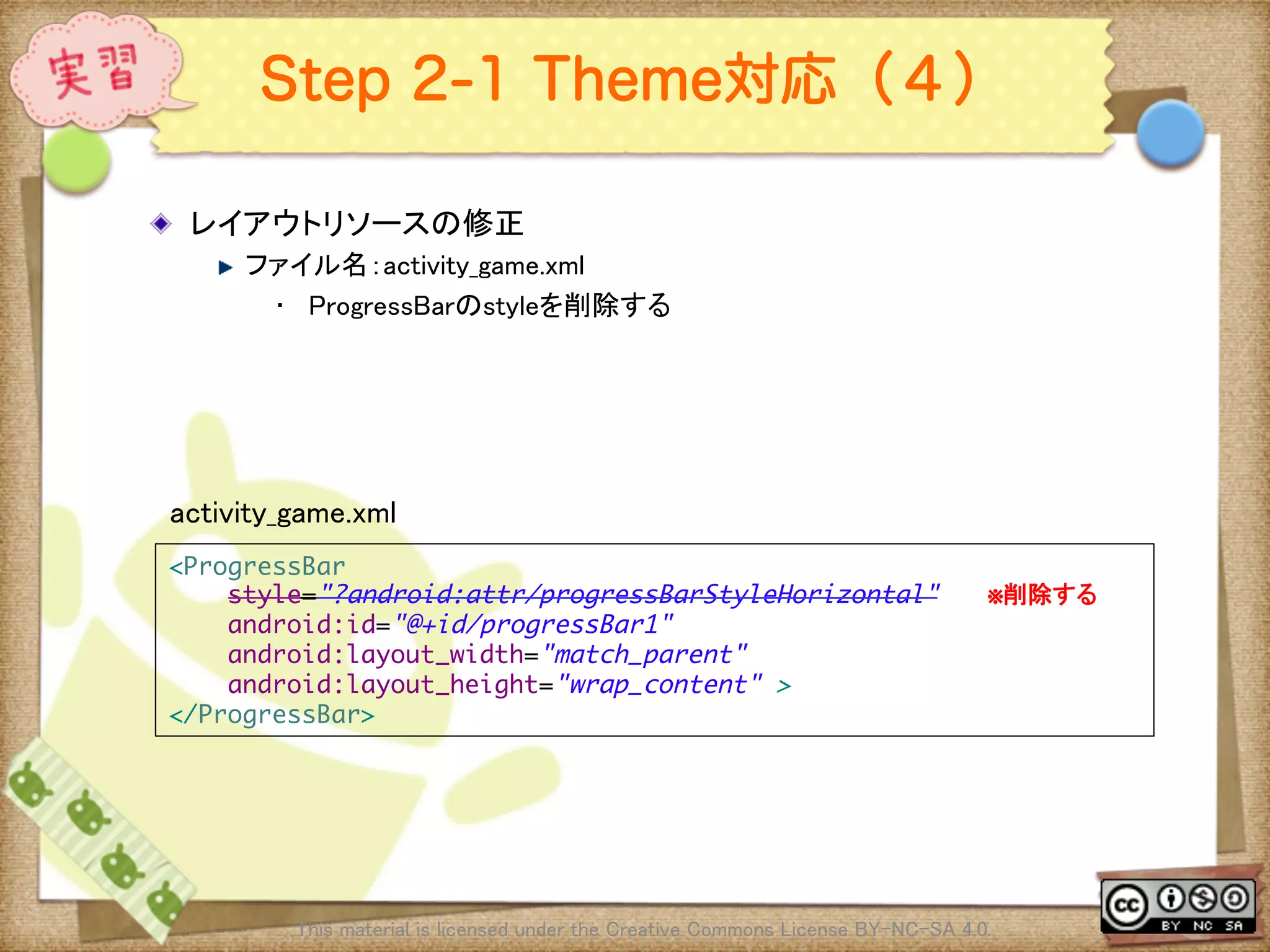
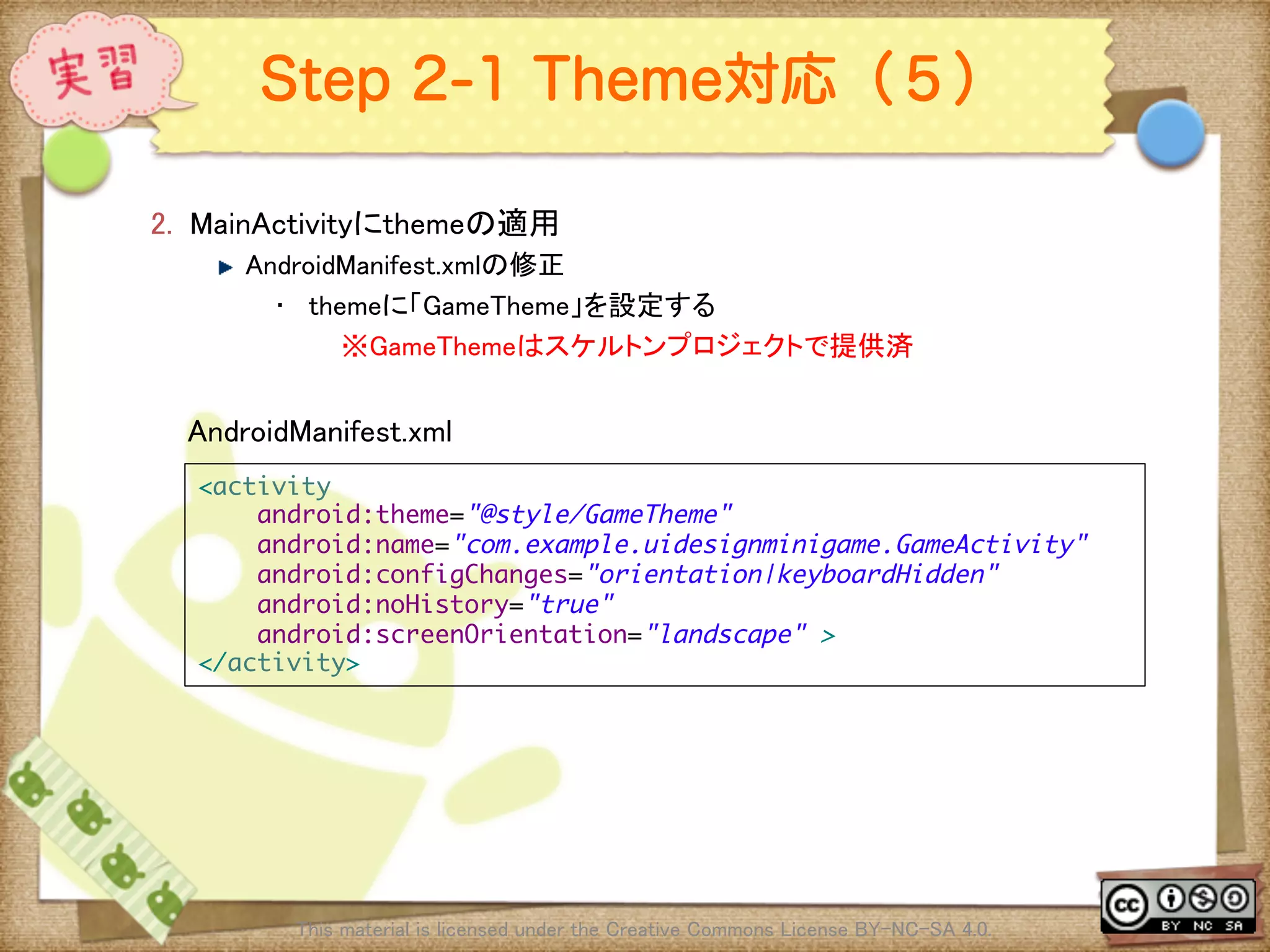
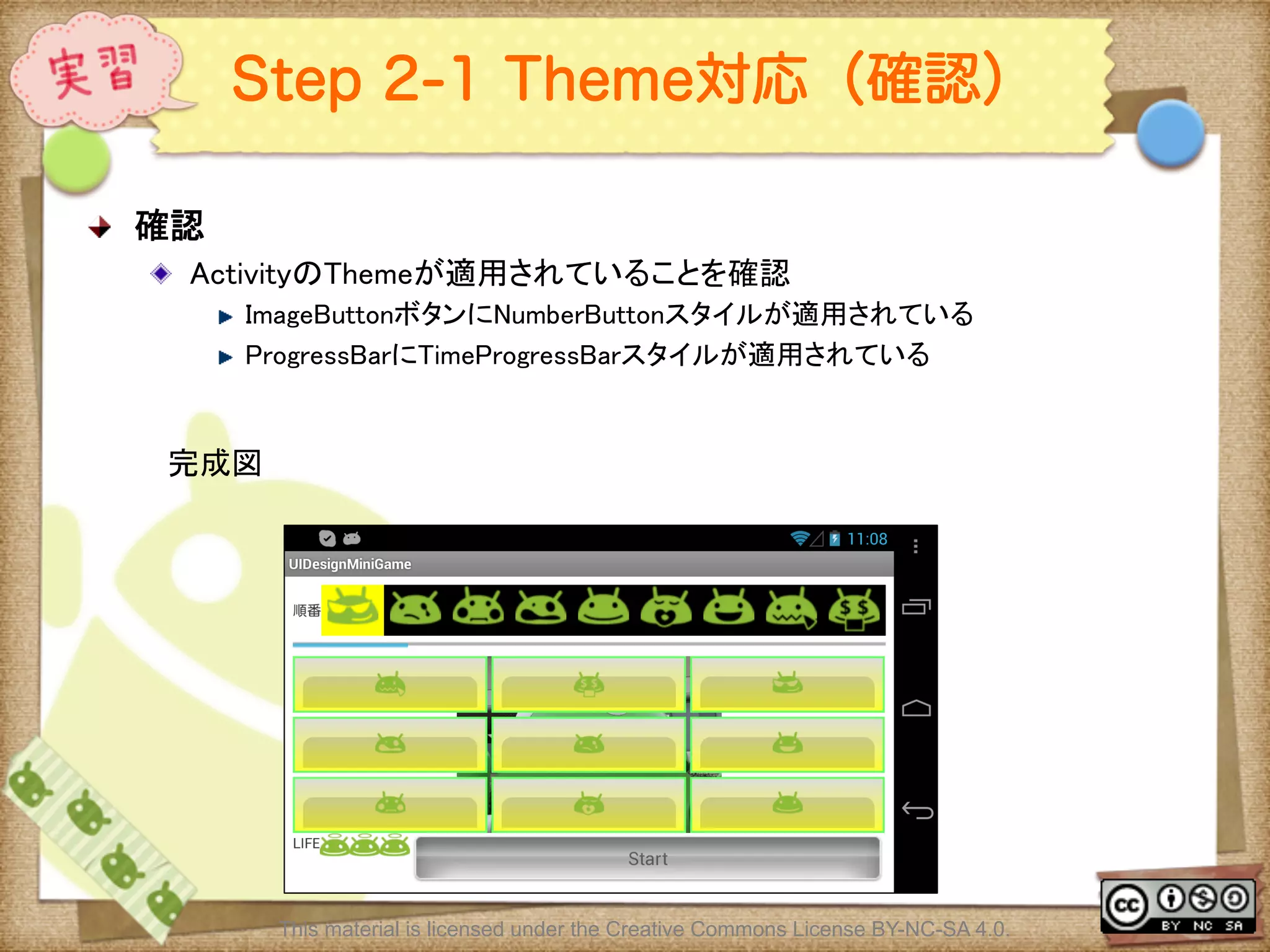
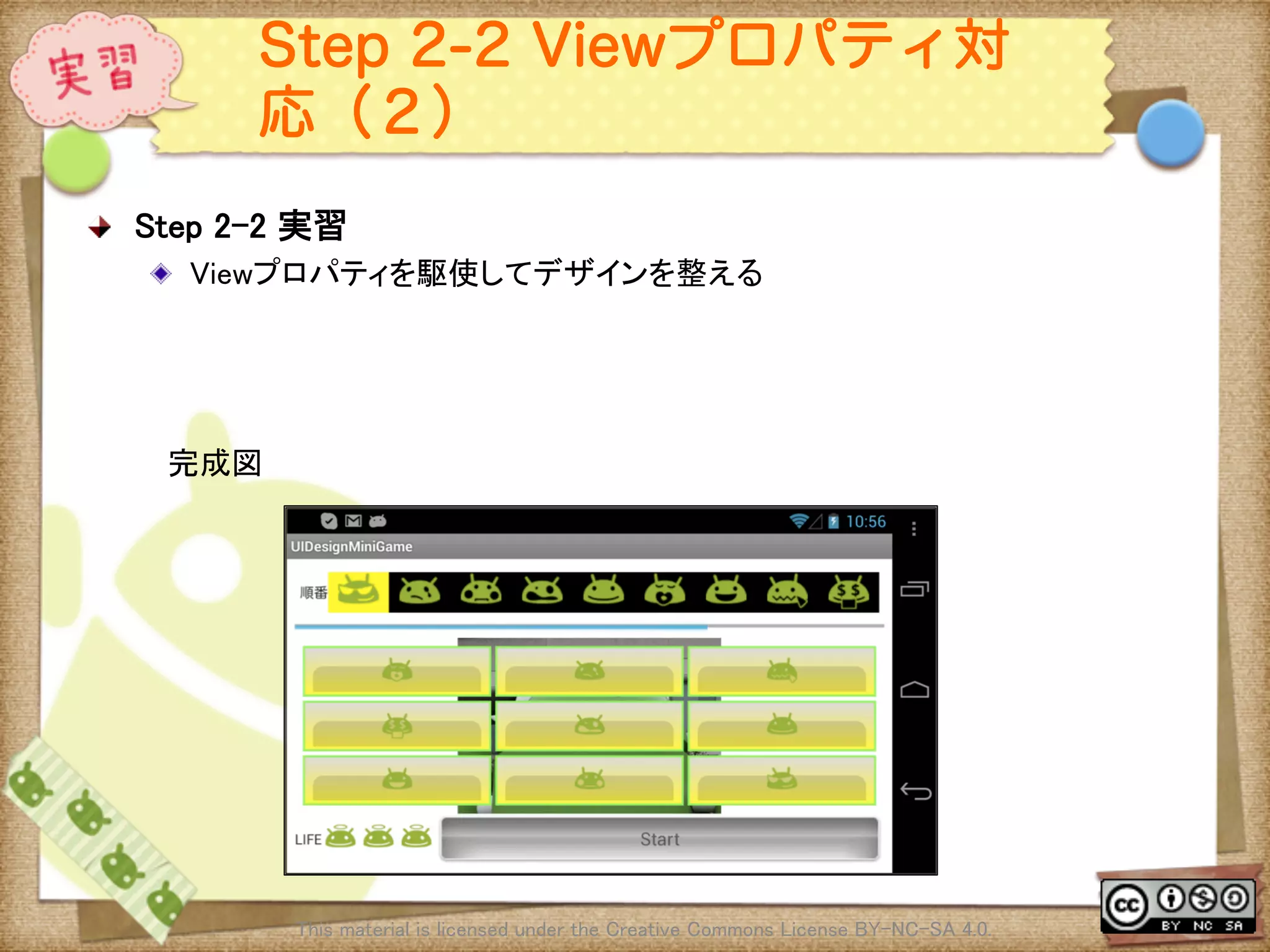
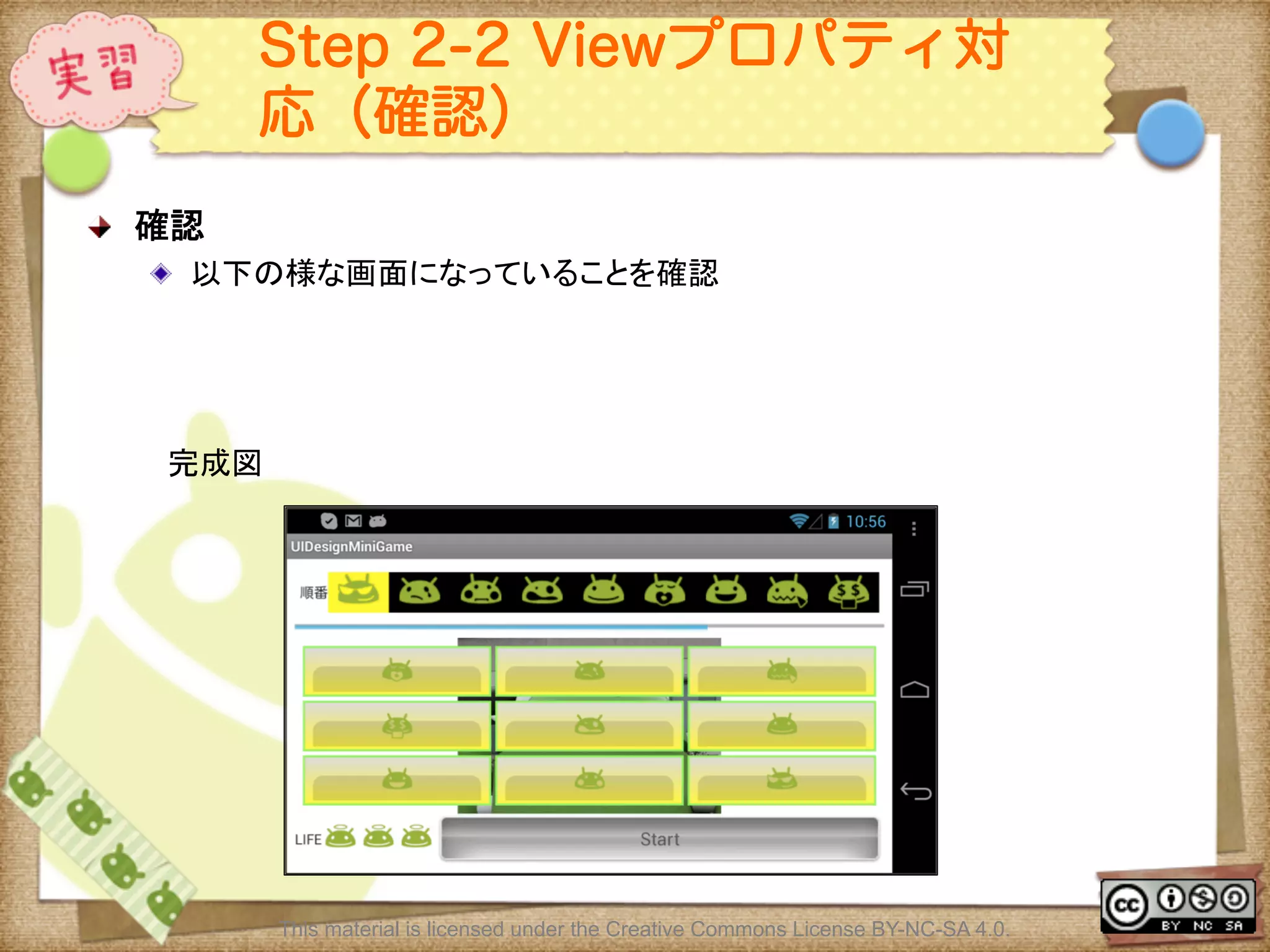
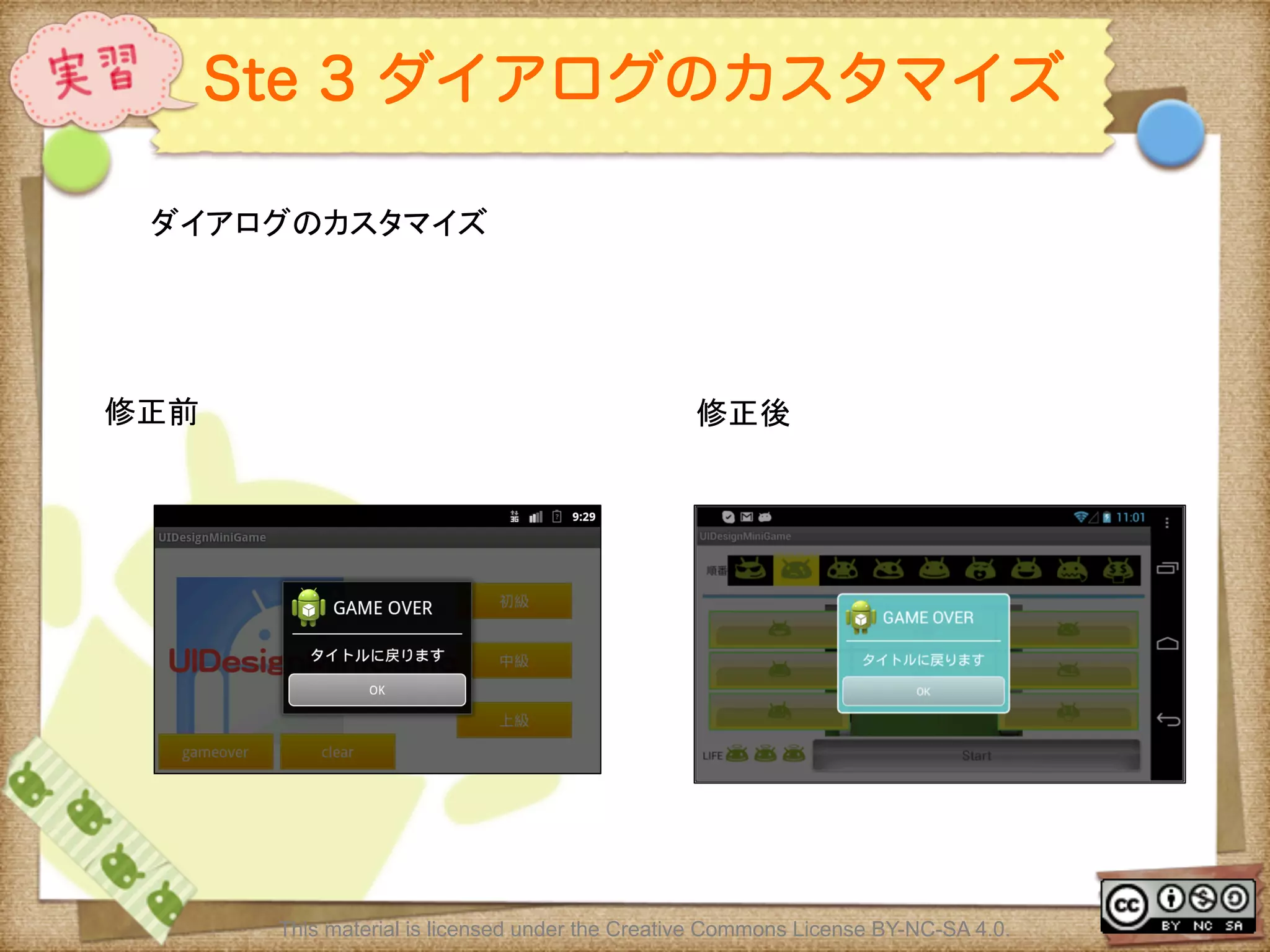
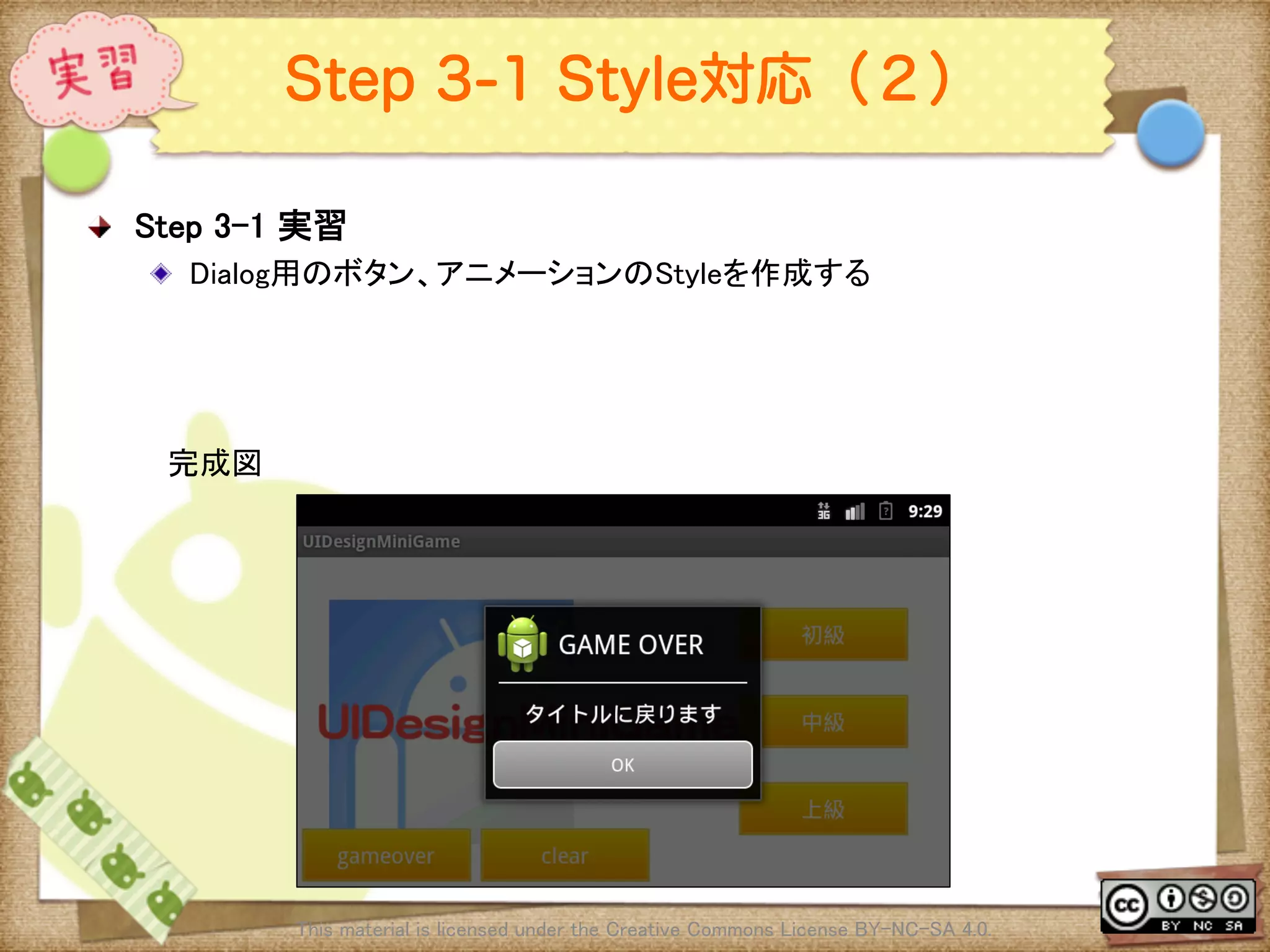
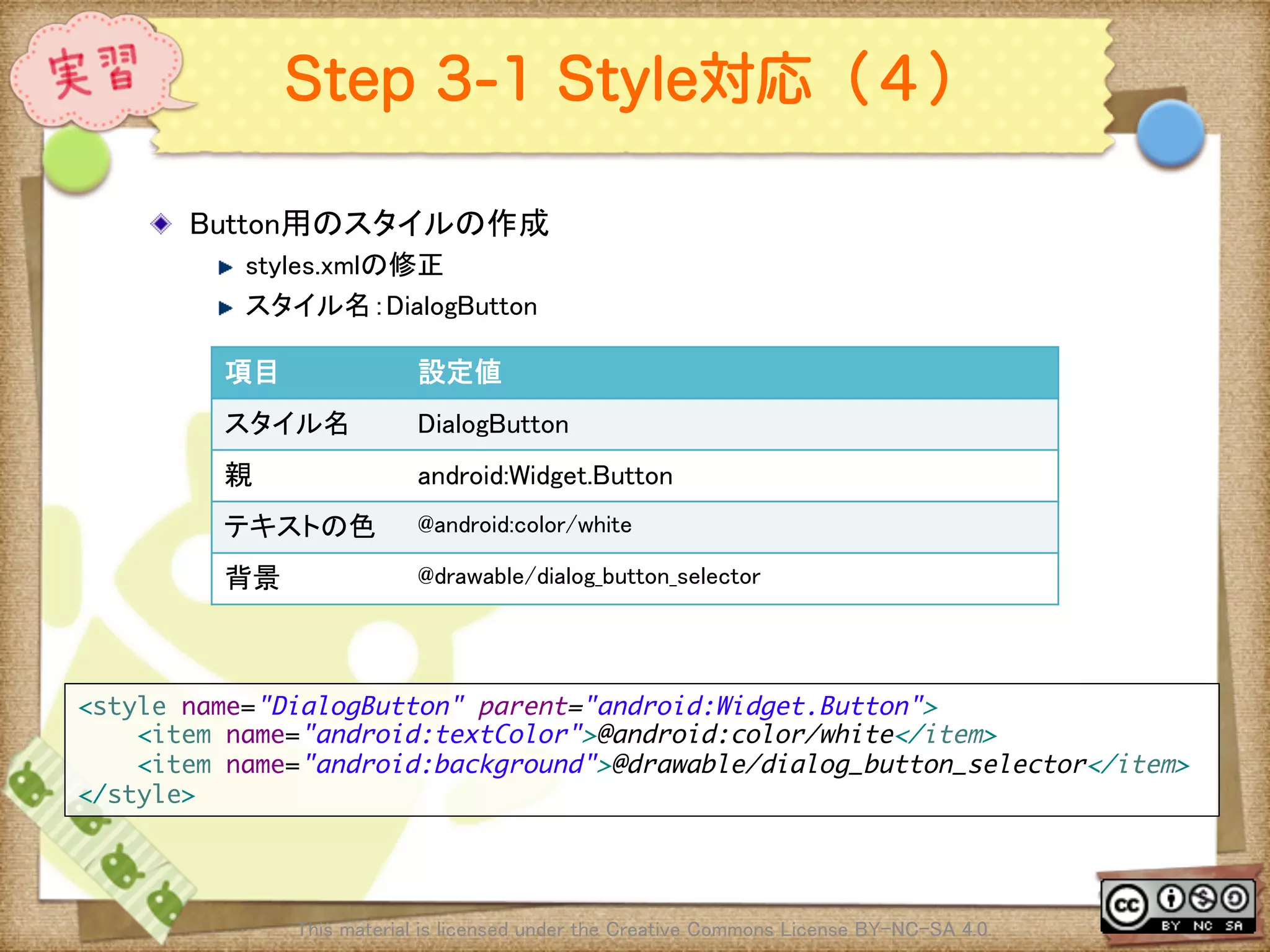
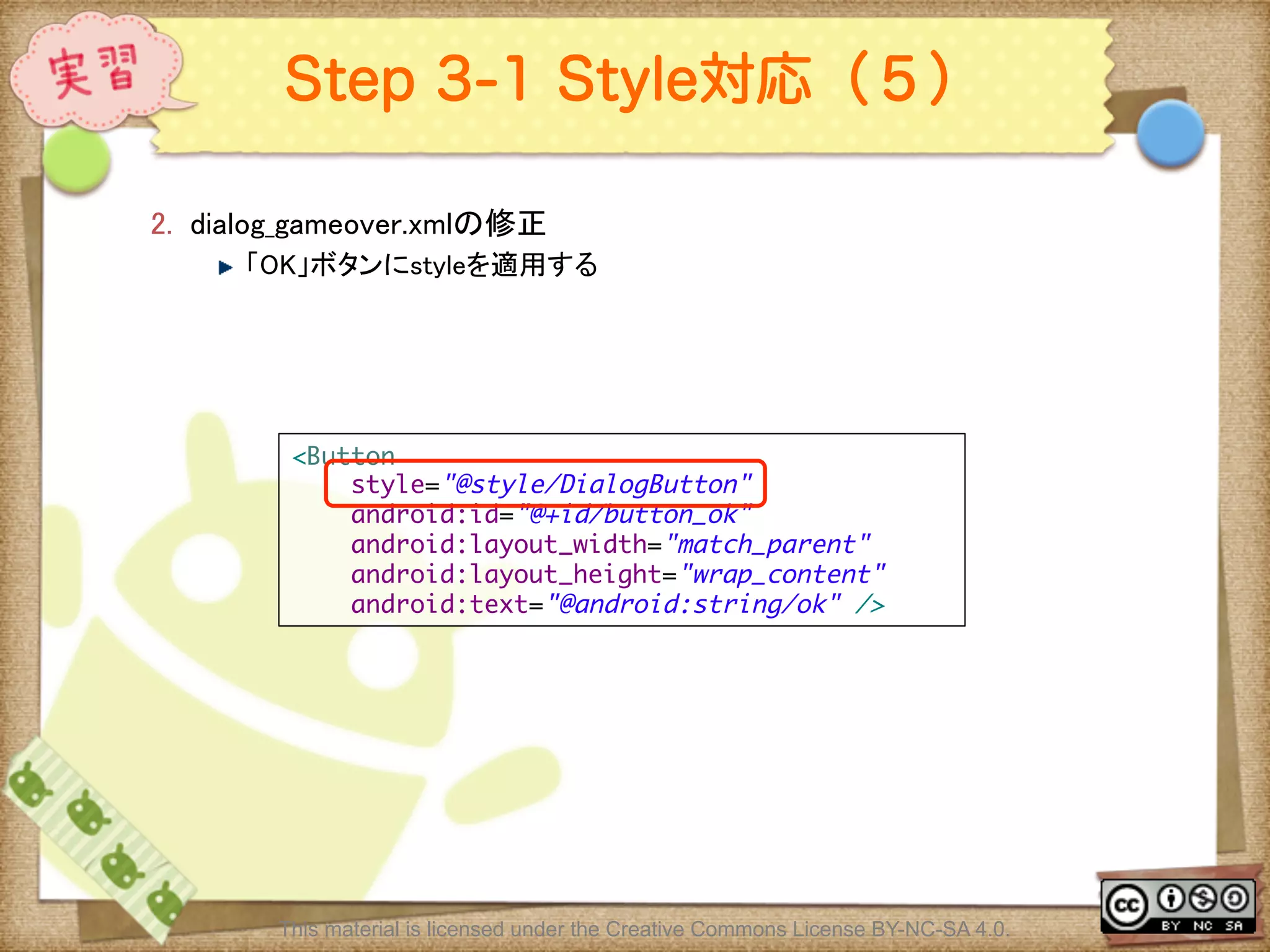
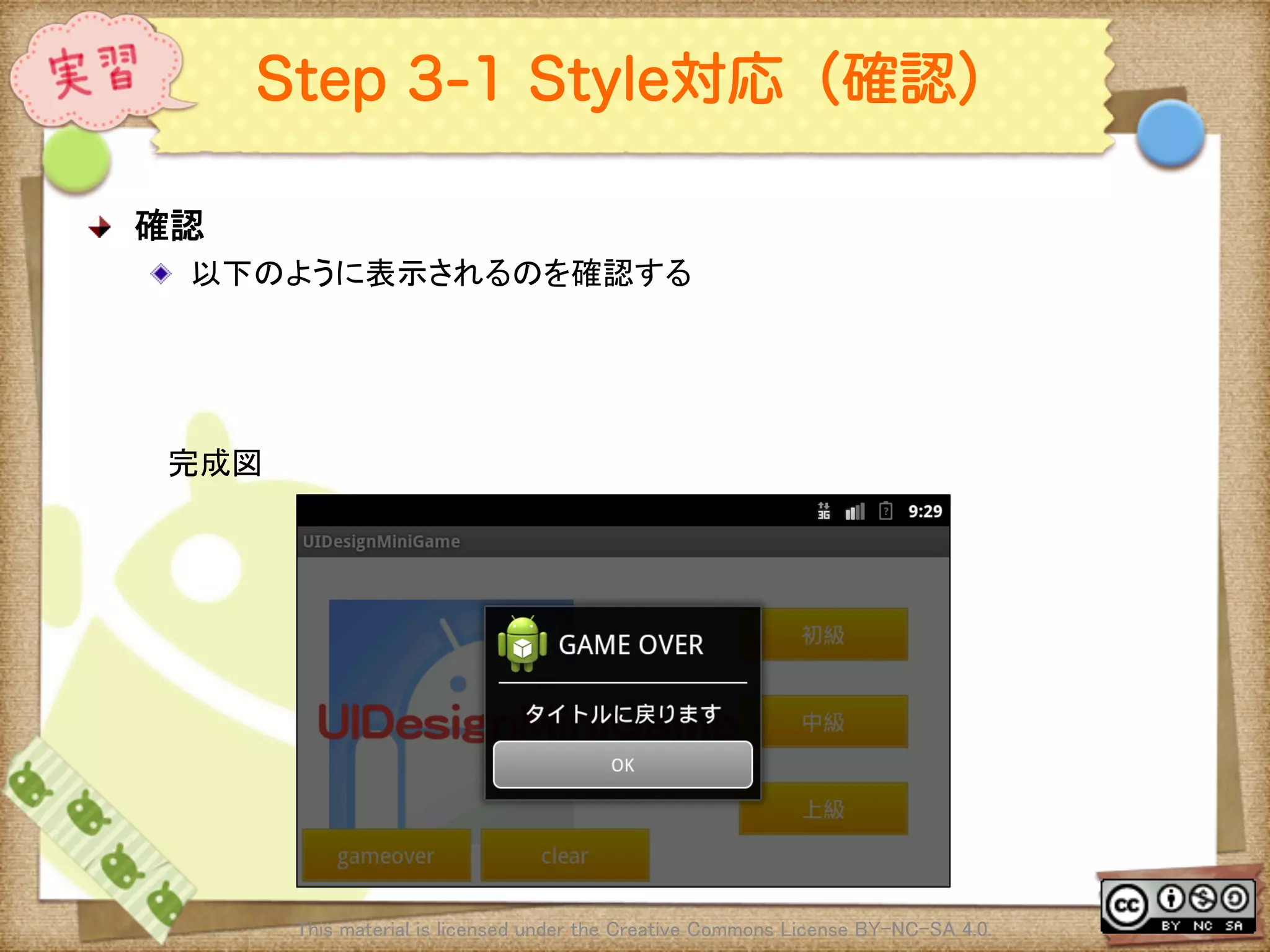
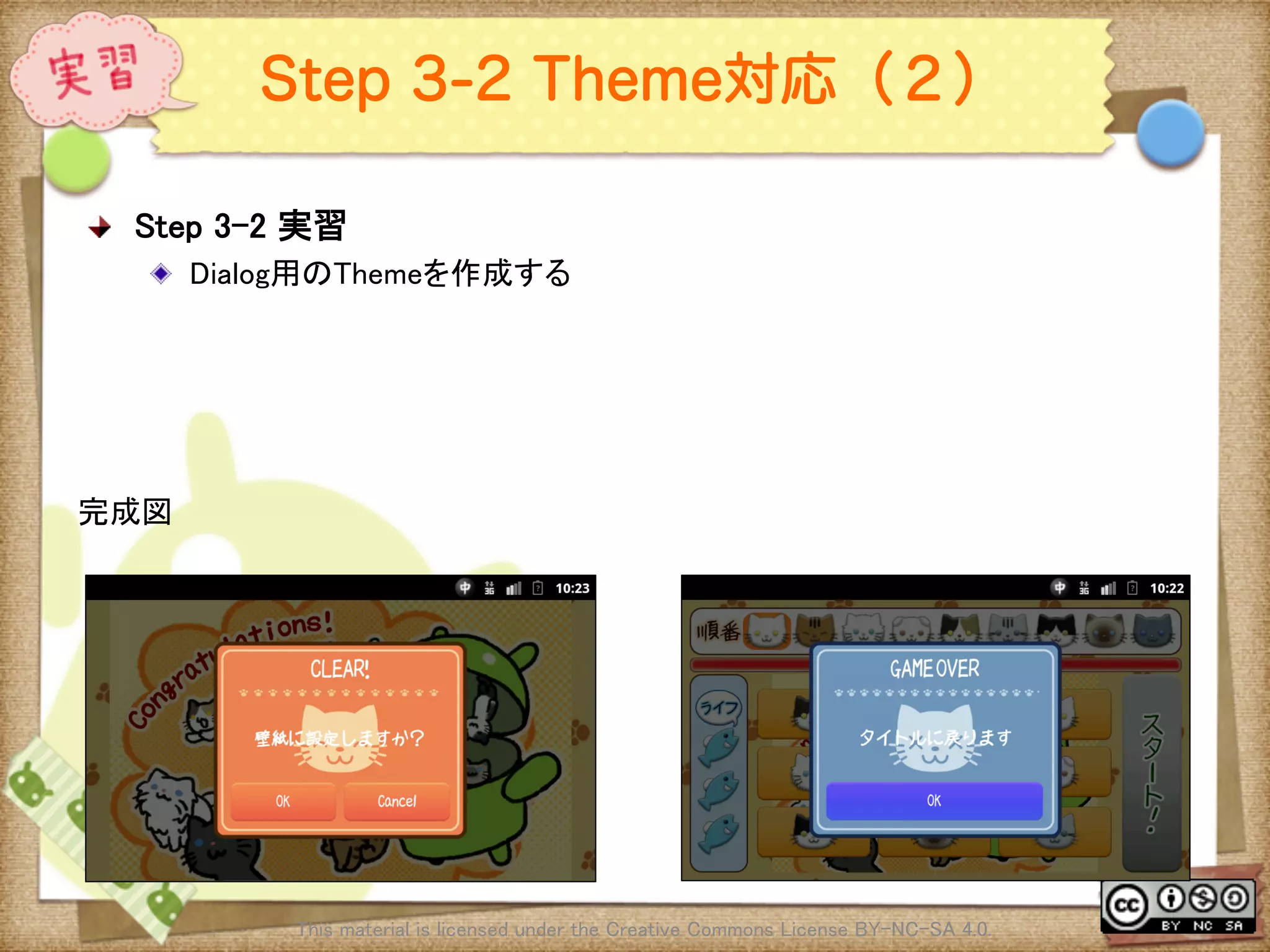
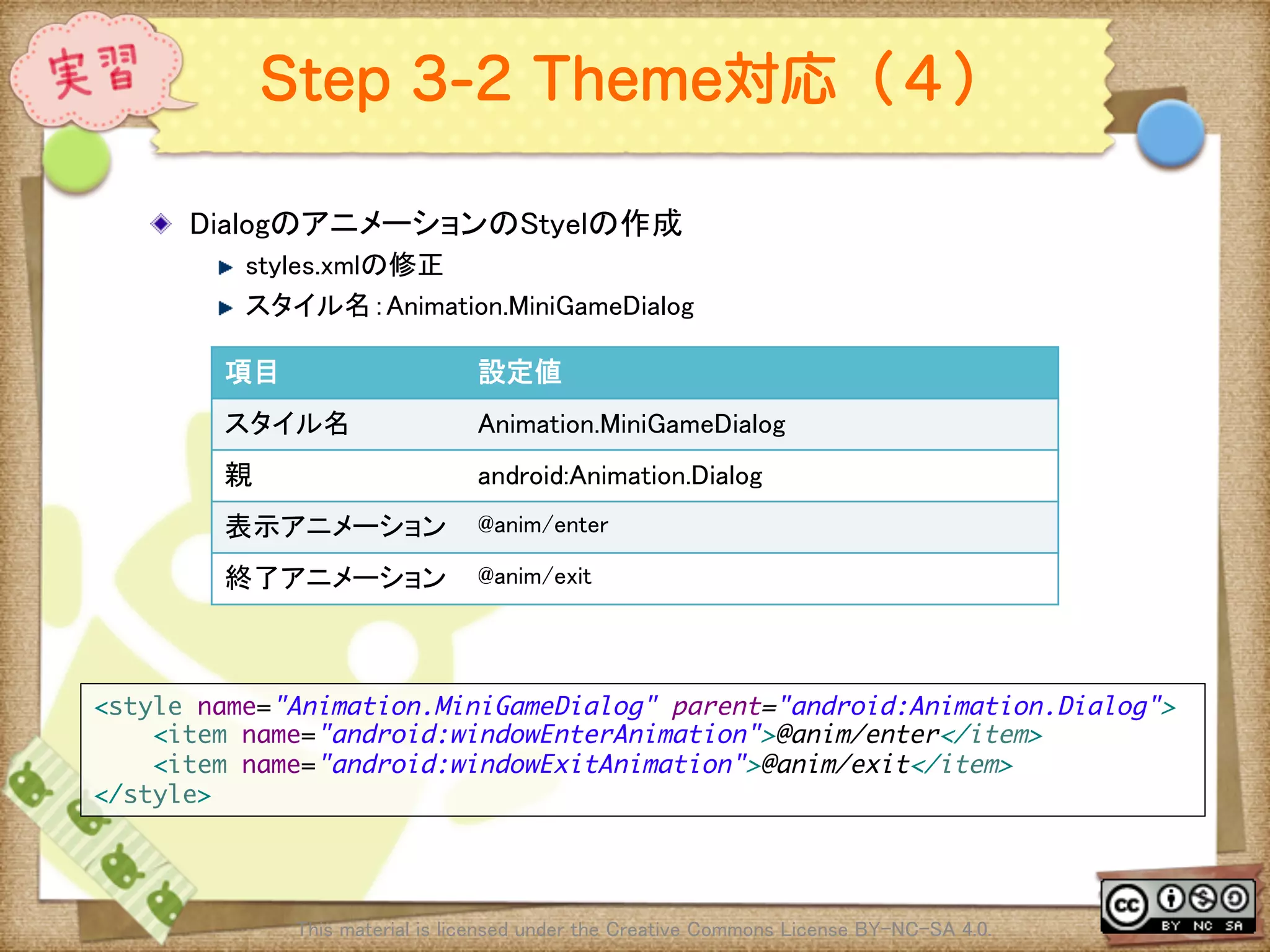
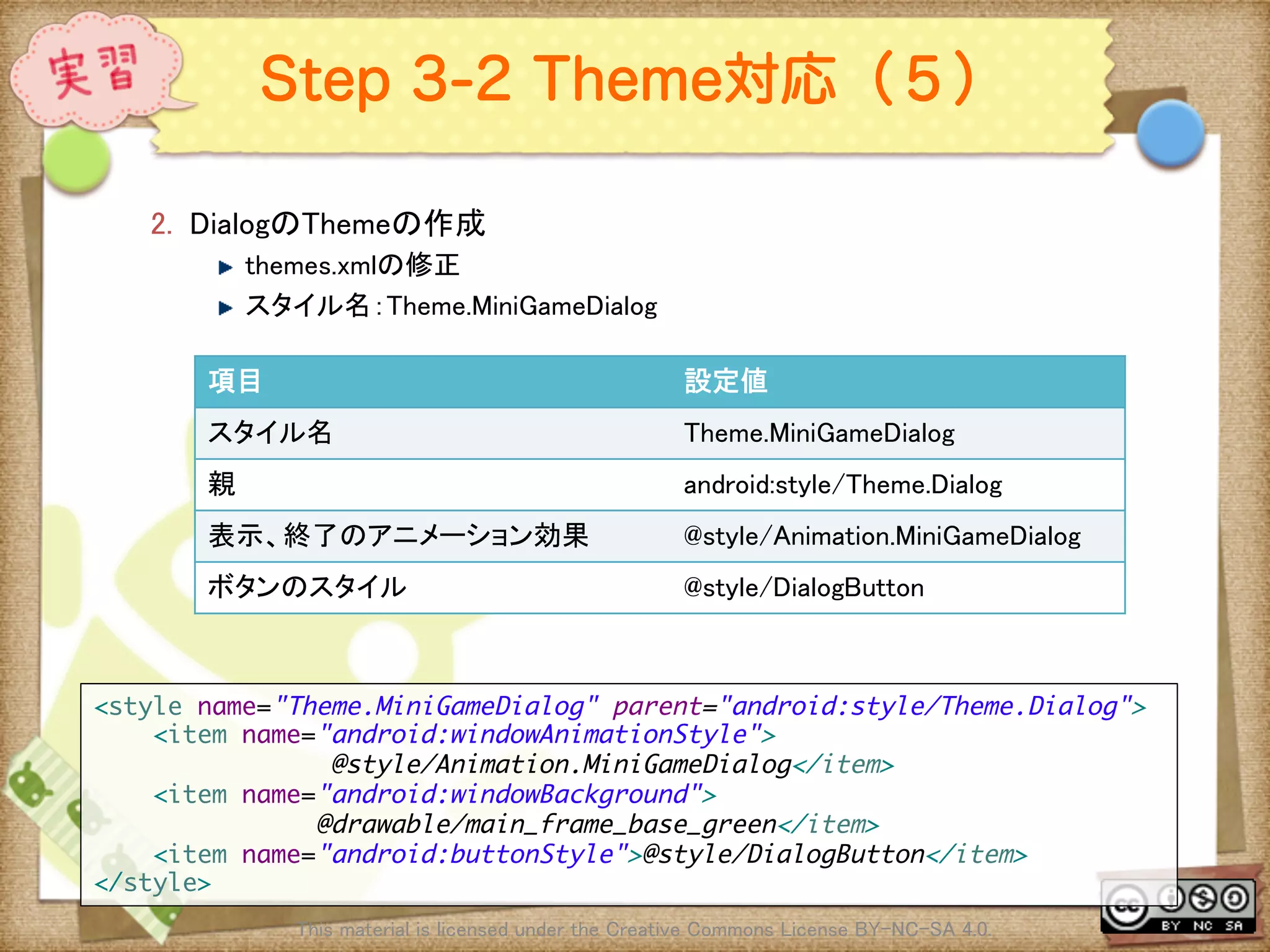
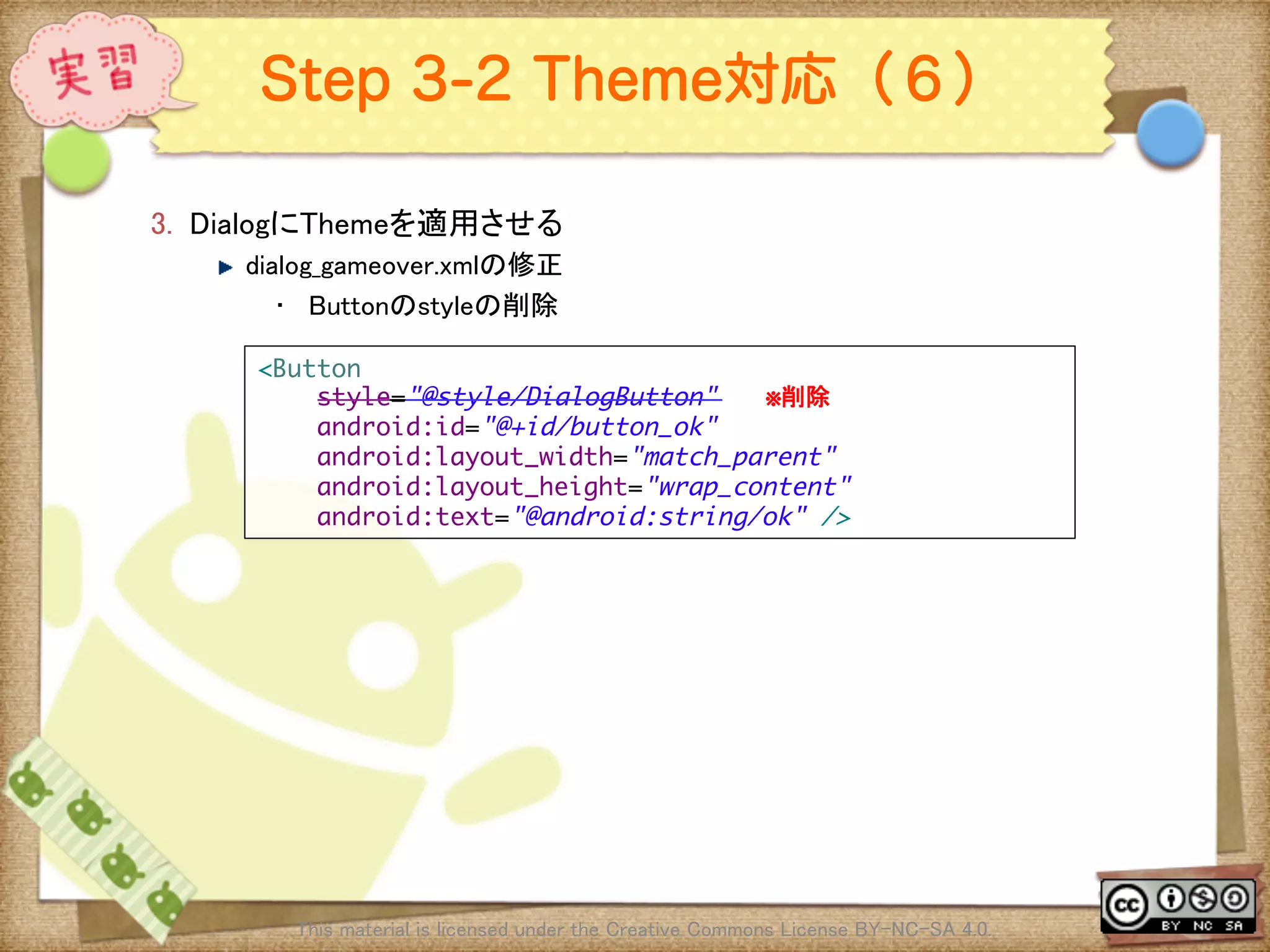
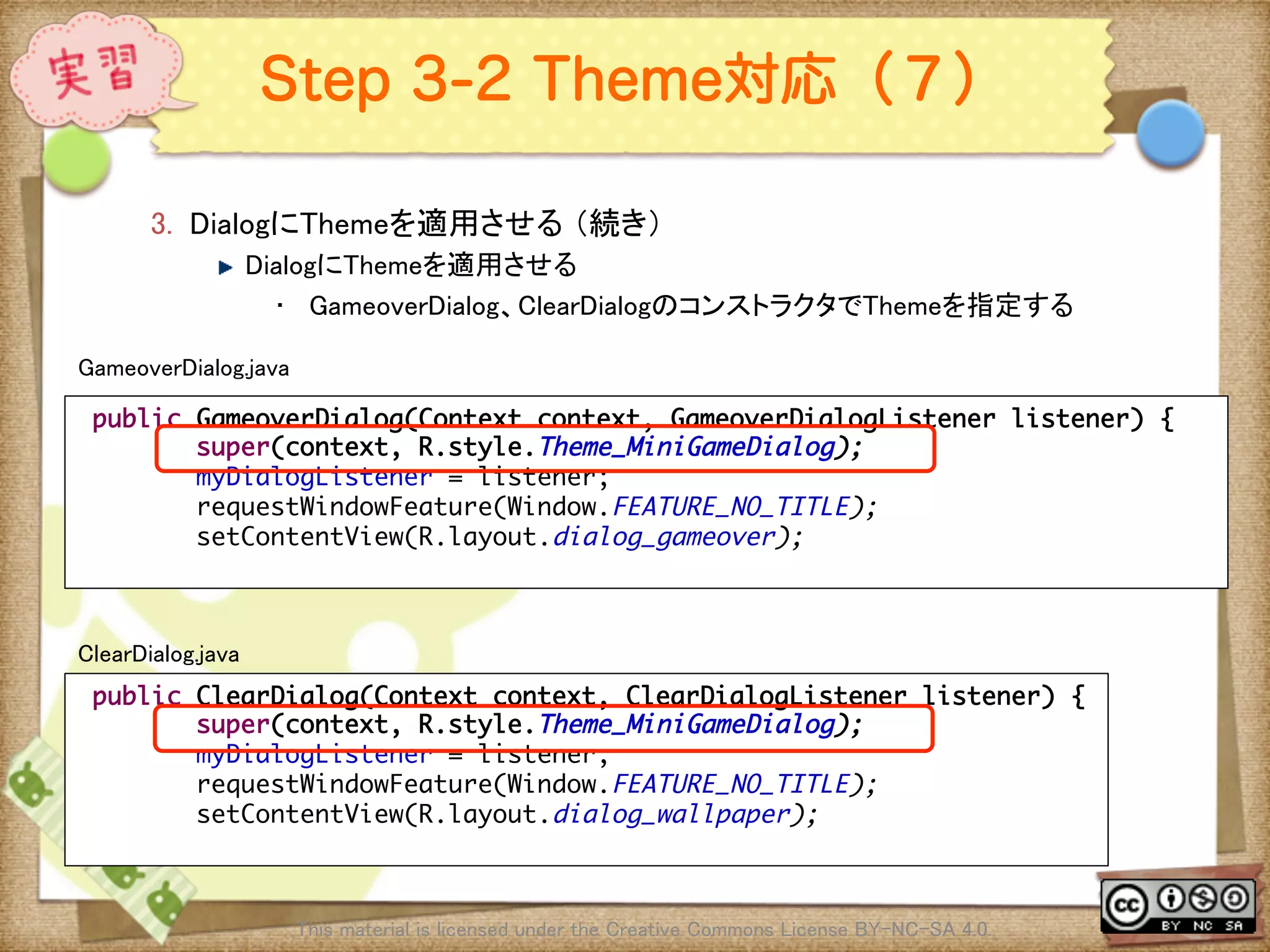
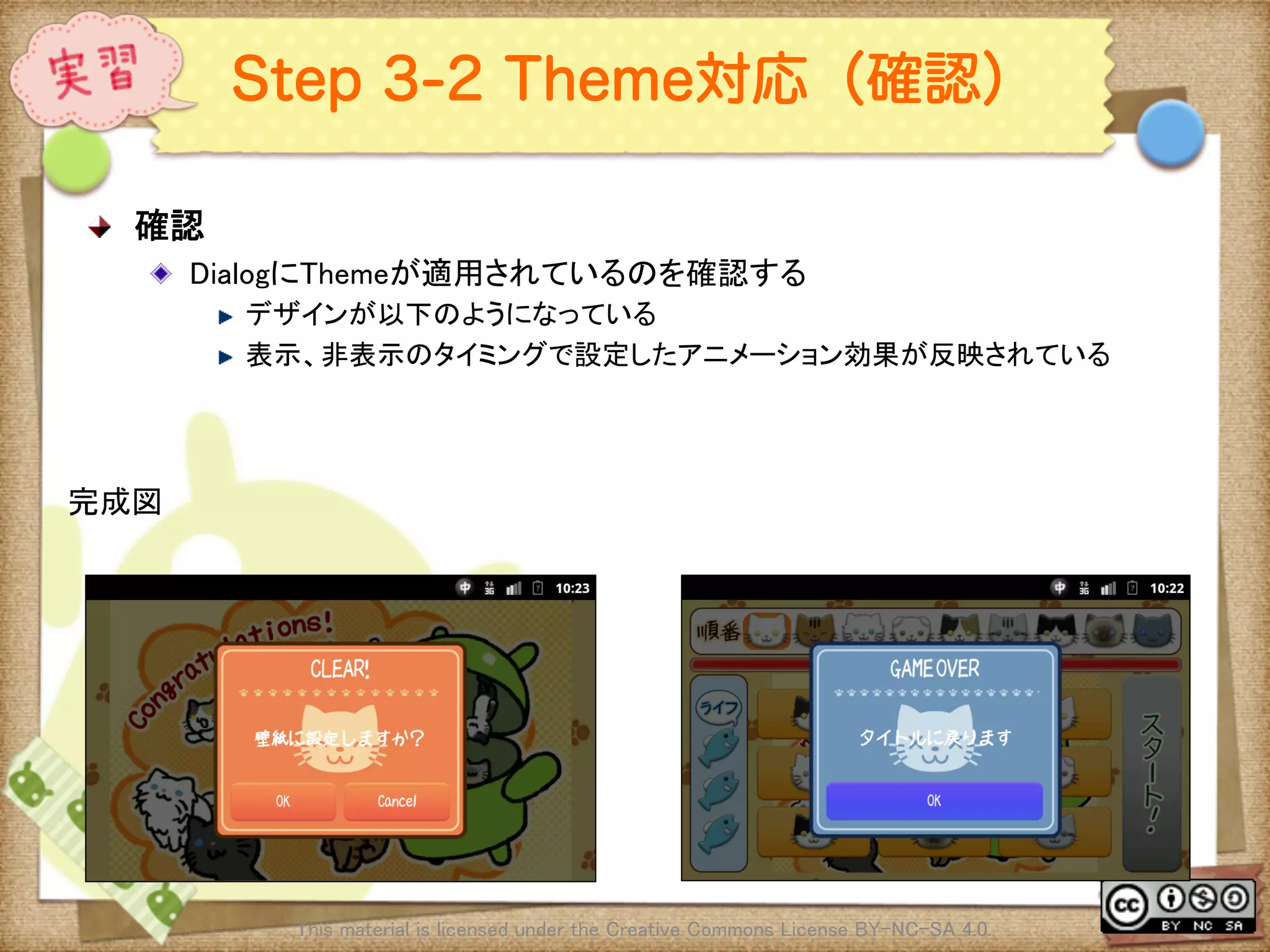
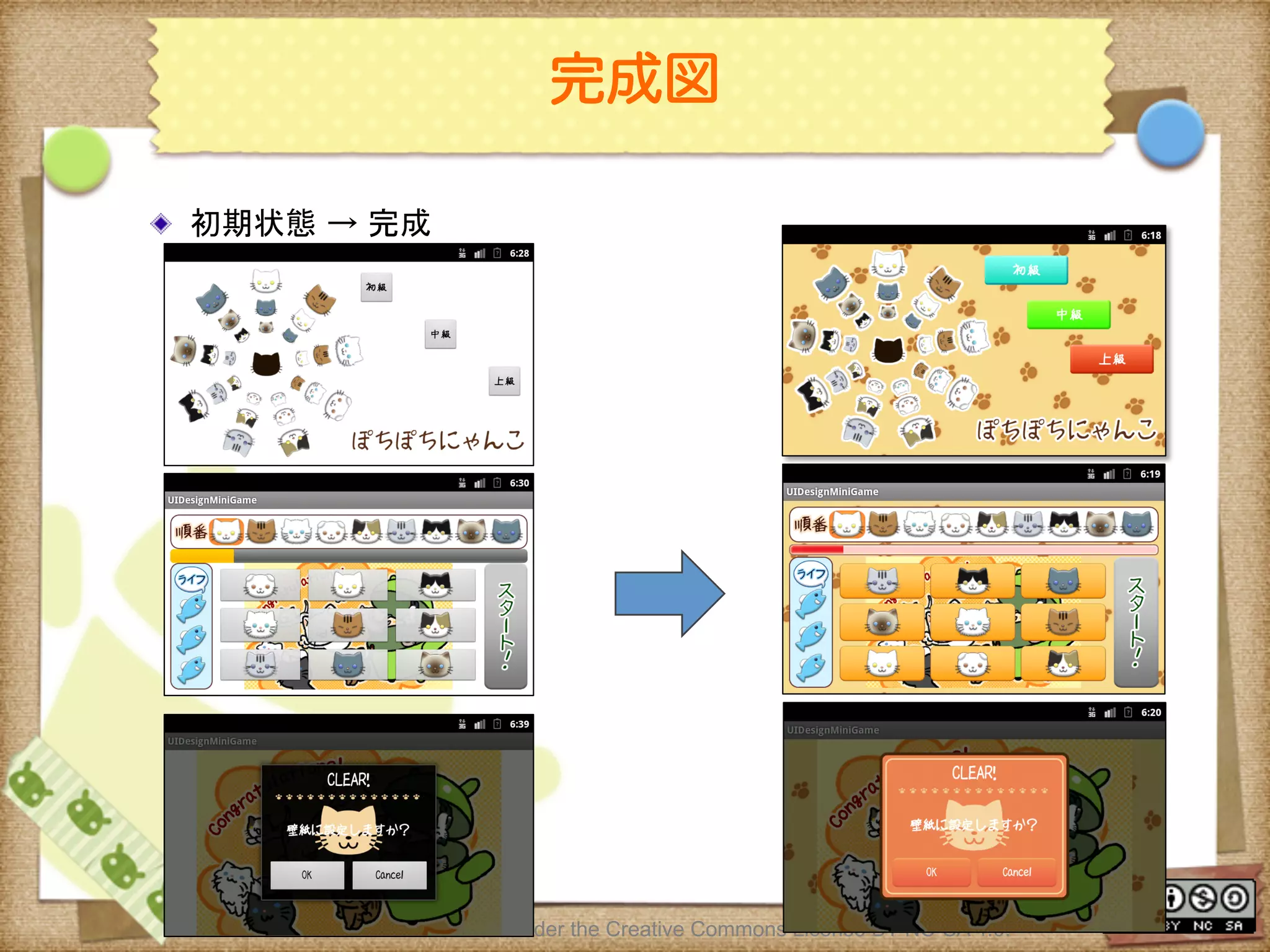
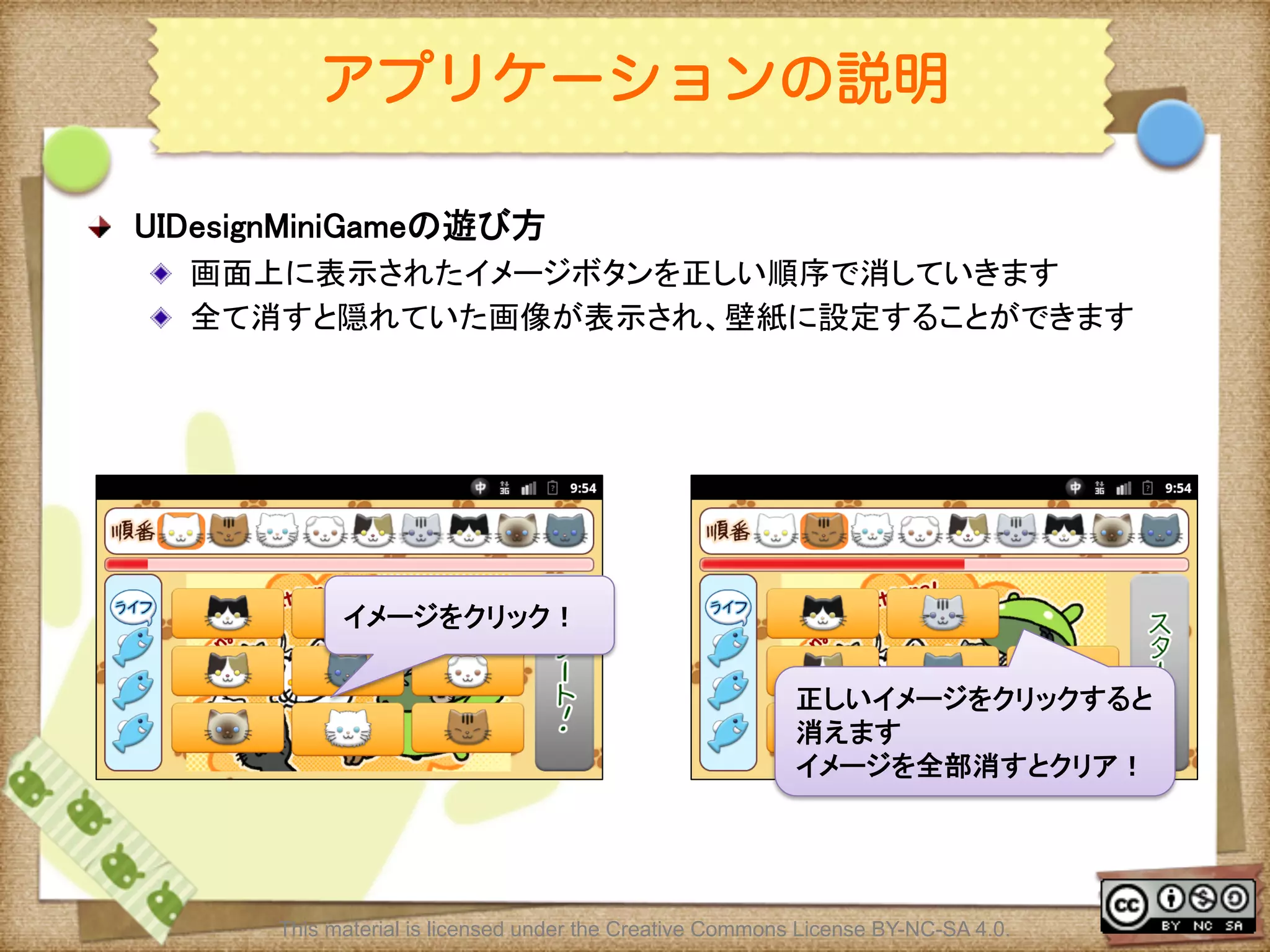
![Ⅶ - 269
ゲームの進め方(1)
! ゲームの進め方
! タイトル画面でレベル(初級〜上級)を選択する
! ゲーム画面で[Start]ボタンを押下しゲーム開始
! 画面上部のオーダービューの順番通りに画面中央の9つのイメージを押下す
る
! 正しいイメージを選択するとイメージが消える
! ゲームクリア条件
! 時間内にすべてのイメージを消す
! ゲームオーバー条件
! 時間内にすべてのボイメージを消せなかった
! LIFEが0の状態で間違えた
This material is licensed under the Creative Commons License BY-NC-SA 4.0.](https://image.slidesharecdn.com/androidui-140313021742-phpapp02/75/Android-UI-269-2048.jpg)
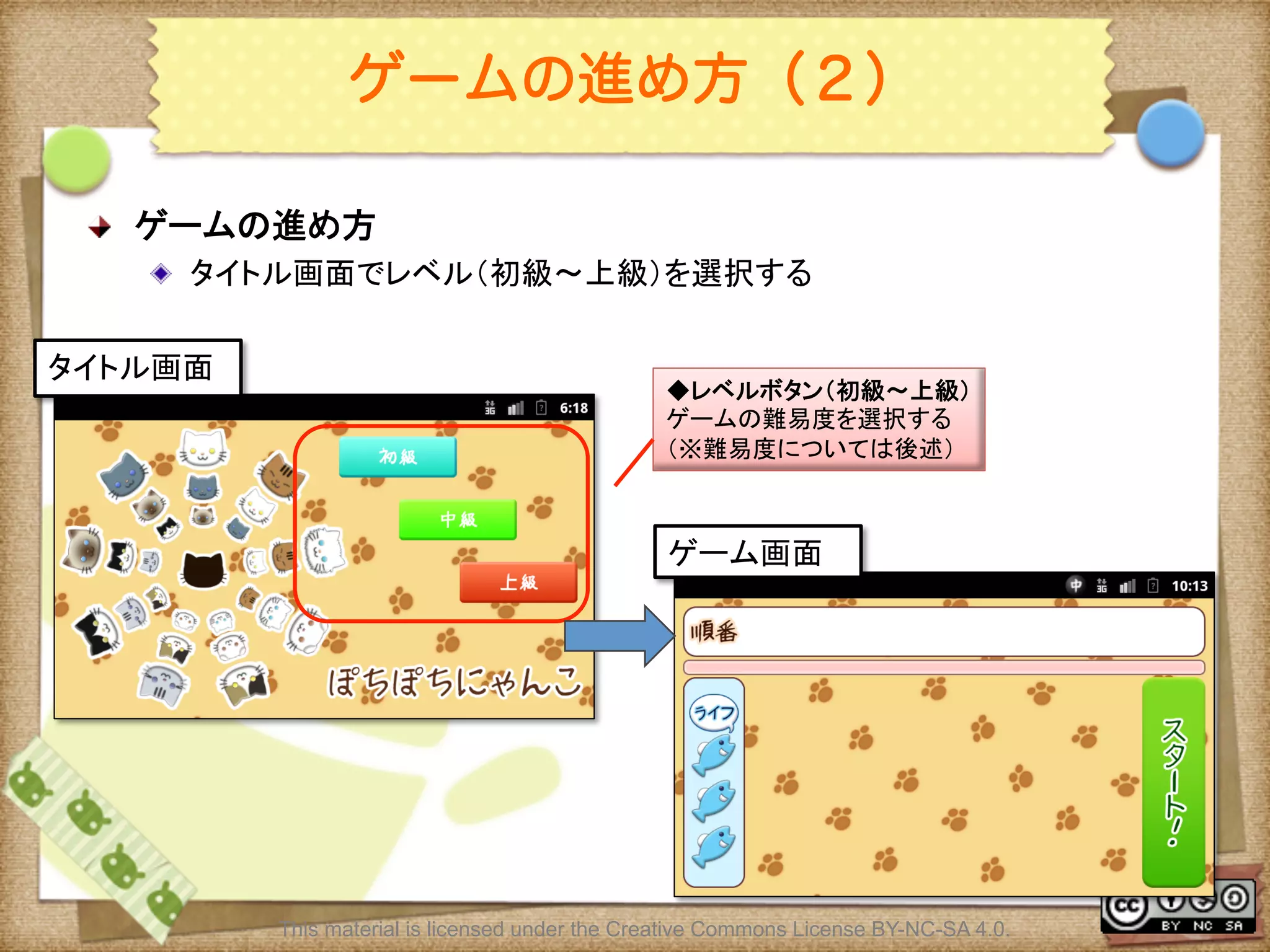
![Ⅶ - 271
ゲームの進め方(3)
! ゲームの進め方
! ゲーム画面で[Start]ボタンを押下しゲーム開始
! 開始ボタンを押すと画面中央にボタンが9つ表示される
This material is licensed under the Creative Commons License BY-NC-SA 4.0.
ゲーム画面(開始)
◆オーダビュー
ボタンを押す順番を表示
スタートボタン
ゲームを開始する
ゲーム画面(実行中)
◆ボタン
オーダビューの順番に押す](https://image.slidesharecdn.com/androidui-140313021742-phpapp02/75/Android-UI-271-2048.jpg)
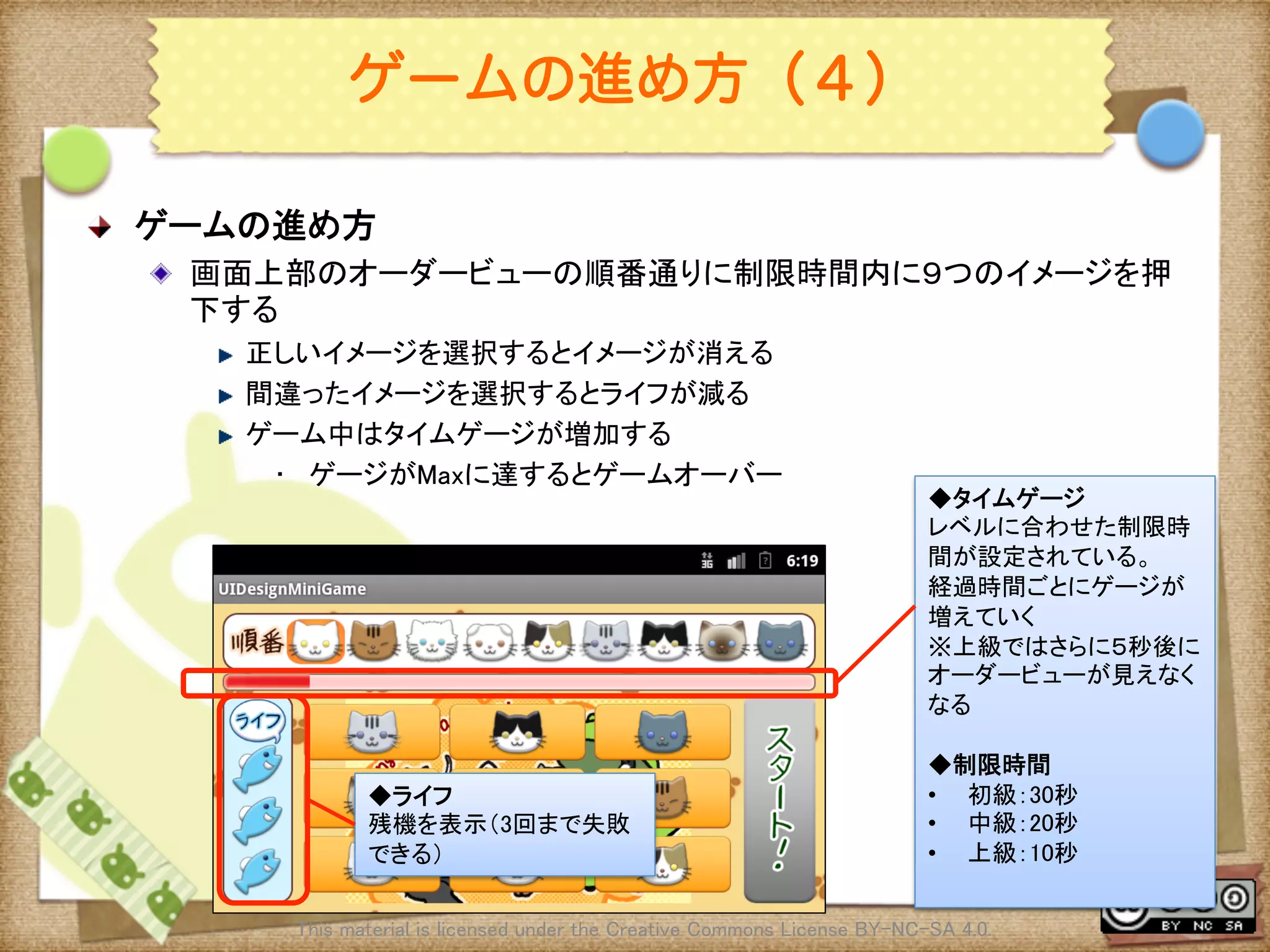
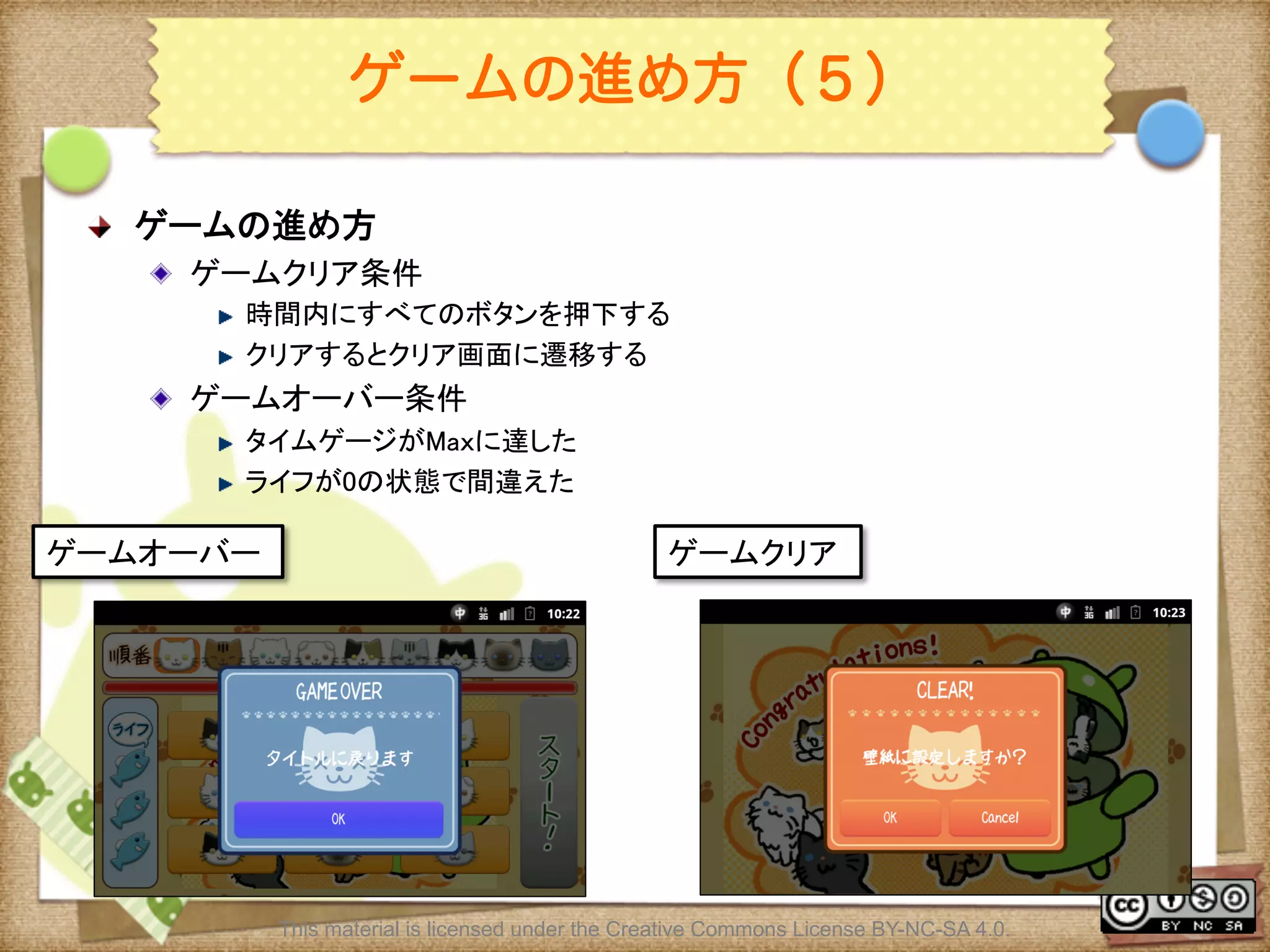
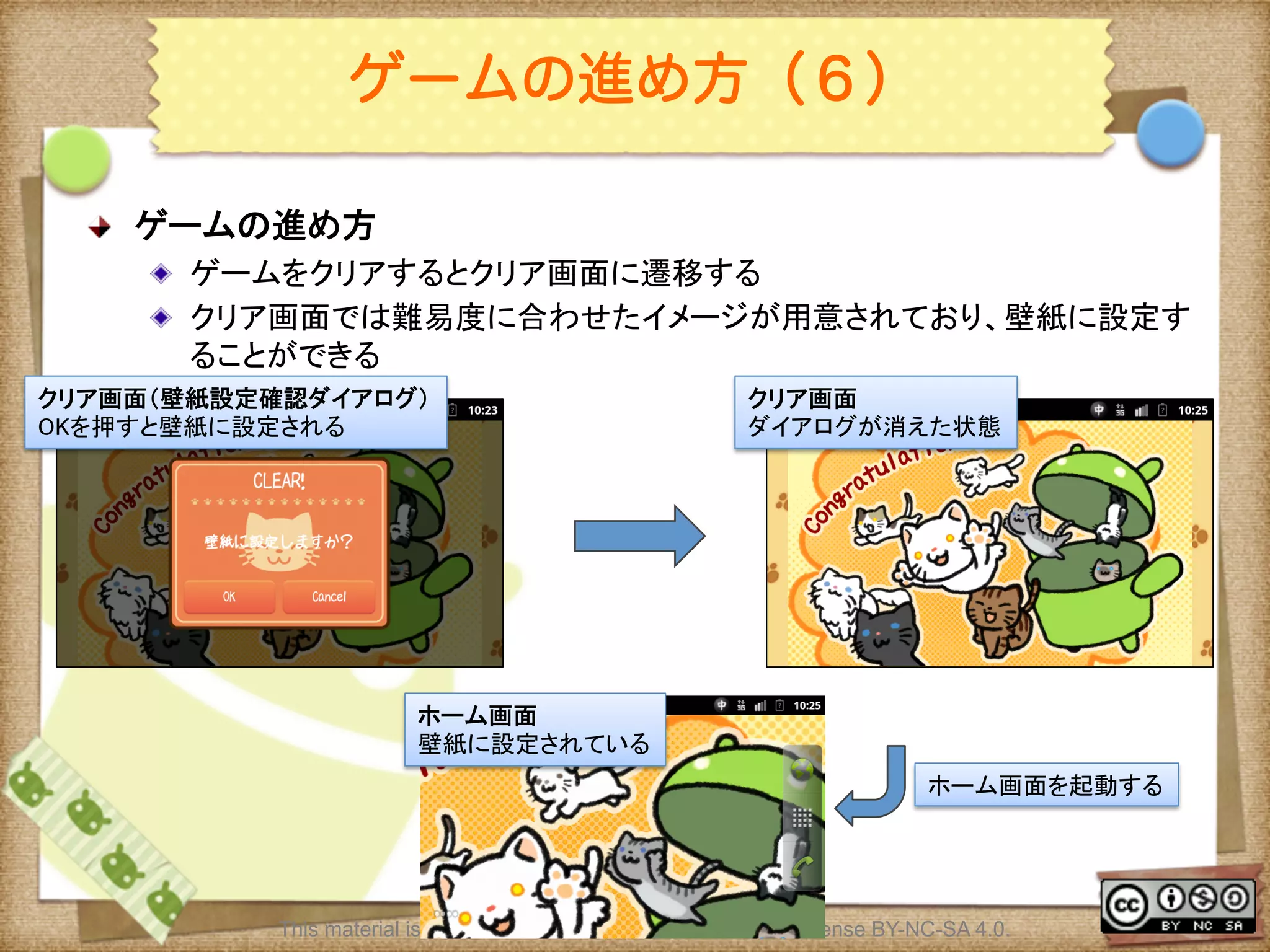
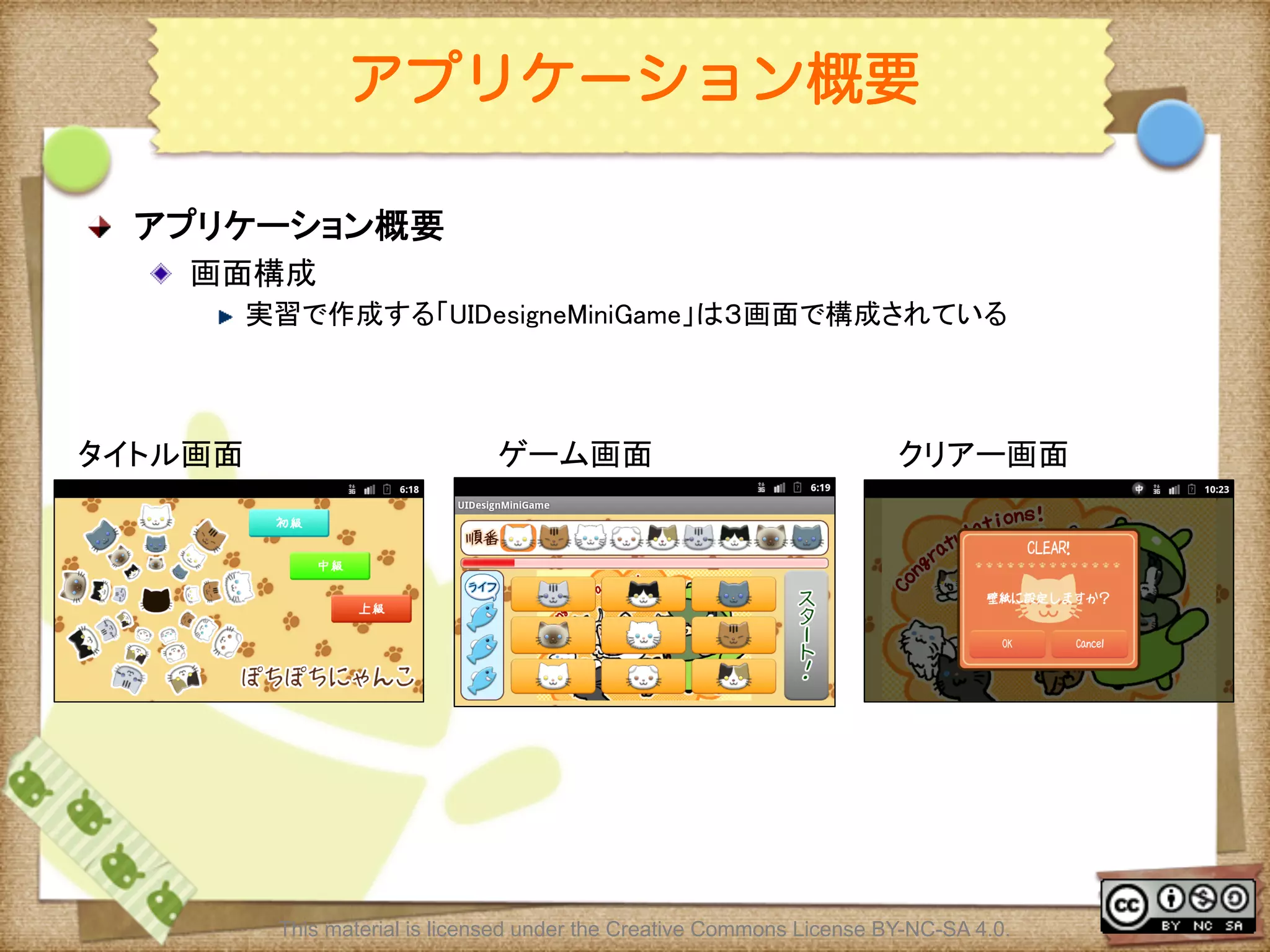
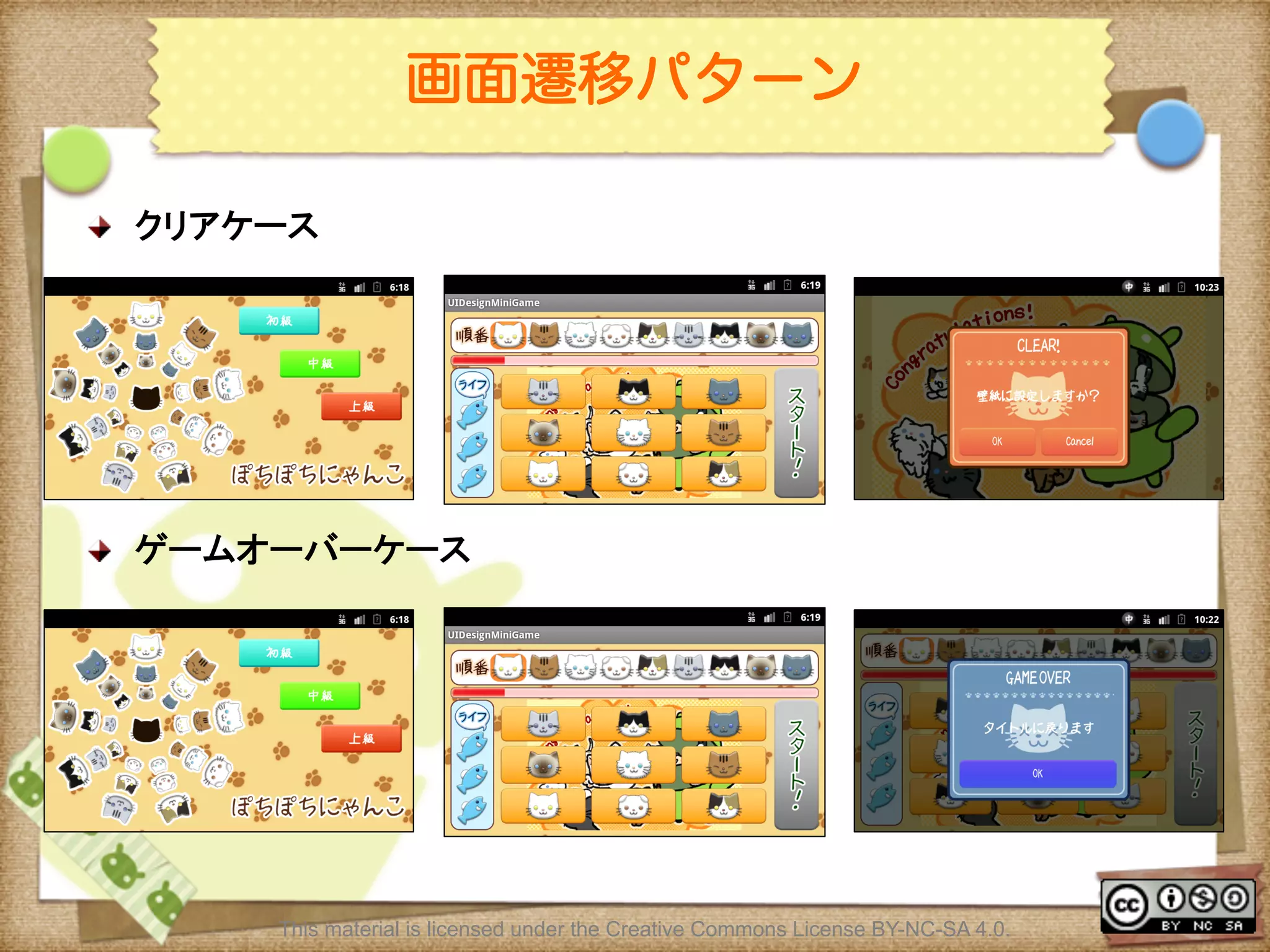
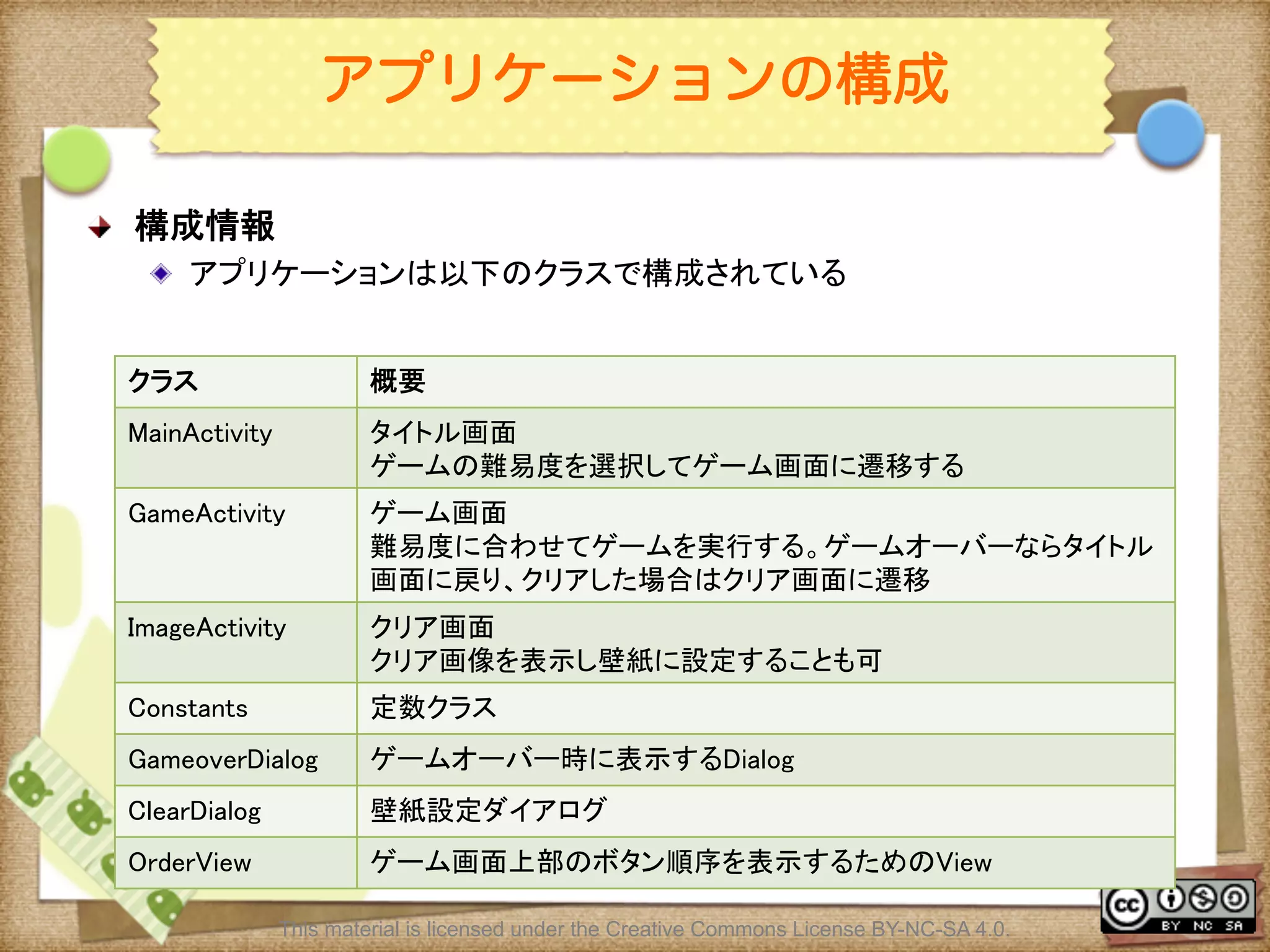
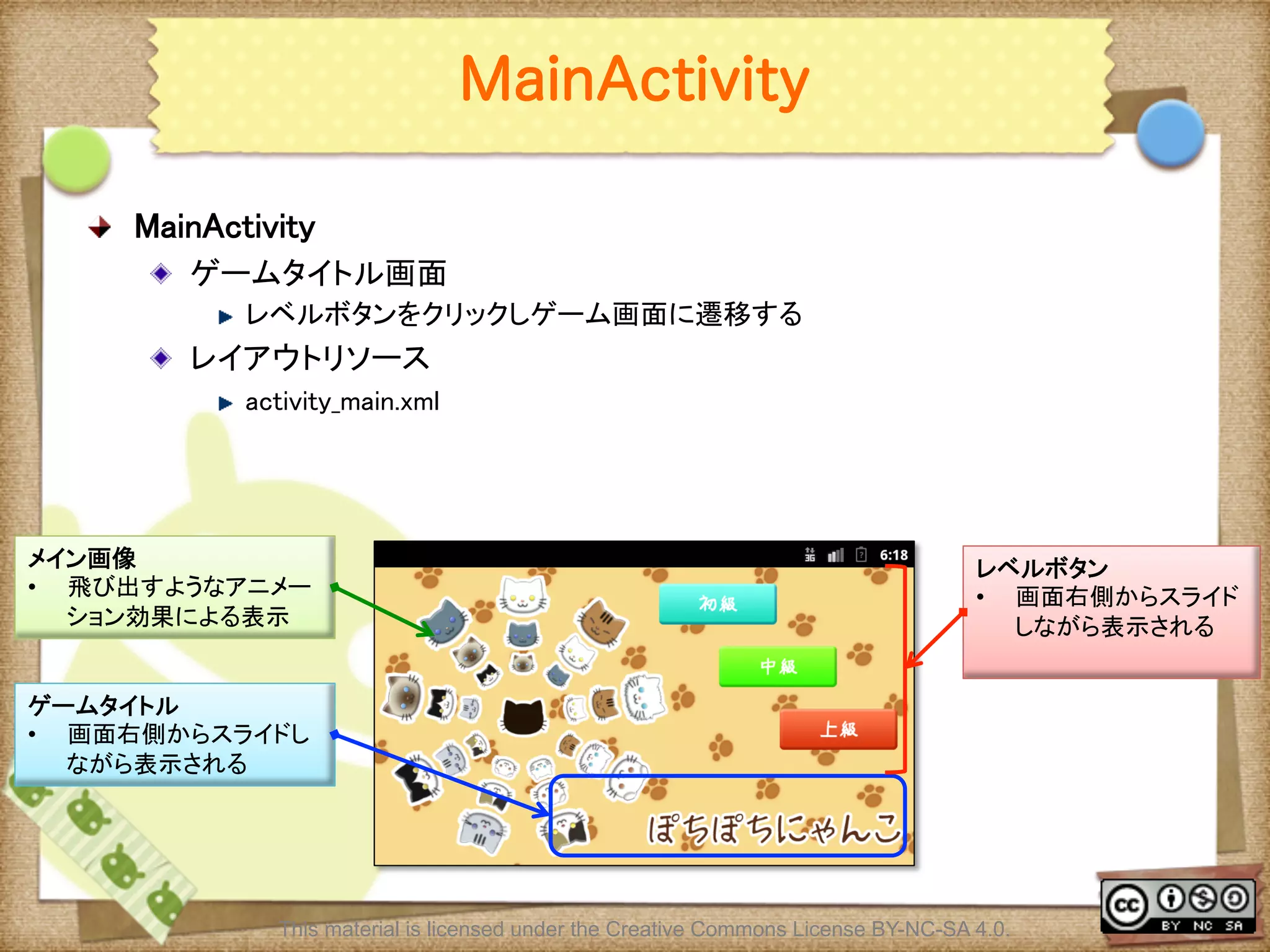
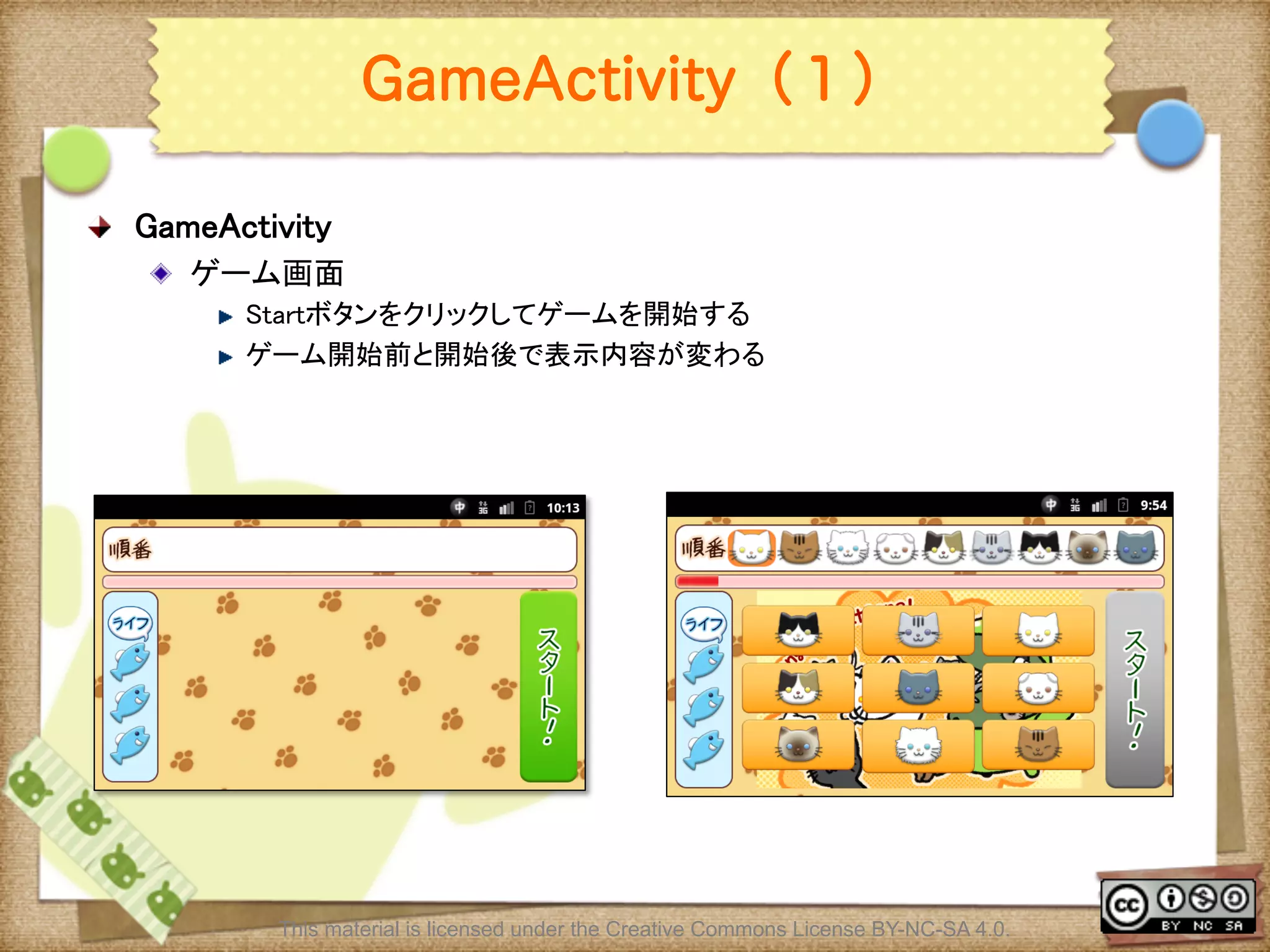
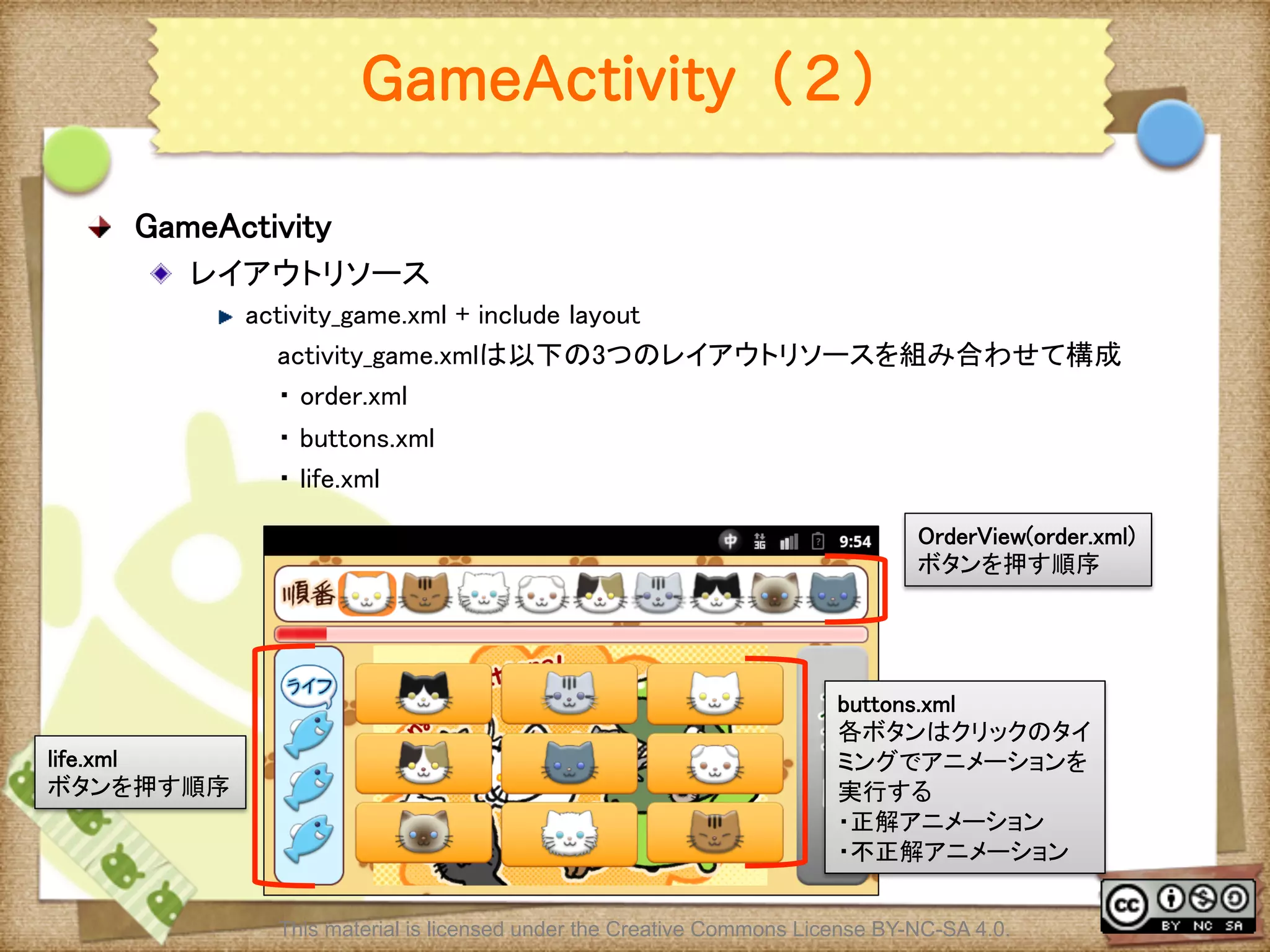
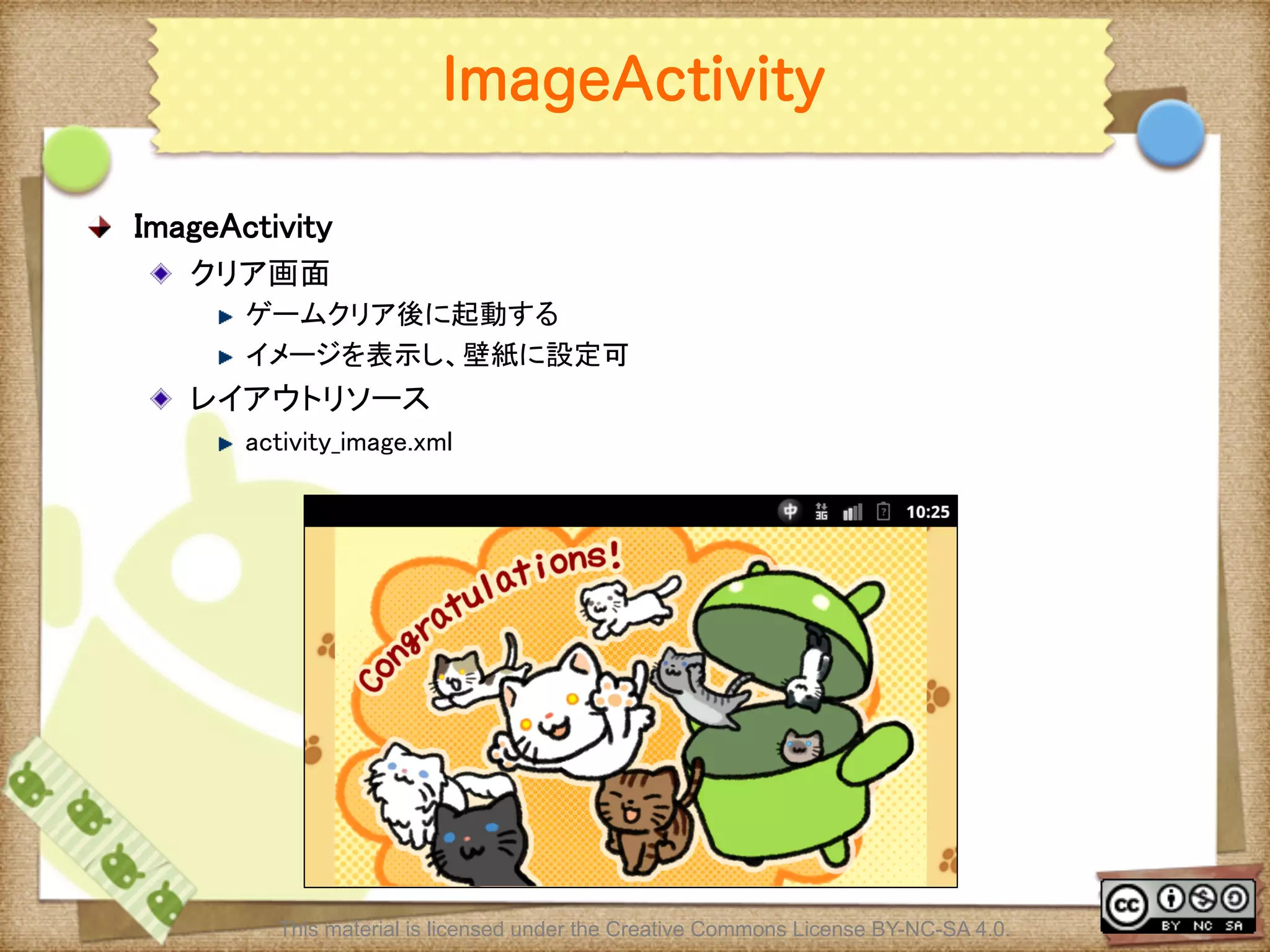
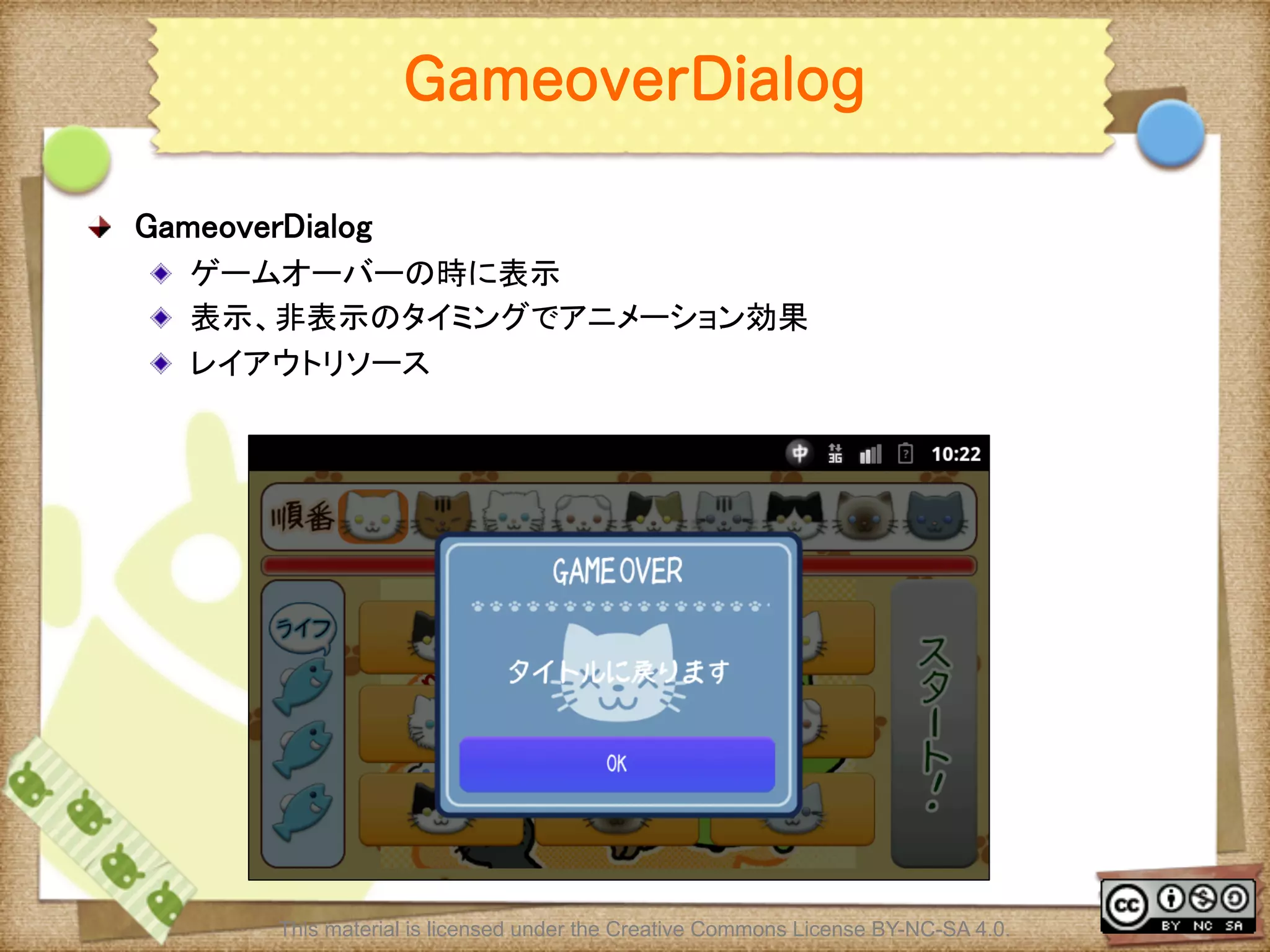
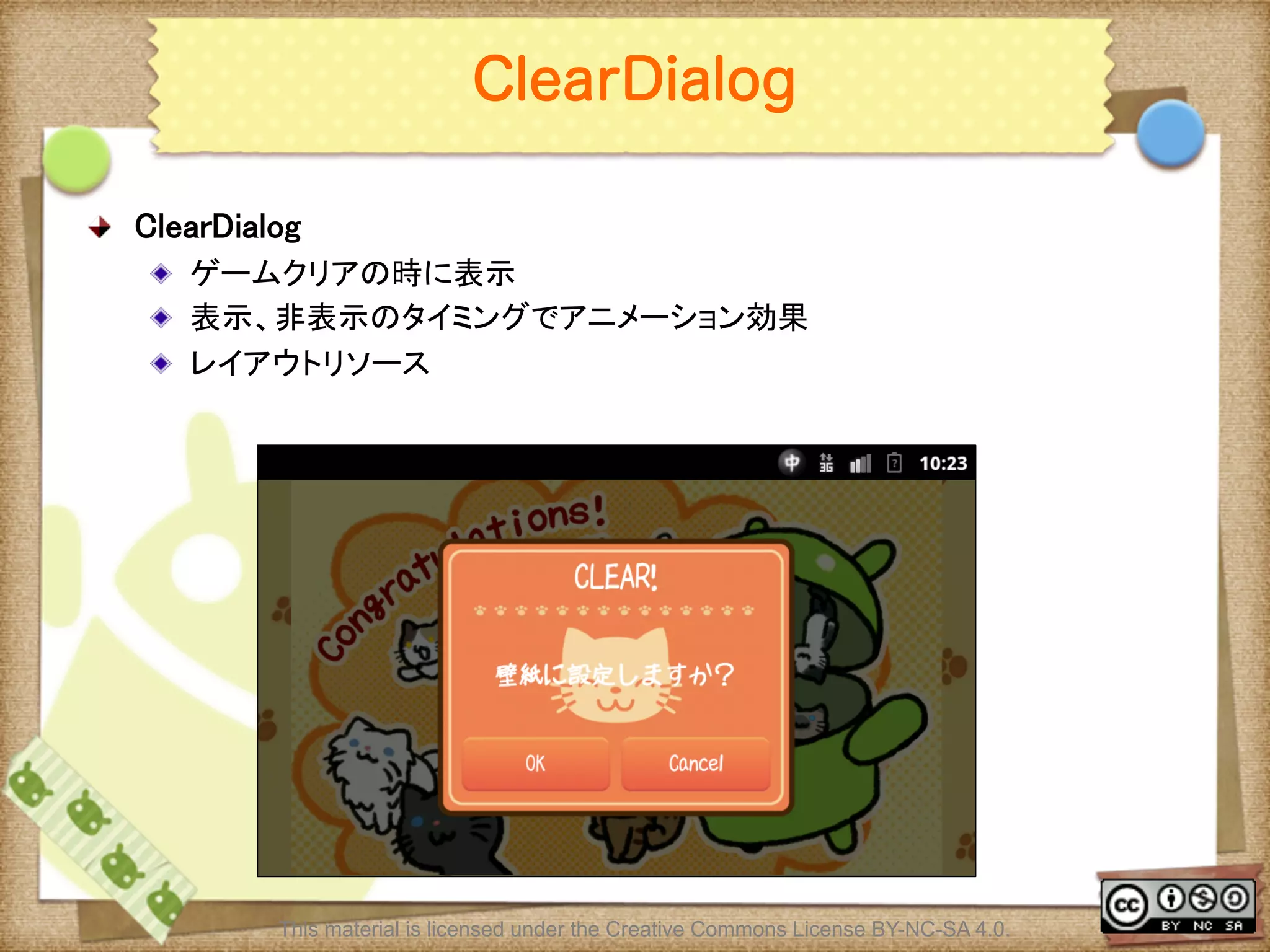
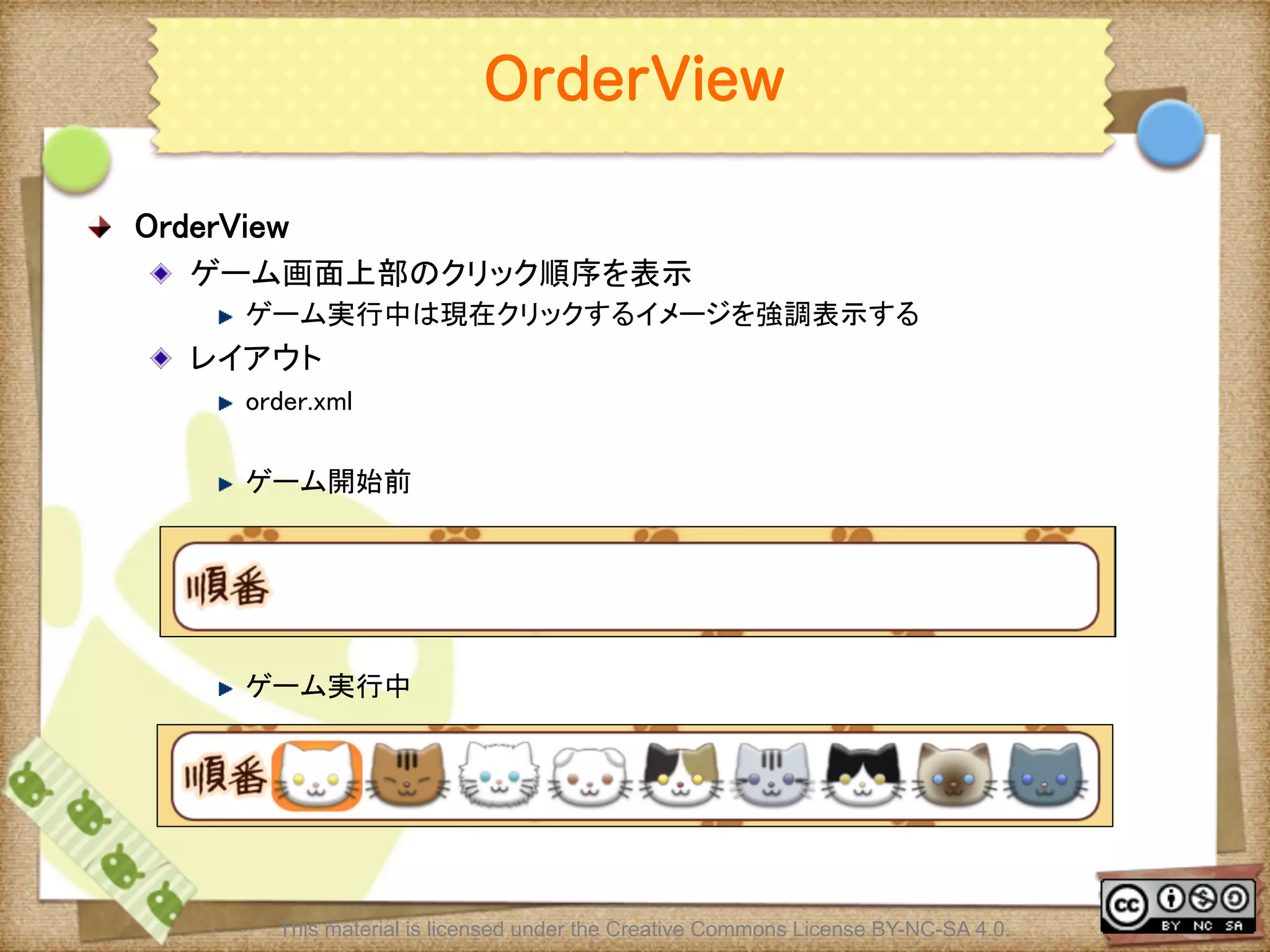
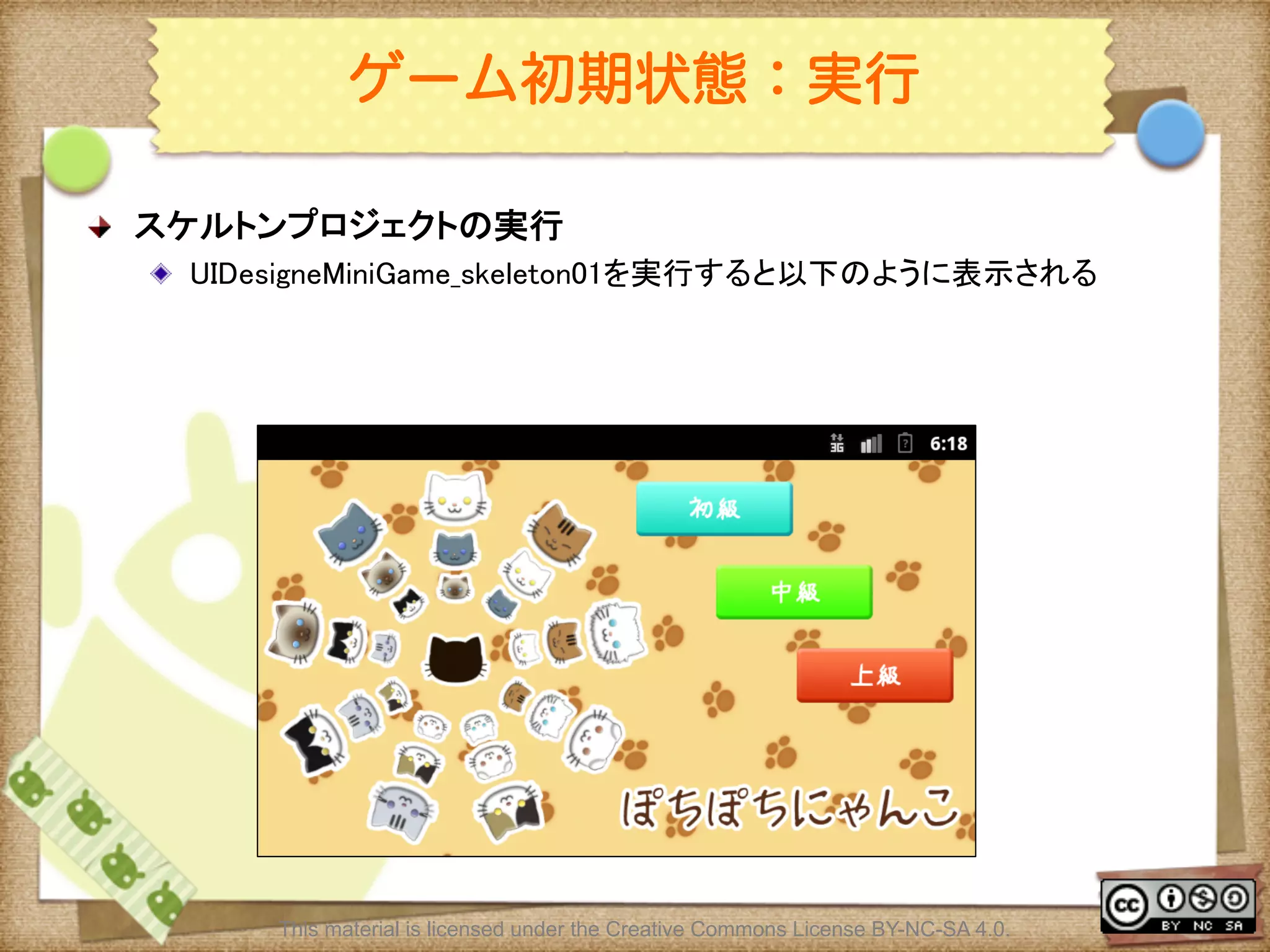
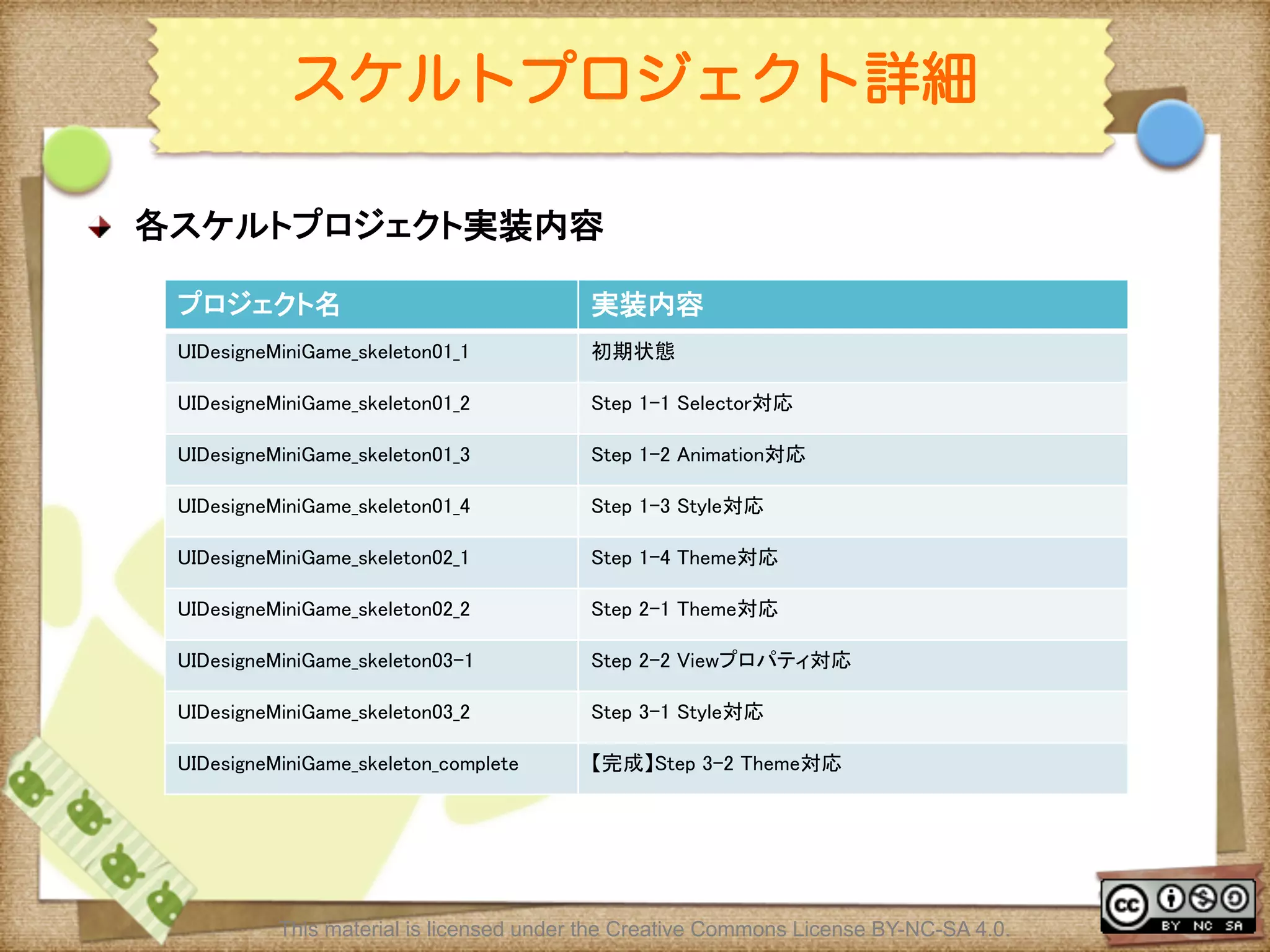
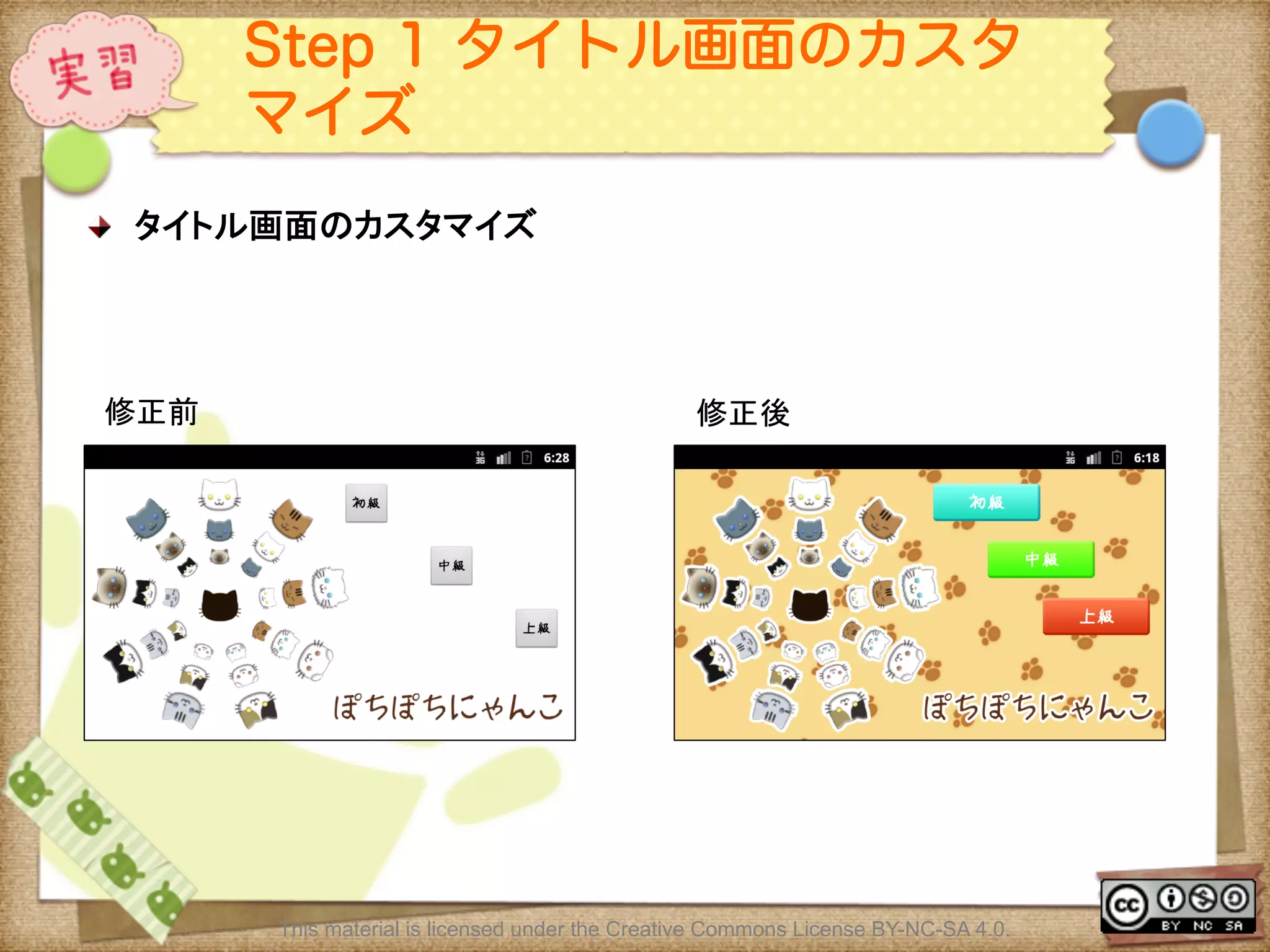
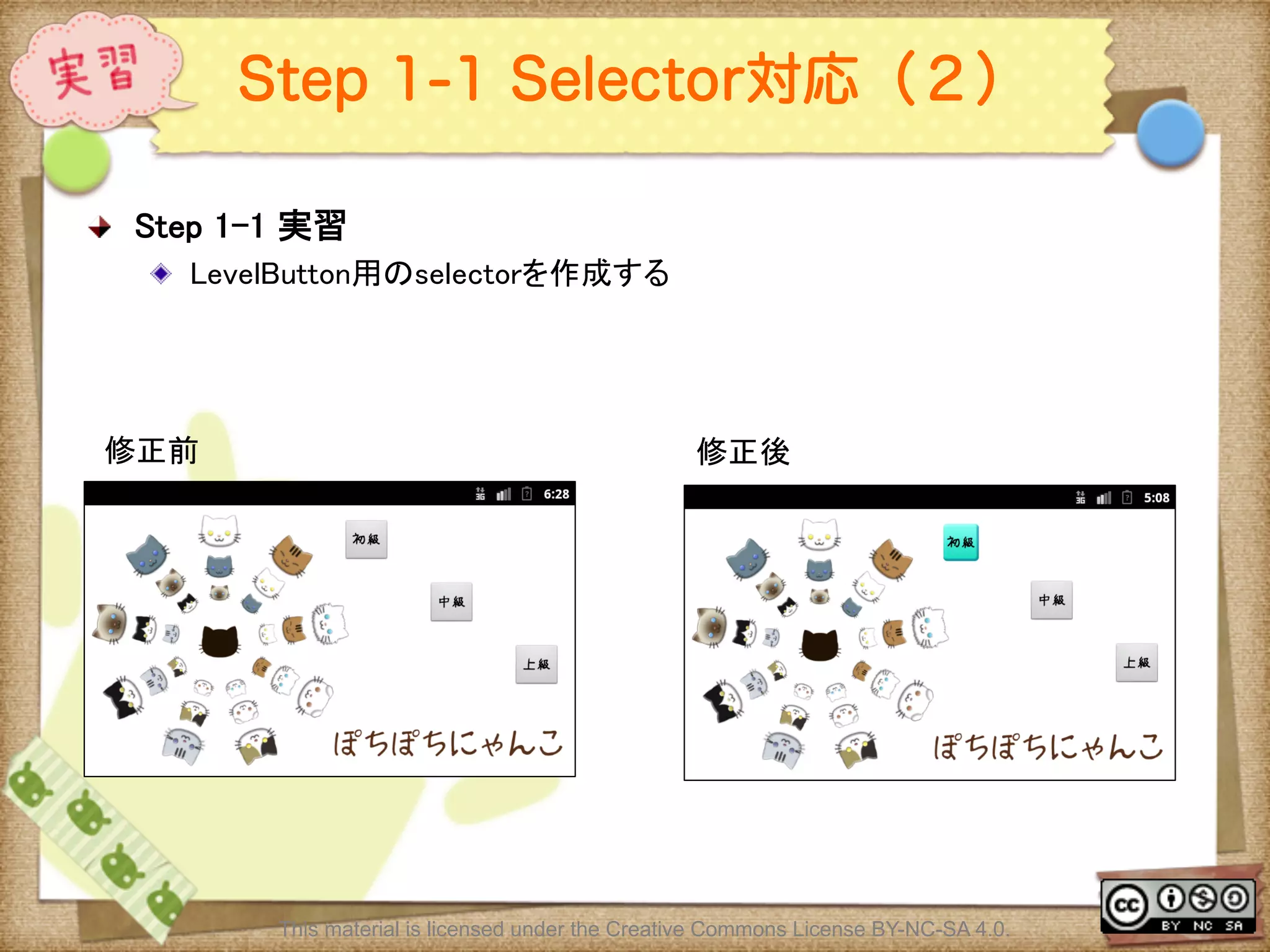
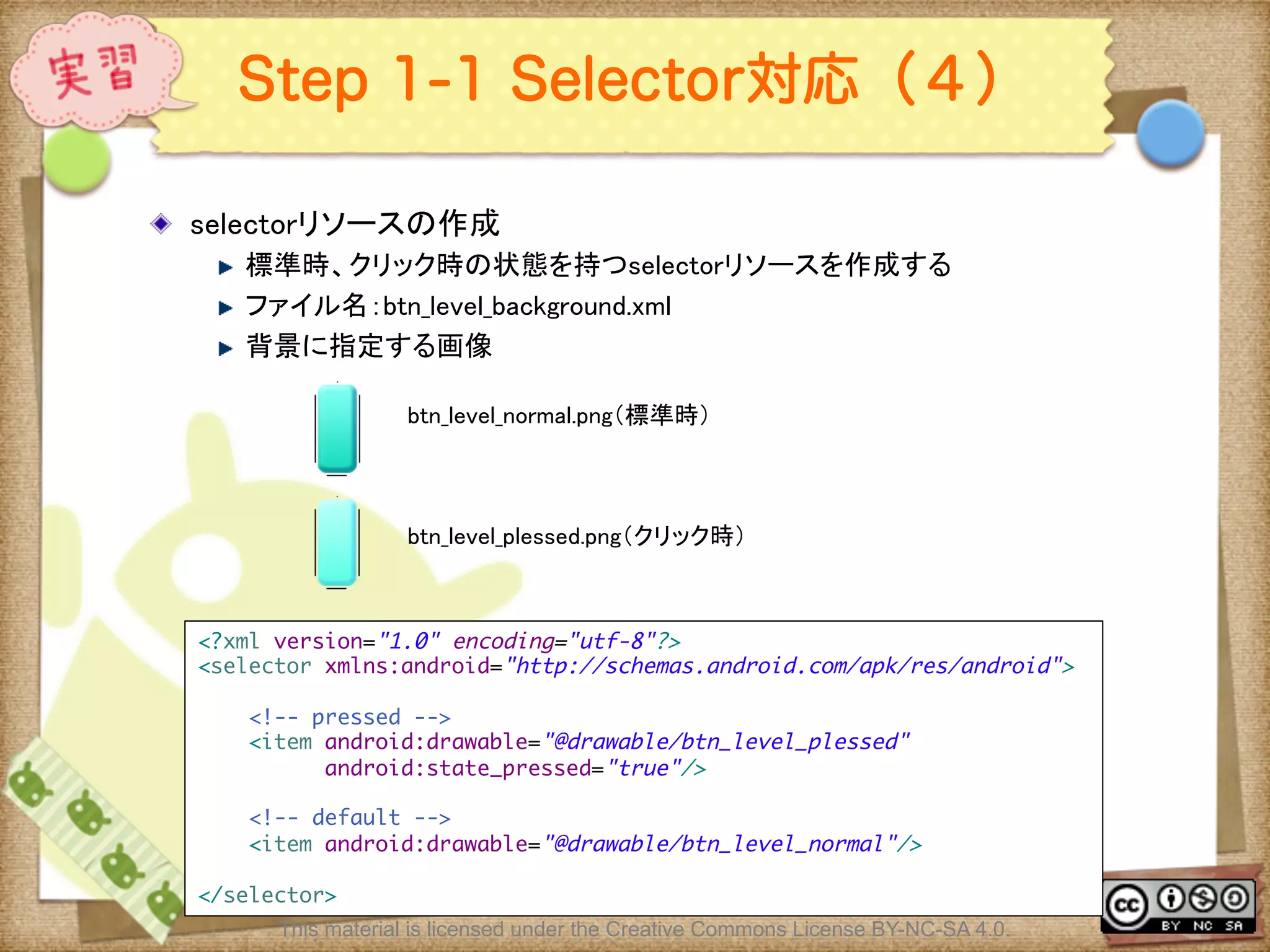
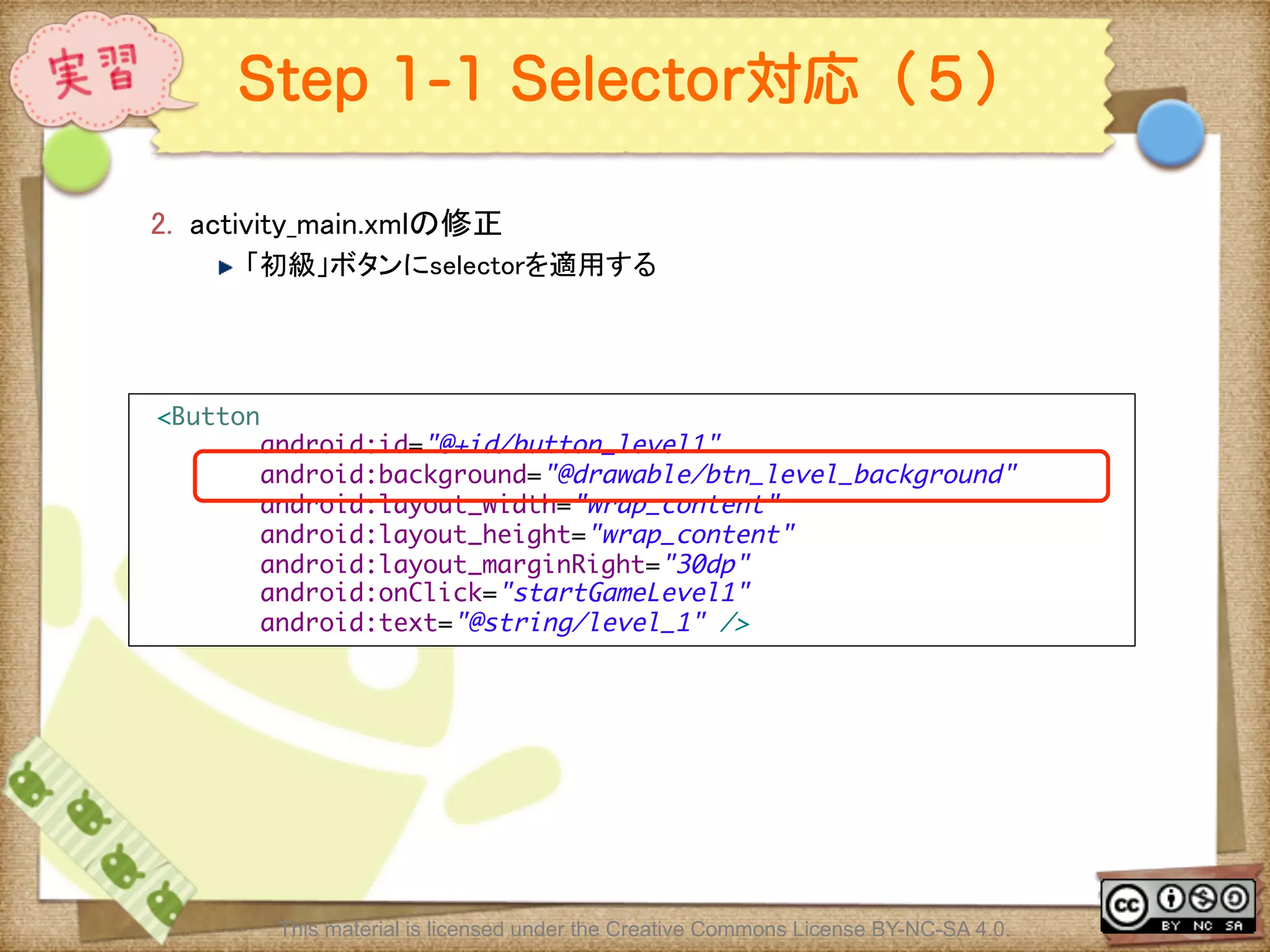
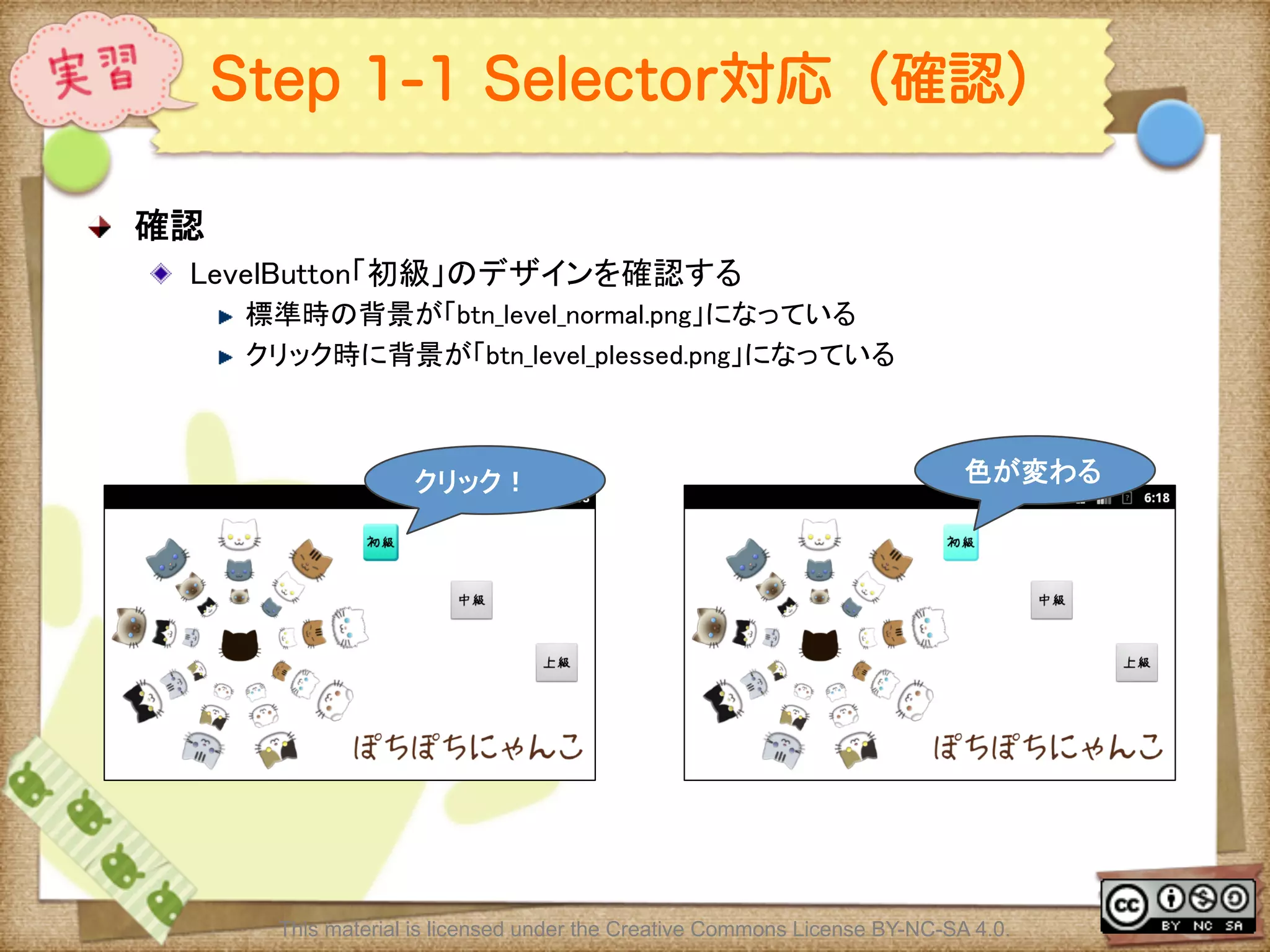
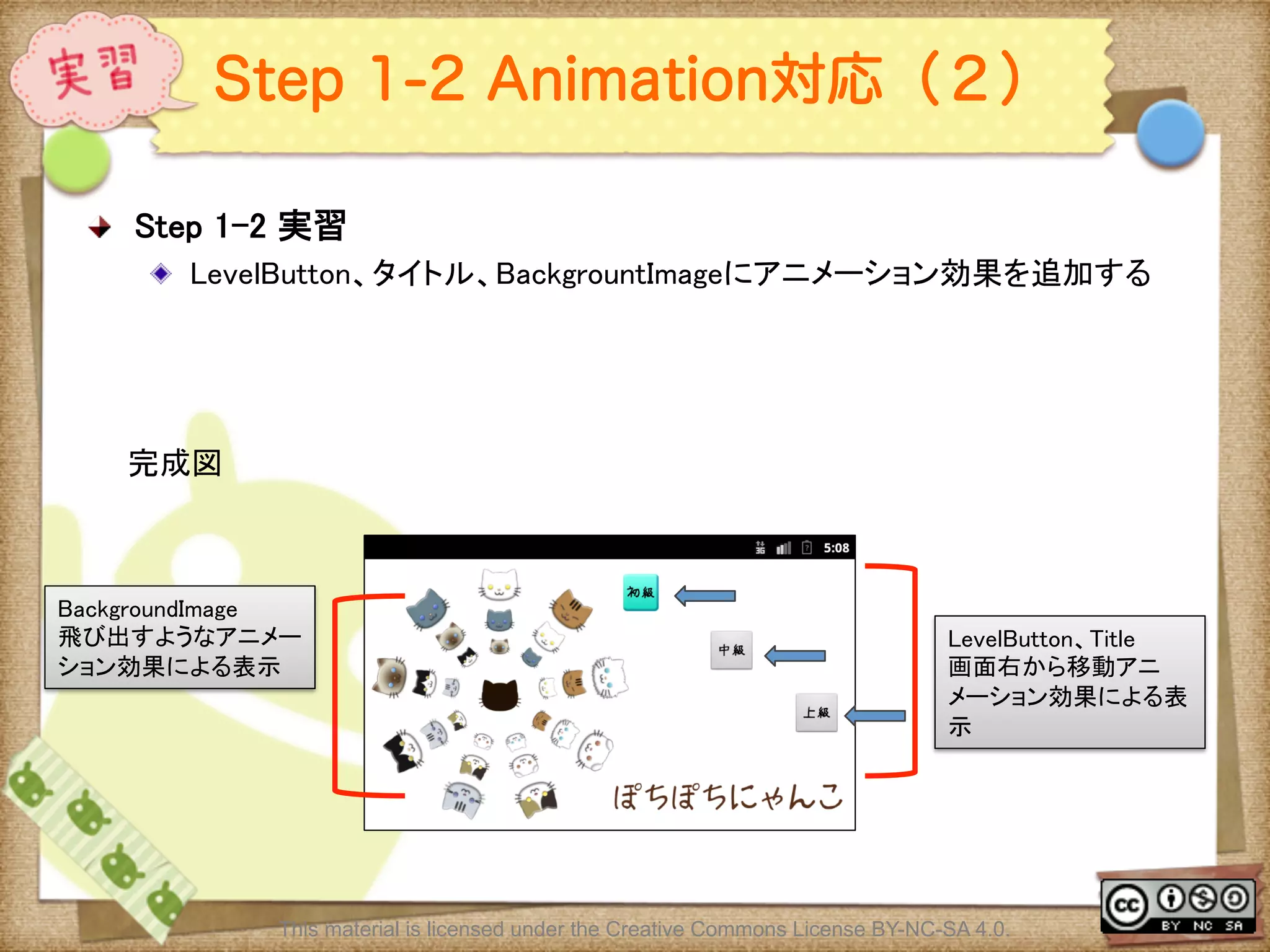
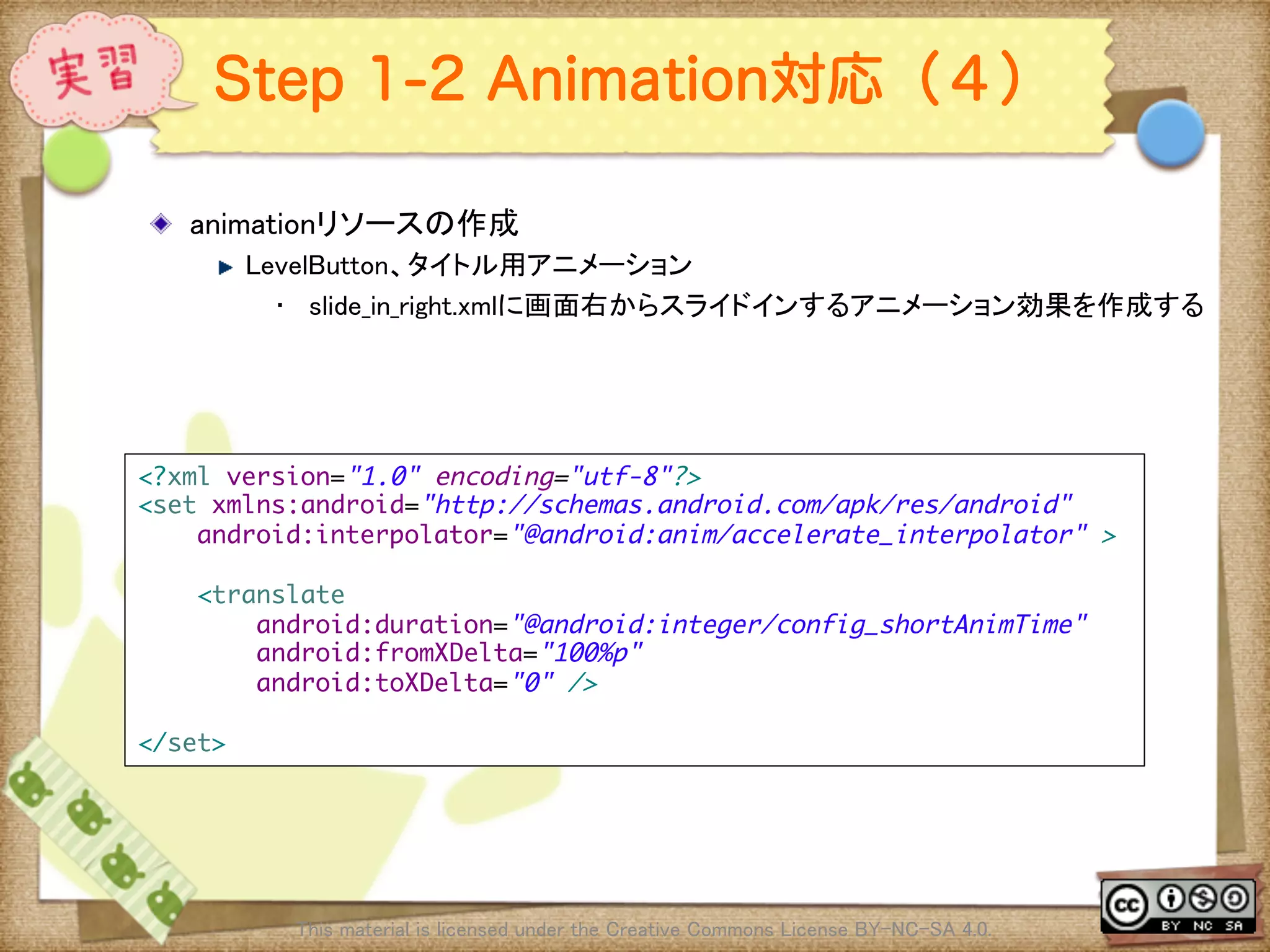
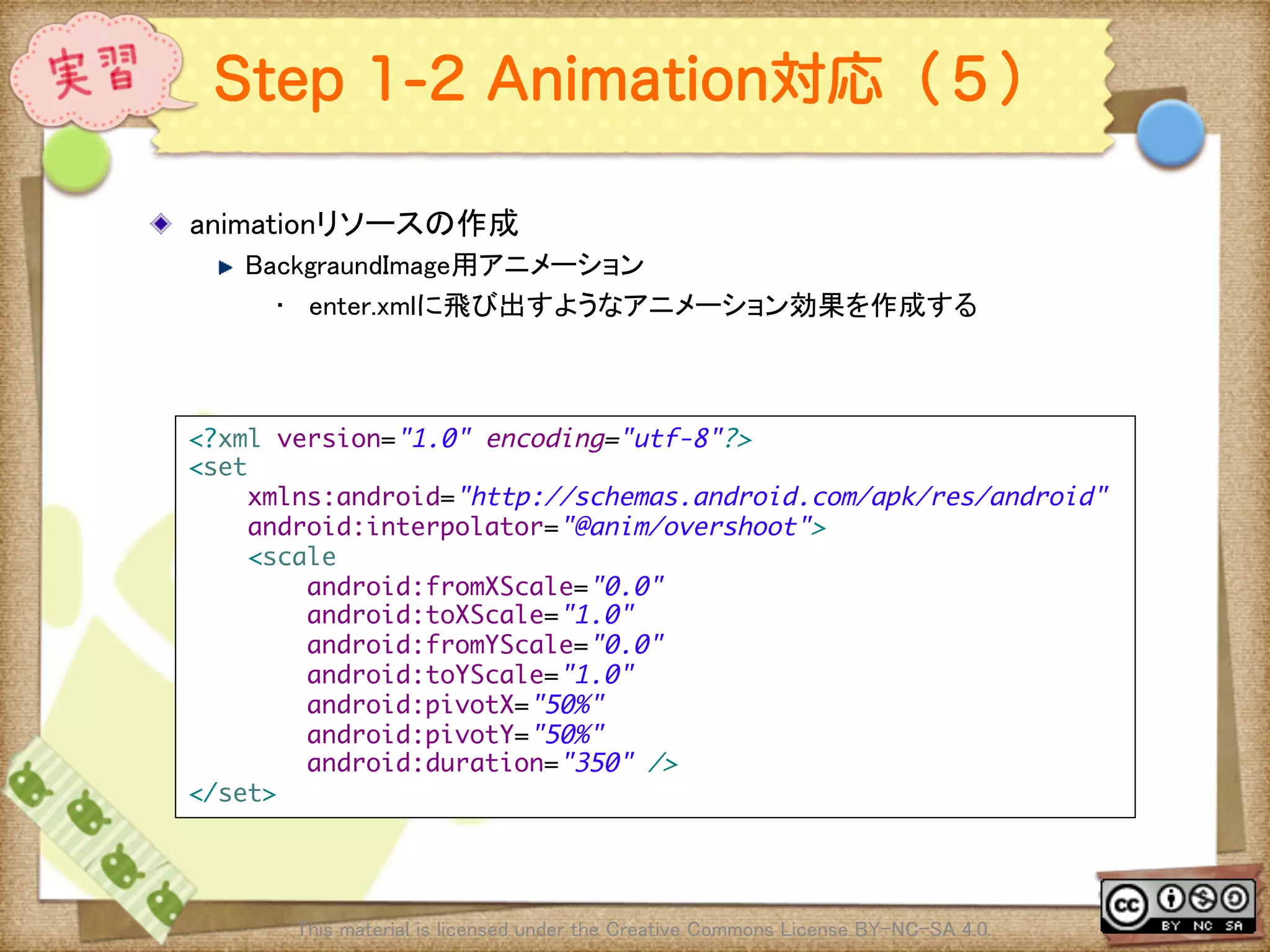
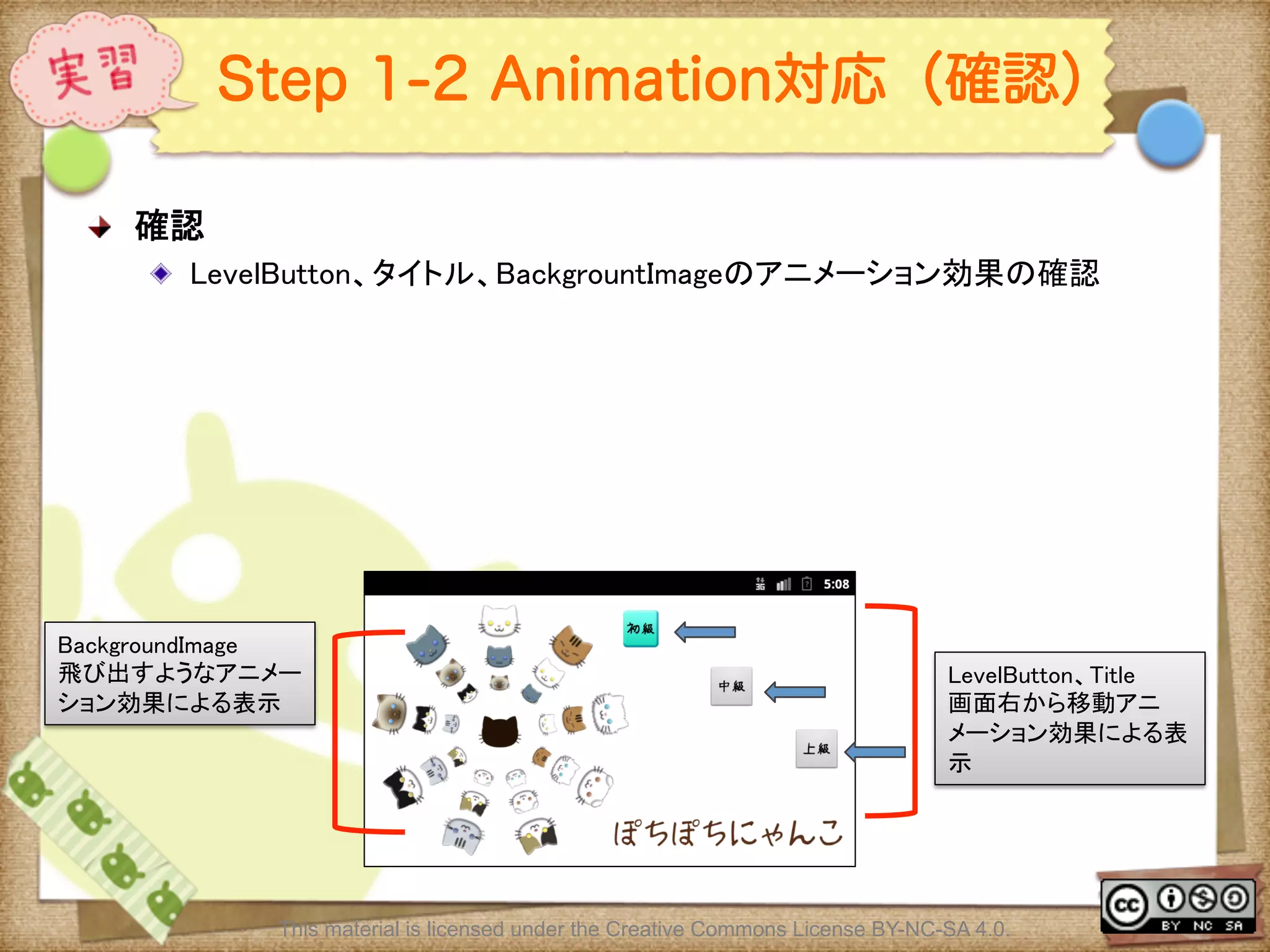
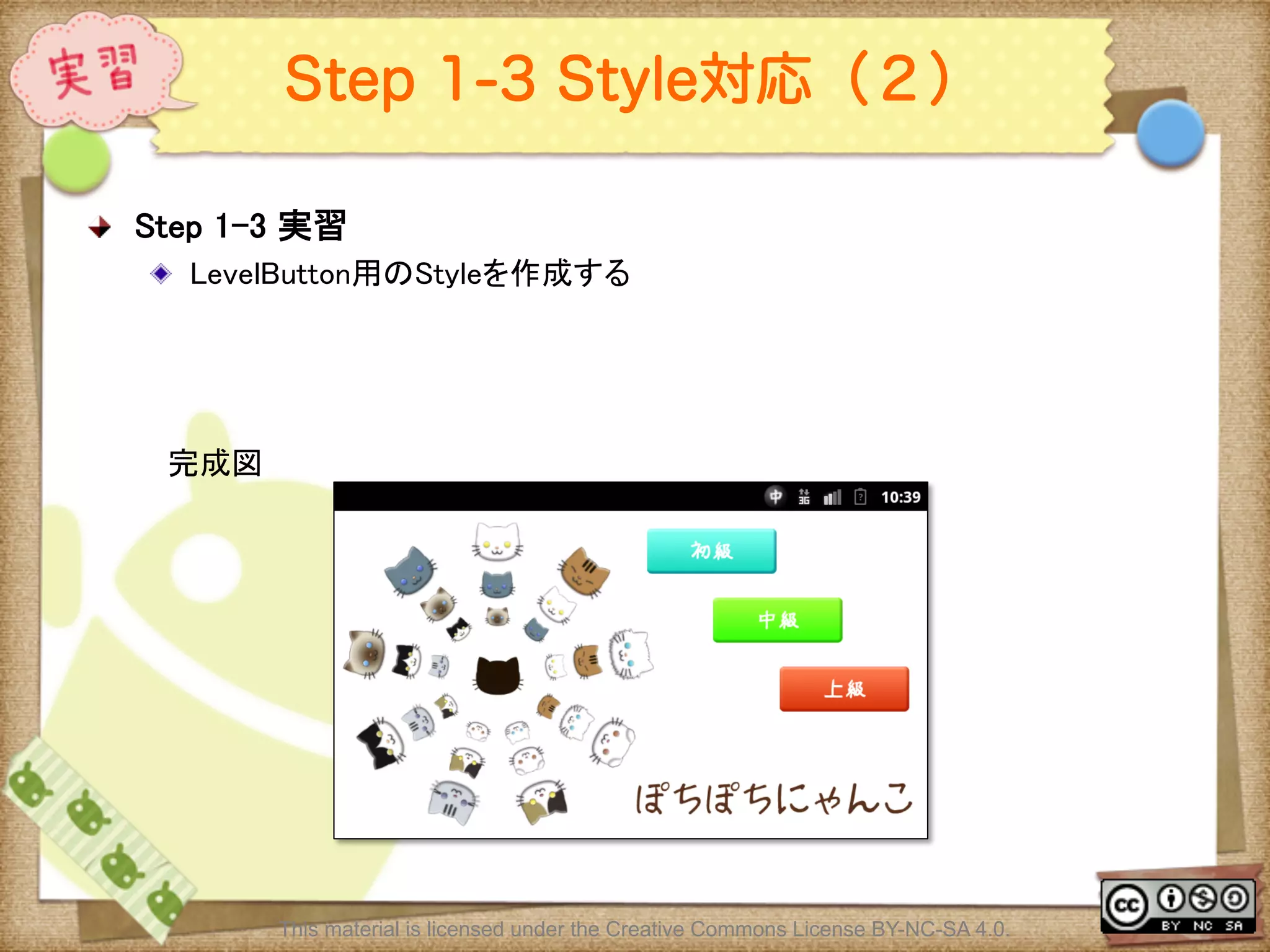
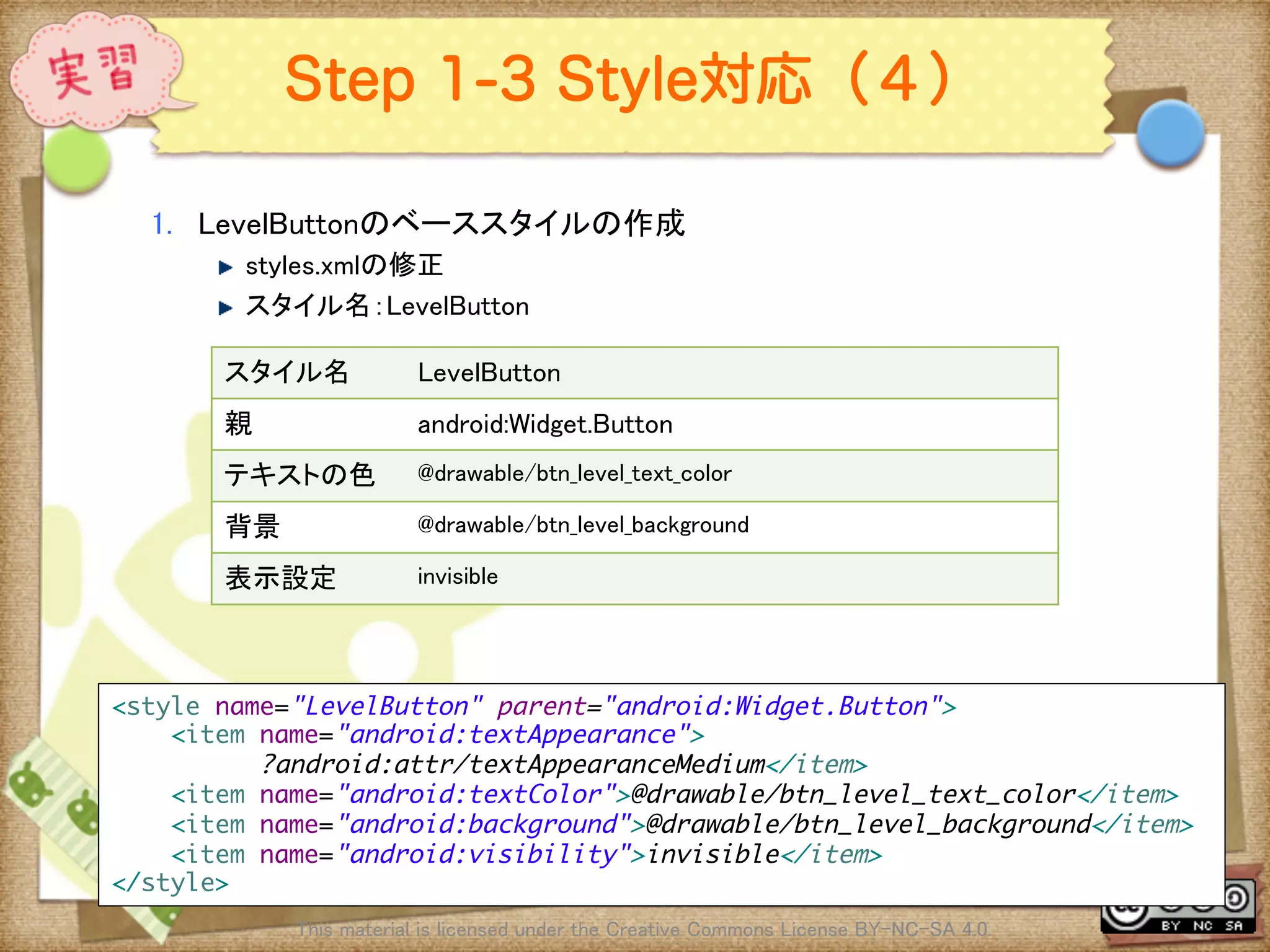
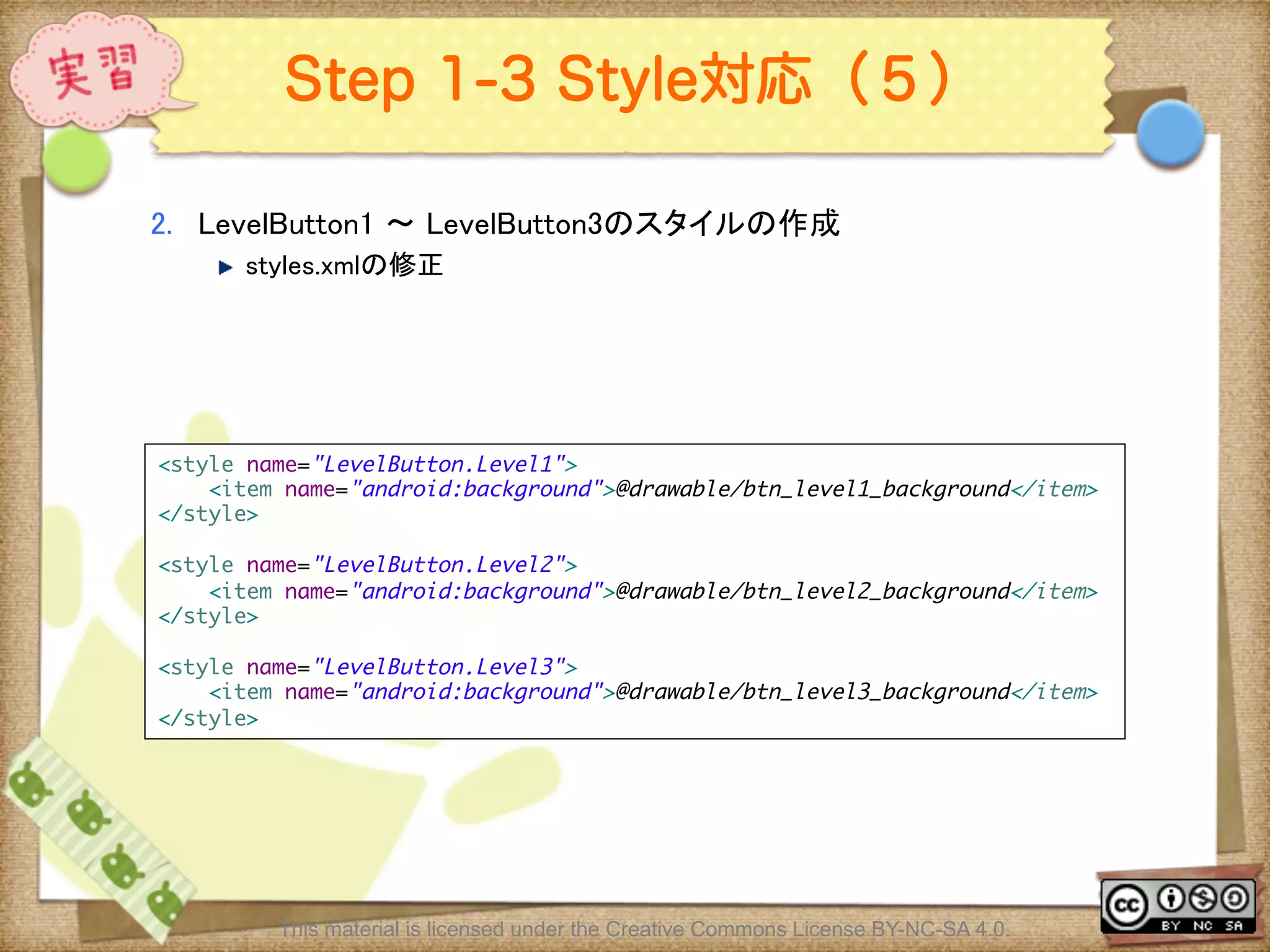
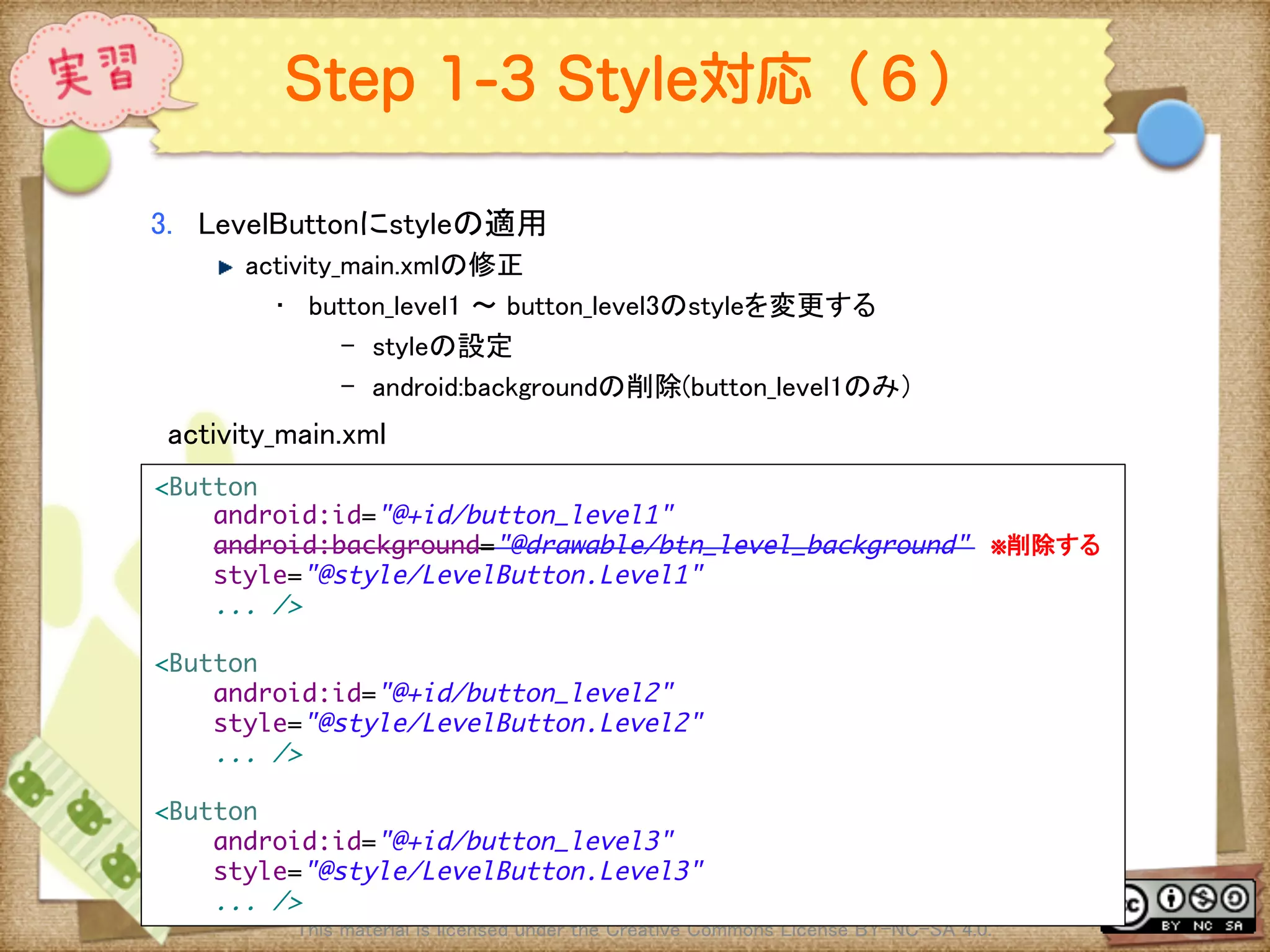
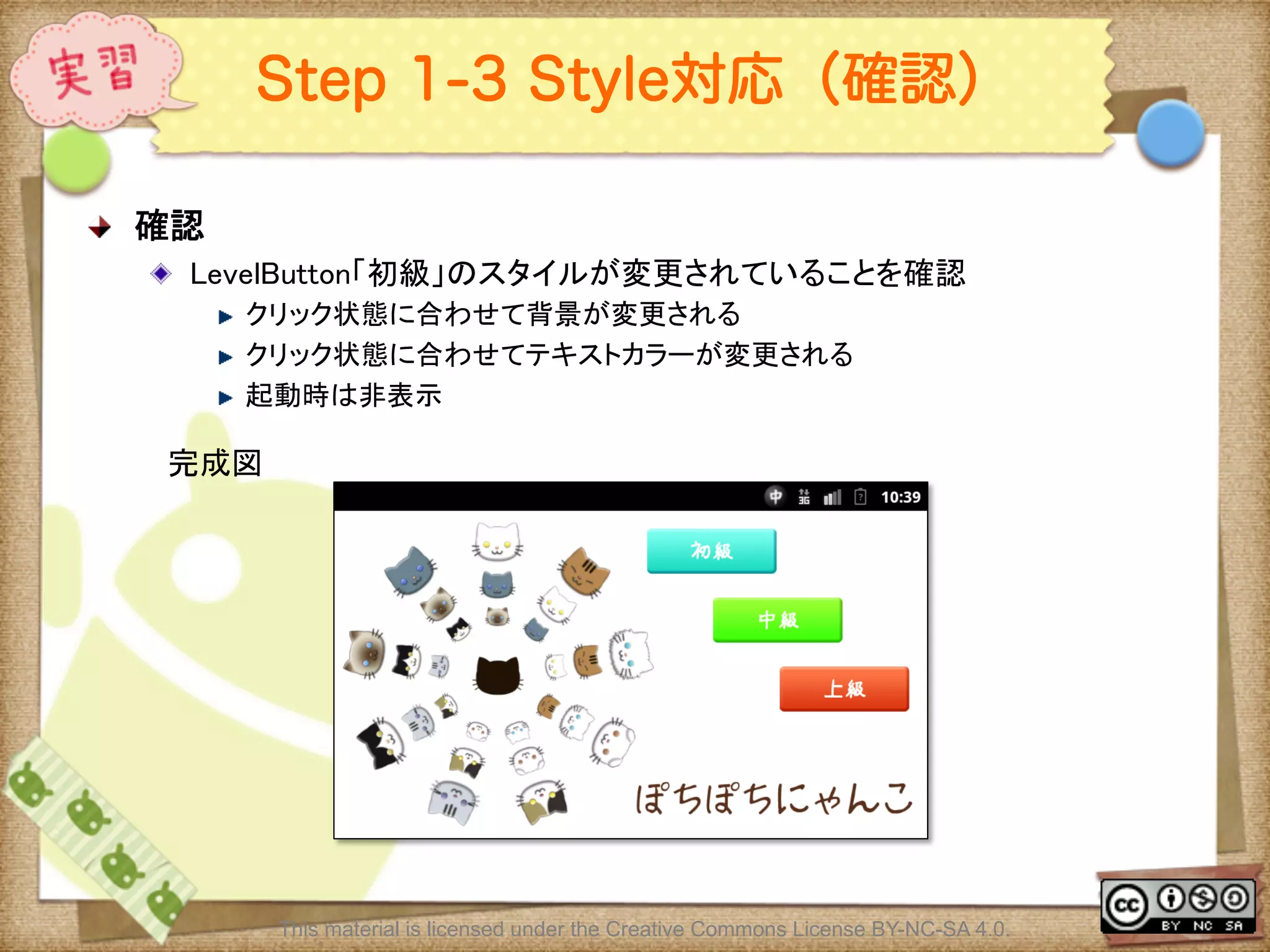
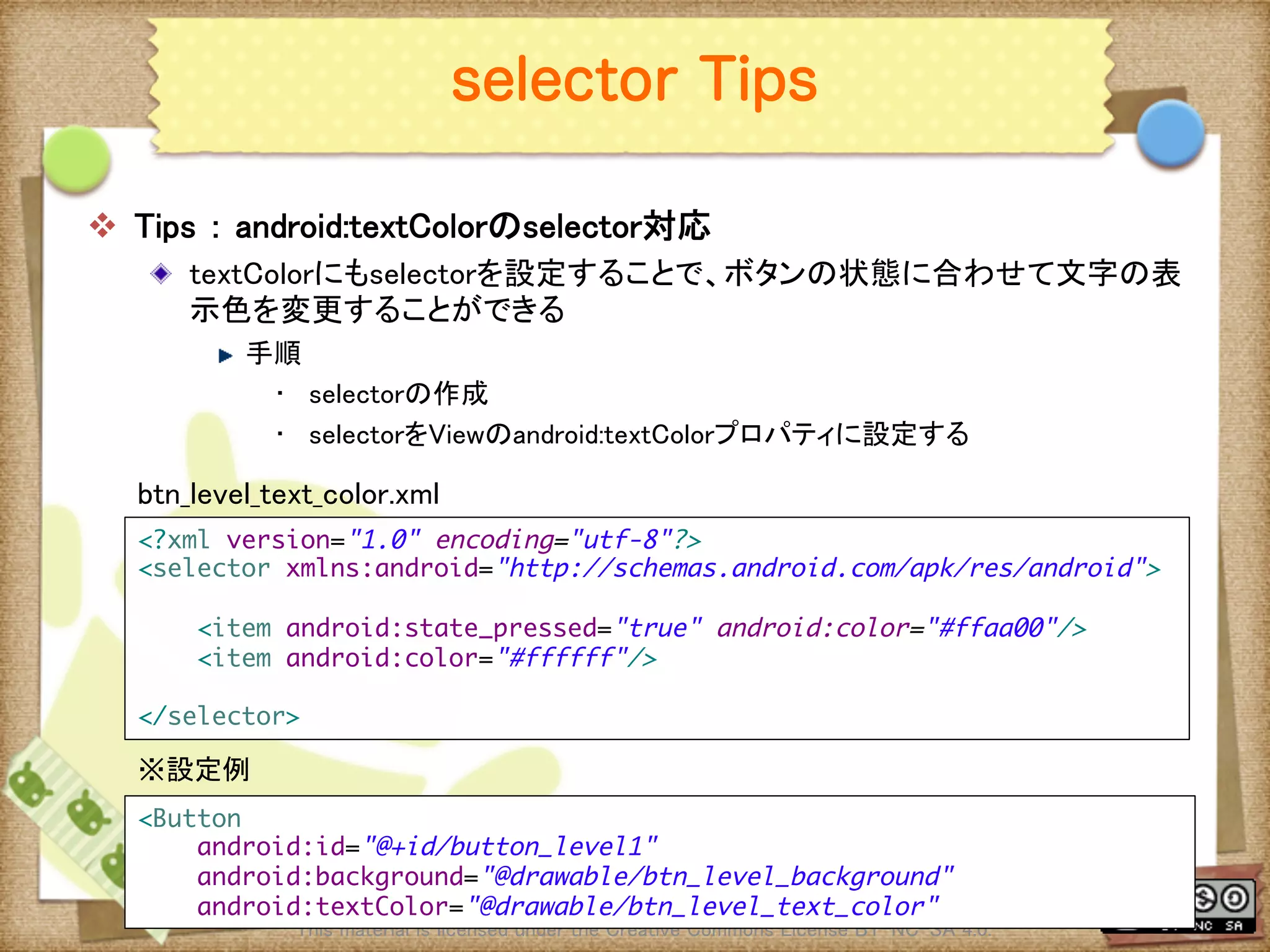
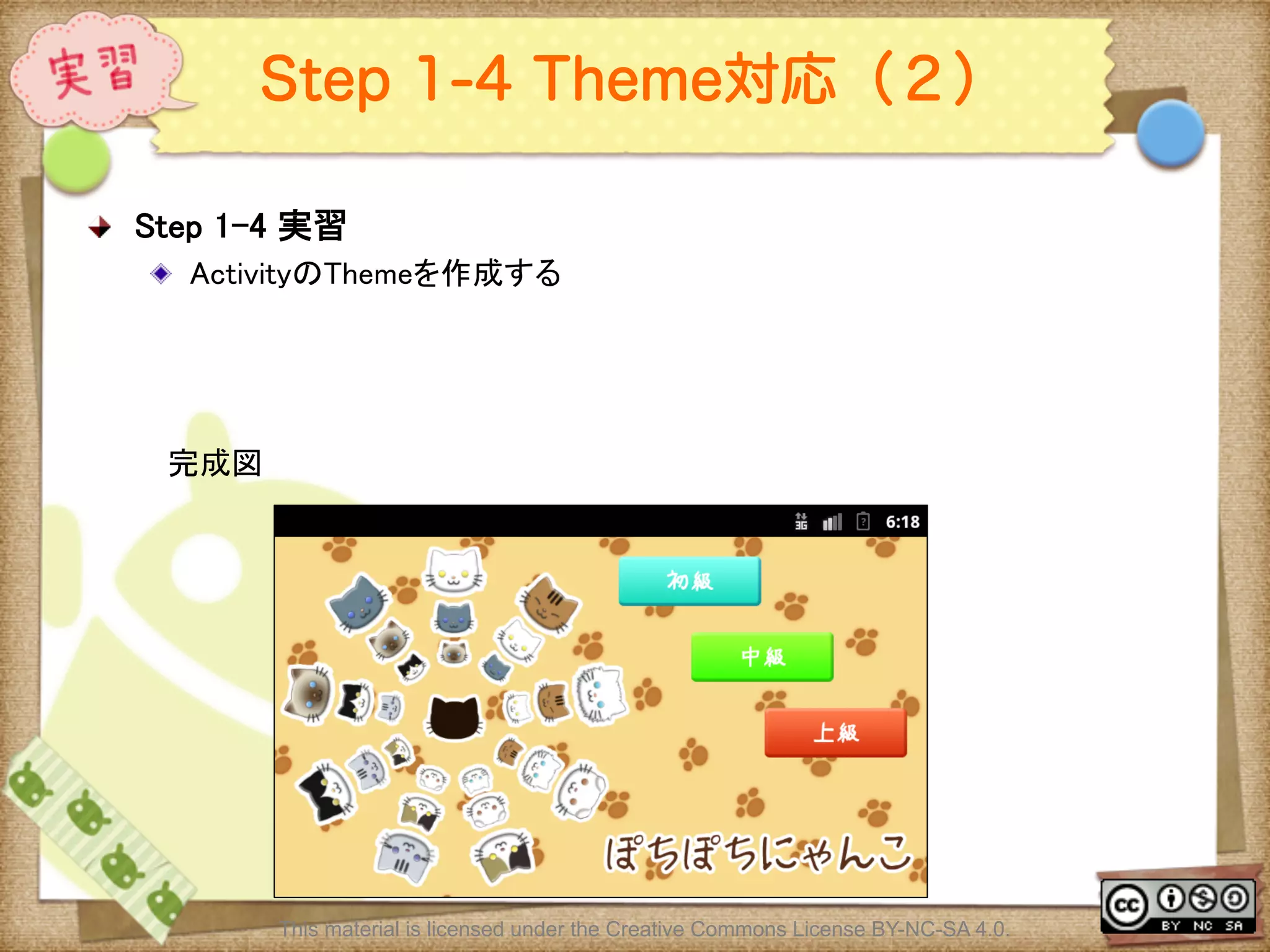
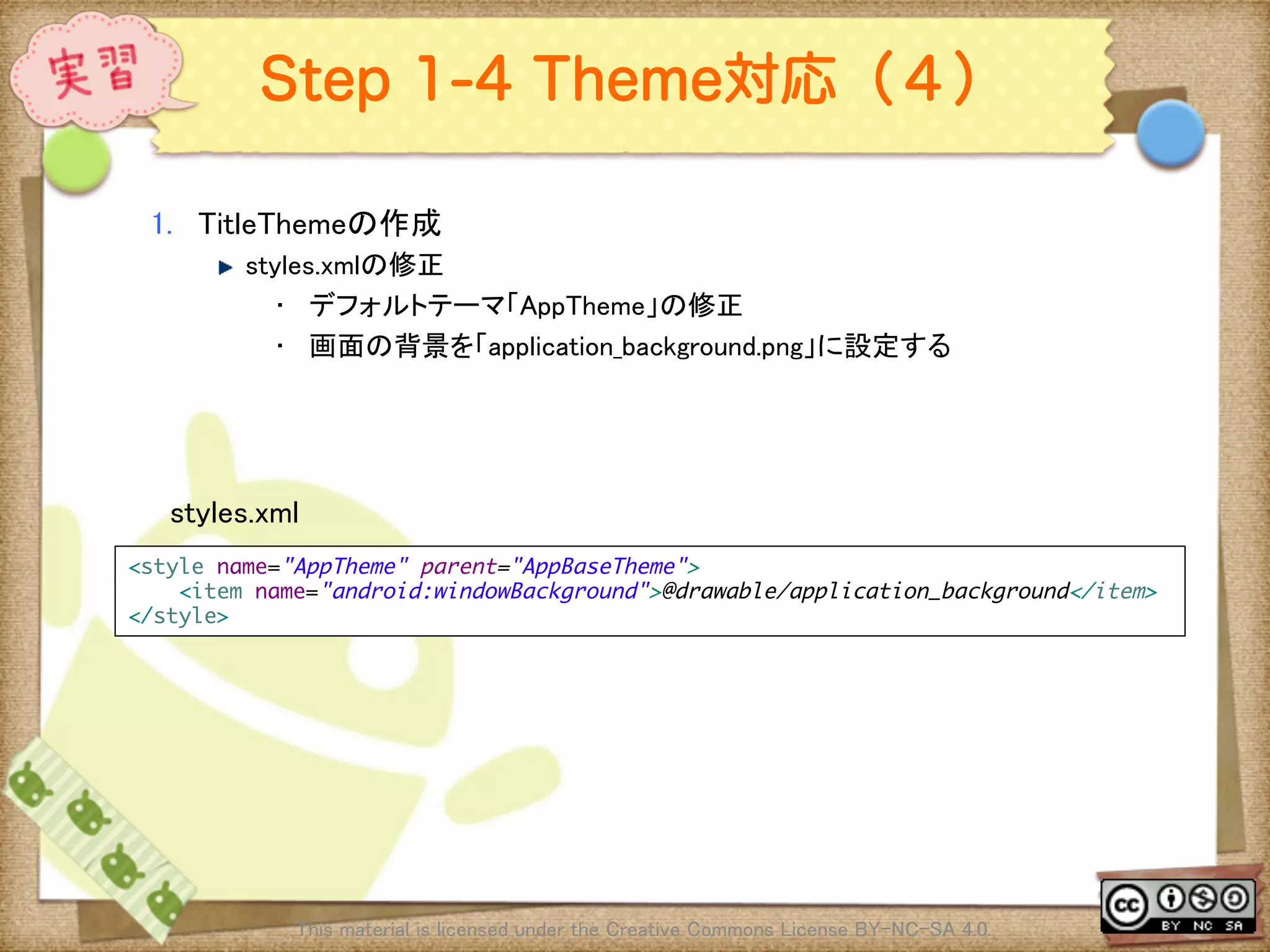
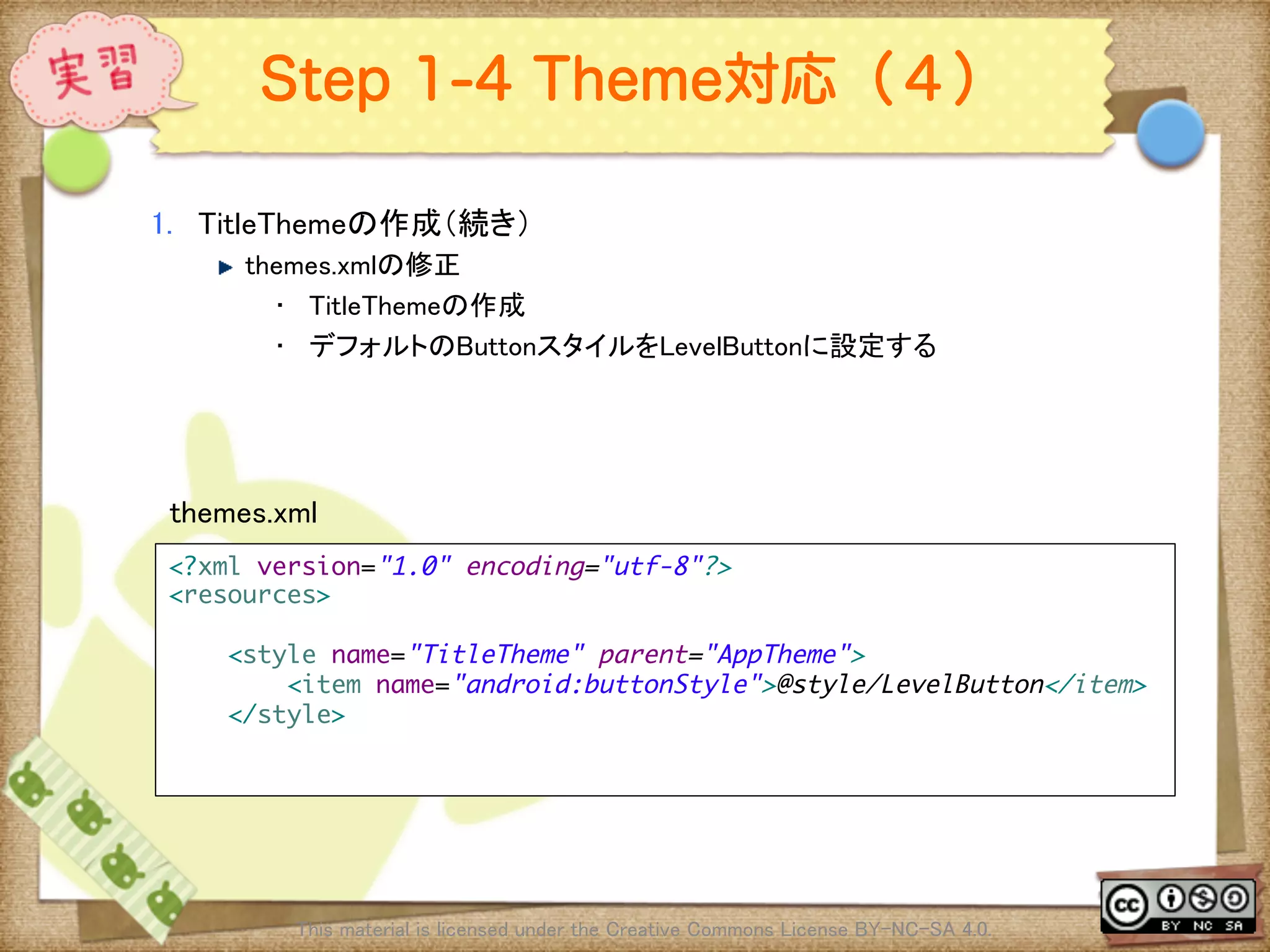
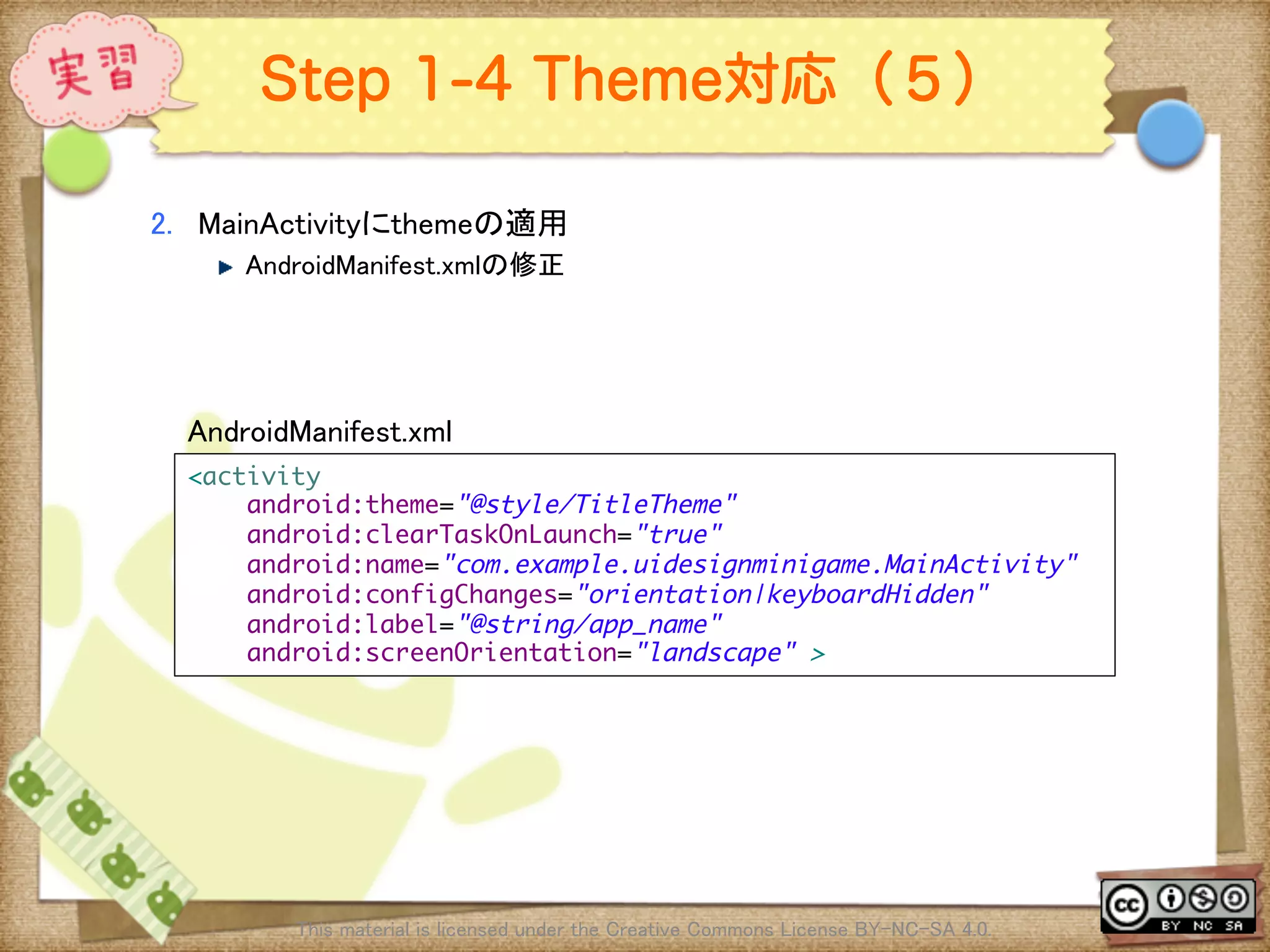
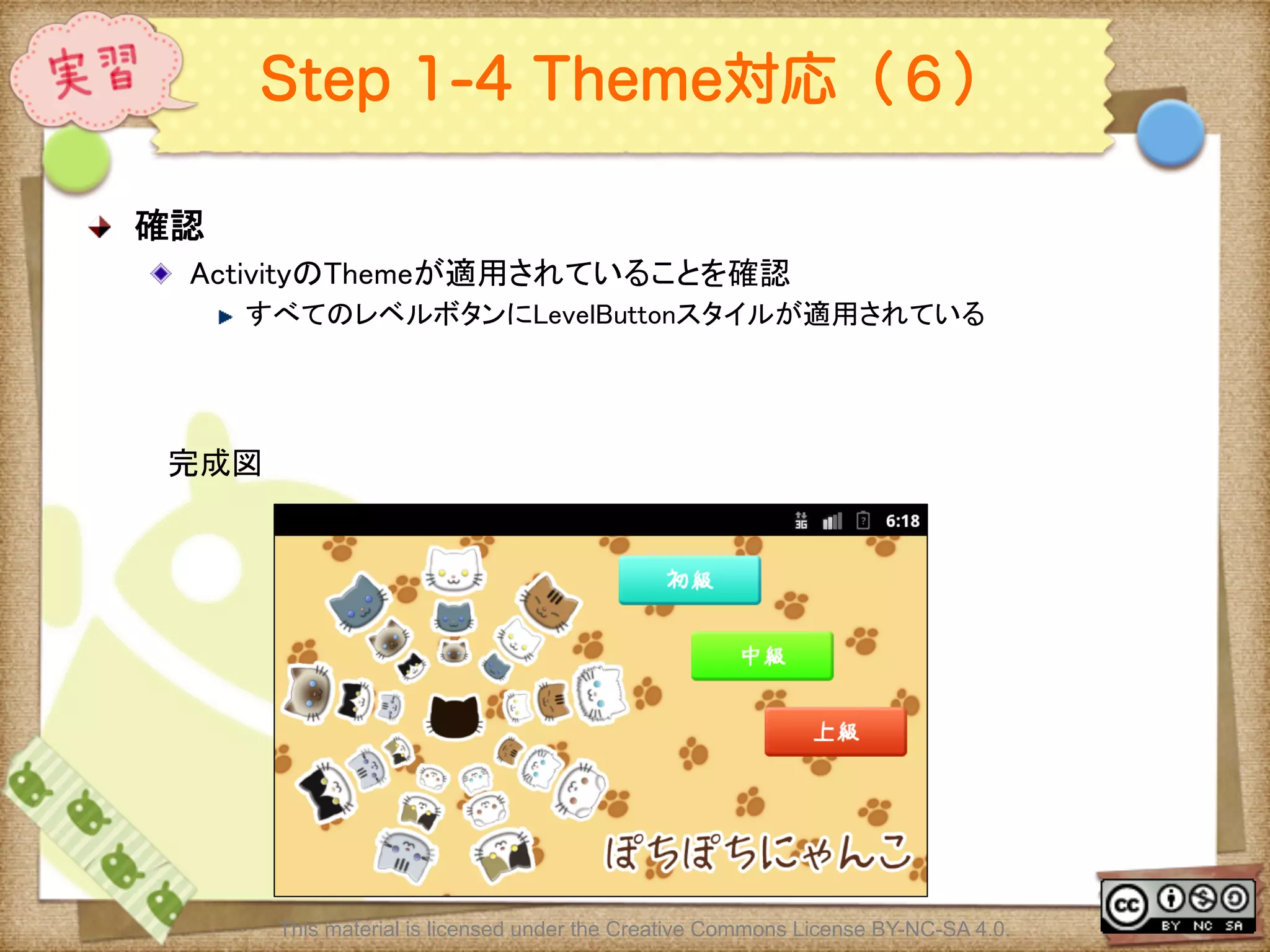
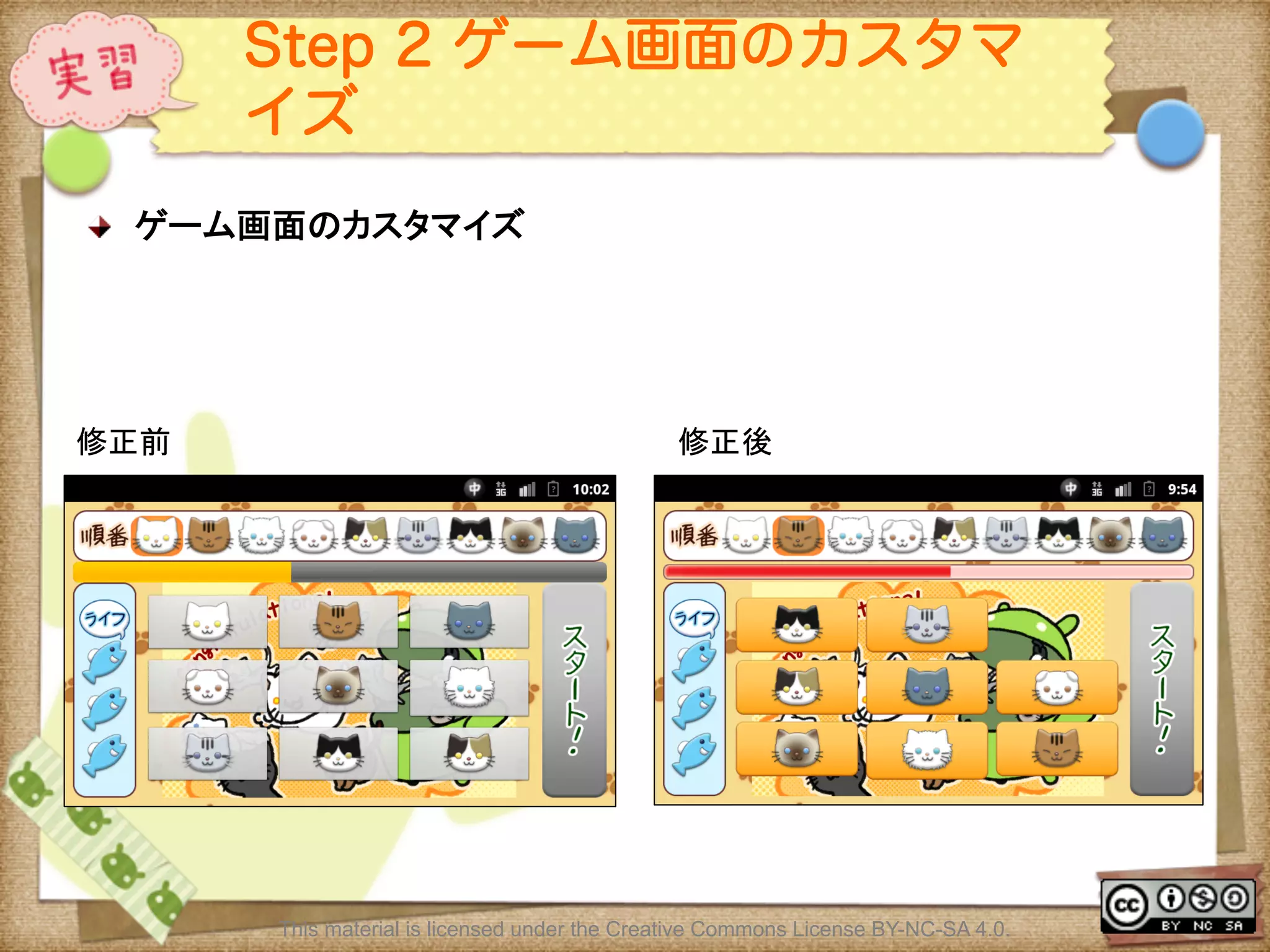
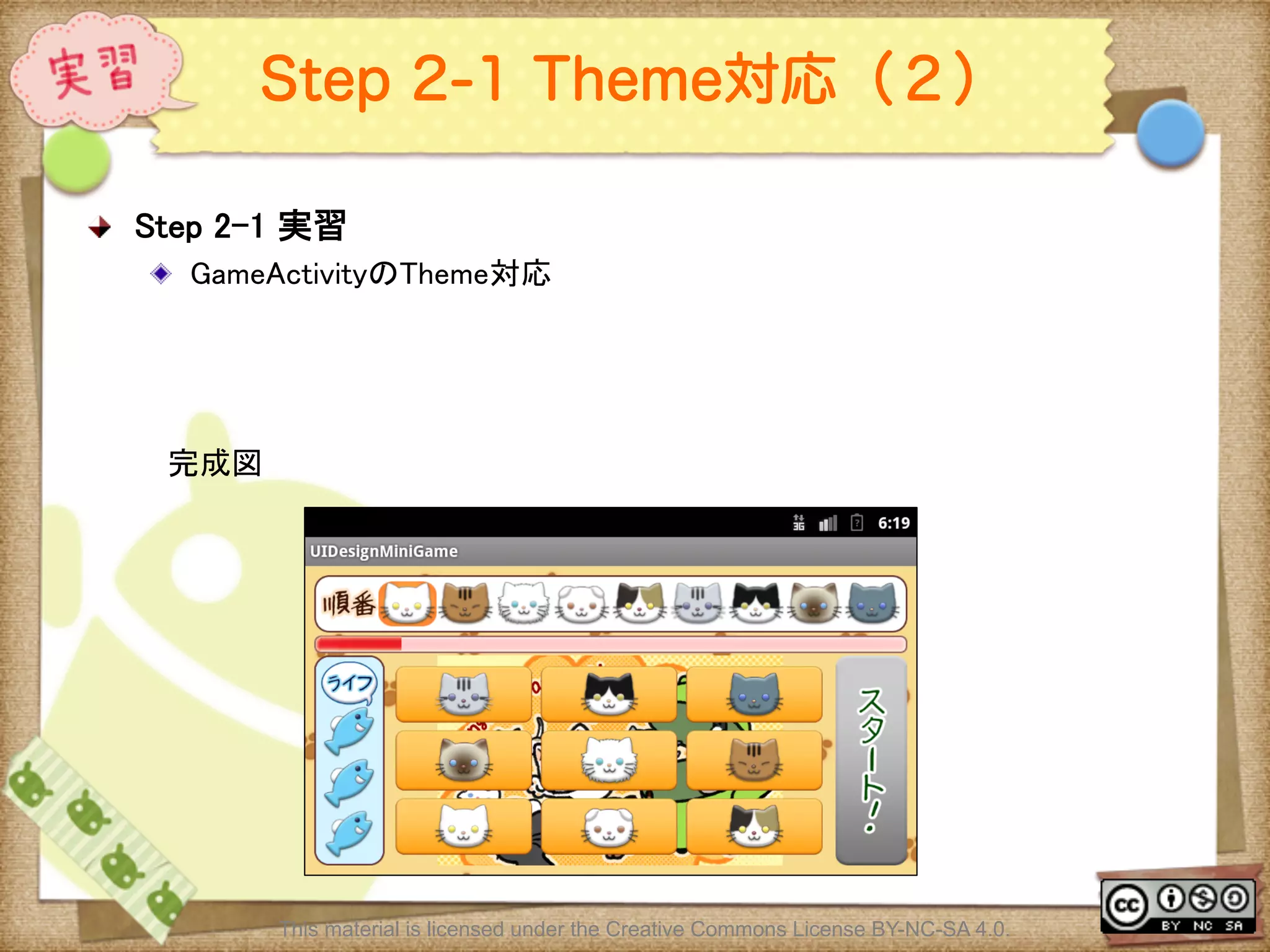
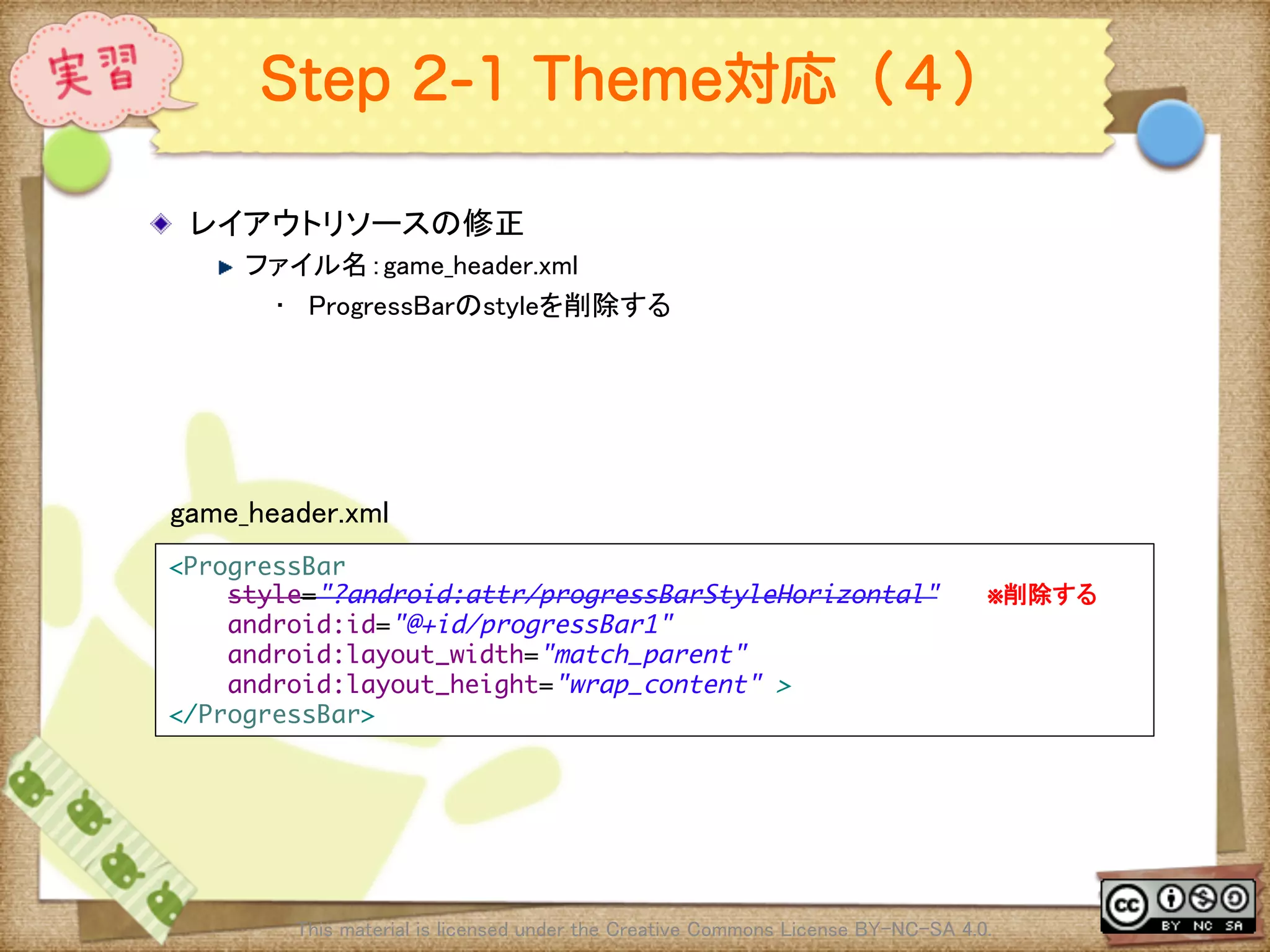
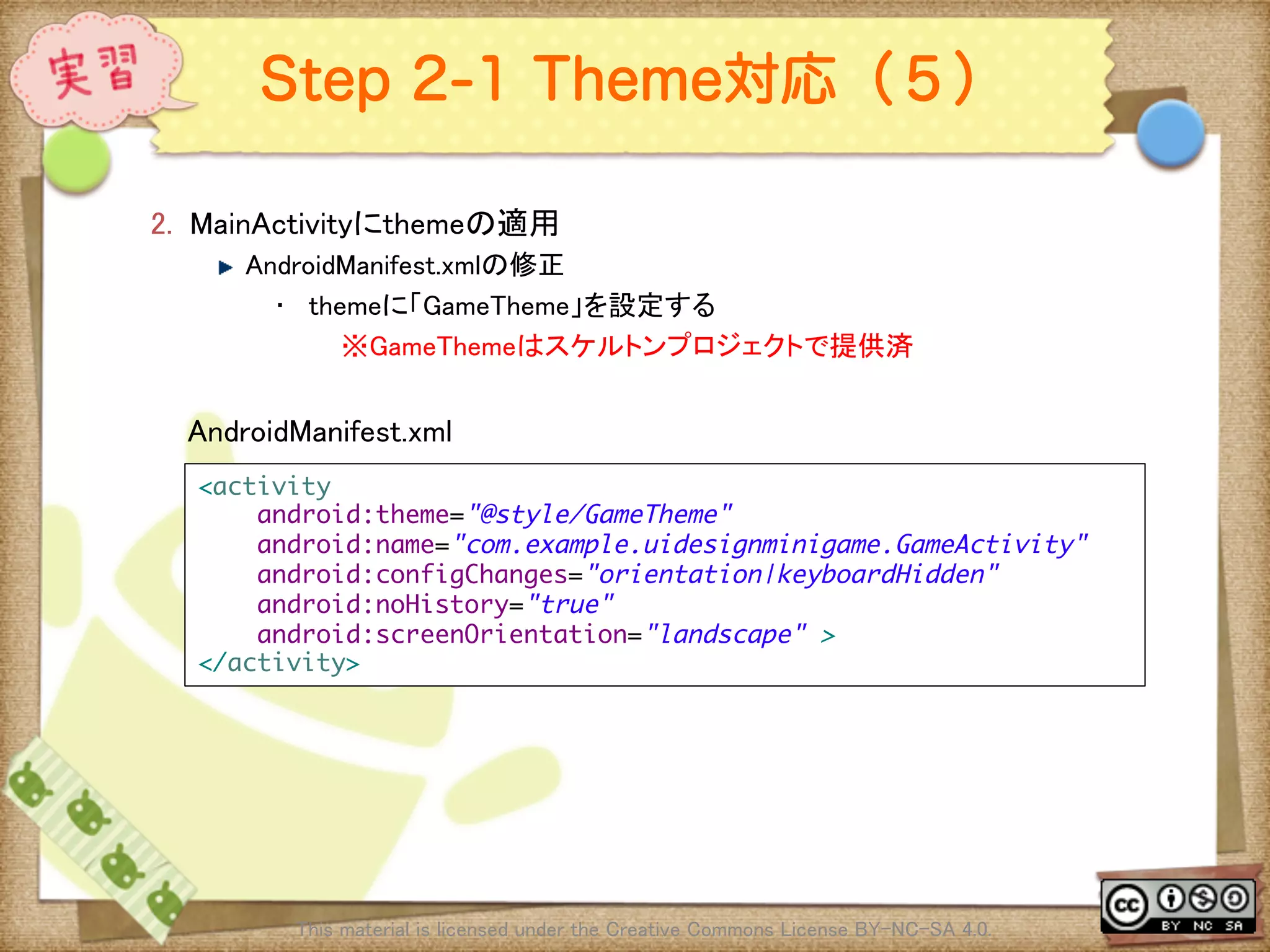
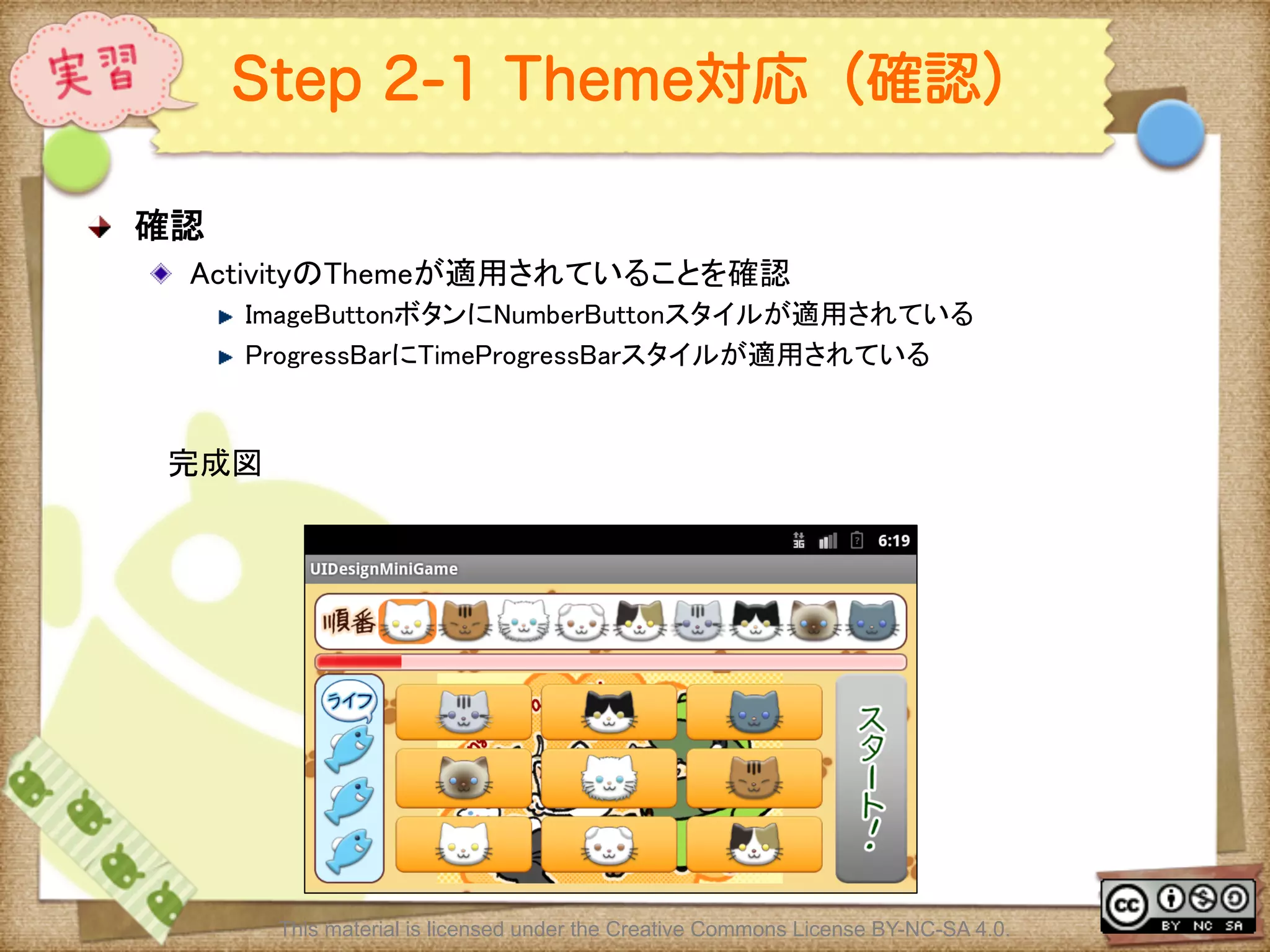
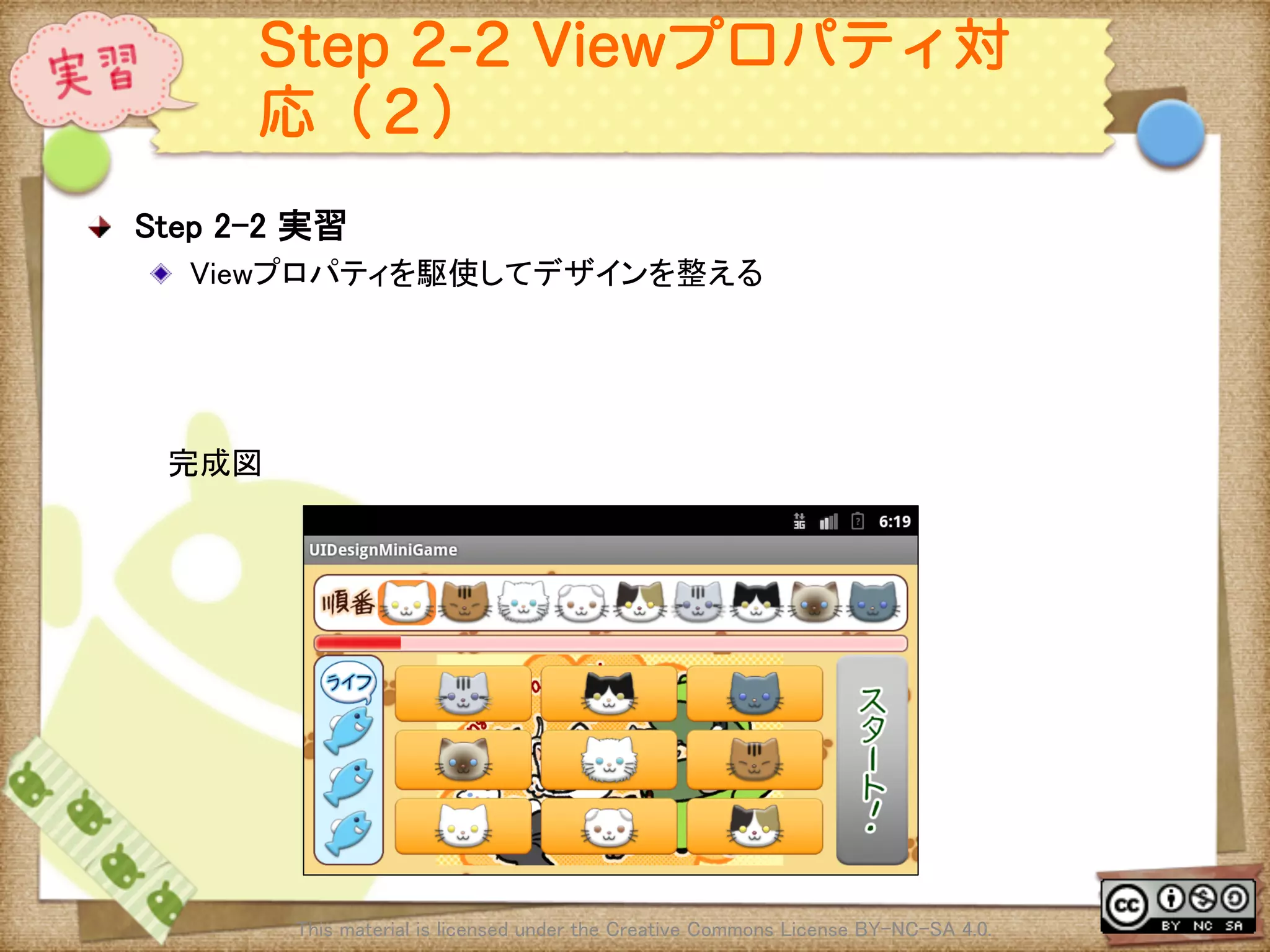
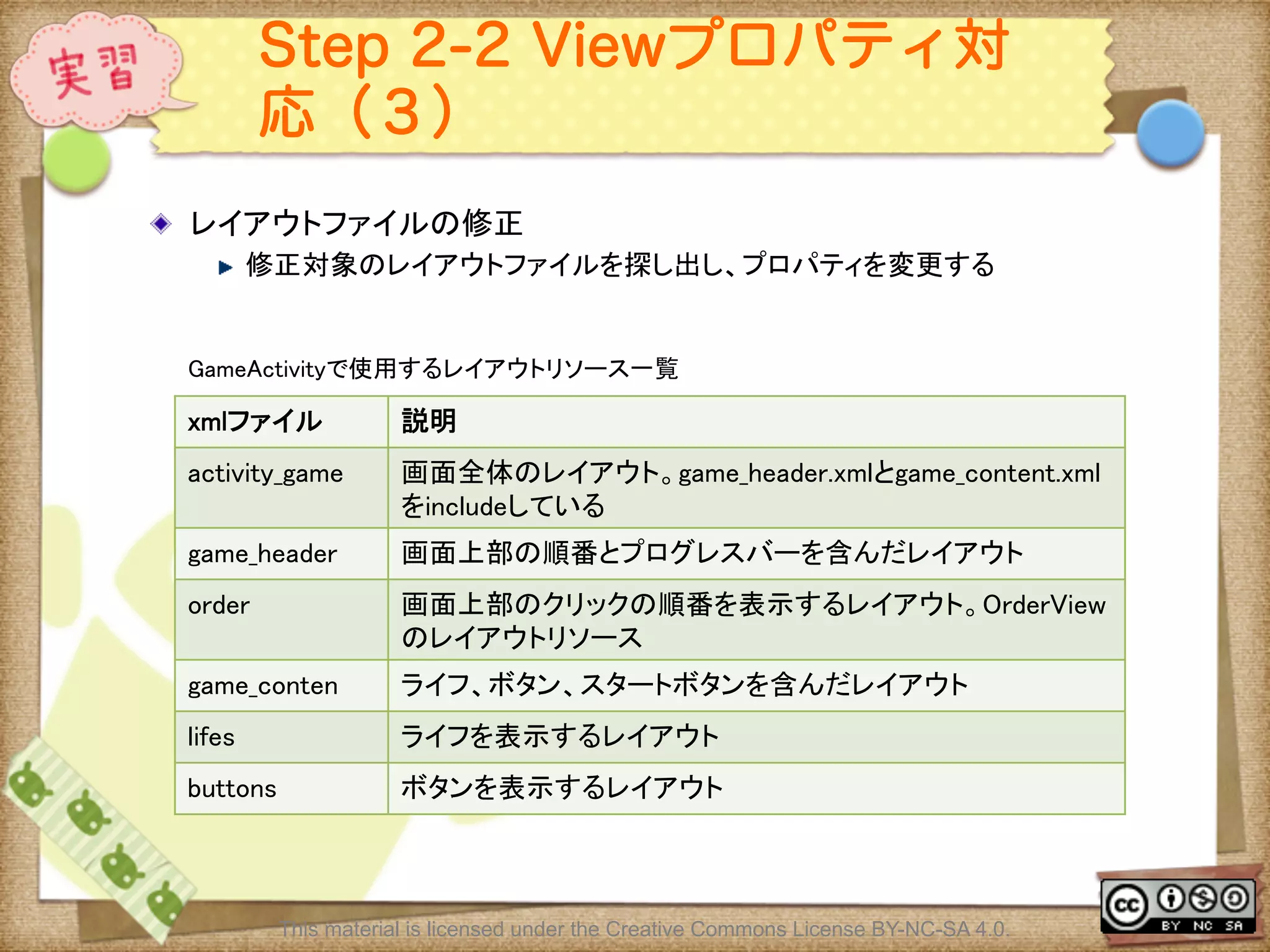
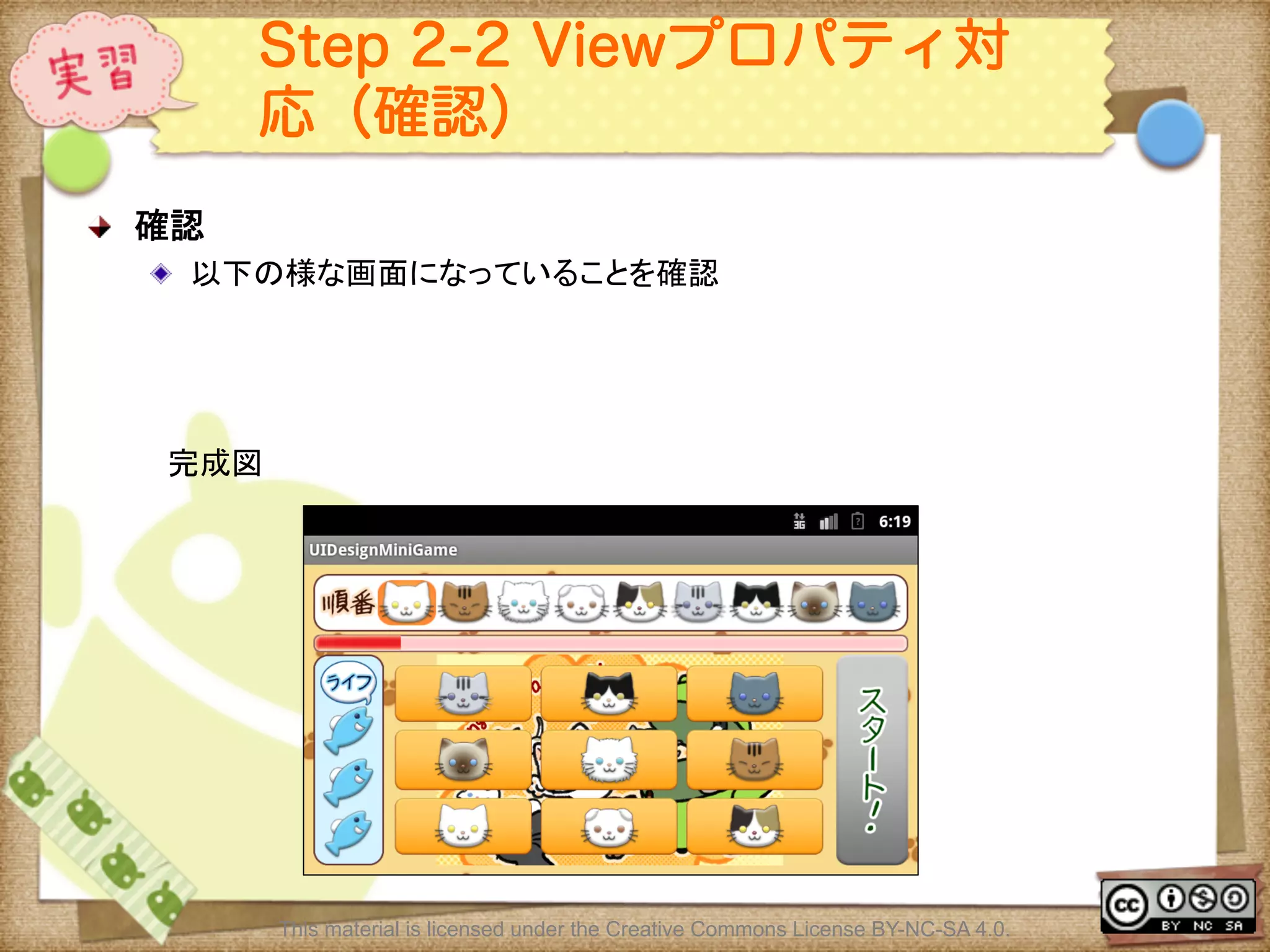
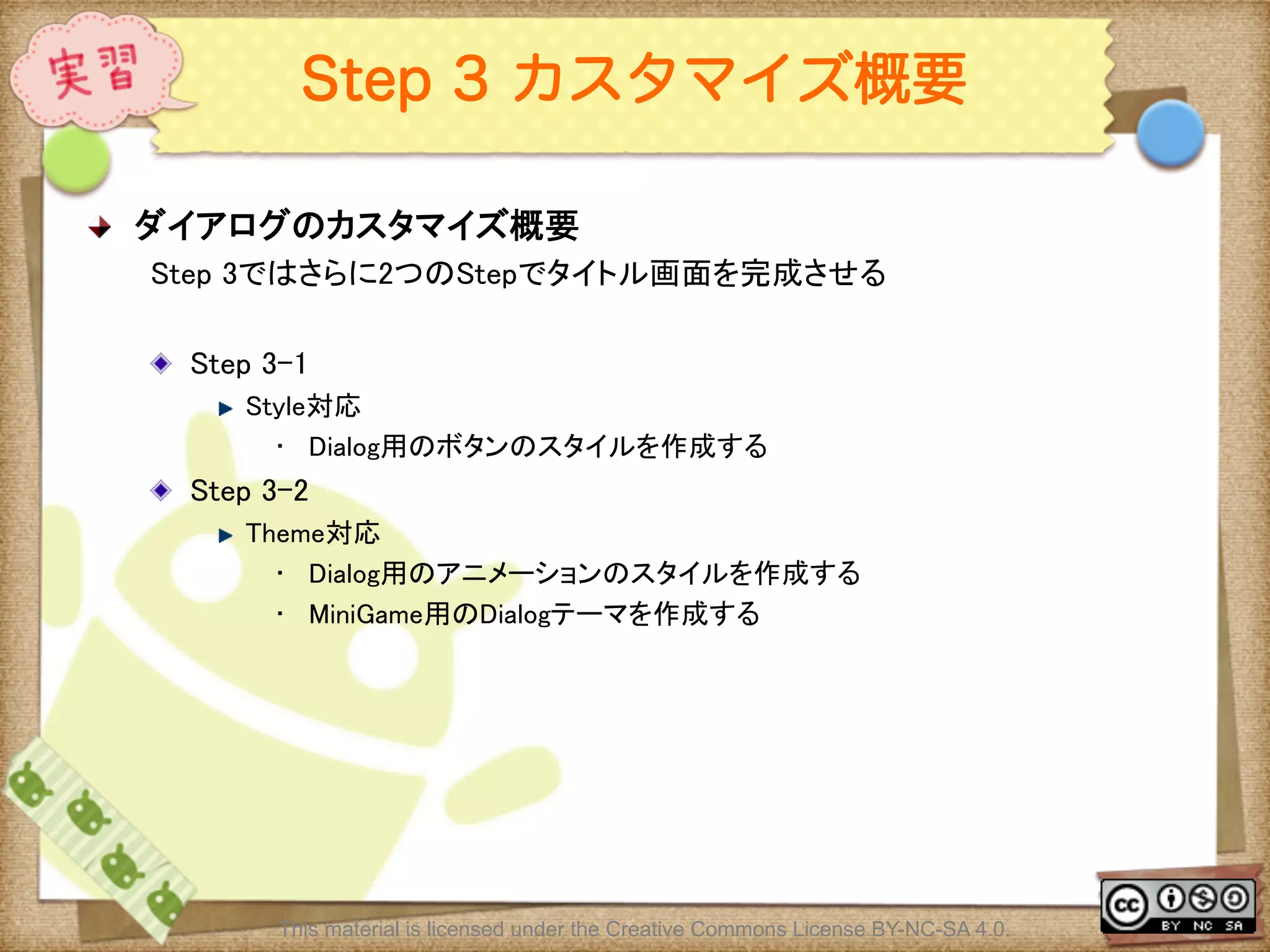
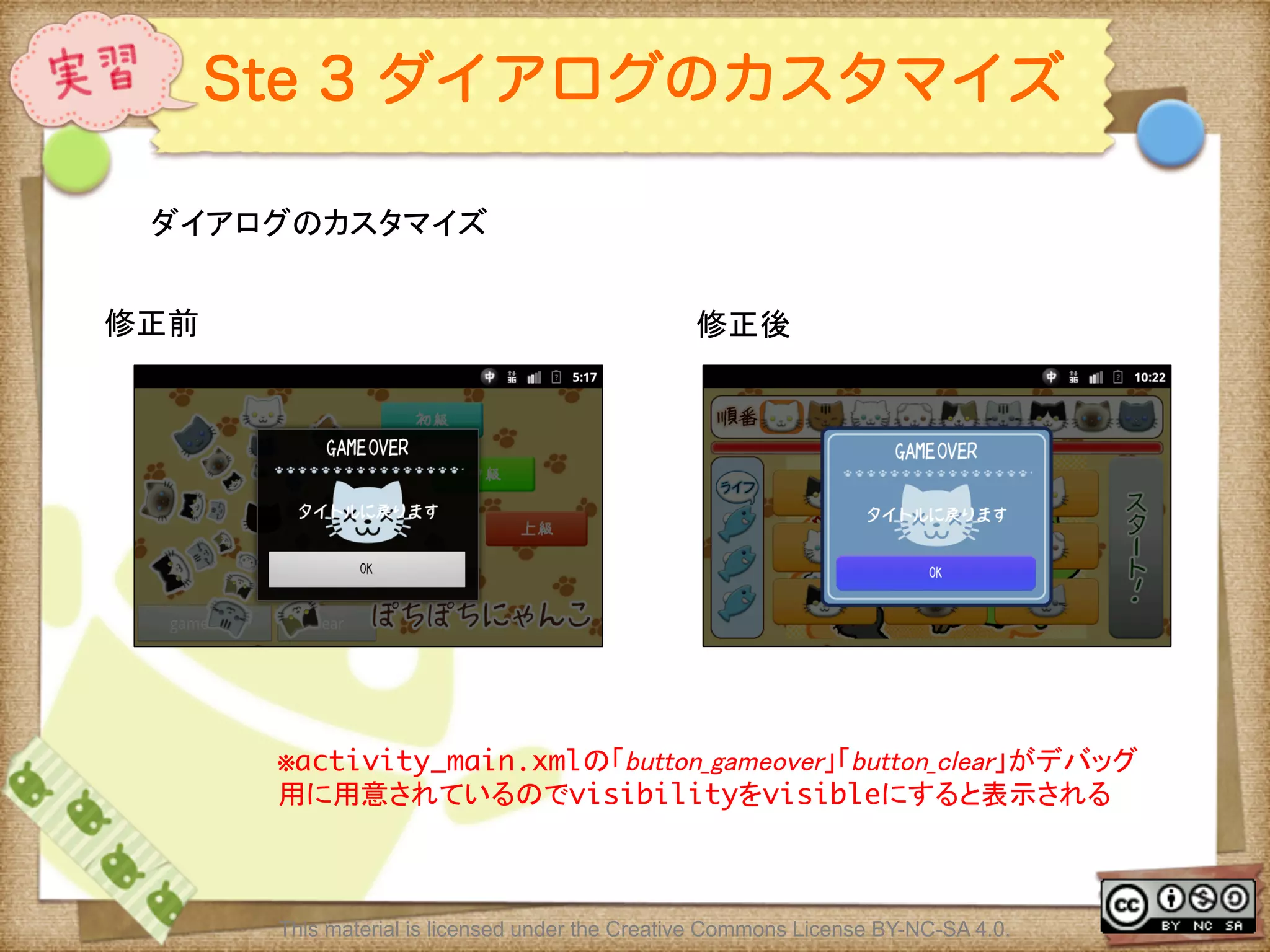
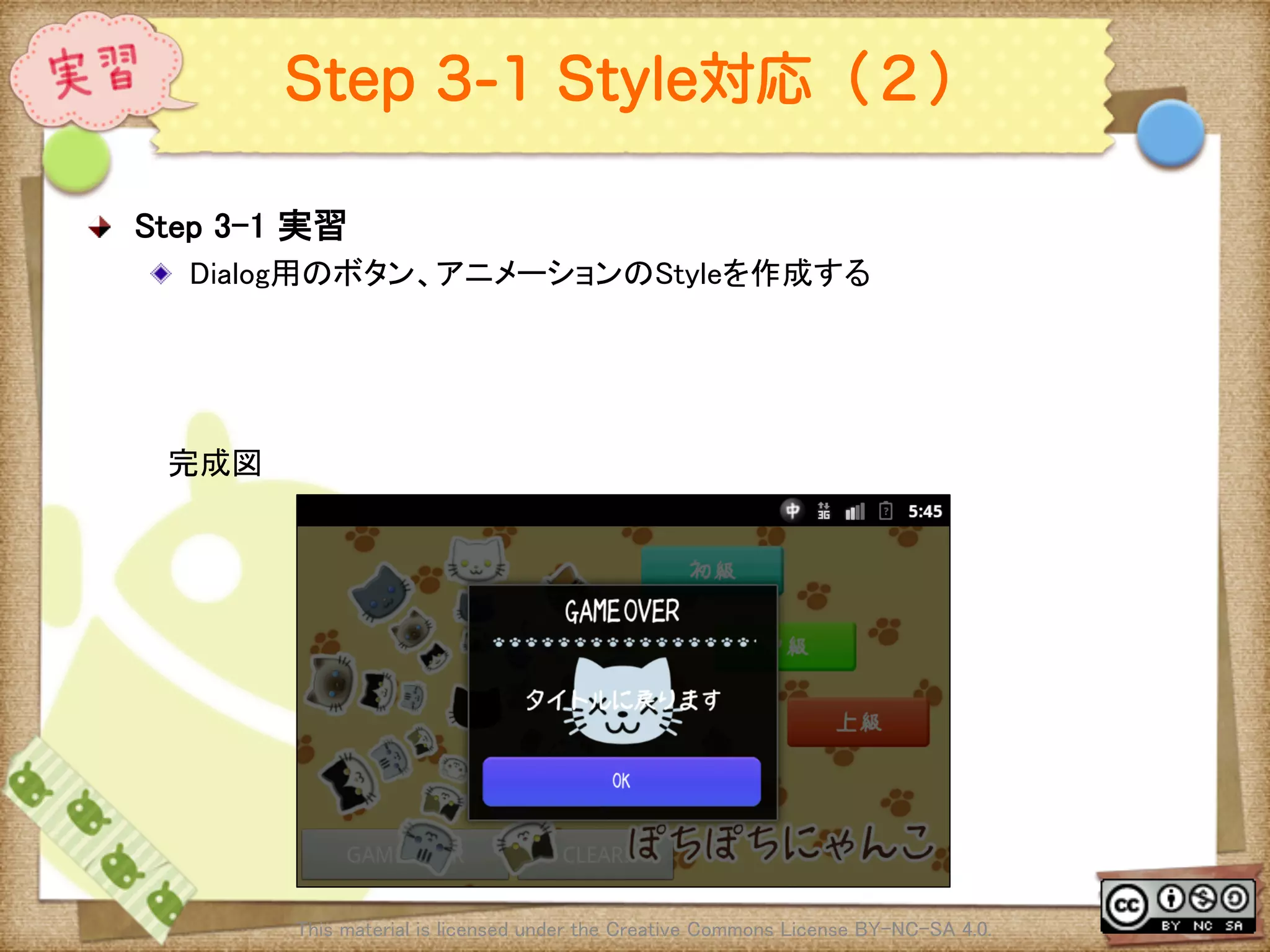
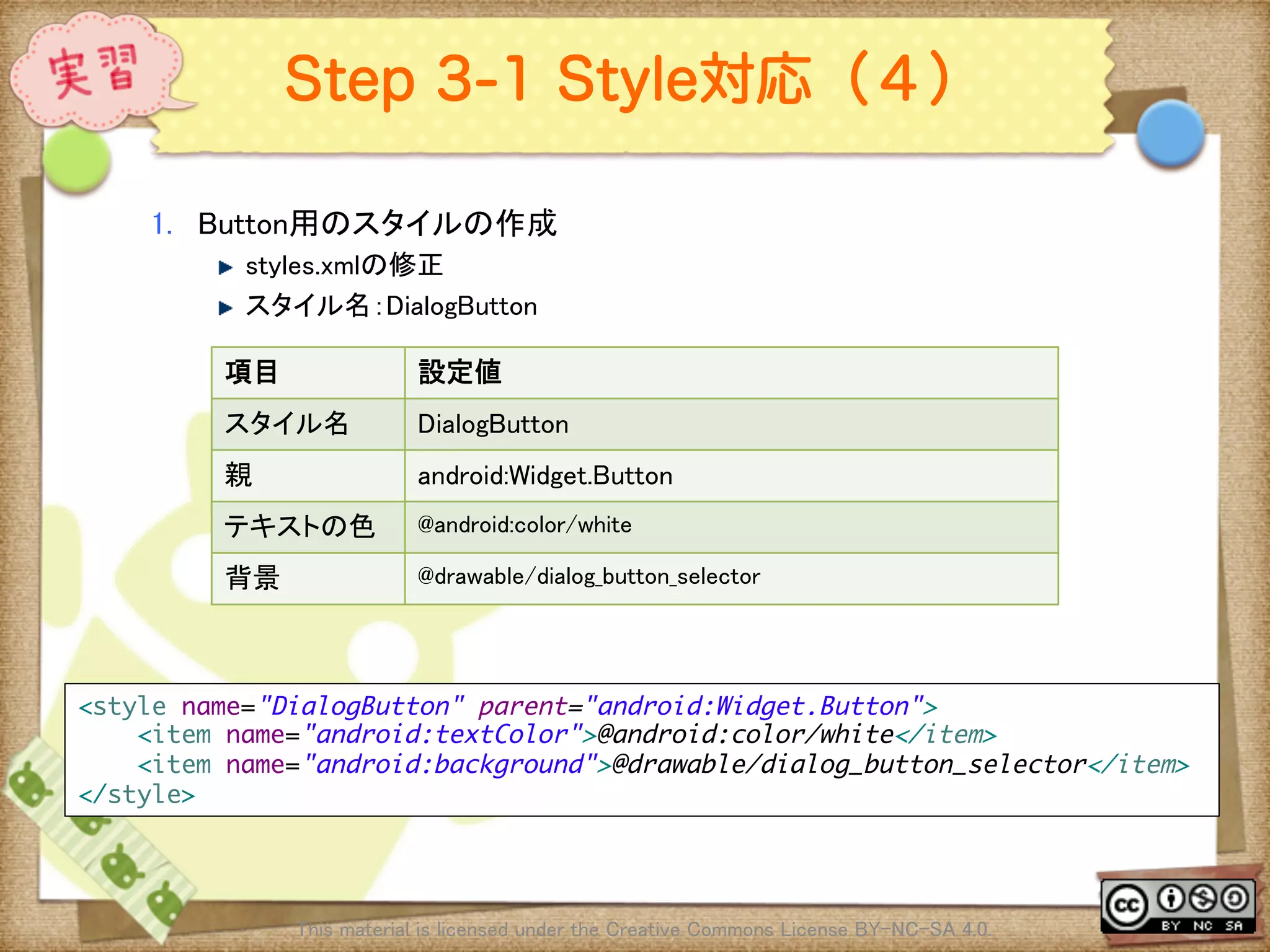
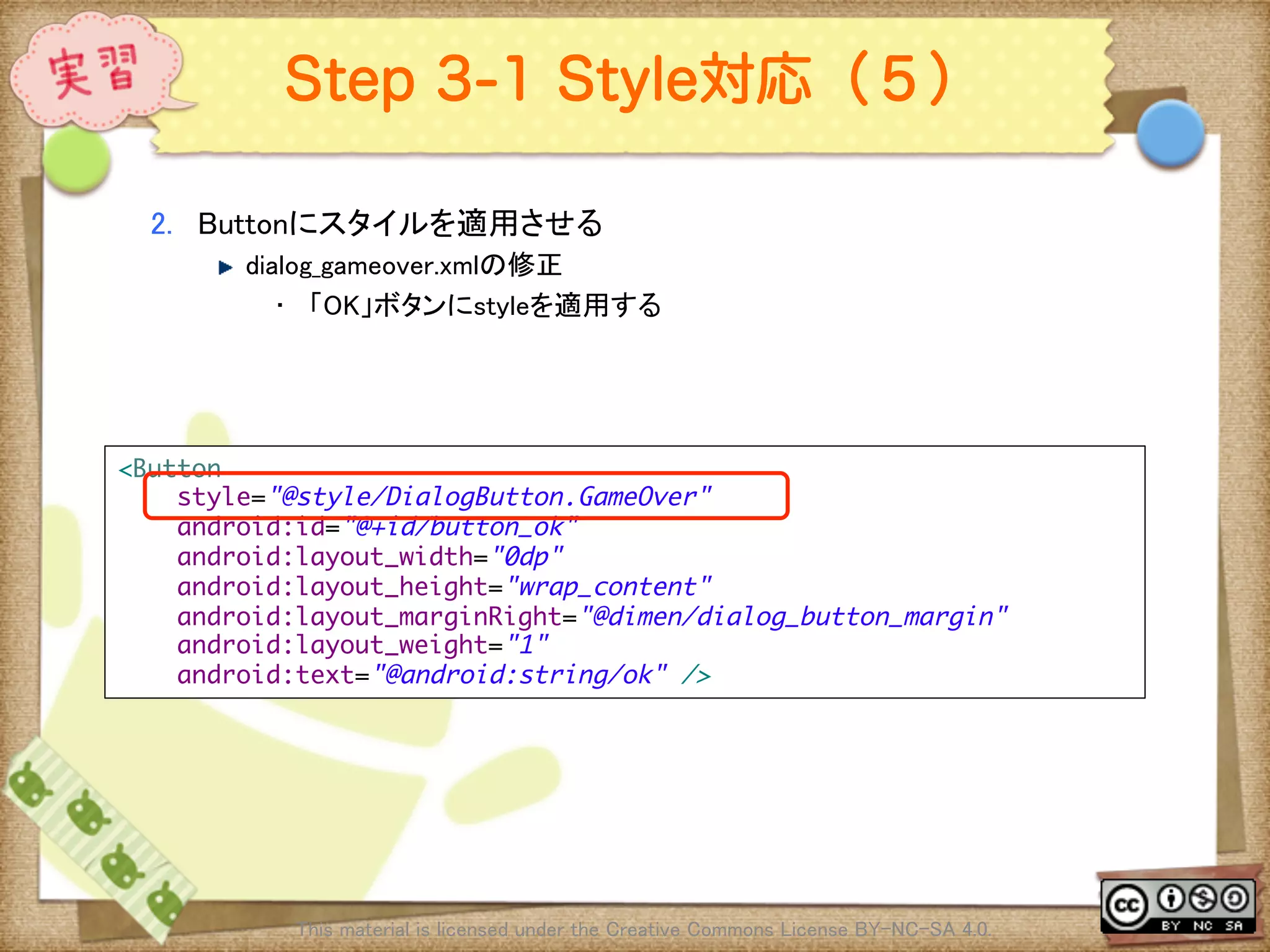
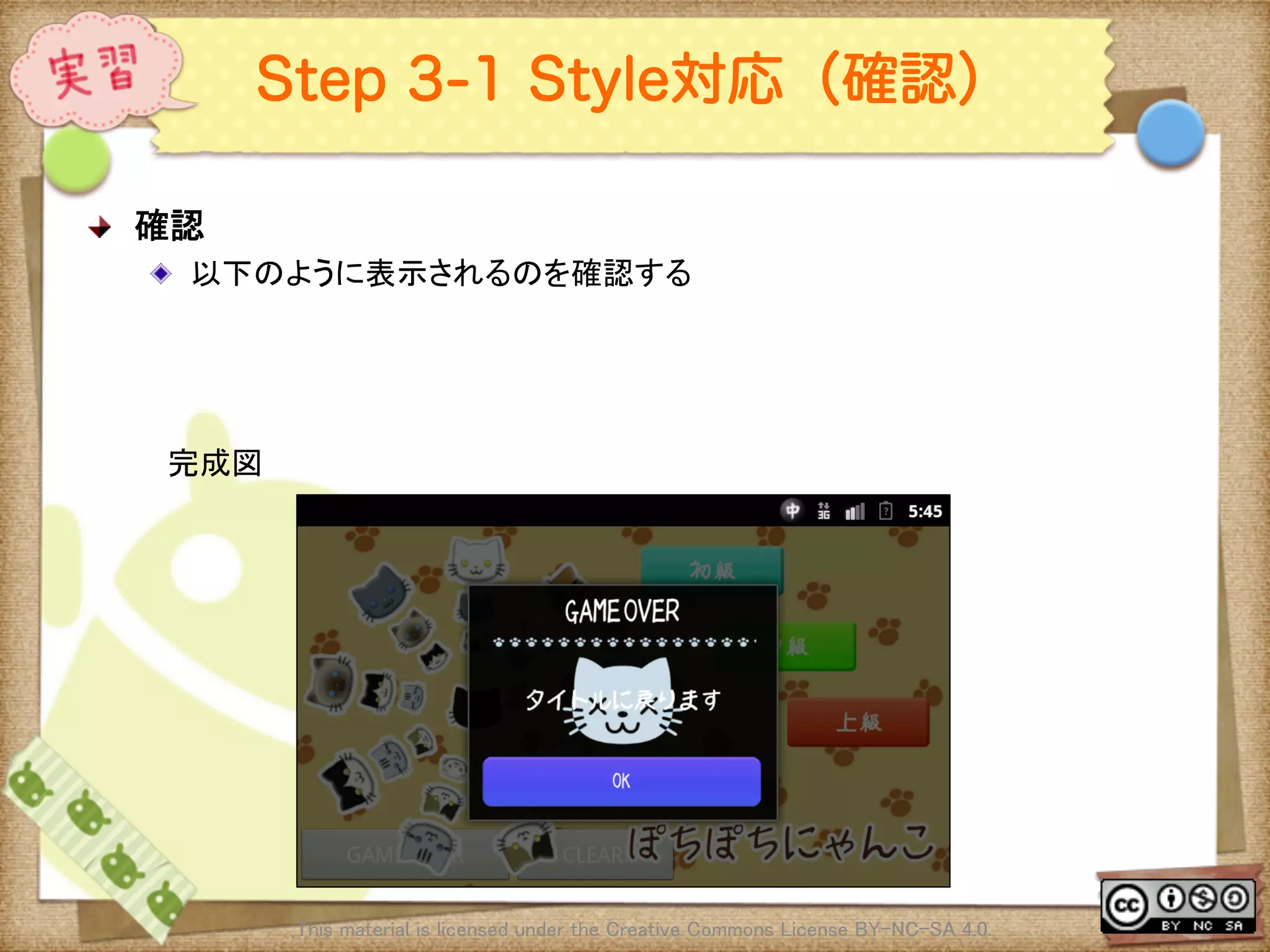
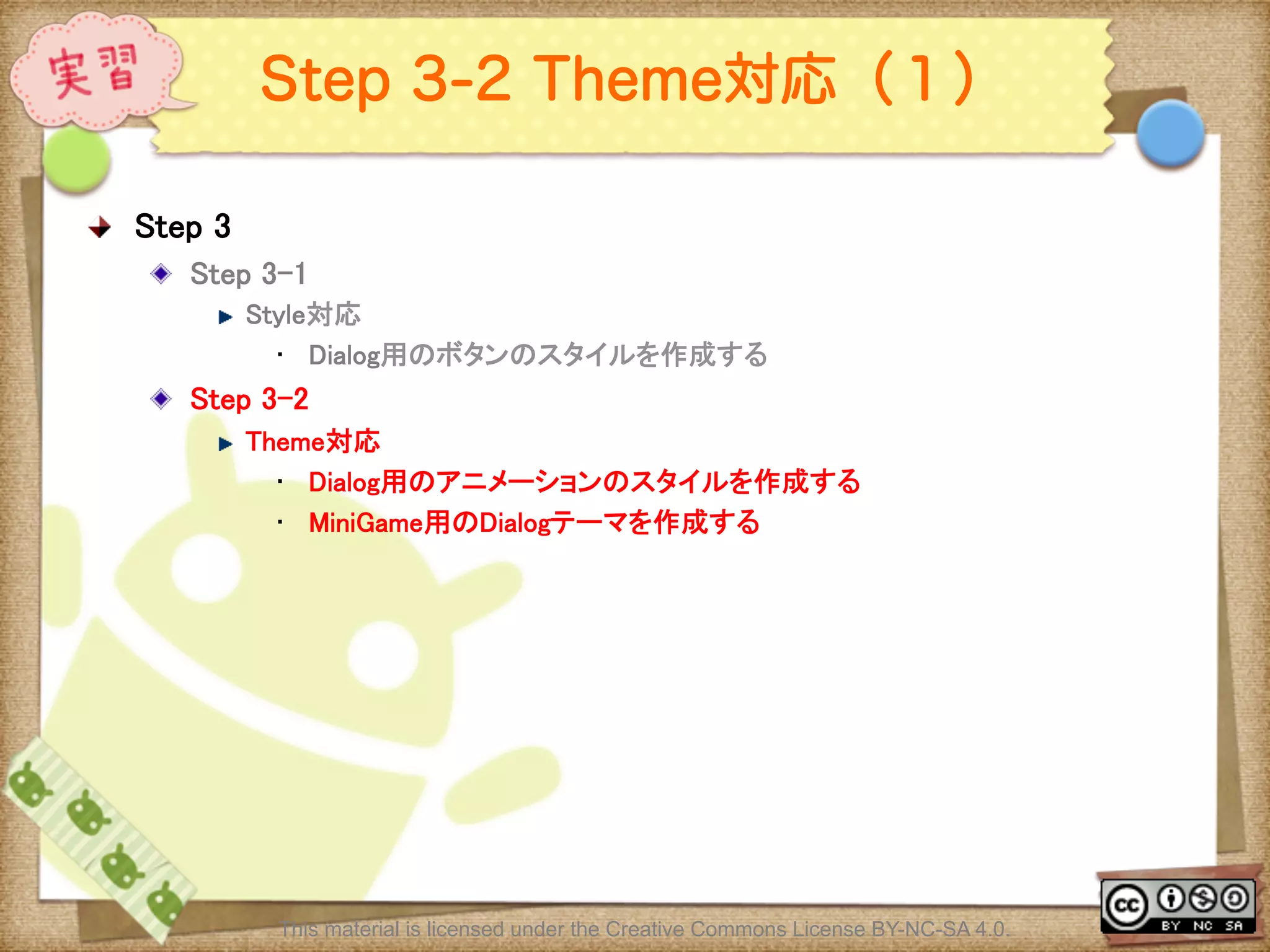
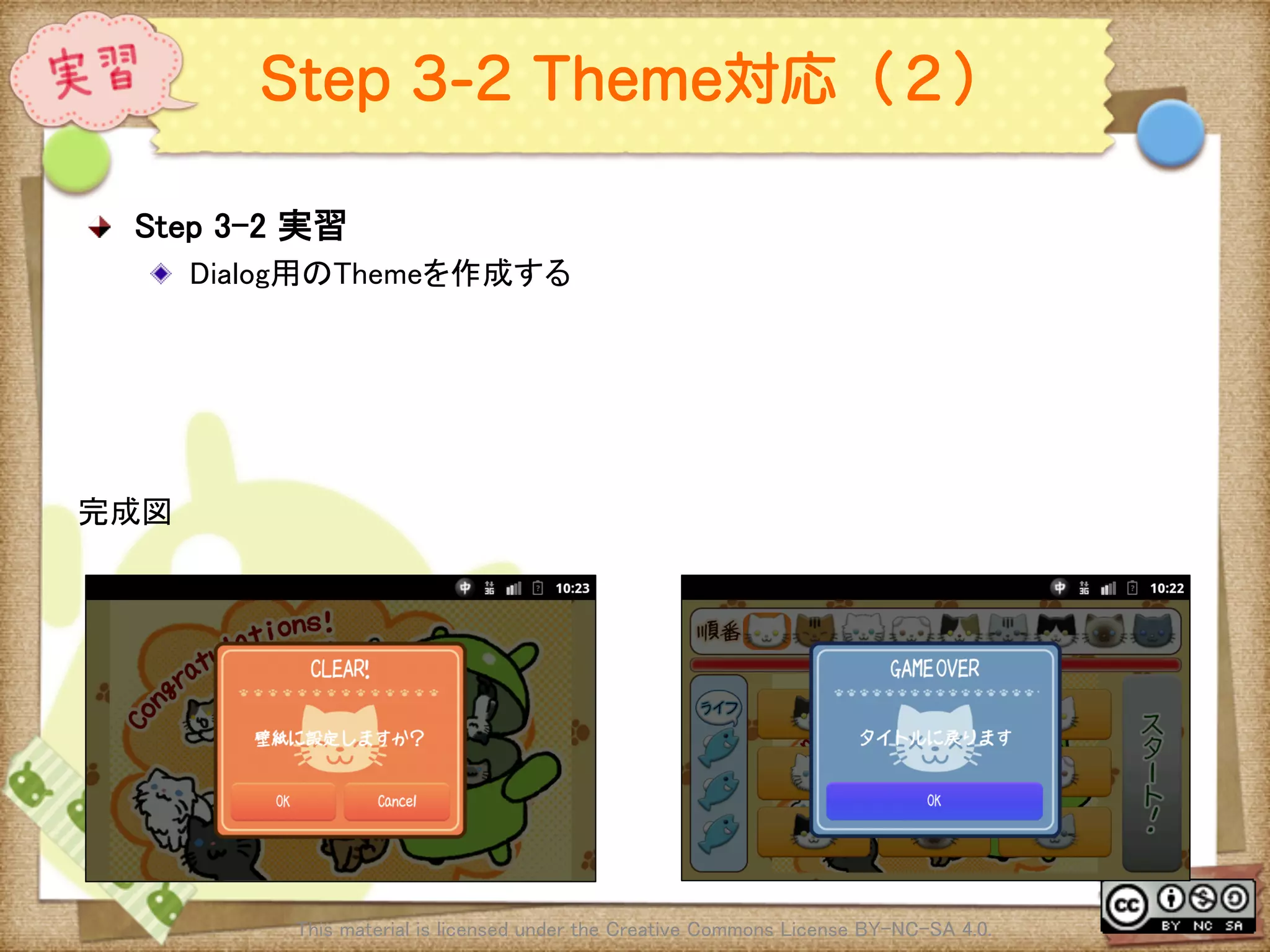
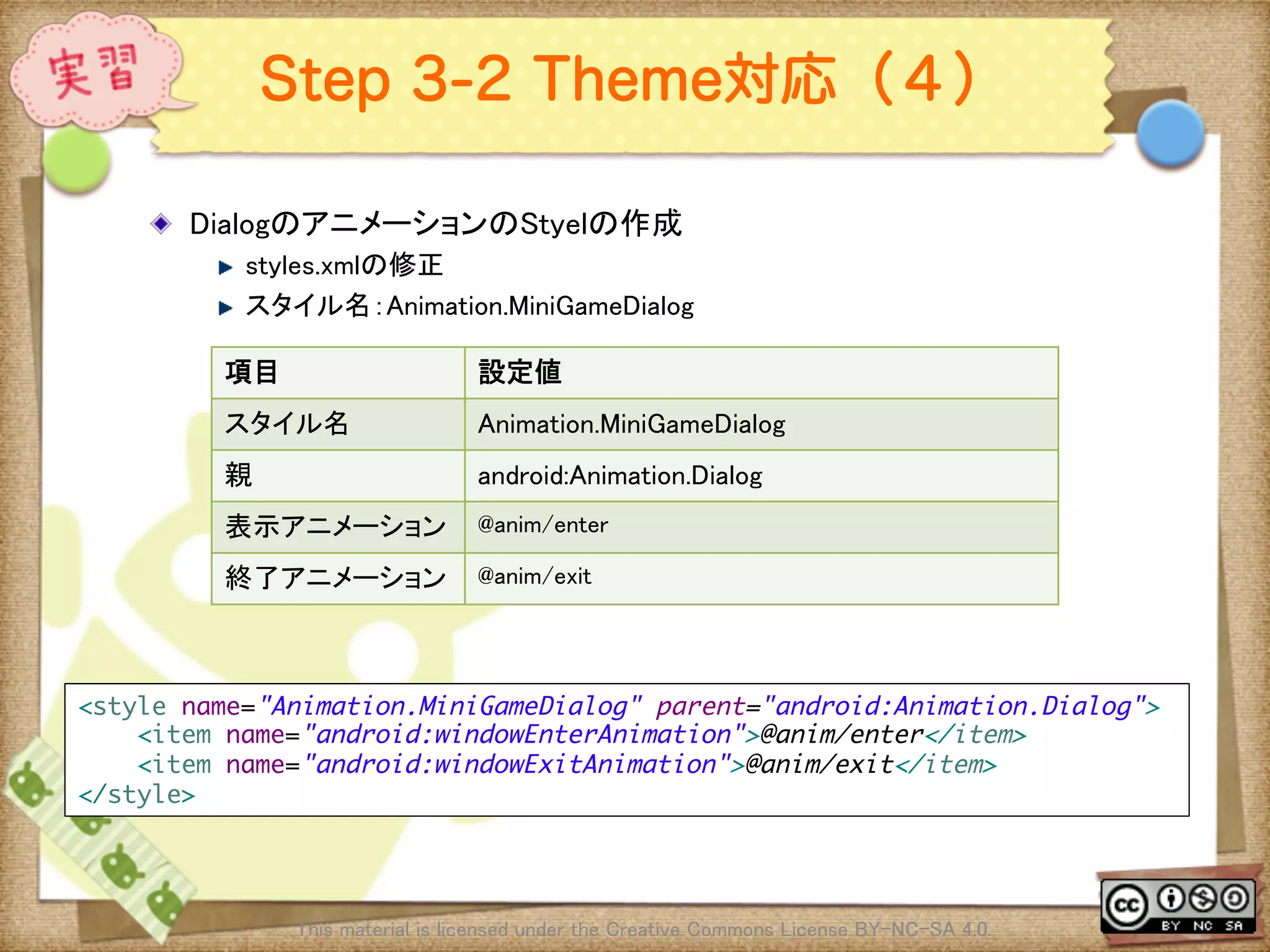
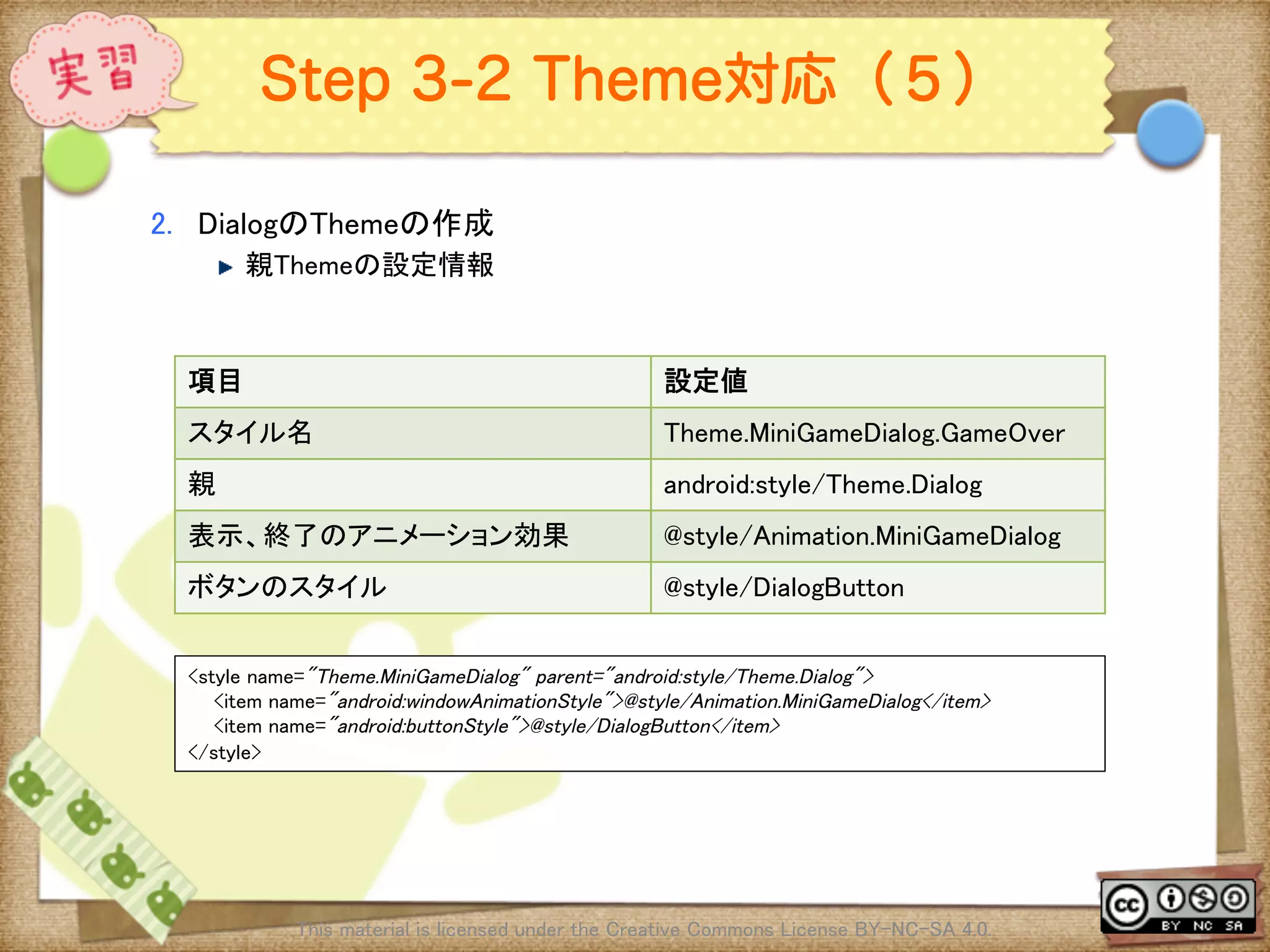
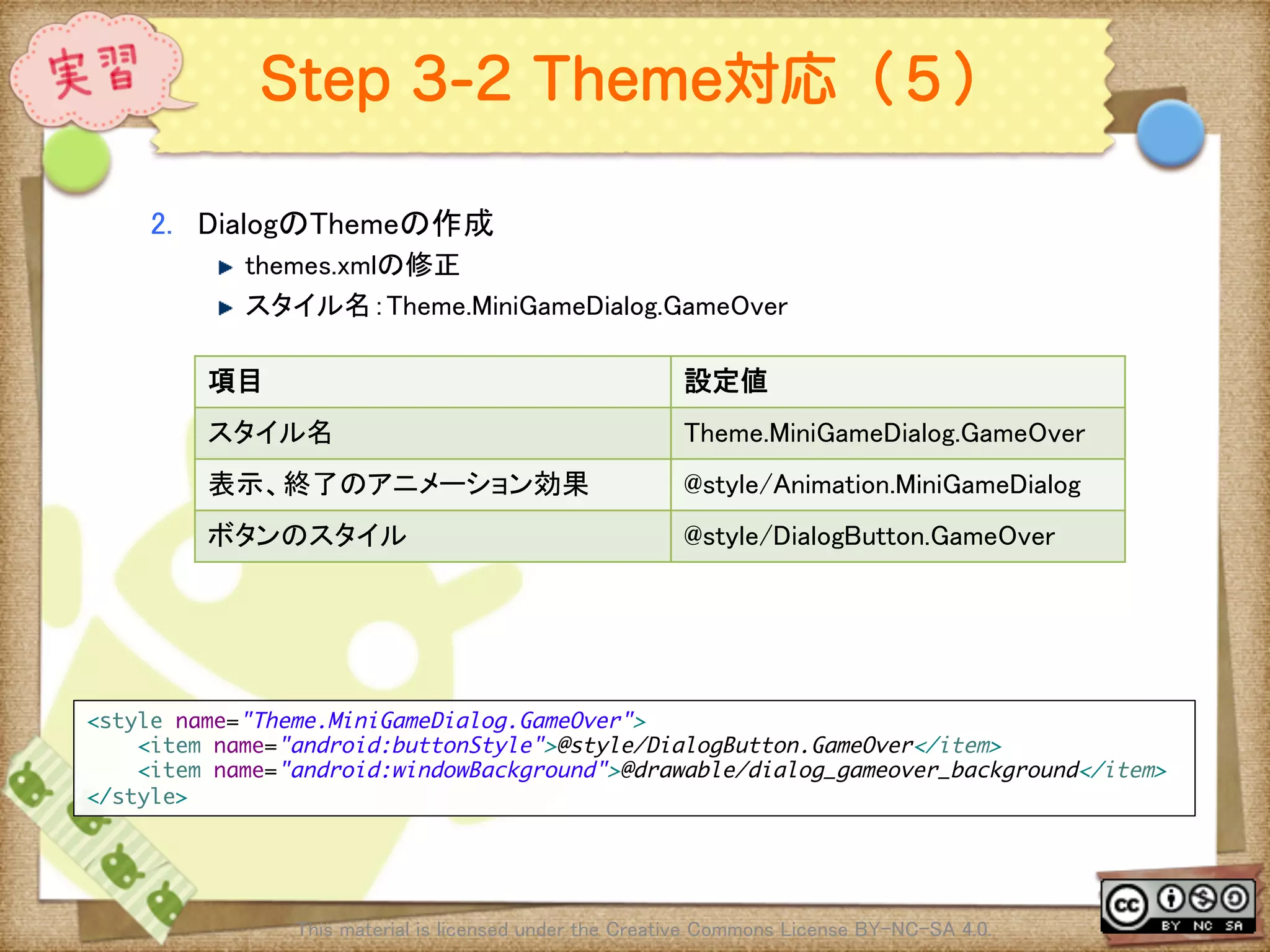
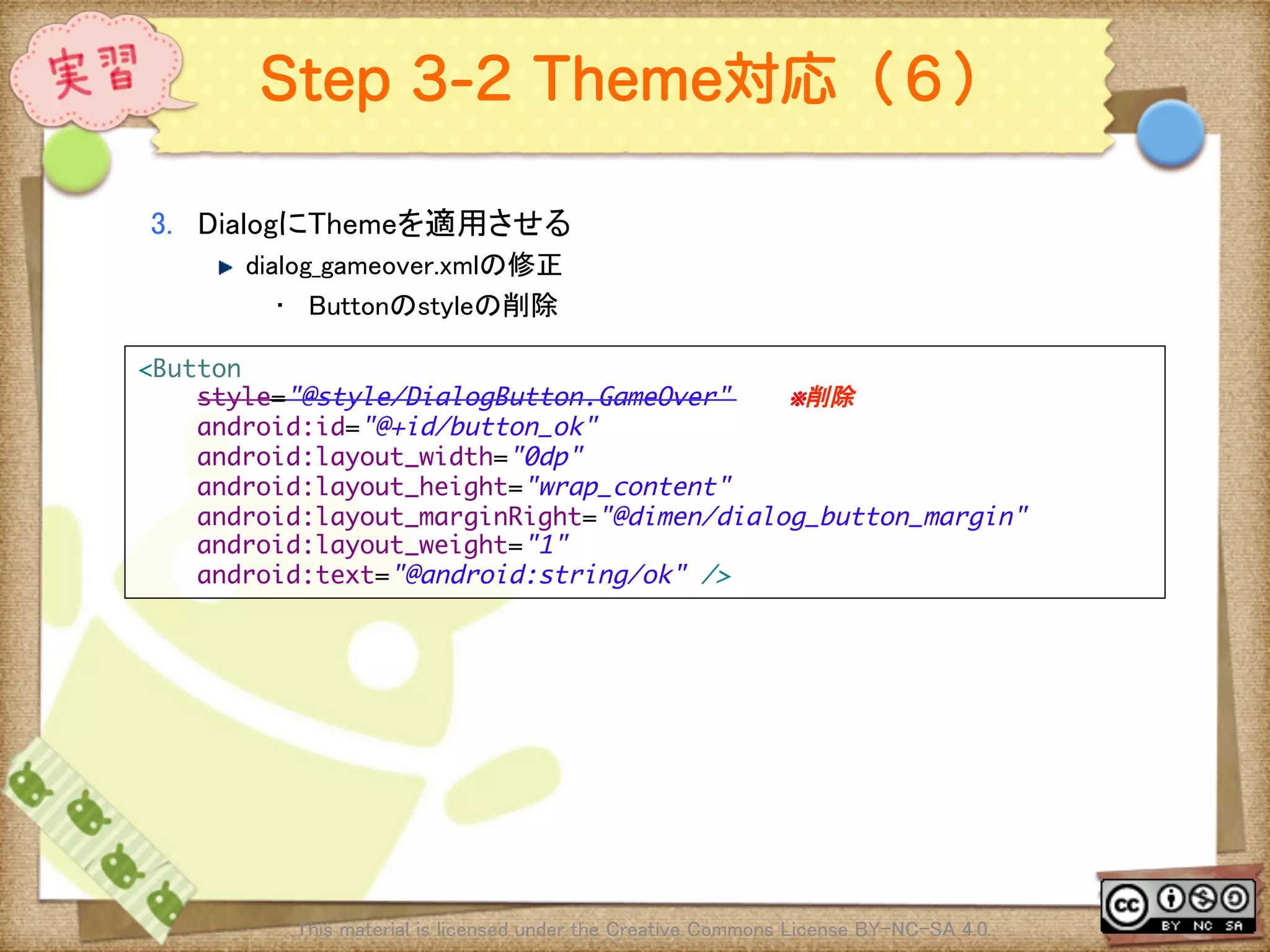
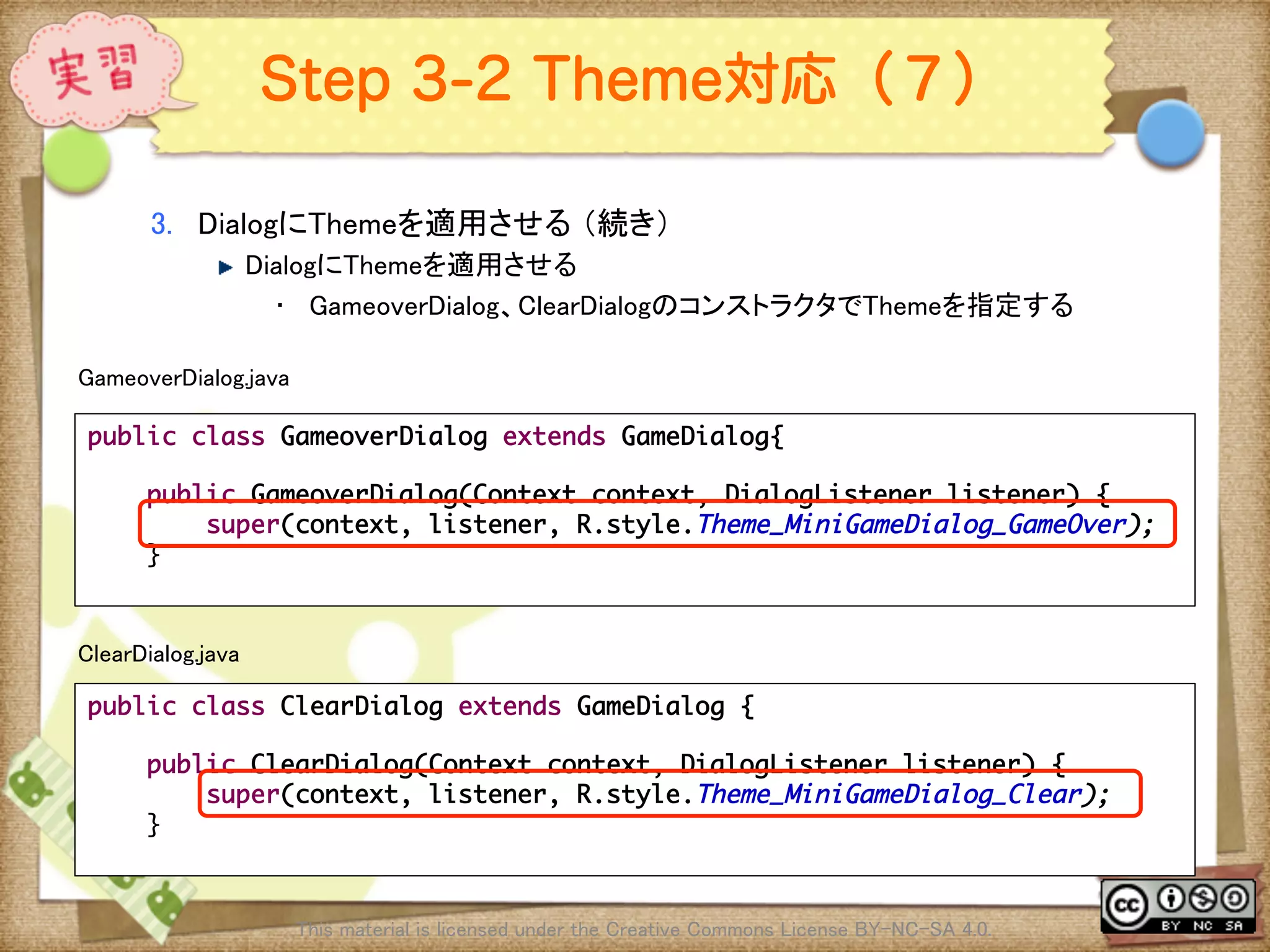
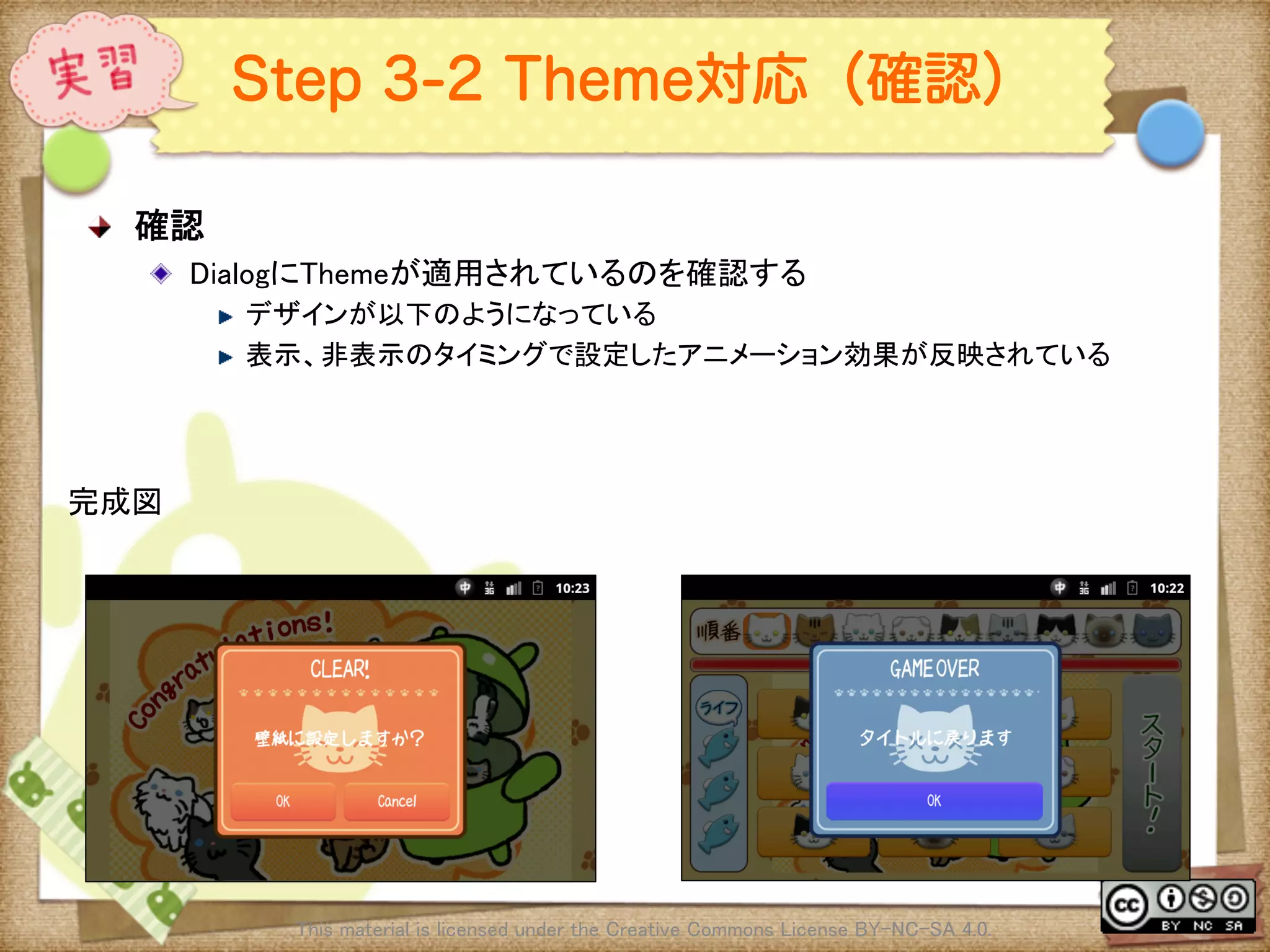
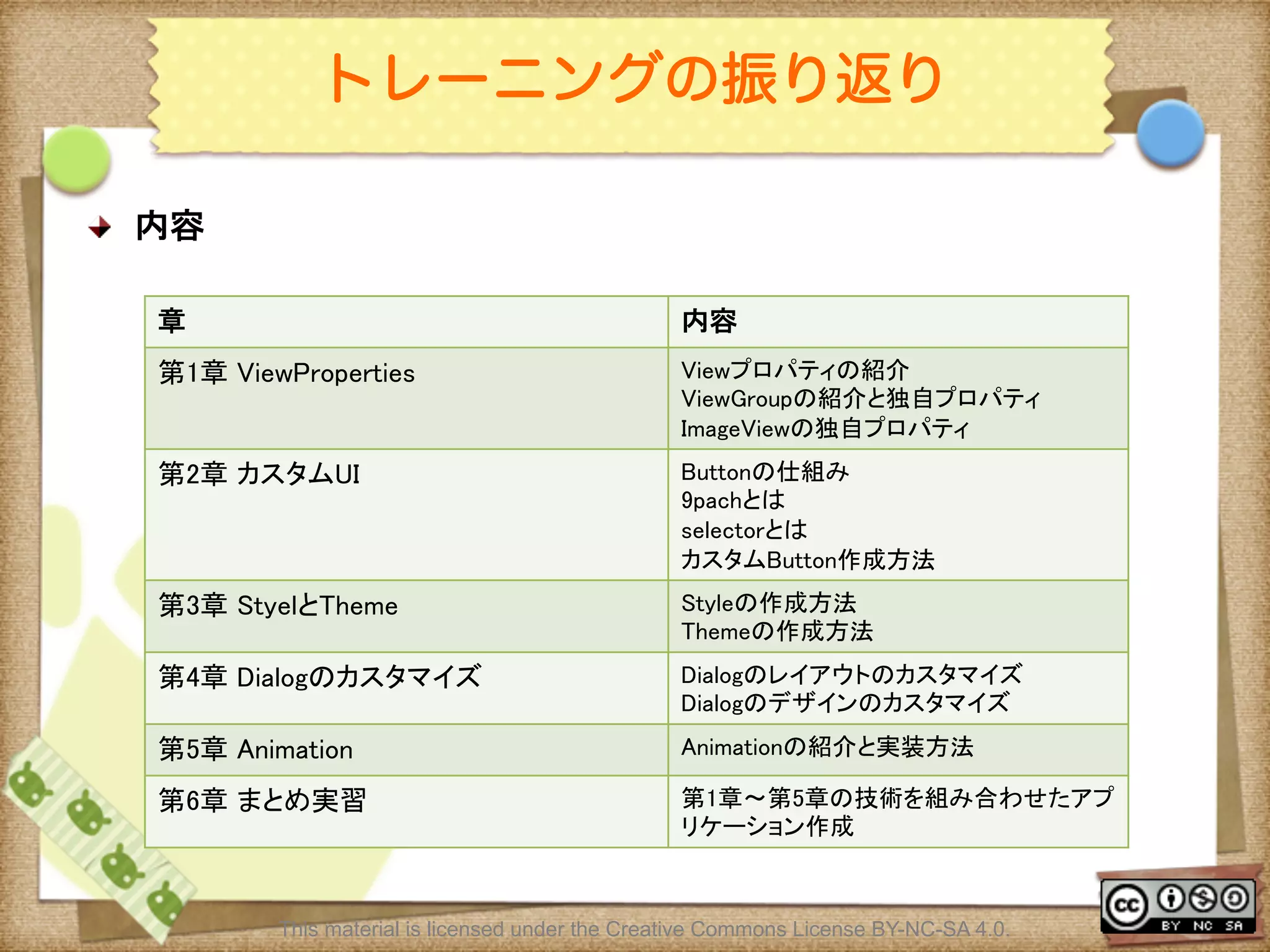
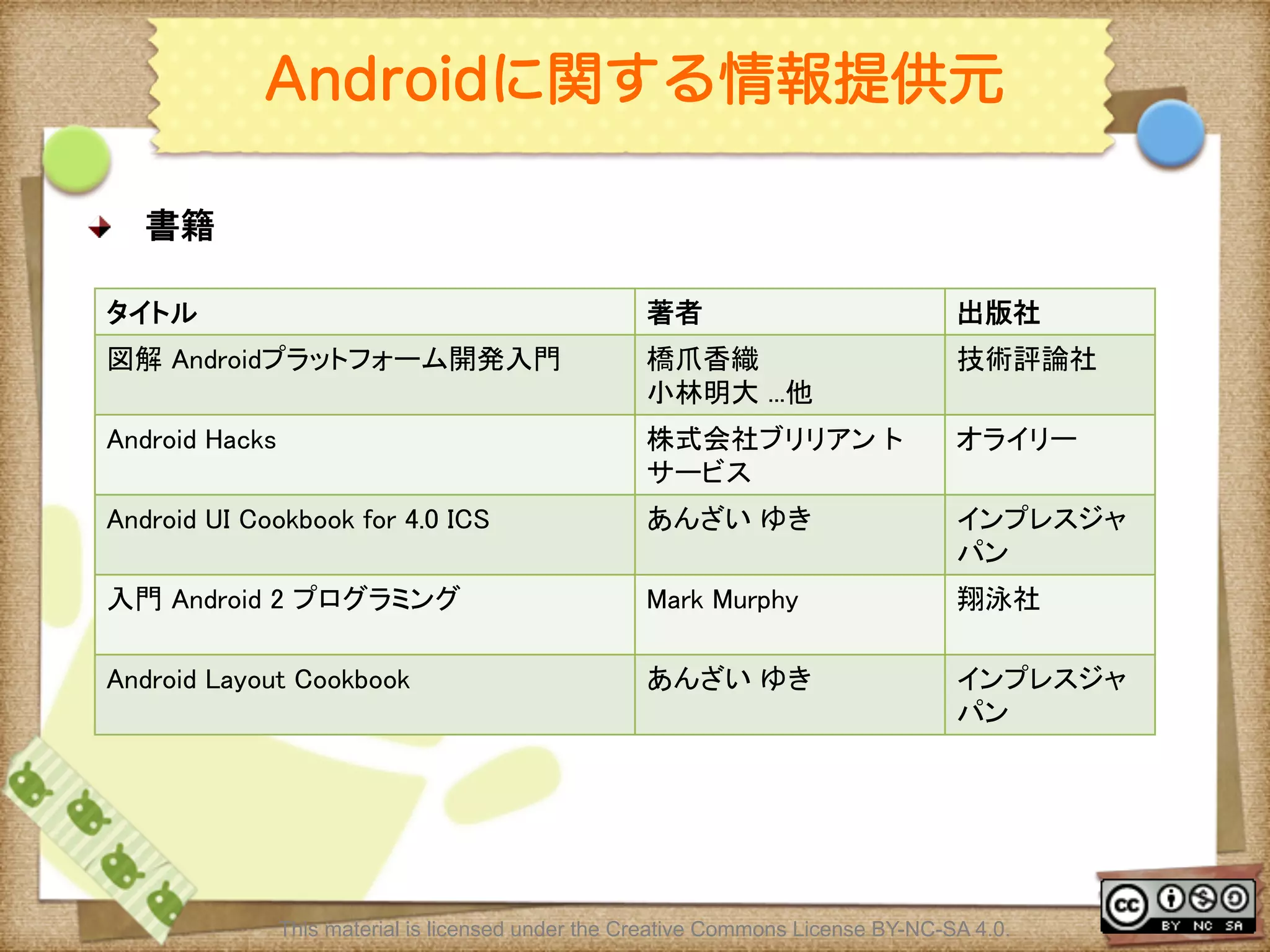
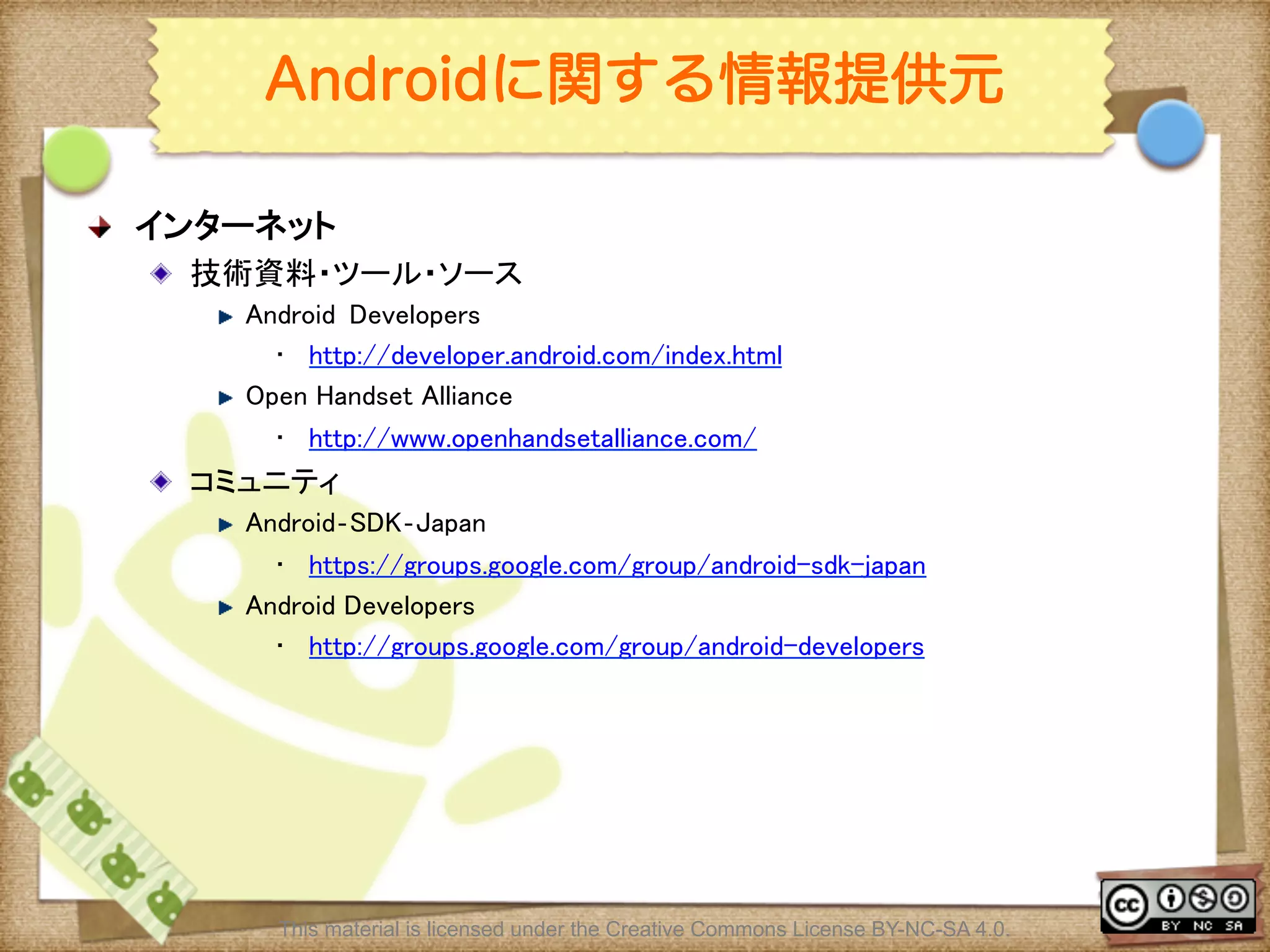
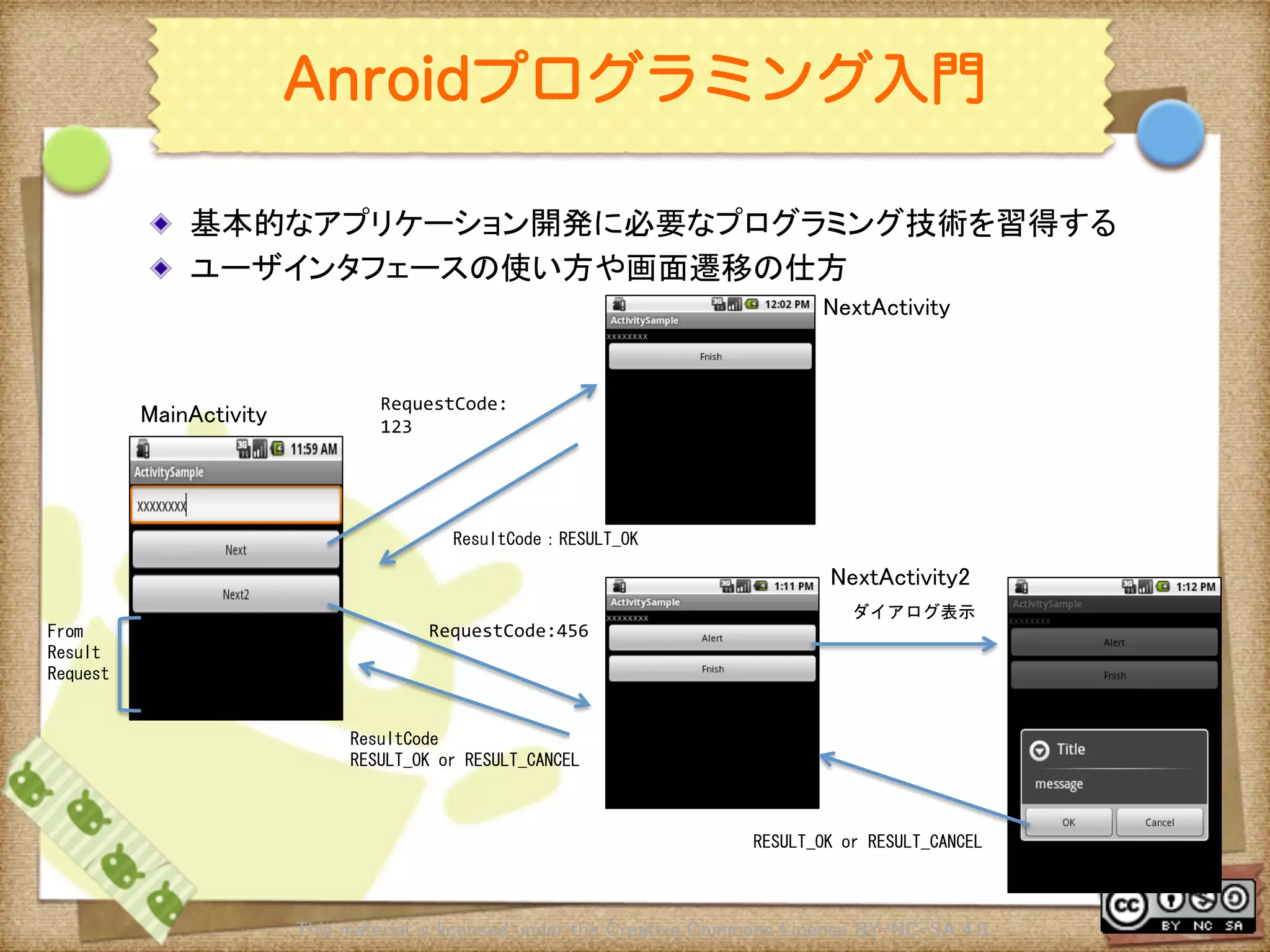
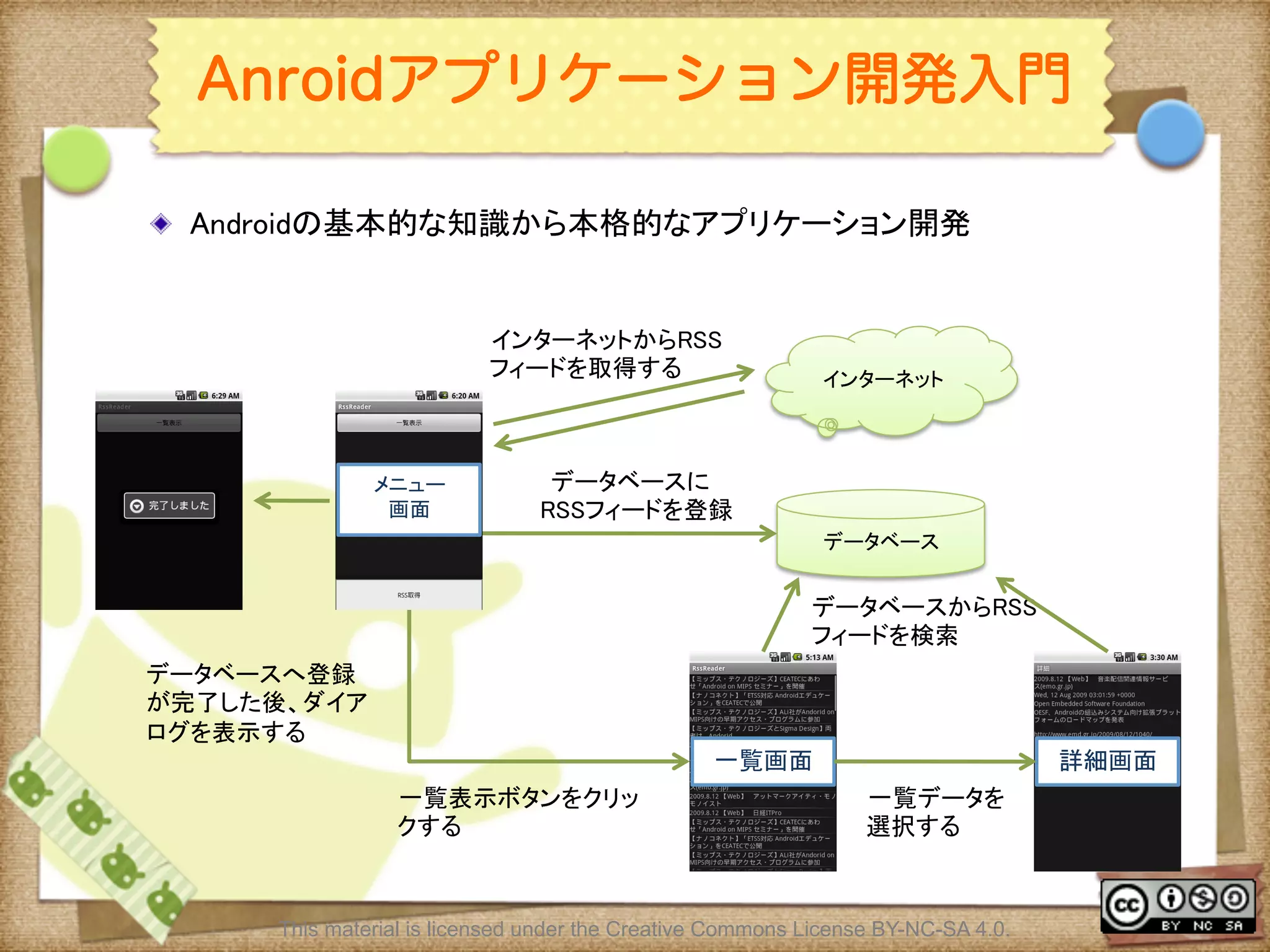
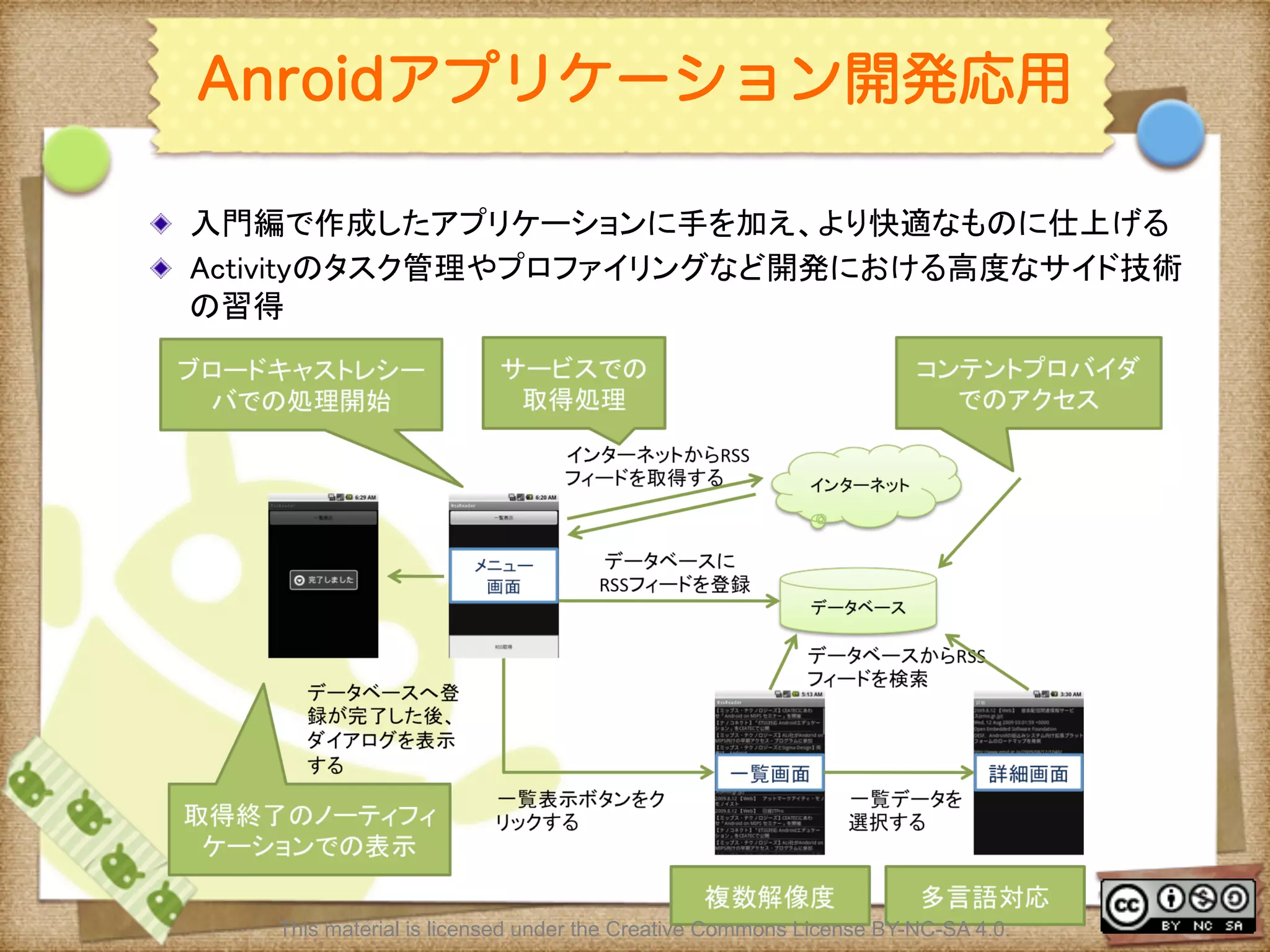
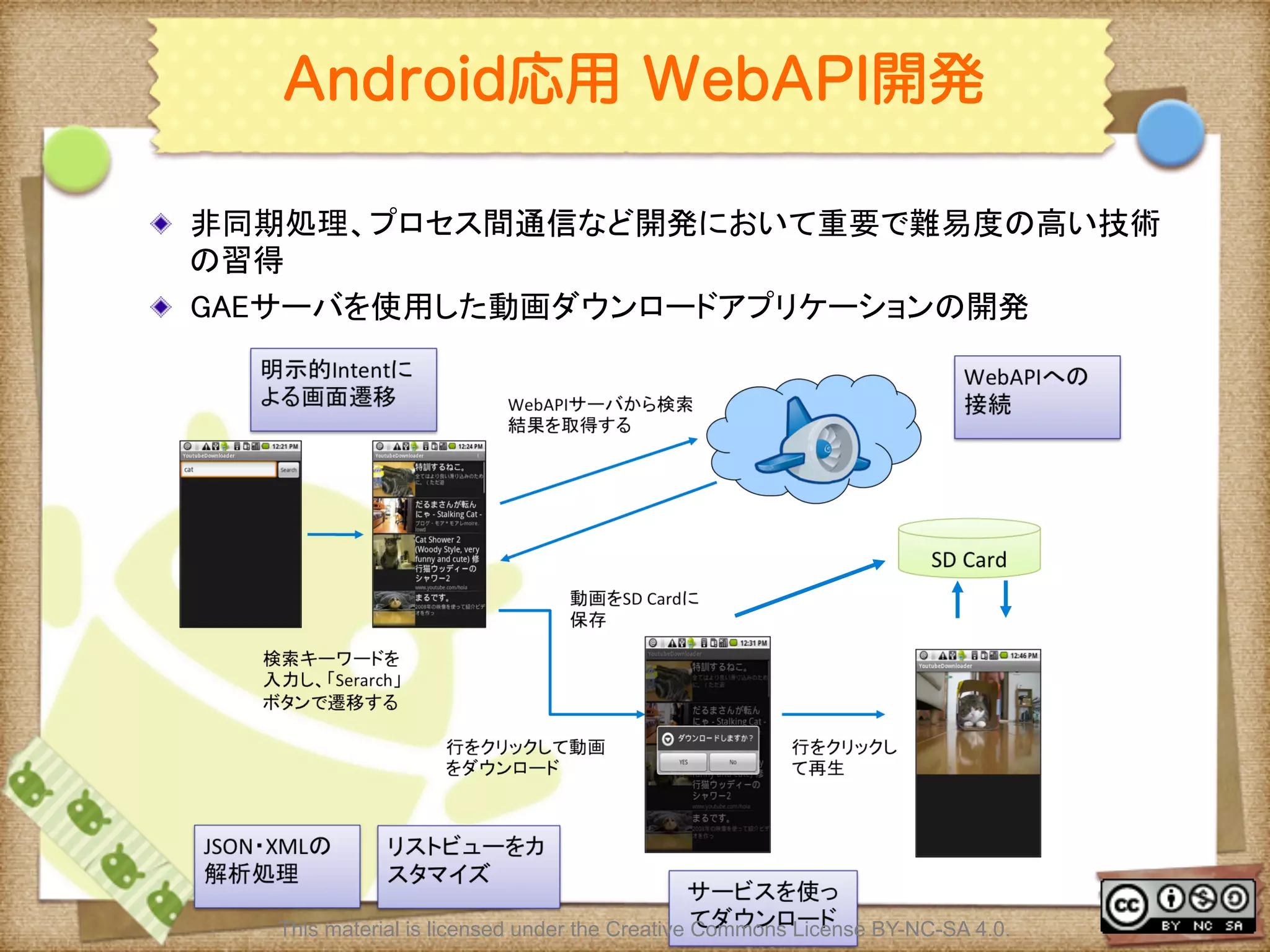
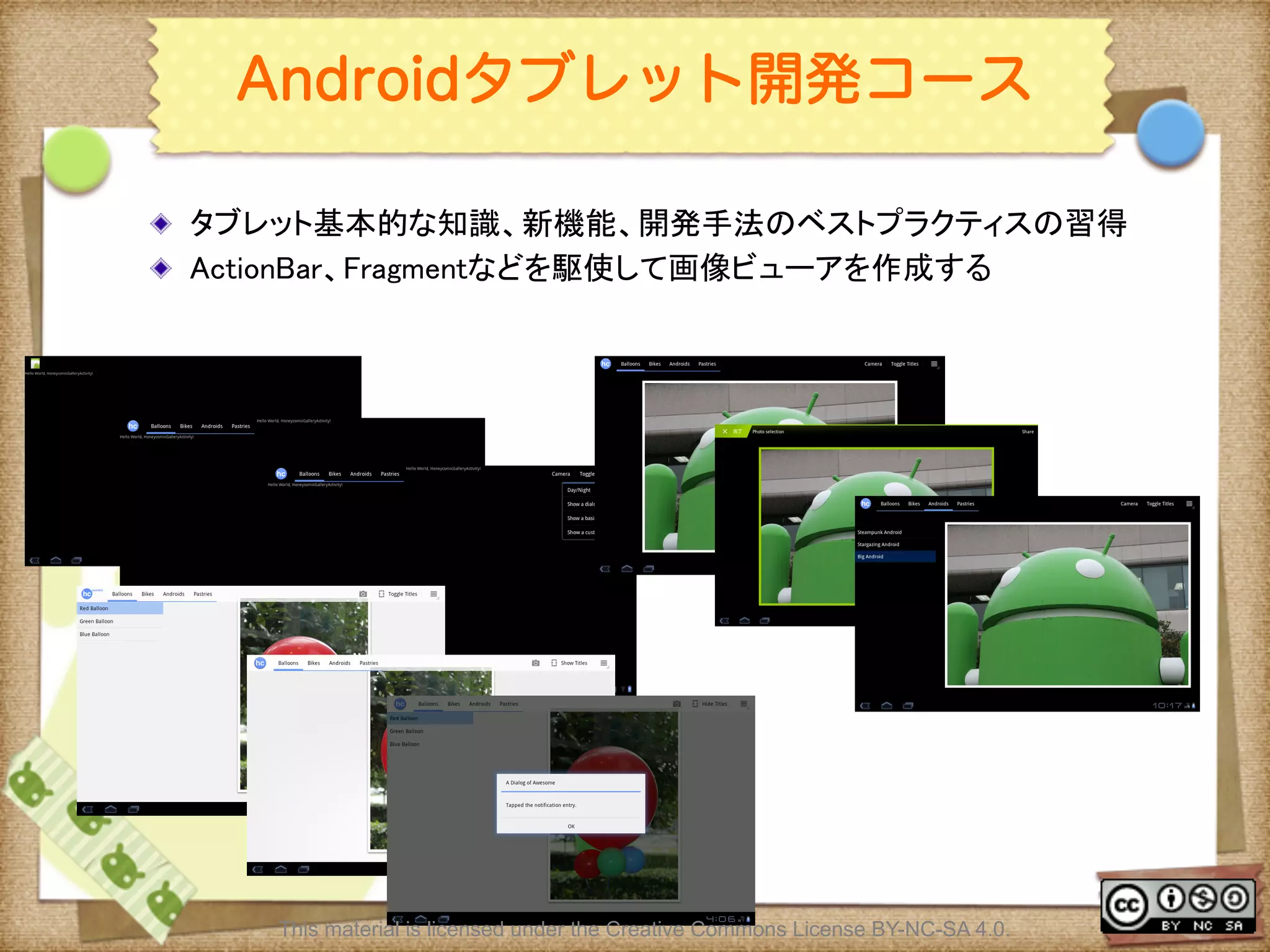
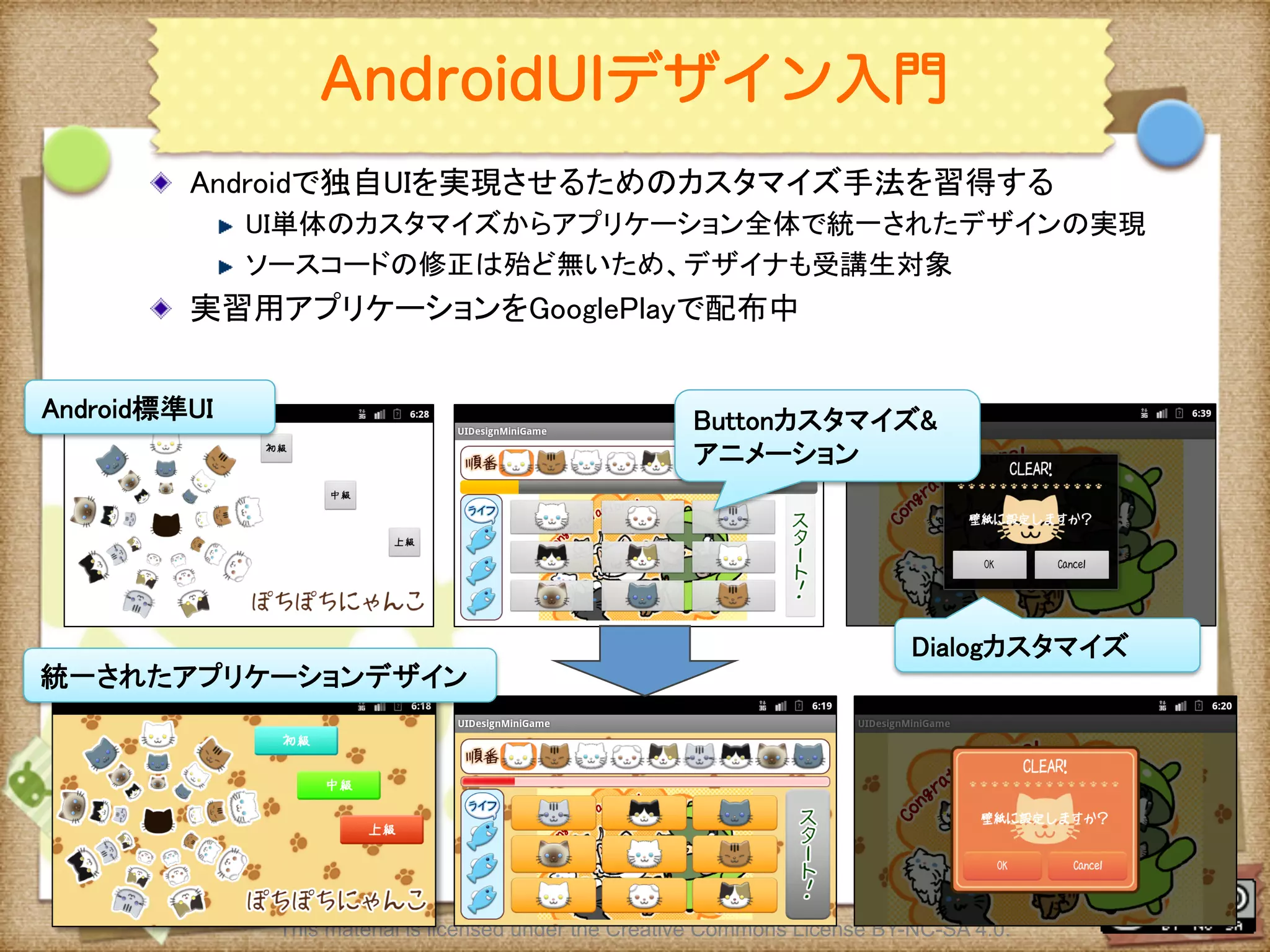
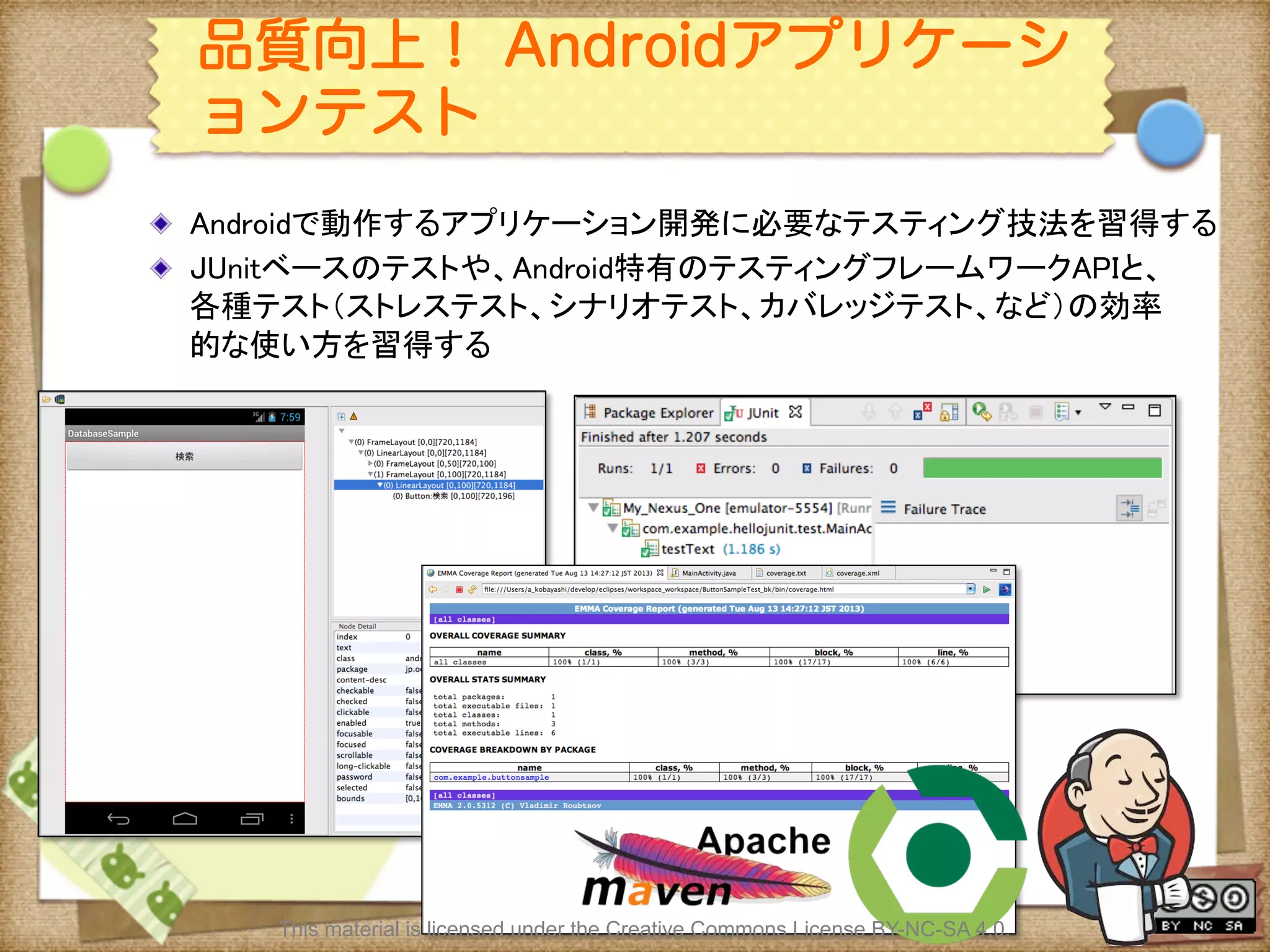
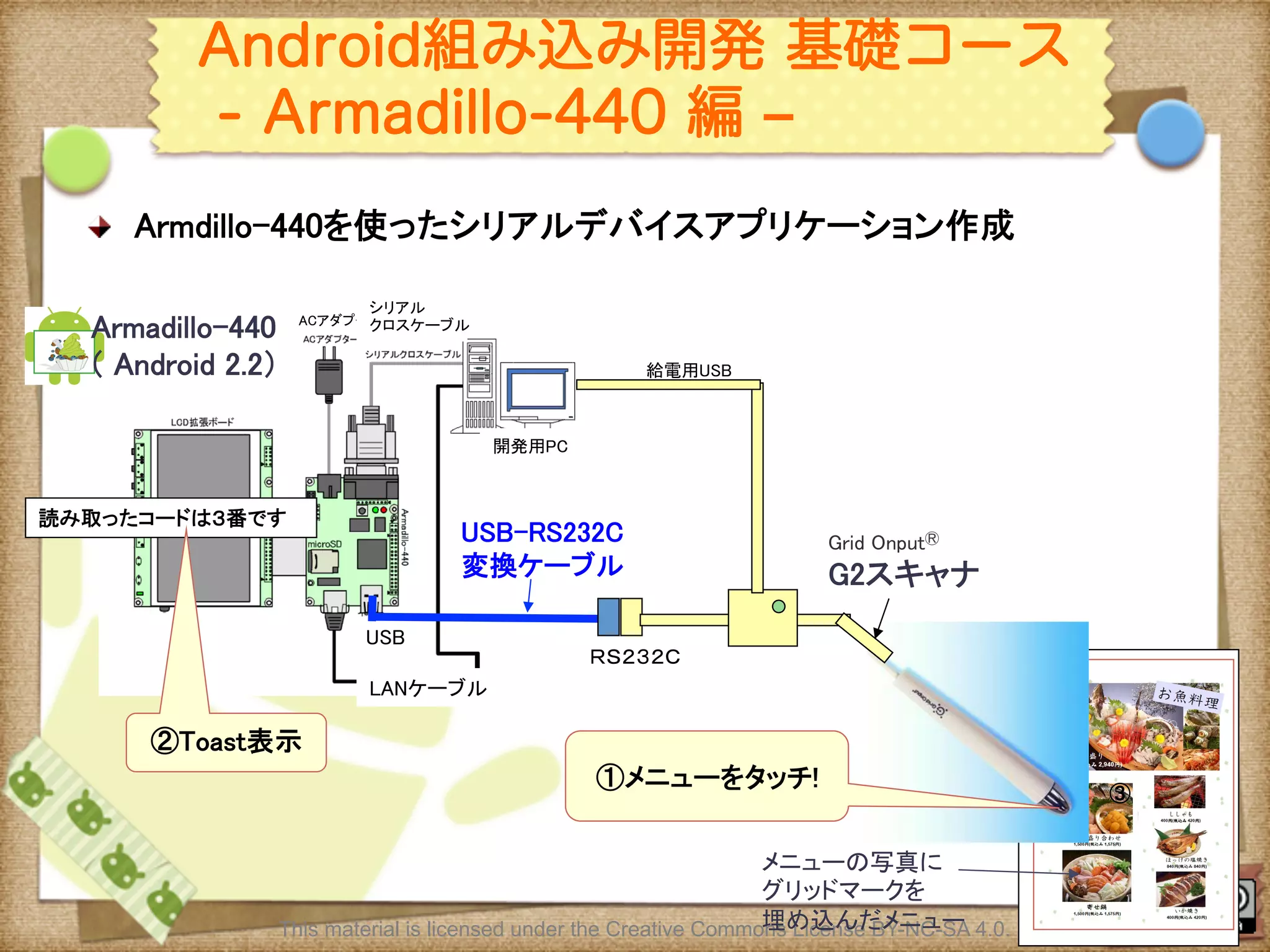


![マテリアルデザインを用いたデザインリニューアル [フリル編]](https://cdn.slidesharecdn.com/ss_thumbnails/droidkaigi-150425032816-conversion-gate02-thumbnail.jpg?width=640&height=640&fit=bounds)


