Android : An operating System
www.arcadianlearning.com
Overview
 About Android
 Android Feature
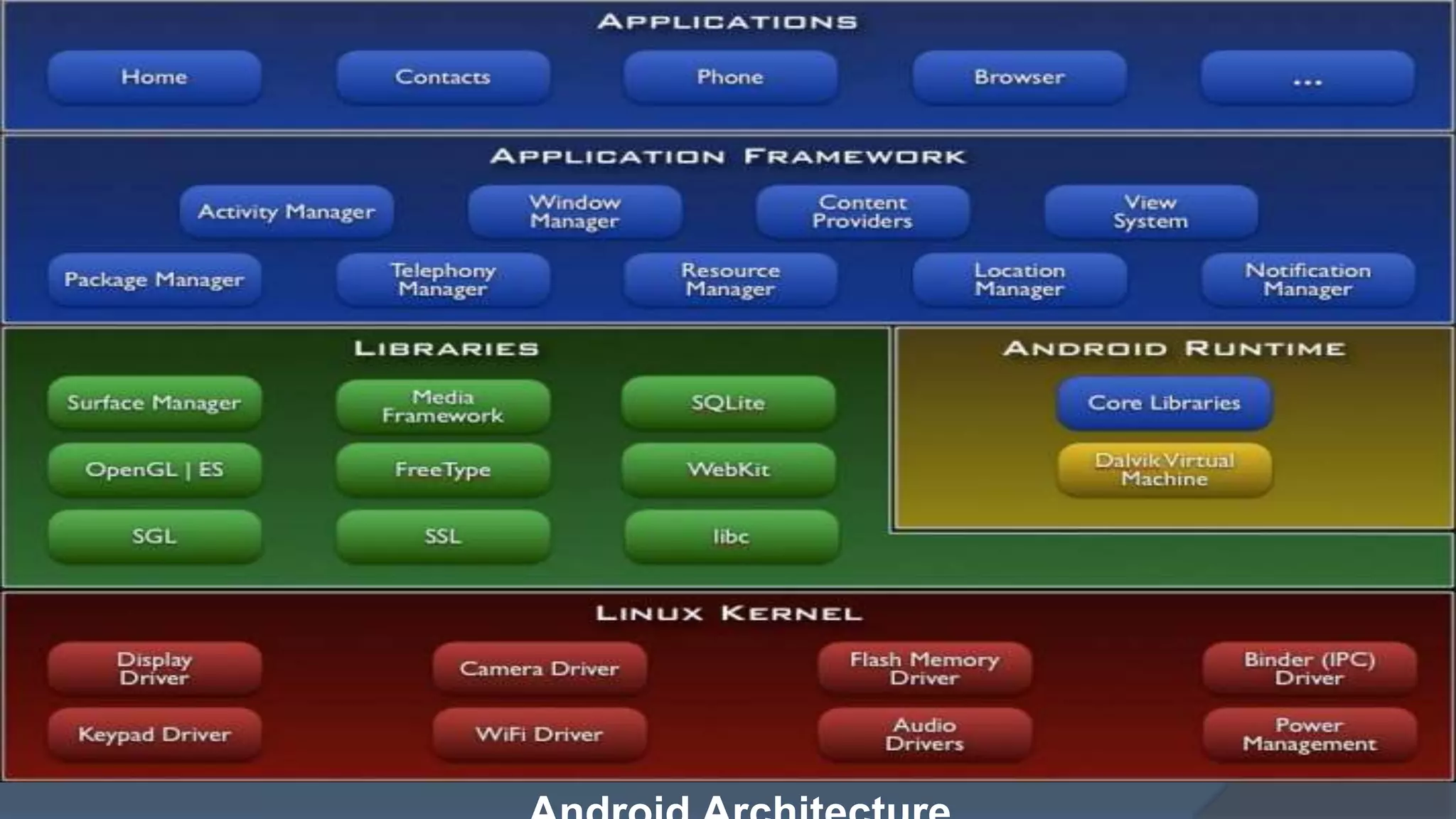
 Android Architecture
 Android APP
 Application Component
 Challenges
 Opportunities
www.arcadianlearning.com
About Android . . .
 Android's mobile operating system is based on the Linux
kernel and is the world's best-selling Smartphone.
 There are currently over 200,000 apps available for Android
that are made accessible through the Android Market, which
is the online app store run by Google.
 The apps are primarily written in Java and XML for Layout.
 The Android operating system, including the Linux kernel,
contains approximately 12 million lines of code.
 In this there are: 3 million lines of XML, 2.8 million lines of C,
2.1 million lines of Java, and 1.75 million lines of C++.
 Doesn’t support applications developed for other platforms
www.arcadianlearning.com
Android Features
• Application Framework
• Dalvik virtual machine
• Integrated (web kit) browser
• 2D and 3D graphics APIs with HW
• SQLite
• Video and audio codecs, OpenGL ES
• Bluetooth, EDGE, 3G, and Wi-Fi
• Camera, GPS, compass, and accelerometer
• Open source under the Apache 2 license
www.arcadianlearning.com
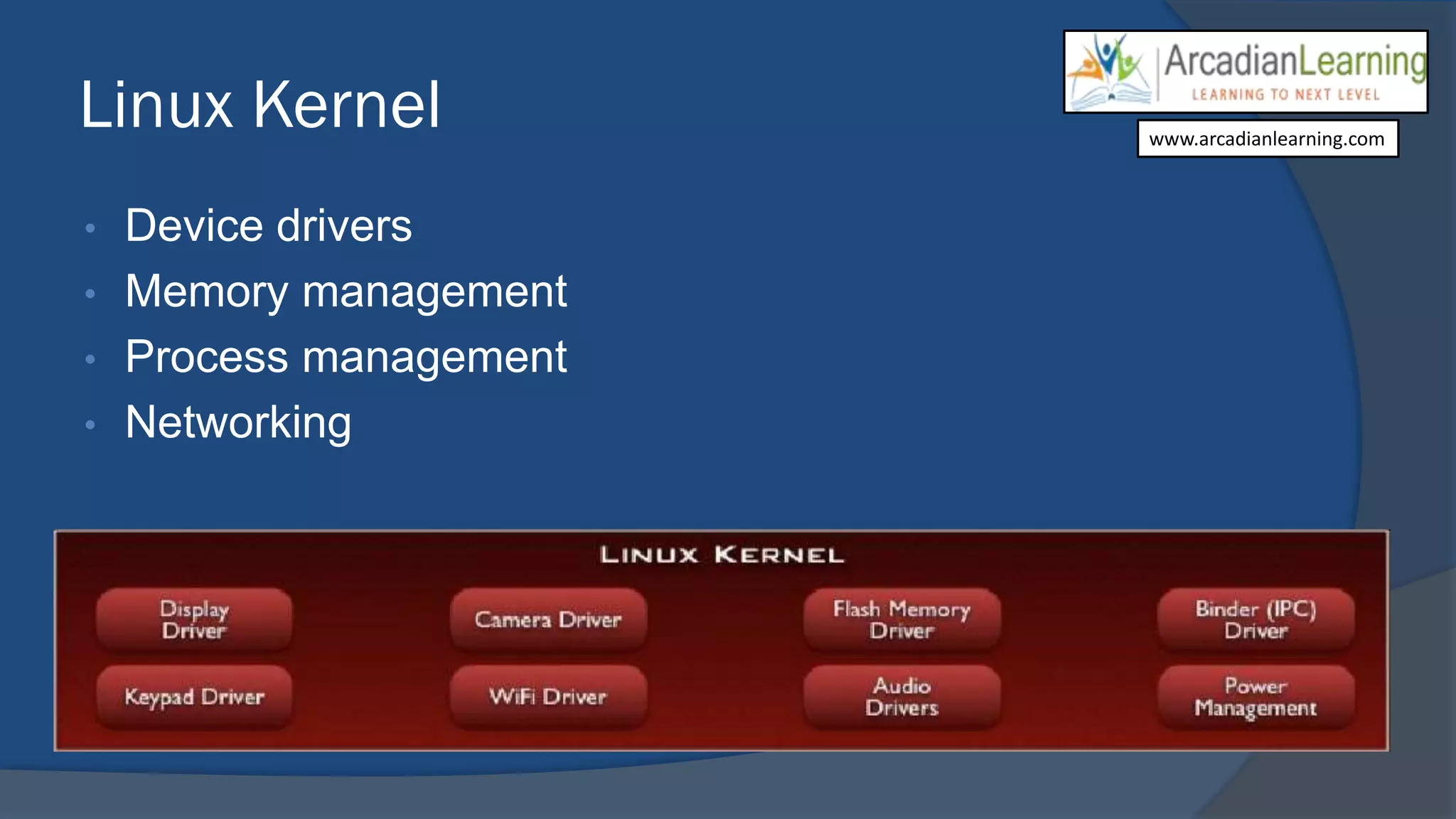
Linux Kernel
• Device drivers
• Memory management
• Process management
• Networking
www.arcadianlearning.com
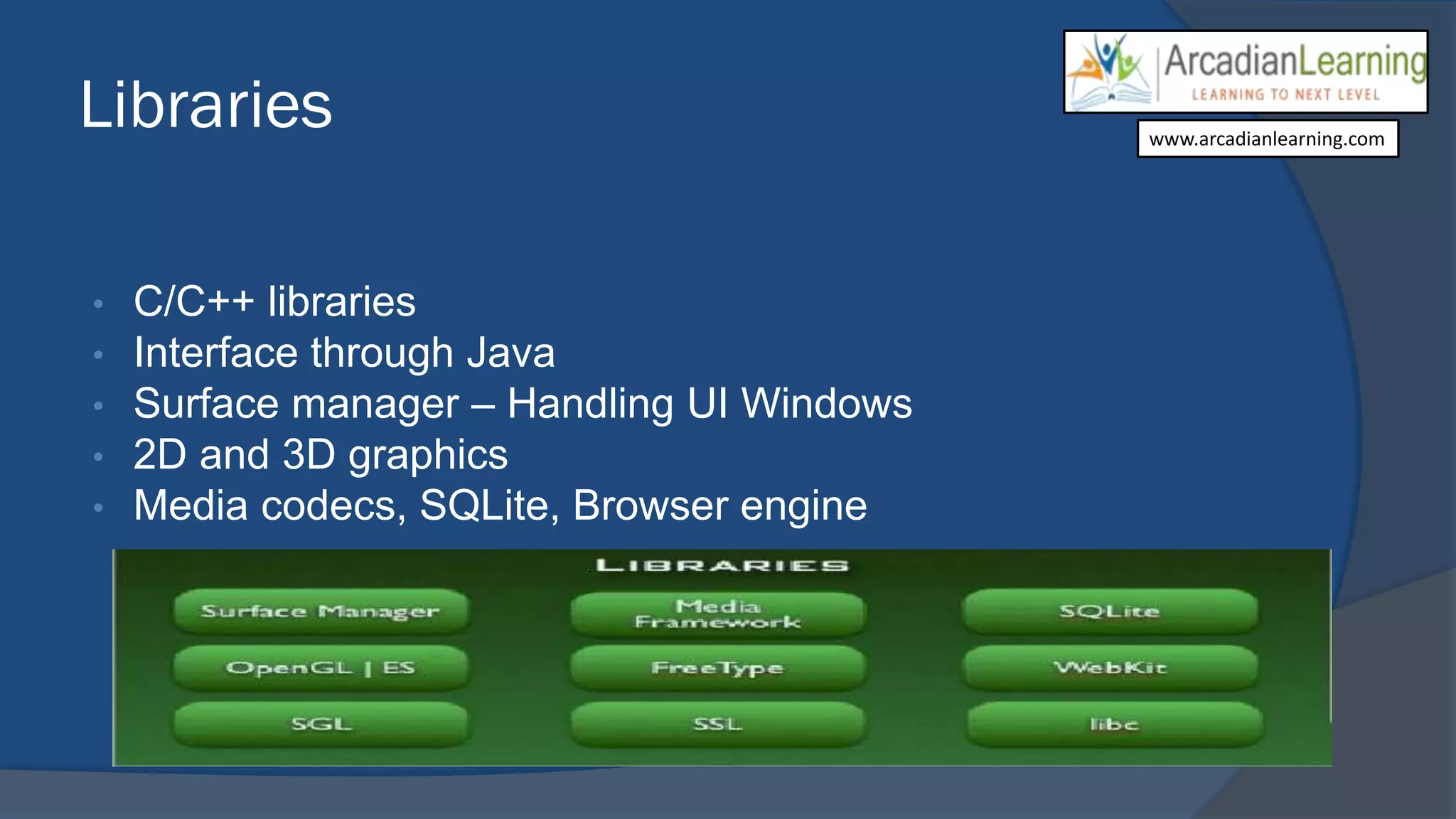
Libraries
• C/C++ libraries
• Interface through Java
• Surface manager – Handling UI Windows
• 2D and 3D graphics
• Media codecs, SQLite, Browser engine
www.arcadianlearning.com
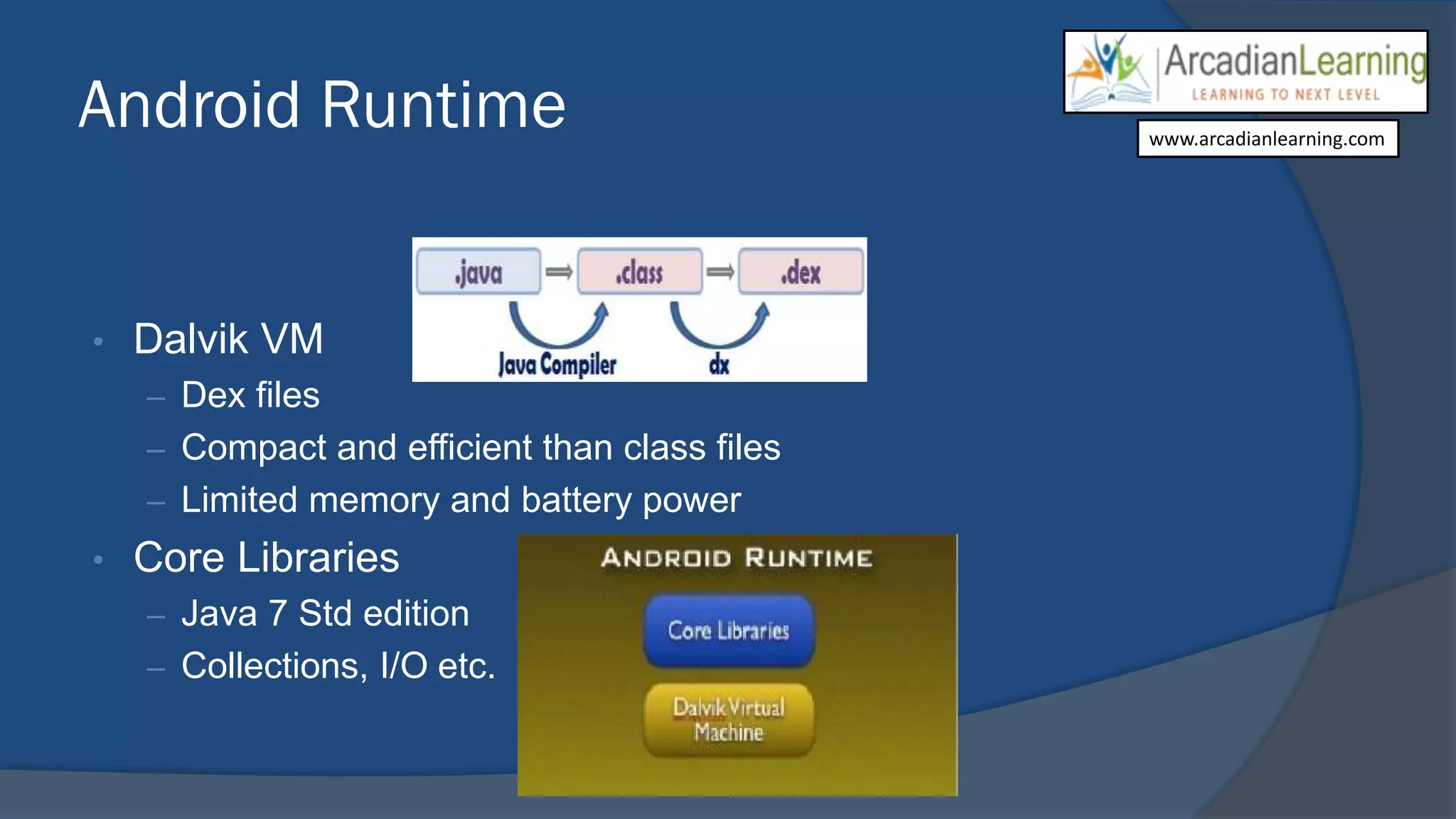
Android Runtime
• Dalvik VM
– Dex files
– Compact and efficient than class files
– Limited memory and battery power
• Core Libraries
– Java 7 Std edition
– Collections, I/O etc.
www.arcadianlearning.com
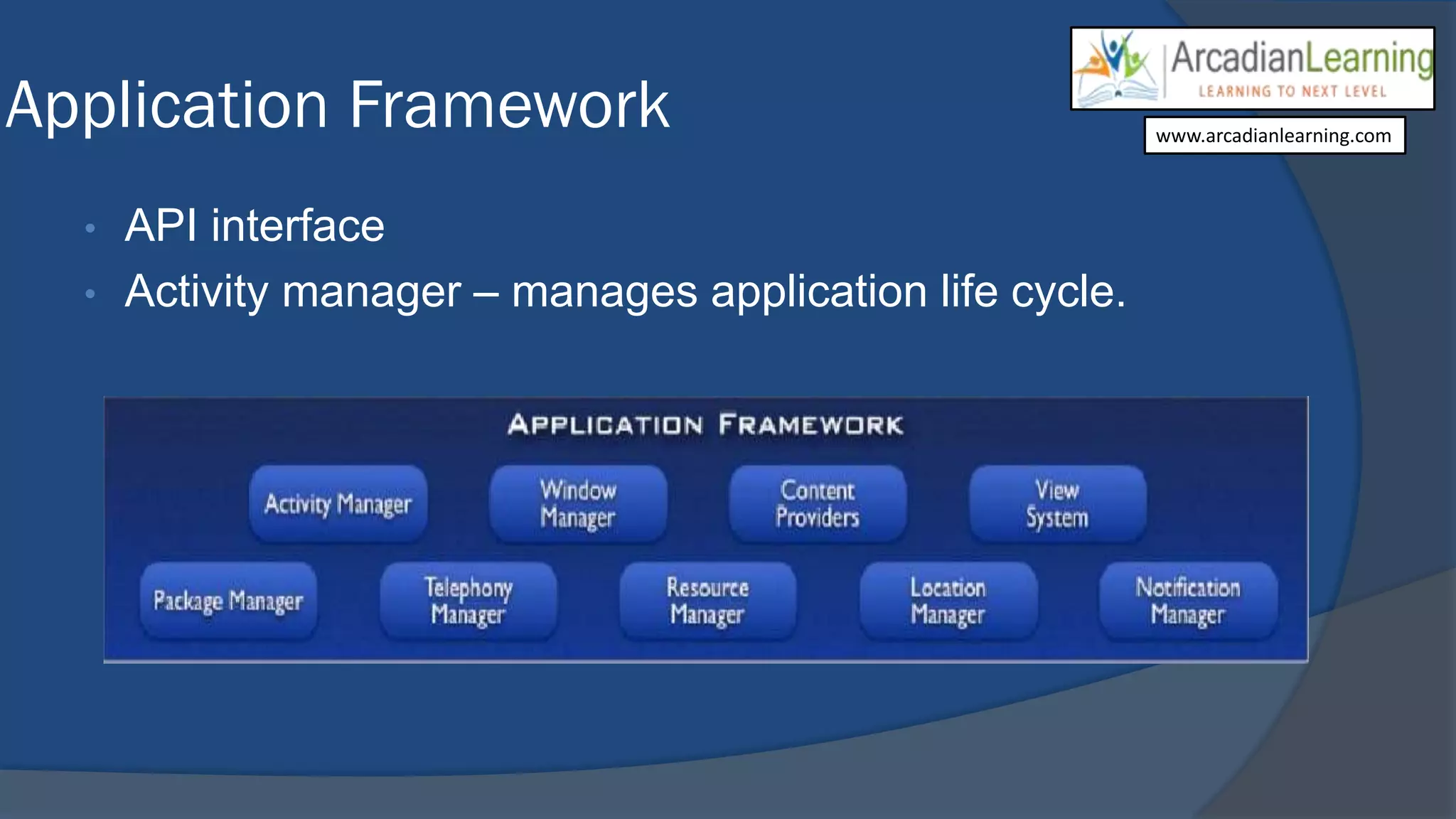
Application Framework
• API interface
• Activity manager – manages application life cycle.
www.arcadianlearning.com
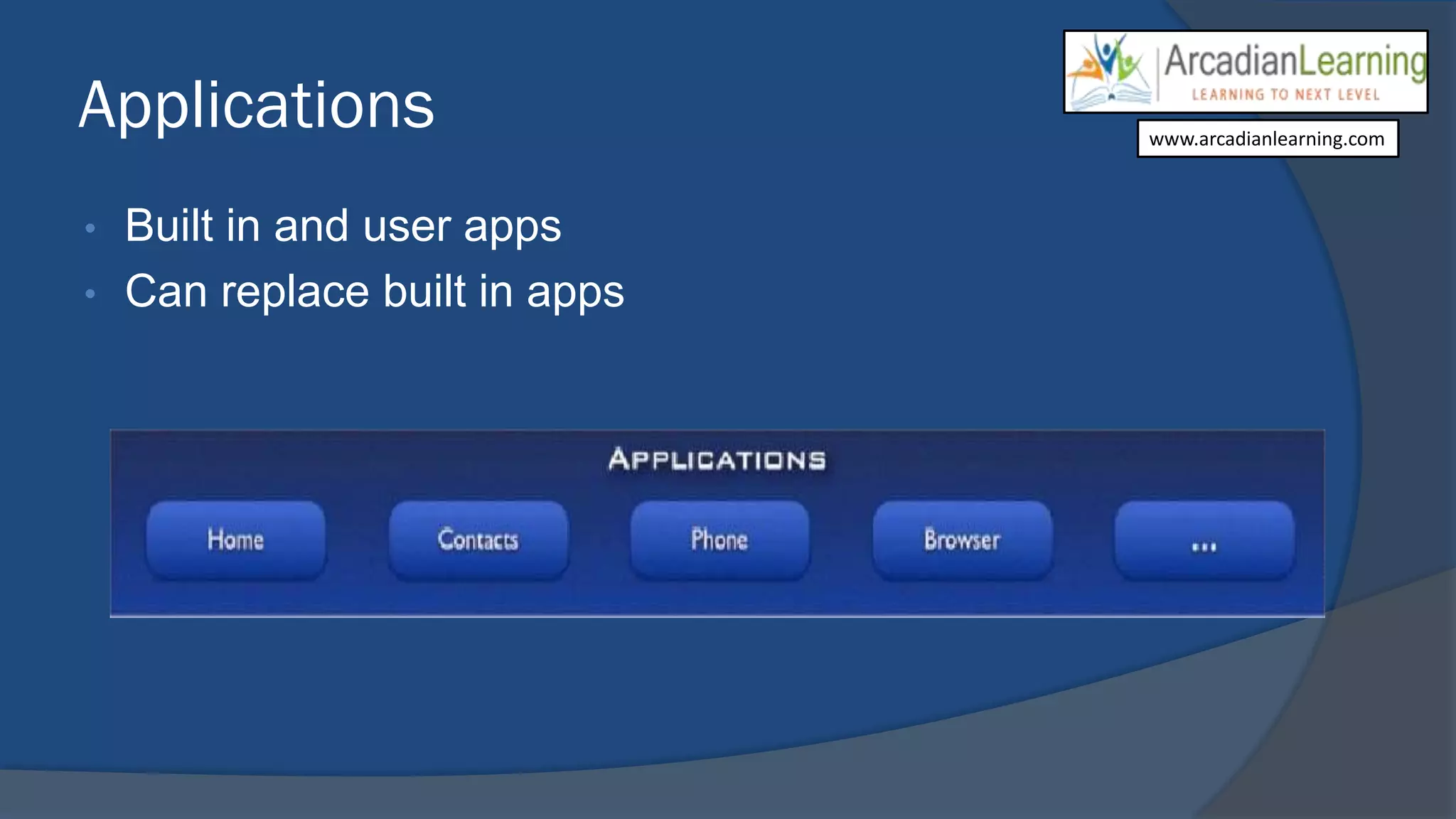
Applications
• Built in and user apps
• Can replace built in apps
www.arcadianlearning.com
Android Apps
 Apps are written in Java
 Bundled by Android Asset Packaging Tool
 Every App runs its own Linux process
 Each process has it’s own Java Virtual Machine
 Each App is assigned a unique Linux user ID
 Apps can share the same user ID to see each other’s
files
www.arcadianlearning.com
Application Component
 Activity
◦ Present a visual user interface for one focused endeavor the user can undertake
◦ Example: a list of menu items users can choose from
 Services
◦ Run in the background for an indefinite period of time
◦ Example: calculate and provide the result to activities that need it
 Broadcast Receivers
◦ Receive and react to broadcast announcements
◦ Example: announcements that the time zone has changed
 Content Providers
◦ Store and retrieve data and make it accessible to all applications
◦ Example: Android ships with a number of content providers for common data types (e.g., audio, video,
images, personal contact information, etc.)
 Intents
◦ Hold the content of a message
◦ Example: convey a request for an activity to present an image to the user or let the user edit some text
www.arcadianlearning.com
Challenges
• CPU typically runs 500-600 Mhz
• RAM available to an App may only be a few megabytes
• Disk (flash) access is very slow
• Lifecycle - apps must pause/quit often, and restore to give
the illusion that they are always running
• UI design
o typical screen may be HVGA (320x480)
o may be in portrait or landscape
o very high DPI - small text may not be readable
o touch resolution is very low (~25 pixel)
• Network access may be slow and (very) intermittent
www.arcadianlearning.com
Opportunities
• 100s of millions of mobile phone users
• Very high growth, esp. in Asia
• "Wild wild west" of application development
o think 1985 on the desktop (if you were born by then)
o no dominant 3rd party developers.... yet
o what will the killer app categories be?
o what does it mean to have any app + the internet in your
pocket?
• You can develop for it today!
www.arcadianlearning.com
https://www.facebook.com/ArcadianLearnings
https://twitter.com/Arcadianlearn
http://www.linkedin.com/in/arcadianlearning
https://www.facebook.com/ArcadianLearnings
https://twitter.com/Arcadianlearn
http://www.linkedin.com/in/arcadianlearning
For more updates, join us @:
www.arcadianlearning.com
https://www.facebook.com/ArcadianLearnings
https://twitter.com/Arcadianlearn
http://www.linkedin.com/in/arcadianlearning
http://arcadianlearning.com/
For Trainings and Workshops, Contact us @:

Android Training in Chandigarh

  • 1.
    Android : Anoperating System www.arcadianlearning.com
  • 2.
    Overview  About Android Android Feature  Android Architecture  Android APP  Application Component  Challenges  Opportunities www.arcadianlearning.com
  • 3.
    About Android .. .  Android's mobile operating system is based on the Linux kernel and is the world's best-selling Smartphone.  There are currently over 200,000 apps available for Android that are made accessible through the Android Market, which is the online app store run by Google.  The apps are primarily written in Java and XML for Layout.  The Android operating system, including the Linux kernel, contains approximately 12 million lines of code.  In this there are: 3 million lines of XML, 2.8 million lines of C, 2.1 million lines of Java, and 1.75 million lines of C++.  Doesn’t support applications developed for other platforms www.arcadianlearning.com
  • 4.
    Android Features • ApplicationFramework • Dalvik virtual machine • Integrated (web kit) browser • 2D and 3D graphics APIs with HW • SQLite • Video and audio codecs, OpenGL ES • Bluetooth, EDGE, 3G, and Wi-Fi • Camera, GPS, compass, and accelerometer • Open source under the Apache 2 license www.arcadianlearning.com
  • 6.
    Linux Kernel • Devicedrivers • Memory management • Process management • Networking www.arcadianlearning.com
  • 7.
    Libraries • C/C++ libraries •Interface through Java • Surface manager – Handling UI Windows • 2D and 3D graphics • Media codecs, SQLite, Browser engine www.arcadianlearning.com
  • 8.
    Android Runtime • DalvikVM – Dex files – Compact and efficient than class files – Limited memory and battery power • Core Libraries – Java 7 Std edition – Collections, I/O etc. www.arcadianlearning.com
  • 9.
    Application Framework • APIinterface • Activity manager – manages application life cycle. www.arcadianlearning.com
  • 10.
    Applications • Built inand user apps • Can replace built in apps www.arcadianlearning.com
  • 11.
    Android Apps  Appsare written in Java  Bundled by Android Asset Packaging Tool  Every App runs its own Linux process  Each process has it’s own Java Virtual Machine  Each App is assigned a unique Linux user ID  Apps can share the same user ID to see each other’s files www.arcadianlearning.com
  • 12.
    Application Component  Activity ◦Present a visual user interface for one focused endeavor the user can undertake ◦ Example: a list of menu items users can choose from  Services ◦ Run in the background for an indefinite period of time ◦ Example: calculate and provide the result to activities that need it  Broadcast Receivers ◦ Receive and react to broadcast announcements ◦ Example: announcements that the time zone has changed  Content Providers ◦ Store and retrieve data and make it accessible to all applications ◦ Example: Android ships with a number of content providers for common data types (e.g., audio, video, images, personal contact information, etc.)  Intents ◦ Hold the content of a message ◦ Example: convey a request for an activity to present an image to the user or let the user edit some text www.arcadianlearning.com
  • 13.
    Challenges • CPU typicallyruns 500-600 Mhz • RAM available to an App may only be a few megabytes • Disk (flash) access is very slow • Lifecycle - apps must pause/quit often, and restore to give the illusion that they are always running • UI design o typical screen may be HVGA (320x480) o may be in portrait or landscape o very high DPI - small text may not be readable o touch resolution is very low (~25 pixel) • Network access may be slow and (very) intermittent www.arcadianlearning.com
  • 14.
    Opportunities • 100s ofmillions of mobile phone users • Very high growth, esp. in Asia • "Wild wild west" of application development o think 1985 on the desktop (if you were born by then) o no dominant 3rd party developers.... yet o what will the killer app categories be? o what does it mean to have any app + the internet in your pocket? • You can develop for it today! www.arcadianlearning.com
  • 15.
  • 16.