


1/82
2/82
Graphics & Animation
in Android
3/82
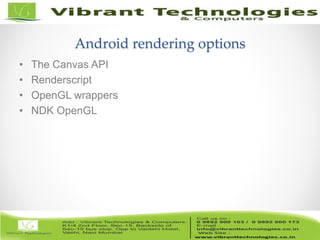
Android rendering options
• The Canvas API
• Renderscript
• OpenGL wrappers
• NDK OpenGL
4/82
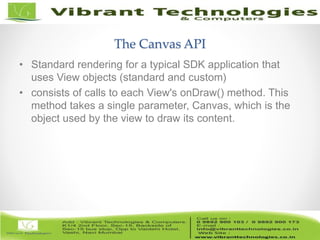
The Canvas API
• Standard rendering for a typical SDK application that
uses View objects (standard and custom)
• consists of calls to each View's onDraw() method. This
method takes a single parameter, Canvas, which is the
object used by the view to draw its content.
5/82
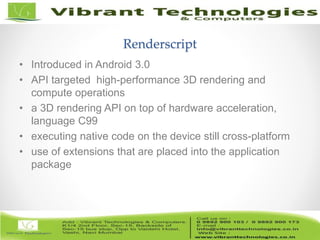
Renderscript
• Introduced in Android 3.0
• API targeted high-performance 3D rendering and
compute operations
• a 3D rendering API on top of hardware acceleration,
language C99
• executing native code on the device still cross-platform
• use of extensions that are placed into the application
package
6/82
Open GL Wrappers
• OpenGL APIs at the SDK level
• not a recommended practice as a general approach for
complex scenes that require high-performance graphics
• difficult to achieve high performance levels equivalent to
native access to OpenGL due to the overhead of calling
down from the SDK
• Music application that shipped with Android 3.0 used this
approach
7/82
NDK OpenGL
• no access to the View objects, or the events, or the rest
of the infrastructure that is provided in the SDK APIs
• graphics environment sufficient for some specific
purposes: game developers
• compiles applications to specific CPU architectures
8/82
Animations
• Animations prior to Android 3.0
o android.view.animation
o move, scale, rotate, and fade Views
o combine multiple animations together in an AnimationSet
o specify animations in a LayoutAnimationController to get automatically staggered
animation
o use Interpolator implementations like AccelerateInterpolator and Bounce to get
natural, nonlinear timing behavior
9/82
Animations
• Animations prior to Android 3.0
o you can animate Views... and that's it
o How to animate the position of a Drawable in a custom drawing? Or
translucency?
o you can move, rotate, scale, and fade a View... and that's it.
o animating the background color of a View?
o hard-coded set of things they were able to do, and you could not make them do
anything else.
10/82
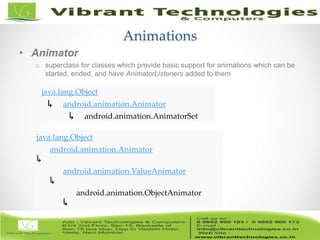
Animations
• Animator
o superclass for classes which provide basic support for animations which can be
started, ended, and have AnimatorListeners added to them
java.lang.Object
↳ android.animation.Animator
↳ android.animation.AnimatorSet
java.lang.Object
↳
android.animation.Animator
↳
android.animation.ValueAnimator
↳
android.animation.ObjectAnimator
11/82
Animations
• AnimatorSet
o choreograph multiple animators together into a single animation
o animations can be set up to play together, in sequence, or after a specified delay
o “It is possible to set up a AnimatorSet with circular dependencies between its
animations… results of this configuration are undefined… circular dependencies
should be avoided”
12/82
Animations
• ValueAnimator
o runs the internal timing loop that causes all of a process's animations to
calculate and set values
o two pieces to animating properties: calculating the animated values and setting
those values on the object and property in question. ValueAnimator takes care of
the first part; calculating the values
13/82
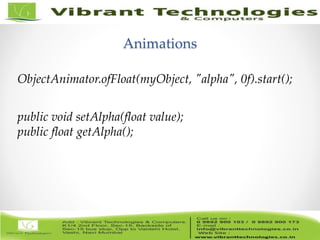
Animations
ObjectAnimator.ofFloat(myObject, "alpha", 0f).start();
public void setAlpha(float value);
public float getAlpha();
14/82
Animations
• View properties
o added new properties to the View class in Honeycomb
• translationX and translationY
• rotation, rotationX, and rotationY
• scaleX and scaleY
• pivotX and pivotY
• x and y
• alpha
15/82
Animations
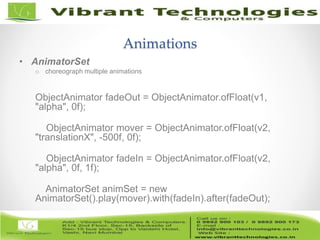
• AnimatorSet
o choreograph multiple animations
ObjectAnimator fadeOut = ObjectAnimator.ofFloat(v1,
"alpha", 0f);
ObjectAnimator mover = ObjectAnimator.ofFloat(v2,
"translationX", -500f, 0f);
ObjectAnimator fadeIn = ObjectAnimator.ofFloat(v2,
"alpha", 0f, 1f);
AnimatorSet animSet = new
AnimatorSet().play(mover).with(fadeIn).after(fadeOut);
16/82
Animations
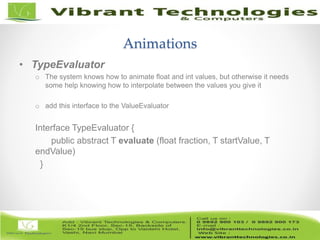
• TypeEvaluator
o The system knows how to animate float and int values, but otherwise it needs
some help knowing how to interpolate between the values you give it
o add this interface to the ValueEvaluator
Interface TypeEvaluator {
public abstract T evaluate (float fraction, T startValue, T
endValue)
}
17/82
Thank You !!!
For More Information click below link:
Follow Us on:
http://vibranttechnologies.co.in/android-classes-in-mumbai.html

Android - Graphics Animation in Android

  • 1.
  • 2.
  • 3.
    3/82 Android rendering options •The Canvas API • Renderscript • OpenGL wrappers • NDK OpenGL
  • 4.
    4/82 The Canvas API •Standard rendering for a typical SDK application that uses View objects (standard and custom) • consists of calls to each View's onDraw() method. This method takes a single parameter, Canvas, which is the object used by the view to draw its content.
  • 5.
    5/82 Renderscript • Introduced inAndroid 3.0 • API targeted high-performance 3D rendering and compute operations • a 3D rendering API on top of hardware acceleration, language C99 • executing native code on the device still cross-platform • use of extensions that are placed into the application package
  • 6.
    6/82 Open GL Wrappers •OpenGL APIs at the SDK level • not a recommended practice as a general approach for complex scenes that require high-performance graphics • difficult to achieve high performance levels equivalent to native access to OpenGL due to the overhead of calling down from the SDK • Music application that shipped with Android 3.0 used this approach
  • 7.
    7/82 NDK OpenGL • noaccess to the View objects, or the events, or the rest of the infrastructure that is provided in the SDK APIs • graphics environment sufficient for some specific purposes: game developers • compiles applications to specific CPU architectures
  • 8.
    8/82 Animations • Animations priorto Android 3.0 o android.view.animation o move, scale, rotate, and fade Views o combine multiple animations together in an AnimationSet o specify animations in a LayoutAnimationController to get automatically staggered animation o use Interpolator implementations like AccelerateInterpolator and Bounce to get natural, nonlinear timing behavior
  • 9.
    9/82 Animations • Animations priorto Android 3.0 o you can animate Views... and that's it o How to animate the position of a Drawable in a custom drawing? Or translucency? o you can move, rotate, scale, and fade a View... and that's it. o animating the background color of a View? o hard-coded set of things they were able to do, and you could not make them do anything else.
  • 10.
    10/82 Animations • Animator o superclassfor classes which provide basic support for animations which can be started, ended, and have AnimatorListeners added to them java.lang.Object ↳ android.animation.Animator ↳ android.animation.AnimatorSet java.lang.Object ↳ android.animation.Animator ↳ android.animation.ValueAnimator ↳ android.animation.ObjectAnimator
  • 11.
    11/82 Animations • AnimatorSet o choreographmultiple animators together into a single animation o animations can be set up to play together, in sequence, or after a specified delay o “It is possible to set up a AnimatorSet with circular dependencies between its animations… results of this configuration are undefined… circular dependencies should be avoided”
  • 12.
    12/82 Animations • ValueAnimator o runsthe internal timing loop that causes all of a process's animations to calculate and set values o two pieces to animating properties: calculating the animated values and setting those values on the object and property in question. ValueAnimator takes care of the first part; calculating the values
  • 13.
    13/82 Animations ObjectAnimator.ofFloat(myObject, "alpha", 0f).start(); publicvoid setAlpha(float value); public float getAlpha();
  • 14.
    14/82 Animations • View properties oadded new properties to the View class in Honeycomb • translationX and translationY • rotation, rotationX, and rotationY • scaleX and scaleY • pivotX and pivotY • x and y • alpha
  • 15.
    15/82 Animations • AnimatorSet o choreographmultiple animations ObjectAnimator fadeOut = ObjectAnimator.ofFloat(v1, "alpha", 0f); ObjectAnimator mover = ObjectAnimator.ofFloat(v2, "translationX", -500f, 0f); ObjectAnimator fadeIn = ObjectAnimator.ofFloat(v2, "alpha", 0f, 1f); AnimatorSet animSet = new AnimatorSet().play(mover).with(fadeIn).after(fadeOut);
  • 16.
    16/82 Animations • TypeEvaluator o Thesystem knows how to animate float and int values, but otherwise it needs some help knowing how to interpolate between the values you give it o add this interface to the ValueEvaluator Interface TypeEvaluator { public abstract T evaluate (float fraction, T startValue, T endValue) }
  • 17.
    17/82 Thank You !!! ForMore Information click below link: Follow Us on: http://vibranttechnologies.co.in/android-classes-in-mumbai.html

Editor's Notes

  • #5 and performs and rendering by calling the various methods in the Canvas class For example, a Button might tell its background Drawable to draw itself into the Canvas and then draw its label with a call to Canvas.drawText()
  • #6 When the app is run, the scripts are compiled to machine code and optimized on the device. This eliminates the problem of needing to target a specific machine architecture during the development process.
  • #7 That is, you can write an application using the SDK, with full access to usual SDK APIs and functionality, and still use OpenGL ES 1.x and OpenGL ES 2.0 APIs, by calling the wrapper functions in GLES10 or GLES20 classes. These wrappers call the underlying OpenGL APIs at the native level for those versions of OpenGL ES. For casually exploring or using OpenGL, this may be a reasonable option. But while this approach works, it's not a recommended practice as a general approach for complex scenes that require high-performance graphics. For one thing, it is difficult to achieve high performance levels equivalent to native access to OpenGL due to the overhead of calling down from the SDK to the native level for every OpenGL call. The Music application that shipped with Android 3.0 used this approach. The application was an SDK application which needed some simple 3D graphics operations, such as the carousel view of albums. The main reason that it uses the SDK/OpenGL approach is because it is an unbundled application (not dependent upon a particular release of the SDK) and needed to work on releases back to 2.2. It therefore used APIs that were available on those previous releases.
  • #8 The NDK exists to provide an easy porting layer for existing applications written in native code, or which use native libraries. Porting might be more easily and quickly accomplished by using the NDK than by converting existing code to the language and APIs used by the SDK. The NDK does not provide the rich GUI toolkit of the Android platform at the native level, so developers do not have access to the View objects, or the events, or the rest of the infrastructure that is provided in the SDK APIs. But there is a graphics environment at the NDK level that is sufficient for some specific purposes. In particular, game developers that simply want a fullscreen game experience can find what they need with OpenGL. This API provides low-level graphics functionality that lets applications display 2D and 3D graphics using the GPU for maximum graphics performance. One important restriction of the NDK to keep in mind is that it compiles applications to specific CPU architectures. This means that if you only build your application for one specific chip, then the application will not work on Android devices that do not have that chip architecture. This is particularly important in the broad and growing Android ecosystem where new devices are coming out all the time. You probably want your application to work as well on new chips as it did on the ones you used to develop the application. So while the NDK OpenGL solution provides a reasonable route to fast graphics performance, it does so at the cost of the portability that other solutions offer. One of the questions that came up about Renderscript when I talked to developers was how to access it from the NDK. This is not currently possible. Renderscript is specifically created to be a companion to SDK applications. We envision users of Renderscript as SDK applications that use Renderscript for their high-performance graphics or computation needs. These applications might be primarily SDK applications, with GUIs and interaction and most other facilities provided by the SDK APIs and small but important pieces of functionality provided by Renderscript, such as graphics effects that would otherwise not be possible or not perform as well. Or these applications might use Renderscript for most of what they do, just using the SDK to initialize the scripts and letting Renderscript take over from there.
  • #10 For one thing, you can animate Views... and that's it. To a great extent, that's okay. The GUI objects in Android are, after all, Views. So as long as you want to move a Button, or a TextView, or a LinearLayout, or any other GUI object, the animations have you covered. But what if you have some custom drawing in your view that you'd like to animate, like the position of a Drawable, or the translucency of its background color? Then you're on your own, because the previous animation system only understands how to manipulate View objects.
  • #11 The listeners tend to be important, because sometimes you want to key some action off of the end of an animation, such as removing a view after an animation fading it out is done. asic support for animations which can be started, ended, and have AnimatorListeners added to them AnimatorListener
  • #12 superclass for classes which provide b It is possible to set up a AnimatorSet with circular dependencies between its animations. For example, an animation a1 could be set up to start before animation a2, a2 before a3, and a3 before a1. The results of this configuration are undefined, but will typically result in none of the affected animations being played. Because of this (and because circular dependencies do not make logical sense anyway), circular dependencies should be avoided, and the dependency flow of animations should only be in one direction
  • #13 superclass for classes which provide b It is possible to set up a AnimatorSet with circular dependencies between its animations. For example, an animation a1 could be set up to start before animation a2, a2 before a3, and a3 before a1. The results of this configuration are undefined, but will typically result in none of the affected animations being played. Because of this (and because circular dependencies do not make logical sense anyway), circular dependencies should be avoided, and the dependency flow of animations should only be in one direction
  • #14 superclass for classes which provide b It is possible to set up a AnimatorSet with circular dependencies between its animations. For example, an animation a1 could be set up to start before animation a2, a2 before a3, and a3 before a1. The results of this configuration are undefined, but will typically result in none of the affected animations being played. Because of this (and because circular dependencies do not make logical sense anyway), circular dependencies should be avoided, and the dependency flow of animations should only be in one direction