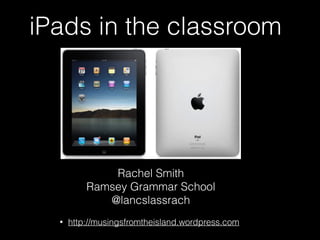
iPads in the classroom
Rachel Smith
Ramsey Grammar School
@lancslassrach
• http://musingsfromtheisland.wordpress.com
Some things to consider
• Numbering your iPads
• How will you know who has been on which iPad?
• Work flow?
• What will be enabled?
• Wallpaper
Things to teach the students
about iPads
• How to close an app - double tap
home key and slide app icon up
• How to move between apps -
either double tap home key and
select or do a four finger slide
• How to close an app - five finger
squeeze
• How to select something in an
app - hold finger on item and wait
for options
• To search for an app - two fingers
pull down from middle of screen
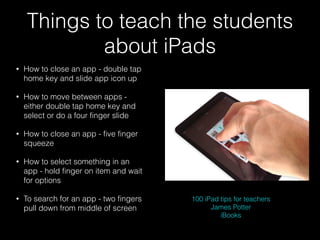
100 iPad tips for teachers
James Potter
iBooks
The iPad as a tool for
learning
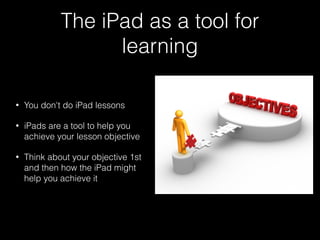
• You don't do iPad lessons
• iPads are a tool to help you
achieve your lesson objective
• Think about your objective 1st
and then how the iPad might
help you achieve it
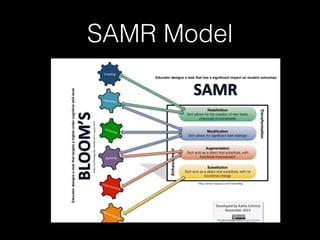
SAMR Model
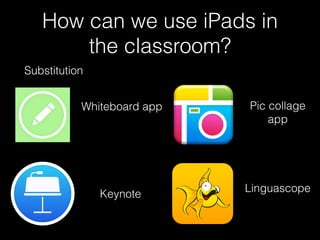
How can we use iPads in
the classroom?
Substitution
Whiteboard app
Keynote
Pic collage
app
Linguascope
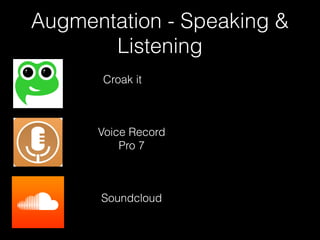
Augmentation - Speaking &
Listening
Croak it
Voice Record
Pro 7
Soundcloud
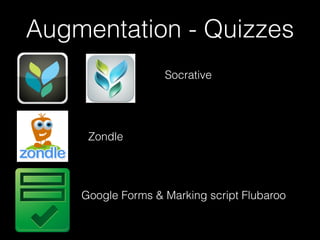
Augmentation - Quizzes
Socrative
Zondle
Google Forms & Marking script Flubaroo
Modification & Redefinition
Yakit kids
Chatter pix
Youtube Capture
Modification & Redefinition
Tellagami
30 hands
Book Creator
Thing Link
Modification & Redefinition
Screen casting
Show me
Explain Everything
Modification & Redefinition
Brain storming
Corkulous
Dream X
Simple mind +
Popplet Lite
Modification & Redefinition
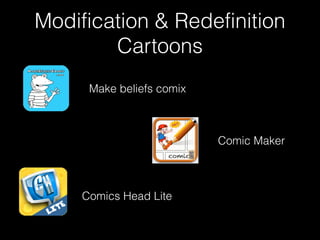
Cartoons
Make beliefs comix
Comics Head Lite
Comic Maker
App Smashing
Bringing together multiple apps to make new content
CA Preparation
http://youtu.be/k7BpF6n9lQQ
Augmented reality
Thing Link
Book Creator
Where can I get ideas for apps?
• Pinterest - search iPad apps or app
smashing and pin to your board
• Twitter - join twitter as a teacher and
follow @lancslassrach @ipadwells
@joedale @ictevangelist @syded06
@techchef4u
• The Guardian does weekly app
reviews
• Apps gone free app
• Educational blogs http://
musingsfromtheisland.wordpress.com

An introduction to iPads in the MFL classroom

  • 1.
    iPads in theclassroom Rachel Smith Ramsey Grammar School @lancslassrach • http://musingsfromtheisland.wordpress.com
  • 2.
    Some things toconsider • Numbering your iPads • How will you know who has been on which iPad? • Work flow? • What will be enabled? • Wallpaper
  • 3.
    Things to teachthe students about iPads • How to close an app - double tap home key and slide app icon up • How to move between apps - either double tap home key and select or do a four finger slide • How to close an app - five finger squeeze • How to select something in an app - hold finger on item and wait for options • To search for an app - two fingers pull down from middle of screen 100 iPad tips for teachers James Potter iBooks
  • 4.
    The iPad asa tool for learning • You don't do iPad lessons • iPads are a tool to help you achieve your lesson objective • Think about your objective 1st and then how the iPad might help you achieve it
  • 5.
  • 6.
    How can weuse iPads in the classroom? Substitution Whiteboard app Keynote Pic collage app Linguascope
  • 7.
    Augmentation - Speaking& Listening Croak it Voice Record Pro 7 Soundcloud
  • 8.
    Augmentation - Quizzes Socrative Zondle GoogleForms & Marking script Flubaroo
  • 9.
    Modification & Redefinition Yakitkids Chatter pix Youtube Capture
  • 10.
    Modification & Redefinition Tellagami 30hands Book Creator Thing Link
  • 11.
    Modification & Redefinition Screencasting Show me Explain Everything
  • 12.
    Modification & Redefinition Brainstorming Corkulous Dream X Simple mind + Popplet Lite
  • 13.
    Modification & Redefinition Cartoons Makebeliefs comix Comics Head Lite Comic Maker
  • 14.
    App Smashing Bringing togethermultiple apps to make new content CA Preparation http://youtu.be/k7BpF6n9lQQ Augmented reality Thing Link Book Creator
  • 15.
    Where can Iget ideas for apps? • Pinterest - search iPad apps or app smashing and pin to your board • Twitter - join twitter as a teacher and follow @lancslassrach @ipadwells @joedale @ictevangelist @syded06 @techchef4u • The Guardian does weekly app reviews • Apps gone free app • Educational blogs http:// musingsfromtheisland.wordpress.com