ALTEC CANADA
Core Yard
To
Work Order
ACTION PLAN
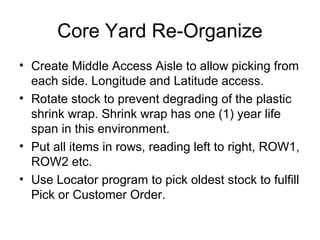
Core Yard Re-Organize
• Create Middle Access Aisle to allow picking from
each side. Longitude and Latitude access.
• Rotate stock to prevent degrading of the plastic
shrink wrap. Shrink wrap has one (1) year life
span in this environment.
• Put all items in rows, reading left to right, ROW1,
ROW2 etc.
• Use Locator program to pick oldest stock to fulfill
Pick or Customer Order.
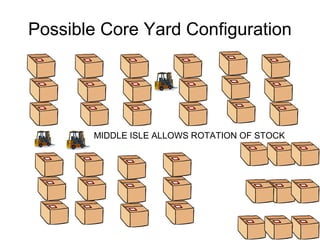
Possible Core Yard Configuration
MIDDLE ISLE ALLOWS ROTATION OF STOCK
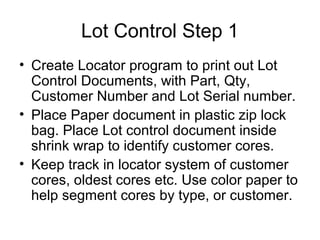
Lot Control Step 1
• Create Locator program to print out Lot
Control Documents, with Part, Qty,
Customer Number and Lot Serial number.
• Place Paper document in plastic zip lock
bag. Place Lot control document inside
shrink wrap to identify customer cores.
• Keep track in locator system of customer
cores, oldest cores etc. Use color paper to
help segment cores by type, or customer.
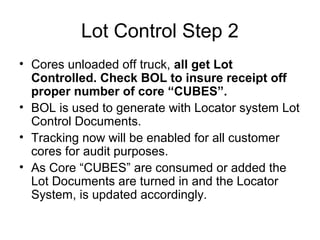
Lot Control Step 2
• Cores unloaded off truck, all get Lot
Controlled. Check BOL to insure receipt off
proper number of core “CUBES”.
• BOL is used to generate with Locator system Lot
Control Documents.
• Tracking now will be enabled for all customer
cores for audit purposes.
• As Core “CUBES” are consumed or added the
Lot Documents are turned in and the Locator
System, is updated accordingly.
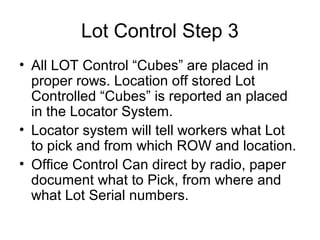
Lot Control Step 3
• All LOT Control “Cubes” are placed in
proper rows. Location off stored Lot
Controlled “Cubes” is reported an placed
in the Locator System.
• Locator system will tell workers what Lot
to pick and from which ROW and location.
• Office Control Can direct by radio, paper
document what to Pick, from where and
what Lot Serial numbers.
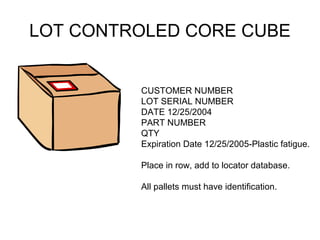
LOT CONTROLED CORE CUBE
CUSTOMER NUMBER
LOT SERIAL NUMBER
DATE 12/25/2004
PART NUMBER
QTY
Expiration Date 12/25/2005-Plastic fatigue.
Place in row, add to locator database.
All pallets must have identification.
Lot Control Cores In Production
• As Core Cubes are consumed the Lot
Control Documents are turned in.
• Lot Control Documents are placed in Box
by the Core Washer, in the order they
were consumed.
• Lot Control Documents are collected and
may be used for various purposes. Labor
collection, inventory, customer scrap
reporting etc.
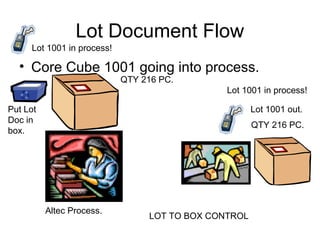
Lot Document Flow
• Core Cube 1001 going into process.
Put Lot
Doc in
box.
Altec Process.
Lot 1001 out.
QTY 216 PC.
QTY 216 PC.
Lot 1001 in process!
LOT TO BOX CONTROL
Lot Control, Picks and Work Orders
• PICK Document can be used to direct
Core Yard Employees by radio what to
Pick, from where, and by lot serial to put in
Altec process.
• Lot Document can be aligned up with
Work orders. “I picked and processed
these Lots this hour or today, therefore I
did this much work.”
LOT WORK ORDERS
• Collect Lot Documents from BOX.
• Enter Production from Lot Documents
again Monthly, Weekly, Daily Work Order
for Part.
• Use Generic Employee Numbers 100 for
day shift, 200 for evenings.
• Calculate back flush crew size to be
applied against employee number 100.
LOT Ticket Issuing From Truck to
PRE-SORT (Mixed Part Lots).
Path-A
• Shipping receives pack list, and makes as
many copies as there are pallets.
• Pack list is placed in plastic zip bag for
protection, and placed with pallet.
• As Lots are dispersed to retrieve a
particular part to be placed on a new
pallet, the exact amount of parts actually
retrieved are written on the packing list.
LOT Ticket Issuing From Truck to
PRE-SORT (Mixed Part Lots). Path A
• As the pallet is disassembled, the pack
lists are used to record against they are
turned in and tallied up in a database,
when all for that shipment are in, they are
compared against the original BOL and
Pack List, variance.
•
LOT DISPERSION CONTROL
PATHS
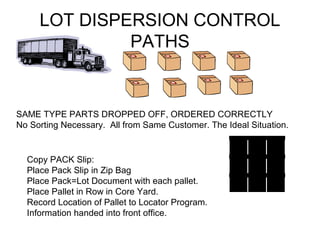
SAME TYPE PARTS DROPPED OFF, ORDERED CORRECTLY
No Sorting Necessary. All from Same Customer. The Ideal Situation.
Copy PACK Slip:
Place Pack Slip in Zip Bag
Place Pack=Lot Document with each pallet.
Place Pallet in Row in Core Yard.
Record Location of Pallet to Locator Program.
Information handed into front office.
LOT DISPERSION CONTROL
PATHS
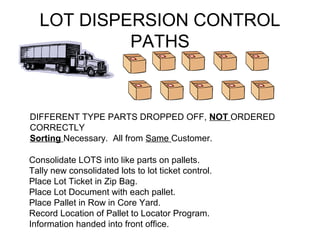
DIFFERENT TYPE PARTS DROPPED OFF, NOT ORDERED
CORRECTLY
Sorting Necessary. All from Same Customer.
Consolidate LOTS into like parts on pallets.
Tally new consolidated lots to lot ticket control.
Place Lot Ticket in Zip Bag.
Place Lot Document with each pallet.
Place Pallet in Row in Core Yard.
Record Location of Pallet to Locator Program.
Information handed into front office.
LOT DISPERSION CONTROL
PATHS
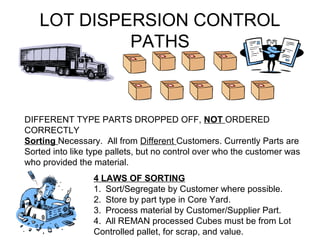
DIFFERENT TYPE PARTS DROPPED OFF, NOT ORDERED
CORRECTLY
Sorting Necessary. All from Different Customers. Currently Parts are
Sorted into like type pallets, but no control over who the customer was
who provided the material.
4 LAWS OF SORTING
1. Sort/Segregate by Customer where possible.
2. Store by part type in Core Yard.
3. Process material by Customer/Supplier Part.
4. All REMAN processed Cubes must be from Lot
Controlled pallet, for scrap, and value.
LOT DISPERSION CONTROL
PATHS, Consolidate by Customer.
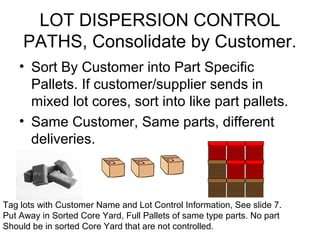
• Sort By Customer into Part Specific
Pallets. If customer/supplier sends in
mixed lot cores, sort into like part pallets.
• Same Customer, Same parts, different
deliveries.
Tag lots with Customer Name and Lot Control Information, See slide 7.
Put Away in Sorted Core Yard, Full Pallets of same type parts. No part
Should be in sorted Core Yard that are not controlled.
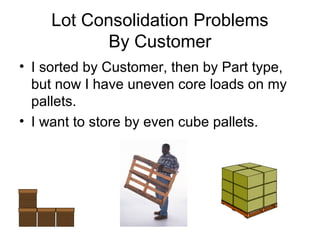
Lot Consolidation Problems
By Customer
• I sorted by Customer, then by Part type,
but now I have uneven core loads on my
pallets.
• I want to store by even cube pallets.
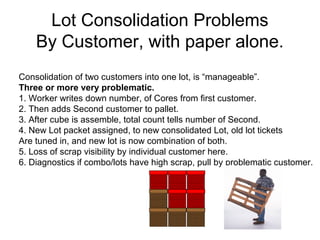
Lot Consolidation Problems
By Customer, with paper alone.
Consolidation of two customers into one lot, is “manageable”.
Three or more very problematic.
1. Worker writes down number, of Cores from first customer.
2. Then adds Second customer to pallet.
3. After cube is assemble, total count tells number of Second.
4. New Lot packet assigned, to new consolidated Lot, old lot tickets
Are tuned in, and new lot is now combination of both.
5. Loss of scrap visibility by individual customer here.
6. Diagnostics if combo/lots have high scrap, pull by problematic customer.
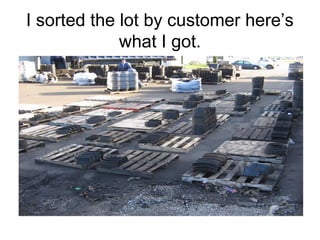
I have a Lot I need to sort
I sorted the lot by customer here’s
what I got.
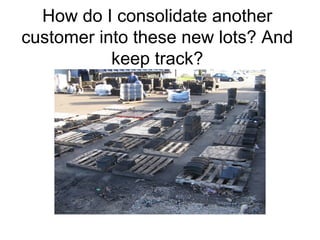
How do I consolidate another
customer into these new lots? And
keep track?
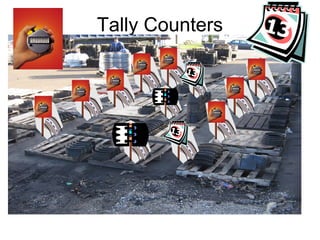
Tally Counters
Brake Shoe Tally Count
• As Brakes are placed on skids, the worker
presses the tally counter or flips the
number card on the pole in front of the
skid. This keeps count per skid.
• When the customer lot has been
dispersed, the workers walk and take note
of the tally counters per skid.
• Reset tally to zero, disperse another
customer into the lots. Repeat till full.
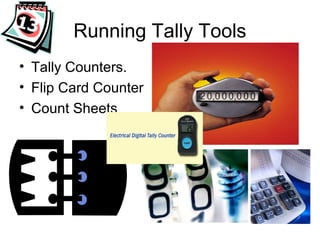
Running Tally Tools
• Tally Counters.
• Flip Card Counter
• Count Sheets
Pros/Cons of Tally Counter
• Pro: You know exact count from customer.
• Pro: You can compare count to BOL.
• Con: Lose track of scrap, in consolidated
lot. Check for obvious scrap during sort,
set aside on RED Skid, note by customer.
• Diagnostic: If consolidated lot has high
scrap, you can track which customers and
lots gave birth to these new lots. Pull
diagnostic on these customers.
Smarter Environment
• Make the environment work for you.
• Make the counting process easy to be
remember by artifacts that don’t forget.
• Use flip cards, pocket computers, hand
tallies or calculators to “remember” for the
workers.
• Keep it simple, smarter. KISS method.
• Environments are information systems.
• Define and label space or spaces.row/col
LEAN WORK ORDER
• To be continued………….

Alteccoreyardconcept

  • 1.
  • 2.
    Core Yard Re-Organize •Create Middle Access Aisle to allow picking from each side. Longitude and Latitude access. • Rotate stock to prevent degrading of the plastic shrink wrap. Shrink wrap has one (1) year life span in this environment. • Put all items in rows, reading left to right, ROW1, ROW2 etc. • Use Locator program to pick oldest stock to fulfill Pick or Customer Order.
  • 3.
    Possible Core YardConfiguration MIDDLE ISLE ALLOWS ROTATION OF STOCK
  • 4.
    Lot Control Step1 • Create Locator program to print out Lot Control Documents, with Part, Qty, Customer Number and Lot Serial number. • Place Paper document in plastic zip lock bag. Place Lot control document inside shrink wrap to identify customer cores. • Keep track in locator system of customer cores, oldest cores etc. Use color paper to help segment cores by type, or customer.
  • 5.
    Lot Control Step2 • Cores unloaded off truck, all get Lot Controlled. Check BOL to insure receipt off proper number of core “CUBES”. • BOL is used to generate with Locator system Lot Control Documents. • Tracking now will be enabled for all customer cores for audit purposes. • As Core “CUBES” are consumed or added the Lot Documents are turned in and the Locator System, is updated accordingly.
  • 6.
    Lot Control Step3 • All LOT Control “Cubes” are placed in proper rows. Location off stored Lot Controlled “Cubes” is reported an placed in the Locator System. • Locator system will tell workers what Lot to pick and from which ROW and location. • Office Control Can direct by radio, paper document what to Pick, from where and what Lot Serial numbers.
  • 7.
    LOT CONTROLED CORECUBE CUSTOMER NUMBER LOT SERIAL NUMBER DATE 12/25/2004 PART NUMBER QTY Expiration Date 12/25/2005-Plastic fatigue. Place in row, add to locator database. All pallets must have identification.
  • 8.
    Lot Control CoresIn Production • As Core Cubes are consumed the Lot Control Documents are turned in. • Lot Control Documents are placed in Box by the Core Washer, in the order they were consumed. • Lot Control Documents are collected and may be used for various purposes. Labor collection, inventory, customer scrap reporting etc.
  • 9.
    Lot Document Flow •Core Cube 1001 going into process. Put Lot Doc in box. Altec Process. Lot 1001 out. QTY 216 PC. QTY 216 PC. Lot 1001 in process! Lot 1001 in process! LOT TO BOX CONTROL
  • 10.
    Lot Control, Picksand Work Orders • PICK Document can be used to direct Core Yard Employees by radio what to Pick, from where, and by lot serial to put in Altec process. • Lot Document can be aligned up with Work orders. “I picked and processed these Lots this hour or today, therefore I did this much work.”
  • 11.
    LOT WORK ORDERS •Collect Lot Documents from BOX. • Enter Production from Lot Documents again Monthly, Weekly, Daily Work Order for Part. • Use Generic Employee Numbers 100 for day shift, 200 for evenings. • Calculate back flush crew size to be applied against employee number 100.
  • 12.
    LOT Ticket IssuingFrom Truck to PRE-SORT (Mixed Part Lots). Path-A • Shipping receives pack list, and makes as many copies as there are pallets. • Pack list is placed in plastic zip bag for protection, and placed with pallet. • As Lots are dispersed to retrieve a particular part to be placed on a new pallet, the exact amount of parts actually retrieved are written on the packing list.
  • 13.
    LOT Ticket IssuingFrom Truck to PRE-SORT (Mixed Part Lots). Path A • As the pallet is disassembled, the pack lists are used to record against they are turned in and tallied up in a database, when all for that shipment are in, they are compared against the original BOL and Pack List, variance. •
  • 14.
    LOT DISPERSION CONTROL PATHS SAMETYPE PARTS DROPPED OFF, ORDERED CORRECTLY No Sorting Necessary. All from Same Customer. The Ideal Situation. Copy PACK Slip: Place Pack Slip in Zip Bag Place Pack=Lot Document with each pallet. Place Pallet in Row in Core Yard. Record Location of Pallet to Locator Program. Information handed into front office.
  • 15.
    LOT DISPERSION CONTROL PATHS DIFFERENTTYPE PARTS DROPPED OFF, NOT ORDERED CORRECTLY Sorting Necessary. All from Same Customer. Consolidate LOTS into like parts on pallets. Tally new consolidated lots to lot ticket control. Place Lot Ticket in Zip Bag. Place Lot Document with each pallet. Place Pallet in Row in Core Yard. Record Location of Pallet to Locator Program. Information handed into front office.
  • 16.
    LOT DISPERSION CONTROL PATHS DIFFERENTTYPE PARTS DROPPED OFF, NOT ORDERED CORRECTLY Sorting Necessary. All from Different Customers. Currently Parts are Sorted into like type pallets, but no control over who the customer was who provided the material. 4 LAWS OF SORTING 1. Sort/Segregate by Customer where possible. 2. Store by part type in Core Yard. 3. Process material by Customer/Supplier Part. 4. All REMAN processed Cubes must be from Lot Controlled pallet, for scrap, and value.
  • 17.
    LOT DISPERSION CONTROL PATHS,Consolidate by Customer. • Sort By Customer into Part Specific Pallets. If customer/supplier sends in mixed lot cores, sort into like part pallets. • Same Customer, Same parts, different deliveries. Tag lots with Customer Name and Lot Control Information, See slide 7. Put Away in Sorted Core Yard, Full Pallets of same type parts. No part Should be in sorted Core Yard that are not controlled.
  • 18.
    Lot Consolidation Problems ByCustomer • I sorted by Customer, then by Part type, but now I have uneven core loads on my pallets. • I want to store by even cube pallets.
  • 19.
    Lot Consolidation Problems ByCustomer, with paper alone. Consolidation of two customers into one lot, is “manageable”. Three or more very problematic. 1. Worker writes down number, of Cores from first customer. 2. Then adds Second customer to pallet. 3. After cube is assemble, total count tells number of Second. 4. New Lot packet assigned, to new consolidated Lot, old lot tickets Are tuned in, and new lot is now combination of both. 5. Loss of scrap visibility by individual customer here. 6. Diagnostics if combo/lots have high scrap, pull by problematic customer.
  • 20.
    I have aLot I need to sort
  • 21.
    I sorted thelot by customer here’s what I got.
  • 22.
    How do Iconsolidate another customer into these new lots? And keep track?
  • 23.
  • 24.
    Brake Shoe TallyCount • As Brakes are placed on skids, the worker presses the tally counter or flips the number card on the pole in front of the skid. This keeps count per skid. • When the customer lot has been dispersed, the workers walk and take note of the tally counters per skid. • Reset tally to zero, disperse another customer into the lots. Repeat till full.
  • 25.
    Running Tally Tools •Tally Counters. • Flip Card Counter • Count Sheets
  • 26.
    Pros/Cons of TallyCounter • Pro: You know exact count from customer. • Pro: You can compare count to BOL. • Con: Lose track of scrap, in consolidated lot. Check for obvious scrap during sort, set aside on RED Skid, note by customer. • Diagnostic: If consolidated lot has high scrap, you can track which customers and lots gave birth to these new lots. Pull diagnostic on these customers.
  • 27.
    Smarter Environment • Makethe environment work for you. • Make the counting process easy to be remember by artifacts that don’t forget. • Use flip cards, pocket computers, hand tallies or calculators to “remember” for the workers. • Keep it simple, smarter. KISS method. • Environments are information systems. • Define and label space or spaces.row/col
  • 28.
    LEAN WORK ORDER •To be continued………….