1
Best Practice – Finance
WebApps
# A L L I A N C E 2 0 1 7
2
YOUR PRESENTER
Rhett Williams
Master Consultant
JOINED SPARKROCK IN 2009
3
H o r s e s f o r C o u r s e s
4
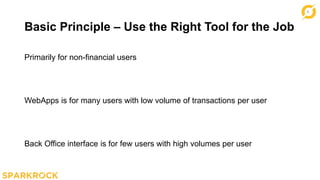
Basic Principle – Use the Right Tool for the Job
Primarily for non-financial users
WebApps is for many users with low volume of transactions per user
Back Office interface is for few users with high volumes per user
5
A c h i e v i n g We b A p p
S e c u r i t y a n d E a s e o f
M a i n t e n a n c e
6
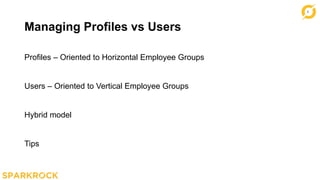
Managing Profiles vs Users
Profiles – Oriented to Horizontal Employee Groups
Users – Oriented to Vertical Employee Groups
Hybrid model
Tips
7
R e q u i s i t i o n s ,
R e q u e s t s a n d
E x p e n s e s
8
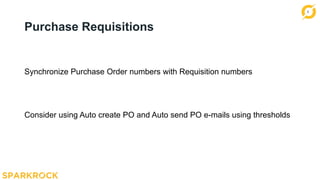
Purchase Requisitions
Synchronize Purchase Order numbers with Requisition numbers
Consider using Auto create PO and Auto send PO e-mails using thresholds
9
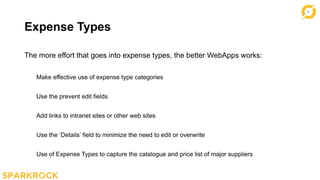
Expense Types
The more effort that goes into expense types, the better WebApps works:
Make effective use of expense type categories
Use the prevent edit fields
Add links to intranet sites or other web sites
Use the ‘Details’ field to minimize the need to edit or overwrite
Use of Expense Types to capture the catalogue and price list of major suppliers
10
WebApps Receiving
Consider if entity has many sites, also useful for services
Not necessarily optimal for centralized receiving
Reduces paper and e-mail traffic and puts receiving responsibility where it
belongs
11
Expenses
Make sure tax area descriptions are expense claim friendly
Set-up tax override if users can use this
Use of attachment required
Guidelines and hyperlinks
12
F i n a n c i a l R e p o r t i n g
13
Basic Principles
Not a BI tool
Provides basic reports
Drill downs and Excel exports
Designed for non-financial users
Need more? Betta get Jet
14
Some Tips
Maintain just two versions of each report
Use of prevent drill down to protect confidential data
Spend the time to edit the captions
Minimize the number of data sets by relying on user filters and ‘ignore filter’
Only supports the first 6 dimensions
15
EVALUATIONS
P L E A S E T A K E 5 M I N S T O
C O M P L E T E A S E S S I O N
E V A L U A T I O N .
WIN ME!
One lucky survey will
take home a Ecobee
Smart Wi-Fi
Thermostat
16
THANK YOU FOR
LISTENING
@ S P A R K R O C K I N C
W W W . S P A R K R O C K . C O M

Alliance 2017 - Finance WebApps Best Practices

  • 1.
    1 Best Practice –Finance WebApps # A L L I A N C E 2 0 1 7
  • 2.
    2 YOUR PRESENTER Rhett Williams MasterConsultant JOINED SPARKROCK IN 2009
  • 3.
    3 H o rs e s f o r C o u r s e s
  • 4.
    4 Basic Principle –Use the Right Tool for the Job Primarily for non-financial users WebApps is for many users with low volume of transactions per user Back Office interface is for few users with high volumes per user
  • 5.
    5 A c hi e v i n g We b A p p S e c u r i t y a n d E a s e o f M a i n t e n a n c e
  • 6.
    6 Managing Profiles vsUsers Profiles – Oriented to Horizontal Employee Groups Users – Oriented to Vertical Employee Groups Hybrid model Tips
  • 7.
    7 R e qu i s i t i o n s , R e q u e s t s a n d E x p e n s e s
  • 8.
    8 Purchase Requisitions Synchronize PurchaseOrder numbers with Requisition numbers Consider using Auto create PO and Auto send PO e-mails using thresholds
  • 9.
    9 Expense Types The moreeffort that goes into expense types, the better WebApps works: Make effective use of expense type categories Use the prevent edit fields Add links to intranet sites or other web sites Use the ‘Details’ field to minimize the need to edit or overwrite Use of Expense Types to capture the catalogue and price list of major suppliers
  • 10.
    10 WebApps Receiving Consider ifentity has many sites, also useful for services Not necessarily optimal for centralized receiving Reduces paper and e-mail traffic and puts receiving responsibility where it belongs
  • 11.
    11 Expenses Make sure taxarea descriptions are expense claim friendly Set-up tax override if users can use this Use of attachment required Guidelines and hyperlinks
  • 12.
    12 F i na n c i a l R e p o r t i n g
  • 13.
    13 Basic Principles Not aBI tool Provides basic reports Drill downs and Excel exports Designed for non-financial users Need more? Betta get Jet
  • 14.
    14 Some Tips Maintain justtwo versions of each report Use of prevent drill down to protect confidential data Spend the time to edit the captions Minimize the number of data sets by relying on user filters and ‘ignore filter’ Only supports the first 6 dimensions
  • 15.
    15 EVALUATIONS P L EA S E T A K E 5 M I N S T O C O M P L E T E A S E S S I O N E V A L U A T I O N . WIN ME! One lucky survey will take home a Ecobee Smart Wi-Fi Thermostat
  • 16.
    16 THANK YOU FOR LISTENING @S P A R K R O C K I N C W W W . S P A R K R O C K . C O M

Editor's Notes

  • #3 Click the icon to add your picture. Use the round, png version of your picture located in the F drive.
  • #4 Duplicate this slide for all of your different section titles
  • #5 Basic slide. Duplicate this slide for all of the locations it’s needed.
  • #6 Duplicate this slide for all of your different section titles
  • #7 Basic slide. Duplicate this slide for all of the locations it’s needed.
  • #8 Duplicate this slide for all of your different section titles
  • #9 Basic slide. Duplicate this slide for all of the locations it’s needed.
  • #10 Basic slide. Duplicate this slide for all of the locations it’s needed.
  • #11 Basic slide. Duplicate this slide for all of the locations it’s needed.
  • #12 Basic slide. Duplicate this slide for all of the locations it’s needed.
  • #13 Duplicate this slide for all of your different section titles
  • #14 Basic slide. Duplicate this slide for all of the locations it’s needed.
  • #15 Basic slide. Duplicate this slide for all of the locations it’s needed.