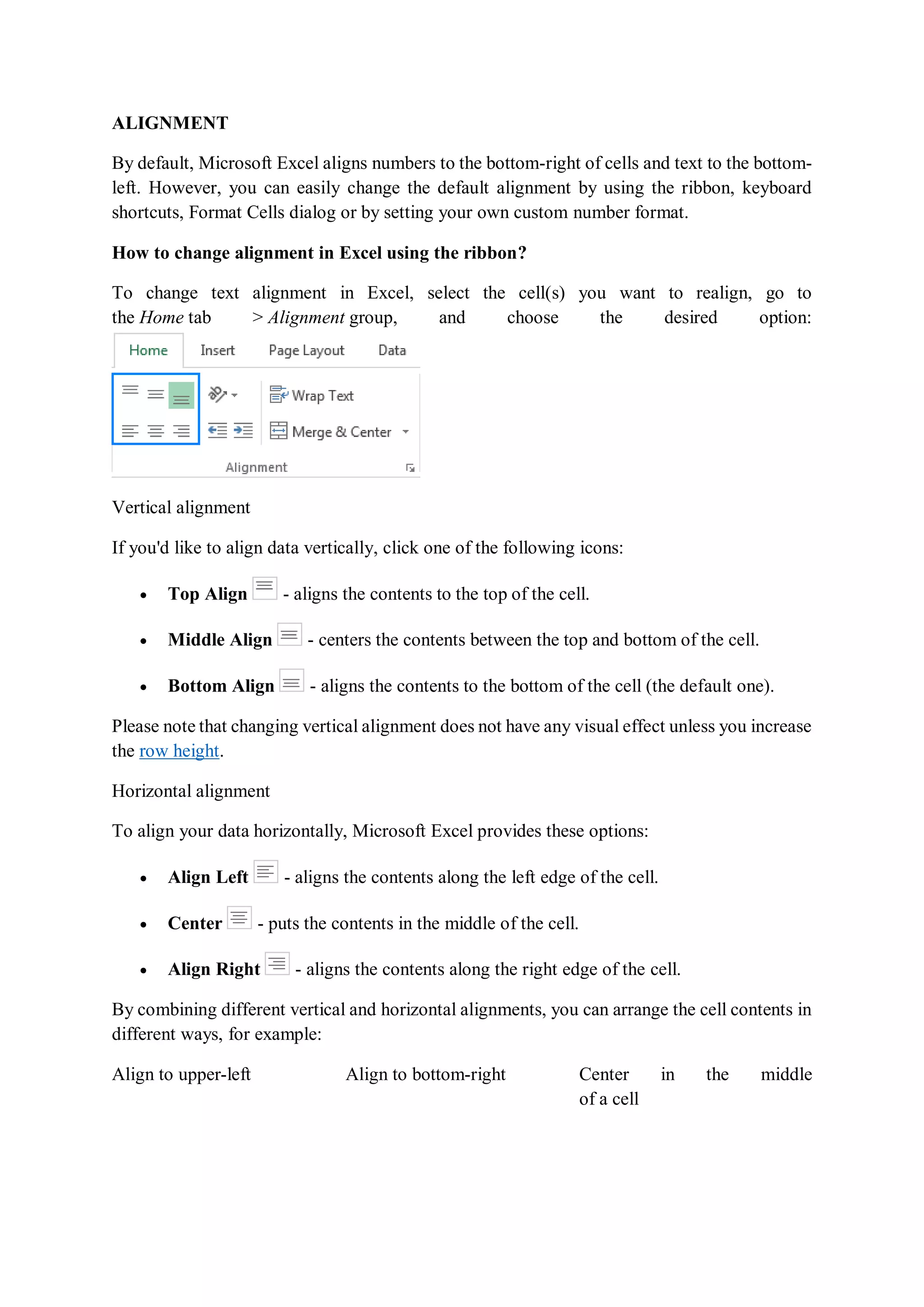
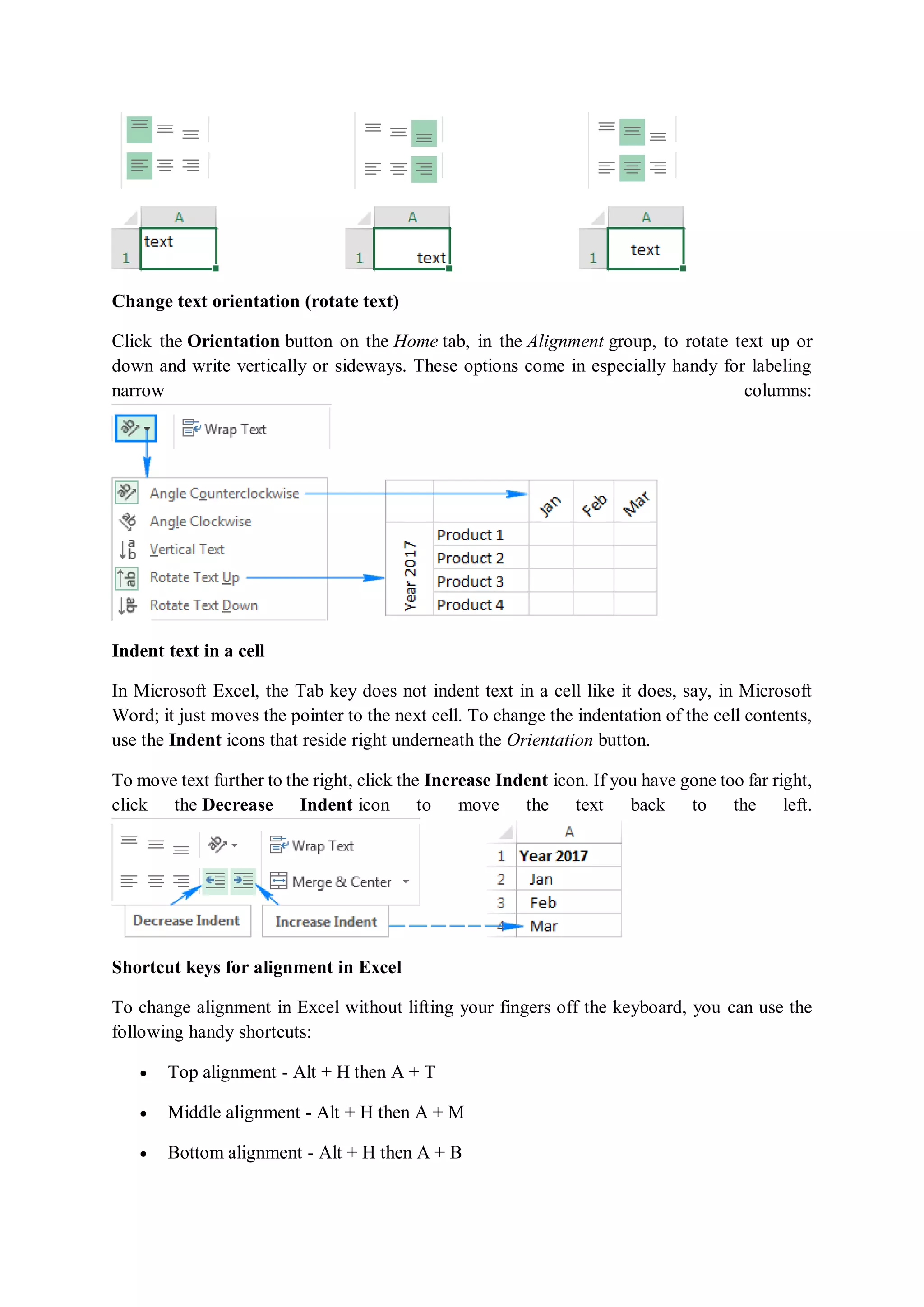
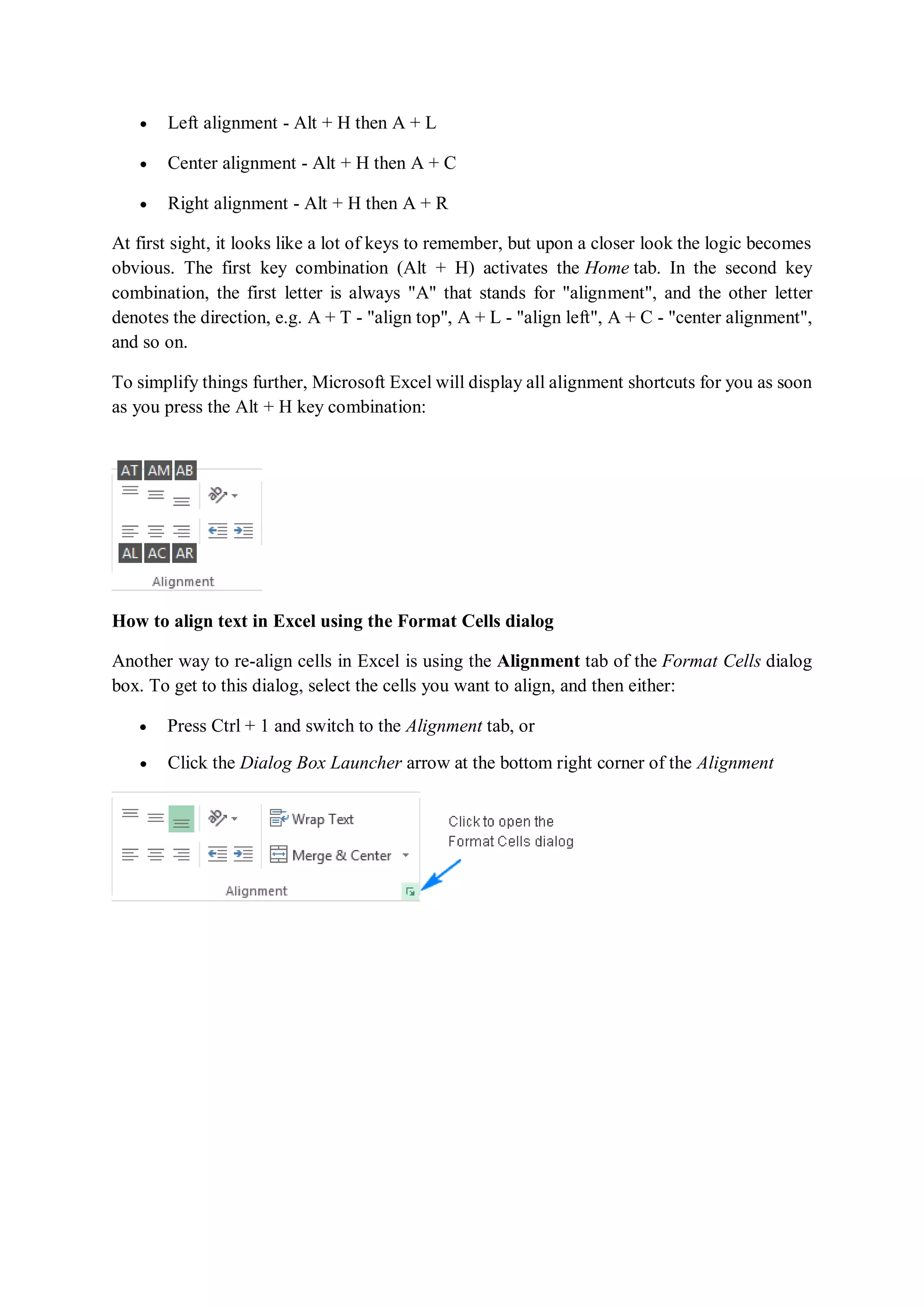
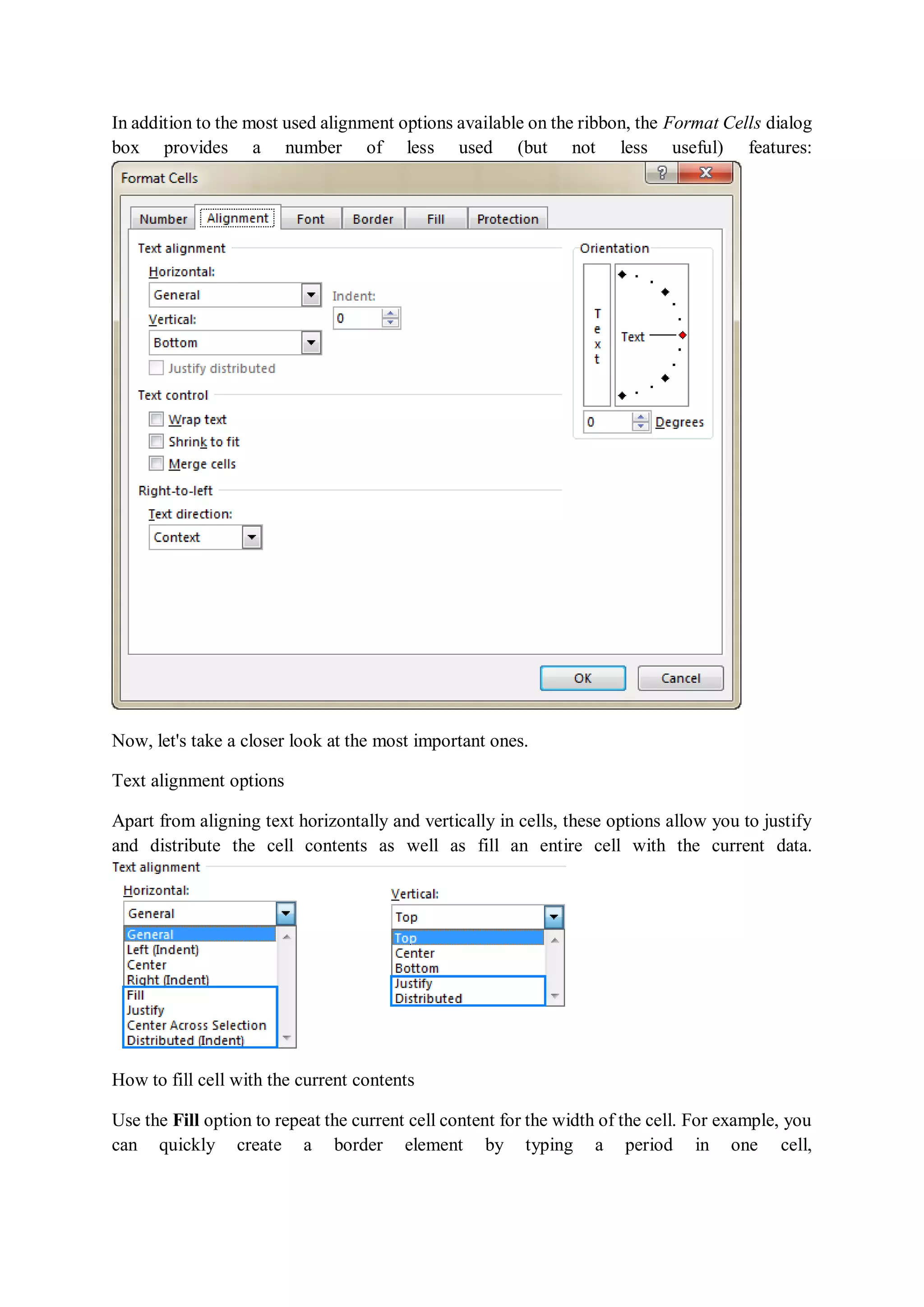
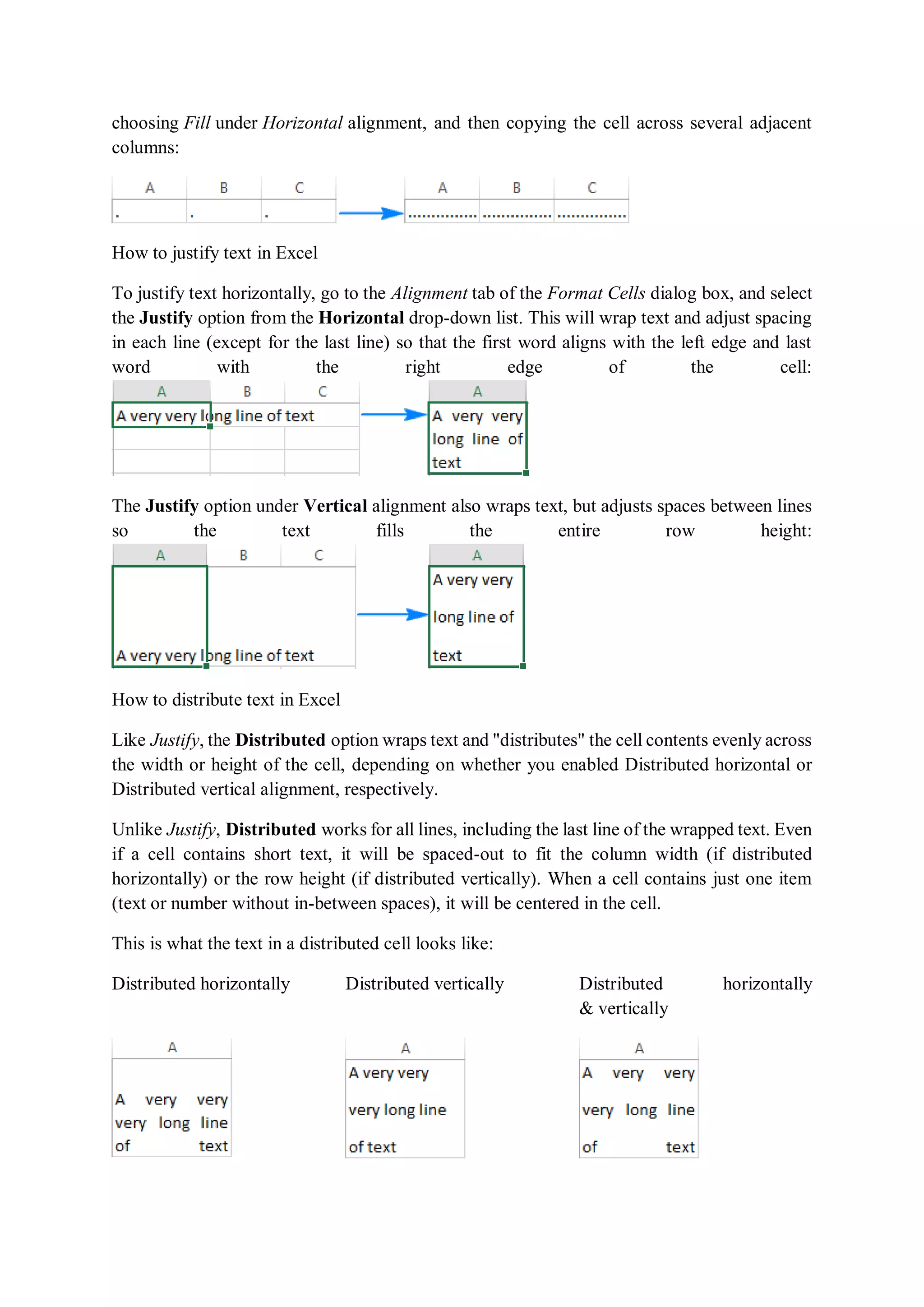
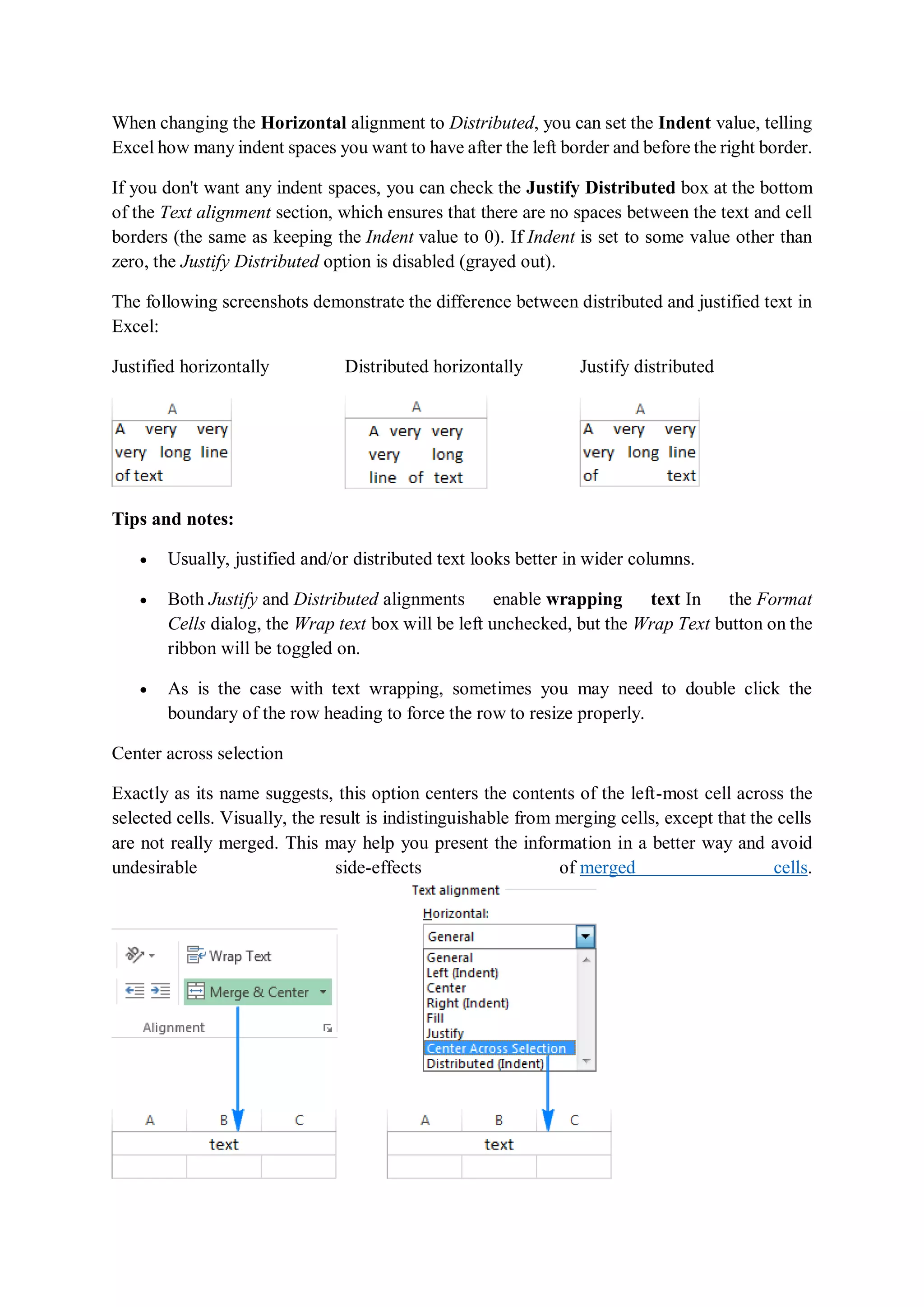
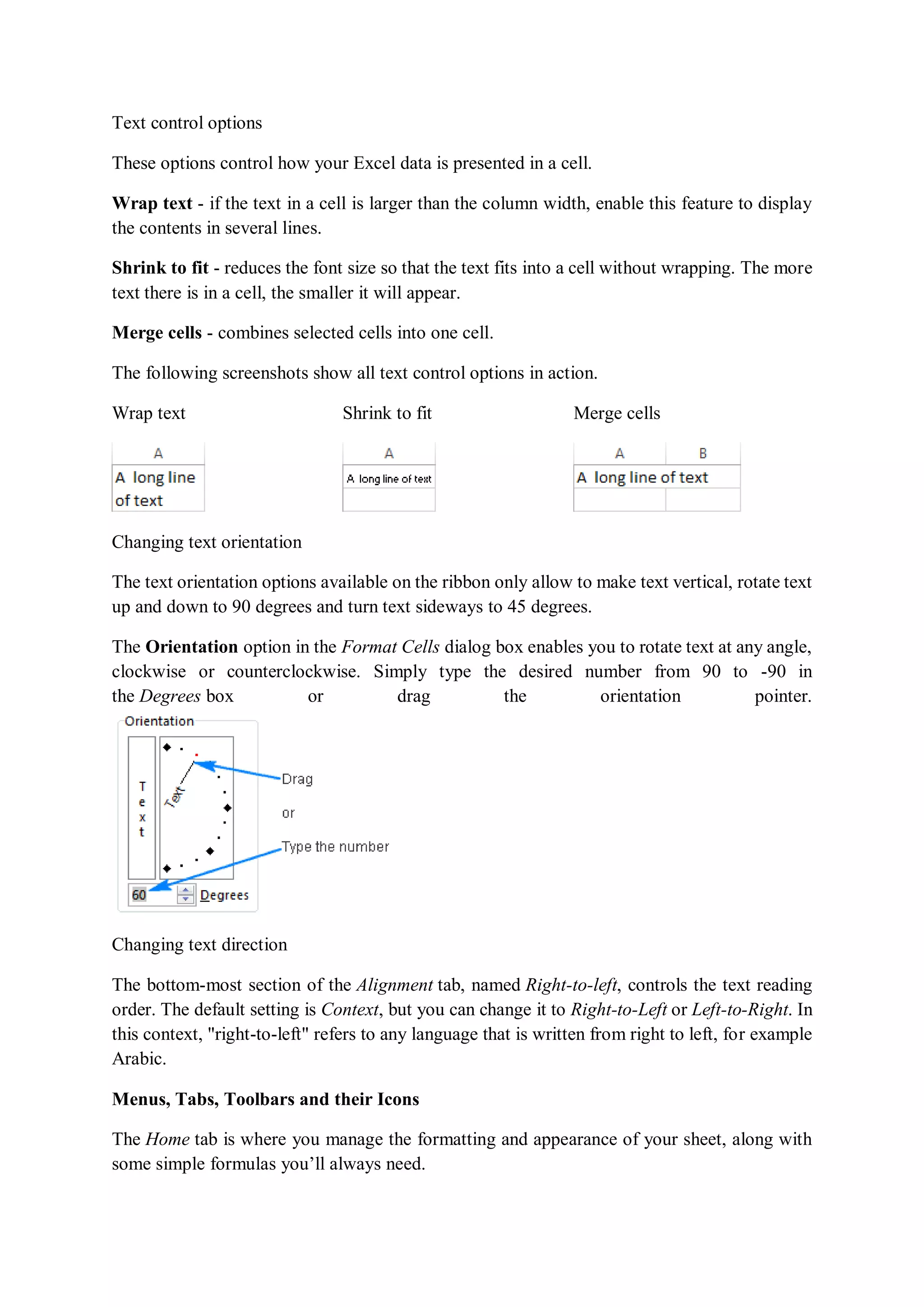
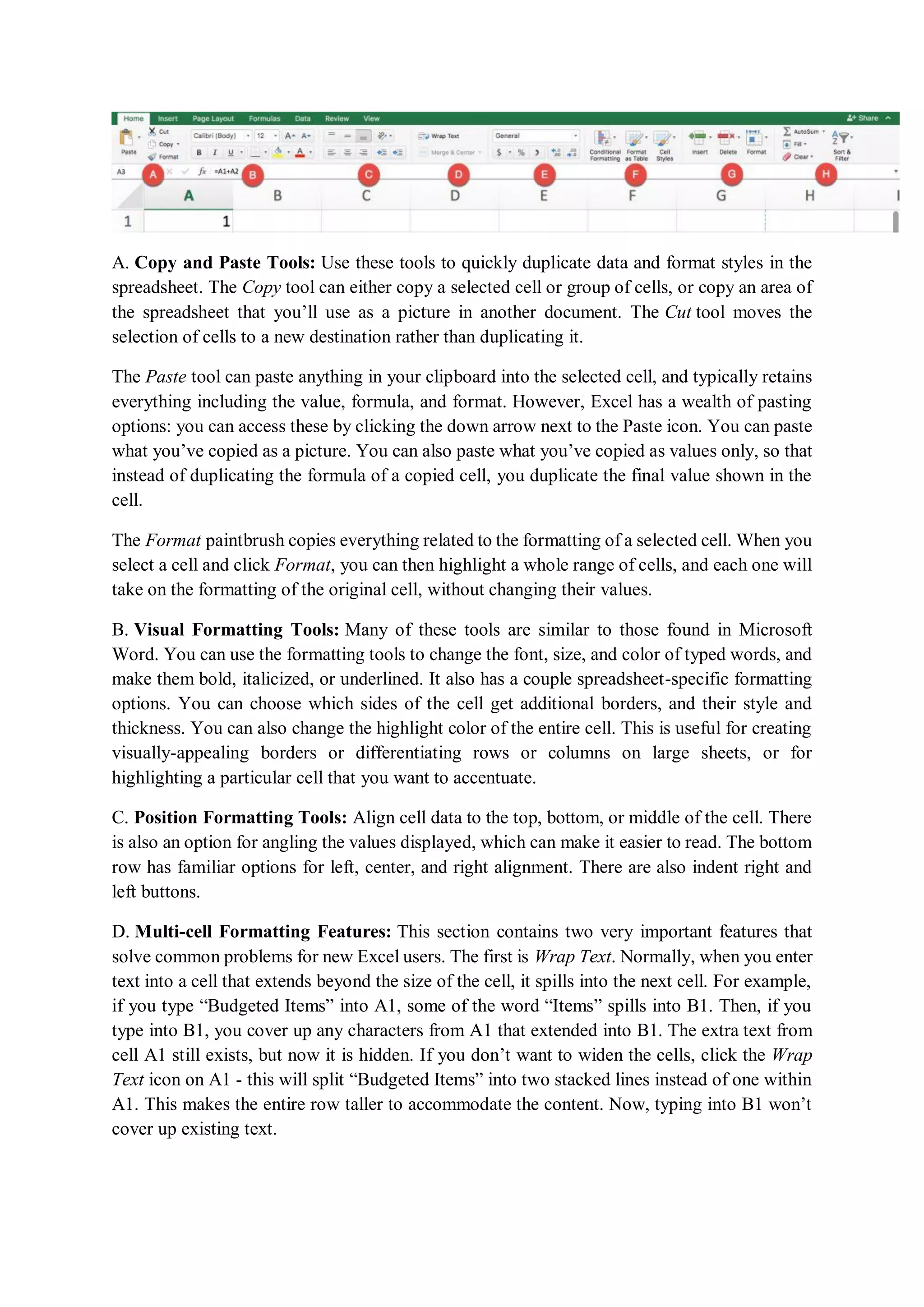
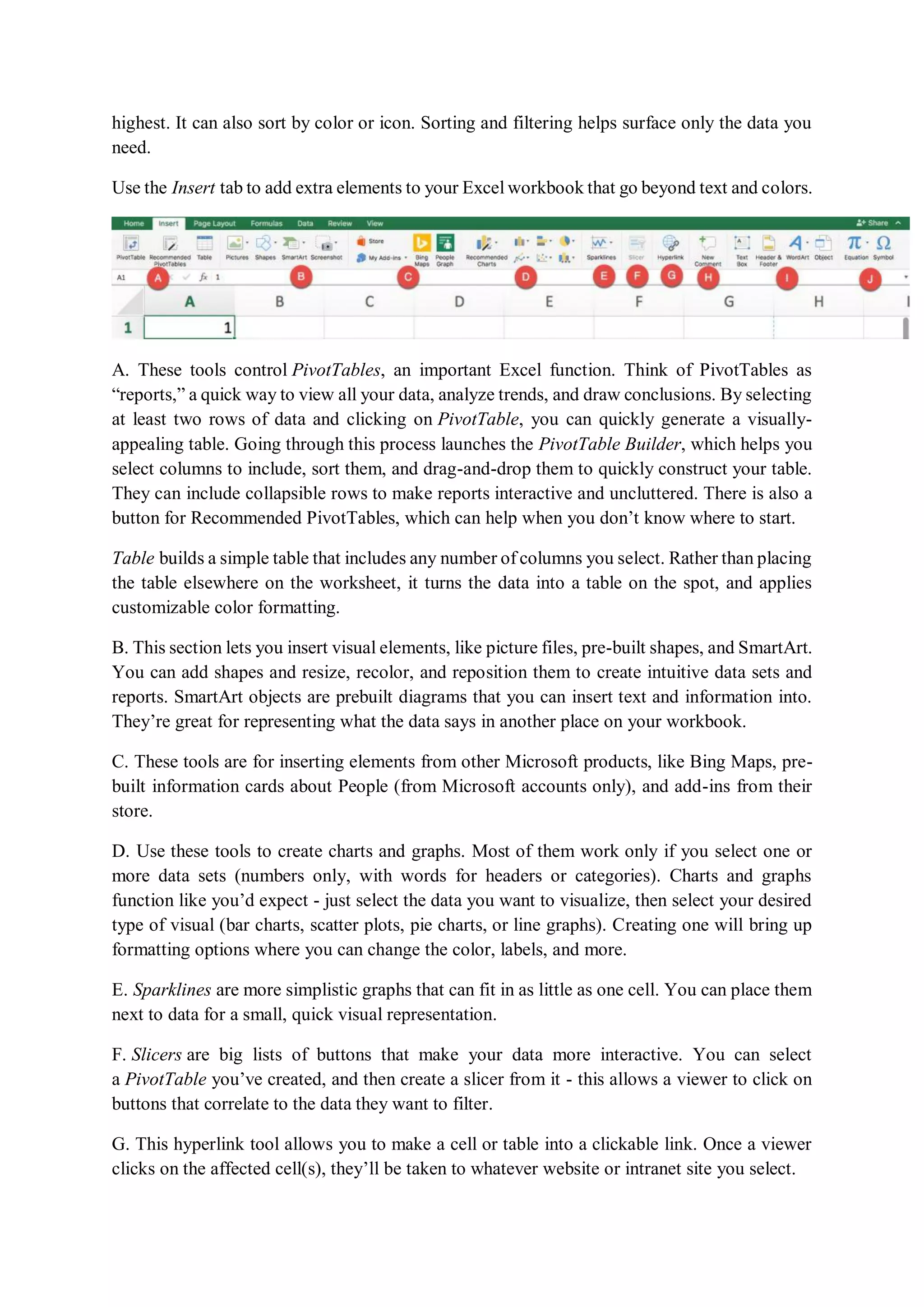
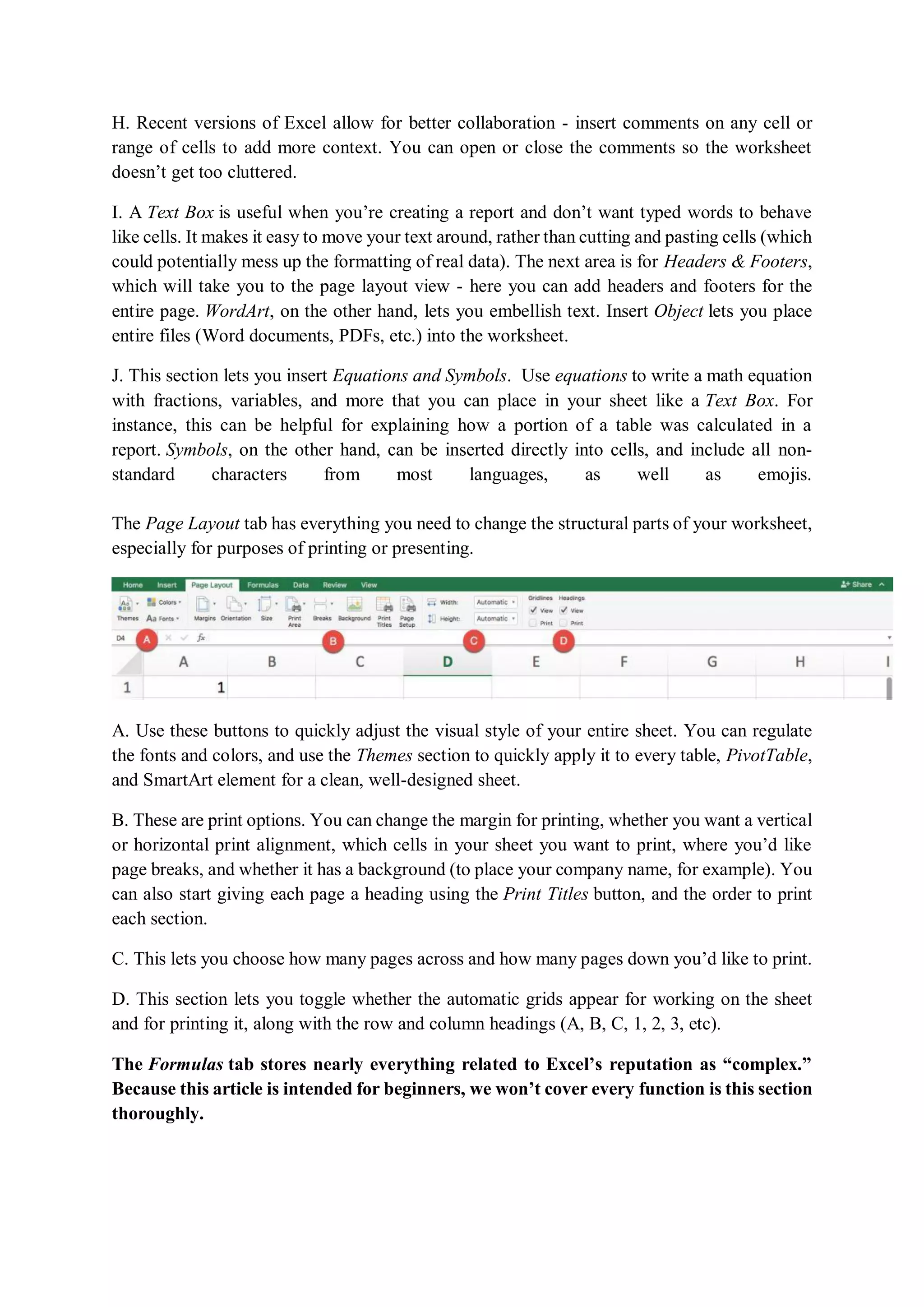
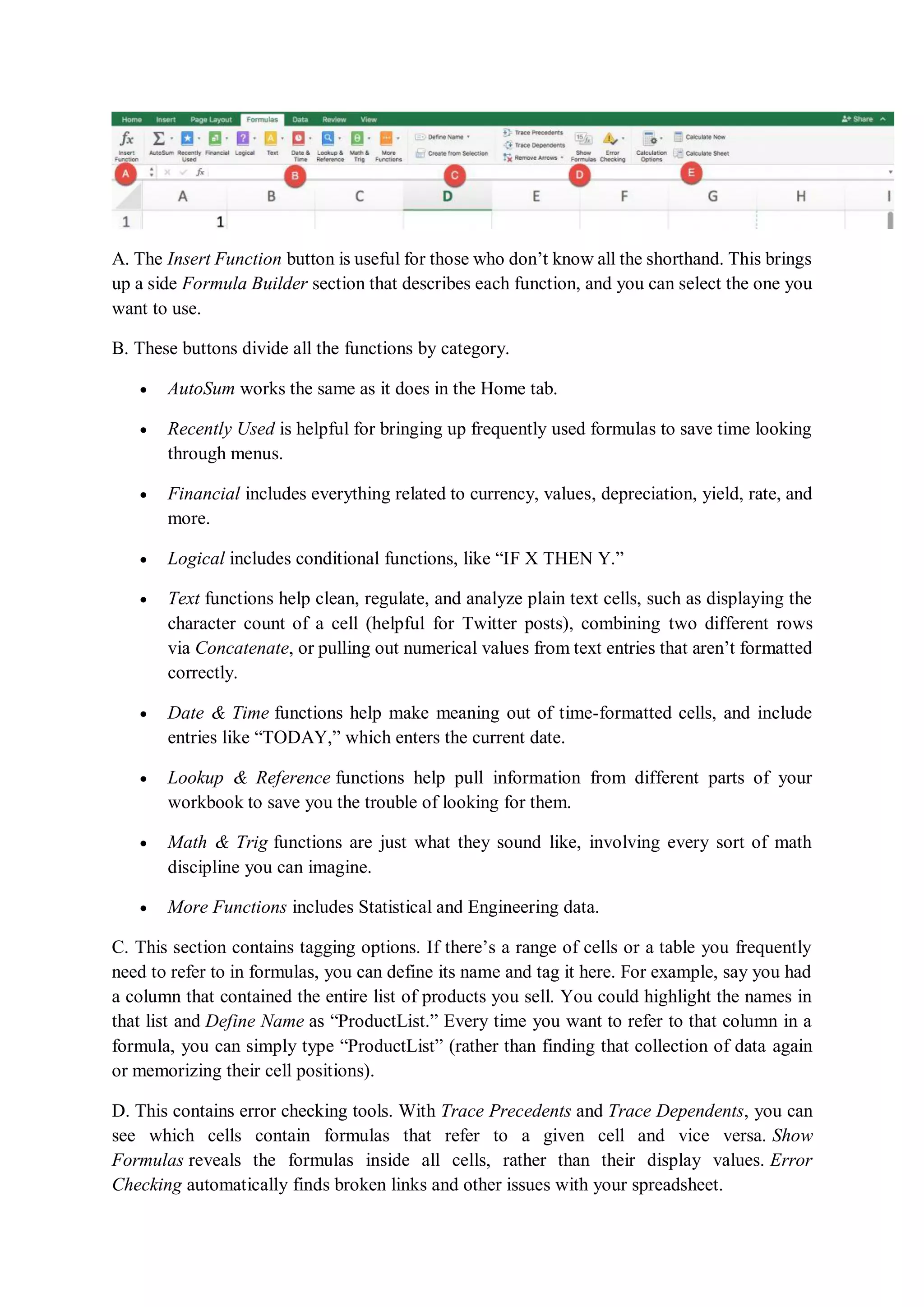
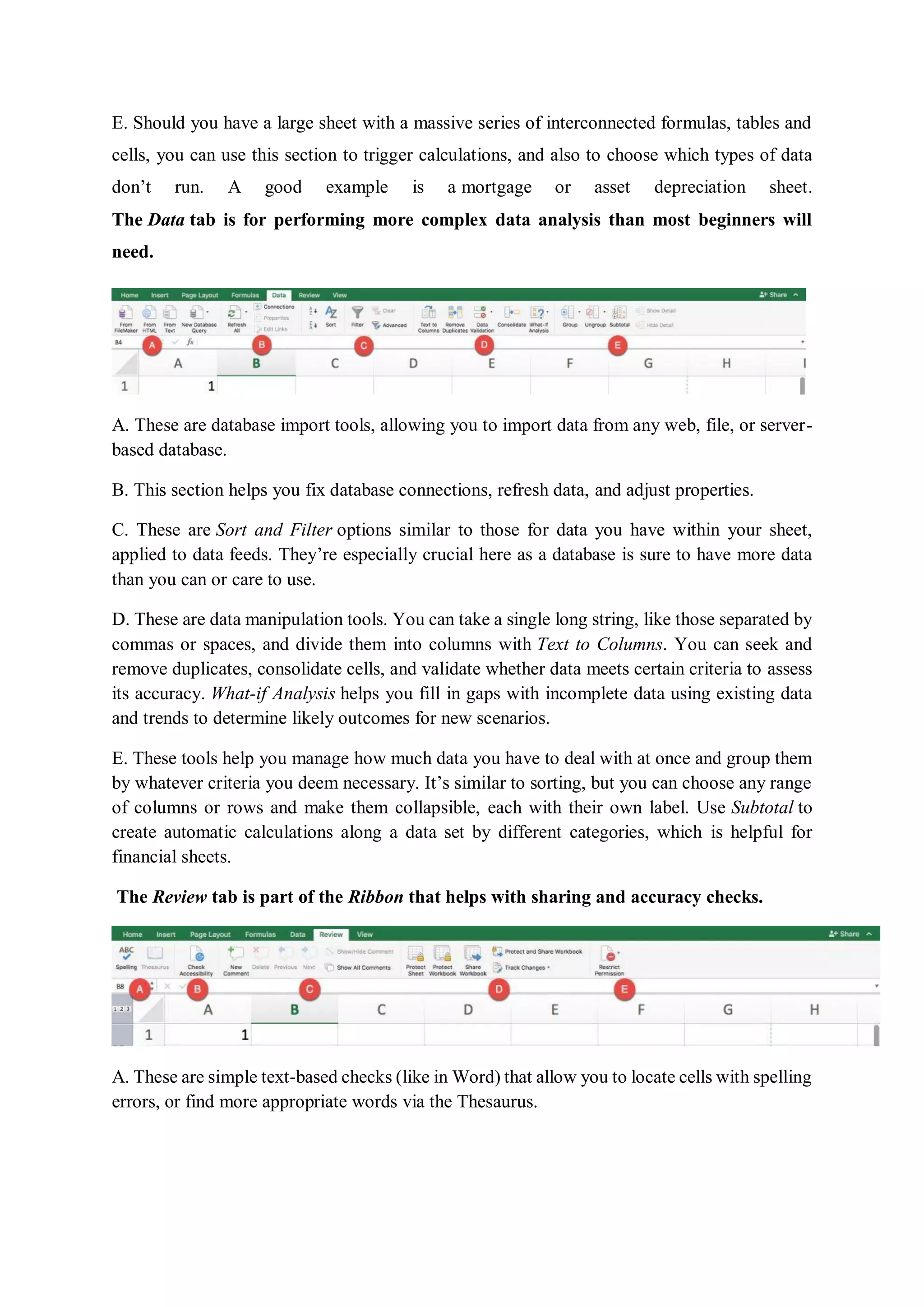
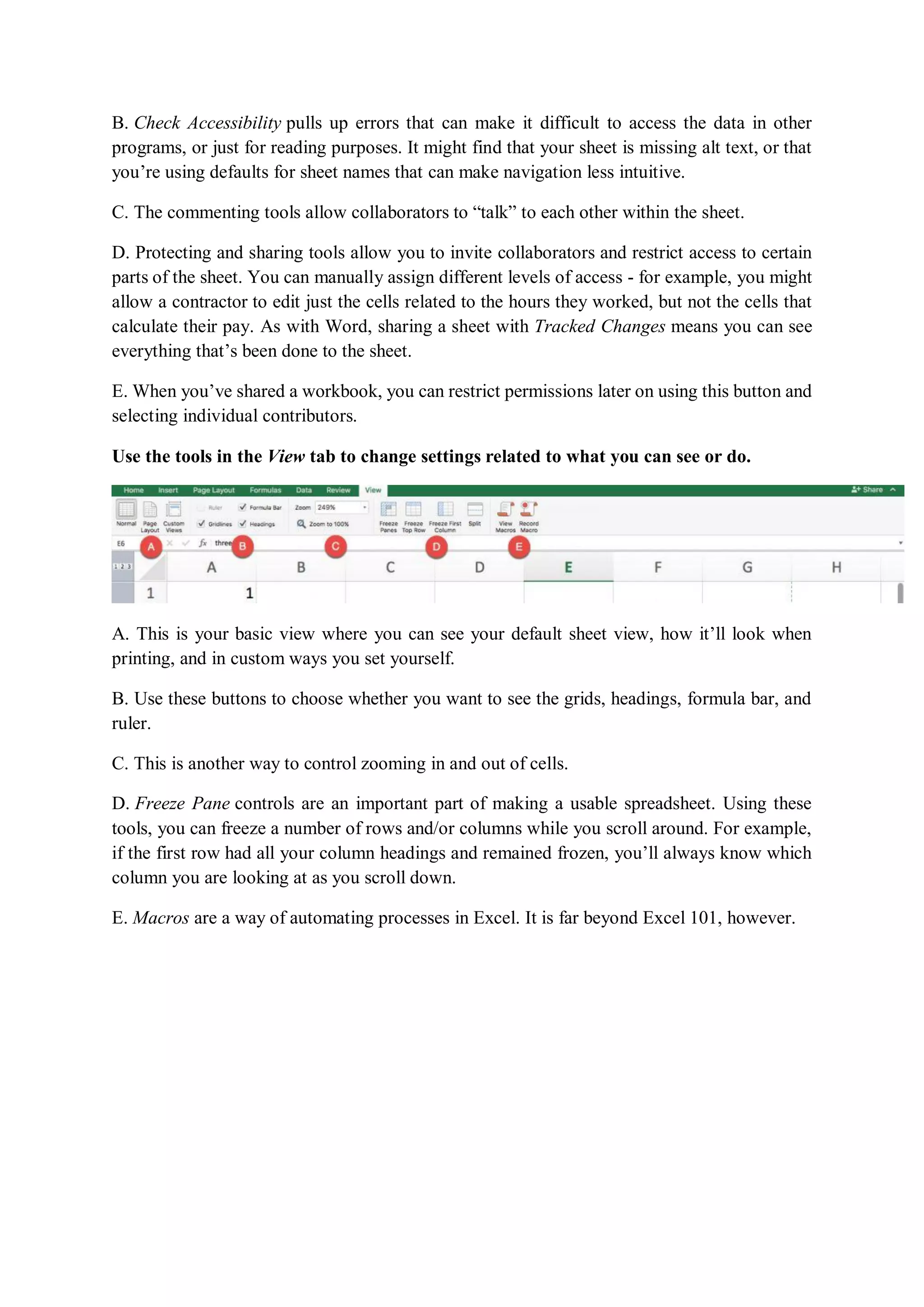
This document discusses various ways to align text and numbers within cells in Microsoft Excel, including using the ribbon, keyboard shortcuts, and the Format Cells dialog box. It provides details on how to horizontally and vertically align text to the top, middle, bottom, left, right, or center of a cell. It also describes how to change text orientation, indentation, justification, and distribution. The Format Cells dialog box allows additional alignment options like filling a cell with text, centering text across selections, and changing text direction from left-to-right to right-to-left.