
sponsors
Real World Challenges in SP
AGNES MOLNAR
Search CONSULTANT,
INDEPENDENT
SHAREPOINT SERVER MVP – HUNGARY

SHAREPOINT AND PROJECT CONFERENCE ADRIATICS 2013
ZAGREB, NOVEMBER 27-28 2013
Introduction – Agnes Molnar
International SharePoint Consultant
• 10+ Years SharePoint Experience
• Information Architecture & ECM
• Search

SharePoint Server MVP
• 6 Years SharePoint Server MVP
• 5+ Years Speaking at Conferences Around the World
• Numerous Books, White Papers, Articles

Contact
• E-mail: aghy@aghy.hu
• Blog: http://aghy.hu
• Twitter: @molnaragnes
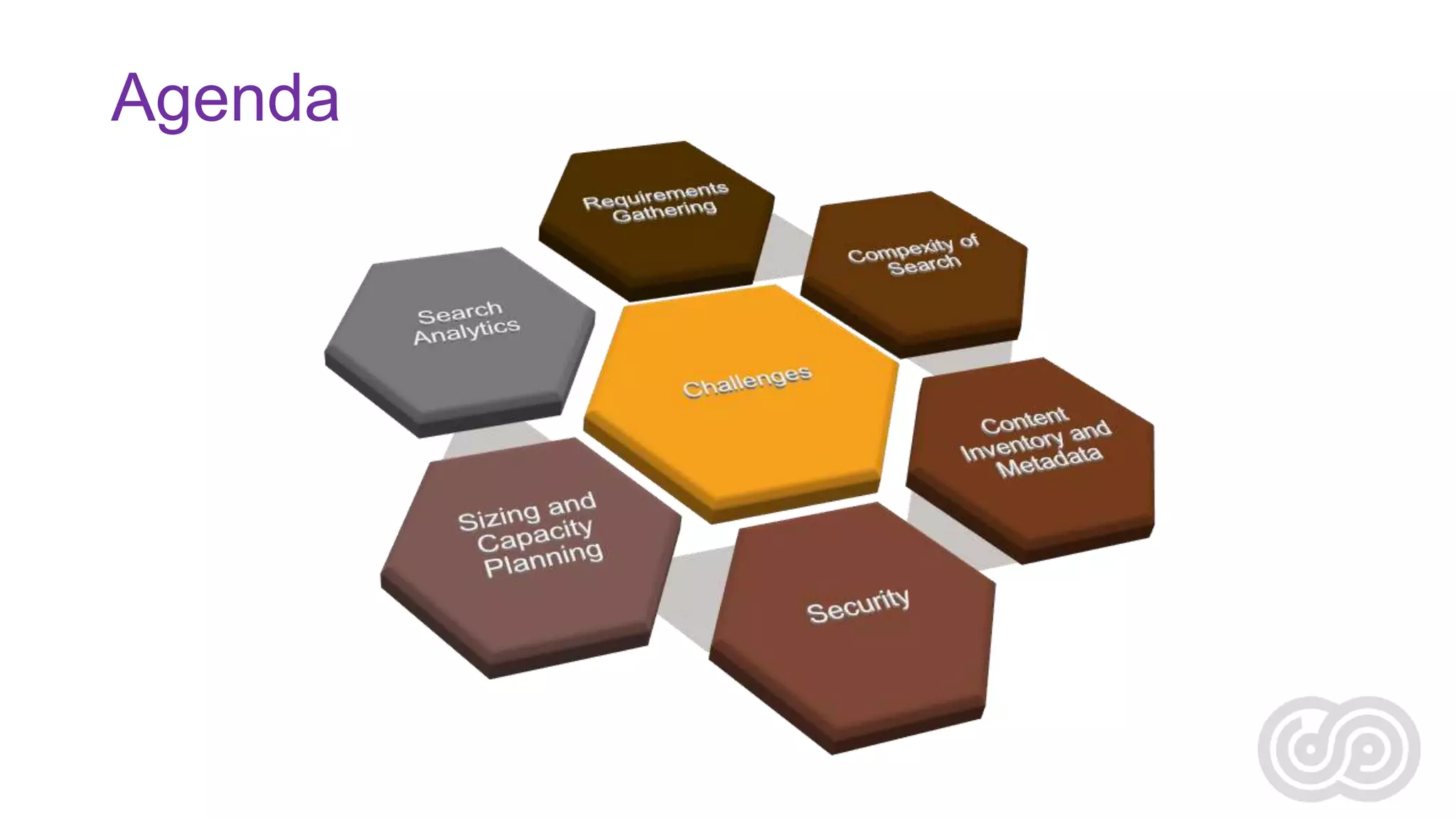
Agenda
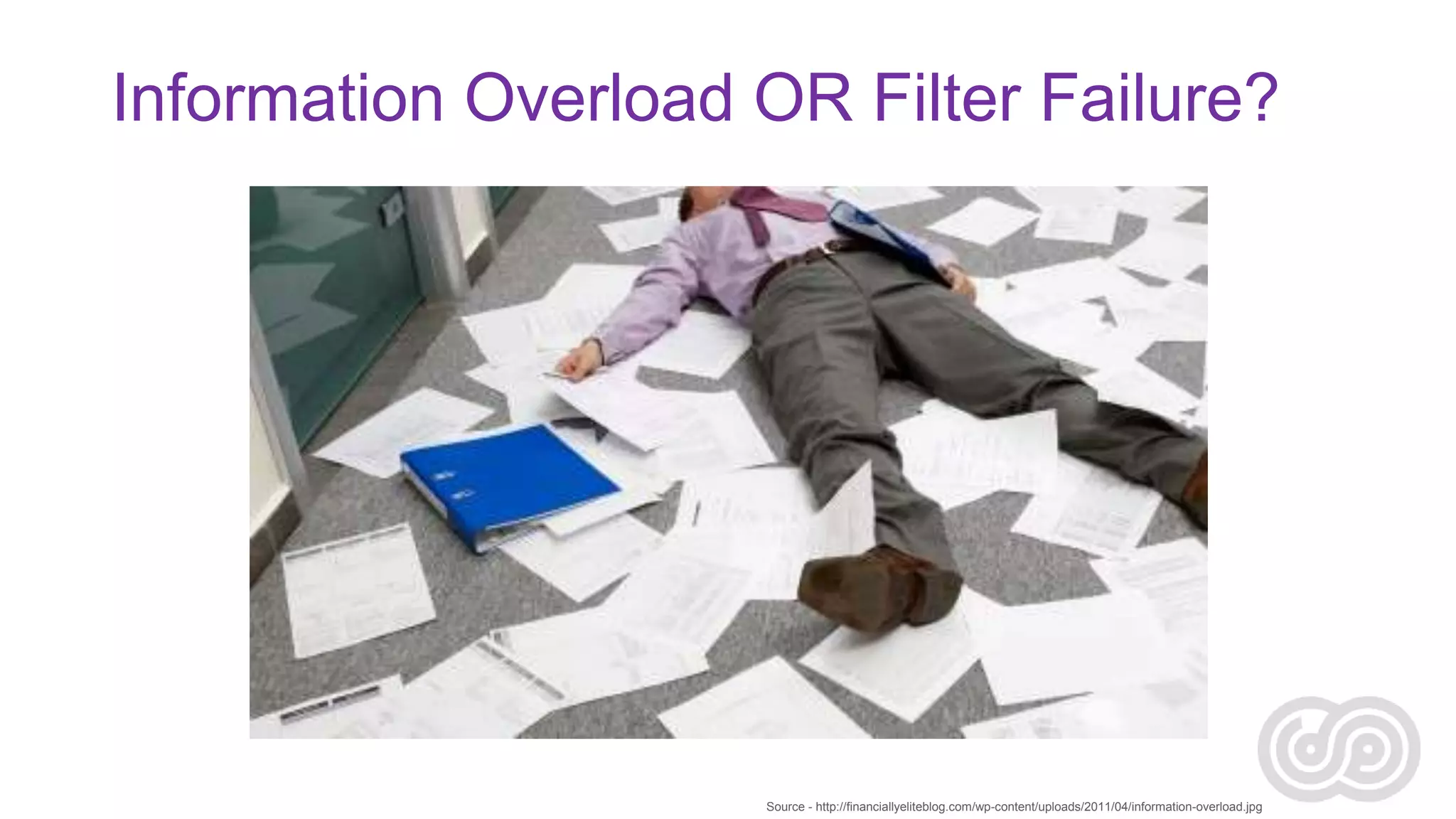
Information Overload OR Filter Failure?

Source - http://financiallyeliteblog.com/wp-content/uploads/2011/04/information-overload.jpg
Enterprise Search
Search Technology
that your organization owns and controls
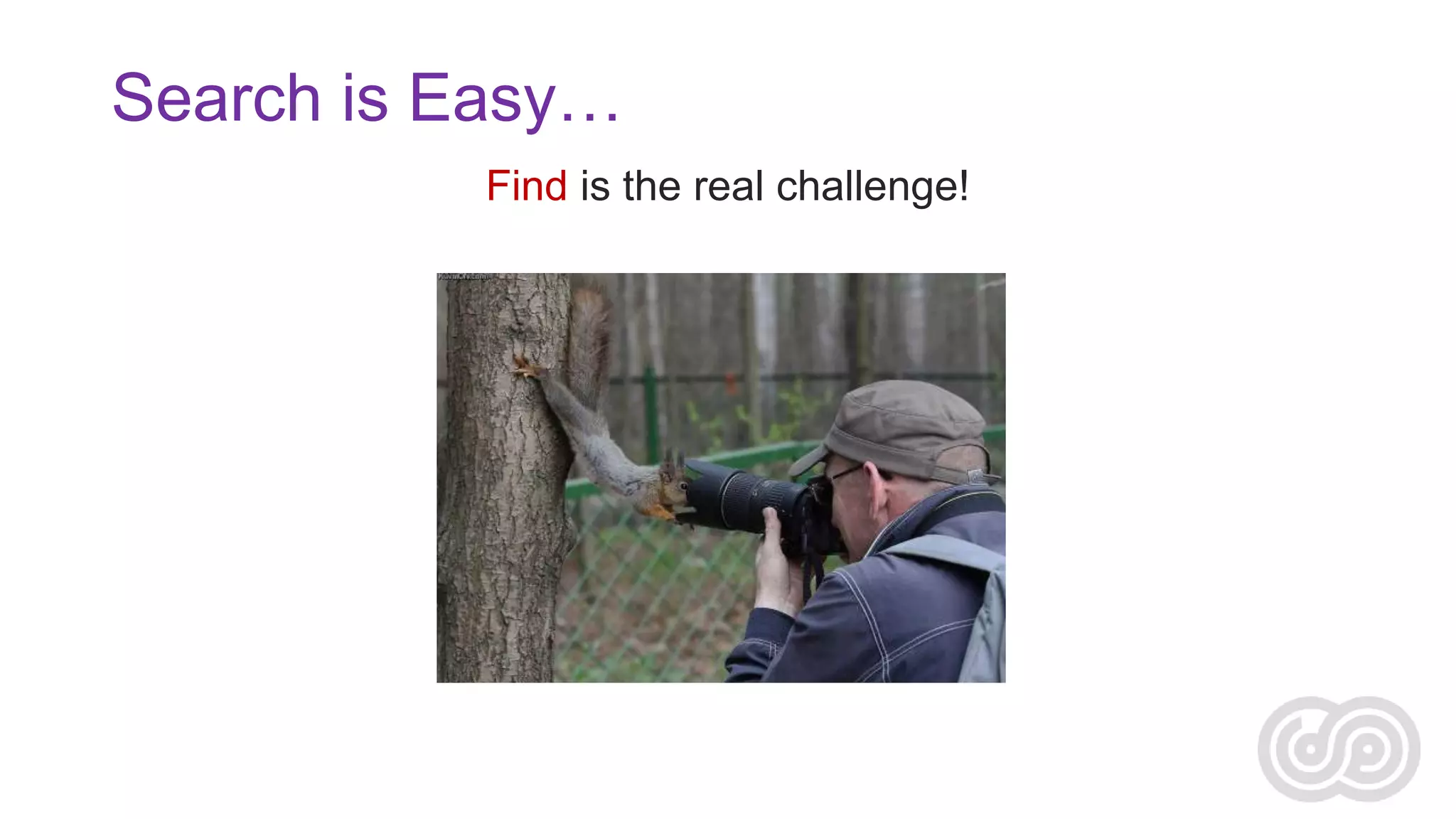
Search is Easy…
Find is the real challenge!
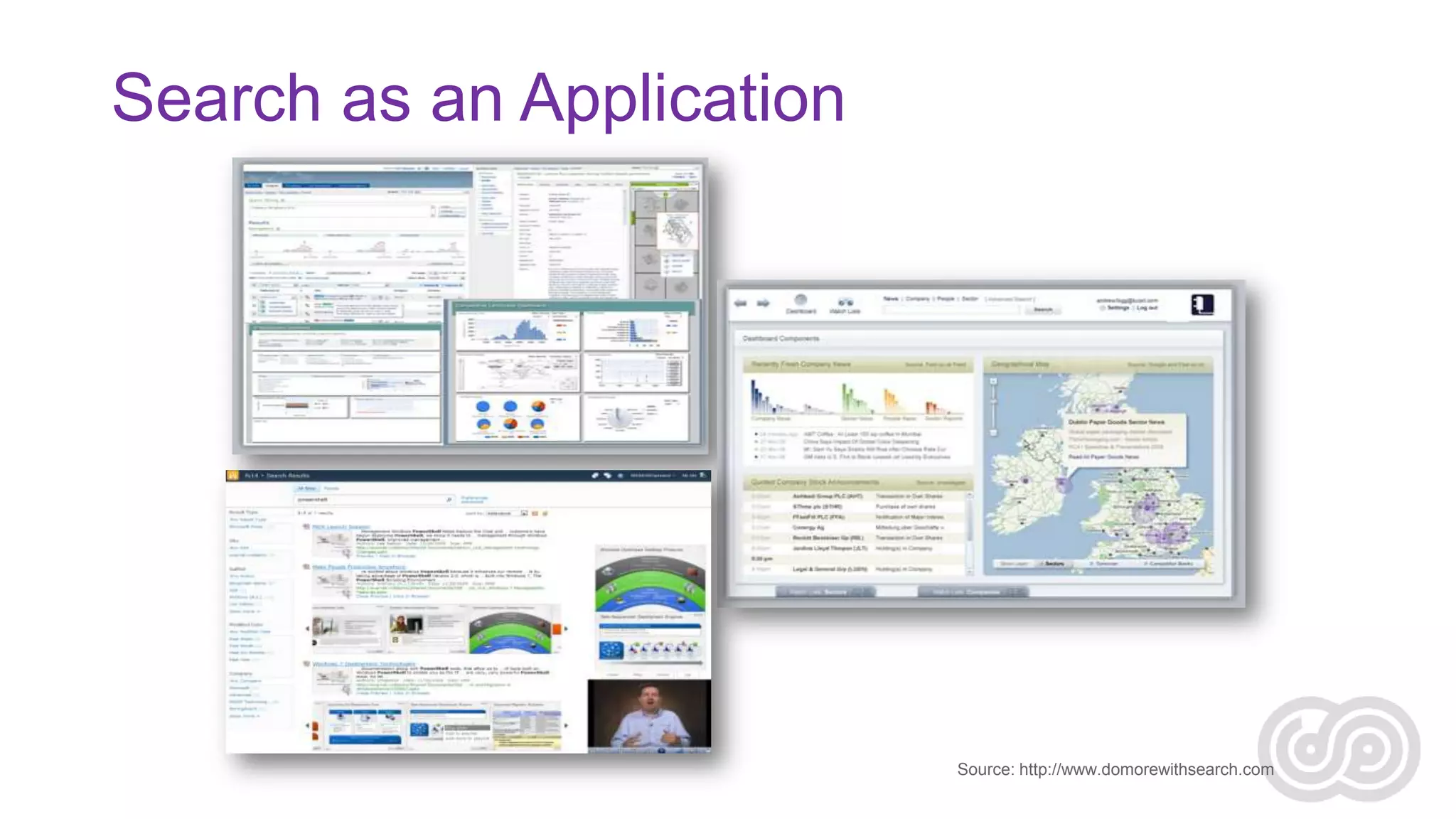
Search as an Application

Source: http://www.domorewithsearch.com
Search as an Application
• Search is no longer the white box
• Content lives in disparate locations
• Structured and unstructured content lives in different locations
• Need to aggregate content according to
•
•
•
•
•
•

Process
Context
Customer
Goal
Program
Parameter of any of the above
User – Context – Content
• Context:
Business models & goals,
corporate culture, resources
• [Where information is used]

• Content:
Document types Objects,
structure, attributes, Metainformation

Context

• [How to describe the information]

• Users:
Information needs, audience
types, expertise, tasks
• [How to Use the Information]

Content

Users
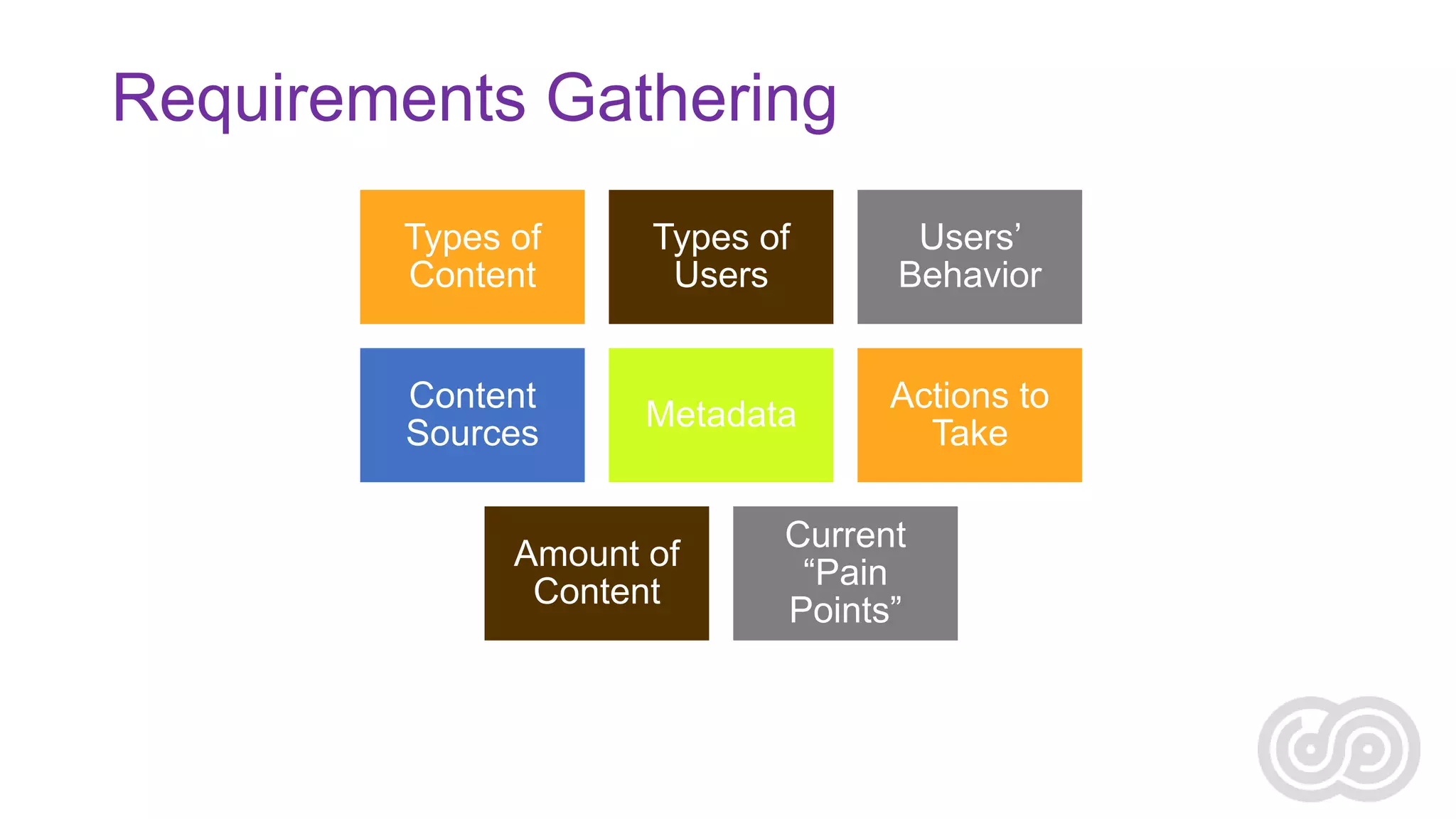
Requirements Gathering
Types of
Content

Types of
Users

Users’
Behavior

Content
Sources

Metadata

Actions to
Take

Amount of
Content

Current
“Pain
Points”
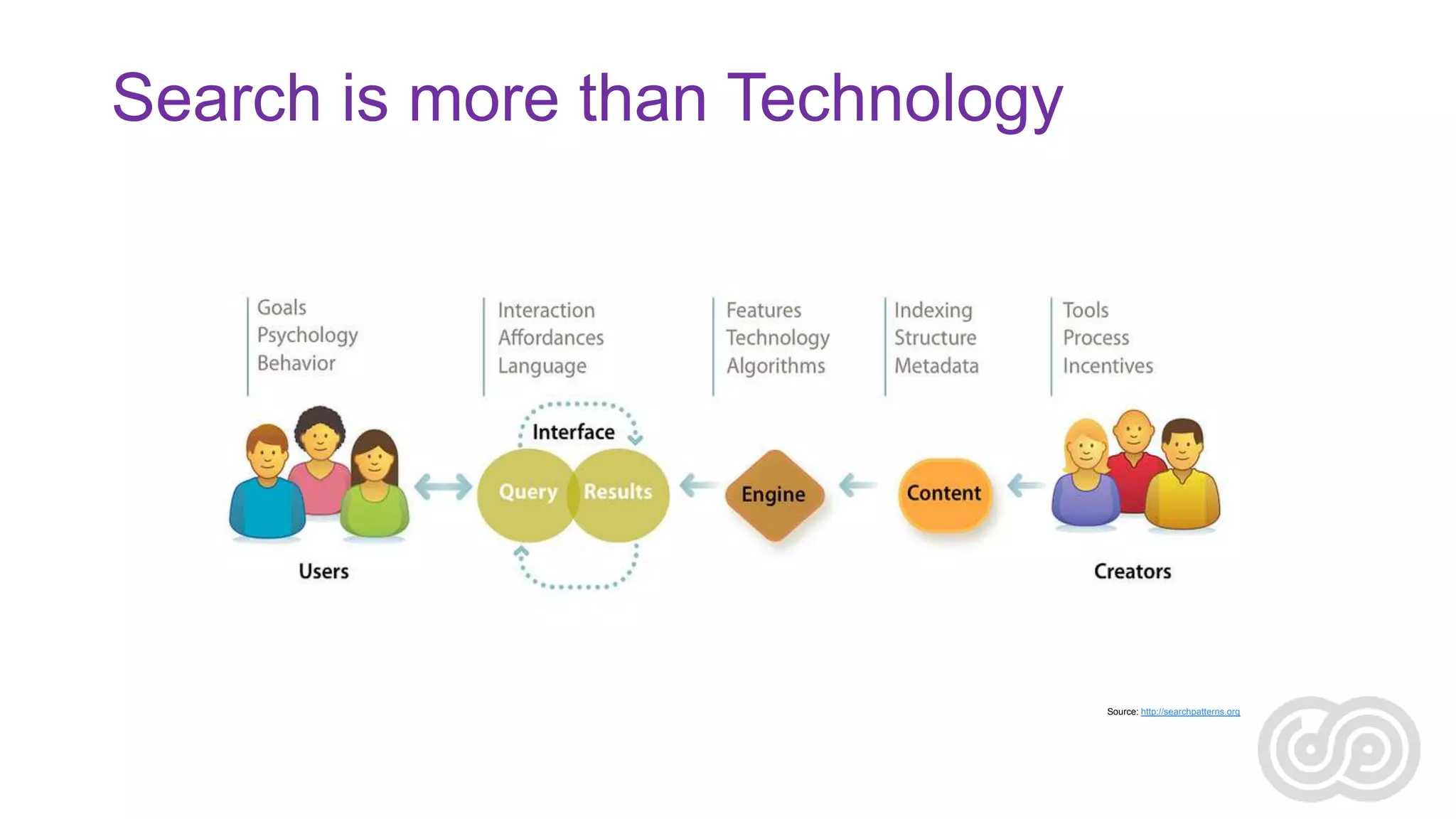
Search is more than Technology

Source: http://searchpatterns.org
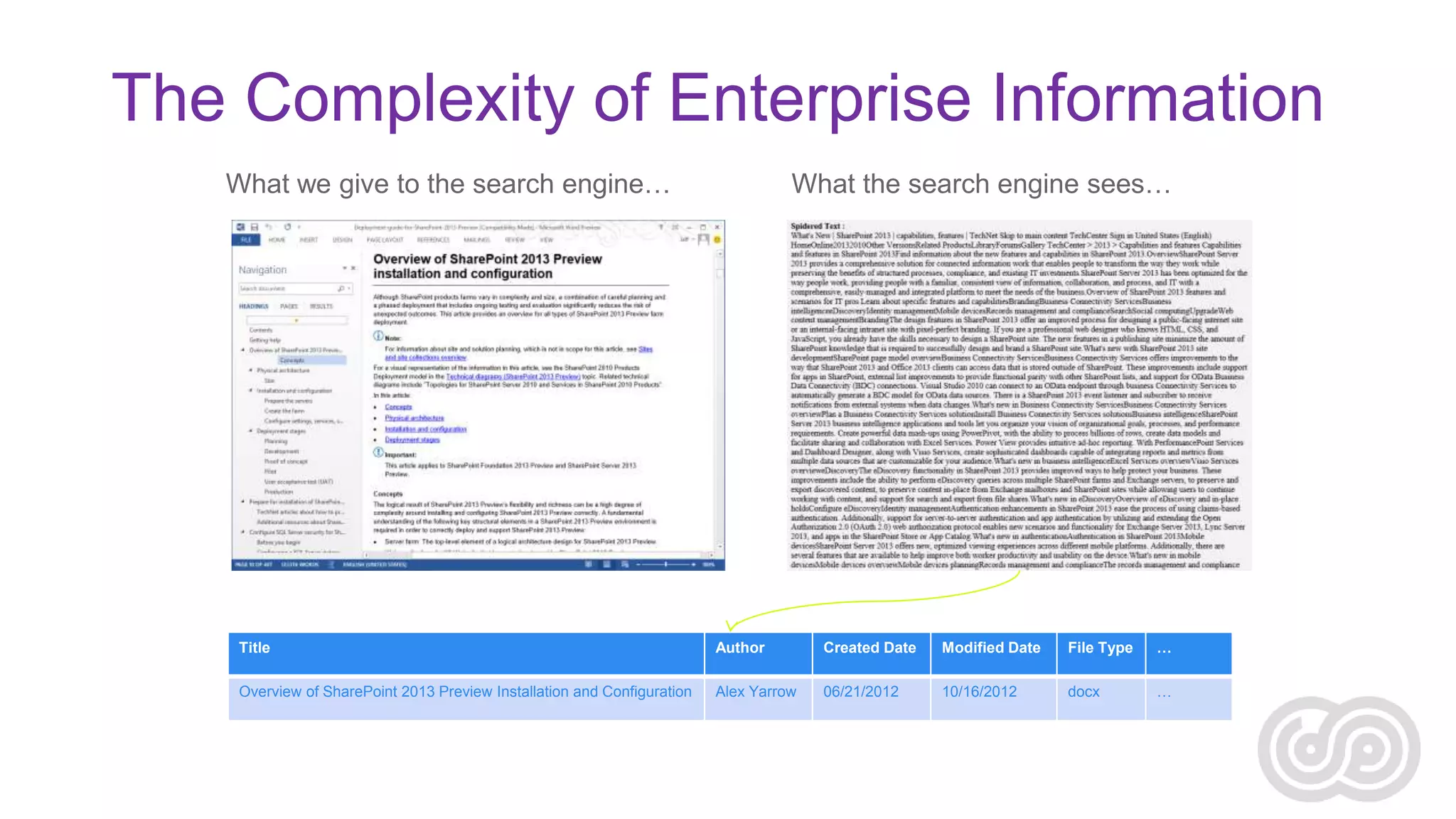
The Complexity of Enterprise Information
What we give to the search engine…

What the search engine sees…

Title

Author

Created Date

Modified Date

File Type

…

Overview of SharePoint 2013 Preview Installation and Configuration

Alex Yarrow

06/21/2012

10/16/2012

docx

…
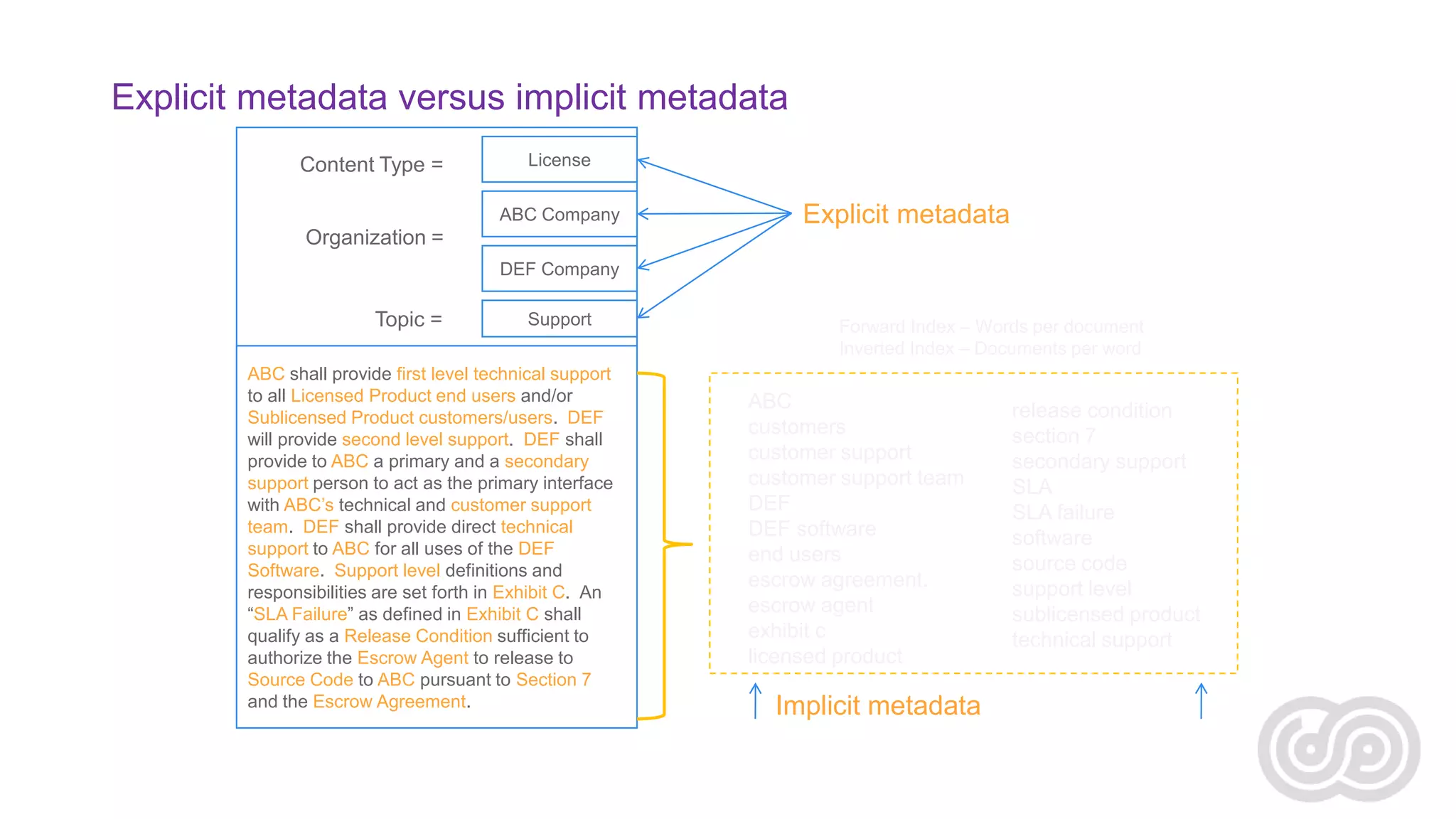
Explicit metadata versus implicit metadata
Content Type =

License
ABC Company

Explicit metadata

Organization =
DEF Company

Topic =

Support

ABC shall provide first level technical support
to all Licensed Product end users and/or
Sublicensed Product customers/users. DEF
will provide second level support. DEF shall
provide to ABC a primary and a secondary
support person to act as the primary interface
with ABC’s technical and customer support
team. DEF shall provide direct technical
support to ABC for all uses of the DEF
Software. Support level definitions and
responsibilities are set forth in Exhibit C. An
“SLA Failure” as defined in Exhibit C shall
qualify as a Release Condition sufficient to
authorize the Escrow Agent to release to
Source Code to ABC pursuant to Section 7
and the Escrow Agreement.

Forward Index – Words per document
Inverted Index – Documents per word

ABC
customers
customer support
customer support team
DEF
DEF software
end users
escrow agreement.
escrow agent
exhibit c
licensed product

Implicit metadata

release condition
section 7
secondary support
SLA
SLA failure
software
source code
support level
sublicensed product
technical support
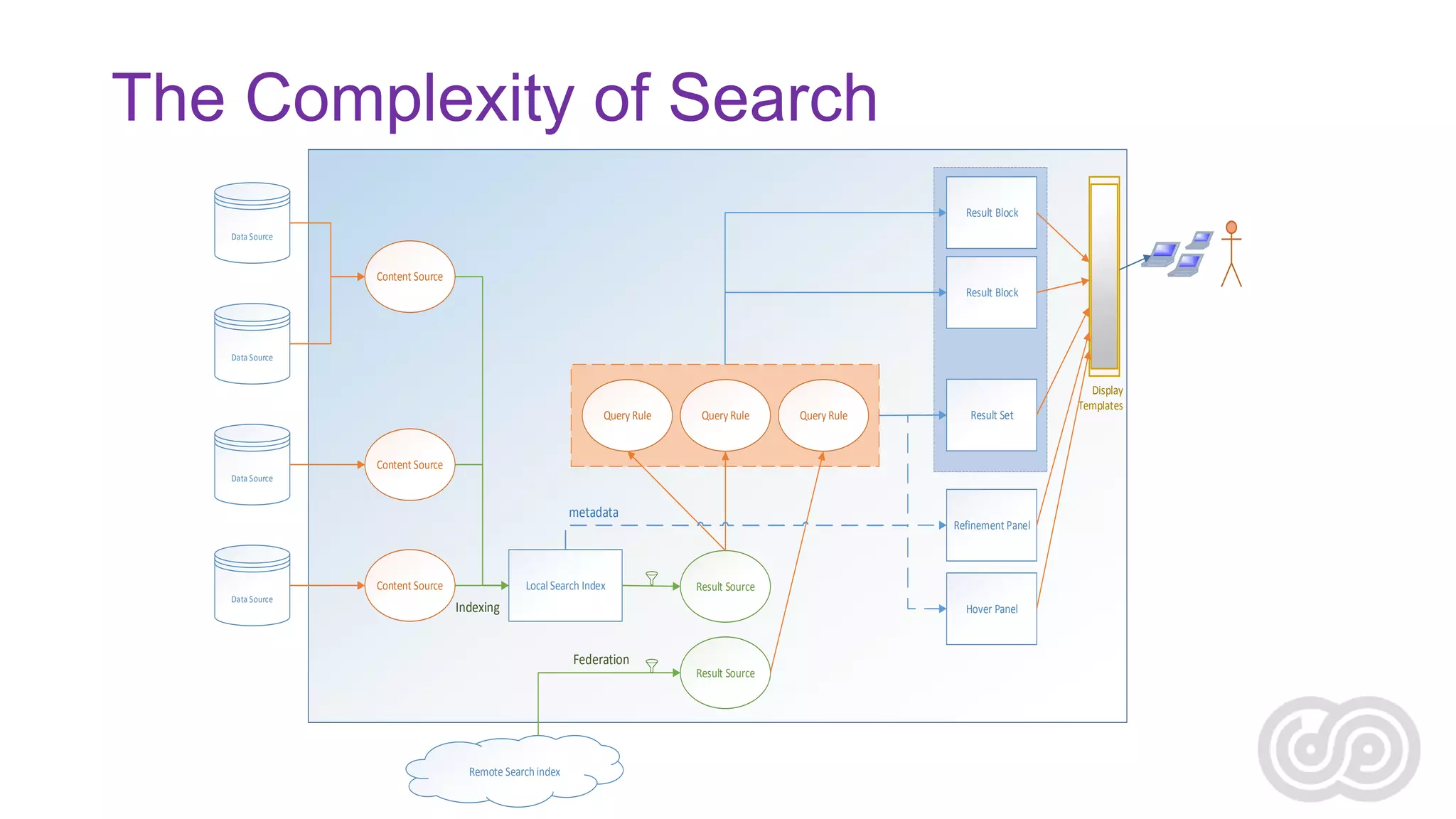
The Complexity of Search
Result Block
Data Source

Content Source
Result Block

Data Source

Query Rule

Query Rule

Query Rule

Result Set

Content Source
Data Source

metadata

Content Source
Data Source

Local Search Index

Refinement Panel

Result Source

Indexing

Hover Panel

Federation

Remote Search index

Result Source

Display
Templates
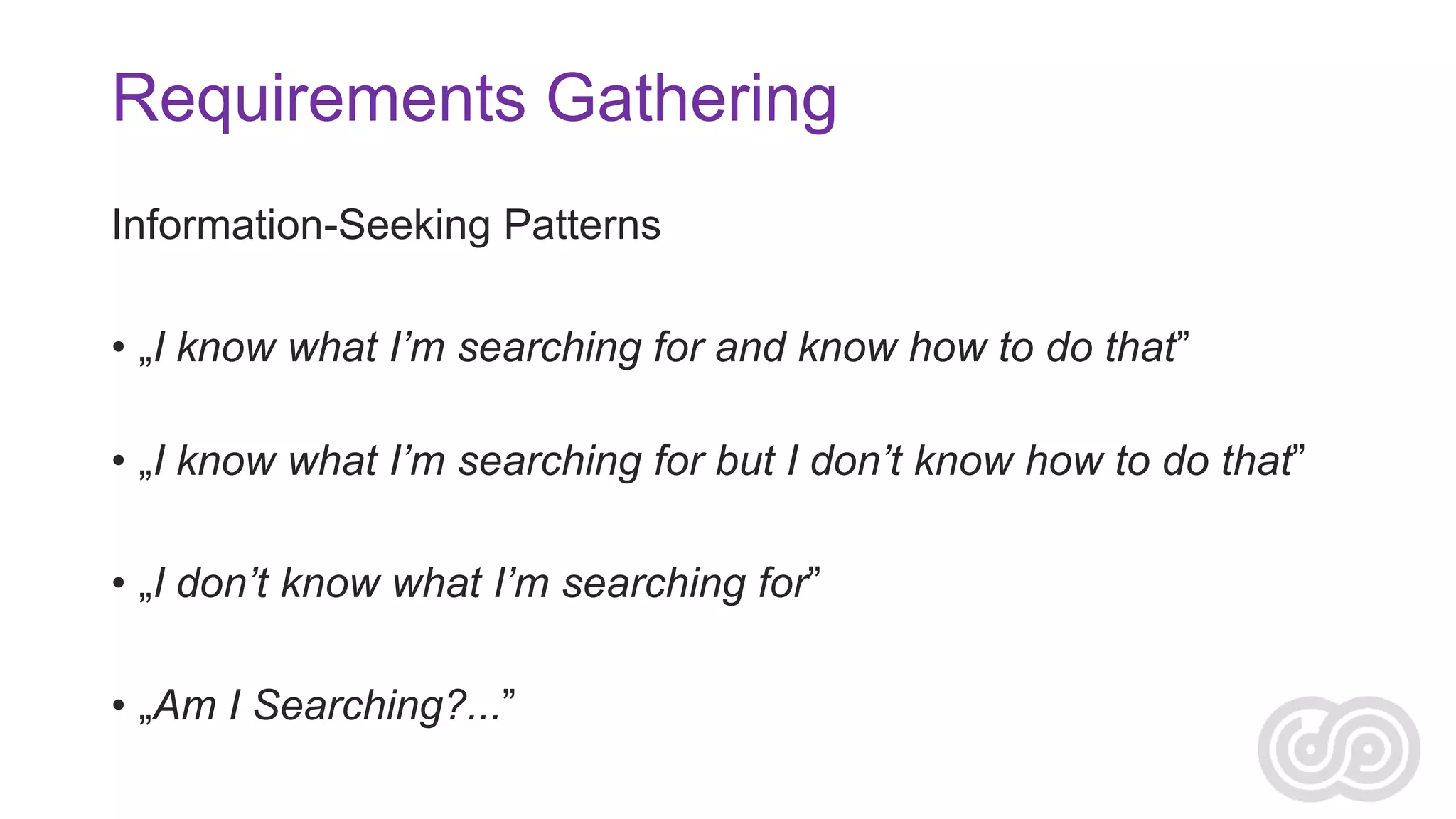
Requirements Gathering
Information-Seeking Patterns

• „I know what I’m searching for and know how to do that”
• „I know what I’m searching for but I don’t know how to do that”
• „I don’t know what I’m searching for”
• „Am I Searching?...”
REAL WORLD EXPECTATIONS
Content Inventory
• “I have a lot of content, but I don’t know what to do with them…”
Content Inventory
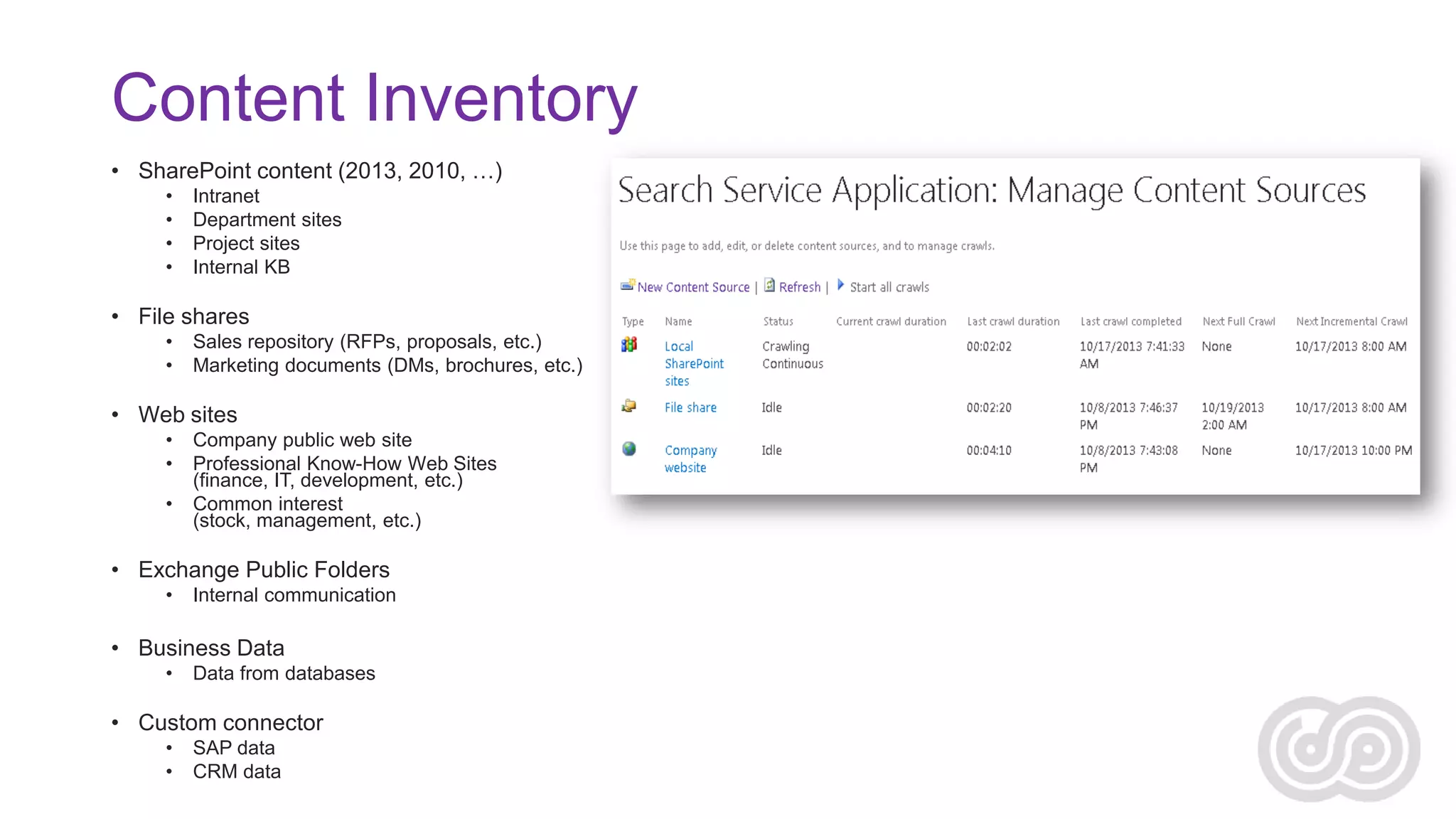
• SharePoint content (2013, 2010, …)
•
•
•
•

Intranet
Department sites
Project sites
Internal KB

• File shares
•
•

Sales repository (RFPs, proposals, etc.)
Marketing documents (DMs, brochures, etc.)

• Web sites
•
•
•

Company public web site
Professional Know-How Web Sites
(finance, IT, development, etc.)
Common interest
(stock, management, etc.)

• Exchange Public Folders
•

Internal communication

• Business Data
•

Data from databases

• Custom connector
•
•

SAP data
CRM data
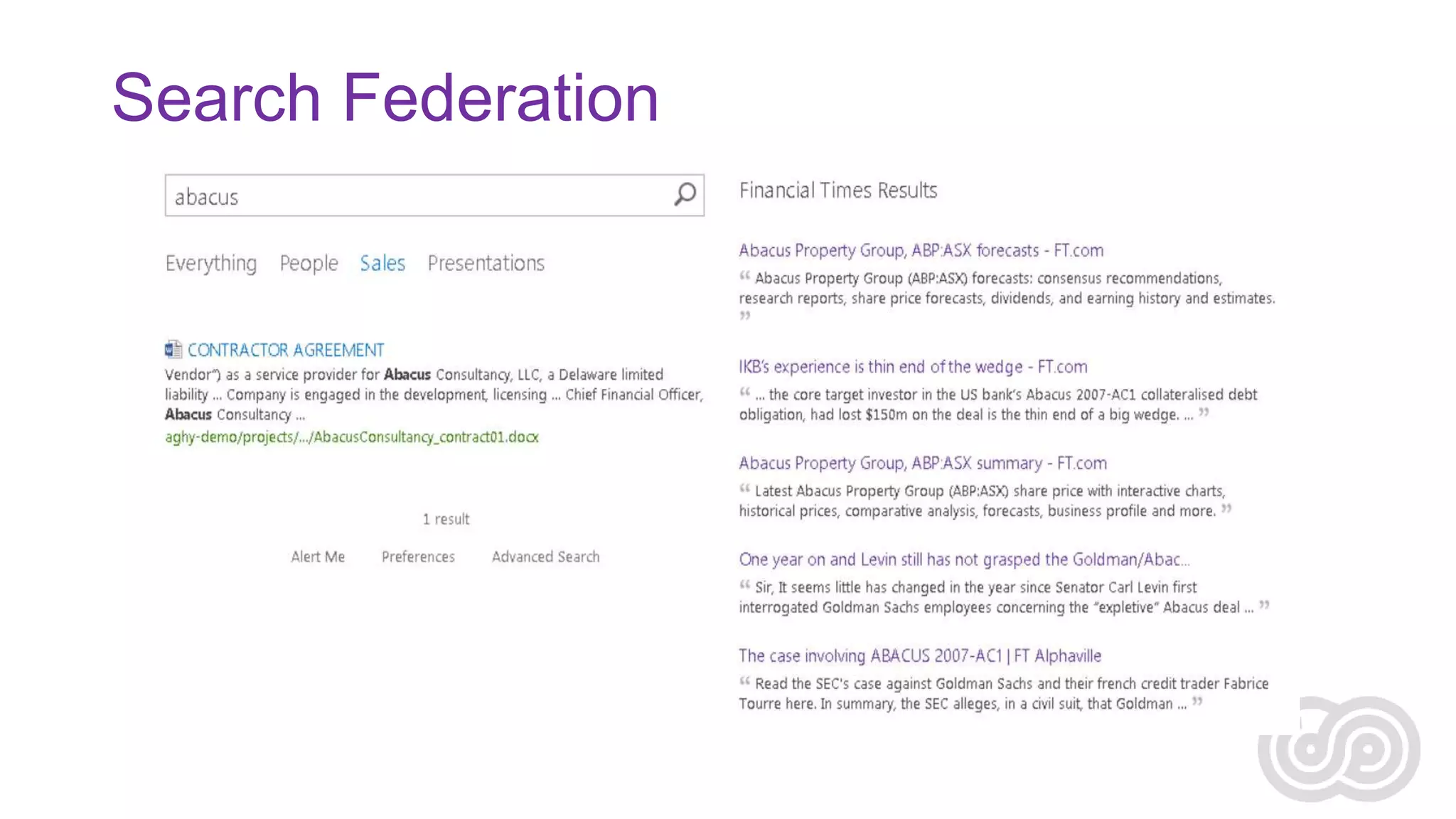
Search Federation
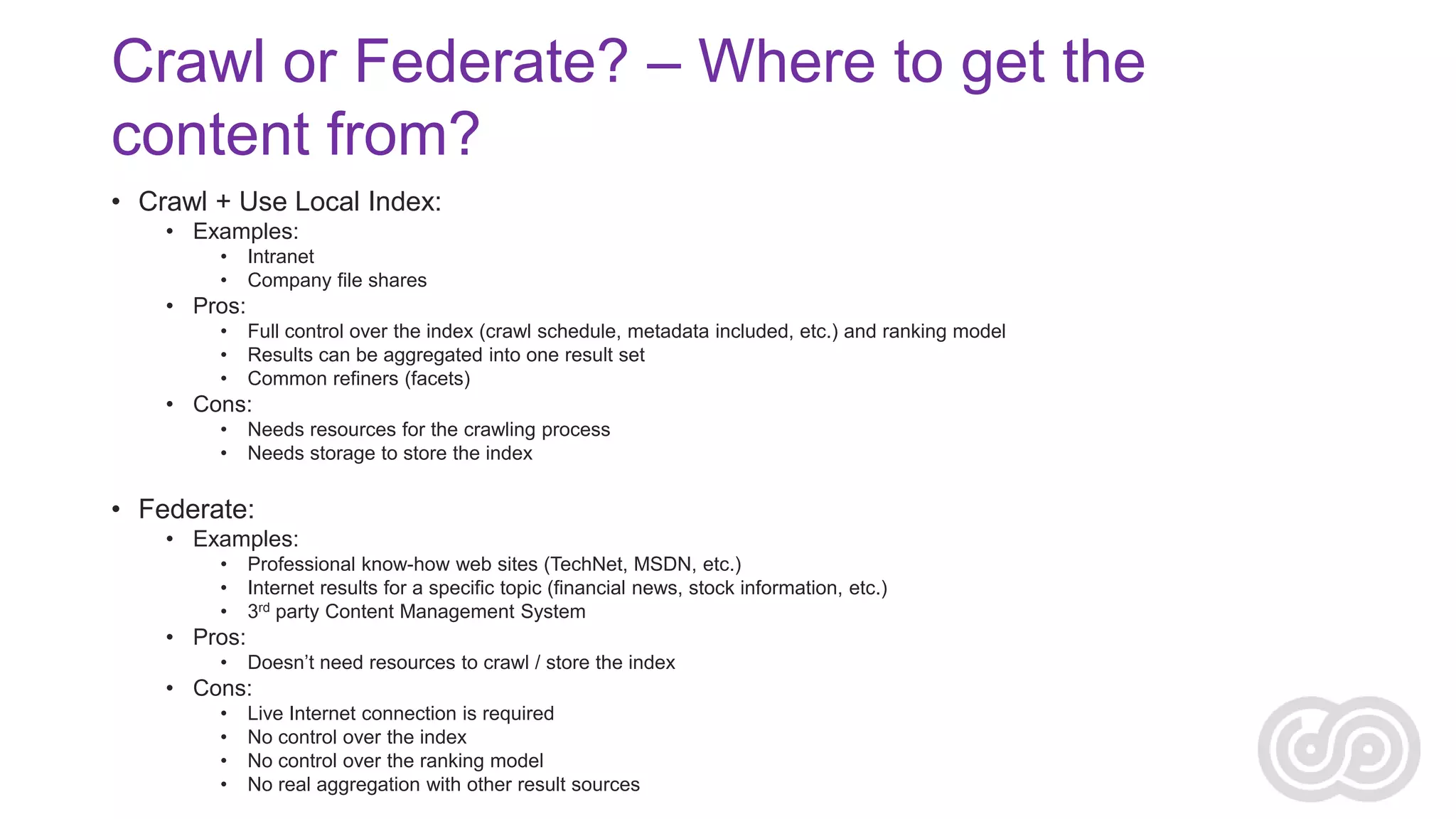
Crawl or Federate? – Where to get the
content from?
• Crawl + Use Local Index:
• Examples:
•
•

Intranet
Company file shares

• Pros:
•
•
•

Full control over the index (crawl schedule, metadata included, etc.) and ranking model
Results can be aggregated into one result set
Common refiners (facets)

• Cons:
•
•

Needs resources for the crawling process
Needs storage to store the index

• Federate:
• Examples:
•
•
•

Professional know-how web sites (TechNet, MSDN, etc.)
Internet results for a specific topic (financial news, stock information, etc.)
3rd party Content Management System

• Pros:
•

Doesn’t need resources to crawl / store the index

• Cons:
•
•
•
•

Live Internet connection is required
No control over the index
No control over the ranking model
No real aggregation with other result sources
Content Source Inventory
Name

Type

Location

Owner

Volume of
Content

Frequency of
Updates

Intranet

SharePoint

http://intranet

Intranet Team

200K items

100-300/hr

Project Sites

SharePoint

http://projects

Delivery

200K items

100-200/hr

Sales share

File share

X:Sales

Sales

500K docs

300-500/hr

Marketing share

File share

X:Marketing

Marketing

200K docs

300-500/hr

Company web
site

Web site

http://mycompany.com

Marketing/
Publishing Team

<100K pages

1-10/day

Competitor’s web
site

Web site

http://competitor.com

[external]

<100K pages

1-10/day

Professional
Know-How

Web site

http://www.mykb.com

[external]

<100K pages

5-10/week

Company
Announcements

Exchange
Public
Folder

Exchange/Public
Folders/Announcements

Marketing/
Internal Comm.
Team

<100K items

5-10/day

HR data

Business
Data (SQL)

SQL database

HR

<100K items

10-100/day

CRM data

Custom
Connector

CRM system

Sales

500K entries

500-1000/hr
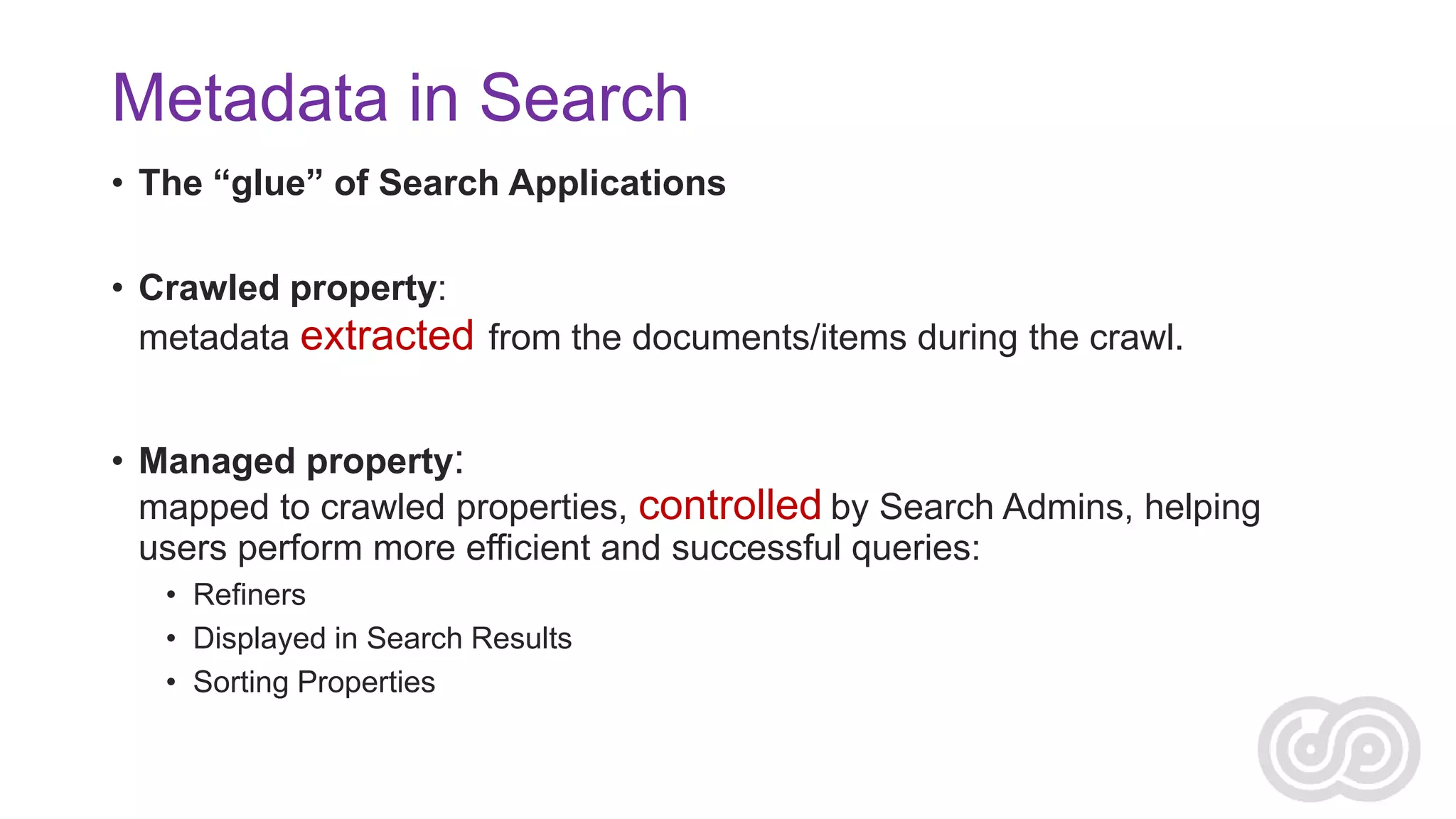
Metadata in Search
• The “glue” of Search Applications
• Crawled property:
metadata extracted from the documents/items during the crawl.

• Managed property:
mapped to crawled properties, controlled by Search Admins, helping
users perform more efficient and successful queries:
• Refiners
• Displayed in Search Results
• Sorting Properties
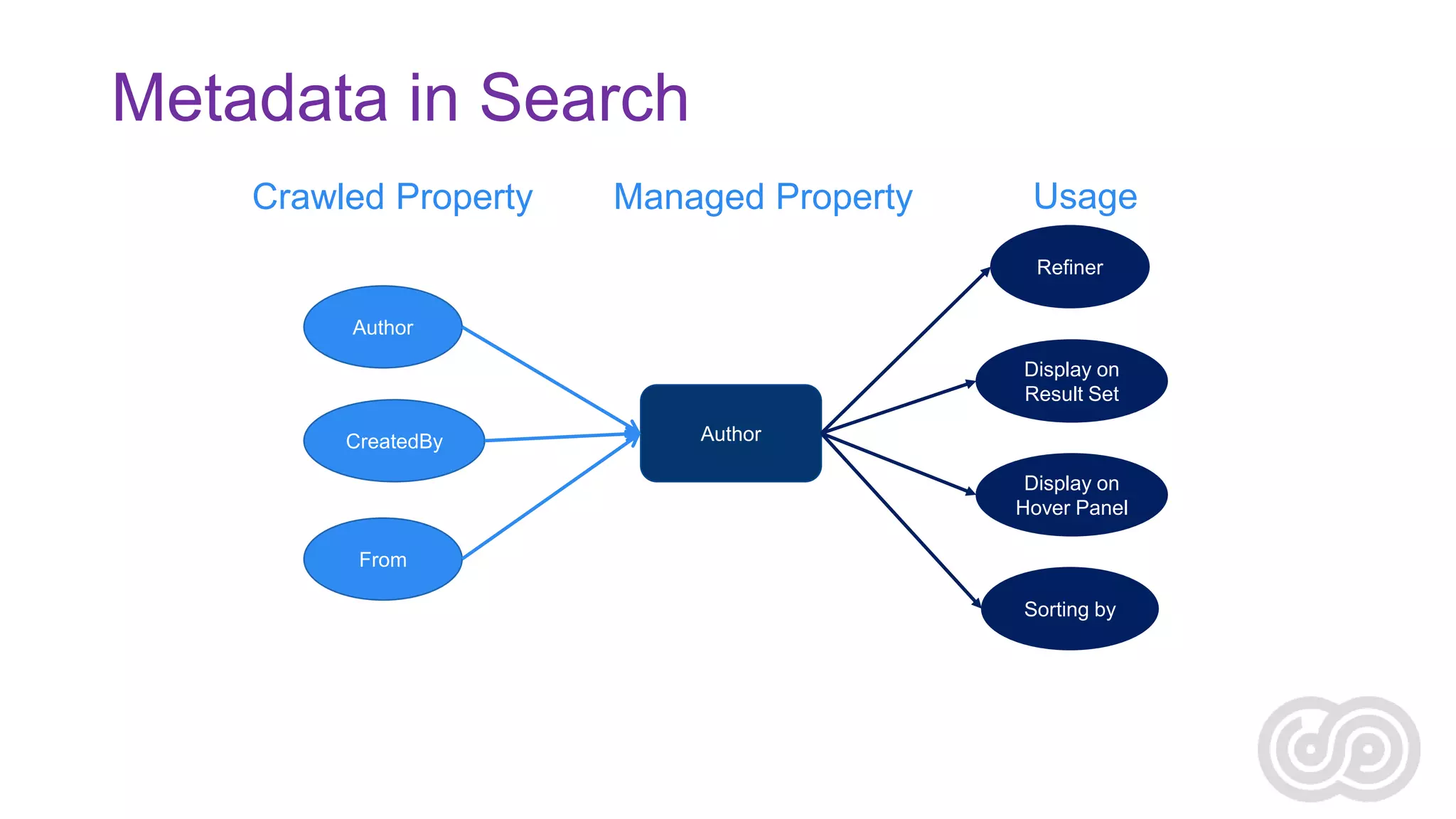
Metadata in Search
Crawled Property

Managed Property

Usage
Refiner

Author
Display on
Result Set
CreatedBy

Author
Display on
Hover Panel

From
Sorting by
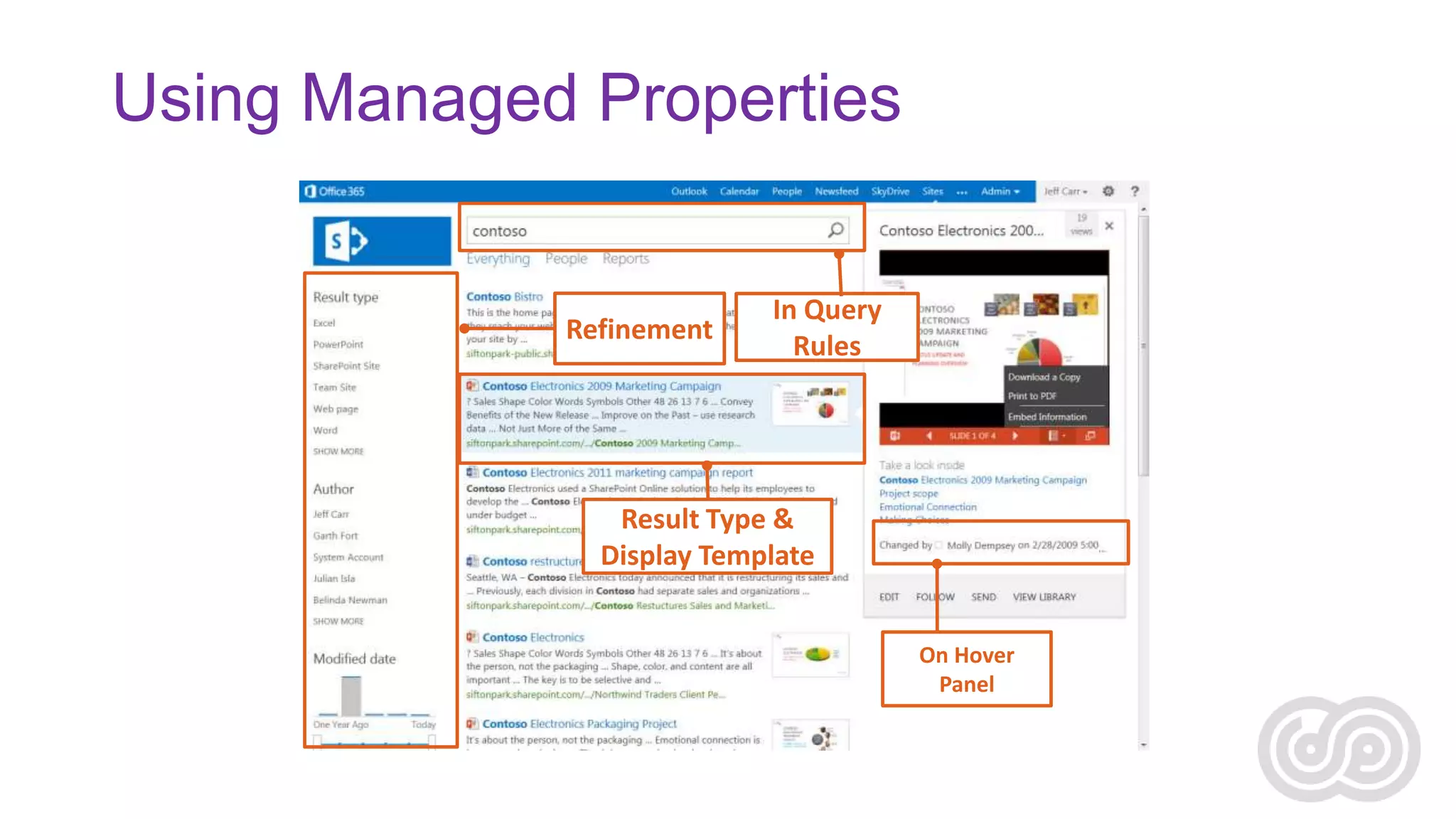
Using Managed Properties

Refinement

In Query
Rules

Result Type &
Display Template
On Hover
Panel
Security
Users can see what they have access to.
vs.
Users cannot see what they don’t have access to.
The Search Security Paradox
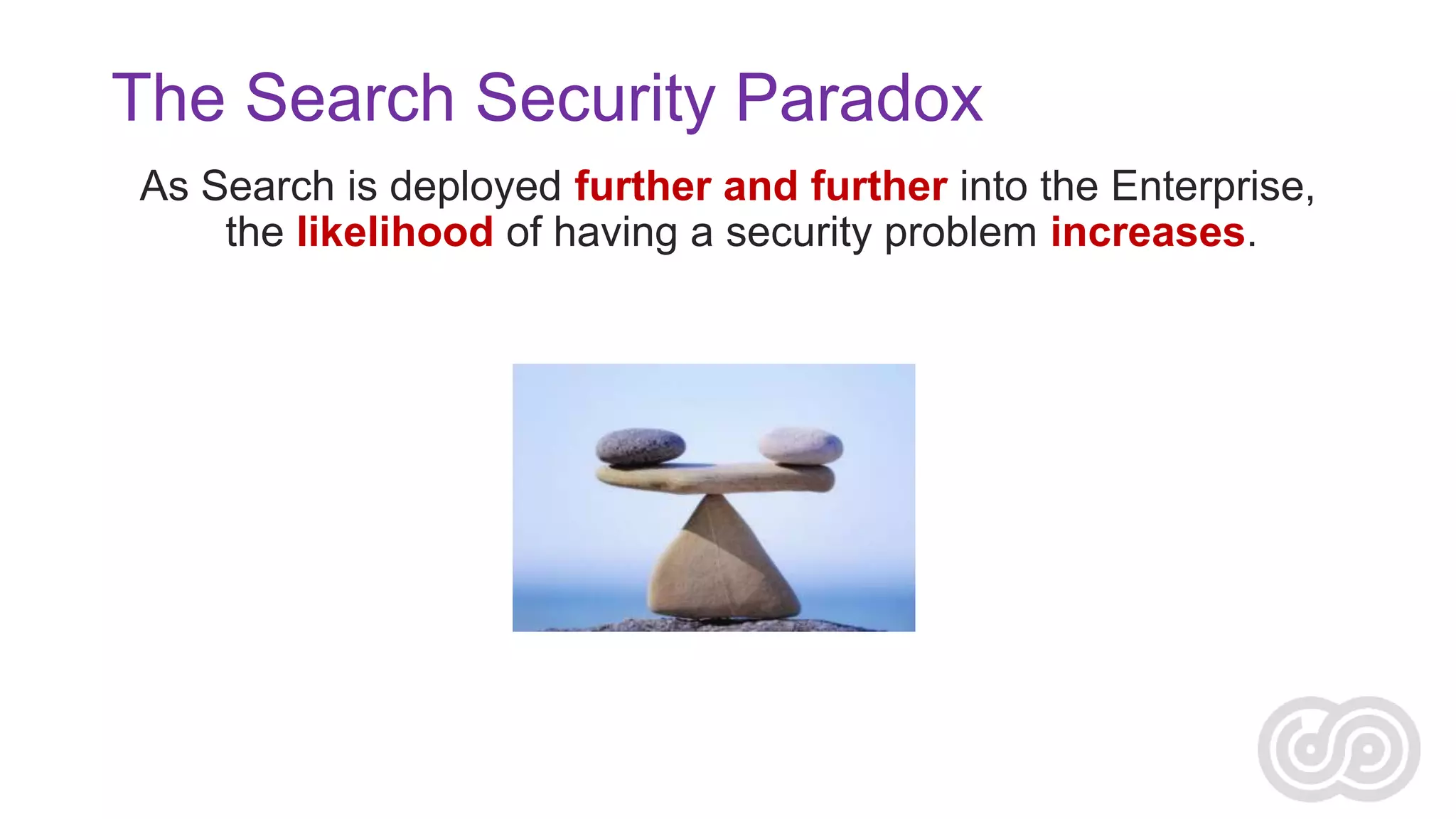
As Search is deployed further and further into the Enterprise,
the likelihood of having a security problem increases.
Sizing and Capacity Planning
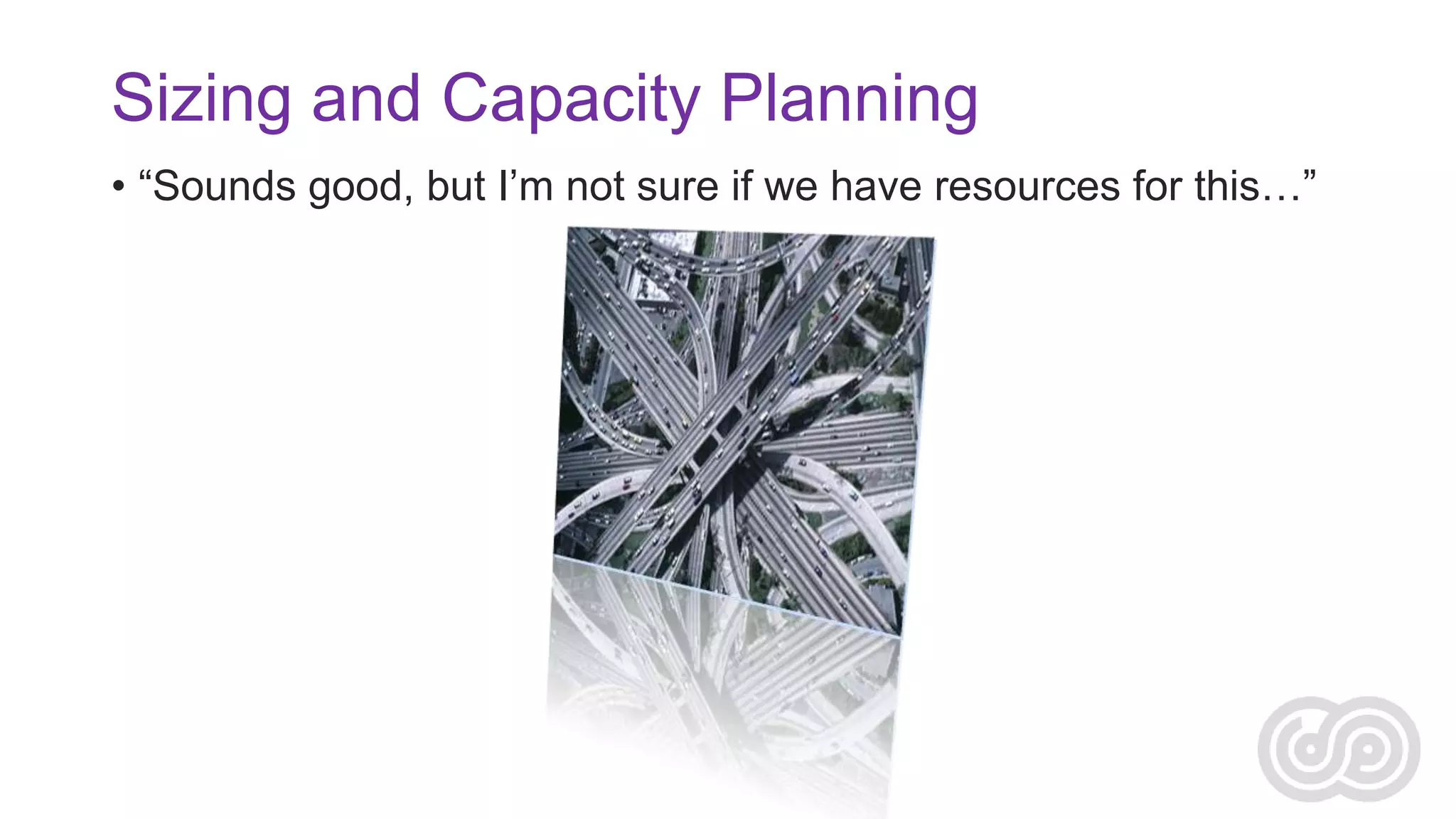
• “Sounds good, but I’m not sure if we have resources for this…”
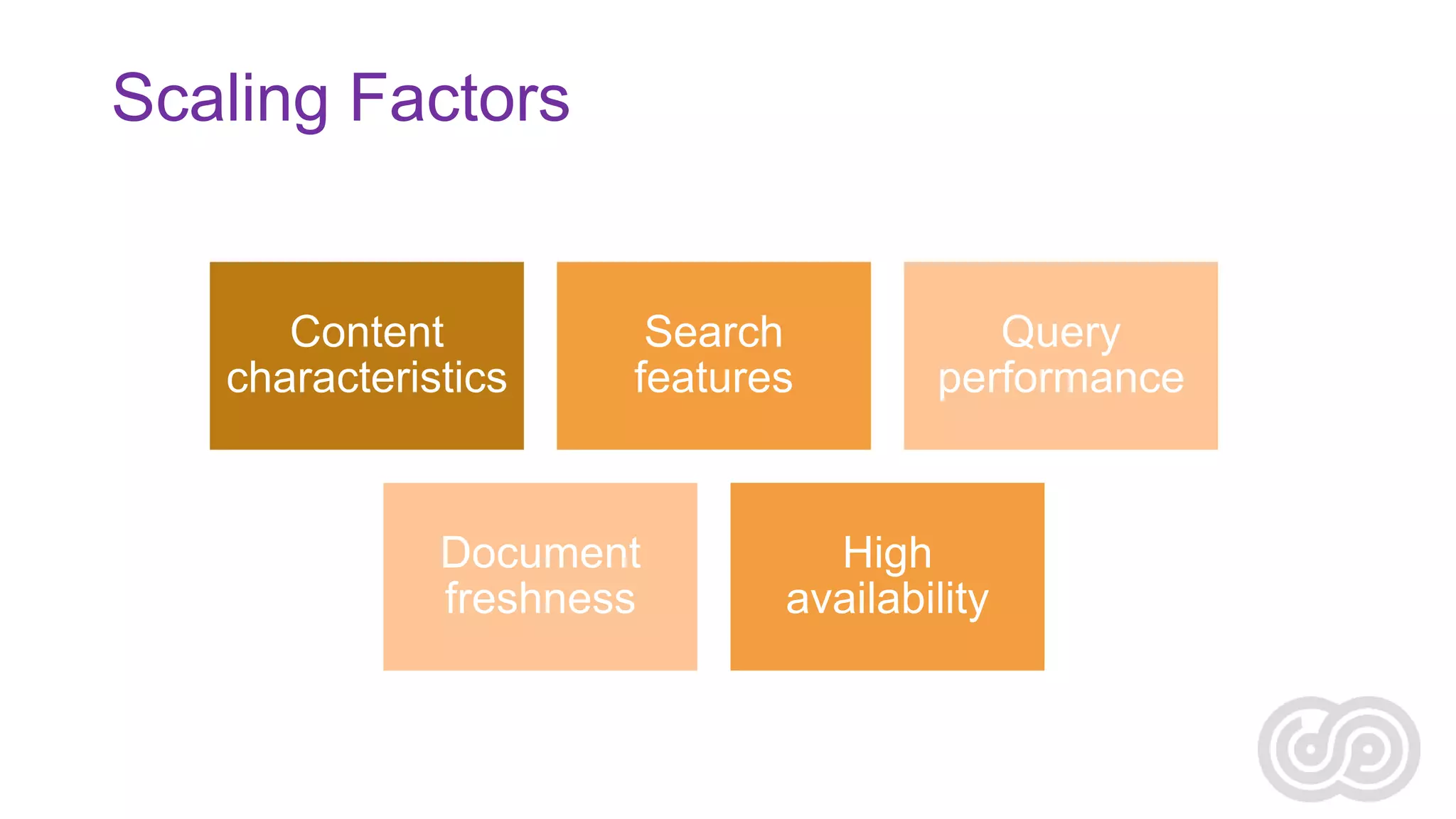
Scaling Factors

Content
characteristics

Search
features

Document
freshness

Query
performance

High
availability
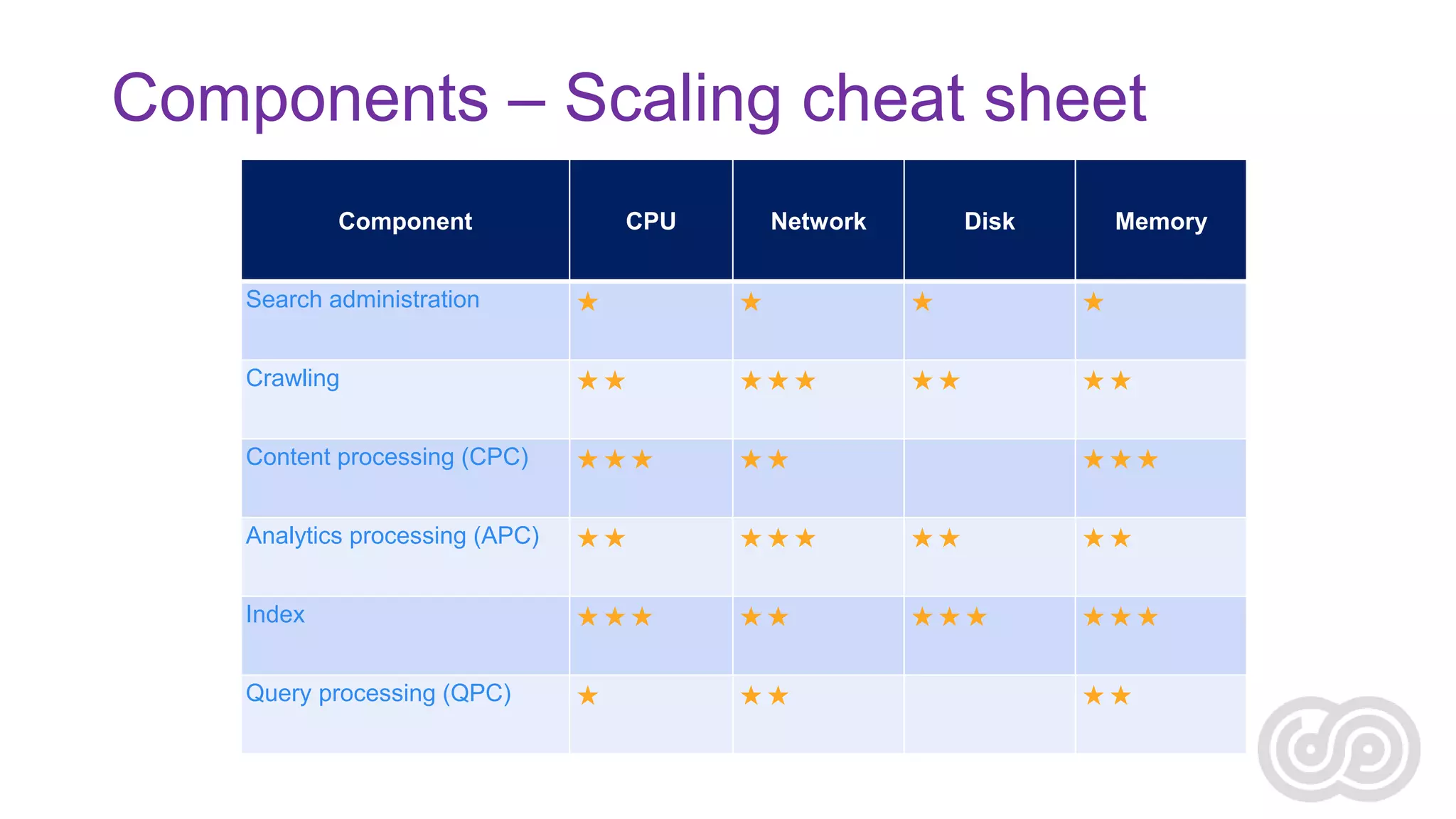
Components – Scaling cheat sheet
Component

CPU

Network

Disk

Memory

Search administration









Crawling









Content processing (CPC)





Analytics processing (APC)









Index









Query processing (QPC)








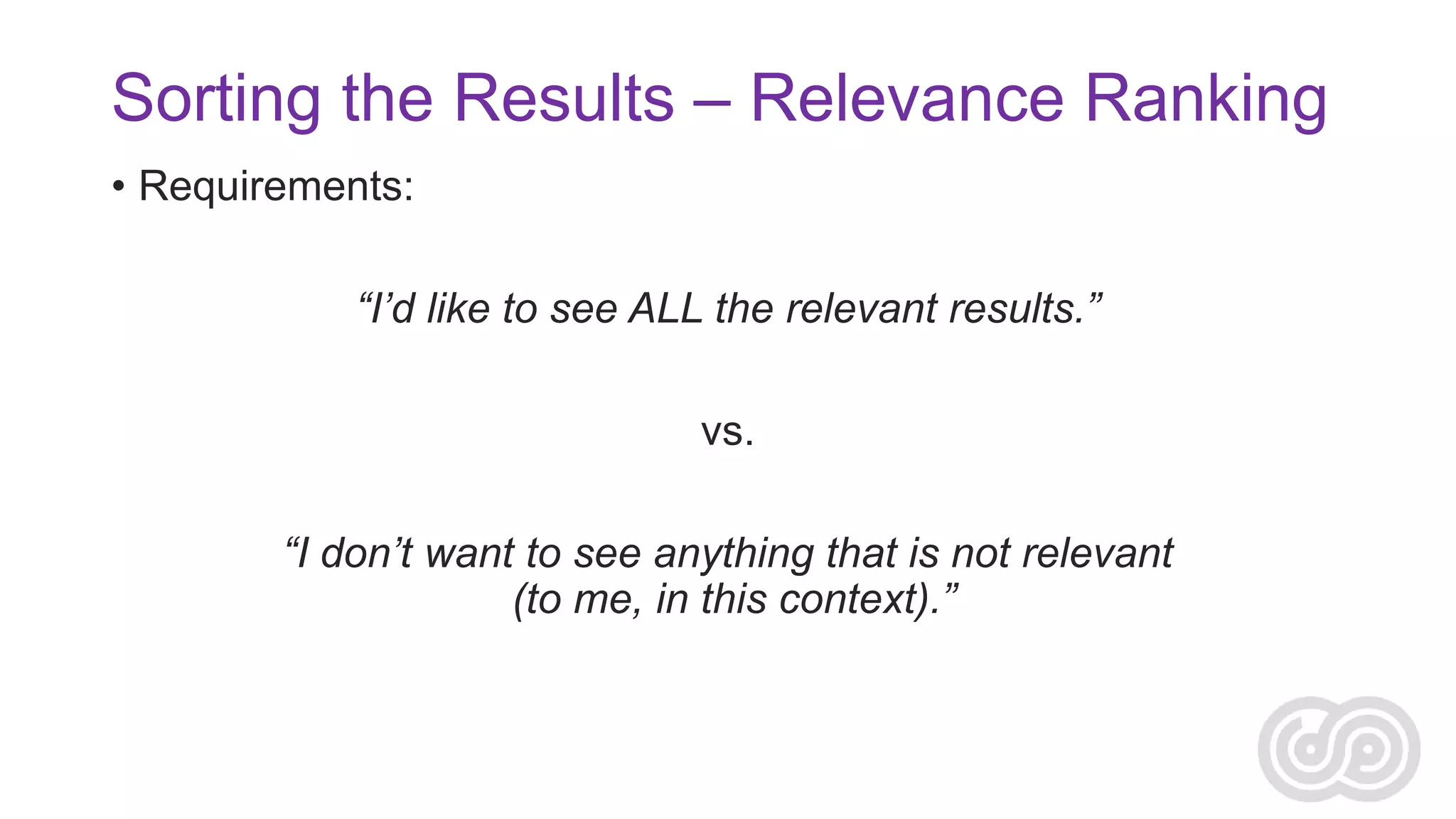
Sorting the Results – Relevance Ranking
• Requirements:
“I’d like to see ALL the relevant results.”
vs.
“I don’t want to see anything that is not relevant
(to me, in this context).”
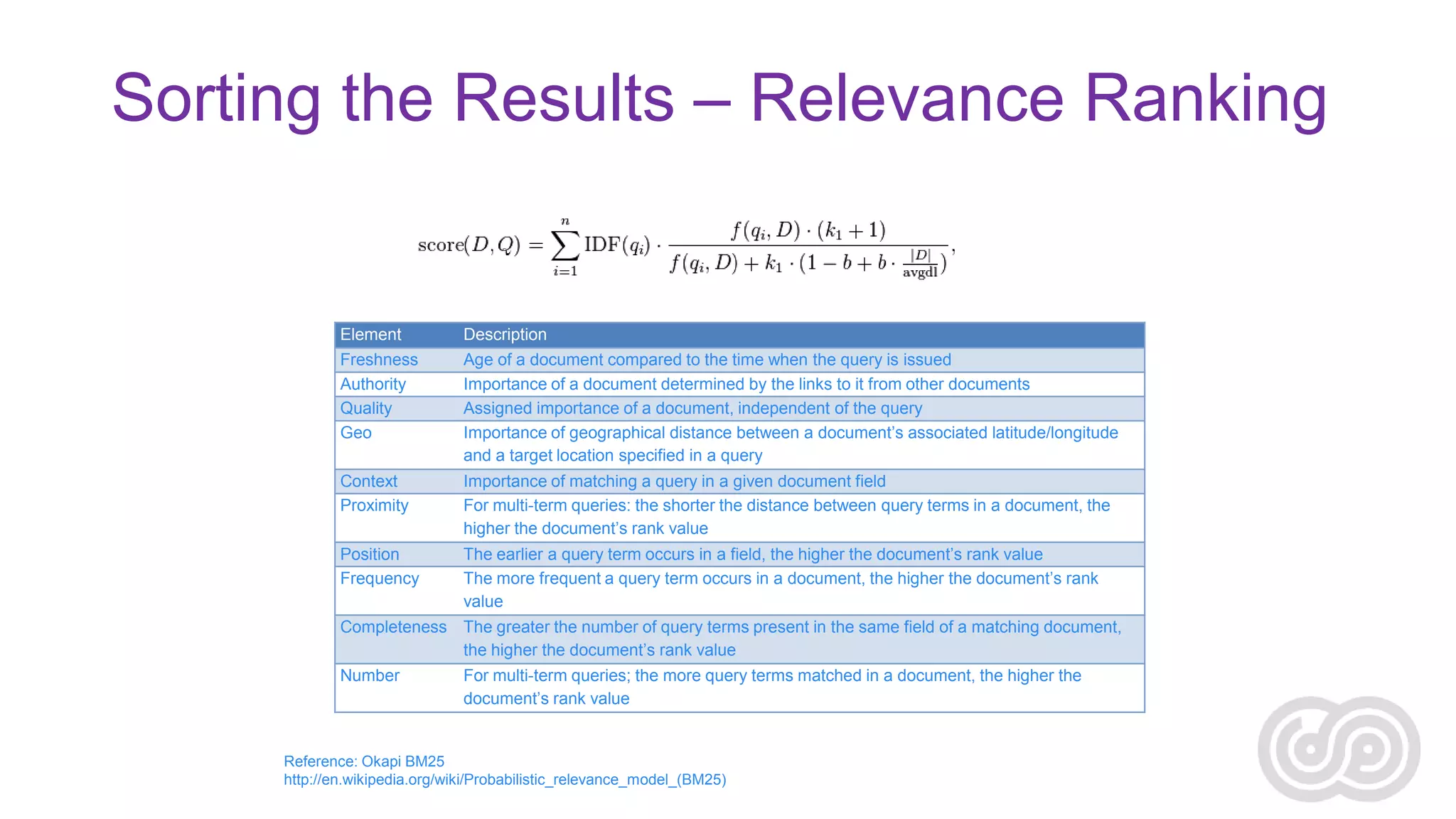
Sorting the Results – Relevance Ranking

Element

Description

Freshness
Authority
Quality
Geo

Age of a document compared to the time when the query is issued
Importance of a document determined by the links to it from other documents
Assigned importance of a document, independent of the query
Importance of geographical distance between a document’s associated latitude/longitude
and a target location specified in a query

Context
Proximity

Importance of matching a query in a given document field
For multi-term queries: the shorter the distance between query terms in a document, the
higher the document’s rank value

Position
Frequency

The earlier a query term occurs in a field, the higher the document’s rank value
The more frequent a query term occurs in a document, the higher the document’s rank
value

Completeness The greater the number of query terms present in the same field of a matching document,
the higher the document’s rank value
Number

For multi-term queries; the more query terms matched in a document, the higher the
document’s rank value

Reference: Okapi BM25
http://en.wikipedia.org/wiki/Probabilistic_relevance_model_(BM25)
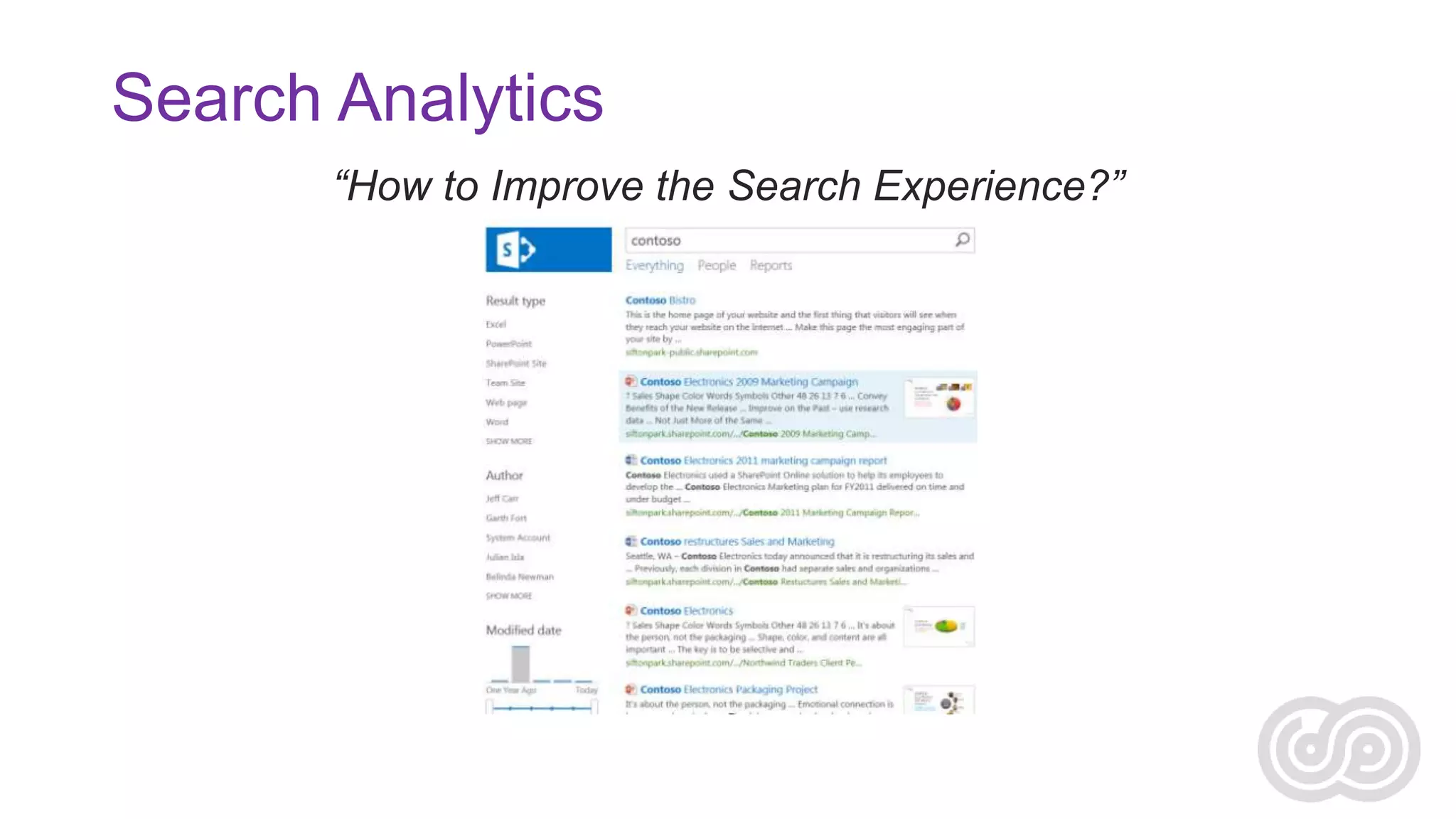
Search Analytics
“How to Improve the Search Experience?”
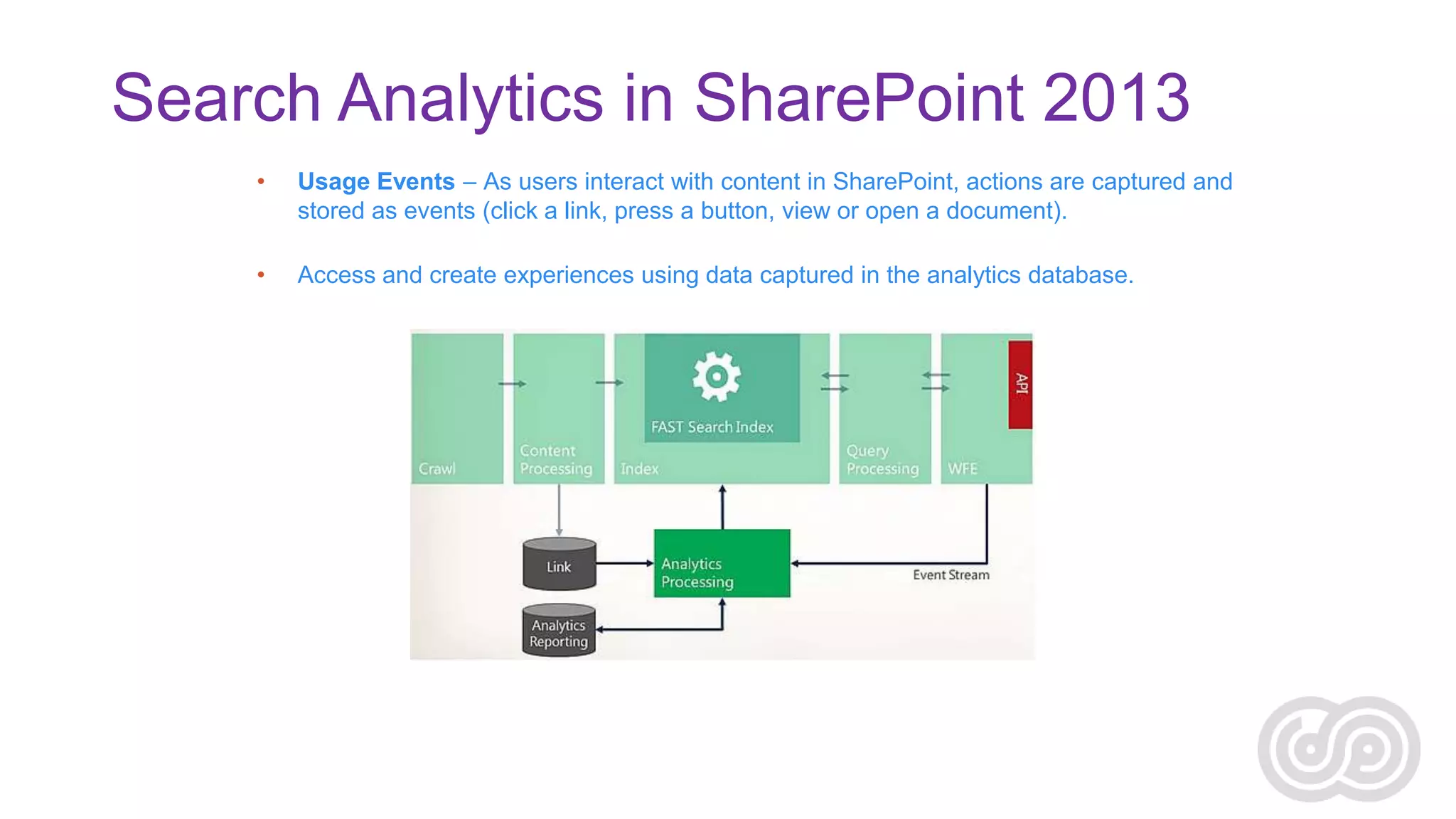
Search Analytics in SharePoint 2013
•

Usage Events – As users interact with content in SharePoint, actions are captured and
stored as events (click a link, press a button, view or open a document).

•

Access and create experiences using data captured in the analytics database.
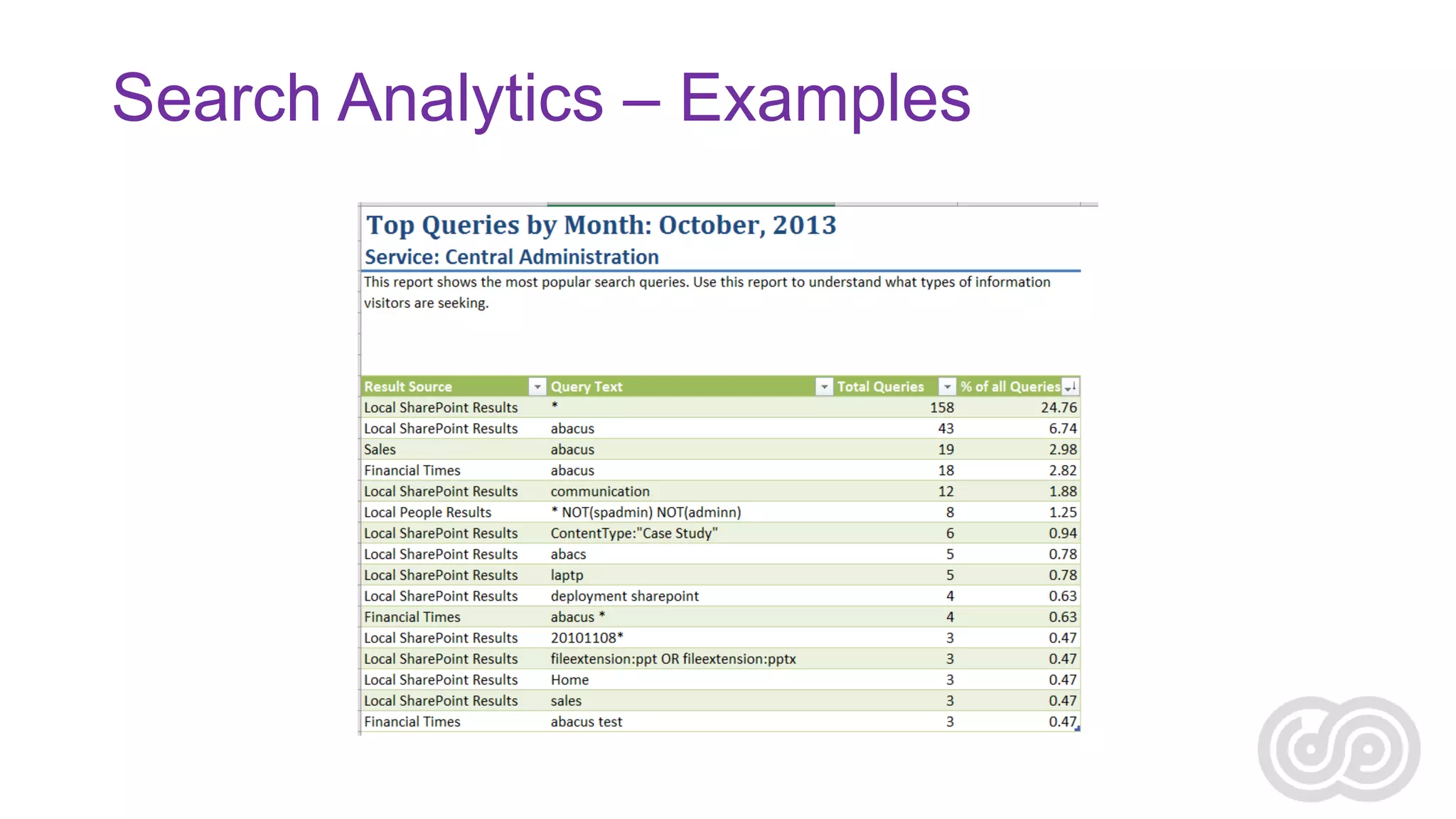
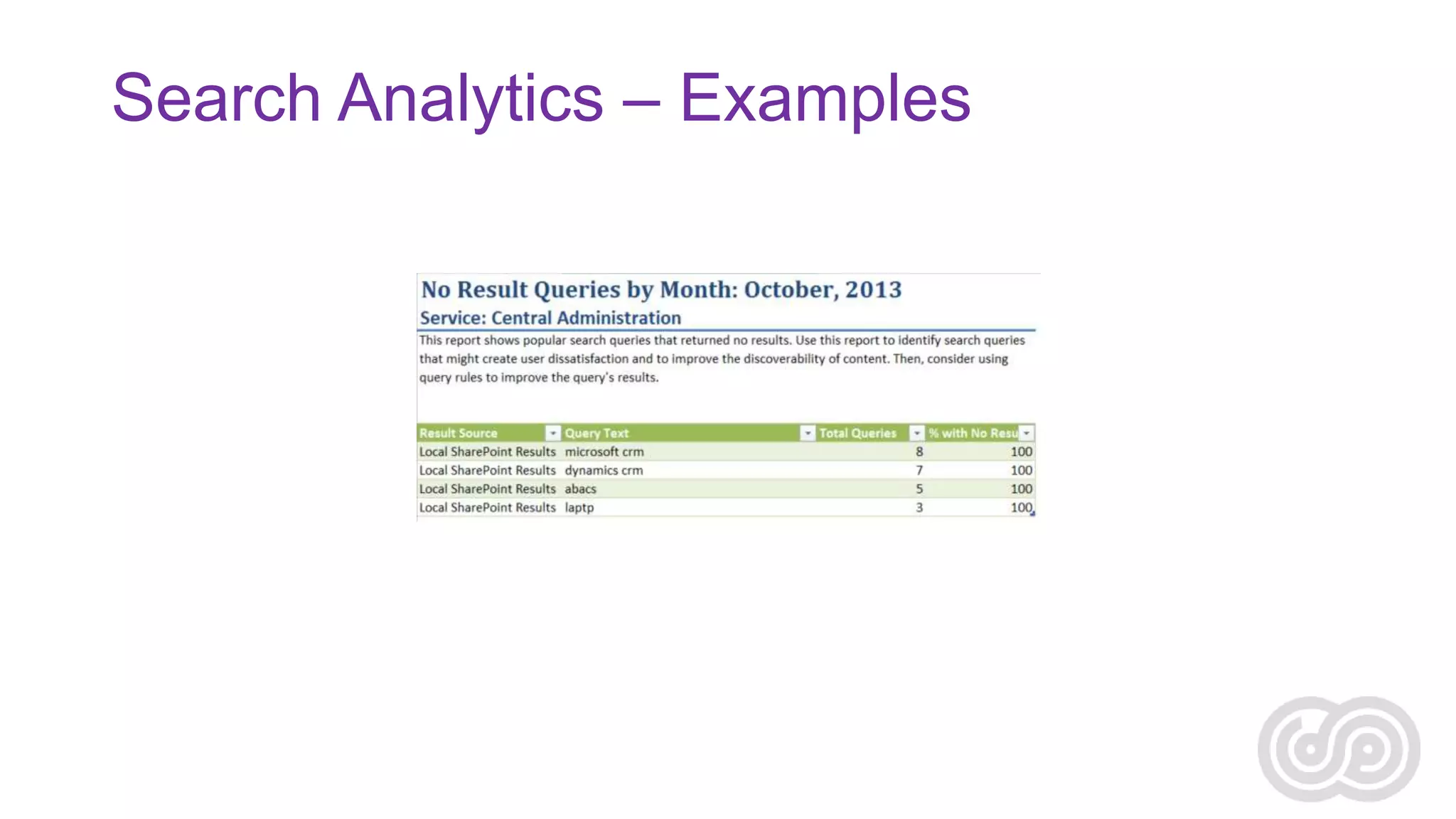
Search Analytics – Examples
Conclusions
questions?
HTTP://AGHY.HU

@MOLNARAGNES
thank you.
SHAREPOINT AND PROJECT CONFERENCE ADRIATICS 2013
ZAGREB, NOVEMBER 27-28 2013

Solving Real World Challenges with Enterprise Search

  • 1.
  • 2.
    Real World Challengesin SP AGNES MOLNAR Search CONSULTANT, INDEPENDENT SHAREPOINT SERVER MVP – HUNGARY SHAREPOINT AND PROJECT CONFERENCE ADRIATICS 2013 ZAGREB, NOVEMBER 27-28 2013
  • 3.
    Introduction – AgnesMolnar International SharePoint Consultant • 10+ Years SharePoint Experience • Information Architecture & ECM • Search SharePoint Server MVP • 6 Years SharePoint Server MVP • 5+ Years Speaking at Conferences Around the World • Numerous Books, White Papers, Articles Contact • E-mail: aghy@aghy.hu • Blog: http://aghy.hu • Twitter: @molnaragnes
  • 4.
  • 5.
    Information Overload ORFilter Failure? Source - http://financiallyeliteblog.com/wp-content/uploads/2011/04/information-overload.jpg
  • 6.
    Enterprise Search Search Technology thatyour organization owns and controls
  • 7.
    Search is Easy… Findis the real challenge!
  • 8.
    Search as anApplication Source: http://www.domorewithsearch.com
  • 9.
    Search as anApplication • Search is no longer the white box • Content lives in disparate locations • Structured and unstructured content lives in different locations • Need to aggregate content according to • • • • • • Process Context Customer Goal Program Parameter of any of the above
  • 10.
    User – Context– Content • Context: Business models & goals, corporate culture, resources • [Where information is used] • Content: Document types Objects, structure, attributes, Metainformation Context • [How to describe the information] • Users: Information needs, audience types, expertise, tasks • [How to Use the Information] Content Users
  • 11.
    Requirements Gathering Types of Content Typesof Users Users’ Behavior Content Sources Metadata Actions to Take Amount of Content Current “Pain Points”
  • 12.
    Search is morethan Technology Source: http://searchpatterns.org
  • 13.
    The Complexity ofEnterprise Information What we give to the search engine… What the search engine sees… Title Author Created Date Modified Date File Type … Overview of SharePoint 2013 Preview Installation and Configuration Alex Yarrow 06/21/2012 10/16/2012 docx …
  • 14.
    Explicit metadata versusimplicit metadata Content Type = License ABC Company Explicit metadata Organization = DEF Company Topic = Support ABC shall provide first level technical support to all Licensed Product end users and/or Sublicensed Product customers/users. DEF will provide second level support. DEF shall provide to ABC a primary and a secondary support person to act as the primary interface with ABC’s technical and customer support team. DEF shall provide direct technical support to ABC for all uses of the DEF Software. Support level definitions and responsibilities are set forth in Exhibit C. An “SLA Failure” as defined in Exhibit C shall qualify as a Release Condition sufficient to authorize the Escrow Agent to release to Source Code to ABC pursuant to Section 7 and the Escrow Agreement. Forward Index – Words per document Inverted Index – Documents per word ABC customers customer support customer support team DEF DEF software end users escrow agreement. escrow agent exhibit c licensed product Implicit metadata release condition section 7 secondary support SLA SLA failure software source code support level sublicensed product technical support
  • 15.
    The Complexity ofSearch Result Block Data Source Content Source Result Block Data Source Query Rule Query Rule Query Rule Result Set Content Source Data Source metadata Content Source Data Source Local Search Index Refinement Panel Result Source Indexing Hover Panel Federation Remote Search index Result Source Display Templates
  • 16.
    Requirements Gathering Information-Seeking Patterns •„I know what I’m searching for and know how to do that” • „I know what I’m searching for but I don’t know how to do that” • „I don’t know what I’m searching for” • „Am I Searching?...”
  • 17.
  • 18.
    Content Inventory • “Ihave a lot of content, but I don’t know what to do with them…”
  • 19.
    Content Inventory • SharePointcontent (2013, 2010, …) • • • • Intranet Department sites Project sites Internal KB • File shares • • Sales repository (RFPs, proposals, etc.) Marketing documents (DMs, brochures, etc.) • Web sites • • • Company public web site Professional Know-How Web Sites (finance, IT, development, etc.) Common interest (stock, management, etc.) • Exchange Public Folders • Internal communication • Business Data • Data from databases • Custom connector • • SAP data CRM data
  • 20.
  • 21.
    Crawl or Federate?– Where to get the content from? • Crawl + Use Local Index: • Examples: • • Intranet Company file shares • Pros: • • • Full control over the index (crawl schedule, metadata included, etc.) and ranking model Results can be aggregated into one result set Common refiners (facets) • Cons: • • Needs resources for the crawling process Needs storage to store the index • Federate: • Examples: • • • Professional know-how web sites (TechNet, MSDN, etc.) Internet results for a specific topic (financial news, stock information, etc.) 3rd party Content Management System • Pros: • Doesn’t need resources to crawl / store the index • Cons: • • • • Live Internet connection is required No control over the index No control over the ranking model No real aggregation with other result sources
  • 22.
    Content Source Inventory Name Type Location Owner Volumeof Content Frequency of Updates Intranet SharePoint http://intranet Intranet Team 200K items 100-300/hr Project Sites SharePoint http://projects Delivery 200K items 100-200/hr Sales share File share X:Sales Sales 500K docs 300-500/hr Marketing share File share X:Marketing Marketing 200K docs 300-500/hr Company web site Web site http://mycompany.com Marketing/ Publishing Team <100K pages 1-10/day Competitor’s web site Web site http://competitor.com [external] <100K pages 1-10/day Professional Know-How Web site http://www.mykb.com [external] <100K pages 5-10/week Company Announcements Exchange Public Folder Exchange/Public Folders/Announcements Marketing/ Internal Comm. Team <100K items 5-10/day HR data Business Data (SQL) SQL database HR <100K items 10-100/day CRM data Custom Connector CRM system Sales 500K entries 500-1000/hr
  • 23.
    Metadata in Search •The “glue” of Search Applications • Crawled property: metadata extracted from the documents/items during the crawl. • Managed property: mapped to crawled properties, controlled by Search Admins, helping users perform more efficient and successful queries: • Refiners • Displayed in Search Results • Sorting Properties
  • 24.
    Metadata in Search CrawledProperty Managed Property Usage Refiner Author Display on Result Set CreatedBy Author Display on Hover Panel From Sorting by
  • 25.
    Using Managed Properties Refinement InQuery Rules Result Type & Display Template On Hover Panel
  • 26.
    Security Users can seewhat they have access to. vs. Users cannot see what they don’t have access to.
  • 27.
    The Search SecurityParadox As Search is deployed further and further into the Enterprise, the likelihood of having a security problem increases.
  • 28.
    Sizing and CapacityPlanning • “Sounds good, but I’m not sure if we have resources for this…”
  • 29.
  • 30.
    Components – Scalingcheat sheet Component CPU Network Disk Memory Search administration     Crawling     Content processing (CPC)   Analytics processing (APC)     Index     Query processing (QPC)    
  • 31.
    Sorting the Results– Relevance Ranking • Requirements: “I’d like to see ALL the relevant results.” vs. “I don’t want to see anything that is not relevant (to me, in this context).”
  • 32.
    Sorting the Results– Relevance Ranking Element Description Freshness Authority Quality Geo Age of a document compared to the time when the query is issued Importance of a document determined by the links to it from other documents Assigned importance of a document, independent of the query Importance of geographical distance between a document’s associated latitude/longitude and a target location specified in a query Context Proximity Importance of matching a query in a given document field For multi-term queries: the shorter the distance between query terms in a document, the higher the document’s rank value Position Frequency The earlier a query term occurs in a field, the higher the document’s rank value The more frequent a query term occurs in a document, the higher the document’s rank value Completeness The greater the number of query terms present in the same field of a matching document, the higher the document’s rank value Number For multi-term queries; the more query terms matched in a document, the higher the document’s rank value Reference: Okapi BM25 http://en.wikipedia.org/wiki/Probabilistic_relevance_model_(BM25)
  • 33.
    Search Analytics “How toImprove the Search Experience?”
  • 34.
    Search Analytics inSharePoint 2013 • Usage Events – As users interact with content in SharePoint, actions are captured and stored as events (click a link, press a button, view or open a document). • Access and create experiences using data captured in the analytics database.
  • 35.
  • 36.
  • 37.
  • 38.
  • 39.
    thank you. SHAREPOINT ANDPROJECT CONFERENCE ADRIATICS 2013 ZAGREB, NOVEMBER 27-28 2013

Editor's Notes

  • #6 Source: http://financiallyeliteblog.com/wp-content/uploads/2011/04/information-overload.jpg
  • #7 No longer within the firewallRelevance is criticalSearch within the organization„Transparent” SearchSearch Driven Applications
  • #12 Management by Walking Around
  • #24 “Join” by…FilterRefinementDisplaySort/Order
  • #26 Resource: Configure properties of the Search Box Web Part in SharePoint Server 2013 (http://technet.microsoft.com/en-us/library/gg576963.aspx).Entity Extraction for other content sources
  • #28 Search “opens up windows” but not a “security leak”!!Plan!!Research on SOURCE SYSTEM, involve the admins there!!TestOn Source systemOn SearchInvolve:Source system key usersSource system adminsTest users (&lt;7)More test users
  • #35 New analytics processing component analyzes content in the search index and user actions that were performed on a site to identify items that users perceive as more relevant than others.Number of ViewsNumber of ClicksOverall item usageRecommendationSocial distance…
  • #38 Jeff